#arma3_troubleshooting
1 messages · Page 2 of 1
 ocean cosmos
does the same thing happen when youre not using mods
ocean cosmos
try it
 ashen horizon
can i try it with the SOG dlc?
ocean cosmos
yes
ocean cosmos
load your mods again until you get crashes again to figure out which one is causing it
there may be a few seeing as youre running like 80+ from what i can tell
ocean cosmos
are you subscribed to a heartbreakridge northkorea mission
ashen horizon
Yeah
ocean cosmos
try unsubscribe from that
ocean cosmos
thats because its not an addom
ashen horizon
Even on the workshop I don’t see it
ocean cosmos
neither do i which is odd
but the rpt is complaining about file: HeartbreakRidgeNorthKorea (__CUR_MP)
ocean cosmos
either that or world: btrx_sngt i believe as thats what the rpt is complaining about with the fault time and stuff
but im unsure which map that is
ashen horizon
Imma uninstall all my addons and only do the ones that are not from the unit that does heart break ridge
And then see if it works
 ashen horizon
Yes
ashen horizon
Imma try a different modpack and join my units server, completely opposite of the unit thats doing it on that map
ocean cosmos
thats the map that the mission is on so
ocean cosmos
wtf unit is using a 20x20km map
let alone one meant for aviation

if this geezer isnt you then it seems someone else is also having the issue
seeing as that was reported the day after an update i'd imagine thats why
 light jasper
For some reason arma wont launch for me, its just stuck on loading in forever and then says arma isent responding, its only when ive got mods on though and it dosent matter what mod, it worked fine 2 days ago and i havent downloaded any new mods. Any idea on how to fix?
 pine kite
Check the RPT file the game generates. It should show if any mods are loaded. Best to test this with none, and then just 1 basic mod (like CBA; should show up in menu for addon settings) to test if the game has problems with mods at all. Then if it works you can try to narrow down to specific mods.
!rpt
 rustic eagleBOT
Arma RPT
Arma generates a .rpt log file each time it's run, which contains a lot of information like the loaded mods, or any errors that appear, this log file can be very useful for troubleshooting problems.
To get to your RPT files press Windows+R and enter %localappdata%/Arma 3
Additionally see the wiki page for more info: https://community.bistudio.com/wiki/Crash_Files
To share an rpt log here, please use a website like https://sqfbin.com/ to upload the full log, that way the people helping you can take a look at it and try to figure out the problem you're having together with you.
Note: RPT logs can hold personal information relevant to your system, the game or others.
rustic eagleBOT
Steam file verification process:
Right Click on game -> Local Files -> Verify Integrity of game files
Arma 3
Steam Workshop Mod repair process:
Open Launcher -> Right Click on mod -> Repair
The first process will automatically verify Steam Workshop items as well.
 sand mesa
1. Ive been having a problem with ACE causing crewmen (both ground and air vehicles) surviving the complete destruction of vehicles. This issue just started popping up for me, essentially whenever a vehicle of any type is destroyed with any type of weapon system, the crewmen survive disembarking from the vehicle without a scratch (even from helos exploding and crashing). Any fixes?
No I do not have Freestyle Crash Landing in my mod list or any mod that makes destroyed vehicles survivable.
2. Also Ive been having issues with TFARs ACE Spectator communication system. Looking through the CBA settings and stuff, I have Zeus enabled for being able to hear proxy comms of players when your camera is nearby, along with comms during ACE Spectator so dead players can still communicate with each other. But for some reason neither of these work. Has anyone experienced this or know how to fix it?
 tardy canyon
sand mesa
**1.** Ive been having a problem with ACE causing crewmen (both ground and air v...
tardy canyon
sand mesa
**1.** Ive been having a problem with ACE causing crewmen (both ground and air v...
I would recommend asking this in ACE's discord server, as far as I'm aware for #1, that's somewhat of a feature unless you're having a settings issue.
sand mesa
tardy canyon
I would recommend asking this in ACE's discord server, as far as I'm aware for #...
Could you DM their link?
 weary sky
sand mesa
Could you DM their link?
weary sky
sand mesa
Could you DM their link?
Have you checked #channel_invites_list because it's in there
sand mesa
weary sky
Have you checked <#107533617407737856> because it's in there
Have not, but I already got the link DMd. Thanks though! This Discord has channels everywhere, hard to find what Im looking for. I appreciate you reaching out!
 static sky
everytime i try to start arma this little pop up appears where its loading and it crashes everytime at "addons initializing" with the error message STATUS_APPLICATION_HANG pls help me
 steady hawk
How many Mods you have?
static sky
56
steady hawk
Do you have some big Mods like CUP, RHS?
static sky
yes
steady hawk
Also CDLC?
static sky
steady hawk
Also CDLC?
whats this
steady hawk
Did you installed your game into an HDD?
steady hawk
static sky
whats this
Creator DLC, e.g. SOG Prairie Fire
static sky
steady hawk
Did you installed your game into an HDD?
never had problems before
steady hawk
I expected yes or no
static sky
steady hawk
Creator DLC, e.g. SOG Prairie Fire
only official
static sky
steady hawk
I expected yes or no
where can i see this
steady hawk
Google with like how do I know if my drive is HDD or SSD
static sky
ssd
static sky
steady hawk
I expected yes or no
so no
static sky
i cant even reach main menu#
it crashes before launching properly
after about 20 seconds it crashes
steady hawk
Tried without Mods?
static sky
steady hawk
Tried without Mods?
also crashes
steady hawk
Then verify the game
static sky
how do i do this
steady hawk
!steamverify
rustic eagleBOT
Steam file verification process:
Right Click on game -> Local Files -> Verify Integrity of game files
Arma 3
Steam Workshop Mod repair process:
Open Launcher -> Right Click on mod -> Repair
The first process will automatically verify Steam Workshop items as well.
static sky
how do i verify integrity of game files
steady hawk
Literally explained in the bot's message
static sky
it says this Right Click on game -> Local Files -> Verify Integrity of game files
but what am i supposed to do when im in local files
steady hawk
Verify integrity of game files?
steady hawk
Then do you use an USB headset?
static sky
steady hawk
Then do you use an USB headset?
i have a round thing
steady hawk
Do you mean 3.5mm jack?
steady hawk
Then there is a faulty Mod
static sky
can i identify one?
steady hawk
Pick either of:
- Unload a Mod from the 56 Mods and try until you pick the faulty one
- Unload half of Mods (27) from the 56 Mods and try, and if the half succeed, try another half. If the half fails, split the half by half so 13 or 14 Mods, try again, until you identify one
 halcyon adder
Anyone have any idea about these messages in server rpt? Server was online for 90 minutes on KP Liberation North Takistan, total of 34 occurrences (started slowly and then become more common) with the last one being two lines before server crash.
20:27:54 Unexpected array size (size=29 message struct NMMA_133, item N/A)
20:27:54 Unexpected message data from 907302711: message struct NMMA_133, item N/A
20:27:54 Before (0x0000003f): 00 02 00 00 00 00 00 01 00 08 00 00 00 00 00 00 80 bf 00 ff ff ff ff 00 00 00 00 00 01 00 00 01
20:27:54 Current (0x0000005f): 1d
 humble wigeon
For some reason obs is not recording arma anymore even though it was working a day ago
Its not being picked up by obs
Im running obs as administrator
steady hawk
Heard you need to run Arma 3 as Administrator as well will fix
Or, let me see, I think I red the same question really recently
#arma3_troubleshooting message
Yes, this
humble wigeon
Damn
Thanks for the heads up
Oh another thing
For some reason my friend’s radio text messages arnt coming through
We’re both on side and nothin’s coming from his end
Is there a distance limit
steady hawk
I don't believe so. It is possible that it is hidden
humble wigeon
How do you unhide it
steady hawk
I don't know, could be mission specific, could be the chat interface has been moved somewhere else
humble wigeon
I see
humble wigeon
Checked my hud layout but it all seems normal
 fringe salmon
Heyo, so I reinstalled windows, had arma on one of my drives. Steam detected it.
I installed arma tools, set up Buldozer, but when I try to use it in OBJ Builder, I get this
 fringe salmon
Hi guys, i would like to ask a question relating to adding a weapon to planes.
i'm currently in the process of trying to add a SOGPF mortar system to a single seater aircraft, because the mortar system has White Phosphorus rounds, and they seem to be the highest quality that are currently available
could anyone provide me with a working script for this? i've already tried this with scripts such as
this addWeaponTurret ["vn_b_army_static_mortar_m29",[-1]];
this addMagazineTurret ["vn_mortar_m29_mag_wp_x8",[-1]];
to no avail
cheers in advance
 umbral narwhal
You'd have to use attachTo, but then the mortar won't be accessible to the pilot and AIs probably won't fly the plane.
 green flare
anyone know why my night is like this
 umbral narwhal
You mean "very dark"?
 uncut trellis
mods?
pine kite
A hint of moonlight?
 pine skiff
so
the error is: 0xCFFFFFFF - STATUS APPLICATION HANG
thats the error
when I boot up arma
 tall venture
can anyone help me fix this error

 unreal jacinth
Why would arma be doing this?

 quaint jewel
What? Logging when mods have bad scripts and do stuff they shouldn't do?
To inform the modder that their mod is doing bad stuff and that they should fix it
pine kite
@pine skiff @tall venture You can find common error codes and solutions in this page: https://community.bistudio.com/wiki/Arma_3:_Unusual_process_exit Unfortunately for you those codes of you do not have a tell tale sign why it happened or what the solution is. Make sure your game files are verified by Steam, that you can recreate the error without mods, that you don't have anything else malfunctioning in your system. And try to identify situations in which this occurs repeatedly. If you want more help, you should provide more details on what you did at the time, what was happening in the game, what mission was running, provide a mod list, etc.
 thorn swift
Alright, exhausted my experimental attempts.
I'm trying to run a dedicated SOG:PF server, so I can test some scripts without bothering friends by using Loopback.
I've gotten the server up, multiple instances of Arma open with SOG:PF running, the server has access to the SOG:PF maps, and I can load in with one of my instances.
The problems are:
-
Loopback = true, kickDuplicates = false, battlEye = 0, but the second instance is still kicked for being a duplicate
-
None of the available missions have console access
I have a copy of Mike Force's pbo in the MP mission folder, but when attempting to select it I get 'can't find this mission collection, moving to next mission' errors.
I get the feeling that my server shortcut is ignoring the -config= line, since even with BattlEye = 0 it initializes BattlEye, and it isn't reading the hostName line at all, but I could be mistaken.
"C:\Games\Steam\steamapps\common\Arma 3\arma3server_x64.exe" -port=2302 -config=Config.cfg -mod=vn
 brisk trellis
Can anyone help me in arma 3 i have no sound of anything
steady hawk
Did you accidentally enabled -noSound parameter in Arma 3 Launcher?
umbral narwhal
@thorn swift Is the server running on the same machine as the clients?
thorn swift
Yeah, as a dedicated server.
I got TADST working again, so for the moment things are resolved-ish, still kinda bugged that it wouldn't take the config, but at least I can get to testing.
thorn swift
That may be, but for some ungodly reason whenever I host without it, no role options are created in the assignment screen.
umbral narwhal
where is this Config.cfg file?
You really want to specify a profile folder in the server command line too, although I don't see how that would affect the config.
thorn swift
I did previously, but erroneously removed the line in some variant of testing
The config file and shortcut are both in my root Arma 3 folder, next to the arma server application it's shortcutted to.,
umbral narwhal
And it's not a file extension issue, like the file's name is actually Config.cfg.txt? :P
thorn swift
Not as far as I can tell, windows lists the Type as 'CFG File'
And hey, no dumb questions, gotta rule out even the simplest solutions.
pine kite
thorn swift
```
"C:\Games\Steam\steamapps\common\Arma 3\arma3server_x64.exe" -port=2302 -con...
Are you running all instances with that same commandline? Each instance should have their own starting port number. Even if it is local.
thorn swift
pine kite
Are you running all instances with that same commandline? Each instance should h...
Hrn, no. That's just the server shortcut commandline; One instance of the game was launched by the standard Arma 3 launcher, the second by a shortcut to the application which only added the -mod=vn portion.
pine kite
Oh ok, I misunderstood then I guess.
Does that mikeforce PBO have the terrain name as part of the filename? mikeforcewhatever.cam_lao_nam.pbo
thorn swift
I did get that one corrected; may have had to unpack the PBO but I got there in the end. Mostly just needed to make sure my project works while running it.
 wary pewter
i can't compile PBOs on windows 11 and i dont have the button to do it on the right click menu
pine kite
Did you select the PBO file? I don't have Win11 to verify if PBOmanager is compatible. But usually people point to the wrong object and rightclick.
uncut trellis
dont build addons with pbomanager 
wary pewter
uncut trellis
dont build addons with pbomanager <:blobcatsweats:728343057354850325>
what do i use then?
 neat kraken
Hello i have a gtx 1660,i3 10100,i8 gb ram ddr4.
I hva everything on lowest settings.
I get 30 fps on sp.
Help
Pls
uncut trellis
wary pewter
what do i use then?
well for best debug info, pboProject
for simple stuff Arma3 tools AddonBuilder can work
uncut trellis
neat kraken
Hello i have a gtx 1660,i3 10100,i8 gb ram ddr4.
I hva everything on lowest sett...
not much can be done. your hardware is likely limiting factor. use autodetect , low settings are bad
then lower view distance
neat kraken
uncut trellis
then lower view distance
Done,its on the lowest
uncut trellis
and in MP its server performance that limits fps
neat kraken
Its strange bc i get good fps on all games
umbral narwhal
"30fps on sp" doesn't mean anything. Check YAAB standard, preferably 1080p.
pine kite
neat kraken
Hello i have a gtx 1660,i3 10100,i8 gb ram ddr4.
I hva everything on lowest sett...
Don't use the lowest settings. That makes it worse. It shoves the load to the CPU. Use autodetect.
umbral narwhal
Or start with "standard" at least.
uncut trellis
Also Arma is not all the other games. that does not really mean anything
 restive sequoia
uncut trellis
and in MP its server performance that limits fps
restive sequoia
uncut trellis
and in MP its server performance that limits fps
Not so sure about that. More like amount of objects, ai, players and vehicles. Our server fps is the same with 10 or 70 players but client fps is not.....
umbral narwhal
It's often stated but I've never seen it. We had an issue with Antistasi Community servers where the server ran at ~5fps for long periods, and it didn't seem to affect client frame rates.
 placid shadow
I need help, I am going insane. [ I am using 3den Enhanced ] I have searched all setting an the entirety of google xD
***You used to be able to reset the object rotation by holding left shift + Mouse left-click and drag. This would reset the X and Y rotation. ***
But I can no longer do this, ever time I put down a object it's slanted, and 'toggle vertical mode' and 'toggle surface snapping' are off.
It's been a couple of weeks like this but I am going insane about this. Please help, please if anyone knows, I need to fix this 😭
 burnt imp
neat kraken
Hello i have a gtx 1660,i3 10100,i8 gb ram ddr4.
I hva everything on lowest sett...
burnt imp
neat kraken
Hello i have a gtx 1660,i3 10100,i8 gb ram ddr4.
I hva everything on lowest sett...
Give this a try. Some 500+ people said it worked for them. https://youtu.be/GktBSZcglFk

We all have gotten stuck to 15 or 30 frames per second in Arma 3 despite your beefy rig. It is NOT optimized to any level. The game does NOT even use all of your CPU and GPU. See each step to increase your performance
| Downloads
Intelligent Standby List Cleaner | https://www.wagnardsoft.com/ISLCw
Process Lasso | https://bitsum.com
Performance ...
humble wigeon
steady hawk
Heard you need to run Arma 3 as Administrator as well will fix
Yep worked
But i also had a suspicion
I had some different parameters on start up
So i disabled them and badda bing badda boom obs is reading arma again without me having to open with administrator
steady hawk
Did you ever heard anything from Arma 3 before?
 quaint apex
can anyone have this familiar error
 steady hawk
A faulty Mod does. Or a Mod is corrupted
quaint apex
idk witch one is corrupt
rustic eagleBOT
Steam file verification process:
Right Click on game -> Local Files -> Verify Integrity of game files
Arma 3
Steam Workshop Mod repair process:
Open Launcher -> Right Click on mod -> Repair
The first process will automatically verify Steam Workshop items as well.
steady hawk
You can probably do this
quaint apex
it did not work
steady hawk
Did not work how?
quaint apex
after validating it still getting the error message
i send you the shared preset
and try to look for the problem
steady hawk
I'm almost certain of the Libertad is the faulty. Do fix or reinstall
 steady hawk
- Why but?
- What is with a diffrent loadout?
steady hawk
And why but? I thought you wanted to fix this issue that came from the preset
https://cdn.discordapp.com/attachments/141866231362879488/1006857514496827492/unknown.png
 quaint apex
im done
steady hawk
Obviously the preset you shared has a Mod that starts with LIB and that is Libertad so I assume so
And done with what?
pine kite
'(s)he figured it out him/herself'
steady hawk
I-I thought he meant he's done with me
pine kite
Might also be the case. Still their problem though if they don't want to listen.
 tribal condor
Anybody that uses ALIVE (orbat creator) know how to fix this?
 pine kite
Looks like some 'Rokatry' mod has a bug in it. Get rid of it and try again.
fringe salmon
Making a mission with IFA but the german soldiers are all speaking english with american accents, how do i fix this?
 arctic dune
my arma 3 dont open it says that battleye blocked a dinput8.dll file. how can i resolve this? thanks in advance
this is images of the error i get


 dull valve
0xC0000135 - STATUS_DLL_NOT_FOUND error on startup, I have reinstalled the game fully and I'm still getting the error
nothing I do can get the game to launch
pine kite
arctic dune
this is images of the error i get
Looks like your Battleye got messed up. Biki site about common errorcodes: https://community.bistudio.com/wiki/Arma_3:_Unusual_process_exit#0xC000009A_-_STATUS_INSUFFICIENT_RESOURCES
@dull valve you can use the same link. It has a section higher up about your error code.
dull valve
I’ve checked that and none of the solutions seem to work though I could just be doing them wrong
When launching the game through the launcher I get an error saying that “ “ is missing
Like a blank entry
Using the games exe I get the same error but it says that vcomp120 is not found
pine kite
Other people have gotten blank filename error like that before. I can't remember the cause or solution.
Then likely VisualC++ Redistributable 2013 isn't installed.
dull valve
I’m now trying to fix that but I can’t seem to do that particularly easily
pine kite
I don't see why that would be difficult. Download the x86 and x64 files through the link on microsoft site. Execute them as administrator.
dull valve
Last time I tried installing them it came up with some error about missing files or duplicated files or something like that
This time it seems to have worked though
Thank you so much
Now I’m just miffed I reinstalled the game because it means I’m stuck installing 200 gigs of mods that never needed to be uninstalled
Thanks again for the help
arctic dune
pine kite
Looks like your Battleye got messed up. Biki site about common errorcodes: https...
Already did that it didnt work
pine kite
Well, I don't know another solution. Uninstall it, reinstall it. Check if your virusscanner is messing with it.
umbral narwhal
Check you don't have any cheats installed :P
arctic dune
pine kite
Well, I don't know another solution. Uninstall it, reinstall it. Check if your v...
done it, it was the dinput8.dll was damaged, had to reinstall windows and now it works
 still vine
Hey my milsim have a probleme, we lunch our serveur and when a player connect this error appear and crash the server
House 5dfb7900# 1809177: pier_f.p3d (from) not found in the operative map
pine kite
I'm guessing that player is trying to load in with his own set of mods or 3d models that the server does not agree with. And does not object to things it doesn't know. Contact that player and make sure to match the modset on both sides.
umbral narwhal
Do you mean when a specific player connects or when any player connects?
still vine
the modset is the same than both side
server and client
it seem to be good
the serv is on
uncut trellis
enable signature check perhaps
still vine
it's good !
 digital pike
Anyone have experience with setting up permenant servers with mods using serverblend as a provider I'm having trouble getting my server up with the mods I want could someone help me out
pine kite
Best to explain said problems right away. It saves us having to ask what exactly is the matter.
Also, for server management issues there is #server_admins. And make sure you searched through any of the serverblend support/knowledge base articles they provide.

 uncut trellis
 tardy gust
How do I play multiplayers for dlcs
tardy gust
How do I play multiplayers for dlcs
that your files are not compatible with the server for some reason
you you own the Western Sahara DLC?
 young river
imm adding rpgs to my units but they dont spawn with them, any help?
uncut trellis
how do you add them?
young river
i put them in their loadouts
and they dont spawn with backpacks
the secondary
or the
rpg
uncut trellis
possibly you are using units that are set to spawn on X type of gear
ocean cosmos
What mod are these units from
pine kite
tardy gust
What does this mean
You are trying to join a server while you have the Western Sahara CDLC enabled. Either you need to disable the CDLC in your launcher and game client if you do not intend to play that, or the server needs to be on the Creator DLC branch if that is intended to play it.
pine kite
uncut trellis
you you own the Western Sahara DLC?
He seems to have it enabled. But the server apparently doesn't. Not sure which is intended.
 trim bloom
/entrypoint.sh: line 388: 2988 Killed ${modifiedStartup}
PTDL_CONTAINER_ERR: There was an error while attempting to run the start command.
i received this error while using my dedicated server. it restarts every time i join it
pine kite
What sort of mission are you playing?
trim bloom
pine kite
What sort of mission are you playing?
antistasi malden
umbral narwhal
That's a host script of some kind.
trim bloom
umbral narwhal
That's a host script of some kind.
what does that mean
umbral narwhal
You're using some sort of hosting service, right?
fringe salmon
Is this the right place to ask for problems with ACRE? I'm not sure if the problem could maybe be the dedicated server setup.
Anyway, sometimes, a player can lose the ability to hear anyone else when playing with ACRE. Everyone can hear this player (including over radio), but this player cannot hear anyone else. This can just happen randomly in a mission.
Additionally, some players need to hold the radio button and the proximity voice chat button simultaneously in order to talk over the radio. I suspect this is a Teamspeak keybindings issue. Any ideas?
 pearl sorrel
fringe salmon
Is this the right place to ask for problems with ACRE? I'm not sure if the probl...
pearl sorrel
fringe salmon
Is this the right place to ask for problems with ACRE? I'm not sure if the probl...
ACRE support will be via ACE discord.
fringe salmon
Since when is ACE responsible for ACRE? Thanks for the heads up, I'll go check there. 🙂
pine kite
It merged with the last update iirc.
 serene marten
anyone know why some of my mods not load when in zues, but in editor I can see all the mods.
trim bloom
umbral narwhal
You're using some sort of hosting service, right?
sorta
fringe salmon
pine kite
It merged with the last update iirc.
Hold on. Does that mean that I don't need ACRE enabled if I have ACE???
weary sky
you won't get ACRE magically when loading ACE, only support on Discord is now merged, not the mods themselves
pine kite
fringe salmon
Hold on. Does that mean that I don't need ACRE enabled if I have ACE???
My bad, I got confused with ACEX. That got incorporated as of 3.14 https://ace3.acemod.org/wiki/user/ace3-and-acex.html
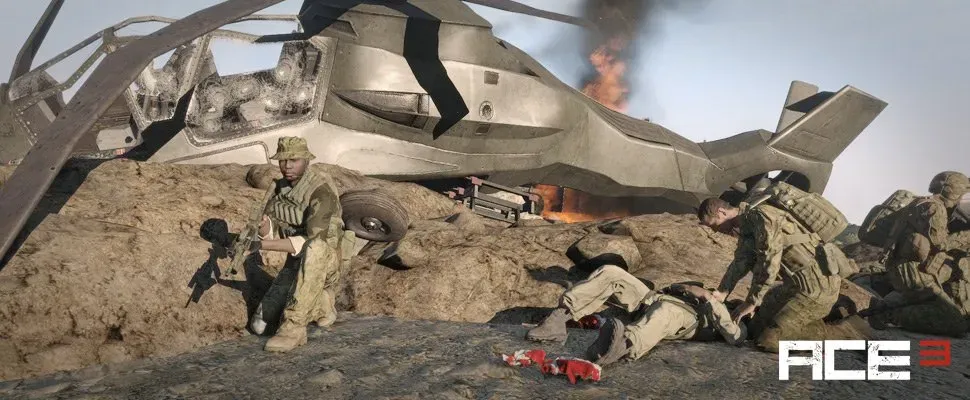
 night marsh
I AM HAVING BIG BOY ISSUES :(
Objects continue to unrender and then rerender
and lag the game immensely so
As you can see, it is
half there
half not
I'd upload video but it goes tf out of haywire
youtube, not the video
 bronze river
increase view range
 brisk saddle
Whenever I try to play I get this: "Cannot connect to EU Southwest"
uncut trellis
try some other server?
for some reason your connection to that server is broke/blocked
brisk saddle
Im not even connecting to a server when it happens
brisk saddle
Yeah I think it is, it just straight up boots me off the game when I try to play CSGO
fringe salmon
is there a way to have arma 3 installed on my ssd and have the mods on my hdd
steady hawk
https://forums.bohemia.net/forums/topic/213337-can-i-have-workshop-content-on-another-hard-drive/
Go check this probably. Never tested on my end.
Also, don't crosspost.
Bohemia Interactive Forums
Hey there i have a small issue: I want to play the breaking point mod after a very long time. I have installed Arma 3 on a small SSD. The SSD has now 8GB of free space left, but breaking point needs 9GB+. I dont want to install arma 3 on a HDD cuz i have only issues with the game then. Is there a...
fringe salmon
steady hawk
https://forums.bohemia.net/forums/topic/213337-can-i-have-workshop-content-on-an...
ya i cheked it out and someone in /r/steam discord said it wouldnt work
steady hawk
https://www.reddit.com/r/arma/comments/5wojd3/arma_3_on_ssd_but_want_the_workshop_mods_on_my_hdd/
Or this. I don't know this is valid

reddit
10 votes and 14 comments so far on Reddit
 fringe salmon
steady hawk
I took Greenfist's way in the forums and it worked
fringe salmon
steady hawk
I took Greenfist's way in the forums and it worked
ye ill try that if this doesn't work
would i have to drag everything from C:\Program Files (x86)\Steam\steamapps\common\Arma 3\!Workshop to this folder?

 mental river
fringe salmon
would i have to drag everything from `C:\Program Files (x86)\Steam\steamapps\com...
mental river
fringe salmon
would i have to drag everything from `C:\Program Files (x86)\Steam\steamapps\com...
don't do that
or your mods will not be updated anymore
fringe salmon
but would it work
mental river
just make a symlink
mental river
fringe salmon
but would it work
if you don't care about wasting space and don't care about updates, sure, it "works"
fringe salmon
wym wasting space
steady hawk
tldr
don't do that
fringe salmon
ight lmao
pine kite
Actually, I think those things in !Workshop are already symlinks to folders for mods in the SteamLibrary/Workshop. Those contain the actual files. What you see in !Workshop are the fake folders.
fringe salmon
So I'm having the strangest problem with A3 where on a zeus mission my friend spawns in a mountain (up in the air for me) and I spawn down where everyone else spawns. This is a weird bug. Has anyone else had something like this?https://cdn.discordapp.com/attachments/787175945173598228/1008453471978127400/unknown.png
https://cdn.discordapp.com/attachments/787175945173598228/1008453722784931860/unknown.png
We have found the issue to be that he didn't have the map mod loaded so it just put him on a base game map.
 subtle orchid
has anyone tried running ArmA 3 multiplayer on Macbook/MacOS? is it possible via virtualization?
 topaz field
my game was working fine yesterday it wont letting me launch it now
https://cdn.discordapp.com/attachments/311478997169209354/1008424693847564328/unknown.png
 pine kite
subtle orchid
has anyone tried running ArmA 3 multiplayer on Macbook/MacOS? is it possible via...
pine kite
subtle orchid
has anyone tried running ArmA 3 multiplayer on Macbook/MacOS? is it possible via...
The native mac version is way out of date version 1.8x-something. No point doing multiplayer with that. If you can get a virtual Windows going, that might work. But don't know anything about whether performance would suffice.
 runic glacier
anyone know why my friends cant see when i make a local server and i cant see theres?
pine kite
Could you see their server in the serverbrowser before, or not at all?
pine kite
It is normal for your router to block incomming traffic from your friends. I don't know what zero tier is exactly.
runic glacier
its basically like connecting to the same network
pine kite
The person with the server needs to figure out their Zero-tier IPv4 address. Then the other try to direct connect to that.
steady hawk
More specifically. What microphone issue?
steady hawk
 gleaming breach
has anyone ran into a mic issue?
gleaming breach
has anyone ran into a mic issue?
☝️
gleaming breach
so
just the icon is flashing
the mic itself is working
but none of my team can hear me
steady hawk
Are you sure the microphone is set default in Windows?
gleaming breach
yes
it works in every single game
but Arma
squad
war thunder
discord chat
steady hawk
No need to name unrelated games. Also don't spam Enter key too often
steady hawk
https://www.reddit.com/r/arma/comments/nbro3t/arma_3_microphone_isnt_working/
Have you tried this solution?
 bronze river
make sure you are in the same channel as them
 drifting stirrup
this is probably not the right place, but did someone notice that it seems the environment map on the rifle optics doesn't work anymore?
noticed it today and now i can't unsee it anymore. it's like the optic (glass) texture has no reflection anymore
fringe salmon
weary sky
you won't get ACRE magically when loading ACE, only support on Discord is now me...
Can someone send me the Discord group for ACE?
 agile viper
My Arma 3 binds keep binding my joystick to keys when I try to modify them
 minor shard
Hello! I'm having an issue in a mission I made. As Zeus, I'm unable to double-click waypoints to open their menu, call CAS, skip time, or most other actions that open similar menus (players and vehicles work). All my other missions work perfectly fine. Is there a way I can fix this without re-creating the mission?
 waxen dragon
Hi I have a problem with the publisher of Arma 3, it's been a week since my game crashed. When I launch the editor everything works but after 1 hour 30 my game crashes. I looked for solutions but it didn't work.
uncut trellis
waxen dragon
Hi I have a problem with the publisher of Arma 3, it's been a week since my game...
what solutions have you tried?
waxen dragon
I check the game files, Remove mods
uncut trellis
is there any error message?
and have you checked the RPT log files if they state any errors? @waxen dragon
waxen dragon
I did not receive any error message. I don't know where the RPT file is.
uncut trellis
!rpt
rustic eagleBOT
Arma RPT
Arma generates a .rpt log file each time it's run, which contains a lot of information like the loaded mods, or any errors that appear, this log file can be very useful for troubleshooting problems.
To get to your RPT files press Windows+R and enter %localappdata%/Arma 3
Additionally see the wiki page for more info: https://community.bistudio.com/wiki/Crash_Files
To share an rpt log here, please use a website like https://sqfbin.com/ to upload the full log, that way the people helping you can take a look at it and try to figure out the problem you're having together with you.
Note: RPT logs can hold personal information relevant to your system, the game or others.
waxen dragon
I found the file
waxen dragon
waxen dragon
It's weird can be the mods?
waxen dragon
Can you tell me which ones? If you see them
uncut trellis
no that is not clear
waxen dragon
Ok I'll take some off. I hope that it will work.
waxen dragon
It's does not work
Can i send your bohemai link ? I have the same problem as this person.
uncut trellis
I dont know anything else to help. youll have too wait to see is someone else has ideas
waxen dragon
This is the first time that it happens to me. I reinstalled my game. Check the graphics drivers, everything is ok but it doesn't work.
umbral narwhal
It does happen shortly after the first "Generating ST on the fly is very slow" message.
Caused by non-binarized model (p3d) apparently.
Maybe the routine that handles that rare case doesn't work correctly either.
Would have to be a bad mod anyway. Models are really supposed to be binarized.
uncut trellis
could very well be loading some messy mods
waxen dragon
ok i will check that
humble wigeon
For some reason it takes multiple attempts for my friend to join my server
He keeps getting disconnected for no reason
This is arma 3
I sent him my modlist which he has loaded
Im using unpnp
And usually he can get in
ocean cosmos
Any error message?
pine kite
Is the disconnect before he gets in to the server mission. Or after you have been playing for a while.
rustic eagleBOT
Arma RPT
Arma generates a .rpt log file each time it's run, which contains a lot of information like the loaded mods, or any errors that appear, this log file can be very useful for troubleshooting problems.
To get to your RPT files press Windows+R and enter %localappdata%/Arma 3
Additionally see the wiki page for more info: https://community.bistudio.com/wiki/Crash_Files
To share an rpt log here, please use a website like https://sqfbin.com/ to upload the full log, that way the people helping you can take a look at it and try to figure out the problem you're having together with you.
Note: RPT logs can hold personal information relevant to your system, the game or others.
fringe salmon
Im having an issue, i crash on initializing/loading addons
 fleet verge
Is there a list of mods / mod types that are known to cause the infamous 3fps Minecraft terrain bug?
My community has all gotten it out of nowhere and I’ve been pulling my hair out trying to find the cause. I would think the most obvious culprit is a mod but I haven’t found any abusive messages in my rpt files
I distinctly remember one night about two weeks ago where everyone got it at the exact same time
People moving in and out of TFAR all at once; it was pretty ridiculous
Bug just showed it’s ugly face out of nowhere with no warning and with no prior history of having it happen to us before
uncut trellis
do you run server with signature check?
fleet verge
As of right now, no. Could it be someone else loading something they shouldn’t be?
uncut trellis
not impossible at least
fleet verge
It’s just odd that it can cause it for everyone all at the same time
I thought it could’ve been the profiling branch, my server itself, the mission, Lambs AI since it seems to get bad when AI spawn
And have had no luck in narrowing it down at all
Taking away bigger mods has made it trigger an hour into a mission instead of ten minutes, but it still happens
I’m not home to provide rpt files unfortunately
 vital gyro
i have made a server map for my server and for the love of god i can not figure out why in the world i cant see my player slot's at all when i have them down with a respawn point and everthing can someone please hop in a vc with me and take a look
bc i just can not figure this out at alll
fleet verge
I think my issue was linked to the new "Animate" mod
 vapid whale
when i host a game using internet and upnp and my friend go to server browser and then friends the server doesent show up
mental river
fleet verge
I think my issue was linked to the new "Animate" mod
Have you confirmed that this was the issue?
 spare edge
Hello everyone, right after loading a Single-player Game did anyone of you fire a weapon that was loaded with explosivee bullets without it being supposed to ?
 humble wagon
@spare edge never had that, are you running mods?
spare edge
yes about 225
 harsh kiln
My mic isnt working in game, i can hear people, but no sound goes through my end in game, my mic works literally everywhere else, windows, steam, gta etc
how would i go about fixing that, nothing i found online has worked
 fleet verge
mental river
Have you confirmed that this was the issue?
fleet verge
mental river
Have you confirmed that this was the issue?
We will be trying to confirm it tonight
Last night we had a huge play session and we did not get the 3fps bug once the whole time after removing it
We’re going to try and lag our server out with explosions and hundreds of ai and stuff to see what happens
And then do a regular play session after a restart
Did it cause it? I think so, but I’m unsure if it was the Animate mod itself, you know? We’ve got a lot of mods and it could just be playing bad with some of them
mental river
fleet verge
We will be trying to confirm it tonight
the reason I ask is that if you can confirm that animations cause the 3 FPS bug then we can dig further
and hopefully fix the bug once and for all
 humble wagon
spare edge
yes about 225
humble wagon
spare edge
yes about 225
Well 99,9% sure that will probably the cause of those exploding bullets 😉
tardy gust
What does this mean why can’t I join multiplayer in dlcs


I downloaded the dlc
It just don’t let me play multiplayer
It even let me use the editor for making scenarios
spare edge
humble wagon
Well 99,9% sure that will probably the cause of those exploding bullets 😉
I suspect it to be CBRN CHEMICHAL WARFARE mod
 shadow raptor
Anyone able to help?
shadow raptor
shadow raptor
Anyone able to help?
?
pine kite
tardy gust
What does this mean why can’t I join multiplayer in dlcs
You are trying to join a server while you have the Western Sahara creator DLC enabled. The server does not, so it denies you access.
pine kite
shadow raptor
this keeps randomly happening
That is a very generic error message: Try to do the suggestions under your errorcode: https://community.bistudio.com/wiki/Arma_3:_Unusual_process_exit
pine kite
waxen dragon
Hi I have a problem. I can no longer launch my party in the editor.
Some other application took control over your profile files and the game can't use them. Are you using a dedicated server in the background as is suggested in that error message? Or is a malware scanner busy checking that?
waxen dragon
No I don't have any of that
fleet verge
mental river
the reason I ask is that if you can confirm that animations cause the 3 FPS bug ...
Maybe? I’m not really sure. This particular mod adds animations for opening doors every time you open it and map opening animations among a lot of other stuff
But it definitely is not happening after we have disabled it
The mod adds options for AI to utilize the animations as well and we had noticed anytime AI spawn we would drop frames far harder and sharper than normal arma 3 frame lag
After turning it off that stopped happening and now we just get “normal” frame issues
Also we never tested it with just that mod on and no others
We tested it with our whole modpack; it may be worth seeing if you can get the bug to trigger with vanilla game and that on
uncut trellis
sounds like such features may be very performance heavy. There is likely issues in the mod itself and if that is the case there isnt anything you can do about it
waxen dragon
Do you know where the data profile is so that I can delete it? it might work
pine kite
Your "Documents/Arma 3" or "Documents/Arma 3 - Other Profiles" is where arma profile is stored. If you use OneDrive, that may be a folder in between Documents and Arma 3.
 worn jungle
Humm,
Is there solution to get create P: drive,
Arma tools no dot let me do that (i think my win10 and OneDrive dont let)
Getting just error cannot create
fleet verge
mental river
the reason I ask is that if you can confirm that animations cause the 3 FPS bug ...
3 hour game session with a lot of resource-intensive mods and did not get the bug once
Whereas before with animate on we would get it within 10 minutes to an hour
Everytime, every player, without fail
 glacial harness
Can I somehow add vanilla missions into Eden Editor?
 tardy gust
pine kite
You are trying to join a server while you have the Western Sahara creator DLC en...
tardy gust
pine kite
You are trying to join a server while you have the Western Sahara creator DLC en...
i was joining that server for that map tho
 flint canyon
I was trying to join my units server to test the mission I made for tonight. Mission loaded fine but when I tried to click ok to get to try spawn selection my game kept crashing, I have a picture of the error code. Anyone have ideas as to why and how to fix it? We do use mods.

 crisp coral
crisp coral
crisp coral
and this also pops up
 pine kite
tardy gust
i was joining that server for that map tho
pine kite
tardy gust
i was joining that server for that map tho
Then verify your game install from Steam. Maybe your files are not updated correctly or gotten corrupt somehow.
 tepid veldt
Hello there, so I've been getting an odd bug in where the game keeps loading SOG. Even though it's not enabled, and the parameters in the launcher are empty. Only way I can launch without SOG is uninstalling the DLC
steady hawk
!rpt
rustic eagleBOT
Arma RPT
Arma generates a .rpt log file each time it's run, which contains a lot of information like the loaded mods, or any errors that appear, this log file can be very useful for troubleshooting problems.
To get to your RPT files press Windows+R and enter %localappdata%/Arma 3
Additionally see the wiki page for more info: https://community.bistudio.com/wiki/Crash_Files
To share an rpt log here, please use a website like https://sqfbin.com/ to upload the full log, that way the people helping you can take a look at it and try to figure out the problem you're having together with you.
Note: RPT logs can hold personal information relevant to your system, the game or others.
steady hawk
What an rpt says?
 grizzled sage
i have a problem where when i try to start workshop scenarios nothing happens. i just click play but nothing happens and the game doesn't freeze or anything just doesn't start
 green marsh
Anyone know why my dedicated sever is refusing to work?


Essentially it doesn’t see GRAD on the server mod command line (I’m guessing)
I input it into the command line, still error.
I remove all traces of GRAD from the server box and the mission in eden, I still get the error.
restive sequoia
green marsh
Essentially it doesn’t see GRAD on the server mod command line (I’m guessing)
...
Doesn't look like if you still get the error clearly showing there is Item9 in your mission.sqm, still causing the error ^^
restive sequoia
mission.sqm is part of you missionfile
green marsh
Then what is causing the error exactly?
restive sequoia
green marsh
Then what is causing the error exactly?
" clearly showing there is Item9 in your mission.sqm, still causing the error"
green marsh
What can I do to fix it?
restive sequoia
Open your mission.sqm with Eden editor and delete the item
green marsh
Oh shoot that easy. Ok let me do that
pine kite
And check the server RPT file if the mod actually was recognised. Putting it in the command line is one thing, the path being found is another.
!rpt
rustic eagleBOT
Arma RPT
Arma generates a .rpt log file each time it's run, which contains a lot of information like the loaded mods, or any errors that appear, this log file can be very useful for troubleshooting problems.
To get to your RPT files press Windows+R and enter %localappdata%/Arma 3
Additionally see the wiki page for more info: https://community.bistudio.com/wiki/Crash_Files
To share an rpt log here, please use a website like https://sqfbin.com/ to upload the full log, that way the people helping you can take a look at it and try to figure out the problem you're having together with you.
Note: RPT logs can hold personal information relevant to your system, the game or others.
steady hawk
You can just Ctrl+F
green marsh
What part of Item9 do I delete
The whole line?
hmm do I use the replace option to delete all of them?
waxen dragon
Hi I have a question. Why the AI when there are many enemies in front, it does not shoot? In the editor
uncut trellis
mods
waxen dragon
Mods ?
ocean cosmos
mods
waxen dragon
lol i know but what words can do that? It's quite annoying.
pine kite
Rip out halve of the mods, if they still don't shoot, it's in the other halve of the mods. Repeat until you are left with one. Just be aware of which mods depend on which other mods.
waxen dragon
ok i will check that thanks
 errant gulch
I am having an issue, even if I boot up the game with no mods, my game for the first 5 min freezes every 2 seconds for half a second. Makes the game almost unplayable when launched, meaning I have to wait until it stops doing that
I just booted up the game in offline steam mode, and it does not freeze anymore, wtf
what could be the issue?
because obviously I would like to play online without freezing aswell
 frozen needle
Hey, I suppose here isn't the place to ask about troubleshooting with mods (I have an issue with TFAR), if its not, could someone point me to the right channel? I'm struggling to find it 😅
mental river
errant gulch
I just booted up the game in offline steam mode, and it does not freeze anymore,...
isn't Steam updating something in the background?
also do you use battleEye?
in any case, make a ticket on the feedback tracker so that the devs can look into it
errant gulch
mental river
isn't Steam updating something in the background?
I use battleye, and even tho I have pending downloads, none of them are actually downloading
Fair enough, but we all know it probably wont be solved by posting it to devs
mental river
errant gulch
Fair enough, but we all know it probably wont be solved by posting it to devs
that's not true. they have fixed some bugs with each update
 sterile girder
Arma 3 uses like 6% - 10% gpu and like 5% cpu when using eden editor and playing as characters or spectating
this makes my fps be extremely low, like 5fps
changing qualities doesnt make any difference at all, i have 3090 and ryzen 9
pls help
steady hawk
In what situations? Mods? What video settings?
umbral narwhal
well, usage there is normal. Question is how you get it down to 5fps :P
sterile girder
yes i use many mods, ultra settings, but changing to low doesnt change fps at all
steady hawk
Low makes it worse
umbral narwhal
standard is better than low.
sterile girder
umbral narwhal
well, usage there is normal. Question is how you get it down to 5fps :P
idk, i usually have 20 - 40 characters in a battle at once
umbral narwhal
Busted mods then.
steady hawk
Always try in vanilla
sterile girder
ive tried all arma fps guides
ok lemme try it and ill see
welp it does seem like its mod
pulling 90 fps with better usage on vanilla lol
steady hawk
I've never heard of a Mod that makes a performance such worse...
umbral narwhal
It's definitely possible with spammed object creation calls. I've done it by accident :P
steady hawk
But doesn't make CPU/GPU more busy not bored?
umbral narwhal
Nah, Ryzen 9 has 32 effective cores, so it's always gonna stop at ~3-5% CPU.
steady hawk
Hmm
umbral narwhal
and then GPU usage will actually drop with lower (CPU-capped) frame rates.
steady hawk
Makes sense, I guess
 fathom ermine
No entry 'bin\config.bin/CfgVideoOptions.PiPVisibility
not sure how to fix
fathom ermine
Not 100% sure, never changed it before and never had issues until today.
fathom ermine
running default arma
steady hawk
Vanilla you mean?
fathom ermine
yes
steady hawk
You can probably ignore it after all, did you installed Performance Branch or RC Branch?
fathom ermine
cant
steady hawk
Can't what?
steady hawk
Where is your Buldozer?
fathom ermine
C
steady hawk
I mean is it a different exe than Steam's Arma3_x64.exe?
fathom ermine
no
steady hawk
Then verify Arma 3
 fathom ermine
it shows atom like balls lol
steady hawk
Again failed how?
fathom ermine
well once i hit okay, it shows this
rustic eagleBOT
Steam file verification process:
Right Click on game -> Local Files -> Verify Integrity of game files
Arma 3
Steam Workshop Mod repair process:
Open Launcher -> Right Click on mod -> Repair
The first process will automatically verify Steam Workshop items as well.
fathom ermine
issue was bulldozer parameter
 cunning sierra
umbral narwhal
Nah, Ryzen 9 has 32 effective cores, so it's always gonna stop at ~3-5% CPU.
cunning sierra
umbral narwhal
Nah, Ryzen 9 has 32 effective cores, so it's always gonna stop at ~3-5% CPU.
ryzen 9 (desktop) models have 12 or 16 cores
umbral narwhal
With HT, so for the global CPU usage percentage it calculates as if you were using one of 24 or 32.
It's a bit silly because you could probably use the maximum power budget with four threads.
 icy condor
Hello I am trying to host an Arma 3 game for my friends, I have opened the ports 2302 and 2303, but they can't join either way.

 pine goblet
How do i enable the mods i've subscribed to?
restive sequoia
icy condor
Hello I am trying to host an Arma 3 game for my friends, I have opened the ports...
 restive sequoia
pine goblet
How do i enable the mods i've subscribed to?
restive sequoia
pine goblet
How do i enable the mods i've subscribed to?
Start Arma 3 launcher, click on Mods, click on the mods you want to load.
pine goblet
when i load up the gamke it just loads the menu
restive sequoia
pine goblet
when i load up the gamke it just loads the menu
Arma 3
Experience true combat gameplay in a massive military sandbox. Authentic, diverse, open - Arma 3 sends you to war.
 chrome plinth
trying to get my unit insignia to show in game but its not there
seen other do it and it just as simple as making/joining a unit and selecting the patch but mine doesn't exist
and how would you get it on vehicles
 hushed gull
How do i fix the mouse glitch its where the mouse is not where it shows it like if i hover over editor i half to go off to the side to click it?
pine kite
icy condor
Expand those to the range 2302-2306, and UDP would suffice. I don't know if those"zeroes in "External source port number" are deliberatly set to 0, or if that means "I don't care" to your router. Best leave it empty when setting it, as you can't control what port people send data from.
restive sequoia
Updated my test server and the game and now i can't join the server.
"Steam authentication failed" 🤔
Also getting this
14:13:24 Warning: Current Steam AppId: 233780 doesn't match expected value: 107410
ocean cosmos
your server seems to have a dlc listed as an appid i think..?
restive sequoia
Gonna re-download server and verify client files
quaint jewel
restive sequoia
Updated my test server and the game and now i can't join the server.
"Steam auth...
233780 is server, 107410 is client
but I think steam_appid.txt should contain 107410
restive sequoia
quaint jewel
but I think steam_appid.txt should contain 107410
Works now, either steam messed something up or me (not sure how tho) 😅
restive sequoia
Some players now trigger a BE script exception i fixed ages ago and never appeared for anyone again. (No changes made to any BE filters).
Now some players get it again 🤔
23.08.2022 15:20:27: danma (xx.xxx.xxx.94:9) 56322542dcxxxxxxxx- #3 "mple without class;";

if (_autolog) then
{
    "bi_Logger" callExtension format["_diagSimpleObjectPerformance.csv<<trunc<<%1",_csv"
Scripts.txt line 5
5 callExtension !="imple without class;\";\n\nif (_autolog) then\n{\n\"bi_Logger\" callExtension format[\"_diagSimpleObjectPerformance.csv<<trunc<<%1\",_csv" !="EADER MARK, FOR AUTOMATIC GENERATOR////\n\";\n\n\n\"bi_Logger\" callExtension format[\"A3\\macros_CfgVehicles_simpleObject_auto_A3.hpp<<t"
maybe the scripts there changed slightly, so that you exception now doesn't hit anymore
maybe some whitespace changes or smth?
I don't know how BE filters work
restive sequoia
Good call, that was the old error message that was fixed.
#3 "imple without class;";

if (_autolog) then
{
"bi_Logger" callExtension format["_diagSimpleObjectPerformance.csv<<trunc<<%1",_csv"
the i at the beginning is now missing.
quaint jewel
The indentation before "bi_Logger" probably
restive sequoia
quaint jewel
The indentation before "bi_Logger" probably
Another weird one, looks like the server is reporting wrong IP addresses for users
US guy suddenly has a german IP
Or russian guy suddenly US IP
quaint jewel
¯_(ツ)_/¯
are you sure its not maybe battleye inverting the IPs?
they did that a while ago, but they should've fixed it
restive sequoia
quaint jewel
they did that a while ago, but they should've fixed it
You are right, it's inverted
quaint jewel
restive sequoia
You are right, it's inverted
windows or linux?
Your beserver should update itself and the newest version should have it fixed 🤔
restive sequoia
quaint jewel
windows or linux?
Your beserver should update itself and the newest version shou...
Windows
quaint jewel
 Will look into it. I reported it a month ago and it was fixed a month ago so definitely weird 😄
quaint jewel
@restive sequoia the fix indeed hadn't been released yet, it will stay broken for a few days
 karmic turtle
Hey I port forward a lot with friends and suddenly the server wont show up for them
 lusty cape
It seems that Linux dedicated server hasn't been updated after the recent update, or is it me not properly looking at it?

 quaint jewel
linux server has been updated
on main and profiling branch.. are you on the CDLC branch? @lusty cape
lusty cape
quaint jewel
on main and profiling branch.. are you on the CDLC branch? <@272378054519685140>
Nope, vanilla
quaint jewel
I updated my server 4 hours ago and it went fine
ocean cosmos
ditto here with my linux server
lusty cape
Somehow the server client won't update...
Arma 3 Console version 2.08.149102 x64
This is my bash update script
bash /home/steam/steamcmd +force_install_dir /home/steam/games/arma3server/ +login anonymous +app_update 233780 +quit
Can't quite understand what am I doing wrong.
Inb4: there are no duplicated folder or anything like that. SteamCMD:
Connecting anonymously to Steam Public...OK
Waiting for client config...OK
Waiting for user info...OK
Success! App '233780' already up to date.
you can try to add a validate
lusty cape
Tried with that option as well, same output
restive sequoia
Sounds weird but maybe related to the same bug i had, my server has the ID 107410 in the steam_appid.txt
Not sure how it is on linux.
Even tho SteamDB says server has the ID 233780
https://steamdb.info/app/233780/
https://steamdb.info/app/107410/
There also was someone with the exact same problem
#server_windows message
lusty cape
The steam_appid.txt contains 107410.
quaint jewel
unrelated, wrong appid won't make the server not update
lusty cape
Hold on, I think I resolved the issue.
While logging in SteamCMD as anonymous it doesn't update the game, although the logs show the opposite.
Tried logging in from my account - it shows now the download progress and validating.
Voila!
Arma 3 Console version 2.10.149799 x64
Tags for Linux users: Linux Dedicated Server, Ubuntu, SteamCMD, update, version mismatch
Always use the Steam account for SteamCMD updating.
 glass saddle
Think this is the correct channel:

I tried to google it, comes up with a single page of results that don't appear to have any relevance, any help please? I don't know why this has only just appeared, the last time I played arma, yesterday, it was fine
The exit code after pressing 'ok' is 0x0000DEAD, if that gives any additional info regarding this...thanks
rustic eagleBOT
Steam file verification process:
Right Click on game -> Local Files -> Verify Integrity of game files
Arma 3
Steam Workshop Mod repair process:
Open Launcher -> Right Click on mod -> Repair
The first process will automatically verify Steam Workshop items as well.
uncut trellis
@glass saddle
glass saddle
Thanks goat, you the goat 😎
 static monolith
whats the legacy code for the previous arma version? i think it was 2.04 but Arma3Legacy204 doesnt work
uncut trellis
2.04 would be preeetty old 🤔
static monolith
whichever version arma 3 was on before the update
static monolith
worked 😄 thx
 static monolith
how do i update the dedicated server? i did the thing with steam appupdate xxxxxx validate but the arma 3 server executables are still on 2.08
umbral narwhal
Apparently you have to log in with a real steam account.
static monolith
did so
glass saddle
uncut trellis
<@524653305654411284>
sorry to ping you, I did the 1st step, but would I need to individually repair each mod? I still have the same error after verifying. Thanks
uncut trellis
run without mods first to see if it works
 robust seal
Hello when i try to load a scenario with chernarus map it says Cannot load World " and the game crashes how do i fix this?
uncut trellis
you might not have right map
static monolith
robust seal
where is the map for chernarus
cup_terrains maps?

if youre playing that one version of antistasi PLUS then its cup terrains maps 2.0
mental river
glass saddle
sorry to ping you, I did the 1st step, but would I need to individually repair e...
what is your GPU?
glass saddle
laptop GTX 2060
6gb VRAM (I think it's vram)
I've got around 2k hours and I've never encountered this problem before
mental river
reinstall DirectX and see if it solves the problem
also if your GPU driver is too old or too new that could be the problem too
also do you use any mods related to thermals?
glass saddle
Going to try to run w/o mods first as 🐐 suggested and then the DirectX, as I've just googled and downloaded the thing, said it can't actually be uninstalled, but the driver/application.exe (whatever) can be and I've just done that and hasn't appeared with any options
I have like 390 mods loaded, but yeah, I haven't had any problems previously
Ok so no mods loads fine., I have 390 as in, let me just look, I think the answer is no but...yeah let me double check that
uncut trellis
theres been some core updates in the new patch "previously had no problems" is unfortunately moot now that new patch is out, anything can happen
it sounds like some mod might be dabbling with things it should not if it overwrites shaders like that
glass saddle

ok thank you for the information, I will look into my mods that might do things like thermals or things that might affect shaders (I could only make educated guesses though as to which) Thanks guys!
uncut trellis
do you really use all 390 mods at the same time?
quaint jewel
look for mods that have @modname/dta/bin.pbo
thats the only way to break this
The only mod I know about is my PBR shader mod
Mh I just wanted to update its description, only to find that I apparently already did that months ago
glass saddle
my usual halo set up

but literally I've just been loading mods since I started playing arma 3, and then if it does F up, I unload them etc. As it happens my WW2 set up (dare I call it 'set up' lmao) has 318, but still has the same problem, so it could be a long weekend for me doing trial and error
quaint jewel
open your arma folder and search for "dta" or "bin.pbo"
glass saddle
okie dokie one second
quaint jewel
there should only be one, and they shouldn't be in any mods
 glass saddle
can I just delete it
quaint jewel
yes but steam would just redownload the files
glass saddle
quaint jewel
yes but steam would just redownload the files
genuine thanks for this I would have literally gone through each mod I have until I figured it out, it's about 160th down the list of my 'saved as' presets lmao
 stiff marlin
anyone get this issue?
well
i would send a screenshot but it doesn't work
this
steady hawk
!steamverify
rustic eagleBOT
Steam file verification process:
Right Click on game -> Local Files -> Verify Integrity of game files
Arma 3
Steam Workshop Mod repair process:
Open Launcher -> Right Click on mod -> Repair
The first process will automatically verify Steam Workshop items as well.
steady hawk
Try to verify
stiff marlin
@steady hawk it didn't work
restive sequoia
stiff marlin
<@122565573384208384> it didn't work
Remove any mods loaded and try to start the game again
stiff marlin
i started it without mods fine, i'm trying to figure out which mod is killing it
topaz field
i got a qus is arma 3 memory eater or cpu?
umbral narwhal
single thread CPU but memory latency does matter.
topaz field
so whats the normal % for the cpu in arma ?
topaz field
cuz this is what happening at the time
 umbral narwhal
It pauses if you tab out in single player.
 mental radish
My Arma 3 will not display an update to 2.10, but when I play, it cannot join a server because I need version 2.10, the arma launcher states I'm on 2.08.149102
umbral narwhal
Did you try restarting Steam?
steady hawk
Are you sure you're not in legacy branch?
umbral narwhal
We've had issues with workshop mods where some people get served the old versions, as though steam's download servers are desynced.
mental radish
Its my game client, not a mod unfortunately
umbral narwhal
Yeah, probably same mechanics though.
Could try switching to a beta and back again, although I suspect it won't help.
umbral narwhal
shrugs
I've only seen it happen once verifiably.
And we worked around it by republishing the mod.
I think all Steam's stuff gets restarted once a week.
mental radish
restarted steam, pc, verified files, switched to beta, switched back, opened steam offline, back online, logged out of steam, logged back in
there are no updates available for A3
I don't think there's anything else I can do
Please @ me if you think of anything, otherwise, I appreciate the assistance
umbral narwhal
restart your router and hope you get an IP that's assigned to a different cache server :P
worn jungle
Hey,
Is this the right place to ask how to get a P drive created,
I have Windows 10 and OneDrive, I just get the error "cannot create P drive", is there any guide to solve this? I tried to find some answers for myself on Google, but I couldn't find any answers to this problem there.
umbral narwhal
subst likely needs to be run as admin.
worn jungle
Yeah, will try that again.
Will run steam, Arma and Arma tools admin. Maybe this solve my problem.
Thanks.
umbral narwhal
How exactly are you trying to create the P drive?
worn jungle
umbral narwhal
Apparently you're supposed to use WorkDrive instead.
worn jungle
umbral narwhal
Apparently you're supposed to use WorkDrive instead.
Is there guide to do that?
umbral narwhal
Doesn't look like it.
uncut trellis
#arma3_terrain has pinned messages to terrain guides that start with p drive and tools setup
worn jungle
Could you help me with this here?
worn jungle
uncut trellis
<#105463116002816000> has pinned messages to terrain guides that start with p dr...
Thanks 🙏
I will check that out
mental river
umbral narwhal
subst likely needs to be run as admin.
actually you shouldn't run Steam or A3 Tools as admin
for whatever reason it ends up breaking P drive
worn jungle
mental river
for whatever reason it ends up breaking P drive
Good to know
 outer otter
how can i find that pbo? https://cdn.discordapp.com/attachments/924043030783225937/1011885191981191240/unknown.png
worn jungle
Show hidden folders and search UPSL, if that is in !workshop folder in Arma 3 which is hidden folder
outer otter
worn jungle
Show hidden folders and search UPSL, if that is in !workshop folder in Arma 3 wh...
haven't found anything
 heavy nest
Heyo! I hope I can get a hint or answer here, Ive tried googling but couldnt get anything. I noticed that the server browser doesn't show me all the servers and now doesn't allow me to connect to some in the secondary profile I made. But if I switch to the main profile (the one that is created automatically upon booting the game) Shows more servers and allows me to connect to the servers I couldnt connect before. I don't know how that is a thing at all. I just don't want to play this using my IRL name as username.
 void fjord
do you maybe have a filter active on your second profile in the server browser?
heavy nest
That's what I thought but apparently not. And it still didn't allow me to connect to a server I played in before. Could do it when switching to main profile tho
 smoky pelican
 quaint jewel
stiff marlin
i started it without mods fine, i'm trying to figure out which mod is killing it
quaint jewel
stiff marlin
i started it without mods fine, i'm trying to figure out which mod is killing it
Search your arma folder for bin.pbo and you'll find the bad mod
There is one from basegame, but if you find a second one in a mod, thats it.
 reef jacinth
so i keep getting forcefully exitted out of the game because it says:
STATUS_ACCESS_VIOLATION
quaint jewel
what else does it say
quaint jewel
it doesn't list a crash in there, do you have a .mdmp file?
rustic eagleBOT
Steam file verification process:
Right Click on game -> Local Files -> Verify Integrity of game files
Arma 3
Steam Workshop Mod repair process:
Open Launcher -> Right Click on mod -> Repair
The first process will automatically verify Steam Workshop items as well.
ocean cosmos
ok thought so just checking
reef jacinth
but still happens
ocean cosmos
What are system specs
ocean cosmos
How much ram and gpu
ocean cosmos
Ok give me a few and I'll help you figure out how to find that
reef jacinth
ok
ocean cosmos
reef jacinth
ok
ok open task manager and click the performance tab
underneath the memory bit what does it say? should be X/something GB, something is how much ram you have
reef jacinth
@ocean cosmos
 ocean cosmos
hm that looks fine so its probably not your specs
i used to have a similar issue when using a much lower spec laptop
 snow prairie
Hello! does anyone know how to remove this circle in the middle of the screen? Prarie fire DLC. Im playing Mike force
 uncut trellis
snow prairie
Hello! does anyone know how to remove this circle in the middle of the screen? ...
uncut trellis
snow prairie
Hello! does anyone know how to remove this circle in the middle of the screen? ...
It's a bug introduced by the new update, fix is being worked on.
snow prairie
Ok, Thanks!
 patent kettle
Try interacting with any sort of hold action to get rid of that. The medical ones to whitstand, respawn, carry should work.
If you have debug console available running this snippet will also hide the circle:
"vn_holdActionAdd_layer" cutText ["","PLAIN"];
Thank you very much! It worked
uncut trellis
your install is not complete or its corrupted
you need to run game file verify in steam
!steamverify
rustic eagleBOT
Steam file verification process:
Right Click on game -> Local Files -> Verify Integrity of game files
Arma 3
Steam Workshop Mod repair process:
Open Launcher -> Right Click on mod -> Repair
The first process will automatically verify Steam Workshop items as well.
uncut trellis
@fringe salmon
 quasi oracle
trying to sign some mods i have made for my server, however once i sign them and upload them to it, i cant join, i know they key is correct, ect, yet i still cant join. anyone else had this issue before ?
uncut trellis
usually means key is not installed in right place on server and/or locally
quasi oracle
server is good, because multiple mods share the same key, and local mods also using the same private key signature work, just not all of them
totally baffling me
umbral narwhal
@quasi oracle Do the problem mods all work locally?
 stoic pilot
I'm having an issue where anytime I try to join a game with mods (I have about 113 loaded, and 21 unloaded), it keeps telling me that I'm out of memory and it crashes. When I unload the mods, it works. Can anyone help? And I don't wanna hear your bullshit "Get more memory then lol" unless that is genuinely the only fix. I'm not in the mood for bullshit
ocean cosmos
unload so many mods and get more memory
stoic pilot
Yeah that's what I did
The issue is is that I have to unload a majority of what I actually use
So basically actually necessities are all I can have
ocean cosmos
ok then get more memory
stoic pilot
So like remove stamina, reduce weapon sway, that kinda stuff
ocean cosmos
those mods will be tiny for memory
stoic pilot
Well then Ig I gotta get more memory because those are the only ones I can have loaded :(
uncut trellis
you might have some sort of hardware issue then
how much RAM do you have?
and have you tried all the mods one by one in case one of them is just broken
stoic pilot
uncut trellis
how much RAM do you have?
223 GB with 2.3 Gb left+1.81 Tb with 579 Gb left
Idfk how I'm out of memory
Also I haven't checked each mod separately because that would take me a couple hours
uncut trellis
this is disk space
RAM/memory is different thing
disk space is where files are stored
RAM is where programs/files are loaded into when you run them
stoic pilot
Ooohh
Honestly I never knew the difference between the 2 until now, so naturally that means I don't know how to check my RAM
uncut trellis
google will help.
ocean cosmos
easiest way is to open task manager, go to performance tab and round up your memory tab
it should say X/something GB, something is the amount of RAM you have when rounded up
stoic pilot
6.9/15.4 Gb
ocean cosmos
ok so chances are its a mod pushing you over the limit
ocean cosmos
unload half your mods, if it works then the issue is in the other half
stoic pilot
alright
patent kettle
Also make sure you've not disabled page file, even if you have free ram it can be used.
ocean cosmos
what vehicle map etc
 simple moon
When ever I’m in a heli and go in thermal that happens
quaint jewel
Can you make me a mission file with vanilla that reproduces that?
I need the exact same camera and date/time/temperature
ocean cosmos
Found a visual issue too

(the walls)
stratis airbase, 6th july 2035, ~midday, takes a few minutes to appear like that
ocean cosmos
ocean cosmos
similarly happens at 12:03 in editor camera thermals too
 fringe salmon
I would honestly try enabling simulation and seeing if they even leave the animation when they aren't disabled, they might stay in animation depending on settings.
Alternatively, there might be an AI mod at play here.
 slow light
quaint jewel
<:salute:705048414878040174> Will look into it. I reported it a month ago and it...
slow light
quaint jewel
<:salute:705048414878040174> Will look into it. I reported it a month ago and it...
also can confirm its still inverted
 dawn karma
my game just crashed because of this error, anyone can help me?

trying to open game again rn
uncut trellis
verify game files and reinstall visual c redistributables
rustic eagleBOT
Steam file verification process:
Right Click on game -> Local Files -> Verify Integrity of game files
Arma 3
Steam Workshop Mod repair process:
Open Launcher -> Right Click on mod -> Repair
The first process will automatically verify Steam Workshop items as well.
mental river
until a fix is released you can run this in debug console:
onEachFrame {clearRadio}
is that message even shown by the game?
I didn't find any function with that message
steady hawk
PLP_fnc_fireWeapon does that
 waxen hawk
Need help with TeamSpeak and TFAR… We’ve been using TFAR (Beta) on our TeamSpeak server for like 5 months without issue. All of a sudden last weekend the TFAR stopped working in the Server we can’t hear eachother in game even though our icons are lighting up blue and we can see peoples mouths moving but no talking (However, if we are in a helicopter and use the same intercom channel we can hear eachother, barely but can hear) we all hopped into the TeamSpeak public and made a quick channel and it worked just fine, so we assumed it just be the server itself. Which was wrong because when I ordered a new one it still didn’t work on that. Any ideas as to what the actual fork the issue could be?
 primal portal
Anyone else been having issues with Zeus modules not working in multiplayer? Checking logs I get a '___ is not allowed to be remotely executed'
steady hawk
https://community.bistudio.com/wiki/Arma_3:_Remote_Execution
Probably your mission has restricted MP commands
Are the server/mission yours?
primal portal
steady hawk
Are the server/mission yours?
Yes to both.
Use to not be like this either, idk if an update changed it.
steady hawk
Then check description.ext
primal portal
Its what its always been
//Author and Loadscreen information
author = "Jinx";
OnLoadName = "Training Grounds";
OnLoadMission = "Arma Futurus";

//Game Mode
class header
{
    gametype = Coop;
    minplayers = 1;
    maxplayers = 6;
    playerCountMultipleOf = 1;
};

// Respawn and misc settings
respawnOnStart = 0;

// This disables the majority of channels for players to prevent easy metagaming of information.
disableChannels[] = {
    {0, false, true}, //--- Global Chat
    {1, false, true}, //--- Side Chat
    {2, true, true}, //--- Command Chat
    {3, false, true}, //--- Group Chat
    {4, false, true}, //--- Vehicle Chat
    {5, false, false}, //--- Direct Chat
    {6, true, true},    //--- System Chat
};
https://community.bistudio.com/wiki/Arma_3:_CfgRemoteExec
Check this to allow every commands, see how it goes
primal portal
steady hawk
https://community.bistudio.com/wiki/Arma_3:_CfgRemoteExec
Check this to allow ev...
So if I'm understanding it correctly, adding to my description.ext
class CfgRemoteExec
{
    class Functions
    {
        mode = 2;
        jip = 1;
    };
    class Commands
    {
        mode = 1;
    };
};
Would be the correct implementation?
steady hawk
Both modes should be 2 I think, I'm not that good with MP things
primal portal
Yeah I will try setting them both to 2, as my above example allows 'some' of the commands to work but others only half-work.
But the documentation is also perplexing as its saying mode 2 is the default.
So why is the server acting suddenly like its on mode 1 or 0?
Setting both modes to 2 rather than just the functions mode to 2 seems to have resolved the issue.
 heavy bear
When Arma did a update yesterday, was there any changes to the strings, or getMarkerPos
steady hawk
Write what exactly you wonder
heavy bear
So, I am getting this error Error in expression <cle = createVehicle [(_vInfo select 2),(getMarkerPos _sp),[],0,"NONE"]; with this Error Type Number, expected String everything worked perfect before the update. Here the point of code _vehicle = createVehicle [(_vInfo select 2),(getMarkerPos _sp),[],0,"NONE"];
Nothing has changed, I guess I am just confused, on if any changes was made to strings, as my error is clearly pointing to that
steady hawk
Post the entire script
steady hawk
heavy bear
Nothing has changed, I guess I am just confused, on if any changes was made to s...
sqfbin please
heavy bear
steady hawk
Are you sure that it is the issue? Did you tried to replace the part getMarkerPos _sp to something else like [0,0,0]?
Or rather, did you make sure that getMarkerPos is working just like before or not?
tribal condor
Delete these right?
 heavy bear
Yes, and it is, this issues happens let see if I can explain this correctly. Vic spawn on marker, when store the vic, and try to store it the second time, this is when the error comes up, and nothing happens
steady hawk
heavy bear
Yes, and it is, this issues happens let see if I can explain this correctly. Vic...
Hmm I don't really see there's any flaw so far. Even though I don't understand the entire context of the script but itself doesn't seem that wrong
Just in case, productVersion returns what?
quaint jewel
tribal condor
Delete these right?
The top one I think, check if it's in the folder of a mod
 cerulean canopy
simple moon
cerulean canopy
simple moon
I am also experiencing this issue - I do not use air assets much yet in WL, but with my standard infantry loadout, using the ENVG-II and/or the Nightstalker optics for thermals, I get the same type of strobing colors: https://imgur.com/OuwZkBw this is normal view - it's fine; https://imgur.com/h3mfWWY this is normal night vision using ENVGII - again, no change; https://imgur.com/kBlmL1x when I try to use thermals, it strobes constantly and quickly - whites strobe to black, and visa-versa; https://imgur.com/heRh9D1 this is another capture mere seconds after the previous, to show how the blacks and whites change constantly; https://imgur.com/BihFe13 the nightstalker optic does the same thing - it has two different kinds of thermals where one is orange, and the other is red, but both do the same thing - the colored images and black images strobe back and forth constantly
 toxic inlet
@simple moon @cerulean canopy It would really help to hear:
What map the issue occurs in
What the ambient temperature is
What time /date in game it is
Or even better if your able to make a mission with a stable repro😅
cerulean canopy
toxic inlet
<@680910780534882327> <@397288497079386112> It would really help to hear:
What ...
This is when I am playing Warlords on the US 01e server, which is always played on Altis. I have no way of discerning ambient temp. - perhaps you can help me with that. In the case of my above pictures it took place at nighttime game time, but this issue happens 24 hrs in-game. I am playing in Warlords which is a pre-made mission that loops in perpetuity. I have never made any missions and do not know yet how to. Perhaps you can also help there. Thanks!
steady hawk
You can make a mission in the Editor, which is really straightforward
cerulean canopy
If I were to make a mission in editor, and it performs differently than what I see in Warlords, would that actually help in coming up with a solution to my issue?
steady hawk
Of course. It is more better for reproducibility
cerulean canopy
But there are others who have already posted the same issue, NOT using my seat of Arma 3 and NOT using my PC. I am confused.....
toxic inlet
Right now we know the issue exists, however to be able to do anything about it we need to knowing the cause is.
If we have a way to reproduce the issue consistently this helps not only with trouble shooting but also the testing to make sure its gone.
Meanwhile i am trying to get the flashing myself, and thanks to you i now at least have a lead 👍
cerulean canopy
OK, I just went into my virtual arsenal, and loaded up the ENVG-II - the issue persists here: https://imgur.com/8zHCqc3
The lines of varying whites, blacks, and greys are strobing constantly....
toxic inlet
cerulean canopy
OK, I just went into my virtual arsenal, and loaded up the ENVG-II - the issue p...
interesting i just saw a ticket on FT with a similar issue.
This is what it looks like for me on retail arma.
You also seem to have a strange texture on your glove.
Could you post your .rpt and check if you maybe have a update for your GPU?
 cerulean canopy
toxic inlet
interesting i just saw a ticket on FT with a similar issue.
This is what it look...
cerulean canopy
toxic inlet
interesting i just saw a ticket on FT with a similar issue.
This is what it look...
I'm sorry I am noobish about a lot of terminology - what is a .rpt and how do I get it?
toxic inlet
Yes its a file that gives us a bit more information about whats going on in game and on your pc.
Here is a list with all our report files and where to find them.
https://community.bistudio.com/wiki/Crash_Files
@simple moon @cerulean canopy Right now we only need the rtp.
If you both could post the file that matches the time and date of the session where you had the issue we can have a look.
simple moon
Alright no problem
cerulean canopy
OK, so I've gone into Editer and equipped my unit with both the ENVG-II and the Nightstalker scope. So I go into the Editor Log FOlder, and copy the most recent .rpt file and post it here?
toxic inlet
It should just be in "%localappdata%\Arma 3"
cerulean canopy
Mine is in App Data / Local / Arma 3
OK how or where do I post or send a copy of the .rpt file?
toxic inlet
think you can drop it in here otherwise https://feedback.bistudio.com is a good place
quaint jewel
I assume the strobing and that weird effect is both the same issue
Something is very wrong with the shaders there. Maybe also let steam verify files in case they got corrupted, but that shouldn't be possible 🤔
cerulean canopy
I'm sorry I'm a bit noobish I need more instruction than this. I can open the file in notepad, but it's rather large. Do I make some image files of the notepad file, and post them here?
quaint jewel
Drag&drop the file from the folder, into discord here
cerulean canopy
Here is the file
cerulean canopy
quaint jewel
I assume the strobing and that weird effect is both the same issue
Something is ...
Yes I did perform the file verification in Steam last night, and all some-1400 files were successfully verified...
quaint jewel
Intel(R) UHD Graphics 630"
"driver version : 0/Not Implemented"


 ocean cosmos
intel uhd graphics AND no drivers??
quaint jewel
There are drivers, but the version detection doesn't work
ocean cosmos
i was gonna say lmfao
ocean cosmos
ocean cosmos
Ill check if i have the same issue in like half an hour in regards to this
ocean cosmos
i mean the actual erm
not hot bit
very grainy? and looks super funký when moving the camera
ocean cosmos
ye
its not gamebreaking just looks odd
unlike the other visual glitch lol
driver version is coming up fine for me regardless so 🤷
bronze river
new thermal is hit or miss for the players
 vague smelt
for me I can't use the new thermal anymore
not for night or daylight
I can see nothing 🙂
tribal condor
quaint jewel
The top one I think, check if it's in the folder of a mod
Nothing bad will happen if I delete the wrong one by accident right?
quaint jewel
The game will fail to start
but you can verify your game files via steam to restore it
vague smelt
but don't know if this is related to my hardware or it was designed this way
tribal condor
quaint jewel
The game will fail to start
but you can verify your game files via steam to rest...
Ah ok
ocean cosmos
vague smelt
I can see nothing 🙂
known issue, itll be fixed soon
tribal condor
quaint jewel
The top one I think, check if it's in the folder of a mod
I deleted it and the issue is still happening
Re-verified files to make sure anything that wasn’t supposed to be deleted was back too
fringe salmon
anyone know why I have a dashed circle in the middle of my screen? The situation was that I had my SOG Prairie Fire Mike Force mods active, and then I quit the game, and came back in with just the plain Mike Force mod loaded with SOG PF DLC... Now, no matter what I do, whether I load into the plain vanilla game, or the SOG PF, or SOG PF with Mike Force... I have this dashed circle in the middle of my screen, that looks like a bombing reticle or something. I tried verifying integrity of game files, but that didn't work either. Turning it off and on again didn't work. Windows is updated... not sure what's going on.
toxic inlet
#arma3_troubleshooting message
Veteran29 gave a possible temporary fix here. A later hotfix should fix the issue completely
errant gulch
After the last update not only my game stops working, but entire steam crashes. I am running mods so I will try to narrow it down, however if anyone has had similar experience have you figured out which mod causes it?
quaint jewel
tribal condor
I deleted it and the issue is still happening
Maybe there are more, or it was restored right after you removed it? That file has to be it
quaint jewel
errant gulch
After the last update not only my game stops working, but entire steam crashes. ...
I'd you have game crashes, send me crash reports
 main marsh
Hey has anyone had a problem with “server not responding” when you try to join a friend’s private server from steam overlay?
errant gulch
quaint jewel
I'd you have game crashes, send me crash reports
I am disabling mods in batches and narrowing down on what is causing it
 thin bough
Hi, I got an infinite loading problem, I host for a friend 2 to 3 arma 3 servers, recently we wanted to migrate them both to a more powerful server. But they seem to not working, they appear in the server list, but if I want to join them, I stuck in the loading screen. So I decided to start from scratch and reinstalled ubuntu server and added the dependencies for a vanilla arma 3 server, but the problem still occur. Here are my server logs, does someone have an idea?
https://pastebin.com/5u3eJ7gC
Pastebin
Pastebin.com is the number one paste tool since 2002. Pastebin is a website where you can store text online for a set period of time.
tribal condor
quaint jewel
Maybe there are more, or it was restored right after you removed it? That file h...
I think I found one under a mod I have called DCS terrain packs, went ahead and yeeted it and gonna see how it goes
tribal condor
quaint jewel
Maybe there are more, or it was restored right after you removed it? That file h...
Yup that was it, seemed to have came back when I re-verified the files. Thanks man, I really appreciate the help, couldn’t find anything online at all
errant gulch
I think I figured out, it was S & S mod
simple moon
@toxic inlet here is the rpt file sorry it took so long also some of my friends have the same problem and i uninstalled and reinstalled arma and the mods i use and still had this issue
i also validated arma in steam nothing worked
toxic inlet
I'll add it to a ticket first thing tomorrow
simple moon
thank you
fringe salmon
i got arma 3 yesterday, I don't have any mods but i can't load up the game, it crashes at the loading addons startup
 umbral narwhal
steam verify. Download probably broke.
fringe salmon
umbral narwhal
steam verify. Download probably broke.
doesn't work, i tried it already, perhaps i should re-download?
umbral narwhal
That's probably your only option.