#arma3_config
1 messages · Page 143 of 1
 hearty sandal
hearty sandal
hearty sandal
wheel bound
 little phoenix
i checked and thats perfectly aligned with the bottom of the wheel
everything is perfectly aligned aswell
hearty sandal
no bouble points in selections?
hearty sandal
Yes
little phoenix
from what i can tell its fine
hearty sandal
then perhaps animation axis directions are wrong way
little phoenix
as in wheel_1_1_damper?
even with wheel_1_1_damper turned around its still the same
hearty sandal

 junior sparrow
how do I add cba's main addon as a dependency for a mod? don't have access to my Arma computer atm
 slim halo
junior sparrow
how do I add cba's main addon as a dependency for a mod? don't have access to my...
slim halo
junior sparrow
how do I add cba's main addon as a dependency for a mod? don't have access to my...
Me neither!
https://github.com/CBATeam/CBA_A3/blob/master/addons/main/config.cpp
CBA_main
But it needs everything itself 🤣

GitHub
Community Base Addons for Arma 3. Contribute to CBATeam/CBA_A3 development by creating an account on GitHub.
little phoenix
hearty sandal
<:blobcatgooglythink:805173325226836039>
Turns out it was i didnt see the bottom one. But when i inverted it instead of being below the suspension it is now above it(fixed now thank you)
junior sparrow
slim halo
Me neither!
https://github.com/CBATeam/CBA_A3/blob/master/addons/main/config.cpp...
alright if it doesnt work i'll blame you: https://community.bistudio.com/wiki/Arma_3:_Creating_an_Addon#hemtt 😛
slim halo
junior sparrow
alright if it doesnt work i'll blame you: https://community.bistudio.com/wiki/Ar...
used in CLI environments like github actions
Did you mean CI?
CLI works too 
junior sparrow
yeah CLI is more general
but maybe it should be "command line tool" as that page is geared towards beginners?
(let's move to #community_wiki )
 twilit vigil
how would I go about overwriting inherited magazineWell[] = in a weapon config properly?
 wintry tartan
Just overwrite it via = ?
twilit vigil
that doesn't seem to work
wintry tartan
What's the config and your goal?
twilit vigil
I was trying to override the magazineWell of a modded weapon to clean up the lootspawner on my server from excess magazines, since the script used just grabbed whatever magazines are compatible from the config
It turned out that I don't have to do that so I no longer have the config setup for that.
 versed moss
Would any one be able to help me with this PBO project error.
I'm trying to obviously compile a PBO, but I keep getting a error;
rapWarning: missing file(s)
\Users\Schultz\Desktop\@Testing\addons\Loli_heli\Config.cpp circa Line 36: Loli_heli\ah1z_engines_co.paa
\Users\Schultz\Desktop\@Testing\addons\Loli_heli\Config.cpp circa Line 56: Loli_heli\rhs_t80u_01_co.paa
\Users\Schultz\Desktop\@Testing\addons\Loli_heli\Config.cpp circa Line 57: Loli_heli\rhs_t80u_02_co.paa
\Users\Schultz\Desktop\@Testing\addons\Loli_heli\Config.cpp circa Line 59: Loli_heli\rhs_t80u_03_co.paa```

Even though I have the .paa's tucked away right next to the config.cppMake sure the path is correct. Including re-check pboprefix
versed moss
Could you clarify checking pboprefix? I don't believe I have any pboprefix files in either file
slim halo
versed moss
Could you clarify checking pboprefix? I don't believe I have any pboprefix files...
pboProject doesn't care about the pbo prefix
those files must be physically present on your P drive
e.g. :P:\Loli_heli\ah1z_engines_co.paa must be present
versed moss
Then I just gotta move the config and all that boring stuff over to the actual P drive?
slim halo
I think so yeah. pboProject is kinda freaky about it
versed moss
Moved the whole file over, still didn't work. Should I copy and paste the rest of the error message? It looked pretty much the same except for it reading for example:
Config.cpp : Loli_heli\rhs_t80u_01_co.paa
*with the big ol' rap warning missing files above it
slim halo
versed moss
Moved the whole file over, still didn't work. Should I copy and paste the rest o...
are the files correctly present in Loli_heli folder?
slim halo
slim halo
e.g. :`P:\Loli_heli\ah1z_engines_co.paa` must be present
like this
versed moss
Within the folder, I got the .Paa's all labeled correctly in it
slim halo
how did you set up P drive?
versed moss
When I originally set it up, I think I did a 'Mount the work drive (p)' through the arma tools
This's the file path; "This PC/Local disk(P:)"
slim halo
versed moss
This's the file path; "This PC/Local disk(P:)"
DM the config
versed moss
the actual config text doc?
slim halo
yes
versed moss
Gotcha one moment
 shut charm
I am unable to load in the server, i think i need to add the map somewhere but can't seem to find where..
When attempting to load an Altis mission that works
look below for the issue
17:09:49  Mission world: Bornholm
17:09:49  Mission directory: mpmissions\__cur_mp.Bornholm\
17:09:49 Warning Message: Picture pic.jpg not found
17:09:49 Warning Message: No entry 'bin\config.bin/CfgWorlds.Bornholm'.
17:09:49 Warning Message: No entry '.gridNumbersOverLines'.
17:09:49 Warning Message: '/' is not a value
17:09:49 Warning Message: No entry '.centerPosition'.
17:09:49 Warning Message: []: '/' not an array
17:09:49 Cannot evaluate '' - no file
17:09:49 Warning Message: []: '/' not an array
17:09:49 Cannot evaluate '' - no file
17:09:49 Warning Message: No entry 'bin\config.bin/CfgWorlds.Bornholm'.
17:09:49 Warning Message: No entry '.gridNumbersOverLines'.
17:09:49 Warning Message: '/' is not a value
17:09:49 Warning Message: No entry '.centerPosition'.
17:09:49 Warning Message: []: '/' not an array
17:09:49 Cannot evaluate '' - no file
17:09:49 Warning Message: []: '/' not an array
17:09:49 Cannot evaluate '' - no file```As much as i understand it cannot find something but I am unable to understand where i need to add the map.
slim halo
shut charm
I am unable to load in the server, i think i need to add the map somewhere but c...
is this your mod?
shut charm
Nope, Workshop map
slim halo
it's missing dependencies. and it's not related to this channel. continue in #arma3_troubleshooting
shut charm
Is it not anything to do with config?
slim halo
shut charm
Is it not anything to do with config?
it has but this channel is for config makers. i.e those that make mods
shut charm
Oh sorry!
little phoenix
So ive been messing with the proxies and i have a question so for example i have a proxy called cargo.001 in the test car lod but when i look in the code for the test car cargo.001 is nowhere to be found so my question is what links the proxy to the RTM?
hearty sandal
little phoenix
So ive been messing with the proxies and i have a question so for example i have...
cargoActions[] array
 fleet adder
hello, Im trying to comprehend what im missing for my default keybind to work. My action already works as its able to be rebinded without any issue, and the action shows in the mod section of the control rebinding menu. However it seem like the default keybind i want to give it its not correctly set up.
Could i get some insigth in why that is?
Im trying to use the very basic config provided in biki
class CfgDefaultKeysPresets
{
    class Arma2 // Arma2 is inherited by all other presets.
    {
        class Mappings
        {
            MK_moddedAction[] = {
        0x3213001D // Presumed left control + M combo in Keyboard
            };
        };
    };
};
where did you pick up the arma2 there? is this config for arma2 or arma3?
seems to be its a legacy thing
 fleet adder
hearty sandal
where did you pick up the arma2 there? is this config for arma2 or arma3?
fleet adder
hearty sandal
where did you pick up the arma2 there? is this config for arma2 or arma3?
its in the example in biki
Adding a new key
Defining a new action in CfgUserActions
class CfgUserActions
{
class TAG_MyActionName // This class name is used for internal representation and also for the inputAction command.
{
displayName = "My Test Action";
tooltip = "This action is for testing.";
onActivate = "_this call TAG_fnc_MyHandler"; // _this is always true.
onDeactivate = "_this call TAG_fnc_MyHandler"; // _this is always false.
onAnalog = "_this call TAG_fnc_MyAnalogHandler"; // _this is the scalar analog value.
analogChangeThreshold = 0.1; // Minimum change required to trigger the onAnalog EH (default: 0.01).
};
};Defining a default keybind in CfgDefaultKeysPresets
class CfgDefaultKeysPresets
{
class Arma2 // Arma2 is inherited by all other presets.
{
class Mappings
{
TAG_MyActionName[] = {
0x25, // DIK_K
"256 + 0x25", // 256 is the bitflag for "doubletap", 0x25 is the DIK code for K.
"0x00010000 + 2" // 0x00010000 is the bitflag for "mouse button".
};
};
};
};
fleet adder
hearty sandal
where did you pick up the arma2 there? is this config for arma2 or arma3?
Arma 3
hearty sandal
well do you have both classes defined for it?
1 in cfguseractions and 1 in cfgdefaultkeypresets?
fleet adder
indeed
im already able to use it when setting a custom keybind from controls. Its just doesnt like the default one.
I think i see whats my issue in the actual config. Looks like I had a typo left in by accident  I'll try it when i have a chance. However, in the screenshot you sent. There is an arma3 class inheriting from arma2 class. Is that necessary or with just the arma2 class would suffice?
 grand zinc
Try instead using one of the default keycodes, like 0x25
and see if that works, to know if the keycode you have there is the issue
grand zinc
fleet adder
I think i see whats my issue in the actual config. Looks like I had a typo left ...
you only put into the arma 2 one like example says, thatll work fine
fleet adder
grand zinc
Try instead using one of the default keycodes, like 0x25
I will try, ty.
How does setting the dik keys work with the vanilla keybindding?
Do I
#include "\a3\ui_f\hpp\definedikcodes.inc"
and then in the mapping of the action i do
            TAG_MyActionName[] = { DIK_1+DIK_2
            };
?
I have up to yesterday always used cba for custom keybinds, but having it be a requirement only for keybinds it's not cool.
 trim cypress
I'm not sure if this phrasing is technically correct here goes anyway:
With configs you can make an addon that overwrites values of existing classes. Can the same be done with functions? So in my case if I'd like to modify and existing ACE function could I do a 'cumulative' addon that overwrites the function in question or is the only possibility to do a full replacement addon?
slim halo
trim cypress
I'm not sure if this phrasing is technically correct here goes anyway:
With con...
ACE uses CBA functions. They're not classes so you can't replace them
but if a mod uses CfgFunctions you can (by changing the function file)
grand zinc
ACE functions are "final" meaning blocked against replacing/overwriting
You have to go full on hacky mode if you want to modify ACE.
The only thing you can really touch is config, but the thing that creates the ACE functions is run by an eventhandler that's set in config.
You can replace that whole eventhandler by redirecting it in config
It's quite cumbersome if you want to do it more often, but doable.
And it may also break when ACE updates, if they change their function so that it's not compatible with your replacement anymore
But i guess that applies to everything
trim cypress
Yeah I was kind of afraid of that. Easier to think outside the box I think. 😅 Thanks anyway.
 gray coyote
define KK_server(no)
class KK_server_##no
{
text = "[KK] Arma 3 Server";
textIsQuote = 0;
picture = "\kk_menu\intro\intro_server.jpg";
video = "kk_menu\intro\onhover_server.ogv";
action = "0 = [_this] execVM '\KK_Menu\skripte\joinKKserver.sqf'";
actionText = "Server des 2. Gebirgsjägerzug beitreten!";
condition = "true";
}\
hello i know how to connect a server to a spotlight in the main menu, but is it possible to join a SP mission?
 nimble lodge
Question: I am trying to port a shoulder pad from eyewear slot to nvg slot, however for some reason it only displays the default texture (correct models tho). How do I make it actually use the texture in config file?
|| class NVG_Shoulder_Yellow: NVGoggles { author="Meh"; displayname="Shoulder Small (Yellow)"; hiddenSelections[]= { "camo" }; hiddenSelectionsTextures[]= { "Shoulder\data\shoulder_yellow_co.paa" }; scopeArsenal=2; identityTypes[]={}; class ItemInfo: ItemInfo { type=616; hmdType=0; uniformModel="\Shoulder\shoulder"; modelOff="\Shoulder\shoulder"; mass=4; }; }; ||
Because later down the line I have this to change the color but it doesnt work
|| class NVG_Shoulder_Green: NVG_Shoulder_Yellow { author="Meh"; displayname="Shoulder Small(Green)"; class ItemInfo: ItemInfo { type=616; hmdType=0; mass=4; hiddenSelections[]= { "camo" }; hiddenSelectionsTextures[]= { "Shoulder\data\shoulder_green_co.paa" }; }; }; ||
 shell drift
Hey guys, very new to modding, ive been having some good progress but now stuck with applying fire geometry lod, I can't figure out where everyone is getting arma's bisurf files from. i guess i gotta extract them from my arma install but ive unpacked half of it already and cant find what i'm looking for, any help on how to get them would be much appreciated
wintry tartan
data_f IIRC
shell drift
yep addons/data_f.pbo that was embarrassingly simple, thanks loads for the help
hearty sandal
nimble lodge
Question: I am trying to port a shoulder pad from eyewear slot to nvg slot, howe...
Apparently hiddenselections don't work in nvg slot
So don't think you can get that to work
 narrow musk
is there some example I can check for simple animating UVs?
like just moving in one direction
I've seen the biki page so its possible just trying to look for an example so I can understand more simply
hearty sandal
Nope. UVanimation class is used in karts and probably couple other models (all in one config is your friend) and basig gist is you need at least some cfg model animation so the simulation is animated and you need the uv animated selection in sections list in model. Cfg
hearty sandal
You need some sort of fake animation class so animations are enabled as far as I know
Doesn't have to actually be tied to any part of the model
@narrow musk
narrow musk
oh I see
I'll check karts I guess
hearty sandal
Model wise it's just a named selection like any other
nimble lodge
hearty sandal
So don't think you can get that to work
Oh ye right I forgot about that. I have few ideas
hearty sandal
If you want nvg slot variants you'll need separate p3ds
 wet pike
Is there a way to prevent the randomised headwear thing that the FIA units have from kicking in on unit classes that inherit from them, or would it simply be better to switch over to the normal NATO classes instead?
hearty sandal
Probably need to set your own cfg identity stuff.
To overwrite what they got
Default Nato heads have some randomisation too
wet pike
Fair play. I'd set up new inheritances for the identityTypes already. I'll have a look into the cfg identities side.
shell drift
anyone know what my error exactly is here? only thing i can see is binmake's registry but that was correct https://ibb.co/JHC1Df0
 steady beacon
shell drift
anyone know what my error exactly is here? only thing i can see is binmake's re...
steady beacon
shell drift
anyone know what my error exactly is here? only thing i can see is binmake's re...
It looks like you've got the paths wrong for the file location, you've got \p: defined when it's not needed.
 tacit zealot
Adding an action to the CRV-6e to raise an lower plow, but it doesn't work. Any suggestions? (Aegis C-192's ramp action used as template) The shortcut keys don't work either.
class UserActions{ class Plow_Raise{ userActionID = 80; displayName = "Raise Plow"; textToolTip = "Raise Plow"; displayNameDefault = "<img image='\A3\UI_F\Data\IGUI\Cfg\Actions\arrow_up_gs' size='2.5' />"; position = ""; condition = "player isEqualTo driver this && {this animationPhase 'moveplow' == 1}"; statement = "this animateDoor ['moveplow', 0]"; priority = 1.5; radius = -1; available = 1; showWindow = 0; hideOnUse = 1; onlyForPlayer = 0; shortcut = "zeroingUp"; }; class Plow_Lower: Plow_Raise{ userActionID = 81; displayName = "Lower Plow"; textToolTip = "Lower Plow"; displayNameDefault = "<img image='\A3\UI_F\Data\IGUI\Cfg\Actions\arrow_down_gs.paa' size='2.5' />"; condition = "player isEqualTo driver this && {this animationPhase 'moveplow' == 0}"; statement = "this animateDoor ['moveplow', 1]"; shortcut = "zeroingDown"; }; };
I used animateDoor instead of animateSource I'm dumb lmao
nimble lodge
hearty sandal
If you want nvg slot variants you'll need separate p3ds
Wont I still need hidden selection for textures? So whats the difference?
shell drift
steady beacon
It looks like you've got the paths wrong for the file location, you've got \p: d...
Thank you so much! That fixed it
gray coyote
action = "ctrlactivate ((ctrlparent (_this select 0)) displayctrl 101);";
is their a way to add custom missions to an action in the CfgMainMenuSpotlight
 bright monolith
Where is a weapon's dispersion/accuracy defined? I want to increase the random spread of a weapon, but I'm not sure where to look.
Is it CfgAmmo, CfgMagazine, or CfgWeapon?
 latent lion
where are pylon positions defined?
i cant find them in the model memory selection names
so they must be defined somewhere in the config, right?
 untold temple
latent lion
where are pylon positions defined?
untold temple
latent lion
where are pylon positions defined?
They use proxies
untold temple
bright monolith
Is it CfgAmmo, CfgMagazine, or CfgWeapon?
cfgWeapons, in the fire modes
bright monolith
Is there a wiki entry for the modes section? I can find modes []= {"this"} in the cfg weapons config reference, but it is not elaborated upon.
untold temple
That just describes what modes the weapon will use. The parameters defining the characteristics of each 'mode' are subclasses inside the weapon class
latent lion
i cant get MFD's to work
i have defined the MFD class in my cfg-vehicles entry, but it refuses to work in-game
nothing comes up
i tried copying the wildcat mfd over, and that doesnt work either
latent lion
never mind, i managed to make it work
 edgy forge
Im not sure if I am right in this channel..
Im currently at re-texturing a mods vehicle and I am stuck at the Config.
I absolutely dont know how to do it.
Could maybe anyone here lend a helping hand or rather not? ^^
(Actually Im lost at everything but step by step :3)
latent lion
edgy forge
Im not sure if I am right in this channel..
Im currently at re-texturing a mods...
what do you have so far?
hearty sandal
nimble lodge
Wont I still need hidden selection for textures? So whats the difference?
Hidden selections are for texture swapping. Textures are defined in the p3d
nimble lodge
hearty sandal
Hidden selections are for texture swapping. Textures are defined in the p3d
Well I do want to swap textures, thats like one of the main points. Port it to nvg slot and have many variants of it
 novel lava
does anyone know what the float stallWarningTreshold refers to? like the defaults are 0.2 etc but I have no clue what it's 0.2 of
maxSpeed? envelope?
edgy forge
latent lion
what do you have so far?
I re-textured the PAA files which are for the vehicle from the original mod.
Now Im trying to figure out, how to get it back together to a mod so I can upload the mod and use it to put on the Camo.
I do have a config which is not for RHSUSAF but for AFRF a friend gave me is what I currently have.
Im stuck at how to re write the stuff in there, so it know where and what is.
 fervent glacier
Hello !
Do you know if it's possible to loop a sound in an animation without creating a script for that ?
Because i have a looped animation, but the sound can only be heard at the start of the animation , even if there is a "loop" attribute in CfgAnimationSourceSound which seems to have no effect
https://www.youtube.com/watch?v=y9TFmbWvFBQ
class CfgAnimationSourceSounds
{
    class Derby_Sound
    {
        class SoundActivation
        {
            loop = 1;
            terminate = 1;
            trigger = "(phase factor[0.05,0.10]) * (phase factor[0.95,0.9])";
            sound0[] = {"HL_Veh_base\data\sound\trunk_open.ogg", 20, 1, 200};
            sound[] = {"sound0", 1};
        };
    };
};
 ashen sluice
any ideas on the purpose of the opticsID field in CfgWeapons?
 sullen fulcrum
Does the weight of mags pylons affect the balancing of the helicopter/aircraft?
nimble lodge
hearty sandal
Can't do that on nvg slot
Okay, what you said seems to be false. I opened a mod that had stuff in their glasses and nvg slots and in nvg slots they are also using hidden selections
    {
        scope=2;
        displayName="M40 Protective Mask|V3/ClearLins|NVG";
        picture="\US_M40_Masck_NBC\data\icon\gas";
        model="\US_M40_Masck_NBC\model\M40_MASK_V3.p3d";
        hiddenSelections[]=
        {
            "Camo3"
        };
        hiddenSelectionsTextures[]=
        {
            "US_M40_Masck_NBC\data\M40_lins_clear_ca.paa"
        };
        modelOptics="\US_M40_Masck_NBC\model\GP_Optic";
        class ItemInfo
        {
            type=616;
            hmdType=0;
            uniformModel="US_M40_Masck_NBC\model\M40_MASK_V3.p3d";
            modelOff="US_M40_Masck_NBC\model\M40_MASK_V3.p3d";
            hiddenSelections[]=
            {
                "Camo3"
            };
            hiddenSelectionsTextures[]=
            {
                "US_M40_Masck_NBC\data\M40_lins_clear_ca.paa"
            };
            mass=13.624781;
        };
        scopeCurator=2;
        weaponPoolAvailable=1;
};```Okay I just finished messing around and hidden selections do work with NVG slots, just finished porting it
hearty sandal
👌 👍
 hushed turret
I'm working on a mod rn and I have retextured vanilla assets in it. One of these assets is the BLUFOR Crye tac uniform that NATO uses. I have 4/5 of the camos working, but the final camo isn't working even though everything (seems) exactly the same.
Example of a working one:
    {
        author = "3th3r34l";
        scope = 2;
        displayName = "Crye Uniform (GUSOFPAT Eidolon)";
        picture = "\A3\characters_f\data\ui\icon_u_b_soldier_new_ca.paa";
        model = "\A3\Characters_F\Common\Suitpacks\suitpack_original_F.p3d";
        hiddenSelections[] = {"camo"};
        class ItemInfo: UniformItem
        {
            uniformModel="-";
            uniformClass="SOF_Uniform_gusofpat_night_vic";
            containerClass="Supply60";
            mass=20;
        };
};```The one that doesn't work:
    {
        author = "3th3r34l";
        scope = 2;
        displayName = "Crye Uniform (GUSOFPAT Desert)";
        picture = "\A3\characters_f\data\ui\icon_u_b_soldier_new_ca.paa";
        model = "\A3\Characters_F\Common\Suitpacks\suitpack_original_F.p3d";
        hiddenSelections[] = {"camo"};
        class ItemInfo: UniformItem
        {
            uniformModel="-";
            uniformClass="SOF_Uniform_gusofpat_desert_vic";
            containerClass="Supply60";
            mass=20;
        };
};```Is there anything glaringly wrong with the second one? It doesn't even show up in the editor at all
hushed turret
Also, when I use pboProject to pack the files, it's giving me an error saying it can't find anything at all in my data file
tacit zealot
I tried adding a UAV terminal to a vehicle (AMV-7 CV) with the config line hasTerminal = 1;, but nothing's happening. Is this entry bugged or am I doing something wrong?
latent lion
tacit zealot
I tried adding a UAV terminal to a vehicle (AMV-7 CV) with the config line `hasT...
you want to control the vehicle through terminal or you want to make the vehicle act as a uav-terminal?
the former is possible, the latter i dont think is possible
you could try adding an action to the vehicle and use https://community.bistudio.com/wiki/remoteControl to achieve a similar result
tacit zealot
I want the vehicle to become a UAV terminal. Maybe I could check that action thing and incorporate a UserActions{} class
 dry mantle
quick question, I'm trying to make a structure with a door that opens, anyone know how I could do that or could point to a guide on that?
tacit zealot
I'm making a version of the Phalanx CIWS which uses the Black Wasp's gun sound, but I hear nothing when I fire the weapon. Any help?
class CannonCore;
class weapon_Cannon_Phalanx: CannonCore{class manual;};
class weapon_Cannon_Phalanx_d1: weapon_Cannon_Phalanx{
scope=0;
class manual: manual{
class StandardSound;
};
};
class BNI_M168: weapon_Cannon_Phalanx_d1{
author="brendob47";
ballisticsComputer = "2 + 4";
scope=1;
displayName="M168";
magazines[] = {"BNI_1000Rnd_M168","BNI_1000Rnd_M168_Yellow"};
class manual: manual{
aiRateOfFire = 1;
aiRateOfFireDistance = 10;
burst=1;
class StandardSound: StandardSound{
begin1[] = {"\A3\Sounds_F_Jets\weapons\cannons\Fighter_Gun20mm_AA_1",2,1,3000};
begin2[] = {"\A3\Sounds_F_Jets\weapons\cannons\Fighter_Gun20mm_AA_2",2,1,3000};
begin3[] = {"\A3\Sounds_F_Jets\weapons\cannons\Fighter_Gun20mm_AA_3",2,1,3000};
soundBegin[] = {"begin1",0.33,"begin2",0.33,"begin3",0.34};
soundsetshot[] = {"Autocannon35mm_Shot_SoundSet","Autocannon35mm_Tail_SoundSet"};
};
};
class GunParticles{
class FirstEffect{
directionName="Konec hlavne 1";
effectName="MachineGun1";
positionName="Usti hlavne 1";
};
class SecondEffect{
directionName="Konec hlavne 2";
effectName="MachineGun1";
positionName="Usti hlavne 2";
};
};
};```
Edit: Fixed by removing the soundsetshot[] and adding soundcontinuous=0 vocal patrol
class Flag_White_F;
    class XRESTAC_Flag : Flag_White_F
    {
        author = "Dozette";
        scope = 2;
        scopeCurator = 2;
        displayName = "Flag (XRESTAC)";
        editorpreview = "@xrestacfactions\addons\xrestacfactions\xrestac_flag.paa";
        editorCategory = "xrestac_editor_cat";
        faction = "CIV_F";
        editorSubcategory = "xrestac_editor_props";
        class EventHandlers
        {
            init=" (_this select 0) setFlagTexture '\@xrestacfactions\addons\xrestacfactions\xrestac_flag.paa'";
        };
    };
Having trouble where my texture path for this flag seems to be broken now, used to work, unsure why it can't load the tex now, does anyone have any ideas?
Path example in link: https://imgur.com/a/2dahhAX
latent lion
@vocal patrol what do you use to package your mod?
vocal patrol
latent lion
<@487557118707367937> what do you use to package your mod?
PBOProject or addon builder
latent lion
Ok, also, are you sure the flag doesnt have selectiosn you could use to apply the texture instead?
Do you have a pboPrefix setup?
Is your p-drive setup correctly?
vocal patrol
I believe so, Like nothing with the folder has changed, it used to work fine in game, now suddenly it has stopped loading the texture with an error message, with selections do you mean the option in Eden under the flag attributes?
Or in the config itself?
latent lion
In the config
Selections are a set of vertices embedded into the p3d itself
You can assign textures to selections through the config
vocal patrol
Okay I see, so maybe replace the evenhandler with that?
latent lion
Or theough in game if they are setup as hiddenSelections in the config
Have you taken a look how the vanilla flags do it?
I dont have my pc open, but i can see that there is a selection for the flags setup
Try assigning a texture to that in the config
vocal patrol
Alright thank you, will try that and look into it.
latent lion
Pboproject will give you a headsup if it cant find the file
Pboproject wont scan for paths in scripts
@vocal patrol also a note, init runs locally for each system where the object exists. setFlagTexture has a global effect. This means that every time a client connects, they would be telling all the other connected systems to set the flag texture. Might want to put a lid on that. Make sure you use the init event script correctly for local effect
vocal patrol
latent lion
<@487557118707367937> also a note, init runs locally for each system where the o...
Good to know, thanks!
class Banner_01_base_F;
    class XRESTAC_Banner : Banner_01_base_F
    {
        author = "Dozette";
        scope = 2;
        scopeCurator = 2;
        displayName = "Banner (XRESTAC)";
        editorpreview = "@xrestacfactions\addons\xrestacfactions\xrestac_flag.paa";
        editorCategory = "xrestac_editor_cat";
        faction = "CIV_F";
        editorSubcategory = "xrestac_editor_props";
        hiddenSelectionsTextures[]=
        {
            "@xrestacfactions\addons\xrestacfactions\xrestac_flag.paa"
        };
    };
So weirdly I HAD done the hidden selections in another part of the config, still not working, maybe it's my folder structure?
latent lion
vocal patrol
```SQF
class Banner_01_base_F;
class XRESTAC_Banner : Banner_01_base_F
...
Pboproject is not giving you anything for misisng files?
vocal patrol
latent lion
Pboproject is not giving you anything for misisng files?
Giving me an error but not sure if it pertains to those files exactly? Not too sure how to read it, pretty amateurish with this stuff.
latent lion
vocal patrol
Giving me an error but not sure if it pertains to those files exactly? Not too s...
your project drive is not setup correctly
vocal patrol
latent lion
your project drive is not setup correctly
Ah okay
latent lion
vocal patrol
Ah okay
i also feel like your file-structure for the mod is a bit wonky
also, you dont need to set vehicle textures by using setObjectTexture in the config
you can use hiddenSelections to do that
vocal patrol
I think those portions were through the ALiVE Orbat Creator
I don't know what I did wrong haha, I had this working a few days ago
latent lion
do things right and they'll keep working
vocal patrol
Is there a good guide for how to set up P drive properly?
I thought I had it right :/
latent lion
here's some light reading
you dont need bulldozer
from the first link, read Project Space, huh?!
and from the second link, read how to set it up
vocal patrol
latent lion
from the first link, read `Project Space, huh?!`
and from the second link, read ...
Thanks for the help will definitely try this going forward 🙂 Also got it working but in a very... unorthodox way lol, instead of packing my factions as two seperate pbos I tried just packing my old way as one big @mod folder and it works again, thank you Arma, very cool XD
latent lion
vocal patrol
Thanks for the help will definitely try this going forward 🙂 Also got it workin...
if it works and you dont know why, assume it doesnt work until you know why it works
 terse latch
When using pboProject I get an error that says "1BODYTEST.p3d Generic error or premature EOF". Output and binlogs are blank. Can someone plz explain what this means?
hearty sandal
Something broken in the model. Generic error is generic, it has no definition why
terse latch
hearty sandal
Something broken in the model. Generic error is generic, it has no definition wh...
That's discouraging, everything looked fine in OB. I'm not even sure where to start
hearty sandal
Make a backup and delete a lod and try packing. Could reveal whereabouts the problem is located
terse latch
hearty sandal
Make a backup and delete a lod and try packing. Could reveal whereabouts the pro...
I think I found the issue, no matter which LOD I deleted it still looked the same in OB, but had the same error in pboProject. But I realized I put my shadow LOD in the wrong place, so one of my LODs has 2 models, and I have no shadow LOD
I only realized this b/c I went back to a headgear I made and compared the two.
I think I realized that I am not ready for uniform implementation and may need to go back to making different headgear b/c I was actually able to get a mask in the game. Hoping that after I make a couple more things I'll be able to comeback and fully port my uniform to the game
hearty sandal
It can take some figuring out. Keep at it!
 stoic sphinx
pretty stupid question I think
Let's say I'm making a mod based off another, and I wanna call clases that are already loaded by that base mod
(basically making an RHS HK416 retexture)
How do I call a class that's already defined by another mod without literally importing the whole thing from it?
 hard chasm
+class original_inherit; // if any
+class original : original_inherit
{
  do what you like
};

OR>>>>>
class original;
class mystuff: original
{
  change whatever without affecting original
};```thank you!!!
 onyx aspen
Hey folks! Question for you all.
I'm writing up a config for a muzzle device, specifically a suppressor. What am I missing in order for it to be equipped on a rifle? I've done similar stuff in the past, but that was specific muzzle devices for a specific rifle that I also made. So I just wrote it up as a compatible items in the MuzzleSlot: SlotInfo class. Now I want to make it universal, what do I need?
 long oyster
Doesn't it have to be defined as an attachment on the weapon?
onyx aspen
long oyster
Doesn't it have to be defined as an attachment on the weapon?
In the past I've configured a bipod this way class asdg_SlotInfo; class asdg_UnderSlot: asdg_SlotInfo { class compatibleItems { Harris_Short=1; }; }; And this works perfect, I can attach this bipod to every gun that has bipod slot configured.
However trying this with my muzzle class asdg_SlotInfo; class asdg_jointmuzzles: asdg_SlotInfo { class compatibleItems { PRS2=1; }; } Does not seem to grant the same result sadly..
long oyster
Hmm. Well, it was the first thing I could think of, and honestly the only thing.
onyx aspen
long oyster
Hmm. Well, it was the first thing I could think of, and honestly the only thing.
Yeah np, I'll mess around some more. And If It doesn't work I'll have to write up a patch to add it to the compatible items for the weapons I want.
long oyster
Good luck, sounds like you're gonna need it.
tacit zealot
I'm trying to make a derivative of the Combat Fatigues that simulates a ballistic shirt. Which hitpoints should I modify? Would my config below be sufficient? It only modifies the HitChest, and I tried to use the CSAT uniform as a base
class CAManBase;
class SoldierWB: CAManBase{
class HitPoints;
};
class B_Soldier_base_F: SoldierWB{
class HitPoints: HitPoints{
class HitAbdomen;
class HitArms;
class HitBody;
class HitChest;
class HitDiaphragm;
class HitFace;
class HitHands;
class HitHead;
class HitLegs;
class HitNeck;
class HitPelvis;
class Incapacitated;
};
};
//Vehicles for custom uniforms
class BNI_Soldier_U_CF_MTP: B_Soldier_base_F{
/*trimmed configs for other stuff*/
class HitPoints: HitPoints{
class HitAbdomen: HitAbdomen{};
class HitArms: HitArms{};
class HitBody: HitBody{};
class HitChest: HitChest{
armor=4;
explosionShielding=1;
passThrough=.25
};
class HitDiaphragm: HitDiaphragm{};
class HitFace: HitFace{};
class HitHands: HitHands{};
class HitHead: HitHead{};
class HitLegs: HitLegs{};
class HitNeck: HitNeck{};
class HitPelvis: HitPelvis{};
class Incapacitated: Incapacitated{};
};
};``` prime lynx
Hi I wanna increase the gunner camera shake when firing with the rhs bmp2 I need help pls
 hollow bronze
Hello everyone, I hope I am not mistaken for the place of my post. Do you have a track on which turret for the 4x4 model with the spg9 launcher (O_G_Offroad_01_AT_F). I give you my example which outputs the error with the screen shoot to be clearer.
class O_G_Offroad_01_AT_F: I_G_Offroad_01_AT_F_OCimport_02 { author = "Community Power"; scope = 2; scopeCurator = 2; displayName = "Offroad (AT)"; side = 0; faction = "OPF_L42_C_F"; crew = "O_G_Soldier_F"; class Turrets: Turrets { class M2_Turret: M2_Turret { gunnerType = "O_G_Soldier_lite_F"; identityType = "Head_African"; }; }; class EventHandlers: EventHandlers { class CBA_Extended_EventHandlers: CBA_Extended_EventHandlers_base{}; class ALiVE_orbatCreator{}; }; ALiVE_orbatCreator_owned = 1; };
the problem probably comes from M2_Turret but I can't find what to put exactly
I tried with SPG9_Launcher but that doesn't work either
hollow bronze
But with that impossible to launch Arma, because it surely does not exist. So, I went back to writing my example and with that the game wants to open, but when I place my vehicle in Eden, an error occurs. Then, once the error is closed, I still manage to place my vehicle, but no shooter on the SPG9. If I try to drag and drop with a character it works but it is not visible as a launcher shooter
slim halo
hollow bronze
Hello everyone, I hope I am not mistaken for the place of my post. Do you have a...
does I_G_Offroad_01_AT_F_OCimport_02 even exist?
hollow bronze
slim halo
does `I_G_Offroad_01_AT_F_OCimport_02` even exist?
to confirm
class I_G_Offroad_01_AT_F; class I_G_Offroad_01_AT_F_OCimport_01: I_G_Offroad_01_AT_F { scope = 0; class EventHandlers; class Turrets; }; class I_G_Offroad_01_AT_F_OCimport_02: I_G_Offroad_01_AT_F_OCimport_01 { class EventHandlers; class Turrets: Turrets { class M2_Turret; }; };
slim halo
hollow bronze
`class I_G_Offroad_01_AT_F;
class I_G_Offroad_01_AT_F_OCimport_01: I_G_Offro...
this is wrong, you're removing its turrets
or is that what you want? 
hollow bronze
What I can't figure out is that the M2_Turret class is the correct one for the 4x4 SPG-9, I'm not sure
hollow bronze
slim halo
or is that what you want? <:thonk:700311400152825906>
No I want her to be there
slim halo
hollow bronze
What I can't figure out is that the M2_Turret class is the correct one for the 4...
the class name is irrelevant
and no no such class name exists in the game
hollow bronze
slim halo
the class name is irrelevant
Ah ok
slim halo
also you're changing the base class of that vehicle
hollow bronze
I am new to the exercise and it is rough 😬 😅
slim halo
hollow bronze
I am new to the exercise and it is rough 😬 😅
the turret in the game is called AT_turret
hollow bronze
And even in the arma source files I can't find where they place this vehicle with the shooter, yet it does exist in the Blufor FIA, so it's there somewhere
slim halo
hollow bronze
And even in the arma source files I can't find where they place this vehicle wit...
what are you trying to do again?
hollow bronze
AAAAAAAAAAAH That... That's great info. I'll try right away and come back to tell you
If it works I come back to call you God Father 😝🤙
hollow bronze
slim halo
what are you trying to do again?
Bingo is Ok Mr God Father... At no time did I think of doing that... Pfff I swear to you sometimes. thank you you are the best 😉👍
So the scripture that was needed was this to be clearer
class I_G_Offroad_01_AT_F; class I_G_Offroad_01_AT_F_OCimport_01: I_G_Offroad_01_AT_F { scope = 0; class EventHandlers; class Turrets; }; class I_G_Offroad_01_AT_F_OCimport_02: I_G_Offroad_01_AT_F_OCimport_01 { class EventHandlers; class Turrets: Turrets { class AT_Turret; }; };
class O_G_Offroad_01_AT_F: I_G_Offroad_01_AT_F_OCimport_02 { author = "Community Power"; scope = 2; scopeCurator = 2; displayName = "Offroad (AT)"; side = 0; faction = "OPF_L42_C_F"; crew = "O_G_Soldier_F"; class Turrets: Turrets { class AT_Turret: AT_Turret { gunnerType = "O_G_Soldier_lite_F"; identityType = "Head_African"; }; }; class EventHandlers: EventHandlers { class CBA_Extended_EventHandlers: CBA_Extended_EventHandlers_base{}; class ALiVE_orbatCreator{}; }; ALiVE_orbatCreator_owned = 1; };
prime lynx
Hi I wanna increase the gunner camera shake when firing with the rhs bmp2 I need help pls
hollow bronze
prime lynx
Hi I wanna increase the gunner camera shake when firing with the rhs bmp2 I need...
Dusty did this to make vehicle turrets easier to fire on the move. If you reverse the process, maybe you'll get there... Or at least, it can give you some clues. I am sorry that I cannot do more unfortunately > https://steamcommunity.com/sharedfiles/filedetails/?id=1178375357&searchtext=turret+tremor
hollow bronze
prime lynx
No prob I think that's enough
The camera shake is synchronized with the turret shake, so if it shakes more the camera should shake as normal 😉👍
prime lynx
Perfect thx a lot!
prime lynx
hollow bronze
The camera shake is synchronized with the turret shake, so if it shakes more the...
ohh tho what should i open file and how to edit it bcz im new in modding ?
hollow bronze
prime lynx
ohh tho what should i open file and how to edit it bcz im new in modding ?
Oh... With that, you don't start with the easiest
little phoenix
hi so im currently trying to fix the suspension but im running into a problem and im looking for a fix that doesnt break the rest of the suspension
so basically my problem is that my suspension is always at animation state 0.0000(max droop) so i am wondering how can i set my animation state to be standard at 0.5 instead of 0.0
prime lynx
hollow bronze
Oh... With that, you don't start with the easiest
wdym ?
hollow bronze
prime lynx
wdym ?
You need PBO Manager to open a PBO and look at these entrails... Which is the easiest part, after that you have to understand them and the... It's not the same, at least for what you want make. But otherwise here is a link to download the said software, the link is on "normally" (check with total virus) but you always take a risk, I prefer to be honest > https://pbo-manager-v-1-4.software.informer.com/download/
prime lynx
hollow bronze
You need PBO Manager to open a PBO and look at these entrails... Which is the ea...
ok thx.
hollow bronze
prime lynx
ok thx.
Otherwise here is a link with the mod file that you can open, I unpacked it for you 😉
https://we.tl/t-kCN7GFMjCp
prime lynx
hollow bronze
Otherwise here is a link with the mod file that you can open, I unpacked it for ...
bro you're an angel thx so much
hollow bronze
prime lynx
bro you're an angel thx so much
The power of community 💪
hollow bronze
little phoenix
hi so im currently trying to fix the suspension but im running into a problem an...
Unfortunately, I can't do anything for you. Courage in your search. There are only those who do nothing, who never struggle 💪
prime lynx
hollow bronze
Dusty did this to make vehicle turrets easier to fire on the move. If you revers...
hmm but know i dont rlly know what to do thats the prob i opened the files but what do i edit
hollow bronze
prime lynx
hmm but know i dont rlly know what to do thats the prob i opened the files but w...
Oula as I told you, I can not do anything more. You have to find a solution on your own with this. Sorry for not being able to do more
prime lynx
hollow bronze
Oula as I told you, I can not do anything more. You have to find a solution on y...
oula oula no prob ill find a solution
i think ima replace the lines with the simple cam shake line
hollow bronze
prime lynx
i think ima replace the lines with the simple cam shake line
There is necessarily a value that corresponds to the turret shake, you have to find it and increase it... I think
prime lynx
hollow bronze
There is necessarily a value that corresponds to the turret shake, you have to f...
ye i know ill just try and see how it goes
hollow bronze
prime lynx
ye i know ill just try and see how it goes
No, no problem, I understand. You have a question and you're trying to answer it
prime lynx
hollow bronze
No, no problem, I understand. You have a question and you're trying to answer it
ye but i guess i need to try to learn to progress. anyway thx a lot
hard chasm
pboMananger does no tdebinarise the rvmats or configl.bin inside a pbo. instead use extractpbo from my toolset
 haughty fable
Can someone explain to me why Syd1 can be seen by the ORBAT but sbat1 can't?
`class Syd1
{
id = 2;
idType = 0;
side = "Resistance";
size = "Company";
type = "Unknown";
commander = "Ihu Molia";
commanderRank = "Major";
text = "%1 %2 %3";
textshort = "%1 %3";
description = South Eastern Cell, Syndikat of Tanoa;
assets[] = {{I_C_HMG_02_high_F},{I_C_Heli_Light_01_civil_F},{I_C_Plane_Civil_01_F},{I_C_Boat_Transport_02_F}};
subordinates = {sbat1};
    class sbat1
    {
        id = 1;
        idType = 0;
        side = "Resistance";
        size = "Platoon";
        type = "Unknown";
        commander = "Olina Vunibaka";
        commanderRank = "Lieutenant";
        text = "%1 %2 %3";
        textshort = "%1 %3";
        description = South Eastern Cell Early Warning Outpost Platoon, Syndikat of Tanoa;
        assets[] = {{I_C_HMG_02_high_F},{I_C_HMG_02_high_F},{I_C_HMG_02_high_F},{I_C_HMG_02_high_F},{I_C_HMG_02_high_F}};
    };
};
};`
Please @ me when/if you reply too so I see it 🙂
 slate viper
Hello. I want to change the armor for all RHS body armor, can you tell me if I can do it without affecting the entire texture code and so on, but using only "class HitpointsProtectionInfo"? At the moment, the script does not give errors, but the armor still does not change its values. (Armor set to 1 unit is just a test)
class cfgWeapons {
class ItemCore;    // External class reference
class InventoryItem_Base_F;    // External class reference
class HeadgearItem;
class Uniform_Base;
class UniformItem;
class Vest_Camo_Base;
class Vest_NoCamo_Base;
class VestItem;
class ItemInfo;

class rhs_6b13: Vest_NoCamo_Base
{
    /* other properties */
    class ItemInfo: ItemInfo
    {
        /* other properties */
        class HitpointsProtectionInfo
        {
            class Neck
            {
                hitpointName    = "HitNeck";
                armor            = 8;    // 16
                passThrough        = 0.5;
            };
            class Chest
            {
                hitpointName    = "HitChest";
                armor            = 1;    // 28
                passThrough        = 0.1;
            };
            class Diaphragm
            {
                hitpointName    = "HitDiaphragm";
                armor            = 1;    // 28
                passThrough        = 0.1;
            };
            class Abdomen
            {
                hitpointName    = "HitAbdomen";
                armor            = 1;   // 22
                passThrough        = 0.1;
            };
            class Body
            {
                hitpointName    = "HitBody";
                passThrough        = 0.1;
            };
        };
    };
};
};
And bankrev?)
prime lynx
hello i would like to know what i did wrong here
class CfgPatches
{
    class CfgVehicles
    {
        addonRootClass="A3_Soft_F";
        requiredAddons[]=
        {
            "A3_Soft_F",
            "A3_Soft_F_Offroad_01"
        };
        requiredVersion=0.1;
        units[]={};
        weapons[]={};
    };
};
class CfgVehicles
{
    class LandVehicle;
    class rhs_bmp2d_tv
    {
        class CamShakePlayerFire
        {
            power = 15;
            duration = 0.8;
            frequency = 20;
            distance = 1;
        };
    };
};
you've called your addon 'cfgPathces' which is unusual
and, while you've declated an external reference (LandVehicle) you fail to inherit it
tacit zealot
Anyone able to help with putting uniforms/vests in a backpack? I've done it just like how I do for crates, but they don't show up when a unit spawns with the backpack. However, if I place the backpack on the ground in 3DEN, they appear in its inventory like normal.
prime lynx
hard chasm
you've called your addon 'cfgPathces' which is unusual
Oh yes, how should I call it
prime lynx
hard chasm
and, while you've declated an external reference (LandVehicle) you fail to inher...
How do I inherit it?
hard chasm
class theirstuff;
class mystuff : theirstuff
you really do need to look for yourself at the bis configs to get an idea of what you're doing. While the above is helpful, it remains black magic to you, and you need to learn these things for yourself
prime lynx
hard chasm
you really do need to look for yourself at the bis configs to get an idea of wha...
Ye I just started to learn yesterday. What is bis config?
prime lynx
hard chasm
class theirstuff;
class mystuff : theirstuff
So I put rhs_bmp
And proj_bmp : rhs_bmp?
hard chasm
bis configs are binarised config.bin inside a pbo, and plain text config.cpp when extracted via extractpbo. Every pbo that is an addon, has one inside.
and yes to above
you also need to set requred addons in your config.cpp to the pbo that has rhs_bmp. More black magic and I advise you to start studying, because their are no magic buttons when you mod a bis asset.
prime lynx
hard chasm
and yes to above
you also need to set requred addons in your config.cpp to the p...
Ah yes that's what I though i have to set required add-on, but the thing is how do I get the exact name of the mod
prime lynx
and i cant find a guide for what im doing
hard chasm
the exact name of the addon (not the mod) is in the config..cpp inside it. to get that config (and everything else) use extractpbo from my toolset
 primal marsh
Hey I created a uniform for arma 3. I am relatively new to arma modding as it makes no sense how these configs are constructed to me.
I ran into the issue of my uniform not taking it's 3D form when equipping it. It is neither a floating head with arms, nor is it not showing up, (both the config.cpp and uniform.hpp seem to have loaded fine). When I equip the item I look like when I have no uniform (basic shirt with underwear). But I still have inventory etc. When I do any typos in the p3d model line I get errors while equipping the uniform about not being able to load. So that definitively should work.
 random siren
I have a problem, with the firing animation, I made an automatic cannon, that when the last shot is fired, the recoil and the MUZZLE_HIDE animation do not work
class recoil
{
type="translation";
source="recoil_source";
selection="RecoilHlaven";
axis="RecoilHlaven_axis";
memory=1;
minValue=0.85000002;
maxValue=1;
offset0=0;
offset1=-1;
};
class muzzleFlash_hide
{
type="hide";
source="muzzle_hide";
selection="muzzleFlash";
minValue = 0.0;
maxvalue = 0.05;
hideValue = 0;
unHideValue = 0.99;
};
class muzzleFlash_rot
{
type = "rotationZ";
source = "reload"; // use ammo count as phase for animation
sourceAddress = "loop"; // loop when phase out of bounds
selection = "muzzleFlash"; // selection we want to rotate
axis = "usti hlavne"; // no own axis - center of rotation is computed from selection
centerFirstVertex = true; // use first vertex of selection as center of rotation
minValue = 0;
maxValue = 0.01; // rotation angle will be 360/4 = 90 degrees
angle0 = "rad 360";
angle1 = "rad 0"
};
also the flash when I fire a shot takes time to disappear there are a couple of seconds left
 wispy harness
Is there a way to get a centered 2048x2048 (scaled) image dead center on the splashscreens? 😮
prime lynx
hard chasm
the exact name of the addon (not the mod) is in the config..cpp inside it. to ge...
Ok thx
primal marsh
anyone has any answer to my problem
primal marsh
okay it seemed to be related to having scope = 0 instead of 2 on the base I was using
 raw lodge
Probably need scope=1 to make the "dummy" invisible to the editor
slate viper
Hello. I want to change the armor for all RHS body armor, can you tell me if I can do it without affecting the entire texture code and so on, but using only "class HitpointsProtectionInfo"? At the moment, the script does not give errors, but the armor still does not change its values. (Armor set to 1 unit is just a test)
class cfgWeapons {
class ItemCore;    // External class reference
class InventoryItem_Base_F;    // External class reference
class HeadgearItem;
class Uniform_Base;
class UniformItem;
class Vest_Camo_Base;
class Vest_NoCamo_Base;
class VestItem;
class ItemInfo;

class rhs_6b13: Vest_NoCamo_Base
{
    /* other properties */
    class ItemInfo: ItemInfo
    {
        /* other properties */
        class HitpointsProtectionInfo
        {
            class Neck
            {
                hitpointName    = "HitNeck";
                armor            = 8;    // 16
                passThrough        = 0.5;
            };
            class Chest
            {
                hitpointName    = "HitChest";
                armor            = 1;    // 28
                passThrough        = 0.1;
            };
            class Diaphragm
            {
                hitpointName    = "HitDiaphragm";
                armor            = 1;    // 28
                passThrough        = 0.1;
            };
            class Abdomen
            {
                hitpointName    = "HitAbdomen";
                armor            = 1;   // 22
                passThrough        = 0.1;
            };
            class Body
            {
                hitpointName    = "HitBody";
                passThrough        = 0.1;
            };
        };
    };
};
};
Does you config have proper cfgpatches setup with required addons array pointing to original config you try to alter? And what do you pack the config with?
 proper obsidian
Would it be possible to use a different reload sound through proxy mags?
little phoenix
hi so im currently trying to fix the suspension but im running into a problem and im looking for a fix that doesnt break the rest of the suspension
so basically my problem is that my suspension is always at animation state 0.0000(max droop) so i am wondering how can i set my animation state to be standard at 0.5 instead of 0.0
slate viper
hearty sandal
Does you config have proper cfgpatches setup with required addons array pointing...
It probably exists, but I don't know how to find it. RHS .pbo cannot be opened.
I pack through Arma Tools in .pbo one file "config.cpp"
hearty sandal
Your config should contain you cfgpatches class. "probably exists" is not very convincing 😅
You can find RHS cfgpatches in the in game config viewer (use the Leopards advanced config viewer)
latent lion
how can i force my main-menu scene to be the only one?
ok, so i think i figured it out, but now my scene wont play
the rpt shows that my mission is starting
in the correct world
but then the main menu is just blank
slate viper
@hearty sandal Leopards? Is it downloadable somewhere?
It seems I found. I'll take a look.
latent lion
ok, so now i managed to make my cutscene load, but it's paused
as in, units placed in it wont move
not even their idle animations
everything is static
the music wont play either
the music plays fine in the editor
yeah, music wont play, units wont move
tacit zealot
Is there a way to add facewear to a facewear list array thing (such as G_NATO or a new list) without overwriting the existing assignments? So I don't break mod compatibiity?
hard chasm
yes. you create your own class and inherit the originals.
tacit zealot
I've done that for another mod, and it was quite a clunky implementation IMO. Anything better?
Otherwise another .hpp it is
hard chasm
well what you're asking is can i alter the original contents directly, but not let anything else use it. The answer is (obviously) no.
and fussing over another hpp file is what you have to do anyway. even if altering directly.
tacit zealot
I just wanted to know if there was a better alternative to what I already know how to do, because I understand that my knowledge of all of the inner workings of Arma is limited, and may not be able to implement custom changes in the most efficient way possible.
 digital snow
Hello
Would you please have the script, because the page no longer exists?
Thank you very much
 hot pine
Unfortunately no
digital snow
hot pine
Unfortunately no
thank you anyway
Hello everyone,
I need your help to create a script for my attack helicopter, I would like a "turbo" action that allows to increase the speed very quickly and that a flame animation comes out of the reactors. The animation already exists, it starts with the user action "Turbo on" and closes with the user action "Turbo off".
Thank you in advance for your help
hearty sandal
digital snow
Hello everyone,
I need your help to create a script for my attack helicopter, I...
You likely want to use such commands as addAction, setVelocity (or setVelocityModelspace) and animate or animateSource.
The scripting commands wiki page will be good resource to browse through.
digital snow
hearty sandal
You likely want to use such commands as addAction, setVelocity (or setVelocityMo...
Yes indeed, Thank you very much, is it possible to accumulate these orders?
hearty sandal
Probably. You will soon find out when you start testing how they work.
hot pine
I would recommend addForce instead, since this one is working quite nicely in MP
I'm using it in RHS afterburner script
 pseudo juniper
Anyone familiar with how to mess with advanced flight model configs?
I'm curious to know if I could write an inherited config to replace the flight model of the RHSUSAF UH-1Y with that of the RHSUSAF UH-60, as the UH-1Y just rolls over super easily. Or, alternatively, is there a way to modify this flight model myself?
More just curious if I can just directly swap them out, or if that will cause an issue.
Alternatively I could alter the existing flight model configuration but I think that will take a ton of trial and error to get it to a good point.
hard chasm
inheriting the original model and doing all and anything you want is the only sensible method.
plus you have the advantage of an airplane which already works. so easy to know when you break it.
hot pine
using AFM from other heli might not work very well since all values in XML are relative to AFM point which differs from model to model
but you can try it nevertheless - if center of mass is close enough then it might work
hollow bronze
👋 Hello Community. I hope you're fine, but I'm not fine at all because I'm coming with a $10,000 question... But I don't have the $10,000. Big problem, you will agree. No more seriously, I have a configuration problem because of a class that supposedly does not exist although it does exist, it is the AT Light rifle (MRAWS) O_G_Soldier_LAT2_F which is the problem. I'm sure I'm writing it wrong, but I definitely can't find it. If someone had a lead, I would be the happiest of men, I hope that a nice person will want to participate in this happiness. I put the config with you, the line that is problematic here is the first, everything else is good for sure 😁👍
class O_G_Soldier_LAT2_F: I_G_Soldier_LAT2_F_OCimport_02 { author = "Community Power"; scope = 2; scopeCurator = 2; displayName = "Rifleman (AT MRAWS)"; side = 0; faction = "OPF_L42_C_F"; identityTypes[] = {"Head_African","LanguageENG_F","G_GUERIL_default"}; class EventHandlers: EventHandlers { class CBA_Extended_EventHandlers: CBA_Extended_EventHandlers_base{}; class ALiVE_orbatCreator { init = "if (local (_this select 0)) then {_unit = _this select 0;_onSpawn = {_unit = _this select 0;_unit setUnitLoadout [['arifle_AKS_F','','','',['30Rnd_545x39_Mag_F',30],[],''],['launch_MRAWS_olive_rail_F','','','',['MRAWS_HEAT_F',1],[],''],[],['U_OG_Guerrilla_6_1',[['Chemlight_blue',1,1],['30Rnd_545x39_Mag_Tracer_Green_F',2,30]]],['V_TacVest_blk',[['SmokeShell',1,1],['SmokeShellGreen',1,1],['Chemlight_blue',1,1],['HandGrenade',1,1],['30Rnd_545x39_Mag_Tracer_Green_F',5,30]]],['G_FieldPack_LAT',[['MRAWS_HEAT_F',3,1]]],'H_Bandanna_blu','G_Sport_Checkered',[],['ItemMap','','ItemRadio','ItemCompass','ItemWatch','']];reload _unit;};[_unit] call _onSpawn;_unit addMPEventHandler ['MPRespawn', _onSpawn];};"; }; }; ALiVE_orbatCreator_owned = 1; };
The exact error that comes out is: **O_G_Soldier_LAT2_F: Undefined base class 'I_G_Soldier_LAT2_F_OCimport_02' **
raw lodge
Is I_G_Soldier_LAT2_F_OCimport_02 a valid class?
@hollow bronzeWhat exactly do you want to achieve?
hollow bronze
raw lodge
Is ``I_G_Soldier_LAT2_F_OCimport_02`` a valid class?
Yes, it is this class that is the problem 👍
raw lodge
Is that your own class ? Because O_G_Soldier_LAT2_F is an existing class, I am confused as to what you want to achieve
hollow bronze
raw lodge
Is that your own class ? Because O_G_Soldier_LAT2_F is an existing class, I am c...
I try to add in my mode this soldier who is not there precisely and it is the only one. Here is my mode if you want to see more closely
raw lodge
Did you switch the classes maybe? Because IIRC I_G_Soldier_LAT2_F_OCimport_02 is not in vanilla Arma 3
hollow bronze
Ah ok but I know it exists, it works with all the other classes that already exist
That's exactly it, I'm suddenly looking to find the one that matches my man
raw lodge
O_G_Soldier_LAT2_F is an existing class according to the Biki, I_G_Soldier_LAT2_F_OCimport_02 is not.
hollow bronze
What is interesting in doing this is when you activate my mode, all FIA OPFOR change to African instead of Greek vanilla
raw lodge
Yeah, because you have your classes swapped. You say essentially
class X : Y
But X must be a new class, and class Y is what you derive from.
hollow bronze
I know but when I replace by this one I also have an error
raw lodge
Well because I_G_Soldier_LAT2_F_OCimport_02 is not a valid class, it doesn't exist.
hollow bronze
Ah ok, but in this case why did it work for others. But I see where you're coming from, thank you very much.
hollow bronze
raw lodge
Well because ``I_G_Soldier_LAT2_F_OCimport_02`` is not a valid class, it doesn'...
class I_G_Soldier_LAT2_F; class I_G_Soldier_LAT2_F_OCimport_01: I_G_Soldier_LAT2_F { scope = 0; class EventHandlers; }; class I_G_Soldier_LAT2_F_OCimport_02: I_G_Soldier_LAT2_F_OCimport_01 { class EventHandlers; };
raw lodge
Where does that come from?
hollow bronze
I miss that... Ah I swear, I don't love myself 😝
raw lodge
Ah right... hehe, that happens.
hollow bronze
I learn from my mistakes, that's good. I am new to exercising
slate viper
I get an error encountered instead of '{'
Where is the mistake?
class CfgVehicles
{
    class LandVehicle;
    class Tank: LandVehicle
    class Tank_F: Tank
    class rhs_bmd_base: Tank_F
    {
        class Wheels
        {
            armor=10;
        };
    };
};
    class Tank: LandVehicle **;**
    class Tank_F: Tank **;**
I.e. you forgot semicolons behind LandVehicle and Tank
slate viper
Are they needed to refer to another class?
raw lodge
Yeah they are. Every declaration/definition needs it
But also if you define it like this you will delete the Wheel definition.
slate viper
HM. I was able to change the vest's armor this way... without affecting other functions.
Okay thanks, I'll try.
raw lodge
👍
slate viper
lol... now he swears at line 18 with the same error.
hard chasm
class Tank: LandVehicle
cannot have a only a semi colon;
class Tank: LandVehicle{};// is the right way
 gleaming sentinel
Is this the right place to as about hidden selection textures?
slate viper
hard chasm
`class Tank: LandVehicle`
cannot have a only a semi colon;
class Tank: LandV...
Thx, it's work!
Tell me from the armor config, the value 17 is the number of armor points, but sometimes there are such values: 17 + 3
What does +3 mean?
And what is the class Diaphragm protection responsible for?
hard chasm
(almost) all var= can use sqf syntax. Ie script.
because of the +, the values are in a string. "17 + 23". they are processed to a value of 20 at game time.
note that the engine rarely cares if the result is stored as "20" or 20. Both are born equal from the engine perspective
when i say 'rarely' or 'almost' these principles were laid down in the ofp engine (which responded to sqs, not sqf). whether the later arma devs knew about this is problematic.
model.cfgs almost inevitably use sqf syntax. expressions like rad+90; is typical. the same expressions are sometimes used in configs
slate viper
HM. How do you get 20 from 17 + 23?
I would like to understand what will happen to the armor if I do, for example 17 + 5
hard chasm
such values: 17 + 3 is what u said
 wheat sluice
slate viper
And what is the class Diaphragm protection responsible for?
wheat sluice
slate viper
And what is the class Diaphragm protection responsible for?
The diaphragm is the part of the character's body just below where your lungs would be IRL. Refer to the highlighted part in the Fire Geo: https://i.imgur.com/4PtzwMA.png
 opal crater
hard chasm
(almost) all var= can use sqf syntax. Ie script.
because of the +, the values...
opal crater
hard chasm
(almost) all var= can use sqf syntax. Ie script.
because of the +, the values...
Worth mentioning it works only for properties that are expected to be numbers. If it's a string it will be used as is.
hard chasm
agreed
tacit zealot
Does modifying the maxspeed parameter for aircraft actually change anything? I think I might have read it only changes AI behavior, which I'm guessing may break things
 iron wagon
@woven imp in replay to your answer in #dev_rc_branch, can you point me to where I might find the code to set up randomised uniforms? is it as simple as a line of code like with the randomize headgear option?
also found out the question I posted in #arma3_texture was in the wrong place, so reposting it here https://forums.bohemia.net/forums/topic/238042-vehicles-configs-not-working-right-for-some-vehicles/
 woven imp
Add init event handler, do some sqf magic to replace uniform
Done it before with defined array of valid uniforms per config entry
iron wagon
huh, I have to admit I am not that knowledgeable when it comes to event handlers and SQF, will nearly all of my config knowledge ending in "uses examples configs and read up bohemia wiki stuff"
with help from some prominant mod makers in the community beforehand
woven imp
Remember to transfer equipment as well
Or you can use getUnitLoadout, replace the uniform class and then call setUnitLoadout
iron wagon
woven imp
https://community.bistudio.com/wiki/addUniform
so if I was to set up an event handler that would for example have _unit addUniform "U_B_CombatUniform_mcam"; and I place multiple uniforms there, will it cycle through them randomly?
dry mantle
Does anyone know how I can find samples of the AR-2 darter drone p3d and model cfg and configs? I'd like to look into making a modded drone and need the files as references
hard chasm
will it cycle through them randomly? Only if you select them with the rand function
iron wagon
hard chasm
`will it cycle through them randomly?` Only if you select them with the rand fun...
how does one set up the rand funtion?
iron wagon
woven imp
https://community.bistudio.com/wiki/selectRandom
how would one write it up for uniforms? not exactly sure how to combine the two
woven imp
_unit addUniform selectRandom ["first uniform", "second uniform"]
ahhh so that is how it works, thank you so much to both you and Mikero for helping
iron wagon
not to mention I might have also found the solution to my other problem too
 pallid sierra
for sounds in CfgSounds...
the first 3 arguments are documented, but what are the last 4 arguments for?
sound[] = {"A3\Sounds_F\sfx\alarm",1.12202,1,300,1,0,0,0}
hard chasm
they're one of bi's less stellar moments where introducing them in a3, broke most sounds= being ported from a2. they are poorly documented in the biki and represent spatial 'surround' sound relative to the player (left, right, rear etc), as so often happens i think the genius introducing them left the company shortly afterwards.
i am unaware of ANY decent explanation of how to use them.
 sick storm
What do I need to configure an editor subcategory?
hearty sandal
wiki page about editor subcategories
little phoenix
hi i was wondering how i can fix this issue https://imgur.com/gallery/bAsAXB1
Currently i have my suspension working fine but the wheels are waaaayy in the ground
i am wondering how i can get them out of the ground without breaking the suspension anything i do just makes the suspension break
hearty sandal
perhaps your animation translation is too long
or your wheel bounds are not recognized
little phoenix
i can definitely give the animation translation a try
i dont think its the wheel bounds cause i can make it sit perfectly on the floor just not with working suspension
just to confirm by animation translation being too long you mean
Offset0 and offset1 right
hearty sandal
yes
if you use the translation type (not translationXYZ) the offset0 and offset1 use memorypoint axis selection as their direction and length
so offset from 0 to 1 is the length of the axis memorypoint vector
little phoenix
hearty sandal
yes
Alright after messing with it and trying multiple values it makes no difference. It always stays in the ground the same amount.
little phoenix
thanks its fixed turns out it was my max compression and max droop
hearty sandal
👌
iron wagon
woven imp
```sqf
_unit addUniform selectRandom ["first uniform", "second uniform"]
```
so I implemented the code as written here, and so far no randomisation is seemingly going on
do I need to remove the uniformClass= line?
woven imp
iron wagon
so I implemented the code as written here, and so far no randomisation is seemin...
show code
iron wagon
class AlSadrV_Soldier: O_Soldier_F //Unit Class name: Class getting info from { side = 2; //INDFOR faction = "AlSadrV_FACTION"; //Your Faction backpack = ""; //Backpack vehicleclass = "Men"; //Unit Group author = "GeneralKong"; //Self Explanatory _generalMacro = "AlSadrV_Soldier"; //Class Name scope = 2; //makes it visible in the editor displayName = "Soldier"; //In-Game Name weapons[] = {"arifle_AKM_FL_F","Throw","Put"}; //Spawning Gear respawnWeapons[] = {"arifle_AKM_FL_F","Throw","Put"}; magazines[] = {"30Rnd_762x39_Mag_F","30Rnd_762x39_Mag_F","30Rnd_762x39_Mag_F","30Rnd_762x39_Mag_F","30Rnd_762x39_Mag_F","30Rnd_762x39_Mag_F"}; respawnMagazines[] = {"30Rnd_762x39_Mag_F","30Rnd_762x39_Mag_F","30Rnd_762x39_Mag_F","30Rnd_762x39_Mag_F","30Rnd_762x39_Mag_F","30Rnd_762x39_Mag_F"}; linkedItems[] = {"V_PlateCarrier1_blk","G_Balaclava_blk","ItemCompass","ItemWatch","ItemRadio"}; respawnLinkedItems[] = {"V_PlateCarrier1_blk","G_Balaclava_blk","ItemCompass","ItemWatch","ItemRadio"}; uniformClass = "ATACSV_Camo"; //uniform you are using camouflage = 1.6; //If wanting to edit how hard it is for AI to detect it, wouldn't recommend changing this. 1.6 is Default and 2.0 is a sniper ghille hiddenSelections[] = {"camo"}; HiddenSelectionsTextures[] = {}; //Uniform textures class EventHandlers { init = "_unit addUniform selectRandom ["ATACSV_Camo","ATACSV2_Camo"]"; }; };
@woven imp
woven imp
_unit is not a defined variable in that context. you're also breaking CBA event handlers by creating a new event handlers class without inheriting the base ones
(_this select 0) addUniform selectRandom ["ATACSV_Camo","ATACSV2_Camo"]
iron wagon
woven imp
`(_this select 0) addUniform selectRandom ["ATACSV_Camo","ATACSV2_Camo"]`
so have that in the eventhandler field instead?
woven imp
no, either incorrect the correct base class or use CBA XEH instead
iron wagon
iron wagon
` class AlSadrV_Soldier: O_Soldier_F //Unit Class name: Class getting inf...
I'm very sorry for being confused here, so what would the proper line look like in the context of this ^
woven imp
either inherit EventHandlers from O_Soldier_F or inherit from DefaultEventhandlers in root config
iron wagon
so what do I do about setting up DefaultEventhandlers or inheriting from it?
woven imp
declare it at correct scope and inherit from it
iron wagon
again, very sorry, but what do you mean by that?
woven imp
like you've done when inheriting O_Soldier_F but at the level that DefaultEventhandlers is defined at (root)
woven imp
class CfgVehicles {
    class O_Soldier_base_F;
    class O_Soldier_F: O_Soldier_base_F {
        EventHandlers;
    };
    class AlSadrV_Soldier: O_Soldier_F //Unit Class name: Class getting info from
    {
        ...

        class EventHandlers: EventHandlers
        {
            init = "(this select 0) addUniform selectRandom ["ATACSV_Camo","ATACSV2_Camo"]";
        };
    };
};
or
class DefaultEventHandlers;
class CfgVehicles {
    class O_Soldier_F;
    class AlSadrV_Soldier: O_Soldier_F //Unit Class name: Class getting info from
    {
        ...

        class EventHandlers: DefaultEventHandlers
        {
            init = "(this select 0) addUniform selectRandom ["ATACSV_Camo","ATACSV2_Camo"]";
        };
    };
};
class AlSadrV_Soldier: O_Soldier_F //Unit Class name: Class getting info from { side = 2; //INDFOR faction = "AlSadrV_FACTION"; //Your Faction backpack = ""; //Backpack vehicleclass = "Men"; //Unit Group author = "GeneralKong"; //Self Explanatory _generalMacro = "AlSadrV_Soldier"; //Class Name scope = 2; //makes it visible in the editor displayName = "Soldier"; //In-Game Name weapons[] = {"arifle_AKM_FL_F","Throw","Put"}; //Spawning Gear respawnWeapons[] = {"arifle_AKM_FL_F","Throw","Put"}; magazines[] = {"30Rnd_762x39_Mag_F","30Rnd_762x39_Mag_F","30Rnd_762x39_Mag_F","30Rnd_762x39_Mag_F","30Rnd_762x39_Mag_F","30Rnd_762x39_Mag_F"}; respawnMagazines[] = {"30Rnd_762x39_Mag_F","30Rnd_762x39_Mag_F","30Rnd_762x39_Mag_F","30Rnd_762x39_Mag_F","30Rnd_762x39_Mag_F","30Rnd_762x39_Mag_F"}; linkedItems[] = {"V_PlateCarrier1_blk","G_Balaclava_blk","ItemCompass","ItemWatch","ItemRadio"}; respawnLinkedItems[] = {"V_PlateCarrier1_blk","G_Balaclava_blk","ItemCompass","ItemWatch","ItemRadio"}; uniformClass = "ATACSV_Camo"; //uniform you are using camouflage = 1.6; //If wanting to edit how hard it is for AI to detect it, wouldn't recommend changing this. 1.6 is Default and 2.0 is a sniper ghille hiddenSelections[] = {"camo"}; HiddenSelectionsTextures[] = {}; //Uniform textures class EventHandlers: DefaultEventHandlers { init = "(this select 0) addUniform selectRandom ["ATACSV_Camo","ATACSV2_Camo"]"; }; };
and I have class DefaultEventHandlers; set up above CfgVehicles
anything else?
 drifting yarrow
Having some trouble, new to config making
Is it possible to set a different animation for a binocular? Working on something for a school project, and can't seem to change the animation from the binocular to different vanilla one, I feel embarrassed for what I have cobbled together so far
I'm trying to get it to use the Titan launcher animation using
handAnim[] = {"OFP2_ManSkeleton","\A3\Weapons_F_Beta\Launchers\Titan\Data\Anim\titan.rtm"};
to no luck, not sure what info is needed sorry!
wintry tartan
Binocular have no handAnim capability
drifting yarrow
So I can't change it? damn, trying to make a CLU, but it's all good, maybe I'll alter the project scope and keep it in the launcher slot
 ornate pebble
Does anybody know if it is possible to attach the Offroad Lightbar to other vehicles? Like the SUV or Hatchback.
little phoenix
hey! anyone got a idea how i could fix this?
https://imgur.com/gallery/PLtdogu The proxy is linked to the "Gunner" selection this is the only one that doesnt work
The proxy for the muzzle flash works fine and rotates with the gun
hearty sandal
little phoenix
hey! anyone got a idea how i could fix this?
https://imgur.com/gallery/PLtdogu ...
How do you want it to work?
You need to add the proxy to turret selection if you want it to move with the turret
little phoenix
the proxy is linked to the Gunner selection which i added to the bones if thats what you mean
i just want the guy to turn with the gun
hearty sandal
Gunner is not a default animated selection
Have you made animation class for it?
Simplest would be to just make the proxy part ot the turret selection
little phoenix
i tried that aswell adding it to otacvez
little phoenix
im not too sure what that means
hearty sandal
For example if you have the proxy both in turret and wheel selection
That would make it not move at all
Why do you have separate gunner bone?
Remove that selection and put the proxy into the turret selection
hearty sandal
I have no idea what is polaris
little phoenix
prowler sorry
alright even after checking all of it and making sure that the otocvez is the only selection linked to the proxy it still only moves the arms
little phoenix
it works:)
dry mantle
Anyone know what config line I need to animate a prop? I want to add a rtm for part of an object to move
hard chasm
for that yiu'd need an rtm editor,, which, i think, only exists at bis central
iron wagon
so I have set up a mod.cpp in the root folder of my mod, pointing towards the relevent paths, but it is not showing the new icons in game
name = "Vanilla Enemies Mod"; // Name of your mod logoSmall = "\VEM\VEM_small.paa"; // Display next to the item added by the mod logo = "\VEM\VEM_normal.paa"; // Logo displayed in the main menu logoOver = "\VEM\VEM_normal.paa"; // When the mouse is over, in the main menu
 urban basin
I'm making a mod with custom units and I'm trying to figure out how to run a script on the unit when it's created in eden. For example attaching an object to them and having it stay attached to the created unit
hard chasm
@iron wagon if you're using pboProject it will check if those references are valid. if not, is your pbo's config.cpp in the folder VEM\
iron wagon
I am indeed using pboProject, originally the icons were in this path: "\VEM\VEM_Essentials\Data\VEM_normal.paa"
but they did not show
the mod.cpp is in \VEM
hard chasm
where is your config.cpp?
iron wagon
I have multiple configs
one for each faction, and one for my weapons/uniforms
one is in \VEM\VEM_Essentials
hard chasm
the mod.cpp is in \VEM
ok, well, that being the case, the above mod.cpp is correct
be aware that this is one of the rarest exceptions in bis where you can use relative addresing. \VEM\ is not required.
iron wagon
ahh, so basically just put the name of the .paa and it should work?
hard chasm
yes. aand don't even think of using that in any other bis script file
i am assuming here that the pbo(s) you are making are in VEM\Addons. if not, there's your problem.
iron wagon
well the factions are set up in a way that their configs are like \VEM\insertfactionnamehere folder\configfile
I am guessing that is something I should go about changing?
iron wagon
so I should put all the faction and the weapon/unfiform configs into a \addons folder?
hard chasm
pboPro does that automatically.
what i suggest you do (to keep it simple) is change your output mod folder to @VEM, your source remains in VEM\
iron wagon
oh wait
hold on I think I might have accidently confused both myself and you
you see VEM is the source, and the file it outputs too is that sort of thing
iron wagon
ok I get you
hard chasm
when you crunch again, pboProject will tell you it is checking that mod.cpp. Before, it never existed
iron wagon
should I have "Full Build" ticked for that? there was no mention of it doing anything with mod.cpp in the output log
hard chasm
full build not required. message was sent only to the dos screen. will correct that.
hard chasm
subscriber update:
pboProject will (if allowed) force-change the cfgPatches class to NameOfAddon by using the folder name each config.cpp is found in.
operates 'properly' on standard pbos and 'addons within addon'
enjoy
iron wagon
could it have been possibly because I had a version of pboProject from late 2019? got the most up to date version from your website (the free one) that was updated in 2021
ashen sluice
is there any documentation for the config language?
ashen sluice
i doubt any of those pages describe the language
long oyster
Look up ArmA 3 Samples in your Steam library.
ashen sluice
does that include documentation?
long oyster
It includes literal samples that you can piggyback off of.
You will also need A3 Tools.
ashen sluice
sheesh 4GB. does it have any description of class lookup rules?
long oyster
You mean... inheritance?
ashen sluice
base class lookup might be the only way it can be observed in the language itself, yes
long oyster
You get cozy, bankrev the vanilla PBOs and get reading. At least that's how I did things to learn.
ashen sluice
i'm not looking to learn exactly. i'm interested in the exact lookup rules
long oyster
Partially because I've seen injuries more user-friendly than the Splendid Config Viewer.
ashen sluice
i need to know the lookup rules to parse config source
e.g.
class A
{
  class B
  {
    class A
    {
    };
  };

  class C : B
  {
    class D : A // Which class A is found?
    {
    };
  };
};
Are you trying to break RV4?
ashen sluice
i'm trying not to break anything. that's why i need to know the rules
long oyster
I'd look up my old high school programming notes if I had any, and I'm wondering if I'd find out a big old "DO NOT DO" slapped on something like this.
Why do you even need to... Basically... B is inheriting from A, but then A is inheriting back from B.
Isn't that a paradox?
ashen sluice
B has no base class
long oyster
ashen sluice
B has no base class
I'm back... wait, that's even worse, because first A is cfgWeapons. Then you have B, which is a specific item, which most likely inherits off something... And then... Did you do ANY research on what configs look like?
ashen sluice
long oyster
I'm back... wait, that's even worse, because first A is cfgWeapons. Then you hav...
is this config invalid?
long oyster
class cfgWeapons
{
class specificWeapon
{
class verySpecificSubsectionForSpecificWeapon
{};
};
};
To imply there is A, B and then A within B is to imply you have class cfgWeapons within B
ashen sluice
this has nothing to do with CfgWeapons or any specific class
long oyster
Have you ever actually SEEN a functional config?
Something that'll actually work in the game?
ashen sluice
certainly
long oyster
I've never seen inheritances past the second class (ie what you define within say, cfgWeapons, which I keep coming back to as an example)
ashen sluice
it doesn't matter. the language has some behaviour in this case and i need to know what that behaviour is. i asked if there was any documentation describing the behaviour
long oyster
Or are you talking whatever DayZ uses, which may or may not be Enscript at this point, and I sure wish I actually knew what it is?
ashen sluice
no. just regular old arma
long oyster
class cfgWeapons
{
  class firstDefinition;
  class secondDefinition: firstDefinition;
  class thirdDefinition: secondDefinition;
   {
      class standardSound
       {
            //whatever you put here
        };
   };
  class fourthDefinition: thirdDefinition; //will inherit thirdDefinition including what is in class standardSound
};
forget about CfgWeapons, it has no bearing
long oyster
This is the config stuff I've used... as a matter of fact, I keep some bankrev'd cfg...
Right, so should I go for cfgMagazines so you can start drawing similarities between the two, or something?
ashen sluice
as i said, this is about the language, and not about any specific config class
i'll take this to #arma3_tools, perhaps that will be more fruitful
long oyster
Forget it. Apparently I know enough to make functional configs, not to explain how the hell to make them.
hard chasm
@ashen sluice , to answer your original question the class inherits from the second definition of class A:
and to ask the question in the first place shows you have a better understanding of the 'rules' than you think you have.
ashen sluice
i know that there is a set of rules. i don't know what those rules are exactly.
hard chasm
they are all based on the C++ language,
to best of my knowledge a explanation or rule book hasn't been written for bis.
bjarne stroustoup the author of c++ gives an eye watering book with all the rules. You would, imho be better off first learning Ansi C from Kernighan and Richie
ashen sluice
yes i have K&R C sitting on my bookshelf 🤓
but hey, if they followed the C++ lookup rules, that's all i need to know
hard chasm
there you go the, i suspect you already code in it.
ashen sluice
K&R C? oh heavens no, it's C++20 for me
hard chasm
which should be avoided like the plague it is.
ashen sluice
thanks for the info
never know if BI came up with some weird rules of their own, that's why i ask 😛
hard chasm
as for inheritance, it can stump almost everyone. I am unaware of any different between bis, and the basic c++
someone also mentioned enfusion in this, which has nothing to do with config.cpp. It's a replacement for sqf
iron wagon
@hard chasm I seem to be having some problems, got the latest free version of pboProject, and am having this happen:
`warning:In file '\VEM\VEM_Essentials\basicdefines_a3.hpp': macro 'LOAD': trailing ; should be in each caller. Never the macro body.
Illegal drive or root slash in 'texture=\VEM\VEM_Essentials\Data\G_Balaclava_light_TI_CA.paa'
In File \VEM\VEM_Essentials\Data\G_Balaclava_light.rvmat: circa Line 3 Illegal hard drive or root slash
In File \VEM\VEM_Essentials\Data\G_Balaclava_light.rvmat: circa Line 3 Illegal hard drive or root slash`
I have no idea what those last two lines are talking about, as their is no such texture path
neither do I have any idea about basicdefines, I have #include "basicdefines_a3.hpp" at the top of the config
hard chasm
there's nothing yu can do about the mistakes made in basic defines. that's why they are warnings only.
iron wagon
righty, at least there is that
hard chasm
the other error(s) is because somewhere in your code or a p3d you have P:\ something
iron wagon
it is no where in the config, and looked for the paa in question and deleted it, and it is still throwing up the same error
iron wagon
oh
ok that was it then
it seems to be working without problems now, thank you 😄
oh, just got spooked by the hallelujah sound 😄
 severe musk
anyone know why this is stopping my server? No entry 'bin\config.bin/CfgWeapons/arifle_MX_Base_F/GunClouds
little phoenix
https://streamable.com/sk6dxt hey uhmm anyone have any idea what causes this? or how to fix it? the commander view moves the car in first person(or atleast looks like it) in third person its fine FIXED( was missing stabilizedinaxes)
urban basin
urban basin
I'm making a mod with custom units and I'm trying to figure out how to run a scr...
Making sure it's not left behind ^^^
hearty sandal
urban basin
Making sure it's not left behind ^^^
Init eventhandler could be a starting point
urban basin
hearty sandal
Init eventhandler could be a starting point
Well I’ve tried that before but I couldn’t get it to work
hearty sandal
That is what you will need to figure out as far as I can tell.
prime lynx
Hello I need a guide or help for how to create a mod that modifies a certain armored vehicles gunner's camera shake
 junior wind
 flint token
currently working on customizing the main menu i have everything functioning as intended apart from the fact the spot light still displays arma 3 ones, does anyone know how to remove them im at my end here, thanks .
saying i cant post images here.
this is a link to what im referring about
https://drive.google.com/drive/folders/1jsWol6ash6kHYr31nCg32AzGS1RZROT-?usp=sharing
 meager trail
Hi, somebody has some explosive config reference? I can't find it. EDIT:(I can't put it to the ground using AddAction)
long oyster
Well... I did explosives a bit. Did you add ut to Put as a muzzle?
 ornate viper
Hey there Config Makers! I am having an issue with a selection that utilizes a Translate animation, but it for some reason does not use the Hide animation that includes other props.
Basically, when I spawn the building all of the props should be hidden. This specific prop has two selections. One is the entire prop and the other is the moving part of the prop. Let's call them "S1" and S2." I want S2 to move up and down. Currently, when I spawn the building, the faces that are part of S1 are hidden, but S2 is visible. I can unhide S1 and the prop will be whole. S2 translation move works fine as well, but it will not hide.
Below, I have linked the items in my config and model cfg. I have located a BI Forums post on the subject, located here: https://forums.bohemia.net/forums/topic/199885-hiding-animated-parts/ but I have not been able to come to a conclusion.
Any help that you guys can provide would be greatly appreciated!
Config.cpp
https://i.gyazo.com/ee23bd31acf9b372f43de8391787b8e6.png
Model.cfg
https://i.gyazo.com/2a0da7b712486abbca035d8c3cc5e8a2.png
wintry tartan
ornate viper
Hey there Config Makers! I am having an issue with a selection that utilizes a T...
Suggest to do it only in once place as per the #rules . Choose one
ornate viper
wintry tartan
Suggest to do it only in once place as per the <#368447657309634572> . Choose on...

hearty sandal
I'm gonna guess that your skeleton hierarchy is not correctly done so the moving animated bone is on its own and not part of the hiding animated bones hierarchy
meager trail
long oyster
Well... I did explosives a bit. Did you add ut to Put as a muzzle?
yep I did.
class CfgWeapons
{
    class Default;
    class Put: Default
    {
        muzzles[] += {"ffaa_Bangalore_Muzzle"};
        class PutMuzzle: Default{};
        class ffaa_Bangalore_Muzzle: PutMuzzle
        {
            magazines[] = {"ffaa_SatchelCharge_Remote_Mag"};
        };
    };
}
You're working on Bangalore torpedoes... What a coincidence.
Is FFAA SatchelCharge_Remote_Mag also used for some other muzzle? Also, FFAA, is that the Spanish?
meager trail
is that the Spanish? yep (but this is a prototype for now)
Is FFAA SatchelCharge_Remote_Mag also used for some other muzzle? no
meager trail
ok it's working now. Thx for your help 👍
long oyster
What was it? I'm sorry, I went out for a walk.
meager trail
I don't know realy hehehe. I removed the item from the eden and added it again, then it worked 🤷♂️. So maybe the item saved in my mission was before adding the put or I don't know XD
long oyster
Sounds like IT 😄
prime lynx
Hello I need a guide or help for how to create a mod that modifies a certain armored vehicles gunner's camera shake
hearty sandal
There is no such specific guide.
You probably would need to edit the recoil of the weapon used.
Or possibly was impulsecoef the parameter related to that on vehicle side
prime lynx
Oh OK thx but how do I make the config that's what I don't know (and other files if needed)
hard chasm
class BisWeapon; // the original
class MyWeapon : BisWeapon
{
  displayname="My Weapon";
  color=red;  // bisweapon is green
}:```

it is , as simple as that you make changes to the original wherever you like and look at the effectsonly you would know what weapon you're trying to change.
hard chasm
ask cup, or look at the config yourself. there's no magic involved in extracting a pbo
prime lynx
Ye I checked via config but too much thing
hard chasm
too bad then. give up modding
there is no-one who will do the grunt work for you. you have to learn for yourself.
hearty sandal
The main thing here is that while what you want to do sounds simple. it still requires the complex process of making a full addon/mod and all the things involved.
Youll need to learn how to set up the tools and P drive (PMCwiki has guidance)
How to write a config file (it is a text file with .cpp extension, notepad++ is what many use)
BI forums, chat history here, BI wiki all contain parts of the information you need to succeed.
prime lynx
hearty sandal
The main thing here is that while what you want to do sounds simple. it still re...
The thing is there's so much thing on the forum...
That I can't rlly find what I need
hearty sandal
it will take some time to learn all the basics before you can do your thing
few days or even few weeks
prime lynx
I'll do my best
hushed turret
Hey, so I have a texture I'm tryna put on the Light CSAT fatigues. Is there something I'm doing wrong here?
{
    class Syrian_Uniform_Alpha
    {
        name = "Syrian Gear";
        author = "3th3r34l";
        requiredVersion = 0.1;
        requiredAddons[] = {"A3_characters_f_beta","A3_characters_f","A3_weapons_f"};
        units[] = {};
        weapons[] = {};
    };
};
///UNIFORMS///
class CfgWeapons
{
    class UniformItem;
    class Uniform_Base;
    class Syr_Uniform_NAA_Wdl: Uniform_Base
    {
        author = "3th3r34l";
        scope = 2;
        displayName = "Syrian Battle Uniform (NAA Plum Woodland)";
        model = "\A3\Characters_F\Common\Suitpacks\suitpack_original_F.p3d";
        hiddenSelections[] = {"camo"};
        class ItemInfo: UniformItem
        {
            uniformModel="-";
            uniformClass="Syr_Uniform_NAA_Wdl_vic";
            containerClass="Supply60";
            mass=20;
        };
    };
    class Syr_Uniform_NAA_Des: Uniform_Base
    {
        author = "3th3r34l";
        scope = 2;
        displayName = "Syrian Battle Uniform (NAA Plum Desert)";
        model = "\A3\Characters_F\Common\Suitpacks\suitpack_original_F.p3d";
        hiddenSelections[] = {"camo"};
        class ItemInfo: UniformItem
        {
            uniformModel="-";
            uniformClass="Syr_Uniform_NAA_Des_vic";
            containerClass="Supply60";
            mass=20;
        };
    };
};
class CfgVehicles
///Uniforms///
{
    class O_officer_F;
    class Syr_Uniform_NAA_Wdl_vic: O_officer_F
    {
        uniformClass="Syr_Uniform_NAA_Wdl";
        hiddenSelectionsTextures[]=
        {
            "arma3work\Syrian_Army\addons\data\NAA_Fatigues_Wdl_co.paa"
        };
    };
    class Syr_Uniform_NAA_Des_vic: O_officer_F
    {
        uniformClass="Syr_Uniform_NAA_Des";
        hiddenSelectionsTextures[]=
        {
            "arma3work\Syrian_Army\addons\data\NAA_Fatigues_Des_co.paa"
        };
    };
};```I'm pretty new to modding so I'm stumped
The uniform doesn't show up, it's completely invisible when I put it on a soldier
Nevermind, got it working
versed moss
{
    class Shultz_Liveries //Customize
    {
        name = "ShultzWeebTextures"; //Customize
        author = "Shultz"; //Customize
        url = "";
        requiredVersion = 1.60;
        requiredAddons[] = { "rhsusf_main" };
        units[] =
        {
        "RHS_AH1Z",
        "RHS_CH_47F_10",
        "rhs_t80u",
        "Shultz_Weeb_Heli",
        "Shultz_Weeb_Long",
        "Shultz_Weeb_Tank"
        };

        weapons[] = {};
    };
};

};

    class CfgFactionClasses {
    class Weeb_Faction {
        displayName = "Weeb vehicles";
        side = 1;
    };
};

    class CfgEditorSubcategories
{    class TAG_Weebs
    {
        displayName="Vehicles";
    };

class CfgVehicles
{
    class RHS_CH_47F_10;
    class Shultz_Weeb_Long: RHS_CH_47F_10
    {
        class textureSources
    {
            class Bob
            {
                displayName="Gura Helicopter";
                author="Shultz";
                textures[]=
                {
                    "Loli_heli\ch47_ext_1_co.paa",
                    "Loli_heli\ch47_ext_2_co.paa"
                };
            };
    };
    textureList[]={"shultz", 2};
    };

    class RHS_AH1Z;
    class Shultz_Weeb_Heli: RHS_AH1Z
    {
        class textureSources
    {
            class Loli
            {
                displayName="Megumin AH-1Z";
                author="Shultz";
                textures[]=
                {
                    "Loli_heli\ah1z_body_s_co.paa",
                    "Loli_heli\ah1z_engines_co.paa"
                };
            };

    };
    textureList[]={"shultz", 2};
};``` class Shultz_Weeb_Tank: rhs_t80u
{
class textureSources
{
//class textureSources: textureSources
class Gyaru
{
displayName="Gyaru T-80U";
author="Shultz";
textures[]=
{
"Loli_heli\rhs_t80u_01_co.paa",
"Loli_heli\rhs_t80u_02_co.paa",
"Loli_heli\rhs_t80u_03_co.paa"
};
};
};
textureList[]={"shultz", 2};
};
};
class cfgMods
{
author="Shultz";
timepacked="1518199506";
};```
Currently I'm trying to make my reskins their own little category, do I require anything else for it to work? I'd be lying if I said non of this confused meWhat do u mean by "catagory?"
Like a faction in the editor?
versed moss
Yeah like NATO in the Blufor tab
hushed turret
I think it'd be easiest if you use Alive to make the faction
versed moss
Can you link how I do that?
hushed turret
versed moss
Can you link how I do that?
Just look up Alive in the steam workshop for arma
 simple olive
cant get my mod to be packed i'm getting a error of "Build failed. Result code=1 CfgConvert task failed."
this is the config.ccp
class CfgPatches
{
    class ArmAgeddon_Fixed_In_Time
    {
        addonRootClass = "A3_Armor_F_Beta";
        requiredAddon[] = {};
        requiredVersion = 0.1;
        units[] = {"SmallFloatingRocks1"};
        weapons[] = {};
        magazines[] = {};
        ammo[] = {};
    };
};

class cfgVehicles
{
        class Thing;
        class SmallFloatingRocks1: Thing{
            scope = 2;

            displayname = "SmallFloatingRocks1";
            model = "FIT_ArmAgeddon_Fixed_In_Time\SmallFloatingRocks1";

            hiddenSelections[] = {"camo"};
            hiddenSelectionsTextures[] = {"FIT_ArmAgeddon_Fixed_In_Time\data\Textures\SmallFloatingRocks1_Base_Color_co.paa"};

        };


};
class SmallFloatingRocks1; <<<
Should be class SmallFloatingRocks1: <<<
@simple olive ^
 digital python
so i am trying to make a crate come custom loaded with an inventory of my choosing, i have it added but problem is it has the items I want plus whatever was in the base crate already, so is there anyway to clear the inventory of the base item im using so only the items I want show up in it?
hard chasm
assumuming you're talkiing about weapons[] or magazines[]=
weapons[]={only, these, ones};
weapons[]+= {this, and ,all, the others};
same thing for
crate[]+={...........}
CLASS crate is trickier
class crate
{
delete one;
delete two;
delete three;
class or var four
class or var five
digital python
im just wanting to delete all the stuff that is in the base crate and replace it with my own
class Box_NATO_Ammo_F;
class 506_rifle_ammo: Box_NATO_Ammo_F
{
    author="Vengen";
    mapSize=1.25;
    class TransportItems
    {
        class rhs_mag_30Rnd_556x45_M855_Stanag_Tracer_Red
        {
            count = 100;
            name = "rhs_mag_30Rnd_556x45_M855_Stanag_Tracer_Red";
        };
    };
        ace_dragging_canCarry = 1;
        ace_dragging_carryPosition[] = {0, 1.2, 0};
        ace_dragging_carryDirection = 0;
    scope=2;
    scopeCurator=2;
    displayName="506 30Rnd 5.56 (100)";
    icon="\A3\Supplies_F_Exp\Ammoboxes\Data\UI\icon_equipment_box_ca.paa";
    supplyRadius=1.4;
};
};
this is my config but its not just the RHS 556 mags
hearty sandal
simple olive
this is the config.ccp
```
class CfgPatches
{
class ArmAgeddon_Fixed_In_Time...
dont use spaces in your folder names. thats just asking for trouble. And im going to suspect you are not using P drive and you are not packing with Mikeros PboProject
digital python
it still keeps what was in the base arma crate too
simple olive
hard chasm
class SmallFloatingRocks1; <<<
Should be class SmallFloatingRocks1: <<<...
ah ok
simple olive
hearty sandal
dont use spaces in your folder names. thats just asking for trouble. And im goin...
oh too bad i guess i could just use _ then? i am using P drive but i dont know about pboproject
hearty sandal
_ is fine
simple olive
and what is this about pboproject cant i just use the arma tools addon builder?
hearty sandal
Im suspecting you could use its debug information to help with config making
addon builder does not really check what you feed it
simple olive
ah so it gives better errors?
hearty sandal
yes
simple olive
well it says it hasn't found any children sooooo should i be worried xD
hearty sandal
means you probably have some more work to do on your config
simple olive
great, well this is my first time might i add and uh i just copied someone elses work
hearty sandal

then definitely will need some more work
copying stuff is not really a shortcut to get stuff working. You will need to gain the understanding on what you are doing
simple olive
oh ye ofc, dont get me wrong i mean with copy more i followed a step by step guide, then really copy pastad something and i know a ferly decent amount about how this and that works, but that is also a issue because i then have holes in my knowledge of which i got no clue about
i used this vid, annoyingly he did not do everything right for the first time but at the end of the vid he fixed his problems and i copied that
https://www.youtube.com/watch?v=WaQElVHtu5Y
wheat sluice
digital python
this is my config but its not just the RHS 556 mags
You'll need to use the delete keyword as mikero suggested.
Also, you're using the wrong container class. It should be TransportMagazines not TransportItems.
In any case, considering what you're trying to do you might as well just copy the config for the Ammo Box [NATO] crate but inherit from NATO_Box_Base instead. Saves you the trouble of having to delete individual items from TransportMagazines/TransportWeapons/TransportItems.
So it would basically end up looking like this: https://pastebin.com/RrFKuyqT
nimble lodge
Question, I am trying to make some "plot armor". I took NVG, made the model invisible, and added (chest, pelvis, head, face etc) armor value to it. However in testing it doesnt seem to do anything, any ideas?
wintry tartan
I doubt an NVG has an armor value
simple olive
simple olive
this is the config.ccp
```
class CfgPatches
{
class ArmAgeddon_Fixed_In_Time...
perfect i managed to make it work turns out having a bikey is indeed useful 😄 but there is no texture on it, do i have to make a different path because im basing the code on a multiple texture option? or is it just having extra, class, displayname and hiddenSelectionsTextures that makes the difference if you get multiple textured options or not?
just updated the code to what i have now btw
wheat sluice
nimble lodge
Question, I am trying to make some "plot armor". I took NVG, made the model invi...
Pretty sure HitPointsProtectionInfo only works for items with a type of 701 or 605. Since NVGs are 616 it won't work even if you add it to the NVG's ItemInfo class.
You're better off just making a separate uniform/helmet that has an insanely high armour value + 100% explosive damage resistance.
hearty sandal
nimble lodge
Question, I am trying to make some "plot armor". I took NVG, made the model invi...
Nvg items don't have protection
nimble lodge
I thought I can put ir anywhere, and it would still apply, because you define (head, pelvis etc) seperate from the part you are applying to
 opal ravine
simple olive
perfect i managed to make it work turns out having a bikey is indeed useful 😄 b...
opal ravine
simple olive
perfect i managed to make it work turns out having a bikey is indeed useful 😄 b...
I'm guessing you have the "camo" selection defined in a model.cfg?
hearty sandal
nimble lodge
I thought I can put ir anywhere, and it would still apply, because you define (h...
Nope
simple olive
opal ravine
I'm guessing you have the "camo" selection defined in a model.cfg?
oh, no i forgot to setup the model.cfg
simple olive
well i have setup the model.cfg now and im getting an error with that it cant open the p3d model
model.cfg setup as shown
class CfgModels {

    class SmallFloatingRocks1 {
        sectionsInherit = "";
        sections[] = {"camo"};
        skeletonName = "";
    };
};
 tawdry perch
hey i got a bit of a problem with changing the model on my vest
class m22_tnk: rhsusf_spcs_ocp_crewman
{
_generalMacro="m22_tnk";
author="Mus";
model = "\MUN_SAF\saf_tnk.p3d";
picture="MUN_SAF\data\saf.paa";
scope=2;
displayName="[VS] M12 (M10/Tenkisti)";
hiddenSelections[]=
{
"camo",
"camo1",
"camo2",
"camo3",
"camo4"
    };
    hiddenSelectionsTextures[]=
    {
        "MUN_SAF\data\vests\vest_m22.paa",
        "MUN_SAF\data\vests\m22_g.paa",
        "MUN_SAF\data\vests\m22_g_2.paa",
        "rhsusf\addons\rhsusf_infantry2\gear\vests\mbav\data\mbav_gear_co.paa",
        "rhsusf\addons\rhsusf_weapons\mag_proxies\data\pmag_black_co.paa"
    };
};
this is the script I am currently using
for some reason i managed to change the texture but the model is still the same one from rhs
opal ravine
simple olive
well i have setup the model.cfg now and im getting an error with that it cant op...
i'm not sure then
hearty sandal
tawdry perch
hey i got a bit of a problem with changing the model on my vest
why are you using RHS classes as base but use your own models
a lot simpler to use vanilla configs as base for your own things
tawdry perch
hearty sandal
why are you using RHS classes as base but use your own models
Because i am using a modified rhs vest (deleted the camelpack)
hearty sandal
tawdry perch
Because i am using a modified rhs vest (deleted the camelpack)
ripping mods is not allowed. you can not continue that
tawdry perch
It is for a private mod collection it will not be published on the workshop
hearty sandal
no matter
dont be one of those assholes who dont respect other peoples work
if you want to make stuff, make it. dont take other peoples work
in case you want more information contact moderators.
hard chasm
It is for a private mod collection
what a stupid thing to say. Every thief on the planet tries that one.
 sharp tiger
Been working on making Retextures for Base game units so i can expand into full custom. Everything works when i use EDEN but putting it in a faction mod I get an error that the image is not found. Pathing in the config is
init = "if (local (_this select 0)) then {_onSpawn = {sleep 0.3; _unit = _this select 0;_unit setObjectTextureGlobal [0,'@Ravens\addons\faction\13.paa'];
The .paa is in the folder and pbo. Any help would be appreciated.
hearty sandal
sharp tiger
Been working on making Retextures for Base game units so i can expand into full ...
Umm. Why are you not using hiddenselections in config but use that kind of hack workaround?
Also your texture needs proper suffix so it converts correctly
sharp tiger
I didnt see Hidden selections. Use aLive to make the faction and thats what was there
hearty sandal

sharp tiger
I could be blind as well
hearty sandal
Alives faction creator seems to be very problematic. I'd advice against using it
sharp tiger
Is there a way to salave the aLive faction without having to start at 0 again?
hearty sandal
I have no idea what it produces so idk
I'd recommend starting from 0 though to get stuff properly made and clean
sharp tiger
Thanks for that, not what i wanted to hear but if its what i need to do
In that case, where should i start with that as what i find online is how to use aLive
 vernal quiver
What Cfg class would you use for an item in the "miscellaneous" part of the inventory
wheat sluice
CfgMagazines if you want it to be like the inventory items in Old Man (with parent class of OM_Magazine). CfgWeapons if you intend to make them functional (like FAKs or Toolkits using the parent of ItemCore).
vernal quiver
I have it atm as CfgMagazines but I want it to appear in the miscellaneous tab in the arsenal, rather than as a magazine. It isn't a functional item
wheat sluice
You can still use ItemCore even in that case because type=131072 is for dummy items and doesn't have any gameplay functionality.
It's just like Arma 2 with the story items (files, money stacks, dogtags).
wheat sluice
CfgWeapons.
It would look something like this:
`
class CfgWeapons
{
class ItemCore;
class InventoryFlashLightItem_Base_F;
class myFancyItem: ItemCore
{
    author="Jackmino";
    scope=2;
    displayName="My Very Cool Item";
    class ItemInfo: InventoryFlashLightItem_Base_F
    {
        mass=1;
        class Pointer
        {
        };
        class FlashLight
        {
        };
    };
};
};
`
vernal quiver
Ah okay
Do I need the "class InventoryFlashLightItem_Base_F;"
Since this is non-functional, just a misc item
wheat sluice
Nope. You can use something else so long as it's not a gameplay item like a medikit.
AFAIK something like InventoryItem_Base_F should be good.
vernal quiver
Will the config.cpp file work with only that
Because atm the only way I can get it to work is with about 200 extra lines of code with cfgpatches and stuff
wheat sluice
You need CfgPatches in order for the game to recognise your config.
vernal quiver
This file also has cfgvehicleclasses, cfgfactionclasses, cfgsounds and cfgvehicles
Do I need any of them
wheat sluice
If you aren't using them then no.
vernal quiver
Good
wheat sluice
You'll probably need CfgVehicles though in order to create the item pickups for use in the editor or Zeus.
vernal quiver
The problem is the example file has loads of stuff for another mod. I'm using a video tutorial to import it and the stuff in cfgvehicles is basically random and irrelevant. Will it still appear in the arsenal without it
wheat sluice
It should be fine in the Arsenal if the item is public (scope=2). You just won't be able to spawn it on the ground via Zeus or the editor.
vernal quiver
Ok
That's fine
That's what the scope means
So atm I have
class CfgPatches
{
class Relic_Banana
{
units[]={"Relic_Banana"};
weapons[]={};
requiredVersion= 1.03;
version= 1.14;
fileName = "jackminos_relic_banana.pbo";
author = "Jackmino";
};
};
class CfgWeapons
{
class ItemCore;
class Jackminos_Relic_Banana: ItemCore
{
displayName="Relic Banana"
scope=2;
mass=0.01;
author="Jackmino"
picture="\jackminos_relic_banana\icons\relic_banana_icon.paa"
model="\jackminos_relic_banana\objects\relic_banana.p3d"
icon="\jackminos_relic_banana\icons\relic_banana_icon.paa"
descriptionShort="Jackmino's Holiest Relic Banana"
};
};
And the item isn't appearing in game. Do not question what this item is
The stuff in the CfgPatches was from the example file but I've changed the names
wheat sluice
You're missing several things and the sample config you're using has a bunch of unnecessary stuff.
Try something like this: https://pastebin.com/V4Z1Frvw
Gah. Forgot the semicolons. Don't forget to add those at the end of each line for displayName/model/picture, etc.
vernal quiver
Okay, thanks
Doesn't appear to be working. I can't find it in the arsenal and I can't spawn it with the console
wheat sluice
Try adding type=620; to ItemInfo.
vernal quiver
So
class ItemInfo
{
mass=0.01;
type=620;
};
wheat sluice
Yep.
vernal quiver
I tested it using CfgMagazines and CA_Magazine instead of ItemCore and that did work, so its not a problem with the patches
That worked
Brilliant, thank you very much
 lapis bay
class CfgWeapons
{
    class ItemCore;
    class UniformItem;
    class Uniform_Base;
    class HeadgearItem;
    class HelmetBase: ItemCore
    class U_I_LTTE_Uniform_F: Uniform_Base
    {
        author = "lemonium";
        scope = 2;
        displayName = "Combat Fatigues [LTTE]";
        picture = "";
        model = "\A3\Characters_F\Common\Suitpacks\suitpack_original_F.p3d";
        hiddenSelections[] = {"camo"};
        hiddenSelectionsTextures[] = {"\ltte_characters_f\Data\U_I_LTTE_Uniform_CO.paa"};
        class ItemInfo: UniformItem
        {
            uniformModel = "-";
            uniformClass = "I_LTTE_Uniform_F";
            containerClass = "Supply40";
            mass = 40;
        };
    };
    class U_I_LTTE_Uniform_tanktop_F: Uniform_Base
    {
        author = "lemonium";
        scope = 2;
        displayName = "Combat Fatigues [LTTE] (Tank Top)";
        picture = "";
        model = "\A3\Characters_F\Common\Suitpacks\suitpack_original_F.p3d";
        hiddenSelections[] = {"camo"};
        hiddenSelectionsTextures[] = {"A3\Characters_F_Exp\Syndikat\Data\U_I_C_Soldier_Bandit_5_F_1_CO.paa"};
        class ItemInfo: UniformItem
        {
            uniformModel = "-";
            uniformClass = "I_LTTE_Uniform_tanktop_F";
            containerClass = "Supply40";
            mass = 40;
        };
};```getting an expected class { error for line 18,
for reference, line 18 is class U_I_LTTE_Uniform_F: Uniform_Base
i looked though and it seems that all of the brackets seem to be opened and closed correctly, but thought maybe someone with a keener eye might spot the problem 😄
opal ravine
lapis bay
```cpp
class CfgWeapons
{
class ItemCore;
class UniformItem;
class U...
You need to open:
class HelmetBase: ItemCore {};
if you want to inherit from a class iirc
lapis bay
opal ravine
You need to open:
```cpp
class HelmetBase: ItemCore {};
```
if you want to inher...
ahhh
 shy knot
This warning means that a vehicle in CfgVehicles is missing HitPoints inheritance right? No entry 'bin\config.bin/CfgVehicles/hitpoints.scope'
sullen fulcrum
hey guys not sure where to ask this but im trying to key a server mod ive made for a private server, however having problems with it.
All it includes is a config and a few paa files for retextures in one pbo and a custom faction config in another pbo.
Ive signed both and keys are in server key folder but when trying to connect, says the pbos are not keyed
any help would be appreciated
hard chasm
@shy knot
missing HitPoints inheritance right?
much much more likely you have a primary
class hitponts {.....}
due too many } before it.
the game thinks hitpoints is a model, and can't find it's scope
shy knot
hard chasm
<@!266493686940958720>
`missing HitPoints inheritance right? `
much much more ...
Is there anyway to locate exactly what's causing it? I looked at the RPT and nothing
hard chasm
use pboProject
sullen fulcrum
hard chasm
use pboProject
is this a response to me?
little phoenix
hey so im working on a lightbar on my vehicle and basically it only turns on when the vehicles lights are set to on how do i make it seperate
its a seperate light that shouldnt be part of the main light
shy knot
hard chasm
use pboProject
I looked on PBO project and it told me nothing as well
hard chasm
pboProject either gave you no errors & warnings, or it didn't. So which one is it?
 reef harness
Hello, does anyone know a way of obtaining all items that can be added to the 'hardpoints' array on aircraft and helicopters. At the moment I can only find
O_BOMB_PYLON
B_ASRAAM
B_AH_99_PYLON``` If anyone knows a way of finding a definitive list that would be great. I am aware I could sit in config viewer for a few hours and find all hardpoints that way but was looking for a more optimal solutionindeed there is. wingrep is your friend. Use it to scan the entire P:\a3 folder cpp's looking for 'hardpoints'
shy knot
hard chasm
pboProject either gave you no errors & warnings, or it didn't. So which one is i...
Gives me a bunch of unrelated warnings
I may have missed something
I’ll go back and look
sullen fulcrum
Hello, is there a guide for setting up air vehicles control?
Airplane/Helicopter/VTOL
wintry tartan
For in-game control config? Or Config as in Modded environment?
sullen fulcrum
Config
Now my helicopter behaves extremely unrealistically, at any tilt it instantly receives an impulse in the direction of inclination.
wintry tartan
hearty sandal
It also is dependent on your model geometry and mass distribution. So making nice flight setup is both config and model work. It is also unfortunately fairly complex so there are no comprehensive tutorials for it.
Lot of trial and error usually needed
hard chasm
+goats for sacrificing
little phoenix
little phoenix
hey so im working on a lightbar on my vehicle and basically it only turns on whe...
Still looking for a fix to this if anyone has any ideas
 pure dove
little phoenix
hey so im working on a lightbar on my vehicle and basically it only turns on whe...
pure dove
little phoenix
hey so im working on a lightbar on my vehicle and basically it only turns on whe...
Give thevehicle a custom animationSource to toggle the light bar and a UserAction to run the animation.
Following that setup an animation for the model in the cfgModel that will hide and unhide the light bar reflector selection.
little phoenix
I did that but it still only works when the main lights are on
little phoenix
I also added it to reflectors
 sacred gate
how do I create a transport vehicle for rope creation?
iron wagon
iron wagon
anything else?
@woven imp sorry for bothering you, seems that the random uniform this is not workking, did I do this right?
 sage oasis
So Im really dumb. Ive been trying out making configs and Ive been stuck on a couple of problems. My uniform exists in game but its just using the base naked model even though I made it that the model is the default nato fatigues in the config itself. Also when I try compiling it with mikeros tools and I was always getting the error that it couldn't find the .paa files that I made and even stuff that is from arma itself. Even though Ive tried so many different ways of writing the directory. Im guessing I have to "reference" them but I dont know how.
class CfgPatches
{
    class Custom_Uniform_Mod
    {
        addonRootClass="A3_Characters_F";
        requiredAddons[]=
        {
            "A3_Data_F",
            "A3_Weapons_F"
        };
        requiredVersion=0.1;
        units[]={};
        weapons[]={};
    };
};

class CfgWeapons
{
    class UniformItem;
    class Uniform_Base;
    class U_B_soldier_new : Uniform_Base
    {
        author = "Tony";
        scope = 2;
        displayName = "New Uniform";
        picture = "\A3\characters_f\data\ui\icon_u_b_soldier_new_ca.paa";
        model = "\A3\Characters_F\Common\Suitpacks\suitpack_original_F.p3d";
        hiddenSelections[] = {"camo"};
        hiddenSelectionsTextures[] = {"\A3\Characters_F_New\BLUFOR\Data\b_soldier_new.paa"};

        class ItemInfo : UniformItem
        {
            uniformModel = "-";
            uniformClass = B_soldier_new;
            containerClass = Supply40;
            mass = 40;
        };
    };
};
Also the code is from here https://community.bistudio.com/wiki/Arma_3:_Characters_And_Gear_Encoding_Guide
I just have no idea what I am doing wrong
 dull bolt
Question for RVMAT configs, how can I replace a fully white (255,255,255) _as paa texture with a procedural texture ?
Same for my _smdi, its fully pink (255,0,255)
I'm using super shader
untold temple
Use (1,1,1,1,AS) as the values for the AS and (1,0,1,1,SMDI) for the SMDI
dull bolt
Thank you. I actually finished doing this right as you replied, sorry
untold temple
e.g. #(argb,8,8,3)color(1,0,1,1.0,SMDI)
dull bolt
{
    texture="(argb,8,8,3)color(1,1,1,1,AS)";
    uvSource="tex";
    class uvTransform
    {
        aside[]={1,0,0};
        up[]={0,1,0};
        dir[]={0,0,0};
        pos[]={0,0,0};
    };
};
class Stage5
{
    texture="(argb,8,8,3)color(1,0,1,1,SMDI)";
    uvSource="tex";
    class uvTransform
    {
        aside[]={1,0,0};
        up[]={0,1,0};
        dir[]={0,0,0};
        pos[]={0,0,0};
    };
};```is what I ended up with
untold temple
If you open up object builder and create a cube, select it and press E, then look on the right of the texture path section; there's a button with a paint palate. You can use the colour picker and sliders there and choose the texture type (bottom left) and it will generate the procedural code for you
 glacial spear
were can i find a muzzle class name for a weapon
dull bolt
I can remove Stage7 from my super shader rvmat correct?
hearty sandal
dull bolt
I can remove Stage7 from my super shader rvmat correct?
no
each shader type needs all the stages they use
dull bolt
alright
sullen fulcrum
@wintry tartan @hearty sandal thanks.
Since I mentioned it, I will ask one more question. Is it possible at the config level to force the air defense to shoot down missiles?
wintry tartan
I don't think CIWS/C-RAM is an Engine-level feature
hard chasm
@wintry tartan
threat[] = {1, 0.0500000, 0.050000}; // soldier
How threatening you are to unit types {Soft, Armor, Air}, respectively.
threat[] = {1, 0.900000, 0.100000}; // law soldier
if the missile has a air threat of 1.0, the defense+ should react accordingly
hearty sandal
I'm not sure if there is any damage mechanic in that way though
little phoenix
sage oasis
So Im really dumb. Ive been trying out making configs and Ive been stuck on a co...
Did you setup your P drive correctly
sage oasis
I dont think so
little phoenix
Well
That would probably be step 1 to fix and that would probably fix your PAA issue
little phoenix
sage oasis
ah thanks dawg
dull bolt
I'm in the middle of trying to make my uniform patches less bright by tinkering with the rvmats, and I wanted to know if I should adjust my ambient values as well as the specular values
ambient[]={1,1,1,1};
diffuse[]={1,1,1,1};
forcedDiffuse[]={0,0,0,1};
emmisive[]={0,0,0,0};
specular[]={0.015,0.015,0.015,0};
specularPower=0.5;
PixelShaderID="Super";
VertexShaderID="Super";
the values are applied to both the rectangular and circular patches seen in the image above
I'm using procedural textures for my stage4 and stage5 (as,smdi), would these values also contribute to the brightness?
texture = "#(argb,8,8,3)color(1,1,1,1,AS)";
texture = "#(argb,8,8,3)color(0,0,0.5,1,SMDI)";
hearty sandal
Id suppose the bright procedural AS does not match the darker AS of the uniforms texture
iron wagon
can anyone tell me the path for the hidden light helmet model that does not have the ear protection and other extras?
 jagged thistle
Is there any guide to what needs to be added to a config to allow a weapon to use another mods optics? And how do magwells work? Can that be added to a custom config as well?
hard chasm
if you inherit from the other model's class name. yes to optics. otherwise no
shy knot
Any code for designating a prone reload within CfgWeapons?
That'd be done through the cfgmoves and gestures correct
shy knot
I have a custom reload that works fine when standing and crouched
But doesn’t when prone
hearty sandal
Prone stance needs a reload action defined too yes
shy knot
hearty sandal
Prone stance needs a reload action defined too yes
How would that be done? Through gestures and moves? I’ve done that and the normal reload works. But will not play the prone reload even though the code is the same as one that works for both standing and prone
hearty sandal
Cfgmoves the same way other reloads are made.
hard chasm
and, depends on which rtm file is selected, if there's a prone one at all
hearty sandal
Could be the RTM is empty
It should still play even if it's standing reload rtm
Would just look wonky
shy knot
hearty sandal
Could be the RTM is empty
It plays in blender but won’t in ARMA
hard chasm
wha?
hearty sandal
Did you try importing the RTM into blender
shy knot
Yes, through rtm import addon
hearty sandal
Then it's not empty at least.
shy knot
Code could be wonky? Though it’s the same as an existing one in our mod that works
hard chasm
i assume the rtm is binarised in the pbo?
hearty sandal
Could be some sort of config issue then. Class in wrong place or missing some needed bit
shy knot
I’ll have to look it over again. But, I’m pretty sure I copied everything I needed for it to work. It plays when standing or crouched but won’t play the prone anim
hard chasm
did you make the crouching one yourself or is it vanilla bis. if bis, there's your answer. you have a disconnect between cfgmoves and the 'proper' rtm
shy knot
hard chasm
did you make the crouching one yourself or is it vanilla bis. if bis, there's yo...
It’s a custom one made by our reload anim dev
hard chasm
the crouching one?
shy knot
There’s two rtm files. One for standing/crouching and one for prone
class CfgMovesBasic
{
    class DefaultDie;
    class ManActions
    {
        GestureReloadMA5="GestureReloadMA5";
    };
    class Actions
    {
        class RifleBaseStandActions;
        class RifleAdjustProneBaseActions;
        class NoActions: ManActions
        {
            GestureReloadMA5[]=
            {
                "GestureReloadMA5",
                "Gesture"
            };
        };
        class RifleProneActions: RifleBaseStandActions
        {
            GestureReloadMA5[]=
            {
                "GestureReloadMA5_Prone",
                "gesture"
            };
        };
    };
};
class CfgGesturesMale
{
    class Default;
    class States
    {
        class GestureReloadMA5: Default
        {
            file="\OPTRE_Weapons\ar\Data\anim\MA5BReloadGesture.rtm";
            looped=0;
            speed=0.27000001;
            mask="handsWeapon";
            headBobStrength=0.1;
            headBobMode=2;
            rightHandIKBeg=1;
            rightHandIKEnd=1;
            leftHandIKCurve[]={0,1,0.050000001,0,0.94999999,0,1,1};
        };
        class GestureReloadMA5_Prone: Default
        {
            file="\OPTRE_Weapons\ar\Data\anim\MA5BReloadGesture_Prone.rtm";
            looped=0;
            speed=0.27000001;
            mask="handsWeapon";
            headBobStrength=0.1;
            headBobMode=2;
            rightHandIKBeg=1;
            rightHandIKEnd=1;
            leftHandIKCurve[]={0,1,0.050000001,0,0.94999999,0,1,1};
        };
    };
};```Here’s what I copied
This is working code for the MA5 line of ARs
I copied this over to the next gun and it works
Sorta
Prone will not play no matter what
But here? For the AR, it does
hard chasm
swap rtm files over to see that it 'works'' at all.
shy knot
hard chasm
swap rtm files over to see that it 'works'' at all.
I did. It won’t play any rtm when it’s in the prone
Are rtm files linked to hand anims? Or can you use any hand anims for any rtm reload
I’ll copy the standing reload and see if it’ll play that when I toss it in the prone
Rtm could’ve gone empty for some reason? Though the anim is there when it’s played
lapis bay
what does the DLC property mean in configs?
lapis bay
hmm
 reef shore
You dont need to define it
lapis bay
alright
hearty sandal
unless you make a dlc
lapis bay
well, i've looked through a few configs and i've seen the dlc property
hearty sandal
mod makers make mistakes
(a lot)
so looking through other peoples configs should always be taken with grain of salt
lapis bay
bro, the entire time i've been making configs i've just taken from other's people's configs
hehe


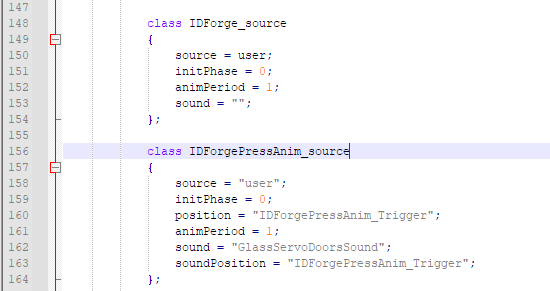
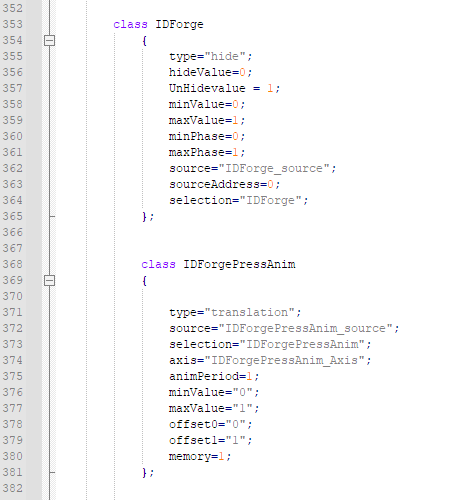
 wintry tartan
dlc parameter does nothing AFAIK. DLC icons are defined elsewhere (aka by scripting not config)
lapis bay
anybody have a vietnamese genericNames (i'm lazy)
hard chasm
vung tau
wintry tartan

Baby Names - Boys, Girls Names. International, Foreign, Meanings
sullen fulcrum
does anybody had an issue like mine ? , everytime i use addon builder it duplicates " #include BIS_AddonInfo.hpp" inside config.cpp at the top
i checked if i had duped cfgpatches or weapon or any Class at all duplicated with same name but i dont
i pack several config files into different pbos but for some reason with this same exact file it always gives me duplicated #includes
hearty sandal
include lines should not appear in built configs
or did they get compiled at game start 🤔
they probably did
why do you have include for BIS addon info?
do you need it
what even is bis_addoninfo.hpp?
if you want config debug you could try pboproject
lapis bay
how would one go about finding the classnames of magazines
lapis bay
i don't like config viewer honestly
reef shore
currentMagazine script command
wintry tartan
I use my config viewer
lapis bay
what's generalMacro?
wintry tartan
Nothing. Their internal something, and you're not supposed to use it
lapis bay
huh
hearty sandal
its something BI uses to fill some general config parts. its not something you need to worry about or use
lapis bay
man, there's quite a few properties in arma configs that do literally nothing
hearty sandal
they all do someting. not nearly all need changing
pure dove
How can you define what crew a vehicle spawns with?
shy knot
pure dove
How can you define what crew a vehicle spawns with?
crew=
 teal canyon
Am I understanding the biki correctly that pivotsModel isn't used in A3, only A2?
pivotsModel = ""; // Location of pivot points (local axes) for hierarchical animation. (A2 only)
pure dove
shy knot
crew=
Isn't that just to assign a driver? I have hasDriver and HasGunner. Or do turrets also need a crew
shy knot
pure dove
Isn't that just to assign a driver? I have hasDriver and HasGunner. Or do turret...
No
That’ll assign the crew
shy knot
pure dove
Isn't that just to assign a driver? I have hasDriver and HasGunner. Or do turret...
crew goes outside everything but in your vehicle class
pure dove
Then still, crew takes a single classname. This class fills out my driver seat only.
Or do FFV turrets just not get crew? Even with hasGunner?
shy knot
pure dove
Then still, crew takes a single classname. This class fills out my driver seat o...
FFV seats don’t get crew. Crew will work for however many crew seats you have
 livid heath
 class my_mine_trigger: WireTrigger
    {
        mineTriggerRange = 40; //<<<<<<<<<<<<<<<<<<<<<
        mineTriggerMass = 100;
        mineMagnetic = 1;
        mineWireStart[] = {0, 0, 0};
        mineWireEnd[] = {0, 1, 0};
        restrictZoneCenter[] = {0, 0, 0};
        restrictZoneRadius = 5;
        mineUnderwaterOnly = 1;
    };```
does anyone know how to make a mine trigger based purely on distance to the mine and not having to touch it's geometry at all?is it because i've used wiretrigger as a parent i wonder
yes!
ok ignore me
RangeTrigger
grand zinc
Wire mine is annoying. If you don't exactly hit the beam, or run so fast that you just pass it between two frames, it doesn't trigger 😩
livid heath
thanks yeah i removed that
 class my_mine_trigger: RangeTrigger
    {
        mineTriggerRange = 40; //<<<<<<<<<<<<<<<<<<<<<
        mineTriggerMass = 100;
        mineMagnetic = 1;
        restrictZoneCenter[] = {0, 0, 0};
        restrictZoneRadius = 5;
        mineUnderwaterOnly = 1;
    };
i tried this and it fails i think because the checks are too slow or something
i noticed the biggest mineTriggerRange in vanilla mines is 10m
the bouncing betty is next with 3m
so i figured id use 10m as this probably is the maximum before it kinda lags out and doesn't work
hearty sandal
pure dove
Then still, crew takes a single classname. This class fills out my driver seat o...
theres gunnertype also if I remember right
iron wagon
iron wagon
can anyone tell me the path for the hidden light helmet model that does not have...
    {
        displayName = "Light Helmet(Grey)";
        author = "GeneralKong";
        scope = 2;
        model = "\A3\Characters_F\Common\headgear_placeholder";
        hiddenSelections[] = {"camo"};
        hiddenSelectionsTextures[] = {"VEM\VEM_Essentials\Data\equip1_co_grey.paa"};
    };```
here is the relevent codeand regardless it shows up the normal light combat helmet, not the one without ear protection
hearty sandal
maybe something else goes wrong in the packing
iron wagon
yes, its this item which shows up, and I use pboProject
hearty sandal
you may need to check the headgear config example again
your model parameter seems to be in wrong place
    class HelmetBase: ItemCore
    {
        weaponPoolAvailable=1;
        scope=0;
        displayName="$STR_A3_H_HelmetB0";
        picture="\A3\characters_f\Data\UI\icon_H_helmet_plain_ca.paa";
        model="\A3\Characters_F\BLUFOR\headgear_b_helmet_plain";
        hiddenSelections[]=
        {
            "camo"
        };
        hiddenSelectionsTextures[]=
        {
            "\A3\Characters_F\BLUFOR\Data\equip1_co.paa"
        };
        descriptionShort="$STR_A3_SP_NOARMOR";
        class ItemInfo: HeadgearItem
        {
            mass=0;
            uniformModel="\A3\Characters_F\BLUFOR\headgear_b_helmet_plain";
            modelSides[]={3,1};
            hiddenSelections[]=
            {
                "camo"
            };
            class HitpointsProtectionInfo
            {
                class Head
                {
                    hitpointName="HitHead";
                    armor=0;
                    passThrough=1;
                };
            };
        };
};```or not in wrong place but the model refers to the item on ground if I remember right and the uniformModel is the one you see on the character
iron wagon
    {
        displayName = "Light Helmet(Grey)";
        author = "GeneralKong";
        scope = 2;


        model = "A3\Characters_F\Common\headgear_placeholder.p3d";
        hiddenSelections[] = {"camo"};
        hiddenSelectionsTextures[] = {"VEM\VEM_Essentials\Data\equip1_co_grey.paa"};
        class ItemInfo : HeadgearItem
        {
            mass = 40;
            uniformModel = "A3\Characters_F\Common\headgear_placeholder.p3d";
            modelSides[] = {0,1,2,3};
            hiddenSelections[] = {"camo"};
        };
};```so like this
?
yep that worked, thank you very much @hearty sandal
was about to reply to you mikero
basically that yea I originally misunderstood the steps I needed to take
hard chasm
well, naming model= and uniformModel= the same. makes having two different variables pointless.
hearty sandal
its not always same though, the ground model could be different
like how uniforms are folded down
hard chasm
exactly
tacit zealot
If I make a base class that is only used as a parent class for other units, and does not show up in 3DEN, should I include it in my cfgPatches units list?
reef shore
If you want it to show up in zues
hard chasm
@tacit zealot . answer is no. since there should not be a model to display or use in a 'base class'. Typically, a base class is scope=0;
that said, pboProject automatically makes units[]= (and weapons[]=) for you because it's too easy to make mistakes. So, whatever you do write in there is removed.
 hybrid zephyr
hard chasm
<@!320375936824508416> . answer is no. since there should not be a model to disp...
hybrid zephyr
hard chasm
<@!320375936824508416> . answer is no. since there should not be a model to disp...

wrong person, but cool to see you're still around doing the lords work, been a few years since I've been around here
wintry tartan
Edit won't send him a ping so...
 ripe siren
what is the difference between Items[] and linkedItems[] ? They both say "// Which items the character has."
wintry tartan
IIRC linkedItems is the items they equipped, items is the items they own, in their inventory
ripe siren
thanks
livid heath
Just expanding that:
items[] and linkeditems[] are generally arrays of classes of ItemCore - a subclass of cfgweapons
linkeditems[] which are equipped in the inventory slots include:
- Itemcore items that can be equipped such as vest, uniform and headgear, "ItemMap", "ItemCompass", "ItemWatch", "ItemRadio", "ItemGPS"
but also non-itemcoreitems cfgglassesclasses of goggles and accessoriesNVGogglesclasses (of cfgweapons)
items[] which are not equipped in the inventory slots include:
- Other Itemcore items like unequipped weapon accessories, firstaidkit, mine detector, medikit and tooklit
Additionally:
- equipped Rangefinder/ Binocular classes go in
Weapons[]array (as they are managed through proxies in the character model like primary, launcher and pistol) - Backpacks are special as they are a class of
cfgvehiclesand are listed in thebackpackparameter
 tardy osprey
Hello, could anyone help me with the meaning of the followings ? couldn't find on the wiki :
htMin = 1;
htMax = 600;
afMax = 0;
mfMax = 0;
mFact = 1;
tBody = 100;
hard chasm
they're used for thermal imaging. Unfortunately, they are often found, erroneously, inside model.cfgs, due to an inadvertent copy and paste that has spread it further.
I have not read a description, anywhere, of what they actually do, but it will be something to do with infra-red detection.
 zinc kindle
Retexturing vests, headgear and backpacks: yeah just inherit and change the textures! 🙂
Retexturing uniforms: First, you must create a new unit (???) and set its uniform class to the uniform class, and its texture to the texture of the uniform. Then, after slaughtering a sacrificial lamb you have to create the uniform class and also set its texture to the uniform texture. However, to do this you must also inherit the uniform you are inheriting froms parent as you need to also inherit a subclass containing the unit you created earlier and set a field UniformClass, which doesn't actually refer to a uniform class but the unit class.
Pain 😂
pallid sierra
is there a reason to use .inc/.cpp over .hpp?
wintry tartan
config.hpp you mean?
pallid sierra
no, I mean general use. like including other files into the description.ext or including other files into base .hpp files etc. I see it a lot in the base arma mission files
they use any combo of .hpp/.cpp/.inc
wintry tartan
There's no difference between them, except the name. #include does copy-paste everything in it, just that's it
So there isn't any difference. There couldn't be
hard chasm
you can use any.extension you like. including none at all.
you can also #include "thing.rvmat". "thing.p3d". "thing.paa" assuming they are actually text files. It's one method of putting thieves off their breakfast 😎
 tepid saffron
#arma3_feedback_tracker message In reference to this post by reyhard, could the KH-3A Fenghuang (Pacific CSAT drone) be made to have dynamic loadouts via a config edit alone (thus feasible as a simple mod), or would it need some P3D edits first (thus not a feasible mod)?
tardy osprey
hard chasm
they're used for thermal imaging. Unfortunately, they are often found, erroneous...
thank you, makes sense
tardy osprey
livid heath
It affects cooldown times iirc
thank you !
 fallen spoke
what does timepacked in config.cpp mean?
hard chasm
i've not heard of it, but it will simply be a theoretical datestamp of when the pbo was created. Or, during bis binarisation (not pboProject), it was inserted. It is not used by the engine and is somewhat akin to _generalMacro in that regard. Since i don't allow bis binarise to binarise configs, or any other paramfile, even tga conversion,, or creation of a texheaders.bin (which has a minor flaw) it's use is problematic.
digital snow
Hello everyone, I would like on my helicoptere to have two machine guns that fire at the same time, on my model, the pulls well out of the right one, but for the left one, pulls out of the middle. Thank you for your help.
hearty sandal
probaly typo in memorypoints fort the gun end array
livid heath
tepid saffron
https://discord.com/channels/105462288051380224/108187245529268224/9202090936485...
yes this should work fine. the model has 4 standard munition proxies that could bear pylonpods using class TransportPylonsComponent and class Presets
tepid saffron
Great! I’ll give it a try. Thanks for the clarification!
wintry tartan
It certainly is possible just by some configs. A bit of workaround is needed and I don't know if I still have the config
 tepid saffron
Lol!
wintry tartan
Oh I still have that. Let me post that
Pastebin
Pastebin.com is the number one paste tool since 2002. Pastebin is a website where you can store text online for a set period of time.
This is just meant for my experimental and never intended to be released, but hey it seems this is the release
tepid saffron
Thanks for sharing, Polpox! If/when I publish, I’ll give credit where credit is due.
livid heath
digital snow
Hello everyone, I would like on my helicoptere to have two machine guns that fir...
setup for twin guns used by PILOT in an aircraft
    selectionFireAnim = "mg1_zasleh"; //this is a section listed in cfgmodels and in model p3d its a selection group of mg1_zasleh_01 and mg1_zasleh_02 -  two muzzle flash proxies defined as bones in cfgskeletons and animated to rotate on mg1_reload source
    gunBeg[] = {"mg1_usti_hlavne_01","mg1_usti_hlavne_02"};
    gunEnd[] = {"mg1_konec_hlavne_01","mg1_konec_hlavne_02"};
    weapons[] =
    {
    //twin mg weapon to pilot
        "vn_mg1_v_twin"
    };
    magazines[] =
    {
        "vn_mg1_twin_4000"
    };
    class AnimationSources
    {
        class mg1_zasleh_reload
        {
            source = "reload";
            weapon = "vn_mg1_v_twin";
        };
    };

//cfgweapons
class vn_mg1_v_twin: whateverMgunparent
{
    muzzlePos[] = {"mg1_usti_hlavne_01","mg1_usti_hlavne_02"};
    muzzleEnd[] = {"mg1_konec_hlavne_01","mg1_konec_hlavne_02"};
    class GunParticles
    {
        class effect1
        {
            positionName = "mg1_usti_hlavne_01";
            directionName = "mg1_konec_hlavne_01";
            effectName = "vn_MachineGun_MuzzleSmoke";
        };
        class effect2: effect1
        {
            positionName = "mg1_usti_hlavne_02";
            directionName = "mg1_konec_hlavne_02";
        };
        class effect3: effect3
        {
            positionName = "mg1_machinegun_eject_pos_01";
            directionName = "mg1_machinegun_eject_dir_01";
            effectName = "vn_machineguneject";
        };
        class effect4: effect3
        {
            positionName = "mg1_machinegun_eject_pos_02";
            directionName = "mg1_machinegun_eject_dir_02";
        };
        class effect5: effect3
        {
            effectName = "vn_staticMG_shell";
        };
        class effect6: effect4
        {
            effectName = "vn_staticMG_shell";
        };
    };
};
but obviously edit the effects and memory points to match your model (and swap out the ejection and gas cloud fx to vanilla)
note - this won't work if the guns are assigned to a gunner turret, in that case you would probably use a defined pylonpod gunpod which is a whole different conversation
using pylonpods is messy and you wont have any gas or ejection fx but you will still get twin tracers