#arma3_config
1 messages · Page 124 of 1
 grand zinc
 dusk shard
Already answered? Under the last code block of the first question
grand zinc
aha!
oki
then CfgPatches tag should be atleast modname_functions
so you have
modName\addons\functions\config.cpp
modName\addons\functions\$PBOPREFIX$
modName\addons\functions\messages\fn_test.sqf
?
dusk shard
yes, as well as modName\addons\functions\messages\CfgFunctions.hpp
dusk shard
Alright so after some more trying I managed to fix it by using this in cfgfunctions.hpp: class messages { file = "modName\addons\addonName\messages"; class test {}; }; For some reason the z from my pboprefix isn't being picked up
grand zinc
what tool are you using to pack the pbo
 tardy tiger
Is it possible to edit a vehicle's config temporarily within 3den?
grand zinc
no
dusk shard
grand zinc
what tool are you using to pack the pbo
Addon builder from the arma3tools
 ornate kestrel
Does anyone know how to use "Ability to override loading screen world information in scenario or campaign configs" from 2.02 ?
nm , its in description.ext like this
class CfgWorlds {
    class Altis {
        author = "Bohemia Interactive"; // Author
        description = "Altis"; // World name
        pictureMap = "A3\map_Altis\data\pictureMap_ca.paa"; // Background map
        pictureShot = "A3\map_Altis\data\ui_Altis_ca.paa"; // Default overview picture

        loadingTexts[] ={
            ""
        };
    };
};
 limber citrus

Any chance any of you peeps have an idea why arma wouldnt use a briefingName which is a stringtable entry?
I've tried out all the variations (with "" or without, $ or @ ), but the only one that did anything was "@STR_..." which then changed the briefing name to "@STR_..."

and now it uses it
digital glass breaking sound
 rare wyvern
anyone have a clue why my weapon pics are not displaying/not found https://gyazo.com/6092b39bb1902d62d484a3825dd60808
 strong shuttle
incorrect path in config? not correctly packed?
rare wyvern
path is correct packed correctly. this is bugging me for multiple months i just cant get the UI pictures working all mey weapons are done but the Pics just dont want to work xD
strong shuttle
Obviously you're doing something wrong, otherwise it would work 🤷♂️
Could be as stupid as a typo in PBOPREFIX
rare wyvern
well who would have guessed iam doing something wrong ^^. all the Paths are correct and i packed it properly since this worked before with another weapon but seems to not work anymore.
rare wyvern
you kiddin me
 hearty sandal
the UI pictures have special default behaviour where it tries to look for the w\ path
if no leading \ is present
rare wyvern
well thats true didnt know that one xD thx again @hearty sandal
hearty sandal
👌
 crisp charm
How do I reduce the rate of fire for a weapon?
 wintry tartan
reloadTime = 0.2; means 0.2 seconds between shots, thus 300 RPM
crisp charm
Oh thanks a bunch
 spiral quarry
for infantry there is an option called c++ genericnames = “namesclass” right
is there a way to force a name without having to make a seperate cfg and class for the names?
like
name = “john” or something?
 rough hatch
is there some kinda property that dictates if you can switch seats from a certain turret? I have two turrets that use the same compartment but I don't get the "To Gunner" user action, though I can switch to that seat using ACE
wintry tartan
So your thing is not related to the model anymore, let's discuss further here @flint sedge
What do you have so far?
wintry tartan
Every textures have to match with its certain models to work properly. Mismatch won't throw an error but makes an ugly uniform
 flint sedge
Yeah of course, I'm just trying out the model path I found in the config viewer in eden
wintry tartan
Looks like you need to learn about inheritance. There's a reason why you don't need any model path. Let me write some example for you
class CfgVehicles
{
    class B_Uniform_ParadeUniform_01_US_F;    //this is the base class, from vanilla AoW
    class YourAwesomeUniform: B_Uniform_ParadeUniform_01_US_F
    {
        hiddenSelectionsTextures[] = {"some\texture\path.paa","","some\texture\path2.paa"};
    };
};

class CfgWeapons
{
    class Uniform_Base;
    class U_B_ParadeUniform_01_US_F: Uniform_Base
    {
        class ItemInfo;
    };

    class YourAwesomeUniform: U_B_ParadeUniform_01_US_F
    {
        hiddenSelectionsTextures[] = {"some\texture\path\suitpack.paa"};
        class ItemInfo: ItemInfo
        {
            uniformClass = "YourAwesomeUniform";
        };
    };
};```It would be simple as this (not tested)https://community.bistudio.com/wiki/Class_Inheritance
^ This is the greatest thing ever.
You don't need to declare the same thing like model path, hidden selections or whatever over and over again to make some variants for a thing
flint sedge
Appreciate the help mate, Not at my computer right now but I didn't want to be rude and not reply. Appreciate you taking the time to write that and help out! I'll give inheritance a thorough read shortly!
wintry tartan
No rush man. Rush makes an error!
flint sedge
How do I actually get this in game? I've made a new addons folder and set the path up to look for a new texture, but I don't see anything in the arsenal or in editor. I'm about to attempt SetObjectTexture to test whether it can read the .paa properly, but I'll paste what I changed;
{
    class B_Uniform_ParadeUniform_01_US_F;    //this is the base class, from vanilla AoW
    class YourAwesomeUniform: B_Uniform_ParadeUniform_01_US_F
    {
        hiddenSelectionsTextures[] = {"parade_uniforms\data\ParadeUniform_01_US_CO.paa"};
    };
};

class CfgWeapons
{
    class Uniform_Base;
    class U_B_ParadeUniform_01_US_F: Uniform_Base
    {
        class ItemInfo;
    };

    class YourAwesomeUniform: U_B_ParadeUniform_01_US_F
    {
        hiddenSelectionsTextures[] = {"parade_uniforms\data\ParadeUniform_01_US_CO.paa"};
        class ItemInfo: ItemInfo
        {
            uniformClass = "YourAwesomeUniform";
        };
    };
};```is your config.cpp is in P:\parade_uniforms\ and you are packing the pbo with correct tools and actually running the pbo
flint sedge
yes config.cpp is in D:\parade_uniforms and packed as a PBO
hearty sandal
so you dont have the default development environemnt setup?
what are you packing with?
flint sedge
Look all I'm trying to do is make a custom texture for the new parade uniforms, and I just want my PAA to appear in game, I've done it with other uniforms without mounting the p drive, so I just need some help adapting it to the new one
hearty sandal
well I have no experience in doing modding without P drive and with pboManager except that it usually does not work ¯_(ツ)_/¯
flint sedge
All of this other information is just hard to keep up with, I'm not a professional and I have no plans to be one, I just want to be able to make a realistic looking US formal dress uniform, please share any insight as to how I'd go about that in the quickest way possible
hearty sandal
there is no such thing as professional modder either. we are all hobbyists
 dreamy flare
I made a modification to a mod, and I changed a lot in the config.cpp. Might I ask, if someone can see any major flaw within the cfg? https://github.com/nicoman35/BarrettM107/blob/master/Addons/daggerbarrett/config.cpp
I'm asking, because the Zeus module of a mission refuses to assign or reassign M107 units of the mod. There must be something wrong, and I presume, the error is in the config. Otherwise the mod works flawless.
limber citrus
@drowsy mountain fyi
class CfgUnitInsignia
{
    class ArcCorpslogo
    {
        displayName = "";
        author = "";
        texture = "<path>";
    };
};
 drowsy mountain
limber citrus
<@!786051281357373440> fyi
```cpp
class CfgUnitInsignia
{
class ArcCorpslogo...
drowsy mountain
limber citrus
<@!786051281357373440> fyi
```cpp
class CfgUnitInsignia
{
class ArcCorpslogo...
Where are located these files and how can i save the format required by arma 3?
 jolly igloo
I can't get it too work :/ Supposed to be a retexture of the Guerilla Apparel (the one with the sweater)
      Class UniformItem;
      Class Uniform_Base;

      class M81_Sweater: Uniform_Base

    {
        author = "2035+ Devs";
        scope = 2;
        displayName = "Combat Fatigues (M81, Sweater)";
        picture = "\A3\characters_f_bootcamp\data\ui\icon_U_G_guerrilla_6_1_ca";
        model = "\A3\characters_f_bootcamp\Guerrilla\ig_guerrilla_6_1.p3d";
        hiddenSelections[] = {"camo"};
        hiddenSelectionsTextures[] = {"\Uniform\Data\M81Sweater.paa"};

        class ItemInfo: UniformItem
        {
            uniformModel = "-";
            uniformClass = "M81_Sweater";
            containerClass = Supply40;
            mass = 40;
        };
    };
};
 north bronze
How do I reverse this? like I want to execute it if ACE is not instaled
            #if __has_include("\z\ace\addons\main\script_component.hpp")
            class Actions
            {
                postInit = 1; //Will rum when the mission runs
            };
            #endif
Thanks
grand zinc
Or !=1 is maybe safer in case I change things
north bronze
Is there a safer way to check it? maybe only check if the ace folder is there?
grand zinc
Don't know how you'd do it better than how you did it
I don't think it can check folders, only files
north bronze
may a common file that all mods need to have?
like Mod.cpp but I think it can be omitted
grand zinc
config.bin
But it could also be cpp
For ACE, your way is the best. That file will never go away
 slim falcon
Can any of you see why my stuff aint shown in the Zeus menu?
Its all available through Eden.
All POD_Skilt_ and POD_Boxes_ has this problem.
config.cpp:
https://pastebin.com/i0tq9mb3
POD_Skilt.hpp :
https://pastebin.com/6HxbnP9r
POD_Boxes_Banana.hpp :
https://pastebin.com/Q94d18zS
 strange egret
help, config exorcist needed...
i use a custom hitpoint infantry setup, defining armor via uniform directly (by macros)... it works like i expect, except for certain combinations of macro it just produces weird stuff. E.g.HitAbdomen always receiving 1 damage no matter where and how strong you hit. Or Abdomen never receiving any damage no matter what strength hit.
its to 99.9% certainty the config, not the model (i checked & switched models several times - no change.)
Here is how it looks (compressed)
https://pastebin.com/8G5H9zY4
I dumped config of the mod, couldnt see anything weird / everything was inherited as expected. I have no idea whats going on anymore 
Pastebin
Pastebin.com is the number one paste tool since 2002. Pastebin is a website where you can store text online for a set period of time.
grand zinc
slim falcon
Can any of you see why my stuff aint shown in the Zeus menu?
Its all available t...
I'm not sure if eden uses same editor subcat, or different system
your enum at the top looks like nonsense
CfgPatches class POD_
Usually its TAG_Name
not just TAG_
but shouldn't break anything
none of your units are shown?
you allowed zeus to use all addons? including unofficial=
 stoic lily
@strange egret are you sure its your config, and not an engine iusse?
strange egret
well, first i should assume stupidity on my part i think - but no i cant rule out engine issue
stoic lily
the config setup looks fine but one thing:
you have duplicate name = XXX (explicit and inherited) - not the particular HitAbdomen, yet not sure how the engine handles multiple references
strange egret
vanilla hitpoints also has double reference (HitBody and Incapacitated hitpoint use name="body")
but i guess i could try diversifying... its one straw to cling on
slim falcon
grand zinc
I'm not sure if eden uses same editor subcat, or different system
Yeah i did check game master module.
I have no idea what enum is and just copied from the template cfg.
i can see characters in zeus menu.
All classes named POD_Skilt_XXX and POD_Boxes_XXX is not visible.
 flint goblet
@jolly igloo your explanation and config only tells half he story, posting it in it's entirety would help, as would a little more details, what's not working? texture doesn't show up, error message? 🙂
slim falcon
grand zinc
You are checking under "Empty" category?
Yes.
slim falcon
grand zinc
and not blufor?
So we agree that based on the config i linked here it should work right? 😄
slim falcon
grand zinc
Atleast I didn't see anything
Alrighty, thanks for taking a look though 😄
Hope someone else can help see the problem.
jolly igloo
flint goblet
<@!316227183381315584> your explanation and config only tells half he story, pos...
Sorry for lack of info, yeah when I load it up I just show with nothing, just underwear
here a pastebin the first 2 items work as intended https://pastebin.com/Vej8wmum
flint goblet
@jolly igloo shouldn't the model defined in cfgWeapons be \A3\Characters_F\Common\Suitpacks\data\suitpack_soldier_indep_co.paa as defined in the encoding guide...
the rest of your config (cfgVehicles) looks alright to me
 narrow swallow
Why does the Blackfoot gun have reloadTime = 1; but shoot fast?
jolly igloo
flint goblet
<@!316227183381315584> shouldn't the model defined in cfgWeapons be **\A3\Charac...
I just tested the \A3\Characters_F\Common\Suitpacks\data\suitpack_soldier_indep_co.paa
no dice
so far I've been loading my models from the item I was retexturing
flint goblet
@jolly igloo feel free to send me your pbo via DM, I'd be happy to take a look at it. 🙂
 ivory iris
say im trying to get a trigger animation to work on a gun, and in the memory LOD I have a vertex called "axis_trigger", do I have to declare that in skeletonBones=[] in cfgSkeletons of model.cfg?
and what about the sections=[] in cfgModels?
hearty sandal
No, it goes intp the axis parameter of triggers animation class
rough hatch
is it possible to configure launchers to have zeroing that works like it does on simple rifles or vehicle weapons? where based on the zeroing distance, it changes the angle that the shot comes out at to hit at that distance?
rough hatch
what RPG, the RPG-7? that has an animated sight
hearty sandal
oh that was not what you meant
 exotic geyser
is there a way to manipulate bounding boxes dimension variable during runtime?
I am messing with the viv settings and basically want to change the first coordinate of dimensions depending on a binary variable. So when object is unfolded, it's supposed to grab the default BBox_1_1_pos, but when it's folded up, I want it to grab a smaller pos, basically [-2, -1, -2]
class VehicleTransport
{
class Cargo
{
parachuteClass = B_Parachute_02_F; // Type of parachute used when dropped in air. When empty then parachute is not used.
parachuteHeightLimit = 40; // Minimal height above terrain when parachute is used.
canBeTransported = 1; // 0 (false) / 1 (true)
dimensions[] = { "BBox_1_1_pos", "BBox_1_2_pos" }; // Memory-point-based override of automatic bounding box
};
};
has anyone ever messed around with this?
AFAIK configs are non-dynamic, so would there be a way to mess with that dimensiion, anyways?
Animations for folding/unfolding are working and the user actions are already "dynamic" running with a fold-variable, so you can only fold when it's unfolded (or unfold when it's folded).
hearty sandal
why do you need to manipulate the dimension variable?
exotic geyser
Basically, I want to load it up on a flatbed via viv. But it's fairly long and thereby only fits the HEMMT Flatbed. But when I can reduce the first dimension of the dimension box, I can also fit it on the smaller flatbed trucks from RHS
and when it's folded, it is actually short enough. I found smaller dimension coordinates, which look decent. But then the smaller coordinates are used even when it's unfolded, which makes it stick through the driver cabin
So I kinda wonder if I can change the first dimension pos depending on the fold-status
hearty sandal
if they do not animate with the animation then no
you could just use attachTo to put them in the place you want
exotic geyser
they don't. but that is actually an idea, I didn't have yet. cheers - I will dive back into animations, then
attachTo has caused to many weird desync issues on larger multiplayer missions
hearty sandal
since its a vanilla model you cant do anything about the memorypoints that define the bbox
they may not even be animateable
 untold temple
There are animation sources to force something into a particular visual state when it's being transported so you can make sure the parts are not outside the memory-point defined BBox, but no the BBox is a fixed size once set
slim falcon
Can any of you see why my stuff aint shown in the Zeus menu?
Its all available through Eden.
All PODSkilt and PODBoxes has this problem.
config.cpp:
https://pastebin.com/i0tq9mb3
POD_Skilt.hpp :
https://pastebin.com/6HxbnP9r
POD_Boxes_Banana.hpp :
https://pastebin.com/Q94d18zS
hearty sandal
is your zeus configured to allow custom content
 tawny trench
Does anyone have a link to an example vehicle config template?
hearty sandal
steam Arma 3 samples
tawny trench
like basically I want to switch the default paint job, crew, and attached machinegun
oh hey goat
hearty sandal
cant change the machine gun model tho
tawny trench
oh really? like basically I want to pull the mg42 off of a motorcycle
hearty sandal
well unless you are making the model yourself from 0, they are not accessible for editing
 leaden swallow
You have to change the proxy in the p3d. To my knowledge it’s not config definable for mounted weapons.
tawny trench
oh so the weapons are not separate assets attached to the vehicles you can swap out
hearty sandal
no
slim falcon
hearty sandal
is your zeus configured to allow custom content
Yes it is.
Since all classes not called POD_Skilt_ or POD_Boxes_ is visible.
rare wyvern
well I dont know if this is the right place but. https://gyazo.com/6ca24a2525dbf07d20cd24cac7e5680c does anyone know how to fix this without chaning the aspect Ration of the image ?
wintry tartan
Fix what?
rare wyvern
well the Opacity of the Image i would like to not look through the image
wintry tartan
Not sure what exactly you did but didn't you made the texture with the alpha? Remove the alpha then
rare wyvern
well then i have a White Background to the image and I dont really want that
wintry tartan
I don't get your issue? What exactly is your texture? -> #arma3_texture
rare wyvern
what do you mean what is my texture its a ca with a aspect ratio of 1024 x 174 and sorry for not posting it in #arma3_texture kinda forgot that exsisted.
 karmic forge
Is it possible to change the splash screen image shown before the main menu when the game loads up?
wintry tartan
Suppose it's possible but didn't even tested
class CfgPatches
{
    class PLP_something
    {
        units[] = {};
        weapons[] = {};
        requiredVersion = 0.1;
        requiredAddons[] = {"A3_Data_F_OldMan_Loadorder"};
    };
};

class RscPicture;
class RscTitles
{
    class SplashBohemia
    {
        class Picture: RscPicture
        {
            text = "a3\ui_f\data\Logos\arma3_eden_logo_ca.paa";
        };
    };
};```Worked pretty fine
@karmic forge ^
karmic forge
So I just replace that text = path with whatever image, or does it only work for the logo?
wintry tartan
There're three splash RscTitles entries SplashBohemia, SplashArma3 and SplashCopyright and replacing them will work. I think they're shown by hardcoded something but you can do anything with GUI thingies
Not just the logo, but replacing them with full of nonsense texts or something, will just work
 polar sonnet
Hi, anybody knows how to change the position of Laser Designator position from where is it emmiting the beam from and to make it controlable by gunner through his camera?
hearty sandal
change it on what?
polar sonnet
Im trying to make it work on a helicopter
 vocal galleon
did anyone already retexture the new parade uniforms?
 undone quiver
What makes a IFAK a IFAK config wise? Like I'm seeing the ItemCore and what not, but is there a specific flag and any settings to change how much they heal?
 wheat sluice
FAKs have an item type of 401 while Medkits are 619.
I don't think you can adjust the amount.
 brazen merlin
can anyone tell me what defines the acceleration speed of vehicles?
or rather, what has the biggest influence on it?
 plucky notch
polar sonnet
Hi, anybody knows how to change the position of Laser Designator position from w...
plucky notch
polar sonnet
Hi, anybody knows how to change the position of Laser Designator position from w...
I was literally about to come here and ask the same thing. On the heli I'm working on, I tried changing muzzlePos and muzzleEnd of the laser weapon to try and get it to shine down the turret, but that didn't work.
To my understanding the last time I went down this rabbit hole there is a memory point it projects itself from, and there's some animations it works off. If I find any more info, I'll let you know, though it would be great if someone who knows better than me can help
polar sonnet
I already figured it out after a night of thinking with my friend
I was literally trying everything
And he figured it out in under 1 hour
plucky notch
Sometimes it just takes someone with the right area of knowledge. Do you mind sharing the fix?
polar sonnet
ye ofc, I have to ask him for it
But the script originally is not mine, nor the mod
plucky notch
Oh you scripted it?
That's how my mod currently does it, that's what i was trying to get away from
Still, I would be interested in seeing it!
polar sonnet
I meant config 😄 my apologies
Its a mod for French Gazelle that is "WIP" but no progress was made on it from January of 2020
So I decided to take onto it myself because there is no way of communicating with the original creator I cant ask him for a reuplaod or smthg
hearty sandal
Then you are not allowed to do anything with the mod
You can create a config patch mod yes, but the original mod can not be just taken as yours
plucky notch
I would definitely recommend getting in touch with the dev where possible
I have found most people are happy to accept help, especially if they have other priorities than the mod!
 covert pasture
Hi Guys,
Currently I am having a problem with having several config cpp in the same pbo I am restructuring a mod to separate it by folders and when moving the declarations of the root config.cpp to the corresponding config.cpp in the sub folders now when I do the pbo they do not appear to me the uniforms.
MyAddon
  config.cpp
  galactic-marine
    config.cpp
  nova-corp
    config.cpp
This is the structure of the mod.
I have to export in the root or I can export it in the config of the sub folders
hearty sandal
Are these your addons?
covert pasture
My idea is to divide the different re-skin of the units into folders
Before I had everything in the root cpp config without the galactic-marine and nova-corp folders and the addon worked for me
covert pasture
hearty sandal
Are these your addons?
Yes, it is the mod of our clan of star wars simulation, we re-skin with permission to add the logo of the squads
 pulsar shell
Im going to make a vide about reloading confirms on the fly and I want to make sure I have it correct
- It's on diag.exe
- The pho version needs to be loaded
- Use the dish merg and path
What am I missing?
PBO version *
Correct me if I'm wrong but there are two versions reading configs and reloading configs on the fly.
untold temple
Reloading config changes with the command works like that. You can just path it to the config.cpp on your P:\ drive or wherever and it will read through it again and make changes when you restart the scenario. If you're reloading other kinds of data the project folder of unpacked data needs to be in the Arma game folder IIRC
north bronze
Is this a reliable way to check for the character voice in the CFG? I need to do that because ACE removes the player voice
getArray (configfile >> "CfgVehicles" >> (typeOf player) >> "identityTypes");
I check for "LanguageENG_F"
And were I get the list of identityTypes?
 placid jay
@north bronze That's kinda #arma3_scripting
north bronze
There is no way to win.
pulsar shell
untold temple
Reloading config changes with the command works like that. You can just path it ...
so in other words for live reloading the Mod PBO and the unpacked version need to be in same in the diag.exe root folder do i understand that correct ?
What im working on is reloading configs on the fly without a game restart , I know there are two methods
I think I'm confused on the other method because the lack of "external" documentation
hearty sandal
P:\thingymod\config.cpp ==> Arma 3\thingymod\config,cpp
P: == virtual root of game filesystem Arma 3\ == root of game system while game runs
Probalby little bit simplified but along those lines
and the pbo would likely be in Arma 3\@thingymod\addons\thingymod.pbo
north bronze
north bronze
And were I get the list of identityTypes?
Answering my question, it can be found in CfgVoice
 echo kelp
    class MEU_M412_IFV_UNSC: OPTRE_M412_IFV_UNSC
    {
         scope = 2;
         scopeCurator = 2;
         editorCategory = "MEU_cat_A";
         editorsubCategory = "MEU_sub_ifv";
         displayName = "[MEU] Bison IFV";
         weapons[] = {"OPTRE_M230","OPTRE_missiles_C2GMLS"};
         magazines[] = {"OPTRE_100Rnd_50mm_HE","OPTRE_100Rnd_50mm_HE","OPTRE_100Rnd_50mm_HE","OPTRE_100Rnd_50mm_APFSDS","OPTRE_100Rnd_50mm_APFSDS","OPTRE_2Rnd_C2GMLS_missiles"};
         faction = "MEU_UNSC";
         side = 1;
    };

    class MEU_M413_MGS_UNSC: OPTRE_M413_MGS_UNSC
    {
         scope = 2;
         scopeCurator = 2;
         editorCategory = "MEU_cat_A";
         editorsubCategory = "MEU_sub_ifv";
         displayName = "[MEU] Bison MGS";
         weapons[] = {"OPTRE_90mm_M556","OPTRE_missiles_C2GMLS","OPTRE_M41_LAAG"};
         magazines[] = {"OPTRE_30Rnd_90mm_APBC","OPTRE_30Rnd_90mm_SAPHE","OPTRE_10Rnd_90mm_S1","OPTRE_2Rnd_C2GMLS_missiles","OPTRE_1000Rnd_127x99_M41","OPTRE_1000Rnd_127x99_M41"};
         faction = "MEU_UNSC";
         side = 1;
    };
the weapons and ammo I added don't show in game, but the vehicle with the name in the right categories do, anyone know why?
hearty sandal
This way they would be assigned to the driver. Is that the correct place?
echo kelp
no the gunner seat
hearty sandal
Then you need to set up the turret configs correctly
 paper path
^
 languid oriole
looking for some help to config a new uniform texturs im working on just need to sort the config out but i think i got turned around at some point can anyone help??
 foggy halo
Not sure where else to post this, posting here since it's the closest channel to the topic. When publishing a mod, it fails to and says:
Steam error code: 16. Error code: 1, Error message: STEAM_API_DLL TODO
Anybody know what this is about?
strong shuttle
foggy halo
Not sure where else to post this, posting here since it's the closest channel to...
Steam error code: 16
According to Steam Support it means a network timeout. So most likely is the Steam API overloaded and can't handle your request at the moment.
Simply wait a few minutes and try again.
foggy halo
Alright, fair enough. Tried it now and it worked. Thanks, mate!
placid jay
Can anyone tell me the difference between #LIGHT_L2_FLARE and #LIGHT_L2 hitpoints?
untold temple
There probably wont be any except perhaps a slight difference in position.
placid jay
problem is, LIGHT_2_FLARE seems to disable the light when damage is 100% , LIGHT_L2 does not =/
untold temple
Can't see a case where a vehicle has both. Most cases where I see "Light_L2_flare" used as the hitpoint, Light_L2 is the class damage selection and they're not both hitpoints
placid jay
["hithull","hitengine","hitfuel","hitltrack","hitrtrack","hitslat_left_1","hitslat_left_2","hitslat_left_3","hitslat_right_1","hitslat_right_2","hitslat_right_3","hitslat_top_back","hitslat_top_left","hitslat_top_right","hitslat_back","hitslat_front","hitturret","hitgun","hitcomturret","hitcomgun","#light_l","#light_l_flare","#light_r","#light_r_flare"]
That's what I get for the Mora
getAllHitPointsDamage (get3DENSelected "Object" # 0) # 0```I know this is going into scripting, but is there a way then to return all hitpoints reliably?
untold temple
Config likely inherits a bunch of hitpoints that aren't necessarily in the model
placid jay
yeah I know. So maybe I can get them from config if I exclude inherited stuff
 regal jacinth
hey how do i fix the Iteminfo.scope error again?
narrow swallow
What are/How can I find the stringtable names for "Open door" and "Close door"? They don't seem to be in CfgActions
strong shuttle
narrow swallow
What are/How can I find the stringtable names for "Open door" and "Close door"? ...
str_a3_cfgvehicles_useractions_closerdoor0
str_a3_cfgvehicles_useractions_openldoor0
str_a3_cfgvehicles_useractions_openrdoor0
str_a3_cfgvehicles_mrap_02_base_f_useractions_doorlf_close0
... and a lot more
They seem to be a part of the UserActions in the vehicle classes
strange egret
placid jay
problem is, LIGHT_2_FLARE seems to disable the light when damage is 100% , LIGHT...
maybe its because of aggregate stuff lights use
tawny trench
can someone explain how to get letters like ü and ä working? I still don't understand how to implement it...
grand zinc
working where?
hearty sandal
probably descriptions and such
grand zinc
just encode as UTF8
tawny trench
yeah its already encoding in UTF-8
grand zinc
should be fine then
hearty sandal
what do you pack with?
hearty sandal
dunno really. I guees it sould work too
grand zinc
try opening the result pbo in notepad++
and find your text in there and see if it still looks right
also check ingame config viewer
tawny trench
yup its both corrupt in the configviewr and the pbo, so it must be the packer
sigggh wheres the better one i know i should be using again?
limber citrus
tawny trench
sigggh wheres the better one i know i should be using again?
pboproject?
placid jay
narrow swallow
What are/How can I find the stringtable names for "Open door" and "Close door"? ...
Check out Stringtable Viewer on Steam Workshop. Awesome mod for finding strings like that
placid jay
strange egret
maybe its because of aggregate stuff lights use
I think it's some inheritance issue, but I don't understand the vehicle configuration good enough to say for sure.
strange egret
#light hitpoint is automatic - its nothing you can manually define
 junior zinc
Hey there, just wanted to double check something. The BI Wiki article for Arma 3 Damage Description says Missile/Rocket penetration is broken and ignores penetration. Is that still the case?
tawny trench
hey what number is independent side? 2 right?
 hot pine
strange egret
#light hitpoint is automatic - its nothing you can manually define
hot pine
strange egret
#light hitpoint is automatic - its nothing you can manually define
not exactly true - you can use hitpointClass and then #light hitpoint for that light source is not going to be created
 raven knot
how do i get my turret index for class rendertarget's turret[]? its seem that only one of my turret pip's working. without gunner settings, commander will work. with gunner's settings, commander go black
oh nvm, i didn't define in the public class config
limber citrus
hm what is the difference between addOns and addOnsAuto?
crisp charm
How do I set so a helicopter can slingload a vehicle?
I have a mod vehicle that the copter can't slingload
Or allow the helicopter to pick up or slingload that vehicle?
untold temple
Helicopters have a weight limit on what they can sling load
If it can't pick something up, it's usually too heavy and you have to use setmass command to make the vehicle lighter. Otherwise it's a model issue and the vehicle has no memory points to be slingloaded by, in which case it can't be changed without editing the model
crisp charm
The model issue sound like it 😦
untold temple
Might be able to use this mod https://steamcommunity.com/sharedfiles/filedetails/?id=2128676112 IIRC it allows you to attach ropes to objects that otherwise can't be underslung
 crisp charm
That sound easier then modding the model
untold temple
Yeah you can't modify models without the source file from the author
hearty sandal
doesnt helo need to be set up with the slingloading too
it wont work if its not cofigured for such
hearty sandal
crisp charm
That sound easier then modding the model
it is not possible to mod models from ready addons
raven knot
raven knot
how do i get my turret index for class rendertarget's `turret[]`? its seem that ...
so i've inherited it but still does not shows up, its there in the config viewer, must be wrong my turret[]./ anyone know where can i get this number?
hearty sandal
there are scripting commands for it
raven knot
hmm
raven knot
okay got the path using unitTurret command. but still does not shows up. sigh
okay, inherited incorrectly
working now
weird, i can't seem to inherit from base class. if i put the whole code from base class to public class, it works fine. when i try to inherit, it does not
covert pasture
Hi, i created this glasses for have invisible diving mask for a starsim, but it dont show on arsenal, any help ?
class CfgGlasses
{
    class G_Diving;
    class SP_scubba_g_diving: G_Diving
    {
        author="Mortax";
        scope=2;
        scopeArsenal=2;
        displayName="Scubba Diving Mask";
        mass=2;
        model="";
        identityTypes[]={};
        ACE_Overlay="";
    };
};```@covert pasture Vanilla diving goggles don't show in the Arsenal either, you have to enter water before they are applied.
covert pasture
yes but i want to show as a option on the virtual arsenal
i dont have it as option to equip
it dont exist on the list
tawny trench
oh can you not apply uniforms that are assigned to a side to another side? like you can't apply opfor uniforms to blufor/ind units?
 woven flax
Is anyone aware how the Kozlice 12G shotgun has the zasleh muzzle flash alternate per shot?
Trying to replicate that on my end, but cant actually view any model.cfg since its in a ebo.
covert pasture
flint goblet
<@!133717814421880832> Vanilla diving goggles don't show in the Arsenal either, ...
I want to show the glasses created as a valid option to select them from the virtual arsenal as normal diving glasses can be selected
junior zinc
Heya, so, we've got a tank where the gunner first person view seems to be centered over the origin about 3 or 4m up, rather than at the proxy. Any ideas on the cause?
It's definitely not forceOptics, or autocenter, we have no idea at this point what it could be.
crisp charm
Ok so I'm trying to get this copter to lift a 5000kg, and it has sling load set to 10000kg but when I try to lift it with the copter it can't lift it
Anyway to increase the copter's lift power?
raven knot
https://imgur.com/a/XVsg4BS
is this normal? my muzzle flash always appear and on infinite loop rotation
and where do i set my cannon? after lasing, the bullet didnt go to the crosshair, it is a little bit off
tawny trench
Does anyone know how to call arsenal paintjobs for vehicles in a config?
raven knot
setObjectTexture?
tawny trench
is that how?
raven knot
i think so
tawny trench
so how would it look like?
tawny trench
  {
     author = "Breezly";
     scope = 2;
     scopeCurator = 2;
     displayName = "Kübelwagen (MG42)";
     side = 1;
     faction = "FRISCOASHeer";
     editorSubcategory = "FRISCOASHeerFhrZge";

     setobjecttexture = "feldgrau_3b";
};```so like that maybe?
raven knot
oh in the config? im not sure.
 pure rock
class HEDES_GenericModule_UNITPOOL: HEDES_MissionModule_BASE
    {
        displayName            = "Unit Pool Module";

        class Attributes : AttributesBase
        {
            class UnitPool
            {
                property             = "HEDES_Generic_UnitPool";
                control             = "EditCodeMulti5";
                displayName         = "Array of unit types.";
                tooltip             = "Array of units. Must be formatted as code: ['var1','var2']";
                defaultValue         = "['unittype1','unittype2']";
                expression             = "_this setVariable ['%s',_value];";
            };
        };
    };
any idea why _module getVariable "UnitPool" returns 'any'?
i assume it has to do with the control type and how im accessing the value. works with the edit and combo controls. havent been able to find what im missing
raven knot
tawny trench
```class FBHFZ_kblwgn_mg42_gry : LIB_Kfz1_MG42_sernyt_OCimport_02 // ...
hiddenSelectionsTextures[] = {"a3\Armor_F_Tank\MBT_04\Data\MBT_04_exterior_green_hex_1_CO.paa","a3\Armor_F_Tank\MBT_04\Data\MBT_04_exterior_green_hex_2_CO.paa","A3\Armor_F\Data\camonet_CSAT_HEX_Green_CO.paa"};
this is from vanilla config
i think you also need to define hiddenSelections[] first tho.
eg. hiddenSelections[] = {"Camo1","Camo2","CamoNet"};
and you need to define it in the sections of model.cfg
if im not mistaken
pure rock
i can lookup a github repo as well if anyone knows a project that uses an editcodemulti5 control in their modules. tried searching on this discord/google/armaholics/etc. no luck yet 😦
tawny trench
raven knot
if im not mistaken
hmm so i basically have to call the model textures directly
raven knot
yeah, how else if not directly?
tawny trench
sigh i thought i could just call whatever packed arsenal paintjobs people had set to the vehicles already
instead of digging thru pbos to try to find these textures
raven knot
you could use getObjectTexture and setObjectTexture in game tho
woven flax
Is anyone aware how the Kozlice 12G shotgun has the zasleh muzzle flash alternate per shot?
Trying to replicate that on my end, but cant actually view any model.cfg since its in a ebo.
 kindred viper
Not sure if this is the right channel - but anyway: trying to make faction using 'Drongo's Config Generator', but some units come out with no uniforms. This is written out in his "Known issues" as due to Uniforms may not show up for units on a different side (Bohemia bug, not mine), I'm guessing he means it's due too how some uniforms are inherently e.g. a blufor uniform.
Anybody know any work arounds/fixes for that? Would a "uniform unlocker/no uniform restrictions" mod fix that? How did mods like e.g. CUP do it - where they have the same uniform for soldiers in different factions?
hearty sandal
The uniform would need to be configure to be use able by all factions.
I believe it is in fact his bug.
His config thing just doesn't go deep enough
kindred viper
Any alternativ/better config generators, other than ALiVE's Orbat?
hearty sandal
None of those are "good" imo.
kindred viper
Would it be possible to manually configure the uniform to work for said faction through the generated config - per faction, or would I have to make a new/separate config that rewrites every uniform I need to use
hearty sandal
I would simply recommend learning how configs work and writing the units and gear just manually
Of course its possible. That's how normal modding is done.
kindred viper
I know how to do it, sadly the bunch of people who want to make their factions "don't know what a .txt file is", so I am trying to find something relatively easy for them
hearty sandal
The config generators are shortcut tools and lack access to all kinds of details.
kindred viper
I'll maybe try to explain to them how to manually do that in the autogenerated config
hearty sandal
Simply put, they can't do their own factions, or they accept the limits of the tools
kindred viper
a bit of fine-tuning to fix the issue
kindred viper
hearty sandal
Simply put, they can't do their own factions, or they accept the limits of the t...
Yeah, I said exactly that too)
Would it be sufficient to make a 'fake' class with a changed modelSides and uniformClass?
Basically
class B_Soldier_base_F; //modelSides[]={"TWest"};
class B_Soldier_base_F_fake : B_Soldier_base_F{
  scope=1;
  modelSides[]={"TCivilian","TWest","TEast","TIndependent"};
  uniformClass="B_Soldier_base_F_fake ";
};```Don't see anything that would go wrong with this, and wouldn't change other mods files either, but asking just-in-case
hearty sandal
I don't know. Just try it out I guess.
 winter rain
ModelSides you should define with 0,1,2,3
Im using the I_Soldier_F for OPFOR and BLUFOR for my Nod and GDI units (just their uniform and added a retexture work)
Just take care you do not overwrite the vanilla stuff or some stuff get broken.
hot pine
hearty sandal
~~cant~~
why you can't do it? 
liftForceCoef = 1.7; there is this param after all
untold temple
woven flax
Is anyone aware how the Kozlice 12G shotgun has the zasleh muzzle flash alternat...
revolving animation source that translates the proxy along an axis between the two barrels most likely
hearty sandal
 hot pine
            class MuzzleFlash_1_move
            {
                type        = translation;
                source        = revolving.0;
                selection    = muzzleflash_1;
                axis        = muzzle_move_axis;
                minValue    = 0;
                maxValue    = 1;
                offset0     = 1;
                offset1     = -0.2;
};```da12thMonkey was correct
 hearty sandal
almost like that yeh
limber citrus
Ooh after looking at it for a while I get it
crisp charm
I got it 😄
untold temple
Just make it CBA JR compatible and it will work
class asdg_OpticSideMount: asdg_OpticRail
{
    class compatibleItems{};
};
class asdg_OpticSideRail_AK: asdg_OpticSideMount
{
    class compatibleItems: compatibleItems
    {
        myattachment=1;
    };
}``` should be sufficientedited above
doing class pointerSlot in the weapon is overwriting its inheritance from our siderail slot that in turn inherits from the ASDG one
Oh right
Still the way you just do pointerslot is not inheriting stuff. It's overwriting the whole rail
Need to check where the pointerslot inherits from and maintain that
All attachment slot base classes are usually outside cfgweapons since they themselves are not weapon classes
raven knot
raven knot
and where do i set my cannon? after lasing, the bullet didnt go to the crosshair...
can anyone help me on this? what do i need to set/change?
woven flax
@hot pine Thank you! I will work on trying that now.
 gilded jungle
Question, which exact values/ variables should i be looking at to make a helicopter more agile and even lighter? Like the current helo feels very slugish and weighty?
gilded jungle
Also im really trying desperately to make aircraft more catable of ground attack, spotting, gun running ect for heli's. Any suggestions to that end would be appretiated.
 forest sierra
Not sure if this is for config_makers or Scripting, but has anyone played around with CFGWorlds yet?
I want to re-ad my mission's loading image as the CfgWorlds background picture.
But I'm assuming it takes a square picture, and then randomly selects a different height of it to show every time. Any ideas how to get it show the same exact background every time?
 rancid lotus
Oh God help, I think I broke the Steam Workshop publisher
I hard closed it in Task Manager during an upload
Now my mod won't upload
Can't send a pic of it
I get
'steam error code 10'
'Busy- called method busy- action not taken'
 slim halo
rancid lotus
I get
'steam error code 10'
'Busy- called method busy- action not taken'
slim halo
rancid lotus
I get
'steam error code 10'
'Busy- called method busy- action not taken'
try these:
clean temp folder
clean Appdata\local\Arma 3 publisher (but only if cleaning temp doesn't solve the issue)
leaden swallow
is there a similar function to class textureSources for headgear? or do you just have to inherit from your base head gear and update the hiddenSelectionTexture array?
untold temple
Headgear can't be retextured dynamically so the major function of textureSources can't be used for them anyway. So need to make different classes with different hiddenSelectionsTextures
 desert wing
Is it possible to animate the rotation of a 2d scope for zeroing? I can't seem to get the aimpoint to shift
strange egret
no you cant animate 2d textured scope by config/ model animations alone. You have to do GUI scripting
untold temple
You can't animate scope attachment models either. Only ones that are part of the weapon
GUI is the only real option for dynamic elements in a scope whether those elements are 3D or 2D
desert wing
yeah tried that too, such a pain
 dull bolt
Which addon is Contact DLC? Looking for the patches config to check for
is A3_Data_F_Contact valid?
wheat sluice
A3_Data_F_Enoch for the platform. A3_Data_F_Contact is only used for the First Contact campaign and won't work without loading the content.
 fossil wharf
hello hello, quick silly question.
Do i use / or \ when doing a filepath
hearty sandal
\
fossil wharf
thank you
brazen merlin
the blood decals that characters drop when being wounded.. is that an engine thing or can this be changed?
hearty sandal
can be altered somewhere I think
brazen merlin
it's normal particles, no?
brazen merlin
i'm actually just curious if i can somehow affect the footprints / tire tracks on surfaces
and thinking about potential workarounds / additions
hearty sandal
dont think those are per surface
brazen merlin
yeh, they likely aren't. i'm just trying to figure out a workaround
hearty sandal
can you elaborate on the usecase?
brazen merlin
just trying to spawn unique particle graphics on a flat surface
like grenade craters, etc
effects like dust, etc. are obviously working, but i'm wondering if we can spawn new decals on the ground
that's why i asked about the blood stuff for example
i don't have anything special in mind. it's more or less just curiosity
hearty sandal
I mean sure you can createvehicle or createsimpleobject decals
brazen merlin
but that's done via scripts, no?
hearty sandal
but they start to stack up pretty fast so such stuff should be done in moderation
brazen merlin
yes, performance is an issue, which is why i thought using the normal particle system would be a better way of doing things
i found some mod that adds blood splatters and checked out its workings .. it basically just spawns user texture objects on calculated surfaces. not a that great solution, imo
hearty sandal
what kind of trigger are you looking for?
brazen merlin
footsteps :p
brazen merlin
the particle effects are also using p3d models. makes me wonder if creating a new p3d with landcontact, etc. could do it
well, only one way to find out i guess
hearty sandal
are you looking for 3D object as footstep instead of a decal?
brazen merlin
if necessary, yeh
 shy knot
Is BBoxes[] needed for PiP to function on a tracked vehicle?
Asking here to avoid going off topic
hearty sandal
yes
shy knot
class RenderTargets
{
            class DriverCam
            {
                renderTarget = "rendertarget1";
                    class CameraView1
                    {
                        pointPosition = "driverview";
                        pointDirection = "pip_driver_dir";
                        renderQuality = 2;
                        renderVisionMode = 0;
                        fov = 0.75;
                    };
            };

            class GunnerCam
            {
                renderTarget = "rendertarget2";
                    class CameraView1
                    {
                        pointPosition = "gunnerview";
                        pointDirection = "pip_gunner_dir";
                        renderQuality = 2;
                        renderVisionMode = 0;
                        fov = 0.75;
                    };
            };
            class GunnerCam2
            {
                renderTarget = "rendertarget4";
                    class CameraView1
                    {
                        pointPosition = "gunnerview";
                        pointDirection = "pip_gunner_dir";
                        renderQuality = 2;
                        renderVisionMode = 0;
                        fov = 0.75;
                    };
            };

            class DriverCam2
            {
                renderTarget = "rendertarget3";
                class CameraView1
                    {
                        pointPosition = "driverview";
                        pointDirection = "pip_driver_dir";
                        renderQuality = 2;
                        renderVisionMode = 0;
                        fov = 0.75;
                    };
            };
        };```
I’m a dev for the team that made this code. They don’t use BBoxes[] and the PiP works fineAlso, first time attempting PiP so relatively new to this
 sullen fulcrum
I have a quick question. I am working on a mod that’ll have a custom drone but I have no idea how to make it work in Arma. I can model and put it into Arma with textures but I don’t know how to make it fly, animate, or function as an actual drone.
Where do I start
shy knot
To make it fly, you’ll need to make sure it has selections
You’ll then need a model.cfg
There’s a method in ARMA coding, isUAV=#;
sullen fulcrum
I’m almost entirely new to the modding world for Arma. I know a cfg is a config file but I have no idea how it works
From my basic understanding, there is a model, then the config is built around the model with functions for it to work
shy knot
That’s how you’ll assign it as a UAV unless you inherit
sullen fulcrum
Alright thank you
shy knot
I’ve done an unmanned static turret so I could help if you need anything. Config.cpp is where everything else would go
sullen fulcrum
Alrighty thank you
desert wing
What’s the best way to go about implementing rifle grenades nowadays - as a separate muzzle or as a 1 round magazine? Ideally I’d like to be able to use a set of flip up sights when the rifle grenade is used - which I think suggests that a separate muzzle needs to be used - but also I don’t want to have the user just switch fire mode to the grenade and have it appear on the front of the weapon
 empty island
Where could I find config files for basegame weapons and ammo? I want to look at damage values for things like the 40mm grenade, or 5.56 ammo
hearty sandal
ingame config viewer is the simples approach
empty island
Ty! got the values I was looking for
wheat sluice
desert wing
What’s the best way to go about implementing rifle grenades nowadays - as a sepa...
I would suggest looking at how Global Mobilization does it. The G3 family features rifle grenades and they use a 1-round magazine setup with modelSpecial proxy.
winter rain
@desert wing in the Arma 3 Samples Test_Weapon is a defined second muzzle for this and also config stuff is avaiable there.
desert wing
thanks both!
untold temple
I would use a second muzzle with a magazine proxy and an animation that hides the second mag proxy selection when the second muzzle is not selected
The grenade wont show if one is not loaded, and if the magazine is correctly configured (deleteIfEmpty = 1;) it will disappear when fired/empty
but having the last animation source will hide it if a player decides to switch to the primary muzzle when a grenade is loaded
desert wing
oh thanks all
desert wing
Lots of interesting different ideas - I'm gonna go down the route of implementing it as a separate muzzle and then adding a fired EH that unloads the rifle grenade muzzle if you fire from the main muzzle (so you have to reload the rifle grenade if you switch over to it again) - separate magazine better fits the player behaviour I want but the AI won't use them until they've exhausted their regular magazines
hot pine
shy knot
Is BBoxes[] needed for PiP to function on a tracked vehicle?
no, BBoxes are only there to improve performance
 tame heart
Does one of the local config wizards know if the Slammer / Angara / Varsuk / Rhino ERA uses a CfgAmmo explosion?
untold temple
No they use the various class DestructionEffects inside the hitpoint type. There are three subclasses using type MineExplosionParticles, ERASmoke, ERA_Explosion respectively for the different elements of the effect
tame heart
This saddens me.
tawny trench
hey what are the crew classes i have to call for each position in a vehicle?
mainturret for like the main gun and crew for the driver. whats passenger, loader and sidegunner?
tawny trench
I'm having trouble with this code:
        {
            "\GEISTA3L\geistl_assets_t_veh_kfz1\data\ger_kubel_feldgraucamo44_caissebk_co.paa",
            "\GEISTA3L\geistl_assets_t_veh_kfz1\data\ger_kubel_feldgrau44_interieursv_co.paa",
            "\GEISTA3L\geistl_assets_t_veh_kfz1\data\ger_kubel_turret_feldgrau_co.paa",
            "\WW2\Assets_t\Weapons\MachineGun_Light_t\IF_MG42\mg42_co.paa",
            "\WW2\Assets_t\Weapons\MachineGun_Light_t\IF_MG42\drum_co.paa"
};```pboproject isnt packing it because it saying the textures are missing, but they are in another mod thats dependant
how do i tell pboproject to ignore this?
anyone?
tawny trench
nobody?
 little warren
anybody know what changed in the arma game update cause it kind of messed up my gunner spots on my helicopter
i can't post pictures here but my gunner legs are stretched out and my door gun axis is messed up like the barrel of the gun can point to the gunners face
sullen fulcrum
I know we found a few of the RHS helicopters the guns now fired from the wrong side or could now aim through the helicopter. Something seems to have been changed but I have no idea what, I don't think you are alone in having this issue though. Might be worth a look in the RHS bug tracker and see if they have worked out why it is happening and what to do about it.
tawny trench
whys is pboproject freaking out about these .paa file paths?
how do i tell it to ignore them?
slim halo
tawny trench
whys is pboproject freaking out about these .paa file paths?
don't use it in the first place
tawny trench
sigh
 shut fulcrum
tawny trench
how do i tell it to ignore them?
shut fulcrum
tawny trench
how do i tell it to ignore them?
You cant. Its giving you an error because it cannot find the files. So you have a problem in that the files you are referencing are not unpacked to you P: Drive.
Solution is to put the files where the config thinks they should be.
tawny trench
oh so the textures have to be fully unpacked?
shut fulcrum
yes
shut fulcrum
There is a good reason Pboproject is the best tool out there.
And theres a good reason it wont ignore missing files
tawny trench
well i wish itd just ignore these like addon builder would lol
shut fulcrum
if wishes were horses...etc 😉
tawny trench
if wishes were horses, pboproject wouldn't grant em if it couldn't see the .paa files, and addon builder would corrupt the wish if you typed "hörse" lolllll
shut fulcrum
Ive never had any problem with PBOProject. Its saved me thousands or hours. Just follow the rules, unpack the files you reference.
tawny trench
so i have to unpack every single texture ive referenced in into my P: drive?
slim halo
tawny trench
if wishes were horses, pboproject wouldn't grant em if it couldn't see the .paa ...
addon builder would corrupt the wish if you typed "hörse"
You should use stringtables.
tawny trench
how do you use those?
slim halo
tawny trench
how do you use those?
stoic lily
@tawny trench you can create dummy paa/duplicate the empty.paa from A3 data
wintry tartan
You don't even need to make an actual texture but just some 0 KB files
tame heart
Can somebody tell me where DLC restrictions for (CfgVehicles) classes are defined?
Restrictions as in the MAAWS is part of Tanks DLC, but not premium content while the Nyx is premium content of the same DLC.
Seeing how you are the author of https://community.bistudio.com/wiki/Biki_Export_Scripts#Arma_3:_DLC_Restrictions, @wintry tartan perhaps?
hearty sandal
@tame heart why do you need that information? its not like you an change it
untold temple
IIRC it's flagged in the model and engine. Nothing to do with the config
tame heart
Looking for an easy way to find out whether it's safe to use units such as B_soldier_LAT2_F (Rifleman (Light AT); marked as Tanks DLC content, but doesn't carry premium content equipment) as playable units.
flint goblet
@tame heart easy way to check premium content is clicking on the DLC icon in the main menu, regarding the playable unit, that should be fine as the MAAWS aren't tagged as premium content.
rough hatch
what might cause vehicles to not show up in zeus? scopeCurator is 2 and they're all in the units[] array but some just don't show up or are editable from zeus
untold temple
Are they crewed by a unit that's not scope 2?
plucky notch
plucky notch
I was literally about to come here and ask the same thing. On the heli I'm worki...
Hey there, just another double check to see if anyone knows more about the laser designation configuration? It would be a great help
 bitter pebble
is it possible to use enabledByAnimationSource with multiple sources, idea is to allow a gunner to fire only if a door or window on such door is open
shy knot
rough hatch
what might cause vehicles to not show up in zeus? scopeCurator is 2 and they're ...
Scope is 2 correct
shy knot
plucky notch
Hey there, just another double check to see if anyone knows more about the laser...
What’s the issue? Laser deg not shining correct way?
plucky notch
shy knot
What’s the issue? Laser deg not shining correct way?
So it is twofold of the laser comes out of the wrong point (the gun rather than the camera on the nose) and it seems to follow the wrong animation - due to reasons that I am trying to simplify but cannot currently the gun and the camera turret are on separate animations
shy knot
plucky notch
So it is twofold of the laser comes out of the wrong point (the gun rather than ...
Is this for a custom model where you have access to the p3d or on a mods vehicle
plucky notch
So I was wondering what memory point / config the point comes out of, and what animations it follows so I could line up the mod's animations with what it expects
plucky notch
shy knot
Is this for a custom model where you have access to the p3d or on a mods vehicle
Yeah I have full access to it, I'm one of the devs. It's also publicly available, I'll get you a link if you want
shy knot
Hmmm, I’ve done things that fling bullets but not lasers. I’d assume it’s similar. Konec at the beginning of the barrel and usti at the end
plucky notch
Yeah I thought that, but when I messed around with setting them it didn't work as expected
shy knot
Did you define them in the config
hearty sandal
laser points would also need to be part of the animated selection you try to move them with
and only that animated selection, not others
plucky notch
shy knot
Did you define them in the config
Yeah, I tried multiple different namings (default and custom) to discriminate between that and it still came out of the same point
hearty sandal
it sounds like a typo somewhere then. the points would default to 0,0,0 if they are not defined/selection cant be found
plucky notch
hearty sandal
laser points would also need to be part of the animated selection you try to mov...
Thank you, which points are these? Just muzzlePos and muzzleEnd?
hearty sandal
I think it would be better to use separate points for laser
instead of points that are used by some other feature
that can cause conflict
shy knot
Yeah, the default is the Czech names. For lasers, I’m not sure if there is a default mem point so set muzzle pos at the beginning and muzzle end at the muzzle
plucky notch
Great, thank you. I will go through soon and re-do these selections to see if I can get it working
shy knot
I’d also recommend looking at how A3 do it in their configs if you have your p drive setup
hearty sandal
doesnt matter what the name is as long as your config and the model matches
he should have his P drive set up if he is doing addons...
shy knot
Some people I know don’t. It’s cursed and horrible
hearty sandal
yeah I know.
plucky notch
shy knot
Some people I know don’t. It’s cursed and horrible
Heresy!
shy knot
Anyways, glad to help. Hopefully you get it working
plucky notch
Yeah thank you both of you! I will continue looking 😅
rough hatch
so if all my scope is set correctly on a vehicle, what else might be causing it to not show up in zeus?
hearty sandal
not listed in cfgPatches units array
rough hatch
I said it is
hearty sandal
you said scope is set up
also Zeus I think has some setting to allow custom content
rough hatch
I said it earlier
yeah I'm using a module to show everything
most of the vehicles show up in zeus, just a few don't
hearty sandal
well how would I know what you said earlier.
rough hatch
from the same addon
there's something with those specific vehicles that don't display for some reason
shy knot
For vehicles to display in Zeus, you need scope and scopeCurator set to 2 and placed in the units array. Then a Zeus module with official and unofficial addons
shy knot
That’s odd. Likely something is causing it to not appear
But what, everything is set
Is there anything on the vehicle that could be scope 1 or something
rough hatch
oh wait I think I know what it might be
yep, I had a second config in the addon that accidentally had the same CfgPatches name
and so it had a different units[] array
so I assume arma only read the units array in one of the CfgPatches
hearty sandal
likely so
shy knot
Yeah
Don’t have 2
Only 1
Also rename classes.
Like immediately lol
Good you got it sorted though
tawny trench
GOat oh thank god your here
listen, I can't add more than three people into an ifa3 tank for some reason, even tho theres space for 5
and i have no idea what classes im looking for to add units into those positions
am i barking up another deadend?
 iron mulch
Is there a CfgGroups for civilian units? To distinguish between Men and Men(European) for example. Need to blacklist groups for ALiVE
tawny trench
you mean the civilian side?
iron mulch
Yes
iron mulch
I know the prefix, I need the group names for each group to blacklist eurpoeans, asians, etc. im using alive
Like is it CIV_F_euro or something else and where can I find it
iron mulch
nvm I found it
tawny trench
yeah, but in eden i can add crew to other positions like loader and sidegunner
hearty sandal
I assume this is a modded vehicle?
tawny trench
yeah
tawny trench
yeah no other config seems to have more than 3 crewmates in the vehicles
hearty sandal
how do you know there is space for 5?
tawny trench
because you can add 5 crew into them in eden
hearty sandal
what position do they all occupy?
tawny trench
commander, driver, gunner, loader, and side machinegunner
tawny trench
yeah i dont knwo where to look in the config files to find their clas names
would a script on init be easier for this?
like just add crew to an empty tank?
hearty sandal
I dunno.
tawny trench
because even the mods dont have 5 crewmates in their vehicles
hearty sandal
if the tank originally has all the positions manned then if your config is made correctly and inherits from the original then you would have all the position manned
the original ones?
hearty sandal
then 
hearty sandal
in that case the init is probably simplest approach
tawny trench
if they didnt figure it out im probably not either huh lol
hearty sandal
I dont really know.
 void berry
Was told I could go here for help, but I'm interested in making a mod that adds in some variants of the base game fixed wing missiles with some changed stats as a means to learn a bit more about arma modding beyond music mods and such. There any place in particular I should get started? I've tried looking at the A3 Samples files but have no clue what I should be looking for.
flint sedge
Quick query if anyone is able to help. How would I go about making a config for a retextured SPC vest from RHSUSAF? Just want to put something where the little usmc logo is at the top of the vest.
desert wing
Is min range/mid range/max range only set per weapon firemode, or can it be set to an individual magazine/ammo? I've got some rifle grenades that I'd like the AI to use at shorter/longer range than other s- in the cfgAmmo ref there's mention of min/mid/maxrange but no definitive answer on whether it still works in Arma 3
hot pine
desert wing
Is min range/mid range/max range only set per weapon firemode, or can it be set ...
it's per fire mode only
narrow swallow
Can cargoAction be randomized from a list, either at init or on each get-in?
hot pine
nope, but you can create animation which is randomized
narrow swallow
ooo interesting
haven't gone down the animation rabbit hole yet. it's probably not a good starter project right?
desert wing
hot pine
it's per fire mode only
thanks - any ideas on a workaround?
hot pine
animations in general are bit difficult so yeah, I would probably start with something simpler. In any case, if you are still interested then you can search for variantsAI & variantsPlayer config entries
alternatively, you could also always do some scripting with getIn event handler but since it's config_makers channel, I didn't mention it at first
 fathom surge
I’m trying to ſet a fire to turn on at night and off in the day ; I ſhould think that the following claſs ſhould do it class EventHandlers { init="while {sunOrMoon < 0.99} do {if (sunOrMoon < 0.99) then {(_this select 0) inflame true} else {(_this select 0) inflame false}; };"; }; but while it does ſtart off in the day or off at night, it does not change with the time ; thus it will remain forever off or forever on depending on when the miſſion was ſtarted, rather than following the in-game change of time. What miſtake have I made here ?
hot pine
code in init is unscheduled https://community.bistudio.com/wiki/Scheduler#Unscheduled_Environment
fathom surge
I ſee—thank you. What, then, would be a better way to implement this functionality within an object ?
flint sedge
Can someone point me in the right direction please. I'm trying to texture a vanilla uniform, and it was just coming up as naked before. I've since managed to have it show the actual uniform (vanilla variant), but it doesn't show the custom texture I've made, it seems to just point back to the vanilla uniform.
hearty sandal
no texture = usually means bad pathing
are you using P drive and armatools/Mikero tools?
flint sedge
What difference would they make compared to arma 3 tools? I've only got to change the path like you say, so that's just a simple text edit. I've been attempting to texture the parade uniforms, but my first method resulted in the default texture applying and not my custom one. I've changed the config to one in a tutorial where he edits the B_soldier_F but now the textures don't work, as they are attempting to put the officer's texture on a soldier's body which looks silly.
On one hand, I can't get the texture to work properly, then the other hand it will work properly, but on the wrong model 😫
hearty sandal
mikeros pboProject does not allow you to pack if it cant verify all paths for example
flint sedge
Understood.
So my query mainly revolves around figuring out how to texture the parade uniform
It appears to just direct to the same path as the default soldier for blufor, but that can't be right?
hearty sandal
does not sound right.
all you really need to retexture the uniform is to inherit the cfgvehicles class for that uniform and replace description with your new name and hiddenselections[] array with your new textures path
flint sedge
class CfgWeapons
{
class U_B_ParadeUniform_01_US_F;
class U_ParadeUniform_test: U_B_ParadeUniform_01_US_F
{
author="Me";
displayName="Test Parade Uniform";
hiddenSelectionsTextures[]=
{
"\modpbofile\folder1\folder2\ParadeUniform_Test_1.paa"
};
picture="-";
};
};
That's what I'd tried firstly, but the custom texture didn't appear
Just appeared as a normal uniform with a different name
hearty sandal
mm
is you folder structure really modpbofile\folder1\folder2??
also this is the wrong class
this is cfgweapons
which you will also need
but cfgweapons class is the item in your inventory
cfgweapon unit/uniform class is the actual character
and the actual character is what you want to retexture
well you will want to retexture the ground item too
but that is secondary thing
flint sedge
Right
So how does this look instead?
class CfgPatches
{
class test_equipment_uniform_core
{
units[]={};
weapons[]={};
requiredVersion=0.1;
requiredAddons[]=
{
"A3_Data_F",
"A3_Characters_F",
};
};
};
class CfgFactionClasses
{
class Custom_Faction
{
displayName="Custom Faction";
priority=3;
side=1;
icon="";
};
};
class uniformSlotInfo
{
slotType=0;
linkProxy="-";
};
class cfgVehicles
{
class B_Officer_Parade_F;
class Custom_Unit: B_Officer_Parade_F
{
    scope=1;
    displayName="Test Uniform";
    uniformClass="Custom_Camo";
    model = "\A3\characters_F\BLUFOR\b_soldier_01.p3d";
    hiddenSelections[]= {"Camo"};
    hiddenSelectionsTextures[]=
    {
        "\testing\textures\uniforms\ParadeUniform_Testing.paa"
    };
};
};
class CfgWeapons
{
class ItemCore;
class UniformItem;
class Uniform_Base: ItemCore
{
class ItemInfo;
};
class Custom_Camo: Uniform_Base
{
    scope=2;
    author="Me";
    displayName="Custom Camo";
    picture="\testing\icons\logo.paa";
    model = "\A3\characters_F\BLUFOR\b_soldier_01.p3d";
    class ItemInfo : UniformItem{
        uniformClass="Custom_Uniform";
        containerClass="Supply50";
        mass=50;
    };
};
};
This is the config I've used that makes it just appear empty
hearty sandal
is this: "\testing\textures\uniforms\ParadeUniform_Testing.paa" here -> P:\testing\textures\uniforms\ParadeUniform_Testing.paa?
flint sedge
its "testing.pbo" which is located in an @ addon folder in the arma 3 directory
hearty sandal
yes but when you pack it
do you pack it from that P: drive path?
or do you have P drive at all
flint sedge
No
hearty sandal
well that is your issue then
flint sedge
how?
hearty sandal
you dont have the mod development environment set up
flint sedge
But surely that's not needed, otherwise how would people without a P drive be able to see it in their game?
hearty sandal
I dont care. you do it right or you dont do it at all.
P drive represents the game file structure
so when you have folders in it
they get packed correctly
right now you are pathing to a file in "\testing\textures\uniforms\ParadeUniform_Testing.paa"
but path to the file in pbo is probably saved in to something like C:\user\dontwantousePdrive\desktop\testing\textures\uniforms\ParadeUniform_Testing.paa
flint sedge
No, as I just said, it's saved in an addons folder in the root of the game, same place you'd place any file you get from armaholic or elsewhere
hearty sandal
listen
I know my shit here
I wont argue with you
if you dont want to do it the right way that is fine
but I cant help you any further
flint sedge
I'm not arguing, I'm trying to understand
hearty sandal
I am tired of fighting people like you who dont want to do it right way
you can do a search here about P drive
my rants are all over the place
just its tiring to repeat it
flint sedge
fighting? You're the only one who's started getting irate here. Pretty toxic behaviour and it's not needed. I'm happy to mount the p drive and try taking it from there, but I'm just trying to ask questions to learn.
hearty sandal
right then. if you think im toxic I'll leave you to it.
flint sedge
Why bother even speaking to people if you're just going to get pissed off at them? You need a reality check. Communities survive by people sharing information and helping others, not by belittling them for not knowing what they are doing, when they are sat there asking for help. I'd get more useful information out of talking to a brick wall than sitting here being talked down to by the likes of you. How pathetic.
void berry
Anyone able to help me out with making fixed wing missiles? Just planning on making versions of base game ones with different stats, no new models or anything yet
Really just need to find out where the sample config for the missiles are, as I can't find anything about them in A3 samples
 gritty rune
probably there's no sample config and you need to derive the info from the in game config viewer for the missile
hearty sandal
this is correct
 balmy merlin
question for you guys, trying to add { #include "RifleTargets\cfgfunctions.hpp"};
to an existing class CfgFunctions, however when i do add it, i get an error code saying something to the effect of encountered "}" instead of "=" Any ideas?
balmy merlin
{
    class BIS
    {
        class Bootcamp_MP
        {
        class firingRange    { file = "functions\fn_firingRange.sqf"; };
            class targetSlide    { file = "functions\fn_targetSlide.sqf"; };
            class focusOnObject    { file = "functions\fn_focusOnObject.sqf"; };

        };
    };
};
class CfgFunctions
{ #include "RifleTargets\cfgfunctions.hpp"
};```it's wrong
although it should work
are you sure that's all of it?
also use ```cpp
for syntax highlighting
balmy merlin
so i was thinking adding it just right under focusonobject but that does not work
balmy merlin
trying to add a new class cfgfunction to an existing, but everytime i try to add it, i get an error saying encountered "}" instead of "="
slim halo
that's the part I don't undestand
trying to add a new class cfgfunction to an existing
you have another cfgFunctions in your description.ext?
balmy merlin
yes, ```class CfgFunctions
{
class BIS
{
class Bootcamp_MP
{
class firingRange { file = "functions\fn_firingRange.sqf"; };
class targetSlide { file = "functions\fn_targetSlide.sqf"; };
class focusOnObject { file = "functions\fn_focusOnObject.sqf"; };
    };
};
};```
that is existing
i need to add class CfgFunctions { #include "RifleTargets\cfgfunctions.hpp" }; to the class cfgfunctinos
slim halo
then add the rest like this:
class CfgFunctions
{
    class BIS
    {
        class Bootcamp_MP
        {
        class firingRange    { file = "functions\fn_firingRange.sqf"; };
            class targetSlide    { file = "functions\fn_targetSlide.sqf"; };
            class focusOnObject    { file = "functions\fn_focusOnObject.sqf"; };

        };
    };
    #include "RifleTargets\cfgfunctions.hpp"
};
ill give that a shot, does it matter where you add #include inside a class like that?
slim halo
yes
wintry tartan
#include is just a “replace this line with the file content”
slim halo
it depends on the contents of the file you're trying to put there
wintry tartan
So possible to break everything if you don't follow the rules after the #include
slim halo
balmy merlin
explains why everything broke when i added it before `class BIS`
It seemed like you were adding two CfgFunctions
but that one should've shown a different error
maybe you have broken something else in the file you're including
balmy merlin
slim halo
It seemed like you were adding two CfgFunctions
but that one should've shown a d...
that worked, thats bud
flint sedge
Anyone familiar with adding ranks to the RHS ACU uniforms? Tried following what their link says http://www.rhsmods.org/w/acu but I have to force that in game by doing setobjecttexture, the config seems to do nothing.
hiddenSelections[] =
{
"identity",
"insignia"
};
hiddenSelectionsTextures[] =
{
"path\to\custom\texture_ca.paa"
};
That's what the RHS site says, what else needs to be defined?
hot pine
flint sedge
Anyone familiar with adding ranks to the RHS ACU uniforms? Tried following what ...
are you using that on suitpack or on uniform?
I guess on suitpack
flint sedge
hot pine
are you using that on suitpack or on uniform?
I'm referencing the classname of the uniform directly, so "rhs_uniform_acu_oefcp" for example. I have referenced that class in CfgWeapons
hot pine
flint sedge
I'm referencing the classname of the uniform directly, so "rhs_uniform_acu_oefcp...
you are changing then textures of the suitpack (model which is visible when you place uniform on ground), not the actual uniform. Actual uniform is in CfgVehicles
flint sedge
Right so I should change what I've got in CfgWeapons to Vehicles? I'll type that up real quick
hot pine
untold temple
rhs_uniform_acu_oefcp is a suitpack
flint sedge
class CfgVehicles
{
class rhs_uniform_acu_oefcp;
class I_test_uniform_insignia2: rhs_uniform_acu_oefcp
{
    author="Me";
    displayName="Insignia Test 3";
    hiddenSelectionsTextures[]=
    {
        "\test_folder\textures\uniforms\rhsusf_combat01_ocp_co.paa",
        "\test_folder\textures\uniforms\rhsusf_combat01_ocp_pockets_co.paa",
        "\test_folder\textures\uniforms\ACU_customisation.paa"
    };
};
};
So would that work?
untold temple
No
As I said, you're inheriting from a weapon class suitpack, not a vehicles class unit
rhsusf_army_acu_oefcp_uniform is the vehicle class
flint sedge
Ah alrighty, so I've got to find the different classname, would that be the classname of the solder himself?
Oh awesome, thank you
Would I keep that in CfgVehicles too then?
Or move it back to CfgWeapons?
untold temple
\test_folder\textures\uniforms\rhsusf_combat01_ocp_co.paa, \test_folder\textures\uniforms\rhsusf_combat01_ocp_pockets_co.paa, and you can only use the RHS textures for these selections. The author asked us not to permit retexturing the jacket and pants
It's in cfgvehicles. the cfgweapons item is just an inventory item you select and it will transform your character to the cfgvehicles class
flint sedge
Yeah, I was just doing that as a temporary measure to see what I was doing wrong, but you make a perfect point. I'm going to have it point back to the proper \rhsusaf\infantry..... file path, as originally intended. I'll only be having the texture I make included in my folder.
So the issue I've got currently is No entry bin\config.bin/CfgVehicles/rhs_uniform_acu_oefcp_uniform.scope and No entry bin\config.bin/CfgVehicles/rhs_uniform_acu_oefcp_uniform.side What would cause that?
hot pine
missing required addons in CfgPatches probably
flint sedge
requiredAddons[]=
{
"A3_Data_F",
"A3_Characters_F",
"rhsusf_main",
"rhsusf_c_troops"
};
That's what it's currently loaded with
flint sedge
https://i.imgur.com/9UIUYET.jpg This is what I get when I force the texture through setobjecttextureglobal, works just fine! All I need to do is get that to load up when you select it in the arsenal.
 untold temple
recommend just using rhsusf_main_loadorder for requiredAddons
flint sedge
Okay, I've done that but still getting the same error. I'm pretty confused about the whole CfgVehicles distinction, there's just a wall of information on that bohemia page and it's hard to decipher since there's just so much information. Surely it's a simple thing to do, I just want a patch to appear with a name on like the RHS website shows, I can get it to work doing set texture, so how do I just get that into a config? This is all a bit complicated.
hot pine
flint sedge
https://i.imgur.com/9UIUYET.jpg This is what I get when I force the texture thro...
have you seen my message?
flint sedge
Which one? I'm loading in with the requiredAddons[]= selecting rhsusaf_main_loadorder and nothing, and I pasted my error logs
hot pine
flint sedge
Yeah I've tried loading with rhsusf_army_acu_oefcp_uniform and also rhsusf_army_acu_oefcp
hot pine
could you show your config with rhsusf_army_acu_oefcp_uniform ?
flint sedge
class CfgVehicles
{
class rhs_uniform_acu_oefcp_uniform;
class rhs_uniform_acu_oefcp;
class I_test_uniform_insignia3: rhs_uniform_acu_oefcp_uniform
{
    author="Me";
    displayName="Insignia Test 3";
    hiddenSelectionsTextures[]=
    {
        "rhsusf\addons\rhsusf_infantry\data\rhsusf_combat01_ocp_co.paa",
        "rhsusf\addons\rhsusf_infantry\data\rhsusf_combat01_ocp_pockets_co.paa",
        "\test_equipment\textures\uniforms\ACU_customisation.paa"
    };
};
class I_test_uniform_insignia4: rhs_uniform_acu_oefcp
{
    author="Me";
    displayName="Insignia Test 4";
    hiddenSelectionsTextures[]=
    {
        "rhsusf\addons\rhsusf_infantry\data\rhsusf_combat01_ocp_co.paa",
        "rhsusf\addons\rhsusf_infantry\data\rhsusf_combat01_ocp_pockets_co.paa",
        "\test_equipment\textures\uniforms\ACU_customisation.paa"
    };
};
};
flint sedge
Well that was just there to test since the rhs_uniform_acu_oefcp_uniform didn't work
untold temple
Also you don't have uniformClass parameters to link the cfgVehicles class to the cfgWeapons class, and I assume vice-versa
Config should generally be like this https://pastebin.com/TezYLT5A
Pastebin
Pastebin.com is the number one paste tool since 2002. Pastebin is a website where you can store text online for a set period of time.
flint sedge
Thank you for taking the time to write that out mate, I think I've been trying to balance that many projects in my spare time that I've just got tunnel vision and ignored all the obvious steps. That works perfectly the way you've displayed it, so I guess I can just rinse and repeat and change the name of the displayname.
I assume in weapons[] = {my_uniform_nametape_oefcp}; I can just make that a list of different variants as long as I define it in Vehicles and Weapons then?
Thank you to both of you for your patience with my novice abilities. You wouldn't believe I've been playing this game for 8 years with 7500 hours 😆 (as you can tell, not much of it has been messing with configs)
Reading up on the RHS site about what they don't want people to retexture, it says you can't retexture the ACU's but can have these patches in no problem. Do you think they would allow a retexture of this OEF-CP/OCP uniform to fit an NWU pattern for current day USN? https://i.imgur.com/bhnbY1Y.png (as pictured by two US navy personnel). I don't know if the ACU and the OCP are considered the same model or base in the eyes of the RHS authors. I don't want to violate their EULA

RHS ACU - base class name: rhsusf_army_acu_uniform
RHS ABU - base class name: rhsusf_airforce_abu_uniform
RHS BDU - base class name: rhsusf_army_bdu_erdl_uniform
RHS Boonie - base class name: rhs_booniehat_camo & rhssaf_booniehat_camo
RHS 8point - base class name: rhs_8point_camo
RHS Covered M1 - base class name: rhsgref_helmet_M1_mit .```The ACU model is the ACU model whether it's UCP, UCP-D, OEF-CP or OCP
flint sedge
Figured as much after I'd posted it, read it a bit more closely. No worries, the textures are awesome enough as they are, would have looked great on my cinematic as a navy uniform, but the patches will do well enough on the OEF-CP, they did an awesome job with them. Appreciate the help once again!
iron mulch
Anyone know how to add sounds through an addon through a pbo
Just to add them to CfgSounds
Mainly just need to know what to put in the config.bin
in the pbo
sound file is already done
I tried to use a regular CfgSounds script that would work if it was in the mission file but no cigar
im using pbo manager
hearty sandal
pboManager is not proper mod creation tool.
you can find examples on how sound configs work on the games own config files (accessible through in game config viewer for example)
iron mulch
well i would do that if it didn't make the config.bin unreadable
hearty sandal
which is why I said pboManager is not proper modding tool.
iron mulch
im using notepad++ to view the config.bin
iron mulch
then wtf does
hearty sandal
because pboManager is not proper modding tool
and does not produce you files you can use
iron mulch
im looking at a base game file...
hearty sandal
yes I know
but pboManager does not extract the files to human readable format
as in - It is not proper modding tool
iron mulch
Ok. Tell me then. How do I view the config.bin properly
hearty sandal
for new people Id recommend Mikeros Toolset to extract the game data and set up P drive and modding development environment
PMCwiki has steps for the tools and P drive setup
with Mikeros tools
and Mikerso packing tool pboProject will be able to detect most errors you can make with your own files.
iron mulch
ffs. shouldnt even be obfuscation in the first place
hearty sandal
its not obfuscated...
its binarized into computer readable format so that the game engine reads it more efficiently
you are just using wrong tools to do stuff.
karmic forge
Question: I have my pdrive set up, but what do I actually do with it?
hearty sandal
you build you addons in it and then pack them into pbo
 abstract orbit
So I have a question about thrust and thrustTime. Is thrust applied every second for the duration of thrustTime, or is thust the total value of the trust and applied over the thrustTime.
Basically if thrust is say 40, thrust time is 10, does that mean the projectile gets 40m/s of thrust over 10s, or does that mean the projectile gets 40/ms of thrust every second for 10 seconds?
untold temple
Thrust is acceleration so thrust 40 for 10 seconds would increase velocity by 400m/s above initspeed
abstract orbit
Ok cool, thanks
slim halo
untold temple
Thrust is acceleration so thrust 40 for 10 seconds would increase velocity by 40...
if there was no drag 🙃
karmic forge
I am trying to pack a project into a PBO using PBO project but it keeps failing because of missing files. They're all texture files and I know for sure the config paths are set up correctly because I've packed it before using the PBO manager tool (I am trying to do it properly now) and they work fine in game. Any pointers on where to start in fixing this?
hearty sandal
the paths are not correct
doing anything with manager is not proof of working things
karmic forge
How would I fix the paths? The current ones are \addonfoldername\tx\texture.paa. That is what I have in the config file.
karmic forge
hearty sandal
where is addonfoldername\
it is in my p drive (root directory where the a3 folder is) inside of a folder where i am keeping the other addons for the same project. yes, it has the leading \ in the config
hearty sandal
try without it
karmic forge
Still not working
hearty sandal
so your files are in P:\addonfoldername\
karmic forge
they are in P:\folder\addonfoldername\. does each pbo have to be it's own folder in the root p drive then?
hearty sandal
no but you must use the full path...
like all A3 stuff is under the A3\ folder
and the paths all start with a3\pboname\stuff
karmic forge
Alright that worked. Now it just fails because of a required addons thing, so I'll move onto that 😅
Packed! Now I can move that PBO wherever I want for publishing purposes right? ie, moving it into the final folder with the mod.cpp and addons folder.
hearty sandal
sure
rancid lotus
Hey, is it possible to add a mission to an existing mod to reduce load time for players? If so, what would be the best place to start reading about it?
karmic forge
How do I reference a file from another mod/pbo? I'm using the base texture from another mod for one of the hidden selections and it's throwing the same file not found error.
narrow swallow
rancid lotus
Hey, is it possible to add a mission to an existing mod to reduce load time for ...
CfgMissions biki
rancid lotus
Thanks!
raven knot
karmic forge
How do I reference a file from another mod/pbo? I'm using the base texture from ...
use "/modname/etc/etc.etc" as path IIRC. but for some function the / before the modname can't be use.
narrow swallow
My stretcher vehicle doesn't seem to work with ACE unconsciousness. moveInCargo just puts the patient at the memPointGetIn, either never having got in, or immediately got out. Could use some help. https://github.com/Project-Hatchet/public_h-60/blob/stretcher/addons/stretcher/cfgVehicles.hpp
desert wing
So I'm trying to set up a custom particle effect when firing a rifle grenade on its own muzzle on a weapon, but it appears that GunParticles doesn't work for a specific muzzle. Is this the case, or am I getting something wrong?
 wise fog
I am drawing a blank..
class new_class_name: old_class_name;
inherits everything as is and
{
};```
overwrites everything.. correct?first will error, second will inherit
wise fog
thanks!
sullen fulcrum
So I'm working on my first destructible building, everything works but when the building falls it's not replaced by my ruined model, any ideas?
class CfgVehicles
{
class Building;
class Items_base_F;
class Static;
class Ruins_F;class HouseBase;
class House: HouseBase
{
class DestructionEffects;
};class Land_i_trailerhome1: House { editorCategory="sturctures_usa"; editorSubcategory="residential"; model="US_buildings\Land_i_trailerhome1.p3d"; icon = "iconObject_1x1"; picture="pictureStaticObject"; armor=300; scope=2; scopeCurator=2; numberOfDoors = 4; numberOfWindows = 6; displayName="Trailer Home"; faction="Empty"; editorPreview=""; destrType = "DestructBuilding"; replaceDamagedLimit = 0.8;class DestructionEffects : DestructionEffects
{
class Ruin1
{
simulation = "ruin";
type = "US_buildings\Land_d_trailerhome1.p3d";
position = "";
intensity = 1;
interval = 1;
lifeTime = 1;
};
};
};
been stuck on this for days
hearty sandal
this a terrain placed building or editor placed building?
 brave prairie
Bumping this. Does the rarityGroup config for CfgGroups scale rate from 0 AI wont spawn group at all to 1 AI frequently spawns?
 river ravine
Is it possible to have a helmet with integrated NVG swap models when the NVG is activated?
raven knot
river ravine
Is it possible to have a helmet with integrated NVG swap models when the NVG is ...
try using source = user and script it?
not sure tho
sullen fulcrum
hearty sandal
this a terrain placed building or editor placed building?
editor placed
river ravine
raven knot
not sure tho
Dunno if you can do user scripted animations for headgear?
sullen fulcrum
everything works great except Land_d_trailerhome1.p3d doesnt appear when the intact one falls
sullen fulcrum
the destruction object?
hearty sandal
any p3d
sullen fulcrum
that's what the wiki said
hearty sandal
what wiki?
hearty sandal
read closely
to create a class of a building
so the config class is named land_p3dname
sullen fulcrum
so only in class?
hearty sandal
yes like I just said
sullen fulcrum
will that solve the issue of the ruin not appearing?
hearty sandal
the land_ prefix connects a terrain builder/map placed object to a config
no
since you are placing the object in editor/scenario
but its good practice to make things right
ruins not appearing means a problem in your config.
possibly wrong destruction type or wrong path to the ruin p3d
what are you packing your addon with?
sullen fulcrum
addon builder
hearty sandal
well then you can have just about any problem in there
check rpt log for clues
or use mikeros pboProject to pack with debug information
sullen fulcrum
sullen fulcrum
So I'm working on my first destructible building, everything works but when the ...
any obvious issues in my config?
hearty sandal
class House_F would maybe be better inheritance source
and if thats all of your config, then you dont hace closing }; for the cfgvehicles
desert wing
I have a rifle grenade on a separate muzzle, as far as I can see I can't set a GunParticles class that only affects that muzzle - am I missing somewhere else I should put my complex particle effect (tried various places in my cfgAmmo class to no avail too) or do I need to script it?
hot pine
you can have only one particles class per weapon
desert wing
Thanks reyhard - and would I be right in saying that effectFire/effectMissile/effectSmoke on the cfgAmmo class don't work for the shotShell simulation?
hearty sandal
you could perhaps use fired eventhander spawn a simple effect for the alternate muzzle
desert wing
Yeah that was going to be my backup plan, thanks for the info all 👍
 naive wren
Any way to access config in ui_f.pbo? Trying to change the intro splashscreens when you first load arma before the main menu but im not getting very far 🤔
hearty sandal
Why tho?
naive wren
hearty sandal
Why tho?
i have a large modset and i just want to change the splashscreen 😄 but i havent come up with much from google or my own attempts
there is this i was looking at but i was getting errors when i tried to load it as a mod: https://native-network.net/forum/thread/11738-loading-screen-script/
hearty sandal
I dunno. Feels wrong to put your name on the game instead of Arma especially when it's not even stuff you made yourself.
 scarlet tree
I am trying to make a new grenade with a custom sound being played when you pull the pin, however I am getting a addon build error and can not seem to figure out what exactly is going wrong, any help is appreciated!
!> File C:\Users\rcrea_b1quc0w\Documents\!MWP\Addons\M_Weapons_F\Explosives\Grenades\X12\config.cpp, line 25: '/CfgAmmo/Ammo_PsyGrenade.GVAR': '(' encountered instead of '='
!> Config : some input after EndOfFile.
!> Error reading config file 'C:\Users\rcrea_b1quc0w\Documents\!MWP\Addons\M_Weapons_F\Explosives\Grenades\X12\config.cpp'
!> Class  destroyed with lock count 1
!>
Build failed
the config
https://pastebin.com/ap4YiKVY
naive wren
hearty sandal
I dunno. Feels wrong to put your name on the game instead of Arma especially whe...
wouldnt be my name simply the logo of a real life organisation
wheat sluice
scarlet tree
I am trying to make a new grenade with a custom sound being played when you pull...
Line 24/25. You're missing a semi-colon at the end of explosionTime and timeToLive.
Your external class references can be simplified to just class GrenadeHand; since you don't call anything else. scope is also unnecessary.
scarlet tree
alright, many thanks!
hearty sandal
@naive wren real life organisation logos are usually trademarked or copyright protected. I would advice using such
naive wren
hearty sandal
<@!574720405491810316> real life organisation logos are usually trademarked or c...
aside from any of this, would you be able to offer any help or guidance? 🙂
slim halo
hearty sandal
I dunno. Feels wrong to put your name on the game instead of Arma especially whe...
so we're helping out people with stolen content now?
naive wren
slim halo
so we're helping out people with stolen content now?
i dont think im doing anything with "stolen" content since all of my mods have been downloaded from the workshop 🤔
slim halo
are you repacking them?
naive wren
slim halo
are you repacking them?
nope just straight download
tame heart
The vanilla Slammer has an incoming missile warning sound played under certain circumstances. I've been looking into it and now I'm wondering whether I've missed something, because the only trace of it that I could find is soundIncommingMissile[] = {...}; (defined in both the Slammer config classes and the Tank_F class, but with an empty sound path in the Tank class), but nothing in the EventHandlers and nothing like some kind of RWR / laser sensor. Am I really missing something or is the behaviour for incoming missiles embedded in the engine?
raven knot
tame heart
The vanilla Slammer has an incoming missile warning sound played under certain c...
lockDetectionSystem?
tame heart
lockDetectionSystem = 0; though
untold temple
incomingMissileDetectionSystem
limber citrus
hey peeps whats the name of the AoW loadorder again?
untold temple
A3_Data_F_AoW_Loadorder IIRC
limber citrus
Thanks
raven knot
untold temple
incomingMissileDetectionSystem
oh right its a missile
 abstract plover
can someone point me to any kind of documentation for mass attribute in CfgMagazines -> https://community.bistudio.com/wiki/CfgMagazines_Config_Reference#M got none
untold temple
It's a made up value that reflects both the weight and volume of the object in the inventory. There's no hard standard for it
ACE Arsenal has a formula that gives approx kg values derived from it. The inverse of that formula can be used to give a approx value for some objects ([Mass in kg]*2.2)/0.1 = [Arma config "Mass"]. But the parameter isn't meant to directly translate to real-world mass. So there are various reasons you will find objects appear in the ACE Arsenal that seem to have incorrect mass when it's necessary to adjust the config value to fit more or fewer magazines of a particular kind, into a container
In RHS we use that formula for weapon mass but most of our mags have a multiplier of around 0.75 to 0.6. So that a realistic amount of mags will fit in various vests and don't cause massive amounts of fatigue to AI who don't know how to pace themselves properly
tame heart
untold temple
incomingMissileDetectionSystem
Ah I see. Thank you!
limber citrus
Use #creators_recruiting please
limber citrus
No worries, easy to miss
ivory iris
when my turret rotates, the shadow and GeoLOD doesn't rotate with it. Is there something in the configs I need to add to make this work?
 elfin temple
Hey guys, I've been trying to write a few modules to write some custom Zeus functionality and I'm doing pretty ok, but I cannot figure out this config part (https://community.bistudio.com/wiki/Modules#Creating_the_Module_Config)
What do classes LocationArea_F , and BLUFORunit exactly mean in this context, and how do I use the sync[] and synced[] array properties and what do they represent in Zeus context?
class ModuleDescription: ModuleDescription
        {
            description = "Short module description"; // Short description, will be formatted as structured text
            sync[] = {"LocationArea_F"}; // Array of synced entities (can contain base classes)

            class LocationArea_F
            {
                description[] = { // Multi-line descriptions are supported
                    "First line",
                    "Second line"
                };
                position = 1; // Position is taken into effect
                direction = 1; // Direction is taken into effect
                optional = 1; // Synced entity is optional
                duplicate = 1; // Multiple entities of this type can be synced
                synced[] = {"BLUFORunit","AnyBrain"}; // Pre-define entities like "AnyBrain" can be used. See the list below
            };
            class BLUFORunit
            {
                description = "Short description";
                displayName = "Any BLUFOR unit"; // Custom name
                icon = "iconMan"; // Custom icon (can be file path or CfgVehicleIcons entry)
                side = 1; // Custom side (will determine icon color)
            };
        };
This code is from the BIKI example.
Pls @ me if you have any insights on sync[], synced[] or classes LocationArea_F, BLUFORunit
karmic forge
I am retexturing some RHS helmets and am using some of its base textures for the hidden selections on the new ones i am making. When I try to pack it into a pbo with PBO project i get a missing file error.
The path for my project is P:\17BN\17Helmets\config.cpp and the path for the RHS texture I am putting in the hidden selection is rhsusf\rhsusf_infantry2\gear\head\opscore_fg_co.paa. How do I correctly get it to refer to the RHS pbo file path?
Also, if anybody could direct me to a guide/documentation on properly setting up addon structure for mikero's tools it would be greatly appreciated.
hearty sandal
The RHS files would need to be unpacked in that folder structure on your P drive so that pboproject can verify the paths are correct
And there is no specific addon structure for mikeros tools.
Commonly accepted simple structure is similar to A3 data. As in every separate pbo/folder is under A3\
So it would be P:\yourModTag\yourPboFolders
hearty sandal
Depends what data is referenced
karmic forge
referencing a texture file in the rhsusf_infantry2 pbo
hearty sandal
Well then you need at least that.
Pbo project will tell you if you are missing any other file
If you want to live dangerously, you can just make a placeholder file in same folder structure
untold temple
karmic forge
I am retexturing some RHS helmets and am using some of its base textures for the...
Can't you just check how the file path is written in the hiddenSelectiontextures array of the helmet class you are inheriting from?
karmic forge
that is the path i am using, my problem was i didnt know i had to have the original pbo unpacked in my pdrive
untold temple
Oh right, well the path's wrong anyway. Should be \rhsusf\addons\rhsusf_infantry2\gear\head\opscore\data\opscore_fg_co.paa
You're missing the \addons\ directory in the mod's internal structure
karmic forge
i dropped the first two so it's just rhsusf_infantry2\gear\head\opscore\data\opscore_fg_co.paa
will that still work?
untold temple
No. It has to use the full path the same as it's written for the original class
karmic forge
alright
flint sedge
Just a quick query regarding a `No entry 'bin\config.bin/CfgPatches/my_example_uniforms/.units'
What exactly is causing the game to throw this error? I've got other cfgpatches in other configs, and they are working fine, but not this one. Any insight?
{
    class my_example_uniforms
    {
        weapons[] = {"u_example"};
        requiredAddons[] = {"A3_Characters_F"};
    };
};```you need add units[]={}; inside my_example_uniforms
flint sedge
Thank you, I knew it was just me being an idiot, thank goodness for the internet and helpful individuals like yourself, I'm going to go and cringe in a corner now that I missed something so obvious. Much appreciated Mortax!
covert pasture
np
woven flax
How exactly does AI work with particle effects like smoke?
Is it possible to make the smoke effect "Blind" ai further than what the particle visually shows ingame?
untold temple
Depends on the size of the viewGeometry in the particleShape model I would think
woven flax
untold temple
Depends on the size of the viewGeometry in the particleShape model I would think
The particle effect uses SmokeShellWhite, which calls for
particleShape="\A3\data_f\ParticleEffects\Universal\Universal";
As far as im aware, that p3d doesnt have any viewGeo assigned to it.
hot pine
it's using resolution lod when block ai view param is used - check is similar to textures on trees in view geo
 long cargo
Not sure if this it the right channel but does anyone know how to make custom subcategories for faction and random loadouts in Alive Orbat?
fossil wharf
In modules, do we still get parameters into the curator gui?
woven flax
hot pine
it's using resolution lod when block ai view param is used - check is similar to...
So to make sure I understand. When using the block ai view param the resolution LOD in the smokes p3d controls that. Meaning if not enough smoke then ai can catch glimpses of a target and engage.
brave prairie
long cargo
Not sure if this it the right channel but does anyone know how to make custom su...
 nocturne verge
Hey guys , so I am making my own groups for a mod i am making , and this works...to an extend , the name of the faction and name of the group is empty , why is this```sqf
class CfgGroups
{
class East
{
name = "$STR_A3_CfgGroups_East0";
side = 0;
    class TF461_O_Manticor_F
    {
        displayName = "Manticor";

        class TF461_O
        {
            displayName = "Infantry";

            class Manticor_Riflesquad
            {
                displayName = "Contractor Patrol";
                side = 0;
                faction = "TF461_O_Manticor_F";
                icon = "\A3\ui_f\data\map\markers\nato\o_inf.paa";
                class Unit0
                {
                    side = 0;
                    vehicle = "O_Manticor_Soldier_SquadLead_F";
                    rank = "SERGEANT";
                    position[] = {0,0,0};
                };
                class Unit1
                {
                    side = 0;
                    vehicle = "O_Manticor_Soldier_Engineer_F";
                    rank = "CORPORAL";
                    position[] = {-5,-5,0};
                };
                class Unit2
                {
                    side = 0;
                    vehicle = "O_Manticor_Soldier_Medic_F";
                    rank = "PRIVATE";
                    position[] = {5,-5,0};
                };
            };
        };
    };
};```
Hey! I tried setting new points in the model and config for the laser designator (previous message link above) and it didn't work.
However, I made good progress to getting them to point. It seems like the direction that the laser is projected from follow the body and gun definitions in the turret. I have so far had no luck with finding what memory point the laser originates from though,I have tried the muzzlePos and muzzleEnd of the laser designator weapon as well as the gunAxis and turretAxis of the turret, with no success on any of them. Does anyone have any ideas? I can't find any more on the wiki
flint goblet
@nocturne verge is your faction defined in cfgFactionClasses?
shy knot
plucky notch
Hey! I tried setting new points in the model and config for the laser designator...
Are you using memoryPointGun?
plucky notch
shy knot
Are you using memoryPointGun?
Yeah, I have tried that one too and it didn't seem to work
shy knot
Hmmmm, you’ve defined your custom firing points right?
nocturne verge
flint goblet
<@!163559789035520000> is your faction defined in cfgFactionClasses?
jup , TF461_O_Manticor_F is defined under cfgFactionClasses
plucky notch
shy knot
Hmmmm, you’ve defined your custom firing points right?
What do you mean by custom firing points?
The ones defined in CfgWeapons?
shy knot
plucky notch
What do you mean by custom firing points?
You need gunBeg and gunEnd defined in turrets class of your vehicle
flint goblet
@nocturne verge perhaps class Infantry is defined wrongly? you have it defined as class TF461_0? maybe config should look like this...
{
    class East
    {
        name = "OPFOR";
        class TF461_O_Manticor_F
        {
            name = "Manticor";
            class Infantry
            {
                name = "Infantry";
                class Manticor_Riflesquad
                {
                    name = "Contractor Patrol";
                    side = 0;
                    faction = "TF461_O_Manticor_F";
                    icon = "\A3\ui_f\data\map\markers\nato\o_inf.paa";
                    class Unit0
                    {
                        side = 0;
                        vehicle = "O_Manticor_Soldier_SquadLead_F";
                        rank = "SERGEANT";
                        position[] = {0,0,0};
                    };
                    class Unit1
                    {
                        side = 0;
                        vehicle = "O_Manticor_Soldier_Engineer_F";
                        rank = "CORPORAL";
                        position[] = {-5,-5,0};
                    };
                    class Unit2
                    {
                        side = 0;
                        vehicle = "O_Manticor_Soldier_Medic_F";
                        rank = "PRIVATE";
                        position[] = {5,-5,0};
                    };
                };
            };
        };
    };
};```Thank you, that sorted it!
Just so other people can keep it in mind if they have any issues, it seems like the laser designator on a vehicle is simulated such that it projects from a one of those two values, but the direction it projects in is not to do with either of those values but is mapped to the body and gun config
regal jacinth
When creating units, where do i put the ACE medical stuff? i tried putting it in linkedItems and Magazines with no success
flint goblet
@regal jacinth i'm not a user of ace, but by ace medical stuff, you mean bandages etc. if so then they need to be defined in "items" and "respawmItems"
regal jacinth
ah yea thats probably whats missing
i presume grenades and such goes in there aswell?
flint goblet
grenades are defined in "magazines" and "respawnMagazines"
regal jacinth
gotcha, i appreciate the help!
nocturne verge
flint goblet
<@!163559789035520000> perhaps class Infantry is defined wrongly? you have it de...
I tried this , but still no work```sqf
class CfgGroups
{
class East
{
class TF461_O_Manticor_F
{
displayName = "Manticor";
class Infantry
{
displayName = "Infantry";
            class Manticor_Riflesquad
            {
                displayName = "Contractor Patrol";
                side = 0;
                faction = "TF461_O_Manticor_F";
                icon = "\A3\ui_f\data\map\markers\nato\o_inf.paa";
                class Unit0
                {
                    side = 0;
                    vehicle = "O_Manticor_Soldier_SquadLead_F";
                    rank = "SERGEANT";
                    position[] = {0,0,0};
                };
                class Unit1
                {
                    side = 0;
                    vehicle = "O_Manticor_Soldier_Engineer_F";
                    rank = "CORPORAL";
                    position[] = {-5,-5,0};
                };
                class Unit2
                {
                    side = 0;
                    vehicle = "O_Manticor_Soldier_Medic_F";
                    rank = "PRIVATE";
                    position[] = {5,-5,0};
                };
            };
        };
    };
};
}; This is my faction classessqf
class cfgFactionClasses
{
class TF461_O_Manticor_F
{
displayName="Manticore";
icon="\Task_Force_461_Clan_mod_ArmA3\Faction\data\Basic_Casteel_Broid_Icon_512.paa";
priority=1;
side=0;
};
};
class CfgEditorSubCategories
{
class TF461_O
{
displayName="Infantry";
};
};```
I am almost on the point of giving up because i don't see where I am going wrong
stoic lily
- did you verify via config browser if its actually present
- classes have to be scope=2 i think
nocturne verge
stoic lily
1) did you verify via config browser if its actually present
the group exists , i can place them , but name of group , faction and subfaction are all blank
nocturne verge
stoic lily
2) classes have to be scope=2 i think
FactionClasses?
stoic lily
the unit classes
but name of group , faction and subfaction are all blank
what does this mean? make an image and upload the rpt log of that session
nocturne verge
stoic lily
what does this mean? make an image and upload the rpt log of that session
rpt log? and i cannot send images here
wintry tartan
imgur
nocturne verge
right
wintry tartan
How did you pack your MOD?
stoic lily
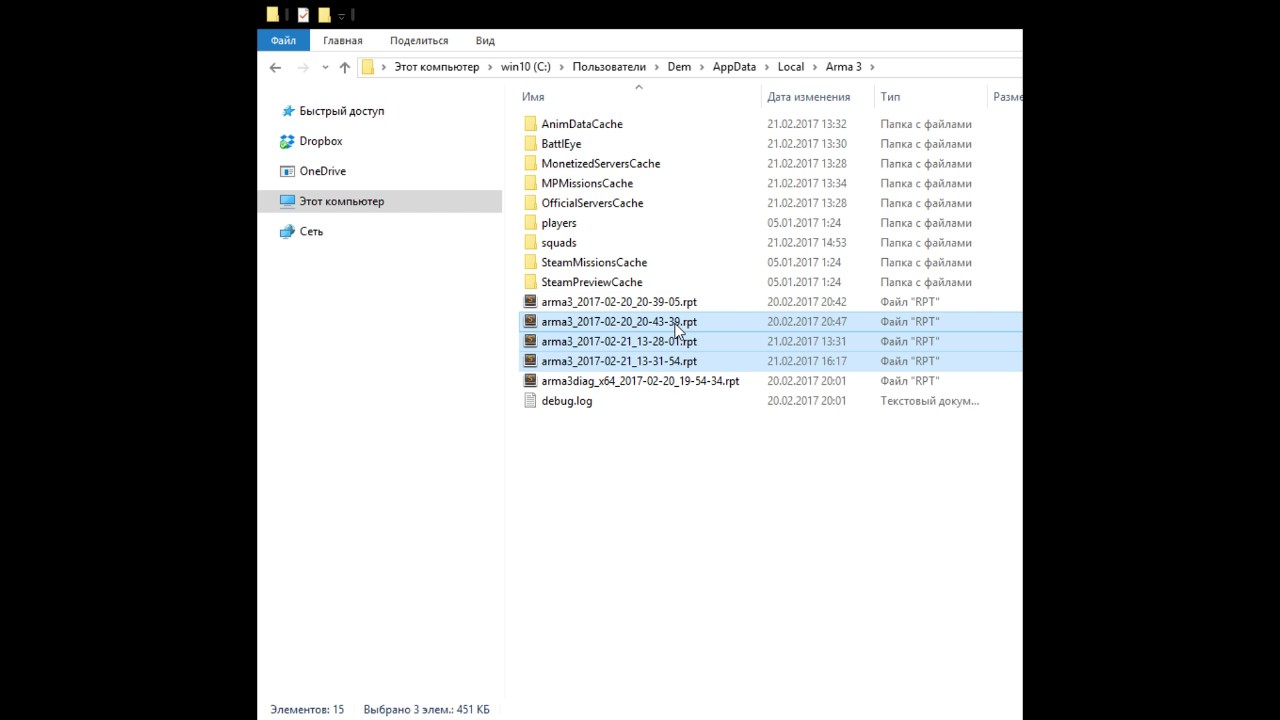
type %appdata%
navigate to "local"
then "arma3"
sort files by the time of creation
zip last 2 files.
give it to us in our discord
or via fileshare
IFA3LITE mod team channel.
Updates. New Features. Highlights.
Steam - http://steamcommunity.com/sharedfiles/filedetails/?id=660460283
Discord - https://steamcommunity.com/linkfilter/?url...
nocturne verge
wintry tartan
How did you pack your MOD?
I used pboProject
wintry tartan
Do you have any other MODs?
nocturne verge
yes , does the same if i only load my mod , how do i send the rpt file
wintry tartan
PasteBin or such