#arma3_editor
1 messages · Page 8 of 1

 foggy yoke
anyone know how to add inventory to crates in the editor. I want to have like 500 bananas in a crate
 prisma oyster
foggy yoke
anyone know how to add inventory to crates in the editor. I want to have like 50...
prisma oyster
foggy yoke
anyone know how to add inventory to crates in the editor. I want to have like 50...
have you tried right-click → properties
foggy yoke
prisma oyster
have you tried right-click → properties
Under Attributes?
 dim kindle
I added a move attribute to a two-man sentry group. Careless, Don't fire unless fired upon, limited speed. However, they still run for a few seconds before slowing down and walking like I want them to. Is this to be expected or can it be fixed
As in, can they be in their desired position before the mission even starts instead of getting into formation and such during the mission
 dark verge
Hi all. just started Arma/Eden and I’m wondering where creators typically share their missions? Is there a public database to upload/download/rate? I’m sure this has been covered but I’m not finding what I’m looking for googling
 sinful zenith
Steam Workshop
dark verge
sinful zenith
Steam Workshop
Oh! Thought that was just mods. Thanks!
 shell dew
Hello, i've been looking for a solution for a while so that enemy units don't move, but they still move, do you have a solution please?
prisma oyster
shell dew
Hello, i've been looking for a solution for a while so that enemy units don't mo...
use _unit disableAI "PATH"
shell dew
@prisma oyster Okay it's work thanks ^^
 radiant pilot
Hey there how would one be able create a mission like western sahara's extraction?
 small patrol
Requires time, knowledge, struggle
 keen jolt
radiant pilot
Hey there how would one be able create a mission like western sahara's extractio...
keen jolt
radiant pilot
Hey there how would one be able create a mission like western sahara's extractio...
Missions like that require a lot of scripting. I'd say 99% scripts and only 1% editor work
 young nebula
The old man scenario has this mechanic that temporarily turns blufor and opfor hostile towards the player when they do certain things.
Is it possible to do something similar in multiplayer?
prisma oyster
young nebula
The old man scenario has this mechanic that temporarily turns blufor and opfor h...
you can turn a side hostile towards another side, or make one unit enemy to everyone
young nebula
Is it possible to make it so that shooting at one side makes them hostile to shooting side, and after a while they turn back to friendly?
small patrol
setFriend command is the one
 cyan hemlock
What condition would you put in a trigger so only when a specified vehicle is in the trigger instead of the side
young nebula
How would you add a marker to the map upon activation of a trigger?
 acoustic yew
young nebula
How would you add a marker to the map upon activation of a trigger?
acoustic yew
young nebula
How would you add a marker to the map upon activation of a trigger?
https://community.bistudio.com/wiki/setMarkerAlpha if you make the marker transparent to start you can make it "appear" with this command in the trigger
in the "string" argument in front of the command you'll want the name that you gave the marker in the editor (might be "marker_0" or something by default) and not what displays on the map
young nebula
Worked like a charm, thank you.
acoustic yew
yw
 hearty sundial
Hello
I have an issue i dont seem to be able to solve, i want to set up a CAS bombing run for my Players. Using the Support Module. I want a specific F-100D(from SOG) to perform the bombing run(i set up said plane on a runway). But whenever i want to call it in, the name is greyed out.
Any way to fix this ?
young nebula
I'd like to make it so that hostile AI ignores the players unless, A they are openly carrying things they should not (weapons, vests) or B enter area they are not allowed to be.
How difficult would this be and how would I do it?
prisma oyster
you will need #arma3_scripting for that, and setCaptive
young nebula
So I should ask my question there?
prisma oyster
do you know scripting?
young nebula
Not really. I usually get given scripts and explained how to use them.
 weak summit
Hello, I have a problem. I did a mission in the eden editor and some objects have the scale changed but when I load the mission in multiplayer the scale resets and I don't know how to scale objects in multiplayer, does anyone have a solution?
 plain gale
Read the tooltip of the attribute, please.
weak summit
plain gale
Read the tooltip of the attribute, please.
I know that the option to scale is only for SP, so I ask if there is any way to scale in MP
plain gale
Have you checked the Biki? There might be an example
prisma oyster
weak summit
I know that the option to scale is only for SP, so I ask if there is any way to ...
weak summit
ok thanks
young nebula
Would it be possible to create a menu somewhere, for example in the map screen for hints I can give to players?
 fading goblet
I usually use the diary for that (see https://community.bistudio.com/wiki/createDiaryRecord) or task framework (see https://community.bistudio.com/wiki/createTask), depending on what and how I want to have people know things.
And in combination with hint I show them a message in-game that something has been added.
young nebula
I could use intel, but I already use it for actual intel players pick up on the field.
So I'm a bit hesitant to use it for hints too as to not overcrowd it and make it confusing.
fading goblet
With createDiarySubject you can create a new main item in that list, so if you call it "Hints" and add all your hints there it won't clog up intel or other things.
young nebula
Oh, thats neat. How exactly do I do that?
prisma oyster
properly
young nebula
Properly?
fading goblet
It's all scripted and should be ran for each player.
So something like this:
// initPlayerLocal.sqf (in mission PBO)
params ["_player"];

// Create new menu item
_player createDiarySubject [
    "mission_hints", // <-- technical name of menu item
    "Hints",
    ""
];

// For each hint
_player createDiaryRecord [
    "mission_hints", // <-- technical name of menu item
    [
        "Hint 1", // <-- title
        "Some text you want to show" // <-- content
    ],
    taskNull, // <-- no tasks attached
    "", // <-- no tasks state
    true // <-- show title
];
And you can even add hints on the fly by just running createDiaryRecord for each player.
young nebula
How do you run it for each player?
fading goblet
The above script (when placed in initPlayerLocal.sqf) will already be executed for all players when they join the mission.
To add hints on the fly for all players, add the following (eg. in a trigger):
{
   // add hint entry
   _x createDiaryRecord [
       "mission_hints", // <-- technical name of menu item
       [
           "Hint 2", // <-- title
           "Some text you want to show" // <-- content
       ],
       taskNull, // <-- no tasks attached
       "", // <-- no tasks state
       true // <-- show title
   ];
} forEach (allPlayers - entities "HeadlessClient_F");
What is initPlayerLocal.sqf?
young nebula
I mean, that little paragraph doesn't tell me much about what I need to do.
 fallow oxide
young nebula
I mean, that little paragraph doesn't tell me much about what I need to do.
fallow oxide
young nebula
I mean, that little paragraph doesn't tell me much about what I need to do.
you just make a file named initPlayerLocal in the mission folder

 young nebula
Just a regular text file? That's easier than I though.
 primal wave
In the 2.12 patch notes, it mentions: Tweaked: Added ability to influence the fall direction of a tree, pole, or wall I set trees/terrain objects flat by using the "Edit Terrain" module, and that doesn't specify direction, just damage. How would you specify direction?
young nebula
Thank you. That wasn't nearly as bad as I thought it would, though even after trying a couple things, I'm still not sure how to add additional hints at the start.
What do I have to add to do that?
keen jolt
primal wave
In the 2.12 patch notes, it mentions: ```Tweaked: Added ability to influence the...
young nebula
I have multiple objectives for players to complete.
I would like them to get one final task after all other tasks are complete.
What would be the easiest way to do this?
All tasks in scenario are made using create task, set task state and triggers.
primal wave
keen jolt
https://community.bistudio.com/wiki/setDamage
Merci!
small patrol
Doesn't vanilla do?
 rotund steppe
Hey all, could someone kindly be able to point me to a work around for the setVehiclePosition command. i am attempting to have it spawn an object randomly. i have added markers to the code of the command but regardless the object refuses to spawn randomly and only spawns at the given position. any help is greatly appreciated! below is the full code i am using with the command..
obj02_tsk01_host01 setVehiclePosition [[7081.4,6753.27,15.3235], ["pow_pos_02","pow_pos_03","pow_pos_04","pow_pos_05","pow_pos_06","pow_pos_07","pow_pos_08"], 0, "CAN_COLLIDE"];
 rain storm
Hey, i want an artillery tank to fire on a group of enemys i'v just put a marker on the ground with fire mission as the waypoint but it doesnt do anything
young nebula
Hey. I've run into a problem with one of my tasks. I want my players to destroy a statue for this one, but there are two problems.
First issue is that nothing short of a nuke can destroy the statue and second is that since the statue has no dedtroyed texture, it just stands there unchanged even thpugh it's "dead".
Is there anything I can do to solve these?
 glacial elm
Hello @rain storm, make sure these are fullfilled;
- The distance to the target is valid
-
- Some Artillery units will need more distance than others to fire.
- The target is set in the fire mission
glacial elm
young nebula
Hey. I've run into a problem with one of my tasks. I want my players to destroy ...
what do you mean with 'nothing short of a nuke can destroy the statue'?
The statue has no model for detroyed, you could replace it with a bunch of debris after the players kill it
either manually or through scripting
young nebula
Basically, I have trigger in place that fires once the statue is no longer "alive", but nothing except atomic bomb is able to put it in the "dead" state. I have fired artillery barrages, missile barrages, put enough TNT to blow up a small nation on it and nothing worked.
Only nuke managed to put it in the "dead" state where it's icon goes from yellow to black.
 spark crest
ok so I am having some major problems with AI here ( map name Malden 2035 )
So I have got 2 fast jets that I want to taxi to the runway in pairs however only 1 took off during the test
I have 2 propeller driven airplanes that I want to land both are miles apart and I have given them both a speed of about 70kts and 120kts.
There is 1 Griffen on the pad next to the taxiway for the takeoff runway that is also taking off however he is not using the waypoint I placed down that would take him away from active aircraft already on the runway or taxiway.
Instead he takes off and turns into the oncoming approach path of aircraft. and he doesn’t follow the route at all
The 2 jets aren’t following there route only 1 of them is moving
The 2 propeller driven planes don’t follow the waypoint I only gave them a land waypoint all there doing is flying over the runway and turning left and flying right over to the other side of the island over the water. Towards sort of towards the landing strip that sits on a tiny island remotely to the main one.
I have 3 French naval helicopters I gave a route for and they are also flying miles off course.
All aircraft invovled have got specific waypoint’s and none of them are following.
ships seem to be fine however the 1 that has got a helicopter on it the helicopter leaves the ship. I want it to be stationery.
I also gave the 2 fighter jets a hold waypoint and selected about 3mins wait time. For the others to land Wich they don’t.
prisma oyster
spark crest
ok so I am having some major problems with AI here ( map name Malden 2035 )
So ...
wall of text for a taxiing thing ^^
taxiing doesn't follow waypoints; AI is on some kind of "auto airport mode" that just either stays on the floor or take off whenever/wherever possible
it is not possible to do choreographies through waypoints here, unfortunately
spark crest
Right so you’ve used 2 words I have no idea of the meaning of and I’m yet to clarify if my issue is solved or not lol
Sorry 1 word
So I want 2 different planes to land I gave them a single land waypoint right on the Center of the runway. I gave them specific speeds so they won’t overlap one another. Wil they follow ?
prisma oyster
spark crest
So I want 2 different planes to land I gave them a single land waypoint right on...
landing will/should happen yes; they may delay (or collide?) if they are too close, to be checked
which word can I clarify?
 young belfry
Random thing, but I am kinda proud of it. I managed to make water in Arma 3 x3

last image

Sorry, feels like I might be spamming a bit xD
Also, I mean, isn't perfect, but I feel it's atleast better for the dam. Even if it breaks xD
 hollow leaf
 spark crest
@prisma oyster choreographies
dim kindle
the sequence of steps and movements in dance or figure skating, especially in a ballet or other staged dance.
You can surely infer what it means here
prisma oyster
spark crest
<@137855151120711680> choreographies
as in, you cannot make them "dance" as you wish, taxiing is heavily on rails for AI
spark crest
yeah like they think there wheels are grasscutters too lol
why didn't the developer bother there backsides to do something about it not very fan friendly or commiitted if they dont bother are they ? great game but unless they listen and act it wil go the oppisite way eventually
prisma oyster
sorry, what?
dim kindle
Need help, I wanna make this man walk up the staris but when I try to do that, his feet look goofy asf

💀
prisma oyster
dim kindle
Need help, I wanna make this man walk up the staris but when I try to do that, h...
that's how the model is made, nothing you can do
plain gale
Need Arma 3 Realistic Stairs DLC
prisma oyster
I always have had big respect for animators that manage to make it believably work in game whatever the character's orientation
 dire spear
Is there a way to edit the existing War Lords game mode to add additional vehicles to the list you can requisition?
prisma oyster
dire spear
Is there a way to edit the existing War Lords game mode to add additional vehicl...
here is the MP mode editing guide: https://community.bistudio.com/wiki/Arma_3:_MP_Warlords
dire spear
I've skimmed that so I might have missed something, but I'm not trying to create an entire War Lords mode from scratch I like most of how it already operates I just want to add like 3 vehicles to the NATO roster.
prisma oyster
you cannot without creating your own scenario
dire spear
That is an unfortunate amount of work.
 pure sparrow
Hey! I'm pretty new to scripting heavily in the editor (would always just spawn 100 tanks on both sides and smash em together as a kid), but I had an idea for a mission I'm working on that requires a custom menu be made, I have some pseudocode to work on the functionality. Any help with who to ask would also be super appreciated! ❤️
plain gale
It's funny how everybody did that as a kid😄
If you need help with ui ask in #arma3_gui
pure sparrow
Thank you!
cyan hemlock
how do you make a trigger activated by freeing a hostage?
prisma oyster
cyan hemlock
how do you make a trigger activated by freeing a hostage?
how do you free the hostage?
cyan hemlock
prisma oyster
how do you free the hostage?
By an action
cyan hemlock
Thanks
 limpid venture
where can i find mission templates?
small patrol
For what?
limpid venture
small patrol
For what?
singleplayer missions, like hold the line, capture town, etc
limpid venture
i see hmm thanks anyways
@small patrol any tips on which kind of mission i should make first if i never made one before?
small patrol
Anything you want
Place a player, place an enemy, and call it a day. This is your first mission
 strong marsh
young belfry
https://i.gyazo.com/c342c7372526114dcaeffc3cd2881d0a.mp4
strong marsh
young belfry
https://i.gyazo.com/c342c7372526114dcaeffc3cd2881d0a.mp4
thats sick!!!
 vestal perch
limpid venture
<@122565573384208384> any tips on which kind of mission i should make first if ...
vestal perch
limpid venture
<@122565573384208384> any tips on which kind of mission i should make first if ...
dont over think it
just explore the tools and how things work
young nebula
Is there a way to use multiple "cover map" systems at once? I'd like to mark the area the operation takes place in, but the area can't be covered by single rectangle.
Is it possible to either have multiple cover maps function at the same time, or somehow freely change the shape of the area?
primal wave
young belfry
Random thing, but I am kinda proud of it. I managed to make water in Arma 3 x3
😮 Do tell!
 drifting sky
Is there a preferred way to deploy markers in Eden, rather than having to drag, drop and rename every one you need?
I've tried scripting like this, but It doesn't deploy anything
// Key Spawn areas.
_markerName = 'spawn_player_area';
_marker = createMarker [_markerName, [1031,2924,0]];
_marker setMarkerType "b_hq";
huh?
drifting sky
I need a way to deploy 20+ markers in Eden when setting up a mission, without having to create them manually one at a time.
prisma oyster
Ctrl+C / Ctrl+V?
drifting sky
Manually having to rename all 20 ect
prisma oyster
no? they rename themselves _0, _1 etc
drifting sky
well yeah... but they're not distinctive for use in other scripts that require the names. Like Marker_0 may be used for anything, whereas spawn_player_area is unique and can be called in scripts in the mission file
drifting sky
not really, I setup the script and it's done for all missions we use going forward

I want the createMarker to actually work in Eden
prisma oyster
make all the markers once
select them all
Ctrl+C / Ctrl+Shift+V to paste them all exactly where they were in the other mission
otherwise, see https://community.bistudio.com/wiki/create3DENEntity and other Eden commands
drifting sky
Ok, part of the extended work I'll be doing will automatically create markers for Towns and Military Assets, which then get relied on for spawning scripts. It sets up the mission to have them available, so my admins can utilise them for spawning assets on the markerPos.
drifting sky
So this creates the marker in EDEN, which is great. However it does not allow setting the Variable Name, ie markerName which is what the Attributes under here imply it should be able to do. https://community.bistudio.com/wiki/Eden_Editor:_Marker
_markerName = 'spawn_player_area';
 _marker = create3DENEntity ["Marker", "EMPTY", [0,0,0]];
 _marker set3DENAttribute ["markerName", _markerName];
 _marker set3DENAttribute ["Text", "Markers Visible Name"]

 quiet plume
https://community.bistudio.com/wiki/Eden_Editor:_Setting_Attributes#Attributes
_markerName = 'spawn_player_area';
_marker = create3DENEntity ["Marker", "EMPTY", [0,0,0]];
_marker set3DENAttribute ["markerName", _markerName];
_marker set3DENAttribute ["Text", "Markers Visible Name"] ;
_marker set3DENAttribute ["Name", _markerName];``` 🤷♂️

although text isn't set for some reason 
and yes, doc here https://community.bistudio.com/wiki/Eden_Editor:_Setting_Attributes#Marker calls for "markerName"
what a jolly fun, i can only get one or another to work, but not both 🤦♂️
plain gale
These are case sensitive
Use text
@quiet plume
hmm wait
is this bugged?
Yeah, bugged 🤷♂️
prisma oyster
Dedmeeeeeen! they broke iiiiiit!!
drifting sky
Glad its not just me then
sinful zenith
tickhet
drifting sky
Heh
sinful zenith
drifting sky
quiet plume
<https://community.bistudio.com/wiki/Eden_Editor:_Setting_Attributes#Attributes>...
which way around did you do it to get this?
drifting sky
sinful zenith
tickhet
Dones 🙂
fallow oxide
drifting sky
Dones 🙂
Can you post the feedback ticket here, so I can subscribe to it
drifting sky
young nebula
Is it possible to add spacing to task descriptions in editor? Rather than have them be just blocks of text.
primal wave
young nebula
Is it possible to add spacing to task descriptions in editor? Rather than have t...
 mild cape
Hey guys, how do you set an animation for a unit in the editor?
prisma oyster
mild cape
Hey guys, how do you set an animation for a unit in the editor?
what's your use case?
mild cape
prisma oyster
what's your use case?
I just want to create a photo using all the animation mods on the workshop
prisma oyster
if you use animation mods, read their respective documentation
I recommend using POLPOX's Artwork Supporter for screenshot purpose
mild cape
prisma oyster
I recommend using POLPOX's Artwork Supporter for screenshot purpose
someone told me i have to put the animation my self in the unit init, do you happen to know if there is like a script for that?
prisma oyster
that would be more than a pain if such animation is not static, I do not recommend going this way
otherwise, try ```sqf
this spawn { waitUntil { time > 0 }; _this switchMove "animationNameHere" };
Thanks
 zenith flame
I'm not sure if this is editor or server-side, but I have access to both: How can I stop people from clicking through past the briefing until an admin triggers it or >90% of players have clicked Next?
Same for Lobby -> Briefing if possible
 devout laurel
How would I go about creating a mission where you pull up to a checkpoint and when the guard walks up to the car he opens fire seeing you're a threat. Also if you get out and shoot the guards they open fire on you
?
I'm trying to make like an Iraq war mission where you play as an insurgent
vestal perch
devout laurel
How would I go about creating a mission where you pull up to a checkpoint and wh...
Needs good use of triggers and some scripting commands to accomplish.
 vestal vortex
Quick question, do i need to remoteExecCall the BIS_fnc Task Framework for a multiplayer mission? I've read that it should already work for multiplayer as is but i still see people remoteExecing it anyways. Or does it matter?
fading goblet
BIS_fnc_task* is global (or at least calls global commands), so no need to use remoteExecCall at all, just make sure you set the correct owner(s) to have it accessible to everyone who needs it.
vestal vortex
Got it, thank you.
fading goblet
The reason why people use remoteExecCall is due to JIP, so that people who join after the task creation also get the tasks in their list.
vestal vortex
Ah yes, that would make sense then.
 stark tinsel
Is ther a way to attach large group of objects to a single object at once?
 civic python
Bis face Attach to relative
 rare obsidian
Hey guys, i dont really know where to put this but here seems appropriate.
I'm playing modded and trying to make a mission but all of the H-Barrier items save for the big 4-blocks and H-Barrier corridors have dissapeared. If I try to load a mission that has them, they just aren't where they should be. When I place compositions that should include them, theyre just not there. I cant find them in the editor. Ive restarted my game and that didn't work. Any ideas?
Plz @ me if you have an answer
prisma oyster
wellllll… there is a mod that breaks that? 😬
rare obsidian
Perhaps
Something simular happened abt a year ago too, but I forgot exactly what caused it
I'll try to troubleshoot. It's just such an odd error, and its surprising that it doesnt throw error messages when i place comps with those items in them
prisma oyster
can't say if not vanilla ¯_(ツ)_/¯
rare obsidian
Yeah, such is life. I'll get to it now. I'll come back if its still an issue
 digital temple
anyone know why this trigger isnt working
 fading goblet
Because the respawn module is not a marker?
digital temple
its an empty marker called respawn_west
digital temple
danke schon
plain gale
Bitteschön!
 dapper root
He is there a good place where I can find interesting MP Missions people have made? The workshop isn't doing me much good.. Trying to find cool missions for my server
cyan hemlock
try sorting by popularity instead of relavancy and there are some lists but the only one i know of is for SOG missions
 sterile spruce
Hey guys!
I am pretty new to arma 3
as well as modding to it
I just wanna ask, i see some servers with like some extra stuff like role selection, some gui binded to a key and activatable vehicles that respawns after sometime. Those are actually not "mods" but rather a part of the "mission" right?
vestal perch
sterile spruce
I just wanna ask, i see some servers with like some extra stuff like role select...
usually yes that sort of thing is built into the mission
mods can introduce same kind of features too though
sterile spruce
vestal perch
usually yes that sort of thing is built into the mission
ngl, it is crazy how you can create guis in missions and add new keybinds
Usually games doesn't support such things when you do it server side
vestal perch
sterile spruce
Usually games doesn't support such things when you do it server side
Arma has pretty extensive modding capabilities
sterile spruce
vestal perch
Arma has pretty extensive modding capabilities
is there any way to save some variables for after restarting server
vestal perch
sterile spruce
is there any way to save some variables for after restarting server
Youll have to consult the wiki
sterile spruce
vestal perch
Youll have to consult the wiki
so there is
it would be pretty dope to be able use sql ngl
vestal perch
sterile spruce
it would be pretty dope to be able use sql ngl
you can write your own extension that acts as gobetween with game and external database
vestal perch
youll have to consult the wiki
sterile spruce
vestal perch
youll have to consult the wiki
wiki link please
vestal perch
sterile spruce
wiki link please
I mean, this aint exactly google here sorry
 pastel wagon
i want to run this via addaction globaly(on a dedicated server) what should i use best for that? what should be the command for that : " ["test.ogv"] spawn BIS_fnc_playVideo; " (remotexec maybe ? )
sterile spruce
keen jolt
https://community.bistudio.com/wiki/missionProfileNamespace
does this work with mp?
keen jolt
yes. but you might want to only run it on the server
sterile spruce
keen jolt
yes. but you might want to only run it on the server
so on initserver?
keen jolt
you can use isServer condition for example. that's not really what I'm talking about here tho
young nebula
Are there any rough guidelines for how much stuff you can have on the map before it starts affecting performance severely?
prisma oyster
"depends", as usual
see https://community.bistudio.com/wiki/Arma_3:_Simple_Objects for example
young nebula
What about AI's? Same?
young belfry
Is there a way to revert a saveed mission
I broke something somehow and had the editor open after I pressed play. I pressed save b/c- eh. I reloaded and- it saved the, what I now know is the empty mission to the file.
I spent like a week or 2 on this and it's all gone
please, if anyone can help me at all...
prisma oyster
nope
 wind raptor
No, once the file has been overwritten, the old content is gone.
I recommend you start using Git (or something similar) for projects that are important to you in order to avoid such traumatic experiences in the future.
prisma oyster
you may have the temp pbo file somewhere if you exported it or played it in MP
young belfry
I don't think so-
prisma oyster
sorry for your loss
as ansin11 said, Git saves lives (and hair)
I can only recommend to create a local repository at the root of the Missions directory
young belfry
idek how to get that set up
prisma oyster
it's a tad 'advanced', but you can download Git and Git Extensions, install them, then right-click → create new repository
after that you have a UI where you can save your progress little by little
young belfry
bright side i still got all the seperate files...
just the mission sqm file is borked
prisma oyster
you may have a ~missionName.terrain directory, see if the sqm is valid?
young belfry
no
prisma oyster
welp.
young belfry
funny, I did a backup of my own custom addons the other day. xD
well, now I guess, maybe I can go for doing things differently.
I didn't really like the main enemy compound anyway. Lots of empty space that I felt could be better used if the compound was a different type. But spent so much time on it, I didn't want to just remove it and start over.
Additionally, the enemy high command area was a bit of a weird spot too.
A coastal fortification was just randomly put in too, so now I could reposition that to make more sense.
(I am trying to look on the bright side x3)
do I wanna add the water back-
 cunning portal
RESOLVED: It was one of the mods I had running(still no idea which one, but it was one of them).
I'm trying to set up a sort of cutscene with the Keyframe Animation modules within 3den, and I've followed the guide made by Ceb.Cin to the T. The problem, however, is when I launch the scenario to watch through the animation it plays from the camera for all of 1 second and then ends. I cannot figure out why the camera cuts so short.
I think it might be a case of the animation playing during initialization, and so by the time it actually loads the animation has finished. The only problem I see with that explanation is I have it set to loop, but it doesn't.
I keep trying to check between different tutorials and what I have, and even referencing Ceb.Cin's demo compositions I still cannot figure out why this camera only plays for 1 second of the 10 I have it set for.
Does anybody have any ideas on what might be my problem?
 gleaming vortex
Can anyone tell me what's wrong with this pls
acex_fortify_locations_pushBack [constructionVic, 50, 50, 0, false];
It keeps kicking back an error saying it's missing a ";"
prisma oyster
gleaming vortex
Can anyone tell me what's wrong with this pls
```acex_fortify_locations_pushBack...
_pushback
acoustic yew
wind raptor
No, once the file has been overwritten, the old content is gone.
I recommend you...
+1 for git, great for peace of mind if you use it with your sqm
 prisma widget
idk if its the right channel or not but how do i make the trace module fire in the air?
and also make the sounds and tracers last forever
prisma widget
prisma widget
idk if its the right channel or not but how do i make the trace module fire in t...
at random points ofc
prisma widget
And in eden
 agile ingot
tracer module by default fires pretty much only into the air.
By setting a custom target (Assign a variable to an object and input that into the custom target field) you can have it shoot wherever you want. I havent tested but theoretically it should also shoot at moving targets.

for random shooting youd ideally have an invisible object switch positions using BIS_fnc_randomPos or something
 lucid comet
The position attribute in the editor - Are they ASL or ATL
agile ingot
iirc ATL but could be wrong
prisma widget
agile ingot
tracer module by default fires pretty much only into the air.
By setting a cust...
will they stop firing if the mag runs out of ammo? or they dont run out of ammo
agile ingot
you can delete the module to stop the firing, but no, they have infinite ammo
quiet plume
except it explicitly tops the magazine to full before each firing 
                while {time < _time} do {
                    // Restore ammo
                    _gunner setAmmo [_weapon,999];
                    [_gunner,_weapon] call BIS_fnc_fire;
                    sleep _delay;
i mistyped there 😅 yeah, inf ammo on modules
prisma widget
quiet plume
```sqf
while {time < _time} do {
// Restore ...
so i need to add this to the module so they have inf ammo?
quiet plume
no, that's in the code that module runs by default
prisma widget
oh k
agile ingot
deleteVehicle ((_smokeModule getVariable "effectEmitter") select 0);
this is deletion for smoke module, I dont know if its the same for tracers, cpuld be that tracer module is just a simple
deleteVehicle VarNameTracer
One of the scripts I have requires faction identifiers, like OPF_F for CSAT.
I need to add some factions added by mods, but I have no idea where to find what I need.
Any ideas?
small patrol
CfgFactionClasses
young nebula
Is that a file somewhere?
small patrol
Config
young nebula
Where is it located?
small patrol
You can check in Config Viewer
young nebula
Thank you.
 plush dawn
hi i want to make hold point scenario in arma 3 but idk how to script
can someone help me pls
i have player team at a radio station and u have to hold the point and kill every wave of enemies
idk how to make it so that a wave will spawn and attack and how to make it so that when u kill all of the waves u win
prisma oyster
this would require scripting, but if you are not familiar with it it may take some time
start small or recruit (even for free) @ #creators_recruiting
 untold fiber
Hey, does anyone have any tips on how to align gates and other objects straight/aligned properly? Does Edan have something like a grid like 3D modeling softwares have?
 rapid mortar
Hello I’m new to the Eden Editor and I was wondering if there is a way to make a IED go off when a certain vehicle goes over it?
 sonic root
there's a film on youtube how to do this
 surreal belfry
Hello, how can I stop an AI following waypoints (break out of the loop) when he detects a player? I have a guard patrolling an area, but when he sees a player, he then still continues patrolling even though he returns fire.
prisma oyster
surreal belfry
Hello, how can I stop an AI following waypoints (break out of the loop) when he ...
do not crosspost, thank you
you could use a trigger of some sort that would force a next checkpoint, or script something that would wait until the group is in combat mode to delete all waypoints and stay "still" on its position
 stray cedar
I have followed the ALIVE Population Module guide multiple times now and it is still not spawning anything at all. Does anyone have an Updated tutorial, or a different / easier to use module that works?
drifting sky
stray cedar
I have followed the ALIVE Population Module guide multiple times now and it is s...
Honestly, I wouldn't bother. It's extremely expensive to run performance wise, and a lot of hassle to setup. It's also been abandoned at the point, so a lot of features just straight up don't work.
stray cedar
I just followed a whole playlist tutorial on youtube for about an hour, and end the end, absolutely nothing worked at all.
i take that back a group of enemies just spawned, no civs spawned yet though
and they dissapeared
theyre all spawning in the wrong area aswell
stray cedar
Whats the absolute best Population mod?
drifting sky
One you make yourself 😄
 vagrant trout
how come when I export a mission to MP it will pack and export some cached version instead of the actual files? annoying. nvm thats not what was happening :D
 glad quail
Wish it was easier to place objects on the turret of a tank. This method with attachtorelative obviously doesn't work.
The only method that works requires me to use coordinates for each and every object, and that takes painstakingly long as I have to keep changing each coordinate to make sure it's placed wherever I want it to be


 quiet plume
🧠 attach one Logic or whatever empty object properly to the turret, BIS_fnc_attachToRelative everything else to it, done
glad quail
quiet plume
🧠 attach one Logic or whatever empty object properly to the turret, BIS_fnc_att...
Wait... that might actually work
quiet plume
or something like this #arma3_scripting message to get proper offsets for every object to attachTo later
glad quail
quiet plume
🧠 attach one Logic or whatever empty object properly to the turret, BIS_fnc_att...
How do I attach something to a turret again
Im using a command I found online but it only works for some tanks, not all
this attachTo [tank1,[1,0.5,0.2] ,"Otocvez", true];
the Otocvez part
it doesnt work for all tanks
only some
 drowsy swallow
Otocvez is a memory point, not all memory points are named in that format
Could try the gun one
 young belfry
Does cvilian precense position work for the entire area size or?
 wind raptor
@young belfry Have you seen https://community.bistudio.com/wiki/Arma_3:_Civilian_Presence ?
young belfry
doesn't say. I mean will the civs go toward the center or go anywhere within the area of the position module.
although, I wish I had read it before, I've been trying to get triggers working with trigger owner and stuff, but looks like it's just sync'd xD
Also, side question, does it matter how something is sync'd? Syncing from an object to game logic vs game logic to object.
civic python
glad quail
How do I attach something to a turret again
If you still need help with this I can help. As I did this a while ago
glad quail
I haven't been able to test it yet, so if you have a different method it wouldn't hurt to know it
 cloud sparrow
synchronization is bidirectional
 tall robin
Does anyone know why using this command in editor
[cursorObject, "LMG_Mk200_F", 2] call BIS_fnc_addWeapon;
on C_Man_ConstructionWorker_01_Blue_F (civilian)
makes the civilian shoot everything in sight?
not everything, only BLUFOR and OPFOR - it ignores other CIV and INDFOR
small patrol
tall robin
Right
if I understand this, they're friendly to BLUFOR, and I cannot recreate this with other units
It is only happening specifically with the classname I put above
tall robin
well, nvm, it happens with a handful of other civilian classes as well, but when applied to VR_Entity for civilian it doesn't
 thick wigeon
How do I make an Eden object follow the surface angle, I noticed that sometimes it happens and sometimes it doesn't and I feel that it may just be some bind I accidentally press and cannot find.
Nevermind, as I had suspected it simply doesn't work for all props, while some have it on by default
tall robin
off the top of my head, I believe you can toggle it with \
On the toolbar at the top it is the icon to the left of the square grid, "Toggle Surface Snapping"
iirc
 lyric wagon
I downloaded the "Dual weapons"-mod. But now when I equip a rocketlauncher, it´s invisible.. Anyone know what´s wrong?
 young nebula
How do I make activation of a trigger condition for another triggers activation?
prisma oyster
lyric wagon
I downloaded the "Dual weapons"-mod. But now when I equip a rocketlauncher, it´...
the mod
lyric wagon
prisma oyster
the mod
Thanks for the help....... Any idea how to get it to work again?
prisma oyster
lyric wagon
Thanks for the help....... Any idea how to get it to work again?
first - check the mod's documentation, if there is no configuration to do then the mod is broken as it should work out of the box otherwise
second - check with the mod author, perhaps ask in #arma3_troubleshooting - this channel is about the in-game editor
surreal belfry
What happens if I synchronize a zone trigger with an NPC?
prisma oyster
the two are synchronised
surreal belfry
What does synchronized mean? 😄
prisma oyster
so you don't know what you did?
surreal belfry
Just partially
I dont understand what happens internally when two entities are synchronized
prisma oyster
in this case, it makes the trigger about this unit - edit it and you will see options have changed
surreal belfry
prisma oyster
in this case, it makes the trigger about this unit - edit it and you will see op...
*you mean know about it?
prisma oyster
surreal belfry
*you mean know about it?
it makes the trigger "all about" this unit
as in instead of "blufor, opfor" etc, it's "unit, group unit, all group units" etc
 worn fossil
surreal belfry
worn fossil
surreal belfry
How can I reference a unit which activated a trigger in the On Activation field within the trigger? Instead of using _soldier1 ... or player ... something like activatedBy.
prisma oyster
surreal belfry
How can I reference a unit which activated a trigger in the On Activation field ...
you can get a list of entities that fit the trigger's activation through list _trigger (or thisList in trigger's fields)
surreal belfry
prisma oyster
you can get a list of entities that fit the trigger's activation through `list _...
And is it possible to manually remove the object from the array (from the list of the trigger) once it was added?
prisma oyster
surreal belfry
And is it possible to manually remove the object from the array (from the list o...
these are rare read-only arrays, but nothing prevents you from copying them
no idea what you want to achieve here
surreal belfry
Lets say I would like the trigger to be repeatedly reactivated by the same object and condition.
prisma oyster
then link that trigger to that unit
young belfry
Simple objects won't get reflectors right?
 wintry wadi
Was playing around with the remoteControl feature in the editor by allowing the player to remotely control the driver of a van. However, once the van got to about 140m away from the player's position, I literally lost control of the van and my inputs weren't doing anything. Does the remoteControl feature have a limited range or something?
glad quail
glad quail
Wait... that might actually work
This creates a weird effect where when I spin the turret, the objects attached to the turret arent exactly attached
They move a little
I wish I could record it to better explain, but I can't for the life of me get OBS to not create extremely laggy and choppy videos
glad quail
civic python
If you still need help with this I can help. As I did this a while ago
What method did you use?
civic python
Attach too, some tuurrent lart
civic python
glad quail
What method did you use?
Attach too
 finite thistle
Can i create an area on the map with vehicles garage (limited to only editing vehicle extras - like extra armor or RHS duke systems) I can't figure it out. There is a mod to do this but its a warlords mission and i dont want people to be able to spawn any vehicle they want. Thanks in advance
surreal belfry
Do you know why civilian presence module doesn't work properly with Old Man systems set up in the map?
 cedar flower
Does anyone know how to save settings to a mpmission file to send to a friend
cedar flower
Hello
plain gale
What settings would that be?
 hot scroll
has anyone ever had all your bullets become explosive in sp? i cant find any settings related to this, modded or vanilla
rare obsidian
hot scroll
has anyone ever had all your bullets become explosive in sp? i cant find any set...
Are you playing modded?
I remember my weapons would fire claymores for some reason when I had Fire Support+ loaded
hot scroll
rare obsidian
I remember my weapons would fire claymores for some reason when I had Fire Suppo...
Ah, that might be it
I got FS+ loaded
Is there a way to fix it?
rare obsidian
Just unload it
I think you have another mod with it that messes it ip
Up
But idk whst that is
Like the combination of the two makes the bullets turn into claymore mines
cedar flower
plain gale
What settings would that be?
Like difficulty
plain gale
Difficulty is set via AI skill directly in mission and server / client difficulty settings.
hot scroll
rare obsidian
I think you have another mod with it that messes it ip
I just switched to FS+ no chemical. Fixed it
rare obsidian
hot scroll
I just switched to FS+ no chemical. Fixed it
Sweet my man
 near token
whenever i place people in eden edittor, and then during that sandbox game, i place people using zeus, the people i placed in eden edittor cannot be editted by zeus
how do i disable this
acoustic yew
near token
whenever i place people in eden edittor, and then during that sandbox game, i pl...
If you are using Zeus enhanced, right click > add to interface. Otherwise you can use this command https://community.bistudio.com/wiki/addCuratorEditableObjects
ex:
yourZeusModule addCuratorEditableObjects [allUnits, true];
near token
acoustic yew
If you are using Zeus enhanced, right click > add to interface. Otherwise you ca...
not using jt
 opaque wren
Can somebody point me in the direction of how to get players to teleport from a pole into a vehicle?
Not looking for hand holding just think link towards a guide or something, but all of the videos I'm finding are of TPing into static spots
acoustic yew
opaque wren
Not looking for hand holding just think link towards a guide or something, but a...
Sure! you might have seen guides on using addAction to run a command of the setPos* variety. The only change you need is to use one of the moveIn* commands to place the unit inside a vehicle instead of the setPos* command. Here's a link to the moveInAny command with additional links at the bottom of the page if you're looking for something more specific: https://community.bistudio.com/wiki/moveInAny
Here's the addAction page: https://community.bistudio.com/wiki/addAction
if it's a pre-placed vehicle you can name the variable within the vehicle's properties and just use that variable to represent the vehicle in the command arguments
opaque wren
acoustic yew
Sure! you might have seen guides on using `addAction` to run a command of the `s...
That worked like a charm thank you
I saw moveIn* but couldn't find it in reference to players, only AI in the tutorials. Didn't think to replace it with the setPos, but I'm still very new to Arma scripting.
Really appreciate the help, cheers
 sullen quiver
Hey could anyone help me in putting images on signs in eden and having them work in mp?
devout laurel
How do you start with a village having its buildings destroyed?
I'm playing arma 1
Is that possible I wonder?
That's something that's really missing from the original game... like if you look at any actual battlefield, all the buildings are gone. The trees are destroyed, and there's craters everywhere
So the battlefield in arma is like way too ordinary looking.
 raw parrot
howdy i been trying to edit a workshop mod and for some reason it doesnt show up in my eden
i can see the mission in the map selection but when i launch eden it isnt in my mpmissions or missions
keen jolt
devout laurel
How do you start with a village having its buildings destroyed?
You can iterate over all objects in an area and use setDamage on them
See the nearObjects and nearestObjects commands
For iteration, use forEach
Quick example:
{
   _x setDamage 1;
} forEach (getMarkerPos "marker" nearObjects ["building", 1000])
 gentle mango
Hey guys, I only just started using the Eden Editor and therefore have very little knowledge or experience with anything in that aspect. I started creating a basic military base to try and learn the basic functions and it was going great. However, when I saved my base as a composition and re-placed i down, lots of little objects and items I placed started sinking into the ground. I was told to change the attributes of those objects to disable simulation and enable simple object mode, which I did. It didn't really fix anything though, so was then told to disable object snapping one other setting which solved my issue with items disconnecting from their placements or sinking etc, but now the entire base started floating. Only my large buildings remained connected to the floor, but with some concrete looking slabs which weren't present before

The picture shows what I mean with floating assets now, along with the concrete looking slabs underneath buildings which werent present before
plain gale
@gentle mango Play around with these settings. They influence how objects of compositions are placed

https://community.bistudio.com/wiki/Eden_Editor:_Custom_Composition Also check out this.
gentle mango
Yea I've tried all combinations of those exact two settings. None of them properly place down my items
plain gale
What you can try. Mark all objects and press CTRL + Space (3DEN Enhanced only)
This will snap all objects to the surface below.
gentle mango
Will give it a go
Yea that helped, but now all my walls have sunk into the ground
I'm so confused
 rocky swallow
excuse me guys, quick question what asset takes up the least graphical capacity? im trying to make fallout new vegas in arma 3. looks great but slows pc down too much, how can i get my assets to go farther?
i already pick the more geometrically simplistic ones

i have gone through several itterations of wall sections spliting the city. at first it was stone and sheet metal fences. looked great, no way anyone could run it though.
low 30s before i even added the mounds of npcs.
tried double stacked broken trucks but collisions proved to become a mess. passing through stuff or floating. very inconsistent to place.
last i tried sand bag walls but the asthetic was lost and it still kinda lowered fps despite being the longest functionable piece.
my next idea might be stones
 supple holly
rocky swallow
excuse me guys, quick question what asset takes up the least graphical capacity?...
supple holly
rocky swallow
excuse me guys, quick question what asset takes up the least graphical capacity?...
I would recommend you to disable simulation on object that are not gonna move that will basicly double the performance if you have a lot of objects. You can read more about here:
https://community.bistudio.com/wiki/Arma_3:_Dynamic_Simulation
and here:
https://community.bistudio.com/wiki/enableSimulation
rocky swallow
does it stop them being destructable as well??
thats perfect if yes
i can use less materials overall
supple holly
rocky swallow
does it stop them being destructable as well??
Yea
You can also disable the damage on objects.
young belfry
I like how the gas station turned out
 wintry wadi
Trying to turn the vanilla Zamak MRL into an anti-aircraft system using scripting, lol. I've gotten the MRL to be able to fire SAMs, but I'm not sure how to give the MRL access to a data link - I think because it doesn't have any onboard sensors. How can I add sensors to the MRL?
 quartz edge
Hello 👋 can someone help me with how to give teams score upon task completion for pvp? Thanks in advance
plain gale
if isServer then
{
    [] spawn
    {
        while {true} do
        {
            {
                _x addCuratorEditableObjects
                [
                entities [[],["Logic"], true /* Include vehicle crew */,true /* Exclude dead bodies */],
                true
                ];
            } count allCurators;
            sleep 60; // Change to whatever fits your needs
        };
    };
};
Place this in init.sqf
This adds all entities except logics to Zeus every 60 seconds
plain gale
quartz edge
Hello 👋 can someone help me with how to give teams score upon task completion f...
quartz edge
@plain gale thank you greatly 💯
 viscid crow
So im trying to make a simple IED ambush as my first mission right...and i want to include 2 vehicles, but i gotta make them a convoy somehow...but i dont find the Convoy things in systens to sync the vehicles to...does anyone know how i do that?
rocky swallow
@supple holly ok a demo of my map is ready, the volume of assets has the game slowed to a crawl but its playable. placed npcs that dont road and they stand guard over their factional territories
supple holly
rocky swallow
<@263862165079851009> ok a demo of my map is ready, the volume of assets has the...
A good tip is if you want a roaming civilians or just npc that are there instead of using units to spawn an agents instead. it will also increase in performance a lot becouse the game dosent need to calculate aditional scripts for AI like FSMs and other stuff. But to create agents you will need to script them instead of just ploping them down.https://community.bistudio.com/wiki/createAgent
rocky swallow
i was hoping to have triggers that spawn/despawn assets based on entered areas
ill screenshot what it looks like up to date so you can see the volume im working with
supple holly
You can do that as well but just know that triggers are also performance heavy becouse every trigger has its own loop.
rocky swallow
fair
viscid crow
Uhhh how do i make the AI hold fire, until a trigger is triggered to make them fire?
viscid crow
viscid crow
Uhhh how do i make the AI hold fire, until a trigger is triggered to make them f...
A trigger is triggered...sounds funky
viscid crow
rocky swallow
inside the attunement section
Of what? The trigger or the NPCs i want to shoot?
supple holly
viscid crow
Uhhh how do i make the AI hold fire, until a trigger is triggered to make them f...
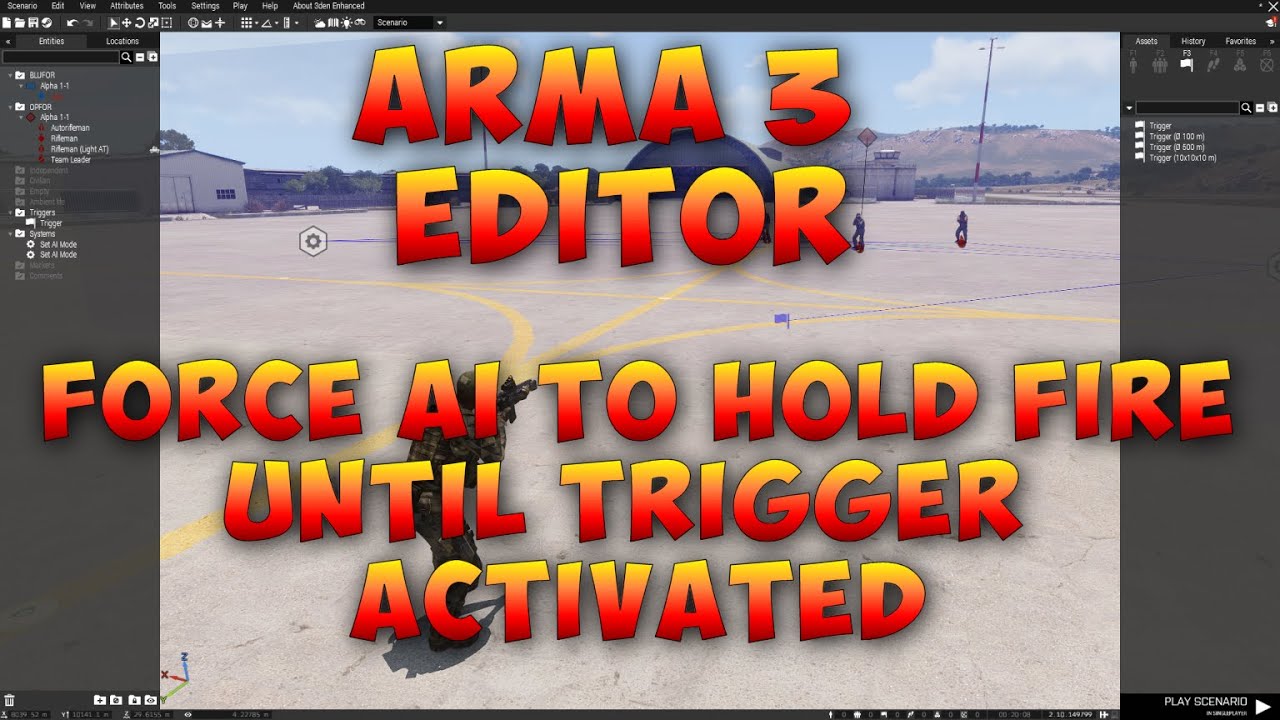
This will show you how to use the Set AI Mode modules to stop AI enemy firing at your troops, but then fire once a trigger has been fired.
Please like, share and subscribe! Remember to hit that bell icon to be notified of new content which is posted weekly!
Questions or comments? Want to ask for help with something or just want to be invol...
rocky swallow
the npcs have options built in like do not fire unless fired upon
likely able to be tied based on where the player isnt supposed to be as well
tresspasser style
viscid crow
supple holly
https://www.youtube.com/watch?v=M1tW71WBQsY&ab_channel=OnlineCombatBN
Thank you very much!!! But i actually figured it out myself 🙂
rocky swallow
 rocky swallow
i expanded the game area to include outskirts, if i lower my res to 600x480 it should be a stable 60
i just removed all the npcs and im gonna change the enviornment to be more detailed and ill reduce limits on play area based on what is still needing to be blocked
ill also try to add factional quest givers
 ember kelp
Why does the game always freeze up when you go into the camera mode while playing
the whatchamacallit
splendid camera
small patrol
Define freeze
agile ingot
Camera mode sets game time to 0 if youre in singleplayer. In local and dedicated host in runs normally.
If you want "unpause" in singleplayer camera mode, bottom right is the acceleration slider or whatever its called to adjust game time speed
near token
anyone know if theres a mod for having a realistic civilian environment
i.e. cars driving around, people on the street
im trying to make a highly populated area but i have no idea how to start doing that, because i’d need to place markers and everything and spawn every civ separately
cyan hemlock
near token
im trying to make a highly populated area but i have no idea how to start doing ...
ALiVe I believe has some good civ and ied placement modules
 worldly nacelle

 prisma oyster
which is correct
plain gale
Turn it to 1 and see what happens 😉
agile ingot
near token
i.e. cars driving around, people on the street
LRG Fundamentals has some civie modules and vehicle placement, no idea if thats what youre looking for but maybe
 prisma oyster
are all these walls made "simple objects"?
prisma oyster
either use longer walls (to reduce their numbers), or reduce mission's viewdistance
that's CPU-related, there's not much to do
vestal perch
missions are not really meant to be done with this much new objects in so small area. especially if objects are used to build things they are not meant to be used for.
rocky swallow
i used the biggest walls
i was hoping to have a optimal asset to pick from honestly
can i shrink a map down to loading zones
or is the map itself the issue
prisma oyster
it's more the amount of assets than their GPU value
rocky swallow
ofcourse but 10k of the heaviest units vs the least heavy units right
prisma oyster
lower the view distance if you can, otherwise reduce the amount of assets
rocky swallow
my only other options are retexture assets and recreate buildings to fit my design
which requires more work
its already on low for play testing
prisma oyster
see https://community.bistudio.com/wiki/Mission_Optimisation for scenario performance tips
rocky swallow
ill check that out, my next question is if assets are tied to the load, can i merg items to lower the number of assets
each building placed has several preplace units like chairs or beds
can this be the case as well for player assembled buildings
prisma oyster
rocky swallow
ill check that out, my next question is if assets are tied to the load, can i me...
you could make a mod to have one max 70m wall yes
vestal perch
50m is typically safe
and the biggest rock walls are already that
but no you cant edit models like that
you would have to make new things from 0
rocky swallow

this is the kinda density in the city i want, im going to add more stuff like armored panels to windows and shit
but if nobody can run this its pointless haha
the walls i had actually disappeared because i dont have the right mods installed and it runs so much nicer lmao
vestal perch
yeah the engine is not meant for that large scale tiny individual detail adding
performance drops are to be expected
rocky swallow
ok but thats why i wanted to know my other question a while ago
you know how fallout is broken into load zones
i saw a life server use that tech
what is it
vestal perch
dunno, does not sound like a native thing
best bet is to ask the server people who do that
rocky swallow
i dont even know what server its on i saw it on a passing video
prisma oyster
¯_(ツ)_/¯
rocky swallow
rip
 kind prism
rocky swallow
least polygon using assets to act as walls plz
kind prism
rocky swallow
least polygon using assets to act as walls plz
you can consider using deformer or scripting to make terrain berms to replace some of the walls where it's not so tightly spaced with other objects
rocky swallow
Hold up
Are you suggesting multi plane existence theory?
You cross a boundary and it deletes everything within and replaced it infinitely within its own confined zones
Quite a complex topic you’re suggesting
supple holly
What ? No he was sugessting to lower the amount of objects in your scene you can edit terrain in eden with scripting or with a really good tool on workshop called deformer.
rocky swallow
that might not work visually, the asthetic is purely formed based on the perimeter of the map, unless i can seperate inside the wall assets from outside then further define each innner city blocks assets as a per block basis
that would be A-lot of work though
near token
is there a good ace3 compatible cuff system
the ace3 cuff system is very limited
also, is there a way to drag unconscious people? i can only seem to drag people when they r on the ground and in need of medical help (when the medical sign shows up)
surreal belfry
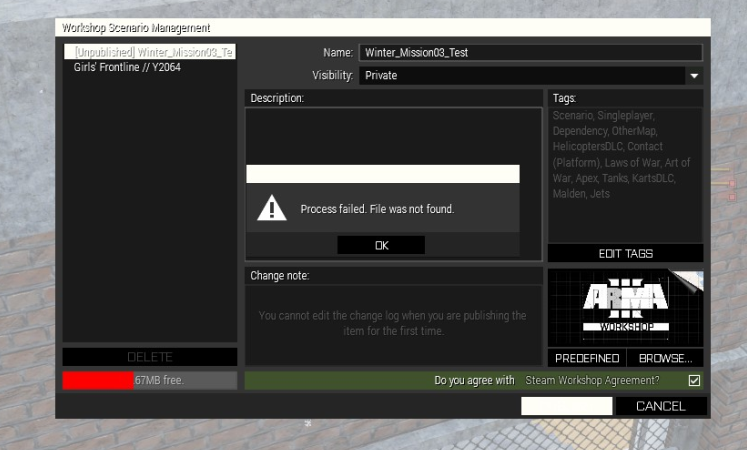
I want to publish a mission on Workshop, but the window for selecting a thumbnail image does not show any images, just the folder hierarchy on the left, but it worked OK before. What should I do? Any other way to add a thumbnail to Steam Workshop item?
near token
how do i add ace3 animations to full squads
i.e. making them all salute instead of having to remote control them and manually do it
agile ingot
{
_x playMove //insert Salute animation
} forEach group unit;
there are no other ways to do it?
agile ingot
maybe, thats the one Id do
You can probably find the animation name in here
You can run the code I sent in debug menu if youve access to it, or run it as an sqf script from the mission files
Youd need to have a varname for the unit for debug menu method, you can assign one in Zeus though.
Zeus enhanced gives you a sqf field when double clicking a unit or object, in that youd just replace unit with _this
 orchid wedge
You guys are my last hope. I have to finish a mission in the next 2 days but as soon as I test it in the editor I get a CTD and an error message access Violation. I did steam check, modset check etc but nothing worked. does anyone have any ideas?
agile ingot
post pic of error message
also, id start with removing any mods and loading them individually
near token
trying to make a riot scenario with civvies, any suggestions
prisma oyster
have civvies
plain gale
have a riot
 viral axle
near token
trying to make a riot scenario with civvies, any suggestions
viral axle
near token
trying to make a riot scenario with civvies, any suggestions
Get WebKnight's melee system mod.
Pop in a couple of the Melee AI units, put them in civvy clothes. Place them in different sides (opfor+ind)
Have a trigger for switching side relations between opfor/ind to enemies.
See them beat the * out of each other.
near token
viral axle
Get WebKnight's melee system mod.
Pop in a couple of the Melee AI units, put th...
is there a way to force soldiers to fire stun grenades at the crowd
agile ingot
AI loves to use underbarrel GL, so give them only stuns, they ought to fire a few by themselves
 thin egret
near token
trying to make a riot scenario with civvies, any suggestions
thin egret
near token
trying to make a riot scenario with civvies, any suggestions
Looters from Contact if you're going for armed riot.
near token
agile ingot
AI loves to use underbarrel GL, so give them only stuns, they ought to fire a fe...
yeah but how do i edit multiple inventories at once
ive been trying to add insignias and special weaponry to a squad but i have to do it manually
takes a lot of time
prisma oyster
near token
yeah but how do i edit multiple inventories at once
select them all, then right-click one and edit loadout - this loadout will be applied to all selected units
near token
prisma oyster
select them all, then right-click one and edit loadout - this loadout will be ap...
does it work in zeus?
prisma oyster
(not just the changes you made, the whole change though)
prisma oyster
near token
does it work in zeus?
no idea, weren't we about Eden Editor?
prisma oyster
saves hair
near token
is there a channel here to find/request specific mods
thin egret
3DEN Enhanced lets you copy loadouts as well if you're looking to do it to just particular units.
near token
thanks
prisma oyster
near token
is there a channel here to find/request specific mods
#arma3_questions can be used to find an existing mod, but there is no such place as a mod request spot 🙂
 rose holly
Does anyone know if it's possible to have AI take their weapon out of their backpack and use it? I would normally do this via zeus, but would be cool if it could be automated.
Like a concealed enemy
 lime dust
you could always store the weapon that's concealed as a variable and add/remove it to the AI character when you like
 unique copper
Does anyone know how to stop the ai from automatically getting 2 grenades?
and if its not vanilla, if anyone could tell me what mod it is that would be great
small patrol
None of vanilla feature does that. Must be a Mod. Don't ask me which
wintry wadi
Is there a way to get the recorded voice lines from the campaign (e.g. Miller saying something specific) into a custom mission? Where would I even look to find those?
small patrol
dubbingmission_f pbos or something like that
 warm folio
Guys how can I make it so that my squad has captured an area once a certain vehicle is destroyed?
I want it to only allow them to access specific things (ammo crates and vehicles) once the objective is destroyed
Also what's the best way to have ai patrol the map?
I'm sick of placing wps
 scarlet crystal
warm folio
Guys how can I make it so that my squad has captured an area once a certain vehi...
scarlet crystal
warm folio
Guys how can I make it so that my squad has captured an area once a certain vehi...
what do you mean by "captured", is it for a gamemode or what?
oh okay, I connected the dots.
scarlet crystal
simplest way would be to have a trigger that would check if certain vehicle is alive, and then either teleport the crates and vehicles to the spot or show/unhide them through the show/hide module
warm folio
If I have them hidden with no crew in them will the hostile ai still attack blufor vehicles?
scarlet crystal
if their models are not visible then no, AI doesn't detect these
scarlet crystal
to be twice sure you can disable damage on them too
warm folio
I might use teleport so that it doesn't cause confliction in moving and firefights
scarlet crystal
but from my experience once the model is hidden, be it a vehicle or unit, AI will just ignore it as it didn't exist
warm folio
That sounds like it could easily lead to terrible things lol
Can I use the radio towers that come preset on the map as my objective?
scarlet crystal
you can, but then instead of checking for alive you would check if there is any object of that kind in vicinity I guess
I'm used to hiding map objects and replacing them with editor ones if I build scripts with them 😄
warm folio
There's three of them in our first ao, I'm hoping to make it so the ai helicopters don't take off until we have that taken
warm folio
scarlet crystal
I'm used to hiding map objects and replacing them with editor ones if I build sc...
Lol
I have one more question
Is it possible to get the ai to coordinate in such a fashion that a squad in one area can call in strikes from a mortar crew that is miles away?
scarlet crystal
don't think so, never done it. However if you place a squad leader on the field and attach a mortar to him that is far away, he will issue commands to them
warm folio
That might work
scarlet crystal
in East Wind campaign there is a mission where enemy has spotters calling out targets for AAF mortar team but it was very scripted and designed to fire over that one specific location
warm folio
Yeah I'm not doing that lol
scarlet crystal
and regarding the patrols, not sure if it's in base Editor but if you use Eden Enhanced you definitely can just drop an infantry squad and in group attributes give a radius to a randomly generated patrol route
they will make a circle of a given radius.
repeatable ofc
warm folio
Will they follow roads?
scarlet crystal
if they are in Safe behaviour they will use any road that's close, but if the circle is generated in the wild and there is no road in vicinity they will go off the road
warm folio
Yeah I used a script and the vehicles just kept going off road and getting stuck on rocks
I think it would be cool to naturally run into patrols while doing something completely different
scarlet crystal
ye patrols add some life to a world where there are only rabbits and snakes wandering around lol
but to have the vehicles specifically move only on roads then you have to manually place waypoints. Or write a script that could detect surface type and generate a dynamic patrol route but that might be complicated.
Ravage mod has an ambient AI module that sometimes drop an AI vehicle that drives around although I have no idea how they have scripted its patrol pattern
warm folio
I'm going to have to check that mod out
And the population mod
Arma just feels too dead sometimes
Then I hop In a helo on bad co and all of the sudden it feels overly alive lol
scarlet crystal
TPW mod has some scripts and stuff to make the world feel a bit more alive. There is also thhe Ambient Civilians module in editor
warm folio
Haven't messed with that one yet
Most of the stuff in that section of the editor im scared to touch lol
 cobalt night
Im having a really annoying problem since some days... While im editing my mission, something weird happens, all the vehicles that i synced to a respawn module somehow and randomly get synced to my newly build base walls etc. its very annoying to remove all the syncs and put them back to the respawn module again everytime...
All the vehicles are supposed to be synced to the vehicle respawn module shown in the last picture. 4 of 6 syncs from the playable units (that are synced to the post processing module) also broke off for some reason)
I dont understand how it even works, it literally only happened after i build that base like 2 days ago, since then it happens almost everytime i edit the mission. Any1 can explain it or can help me?


Sorry for my broken english
I may have accidently synced the vehicles to a wrong object at some point, but i surely fixed it multiple times by now. could it be that the module syncs are not saved correctly or something?
plain gale
Weird. Other mods?
acoustic yew
I have a sequence going where an ai helicopter flies to a waypoint and executes ```sqf
_helicopter fireAtTarget [_truck, "rhs_weap_AGM114K_Launcher"];
and the missile hits the truck 100% of the time when my video settings are set to low view distance and 0% of the time when my render distance is maxed. The missile does not seem to lock at all unless my video settings are lowered.

I can troubleshoot on my own but is this a bug anyone happens to be familiar with before I start that process?Nope, i use Eden enhanced since Yesterday, but the Problem happened even before that
 half bramble
is it possible to hide the marker created by the respawn module?
plain gale
cobalt night
Nope, i use Eden enhanced since Yesterday, but the Problem happened even before ...
I could imagine that something went wrong internally with the Eden IDs. Happened to me once or twice. You could try to merge your mission into a new one and see if that helps.
cobalt night
U mean U think the Game thinks the Walls are the modules that they are supported to be assigned to? xD
Well yea i'll try it Out once i get Home, thanks for the tip
plain gale
It's just a wild guess. I don't see a reason why it would do that otherwise
near token
is there a way to actually make the firing drill work
i sync it to all the troops in game using right click
and when i load in they either dont do anything and an error pops up, or my game crashes entirely
plain gale
near token
plain gale
https://community.bistudio.com/wiki/Arma_3:_Firing_Drills <@531819030470983681>
15 steps is crazy LOL
is there a way to do it without the range instructor n allat
prisma oyster
it's all in the doc
plain gale
Poor Doctor
 snow yew
Will it be legal to create compositions made from cup objects and publish them on steam workshop.
sinful zenith
Why would it be illegal to make compositions?
cobalt night
plain gale
It's just a wild guess. I don't see a reason why it would do that otherwise
didnt help :/ literally just opened the mission. Its so weird that it only fucks up these specific syncs (only from vehicles and 4 playable units)...
 dim kindle
so im trying to make a warlords map and I have both Bases, an init synced to the bluefor base, I also have a few test sectors. Everything is synced together, however when I start the game, no warlord elements are displays, and I can open the shop, as well as nothing in the maps
scarlet crystal
cobalt night
didnt help :/ literally just opened the mission. Its so weird that it only fucks...
does it still do this if you remove a single broken sync?
prisma oyster
I also wonder if manual sqm editing happened here
small patrol
Hey, this picture imagines, what if, we have a “joint” for a sync line?
This seems really painful to recognize
Like FSM has, or any other “node programming” thingies have
 silk frost
Hi! I have seen this video of the intro of the Arma3 campaign (https://www.youtube.com/watch?v=312X0EwAuOQ) and I wonder if there is a way to do something similar in the editor, as I have been looking for videos and I can't find any way to simulate for example, the AAN World News posters.

Tensions rise as NATO peacekeeping forces begin to leave The Republic of Altis: a strategic fault-line between crumbling European influence and a powerful, resurgent East.
Follow Arma III at GameSpot.com!
http://www.gamespot.com/arma-iii/
Official Site - http://www.arma3.com/
Check out our review!
Watch - http://www.youtube.com/watch?v=WzNT8eg...
prisma oyster
silk frost
Hi! I have seen this video of the intro of the Arma3 campaign (https://www.youtu...
silk frost
Oh lol thanks, I was watching a youtube video that said to install mods.
prisma oyster
hehehe
this one's faster!
small patrol
I actually wanted to remaster that thing but never went public yet
cobalt night
scarlet crystal
does it still do this if you remove a single broken sync?
yes, i tried removing all the syncs and syncing the vehicles back to the vehicle respawn module multiple times. even saved right after fixing it and reopened the mission.
But now i decided to just remove all the vehicles and not use the vehicle respawn in my mission since i made a vehicle spawner, so multiple vehicles standing around are just eating resources for no reason.
scarlet crystal
tbh I wouldnt' be surprised if it was caused by the respawn module itself as I do not remember a single instance it would do its job on any mission I played
cloud sparrow
BI vehicle respawn module is one of the worst they've ever made. The best thing it's for is for making a fountain of respawning and exploding vehicles.
dim kindle
units not moving with simple move waypoint? like literally its just a move waypoint thats assgined to two cars?
half bramble
I have a mission and I’m using the vehicle respawn module to respawn vehicles that real players are utilizing.
I also however have an AI controlled transport helicopter. How do I get this vehicle to respawn with the AI pilots if destroyed. The respawn module will only respawn the vehicle without the pilots in it.
plain gale
@dense night In the expressionf ield of the module
try
[_this select 0, createGroup west] call BIS_fnc_spawnCrew;
replace west with whatever side you crew should have
half bramble
plain gale
```sqf
[_this select 0, createGroup west] call BIS_fnc_spawnCrew;
```
This does not seem to work when placed into the init field of the vehicle respawn module.
Its a start. Will have to look into this more in the morning.
Thanks.

 rich hazel
Anyone knows a well optimized Western european map ? I need a small map for few missions. Thanks in advance
near token
for some reason the starter character isnt automatically zeus anymore
is there a way to re-activate this
also how do i change starter characters without deleting the first one and placing a new one
 south scroll
rich hazel
Anyone knows a well optimized Western european map ? I need a small map for few ...
south scroll
rich hazel
Anyone knows a well optimized Western european map ? I need a small map for few ...
sumava
rich hazel
south scroll
sumava
Looks like a eastern european map
south scroll
east and west looks kinda the same
rich hazel
Not rly, buildings and vegetation aren’t the same
agile ingot
G.O.S Leskovets
agile ingot
works for east and west imo
dim kindle
how would I make enemys hold position until a trigger happens?
 crystal bone
waypoint HOLD, with a trigger (with your condition) synchronized to it. Of it that doesn't work, add a MOVE waypoint after HOLD and syncronize to that one.
dim kindle
nah neither one of those worked
crystal bone
hmm...
is the trigger condition right?
are they moving before or not moving at all?
dim kindle
ya the trigger is correct, and they arent moving at all
crystal bone
testing
...i'm not being able to sync triggers 😯
ah nvm, it's set waypoint activation
dim kindle
tto move or hold?
crystal bone
wait, it's not working for me either.
ok
go inside the trigger
Trigger Activation - Type - Skip Waypoint
And I synced it to HOLD wp.
 timid marsh
guys remind me the formula how to make the bot aim?
 fading thorn
does anyone know how to make respawns for enemies
but i want them to not be able to respawn after a "capture"
cyan hemlock
timid marsh
guys remind me the formula how to make the bot aim?
guy1 doTarget guy2
acoustic yew
fading thorn
does anyone know how to make respawns for enemies
but i want them to not be able...
It's likely you'd need a script for your mission. https://community.bistudio.com/wiki/Arma_3:_Mission_Event_Handlers#EntityKilled You can use this event handler to execute a block of code upon a unit's death.
dim kindle
what would prevent cars from moving with one single move way point?
Behavior: Safe
Formation: Column
SpeedMode: Normal
Enble Dynamic Simulation: Checked```and the move waypoint is unchanged
surreal belfry
How can I enable the Previous and Next command buttons under the command console? I used to have it there, but not anymore. Why is that? 🙂
surreal belfry
Thanks a lot. I try to not use CBA, because it adds some dependencies to my scenarios, but there is probably no reason to not do it.
 jade sonnet
Hello, typical thing maybe but im using a simple teleport script, i want to get ON an object, Though it keeps teleporting me through it onto the floor (about 100m below). I dont fall through it, it just tps me to the floor, is there any reliable way/object i can place underfoot to guarentee they tp on top
plain gale
CBA should not create a dependency if you don't use any of their f unctions/objects
cloud sparrow
it might, due to CBA XEH modifying some base classes.
https://github.com/CBATeam/CBA_A3/blob/master/addons/xeh/config.cpp#L15-L16 this should prevent that but IIRC it does not seem to work.
prisma oyster
jade sonnet
Hello, typical thing maybe but im using a simple teleport script, i want to get ...
there are ways, but what is your "simple teleport script"?
quiet plume
!quote 5
 winged raftBOT
quiet plume
!quote 5
winged raftBOT
quiet plume
!quote 5
stop using 'setPos' for the love of god
Leopard20; Tuesday, 10 August 2021
 quiet plume
jade sonnet
Hello, typical thing maybe but im using a simple teleport script, i want to get ...
quiet plume
jade sonnet
Hello, typical thing maybe but im using a simple teleport script, i want to get ...
any of the more specific position commands (i.e. getPosASL/setPosASL) should work alright
jade sonnet
quiet plume
any of the more specific position commands (i.e. `getPosASL/setPosASL`) should w...
oh nice, thank you 🙂
 fleet rapids
Is there simple way to just rename what a unit is labeled when you look at them? I looked line and people are talking about mods and console commands, i feel like what i need wouldn't be so difficult.
prisma oyster
fleet rapids
Is there simple way to just rename what a unit is labeled when you look at them?...
no
half bramble
Do ieds not work when placed on bridges?
All my other pressure plate ieds are responsive when driven over except for the one I’ve placed on a bridge.
prisma oyster
half bramble
All my other pressure plate ieds are responsive when driven over except for the ...
pressure plate ieds are not something vanilla, so maybe check the mod author
half bramble
prisma oyster
pressure plate ieds are not something vanilla, so maybe check the mod author
Thanks. Im going to try the vanilla ied with a trigger then for the one on the bridge.
 cosmic acorn
half bramble
Thanks. Im going to try the vanilla ied with a trigger then for the one on the b...
cosmic acorn
half bramble
Thanks. Im going to try the vanilla ied with a trigger then for the one on the b...
If you have zeus enhanced there should be an ied module that you can adjust radius for activation to be just like a pressure plate
i think it was zeus enhanced atleast
 thin briar
winged raft
> _stop using 'setPos' for the love of god <:notlikemeowcry:724201124369793068>_...
thin briar
winged raft
> _stop using 'setPos' for the love of god <:notlikemeowcry:724201124369793068>_...
Real and extremely true
winged raftBOT

 winged raftBOT
thin briar
!quote 10
winged raftBOT
thin briar
!quote 10
I ain't got no such quote.
thin briar

 scarlet hedge
what's the command for Arsenal? I forgot and I can't find an answer that works
prisma oyster
scarlet hedge
what's the command for Arsenal? I forgot and I can't find an answer that works
half bramble
tasks complete in the editor when testing however when I export and put up on a dedicated server the tasks do not complete.
I.e. I have a destroy radio tower task and once completed an rtb task becomes active. On the deadicated server after destroying the tower the RTB task fires but the destroy radio tower task doesnt complete and still shows active. Any thoughts?
prisma oyster
half bramble
tasks complete in the editor when testing however when I export and put up on a ...
player is used in the condition?
half bramble
All playable units, as it’s a multiplayer missions
So the owner of the task for the radio tower being destroyed is “all playable units”. The condition for the task state trigger is “!alive tower” with “tower” being the variable name of the radio tower.
Task state is set to succeeded too so not to sure where I screwed up
half bramble
Disregard the above. I have solved the issue.
small patrol
You would want to tell us how exactly you've done that, so somebody else than you can find an answer after years, maybe
half bramble
My apologies.
I was under the impression if you didn’t give a task a trigger to activate it, that it would just be activated upon mission start. They may show up on the task list upon loading into the server, however, this was causing issues with the task being able to be marked completed.
To fix this I placed a trigger at the starting position and set to blufor present with a slight delay. Once you spawn in you get the notification the tasks available. This allowed them to be completed.
 zinc jackal
I have a really strange issue and will do my best to describe it
I have mission that involves AI teammates entering a house at some point via trigger, when I get to that point, the trigger fires and the AI report back they can do that action, however when I copy paste just the units involved in that trigger into a newly created (not saved) scenario they enter the house no problem whether there is enemy AI in the house or not
it almost seems like for some reason having a "clean" template in the editor makes a difference whether AI complete scripted moves or not
 lost lynx
anyone know why in the editor tools --> debug console not opening
vestal perch
lost lynx
anyone know why in the editor tools --> debug console not opening
psosibly some mod breaks it
 zinc flax
anyone know if its possible to disable damage to every part of a sedan other than the wheels?
so the sedan cant take damage but the wheels can still be destroyed
half bramble
zinc flax
so the sedan cant take damage but the wheels can still be destroyed
Are you using 3den enhanced? I’m pretty sure that’s an option.
zinc flax
half bramble
Are you using 3den enhanced? I’m pretty sure that’s an option.
im not doing the mission someone else is but i just asked the question for them
yes 3den enhanced is being used but im not sure how to do it so that only wheels can be damaged
half bramble
Try using this script.
This is only to allow damage for the froont wheels but you can edit to allow all 4 wheels
car allowdamage false;Smoke1="SH_125_HE" createVehicle [(getpos car select 0), (getpos car select 1), (getpos car select 2)- 1]; car sethit ["wheel_1_2_steering", 1];null=[] spawn {sleep 0.2;car allowdamage true}
The below should be the script for each wheel.
left front wheel
car sethit ["wheel_1_1_steering", 1]
left back wheel
car sethit ["wheel_1_2_steering", 1]
right front wheel
car sethit ["wheel_2_1_steering", 1]
right back wheel
car sethit ["wheel_2_2_steering", 1]
near token
having trouble with the sign image thing
prisma oyster
near token
having trouble with the sign image thing
elaborate
near token

basically
im trying to put a custom image
on the sign ingame
first i just took the link of the img and pasted it into the sign texture
didnt work
i watched like 3 videos on it
was told to put the img file into the arma 3 mission folder
nothing works
im confused on how to do it
prisma oyster
- the image must be in paa or jpg format (paa is preferred)
- the image must be in power of two resolution (e.g 64x512, 128x128, etc)
prisma oyster
please
make
one
message
instead of
line-returning 😄
near token
prisma oyster
- the image must be in paa or jpg format (paa is preferred)
- the image must be ...
also tried converting it to paa but i have no idea how to switch the scale on images
 fossil urchin
near token
also tried converting it to paa but i have no idea how to switch the scale on im...
fossil urchin
near token
also tried converting it to paa but i have no idea how to switch the scale on im...
If you don't want to resize your image. You could do transparent background with some image programs like Gimp.
Just do an empty picture with the correct scale 128*128, 256*256, etc (like Lou said it needs to be ^2).
And then paste your current image on it (depends what size your original picture is, just resize that to fit the area of transparent background)
Then you can use pictures with different height and width
near token
fossil urchin
If you don't want to resize your image. You could do transparent background with...
nahh gimp dont sound right
LOL
this all seems too difficult for a simple image ingame
prisma oyster
such is game making
agile ingot
doesnt have to be paa, but jpg wont render unless you get close to it.
Gruppe adler has a free paa converter that you can use to turn jpgs or such into paa's.
You can use an empty canvas in ms paint, and use resize to set a paa proper format (512x512, 1024 x 1024, 2048x 2048 etc etc) and then paste or draw whatever you want to display onto said canvas. Make sure not to change the canvas size when doing so.
Most image objects like billboards or whiteboards have an attribute where you set the path to the image, include the format (image.jpg/image.paa), and the path if its in another folder (like Images) inside the mission folder: (Images\image.paa)
near token
agile ingot
doesnt have to be paa, but jpg wont render unless you get close to it.
Gruppe ad...
can i resize the image ingame
or should i do it now
agile ingot
no, image has to be scaled etc. outside
near token
agile ingot
no, image has to be scaled etc. outside
bruh whaat
how am i going yo get
the exact
what is the format for a normal sign ingame
agile ingot

the paa size afaik just changes the quality/resolution, like using a 512x512 paa will look worse on a sign than using a 2048x2048
 agile ingot
make the graphic wider, dont change the canvas size
near token
agile ingot
make the graphic wider, dont change the canvas size
i have to keep editting it?
in ms paint
is there really no resize tool
in arma edittor
LOL
agile ingot
nope
arma just references the image youve created
you could input any image in there and it would try to display it if its able to
just make the sign 2x wider and center is at much as possible
near token
agile ingot
just make the sign 2x wider and center is at much as possible
ms paint doesnt make the back transparent
u see the white
agile ingot
yeah, you need to make the sign wider, but keep the canvas same size
just select the sign area in ms paint and widen it
near token
i see
also needs to be a bit smaller
its512x512 rn
woul;d 128x128 work for a sign
agile ingot
edit the size of the graphic or sign youre using itself
in paint i mean

so like this would change the displayed graphics size, itll still show the white background though

the canvas remains 2048x2048 in my example, the circle itself was made smaller
 agile ingot
that would make it smaller yes
you would probably see some white on top and on the bottom ingame now aswell
near token
agile ingot
you would probably see some white on top and on the bottom ingame now aswell
how do i make it transparent tho
near token
i see
near token
kinda unrelated to editor but how do i fix this road situation, i cant figure out what to do to make it look semi realistic (i have cup roads n stuff)

im attempting to create a country to country border/checkpoint in shapur
cant seem to actually get the roads to fit the scene, dont know where to intersect em
 glacial elm
-
Make a roundabout with 2 exits. Each exit is the checkpoint.
-
The checkpoint is the road divided into 3 to 8 roads.
Each section should have some tolls and a trucker side thats more open
- To give it the militarieish feeling, add sandbag fortifications, some hesco barriers and make the entrances hard to access.
 sinful grove
Just wanted to post this somewhere because I am very proud of it, but check out this trench I made! It's on Lybor terrain that came out recently.
 near token
glacial elm
1. Make a roundabout with 2 exits. Each exit is the checkpoint.
2. The checkpoi...
near token
glacial elm
1. Make a roundabout with 2 exits. Each exit is the checkpoint.
2. The checkpoi...
can u give me referance pics i cant really picture that lol
sum like this?
 near token

why is everything flinging and exploding when i start simulation
simulation is checked for everything
cosmic acorn
thats probably why you need to disable simulation for objects so they dont go flying when placed in each other
near token
cosmic acorn
thats probably why you need to disable simulation for objects so they dont go fl...
oh disable
was told to enable it
or idk
do i disable simulation for everything?
cosmic acorn
basically anything that you dont want to move/interact with disable simulation
near token
cosmic acorn
basically anything that you dont want to move/interact with disable simulation
doors and all that will still weorkj right
cosmic acorn
houses and the gate need simulation enabled
the rest like the cement walls disabled
cosmic acorn
no worries
 sharp garnet
hey guys just wanted to ask how to make it so that units i place in eden can be edited in zeus?
because when i place an object down in eden then switch to zeus, they are non-editable by default. i have to do that thing where i right click and manually have to make all objects in an area editable
prisma oyster
I deleted your crossposting in #arma3_scenario
sharp garnet
yeah mb chief was kinda confused where exactly i had to post it
sharp garnet
prisma oyster
I deleted your crossposting in <#105463244310728704>
can you help me out?
 tiny monolith
How do I make units have god mode nothing is working
vestal perch
tiny monolith
How do I make units have god mode nothing is working
you can turn off their damage in the unit attributes panel (right click on unit, press left mouse)
cosmic acorn
sharp garnet
because when i place an object down in eden then switch to zeus, they are non-ed...
if you are playing with mods there should be a mod call zeus enhanced that allows you update editable objects
tiny monolith
vestal perch
you can turn off their damage in the unit attributes panel (right click on unit,...
I did but I have no idea what I need to do to disable it in the attributes panel
Mb it works thanks
vestal perch
👌
tiny monolith
And it doesn't work when I try and play as the unit
scarlet hedge
is there anyway to search a location by a grid reference in the editor?
(coordinates)
prisma oyster
scarlet hedge
is there anyway to search a location by a grid reference in the editor?
for the other way around, see mapGridPosition
scarlet hedge
prisma oyster
https://community.bistudio.com/wiki/BIS_fnc_gridToPos ?
I completely forgot to add "in the editor"
Like in the Editor map
prisma oyster
I am not sure to get what you want
- move the map to the position you want
- look for location around?
scarlet hedge
I am looking for the specific gird reference aka coordinates since I can't see the top contour lines in the map when I am in the editor
I am searching for a specific location on the map but I can't find it
I do have the coordinates
prisma oyster
place the player unit at the location
in the console,```sqf
mapGridPosition player;
maybe there is a smarter way but my brain is not available today


 acoustic yew
what does leaving Always Visible unchecked do in the create task module? It's still visible before it's assigned

does it mean it won't be visible as an icon on the map or in the tasks menu? Do I need to create the task later if I don't want it to be visible from the very start?
supple holly
acoustic yew
what does leaving `Always Visible` unchecked do in the create task module? It's ...
Just open this function and see 😄 https://community.bistudio.com/wiki/BIS_fnc_taskSetAlwaysVisible
acoustic yew
9: BOOL - true to make task always visible in 3D (default: false)

 empty ledge
how do i make an opfor garrison
near token
how do i make ai drive on custom roads
they just igore it
and drive on the dirt
they r on safe as well
scarlet crystal
you don't, hand-placed roads are just textures (terrain decals), also it depends on where you got them from.
CUP Terrains Core had some invisible road objects configured to help AI navigating on them but that's about it. Otherwise use markers and setDriveOnPath
warm folio
Guys I made a sabotage style nighttime mission but I screwed up
Gave all the Redford guys default loadouts and I don't want them to be able to use nvds
There's probably over a hundred of them, please tell me there's a quick fix and that I don't have to go through and individually tweak every loadouts lol
scarlet crystal
get Eden Enhanced, from the left column select all redfor units and then Tools -> Loadout something -> Remove NVGs
or Ctrl+Shift+N
it does not create any dependencies so you don't change anything in your mission requirements.
 tiny monolith
How do I make myself not take dmg in the editor
near token
scarlet crystal
CUP Terrains Core had some invisible road objects configured to help AI navigati...
i put the invisi roads over the cup roads?
small patrol
tiny monolith
How do I make myself not take dmg in the editor
Just check Attributes, there is a checkbox to allow one to take or not to take damage
scarlet crystal
near token
i put the invisi roads over the cup roads?
if you want them to look like they are driving on the road texture, yes. Although they may not follow it like they drive on a normal road, you'll see
tiny monolith
small patrol
Just check Attributes, there is a checkbox to allow one to take or not to take d...
Doesn't work, even unchecked I still get killed
small patrol
Then Mod's issue or script's issue or something
tiny monolith
Probably mods
 meager quarry
literally cant figure this out. Trying to get a heli to land on an invisible launch pad. The ai keeps getting inches from it and then moving away and trying again. Anyone know why?
small patrol
You always need to tell us what exactly you've done, so we can repro or check or suggest anything
meager quarry
small patrol
You always need to tell us what exactly you've done, so we can repro or check or...
chinook. with a land tag a 400 meters away. Set to careless. I have a small car in the heli but same thing happens without it. There is an invisible helipad attatched to the landing trigger
small patrol
Landing trigger, do you mean Waypoint?
scarlet crystal
landing waypoints are broken to some extent iirc, I had a problem with making a heli land in my Up and Gone mission, instead I used a normal waypoint + some function to make it land.
meager quarry
small patrol
Landing trigger, do you mean Waypoint?
Yeah
meager quarry
scarlet crystal
landing waypoints are broken to some extent iirc, I had a problem with making a ...
Is there no other way? Swear there was a better way to make them land
scarlet crystal
meager quarry
Is there no other way? Swear there was a better way to make them land
idk, I'm just saying what I used and worked.
put this land "LAND"; into waypoint's On Activation field. Make the crew careless if possible.
ofc change the waypoint from land to move
btw some mods can break AI behaviour. Webknights Two Primary Weapons create a weaponholder object for the second firearm that's inside the vehicle and this makes AI to not land and constantly try to change the landing spot because they see this object as an obstacle. There probably is more mods like this.
meager quarry
Awesome thanks!
meager quarry
scarlet crystal
put `this land "LAND";` into waypoint's On Activation field. Make the crew carel...
it just hovers above the waypoint
did exactly what you said
scarlet crystal
Huh
 soft vine
meager quarry
Is there no other way? Swear there was a better way to make them land
soft vine
meager quarry
Is there no other way? Swear there was a better way to make them land
Typically I drop an invisible helipad where I want the ai to land and place the land waypoint ontop of that helipad. They usually land very close to the intended position.
meager quarry
soft vine
Typically I drop an invisible helipad where I want the ai to land and place the ...
thats what ive been trying. They just float above it or go an inch above it and then go up to try again
soft vine
meager quarry
thats what ive been trying. They just float above it or go an inch above it and ...
If they don't have a task assigned, like load, unload, pick up, etc. they will tend to do that.
meager quarry
yeah it has an unload task after
 covert lichen
meager quarry
yeah it has an unload task after
covert lichen
meager quarry
yeah it has an unload task after
Try just using unload (not land)
scarlet hedge
what's the purpose of the "Show Defaul Values" when you export addong settings?
Do I really need to keep it enabled?
or can I export the settings without it enabled?
because when it's enabled it's like 6k lines and when it's disabled its likes 400 lines lol
sinful zenith
So you can have a full export with everything (maybe in case defaults change, which they usually don't)
No.
Yes.
cosmic acorn
If you never plan on changing the other settings you dont need the defaults if you do plan on changing other settings at some point i'd suggest with default enabled
Good to have an option to simply revert to default + keep the ones you know work for you
 tame pendant
Hello, I'm a beginner at eden editor. How do you make the "Road Cone (light)" prop blink at daytime ?
scarlet crystal
tame pendant
Hello, I'm a beginner at eden editor. How do you make the "Road Cone (light)" pr...
you don't, Arma is incapable of handling day light sources at all
only light flare can be visible in daylight and this prop was not configured to do that.
tiny monolith
can anyone give me a step by step tutorial on how to get the uav terminal because youtube tuts dont explain that
quiet plume
vanilla uav terminal is literally an equipment item in GPS slot. You can get it however you like, i.e. edit unit loadout in 3DEN editor
tiny monolith
quiet plume
vanilla uav terminal is literally an equipment item in GPS slot. You can get it ...
thanks but my drone wont take off
prisma oyster
tiny monolith
thanks but my drone wont take off
you may have placed an empty drone
if it's yellow in Eden Editor, it's empty
scarlet hedge
Ok so I don't get it
this is one of the settings I applied on my server yesterday, and none of those settings or the other addon settings that I changed applied on the server, everything went back to default
why
 cosmic acorn
maybe forgot to press save ? has happened to me once where I edit a bunch of them and forgot to save
scarlet hedge
No, I just opened the mission in the editor and those are the settings
cosmic acorn
Server settings are different than mission settings
scarlet hedge
either way none of the settings applied and someone told me not to mess with the mission settings
cosmic acorn
I mean if you set the settings on the Server Settings and set it to overwrite mission settings you dont need to touch mission settings
And once you've done everything on the server simply save those settings and they will be applied every time you launch the mission on your server
in the eden editor it will still show default settings
dim kindle
does anyone know how to fix 3.15.0 version error on the mods?
cosmic acorn
dim kindle
does anyone know how to fix 3.15.0 version error on the mods?
what mods ... and this isnt the chanel to fix mod issues ask in #arma3_troubleshooting
dim kindle
alr,thanks
dim kindle
cosmic acorn
what mods ... and this isnt the chanel to fix mod issues ask in <#14186623136287...
ace and cba
scarlet hedge
cosmic acorn
in the eden editor it will still show default settings
ok so I will explain again, it's already saved this is how the mission loaded meaning the settings clearly saved, in the Eden editor it won't show you the default settings, it will show you the settings that you applied, when I run it on my dedicated server it's not applying everything goes back to default
cosmic acorn
scarlet hedge
ok so I will explain again, it's already saved this is how the mission loaded me...
so since you Applied the settings on the mission in Eden then they will be saved as Mission settings in the screenshot you provided earlier you are looking at SERVER settings not MISSION settings so if you take a peek in the Mission settings ( right side of Server settings) you should see what you are looking for
prisma oyster
Try the ACE Discord about server management
Here is about Vanilla Editor
prisma oyster
then #server_admins for settings with a vanilla example as to not confuse peeps
cosmic acorn
cosmic acorn
so since you Applied the settings on the mission in Eden then they will be saved...
@scarlet hedge tldr to this is : the setting you apply to mission in eden wont show up as server settings but mission settings screenshot you posted shows server settings
 willow sand
I'm trying to use a trigger to kill the gunner of a humvee that passes under a thin cable, just the gunner and nothing else. Any way I could do that?
small patrol
setDamage
gunner
willow sand
{gunner setDamage 0} forEach _this;
};}```

something like this?call {} is not needed, neither is spawn
{ gunner _x setDamage 1 } forEach thislist;
 fallen vapor
I'm just going to run with the assumption that you want the On Activation of a trigger you're using to make this happen. First, I'm not sure why you're using call, something wrong. The use of spawn works, but I'm unsure why you want a scheduled environment for that code. Then, you haven't properly used the gunner either, as the command expects an argument of an object and will return a dismounted unit if it's called on it. Finally setDamage uses 1 for "dead."
Lou's code works, if you are sure dismounted infantry will never enter the trigger or if the trigger is sync'd to the vehicle
willow sand
the whole function I pasted was based off of another I use to repair vehicles and give players more fuel when they pass through a checkpoint call{thisList spawn { {_x setDamage 0} forEach _this; {_x setFuel 1} forEach _this; };}
works wonders for players in a hurry
fallen vapor
huh, didn't know thisList would be available outside of that environment, either way you don't really need the call/spawn
willow sand
sounds good to me, also @prisma oyster thanks, worked for what I needed 🙂
prisma oyster
fallen vapor
huh, didn't know `thisList` would be available outside of that environment, eith...
call runs in the parent scope, spawn does not
fallen vapor
rad! Thanks Lou
 faint musk
The B_IONS missing something says the Author is CarBomber9000, which I can't find any record of whatsoever in order to track down whatever mod it was that's making the Ion Helicopter disappear, that might be associated with the Cargo_Post (Rusty) and Long Green Sandbag disappearances that've corrupted my save from this morning.
prisma oyster
faint musk
The B_IONS missing something says the Author is CarBomber9000, which I can't fin...
that's offtopic, here is about the Editor
faint musk
I'm having the errors in editor trying to build a mission, soooo
prisma oyster
sooo it's a mod dependency error
you can remove that mod dependency error by loading the mission in editor
that's it
faint musk
Anyone have any useful information?
prisma oyster
faint musk
Anyone have any useful information?
about what? how to fix a missing dependency?
faint musk
How to track down a mod that seems to have disappeared entirely without any mod list interaction; logged on after building this mission and somehow my mods changed and 3 primary assets from the mission up and disappeared from the editor asset lists, and only one gives a mod error to track stating B_IONS by CarBomber9000, who I can find no record of. Then there's the rusty cargo posts and long green sandbags that have disappeared as well, the sandbags I had the code name for and Bing AI tracked it down to supposedly being from Extended Base, which I actually do have enabled, so it's a deadend trying to figure out where the conflict on that one is.
Is there a way to spit out all the mods involved in a mission's making?
prisma oyster
if you didn't change your mods subscription/activation list, then the mod has most likely been removed from the workshop
you can find the dependencies at the top of the sqm file
faint musk
That's one of my thoughts when I wasn't able to find the author of the one. But that doesn't explain being able to track down one of the other items that is quite definitely still sitting there in the workshop
I assume that's the raw saved file in a folder somewhere?
prisma oyster
try opening your mission.sqm with notepad or notepad++, you will see something like
class AddonsMetaData
{
    class List
    {
        items=1;
        class Item0
        {
            className="A3_Characters_F";
            name="Arma 3 Alpha - Characters and Clothing";
            author="Bohemia Interactive";
            url="https://www.arma3.com";
        };
    };
};
…provided it is not binarised
prisma oyster
faint musk
I assume that's the raw saved file in a folder somewhere?
usually in My Documents\Arma 3 Other Profiles\profileName\missions
faint musk
Yeah, had to grab ++ again.
 nimble light
Is there a way to make a category under another category with the header.sqe? For example, military ---> Fobs ---> composition name(s). I've seen it done in mods like ZEC, but I don't know if it can be done just with sqe.