#arma3_texture
1 messages · Page 53 of 1
 still crypt
 full quarry
still crypt
tried it as well, mikero refuses to pack those and packing with addon builder or...
full quarry
still crypt
tried it as well, mikero refuses to pack those and packing with addon builder or...
Addon builder nor pbo manager can not solve any problem. What do you mean mikero refuses to pack correct slashes?
Your folders are on P drive?
Do actual paths are p:\uniforms_ addon?
still crypt
full quarry
Your folders are on P drive?
This is the error I get using these slashes: rapWarning: **********missing file(s)*************** \CPA-10\@CPA-10_test\addons\uniforms_addon\config.cpp circa Line 22: \uniforms_addon\UI\cpa10.paa \CPA-10\@CPA-10_test\addons\uniforms_addon\config.cpp circa Line 61: \uniforms_addon\Data\bme_camo_co.paa \CPA-10\@CPA-10_test\addons\uniforms_addon\config.cpp circa Line 62: \uniforms_addon\Data\bme_camo.rvmat \CPA-10\@CPA-10_test\addons\uniforms_addon\config.cpp circa Line 82: \uniforms_addon\Data\bme_camo_co.paa \CPA-10\@CPA-10_test\addons\uniforms_addon\config.cpp circa Line 83: \uniforms_addon\Data\bme_camo.rvmat rapWarning: **********missing file(s)***************
 lethal condor
You need them in P drive
still crypt
it's on the P drive
still crypt
wait, do you mean it needs to be in the root of the P drive?
lethal condor
I said paths are not correct, don't know which Mods you're referring to but in the first place why you're referring to config.cpp there?
still crypt
lethal condor
I said paths are not correct, don't know which Mods you're referring to but in t...
I'm not refering to any mods, and the config.cpp just tells about the textures. Or I didn't understand your question?
lethal condor
Oh sorry, I confused the lines
Never mind about config.cpp
Okay so, where do you have \uniforms_addon\UI\cpa10.paa?
still crypt
P:\CPA-10\@CPA-10_test\addons\uniforms_addon\ui
full quarry
You need the whole path
lethal condor
It should be CPA-10@CPA-10_test\addons\uniforms_addon\ui\cpa10.paa
full quarry
☝️ ☝️
still crypt
typo with discord sry
but once I pack and distribute the mod, wouldn't it give me shit since it would be on another location?
still crypt
alright I'll try it out
lethal condor
AKA pboPrefix
full quarry
Pbo contains the path yes. Location of pbo makes no difference
There are lot of bad practice guides related to the folder structures out there unfortunately
still crypt
yea I noticed 😦
the mod packed correctly, launching to try it out
yay it worked!!!!
just gotta update all my paths and I'm good, thanks guys 😉
also while you here @lethal condor thx for your animation tools ect, they are a lovely lot 😘
full quarry
The p:\something@other\addons\stuff is very misguided concept
It confuses a lot of people
It's just not possible to root out those guides when their makers are not around anymore
 velvet tangle
Are there any templates out there for the LDF uniforms and vests?
full quarry
Possibly in the Arma 3 sample package on steam. If not there then might be there are none
velvet tangle
Can't seem to find one on the samples🙁
Probably just gonna have to make one
After some looking around I saw a comment in the forums saying that the LDF uniform uses the torso from the AAF officer uniform and pants from the AAF combat fatigues
Will the hidden selection textures work for this?
 celest obsidian
velvet tangle
Will the hidden selection textures work for this?
celest obsidian
velvet tangle
Will the hidden selection textures work for this?
It depends but most of the uniforms can be modified using hiddenselection.
full quarry
No
 olive gale
Don't know if it fits here but does anyone have a custom face with scars
full quarry
olive gale
Don't know if it fits here but does anyone have a custom face with scars
is there a follow up on that if someone has one? might as well add that in there
olive gale
I would like to try to fish their texture scars
I try to make a custom face so far I made something
I can show you if you want
full quarry
you can link pictures here sure, someone might have tips for you
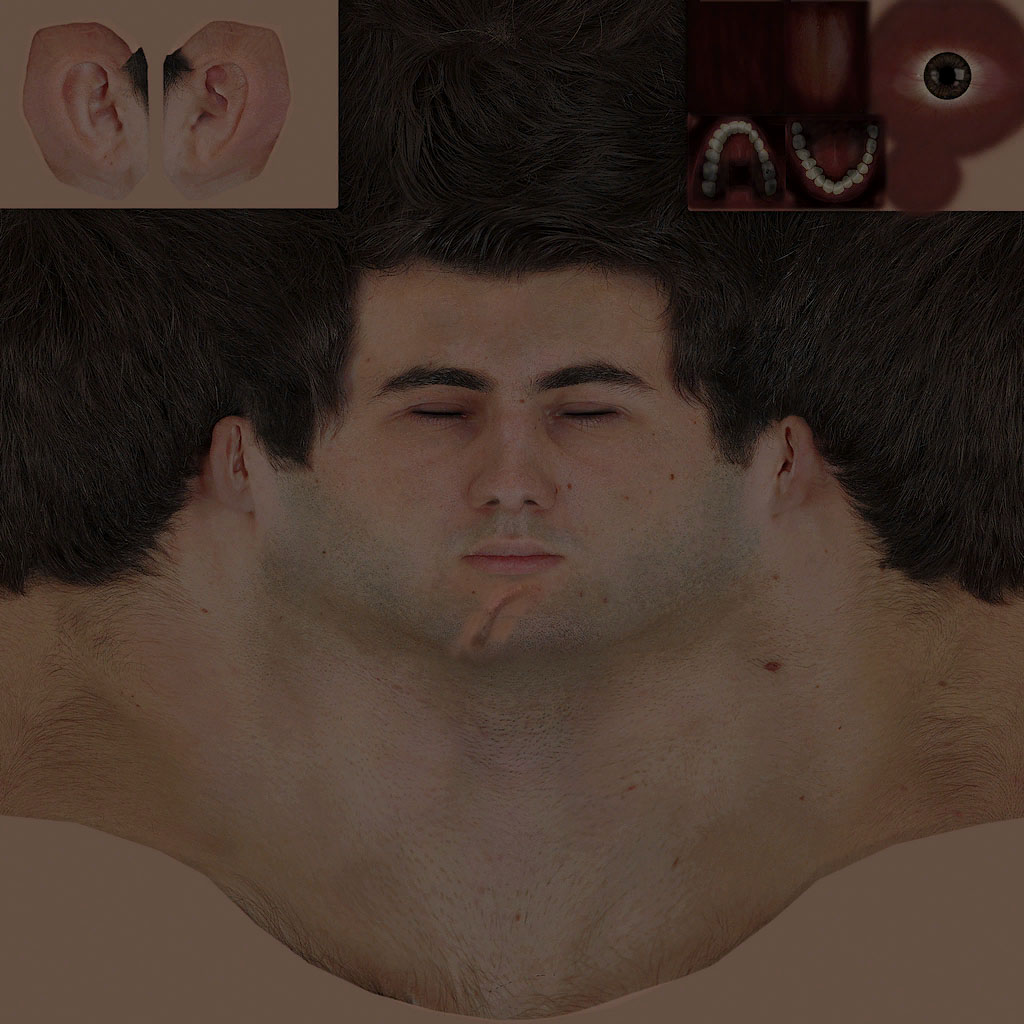
 olive gale
found out that the custom faces are put with opacity on Kerry's face
full quarry
the profile custom face system is not quite working
olive gale
yea
full quarry
if you want to make a properly custom face you will need to make a addon with new face and identity classes
 floral seal
Does anyone know if their Contact DLC Gorka's do this? and what is the primary cause for it?
reproducible by exporting from BIS VA > importing to editor character's VA
 austere nest
dont know if this is correct section but im trying to do .rvmat and normal maps for a RHS retexture (rhs_emr which is tolerated by RHS) I have made, the thing is everything shows how to do it with the models but I dont have the model (its binerized and it isnt allowed by rhs) so I cant follow that method of normal mapping, is there a way I can do it without using models?
full quarry
austere nest
dont know if this is correct section but im trying to do .rvmat and normal maps ...
There are tools to generate normalmap from heightmap for example. or you can even try painting it by hand but there is no easy way to do it without model.
Generally retexturers rarely change the normalmap of model as it is qutie difficult
full quarry
floral seal
reproducible by exporting from BIS VA > importing to editor character's VA
usually this means you try to apply wrong texture on it or have bad path
full quarry
you have not applied any retexturing?
floral seal
nope
full quarry
any mods running?
floral seal
that's straight vanilla, just ctrl x > ctrl v'd a unit
nupe, it's just the a3, i was testing it on a clean launch to just be sure my own gorka's weren't f'd
so like, yeah >< idk what is going on thar
full quarry
floral seal
so like, yeah >< idk what is going on thar
u sure you got no mods on? your trees got no leaves

cant really reproduce so it is most likely something on your end
floral seal
hrmm i'll look into this more, it seems to be something to do with insignias, where i take insignia-driven arsenal character > import it on editor and it just doesn't like the import. If i do it straight shot editor only VA, it seems to be fine.
Reaaaaaally odd
it's just a theory mind you, definitely something my end
floral seal
vanilla patch work
full quarry
then possibly unit insignia file has corrupted or its somehow faulty resolution or something like that
 zealous niche
do uniform retextures allow different textures on left/right arms/legs?
lethal condor
No retex allows that but model thing
zealous niche
yeah want to do a retexture commission and add some stripes on one leg and one arm but i wasnt sure anymore if thats possible or if uniforms just mirror the one arm
 limber plank
austere nest
dont know if this is correct section but im trying to do .rvmat and normal maps ...
limber plank
austere nest
dont know if this is correct section but im trying to do .rvmat and normal maps ...
normal map for the uniform should just be in the .pbo with the _nohq postfix if you need it
for most retextures you don't need to touch the .rvmat
not unless you are trying to put a different normal map, ambient shadow map, etc on the model
 spiral bay
is there anyone in this thread who would be interested in creating a few custom uniform/gear textures for a casual milsim unit?? i dont have any experience in it.
@full quarry you seem to be a popular guy in this thread, any chance you know of anyone who does commissions
full quarry
have not kept tabs sorry. #creators_recruiting would be the place to ask
spiral bay
thanks man
 midnight sapphire
Anyone mind guiding me to make custom textures for jets and heli copters for CDLC SOG
lethal condor
What do you need and what you don't know?
midnight sapphire
I cant access .PAA files Texvew2 wont install so i use the steam tools and im trying to find the pbo file for F-4 for SOG and i havent gotten any further
lethal condor
You can't. It is ebo, not pbo, which means you can't directly access into the paa
midnight sapphire
Ahh so how would i import ebo
lethal condor
Don't
midnight sapphire
Alright
lethal condor
https://community.sogpf.com/d/537-prairie-fire-texture-templates
Here is the template that officially released. You can refer this
midnight sapphire
Alright thank you
lethal condor
And what do you really mean that you can't install TexView 2?
midnight sapphire
lethal condor
And what do you really mean that you can't install TexView 2?
Says an admin has stopped you from downloading this file
midnight sapphire
mind if i dm it i cant send it here

 lethal condor
Google suggests this:
https://www.freecodecamp.org/news/an-administrator-has-blocked-you-from-running-this-app-how-to-fix-on-a-windows-10-pc/

freeCodeCamp.org
Sometimes when you decide to open an app or file or install or open a program on your Windows 10 PC, you might get the error "An administrator has blocked you from running this app". You get this error because Windows 10 is optimized for protection against malware through Windows
Like, seconds of Googling
midnight sapphire
i did nothin popped up about it
lethal condor
You didn't what?
midnight sapphire
I tried lookin it up nothin like that appeared
lethal condor
Nothing like what?
midnight sapphire
lethal condor
Google suggests this:
https://www.freecodecamp.org/news/an-administrator-has-blo...
this
lethal condor
Not even sure which part of this
midnight sapphire
What you said google suggests
lethal condor
What, part, of, it...
midnight sapphire
that link / solution
lethal condor
What? You can't even see the link?
midnight sapphire
the one you sent i can but first time i searched the solution up i couldn't see that link you sent
lethal condor
W-what
midnight sapphire
Nvm
lethal condor

midnight sapphire
Lol
lethal condor
Google never suggests one and only link
midnight sapphire
lethal condor
Google never suggests one and only link
I know that i was just not getting a straight answer from google
lethal condor
Okay...
midnight sapphire
It didnt work anyway all ways didnt work
lethal condor
I don't know which is it and all ways you mean but then try another search I guess?
It is pretty common Windows issue, not BI/A3 Tools one
midnight sapphire
lethal condor
I don't know which is *it* and *all ways* you mean but then try another search I...
i tried all the fixes and more yet it still wont work
full quarry
midnight sapphire
i tried all the fixes and more yet it still wont work
You are trying to install the ancient Arma 2 tools
Install arma 3 tools on steam
midnight sapphire
full quarry
Install arma 3 tools on steam
thats what i did
full quarry
midnight sapphire
thats what i did
Your picture is showing install file for Arma 2 tools
Not Arma 3
midnight sapphire
i know that now
full quarry
So you have installed Arma3 tools now?
Arma 3 Tools is a complete tools suite for the Real Virtuality game engine powering Arma 3. It allows you to produce your own content for the game.Samples of usage and work are available in the Arma 3 Samples application.Key toolsTerrain Builder This is a terrain creation tool. It allows users to build their own virtual worlds from scratch.Objec...
Recommendations
220
 midnight sapphire
yep
full quarry
And have you run the Arma 3 tools program?
midnight sapphire
Yep
full quarry
Is there still some problem?
midnight sapphire
nope now i have to figure out how to edit the textures
full quarry
Most image editor programs should work
midnight sapphire
Yea so i just get the model into photoshop then edit it then what from there
how would i save it and upload it
midnight sapphire
alr
full quarry
You would then save the new texture file, set up P drive development environment, create folder structure for your mod, put your texture in there, create a config.cpp file and write the config for your new unit or vehicle so that it uses your new texture in its hiddenSelections parameters
midnight sapphire
full quarry
You would then save the new texture file, set up P drive development environment...
so config write would be the asset name right?
midnight sapphire
ahh
full quarry
Texview can also read the games texture file .paa
lethal condor
Even HG suggests you need P drive, I myself would suggest it is not really mandatory for hobby modders, but Addon Builder is enough
midnight sapphire
Yea i just mounted it
full quarry
It can be helpful to get things right 😅
lethal condor
If it isn't complicated, it works
lethal condor
If you want to apply ingame, just apply ingame with setObjectTexture, if you want to make a Mod, a new vehicle and call it a day, you'll need a config
midnight sapphire
well im making a model for a unit so i would need to make it a mod
lethal condor
What, I thought you aren't making a model
full quarry
Is it retexture of existing vehicle or a new model and new vehicle?
For proper advice it's important to be accurate
midnight sapphire
full quarry
Is it retexture of existing vehicle or a new model and new vehicle?
Existing vehicle from SOG
midnight sapphire
midnight sapphire
Anyone mind guiding me to make custom textures for jets and heli copters for CDL...
...
lethal condor
I know. You must be consistent on what you say
midnight sapphire
Ahh alright mb
lethal condor
IRC troubleshoot 101: Be accurate to say something
midnight sapphire
Good idea
midnight sapphire
Retexture
lethal condor
Yes. A new class with a retexture
lethal condor
Then learn step by step
midnight sapphire
Yea i have i gotten to the point of making the retexture
lethal condor
So you have the texture itself. Next up: as HG said you need to make a config class... which represents a vehicle
lethal condor
New one. You never modify an existed pbo/ebo/whatever
midnight sapphire
Alright then im back to step one
lethal condor
Step one?
midnight sapphire
i have to make a config class but idk how to do that
lethal condor
A config class is defined by a config file, aka config.cpp - basically is just a text file but with certain syntax.
https://community.bistudio.com/wiki/Class_Inheritance
This article should explain at least basics of it
midnight sapphire
ok i have the config.cpp
lethal condor
Well let's go to #arma3_config for further
midnight sapphire
kk
 spark shore
Hey I can't find the textures for the Mk49 Spartan
I assumed it would be in the jets pbo folders but can't find them
are they somewhere else?
nevermind I remembered the config viewer is a thing
full quarry
👍 😅
 dense peak
Hey guys, anyway to texture the interiors of vehicles that got added in the tanks update? Looking to spice up the Marshall's interior a little bit
lethal condor
Nope
dense peak
Ah damn
 tribal tundra
Hi quick question
Im having trouble locating the nohq map for the CBRN suits
Does anyone know where to get it?
full quarry
did you look in the Enoch character pbo?
 round pier
If i want retexture, should i make darker textures than it will expected in game
 round ermine
question about hiddenselections, how much of an impact in performance do they have? Is that the reason some objects dont have them? Or some vehicle parts like for example the tank interiors. I mean the textures are there, any reason why the devs didnt add hiddenselections to those sections?
or is it just lazyness?
round ermine
round pier
If i want retexture, should i make darker textures than it will expected in game
kind of a hit or miss. Depends on what you are retexturing. AAF uniforms are pretty much "what you see is what you get" whereass NATO uniforms become dark af when you retexture them
I guess you could play with RVMATS but ive no idea how they work
round pier
round ermine
kind of a hit or miss. Depends on what you are retexturing. AAF uniforms are pre...
Realy?
round ermine
what are you trying to do?
its simple, do the thing, export as jpg or paa and see the end result
if its too dark, adjust it
round ermine
round pier
As a resulr its becomes white
white? as in very bright or as in pure white? PAAs have to be on a power of 2 and cant be bigger than 4096x4096
spark shore
what kind of skybox texture does arma use?
I've seen sky_cloudy_sky.paa, is it like a stretched HDRI?
full quarry
yes I believe so
round ermine
round ermine
question about hiddenselections, how much of an impact in performance do they ha...
Also, this, if anyone knows why this is
full quarry
round ermine
question about hiddenselections, how much of an impact in performance do they ha...
Usually interior color swap serves no purpose in vanilla assets. It also does add bit more performance strain especially if all vehicles on screen run different textures
round ermine
Ah so its just a performance issue then
I’d like to swap the Xian’s cockpit but since its not editable i cant
Would like more retexturable props as well
round pier
round ermine
white? as in very bright or as in pure white? PAAs have to be on a power of 2 an...
Very bright
 neat cape
Anyone had success doing the CalmWater glowing/shining in the night? Or is it really still that bugged atm?
 violet flax
I'm having problems texturing the survival fatigues?
I can't seem to find the textures it uses
The config in characters_f_epa only refers to the underwater state, but doesn't really provide any reference to the textures of the uniform itself
 vernal sage
violet flax
The config in characters_f_epa only refers to the underwater state, but doesn't ...
vernal sage
violet flax
The config in characters_f_epa only refers to the underwater state, but doesn't ...
It's a bit of a complex model because it uses 4x selections that are a mixture of textures from other models (NATO Combat Fatigues/Wetsuit).
Unfortunately, the vanilla config doesn't give you much help to start off with since BI never intended to make any derivatives of it for any other camo scheme, as this uniform was made long before Apex/Contact (so tropic and woodland MTP didn't exist back then).
For each camo selection, the texture is based on the following:
camo - "a3\characters_f\blufor\data\clothing1_co.paa", used by Combat Fatigues [NATO]
camo1 - "a3\characters_f\common\data\diver_suit_nato_co.paa", used by Wetsuit [NATO]
camo2 - "a3\characters_f\common\data\diver_equip_nato_co.paa", used by Wetsuit [NATO]
camo3 - "a3\characters_f\common\data\basicbody_green_co.paa", used by the Combat Fatigues [NATO] (Tee)
violet flax
vernal sage
For each camo selection, the texture is based on the following:
**camo** - "a3\c...
Thank you lots man! 😄
 tulip oyster
hi, i made .paa picture with logo of my group but in Arma it look like picture with ~1% transparency and idk why. I can send photo of this
tulip oyster
full quarry
perhaps you saved it as wrong resolution or with wrong texture suffix
or its wrong format
tulip oyster
Ok, i will try with larger resolution now
tulip oyster
full quarry
use the same one as the original texture has
i used the same, 400x400
now i making 540x540
lethal condor
Resolution must be power of 2
tulip oyster
lethal condor
Resolution must be power of 2
Oh, thanks, now works :)
 wise dagger
having problems with specularity... I'm using Substance Painter for texturing so which one should I prefer you guys think?
1- using specular shader in Substance, exporting with spec/gloss maps (cool but it's hard to work with specular shader in Substance Painter)
2- using PBR shader in Substance, exporting with spec/gloss maps (this is what I always do but I think it has no effect on smdi map and that's my problem basically)
3- using PBR shader in Substance, exporting with metallic maps, for example: to create a smdi map the red channel is grayscale, blue is base color, green is roughness (is that even works?)
or any ideas for properly exporting textures from Substance Painter?
full quarry
there are public export presets for SP/Arma3 that can work as startingpoint
wise dagger
so what should be the channels for smdi map when exporting from PBR shader? I already downloaded what you said but there is more than one export preset and I'm not sure which one is useful for Arma
 woeful estuary
where could I find Heli helmet texture files? I found the model but in config viewer it doesn't list texture file
full quarry
is it vanilla?
if it does not list hiddenselections it might not be retexturable
but next thing would be tracing its model path and look around in the data\ folder there
woeful estuary
full quarry
is it vanilla?
yea I was looking at vanilla helicopter helmets
woeful estuary
full quarry
but next thing would be tracing its model path and look around in the data\ fold...
as far as I looked it's empty
I dont know why but they were called dummycap and dummyheadgear ( the models) and I didn't find any textures even though there are 6 diffrent helmet versions
full quarry
You sure you had the right class?
woeful estuary
yea
full quarry
What class did you look at?
woeful estuary
in config I checked hiddentexture something and it was empty
full quarry
Ye but what helmet class
woeful estuary
I am launching arma again to check
It's headgear base
H_PilothelmetHeli_b has no textures linked but only model in weapons_F
full quarry
    class H_PilotHelmetHeli_B: H_HelmetB
    {
        author="$STR_A3_Bohemia_Interactive";
        _generalMacro="H_PilotHelmetHeli_B";
        displayName="$STR_A3_H_PilotHelmetHeli_B0";
        picture="\A3\characters_f\Data\UI\icon_H_Pilot_Helmet_Heli_B_CA.paa";
        model="A3\Characters_F\Common\headgear_helmet_heli";
        hiddenSelectionsTextures[]=
        {
            "\A3\Characters_F\Common\Data\helmet_heli_blk_co.paa"
        };
        class ItemInfo: ItemInfo
        {
            mass=30;
            uniformModel="A3\Characters_F\Common\headgear_helmet_heli";
            modelSides[]={3,1};
            class HitpointsProtectionInfo
            {
                class Head
                {
                    hitpointName="HitHead";
                    armor=6;
                    passThrough=0.5;
                };
            };
        };
};```looks to have hiddenselectiontexture listed
perhaps you did not fully open it or something
woeful estuary
I see, well I found it now thanks
woeful estuary
another question, when I am about to merge all the layers for png ( I dont know if there is anything better) do I keep the SMDI AS and NOHQ layers? ( mainly because SMDI layer makes everything super dark)
 static salmon
how do I lower emission/specular intensity of an rvmat
I change a bunch of values and nothing happens
full quarry
you did not perhaps pack the file
 shy elm
hello