#arma3_texture
1 messages · Page 50 of 1
 full quarry
 full quarry
could be that flag
 abstract holly
i'll test this flag, it doesnt have much info
i assume that "nowrite" in the rv mat file means that nothing is drawn
i.e transparent
full quarry
I dont think its that universal
abstract holly
got that flag from here
full quarry
there are different render passes that such flags can affect
abstract holly

full quarry
like noTIwrite would mean no rendering in TI mode
but it would still draw the surface elsewhere
or could mean
test it out
abstract holly
will do, i'm trying to make it so you can fly through fog and still see where you're going
and the only thing i can think of to do that is give the pilot thermals and make the glass seethrough to TI
full quarry
👍
abstract holly
idk if theres some way to control the rendering of fog clientside
full quarry
nope
abstract holly
like some kind of shader that lessens / removes fog
full quarry
nope
full quarry
would be cool to have such
abstract holly
oh yeah
full quarry
some sort of combined sensory presentation view mode thingy
abstract holly
yeah thats what i wanted
could even go as far as making a vehicle that doesn't have glass windows
full quarry
that is an option yeah
abstract holly
would be cool
full quarry
but the flag sounds it could work
abstract holly
true, am gonna try it
if it works i guess i'm diving into how those custom thermal options work to see if i can make one thats easier to see through, that or pick apart arma 3 thermal improvement to see how it works
 toxic knoll
Anybody have luck getting the custom rank icons in ACE to work? I can't seem to convert my .paa images to AI88 in texview2. images are 64x64. https://github.com/acemod/ACE3/pull/8174
 leaden bobcat
Can someone explain to an RVMAT simpleton how to make something shiny go matte? (Make sure to @ me so I get a notification)
full quarry
pictures and your current rvmat in pastebin could help
 stray relic
Reduce the values in the smdi texture most likely
 loud barn
is still 4K the largest texture's resolution RV engine supports?
 silver gull
yes
loud barn
thanks!
silver gull
Nothing beats Skyrim's 8K eyeball retextures...
full quarry
xD
loud barn
yeah, carrier, just thought about possible approach to improve its deck texture
so no 8192x2048 is suuported for instance?
full quarry
no
loud barn
got it, thanks
full quarry
in this case you would need to split the surface
and have 2 textures
or more
or use tiling texture
multimaterial could work on a big thing like that
loud barn
It is already splitted, but requires a lot of work with re-uvw mapping it seems
full quarry
that is often the case
silver gull
there is really no way around tiling texture for aircraft carrier... everything else is just wasting texture memory (or having too low resolution)
loud barn
it seems so, it would however force me to remodel the whole thing then, like adding a lot of decals, details texture-wise etc.
not sure the whole husttle would pay off in case of the BHR
this addon has a lot of limitations, from the historical point of view too
full quarry
not many options Im afraid
loud barn
indeed
silver gull
call it future proofing...
loud barn
huh, I just retextured its deck to add a wooden planks, as it seemed to have wooden deck in Vietnam era, only enforced partially by metal and coating 😉
no F-4s CAT'd with afterburners, etc 😉
silver gull
future proofing = next game engine
loud barn
oh, I thought you were referring to eventual further modification she would have 😉
and I just reverted her deck to a previous era, sort of 😉
 ancient parrot
You can get away with a lot by using a multi material for the deck only.
The various channels will allow you to mix the wood on the deck, or you can use them for material slots on other parts of the ship.
But I recommend using a separate material, two slots for the hull and the rest for trims or other.
You can try using a mc for decals but you're likely to be unhappy with the resolution that offers
ancient parrot
silver gull
Nothing beats Skyrim's 8K eyeball retextures...
The what
silver gull
ancient parrot
The what
i cant find the 8k eye mod. This is just 4k. Weak.
https://www.nexusmods.com/skyrimspecialedition/mods/18199
😆

Nexus Mods :: Skyrim Special Edition
Showcase your Dragonborn's power with these beautiful standalone glowing eyes! Flaming Orange, for your fire mage, Lightning Purple for your lightning mage, Life Green for your druid, Chilling Blue fo
ancient parrot
Well they sure are striking
loud barn
ancient parrot
You can get away with a lot by using a multi material for the deck only.
The va...
Hm... I wonder... This is the deck texture I got the model with, 4096x1024 (wooden plank layer already applied, downgraded for disco):
https://imgur.com/a/RJM2Ltu
Can we improve the textures without re-making UVW, just simply playing with channels on multimaterial? I thought it's just for better performance, you know a smaller number of materials and sections...
 ocean river
any good or useful rvmat guide that isn't from BIS ?
ancient parrot
loud barn
Hm... I wonder... This is the deck texture I got the model with, 4096x1024 (wood...
You could use the same uv map with multi material and simply tile all of the repeating textures.
The only thing you would need us a rgb mask for the deck and other parts.
You can try a 4k without tiling but keep in mind that your trying to apply what normally takes at least two on a vehicle to a floating sky scraper
loud barn
ancient parrot
You could use the same uv map with multi material and simply tile all of the rep...
That's very interesting. Never worked with multi-material, so definitively worth trying. Thanks mate, much appreciated!
full quarry
ocean river
any good or useful rvmat guide that isn't from BIS ?
No. But if you have questions, put those here and perhaps someone can help out.
 feral ember
Hi im looking for someone who could texture one beret for me as local mod or something
 zealous niche
feral ember
Hi im looking for someone who could texture one beret for me as local mod or som...
zealous niche
feral ember
Hi im looking for someone who could texture one beret for me as local mod or som...
you can ask this in #creators_recruiting . just use the form
ocean river
full quarry
No. But if you have questions, put those here and perhaps someone can help out.
Thank you.
 novel mauve
I'm getting into texturing myself, and was wondering if there's a better method for finding paa files? I want to retexture our camo and I'm looking for a CUP uniform model.
 warm skiff
novel mauve
I'm getting into texturing myself, and was wondering if there's a better method ...
warm skiff
novel mauve
I'm getting into texturing myself, and was wondering if there's a better method ...
first of all be careful with the retexture most of addons created by the community don't allow retexture so you need to contact them to ask them the permission.
Next to find the path of the file the easy method is to go in the editor place the object you want and see in the config viewer the "hiddenselectionstexture" line.
But rexture an element of the game (so made by BIS)" is allowed.
novel mauve
that's good to know, thank you.
In that case, any good, basic uniform models you would suggest?
warm skiff
https://community.bistudio.com/wiki/Arma_3:_CfgWeapons_Equipment this is the list of all objects present in game. With that u can see what i'm talking about.
for special forces i think you can go with it : U_B_CombatUniform_mcam u can find it in "a3\characters_f\common\suitpacks\data\suitpack_soldier_blufor_co.paa" his config are in "a3\characters_f\config.cpp"
for convetional forces you have it : U_I_CombatUniform u can find it in "a3\characters_f\common\suitpacks\data\suitpack_soldier_indep_co.paa" his config are in "a3\characters_f\config.cpp"
hope u understand how to add you're new texture in game if not u have some good tutorial about it and u can ask if u needed
full quarry
novel mauve
I'm getting into texturing myself, and was wondering if there's a better method ...
retexturing is made by painting a new texture or painting over existing texture. The models are not accessible so you cant use 3D painters etc programs
full quarry
warm skiff
first of all be careful with the retexture most of addons created by the communi...
Most addon creators do allow retexturing as far as I know. 🤔
warm skiff
full quarry
Most addon creators do allow retexturing as far as I know. 🤔
r3f, amf and rhs no or u need to contact them i don't know for cup but to prevent any problem it's better to contact them
novel mauve
but I can take a 3d model, retexture it, and save as seperate item correct?
full quarry
no
novel mauve
rip bro
warm skiff
novel mauve
but I can take a 3d model, retexture it, and save as seperate item correct?
No cause u need to unbinarize it and you're not allowed to do that
full quarry
you cant take anything and separate them
the original mod is used as requirement and your additions are loaded so that they use the models from the original addon
Its making, not taking.
 nocturne prairie
is in arma pixelshader and vertexshader with NOPX, CO and SMDI or DTSMDI possible?
i need a terrain with specular/glossines
full quarry
no
 minor dome
trying to do a retexture mod. at a halt and got no help. forms havent been of use looking for someone who knows what to do for help. PSA i already got the textures just need help getting to use them
 lucid ivy
Hi guys i like to know if exist a image where is the location of the gloves, pans,ect... on the texture map?
 grand warren
every uniform is different, so there is no universal "image" that defines the location
lucid ivy
what i need to trail and error?
 frozen blade
warm skiff
r3f, amf and rhs no or u need to contact them i don't know for cup but to preven...
frozen blade
warm skiff
r3f, amf and rhs no or u need to contact them i don't know for cup but to preven...
???
warm skiff
What ?
frozen blade
where did you get that rhs doesn’t tolerate retexturing?
warm skiff
In the website if I remember correctly
If I understand that concerne only some stuff but not all
frozen blade
Re-Textures
While in general we choose to tolerate re-textures of our original content, as per RHS NoDerivatives End User Agreement , we reserve the right to enforce our IP rights at our own discretion upon certain or all files, in accordance, but not limited to, the original author desire.
warm skiff
Yes and some files aren’t allowed to be retextured that why I said The best way is to ask
frozen blade
short version, no, you dont need to contact us for any permission for retexturing , we also don’t provide individual permission outside our eula
warm skiff
Good to know thanks
 dense peak
Is there any way I can retexture the C_Orestes character's uniform?
full quarry
what uniform is it?
dense peak
Jacket & Shorts
full quarry
and basically if setHiddenSelectionTextures command woks on it then you can retexture it
otherwise it has no hiddenselections to be retextured
dense peak
it is there, and I'm 100% solid I got the config correct, it just shows him naked...
 jaunty depot
i am trying to make only some parts of a texture appear, the empty parts appear black, is there a fix for that or is it just Arma?
I didnt make the model so i cant touch the model
full quarry
eah thats not possible
jaunty depot
gotcha thanks
 lethal condor
dense peak
it is there, and I'm 100% solid I got the config correct, it just shows him nake...
lethal condor
dense peak
it is there, and I'm 100% solid I got the config correct, it just shows him nake...
If it ends in an naked, that's not a correct config
 vernal sage
dense peak
Is there any way I can retexture the C_Orestes character's uniform?
vernal sage
dense peak
Is there any way I can retexture the C_Orestes character's uniform?
You cannot. c_orestes.p3d doesn't have a camo selection so it's not possible without hex editing the model.
The same goes for c_nikos.p3d and his Win episode counterpart, c_nikos_aged.p3d.
In the case of the latter, it doesn't even have a hl selection so the arm texture doesn't change to reflect the character's identity (i.e. a black/asian character will still have white arms).
full quarry
hex editing the models is not really an option either
 blissful pendant
Hi I'm trying to make a custom texture for my group.
I'm getting a error
File Files\Arma 3\custom items\jsts+beret\config.cpp, line 42:/cfgWeapons?: Missing '}'
However I added one and it's not going
The code I'm using is
#include "BIS_AddonInfo.hpp"
enum {
// = 2,
DESTRUCTENGINE = 2,
DESTRUCTDEFAULT = 6,
DESTRUCTWRECK = 7,
DESTRUCTTREE = 3,
DESTRUCTTENT = 4,
STABILIZEDINAXISX = 1,
STABILIZEDINAXESXYZ = 4,
STABILIZEDINAXISY = 2,
STABILIZEDINAXESBOTH = 3,
DESTRUCTNO = 0,
STABILIZEDINAXESNONE = 0,
DESTRUCTMAN = 5,
DESTRUCTBUILDING = 1,
};
class cfgWeapons {
class ItemCore;
class HeadgearItem;
class H_Beret_blk;
class jsts_beret : ItemCore {
    author = "Anda";
    scope = 2;
    weaponPoolAvailable = 1;
    displayName = "JSTS Beret - Enlisted";
    picture = "JSTS.paa";
    model = "\A3\characters_f_epb\BLUFOR\headgear_beret02";
    hiddenSelections[] = {"camo"};
    hiddenSelectionsTextures[] = {"\jsts_beret\berets\jsts_beret"};

    class ItemInfo : HeadgearItem {
        mass = 6;
        uniformModel = "\A3\characters_f_epb\BLUFOR\headgear_beret02";
        modelSides[] = {3, 1};
        armor = 0;
        passThrough = 1;
        hiddenSelections[] = {"camo"};
    };
};


//

}
If anyone knows what mistake I made please tell me as I'm completely new to this
full quarry
I wager you dont have P drive set up
blissful pendant
grand warren
you're definitely missing a ``;`` at the last bracket
Still getting the same message
blissful pendant
full quarry
I wager you dont have P drive set up
P drive?
full quarry
the mod development environment
blissful pendant
full quarry
the mod development environment
How do I get P drive running?
full quarry
🛠️
blissful pendant
It worked but now the beret is not showing
I have attach the pbo as one of you may know what I have done wrong
https://1drv.ms/u/s!ArMf4OYzjPS4gQWJPiyOi9jzPqSY?e=YZEw88
I honestly don't know what else I might be doing wrong as the Config file looks right
full quarry
what did you pack it with?
its likely your texture path does not match the files location in pbo
blissful pendant
I used FileBank to pack it
I'll check the path again in a bit but i thought i got it right
full quarry
right
so more than likely there is a lot that is messed up
use mikeros pboProject
it can help you to debug bad paths and syntax errors
blissful pendant
full quarry
it can help you to debug bad paths and syntax errors
I'm getting the error
rapWarning: missing file(s)*****
\Arma 3 - Custom mods\custom items\jsts_beret_addon\Config.cpp circa Line 11: \jsts_beret_addon\JSTS.paa
\Arma 3 - Custom mods\custom items\jsts_beret_addon\Config.cpp circa Line 12: \A3\characters_f_epb\BLUFOR\headgear_beret02
\Arma 3 - Custom mods\custom items\jsts_beret_addon\Config.cpp circa Line 14: \jsts_beret_addon\berets\jsts_beret
\Arma 3 - Custom mods\custom items\jsts_beret_addon\Config.cpp circa Line 18: \A3\characters_f_epb\BLUFOR\headgear_beret02
rapWarning: missing file(s)*****
rapWarning: missing file(s)*****
I read somewhere that it could be because the p drive is not set up properly but I have mounted it via Arma 3 tools unless that's the wrong way?
full quarry
well your paths dont match


all of this is bad folder structure imo
best would be root project folder (P:\)jsfs\other folders
blissful pendant
ahh I see 🤣
I'm getting somewhere 🤣
I only got
rapWarning: missing file(s)*****
\jsts_beret_addon\Config.cpp circa Line 12: \A3\characters_f_epb\BLUFOR\headgear_beret02
\jsts_beret_addon\Config.cpp circa Line 18: \A3\characters_f_epb\BLUFOR\headgear_beret02
rapWarning: missing file(s)*****
rapWarning: missing file(s)*****
I'm trying to base it off the Nato Beret as a retexture. By any chance you know how to fix this too...?
full quarry
does P:\a3\characters_f_epb\blufor\headgear_beret02.p3d exist?
blissful pendant
I'm assuming so, I took that bit of text off a old forum. The guy put in model = "\A3\characters_f_epb\BLUFOR\headgear_beret02";
full quarry
well in case your P drive does not have the file pboProject can not verify the path
blissful pendant
What could I do to solve this? sorry this is driving me nuts, though this was a easy task but now it's taken up to 9 hours to get here 🤣
full quarry
you can either create a dummy file at that path or extract A3 contents on P drive
blissful pendant
I know this may seem stupid but how do I extract A3 content on the P drive?
full quarry
how did you set up P drive?
blissful pendant
I used Arma 3 tools
full quarry
it too should extract the arma data
but its possible you did not do that part I suppose
personally I recommend mikeros Arma 3P
blissful pendant
right so I feel like I'm getting closer but got this error
rapWarning: missing file(s)*****
\jsts_beret_addon\berets\headgear_beret02.rvmat circa Line 12: a3\characters_f_epb\blufor\data\headgear_beret02_ti_ca.paa
\jsts_beret_addon\berets\headgear_beret02.rvmat circa Line 24: a3\characters_f_epb\blufor\data\headgear_beret02_nohq.paa
\jsts_beret_addon\berets\headgear_beret02.rvmat circa Line 72: a3\characters_f_epb\blufor\data\headgear_beret02_smdi.paa
\jsts_beret_addon\berets\headgear_beret02.rvmat circa Line 89: a3\data_f\env_land_ca.paa
I extracted the RVMAT file and put it into my own but how would I solve this issue
blissful pendant
I think I got the files now on my P drive but now I'm getting this
texture = "\jsts_beret_addon\berets\headgear_beret02_ti_ca.paa";
Illegal drive or root slash in 'texture=\jsts_beret_addon\berets\headgear_beret02_ti_ca.paa'
In File \jsts_beret_addon\berets\headgear_beret02.rvmat: circa Line 12 Illegal hard drive or root slash
In File \jsts_beret_addon\berets\headgear_beret02.rvmat: circa Line 12 Illegal hard drive or root slash
 blissful pendant
Got a error saying "Cannot open object jsts_beret_addon\berets\headgear_beret02.p3d 😢
I thought I was so close
Compiles perfectly
 candid plinth
anyone does have a proper multicam substance painter material?
full quarry
@blissful pendant if you are retexturing vanilla beret you dont copy the p3d into your addon
you refer to the original p3d
blissful pendant
full quarry
you refer to the original p3d
I got a error saying "Cannot open object a3\characters_f_epb\blufor\data\headgear_beret02.p3d"
What have I done wrong now 🤣
grand warren
Where does it say that?
In the pboProject error logs?
If so, make sure you ran arma3p on your p drive
blissful pendant
grand warren
Where does it say that?
In game when I click on the beret
The file compiles fine without errors
 floral seal
anyone have a clue how to make an rvmat material completely alpha, no specular/normal/etc, just hide something somehow using an rvmat? :3
ancient parrot
Those four numbers that are 1,1,1,1 are RGBA. That said you are wanting transparency then youd do that through the co/ca
full quarry
Long story short, you can't. Hiding should be done through hide animations
floral seal
hrmm got it okay thanks
 polar rivet
hello i need help i making some patches but somehow one patch got wrong colors ( blue become red and vise versa ) and others invisible
full quarry
probably wrong resolution of wrong file format or both
polar rivet
thanks it was that i ddn't notice i put 521 instead of 512
full quarry
I would not touch that
dense peak
Could someone possibly make a mod for SCP stuff? (Highly detailed vests, uniforms, patches, weapons, masks, gas masks, etc) all in one pack? I know it would be a difficult task, but I haven’t seen anyone do this.
 tame ridge
Someone know graphics mod?
full quarry
tame ridge
Someone know graphics mod?
Explain.
tame ridge
full quarry
Explain.
Something that do better textures for trees explosion terrain and staff like that
 heady cedar
tame ridge
Something that do better textures for trees explosion terrain and staff like tha...
heady cedar
tame ridge
Something that do better textures for trees explosion terrain and staff like tha...
for explosions maybe try blastcore
tame ridge
k thx
 hasty osprey
can someone help me? I made a texture for a vanilla vest. having trouble with the config file. whenever I try to make it into a pbo with elitness it pops this error
<adding entries:...>
config.cpp:compiling...
UI\icon_V_plate_carrier_1_CA.paa:loading...
</end entries>
Missing File Summary
config.cpp : \capybara\UI\icon_V_plate_carrier_1_CA
config.cpp : \capybara\equip_b_vest01.p3d
config.cpp : \capybara\Data\capybara.paa
config.cpp : \A3\Characters_F\BLUFOR\equip_b_vest01
missing file(s)
hasty osprey
all the files are at the designated directories but it recognizes them at missing
full quarry
You don't copy the original model for retexturing. You use it from the original location
Copying and distributing vanilla files is forbidden
@hasty osprey
hasty osprey
full quarry
Copying and distributing vanilla files is forbidden
Also I never meant to redistribute vanilla files. I only wanted to retexture the vanilla vest as a test since I'm pretty new to all this and I wanted to start of with something small
 foggy torrent
floral seal
anyone have a clue how to make an rvmat material completely alpha, no specular/n...
foggy torrent
floral seal
anyone have a clue how to make an rvmat material completely alpha, no specular/n...
you can try NoColorWrite or NoTiWrite https://community.bistudio.com/wiki/RVMAT_basics#Render_flags
floral seal
@foggy torrent thanks ! 🙂
dense peak
how do i edit textures
 astral cedar
You've got paint don't you?
dense peak
anyone got a quick rundown on the simplest way to edit a texture - as in how do i get an existing uniform texture, edit it, and then add it as a separate uniform? cheers.
full quarry
you set up Arma 3 modding tools and Developemnt environment P drive (for exampel PMC wiki has steps to do this along with installing additinal Mikero Toolset that will be helpful for mod development)
In the process of setting up P drive Arma 3 data will get extracted there and you can browse to the texture files you want to edit. They are in .paa format which you will need to resave as .tga or .png in TexView2 (arma tools package)
then you load that up into your choice of image editor (ms paint, gimp, photoshop etc) and apply whatever edits you want to do
Then you set up a mod folder on your P drive for your new retexture mod, create config for your new uniform according to good config inheritance practices, put the new texture in there and pack it up into a new addon pbo with pboProject
dense peak
could you link me software i need to get the textures and make a mod out of it?
@full quarry
full quarry
Sorru don't have the links at hand
dense peak
alright
dense peak
how to change .paa files into png
full quarry
It's in my explanation above
dense peak
@full quarry can i retexture a mask?
full quarry
I dunno. If it has hiddenselection textures set up in its config then quite likely.
dense peak
@full quarry i have a texture, what do i do now
full quarry
Normal users don't have embed rights here. You can post link to it though if you upload it somewhere like imgur
full quarry
You'll just have to try it out. I'm not a config proofread bot. 😝
dense peak
It doesnt show up in the arsenal when i boot up the game
grand warren
@dense peak
for a simple retexture (if correct parent class for inheritance is used) you can leave out class ItemInfo { ... }; and model="path/to/model" config entries
dense peak
Huh
grand warren
jup
😄
all you basically need for a retexture is
author
scope
display name
picture
hiddenselectiontextures
(the very basic)
dense peak
Can you edit put a line over the things i can erase in the picture?
grand warren
please post your complete config on pastebin.com and share the link here
dense peak
I will post it tommorow, im not at my pc
dense peak
Hello, I'm new to Arma, but I've been interested starting to learn how to contribute to player-created game assets. I think in terms of areas I'm more suited for as far as experience goes, would be painting textures for models, as so far I'm just a 2d artist and have barely gotten my toes wet with 3D work. I'm not really sure where in the learning I should start if making things like this is one of my goals. Do you guys mind if i post some of my art so you could potentially point me in the direction of something I might be more suited for? I hope this made some sense to you guys.
I'm hesitant to linking my instagram portfolio as I'm always scared that people are out to doxx me
but I could post some here if image sharing is allowed
don't want to appear like I'm spamming though
ancient parrot
Make an imgur account and upload there, that will protect your direct portfolios and such, just remember to add a watermark all over it or something so that it doesnt get copy pasted elsewhere as someone pretending it is theres
dense peak
@grand warren https://pastebin.com/JtzR8TY6
grand warren
Where is you "class patches" config?
dense peak
the what
grand warren
Exactly...
This is why your retexture doesn't show up
I'm at work currently. I'll try to write a config in a free minute, might take a while tho
 little notch
 grand warren
It uses addons builder... No good link 😉 😆
grand warren
@dense peak
you have a major flaw in your config (despite missing cfgPatches):
you used special characters in your paths / folders
this Worthy's_Helmets\Data\custom_helmet_heli_co.paa is a no go!
i changed it to Worthy_Helmets\Data\custom_helmet_heli_co.paa ect
https://pastebin.com/KU3aHV2X
you have to rename your folders now!
dense peak
Oh okay
grand warren
this might help you also to understand some basics
https://gitlab.com/CUP_Public/cup-public-repo/-/tree/master/retexture config template/ABC_CUP_Retextures

GitLab
Public data repository of the Arma 3 CUP (Community Upgrade Project) mod.
 lethal ginkgo
Hey guys! Im trying to create a Custom Backpack texture. I unfortunately the bag keeps being invisible and I get the error "Cannot Load SpadeCustoms\data\spade_kitbag_black_ca.paa
Heres what I got in my cfg
{
    class Spade_Customs
    {
        units[] = {"Spade Customs";};
        weapons[] = {};
        requiredVersion = 0.1;
    };
};

class CfgVehicles
{

    class B_Kitbag_base;

    class Custom_Backpack_Compact: B_Kitbag_Base
    {
        scope = 2;
        displayName = "Spade Custom Bag";
        picture = "";
        hiddenSelectionsTextures[] =
        {
            "SpadeCustoms\data\spade_kitbag_black_ca.paa"
        };
    };
};```Nevermind I seem to have discovered my error. Turns out I cannot use "SpadeCustoms" as the name of my pbo so I changed it to "spade_customs" and it seems to have fixed it
grand warren
@lethal ginkgo
you either leave units[] blank and let pboProject fill it, or paste your actual class name in it units[] = {"Custom_Backpack_Compact"};
you also have a ; too many in units[]
full quarry
is the file in P:\spadecustoms\data\ when you pack it?
lethal ginkgo
i fixed it all it works swimmingly now
 coral roost
Is here someone who can tell me how i can create camouflage textures for a vehicle for example?
full quarry
coral roost
Is here someone who can tell me how i can create camouflage textures for a vehic...
in what context? new model or retexture or something else
coral roost
I´m creating own models and like to get a camouflage on them.
full quarry
coral roost
I´m creating own models and like to get a camouflage on them.
do you know anything about texturing?
and what programs do you have?
coral roost
I created already some Skins for Fire Department, Police and Ambulance but non for Military. Using mostly GIMP for these small skins
 fair spade
Can someone help me make a texture? All I want is the white coat, with black shirt formal suit the coat to be turned to a dark red color.
 serene needle
How can I stop TexView2 from inverting the alpha of a .png when I save it to a .paa?
 hollow horizon
Try saving as TGA if you have alpha channel. I found that a lot of PNG writers cause problems with Alpha channel
serene needle
hollow horizon
Try saving as TGA if you have alpha channel. I found that a lot of PNG writers c...
Still got the same issue, I've got this weird issue, as soon as I turn off AO in video settings it goes away though: https://gyazo.com/b6f8ade601dfa84e07e4b81912536dfb
From previous research it's an alpha issue, but not sure how to correct
full quarry
serene needle
From previous research it's an alpha issue, but not sure how to correct
what type of rvmat does it have?
what would you want ti to look like?
serene needle
No RVMAT, it's just a CA texture on it
full quarry
ca always needs rvmat
serene needle
Really?
full quarry
use supershader type
serene needle
full quarry
use supershader type
I applied a flat rvmat to it and same issue
full quarry
what do you expect it to look like?
serene needle
It's supposed to just be text for a sign
full quarry
is it not supposed to be transparent?
or actually explain fully what is the problem
and also what does the mesh look like there?=
is the whole sign 1 texture?
what does the texture look like?
serene needle
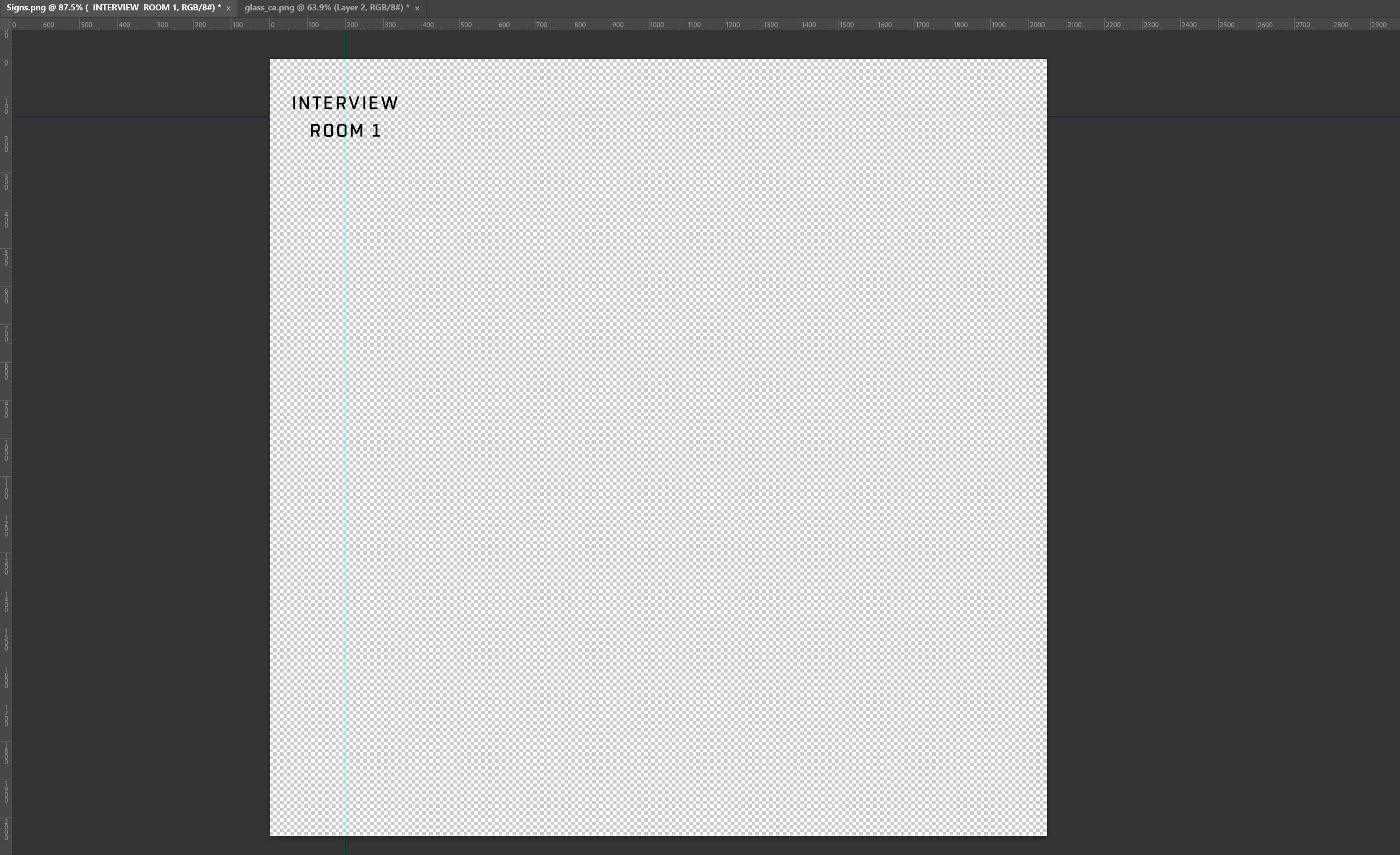
So the texture thats got the issue is just a face behind the glass, with the above texture applied
It's supposed to be transparent around it but the text is supposed to be black
it's got that weird alpha/ao issue though
full quarry
Ah. For simplicitys sake I would recommend just 1 plane with the text, not 2.you are causing quite big draw impact for very little gain with 2 alpha surfaces on top of each other.
If you insist on using 2 planes then you might have alpha sorting problem and the outer surface needs to be sorted on top
Most of the time less complexity is better though
serene needle
full quarry
Ah. For simplicitys sake I would recommend just 1 plane with the text, not 2.you...
I can't just do 1, i've got the one section for the glass as it's re-used throughout the building, not enough space to put the text on top of other stuff so it needs to be on it's own, it's not a sort issue I've brought it to top
ancient parrot
Adjust the alpha so that it uses 99% transparency rather than 100 (raise the black value a bit)
If that fails and you want full opacity and none, save it as _co, this will change it to a mask.
serene needle
I've given up on my original plan, put some metal text behind the glass and given up on opacity
 nocturne scroll
Are there any publicly available retexture templates for vanilla NATO vehicles, in particular the Slammer, Panther, and AMV-7? I found DreamRebel's repository, but it only has the template for the third texture for the Slammer UP.
Edit: i found Pete's templates on the forums, they look very promising
fair spade
Can someone help me make a texture? All I want is the white coat, with black shirt formal suit the coat to be turned to a dark red color.
full quarry
You would need to set up the modding dev suite (arma3tools and P drive) and find that particular texture Paa file from the extracted a3 data, resave it as png or tga with texview2 so you can edit it in image editor of your choosing (paint, gimp, photo shop, etc) then edit the parts you want to change. Resave, convert to Paa again, put together a config for it for uniform that uses the new texture. Pack it up into pbo and you got a new addon with your new texture
fair spade
Is there a place I can download texview?
full quarry
It's part of the Arma3 tools package
PMCwiki has good steps on how to set up the basics. They also point you to set up mikeros toolset which will make things a bit more simpler for making a working mod.
fair spade
Where do I find paa files?
full quarry
When you set up the dev suite correctly the relevant Arma 3 data will get extracted on the p: drive
fair spade
So, am I doing this correctly? I'm adding the : p drive, or trying to. But it's asking for credentials and stuff to actually make the drive.
@full quarry
full quarry
Did you use the PMCwiki guide for that?
fair spade
I couldn’t find PMCwiki
full quarry
Did you type PMCwiki to Google?
fair spade
I did, couldn’t find it. But a few seconds ago I did when I added Arma
full quarry
Excellent!
dense peak
idk weather this would be in texture or model but i would be willing to pay for some British Army formal wear as i cant seem to find any anywhere and its annoying me haha. If anyone can make British Parade Wear please message me! money is there ;))
frozen blade
dense peak
idk weather this would be in texture or model but i would be willing to pay for ...
 slender bramble
Quick question, which Stage handles specularity? As in, where do I put a specular map within an RVMat
 celest obsidian
slender bramble
Quick question, which Stage handles specularity? As in, where do I put a specula...
celest obsidian
slender bramble
Quick question, which Stage handles specularity? As in, where do I put a specula...
For Super Shader : https://community.bistudio.com/wiki/Super_shader
 tacit crater
Hey, So im trying to make a camo for a leopard mbt. but i dont how to make a ambient occlusion, diffuse and etc anyone who have a guide or can msg how to. i had a friend who told me something called mindtex can do that but i dont what it is.
thanks to those who will help 🙂
full quarry
@tacit crater is it new model or are you making a retexture?
tacit crater
retexture, bwmod
full quarry
Then you only need diffuse texture. Others are already made for it
tacit crater
ok
full quarry
And you do retexture by editing the existing texture
tacit crater
ok
full quarry
And only that gets packed into your addon
There are retexturing guides on BIforums if I remember right. Those should help you get started
tacit crater
i tried looking on forum and google. but my problem is how do i make a diffuse
full quarry
You paint it in image painting/editing software. Like MSpaint, gimp, photoshop etc
Whatever you know how to use
Or want to learn to use
Diffuse is the "color" texture
tacit crater
ok. cause my problem is that if i retexture the leopard it looks i dropped a bucket filled with paint on it. i cant see the screws and welds. when i searched it up it said that i needed a height map, ambient occlusion and the other
full quarry
Those can be used to overlay some details on to the new texture. You don't actually make them. So you would then use the existing textures
And yes retexturing something to look good is not a simple task
It's a very strong git gud situation
tacit crater
😂 i know this is not gonna get simple, and thats why im asking for help. cause i dont know too much about arma texturing
but thanks
full quarry
Retexturing is whole different workflow than actual "real" new model texturing
And it will take practice.
What painting program are you using?
tacit crater
full quarry
What painting program are you using?
photoshop 2020 and cs6
 indigo basalt
I am having an issue with my textures where the model becomes white in light environment's but I am not sure what setting is causing this since I inherited the rvmat from the Po7 pistol.
 nocturne lake
it's probably your smdi not being correct for arma
indigo basalt
I don't know, I have already exported an SMDI for another file without any changes to the output settings and that works fine.
 kindred arch
i have a question, what is NOHQ/AS/SMDI and what do they stand for?
and how can i make a png into them with GMP
Please somebody help
nocturne lake
indigo basalt
I don't know, I have already exported an SMDI for another file without any chang...
And predominantly what colour did this one come out? It should be mostly pink/magenta. If it's yellow/orange then the problem is the SMDI
indigo basalt
The brown of the wooden handle is fine even in the sunlight so I don't think its the file issues? its just the green of the main body that becomes near white in sunlight.
nocturne lake
well the bright white reflection indicated high specular (blue) and low gloss (green) to me. The other parts might look right simply by virtue of having a middle-ish spec and gloss value
full quarry
Arma can't handle the extreme white and black parts of specular map too well. They blow out very easily
indigo basalt
nocturne lake
And predominantly what colour did this one come out? It should be mostly pink/ma...
I derped and misunderstood the question, the smdi is mostly red/pink
kindred arch
I want to edit a patch on a vest, but there is smdi, as and nohq files and i dont know how to edit them, please help
lethal ginkgo
Hey guys! Im trying to retexture the Gorgon. It seems Im 90% successful however unfortunately the issue Im running in to currently is I cant seem to get the cage on it to the matching camo. I have all the textures in and cant seem to find any errors within my code.
https://steamcommunity.com/sharedfiles/filedetails/?id=2679763594
    class Spades_Independent_Black_APC_02_F: B_APC_Wheeled_03_cannon_F
    {
        scope=2;
        _generalMacro="Spades_Independent_Black_APC_02_F";
        displayName="Spade AFV-4 Gorgon";
        scopeCurator=2;
        scopeGarage=2;
        forceInGarage=1;
        side=2;
        crew="spades_security_Rifleman";
        faction="spades_security_faction";
        typicalCargo[]={};
        hiddenSelections[]=
        {
            "Camo1",
            "Camo2",
            "Camo3"
        };
        hiddenSelectionsTextures[]=
        {
            "spadesVics2\textures\Spade_APC_Gorgon_chassis_F.paa",
            "spadesVics2\textures\Spade_APC_Gorgon_wheels_F.paa",
            "spadesVics2\textures\Spade_APC_Gorgon_cannon_F.paa",
            "spadesVics2\textures\Spade_APC_Gorgon_cage_F.paa"
        };
};```You have 3 hiddenSelections and 4 hiddenSelectionsTextures
vernal sage
You're also missing two more textures. The Gorgon actually uses six selections and not just four (two for the hull, one for the turret, one for the storage cage on the rear/side of the hull, one for the camouflage nets, and one for the actual slat cage).
"camo1", "camo2", "camo3", "camo4", "CamoNet", "CamoSlat"
dense peak
hey, I've got some PAA files I want to turn into a mod for some uniforms and vehicles in the game. What's the easiest way of going about it?
cheers in advance 🙂
 modern reef
before the release of Arma 3, there where Screenshots of CSAT (at the time just Iran) that were using black TRG's, are those textures still in the game?
lethal condor
Never think so. Although it's very easy to recreate one
lethal condor
dense peak
hey, I've got some PAA files I want to turn into a mod for some uniforms and veh...
Do some config and pack. No other way unless you got a volunteered modder
dense peak
lethal condor
Do some config and pack. No other way unless you got a volunteered modder
wdym "do some config and pack"? absolute noob here
ill do it all myself, dont want to pay a modder or bother his time
lethal condor
Can't bother my time rn, #arma3_config is the good place
 iron lava
Would someone be willing to help me acquire the base texture for a 3CB beret? I know how to make a config and edit the texture and apply it, but what I'd really need is to see the UV layout of the model or get a copy of the original texture so that I can change the logo on the beret. Unfortunately, the pbo's are obfuscated so I can't easily obtain the texture. Specifically UK3CB_MDF_B_H_Off_Beret. I'm doing this as a surprise for one of my players and would greatly appreciate the help.
full quarry
@iron lava if 3CB has wanted to obfuscate their pbos you should be asking them for the file
iron lava
i'll check before bothering the 3cb guys
full quarry
if 3cb does not have rhs as dependency its very unlikely
iron lava
it does
full quarry
then could be
 hushed pelican
Hi, Can I merge hiddenSelection from differents uniforms, ex: chest from CSAT + arms FROM OTAN??
grand warren
nope
 bronze gyro
hmmm, when i turn my texture to paa there are many discolorations all over the texture, i think its because of the compression to DXT1, is there a way around it?
theyre just slight discolorations, not visible from afar but in 1st person view theyre quite apparent
 primal cobalt
use DXT5
and if possible, keep the texture in 4k, my retextures in 2k had some "baked" purple areas
btw a question, I'm editing one uniform which nohq file has baked insignia part. When I photoshoped this out, the area became pixelated in-game. Is there a way to edit nohq without access to the original model or texture?
bronze gyro
primal cobalt
use DXT5
it still bad when i viewed it in DXT5 in texview :/
will it support it 4k tho? i thought the limit was 2048x2048?
bronze gyro
primal cobalt
btw a question, I'm editing one uniform which nohq file has baked insignia part....
just edit the nohq and redefine the rvmat
reroute the nohq file to your new nohq in the rvmat
bronze gyro
bronze gyro
will it support it 4k tho? i thought the limit was 2048x2048?
lol nvm that it does, most of my retextures was in 4k already lmao
primal cobalt
bronze gyro
lol nvm that it does, most of my retextures was in 4k already lmao
hmm, what is the base file you edit and how do you convert it to paa?
tga -> paa through photoshop or png -> paa throu gruppe adler website?
primal cobalt
bronze gyro
just edit the nohq and redefine the rvmat
what does redefining rvmat mean
bronze gyro
primal cobalt
what does redefining rvmat mean
so textures are most of the time linked to a material (rvmat), this material defines the normal map, AS map, SMDI map etc to be used on the texture (color map)
you can change the rvmat used on a hiddenselection using the token
hiddenSelectionsMaterials[]={pathtorvmat};
primal cobalt
but do I have to access the model to make another rvmat or can I work with the same file without modifying it?
 limber plank
primal cobalt
what does redefining rvmat mean
limber plank
primal cobalt
what does redefining rvmat mean
rvmat is the material file that links the _nohq, _as, _smdi, etc to a model so that it renders correctly in game.
If you are trying to get rid of a insignia that is baked into the _nohq, you will need to edit the original _nohq (and probably the _as texture as well), then write a new .rvmat file that points to the _nohq and _as files. The assign the .rvmat to the object using hiddenSelectionsMaterials
damn exocet beat me
bronze gyro
primal cobalt
but do I have to access the model to make another rvmat or can I work with the s...
no need access to model, just open the pbo where the textures a located, it should be there together with the texture
limber plank
you will likely need to debinarize the rvmat using something like Mikero's tools
bronze gyro
limber plank
rvmat is the material file that links the _nohq, _as, _smdi, etc to a model so t...
trenchgun i absolutely love you bro you helped me a TON with that super to the point youtube tutorial <3 
primal cobalt
limber plank
you will likely need to debinarize the rvmat using something like Mikero's tools
so rvmat is a code, not a texture?
limber plank
yes
bronze gyro
yeas bro i didnt know about xnormals and shit your tutorial super helped i've created dozens of retextures now following that tutorial
limber plank
its a file that acts as the link to all the specialized textures
bronze gyro
ultra based
limber plank
bronze gyro
yeas bro i didnt know about xnormals and shit your tutorial super helped i've cr...
well I'm glad to hear that lol, I made that video for people in my group who wanted to know how to texture
but so far i'm still the only texturer 😔
primal cobalt
well when I started editing uniforms I thought "wow, that easier than I thought", then I opened one of Contact vests and got depressed immediately
limber plank
uniforms are the easiest IMO because it's easy to see whats an arm, a leg, etc
its the little pockets and pouches and details on vests that get confusing
and vehicles are nearly incomprehensible
i have to have arma open on one monitor and photoshop on the other and practically write notes on what I think is what
primal cobalt
I wonder how people edit those without ripping the models.
bronze gyro
primal cobalt
well when I started editing uniforms I thought "wow, that easier than I thought"...
Here follow trenchgun's tutorial it will; help a lot
https://youtu.be/xcQ1RtHRc8I
primal cobalt
it's tens of hours of work
limber plank
lots of time lol
bronze gyro
true but the true horror is once you get to configs 
primal cobalt
btw I found this thing: http://www.smart-page.net/smartnormal/ May come in handy for some
bronze gyro
nice
bronze gyro
limber plank
i have to have arma open on one monitor and photoshop on the other and practical...
one trick i see people use is to use a color gradient over the whole texture, so each part will be colored different and from then you can map things
primal cobalt
yeah I still don't get how to make helmet config, not at all. I made some LoW retextures for The Division mod but I simply cannot get those to show up
limber plank
primal cobalt
yeah I still don't get how to make helmet config, not at all. I made some LoW re...
https://community.bistudio.com/wiki/Arma_3:_Characters_And_Gear_Encoding_Guide
this is the go to page for writing config
#arma3_config is also the place to ask
primal cobalt
yup, thx
limber plank
that channel also has the all-in-one config dumps pinned, which for me has been extremely useful in referencing the original config
full quarry
4k retexture 
And people ask why fps tanks
Also the texture suffix is what dictates the compression type and if there are artefacts it means there are too many colors used in the textures. I'd recommend simplifying the design.
primal cobalt
full quarry
4k retexture <:notlikemeow:700311897937018890>
I've never seen any performance instability with uniform 4k textures, maybe it's an issue with vehicles.
 tender nimbus
hello, i was wondering if anyone knows of a way to create thermal textures for uniforms. I cannot seem to get mine to work. so far i have only edited rvmat to point to a _ti texture. I think i made the texture wrong unless theres another step besides "class StageTI" in implementing it?
tender nimbus
full quarry
what does your thermal image look like?
As you can see, im currently at my " i dont know what the hell in doing" phase.
tender nimbus
I know. Ive looked at both vanilla and rhs ti maps. The problem is i honestly dont know where to start to make it look normal.
frozen blade
primal cobalt
I've never seen any performance instability with uniform 4k textures, maybe it's...
multiply that by 20-50 ppl on screen, see if it matters
serene needle
Has anyone ever found a workaround for certain rvmat formats causing lighting issues for people with HDR enabled?
Ocean type rvmat applied to a surface as an example of one that has the issue
full quarry
its not meant to be used on objects
dont doeeet
many rvmat types are not meant for objects
serene needle
It has some really cool effects for weapon skins etc though, the only issue is the HDR lighting
if there is a fix for that it's epic
serene needle
I know it's not meant for it, many things aren't meant to be used for things people use them for, I was just trying to get an idea of if there may be a fix for that one and only issue
full quarry
 unfotunately its a no
 spark mulch
Is there any rvmat available in vanilla I can just refer to if I want to make a surface have a mirror/glass finish?
full quarry
there is no mirror rvmat. if you want actual mirror you would have to use PIP camera
there are various default rvmats in P:\Data_F\
serene needle
spark mulch
Is there any rvmat available in vanilla I can just refer to if I want to make a ...
Plenty of standard glass out there, but no way reflective like a mirror
spark mulch
Thanks both - I had a bit of a poke about and learned about the env map, answered my needs
serene needle
Only using PiP will get you a proper view, if you just use a texture/rvmat you get a generic HDRI not your actual reflection
 civic berry
Got a question. When I applied jpeg textures to a vehicle in arma using hidden selections and the indexes, the textures are fine. I move into coding the hidden selections and bringing them in. Textures look fine but getting closer than 10 meters causes the new vehicle wheels to vanish. Hitbox is still there but visually the wheels are gone. I’m retexturing cup’s new humvees if that helps
primal cobalt
@civic berry change them to .paa, jpgs have some rendering issues when used as a texture
civic berry
I have them retextured proper as .paa and in my retexture mod
uh, let me get a picture and I'll show the issue
oh wait I can't upload them.
well the issue is that at greater than 10 meters it'll look correct, but when I get closer only the wheels vanish, and from what I can tell, Ididn't do anything to change them
full quarry
close up lod might have typo in the wheel selection name or some such that makes it error
or close up lod has no wheels at all
or they are proxies that work badly
civic berry
full quarry
close up lod might have typo in the wheel selection name or some such that makes...
Is there anything I can do on my end to fix it? Or is this a bug that would need to be fixed by cup?
because it only happens on my retextured models and not the original models
civic berry
alright. I'll submit a bug report with them then. I've been ripping hairs out for the past like 3 days. I can link to the retexture I'm doing if looking at the .cpp would help. I'm new to this so I'm trying to make do with what info I can find
 slim ocean
What's better in terms of optimisation: 1x 4k texture or 1x 2k and 4x 512x512?
full quarry
are there transparent and non transparent textures in this mix?
slim ocean
All non transparent
Just working on a gun, and I'm thinking if it's better to have lower receiver, trigger, fire selector, mag release and bolt catch together in 4k image or lower in 2k and each of the other part in 512
Judging by pixels I think the latter would be better (70% less pixels than in one 4k img) but more files
slim ocean
Ok, thx
ancient parrot
think of optimisation as chemistry not math. In this case you use one large texture which reduces texture lookups (CPU) and trading the larger size for more memory used
silver gull
slim ocean
Just working on a gun, and I'm thinking if it's better to have lower receiver, t...
use 4096x2048 if you only need "a bit more" space than 2k. If you dont use half of the extra space you got, fill it with constant color -> it barely takes up extra memory once compressed
slim ocean
:/ I might've to make it all separate since for some reason substance painter breaks the textures on edges when I assigned vertex color in blender
I made the receiver completely red (vertex color) and the edges had green id in sp
🤷
hollow horizon
Probably because Blender assigns vertex colors by vertex not polygon.
Make a seperate copy, and apply edge splt so that you duplicate vertices, and use that for baking ID map
Although I think that the 2.80 and beyond versions of Blender assign it correctly if you are in Face select mode.
(just tested, 3.0 makes assignments of vertex colors corretly)
slim ocean
ugh... I guess I'll have to start all over again lmao
hollow horizon
Why that?
slim ocean
unless there is an other way of merging the textures
hollow horizon
Well it depends, if you are using 2.80 or later, you can multi-select more than one object and map them all on the same UV space.
slim ocean
hmmm... I'll try that
spark mulch
Are there any tools for batch converting .paa back to .tga?
full quarry
it just does xxx -> paa
for paa to xxx need to write a batch file
or there might be one posted on the channel history somewhere in here or on bi forums
 inner bay
Hello . I don't know if this is the right channel, but I'm going, I have a problem with my object builder for my 3D quality and my RVMATs, there are differences between the quality of my 3D blender and my object builder, ditto for textures, big difference between the texture on the substance painter and the texture applied on the builder object ,can you help me? you want pictures?
full quarry
pictures could be good starting point
inner bay
I can't send pictures ... weird .....
primal cobalt
embedding stuff is not allowed, use imgur or any external hosting and paste a link
full quarry
how are you exporting these to p3d?
seems like your sharp edges get lost in the process
inner bay
first / I export in fbx format for my painter with UV's .... after, with my builder I import the fbx of the whole 3D model and when I go to viewer, result, ugly 3D and texture and ugly RVMAT
full quarry
well that would be the problem
you want to export p3d directly from Blender with the Arma Toolbox addon
aand for ugly texture and ugly rvmat, well
you need to make better textures im afraid
inner bay
i want to export Fbx from blender to builder for integrate on arma
full quarry
possibly your uvmapping has issues and perhaps your texture resolutions are bad
full quarry
inner bay
i want to export Fbx from blender to builder for integrate on arma
no you dont
inner bay
sorry for my english, i'm french
full quarry
you want to export P3D with Arma Toolbox Blender Addon
full quarry
inner bay
sorry for my english, i'm french
that I cant fix Im afraid.
sorry
😛
(joke)
inner bay
arma toolbox blender ?
inner bay
???????????????????????????????????????????????????
i dont know
with texture on the p3D ?
on blender directly ?
full quarry
no textures you export from substance painter
full quarry
the model as p3d from Blender to Object builder with the toolbox addon
the model as fbx to substancepainter and textures exported from substance painter
full quarry
no. I dont have it. just put "blender Arma toolbox" to google
inner bay
okay , verry simple haha !!😂
full quarry
should show you the github page
celest obsidian
@inner bay DM me
 green moth
does anyone know how to config textures into arma 3 for optre marines ???
full quarry
Same way as with anything else that supports hidden selections
dense peak
Hello, can anyone explain how multiple textures work in one p3d model, i made a uniform but i seperated it to 5 parts (jacket/pants/pouches/velcros etc) how does it work? How does arma knows where to apply the textures?
primal cobalt
Hidden selections, you give them names and you or people can give them dofferent textures.
There should be a good read somewhere on BIKI
dense peak
primal cobalt
Hidden selections, you give them names and you or people can give them dofferent...
ill check it out thank you
full quarry
primal cobalt
Hidden selections, you give them names and you or people can give them dofferent...
Well not quite. Hiddenselections allow one to change texture assigned to to a model but the model itself knows what textures it has because those textures are assigned on different parts of the mesh.
full quarry
dense peak
Hello, can anyone explain how multiple textures work in one p3d model, i made a ...
5 textures on uniform is quite a lot, optimizing that into 1 or 2 would be better for performance.
P3d knows what textures each face has if you have each face assigned with appropriate texture just like your model knows which texture it has on different part when you have made it
But only if you export it in a way that retains that information
 spring hazel
hello, ihave zero knowlegde how to retexture assets, does anyone has a good tutorial how to do it easily?
primal cobalt
spring hazel
hello, ihave zero knowlegde how to retexture assets, does anyone has a good tuto...
https://youtu.be/qZoI7f0ApSI one of the most noob-friendly guides.
spring hazel
thank you kind sir
 wheat fractal
Can anyone help why my textures aren't transparent after the p3d is binarized. I asked someone else to binarize it and it works fine. Im using Addon builder and the transparent background becomes black.
 wise dagger
wheat fractal
Can anyone help why my textures aren't transparent after the p3d is binarized. I...
wise dagger
wheat fractal
Can anyone help why my textures aren't transparent after the p3d is binarized. I...
add *.paa; to the list of files to copy directly
in addon builder options
full quarry
Is the texture assigned to the P3d model?
And you should perhaps consider better packing procedure with mikeros pboProject
wheat fractal
wise dagger
add *.paa; to the list of files to copy directly
I already have it like that, I havent changed any other settings
wheat fractal
full quarry
Is the texture assigned to the P3d model?
Yes
wheat fractal
I've fixed the issue, thanks for the suggestions
full quarry
what was the fix?
 latent magnet
He had the texture in the wrong drive IIRC.
wheat fractal
latent magnet
He had the texture in the wrong drive IIRC.
Dont laugh...
full quarry
🤏
dense peak
full quarry
5 textures on uniform is quite a lot, optimizing that into 1 or 2 would be bette...
Im still a noob at this lol😅 right now i got another problem i first tested my first p3d exports (without character template) all the textures work fine in objct builder, but after i joined my uniform with the character template (all rigged and joined with 4 lods and view pilot etc) and tested it in object builder all the textures are gone. 😭
Is there a solution for this? i double checked the paths of my paa everything is correct, weird thing i saw is the character template uses tga for the character skins
Is tga contradicting with my paa
dense peak
full quarry
what does "joining with character template" mean?
I followed the tutorial from sokolonko, youtuber.
I made my uniform 3d first in blender, then made my textures from substance painter, then back to blender again with arma tools plugin, then after that i grabbed the character template from arma samples then boom, merge my uniform with the character template
full quarry
I must admit, I got no idea what is in there
ok so does the merged object still have the materials assigned to it in blender?
dense peak
full quarry
ok so does the merged object still have the materials assigned to it in blender?
Yeppp all paa paths and rvmat is still there
full quarry
if they are there and the materials are actually assigend to the model it should export
my guess is the materials are not assigned
they are just on the list
dense peak
Ohh i see its fine ill just message here
dense peak
full quarry
they are just on the list
In the list, like they're just at the materials section and not assigned in arma paths?
full quarry
no like they are on the material list but not actually assigned to the model
change their viewport colors to see if they are on the model
 dense peak
i see ill try that one hold on
dense peak
full quarry
i change the viewport colors yepp theyre on the model
hollow horizon
Didn't quite get what this is all about, but Check your UV Sets. The old Blender used to merge UV Sets by position, the new one merges by name, so if your original UVSet was named differently, you might end up with two of them.
@dense peak
full quarry
good call too
dense peak
hollow horizon
Didn't quite get what this is all about, but Check your UV Sets. The old Blender...
yepp i didnt hahah i only watched tutorials sorry for the trouble
oooooohhh i think i saw the problem you were right i have two uv sets
thank you guys veryy muchh
❤️
 severe rune
full quarry
severe rune
full quarry
whatever that model is, I like it
full quarry
severe rune
whatever that model is, I like it
iz a dude
 severe rune

ancient parrot
Mr X in a crysis nanosuit with some far eastern inspiration
 opaque halo
Hello guys, i was trying to apply the normal, ambient occlusion and the other maps to a weapon model i made with the rvmat file, but the only thing that apears in bulldozer is the basic texture (_co).
i made sure the rvmat had the right directory and saved the maps as a paa again but with no positive change
 noble crown
where does one find/get the standard textures? (black, khaki, hex etc)?
wise dagger
@opaque halo can you share your rvmat?
wise dagger
you have p drive?
opaque halo
yes its assembled
wise dagger
what's showing for texture path in object builder face properties menu?
opaque halo
users\alexandre\desktop\projectos arma 3\sioops_allinone-main\sioops_allinone-main\tb_arifle_ak12\data\ak12_co.paa
wise dagger
keep your mod files inside the p drive
wise dagger
because arma 3 searches textures like this p:\ < your texture path >
grand warren
and never us p:\ in any (texture) path
opaque halo
ok thanks i will see if that fixes it
grand warren
if your config.cpp is in p:\<my_prefix>\<my_project>\config.cpp, and your textures are in p:\<my_prefix>\<my_project>\data\textures\image.paa, the path in your config must be data\textures\image.paa
so, the folder where your config.cpp is located is the "root folder" for all your related paths
opaque halo
well it still doesnt work
i move everything to the p drive and checked the paths
still no luck
opaque halo
nevermind i somehow fixed it
 cursive mountain
Hello comunity.
Somebody can help me.
I need use player name like text on hidden texture uniform
Is posible?
Like nametag
floral seal
If I brought my model into ObjectBuilder, is there a tutorial on how to assign rvmats and textures to the model so I can use hiddenselection/materials?
full quarry
not for that exactly.
floral seal
< what's the best way to assign new textures or paths and set up hiddenselections and hiddenmaterial paths? 😮
full quarry
hiddenselection textures are set up in config
and they connect to named vertex selections on the model
those selections have to also be defined in model.cfgs sections array for that model
there isnt really "best way" there is just one way it works
floral seal
so i can do this mostly out of O2 and just prep the paths as needed?
full quarry
mostly
floral seal
hrmmmm, alright that's a good first start. Thanks Horrible
(frustrating process but i'll get there)
full quarry
you assign textures to model
you make vertex groups/ named selections out of the parts that have those textures
you add those group names to sections array in model.cfg
you add those groups and texture paths to hiddenselection configs
floral seal
can i do the vertex groups/named selections in O2? 😮
full quarry
sure
but if you have done the model outside of OB it would be adviseable to do them into the source model
floral seal
right that simplifies some of this @_@ arguably with the loss of armaholic i'm wondering whether there's a comprehensive place for tutorials going into these depths, would save you a hassle ton
full quarry
to not lose them
floral seal
right, hmmm
full quarry
Armaholic did not have such tutorials either
floral seal
i use 3ds max, so i set the material IDs, would that reflect in A3?
full quarry
this stuff is covered in a lot of BIForums topics id wager
floral seal
👍
full quarry
I dont know much about how Max works
if ive understood right it does not export vertex groups in fbx without skeleton for those groups being present
floral seal
sections[] = {};
You mean this area don't you
full quarry
yes
floral seal
hrmmm, okay i'll have another look into this. Thanks again!
 burnt shale
does anyone have a download for Texview 2.5? The version on arma tools gets an error trying to open .paa files
burnt shale
just like any one that I can come across, trying to make textures for vehicles, I did find a work around though, I just use a .paa to .png converter
civic berry
Have you tried uninstalling and reinstalling Arma 3 tools?
dense peak
anyone know a good software for creating transparent tgas other than photoshop?
texview doesn't like tgas that come from gimp
full quarry
from gimp you just have to turn off the compression in the export dialog
other than that gimp works just fine
dense peak
the only option I get in the export diag is selecting what corner I want the origin in

oh wait
I'm dumb I see it
just tried it with compression unchecked but it still gives me an error importing to texview
full quarry
what resolution is it?
and you sure you opening the same file you just exported?
as I am absolutely certain it works
dense peak
512x512
and that's the right file
maybe I gotta update gimp
or the targa plugin is bad
dense peak
that solved it, I was using a version of gimp from 2019
dense peak
Hello, if i use hidden selections for my uniform (for multiple textures different variations) by using configs and paths is it also important to add the CA and RVMAT in my blender as well where im making my p3d?
Or the scripting(hidden selections) in the config is enough?
full quarry
Yes the model needs to have default textures
dense peak
Thank you
burnt shale
Does anyone know where the textures from art of war? The biki doesn’t seem to have them in CfgVehicles page and I’ve been searching for a while. Arma/addons/AoW is also empty so not sure really
bronze gyro
burnt shale
Does anyone know where the textures from art of war? The biki doesn’t seem to ha...
Its in orange folder
Oh nvm youre talking AoW, i believe its still encrypted
burnt shale
Wait what…?
bronze gyro
I think its still in ebo
burnt shale
Does that mean the textures are impossible to change?
bronze gyro
No its possible
Just not possible to open the pbo
If you wanna find texture path, just open config viewer
burnt shale
bronze gyro
If you wanna find texture path, just open config viewer
I did that
I’m not sure how to go from confit viewer to the file
bronze gyro
What are you lookig for
Are you trying to grab the file?
I dont think thats possible since its still encrypted, but u can replace textures
bronze gyro
Oh, you’re in luck, photoshop templates are available for the dress uniform in a3 samples
Just download it
Or i can just send it to you
Since samples is 4gb lol
noble crown
how does one acquire a texture? make a texture?
bronze gyro
Acquire —> Grab it from the pbo/samples/community texture templates
Make —> open up any visual design software and start drawing
 vivid quest
Is there someone here who could look at a config for me?
I followed the ICP tutorial but its nit working and im not adept enough at coding to figure out why
 dim shoal
Eliteness says it can't find my texture files
dim shoal
Anyone familiar with retexturing willing to give me a hand? Eliteness throws out an error about not being able to find the textures but I have double checked the names. If I pbo it through the arma addon maker then I do get an item but it just has the default texture instead of the new one.
full quarry
eliteness is not proper tool
use pboProject
and if it says it cant find the file your paths or P drive folder structure is broken
dim shoal
P drive issue
 ornate pebble
When digging into a pbo, certain helmets all have a certain flag on them, if the flag isn’t actually in the helmet texture, but instead almost like a patch that it calls for on every helmet. What is the best way to remove it entirely? Since it seems to be separate from the helmet.
bronze gyro
ornate pebble
When digging into a pbo, certain helmets all have a certain flag on them, if the...
the patch will need to be in a different hiddenselection than the helmet texture
and then you just dont assign a texture to that particular selection
ornate pebble
bronze gyro
and then you just dont assign a texture to that particular selection
it is in its own texture file, the "unassigning" would include deleting the texture files and removing what from the cfg?
bronze gyro
just dont assign it as a hiddenselection, example:
hiddenSelections[] = {"helmet", "patch"} original cfg
hiddenSelections[] = {"helmet"} new cfg without patch texture
well actually that would make the patch selection use the original texture assigned in the model
i think you can just assign an empty texture to the hiddenselection
hiddenSelectionsTextures[] = {"helmet texture path", ""};
ornate pebble
bronze gyro
i think you can just assign an empty texture to the hiddenselection
`hiddenSelec...
Thanks I'll give it a try
 woeful reef
Hello everyone! I need a little help. I would like to make a custom skin for a vehicle. I did that already several times so i know how to do that but for this specific vehicle i am unable to find it's skin that i could use as a template for retexture. Can anyone help me find, where it's hiding? 😅 thank you
It's one of the CUP mods. The vehicle is named "Skoda Octavia" and its class name is CUP_C_Octavia_CIV it is located under civilian faction civilians>vehicles Any suggestions?
civic berry
You could always place it down in eden edito, right click it, and select “find config” or something like that. You can scroll down until you see hidden selections, where you’ll have the names of each camo and a line below it, it’ll have the name of the files it uses and where they’re located
woeful reef
civic berry
You could always place it down in eden edito, right click it, and select “find c...
that's a smart idea, all the other vehicles before i was clicking file by file like a slave and looking for it 😅 i'll try that right now and will let you know
civic berry
I only recently found that out and it's a lifesaver. especially when a mod calls on another .pbo for textures
woeful reef
oh crap.... it's one of those skins that is just half of the car and other other half is just a reflection ... i hate these 😆 anyways thanks for the tip @civic berry , it worked perfectly
civic berry
no problem. good luck
woeful reef
thanks, i guess it's not possible to create a custom skin different on each side when the skin reflects like a mirror to the other side, right?
civic berry
not to my knowledge. Had that issue with the cup hueys, so I had to avoid any and all text because it'll be flipped backwards
woeful reef
civic berry
not to my knowledge. Had that issue with the cup hueys, so I had to avoid any an...
yeah that's exactly the problem
woeful reef
one more little question, is .paa file format capable of keeping transparency?
woeful reef
can you give me more details on this please @severe rune ? le's say i have a .png file and using setObjectTextureGlobal i would like to give that as a skin to a vehicle, how do i convert png into the _ca thing?
civic berry
so, I'll say this. I test textures in eden with jpegs, and if they work, I'll save them as pngs, convert to paa with texview
I dunno if that would help
woeful reef
civic berry
so, I'll say this. I test textures in eden with jpegs, and if they work, I'll sa...
i know this already but that's the problem, it loses transparency
although.....
civic berry
it loses transparency when you're testing, or when you convert to paa?
woeful reef
let me try something, i've got an idea
severe rune
Transparency needs to be supported in the model too
Name the PNG with _ca suffix, and then convert to paa
 obtuse arch
How would I use a different normal map than the default one for an item?
full quarry
What item?
obtuse arch
A hat model
I have the new normal map, but I'm not sure how to apply it to the hat ingame
full quarry
In case the hat has hiddenselections you might be able to create a new class for the hat and use hiddenselection Materials[] array to inject a new rvmat on it that uses your new normalmap on it. But that does not always work right.
Ingame you can't do it
obtuse arch
I know I can't do it ingame
But the config people intimidate me. Should I go ask them?
bronze gyro
You can learn how to do it yourself if youre afraid https://community.bistudio.com/wiki/Arma_3:_Characters_And_Gear_Encoding_Guide
full quarry
It's pretty much same people on all maker channels. But they won't make it for you either. That above is the place to start learning how it works. 👆
obtuse arch
I'm mostly familiar with regular texture hiddenselections, but not how the material bit works
bronze gyro
All you have to do is open the rvmat, change the nohq path to your file
Find the hat’s actual rvmat from the pbo, decrypt it with eliteness or cfgconvert, then simply change the filepath
obtuse arch
ah
bronze gyro
Then in config reroute the hiddenselectionmaterial to new rvmat
obtuse arch
I'll come back when I have more questions. Thanks, that gives me a place to start looking :)
Ah, so RVMATs aren't textures they're config files
That makes so much more sense
bronze gyro
Yes rvmats contain info on what specular maps , nohq, AS maps the model use etc
This page explains what each parameter does
https://community.bistudio.com/wiki/RVMAT_basics
obtuse arch
Thank you. I might need to ask some more questions later, but this is a very good start
obtuse arch
Alright, so. Game says it can't load my rvmat file, yet the normalmap was loaded properly
However, the shadows are broken
Is there a commonly faced issue I'm facing here?
frozen blade
define shadows ar e broken
obtuse arch
I think a picture is probably the best explanation
frozen blade
precisely, use imgur
obtuse arch
When the hat is loaded, it says it can't load the rvmat file
Yet the normal map was loaded
frozen blade
indeed it looks like the svlod is borked
obtuse arch
I'm afraid to ask
obtuse arch
I just copied the original rvmat file and just put a different path for the normal map
I uploaded another example pic on that link
I'll admit I'm stumped, this is completely new territory
Maybe it's because I converted my rvmat file wrong
How would you do it? Best I found was renaming a bin file into an rvmat one
Is there a cleaner way to do it?
dense peak
Hello, i wanted to ask, could i use rvmat in hidden selections textures instead of .paa's in config vehicle? i was making multiple textures for our uniform but i really want to add those height maps to show the quality of the embroidery
hollow horizon
obtuse arch
Is there a commonly faced issue I'm facing here?
As PuFu said, the shadow volume is broken. Possibilities are
- non triangle faces
- hole in the geometry
- faces of the shadow volume are in a hidden selection like
camo
obtuse arch
hollow horizon
As PuFu said, the shadow volume is broken. Possibilities are
- non triangle face...
is it also possible that the game has a hard time reading the rvmat because I converted it wrong?
obtuse arch
I think that's probably what I borked
obtuse arch
dense peak
Hello, i wanted to ask, could i use rvmat in hidden selections textures instead ...
rvmat is a config file for height maps and the like
it's a hiddenselectionsMaterials rather than a hiddenselectionsTextures
frozen blade
@obtuse archRVMAT stands for Real Virtuality (A3 engine) Material and ATtributes
that being said, the issue that you have encounter seems to be model related rather than config/rvmat related
obtuse arch
Fair enough
Could be
From what I understand, RVMATs tend to be baked into the model when a PBO is made, or at least I heard something of the sort. Maybe my RVMAT file is applying shadows on top of the shadows of the original and that's what's breaking things?
I'm trying to understand what the issue is without knowing much, I know
I suppose it's not really possible to just swap out a normal map while keeping everything else?
frozen blade
who is that a model made by?
obtuse arch
Forgotten Fronts
frozen blade
obtuse arch
I suppose it's not really possible to just swap out a normal map while keeping e...
it is, but it can only be done by replacing the entire rvmat, and changing just the path of the normal's map
can you paste your new rvmat via pastebin?
the new rvmat (and its textures) should NOT be in the same place as the original ones btw
you would ideally need to do a dependency (from the original mod) addon
obtuse arch
frozen blade
you would ideally need to do a dependency (from the original mod) addon
That is what I'm doing
One second
Am I missing something dumb
hollow horizon
obtuse arch
is it also possible that the game has a hard time reading the rvmat because I co...
Yeah but it is highly unlikely that the shadow issue is caused by rvmats
obtuse arch
I don't see what else would cause it, it's the only difference
haven't touched the model
hollow horizon
Does the shadow volume have a hidden selection? I've seen shadow issues pop up on retextures because the shadow volume still had the same camo selection as the rest of the model
obtuse arch
Where would I check that?
full quarry
in object builder
if its a model you have made and have access to
if its a model from a mod its nothing you can do
except contact the author and hope they fix it
hollow horizon
Note I am not saying that is the cause, but quite honestly I wouldn't know any other reason why an RVmat would cause shadow issues. These issues usually occur when the shadow is not closed and/or is not triangulated
obtuse arch
full quarry
except contact the author and hope they fix it
I'm not sure how that would be fixed in this case
then again, I've only started fiddling with normalmaps and the like this morning
hollow horizon
Normal maps do not cause shadow issues.
obtuse arch
I've since fixed the issue of the game not being able to read the rvmat file, but I still have the same shadow problem
hollow horizon
That is what I mean. I would bet that the shadow volume has a hidden selection that you are overriding with your retexture. I've seen this before, if you "retexture" a shadow volume, the "retextured" faces disappear. Missing faces in the shadow LOD, or non-triangulated faces, cause exactly the shadow issue you have posted.
full quarry
obtuse arch
I've since fixed the issue of the game not being able to read the rvmat file, bu...
is it your model or is it a model from a mod?
obtuse arch
model from forgotten fronts
obtuse arch
In that case, is there a texture trick I could use to have an insignia on the cap not appear to be made of cloth?
full quarry
no
frozen blade
hollow horizon
That is what I mean. I would bet that the shadow volume has a hidden selection t...
this - a lot of people have selections and textures assigned to SVLods for whatever reasons.
hollow horizon
I had that issue myself, incidentally with a helmet. I copied the original helmet over, simplified it, and closed it off, but left the camo intact.
bronze gyro
frozen blade
this - a lot of people have selections and textures assigned to SVLods for whate...
I think coz they just copy from 2nd resolution lod to the shadow lod and then close triangulate, sharp edge lol
obtuse arch
It's not a solution, but I just put a false shadow on the texture itself under the insignia to emulate the idea somewhat
It works
frozen blade
also, in regards to the pastebin rvmat above, i don't get why all the paths are the same
including the nohq
zealous niche
anyone here that has some experiences with substance painter?
ive got an .fbx model as well as some texture maps (being SMDI, NOHQ, CO, CA and AS) and i would like to bring those back together in substance painter and retexture some of that there as well.
but im kinda unexperienced and mostly learned how to make some own textures instead of putting the existing ones into work. some tips or ideas would be really nice
frozen blade
what you want is possible, but needs a bit of fiddling. that being said - who made the model, who made the textures
zealous niche
frozen blade
what you want is possible, but needs a bit of fiddling. that being said - who ma...
Both made by the same guy, Moose, who made the Scion conflict mod but he never really retextured stuff
dense peak
Hi everyone!
I have created a shape model with textures. And when porting to Arma 3, I faced such a problem that the color of my uniform in the game is not the same as I drew. I understand, of all there are some settings that could help me in this. Maybe is peoples who know how to tell me where to adjust the color of the texture (perhaps in rvmat, then more specifically) so that the game itself does not distort the color of the texture and all shades retain all the original look.
full quarry
@dense peak link pictures to what it looks like in game and what it looks like when you texture it
dense peak
@full quarry
what it looks like when you texture it:
https://forums.bohemia.net/forums/topic/237166-mod-armed-forces-of-ukraine/?do=findComment&comment=3452306
pictures to what it looks like in game:
https://cdn.discordapp.com/attachments/860578182083903518/929460365681655838/unknown.png
I hope I don't have any problems with any post rules
 full quarry
pls post links as normal text 😅
well I suppose the first thing to understand is that the texture program lighting and Arma lighting are not the same so yes colors will look different
they will also look different on all the maps because all maps have little bit different lighting
also the rendering shaders are different so that will cause normalmaps and such look/shade differently between the programs
dense peak
ok where all these things are regulated in the arma 3, so that I could fit as much as possible to the look I think is necessary
dense peak
texturing in substance painter
full quarry
then you wiil likely want to try the Substance painter Arma shader
and Arma export templates
as SubstancePainter is PBR metal/rough by default
and Arma is older Specular/Gloss texturing
so default Substance painter work will never work correctly in Arma
because its so different
dense peak
where do i find this shader to port to army 3?
full quarry
I dont have the links at hand. could be BI forums or in this channels chat history
dense peak
ok i try
 snow bay
Does anyone know why this texture would appear with a blue "tint" in game? There is no RVMAT associated with this on my object.
 full quarry
what resolution is it
 polar trench
dense peak
where do i find this shader to port to army 3?
polar trench
dense peak
where do i find this shader to port to army 3?
https://jdtools.dev/Resources/index.html
Has a substance exports, not sure if you found one.
 fringe lark
What do you guys use to make textures? The program I am using to extract textures only gives me the regular texture and the normal map. From Sokolonko's video "Zero to Hero" there are 4 total, the two I am missing are SMDI and AS.
Is it possible to make these textures with the two I currently have?
full quarry
most texturing tools can export AS (ambient shadow/ambient occlusion)
SMDI is may not be something that can easily be automatically created as it is pretty Arma specific texture
what you need to do is to understand what the different material textures do and how they do it
fringe lark
full quarry
what you need to do is to understand what the different material textures do and...
I understand the basic difference, but I still do not know how I can make SMDI without spending money. Trying to avoid spending $20 a month just so I can make some Metal Gear Cyborgs in Arma 3
full quarry
I hope you are talking about new models and not ripped ones
and you can manually create any texture
full quarry
smdi contains different information on different channels and you can paint those yourself
frozen blade
fringe lark
What do you guys use to make textures? The program I am using to extract texture...
what is that program?
dense peak
I'm having an issue where my vegetation is insanely bright compared to vanilla vegetation
this is the vanilla Pritchardia for reference https://cdn.discordapp.com/attachments/566060230824165383/932201023538348082/20220116041315_1.jpg
and my saw palmetto that reuses the same leaf texture https://cdn.discordapp.com/attachments/566060230824165383/932201024305909820/20220116041327_1.jpg
this is my rvmat https://pastebin.com/NHuT1Qbc
I believe the issue may have something to do with shadow lods, I've seen them used in the arma 3 samples tree but I can't even begin to understand how it works
arma 3 samples shadow lods https://cdn.discordapp.com/attachments/566060230824165383/932202354848174190/shadow_volumes.PNG


 full quarry
Is your rvmat the same as original
dense peak
Mostly, I wasn't sure how the mca texture works or what that is. Other than that it's the same the same
full quarry
then mca is what your is likely lacking
dense peak
That's what I was thinking, either that or the shadow lods. Both of those I'm very confused by
full quarry
there is a tree shader wiki page somewhere
dense peak
From what I understand mca is some kind of ao map
dense peak
Huh
full quarry
rgb alters the color of the underlying textrue
alpha channel is ambient shading
if I remember right
dense peak
I noticed they have another uv map for their mca
full quarry
yes
since each part of the model would need its own shading
as they are in different position
full quarry
possibly if thats what you want
or parts deeper in a tree crown blob are darker and one on edge lighter
etc
 hardy heath
Anyone experienced doing RHS retextures?
I'm trying to retexture the SPC (Teamleader) vest, the one with the grenades. Having some troubles with that 😦
 harsh jolt
question
how to i export my vehicle that i put a texture on so i can import it with my sample vehicle
or do i have to do something else
lethal condor
What do you mean by that?
harsh jolt
i made my textures and put them on my vehicle
what do i do after that?
im making a tank
and i have a the textures ready to be used but i have no idea how to use them in game
harsh jolt
yes
full quarry
Bohemia Interactive Forums
Hello, As I had many requests, I did this all-in-one tutorial I am sharing today. I hope it will be helpful to you. All important stages are available in videos description. I will try to make more tutorials in the future, so dont hesitate to guide me to parts of the videos that were not explaine...
if it did not help, check these out.
harsh jolt
legen, thanks
 fervent portal
Hey guys, since Armaholic went down, a lot of texture templates got deleted, and I've been looking around to see if I can find a template for the T-140 that's been cleaned up a bit, so far I haven't been able to find any, does anyone know where I might be able to find some? I've checked Pete's textures and a few other collections, but none have the t-140
alternatively, is there a UV map for the T-140 available somewhere?
silver gull
t-140 is tank DLC -> texture cant be extracted. Unless i missed them de-ebo-ing it.
harsh jolt
i have a lighting issue with my uniform and i have no idea how to fix it would i fix it in the RVMAT file for the uniform?
silver gull
upload it somewhere, post the link...
 silver gull
faulty normals probably
fervent portal
silver gull
t-140 is tank DLC -> texture cant be extracted. Unless i missed them de-ebo-ing ...
Do you happen to know if the T100 has any of the stuff I mentioned?
silver gull
no
silver gull
did you create the model?
harsh jolt
no, i created the config and textured the vests
silver gull
where did you get it then?
silver gull

harsh jolt
i was using it for a sample, my bad. im just learning how to do all this
harsh jolt
Good Point Will do thanks 🙂
silver gull
you can take samples from Arma 2 models. That is permitted.
harsh jolt
so always start fresh?
full quarry
retexturing is allowed but not with using the model
silver gull
^(editing/ copying the model)
full quarry
this
retexturing means you only paint over the texture files
you dont touch the model
full quarry
alright
is your rvmat using hte vanilla normalmap then?
or have you made new normalmap
harsh jolt
i had used a template so you could say i made it with some help
but since it is a vanilla asset ill assume its basically vanilla normalmap
full quarry
from the looks of it, its broken
Id try pathing the vanilla rvmat instead to see if that changes anything
harsh jolt
i fixed the uniform part, i had the wrong path for addons folder. now its just the helmet it looks really dark green instead of camo

this was after i re pathed the addons
full quarry
do you use hidden selections to apply the textures?