#arma3_texture
1 messages · Page 47 of 1
 mental radish
 rare cedar
Hi, I still have not succeeded with the layers
 full quarry
?
rare cedar
Colors do not match textures
dlf_sable[] = {{0,80,239}}; dlf_herbe_jaunie[] = {{0,138,0}}; dlf_foret_chaine[] = {{170,0,255}}; dlf_beton[] = {{100,118,135}}; dlf_graviller_orange[] = {{240,163,10}}; dlf_pierre_herbe[] = {{27,161,226}}; dlf_goudron[] = {{229,20,0}}; dlf_champs_labourer[] = {{130,90,44}};
green must be grass "dlf_herbe_jaunie" , while he takes "dlf_champs_labourer"
It's really strange
full quarry
is your actual mask file 20480 pixels?
rare cedar
yes
rare cedar
not just two colors
rare cedar
Its replaces an entire texture with another from the list ?
Sorry i'm French ,
the translation is hard😆
full quarry
the mask generation does not work if mask has too many colors
rare cedar
I will test one color by one color
rare cedar
It is not possible to have more?
full quarry
not in one tile
rare cedar
How do I know the number of tiles? How to know the size of a tile
full quarry


tile size
this was explained in the page you were linked earlier
and there is no good way to see where the tiles are
because they also overlap each other
there are couple of mask check tools that can help
rare cedar
thank you for your help
full quarry
well no completely
you will need to plan your mask so that each tile has only allowed amount of colors
rare cedar
ok thanks
rare cedar
We succeeded, big thank you @full quarry !
We will be able to build a beautiful map of France
full quarry
👍
 junior berry
Does anyone know how to remove the gloss from this aircraft? I'm trying to update it for my mod (Livonian Defense Force) and the dang gloss is just too much, its messing with the color
nvm I can't post pictures I guess. Its for the Cessna BTT plane
I can't remove the gloss
 orchid oak
Specular/specular power
full quarry
junior berry
Does anyone know how to remove the gloss from this aircraft? I'm trying to updat...
If you want to post pictures you can upload elsewhere and link here.
Rvmats material controls shinyness with the specular attributes @youngkingz#5903 mentioned.
junior berry
Ah awesome, thank you and @orchid oak thank you
 golden plover
would i need id map from substance painter? because im having problem baking it
full quarry
for Arma?
golden plover
yea
error on id map in substance when baking, the rest is fine, if it is not needed, i could just uncheck it
golden plover
ah okay thanks
 dense peak
Hello, i have a problem with my textures on balaclava 3d model. I paint my textures on the model in substance painter and when i put it in game i have this weird grainy circles going all over the balaclava. I have no idea how to fix it, i'm still a huge noob when it comes to modding in arma, would be grateful if anyone knows what's causing it.
Here's picture:
i thought it's something to do with shadow lod first but it wasn't that, since when i removed the lod, the grain was still there
perhaps i have to change those texture settings in rvmat? ambient, specular etc?
 proud galleon
hello, does anyone know of any good tutorials or posts for creating nature textures (either for ground detail textures or fictional satellite imagery mainly) in any image editing software? (prefferably photoshop but anything will do) e.g. making grass, sand, dirt, mud, or anything either for closeup or distant view. The creation of brushes, usage of filters, noise, layers, anything like that could be useful. Whether it's for stitching satellite imagery or making the textures up myself, mostly looking for procedures or pointers to follow, I don't know where to start but I know how to work the tools somewhat, and I'd like to get started. Would really appreciate any pointers, thanks! Texturing in general tuts work too.
e.g. the way the Sahrani terrain was done
 frigid escarp
Shelestov#6717 might be able to advise @proud galleon
proud galleon
frigid escarp
Shelestov#6717 might be able to advise <@!204052646598803456>
should I dm them? Or where can I contact them or find their knowledge? 😅
frigid escarp
@proud galleon you can search for his post on this discord as he shared various advice on vegetation. also you can try to DM him
proud galleon
ok, thank you very much, I'll see if the discord posts clear my doubts and if not I'll message him sometime :P
frigid escarp
is it a requirement to have unique rvmat names or what does the engine do in that case?
 nocturne lake
I wouldn't think so, since most cases the .rvmat requires a full path so it's always clear what .rvmat you are pointing the model to
frigid escarp
asking due to:
14:49:14   source used: ww2_ca\structures_e\misc\misc_interier\a2_wheel_cart_ep1.p3d
14:49:14   source ignored: a3\structures_f\wrecks\wreck_car2_f.p3d
14:49:14   hint: ww2_ca\structures_e\misc\misc_interier\a2_wheel_cart_ep1.p3d is older```
and this - they were all sharing the same rvmat, so if you load them together, it gets the wrong texture and material applied
nocturne lake
It's telling you that the embedded .rvmat data in the first .p3d doesn't match the current values of the .rvmat in the second .p3d. So you kinda need to repack .p3ds when .rvmat is updated, to embed changes
frigid escarp
yep thats clear
the point being rvmat data merged into a p3d is not "local" to the p3d necessarily during runtime
orchid oak
dense peak
Hello, i have a problem with my textures on balaclava 3d model. I paint my textu...
In my opinion that is being caused by the bit depth of the image, it doesn’t have enough colors to fill the gradient so it starts banding, arma only accepts 8 bit images tho afaik
 merry marten
Anyone know how I can make a road texture this detailed? https://prnt.sc/117rc8m
orchid oak
merry marten
Anyone know how I can make a road texture this detailed? https://prnt.sc/117rc8m
do you mean like the little bumps and stuff?
you can use a nohq map combined with the diffuse and smdi maps for that
but nohq is the one who gives the impression of the bump
dense peak
orchid oak
In my opinion that is being caused by the bit depth of the image, it doesn’t hav...
I export everything from substance painter in 8 bits, so it's not that. I double checked it
 frozen blade
@dense peak how do you convert these textures from whatever 8bit file format (TGA or PNG) to arma's .PAA?
also, not that conversion means compression
so solid colors will have issues
dense peak
frozen blade
<@456226577798135808> how do you convert these textures from whatever 8bit file ...
I always use ImageToPaa tool from arma.
I export the textures from substance painter using "arma with opacity" export preset to png, and then the process of ImageToPaa
frozen blade
are the files following the naming suffixes
before converting
using "arma with opacity" export no idea what that preset is
but whatever
dense peak
frozen blade
before converting
yes, they do
dense peak
should i paste the whole rvmat or just upper part of it where it names diffuse, specular etc.? Sorry im a noob at this 😛
frozen blade
the entire rvmat used
dense peak
{
    texture="balaclavamod\data\balaclava_CA.paa";
};
ambient[]={0.5,0.5,0.5,1};
diffuse[]={0.5,0.5,0.5,1};
forcedDiffuse[]={0,0,0,0};
emmisive[]={0,0,0,1};
specular[]={1,1,1,1};
specularPower=150;
PixelShaderID="Super";
VertexShaderID="Super";
class Stage1
{
    texture="balaclavamod\data\balaclava_NOHQ.paa";
    uvSource="tex";
    class uvTransform
    {
        aside[]={1,0,0};
        up[]={0,1,0};
        dir[]={0,0,0};
        pos[]={0,0,0};
    };
};
class Stage2
{
    texture="#(argb,8,8,3)color(0.5,0.5,0.5,1,DT)";
    uvSource="tex";
    class uvTransform
    {
        aside[]={1,0,0};
        up[]={0,1,0};
        dir[]={0,0,0};
        pos[]={0,0,0};
    };
};
class Stage3
{
    texture="#(argb,8,8,3)color(0,0,0,0,MC)";
    uvSource="tex";
    class uvTransform
    {
        aside[]={1,0,0};
        up[]={0,1,0};
        dir[]={0,0,0};
        pos[]={0,0,0};
    };
};
class Stage4
{
    texture="balaclavamod\data\balaclava_AS.paa";
    uvSource="tex";
    class uvTransform
    {
        aside[]={1,0,0};
        up[]={0,1,0};
        dir[]={0,0,0};
        pos[]={0,0,0};
    };
};
class Stage5
{
    texture="balaclavamod\data\balaclava_SMDI.paa";
    uvSource="tex";
    class uvTransform
    {
        aside[]={1,0,0};
        up[]={0,1,0};
        dir[]={0,0,0};
        pos[]={0,0,0};
    };
};
class Stage6
{
    texture="#(ai,64,64,1)fresnel(1,0.7)";
    uvSource="none";
};
class Stage7
{
    texture="balaclavamod\data\balaclava_CO.paa";
    useWorldEnvMap="true";
    uvSource="tex";
    class uvTransform
    {
        aside[]={1,0,0};
        up[]={0,1,0};
        dir[]={0,0,0};
        pos[]={0,0,0};
    };
};```Not sure why you have your own _co texture in the environment map stage
dense peak
nocturne lake
Not sure why you have your own _co texture in the environment map stage
I don't know either, just saw some sample use it like that so did i
 wise dagger
@dense peak you should use this on Stage7 texture: a3\data_f\env_land_co.paa
dense peak
alright, thanks i'll fix it and test it out.
full quarry
the Stage7 is set up to use terrains EnvMap so it does not really matter what is put in the texture line
the env_land_co is better for buldozer preview though
merry marten
Does anyone here use gimp?
full quarry
Yes.
 latent magnet
A lot of people use the color to alpha tool for retexturing that photoshop doesn't have. Personally, I use the overlay blending mode on photoshop.
dense peak
anyone know a good way to get rid of this white crust off the edge of my transparent texture? https://cdn.discordapp.com/attachments/566060230824165383/830453065698115601/20210410104347_1.jpg
gonna see if tga works
nope still got crust with tga
full quarry
take in the transparent selection by 1 pixel, and make sure the texture area under the transparency is not white
and save it with correct texture _suffix before converting to paa
dense peak
_CA
what do you mean by take in the transparent selection by 1 pixel?
like erase it?
full quarry
first make sure the suface under the transparency is not white
you can also try 99% transparency instead of 100% transparency
dense peak
so it has a transparent background and it looks fine if a I put a contrasting layer under it to check
nocturne lake
Using .png transparency instead of making a proper alpha layer can create these kinds of problems
dense peak
how do I create a proper alpha layer?
all I see is my layer and the checker transparency background
nocturne lake
What you really want to do is expand the RGB colour outside the transparency area so that there's room for the pixels at the edge of the transparency to be compressed without bleeding in colours you don't want. Doing an alpha channel allows this more easily
Example would look kinda like this. RGB layers

Alpha channel
 dense peak
so I guess I need to make an alpha channel https://cdn.discordapp.com/attachments/566060230824165383/830460014232600586/channels.PNG
nocturne lake
Alpha works on the basis that white = opaque, black = transparent
dense peak
ah
nocturne lake
Alpha channel is inverted
Save as 32-bit _ca.tga and convert to _ca.paa
Open _ca.paa in texview after that and you should see it has transparency if texView is in RGBA mode
dense peak
I did all that, I think I found the issue
I think it's saving without the alpha channel
for some reason save options is greyed out and I can't check the alpha channels box
https://cdn.discordapp.com/attachments/566060230824165383/830479783019675669/grey_out_2.PNG
I tried using gimp exporting it as a tga, texview says it can't open that file
dense peak
so gimp is a pain and photoshop 7.0 doesn't like to export the alpha channel on pngs and tgas
dense peak
so I found a solution, I found a program you can drag and drop tga's into and it will automatically average edge pixels and fill in transparent areas replacing the white background, still not a replacement for doing a proper alpha channel but for what ever reason you need it, here's the link
https://www.flipcode.com/archives/Photoshop_tga_Alpha_Fix.shtml
 slender bramble
Question, does CUP allow reskins? I'm making an OFP FIA faction and I think the alpenflage uniforms are too saturated. Plus the medic in OFP had a medic armband, so I'd like to add that too
 silver gull
@grand warren ^ thought you might know?
 grand warren
yes, we allow retextures as long as CUP stays a dependency and no ripping
slender bramble
Nice! Yeah, CUP stays a dependency, no ripping involved.
full quarry
If they are retexture compatible then the same way as any other. Draw up new texture, make config patch addon that creates new classes out of the things you retexture and plug in your new texture into the hiddenselections in that config.
 glass cradle
full quarry
If they are retexture compatible then the same way as any other. Draw up new tex...
glass cradle
full quarry
If they are retexture compatible then the same way as any other. Draw up new tex...
How long would u say configs take
 lethal condor
Depends. If you wanted to make a lot of retexes, you will take a lot
glass cradle
Hmm
glass cradle
full quarry
If they are retexture compatible then the same way as any other. Draw up new tex...
I don’t get how I can retexture them tho
There isnt a template
 serene palm
You'd have to extract the texture from the mod's pbo
frozen blade
@serene palm that's a bit of a no no for an advice
full quarry
@glass cradle you would have to make the template yourself.
full quarry
drawing it?
I dunno, I dont make templates or retextures really.
Check out BI forums editing section if there are any tips
glass cradle
Hmm
serene palm
frozen blade
<@!217004728620548096> that's a bit of a no no for an advice
Please elaborate further. In my experience that's one of the only two ways to actually get the texture for editing. For reference, I didn't mean you'd do it without having had permission to make derivatives.
frozen blade
@serene palm generally speaking, unpacking pbo and cheery picking is called reverse engineering, which most respectable mods have a clause against it.
i am not saying it isn;t common practice, especially for 3rd party content (considering most A3 models have templates already available)
same for permissions, most people tolerate derivative work, they do not actually (legally) allow that
serene palm
That's fair enough of a concern. I hadn't considered that pulling .paa's from .pbo's for derivative work could be considered as reverse engineering
As far as typical practice goes, that is what I've seen from most everyone in the retexture game, but I suppose at the end of the day it ultimately depends on what the license included with the mod allows.
full quarry
Id say its polite to ask the author.
serene palm
Definitely another good call
proud galleon
does anyone know if its possible to make a brush that randomizes patterns & colours from a curated selection? (in any program, photoshop, gimp, etc). I want to paint a noisy surface mask for my terrain to mix 3 surfaces in an area but I'm not sure if that'd be the way to go about it.
so a brush that would randomly switch dotted/noisy patterns alternating between three colours, don't know if that's possible but I figured I'd ask. Other advice on how to paint noisy surfaces would help too.
full quarry
some of that should be possible yes.
also using multiple different pattern layers and applying random alpha patterns on them works
so when they overlay each other the break each other
another way could be suing L3DT with custom climate that uses multiple variations of same land type with slightly different parameters
so there could be for example 4 grass materials with different patterning and it would mix them up
proud galleon
I should probably look into generating my sat/mask based on L3DT climates, I do have seamless textures for part of the sat so I should probably make ones for the rest of the GDTs aswell
just have to take the time to set them up D:
full quarry
if your GDTs are all blending nicely together then sure you could use their general shades to create the sat materials too, do make sure you dont have any details like rocks or blade of grass in the sat textures though, you dont want anything that is not actually on the map on the satmap
dense peak
am i ok to use a template that was made for a US vanilla uniform to change the camo on a uniform from the spearpoint mod? ive got the mod owners permission to retexture but idk how to make a template
im following this video https://www.youtube.com/watch?v=qZoI7f0ApSI&ab_channel=AstartesGaming
full quarry
but if your GDTs dont blend together then work on that first, sat colors should not deviate too much from the ground texture colors
some variation is nice but where ground is brown, sat should not be green etc
@dense peak I doubt the textures match between different models
so very unlikely
dense peak
how would i go about making a template for it? im quite confused
full quarry
template is s texture file
 quaint torrent
full quarry
quaint torrent
full quarry
usually texturing is made in other programs these days directly on the 3d model
retexturing process is quite a lot different from that
@quaint torrent wrong channel, use #creators_recruiting and please list details on what you are after
also please note that Arma tools are noncommercial so you can not pay for anyone to put assets into Arma, just to make the source models
dense peak
full quarry
retexturing process is quite a lot different from that
so will i need to make a template in order to change the colour of the camo? or will it be somewhere else in the workshop file of that uniform
full quarry
template file is not exactly mandatory, its just collection of layers to make painting a texture easier
dense peak
oh right i see
full quarry
you can paint a texture file from just an empty file
it can be quite hard though when you dont see whats where.
dense peak
so im good just to paste the camo onto there without a template?
the camo itself is literally just 1 solid colour
full quarry
no
or well Idk
it probably looks poop
if you do it like that
I dont do retexturing, I work with original models.
basically this starts to go into the area where you have to experiment and learn how the tools (gimp) work and how the textures look when you do stuff
you will fail in it too before you learn how to succeed
dense peak
you were right it looks poop
but i havent got a clue what to do about the template stuff and the tutorials just seem to provide "one i made earlier" kinda things
will what ive done even work
full quarry
well it will cover the model
but it wont really look like anything
Id wager you wont find a tutorial that goes through every single step
dense peak
is it worth me continuing without a template?
full quarry
well thats how its been done way before anyone made any templates
but you will have quite a bit of learning to do
dense peak
https://www.youtube.com/watch?v=qZoI7f0ApSI&ab_channel=AstartesGaming im following this video atm, but have skipped the part where he uses a template
full quarry
well probably some of that applies to not having a template
dense peak
will i need to change anything in the config seeing as im basing it off of another mod
full quarry
you dont pack your stuff with the original mod
you make a new one with new config that inherits from the original and creates new classes that use your textures
dense peak
im trying to find the folder ive made to pack it into a pbo but for some reason eliteness doesnt expand any folders, there no option to go through desktop stuff etc
full quarry
yaah you have some more stuff to set up
you need to set up the P drive and the tools properly
and elitentess is not the correct pbo making tool
pboProject is
dense peak
full quarry
you need to set up the P drive and the tools properly
how would i do that?
im just using it as its the one in the tutorial lol
full quarry
most video tutorials are unfortunately mostly wrong
especailly in the P drive and tools setup part.
making tutorial does not necessarily mean the maker actually knows whats what.
dense peak
https://media.discordapp.net/attachments/794975504326459396/831937022385586206/unknown.png is this right for doing the p drive thing
full quarry
since you are using Mikeros tools arealdy Id advice using Arma3P from there
dense peak
how would i do that? ive looked at the wiki and it seems the options have changed
full quarry
check out PMCwiki pDrive and tools setup part
full quarry
looks like you did not use the PMCwiki tutorial then..
dense peak
https://forums.bohemia.net/forums/topic/190353-howto-work-drive-setup-bulldozer/ i was following this as the PMCwiki required a lot of other downloads
full quarry
cant help with that. sorry
dense peak
https://media.discordapp.net/attachments/799595133178740779/831951534669037620/unknown.png does that mean it'll delete all my arma 3 info?
full quarry
dunno, I use the PMCwiki method
 bronze gyro
hello, is it possible to change texture of helmet using setObjectTexture?
full quarry
no
bronze gyro
f
so uniforms are the only wearables that can be changed using that command?
vests and backpacks dont work also?
lethal condor
Backpack is true, vest false
bronze gyro
so vest and uniforms can be changed?
lethal condor
No vest
bronze gyro
so uniforms and backpack?
lethal condor
Sorry my native language bout it, Japanese answers “Yes I won't” to answer “Don't do A”
Note that, to retex backpack, you need to use this kind of code:sqf backpackContainer unit setObjectTexture [0,"blabla.paa"];
bronze gyro
thank you
 royal lynx
Any idea, why is my model transparent in a shadow? I used the alpha channel in the texture, because some parts are transparent.
https://ctrlv.cz/shots/2021/04/16/76HX.png
silver gull
Try to put forcenotalpha=1 in geometry LOD named properties.
If the wire mesh of the exhaust is part of the main truck cabin texture, you may need to move it to a seperate texture.
royal lynx
Thanks. It seems, I will have to separate it.
 stone steppe
Hello, i have a problem with a reskin on AoW's backpack, i don't find the template, can someone help me ? I have find the config but no a template. Thank's
 worthy geyser
hey guys, still having some issues with the retextured Qilin. Is there anyway someone could take some time out of their day and take a look at this pbo. Been working on it for over a month:(
worthy geyser
the only issue I'm having, is that re-textures are only working clientside. For instance, a zeus puts down a custom vehicle. He see's the texture, not the players.
stone steppe
I have find the texture, thank's
worthy geyser
it just looks like a regular vanilla vehicle to them, unless they put it down themselves
 modern reef
does anyone by any chance have retexture templates for the SPAR series of guns (the SPAR series added in Apex)? with layers and such set up?
modern reef
I will check again in case I missed it, but I dont remember spotting it there
full quarry
could be there are none
 serene needle
Whats the best sort of place to find good seemless textures but ones that I can update colours on easy? I've got a model here: https://i.gyazo.com/5bd5717366eb152c994837e545590135.png
The bits on green I have the right shade of green however I want to find something to make it look more like extrernal cladding
full quarry
thats not quite how you want to texture that thing
you said you are just testing it
you will want to look into how multimaterial works
serene needle
I was testing out a look initially, trying to decide if it's worth pursuing further to then properly clean them up, don't want to fully UV-Map if it's all gonna get changed again soon
modern reef
checked and sadly no dice, a shame
full quarry
then it is unlikely any are released
 prime glacier
Idk if this is the right channel, but the RPG-42 from Vanilla has a broken scope texture
lethal condor
How so? Describe
 pale bough
I think I know what he's talking about
IIRC the scope lens' UV is busted and it just shows the entire texture
 sonic scaffold
pale bough
I think I know what he's talking about
sonic scaffold
pale bough
I think I know what he's talking about
she*
full quarry
its something that should be reported in the bug tracker
prime glacier
can you show me where?
full quarry
#arma3_feedback_tracker I think has instructions
silver gull
its a true reflection of the environment (map).... it just proves that the environment is totally busted
prime glacier
its the same anywhere
this is tanoa
see that everything seems to still be the same
full quarry
probs just wrong envmap set up for the lens rvmat
prime glacier
it seems to be the interior for some sort of vehicle
i can read something there
"12008966"
slender bramble
It looks to me like someone accidentally put some other object's albedo in the lens's environment map
prime glacier
Yeah
worthy geyser
Anyone know why people can’t see the vehicle retexture on our server?
lethal condor
How did you do?
worthy geyser
Retexed a qilin, made it into a faction, works. The retextures worked as well. Whenever a zeus puts it down, they see the texture, not the players
lethal condor
made it into a faction
Elaborate? You made a MOD that adds a CfgVehicles entry?
worthy geyser
Correct. I’ll send the steam workshop link. I’m afk, at work
lethal condor
Whenever a zeus puts it down, they see the texture, not the players
And this means Zeus but everyone sees the tex?
lethal condor
Well a Zeus is a player so. Anyways that's strange I think? Since it's late and tired so gonna sink myself into the bed so wish if someone had a shot
worthy geyser
It is odd. Like when i zeus it in, it looks good. But everyone sees the vanilla texture
lethal condor
Hmm I just looked your config roughly but I think you should to put the textures into hiddenSelectionsTextures[] also. IIRC some textures aren't synched properly in Multi environment
worthy geyser
Gotcha. I’ll do that when i get home today. Thank you for the input, been tryin to figure it out for over a month now
 finite trout
Hey, I'm not sure if this is the place that I should ask, but I still ask for it.
If I want to edit a uniform for my unit from ARMA3 uniform, what files should I look for?
lethal condor
Depends on the uniform. Look the config and check the texture path
finite trout
lethal condor
Depends on the uniform. Look the config and check the texture path
If I want the default? what you get with the game
 ancient heath
so i have an issue with nohq
a nohq paa
and im not sure if i put it here
or in #arma3_config
so i put it in the config channel
 wicked snow
Hi, How can i apply "reskin" ?
I tried something but doesn't work:
class CfgPatches
{
class 7e_ffaa_reskin {
units[] = {};
weapons[] = {};
requiredVersion[] = {0.1};
requiredAddons[] = {"ffaa_nh90"};
};
};class cfgVehicles
{
class ffaa_nh90_tth_cargo;
class ffaa_nh90_tth_armed;class 7e_nh90_san: ffaa_nh90_tth_cargo { _generalMacro = "ffaa_nh90_tth_cargo"; scope = 2; side = 1; faction = "BLU_F"; displayName = "NH90 Sanitaire (Légion)"; crew = "B_Helipilot_F"; hiddenSelections[] = {"camo1","Random_1","Random_2","Random_3","Random_4","Random_5","Random_6"}; hiddenSelectionsTextures[]= {"\reskin_ffaa\textures\nh7_san_co.paa"}; }; class 7e_nh90_armed: ffaa_nh90_tth_cargo { _generalMacro = "ffaa_nh90_tth_armed"; scope = 2; side = 1; faction = "BLU_F"; displayName = "NH90 Armé (Légion)"; crew = "B_Helipilot_F"; hiddenSelections[] = {"camo1","Random_1","Random_2","Random_3","Random_4","Random_5","Random_6"}; hiddenSelectionsTextures[]= {"\reskin_ffaa\textures\nh7_co.paa"}; };};
lethal condor
Doesn't work how?
lethal condor
So 7e_nh90_san 7e_nh90_armed have the original tex?
wicked snow
That's my new names
lethal condor
That's not the answer for my question
wicked snow
What's answer do you want ?
lethal condor
Yes or no. 7e_nh90_san 7e_nh90_armed have the textures from ffaa_nh90_tth_cargo ffaa_nh90_tth_armed right?
wicked snow
ffaa_nh90_tth_cargo is my model that i reskin on 7e_nh90_san
ffaa_nh90_tth_cargo is from the original mod, and i create a texture that i want to apply on 7e_nh90_san, you understand ?
lethal condor
Yeah I already. I'm asking that have 7e_nh90_san ffaa_nh90_tth_cargo's texture despite you're trying to apply the new texture
lethal condor
Make sure:
\reskin_ffaa\textures\nh7_san_co.paaexists- Check if you can do
sqf vehicle player setObjectTexture [0,"\reskin_ffaa\textures\nh7_san_co.paa"]
lethal condor
Lead to configFile >> "CfgVehicles" >> "7e_nh90_san" in config viewer, make sure if there's any eventhandlers
wicked snow
I don't see any eventhandlers
wicked snow
any others ideas ?
lethal condor
took a nap Do your helis have textureList[] property?
wicked snow
i don't know, how can i know ?
lethal condor
Config Viewer
wicked snow
i'll take a nap and check it 
wicked snow
lethal condor
*took a nap* Do your helis have `textureList[]` property?
Yes, i have it : textureList[] = {"EJERCITODETIERRA",1};
lethal condor
Try to empty it
wicked snow
Nice, it works, now, last question where's the line where i can config the show/hide components ? (Like hide a grid on the marshall or something like)
lethal condor
Grid? It is a slat armor...
https://community.bistudio.com/wiki/Arma_3:_Vehicle_Customization
Check this article, maybe works for you
https://cdn.discordapp.com/attachments/835490178872377426/835490266617610250/unknown.png
Yeah I'm aware. The article covers about it
 wicked snow
How can find the animation name ?
lethal condor
animationNames command or... maybe?
wicked snow
How can find the specific animationNames ? for example of this heli
 weak marsh
Hello everyone I need help with re texturing boots to have brown leather not suede
 frail stone
Hi everyone !
We have a problem about seeing through glasses and we don't know why, depending on the angle and position of the player from the glass of a building, the objects which are far start to disappear.
Here a video from gyazo that we took to show you what's happening in game :
https://i.gyazo.com/6f1e210d8be22bb440f6a0413ebaf56b.mp4
full quarry
Possibly wrong shader and/or wrong alpha sorting of transparent surfaces
frail stone
ok we'll search that, we already done the alpha sorting
full quarry
What shader does the glass use?
frail stone
we tried using super and glass
full quarry
same problem with both?
does the view geometry of the model match the wall and windows holes
 neat cape
@frail stone Glass should be a plane face and no rectangle box
Is it a plane face?
frail stone
neat cape
<@237264622439104512> Glass should be a plane face and no rectangle box
Is it a...
It is yes
neat cape
frail stone
It is yes
Maybe select this glass face, ctrl+c, delete it, ctrl+v and go test it
Should work, I fix my glass problems with this way
Texture is also with _ca.paa?
frail stone
neat cape
Maybe select this glass face, ctrl+c, delete it, ctrl+v and go test it
Should ...
ok i'll try
and yes, _ca 🙂
neat cape
With the way i told you should it work
I make for all alpha stuff or glasses a window selection and if i changed something in the model i select the window selection and copy it, delete it, paste it and dont have any problems with such glitches
frail stone
the thing that is super weird, the door of the building has some transparent face and seems to work fine xD
neat cape
Its weird yeah, but try the way ive told you. You can select all glass / window parts, copy, delete, paste them and go test ingame if it works
Glass parts should also be single parts, not connected / welded together with window trims etc
full quarry
are the geometry parts properly set up?
does the issue happen if you remove the glass parts from the model?
frail stone
good question, testing it
frail stone
well, addons builder but it pass pbo project when i build my map
frail stone
ho, something that i never heard, "geometric occluders"
full quarry
what named properties does the building have?
frail stone
sbsource, prefershadowvolume, map and class
frail stone
ok i understand now how occluders work, i'll add it and test
full quarry
if you did not have it, you dont need it
you could try if canOcclude 0 has makes any difference
full quarry
if that works, there may be a problem in your view geometry lod
frail stone
ok, i'll check that and fix the problem 🙂 thanks 😉
dense peak
Hello guys, I need the Aor 1 camouflage pattern, do you have one?
Sorry Bad english
i use Translate
wise dagger
@dense peak you can find on google
dense peak
I couldn't find it. Can you send a link?
wise dagger
dense peak
I couldn't find it. Can you send a link?
 hollow pulsar
I don't know if this is the right area, but is there anyway to retexture the Tanoa buildings?
hollow pulsar
full quarry
no
Well I was able to find the texture file, but how are they applies to the model?
full quarry
you can find the texture yes, but you cant edit the models
no is a no, this should not be hard to understand 😛
hollow pulsar
full quarry
no is a no, this should not be hard to understand 😛
Thanks for the reply, just wanted to make sure.
full quarry
also even if they were retexturable, the amount of work that retexturing a multimaterial building needs is almost the same as making a new building.
so I suggest you just make new ones
hollow pulsar
full quarry
also even if they were retexturable, the amount of work that retexturing a multi...
Makes sense, would be nice to see the skyscrapers in different colors that might fit in better with other maps
 spring crescent
any tips on uniform weathering? feel like my retextures are fairly flat compared to others
 shrewd shard
hey does anyone know why my texture keeps getting a weird green tint?
https://imgur.com/gallery/ZbAam3n
 pure forge
Is there any texture updates for MH-53 out there
 bitter linden
I'm going to try to work on a diffuse texture for the To-201 - is there any way for me to get the model into something other than the game so I can texture paint on it?
full quarry
no
orchid oak
bitter linden
I'm going to try to work on a diffuse texture for the To-201 - is there any way ...
Nope since you’d have to debinarize it and that is not allowed/illegal, could always try to ask the original creator if he would give you the mesh lol
neat cape
shrewd shard
hey does anyone know why my texture keeps getting a weird green tint?
https://i...
Check the rvmat if it has ambient or diffuse where green is higher.
1,1,1
R,G,B
Maybe its 1,1.2,1
Or you got somewhere an issue
shrewd shard
Yea that fixed it thanks
neat cape
👍
bitter linden
orchid oak
Nope since you’d have to debinarize it and that is not allowed/illegal, could al...
how in the world do people texture these things, then
orchid oak
are 4 256x256 sections more heavy than 1 512x512?
full quarry
yes
bitter linden
ah yes. manually lining up seams
bitter linden
and right after I stopped doing that in the other games I mod because the workflow is awful
full quarry
no need to be sassy about it
bitter linden
full quarry
thats how the other retextures are done
oh no, I've done my fair share of those kind of textures, I respect the effort
full quarry
other option is make original models and use whatever fancy texturing method you want.
bitter linden
102-oT
full quarry
sooner you accept the facts the faster you can get to work
orchid oak
full quarry
yes
would it be better to use 1 4096 or 4 2048's?
or are 4k textures just a no go in arma
lethal condor
4k is possible. 8k isn't
In fact some Arma 3 Jets assets like those jets, have some 4k textures
orchid oak
For a building with a lot of props, do you think it would be ideal to use 4k textures to combine a bunch of them? I am texturing each prop individually and it's usually a 256 or 512 texture
the problem is since it only loads on ultra it's kind of pointless for the players that don't have it on ultra
nocturne lake
Are the props proxied?
Proxies it’s best to use one texture per object I think. Since they are instanced
orchid oak
i could proxy them yes, but if I proxy them all it would turn out an insane number of drawcalls
orchid oak
nocturne lake
Proxies it’s best to use one texture per object I think. Since they are instance...
Wait if i repeat the same proxy in the model is it instanced? so it would count as the same drawcall?
nocturne lake
I believe so. They're instanced across separate vehicles/units etc. at least
Leads to some weird stuff with hiddenSelectionsTexture'd proxies on vehicles or magazines if you have two units in very close proximity
orchid oak
Wouldn't really be using hidden selections so I should be good, but do you think it would be beneficial combining the props into 4k maps? or would it probably be better to just combine them up to 2k maps
2k would be more drawcalls but wouldn't have the issue of only showing the proper resolution at ultra
nocturne lake
I'm personally still a bit iffy about using 4k because of that. But I don't think it's inherently a bad choice. But if they're internal props they're probably only going to be loaded in your top-most LOD and then disappear at distance and the extra draw calls might be okay vs stutter of loading a large single texture file from the disk in the first instance
orchid oak
nocturne lake
I'm personally still a bit iffy about using 4k because of that. But I don't thin...
yeah the props would probably disappear on the 3rd lod, do you mean the stutter as in a 2048 texture with 8 props in it would be worse than 8 512 textures?
nocturne lake
Well I was talking more about 4k load times
orchid oak
Yeah I guess I’ll go with the 2k textures then
But the thought of having 32 props in 1 4k texture map was pretty cool lol
frozen blade
4K is iffy in terms of initial load times, and the way A3 handles that
that being said, the one thing that can drastically improve performance in A3 is the least amount of section count
in short, A3 handles 1x 2k texture better than 4x 1k texture
that also stands true about 4k textures, with 2 main issues at hand
a. 4k textures require textures set to ultra
b. auto mipmapped from 4K to 2K textures are way worse than directly 2k textures (so for everything that is under ultra textures)
c. 4k textures are the first one to be lower if the engine feel it is struggling
d. for people who are running of disk drives instead of SSDs, 4k load time will be obvious
full quarry
Also too many proxies is a thing.
frozen blade
that too
orchid oak
Thanks so much for your input, I will stay with the 2048 maps then
 rapid hollow
Which syntax is best to use when making a config for custom uniforms?
orchid oak
rapid hollow
Which syntax is best to use when making a config for custom uniforms?
I think that’d be more #arma3_config
But don’t crosspost
Is there a way to make lower lods load mipmapped textures? Or does the engine do that automatically
full quarry
engine does that automatically
orchid oak
perfect
full quarry
on occaion engine might draw lower mipmap texture on higher lod levels too
its not range based
orchid oak
alrighty
 severe rune
Can anyone tell me a scenario in which its undesirable to upscale R2T/PIP textures?
lets say you have a 128x256 texture, and I just force upscale it to 256x512. Is there any case where the increased resolution (while keeping same aspect ratio) would be a problem for anyone?
nocturne lake
Does anybody even knowingly set PiP at less than the maximum 512 resolution?
severe rune
Thats a question too.
But you cannot know the answer to that one, I'm sure there is someone somewhere
lethal condor
Upscale why/how?
severe rune
irrelevant to my question 😄 You'll see when its done
Question is if it hurts anyone if I increase someones P2T/PIP texture resolution
lethal condor
I don't think it would hurt someone in the context of mission makers. Mission players may get hurt in the terms of hardware usage 🙃
severe rune
The way the texture renders is decided by aspect ratio and your models UV coordinates.
So I don't see any problems but maybe I'm missing something as I don't do such things usually
nocturne lake
Well the fact it's limited to only 512 pixels has been something I've seen more users complain about. I don't think I've seen anybody using PiP with the mindset of "yes, image resolution of a pre-2003 mobile phone camera is just the look I was going for"
severe rune
What do you think the limit should be?
lethal condor
I did one for the “chat message” thingy for singleplayer project before, but realized that R2T thingies are not really reliable to use frequently, so didn't used, yeah
At least 1024?
nocturne lake
Hard to say, because even at 512 it's a performance hog
severe rune
Most of the performance hog is the CPU side work.
Increased resolution is GPU side which is usually underutilized in Arma
nocturne lake
I'm just saying I don't think anybody has intentionally set the thing to use 256, 128 etc.
More likely if there is a 256 screen, it's because they UV mapped it wrong and are only using half the available resolution
severe rune
2048 seems good enough.
Also basically no FPS difference
I don't know if 4k would make sense
frozen blade
2k is a 4x increase. considering most monitors are still 1920x1080, with a few 2560x1440, i would assume it can work
severe rune
I guess we can test 4k on #perf_prof_branch and see how it works
frozen blade
nothing against it as long as it is optional
i know some of the pip scopes would love some res increase
severe rune
its as optional as peoples desire to set every graphics setting to ultra 🤣
nocturne lake
Not possible to have a separate option for PiP resolution rather than tying it in to PiP quality?
AFAIK the current quality option is currently PiP viewdistance in all but name, so might be nice to have them as two separate video options
severe rune
Didn't say that my video showed anything final 🍿
 steady halo
Hello!
I currently successfully retextured the AAF Uniform and got it in game but im trying to add the NATO Uniform but it keeps using the AAF Uniform and NATO Texture map
Anybody able to help?
full quarry
you are likely not using correct config classes to inherit your nato uniform
lethal condor
One suggests it's here but I don't think so, if you're stuck in config just proceed in #arma3_config
steady halo
yea, Asked the same question there, got sent here
 agile light
So i've noticed that when trying to retexture the parade caps i get an effect like this with the emblem, yet the vanilla caps dont have the same issue, but the textures dont use anything like _ca as far as i can tell. https://i.imgur.com/RTeNHmZ.png
vanilla cap: https://i.imgur.com/7Cj6Lmw.png
neat cape
@severe rune PiP works good if you know how to set up the UV Map
 lethal condor
What is this? PiP Scope?
 foggy torrent
neat cape
<@90532520101183488> PiP works good if you know how to set up the UV Map
foggy torrent
neat cape
<@90532520101183488> PiP works good if you know how to set up the UV Map
only if you are using 16:9 screen ratio unfortunately
on ultra wide monitor it's going to broken ratio again
 copper bane
anyone in need of texture work hmu, happy to assist
agile light
agile light
So i've noticed that when trying to retexture the parade caps i get an effect li...
nvm decided to make it _ca and delete the offending areas
works fine enough
nocturne lake
_co is still being used in some cases for textures with alpha transparency. It's just that _co only has 1-bit alpha (black or white) not 8-bit (greyscale)
nocturne lake
_ca has some drawbacks when it comes to rendering in shadows so it's sometimes better to use _co. But the problem with _co is that the alpha will often have aliased edges rather than smooth ones because the alpha is only 1-bit (though this is more of a problem on curves than straight lines)
lethal condor
Well I've never knew there's possibility to do such things
neat cape
foggy torrent
on ultra wide monitor it's going to broken ratio again
Is this a arma bug?
Because vanilla Tank interiors are all wrong made.. all got stretched and makes stuff thin
I had to figure out and think reversed to make the PiP correctly displaying
foggy torrent
Yeah, it's arma bug. We are also using mostly 16:10 screens at work so probably it was calibrated for that ratio
severe rune
I don't know how that would happen, but I also never saw that bug (I use 16:10 screen :D)
neat cape
Thats the bug with vanilla tanks and their PiP, it makes stuff slim

Thats how it should look in the PiP 🙄

So I have tested around and thinked reverse and get the solution that the UV map is the issue, i changed mine and it made stuff fat
 nocturne lake
Better than going to the gym
neat cape
And then i had the way how to do
 neat cape
nocturne lake
Better than going to the gym
neat cape
nocturne lake
Better than going to the gym
better is to have the gym at home like me 😄
i had to test around to get the right solution but dont know if it will be for everyone the same when i release it. I will see when bugreports will arrive ^^
Works great now and resolution is also not bad at all
 severe rune
nocturne lake
AFAIK the current quality option is currently PiP viewdistance in all but name, ...
severe rune
nocturne lake
AFAIK the current quality option is currently PiP viewdistance in all but name, ...
That should solve that issue...
lethal condor
Yeah, issue solved 🤣
neat cape
severe rune
That should solve that issue...
can you also fix the sky and clouds issue? PiP shows different clouds / cloud positions
severe rune
no
 lament fulcrum
Alrighty party people, now that the official texture templates have been released for the Parade Uniforms, is there hope now for being able to get a retextured uniform in the arsenal? I noticed they are still EBO locked, so I wanted to ask here before I waste hours of my life if the answer is no, in which case, I'll come back in September lol.
full quarry
you can create a config for the retexture just fine
nothing has been stopping you since release of having a custom textured parade uniform in game
lament fulcrum
I wasn't able to last time, spent weeks trying to no avail. Couldn't get it working and couldn't find anyone or any posts that could point me in the right direction unfortunately.
full quarry
there is a character encoding guide that explains part of it at least. and there may be some threads on BI forums that go through basic retexturing
the config classes you may need to point to can be obtained in game
form config viewer
lament fulcrum
Yeah I know, been there and done that, if you actually manage to do it yourself, let me know, but until then I'm 99% sure it's not possible due to the EBO lock. The in game config viewer does not in fact point you towards the right classes, but rather the default Soldier.
severe rune
Uniform retextures are a bit more complicated than others because you need to connect the CfgWeapons and CfgVehicles classes properly.
But just as possible as other retextures.
full quarry
Art of War config can also be saved in a "all-in-one" config dump
full quarry
@lament fulcrum
 latent magnet
Stylin
 white cargo
gangster
 polar rivet
good evening , i would like to ask is their RHS AFRF uniforms templates
frozen blade
@polar rivet there are no such templates available
polar rivet
frozen blade
<@!191873121177829377> there are no such templates available
thank you for ur help
lament fulcrum
full quarry
<@!195230296394694657>
Sorry I didn't reply, been working a lot and I'm just now getting a couple of hours to revisit this. Do you mind telling me what cfgWeapons and cfgVehicles classes you referenced?
full quarry
mm one of the uniforms
dont have the files anymore. had to repurpose my test addon for something else
lament fulcrum
All good, the only thing that confuses me is just how it references the default soldier, so I can't seem to get it to look for the right model and then apply the correct texture
Just writing out a new config since it's been about two months since I did it last time
full quarry
I just had something simple in both the cfgweapons item class and the cfgvehicles unit class
like
class some_dressuniform;
class my_new_unif : some_dressuniform
{
my stuff
};
lament fulcrum
Yeah I've done something similar, but if you look at the imgur link, it just keeps referencing the default nato uniform
I think I've realised my mistake, loading up ArmA again and I'll take a look with fingers crossed.
Nope, nevermind. Still nothing
`class CfgVehicles
{
class B_Officer_Parade_F;
class s_parade_uniform_variant_1: B_Officer_Parade_F
{
    author = "Nocturnal";
    _generalMacro = "B_Officer_Parade_F";
    scope = 2;
    displayName = "Parade Uniform Test";
    identityTypes[] = {"LanguageENG_F","Head_NATO","G_NATO_casual"};
    genericNames = "NATOMen";
    model = "\A3\characters_F\BLUFOR\b_soldier_01.p3d";
    uniformClass = "u_parade_uniform_variant_1";
    hiddenSelections[] = {"Camo","insignia"};
    hiddenSelectionsTextures[] = {"\custom_parade_uniforms\textures\uniforms\ParadeUniform_Test.paa"};
    hiddenSelectionsMaterials[] = {};
     weapons[] = {"Throw","Put"};
    respawnWeapons[] = {"Throw","Put"};
    magazines[] = {"HandGrenade","HandGrenade","SmokeShell","SmokeShellGreen","Chemlight_green","Chemlight_green"};
    respawnMagazines[] = {"HandGrenade","HandGrenade","SmokeShell","SmokeShellGreen","Chemlight_green","Chemlight_green"};
    linkedItems[] = {"ItemMap","ItemCompass","ItemWatch","ItemRadio"};
    respawnLinkedItems[] = {"ItemMap","ItemCompass","ItemWatch","ItemRadio"};
};
};`
Ignore the stuff from weapons and below, do you see anything obvious there that would be causing this, all I can think is that the model is wrong, but when I go in the configviewer, that's exactly what it points to
full quarry
you got a lot of stuff there
II actually had this still open elsewhere
class CfgPatches
{
    class TemporaryTestFolder
    {
        requiredAddons[] = {"A3_Data_F_AoW"};
        requiredVersion = 0.1;
        units[] =
        {
            "newsuit"
        };
        weapons[] = {};
    };
};

class cfgVehicles
{
    class C_Uniform_FormalSuit_01_base_F;
    class newsuit: C_Uniform_FormalSuit_01_base_F
    {
        scope=2;
        scopecurator=2;
        uniformClass="newsuit_U";
        hiddenSelectionsTextures[]=
        {
            "TemporaryTestFolder\data\ParadeUniform_01_Merges_co.paa"
        };
    };
};

class cfgWeapons
{
    class U_C_FormalSuit_01_black_F
    {
        class ItemInfo;
    };
    class newsuit_U: U_C_FormalSuit_01_black_F
    {
        author="$STR_A3_Bohemia_Interactive";
        scope=2;
        scopecurator=2;
        displayName="## test uniform ##";
        hiddenSelectionsTextures[]=
        {
            "TemporaryTestFolder\data\ParadeUniform_01_Merges_co.paa"
        };

        class ItemInfo: ItemInfo
        {
            uniformModel="-";
            uniformClass="newsuit";
            containerClass="Supply20";
            mass=30;
        };
    };

};```this is basically all you need
the rest is optional gravy you can add if you want to change stuff
@lament fulcrum
lament fulcrum
Appreciate this a bunch mate, let me give it a whirl and see how it goes making a few tweaks to adapt to the military uniform as opposed to the suit. Appreciate the response, this has been stressing me out for so long since I know I can make them look great in game, just all the technical stuff takes me a while to wrap my head around and I never get enough hours in the day to focus on it lol.
full quarry
it gets easier after a few years
lament fulcrum
Yeah I can imagine, just don't think I'll get much practice with my line of work haha
So just trawling through the config viewer and searching the items in eden with Class: NAME looking for the replacements from your suit code to make it work with the parade uniforms, I've substituted:
U_C_FormalSuit_01_black_F
with
U_B_ParadeUniform_01_US_decorated_F
what would I replace the C_Uniform_FormalSuit_01_base_F with?
Would it simply be: B_ParadeUniform_01_US_decorated_base_F?
 lament fulcrum
Understood, just looking for what the base_f actually is
don't see anything about it besides handgun_base and that's it really
Nobody seems to be sharing much information about it. Any idea how you got C_Uniform_FormalSuit_01_base_F? is it in the eden editor?
full quarry
I just took a peek at the all-in-one config dump I have
lament fulcrum
Is the base in there refering to the soldier or the uniform (arsenal) or the uniform (ground item)?
full quarry
the base does not really matter
it just provides the properties I dont want to change
full quarry
sure possibly
lament fulcrum
{
    class B_Officer_Parade_F;
    class newsuit: B_Officer_Parade_F
    {
        scope=2;
        scopecurator=2;
        uniformClass="newsuit_U";
        hiddenSelectionsTextures[]=
        {
            "TemporaryTestFolder\data\ParadeUniform_Test.paa"
        };
    };
};```if that is one of the officer uniform characters in game
lament fulcrum
It is, yeah
full quarry
the sure sounds alright
lament fulcrum
Alrighty I'll throw some changes together and hope my new recipe doesn't burn the kitchen down
I just get so lost with all of this sometimes, don't know what's going wrong here.
class CfgPatches
{
    class TemporaryTestFolder
    {
        requiredAddons[] = {"A3_Data_F_AoW"};
        requiredVersion = 0.1;
        units[] =
        {
            "newsuit"
        };
        weapons[] = {};
    };
};

class cfgVehicles
{
    class B_Officer_Parade_F;
    class newsuit: B_Officer_Parade_F
    {
        scope=2;
        scopecurator=2;
        uniformClass="newsuit_U";
        hiddenSelectionsTextures[]=
        {
            "TemporaryTestFolder\data\ParadeUniform_Test.paa"
        };
    };
};

class cfgWeapons
{
    class U_B_ParadeUniform_01_US_F
    {
        class ItemInfo;
    };
    class newsuit_U: U_B_ParadeUniform_01_US_F
    {
        author="$STR_A3_Bohemia_Interactive";
        scope=2;
        scopecurator=2;
        displayName="## test uniform ##";
        hiddenSelectionsTextures[]=
        {
            "TemporaryTestFolder\data\ParadeUniform_Test.paa"
        };

        class ItemInfo: ItemInfo
        {
            uniformModel="-";
            uniformClass="newsuit";
            containerClass="Supply20";
            mass=30;
        };
    };

};
I didn't even use the other one in game, that's the only one I've loaded up with since you gave me the suit code
nothing looks wrong with the code I sent?
 lament fulcrum
Must be the base thing I guess
I just have no idea what the hell the base_F actually is
full quarry
usually a _base config is set up so that all same type of objects can inherit the default config suff from it
and saves the trouble of writing the base stuff on each of them
if you are inheriting from a actual unit then this should work
lament fulcrum
The problem is that the actual unit I inherit it from has the model set as the default soldier
which is why I kept mentioning the EBO lock
because I thought that it doesn't point to the right model and that might have had something to do with the model not being publicly available to mod
even in the config of the Civilian (Formal) Black, which is the black suit, the model is:
model = "\A3\Characters_F\Civil\c_poloshirtpants.p3d";
which is obviously not correct
full quarry

this is the uniform that character is wearing
and it points to a different character
lament fulcrum
Right so what do I need to reference then? I'm currently using the last piece of code I put in, and I'm referencing the U_B_ParadeUniform_01_US_F, does that mean that in theory, I shouldn't need to do anything else? If so, not sure why it isn't working, it should inherit the info from the picture you sent right?
full quarry
you want to edit the character this uniform above is using
lament fulcrum
so "\A3\Weapons_f\dummyweapon.p3d";?
 lament fulcrum
U_B_ParadeUniform_01_US_F?
lament fulcrum
So is the code I sent not already doing that?
I'm just really confused at this point, hate to have this many questions
full quarry
it is not
it is inheriting from B_Officer_Parade_F
character B_Officer_Parade_F is using character U_B_ParadeUniform_01_US_F as a uniform
but the the config currently is replacing the used uniform
I dont know how to explain this better at this time
without writing the whole thing
lament fulcrum
Right so I should replace B_Officer_Parade_F with U_B_ParadeUniform_01_US_F in cfgVehicles?
lament fulcrum
Tried doing that in the meantime and all I got was a generic cannot load message, and in the arsenal the character was then naked
lament fulcrum
Anyone else got any ideas? Completely stumped and I can't find any advice about this online
lament fulcrum
@full quarry Any ideas?
full quarry
sorry not more than what I've written. I dont really have the time to write it all up in way it works
dense peak
Does anyone have a quick script to put texture on a cube?
I think I need an .rvmat file
dense peak
I am trying to get a textured cube
Because I am new to arma dev and learning
I know how to import a cube etc. Just trying to figure out how to apply the texture I have.
full quarry
so you have a addon with a cube that you can spawn in game?
dense peak
Yes
full quarry
why did you not put the textures on it in the model?
full quarry
that is how its normally done...
dense peak
Then I don't need to add stuff to my config file?
full quarry
depends what the end goal is
just adding cube sounds a bit pointless
what is it that you are trying to achieve
dense peak
To learn how to add a texture to an object in Arma 3
full quarry
are you using just Object builder or are you learning to use some other 3D program
lament fulcrum
Why is this chat so dead for the official arma 3 discord. I literally can't find anything on the internet to solve my issue. Surely someone knows what's wrong here. I don't know what else I can do
full quarry
possibly many people are in same position that they would have to write the thing up from scratch to see where the problem lies
its not like anyone here complies the code in our heads
lament fulcrum
I just don't get how after 3 months there is NOTHING on the internet about it
I've seen people that have done it in game via screenshots but no clue how they did it
full quarry
you are trying to find way too specific thing
the main issue here is that you dont yet know quite how the configs work and what to put where
but i suspect you are trying to find the exact config for this uniform
and that type of stuff is pretty much never posted from my experience
lament fulcrum
I just want a custom uniform to appear in game
that's it
no more, no less
You showed me the picture of the suit, that's great, all I need to know is how to get that parade uniform changed
 clear bison
Not sure really where to ask about this, but when packing my pbo with pboProject, I get this in the packing.log
creating a texheaders.bin
impconstruct\data\platform\icon6.paa:Internally generated throw. See stderr for msg

Internally generated throw. See stderr for msg
detex: Internally generated throw. See stderr for msg

texheaders.bin failed
and this in bin.log
16:05:32: Cannot read registry HKEY_LOCAL_MACHINE/Software\BIStudio\BinMake
16:05:32: Cannot read registry HKEY_LOCAL_MACHINE/Software\BIStudio\BinMake
16:05:32: Cannot read registry HKEY_LOCAL_MACHINE/Software\BIStudio\BinMake
16:05:32: Cannot read registry HKEY_LOCAL_MACHINE/Software\BIStudio\BinMake
16:05:32: Cannot read registry HKEY_LOCAL_MACHINE/Software\BIStudio\BinMake
16:05:32: Cannot read registry HKEY_LOCAL_MACHINE/Software\BIStudio\BinMake
16:05:32: Cannot read registry HKEY_LOCAL_MACHINE/Software\BIStudio\BinMake
Accidentally deleted msg sorry
full quarry
the registry stuff is nothing you need to worry. its not related
clear bison
Ah, what about the See stderr? I don't know where to really find that
full quarry
looks like your .paa file there is somehow faulty
clear bison
Weird... should I just use the iconStaticObject instead of trying to make my own?
That would probs be a lot easier than trying to troubleshoot my .paa file.. ima just do that. Thanks for the heads up
dense peak
@full quarry I use Blender for modelling and 3D substance for texturing.
full quarry
Id recommend then using Blender and blenderArmaToolbox addon to set up the models for direct p3d export
you can then assign the Arma texture and material paths directly in Blender
for each blender material in use
latent magnet
@lament fulcrum have you read the class inheritance and character and gear encoding guide on the Biki?
clear bison
@full quarry I think I might know what it was with my .paa, but not fully sure. Might've been late at night, so I didn't fully realize, but I saved the .paa as ARGB8888 which is different from my other .paa which are DXT1 😅
I overlooked it not really thinking it would be an issue
Any insight on this?
lament fulcrum
latent magnet
<@195230296394694657> have you read the class inheritance and character and gear...
Yes mate, extensively and I can't seem to figure this out. I know it needs to inherit the Veteran (Parade) uniform, but I can't seem to get it to actually inherit the right class
clear bison
lament fulcrum
Yes mate, extensively and I can't seem to figure this out. I know it needs to in...
What are you trying to do?
full quarry
you are not using correct texture name suffixes at least
lament fulcrum
clear bison
What are you trying to do?
clear bison
The full class name is
Item_U_B_ParadeUniform_01_US_F
So shouldn't the inheritance be called for that?
Not fully sure since I don't work with uniforms too much, I would need to find the code in my a3 files
lament fulcrum
So you're saying to try it like this?
class CfgPatches
{
    class TemporaryTestFolder
    {
        requiredAddons[] = {"A3_Data_F_AoW"};
        requiredVersion = 0.1;
        units[] =
        {
            "newsuit"
        };
        weapons[] = {};
    };
};

class cfgVehicles
{
    class B_Officer_Parade_F;
    class newsuit: B_Officer_Parade_F
    {
        scope=2;
        scopecurator=2;
        uniformClass="newsuit_U";
        hiddenSelectionsTextures[]=
        {
            "TemporaryTestFolder\data\ParadeUniform_Test.paa"
        };
    };
};

class cfgWeapons
{
    class Item_U_B_ParadeUniform_01_US_F
    {
        class ItemInfo;
    };
    class newsuit_U: Item_U_B_ParadeUniform_01_US_F
    {
        author="$STR_A3_Bohemia_Interactive";
        scope=2;
        scopecurator=2;
        displayName="## test uniform ##";
        hiddenSelectionsTextures[]=
        {
            "TemporaryTestFolder\data\ParadeUniform_Test.paa"
        };

        class ItemInfo: ItemInfo
        {
            uniformModel="-";
            uniformClass="newsuit";
            containerClass="Supply20";
            mass=30;
        };
    };

};
I would say so, U_B_ParadeUniform_01_US_F only really defined a name and count. So I don't see why calling to the main class would hurt
lament fulcrum
Right, so the 'Item_U_B_ParadeUniform_01_US_F' isn't just the ground object then?
I always thought that was for the little stack of clothes you see on the ground when you take the clothes off or place them under items. Didn't know it would have an effect on the ability to link uniforms to an arsenal but I suppose it makes sense.
Arma just decided it wants to install 26GB of mods so I'll test it once that's done, in the meantime I appreciate the response mate, it drives me nuts trying to do this shit lol
clear bison
Experiment with it, don't really take my word as absolute. I mainly work with building models, so that's how I inherit classes 😅
lament fulcrum
I'm basically trying to get a nice uniform together for a person who's been in my unit for more than a year now and is soon going off to the US Marines, he's been a solid dude and we just wanted a cool way to give him a good retirement from the place, once we saw these parade uniforms, I've been foaming at the mouth since they look so great, but with all things that are great, they come at a price, and that seems to be my sanity right now 🤣
This is how the uniform is appearing in game without the Item_ first, this is with the code I sent, so hopefully this simple change makes the lightbulb moment happen
nocturne lake
Use A3_Data_F_AoW_Loadorder as the requiredAddons
It'll ensure all of the AoW classes are loaded before your addon
latent magnet
lament fulcrum
So you're saying to try it like this?
```C++
class CfgPatches
{
class Tempor...
In CfgVehicles:
class newsuit: B_Officer_Parade_F is inheriting from the wrong class. That is why the model is wrong. The correct class would be B_Uniform_ParadeUniform_01_US_F. That is the actual officer uniform class with the proper model.
In CfgWeapons:
newsuit_U: Item_U_B_ParadeUniform_01_US_F is also inheriting from the wrong class. The correct class would be U_B_ParadeUniform_01_US_F.
In order to find the actual class to inherit from, go into the arsenal, find the uniform you want and copy its class name. Once you do that, go into the config viewer (I STRONGLY recommend Advanced Dev Tools mod for this), find the class name you copied. Under the sub class ItemInfo there will be a property called UniformClass. That is the correct class in CfgVehicles that you want to follow.
{
    class OfficerU
    {
        name = "Officer Uniform";
        author = "Aiglos_";
        requiredVersion = 1.0;
        requiredAddons[] = { "A3_Data_F_AoW"};
        units[] = {};
        weapons[] = {};
    };
};
class CfgVehicles
{
    class B_Uniform_ParadeUniform_01_US_F;
    class OfficerU_Pink: B_Uniform_ParadeUniform_01_US_F
    {
        scope = 2;
        scopeCurator = 2;
        displayname = "[AGLS] Officer Pink";
        uniformClass = "AGLS_Officer_Pink";
        hiddenSelections[] = {"camo1","camo2","camo3","ribbon","nametag"};
        hiddenSelectionsTextures[] = {"OfficerU\data\agls_officer_pink_co.paa","","AGLS_OfficerU\data\agls_officer_pink_co.paa"};
    };
};
class CfgWeapons
{
    class U_B_ParadeUniform_01_US_F
    {
        class ItemInfo;
    };
    class Officer_Pink: U_B_ParadeUniform_01_US_F
    {
        displayName = "Officer (Pink)";
        author = "Aiglos_";
        scopeArsenal = 2;
        class ItemInfo: ItemInfo
        {
            uniformClass = "OfficerU_Pink";
        };
    };
};```
Here is my config that works.Wow I really have been oblivious to what was there in front of me, I always looked at the model, hiddenselectionstextures and that was all I could seem to find, the hundreds of lines just got me dizzy and even more confused. I really do appreciate that mate @latent magnet That's brilliant work. No worries @clear bison thanks a bunch for just joining the creative space, no suggestion is a bad one. I'll go ahead and try that code you sent out if that's okay with you @latent magnet ? You didn't need to go in game and everything, I feel bad as well as dumb now haha.
I do graphic design but I sure as shit don't do coding, so this was something I don't think I'd have picked up on to be perfectly honest too.
latent magnet
Go ahead and use it
just remember to change the filepaths and class names to your liking
 full quarry
this is probably custom character?
hard to tell from the picture
also the gamma/contrast is very strong
so makes it qutie hard to see what you mean
@final briar any chance of better picture?
 final briar
I think its my rvmat. B/c I only have CO, and NOHQ. But its trying to pull the other mats. I cant find an rvmat template just for CO, and NOHQ.
full quarry
why would you put in only co and nohq?
that won really work properly in game
what you need is properly set up supershader rvmat
if you dont have some of the textures it uses you can use the procedural textures that can be found on the default_super.rvmat from P:\A3\data_F\
full quarry
supershader..
copper bane
Anyone need high quality swatches of DPDU or DPCU for retexturing hmu, I have produced 2048x2048 seamless textures of both
 minor arch
So... I'm a little lost lads... V_PlateCarrierSpec_wdl ... I canot seem to find the texture for that in the PBOs... am I just blind?? It's part of the Contact DLC if I'm not mistaken
orchid oak
minor arch
So... I'm a little lost lads... V_PlateCarrierSpec_wdl ... I canot seem to f...
why do you need it?
minor arch
Want to chuck on a name patch 🙂
orchid oak
ahh alright
minor arch
Might've solved this. Seems they are hidden in an .EBO file, but I found a similar one in another expansion. Cheers anyway
 median anvil
Anyone that does Texture requests?
 strong mauve
I don't know if this is the right place to ask this but does anyone have a png of the pattern of Jungle CTRG Camo For an art Project.
median anvil
Only have the normal one but you probably can change the colors - https://i.snipboard.io/9I2Myl.jpg
strong mauve
median anvil
Only have the normal one but you probably can change the colors - https://i.snip...
Thanks!
 random hemlock
Any easy way to convert all jpgs in a folder to paa? I feel like there was but I forget
orchid oak
random hemlock
Any easy way to convert all jpgs in a folder to paa? I feel like there was but I...
Well if you pack with pbo project it does it for you
wise dagger
random hemlock
Any easy way to convert all jpgs in a folder to paa? I feel like there was but I...
arma 3 tools could be helpful too: https://prnt.sc/13063eg
random hemlock
Arma 3 tools has texview, which is how I normally do it. Open each file, save as PAA. But that's individual, and I have a lot of textures to do
@orchid oak this time it's for a mission file, so I mean, I guess I could pack the mission file with pboproject, just never tried that
wise dagger
random hemlock
Arma 3 tools has texview, which is how I normally do it. Open each file, save as...
you don't have to make it one by one, use imageToPaa: https://prnt.sc/13065w1
drag and drop your textures then click process files
random hemlock
oof
I have something 300 hours in A3Tools and quite literally never even saw that button
Feeling dumb rn
thank you
Well, it fails to convert every file. Any clues why that could be?
I'm converting from jpg
Conversion works in texview too
orchid oak
Do you have spaces in the names?
full quarry
Try png or tga
 bronze stone
Wasn't it possible to have a live-update in Object Builders Buldozer, when chaning the rvmat with Material Editor? 
clear bison
Is anyone aware of an issue where if you're too close to an object it changes color? I don't know if it was my RVMAT or smth, but when I'm a decent distance, the textures remain, but when I get close it goes all red.
full quarry
bronze stone
Wasn't it possible to have a live-update in Object Builders Buldozer, when chani...
Dunno about material editor but saving rvmat in text editor should refresh. Though I did have some trouble with that lately
full quarry
clear bison
Is anyone aware of an issue where if you're too close to an object it changes co...
Got pics?
bronze stone
full quarry
Dunno about material editor but saving rvmat in text editor should refresh. Thou...
Doesn't want to 😑
I am pretty sure, that i did it once, but can't remember if i did something else before that
full quarry
Odd. 
clear bison
full quarry
Got pics?
Can't post them since I don't have permission to post pictures
full quarry
You can post links to them
orchid oak
clear bison
Is anyone aware of an issue where if you're too close to an object it changes co...
probably bad first lod
 visual agate
so, im trying to do a transparent image (_CA) file. This is using substance painter to export out the image. The way i have my output map is a RGB + A format. RGB is Diffuse RGB channels. A is Opacity A channel. This is being exported out as a .tga. however its not actually showing up as transparent in game although it does show my base coloring/detail maps. Opacity channel is added, and the individual layer opacity is set to 0.0.
 molten spire
visual agate
so, im trying to do a transparent image (_CA) file. This is using substance pain...
molten spire
visual agate
so, im trying to do a transparent image (_CA) file. This is using substance pain...
Opacity should be from grey channel
should fix your problem
visual agate
molten spire
Opacity should be from grey channel
ill swap it over and check it in the morning
molten spire
Good luck
visual agate
the wiki has a distinct lack of info on using SP for textures lol
silver gull
what? you can use these tools for something other than arma modding? Inconceivable
clear bison
orchid oak
probably bad first lod
It was, my bad lmao
But now I'm having an issue where my muzzle flashes for my vehicle's weapons are just sitting there... when they should be hidden until the gun fires.
I have the path set to the correct area on Object Builder, which is no issue since they show up, but I do have them set to proxy. So not sure why they're appearing
orchid oak
Is it defined on your model.cfg?
clear bison
This is the part where I question if I missed something on the Wiki
Thanks @orchid oak again
orchid oak
do hiddenselections support multimats/_mc texture? I am trying to make a house that people can change the color on the fly
full quarry
probably not completely since multimat is RVMAT
and hiddenSelectionMaterial is a bit buggy
orchid oak
full quarry
probably not completely since multimat is RVMAT
Alrighty, ill probably just do different p3ds i guess
full quarry
and the _MC is defined in the rvmat
and for terrain use, the config variants would not work either
orchid oak
full quarry
and for terrain use, the config variants would not work either
what do you mean?
orchid oak
ah right
visual agate
molten spire
Opacity should be from grey channel
confirmed this worked for me. thanks man. I thought it didnt, then realized i had my opacity layer set to 0 instead of 1 like an idiot lol
 ruby zealot
hello everybody, I have just a quick question for you. Is it possible to force the engine to use ARGB8888 (or ARGB4444 atleast) instead of ARGB1555?
https://i.imgur.com/hgJdGd4.jpg (the alpha channel is just fully visible or fully invisible)
The relevant object is Land_vn_b_prop_mapstand_01 in the new cDLC, I am changing it's hidden texture
nocturne lake
Not if the model didn't have an alpha texture applied in the first place
wise dagger
Is this function works for weapon accessories as well? (for suppressor model) https://community.bistudio.com/wiki/Eden_Editor:_Configuring_Asset_Previews
nocturne lake
Not the attachment itself. Might be able to make it work for the eden editor grounholder for your suppressor but they tend to have bounding boxes much larger than the attachment itself
wise dagger
okay, so how do i create inventory preview for it?
nocturne lake
Screenshot and crop I guess
wise dagger
oh okay so, i thought it has a standard because all of the Arma's muzzle accessories has a preview pictures from the same angle
full quarry
whoever made them, probably had some sort of setup for it that made consistent images from same angle
wise dagger
okay thanks for the infos
 vale bear
Hey guys what shader You use for substance painter?
frozen blade
i personally use metalness or pbr spec gloss. legacy spec gloss works as well, but duck me if i am gonna have 2021 gen content made (raw files) in a non PBR fashion
 lean hawk
what dictates if an alpha channel in the texture turns something invisible or just black on the model? is it something in the rvmat?
lethal condor
Model I believe. If the model uses non-alpha tex, black, otherwise, alpha'd
lean hawk
oh so the model has to have already been binarized using a texture with an alpha?
lethal condor
Correct, if my understandment is true
lean hawk
damn
lethal condor
So yes, there's nothing you can do, I assume
full quarry
yes this is correct
in general hiding things with transparent textures is very bad for performance anyway
orchid oak
full quarry
in general hiding things with transparent textures is very bad for performance a...
Why?
full quarry
transparency calculation is demanding for gpu
orchid oak
I was planning to add some weathering/breakup decals because usually my _mc texture on multimats doesn’t have enough texel resolution to look good, obviously this would imply using transparent textures, would this be bad for performance?
@full quarry
full quarry
well. yes it will have some minuscule hit
and since it needs to be different shader type it adds drawcalls
Imo better option could be splitting the model into multiple MM materials
orchid oak
full quarry
Imo better option could be splitting the model into multiple MM materials
But that would add drawcalls anyways, I was thinking of a single 2048x2048 supershader that had all my decals that I can re-use throughout the building
orchid oak
alrighty thanks
 somber oak
Hello there!
Im learning retexturing for our unit AUX mod 🙂 i need someone to help me that when i try to extract the 3CB mod pbo file the PBO manager does not want to Extract it, other than that it works fine on other things im trying to basically have few customs edits on uniforms/Equipments for our unit contributors.
full quarry
if it does not extract, its possibly they dont want you to open it
somber oak
So in the other unit they did. Any thing else i can do?
full quarry
contact the author
 halcyon ravine
I guess this is a good enough place to share this...
I made a (sorta) higher res version of the colonial altian flag with different pattern colors in the middle
I'm just curious where I can post something like decals and insignias...
frozen blade
post what?
 quaint spire
they posted the flag on the cww server, i would assume just post them somwhere where others can download and use them
https://steamcommunity.com/sharedfiles/filedetails/?id=2495519736 @halcyon ravine id suggest doing what this guy does and just upload it as a mod with preconfigured flagpoles and banners
shrewd shard
Hey does anyone here have any advice on how to setup substance painter in the best way possible? My substance viewport texture keep looking way different than they do in arma the colors are almost always off
frozen blade
spec gloss legacy or https://github.com/ianbanks/arma_3_substance_shader @shrewd shard
GitHub
A Substance Painter shader for Arma 3 super shader objects. - ianbanks/arma_3_substance_shader
not sure if there is a newer more updated version available by @ancient smelt
 ancient smelt
Nup, around the time Adobe bought Substance Painter they kinda gave up making shaders better.
But let me know if something has indeed broken recently (I last checked a few months ago).
shrewd shard
Thanks ill definitely use it hope it gives me some better looking results
shrewd shard
hey is there a way to go from PBR to a super shader in substance?
currently all of my black rivets go chrome
clear bison
frozen blade
spec gloss legacy or https://github.com/ianbanks/arma_3_substance_shader <@!2686...
What does this do for Substance Painter?
frozen blade
?
clear bison
Was mainly asking what makes it different from just using base substance painter
orchid oak
clear bison
Was mainly asking what makes it different from just using base substance painter
It kind of makes it look how it’s going to look in game, and you can adjust specular, specular power, etc
clear bison
Oh
clear bison
Hopefully my friend can find some use of this xD
lament fulcrum
Quick query, with the parade uniforms, the buttons are all in gold. I was trying to recreate a USMC Service Dress (Alphas) but the gold isn't easy to overlook, it needs to be black. Is there a way to edit the colours of the buttons or are they locked to the uniform model?
 zenith crater
is this the right channel for complaining/wondering about the compression on my textures?
lethal condor
Go for it
zenith crater
I dont have the files ready to show you, BUT I can recall most of my problems
So I am working on a re-texture for my group/community and all is working well except for the .paa quality
I am creating the textures with gimp and the GIMP PAA Plugin form Gruppe Adler but the end product is an abomination
I also tried saving them as jpg, png or tga and converting them with TexView2 with different settings but the result is almost exactly the same
I have been searching the interwebs for weeks now but didn't find anything that solved my problem and now I'm kinda out of options...
frozen blade
- don’t use any .paa plugins
- never use jpg (because of compression artifacts)
- use either .png or .tga
- use proper suffixes - see pinned
- use texview / imagetopaa
show what you mean by compression on textures
imgur is best
zenith crater
As you can see the edge of the camo pattern has a lot of quite large squares
Those squares get worse the more colors there are
Those PAAs on the right were created using the above mentioned PAA Plugin
BUT even when exporting them as PNG and converting them using TexView OR imagetopaa I get almost the exact same result (just a different shade of green)
https://imgur.com/a/IkvNhmR
Like I said I already tried different settings and the suffixes but nothing seemed to work
I always get the same end result with the only difference being the shading of different colors :/
full quarry
Basically it means that your texture contains too many colors.
You will need to reduce them.
zenith crater
4real?
u cant be serious, right?
Then how can some of the vanilla textures have twice as many colors as one of my rather simple textures?
And also, i just tried it out with only three colors and I still get the same problem
zenith crater
Example from earlier (Black, Grey and White "Camo" Pattern):
Color depth: 32 bit
Title: Test3_CO.png
Res: 2048x2048
Results
GIMP To PAA: Compressed with those artefacts
ImageToPAA: Compressed with those artefacts
TexView2: Compressed with those artefacts
Should I be using 24 Bit Color Depth instead of 32? I seriously dont see what I am doing wrong here...
nocturne lake
Areas of solid colour don't work so well
zenith crater
If that's the case then how does the Apex Dazzle Ghost Hawk look so flawless?
nocturne lake
Because it's got weathering, noise, ambient occlusion and curvature overlayed on top of the camo pattern that means most pixels aren't the exact same colour next to each other
It's a diffuse texture of a vehicle, not just a camo pattern
zenith crater
So it would probably help if i just make the camo overlay slightly transparent?
nocturne lake
It would probably improve things
Though it's a very basic approach to retexturing something
zenith crater
Yeah I know. I'm just getting into this
And also it does help a bit
Right now I am focusing on getting our stuff ready and functional, after that I can still improve the texture quality
But you have helped me out quite a bunch! Now I know how to tackle the problem and also know its worth it because my stuff won't look like total garbage!
Thanks guys
especially @nocturne lake 👍 
 slender gust
Is there any way to find templates for RHS:SAF textures? I want to make a full mod with factions and everything for the war in yugo, but I'm not all that handy with making a template of a texture with Gimp, like that tutorial I found on yt.
frozen blade
@slender gustthere are none, no
dense peak
how would I be able to make a texture visible through thermals?
nocturne lake
Thermal texture is in the .rvmat
full quarry
applies only to vehicles and characters though
 harsh inlet
so i'm trying to make a camouflage pattern for arma 3
essentially its just standard woodland camo but the colors are changed
anyone know how i can do this?
like with gimp or paint.net or something like that
full quarry
yes with gimp or paint or something like that will work
dense peak
Adobe photoshop
dense peak
ms paint on windows xp
quaint spire
Use the magic select tool on a sample of the camo you want to edit to select all shapes of that colour and then edit the colour
 atomic snow
So quick question, what is not and is not allowed in terms of reskins?
nocturne lake
Depends whose stuff you're retexturing
atomic snow
i'm currently planning on retexturing some base game helmets like helicopter and tank crewhelmets.
nocturne lake
Then it shouldn't be a problem so long as you're doing it by the config and not trying to hex-edit and redistribute the model files
atomic snow
Aight so what your saying is basically, no editing the 3d model and only post it on the workshop?
nocturne lake
You can host the .pbo wherever you like
full quarry
also might be best to not put in any questionable picture material
 naive smelt
Hey, so this is a strange one I guess, idk where to put it...
I was curious if a modder familiar with modding ARMA 3s textures (like uniforms, helmets, vests, bags~ that sorta stuff) would be willing to help me get started in modding myself, or would mod some uniforms for me.
My friend and I are building little armies and want to have them fight eachother, and I want to make a custom camo for my soldiers. I already made the camos, but I’ve been struggling for a good week to learn how to mod them in.
I’m in medical school atm and finding the time to learn how to mod ARMA is a bit much for me now.
Thanks for anyone who’s willing to help 🙂 if you want to help you can DM me, I work night shifts so I’ll get with you when I can!
(I’m copy pasting it :3)
 novel silo
Is emissive mask works on correctly in Arma3? and if so, is there a value for emissive that would allow the mask to function properly?
orchid oak
novel silo
Is emissive mask works on correctly in Arma3? and if so, is there a value for em...
There’s no emissive mask in arma afaik, you define the emissive values in the rvmat
full quarry
there is a special super shader from take on helicopters that works semi like that
buut its not really documented
it may also have some other undesireable effects
have not seen it used almost ever
novel silo
I got it, thanks!
sonic scaffold
Does anyone know where the textures for the Hunter's turrets are?
sonic scaffold
nvm I found it
median anvil
Hey guys. How do i make my own texture templates? I've found some templates for vanilla stuff but i want to retexture mods but i don't know how to create templates for that.
full quarry
well you can take any ready template as an exaple and create similar layers for any other texture
A lot of it may be very manual paint work since ready textures are not really designed to be split into templates again
pale bough
I just use the shader textures if the colour texture doesn't work for reskinning
 hazy flare
Hi, i am having problems with the textures, for some reason when i put the textures on the models, they appear on some parts black, but in the textures they are fine, i think this is about the uv mat but i dont seem to get it working properly
I am currently using the Substance Painter but i dont find the config for exporting anywhere properly
dense peak
anyone know where I can find some funny custom faces?
full quarry
@hazy flare you may want to first make sure your uvmapping is done correctly
before you start anykind of texturing
hazy flare
The thing is some part of the texture apears black
but when the light hits the model it disapears
i expect to be darkest like it is in shadow but, half of some parts of the model are in complete black and the others are shadowy
full quarry
then it could be you have broken normalmap and/or AS texture on it
or if its like that in substance already its likely a model problem
hazy flare
yeah it was the ambient oclusion
dense peak
are there any photoshop templates for creating skins?
lethal condor
Which skins?
dense peak
ifrit
 chilly wadi
I was wondering the same as I make mine
 fresh mulch
Sorry if this isnt the right place to ask but how do i add a custom image to a mission file?
Looking to make a custom flag
lethal condor
- Make a jpg or paa file
- Put into a mission
- Whatever script
- Profit
fresh mulch
step 2 is where im getting lost as stupid as that may seem, i export it to the multiplayer mission file and it arrives as a PBO and im not really sure where to go from there since im new to this
lethal condor
- Make a file
- Put into your folder
- Whatever script
- Extract as a pbo
- Profit
 formal coral
Do I need extra maps for my .rvmap, or can I get away with just a base color map for testing purposes?
full quarry
not much to test with rvmat if you dont have the extra maps
but yeah you can use model without rvmat
or with a rvmat that replaces textures with neutral procedural ones
formal coral
Do I require an rvmat if all I need is a color map, and no other maps?
I checked in Object Builder, and it worked without an rvmat, but I'm wondering if that's just a buldozer thing
full quarry
usually you do need rvmat to make model look correct in the dynamic lighting
formal coral
Does anyone know where I can find the MatTemplates folder for Material Editor? It didn't show up in my P: drive at all.
The wiki I'm following said that it should be there already
full quarry
I'd recommend using just text editor to edit rvmats
latent magnet
Does Pboproject binarize RVMATS?
ancient heath
hi i need help from someone who retextured the vanilla stealth uniform before
im looking at a template texture of the uniform now
and i have no idea where to locate the collar part
im talking about this part


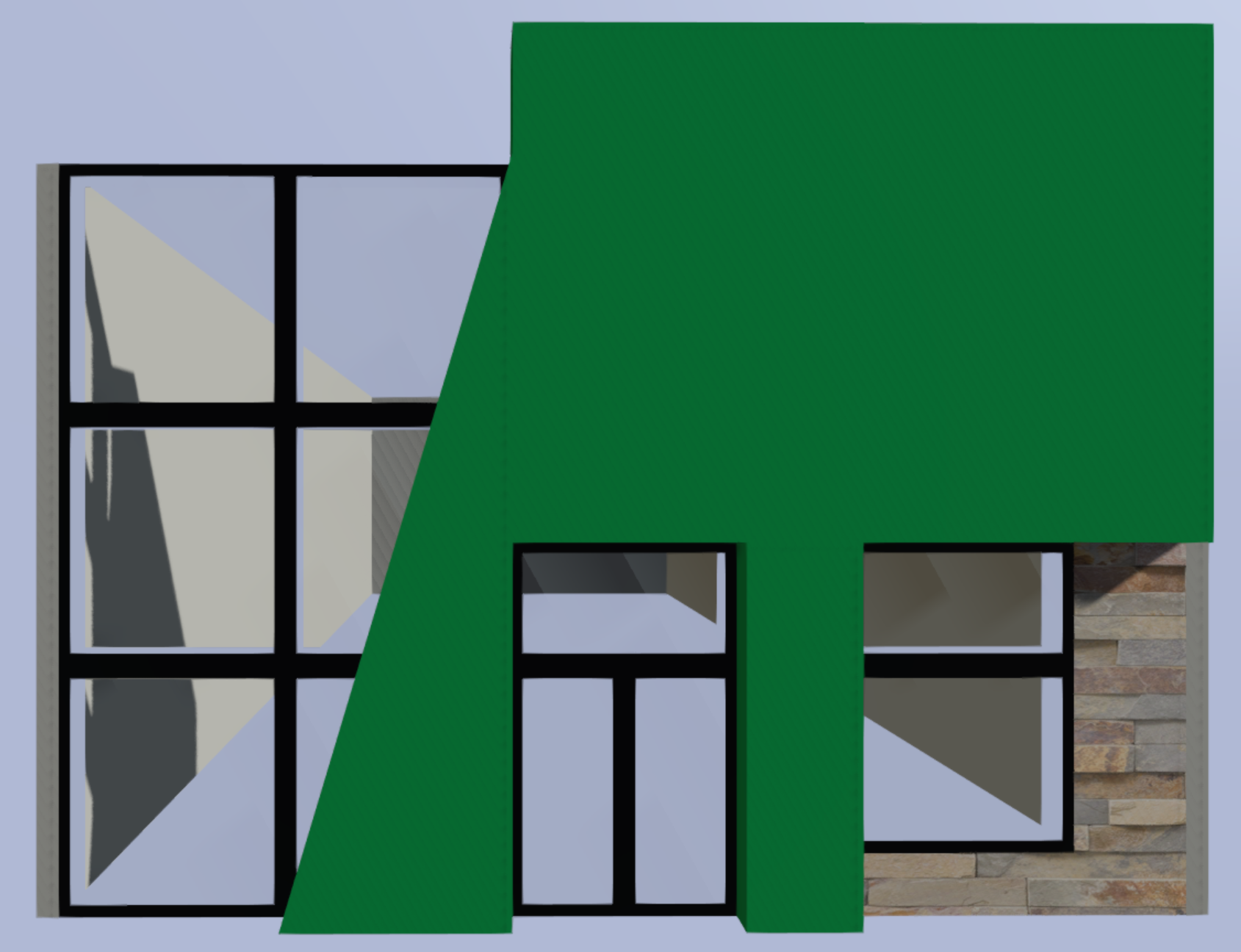


_Type_III_camouflage_pattern_swatch,_AOR-1.png)


 ancient heath
i found out where it is
thank you
only problem is i cant change it without making it look ugly
but thanks for help anyway
formal coral
Does Arma 3 expect a normal map that has a primarily yellow color, or one that's more blue?
silver gull
there is no such thing. normal maps are standardized...
arma uses tangent space in directX format
orchid oak
formal coral
Does Arma 3 expect a normal map that has a primarily yellow color, or one that's...
silver gull
orchid oak
Is there a limit on how many uvmaps I can use on a supershader? I am trying to set my _mc to uvSource = "tex2"; and _adshq to uvSource = "tex1"; (co, nohq and smdi are using tex) and it's not showing my _mc
I tested my _mc with uvSource = "tex"; and it works, so it's not a texture problem
Also shows up in blender fine so I don't think it's a uv problem, my uvmaps are called UVSet 0, UVSet 1 and UVSet 2
Which leads me to think the problem is in the rvmat
https://pastebin.com/FZMCS7G6 This is my rvmat if anybody is able to take a look
orchid oak
Ended up just using UVSet 0 for my _MC, but if anybody knows something I might be doing wrong I'd appreciate it
full quarry
2 sets tex and tex1 of I recall right
Normally that is all you need
Tex for 1 uv space textures, tex1 for tiling uvs if you have any
zenith crater
Hey, it's me again.
I just found out about Arma 3 Samples on steam and I am "blown" away by how much of a difference the provided files make in the PAA quality.
I noticed that there are samples for the base game vehicles and stuff but only for the DLCs
Is there any way to get those samples to or would I have to create them from "scratch"?
Thanks in advance
full quarry
@zenith crater if you mean the texturing templates there is a thread on BI forums for community made ones
other than that, the samples are all that has been provided
zenith crater
Ok, thanks a lot
orchid oak
full quarry
2 sets tex and tex1 of I recall right
Damn that’s unfortunate