#arma3_texture
1 messages · Page 18 of 1
 wooden lantern
 noble garnet
eh? that doesn't sound right
wooden lantern
The only time ur gonna notice a performance impact is if the p3d breaks and makes every single vertex into its own selection 💀

if only arma could read bc7 🥀
noble garnet
interesting, good to know, where was this from though?
 lucid halo
Is there a way to set a single mask that would make any hidden selection texture that gets applied to have forced alpha? Like say I have a poster that is worn with maybe some holes through it. I would want any poster I add to have the same holes but without having to create a special image with alphas every time. Is that something that can be done?
 lethal condor
If the P3D supports alpha, yes
 full quarry
I dont think any rvmat has alpha mask though.
 olive gale
does anyone know where is the nohq for the U_B_GEN_Soldier_F_01_co
it's the Gendarmerie outfit (the one without the sweater)
full quarry
olive gale
does anyone know where is the nohq for the U_B_GEN_Soldier_F_01_co
you probably have to trace what p3d it is connected with
as that you can see in config
olive gale
"\A3\Characters_F_Exp\Gendarmerie\B_GEN_Soldier_F.p3d"
full quarry
olive gale
"\A3\Characters_F_Exp\Gendarmerie\B_GEN_Soldier_F.p3d"
if you got mikeros tools you can check what rvmat it uses with eliteness
or maybe check the data\ folder in the p3ds folder
 outer cargo
hello guys why does my helmet have this kind of blue line and how can I fix it? It doesn't seem to be an issue with rvmat.

 brittle rivet
outer cargo
hello guys why does my helmet have this kind of blue line and how can I fix it? ...
brittle rivet
outer cargo
hello guys why does my helmet have this kind of blue line and how can I fix it? ...
Could it be bleed-over from the blue stripe on the top of the helmet?
outer cargo
i have checked in OB, is not the reason
outer cargo
the reason should be similar to this
 lethal condor
I cannot even consider a shader issue is happening. Are you sure the helmet is designed so? It seems like a blue helmet with camo cover, and cover is not covering the entire helmet

 stray relic
outer cargo
hello guys why does my helmet have this kind of blue line and how can I fix it? ...
stray relic
outer cargo
hello guys why does my helmet have this kind of blue line and how can I fix it? ...
Do you have a transparency in the texture?
outer cargo
you mean transparency in co texture?
stray relic
outer cargo
you mean transparency in co texture?
Yes. Or is there a _ca transparent texture present as well?
stray relic
outer cargo
they look like this, I can't see any problem on my end...
Your textures should be named
yourHelmet1_ca.tga
yourHelmet2_co.tga
that is, with the correct suffix of _ca or _co on the tga BEFORE they are converted to .paa
If you have the transparent _ca texture in front of the _co, you will need to bring it to the top of the texture stack in Object Builder.
outer cargo
yeah i renamed it but still got the problem
how to make texture stack in object builder?
full quarry
outer cargo
how to make texture stack in object builder?
what is texture stack?
outer cargo
stray relic
Your textures should be named
yourHelmet1_ca.tga
yourHelmet2_co.tga
that is, wit...
i mean this
full quarry
outer cargo
i mean this
its just an example how your texture files should be named
outer cargo
oh i see but problem are remain the same
 outer cargo
thanks i'll try it out
 lyric grove
hello, I'm trying to create new textures for vehicles, already converted the PAA to an PNG, how can I upload the textures as a mod? (creating a faction mod)
 young patio
@full quarry & @wooden lantern
so ive got a question regarding textures on buildings how do we get a level of detail on buildings that is not an eyesore when up close?
Like ive got this ruined building here that im making but its got a real resolution issue when its up close from a far it looks good but that can be said for many things.
Im guessing its a UV island/Texture Resolution issue but i just have no idea what to tweak to get it looking "Better"

 full quarry
young patio
<@150949769953411072> & <@946499892531069018>
so ive got a question regarding ...
full quarry
young patio
<@150949769953411072> & <@946499892531069018>
so ive got a question regarding ...
multimaterials
young patio
full quarry
multimaterials
what is multimaterials
full quarry
the material type buildings use
models from interwebs rarely are set up for that though
rarely = never really
wooden lantern
young patio
<@150949769953411072> & <@946499892531069018>
so ive got a question regarding ...
basically
what horriblegoat said
🙏 ur welcome lmao
 silver adder
you just need to use an export preset that uses RGBA not RGB, or make your own
 brittle citrus
Hello guys is there a way to change the pivot point in quixel 2.1.1?
 limpid parcel
I (Think) this is the right place to ask this but if not pls let me know. I'm trying to get help working with an RVMAT file, I am trying to edit an existing mod to change the color of something through an ace interact menu, theres functionality built into the mod for this already, and I think I've reverse engineered it enough to understand that it does the color change, not through a .PAA file but instead through an RVMAT file, which I have no idea how those work.
I've Managed to unbinarize an existing RVMAT to understand how the color change works, and to try to get it into a color that I want, but I can't understand how to re-binarize it, as none of the tools seem to be able to do that, unless im stupid. Can anyone help me troubleshoot this?
lethal condor
RVMAT doesn't need a "binarize" just to make it work. So I guess you are misunderstanding something. What actually is your goal here, other than "binarize RVMAT?"
 tranquil mason
Rvmats are rapified, they probably mean that
limpid parcel
lethal condor
RVMAT doesn't need a "binarize" just to make it work. So I guess you are misunde...
Use the RVMAT to change the color of the model, which apparently this mod does without error. I am completely new to this and only understand it to a degree of reverse engineering it. Their RVMAT files are binarized somehow, my understanding of an RVMAT is it just looks something like this

the mod's vmat files look like this
 tranquil mason
You're missing half of it, there's no Stage classes there
lethal condor
Normal Basic doesn't have any stages no?
tranquil mason
Thought it did
lethal condor
Anyways, why it does matter to you? I don't understand your point
limpid parcel
End goal is to change the models color ingame, they have this functionality built in, they're essentially chemlights on the back of a helmet that change colors, They have red green and blue currently built into the mod, i'm trying to get functionality to make a yellow chemlight using the existing code already in the mod, they've somehow done that with RVMAT files instead of a texture map
lethal condor
To answer your Q, first pic is unbinned RVMAT, last is binned. But they do basically the same
limpid parcel
how would one re-bin an RVMAT?
I think the reason mine isnt working is because its un-binned, again I'm totally new to this and could be wrong.
lethal condor
Are you sure THAT is the cause? What are you doing and how's the process?
Also how it does look after you broke it?
limpid parcel
Im not certain that binarization is the route cause of this however its literally the only thing that's getting changed other than numbers in the <emmisive> code line
also, as for how it looks, do you mean the code or the model?
lethal condor
No, that's not the info I ask. How is the entite process you've attempted? Entire as in, how do you done pack into PBO?
Looks, as in, what and how it is broken (or why you are sure it is)
If you do PBO Manager to open PBO, change a file, pack the entire folder via PBO Manager, put it into Arma 3, that's the cause
limpid parcel
Here let me start from the beginning cause I think we're both confused, and I think i've explained it poorly.
There is a mod that changes chemlight colors on the back of a helmet, right now im trying to do a proof of concept by simply taking the existing RVMAT files, that dictate the textures on said chemlights, and just changing the green to yellow. Config stuff aside im just trying to un-binarize the RVMAT so that I can edit it, and in the process of getting the config stuff to work and the textures to read correctly,
the RVMAT just doesnt change the color at all, so chemlight was turning green, I tried to make it yellow, and now it doesnt change color at all. The only thing that changes in term of code and file placement, is the binarization of the RVMAT.
To answer your most recent question, here is how the PBO files look once their packed into the mod, the models load fine, and the other chemlight colors still work, however only the file I touch, (the un-binarized RVMAT) stops working

Sorry, struggled with snipping tool for a sec
This is all packed into a private mod and loaded directly onto the arma launcher using the local mod feature
lethal condor
lethal condor
If you do PBO Manager to open PBO, change a file, pack the entire folder via PBO...
So this?
limpid parcel
No?
I'm unpacking the folder with PBO manager, then digging through the mod to find the config, and the RVMAT's and yoinking it out of there
Here's what the inside of the folder looks like right now

thats what it looks like when unpacked
also where im getting the RVMAT from
lethal condor
limpid parcel
I understood it. But how do you pack it. Which software packs it into the PBO here?
limpid parcel
lethal condor
I understood it. But how do you pack it. Which software packs it into the PBO he...
PBO Manager
lethal condor
Then that was a yes
limpid parcel
Apologies, I must not understand the original question
is this an incorrect method of packing it?
lethal condor
Entirely
Summarized issues so far:
- You unpacked it, but packed the ENTIRE folder, that's not how a modding in Arma 3 works
- You used PBO Manager to pack, which can cause horrendeous issues
limpid parcel
Gotcha, so its not so much the RVMAT, rather how its being re-packaged?
lethal condor
Just an unbinned RVMAT can cause no such issue
99.99% of Mod PBO requires ONLY the files that you change, in this case, a RVMAT plus a config file
Which results, like, a few KB of PBO is enough to this job
limpid parcel
how can I rectify this then? What is the correct method for packing a mod?
Furthermore can unpacking with PBO manager cause issues?
lethal condor
Unpack is not an issue
If you are brand new and you don't know what is config.cpp, tell so, so we know where to start
limpid parcel
I know a cpp and the bin version of it, using arma 3 tools
lethal condor
And ultimate goal, are you trying to change a green chem to yellow?
limpid parcel
For now thats the proof of concept, ultimate goal would be extending functionality to make an additional hidden action to have a total of 4 chem colors
and as mentioned earlier, I am editing an existing mod, so the mod I have is fully functional and not written by myself, I only wish to make an extension to it
lethal condor
You are not supposed to overwrite the entire PBO, but add some config lines using your own PBO to apply changes
limpid parcel
lethal condor
You are not supposed to overwrite the entire PBO, but add some config lines usin...
understood, thanks for your help
and goodnight/goodmorning for your time of the world
lethal condor
If you still need to know what to do, I'm still here
limpid parcel
I appreciate it, Its 3 AM for me right now so I think im gonna just table it for now and get some rest, come back with a clear head. Then if I need help I'll post another message in here
 sleek temple
Hi everyone, Im working on a custom DLL extension for procedural blending masks in Arma 3 (for unique snow patterns on surfaces using multi-materials). The DLL loads fine (RPT shows "CallExtension loaded"), and RVExtensionFillTextureSource works in simpler rvmat shaders like 'NormalMapDetailMacroASSpecularDIMap' (object turns with checkered pattern).
However, in a multi shader setup, the entire object becomes gray (no textures at all) when using the extension in Stage4 (mask) or Stage1 (just for test). It seems like the multi-material completely breaks.
class Stage4 { texture="#(argb,512,512,1)extension("SnowMaskExtension","test123")"; texGen="4"; };
Has anyone tried using extensions for procedural textures in multi-materials? Is there a limitation or specific syntax needed?)
full quarry
sleek temple
Hi everyone, Im working on a custom DLL extension for procedural blending masks ...
I dont think what you try to do is possible
have you managed to make a proof of concept without the extension?
as thats really where you need to start from
sleek temple
full quarry
have you managed to make a proof of concept without the extension?
I did try a PoC without the extension using built-in procedural like PerlinNoise in Stage4, but its grayscale and it ends up looking like crap. So I went for extension to generate RGB mask (only R for snow, G/B=0).
Originally I made static .paa mask, but with static mask there's no variability for unique patterns...


I dream about it.. https://community.bistudio.com/wiki/DayZ:Projection_Layer
 severe rune
sleek temple
Hi everyone, Im working on a custom DLL extension for procedural blending masks ...
severe rune
sleek temple
Hi everyone, Im working on a custom DLL extension for procedural blending masks ...
I don't know why it would fail? Maybe something about shader format? smdi vs ca vs.. whatever
full quarry
sleek temple
Hi everyone, Im working on a custom DLL extension for procedural blending masks ...
would this be all custom objects so they surpport the rvmat type you try to apply on them?
sleek temple
...
// BLACK
class TexGen0     {uvSource="tex";    class uvTransform{aside[]={1,0,0};    up[]={0,1,0};    dir[]={0,0,1};    pos[]={0,0,0};};};
class TexGen5     {uvSource="tex";    class uvTransform{aside[]={1,0,0};    up[]={0,1,0};    dir[]={0,0,1};    pos[]={0,0,0};};};
class Stage0    {texture="shc\shc_objects\Props_Street\data\Pavements1_CO.paa";                                    texGen="0";};
class Stage5    {texture="shc\shc_objects\Props_Street\data\Pavements1_DTSMDI.paa";                                texGen="5";};
class Stage11    {texture="shc\shc_objects\Props_Street\data\Pavements1_NOHQ.paa";                                texGen="0";};
// RED
class TexGen1     {uvSource="tex";    class uvTransform{aside[]={1,0,0};    up[]={0,1,0};    dir[]={0,0,1};    pos[]={0,0,0};};};
class TexGen6     {uvSource="tex";    class uvTransform{aside[]={1,0,0};    up[]={0,1,0};    dir[]={0,0,1};    pos[]={0,0,0};};};
class Stage1    {texture="shc\shc_objects\surfaces\Snow_Dirty_3_co.paa";                                texGen="1";};
class Stage6    {texture="shc\shc_objects\surfaces\Snow_Dirty_3_DTSMDI.paa";                              texGen="6";};
class Stage12    {texture="shc\shc_objects\surfaces\Snow_Dirty_3_nohq.paa";                                texGen="1";};
...
// MASK, MC, AS/ADS
class TexGen4     {uvSource="tex";    class uvTransform{aside[]={1,0,0};    up[]={0,1,0};    dir[]={0,0,1};    pos[]={0,0,0};};};
//class Stage4    {texture="shc\shc_objects\noise\Perlin_Noise_Fractal_Bushy_RED_mask.paa";                    texGen="4";};
class Stage4    {texture="#(argb,512,512,1)extension("SnowMaskExtension","test123")";                            texGen="4";};
class Stage9    {texture="#(argb,8,8,3)color(0,0,0,0,MC)";                                    texGen="4";};
class Stage10 {texture="#(argb,8,8,3)color(1,1,1,1,ADS)"; texGen="4";};```yes
severe rune
sleek temple
Hi everyone, Im working on a custom DLL extension for procedural blending masks ...
"The entire object becomes grey"
Even if only ONE texture is extension? All others break too?
sleek temple
severe rune
"The entire object becomes grey"
Even if only ONE texture is extension? All othe...
yes
- multi (pavement texture, black mask
#(argb,8,8,3)color(0,0,0,1,Mask)) - multi (pavement texture, snow texture, texture mask)
- multi (pavement texture, snow texture, extension mask)
- multi (extension texture, black mask
#(argb,8,8,3)color(0,0,0,1,Mask)) - no material just extension assigned in p3d as texture
 severe rune
sleek temple
yes
1) multi (pavement texture, black mask `#(argb,8,8,3)color(0,0,0,1,Mask)`)
2...
severe rune
sleek temple
yes
1) multi (pavement texture, black mask `#(argb,8,8,3)color(0,0,0,1,Mask)`)
2...
Can you pack me that thing together in pbo+dll.
plus preferably extension source, then I'll try to check where it fails.
Also any error messages in RPT while loading the object?
 fiery hatch
Hello all, would someone be able to point in the direction to be able to make edits to uniforms? For example, I would like to take a t-shirt from the NATO short sleeve combat uniform and apply it to a different uniform. Thank you!
sleek temple
fiery hatch
Hello all, would someone be able to point in the direction to be able to make ed...
as far as I know, in arma 3, the uniform model is integral, that is, the top of the clothes + the bottom of the clothes is one model. Therefore, it is impossible to change the uniform in parts conditionally through the config. Manually editing p3d only
fiery hatch
sleek temple
as far as I know, in arma 3, the uniform model is integral, that is, the top of ...
How would one manually edit the p3d?
severe rune
You need the source files, which you don't have
sleek temple
severe rune
Can you pack me that thing together in pbo+dll.
plus preferably extension source...
sent you PM
severe rune
No need to notify me. I can see my DM's.
It might take a few days till I get to it

 unreal magnet
It's usually set to coordinate 0,0,0, depending on where you model is.
 vocal copper
glad i'm not the 52 messages person
wooden lantern
Someone needs to take a hint 😭
tranquil mason
severe rune
No need to notify me. I can see my DM's.
It might take a few days till I get to ...
@sudden stream cameo
Second in line
 sudden stream
 hybrid cedar
I want to add custom insignia to arma, how should I edit the image before converting it into PAA to fit with ingame lighting so it wont get too dark or shiny, and blend well with shadow?
full quarry
hybrid cedar
I want to add custom insignia to arma, how should I edit the image before conver...
I would compare color and lightness balance with vanilla patches.
That can get you close
hybrid cedar
problem is i dont have any references on vanilla patches as in raw(png or jpg) files before turned into paa
full quarry
hybrid cedar
problem is i dont have any references on vanilla patches as in raw(png or jpg) f...
Paa can be saved as filename.png/tga in texview2
 full quarry
basically just open paa -> file menu -> save as -> writen filename with wanted extension (the list does not have options but the filename field accepts png and tga)
 scenic perch
Hello everyone! I'm writing to ask what I need and how I can edit the texture of a mod model. The model I want to add the texture to is the German tank from Nod WW1.
But I don't know how to do it, and the tutorials I've found on YouTube aren't very... helpful, I suppose.
tranquil mason
scenic perch
Hello everyone! I'm writing to ask what I need and how I can edit the texture of...
If they allow you to extract textures, the tl;dr is:
- Open pbo
- Extract the
_co.paatexture(s) - Convert to png
- Edit it any photo editor
- Export, convert to paa with ImageToPAA in the A3 Tools
- Create your own mod inheriting from theirs and path to your textures
full quarry
Reterxturing only works if the models are designed for it
as in they support retexturing
if they are then what Dart there said
 tall pilot
Does anyone know why the seat textures behind the cockpit glass appear white?
When there is no glass, the seat textures display normally, but once viewed through the cockpit glass, they turn completely white.
I’ve already tested replacing the glass .paa texture and the .rvmat material, but it didn’t make any difference.https://www.imagebam.com/view/ME1A4BQ4
Image Hosting, Image Upload, Picture Hosting
 raven wren
Alpha sorting issue generally
tall pilot
raven wren
Alpha sorting issue generally
So, how can this be fixed?
raven wren
In object builder you can try:
faces > move top
or
faces > sort alpha
 pale kraken
Owning Substance painter
Not sure if to get the designer from Steam sale or just buy it straight from their website through the Live...
raven wren
Just as a thought for others searching in the future
To fix this in blender with the ObjectBuilder addon, make sure the alpha materials are at the bottom of the material list.
 distant rose
new quixel update out today
 cunning oriole
raven wren
cunning oriole
raven wren
Not allowed to offer financial gain for implementation services
cunning oriole
my bad
didnt see anything about it in rules?
actually where did you even see that
@raven wren
cunning oriole
 loud flume
We're you advertising a service <@264424180211122176>
loud flume
We're you advertising a service <@264424180211122176>
no i was offering discord if someone would teach me something
loud flume
Idk what "offering discord" means
raven wren
May be rule 6 for the discord but it’s in the licence for the tools that people can’t use them commercially or for paid work to my knowledge
A <@&105621371547045888> would know better than I on the specifics
full quarry
cunning oriole
didnt see anything about it in rules?
whats the problem?
cunning oriole
full quarry
whats the problem?
can u offer discord nitro for someone to teach u something
full quarry
cunning oriole
can u offer discord nitro for someone to teach u something
Id rather you just asked the questions here
people help here just for sake of helping
 copper helm
What do I need to do to make tattoos retain the dark black color while also keeping the body detail like veins?
If I make the path to a custom rvmat(\Omega_Identity\data\Bacon\arm_Tattoo.rvmat) I lose the hand details and if I path to the default a3 (\A3\Characters_F\Heads\Data\hl_White_bald_muscular.rvmat) I lose the color of the tattoos

 full quarry
copper helm
What do I need to do to make tattoos retain the dark black color while also keep...
full quarry
copper helm
What do I need to do to make tattoos retain the dark black color while also keep...
dont change the nohq
and dont change the AS either
or the SMDI
tattoos affect none of those
copper helm
I have those 3 pulled from the a3 defaults and they are unchanged. But when I do so the tattoos look very faded. How would I keep them darker?
stray relic
Tell us what you have done so far and we can tell you what's missing.
 glacial shell
 little bear
how can i create a 100% transparent paa file
tranquil mason
little bear
how can i create a 100% transparent paa file
Make an empty image, rename to ..._ca.paa, convert
little bear
Whats the importance of the (underscore) ca? Also, how can I make an empty image? Im totally new to this
full quarry
little bear
Whats the importance of the (underscore) ca? Also, how can I make an empty image...
you cant really use that to hide parts properly
little bear
Why not (Im totally new to this)? In a weapon’s config file I provided a file path to a non-existant texture and it created the result I wanted. It caused a missing texture error in-game. Was hoping to provide/use a 100% transparent texture to achieve the same result but without an error..?
full quarry
its not really the right way to hide things. since you are new can you explain a little what you are trying to achieve?
little bear
A weapon (AK) has two grip options - vertical grip or Angled grip. The grip is listed in hiddenselections and is baked into the model. I want to “create” a version of the model without a grip. Ie the character grips the handguard. If I provide a “dummy” texture path for both grip options and change the grip anim, it achieves what I want but produces a missing texture error.
full quarry
little bear
A weapon (AK) has two grip options - vertical grip or Angled grip. The grip is l...
does the grip have shadow?
little bear
Guess so…?? No clue really
full quarry
well if it does the hiddenselection could not hide that for example
and if the model is made properly giving it an empty transparent texture would likely not work because the model expects a non transparent color texture
little bear
So weird that providing a nonexistant texture path works. Is there a more elegant solution?
full quarry
little bear
So weird that providing a nonexistant texture path works. Is there a more elegan...
you can try an 0 transparency procedural texture. but it might not work
chances are 50/50 though
the weapon might have been done "wrong" in sense that it has transparency enabled in it
where it should not
as that is more expensive for performance
little bear
How do I create a transparent texture?
tranquil mason
little bear
A weapon (AK) has two grip options - vertical grip or Angled grip. The grip is l...
In that case just use an empty string ""
little bear
tranquil mason
In that case just use an empty string `""`
Tried that for the selection and it didnt work. The texture has “” by default.
tranquil mason
Sounds like an off setup, but anyways you can use any 2d editing software (photoshop, gimp, etc) to create a new image, and then you can just delete the background if there is one.
It will vary for whatever software you use
tranquil mason
little bear
Whats the importance of the (underscore) ca? Also, how can I make an empty image...
Very, the _ca suffix is what tells the PAA converter that the image has transparency
little bear
tranquil mason
Sounds like an off setup, but anyways you can use any 2d editing software (photo...
I tried doing that earlier. This is my first time ever created textures. I’m not sure if I did it right. Every time I tried the grip would either be dark black or un textured white.
little bear
tranquil mason
Very, the _ca suffix is what tells the PAA converter that the image has transpar...
Interesting. Do i use that naming syntax when I convert it from png to paa? Ie should the png be named “test_ca”
tranquil mason
Yes
There are other suffixes as well for different types of material maps
E.g. _Co for diffuse / color, nohq for normal, etc.
little bear
tranquil mason
In that case just use an empty string `""`
Tried using “” for BOTH grips and it worked! I think I used “” for only one of the grips before.
 fleet apex
If any 2d texture lords are willing to do a couple textures for me from the Expeditionary Forces C-DLC, that’d be straight gangster.
Shoot me a dm for details.
lethal condor
fleet apex
If any 2d texture lords are willing to do a couple textures for me from the Expe...
 frozen blade
wrong channel
 river prairie
I’m looking for a tool that’s good for texturing house models and able to make adshq maps. Would Substance Painter the best choice ?
 ashen violet
river prairie
I’m looking for a tool that’s good for texturing house models and able to make a...
ashen violet
river prairie
I’m looking for a tool that’s good for texturing house models and able to make a...
I used blender and xNormal for adshq for the interior, exterior I use substance painter for AS and MC. I use blender to bake the color masks and actually apply textures/scale UVs for the multimat
full quarry
river prairie
I’m looking for a tool that’s good for texturing house models and able to make a...
Blender has worked for me for that
river prairie
Thanks, I will give it a try
river prairie
can someone explain for what the v4 stands for in face properies in object builder?

Idk if the question should be in #arma3_model
full quarry
river prairie
can someone explain for what the v4 stands for in face properies in object build...
its fine here. Im just making a guess but its a fourth vertex of a quad face
river prairie
full quarry
its fine here. Im just making a guess but its a fourth vertex of a quad face
I realised when changing the textures and rvmats and the peice of face has an v4 set that the sections count goes up by 1
even tho I would use the same rvmat and texture it would still go up by 4
if its 4 pieces with v4
stray relic
v4 is indeed the 4th vertex on a quad. It's recommended to triangulate export from blender to p3d though, in which case there will only be v1 to v3.
river prairie
someone has an idea how to remove these white lines ? I removed all the transparency from the texture and it appears to only have this effect on some specific parts of the model, other parts with the same texture and rvmat seem to be fine

 raven wren
In object builder you can try:
faces > move top
or
faces > sort alpha
Or if you’re exporting from blender, make sure the alpha texture is at the bottom of the texture list
For your mesh and glass textures
 dense peak
Sorry for the late answer i fix it thank guys !
river prairie
raven wren
In object builder you can try:
faces > move top
or
faces > sort alpha
goat, move top worked perfectly
river prairie
https://youtu.be/LyTbdZoDTyg?si=GC6VfHkl6Wtj0vfi
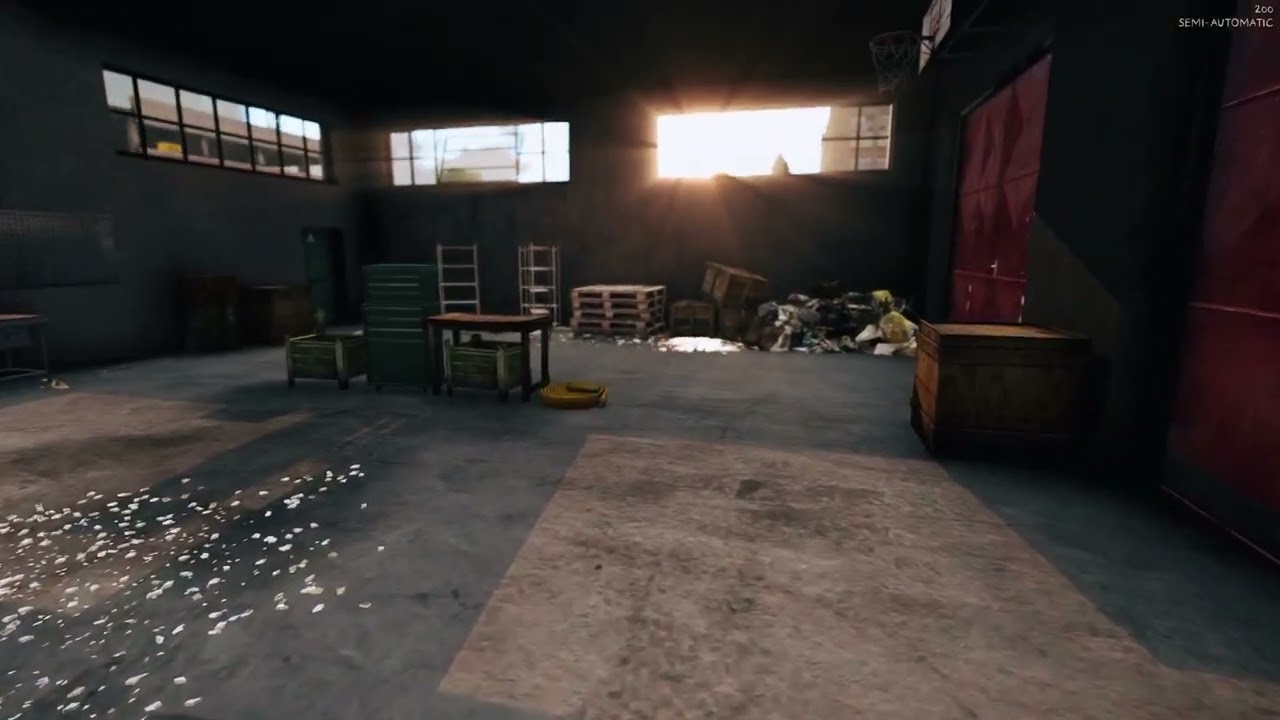
The retexturing worked out pretty well so far, gonna try to make an AS next


 timid glacier
Maybe someone has found a way to change the textures or color of the default weapons in the game without installing mods, etc. Or maybe there’s information about when it will be possible to do this?
full quarry
timid glacier
Maybe someone has found a way to change the textures or color of the default wea...
can not be done
timid glacier
full quarry
can not be done
Maybe one of the updates will provide such a feature?
full quarry
timid glacier
Maybe one of the updates will provide such a feature?
no dont think so.
 kind wave
so my model was perfectly fine yesterday and today until about an 10 mins ago, now it looks like this, i cant change or fix the mats, anyone have any ideas

plus the face count keeps increasing every time i clear and import the model
brittle rivet
kind wave
so my model was perfectly fine yesterday and today until about an 10 mins ago, n...
You'll need one of the Enfusion channels for help
This is the Arma 3 channel, only Real Virtuality here
Maybe #enfusion_model or #enfusion_texture
kind wave
ah bugger chose the wrong one
cunning oriole
anyone have a good substance painter export preset for arma they’d share?
full quarry
cunning oriole
anyone have a good substance painter export preset for arma they’d share?
I think we got one in the pins.
tranquil mason
This is what I use personally, also has emissive bits for the Stage8 stuff
I've seen someone using one that includes the StageTI texture, though I'm not sure what they used for it
full quarry
tranquil mason
I've seen someone using one that includes the StageTI texture, though I'm not su...
its for the thermal heat mapping
mainly used for vehicles and weapons
tranquil mason
Yeah I know, I mean what channels are used for the texture
full quarry
aa right
 ashen granite
quixel is life
 cinder perch
I've tried to search more about this issue, but I can't seem to find any conclusive answers and/or solutions, but is the issue that causes the blocky appearance of this model a modelling-issue or engine/lighting issue?

The model is shaded smooth in both Blender and in Object Builder. The only "sharp edges" are around the cuffs and collar.
Have also tested on other terrains in other lighting conditions, and I still see the same issue.
Wasn't sure if this was also a texturing issue or modelling issue, so I've asked here, but can shift this to #arma3_model if needed.
full quarry
cinder perch
I've tried to search more about this issue, but I can't seem to find any conclus...
does it have normalmap applied?
through rvmat
cinder perch
full quarry
does it have normalmap applied?
It does, yes.
full quarry
then most likely its caused by the normalmap
but also could be badly baked ambient occlusion
cinder perch
full quarry
but also could be badly baked ambient occlusion
I might recheck that, doubt it being the normal as I would expect that to be visible in the blender workspace as well, and it isn’t…
full quarry
cinder perch
I might recheck that, doubt it being the normal as I would expect that to be vis...
different shader might handle it differently
cinder perch
full quarry
different shader might handle it differently
Gives me something to experiment with in any case.
Will report back with findings to assist future troubleshooters.
full quarry
cinder perch
Will report back with findings to assist future troubleshooters.
for example if object did have say sharp edges all over for and were baked from a HP model the resulting normalmap would not work right if the sharp edges were set smooth
cinder perch
full quarry
for example if object did have say sharp edges all over for and were baked from ...
Normals and Ambient made no impact, still seeing the same artifact. I even removed the link to the rvmat and I still see the same surface defect.
 stray relic
cinder perch
Normals and Ambient made no impact, still seeing the same artifact. I even remov...
stray relic
cinder perch
Normals and Ambient made no impact, still seeing the same artifact. I even remov...
Is the model p3d triangulated?
Check there are no back faces.
Try disabling shadows in game.
cinder perch
stray relic
Is the model p3d triangulated?
Check there are no back faces.
Try disabling shad...
Unsure how to check the triangulation or back-faces; that something specific to Object Builder or can that be checked in Blender?
full quarry
cinder perch
Unsure how to check the triangulation or back-faces; that something specific to ...
in your source model
in blender
cinder perch
-# going to move to the model chat, since this is evolving to model discussion.
stray relic
Best to triangulate in blender and export triangulated, otherwise Object Builder will do it's own thing with normals. Some of those artifacts look a bit like quads.
cunning oriole
cinder perch
Normals and Ambient made no impact, still seeing the same artifact. I even remov...
what software r u baking it in?
cinder perch
cunning oriole
what software r u baking it in?
I can’t speak for the original maps that came with the model, but I used substance to make adjustments to the intensity of both the ambient map and normal map. In saying that, I also did straight paa conversions using the original maps as control tests, and it made no difference. I’ve ruled out texture issues being responsible for the appearance.
full quarry
you may need to invert the green channel of the normalmap
 fluid steppe
How to make chrome texture? I'm currently making Max's stolen interceptor from fury road
full quarry
fluid steppe
How to make chrome texture? I'm currently making Max's stolen interceptor from f...
chrome/shiny parts need separate rvmat tailored for the shiny look
 snow crest
Does anyone know how to make the custom Arma 3 unit patches show up on custom uniforms
I cant figure it out
 faint zodiac
brittle rivet
snow crest
Does anyone know how to make the custom Arma 3 unit patches show up on custom un...
faint zodiac
brittle rivet
snow crest
Does anyone know how to make the custom Arma 3 unit patches show up on custom un...
It's a specific hiddenSelection or named selection iirc
I think the information I saw was for vehicles, but characters/uniforms are likely the same
Haven't tried it, so not completely certain
tranquil mason
snow crest
Does anyone know how to make the custom Arma 3 unit patches show up on custom un...
What raven said, you need an insignia selection on your uniform
snow crest
Awesome thank you guys
 sand plover
Had a question regarding re-texturing TOS and rights if anyone is able to answer.
-
Is retexturing for a private community unit allowed from other peoples mods? E.g. adding a patch to a helmet?
-
If yes, is promoting this as something the unit does for it's players allowed?
I was looking into doing this but was unsure on the ethics on it, so some clarification would be much appreciated before I do it and get on the naughty list haha.
I'm well aware going beyond that scope of actually straight up using someone else's work and uploading it to the workshop is frowned upon heavily, I just wanted some clarification on private non-redistributed usage.
Appreciate it 🙂
full quarry
sand plover
Had a question regarding re-texturing TOS and rights if anyone is able to answer...
ReTexturing is typically allowed but check mods license for clarification.
ReTexturing only needs the new texture file and a config file that contains a class for the ReTextured thing and uses the new texture through the configs hiddenaSelections parameters.
So you don't repack the original mod or any of it's contents
 sand lotus
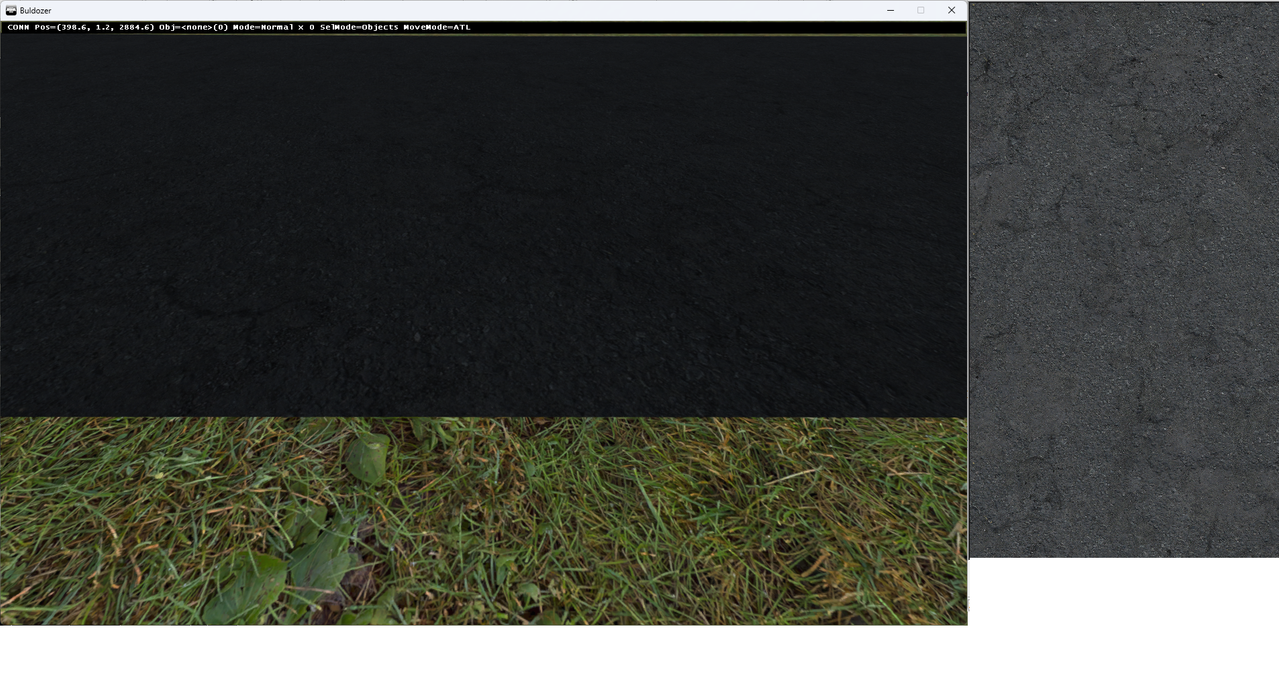
Hello All, I am making a road but the texture is extremely dark, it should look like the photo on the right side. (see photo) any idea what setting needs to be changed to brighten it? https://postimg.cc/ftr3rprR
 stray relic
sand lotus
Hello All, I am making a road but the texture is extremely dark, it should look ...
stray relic
sand lotus
Hello All, I am making a road but the texture is extremely dark, it should look ...
Appearance of textures is related to the _co diffuse and the material (rvmat) values and associated maps (potentially _nohq, _smdi, _as for super shader).
Poor shadows can also break things, which can be checked by disabling shadows in game options.
sand lotus
Thank you Apollo, I was able to get it working! It was the rvmat. I appreciate your help, have a great day!
 signal herald
hey guys do u know what could be casuing this i vee been trying to make this helmet for my unit but the rvmat makes it look like shit and i cant find why
 cunning oriole
signal herald
cunning oriole
signal herald
dos it look like that in game or only the model viewer
signal herald
cunning oriole
dos it look like that in game or only the model viewer
both in game and model viewer
cunning oriole
signal herald
both in game and model viewer
can you send the code for your rvmat?
cunning oriole
signal herald
i can send the textures too if u want
try stripping it down to only this information and just replace my nohq, as and smdi with your own.
emmisive[] = {0,0,0,0};
specular[] = {0.2,0.2,0.2,1};
specularPower = 20;
PixelShaderID = "Super";
VertexShaderID = "Super";
class Stage1 { texture = "KRWearables\data\Textures_AssaulterFullRig\AssaulterFullRig_nohq.paa"; };
class Stage2 { texture = "#(argb,8,8,3)color(0.5,0.5,0.5,1,DT)"; };
class Stage3 { texture = "#(argb,8,8,3)color(0,0,0,0,MC)"; };
class Stage4 { texture = "KRWearables\data\Textures_AssaulterFullRig\AssaulterFullRig_as.paa"; };
class Stage5 { texture = "KRWearables\data\Textures_AssaulterFullRig\AssaulterFullRig_smdi.paa"; };
class Stage6 { texture = "#(ai,64,64,1)fresnel(0.4,0.2)"; };
then in object builder assign the co file manually on the texture slot and keep the material as the rvmat i sent above
 signal herald
ok
cunning oriole
lemme know if it works
signal herald
so i just put this on the rvmat and replace the file paths or only replace something from mine with yours?
cunning oriole
signal herald
so i just put this on the rvmat and replace the file paths or only replace somet...
just delete all the code in your rvmat and paste mine, then replace the file paths that lead to my paas with file paths that lead to yours
cunning oriole
what result did u get?
signal herald
 cunning oriole
signal herald
cunning oriole
signal herald
but did you try in game?
signal herald
isnt it the same thing?
cunning oriole
I’ve had things that don’t work in the model viewer that work in game
signal herald
ok i ll check
stray relic
Lighting is a bit different in buldozer, so for fine tweaking artists often change their buldozer config to be more accurate to game lighting (which also changes, map to map).
However, assuming that your _co is ok, this looks more like a problem with the rvmat, and probably either the _as or the _smdi.
In your original rvmat, try replacing as an experiment:
{
   texture = "#(argb,8,8,3)color(1,1,1,1,AS)";```
and
```class Stage5
{
  texture = "#(argb,8,8,3)color(1,0,1,0,SMDI)";```

and also disable shadows in your game options.either, just trying to make sure you don't have shadows clipping outside the object making it dark
 stray relic
Are you using a Shadow LOD in the p3d?
 stray relic
Copy that shadow mesh and temporarily paste it over the top of your first res LOD (0 or 1) - if you see red shading that is the shadow sticking out of the res LOD, that is a problem.
signal herald
ok
stray relic
It generally needs to be fully contained under the surface of the res LOD
signal herald
so basically under the resolution
stray relic
Just noticed an error in your rvmat too, stages 5 and 6 are wrong
signal herald
so i think that is wrong, right?

the white is the shadow LOD, im viewing it in Blender too
stray relic
signal herald
so i think that is wrong, right?
Use this rvmat, exactly as it is found
https://hastebin.com/share/uvoxaqicog.kotlin
Hastebin is a free web-based pastebin service for storing and sharing text and code snippets with anyone. Get started now.
signal herald
this one seems to be much better overall
stray relic
signal herald
this one seems to be much better overall
Ok, now add back in, one at a time, your _as and your _smdi texture maps.
signal herald
i did that
stray relic
Not before you tested it without them though surely?
signal herald
oh ok
oh ye i think i found the problem
so my _smdi got completely fkd
i mean the texture itself
how can i make a new one?
stray relic
How did you make the nohq and the as maps?
signal herald
the nohq and _as were ready, the smdi was made by a friend
but i know i how to make a _nohq
stray relic
"were ready"? You gave the impression you made the helmet model in blender?
stray relic
i vee been trying to make this helmet for my unit
So with this statement you made, we assume you are the model creator, can change the model in blender, and therefore are probably also the one making the textures.
If it's not your model after all, you'll need to confirm that you have permission from the IP holder to modify it if you're changing the p3d.
If you're just trying to do a simple retex, you shouldn't be repacking the p3d itself, but just using hiddenSelections.
Either way, if you aren't using something like Substance Painter to retex, making new _smdi map will be hard.
signal herald
srry ma bad, i didnt clarify, by saying "make" i meant port
and yes i have permission
stray relic
If you have permission, simply ask the author to send you the original texture or substance painter files.
signal herald
but the mod will be accesible through Google drive since it uses some mods that are banned as dependecies
stray relic
You'll have to forgive some suspicion here, as "port" generally means "stolen", which we do not allow or offer help with.
Now you're talking about banned dependencies, I think I'll withdraw my assistance, sorry.
signal herald
stray relic
You'll have to forgive some suspicion here, as "port" generally means "stolen", ...
its ok, btw thnx for your help with this i managed to fix even without the _smdi, have a great a day
the mod itself only includes 3 things which are all bought
 lament lark
I am new to texturing and want to edit so that some uniforms and vehicles have the correct textures, is there a tutorial available anywhere so I can learn what files I need to grab or convert so that I can retexture things in substance 3d editor?
full quarry
lament lark
I am new to texturing and want to edit so that some uniforms and vehicles have t...
you cant do retexturing in substance painter
3d models are not available for use
lament lark
How are all these tutorials on youtube utilising substance editor to retexture uniforms?
full quarry
example of such tutorial?
this is not retexturing as far as I can tell but texturing the actual model in his mod
but sure sometimes mods can share models for this
but typically they dont
lament lark
I apologise if I am an idiot, I am very new to this.
If I have a uniform and say, want to change it so instead of the 55th, it says the 89th and I want to make the uniform look battered. This is only done by taking the pbo for the uniform, converting to png, putting in photo editor like photoshop, making the adjustment and then converting back to pbo and inserting into the modpack?
If I am using surface editor, I am altering the actual model the texture will go over? That is if I have permission or am the owner of the actual 3d model.
full quarry
proper retexturing works if a model is set up to use hiddenselections
your new mod would then contain only the new texture and a config that points hiddenselections of unit/item/vehicle to your new texture
lament lark
Are hiddenselections placeholders for things like "backpack", "uniform",etc and the textures just get linked to those placeholders when you select a texture?
full quarry
lament lark
Are hiddenselections placeholders for things like "backpack", "uniform",etc and ...
a model has textures assigned
hiddenselection is part of model (a selection that can be all surface covered by X texture or part of surface covered by X texture) that can have a texture swapped by config
vanilla models are mostly set up for this
mod assets depends on what author has wanted to make
lament lark
Alright, that makes more sense. So I don't need substance editor, photoshop will work for me since I only want to change the colors on uniforms to mark veterancy and such?
lament lark
To verify that process for a uniform, I find the mod with the uniforms, go to the the PBO manager file that contains the .paa's of the uniforms, put those into texview, convert to png and drag into photoshop, edit what I want, Go to imagetoPAA on the arma 3 tools and then convert to PAA, drag into the PBO manager and I should be good?
brittle rivet
lament lark
To verify that process for a uniform, I find the mod with the uniforms, go to th...
Pretty much
Texview2 can convert back to paa, just load a png file, then save as .paa
You should make the config for it as a separate mod though
Some guides for it here, and some other notes: #arma3_texture message
iirc, uniforms can be retextured by script, if you don't want to make a mod for it
lament lark
brittle rivet
Pretty much
Texview2 can convert back to paa, just load a png file, then save as...
We had someone in the unit previously make an aux mod but they have sense become too busy to attend ops, the uniforms I want to change textures are already in the aux mod, would it be fine for me to just replace those or do you suggest making a new aux mod?
brittle rivet
lament lark
We had someone in the unit previously make an aux mod but they have sense become...
In that case, you could probably just add to or modify your current aux mod
Ask the guy who made the aux mod, he might have source files you can work from (sometimes easier to use),
and should have the steam workshop entry (if you have it on steam)
 heady salmon
In a texture library for an object, which file would be responsible for making the object "chrome" or metal?
is it rvmat?
lethal condor
Yes (plus SMDI). You may want to check some pinned posts
 torn mango
Would anyone happen to have a collection of masks for the fabric sections for uniforms?
I'm looking to quickly offset and rotate panels of camo and having masks would help. I feel like this is something someone may have already shared?
full quarry
there are some templates around but not for everything
torn mango
Specifically I'm currently looking for the U_I_Combatuniform
The template collections have been very helpful. Especially the large collections of Petes.
 full quarry
lament lark
Is this a file path issue causing my texture to not be loaded?
full quarry
lament lark
Is this a file path issue causing my texture to not be loaded?
Usually yes
 old lynx
I want to make a camo for a vehicle, is there a guide for that?
full quarry
old lynx
I want to make a camo for a vehicle, is there a guide for that?
you can look up BI forums for older posts about "retexturing" or look up chat history here about it
I recall a mention of video about it too but off the top of my head cant remember details about that
 limber oxide
I found a .pbo lighting file I like, is anyone able to help me get it into the game
full quarry
limber oxide
I found a .pbo lighting file I like, is anyone able to help me get it into the g...
what is pbo lighting file?
limber oxide
I have a .pbo file, I’m trying to get it into a mod
full quarry
ok so you cant just take someone elses pbo
limber oxide
?
full quarry
where did you find the pbo?
limber oxide
It was sent to me, all im trying to do is make it into a mod, all the other mods are .pbo files made into a mod
full quarry
we dont really work with sketchy files like that
limber oxide
How is it sketchy?
Aren’t all arms mods just .pbo files at the end of the day
Like when you export a mission it is in a .pbo
limber oxide
If there is anything that isn’t sketchy
full quarry
you are not supposed to repack someone elses pbos into your mod
full quarry
its someones you dont tell me
its not yours
and if you make a mod pack you got other stuff in there too
limber oxide
What are you talking about
full quarry
the sketchy stuff
limber oxide
Is there any mods out there already published that resemble what I’m liking for
tranquil mason
You didn’t say what you're looking for
You said you have a "lighting pbo" without saying what you even mean by that.
And what does it have to do with textures?
 strange onyx
So I am currently trying to make different textures for the same asset. I have the hidden selections textures mcthingy in the config file setup I think correct, but it is not overriding the texture that is set when exporting the .p3d. Images for additional clarity


If I have that "texture source" thing in the material properties blank, the objects show up in arma with no texture
Changing the textures in this way has worked for retexturing of other assets (just changing the hidden selections textures to a different file)
full quarry
strange onyx
If I have that "texture source" thing in the material properties blank, the obje...
all models should have base texture and material set up so information from them gets baked on the model on binarization
it is a weird myth that models should not be textured for hiddenselections to work
only thing why textures would not appear is the pathing goes wrong
and does not match what gets packed into pbo
strange onyx
By the way I think it works, it shouldn't matter. Defining a texture in the config should override whatever I set on the model, which it appears to do in retextures of existing assets
But in this case the texture is not changing. The config has different textures, which are a green, blue and orange version, but in game they are all the green version
full quarry
Typically this may be due to wrong use of pboPrefix or maybe no Pdrive is used so folder structure is something else. Or P drive folder structure has something extra that breaks it
or missing hiddenSelection vertex groups
on model
or in model.cfg sections to activate the hiddenselections
in your case Camo and Light
strange onyx
It could be that last one because I don't have a model.cfg. I assumed that was for rigging stuff
full quarry
it is required for hiddenselections to work as well
strange onyx
Ahkay that'd do it
full quarry
you can find the requirements in the pinned messages at #arma3_model if I remember right
strange onyx
I'm guessing that vertex groups in the p3d have to be specifically told to be hidden selections
strange onyx
That was indeed the issue
Thank you once again
 strange onyx
This has however highlighted a new issue, as seen below. The emissive part of the assets do not appear to have any alpha, and the transparent background of the texture is rendered as black, making it clearly visible when the structure is illuminated. The rvmat basics guide mcthingy on the internet doesn't appear to show any method of making something transparent to the viewer, only transparent to shadows (which this is)

The emissive material is this

Copied from the a3 lights
I am going to try adding "RenderFlags[] = {"NoReceiveShadow","AddBlend"};", which I can see in the scopes
It did not
I should've actually read the rvmat thingy

This still did not help
full quarry
strange onyx
This has however highlighted a new issue, as seen below. The emissive part of th...
does the model have the _CA transparent texture assigned?
thats one necessary thing for a surface to be flagged as transparent on binarization
strange onyx
Can you assign more than one texture? Since it does have a texture which has alpha in it, but it is not "the _CA transparent texture"
There is a
class StageTI
{
texture = "a3\data_f\default_vehicle_ti_ca.paa";
};
In the rvmat for glass and stuff
full quarry
strange onyx
Can you assign more than one texture? Since it does have a texture which has alp...
thats the thermal stage
not related to transparency
the default textures are assinged on the model texture slot
and 1 face can have 1 texture/material
but a model can have multiple
in blender you would make multiple blender material slots, assign those on the mesh where appropriate and give each materal a Arma texture/material path
strange onyx
The emissive part is an entirely separate geometry, mostly for convenience, but it does have a specific emissive texture on it which includes alpha gradients
full quarry
only exception is multimaterial, with that you would not assign a texture. only the rvmat
strange onyx
full quarry
in blender you would make multiple blender material slots, assign those on the m...
I can do this, however where/what is this "the _CA transparent texture"
a3/data_f has a lot of textures that end in _CA, none of which mention transparency
full quarry
strange onyx
a3/data_f has a lot of textures that end in _CA, none of which mention transpare...
transparency is on the alpha channel of the texture
_CA suffix means the conversion to .paa saves the alpha channel properly
strange onyx
Ah okay so the _CA is the alpha of the texture file
full quarry
its a texture with a alpha channel
strange onyx
So like you'd have object_diff you have object_CA to represent "object_alpha"
strange onyx
The _CA texture would be the one that goes here
 full quarry
_CO typically does not have alpha channel saved. its not recommended to have that at all as it can cause issues
full quarry
strange onyx
The _CA texture would be the one that goes here
if you want to see it in blender yes
but for arma it would be assigned on the arma texture slot
strange onyx
So does the _CA use the alpha of the image or does it use a black-white gradient scale to represent alpha
full quarry
assuming you use blender toolbox and export to p3d
strange onyx
I am
strange onyx
strange onyx
So does the _CA use the alpha of the image or does it use a black-white gradient...
I know some engines prefer to have black-white gradient to represent alpha
Including gimp interestingly
full quarry
strange onyx
So does the _CA use the alpha of the image or does it use a black-white gradient...
all Arma textures use the textures own alpha channel for transparency
strange onyx
Okay
full quarry
not seprate texture
strange onyx
I am going to quickly test something
That being renaming one of the emissive textures to have _CA at the end
That, did not work
strange onyx
Okay I have found the issue. The _CA texture must be assigned in the model

Thank you for your help again
And yes I know that material assignment isn't correct
 light cobalt
Would anyone be able to link me to or supply me assets I can use for faction flags for countries/orgs/militaries around the world?
Trying to make a base mod for factions similar to CBA
strange onyx
So an interesting thing has happened (I haven't done new textures and materials and stuff for this particular building yet but I would like some knowledge)
For some reason it has gone slightly transparent. The base texture has no alpha (completely opaque) and has _CO at the end
 strange onyx
This uses the same material as the other buildings but they are not partially transparent
full quarry
strange onyx
So an interesting thing has happened (I haven't done new textures and materials ...
the _Co likely still has alpha channel which gets saved
full quarry
strange onyx
This uses the same material as the other buildings but they are not partially tr...
these are not multimaterial right?
strange onyx
Nope
Same material, different but very similar textures (both have a base colour layer with no transparency, with other stuff layered on top)
Left one is very slightly transparent, right one is not
 full quarry
strange onyx
Same material, different but very similar textures (both have a base colour laye...
full quarry
strange onyx
Same material, different but very similar textures (both have a base colour laye...
while texture is not transparent it may still carry alphachannel
and be marked as "transparent"
even if the texture is fully opaque
strange onyx
Hmm
full quarry
or the textures empty space might be transparent
strange onyx
Actually I will check if it is a model issue or a texture issue by using the right one's texture on the left one
full quarry
so check texture an remove alpha channel, save again and convert to paa again
strange onyx
So about that...

I could just save the texture in RGB rather than RGBA
But that "base colour" layer is identical between the 2 buildings
It is indeed a model issue, not a texture issue

Probably because of the default texture assignment in the model export, which I haven't changed
tranquil mason
strange onyx
Probably because of the default texture assignment in the model export, which I ...
Is the default texture in model CA?
strange onyx
No it doesn't have a properly named texture, it has a texture ending in _diff that doesn't exist anymore
I have fixed that and it is still slightly transparent
I will save the .paa in RGB rather than RGBA and see if that works
Still slightly transparent, texture is RGB not RGBA and has _CO (and unless my knowledge of colour spaces is wrong, it can't have an alpha channel), default texture assignment in the .p3d has been corrected, material is the same as the fully opaque one
 cunning oriole
strange onyx
So an interesting thing has happened (I haven't done new textures and materials ...
cunning oriole
strange onyx
So an interesting thing has happened (I haven't done new textures and materials ...
what is this monolith from? looks cool
tranquil mason
Looks like a warhammer thing
strange onyx
It’s a 40k thing, based on (but not ports of) the structures in Dawn of War 1
strange onyx
Okay I have found more information
The objects are not transparent to regular visuals, they are transparent to shadows. When shadows are disabled they are fully opaque
full quarry
strange onyx
Okay I have found more information
The objects are not transparent to regular vi...
the problem is the engine counts the object as transparent. Thisi is usually due to it being assigned a transparency containing main texture
strange onyx
I don't see how it could be that, especially because the other objects aren't doing this, but when I use their texture this object is still doing it
strange onyx
strange onyx
It is indeed a model issue, not a texture issue
(As seen here)
I'm going to re-export the p3ds so that the only thing that is different between the working and not working model is the shape. Same default texture assignment in the model export, same hidden selections texture assignment, same material
Without shadows, with shadows
Which is interesting because neither of these have a shadowvolume lod and thus shouldn't be casting shadows


Hmmmmm

Though again there is no difference in the geometry lods aside from their shapes
The only difference is that the fire geometry for the smaller working building has a mass assigned and the larger not working building does not
full quarry
strange onyx
Without shadows, with shadows
Which is interesting because neither of these have...
yes this is expected result from the engine flagging the object as transparent
full quarry
strange onyx
_Hmmmmm_
this has nothing to do with it
you are going in way wrong direction
strange onyx
It is describing what is happening but it doesn't really make sense
And the fire geometry mass thingy is the only difference between them other than the shape
full quarry
your p3d assigned texture contains alpha channel, get rid of that
strange onyx
The p3d assigned texture is the same between those 2 objects
As in they are the same file
strange onyx
strange onyx
And the fire geometry mass thingy is the only difference between them other than...
This also was not it, and it wouldn't make sense if it was
Here is both of them in blender

I'll set them to use the same material slot in blender so they can't actually be any different and see what happens
strange onyx
strange onyx
_Hmmmmm_
Tried this, and it worked, the shadows are a bit scuffed
strange onyx
It would seem that enabling the "forcenotalpha" setting in the geometry lod and actually adding a shadow volume lod has fixed it. No idea what is causing it and why there isn't a problem with the other objects, but hey ho
full quarry
strange onyx
It would seem that enabling the "forcenotalpha" setting in the geometry lod and ...
this is not needed normally
how many materials does this thing have?
 strange onyx
1
The emission is on a separate, parented object and doesn't appear to have the issue
In that particular image both of the objects have the same material slot in blender
The other thing is that they didn't have a shadow volume lod, which is needed for them to cast shadows. But it was casting shadows
(They now do have shadow volume lods)
With the forcenotalpha thing and a shadow lod, they are now behaving correctly
 full quarry
strange onyx
The emission is on a separate, parented object and doesn't appear to have the is...
full quarry
strange onyx
The emission is on a separate, parented object and doesn't appear to have the is...
all exported objects in blender counts as one object in p3d so together that object has 2 materials? 1 for solid parts, 1 for the glowing transparent parts?
forcenotAlpha is a bandaid solution that causes other kinds of artifacts with transparency
its not the root cause of the issue
strange onyx
full quarry
all exported objects in blender counts as one object in p3d so together that obj...
Yes
Technically 3 because there is a fire geometry material as well
full quarry
strange onyx
Yes
if you pack a p3d without the glowing parts does that also show the shadow artifacts through?
strange onyx
I will test that
Although both the big one and the little ones (that don't have this issue) use the same method for the emissive
strange onyx
full quarry
if you pack a p3d without the glowing parts does that also show the shadow artif...
Nope. Without the emissive the shadows aren't appearing

I did also disable the forcenotalpha
Well I have found an issue. There is some incorrect geometry in the emissive model. It is not the issue nor would it be visible
full quarry
strange onyx
Nope. Without the emissive the shadows aren't appearing
ok good. Can you show the mesh of the solid parts and the mesh of the transparent parts in wireframe mode?
strange onyx
I can send you all the mod files if you want but sure
(Also solid ones with wireframes and face orientation)


There's about 1mm of separation between the emissive faces and the solid faces, so that their textures don't clip together
full quarry
👍 That does not seem like its more transparent surface than on the main mesh. Typically issues arise if you have more transparency than no transparency on the model
strange onyx
Is using the forcenotalpha thing going to cause that much of an issue though? None of this model is meant to be see-through and transparency is only used for the emissive parts so they have a fading effect
It will be an issue since I have plans for things that are translucent, but so far it has only occurred on 2 out of the 5 models I have made
Notably though the 3 that don't have this issue are in a different blender save to the 2 that are having this issue
full quarry
strange onyx
Is using the forcenotalpha thing going to cause that much of an issue though? No...
It can cause issues with other transparent things
 deep cosmos
quick question, why when i allways do something that i import the textures on arma 3 generates like that type of green noise, cuz as long as i can see it doesn't supossed to have that


i exported the textures from subtance with 8 bits plus interpolation, cuz if i export it to 16 bits i can't convert it to paa
full quarry
its compression artifacts
deep cosmos
it's like a optimization process or what's the purpose behind of that?
full quarry
yes
deep cosmos
i see, is there any way to make it less noticeable?
full quarry
you can try reduce amount of colors on your texture manually before exporting
like those shades and stuff should be coming from normalmap and ambient occlusion map instead of color
deep cosmos
gotcha, i will try that, thank you
full quarry
I think greys/blacks are especially difficult with the compression
lucid halo
I can't change the name of the export textures from Substance Painter when using the Arma_3_CO and it just defaults it to JD_StextureSet. I'm guessing I'm missing something somewhere or does it always force the name?
 sudden harbor
Ok does anybody know how to add texture slots to vehicles? Basically like a permanent vehicle retexture
lethal condor
"Add slot"? You don't. Overwrite is possible
sudden harbor
Problem is idk how to exactly explain it so it’s a bit confusing
lethal condor
What are you actually trying. And what you've done so far
tranquil mason
sudden harbor
Ok does anybody know how to add texture slots to vehicles? Basically like a perm...
Do you mean the texture options in the garage?
tranquil mason
lucid halo
I can't change the name of the export textures from Substance Painter when using...
You can change it in the export preset options
I think the placeholder for the object/uv name is ${textureset}, but I haven't looked in a while
sudden harbor
lethal condor
What are you actually trying. And what you've done so far
So far I've added stuff to the toyota land cruiser texture all I gotta do is find out how to put it into the game as a permanent retexture in one of the slot options
lethal condor
What is "permanent retexture?" What is "the slot options?"
sudden harbor
lethal condor
What is "permanent retexture?" What is "the slot options?"
You know the "edit vehicle appearance" thing?
lethal condor
Do you mean that thing is the thing you mean for both terms I asked?
sudden harbor
Basically?
tranquil mason
So yeah the garage right?
Where you can change the texture and hide/show stuff (e.g. police lights, camo nets, backpacks, etc)?
tranquil mason
The tldr is you'll want to edit the vehicle's TextureSources class, and add new entries for your stuff
Oh and maybe the textureList as well, but I don't remember if that's required for them to show in the list or if it's only used for randomizing textures when the vehicle is spawned
sudden harbor
tranquil mason
The tldr is you'll want to edit the vehicle's `TextureSources` class, and add ne...
Is there by chance a video explaining how to do this?
sudden harbor
Thanks this helps 👍
 dire adder
i'm having some misalignment issue with a headgear i made after putting it thru object builder in blender is fine
the entire model is only making use
the texture is 2048 x 2048 and it was converted correctly to .paa (i double checked thru TexView 2 and it seems fine)
i kinda doubt its the .rvmat
anyone have any suggestion to trouble shoot and see what it issue is?


 meager tinsel
Guys, can anyone please tell me how to make an SMDI texture in Photoshop? AI says I need to copy the roughness, AO, and metal maps into Photoshop channels, but I can't get it to work.
full quarry
dire adder
i'm having some misalignment issue with a headgear i made after putting it thru ...
you got multiple uvsets named differently an when export combines the objects the uvs get messed up
full quarry
meager tinsel
Guys, can anyone please tell me how to make an SMDI texture in Photoshop? AI say...
youll have to understand what each channel of SMDI texture represent and add appropriate data to them
meager tinsel
full quarry
you got multiple uvsets named differently an when export combines the objects th...
this is bad?
meager tinsel
full quarry
youll have to understand what each channel of SMDI texture represent and add app...
So what AI said is a lie?
full quarry
meager tinsel
So what AI said is a lie?
AI repeats stuff it finds on the internet
it does not "know" anything
meager tinsel
Okay, but how do you create SMDI then? What needs to be combined?
full quarry
meager tinsel
Okay, but how do you create SMDI then? What needs to be combined?
There is a wiki page that describes how it works. I don't have a link at hand but it should not be too hard to find.
brittle rivet
meager tinsel
Okay, but how do you create SMDI then? What needs to be combined?
There's also a post pinned here with some more information: #arma3_texture message
meager tinsel
brittle rivet
There's also a post pinned here with some more information: https://discord.com/...
thanks 
meager tinsel
Did I do something wrong? https://youtu.be/6qyqI5tphXY

 silver gull
found an open source substance designer alternative, looks quite competent
https://www.materialmaker.org/
Material Maker procedural textures authoring tool web page
 twilit solstice
dose anyone have any type of videos or anything of the sort for creating replacement textures and putting them into there own mod and using it? ive been trying for about 2 weeks and cant get anything to work
its mainly the coding part of the files that im having issues with
lethal condor
 sonic dagger
Hello guys ! I'm trying to retexture the M-900 helicopter, and I remember the psd template file being in the Samples files, but I can't for the life of me get my hands on it. Do any of you by chance have a copy ?
NVM I found it in my archives !
 fresh hill
Quixel users, what are your supershader settings for specularPower and fresnel?
severe rune
silver gull
found an open source substance designer alternative, looks quite competent
https...
Seeing this makes me wish I were into making textures 😢
This looks so cool and I immediately want to use it, but I have no use for it
wooden lantern
severe rune
Seeing this makes me wish I were into making textures 😢
This looks so cool and...
u can always start
severe rune
I did, several times over the last decade. And all the last attempts ran out of time to continue besides the first couple days
 odd juniper
I think I have an rvmat thats forcing everything to black. Whats the argb numbers for black?
fresh hill
0,0,0,1 or 0,0,0,0. Dependng on whether the alpha channel is used for that stage.
distant rose
@odd juniper this might be useful for you - http://www.hexcolortool.com/
 strange thicket
I'm partial to http://lostvar.com/flashtrash/SPUNsColorPicker.html
odd juniper
looks like stage 2 and 3 is forcing this thing to be black
lets see what happens when i remove it
fresh hill
stage2 is the _DT map. have it at 1,1,1,1 for testing
stage3 is the macro map. To disable it, just change the alpha value to 0.
odd juniper
macro map does what?
fresh hill
It's a generic overlay that works similar to the multiply layer option in PS. I've really only ever used it for multi materials, not in super-shader.
MC textures overlay on top of normal map and smdi last time I checked. To have it "under" you can use the _DT texture.
http://i.imgur.com/8OzUP2k.jpg
The stencil/spray paint was done with _DT texture. I found that using the MC blocked out the normal map in this case at least.
odd juniper
i took both of them off and its just the smdi showing through
#stumpedx
im forcing the new textures onto the model but its just shows black no matter what
deep cosmos
hi guys, im getting problems again with my t shirt, what's going on now?
 full quarry
deep cosmos
hi guys, im getting problems again with my t shirt, what's going on now?
full quarry
deep cosmos
hi guys, im getting problems again with my t shirt, what's going on now?
those sleeve parts are part of the HL selection that gets skin texture assigned
full quarry
yes
deep cosmos
alr, thank you again 🤙🏻
odd juniper
i just changed the base skin for the clothing and it changes to the color but will not allow me to use an alternative hiddenselectiontexture
so its not the rvmat
 versed axle
Question, if Arma fails to locate an rvmat file for a texture, what file does it defaults instead?
I have a mod I am allowed to fix, and it keeps throwing errors about missing rvmat. I was thinking I could just grab whatever arma defaults to, copy it, rename it and throw it in
full quarry
versed axle
Question, if Arma fails to locate an rvmat file for a texture, what file does it...
is it missing from the mods files?
it missing would mean something is not properly textured
which does not sound like a goal for fixing something
versed axle
full quarry
is it missing from the mods files?
server is throwing an error saying its missing rvmat.
Its a faces mod from like 2018. I asked the author if I can mess with it, and he didnt care apparently.
I havent seen any broken textures from that mod. And I am pretty sure I have seen that arma seems to default missing rvmats to something.
versed axle
full quarry
which does not sound like a goal for fixing something
By fixing I guess I mean more like making sure it is not throwing errors anymore. On front end, it seems to be working fine. Its the backend that seems to be in conflict.
I mean it dont matter, I will write an rvmat for it. I was just curious in general what arma does if it is missing rvmats
full quarry
can you paste the error here?
versed axle
I will once I am home. Checking server interface on the phone is a bit painful
full quarry
as it could be as simple as wrong made config
cunning oriole
does anyone know why the goggles appear in game just plain black, while in substance painter I get the goggles effect? Using CA texture file and the standard arma 3 super export from the pinned example in the channel

 full quarry
cunning oriole
does anyone know why the goggles appear in game just plain black, while in subst...
full quarry
cunning oriole
does anyone know why the goggles appear in game just plain black, while in subst...
your rvmat/textures specularity is not set up right or the exporter does not pull it out right
cunning oriole
full quarry
your rvmat/textures specularity is not set up right or the exporter does not pul...
the rvmat would make a lot of sense, i’ll check it out tomorrow and let u know :p
cunning oriole
NVM, I got it! Needed the stage 7 backdrop
unreal magnet
I tweak them in the rvmat until they look good ingame
if I'm not able to get a decent result I change things in quixel
 distant dawn
@lethal condor it was one of your mods that had a function to auto-generate UI pictures right?
 mint hare
equipment miniatures for arsenal/inventory? IIRC debug build of base game has something like that and HEMTT (or what's the name of that build system) has something for that 🤔
https://community.bistudio.com/wiki/BIS_fnc_exportEditorPreviews for base implementation 🤔
tranquil mason
HEMTT does yeah, though not for inventory items
Only helmets/uniforms/vests/backpacks/facewear/nvgs and object editorPreviews
Personally I just take a quick render in blender and then resize it in photoshop
distant dawn
That is what i was looking for ty
lethal condor
For my solution, not quite sure I've ever shared the Mod in this channel, BTW. Correct I made one, but only shared for very small people
 sudden valley
Hello folks, im planning to release my first arma 3 mod called ArmA Wildlands which will include non-combat civilian factions to the 2035 world
The factions will be the
United States Forest Service
(Firefighting, Search and Rescue, Civilian Park Rangers)
Bureau of Land Management
(Firefighting, Law Enforcement)
State Foresty and Firefighting
(Firefighting, Air units)
This mod is to either pair with SCmod burn module or the Reaction Forces module and some other mods to remove vegetation to create fire lines
Here's the tricky part, i know nothing about modding or retexturing
Im looking forward for someone to explain me how to:
• Retexture 2035 assets
• Retexture Reaction Forces soft depedency
• Create faction with these retextured vehicles and uniforms
Im open to suggestions also thanks lads
odd juniper
im just trying to make multiple colors for a piece of clothing
not work too well
it only uses one .paa and i cant seem to config another version in anywhere
 lilac siren
Greetings everyone, i have a tiny problem with my vehicle's tracks sliding textures. Apparently the track texture slides the opposite way that it should have been sliding to. Can i solve this via code or i must change the UVs/Remodel the tracks in Blender ?
In simple terms, Instead of the tracks going forward when the tank accelerates, they are going backwards, and the opposite happens when reversing. I just need to change their sliding direction.
full quarry
lilac siren
Greetings everyone, i have a tiny problem with my vehicle's tracks sliding textu...
need change uv
lilac siren
full quarry
need change uv
Thanks
 molten cedar
Hey guys I took a Free Game Ready 3-D Model of a WW2 Vehicle. I wanted to use it as a simple prop for artwork in eden editor with no need for functionality and I've gotten through all of the steps to the point where my mod and model are available to place in game, however, the model is invisible in game. Is this likely an issue I caused in Object Builder or the Config. I'm a beginner in modding so I just need to be pointed in the direction of where to look for the issue.
tranquil mason
"Free game ready vehicle" sounds incredibly sketchy and probably a rip
molten cedar
Its literally the description of the vehicle
If I knew how to rip assets I wouldnt be asking for help
tranquil mason
I wasn't saying you ripped it
full quarry
molten cedar
Its literally the description of the vehicle
He isn't wrong though. People share ripped models on the internet and don't always tell the model is ripped.
Grabbing random model like that is not really very safe and we do have 0 tolerance for use if ripped assets. No matter what the intention is.
If you want, you can dm me the link to it and I can probably tell if it can be used.
molten cedar
Dude I don’t have the time nor the skill and experience required to build a model from scratch so I wanted to use a free model to try my hand at modding before I buy models. I’m not gonna waste money buying models if I don’t know how to get them into the game. I’m already 10 hours plus into getting this into the game. I understand your precautions but I’ll just figure it out myself
full quarry
molten cedar
Dude I don’t have the time nor the skill and experience required to build a mode...
well modding takes time to learn. you not having time is not an excuse to break our rules
you dont need random free models to learn either
you can get the arma 3 samples
and learn with them if you like
and I will also note that buying models is not a guarantee that the model si legit
people sell stolen models too
molten cedar
Thanks for being nothing but unhelpful. you fulfill the stereotype for mods in this server for sure. Some people have lives outside of the computer and don’t get to spend 8 hours a day creating 3-d models to sell. So to be this critical of an asset I didn’t even show you, when I just asked for a simple one word answer is awesome. Is it the config or the object builder that’s the issue is all I asked. The model is irrelevant. This is exactly why I spent 10 hours of time figuring this out on my own. I would never claim ownership of the model I didn’t create I simply downloaded it from a trusted website for artists to sell models and am attempting to port it into Arma 3 for artwork. I have no further need for your assistance or response.
full quarry
molten cedar
Thanks for being nothing but unhelpful. you fulfill the stereotype for mods in t...
We dont allow artwork made with ripped things either to be posted which is important for you to know what kind of models you use.
you said first you wanted to learn with it, that was not entirely truthful. Were it the truth my advice to use safe models from the samples is very sound.
also youll want to revisit #rules regarding degratory remarks.
ashen granite
Did you guys buy Quixel ?
 wheat furnace
lethal condor
wheat furnace
lethal condor
Search for mod.cpp
wheat furnace
i dont have that anywhere
(im not exactly convinced that those 4 variables are accurate... i found them on an old reddit post from 10 years ago)
lethal condor
No! That is not what I mean
wheat furnace
Am i an idiot?
lethal condor
wheat furnace
thanks!
wheat furnace
lethal condor
https://community.bistudio.com/wiki/Mod.cpp/bin_File_Format
do i need a mod.paa too?
lethal condor
To do what?
lethal condor
Apparently you need a PAA to show the PAA if that's the question
wheat furnace
wait, so how do other mods show an icon
silver adder
I bought it a long time ago, when it was just ddo,
 sour sphinx
What's better? Quixel or substance designer/painter ? I have both, but yet to install either of them
 dusky lark
its more like a personal preference 😛 i like quixel since you can create good textures fast and easy 😛
 bronze stone
Same with Substance :D
Just like you said: Pers. pref
sour sphinx
thanks guys
 ancient smelt
If you've done a bunch of texturing in Photoshop you'll prefer Quixel over Substance simply because you aren't learning everything anew.
The Substance tools are far more advanced from what I've seen though.
e.g. in Substance I can use a Super Shader viewport that emulates A3's shading pretty much perfectly, and actually sit there doing brush strokes with it.
 uneven lantern
I am thinking of making some textures for the vehicle - is there an optimal method/guide for this instead of opening photoshop and reworking on the existing texture file from the base game to what i think should go for? (Like how is this texture file being made and how to identify which part is the hull, top, etc)
full quarry
uneven lantern
I am thinking of making some textures for the vehicle - is there an optimal meth...
if there are template files made for the model then you can use those
otherwise not really anything else but manual work to figure things out
 low helm
@ancient smelt wanna give me a link to that juicy A3 shader?
ancient smelt
@low helm I'll be releasing it soon, currently finishing up a guide on it.
low helm
@ancient smelt praise the lord!
ancient smelt
There's also a Substance Designer filter someone else in here made to go from PBR to Super Shader (approximately, the underlying techniques are a bit different).
 summer oriole
uneven lantern
I am thinking of making some textures for the vehicle - is there an optimal meth...
summer oriole
uneven lantern
I am thinking of making some textures for the vehicle - is there an optimal meth...
U gotta find the paa file. Save it as png. Edit in something like photoshop / gimp. Save. Convert to paa. Name properly and place in files properly. Its easy once u know the process.
brittle rivet
uneven lantern
I am thinking of making some textures for the vehicle - is there an optimal meth...
If there isn't a template file, (and sometimes if there is) the SMDI (specular, metalness, diffuse), NOHQ (normal map), and AO (ambient occlusion) texture maps can help with finding edges and getting the texture right
Setting the texture to one of the rainbow UV tester grids can help to determine what on the texture matches what on the model
 quasi siren
Good afternoon gentlemen, do anybody here has a template for this?
 full quarry
quasi siren
Good afternoon gentlemen, do anybody here has a template for this?
full quarry
quasi siren
Good afternoon gentlemen, do anybody here has a template for this?
might be bette also name what piece of gear it is for and what mod it comes from if you ask such a thing
 molten spindle
I was actually considering going down this path for my project, but my jet has no wipers 😄
Im trying to figure out if I can use the refraction shader somehow to introduce droplets
but it has this awful scrolling animation and a chromatic abberation effect for some reason
and it's not certain we can disable it
I was hoping one of the texture channels will be the direction values and the intensity but found no such thing
full quarry
molten spindle
I was actually considering going down this path for my project, but my jet has n...
that was idea from long ago 😅 I dunno if it could work
I suppose uv mapping could also be rotated by plane tilt
molten spindle
full quarry
that was idea from long ago 😅 I dunno if it could work
Well, I got stuck on rendering wet glass 😄 just made a bug report in #arma3_feedback_tracker
The refract shader has so much potential to make a believable rain effect that actually justifies adding wipers
But it's broken
When it comes to the raindrops, streaks and wiping them off, I gotchu, I'm making a shader which is rendered in the browser with this new cool renderer
molten spindle
super shader is not that bad, although proper refraction would be nice
 inner ingot
Thats sweet
full quarry
molten spindle
super shader is not that bad, although proper refraction would be nice
That does look pretty cool
molten spindle
I wonder which other textures in the shader could help make a believable rain effect, I'm gonna play around with it later
Maybe higher specular where the drops are or something lol
molten spindle
full quarry
That does look pretty cool
It would be even better with that refract shader if it worked 
severe rune
molten spindle
I was hoping one of the texture channels will be the direction values and the in...
Edit your message in #arma3_feedback_tracker to ask that question in there.
So I'll see it when I get to that, I'll take a look at the shader then
molten spindle
severe rune
Edit your message in <#108187245529268224> to ask that question in there.
So I'l...
Thanks, adjusted
I was thinking that perhaps one of the rvmat stage textures controls the UV animation and effect, like r and g channels to multiply the intensity of the aberration, and b/a channels to control the scale of the animation or something
Few hours of testing proved me wrong
molten spindle
Either way, I didn't know which message to edit so I edited all of them lol
severe rune
As long as I'll see it
 dawn jay
Anyone ever have an issue where the inventory icon shows up in the arsenal, but not in the inventory itself? I've kept to the vanilla dimensions of 512x256 for the RPG42, but I can never see it in both areas

 dawn jay
Thanks Ratfink
tranquil mason
dawn jay
Anyone ever have an issue where the inventory icon shows up in the arsenal, but ...
Missing leading slash will also do that, with an error pop up
(If you hadn't fixed it yet)
 dusky saffron
not for models
tranquil mason
Can you show the config?
dawn jay
class AX_launch_RPG32_cbr_F: launch_RPG32_F
    {
        author="$STR_A3_GRFU_Axle";
        displayName="$STR_A3_GRFU_launch_RPG32_cbr_F0";
picture="\ax_alternateiran\weapons_f_iran\launchers\rpg32\data\ui\icon_launch_RPG32_cbr_CA.paa";
        hiddenSelectionsTextures[]=
        {
"\ax_alternateiran\weapons_f_iran\launchers\rpg32\data\rpg_32_body_cbr_co.paa",
"\A3\Weapons_F\Launchers\RPG32\data\RPG_32_optics_CO.paa"
        };
        class WeaponSlotsInfo: WeaponSlotsInfo
        {
            class PointerSlot
            {
                iconPosition[]={0,0};
                iconScale=1;
iconPicture="\A3\Weapons_F\Data\clear_empty.paa";
                iconPinPoint="Left";
            };
        };
    };
Nah, and some things actually Error if it starts (Notably paths in p3ds and rvmats)
dawn jay
I'll drop this here too
tranquil mason
On my phone so I can't check it, but is the resolution a power of 2 for the width/height?
E.g. 512x256
dawn jay
yes
tranquil mason
Then should be fine
Is there anything in rpt at all?
Also check if it shows up when removing all weapon items (scopes, magazines, etc)
dawn jay
ah yeah actually, found this 19:27:03 Warning Message: Picture \ax_alternateiran\weapons_f_iran\launchers\rpg32\data\ui\icon_launch_rpg32_x_ca.paa not found
which is not what I put in my config
checking advanced dev tools shows the path is correct

no clue where to start here frankly. Should I move over to #arma3_config ?
tranquil mason
Yeah that's the old system
Set the iconScale to 0.2
Should fix it
You may need to define dummy classes for the other slots and set it there too, not sure
dawn jay
tranquil mason
Yeah that's the old system
Set the iconScale to 0.2
what..... How does that fix that issue? That seems totally unrelated at first glance from the filepath error
It's working now
 tranquil mason
dawn jay
what..... How does that fix that issue? That seems totally unrelated at first gl...
tranquil mason
dawn jay
what..... How does that fix that issue? That seems totally unrelated at first gl...
Sooo tldr
There's two inventory icon systems (kinda three but not relevant here)
If iconScale is >=1(?) it uses the old system where you have to make multiple icons to represent each state of the gun.
E.g. the gun on its own, the gun with a mag loaded, the gun with a scope on, the gun with a scope and a muzzle, etc. Etc. (Hence the _x being added to your path).
<1 tells Arma to use the new system, where the attachment icons are layered on top of the base picture according to the slot's iconPosition value
I have a little section on it, but I've been meaning to edit it to be >0 and <=1 Might as well do it now
https://github.com/DartRuffian/Obsidian-ArmaModding/blob/main/Common Issues/Weapons.md#weapon-pictures
dawn jay
I see... Thanks a bunch
 solar adder
Im looking into learning how to retexture stuff is there a specific way to do it
 tardy jay
Hey guys, I'm hoping this is the appropriate channel for this question I have. I'm struggling to retexture a tank from a mod that adds a Rheinmetal-KF51 tank. I know how to open the pbo, swap out the .paa and repack the mod. Issue is, when I do, the tank breaks, it won't appear. I've changed the textures of other mods in the past (all for my personal use, I'm not publishing alterations of other people's work) but for some reason, when I repack this mod specifically, it breaks. It even broke when all I did was extract the pbo, left it completely unchanged, and simply repacked it. So something about how I am packing and pasting the pbo in the mod folder is flawed. Anybody smarter than me know what I'm doing wrong?
full quarry
tardy jay
Hey guys, I'm hoping this is the appropriate channel for this question I have. I...
This is not the correct way to make retextures
Repacking mods is not appropriate and not the correct procedure.
tardy jay
um idk its been working for me, perhaps I didn't explain this correctly. I've been just copying what I've seen from youtube videos. And again, not doing any of this for anything more than personal use
full quarry
tardy jay
um idk its been working for me, perhaps I didn't explain this correctly. I've be...
YouTube video makers don't often verify what they make videos of.
Personal or not. It's not the right way to do it.
And it's not something to be solved.
The first pinned message from polpox describe the steps to do hiddenaSelections based retexturing
Which is the right way to do it.
tardy jay
Oh cool, yeah it'd be nice not to rely on the weird janky stuff I've found on random corners of the internet to make things anymore
full quarry
tardy jay
Oh cool, yeah it'd be nice not to rely on the weird janky stuff I've found on ra...
hiddenaSelections is the key thing to figure out.
dire adder
So im having a issue i have just uploaded my mod and published it but on all my local testing everything is fine but now after uploading it all the models have no textures (all white)
inner ingot
P:\a3\structures_f_exp\industrial\port\data\warehosue_accessories_01_nohq.paa
warehosue...
inner ingot
dire adder
So im having a issue i have just uploaded my mod and published it but on all m...
What did you pack your mod with? What models did you make? For example if you used blender / arma toolbox, did you fill out the materials paths?
dire adder
inner ingot
What did you pack your mod with? What models did you make? For example if you us...
i did the majority in blender but "applied" the texture's thru object builder
inner ingot
Probably a path typo or something? I rec just doing it all in blender and never touching OB
tranquil mason
dire adder
i did the majority in blender but "applied" the texture's thru object builder
What does your path look like?
dire adder
tranquil mason
What does your path look like?

 tranquil mason
I mean in your config / p3d
dire adder
tranquil mason
I mean in your config / p3d

 dire adder
so it all needs to be like this?
 tranquil mason
Looks right
dire adder
thanks
 median anvil
Does anyone know how to change the texture of the Coffin by code?
I can only change the coffin itself and not the flag
in this case the Coffin_02_Flag_F class
tranquil mason
median anvil
I can only change the coffin itself and not the flag
Is it an actual flag (i.e. with physics)?
frozen blade
yeah would be good to have a viewport for substance (or quixel for that matter)
that emulates supershader and A3 lighting conditions
 faint totem
Can someone point to a tutorial on how to get texture files from a model in Blender? I have made advanced skin mods in the past, understand naming, and the functions, just not sure where to start from a new object.
full quarry
faint totem
Can someone point to a tutorial on how to get texture files from a model in Blen...
like baking textures? or how do you mean get the files from blender?
faint totem
full quarry
like baking textures? or how do you mean get the files from blender?
I don't know most of the terminology for textures. The different types of images that make the layers.
I guess I need the steps from UV unwrapping to paa for a simple model.
full quarry
faint totem
I guess I need the steps from UV unwrapping to paa for a simple model.
I think youll need to look up texture baking for blender then
or texture painting
depending on how you intend to produce the texture
faint totem
full quarry
depending on how you intend to produce the texture
I will look into both of them. Knowing what to look for will make it a bit easier!
full quarry
getting the texture out would be as simple as saving it in the uv or texture editor.
but thats after you have either baked it or drawn it
faint totem
full quarry
but thats after you have either baked it or drawn it
I have already tinkered with it, and found a little info. Finishing up a prototype model right now, and will tackle that in about an hour. I have a tablet and can color the UV. Would baking it take the material edits on the model itself?
I made a few materials for my layers and changed color, metallic and all that. Is it possible to export that? This is a small proof of concept mod, so arcade simplicity is fine.
full quarry
faint totem
I made a few materials for my layers and changed color, metallic and all that. I...
study texture baking
 cyan mantle
umm would somebody have any idea why my hidden selection damage textures only show up when i leave the editor and load the vehicle in virtual arsenal then go back into the editor.
 past wren
Does anyone know how to make my shape invisible in a thermal imager? I tried to find information, but it either touches on my topic nearby, or it's about completely different things)
 vague iron
+1 for that 😃
meager tinsel
Hey everyone, does anyone know how to increase the draw distance of individual sparks using the config.cpp file?
meager tinsel
meager tinsel
Hey everyone, does anyone know how to increase the draw distance of individual s...
I even set SmokeGenMinDist to 3 km, but not works.
 lethal condor
Gen (generation) likely is not set show condition. I'd firstly check Video settings' particle and object to highest to see if it works
meager tinsel
lethal condor
Gen (generation) likely is not set show condition. I'd firstly check Video setti...
 meager tinsel
meager tinsel
meager tinsel
it costs more than 1 km, it's most likely a matter of configuration
lethal condor
Very likely not. It is just how the game renders the particles
meager tinsel
lethal condor
Very likely not. It is just how the game renders the particles
Got it, thanks for the information.
 rustic trail
Would any kind gentleman happen to have the proper Blender GI bake settings for buildings?, before I completely lose my mind trying to work it out?
rustic trail
I have absolutely no idea what I’ve done, but somehow it worked, great sucess 👍
 jaunty swallow
Hi everyone !
I have a quick question about the rvmat and the fresnelglass.
In the RPT, we have the following message on a loop:
20:39:47 Warning Message: Can not create source for procedural texture - probably badly formed texture name: "#(ai,64,1)fresnelglass(1.61,1.4)"
20:39:47 ➥ Context: #(ai,64,64,1)fresnelglass(1.61,1.4)
I found the rvmat that was the problem, even though by modifying fresnelglass(1.61,1.4) with fresnelglass(), and updating the pbo, the same message keeps looping back into the rpt.
Does anyone know what the problem is?
full quarry
jaunty swallow
Hi everyone !
I have a quick question about the rvmat and the fresnelglass.
In...
why do you have fresnelglass?
jaunty swallow
Idk 😂
I found a rvmat and i tried to use it for a glass texture.
I saw Fresnell Glass, I thought it was for windows
full quarry
jaunty swallow
Idk 😂
I found a rvmat and i tried to use it for a glass texture.
I saw Fresnel...
you might have made the rvmat wrong. typically people use supershader though. find one of the vanilla glass rvmats
jaunty swallow
full quarry
you might have made the rvmat wrong. typically people use supershader though. fi...
Okay I'll look into it, thx
full quarry
or find one example that uses it and copy it completely

Rvmat needs to be structured correctly to work
mint hare
huh. Argument for fresnelGlass isn't documented at wiki 🤔 maaagic
 sacred gulch
Does anybody know how to change the GM-Insignia in ALive orbat creator?
severe rune
mint hare
huh. Argument for fresnelGlass isn't documented at wiki 🤔 maaagic
fresenel has "n" and "k" parameters.
FresnelGlass has optional parameter "RefactionIndex", 1.7 is default.
So it only has one parameter, not two
full quarry
severe rune
fresenel has "n" and "k" parameters.
FresnelGlass has optional parameter "Refact...
there may be few to fix in the vanilla data then? or does it just ignore the second one if its added?
severe rune
I don't see any checks, so would ignore
meager tinsel
Guys, how can I create the same texture?
 full quarry
meager tinsel
Guys, how can I create the same texture?
full quarry
meager tinsel
Guys, how can I create the same texture?
MS paint?
meager tinsel
full quarry
MS paint?
Blastcore
full quarry
no I mean you can paint textures in painting/image editing programs
meager tinsel
full quarry
no I mean you can paint textures in painting/image editing programs
yes, i use photoshop, chatgpt
full quarry
I would not really consider chatgpt a program you create something with
you dont do the process
but in any case if you have problem with painting that kind of texture youll have to be more specific what it is
meager tinsel
full quarry
but in any case if you have problem with painting that kind of texture youll hav...
Yes, there is a problem, I don’t know how to make the same scan for smoke as in the example. Is this done in Photoshop? Or other programs.
meager tinsel
full quarry
I would not really consider chatgpt a program you create something with
If you specify everything correctly, it can help, because if you want to improve your game, but you don’t have the skills that you need to achieve for years, then you can go this way
full quarry
well it can be done in different ways I suppose. Some use 3D programs like Blender or Houdini to create particle effects and render those on to texture sheets like this
eh..
meager tinsel
full quarry
well it can be done in different ways I suppose. Some use 3D programs like Blend...
okay, but how? i not founded guides for arma flipbooks
full quarry
meager tinsel
okay, but how? i not founded guides for arma flipbooks
there is no Arma specific guide for that
you would have to look up something like particle effect making tutorials or baking particle effects or something like that
meager tinsel
full quarry
you would have to look up something like particle effect making tutorials or bak...
okay, thanks
full quarry
or if you draw it then tutorials on how to use your drawing program tools etc
and close gpt for this. It wont be of help
 eternal nest
would anyone be able to help fix a uv map? exported an arma 3 model into blender and its broken
full quarry
eternal nest
would anyone be able to help fix a uv map? exported an arma 3 model into blender...
ripping arma 3 models is strictkly forbidden
we have 0 tolerance for that
this is your only warning on the matter
full quarry
eternal nest
oh i didnt know that’s classified as ripping ill be getting rid of it then
if you cant get to something with official tools, then typically that is ripping.
 dull tusk
has somebody got a good hex-code for a tan color?
dense peak
you should look in the game files, watch for a Tan version of a weapon and select your colour here.
Arma 3\addons\weapon****.pbo
dull tusk
yeah i have something open but there only are rgb-codes in texview and blender rgb goes from 0 to 1 and not from 0 to 255 which makes it kinda hard
dense peak
:/ there is no tool to convert that ?
or just divide the value by 255, you'll get a value between 0 et 1
dull tusk
thanks I will try this 😄 (math is not what I like lol)
 nocturne lake
There are .psd files for the Marksmen weapons so you can use the direct colour values from the source
NATO "Sand" colour is [160,146,124]
The tan/brown used on the Kir and Cyrus is [105,91,75]
You can also google the RAL or Federal Standard colours for real life weapon paints like NFM EC-Paint, Cerakote etc. Sorry I quoted the LAB-space colours first time around rather than the RGB-space ones. Have edited accordingly
 wanton rose
I've got this normal map issue that's been driving me crazy and I'm wondering if anyone's run into it before
Looks fine in substance painter, but then I get artifacts in Arma
I am using a directx tangent space

 full quarry
wanton rose
I've got this normal map issue that's been driving me crazy and I'm wondering if...
full quarry
wanton rose
I've got this normal map issue that's been driving me crazy and I'm wondering if...
probably difference in model sharp/soft edges
or maybe triangulation
wanton rose
The model has been pre-tried so that shouldn't be an issue
Sharp edges maybe? I haven't set any manually though
faint totem
I am attempting to get a _co to load in game. I have a valid .paa, .rvmat, have declared all hidden selections with Camo1, in my model.cfg, and my model has Camo1 assigned. The model has the blank rvmat material assigned. The only other texture layer I have is a nohq at the moment. What am I missing?
full quarry
faint totem
I am attempting to get a _co to load in game. I have a valid .paa, .rvmat, have ...
is the _Co assigned on the model itself?
and where do you have the _nohq assigned?
faint totem
full quarry
is the _Co assigned on the model itself?
Do I assign it in the material texture path? I thought that was only for simple skins. I am checking something now. I think I had my stages set up incorrectly.
Stages are good, I think it must be the model issue.
full quarry
faint totem
Do I assign it in the material texture path? I thought that was only for simple ...
all models should have default texture set via the texture path
in the p3d
(except things that use multimaterial)
faint totem
full quarry
all models should have default texture set via the texture path
Ok, I will try that now.
faint totem
full quarry
all models should have default texture set via the texture path
I made a new material and assigned the path to all resolution layers. Still no change in game.
I am using multi material I believe. I have seven different ones assigned to the model.
full quarry
faint totem
I am using multi material I believe. I have seven different ones assigned to the...
multimaterial is RVMAT type
faint totem
full quarry
multimaterial is RVMAT type
I have a single _co and _nohq, so that only needed those stages, or will render fail without every layer?
full quarry
faint totem
I have a single _co and _nohq, so that only needed those stages, or will render ...
I think you need to take a step back a bit to understand the basics of how Arma textures and materials work
you cant try to invent your own rvmat for starters
each shader type requires set of stages in the rvmat
and _CO textures on typical situation are assigned on the models texture slot, not material slot
faint totem
full quarry
each shader type requires set of stages in the rvmat
Is there an example in Samples? I have been reading the wiki, but that is clearly not working so far 😅
full quarry
faint totem
Is there an example in Samples? I have been reading the wiki, but that is clearl...
for rmvat examples you can refer to the unpacked Arma3 data on your P drive. P:\a3\data_f\ contains "default" rvmats that show the basic structure and netural procedural textures that can be used if you dont have a file to use on some stage
faint totem
full quarry
for rmvat examples you can refer to the unpacked Arma3 data on your P drive. P:\...
Thanks! That will help a bunch. I will also change the _CO texture slot.
full quarry
the texture assigning on model is important because transparency information gets baked on the model from the textures alpha transparency if there is any
 solar acorn
 full quarry
solar acorn
https://steamcommunity.com/sharedfiles/filedetails/?id=3719334777
full quarry
solar acorn
https://steamcommunity.com/sharedfiles/filedetails/?id=3719334777
#1056183794979328120 could be the place to make a post about that
faint totem
I finally have my texture layers working on a model (they need work, but they load in game). Everything seems good except for shadows. What are the most common mistakes in the _as layer that would cause heavy black shadows that do not follow the in game lighting correctly? The layer came out mostly black from Blender, pretty sure that might be the problem. I made the RGB channels correctly, but the base image is incorrect.
raven wren
I mostly get that effect when the pathing in the rvmat is wrong
But sounds like your issue is more based on the texture itself
faint totem
raven wren
I mostly get that effect when the pathing in the rvmat is wrong
The rvmat is working, having trouble getting a decent export from Blender. It is a lighting issue, or setting issue with the model, if I had to guess.
ashen violet
faint totem
The rvmat is working, having trouble getting a decent export from Blender. It is...
Do you have more than 1 UVset?
faint totem
ashen violet
Do you have more than 1 UVset?
Currently just my detail Resolution. Leaving the other layers blank until I get this one down. Everything still loads without the Cargo layer.
ashen violet
faint totem
Currently just my detail Resolution. Leaving the other layers blank until I get ...
Did you bake your AO using the res LOD mesh ?
faint totem
ashen violet
Did you bake your AO using the res LOD mesh ?
Yes, this is my first go at full texturing, so I am sure I missed a step or two.
ashen violet
faint totem
Yes, this is my first go at full texturing, so I am sure I missed a step or two.
Does that model have more than 1 UV set ?
faint totem
ashen violet
Does that model have more than 1 UV set ?
Not currently. It shows some bits of white and that, so it is reading some of the lighting.
ashen violet
faint totem
Not currently. It shows some bits of white and that, so it is reading some of th...
What are your bake settings in blender ?
faint totem
I used the AO drop-down. Tried changing rays. Texture set to clear each time. What other settings should I use?
full quarry
faint totem
I used the AO drop-down. Tried changing rays. Texture set to clear each time. Wh...
what does your AO bake look like?
faint totem
full quarry
what does your AO bake look like?
Nearly all black. Only a few areas were in lighter render.
full quarry
faint totem
Nearly all black. Only a few areas were in lighter render.
then youll have to fix your AO Bake
my guess is you have all the stuff overlapping in the scene casting shadow on the bake
faint totem
full quarry
my guess is you have all the stuff overlapping in the scene casting shadow on th...
I read that might be a problem. Do I disassemble to get the correct lighting, or is there a setting in Blender to read only exposed faces?
full quarry
faint totem
I read that might be a problem. Do I disassemble to get the correct lighting, or...
you can try tuning off rendering in the outliner or turn off the parts you are not rendering with
 silk saddle
okay i have a question first time encountering that type of issue in my life so:
on closer distance texture looks fine but by distance increase it turns slowly white, thought graphic settings/rvmat could cause that ( checked that its not) i have read that shadowlod could cause that (well i didnt make shadowlod for it yet so... )


only happens to 1 object
ashen violet
silk saddle
okay i have a question first time encountering that type of issue in my life so:...
Could be your shadow lod but it could also be that if you have res lods one of them may not have a texture applied to it.
silk saddle
ashen violet
Could be your shadow lod but it could also be that if you have res lods one of t...
 ashen violet
silk saddle
ashen violet
silk saddle
Looking at that more, and I actually read you have no shadow, that looks like Z fighting
silk saddle
ashen violet
Looking at that more, and I actually read you have no shadow, that looks like Z ...
i just have 1.0 and view pilot
ashen violet
silk saddle
i just have 1.0 and view pilot
Could be Z fighting in the model itself or mipmap issues with your texture
 burnt fjord
maybe not enough bleed on the edges
silk saddle
ashen violet
Could be Z fighting in the model itself or mipmap issues with your texture
fixed
here is the explanation: the pvs31 model i ve bought from somebody had its nvg mount in the UV but i already had a nvg mount model set (differnet one) so when i was making texture for 31's i just havent textured it completly and for some reason A3 was reading them

a3 modding in the peak
like game decided to read textures of model parts that were not even in the game
lethal condor
You sure it is not just about having unwanted UV?
silk saddle
lethal condor
You sure it is not just about having unwanted UV?
nope
it literally fixed it
lethal condor
I mean UV set
 lethal condor
silk saddle
like game decided to read textures of model parts that were not even in the game
lethal condor
silk saddle
like game decided to read textures of model parts that were not even in the game
I am throwing a counterpoint to this point
silk saddle
🤷♂️
lethal condor
Like you can have multiple UV sets into one model/LOD and the game loads the one you didn't want to load. It's possible situation
silk saddle
silk saddle
here is the explanation: the pvs31 model i ve bought from somebody had its nvg m...
so here u have UV of 31's and nvg mount (lg24) in 1 UV (they were not overlaping) and on the 2nd UV i have showed u have just 31's
the question is why arma 3 was reading something that wasnt even in the game
lethal condor
Not sure what do you exactly mean by "wasn't even in the game" but if you mean you have one UV map that isn't overrapping in one LOD, you may haven't assigned two materials correctly?
silk saddle
lethal condor
Not sure what do you exactly mean by "wasn't even in the game" but if you mean y...
i mean excatly what i ve said
silk saddle
silk saddle
here is the explanation: the pvs31 model i ve bought from somebody had its nvg m...
2 differnet models
in 1 UV
the thing that is white
wasnt even even in the game
so why arma was reading it
lethal condor
Maybe either the file is actually there and it reads it, or you're not seeing a white part from other texture


 lethal condor
Ah so I see the point. You have one visual LOD and that's the only LOD right
If that's what you mean it's because you see the edges of UV islands in further distance because the game smears and lower the resolution of the texture not to consume VRAMs for small detail (aka mipmap)
silk saddle
lethal condor
If that's what you mean it's because you see the edges of UV islands in further ...
ye figured that out it was the issue
but i swear it was kinda tricky
 tame warren
What do people use to make faces?
rustic trail
tame warren
What do people use to make faces?
There was an app called Intract that automatically turned a photo of your face into a 2D texture, but it became lost media.
 hallow jay
Ehhh is it fine to have 5px/cm TD on a tracked vehicle?
 atomic jolt
I'm having some trouble retexturing the base game offroad 02 jeep. Does anyone have any idea why it's showing up ingame with the original texture instead of the one i defined?

 azure bridge
atomic jolt
I'm having some trouble retexturing the base game offroad 02 jeep. Does anyone h...
azure bridge
atomic jolt
I'm having some trouble retexturing the base game offroad 02 jeep. Does anyone h...
remove the leading \ on the paths
tranquil mason
Wasn't the issue, it was texture randomization on the vehicle
Leading slashes are fine there
azure bridge
Ahh very good
 bleak cobalt
so i got a question. my group is running an ace combat op, and i was wondering if it were possible to somehow take a plane skin from an ace combat mod and bring it into arma? specifically onto F-14A from Firewills F-14 Tomcat mod or is this a dumb idea?
full quarry
bleak cobalt
so i got a question. my group is running an ace combat op, and i was wondering i...
no
not possible
bleak cobalt
Sad times
 kindred tinsel
z-ordering on decals. does such a thing exist? I was reading Mr. Goat's experiments with drawimportance but I believe that's more about what gets seen at a distance, not what gets drawn on top of what. I thought Z-bias in Face Properties might do something - but it doesn't seem to change anything. Interestingly I have noticed if you set z-bias to anything other than "None", the next time you load the p3d it's always set to "High" regardless of what you thought it was. Is it just luck of the draw? Is there no consistent way I can ensure a road marking decal is always drawn on top of an asphalt decal for example?
full quarry
kindred tinsel
z-ordering on decals. does such a thing exist? I was reading Mr. Goat's experime...
yeah zbias is buggy and there does not seem to be any good way to control decal layering
fresh hill
Just be aware how the lighting of the environment influences the outcome. You can see how textures already behave massively different when comparing pictures taken of your object on Altis and in Virtual Arsenal.
nocturne lake
Yup, previewing textures in the VR map is bonkers
I normally do final ingame checks on midday Stratis with ~65% overcast. Lighting seems pretty diffuse with those settings.
 crude wyvern
and when tanoa hit the shelves everything is going to be out of whack, yeaaah!
fresh hill
Oh yes... that's gonna be fun.
ashen granite
Brace yourselves
unreal magnet
@nocturne lake Yup, me too here.
dull tusk
can someone tell me how to create smdi textures? or better said what is the best way?
ancient smelt
You know how your RVMAT has specular= and specularPower= ?
The G channel of your _smdi is multiplied by the specular= to get the per-pixel specular, and the B is multiplied with the specularPower= to get the per pixel specular power.
The old'e way of doing it was taking another texture (like the _co) and playing with it in Photoshop. That's a bit of a hack though.
The better way to do it is multichannel painting with Substance, 3D Coat or Twixel. Then you can paint with materials that affect multiple channels.
fresh hill
Yup, green channel is specular, blue is gloss.
Also, to make the entire thing more fascinatingly complex: With the supershader you gain the fresnel stage as well, which in turn again influences your behaviour of the green and blue channels.
ancient smelt
Yeah, depending on the angle of incidence the fresnel does things like this to the specular/gloss: https://www.dropbox.com/s/d68wo1qytqj3fp9/substancefrenel.png?dl=0
 fresh hill
Some copy-pasta from some time ago somewhere else regarding supershader and PBR:
Arma3 does not support PBR directly.
Your best possible solution is to deal with the supershader in rvmat.
Your albedo texture becomes your diffuse _co texture. I recommend overlaying some of your AO and cavity maps.
Gloss map becomes the blue channel in the _smdi texture.
Specular map becomes the green channel in the _smdi texture.
0 in blue value is high gloss, while 255 in green is high specularity. It's a bit weird...as usual...
The red channel in the _smdi is unused.
Your AO texture becomes the _AS map.
Your normal map texture becomes the _nohq map.
In the rvmat you will have to play around with the specularPower values, as well as the value-pair in the fresnel stage. This is a big realm of trial-error, really. But be aware that ALL three values influence each other.
So I recommend sticking to a fixed specularPower of something between 50 and 200, and then adjusting the fresnel values as needed. The SMDI texture essentially is a per-pixel-specular-power bitmap, where the specularPower parameter in the rvmat's header is a global scale.
 fresh hill
Also, another important thing: You do not have traditional specular color map, your specular color is essentially the mean color of your _env texture.
In many use cases this is fine, but I tried making gold recently, and the only way to achieve it properly (if there even is such a thing with super shader) was to have a golden _env map to work with the fresnel.
ancient smelt
...as well as the specular colour in the RVMAT?
fresh hill
You mean specular[]={0.08,0.08,0.08,0.000000};
ancient smelt
Yeah, pretty sure I've done gold just by tinting that value.
fresh hill
Thats what I did as well, but its actually a misconception. With this value you change the color of the highlights.
And they are white, even on gold.
I had them yellowish, and my gold just looked weird.
http://1.bp.blogspot.com/-ncxghhE1PQw/UR_h2EOAY1I/AAAAAAAAI4U/stvc1A-6rXw/s1600/lingot%2B1.png

Here it's really good to see: The bright-white highlight on the left of narrow end. Thats what your specularColor influences. The long-broad side with the reflection / mirroring of nearby gold is what the _env texture does. And given a tweaked specularPower value it becomes broad enough to give it a golden feel.