#arma3_texture
1 messages · Page 10 of 1
 orchid oak
I think I removed the hiddenselections component from the script. have to also define it in the model cfg if I'm remembering correct
 full quarry
orchid oak
yeah, hmm though I haven't done hiddenselections for it IIRC
full quarry
orchid oak
yeah, hmm though I haven't done hiddenselections for it IIRC
Yeah that's fine then.
If you open up the. Paa in texview do that show thst show the alpha channel?
Also what do you pack the pbo with?
And do the textures work in object builders buldozer viewer
orchid oak
full quarry
And do the textures work in object builders buldozer viewer
I've never gotten buldozer viewer to work correctly. it seems to always either break or give me incorrect results, 100% on my end just not very confident in its usage
texview shows the alpha channel being correct. I'm using addon builder to pack
full quarry
Unfortunate. It does help a lot with workflow cycle
full quarry
orchid oak
I've never gotten buldozer viewer to work correctly. it seems to always either b...
Do you use any named properties!
orchid oak
named properties? sorry its been a bit of a min
full quarry
Autocenter etc
Typically defined in geometry lod
Different thing from the named selections
orchid oak
ahh right! yeah stuff like: style or buoancy
probably inherited from the sample file when I started out
full quarry
orchid oak
ahh right! yeah stuff like: style or buoancy
probably inherited from the sample ...
Those are unlikely to affect alpha draw. It could be addonbuilder somehow messes it up.
orchid oak
I could try paking with mikero tools
 tame warren
Is it possible to make emission maps?
 wooden lantern
tame warren
Is it possible to make emission maps?
wooden lantern
tame warren
Is it possible to make emission maps?
no, you’d have to assign it to a separate rvmat and set the emissive RGB through that as well
tame warren
Is there a way to map part of a texture to a different rvmat?
wooden lantern
yeah
select the faces hit e assign a different rvmat
or do it in blender by changing the material of the selection to something else
full quarry
tame warren
Is it possible to make emission maps?
Yes
But typically emissive parts are given their own rvmat.
Like scout mentioned above
tame warren
So it is possible? I'm retexturing armor and trying to make glowing borders (kinda like TRON)
full quarry
There is version of super shader called superExt. But documentation on it is very scarce
It don't really make glowing borders though
tame warren
What I'm trying to do is make something like an SMDI map that tells it which parts should be emissive
full quarry
tame warren
What I'm trying to do is make something like an SMDI map that tells it which par...
Super ext should be able to do that. But I don't know if it works on characters. It's intended to lit up scyscraper windows and such (it's transferred over fro take on helicopters)
tame warren
Aight I'll look into it. Thanks for the lead
full quarry
Also don't know if it works through retexturing as it might need to be assigned directly on the P3d mesh.
But try it out
wooden lantern
full quarry
There is version of super shader called superExt. But documentation on it is ver...

…low documentation
must… go mess around with it
full quarry

wooden lantern
full quarry
<:salute:705048414878040174>
u have any ideas or at least the pixel/vertex shader setup
full quarry
wooden lantern
u have any ideas or at least the pixel/vertex shader setup
Might be mentioned in the chat history here somewhere. 🤔
 charred shuttle
Hi! I need help to make the blood visible on the uniforms. I can't figure it out yet. I'm gonna try to put the class CfgVehicles code here
    class O_R_Gorka_base_F;

    class CCC_Unif_Gen3_D_Empty: B_Soldier_F
    {
        scope=1;
        model="\A3\Characters_F\BLUFOR\b_soldier_01.p3d";
        modelSides[]={0,1,2,3,4,5,6,7};
        hiddenSelectionsTextures[]=
        {
            "\CCC_Gear\Content\Uniforms\CCC_Unif_Gen3_D_co.paa"
        };
        hiddenSelectionsMaterials[]=
        {
            "\CCC_Gear\Content\Uniforms\CCC_Unif_Gen3.rvmat"
        };
        class Wounds
        {
            tex[]={};
            mat[]=
            {
                "\CCC_Gear\Content\Uniforms\CCC_Unif_Gen3.rvmat",
                "\CCC_Gear\Content\Uniforms\CCC_Unif_Gen3_injury.rvmat",
                "\CCC_Gear\Content\Uniforms\CCC_Unif_Gen3_injury.rvmat",
                "A3\Characters_F\BLUFOR\Data\clothing1.rvmat",
                "A3\Characters_F\BLUFOR\Data\clothing1_injury.rvmat",
                "A3\Characters_F\BLUFOR\Data\clothing1_injury.rvmat",
                // I cut a few lines here because message was too long, i took this lines from the game's original file in characters_f.pbo
                "A3\Characters_F_Exp\Heads\Data\hl_asian_02_bald_muscular.rvmat",
                "A3\Characters_F_Exp\Heads\Data\hl_asian_02_bald_muscular_injury.rvmat",
                "A3\Characters_F_Exp\Heads\Data\hl_asian_02_bald_muscular_injury.rvmat"
            };
        };
};```Her's my CCC_Unif_Gen3_injury.rvmat file class StageTI { texture="CCC_Gear\Content\Uniforms\CCC_Unif_Gen3_ti_ca.paa"; }; ambient[]={1,1,1,1}; diffuse[]={1,1,1,1}; forcedDiffuse[]={0,0,0,0}; emmisive[]={0,0,0,1}; specular[]={1,1,1,1}; specularPower=20; PixelShaderID="Super"; VertexShaderID="Super"; class Stage1 { texture="CCC_Gear\Content\Uniforms\CCC_Unif_Gen3_nohq.paa"; uvSource="tex"; class uvTransform { aside[]={1,0,0}; up[]={0,1,0}; dir[]={0,0,0}; pos[]={0,0,0}; }; }; class Stage2 { texture="#(argb,8,8,3)color(0.5,0.5,0.5,1,DT)"; uvSource="tex"; class uvTransform { aside[]={1,0,0}; up[]={0,1,0}; dir[]={0,0,0}; pos[]={0,0,0}; }; }; class Stage3 { texture="a3\characters_f\blufor\data\clothing1_injury_mc.paa"; uvSource="tex"; class uvTransform { aside[]={1,0,0}; up[]={0,1,0}; dir[]={0,0,0}; pos[]={0,0,0}; }; }; class Stage4 { texture="CCC_Gear\Content\Uniforms\CCC_Unif_Gen3_as.paa"; uvSource="tex"; class uvTransform { aside[]={1,0,0}; up[]={0,1,0}; dir[]={0,0,0}; pos[]={0,0,0}; }; }; class Stage5 { texture="CCC_Gear\Content\Uniforms\CCC_Unif_Gen3_smdi.paa"; uvSource="tex"; class uvTransform { aside[]={1,0,0}; up[]={0,1,0}; dir[]={0,0,0}; pos[]={0,0,0}; }; }; class Stage6 { texture="#(ai,64,64,1)fresnel(1,0.7)"; uvSource="none"; }; class Stage7 { texture="a3\data_f\env_co.paa"; useWorldEnvMap="true"; uvSource="tex"; class uvTransform { aside[]={1,0,0}; up[]={0,1,0}; dir[]={0,0,0}; pos[]={0,0,0}; }; };
 lethal condor
Any error (messages/symptoms) you got
charred shuttle
lethal condor
Any error (messages/symptoms) you got
no errors
uniforms, helmets, vest, etc all working fine, just can't see blood on the uniform
In the .rvmat file i did use the "clothing1_injury_mc.pa" from the game's file
lethal condor
I actually recall modifying damage mat/tex is not even straightforward (maybe impossible). First thing I'd make sure is is it correct class to modify
charred shuttle
class CCC_Unif_Gen3_D_Empty: B_Soldier_F
this?
charred shuttle
oh
at class wounds i only create the new .rvmat for the normal and injured states
everything else it's the same from the original file
lethal condor
 frosty comet
Retexturing camo is a pain.
frosty comet
Retexturing camo is a pain.
Correct. Pain is the way. You may find some templates online though
frosty comet
All I want is a template for the base game modular helmet the AAF uses.
But all the links of the NATO texture templates are defunct.
charred shuttle
a template for photoshop?
charred shuttle
frosty comet
All I want is a template for the base game modular helmet the AAF uses.
It's a very basic template, Diferent selections are already saved there, you only need to load the seleccions and copy from your camo layer.
 charred shuttle
lethal condor
Correct. Pain is the way. You may find some templates online though
charred shuttle
lethal condor
Correct. Pain is the way. You may find some templates online though
 frosty comet
charred shuttle
It's a very basic template, Diferent selections are already saved there, you onl...
frosty comet
charred shuttle
It's a very basic template, Diferent selections are already saved there, you onl...
Thank god, thank you.
frosty comet
Where are helmets and stuff located in the file directory for Arma?
Trying to find the config for the Modular Helmet.
full quarry
frosty comet
Trying to find the config for the Modular Helmet.
Get yourself all in one config dump file for easy config lookup
full quarry
Me too. Still using the all in one config file is more convenient
frosty comet
I don't know what that means
full quarry
If you use notepad++ you can use find in files tool
full quarry
frosty comet
I don't know what that means
There is a script command that writes all loaded config in game into single file
Which is easy to search through and cross reference

 stray relic
Using hiddenSelectionsMaterials [] on uniforms used to break the blood effect, as it did for vehicles with class Damage material swapping.
It got fixed very recently for vehicles in a game engine update, but not sure it has been for uniform wounding.
lethal condor
charred shuttle
https://tenor.com/view/the-book-of-boba-fett-this-is-the-way-the-armorer-mandalo...
I wasn't replied to you in the post though. Looks there is no way to change uniform effect actually, I really could not use both hiddenSelectionsMaterials and custom wounds
 copper helm
Quick question, I have a Nohq file that I am trying to edit. The Nohq I currently have has a Fleece type of texture. Any recommendations on how to smooth it out to look more flat without ruining the highlights?
full quarry
copper helm
Quick question, I have a Nohq file that I am trying to edit. The Nohq I currentl...
Very difficult.
You can try using smoothing tools and maybe reduce the normal intensity by painting ovet it with the neutral normal color
copper helm
I was trying to copy the texture I wanted and content aware filling and spot healing. The I tried gaussian blurs to smooth it
full quarry
There isn't really any tool that directly would do it.
tame warren
full quarry
Super ext should be able to do that. But I don't know if it works on characters....
Yeah sadly it doesn't appear to work on characters, unless I have the wrong color spectrum (assumed white would be emissive and black would be dark)
full quarry
it may be it does not work when applied through hidden selections
 ruby bramble
what's the best guide for implementing textures out there?
trying to learn (correctly) how to apply a skin to a star wars phase ii helmet for a friend, to learn for future use.
 still elk
hey guys How can I export PAA files to PNG in batches?
 severe rune
Go to Arma 3 Tools\ImageToPAA
Drop this file into there.
Then just select all your PAA's, and drag&drop them onto the batchConvert
 floral fiber
gruppe adler paa converter also does it and outputs a .zip
 upbeat cradle
Does anyone know what's causing this issue? There is a constant glow around the edge of the insignia slot on my uniform. It look subtle in screenshots but is pretty bad in game. No matter what insignia I choose the outcome is always the same
 full quarry
Maybe alpha sorting issue?
wooden lantern
upbeat cradle
Does anyone know what's causing this issue? There is a constant glow around the ...
RVMAT flags, think it’s something like AlphaOnTop?
iirc that fixes it
or maybe it’s NoZWrite
upbeat cradle
wooden lantern
RVMAT flags, think it’s something like AlphaOnTop?
I'm very new to rvmats, could you please explain what that means ?
upbeat cradle
Is it a specific flag in O2's face properties section? Like autocenter
upbeat cradle
wooden lantern
https://community.bistudio.com/wiki/RVMAT_basics
Ill have a look, cheers
wooden lantern
renderFlags[] = {NoZWrite};
prior to stage one like right after SpecPower and all that
upbeat cradle
wooden lantern
renderFlags[] = {NoZWrite};
prior to stage one like right after SpecPower and ...
I'll give that a go 👌
upbeat cradle
wooden lantern
renderFlags[] = {NoZWrite};
prior to stage one like right after SpecPower and ...
That fixed it, thank you Mr.Scout
wooden lantern
lmao I’m no Mr scout
upbeat cradle
You are now and there's nothing you can do about it, ask Mr.Goat
 rancid obsidian
Guys
I need help with gimp
I wanna change a green uniform to blue uniform while maintaining texture and shader of that uniform can anyone just tell me that?
I have the blue texture image
full quarry
which part in gimp you need help with then? if you already have a texture
rancid obsidian
full quarry
which part in gimp you need help with then? if you already have a texture
I already said
full quarry
then I did not understand what you meant
rancid obsidian
I wanna put that blue texture to a green uniform texture
While maintaining the shaders
rancid obsidian
rancid obsidian
I wanna put that blue texture to a green uniform texture
@full quarry u got this right?
rancid obsidian
full quarry
pictures might help
I wanna put that blue texture to a green uniform texture so that changes the color only to my blue texture
full quarry
so you have some sort of blue pattern you want to use on it?
rancid obsidian
Yes
full quarry
riight
ok
well there is no simple easy way to do that
Id suppose you could start by masking/copying the green parts into a new layer for easier access
it is really just a lot of manual work, there is no automation for it
simpler way could be getting all the green parts into a selection and using the hue change tool to turn the green into blue
but dont know if that would have results you want
rancid obsidian
Can u tell me like tutorials
Like give the tools address
full quarry
no dont know any
rancid obsidian
Like step-by-step
full quarry
I've learned gimp along the years by myself
there arent really specifc tutorials for retexturing like this
every case is very unique
rancid obsidian
full quarry
simpler way could be getting all the green parts into a selection and using the ...
The blue texture it's camouflage
But that green it's kinda solid
rancid obsidian
full quarry
every case is very unique
U want picture?
rancid obsidian
full quarry
I just dont have any simple advice for it
Can't do something like this?
 full quarry
try it out
full quarry
try different tools to see how they work I suppose
thats how you learn how to use the program
rancid obsidian
full quarry
thats how you learn how to use the program
And the 2nd one was just changing thr color
 balmy palm
If I were to make say, 5 modular building (section)s, even though I've tried to reuse textures as much as possible, would it be best practice to use one giant texture for everything, or split it up into smaller textures - even if all building (section)s would all be used at the same time, in the same space?
full quarry
balmy palm
If I were to make say, 5 modular building (section)s, even though I've tried to ...
buildings shoudl use multimaterial
not single baked texture
balmy palm
not baked, just I've been able to overlay some UV's... what does it mean to use multimaterial?
full quarry
multimaterial is a type of shader all buildings use
it uses a 4 color mask texture to draw tiling textures (2 uv sets, set1 for mask/ baked textures like AO and set2 tiling texture aligning) allowing higher close up texture quality
if you need more than 4 surface types you can use multiple multimaterials
you can find a wiki page about it
and some examples in the chat history
balmy palm
OK, thanks
 solid tinsel
would anyone know why the proceduraly generated rgb minmap is throwing an error
2:15:39 Warning Message: Cannot load mipmap #(rgb,8,8,3)color(0,1,0,1)
in what situation?
solid tinsel
drawrectangle script function
_canvasCtrl drawRectangle
    [ _ctr
    , (_width/2.8)*vectorMagnitude _canvasVect
    , (_length/2.8)*vectorMagnitude _canvasVect
    , _dir
    , [1,1,1,1]
    , format (["#(rgb,8,8,3)color(%1,%2,%3,%4)"]+_color)
    ];
we use an almost identicaly in another place without causing any issuie
is this something that could be caused by the HxW ratio not being a 2 factor?
full quarry
if you do the format but just insert a
"#(rgb,8,8,3)color(1,0,0,1)"
instead
does that work
solid tinsel
1 minute
full quarry
(when debugging something complex, simplify to see if basics work)
solid tinsel
think i tried this already the other day, but i cant remember
full quarry
knowing that can give direction what to try next
solid tinsel
still hates me
solid tinsel
its still shows, just throws the error
solid tinsel
still works, still throws error
evan worse the color isint there
might just be the border
i dont know why it hates me
full quarry
whats different from the thing where it works?
solid tinsel
well the original it works, but throws an error
all the others work, no colour, error
full quarry
solid tinsel
we use an almost identicaly in another place without causing any issuie
whats different to this?
solid tinsel
no error
_canvasCtrl drawRectangle
    [(_fromPos vectorAdd _toPos) vectorMultiply 0.5
    , vectorMagnitude (_fromPos vectorDiff _toPos) / 2
    , _width/2*vectorMagnitude _canvasVect
    , -(_diff # 1 atan2 _diff # 0)
    , [1,1,1,1]
    , format (["#(rgb,8,8,3)color(%1,%2,%3,%4)"]+_color)
    ];
error
_canvasCtrl drawRectangle
    [ _ctr
    , (_width/2.8)*vectorMagnitude _canvasVect
    , (_length/2.8)*vectorMagnitude _canvasVect
    , _dir
    , [1,1,1,1]
    , format (["#(rgb,8,8,3)color(%1,%2,%3,%4)"]+_color)
    ];
so unless the generator just dosent like the ratio or something
full quarry
perhaps
if you plug the working one fully into the other one does that work?
if yes, start replace parts one by one
full quarry
but the other one does not complain?
solid tinsel
not in its original function
 obsidian nimbus
is there a way to downscale .paa textures from within texview?
or at the very least without deconverting it, downscaling, and converting it back
full quarry
downscale? like resolution?
obsidian nimbus
yeah
full quarry
dont think so 🤔
 trail sequoia
PS/GIMP has paa plugins
obsidian nimbus
PS also takes 5 minutes to start up
I don't think any of those plugins ever worked properly
trail sequoia
Used the gimp one 10 mins ago
 soft silo
so all i have really done for retextures is mess around with the colour layer
is there any resources on messing around with AO layers / smdi layers?
full quarry
soft silo
so all i have really done for retextures is mess around with the colour layer
i...
You don't really need to do anything with AO
And very rarely with smdi
soft silo
full quarry
You don't really need to do anything with AO
And very rarely with smdi
I imagine the rest of the layers are dealt with at the modelling level?
Like normals maps, etc
full quarry
soft silo
I imagine the rest of the layers are dealt with at the modelling level?
Like n...
Actual model texturing process typically exports all of them out at the same time. They are not manually edited.
Retexturing typically does not need to alter any of them unless you reeeeally want to make drastic changes like turn matte surface into more shiny one.
That would involve editing the smdi texture and adjusting rvmat specular values for example.
On the other hand, doing edits on baked normal map manually is theoretically possible but realistically not.
The color shades all correspond to the shape and position/direction of the mesh and as such it's very easy to mess it up
wooden lantern
where's the best place to grab like the arma 3 logo at it's highest res
like uhh i think it's usually called marketing resources n stuff
full quarry
bi homepage might have presskit
just make sure you can use it in the way you intent 😅
wooden lantern
full quarry
just make sure you can use it in the way you intent 😅
it's for a mod logo
iirc that's fine
otherwise a LOT of mods are in trouble lmao
rancid obsidian
Guys
All vanilla shemaghs uses same texture files?
Shemaghs in headgear and facewear
lethal condor
Multiple color variants means it uses multiple textures
rancid obsidian
lethal condor
Multiple color variants means it uses multiple textures
I know that
I mean green shemagh In headgear
And green shemagh in facewear
They both use same texture file?
lethal condor
Most likely yes if they used the same model. I don't know which facewear you mean
full quarry
you can probably check their config classes for hiddenselections and what textures are assigned
rancid obsidian
lethal condor
Most likely yes if they used the same model. I don't know which facewear you mea...
That one wears around character neck
solid tinsel
full quarry
but the other one does not complain?
so i found more info on this
https://feedback.bistudio.com/T171035
https://feedback.bistudio.com/T170766
this seems to be an arma issuie
 mighty crest
Substance Painter 1.7 dropped today. Here is a video on it https://www.allegorithmic.com/blog/substance-painter-17-enhanced-workflow-and-content

allegorithmic
Discover what the latest Substance Painter update is all about.
 ancient smelt
SGTGunner: you use it?
ancient smelt
Ooo, it supports multiple shader instances now, which means it should be possible to simulate multi-rvmat super shader objects now.
 cedar folio
Looking for someone to help me retexture a uniform and beret
full quarry
cedar folio
Looking for someone to help me retexture a uniform and beret
if you are looking for someone to do it you can use #creators_recruiting
here we try to guide on how to do it yourself
cedar folio
full quarry
if you are looking for someone to do it you can use <#292271129303842817>
Ok Thankyou I would like to do it myself if I can get help please, feel free to DM me
full quarry
cedar folio
Ok Thankyou I would like to do it myself if I can get help please, feel free to ...
you can ask questions here if you get stuck. there are some retexturing guides around the web too that could get you started.
basically it usually is painting new colors over a copy of existing texture file in image editor of your choosing (paint, gimp, photoshop etc)
cedar folio
full quarry
you can ask questions here if you get stuck. there are some retexturing guides a...
Thankyou 👍
The main issue I have is how to unpack the file and repack the newly retextured model back in
full quarry
cedar folio
The main issue I have is how to unpack the file and repack the newly retextured ...
you dont repack it into the exisitng thing
retexture mod contains no data from the original mod/addon
it only has your new texture files and config that utilizes those textures through hiddenSelections config parameters
 cinder oriole
Hello, is it possible to somehow make an object transparent (invisible) by changing its texture or material via SQF commands? I would like to hide an object, but keep its collision working. Thank you.
full quarry
cinder oriole
Hello, is it possible to somehow make an object transparent (invisible) by chang...
if it is set up with hiddenselections then possibly
if not, then no
 full quarry
rvmat is not what you want. just the texture
cinder oriole
I tried to set the alpha to 0, but then it goes black.
full quarry
yeah then the object does not support transparency
as it has not been originally made with transparency
cinder oriole
Is therre any way how to find an object with this feature enabled, through configs for example?
cinder oriole
I am trying to create something invisible a unit would stand on, because an object I place it on does not have proper collision LOD.
And falls through. 😄
I will just put something small and walkable inside it probably. But thanks for your help.
cinder oriole
I tried, but that somehow stops its animation.
It freezes like if the simulation was disabled.
cedar folio
how do i add my retextured vanilla outfit back into the game files so i can use it on my player character in game from the arsenal it is currently a text 2 veiw as i changed it from a .png to .paa
full quarry
youll need to create a new config file where you create a new class of uniform and unit that together use your new texture through hiddenselections
cedar folio
full quarry
youll need to create a new config file where you create a new class of uniform a...
how do i do all of that and how do iuse the hidden selections is there a video tutorial
 small needle
By analyzing layers.cfg it will be easy to create both your satellite map and your mask according to the specified colors...

 fickle yacht
Hi. first time working with textures really, so bear with me 😅
Currently trying to simply re-texture and remove the logo of one object (backpack) and replace it with sth else.
I did the _CO.paa and that was easy enoug, but i noticed some sort of other texture layer being rendered, still having the old logo.
Now im trying to edit the _NOHQ file but im having troubles with it due to the transparency of the file.
Any advice on how to create/modify/edit a _NOHQ file? (i work with photoshop mainly so far)
lethal condor
NOHQ doesn't have an alpha?
fickle yacht
i made the paa a png with grad#s paa converter and opened in photoshop
it at least looks like one here
 lethal condor
I don't know what converter you use, but I've never seen this
fickle yacht
ill the the arma 3 tools one and see if it gives the same result
fickle yacht
lethal condor
I don't know what converter you use, but I've never seen this
hm.. how would i go about editing a NOHQ file then? cant seem to find the right way to export it in a way i can open it with photoshop
fickle yacht
just to confirm, it should look like this then, yes?
 lethal condor
Ah well... nope
I forgot it could lack R channel or something. This processed texture is not you want to edit
fickle yacht
i see if i can convert it with imagetopaa
i cant seem to input a paa in the imageToPaa.exe 
full quarry
fickle yacht
i cant seem to input a paa in the imageToPaa.exe <:thonk:1098612853579206656>
No it does not convert back
Only texview 2 works for that in Arma tools suite.
fickle yacht
i saw a video, didnt know i just need to change the file ending apparently
obsidian nimbus
anybody know how to rotate a normal map in photoshop?
I don't mean by 90 degree increments, that's easy enough. I mean any degree of rotation
lethal condor
Think that, R and G are only indicating the angle for corresponded X/Y axis. Which means you can easily swap R G and/or invert them
obsidian nimbus
that's not how it works. that works for exact 90 degree rotations because that lines up with the vectors exactly (since it's 2d)
but the channels them selves would have to be altered for anything in between. swapping them would just make it slightly more or less incorrect
lethal condor
But is there anything you can do? Or rather, why?
obsidian nimbus
That's what I'm asking. And because I need to rotate a normal map in photoshop
lethal condor
I mean, I know you can theoretically rotate it. But why you really want to do that? Do you mean you are importing and converting a 3D model into Arma?
obsidian nimbus
I am editing a texture in 2d. It has a corresponding normal map. The texture and it's normal map need to blend in with the original texture perfectly.
My edit includes rotating the texture in photoshop, hence I also need to rotate the normal map
Like, without rebaking in blender or anything like that
lethal condor
https://www.youtube.com/watch?v=V2R7zHiHfIQ
Hmm, this uses some Blender Shader something something to do anything with normal texture, but does this help?

This tutorial shows how to rotate normal map textures correctly - using Blender math nodes.
This time I used the window coordinates (Texture Coord node) because this way we can easily make the image fit the screen - no matter the aspect ratio. (without manually setting up the camera above a plane) We also do not need to disable the antialiasing ...
Not rebaking, it seems it does only some edit to those pixels? Haven't watched entirely though
lethal condor

polycount
Hey guys, Been curious about this for a while, maybe someone here will know :
 dim pelican
Hello, can anyone possibly share the CSAT Hex and Green Hex camo pattern for the vehicles please. @ me thanks 🙂
 raven wren
Anyone got an example of an RVMAT setup used to achieve the setup detailed in this wiki page?
The references are all just _co's
https://community.bistudio.com/wiki/Global_Mobilization_Retexturing
Trying to figure out if they are just "normal" and have good AS, NOHQ and SMDI or if theres anything special about them
 mint hare
i guess:
a) use the default Super Shader
b) use plain camo/color as your texture
c) move wear&tear into, say, _MC map

rancid obsidian
whats problem with this game?
it supposed to be blue

changes red to blue now changes blue to brown
full quarry
perhaps resolution is not right
rancid obsidian
full quarry
perhaps resolution is not right
I did not change the resolution
lethal condor
It still could be a resolution issue. Maybe bit depth. We can't tell without having more info
full quarry
rancid obsidian
I did not change the resolution
what resolution you got in the file?
make sure to check
rancid obsidian
full quarry
what resolution you got in the file?
It's 613×613
full quarry
rancid obsidian
It's 613×613
I believe you had this same issue last time too
and this was the same weird ass resolution you used
😅
and the solution is the same
rancid obsidian
full quarry
I believe you had this same issue last time too
Yes
rancid obsidian
Also half of my retextured stuff are 613×613
full quarry
well IT IS WRONG
rancid obsidian
And they are fine
rancid obsidian
rancid obsidian
And they are fine
@full quarry
full quarry
STILL WRONG
for fucks sake
aW¤UY JQA#)%U HQA#)?%uhqa#%hq'
Do it right in correct resolutions or dont complain it dont work
rancid obsidian
So how the others works with that resolution?
full quarry
it does not
severe rune
DXT compression requires the powers of two.
If your texture is not DXT compressed, off-size resolutions could work.
But the only way to not DXT compress it, would be to not have the correct suffix (_co or _ca or ...) or pack it with a non-compliant paa packing thing.
Either way, you're doing something wrong.
Also don't know how mip-mapping would work, because it reduces the image size by half, which would not really work with odd sized textures
 median anvil
Hey guys. How could i change the trexture of the shirt from U_B_CombatUniform_mcam_tshirt?
How can i send a picture? I got timed out because of imgur, what is the allowed image hosting site?
full quarry
typically imgur should work
you need to complete verification at #✔role-selection though
median anvil
I think i'm verified now
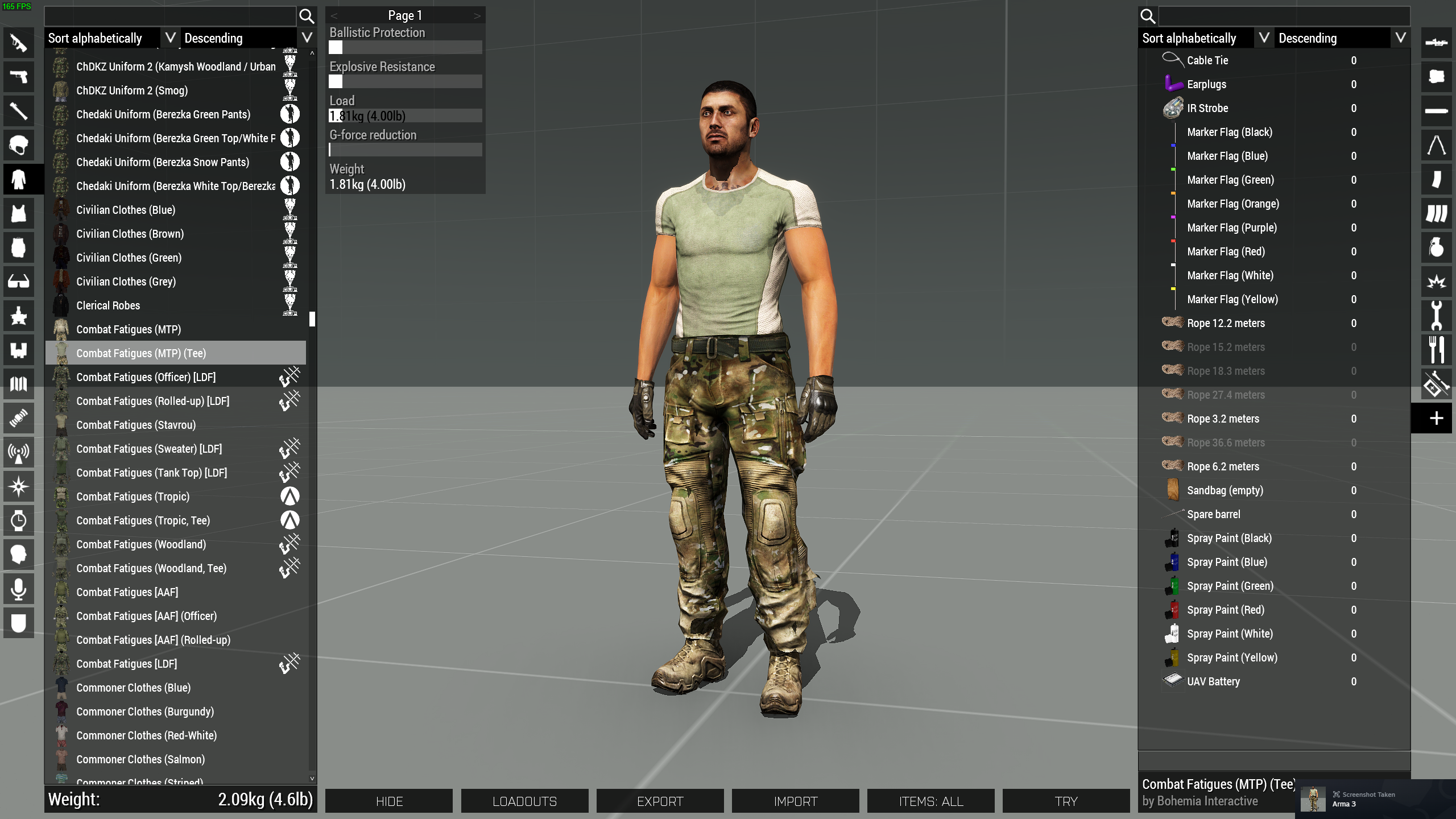
yeah, its woking now.
How can i change that shirt? I wanted to create diferent combinations of camos and shirts, the shirt doesn't seem to have hiddenselection so im guessing its using 2 models but i can't figure out how to change the shirt
full quarry
median anvil
How can i change that shirt? I wanted to create diferent combinations of camos a...
If it does not have hiddenselections you cant edit it
it could be it just does not have them defined in the config but it has them in the p3d
if thats the case you can define them yourself in your new config class
but it just also might be it does not have them at all in config or in the model
in which case its not possible
median anvil
Is there a way to check if the model has it?
full quarry
mikeros eliteness can show such statistics of the p3d if you unpack the Arma3 data and take a look
median anvil
Doesn't seem like its possible unfortunately, but im also not an expert at this. I guess i will focus on other stuff. Thx for the help!
full quarry
median anvil
Doesn't seem like its possible unfortunately, but im also not an expert at this....
if its this one uniform item

it traces back to this character class

the p3d contains 2 camo selections
but the classes that use it seem to have only 1 camo selection defined in the hiddenselections
the camo2 might be the shirt
 median anvil
Yup, ur right, adding camo2 did the trick... I still can't quite understand uniform making... Its so simple but i get super confused . I also checked the wrong model i checked the uniform model and not the soldier
Thank you
full quarry
👍
 lucid halo
Is this dark shadow the model or something with my RVMAT? Just seems like the frame shows up fine but the door doesn't.


Nevermind. I recreated my AS and seems to be working now.
 lavish hound
Hey, for those who have made textures for Chernarus, or who have made or run missions on Chernarus Summer: Is there any camouflage patterns you'd recommend to look into?
wooden lantern
lavish hound
Hey, for those who have made textures for Chernarus, or who have made or run mis...
m90/L swedish
iirc it fits nice
 ashen violet
I’ve come here for a substance question that I haven’t been able to find the answer too. How does one apply a smart mask to a specific color using color selection from my ID map ?
I’m trying to add a peeling paint smart mask to my wooden door but when I add a mask with color selection it cancels out the smart mask but without doing that the smart mask is applied to everything in the project which I don’t need
 zealous surge
ashen violet
I’ve come here for a substance question that I haven’t been able to find the ans...
zealous surge
ashen violet
I’ve come here for a substance question that I haven’t been able to find the ans...
Put that layer into its own folder/group and add the color selection mask to it. Then, add your peeling paint layer inside of that group and the effects will only be applied to everything inside of that specific folder.
 lilac vault
Is someone able to point me to where the inventory UI textures / icons are sitting? I've had a fairly surface-level crawl through cfgfiles without much success
specifically inventory slot placeholders

 brittle rivet
lilac vault
Is someone able to point me to where the inventory UI textures / icons are sitti...
brittle rivet
lilac vault
Is someone able to point me to where the inventory UI textures / icons are sitti...
In "\a3\ui_f\data\GUI\Rsc\RscDisplayGear"
ui_gear .paa files in particular
Relevant code seems to be line 41549 of a3\ui_f\config.cpp
lilac vault
Legend, thank you very much
 south cape
Got a really stupid question, does the whole "red cross protected by the geneva convention" video game law apply to making custom textures and stuff for mods? The main concern is will there be any repercussions putting stuff like a medical helmet with the cross into a public mod?
south cape
Thought that was the case thanks, wasn't sure since iirc I've seen it on stuff from sog/spearhead but it's been a minute since I've played those
Oh wait nvm pretty sure their stuff was green
 livid knot
Like gaming said, its protected and can't be used. Some games get away with it, its all dependent on who gets reported and if someone bothers checking. Easy workaround is use white cross on red, but thats the flag of switzerland so can be confusing haha. Also green on white is a classic option, or in halos case a red H on white
south cape
I gotcha lol, there's other options we can use like you said so we'll just use them!
south cape
Planning on using something similar to this, with some tweaking ofc to fit the genre

 umbral jackal
Where can I find seamless camo pattern for texturing?
full quarry
umbral jackal
Where can I find seamless camo pattern for texturing?
internet maybe
or you might need to make one yourself
umbral jackal
full quarry
internet maybe
I couldn't find many good resources
full quarry
did you type that question into google?
there are also online camo pattern generators
 true roost
Is it possible to extract the texture files from the Sog Pf cdlc? To be exact I'm talking about the vehicle liveries
I want to create some custom ones but can't find any blank ones or just templates online
true roost
I'm most interested in the Anzac ones like the bushrangers
 agile sinew
Hey which PBO file has the Nemara / CRV-6e Bobcat texture in it? Need to make one with a UN paintjob for a mission we are doing.
agile sinew
nvm i found it
full quarry
true roost
Is it possible to extract the texture files from the Sog Pf cdlc? To be exact I'...
No but they have released some of the textures already and a bunch have also been made into community made templates.
The sogpf discord has a modding channel where the modding support package link is pinned.
It does not yet have allll the textures though but still a lot you might be able to get started with
true roost
g, i'll check it out
 sonic dagger
I'm trying to create a "Tanoa DPM", with colors taken from the map. Is there a color palette somewhere I could use ? I'm struggling to find colors that look good together
rancid obsidian
Guys
If the game couldn't find the uniform texture the character and uniform model become invincible?
Invisible
Idk which word Is correct
full quarry
rancid obsidian
Idk which word Is correct
Invisible is word for thing that can be seen.
And yes sounds correct.
rancid obsidian
full quarry
And yes sounds correct.
Why that happens?
I have a texture
Address is correct
And name is correct
But it won't show
full quarry
Path is not correct then.
rancid obsidian
It's correct
 young patio
question for you texture peeps out there im making textures using the substance painter preset off of git but im finding its making my colours like massively oversaturated
is there a preset or setting i need to play with to make sure its not like this and more close to the substance painter original?


 old lodge
Hello, working on a tank model with a friend and for the longest of time we keep getting artifacts in various places on the model and we're running out of ideas for fixes. Keep in mind we are pretty new to this, what could be the cause of this part showing up like this in Substance Painter? Mesh Maps not baked correctly or has to do something with the model?
This has been fixed.
 trail sequoia
Face normals?
 hallow jay
young patio
question for you texture peeps out there im making textures using the substance ...
hallow jay
young patio
question for you texture peeps out there im making textures using the substance ...
I have been having this issue since forever and I don´t think there is an easy fix except for trying to modify the .rvmat values.
But it is still incredibly frustrating trying to texture something knowing the end result will look pretty different to what you are seeing in SP.
wooden lantern
hallow jay
I have been having this issue since forever and I don´t think there is an easy f...
I got u

GitHub
Arma 3 Substance Painter Export + RVMat Guide. Contribute to Scouter407/Arma-3-PBR-Workflow development by creating an account on GitHub.
I will shill my own workflow forever even if its not technically correct by arma standards, it produces coherent and decent results and let’s u have metal and not metal objects on the same RVMat
uses PBR so colors are the same upon export, nothing is converted to diffuse
hallow jay
cheers mate I´ll check it out
 stable swallow
young patio
question for you texture peeps out there im making textures using the substance ...
stable swallow
young patio
question for you texture peeps out there im making textures using the substance ...
just turn down the brightness of the finished texture in photoshop or any photo editing software
stable swallow
hallow jay
I have been having this issue since forever and I don´t think there is an easy f...
i never had this problem for colors, the colors in SP look exactly like i have them in arma
hallow jay
stable swallow
i never had this problem for colors, the colors in SP look exactly like i have t...
Not quite sure where the issue is then, maybe rvmat difference? My results vary from not amazing to pretty shocking (especially when having metallic and non-metallic surfaces on one rvmat)
floral fiber
try out scouts export and rvmat
young patio
question for you all im making a transparent texture for this alien stasis tank now from the side it looks good but from the front theres this weird artifacting going on?
is this like a lighting issue or is there something wrong with my texture/uv unwrap?


 stray relic
young patio
question for you all im making a transparent texture for this alien stasis tank ...
stray relic
young patio
question for you all im making a transparent texture for this alien stasis tank ...
Multiple transparent textures probably. Use face ordering in Object Builder.
young patio
stray relic
Multiple transparent textures probably. Use face ordering in Object Builder.
how do i do that?
stray relic
young patio
how do i do that?
Select rear most glass face. Faces > Move Top
Select closest glass face. Faces > Move Top
young patio
stray relic
Select rear most glass face. Faces > Move Top
Select closest glass face. Faces >...
ah uber chad cheers!
 desert heath
yo for some reason when im replacing PAA's in pbo manager ive been getting the issue "file already exists" but im trying to replace that said file, i even says this when i try and delete the existing paa
lethal condor
- Don't use PBOManager to make a PBO, or even modify a PBO
- That is not how a modding in Arma 3 works
- What is your goal
desert heath
lethal condor
1. Don't use PBOManager to make a PBO, or even modify a PBO
2. That is not how a...
i was just trying to use pbo manager to replace a paa on vanilla files so i could look at a texture i made, which has worked in the past, I just wanna see my textures in editor 😂
ive done it in the past it just recently started to have the issue
ofc i have to repair my game after but it takes like 3 seconds since its one file
or one paa
lethal condor
It still is horribly wrong way to do anything in Arma 3, in multiple context
I just wanna see my textures in editor
What exactly does this mean
desert heath
lethal condor
It still is horribly wrong way to do anything in Arma 3, in multiple context
im very very new to texturing xd
desert heath
lethal condor
> I just wanna see my textures in editor
What exactly does this mean
i wanna see what my clothing ive made looks like
lethal condor
It is no matter of texturing
desert heath
desert heath
i wanna see what my clothing ive made looks like
or clothing ive reskinned
desert heath
lethal condor
It is no matter of texturing
?
lethal condor
As I said it is not how a modding works in Arma 3, not about texturing
desert heath
lethal condor
As I said it is not how a **modding** works in Arma 3, not about texturing
so i would have to make a mod to look at the texures? like a retexture mod leaving the base ones in and just adding extra?
or how would you go about looking at your stuff
cause i can look at a texture map all day but doesnt really coorelate well to actually in game
lethal condor
- Make a new folder
- Make a texture and config
- Using a correct software to pack it into PBO
- Load it as a Mod
This is how a modding works in Arma 3
I don't really have an enough time right now to elaborate so I'll probably leave to some other dudes
desert heath
lethal condor
1. Make a **new** folder
2. Make a texture and config
3. Using a correct softwar...
what would a correct software be? I just googled how to open pbo and got pbo manager xd is there one built into arma 3 tools?
floral fiber
 full quarry
desert heath
what would a correct software be? I just googled how to open pbo and got pbo man...
full quarry
desert heath
what would a correct software be? I just googled how to open pbo and got pbo man...
yes. its called addon builder
to look at your new texture in game you can in most cases use scripting to apply your new texture on a character uniform or vehicle
what is it you are retexturing?
weapons, vests, helmets, nvgs need a injection via pbo and in those cases you should be creating a new class that uses the texture instead of replacing original ones
it is best to get the right practices down in the beginning
full quarry
for that you can put your new texture in a saved missions folder and apply it via the hiddenselection scripting commands
desert heath
full quarry
for that you can put your new texture in a saved missions folder and apply it vi...
how do you do the hidden selection scripting command?
full quarry
you run this through the script console in editor
you can find examples and probably even a guide for the exact steps online
 hollow quartz
hello,i am trying to make a rexture for a op between my friends and i but when i made all the sweaters.paa have the same texture this started happening to them,does anyone know why?

im new to arma modding
 full quarry
hollow quartz
hello,i am trying to make a rexture for a op between my friends and i but when i...
full quarry
hollow quartz
hello,i am trying to make a rexture for a op between my friends and i but when i...
What do you mean you made all the paa the same?
hollow quartz
full quarry
What do you mean you made all the paa the same?
the sweaters had variations in color and i wanted them to all be the same color,so i just replaced all the other textures with the brown variant
full quarry
thats not really the right way to do mods
what you do is to make one single new class that uses your new texture through hidden selections
instead of messing with the originals or overwriting original files
retexture mod contains a config and your new texture files
nothing else is needed
and nothing is overwritten
hollow quartz
full quarry
and nothing is overwritten
well is there a guide or something anywhere to help me navigate through this?
every video i find they just plain out replace the mods original texture or its terribly outdated and from 2006
full quarry
there is lot of bad modding info out there yeah
hollow quartz
full quarry
there is lot of bad modding info out there yeah
do you have any guides that could help me with this?
full quarry
hollow quartz
do you have any guides that could help me with this?
no. but you can probably find something using keywords like "retexturing" and "hiddenselections"
or by even searching the chat history on this server
hallow jay
wooden lantern
I got u
Bit of a necro, but thanks for this, worked quite well considering how outdated certain elements of this game are. Wish we could just have all the Reforger goodness in Arma 3 as well 

 wooden lantern
hallow jay
Bit of a necro, but thanks for this, worked quite well considering how outdated ...
wooden lantern
hallow jay
Bit of a necro, but thanks for this, worked quite well considering how outdated ...
nope I saw it anyways ping u coward and yeah np glad it worked out
hallow jay
I prefer not to ping and bother people with useless stuff 
floral fiber
theres no function for exporting weapon icon previews is there
full quarry
Im gonna say no. 🤔
I dont know if you can get such ortho view camera in live game
personally Ive used simple sideway renders straight from blender on my guns
floral fiber
ive no clue how to stick the tx and stuff on blender else i'd try automate it through there
at the moment ive got a mission on vr terrain which works well enough its just a pain
wooden lantern
floral fiber
theres no function for exporting weapon icon previews is there
render it in blender as a 512x512 image with a transparent background, that's a pretty good start
rancid obsidian
Guys
Does this Paramilitary garb has texture materials? in config doesnt show anything
 full quarry
rancid obsidian
Does this Paramilitary garb has texture materials? in config doesnt show anythin...
full quarry
rancid obsidian
Does this Paramilitary garb has texture materials? in config doesnt show anythin...
did you look in game config viewer?
whats its classname?
rancid obsidian
full quarry
did you look in game config viewer?
Yes
It has texture
But material no
full quarry
then its probably using default materials from the p3d
rancid obsidian
full quarry
then its probably using default materials from the p3d
Pants are from independent uniform
rancid obsidian
full quarry
then its probably using default materials from the p3d
Do I need to add "hiddenmaterials" for it?
Or add and leave it empty?
full quarry
rancid obsidian
Or add and leave it empty?
if you dont need to change them then no you dont need to add anything
it will use the defaults from the p3d model
 lunar heron
Hey I don't know if it's correct channel for that but I wanted to ask since I have 0 idea of extracting and entering game files, is there any way to get the icons from files such as the ranks, vehicles, roles ECT?
rancid obsidian
lunar heron
Hey I don't know if it's correct channel for that but I wanted to ask since I ha...
I use "Pbo manager"
lunar heron
rancid obsidian
I use "Pbo manager"
I have no idea how to use it
rancid obsidian
lunar heron
I have no idea how to use it
It's so ez
lunar heron
rancid obsidian
It's so ez
very helpfull thanks
severe rune
You need to first find out which PBO the files are in. (Probably some ui_f one)
Then you can drag&drop the pbo onto Arma 3 tools' BankRev tool. To unpack it.
Keep in mind that many of these icons/images are copyrighted and modifying/redistributing them might be a violation.
trail sequoia
Did openGL normals use +y or -y for the green channel?
copper helm
I would just like to say. You folks are asking way to high of prices for commissions. A couple months back I asked for a simple face texture based off of a real life person. Since I asked I have gotten numerous people wanting to help, however, everytime we discuss pricing those people are asking for close to $100 or telling me they cant do it without a model as well. Your prices are ridiculous. I have made textures for people and barely even charge them. I have made models and don't charge them. There are people doing way better stuff than any of you making really beautiful models who don't charge that much. I don't mind paying for work but y'all seriously misjudge your market.
 slim bronze
Its free market though
Charge the amount you like, people flock to lower prices
full quarry
anyway. this is channel to talk about making textures, not making money
 plush goblet
Greetings!
I am here to ask where to start out with my custom texturing needs;
1: custom kit creation
(vest, backpack, uniform, patches, etc etc, additions to modded/vanilla sets)
2: custom textures for vehicles
(typically modded)
3: How and where to put files lol
I do have experience in: unity, blender, photoshop, some in substance.
Main aspect is where should i first start out with doing custom things for my group since they silly and im the only one willing to do this at this moment
full quarry
plush goblet
Greetings!
I am here to ask where to start out with my custom texturing needs;
...
retexturing does not involve 3d models as they are not available for such use. so its all done by painting over existing texture file as reference or just plain new one.
Same applies on both gear and vehicles
wooden lantern
copper helm
I would just like to say. You folks are asking way to high of prices for commiss...
learn how to do it yourself
plush goblet
full quarry
retexturing does not involve 3d models as they are not available for such use. s...
i see, but is my idea of adding textures to existing mods that we have in our pack a thing? such as a TFL vest but changed for a certain colorscheme?
full quarry
plush goblet
i see, but is my idea of adding textures to existing mods that we have in our pa...
TFL no since that shit is bag stolen flaming crap
plush goblet
well inknow of that, it was an example
full quarry
we dont help with anything related to banned stuff like that
plush goblet
valid.
I digress of that point
full quarry
unfortunately since you use it, we cant assist
plush goblet
peronsally i dont, it was an example
first thing taht came to mind
BLAH SPELLING my bad.
full quarry
Please dont treat me like an idiot
plush goblet
Im not trying to if thats what your getting at.
What im trying to simply ask is how would i create an addition to an existing mod that has a custom model, a extra texture piece to add onto.
full quarry
yeh well since that "custom" model is in fact likely to be TFL stuff I dont want anything to do with that
plush goblet
1: its not, its part of the RHS mod.
2: I jsut wanted to see if someone could help but ig not
I bring up an example and it makes me the bad guy without even knowing why.
Crazy, i just wanted to know how to change up a style of something like the 6Sh pouch from RHS and such to a different style.
full quarry
get your group to remove tfl and other ripped stuff and its remedied
plush goblet
we dont actually have it in there, it was again, used as an example.
Mainly cause i remmeber TFL gear having a multi choice, but i never liked the look of it so we didnt add it.
But once more, i digress.
Also i have no idea what you are on about the ripped stuff? Is it stolen assets?
full quarry
yes that
plush goblet
Ah.
Distasteful.
full quarry
honestly I just cant believe you "didnt know" sorry
plush goblet
valid statement, however, mental issues that span a continent.
Back to trying to learn manually without help cause i said a magical word that makes me the biggest baddest guy to persists
 serene sage
i have a quick question trying to place a user texture but i coming out faded any suggestions
lethal condor
What it does mean faded
serene sage
opacity
serene sage
i dont have a pic of it in game but
Save as a PAA in texview2

can barely is it once its placed in game
serene sage
1080x1080
full quarry
serene sage
1080x1080
Thats not compatible resolution
got to be power of 2 dimensions
like 1024
serene sage
So 1024x1024
full quarry
yes
serene sage
Ok will try that thanks for the help
 full quarry
please keep to one channel with same question

 feral grove
maybe its the lack of shadows etc
 silver gull
what do you have in mind? Look at the thing that surrouds it: low resolution textures. Why do you want to polish something that small when everything else looks average?
 silver adder
It looks wrong because the Texel Density is vastly different between the object and the scene in general.......as above ^ but the term is Texel Desnity
 unkempt wolf
Hello ! Im trying to make names on my uniforms for a unit I am in. Only problem is Idk how, I was hoping someone maybe willing to teach me ?
 manic pier
Hello, I'm a little lost. I have a texture of helmet accessories where some of the faces are transperant. When I apply Alpha map to the texture all of the assets has some noise to them. It's not the artifacts as someone posted before, but "active noise" which isn't static. Any ideas what could cause this?
full quarry
manic pier
Hello, I'm a little lost. I have a texture of helmet accessories where some of t...
its because you have transparency in the object.
you are not supposed to hide parts with transparent textures
manic pier
full quarry
its because you have transparency in the object.
There is no way around it? For example objects blue and green are from one and the same texture. Object blue has transperancy and clearly visible noise. But there is also noise on object green (not really visible in these pictures) which doesn't have transperancy
 full quarry
manic pier
There is no way around it? For example objects blue and green are from one and t...
full quarry
manic pier
There is no way around it? For example objects blue and green are from one and t...
try separate solid and transparent parts into their own textures
manic pier
full quarry
try separate solid and transparent parts into their own textures
roger, thanks
serene sage
serene sage
still the same thing
any one have any ideas
lethal condor
Relaunch Arma and see
ancient smelt
Looks too flat, too. A raised bevel or box sides might help.
serene sage
lethal condor
Relaunch Arma and see
I have done that multiple times I created another user texture replace the 1 with a six they shows just fine
lethal condor
Can't understand your last post. What is 1 what is six what is fine
stray relic
serene sage
I have done that multiple times I created another user texture replace the 1 wit...
Your texture "YA1" does not show as you would like it to?
But you make a new texture "YA6" and it shows ok?
If that's correct, post a screenshot of the YA6 working in game, and also post links to your two texture files so that we can inspect them.
 sage drift
Ello folks, has anyone had issues trying to retexture the base game Taru heli? Using the same config script (hidden textures…) doesnt work. My textures get overridden for some reason.
lethal condor
Tell whatever you exactly do
 sage drift
full quarry
sage drift
full quarry
Ohhh I didn’t think of that, can I make my own entry to the list so my textures are primary?
sage drift
lethal condor
Tell whatever you exactly do
Literally as in goats image. Hidden selections and then hidden textures…. The path in my mod is fine as all the other vics work fine.
lethal condor
What I really meant is your actual script or config
sage drift
Ah sorry on my phone at the moment
serene sage
stray relic
Your texture "YA1" does not show as you would like it to?
But you make a new tex...
do they need to be PAA files
lethal condor
Always
serene sage
i cant put those in discord
serene sage
six works 1 doesnt
full quarry
well by chance. its still wrong resolution
you probably need to put correct naming suffix to the source texture
_CA for things that have transparency
so ya1_ca.png ->> converted to ya1_ca.paa
serene sage
i dont want it to have transparency
full quarry
emm
then why have you saved ya1 with transparency?

then remove alpha channel from the image
and use _CO suffix
serene sage
ok this my first time doing to this how do i not save it with out transparency srry for being a pain in the ass
lethal condor
Depends on your image editing software
stray relic
serene sage
ok this my first time doing to this how do i not save it with out transparency s...
We're making progress now...
... what image editing software are you using?
Summarising help from the other chaps:
- Change resolution to 1024x1024 pixels
- Remove transparency (by removing alpha channel)
- Save file as
ya1_co.pngorya1_co.tga - Convert file to
ya1_co.paa
wooden lantern
is there any way to force a PAA to save with cleanest compression bc it just automates it down to dxt1 and since it’s dds adjacent I figure stuff like dxt5 and 8.8.8.8 would work, but is there some sort of forced compression I need to set
wooden lantern
full quarry
check the compression rules
is it somewhere on the wiki cuz I can’t find it with a general search
full quarry
no might not be
its a txt file in the armat 3 tools install folder
dont remember exactly whre it was
 normal thistle
how do you get the AH-11 texture for edit👀
 frosty pumice

seems like my "camo1" selection is doing something wrong here... but cant figure out why
both vehicles use the same texture but they end up with diffeent colors??
just realized their color is randomized whenever i spawn them in the editor
 lethal condor
textureList[]=
{
"red", 1,
"green", __EVAL(1/3), // You can also use EVAL to evaluate an expression
"blue", 1,
"black", 1
// You can noticed that the white source is missing, therefore, it won't be part of the random
};```Because your config sets the randomization? nocturne prairie
my section count in Object Builders get high, but i down know who is the problem... I have 3 Textures with 3 rvamts. when i add the first texture with rvmat, is the count on 1. but when i add the next texture with rvmat, my section count is on 173... texture size 4096x4096
 stray relic
nocturne prairie
my section count in Object Builders get high, but i down know who is the problem...
stray relic
nocturne prairie
my section count in Object Builders get high, but i down know who is the problem...
Select all the mesh with texture 1, copy to clipboard and delete it.
Paste it back in.
Repeat with texture 2 and 3.
nocturne prairie
stray relic
Select all the mesh with texture 1, copy to clipboard and delete it.
Paste it ba...
nice, thx!
frosty pumice
    class PTNI_Truck_UN: PTNI_Truck /// some class that is going to be visible in editor
    {
        crew     = "PTNI_Rifleman_UN_AD";
        faction    = ptni_faction_UN;
        hiddenSelections[] = {"camo1","camo3","camo4"};
        hiddenSelectionsTextures[] = {"ptni_truck\Data\ptni_truck_ext1_UN_CO.paa","ptni_truck\Data\ptni_truck_ext2_UN_CO.paa","ptni_truck\Data\ptni_truck_cover_UN_CO.paa"};
};```camo1 and camo3 works just fine with the retexture, but not camo4?
ive rechecked that camo4 is in fact connected to the correct mesh
stray relic
frosty pumice
ive rechecked that camo4 is in fact connected to the correct mesh
Also present in model.cfg sections[]?
frosty pumice
that was it, thanks
 austere valley
hi everyone, why i can't find the uniform file

 lethal condor
What file you talk about, I'd ask again
lethal condor
Open responsible PBO and extract its PAA
austere valley
ok but i don't find the file with the texture
im sorry if i expalin very bad but im new in modding
i mean the only result is picture like in the scrteen i sent
lethal condor
"Arma 3 how to open PBO" is one way to Google
austere valley
why there is no " HiddenSelectionsTextures " for the class I_G_Soldier_SL_F

 dawn bough
austere valley
why there is no " HiddenSelectionsTextures " for the class I_G_Soldier_SL_F
dawn bough
austere valley
why there is no " HiddenSelectionsTextures " for the class I_G_Soldier_SL_F
it's inherited from the base, look up that class,
I_G_Soldier_base_F
austere valley
dawn bough
it's inherited from the base, look up that class,
I_G_Soldier_base_F
that's not this texture im looking for

im looking for this one
 full quarry
looks like the rest of the textures it uses are the default ones for that uniform model.
the shemag is separate camo selection I guess, shirt is one and pants are one so they can be swapped around
the pants are from that texture with black shirt

the model is this

actually the pants look like they are that by default too.
character opened up as proxy in Object Builder shows what it looks like by default

 dawn bough
Thanks Goat 🐐 for explaining.
full quarry
mikeros eliteness for example can show what the default textures on it are if someone wants to look
 versed axle
Does anyone know where to find LDF uniform textures?
They are apparently not in Character pbo in Contact dlc folder and config viewer redirects it to AAF base uniform
austere valley
full quarry
mikeros eliteness for example can show what the default textures on it are if so...
thank you bro
 lilac oar
Hello, I would like to retexture the Tempest/ KAMAZ Typhoon in ArmA 3, but I can only find the version with its camo pattern. How can I find one with a solid color/camo/where would it be?
Please and thank you!!
 crisp timber
versed axle
Does anyone know where to find LDF uniform textures?
crisp timber
versed axle
Does anyone know where to find LDF uniform textures?
check in the enoch folder under characters, its the I_E prefix
"\SteamLibrary\steamapps\common\Arma 3\Enoch\Addons\characters_f_enoch.pbo"
 vernal sage
lilac oar
Hello, I would like to retexture the Tempest/ KAMAZ Typhoon in ArmA 3, but I can...
vernal sage
lilac oar
Hello, I would like to retexture the Tempest/ KAMAZ Typhoon in ArmA 3, but I can...
There's a template here:
https://forums.bohemia.net/forums/topic/173971-beazleys-man-truck-tempest-retextures/
Plenty of mods like RHSAFRF or Aegis, as well as various standalone Tempest rexture packs on the Workshop also have flat colour texture variants.
If you don't like that template or the ones from those mods, you'll have to reconstitute your own by mixing various (greyscale) layers from the NOHQ/SMDI/AS to replicate the baked in details from the original (camouflaged) textures.
Bohemia Interactive Forums
BRIEFThe BIS Tempest truck looks quite a lot like the British Armys MAN trucks. This retexture gives them a paint job to match. DOWNLOAD v2.0 ArmaholicPlay withSIX Alternate mirror (MediaFire)DOWNLOAD v1.0 - Pre ArmA3 v1.6ArmaholicPlay withSIXAlternate mirror (MediaFire)FEATURESIncludes woodland ...
lilac oar
vernal sage
There's a template here:
https://forums.bohemia.net/forums/topic/173971-beazleys...
Thank you so much!
 heavy ivy
Any advice on how to add text onto a texture without making it look like it's a sticker or something?
Working on a UN helmet, but if I just add the logo as a piece of text, it looks like like it sits on top of the helmet cover instead of being part of it
lethal condor
Maybe provide some pic can tell us more
Such like your current result vs how it should be
heavy ivy
lethal condor
Maybe provide some pic can tell us more
this is what I currently have

Zooming in a bit, you can see these ridges that are the various bits of fabric it's made of, but the logo doesn't have them. Which makes it look like it's' a sticker or something. I tried setting the text layer as an overlay, but that results in the text being a light blue instead of white
 lethal condor
So you want to make the UN more fabric anyways
heavy ivy
yes, because, from what pictures I've seen, that appears to be the way they are IRL
lethal condor
Thing actually you can is having blend mode other than Normal
full quarry
layer blend mode screen could work
or few stacked up
or lowerin opacity of the letter layer
 nocturne lake
Or make a mask with the lettering and use hue/sat and brightness/contrast layers
full quarry
lot of ways to paint a cat
heavy ivy
Tried the opacity route, and it looks somewhat better. Not a great, but it's a WIP so I can work out the kinks as I go along
 lethal condor
Opacity is not what we all suggested
full quarry
I mentioned it
other options may be better though
like playing with the saturation like da12thMonkey said
full quarry
1 saturation layer and 1 screen layer and playing with the opacity could be alright
heavy ivy
Gave the Saturation overlay a try, and that might have done it. Only problem is it's maybe too dull a white, but that's both an easy fix & might even be better that way
 full quarry
heavy ivy
Gave the Saturation overlay a try, and that might have done it. Only problem is ...
full quarry
heavy ivy
Gave the Saturation overlay a try, and that might have done it. Only problem is ...
Try that in game. Bright white don't look great either.
Alternatively you can duplicate the layer and use another blend mode on that to brighten it.
nocturne lake
Yeah use an additional brightness/contrast or levels layer to move the tone to where you want it
IMO it's always better to use off-white and off-black shades in games though, rather than pure black and white. Stuff gets dirty, bleached by the sun etc. and avoids game HDR going crazy when it encounters colours at the extreme ends of the histogram
heavy ivy
Got it in game, and it's obvious that I made the text obnoxiously large. So got to change that.
And then it might be too bright, so I should probably bring the brightness down
 nocturne lake
Also have a look how it is on Altis or another island rather than VR. VR has very weird lighting
heavy ivy
Will do
heavy ivy
Here's' what it looks like under Altis and, for good measure, Tonoa lighting

 full quarry
Id darken it some yeah. Arma lighting boosts colors quite a bit so the texture needs to be a bit desaturated and darker than whay you might naturally expect
heavy ivy
Noted. So, plan is to:
Make the UN lettering smaller, make it more desaturated, and, if possible, I'd like to get rid of the cat-eyes band.
Can ask on the CUP/CWR discord about that last one
heavy ivy
how's this?
 full quarry
youll have to put it in game and see
heavy ivy
It's...better? Think I need to go slightly more desaturated, and the lettering is still too big

actually, no, comparing it to the earlier images, it looks nearly identical. Back to the drawing board I guess 😐
full quarry
It is smaller
heavy ivy
but still too big, imo
making sure that "UN" symbol is symmetrical on both sides is also going to be a pain
stray relic
heavy ivy
making sure that "UN" symbol is symmetrical on both sides is also going to be a ...
Just in case you're trying to make this because you're unaware of an existing option, did you know about the 3CB Factions mod, which includes a fully fledged UN faction, amongst many others?
https://steamcommunity.com/sharedfiles/filedetails/?id=1673456286


 velvet monolith
how do i add a custom icon/logo for my mod? specifically the one used on ace arsenal?
 heavy ivy
stray relic
Just in case you're trying to make this because you're unaware of an existing op...
heavy ivy
stray relic
Just in case you're trying to make this because you're unaware of an existing op...
I am aware, but I was wanting to create Cold War UN assets for CWR3, which, to my knowledge, doesn't have one. Thank you for the recommendation, however.
stray relic
velvet monolith
how do i add a custom icon/logo for my mod? specifically the one used on ace ars...
Probably this config parameter:
picture = "\A3\weapons_F\Data\UI\gear_acca_snds_l_CA.paa";
stray relic
heavy ivy
I am aware, but I was wanting to create Cold War UN assets for CWR3, which, to m...
It has Cold War factions on all sides, but if not what you're looking for fair enough. Didn't want you to have a "doh" moment later on if you hadn't seen it. 🙂
 lethal condor
velvet monolith
how do i add a custom icon/logo for my mod? specifically the one used on ace ars...
lethal condor
velvet monolith
how do i add a custom icon/logo for my mod? specifically the one used on ace ars...
If you mean you want an icon like Apex icon there, this
https://community.bistudio.com/wiki/Mod.cpp/bin_File_Format
heavy ivy
I think I've now got it to where it looks good, or, at the very least, acceptable
 austere valley
it looks good
 stray relic
austere valley
for retexturing
stray relic
austere valley
for retexturing
Convert it to .tga first using texView2 (Arma Tools, Steam).
Do all your work on .tga (an uncompressed format) and keep this source.
Any .tga textures in the \data\ folder will be automatically converted to .paa by the Build tool.
austere valley
stray relic
Convert it to .tga first using texView2 (Arma Tools, Steam).
Do all your work on...
i convert it to png file to open it

my goal is to add a camo patern
is it easy to do ?
trail sequoia
If only there was a way to allow people to paint using substance etc while keeping your model locked
austere valley
someone have experiance in changing camouflage of an uniform ?
brittle rivet
austere valley
how can i open paa file in gimp
Or the .paa extension for gimp
I think it's from gruppe adler
https://github.com/gruppe-adler/paa-gimp-plugin
I still had to reopen with texView to fix the alpha mode sometimes

GitHub
A GIMP plug-in for the paa file format. Contribute to gruppe-adler/paa-gimp-plugin development by creating an account on GitHub.
brittle rivet
austere valley
someone have experiance in changing camouflage of an uniform ?
Yeah
It's much easier if you can find a template for the uniform that someone has already made
Then it might be as easy as insert the camo texture you want
There are a bunch of templates that were posted for use on the BI forums
I've used these, and they have a template for ig_guerrila2_1_co
https://forums.bohemia.net/forums/topic/185433-petes-texture-templates/
The only issue I had was one of the vests, but I was being picky about having the webbing be cutout exactly
If you don't have a template, you might be able to use layers to get the right effect, but you will need to spend a fair amount of time cutting around the various cutouts
And you probably need to get the bump textures from the _NOHQ, _AS, and other non-colour textures (they can also be helpful in seeing where precisely to cut)
Time creating good dirt textures, or using randomly generated dirt textures will make it look better
Bohemia Interactive Forums
Petes Texture Templates Good evening, over the last year Ive gathered quite an amount of templates for A3s vanilla textures, allowing for quick re-texturing of units, vehicles, and gear. I thought Id share them here for others to use. Please note that theyre by no means professional or anything, ...
If you have your .xcf in the folder of your addon, remember to exclude .xcf unless you want to include it in your .pbo
 warm falcon
hello how can i add a desert camo to the AAVP7 from the USMC (the desert camo from the US Army)
From the Cup mod
Or put it directly in the Vehicle appearance menu permanent
 vapid bronze
I want to start retexturing vanilla uniforms for my personal use. I already have the camouflage swatches, but how do I actually do the retexturing and the mod packing?
Explain like I'm 5
lethal condor
- Unpack the responsible PBO to get the PAA
- Use some software to convert PAA to PNG
- Use some image software to edit whatever you want
- Make a config, proper file/folder structure
- Use some software to pack into PBO
- Use it in-game
Unfortunately, especially 4 requires a lot to explain
vapid bronze
I'm in the Arma 3 folder, where's the vanilla uniforms PBO?
lethal condor
Depends. Usually they are located in characters_f_***.pbo
trail sequoia
Can you use multimaterials for vehicles or is it limited to buildings only?
full quarry
trail sequoia
Can you use multimaterials for vehicles or is it limited to buildings only?
Can use it with anything!
trail sequoia
yippee
 wide shadow
is there a technique or tool or something that can get substance painter to author specular maps the way arma wants it, with the 3 different maps baked into the R G B channels? I looked at the pins and got the export settings but I'm not sure it worked 100%
full quarry
wide shadow
is there a technique or tool or something that can get substance painter to auth...
The preset pinned have been said to work OK. But due to how different render environments and shaders SP and the game uses it might not always look the same.
wide shadow
hm. I mainly ask because the spec map it put out looked to be just black. I guess I'll see when I get it in-game.
full quarry
wide shadow
hm. I mainly ask because the spec map it put out looked to be just black. I gues...
That may not be right.
Unless it's not meant to be shiny
wide shadow
actually come to think of it, I might have set it that way. it's hard to tell, I'm learning like a dozen new things at once trying to make this stuff
I set up substance painter with a non-PBR workflow but I'm not accustomed to doing non-PBR work so it's been kind of weird trying to get stuff to behave the way I want it to
I may well have just cranked down all the specular maps to all black. again, I guess it'll be something to troubleshoot later down the line
full quarry
wide shadow
I set up substance painter with a non-PBR workflow but I'm not accustomed to doi...
The export method above may be made for pbr workflow. I don't remember exactly though
wide shadow
I tried that previously with a project I had mistakenly done in PBR and it did not work
didn't do any automatic conversion of maps, it just was like "the maps you want don't exist in the project, tough luck"
full quarry
Then it probably is for the non pbr workflow
 worldly spire
is adding a uniform significantly harder than retexturing an existing one or is it survivable?
full quarry
worldly spire
is adding a uniform significantly harder than retexturing an existing one or is ...
Suvivable/learnable yes.but it is harder as you make a lot more from scratch.
worldly spire
full quarry
Suvivable/learnable yes.but it is harder as you make a lot more from scratch.
ah, is there a guide for it?
full quarry
worldly spire
ah, is there a guide for it?
Well not exactly. You would first pick up a program like Blender and start learning 3d modeling.
wooden lantern
wide shadow
is there a technique or tool or something that can get substance painter to auth...
I’m guessing you made something in pbr
https://github.com/Scouter407/Arma-3-PBR-Workflow
this is my export for pbr if u wanna test it out with ur project
GitHub
Arma 3 Substance Painter Export + RVMat Guide. Contribute to Scouter407/Arma-3-PBR-Workflow development by creating an account on GitHub.
 stable swallow
So what exactly is the problem with the helmet ?
Both, why the drama started
The problem of the unit was afaik that they want to keep your work even tho you said no
I see i guess
But im curious you said you based it off of another mod, do you have permission from the mod to retexture that helmet ?
Hm then i think you cant dmca the unit
Since they got permission, not you. But the texture is still your IP so thats kinda a weird case
wooden lantern
stable swallow
Since they got permission, not you. But the texture is still your IP so thats ki...
It’s not really that weird tbh
He made stuff
He never signed it over legally
Therefore it’s his stuff
it’s not a DMCA more than it is a content takedown notice type of thing, ie, remove this and it’s fine
lucid halo
How would I make it so only some of my windows of a sky scraper glow at night to simulate people being there? Use an Alpha or would I have to use a separate texture for just those windows?
trail sequoia
Seperate texture
trail sequoia
yup just clone rvmat and add emissive value
 umbral pike
If you have performance to spare, make a small empty room that has a glass wall thing with a super bright light inside. It’ll add some depth to it
trail sequoia
here's an example
 full quarry
There is super Ext shader that should turn on and off at night
It was used in take on helicopters for lit windows
severe rune
I don't think it turns off at day. More like, it's just so bright everywhere else during day, that you can't see it?
trail sequoia
severe rune
I don't think it turns off at day. More like, it's just so bright everywhere els...
Yup, same with emissive property
severe rune
#arma3_texture message There is an example of SuperExt for stripes on the stairs
floral fiber
severe rune
I don't think it turns off at day. More like, it's just so bright everywhere els...
correct same principle is how IR patches are done
i.e black cant be emissive during night time, isnt emissive during day time anyway but under nv for some reason its emissive now
 keen terrace
Is there a reason to use .paa textures over .tga?
full quarry
keen terrace
Is there a reason to use .paa textures over .tga?
textures get converted to PAA anyway
paa is the engines texture format
keen terrace
Assuming that happens when the addon is packed?
full quarry
if you do things right yes
keen terrace
Thanks
lucid halo
Can you use a NOPX on a decal or is that set for only terrain textures?
full quarry
lucid halo
Can you use a NOPX on a decal or is that set for only terrain textures?
terrain textures only
 ornate veldt
ambient[]={1,1,1,1};
diffuse[]={1,1,1,1};
forcedDiffuse[]={0,0,0,0};
emmisive[]={0,0,0,1};
specular[]={1,1,1,1};
specularPower=100;
PixelShaderID="Super";
VertexShaderID="Super";
class Stage1
{
    texture="BR_Weapons_Attachments\BR_Buttstocks\BR_Buttstocks_AR_Platform\BR_Buttstock_AR_Carbine\BR_Buttstock_AR_Carbine_nohq.paa";
    uvSource="tex";
    class uvTransform
    {
        aside[]={1,0,0};
        up[]={0,1,0};
        dir[]={0,0,0};
        pos[]={0,0,0};
    };
};
class Stage2
{
    texture="#(argb,8,8,3)color(0.5,0.5,0.5,1,DT)";
    uvSource="tex";
    class uvTransform
    {
        aside[]={1,0,0};
        up[]={0,1,0};
        dir[]={0,0,0};
        pos[]={0,0,0};
    };
};
class Stage3
{
    texture="#(argb,8,8,3)color(0,0,0,0,mc)";
    uvSource="tex";
    class uvTransform
    {
        aside[]={1,0,0};
        up[]={0,1,0};
        dir[]={0,0,0};
        pos[]={0,0,0};
    };
};
class Stage4
{
    texture="#(argb,8,8,3)color(1,1,1,1,AS)";
    uvSource="tex";
    class uvTransform
    {
        aside[]={1,0,0};
        up[]={0,1,0};
        dir[]={0,0,0};
        pos[]={0,0,0};
    };
};
class Stage5
{
    texture="#(argb,8,8,3)color(1,1,1,1,SMDI)";
    uvSource="tex";
    class uvTransform
    {
        aside[]={1,0,0};
        up[]={0,1,0};
        dir[]={0,0,0};
        pos[]={0,0,0};
    };
};
class Stage6
{
    texture="#(ai,64,64,1)fresnel(1.82,0.71)";
    uvSource="none";
};
class Stage7
{
    texture="dz\data\data\env_land_co.paa";
    uvSource="tex";
    class uvTransform
    {
        aside[]={1,0,0};
        up[]={0,1,0};
        dir[]={0,0,0};
        pos[]={0,0,0};
    };
};
DayZ (but its the same as Arma nearly)
why is my RVMAT so messed up ?
 lethal condor
What do you mean by mess
ornate veldt
@lethal condor ehmm - cant you see that it looks like my bath mirror ? xD
without rvmat
 lethal condor
It does not tell what is your goal. Because you maybe wanted a mirror
Also why don't you just ask in DayZ server
ornate veldt
lethal condor
It does not tell what is your goal. Because you maybe wanted a mirror
because its the same engine, we have all the same tools Object Builder etc, same textures etc.
And in DayZ Modding a lot of people just ignore quality and try to pump as much stuff into the game.
My goal is that it looks properly like a regular buttstock.
My issue is:
I dont know how to create a prover RVMAT
AND I have metallic and roughness files - so I first need to find out how to get smdi and as for rvmat
lethal condor
Rendering engine is different anyways
hallow jay
How can it be the same if arma uses spec gloss?
ornate veldt
hallow jay
How can it be the same if arma uses spec gloss?
dayz uses spec and gloss to ?
hallow jay
Why do you have met rough files then?
And how come you dont have smdi and as? They come from the same place as _co and _nohq
ornate veldt
hallow jay
Why do you have met rough files then?
Bought model
ornate veldt
hallow jay
And how come you dont have smdi and as? They come from the same place as _co and...
and metallic and rough is the standard for modern engines / PBR texturing. thats why modern assets come with it.
hallow jay
You need to create textures that arma can use, for example in substance painter using an arma export preset
stray relic
ornate veldt
```
ambient[]={1,1,1,1};
diffuse[]={1,1,1,1};
forcedDiffuse[]={0,0,0,0};
emmisiv...
As the others have said, it's messed up because you have procedural AS and SMDI maps in the rvmat at full value (1), rather than customised textures to match your diffuse.
The artist typically would texture in something like Substance Painter and would export
_co, _nohq, _as, _smdi
which would be adjusted for the Arma engine (as it's not PBR) and to work with the specular powers of the rvmat.
They would also adjust the Fresnel values to give surface optical qualities appropriate to the material modelled.
lethal condor
Still there really is no reason to ask this in this server
ornate veldt
stray relic
As the others have said, it's messed up because you have procedural AS and SMDI ...
Thanks a lot for the helpful explanation - this was the message I was looking for.
ornate veldt
lethal condor
Still there really is no reason to ask this in this server
Man - the game is from the same studio, it uses 95% of the codebase of arma 3, even the Modding guides are only from arma 3 for dayz, the texture guides everything.
I dont get it why you are so obsessed in trying me not to ask here.

full quarry
ornate veldt
Man - the game is from the same studio, it uses 95% of the codebase of arma 3, e...
keeps things easier to manage as there are differences between dayZ stuff
ornate veldt
stray relic
As the others have said, it's messed up because you have procedural AS and SMDI ...
I guess it is probably possible then to import the PBR textures into Substance and export the as & smdi then.
🙏
lethal condor
My point still stands
ornate veldt
stray relic
As the others have said, it's messed up because you have procedural AS and SMDI ...
How come, he was then able to help me ? .....
Yes, its not the same - but still a lot of resources are 1:1
full quarry
and we have had cases with people trying to debug stuff ending up being impossbile to debug because they are dayZ stuff
so we dont do dayz stuff
we do these things so that its easy to help people here
you are in dayz discord and the enfusion modders discord. those are the places where dayz modders can help you out
ornate veldt
full quarry
and we have had cases with people trying to debug stuff ending up being impossbi...
I can understand that - I agree with you, but a simple "in arma 3 we do it like that - not sure if it will work in dayz"
Is more than enough - I am not asking someone to make anything or whatever, I was just asking how it works in Arma or how you handle it in Arma.
Believe it or not but everything the dayz community knows about modding is from arma3 resources.
Like there is 0 guidance or documentation for dayz its only for Arma, that also has a reason - since its literally the same engine just with a newer version.
"DayZ Tools" is literally a copy of Arma Tools, the fileformats are the same and the textures are also the same.
I just wanted a quick info how you handle stuff, since the Arma community is way advanced in terms of knowledge, I did not ask for any debugging or whatsoever.
I hope you dont get that message, wrong, I appreciate the help already and I see no reason why it is a issue to ask something "Arma Engine" related.
ornate veldt
full quarry
you are in dayz discord and the enfusion modders discord. those are the places w...
"Enfusion" isnt that also a Arma engine ? 😛 - kidding 😉
so god forbid anyone from arma asks a question there - oh thats the case actually 😄
full quarry
to ensure we dont waste time debugging something we cant help with we dont do dayz stuff
if you want to ask arma questions, ask arma questions
ornate veldt
full quarry
if you want to ask arma questions, ask arma questions
isnt a question about a arma rvmat a arma question ?
full quarry
sure. but then dont bring up dayz and make it off topic
ornate veldt
you see where this is going - i dont want to argue, since I understand your point.
full quarry
and right now Im starting to dislike your attitude
so if you bring up dayz again youll get boot out
ornate veldt
full quarry
and right now Im starting to dislike your attitude
Sorry!
full quarry
and if your debug thing ends up being waste of time because its dayz youll get boot out too
you can ask. but you may not waste time
ornate veldt
full quarry
you can ask. but you may not waste time
Yeah thanks! - I mean thats actually the only thing what I wanted to do - because e.g there is no documentation on what is an "Pilot View"
I sometimes just want to ask a question// i know what pilot view is obviously but thats what I meant with that there are similiarities.
If I will ask anything dayz related I will add "DayZ related - But how do LODs work in A3" - would that be fine for you / the discord ?
stray relic
ornate veldt
I guess it is probably possible then to import the PBR textures into Substance a...
Yes, if you have the model in a format such as fbx and the uv maps, you should be able to import the co and nohq into Substance. If you don't have a high-poly model then you won't be able to bake fine details into the maps, but at least you should be able to generate an _smdi and _as texture set which will greatly improve the result in game. You'll need to research how to export from Substance to Arma format though, as it's not 1:1 and needs a little bit of work to get the correct channels in the right places, but some searching here will turn up that info.
 rose whale
Anyone know why these CA textures all have white outlines outside of non-transparent parts?
https://cdn.discordapp.com/attachments/998647210340274226/1296881960513175583/image.png?ex=6713e6f2&is=67129572&hm=5754bdc6c11a66e9399e454731481bff7637de30045d75ac8f38e253c49e4699&

Makes it look all white and static-y when it should just be green and brown
wooden lantern
rose whale
Anyone know why these CA textures all have white outlines outside of non-transpa...
try shader flags on rvmat
NoZWrite and AddBlend iirc
full quarry
perhaps no correct suffix for source image
and you have white as transparent parts bacground
so it might bleed through on mipmapping
ah CA is mentioned, but is ca in the name of the source file?
and is it tga or png?
rose whale
Yes yes yes,PNG, the files all look fine to me
I'll make sure the rvmat didn't get messed up, I don't see why it would, it's a dead simple retexture
full quarry
could also save the png with background color enabled and have the transparent area be one of the main texture shades
rose whale
Hmm, how do I do any of that in photoshop?
rose whale
Well then how would you do that? xD
 solar grail
Help, i accidentally created a thermal texture 😐 png res is 1024x512 transparent background, converted to paa. how would Marko remedy this?


 full quarry
solar grail
Help, i accidentally created a thermal texture 😐 png res is 1024x512 transparen...
full quarry
solar grail
Help, i accidentally created a thermal texture 😐 png res is 1024x512 transparen...
what exactly would you want it to look like?
stray relic
solar grail
Help, i accidentally created a thermal texture 😐 png res is 1024x512 transparen...
That sign won't be readable with thermals, so you could just use a procedural flat colour in the rvmat or perhaps
P:\a3\data_f\default_ti_ca.paa
 cedar lichen
I think their problem is that the texture is only visible in thermals and isn't visible normally (which is what is desired, to be seen with mk1 eyeball)
 mental sable
Hello im trying to make a custom beret retexture using an existing 3cb baf model and ive already set everything up but i have this error when i try loading the addon

heres my config
does anyone know what im doing wrong?
sorry im really new to texture creation
solar grail
full quarry
what exactly would you want it to look like?
As is the original (not one of the screenshots). On a whiteboard (empty)
solar grail
stray relic
That sign won't be readable with thermals, so you could just use a procedural fl...
As it stands its only readable in thermal. (Thats not desired)
full quarry
solar grail
As is the original (not one of the screenshots). On a whiteboard (empty)
youll need to overlay your image over the original whiteboard texture and use that
mint hare
mental sable
heres my config
you don't mention class UK3CB_BAF_H_Beret_Rifles anywhere, hence the "undefined base class" error Read https://community.bistudio.com/wiki/Class_Inheritance#External_Base_Classes or something
mental sable
mint hare
you don't mention `class UK3CB_BAF_H_Beret_Rifles` anywhere, hence the "undefine...
ok thanks
mint hare
also, #arma3_config would probably be a more appropriate place if you need further help with config
mental sable
mint hare
also, <#122121444703338496> would probably be a more appropriate place if you ne...
alright thanks for letting me know
solar grail
full quarry
youll need to overlay your image over the original whiteboard texture and use th...
Oh, ... i always thunk that setting texture in editor already does that. So basically add white background. Thanks
mental sable
mint hare
you don't mention `class UK3CB_BAF_H_Beret_Rifles` anywhere, hence the "undefine...
i got it working, thanks for the link!
 distant dawn
is there a way to generate a gear icon for a vanilla retexture? i retextured the vanilla beret H_beret_blk and wanted an icon with the retexture
livid knot
distant dawn
is there a way to generate a gear icon for a vanilla retexture? i retextured the...
No there isnt. You can generate an icon designed for the editor, but it will look bad
lethal condor
distant dawn
is there a way to generate a gear icon for a vanilla retexture? i retextured the...
distant dawn
lethal condor
https://discord.com/channels/105462288051380224/122121444703338496/1198815950754...
bless you
lethal condor
Why you could hear me sneeze
distant dawn
lmao
 lone kernel
Hey! So, I'm having a particularly troublesome issue with a texture in our mod and I'm stumped trying to fix it
Whenever we try to pack the mod with PBOProject, it throws us this error:

Went to Mikero's Tools Discord to see if this was an issue on PBOProjects's end, as we'd never encountered this issue before and the mod used to pack just fine
Mikero's Tools confirmed (via PBOProject, Eliteness and Mikero himself) that the file is likely corrupted somehow, and throws this error:

File itself can be found here, in case anyone would like to take a look:
It opens fine in TexView2, and I can convert it to/from PNG with no issues
But no matter what I do, I simply cannot get the mod to pack with this texture
Any help for a self-taught modder on this one? 😅
lucid halo
When getting free textures online that come with, metalness, displacement, roughness, which do you tend to use for the SMDI and AS?
lethal condor
AS is just an AO map. SMDI, check pin
stray relic
lone kernel
Any help for a self-taught modder on this one? 😅
Using the file as-is, I get the same error as you.
Converting it to a .tga and then resizing to 2048x2048 in Paint.net, it then works fine.
 still musk
could SOMEONE please take the cup or rhs CH-53's and make a camoflage pack for em? because marine grey and german woodland being the only 2 choices on the ENTIRE workshop more or less is kinda disappointing for us stallion users while almost every other heli varrient has TONS of options
a humble request for the niche ch 53' users
some options:
Olive Drab/Flat Green
Desert Tan
Tri-Color Desert
NATO Green and Black
Digital Woodland/MarPat
woodland (no german markings)
winter white
or use this as a ref (https://www.dstorm.eu/pages/en/usa/h-53.html)
if ANYONE would be willing to do this as a fun/side project or if they have free time we would GREATLY appreciate the effort.
trail sequoia
sounds like a perfect excuse to learn texturing
if not try posting here instead
https://discord.com/channels/105462288051380224/292271129303842817
lone kernel
stray relic
Using the file as-is, I get the same error as you.
Converting it to a .tga and t...
Yep, that's what Mikero had me do, and weirdly enough resizing it worked
Thanks for the help!
wooden lantern
still musk
some options:
Olive Drab/Flat Green
Desert Tan
Tri-Color Desert
NATO Green and...
 sleek temple
Hi everyone! Why can't Buldozer see the textures? P disk is mounted, paths are correct. The problem appeared after reinstalling Windows.
External Viewer ```
D:\SteamLibrary\steamapps\common\Arma 3\arma3.exe -buldozer -windowed -noLand -exThreads=0 -noAsserts -cfg=P:\Buldozer.cfg -name=Buldozer
DLL Folder ```
D:\SteamLibrary\steamapps\common\Arma 3 Tools\ObjectBuilder
Path to textures ```
P:\
error example, solid grey textures
 full quarry
sleek temple
Hi everyone! Why can't Buldozer see the textures? P disk is mounted, paths are c...
full quarry
sleek temple
Hi everyone! Why can't Buldozer see the textures? P disk is mounted, paths are c...
you are mounting the P drive from the launcher?
that does not really work that well usually
if you create simple mapdisk.bat file for mounting with simple subst command it should work
sleek temple
full quarry
that does not really work that well usually
I've tried both ways, and they don't work
full quarry
sleek temple
I've tried both ways, and they don't work
the subst batch file is really a must to do to make sure the base setup is working out
youll have to make sure the launcher automounting is disabled too
so that it wont interfere
sleek temple
full quarry
youll have to make sure the launcher automounting is disabled too
I've already done it.)
full quarry
next thing is to start Object builder from its exe or shortcut to the exe
you dont start the launcher at all after basic setup
sleek temple
That's the only way I run it. Yeah
Arma 3 Tools launcher I didn't run. Only ob exe via shortcut
full quarry
does the texture exist in this place?

on P:\
and in case you had laucher P drive mounting done you likely need to restart computer to completely clear it up
and then switch to mount with the custom mapdisk.bat
sleek temple
full quarry
and in case you had laucher P drive mounting done you likely need to restart com...
Yeah, that's what I did 👍
sleek temple
full quarry
does the texture exist in this place?
yes

 sleek temple
black
full quarry
👍 that means Object Builder sees them correctly
what resolution is the .paa?
ideas I have left are that the file could be broken somehow and buldozer cant load it
or buldozer cant see your P drive right for some reason
you could try the 64bit arma3 exe too
sleek temple
full quarry
what resolution is the .paa?
Note: this is the problem with all the models I try to open
full quarry
try the 64 bit exe then
sleek temple
full quarry
try the 64 bit exe then
same problem
full quarry
do you have the normal stable branch installed?
or profiling or dev build?
of Arma3
sleek temple
full quarry
do you have the normal stable branch installed?
Currently on Steam stable branch. I installed profiling a week ago, and then changed it to stable
full quarry
stable should work alright
is your P drive set up with Mikeros Arma3p?
to unpack A3 data?
sleek temple
full quarry
is your P drive set up with Mikeros Arma3p?
I had tools on the old PC and there I used arma3p on disk (X).
On the new PC I installed the system and connected the disk (X)
I mean, I didn't run Arma3P on the new system. As far as I understand, I already have the unpacked Arma3 files.
a3 folder was created in 2023
 stray relic
sleek temple
a3 folder was created in 2023
stray relic
sleek temple
a3 folder was created in 2023
What does Object Builder show in the Resource Library window for the textures? green shapes?
 sleek temple
stray relic
What does Object Builder show in the Resource Library window for the textures? g...
sleek temple
stray relic
What does Object Builder show in the Resource Library window for the textures? g...
yes
 stray relic
If you convert it from paa to tga and change Object Builder file name to the tga, do you see the texture in the OB viewport or in Buldozer?
sleek temple
stray relic
If you convert it from paa to tga and change Object Builder file name to the tga...
in OB only


 stray relic
Can you select and hide the glass faces in OB, so they don't appear in buldozer?


 stray relic
Make a copy of the res LOD to an Edit LOD, delete all glass faces so you only have the _co
When you go to buldozer, make sure you don't have any of the faces selected
sleek temple
i deleted all glass faces, but still no textures in Buldozer. + strange error about _co.paa considering that I made a replacement with _co.tga...
 stray relic
show current LOD resource textures
it will convert from tga to paa when running buldozer
full quarry
could be worth try to run arma3p again to refresh the P:\bin\ stuff
sleek temple
stray relic
show current LOD resource textures
it will convert from tga to paa when running ...
That's what it is
sleek temple
full quarry
could be worth try to run arma3p again to refresh the P:\bin\ stuff
it's not gonna hit any folders other than a3, is it? In the sense that if I run arma3p it again there will be no duplicate A3 files or deletion of my addons files? 😅
stray relic
just a3
sleek temple
full quarry
could be worth try to run arma3p again to refresh the P:\bin\ stuff
GOD it helped. Thanks, guys
full quarry

ornate veldt
I already saw the Pin about
Metallic
Roughness
etc.
Is there any like workflow you guys recommend or Photoshop Template or Tutorial to get as close of an SMDI as possible ? 
Would be really thankful for the help 🙂
from PBR Textures. (roughness) (metallic)
 static salmon
if anyone knows any existing arma textures that look very similar to this pleeeeassse let me know
 full quarry
static salmon
if anyone knows any existing arma textures that look very similar to this pleeee...
full quarry
static salmon
if anyone knows any existing arma textures that look very similar to this pleeee...
what are you texturing?
static salmon
full quarry
what are you texturing?
a model
static salmon
why
full quarry
as in tanks and weapons and uniforms dont use that kind of textures
static salmon
i know
full quarry
so im trying to understand if you are in the right track
static salmon
dw i am
full quarry
ok then
ashen violet
One of the funniest and least productive interactions I’ve seen lol
 rocky whale
any ideas?

ive already verified game files
ive already tried re converting the paa manually
ive already changed the name
the texture opens fine in TexView 2
and the whole model opens with texture in OB no problem
livid knot
Can you send the paa?
rocky whale
why?
livid knot
So I can look at it and see if there is anything about the file that would contribute to it corrupting
What are you using to pack the texture into your pbo?
rocky whale
im packing with mikeros pbo project
stray relic
rocky whale
ive already tried re converting the paa manually
You're missing it's file name suffix, such as _co or _ca
stray relic
Yes, but did you change the name of the source texture (eg tga) to include the _co BEFORE converting to paa?
and try not to post out of date info, it just wastes our time suggesting fixes, be accurate and update
rocky whale
 rocky whale
stray relic
Yes, but did you change the name of the source texture (eg tga) to include the _...
rocky whale
stray relic
Yes, but did you change the name of the source texture (eg tga) to include the _...
ill try that
stray relic
just adding _co to the paa does nothing, it MUST be done before conversion
It might actually be an error message relating to the p3d, rather than a texture
rocky whale
rocky whale
ill try that
didnt work
stray relic
preNLOD errors are most often solved by verifying/repairing files.
Start by running A3 with ZERO mods.
If that works, add back in mods until it errors again.
livid knot
I believe its their mod that is causing it though no?