#arma3_texture
1 messages · Page 9 of 1
 full quarry
 frosty pumice
what do you mean by typo?
full quarry
emm
path not correct
filename not correct
mistake in syntax

maybe the smdi is not same afterall
 manic mulch
probably a different SMDI.
The way specular maps work on Arma is that you have the diffuse texture on one channel, the specular on other, and a "specular power" on other channel.
For example, on this texture i made as a test, i put a hidden figure on the specular power channel.
It only becomes visible when it reflects the lighting on the scene.

 floral fiber
is there any documentation on _EM maps? cant find it on the biki, dont know what channels are used
 lethal condor
AFAIK it is very color map without transparency
frosty pumice
manic mulch
probably a different SMDI.
The way specular maps work on Arma is that you have...
these are comparisons of the SMDI, they have the same shade, yet I still cant get it to show properly

 manic mulch
frosty pumice
these are comparisons of the SMDI, they have the same shade, yet I still cant ge...
manic mulch
frosty pumice
these are comparisons of the SMDI, they have the same shade, yet I still cant ge...
open it on texture viewer and see the channels (RGB)

the difference is probably going to be on the blue channel with is specular power
frosty pumice
this is what comes up, all the other textures seem to have channel B as grey too

 nocturne lake
Have you rebinarised the .p3d since making any .rvmat changes? Material changes only get applied when the model is rebuilt, rather than compiled from the temp folder
So could still be using wrong specularpower or specular value
manic mulch
frosty pumice
this is what comes up, all the other textures seem to have channel B as grey too
yeah, they are gray, but they may have some huge variation.
white = ultra reflective, black = non reflective
frosty pumice
frosty pumice
this is what comes up, all the other textures seem to have channel B as grey too
ok thats strange because this has the same "grey"ish ness as the other one, yet is much more reflective in-game

theyre the same kind of grey from what i see, but the picture i sent before this one is much more reflective in game (despite bein darker)
manic mulch
check the channel R and channel G and put them here
frosty pumice


 manic mulch
really weird, both specular maps seem to have been made the same way
it's probably related with the rvmat
frosty pumice
would it be the connection of the model to the rvmat or the rvmat file itself?
frosty pumice
texture = "#(argb,8,8,3)color(0.5,0.5,0.5,0.5,DT)";
could the numbers in these codelines in rvmats be the issue?
manic mulch
would need to compare both rvmats and see if they differ
if they differ, try copyng the one you want to the other
frosty pumice
yup found the issue
{
    texture = "#(ai,32,128,1)fresnel(1.5,0.3)";
uvSource = "tex";```turns out its numbers in this codeline
idk what it is but it works
manic mulch
cool
frosty pumice
thanks
full quarry
frosty pumice
idk what it is but it works
I recommend reading the rvmat related wiki pages and researching the terms you don't know.
 nocturne scroll
Does anyone have textures for the T-100 in Arma 2 CDF or Arma 2 RU patterns that they'd be willing to share?
 grim scarab
does anyone know if there is a way to 'soften' or occlude the break between a highly contrasted area for a sunspot? I'd like to get that clear visible line between light and dark occluded a bit as it looks quite unnatrual but my Ambient is already at a full 1 across the board
 full quarry
Could be issue with normalmap or the mesh itself having sharp edge there
Don't think it's specular reflection
Or shadow lod poking through?
Since it's so sharp
lethal condor
I would try a3\data_f\default.rvmat or something to test how the mesh itself works
full quarry
Good idea
grim scarab
currently it has no shadow lod so can't be that, I'll try the default rvmat
full quarry
grim scarab
currently it has no shadow lod so can't be that, I'll try the default rvmat
add shadow lod to it
properly modeled or empty one
otherwise it might do weird stuff
grim scarab
will do
 stray relic
grim scarab
will do
stray relic
grim scarab
will do
Or disable Shadows in your game Video options and see if anything changes.
grim scarab
stray relic
Or disable Shadows in your game Video options and see if anything changes.
funny enough I accidentally had shows disabled when I took that photo
 abstract holly
https://community.bistudio.com/wiki/RVMAT_basics#Specular_color where does the specular color value actually go? is there a rvmat property called specularColor ? i'm pretty confused by the wiki...
I'm trying to make something golden and change the specular reflection color to have a gold tint to it so it looks more like actual gold
nocturne lake
it's the specular[]= array in the .rvmat. Values are RGBA scaled 0-1 instead of 0-255
so e.g. specular[]={1,0,0,1}; would have a red specular highlight
 lucid halo
If I put a alpha on a _ca do I need to put the same alpha on its _nohq?
nocturne lake
No
floral fiber
is there any way to adjust glossiness amount of an smdi in rvmat side/postprocessing after export? obviously substance painter doesnt like exporting with glossiness with metrough
full quarry
floral fiber
is there any way to adjust glossiness amount of an smdi in rvmat side/postproces...
no but you can adjust color channel levels in image editors
if you set up buldozer with "reali lighting" setup or use filepatching in live game you should be able to see the effect of tweaks pretty fast
floral fiber
wicked, suppose there's no better alternative to metrough for arma use is there?
full quarry
I dont think so, the Arma lighting is not easy to replicate exactly in other programs
floral fiber
i mean tbh anything with 2 grayscaled channels would be enough
dunno if you can just add them to substance presets or not though
full quarry
Im fairly sure you should be able to output appropriate file directly from substance too
floral fiber
wdym
full quarry
like create a preset that puts the right stuff in right channels
floral fiber
yeah but glossiness doesnt work out of a metallic map
full quarry
yeah no its is somewhat different
floral fiber
any advice as far as that goes?
manic mulch
floral fiber
any advice as far as that goes?
specular maps have 2 channels, blue = roughnes/smoothness, green = specular power
floral fiber
yes im aware of that
that gives no bearing in generating glossiness out of a metallic map though
manic mulch
on materialize (a free tool for making PBR), it works.
i think that arma use smothness instead of roughness.
floral fiber
arma uses whatever you export into the smdi
which at the moment is just roughness and metallic to a degree
manic mulch
did you build your roughness map above the metalic one?
if not, it's just going to be a normal roughness, you need to do the metal one first (atleast that's how it works on materialize)
floral fiber
thats not even slightly how substance works
manic mulch
could you post an image of what you want to achieve?
floral fiber
no because if i could then i wouldve already achieved it
manic mulch
i mean, based on how it look's on substance or other game
full quarry
maybe there is no data for them to export?
frosty pumice
if I try to retexture the LDF uniform (where the model is a mix of AAF officer and AAF regular uniform) would that mean the mod will require the Contact DLC?
its confusing because technically its already in the base game
lethal condor
https://community.bistudio.com/wiki/Arma_3:_DLC_Restrictions
Maybe. Check what you're after
 safe haven
Hello, I am trying to edit an head. The main change is the hair, from full head to a mohawk with shaved and growing sides.
I am having problems with what I believe is the shadows on the head, but I dont seem to find which file controls that
I have edited both the cfg entry as the rvmat to match my texture, and yet those lines stay


 full quarry
safe haven
Hello, I am trying to edit an head. The main change is the hair, from full head ...
full quarry
safe haven
Hello, I am trying to edit an head. The main change is the hair, from full head ...
is it a custom model?
or just texture
full quarry
compare your texture to the original ones
Id suppose thats the only way to see where the difference might be
safe haven
I guess I can swap each texture for the original to find which one I should be looking at first
full quarry
yeah that could be good way to debug
safe haven
seems def a shadow issue to me
after 0:30 I compare with original Campbell and after 0:46 I compare with another head texture edit I did in the past
full quarry
ambient occluusion or normalmap issue maybe
safe haven
its the bumpmap apparently, the files which have "_nohd" at the end.
But I dont know how a bumpmap is supposed to control the shadow?
safe haven
is there a way for me to declare this head to use no bumpmap?
full quarry
no
the shader uses all the stages
cant mess with that
did you edit the normalmap?
or just the co texture
safe haven
I editted the normalmap .paa file, or else the hair where should have been shaved would show as having long hair on it
 safe haven
I see that if using the original NOHD file, the problem disapears, but I am left with the depth of a head of hair where it should be shaved. I will try to just copy paste the shaved sides in those areas instead of painting solid colors over it
 safe haven
full quarry
did you remove hair/skin from it?
safe haven
full quarry
did you remove hair/skin from it?
yes
safe haven
the bald head?
full quarry
yes
safe haven
which one is that
full quarry
dunno
safe haven
shadow problem fixed but... lmao
no such thing as easy fix,
 full quarry
ah the old paintbucket on the door prank
safe haven
the normalmap for the bald one, is the normalmap for a body... which clearly doesnt work as seen before, but it does if I dont change the face texture... this is so frustating
full quarry
no you used wrong texture
safe haven
Yea I found the bald one now, which isnt named bald but white head 1 in the config
 dry dune
Does anyone know where this come form? It's an vanilla object, but I experienced the same problem on my objects as well.
https://www.youtube.com/watch?v=vj7m362LRdE
 full quarry
dry dune
Does anyone know where this come form? It's an vanilla object, but I experienced...
full quarry
dry dune
Does anyone know where this come form? It's an vanilla object, but I experienced...
alpha surface catches distortive ambient occlusion form stuff behind it
dry dune
True if I disable AO its gone
floral fiber
full quarry
alpha surface catches distortive ambient occlusion form stuff behind it
@grim kraken
 grim kraken
floral fiber
<@134463347541278721>
grim kraken
floral fiber
<@134463347541278721>
dkjawlkdjaw
full quarry
one thing to try especially with decals is to make is 99% opaque
so there is hint of transparency in it
instead of 0
on whole surface
full quarry

safe haven
I second on the thanks to HorribleGoat, got the new head to look acceptable

 ashen violet
I might be answering my own question here but I use ShaderMap for textures and just realized that down in the corner it generates what looks like a DTSMDI, its comprised of a Roughness, Metalness, and AO. I'm just curious if that is actually what the DTSMDI is essentially comprised of.
 full quarry
ashen violet
I might be answering my own question here but I use ShaderMap for textures and j...
full quarry
ashen violet
I might be answering my own question here but I use ShaderMap for textures and j...
no, you can read what infi dtsmdi uses in different channels
in the wiki
it looks same because the input is similar
but its not same/in right places/right strenght for the purpose of Arma lighting
ashen violet
full quarry
no, you can read what infi dtsmdi uses in different channels
Okay, I was just confused on it since the vanilla examples I've been looking at have very similar maps in the R, G, and B channels. Reading the texture map types on BI's website didnt give much to work with.
full quarry
it is similar
since all the channels are just greyscale masks
but roughness/metalness masking is different from SMDIs masks
sure you can input them there
but it will not look like metal/rough shading
ashen violet
full quarry
it is similar
So would I just grey out a _CO and then work from there in terms of creating the proper channels ? My biggest hang up honestly is not understanding what a detail map is
full quarry
ashen violet
So would I just grey out a _CO and then work from there in terms of creating the...
detail map is rarely used but when it is it can be used for example to overlay the surface with a repeating pattern texture that makes larger surfaces look nicer
 stiff trellis
Can i change the viper special purpose gear to black and how
full quarry
stiff trellis
Can i change the viper special purpose gear to black and how
yes, by creating a retexture mod
or technically you could incorporate the new texture into a mission too and change it via scripting
floral fiber
full quarry
one thing to try especially with decals is to make is 99% opaque
i think we have the inverse problem; our texture has some transparency (none that is just 0 transparency) but is still doing that 😦
full quarry
floral fiber
i think we have the inverse problem; our texture has some transparency (none tha...
what rvmat type you got?
floral fiber
Super
ambient[] = { 1, 1, 1, 1 };
diffuse[] = { 1, 1, 1, 1 };
forcedDiffuse[] = { 0, 0, 0, 1 };
emmisive[] = { 0, 0, 0, 1 };
specular[] = { 0.05, 0.05, 0.05, 1 };
specularPower = 20;
PixelShaderID = "Super";
VertexShaderID = "Super";```looks normal
floral fiber
yep
full quarry
these are all decals in sogpf chopper
 floral fiber
its a translucent face over an ammo indicator that seems to cause it
full quarry

notice the lower alpha value
same here

multiple overlapping alpha surfaces may need more space between them
floral fiber
its only the one alpha surface
we also have other guns that work in the same way which dont have this problem 
 stray relic
floral fiber
its literally just a single plane
stray relic
floral fiber
its literally just a single plane
Saved in original format with _ca suffix before conversion to _ca.paa?
floral fiber
yep
stray relic
Is there a screenshot of your issue?
floral fiber
there is not but its only happening on my build of the pbo
so it may be addon builder/no p drive problem
 quick wyvern
Can someone help me? I really don't know what I'm doing. I'm trying the grab the M52A Body Armor. Medium/ Heavy / Rifleman / Medic / Team leader / Auto Rifle / Grenadier / Marksman. In colors Snow / desert / woodland / olive / and tropical. I'm trying to put the Halo unit that I'm currently making logo on the left shoulder. The mod is operation trebuchet
full quarry
quick wyvern
Can someone help me? I really don't know what I'm doing. I'm trying the grab the...
Retexture mod requires only your new textures and new config as files. You don't take any of the ori3mods files
Start simple. Just from config
 dim crane
Anyone got a template of the UAV Bag by any chance?
ashen violet
I'm currently looking at some of the a3 detail maps just to learn how to make them for my DTSMDI's and some look like theyre just grayscaled images of the _CO texture. Would that be an acceptable method for creating a _DT ?
full quarry
ashen violet
I'm currently looking at some of the a3 detail maps just to learn how to make th...
does it achieve a look you want to have
there are different uses for the color channels of a DTSMDI and they modulate the shader behavior
so yes they are basically greyscale images that typically look a lot like the co texture because its the same pixels they modulate
but the degree of modulation is dictated by the value of the "greyscale" pixel and it typically is not straight copy of the CO
because you might want to have some surface shiny and other not
 orchid oak
having some trouble with my normalmap/normals using the substance painter spec-gloss workflow exporting with the arma spec-gloss preset, directX normals
I've checked my face orientation & vertex normals, everything looks normal. however when I bring them ingame/into blender they're incorrect for certain polygons
first image is normal map off, second - on

 full quarry
orchid oak
having some trouble with my normalmap/normals using the substance painter spec-g...
full quarry
orchid oak
having some trouble with my normalmap/normals using the substance painter spec-g...
in blender did you assign the normalmap node with no-color colorspace and did you put normalmap vector node inbetween the texture and shader?
orchid oak
ah forgot about non-color setting, that did solve it, in blender. but ingame it still looks the same so maybe I'm converting the texture to paa incorrectly? 🤷
I'm using imageToPAA and just chucking the file in there, it has the suffix _nohq

as a side note I'm inverting the y in blender because IIRC blender uses openGL but maybe I'm doing that wrong too lol, not that it really matters, the ingame result would be priority
ingame view. its just a simple edge wear generator with some normal/specular/gloss details for testing
 full quarry
orchid oak
ingame view. its just a simple edge wear generator with some normal/specular/glo...
full quarry
orchid oak
ingame view. its just a simple edge wear generator with some normal/specular/glo...
the original file must be named texturename_nohq.png/tga before conversion to paa
you can test what the nohq looks like when assigned in place of the _co texture
also normals dont show much without light
and you are probably facing the sun so the panels are in shadow
orchid oak
CockpitPanel_nohq.png
the problem is half of the panels are shading like they're in the dark
when they're at the same angle as others
these should be shading the same color


shitty pics lol but you get the idea
full quarry
do you have a shadowlod that could bleed on it
or if you dont have shadowlod at all it might be casting weird shadows
orchid oak
my shadow LOD isn't closed rn, haven't got around to fixing it. but if this exact shading issue can be replicated in blender then I don't really think its the problem
it has all the same shading artifacts as the SRGB normal did in blender, has to be tied to that somehow right?
idk, maybe theres an RVMAT setting for normals that I have setup incorrectly
full quarry
if you view only the normalmap texture node (nodewrangler preview) or plugging it into the output node what does that panel look like?
orchid oak
Non-Color, SRGB


looks to me like arma is using SRGB or something similar as the format for the normal map
for reference this is my setup for _co, _nohq, _smdi. with mine being at the top and the pawnee ext texture being at the bottom
 full quarry
orchid oak
for reference this is my setup for _co, _nohq, _smdi. with mine being at the top...
full quarry
orchid oak
for reference this is my setup for _co, _nohq, _smdi. with mine being at the top...
thats not what nohq should look like 😮
orchid oak
its converted from paa back to png
 orchid oak
in blender it looks normal, this one is pre-paaconversion
 full quarry
howabout when you open the paa in texview?
orchid oak
I just figured arma stuff was different lol, then howcome the basegame normal I've converted looks scuffed. like that doesn't make any sense
orchid oak
full quarry
howabout when you open the paa in texview?
wilco
full quarry
orchid oak
I just figured arma stuff was different lol, then howcome the basegame normal I'...
something is broken
can you send the paa over? I can try convert it back to png too
orchid oak
sure, heres my normal & the little bird one
orchid oak
full quarry
howabout when you open the paa in texview?
in texview it looks fine
so now I'm very very confused.
 orchid oak
the way I convert textures is using grad converter
full quarry
the panel normalmap doesnt really seem to contain much any normal info
full quarry
orchid oak
the way I convert textures is using grad converter
no idea what that is but it probably dont work right
you can use the save as dialog in texview and just write filename.png/tga
full quarry
full quarry
the panel normalmap doesnt really seem to contain much any normal info
or its very faint
I think it may be a bit broken
orchid oak
yeah its super minimal. haven't really added much normal detailing
full quarry
nothing there that would shade the panel different either
orchid oak
it seems to check out
class Stage1
{
    texture = "OH-58\Data\Textures\Base\CockpitPanel_nohq.paa";
    uvSource = "tex";
    class uvTransform
    {
        aside[] = {1,0,0};
        up[] = {0,1,0};
        dir[] = {0,0,1};
        pos[] = {0,0,0};
    };
};``` could I be doing anything wrong in the RVMAT?looks normal
orchid oak
I have custom split data saved in my mesh
full quarry
that could be issue
orchid oak
its the only way I could get the autosmooth to actually export
like it was just shading everything smooth with no sharps, O2script is setup in the addon options
orchid oak
yeah I do
full quarry
 orchid oak
but if I clear that data then it doesn't keep my vertex smoothing
full quarry
these dont work too well
orchid oak
so everyhting is just shaded with a 180 degree angle
full quarry
did you turn on autosmooth on the object
orchid oak
yeah
full quarry
are all your faces separate? as in vertices are not merged?
orchid oak
when merging by distance I dissolve 36 verts on the panel
but why is this the case? all the way though modelling I've been merging and keeping track of floaters, howcome I have so much to merge now 😄
full quarry
well the split thing probably did that
what edge do you thing should be smooth?
like if you got edges like this, they will need normalamp to make them look smooth

or beveled edge
otherwise its just blob 😄
 orchid oak
yeah I just kept it at 40 degress so rounded objects could have a little smoothing, I don't really have much plans to bake as handling that with an entire helicopter would drive me madder than I already am 😄
shading artifacts like this would show up, thats when I realised it wasn't keeping my custom shading. actually though I could literally just duplicate the heli and bake it as a high-low and keep the auto smooth off, that would probably solve the problem lol
 full quarry
ok so yeah the p3d export wont do weighted normals anyway if I recall right
orchid oak
right so now I'm going to run through the export again, custom split normals cleared. verts merged & see how that goes
yeah the only time i've ever seen custom split used is when extracting models from (extra clarification: games where their assets are free to use within the modding scene 😄) games, not when making them for games
it seems blender/3d software just store any existing shading/normal data in that option to let you decide if you want your own or the already existing one
full quarry
orchid oak
yeah the only time i've ever seen custom split used is when extracting models fr...
we dont do that here
orchid oak
yeah no-joy, still seems to be wrong. for ref my _co has no different lighting, same with _smdi. has to be an issue with normals still

 full quarry
make your shadowlod empty
orchid oak
wilco, re-exporting
full quarry
you can also just delete the mesh in it in the p3d with Object Builder
orchid oak
OB runs so slow its quicker to re-build everything 😄
full quarry
you need to enable the DX draw mode for the viewports
windows 10 broke the non DX mode
just so its clear when I say empty shadow lod, I dont mean without shadowlod
as thats common misunderstanding
orchid oak
full quarry
as thats common misunderstanding
re-exporting again 😄
full quarry
😅
orchid oak
is "Use Direct3D Renderer by default" the setting for DX mode? can't find anything else tho I'm probably looking in the wrong place
orchid oak
ah yeah wow, after restart that is a massive perf increase
running a very high tri-count, 90k rn. waiting to make my viewpilot LOD till I have everything setup
did my best to keep things low poly 😄
orchid oak
base mesh is around 60k which is quite high but I spent a good bit of extra performance on making the rotors highly detailed, thought it would look cool. its all still low poly, just theres so much that it becomes high poly 😄

also. IT WORKS! 🙂 much appreciated man
 orchid oak
I'm not entirely sure what fixed it as I forgot to extract the PBO after building once & zoned out a few times making all the lessons here combine into one big mush in my brain
while one this subject, is there any particular reason why my glass/rotor blur has no alpha? I'm using paths to basegame textures/other textures in the modpack so I'm really not sure how this can go wrong

sorry, last question ^ 🙂
full quarry
what texture have you pathed it to?
orchid oak
the glass is pathed inside of my current mod, haven't merged the pack yet so I've just pathed it the same way i've done all the other textures. its using the same material as the MirageF1 mod which I also work on. over there it all looks fine.
The rotor is going to: P:\a3\data_f\default.rvmat which is what it was assigned to in the sample asset
I've moved rotorblur_co from the little bird into my filepath to be able to setup the paths correctly in blender for testing and its finding that texture fine but not using the alpha
I figured the sample asset would have the correct RVMAT setup since its supposed to teach us how to do things 😄
in short, the glass is using an RVMAT that I know works with alpha.
the rotorblur is using default.rvmat from the sample assets.
neither have alpha ingame
 nocturne lake
You have to have the rvmat and the material .paa files therein, unpacked and available on your P:\ drive when you pack the model
binarisation checks the material and texture assigned to a face and flags it as an alpha on that basis
orchid oak
hmm well that might've solved one of them, color map was named rotorblur_co instead of _ca in the material section. didn't get a missing texture warning though 🤷 lol. re-exporting
yeah no luck
I vaugely remember reading somewhere about having to assign the glass material to other LODs for something to work correctly but not too sure if thats related here
full quarry
no should not be needed
 acoustic plinth
heyo
i was curious about how to do some textures in existing arma 3 gear for unit purposes
what are your go to apps for that(i thought of adobe substance painter)
full quarry
acoustic plinth
what are your go to apps for that(i thought of adobe substance painter)
any image editor/paint program you know to use works
retexturing is done purely by painting a new texture
old one might be used as reference
acoustic plinth
can you explain me the process from pbo manager to ASP
full quarry
or there might be templates made by community members
acoustic plinth
all the tutorials were using gimp
full quarry
gimp works sure
lethal condor
There is no way to use Substance Painter to retexture
acoustic plinth
i have seen someone livestream it a while ago but i cant recall
full quarry
they might have been painting their own model
which is how self made stuff is often textured
but game models or models from mods are not available for such use
they get packed into such format that is not openable
if you want to do retextures, gimp etc is the way
acoustic plinth
do you know of any tutorials for adding custom patches and such on helmets and vests?
full quarry
nope
orchid oak
you could always import a 2d plane into substance and paint on that lol
acoustic plinth
ah thats unfortunate
full quarry
i do very little in retexture department
acoustic plinth
yeah i was more on the custom infantry equipment part
 still elk
Hi guys, why do my textures look blurrier in Texture Viewer than in Windows Image Viewer?
Google Docs
I think this picture is more obvious
Google Docs
full quarry
still elk
https://drive.google.com/file/d/1lbvWubOHwrQUIDVJz5GsG-iM3KX9bZ-2/view?usp=shari...
probably compression since paa is compressed format
you have very compression unfriendly texture there 😅
still elk
ah, so how solve this problem?
full quarry
still elk
ah, so how solve this problem?
is it really a problem?
will anyone look that close 🔎
full quarry
I know its nice when you get all the details in of course
but with the file formats there are some limits
still elk
yeah, it's true 🫡
 heavy ivy
Just made a retexture of the M1 helmet from CWR3. How do I go about testing what it looks like in-game?
lethal condor
Make config, pack into PBO, load into the game, check in-game
https://community.bistudio.com/wiki/Arma_3:_Characters_And_Gear_Encoding_Guide#Headgear_Configuration
And some simple retex configs
heavy ivy
Alright, thank you
 rocky whale
adding textures into arma and it seems to be reducing the quality greatly. am i doing something wrong?
for ref

 full quarry
rocky whale
adding textures into arma and it seems to be reducing the quality greatly. am i ...
full quarry
rocky whale
adding textures into arma and it seems to be reducing the quality greatly. am i ...
at long distance textures mipmap
so you see lower resolution
from the shape of it Id assume tahts a big ass ship
rocky whale
rather large, anything i can do
rocky whale
anything i can do about the rest of the ship tho?
full quarry
multimaterial can work better
rocky whale
yeah i assumed so, was trying to save time
full quarry
you might also have just too little texture space for such a massive piece
rocky whale
yeah okay
full quarry
rocky whale
yeah i assumed so, was trying to save time
this **never **works
rocky whale
ofc, as now i have spent more time trying to fix the issue that i couldve fixed doing it the right way the first time
 rocky whale

 stark smelt
Is anyone willing / able to teach me how to make textures for my halo unit?
full quarry
stark smelt
Is anyone willing / able to teach me how to make textures for my halo unit?
retexturing is fairly simple operation and there are some guides on the different parts of it online.
what you need is a original texture (.paa) you save back as .png file and then you can use it as reference to paint changes in the whatever image editor/painter you are familiar with or willing to learn. (GIMP for example)
and then you need bit of config learning to be able to write a config that uses your new texture file through "hiddenselections"
stark smelt
full quarry
retexturing is fairly simple operation and there are some guides on the differen...
Okay thanks 🙏
full quarry
fairly simple compared to other more complex things in Arma modding Id suppose
it can be a bit daunting at first
 wispy bloom
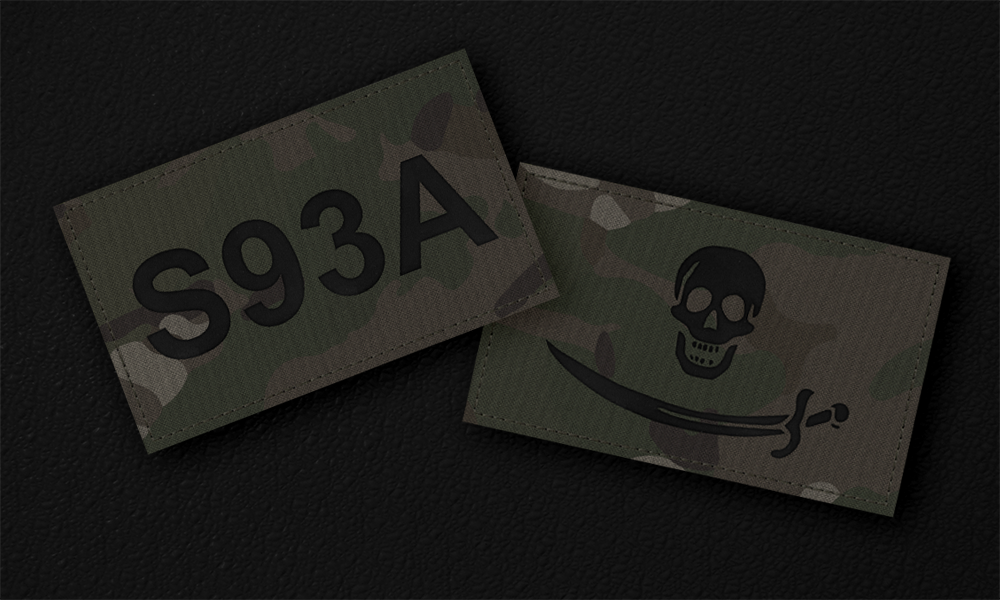
Google Docs
A PSD patch template I've put together for anybody with use for it 🙂 Hope it helps somebody!
floral fiber
i previously had a png from the forums that had the outlines for the uvs on the jets dlc briefing screens/tables but ive since lost it -- anyone know what im talking about and got a link if possible? same for contact dlc screens if such a thing exists 🫂
floral fiber
is specularpower linked more to glossiness than the specular[] arr?
nocturne lake
Glossiness in terms of how broad the specular highlights are, yes. Glossiness in terms of how strong the reflective env map is, comes from the fresnel values.
the specular[] array defines how intense the specular highlights are and their RGB colour
floral fiber
Thanks 🙂
 rancid gazelle
anyone know how i could retexture the RHS T-80Us? theres voices in my head telling me to make east german T-80s and i want to know how
 viral oak
i have a transparency (not opacity) and want to use it to tell arma how much light can be let through, what texture map type should i be using? if it helps, its for a plant.
full quarry
viral oak
i have a transparency (not opacity) and want to use it to tell arma how much lig...
Plants dont have anything else but alpha channel in their _CA texture to define the transparency/opacity of a texture
same as other textures
 summer oriole
do you guys know of a way that i can get access to the mesh models of the vehicles in arma 3 in order to create custom textures. ?
full quarry
summer oriole
do you guys know of a way that i can get access to the mesh models of the vehicl...
you can not
retexturing is done purely by painting textures in image editor like paint/gimp/photoshop
original texture can be used as reference
and some community made template files exist
summer oriole
ty for the response. although it is unfortunate. with the workflow i use having the mesh is ideal to bake custom ambient occlusion maps / masking ect.
full quarry
summer oriole
ty for the response. although it is unfortunate. with the workflow i use having ...
for sure
and that is definitely how new models get their textures
just the stuff for Arma is not available
floral fiber
existing _as maps can be converted to ao maps with some editing
 agile surge
Does anyone have texture templates for CUP vehicles?
and if not, would ppl want them if i made them?
 wild reef
agile surge
Does anyone have texture templates for CUP vehicles?
wild reef
agile surge
Does anyone have texture templates for CUP vehicles?
It's quite a bit sparse, but there is a CUP public repo: https://gitlab.com/CUP_Public/cup-public-repo/-/tree/master?ref_type=heads

GitLab
Public data repository of the Arma 3 CUP (Community Upgrade Project) mod.
agile surge
wild reef
It's quite a bit sparse, but there is a CUP public repo: https://gitlab.com/CUP_...
Thank you. I'm doing a... well, rather ambitious retexturing project and will eventually go through and make templates for every single one of then
Should I make a repository?
wild reef
If you plan on and are willing to advertising your repo, then sure I would go with that
Otherwise I would send the templates to the CUP team
 snow kelp
First texture I've ever done where something lines up over multiple UVs, very proud of how well it turned out
 viral oak
full quarry
Plants dont have anything else but alpha channel in their _CA texture to define ...
viral oak
full quarry
Plants dont have anything else but alpha channel in their _CA texture to define ...
fuck
okay thankyou tho
also any chance you could tell me what adshq is?
 frozen blade
agile surge
wild reef
If you plan on and are willing to advertising your repo, then sure I would go wi...
frozen blade
agile surge
wild reef
If you plan on and are willing to advertising your repo, then sure I would go wi...
Update on this, I already have retexture .psd templates for:
UAZ (all types)
Mi-8
Ka-50
BM-21
BMP2
BRDM (all but HQ)
BTR-60pb
BTR-80A
UH-1H Slick/Gunship
ZSU-23
agile surge
would anyone happen to know how to get the in-game pre-selected skins via CUP not to override my hiddenselectionstextures?
I do have the postInit BISrandamization False
Should setting all values under textureList[] to 0 work?
        crew = "MSF_GS_SRF_Operator";
        side = 1;
        faction = "MSF_GS_Griffin_Security";
        displayName = "[Griffin Security Camo] M113A3 (HQ)";
        hiddenSelections[] = {"hs_camo1","hs_camo2","hs_camo3","hs_camo4","decal_side_1","tankNum_1","tankNum_2"};
        hiddenSelectionsTextures[] = {"Mako_Retextures\Data\Griffin Security\main_GS_CO.paa","Mako_Retextures\Data\Griffin Security\unique_GS_CO.paa","Mako_Retextures\Data\Griffin Security\accessories_GS_CO.paa",""};
        class EventHandlers: EventHandlers
        {
            postInit = "(_this select 0) setVariable [""BIS_Enablerandomization"", false];";

            };
};```Yes, It did. I mistyped it the first time
nocturne lake
you need to get rid of bis_fnc_initVehicle not bis_enablerandomization
Best would be to set up your textures in texturesources and use textureList instead of hiddenselectionstextures. Then people can choose your textures from the Arsenal too.
Simply clearing textureList with textureList[]= {}; might work but not sure.
agile surge
nocturne lake
Best would be to set up your textures in texturesources and use textureList inst...
I don't know how to set up my textures in texturesources and use texturelist, otherwise I would
This is from CUP, let me get the relevent code
nocturne lake
agile surge
I don't know how to set up my textures in texturesources and use texturelist, ot...
Find the base class where the other texturesources for that series of vehicles are defined and you can just append it with a parallel class textureSources definition class parent_Class class vehicle_base_Class: parent_Class { class textureSources { class myTextureSourceClass { displayName="My Camo"; author=Me; textures[]= { /Paths/To/Textures.paa }; factions[]= {};// if you're limiting it to certain factions in the editor vehicle customiser }; }; };
agile surge
nocturne lake
Find the base class where the other texturesources for that series of vehicles a...
The base class as in just one step back from anywhere within the chain? or specifically the class where the texturesource is derived from as the pbase class and the step back from that being the parent class?
nocturne lake
base class is where the original author definied the texturesources for what ever you are texturing. Might be the end of the vehicle tree - the actual vehicle you are texturing or some common base class for multiple variants of that vehicle
then parent_class is what ever that class inherits from
agile surge
nocturne lake
base class is where the original author definied the texturesources for what eve...
Gotcha. Would I have to make a new sqf entirely or could I more or less just modify the current sqf I'm working on with different base classes to make this work?
nocturne lake
sqf? You're not doing this with a config file?
agile surge
nocturne lake
then parent_class is what ever that class inherits from
I'm not explaining myself well because of sleepiness. The question was if I changed my parent and base classes to match up with where the textureSources are defined, I could just put in the same information I have right now in hiddenSelectionsTextures inside of the textures box
nocturne lake
I'm not a mission editor so I have no idea about packing textures in mission files instead of making a proper addon
the above should work in a config.cpp. beyond that you'll just have to try it
agile surge
nocturne lake
the above should work in a config.cpp. beyond that you'll just have to try it
That's what I'm using I'm just exhausted, the language is sqf/sqm or something, I am usinggggg .cpp files
Thank you so much
nocturne lake
But to answer your question, no you wouldn't need a new config to do this it will be somewhere higher up your current config than your ingame classes where you are doing other class calls. You might need to adjust the class calls in your inheritance depending on the exact tree structure and how far down the vehicles you are using as ingame classes are from where the original addon defines texturesources. Like for example if you were currently starting calling at vehicle_base_Class just for the sake of inheriting parameters to your own vehicles, you now need to go one step back in order to modify that class first as begin the calls from it's parent
 hallow sun
everybody can figure out this issue ? the shadow from the tank hull cant be rendered on the tracks
 full quarry
It's a known alpha surface issue
full quarry
hallow sun
everybody can figure out this issue ? the shadow from the tank hull cant be rend...
You can try making the solid parts 1 percent transparent.
agile surge
nocturne lake
Find the base class where the other texturesources for that series of vehicles a...
quick question about this, could class textureSources be under cfgVehicles?
under as in within it
nocturne lake
It’ll be in the vehicle class yes. The textures are specific to each vehicle model
agile surge
nocturne lake
It’ll be in the vehicle class yes. The textures are specific to each vehicle mod...
Understood. What do I do if the mod creator doesn't define class textureSources in any of them? Do I just go as far back as I can go and then forwards one?
actually where would I find where texturesources is defined? I'm looking in CfgVehicles
only some of these have textureList [] = {};, but all of them have the texturesources subdivision in the cfgviewer under their entry in cfgVehicles
nocturne lake
That’s because they all inherited them. The ingame viewer shows literally all the properties a class has, not just the ones the author wrote.
 calm tangle
Where can i find the rvmat for wrecks ?
lethal condor
Usually same folder with regular RVMATs. Why you need though?
full quarry
agile surge
only some of these have ``textureList [] = {};``, but all of them have the textu...
Mod makers don't necessarily make use of the system. You'll have to fill it up yourself from the hiddenselections
calm tangle
lethal condor
Usually same folder with *regular* RVMATs. Why you need though?
my bad, i didn't see the destruct folder in data_f. I'm just making wrecks for my submarines
agile surge
full quarry
Mod makers don't necessarily make use of the system. You'll have to fill it up y...
Thank ya ❤️
agile surge
So, I have my retextures set up to be appended to my factions via a seperate pbo. While I'm working on updating them to skins, I need access to them on my server. They are visible in the eden editor, but not in zeus on my server nor in single player. Is there a scriptlevel type thing which can be used for vehicles to make them visible in zeus?
I typed out this question but figured out the answer, I needed to delcare them int he units line of the config. I'm posting this in case anyone else has this issue
is it a problem with the mat itself? Like, if you open it in an image-editing software does it have the blue fringe?
Speaking more as a graphic designer here than a coder, but transparencies can be finnicky with 3d models, they can tinge blue or white depending on your export settings
full quarry
Kinda looks like just weighting messing it up and the lower mesh poking through
Does you solid parts textures have transparency mixed with them?
Or do the CO have unnecessary alpha channel?
What rvmat do you use?
\Shader
Have ypu tried with the default super rvmat from a3\data_f
What format is your source _CA?
Have you tried something like vanilla chain link fence in same view against the background?
Is it custom map?
Try the default super
Apparently only partly
Place something else with alpha in same view so you can compare behavior
You can try converting your transparent texture as _CO with alpha so it has only 1 bit alpha channel. That would rule out any near invisible smooth alpha around the hair
stray relic
Try changing it from fully transparent to almost fully transparent by adding a background 1/255 alpha.
Usually it's face sorting that fixes these problems, but you say you've tried that.
@full quarry do you remember what the issue was with those goggles which had a similar issue to SmallDinosaur's?
full quarry
Not off the top of my head xD
 cedar lichen
with glasses its usually bounding box
because alpha sorting for proxies is based on bounding box size
for spearheads glasses I ended up just adding 8 vertexes in the geo lod like so, maybe this will help too

alpha sorting is a giant pain in the ass in arma though i've run into stuff just refusing to render properly in certain instances no matter what you do
like windows of vehicles turning horizon/sky color (ie a face sorting issue) when too close to certain buildings - but work fine otherwise
 young patio
which part of an rvmat controls the "glossines" shininess of a texture
im guessing its one of these ones
 nocturne lake
mix of specular power, blue channel in your smdi texture, and the fresnel
full quarry
specular power dictates the maximum, SMDI modulates it and fresnel defines the surface behavior
safe haven
Is there a place to legally get textures from uniforms from Western Sahara DLC? The pbos seems still blocked by BI
full quarry
safe haven
Is there a place to legally get textures from uniforms from Western Sahara DLC? ...
western sahara/Rotators collective discord
the EBOs will stay like that
safe haven
Dont they unlock them after awhile the DLC has been released?
full quarry
safe haven
Dont they unlock them after awhile the DLC has been released?
no
not with the CDLCs
the studios who made the DLCs do share the textures quite often when asked
safe haven
Yes thanks for the heads up
lethal condor
Just ask us for the source indeed
agile surge
I have a question specific to CUP vehicles, specifically the rm70. For some reason one of the texture files used for it just isn't defined anywhere and will always be tan, which makes it not match with the rest of the reskin as seen here. Does anyone know what I might be missing? I have "camo1","camo2","camo3","camo4","insignia" in the hiddenselections and I'm not seeing anything else
 agile surge
lethal condor
But why you need to redefine it?
agile surge
lethal condor
But why you need to redefine it?
redefine was a bad word, I retextured it.
agile surge
lethal condor
Check hiddenSelections in Config Viewer
I checked and there are only 5 selections, all of which I already retextured the paas for
lethal condor
Don't you redefine hiddenSelections[]?
agile surge
Hold on
class MSR_RM70_Mako: CUP_B_RM70_CZ
    {
        crew = "MSF_MS_DG_Operator";
        side = 2;
        editorSubcategory="MSR_MS_Artillery";
        faction = "MSF_MS_Mako_Security";
        displayName = "[Mako Security Camo] RM-70";
        hiddenSelections[] = {"camo1","camo2","camo3","camo4","insignia"};
        hiddenSelectionsTextures[] = {"Mako_Retextures\Data\Mako Security\rm70body1_MS_co.paa","Mako_Retextures\Data\Mako Security\rm70body2_MS_co.paa","Mako_Retextures\Data\Mako Security\rm70body3_MS_co.paa","Mako_Retextures\Data\Mako Security\rm70uc_MS_co.paa",""};
        class EventHandlers: EventHandlers
        {
            postInit = "(_this select 0) setVariable [""BIS_Enablerandomization"", false];";

            };
    };
This is what I have. The last one is left undefined because I want it to be invisible (It's just the czech flag, which normally appears on the door)
lethal condor
Yes you do. Remove hiddenSelections[] line
agile surge
lethal condor
Yes you do. Remove hiddenSelections[] line
It'll still work? In the past when I did that it made it invisible
lethal condor
If you have no particular reason to redefine, it should stay as is, because it is also inherited from the parent
agile surge
Gotcha
agile surge
lethal condor
If you have no particular reason to redefine, it should stay as is, because it i...
So the textures still did show, but the rack portion is still tan and I'm unsure why
I'm asking in the CUP discord server
lethal condor
Maybe because it is not somewhat retexturable
agile surge
lethal condor
Maybe because it is not somewhat retexturable
Which is fair. It's not the end of the world, it'll still help for PID it just looks a bit silly
 safe ibex
Does anyone have any retexturing tutorials they can share with me?
 restive agate

General:
GIMP
http://www.gimp.org/downloads/
Files all lost unfortunately due to corrupt HDD and dropbox public folders ending/account expiring.
Template of a Template (.psd)
Instead, pause the video at 04:51 for layer stack. Add these manually to your photoshop file. Correction folder is made of two brightness/contrast filters. simplez :)
O...
safe ibex
Thanks
restive agate
👍
I use it for templates that I cant find on hand. Ample Camo Pack has about 99% of all the templates out there for wearables
restive agate
Who happens to have templates for every vanilla + dlc vehicle, armor, air, boat, etc lol
I dont want to make my own but I probably will end up having to
 wooden lantern
...I think you're going to need to make those
godspeed.
full quarry
restive agate
Who happens to have templates for every vanilla + dlc vehicle, armor, air, boat,...
nobody has all of them.
restive agate
😭
I am making 3 major factions, each using vanilla vehicles for now. And Since they're big factions... lots of stuff needed
womp womp
full quarry
big projects, big work
restive agate
Well I better get cracking 
 willow marlin
is there something im missing with paa saving? it kills the quality of the image very often
it becomes grainy/artifacty, so to say
floral fiber
resolution needs to be 2^n
willow marlin
floral fiber
resolution needs to be 2^n
it is
basically what i mean, left is og, right is paa
 full quarry
willow marlin
is there something im missing with paa saving? it kills the quality of the image...
full quarry
willow marlin
is there something im missing with paa saving? it kills the quality of the image...
PAA is compressed format
you may need to simplify your noise to fewer colors
willow marlin
ah, that might explain things, thanks
willow marlin
adding to that previous, is there an easy way of doing that?
stray relic
willow marlin
adding to that previous, is there an easy way of doing that?
Or, if using super shader, you can move the noise to a the _mc layer, mapped in the rvmat stage 3. This can significantly reduce purple/green artificating especially on textures of predominantly the same colour.
willow marlin
stray relic
Or, if using super shader, you can move the noise to a the _mc layer, mapped in ...
well that is completely new stuff to me, so i guess ill have to learn something about it
willow marlin
is there samples for _cm and dt maps/stages textures, in-depth tutorial, or something where to look for ref?
full quarry
No 😅
like with most things in Arma in-depth tutorials dont exist
teh wiki page for supershader says the basic idea
and the texture type page describes what the textures are like
and some examples can be read from the vanilla game data
willow marlin
ahhh, well maybe we get better documentation for reforger
but ill do some self-researching then
full quarry
there are more documentation for reforger for sure. Just its not really realistic expectation that every thing is written up in detail.
willow marlin
full quarry
true and theres the DT stage too
ok wow, this stage is absolutely great, saved my day
full quarry
it is oddly rarely used
stray relic
full quarry
it is oddly rarely used
I know what you're meaning, but in actuality roughly 2 out of every 3 rvmat's uses the DT stage (damaged and destroyed), so it is very commonly used 😉
full quarry
true its used there
 bold prawn
god i hate multicam so much
 crisp timber
so if I'm trying to retexture an LDF uniform would i just layer my camo over the necessary areas and overlay the nohq on top or is there a better way of doing it? iv desaturated the original texture but the ldf camo still appears somewhat.
crisp timber
i think it just looked off because i was using kryptek mandrake and it just didnt play well with the uniform
crisp timber
full quarry
changing camo is always quite difficult
i got it looking nice now i abandoned the kryptek and made my own version of a pixelated Flecktarn
willow marlin
im in bit of a pickle i dont understand, i get "overlaying" textures in-game as seen in the picture, ive double and even triple-checked everything is correct in .rvmats and textures, they don't show overlaying when i check the in-game modelviewer from object builder, and the UVs are not fucked up in anyway when ive checked from multiple different programs, and i dont even know where to go anymore
 lethal condor
Maybe put a default rvmat to see if it is the issue caused by thay
willow marlin
it's one of the multimat textures it seems, trying to figure out what and which
lethal condor
Multimat on a weapon?! 🤯
willow marlin
woops my bad, not multimat but the other thing
willow marlin
it was apparently the _dt map after all overlaying wrongly, so fixed it for now
 prisma furnace
Hi guys, hope your OK. i have a issues i don´t know how to solve. i take a mod to preparate my Helmet and Boinas but a error always ocurred. This is the mod https://steamcommunity.com/sharedfiles/filedetails/?id=3241868967 and the error image


what is the reason for this error?
stray relic
prisma furnace
what is the reason for this error?
Is it your mod? If so, repost the error message in https://discord.com/channels/105462288051380224/122121444703338496 and also post your CfgPatches {} class.
prisma furnace
stray relic
Is it your mod? If so, repost the error message in https://discord.com/channels/...
thanks
willow marlin
can i somehow combine two uvsets (lets say 0 and 1) to only one uvset?
full quarry
willow marlin
can i somehow combine two uvsets (lets say 0 and 1) to only one uvset?
yes
but preferably you fix your source model so that each parts uvsets have same name so the combine together instead of create multiple sets when joined
nocturne lake
But otherwise it's not a difficult process: Select and Ctrl+X to cut what you want from the 2nd uv set -> Ctrl+V to paste to the first UV set. Then delete the unwanted UV set
 dense peak
Hey there, I have a question. Where can I find a good image of the camouflage used by LDF? As the one on arma wiki is really bad.
lethal condor
IIRC Arma 3 Samples have one
dense peak
lethal condor
IIRC Arma 3 Samples have one
I'm a bit dumb when it comes to that. Do you mind sending me a good picture of the LDF camo?
lethal condor
Arma 3 Samples\Art\ContactEXP_Textures\Contact_Camos
dense peak
lethal condor
Arma 3 Samples\Art\ContactEXP_Textures\Contact_Camos
Is there any other way I can get the other camouflages?
Like the other LDF camo for example
 vernal sage
?
The LDF only uses one pattern and it's bundled in the Contact_Camos.7z archive. It includes both MTP Woodland (Nato_Woodland_Camo_2018_uniform_tileable.psd) and LDF Geometric (LDF_Woodland_Camo_2018_uniform_tileable.psd).
https://i.imgur.com/Rx013d2.png
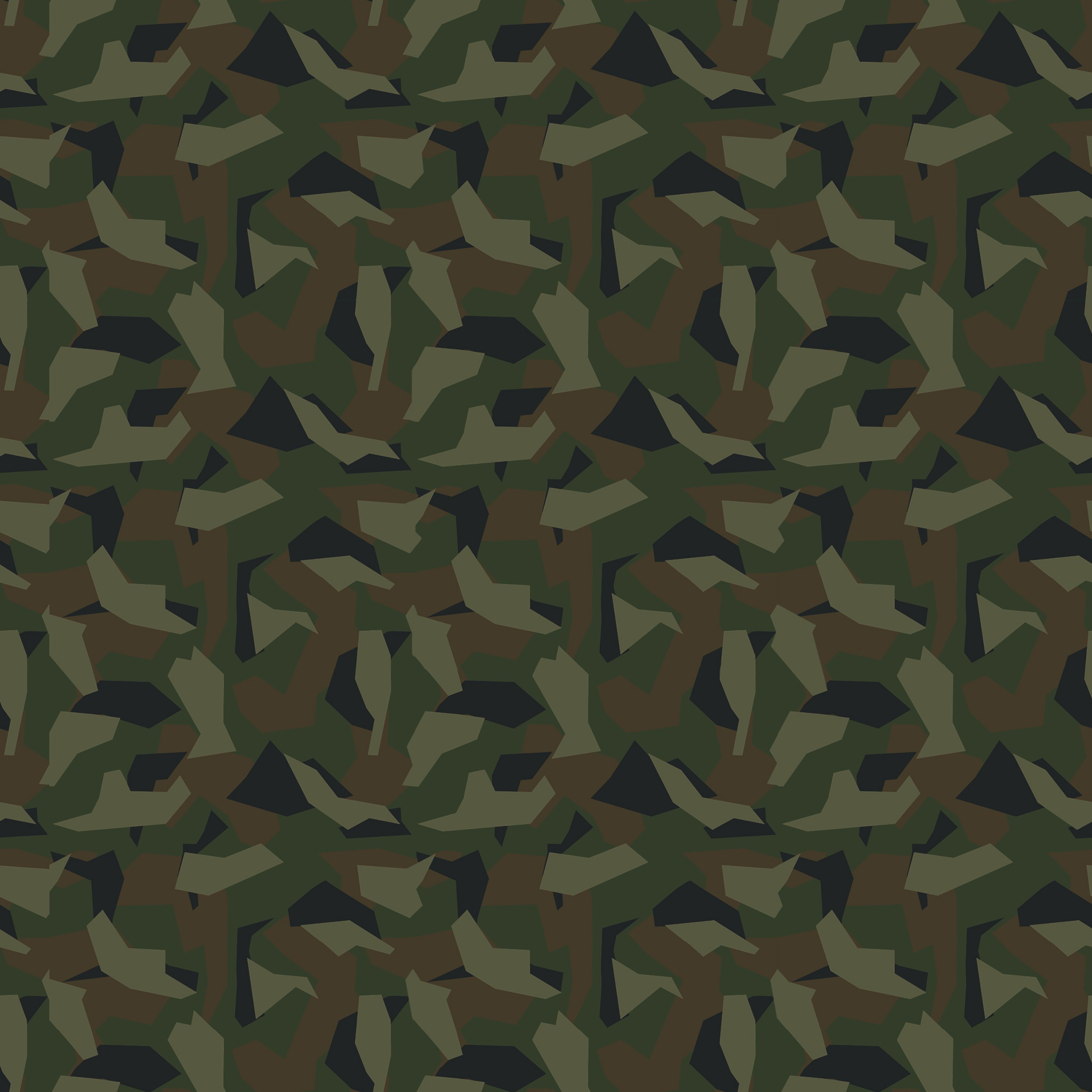 dense peak
vernal sage
?
The LDF only uses one pattern and it's bundled in the *Contact_Camos.7z* arch...
dense peak
vernal sage
?
The LDF only uses one pattern and it's bundled in the *Contact_Camos.7z* arch...
there is also this which is for the 5th regiment pathfinders

it is a darker version of the camo
this is standard camo
 vernal sage
It's not. Pathfinders wear the same combat uniforms with regular LDF soldiers. You'll see some variance in the First Contact campaign but otherwise they're identical.
The lighting in the renders make it look darker but it's the exact same camo swatch. Try comparing \a3\characters_f_enoch\uniforms\data\i_e_soldier_01_co.paa with \a3\characters_f_enoch\uniforms\data\i_e_soldier_01_pants_co.paa. The only thing that might make it look darker is the extra grime and dirt layers on i_e_soldier_01_pants_co.paa but there's otherwise no difference.
dense peak
vernal sage
It's not. Pathfinders wear the same combat uniforms with regular LDF soldiers. Y...
where do i get this path file? in what folder? tools or samples
 surreal hull
Hey guys. I'm EXTREMELY new to Arma3 Modding and feel like my Ideas are not totally out of proportions. I want to create a new helmet textrue with a medic patch (or a new number on the Hearing protection or sth.)
I want to use a fully existing model out of a mod my unit already uses. The plan is to just copy-paste one of the existing models, edit the copy (Say swap a patch for a Medic-Patch) and basically add the newly created model back as a new variant. I already know how I can view the .paa images (Texture Viewer from the A3 tools) and how to edit them but I would appreciate help with how Arma actually assembles the model-textures onto the 3D model and how I can actually create a new variant, which I can use without having to scrap the original model. Any help would be appreciated in that regard. If you want, also just shoot me a DM, that will likely make it easier to convey more details, since I was a little general here, basically just describing what it is I wanna do.
full quarry
surreal hull
Hey guys. I'm EXTREMELY new to Arma3 Modding and feel like my Ideas are not tota...
you can only use models if you have sources for them
so if it is a mod someone else made and you just use it, you cant modify the model
only retexture it, if it is set up to be retexturable
surreal hull
Hm, interesting. Alr. I'll see what I can do then
full quarry
surreal hull
Hm, interesting. Alr. I'll see what I can do then
do you have the source is the question, with that we can advice on how to proceed
surreal hull
I'll have to check in with my A3 Clan admin. He'll know, but he hasn't responded yet. Though I personally don't think so. We'll see
surreal hull
Yeah, no access to the source in question
wooden lantern
for terrain textures, which shader should be used?
or is there a template somewhere I can look at
full quarry
wooden lantern
for terrain textures, which shader should be used?
unpacked A3 data shouold contain 1 ground rvmat as example
wooden lantern
ight thx, and is the alpha of the normal a displacement, parallax, or height map
because iirc height is different than displacement
full quarry
parallax heightmap if I remember right. There is a wiki page about the nopx
and Blud explains how he makes his in a forum thread that I believe is in the pinned messages
wooden lantern
splendid
I already know how to make them and stuff I just wasn’t sure exactly which one it was
floral fiber
perhaps a touch too technical of a question for here, but when textures are being displayed at lower resolution (i.e lower graphics settings, mipmapping at distance or what have you) is the full resolution version of the texture loaded into the vram or is it the resolution of the texture being displayed that is loaded into the vram?
surreal hull
Morning everyone. I have a question regarding my first try-out Mod (Basically just a small project for me to get to know the editor and the process)
Do I need to use the adobe substance painter or can I also e.g. export my UV-map and edit it in PS or another photo-editing software?
Or maybe in other words: Any free substitute program I could use for free, that is not surface painter?
lethal condor
If you're after a basic retexture project, any image editor can do it
surreal hull
No, I don't plan on retexturing. I made a blender model and am looking for a way to make a texture for it.
lethal condor
Then what you use is your best tool
There is no literal must have tool to make an asset
surreal hull
Okay, so basically Adobe substance painter is also ultimately 'just' making an image file for Blender. I wasn't quite sure if substance painter plays an important role in applying the texture as well but as fas as I understood it it's Blender, that does that by putting the UV map over an image I give it and then this is used when I pack the mod aka substance painter can be swapped, right?
lethal condor
Not quite sure swap does mean here
surreal hull
Basically: I can export my UV map as an image, edit that image in whatever software I wish, put the edited image back into blender and blender itself then maps the image to the model, I don't need substance painter to apply the image to my model.
 hallow jay
I think he means if he can create textures in blender instead of SP, which he certainly can
SP just generates image files, nothing else.
surreal hull
hallow jay
SP just generates image files, nothing else.
Ok, yeah - That's what I needed to know ^^
 trail sequoia
surreal hull
Basically: I can export my UV map as an image, edit that image in whatever softw...
trail sequoia
surreal hull
Basically: I can export my UV map as an image, edit that image in whatever softw...
You don't necessarily apply image to a model in that sense
The usual workflow is backwards
you map out your UV in blender then make the texture
SP is nice to have with its decent set of textures and if you can utilize its generative features along with PuFu's export setups
but you can do everything in blender no problem
surreal hull
trail sequoia
You don't necessarily apply image to a model in that sense
The usual workflow is...
Alr. So also ultimately once I make my model afterwards the 'mapping'-information from my images to the model is saved in the P3D file, right?
trail sequoia
yup your UV mapping and Texture paths are saved in the p3d
young patio
question for peeps how would one go about making a custom grafitti object? like how would i get an "Alpha channel" on a 3d material
So as far as i can tell the process is:
Make a Plane Make it transparent
go into your texturing programme (Substance Painter in my case)
Make your grafitti export it.
 livid knot
young patio
question for peeps how would one go about making a custom grafitti object? like ...
livid knot
young patio
question for peeps how would one go about making a custom grafitti object? like ...
Making the plane transparent is done through the texture. You can do it through substance painter easily enough. You'll have to enable opacity if its not on already, then just make the bottom most layer fully transparent and then your layers with content be fully opaque
Keep in mind while exporting it that your preset needs to have alpha/opacity included in it
young patio
Understood that makes sense here i was going to make some overly complicated blend file with inward faces facing outwards to give the apperance of transparency lmao
young patio
livid knot
Keep in mind while exporting it that your preset needs to have alpha/opacity inc...
that the .ca file right as opposed to .co?
livid knot
It will need to be a ca, yes. Make sure you have it named as such before converting it into a paa
livid knot
young patio
Understood that makes sense here i was going to make some overly complicated ble...
This wouldn't give the appearance of transparency, it would be the same effect as flipping the normal
 thorn cloud
hey guys, im new to retex, and i tried to retex the S & S BDU to have a DPM camo. i followed the steps my freind gave me but this turned out. he said he never had this problem before, does anybody know how to figure this out? thanks
 lethal condor
What is the problem here?
thorn cloud
lethal condor
What is the problem here?
i already applied the dpm texture to cover the whole uniform in photoshop, but when i saved it into pdf, photoshop somehow just refused to display the dpm texture in the top right areas
lethal condor
pdf?
If you mean PNG, just make sure you have no masks on the layer
I'm no PS user so can't say though
young patio
livid knot
Making the plane transparent is done through the texture. You can do it through ...
i tried this ive done goofed somewhere wait one let me get up some contextual images

so the black BG is not meant to be visible
the RVMAT im using
/*
    Generated on https://jdtools.dev/
    Made by John Doe
*/
ambient[] = { 1, 1, 1, 1 };
diffuse[] = { 1, 1, 1, 1 };
forcedDiffuse[] = { 0, 0, 0, 1 };
emmisive[] = { 0, 0, 0, 1 };
specular[] = { 0.1, 0.1, 0.1, 1 };
specularPower = 2;
PixelShaderID = "Super";
VertexShaderID = "Super";
class Stage1 {
    texture = "HomefrontAssets\Data\Defaced1_nohq.paa";
    uvSource = "tex";
    class uvTransform {
        aside[] = { 1, 0, 0 };
        up[] = { 0, 1, 0 };
        dir[] = { 0, 0, 0 };
        pos[] = { 0, 0, 0 };
    };
};
class Stage2 {
    texture = "#(argb,8,8,3)color(0.5,0.5,0.5,1,dt)";
    uvSource = "tex";
    class uvTransform {
        aside[] = { 1, 1, 0 };
        up[] = { 0, 1, 0 };
        dir[] = { 0, 0, 0 };
        pos[] = { 0, 0, 0 };
    };
};
class Stage3 {
    texture = "#(argb,8,8,3)color(0,0,0,0,mc)";
    uvSource = "tex";
    class uvTransform {
        aside[] = { 1, 0, 0 };
        up[] = { 0, 1, 0 };
        dir[] = { 0, 0, 0 };
        pos[] = { 0, 0, 0 };
    };
};
class Stage4 {
    texture = "HomefrontAssets\Data\Defaced1_as.paa";
    uvSource = "tex";
    class uvTransform {
        aside[] = { 1, 0, 0 };
        up[] = { 0, 1, 0 };
        dir[] = { 0, 0, 1 };
        pos[] = { 0, 0, 1 };
    };
};
class Stage5 {
    texture = "HomefrontAssets\Data\Defaced1_smdi.paa";
    uvSource = "tex";
    class uvTransform {
        aside[] = { 1, 0, 0 };
        up[] = { 0, 1, 0 };
        dir[] = { 0, 0, 0 };
        pos[] = { 0, 0, 0 };
    };
};
class Stage6 {
    texture = "#(ai,64,64,1)fresnel(0.4,0.2)";
    uvSource = "tex";
    class uvTransform {
        aside[] = { 1, 0, 0 };
        up[] = { 0, 1, 0 };
        dir[] = { 0, 0, 1 };
        pos[] = { 0, 0, 0 };
    };
};
class Stage7 {
    texture = "a3\data_f\env_land_ca.paa";
    useWorldEnvMap = "true";
    uvSource = "tex";
    class uvTransform {
        aside[] = { 1, 0, 0 };
        up[] = { 0, 1, 0 };
        dir[] = { 0, 0, 1 };
        pos[] = { 0, 0, 0 };
    };
};
class StageTI {
    texture = "a3\data_f\default_vehicle_ti_ca.paa";
};
evidence of the ca texture
evidence of the opacity turned to 0 in Substance

 lethal condor
What tex is applied to P3D
 stable swallow
thorn cloud
hey guys, im new to retex, and i tried to retex the S & S BDU to have a DPM camo...
stable swallow
thorn cloud
hey guys, im new to retex, and i tried to retex the S & S BDU to have a DPM camo...
your dpm swatch size is too small to cover all, it should be 2048x2048
livid knot
young patio
i tried this ive done goofed somewhere wait one let me get up some contextual im...
What Polpox said, double check the correct textures applied to the model. Also try it without a rvmat
thorn cloud
stable swallow
your dpm swatch size is too small to cover all, it should be 2048x2048
Gotchu man, is there a way to upsize it,
?
stable swallow
thorn cloud
Gotchu man, is there a way to upsize it,
Yes you can look up an tutorial for photoshop
lethal condor
Or 1024
stable swallow
lethal condor
Or 1024
Unlikely since Simcardo have 2048 Textures for most of his stuff
 celest obsidian
floral fiber
perhaps a touch too technical of a question for here, but when textures are bein...
celest obsidian
floral fiber
perhaps a touch too technical of a question for here, but when textures are bein...
Good question, I've always wandered too but didn't monitor it properly. What I've noticed is that to unload everything, you have to load another terrain.
celest obsidian
young patio
i tried this ive done goofed somewhere wait one let me get up some contextual im...
Also, if it's not fixed, check if your _CA texture is DXT5 by opening the PAA in TexView
young patio
@celest obsidian @lethal condor @livid knot i managed to get it working now thanks,
Turns out the Textures alpha channel wasnt getting registered as an alpha channel, so instead of being a black alpha channel which represents transparency it was registering as a black opaque colour.
Imported the image into GIMP and fixed it in there.
 full quarry
young patio
<@107663333980659712> <@122565573384208384> <@222054257153540096> i managed to g...
full quarry
young patio
<@107663333980659712> <@122565573384208384> <@222054257153540096> i managed to g...
Excellent! It's always great to get something finally work
 severe oasis
Guys how to transfer metal from substance painter to specular/glossines in Arma?
stable swallow
severe oasis
Guys how to transfer metal from substance painter to specular/glossines in Arma?
First you need to find the right rvmat and if the rvmat uses spec gloss or spec rough
For example my rvmat uses roughness so its easier to work with
2nd you need to find the perfect values in substsance for your rvmat
full quarry
You'll want to study the difference on both shader types. Roughness and metalness do not directly work as gloss/spec channels
severe oasis
isn´t there a no brainer way to transfer it? I have to do each time manually?
lethal condor
Pinned may helps you
full quarry
There are presets that people have made that may work for you in that way.
wooden lantern
full quarry
You'll want to study the difference on both shader types. Roughness and metalnes...
wait yeah they do?
Roughness is inverse glossiness
that’s the one direct correlation
and substance painter can convert M/R to S/G on export
but what I’ve found is that using specular level + glossiness gets the best results for me in my textures
GitHub
Arma 3 Substance Painter Export + RVMat Guide. Contribute to Scouter407/Arma-3-PBR-Workflow development by creating an account on GitHub.
here’s my super nerdy explanation and my workflow for optre
is it technically right? no
does it give me good results with tweaks? yes
stable swallow
full quarry
You'll want to study the difference on both shader types. Roughness and metalnes...
If this was meant to me, it works pretty well for me
celest obsidian
As scout said, gloss is just an inverted roughness map. It works the same way, what doesn't work the same way are specular and metallic maps 🙂
stable swallow
celest obsidian
As scout said, gloss is just an inverted roughness map. It works the same way, w...
i dont adjust metallic maps post substance painter, i use them as they are in substance
wooden lantern
stable swallow
i dont adjust metallic maps post substance painter, i use them as they are in su...
if u use metallic instead of spec
all u need to do is texture it like the influence cubemapping has on the object
so metal = high
and nonmetals = low
but shiny nonmetals = slightly higher
and stuff like that
stable swallow
wooden lantern
if u use metallic instead of spec
my textures +smdi looks good and im satisfied with it so i dont need info about that tbh, i spended a lot of time to find the perfect values of metal rough for me to work
wooden lantern
stable swallow
my textures +smdi looks good and im satisfied with it so i dont need info about ...
may I look at ur mod and give u some feedback (im honestly curious what mod u made tbh)
stable swallow
wooden lantern
may I look at ur mod and give u some feedback (im honestly curious what mod u ma...
Global Warfare
stable swallow
yeah the old version was very basic
i revamped a lot of stuff, some guns still need some work but take a look at for yourself
i recommend take a look at the UH-60L
wooden lantern
stable swallow
i recommend take a look at the UH-60L
Yeye I will
celest obsidian
stable swallow
i dont adjust metallic maps post substance painter, i use them as they are in su...
The most important thing is that you are satisfied with the result 🙂
stable swallow
celest obsidian
The most important thing is that you are satisfied with the result 🙂
solid copy
 remote basin
My deepest apologies if this is a basic question, but where can I locate CUP .paa files?
I've looked at the official GitLab page but it only has a couple textures and the mod directory only brings up .p3d files.
In addition, I've scoured some old messages in the server for any advice.
full quarry
remote basin
My deepest apologies if this is a basic question, but where can I locate CUP .pa...
for retexturing purposes you can extract them from the cup pbos
remote basin
Just checked and it turns out I was looking in the wrong folder. For any future retexturers, all the .paa textures are in the data folder of the .pbo.
Huge thanks, by the way.
I was looking at just the .pbo file itself.
full quarry
Data folder is indeed common practice
remote basin
The only other mods I've attempted to retexture had the .paa stuff next to the models.
full quarry
remote basin
The only other mods I've attempted to retexture had the .paa stuff next to the m...
not everyone follow the common practices 
wooden lantern
remote basin
Just checked and it turns out I was looking in the wrong folder. For any future ...
common practice = the good thing to do but not as many people do it as they should
sry wrong reply but yeah lmao
wooden lantern
full quarry
well its not mandatory
no it’s 100% mandatory
(im playing)
it really just has no downsides tbh
stable swallow
wooden lantern
common practice = the good thing to do but not as many people do it as they shou...
Yes, and remember have a folder called icons or ui so your UI pictures actually show up in the Inventory
wooden lantern
stable swallow
Yes, and remember have a folder called icons or ui so your UI pictures actually ...
 yeah that’s a really good tip
 fair relic
Hi
rocky whale
rocky whale
for ref
super late reply and fix to my own problem but i thought this might be useful to someone
turns out, sometimes you can fix this issue by removing all the smoothing in blender and then re-applying it. Im assuming this has to do with me using 3ds max and it transfering from max's way of smoothing to blender. so if anyone has that issue, just remove the smoothing groups and do them again inside of your p3d file
:)
full quarry
rocky whale
turns out, sometimes you can fix this issue by removing all the smoothing in ble...
3dsmax uses smoothing groups if I recall right and transfer between programs may do all kinds of edge splitting shenanningans.
 unreal magnet
Went back to my M1911 to give it a small retexture in quixel 2.0
http://abload.de/img/screen01skryq.jpg
floral fiber
is there anything in the rvmat which influences glossiness without influencing specularity? my gloss is not enough gloss and my specular is too specular but ive tried basically every combination of 0.# values in substance for the export
 mighty crest
@Redphoenix Woot! on the 1911. I know my next campaign weapon. :-)
wooden lantern
floral fiber
is there anything in the rvmat which influences glossiness without influencing s...
are you texturing in spec gloss or met rough
floral fiber
MR
full quarry
floral fiber
is there anything in the rvmat which influences glossiness without influencing s...
Smdi green and blue channel control spec and glossiness if I recall right.
floral fiber
yeah i know ive got blue maxxed out
full quarry
Then it will modulate the specular and specular power parameters
But also if you show picture of your result and then explain what you would like to see the maybe we can figure out solution
wooden lantern
floral fiber
yeah i know ive got blue maxxed out
let me see the smdi + rvmat, and what export are you using from substance painter
floral fiber
im using your export template iirc, ill get the smdi etc in an hour or so ive just woken up properly
wooden lantern
ighty
wooden lantern
also show it in game/ob
floral fiber
my smdi is mostly orange uhhhhhhhhhhh this is wrong version
give me a bit ill try unfuck it
nvm i forgot i moved it to a PR
SMDI ends up looking like this

blue maxxed out basically everywhere
paint vs metal
Pastebin
Pastebin.com is the number one paste tool since 2002. Pastebin is a website where you can store text online for a set period of time.
rvmat looks like that
dont have access to arma right now but the paint doesnt look even slightly glossy iirc
been testing it on VR lighting tho
oh
its fine
its nowhere near as glossy as i want but the gun looks fine
we chillin dw
i just needed to sleep on it
wooden lantern
floral fiber
been testing it on VR lighting tho
NOOOOOO
NEVER OPEN VR EVER
for textures

It ruins them
Glad u got it
Can I see what ur working on I’m curious now lol
floral fiber
ye dms
full quarry
Can we all see pretty pictures? 
wooden lantern
nuh uh
full quarry
floral fiber
its nowhere near as glossy as i want but the gun looks fine
Sometimes different material types need separated rvmats for best look. The smdi control of specularity can only do so much when you want very high gloss and very matte surface at the same time.
wooden lantern
u dont get them until u show me how to do pip 
full quarry
wooden lantern
u dont get them until u show me how to do pip <:cryingsunglasses:110988531169940...
Monday maybe. I'm on the move for a bit.
wooden lantern
i have been abandoned by my team with the quote "scout is smart they can figure this out" and that is not farther from the truth
full quarry

 lyric dagger
Did anyone figure out settings for blender to get a a model to at least somewhat close to how it would look in Arma 3?
severe oasis
Guys how to achieve the same effect as here since Arma 3 does not support metalness?
 lyric dagger
@severe oasis Gloss and specular in the SMDI map.
From my experiments and understanding:
Specular
Green channel - how much of the texture is replaced by env map, ie. how well the surface mirrors the environment. Brighter means more reflectiveGlossiness
Blue Channel - how "wide" a reflection is, the darker the map, the wider the reflection, meaning that area where texture is replaced by the env map and light color, is bigger.Specular = 1 and Glossiness = 1 - Results in chrome like, very metallic material that reflects the environment very well
Specular = very low, like 0.04 Glossiness = 1 - A nice material with just a hint of being reflective
Specular = 0 Flat material, no reflections
Glossiness = 0 The whole mesh reflects light no matter the angle, specular just controls the brightness of the whole reflection
wooden lantern
severe oasis
Guys how to achieve the same effect as here since Arma 3 does not support metaln...
GitHub
Arma 3 Substance Painter Export + RVMat Guide. Contribute to Scouter407/Arma-3-PBR-Workflow development by creating an account on GitHub.

 balmy palm
lyric dagger
<@445961237470117888> Gloss and specular in the SMDI map.
From my experiments a...
balmy palm
lyric dagger
<@445961237470117888> Gloss and specular in the SMDI map.
From my experiments a...
Can we have this pinned? As good as the image example is this explanation makes things 'click' for me
severe oasis
yes pls
ashen violet
What’s been some of your workflows for baking a global illumination or diffuse shadow for your ADSHQ blue channel ? what I’ve been been doing in blender hasn’t been giving consistent results
wooden lantern
full quarry
<:crycat:755748365639352330>
(they were wrong but i still figured it out now i just gotta make it better)
 dire stone
Anyone know how to retexture rhs helmets?
full quarry
dire stone
Anyone know how to retexture rhs helmets?
Same way as any other I'd suppose. What part you have problem with?
severe oasis
guys how can I make an object use same .p3d and .rvmat but different _co texture depending on the color? I have a chair that will be in black, green and white colors, how can I make it so I have several object using same model?

Something like that?
obviously "texture =" is wrong but there must be a way to achieve this without duplicating the .p3d
dire stone
full quarry
Same way as any other I'd suppose. What part you have problem with?
fixed it
 mint hare
severe oasis
guys how can I make an object use same .p3d and .rvmat but different _co texture...
full quarry
severe oasis
guys how can I make an object use same .p3d and .rvmat but different _co texture...
mint hare
severe oasis
guys how can I make an object use same .p3d and .rvmat but different _co texture...
full quarry
severe oasis
guys how can I make an object use same .p3d and .rvmat but different _co texture...
As a note to above, hiddenselections work only for editor placed objects, not for terrain placed objects. Terrain variants need their own p3d
floral fiber
not really a3 specific but there's no way to invert an export channel in substance is there? roughness is flipped to what it should be in my export 😦
dire stone
Anyone know a fix?

 dawn bough
dire stone
Anyone know a fix?
dawn bough
dire stone
Anyone know a fix?
What are you trying to pack?
Without content , no one knows.
#arma3_config place to ask / share your content
wooden lantern
floral fiber
not really a3 specific but there's no way to invert an export channel in substan...
Yeah there is
Roughness inverse = Glossiness
and vice versa
floral fiber
😮
severe oasis
mint hare
<https://community.bistudio.com/wiki/Config_Properties_Megalist#hiddenSelections...
Looks confusing af, and only one tutorial link works, for the first OFP.
Anyone ever did like a youtube video on this for dummies?
I´m just trying to add a gray and brown chair to the game
mint hare
severe oasis
Looks confusing af, and only one tutorial link works, for the first OFP.
for the models that can take it it's literally: hpp class arifle_MX_Black_F: arifle_MX_F { baseWeapon="arifle_MX_Black_F"; author="$STR_A3_Bohemia_Interactive"; _generalMacro="arifle_MX_Black_F"; displayName="$STR_A3_CfgWeapons_arifle_MX_Black_F0"; hiddenSelections[]= { "camo1", "camo2" }; hiddenSelectionsTextures[]= { "\A3\Weapons_F_EPB\Rifles\MX_Black\Data\XMX_Base_Black_co.paa", "\A3\Weapons_F_EPB\Rifles\MX_Black\Data\XMX_short_Black_co.paa" }; picture="\A3\Weapons_F_EPB\Rifles\MX_Black\Data\UI\gear_mx_rifle_black_X_CA.paa"; magazines[]= { "30Rnd_65x39_caseless_black_mag" }; };
config-side
full quarry
severe oasis
I´m just trying to add a gray and brown chair to the game
Is it a chair you made?
As in do you know it can use hiddenselections
Most objects of that nature in vanilla can not be retextured
mint hare
as in: has a named selection in visual LODs, has it listed in model.cfg's sections[] array. What else?
mint hare
i guess the vest from A3 Samples' test character can work as an example
 severe oasis
full quarry
Is it a chair you made?
severe oasis
full quarry
Is it a chair you made?
yes, I now do all simple models myself.
full quarry
severe oasis
yes, I now do all simple models myself.
I think model maker channel pins explain the required parts
 worldly light
Ok, so I want to retexture an existing uniform from a mod but make it where it is its own separate uniform so it doesn't conflict with an existing one.
Plus I have also seen mods like Cold War Rearmed III have patches on their uniforms without it actually being in the texture map.
How do I go about these two things?
wooden lantern
worldly light
Ok, so I want to retexture an existing uniform from a mod but make it where it i...
unless the p3d has those hidden selections/decals already set up and defined in the original config, then you can’t add decals
worldly light
Ok what about my first question?
full quarry
worldly light
Ok what about my first question?
you create a new item and unit classes that then become the new retextured entity
when you use the original item and unit classes as parents for the new ones you only need to add the things you change into the new classes
worldly light
So copy the P3D and the PAAs, pack them, put them in your mod addons folder, and edit the textures you want?
full quarry
worldly light
So copy the P3D and the PAAs, pack them, put them in your mod addons folder, and...
no
you never take someone elses files
you use them from the original mod through the required addon dependency
retexture mod contains only your new texture files and config
and none of the original files
worldly light
That is what I meant.
I take the texture file, edit it, put it into a new addons folder with the config, pack it, boom.
Can I rename them or no?
worldly light
Alright, so what about the config.
I want the retexture to be a whole new uniform in arsenal that you can pick seperate from the original.
full quarry
then you write the correct new config entries for that
for uniforms its 2 parts. the cfgVehicles unit and cfgWeapons uniform item
worldly light
What's the difference?
full quarry
difference with what?
worldly light
The cfgVehicles and cfgWeapons
worldly light
So I need the two cfgs in a file for the uniforms to work
full quarry
yes I suppose thats about it.
you can read the character encoding guide on the wiki for more info
and check out the arma3 samples on steam for character/uniform config
a retexture config can be a little simpler since the class inheritance you set up will take all the parts of config you dont need to change from the parent class
worldly light
But a retexture file overrides the original right?
full quarry
worldly light
But a retexture file overrides the original right?
no
you assign your new texture into the new class of unit and uniform through hiddenselections
hiddenselections are the only proper way of doing retextures
anykind of original file repacking or overwriting it wrong way to go about it
worldly light
That's what I thought.
Well I'm working on a retexture right now, I'll hit y'all up when I start going into the packaging process.
It's for a vehicle though.
full quarry
basics are the same
worldly light
Ok the retexture is done.
It's for the Unsung F-100 Super Sabre.

Now, how do I implement this into the game as a separate texture for the plane for my mod?
worldly light
Ok so, I was able to retexture it probably (I just replaced the files in the original PBO for now to test it, I'll fix it later), but I want to now make this plane and the retexture it's own seperate thing for a custom faction.

 livid knot
@worldly light The only way you can do it is if the plane has hiddenSelections. If it does, then you can create a new class and inherit from the planes class and just change the texture through that
worldly light
Huh, wait what is hiddenSelections?
livid knot
Unfortunately, you should have checked in advance if it had that, its the only way to re-texture without modifying the original files
you can use hiddenSelections object to get the hiddenSelections it had. They're pretty much camo's that can be edited
worldly light
I mean the F-100 in Unsung has different paints.
So can’t I just make a new paint?
livid knot
No
worldly light
… So the only way to make a retexture is by editing the original files?
livid knot
If the original mod has multiple paints then its very likely that it has hiddenselections
worldly light
Alright
livid knot
worldly light
… So the only way to make a retexture is by editing the original files?
No, it needs to have hiddenSelections if you want to do it without editing the original files. Thats how its done for people creating skins for mods that arent their own
livid knot
"object" needs to be replaced with the object you're using. Double click on your plane in the editor, and give it a variable name, then put that name in place of object
worldly light
 livid knot
put a semicolon at the end
worldly light
Is there like a video or a guide on how to do retextures.
Because it seems like this is just going in a circle.
livid knot
are you getting a result in the debug console?
livid knot
worldly light
Is there like a video or a guide on how to do retextures.
Google might have some, I don't personally know any
worldly light
livid knot
are you getting a result in the debug console?
No
I typed hiddenSelections f100;
Still get the error
worldly light
Ok, that didn't give an error but it looks like that did nothing
livid knot
The wide black box at the bottom of the text window should have had stuff appaer in it
it will be text
 worldly light
Nothing
livid knot
Then it would appear as though it does not have any hiddenSelections... You can also check in the config to confirm or deny this, but thats requires a little more knowledge. I can tell you how if you want
worldly light
Why is it so difficult to make a retexture mod for an existing model in another mod.
livid knot
🤷 Its a decade old game, and it wasnt explicetely designed for this
worldly light
You would think it's as simple as changing the texture maps and then calling upon the file through the config
livid knot
It technically is, assuming the object was set up for that
your screenshot looks like you named the bird f100, but the code says f100S....?
worldly light
All I want to do is make a custom faction through ALiVE Orbat Creator and use retextured vehicles from mods like Unsung and CWR III for said faction.
worldly light
livid knot
your screenshot looks like you named the bird f100, but the code says f100S....?
I fixed it, still no.
livid knot
screenshot
worldly light
 livid knot
it should be printing an empty array atleast. Hm, put this in the console and see if it returns anything
(1==1)
worldly light
true
livid knot
try playing the scenearion in sp and then run it in debugh
worldly light
["elevator","aileronl","proxy:a3\data_f\proxies\heli_transport_01\pilot.001","aileronr","flapsleft","flapsright","abd","abl","abr","canopy","horizont","compass","altr","vert_speed","rpm2","rpm","mph","rotor_1","wheel_1","wheel_2","wheel_3","vrtule staticka","bank","sticka","vrtule blur","rudder","proxy:\a3\weapons_f\dynamicloadout\pylonpod_3x_missile_agm_02_f.001","proxy:\a3\weapons_f\dynamicloadout\pylonpod_3x_missile_agm_02_f.002","proxy:\a3\weapons_f\dynamicloadout\pylonpod_3x_missile_agm_02_f.003","proxy:\a3\weapons_f\dynamicloadout\pylonpod_3x_missile_agm_02_f.004","proxy:\a3\weapons_f\dynamicloadout\pylonpod_3x_missile_agm_02_f.005","d_num1","d_num2","camo1","proxy:\a3\weapons_f\dynamicloadout\pylonpod_3x_missile_agm_02_f.006","proxy:\a3\weapons_f\dynamicloadout\pylonpod_3x_missile_agm_02_f.007","proxy:\a3\data_f\proxies\muzzle_flash\mf_machinegun_cheetah.001","proxy:\a3\data_f\proxies\muzzle_flash\mf_machinegun_cheetah.002","proxy:\a3\data_f\proxies\muzzle_flash\mf_machinegun_cheetah.003","proxy:\a3\data_f\proxies\muzzle_flash\mf_machinegun_cheetah.004","zaslehnew","p svetlo","l svetlo","proxy:\a3\data_f\volumelight_searchlight.001","engineglowr","ovt_right","vrtule 2","afterburner_r_v","damagehide","zasleh1","zasleh3","zasleh4","zasleh2","gear_1_steering","gear_1_damper","gear_1_door","gear_1_door_2","gear_1_strut","gear_2_door","gear_3_door","gear_2_strut","gear_2_strut_2","gear_3_strut_2","gear_3_strut","gear_3_damper","gear_2_damper","hit_hull","podsvit pristoju","proxy:\a3\data_f\volumelight_searchlight.002","gear_1_1","proxy:\uns_f100\proxy\uns_f100_ejector_seat.001","ejector_seat","zbytek","hit_engine","hit_avionics","hit_glass2","hit_aileronl","hit_aileronr","hit_rudderc","hit_elevatorl","elevator_left","elevator_right","d_sign","d_num5","ab_switch"]
worldly light
["uns_f100\skins\uns_f100_silver_co.paa","uns_f100\decals\code\1.paa","uns_f100\decals\tail\cp_ca.paa","uns_f100\decals\sign\sign.paa","uns_f100\decals\longtailnum\blank_ca.paa"]
worldly light
uns_f100 is the PBO file of the model, skins, decals, etc
livid knot
you can try this code now if you want to see if it works with yours:
object setObjectTexture [0, texturePath]
texturepath would be the path to your texture
worldly light
Oh I know it works, because I already replaced the original texture files
With mine
livid knot
Sure ok
worldly light

 livid knot
move to #arma3_config so I can tell you how to assign it now
worldly light
Alright
full quarry
livid knot
🤷 Its a decade old game, and it wasnt explicetely designed for this
the engine has the specifically designed feature of hiddenselections to allow config based non intrusive retexturing. However mod content may not always be set up for that but that is not the engines fault.
full quarry
worldly light
Oh I know it works, because I already replaced the original texture files
dont replace original files
livid knot
full quarry
the engine has the specifically designed feature of hiddenselections to allow co...
You're right, I should have specified that it was the complexity of it that was due to the engines age
full quarry
well I mean its like a texture file and couple lines of config. Its not complex
the whole modding thing may be
but most of the time new folks try to skip ahead
stable swallow
worldly light
Why is it so difficult to make a retexture mod for an existing model in another ...
its not that difficult
very proud on this, VMM-163 Evil Eyes Flagship livery of the USMC

 pliant oriole
Working on a PU Scope for DayZ Mod in quixel:
https://dl.dropboxusercontent.com/u/19031182/pu_scope_01.png
https://dl.dropboxusercontent.com/u/19031182/pu_scope_02.png
pliant oriole
Yep
There's some big changes being made to the loot table in the up coming patch (high tier weapons will be come more rare) So we are focusing on updating and upgrading the low tier weapons like the mosin etc
 acoustic sail
oh what, when did the mod get a mosin? i've not played it in well over a year
pliant oriole
It's been in for almost a year I think
 dusky lark
are you a dev for Arma 2 DayZ?
 zinc lagoon
the main devs are Foxy and R4Z0R49 but then there is a few others that help with models and other things from the dayz:mod community
dusky lark
okay cool :)
severe oasis
guys could you please pass a sample RVMAT for glass?
 mild olive
severe oasis
guys could you please pass a sample RVMAT for glass?
mild olive
severe oasis
guys could you please pass a sample RVMAT for glass?
a3\data_f\glass_veh.rvmat
severe oasis
mild olive
a3\data_f\glass_veh.rvmat
I don´t have a3 or data_f folder in Arma3
 mild olive
you'd need to setup your workdrive to access the a3 data. I'm not sure if sending the a3 rvmats directly in here is allowed or not
livid knot
You can. You can also just open the pbo and get the rvmat from there if you have pboManager or similar
severe oasis
livid knot
You can. You can also just open the pbo and get the rvmat from there if you have...
where is a3 pbo?
mint hare
inb4 loadFile "a3\data_f\glass_veh.rvmat" in the in-game Debug Console for one-off file extraction
livid knot
open the addons folder in your screenshot and then find the data_f pbo
mild olive
severe oasis
reminded me of

 versed axle
does anyone have or know where to find default hand textures?
livid knot
versed axle
does anyone have or know where to find default hand textures?
Equip a vanilla uniform with hands and use getObjectTextures Or look in one of the data pbo's
full quarry
severe oasis
where is a3 pbo?
P:\a3\ is where game data is extracted to if you set up P drive the right way (like mikeros arma3p)
 frosty comet
I want to edit this texture map to be a single flat color without the camo but the A-37 on Unsung only has the camo pattern.
Is there a quicker way to do this or am I stuck with having to manually painfully recolor it?
 full quarry
frosty comet
I want to edit this texture map to be a single flat color without the camo but t...
full quarry
frosty comet
I want to edit this texture map to be a single flat color without the camo but t...
no, manually it is
frosty comet

 charred shuttle
Hello! I'm adding the Gorka Uniforms into my mod, in wich i already have the BLUFOR uniforms. I have matched the colours so those uniforms looks the same with the same camouflage. Under sun's light the camo seems to be identical, but under shadows the gorka uniform looks shiny than the BLUFOR uniform. I discover this testing the uniforms in a number of scenareos, Chernarus, Takistan, Altis, Tanoa and others.
I had test with diferent configurations in the Gorka's .rvmat file (the one in the mod itself in wich i load the other textures from the game folder, TI, SMDI, etc...) and i have no change.
I don't know how to fix this, i can edit my texture and make it darker to match under shadows but it will look darker under sun's light. Any ideas?


I noticed that the gorka uniform from the game itself also looks more shiny under shadows. Maybe it's just my eyes.
 brisk wing
trying to add a texture to a model in arma, but it keeps saying "error missing ;" any idea whats wrong with it?

it is a texture from a mod so that could rpb cause some issues
stray relic
brisk wing
trying to add a texture to a model in arma, but it keeps saying "error missing ;...
Wrong spelling of setObjectTexture?
brisk wing
stray relic
Wrong spelling of `setObjectTexture`?
ah now it works, thanks!
well now it wont show up  , i think its something to do with the number not being right, how do i find the correct number for the texture?
stray relic
brisk wing
well now it wont show up <:em_Whyy:958823300719583333> , i think its something t...
Try this:
T55 setObjectTexture [1, "#(rgb,8,8,3)color(1,0,0,1)"];
If the texture part you want to change goes red, you have the correct hiddenSelection index and it is the path or texture that is at fault.
Textures are usually pathed like this: "\pboname\some_folder\texture.paa"
brisk wing
stray relic
If the texture part you want to change goes red, you have the correct hiddenSele...
nothing turned red which is weird
i checked to see if it was the right mod and it was
stray relic
Try it now with a 0 and not a 1
brisk wing
stray relic
Try it now with a 0 and not a 1
nothing turned red either
stray relic
You're sure the vehicle is called "T55"?
brisk wing
stray relic
You're sure the vehicle is called "T55"?
just to see i tried it as this on the eden editor
and it still didnt work
stray relic
Get your player in the vehicle and try vehicle player setObjectTexture [0, "#(rgb,8,8,3)color(1,0,0,1)"];
brisk wing
stray relic
Get your player in the vehicle and try `vehicle player setObjectTexture [0, "#(r...
still doesnt work for 1 or 0
stray relic
With you in the vehicle, try this in debug: getObjectTextures vehicle player
brisk wing
stray relic
With you in the vehicle, try this in debug: `getObjectTextures vehicle player`
i did get this ["iraqisyrianconflict_v_cup\textures\t55\t55_body_desert_is_1.paa","iraqisyrianconflict_v_cup\textures\t55\t55_tower_desert.paa"]
atleast i know the body is 1
stray relic
Is it a CUP vehicle?
brisk wing
stray relic
Is it a CUP vehicle?
yes
stray relic
class name?
brisk wing
stray relic
class name?
not sure i got the texture from the textures in the PBO manager, this is my first time trying this
stray relic
Try it like this, using the INIT field
 brisk wing
stray relic
Try it like this, using the INIT field
brisk wing
stray relic
Try it like this, using the INIT field
it didnt work
stray relic
Try the same thing on NATO HEMTT just to be sure
brisk wing
stray relic
Try the same thing on NATO HEMTT just to be sure
it does work there
stray relic
Place fresh CUP vehicle in Eden.
Right click, "Find in Config Viewer"
Scroll down on right to find "hiddenSelections[] = ?"
 brisk wing
stray relic
Place fresh CUP vehicle in Eden.
Right click, "Find in Config Viewer"
Scroll dow...
brisk wing
stray relic
Place fresh CUP vehicle in Eden.
Right click, "Find in Config Viewer"
Scroll dow...
what do i do after finding it?
stray relic
screenshot like I did if you can
 stray relic
Are you sure that isn't 3CB factions, not CUP?
brisk wing
stray relic
Are you sure that isn't 3CB factions, not CUP?
wait that is 3cb mb i just grabbed a t 55 , thought i should try
to change the texture
of a 3cb vechicle
to see if it works better
the Syrian conflict one
is cup
i grabbed the wrong mod
stray relic
For 3CB Factions, you'll need to disable the texture randomisation feature I expect
You need to be very precise when debugging this sort of thing
brisk wing
stray relic
For 3CB Factions, you'll need to disable the texture randomisation feature I exp...
wheres that? i did find a skin there that much better suits what i wanted so i might try to change the texture of that
stray relic
Ok, I've tried running 3CB Factions + RHS and using setObjectTexture does change the colour of the T-55
Make sure you're not running any other mods for this test
brisk wing
stray relic
Get your player in the vehicle and try `vehicle player setObjectTexture [0, "#(r...
i tried this one
with it and it doesnt change it to red
stray relic
 brisk wing
stray relic
brisk wing
stray relic
ah so one is the turret texture for 3cb
stray relic
- Confirm you're only running 3CB Factions + RHS?
- What is the class name of the vehicle?
brisk wing
stray relic
1. Confirm you're only running 3CB Factions + RHS?
2. What is the class name of ...
im only using 3cb factions and rhs
only
thought the second one im not sure how to answer
lethal condor
Eden, right click the tank, copy classname
stray relic


 stray relic
That one works fine for me.
brisk wing
stray relic
That one works fine for me.
i tried it with the original file i wanted to do it with
works fine actually
first texture i made that works 

i just need to modify it so it looks better
stray relic
In that case, I expect you have another typo in
vehicle player setObjectTexture [0, "#(rgb,8,8,3)color(1,0,0,1)"];
but if it's working now with your texture, that's what matters
brisk wing
stray relic
but if it's working now with your texture, that's what matters
thank you! sorry if i was a bit hard to work with its my first time trying anything on arma modding
stray relic
Arma modding can be a steep learning curve, but you succeeded and will hopefully enjoy doing more, well done.
brisk wing
stray relic
Arma modding can be a steep learning curve, but you succeeded and will hopefully...
it works really well now thankfully!
 orchid oak
hey, back to work on the kiowa again.
resuming where I left off, none of my alpha textures are displaying alpha ingame, they have the _ca suffix and are pathed correctly
I have some instrument cutouts offset from the main mesh slightly & my rotor blur texture isn't working. The instruments refuse to draw while the rotorblur has no alpha to it. the texture is setup correctly for the blur as its a default rvmat/material, so I'm pretty stumped here
full quarry
orchid oak
hey, back to work on the kiowa again.
resuming where I left off, none of my alph...
Do you save the original texture with alpha channel?
orchid oak
yeah, not transparency
the rotorblur is a vanilla asset so I'm confused about that one the most, I haven't re-exported it or anything
full quarry
orchid oak
the rotorblur is a vanilla asset so I'm confused about that one the most, I have...
And the textures are assigned on the P3d?
And not applied just through hiddenselection