#arma3_texture
1 messages · Page 7 of 1
 pseudo shoal
will definitely throw it on the issues board for future updates
 full quarry
As whatever instructions you write will be taken as the sole truth by the target audience
pseudo shoal
True, I think transparency about the limitations of the software will pair well with curiosity to learn modding the right way, especially since this is just my specific implementation. I hope that with a little effort and feedback from the community, the mods this tool generates can be looked at as great examples for starting points
a lot of how I got into modding in the first place was looking through other mod configs to see how it was done
I appreciate the suggestions!
 rancid obsidian
Where are the default uniform texture files?
 lethal condor
What default uniform texture?
rancid obsidian
lethal condor
What default uniform texture?
Military ones
lethal condor
There is a lot of
rancid obsidian
lethal condor
There is a lot of
Let me see
rancid obsidian
lethal condor
There is a lot of
Like "Combat Fatigues (MTP)"
lethal condor
"\a3\characters_f\blufor\data\clothing1_co.paa"
rancid obsidian
lethal condor
`"\a3\characters_f\blufor\data\clothing1_co.paa"`
Where is that in files?
lethal condor
a3\characters_f.pbo
rancid obsidian
lethal condor
a3\characters_f.pbo
It's just has data folder
lethal condor
?
rancid obsidian
lethal condor
?
Idk where is that
lethal condor
a3\characters_f.pbo
rancid obsidian
Where?
lethal condor
Arma 3\addons\characters_f.pbo
rancid obsidian
lethal condor
Arma 3\addons\characters_f.pbo
Couldn't say that earlier?
lethal condor
I misrecalled at that point
rancid obsidian
lethal condor
I misrecalled at that point
Why "getObjectTextures tMan" doesn't work?
lethal condor
Probably because you have no tMan
rancid obsidian
lethal condor
Probably because you have no `tMan`
How to get that tman?
lethal condor
Name it in Editor
rancid obsidian
Ah wait yes
rancid obsidian
lethal condor
Name it in Editor
In variable name?
Or init?
lethal condor
Variable name
rancid obsidian
lethal condor
Variable name
Why these addresses its so weird?
lethal condor
?
rancid obsidian
@lethal condor how to get other equipment textures?
Like vest, backpack, helmet, facewear
full quarry
rancid obsidian
<@122565573384208384> how to get other equipment textures?
Like vest, backpack, ...
Fow what purpose?
rancid obsidian
full quarry
Fow what purpose?
Like a mod?
full quarry
You can use the config viewer in game to see them if a object is set up with hiddenselections
rancid obsidian
full quarry
You can use the config viewer in game to see them if a object is set up with hid...
Is there nothing like tMan?
full quarry
Or you can create a config dump file that you can read outside of game
full quarry
rancid obsidian
Is there nothing like tMan?
I have no idea what that is
rancid obsidian
rancid obsidian
Why "getObjectTextures tMan" doesn't work?
@full quarry
full quarry
No that works only for units and vehicles
 ornate stream
Hey guys, i had a look for the tex's for the yellow lines.I was after the "long curve" piece.Cant find it.Only found the decal sheet.I think bis might be just using the tex to "wrap" an object to make the lines.Anybody know if thats what there doing?Also am after the numbers/fonts for the runways for A1,A2.unable to locate them.Does anybody know who to contact regarding getting the tex's/font from Bis for the A1/2 runway pieces?Or does anyone know of a site that has nice ones already for free?
 jovial urchin
Hi ! Does anyone have an RVMAT that allows you to make a window without tinting, interrogation room type?
Opaque on one side, or with a mirror effect, transparent on the other.
Thanks 🙂
full quarry
jovial urchin
Hi ! Does anyone have an RVMAT that allows you to make a window without tinting,...
Arma 3 draws surfaces only from front side
so no there is no rvmat for that
you would just have 2 different surface with 2 different rvmats/textures
jovial urchin
Thanks 🙂
ornate stream
Re- Runway number textures.I found the Tanoa Expansion has a decal with only the 4,6,8 numbers missiong.Was easy to make those numbers from the numbersprovided by Bis.The 6 is an upside down 9 and the 4 and 8 were made from the 0.Is there a tool that can push and pull a Bis yellow line texture to make a good 90 or 45 degree angle? Just starting to learn GIMP.
 silver saffron
Peeps, any suggestions on how to paint glass in substance painter for a vehicle? I guess just a light stroke of a very faint light blue could do the job, since the glass rvmat is applied to that selection via obj builder and transparency in that particular part of the textures will be applied through the alpha channel?
full quarry
depends if you want dirt on it
 trail sequoia
silver saffron
Peeps, any suggestions on how to paint glass in substance painter for a vehicle?...
trail sequoia
silver saffron
Peeps, any suggestions on how to paint glass in substance painter for a vehicle?...
From personal experience sb glass looks very off in arma
Would suggest using the in game glass textures instead
silver saffron
Dirt or not isn’t quite really a priority, they are just a light glass, some infrareds glass and driver’s and commander’s visors on the tank. I managed to get dirt on a custom glass for a car with the same method i explained above though
silver saffron
trail sequoia
From personal experience sb glass looks very off in arma
Would suggest using the...
Good to know
silver saffron
trail sequoia
From personal experience sb glass looks very off in arma
Would suggest using the...
Is it the Ti_ca texture?
trail sequoia
Thats a thermal layer afaik
I use the tanoa windows for clean and altis ones for dirty
trail sequoia
structures_f_exp\data\glass
Don't have the path to altis ones at the top of my head but they also should be somewhere in structures_f\data
silver saffron
Thanks
ornate stream
Anyone needs those numbers , just let me know.:)
 proper palm
Hey I have a multicam camo texure, is there a way that i can put another texture on it even tho it already has one?
full quarry
proper palm
Hey I have a multicam camo texure, is there a way that i can put another texture...
Texture on what?
proper palm
full quarry
Texture on what?
a vest
full quarry
proper palm
a vest
Is it a custom vest?
Assume I don't know anything you want to do
proper palm
full quarry
Is it a custom vest?
Assume I don't know anything you want to do
yes, so basiclly there is a vest and it was published with a multicam version, but i want to make for myself a ranger green version, but as far as i understood you can't really create a new "solid color" texture on an object that already has a camo texture
full quarry
It is possible but it is a lot of work
full quarry
But also it's possible only if said vest is set up with hiddenselections so that a new texture could be applied through the config
full quarry
proper palm
is there a tutorial on how to create a texture?
Not for what you want to do specifically.
full quarry
It is basic image editing
Applying various tools and techniques in your choice of a program
But to understand what you would need to do, you would need to know how to do image editing.
 spark shore
I'm using the moonie pbr to arma substance painter exporter pinned here
what does the user1 channel represent?
full quarry
best to forward this to the author I suppose. @celest obsidian 👆
 grim scarab
At a bit of a loss and hope someone knows what's wrong. A while ago I made a jetpack and to simulate the jets opening and closing I have one model with two different 'sets' of parts, the closed parts and the open parts and I do some material switching to 'open' and 'close' them. Worked perfectly. Now I've redone the model and I'm having an issue with my UV's. The version with the 'open' jets looks fine but the 'closed' jets textures are all fucked. The two parts use the same UV maps as I just use the same texture for them which worked fine for the old one but its fucked up now.


 grim scarab
nevermind, copied and rotated them again and now they work. . .
silver saffron
Hey peeps, what's the obscure reason behind why some destruction rvmats do not get loaded in game, while others (despite being a copy paste where only the as_texture changes as it refers to a different selection) do work? What kind of esoteric knowledge and stuff is going on here
spark shore
full quarry
best to forward this to the author I suppose. <@107663333980659712> 👆
actually nevermind I've checked the git and it mentions the user1 not being relevant with my problem
my problem being a completely rough channel turns out completely glossy in the smdi
I'm aware glossiness and roughness are the same map but inverted so maybe for some reson this export preset isn't inverting the map?
full quarry
well they are not exactly same map
but in simplified conversion inverted roughness can be alright
spark shore
not sure if there's a better way to convert pbr to spec gloss honestly
full quarry
it should be ok most of the time
but just best to understand what it does and how the different shader types differ
spark shore
full quarry
but just best to understand what it does and how the different shader types diff...
I do have a rough understanding of it
but once it becomes an smdi its as if it flips
this is supposed to be completely rough
as it is in the pbr version in substance
 full quarry
you can always manually edit it
spark shore
yeah I even know how but I'd really prefeer not to
moonie's git sort of implied it didn't need any post tweaking
so I either read it wrong or I'm using it wrong
I could have a drag and drop layer that flips roughness
would save me the trouble of opening the channel in photoshop every texture
but I'm just noticing something weird
why does the green channel use the base color?
should it not use the metallic channel?
 blissful knot
Im looking at retexturing some models, but I dont wont to drop $150 for substance 3d painter. Are there any free alternatives?
full quarry
blissful knot
Im looking at retexturing some models, but I dont wont to drop $150 for substanc...
Retexturing means painting over texture images
You don't have access to models usually
So substance painter won't help. It's a tool for making new models and their first textures
For re texture painting you can use any image editor. (ms paint, gimp, etc)
blissful knot
Cool.
2 things:
1: You still havent answered my question. So respectfully, Are they any free alternatives to substance painter?
2: Are you telling me that EVERYONE ELSE retextures exclusively with image editors and not substance painter (or alternative)? If so, why?
blissful knot
And heck, forget about retexturing. Lets just say im making my first object.
silver saffron
silver saffron
Hey peeps, what's the obscure reason behind why some destruction rvmats do not g...
Re-posting in case it got unnoticed ☝🏻(Merry Christmas folks)
 lucid halo
blissful knot
Cool.
2 things:
1: You still havent answered my question. So respectfully, Are t...
lucid halo
blissful knot
Cool.
2 things:
1: You still havent answered my question. So respectfully, Are t...
1: No
2: because the P3D model doesn't load into Substance painter so it is easier to use Photoshop or Gimp and just modify the textures.
blissful knot
Thats a shame.... Thanks for answering.
 celest obsidian
spark shore
actually nevermind I've checked the git and it mentions the user1 not being rele...
celest obsidian
spark shore
actually nevermind I've checked the git and it mentions the user1 not being rele...
Sorry, I forgot to answer. User1 is not a problem, you can ignore it, it's just used to export the AS correctly.
You have 2 solutions:
1 - Adjust the SMDI manually using GIMP or Photoshop
2 - Decrease the RVMAT values and see what happens in game.
There's no "correct" way to export Arma-specific textures from Substance. You can optimize it byt using GIMP/Photoshop but it's not always fast/fun. Switching from PBR to Non-PBR requires the use of old methods and knowledge of how textures and colors work in the engine. The best thing to do is to adjust the values and test them until you get the best result.
I may have a solution, but people would have to use a specific substance template for their project.
celest obsidian
One thing I forgot: the specular values must be low. Try these values in your RVMATs:
specularPower = 25;```Oh my... I've just figured out the problem everyone is having. I should have thought of it sooner, it's actually quite logical, but as I don't explain how it works, if you're not familiar with how a roughness or specularity map works, you may have made this mistake.
How it works:
The export setting using the met-rough workflow exports the specular map (SMDI) as follows:
R = User1 (white)
G = Diffuse/base color
B = Roughness
Note that the engine uses the blue channel of this map to determine where it should shine more or less, that's why we're including the roughness in the blue channel. Arma 3 doesn't support PBR, so we're talking about a non-PBR workflow using only specular maps. Specular maps and roughness maps are not interpreted in the same way, but values can be inverted to transform a roughness map into a specular map.
If your texture is too bright and looks strange in the game, it may be because you didn't invert your roughness before exporting it.
It may also be due to high values in your RVMAT. I usually recommend to keep the specularPower below 60.
The specular and specular power values are the fields you need to adjust.
How to invert your roughness in substance :
- Select all your layers, right-click on one of them and select
Group layers. It will create a new folder with all your layers inside of it. - Right-click on the folder and select
Add levels - Change the
Affected ChannelfromBase ColortoRoughness
You can uncheck this effect if you want to continue working on your project, and re-activate it before exporting.
Readme on github updated.
spark shore
celest obsidian
Oh my... I've just figured out the problem everyone is having. I should have tho...
I did something similar to invert roughness yes
which I guess makes texturing less painful that dragging them in gimp/photoshop every time
but what confuses me is why does the SMDI Green channel use the Diffue/Base Color ?
I've seen someone mention how a grayscaled CO map could help create a credible gloss map but it feels weird that its the only option


@celest obsidian unsure if there's a faster way like you said but I made a drag and drop smart material to do it
 floral fiber
am i the only person who has just not had any problems with this
spark shore
floral fiber
am i the only person who has just not had any problems with this
lucky you I guess
I just assumed the exporter would automatically flip it
forgetting it can't do that
I also never had particularly big issues before because my roughness was always grey-ish
so even if it was flipped the wrong way it still never gave issues
but now I made an almost completely rough material so when I forget to flip it it looks like its wet
trail sequoia
celest obsidian
Oh my... I've just figured out the problem everyone is having. I should have tho...
Does the export presets account for this?
 celest obsidian
spark shore
<@107663333980659712> unsure if there's a faster way like you said but I made a ...
celest obsidian
spark shore
<@107663333980659712> unsure if there's a faster way like you said but I made a ...
I also added one to the github repo earlier today 👍
celest obsidian
floral fiber
am i the only person who has just not had any problems with this
It depends on the workflow and the way you make your roughness (or the materials themselves)
celest obsidian
trail sequoia
Does the export presets account for this?
Yes, it's a DirectX Normal. 🙂
 wooden lantern
celest obsidian
Oh my... I've just figured out the problem everyone is having. I should have tho...
wooden lantern
celest obsidian
Oh my... I've just figured out the problem everyone is having. I should have tho...
Here’s my question, why not export a gloss map because gloss is just inverse roughness iirc
celest obsidian
wooden lantern
Here’s my question, why not export a gloss map because gloss is just inverse rou...
No problems with spec-gloss, only with met-rough workflows 🙂
wooden lantern
celest obsidian
No problems with spec-gloss, only with met-rough workflows 🙂
oh no im saying project in met rough -> export and auto convert to gloss
also what's the best practice for exporting metallic maps, or is that just something that needs to be set in the rvmat instead and should be left out of the texture
i do not understand the smdi at all and have seen like 20 different ways of describing it lol
would be nice if there was like a way of telling which ones are actually correct
also is exporting base color or diffuse a better idea
celest obsidian
metallic maps should be left out
You can try to include your metallic map into your base color. I never tried but it could work.
The best is still Diffuse for Arma 3 by the way but most people work with Base Colors now
wooden lantern
roughness flipped then exported with base color and smdi being R - white G - met B - rough


no roughness flipped and exported as R - white G - diffuse B - rough

gonna try roughness flipped now
celest obsidian
Roughness flipped will have the proper result
with the correct values in your RVMAT
wooden lantern
oh yeah i should check those
thanks
im used to game engines with pbr lol this is a step backwards
celest obsidian
You will find a way to make it look better
yes non-pbr is old school
it's a different beast

 celest obsidian
Did you pick the number yourself or used another RVMAT as a reference?
You can actually adjust the values of your RVMAT using an old BI tool
that I never use
but you can 😄
 wooden lantern
celest obsidian
Did you pick the number yourself or used another RVMAT as a reference?
wooden lantern
celest obsidian
Did you pick the number yourself or used another RVMAT as a reference?
oh no it was made by someone else
idek who decided those values lol
im just making a new texture for it cuz the og one is... a lil dated
what even is the point of forced diffuse
new rvmats


looks good
wooden lantern
what fresnel settings could help with it being so matte
bc deadass index of refraction and stuff is still cojnfusing to me lol
full quarry
floral fiber
can still make stuff look nice its just a pain on the ass
needs git gud


 trail sequoia
been putting off texturing stuff for a while, working exclusively with multimats
forgot how fun this was
ignoring the occasional adobe antics ofc

 celest obsidian
trail sequoia
been putting off texturing stuff for a while, working exclusively with multimats...
celest obsidian
trail sequoia
been putting off texturing stuff for a while, working exclusively with multimats...
Nice 🙂
celest obsidian
wooden lantern
Much better, good job 👍
 outer needle
Using the moonie presets, the superNo2Diff preset export the normals a grayscale. Is that exported texture supposed to be included into the color map in an independent software or Im I missing something? (sorry, pea brain right now)
celest obsidian
outer needle
Using the moonie presets, the superNo2Diff preset export the normals a grayscale...
exactly, you can use photoshop or gimp to include the No2Diff into your Color Map
outer needle
celest obsidian
exactly, you can use photoshop or gimp to include the No2Diff into your Color Ma...
thank you for the clarification, brain barely working right now 👍
trail sequoia
full quarry
is that all single multimat?
Super shader
What I meant was that I was texturing stuff by making multimats with the existing textures
 willow marlin
Heyo, im retexturing a uniform from another mod, but i want to make/have made a new normal (nohq) for it.
How do i make it work in game? any special lines of code i need to add?
 sleek temple
willow marlin
Heyo, im retexturing a uniform from another mod, but i want to make/have made a ...
sleek temple
willow marlin
Heyo, im retexturing a uniform from another mod, but i want to make/have made a ...
Probably you need to clone rvmat. Specify in it the path to your texture. In OB specify new rvmat.
full quarry
cant specify new rvmat in retexture
but there is a config parameter for hiddenSelectionMaterials that can be used to inject different rvmats on an object
willow marlin
full quarry
but there is a config parameter for hiddenSelectionMaterials that can be used to...
any idea how this works in practice?
google rwsults did not work
full quarry
willow marlin
any idea how this works in practice?
google rwsults did not work
same way hiddenselections work with textures, just different parameter in config
I do recommend checking out the arma 3 modding samples on steam
and getting yourself a all in one config dump file for easy reading of full A3 config as reference
 full quarry
willow marlin
hiddenselectionmaterials didnt work for tho
full quarry
willow marlin
hiddenselectionmaterials didnt work for tho
check syntax for typos
and make sure your rvmat is actually properly made
and Id assume the texture changing works on that uniform?
willow marlin
well atleast the basic texture yeah
full quarry
is that for the same part you try to change the material for?
willow marlin
yes
full quarry
then it could be your rvmat is not correct
willow marlin
does it need to be converted to .rvmat in any special way? or anything like that
full quarry
packing into pbo should binarize rvmat but you should not need to do anything to it
willow marlin
yeah, still doesnt seem to change anythings, but oh well, will need to to try to figure it out
full quarry
is your rvmat otherwise same as the original?
except the change of the normalmap stage?
willow marlin
yes
willow marlin
could it just be that the rvmat cant be changed?
lethal condor
In what sense?
lethal condor
I'm not really following the context. What is your issue, your expection, your config?
willow marlin
(meant the context is above conversation)
I am retexturing uniform from RHSAFRF, trying to change normal map as well.
Trying to change .RVMAT file for it, by using hiddenselectionmaterials in config.
RVMAT has been changed with normal map line to point to the new normal files location, but doesnt work.
willow marlin
dont see changes in the normal map, do you want me to paste the whole config/rvmat here, or?
lethal condor
Both and your original and result
If you can texture too
It's really hard to see how it is wrong with just words
willow marlin
Ok. Is a zip file ok? Would make it easier to pack all
lethal condor
Pack your entire project is not necessary
Tell your config where you have the issue, your result picture, your RVMAT
willow marlin
config:
{
    class NEW_Uniform
    {
        version = "1";
        units[] = {};
        weapons[] = {};
        requiredVersion = "1";
        requiredAddons[] = {};
    };
};
class CfgVehicles
{
    class ContainerSupply;
    class Supply31: ContainerSupply
    {
        maximumLoad = 31;
    };
    class Supply93: ContainerSupply
    {
        maximumLoad = 93;
    };
    class Supply45: ContainerSupply
    {
        maximumLoad = 45;
    };
    class B_Soldier_base_F;
    class M05_DU: B_Soldier_base_F
    {
        scope = 1;
        author = "Kartsa";
        dlc = "ART";
        model = "\rhsafrf\addons\rhs_infantry3\ratnik\rhs_emr_base_gloves.p3d";
        hiddenSelections[] = {"camo","camo1","camo2"};
        hiddenSelectionsTextures[] = {"NUniform_Kit\data\M05_vest.paa","NUniform_Kit\data\M05_pants.paa","rhsafrf\addons\rhs_infantry3\ratnik\data\gloves_co.paa"};
        hiddenSelectionMaterials[] = {"NUniform_Kit\data\NUniform_Vest.rvmat"};
    };
};
class cfgWeapons
{
    class UniformItem;
    class Uniform_Base;
    class Uniform_DU_M05: Uniform_Base
    {
        scope = 2;
        author = "Kartsa";
        dlc = "ART";
        displayName = "[M05] Dress Uniform";
        picture = "\NUniform_Kit\ui\uniform_test.paa";
        model = "\A3\Characters_F\Common\Suitpacks\suitpack_original_F";
        class ItemInfo: UniformItem
        {
            uniformModel = "-";
            uniformClass = "M05_DU";
            containerClass = "Supply45";
            mass = 50;
            allowedSlots[] = {"701","801","901"};
            armor = 0;
        };
    };
};
class cfgMods
{
    author = "Kartsa";
    timepacked = "1604891926";
};```rvmat:
ambient[] = {1,1,1,1};
diffuse[] = {1,1,1,1};
forcedDiffuse[] = {0,0,0,1};
emmisive[] = {0,0,0,1};
specular[] = {0.08627451,0.08627451,0.08627451,1};
specularPower = 9.5;
PixelShaderID = "Super";
VertexShaderID = "Super";
class Stage1
{
    texture = "NUniform_kit\data\Nuniform_nohq.paa";
    uvSource = "tex";
    class uvTransform
    {
        aside[] = {1,0,0};
        up[] = {0,1,0};
        dir[] = {0,0,0};
        pos[] = {0,0,0};
    };
};
class Stage2
{
    texture = "#(argb,8,8,3)color(0.5,0.5,0.5,0.5,DT)";
    uvSource = "tex";
    class uvTransform
    {
        aside[] = {1,0,0};
        up[] = {0,1,0};
        dir[] = {0,0,0};
        pos[] = {0,0,0};
    };
};
class Stage3
{
    texture = "#(argb,8,8,3)color(0,0,0,0,MC)";
    uvSource = "tex";
    class uvTransform
    {
        aside[] = {1,0,0};
        up[] = {0,1,0};
        dir[] = {0,0,0};
        pos[] = {0,0,0};
    };
};
class Stage4
{
    texture = "rhsafrf\addons\rhs_infantry3\ratnik\data\lodu_emr_vest_as.paa";
    uvSource = "tex";
    class uvTransform
    {
        aside[] = {1,0,0};
        up[] = {0,1,0};
        dir[] = {0,0,0};
        pos[] = {0,0,0};
    };
};
class Stage5
{
    texture = "rhsafrf\addons\rhs_infantry3\ratnik\data\lodu_emr_vest_smdi.paa";
    uvSource = "tex";
    class uvTransform
    {
        aside[] = {1,0,0};
        up[] = {0,1,0};
        dir[] = {0,0,0};
        pos[] = {0,0,0};
    };
};
class Stage6
{
    texture = "#(ai,64,64,1)fresnel(1.16,0.32)";
    uvSource = "none";
};
class Stage7
{
    texture = "rhsafrf\addons\rhs_infantry\Data\env_land_co.paa";
    uvSource = "tex";
    class uvTransform
    {
        aside[] = {1,0,0};
        up[] = {0,1,0};
        dir[] = {0,0,0};
        pos[] = {0,0,0};
    };
};
class StageTI
{
    texture = "rhsafrf\addons\rhs_infantry3\ratnik\data\lodu_emr_vest_ti_ca.paa";
};```trying to get rid of this
 lethal condor
hiddenSelectionsMaterials not hiddenSelectionMaterials
willow marlin
oh no
how am i this dumb
ok wow i thank you a million times, and will now go hide in shame from a small mistake like this
lucid halo
What is nopx? I don't see that listed on the BIS texture naming rules? Should I be using that instead of nohq?
lethal condor
https://community.bistudio.com/wiki/Arma_3:_Parallax_Map
This is something you cannot use on things other than a terrain surface
 modern sand
Hey i am trying to create a custom sprite sheet, which from what i've discovered requires me to assign a texture to a plane it can't just be a .paa. How do I do this in object builder? I gave it a try, created an 8x8 plane, selected the plane, face properties, and applied the texture. Then i exported it and threw it into a particle config but I'm being thrown an error saying it can't be opened. Can i get some help?
 livid knot
whats the error exactly?
modern sand
"Cannot open object Impact.p3d"
livid knot
double check file paths and naming and make sure the p3d isnt corrupt
modern sand
livid knot
double check file paths and naming and make sure the p3d isnt corrupt
particleShape="\Impact";
P3D file is in the root addon folder
modern sand
full quarry
exported from where?
Object builder
full quarry
what menu did you use?
because
in OB you need to just SAVE AS
to save as p3d
there is a button to export p3d but thats some very old unsupported format
full quarry

modern sand
Tried Save-As and im still getting the same error
full quarry
modern sand
Tried Save-As and im still getting the same error
where does the error pop up exactly?
modern sand
In game, as soon as the particle effect is called.
full quarry
then could be the path in config does not match the path in pbo

 full quarry
thats not the right path
path starts at P:\
so P:\modProjectFolder\someFolder\new.p3d -> modProjectFolder\someFolder\new.p3d
modern sand
So instead of "\Impact.p3d";
"\CharacterFX\addons\ImpactMan\Impact.p3d";
Nah tried that, no worky

modern sand
livid knot
So "\ImpactMan\Impact.p3d"
Tried that too, that was one of my earlier attempts
so it's gotta be the p3d itself no?
full quarry
not necessarily
the path might still be broken
try unpacking your pbo and see what folder structure is in it
modern sand
There's no structure at all it's just:
https://prnt.sc/E-F9pqPupkTU

As soon as you unpack it
I haven't even binarized the config yet lmao
modern sand
PBO manager
full quarry
what do you have in your pboPrefix file?
ah
then thats the problem
your workflow is fcked
manager is not proper pbo maker tool for addons
modern sand
So in order for the file path to be correct i have to use a proper PBO packager?
livid knot
Pbo manager might not be great, but ive never had an issue with pathing when packing with it
modern sand
livid knot
Pbo manager might not be great, but ive never had an issue with pathing when pac...
Yea same
full quarry
people always insisting they got no problems when they come here to ask why they have problems
modern sand
I mean i had a problem, which is why i came here. Didn't think it would've been PBO manager
Packing it the right way and testing, gimme a sec
livid knot
You could try creating a simple object in editor and see if it spawns it or not
modern sand
Yea packing it through filebank didnt work either
full quarry
addon builder or better yet pboProject (so it can tell you whats wrong at packing)
modern sand
Using addon builder
Testing it now
Okay so it turned my p3d into a texture. Then told me it cant load it, so now when the particle is called its just a bright white box floating in the air
We're making proggress
 mint root
I'm having an issue where decals/alpha textures I have are not having shadows applied to them. Anyone know how to fix this?
 full quarry
mint root
I'm having an issue where decals/alpha textures I have are not having shadows ap...
full quarry
mint root
I'm having an issue where decals/alpha textures I have are not having shadows ap...
What material do they have?
full quarry
I'll have to check what we're using. That one might not be suitable for this use case.
Also one thing I recall is that you might need to make the opaque parts only 99% opaque. Instead of 100%
mint root
full quarry
I'll have to check what we're using. That one might not be suitable for this use...
99% opacity was the fix, ty
Just saved our lives lol. It's been hours trying to figure it out
full quarry
 hollow hearth
Just reskinning stuff
hollow hearth
Just reskinning stuff
gimp, paint, krita etc free painting software you want to learn to use
 twilit halo
Hey, guys! Im looking forward to start making texture addons for uniforms, vests, backpacks, etc. but I can't seem to find a tutorial that shows how to do that stuff and I will be very glad if you can send me some youtube videos and stuff on how to start and where to start from(I dont know any programs too, so it would be very helpful if you tell me the programs that you are using)
full quarry
twilit halo
Hey, guys! Im looking forward to start making texture addons for uniforms, vests...
the term you are looking for is retexturing, you should be able to find guides on that on BI Forums and the chat history here.
basically it involves painting over an existing texture in image editor of your choise. (few free ones listed couple comments above)
full quarry
and a config that tells a new class of a thing to use your new texture through hiddenselections on the model
 zenith pine
So I've got a question that I'm gonna preface by saying that this is the first I've gone into doing any kind of arma modding in at least a year so I'm a little rusty. With that being said, I'm trying to make some custom uniforms by repurposing vanilla textures. I was hoping to use the worn kerry fatigues as a reference but I'm not seeing the texture for it anywhere, just the icon for it
 full lion
Hi,
I'm making my own uniforms addon and I need help.
I tried to find it on the internet, unfortunately without success.
What is the easiest way to make such a preview of the uniform? I mean the image to the left of the text, I know how to add it to the config, it's about creating the image itself.
Image of what I mean:

Thanks in advance for your help!
 rich fossil
full lion
Hi,
I'm making my own uniforms addon and I need help.
I tried to find it on the ...
rich fossil
full lion
Hi,
I'm making my own uniforms addon and I need help.
I tried to find it on the ...
If you use OB I reccomend you to use buldozer but if you use blender I recommend you export it as Obj and as well change your uniforms textures to png so whem you go to shading, click the uniform and drag the texture to that and link it to "Base color"
full lion
Well, to be exact what I am doing. I only changed the texture of uniform, I have it in game, all functional. Only one detail is that "preview" image on the left side of text as shown it's screen from Arsenal. I only ask if there is some function in Arma to do that image, something like function to do preview image for Eden Editor or I just need to do maybe screen in game and in some editing program like PS.
full quarry
https://community.bistudio.com/wiki/BIS_fnc_exportEditorPreviews this can be adpated for uniforms too
although it might require tinkering
full lion
I know about that function, but it does only previews for Editor with the player model, doesn't it? I honestly didn't exactly try it. I need just in-game screen of uniform without anything else to put as preview image into Arsenal. I can't exactly explain it.
Anyways I will try that function and maybe it will do the work.
full quarry
full lion
Anyways I will try that function and maybe it will do the work.
like I said it may need tinkering
like modifying the function to place the unit and camera in the way you need
applying animation that T poses it for picture taking and so on
rich fossil
full quarry
Blender has plugins to export directly to p3d
Ik, But I use the obj to export the 3d to OBJ to see the textures.
full quarry
rich fossil
Ik, But I use the obj to export the 3d to OBJ to see the textures.
eh? the 3d?
wut
rich fossil
full quarry
eh? the 3d?
Yes.
full quarry
what is the 3D?
rich fossil
full quarry
what is the 3D?
p3d
rich fossil
full quarry
blender can show textures too
With the arma3tools pluggin?
full quarry
well just on its own
not related to arma3 in any way
you just assign materials and connect them with textures
full lion
full quarry
like I said it may need tinkering
Okay, thanks a lot.
 true spade
my first attempt at baking a texture hasn't gone very well. I am trying to bake a wheel that has 4 different materials into one texture set. I baked a diffuse, normal and a roughness in 4k and this is how it turned out. As you may imagine, this isn't my intended outcome lol. does anybody know what im doing wrong or how i might achieve the image on the left from a baked texture

 full quarry
you still need all the different textures separated
livid knot
true spade
my first attempt at baking a texture hasn't gone very well. I am trying to bake ...
You cant bake all those values to one texture. Normally you would have one texture image for each of those sets. Engines other than armas let you split the rgba values which lets you combine some of them
full quarry
👆
aslo might note here that Arma materials dont use metal/rough PBR but older Specular/Gloss rendering
so the metalness and roughness dont translate directly to that
true spade
livid knot
You cant bake all those values to one texture. Normally you would have one textu...
What would be the solution? To have separate objects for each material and bake individually?
livid knot
What program are you using? Just blender?
true spade
Yeah at the moment
livid knot
I havnt baked in blender before, that would mean baking 3 seperate times right goat?
full quarry
yes
true spade
I really appreciate the help, but I'm away from my computer right now and don't think I understand you both, but thank you guys for hekping
full quarry
true spade
I really appreciate the help, but I'm away from my computer right now and don't ...

you bake out different types of textures and save them as files
if you then want to see how they look you make a material and use different nodes to plug those textures on a shader
if you want to use those textures in Arma you create a RVMAT material file and path the textures in correct places in there
true spade
Yes I baked each material separately onto the same image, so I ended up with a 2d image of my whole wheel and respective images piecing up the image, but when I applied the image to a wheel it came out looking like that
full quarry
yes
full quarry
the basic gist is same with Arma material files too
true spade
I shall see how I get on when I'm back at my computer
Thank you so much for the help guys
 ashen violet
I apologize for blowing up this group but for those who have made a fall/autumn themed map. What were some of the things you did to make your satmap match what textures you were using ? For instance my satmap is all green currently and I’m having a hell of time trying to figure out how to get it to match the textures I used
full quarry
ashen violet
I apologize for blowing up this group but for those who have made a fall/autumn ...
use your mask as reference and do color corrections
it will be quite a bit of manual work
but then again, most terrain making is
and well you dont want to use real life satmap anyway since the colors are generally poor for game lighting so repainting it to fit is just part of the process
also you may need to consider if your ground textures are actually right kind/color if they dont look right
true spade
this is what im doing, am i doing the right thing? fucks sake im sorry i will get more tutorials down me ive been linked one and havent watched it. But essentially im baking an image for each material. but they all are part of that upper UV map. might abandon this current try until i watch that video though
 full quarry
yes all the textures use same uv map
but maybe best to go through some tutorials that explain it
true spade
YO! it might not be great but this is just with the 4 diffuse maps applied, unsure if they're set up right, or how it ties into bring it to arma, but ill go look that up. just wanted to share a kind of success
 full quarry
true spade
YO! it might not be great but this is just with the 4 diffuse maps applied, unsu...
full quarry
true spade
YO! it might not be great but this is just with the 4 diffuse maps applied, unsu...
4 diffuse maps just for wheels?
true spade
the wheel cap, rubber, that inner tread part, then the tire wall which has text writing but only in the normal map
😦
full quarry
for example one of the vanilla APC texture split
 ashen violet
full quarry
and well you dont want to use real life satmap anyway since the colors are gener...
ashen violet
full quarry
and well you dont want to use real life satmap anyway since the colors are gener...
Thank you. Sorry, I just realized I put this in the wrong channel.
full quarry
ashen violet
Thank you. Sorry, I just realized I put this in the wrong channel.
is alright, it was a texture related question. the terrain channel might be more consistent but still no worries
full quarry
full quarry
for example one of the vanilla APC texture split
note that the APC uses mirrored side there which many dislike despite it being efficient
it makes difficult to make alternate textures
true spade
all them 4 fit on the same UV so could i just layer them ontop of eachother?
 full quarry
odd. Id recommend figuring out why
true spade
lol ive done it
im an idiot
ive ended up with that from a diffuse and normal image

thhank you for the help though im sorry for clogging the channel today!
full quarry
true spade
thhank you for the help though im sorry for clogging the channel today!
no worries, thats what the channel is for
you will still need to set up a specular mapping which is similar to roughness but not quite
and some tweaking of the arma RVMAT file later on to get the shinyness levels to work as you like
but its getting there
true spade
iis a specular map baked the same as others?
full quarry
if you set up something to be outputted as specular map then sure
blenders shaders are metal/rough PBR too now
so its not quite the same
but you can use the material nodes to create suitable output
true spade
what image textures should i be baking (normal,diffuse etc.) if bringing into arma is the goal? d
im sorry if i seem frank
full quarry
color, normalmap, ambienocclusion, specularmap are the basic parts
 nocturne scroll
Anyone happen to know if the Arma CWA 9P117 SCUD-B textures are interchangable with the Arma 2: OA ones, and if so, where I could get the Arma CWA 9P117 SCUD-B textures?
 vernal sage
nocturne scroll
Anyone happen to know if the Arma CWA 9P117 SCUD-B textures are interchangable w...
vernal sage
nocturne scroll
Anyone happen to know if the Arma CWA 9P117 SCUD-B textures are interchangable w...
No, they are not compatible since they're completely different models.
Textures for the OFP Scud are stored in DTA\data.pbo (search for textures starting with "scud"). It uses a mix of PAC and PAA textures.
Textures for the A2OA SCUD are stored in Expansion\wheeled_e.pbo (under the directory "scud" subfolder). It only uses PAA textures.
 balmy palm
struggling with some pretty basic stuff and was wondering if you guys could help
I understand (roughly) how ambient, diffuse, emmisive etc works; however I'm not entirely sure how the highlighted stuff on the right affect the textures.
Also how would i remove the artefacting on the left image - I believe this is tied to my RVmat rather than the shadow geom.
any help would be appreciated!
 full quarry
balmy palm
struggling with some pretty basic stuff and was wondering if you guys could help...
full quarry
balmy palm
struggling with some pretty basic stuff and was wondering if you guys could help...
the first box is the well uvtransform which tells the stage the bounds of the texture mapping. typically you leave that as it is unless you know why you would change it
secodn box is optional for DT (detail) texture that can be used to overlay a greyscale texture over the surfaces to add extra detail
the left image looks weird but I dont know what kind of look you are after
so what do you mean by artefacting
and lastly now that I look at it, is this a Forza car?
:L
balmy palm
thanks man, appreciate it..
The darker blue appears to be a shadow, but I have no idea why its appearing in random patches
and no, I made the model myself
full quarry
shadowlod would need to be made to fit under the visual mesh
if it pokes through it casts shadow on itself
balmy palm
ah, I always thought it would cull itself, that probably explains it! thank you
balmy palm
Forgive me, I know this isnt the correct place, but I do have a follow-up, the outside shadow LOD problem is now fixed, however this is now an issue inside - do I need to give the shadow LOD a "cavity" inside for the internal space or not?
 full quarry
balmy palm
Forgive me, I know this isnt the correct place, but I do have a follow-up, the o...
full quarry
balmy palm
Forgive me, I know this isnt the correct place, but I do have a follow-up, the o...
yes
like I said, it has to fit inside the visual shape
if you have open interior, the shadow lod needs open interior
tha shadownlod however does not have to be 1 contiunous part
you can split it into smaller pieces if its easier and less polygon using to do so
balmy palm
ah, ok, thank you again!
outer needle
Hello Fellas, by any chance, does anyone know who was the veteran that showed an example of a "reflective polished metal" texture on D.Eagles in various colors?
I've some questions, as im trying to achieve similar results for barrels
full quarry
outer needle
Hello Fellas, by any chance, does anyone know who was the veteran that showed an...

I got golden buffalo
full quarry
outer needle
Hello Fellas, by any chance, does anyone know who was the veteran that showed an...
ask the questions though, answers can probably be figured out
outer needle
full quarry
ask the questions though, answers can probably be figured out
Hey Goat, any tip to better translate the metallic look for that kind of reflectiveness?
I assume specularity is low, but I kind of end up with dull looking metal, kind like it had a layer of dirt or as if it was marble instead of metal. Im wondering if there is something that Im missing to consider when exporting the textures itself in Substance with Moonie SuperDiff preset
full quarry
spec is high
outer needle
so high spec low hotspot?
full quarry
but I dont think substance textures really translate into that
its more s specific way to fake/make it in rvmat
outer needle
ah, perfect. I will focus on testing on the rvmats then
do you recall if there is a vanilla preset where that happens?
The only one I recall seeing is the barrel for the vanilla 45ACP pistol
full quarry
also need correctly set up fresnel value (use supershader)
and correctly made smdi texture
for the gold buffalo


SMDI
the base texture itself remains same

but it can be toyed with too
in my experience dark colors work better though when you make shiny surfaces
outer needle
Thanks Goat, I shall refer to this later today.
floral fiber
does anyone have any recommended lighting configs for SP to get it matching arma best?
ive tried using those apex envs but they dont seem to be too close
 ivory saddle
Hello everyone.I'm trying to use scripts to change the textures of vanilla objects to my own.Unsuccessful attempts.Is it possible to do this in principle and how, can you tell me?Or you will have to build your own objects and sculpt your own textures on them.?Help the brothers in arms.
The commands I know for replacing textures, such as, setObjectMaterial,setObjectTexture,setObjectTexture Global and ......, do not help.
lucid halo
What does "Concrete024_NOHQ.paa DePax:MipMapOffsets not same" mean? I got the error while building my mod with pboProject.
full quarry
lucid halo
What does "Concrete024_NOHQ.paa DePax:MipMapOffsets not same" mean? I got the er...
something corrupt in the file mayhaps. best to convert it to .paa again
lethal condor
ivory saddle
The commands I know for replacing textures, such as, setObjectMaterial,setObject...
We cannot help you either without knowing which object you're trying to retex, what you've done exactly, codes, error messages etc
full quarry
only objects with hiddenSelections can be changed with scripts
vehicles, characters are like that
some computers etc have screens that can be rextured like that
most buildings, rocks, trees, etc are not set up for that
lucid halo
wth does "DeTex:not little Endian" mean?
lucid halo
I guess so. I always get that 1% thats not human error lol
full quarry
gonne need that exorcist
 solar moss
Ive tried to make a texture but it doesnt seem to show on the uniform ingame ,its just one weird colour
lethal condor
Without details we can really offer no help than generic points to re-check
- Texture resolution
- Texture name
- Texture bitdepth
 dry hill
Quick question, which "format" should i use here for retextures of uniforms/vehicles etc ?
RGBA / DXT5 ?
 full quarry
dry hill
Quick question, which "format" should i use here for retextures of uniforms/vehi...
full quarry
dry hill
Quick question, which "format" should i use here for retextures of uniforms/vehi...
the conversion rules should default to different types depending on the suffix you use
you should not need to select them manually
dry hill
full quarry
you should not need to select them manually
thanks
full quarry
best to use imageToPaaGUI

its the fastest tool and can convert textures in batches
lucid halo
Does pboProject make mipmaps off of the textures you use? I keep getting a "mipmapoffsets not same" error and remade the texture multiple times.
lethal condor
It shouldn't. How you've convert to PAA?
lucid halo
have used ImagetoPAA and TexView. Deleted the paa before making a new one
full quarry
lucid halo
Does pboProject make mipmaps off of the textures you use? I keep getting a "mipm...
can you think of anything special about the texture? resolution? type?
what source filetype you use?
png/tga?
lucid halo
tga source. its a normal map. 4k res.
full quarry
weird error. cant say I can rememeber seeing it before 😅
full quarry
if you delete the paa and let pbo project handle the conversion what then?
it should do it through texview
or imageToPaa dont remember exactly
lucid halo
I convert before loading model into object builder then assign the paa's there
lethal condor
Can you check the PAA in Eliteness and what it says?
lucid halo
no. Im not a subscriber
lethal condor
You don't need to
 trail sequoia
Its peak adobe that I need a 70$ software so that I can have custom fonts in my other 70$ software
has anyone here tried armorpaint?
 wet nymph
Hey there, wanted to ask a question about RVMATS. I noticed in the virtual arsenal that the VR entities (targets) aren't really reflective or anything, but they seem to glow under nods. I wanted to try doing a little experimenting, and started looking at the RVMAT and I thought it could have something to do with the SMDI, but there isnt an SMDI pathed.
Is this purely using specular values in the rvmat?
I kind of struggle to understand how the values work as well. I get that they are RGBA values, but not how they would affect the final product
 manic mulch
hey guys, how can i find the textures used by a structure?
I'm trying to retexture a house from Altis, but want to find the textures of it.
lethal condor
Usually in structures_f PBOs. But they are normally unretexturable
manic mulch
that's why i'm unable to find it them...
there goes my mod idea.
lethal condor
There actually are several attempts that managed to do that. But I don't recommend that
manic mulch
is there a reason BI don't allow to do this?
lethal condor
It's not about BI. It's about how the model is made
floral fiber
terrain objects dont support hiddenselections
manic mulch
hidden selections is for changing textures with commands, isn't it?
my idea is to actually replace the original textures, with AI Upscaled ones.
lethal condor
hiddenSelections is the regular way to make a retex. As I said it isn't impossible
manic mulch
life finds a way
 floral fiber
has anybody made any sort of performance comparisons for 2k vs 4k texture sheets for uniforms/vests/weapons?
 twin bane
manic mulch
twin bane
manic mulch
upscaled texture comparison.
The original was 1024x, the newer is 4096x

 manic mulch
and this is with a 100% new texture.


 native arch
floral fiber
has anybody made any sort of performance comparisons for 2k vs 4k texture sheets...
native arch
floral fiber
has anybody made any sort of performance comparisons for 2k vs 4k texture sheets...
From what I’ve seen personally is just FPS loss when it comes to uniforms being 4k textures
Vests and weapons I’ve never seen
full quarry
manic mulch
and this is with a 100% new texture.
These rocks are pretty big.
full quarry
native arch
From what I’ve seen personally is just FPS loss when it comes to uniforms being ...
This is likely to happen since the memory strain and loading time increase.
native arch
full quarry
This is likely to happen since the memory strain and loading time increase.
I was playing with other people and I couldn’t even look at them because just looking at them was dropping my FPS and I had to keep my distance of like a good 500 meters from them. That was just with my normal settings on high, dropped everything to very low and it made my FPS just hella high
It was like my first time to have a reason to play on the very low setting lmao
full quarry
native arch
It was like my first time to have a reason to play on the very low setting lmao
low settings mean 4k is never used
it uses lower resolution mipmaps
well even high might not show 4K actually
I think only Ultra texture quality does
native arch
Then whoever made the mod did something cause everything else was lower quality while their uniforms was still like still crisp 4k
Cause i usually play on high not even ultra
full quarry
well technically its possible to make a texture with no other mipmaps, forcing the use of the highest one
I little bit doubt that was the case but its possible.
4K can be useful for crisper textures for sure but I would not use it on buildings
since that will blow performance
native arch
I would assume uniforms and stuff would do the same?
full quarry
there are a lot more building related textures being loaded than there are unit/vehicle related ones
and even the latter have impact
full quarry
native arch
I would assume uniforms and stuff would do the same?
yeah any 4K takes its toll
so best to use them on things that are looked at closely
native arch
I’m assuming it’s better to use that for like smaller things that aren’t used 24/7 like small props n stuff
full quarry
I wouldn use it on smallest props either
vehicles and uniforms got enough surface space to benefit from it
smaller gear like vests and helmets might already need less texture space so the can have similar enough texel density on 2K texture as an uniform has with 4k texture
you can make an single banana with 4K texture for that ultra zooming in
but is it worth it? 😅
native arch
Lmao no
 upbeat cradle
Quick question: I'm getting texture pop in and out on a custom hat after about 20m, I know it's an issue with one of my LODs but I'm not sure which one/why. Anyone know?
full quarry
upbeat cradle
Quick question: I'm getting texture pop in and out on a custom hat after about 2...
well one of them must be missing texture definiyion in the model
should be simple enough to check all lods
in Object builder buldozer for example
upbeat cradle
Gottcha, that would make sense; it was the first one I added and have not had the problem since. I'll let you know Mr. Goat man
Yeah that did it, cheers
manic mulch
how can i make a specular map like this one? (DTSMDI).
 full quarry
manic mulch
how can i make a specular map like this one? (DTSMDI).
full quarry
manic mulch
how can i make a specular map like this one? (DTSMDI).
you can paint one
or combine one from generated sources
as long as you understand what each color channel is supposed to do
it is typically a greyscale image with name suffix of dtsmdi
and once converted to .paa it often changes to look like that according to the conversion rules for dtsmdi
manic mulch
so, i would use this heightmap image for it?
 wet nymph
Use substance painter if you can
manic mulch
is there a way to add a specular map texture for a texture that doesn't have it?
for example, the indoors texture has a specular map. But the outdoors plaster texture doesn't have a specular map.
I tried copying the specular map from the indoors texture and renaming it for the outdoors one, but it doesn't work.
So, is there some other way to allow this texture to use a specular map? some config file or something.

 lucid halo
manic mulch
is there a way to add a specular map texture for a texture that doesn't have it?...
lucid halo
manic mulch
is there a way to add a specular map texture for a texture that doesn't have it?...
Did you copy the RVMAT settings?
manic mulch
There isn't a RVMAT in the folder.
lethal condor
Since I'm not quite sure about it but, what is the benefit/example with or without _AS map for Super shader? Is there some significant difference? I know is related with AO, but I have never thought it can be a gamechanger
 stray relic
lethal condor
Since I'm not quite sure about it but, what is the benefit/example with or witho...
stray relic
lethal condor
Since I'm not quite sure about it but, what is the benefit/example with or witho...
Are you asking "What is Ambient Occlusion?".
Or "What is the point of having Ambient Occlusion?".
Both of those are not really Arma specific and Google will give a million answers to explain.
Or something else?
lethal condor
I mean, how an AS can influence/change AO. I know what is, and how it should look, but as far as I've tried I cannot really spot a big difference with or without AS
stray relic
An _as texture is AO. Without it you don't have AO. No AO should be very noticeable.
lethal condor
Hm, so I think misunderstood how an AO works, it should refer to baked tex to tell where is dark, not dynamically generated "fake shadow?"
I definitely know AO is and what it looks with or without, but as far as I've tried I failed to see if it is working. I think I may retry after
stray relic
I suppose it might be considered a more subtle effect than normal or specular maps, which are really obvious if they are missing/broken.
lethal condor
Hmm guess I had to apply RVMAT into P3D directly, hiddenSelectionsMaterials didn't work to apply it
That probably is why I couldn't find any difference
wet nymph
I personally just overlay my AO on my diffuse, and only use the rvmat for NOHQs and SMDIs

It's a blender render, not Arma ofc
But I just have my AO overlayed on the diffuse, and the normals applied through nodes
full quarry
you can have some ao as extra shading on diffuse but properly made AO can enhance visuals quite a lot
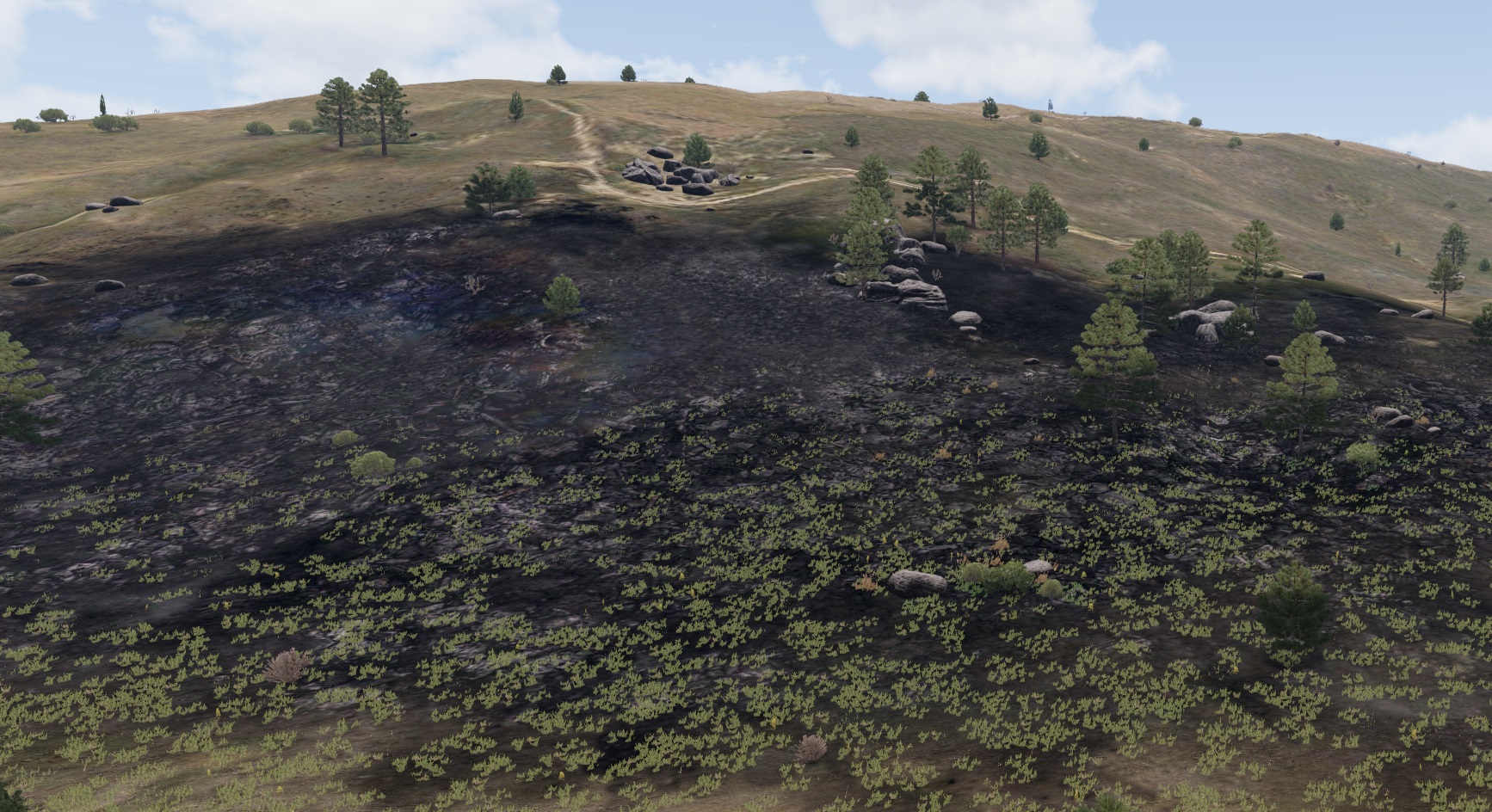
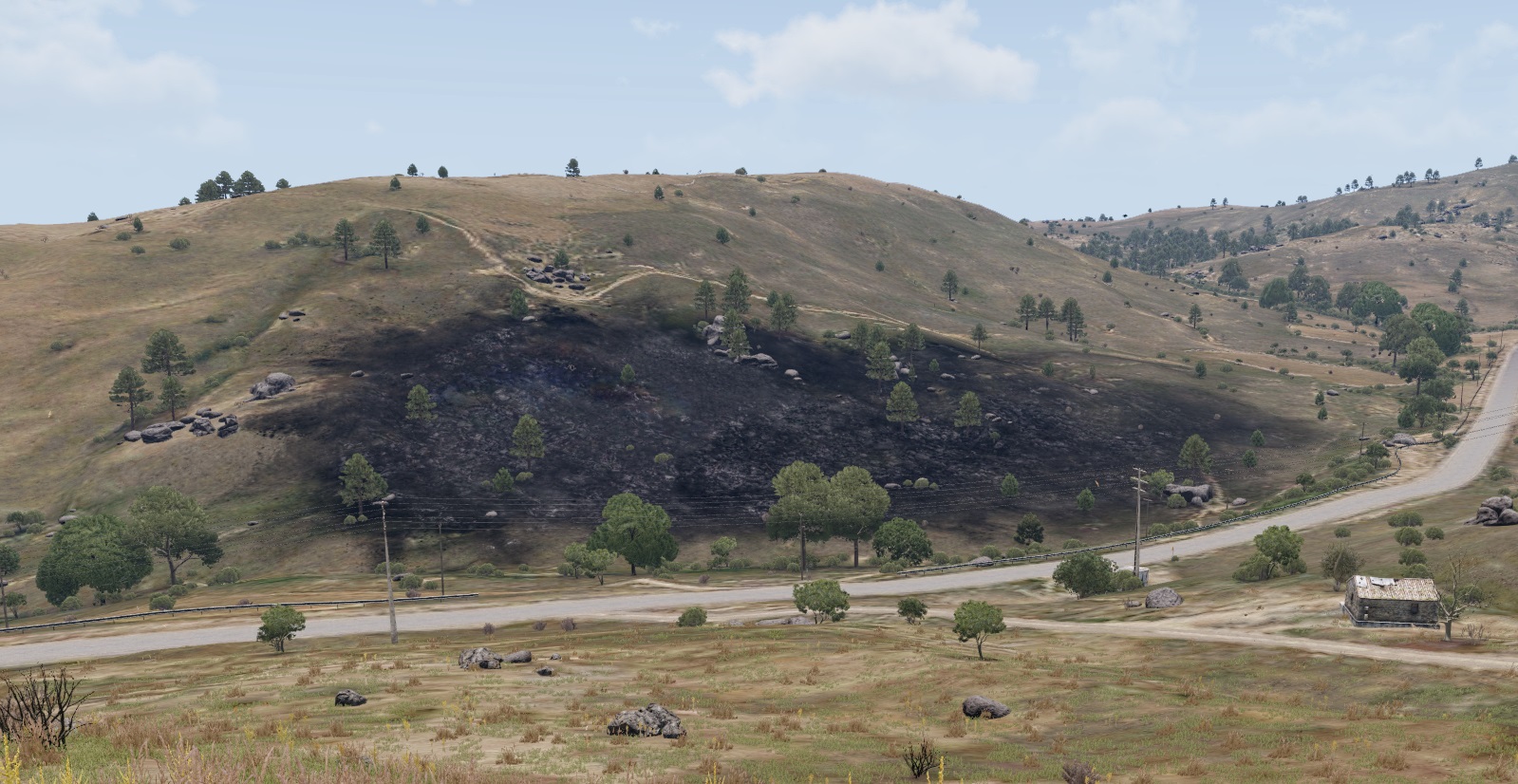 full quarry
 crude dragon
...so does annyone know of a method to remove clutter in the burnt area?
crude dragon
...so does annyone know of a method to remove clutter in the burnt area?
roadwaylod
crude dragon
is it resizable?
full quarry
to some extent
although it is not recommenened to do a lot of resizing
can cause wonky stuff
 analog sail
hello, im trying to make a main menu mod and im trying to import a image into i made in adobe illustrator but im having trouble getting the colours to work they keep inverting (mainly yellows and blues). i got the right pixel size to make it into a paa but i dont know if im missing something? because it work with regular png's i get off the internet but not with the ones i made? can anyone help?
lethal condor
- Resolution?
- Bit depth?
- File name?
analog sail
lethal condor
1. Resolution?
2. Bit depth?
3. File name?
2048x2048, 32 bit from what i know, and logo.paa im not sure on what suffixes i should be using if any
lethal condor
Suffix should be _ca if it does have some transparency, _co if not. Also, which way/software you use to convert?
analog sail
i mostly export as tga and use texview2 to make a paa as outdated as it is, imagetopaa just doesn't like me, i've tried with _ca and _co but getting mixed results
lethal condor
Maybe try 24 bit, so 6 bit per RGBA
upbeat cradle
Anyone know what's causing this? I assumed I needed to flip my normals but it did nothing (I'll not activate windows)
 full quarry
upbeat cradle
Anyone know what's causing this? I assumed I needed to flip my normals but it di...
full quarry
upbeat cradle
Anyone know what's causing this? I assumed I needed to flip my normals but it di...
mesh is flipped?
upbeat cradle
full quarry
mesh is flipped?
Yeah my bad, I was clicking on the wrong option!
upbeat cradle
This took a strange turn, the whole section of the model is see-through; I hate to ask again but any ideas?
 upbeat cradle
There is no alpha on it and it uses the same RVmat as the leather strap
full quarry
texture file can have alpha channel without having transparency
and solid color textures should have it removed
do you use the correct texture name suffixes with your source files?
_CO in this case
upbeat cradle
I'll check over the texture, it does have the _co suffix
full quarry
is it correct resolution
upbeat cradle
Okay so the background was transparent so after changing it the whole part is now just the colour I put in

Pretty sure I found the issue
So when I join the meshes together in blender it deletes the UV map for it, I'm not sure why
full quarry
upbeat cradle
So when I join the meshes together in blender it deletes the UV map for it, I'm ...
The objects you join have different named uv sets
So those don't join
And create extra u sets in p3d that it can't use
upbeat cradle
full quarry
The objects you join have different named uv sets
Beautiful Mr. Goat with the answers again
Hopefully this is the last issue I get. Left is in-game and right is the model. For some reason it's not appearing


 silver adder
@twin bane, as a side note to Quixel S2 and the FBX issues at the moment, i with no hope of success tried to import a DAE file into ObjectBuilder (since DAE is working in QS2, save me having to export a FBX aswell) using the FBX plugin, and it worked, which was suprising even though DAE essentially contains a FBX file, i expected it to not work
twin bane
i don't think the DAE's are actually working properly in 3DO currently, but certainly better than .fbx, i noticed some smoothing and other artifacting after applying some maps. it's interesting though that OB took the DAE, not completely surprising I guess, but not documented anywhere I can think of at the moment. (granted it's 2am)
silver adder
DAE seems to be find for the stuff i did today in QS2 granted, i did end up switching back to Marmoset for previewing, still superior
twin bane
single object model? just curious as it was painfully obvious for me. where .obj's are performing as usual.
silver adder
Well it was fairly simple, probably 5 seperate meshes as a single object
on further investigation, DAE loses its smoothing groups in OB
twin bane
yeah, that would be sub optimal.
 young patio
so im trying to get a set of goggles in game that have like a scratched up scuffed texture on them

problem is they look like this
would this be a texture issue or an rvmat issue?
textures i did up in substance painter and they are pretty good ngl

this is the rvmat
ambient[] = { 1, 1, 1, 1 };
diffuse[] = { 1, 1, 1, 1 };
forcedDiffuse[] = { 0, 0, 0, 1 };
emmisive[] = { 0, 0, 0, 1 };
specular[] = { 1, 1, 1, 1 };
specularPower = 800;
PixelShaderID = "Super";
VertexShaderID = "Super";
class Stage1 {
texture = "#(argb,8,8,3)color(0.5,0.5,1,1,NOHQ)";
uvSource = "tex";
class uvTransform {
aside[] = { 1, 0, 0 };
up[] = { 0, 1, 0 };
dir[] = { 0, 0, 0 };
pos[] = { 0, 0, 0 };
};
};
class Stage2 {
texture = "#(argb,8,8,3)color(0.5,0.5,0.5,1,dt)";
uvSource = "tex";
class uvTransform {
aside[] = { 1, 1, 0 };
up[] = { 0, 1, 0 };
dir[] = { 0, 0, 0 };
pos[] = { 0, 0, 0 };
};
};
class Stage3 {
texture = "#(argb,8,8,3)color(0,0,0,0,mc)";
uvSource = "tex";
class uvTransform {
aside[] = { 1, 0, 0 };
up[] = { 0, 1, 0 };
dir[] = { 0, 0, 0 };
pos[] = { 0, 0, 0 };
};
};
class Stage4 {
texture = "#(argb,8,8,3)color(1,1,1,1,AS)";
uvSource = "tex";
class uvTransform {
aside[] = { 1, 0, 0 };
up[] = { 0, 1, 0 };
dir[] = { 0, 0, 1 };
pos[] = { 0, 0, 1 };
};
};
class Stage5 {
texture = "#(argb,8,8,3)color(1,1,1,1,SMDI)";
uvSource = "tex";
class uvTransform {
aside[] = { 1, 0, 0 };
up[] = { 0, 1, 0 };
dir[] = { 0, 0, 0 };
pos[] = { 0, 0, 0 };
};
};
class Stage6 {
texture = "#(ai,64,64,1)fresnel(1.1,0.4)";
uvSource = "tex";
class uvTransform {
aside[] = { 1, 0, 0 };
up[] = { 0, 1, 0 };
dir[] = { 0, 0, 1 };
pos[] = { 0, 0, 0 };
};
};
class Stage7 {
texture = "a3\data_f\env_land_ca.paa";
useWorldEnvMap = "true";
uvSource = "tex";
class uvTransform {
aside[] = { 1, 0, 0 };
up[] = { 0, 1, 0 };
dir[] = { 0, 0, 1 };
pos[] = { 0, 0, 0 };
};
};
class StageTI {
texture = "a3\data_f\default_vehicle_ti_ca.paa";
};
made using rvmat gen
setting was glass
it in Substance
 full quarry
young patio
it in Substance
full quarry
young patio
it in Substance
is it supposed to be see through?
does the texture have _CA suffix?
is it saved as TGA or PNG?
young patio
full quarry
is it supposed to be see through?
yeah its meant to be seethrough
and no its got the _co suffix
save as a .paa
im sensing i saved it as something thats not fully transparent?
lethal condor
_CO does have no transparency (aka 0 or 1) while _CA does (0-255)
young patio
lethal condor
`_CO` does have no transparency (aka 0 or 1) while `_CA` does (0-255)
ah that will be why then
did not know that first time ever making a visor didnt even know _ca was a thing
full quarry
young patio
ah that will be why then
theres is a wiki link to texture naming rules in the pinned messages
close to the bottom
celest obsidian
upbeat cradle
Hopefully this is the last issue I get. Left is in-game and right is the model. ...
inverted normals?
 novel lagoon
ping?
willow marlin
is there a trick to generating _smdi and _as maps?
full quarry
willow marlin
is there a trick to generating _smdi and _as maps?
AS is generally same as ambient occlusion (you can read more about each texture type on the wiki)
SMDI is bit more trickier since newer texturing workflows dont use it anymore
in simple terms it controls what parts are shiny/specular what are not
full quarry
with SMDI the different color channels control different things
willow marlin
as i seem to understand but smdi is a bit confusing
nvm im confused by both of them, as is more white=more light?
smdi is red and white but dont understand which does what? atleast the page im lookin at in wiki doesnt say much
full quarry
willow marlin
nvm im confused by both of them, as is more white=more light?
smdi is red and w...
red channel is not used so its all white = full red
manic mulch
red channel doesn't do anything
green channel is what is shiny/reflective
blue channel is how much it is shiny/reflective
willow marlin
hmm, so if blue channel is fully black, its not reflective at all then i guess?
manic mulch
from my understanding, yes
full quarry
might also add that the texture modulates the specular and specularPower paramters of rvmat
so white should be full value of given power, black none
willow marlin
i guess that makes sense
well seems confusing for the moment so time to stop for the day and try it out with a fresh brain tomorrow
full quarry
willow marlin
well seems confusing for the moment so time to stop for the day and try it out w...
it is a lot to take in. Id recommend making some simple test cube with different kinds of gradients and shapes on different color channels to see how it behaves in game lighting
willow marlin
that might be a good idea actually
 fair kite
Hi, I have a problem when I packaged my uniform mod in addon builder height maps don't load or something. But only when I checked Sign output and binarize. It works perfectly without these settings. Any tips on what I'm doing wrong?
full quarry
fair kite
Hi, I have a problem when I packaged my uniform mod in addon builder height map...
heightmaps?
fair kite
full quarry
heightmaps?
I mean rvmat
full quarry
fair kite
I mean rvmat
all pbos should be binarized so if that does not work you probably have somwthing wrong in your filepaths in various files
fair kite
full quarry
all pbos should be binarized so if that does not work you probably have somwthin...
All right i will look on my side
full quarry
fair kite
All right i will look on my side
do you have P drive set up?
fair kite
full quarry
do you have P drive set up?
no
full quarry
ah
while not stricktly necessary it does help to have the modding development environment set up in the way the tools expect it to be
 leaden meadow
Emm what program would you guy recommend for texturing I have been using Quixel SUITE and Substance Designer for a while now, just wondering if their are any better altrnatives.
silver adder
Better than those? QS2.0 now maybe
If you want to look at some alternatives, 3D Coat, Mari, Mudbox.... Mari is incredible, but also comes with a steep learning curve and hefty price tag
twin bane
^^ at Mari, although the indie licensing is fair considering it's power.
Mari is massively functional if you have the time to fiddle with it. But QS2.0 is what I personally use the most right now. And relatively speaking probably the most user friendly, smallest learning curve.
silver adder
You don't have to paint with Quixel or Substance, you can just control masks, which is nice for those without true artistic know how, with Mari i found it really needed someone who was a artist to control it
leaden meadow
Okay, thank you guys, just updated to quixel 2.0 see how that goes.
willow marlin
can i find UI texture aspect ratios somewhere easily? is there like a wiki page or something
for weapon and mag UI icon sizes currently
lethal condor
Usually weapons have X:Y = 2:1 and magazines have 1:1. But pretty much having wrong ratio does break nothing
willow marlin
okay thanks!
 pulsar axle
Is anyone down to help do some texture stuff for me?
lethal condor
Just ask question
pulsar axle
lethal condor
Just ask question
I already did I don't know how to do texturing and I'm asking if someone can either come do it for me or teach me
There is nothing agianst the rules asking someone to do textures for me
lethal condor
You really didn't. From my perspective you just asked if somebody can help you, without any specific question
pulsar axle
lethal condor
You really didn't. From my perspective you just asked if somebody can help you, ...
I don't need a reason people can say yes or no it's up to them
If they want to know what I need help with they can dm me
full quarry
pulsar axle
I don't need a reason people can say yes or no it's up to them
more detailed question than just "stuff" usually yields better answers and possibly pointing to correct channels direction
as #creators_recruiting is the place to look for someone else to make stuff for you
here we answers questions if you want to do it yourself
pulsar axle
full quarry
here we answers questions if you want to do it yourself
Thank you for being ressonible and explaining
manic mulch
for some reason, the same texture is looking different between buildings.
as you guys can see, on the left it looks alright, but on the right it looks strange.
Would someone know why this is happening?


 full quarry
manic mulch
where could i find the rvmats for them?
full quarry
manic mulch
where could i find the rvmats for them?
how are you retexturing them?
the model files are not open for that
manic mulch
i'm replacing the texture files on structures_f_data
manic mulch
the weird thing, is that they look the same when on vanilla, it's just when i replace the texture, that it becomes weird on some of them, and not on the others.


so, i guess it's not rvmat fault
full quarry
are you repacking the p3ds too?
manic mulch
no, just the textures
 hard to say really what happens


 manic mulch
i discoverded the issue, it's actually two of them
my specular map was wrong (probably missclicked something), and turns out some buildings aren't using the specular map, even on vanilla.

 full quarry
multimaterials typically have used DTSMDI
but yes they arent usually very shiny either
 rigid spindle
Is there a good way to compress paa files? The wiki's page on the file format is a little difficult to understand for me
full quarry
rigid spindle
Is there a good way to compress paa files? The wiki's page on the file format is...
why? 😅 .paa is already compressed format
compression level varies on what each suffix is set to use in the conversion config
rigid spindle
I'm unclear on a few details. Would you mind answering a few questions?
- currently, our 4096x4096 textures come up as DXT1 format and weigh 8.45MB. Does this sound right? Is there a better setting to use?
full quarry
if you want smaller files and less quality just use smaller resolution
there is littel point in having 4K textures if you dont actually want the quality
the size sounds about right
outer needle
4k is overkill for a lot of things in arma anyway, you dont really appreciate the jump in quality that much compared to other games
full quarry
it wont show unless very close
full quarry
as far as I know its Ultra only
lucid halo
NOHQ files at 4k are huge. I switched all my textures over to 2k or less to drop my mod size down under a gig. In reality the 4k textures don't really get noticed in a battle. After playing for so long I realized I didn't notice a difference in textures unless I was making a mission.
wet nymph
Honestly I only use 4K for _co textures for large things, like vehicles and uniforms
Even vests tbh
I stick to 2K for anything smaller like pouches and accessories
Hell, I've used 1K for patches and they are still totally fine
 hallow jay
You can check the TD of your model with Blender addons, makes it easier to decide on texture resolution
full quarry
wet nymph
Hell, I've used 1K for patches and they are still totally fine
yeah that works just fine unless you got someone doing CSI zooooomin and using 4k monitor
but that is rather rare case 😄
hallow jay
full quarry
yeah that works just fine unless you got someone doing CSI zooooomin and using 4...
wdym? in CSI the resolution gets HIGHER the more they zoom in 
full quarry
exactly
wet nymph
full quarry
yeah that works just fine unless you got someone doing CSI zooooomin and using 4...
Lmaooo
floral fiber
so long as your texel density is consistent 
 torn mango
Is it possible to create a rvmat material which reflects an environment map like a fully metal surface?
S.O.G has a MIG 19 which has something which comes close. Does anyone know how that's done?
https://youtu.be/IF7RMHM_jrU?t=17
Youtube url is at a timestamp for the MIG-19
lethal condor
Vanilla mirrors already do. It doesn't refrect anything around you dynamically though
torn mango
Thanks I'll take a look at the mirrors. I'm not so worried about dynamic reflections. I'm kinda thinking of a Predator style vibe so if it's unreal that's fine.
lethal condor
It is simply RVMAT thing, there should be one in vanilla files
torn mango
Neato. Using the basic .rvmat in the extracted a3 data works great.
 floral fiber
thats what i look like
full quarry
torn mango
Neato. Using the basic .rvmat in the extracted a3 data works great.
ah T-1000
silver adder
might be the better place for this sort of thing......
Quixel Suite RV4 Calibration Profile and export processor
 rose minnow
thanks!
twin bane
lol i was waiting. still need to figure out how to handle the .rvmats. hopefully slider things in the next 3DO
and direct input for frensel as RV plays with it. (in viewer)
silver adder
yeah i have no idea of the best approach for RVMATs, i was thinking an external program would be best, but if we can get it open sourced in Quixel that would honestly do, but it would have to support a fair few things
twin bane
yeah, already had most of these conversations. the goal will be to open up as much as possible. not only on export, but shader support with the bassackwardness and all. probably a couple weeks out before that group. think something else 'big' is coming.
silver adder
maybe something Mega?
 mighty crest
+1
twin bane
#shrug
 distant rose
thanks @silver adder
wet nymph
Does anyone know how to PROPERLY export an SMDI through substance painter?
I've tried and it looks horrible for anodized shit
I might have an idea on how to fix it, but my G and B channels dont seem to match other SMDIs I've checked
full quarry
what does it look like and what do you expect it to look like?
and whats your rvmat property values
wet nymph
tbf my rvmat needs to be messed with more, change the fresnel and specular and shit
But my SMDI looks yellow as fuck
Which I know is present in other smdis for similar objects
But mine has too much of it
wet nymph
wet nymph
I might have an idea on how to fix it, but my G and B channels dont seem to matc...
^ I think the problem is I'm assigning full Metallicness in substance, instead of using rational numbers
full quarry
very possible
wet nymph
I've confirmed that the G channel (metallic) is what gives the yellow hue
But idk, I still doubt it's only that
full quarry
wet nymph
I've confirmed that the G channel (metallic) is what gives the yellow hue
metallic does not exist in Arma specular shaders
it does not work the same way
wet nymph
yeah ik
but I work with met-rough, which I should probably change lmao
but iirc inverted roughness is glossiness, and metallic is SIMILAR but not the same as spec
wet nymph
yeah
mighty crest
Great video, thanks again @silver adder
wet nymph
Ok I'm happier with it now, but I still might mess with specular values
It should be shinier irl
outer needle
whats your current value? and what do you want to achieve?
since you can have a huge specular and make it be a vaseline smeared thing
upbeat cradle
Anyone know what's causing this? These are in the insignia slots, the one on the left is the model in shadow and it's very grainy. The other side doesn't react to light and had a glow around the edge?

 twin bane
👍
 silver gull
the problem is that the rvmat can scale spec/gloss up and down. So if you would want a consistent output you would have to use the exact same rvmat settings all the time
so you couldnt even make material colors consistent
 chrome plover
Oooh thanks for that one Pinga. :)
 woven parrot
Hi, anyone know how to add the new austrian "Tarnanzug 03" to ArmA?
 frozen blade
@silver gull - indeed, there should be no direct tweak for spec/gloss with a texture provided
or it should work with .5 .5 .5 ones for instance
full quarry
woven parrot
Hi, anyone know how to add the new austrian "Tarnanzug 03" to ArmA?
takes a lot of work.
 tacit pier
Anyone know where's the texture for the vanilla clothing is? I'm trying to find the Parade Cap
lethal condor
AoW\Addons\characters_f_aow.pbo
 ancient smelt
Specular power is incredibly non-linear, especially when it comes to how the environment map reflection is blurred. Using a single value for all your rvmats would be pretty limiting.
woven parrot
full quarry
takes a lot of work.
yeah, but can you explain to me how to do it?
full quarry
woven parrot
yeah, but can you explain to me how to do it?
You can either learn to model and make a authentic model with authentic textures
Or you can try to retexture existing clothing to be covered by the pattern
young patio
question for texture peeps out there im using substance painter to make textures what settings is the best to export the project on
and correct me if im wrong:
Diffuse = CO/CA
Normals = NOHQ
Ambient Occlusion = AS
Glossiness = SMDI?
wet nymph
SMDI is a mix
NOHQ is Direct X Normals (not OpenGL, though you can convert them by inverting the green channel iirc)
SMDI is red channel full white, green is specular and blue is glossiness
The default Substance Arma 3 presets has a broken SMDI export so you need to change it
If you work with met-rough instead of spec-gloss, you can put metallic on green and roughness on blue (but after exported, put it into PS/GIMP and invert the blue channel)
It isn't perfect but it works
hallow jay
wet nymph
The default Substance Arma 3 presets has a broken SMDI export so you need to cha...
wait, what do you mean? Are the pinned presets broken?
wet nymph
Technically the SMDI is done wrong
It puts your diffuse on the red channel, so your camo will show up on your SMDI
Which is not what you want
So you need to change it to a custom input (which will make it fully white), and I think the GB channels are also fucked so you need to put metallic on green and roughness on blue
As I said tho, blue needs to be inverted after exporting
young patio
wet nymph
SMDI is a mix
this is very helpful ive been having issues with my RVMATS as of late also anytips of baking Ambient occlusion maps in substance i keep getting an error when exporting that my AO map cant be created
its weird though its only on the one model
young patio
wet nymph
Weird
i can gimme a minute
wet nymph
young patio
i can gimme a minute
Sorry had to do something. Still down?
young patio
wet nymph
Sorry had to do something. Still down?
yeee
celest obsidian
wet nymph
Technically the SMDI is done wrong
There is no easy way to export a correct SMDI using the met-rough workflow in substance painter. If you really only want to use substance painter, there are only 2 options available:
1 - Export your SMDI as R=White G=Metallic B=Roughness
advantages: this is the least destructive method
disadvantages: the least efficient method
2 - Export your SMDI as R= White G=Base color B=Roughness
advantages: this is the best solution if you use an adapted workflow that revolves around the base color
disadvantages: it's the worst solution if you don't adapt the way you texture objects.
The truth is, you can't make a proper SMDI using the current industry-standard workflow because it's not adapted. You either need to texture your object using a non-pbr specular-gloss workflow, or manually export the textures from your project and adjust your SMDI directly in Photoshop
wet nymph
As I mentioned earlier, usually 1 works best. But then I invert the blue channel. It works quite well and my stuff looks pretty decent in-game
Yeah, maybe it is easier to work with non-PBR spec-gloss, but I honestly cba to change + most of my textures are used in other games
tacit pier
I brought the whole Art of War files when I was searching for the thing I wanted to retexture
Uhh
I retextured what I wanted
Where do I save?
celest obsidian
wet nymph
As I mentioned earlier, usually 1 works best. But then I invert the blue channel...
I'll just add one thing about the first solution. I don't know if you're familiar with how shading works, but this message might also be useful to other modders.
Why is it so difficult to convert my maps from a metal workflow to SMDI :
ㅤ
SMDI maps are composed of:
🟥 = White
🟩 = Specular map
🟦 = Glossiness map
While Glossiness maps can be replaced by Roughness maps (because you can actually invert a glossiness map), metallic maps are not equivalent to specular maps. This is because the shading method is totally different.
Metallic maps are in **grayscale **(black and white)
0 = ⬛ Black = Non-metallic
1 = ⬜ White = Fully metallic
Specular maps are based on **RGB **values that dictate how the reflection should work. They are RGB, they don't work in the same way and can't be interchanged.
That's why it's not easy to convert one workflow into another. I recommend everyone to read how basic shading works with specular and metallic workflows to better understand how to create their textures in Arma.
I'll update my substance presets on Github and add the old preset (using metal in the green channel) and give a warning of how it might look in the game. 
lethal condor
celest obsidian
I'll just add one thing about the first solution. I don't know if you're familia...
I did a pin cause sometimes I simply confuse how to handle it 😅 cheatsheet go brrr
lethal condor
I just made a quick example model, and this helps my understand as well. Don't mind the typo


 sage copper
Maybe worth adding to https://community.bistudio.com/wiki/RVMAT_basics#Basic_surface_setting
lethal condor
Could be
hallow jay
celest obsidian
There is no easy way to export a correct SMDI using the met-rough workflow in su...
Wouldn´t it be enough to switch my SP to use a nonpbr spec gloss shader, and then use the spec gloss export preset?
or does the shader used in SP not have any effect on the exported files?
 tardy granite
Same question as above.
I mostly work in spec/gloss pipeline in Painter.
Is it enough to just use "Arma 3 Super (Spec Gloss)" export preset to get correct smdi map OR i should also manually change some gloss (or other) values before exporting final textures?
wet nymph
If it's already set to R = white (user 0), G = Spec and B = gloss then you should be fine
wet nymph
celest obsidian
I'll just add one thing about the first solution. I don't know if you're familia...
While I understand Spec uses RGB values, wouldnt it not matter since it is only used in the green channel?
full quarry
lethal condor
I just made a quick example model, and this helps my understand as well. Don't m...
excellent!!
also might add that fresnel value in super shader plays a part in the looks too
wet nymph
I think there needs to be a more detailed explanation on fresnel. A lot of people get confused on what the N and K values actually mean
And even more people cba to read the wikipedia page on all the physics shit
full quarry
that is shaders for you yeah
to get good results one has to understand what one does
the metal/rough pbr is a lot more forgiving in that way I suppose
wet nymph
Glossiness is easy to understand, but specular is a bit harder I guess
celest obsidian
tardy granite
Same question as above.
I mostly work in spec/gloss pipeline in Painter.
Is i...
No, you don't really have anything else to do if you're working in spec-gloss. You'll never get exactly the same result in the game though 🙂
celest obsidian
wet nymph
While I understand Spec uses RGB values, wouldnt it not matter since it is only ...
It depends, but you could easily miss important details. The results weren't optimal on my side, but if you manage to find a way to retain most of the details, it would be really interesting to share them here. I stopped testing texturing methods for Arma 3 because I was satisfied with the result, but there must be a better method out there.
willow marlin
how can i fix this retucke stretching issue?
i used the same aspect ratio as in the original scope size, so dont understand
 full quarry
willow marlin
how can i fix this retucke stretching issue?
i used the same aspect ratio as in ...
full quarry
willow marlin
how can i fix this retucke stretching issue?
i used the same aspect ratio as in ...
Uvmapping problem?
willow marlin
full quarry
Uvmapping problem?
idk, i only change a .paa from an existing one that worked with no problems
(also, unrelated, if a 2d reticle shows the center part as an arrow/triangle but there is nothing to show it as an arrow/triangle in the reticles texture files, how does it get determined its an arrow? its just a red box in the texture file)
full quarry
willow marlin
(also, unrelated, if a 2d reticle shows the center part as an arrow/triangle but...
Pictures may be needed to compare and see the problem
willow marlin
what is needed to compare in the 2d one?
willow marlin
the 2d is a different thing apart from the picture
full quarry
willow marlin
the 2d is a different thing apart from the picture
Is it the same picture used for both?
willow marlin
full quarry
Is it the same picture used for both?
no, completely unrelated thing and question
full quarry
Well let's compare the textures for the 3d first
willow marlin
willow marlin
how can i fix this retucke stretching issue?
i used the same aspect ratio as in ...
this is how the normal looks like (ignore the external texture)
 full quarry
willow marlin
this is how the normal looks like (ignore the external texture)
full quarry
willow marlin
this is how the normal looks like (ignore the external texture)
What does the paas look like in texview? For both textures
willow marlin
full quarry
What does the paas look like in texview? For both textures
here,

size, cause cropped it

oh fuck
full quarry

willow marlin
i have fixed this issue, propably
i was using weapons_f/acc/data/reticle_arco_ca.paa, while the mode is using weapons_f_beta/acc/data/reticle_arco_ca.paa
sigh
full quarry
different sizes then?
willow marlin
yeah, the other one is 2048x2048 and smaller reticle size
full quarry
that would be it then yes
willow marlin
next question is, how to change reticle arrow (left)
when the texture is like this (right)

 outer needle
if you square the texture to 1k*1k you get more consistent results since the planes/lense has to stretch the texture less awkwardly too + you can use the center of your texture as reference for position in space instead of having to guess position in reference to stretched planes
willow marlin
yes, i am using the squared 2048x2048 now already
full quarry
willow marlin
next question is, how to change reticle arrow (left)
when the texture is like th...
if its not in the texture its probably defined in the config
 cedar lichen
could also be modelled
full quarry
good point
willow marlin
oh damn yeah its modelled
 light wagon
is this what i use for a boonie hat texture or is it something else
    displayName = "$STR_A3_H_Booniehat_ocamo0";
    picture = "\A3\characters_f\Data\UI\icon_H_booniehat_desert_ca.paa";
    model = "\A3\Characters_F\Common\booniehat";
    hiddenSelectionsTextures[] = {"\A3\Characters_F\Common\Data\booniehat_desert_co.paa"};

    class ItemInfo : ItemInfo {
        mass = 10;
        allowedSlots[] = {801, 901, 701, 605};
        uniformModel = "\A3\Characters_F\Common\booniehat";
        modelSides[] = {6};
        armor = 0;
        passThrough = true;
    };
};

class H_Booniehat_indp : H_Booniehat_khk {
    displayName = "$STR_A3_H_Booniehat_khk0";
    picture = "\A3\characters_f\Data\UI\icon_H_booniehat_indp_ca.paa";
    hiddenSelectionsTextures[] = {"\A3\Characters_F\Common\Data\booniehat_indp_co.paa"};
};```anyone know how to get Text to mirror so it isnt backwards in Substance Painter?
what i want

what im getting
 wet nymph
There should be a mirror button on the top of your screen
When you select your text layer
Alternatively you can probably put the x axis scale to negative to flip it
(Never tried that)
young patio
wet nymph
There should be a mirror button on the top of your screen
got it working thanks brother!
silver adder
The idea would be to generate starting points, with the correct texture links etc and spec/fresnal settings for your desired look from a library of samples, you would of course need to tweak it as desired
 atomic jolt
anyone here got experience with retexturing RHS assets?
willow marlin
yes
atomic jolt
willow marlin
yes
i can't for the life of me find the humvee and m1232 textures
you have any idea what pbo or folder they are in?
full quarry
atomic jolt
i can't for the life of me find the humvee and m1232 textures
check their configs hiddenselectionsTextures list for reference
atomic jolt
well the thing is, for the humvee and m1232 from what i can tell the config that refrences the textures is going to be in the same pbo as the textures themself
full quarry
ingame config viewer is your friend
especially if you get the Leopards advanced developer tools mod for better config viewer
atomic jolt
i'll look into it, thanks!
willow marlin
How do i properly extract things from substance painter for Arma?
I'm only getting a black baseColor texture and none of the actual details done in the editor
wet nymph
Are you using PBR or non-PBR methods?
ashen violet
Hello, I’m currently working on my normals for ground textures and I’m running into the issue where I’ll save my PSD in PS once I add the parallax map to the alpha channel and when I open that file back up the alpha channel is turned off. Could anyone tell me where I’m going wrong
full quarry
ashen violet
Hello, I’m currently working on my normals for ground textures and I’m running i...
You'll have to figure out how PS saves transparency stuff. Last time I looked at that to help a friend we could not figure it out. 
For all it's industry standard praise, PS seems unintuitive in some things
ashen violet
full quarry
For all it's industry standard praise, PS seems unintuitive in some things
Would gimp be a better option for this ?
full quarry
ashen violet
Would gimp be a better option for this ?
Well I've used gimp successfully for years so sure
At least it does not seem to need any shenanigans to get alpha channel in use
wet nymph
Gimp ftw
ashen violet
full quarry
At least it does not seem to need any shenanigans to get alpha channel in use
Thank you, sounds like I wasted too much money and time on ps lol
lucid halo
The alpha channel is connected to a mask in PS. So if you have a mask on your normal layers then the alpha will be on.
ashen violet
lucid halo
The alpha channel is connected to a mask in PS. So if you have a mask on your no...
Would I just select and mask the normal layer and that should work ?
floral fiber
anyone know how to make heightmapped stuff export to the smdi and as on substance?
full quarry
floral fiber
anyone know how to make heightmapped stuff export to the smdi and as on substanc...
heightmap is not really relevant to smdi
AS = ambient shadow also called ambient occlusion
if that helps
floral fiber
full quarry
heightmap is not really relevant to smdi
looks better when exported onto there as well -- modeller did so with the high poly bake but none of my painted details show bc of export settings
floral fiber
i got the export preset off the modeller now -- makes the luger look much better now the toggle lock ridges show on both sides all the time 😅
wet nymph
Idk if I understood exactly what you meant, but if you drag the HP baked normal map into your Substance mesh maps, and bake every mesh map BUT your normals, everything will bake with info from the normals
Meaning your ambient occlusion will bake with the details from the normals, and ofc your spec/gloss or met/rough stuff will also be affected by that
So if you have an edge wear mask or something, that will consider the stuff from the normal map as if it was part of the mesh, which means it will show up on your AS and SMDI and add some extra details
If you dont have a HP baked normals, then ofc you do all your details on the LP like you usually would. Export just the normal map (directX), import it back into substance, then drag it into the mesh map menu. Just remember that when you are exporting every texture, uncheck the normal export or else your values will "double" and look really strong
(hope any of that made sense)
atomic jolt
RHS retexture showing up like this. Anyone know if this is a file, a config or a texture issue?

(for context, the vehicle textures are suppost to be black)
like these
 full quarry
atomic jolt
RHS retexture showing up like this. Anyone know if this is a file, a config or ...
full quarry
atomic jolt
RHS retexture showing up like this. Anyone know if this is a file, a config or ...
White would indicate texture path does not match with pbo structure
atomic jolt

seems to have the right structure
some paa's give me an error in texview though
no idea how to solve that, it just said error opening ... file
full quarry
atomic jolt
no idea how to solve that, it just said error opening ... file
thats not good
atomic jolt
 atomic jolt
i'll give it a try
full quarry
how do you make the paas?
atomic jolt
import png to texview, then save as paa

though i'm running into some issues there too
atomic jolt
idk, i'm retexturing RHS stuff, so i just grabbed the RHS paa, made them png's through texview, retextured and now i get that error
full quarry
did you save any project files that you can save the png again from?
atomic jolt
not in paint, however the png's themself do still open in the windows photo viewer
atomic jolt
even when i make a new file, copy the texture over, and save it i still get the same error when importing to texview
full quarry
whats the resolution?
cedar lichen
probably wrong bit rate
atomic jolt
full quarry
whats the resolution?

how does one check/chenge the bit rate on an image?
cedar lichen
have no idea how you do it with paint or whatever - it should be uhh, 32, I think, for texview to open them
atomic jolt
oh snap you're right. The working ones have a bit depth of 24, the non working ones are 8
cedar lichen
eh wait, at least in photoshop its 8 bit channel
but windows detail says 32
shrug
full quarry
8bit per channel
atomic jolt
eyy, thanks for the help guys

got most of em working by exporting them as 24 bit images
just need to fix the blackhawk, add the wheel textures and fix the humvee as that one just isn't even showing a texture at all
but that stuff i should be able to do
 barren fossil
hi everyone i got a slight bit of a problem, i used to do texture work in some old starsim thats no longer around and after 3-4 years ive pretty much forgotten how to convert models and textures to use in substance painter. i only have access to p3d files for the models and paa for the textures and would like to bring them to an fbx or obj and whatever substance painter will allow me to bring the textures to.
 silver moth
Does anyone have a high quality image for French CCE camo I could use? Thanks in advance
 orchid oak
barren fossil
hi everyone i got a slight bit of a problem, i used to do texture work in some o...
orchid oak
barren fossil
hi everyone i got a slight bit of a problem, i used to do texture work in some o...
hey, check out: https://paa.gruppe-adler.de for texture convertion, not sure if theres an actual tool but this works pretty good.
For P3Ds (provided they aren't binarized) you can open them in blender with the arma tools plugin or using actual arma tools with object builder, there you can convert it to FBX

Gruppe Adler
Online converter for Arma 3's PAA format. Can be used to convert a single or multiple files in bulk and supports paa to png, png to paa, jpg to paa and more.
orchid oak
working on adding normal/specular maps to a model but can't for the life of me figure out what I'm doing wrong.
RVMATs are assigned in blender
Using metal rough with arma met rough export presets in substance
I convert my images with imageToPAA, named with the convention
The RV is loading ingame and the specular power is taking effect
I get no RPT errors. can send more info if needed, my CO map is displaying just fine but normals/spec just aren't applying
orchid oak
using addon builder & moving contents to the local mod
full quarry
P drive?
orchid oak
yeah
full quarry
addonbuilder set to binarize the pbo?
orchid oak
however the file directories are different from the local mod to the P folder, since the CO is loading I figure the pathing should be fine
binarize on, same for textures
full quarry
where the pbo is does not matter
the folder structure you have in P drive gets packed into the pbo
make sure you dont have and P:\ in front of any of your paths
wet nymph
orchid oak
hey, check out: https://paa.gruppe-adler.de for texture convertion, not sure if ...
Someone found out this tool can break alphas or something, and might make you unable to pack if you are using mikeros
full quarry
and turn on errors so you can better see if something goes wrong in game
wet nymph
Just drag it into texview and save as a paa
full quarry
imageToPaaGUI
wet nymph
orchid oak
working on adding normal/specular maps to a model but can't for the life of me f...
Are your rvmats correctly pathed?
Not in blender, but the actual .rvmat file
orchid oak
rvmat path: texture = "MIRAGE_F1\Data\Textures\PBR\mirage_f1_wingt1_nohq.paa";
wet nymph
Did you put it in Stage1?
orchid oak
yeah
can try out the texview method, Think I have already but worth another shot. have tried so much stuff now that I'm blanking some of it out
have full logging on ingame
same for addon builder
orchid oak
from the previous author of the mod, they had a general RVMAT as they were only using _co
now I'm handling edits/updates to it as they've left
wet nymph
I'll dm you a base rvmat, use that or compare yours