#arma3_texture
1 messages · Page 2 of 1
 olive gale
 full quarry
Steam library, right click on samples, hit view in browser (it's somewhere in the menu)
 soft silo
not bad. a little dark imo, perhaps increase the brightness so the green/brown stand out a bit more
 hard pike
Question
So I've made a texture for a heli, the heli is a mod, how do I make a mod just like the firewill texture mods
soft silo
hard pike
**Question**
So I've made a texture for a heli, the heli is a mod, how do I mak...
Using a config file. Search #arma3_config to see if there are any templates/info about it
More likely to find info there
hard pike
soft silo
Using a config file. Search <#122121444703338496> to see if there are any templa...
Thank you a lot
 sage harbor
Is this the right channel to ask how to make insignias or ask someone to make some?
full quarry
sage harbor
Is this the right channel to ask how to make insignias or ask someone to make so...
one draws them
any digital drawing programs should suffice
sage harbor
Alright
full quarry
even ms paint, though the tools in it might be bit basic
but in right hands it too can work
sage harbor
I think it would be better to have a professional make it and make them into a mod cause I don't wanna like mess up anything
full quarry
configs yes
sage harbor
Which is something I don't know how to do
sage harbor
I'll probably try and find a video on youtube that shows how to make them
 nova urchin
most can be copy-pasted to be honest
sage harbor
Yeah
full quarry
there are quite a lot of different kind of drawing technique tutorials in the web that can be helpful
sage harbor
So like patches that you can find on google can you turn them into insignias to use in-game?
full quarry
for that you dont have to find anything arma specific
well to a degree, some pictures or designs may be copyright or trademark protected
sage harbor
I actually forgot all about the copyright/trademark
 near warren
Not sure how or what to ask for this- When you have a texture and you use it the first time in a session, the texture can take a moment to load right or?
 abstract willow
Hello. I’ve created a simple patch for my plate carrier. The issue is that after plugging in a normal map, the colors invert/change. This is not an issue with the texture.
full quarry
near warren
Not sure how or what to ask for this- When you have a texture and you use it the...
Use it how and where is the texture packed?
full quarry
abstract willow
Hello. I’ve created a simple patch for my plate carrier. The issue is that after...
Pics? And is it valid normalmap and valid rvmat?
near warren
full quarry
Use it how and where is the texture packed?
i am new so idk- I wanna make a digital clock x3
so, I am thinking the best way to do that would be to make each digit be a texture. Then have 4 face that will use the textures.
so I set the first face to 0 or blank. second to 9, third to 1 and fourth to 0
but I'm wondering if I can have it so the textures are loaded before they're seen. Although idk how much of an impact loading a new texture of a 1 will have to the frame rate
full quarry
near warren
i am new so idk- I wanna make a digital clock x3
Do you intend to make a wearable clock or prop clock
near warren
prop
near warren
full quarry
Do you intend to make a wearable clock or prop clock
prop (I forgot to reply :P)
maybe I should try to make amodel and a box first
full quarry
Start from that.
Also for prop you would use hide unhide animations or rotating cylinder to change the numbers
Texture swap would work too but it's more performance demanding
abstract willow
full quarry
Pics? And is it valid normalmap and valid rvmat?
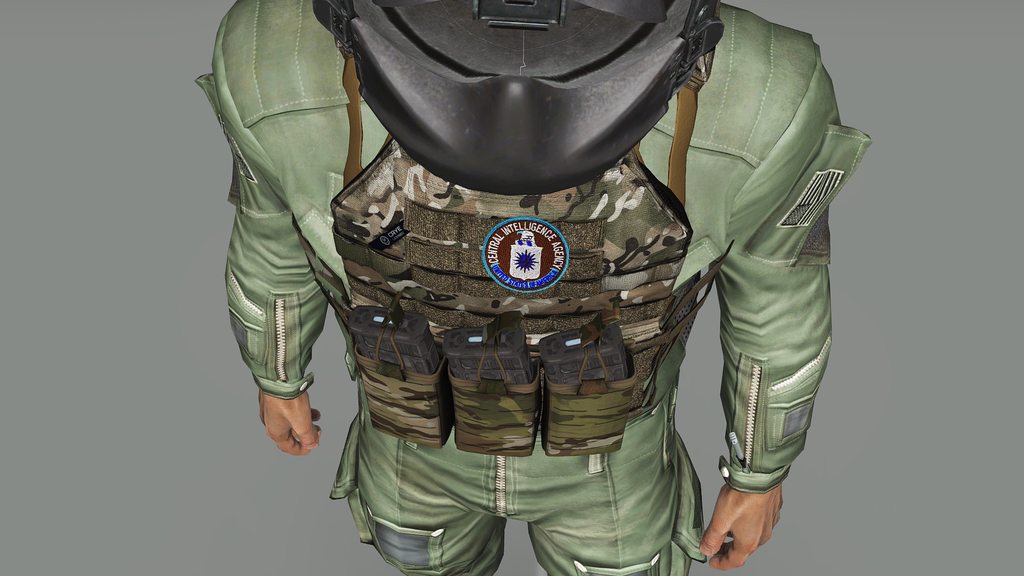 full quarry
abstract willow
https://imgur.com/a/gZjddFP
full quarry
abstract willow
https://imgur.com/a/gZjddFP
What is it supposed to look like and what type of rvmat are you using? Are you plugging the normalmap on right stage in rvmat? And what does the normalmap texture look like?
abstract willow
full quarry
What is it supposed to look like and what type of rvmat are you using? Are you p...
The colors are inverted (Cyan is supposed to be yellow, Center red is supposed to be deep blue).
The Rvmat seems fine
    texture = "project_pathfinder_OtherVests\data\BestPatch_NOHQ.paa";
    uvSource = "tex";
    class uvTransform {
        aside[] = { 1, 0, 0 };
        up[] = { 0, 1, 0 };
        dir[] = { 0, 0, 0 };
        pos[] = { 0, 0, 0 };
    };
};```this is where I've plugged the normal map
full quarry
Get the default super shader rvmat from p:\arma3\data_f and use that as a base
abstract willow
ok
abstract willow
full quarry
Get the default super shader rvmat from p:\arma3\data_f and use that as a base
Update, that didnt work
OH SHIT I KNOW WHATS THE ISSUE
It was 1024x1025

 rare dove
I tried to make a new uvmap for the left most bomb. Looks good from close up, but distance lod does not like the uvmap much. I used blenders smart unwrap function, is there anything I need to do to get lod 2 and 3 to use it as well?
 rare dove
seems the uvmap is defined per lod, hmm
full quarry
Yes each object/mesh has its own uvmap
 rocky widget
Hello, is there any way to re-texture a graffiti or an helipad? Thanks
rocky widget
Or retexture a road
rocky widget
And the only way is with a mod, correct? Is there any easy guide out there on how to make a mod for costume grafiti?
full quarry
yes and no guides on that specifically
very little in ways how how to do X guides
since there is million different X you could do
rocky widget
Ok, thanks anyway
near warren
Can you use any texture for drawIcon or does it have to be certain textures?
rocky widget
If u are asking me, I dont even know what drawIcon is
 tribal raft
is there a tutorial i can follow
also is it possible to edit someone elses mod for personal use only
full quarry
tribal raft
is there a tutorial i can follow
Tutorial for what?
tribal raft
full quarry
Tutorial for what?
on how to edit/make textures
 gloomy bough
I'm trying to make a new texture for a helicopter, but I don't know how to change the rotor blur color. The paa that is used in the original mod is also not defined in the config. Is there a way to overwrite this specific texture?
full quarry
gloomy bough
I'm trying to make a new texture for a helicopter, but I don't know how to chang...
new model from scratch?
gloomy bough
Sorry texture
gloomy bough
Ah ok. I guess my only option then is to replace the file in the original addon.
gloomy bough
full quarry
rotor blur might not be set up tp be changeable
I don't know much about modeling, but is the filepath defined in the .p3d then?
gloomy bough
Yep
 heavy ivy
Alright, so, if I can't get a retexture to work through using hiddenselections, what are some other good options to include the retexture in my addon?
 stray relic
heavy ivy
Alright, so, if I can't get a retexture to work through using hiddenselections, ...
stray relic
heavy ivy
Alright, so, if I can't get a retexture to work through using hiddenselections, ...
If it's not your model (p3d) so that you can't add hiddenSelections, you can't retexture it.
 desert current
does anyone have a AWC 301 Nyx texture template i can grab? TIA
 harsh oak
Okay I could see how this might be more appropriate for other channels too it kind of encompasses a few topics here. I felt Textures made the most sense. I was hoping there was a way to make it so you can make editable text fields sort of like how you can overlay patches on uniforms.
I was hoping there was a way to make it so I can edit the fields on vehicles or perhaps a runway designator, weapon serial numbers, etc. via the attribute menu in the editor. I know this could be set up to use pre-baked textures overlaying just like uniform patches which I am doing for other decals but text can vary so much that it would mean an immense amount of textures to make.

That way in this example I can just punch 1-17 CAV into the editor quick for this truck but then another unit's truck say 1-41 INF would have that label on theirs. This would allow for quick recognition of the vehicle in larger scale operations.
 lethal condor
Will require some config/Mod works
harsh oak
I'm totally fine with that but I'm having a hard time finding anything useful for this topic. Do you have any idea how I'd even approach that problem? I do know how to do this baking the textures the hard way in various other software like Photoshop or Substance Painter even but Arma I'm scratching my head over a little bit. I'm sure it'd require importing a font somehow. But I have no idea how you'd approach it from the config and scripting standpoint yet.
full quarry
there isnt really anything written on this topic.
commonly these are made via floating decal mesh overlaid with the main surface
harsh oak
full quarry
commonly these are made via floating decal mesh overlaid with the main surface
And this even allows for editable text if you write it into config?
 neat arch
If you have a extra texture for every letter
At least that is how GM does it I believe
soft silo
The vanilla destroyer has numbers you can change via attributes, might be a place to start
harsh oak
neat arch
At least that is how GM does it I believe
Yeah I could do it that way as long as it could arrange it. It'd sort of like being reinventing a font import but whatever works and is the path of least resistance that produces the desired result I'm all for it. I was hoping to do it the way you see in other games with a font but I can treat it like an image decal if I have to. Thank you for sharing that with me.
harsh oak
soft silo
The vanilla destroyer has numbers you can change via attributes, might be a plac...
Thank you I'll take a look at that now
harsh oak
Yes! This is exactly what I'm trying to achieve thank you! I'm going to research this more later today and see if I can't figure out how this works. I'd appreciate any information others have. I have a lot of mods I'm working on that would use this for various purposes ranging from ID's on ships/aircraft and other vehicles to weapon serial numbers, airport signs and runway markings, etc.

 rancid igloo
Hey, having issues with mirrored textures on my model, I checked the UV using color grid and it seems to be fine but in-game my text
full quarry
usually means flipped UV or flipped model
harsh oak
So with this example the easiest approach is going to be rig up decal-like textures to overlay this one so the final appearance will look something like this? That does seem to be the best approach and then have the script select it from editor dropdown (for arrows and decals like that) and then input a letter for Taxiway identifier that'll be shown next to the arrow. So I should probably take the rest of this over to the scripting or config channel now shouldn't I?
 full quarry
Pretty much. However the swapping won't work on terrain objects so in case you ever need/want the signs be uses on terrain you need to make separate models for each.
harsh oak
Ouch that's rough. What about the edit object module?
full quarry
Scripted stuff works for missions just fine
harsh oak
That's good I was going to use them for pre-fabricated bases you can build during the mission originally anyway but figuring it out for terrain objects would also be great as I'm sure they'd also be used that way.
full quarry
But terrain refers to objects by path to P3d template
harsh oak
Hmm at least in this specific context that should be fine because if it was made into terrain it wouldn't need to be modified but I see what you mean then how I'd have to make a different entire model for each. Perhaps just scope = 0 on those in config so they don't show up in the editor only the editable one or something. I'm sure I'll figure that part out when it's in front of me.
That would be over 200 models though!
 tardy tinsel
Hey there! Does anybody got an idea how to use "a3\characters_f\civil\data\c_cloth2_v3_co.paa"? I already found out, that the matching clothing is "U_C_HunterBody_grn". But unfortunately I am not able to get a texture on it. Any ideas? 
harsh oak
You have to do it from config if you're trying to make a new uniform. Otherwise if you're trying to just get that texture you have to do it via the P: Drive. I might be able to find a link depending on what you're trying to do with it.
 vernal sage
tardy tinsel
Hey there! Does anybody got an idea how to use "a3\characters_f\civil\data\c_clo...
vernal sage
tardy tinsel
Hey there! Does anybody got an idea how to use "a3\characters_f\civil\data\c_clo...
hunter_bushman_co.paa is the only texture used by c_hunter_f.p3d (which is the model that U_C_HunterBody_grn -> C_man_hunter_1_F uses).
The texture you're after (c_cloth2_v3_co.paa) is utilised by a different model, specifically c_citizen2.p3d and c_citizen4.p3d, both of which are unused civilian models.
c_citizen2.p3d uses the pants, shoes, and evil eye medallion in the texture (its camo selection names are camo1 and camo2).
c_citizen4.p3d only uses the pants from the texture (its camo selection names are also camo1 and camo2).
olive gale
hello is there any template for the LDF modular vests?
lethal condor
Arma 3 Samples should have one
 young jay
So I have a probably some what stupid question. How do I add different ground textures to my map? I wanna add a concrete texture and dirt texture
full quarry
young jay
So I have a probably some what stupid question. How do I add different ground te...
#arma3_terrain is the best spot for terrain related questions. Also checking out the basic workflow tutorials might answer that
 solemn mural
where i can find a template for custom face?
full quarry
solemn mural
where i can find a template for custom face?
I don't think there is any template. You can get the vanilla textures from gsme files and use the bust.p3d to paint on them in 3d
 steel talon
Are there any newer drives or selections of texture templates? I really would love one for both the Kajman and Nyx but none in the official samples or older forum template repos. I can make my own from scratch but my skill is pretty limited and if someone's already done a nice job it would be very appreciated!
 dense peak
So i am extremely new to arma addons. Me and the friends successfully made some patches for the game that show up in arsenal but we are trying to retedxture RHS vests. we have the paa files done but we are completly lost on how to add them to the same config.cpp and combine it into one mod. I do not understand how to add the class for the vest to refrence the RHS vest p3d in order to make our texture a new item in the game
If someone is able to send over a config that i could look at to try and make sense of it that would be great, dont even know what lines i need to copy over anyways
full quarry
the Arma 3 samples on steam can be a starting point
also the BI wiki pages for config inheritance and character encoding guide can be useful
dense peak
full quarry
also the BI wiki pages for config inheritance and character encoding guide can b...
Read the bi studios one and was more confused than I started. From my understanding now if I add all the class names and set the scope to 2, make it reference the RHS p3d add rhs as a dependency and then add my texture under hidden selection texture should be good right?
full quarry
sounds about right
 chilly pulsar
Often, my textures look considerably washed out in game compared to either the image file or a render in Substance/Blender/3DS . Is there an RVMAT setting that would contribute to this?
This is the one I'm working on now: https://imgur.com/a/zHrORe5 The inset is a screengrab.
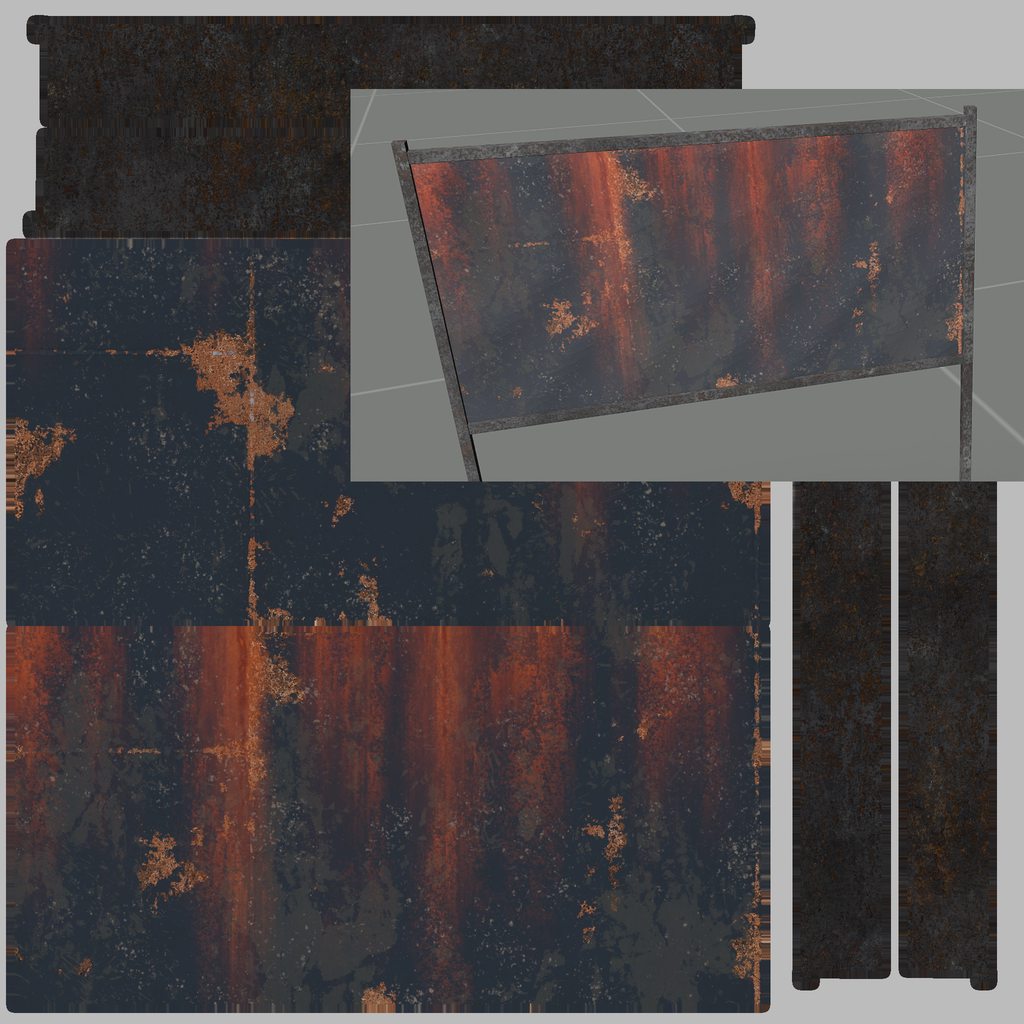 full quarry
It is washed out in the texture too
But yes Arma lighting expects so what darker color texture that nowadays common pbr renderers
chilly pulsar
full quarry
But yes Arma lighting expects so what darker color texture that nowadays common ...
It was the SMDI image that was being exported from SP. When I remove stage 5 altogether it's fine. I need to work on the export preset to grab the correct channels. The SMDI is on the orange side.
 wispy bloom
Hey does anybody know what causes textures on uniform models to show as see through like this?
Not a great image of it, but essentially its like there is a light transparency to the trousers, you can see through the back to the front
full quarry
you have alpha channel on the texture
and possibly its not named right with _co suffix
wispy bloom
Thank you! It does have a _co suffix, at the mo im converting it from 32bit PNG named pants_co.png to a DXT1 PAA in Tex2View
Do you know what the steps would be to remedy this issue?
full quarry
remove alpha channel from the image, use imageToPaa and let it convert it with the existing configuration
wispy bloom
OK, will give that a go! Thank you 🙂
@full quarry Sorry to ask you to hold my hand here, but how can I remove the Alpha channel? Can I do this using Tex2View?
Or would I need to do this in Photoshop
wispy bloom
@full quarry I have tried every which way to remove the Alpha channel and still the issue remains 🥲 What would be your method for doing so?
Is there anything in the model that could be causing transparency like this?
full quarry
typical cause is having transparency in non trasnparent textures
or mixing both transparent parts and non transparent parts on same texture
wispy bloom
I see, would you mind sharing your technique for removing Alpha channels from a PNG? Seems my attempts arent working 😦
full quarry
emm.. open gimp, open image, click on the images layer, remove alpha, resave image as png
wispy bloom
Ill give it a go! Seems GIMP maybe a better option than PS for this!
full quarry
I have not bee using PS for long time. Adobe has been taking it downhill for years now.
there are lot of good alternatives that cost less or are even free
tribal raft
can someone send me the link to Eliteness none of the ones ive seen are working
full quarry
Mikeros toolset can be found in the bytex store @tribal raft what do you need eliteness for?
tribal raft
full quarry
Mikeros toolset can be found in the bytex store <@413121749287174144> what do y...
to edit textures
can u send me a link
lethal condor
Eliteness is not a tool to edit a texture?
tribal raft
so then how do i edit textures
lethal condor
Use any paint software
tribal raft
how do i extract the textures from the pbo
lethal condor
Extract from pbo, convert via Texture viewer or some tool
lethal condor
- Install Arma 3 Tools
- Open the Texture Viewer which I forgot what the name is
- Open a paa
- Save as png
tribal raft
TexView.exe?
lethal condor
I guess
tribal raft
 lethal condor
Did you launched Tools through Steam?
tribal raft
nope
lethal condor
Do it at least once
tribal raft
 lethal condor
Play Arma 3 Tools
tribal raft
ok

idk what a paa is i just have a pbo
so i need Eliteness
this is what happens when i open eliteness
 lethal condor
Huh I thought you've already got a way to extract pbo
tribal raft
no thats y i asked for the link to eliteness
lethal condor
DePbo64.dll is available in the same website with Eliteness
tribal raft
so do i open that?
lethal condor
Open what?
lethal condor
Yes
 lethal condor
Extract pbo?
 tribal raft
lethal condor
Where actually you got Eliteness?
lethal condor
tribal raft
lethal condor
Where actually you got Eliteness?
lethal condor
Mhm
Then the free version somewhat have some issue, IDK
You probably can try ExtractPbo instead
Or BankRev from Arma 3 Tools, I guess
lethal condor
If it is a vehicle, you can put the texture in a mission and use setObjectTexture/setObjectTextureGlobal command
Is something else, make a Mod
tribal raft
wouldnt i need to make it into a pbo?
lethal condor
Eliteness is not a software to pack a folder into a pbo either
Addon Builder fron Arma 3 Tools
 shrewd shard
not sure if this is the right place but i have retextured the parachute bag but when trying to replace the texture it for some reason keeps showing the old one anyone know whats wrong?

 dawn bough
shrewd shard
not sure if this is the right place but i have retextured the parachute bag but ...
dawn bough
shrewd shard
not sure if this is the right place but i have retextured the parachute bag but ...
What's yours addon name?
XOV_Parachute?
Not @ name, pbo name
shrewd shard
yeah
shrewd shard
i have a addons folder aswell
i also retextured the actual chute itself
and that one does work
its just the bag that doesnt
dawn bough
Ok
full quarry
Does the bag have hiddenselections?
shrewd shard
full quarry
Does the bag have hiddenselections?
according the the config viewer it does
vernal sage
According to the screenie of your config, the backpack uses backpack_parachute.p3d which is a vanilla model. Unfortunately, this model doesn't support hiddenSelections so it won't work even if you define it in the config.
shrewd shard
vernal sage
According to the screenie of your config, the backpack uses **backpack_parachute...
Ooh fr damn that explains lol thanks
vernal sage
Just gotta wait until BI releases the Licenced Data Pack in a few months (?) time. If it includes most vanilla stuff, you'd be able to add selections to it so that it supports retextures.
lethal condor
Ask the author or Google. Also I removed your file since most likely you can't just redistribute it
 robust tendon
lethal condor
Ask the author or Google. Also I removed your file since most likely you can't j...
robust tendon
lethal condor
Ask the author or Google. Also I removed your file since most likely you can't j...
Ah, fair point, thanks
Yeah I'll ask the author
Google didn't help though
full quarry
Current question has very little to go on. May need rephrasing and context details
robust tendon
full quarry
Current question has very little to go on. May need rephrasing and context detai...
Sorry - A model I bought came with a .json file with shader details, "texturesets", etc
It mentions parallax occlusion mapping and PBR usage.
robust tendon
Ah, alright
full quarry
So you'll need to convert your textures to older specular/Gloss shading workflow for them to fit
robust tendon
Does there happen to be an easy way to do that?
robust tendon
Hmm..
It's for a different engine, but do you think this tutorial would work?
https://developer.valvesoftware.com/wiki/Adapting_PBR_Textures_to_Source
full quarry
robust tendon
Hmm..
It's for a different engine, but do you think this tutorial would work?
ht...
At least would get you closer
 jolly tundra
i have textured my asset in Quixel Mixer. How do i export the texture maps that arma 3 needs for an asset?
full quarry
You'll have to refer to quixel tutorials and documentation for that.
jolly tundra
i cant find anything related to arma 3 for it, are there good sources for what each file needs? I can change the export settings, i am just not sure what does nohq, smdi, co and as need?
full quarry
BI wiki has pages that explain texture naming rules and how rvmat works
 celest obsidian
jolly tundra
i have textured my asset in Quixel Mixer. How do i export the texture maps that ...
celest obsidian
jolly tundra
i have textured my asset in Quixel Mixer. How do i export the texture maps that ...
I made an export preset for mixer a while ago: https://github.com/MoonieFR/MixerToArma 👍

GitHub
Quixel Mixer export presets for Arma 3 . Contribute to MoonieFR/MixerToArma development by creating an account on GitHub.
SuperMetalAlpha is for: Super Shader using Metallic-Roughness workflow **with **Opacity info.
SuperMetalNoAlpha is for: Super Shader using Metallic-Roughness workflow **without **Opacity info.
It will export everything with the proper suffixes
jolly tundra
celest obsidian
I made an export preset for mixer a while ago: https://github.com/MoonieFR/Mixer...
i think i figured out what each map needed in their channels by myself, but i haven't tested the maps. Still, thank you, i will use this next time
 wispy sun
What parameter should I touch in the RVMAT so that the AO is not so bright in a closed area without having an AO mask.

 livid knot
The darker the AO texture, the darker the shadows. You'd need to change the bit in 'texture' to be a darker color.
This will explain how to make make that fake texture https://community.bistudio.com/wiki/Procedural_Textures
 ancient parrot
Without having an AO mask?
Those four digit 1's, namely the green channel.
1,0.5,1,1
dense peak
boys
im spent the last 3 hours learning how to retuexture
cant even figure out how to get those template sinto photoshop
very close to doing a gainer off the empire state
full quarry
 austere violet
Idk where to start with texturing
austere violet
Idk where to start with texturing
texturing a new model or retexturing some existing one?
 light wagon
im trying to do a BLUFOR uniform myself. and i cant get a config to work because i have no idea where to even start on that.
any help would be much appreciated.
full quarry
there is a character encoding guide on the BI wiki that goes through uniform conifg
and I recall BI forums have some startup tips on retexturing (<- the keyword for what you guys are doing)
 zenith pine
Ok there's a solid 50/50 chance that I'm either somehow right about this or going insane from looking at the game files too much
So basically
I got the idea of "oh I'll try making some uniforms by repurposing vanilla textures" and the first thing that came to mind was to take the guerrilla sweater from ig_guerrilla_6_1 and put it over the nato uniform a la Kerry's fatigues from Adapt, so naturally I looked into the game files to find said texture to use as a base, but after looking around, I realized that the texture isn't there- or rather, it is, but not in its entirety, as it only has the guerrilla shirt and not the nato pants
So I did a little more rummaging through the texture files and I'm now fairly certain that BI somehow has the ability to splice two textures together to make a new one. Another example I found was the default NATO T-shirt fatigues, which is the standard nato one with a recolored version of the base underwear as the shrit
full quarry
It's more than just texture at that point, would need model edits too
Textures don't quite work like how you have envisioned it there
zenith pine
In that case I've got nothing
dense peak
I got no clue about texturing but wanting to learn. At the same time am trying to get some shit done with a 40k Astartes unit. The texturing I am on about is re-texturing some astartes armour. Any ideas? I tried following some steps online but couldn’t find anything exact.
full quarry
There won't be anything exact for that but all retexturing is the same
As long as an object is made to support retexturing you need.
New texture
New config (that has correct config I heritance from your target object)
New folder to put them
Pack that into pbo.
New textures are most of the time painted over old ones so that it's easier to mimick the look but with different colors
 torpid vapor
@full quarry would u be able to help me find a tutorial on youtube that is accurate for what you're saying. i've tried to search and i haven't had any luck
full quarry
Sorry no, I got stuff to do. Check the BI forums Arma 3 editing section
Video tutorials are usually lacking
dense peak
full quarry
New textures are most of the time painted over old ones so that it's easier to m...
I am trying to mess around with the Primaris textures and make something new. However the method I was shown of acquiring the PAA files or something like that didn’t give me anything regarding the Primaris mod but only base arma gear.
full quarry
same methods should apply
rare dove
trying out the the new display on texture stuff in dev build, but for my background image loading I get: Cannot load mipmap jdg_carrier\data\joe_lso_layover_ca.paa
I copied to the local mission, and it still complains about mipmap. The paa and png are very basic:

any ideas what to do about this?
in description.ext it's declared like: cpp class controlsBackground { class bg_lso: RscPicture { idc = -2; x = 0 * safezoneW + safezoneX; y = 0 * safezoneH + safezoneY; w = 1 * safezoneW; h = 1 * safezoneH; // colorBackground[] = {0.5,0.5,0.5,1}; text = "images\joe_lso_layover_ca.paa"; }; };
the dialog is created with mipCount 1, see https://community.bistudio.com/wiki/Procedural_Textures
c setObjectTextureGlobal [0, '#(rgb,1024,1024,1)ui("ttt_lso_camera","ttt_lso_camera")'];
if I change the mipCount 1 to 0, I get: Cannot load texture #(rgb,1024,1024,0)ui("ttt_lso_camera","ttt_lso_camera").
how do I get this mipmap in the paa? I see https://community.bistudio.com/wiki/PAA_File_Format#Mipmap but I do not understand the needed process
dedmen's mipmap tool tells me there are 8, https://github.com/arma3/MipMapTool/releases/tag/v9: MipMap Tool v8(wrrrm wrrm) OwO file info: Texture read ".\\joe_lso_layover_ca.paa" Got tag AVGC of size 4 Got tag MAXC of size 4 Got tag FLAG of size 4 Got tag OFFS of size 64 PaletteSize 0 MipMap Expected size: 2625 MipMap data size: 2625 Got mipmap size 512x512 is compressed MipMap Expected size: 874 MipMap data size: 874 Got mipmap size 256x256 is compressed MipMap Expected size: 16384 MipMap data size: 16384 Got mipmap size 128x128 MipMap Expected size: 4096 MipMap data size: 4096 Got mipmap size 64x64 MipMap Expected size: 1024 MipMap data size: 1024 Got mipmap size 32x32 MipMap Expected size: 256 MipMap data size: 256 Got mipmap size 16x16 MipMap Expected size: 64 MipMap data size: 64 Got mipmap size 8x8 MipMap Expected size: 0 MipMap data size: 16 Got mipmap size 4x4 type=DXT5 mipmaps=8 isAlpha=1 isTransparent=0 avgColor=10b0b0b maxColor=ffffffff
 celest grove
I'm having a strange issue with my retexture project, where the textures only show up in game if I include a much longer filepath than normal. To my understanding, textures are only supposed to need the filepath going from the PBO they are in, but for me it only works if I include entire filepath aside from the disk drive. I'm not sure what is causing this or how to fix it. Has anyone else encountered this before?
lethal condor
You want to post what exactly is the file path, where is the paa, etc
full quarry
Open up your pbo and you will likely see it is in fact in the full path/folder steucture in there.
celest grove
"E:\A3Retex\Ranger\OpsCov(Release)\Addons\opscov\data\comtac_fg_med_co.paa" or "A3Retex\Ranger\OpsCov(Release)\Addons\opscov\data\comtac_fg_med_co.paa" work, but
"opscov\data\comtac_fg_med_co.paa" doesn't

 lethal condor
How do you pack it? Which folder you pack?
celest grove
i pack opscov with filebank in a3 tools
lethal condor
Do you have pboprefix?
celest grove
ok i'll try that and report back, thank you
 lone kernel
Hey, so quick question
Since ImageToPAA exists to mass-convert .pngs into .paas
Is there any reverse ImageToPAA to mass-convert .paas into .pngs? We're shifting from using AddonBuilder to PBOProject and are looking for a way to speed up the process of converting to .pngs
full quarry
lone kernel
Is there any *reverse* ImageToPAA to mass-convert .paas into .pngs? We're shifti...
where are the originals?
lone kernel
full quarry
where are the originals?
What do you mean?
 hidden remnant
lone kernel
Is there any *reverse* ImageToPAA to mass-convert .paas into .pngs? We're shifti...
hidden remnant
lone kernel
Is there any *reverse* ImageToPAA to mass-convert .paas into .pngs? We're shifti...

Gruppe Adler
Online converter for Arma 3's PAA format. Can be used to convert a single or multiple files in bulk and supports paa to png, png to paa, jpg to paa and more.
full quarry
If youre shifting from building with addon builder to building with pboProject you should still have your original texture files before they are converted to paa
or you can just pack paa files straight
converting back to png makes textures have worse quality since paa is compressed format
full quarry
also dont crosspost same stuff on multiple channels
 zinc sinew
sorry wasnt shure where to fit it
 hollow basalt
does anyone know where I can find a list of organic images already contained within the game, such that I can apply them to objects without adding images to the mission folder? TIA
full quarry
hollow basalt
does anyone know where I can find a list of organic images already contained wit...
organic images?
hollow basalt
ones that are already in the game files, such as a3\data_f\flags\flag_nato_co.paa
I am wanting to add images to screen for atmostherics
full quarry
well there are hundreds of folders
so no you wont get a list of all of them
you can unpack the game pbos to see the folder structure though
hollow basalt
not a complete list. there is a wiki with the pic identfiers for LOAC DLC but not one for all other images
hollow basalt
full quarry
you can unpack the game pbos to see the folder structure though
ill give that a go
wispy sun
What is the correct way to create a WorldEnvMap so that it is reflected in the glasses?
 wraith cloud
What file within a PBO manages what an item is called in the arsenal?
full quarry
wraith cloud
What file within a PBO manages what an item is called in the arsenal?
thats all in the config
 zenith mulch
I'm having a issue with my smdi converting my texture to black and white.


normal map:

difuse:

(I have an ambient map, but for channel clarity I'll keep it hidden unless some asks)
celest grove
celest grove
ok i'll try that and report back, thank you
still no luck. I tried saving the version that worked correctly as a local mod, and it worked. i then used pbomanager to extract the pbo and then repacked it with a3 tools, and it didn't work even though I made no changes to the config or the files contained within the pbo
 floral fiber
pbo extraction is not a reversible process
steel talon
Hey hope it's okay to reply to you but do you happen to still have your PS file for a Kajman retex?
floral fiber
Bruh went back 6 years
 craggy ruin
floral fiber
pbo extraction is not a reversible process
craggy ruin
floral fiber
pbo extraction is not a reversible process
of course it is, a pbo is just an archive like a zip file with some metadata
craggy ruin
celest grove
still no luck. I tried saving the version that worked correctly as a local mod, ...
if the pbo had a pbo prefix you need to set the same prefix when repacking
celest grove
The pbo did not have a pbo prefix when it worked.
craggy ruin
If there is no pbo prefix then the prefix is inplicitly the pbo name when game loads it
 slim bronze
https://snipboard.io/XPt3Wb.jpg
I could make a program to make it easier to do config.cpp for texture remakes no?
Is it possible?
Because like with FileWriter method i could make the base for the config.cpp and then like have variables that you can change

Easy and free screenshot and image sharing - upload images online with print screen and paste, or drag and drop.
its a bit more friendly user and it could decipher what type of classes it needs to import to make it work (?)
im pretty clueless on that part and would be happy to have somebody help me understand it
slim bronze
https://snipboard.io/MNx7dq.jpg
so i can actually generate a working config.cpp using the program
now i just need to make variable where your custom lines are

Easy and free screenshot and image sharing - upload images online with print screen and paste, or drag and drop.
 jade briar
is there a way i can texture an object on the 3d model itself? like for example, if i want to paint on a helmet, rather than doing it in photoshop on a map and piecing them together and constantly making corrections, can i use substance painter or something to paint on a 3d model which will then be made into a map?
full quarry
jade briar
is there a way i can texture an object on the 3d model itself? like for example,...
no
unless of course you make your own models
 pulsar gazelle
ok so, before i make another faux pas or step on someone else’s toes, because im actually intending to learn how to retexture assets sometime in the future, how do i go about that without using “forbidden tools”, or accidentally breaching ip rights? (assuming of course mod makers allow for retexturing)
for context my understanding of de pboing is using ya know, pbo manager, dont know if thats actually the case as well
like seriously, dont take this as me whinging or anything
full quarry
pulsar gazelle
ok so, before i make another faux pas or step on someone else’s toes, because im...
retexturing basically produces 2 files (minimun). A new texture file and a config.cpp the contains config that creates a new class that(or modifies existing on but new class is more common) the mentioned new texture via hiddenselection pramaters
retexturing relies on the target model being made compatible with retexturing, as in that it is set up to work with hiddenSelections
pulsar gazelle
mhm
full quarry
the model file is not used at all in this process
pulsar gazelle
right
full quarry
even the config does not need to refer to it if the config class inherits from whatever class uses the model originally
which makes the original mod a dependency
but also means less duplicate bloat
pulsar gazelle
so for uniformity purposes, how am i supposed to get the original textures so do the retexture? lemme provide an example
basically so now i know what i did is probably wrong but im gonna provide an example of doing it the wrong way so you could correct me
or should i not mention it…?
full quarry
one either opens up the pbo of said mod and copies the original .paa and turns it into a .png or .tga and draws over it. or sometimes modders provide template files that can be used
pulsar gazelle
wait but then
isnt that de pboing?
and thus “forbidden”
because thats exactly what i did for the example i was about to provide
full quarry
models cant be accessed that way
pulsar gazelle
…
so yeah thats what i did earlier when i said i de pbo’d the mod
ok so im stupid
pulsar gazelle
pulsar gazelle
so yeah thats what i did earlier when i said i de pbo’d the mod
was that or was that not de pboing?
full quarry
what program did you use to do it?
pulsar gazelle
pbo manager
full quarry
that would be depboing then yes and that is allowed as long as the license of a mod allows it. The problem was you said you had access to the models
which is what you did does not do and is forbidden
pulsar gazelle
so the issue was, basically it was a retexture mod i was trying to fix so what i had was texture, config and thats it
idk if i de pboed an actual mod like say rhs i’d get just that or “the models”
full quarry
the problem you were seeing cant be fixed in config
its a model issue
and the models cant be accessed
full quarry
if it could be fixed in config you would not need the original files at all either
it could be just a config patch mod that runs on top of the original mod (by having the original mod as requiredAddon/dependency)
pulsar gazelle
full quarry
the problem you were seeing cant be fixed in config
and what would that problem be for curiousity’s sake?
full quarry
if textures dont change via hiddenselections on all lods, then some lods are missing correct selections for the texture swap
pulsar gazelle
gotcha
well this was an educational experience, you scared the shit outta me at first XD i thought i committed a crime or some shit
full quarry
Well we do take those sort of things seriously. Good that its cleared up.
pulsar gazelle
full quarry
Well we do take those sort of things seriously. Good that its cleared up.
yeah i completely understand, sorry for the scare on my part
 supple thistle
Same Here with Textures
lethal condor
https://pmc.editing.wiki/doku.php?id=arma3:texturing:basics
Very rough but this have easy tut to convert PBR to Arma
supple thistle
lethal condor
https://pmc.editing.wiki/doku.php?id=arma3:texturing:basics
Very rough but this ...
Is that working for Reforger too?
lethal condor
No, Reforger uses PBR AFAIK
supple thistle
lethal condor
No, Reforger uses PBR AFAIK
Whats the differenz?
lethal condor
I ain't a texture pro. PBR is a modern way to shade, that's the only thing I can say
supple thistle
Gotcha
full quarry
What you have does not quite sound like game ready model at all. Unfortunately buying models is not really a shortcut to getting them into the game.
full quarry
it does not.
it is going to be complicated no matter what as you dont yet know how to do the right steps
you cant skip the learning
full quarry
Yes the conversion to .paa by the tools removes the excess as it does not use all the RGB channels
the original does not have to be same necessarily
there is a wiki page that explains what channels each different ambient shading texture (AS ADS ADSHQ) does and ues
full quarry
this does not look right at all im afraid 
first off, do you have an rvmat assigned to the model?
full quarry
basically issue is that PBR metal/rough workflow (the textures you have) dont fit into A3 except the normalmap (which might also need green color channel to be inverted as Arma uses Y- normlamap and most programs default produce Y+ normalmap)
so by just plugging in anyt of your textures into smdi will not produce desireable results
full quarry
that could work. there are some useful links in the pinned messages you might offer as reference
full quarry
yes that could work
full quarry
no idea
honestly I dont know.
Im not too keen on using PBR stuff in A3 due to the complications
celest obsidian
Hi, can you tell me which substance preset you used when you created your project?
it should be "PBR - Metallic Roughness" or "PBR - Metallic Roughness with Alpha-blend"


yes, you can check it in the Shader Settings panel

Ok did you get any error when you exported your textures from substance?
hmm, if there is no error, it's probably not because of the export preset
I think it's a RVMAT problem
You might want to try to tweak your specular values (Specular and Specular Power) in your RVMAT

try different values until you get an acceptable result
oh you added User1 to your texture set settings?
I mean, here?

yeaaaaaaah oh my bad
remove User1 from your texture set settings
this warning is a "a good warning" 😄
User1 is used for the red channel of your SMDI and red/blue channels of your AS
Tweaking your RVMAT might help yes. Can you share your CO, NOHQ, SMDI and AS here please?
ok no visible problem with the textures
you can try haha
it's probably a problem with the rvmat yes (I think)
can you also share you rvmat here?
Try with this one. It should change the look in OB.
ambient[] = {1,1,1,1};
diffuse[] = {1,1,1,1};
forcedDiffuse[] = {0,0,0,0};
emmisive[] = {0,0,0,1};
specular[] = {0.45,0.45,0.45,1};
specularPower = 55;
PixelShaderID = "Super";
VertexShaderID = "Super";

class Stage1 {
    texture = "mcx_virtus\data\virtus_grip_nohq.paa";
    uvSource = "tex";

    class uvTransform {
        aside[] = {1, 0, 0};
        up[] = {0, 1, 0};
        dir[] = {0, 0, 0};
        pos[] = {0, 0, 0};
    };
};

class Stage2 {
    texture = "#(argb,8,8,3)color(0.5,0.5,0.5,0.5,DT)";
    uvSource = "tex";

    class uvTransform {
        aside[] = {1, 0, 0};
        up[] = {0, 1, 0};
        dir[] = {0, 0, 0};
        pos[] = {0, 0, 0};
    };
};

class Stage3 {
    texture = "#(argb,8,8,3)color(0,0,0,0,MC)";
    uvSource = "tex";

    class uvTransform {
        aside[] = {1, 0, 0};
        up[] = {0, 1, 0};
        dir[] = {0, 0, 0};
        pos[] = {0, 0, 0};
    };
};

class Stage4 {
    texture = "mcx_virtus\data\virtus_grip_as.paa";
    uvSource = "tex";

    class uvTransform {
        aside[] = {1, 0, 0};
        up[] = {0, 1, 0};
        dir[] = {0, 0, 0};
        pos[] = {0, 0, 0};
    };
};

class Stage5 {
    texture = "mcx_virtus\data\virtus_grip_smdi.paa";
    uvSource = "tex";

    class uvTransform {
        aside[] = {1, 0, 0};
        up[] = {0, 1, 0};
        dir[] = {0, 0, 0};
        pos[] = {0, 0, 0};
    };
};

class Stage6 {
    texture = "#(ai,64,64,1)fresnel(1.82,0.71)";
    uvSource = "none";
};

class Stage7 {
    texture = "a3\data_f\env_land_co.paa";
    uvSource = "tex";

    class uvTransform {
        aside[] = {1, 0, 0};
        up[] = {0, 1, 0};
        dir[] = {0, 0, 0};
        pos[] = {0, 0, 0};
    };
};
If it doesn't work, I'd say your problem is related to the UVs but I'm not too sure EDIT: forget the last sentence
Well at least it's not broken anymore 😄
did you update the textures or just the values in the rvmat?
I don't understand where these stains come from 😅
full quarry
making all of them sharp might not be always the right way. some edges are often meant to be soft
but you are in right direction with it anyway and problem seems to have been that the import of it did not carry over the smoothing (hard/soft edge) properly
full quarry
simplest way is by using the Blender Arma toolbox and exporting directly to P3d
if you export to fbx it can be bit tricky
you probably dont have the O2script.exe path setup so it cant process the edges
unfortunately tutorials get a lot of things wrong 😅 at least in the world of Arma modding
celest obsidian
no edit needed, the normal is ready to be converted to paa.
the only file you might need to edit is the base color to darken it a little bit
You can also include the details of your normal directly in your base color (not necessarily useful in all cases) - https://youtu.be/pdYM9KF1Iko
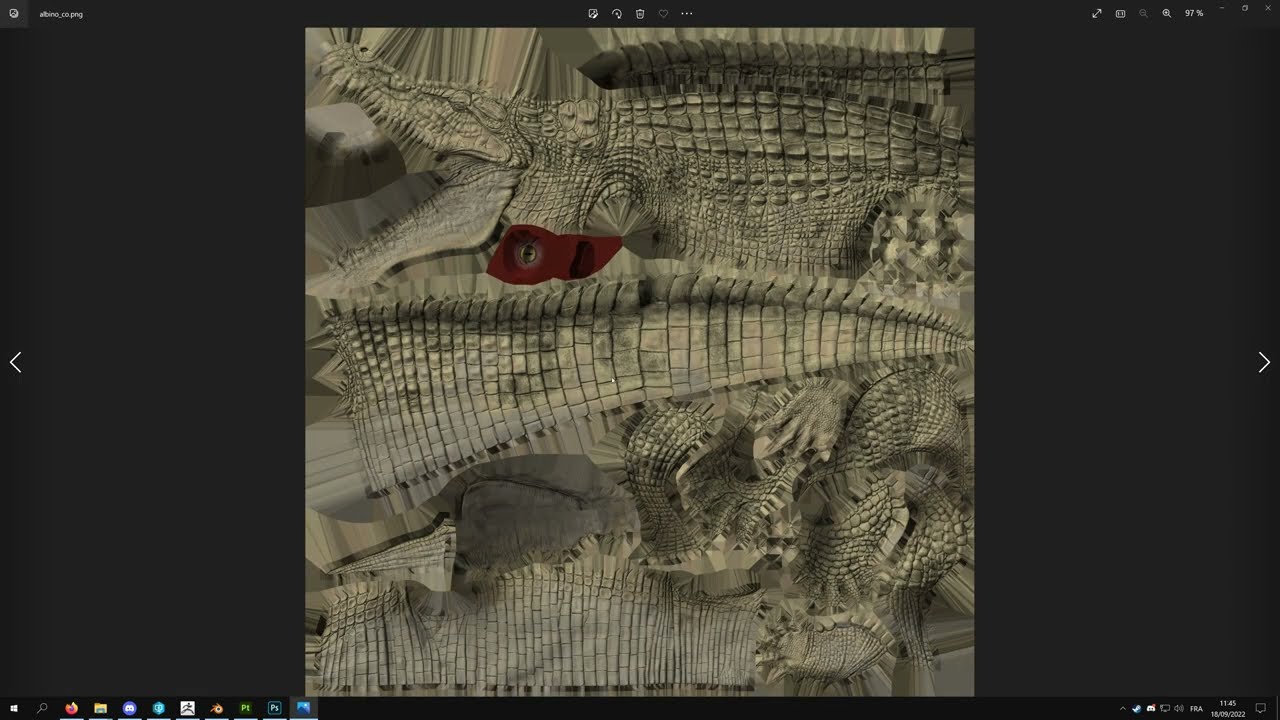 full quarry
coud be missing some smooth/hard edge somewhere
or the normalmap might not match with the hard/soft setup you got
full quarry
no
 quaint spire
make sure your normals are openGL
wait no
directX
wait now i am really confused
 inner ingot
Hi texture people, is there a viable way to bulk resize PAA images?
https://pmc.editing.wiki/doku.php?id=arma3:batch-file-examples#resize_paa_command_line is not giving me anything- ImagetoPAA opens and disappears with no log or anything.
full quarry
inner ingot
<https://pmc.editing.wiki/doku.php?id=arma3:batch-file-examples#resize_paa_comma...
possibly you need to fix the path to the exe
why woudl you resize .paa though
it wont give you any more detail
A .paa is compressed format, B resizing that makes mush
but the mush looks same as what it was before
inner ingot
When I export my model textures, the CO's are 2048x2048, and so are the NO/NOHQ's, however the difference in quality on these is negligible so I can shave off a good amount of filesize by reducing my NOHQ's to 1024x1024, however often this decision is made AFTER they've all been converted to PAA. I know PAA is compressed, and I realize reducing resolution reduces quality... but in this case it's negligible, so I'd rather save the HDD space and make it smaller filesize for people to download off workshop if I release it.
That being said, I worked with a coworker and we were able to write a similar function in powershell that is able to recursively select the NO's and NOHQ's and then run them through the image resizer, so we got it working!
abstract willow
I have no idea if this is the place to ask, but is there a clean way to convert met/rough texture sets to _smdis
 snow bay
Hey guys. I'm working on a surface decal (it's a plane, ground overlay), what's the easiest way (through an rvmat?) to have the texture "tiled" (repeated) over the object instead of stretched to the size of the object in-game?
full quarry
extend the uvmapping
for tiled textures to work the uvmapping will need to go beyond the default uv space anyway or it willl clamp it and not repeat
 frigid parrot
is there any way to retexture only part of a uniform instead of the typical full uniform?
i realized that the scientist clothes, the formal ones would be good for some ideas I have but I really just need to retex the tie to a solid color and somwhow erase the vip badge
lethal condor
Nope. You can only apply a texture per a selection
vernal sage
You only need to modify parts of the texture that the tie uses (circled in red) and then replace it with yours via hiddenSelections.
https://i.imgur.com/HieKNHC.jpg
Haven't tried it myself, but with regards to the ID tag, I believe it has two unique selection names called 'badge' and 'id'. You should be able to hide them by simply replacing those lines in the array with empty values:
        hiddenSelectionsTextures[]=
        {
            "myAddon/myTexture.paa",
            "",
            ""
        };
...if that doesn't work then you're SOL, I'm afraid.

 brisk gale
greetings, please tell me how to determine the missing texture?
Using TexViewer 2.
The vehicle has no log texture on the back
lethal condor
Missing texture as in what?
brisk gale
lethal condor
Missing texture as in what?
I meant that on the back of the vehicle where the log weighs horizontally, there is no texture, the log is just bright white and highlighted
I would like to replace the texture, but I have no experience in this
lethal condor
Obviously the viewer won't show/preview texture that doesn't exist. Not entirely sure what is the situation
brisk gale
Can i show ?
lethal condor
Show what?
brisk gale
I mean the log itself
I found out that i have some unknown pink texture

One moment
Here

Could this be the missing texture?
lethal condor
This is just a smdi, supposed to be pink
brisk gale
Oh
lethal condor
If the vehicle has hiddenSelection on that log, you can just use script command to replace the texture. Otherwise ask Mod author
brisk gale
Actually, i found out that the mod author probably dead...
I tried to contact him, after I waited a few days, I found a couple of people on his friends list who cleared up the situation
So I'm trying to do something myself with the mod
lethal condor
If the model does not support to retexture you can't do anything with it actually. Make sure it does or not
brisk gale
lethal condor
If the model does not support to retexture you can't do anything with it actuall...
How can i check it?
I'm sorry for such questions, as i said i have no experience in it at all😢
lethal condor
Probably via getObjectTextures command to check if has a texture slot for it
brisk gale
lethal condor
Probably via `getObjectTextures` command to check if has a texture slot for it
Where i have to put this ?
lethal condor
getObjectTextures vehicle player```while your player character is in the vehicle, and run in Debug ConsoleAlright
brisk gale
lethal condor
```sqf
getObjectTextures vehicle player```while your player character is in the ...
 lethal condor
Then might not possible
brisk gale
Eh
brisk gale
lethal condor
Then might not possible
Nevertheless, thank you for helping!
Even if the idea failed, it was interesting enough
 strange onyx
Anyone got any idea what is causing this? All the textures and materials are setup presumably correctly
 full quarry
strange onyx
Anyone got any idea what is causing this? All the textures and materials are set...
full quarry
strange onyx
Anyone got any idea what is causing this? All the textures and materials are set...
materials and or textures are not set up correctly. 😅
strange onyx
I did manage to get it partially working, but I tried to change the stuff in object builder and now it is all white again
 strange onyx
I have occasionally been getting this error, implying its trying to grab textures from the mod folder rather from the .pbo
 full quarry
this would indicate non standard mod development and no use of P drive
so pretty much all bets are off
strange onyx
full quarry
this would indicate non standard mod development and no use of P drive
What does this mean?
full quarry
that you dont have the tools set up in normal way
strange onyx
That is helpful I am inexperienced and so far the method I have been using has worked for other things (like changing the texture of an existing object or adding inventory items) this is the first time I have hit a brick wall with implementing something
strange onyx
Right, after having it actually explained I've presumably correctly set up the project drive and stuff
And I am at this stage
 strange onyx
Right. I have solved most problems, and mostly have the texture working
The issue now is that the texture in game is set by what is selected in object builder, not the texture set in the config
full quarry
missing hiddenselection setup in p3d named selections/ and or/ model.cfg sections array/ and or/ config.cpp class
strange onyx
Hmm, the first 2 are definitely assigned but the third was not
I'm also having this issue, where some of the UVs are correct and some are different
 full quarry
uv issue likely comes from the source model and it having too many uvsets
strange onyx
Correcting a fault with the material name in the config did fix it, but when I re-exported the model to correct positioning it went back to that state and is now refusing to change
I am currently trying to figure out how to use blender to export the p3d files rather than object builder
But apparently the only way to do that is to own arma reforger and thus its modding toolset
full quarry
strange onyx
But apparently the only way to do that is to own arma reforger and thus its modd...
Reforger has nothing to do with Arma3
strange onyx
Could you link me a plugin for blender that allows me to export to p3d
full quarry
Arma3 blender toolbox is completely different addon
strange onyx
Because the one I have used so far (both for 3.2.1 and 2.79) output empty files
full quarry
It's pin pinned messages on model maker channel
strange onyx
Thx
full quarry
And empty file means you have not set the object with the toolbox Arma properties
So the export has nothing to export out
strange onyx
full quarry
And empty file means you have not set the object with the toolbox Arma propertie...
How do I do this
It's currently set to export all, and there is a single thing in blender
full quarry
There should be a few blender to Arma tutorials around. Or you can search the channel history. I'm off to slep.
💤
🐐
strange onyx
Got it working, thanks for your help
brisk gale
Please tell me what the problem is, I transferred the model from the blender to the Object Builder, there I selected the necessary areas and applied a sweep with a picture. For some reason, the model became transparent, and the applied image was inside


 full quarry
Your models mesh is inverted.
Also it would be adviceable to create your own brands instead of using real brands. As you probsbly have not asked permission to use monster name and logo
brisk gale
full quarry
Your models mesh is inverted.
How can I set it to the right position?
brisk gale
full quarry
Also it would be adviceable to create your own brands instead of using real bran...
You're right, I will consider it
 verbal dust
brisk gale
How can I set it to the right position?
verbal dust
brisk gale
How can I set it to the right position?
Select inverted mesh and press "W"
 rugged tangle
hey all, just trying to do a CUP Aug retexture however i cannot for the life of me get the texture to apply ingame.. the weapon shows up fine tho
class steot_af_f88: CUP_arifle_AUG_A1 {
    author = "StealthyOtter";
    dlc = "steot_adorable_factions";
    scope = 2;
    scopeCurator = 2;
    scopeArsenal = 2;
//    picture = "\CUP\Weapons\CUP_Weapons_Steyr\data\ui\gear_AUG_x_ca.paa";
    hiddenSelections[] = {"Camo1"};
    hiddenSelectionsTextures[] = {"steot\adorable_factions\data\weapons\arifle\f88\F88TEST.paa"};
//    magazines[] = {"CUP_30Rnd_556x45_AUG","CUP_30Rnd_TE1_Red_Tracer_556x45_AUG","CUP_30Rnd_TE1_Yellow_Tracer_556x45_AUG","CUP_30Rnd_TE1_Green_Tracer_556x45_AUG"};
    displayName = "F88 AUSTEYR";
};```Its really annoying because unless I can re-tex cup stuff I'm gonna be stuck.
 full quarry
rugged tangle
```class CUP_arifle_AUG_A1;
class steot_af_f88: CUP_arifle_AUG_A1 {
author =...
full quarry
rugged tangle
```class CUP_arifle_AUG_A1;
class steot_af_f88: CUP_arifle_AUG_A1 {
author =...
make sure you actually have correct hiddenSelections[] name. "Camo1" might not be correct
and is your texture in P:\steot\adorable_factions\data\weapons\arifle\f88\F88TEST.paa
as in is your texture pathing correct
rugged tangle
yeah i use VScode and copied relative path
lethal condor
It is good habit not to overwrite hiddenSelection and other not necessary to change
rugged tangle
oh? how do i do it without overwriting the hidden selection?
lethal condor
...Wait, you have no baseWeapon?
rugged tangle
its a CUP weapon, i just want to put a new camo onto it
lethal condor
I know. That's not what I've notice
baseWeapon config is required to appear in the Arsenal
Also, I'm almost certain that it already has hiddenSelections in the parent
rugged tangle
just checking now
it doesnt
it goes CUP_arifle_AUG_A1 > CUP_arifle_AUG_Base > Rifle_Base_F
my weapon displays in the arsenal etc and it funtions fine with exception of the texture.
full quarry
rugged tangle
it doesnt
if it does not have hiddenselections then it may not be set up for retexturing at all
hiddenselections require the weapon model to have a selection to apply the change, a model.cfg to connect it to config and config to connect it to texture
but if original does not have config for hiddenselection then it is possible it does not have that at all
 rugged tangle
i dont need an RVMAT do I?
full quarry
rugged tangle
i dont need an RVMAT do I?
no it will use the default one
rugged tangle
still no luck 😦
aparently all the cup MLOD files are available but all the links seem to be dead or armaholic
unless they come under the public lisence arma stuff now
full quarry
I dont think CUP mlods are but Arma 2 public datapacks are
if the model is from there
if its CUP original then its not
rugged tangle
well the Aug was in DayZ so it may be in the DPL
rugged tangle
i dont know. ive double checked everything, it SHOULD be working. but it isnt

The weapon shows up in the arsenal as the correct name etc but it still has its original shitty grey camo
lethal condor
As I said baseWeapon is needed to be a selectable weapon in Arsenal
full quarry
This might be it then.
vernal sage
CUP's cup_steyr_aug.p3d model uses camo as the selection name...even though it's defined as camo1 in their config.
lethal condor
Whut
vernal sage
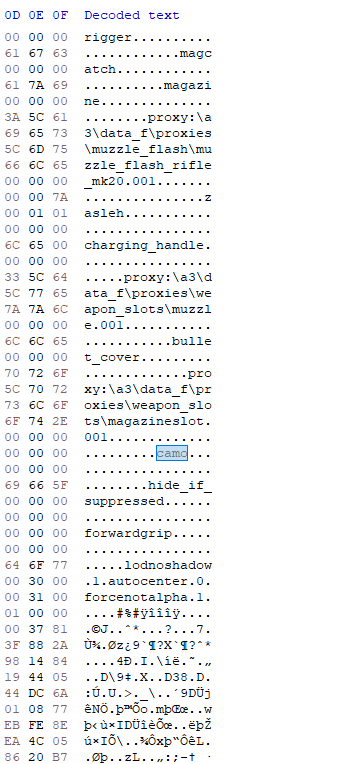 rugged tangle
how the hell did you find that out?

succcess 😉
wong colour but thats easy to sort out 😉
lethal condor
Always check Config Viewer to see how messy Bohemians are
vernal sage
Unpack the pbo and a hex editor for the p3d. Plus Eliteness to triple check...just in case.
CUP doesn't have any derivatives or variants of the AUG so I guess whoever encoded just forgot to correct the config.
lethal condor
I mean, the camo is CUP's fault but the entire system we have to adopt are Bohemians' fault 😛
rugged tangle
haha yeah
vernal sage
Could be worse. At least you no longer need to have 100000x p3ds just to have different camo schemes.
(like in Arma 2)
rugged tangle
i really wish i knew how to model
lethal condor
I thought A2 has hiddenSelectionsTextures for weapons?
rugged tangle
buut im tryng to do so many other things right now i just dont have the time
vernal sage
Nope. That was A3.
lethal condor
Gah. proxy issue, I guess
vernal sage
And even for A3 it wasn't perfect early on. Dropped weapons still didn't change textures.
lethal condor
It is even worse if you want to add attachments to these weapons... Ah, good ol' damn days
rugged tangle
i mean i want the standard aug with a 320 but it looks like you need a model for that
full quarry
rugged tangle
i mean i want the standard aug with a 320 but it looks like you need a model for...
It's something one can learn. It might take a while but it can be fun and rewarding hobby.
 light path
Hey, so I have a question and maybe you can answer it Horrible, you've been an amazing help so far.
I'm trying to now retexture a texture It's the goggles for the APR, I'm trying to make them darker but I can't seem to actually interact with them 😦
 full quarry
what yu got here is partially transparent texture
light path
Or perhaps anothe question, how do I call upon the _ca file
Yeah I did a rough way around it lol
I just painted the entire thing
 lethal condor
Call upon the _ca?
light path
Yeah the _CA is a glass visor for the APR
full quarry
you would likely need to duplicate the layer a few times to get it less see through and thus darker
I dont know if the goggles you speak of are configured so that the glass can be retextured though
they might not be
light path
High lighted files are the mask textures
 full quarry
is this a custom mask you are doing? not a retexture?
light path
full quarry
I dont know if the goggles you speak of are configured so that the glass can be ...
True might but be able too, but the default model calls upon the _ca file for the default glass, like the issue I was having yesterday where the visor was showing up but the mask wasn't
Yeah
light path
full quarry
is this a custom mask you are doing? not a retexture?
No sorry it's a retexture
full quarry
does the original masks config have the visor set up as hiddenselection?
light path
The orange "visor" I'm assuming is the RVMAT for the goggles
I actually don't know it's binarized and the arma 3 bin tool isn't deciphering it
full quarry
light path
The orange "visor" I'm assuming is the RVMAT for the goggles
no thats the shinyness controlling texture used in an rvmat
RVMAT would be called something.rvmat
full quarry
light path
I actually don't know it's binarized and the arma 3 bin tool isn't deciphering i...
you can also see the configs in the ingame config viewer
light path
True, Just opening up the config right now. the Bin actually worked this time
Doesn't seem like it, I'm going to have a look in game
Either way I'd assume it's able to be replaced some how
full quarry
light path
Either way I'd assume it's able to be replaced some how
if its not set up for hiddenselections its not replaceable
light path
That's unfortunate
rugged tangle
im having the same issue with the scope on the aug dont worry 🙂 makes we want to learn modelling so i can just do it all lol.
light path
rugged tangle
im having the same issue with the scope on the aug dont worry 🙂 makes we want t...
Thats what I was thinking. I just need to rip the model change the visor and thats fix it. Just seems like a lot of work to make my visor black lol
full quarry
light path
Thats what I was thinking. I just need to rip the model change the visor and tha...
ripping is not tolerated here.
I hope that was just a bad joke
IP theft is not a joke
rugged tangle
thats why im going with close enough, good enough 🙂


from CUP greyscale... to finally something im happy enough with 🙂
 full quarry
👍
 dense peak
when you guys do UV do you guys try to group all your parts close together? instead of just having an automated packer place it everywhere
you know people who want to do retextures
full quarry
depends on the automatic packer and how good it is
And sometimes depends a bit on what Im making, but most of the time I try to get as much out of the texture space as I can. Retexturing possibilities are secondary consideration
light path
full quarry
👍
What i mean, I don't know if it's technically ripping, but I literally just want the visor black not even to be publicly distributed. So what I mean is take the visor model change it re-upload it and if thats not allowed then ill literally just make a 1-1 copy because thats already what the mask is
full quarry
light path
What i mean, I don't know if it's technically ripping, but I literally just want...
it is not possible to do that
you can make a new model for sure
but you can not open the original
we have 0 tolerance for ripping and IP theft
consider this your only warning
light path
full quarry
you can make a new model for sure
Probably what I'll end up doing then. But hold up what about the cup mod? Thats literally all ripped assets though? Why is that allowed? Actually curious
full quarry
light path
Probably what I'll end up doing then. But hold up what about the cup mod? Thats ...
originally CUP is built on special early access to the models that later got released in the Arma2 public datapacks
they got the models and greenlight from BI
light path
Ohh okay, gotcha thank you for the info
full quarry
and now the A2 models are available in the datapacks with some varying licenses
light path
Yeah I noticed not all of the A2 files are there but alot of them are
light path
I'm trying to load a texture into the editor, how would I do that? just save a mission and throw it in?|
I'm not sure what he means for uploading it
 soft silo
light path
I'm trying to load a texture into the editor, how would I do that? just save a m...
soft silo
light path
I'm trying to load a texture into the editor, how would I do that? just save a m...
Yes. Save a mission, and then navigate to the mission folder inside Windows Explorer and place your texture there
Then, use the "setObjectTexture" script to apply the texture to the object
rugged tangle
Got the magazine done today, thanks for showing me the hexedit thing to find out the REAL hidden selection values. 😉 now I have a fully functioning F88 AUSTEYR that doesn't have the fire rate of a BAR
 fresh flint
Does anyone know how I would go ahead to contact the team behind cup? I want to get their permission for some retexturing for my mod.
full quarry
fresh flint
Does anyone know how I would go ahead to contact the team behind cup? I want to ...
CUP discord. But they also do allow retexturing as long as its done in proper way of hiddenselections and addon dependency and not repacking models and such from cup to new mod.
 frozen blade
doubt anyone will actually use this one
 silver adder
We just have, i was going to say something before about substance designer node to transform PBR Spec/Gloss & Metallic to Supershader outputs.....
silver adder
another time, just keep the channel warm, im going to bed
dense peak
🔥
 wanton vine
Anyone know if it's possible to add custom rhs decals? (like the ones at the bottom of this page https://www.rhsmods.org/w/afrfdecals)
full quarry
wanton vine
Anyone know if it's possible to add custom rhs decals? (like the ones at the bot...
You would need to create additional mod for that
 quiet hedge
Question, I notice that item preview images eg: P:\a3\weapons_f_exp\rifles\ak12\data\ui\icon_arifle_ak12_f_x_ca.paa are 512x256, but I don't understand how they've been converted to paa as my understanding is that tex2view only supports square images
I get an error when attempting to place a png into tex2view of that dimensions, but a jpg works
But, a square png image does work
quiet hedge
Okay, I misunderstood the docs then. But, that doesn't necessarily explain why my 512x256 jpg can be imported, but my png can't.
Will get the error 1 sec
lethal condor
IIRC some png with some certain bit depth cannot be imported
quiet hedge
I just get a generic "Error Loading File"
lethal condor
Which bit depth your png has?
 chrome plover
I'm waiting for my Quixel 2.0.
 rose minnow
amen
 serene palm
rare dove
dedmen's mipmap tool tells me there are 8, https://github.com/arma3/MipMapTool/r...
serene palm
rare dove
dedmen's mipmap tool tells me there are 8, https://github.com/arma3/MipMapTool/r...
Any chance you found a fix to this issue? I am currently finding myself with a very similar error.
frozen blade
i guess everyone is, bar the 200 lucky fucks that got into the beta program :)
rare dove
serene palm
Any chance you found a fix to this issue? I am currently finding myself with a v...
no, sorry, it went away though with a more recent dev build. Not sure what changed
serene palm
rare dove
no, sorry, it went away though with a more recent dev build. Not sure what chang...
All good mate, appreciate the response nonetheless!
 silver gull
right now i'm more gravitating to substance painter actually... havent used it yet, but if 2.0 is "just" ddo + painting then i dont think it will be worth it to me
chrome plover
It has an in-built baker, which I am interested intensely in.
 bronze stone
@silver gull Substance Painter is pretty good. Even for beginners. Normaly: Textures + Me = lika shootout with Gattling-guns. With Substance: Pillowfight \o/
silver gull
well dDo (legacy) also is that for me, but i want more controll over the procedural side. And DDO doesnt even have it, because it works entirely different
is there a feature list for 2.0 somewhere? quixel is pretty bad at communicating i feel...
chrome plover
I found some info, don't think they have release much yet. http://www.cgchannel.com/2015/09/quixel-unveils-quixel-suite-2-0/
frozen blade
after the fuckup on christmas, they don't really communicate anymore
silver gull
what did they fuck up?
frozen blade
BIG NEWS! While hard at work with 1.9 & Megascans, we've teamed up with the creator of Shader Forge to bring you something in time for christmas......
silver gull
lol ok... guess it will be in the not so free 2.0 update then?
silver gull
but 2.0 wont be i guess?
chrome plover
2.0 is free to anyone that has a 1.# license to ddo.
silver gull
ok nice
 civic cosmos
Are there any .paa -> .psd/.png converters you guys can recommend?
 crude wyvern
texViewer
civic cosmos
Part of the arma3tools, right?
crude wyvern
yep
it's used to convert paa to png / jpeg and the other way around
very useful tool overall
 severe rune
in the TexView2 folder is also Pal2PacE if you need a commandline tool
civic cosmos
Thanks @crude wyvern. Will check. :)
olive gale
hello I have a question
in templates I see that nohq layers are normal and transparent they don't make the color too dark
but when I tried a video I found online the nohq set I get to make ends too dark
I take the nohq 3 times, I desaturate it on one, I run Height2Occlusion to the other and I run Height2Cavity to the third
I stack them on top of each other and press multiply as the reskin guide on youtube says
but the layers with the details end extremely dark
full quarry
olive gale
but the layers with the details end extremely dark
Maybe you need to post pictures. The process sounds a bit odd.
olive gale
what should the images have
maybe the same texture when I do it my way vs the nohq it comes with in the psd?
full quarry
But what is the question you want to ask, so far you have explained what you do.
olive gale
Does anyone know how to properly make AS and nohq details for when painting a texture
cause my way ends way too dark
full quarry
And this was for retexturing?
Those are difficult to make right since retexturing is made on flat texture and the original normalmap is created on a 3d model. So the shading may not always match at all.
It is usually not recommended to even start messing with new materials because of that but to stick with just changing the color texture
olive gale
I have the original NOHQ and AS files. The way I make my reskins is copying and putting on top stuff like cameras emblems and such while I paint the stuff bellow
but if I just paint it makes it all look like an toy army soldier
cause no rivets or stuff like that
and sometimes I cannot use overlay cause in the case of the csat cas there's the camo
here's a template of rcw-30 from pete's templates. Only NOHQ AS and a solid green color are on

Here is mine

with they way I do it
here are the texture but no color in the same order


I want to learn how to make the nohq AS layers like the first image and third image instead of second and forth
 topaz rampart
can anyone help someone who's new to texture making?
trying to make some custom textures for some friends
I want to put things onto the texture of some helmets from RHS, but I have no idea how to get the actual model itself
full quarry
topaz rampart
I want to put things onto the texture of some helmets from RHS, but I have no id...
you cant get the model
retexturing is made solely by painting over existing textures
or well drawing new textures that match the objects uv unwrap
so substance painter etc 3D model texturing program cant be used
topaz rampart
full quarry
retexturing is made solely by painting over existing textures
thats what im trying to do, i have a friend that I have seen using substance to paint on a texture that goes onto a RHS helmet
thats what im trying to do
topaz rampart
I might be, the model he is using might be custom made for our group
full quarry
we dont support that crap here
topaz rampart
i probably didnt communicate it right then lmao
like I said im a beginner so im seeing and trying to make sense
you wouldnt happen to have any tutorial vids or anything I can use to try and learn?
full quarry
retexturing in all its simplicity involves a config file and a texture file you make nothing else
but this is assuming a thing you retexture supports it by having hiddenselections set up so that the new config can point the hiddenselection parameters to use your new texture
I cant say I know of any worthwile videos on retexturing. BI forums have had the basics explained if I remember right
topaz rampart
okay thank you I appreciate it
 twin bane
Dafuq..
seems bordline useless channel. hope people like the quixel sneak peek. at the same time, the fact they put it out there now, scares me a bit..
twin bane
Ie.. looks like positioning to push 2.0 back, yet again.. which meh.. was 50/50 in my mind anyway..
rose minnow
that post is from last december tho
twin bane
probably best to ignore me then. (fuck caught not reading shit again..)
 idle saddle
Do anybody have some cool ground texture mods?
full quarry
idle saddle
Do anybody have some cool ground texture mods?
some people make new ground textures for their maps but such are not really released separately
silver adder
Quixel have a recent habbit of not doing anything, like megascans.....12 months late
Not updating 1.8 for more than 12 months.....
At least substance updates around every month
 random hemlock
Someone save me 😢
For whatever reason, my hiddenselection textures are not applying.
{
   hiddenSelections[] = {"camo0","camo1","camo2","camo3","MFD_Pilot_L","MFD_Pilot_R","MFD_WSO_L","MFD_WSO_R","n1","n2","n3","n4","n5","n6"};
   hiddenSelectionsTextures[] = {"My_Textures\aircraft\Super Tucano\Trainer\ST_Fuselage_Navy_co.paa","My_Textures\aircraft\Super Tucano\Trainer\ST_WingsAndStabs_Navy_co.paa","My_Textures\aircraft\Super Tucano\Trainer\ST_EverythingElse_Navy_co.paa"};
};```

Spawn it in game and the vehicle spawns, but with it's default textures and not my cool ones. However if I use "setObjectTexture" blah blah it works fine and loads my textures.@frozen blade any chance this is some RHS-specific thing I haven't accounted for? I've done this for tons of other RHS aircraft and haven't had this issue. I'm assuming I've done something dumb but idk
full quarry
random hemlock
Someone save me 😢
For whatever reason, my hiddenselection textures are not ap...
check if it has class texturesources:
 random hemlock
full quarry
check if it has class texturesources:
random hemlock
full quarry
check if it has class texturesources:
my hero
so looks like I've got to overwrite the texture sources (or at least add one to it) and then select that texture source for my aircraft
full quarry
👍
 modern vapor
Pardon me for necro-ing a 2 year old comment. I am trying to create a custom texture that is only viewable by TI and/or NVG. The BIKI page "RVMAT basics" didn't give any clues, and neither did searching BI forums with related search terms. Could you, please (or someone else) point me to a guide or example?
Obviously it will involve setObjectMaterial but how does one make a suitable material?
full quarry
modern vapor
Obviously it will involve ```setObjectMaterial``` but how does one make a suitab...
please elaobrate what exactly is your use for it. This sounds like something that may not be possible
random hemlock
full quarry
👍
looks all pretty now. Thanks for the help! Had no idea about textureList, and I've done a stupid amount of retextures at this point. Might just end up doing this for all of em now 🙂
 full quarry
random hemlock
looks all pretty now. Thanks for the help! Had no idea about textureList, and I'...
full quarry
random hemlock
looks all pretty now. Thanks for the help! Had no idea about textureList, and I'...
it powers the virtual garage coloring options
random hemlock
Yeah I get that now, always chalked that up to magic and never worried about it
modern vapor
full quarry
please elaobrate what exactly is your use for it. This sounds like something tha...
Minor 'puzzle' in a mission. I'm trying to place a texture on a wall that is only viewable with TI or NVG.
So for example, one of those disco decorations that only lights up with blacklights. Obviously 'blacklight' is out of the question for the RV engine. But something viewable with TI does not seem crazy. Does that clarify?
On a side note: I am pretty sure that createSimpleObject will include the .RVMAT on a loaded .p3d in the mission folder. So perhaps I can create my TI viewable surface that way 🤣. Seems convoluted though...
full quarry
I dont think its possible
it would require transparent texture
and static objects take their temperature from the color map, they dont have engine or body heat like vehicles and characters
@modern vapor
i think even character parts with transparent surface dont have heat
and they wont show up in nightvision either
modern vapor
full quarry
I dont think its possible
Many thanks for the specific answer.
Do I understand that if my texture is not transparent (no alpha), it can have a correct 'color map'? Maybe I should read more up on that.
Do you have a link on color maps?
Please correct me if I am using outdated information. I searched "color map" and got this BIKI about texture data for Operation Arrowhead. Talks about a separate _TI texture: https://community.bistudio.com/wiki/Texture_Map_Types
Is that still used? Or does last year's update on TI now work differently?
lethal condor
Definitely it does
It is just introduced in OA and still used (of course up to Arma 3)
 mild olive
modern vapor
So for example, one of those disco decorations that only lights up with blacklig...
mild olive
modern vapor
So for example, one of those disco decorations that only lights up with blacklig...
you could maybe change the color texture through hidden selections when the player activates their night vision, would take some scripting though
 short salmon
is there a way in arma to apply a texture on both sides of a flat object?
like a perfectly flat plane
full quarry
short salmon
is there a way in arma to apply a texture on both sides of a flat object?
No, Arma draws only the front side of the face
you need 2 faces for that
well technically the both sides have the same texture but only front is drawn
short salmon
full quarry
No, Arma draws only the front side of the face
yea i figured as much :/ thanks for the info though 😄
silver adder
Also we are artists in this channel, not makers
modern vapor
mild olive
you could maybe change the color texture through hidden selections when the play...
Interesting 🤔. I'd like it multiplayer compatible. So I'd create a local script with event handler OpticsMode and setObjectTexture.... But besides the point: I am making a custom texture on a wall/floor. Something like black light graffiti. I think I need to read documentation on how the current thermal imaging works.
full quarry
it starts to come down how much you really want the feature 😅
since it will likely involve quite a lot of scirpting shenannigans
twin bane
@honest pagoda that would be a good revision to the channel name.
And the Quixel beta really is looking good. Unfortunate more community members didn't get into the mix earlier. But it is mostly functional and way more powerful in it's current state. Really don't think it'll be that much longer. Hopefully next month.
 wide oar
Hello, got a question. Is there any way i can make several objects using the same .p3d, but with different texture? It's a simple object, a prop. I don't even know myself what i was thinking, lol
full quarry
wide oar
~~Hello, got a question. Is there any way i can make several objects using the s...
the question does not quite make sense, can you try again
maybe explain the actual use case
wide oar
So i have a keycard model in a p3d. Previously i had it so that the texture is assigned to the model in the 'E' key menu in object builder. What do i have to do in a config so that it uses the model, but applies different textures to it, so that i can have several keycards using the same model but different textures. Or is having multiple p3ds the only way? (They are props, not items;)
full quarry
you can do that with hiddenselections yes
1 p3d, with a selection(s) that the config fills with texture of your choise
wide oar
How?
full quarry
you can start by googling arma hiddenselections and perhpas searching the history of our makers channels here
full quarry
👍 👍 👍
modern vapor
lethal condor
It is just introduced in OA and still used (of course up to Arma 3)
I am confused if you meant "it does" to answer my first or second question, since they are opposite. Where or who would know how the TI view works with textures?
Please**
full quarry
modern vapor
I am confused if you meant "it does" to answer my first or second question, sinc...
I believe he meant the texture rules described in the linked wiki page have been inherited from times of Arma2 (thermal system from Operation Arrowhead)
full quarry
modern vapor
I am confused if you meant "it does" to answer my first or second question, sinc...
what about the TIs behavior is still mystery?
modern vapor
I confess: I have not had a chance to get into Arma and experiment. I guess the question is: can I use setObjectTextureGlobal on any type of texture from this list: https://community.bistudio.com/wiki/Texture_Map_Types ?
-Such as the _TI texture? That would solve the problem for me.
full quarry
no
TI texture is used through rvmat
and TI texture stage itself is used only by characters and vehicles
not by static objects like houses/props
modern vapor
Ah thank you for clarifying. However, Since the update last year, thermal vision does show some(?) kind of texture for objects such as houses/grass/trees. Any clues on how that is calculated?
full quarry
modern vapor
Ah thank you for clarifying. However, Since the update last year, thermal vision...
it has shown that from before but like I said earlier it is calculated from the color texture and the exposure to sunlight
though now that you mention it there might be a IR glowing material too 🤔
though thats just a faint recollection
might or might not be true
modern vapor
full quarry
it has shown that from before but like I said earlier it is calculated from the ...
Ok. I can work with color texture and exposure to sunlight. I get it that this may not be your interest. I will ask in another channel about how the current thermal imaging works.
 eternal solar
Don't know if this belongs here, but I am working on a retexture of Firewill's F-16C.

First time doing something in Arma 3, modding wise.
didn't know there was a lot of steps to doing a simple retexture
it was a fun experience though, not using any sort of 3D software to actually texture a model
full quarry
always nice to see someones success
and yeah it is a lot more complex than it sounds like
eternal solar
full quarry
always nice to see someones success
Yeah, now how do I actually make this into a mod exactly? heh
If don't mind telling me please.
full quarry
well you would need to set up the modding tools and preferable P drive dev environment where you create the mod folder structure
then you need your texture files in there and a config file
eternal solar
I have the modding tools (Arma 3 tools, PBO manager)
full quarry
the config then defines new class for your new plane that uses your new texture
full quarry
eternal solar
I have the modding tools (Arma 3 tools, PBO manager)
pbo manager is not very good tool for this im afraid
 small needle
how can we split high dimensional layers into different folders. my layer files are over 5GB. Probably causing the game to crash.
full quarry
small needle
how can we split high dimensional layers into different folders. my layer files...
layer?
what you talk about?
full quarry
eternal solar
is there perhaps a youtube tutorial?
youll have to look for those. I have not kept up to date with tutorials. BI forum is best place to start. Youtube tutorials are not always reliable
eternal solar
eternal solar
https://media.discordapp.net/attachments/942035235879649301/1070063042882187324/...
Really like what I achieved with my first reskin
 eternal solar
full quarry
youll have to look for those. I have not kept up to date with tutorials. BI foru...
eternal solar
full quarry
youll have to look for those. I have not kept up to date with tutorials. BI foru...
Thanks 👍
eternal solar
I'm having a headache trying to make the retexture a working add on. Can't figure out the config stuff, barely anything on the Internet and the BI forums aren't really helping, they are just making things even more confusing.
 fair yew
Hey guys, brand new to making textures, looking to make some new camouflage patterns for uniforms. Any pointers or educational videos I should be looking at?

 ocean monolith
For arma is it bad to model in pbr and export them to arma is it always worth working in non pbr?
full quarry
if you have a conversion system that ouputs Arma compatible textures from PBR it does not matter
but PBR files straigh up dont work
@ocean monolith
ocean monolith
i do but i can never seem to get the smdi to work very well
light wagon
I was pretty happy with the way these uniforms turned out for my first time.

 coarse haven
I'm reading through the multimat tutorial by Mondkalb, and I just want to repeat it as I understand it to make sure I don't get anything wrong.
Effectively, you set up a model normally, UV map it normally, and so on.
Once you've set up the UV map, you then create a mask (with up to 4 different colours; Black, Red, Green and Blue).
Then, create the RVMat to dictate what uses what. (I admit, I've never used detail maps or macrotextures before)
After you've done that, you then make a copy of your UV map as a second UV set, and then scale the first set appropriately for the texel density you want.
Apply the multimaterial in whatever you're using (Blender or OB).
And by that point, you should have everything you should be good, right?
full quarry
Mm yea sounds about right
coarse haven
Cool. Just wanted to sanity check that.
 dim perch
Apologies if this isn't the right channel to ask about this, but does anyone have any idea if there is any way to prevent objects becoming visible through another object at long range?
Around 1.8km+ the foreground object begins to flicker and the background object can be seen through it. There are shipping containers just on the other side of the walls in this screenshot and they become visible at long range even though they do not intersect with or even touch the walls. Players can also potentially be seen standing on the other side if they are close to it too...
Is there anything that can be done about that or not really?
 full quarry
dim perch
Apologies if this isn't the right channel to ask about this, but does anyone hav...
full quarry
dim perch
Apologies if this isn't the right channel to ask about this, but does anyone hav...
not really, at longer distance a simpler version of object is drawn and in this case the other object is placed so close to the wall that it clips through
dim perch
full quarry
not really, at longer distance a simpler version of object is drawn and in this ...
Damn. That's what I figured the answer would be... 😦 Someone was talking to me about geometric occluders being a potential solution earlier, but I guess that wouldn't matter?
full quarry
in this case I dont think those would be suitable
and unless this is your object to edit you could not add such anyway
ocean monolith
this is a question for dedman mainly but do you ever plan on updating your old substance shader?
ocean monolith
In his git he has an old shader that is made for substance
lethal condor
Ah, that ain't what I knew
ocean monolith
this is the most "upto date" one i found https://github.com/RobbbT/arma_3_substance_shader

GitHub
A Substance Painter shader for Arma 3 super shader objects. - GitHub - RobbbT/arma_3_substance_shader: A Substance Painter shader for Arma 3 super shader objects.
going back through the commits i can see now that ded only did a pull for it
celest obsidian
Not really useful in my opinion, just use your standard workflow and try to adapt it to arma 3 🙂
 sullen vapor
ocean monolith
this is the most "upto date" one i found https://github.com/RobbbT/arma_3_substa...
sullen vapor
ocean monolith
this is the most "upto date" one i found https://github.com/RobbbT/arma_3_substa...
These are the ones me and my mates use, I don't recall where they came from exactly, will post the link instead if I find it
we tend to use the MatRough one
ah, found it! - https://github.com/MoonieFR/SubstanceToArma

GitHub
Substance Painter export presets for Arma 3. Contribute to MoonieFR/SubstanceToArma development by creating an account on GitHub.
celest obsidian
I think that lost is only talking about a shader for the substance viewport, not export presets.
sullen vapor
ahh ok I may have gotten fixated over just talking to someone about presets 
dense peak
Hi I’m new and would like to learn how to detective using blender if that is at all possible
stray relic
dense peak
Hi I’m new and would like to learn how to detective using blender if that is at ...
You might like to expand on what you mean by "detective" as it doesn't make sense in this context.
 forest wyvern
I'm having some issues with a texture I've made being mostly transparent. Does anyone have any suggestions?

 full quarry
forest wyvern
I'm having some issues with a texture I've made being mostly transparent. Does a...
full quarry
forest wyvern
I'm having some issues with a texture I've made being mostly transparent. Does a...
does it also have rvmat?
is it saved with _CA suffix before converting to .paa?
what type of object did you make it?
forest wyvern
No, I'm just applying a custom texture to the 1m User Texture
forest wyvern
full quarry
is it saved with _CA suffix before converting to .paa?
And no, I'll try doing that
full quarry
are you sure it can use transparent texture?


 forest wyvern
_CA suffix doesn't change it
forest wyvern
full quarry
512x512 1024x1024 and so on
No, I'll try switching it
full quarry
well that would definitely make it not work
full quarry
👍
dawn bough
 last shard
Any advice? Good tutorials?
last shard
Any advice? Good tutorials?
📌 pins
dense peak
hello question so i am new like brand new to texturing and i have substance painter. How does one get the moddle so one can start working on it
coarse haven
If you're talking about models you've not been given explicit permission and the source files for, you're not going to find help here.
dense peak
coarse haven
If you're talking about models you've not been given explicit permission and the...
what about the arma sample model? is one not allowed to use those? \
full quarry
dense peak
what about the arma sample model? is one not allowed to use those? \
the arma 3 sample models on steam do not procide much base for texturing
if you want to do retexturing, substance painter is not part of that process
retexturing textures are painted over the old ones in image editor like paint or gimp or photoshop
dense peak
ahh i see, ive built things in blender and took them there to do all thge coloring and thought it was the same.
full quarry
nope, any ready models from game or mods are not available for editing or opening unless the maker provides source files
like the ones you make in blender
dense peak
i see can i import my blender models into arma 3
full quarry
sure
many people make models in blender for Arma
but they will need to be made in game compatible way
dense peak
i see im sorry for all the questions \
full quarry
No worries.
 fiery chasm
can you use #define in .rvmat files?
full quarry
I believe so
lethal condor
Yes
fiery chasm
Thanks
 timid dome
So a dumb question, im trying to learn multimaterials for a terrian prop i made
but everytime i check in object builder its black
i tried following the mondkalb tutorial but yeah, didn't help, and i feel i've messed something up
full quarry
perhaps you are missing some texture?
or stage
or MC or AS stage are not set up right
full quarry
all stages are required
if you dont want to use some, they require a neutral texture file or procedural texture set on them
timid dome
aha
that'd be why, i misunderstood that
is it possible to leave the texture path as ""
so blank
full quarry
no
full quarry
check the a3\data_f\default_super.rvamt for netural defaults
timid dome
okay so its mostly working now but, any ideas why it would be doing this?
 full quarry
super dark AS and/or messed up Ambient parameters in the rvmat parameter list
@timid dome
timid dome
thanks, will take a look later
timid dome
yeah it was cause i used a transparent texture for AS, thank you!
timid dome
another question, hopefully final for now
i want to add a specific texture to a certain part of my model, but its using multimats. how can i do that
so say, the ends of a log
full quarry
you can use one of the multimaterial mask colors for that texture
and just uvmap the ends to fit
timid dome
ah alrighty
 pale lake
can you replace a existing RVMAT on a object via hiddenSelectionsMaterials in config?
Say I want to add more gloss to a custom texture i made for a existing item, can I make it load a custom RVMAT rather than the one defined in the P3D/Orginal config.cpp
full quarry
pale lake
can you replace a existing RVMAT on a object via hiddenSelectionsMaterials in co...
If the object is set to use hiddenselections it should work
Though some things don't always change
timid dome
This isn't exactly a arma texture question but its for arma, how would you guys handle making a tree stump/rings texture? i cant find any available online in my search and i need it for my object
full quarry
I recall last time I needed something like that I think I used something from textures.com
one way of course is to model the whole thing and render the texture out
or alternatively and if possible take a walk in a forest to find what you need and take a picture you can process into texture
timid dome
hey so, quick question and im unsure whether it should be in models or here. im trying to make a "ghilie" helmet cover but im struggling to make it look natural, does anyone have advice for this? im using flat textures and i feel the textures im using are the issue
 full quarry
timid dome
hey so, quick question and im unsure whether it should be in models or here. im ...
full quarry
timid dome
hey so, quick question and im unsure whether it should be in models or here. im ...
Id use tree shaders for starters, can you also show the solid view of the mesh and how you placed the mesh strips?
timid dome

should i move to models or stay here? as i thought my issue was how i handled the "leaves"
full quarry
this is fine too