#arma3_texture
1 messages · Page 1 of 1 (latest)
 lethal condor
 full quarry
These are multimaterial uv mappings
For tiling textures
The other uv set contains the 1 uv space mapping for mask and other 1 space textures
lethal condor
We still have no idea what's your intention
full quarry
where is the building from?
lethal condor
If you want to repaint a multimat building, you need to edit texture itself and rvmat
Also GM's Terrain Samples are not really good for an actual game but just for the terrain creation
full quarry
building retexturing is basically done via the rvmat
since the rvmat assigns the textures to the mask colors
but also are GM buildings even retexturable with hidden selections?
as buildings rarely are
as hidden selections do not work in terrain placed objects
you would need separate p3d for each color variation for terrain work
and you dont have access to GM building textures Id wager either
so what you want to do may not be possible at all
full quarry
there is second UV set for the mask
check out the multimaterial wiki page
from Mondkalb?
 spark shore
any way to add ambient shadow to a building without using multimaterials?
I guess with an MC texture but is it useable without multimats?
spark shore
but how can I make AS work on tiled textures in super?
does super support multiple UV unwraps?
I might be missing something
spark shore
its just too frustrating, especially on buildings that are a mix of metal and concrete
spark shore
full quarry
its just better for performance
yeah I know but thankfully its not an issue for what I'm doing
I usually never drawcall any more than 5 texture at once, and not even that high res
anywhere I can read about using AS on a different UV?
full quarry
second uv set, change tex to tex1 on stages you want to use second uvmap
basically same thing as with multimaterial
spark shore
so you're claiming you don't know the only person who can give you access to those files?
full quarry
👆
spark shore
its neither hard nor allowed my guy
full quarry
but you know thats forbidden
this means bye bye
where do these thiefs keep popping up
spark shore
I think its just new people who don't understand how it works
not many games are as strict as this
full quarry
Its common sense if you have to use tools to bypass "security"
its not legit
well now it looks all weird
but anyway
sorry @fresh hill for the ping.
 tired zenith
I figure this might be the right channel. I've tried as much troubleshooting as I can on my own. I'm running into a problem when trying to incorporate markers into my mod; these are .paa files, both identical in dimensions and the creation process, but for some reason only one of them appears as-intended in game. The icon on the left is functioning correctly, but the icon on the right is semi-transparent with no color when placed on the map. I was going to post a screengrab of this issue, but it seems images are disabled here. Here is my config code;
class CfgMarkers
 {
    class hlsep_marker_union
    {
      name="Union";
      icon="hl2soundspack\icons\icon_union.paa";
      color[]={1,1,1,1};
      size=32;
      shadow = 0;
      scope = 2;
      markerClass = "Flags";
    };
    class hlsep_marker_lambdares
    {
      name="Lambda Spray";
      icon="hl2soundspack\icons\spray_lambdares.paa";
      color[]={1,1,1,1};
      size=32;
      shadow = 0;
      scope = 2;
      markerClass = "Flags";
    };
};```Has anyone any idea on how to correct this issue of the .paa ingame appearing faded out grey and almost entirely transparent?
full quarry
if you use the working one on the non working one does it work=
you can also link pictures
tired zenith
full quarry
if you use the working one on the non working one does it work=
I'm not sure what you mean by this - they are 2 different markers, but their cfg in the code is identical between both here
hlsep_marker_lambdares works perfectly as intended, hlsep_marker_union does not
 full quarry
you sure its just not like that?
tired zenith
just not like what?
 full quarry
set its color to 1,0,0,1
tired zenith
will give that a shot
full quarry
also you should use _ca texture suffix
tired zenith
first time messing with markers, i only found this buried deep in the bi forums lol - why _ca?
full quarry
that converts with alpha transparency
tired zenith
would that be .paa_ca or do you mean hlsep_marker_lambdares _ca
full quarry
check pinned messages for wiki page about texture naming
tired zenith
will do
tired zenith
unfortunately changing the 1, 0, 0, 1 had no effect, will try with _ca
with _ca also seems to make no difference
the icons all appear as intended inside texview, too
 fresh hill
Ehh late to the party 😄
GM buildings are not set up with Hidden Selections because they are primarily intended for terrain use, which does not support this aspect.
Indeed the terrain samples are just to allow a succesful pack via Addonbuilder, they are not suitable for any re-usage or rework and subsequent release.
full quarry
fresh hill
Ehh late to the party 😄
yeh the person was shown the door.
tired zenith
i found out the issue; markers seem to be restricted exclusively to 256x256 - not resized ingame - must be 256x256 to default render color/alpha
once i tried that, fixed
 torpid lance
Does anyone know how the stars are added onto the F4 Phantom when you get an kill on an enemy Mig?
 vapid sandal
anyone know if its possible to create a mod like RS rain textures that doesnt require editing for every single piece of gear, instead it just changes the shinyness and overlays a rain texture
if an overlay isnt possible, a system that is extremley easy for others to create compats
lethal condor
No, RV4 doesn't do such overlay depends on the weather or something
full quarry
torpid lance
Does anyone know how the stars are added onto the F4 Phantom when you get an kil...
It's built into the model. It's not possible to add to other things only on things built anew
 livid knot
Is arma capable of getting a 2d uv coordinate based on the selections of a character? An example being, if I plugin the forefinger selection, would I be able to get out the area that it takes up in the 2d texture?
full quarry
no
livid knot
Darn, thanks
full quarry
one way to spot where to texture connects with model is with uv checker texture
livid knot
Id need it to operate procedurly on any uniform. Cant check em all :(
livid knot
Im trying to understand some stuff with Multimaterials. On this page:https://community.bistudio.com/wiki/Multimaterial it mentions a "Mask" map, is this like a traditional mask map? I.e. black and white shows/hides part?
full quarry
BRGB as in Black, Red, Green, Blue color map
each color represents a set of color,normalmap,smdi textures that are commonly tiling textures so a surface can be covered with more crisp pixel density
this is also linked there
livid knot
Ya I read that, just didnt understand what it was alluding to, thanks :)
livid knot
I asked in scripting yesterday but maybe that was the wrong place for it. Is there any documention on how arma applies the blood decal to the uniform of a unit when they're injured?
full quarry
its a damage state rvmat that changes the MC layer/stage
such rvmat would be done on each used rvmat
livid knot
So its specific to just the uniform its made for as apposed to a decal that gets slapped on top?
I think I was able to find some info on it based on your description, thanks again
full quarry
@livid knot so its this thing

kinda crosses over to config making but it involves textures too so should be fine
so each rvmat on a uniform, say the first one cloft1.rmat has then 2 more variants for wounded and killed states
sometimes these are the same
livid knot
Thankyou for giving me the reference, which config is that screenshot from? So I can check it out
full quarry
from my all in on config dump
but seems to be class C_man_1:
this stuff is also very easy to break with retexturing if one uses hiddenSelectionMaterials and do not define the new injury materials for the new rvmat
and if rvmat uses MC stage for dirt or camo then those need their own wounded versions too
so it can lead into a big number of extra rvmats and supporting textures
livid knot
Ya I'm not sure whether ill actually be using it, definitely seems very convoluted. I more just wanted to understand how it worked, I was hoping it was an applied decal and not a whole new texture, but alas....
Anyway thanks for your help on the subject!
full quarry
oh it would be a lot simpler if you could just say woundOverlay = wound_pattern_01.paa
or better yet woundpattern[] = {woundpattern_01, woundpattern_02,woundpattern_04} and so on
one can dream
ah even even better would be some sort of different damage type specific wound patterns
and ammo type could define what pattern it makes
buuut thats just dreaming
unless wink wink enfusion could have something like this wink wink
 tidal herald
Is there a way to view the contents of RVMATs in-game? Specifically, those that are locked away inside a CDLC's EBOs.
full quarry
tidal herald
Is there a way to view the contents of RVMATs in-game? Specifically, those that...
no, but cdlc people quite often share such info when asked
lethal condor
Can't you if you have the file path and https://community.bistudio.com/wiki/loadConfig command (2.10)?
full quarry
Can't access the file
 iron thunder
With loadConfig/loadFile you can (if you know the path)
 calm tangle
i'm trying to import an object to arma 3. I created the 3d model on blender, used a jpg normal map (converted in tga for object builder) and converted the model in obj. I mported the model in object builder, selected all my faces and applyied the tga converted normal map. I created 2 uv sets so i can used the 0 for a custom color texture and the 1 for the normal mal. But when u try to open the object in arma 3 editor i have an error wwhen i try to place the object saying "Make not available 'c:/users/erc/documents/arma 3 mods/terra/wall.tga' ". How can Arma 3 ask me for a file that's not even included in the game ?
calm tangle
calm tangle
i'm trying to import an object to arma 3. I created the 3d model on blender, use...
nevermind i found the solution
but i have a new question: why are my textures being displayed with the normal map overcoming my texture ?
i have hald the object with the normal map color and half with the texture color
 calm tangle
 severe rune
That doesn't look like a normal map
severe rune
That doesn't look like a normal map
it is a normal map downloaded from https://ambientcg.com/ (excellent free website for textures) and i reconverted it into png (because imageToPaa didn't want to convert to original file) with photoshop and then into paa with texView
Free materials never looked this good! Get 1000+ PBR materials and textures for free under the Public Domain license.
should i have converted it to tga with blender instead of photoshop ?
calm tangle
i tried to convert the normp map into tga with blender, now arma 3 doesn't even want to display the shapes of the normal map converted with photoshop
lethal condor
is your texture power of 2 size?
calm tangle
lethal condor
> is your texture power of 2 size?
yes, 2048x2048
livid knot
Are you able to apply a normal map like how Aryes is? I was under the impression it has to be done in the rvmat
full quarry
livid knot
Are you able to apply a normal map like how Aryes is? I was under the impression...
This is correct, normalmap is assigned through the rvmat material file. Only _CO _CA color textures are assigned directly to model texture slot.
@calm tangle
Also check toy the naming rules on wiki
calm tangle
livid knot
Are you able to apply a normal map like how Aryes is? I was under the impression...
here is my rvmat
ambient[] = {1, 1, 1, 1};
diffuse[] = {1, 1, 1, 1};
forcedDiffuse[] = {0, 0, 0, 1};
emmisive[] = {0, 0, 0, 1};
specular[] = {1, 1, 1, 1};
specularPower = 150;
PixxelShaderID = "Super";
VertexShaderID = "Super";
class Stage1 {
texture = "IARTS_Terra\data\wall_normal.paa";
uvSource = "tex";
class uvTransform {
aside[] = {1, 0, 0};
up[] = {0, 1, 0};
dir[] = {0, 0, 0};
pos[] = {0, 0, 0};
};
};
full quarry
It's broken.
You need all the rest if the stages too.
Set up P drive so you get the unpacked Arma data to use as reference and get the default super rvmat from a3\data_f as base for your new rvmat
livid knot
There is also a handy online tool here that generates some basic rvmat styles https://jdtools.dev/rvmat/index.html
calm tangle
full quarry
Set up P drive so you get the unpacked Arma data to use as reference and get the...
now my texture is not broken anymore but i can't get the normal map displayed
ambient[]={1,1,1,1};
diffuse[]={1,1,1,1};
forcedDiffuse[]={0,0,0,1};
emmisive[]={0,0,0,0};
specular[]={1,1,1,1};
specularPower=60;
PixelShaderID="Super";
VertexShaderID="Super";
class Stage1
{
texture="\IARTS_Terra\data\wall_normal.paa";
uvSource="tex";
class uvTransform
{
aside[]={1,0,0};
up[]={0,1,0};
dir[]={0,0,0};
pos[]={0,0,0};
};
};
class Stage2
{
texture="#(argb,8,8,3)color(0.5,0.5,0.5,0.5,DT)";
uvSource="tex";
class uvTransform
{
aside[]={1,0,0};
up[]={0,1,0};
dir[]={0,0,0};
pos[]={0,0,0};
};
};
class Stage3
{
texture="#(argb,8,8,3)color(0.0,0.0,0.0,0.0,MC)";
uvSource="tex";
class uvTransform
{
aside[]={1,0,0};
up[]={0,1,0};
dir[]={0,0,0};
pos[]={0,0,0};
};
};
class Stage4
{
texture="#(argb,8,8,3)color(1.0,1.0,1.0,1.0,AS)";
uvSource="tex";
class uvTransform
{
aside[]={1,0,0};
up[]={0,1,0};
dir[]={0,0,0};
pos[]={0,0,0};
};
};
class Stage5
{
texture="#(argb,8,8,3)color(1,0,1,0,SMDI)";
uvSource="tex";
class uvTransform
{
aside[]={1,0,0};
up[]={0,1,0};
dir[]={0,0,0};
pos[]={0,0,0};
};
};
class Stage6
{
texture="#(ai,64,64,1)fresnel(0.4,0.2)";
uvSource="tex";
class uvTransform
{
aside[]={1,0,0};
up[]={0,1,0};
dir[]={0,0,0};
pos[]={0,0,0};
};
};
class Stage7
{
texture="\a3\data_F\env_co.paa";
useWorldEnvMap="true";
uvSource="tex";
class uvTransform
{
aside[]={1,0,0};
up[]={0,1,0};
dir[]={0,0,0};
pos[]={0,0,0};
};
};
calm tangle
full quarry
And is your project on P drive?
yes it is
i've seen videos where the exact same rvmat works. I don't understand why mine is not working
full quarry
most likely the path in rvmat does not match the file structure that gets packed into p3d
also earlier you meantioned different uv sets? how many uv sets does your model have?
calm tangle
full quarry
most likely the path in rvmat does not match the file structure that gets packed...
i corrected the uv set number, since i have my noHQ in the rvmat, i only have one uv set
calm tangle
full quarry
whats the folder structure on P drive?
problem solved you were right, the game couldn't find the nohq file i need to correct this line in the rvmat:
texture="\IARTS_Terra\data\wall_normal.paa";
the right syntax is:
texture="IARTS_Terra\data\wall_normal.paa";
calm tangle
Is there a way to include a roughtness or mettalic effect in the rvmat ? I also have a roughtness image wich gives a marble effect to my object and i would like include itin the rvmat with the nohq.
full quarry
calm tangle
Is there a way to include a roughtness or mettalic effect in the rvmat ? I also ...
no Arma does not use metal/rough PBR shading
it uses older Specular/Gloss type of shaders which require bit dffierent kind of textures
there are articles about the differences online
 dense peak
Do arma 3 textures have the capability to be spawned with specularity?
@full quarry
As in created on the ground?
full quarry
I do not understand the question.
dense peak
I want to create water puddles using a texture is it possible?
lethal condor
A vanilla object already does
dense peak
No I want to create water puddles etc
lethal condor
If you want, you can do it?
dense peak
Yes but how?
lethal condor
Using a custom rvmat?
dense peak
I've never used rvmats ever.
lethal condor
Then learn?
dense peak
Resources?
 zinc jasper
hey i just finished making a texture for the int of the amv-7 and im trying to test it using scripts but it wont show up it only shows the og texture
lethal condor
zinc jasper
hey i just finished making a texture for the int of the amv-7 and im trying to t...
Always tell us what you've done alongside the consequence
lethal condor
 edgy robin
how tf am i suppose to figure out what goes where on the retexture
edgy robin
how tf am i suppose to figure out what goes where on the retexture
You can use UV Checker texture to figure out which part goes where
zinc jasper
lethal condor
Always tell us what you've done alongside the consequence
well i made a texture for the passenger compartment of amv-7 marshall and i put in the code this setObjectTexture [3, "APC_Wheeled_01_NOD_int_CO.jpeg"]; and i go to check the interior of the amv-7 marshall and it doesn't change from the vanilla texture.
no errors at all so the file name is correct
lethal condor
Interior can't be retextured
lethal condor
Not even sure what you mean
lethal condor
And what do you mean by preloaded
lethal condor
...Yes? It is. I don't even know what your question is anymore
lethal condor
Let me rephrase: what is unclear
dense peak
Well right now I am toying with the idea of spawning raindrops based on the bounding box of a building
Actually this is better suited to scripting
lethal condor
Let's say I can make the red reflections (this red color is just to exaggerate the reflections, doesn't represent the final product) in daytime/daylight, and I wanted to make it so will appear in night time in a custom lightsource. What I could do if there is a possibility?

 calm tangle
how do i make a glass texture on an object in Arma 3 ? What color do i give the object ?
full quarry
transparent one
or semi transparent one, depending on what kind of look you want on it
calm tangle
full quarry
or semi transparent one, depending on what kind of look you want on it
thanks
 normal basin
Im having an issue where arma is not accepting my opacity channel in my smdi export preset, so I can't make thinks like lenses have opacity, anyone know a fix for this in substance or have a updated preset?
full quarry
smdi does not control the transparency of texture
its the alpha in _CA texture
you can edit that manually too in image editors
normal basin
Thanks goat 👍
 lean osprey
Anyone have A3 NATO MTP camo template they would like the share
 onyx rover
Hi all, I've got a couple of questions (one of which unfortunately doesn't belong here, but Im not sure where else to ask as this is a two pronged question), but I wanted to make sure that it was okay to do some things before I even started into a process for it.
- Is it okay to re-texture arma 3 backpacks and create a mod for those re-textures? Say for example, I create a new texture for a carryall, but I want to reference the vanilla carryall backpack model for the texture to be on.
- Is it okay to call said carryall a different name, say for example I give it a new moniker like "Allcarry", while also having more space in it for what I want to do with it.
Thank you for any responses 🙂
full quarry
onyx rover
Hi all, I've got a couple of questions (one of which unfortunately doesn't belon...
1 yes as long as your mod does not repackage the vanilla models and the models use hiddenselections
2 yes you can name your new items as you like
onyx rover
Good to know! Thank you so much!
calm tangle
How much margin to we have to give each UV element so object builder can display it normally ? Since yesterday i keep trying to use a texture baked with blender in object builder but i don't know why the even when i see the uv layer correctly set bulldoze doesn't display it correctly it's taking extra margin and i don't want this
calm tangle
full quarry
Something must go wrong in your process
This is what i keep telling myself, i managed to make it work once si i thing something is wrong with my process i will make a video. I tried baking the texture with various margin and various UV projections but object builder doesn't want to display it correctly
full quarry
If you compare uv mapping between source an in OB are they different? Does the model have multiple uvSets ?
calm tangle
full quarry
If you compare uv mapping between source an in OB are they different? Does the m...
No i tested the texture with the fbx model on Blender and everything works
full quarry
Link pictures?
 abstract holly
is there a wiki page or a dev post somewhere about the new thermals, and what if anything they require from a modder standpoint?
is it just an entirely seamless process for modded content and no changes are needed on my end, or will i have to produce some kind of new TI texture?
full quarry
as far as I've seen, no details on that.
 tropic totem
I am trying texture editing on arma 3 for the first time and was wondering how to export the file to a jpeg from Photoshop. I seem to only have PNG/JPG available and when I export them to the file, it shows that (filename).jpeg is not found
and do you need to export the file or just save it?
full quarry
tropic totem
I am trying texture editing on arma 3 for the first time and was wondering how t...
Why do you want jpeg specifically?
Jpeg is same as jpg though
tropic totem
Bc the video I watched said vehicle/skins in vanilla Arma only can read jpeg
oh is it?
full quarry
Well you will want to save your edited texture as png or tga. The file you will want to convert to Armas texture format .Paa
And you will want to use correct texture name suffix of _CO
Name_CO.png converts to name_co.paa
With Arma 3 tools texview or imagetopaa tools
tropic totem
Should I export my file I currently have edited back to texview?
calm tangle
full quarry
Link pictures?
This is what my building is supposed to look like
https://i.ibb.co/qRhPG4j/ob3.png
This is my uv set in object builder:
https://i.ibb.co/C0BzGjx/ob1.png
This is what i get in bulldozer:
https://i.ibb.co/tcVgk9H/ob2.png


The black spaces you can see in my uv layer is emply space, there is supposed to be nothing there
calm tangle
I tested the uv set in object builder and i don't know why OB is taking around half a centimeter of margin for each UV element
When i resize an element and leave half a centimeter magin it's correctly displayed
 frail stone
For a building like this one, you should start using multi materials
https://community.bistudio.com/wiki/Multimaterial
severe rune
abstract holly
is there a wiki page or a dev post somewhere about the new thermals, and what if...
Nothing you do there, same as old thermals.
But something that was also added for modders is better effects for optics.
In vehicle optics you can now control the resolution and blur, and implement digital/optical zoom
I've seen some screenshots of what RHS was experimenting with that and its amazing
Also Render to texture displays thing were updated, before you could only use whitehot/blackhot modes. Now you can use all thermal imaging modes on them
full quarry
calm tangle
This is what my building is supposed to look like
https://i.ibb.co/qRhPG4j/ob3....
What resolution texture you have there?
And your sharpness/ vertex normals have not exported out right, the smooth shading messes up the view a bit
And do you have rvmat assigned too?
calm tangle
full quarry
What resolution texture you have there?
The baked texture is 2048x2048, each UV island have 0.001 margin and i baked the image with 2px extra margin. I don't have rvmat assigned yet. I haven't exported the normals yet.
full quarry
You really should make it use multimaterial though. But the margin should not matter at all.
Uv should not care where it is. Something else must be happening
tropic totem
I am having a problem, I have the texture in the mission file, but it keeps saying c1.jpg not found. Why does it keep saying it cant be found but the file is there?
tropic totem
got it to work
calm tangle
full quarry
Uv should not care where it is. Something else must be happening
this is what i keep repeating myself but i can't find what it is. I'll try another way
calm tangle
tropic totem
I am having a problem, I have the texture in the mission file, but it keeps sayi...
How can a texture be a .jgp file ? Arma 3 only uses .PAA files
full quarry
can not
lethal condor
If you mean .jpg, yes
full quarry
it will still convert to .paa
full quarry
calm tangle
this is what i keep repeating myself but i can't find what it is. I'll try anoth...
double check your texture resolution
and do you use _CO suffix in the name?
calm tangle
full quarry
and do you use _CO suffix in the name?
I'll double check everything again. I haven't created a mod folder on P drive yet so i haven't renamed the texture with _CO, i'm just loading the texture from my documents. Texture name is "headquarters.paa"
calm tangle
full quarry
that could be the issue
why ?
full quarry
all the Arma tools are designed around P drive
but also your model shading is all broken for some reason
so it just could be it breaks on export somehow
calm tangle
full quarry
all the Arma tools are designed around P drive
object builder usually loads texture from my documents perfectly but i'll try the P drive this time.
calm tangle
it's definitely not working i tried everything i could think of and it didn't work. I even tried OBJ file format but i have the same problem
full quarry
calm tangle
it's definitely not working i tried everything i could think of and it didn't wo...
im curious now. can you zip up a blend withew the exported part and the texture
calm tangle
when we open a file in object bulder, i have to revert some faces to give the object it's original shape. Isn't there a way to do this job in blender instead ?
full quarry
Yes, you have likely built it so with blackface culling off so you don't see face orientation right in blender
 atomic jolt
trying to preview a texture of a helmet, but i can't seem to be able to use the setobjecttexture command on the helmet
lethal condor
You can't
lethal condor
Make a Mod
Alternatively, you can make a Mod with a helmet with a hiddenSelectionsTextures which points a local jpg (or tga or paa or...) file and use Diag exe
atomic jolt
huh, alright, that's a whole lot more complicated then i though
lethal condor
Not really
calm tangle
full quarry
Yes, you have likely built it so with blackface culling off so you don't see fac...
thank you very much i desperately tried to do this with Object builder but with an object of the size of my headquarters, it's lagging way too much
calm tangle
full quarry
im curious now. can you zip up a blend withew the exported part and the texture
i think i'm getting close to an answer: when you export an object in FBX all meshes gets automatically triangulated, with cause the UV set to change a little bit in order to include the additional faces. I think this is why my uv layer never was correct.
full quarry
this could indeed be it
triangulating pre export is preferable
also you unwrap is a bit terrible. theres so many tiny islands that barely cover a pixel
calm tangle
full quarry
also you unwrap is a bit terrible. theres so many tiny islands that barely cover...
this model is not of mine, it's a model premade by someone else using sketchfab that i have modified to make it compatible with arma 3. I could have reshape entirely the building in order to correct all these errors but i decided to go with what i had
calm tangle
the faces of the building and the wall didn't have thickness
atomic jolt
lethal condor
Not really
did it, sort of, though i have a slightly diffrent issue now, it's conflicting with something in my groups modpack (might be the janky pbo's of our other custom assets), so rn the helmet shows up in the arsenal but when you put it on it's just the shadow of the model and no texture is visible. It works fine without the extra mods. My question is, how do i go about finding the issue and fix the pbo of my helmet thing (or what discord channel could help me with this)?
 soft kestrel
what is the 3CB retexture policy?
full quarry
soft kestrel
what is the 3CB retexture policy?
You would have to ask them.
 safe pendant
I am looking for a EMS/Medical themed vanilla Mohawk Helicopter texture for personal use only if anyone has one already
dense peak
hey guys so pretty much i am trying to retexture some mods, and well for some reason it dosen't work for me so when i make a retexture with a file paa , and then trying to make it into a pbo and make a new modpack for it when i place it in the game its shows the logo not found and it wont work maybe you know what could cause the issue?
full quarry
dense peak
hey guys so pretty much i am trying to retexture some mods, and well for some re...
Retexturing is done via hiddenSelections and configs, not by replacing files and repacking mods.
dense peak
oh. and how do i do that
full quarry
You make your new textures, you make config that refers to the assets in the mod and replace their hiddenselections configs with yours and pack that. Nothing of the original mod is packed
dense peak
but well in the video it self, says that, all u need to do , is, get the paa file retexture it replace it , the another paa, then repack to pbo. and make it to an own mod pack install it as an actual mod file. and then launch and it show work , but for some reason it did not for me and its anoying me
dense peak
I'll send it here.
When I get back home
 placid elm
How does one change a vest texture in the eden editor like you do uniforms or vehicles?
For example, this is what I used for my uniform
this setObjecttexture [0,"Blue1.jpg"]; removeallWeapons this;
nvm, think I found out no. Anyone have a tutorial for an efficient way to test out vest textures then?
full quarry
placid elm
How does one change a vest texture in the eden editor like you do uniforms or ve...
one does not
only way to do it is via addon
fastest way could be using diag exe and filepatching
placid elm
full quarry
one does not
Thanks! i've been scouring for a tutorial on how to create an addon for it. Still got a lot of learning to do. Vehicles/uniforms were a lot easier lol
full quarry
vest should be basically uniform but without the cfgVehicles character component
placid elm
Appreciate the help, i'm slowly getting there. Anyone know where the Press Vest is located? Been looking for an hour now
full quarry
you can find its path in ingame config viewer
 magic obsidian
anyone know if there's an existing green texture for the tempest?
 bronze gyro
magic obsidian
anyone know if there's an existing green texture for the tempest?
bronze gyro
magic obsidian
anyone know if there's an existing green texture for the tempest?
I dont think so
magic obsidian
👍
 tawdry forum
i'm looking to do a small retexture of an SSh-68 helmet from RHS. is there a way to pull the model from that mod to retexture it? (the RHS eula states it's fine with retextures of certain items and this helmet falls into that category)
lethal condor
Unbinarize a p3d model so it is editable is forbidden
livid knot
tawdry forum
i'm looking to do a small retexture of an SSh-68 helmet from RHS. is there a way...
You would have to modify the uv unwrapped texture directly. I dont know if they provide a blank one or if you would just have to edit the existing paa
 rare cedar
Hello everyone, do you know if it is possible to correct the blur on the white lines?
 full quarry
rare cedar
Hello everyone, do you know if it is possible to correct the blur on the white l...
full quarry
rare cedar
Hello everyone, do you know if it is possible to correct the blur on the white l...
Well you could make the mipmap stages manually with dedmens mipmap tool
Other than that this is normal mipmap behavior
rare cedar
Thanks for the info
full quarry
If you make them manually you can control the sharpness in different levels more
 olive pawn
any info on the Refract shader?
lethal condor
What do you need to know? Pretty much you can do is what Refract rvmat/particle does
olive pawn
I mean like a wiki page or something explaining the stages n such. I see it used in other mods rvmat's before but i cant find much explaining how it works
full quarry
There is no info on it
 dark path
i'm trying to make a vehicle have a glossy/shiny/chrome material. i've read about setObjectMaterial, but what would be a good material to use? im having trouble finding them
full quarry
dark path
i'm trying to make a vehicle have a glossy/shiny/chrome material. i've read abou...
unlikely to work since if some material stuff cant change unless the object has that material present in the original model
and there is no "make thing shiny" material that would just work
as each material uses its own settings and technical textures
so you would need your own custom rvmat for that
dark path
full quarry
and there is no "make thing shiny" material that would just work
ah, i see
 wispy bloom
Is anybody aware of what might cause the defined 'picture="image.paa"' to show a UI icon in the Arsenal but not in the Inventory slot?
Is this a common issue?
full quarry
broken configs
 still glacier
for it has always been that i forgot a \ in front of the path
"\pboname\data\image.paa"
calm tangle
Anyone knows why my texture is transparent ? I just created a new building, all face a correctly oriented and on Blender the texture is correctly displayed. There isn rvmat but i use the same rvmat on an other face o the same object and it works fine
calm tangle
calm tangle
Anyone knows why my texture is transparent ? I just created a new building, all ...
problem fixed. I didn't notice the texture was transparent
full quarry
😅 that is usually the culprit
dense peak
Does anyone know where to find the Arma 3 face textures?
full quarry
Characters pbo
dense peak
Ok ✅
Thank you
Do you know where that is in the files I’m real new to all this stuff
lethal condor
Arma 3\addons\characters_f.pbo
dense peak
Thank you
torpid lance
currently having an issue where the as and smdi are making the model to appear a lot more white than what it is. I am sure the exporting of the textures from SP are correct. Anyone have an idea of what is causing this?
full quarry
textures and/or rvmat is not right
torpid lance
I see why they call you the Goat
full quarry
my guess is your specularity is blowing up
torpid lance
Yeah, it wasn't correct at all.
 shadow gale
anyone give me a hand, having issues with GIMP, i saved the file as it was a XCF file so i convert the file to a PNG or a JPEG and what i done with the textures are at the top left not where i placed them, or disappear?
What is done ^
shadow gale
full quarry
you can export as png right ouy of gimp
Where i don't get that option?
lethal condor
Ctrl+E
full quarry
the file menu...
shadow gale
lethal condor
Ctrl+E
Ty.
shadow gale
full quarry
the file menu...
yeah wasnt showing, not used GIMP so still working it out.
 versed axle
I am making a custom face for a mod, is there an easy way to make a texture map? I am not sure how this works
full quarry
No easy ways , you will need to manually draw/edit it and if you want to make it properly you will also need rest of the skin shader textures
 wispy sun
Could someone explain to me what the exact function of these two options is when creating a .rvmat
ambient[] = { 1, 1, 1, 1 };
diffuse[] = { 1, 1, 1, 1 };
The values are rgba I think, diffuse should be the base color, and the Ambient is the ambient lighting applied to it
placid elm
What sizes are generally you should use for pictures/billboards?
photo frame (portrait) in particular
full quarry
depends how accurate you want it to be. portrait frame 512 could already be enough
placid elm
Been testing with my avatar
full quarry
Source picture must have more pixels than what you scale it to
placid elm
 full quarry
These look fine.
placid elm
Got the right side correct, as its a square frame 512x512. Trying to figure out left side as it cuts off on the right
and part of the ride side moves to the bottom of the frame
full quarry
Looks like the left frame has bit poor uv mapping
placid elm
I see, will just stick with right side then.
full quarry
Simpler. You would need to make new texture for the other one where you compensate the uvmapping offset
calm tangle
how do we make the glossiness/metalic effect in Arma 3 ?
 molten spindle
Im having a problem with a texture, Im trying to apply a texture that has an alpha channel but the transparent areas are just rendered black
texview2 recognizes it as a transparent texture in DXT5, but ingame its just black
any idea how to fix that?
calm tangle
molten spindle
Im having a problem with a texture, Im trying to apply a texture that has an alp...
are you sure the background of your texture is not black ?
molten spindle
it's not
I fixed it
somehow, when you include the texture that has alpha in the hiddenSelectionsTextures in your config, it becomes black
I went to the model and assigned the texture from there and it worked
full quarry
molten spindle
somehow, when you include the texture that has alpha in the `hiddenSelectionsTex...
The mesh is baked with transparency property, if there is no transparent texture assigned that property does not get baked in.
Some default textures and materials must always be assigned to the model
 proper tartan
developed a tool easily converting PBR texture to super shader textures
it looks really good
proper tartan
calm tangle
how do we make the glossiness/metalic effect in Arma 3 ?
its ur lucky day ,there's a new tool to do that

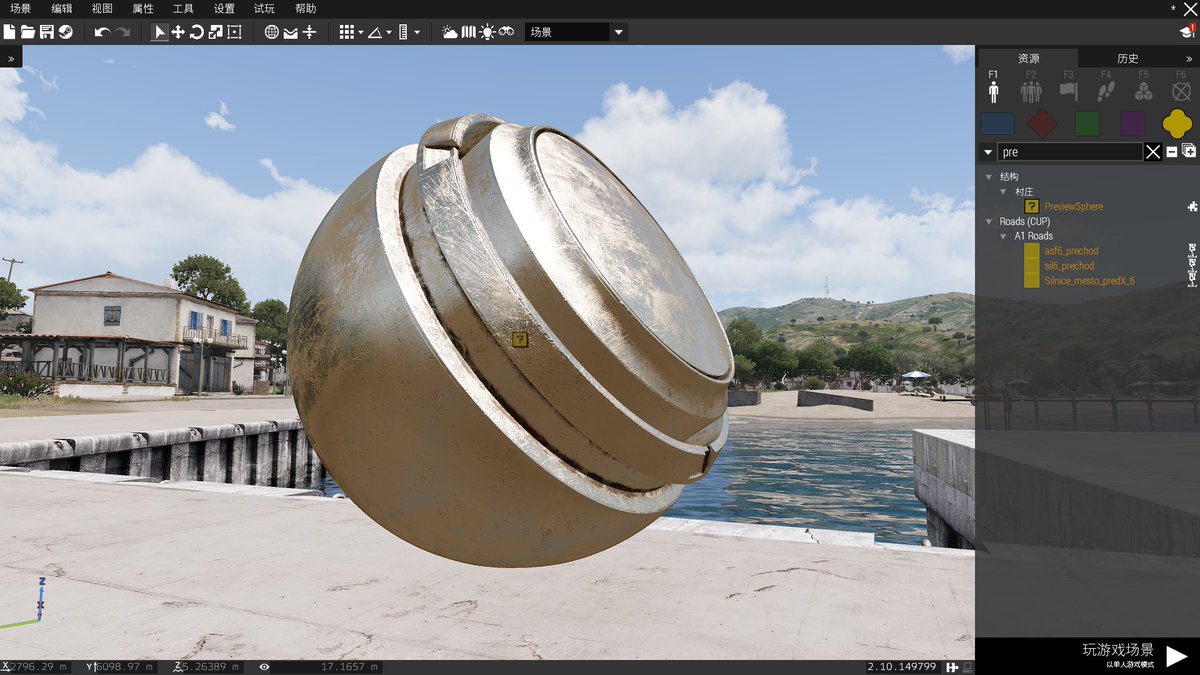
here's the result
Bohemia Interactive Forums
Arma3调材质一直以来就是一个非常困难的地方,很多模组作者都很容易会在这点上栽跟头。于是我利用Blender节点制作了这样一个转换器,可以方便地把金属-粗糙度流程的PBR贴图转换成Arma使用的SMDI的格式,转换的效果还不错,非常接近PBR渲染方式的效果,现在已经有一些模组作者采用了这个工具转换贴图,效果看起来不赖。我把它分享出来,希望这能让你的材质调节更轻松😉! It have always been very difficult tuning materials for Arma3 ,many modders can easily get their hands on this ...
infact im introducing my 0.12 ver now, this 0.10 version is outdated. the new version can really get a even more fantastic result
some 0.12 results
oops i can't post my pictures
okay i posted them on my twitter
based on Blender Composing nodes ,very easy to use
Introducing a good tool! Just use it like original Blender shader nodes

 Twitter
·
Twitter
·

it "almost" brings PBR into Arma3 world, i means , pretty close
full quarry
Looks pretty great @proper tartan!
@ancient parrot this could interest you too!!
proper tartan
full quarry
Looks pretty great <@841983745015283722>!
<@235994393901793282> this could inter...
i think yes! and i also hope every one can use this tool
uploading it to my github repo. if some guy used it and like it, please star the repo, it's very encouraging to me
 celest obsidian
Pretty cool
 trail sequoia
Is there anything specific that needs to be done to convert 16-bit normalmap to 8-bit, or can I just do it with GIMP
proper tartan
trail sequoia
Is there anything specific that needs to be done to convert 16-bit normalmap to ...
yes you can
 wild night
Hiya boys, i'm looking for templates for the modular carrier vest (the LDF one). All of the links are dead on the official forums, anybody got it on their hard drive? (i'll also take any other templates you guys have, i started making some AAF retextures, and, well.... i ended up in a bit of a rabbit hole)
trail sequoia
Exporting Images to BMP on L3DT gives me broken files, has anyone experienced something similar?
figured why, too big image
need to export as mosaic and stitch using imagemagic
full quarry
correct
trail sequoia
fun stuff
trail sequoia
not sure what I'm doing wrong but I'm ending up with a 1.6Gb mask
maybe bmp isn't the best format here
full quarry
bmp is fastest to load into TB
and huge resolution images take space like that
bmp is uncompressed format
solution would be to make smaller maps
big maps take a lot of disk space
trail sequoia
fair enough
but do want to press on with larger map and I do have the disk space needed
on the publishing / ingame performance side
should I go with png or stick to bmp?
full quarry
bmp is faster to process. png would take 100x longer
they get turned into .paa tiles eventually
the source material is not packaged or used in live game
trail sequoia
bmp it is then
on the question of modifying mask/sat texture
how can I work on those with gimp
or do I edit the mosaic and restitch everything?
full quarry
you edit the source files, import them into TB and re generate tiles
I would strongly suggest making smaller map at this level of knowledge
learning is faster and easier that way
trail sequoia
think I phrased that question wrong
I was talking about editing the source file
do I go about editing the stitched mask
or do I edit the mosaic and restitch
full quarry
either way works
you can import the mosaic tiles separately into TB too
as long as you position their coordinates correctly so they align
trail sequoia
not to get ahead of myself
but did 4x4 and 8x8 maps
do I still stick to a something small in terms of experience?
full quarry
Well the questions did not reflect on that knowledge. Then again if you have not had to do large textures thnigs may not be apparent even if you have used the programs for smaller textures.
however if you need to split bmp you are making something larger than 30 kilometers
trail sequoia
well Indeed this would be my first time going over 20k with textures which is where problems start occurring with the programs (at least from what I'm reading)
full quarry
you need quite a lot of ram to handle stuff in 20+ px dimensions yes
at least to handle it smoothly
trail sequoia
as expected
going full basic with the questions as I've heard many tales of problems that occur within the 20k+ terrains
but from what I'm gathering
working with tiled textures over stitched on TB with bmp format seems to be the way for me
would be slightly tedious to apply changes but would be more agile
full quarry
stiching in between would be a time waster yes
trail sequoia
thanks for everything
full quarry
the seam areas on the mask may be problematic from time to time as the Terrain Builder split tiles likely will have data from both sides or in worst case 4 different imported texture tiles when TB processes the tile split
so youll have to be extra careful with how many mask colors you use
 trail sequoia
is it the amount that would be problematic or the mask colors being close to each other or combination of both?
And would would stitching the end result of the mosaic be a way around this issue?
full quarry
its problematic because you can easily add different colors to each corner
stiching wont help with this as the colors would still be there
and if you dont have the means to edit the stitched image you cant do much about it
of course you can have a more tiles/ textures imported that cover the seams from both sides so its easier to edit those areas

there are few different mask tester applications too but for those to work you would need the stitched mask texture
trail sequoia
Could you name/link one of those
Also I just realized I'm on texture makers channel asking terrain stuff
dum dum moment right there apologies for that
full quarry
I've used this. https://forums.bohemia.net/forums/topic/225019-mask-tiel-colorcalculator/. Pennyworth also has made one but I always forgot how to use it,
Bohemia Interactive Forums
Hi, I have written a tool which calculates the number of colors in each tile of your mask image. It replicates how terrain builder would split the mask into tiles and checks each tile for issues. After calculating the mask colors it shows you a map overview with the error tiles ( if there are err...
full quarry
trail sequoia
Could you name/link one of those
Also I just realized I'm on texture makers cha...
just remember to put the next terrain questions there 😉
this at least was partly channel topic related
trail sequoia
fairs, was asking tex questions earlier, apparently forgot to switch back
full quarry
👌
proper tartan
is there a addon for blender to open or save .paa file?
livid knot
Not that I know of, can convert png's and jpg's with texview though
proper tartan
livid knot
Not that I know of, can convert png's and jpg's with texview though
ok, thanks
sorry for my poor English lol
trail sequoia
proper tartan
is there a addon for blender to open or save .paa file?
Paa Converter from grad is also an option
it also works on more filetypes
https://paa.gruppe-adler.de/

Gruppe Adler
Online converter for Arma 3's PAA format. Can be used to convert a single or multiple files in bulk and supports paa to png, png to paa, jpg to paa and more.
trail sequoia
Are Displacement files same thing as heightmaps
or are they Inverted or something?
full quarry
they can work for that but may need tweaking. to look right in the arma renderer
trail sequoia
what would be such tweaks?
full quarry
 tweaking the color range to modify the parallax strength that sort of stuff
 real gazelle
Has anyone else had issues with retexturing the buttons on the Parade Uniform from Art of War?
lethal condor
What issue?
real gazelle
They don't seem to want to be changed
They just stay as the default US ones
Talking about the non-Decorated one btw
lethal condor
Yeah seems unretexturable
real gazelle
God damn it
lethal condor
You can send a report in #arma3_feedback_tracker (check the pinned)
real gazelle
Will do. Thanks.
full quarry
https://imgur.com/gallery/yM8qwp9 real life retexturing is a bit more involved process than with how simple it is with hiddenselections in arma...
 slow tree
Unless the model doesn't have selections...
I have a model that looks correct in Bulldozer, yet seems to not be loading its RVMAT in arma itself. (Texture looks like just the CO)
||https://ibb.co/MC9GFz3 ||
|| https://ibb.co/T1zryQM ||
I have encountered this issue in the past, but I cannot remember what the solution was back then.
EDIT: Duh, model wasn't binarized properly! Got it fixed now.
 full quarry
👍
this channel is very helpful in that way
many times people find the solution just after posting ::D
 cyan cedar
I don't know if this is the right place, but I need someone to help out with texture work on an asset I am having put in arma. I don't know how to texture and the last person I tried talking to said it needs to be done on photoshop and that the UV mapping is really poorly done and complex making it difficult and they don't want to do it.
full quarry
cyan cedar
I don't know if this is the right place, but I need someone to help out with tex...
#creators_recruiting would be the channel to enlist help. This channel is more to ask questions/ talk about how things are done
cyan cedar
Okay thank you
full quarry
Texturing does not necessarily need to be done in photoshop, there are a lot of options for that
But if you made the model, you should be able to fix the uvmapping too if you invest bit of time to it
slow tree
This single thing saves you so much headaches and time with Buldozer. Thanks for this goat, will recommend to anyone!
 coarse scaffold
proper tartan
based on Blender Composing nodes ,very easy to use
coarse scaffold
proper tartan
based on Blender Composing nodes ,very easy to use
Could you also share rvmat you have used?
full quarry
coarse scaffold
Could you also share rvmat you have used?
unfortunately the user got banned for using ripped content with the texture converter.. 😞
Good talent goes to waste
severe rune
https://github.com/Hatsuna-Miku/Arma3PBRConverter their blend setup is here.
No rvmat there though
They had a example mod on workshop, but that was using guns ripped from Battlefield 2042 so.. yeah thats gone
 sullen mango
looking to be able to scale a graphic up/down without it looking bad, would vector graphing work? unsure if its compatible with the real virtuality 4 engine. new to all this lol
slow tree
sullen mango
looking to be able to scale a graphic up/down without it looking bad, would vect...
scaling a graphic? What do you mean? But no, RV only accepts paa files (RV exclusive format, you can convert from png <-> paa) mostly and png/jpeg in some instances, SVG is not possible.
 quaint spire
Tga is preferred I think
slow tree
targa works better with the arma 3 tools but for the sake of paar conversion, they are the same afaik.
 bronze creek
Q: I did some textures editing yesterday. How do I repack them as an independent PBO that overrides previous one? Thank you.
lethal condor
Repack, is not a recommended act but you'll just pack a pbo.
Q1: what do you have so far? Only a texture?
Q2: What is the object you want to retex?
Q3: Do you have a config experience?
bronze creek
- 2 textures modified among a dozen
- rocks
- nope. Beginning.
lethal condor
What, a rock?
bronze creek
yes, a rock. a dark one, from CUP I don't like. It is a good start. Unpacked the PBO, converted the textures, changed them.
lethal condor
Then you'll need to forget the idea. Most of terrain object are not retexture-friendly
bronze creek
What is the reason?
lethal condor
Most of terrain object are not retexture-friendly
You actually can. In a very complex, inefficient, hard, and performance-unfriendly way
If you want a detailed reason, you'll need to learn how to retexture 101 first
full quarry
bronze creek
What is the reason?
Basically your hack would break the pbo compatibility with all cup stuff.
If you want to do your own rocks you can
A) Make new models and new texture that fit you.
B) get the A2 public data packs and retexture the A2 rocks
 shrewd shard
https://imgur.com/gallery/xvPEUGZ hey anyone know why this happens with the glass?
 full quarry
Perhaps alpha sorting issue? Or broken uvmapping
 wise dagger
shrewd shard
https://imgur.com/gallery/xvPEUGZ hey anyone know why this happens with the glas...
wise dagger
shrewd shard
https://imgur.com/gallery/xvPEUGZ hey anyone know why this happens with the glas...
select the glass polygons
in Object builder
then
Faces -> Move top
and give it a try
dense peak
im looking for someone who can make a mod set for my ww2 unit?
is this the place if not can someone please help me
coarse scaffold
I found Ama 3 Apex shader for Substance Painter on GitHub, anybody uses that?
quaint spire
Don't work for me
still glacier
How would i achieve a shiny, raincoat like effect?
full quarry
play with specularity
full quarry
no
well yes
but you still need the whole texture
you just edit the part you want to edit
hiddenselections are rarely multi part and hidden selections are only way to change textures
dense peak
I want to know how to retexture anything
because I have no idea how
so here's what I want to retexture:
infantry uniforms (primarily combat fatigues)
vests
helmets
infantry vehicles
i just need help with getting the texture files, how to open them if they're a special file, and how to import into arma 3
 carmine hinge
Might be a stupid question but is it possible to retexture the glass on vehicles? i.e. making an aircraft canopy look similar to the fuselage?
Or is that more of a "defined by the model" thing
lethal condor
It could be defined by the model, yet if you have a proper config knowledge it is possible I guess. IIRC I've done before
full quarry
It is a bit rare to have hiddenselections on the canopy
dense peak
I cant find a way to get NATO texture templates
they're all 404ing because they're old
full quarry
where are you trying to download them from?
full quarry
from BIforum?
dense peak
yes
full quarry
what post did you try?
dense peak
the links on the steam guides
full quarry
steam guides are not on BI forums
Bohemia Interactive Forums
This is BI forum
though yes a lot of links pointing to Armaholic site are gone
dense peak
yeah i click a link to a BI form but on there when i click the download link it says 404 or file error
so i want to find some vanilla texture downloads
full quarry
arma 3 samples have some templates but not for all things
template is just a tool to make textures though
you can make retexturing even without the original texture
but naturally it can be helpful
if you set up the modding tools and modding environment P drive you get the game files extracted there and can browse through all the original textures
dense peak
Alright,
can you help me go through that process? Thanks
full quarry
BI Forum thread for community templates
https://forums.bohemia.net/forums/topic/176288-community-texture-templates/
Bohemia Interactive Forums
The idea behind this thread is to help modders make reskins of both vanilla and community content (From original authors!). If you have any PSDs or files that give you the details without the camo of units, guns, vehicles etc. please post them here :) You can find some of mine in this album. http...
full quarry
full quarry
BI Forum thread for community templates
https://forums.bohemia.net/forums/topic...
@dense peak this could be of use for you too
dense peak
Alright thanks
 steady halo
So im trying to retexture RHS Pilot helmets, And they have patches on them that im trying to figure out how to edit also to put funny pictures and stuff on, But i cant find anything online on how to edit them. Any help appreciated Thanks
full quarry
those would likely be hiddenSelections
 errant mist
does anyone know how i can change the full ghillie camo? i can only find the grass bits but not the uniform itself
full quarry
check its hiddenselections in its config and see where the textures are pathed to
errant mist
i tried that and no luck either im blind or looking in the wrong place
full quarry
put down the ghillie man in editor, right click on him and use the open in config viewer to open its class
torpid lance
current having an issue with the normal map of an armor piece I am making. The normal map works correctly when the armor is in the sun, but when it goes into the shadows the normal map no longer displays the same amount of depth. I have looked at the RVMATs and compared it to a similar armor piece that works correctly and they are the same.
full quarry
torpid lance
current having an issue with the normal map of an armor piece I am making. The n...
Normalmap is for light shading, no light no shading so what you see is to be expected.
quaint spire
torpid lance
current having an issue with the normal map of an armor piece I am making. The n...
include your AO in your diffuse texture
celest obsidian
torpid lance
current having an issue with the normal map of an armor piece I am making. The n...
you can also include the details of your normal directly in your color map. You can do this in different ways, here is the method I used: https://youtu.be/pdYM9KF1Iko
 torpid lance
celest obsidian
you can also include the details of your normal directly in your color map. You ...
torpid lance
celest obsidian
you can also include the details of your normal directly in your color map. You ...
Aye this worked! Thank you
quaint spire
celest obsidian
you can also include the details of your normal directly in your color map. You ...
wouldnt this almost work better with a a cavity map (provided you have a high poly to bake it from)?
celest obsidian
sure, you can use the AO, curvature, normal... anything 🙂
dense peak
i got a request for anyone that wants somethin to do
i want a german GDR unifourn in the NVA 1 pattern
full quarry
#creators_recruiting is for that. if you want to make that, the channel is open for questions
 rigid tusk
I'm new to making textures, I'm currently retexturing the F/A-18 from firewill, I am testing the texture I have so far to make sure there's no gaps and I don't know how to show both texture maps at once, when I try to add the wing texture it just puts it on the body instead. Any help?
I actually just figured out how to do that but when I put the second map in, it seems like it is out of line or something
The body should be completely white but there is black all around it.
full quarry
rigid tusk
I'm new to making textures, I'm currently retexturing the F/A-18 from firewill, ...
are you using hiddenselections to apply the textures with config?
rigid tusk
full quarry
are you using hiddenselections to apply the textures with config?
I'm using init with the code "this setObjectTexture [0, 'C:\Folder\Folder\Texture.paa'];"
Not sure how to do hiddenselections
full quarry
they are just method of setting up retexturing though addon config. Basically same as what you do now but you would have ready plane to choose from the editor asset list
now setObjectTexture uses the number index to point to different hiddenSelection textures set up on a model, so when you change the number, you can assign different textures
rigid tusk
gotcha
full quarry
it may vary what textures are set up to be able to be changed though
rigid tusk
Yeah I have two textures, body and wing, I was able to get wing and body running together but wing for some reason is showing the textures wrong, having black spots all over where there is blank space. I can send you a screenshot if you want
full quarry
you cant make holes in textures if the original does not have transparency
rigid tusk
Not holes, the texture map is correct to how the original texture map was made, just different colors on the texture map
full quarry
also you can link pictures here too
rigid tusk
gotcha
full quarry
much easier to keep it all in one place
rigid tusk
full quarry
much easier to keep it all in one place
Sorry, internet just went out, here's the image
 full quarry
can you put down the original plane too for comparison?
rigid tusk
I'll get you a picture of some other spots too
Arma just died on me so it'll be a second


Original
Hmm now it's wanting to work correctly
Thanks anyways
full quarry
👌
 honest laurel
do I need special software to edit .paa files without breaking them? I'm trying to edit some CUP textures using paint.net but everything in the same category changes when I change any .paa, specifically, I tried to edit helmets_mnt.co.paa and now all CDF uniforms and helmets etc wont load in-game.
error: No entry 'bin\config.bin/CfgWeapons.CUP_arifle_AK74'.
lethal condor
This is not a texture issue but config
honest laurel
Right, I haven't changed anything besides the actual image, haven't renamed or moved anything, as far as I can see the end result is identical to the source material when viewed through file explorer.
lethal condor
How did you make the pbo? Or, did you "repack" it?
honest laurel
repacked it using addonBuilder yea
essentially download CUP Units, extracted using cup_creatures_people_military_cdf.pbo using extractpbo
drew on one image to test if it works, then packed it up again
lethal condor
That's not how to make a Mod after all. I'm not that free to take a time to elaborate rn so...
Basically you only "overwrite" some parts of a Mod that you want to overwrite through a Mod
honest laurel
Right, I've just taken the relevant PBO file, tweaked the contents inside after unpacking it then repacked it and put it back where I found it. Does that not work? the way I see it everything is identical to what I downloaded besides the contents of one image. I'll look into it a bit further
full quarry
honest laurel
Right, I've just taken the relevant PBO file, tweaked the contents inside after ...
Repacking it is not the way to go. That essentially breaks the pbo
A retexturing mod contains only changed files and refers to the original mod only as dependency
Explained it here just yesterday #arma3_model message
@honest laurel
 floral fiber
if you want to change a texture you leave the mod files alone except for copying the .paa out
you then do your retexture after converting it to png then back to paa once you have done so
you then create a folder with a data subfolder and a config.cpp
inside your data folder you put your texture
inside your config.cpp you create a cfgpatches class and a cfgvehicles class (or cfgweapons depending on what you are retexturing. use config viewer to find out which it is in AND the hiddenselections you need)
inside of your cfgvehicles/cfgweapons class you either inherit from the original items classname (would recommend to stop issues with other mods) or you overwrite the class with the correct hiddenselectionstextures of your new texture
use addon builder to turn the overall folder into a pbo and then put the pbo inside of a local mod folder with structure
@yourmodname\addons\yourpbo.pbo
add as local mod in arma launcher and profit
honest laurel
Alright thanks. Will give it a shot.
honest laurel
https://imgur.com/a/IPoyFFo
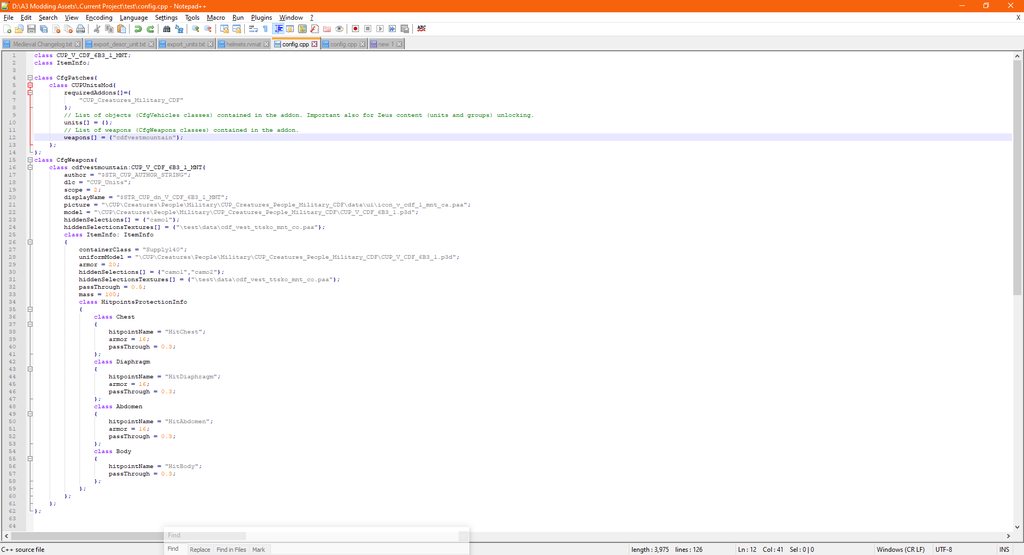
Trying to edit the CDF vest from CUP Units, can anybody figure out why this is not working? can boot the game with CUP and my own mod just fine but none of the changes actually apply. Thanks
 twin kelp
Hi guys I've got a quick question
If I'm editing a texture from a mod, can I save it back to that mod or do I need to make my own?
Is the process to make a local mod with the new .pbos and have them overwrite? Can there be conflicts?
I've just read up
Do you guys end up explaining this everyday? Lol
full quarry
twin kelp
Do you guys end up explaining this everyday? Lol
pretty often.
in case someone is wondering, Answer is making a patch mod to work on top of the original mod. No original files are packed into the new mod. just config and the new texture(s)
full quarry
do they have separate rvmats? that may be needed to split them to their own sections
and it makes sense in the way that the transparency is backed as enabled on a p3d data when you have transparent textures on it
also make sure your _CO does not carry alpha channel at all
honest laurel
twin kelp
Is the process to make a local mod with the new .pbos and have them overwrite? C...
have you found any guides or whatnot to editing mods? i think I'm doing the same thing as you but have hit a wall on making config
twin kelp
Not yet
I reckon the process is explained somewhere above, I just haven't read up much yet
honest laurel
same, ive just been downloading some mods to see if i can find a cup vest reskin to look at the config
if its explained above could u drop me a ping thx
 mint beacon
Hi there - I'd like to retexture the RHS BMP (I see the EULA states this is ok, if not please advise). Is there an easy way to correspond the UV map to the texture? E.g. open he model in a 3D package? So far I have just been individually colouring each 'island' and manually identifying them, but this process is a bit tedious.
Trying to open the p3d in the object viewer causes it to crash for me.
lethal condor
A binarized p3d cannot be opened. Nor unbinarize it
honest laurel
I couldve sworn when I was looking at A2 assets I was able to open them but I cant anymore, its a bit of a pain because i wanted to eventually port A2 models to A3 but I cant open stuff like the A10 anymore where I used to be able to
Especially strange as I havent touched my A2 models that I exported so i'm not sure what could happen to make them become binarized
mint beacon
lethal condor
A binarized p3d cannot be opened. Nor unbinarize it
Ah I see. So the only way is to use a UV checker or colour each island to work it out?
lethal condor
Basically
Maybe they had a template, if not you can use a UV Checker to see where are where
mint beacon
Thanks!
full quarry
honest laurel
Especially strange as I havent touched my A2 models that I exported so i'm not s...
you cant/are not allowed to debin a2 models. you can use the ones from Arma 2 sample datapack
severe rune
"Licensed Data Pack"
honest laurel
Strange. Im positive i had the ability to look at them when i first extracted A2 files
 sullen grail
How would you reskin a helmet from RHSAFRF and then add it into your own mod?
full quarry
you would paint a new texture for said helmet, create a config file (config,cpp) that has class setup that creates a new class of helmet that inherit the config of the orignal and changes name to your liking and hiddenselection paths to your new texture
your new mod would then contain said config and said texture and use rhs as required addon dependency
 sterile viper
full quarry
you would paint a new texture for said helmet, create a config file (config,cpp)...
sterile viper
full quarry
you would paint a new texture for said helmet, create a config file (config,cpp)...
I came here with the same idea as that guy in mind so I'm wondering where you would see it or do you check in game?
full quarry
you check in game yes
retexturing cant be done in 3d
however there is filepatching option that can be used to liveload files into game
which can be useful for faster previewing
honest laurel
full quarry
you cant/are not allowed to debin a2 models. you can use the ones from Arma 2 sa...
so how do mods like CUP uses all the Arma 2 assets? if you cant open models or arent allowed to re-use them.
lethal condor
https://community.bistudio.com/wiki/Category:Public_Data
The source models are available under the certain condition
honest laurel
ah yes I actually do remember that
that was how I was viewing the models before
they call it a sample but as far as I can see it includes basically everything?
full quarry
pretty much yes. they come with licenses that say how they can be used
Also a good to note about CUP is that they have replaced a big chunck of assets with completely new ones already
honest laurel
yup. Ive been trying to reskin the CDF Uniforms since they are so unfaithful, hence all my questions recently
as far as I can tell all of the vehicle, vest, helmet and weapon models are identical, and all if not most of the vehicle and weapon textures seem unchanged too
 mellow frigate
Im trying to make a normal map using Photoshop but it keeps making this bump as if there was a gloss in the texture https://media.discordapp.net/attachments/877174578491842590/1025819119045574676/unknown.png?width=1202&height=676
could anyone help me?
mellow frigate
texture as in color?
it's just gold, nothing there
can I dm you so that I can send you a screenshot of what's happening in PS?
mellow frigate
thats what i mean, it generates with the bump but i dont know what causes it to generate like that
i dont know how to get rid of it https://media.discordapp.net/attachments/229320609107148802/1025833788045004860/unknown.png?width=992&height=676
actually im realizing all of the surfaces dont look flat
https://media.discordapp.net/attachments/229320609107148802/1025834589165453432/unknown.png?width=1174&height=676 when i blur it, it gets more apparent
full quarry
well it treats your image like heightmap
and your image has those bumps on it
you would probably need to create the heightmap separately so it doesnt have the bumpyness on it
quaint spire
all in all should be pretty easy to trace that as a 3d model then bake it onto a plane
 ocean monolith
how can you get arma to render an 8k paa?
lethal condor
IIRC no, Arma 3 only supports up to 4k
ocean monolith
it dose but you can get 8k's to render
ik that arma wont render them unless you pack them in a mod, the only way i have seem them work is if the are packed in a mod with pbo project but idk what setting / how to get them to work
 frozen blade
ocean monolith
how can you get arma to render an 8k paa?
frozen blade
ocean monolith
how can you get arma to render an 8k paa?
why would you want a 8k single texture?
ocean monolith
we use them in the h-60 mod for moving maps
but yax is the only one who is able to build the mod with the maps working. we are trying to figure out why
frozen blade
do these 8k textures work then? last i tried it, they didn't
ocean monolith
frozen blade
do these 8k textures work then? last i tried it, they didn't
they do
but only yax can build the mod and have them work
full quarry
Id suggest multiple 4k ones instead.. 8K memory footprint is pretty insane
ocean monolith
full quarry
Id suggest multiple 4k ones instead.. 8K memory footprint is pretty insane
Are you just talking like just there actually size?
full quarry
yes
also Id wager the game would still mipmap it to 4K or even lower very aggressively
ocean monolith
full quarry
also Id wager the game would still mipmap it to 4K or even lower very aggressive...
Only on less the high textures settings
ocean monolith
full quarry
yes
And no most of them are 1-3k
I would of not put them in if they where more
 heavy ivy
Now that I have a custom texture, how do I go about incorporating it into my addon?
full quarry
custom texture for what? new asset? retexture?
heavy ivy
full quarry
custom texture for what? new asset? retexture?
A retexture for the BMP-2 from CUP. Wondering how I go about implementing it so that it acts a new texture in my addon.
full quarry
well basically you create a mod project folder (preferable on P drive (mod dev environemnt)) and put your texture in there and create a config file next to it and in the config file you create reference to the CPU bmp class so and inherit the config data from it and then alter few things like displayname and the hiddenselectionTextures list so it points to that new texture you made.
Then that gets packed up into a pbo and you run it in game
heavy ivy
ok, I'll give that a try tomorrow
Feel like relaxing and gaming rn.
full quarry
good idea 👍 no need to stress about it and easier to figure out the details with relaxed mindset
there are P drive setup guides on PMCwiki and on the Armadocs terrain tutorials (links on terrain channel pinned messages)
heavy ivy
full quarry
well basically you create a mod project folder (preferable on P drive (mod dev e...
Would it also be possible to include the texture as a .paa within the folder of the addon, and then apply it as a hidden selection texture? Or would it cause a problem where the game wouldn't know how to apply it to the vehicle unless I make the retexture itself its own PBO?
full quarry
that would be exactly the way to do it yes
heavy ivy
Oh ok, then I'm going to do that
full quarry
👍 👍
heavy ivy
Well, I think I did something wrong, because the part of the BMP that's supposed to be covered by the new texture is just transparent.
For context, I have the texture path written as follows
hiddenSelectionsTextures[] = {"Karzeghistan Defence Forces\addons\KDF\data\KDF_BMP2_1_fin.paa", "cup\trackedvehicles\cup_trackedvehicles_bmp\BMP2\data\bmp2_02_acr_des_co.paa"};
ALso, yes, I know I spelt defense wrong
heavy ivy
alright, will do
full quarry
also usually if texture does not show up in game it means pathing is wrong
are there any error messages?
honest laurel
Can somebody explain or send me to a guide that explains the 'rvmat' files and the .nohq, .as, etc images?
full quarry
honest laurel
Can somebody explain or send me to a guide that explains the 'rvmat' files and t...
BI wiki has pages for those. texture naming rules, rvmat basic etc
in Short rvmat is the material file that dictates what shader a surface uses and where the different technical textures like nohq (normalmap high quality) are located for their respective stages
honest laurel
ok thanks
 stray relic
heavy ivy
Well, I think I did something wrong, because the part of the BMP that's supposed...
stray relic
heavy ivy
Well, I think I did something wrong, because the part of the BMP that's supposed...
You also need a _co suffix on your texture before it converts to paa.
KDF_BMP2_1_fin_co.tga >>> KDF_BMP2_1_fin_co.paa
heavy ivy
stray relic
You also need a _co suffix on your texture before it converts to paa.
KDF_BMP2_1...
Alright, will do
heavy ivy
I've added both the _co and inserted the spaces in the file name, and it's still having the same problem.
heavy ivy
Any other suggestions?
honest laurel
https://imgur.com/a/sZBVKWU can somebody explain why in A2 these AS textures do not line up to the CO textures or to each other? they all have a different layout unlike cup where the vest textures all line up, can they be expected to work like this without explicating overlapping with each other?
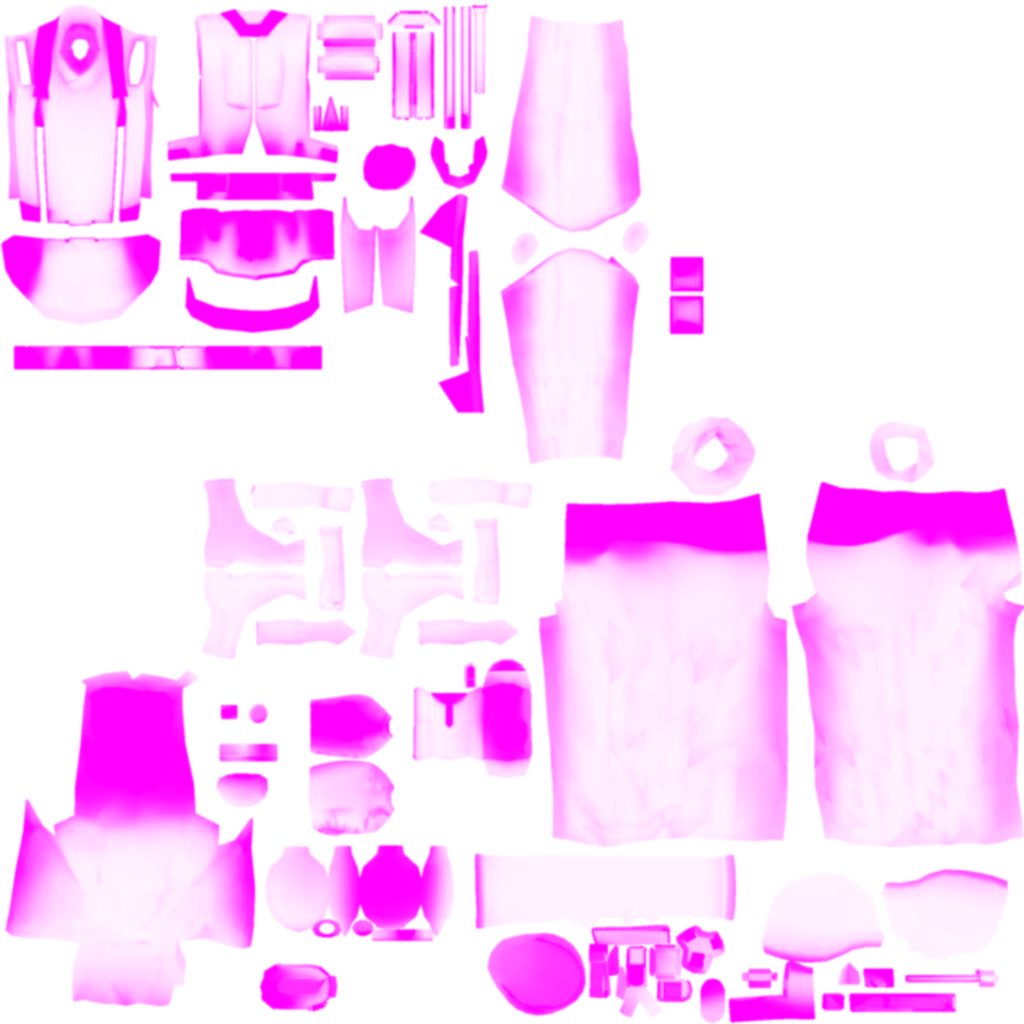 full quarry
honest laurel
https://imgur.com/a/sZBVKWU can somebody explain why in A2 these AS textures do ...
full quarry
honest laurel
https://imgur.com/a/sZBVKWU can somebody explain why in A2 these AS textures do ...
It is most likely that the model is set up with secondary uvset with fitting u mapping for this texture and the rvmat that uses this texture is setup to use uv source tex (default uvset 0) for some textures and tex1 (the alternate uvset 1) for others like this.
It is part of model optimization to reduce amount of texture memory usage.
honest laurel
right, so what does that mean for me if I want to port this as-is to arma 3 based of the work already done in CUP
the issue I have is that CUP thus far has used the same layout for the CO, SMDI and NOHQ, files for the helmet and vests
my rvmat file is identical to one used in A2 besides file paths as far as I can see, does that mean I can expect to use these files and have them overlap correctly?
full quarry
Don't know. If cup stuff is different then probably not
honest laurel
right, I mean does anything besides rvmat reference or change how these files interact with each other?
full quarry
Well changes in the models themselves
honest laurel
right, so you get a model and unwrap it in order to find out where to paint your textures? because im just trying to figure out how mod creators take a unique uniform model and then define the mapping when it comes to texturing it
if i could do that I could likely solve alot of my problems when I come to re-doing uniforms
full quarry
What exactly does re doing u inform mean here?
I don't quite understand what approach you are taking here
honest laurel
full quarry
What exactly does re doing u inform mean here?
to retexture CUP uniforms, except I suspect CUP may have redone the uniform models someway down the line
so when I say redo uniforms I really just mean making a unique uniform, I dont think ill be taking anything from CUP unlike with vests and helmets because the texture layout that the CUP uniforms use isnt related the the texture layout of the A2 uniforms in any way
in doing this im hoping to figure out how to do a AS file for the vest since the way I see it its all related to texture mapping anyway
full quarry
They probably gave done changes and fixes yes so A2 textures don't match.
Re texturing is pretty much done by just painting over the texture file. 3d models are not involved in the peocess
honest laurel
right but when you make a texture it needs to wrap around the model
full quarry
Yes and a model has uv unwapping to do so
If you make new models you will also need to make new unwapping
Old textures usually don't work with that though
Since they are made for different unwrap
honest laurel
right, so If I took an arma 2 model and unwrapped it it wouldnt work with the relevant arma 2 texture when ported to A3?
full quarry
Arma2 models are already unwrapped for their textures
honest laurel
right, so then theoretically you could take said model and port it with its textures into arma 3 and everything would fit into place?
full quarry
Yes
honest laurel
alright cool, I just wanted to make sure it was possible
will look into modelling stuff 👍
quaint spire
honest laurel
https://imgur.com/a/sZBVKWU can somebody explain why in A2 these AS textures do ...
you can get them to match by applying the smdi as a diffuse texture in a baking software of your choice and then doing a basecolour bake onto the other UVset
heavy ivy
Tried another fix for my texture to show up in-game, and still no luck. However, it did through up this error message saying it couldn't load the texture path. I noticed, however, that it was all in lower-case whereas my config and P-Drive have upper-case letters. So, could it be that I need to get rid of all capital letters from my texture path?
full quarry
no, that should not be necessary. but it does mean your folder structure in your packed pbo does not match your folder structure on P drive
what are you packing the pbo with?
heavy ivy
Addon Builder
I have started brewing some potential theories as to what might be causing the problem
- When I renamed and remade the .paa texture file to include _co at the end, I put reference to it in the config before it was even made. So, maybe I should delete that part of the config and remake it
- Maybe the "Karzeghistan_Defence_Forces" at the beginning is unnecessary for it to read the texture.
stray relic
The next bit of advice to help resolve your current issue and help in future is to download and pack with Mikero's free tools, pboProject. It will tell you exactly what is wrong with your texture path.
 craggy ruin
heavy ivy
Addon Builder
craggy ruin
heavy ivy
Addon Builder
if you're using addon builder you will need to correctly set the prefix manually, pboproject does this for you. you left out this vital info before.
assuming your config.cpp is at P:\Karzeghistan_Defence_Forces\addons\KDF\config.cpp your prefix in addon builder options should be Karzeghistan_Defence_Forces\addons\KDF and then pack that folder
you're also mixing Karzeghistan Defence Forces and Karzeghistan_Defence_Forces in your code snippets, be consistent
dense peak
What is the process of re-texturing? I am trying to retexture something...
frozen blade
dense peak
What is the process of re-texturing? I am trying to retexture something...
that something is important in the process
dense peak
P
Just finished modelling my
Model
Have zero to little knowledge about texturing tho
🤡

If anyone wants to do the dirty work dm me
I'll send u the model but I'd also like to have the finished result
 full quarry
not a terrible start.
though I feel sorry for the poor chap who has to paint that thing in the factory 😅
dense peak
now to import it to the only arma I have
arma : cold war assault
full quarry
Good luck. The tools for that are ancient 😅
dense peak
full quarry
Good luck. The tools for that are ancient 😅
Yea you said that before
jk
hard to forget
especially since you're the only guy here
they should rename this server
Goat of arma
 ebon bramble
Hey guys, is there a script that will take photos of your gear for Inventory / Arsenal Icons? Or is it a manual process
stray relic
ebon bramble
Hey guys, is there a script that will take photos of your gear for Inventory / A...
ebon bramble
stray relic
https://community.bistudio.com/wiki/Eden_Editor:_Configuring_Asset_Previews
thanks, but this is not completely what I am looking for, unless you use the same function on gear and not vehicles and units
 serene agate
Does anyone have a template for the vanilla HEMMT? I found this old post but the download links are dead
https://forums.bohemia.net/forums/topic/169833-hemtt-retexture-templates-and-mod/
Bohemia Interactive Forums
Bored of the vanilla textures i made some easy to use .psd (Photoshop / Gimp) templates for the HEMTT and all its versions. Everything is seperated in Layers so you know where to put the camouflage or color layer/s. Download @ Dropbox - Virustotal (clean file) Download @ Armaholic use this I als...
 white otter
Hey everyone,
Quick question from me, does anyone have a example or photoshop file for the CSAT Hexcam?
https://forums.bohemia.net/forums/topic/156283-csat-hexcam-sample/
I was looking at this thread, but unfortunately all the links are dead
Bohemia Interactive Forums
I wanted to inquire if there is a HQ sample of the CSAT hexacam available somewhere, or possibly ready to be published by BI in some fashion? None of the units currently have clean and clear enough areas to extract it without loosing a lot of definition. Also, for possible fansites, having the pa...
 vernal sage
Wayback Machine still has the original thread on Facepunch Forums archived with two samples of arid Hexcam available:
https://web.archive.org/web/20190407051614mp_/https://forum.facepunch.com/dev/qxsy/Facepunch-Camouflage-Thread-V2/1/
The Mediafire link with the zip works fine (Rusty_Camos.7z) and has both the uniform Brown Hex and the vehicle Arid Hex variants. Make sure you enter the actual link into the address bar and not the archived one though.
Facepunch Forum
IIRC not sure if Wayback Machine managed to store it but if you dig through the thread you should be able to find swatches for Desert, Tropic and Semi-Arid Hexcam too. Just keep in mind that the links for those ones may or may not still be functional.
dense peak
I've been struggling with weird transparent texture behavior, I believe I've correctly sorted alphas by selecting all transparent faces and going to faces > move top in object builder.
This normally solves my issues for transparent textures but these in particular are stubborn. Any idea what could be causing the weird artifacts?
https://cdn.discordapp.com/attachments/566060230824165383/1028556205578264607/unknown.png

lod 1 https://cdn.discordapp.com/attachments/566060230824165383/1028556579022323742/unknown.png
lod 2 https://cdn.discordapp.com/attachments/566060230824165383/1028556631316897844/unknown.png
lod 3 https://cdn.discordapp.com/attachments/566060230824165383/1028556683213029446/unknown.png


 dense peak
It seems I've solved my issue, I had to change my rvmat from super to TreeAdv
TreeAdv seems to work pretty well
white otter
vernal sage
Wayback Machine still has the original thread on Facepunch Forums archived with ...
Oh wow I didnt know that facepunch thread existed, thank you so much!
full quarry
dense peak
It seems I've solved my issue, I had to change my rvmat from *super* to *TreeAdv...
Correct the tree shaders should be used on plants due to them being designed for leaves. And trunks. I believe you would really want the one used on tree crowns though. Or at least might want to try it out.
I'm not sure what artifacts you meant in the picture though, it all looked fairly correct for supershader and how your model is made
dense peak
full quarry
Correct the tree shaders should be used on plants due to them being designed for...
it's kind of hard to see in the first screenshot but there's this white staticy haze that forms around the leaves
full quarry
Could be due to mipmapping and texture alpha breaking with bad background color
As in under the alpha you might have white which starts to bleed through with mipmapping blending the texture and transparency edges
 steel talon
Does anyone have a texture template for the Mi-48 Kajman? I can't find any on the community pages or samples. I can likely make one but I'm a bit crap with GIMP
 sweet rampart
Looking for someone who can upload like patches to the workshop
lethal condor
heavy ivy
Still having the problem of the missing texture, but I just thought of a solution: Would placing the config in the same "data" folder as the custom texture potentially fix the issue?
My logic is that the engine can't load the texture as it's following a texture path that is only in my P:Drive
full quarry
the config.cpp should be in the root of the folder structure you want to pack and all files you want to get packed with it should be in subfolders of that main folder
only whats is after a config.cpp file gets packed
full quarry
heavy ivy
Still having the problem of the missing texture, but I just thought of a solutio...
so yes sounds like that could be the root of your problem
heavy ivy
full quarry
the config.cpp should be in the root of the folder structure you want to pack an...
So, if I have the the config file and the folder containing the texture all located in the same folder, it should work? Hmm, if I have it already set up correctly, maybe the problem is more that the path includes more than it needs to. Like, should it instead just be "KDF\data\KDF_BMP2_1_fin_co.paa"?
full quarry
what do you pack the pbo with?
heavy ivy
addon builder
full quarry
ah
that would explain the problems
you will really want to use pboProject as it has error checking that would likely already solve this issue
heavy ivy
I have it installed, and I keep trying to build the pbo with it, it just tells me "makePBO failed: missing file(s)". I have no idea if this is related to the missing texture problem or not.
full quarry
it means your paths are wrong
or textures are not where those paths lead to
that is exactly what I was talking about that it solves your problems xD
heavy ivy
Oh, I see
heavy ivy
Alright, so, I've tried shortening the texture path to "KDF\data\KDF_BMP2_1_fin.co.paa", as the KDF folder also contains the config.cpp. I thought this would fix the issue, but PBOProject still tells me there's a file missing. So, where have I gone wrong this time?
full quarry
heavy ivy
Alright, so, I've tried shortening the texture path to "KDF\data\KDF_BMP2_1_fin....
whats the actual full path to the file?
P:\something
heavy ivy
full quarry
P:\something
P:\Karzeghistan_Defence_Forces\addons\KDF\data, and then in the data folder there's the "KDF_BMP2_1_fin_co.paa" texture file.
full quarry
why do you have the addons folder in there?
heavy ivy
I think it's from when I was trying to get the config to work in general. It obviously wasn't the solution so it's a weird artifact of that. Should get rid of it cause it makes it more complicated than it needs to be
full quarry
well I just find that kind of unnecessary folders odd
heavy ivy
Ok.
full quarry
anyway, you will want to use pboProject and you will then need to use the full paths to files excluding the P: from the beginning
unless you use PBOPREFIX
but if you dont know what that is you probably are not using it but just in case make sure you dont have a file with that name in your folders
heavy ivy
full quarry
anyway, you will want to use pboProject and you will then need to use the full p...
When you say that latter part about the full paths, do you mean in the config or in telling pboProject the source folder?
full quarry
in the config
heavy ivy
If that's the case, I essentially have it set back to how I had it at the very start. So, I'm not sure that would work.
 olive gale
hello does anyone know how to make the turret skin for the cheetah aa not look weird
full quarry
whats weird?
olive gale
I used the texture to make a template and it looked bugged. I thought I messed up and then I applied the apx skin on normal cheetah and it ended up looking bugged again
like I copied the directory
and it still looked messed up
full quarry
copied the directory??
olive gale
from the pbo that has the ifv-cheetah aa
full quarry

olive gale
"A3\Data_F_Exp\Vehicles\Turret_olive_CO.paa"
just to check but it would not put the skin right
full quarry
how do you try to put it on the tank?
full quarry
so you have a config that applies the turret texture by hiddenSeletions?
olive gale
yes
I copied everything from the main mod
selections and and selection textures
wait I see something now
false alarm I forgot a line
full quarry
not the models tho right?
full quarry
k
olive gale
I don't touch p3d files
full quarry
so ye was just coming to the textures array and if you filled it up right
olive gale
I forgot to say it to use the crv texture
full quarry
no idea what that is. but ok 😄
olive gale
found the true issue
I was repainting the base tracked vehicle
instead of the cheetah
 supple fjord
Hey texture makers! Just a quick question. How hard is to edit/make a helmet texture? Also, is the procedure long and costy?
full quarry
supple fjord
Hey texture makers! Just a quick question. How hard is to edit/make a helmet tex...
for what helmet? costy?
do you mean how to do a retexture?
 abstract willow
Hello, how do I convert an _AO into an _AS?
 soft silo
abstract willow
Hello, how do I convert an _AO into an _AS?
soft silo
abstract willow
Hello, how do I convert an _AO into an _AS?
could you provide some more context?
abstract willow
How do I convert an Ambient occlusion map into an ambient specular map
full quarry
you name it texturename_as and convert it to paa with imageToPaa
and possibly tweak the blue and green channels to your liking
honest laurel
https://imgur.com/a/bvwOVkT
so I took a unit model from the A2 samples to use try and retexture it, but it seems to be asking for the corresponding texture from A2? how can I use my own custom texture with A2 samples?
keep in mind I havent got ca/characters2/blufor/data/soldier_co.paa anywhere in any of my configs or anything
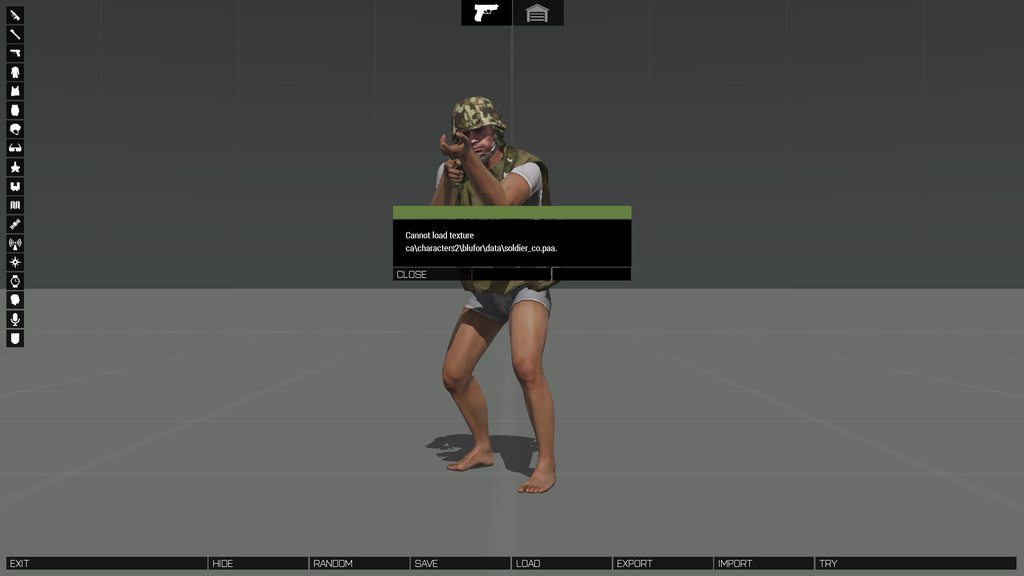
trying to make a uniform item fyi
lethal condor
https://community.bistudio.com/wiki/Arma_Licensed_Data_Pack
Take from here
honest laurel
those are binarized? I wont be able to edit the model then correct?
ive removed the hands from the unit model so that it only incluide the actual uniform part so binarized files wouldnt work for me ;/
lethal condor
No, texture is not
honest laurel
ah, I thought u were saying to take models from that instead of the samples,
you think if I take soldier_co texture from there then it should work?
even if the path is different then what is in the error message?
lethal condor
You take the texture, adjust the texture/material path, then it should work
honest laurel
chuck it in data folder like every other texture?
lethal condor
Yes
honest laurel
ok, when its dowloaded ill try it
ive extracted the textures directly from the A2 local files and tried the same but that didint work but I'm not sure if they are the same
lethal condor
Huh, then you don't need to download the same pbo
It just couldn't find the texture in the given path
honest laurel
yea one sec I think i did it wrong
trying again
er no i couldnt get it to work
no matter what path I tried, ca\characters2\blufor\data\ or the path for my own mod
lethal condor
How do you assign your texture path? And where is your texture?
honest laurel
the texture path for my mod is "\CUP_Units_CDF_Uniform\data\soldier_co.paa"
my texture is in the data folder
lethal condor
Then assign your model's texture path so
honest laurel
ah, is that rvmat file?
lethal condor
A paa is not a rvmat
honest laurel
no but to assign the texture path
for example this is the first part of CUP vest.rvmat
ambient[] = {0.5,0.5,0.5,1};
diffuse[] = {0.5,0.5,0.5,1};
forcedDiffuse[] = {0,0,0,0};
emmisive[] = {0,0,0,1};
specular[] = {1,1,1,1};
specularPower = 150;
PixelShaderID = "Super";
VertexShaderID = "Super";
class Stage1
{
    texture = "CUP\Creatures\People\Military\CUP_Creatures_People_Military_CDF\data\cdf_vest_nohq.paa";
    uvSource = "tex";
    class uvTransform
    {
        aside[] = {1.0,0.0,0.0};
        up[] = {0.0,1.0,0.0};
        dir[] = {0.0,0.0,0.0};
        pos[] = {0.0,0.0,0.0};
    };
};
class Stage2```
and you can see texture = # there, is that what ur referring to?No, I've refer to the texture path for the model. Bring up your p3d, select the faces, press E (Or Ctrl+E, I don't remember), select/edit texture path
honest laurel
ooh
okay ive never had to do that thats likely my issue lol
thanks will try it now
honest laurel
honest laurel
ooh
okay ive never had to do that thats likely my issue lol
thanks will try it n...
i think is still not working
though tbh I've only double checked
full quarry
honest laurel
i think is still not working
though tbh I've only double checked
Do you have P drive set up?
honest laurel
dont think so
full quarry
that would be the problem then
the tools are made to work with P drive development environment
honest laurel
right, ive succesfully done a vest and helmet just not a uniform, does that change anything or is this purely for uniform creation
full quarry
if you have to refer to external data it has to be in its right place
honest laurel
refer to external data under what context, like models and textures? if so in my config im only referencing .paa and .p3d files in my own mod folder at this point
full quarry
it helps to see the exact paths when everything is set up right
honest laurel
right im not exactly sure what your referring to sorry.
honest laurel
full quarry
Do you have P drive set up?
so this probably isnt the most relevant channel but but ill just follow through
i've got a P: drive shown in my file explorer now, is that that an indication that everything is set up correctly?
important to note its a mirror of my main drive, I wasn't sure if that would be an issue since my mod files are all on a portable HDD
stray relic
honest laurel
so this probably isnt the most relevant channel but but ill just follow through
...
Not entirely correct. You want the P drive to be a shortcut to the folder in which you'll be making your mod development.
So for example, if your portable HDD is E:, and you have a folder on it for modding called E:\ArmaModding, then your P: drive should be a shortcut to that folder.
full quarry
the work directory can be on C: too but its not recommended as it can take a hefty chunk of space
as in C:\armaWork that would be linked virtual to P drive
you dont want your whole system be exposed on the P drive
stray relic
He's already told us where his files are
stray relic
So what I said then 😉
full quarry
yis
honest laurel
stray relic
Not entirely correct. You want the P drive to be a shortcut to the folder in whi...
have any good guides to setting up aa p: drive? have looked at the wiki but it is not terribly
descriptive
stray relic
honest laurel
have any good guides to setting up aa p: drive? have looked at the wiki but it i...
Run Steam Arma 3 Tools.
Preferences > Options
set Path to Arma 3 directory (where the arma3 game exe is installed)
set Path to your P Drive (your Arma modding work folder)
Register.
Click Project Drive Management button.
Mount the work drive P > Run.
Extract Game Data > Run.
Optionally Prefences > Mount P drive on startup
honest laurel
alright, I've got a P drive which is an exact mirror of my modding folder right now, game data has been extracted into a A3 folder inside it
not sure if it would effect anything but I've set the path to my P drive to be my entire modding folder, not any specific individual folder with data/config etc inside of it
not sure if that would be an issue but thought I would mention it.
also I assume that when using addon builder I should now set the Addon Source Directory and the Destination Directory to the versions inside of the P drive as opposed to my original drive?
https://imgur.com/a/HGSTZ2Q also while I'm here may as well ask about this? I'm not sure if its a property of the model or from something else but I wasn't able to find anything on it unfortunately
 steel talon
Does anyone happen to have a retexture template for the Kajman and Nyx?
 west steppe
can anyone help with changing the camo on a texture in substance
 young patio
HOWDY YALL im brand new to this modding gig and im having trouble with my textures namely i have no idea how to make:
Normal maps
Shadowmaps
or
Rvmats the few vids ive watched online dont seem to apply to what im doing. my major questions are:
- how do you go about making a normal map? (ive seen one guy bake it in blender and another do it by hand in GIMP)
- How do you go about making a shadow map (ive only ever seen a guy bake it on blender but the tutorial wasnt a tutorial more of a demonstration)
- What exactly is an RVMAT and what do i do with it?
im getting pretty confident with the rest of this modding stuff but the textures are really spinning me out and stressing me if im honest. any help for a newbie would be greatly appreciated cheers all!!
full quarry
You can find general texturing tutorials and guides online for the tools you have available
Common method today is creating the high poly detail model where the details are then baked on second lowpoly game usable model
This process can produce all the necessary textures you could need.
Rvmat is a text file that contains definition for what shader a surface uses and what technical textures are used in that shader. There are more details on that on the BI wiki
young patio
full quarry
You can find general texturing tutorials and guides online for the tools you hav...
what about shadows and shading ive been told my textures look flat (100 percent true they do)
how would i go about adding shadows and definition to it? im guessing thats what shadow maps do?
full quarry
I'd wager if you dwelve into the texture making tutorials such things become apparent
young patio
aight ill give it a go, right now im commiting texture crimes
all my textures overalp
*lap
and its just hideous
so really want to step it up as my models look great but the skins applied are ugly
full quarry
I'd recommend walking through some basic tutorials and forgetting about arma specifics for a while
The Arma specifics become a lot more easy to understand once you understand texturing workflow in general
young patio
alright cool thanks for the help
full quarry
Blender can do whole highpoly lowpoly workflow.
Some like use substance painter as it can be faster to work with, but comes of course with a cost.
dense peak
Hi I need help with some retexturing
or to be specific adding a color on a beret hat and changing color of an M1 Helmet
full quarry
dense peak
or to be specific adding a color on a beret hat and changing color of an M1 Helm...
Is there something specific about the process you are unsure about?
dense peak
Yes I just started ARMA 3 last month, and I know next to nothing about these stuff
and do not even know where to get started
However what I want is fairly simple which is basically
- Adding a unit insignia to a beret hat
or
- Painting a green M1 Helmet to color tan
@full quarry If you can help me get started here that will be very great
young patio
full quarry
Blender can do whole highpoly lowpoly workflow.
Some like use substance painter...
ive picked up armor paint as it was relatively cheap and has alot of the same functionality as substance painter but based on the blender framework.
Just got to learn that framework.
full quarry
Indeed it has similar features and should be good tool too.
full quarry
dense peak
However what I want is fairly simple which is basically
1) Adding a unit insign...
While you may think it sounds simple it's not quite as simple. I got some stuff to do but perhaps someone else can point you to right direction to where start with retexturing.
The BI forums might have some useful info on that
olive gale
does anyone have something similar to a takistan pattern
 near warren
is there a way to make something glow? I've only ever done PNG to PAA stuff. I'd like if I could have emissions though :P
severe rune
yes, using the .rvmat material
near warren
why do I have a missingnome
severe rune
Well its atleast not as easy as making a retexture.
How did you use custom textures? like, on billboards, or setObjectTexture, or mod configs?
near warren
Err- UserTexture sign, so i guess billboard
Should I restart the game to refresh the image? Ie, if I change the image and restart the mission, not application, will it have issues?
ah, seems like it
severe rune
On some things (not billboard, but User Texture object works) you can also set material
there you need to set a .rvmat material.
And SuperExt materials let you set a emissivity texture
olive gale
hello I need an opinion for some textures I made where can I post them
lethal condor
imgur
olive gale
and then post the link here?
lethal condor
Ye

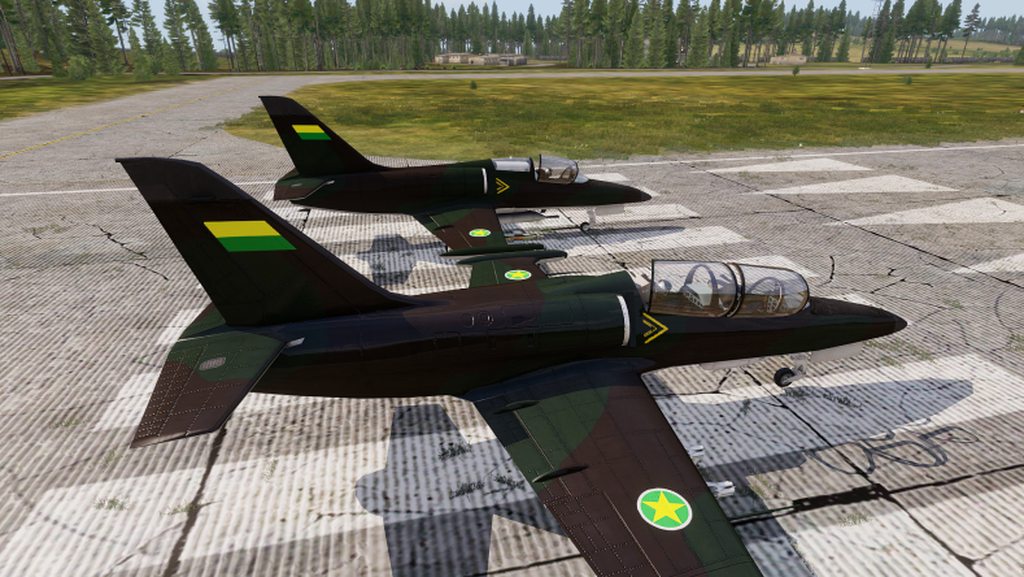 dense peak
where do I find the files of the arma 3 person texture?
olive gale
you mean face?
dense peak
olive gale
you mean face?
you know like the shirt the characters are wearing?
uniforms
dense peak
olive gale
I think they are in samples





 olive gale
in steam type arma 3 in the library search bar
you'll see arma 3 tools, arma 3 samples
dense peak
olive gale
you'll see arma 3 tools, arma 3 samples
oh got it
dense peak
olive gale
in steam type arma 3 in the library search bar
how do I view the samples? I clicked launch and nothing happened