#linux_mac_branch
1 messages · Page 4 of 1
 clever verge
 noble kelp
clever verge
yet you're the one complaining, i told you a solution to the problem
you defini...
noble kelp
clever verge
yet you're the one complaining, i told you a solution to the problem
you defini...
what?
so your solution to this arma thing is to sell my mac?
I got a mac not because I want, it's my work computer.
Yeah, wait, I'm going to sell my computer cause a game that was supposed to work on mac, eventually it doesn't.
man, let's stop arguing. I love the game, i play it almost every day. I'm just frustrated I won't be able to play it for a month. that's it
 astral nebula
clever verge
yet you're the one complaining, i told you a solution to the problem
you defini...
astral nebula
clever verge
yet you're the one complaining, i told you a solution to the problem
you defini...
lol
The world is evolving and so are MacBooks.
I just wanted to appear equal to everyone. You should see what I open on my m4 macbook and how many fps I get. I think I get more than you.
I hope we don't have the same problem with Arma4. As I said, as the world develops, the power of MacOS grows.
noble kelp
clever verge
yet you're the one complaining, i told you a solution to the problem
you defini...
just to clarify, this mac thing, it is not about power. My mac is way too overpowered to stand arma 3. it is just, it doesn't work on mac.
 ruby lynx
decided to pay arma3 a visit after a year probably, still looking into stuck temporary zoom and can't unstuck via free head, weapon swap, sight mode change
is it the same on windows for ages and what are the workarounds but rejoining servers and all
 wooden zinc
The update delay situation is certainly not ideal. We considered not listing the game on Mac for that reason (and the other limitations), but then it would stop everyone from getting access. We'd also prefer to blast the limitations page more prominently as a disclaimer, but Steam's options and rules for store pages are limited. Unfortunately, we were even forced to remove the URL recently, so you have to go search them yourself 😦
I can imagine how unpleasant it is to not be able to play on your favorite servers in the interim. If we come across improvements to the situation, we'll consider them. But we have to be realistic about the player base on Mac as compared to our small Live Ops capacity after 12 years. Sorry for the inconvenience, hope you can find some fun with singleplayer meanwhile.
 simple trench
Take a look here if you have problems with input lag or performance when playing Arma 3: https://medium.com/@zedr/run-arma-3-using-gamescope-and-fsr-1-0-2500720edb7d
Medium
A quick guide on getting great graphics and high FPS on modest hardware.
This is the only way I can play online lag free
By lag I mean "the player avatar keeps walking forward for a few seconds after releasing the key when the game is under stress"
 atomic star
Sorry if this has been answered before - is there a time estimate for 2.20 for the mac port?
atomic star
thanks
 meager crescent
I understand the pain people have been arguing about lately (as a Mac user, I can't wait to get access to the update, trust me!) but this kind of behavior will have its toll on next business decisions.
Can't argue that Mac users are the minority (would love to see the real numbers but 99.9% of Win users sounds about right) so it's a clear business decision to continue supporting 99.9% of the player base first. Pretty sure they've already ditched out the Mac/Linux version of whatever the next IP will be (just look at Reforger, think Arma 4...) because of the cost/effort related to maintaining a port version.
Grateful the port is still being worked on after 12 years of dev, long life to Arma 3!
 wooden root
I guess mac will become game platform as well. I bought m4 max and it runs Arma and other games pretty well (some times it even doesn't need cooling).
Anyway, thank you for supporting mac.
 dusk cloud
Linux just runs most Windows games with Proton. 🐧
So there isn't even real need for native Linux version
 subtle sundial
There is another possibility for mac users. Parallels or Crossover. But problem with this solution is Battleye anti cheat software, which cant run on those translation layers. But I heard there are som tweaks, that developer could do to battleye software to be able it to run on translation layer.
Is there a possibility that bohemia can look into it?
 dapper vessel
subtle sundial
There is another possibility for mac users. Parallels or Crossover. But problem ...
dapper vessel
subtle sundial
There is another possibility for mac users. Parallels or Crossover. But problem ...
We already have this feature enabled, linux users under proton can run BattlEye. but BE does not support the same on MacOS.
as for the 2 solutions provided
Parallels is a full Virtual Machine and BE refuses to run on VM's due to the large cheating risk
Crossover could in theory work as its similar to proton for linux but BE doesn't have(and probably won't due to the limited use) the ability to run BE on mac under wine
 plucky nacelle
I don’t understand how everyone seems to be able to launch the game on mac except me
noble kelp
meager crescent
I understand the pain people have been arguing about lately (as a Mac user, I ca...
just saying that apple, considering some latests moves such as "game mode". Seems to be trying to break its way into gaming.
So I believe, it should be consider for future releases. It should not be left behind, the community keeps on growing.
Just an inevitable future.
 pale otter
Hey, does anyone here know any reliable guide to get TFAR to work on linux? Getting Teamspeak is no problem but tfar doesn't want to play ball. I've tried to follow two different guides and they say different things..
One said to basically just enable it through steam, the other to install TS for windows and doing Lots of tricks to get it to work.
I play through steam/proton only, no proton/winetricks. Arma works flawless
 weak wind
Hi, I'm ninelore!
Preamble A few months and improvements to Proton after its first release, i had the first known, good working Arma installation on Linux.
Since Proton 4.11 as good as all tweaks needed to run Arma became obsolete, and it became as easy as never before to play not only Arma and Steam Games, but also non-Steam games because of many Proton improvem...
Might also want to check the ArmaOnUnix discord: https://discord.gg/UbPv2Hyg
pale otter
weak wind
Might also want to check the ArmaOnUnix discord: https://discord.gg/UbPv2Hyg
I will check that Discord!
I've had no problem playing Arma, or getting Teamspeak to work. It's the last step, getting tfar to work that's a problem
weak wind
If you install Teamspeak via the same Proton you're using for Arma (which is what that guide does), it shouldn't be a problem. You'll just need to move the TFAR plugin to the right folder. I had it working before with that guide.
pale otter
weak wind
If you install Teamspeak via the same Proton you're using for Arma (which is wha...
So install TS through steam? I only game through steams proton, no proton/winetricks or the like
weak wind
Use the helper script in the link I sent. You can set the proton version you're using in it and point to the TS3 installation file (for Windows), and it'll install TS3 in the same prefix as Arma.
The link has a detailed guide.
plucky nacelle
plucky nacelle
I don’t understand how everyone seems to be able to launch the game on mac excep...
Let’s try again: used to be able to play on mac before the last update but since then arma crashes on launch. Tried reinstalling and deleting profile, same result. If I turn off wifi, game launches. Nothing odd in terms of firewall. Can somebody help? I’m happy to play in SP
 noble cargo
plucky nacelle
Let’s try again: used to be able to play on mac before the last update but since...
noble cargo
plucky nacelle
Let’s try again: used to be able to play on mac before the last update but since...
Try reinstalling Rosetta.
 gritty sage
plucky nacelle
Let’s try again: used to be able to play on mac before the last update but since...
gritty sage
plucky nacelle
Let’s try again: used to be able to play on mac before the last update but since...
If you are getting crashes, you should also be getting crash logs.
Something like eon.txt?
pale otter
weak wind
Use the helper script in the link I sent. You can set the proton version you're ...
I'll try that! When I ran the helper script a couple of days ago I didn't get any options during the install though
 amber echo
Any news on update?
subtle sundial
amber echo
Any news on update?
Im everyday checking steam page, bohemia website, this discord. I even wrot email to battleye anticheat to ask if they plan to optimize it on crossover. Still no news.
 thin rapids
18
pale otter
pale otter
I'll try that! When I ran the helper script a couple of days ago I didn't get an...
Uodate: I got it to work after actually changing that in the helper script.
Then I had a hard time finding the right tfar-files to move into teamspeaks folder but after a while I found them, and then it worked
 bold oxide
why can't i update to 2.20? on mac (arma 3)
sorry for the ping but im not getting an answer
@warm ingot
 warm ingot
I have no idea, I don’t work on A3. And I would advise not pinging Devs.
warm ingot
bold oxide
why can't i update to 2.20? on mac (arma 3)
But just out of curiosity.. did you read the changelog?
 plucky nacelle
gritty sage
If you are getting crashes, you should also be getting crash logs.
Something lik...
plucky nacelle
gritty sage
If you are getting crashes, you should also be getting crash logs.
Something lik...
Here’s the eon.txt: https://limewire.com/d/4iukj#hAxfnlbUns

LimeWire
Download eon internet on crash.txt on LimeWire
bold oxide
warm ingot
But just out of curiosity.. did you read the changelog?
erm wheres that
 wise canyon
you could also check pinned posts which has an update after the changelog
dusk cloud
bold oxide
sorry for the ping but im not getting an answer
Not dev, but Mac version is handled by other company and it takes some time. It will be released little later
 sterile pumice

bold oxide
dusk cloud
Not dev, but Mac version is handled by other company and it takes some time. It ...
estimate>
 whole glade
How soon will 2.20 be for macos?
gritty sage
#linux_mac_branch message
Here is the info, just read pinned messages.
No there is not any more info than that.
 sturdy wing
question why can my mac friend not play multiplayer with me?
do mac players still need to put in that weird code in order to use multiplayer?
 celest laurel
Likely because Mac is v2.18 while others already got 2.20 update
 undone frost
Is it possible to load mods in Arma 3 for Mac? Specifically an html file?
wise canyon
https://github.com/muttleyxd/arma3-unix-launcher can read html modlist

GitHub
Launcher for Linux and Mac ArmA 3. Contribute to muttleyxd/arma3-unix-launcher development by creating an account on GitHub.
bold oxide
oop wrong channel
undone frost
wise canyon
https://github.com/muttleyxd/arma3-unix-launcher can read html modlist
Thanks
astral nebula
cmooonnnn
 tidal marsh
the last time it took over 4 weeks.. 😦
 dense igloo
 noble kelp
 plucky nacelle
Hey @gritty sage did you take a look at my eon.txt file?
gritty sage
plucky nacelle
Hey <@90532520101183488> did you take a look at my eon.txt file?
sadly there wasn't anything useful in there
We have the Intel Mac version running, but the ARM version has weird freezes that are still being investigated.
Sadly no telling how long that will take, and I don't think it makes sense to publish half a mac update to RC.
 winter lily
someone have problems with framedrops? while moving over about 150km/h otherwise my CPU performance is better but gpu performance sucks (but we already now that)

 vapid comet
subtle sundial
Where is the update
vapid comet
subtle sundial
Where is the update
When the devs finish porting it across; coding an entire update and configuring it via third-party is a time consuming process
plucky nacelle
gritty sage
We have the Intel Mac version running, but the ARM version has weird freezes tha...
Why don’t you let me roll back? I just play SP
gritty sage
plucky nacelle
Why don’t you let me roll back? I just play SP
We do.
We offer a legacy branch
You mean rolling back Mac to 2.16?
Not sure if we also have a Mac specific legacy branch, I'd think we do
wooden zinc
What's the point of rolling back Mac if you only play SP?
https://community.bistudio.com/wiki/Arma_3:_Steam_Branches (check legacymac for 2.16 Mac, or legacy / legacyports for 2.18 Windows)
plucky nacelle
wooden zinc
What's the point of rolling back Mac if you only play SP?
https://community.bist...
The point is to be able to play the game, right now it crashes at startup
I’ll check those legacy versions, thanks
 woeful loom
hello everyone. I have the crash report indicates that the application "ArmA3 AS Native" (version 1.83.0) terminated unexpectedly due to a guard exception related to virtual memory management, specifically a "DEALLOC_GAP" exception with an address size fault. Can someone help me out?
 frozen mountain
If its while moving fast, the issue might be your hdd/ram.
 astral nebula
tik tak tik tak
 astral nebula
dude the summer is ending, is there any development?
gritty sage
Yes, they solved the freeze issue today, but it caused alot worse performance.
But they have found a way to fix it without harming performance (too much), its in testing now.
But not yet clear if there are further issues down the line, as with the freeze it couldn't be tested much yet, but could atleast play a couple hours so seems promising.
 onyx marsh
gritty sage
Yes, they solved the freeze issue today, but it caused alot worse performance.
B...
onyx marsh
gritty sage
Yes, they solved the freeze issue today, but it caused alot worse performance.
B...
Good news. Thank you!
In 2 weeks i will get a vacatiob for 2 weeks. Want to play online with friends 😭
undone frost
wise canyon
https://github.com/muttleyxd/arma3-unix-launcher can read html modlist
What version of Mac is it available on?
 steady magnet
how do I add the code?
wise canyon
undone frost
What version of Mac is it available on?
the precompiled binary in github releases has minos 10.12 so should work with sierra and above. if you're using an apple silicon machine you'll need rosetta to translate x86_64 instructions
noble kelp
hurry up guys, it've been almost a month... world record
winter lily
yup i think so. in windows everything is fine
bold oxide
im getting a new computer rather than mac since i can't be bothered waiting
whole glade
bold oxide
im getting a new computer rather than mac since i can't be bothered waiting
And?
And why have the role mac user if you have windows pc
bold oxide
whole glade
And?
why is your name in russian or smth if YOU can speak english
bold oxide
whole glade
And why have the role mac user if you have windows pc
you can change it anytime
whole glade
bold oxide
why is your name in russian or smth if YOU can speak english
Im not russian
And it's not your business that I have a name
bold oxide
fair
noble kelp
bold oxide
why is your name in russian or smth if YOU can speak english
He’s practicing in arma
bold oxide
noble kelp
He’s practicing in arma
Yeah
 fallow hamlet
Do you have any plans for multiplayer on Mac?
gritty sage
fallow hamlet
Do you have any plans for multiplayer on Mac?
Who is "you"?
Developers, no? Anything specific you're thinking of?
onyx marsh
fallow hamlet
Do you have any plans for multiplayer on Mac?
Me?
I have any plans
fallow hamlet
gritty sage
Who is "you"?
Developers, no? Anything specific you're thinking of?
That's right, in the case of developers, hahaha.
The problem with being able to play multiplayer with players using Windows is, from what I understand, that just doesn't happen because it's still on version 2.18 on Mac. Is that it?
gritty sage
Correct
We have a early build now that should work, it's in early QA test. If that succeeds which it should today or early next week, it'll go to a public beta branch and you can play
fallow hamlet
I'm excited about this, I was really sad when I bought it on Monday and went to play and the multiplayer didn't work hahaha at least the singleplayer is absurdly cool, I'll be able to survive until 2.20 is released
fallow hamlet
gritty sage
Correct
If there's anything I can do to help development, just let me know. I'm exploring the game extensively, and I'm sure I'll encounter some bugs at some point.
Even in the Apple Silicon version, some challenges, vehicles, and maps simply crash the game. Where can I send reports?
gritty sage
I think the only current report channel we have is someone posting it here and us forwarding it to the Mac people, but I don't want to be doing that
wooden zinc
Processing feedback for the Mac version is unfortunately a bit tricky, due to those devs not being in the usual channels, nor working on A3 continuously. The best you can do for non-critical issues is reporting them with as much as possible info / repro to Feedback Tracker. And for critical issues, Discord is probably the best, so we can forward it. Thanks!
dapper vessel
~~Potential known issue: ~~
EF CDLC missing from DLC's, If anyone can confirm if the EF CDLC is available/installing (or not) that would help us.
dapper vessel
dapper vessel
onyx marsh
dapper vessel
Thank you!
whole glade
dapper vessel

 opal nova
why is there a 70gb text file named eon.txt in my arma 3 com.vpltd.Arma3 folder (mac)?
astral nebula
dapper vessel
Thanks arma3 crew!
gritty sage
opal nova
why is there a 70gb text file named eon.txt in my arma 3 com.vpltd.Arma3 folder ...
Thats just the games log, but it shouldn't be so big
opal nova
gritty sage
Thats just the games log, but it shouldn't be so big
that's just from one 90 minute session
sterile pumice
A bad mod spamming rpt every frame be like:
opal nova
Antistasi is the only mod I have enabled
meager crescent
Anyone saw a big FPS improvement over the 2.20 update for Mac? Not much on my side, M4 Max here..
 pale wraith
thx for the update now i dont crash for everything
opal nova
gritty sage
Thats just the games log, but it shouldn't be so big
is there an option to disable logging?
gritty sage
-noLogs command line parameter reduces them a bit.
 pulsar narwhal
Hey @all!
is here anybody who runs TS3 whith acre on linux, in an Proton experimental?
TS3 runs in the Proton-Session but no connection to Acre, dll's are in the Pluginfolder.
weak wind
Are you sure its running in the same proton session as Arma, from the same prefix? I use proton 10, but had it working on experimental before.
 terse scaffold
Hi, I see mac branch has silicon native client. Does it have native dedicated server?
sterile pumice
afaik nope
pulsar narwhal
weak wind
Are you sure its running in the same proton session as Arma, from the same prefi...
Can you give me an explaination, how do you do it?
pulsar narwhal
weak wind
Are you sure its running in the same proton session as Arma, from the same prefi...
Maybe a workaround
wise canyon
terse scaffold
Hi, I see mac branch has silicon native client. Does it have native dedicated se...
I haven’t tried but other arma clients can use -server to launch as dedicated server
Maybe they didn’t want to port the GUI code for the server window 🤷♂️
I can try later today if needed
wise canyon
yep, it crashes when it tries to draw the server window
weak wind
pulsar narwhal
Maybe a workaround
Have you tried this guide? https://9lo.re/project/armaonlinux/
Hi, I'm ninelore!
Preamble A few months and improvements to Proton after its first release, i had the first known, good working Arma installation on Linux.
Since Proton 4.11 as good as all tweaks needed to run Arma became obsolete, and it became as easy as never before to play not only Arma and Steam Games, but also non-Steam games because of many Proton improvem...
clever verge
wise canyon
yep, it crashes when it tries to draw the server window
hc too?
wise canyon
clever verge
hc too?
yes, same
terse scaffold
wise canyon
yep, it crashes when it tries to draw the server window
Yep, me too. 😅
terse scaffold
dapper vessel
Hi. Currently both non-native and native macOS client crash in Server mode (following official guide, here: https://community.bistudio.com/wiki/Arma_3:_Play_on_Mac#Dedicated_Server).
Is it supported and intended to work? Or will it work in the near future?
wooden zinc
terse scaffold
Hi. Currently both non-native and native macOS client crash in Server mode (foll...
Officially these are only experimental Mac client ports, so DS is not supported. But we may try to ask VP to check if it's an easy fix.
wise canyon
Is headless client considered as client port? 🫣
terse scaffold
I jist wonder how Apple Silicon M Series CPU works compared to x86 CPU.
Cause mac CPU has RAM integrated into CPU, which could bring latency shorter than traditional x86 arch.
It could be suitable for memory latency heavy workloads like Arma 3 Server. 🤔
wise canyon
You can run the Linux server via Rosetta, I do that for some of my development. But it requires a Linux VM.
Or you can use Asahi together with one of the translation layers
terse scaffold
wise canyon
Or you can use Asahi together with one of the translation layers
I can't use Asahi cause I am on M4.
clever verge
wise canyon
Or you can use Asahi together with one of the translation layers
asahi is very wip for anything beyond m1 macs and not usable
wise canyon
clever verge
asahi is very wip for anything beyond m1 macs and not usable
That’s incorrect, M2 is almost fully supported as well
clever verge
wise canyon
That’s incorrect, M2 is almost fully supported as well
sorry, im not up to date with their status
wise canyon
Then you shouldn’t post incorrect statements, it’s been supported for quite some time
clever verge
it happens
terse scaffold
wise canyon
You can run the Linux server via Rosetta, I do that for some of my development. ...
What is the architecture of Linux dedicated server? Native Arm or x64?
sterile pumice
terse scaffold
What is the architecture of Linux dedicated server? Native Arm or x64?
x64
wish it was arm, my pi would be happy
terse scaffold
If it's x64, it needs runtime instruction conversion, it could cause huge performance degradation.
terse scaffold
sterile pumice
x64
wish it was arm, my pi would be happy
my mac mini would, too.😂
Then the only way to run Arma 3 dedicated server with optimal performance on mac M4 would be waiting for BI's support. 😅
sterile pumice
realistically, I am fine with bad performance, as the server is pretty much just "check your mods are correct".
We got a beefy one for games, but that doesn't run 24/7 😄
(Once someone get's the server running on a Pi running raspbian, hit me up pls)
sterile pumice
terse scaffold
Then the only way to run Arma 3 dedicated server with optimal performance on mac...
yes
(this is your sign to get a cheapo VPS and run it there anyway)
terse scaffold
(I wish I could run it on mac mini, not for production, just for fun 🤣)
subtle sundial
the new macos version is verry laggy. There is a lot of fps drops.
 floral sail
Anyone else have an issue where upon exiting a scenario, whether a singleplayer one or multiplayer (ex. KOTH), it sometimes freezes on the screen where it shows all the users, the role assignment page?
wooden zinc
We've released update 2.20 to everyone on Mac: https://twitter.com/ArmaPlatform/status/1948012763550203924 🍏
There is a legacy branch available for 2.18 in case of significant issues (do let us know about them with specifics please): Arma3LegacyMac218
📢ATTENTION MAC USERS📢
Our partners at @virtualprog have ported the #Arma3 2.20 platform update for you to play on macOS!🍏
Visit https://t.co/BdQzkTwFOC for all details.

 X
·
steady magnet
wooden zinc
We've released update 2.20 to everyone on Mac: https://twitter.com/ArmaPlatform/...
X
·
steady magnet
wooden zinc
We've released update 2.20 to everyone on Mac: https://twitter.com/ArmaPlatform/...
It still crashes
weak wind
do let us know about them with specifics please
Important bit in Yoris message, they can't do much if you don't provide more information on the crash.
 merry knot
i apologize if this has been asked before already but do vanilla scenarios work through the steam workshop or do i gotta like move those
i despise finder i miss file explorer
plucky nacelle
I get crashes everytime. eon.txt:
NSError in ShaderCache.mm, line 3214:
code: 3, domain: 'AGXMetalG15G_C0'
description: 'Fragment input(s) user(reg11),user(reg6),user(reg7),user(reg8) mismatching vertex shader output type(s) or not written by vertex shader'
wooden zinc
Best would be if you could report to Feedback Tracker with full eon.txt, whether using native or non-native app, which hardware / macOS version specifically, any specific thing you're doing in the game (repro steps), etc. Thanks! 🙏
ruby lynx
if anyone plays it on steam, could you please tell if you had issues with steam overlay displaying? at some point it just stopped working for no apparent reason or feasible fix i could've think of so far
dusk cloud
I use Proton 9 with launch options: DXVK_FRAME_RATE=64 gamemoderun mangohud %command% and Steam overlay works for me. I've just tested it on both X11 and Wayland sessions.
ruby lynx
eh?! why would i lock framerate of any kind?
can't make it work no matter what, tho didn't try this UFO kind of DXVK_FRAME_RATE=64
thanks i guess
nope, no changes
dusk cloud
Try gamemoderun, make sure it's installed
ruby lynx
why? i never seen any difference and it doesn't make sense outside wayland
dusk cloud
I don't have variable refresh rate monitor and Vsync adds input lag. So, to limit screen tearing I lock framerate
ruby lynx
vsync is totally nuked here, 7900xt
ruby lynx
dusk cloud
I don't have variable refresh rate monitor and Vsync adds input lag. So, to limi...
what is your gpu vendor? maybe i got mess elsewhere that arma disagrees to
dusk cloud
Nvidia
dusk cloud
ruby lynx
why? i never seen any difference and it doesn't make sense outside wayland
Apparently most games run on XWayland anyway
ruby lynx
amd recommends x11
but neither of that explains how it works elsewhere and doesn't with arma
if that "new" steam FPS counter thing depends on overlay or must enable itself as a separate thing by hotkey now? since can't manage to enable it as well, just to try stuff around it
dusk cloud
I think it does depend on overlay
ruby lynx
welp tried it all as per combinatorics, without any mods or launchers as well on at least couple of past proton experimentals
thanks man
another question is if there is any reason arma3 doesn't have a selection for fixed output device? i observe it "jumping" to the output sink despite it is not default, even when selection is clear and nothing gets plugged/unplugged/faulting
dusk cloud
Output screen? I don't have multiple monitors
Replaced launch params by -nolauncher and still have overlay
ruby lynx
no, the audio device
 hollow haven
Hi macos users! Is there any solutions for TFAR/ACRE TS3 plugin on mac? i just surrender...
clever verge
hollow haven
Hi macos users! Is there any solutions for TFAR/ACRE TS3 plugin on mac? i just s...
not a native one, extensions are yet not supported
hollow haven
Crap:( ok, trying to find party without TFAR needing
clever verge
hollow haven
Crap:( ok, trying to find party without TFAR needing
you want to find a group that caters macos users
hollow haven
clever verge
you want to find a group that caters macos users
Any advices?
wise canyon
clever verge
you cant even use ace, one of the most common mods
GitHub
When merged this pull request will:
title
close skip Linux server extension dll not installed message #4253
clever verge
wise canyon
https://github.com/acemod/ACE3/pull/4254
oh okay, but that means no extension functionality, right?
 stark rivet
how do i play arma 3 on macbook?
right now im playing it on a 14 day trial on crossover, but batteye keeps kicking me, is there a way to fix that or should I try to play arma 3 on a different application?
every time i load into a online server, for example mike force in sog prarire fire, it always says battleye has kicked you (restart game), but every time i restart my game it doesnt work every time
dapper vessel
stark rivet
right now im playing it on a 14 day trial on crossover, but batteye keeps kickin...
CrossOver is not supported by battleye, we do have a MacOS port tho
stark rivet
dapper vessel
CrossOver is not supported by battleye, we do have a MacOS port tho
Can you send it to me?
And do you guys have a tutorial so set it up?
dapper vessel
if you download the game on steam on mac it will download the port
stark rivet
Ok
Is this new?
I remeber downloading arma like a year ago on my Mac and it didn’t do that
Also thanks
dapper vessel
Also since you're trying to play SOG you'll be running mods/cdlc
you'll need this guide https://community.bistudio.com/wiki/Arma_3:_Play_on_Mac since the launcher doesn't run on mac
stark rivet
dapper vessel
Also since you're trying to play SOG you'll be running mods/cdlc
you'll need thi...
ok
ty
 elfin locust
Heya, anyone else having a problem with the mac port and voice chat?
There seems to be a 10% chance every time I end my push to talk that Arma freezes up completely on me
Seems to be a common issue by the looks of online forums, but haven't found a working fix anywhere
wooden zinc
It's unfortunately a known issue that's not yet been fixed. If it happens to you again, getting the reports (eon.txt) and any specifics that happened leading up to it would be great.
elfin locust
wooden zinc
It's unfortunately a known issue that's not yet been fixed. If it happens to you...
Got it, cheers - it happens semi-consistently when i'm in a full MP server (110 players KOTH for example) and use push to talk and then, after talking in the side channel, press caps lock to end it - would ya mind letting me know the path for eon.txt? can't find it on the filesystem
elfin locust
Something to note might be that the sound system seems to cut out for a moment 1s after every time I use or end ptt
 serene laurel
Is it possible to download mods and play on big servers in iMac?
clever verge
serene laurel
Is it possible to download mods and play on big servers in iMac?
the workshop mods are already downloaded by steam, you just need to find them and put it in your -mod= launch option
see the wiki page for arma 3 on mac for instructions
you won't be able to play mods that use extensions
wooden zinc
elfin locust
Got it, cheers - it happens semi-consistently when i'm in a full MP server (110 ...
Sadly I know very little about Mac personally. Please could someone here write a quick post on how to fetch Mac (crash) reports? Then we can pin it too. And we can put it to https://community.bistudio.com/wiki/Arma_3:_Play_on_Mac as well 🙏
dapper vessel
If you’re running into any crashes on Mac, please DM me your eon.txt file (found here:
~/Library/Application Support/com.vpltd.Arma3/eon.txt) and I’ll forward it to our external partner for them to look in to it.
@elfin locust see above message on how to get the eon.txt file
dapper vessel
dapper vessel
If you’re running into any crashes on Mac, please DM me your eon.txt file (found...
elfin locust
Awesome will do, ty
wise canyon
dapper vessel
If you’re running into any crashes on Mac, please DM me your eon.txt file (found...
macOS application crash logs can be found in ~/Library/Logs/DiagnosticReports
dapper vessel
wise canyon
macOS application crash logs can be found in `~/Library/Logs/DiagnosticReports`
Not sure if we have any use for these  maybe, if a3 even adds a crash report there
wise canyon
It’s handled by the OS
That’s the report I sent dedmen when the game couldn’t even start
You can find those crashes in Console and Xcode application as well
And they show a popup asking if you want to submit the crash shortly after the crash happens
elfin locust
The problem is that it doesn’t crash, just deathfreezes - I suppose I could try forcequitting it and seeing if that gives me a crash report
 proven acorn
Anyone having issues with vram use on Linux? I have a 9070 XT with 16GB of vram, but several times I've had Arma completely fill it and drop to 8 fps
weak wind
Yes. VRAM spikes randomly, FPS drops to single digits, then it goes away. And then it starts happening more and more often until my session completely crashes and restarts the DE.
Then after a restart it usually doesn't happen again, though sometimes it does.
Haven't figured out the cause yet, but it's been annoying. And only happens with Arma, haven't had it with other games.
elfin locust
eon sent over 👍
 languid summit
as far as Im aware, VRAM spikes and general VRAM filling up was an issue that Ive been having for over a year now. Over like an hour or two, my 3080 10GB will fill up and sometimes crash Kwin or plasmashell (KDE). Reloading textures by simply going into settings, selecting different texture quality, wait a couple seconds, return back to normal setting usually does the job, for another hour or so but then it starts again with some pretty massive frame drops.
I have also just noticed that recently(havent had time to really play in 4 months) my FPS is a lot more unstable as well as just lower in general. System stayed the same, only small updates came in. I done a few tests, different Proton versions, different nvidia driver versions and even different kernel versions, all yielded a lower average and more frame drops than I had in v2.18.
Did well over 10 tests with different settings, only saved 4 that I thought were significant. None went over 90fps on YAAB since v2.20 came out
PC specs are:
9800x3D OC at 5.3GHz
RTX 3080 10GB LHR
32GB Corsair 5600MT/s at CL14
Temps are fine, 50-60 for CPU on YAAB
Running on Arch, KDE 6.4.4
 weak wind
Over like an hour or two, my 3080 10GB will fill up and sometimes crash Kwin or plasmashell (KDE).
Exactly my issue, same GPU as well. This past Sunday it didn't happen for the first time in a long time, though probably because I kept getting kicked from the server due to signature issues.
At first I assumed it was because of opentrack, because it started happening after I set it up, but I tested without it and still had issues. Haven't investigated further.
languid summit
I just set up a macro to do the shift+numpad_minus and type flush for me. Press it, wait 5 seconds and its back to normal.
Only real issue after that is laptop screens are totally blank white textures. Such as the one in KOTH server spawns
dapper vessel
languid summit
as far as Im aware, VRAM spikes and general VRAM filling up was an issue that Iv...
What are your command line parameters? 2.20 had some changes that could result in worse performance with certain params/values
languid summit
Skip intros, huge pages, mimalloc. Thats all
Set by steam, as sometimes the launcher reverts back to default state but the params carry over every time
sterile pumice
languid summit
Skip intros, huge pages, mimalloc. Thats all
Set by steam, as sometimes the laun...
Mimalloc on Linux?
Ah, forgot. Custom allocators are ignored on Linux, but native server.
Proton 
languid summit
Ignored? Thought they worked? I think when I still had my 5800x I actually averaged out 3fps better on YAAB over like 7-8 tests on mimalloc versus intel tbb4. So would be surprised if they didnt work. But then again I didnt dwelve too deep into it
sterile pumice
languid summit
Ignored? Thought they worked? I think when I still had my 5800x I actually avera...
On server yeah, no idea how proton handles that. But probably works. I forgot it's not native 
languid summit
Im not talking about server, talking client performance
For server Ive got a seperate pc so performance isnt really an issue when all an i5 10400f does is run NAS and the arma server lol
 cosmic lintel
recently had to make the switch to linux mint because my main ssd with windows fried itself and i only had a usb with linux on it, and im noticing that my frames feel ALOT lower than the fps im actually getting
just wondering if anyone knows a fix for it
ruby lynx
cosmic lintel
recently had to make the switch to linux mint because my main ssd with windows f...
your specs could help to figure, maybe
there are indeed amd rig moments such as described, often influenced by module/driver load options and some firmware versioning, outside of correctness of environment from mesa/vk/etc perspective
not only with arma i mean
languid summit
Mines exactly the same with 9800x3D and 3080. Happens with diff driver versions, diff kernel versions, diff proton versions. Only in arma, not any other game. So it is an arma issue unfortunately, as even Windows users encountered an issue recently in the C4G discord
Stuttering is a lot more frequent and harsher. Fps is lower overall. Went to an older arma version where I ran YAAB, same drivers, same kernel, same proton version and fps was 20% still. Its a weird issue
cosmic lintel
ruby lynx
your specs could help to figure, maybe
7900xtx with a 7900x, havent tried other games yet but i will when im back home
cosmic lintel
languid summit
Mines exactly the same with 9800x3D and 3080. Happens with diff driver versions,...
i can now confirm it 100% is a arma problem
played cs with no issues
 lyric knot
sorry i missed that ill move it over there thankyou for the h elp.
 next trench
I installed all the RHS mods and only the RHS mods (each faction - 5 of em, and the campaign faction replacements to make them all use RHS guns, to do a single player playthrough) and it comes up with errors every time I start and every time a vehicle enters the scene with some missing bin config turret rotation cfg ..
No entry 'bin\config.bin/CfgVehicles/I_G_Offroad_01_F/Turrets/CargoTurret_01.maxHorizontalRotSpeed' for the main menu vehicle
If I do the tutorial, it comes up for the helicopter flyby and the tank for their configs.
took me ages of removing all the mods down to the bare minimum and its these that are the problem, fresh install, this is really pissing me off
anyone know what this might be? Is this a linux path issue? (bin \ config.bin / /)
next trench
Seems this is a deep issue that affects most RHS mods as I cant just remove the problem ones, as it seems like they all have it
next trench
with no mods - game starts with no errors, campaign starts with heli arriving with 1 passenger on sideboard, soldier jumps on and you have the 'board' option available
add 2 mods, RHS US faction, and US Army Overhaul [RHS] - restart game, get 'No entry bin\config etc for Light_Heli CargoTurret_01' and the arriving heli has no passenger, and the soldier that jumps aboard just wanders off instead. There is no option for you to 'board' available either, soft locked
wise canyon
next trench
I installed all the RHS mods and only the RHS mods (each faction - 5 of em, and ...
Are you using the native Linux port? It’s very outdated and has been replaced with Proton that supports the latest version and mods
next trench
no, latest version.
it seems that its the rhs conversion mods that make base game factions use rhs are all the ones breaking the game
wise canyon
That sounds likely, when were they last updated?
 terse rain
would i be able to download ARMA 3 on an M2 MACBOOK AIR
its a 2013 game so it wont run that bad
next trench
Isn't a M2 an ARM chip? Like, thats the kind of CPU you have in a mobile phone ?
recommended system requirements are like a 7 or 8th gen intel cpu and a geforce 1060/1070 series
even if that mobile phone tier CPU was fast as batman out of the batcave it wouldnt run it because its ARM architecture, software for pcs are intel x86 architecture, so it wont run
terse rain
next trench
even if that mobile phone tier CPU was fast as batman out of the batcave it woul...
it runs
and it runs fine
but the issue is that im getting a BE initialization failure
next trench
if u want help, you have to provide more info
wooden zinc
Isn't it simply due to the native port not supporting BE, whereas the other ones does? Which port version are you selecting in the Steam launch options?
wise canyon
yes, the regular non apple silicon binary supports battleye
floral sail
Is there a way to self-host/headless on mac to use multi cores?
wise canyon
floral sail
Is there a way to self-host/headless on mac to use multi cores?
No, it crashes when it tries to display the server/headless console, #linux_mac_branch message
terse rain
can someone help me please?
everytime i load in arma this happens
\Users\ (my name) \Library\Application Support\com.vpltd.Arma3\GameDocuments\Arma 3 - Other Profiles\sentarcart(profile name).Arma3Profile, line 132: '.0': ';' encountered instead of '='
im on a mac
also i keep getting BE error
wise canyon
Easiest fix is to remove the broken profile
terse rain
I cant even get into the game though
and i dont know the file location because its not even in application support (i cant find com.vpltd.arma3)
am i able to remove it through properties
I am also getting BE initialisation errors
holy crap
i fixed it
sterile pumice
By removing the broken profile?
terse rain
sterile pumice
By removing the broken profile?
i removed all of my files *profile files
and for some reason
when i rejoined the game
they were there
 spring ibex
W
Anyone on MAC tryna run some games?/ can Mac users play with pc users w team speak or amt?
wise canyon
spring ibex
Anyone on MAC tryna run some games?/ can Mac users play with pc users w team spe...
no teamspeak with ACRE or TFAR, mac does not support native extensions
spring ibex
So that means most unit operations we can’t play right?
Because the in game chat doesn’t work either for me
 hard breach
hey guys this is the best video i found for downloading mods on arma 3 for macs its straightforward
https://www.youtube.com/watch?v=XpXwcI4ju3A
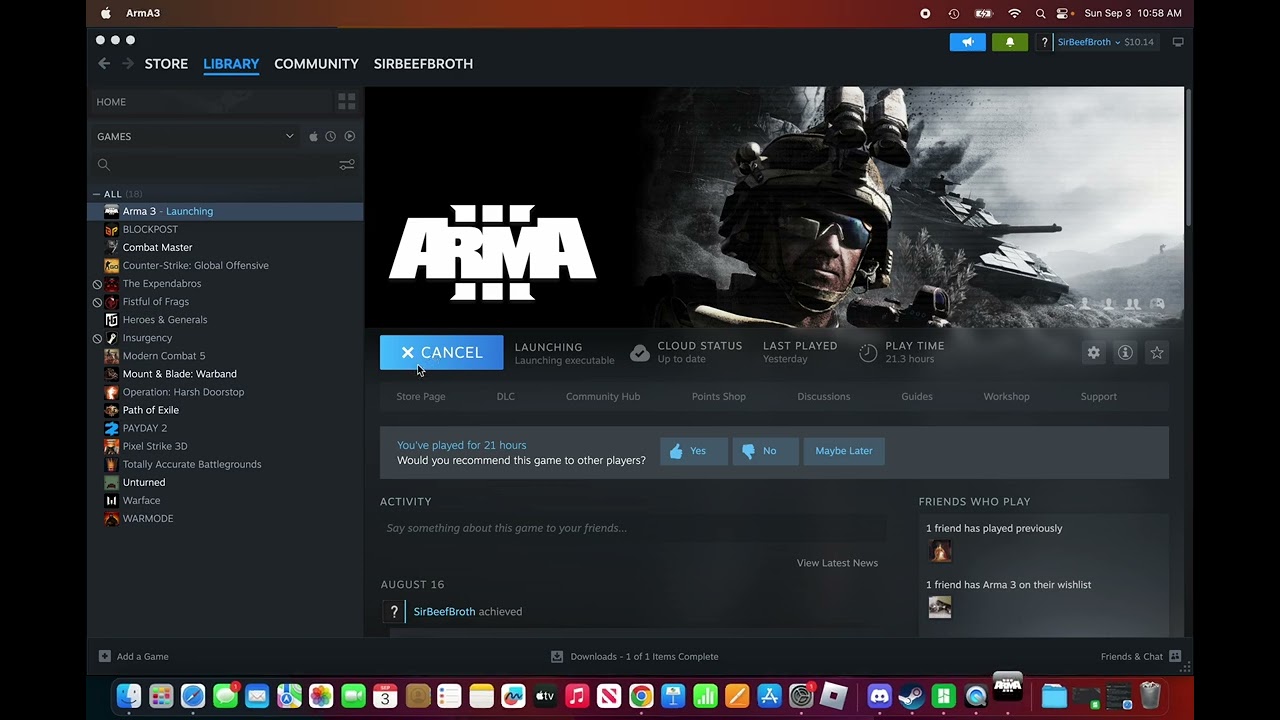
Disclaimer: Make sure to download all the mods before you play Scenarios.
terse rain
Hi can someone help me
i cant download antisasti on mac
and i want to download a graphical mod
please help
i have been trying to get this game fun and i dont want to waste my money
dapper vessel
terse rain
i cant download antisasti on mac
i cant download antisasti on mac
why not? without knowing the exact issue nobody will know the solution
and i want to download a graphical mod
download using steam workshop then use this guide: https://community.bistudio.com/wiki/Arma_3:_Play_on_Mac to learn how run the game with mods (or use the Unix Launcher mentioned on that page)
terse rain
dapper vessel
> i cant download antisasti on mac
why not? without knowing the exact issue nobo...
thanks
 potent solstice
sup, just wanted to check if reforger runs on linux (because of the anticheat)
clever verge
potent solstice
sup, just wanted to check if reforger runs on linux (because of the anticheat)
you're in the arma 3 category
languid summit
Yes it runs, I run in arch both experimental and official
potent solstice
languid summit
Yes it runs, I run in arch both experimental and official
Thanks
potent solstice
clever verge
<#976019210587217981>
Bro that’s normal questions and not the Linux Mac branch
Press ctrl f in this channel and look for reforger, tons of ppl write bout reforger here
clever verge
potent solstice
Bro that’s normal questions and not the Linux Mac branch
since there isn't, you ask there
potent solstice
Ima be honest just stop making ppl life’s hard and work on other things expect checking channels here
 stable brook
I can't figure out how to get the launcher version on steam, can someone help me?
weak wind
Use Proton 9 or higher.
stable brook
weak wind
Use Proton 9 or higher.
This works for mac too right?
weak wind
No, sorry, for Mac I believe you'll have to use the unix launcher.
stable brook
weak wind
No, sorry, for Mac I believe you'll have to use the unix launcher.
Figured. It kept saying Unix Launcher is damaged and cannot be open
weak wind
Yeah, sorry, for Mac I can't be of much help. There are others here running it, though.
clever verge
stable brook
Figured. It kept saying Unix Launcher is damaged and cannot be open
unquarantine it using the terminal
 stone leaf
unix launcher broken?
 tacit rampart
Greetings,
I'm currently troubleshooting Arma 3 on a relatively fresh install of Bazzite; after some drive formatting issues earlier today and switching over to Proton 9.0, I've managed to get the launcher mostly working, aside from the fact that the launcher doesn't seem to be able to find my Steam Workshop mods.
I managed to track down the problem, that being that the Workshop mods are A) not downloaded to where the launcher thinks they are, and I can't seem to change the directory, and B), the folders don't seem to be named properly like they were on Windows; they've all been given numbers; the arma folder has been given the number of 107410 which is the steam app ID, and the folders for workshop mods all have the numbers correlating to their Steam page.
if anyone could offer some advice or point me to some documentation that would help me figure out what's happening and how to fix it, I'd appreciate it. I've been stumbling across fixes all day, and to be honest, nothing I've been able to find thus far has been particularly helpful, including the Unix launcher.
tacit rampart
tacit rampart
Greetings,
I'm currently troubleshooting Arma 3 on a relatively fresh install of...
disregard please, I'm a twit that was pressing the wrong button
so this is how my day's been going
 strong python
I'm trying to import this modlist from my friend and the launcher is just closing on it's own? or crashing? It also does that when i push the "open mod in folder" button too
i have no idea what's wrong
 ruby umbra
A discord user 'Ben' on the Antistasi Official Community discord posted these steps to get Muttleyxd's launcher working on Mac devices:
Link to message on that discord: https://discordapp.com/channels/449481990513754112/449657569057964053/1424612864072749056
Can anyone confirm this is easier than the given guidance for Arma3 Unix/Linux launcher install? I don't have a Mac device myself. (And never will sell my soul to that) But I figured it would help people here get around the issue of code siging if that is a roadblock.
Download the Arma 3 Unix Launcher.dmg from https://github.com/muttleyxd/arma3-unix-launcher
- Double click the Arma 3 Unix Launcher.dmg, and drag the App to the Applications folder.,
Click the magnifying glass icon in the upper right corner of your Mac screen, and search for the Terminal app.,
In Terminal, paste the following:

sudo codesign --force --deep --sign - /Applications/"Arma 3 Unix Launcher.app"
,
Now you can open and run the Arma 3 Unix Launcher.dmg,
From there, use the launcher like it is intended.,

TL:DR for idiots
Problem: Apple Silicon has a higher mandatory security process where they look at the signature of the app. It will not let you open apps without trusted signatures. Running this code applies the signature, and should ONLY be done when one is sure that the app is safe.

Solution: Running the code applies the signature as deep as possible and necessary in the app, so that the Silicon security does not flag it.```unquarantining should work well too
strong python
strong python
I'm trying to import this modlist from my friend and the launcher is just closin...
still doing this. If i set it to proton 9.0 it doesn't even open the launcher
subtle sundial
Hello, I just wanted to thank developers for coninous support for macos. I played it today and its. running great.
tacit rampart
Any chances of a TFAR plugin compatible with the Flatpak version of TS3 for linux systems? I figure the fact that there isn't one already means that it's more complicated than just re-compiling the code, but figured I'd ask on the off chance that one exists and I just can't find it
sterile pumice
Nope
tacit rampart
aye then
 silent comet
i have a mission that i wanna open on my mac but it is currently a pbo file, is there a good pbo manager for mac?
 valid shell
does anyone have experience with tfar for linux? I followed the 9lou torial and have the tfar plugin enabled in ts, but it says that im not connected to the game
wise canyon
silent comet
i have a mission that i wanna open on my mac but it is currently a pbo file, is ...
there are a couple of tools that work on mac, https://community.bistudio.com/wiki/PBO_File_Format#Open_Source_PBO_Libraries
tacit rampart
valid shell
does anyone have experience with tfar for linux? I followed the 9lou torial and ...
you're starting the windows version of Teamspeak from the proton layer you use when you look at a mod's local files, right?
valid shell
tacit rampart
you're starting the windows version of Teamspeak from the proton layer you use w...
yeah, its the ts that is run by the Arma3Helper script, and are both running the same version of proton
tacit rampart
valid shell
yeah, its the ts that is run by the Arma3Helper script, and are both running the...
what version?
valid shell
9
valid shell
yeah
valid shell
nope, only 9
tacit rampart
hmmmmm
so
I don't think I'm familiar with the tutorial you used, but I can link the one that I used; you may find some differences
if you find some, I recommend trying a reinstall; that might fix your problem. This was the tutorial I used for an installation on the desktop distro of Bazzite with Arma 3 on its own drive that used to be my win10 drive lol
https://www.youtube.com/watch?v=L1Uhaq7YHCM
he does mention; boot TS3 before launching arma
valid shell
ill give it a shot
valid shell
tacit rampart
if you find some, I recommend trying a reinstall; that might fix your problem. T...
it worked, thank you so much
tacit rampart
Unrelated; has anyone ever had an issue getting Arma 3 Tools to boot on Linux? namely the menu with all the tools, like texview, image to paa, those are what I'm after. Found a way to boot tools through the same way Teamspeak is meant to be booted, but can't get any of the apps to run aside from the ones that steam can launch as an option.
tacit rampart
I've used that one before, it's not the most reliable and won't reverse the conversion
I tried to get the PAA plugin for GIMP working as well, but that went about as well as could be expected in the time I had to do it. If I can't get the tools working, I'll probably try to recompile the source code into something linux can read; IF I can figure out how to do it
 hollow sentinel
Downlaoed Arma 3 for Mac loading up first tiem and it says Bttel eye installaitio n failed. I used to play this few months ago..
 high arch
can anyone help with launching arma3 AS native on mac m4?
Ive tried both emulated and native apple silicon, also reinstalled the game, but getting issues with metal upon launching "E.MetalCachePrecompilation"
Translated Report (Full Report Below)
Process: ArmA3 AS Native [36988]
Path: /Users/USER/Library/Application Support/Steam/*/ArmA3 AS Native.app/Contents/MacOS/ArmA3 AS Native
Identifier: com.vpltd.Arma3
Version: 1.84.0 (20241031.1)
Code Type: ARM-64 (Native)
Role: Foreground
Parent Process: launchd [1]
Coalition: com.vpltd.Arma3 [33029]
User ID: 501
Date/Time: 2025-10-27 20:19:03.7487 +0700
Launch Time: 2025-10-27 20:19:02.1252 +0700
Hardware Model: Mac16,5
OS Version: macOS 26.0.1 (25A362)
Release Type: User
Crash Reporter Key: 52C5791A-86B1-1B3D-8B66-68E8B1D2224A
Incident Identifier: 74AA4A97-E791-4050-845A-48CF34862444
Sleep/Wake UUID: 3F84430C-57D8-4B01-9696-F643BF3E7F8C
Time Awake Since Boot: 35000 seconds
Time Since Wake: 33778 seconds
System Integrity Protection: enabled
Triggered by Thread: 6 E.MetalCachePrecompilation
Exception Type: EXC_CRASH (SIGABRT)
Exception Codes: 0x0000000000000000, 0x0000000000000000
Termination Reason: Namespace SIGNAL, Code 6, Abort trap: 6
Terminating Process: ArmA3 AS Native [36988]
high arch
seems to be related to latest metal on osx Tahoe
hollow sentinel
Im on tahoe but i can launch play bootcamp, i jut have battle eye inizatalition fail upon launch
high arch
Interesting, did you need any extra setup for Tahoe?
Battle eye failing is expected for the non-windows version
Did you use the Unix launcher or just via steam?
high arch
and one last wuestion - are you using a m4 chip?
wooden zinc
Our porting partners also just confirmed they can run fine on Tahoe (M1 though). Have you tried Steam file verification (if that's a thing on Mac)?
high arch
yes, I've tried both verifying the files and re-installing. I worked through a few debug steps with Metal and Xcode and things working as expected there. can confirm that Metal Toolchain component is installed (v 26.0.1).
Arma3 still crashes on launch 100% of the time, both for AS native and x86_64 via rosetta.
Have tried clearing Metal caches as well.
I'm thinking now that this may be an issue with the current M4 hardware / driver - I haven't seen any other 3rd party validation on M4 and the crash report shows the issue is with the Metal render pipeline validation, specifically "validateWithDevice"
 young owl
I had the same problem as well back in ArmA 2, except every time I start driving a HMMV it gets a little crappy in FPS. Most likely it is the fact that your PC/Laptop isn't fast enough to process and load buildings as you get closer to them. The best thing to combat the problem, is to disable antializing and lower the view distance, view shadows and view objects. You may also want to double check if I am correct by having yourself hit by explosions from an attack chopper (because particles are also heavier to process and load, so FPS may drop when you start getting shelled by explosions).
hollow sentinel
]well im m3 pro and it works jsut not able join online severs, heard about its teh tutorial but i cant be botehred to play thourgh all that.. used to work
hollow sentinel
I got it working . I had to allowed the steam and arma 3 as an allowed app under privacy &security>Accesbility then went to allowing them both under privacy &security> Full disk access. Thought laucnhing and it goes fullscreen i can swithced out, swithc desktops it bugs into game only tthing you can see and use...
Just laucnhed via Apple Silicon experiemental, trying get the fullscreen not enabling me to tab or swtihc desktops though..,
 pallid orchid
Got a couple reports that on mac, the CT_WEBBROWSER causes CTD. Will try to get logs/dumps.
high arch
hollow sentinel
I got it working . I had to allowed the steam and arma 3 as an allowed app under...
I tried this, enabling full disk access for arma3 and steam, but still crashing on launch with “E.MetalCachePrecompilation” for Arma3 AS / M4 / Tahoe
high arch
Hi @wooden zinc just wanted to follow up on your last comment - is it possible for the porting partner to validate the ARMA3 mac port is running on Apple m4 hardware - Im not sure if I should persist trying to get it to work or if this can be confirmed as a bug / build issue with the macport version
high arch
the shared compilation issue is resolved now - I deleted the pre-existing .dat file:
"~/Library/Application Support/com.vpltd.Arma3/eONprecompiledShaders.dat"
 alpine crater
potent solstice
Ima be honest just stop making ppl life’s hard and work on other things expect c...
alpine crater
potent solstice
Ima be honest just stop making ppl life’s hard and work on other things expect c...
#reforger_linux you're welcome
gritty sage
high arch
Hi <@225571057145217024> just wanted to follow up on your last comment - is it p...
It is WIP.
And should be solved by the next game update (at least a few months away still)
high arch
gritty sage
It is WIP.
And should be solved by the next game update (at least a few months a...
Thanks, I managed to solve my issue (see previous post). Working on M4 max
 topaz anchor
hey guys. ubuntu, linux user here. just got a new laptop and installed steam and arma 3.
it freezes after a few minutes of gameplay.
through using google AI i could narrow it down to some error with vulkan, my graphics is rtx 5050.
anyone know of a solution? i tryed using many different versions of proton, roll back driver version, so many things. two days of trying to fix it already.
only way to get the game stable is to disable vulkan through using this parameter at launch: PROTON_USE_WINED3D=1
but then fps suffers a lot! While if i not use it, i can get 60fps on very high settings.
dusk cloud
Do you have Nvidia proprietary drivers?
topaz anchor
dusk cloud
Do you have Nvidia proprietary drivers?
yes
topaz anchor
oh my.. seems it is finally solved! 😅 disable secure boot and reinstall driver
 grizzled egret
oh my.. seems it is finally solved! 😅
 scenic forge
I’m on an older macbook and don’t think I ever disabled secure boot. Most of the time it works fine for what it is, but certain mods definitely crash it. Nimitz, cup, and now Firewill Complete. Would there be a connection?
clever verge
secure boot can't be disabled on macs, they're likely on a hackintosh
sterile pumice
clever verge
secure boot can't be disabled on macs, they're likely on a hackintosh


Or read a little and realise that they are on Linux and not on Mac
clever verge
sorry
 plucky plover
does anyone else have issues with their mouse not being locked on the mac os version of arma 3?
 south slate
For the Secure Boot thingy, you probably need to manually sign the Nvidia drivers to add them to the BIOS keys/certificates and leave Secure Boot enabled. I had to do this for my dual-boot Arch Linux - Windows 11 system; otherwise, I couldn't boot Windows or launch a game on Arch with my 3060.
tacit rampart
For people running on linux, does the proton layer in use affect framerate all that much?
proven acorn
I have an issue with VRAM not being freed, eventually fills up, and the game drops to 10-15 FPS
but outside of that, I get great performance on Linux
weak wind
I had the same issue (we discussed it here), but it disappeared for me. Which proton are you on, Brett? I have been on 10 and that issue seems solved, not sure if it was a profiling update or something else with my machine that did it.
proven acorn
10 seems a bit better, but my controllers don't show up in Arma on 10, so in on 9
tacit rampart
that looks similar to an issue I saw on protonDB, but my frames seem to dip to that level in certain amounts of combat. A few ops ago I dipped as low as 7 frames, and while there were other people having FPS issues, mine were lower
I might give 10 a try though, might just have to put up with not having joystick and throttle
weak wind
Haven't tried hotas, but my rudder pedals are working fine on 10. I do seem to have to rebind it whenever I change proton versions as then it thinks it's another controller, but works fine if I stick to one version.
dusk cloud
Recently I noticed game eating VRAM too. Only fix I know is to change texture quality.
Which forces game to free VRAM and reload all the textures
tacit rampart
I’ll have to keep an eye on my GPU next time I play then I guess
 hollow nexus
Hello everyone. I subscribed to the Nickel Steel mode in Steam Workshop, but it’s not visible in arma launcher and it also doesn’t work in game. How can I fix it?
 small wadi
Hi, just a question, is the -mod startup param supported in MacOs, and will the mods load if I provide one? Or in other words, are the mods supported, including mods with DLLs?
wise canyon
small wadi
Hi, just a question, is the -mod startup param supported in MacOs, and will the ...
mods yes, dlls no
scenic forge
Is there a way to filter searches on Steam so that mods including dlls aren’t included? Or for example to exclude terrains with CUP dependencies. So many use that and they don’t seem to work on a mac.
 pliant ravine
scenic forge
Is there a way to filter searches on Steam so that mods including dlls aren’t in...
pliant ravine
scenic forge
Is there a way to filter searches on Steam so that mods including dlls aren’t in...
dont know but i think DLL mods have the x64 tag
scenic forge
Thanks, I’ll try and keep an eye out for that
plucky plover
does anyone know how well viktorholk's mod manager works on mac?
 river birch
how do I enable creator DLCs on mac?
nevermind, found my anwser here https://community.bistudio.com/wiki/Arma_3:_Play_on_Mac#DLCs_and_CDLCs
 loud edge
game crashes on Linux mint 22.1, unmodded or modded the game will randomly drop fps (from 165 to single digit fps and then either the game will memory access violation or I have to restart my computer.ive tried with and without proton
ive also used a lot of launch options from protondb, nothing seems to stop the crashing
I'm guessing it's some sort of memory leak
ive also tried using the arms 3 unix launcher
weak wind
Likely the VRAM usage issues that have been popping around here for some time. Can you check if your GPU usage when that happens?
 untold badger
hello !!
Any idea of optimize mac native like using multithreading or something like that.
Arma for my M3 Pro works very well, but some times mods make it crash but that's not a problem.
I'm now creating some easy missions and little ops but if i put some tanks or heavy load it starts downing fps a lot any help please ?
Thanks in advance
gritty sage
loud edge
game crashes on Linux mint 22.1, unmodded or modded the game will randomly drop ...
Its a proton problem.
The SUPERFLUSH cheat code seems to fix the problem
celest laurel
Short answer: if you have 100% keyboard, press Left Shift and Numpad Minus, then type SUPERFLUSH
loud edge
rip mine is a TKL keyboard
dusk cloud
That could help me
Last time I played all of my PC memory got completely filled, game was pretty much stuck and it took me some time to close it.
If this is Proton issue, I don't recall having same issue in other games
gritty sage
Yes other games don't have the issue
but we changed nothing, and the issue suddenly appeared. So its a proton update issue
gritty sage
probably
 lunar estuary
alt keybind (or bindable key) for cheats menu would be nice if manageable ded
gritty sage
Many things would be nice
proven acorn
I don't think I've had it happen to me on Proton 10 GE yet, and I've been using it for weeks at this point
dusk cloud
I think it depends on terrain or mission how quickly it filles up. Never had issue with this on Stratis for example. While on terrains from Spearhead 1944 or one large mission on Chernarus Redux I've played. It eventually filled all of my memory.
Also I have regular Proton 10. GE may work better
wise canyon
lunar estuary
alt keybind (or bindable key) for cheats menu would be nice if manageable ded
you can use AHK 😆
 vast horizon
was the launcher ever added to macos?
lunar estuary
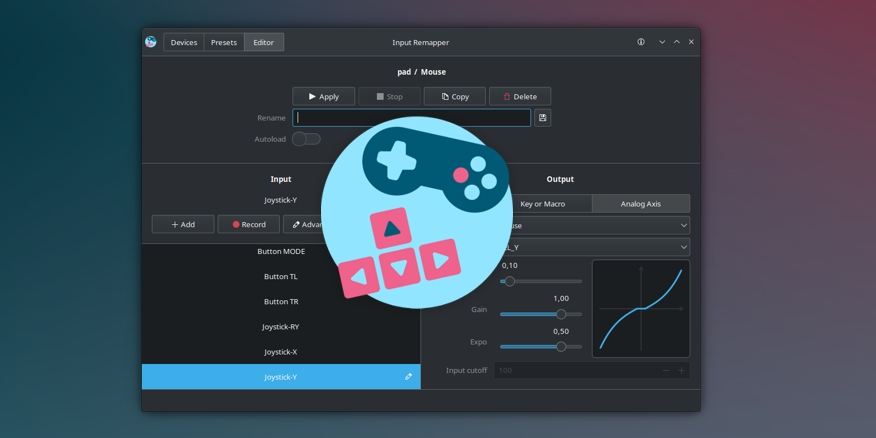
@wise canyon don't know about AHK for linux but https://github.com/sezanzeb/input-remapper this seems to work fine, thanks for the idea
GitHub
🎮 ⌨ An easy to use tool to change the behaviour of your input devices. - sezanzeb/input-remapper
 lusty apex
Does the Mod CBA work well on linux? me and my friend have been trying to play antistasi all day and sometimes he is able to join my server and other times it just disconnects him with no error message, it only happens when we have CBA enabled
we have tried deleting the keys, and deleting and redownloading the whole mod
nothing has worked
im on linux he is on windows 11
sterile pumice
lusty apex
Does the Mod CBA work well on linux? me and my friend have been trying to play a...
It works just fine, no issues there.
lusty apex
yeah launcher connect works fine
he connects from the launcher and it works fine now, idk what that deal is
 alpine willow
hey ! arma III work correctly on mac ?
plucky plover
does anyone know how well viktorholk's mod manager works on mac?
 unique grove
Hi. How i play Final Dayz Exile Chernarus in Mac m1? I need mods?
wise canyon
alpine willow
hey ! arma III work correctly on mac ?
mods such as acre2 and tfar that require the feature native extensions won't work. otherwise it works fine
hollow sentinel
Battleye initialization failed error joinign severs again. I solved it doing Allowing full disk access in security>Privacy I shared here. Trying think what else it would be
dusk cloud
Proton 9, Proton 10 or GE-Proton10-28 it doesn't matter all have memory leak
hollow sentinel
So macOS doesnt work any more... the battle eye initialization error has come back despite full disk access... used work fine..
 thin fog
Yo, my game doenst launch it says it runs for like a second and then it doesnt, im in linux
weak wind
Start steam on a terminal and run the game, you should get some errors that would help know what is wrong.
 dusty scroll
I have pure deb linux on a chromebook
 brittle bloom
Having some real troubles getting my Xbox X (Model 1914) controller to show Xbox buttons instead of PlayStation buttons for menus on Arma Rerforger. Sometime I can start the game without the controller plugged in, and then plug it in in the early menu, and I can get one round of game to show Xbox buttons, but then it switches back to PlayStation. Why can't there be a menu item for changing buttons to the controller type? Also, in controller settings, the device simply doesn't show up. Thoughts? (Ubuntu 25.10, Steam app install, for context)
weak wind
You're looking for #reforger_troubleshooting
dusty scroll
dusty scroll
I have pure deb linux on a chromebook
how do I run arma 3?

need help
im using a Debian GNU/Linux 12(Bookworm) x86_64
dusty scroll
dusty scroll
im using a Debian GNU/Linux 12(Bookworm) x86_64
On a chromebook
With linux dev enabled
dapper vessel
dusty scroll
With linux dev enabled
https://chromeos.dev/en/linux you mean this?
iirc that doesn't support proper gpu passthrough, you'd have to set up proper dual boot which is iirc also not really worth it/doable
sterile pumice
dusty scroll
With linux dev enabled
what linux dev?
Arma now runs purely in Proton, Linux build was dropped ages ago.
Realistically, you just download from steam and click play. There's a third party launcher that will allow you to manage mods and settings, without the need to change startup params.
There's also a dedicated discord for arma on unix (if you google that, you will find it)
 worthy grail
sterile pumice
what linux dev?
Arma now runs purely in Proton, Linux build was dropped ages ago...
worthy grail
sterile pumice
what linux dev?
Arma now runs purely in Proton, Linux build was dropped ages ago...
i think he means on chromebook he enabled Linux develompment enviroment which give him access to linux container. But I have 0 experience with chromebook
dusty scroll
worthy grail
i think he means on chromebook he enabled `Linux develompment enviroment` whic...
yea
dapper vessel
dusty scroll
yea
in that case like i said above, doesn't support full gpu passthrough, its basically just a mediocre VM
dusty scroll
so like im now trying to install oracle virtualbox
dapper vessel
dusty scroll
so like im now trying to install oracle virtualbox
Installing a hypervisor on a vm running on chromeos?
I doubt that will get you any further than you currently get
dusty scroll
well im currently running and reconfiguring the thing, and I still havent installed the vm
clever verge
chromebook hardware isnt powerful enough for arma 3 anyways
dusty scroll
OS: Debian GNU/Linux 12 (bookworm) x86_64
Host: crosvm
Kernel: 6.6.99-08879-gd6e365e8de4e
Uptime: 43 mins
Packages: 627 (dpkg), 17 (flatpak)
Shell: bash 5.2.15
DE: Generic
Theme: CrosAdapta [GTK2/3]
Icons: Adwaita [GTK2/3]
Terminal: ld-linux-x86-64
CPU: 11th Gen Intel i5-1135G7 (8) @ 2.419GHz
GPU: 00:02.0 Red Hat, Inc. Virtio 1.0 GPU
Memory: 303MiB / 6559Mi
idk might be cooked gng
@clever verge
clever verge
dusty scroll
OS: Debian GNU/Linux 12 (bookworm) x86_64
Host: crosvm
Kernel: 6.6.99-08879-gd...
you're cooked in this state. like others said get installing linux for real on your system aka dual booting instead of toying with vms in this environment
your problem is a lack of gpu power
 steep thunder
G'day Arma 3 won't create the mission and profile folders under documents. Instead, it's somehow making them under a wine document folder I can't get into. Any thoughts on how I can fix this? running CachyOS
weak wind
Wine/Proton will recreate the folder structure as you would have on Windows on the prefix, so it'll create the Arma profile in the documents folder there. Best you can do is symlink from there to your documents folder. And you should be able to get into the folder it creates, it's in the pfx folder in the steam installation (I don't recall the full path out of my head)
worthy grail
unless you want to run really outdated linux native version you can't. Default location when you are running windows version via proton is ~/.steam/steam/steamapps/compatdata/107410/pfx/drive_c/users/steamuser/Documents/
steep thunder
Thank you, this pointed me in the right direction, I've found where it was hiding.
New question, how do I link these folders so they'll show up in my documents
All good
 prime rapids
worthy grail
unless you want to run really outdated linux native version you can't. Default l...
prime rapids
worthy grail
unless you want to run really outdated linux native version you can't. Default l...
If you run executable through other means, like Lutris, you can configure where your prefix will be. Steam still need to be running though.
worthy grail
Is arma3 distributed on other platform than steam? Running whole windows version of steam via lutris sound like bad idea or you are pirating game...
prime rapids
No you just download arma through steam and run arma exe through lutris
Steam remark is about validation. Without steam(native) running it will not start
At least in my case. Have not read deeply into umu launcher and aroud
proven acorn
https://extensions.gnome.org/extension/9253/arma-3-super-key/
For any fellow Gnome Gamers, this extension will allow the Super/WIndows key to be used for ACE in Arma 3, without triggering the Gnome overlay
 fast mural
Hey does anyone know how to join or load in the game as a specific unit on mac?
I don't get a launcher to choose like I do on windows
and when I load in it doesn't have me as a squad
clever verge
fast mural
Hey does anyone know how to join or load in the game as a specific unit on mac?
you can select the unit in your profile options ingame or with a parameter which is how the launcher does it (don't remember what is it)
fast mural
clever verge
you can select the unit in your profile options ingame or with a parameter which...
preciate it
dapper vessel
Anyone running the game/launcher under proton still experiencing issues with the launcher not saving parameters/options?
i've tested quite a few parameters now and the only thing shat doesn't seem to stick so far is disabling analytics in the launcher options and my arma 3 unit but
 drop your specific proton version and distro here if you still have this issue + what settings are not saving
gritty sage
Analytics depends on the game finding the file written by the launcher in some specific path.
I already forgot where, it was so hard to find last time I looked for it.
weak wind
dapper vessel
Anyone running the game/launcher under proton still experiencing issues with the...
Saving hasn't been an issue for me since Proton 9.
I know it's not what you are asking for, but an issue is that the launcher is extremely slow. Can take up to many minutes to open up, sometimes opens immediately but frozen and then takes a long time to become usable. This is regardless of proton version.
dapper vessel
weak wind
Saving hasn't been an issue for me since Proton 9.
I know it's not what you are...
I did notice it being a bit slow/laggy to click around, it opened quite fast tho 
how many mods are installed/visible in the launcher?
weak wind
66 mods
dusk cloud
dapper vessel
I did notice it being a bit slow/laggy to click around, it opened quite fast tho...
Based on my experience, that's a good performance
dapper vessel
dusk cloud
Based on my experience, that's a good performance
What do you mean?
dusk cloud
it can be much worse, taking ages to load. Like Lango described
One time it might be running mostly well, and then restart it and it may take ages to even appear.
dapper vessel
Installing on my laptop to test there as well but I haven't been able to repro that
dapper vessel
Takes about ~5 seconds to launch every time on proton experimental for me
weak wind
I don't recall if I tried with experimental, will do so. Maybe it has some fixes that improve it, because in both 9 and 10 it's very slow.
dapper vessel
gritty sage
Analytics depends on the game finding the file written by the launcher in some s...
User>Documents>Arma 3>stats.Arma3.json>statsEnabled
dusk cloud
To be fair, I haven't tried experimental in a long time
dusk cloud
Just tested it couple of times and it launches in about a minute, but it is slow regardless. I'll leave at at experimental for now
dapper vessel
My launcher got stuck during launching once, I left it running for ~8 minutes but it never actually opened. that sound familiar?
@dusk cloud and @weak wind could you send me your Launcher.log?
can be found insteamapps/compatdata/107410/pfx/drive_c/users/steamuser/Appdata/Local/Arma 3 Launcher/Logs/
so far proton version seems to not affect much in launcher:
Proton 8: No steam connection
Proton 9: minor style issue
Proton 10, experimental and protoncachyos-10: no issues
weak wind
I'll send you later when I'm at home. Also asked for it in the ArmaOnUnix discord as some others there were having the same issue.
 sly rover
Is there enough data gathered on this for now?
 north galleon
Im new to arma 3 and I play on a MacBook, I just got prairie fire dlc and it won’t let me join servers with it, I think I need to enable it in the launcher but I don’t know how to get to it because I’m on Mac, could I get some help?
clever verge
north galleon
Im new to arma 3 and I play on a MacBook, I just got prairie fire dlc and it won...
see the wiki page about the arma 3 for mac
there's no launcher so you just do command line arguments or use unix launcher
you can also select it in the expansions section on the main menu if -mod= was not specified
 silver ridge
im having trouble with battleeye on linux, launcher tells me it started but when i try to join a server i always get kicken with the battleeye initialization failed error. can someone point me to the logs?
Sys info:
fedora 43 kde
Ryzen 9950x
64gb ddr5
rx 7800xt
Proton 10 & Experimental makes not difference
weak wind
Did you install the Proton Battleye runtime in the tools in your library?
Not sure if that gets installed automatically or not, but make sure it is.
silver ridge
it does get installed automatically
my best guess is some libary missing or version expected that fedora does not support anymore, but as i hinted previously i can find the logs from battleeye
silver ridge
ok, update from my side here im am still unable to locate the battleeye logs, gamelogs also only state the initialization failed with no further details, and launcher logs arent giving more info on it, so i decided to go the path of the axe murder and just deleted the battleeye folder in the arma and the compdata for arma entirly in the hopes a "new install" would fix the problem..... and what should i say result is as expected, no success. SOOOOO im open to more ideas
OK, not sure why but apparently proton battleeye runtime doesnt work if its installed on a different drive, the only thing i change now was moving it from my gamedrive to the systemdrive and it works all of a sudden
worthy grail
is the secondary drive NTFS?
silver ridge
nope iirc ext4
dusk cloud
I hope the launcher performance is getting improved. This week launcher would usually take couple of minutes to initialise mods, even thought no mods have changed in meantime. For once it even freezed and I had to close it from taskbar
dapper vessel
dusk cloud
I hope the launcher performance is getting improved. This week launcher would us...
the launcher Initializing mods?
so far I've seen slow profile loading (fixed in next dev) and a semi-random unreproducible startup freeze
dapper vessel
dapper vessel
the launcher Initializing mods?
@dusk cloud can you explain what you mean by that?
dusk cloud
dapper vessel
<@285093417766354949> can you explain what you mean by that?
I just tried to launch a launcher, just to test it. This screen took 6 minutes.
 dapper vessel
dusk cloud
I just tried to launch a launcher, just to test it. This screen took 6 minutes.
dapper vessel
dusk cloud
I just tried to launch a launcher, just to test it. This screen took 6 minutes.
could you send me the launcher.log again? and ~time of that launch?
 fossil tiger
dusk cloud
Proton 9, Proton 10 or GE-Proton10-28 it doesn't matter all have memory leak
fossil tiger
dusk cloud
Proton 9, Proton 10 or GE-Proton10-28 it doesn't matter all have memory leak
The memory leaks are mad annoying game will run perfectly then something happens in game it'll slow to crawl like 3 fps then you look another direction sometimes its back to 60
fossil tiger
celest laurel
Short answer: if you have 100% keyboard, press Left Shift and Numpad Minus, then...
I will be trying this as I was having this issue aswell
dusk cloud
Yeah, that cheat helps
fossil tiger
dusk cloud
Yeah, that cheat helps
what does it pull up i i press this keybind nothing comes up
dusk cloud
Invisible text field you can type cheats in
fossil tiger
dusk cloud
Invisible text field you can type cheats in
i see
superflush command helps a lot
dusk cloud
Launcher on dev branch is much better now. It always launches in seconds. No minutes long launches at all. I don't want to go back to 2.20 now 😀
Now I can only really complain about responsiveness as it may take seconds to switch tab or open preferences for example. Something which should be instant. But this ain't a big deal to be honest
dapper vessel
dusk cloud
Launcher on dev branch is much better now. It always launches in seconds. No min...
You should™ be able to yoink the launcher exe from dev and use it with main/prof
no promises tho
clever verge
dapper vessel
You should™ be able to yoink the launcher exe from dev and use it with main/prof...
doesn't it depend on the launcher folder? any updates there?
dapper vessel
seems to work
replace arma3launcher.exe from main branch with the dev one, not just have it in some random spot
clever verge
hm
dusk cloud
Works great 👍🏻
 dry venture
any news on update?
sly rover
@dry venture Not sure what you last saw
But last we heard was that 1.54 update is being worked on and they are investigating porting Battleye
dry venture
oh, thx, seems like crossplatform multiplayer incoming
 blazing sonnet
@dry venture If I recall correctly there was actually a form thereof supported via a specific Steam "legacyport" branch for that was still at v1.42
 fathom karma
Question but can anyone help me try and install acre 2 on mac?
sterile pumice
fathom karma
Question but can anyone help me try and install acre 2 on mac?
no
(as in, it doesn't work on mac, neither does tfar)
fathom karma
Damn
 lyric nexus
yall how do i get workshop mods on mac?
fathom karma
Why doesnt Dynamic Ops, in particular Fallujah, not work?
scenic forge
Arma is crashing a lot for me lately. I verified the install and have remomved almost all mods. Anyone else on a macbook having issues recently?
 cyan anchor
is there ACRE or TFAR plugin for linux version of Teamspeak ? 
dusk cloud
I don't think so. People play with Windows version of TS
sterile pumice
cyan anchor
is there ACRE or TFAR plugin for linux version of Teamspeak ? <:meowawww:9583300...
Doesn't work on Linux version
You got to install windows TS into the same wine prefix and use the windows version.
This is a good tutorial
https://9lo.re/project/armaonlinux/
Other than using the default launcher myself, this worked without issues for me.
clever verge
cyan anchor
is there ACRE or TFAR plugin for linux version of Teamspeak ? <:meowawww:9583300...
there's no native linux arma 3 anymore let alone extensions either so no reason. plus how would you communicate with the host and wine eh?
sterile pumice
clever verge
there's no native linux arma 3 anymore let alone extensions either so no reason....
There's plenty of Arma Linux extensions, what are you saying?
Servers are still native. Servers support extensions
dusk cloud
He's talking about client
gritty sage
clever verge
there's no native linux arma 3 anymore let alone extensions either so no reason....
TCP for example. Shared memory probably is doable some way too
sterile pumice
TCP would be very cool.
And then it could also work with the Arma server providing all the necessary information to the TS clients, so people playing on GeForce experience would be able to use it too.
gritty sage
If Arma could do TCP natively... 🤣
weak wind
clever verge
there's no native linux arma 3 anymore let alone extensions either so no reason....
Opentrack does it well enough with the native linux client and Arma on proton.
gritty sage
You can use "winelib" to access wine things in a linux native application.
clever verge
hm, that's not widely known it seems
worthy grail
there is work for wine to support AF_unix socket that could be another alternative when it is merged
gritty sage
There is plan for Arma to get Websocket support. That should be able to get in/out of wine no problem
sterile pumice
gritty sage
There is plan for Arma to get Websocket support. That should be able to get in/o...
Don't April fools me like this 
 cedar ingot
hey guys I am getting back into the game and wanted to know if their are populated multiplayer server like wasteland or king of the hill
cyan anchor
@cedar ingot arma 3 is mostly played in private milsim groups, just join one
cedar ingot
cyan anchor
<@1134693658155810918> arma 3 is mostly played in private milsim groups, just jo...
Can you find groups here or do you recommend any place to find a group
clever verge
!lfg
 golden crystalBOT
Are you looking to play with people?
pick one channel:
#looking_for_game to tell others you want to play
#looking_for_unit to tell others you are looking for a group
#communities_arma_reforger or
#communities_arma3 to browse through advertised groups
Note: Please follow the templates in those channels (if applicable), and do not use them for discussions.
clever verge
cedar ingot
hey guys I am getting back into the game and wanted to know if their are populat...
wrong channel see above
cedar ingot
clever verge
wrong channel see above
Thanks brothaa
scenic forge
Right channel maybe...
for the last ten years I've been duplicating mod folders to load them into Arma and have finally had enough and I'm willing to admit defeat and ask for help learning how to use an alias, script, terminal command, whatever it takes to avoid wasting 50gb of space by duplicating mods and then losing my mind keeping them updated.
surprise surprise AI is failing on how to do this. right click make alias in the workshop folder and move alias to the arma folder with the folder named loaded in steam properties does not seem to do it.
gritty sage
What is the reason for duplicating folders at all?
scenic forge
On mac they need to be duplicated.
As far as I know anyway
this is the wiki page, I just can't follow any of the other options I guess.
scenic forge
Entering the full path into the steam properties seems to link the mod but there's also a character limit apparently...
 trail island
Can you make the path an ENV variable and reference it tht way?
scenic forge
this seems to work , I used: -par=mods.txt in the steam properties and the put a mods.txt file in the arma directory with a list of mods full paths. kind of convoluted, but no more duplication and things should hopefully stay updated.
clever verge
scenic forge
On mac they need to be duplicated.
not required and its extra work when updates happen
scenic forge
What is the alternative?
clever verge
symlinking mods to arma 3 directory with known names (for easier management and ability to have a persistent mod list through expansions menu in game when -mod= is not specified) or specifying their path in mod command line with the help of par file as you noted
scenic forge
I couldn’t figure out the symlink thing. Normal finder creates alias didn’t work.
clever verge
try the 3rd party unix launcher too
clever verge
scenic forge
I couldn’t figure out the symlink thing. Normal finder creates alias didn’t wor...
ln -s in the terminal at the game directory
finder aliases are like windows lnk files (shortcuts)
smart shell files basically
scenic forge
Can i do any damage with the terminal? I don’t use it much and couldn’t find enough clarity on the ln ~s thing to try it. Sounds like you open the terminal at the arma 3 directory and the run the command followed by the paths?
clever verge
you can check the manpage or online info
yes pretty much, you can run ln to see the order of source and destination
you can drag and drop the folders to the terminal for the full path without typing it
eg ln -s <cba workshop cache folder> @CBA_A3
i'm not sure on the order of which target and destination goes in the syntax but more or less that's how it goes
mods with extensions won't work on mac so you'll get either limited functionality or no working mod
you can check that by looking for dll and/or so files in the directory
scenic forge
Thanks for help, going to look at this again.
scenic forge
Yeah, ran into that trying ti use the nimitz and think maybe cup
clever verge
cup doesn't use extensions afaik
ace3 is one that does however it has a fallback for mac users specifically
scenic forge
I didn’t check cuo for extensions, that may have been another conflict.
Ace3 built that in? Nice
clever verge
try the third party unix launcher on mac
haven't tried myself but it allows working without the extension
scenic forge
Thanks again, will try it
clever verge
and of course tfar and acre are out of question since they're made with windows ipc and win ts3 in mind
there're mac catering clans/groups fyi
scenic forge
I must like to suffer, should buy a pc probably
 fresh hawk
hey yall. i have arma 3 on steam, and I want to play a private game with my friends with custom maps. how do I set it up so they can join? I am on a mac and they are using linux/windows
clever verge
fresh hawk
hey yall. i have arma 3 on steam, and I want to play a private game with my frie...
the usual way as you would on the other platforms, you wont be able to use mods with extensions with some exceptions
except no dedicated server since mac and steam disallow launching more than one instance
fresh hawk
clever verge
the usual way as you would on the other platforms, you wont be able to use mods ...
ok, so how do i host a non modded game for my friends on steam?
clever verge
fresh hawk
ok, so how do i host a non modded game for my friends on steam?
!localhost
golden crystalBOT
Arma 3
To host a server or a game session locally, you need to make sure first that your WAN address / external IP uses the IPv4 protocol!
Check your router’s status page in the settings to confirm. Ask your ISP if in doubt, as websites like "whatismyip.com" may give you a false positive.
Local servers and games can not be hosted on an IPv6 network, or IPv4 via DSlite tunnel!
https://www.avg.com/en/signal/ipv4-vs-ipv6
Once you have confirmed that your connection uses the IPv4 protocol, you need to manually open / forward the ports 2302-2306 UDP (https://community.bistudio.com/wiki/Arma_3:_Dedicated_Server#Port_Forwarding)
See your router’s manual on how to do that, or ask google: "<your router model> + port forwarding"
fresh hawk
Ty
clever verge
you can use mods, just not the advanced kind of mods
 soft bridge
Hey, quick question! We run a Linux Server and are looking to find our crash dumps, but aren't able to find them in our logs, server profile, or game install folders
I've read and re-read the biki article on Crash Files (https://community.bistudio.com/wiki/Crash_Files) multiple times, and still haven't been able to identify where they are
Anybody able to advise on this?
dusk cloud
Page you've sent mentions path: /home/X/.local/share/Arma 3/
This seems to be more of https://discord.com/channels/105462288051380224/105464899567669248 question
gritty sage
soft bridge
Hey, quick question! We run a Linux Server and are looking to find our crash dum...
#server_linux exists.
The game doles not generate crashdumps. It depends on your operating system doing so, usually with a "core" file thats created in the game folder. a "coredump"
soft bridge
gritty sage
<#105464899567669248> exists.
The game doles not generate crashdumps. It depends...
Ah, my bad, I didn't realize that channel existed! There's quite a lot in here 😅
And sounds good, thanks a ton! I'll check main install folder
No coredumps that I can see sadly
clever verge
soft bridge
Ah, my bad, I didn't realize that channel existed! There's quite a lot in here �...
this channel is for the game client on other platforms not dedicated server
soft bridge
clever verge
this channel is for the game client on other platforms not dedicated server
Ah, got it!
Yeah, I’m specifically trying to find server core dumps so we can diagnose an unexpected crashing problem
sly rover
Yeah, Windows users can downgrade to play with Linux/Mac users
And I wouldn't be so hopeful. If we get 1.54 soon, the Windows users will get 1.56 soon and will no longer be in sync
blazing sonnet
Note however that historically Arma 3 has tended to maintain a "prior game version" branch on the Windows client, so if the Linux/Mac versions are updated to v1.54 that could still work -- albeit with a branch-specific access key in Steam (just like the RC branches have their own key)
sly rover
Indeed, as it has been since the port was first released, Linux/Mac/Windows players can all be together
blazing sonnet
Correctamundo, although the method differs this time depending on what happens with the old "legacyport" branch.
dapper vessel
 leaden hound
Help MEEEEEEEEEEEEEEEE
leaden hound
Help MEEEEEEEEEEEEEEEE
it would help if you actually told us what your problem was instead of yelling into the void. that way maybe someone who knows/has seen that issue before can help you out
leaden hound
Ok. Here it goes: I was up nine hours yesterday trying to get a few damn mods on to arma 3. i watched 11 youtube tutorials and made zero progress. I think it's supposed to show up in the launcher and you can pick what mods u want but it doesn't. Does anyone know how to fix this?
I am on a macbook pro btw
dapper vessel
https://community.bistudio.com/wiki/Arma_3:_Play_on_Mac
mac launcher doesn't work properly iirc, to enable mods you either have to use the steam command line params (listed how on that page) or use the community made arma3-unix-launcher (also listed on that page)
leaden hound
I have no idea what i am doing
dapper vessel
leaden hound
Can you walk me through it step by step AND dumb it down a lot?
GitHub
Launcher for Linux and Mac ArmA 3. Contribute to muttleyxd/arma3-unix-launcher development by creating an account on GitHub.
scenic forge
I learned recently you can also maintain a file with full paths to the mods in the steam location and then point arma to that using the command line. That eliminates the need to manually maintain a mod directory and keeps things up to date. Not at the computer right now but I can find the specifics when I get home if you need them.
leaden hound
hi dumb question for absolute beginner where do the mods get downloaded to when i subscribe on steam. i cant find them in my steam library
sorry im trying to get mods for arma3
sterile pumice
leaden hound
hi dumb question for absolute beginner where do the mods get downloaded to when ...
isn't it in ~/.local/share/Steam/steamapps/workshop/content/107410
clever verge
sterile pumice
isn't it in `~/.local/share/Steam/steamapps/workshop/content/107410`
that's linux, in mac it's ~/Library/Application Support/Steam/steamapps/workshop/content/107410
clever verge
leaden hound
Is this the mac server?
yes, please learn some internet etiquette
clever verge
dapper vessel
https://community.bistudio.com/wiki/Arma_3:_Play_on_Mac
mac launcher doesn't wor...
there's no mac launcher yet afaik
dapper vessel
yet = ever 😂
clever verge
leaden hound
Ok. Here it goes: I was up nine hours yesterday trying to get a few damn mods on...
look for information and guides to load mods before the launcher existed
or just get a pc since arma on mac is a generosity that is still very work in progress and requires getting your hands dirty a bit
dapper vessel
unless proton on mac starts working
clever verge
dapper vessel
yet = ever 😂
official launcher is planned to be ported but is low priority
clever verge
dapper vessel
unless proton on mac starts working
i doubt valve will bring proton to mac
leaden hound
🥺
proven acorn
GameHub lets you play Windows AAA games on Mac with Apple Silicon. Steam multi-account management, seamless gaming experience.
In beta, private beta still afaik
weak wind
"just get a PC" amazing advice
clever verge
weak wind
"just get a PC" amazing advice
they're not tech savvy and currently it requires some of that knowledge to get up and running at its fullest ¯_(ツ)_/¯
weak wind
Which is why they're asking for help. Maybe just don't say anything if you can't help?
clever verge
weak wind
Which is why they're asking for help. Maybe just don't say anything if you can't...
there's a certain threshold of knowledge expectation
the wiki article was linked which should be enough
it takes too much energy and time to help lesser knowledgeable folks that don't know etiquette
weak wind
Damn, you're obnoxious. Saying nothing takes zero energy. I won't drag this because it's not the purpose of the channel and you're not worth the time, but maybe we should all just tell you to get a new PC when you complain about things being incompatible with win fucking 7? Get a grip.
clever verge
there's a difference between being unsavvy and running something old due to a lack of budget
wise canyon
proven acorn
https://www.gamemac.com
there are a bunch of malware reports for their android app
proven acorn
Nice
 subtle yew
btw im really impressed with the continued support for mac/linux provided by this team; theres not many games im able to play on mac and its great to be able to boot up arma with friends so just wanted to say thanks for the hard work 🥂 🍾
scenic forge
I second that, thanks mac port guys!
 austere marsh
Hello guys, i am playing arma 3 with mods on MAC
When i host or join my friend the whole game crashes on loading map
does anyone know a fix?
 hot lantern
austere marsh
Hello guys, i am playing arma 3 with mods on MAC
hot lantern
austere marsh
Hello guys, i am playing arma 3 with mods on MAC
Some mods like ACE (mods that have DLL extensions) don't work on Mac.
Does it work without mods?
austere marsh
hot lantern
Some mods like ACE (mods that have DLL extensions) don't work on Mac.
Does it wo...
Makes sense
i have it installed
clever verge
hot lantern
Some mods like ACE (mods that have DLL extensions) don't work on Mac.
Does it wo...
but ace doesn't cause a crash like that, complains and continues running
hot lantern
clever verge
but ace doesn't cause a crash like that, complains and continues running
What about other DLL mods?
clever verge
hot lantern
What about other DLL mods?
they most likely won't work or run properly depending on the mod design ¯_(ツ)_/¯
how would a crash happen from having no extension to load in first place?
hot lantern
clever verge
how would a crash happen from having no extension to load in first place?
I don't know. Obviously it's supposed to be able to crash at all.
If the menu loads, then I feel like it has to do with the mods/mission.
clever verge
hot lantern
I don't know. Obviously it's supposed to be able to crash at all.
If the menu lo...
certainly
worthy grail
Dedmen, i remember you creating some workarounds for arma 3 launcher when it detects running on linux. This stopped working with proton 11 because wine-mono now hides it. There is currently workaround for it using WINE_MONO_HIDETYPES=0 as explained here: https://github.com/ValveSoftware/Proton/issues/2364#issuecomment-4349038184
GitHub
Compatibility Report Name of the game with compatibility issues: Arma 3 Steam AppID of the game: 107410 System Information GPU: Radeon R9 290 Driver/LLVM version: Mesa 19.1.0-devel LLVM 9.0.0 Kerne...
There should be different way of detecting wine-mono as explained in changelog: https://github.com/wine-mono/wine-mono/releases/tag/wine-mono-11.0.0
GitHub
Changes since 10.4.1:
FNA: GraphicsAdapter.MonitorHandle now returns an HMONITOR. (Fixes Yargis: Space Melee)
Mono:
Implemented Process.SessionId. (For bug 46384 - Can't run zools backup tool...
The Mono.Runtime and System.MonoType classes are now hidden from reflection by default. These are commonly checked to detect Mono, which means software will generally no longer detect that it's running in Mono. The old behavior can be restored by setting WINE_MONO_HIDETYPES=0. (Rationale: Software may detect Mono to work around problems with Framework Mono, but Wine Mono is very different. In at least one case, I found that the Mono-specific codepath is just broken and could not be properly fixed any other way. I think I've also seen a program simply refuse to run in Mono because it was assumed that it wouldn't work. Detecting Wine Mono is still easily possible by looking for the WineMono.Security assembly, and I do not plan to interfere with software detecting Wine Mono specifically.)
dapper vessel

I also see the comment from a proton dev tho, no idea what the deeper root issue is
This can be temporarily fixed by adding WINE_MONO_HIDETYPES=0 %command% as a launch option. We're working on solving the deeper root issue
but it would be nice to check the "proper" way before 2.22, hopefully can still squeeze that in
dapper vessel
squeezed in 
worthy grail
i wonder if they were trying to fix whatever was not working in launcher(symlinking mods) so you will not need to make linux workarounds at all?
or maybe they will just add WINE_MONO_HIDETYPES=0 whenever it detect running arma 3 launcher
dapper vessel
worthy grail
i wonder if they were trying to fix whatever was not working in launcher(symlink...
we also disable some file watchers now, don't think they will be able to fix that. linux file watchers just suck
Windows can watch a folder and be happy, linux you have to watch every recursive folder, that adds up quick
side-note @worthy grail , does the game itself run fine on proton 11? I haven't had time to try it myself yet
worthy grail
I haven't tested myself because I saw people having issue with it
dapper vessel
ah, all good
weak wind
dapper vessel
side-note <@579325421540212736> , does the game itself run fine on proton 11? I ...
The issues I has were all related to mods not loading properly, other than that the game launched and played fine. But I didn't use it too much because of the mods, went back to 10.
dapper vessel
weak wind
The issues I has were all related to mods not loading properly, other than that ...
any mods specifically? dont wanna download the entire modlist lol
worthy grail
i think his mods were not working because launcher was not working properly due to not detecting linux.
weak wind
Yup, exactly that. Every single mod would revalidate when the launcher opened as if they had updated, and in game i had issues like ACRE failing to recognize the map, or compat issues on ACE as of the mods weren't loading properly. I did comment on the proton issue and they were looking into it.
worthy grail
dapper vessel
<:meowfacepalm:787385997108314152>
I also see the comment from a proton dev tho...
ok I found out what is proton fix for this. They are making WINE_MONO_HIDETYPES=0 default in proton and only enabling WINE_MONO_HIDETYPES=1 for games and launchers that benefit from it. Fix is already in proton experimental.
dapper vessel
worthy grail
ok I found out what is proton fix for this. They are making `WINE_MONO_HIDETYPES...
Thanks, yeah that makes sense.
will still keep the additional detection in, if that is the "better" way to check for it then why not
blazing sonnet
Linux/Mac clients to be updated to v1.54, current ETA tomorrow. https://dev.arma3.com/post/sitrep-00146
sly rover
Horray, update 😄
I'm getting some weirdness, but I will have to mess with it more
Okay, first bit of weirdness had to do with windowing and dual monitors, which was fixed by setting it to windowed mode (I think this is a known issue)
Also looks like the legacyports server was not updated, but you can just use the legacy branch for now
 left fog
and the 1.54 linux is out https://dev.arma3.com/ports

Arma 3
Experience true combat gameplay in a massive military sandbox. Authentic, diverse, open - Arma 3 sends you to war.
sly rover
😄
sly rover
For Linux users, here is a lightweight Arma 3 launcher: https://github.com/busquetsaguilopau/asma
Pretty basic and not very mature, but it lists all the mods you have with checkboxes to enable/disable them.
sly rover
I am not able to use the p90 mod on Linux via the workshop. I feel like I am missing something obvious... any tips?
 vapid yoke
Are you getting a crash for wrong model version type 70, or something along those lines? It is probably using the p3d version 70 which was introduced in 1.56, also I believe the p90 uses new features added in 1.58. So unfortunately I don't think there is much you can do
 uneven saddle
anyone tried updating to 1.58 on linux?
app_update 233780 validate finishes but the server starts still as 1.56
 gritty shard
the channel for the linux server is over there at #server_linux - my linux test server is reporting as 1.58
uneven saddle
my bad thanks
sly rover
@vapid yoke I don't get anything to indicate that it is or isn't working, though I did not dig very far.
But if it requires a newer version, I will wait to look further, in any case.
sly rover
@left fog The free weekend is not working for Linux users. It says that it isn't available for their platform.
There are many who are experiencing that on this Reddit thread, and I had a friend verify it.
https://www.reddit.com/r/linux_gaming/comments/4j24pi/arma_3_free_weekend_on_steam_may_be_a_good_time/
left fog
noted @sly rover
 sacred steeple
Wrong one @left fog :P
sly rover
<3
left fog
@sly rover it should be working now
left fog
note: Arma 3 free weekend should work for the linux/mac users now too
sly rover
Thank you, again.
sly rover
Looks like an update today broke the Linux client for me.
Later I will investigate this further
 hoary carbon
Ports pages seems to be missing for me: https://arma3.com/ports
dry venture
any thoughts on crossplatform mp? summer 2016? fall 2016? summer 2017? going to buy new macmini and would love to play arma mods with friends
sly rover
Can confirm that the ports page is not up
@dry venture Don't expect a whole lot of power from a mac mini. Many would consider the frame rate to be unplayable.
They have said that they plan to continue updating the port this year, which means it could happen soon, could happen never. You can still play with friends on Windows, they just need to downgrade and the mods need to be compatible with the current version of the Arma port.
Only thing that won't work is binary mods, those which require a library to load in. It appears that the port does not support them, last I checked.
If the port does support them, mods still need to be ported to Linux/Mac.
sly rover
Btw, Arma 3 is no longer broken for me after the last update.
dry venture
i think to buy egpu later, so 4 core 2.6ghz may be not enough for it
dry venture
anything new coming? I see apex sneak preview in beta versions
 unique finch
is actually anyone playing ports? is it worth to put servers for this branch online?
hoary carbon
i've found it's not been worth it as prevously the linux/Mac port and always been a version behind.
unique finch
well, that's kind of a weird circle
if there in an audience on Linux/Mac ports, I am willing to do something for them
dry venture
is it possible to connect to those servers (created for mac/linux) with laest pc patch?
@unique finch but what kind of servers? koth, exile, br .... may be make some poll (i.e. on strawpoll)
unique finch
@dry venture I am about to host Sector Control missions
 molten pulsar
@left fog has there been any news or hints about the ports and the upcoming APEX release?
e.g. is there still being worked on the ports or has it been dropped? ^^
left fog
@molten pulsar patience 😉 we don't have it even for Windows yet 😉
molten pulsar
I'd like to read the " 😉 " as positive, but I'm not sure ^^
dry venture
patience is the key to the success of apex on unix
unique finch
[2:04 AM] Dwarden: @marceldev89 patience 😉 we don't have it even for Windows yet 😉(edited)
we have it on RC branch at least
left fog
@unique finch i was talking about MAIN stable branch 😉
unique finch
@left fog anyway do you really need some feedback from ports? was it actually worth trying?
left fog
what you mean? feedback from other platforms is useful, especially for VP
molten pulsar
@left fog, can you at least confirm that the ports thing is still a thing? 😊
there's been about 0 news about it since the 1.54 release
I think
hoary carbon
As previously stated, the ports are an extra thing, that are not fully supported. They may not, if ever get a full release. Hopefully they do though, as it is my main game that is holding me back from running Mint.
molten pulsar
yeah, it just would be nice if we knew a bit more than what we know atm. Ubuntu is my daily driver and it would be neat to be able to do some modding and stuff without booting to windows. ^^
dry venture
they may be want to release it with apex but not enough time so we will see some info after it
 strange mango

Bohemia Interactive Forums
The Mac and Linux ports will no longer be worked on - posted in ARMA 3 - GENERAL: Im here to deliver the sad news that work on the Mac and Linux ports has currently ceased, Bohemia put out a tweet yesterday for about 5 minutes and then deleted it (wish I snapped a picture) detailing that the contracted team that was tasked with working on the Mac and Linux ports will no longer be doing so, its a sad, sad day today
molten pulsar
if you're pointing to the threads first post, it's false according to @quasi orchid. If you're referring to that last post, finally some "news". 😃
kinda hoped they aimed for 1.62 and skip the rest though ^^
sly rover
As for the QA, I'd gladly volunteer as a tester if it was wanted.
As for servers, I tend to put one up whenever I convince someone to play with me.
dry venture
is arma 3 dx 10/11? how is then it is possible to port? are some parts rewritten to opengl?
molten pulsar
It is, they're using a layer that translates DX calls to OpenGL calls I THINK.
if wine had better DX 10/11 support things might have been better in terms of the lagging behind the windows version. ^^
left fog
blame linux for total absence of unified for-games package as DirectX is ... if there was one ... world would be different 😉 but in last 2 decades there was just tons of buzz and no fuzz
 quasi orchid
cough Plently of other engines have managed it fine.
The problem is most people already have windows, so most game componies aren't going to spend spent extra money on cross-platform. (not counting consoles)
Anyways BIS still has issues with a linux dedicated server. And that has no GUI 😛
left fog
@quasi orchid yet several of very successful developers clearly and publicly stated , if they knew about problems with linux ports, they would never went for it again until things drastically change
unique finch
@left fog there is a unified API, pretty young, but still, https://en.wikipedia.org/wiki/Vulkan_(API)
left fog
@unique finch that's just rendering , i was talking about all round package (i/o controls, audio, rendering etc.)
dry venture
as i heard vulkan is basicaly steam's project and macs have metal api (no opengl/vulkan by apple), so win = dx12, linux = vulkan, mac = metal
unique finch
not steam's but Valve's, Steam is a service by Valve, to be precise. As far as I heard there is an ongoing work for Vulkan implementation for OS X
 frosty hemlock
man, a single platform agnostic API would be great. Though I'm having more trouble getting GPU drivers on linux than making the game run
frosty hemlock
been trying to get Arma to run for a week now
molten pulsar
OS and GPU?
 sullen kernel
Hi guys, do you also have the bug with steamCMD and the game updater that they update your game to 1.62 instead of 1.54? Tried to set up a server and client and both were 1.62 after the update
left fog
Today we've updated the Linux & Mac experimental ports to version 1.58. Kudos to @virtualprog. More Intel: https://dev.arma3.com/ports - Enjoy! (discuss in #linux_mac_branch )
Arma 3
Experience true combat gameplay in a massive military sandbox. Authentic, diverse, open - Arma 3 sends you to war.
sly rover
@left fog Looks like the ports branch of the server needs to be updated (still on 1.54 after an update)
left fog
looking into it @sly rover @vapid yoke
left fog
atm. there is no dedicated server data package for the legacy branch, will look into that tomorrow
sly rover
Thanks
dry venture
any roadmap to share? may be some new words to share like will ports patch version come to win ver. before the end of this year? or most likely next year? any be/mp news? just more little info ☺
hoary carbon
Congrats on the 1.58, does this version include battleye support?
blazing sonnet
Yes, as per SITREP #00168: https://dev.arma3.com/post/sitrep-00168 and as per that report apparently the plan is to go straight from Eden to Apex, skipping the Visual Update (v1.60)
left fog
feedbacktracker, then forum and here 😉
 scenic sleet
ah, ok, I wasn't sure if you were using the tracker for port issues - good to know, thanks
in general 1.58 build is looking pretty good, some mods/scenarios still have issues, but more scenarios are actually working now which is great. Eden editor works well, and it's so much faster to use that the 2D editor which had barely changed since OpFlash 😃
Some people on the servers in the last couple of days are saying that performance seemed even better for them with this build. Certainly I was getting good MP framerates, as low as 35 in heavy action but as high as 91 - average somewhere in the 60fps area which by all accounts is great compared to Windows
unable to change the audio output device in this build, that's a regression from the 1.54 build meaning I can't use my wireless headset
left fog
best is to make ticket, then write forum post and mention both here 😉 maximal visibility , you can also reddit it
sly rover
You might be able to select the audio device in your pulseaudio mixer, if you use that.
@scenic sleet ^
scenic sleet
@sly rover That's what isn't working
can't select that device for Arma - works for all other applications
sly rover
Oh, yeah, I've seen that before.... no idea what causes that.
It isn't only this game though
dry venture
@scenic sleet what is your cpu and gpu?
scenic sleet
GTX 970 and i7 4790K
dry venture
@scenic sleet oc?
scenic sleet
no, both can be overclocked but so far I've not felt the need to do so
sly rover
That really wouldn't make a difference in this case anyway.
 prisma solar
when will the arma 3 launcher be avaliable
also, is there like a third party launcher i could use?
 limber scaffold
The launcher has been out in like... forever?
scenic sleet
Not for the Mac/Linux ports
limber scaffold
Of course. I just scrolled through the server without checking what channel I'm in...
scenic sleet
For some strange reason, suddenly I'm having issues with the framerate in 1.58 after weeks of it working perfectly.. It will start off fine - 70fps, sometimes dropping sometimes higher but playable, then randomly it just plummets to around 5fps even while there is nothing happening and it stays there until I restart. It affects SP and MP, though the first couple of times it happened in MP I just thought it was network latency, now it's happening pretty consistently in SP too, even in things like the Firing Range time trials and it's happening much more quickly. Previously it would take an hour or two, now it happens within 15 minutes.
 brazen rain
@scenic sleet do you have the launcher open? That's been causing a huge FPS drop lately
It's fixed in the dev branch, but not in stable
sly rover
@brazen rain The launcher has not been ported to Linux/Mac, so that seems unlikely to be the issue here.
brazen rain
@sly rover oh right, always forget about that.
dry venture
may be memory leak, on win arma starts at 2,3gb and then growing up to 3gb with fps jumping from 40 to 2 and back
scenic sleet
maybe, I'll keep an eye on that
but something else must have changed for the problem to start appearing now
on a different topic, does anyone have TrackIR working with Arma on linux?
dry venture
scenic sleet
@left fog How are things going with the next version of the linux/mac port?
left fog
they going, slowly 😉
sly rover
I am very excited for Apex!
scenic sleet
it's going to be fun hiking around Tanoa, just exploring the place
 blazing sphinx
Is hard to find Arma 3 Servers compatible with Linux and MacOS versions. But here you can find 2 servers: http://armaonunix.gitlab.io/ArmaOnUnix-web-page/servers.html [sorry for the spam]
 exotic delta
hello, I just installed Steam on linux, and then just installed ARMA 3. However, it says my version isnt the latest and i got Red Xs all over the server list. I figure updates for ARMA3 on linux come after the windows version... how long does it usually take? I just wiped my windows drive for linux and running windows in vm.. but qemu isnt good enough to run games it seems.. so im REALLY hoping i can play arma on linux.. Thatll be the only thing keeping me from re-installing windows 😃
blazing sphinx
Yes you can.
sly rover
@exotic delta You either have to join servers which are the same version as the Linux version (there are some out there), use PCI passthrough in your VM, or wait. The next version of the Linux client is said to be 1.62, which is one major version behind the Windows version if I remember correctly, and we don't know when that will come out.
If you are okay with being on an older version, making some Linux/Mac friends or convincing your Windows friends to downgrade will help.
exotic delta
@sly rover or convince whoever is in charge of that one server to add KOTH map and game mode. 😄
exotic delta
So the future looks promising
i dont know how servers works when it comes to game modes and maps.. im sure it shouldnt be hard adding a map.. but the particular KOTH maps and the particular game mode... i dont know how that works. if someone owns them and they are only to be used by that one gaming community or what
How does one make ARMA run on linux ? do they have to re-write all the code and compile it for linux? or do they simply copy and paste into the engine.. and rebuild?
scenic sleet
To those who were on the ArmaOnUnix server last night - good game - I know some of you joined late so you should know that this is a regular Coop event, every Sunday starting around 4pm UTC/GMT
To learn more, join the ArmaOnUnix Steam group
@exotic delta - For some games they build support into the Engine, but for Arma they are using a wrapper from a company called Virtual Programming which translates the Windows system and DirectX calls into linux system and openGL calls
like the Wine application does
exotic delta
hey @scenic sleet Emp created a discord for ArmaOnUnix https://discord.gg/7rwu3
hmm odd saying invite expired as i literally just made the invite.
scenic sleet
shrugs
blazing sphinx
blazing sonnet
As per the roadmap reveal, work on the ports will continue 😃 https://arma3.com/news/arma-3-roadmap-2016-17
scenic sleet
pines for Tanoa
 hidden grail
I am looking forward to the VTOL 🙂
scenic sleet
meh, VTOL is nice to have in the game but in function it's no different to helicopters. Tanoa on the other hand offers something really new, and at least judging by the hundreds of videos I've seen, it the most well designed and well created island BI have created yet. The little details in the landscape are fantastic
sly rover
Flying VTOLs in Tanoa while getting shot by all the other new things sounds very good
Plus the graphics changes in 1.60
scenic sleet
probably due to the texture cache limits, Arma looks much worse at QHD than it does at FHD ...
up close to things like walls, it seems unable to load high quality textures, stuff just looks really awful
and some of the LODs, trees in particular, just mishapen blobs
dropping down to 1920x1080 sucks, since it's well below the native resolution and everything is a little blurry 😦
TLDR; Don't buy a 4k monitor until they've fixed the issues with only being able to use a limited portion of the VRAM
sly rover
64 bit will be nice
scenic sleet
@left fog Were you able to get any answers from VP about the very low vram limits in the linux port?
sly rover
I believe it has already been explained, and it is not going to be better until 64 bit support
scenic sleet
well something about the VP explanation seemed lacking
but yes, if we take their answer at face value then the 64bit port will resolve the issue
hidden grail
if anyone is interested, we are playing wasteland at 92.52.6.237:2302
hidden grail
change of the plan, we are playing coop
 agile glen
@hidden grail Wasteland on Mac. Nope your mac won't handle it.
hidden grail
some guys play it Mac and it works for them
@agile glen if it was not possible there would be no port 😄
agile glen
"Linux" / "Unix"
"Unix" == Mac
Whats the best video-card a Mac h\as?
@hidden grail
hidden grail
@agile glen I have no idea, I use linux
dry venture
now it's all about radeon pro 400 series
scenic sleet
and the best video card linux has would be the same as Windows
good game last night emp64
thanks for bowing to pressure and going for COOP 😄
Wasteland was really unbalanced, especially with Pedeathrian and his endless supply of A10s 😃
PvP on a sector control type scenario would be good, not sure it works so well in Wasteland because of the lack of focus, people running off to do their own thing etc
and the whole cash thing does create that imbalance
hidden grail
@scenic sleet , I already said that democracy sucks 😄
for events I will create a separate server instance where everyone has 0 money at the beginningg
and yeah, it was a good game 👍
sly rover
I think I might like pvp in Arma more if it were at a large scale
I don't mind playing coop with fewer people, but we don't have enough players to have large scale pvp
hidden grail
thats unfortunately true, there is mostly max 14 players and thats too litle for Altis
sly rover
Maybe end game would be cool
hidden grail
Isnt End game the built-in mission ?
btw Wasteland with 10-14 players on Stratis is pretty good
but the number is too low for something like Altis or Chernarus
... or Tanoa 😄
scenic sleet
yeah, end game is one of the built-in MP modes
hidden grail
in that case it is available on the server
you just need to be first connected and choose it 😜
sly rover
I'm not interested enough in the pvp though
scenic sleet
Team vs Team - could be interesting with a focused mission, i.e. Team A must hold an objective, while Team B must take it
sector control etc
but on a smaller scale, not a whole island, because the team sizes would just make that pointless and people on both teams would just take off in all different directions
to be honest though, you need a lot more people to make that work - 30+ at a minimum and we don't have the numbers right now
we should probably continue this over at https://discord.gg/kBdcxvN
hidden grail
we have >200 people in the group but there is only like 30 playing
but in different times mostly
scenic sleet
right, that's the issue mostly, we're spread out around the world and finding times that work for everyone is difficult
sly rover
I wonder if Project Argo is planned to have an eventual Linux port.
sly rover
The answer is probably not.
hidden grail
as its just an experiment I strongly doubt it
except arma we probably wont get anything
scenic sleet
FAQ says multi-platform is the plan, Dwarden has indicated that it's still to be decided but hasn't ruled it out either
however it probably won't happen until a) Game gets the go-ahead b) They've switched to the new engine (current game is only prototyped on Arma engine and assets)
blazing sphinx
@agile glen This is the Unix/Linux Family Tree
+----------- Unix -----------+
(modify) --> | (clone) --> |
BSD GNU
| <-- (replace kernel) --> |
Darwin/OS X Linux
scenic sleet
@blazing sphinx Wrong channel?
Legacy branch is for Windows Client and Linux server only
 steep sphinx
I think the Mac/Linux experiment runs well, except the fact that if you put the visual settings on high, your comp will crash, although that is a hardware problem. I personaly think that the only major problem is that Arma will not go to any version higher than 1.5 (I think that is the version that runs for the experiment).
scenic sleet
They are working on 1.62
scenic sleet
Dear Santa (@left fog), Can we get Tanoa for Christmas?
sly rover
And the current version is 1.58, so it is already higher :p
Besides the fact that they said they are continuing work and that they have already updated it a couple times in the past.
steep sphinx
ah yeah I noticed that today
 smoky prairie
how do u guys play on mac, what do you use?
 verbal nova
(Going back a few years) I used BootCamp and Windows to play
smoky prairie
need to get bootcamp, my friend said he would give me the license key, just need him to follow through
scenic sleet
@smoky prairie Should just be able to install and play from Steam
The game has been ported to OSX and Linux, works natively (well sort of)
smoky prairie
well now steam on my mac automaticly crashes when i try to get on 😦
sly rover
Do you have an older version of OS X?
 brave ocean
1.58 is still current?
steep sphinx
OMG is this new update 1.6?
sly rover
The next major update should be at least 1.62, btw
So it should have Apex
As opposed to 1.60
 balmy bramble
Is the linux branch out of BETA yet? If not, will it ever be?
scenic sleet
given the fact that it takes weeks/months for VP to port each release, it's unlikely to leave 'Beta' otherwise you'd have lots of people complaining about the Windows version being so far ahead
but I would guess that Arma 4 will be cross platform from the start if there's enough interest in the Arma 3 beta
despite the fact that it's technically an experimental port, it's very stable and what bugs exist (just a couple in my experience) I fully expect will be resolved in the next release or two
steep sphinx
That would be nice
I found one bug as well, in 3D editor the first time I place an entity, it moves to the south(I think it was south)
scenic sleet
@steep sphinx Odd, I've not seen that particular bug. Main (linux specific) bugs for me are a lot of Workshop scenarios aren't playable and between releases they broke support for moving audio from one audio device to another so I can't use my bluetooth headset.
steep sphinx
ahh yeah, I use mac, and I have similar problem, but it's that when I download items from the workshop, it doesn't actually download it
@scenic sleet
hidden grail
@steep sphinx are you sure that it does not download ? Because in the port there is a problem that the mods are downloaded, but arent visible for the game, unless you copy them or symlink them into the arma 3 directory.
left fog
@hidden grail wrong channel, this shall go into #multiplayer_events
hidden grail
@left fog but its for linux and mac only
left fog
ahm 😉 so you need to clarify that ... (it's easier to just post it in the event channel with explaination and mention here)
hidden grail
not sure if anyone of the linux and mac guys reads the multiplayer channel tho
will clarify that next time
steep sphinx
I can check if that is happening @hidden grail but how do I copy them into the Arma 3 directory?
hidden grail
I think you just need to drag&drop them there
they should be somewhere in the steam folder
but what I do mostly, is that I download the mods from the official page or from armaholics
and then put thos mods into the arma directory
@steep sphinx
steep sphinx
@hidden grail thanks I'm about to do that
scenic sleet
@hidden grail gg last night
even if half the towns seemed bizarrely empty
and there was too much friendly fire from CAS and Artillery 😦
hidden grail
yeah gg, and event pretty decent number of players during the whole event 😃
yeah the Arty was really dangerous and left whole cities uninhabitable
scenic sleet
dodging the AP mines all over the streets and even in trees did make things a little more interesting 😃
I think the script to detect that the area was clear of enemy was buggy ... I've not seen that before
steep sphinx
? You guys found a populated server on here?
scenic sleet
@steep sphinx emp64 runs a server 'ArmaOnUnix' - it tends to be mostly used during European hours, at weekends there is usually an organised event