#linux_mac_branch
1 messages · Page 1 of 1 (latest)
 viscid moon
 gloomy flower
any advice on using the official launcher? It forgets every setting, every restart.
linux
 flint raven
gloomy flower
any advice on using the official launcher? It forgets every setting, every resta...
flint raven
gloomy flower
any advice on using the official launcher? It forgets every setting, every resta...
you might get help on the armaonunix discord listed in #channel_invites_list
Im planning a major overhaul on my Arma3Helper script and i want to know how many of you still play arma 3 on linux and how many left 3 for reforger.
react pls ty 😉
 gritty sage
the launcher is still laggy tho right?
 worthy grail
anyone noticed longer load time on Arma Reforger after latest patch?
 fathom delta
does mac works on arma 3? I bought arma 3 and it can be installed
started to play game but it's gone in a few sec
 wise canyon
you can play the very outdated port, v1.82 vs latest v2.10. it only works on Intel Macs, not M1/M2.
fathom delta
wise canyon
you can play the very outdated port, v1.82 vs latest v2.10. it only works on Int...
Mine is MacBook pro M1
wise canyon
no bueno then
I've only been able to play it inside of Windows 10/11 ARM64 VM
and that is not a pleasant experience 😛
flint raven
arma and wine games in general are one of many victims of Apples customer hostility (under the disguise of "innovation")
 tidal marsh
Someone managed to get arma running in a vm on a mbp. He can’t get battle eye to work yet.
#409163515752874002 message on the c4g koth discord. Asked him to post a yaab score and he said he will do it later
tidal marsh
He’s using parallels. He can’t run yaab because it can’t find a database
 acoustic depot
really like how much the launcher improved since last time I used it
last time it was some laggy debug version that wasn't even public, now it just... works
that being said, does anyone else have to accept battleye thingy every launch? 👀
gritty sage
Well if its not lagging anymore, thats not done by us, that will be progress in Proton
Since the fixes required to get it working we didn't do more work on it
flint raven
acoustic depot
that being said, does anyone else have to accept battleye thingy every launch? �...
Check file permissions for your compatdata folder and config files in Documents inaide of it. It seems to fail to save the acceptance
acoustic depot
all files are 644 and I'm the owner of them 🤔
which file exactly contains the battleye options?
 plucky nacelle
How much better is running arma 3 on parallels on an m1 or m2 comparing to parallels on intel?
wise canyon
plucky nacelle
How much better is running arma 3 on parallels on an m1 or m2 comparing to paral...
I wouldn’t get my hopes up running it on M1 with Parallels, here’s how it looked last time I tried it, #offtopic_software message
plucky nacelle
wise canyon
I wouldn’t get my hopes up running it on M1 with Parallels, here’s how it looked...
The white speckles? Bad news then. I’m playing on an old intel and it sucks very bad regarding fps but no weird artifacts
wise canyon
Then you can use Bootcamp and play on Windows natively
plucky nacelle
wise canyon
Then you can use Bootcamp and play on Windows natively
I did it and it is ok for the most part but got sick of dual booting. You can just pause parallels which is great. I was expecting to have the best of both worlds with the m1
 left fog
LINUX and MAC client port branch discusssion goes here
 crystal scaffold
Any chance to get a version that works with recently created mods? I get 'Bad version 68 in p3d file ' error, reported here: http://feedback.arma3.com/view.php?id=26152
crystal scaffold
and if possible, can that be provided before I got on vacation with just a macbook in start of November :)
 uneven turret
yo anyone got a3 to work on 2.18 of recent?
for linux?
tried running it through proton experimental but just launches and doesn't even spawn. Just dies lol
EDIT: Fixed
 quiet terrace
thats what worries you?
hell dude ... im more worried about the wrong version tbh ^^
uneven turret
Anyone know how to install mods with Arma 3 Unix Launcher?
uneven turret
nvm sorted
 willow ice
Hey so I’m a steam deck user and I’m having trouble using a total conversation mod. The thing outbreak.
It’s there but I keep pressing play and it doesn’t. Not even any error messages.
 worthy plover
willow ice
It’s there but I keep pressing play and it doesn’t. Not even any error messages.
worthy plover
willow ice
It’s there but I keep pressing play and it doesn’t. Not even any error messages.
dunno what "total conversation mod" is.
However your game may not run at all because A3 doesn't support linux natively (including SteamOS) and you need a different launcher to make it work. Copied from Reddit after ~20 seconds of searching:
From https://github.com/muttleyxd/arma3-unix-launcher/releases download file ending with .Appimage . After downloading right click on the downloaded file -> properties -> Permission and tick 'is executable' and save it by clicking OK. After that you should be able to run it by clicking on the file.
People claim it worked year ago and will work now.
GitHub
Launcher for Linux and Mac ArmA 3. Contribute to muttleyxd/arma3-unix-launcher development by creating an account on GitHub.
willow ice
Ok. I mean the base game works it’s just more of a map mod not working.
 torn basin
Do other mods launch and work fine? If so, then you may have to ask the mod maker.
Otherwise, are you sure you're launching all the required mods correctly? Maybe you aren't and that's why the map doesn't work?
willow ice
I haven’t tried any others
wise canyon
worthy plover
dunno what "total conversation mod" is.
However your game may not run at all be...
official launcher should work with proton
torn basin
It's hard to guess at this point, if all you've told us is that "The thing outbreak." I'm guessing that you mean that the name of the mod is "outbreak"?
Sometimes mods have dependencies on other mods (the Arma 3 launcher usually takes care of these). Maybe that map mod is a dependency that you simply haven't launched?
crystal scaffold
agreed, an update to the current version would be awesome
 trim loom
We hear you guys :)
left fog
^x4
 sly rover
Greetings
And it is getting updated, in case you don't know.
I must express my appreciation for the Linux/Mac clients.
Arma is almost my top played game on Steam now, having only played it since it came to Linux.
sly rover
@left fog if I may ask, are there plans to possibly port the a3 tools to Linux?
left fog
looks at @left python and feels sorry for him ;)
 languid blaze
a3 tools on linux... i'd be inclined to say when hell freezes over :p
sly rover
a3 client on Linux... I'd be inclined to say wh-- wait...
 raven meteor
@languid blaze or else there is Mikero
languid blaze
:D
 sour vapor
I can't get CBA_A3 to work on Mac :( anyone else experiencing mod issues with Mac port?
sly rover
I don't have a mac, but I definitely have friends that have used CBA on mac. I know that doesn't help much...
@sour vapor Can you describe what you have done so far?
sour vapor
Added -nosplash -noPause -showScriptErrors -FilePatching -mod=@CBA_A3 to the steam launch options
lol @ sign
= @CBA_A3
not =@
sly rover
lol
What if you tried, just to see, if it worked with only the -mod parameter
Or try enabling it in game, in the main menu
sly rover
So it all works now, just without that flag?
sly rover
Mkay
sour vapor
want to get ALiVE on Mac connecting to ALiVE on Linux :)
sly rover
I want to do a lot of things with the mods. I don't even care about most of them, but to make sure they work would be nice, especially after the update comes.
I've been working on porting task force radio. Not sure if I'm skilled enough for it right now, but they ts plugin should be easy. The a3 addon, not so much.
gritty sage
the a3 addon should be easier to port.. it has way less code
sly rover
Perhaps. But, from what I can tell as a c++ noob, the only Windows specific stuff is where it uses wininet and some types.
I did the easy stuff (path case/separators), and now when I work on it, it is mostly reading.
The a3 addon seems to use the windows api exclusively. But we shall see, maybe it won't be so hard.
I figure that wininet can be replaced with libcurl
gritty sage
it uses windows implementation of named pipes correct but you can do the same on linux
sly rover
Interested in helping? haha
gritty sage
Nope i got own work to do ^^
sly rover
If anyone has interest (and can follow our code of conduct), I am hosting an Arma 3 event with my Linux gaming community: https://friendlylinuxplayers.org/events/d0a29709573b0fe7

Friendly Linux Players
Come play Arma 3 with the FLiP community on 2023-03-25.
tidal marsh
Anyone else having the issue that rhs tanks/ifvs don't blow up when running on dedicated linux servers?
 keen sage
Any idea when mac version will be updated and synced with latest windows build, 1.52 somthnig?
sly rover
Never
@keen sage It will be updated to 1.54 after that version is released, which will be in November
worthy grail
Hello I installed Arma 3 second PC (steamdeck) but I am having issue with launcher detecting mods. Arma 3 is installed on SD card which wine map as E: drive and launcher have issue with linking mods. This is the errors from launcher.log :
2023-04-07 13:17:07,140 [ INFO] ker: SteamUgcDownloadManager: Item was installed: 1400574293
2023-04-07 13:17:07,141 [ INFO] ker: TaskQueue: Task queue: Enqueued task Enqueuing extension NIArms All in One - RHS Compatibility., steam:1400574293 for synchronization
2023-04-07 13:17:07,189 [ INFO] 240: TaskQueue: Spinning task queue: Enqueuing extension Anizay, steam:1537973181 for synchronization
2023-04-07 13:17:07,190 [ INFO] 288: InnerSyncHelper: Mod synchronization done: pid = steam:1617004814; dir = E:\steamapps\workshop\content\107410\1617004814
2023-04-07 13:17:07,193 [ INFO] 240: TaskQueue: Task queue: Operation Utils.Threading.Tasks.TaskQueueElement completed
2023-04-07 13:17:07,201 [ INFO] 290: SteamExtensionStorage: Junction creating: E:\steamapps\common\Arma 3\!Workshop\@Anizay <- E:\steamapps\workshop\content\107410\1537973181
2023-04-07 13:17:07,201 [ERROR] 290: InnerSyncHelper: System.ServiceModel.ActionNotSupportedException: Cannot create linux junction in wine on non Z: path
  at Launcher.Extensions.SteamExtensionStorage+InnerSyncHelper.UpdateJunction (Launcher.Extensions.Models.ExtensionInfo extension, System.String destination, System.String modFolder) [0x0007d] in
<fb552fa843404c32a991da63bcf73cb2>:0 ``` at Launcher.Extensions.SteamExtensionStorage+InnerSyncHelper+<>c__DisplayClassc0.<SynchronizeModAsync>b__bc () [0x00000] in <fb552fa843404c32a991da63bcf73cb2>:0
at System.Threading.Tasks.Task`1[TResult].InnerInvoke () [0x0000f] in <e70d6e9587d64cb3abb4b3f99bbf5a0d>:0
at System.Threading.Tasks.Task.Execute () [0x00000] in <e70d6e9587d64cb3abb4b3f99bbf5a0d>:0
--- End of stack trace from previous location where exception was thrown ---```Cannot create linux junction in wine on non Z: path
worthy grail
yep i see that, if only wine would stop creating E: drive link
torn basin
Blind guess: what if you create the junction/symlink manually?
And then rerun the launcher
Maybe wine is trying to convert junctions into linux hardlinks which cannot span across different drives 🤔
worthy grail
its pain with 100 mods, actually tried with 3 mods but launcher always fails on different mods and then give up and will not continue with other
torn basin
always fails on different mods
Do you mean "on the next one"?
If so, then you're moving in the right direction
Other than that maybe a script could do it faster. If it makes you feel better, AFAIR the launcher only does this once for every mod you subscribe to
Someone correct me, but I think that the name of the mod (and thus the name of the junction/symlink) should be in the meta.cpp file of each E:\steamapps\workshop\content\107410\xxxxxxxx directory?
worthy grail
found this solution now it use Z: drive letter but it can't find game folder for some reason... https://unix.stackexchange.com/questions/306297/how-to-stop-wine-from-assigning-drive-letters-to-mounted-devices-automatically

Unix & Linux Stack Exchange
Every time I attach a USB drive while or before running a Windows application with Wine, Wine notices it and adds a drive letter for it automatically. I would like to disable this feature in favour...
2023-04-07 15:51:01,865 [ INFO] 605: InnerSyncHelper: Mod synchronization done: pid = steam:1638341685; dir = Z:\run\media\mmcblk0p1\steamapps\workshop\content\107410\1638341685
2023-04-07 15:51:01,866 [ INFO] 247: TaskQueue: Task queue: Operation Utils.Threading.Tasks.TaskQueueElement completed
2023-04-07 15:51:01,866 [ INFO] 247: TaskQueue: Spinning task queue: Enqueuing extension AMF_AIO, steam:1781990846 for synchronization
2023-04-07 15:51:01,868 [ERROR] 607: InnerSyncHelper: System.ArgumentException: The drive name does not exist
Parameter name: driveName
  at System.IO.DriveInfo..ctor (System.String driveName) [0x000d1] in <e70d6e9587d64cb3abb4b3f99bbf5a0d>:0
  at Utils.IO.FileSystemUtils.IsNtfs (System.String path) [0x00000] in <3673133196f1441fb9f60e43f855d062>:0
  at Launcher.Extensions.InsituUgcModSynchronizationStrategy.SynchronizeMod (Launcher.Extensions.Models.ExtensionInfo extension, System.String installDirectoryBySteam) [0x00038] in <fb552fa843404c32a991da63bcf73cb2>:0
  at Launcher.Extensions.SteamExtensionStorage+InnerSyncHelper+<>c__DisplayClassc0.<SynchronizeModAsync>b__bc () [0x00000] in <fb552fa843404c32a991da63bcf73cb2>:0
  at System.Threading.Tasks.Task`1[TResult].InnerInvoke () [0x0000f] in <e70d6e9587d64cb3abb4b3f99bbf5a0d>:0
  at System.Threading.Tasks.Task.Execute () [0x00000] in <e70d6e9587d64cb3abb4b3f99bbf5a0d>:0
--- End of stack trace from previous location where exception was thrown --- ```I would suggest reading the error again, just like with the previous one that you posted
How to stop Wine from assigning drive letters to mounted devices
[ERROR] 607: InnerSyncHelper: System.ArgumentException: The drive name does not exist
You would think that your "fix" and the error may perhaps have a nonzero chance of being related 🙃
worthy grail
Z: path still exist which is / as you can see it can find workshop mod on Z: path Z:\run\media\mmcblk0p1\steamapps\workshop\content\107410\1638341685
torn basin
tbh if making symlinks manually was actually helping I'd write a quick script to create all of them (but you haven't actually confirmed if that was the case)
worthy grail
i think it works now, i deleted all Arma3 launcher settings from drive_c/users/steamuser/AppData/Local/Arma 3 Launcher/ and it started linking mods
it crashed once during mod linking but on second run it linked all mods
wise canyon
as long as you install everything on Z: it should be fine
worthy grail
Z is just link to root / which i kept intact and you basically can get anywhere from / if you have rights to access it
wise canyon
yeah, just add a folder there as your steam library
 halcyon brook
Does Arma run smoothly on Mac?
 fresh umbra
depends on the mac i assume, and arma doesn run butter smooth on PC either
it CAN run on my 2.5 i7, gt 750, 16gb ram, pcix ssd MBP, but it is a bit strugling
sour vapor
Getting lots of RPT errors running CBA and ALiVE on Mac
Guess probably related to Mac port being v1.42
no support for params command (which CBA uses as part of PARAM_1 macro)
8:47:11 Error in expression < private ["_logic","_moduleID"]; _this params ["_logic"]; ; if (isNil "ALIVE> 8:47:11 Error position: <params ["_logic"]; ; if (isNil "ALIVE> 8:47:11 Error Missing ;
keen sage
@halcyon brook, it runs pretty well on my 2012 iMac
 fierce mason
 wooden zinc
Hiya! Heads-up: we've just updated the Mac port version to 2.12 (meaning currently compatible with Windows) 🍏 The Linux port was removed in favor of using Proton going forward 🐧
Full information will come over the next hours, but wanted to ping here in case your Steam is showing activity already.
 short tulip
WHAAAAAAT!?
No! Screw Proton! It is truly the cancer that is BLATANTLY killing Linux gaming!
I'm really going to miss this game.
 celest laurel
We've been seen the Mac activities. Congrats!
short tulip
Steam is already installing the Windows version on my computer. If I had any warning, I probably would've hidden it in order to stop the process. But as things stand now, I should probably uninstall it.
torn basin
Proton is the thing that is allowing linux people to actually play arma.
I may be wrong, but if my memory serves me right, I recall only one time window of around 2 weeks when the linux version was on par with windows, and that was the only time when linux players could play alongside windows players.
So unless you're playing singleplayer or a linux-only coop, proton is literally the only thing that can save Arma gaming on linux 😛
short tulip
No. Without a native Linux version, Arma has no more Linux support than Call of Duty or Fortnite or any of those other games that I absolutely turned down on a basis of my 0th priority for game choice.
If a game does not have a native Linux support, it is not worth my money, my time, or even my attention. I have had to turn down a LOT of games that I might've otherwise had interest in. But the most painful experiences are when games that previously supported Linux dropped that support AFTER I enjoyed them. It's a fond memory that I cannot return to anymore. Now I'm going to have to relegate my time with East Wind to that category.
celest laurel
Even though I'm not even stopping you from drop or missing you, what is your feedback than a rant?
torn basin
But the most painful experiences are when games that previously supported Linux dropped that support AFTER I enjoyed them. It's a fond memory that I cannot return to anymore.
I'm genuinely interested in knowing: have you played Arma multiplayer on Linux previously or was your experience limited to Singleplayer? Because maybe there was something that I have been missing all this time 😐
short tulip
I don't know how to do feedback. I'm not very experienced with actually responding to stuff. If I could've caught wind with their plans to drop Linux support before it happened, I'd ask them to reconsider. But I'm assuming that now it's completely irreversible. And that if they were to somehow change their minds, they'd have to start over FROM SCRATCH.
short tulip
torn basin
> But the most painful experiences are when games that previously supported Linu...
My experiences were mostly single player. My experiences on multi player were absolutely miserable because the Linux version of Battle Eye had never been tested for more than a few people. And the only time I had a chance to play with other Linux users was on a server that had about twice that many. Connection dropouts were constant. I was told to be patient, because they were too busy updating the Windows version and that they'd update the Linux version to the latest version at a time that made sense to them.
I realize that the EON branch made the port take too long to maintain version parity on a reliable basis. That is why I was hoping that the Enfusion engine, which powers their sequels would have Linux support baked in. But when the standalone DayZ came out as Windows-only, I feared the worst-case scenario. And that seems to be the case with Reforger.
wooden zinc
This is purely about Arma 3 at the moment (not Enfusion nor future Arma games). A3's experimental Linux client port was stuck in 1.82 for years. Unfortunately, we cannot at this stage justify to update that particular 'native' port (in light of the involved costs and the already small crew still working on A3 on our side). It also does not relate to Linux Dedicated Server for Arma 3.
gritty sage
short tulip
If a game does not have a native Linux support, it is not worth my money, my tim...
Arma never had "native" linux support.
The previous linux port had a wrapper, like proton. It just wasn't proton but rather a custom proprietary solution, but it achieved similar things.
We didn't drop linux support, its the same as before (no actually, its much better now because it will always be on-par with windows! 🥳 ), we just switched to a different system.
wise canyon
I did not try BattlEye but otherwise seems to work great on my Apple Silicon machine 👍
short tulip
Yeah. Yeah. I know. But at least EON wasn't the cliche turn-key solution for pretending to give a care about Linux while doing absolutely nothing (or barely anything) to that extent.
gritty sage
So you just hate it because you hate Proton, no practical reason otherwise?
short tulip
Proton is taking over too much of Linux gaming. It's created an era where games that have no support whatsoever are overshadowing the games that actually do support Linux. I want to support and reward games that put proper effort into Linux support. But I'm surrounded by a Linux community that is getting off on how many Windows shackles they can run on their Linux systems better than Windows itself can handle. And now BI has added Arma 3 to that heap.
gritty sage
Okey thank you. We will try to consider your feedback in the future 
torn basin
I have had to turn down a LOT of games that I might've otherwise had interest in.
I feel sorry for your anger right now, but consider my [cool] story [bro]: I was a 95% linux user and a 5% windows user.
Since Arma multiplayer didn't work at all on linux there were no efforts to port other things to linux as well (like TFAR).
And because of that, you could say that "there was nothing that was working on Linux for arma" (yes, I'm simplifying).
So, because I really wanted to start modding Arma, I switched to using Windows and somehow stayed there and right now I'm only using Linux on WSL and on servers.
Had Arma had Linux support through proton back then, I probably would have stayed on Linux and would most probably have ported TFAR to that OS (I really was considering it anyway but dropped the idea), which would probably have made more Linux people play Arma on Linux (well... me, at least 😛 )
In other words: what you are saying that is killing linux gaming right now, would have been what did NOT kill linux gaming for me, back in the day 😔
short tulip
I mean, Proton was usable for playing the Windows version of Arma 3 for years. It didn't stop today. Today is only the point where BI decided that Proton should be the only way Linux users play Arma 3.
It seems that was how most of the Linux community played it anyway.
torn basin
Just as an FYI: to me, Arma on Linux became viable only around late 2021 (I think) when BE and Proton started being friends. So I don't consider the game "playable" before that era (although one might say that private communities that could afford running without BE could have Linux users on Proton/wine before that) because I was playing solely on public servers
But obviously, that was way too late for me
 velvet belfry
I don't know how the situation changes at all though, given how the old "native" version wasn't native either. So the only thing that changes is the wrapper used, and everyone gets the latest version instead of a years old one
short tulip
I had a bare minimum moral justification to this (and yes, I realize that I'm grasping at straws) over other games of its ilk.
left fog
short tulip
I mean, Proton was usable for playing the Windows version of Arma 3 for years. I...
there was no other way anyway , the old 'ports' had custom wrapper (literally it was like DIY wine+proton) with it's own share of problems and extremely delayed release cycle (lagging behind actual branch)
so you literally complaining about Proton way, because before there was something-la-proton just not named same
unless you confusing native linux server binary vs non native client binary at linux (inside wrapper) because that how it always was for Arma since 1
wooden zinc
We've hit a small snag with publishing the web announcements, so that will follow tomorrow.
wise canyon
left fog
so you literally complaining about Proton way, because before there was somethin...
but but surely having a linux flag on steam must mean it's 100% native linux code? soon you'll say that other games being listed as linux games on steam are not fully native either! 
left fog
wise canyon
but but surely having a linux flag on steam must mean it's 100% native linux cod...
but nobody is arguing here native linux app ain't better ... but if there isn't then Proton or alike solution is better than none
wise canyon
until required dynamic libraries differ between distros
acoustic depot
short tulip
No! Screw Proton! It is truly the cancer that is BLATANTLY killing Linux gaming!
bruh what
wooden zinc
Here is the updated ports info page, which also contains links to Community Wiki guides for certain platform specifics (thanks @solar pine) 🍏 🐧
http://dev.arma3.com/ports
wise canyon
2-core Intel Core i5 1.4 GHz
I feel sorry for whoever tries to play on that
There is an even more experimental native Mac port available, but it does not support BattlEye anti-cheat, so multiplayer is more restricted. Curious players can try this port via the Steam launch options window when launching the game on Mac.
I guess this is the Launch experimental Apple Silicon version option? If so then it's still locked to m_test branch. The binary is in the folder and can be invoked manually but the launch option is hidden in Steam.
native one works great, just playing a bit in the editor feels really snappy
wooden zinc
Good catch. Somehow our QA had the launch options, but likely Steam client just kept it from the test branch.
I've just published the removal of the branch requirement. It may take a little time to propagate (might need to restart Steam client).
wise canyon
can confirm it's available as launch option now
crystal scaffold
Testing the Mac port on my M1, works nicely on low graphics for me. Open question for me is how to run SOG PF Creators DLC? I don't see it in Library/Application\ Support/Steam/steamapps/common/Arma\ 3
 buoyant cedar
crystal scaffold
Testing the Mac port on my M1, works nicely on low graphics for me. Open questio...
buoyant cedar
crystal scaffold
Testing the Mac port on my M1, works nicely on low graphics for me. Open questio...
Downloading it now to try on my m1 MacBook Pro too. How does it run fps wise?
crystal scaffold
buoyant cedar
Downloading it now to try on my m1 MacBook Pro too. How does it run fps wise?
very nicely, default is low graphics, but even when yanked everything up it seems to be smooth. Much better than my experience with an Intel Mac back in 2017 with the old port
crystal scaffold
Yet Another Arma Benchmark showed 29.1 fps with 3km view distance
though with a rather low 1720 resolution (or so)
buoyant cedar
crystal scaffold
Testing the Mac port on my M1, works nicely on low graphics for me. Open questio...
Runs pretty great! I’m so happy. SOG PF is not showing up for me either. Also, no launcher so I can’t choose which mods I want to run
crystal scaffold
buoyant cedar
Runs pretty great! I’m so happy. SOG PF is not showing up for me either. Also, n...
the wiki has some guidance, I linked some mods to my home folder and started it via command line: open -a Arma3\ AS\ Native --args -mod=C:/Users/spindler/@vn -p default -no-remote
 dry venture
wow, never expected arma 3 to get AS support, may be dayz, but arma in this stage of development
may be there is hope to fly in vision pro eventually ☺️
 soft venture
crystal scaffold
Testing the Mac port on my M1, works nicely on low graphics for me. Open questio...
soft venture
crystal scaffold
Testing the Mac port on my M1, works nicely on low graphics for me. Open questio...
We are looking into this. We decided to create new CDLC depots for Mac, to keep Mac-compatible CDLC versions available once we update A3, but it seems that they are not properly configured. Once it is sorted, we will inform you.
soft venture
soft venture
We are looking into this. We decided to create new CDLC depots for Mac, to keep ...
The issue should be resolved.
wise canyon
soft venture
The issue should be resolved.
when I tried 30 minutes ago I only got GM. I see no metadata changes since then but will retry
still only downloads GM CDLC
soft venture
Interesting, I don't see any reason in the steam backend why only GM would be available. I'm looking into it.
wise canyon
me neither 😦
public looks like it has the mac dlc depots connected
hmm, it looks as if steam thinks I don't have a license for the mac dlc depots of sogpf, ws and csla
but they have the correct package tied to them
oooooh
I know why, I'll dm you 😛
apparently you have to DM/add me first 😄
wise canyon
should be fixed now!
 quasi orchid
Hello everyone! Guys, thank you so much for the Apple Silicon port, it runs amazingly well, even with most mods!
Hope you can keep updating this, because it is impressive how smooth this version is on Macs.
I have a question: I used to use a head tracker on Windows... what are the available versions on Mac? Alternatively, I was thinking of writing my own UDP head movement parser as a mod, but modding does not currently allow listening on a UDP port, does it? Thank you in advance
gritty sage
If you could make extensions you could write your UDP listening yourself.
But I don't know if the mac port supports extensions
quasi orchid
If by extensions you mean mods, yes it does, and they work surprisingly fine actually
Of course a native head tracking protocol would be much better, but I'm not sure there's anything working on *NIX systems
gritty sage
no not mods
extensions, dynamically loaded libraries.
"callExtension" script command
quasi orchid
Ohhh, just found out about that. It'd be interesting to understand what kind of extensions the macOS version supports. But thank you for pointing me to the right direction
Which brings me to the next question... are DLLs via callExtension called through Wine emulation on the current Apple Silicon branch? It would be interesting to understand how this is handled
gritty sage
Thats the thing I don't know
quasi orchid
Yes! But apparently, they are not called... I'm trying with ACE, which works fine for 90% of the features, but those based on extensions don't work. Will be trying to compile those as native and see how it goes
It would be nice to have a feedback from the devs or at least the third-party porting this over to Mac. Not having ACE3 working correctly is quite a bummer
quasi orchid
Hello @soft venture , sorry to bother you by pinging, but it looks like you know the inner works of the latest Mac branch. Does it support callExtension? I recompiled ACE3 in dylib because I believe it's quite important to have such a huge mod working natively on the latest release; the callExtension command, though, always returns "0". Am I missing something? Is it simply not implemented in the Mac build for now?
soft venture
I'm not very familiar with the translation layer used by VP to get A3 working on Mac. I am only involved as the Deployment Engineer for A3. I'll see if I can get a clarification for you, though.
quasi orchid
Thanks, much appreciated!
torn basin
quasi orchid
Hello <@185090894796554249> , sorry to bother you by pinging, but it looks like ...
I'm not a mac user, but if I were you, I'd start with checking with strace (or a mac equivalent) what filename the game tries to open when you're executing callExtension.
If it's a failed attempt to open a dll file, you'll then know that it thinks it's a windows binary, for example
quasi orchid
Good suggestion. I can then try renaming .dylibs to .dlls to see if the engine is able to execute SOMETHING out of them from there on. And if it does, off to the bug tracker! 😁
gritty sage
also check RPT log
it will tell if extension wasn't found
There is a chance that while porting they just disabled the extension system, in that case it may log nothing
quasi orchid
gritty sage
There is a chance that while porting they just disabled the extension system, in...
Welp. This looks like the case. There is NO reference to external DLLs in the logfile (and weirdly enough, it does call some internal DLLs in the native Mac version, so they're most likely ported...)
@soft venture is this something we can push to VP to enable callExtensions on this port? Should I file a bug report on the tracker? They could just go for the "lazy implementation" and allow dylibs only, this is probably the main reason they left it out, to avoid people complaining that DLLs are not working. But they still don't anyway... If they implemented it, at least we mod developers have the chance of writing native libraries if we want...
soft venture
@quasi orchid I got a reply from VP:
Windows versions of all DLLs, both game’s and third party, are used in both Rosetta builds and native build. In Rosetta build they are converted to ARM code by Rosetta, in native build they are converted to ARM code by our custom solution, which will persist after Rosetta is retired. The dylibs are not supported, one, because such mixing of DLLs and dylibs is hard to support, and, more importantly, because running executables from outside the game bundle is expressly disallowed by Apple security requirements for Steam, so there is no point in supporting them. Executable code for third party libraries used in DLCs has been preconverted and the preconversion results are stored within the game bundle, usable only in conjunction with data from actual DLLs, present if the DLC is installed on macOS.
The game bundle is hardened executables, which means everything in it is cryptographically signed, the entire bundle is notarised with Apple and won’t run if anyone tries to change even a bit inside it, code or data..
quasi orchid
because running executables from outside the game bundle is expressly disallowed by Apple security requirements for Steam, so there is no point in supporting them.
... ugh, so it's basically a commercial reason? Bummer.
gritty sage
Apple doing an Apple again..
That's what you get for buying from them 🤷
wise canyon
from what I can tell they've made wrappers/replacements for the official DLLs like the ones in Contact and SOG PF. It's even printed to the logfile.
I can confirm the EMM DLL in SOG PF works fine in game but not others from mods.
quasi orchid
wise canyon
from what I can tell they've made wrappers/replacements for the official DLLs li...
Yeah that's what happened... the whole callExtension has been overridden to bypass execution, it always returns code 0 no matter what you call.
How about head tracking? Does anyone know if the TrackIR or FreeTrack capability has been maintained? And if yes, what the path to the wine wrapper is? In that case, OpenTrack could theoretically talk to the Arma executable and therefore we could get head tracking to work on the Mac version as well.
Orrrrr, since this is a feature that can be sandboxed since it's built in, VP could give us a wine-wrapped DLL for TrackIR/FreeTrack, that we can then use to link OpenTrack.
 crystal violet
bruh
how do I get arma 3 multiplayer working with a friend who is on the new mac port
im on windows. I;ve done all of the port forwarding bull and it still doesnt work
he doesnt have upnp
crystal violet
also, for port forwarding, is 2302 the external port and 2306 the internal port? im very confused
soft venture
crystal violet
also, for port forwarding, is 2302 the external port and 2306 the internal port?...
https://community.bistudio.com/wiki/Arma_3:_Dedicated_Server#Port_Forwarding
Here is an explanation for what ports need to be forwarded. It has an overview of what each port is used for as well.
crystal violet
soft venture
https://community.bistudio.com/wiki/Arma_3:_Dedicated_Server#Port_Forwarding
He...
Uhh, my router app, spectrum uses internal and external instead of outgoing and incoming, and also, what is recommended?
soft venture
Recommended for what exactly?
soft venture
If you want something quick, you can use the host option in-game. If you want something more permanent that will run without you running the game, you can set up a dedicated server on your PC or another PC that you are willing to keep running. More info on that can be found in the wiki page I linked before. If you are willing to spend some money, you can set up a server with a server host which takes away a lot of the technical setup such as port forwarding.
crystal violet
hmm. I've tried the host option in-game, but my mac friend isnt able to join, let alone see it on the friends part of the server browser
torn basin
What ports have you forwarded exactly?
crystal violet
torn basin
What ports have you forwarded _exactly_?
2306 external, 2302 internal
torn basin
If you're behind NAT (and you most probably are) you should only care about incoming traffic.
And it's been a long time since I have set up a server at home but I'm quite sure you have to forward ALL ports in the 2302-2306 range.
It seems like your internal-external thing is a port mapping so you most probably should leave the ports as they are (i.e. 2302 to 2302, etc...)
And also, I think this issue is not related to the linux/mac branch, so you'd better ask there: #arma3_troubleshooting
(after trying forwarding all the ports first, obviously)
wise canyon
crystal violet
2306 external, 2302 internal
you need to forward 2302, 2303, 2304, 2305, 2306, all as UDP
quasi orchid
Hello @soft venture , think you could ping VP asking if they removed all support for Head Tracking devices, or if there's something left? I would like to have a starting point to experiment around a little bit.
soft venture
I've asked them.
soft venture
quasi orchid
How about head tracking? Does anyone know if the TrackIR or FreeTrack capability...
Currently the tracking DLL's are not part of the game bundle for MacOS, so there is no support for it. This comes back again to the whole third-party DLL issue with Steam on Mac. VP can look at getting it added, but it is also dependent on whether it is worth the effort as at the moment we are unclear on how much time it will take to implement an existing or new solution, and how many people will be using it. If at any point there is an update on it, we will communicate it.
quasi orchid
soft venture
Currently the tracking DLL's are not part of the game bundle for MacOS, so there...
Oh okay, thank you... Yes I suspected that, even though in this case it would be easy to pinpoint WHICH dlls to whitelist.
Hopefully this Mac port will keep getting updated, I've heard very enthusiastic reviews from Mac gamers about it, and I can confirm it works very well, despite these limitations.
 upbeat kraken
On the arma 3 wiki it only explains how to load 1 mods with the launch option
how do you load several mods? (Mac)
gritty sage
upbeat kraken
On the arma 3 wiki it only explains how to load 1 mods with the launch option
-mod="@mod1;@mod2;@mod3"
upbeat kraken
aight cool thx lad
 rugged violet
Trying to start Arma 3 on Mac and all I get is “Failure unknown error” no matter what version I select
dry venture
Have you tried gpt?
upbeat kraken
Any idea why V sync on arma 3 locked the fps to 55 instead of 60?
 bitter cypress
maybe your refresh rate is set to 55?!
upbeat kraken
i dont think you can change mac screen refresh rate
is there a way to limit the fps to 60?
bitter cypress
v sync - in theory - should limit the (displayed) frames to your refresh rate, iirc.
upbeat kraken
i just ran a refresh rate test
60hz
https://drive.google.com/file/d/1Vu77IK9Gb9_wOZbOr-m5EFHtdi1XKaez/view?usp=sharing vid of me changing vsync
Google Docs
upbeat kraken
upbeat kraken
is there a way to limit the fps to 60?
any idea on this though?
velvet belfry
There is some obscure dev keybind to set FPS limits IIRC, can't recall what it is though. Google is your friend
upbeat kraken
aight cool ty
sly rover
If anyone has interest, tomorrow my inclusive Linux gaming community is hosting another Arma 3 event:
https://friendlylinuxplayers.org/events/90efd648ab9fb34b
This time, with someone who has never done Zeus before.

Friendly Linux Players
Come play Arma 3 with the FLiP community on 2023-07-09.
torn basin
sly rover
If anyone has interest, tomorrow my inclusive Linux gaming community is hosting ...
my inclusive Linux gaming community
Are you implying that every other Linux gaming community is exclusive so that you absolutely need to include "inclusive"? 🤔
sly rover
It is not my intention to imply that. I am being specific about the purpose of the community.
 strange stump
I loved the comunity name, i an gay and i understand what it means.
torn basin
Sent you a DM because this is actually offtopic
 autumn oriole
How would i run mutiple mods on arma 3? (mac)
gritty sage
^ on a mac
torn basin
@wise canyon 😄
autumn oriole
autumn oriole
How would i run mutiple mods on arma 3? (mac)
i have tried the gaming wiki
torn basin
And what exactly is your issue? What is the part that doesn't work?
Have you tried running the mods as Dedmen told you in the other channel? What happened?
wise canyon
same as with windows or linux, either use multiple -mod= i.e. -mod=@mod1 -mod=@mod2 or use one mod statement with multiple arguments i.e. -mod=@mod1;@mod2
autumn oriole
k ty
quasi orchid
hello! I've started playing Arma 3 non-AS on Macbook Pro M2 Max - runs quite well tbqh. However, in game, I can not set resolution to the actual screen resolution (3456x2234), only to 1728x1080. Seems the game doesn't recognize the retina screen scaling factor or something. Anyone know a way around this? cheers
dry venture
maybe standard change through config file 🤔
quasi orchid
found a config file in ~/Library/Application Support/com.vpltd.Arma3/GameDocuments/Arma 3/Arma3.cfg which has parameters for renderWidth/renderHeight. If I set these to desired resolution and launch the game, the game immediately modifies the values in the file to the low resolution. 
upbeat kraken
How do you change the FOV on mac?
quasi orchid
upbeat kraken
How do you change the FOV on mac?
dr bork just put the path of the config file for Arma. You can fiddle with the FOV there to change it
 clever verge
should a mac mini late 2014 run a3 at a playable framerate or...?
what macs is arma 3 suited for?
upbeat kraken
quasi orchid
dr bork just put the path of the config file for Arma. You can fiddle with the F...
where exactly?
autumn oriole
how would i get ACRE 2 to run with both teamspeak 3 and arma 3?
gritty sage
On Mac? you don't, doesn't work
upbeat kraken
a few terrains and uniform mods crashes the game on m1 mac
worthy plover
if this is a bug report then you are doing it wrong.
upbeat kraken
worthy plover
if this is a bug report then you are doing it wrong.
If its a mod i can still submit a report?
wise canyon
as long as it's not a bug caused by the mod
upbeat kraken
I mean i think its just the game is still an experiental build, those mods just doesnt work
Cuz using A PC with the exact mod setup works alright
wise canyon
for example, if the mod uses a native extension to function then that wouldn't work
strange stump
The mod comes with DLL file(s) on it?
sly rover
Does anyone know if binary mods are capable of working?
I just tried writing a simple example extension and calling it from the console, but it did nothing.
I also am a noob at c++ and arma, so I could have done something wrong
I would like to port some mods, but not yet sure if it is even possible.
 blazing sonnet
For starters, did the extension work in the Windows client, or do you not have one?
sly rover
I don't have Windows to test in
 stone leaf
How do i activate mods on mac since theres no launcher
clever verge
stone leaf
How do i activate mods on mac since theres no launcher
go in game and select expansions from the menu something along the lines
basically the old pre-launcher way, or specify -mod=modname
stone leaf
I went to expansions and all it shows are dlc i dont see the mods i downloaded
clever verge
try the other icon about that
there's one option where it shows you an addon manager
clever verge
stone leaf
I went to expansions and all it shows are dlc i dont see the mods i downloaded
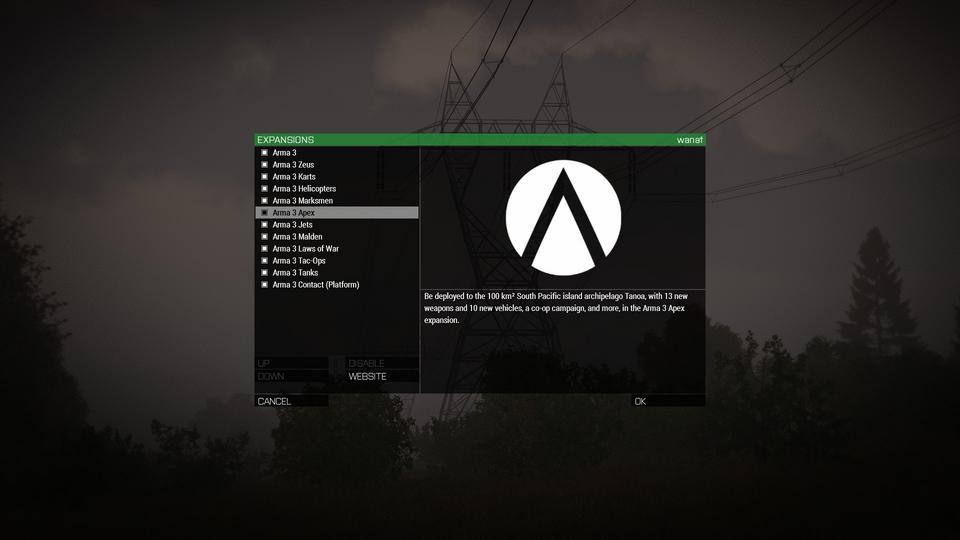
click options -> expansions instead of expansions on the bottom left
it should show you something like this https://i.imgur.com/2H1G7b2.jpg
 stone leaf
clever verge
it should show you something like this https://i.imgur.com/2H1G7b2.jpg
stone leaf
clever verge
it should show you something like this https://i.imgur.com/2H1G7b2.jpg
Thats what i did and it just showed the dlc
clever verge
stone leaf
Thats what i did and it just showed the dlc
did you put the mods where arma 3 is located or somewhere in application support where there might be something for it?
you might have to do the redirection for workshop items from steamapps/workshop to the arma 3 directory
that's what the launcher does in windows
stone leaf
All i did was download them on workshop
 sick scarab
I think it'd be a more prudent course of action to check your code is working first
sly rover
And how do I do that without Windows?
If someone would like to look... https://gist.github.com/her001/d5d8425510fc75fb3d8b
It is messy
Then I tried calling that via the hint function
In the console in game
sick scarab
Try making the extension write to a file to check it's being loaded and is running properly
sly rover
Ok
sick scarab
You could also probably just write to stdout and check with that
clever verge
yeah you need to manually do what the windows launcher does
its complicated because you need to locate the right id for the mod and symblink it to your arma 3 folder
sly rover
I tried that
sick scarab
Did it work?
sly rover
Nope. It does not work in the RVExtension function
But that may be because the port can't use shared objects in the normal way
sick scarab
Have you tried hinting just a normal string in the mod to see if that works?
or diag_log ect
Also check the RPT to see if the mod is being loaded
sly rover
hint "Hello"; works, if that is what you mean
sick scarab
Yeah, it rules out the mod not being loaded
sly rover
What do you mean by RPT?
sick scarab
arma's log file
clever verge
and you probably do want to name the addons something recognizable
clever verge
stone leaf
All i did was download them on workshop
it wont show up in the game without symblinking the workshop item folder to something recognizable in the arma 3 folder
im not sure a macos alias would work since its different than a symlink, think it like lnk files vs links
stone leaf
clever verge
it wont show up in the game without symblinking the workshop item folder to some...
Is there like a video tutorial somewhere on how to do that
sick scarab
Redirect stdout to a file and look through that, it should show you any errors popping up
sly rover
I ran from terminal, so I see the output. Nothing special there
But I read that the library need only be in the root Arma 3 dir, then it will be loaded. Does it need to be set up like other mods just to test that it works? Would it show in the output if it loaded or not?
clever verge
stone leaf
Is there like a video tutorial somewhere on how to do that
not that i know of, my apologies
stone leaf
Dam
clever verge
but this is basically how you put arma 3 mods before the launcher existed
so pretty much you'd have to do it the old way
or find where the mods are
uh, also mods that use extensions or contain dlls wont work
wise canyon
clever verge
im not sure a macos alias would work since its different than a symlink, think i...
I tried alias and it did not work
clever verge
not a video tutorial but you can find https://community.bistudio.com/wiki/Arma_3:_Play_on_Mac
wise canyon
symlinks should work
clever verge
wise canyon
I tried alias and it did not work
thats what i thought, but it should work with symlinks
oh, question, are there compatible servers for the posix ports?
wise canyon
the only port is the macOS port, Linux uses the vanilla Windows binary via proton
looks like the macOS port lacks the mini patch from the other day, before that it was in sync with any up to date server
clever verge
i see, hopefully it gets patched
sly rover
Hm. Checking /proc/$pid/maps does not show my library
But that doesn't show the steamworks lib either
So one sec
OH. Arma is 32 bit
Hm. That didn't fix it. I shall look more later. I can force it with LD_PRELOAD and it still has no effect
upbeat kraken
How do you disable the black script error box on Eden editor? (M1 mac)
 desert forge
clever verge
not a video tutorial but you can find https://community.bistudio.com/wiki/Arma_3...
desert forge
clever verge
not a video tutorial but you can find https://community.bistudio.com/wiki/Arma_3...
so we just went there and got stuck on the files "application support" part
for context my friend cant join because she doesnt have the traditional launcher so she cant click the "load mods"
wise canyon
time to either adapt one of the current launchers or write a macOS specific one I guess 😅
desert forge
well she cant join the server im hosting for some reason, i mean this also happened to my other friend who was on windows
i cant find a specific reason and it just happens randomly
wise canyon
can confirm https://github.com/muttleyxd/arma3-unix-launcher works to manage mods on new macOS ports
latest macOS release can be grabbed at https://github.com/muttleyxd/arma3-unix-launcher/releases/download/commit-383/arma3-unix-launcher-383.fd68309-mac_os_x-x86_64.dmg
wise canyon
desert forge
well she cant join the server im hosting for some reason, i mean this also happe...
that doesn't sound like a "load mods" issue
desert forge
well it doesnt seem to be anything else, we all do the same thing just different devices at different parts of the world
worthy plover
have you ruled out any mod issues through, idk, setting up a non-modded server?
mac branch is not compatible with everything and since the same issue happend to a win player then it's either something being you fault or you all are trying to use a faulty mod.
wise canyon
desert forge
well it doesnt seem to be anything else, we all do the same thing just different...
can you provide your server and troublesome client logs?
desert forge
wise canyon
can you provide your server and troublesome client logs?
just a host server, standard port the game gives us, no fancy server hoster thing
desert forge
worthy plover
have you ruled out any mod issues through, idk, setting up a non-modded server?
has been happening since we all got the game
worthy plover
desert forge
has been happening since we all got the game
this does not answer if your issue is happening without mods.
desert forge
ace, antistasi the mod blastcore compiled and JSRS sound mod
desert forge
worthy plover
this does not answer if your issue is happening without mods.
and they arent online right now so i cant confirm that with the mac user, i kn ow the windows user can, we have been joining eachother using same mods and everything
wise canyon
wise canyon
can confirm <https://github.com/muttleyxd/arma3-unix-launcher> works to manage m...
@solar pine maybe add a note about this launcher on the Mac wiki page? Makes using steam workshop a lot easier
wise canyon
desert forge
and they arent online right now so i cant confirm that with the mac user, i kn o...
But you said this also impacted the Windows user above?
wise canyon
Provide logs, just server log could be helpful until you can get the rest
desert forge
idk how to do that
 solar pine
wise canyon
<@137855151120711680> maybe add a note about this launcher on the Mac wiki page?...
solar pine
wise canyon
<@137855151120711680> maybe add a note about this launcher on the Mac wiki page?...
is Linux concerned too?
desert forge
but it was a new server
solar pine
solar pine
is Linux concerned too?
ah, it is already mentioned there
wise canyon
solar pine
is Linux concerned too?
Proton can use the official arma 3 launcher, macOS port can’t
Using that third party launcher is a lot better than manually copying mods
desert forge
desert forge
but it was a new server
like very new, we both got on, i started up server and then she couldnt join
solar pine
wise canyon
<@137855151120711680> maybe add a note about this launcher on the Mac wiki page?...
added to https://community.bistudio.com/wiki/Arma_3:_Play_on_Mac, thanks
wise canyon
solar pine
added to https://community.bistudio.com/wiki/Arma_3:_Play_on_Mac, thanks
I would add it as first suggestion for the mods section as well
wise canyon
now it's under battleye 😄
solar pine
…under BE
wise canyon
😆
solar pine
gr.
wise canyon
may I suggestion two sections under "Steam" section, "Using third party launcher" and "Manually copying mods" or something like that?
hmm, maybe the entire "Mods" section could be overhauled into "Third party launcher" and "Manually" 🤔
wise canyon
@solar pine Spearhead 1944 is not enabled for macOS port (yet?), https://community.bistudio.com/wiki/Arma_3:_Play_on_Mac#DLCs_.26_CDLCs
solar pine
wise canyon
<@137855151120711680> Spearhead 1944 is not enabled for macOS port (yet?), <http...
@wooden zinc, status report! 😃
wooden zinc
Official Mac support for Spearhead 1944 should come with the 2.14 update of the Mac port (so that means some time after 2.14 for Windows). Until then, it should be somewhat playable, but it's considered unsupported (hence it's not yet mentioned on the Steam store page).
wise canyon
the SPE CDLC depot is not enabled for macOS so anyone installing on macOS won't have the SPE folder
you could get the compat data from workshop but the instruction to use -mod=spe won't work
wise canyon
the macOS applications are named ArmA3 AS Native.app and ArmA3.app 
wooden zinc
I've probably spent 5% of my entire life force fighting that battle this past decade. Can't win them all 😄
desert forge
worthy plover
this does not answer if your issue is happening without mods.
still doesnt work
 dry halo
wise canyon
can confirm <https://github.com/muttleyxd/arma3-unix-launcher> works to manage m...
dry halo
wise canyon
can confirm <https://github.com/muttleyxd/arma3-unix-launcher> works to manage m...
It doesn’t work for me
celest laurel
"It doesn't work for me" is not even a valid claim/troubleshoot
dry halo
?
celest laurel
Literally. Nobody can help if your only info is that
dry halo
When i click start it says “filesystem error: directory iterator cannot open directory: no such file or directory”
Nvm now its just saying running but won’t start
 fierce gust
So I just recently acquired Arma 3 for my mac almost a week ago and I have been running into a persistent issue and that is mods. So I have the steam workshop and I subscribed to a whole bunch of mods thinking that they would show up in game but they just haven't. I have tried to use the Arma 3 unix launcher but to no avail. So can someone help me with my mods I subscribed to on the steam workshop and help them get into the game. I also bought some dlc's and they work perfectly fine but I just need help with the mods. Help appreciated.
dry halo
fierce gust
So I just recently acquired Arma 3 for my mac almost a week ago and I have been ...
Does the arma 3 unix launcher work for you?
fierce gust
i tried using it but it just doesnt work
dry halo
Yeah, it just sends me straight to the game when I press start, even when i select the mod
fierce gust
i also tried to do the option where you manually enter the mods into the launch options but that also doesnt work
is there any option that really works?
wise canyon
dry halo
Yeah, it just sends me straight to the game when I press start, even when i sele...
Pressing start should go directly into the game, what’s wrong with that?
upbeat kraken
CBA only downloads ver. 3.12 on Mac?
I un subscribed and re resub the mod Twice
Stoll getting outdated mod pop up
wise canyon
upbeat kraken
CBA only downloads ver. 3.12 on Mac?
the official CBA workshop item will result in 3.15.8 on Mac. Make sure you don't have leftover files somewhere and that you've grabbed the official release.
upbeat kraken
Where can i get official release
wise canyon
upbeat kraken
Where can i get official release
 upbeat kraken
wise canyon
https://steamcommunity.com/sharedfiles/filedetails/?id=450814997
upbeat kraken
wise canyon
https://steamcommunity.com/sharedfiles/filedetails/?id=450814997
Ive re subscribed it, still same outcome
wise canyon
Then you have leftover files, the download contains 3.15.8
upbeat kraken
So i need to delete the file manually from workshop folder first?
upbeat kraken
wise canyon
https://steamcommunity.com/sharedfiles/filedetails/?id=450814997
Still dont work
Google Docs
wise canyon
Likely because you have multiple CBA files, post your rpt log file
upbeat kraken
wise canyon
Likely because you have multiple CBA files, post your rpt log file
Whats that? and where to find it
torn basin
!rpt
 golden crystalBOT
Arma RPT
Arma generates a .rpt log file each time it's run, which contains a lot of information like the loaded mods, or any errors that appear, this log file can be very useful for troubleshooting problems.
To get to your RPT files press Windows+R and enter %localappdata%/Arma 3
Additionally see the wiki page for more info: https://community.bistudio.com/wiki/Crash_Files
To share an rpt log here, please use a website like https://sqfbin.com/ to upload the full log, that way the people helping you can take a look at it and try to figure out the problem you're having together with you.
Note: RPT logs can hold personal information relevant to your system, the game or others.
torn basin
upbeat kraken
how about on mac
find / -name *.rpt 🙂
(I thought that the biki page would have that info, maybe it should be expanded once someone knows the answer)
torn basin
In that case, it looks like you need to wait for someone who actually uses a mac to help you 😔
Maybe you could try iname instead of name (case insensitive match) but I doubt this will really help
upbeat kraken
aight cool thx lad
dry halo
wise canyon
Pressing start should go directly into the game, what’s wrong with that?
So how do i play the mods?
dry halo
I subbed and downloaded them but I cant figure out how to play them
wise canyon
dry halo
I subbed and downloaded them but I cant figure out how to play them
Restart the launcher after downloads are done and select in mods list
dry halo
I did select the mods and then i clicked start, but nothing works
stone leaf
dry halo
I did select the mods and then i clicked start, but nothing works
Drag the mods from the workshop folder into the arma 3 folder
dry halo
stone leaf
Drag the mods from the workshop folder into the arma 3 folder
And then what? How do I actually use the mods?
clever verge
see the play on mac biki page
clever verge
dry halo
And then what? How do I actually use the mods?
you need to pass -mod=mod1,mod2,etc for every mod comma separated or do it from options-> expansions
you should be able to enable it in game
stone leaf
dry halo
And then what? How do I actually use the mods?
Go to options and then expansions in the main menu and itll be there
stone leaf
clever verge
you need to pass -mod=mod1,mod2,etc for every mod comma separated or do it from ...
U dont need to do all that bc it works fine for me and i dont do any of that
clever verge
stone leaf
U dont need to do all that bc it works fine for me and i dont do any of that
mac doesn't have launcher
and the launcher is what does the workshop links
stone leaf
clever verge
mac doesn't have launcher
Yeah so instead u just have to drag the mod folder from workshop folder into arma folder
Only takes a couple of seconds
clever verge
stone leaf
Yeah so instead u just have to drag the mod folder from workshop folder into arm...
symlink is better and dragging will move it instead of copying
unless you hold the respective modifier
dry halo
stone leaf
Go to options and then expansions in the main menu and itll be there
On the launcher or actual game?
clever verge
dry halo
On the launcher or actual game?
game
are you on mac?
because there's no launcher
dry halo
Im on mac
dry halo
clever verge
because there's no launcher
But i also have the special mac launcher thing
clever verge
what, arma 3 is an app on mac, plain and simple
i dont know an arma 3 launcher for mac
wise canyon
You can use third party launcher with steam workshop integration, its linked on the Mac wiki page
clever verge
didnt see any mention of custom launchers on the play on mac biki page
upbeat kraken
So i was trying to Play arma 3 antistasi on singleplayer, which require me to create a LAN server
for some reason now arma would just crash after loadinf for a while
any idea why
upbeat kraken
upbeat kraken
any idea why
Tried again with another scenario, insurgency Vietnam used to be able to work
But now it crash whenever i host a server
clever verge
wise canyon
<https://community.bistudio.com/wiki/Arma_3:_Play_on_Mac#Mods>
ok that's new
wise canyon
it worked with the previous ports version before 🙂
clever verge
that information wasn't there before through
sly rover
So using LD_PRELOAD, I have verified that it definitely loads the library
That was confusing. I have used LD_PRELOAD, then verified afterwards that it does load. Still no effect in game though, testing by using callExtension
Sort of stumped.
Either I'm missing something obvious or it does not support it.
dry halo
Y’all I have a problem
I’ve been playing around with the mods for like 2 days now, pretty fun, but now the game won’t start. Like i click start, it shows the whole intro thing and then it just automatically closes. Sometimes it goes to the main menu for a few seconds but then the same thing happens. I’ve tried closing everything and then opening it up again but it didn’t do anything. I don’t know if it’s because of the new mods I installed yesterday or not
gritty sage
Well you could easily find out if its because of the new mods
dry halo
How
celest laurel
Unload the Mod
dry halo
Still doesn’t work
celest laurel
Then it is not the “new Mod”'s fault
dry halo
I just disabled all mods and it works now
I guess i’ll just find the mod that makes it crash
dry halo
So i finally got the game to start, I loaded up the eden editor and went to my saved scenario. When I tried to put a plane from the mod into the terrain, it crashes the game
worthy plover
it's probably a mod issue then, especially if vanilla planes do not make your game crash.
dry halo
So is there any way to play those mods?
worthy plover
if they are broken then you can tell the mod author and wait for a fix.
stone leaf
dry halo
So i finally got the game to start, I loaded up the eden editor and went to my s...
is it the f22 from aero effects mod bc that makes my game crash too
dry halo
That one too, but i dont really care about that one because i also have other f22s. The ones i do cars about are the FIR F-15, F-16, and harrier
 slow surge
anyone on mac looking to run a server and do some missions together?
clever verge
for now you can do crossplay with windows and linux, right?
wise canyon
clever verge
for now you can do crossplay with windows and linux, right?
Mac is slightly behind, hopefully it will be in sync again sometime after next patch 2.14
clever verge
i mean, isnt it still compatible?
slow surge
For the most part i can play on servers with no mods and no battle eye i was just looking for players in similar situations to play with
clever verge
AS native doesn't have be
clever verge
slow surge
For the most part i can play on servers with no mods and no battle eye i was jus...
you should be able to play with mods that don't make use of extensions
arma3.app is be enabled
gritty sage
"xx" callExtension calls the library in @someMod\xx.so or xx.dll . Doesnt matter if its already loaded into the game.. if its not in that path arma wont call it
sly rover
Ah, so the path is important. Okay, I'll try some more
Everything I read said that you could test in the root dir. That is why I asked here, but no one said that would be a problem. Thanks!
 gritty shard
had a quick look where the linux server searches for extension libs ("libfoo" callExtension "") :```
[pid 31684] open("/libfoo.so", O_RDONLY|O_CLOEXEC) = -1 ENOENT (No such file or directory)
[pid 31684] open("/home/a3/a3dir/mark/libfoo.so", O_RDONLY|O_CLOEXEC) = -1 ENOENT (No such file or directory)
[pid 31684] open("/home/a3/a3dir/heli/libfoo.so", O_RDONLY|O_CLOEXEC) = -1 ENOENT (No such file or directory)
[pid 31684] open("/home/a3/a3dir/kart/libfoo.so", O_RDONLY|O_CLOEXEC) = -1 ENOENT (No such file or directory)
[pid 31684] open("/home/a3/a3dir/curator/libfoo.so", O_RDONLY|O_CLOEXEC) = -1 ENOENT (No such file or directory)
[pid 31684] open("/libfoo.so", O_RDONLY|O_CLOEXEC) = -1 ENOENT (No such file or directory)
[pid 31684] open("./libfoo.so", O_RDONLY|O_CLOEXEC) = 237
but I have no idea how it's implemented in the linux client (if at all)
quasi orchid
would arma wrk on a mac with
4.2 GHz Quad-Core Intel Core i7 processor
Memory Radeon Pro 580 8 GB graphics
8 GB 2400 MHz DDR4 Memory
i've gotten many results from dif ppl/searches
slow surge
Yeah you should be good to go, lmk if you want to get together in a server i can show you the ropes
 echo flicker
Hey hi, any thoughts about next patch release date?
wooden zinc
We are planning to release update 2.14 to Mac, but it will be a few weeks after that release for Windows (due to the process of porting and also involving an external partner).
sly rover
See, the root dir should work then...
I don't think the client implements it at all, but I will try some more things
quasi orchid
I recently switched to Manjaro and am trying to set up arma according to this guide: https://ninelore.github.io/project/armaonlinux/
However when I launch the Arma 3 Unix Launcher from the terminal, I get the following error: "arma3-unix-launcher: symbol lookup error: arma3-unix-launcher: undefined symbol: ZN6spdlog7details7log_msgC1ENS_10source_locEN3fmt2v917basic_string_viewIcEENS_5level10level_enumES6"
Anyone know what this means, or what the solution is?
torn basin
Sounds like something that you Tex should report to the launcher's developer
 bright oak
quasi orchid
I recently switched to Manjaro and am trying to set up arma according to this gu...
bright oak
quasi orchid
I recently switched to Manjaro and am trying to set up arma according to this gu...
This issue is exclusive to the launcher and Arch distros like Manjaro.
I am suffering from the same issue. The developer Muttley would have to take a look to fix it. It has something to do with updated libraries on Arch no longer working with the launcher.
torn basin
Again: reporting the issue to the developer gives you a chance of it being fixed
Even if you're the 24th person to do so
quasi orchid
bright oak
This issue is exclusive to the launcher and Arch distros like Manjaro.
I am suf...
is this something that happens often?
torn basin
Judging by your error message, I'd wager it would happen 100% of the times (for you!)
quasi orchid
I mean like something that pops up with new updated libraries
torn basin
Because either you have access to the library that the program expects, or you don't
quasi orchid
I did open a Github issue, hopefully a fix is found
torn basin
Is this something that happens during compilation or when you're running the binary? (looks like compilation)
quasi orchid
when I try launching the program from terminal
torn basin
Try doing ldd <program> and see what's missing
bright oak
I fixed it in a PR, it just has to be updated
upbeat kraken
upbeat kraken
Any idea why V sync on arma 3 locked the fps to 55 instead of 60?
I think this is a bug
A few folks also have the same problem
quasi orchid
is there a way to change where the game is installed in the Unix Launcher? It fails to start the game because it's trying to launch from /run/media/user/2TB SSD/SteamLibrary/steamapps when I have it installed at /run/media/user/2TB SSD/Steam/steamapps/common/Arma 3
worthy grail
quasi orchid
is there a way to change where the game is installed in the Unix Launcher? It fa...
check where the arma prefix is located. Maybe its trying to launch from same library where prefix is located but this is not always true
or you can replace it in ~/.config/a3unixlauncher/launcher.conf
quasi orchid
config is set to use the right folder, but it's still trying to launch from the wrong one 🤔
https://imgur.com/a/amXPQUR
 worthy grail
in that case I would check location of the prefix. For arma it is 107410, check if this exist /run/media/user/2TB SSD/SteamLibrary/steamapps/compatdata/107410/ and move it to /run/media/user/2TB SSD/Steam/steamapps/compatdata/
quasi orchid
I don't have any Steam related folders outside "Steam" on the 2tb
https://imgur.com/1NlmjQm
 worthy grail
It fails to start the game because it's trying to launch from /run/media/user/2TB SSD/SteamLibrary/steamapps
Is there some error or how did you find out Unix launcher is trying to launch Arma from that location?
quasi orchid
running the launcher from terminal
it shows the error in terminal when I hit start
 worthy grail
Interesting, I would try to file bug on Github. Have you also tried launch it with verbose flag -v ? Maybe it will provide more info what went wrong.
other option is delete launcher.conf to let it regenerate new config file
quasi orchid
worthy grail
Interesting, I would try to file bug on Github. Have you also tried launch it wi...
tried this, gave more but didn't seem add to the current error
https://pastebin.com/4a8Sk7xb
Pastebin
Pastebin.com is the number one paste tool since 2002. Pastebin is a website where you can store text online for a set period of time.
did mention being unable to find Proton though, which may be an issue later
quasi orchid
worthy grail
other option is delete `launcher.conf` to let it regenerate new config file
this didn't change anything, new one still pointed to the correct path and launcher still used the wrong one
renamed my Steam folder to SteamLibrary and set it as library folder in Steam, it is trying to run now but gets different errors I don't understand at all
without -v: https://pastebin.com/UHjstz9n
with -v: https://pastebin.com/6GkVt5eS
Pastebin
Pastebin.com is the number one paste tool since 2002. Pastebin is a website where you can store text online for a set period of time.
Pastebin
Pastebin.com is the number one paste tool since 2002. Pastebin is a website where you can store text online for a set period of time.
worthy grail
now it looks like at actually launched the game
is Arma working when you launch it from steam?
quasi orchid
Yeah
crystal scaffold
On the mac it seems that script files are somehow cached. When I change Init.sqf of a mission, nothing happens until I restart arma
quasi orchid
Hello; I would like to report a crash on the macOS version of Arma, most likely due to an error on a shader, or so the log says. Where can I report it?
celest laurel
This or #arma3_feedback_tracker , note try not to post in both
Also it's weekend, they would need some time to start investigate
quasi orchid
Sure; thanks. Should I tag someone specific?
celest laurel
Probably no need to
clever verge
just post it and someone will check it out
quasi orchid
I created 3 reports in the tracker, for various stuff (also questions I asked in the past but I'd love to get through to the devs), because there is no option to upload files in this channel:
https://feedback.bistudio.com/T174955
https://feedback.bistudio.com/T174957
https://feedback.bistudio.com/T174956
 manic loom
^ isn't there a switch for that? -allowedFilePatching or something similar?
 surreal sinew
afaik, file patching is not concerned with mission editing, but with addon/mod editing
@crystal scaffold : strange. afair you need to re-open the scenario for description.ext changes, init.sqf should be read each time you start the scenario
oh wait @crystal scaffold … are you working with the in-game editor?
or are you starting scenarios outside of preview mode, as normal mp/sp scenarios? those are cached afaik
crystal scaffold
@surreal sinew yes, was in the in-game editor, as on windows , then hit preview, changed a few lines in the Init.sqf, restarted the scenario preview and was stuck with the original Init.sqf
surreal sinew
strange
crystal scaffold
I mean on windows it works to refresh the scripts on the fly, with exception of description.ext as you wrote, but here on the Mac version I need to shutdown arma and come back to see my changes it seems
surreal sinew
really sure you got the same file? i've all too often mixed up the different places where files go
ah.
crystal scaffold
positive I got the same file
surreal sinew
sry. wasnt realizing i'm in #linux_mac_branch somehow. my bad.
crystal scaffold
ah, you're not on a mac? So can't reproduce?
surreal sinew
all i know is on windows it works as it should.
crystal scaffold
yeah, works on my windows system as well, just not on the mac :(
nice, strings on the arma3 executable reveals a private path: /Users/<USERNAME>/Work/GIT/eon2/src/core/osx/runLoop.mm
this one is also nice: Requested Windows System32 path, investigate why!
worthy grail
Arma 3 multiplayer doesn't work on Linux after new update. After joining server it will not show menu and only option is to press esc which will disconnect you. I saw somebody already making report https://feedback.bistudio.com/T175242
quasi orchid
worthy grail
Arma 3 multiplayer doesn't work on Linux after new update. After joining server ...
same here
worthy grail
for reference, it looks like this https://i.imgur.com/lDdZ7aa.jpg
 quasi orchid
yep; exactly same here
gritty sage
Can you send a RPT of that?
Could be steam libraries, but you should have the new ones
what server are you joining?
quasi orchid
i just did a clean re-install from steam; just tried to join one of the official ones; same problem on all servers
quasi orchid
gritty sage
Can you send a RPT of that?
are you dev? i can dm you an rpt but i dont' see anything relevant in there, game isn't crashing
gritty sage
Yes. But I don't have a proton setup and cannot debug anything there
maybe also server log would help, if you host your own server
I think that is the phase where it does handshake with steam. Server or client connection logs may note something about that
gritty sage
I can't access official server logs
Mh yeah nothing at all. I don't know if client would log something about whether steam was initialized correctly. Server does log it
worthy grail
i can still see chat windows xyz connected to server
when someone else connect to server
gritty sage
Yeah but the server might be waiting for steam authorization and not let you pass through further
You are like, half connected. So you see chat messages. But the server doesn't let you pass through
I don't know how to fix that
quasi orchid
it worked before the update, was that code changed? i don't remember seeing anything about networking in the changelog
gritty sage
We updated the steam libraries.
steam_api.dll and steamclient.dll
quasi orchid
i don't know much about the versioning behind those. can you download older versions somewhere to plug in and out?
can rip them from other games no doubt
gritty sage
Oh also we updated the Arma Launcher. That might run better/less laggy now?
I'll grab the old files for you, a few minutes
quasi orchid
arma launcher works great
i take it these dll's originally come from here?
https://partner.steamgames.com/doc/sdk/
gritty sage
I don't know if all of them are in there, but yes
I think steamclient.dll is pulled from steam client itself
Here are the previous files
quasi orchid
thanks i'll plug those in real quick
gritty sage
We have a issue on linux servers (but that's different from this, and the reasons are known and don't apply to windows branch) where the steam_api.dll and steamclient.dll missmatch and break.
But in proton you'll have the windows files and tons of players are playing with these without issues
quasi orchid
same problem after replacing all the original dll's 😦
could try to get this going in proton GE or w/e and see what wine is complaining about but those error messages are a mess
single player works perfectly fine, it's just joining a server it's failing at
gritty sage
There is also some steam debug logging mode
but don't know how to activate that
Something about launching your steam client with console, and then running a command inside your steam client
You are not alone with it though https://steamcommunity.com/app/107410/discussions/0/3817418437352210149/
@waxen spear you are not on linux right?
ah
 worthy grail
https://partner.steamgames.com/doc/sdk/api/debugging trying -debug_steamapi flag
gritty sage
Noone in that steam thread thought its worth mentioning they are on linux
 barren skiff
Probably not Arch users then.
worthy grail
Nothing show up on when connecting to server but after clicking esc and disconnecting I get this:
[S_API WARN] No game server found with IP 1438553140 or port 2102, skipping removing any server. [S_API WARN] CancelAuthTicket called on invalid ticket
full log after launching game https://paste.opensuse.org/pastes/3f94bca4368f
quasi orchid
gritty sage
Noone in that steam thread thought its worth mentioning they are on linux
lol
wonder if it matters if you try to direct connect to an ip address instead of using server browser
edit: no
gritty sage
worthy grail
Nothing show up on when connecting to server but after clicking esc and disconne...
I'm pretty sure there should be stuff showing up while connecting
"CancelAuthTicket called on invalid ticket" also that shouldn't be invalid
I'd expect it to log the game requesting the auth ticket.
Game connection is clearly working if it can see the cancel
worthy grail
ok found the way how to do it but filtering on linux works per PID and arma create multiple PID. I am not sure which one will be responsible for connecting to server and without filtering log have 122k lines
worthy grail
https://paste.opensuse.org/pastes/f3c33d7834e4 I manually filtered lots duplicate/not interesting lines about achievements etc...
worthy grail
after recent update I was able to connect to the server

Arma 3 | Official Website
Hotfix 2.14 (Launcher)
gritty sage
Turns out, the servers you were trying to connect to were broken 😄
worthy grail
I used official server for testing
if server have Required version 2.14.* (in launcher) or 2.14 (in game) it works
but if required version is 2.14.xyzx it will fails with wrong PBO
and I saw people online on this broken server
 waxen spear
gritty sage
<@371825227459723264> you are not on linux right?
waxen spear
gritty sage
<@371825227459723264> you are not on linux right?
I use Linux exclusively. Solus OS is my daily driver.
I play Arma via Proton Experimental and have experienced no issues until this recent update.
My OS is fully up to date.
acoustic depot
inshallah!
acoustic depot
gritty sage
Oh also we updated the Arma Launcher. That might run better/less laggy now?
I'm interested to check this out 👀
 shut terrace
worthy grail
after recent update I was able to connect to the server
shut terrace
worthy grail
after recent update I was able to connect to the server
Funnily enough I was also able to connect to a random Italian server, but every other server fails either with pbo error or with the original issue (stuck at a background).
worthy grail
shut terrace
Funnily enough I was also able to connect to a random Italian server, but every ...
servers need to be updated to fix that
shut terrace
worthy grail
servers need to be updated to fix that
Well, according to this #arma3_official_servers message dev post all the official servers run with the hotfix now. However, I still cannot join them. I am still stuck on the background screen.
Am I the only unlucky one, or is the problem still there?
If I connect from the Launcher I can even see the starting log messages (GUID, my_name connected, someone was killed etc.) but I never load in.
As I mentioned before, there was 1 random Italian server I could join (and still can).
The main difference between this server and all the others I tried was that it doesn't require BattleEye!
Not sure if this is the source of the problems or a coincidence.
worthy grail
yep official still doesn't work for me server version is 2.14.150779 while my game is 2.14.150957
 tawdry trellis
it's "required" version, not "running" version
shut terrace
shut terrace
As I mentioned before, there was 1 random Italian server I could join (and still...
I could connect to any server (5/5) which did not require BattleEye. I couldn't connect to any server which did require BattleEye (0/10+). So the issue might be with that.
barren skiff
Might have to disable battleeye on my server to play then, that kinda sucks (To be fair the server is password protected anyways, so hardly the worst thing ever)
worthy grail
huh, I connected to 3 different server today, what a chance that all had BE disabled... I will test it tommorow
barren skiff
Same error with the server running battleeye, turning it off and tada... it works
(Litterally just changed battleeye=1 to battleeye=0)
 trim ridge
Yea, unfortunately this has been happening for a while on the performance/profiling branches, but looks like it didn't get fixed, and just went to live
iirc, around the time it was happening, some optimization was being done around... sigchecks? I put some messages I'm sure you can find in the #perf_prof_branch back when it started if you wanted to look and see a few other symptoms.
There's one indicative error in the rpt you'll see that's indicative of this issue:
6:20:53 Error 5 reading file ''
I have my sneaking suspicions that it's a case-sensitive FS issue, but that's only based off of an anecdotal tidbit from when BattlEye broke for Proton before. I'm working right now on some debugging tools that should let me at least dump out syscalls to see where it might be going wrong
But, hopefully we can get someone to take a look at it at some point, since it's way harder from the outside 🙂
trim ridge
Unfortunately, whatever was done a month or so ago on performance/profiling did it, but I wasn't really able to drum up much traction for helping figure it out, so I'm left trying to intercept systemc calls and fix it myself, which is unlikely without massive time investment. I do still have the original time frame, which should help whoever takes the time to help us narrow it down quickly, but we just have to hope for now 😦
gritty sage
I don't understand what's going on.
Do you still have this: #linux_mac_branch message
But only on BattlEye servers?
But I was told #linux_mac_branch message that the issue was fixed? So what is going on now?
How was it working on official server, when its now not working on official server?
worthy grail
gritty sage
I don't understand what's going on.
Do you still have this: https://discord.com...
after yesterday hotfix update I saw official servers were not updated yet so I tested it with 3 different servers and it was working after that, but it looks like i was just lucky in picking working server
gritty sage
Can you check your RPT for Error 5 reading file '' ?
gritty sage
Do you have time for some testing? I don't have a proton setup.
I can revert/disable some things and send you a new exe
worthy grail
11:27:22 Arma 3 | A3 | true | true | NOT FOUND (Empty) | should it be like that?
gritty sage
yes
worthy grail
yes I can test different versions
gritty sage
Okey probably gonna be 20 minutes. Need to figure out how to do that with BattlEye on
trim ridge
gritty sage
Do you have time for some testing? I don't have a proton setup.
I can revert/di...
I'm also available
gritty sage
@worthy grail @trim ridge 🏓
Ugh I cannot upload file because my nitro ran out 😄
Either that gz file or this URL https://s.arma3.io/Arma3Retail_DX11_x64.exe
This is latest #perf_prof_branch client. You can rename it to arma3_x64.exe if you need.
This has some additional RPT prints, and I assume that should work with BE servers. Hopefully the RPT prints tell me why.
worthy grail
do I need to switch to profiling branch to apply this?
gritty sage
no
trim ridge
gritty sage
<@579325421540212736> <@117083001996836865> 🏓
Ugh I cannot upload file becaus...
I get slightly farther with that, and the UI elements that used to be all stacked up like the screenshots above in the channel are back in their rightful locations, but it gets stuck in a loop spamming
4:10:44 CB C 0
in the rpt log still before role-selection screen.
I'll upload the full rpt for you now though.
gritty sage
Can you check all "CB" lines? There should be one earlier
There is CB, CB C and CB X.
What is the first CB one
trim ridge
gritty sage
There is CB, CB C and CB X.
What is the first CB one
4:09:45 CB 0
BattlEye lied to me 😠
I asked them if its ever null, they said no 😄
Well that looks like a null to me
I'll have to coordinate a bit with them, this will work for now we'll do a profiling branch update with the fix on probably monday
And I assume joining BE servers indeed works for you now right?
trim ridge
gritty sage
And I assume joining BE servers indeed works for you now right?
No. Screen freezes fully as it spams the CB C 0 line over and over again.
but it gets stuck in a loop spamming in the rpt log still before role-selection screen.
gritty sage
Oh 🤔 Missed that part
But.. Sus.
trim ridge
It was definitely different behavior, though 🤣
gritty sage
Maybe its just stuck because its busy spamming RPT and being very slow
 trim ridge
huh, let me leave mine running for a little longer and see if it eventually clears
trim ridge
worthy grail
https://i.imgur.com/aBYwNZp.png
Yep, this time I got to the role selection, but it loops printing to the rpt (no frames rendered for >40sec) after hitting "OK"
it responds to SIGQUIT though so it's not completely hung
gritty sage
I'm waiting for reply from BattlEye. Depending on that I might send a build without the RPT logging.
worthy grail
I am also connecting on servers without mods
trim ridge
worthy grail
I am also connecting on servers without mods
I still had my personal menu tools on earlier, but going completely sans mods made no difference. I still froze partway through the loading screen after hitting "OK"
were you able to make it all the way in to the game?
I'll try another server for good measure
Same issue on other servers as well
gritty sage
It will really spam a F' ton. I assume enough to overwhelm the RPT logging and freeze you.
Just don't waste more time on it, I'm sure its fine 🤞
worthy grail
launched game again and I am having 1FPS after fully joining server
2.3M lines in 5min file is 37mb
gritty sage
Stuck on empty screen? Just water in background? cannot load into server? Replace your arma3_x64.exe with this one. Also this fix will be on #perf_prof_branch next week.
Same without RPT spam, but its not a proper fix yet
⚠️ You do not need the file below anymore. The fix has landed on #perf_prof_branch. Switch your game to the profiling beta branch.
trim ridge
gritty sage
Stuck on empty screen? Just water in background? cannot load into server? Replac...
This one "works", I obviously don't know what's missing from it, but I am able to join/play on BE servers with that
Thank you so much for taking the time to help us out, despite being a very small minority of players.
hmu if I can do anything further now, or in the future
gritty sage
Okey I now have a better fix until BattlEye fixes on their end.
I don't want to publish a profiling branch version for just that though, so we'll let this temp fix be until we publish profiling next monday or tuesday
also that read error thing will also be gone then
gloomy flower
So 2.14 broke the game for linux players. Anybody else reporting this issue?
 exotic marlin
gloomy flower
So 2.14 broke the game for linux players. Anybody else reporting this issue?
tawdry trellis
exotic marlin
gloomy flower
So 2.14 broke the game for linux players. Anybody else reporting this issue?
tawdry trellis
which issue?
gloomy flower
tawdry trellis
"This video is private"
tawdry trellis
still the same 
tawdry trellis
opens now
gloomy flower
If you know what to do, you can actually join the game. but xD
and the white, I thought it was night vision but it's the map
the view change is first person and thurd person swap
soft venture
gritty sage
Stuck on empty screen? Just water in background? cannot load into server? Replac...
@gloomy flower This should fix work around that issue, Dedmen's comment about RPT spam was related to the exe he shared before.
gloomy flower
Well
2.14.150717
Works
but cannot join a 2.14.150779 or 2.14.150957
Thx for the help :)
gritty sage
gloomy flower
that is not my issue
Yeah it is exactly your issue
gloomy flower
So it was, my bad. I don't really do reading, especially here following the chat is .. hard...
Anyways, there is another issue, of Aiming on vehicles. that plagues Linux, now that I got your attention. It's off by a significant amount.
Well it plagues Proton run Arma3, the original .. the guys who made the "port" it worked on it perfectly. Those Linux versions that where updated a month before the new update. Back in the day.
soft venture
How is aiming off? Is there some weird input difference?
gloomy flower
with a tigris, if you shoot at the radical you won't hit... You have to shoot 2cm backwards and 1cm up to hit the plane
waxen spear
gloomy flower
but cannot join a 2.14.150779 or 2.14.150957
How are you able to hop between versions? Are you using the beta tab in /Properties?
I see your other post about 2.14.150962 also. How'd you get that?
My game is fully updated according to Steam
For the time being I'm on 2.14.150957 (via Proton Experimental)
stone leaf
im on 2.12.150301 and idk how to update it
im also playing on mac so idk if that has something to do with it
worthy grail
Mac has it's own update cycle and it wasn't updated to 2.14 yet
gritty sage
Mac will wait a couple weeks
 dusty burrow
Is there somewhere I can find information on when to expect an update on mac? or is it completely random? The fact that I can't play on servers now makes me incredibly sad
wooden zinc
There's no confirmed timeline, because it involves an external party as well. Generally the process after a Windows update goes: await hotfix grace period, probably until next week > commission the port from the partner > do specific Mac QA > release.
See https://dev.arma3.com/ports for all limitations of the experimental Mac ports.
quasi orchid
Yeah, i am also having an issue after the new update where if i try to join either with mods or official vanilla server it would just get stuck on a loading screen. Hopefully BI release an official fix soon 

gritty sage
quasi orchid
Yeah, i am also having an issue after the new update where if i try to join eith...
loading screen or empty screen? on linux proton?
quasi orchid
gritty sage
loading screen or empty screen? on linux proton?
Either i get the molon labe shield and spear screen or just a blue one that seems im under the water. I'm on linux using proton experimental. Never had an issue with Arma before until this update
gritty sage
gritty sage
Stuck on empty screen? Just water in background? cannot load into server? Replac...
See that ^
quasi orchid
I see it! Thanks will try that when i get home. But hopefully they actually release an actual fix. Thanks for this though 
gritty sage
We will release a better temp fix on #perf_prof_branch
And some time in the future it will also be fixed on main branch but have no ETA
 dusky granite
hello
i was able to run vanilla arma 3 on steam deck with proton experimental
but i can't seem to get the workshop mods to work
normal launcher can't initialize them and unix launcher just doesn't load them
arma is installed on an sd card
worthy grail
I had same issue, I figured some workaround, let me find it
The issue is because proton have issue with symlink on external drive(sdcard)
dusky granite
yeah that was my guess but i don't know if i will be able to install everything on internal drive
worthy grail
Unix & Linux Stack Exchange
Every time I attach a USB drive while or before running a Windows application with Wine, Wine notices it and adds a drive letter for it automatically. I would like to disable this feature in favour...
Go to arma prefix/dosdevices and removo links to your SD card while keeping c: and z: drive
And after that run CMD from that link inside dosdevice folder
And after that you need to reset launcher settings or change mod folder location in launcher settings
When I will be on PC I could probably write better guide
dusky granite
worthy grail
And after that run CMD from that link inside dosdevice folder
don't quite understand what im supposed to do in this part
which link
worthy grail
Unix & Linux Stack Exchange
Every time I attach a USB drive while or before running a Windows application with Wine, Wine notices it and adds a drive letter for it automatically. I would like to disable this feature in favour...
dusky granite
aight
worthy grail
From the last answer
gloomy flower
waxen spear
How are you able to hop between versions? Are you using the beta tab in /Propert...
Bohemia Interactive Forums
2.12.150787 new PROFILING branch with PERFORMANCE binaries, v14, server and client, windows 32/64-bit, linux server 32/64-bit - Tweaked: deleteVehicle is now able to delete #track/#mark type objects - https://feedback.bistudio.com/T172751 - Tweaked: The game date acquisition routine is now more o...
and i asume 2.14.150717 was the Dedmen Arma3Retail_DX11_x64.exe.gz he released in here.
and ... what ever the issue is ... they "Bohemia" should fix it on the proton side.
wise canyon
Proton is not a Bohemia project, any fixing on Proton side needs to be accepted by Valve, Wine and/or dxvk
worthy grail
well there could be workaround on bohemia side on launcher when it detect proton/wine enviroment it should always use Z:\ drive path (which is absolute path) on linux when symlinking mods. But i think it should be fixed on proton/wine unless there are some limitation.
there are also some wine sandboxing variable that could potentially prevent it from symlinking drives
quasi orchid
So this is the first time I've had issue with any arma update. I'm still fairly new to the community but will a patch be released to get this fix? Or do we have to find a workaround ourselves for this fubar update?
shut terrace
quasi orchid
So this is the first time I've had issue with any arma update. I'm still fairly ...
You don’t have to look further than the first pinned message 😅
quasi orchid
Oh I know and i'll be sure to apply that hotfix when i get home later
But shouldn't the dev release a proper fix on this? 
Idk again im new here lol
gritty sage
The problem is on BattlEye's side.
We will publish that temporary workaround hotfix on #perf_prof_branch
Until BattlEye libraries get updated and also fix it on main branch
So main branch will be broken for a while. Atleast for now there is not a plan to push a hotfix to main branch. Especially because we would have to revert it once BattlEye fixes their stuff
quasi orchid
Oh okay thanks for explaining it hopefully they can push a fix on the main branch soon. But really appreciate figuring out the hotfix for the time being
dusky granite
worthy grail
https://unix.stackexchange.com/questions/306297/how-to-stop-wine-from-assigning-...
thanks for the help but couldn't get it to work
proton decides that it will crash steam and then create the link anyway
 earnest trench
Linux member when joining server sees a dark terrain with land on the bottom from high up, sees no menus. I'd send image but can't. Is the most recent pinned a fix for that kinda thing?
gritty sage
Jup exactly what I told you in #server_linux, fix is pinned
earnest trench
Thank you
worthy grail
dusky granite
thanks for the help but couldn't get it to work
can you post your ls -la from dosdevice folder?
dusky granite
i'm currently transferring all the files to internal disk
exotic marlin
thanks for the fix, haven't had issues with the pinned exe
dusky granite
dusky granite
i'm currently transferring all the files to internal disk
looks like it's working
probably see you in some time when i inevitably run out of disk space
quasi orchid
gritty sage
Stuck on empty screen? Just water in background? cannot load into server? Replac...
can't join in the server warlords (US)#01e, it says i have wrong version.
gloomy flower
wise canyon
Proton is not a Bohemia project, any fixing on Proton side needs to be accepted ...
You can push fixes to staging wine from there it will drop to proton ge -> proton -> eventually to wine
quasi orchid
Tried the hotfix with my machine and changed my arma3_x64.exe with the one pinned but my end is still not working. Thanks for the help though. Just gonna play csgo for now lol
Edit: I managed to get it working. Thanks for the fix
stone leaf
U can play that on mac?
gritty sage
It is workaround-fixed, the fix is pinned
quasi orchid
@gritty sage i can't join to my favoire server(2.14.150779), the fix(2.14.150717) only works with servers 2.14.146373 https://imgur.com/a/oFGum5s


 gritty sage
yeah, if server set a required minimum build it won't work because my build number is faked.
#perf_prof_branch will get a proper one on tuesday
quasi orchid
ok thanks
quasi orchid
gritty sage
Stuck on empty screen? Just water in background? cannot load into server? Replac...
it works! thanks
 brisk anvil
gritty sage
Stuck on empty screen? Just water in background? cannot load into server? Replac...
brisk anvil
gritty sage
Stuck on empty screen? Just water in background? cannot load into server? Replac...
Some servers dont like it but at least the one I main does thanks for this!
quasi orchid
on linux mint 21 just bought the game first couple launches worked fine and I was able to load in (proton experimental)
now if I launch it crashes once it launches
on proton experimental and the latest version of proton
waxen spear
quasi orchid
now if I launch it crashes once it launches
what crashes? the launcher or the game?
try adding this -skipIntro -noSplash -enableHT -noLogs -world=empty to steam launch settings.
In the launcher, if its not whats crashing, go to Launcher Options (top right) -> Disable Launcher Acceleration = yes and "Close Launcher after starting game"
quasi orchid
the game I have intro splash and launcher off
gloomy flower
-nolauncher -skipIntro -noSplash -window -name=Name -exThreads=7 -malloc=system -hugePages -maxmem=32256 -noLogs -world=empty -noPause -noPauseAudio -mod= -beservicer
gritty sage
Crash usually means you get a crashdump.
You should also get a crash .mdmp in proton
 tardy parcel
gritty sage
yeah, if server set a required minimum build it won't work because my build numb...
tardy parcel
gritty sage
yeah, if server set a required minimum build it won't work because my build numb...
Today Tuesday or next week Tuesday?
gritty sage
Tomorrow tuesday 🤣
short tulip
Tomorrow is Wednesday.
gritty sage
That's just the name for a delayed tuesday
Due to the 10th anniversary celebrations today we couldn't get a build out, but its ready
gloomy flower
The fuck, you didn't bother to invite Sa-Matra to the party!..
quasi orchid
waxen spear
what crashes? the launcher or the game?
try adding this ``-skipIntro -noSplash -...
weird I turned those on and it just goes not responding instead of instantly crashing if you consider that better
I figured out how to get proton logs though
it just randomly decided to work
 twin rover
Yo so the arma 3 launcher isnt showing up Its just taking me to the main game.
Btw im on mac
solar pine
twin rover
Yo so the arma 3 launcher isnt showing up Its just taking me to the main game.
no launcher on Mac, afaik
but a community alternative: https://community.bistudio.com/wiki/Arma_3:_Play_on_Mac#Mods
quasi orchid
wheres the arma profile located on linux? seems to not be documents
barren skiff
On mine its placed in A3master, mind you this could very well be a amp thing
worthy grail
<Steam-folder>/steamapps/compatdata/107410/pfx/ and after that follow windows location
barren skiff
Oh client not server
worthy grail
are you using outdated linux native version of Arma or running windows version via proton
gritty sage
the outdated native version shouldn't be available anymore afaik
quasi orchid
So the temp .exe is no longer working? How would i change it to the new one? I am using the steam branch version of arma but has replaced the arma_x64.exe with the temp one. How do i get the new one? Sorry fairly new with the whole arma thing
by updating?
I just did a fresh install of arma last night and i tried running it not too long ago. But I'm stuck in what seems to be an underwater screen. It was fine the last few days with the temp fix that was pinned here.
wise canyon
gritty sage
the outdated native version shouldn't be available anymore afaik
legacyports branch is still there
wooden zinc
That is the Windows 2.12 build, so someone could downgrade their Windows game to play with someone on Mac.
wise canyon
ah, yeah, there's no linux bin depot anymore
https://community.bistudio.com/wiki/Arma_3:_Steam_Branches needs to be updated then 😄
gritty sage
quasi orchid
I just did a fresh install of arma last night and i tried running it not too lo...
You can switch to #perf_prof_branch
Should be able to just go into the steam properties for your Arma and select the profiling beta branch
bright oak
after putting in the perf password, of course
wait, is the perf password not needed anymore to use perf branch? I can't find any mention of it anymore
soft venture
Indeed, the password was removed some time ago
bright oak
time flies
soft venture
A couple days more and it will be exactly one year ago
bright oak
perfect time for the perf branch public reveal anniversary
quasi orchid
gritty sage
You can switch to <#105466848958513152>
Should be able to just go into the stea...
Works great!! Thanks
sly rover
I don't get anything from my test extension even when it is in a folder and loaded as a mod.
So... I don't think the Linux/Mac ports support extensions right now
gritty sage
dont know why bohemia would do that... Linux server supports extensions... why Shouldnt client?
sly rover
It isn't BI doing this port
It is VP. And VP uses their own, in house wrapper-thing called eON.
 austere fable
Hi all. Will 2.14 eventually be available for Mac? Would love to play online with other players.
gritty sage
Yes
austere fable
Sweet!
dusty burrow
austere fable
Sweet!
the main question is when will it be🥲
 unreal cedar
Ok guys, as I was leaded towards this channel with my problem, I will repeat a request here
I have a problem with joining any multi-player game in arma. Screenshot that should be here is currently in #screenshots_arma (because I can't attach media here) .
I am playing on thinkpad t470, on Linux Debian
Instead of seeing a normal slot selection menu I see this two arrows. I am playing on steam version, with proton 7.0
gritty sage
See pinned messages.
Switch to profiling branch it has it fixed
austere fable
dusty burrow
the main question is when will it be🥲
Just did a search in this discord and it looks like someone said it should be out a few weeks after the release of the PC version. So maybe really soon?
gritty sage
I hope its soon.
Unforseen problems often appear so there can be no guarantee
 high cairn
anyone who had problems with vehicle settings?
mine are blank
seems like i cant set them to anything
gritty sage
That might be my fault, if you are running profiling branch
Ah you are on mac (Very important to say that)
That won't be my fault then

 high cairn
gritty sage
Ref image https://cdn.discordapp.com/attachments/105784487148802048/115162864328...
high cairn
gritty sage
Ref image https://cdn.discordapp.com/attachments/105784487148802048/115162864328...
exactly the same as mine
just blank
gritty sage
That is your screenshot
posting it here so that others can see what you're talking about
high cairn
high cairn
exactly the same as mine
forget that
high cairn
gritty sage
posting it here so that others can see what you're talking about
thanks!
waxen spear
gritty sage
See pinned messages.
Switch to profiling branch it has it fixed
I'm on the Profiling branch (Proton Experimental) and I can join servers now but almost anything is liable to cause the game to hard-crash to desktop.
Solus OS 4.4, Kernel 5.15.131-215 LTS
trim ridge
waxen spear
I'm on the Profiling branch (Proton Experimental) and I can join servers now but...
On the performance branch right now myself (214_v01), and with Proton 8.0-3 (other versions don't seem to really make any difference atm), I'm all good to go - rock solid stability. Personally, I'd need more information to figure out what's up on your end (logs, more setup information, etc.)
waxen spear
trim ridge
On the performance branch right now myself (214_v01), and with Proton 8.0-3 (oth...
Arma 3: 2.14.151005
SOG PF: 1.3.r1572
OS: Solus Linux (fully up to date as of 9/13/2023)
Proton: Proton Experimental
CPU: Intel i7-8700K
GPU: NVidia GTX 1070 Ti
RAM: ~34gb
Swap: ~26gb
This happens consistently when using "N" to open the SOG PF build menu (or accidentally instead of opening the "M" map). This was entered in chat as the game was crashing:
"Starting info panel handler loop"
I've also had it crash while Alt+Tab and clicking into a second monitor. Currently my display is set to fullscreen-windowed so the cursor doesn't accidentally drift into the other monitor.
Is there a place I can upload the .rpt logs? Discord isn't letting me in this server.
Here are the last lines of the logs, the rest seemed normal:
`Mods: A3;curator;kart;heli;mark;expansion;jets;argo;orange;tacops;tank;enoch;aow;VN;@Enhanced Movement
Version 2.14.151005
Fault time: 2023/09/13 22:44:14
Fault address: 406C410A 01:006C310All Z:\media\NVME_EXT4_2TB\SymLinks\common\Arma 3\Arma3_x64.exe
file: vn_mf_v01_00_03_ao_plus_gia (__CUR_MP)
world: cam_lao_nam
Prev. code bytes: 46 10 EB 07 48 8B 05 53 43 03 02 48 85 C0 74 04
Fault code bytes: F0 FF 40 08 48 89 43 18 48 8B 05 0F C3 FF 01 48
note: Minidump has been generated into the file C:\users\steamuser\AppData\Local\Arma 3\Arma3_x64_2023-09-13_22-42-37.mdmp`
waxen spear
I've also noticed the "U" menu for joining a group does not work (does not crash game though)
gritty sage
waxen spear
Arma 3: 2.14.151005
SOG PF: 1.3.r1572
OS: Solus Linux (fully up to dat...
Minidump has been generated into the file C:\users\steamuser\AppData\Local\Arma 3\Arma3_x64_2023-09-13_22-42-37.mdmp
I need that
waxen spear
^ sent a dm to provide files
gritty sage
Was fixed with profiling branch v2 just released
crystal scaffold
@HERO strange, I can load a mod on the mac, but then get an error when actually using the p3d of the mod. But CBA icon loaded nicely, albeit I doubt it's usable as I'm sure they use script commands beyond 1.42
nevermind, no idea about extensions
 astral nebula
Is there any development for the Mac version?
astral nebula
It doesn't look like it will be released before 1 month.
gloomy flower
V3 is not very stable.
soft venture
Define "not very stable". And is it worse than V2 or V1?
acoustic depot
What's v3 🥴
soft venture
gloomy flower
soft venture
Define "not very stable". And is it worse than V2 or V1?
[118416.372673] Isolated Web Co[71347]: segfault at ca220de85c0 ip 00007fc45179e14e sp 00007fffbb8650d0 error 4 in libxul.so[7fc44e29b000+8024000] likely on CPU 12 (core 4, socket 0)
[118416.372683] Code: 48 8b 84 24 30 02 00 00 48 3b 84 24 38 02 00 00 0f 84 10 0a 00 00 48 8b 8c 24 28 02 00 00 4c 89 2c c1 48 ff 84 24 30 02 00 00 <48> 8b 45 00 48 8b 40 08 48 3b 87 b0 00 00 00 0f 85 83 0a 00 00 48
[124210.217307] loop2: detected capacity change from 0 to 214080
[132932.590221] perf: interrupt took too long (2515 > 2500), lowering kernel.perf_event_max_sample_rate to 79500
[134126.630061] perf: interrupt took too long (3149 > 3143), lowering kernel.perf_event_max_sample_rate to 63500
[183013.552382] loop31: detected capacity change from 0 to 831128[188546.736512] Isolated Web Co[203333]: segfault at 5fdb183749c0 ip 00007fdb130ecfa8 sp 00007ffd452ffcf0 error 4 in libxul.so[7fdb1000c000+8024000] likely on CPU 11 (core 3, socket 0)
[188546.736523] Code: 8d 98 08 08 00 00 4c 8d 15 d5 f0 04 00 4c 8d 1d 0e 00 05 00 4c 8b 0d 87 86 41 05 4d 89 ec 0f 1f 40 00 4d 8b 74 24 08 49 8b 06 <48> 8b 48 30 4c 39 d1 0f 85 01 02 00 00 41 0f b6 6e 12 41 80 7e 16
[188629.858106] ntfs3: Max link count 4000
[188629.858109] ntfs3: Enabled Linux POSIX ACLs support
[188629.858109] ntfs3: Read-only LZX/Xpress compression included
where where the dumps for linux?
It generated a 7GB dump
 dusty rivet
Do any of you know how to get Arma mods from the workshop to work the game if you on a mac
 onyx marsh
dusty rivet
Do any of you know how to get Arma mods from the workshop to work the game if yo...
onyx marsh
dusty rivet
Do any of you know how to get Arma mods from the workshop to work the game if yo...
Download Arma 3 Unix Launcher

 teal depot
barren skiff
Probably not Arch users then.
teal depot
barren skiff
Probably not Arch users then.
Hello guys, I use arch btw
Never played ARMA. Bought it on sales yesterday.
How do I run Arma III on Linux?
Do I need Proton?
Which Proton to use? Experimental?
Do I need to play on profiling beta?
Do I need arma3-unix-launcher?
After ~hour of tinkering I finally was able to see the Arma Launcher. When I hit play, a black screen appears and... nothing.
Sorry if I chose the wrong channel.
short tulip
No, this is the right channel.
 shrewd granite
teal depot
Never played ARMA. Bought it on sales yesterday.
How do I run Arma III on Linux...
shrewd granite
teal depot
Never played ARMA. Bought it on sales yesterday.
How do I run Arma III on Linux...
Maybe this is a start:
https://community.bistudio.com/wiki/Arma_3:_Play_on_Linux
acoustic depot
afaik it should just work out of the box, are your gpu drivers all ok?
teal depot
yes
teal depot
teal depot
yes
I have nvidia card
and I use a proprietary nvidia drivers, version 535
teal depot
Tried arma3-unix-launcher
Tried setting 32 bit in the official launcher
Tried staring at that black screen (maybe it's loading, I don't know)
Installed vulkan-tools package
Tried different launch options from protondb and other websites:
https://www.ninelore.org/project/armaonlinux/
https://wiki.gentoo.org/wiki/Bohemia_Interactive_ARMA_3
https://steamcommunity.com/app/107410/discussions/0/4939856028576372338/
Nothing works.
bright oak
What happens when you try to launch it?
teal depot
bright oak
What happens when you try to launch it?
Depends on what settings I'm using.
The best I can get is a launcher with this setup:
Proton Experimental
profiling beta
no launch options
I press play, agree with BattlEye, ARMA III logo appears and loads for a while, then black screen.
bright oak
Odd, seems like it almost works for you.
Does the black screen ever go away?
teal depot
No
golden crystalBOT
Arma RPT
Arma generates a .rpt log file each time it's run, which contains a lot of information like the loaded mods, or any errors that appear, this log file can be very useful for troubleshooting problems.
To get to your RPT files press Windows+R and enter %localappdata%/Arma 3
Additionally see the wiki page for more info: https://community.bistudio.com/wiki/Crash_Files
To share an rpt log here, please use a website like https://sqfbin.com/ to upload the full log, that way the people helping you can take a look at it and try to figure out the problem you're having together with you.
Note: RPT logs can hold personal information relevant to your system, the game or others.
bright oak
(For linux, you'd find them under compatdata)
torn basin
The link above says:
/home/X/.local/share/Arma 3/
teal depot
teal depot
Depends on what settings I'm using.
The best I can get is a launcher with this...
Again, depends on the setup, but with this one I switch to Steam and click Stop.
In some others I have to kill the Arma process, then close Steam, then wait a few minutes, and only then everything closes.
bright oak
torn basin
The link above says:
> /home/X/.local/share/Arma 3/
That's for the server exec and the old linux port. The Proton version saves RPT to the Proton/Wine prefix of the game under compatdata.
Try these launch options:
%command% -noSplash -skipIntro -world=empty
See if these let you at least see the main menu
teal depot
bright oak
Try these launch options:
`%command% -noSplash -skipIntro -world=empty`
See if t...
okay I got the launcher
torn basin
bright oak
That's for the server exec and the old linux port. The Proton version saves RPT ...
Heh, maybe it would be worth adding that to the Biki, now that Proton Arma versions are First-class citizens? 🤔
cc: @solar pine?
(no, I don't have an account myself 😛 )
solar pine
torn basin
Heh, maybe it would be worth adding that to the Biki, now that Proton Arma versi...
I'll make you one 😎
teal depot
teal depot
okay I got the launcher
I need to accept BattlEye next, right?
bright oak
It's optional to accept it but you can.
torn basin
solar pine
I'll make you one 😎
Cool, I have nothing against you adding that entry using my account 😎
solar pine
torn basin
Heh, maybe it would be worth adding that to the Biki, now that Proton Arma versi...
so… what should I do 😄
solar pine
oh noice
thanks, cuz I'm not too Linux-educated
torn basin
solar pine
_oh noice_
thanks, cuz I'm not too Linux-educated
I'm not using Arma on linux either, I'm just loud-mouthed 😛
teal depot
same black screen
torn basin
(I'll have you know that I'm not using Arch! ☝️😁 )
@teal depot is there anything of interest in the rpt logs?
Because maybe it's sitting there, in plain sight and will save you a lot of troubleshooting time
teal depot
i'm not sure where to find them.
god dammit, are images disabled on this server or what? i can't paste images, i can't drag&drop images, i can't send images from "+" button on the left
/mnt/disk/SteamLibrary/steamapps/common/Arma 3
this dir? I have Arma installed on external drive
torn basin
bright oak
That's for the server exec and the old linux port. The Proton version saves RPT ...
Where is that exactly? Ryan is asking
teal depot
registration.log
this file?
/mnt/disk/SteamLibrary/steamapps/compatdata/107410/pfx/drive_c/ProgramData/Bohemia Interacti ve/Arma3
teal depot
teal depot
registration.log
this file?
oh it's empty
torn basin
The file should end with .rpt
torn basin
Best would be to read the last ~50-100 lines and see if there is something that looks like an error there
I'm just trying to guide you here, I doubt I'll be able to help you myself, since I'm not playing on Linux.
But maybe someone else could if you post it, though? 🤷♂️
bright oak
torn basin
Where is that exactly? Ryan is asking
/home/username/.steam/steam/steamapps/compatdata/107410/pfx/drive_c/users/steamuser/AppData/Local/Arma 3
teal depot
last 29 lines (something about directx)
https://bin.whateveritworks.org/?79797b535f5c7eba#DThSYpiLCopT6NQErg5BHEsDYciS26h88b4tahspkLzg
I don't see any errors there
bright oak
Try moving your arma installation onto your system drive and running it from there.
dry halo
Y’all I’m having a problem where arma 3 won’t update to 2.14, so I can’t play in server such as the KOTH King of the hill RHS. I checked on steam but there’s no option to update it. Can anyone help?
wise canyon
dry halo
Y’all I’m having a problem where arma 3 won’t update to 2.14, so I can’t play in...
2.14 is not yet available for mac
dry halo
Ohhh ok, do you know when it will be?
dry halo
Thank you
teal depot
bright oak
Try moving your arma installation onto your system drive and running it from the...
not possible
teal depot
Thanks for all the suggestions, I'll try everything tomorrow.
quasi orchid
Question, is there a way to run tfar plugin for teamspeak using proton?
gritty sage
quasi orchid
Question, is there a way to run tfar plugin for teamspeak using proton?
Yes. Run Windows TeamSpeak inside the same proton environment
quasi orchid
gritty sage
Yes. Run Windows TeamSpeak inside the same proton environment
Is there a guide or documentation i can follow to get this working? Also I've installed the Linux version of ts3 and used the run sh script. Is there a way for me to do a full uninstall of the program cause when i look through the dir i dont see any uninstall.sh 😵 i haven't really used teamspeak so im not familiar. Thanks in advance
shut terrace
quasi orchid
Is there a guide or documentation i can follow to get this working? Also I've i...
I've got it working following ninelore's guide: https://www.ninelore.org/project/armaonlinux/
First, you can keep the Linux version of TS3 (e.g. just for chatting on a server without running Arma), but you won't use it for TFAR. If you want to uninstall it, just delete the entire folder where your TS3 installation is. You may have some remaining hidden configuration files in your Home directory that you may also want to delete.
quasi orchid
shut terrace
I've got it working following ninelore's guide: https://www.ninelore.org/project...
Thank you, i appreciate the help. I'll work on it once i get home
teal depot
sadly images are disabled on this server. but maybe you can see preview of this link:
https://cdn.imgchest.com/files/84jdcwvpgb4.png

as you see, everything needed is installed.
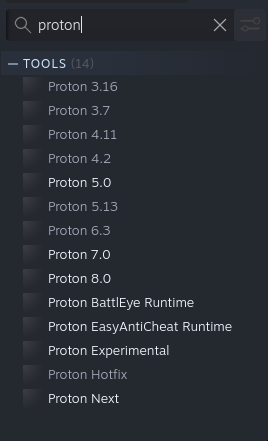
what should I check? do you want me to post log from this command?
Graphics:
  Device-1: NVIDIA TU116 [GeForce GTX 1650] driver: nvidia v: 535.104.05
  Display: x11 server: X.Org v: 21.1.8 driver: X: loaded: nvidia
    gpu: nvidia,nvidia-nvswitch resolution: 1920x1080
  API: OpenGL v: 4.6.0 NVIDIA 535.104.05 renderer: NVIDIA GeForce GTX
    1650/PCIe/SSE2
Dedicated memory: 4096
Vulkan 1.3.264
OpenGL 4.6.0
uname is 6.5.3-arch1-1
when using Proton 7, I was able to get the Arma logo to display, but then the game crashed
see the screenshost (again, can't post it directly here)
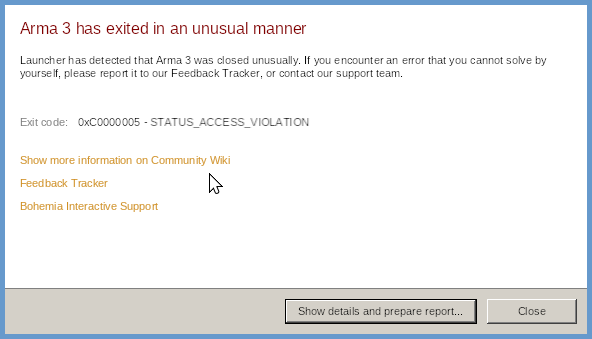
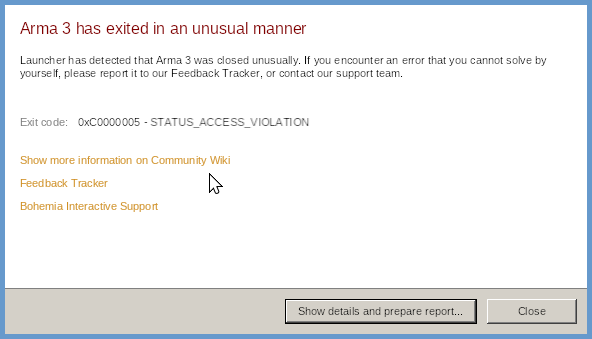
 cosmic marsh
when can we expect the update for mac? Tha game hasnt been playable for weeks now
soft venture
cosmic marsh
when can we expect the update for mac? Tha game hasnt been playable for weeks no...
gritty sage
teal depot
when using Proton 7, I was able to get the Arma logo to display, but then the ga...
I can try looking at that report
worthy grail
teal depot
when using Proton 7, I was able to get the Arma logo to display, but then the ga...
did you downgrade proton from 8/Experimental to proton 7? Arma doesn't like that
changing memory allocator actually fixed this for me(I had same error after downgrading Proton 8 -> 7)
or changing it back to 8 also fix it
teal depot
worthy grail
did you downgrade proton from 8/Experimental to proton 7? Arma doesn't like that
wdym downgrade? I have all of them installed
teal depot
worthy grail
or changing it back to 8 also fix it
neither 8 or experimental or 7 works for me
worthy grail
if you used proton 8 on Arma 3 and after that changed to proton 7 it will not work properly
teal depot
and what should I do now?
worthy grail
right click on Arma 3 in steam -> properties -> Compatibility -> Force to use specific version and select proton 8
teal depot
worthy grail
right click on Arma 3 in steam -> properties -> Compatibility -> Force to use sp...
that's how I've been changing the Proton version all the time.
teal depot
gritty sage
I can try looking at that report
what do you mean?
buttons don't work, btw
gritty sage
The thing you'd get if the buttons worked
echo flicker
hi, battleye works now on mac?
 lyric oriole
Hello, I'm having a similar thing to above. I'm trying to get TFAR to work. Using Ninelore's guide and helper script I first attempted to get TS to run with Proton 8.0. TS crashes after running for about 5 - 15 seconds. Then I discovered that the script only supports up to Proton 7.0, so I successfully downgraded ArmA 3 proton to 7.0. Thing is TS still crashes after a few seconds and I'm out of ideas. I'm relatively new to linux (mint) and I'd be happy to get some pointers to get me in the right direction
worthy grail
lyric oriole
Hello, I'm having a similar thing to above. I'm trying to get TFAR to work. Usin...
Do you have gamepad/controller connected? Try disabling ts3 plugin for gamepads.even if you don't have it connected try disabling this plugin
lyric oriole
I do have a gamepad and a joystick
worthy grail
Also proton 8 works with ninelore script
lyric oriole
Oh it does? Maybe I have a old version, it says inside Arma3Helper.sh, line 7-19, I changed the variable from nothing to 7.0```## MAKE SURE YOU CHOOSE THE SAME PROTON VERSION AS FOR ARMA IN STEAM!!!
Set this to the Proton Version you are using with Arma!
Available versions: "7.0", "6.3", "5.13", "5.0", "4.11", "4.2", "3.16", "3.7", "Proton Experimental", "Experimental"
Defaults to: 7.0
PROTON_OFFICIAL_VERSION="7.0"```
I got this version:
https://github.com/ninelore/armaonlinux/releases/tag/1v18-5
worthy grail
Yeah, script wasn't updated for long time but number is just folder path
lyric oriole
Oh! Thanks, I didn't know that! I'll have to dig around and figure out how exactly the script works, luckely I took some time to figure out bash already
deactivated the joystick plugin... lets see! (this might take a while)
wise canyon
echo flicker
hi, battleye works now on mac?
if you use the non apple silicon binary, yes. the mac version is currently on 2.12 so you cannot play with other up to date windows players until 2.14 update is shipped to macOS as well.
worthy grail
lyric oriole
Oh! Thanks, I didn't know that! I'll have to dig around and figure out how exact...
I am at my PC right now, "8.0" is for proton 8
lyric oriole
worthy grail
I am at my PC right now, "8.0" is for proton 8
Gotcha I'll go for 8 then! So far TS is seemingly running stabley now, since I disabled the gamepad plugin like you said. Thanks, I wouldn't have figured that out on my own! Do you mind if I make a forum thread, to let people know?
worthy grail
sure. go ahead, it's common problem with TS3
lyric oriole
Gotcha, I didn't see that mentioned anywhere I looked up. Maybe its the keywords I used for the search engine
worthy grail
i think it's still missing from guide but it's often mentioned on ninelore discord "ArmaOnUnix"