#perf_prof_branch
1 messages · Page 27 of 1
 knotty wraith
 whole cloud
Since v32? Or potentially before that. Can't be v32 so I assume before that.
knotty wraith
One minute, I'll finish testing.
the instigator is not fixed in version 32
["TOWER04",[346993c2c00# 463159: антенна.p3d CUP_A2_antenna,"",0.657132,<NULL-объект>,"rhs_ec400_ammo",-1,<NULL-объект>,"",true,0]]
the instigator is fixed in version 31
["TOWER04",[2b7eaa38000# 463636: antenna.p3d CUP_A2_antenna,"",0.591813,<NULL-object>,"rhs_ec400_ammo",-1,O Alpha 1-6:1 (Dimon UA) REMOTE,"",true,0]]
31 missions work properly, but 32 missions are broken: players cannot blow up the antenna
I rolled back the versions and checked everything - the results are above
I'll repeat that we're playing with ace mod
whole cloud
knotty wraith
the instigator is not fixed in version 32
```sqf
["TOWER04",[346993c2c00# 463159...
Is that the only issue? the instigator being missing?
 uneven bluff
We have a similar issue being reported on official eu11a. Seems like damage is being set but instigator and killer are not when using the setDamage alt syntax on the server. I can’t reproduce locally.
whole cloud
yeah looks like it, that'll break your script
uneven bluff
(Or maybe it’s on the other end.)
knotty wraith
the most interesting thing is that when damage is caused by AI cartridges, the instigator is fixed
["TOWER04",[2b1d69f9400# 463133: antenna.p3d CUP_A2_antenna,"",0.00032063,R Alpha 1-2:2,"UK3CB_762x51_Ball_Tracer_Yellow",-1,R Alpha 1-2:2,"",true,0]]```Did you retest with v31?
I wonder if v31 being used on the client that is firing the shot, would make it behave correctly.
Then its related to setShotParents
But normal bullets don't need setShotParents
knotty wraith
v 32 records the damage from my rounds on the antenna
["TOWER04",[2b1d69f9400# 463133: antenna.p3d CUP_A2_antenna,"",0.000185396,O Alpha 1-3:1 (Dimon UA) REMOTE,"rhs_B_545x39_Ball_Tracer_Green",-1,O Alpha 1-3:1 (Dimon UA) REMOTE,"",true,0]]*,
The only problem is with explosives.
whole cloud
Explosives placed with ACE mod?
@knotty wraith can you try, global execute script ace_explosives_setShotParents = true;
After that place explosive and try if its fixed?
knotty wraith
whole cloud
Explosives placed with ACE mod?
There are two ways to bookmark through ace on the ground and attach your script.
whole cloud
Try with the ACE one then
knotty wraith
whole cloud
<@938448121325813792> can you try, global execute script `ace_explosives_setShot...
all is working - thanks
whole cloud
Ok then I know what it is. Fix tomorrow
uneven bluff
What's the cause? I wonder if it's related to our issue?
whole cloud
setShotParents network message is not sent when one of the parameter is not a valid networked entity.
objNull as shot owner, is not a networked entity
Thanks I got it now. The UI at bottom still not showing for me but I can reproduce by right clicking, and I think I know what it is
uneven bluff
Hm, ok, that's probably not our issue then. We don't send setShotParents. We use setDamage.
I'll continue to investigate. This is almost certainly a profiling issue though, as it cropped after immediately after our server update.
whole cloud
uneven bluff
Hm, ok, that's probably not our issue then. We don't send setShotParents. We use...
You are considering that setting killer/instigator is server-side only?
uneven bluff
Yes, the function is server-only (can't execute client side). The damage is correctly set, just not the instigator. Or if it the instigator/killer are being set, then it's not being read back to us properly in EntityKilled.
Server was 2.20.153319
whole cloud
So it came up at the update to v31, and v30 was probably fine?
The last setDamage change was v27
uneven bluff
The server hasn't been updated for about a month, I think. I don't remember what it was on before.
It was a pretty big update, but only the server version was updated, not the mission script.
 static briar
whole cloud
Thanks I got it now. The UI at bottom still not showing for me but I can reprodu...
static briar
whole cloud
Thanks I got it now. The UI at bottom still not showing for me but I can reprodu...
That's good.
UI at bottom is maybe it's because he's using dev instead of prof/pref. isn't it? nah
uneven bluff
static briar
That's good.
~~UI at bottom is maybe it's because he's using dev instead of prof...
I was using profiling, just the editor, no scripts.
Just thermal plus spectrum device. Only the second part of the video, I did run a script that gave me the integrated full screen thermal thing. All vanilla, no mods.
static briar
uneven bluff
I was using profiling, just the editor, no scripts.
yeah that shows as pref build on esc menu but I have no idea the why you have "dev build" water mark on right bottom too...
uneven bluff
Hm... I've always had that.
static briar
Maybe you're putting the pref exe into the dev build? or using -debug
uneven bluff
I might be using -debug
uneven bluff
Thanks for repro video. I was going to make a longer video but seems like the issue's been figured out.
whole cloud
Fixed: Rendering could get stuck for a few seconds when right-clicking the spectrum device in thermal vision
Fixed: setShotParents would not assign the Instigator when the Owner was objNull
Fixed: Very long loading times for some modpacks
I that all or did I miss something?
uneven bluff
I'll try to figure out our issue once the server comes back up.
It might be something else entirely, I haven't been able to replicate locally at all :/ All I know is it was working before the server profiling version update.
whole cloud
Could test if v25 on server works, and v27 doesn't. Then it must be the setDamage change, but I don't see any mistake in the code (besides the one I fixed in v32)
mh wait. v31 setDamage has broken netcode, so if server was on v31, maybe thats already it. But that should cause bigger problems
uneven bluff
Bigger problems such as? Everything else seemed to be working on the server before it went down. The only thing was our spectrum jammer script (which used setDamage).
(Also the server is down, and I guess that does fall into the "bigger problems" category.)
Also the damage was being set, because people were bringing down uavs. Just not getting kill credit for it.
whole cloud
uneven bluff
Bigger problems such as? Everything else seemed to be working on the server befo...
uneven bluff
Welp. Hoping the problem just goes away after the fix then. If not, I'll debug then.
There is another factor, being that our kill credit is set by player uid, and that's hard to test with a single player/account.
 empty goblet
1.54.133149 profiling & performance v15 server and client, windows, linux
- additinal logging on that 'anims' crash
https://www.dropbox.com/sh/582opsto4mmr8d8/3BSy9PdRGm
- if i can get full RPT crash report (do not use -nologs) today we may fix it later in evening today (in v16)
 whole cloud
whole cloud
static briar
whole cloud
whole cloud
whole cloud
static briar
yayyy! thankyou dedmen!
 obtuse bramble
Went from 5-8min down to 1.5min, great work!
empty goblet
obtuse bramble
Went from 5-8min down to 1.5min, great work!
now you don't have the excuse to make coffee anymore 😁
obtuse bramble
Arma ops.. notorious long times before starting, plenty of time. 😉
 fiery crescent
@whole cloud Just noticed that the reporter exe did not update since 6/25 on 3 out of 4 servers. Only recent server build are updated. I just updated to V33 and noticed it. Can I simply copy the updated reporter exe to all 3 servers that have the old one and override it? Are there any DLLs that should be copied with it? Can you advise. Thanks.
 patent sky
fiery crescent
<@90532520101183488> Just noticed that the reporter exe did not update since 6/2...
patent sky
fiery crescent
<@90532520101183488> Just noticed that the reporter exe did not update since 6/2...
Yes all those crashreporter exe's are the same, I accidentally didnt include them again until v30 or v31
you can also check the hash, even the "old" ones should be the same
fiery crescent
Ah, ok. It's weird because I had server crush 2 weeks ago and could not find the reporter log indicating that the crash was auto submitted. I figured that it is broken.
static briar
I updated to v33, but the loading speed hasn't improved. It's still overwhelmingly slow compared to the test version. I used v33perf (Steam).
I have no idea why
whole cloud
I'd need the whole complex path with Intel vTune to record the whole thing to see exactly whats going on.
If that wasn't it then I don't know what else would be
static briar
Ummm,, ok, anyway I have a Weekend COOP Party today, so I'll try various things after it's over... It might be a problem with my PC. (However, my friends who use the same preset also complained about V33 and went back to V21...)
yeah I tried v32+ (test exe) and it was works fine but v33 exe is not fix the loading time yet... I'll run prof ver and output rpt later.
 heavy galleon
^^ something for you. Can provide the file and full rpt later today. For now I "fixed" it by going back to perf v16 (random one I clicked)
 heavy vortex
%pathto% isn't gonna be valid in Arma. I guess something that was a warning was converted to an error?
heavy galleon
heavy vortex
%pathto% isn't gonna be valid in Arma. I guess something that was a warning was ...
%pathto% hides the absolute path 
heavy vortex
Use asterisks :/
heavy galleon
okeyyy
fiery crescent
Updated via Steam from v25 to V33 and got server crash after 8 hours. No crashreporterlog file found in server directory. Since there is no indication that it was auto submitted I sent it directly. @whole cloud I PM you the dump files. Sorry for being a pain, perhaps you may find and correct issue not previously reported.
Fault address: C7DF108A 01:0118008All C:\Arma 3 Server\arma3server_x64.exe
fiery crescent
Just got another crash: Fault address: C7A6BD9C 01:00DFAD9Cll C:\Arma 3 Server\arma3server_x64.exe. Sending another dump. Reverting to V21. I originally jumped from V18 to V25. V18 had no revive issues or crashes.Will see how v21 works.
Also in V25 and V33 had revive issues. No revive option, weird multi camera view when dead. It was occasional on V25 and happened on V33.
 void badger
I'm running an op on Linux latest perf tonight, will update if things go sideways o7
 latent socket
whole cloud
latent socket
whole cloud
- Fixed: Very long loading times for some modpacks
My load times went from around 40 minutes v32 and now almost an hour in v33.
whole cloud
40 minutes? wau
I cannot reproduce, and I don't have enough data that shows me where the problem is
I need a vTune recording of the game startup
 opal hound
How many mods do you need to cause that?
whole cloud
Huh, I think I can repro now with v33, but only on linux. My server is starting very slowly.
yeah v32 starts normal, v33 slow. But only my linux server.. wtf
latent socket
whole cloud
40 minutes? wau
It was 12-15 prior to v23. This has been a nagging issue since that update
whole cloud
latent socket
It was 12-15 prior to v23. This has been a nagging issue since that update
Can you confirm that v22 was still good?
latent socket
 silk pewter
A: too many
silk pewter
A: too many
I don't appreciate the assumption
whole cloud
I looked through the v22->23 changes twice already and didn't see anything both times
latent socket
whole cloud
Can you confirm that v22 was still good?
Let me scroll through my messages here and find when the issue started
silk pewter
latent socket
I don't appreciate the assumption
it's one of the two, or both (or you load mods on a toaster ^^)
I thought it was 40 minutes for a "normal" launch, though
latent socket
#perf_prof_branch message
from 21SEPT. It was from v23 on
whole cloud
I see references between v23 and v21 though.
I want to be sure that v22 itself was good, and not people that updated from v21 to v23 skipping over v22
latent socket
I was away from the computer from v21-v23 So I'm unsure if v22 caused an issue or not
 slender lagoon
silk pewter
it's one of the two, or both (or you load mods on a toaster ^^)
I thought it was...
slender lagoon
silk pewter
it's one of the two, or both (or you load mods on a toaster ^^)
I thought it was...
when i used to launch mods on a toaster it didnt take 40 minutes, you need a failing hard drive to achieve that.
silk pewter
well he said it was 12-15min before, that's more acceptable already
latent socket
My group members started noticing it after the update to v23 and after I returned and was updated to v23 I noticed it as well
fiery crescent
I know it's not mod load time related, but the issues also started for me somewhere after V18. Testing v21.
latent socket
silk pewter
it's one of the two, or both (or you load mods on a toaster ^^)
I thought it was...
It's an issue that effects the majority, it not nearly all, of my group members of well. Computer builds vary from older to brand new. I'd really appreciate it if you stop assuming. I've been here for multiple weeks trying to help find a solution. We want to enjoy the game without having to wait for a 40+ minute load like we did before
silk pewter
latent socket
It's an issue that effects the majority, it not nearly all, of my group members ...
again, my comment was when I understood that 40 minutes was the normal startup time, as in stable branch
I don't mean to offend you, poke fun altogether eventually
slender lagoon
It could be battleye related, i remember having issues with it in the past and loading time increased significantly until i disabled it. but that was years before in game v2.18.
latent socket
I can count the amount of times I've turned battleye on since A3 launch on one hand. I wish it was that simple
slender lagoon
did you try moving it away or rename it temporary
latent socket
I'm near 100% sure our issue has nothing to do with battleye
void badger
V33 loaded and ran fine for me this evening on Linux, then again I can't say I've ever had egregious load times
 restive turtle
latent socket
It's an issue that effects the majority, it not nearly all, of my group members ...
restive turtle
latent socket
It's an issue that effects the majority, it not nearly all, of my group members ...
How many mods and what mods do u have
id definitely assume ur modlist is just 1000 mods atp
static briar
I have over 90 mods, and in the 2.18 stable version, it took about 20 minutes to load. However, with the 2.19 dev version (that was build 152675 I think), mod loading optimizations were implemented, so it took less than 10 minutes.
Then, with the multithreaded 2.20 stable version, it took 16 minutes. With prof v1x through v21, it dropped to about 2.5 minutes, but with v22, it's back to the stable 16 minutes.
There was no change in v32 or v33.
I just tried using v22 and v21 again, and it still doesn't work from v22 onwards and v21 is works like gold. The loading speed definitely only improves up to v21.
My friends all had the same problem. their PC configurations are different from mine, with a mix of Win10 and Win11, Intel and AMD, but they all basically have SSD.
I also gave my friends a test exe based on v32, tentatively called v32+, which I'd received from Dedmen, and it worked. I have no idea why v32+ works fine but v33 doesn't...
There doesn't seem to be any difference in the parameters too.
 woven veldt
Since we cannot maintain this mod due to time consuming RL (who likes this ♥♥♥♥?), we give it free for NON-MONETARIZED reuploads and reconfiguration. Pls crack the files by yourself and change them as you wish. Please give Credits to "Bruce Vega & Rainer Sturm from ARES Military & bux from ACE3 Team". Thank you for using our mod. We maybe will do a new version for Reforger or A4.
heavy galleon
Did you paste some info into AI and asked it to come up with bloated text containing 80% of irrelevant info? 
opal hound
Is there something specific on profiling branch that you need to run it?
silk pewter
@fiery crescent just link the ticket, don't bloat the channel thanks
fiery crescent
heavy galleon
Did you paste some info into AI and asked it to come up with bloated text contai...
No, not AI, just wanted to help.
How do I link the Ticket?
I gues this will work
heavy vortex
static briar
I have over 90 mods, and in the 2.18 stable version, it took about 20 minutes to...
If your modset doesn't have anything dodgy in it then maybe post it. 90 mods is a pain but it's workable.
If Dedmen can replicate the issue then he can fix it.
static briar
heavy vortex
If your modset doesn't have anything dodgy in it then maybe post it. 90 mods is ...
yeah I should be public the modset/preset, but I'm checking the mods now because it's include some private mod (yeah some mods are DMCA'd before) and modpack...
It's should be 150+mods if it's without modpack and size is almost 200GB...
(I don't think it need all the mods to check, because even just loading 60mods has slowed down since V21 (it was take the only 1 min but it takes 5min on V33). Of course it doesn't take 16 minutes, but it's slower than when I loaded it in V21.)
Rather, my currently curious is why that mods can be loaded immediately less than 3min and without any big errors while playing with V21...
static briar
static briar
yeah I should be public the modset/preset, but I'm checking the mods now because...
this is that 60 mods from cut of 200GB pile (cupmastiff error on launching is can ignore by press OK)
I think CDF, AMF and Ivory vehicle mods are broke RHS/3CB and CUP or something more
it's logs on v33 prof (takes 4~5 min)
and V32+ (test exe by dedmen it has almost same loading speed with V21) (takes 1 min)
heavy vortex
RPT looks similar but broadly slower. Like even Binocular -> AnimationSources base class update is 5-10x slower. I don't think it's a logging issue because single slow entries (eg. UK3CB_B_M240_Nest_Des) are also slower. I suspect it's O(N^2) with config size because the later base class updates are comparatively worse than the early ones.
non-linear anyway.
uneven bluff
Latest version seems to work well. All of our setdamage issues (vanilla, no mod) went away.
 hoary jolt
Hey team, the current performance branch breaks SOGPF key signatures. I get the following error when connecting to any SOGPF servers, with or without mods:
"mulitple xxx.ebo are not signed by a key accepted by this server. To play on this server, removed listed files or install additional accepted keys."
Switching back to non-beta fixed it!
SOGPF works in SP mode with performance branch FYI.
whole cloud
static briar
I have over 90 mods, and in the 2.18 stable version, it took about 20 minutes to...
Thank you. So its v22, not v23. I'll take another deep look at v22.
I did notice a huge slowdown in server startup time when I switched to v33 on saturday.
Today I analyze it v32 vs v33. And profiling data shows no change. But indeed most of the time is config lookups by name.
One of the big optimizations done longer time ago, was to enable hashmap index for config files even early during the merge process. That somehow seems to not be active anymore, or not enough.
Yeah something is definitely badly broke lol.
v21 vs v33. Same mods


in v21 the config merges have hashmap lookups.
v33 is alot slower, and hashmap lookups are gone
silk pewter
a* lot 😛
whole cloud
v22 is also fine though. v23 is not.
But also this hashmap lookup missing should not explain the difference.
2.18 that didn't exist yet, and people didn't wait an hour for their game to start.
And this optimization to use index at start, is only in profiling branch. So everyone on stable should s till have the slow start
whole cloud
Its also weird that the v33 I built locally is fine.
But the one built "properly" and published on Steam is bad...
v33 windows built locally on my PC, game launch is fast and I can see hashmap usage in profiling.
v33 linux from google drive, game launch super slow and no hashmap usage 🤔
v23 was the first one thats bad.
But looking through all code changes I cannot find anything, but there were also some building changes...
silk pewter
#blamecrumble
patent sky
silk pewter
`#blamecrumble`

whole cloud
Stable from steam, config merge 32s
v33 self built, config merge 1.6s
v33 from steam, config merge 31.2s
The self built v33 is literally the exact same code without any local changes. Just the one coming from our buildserver is significantly slower.
I now sifted through the v22 and v23 changes half a dozen times and failed to find any change that would cause it.
The code isn't the problem. The perf-branch exclusive performance optimization got disabled
Jo..
Since v23, our builds weren't aware that they were for profiling branch.
All experimental features were disabled.
- AI not tracking static objects (Greatly impacts AI processing load)
- Prompting for if you want to create a "Full dump" on a crash
- _A3_EXPERIMENTAL_ preprocessor definition
- Improved network sync calculations (less cpu time)
- Linux allow non-lowercased pbo filenames (There you go @heavy galleon )
- -bandwidthAlg=2 set by default
- Multithreaded explosion line intersects
- Netcode optimizations disabling time-based updates on things that don't need it (Your killcounter doesn't change every few seconds, it only changes when you kill something..)
- Config file parsing automatically create hashmap lookup table to speed up game start (womp womp)
- Rendering memory allocation re-use optimizations
- Reworked network bandwidth stuff (no MinBandwidth, use MaxBandwidth and do stuff more properly)
Multithreaded config parsing(You don't have that yet because I was waiting for the build to stabilize before merging it)
heavy galleon
I knew I wasn't crazy!
silk pewter
heavy galleon
I knew I wasn't crazy!
(the two are not mutually exclusive!)
heavy galleon
*that v16 ran without an issue and v33 didn't
(I have not needed to run the server in the meantime)
fiery crescent
whole cloud
Jo..
Since v23, our builds weren't aware that they were for profiling branch.
Al...
Does this potentially explain why Vtols stopped landing? Reverted server from V33 to V21 and they land fine. Also did not land on V25. I did not try V22. Also multiple server crashes after updating from V25 to V33.
whole cloud
no
static briar
whole cloud
Jo..
Since v23, our builds weren't aware that they were for profiling branch.
Al...
I knew it!
I was sure that when I made the changes to Linux (builder) I accidentally changed the ones on Windows as well!
but I have no idea why my v22 are not works as well.
whole cloud
whole cloud
whole cloud
Animation preload seems to also have a config problem. Like 90% of its time is config lookups.
And its about 1/3rd of my total server startup 
 slender lagoon
wizard! my game now loads within 14 seconds
 eternal kraken
hoary jolt
Hey team, the current performance branch breaks SOGPF key signatures. I get the ...
eternal kraken
hoary jolt
Hey team, the current performance branch breaks SOGPF key signatures. I get the ...
one of my clan mates had the same problem and stoped using the perf branch. did this problem still exist for you after the newest update today of the perf branch? if yes can you reproduce those steps and give feedback?
obtuse bramble
Launching now takes about 18sec* as opposed to 90 from the last change. Pure wizardry. Thank you!
whole cloud
Multithreading AI is hard.
But, every unit that AI can track, has a "light tracker" that stores how much in-light that object is.
As in image, that updating is actually quite a chunk of the AI processing.
The lights are only updated every 5 seconds (or if the unit moved more than 5meters), that reduces the load a bit. But in this 90 seconds averaged profiling recording, the average is still pretty large.
And this light update, is completely safe to multithread. I can just run all units through it at once before the AI update happens.
Downside is, all units are updated even if not all are needed. Upside is, all cores used.
Probably better to, instead of updating them then, just mark them to be updated and do it between current and next frame 🤔
But then the result is one check delayed, don't know what bad side effect that would have
 static briar
oh yes! It's finally fixed and works as fine well even my pile of shiny mods <3 it's works like v21
whole cloud
Its very surprising that the experimental improvements have such a huge effect.
heavy vortex
Downside is, all units are updated even if not all are needed.
Should probably skip sim-disabled and hidden units.
whole cloud
Those are too few to matter.
heavy vortex
Not if someone's using dynamic sim.
whole cloud
In that case most AI units that are doing these checks in AI sim, are probably already gone
 obsidian condor
So would this mean that AI take into account other units being in shadows?
whole cloud
Not shadows, just light.
heavy galleon
shadows are just he absence of light
 quartz rampart
heavy galleon
shadows are just he absence of light
quartz rampart
heavy galleon
shadows are just he absence of light
i just wanted to say the same thing 🤣 but games are not the real world saidly 😛
heavy galleon
"sadly"
I play games to escape the real world 
latent socket
whole cloud
This did it for me! 6 minute load time on V34
Some of my group members are even getting 2-3 minute load times
 marble mason
6 mins is still a little slow, are you still using CPUCount =4?
latent socket
No. and frankly, I don't really care if 6 minutes is slow or not. It's better then the 40+ minutes I've had for the last month
 obsidian relic
he was just curious 🤷♂️, nothing bad in that
 modest wadi
Arma 3 loading in 37 seconds with 84 mods 😄 Thank you dedmen!
latent socket
Sure. If that's what you want
 bold raven
Will the game performance be better now these are reenabled?
static briar
yeah it's disabled at v23 by app builder but it's re-enabled.
whole cloud
bold raven
Will the game performance be better now these are reenabled?
Yes slightly due to the AI stuff.
My server test went from 30 to 35
I just had an idea how to squeeze some multi threading into entity simulation with minimal overhead.
But the fps improvement would probably only be a couple percent.
hoary jolt
eternal kraken
one of my clan mates had the same problem and stoped using the perf branch. did ...
This happened a few days to a week ago up to the post of the message for me. I was thinking it was just ARMA or SSD corruption as it kept verifying files, I uninstalled and resintall 2 mods, all verification problems went away except for this SOGPF + Profile error.
I will test the new profile now and report back in a few minutes.
bold raven
whole cloud
Yes slightly due to the AI stuff.
My server test went from 30 to 35
thanks king
 carmine stump
placebo or not, the game does feels faster/smoother after enabling the dormant optimizations.
whole cloud
hoary jolt
This happened a few days to a week ago up to the post of the message for me. I w...
I found the issue, but the bug is present since 2018 and is also in stable.
if Keys/vn.bikey is missing, signature verification fails to grab the key from the bisigns, and reports error exactly as in your logs.
But the key should be there, steam should be putting it there.
And I don't know why your stable switch would've fixed it, unless that made steam fix the missing key.
eternal kraken
like i wrote one of my clanmates had the same issue and with stable the problem has gone
whole cloud
Yeah maybe stable somehow put the bikey back where it should be 🤷
Or he had a different issue that looked the same
 plucky field
Steam could have verified files on the switch to stable and fixed the missing key.
hoary jolt
whole cloud
I found the issue, but the bug is present since 2018 and is also in stable.
if K...
My keys folder has the KEYS/vn.bikey. It was always there even now. When I redownloaded SOFPF, I deleted the entire keys folder as well so it remade it. Same issue.
whole cloud
Maybe your game is not reading the keys folder.
Permissions issue maybe?
static briar
build 153349 👀
whole cloud
whole cloud
static briar
I can't find the spooky thing but loading splash are changed 👍

splashwindow.pbo is still used?
I thought the file used for splash was in the .exe
arma3_x64.exe\.rsrc\1029\PNG\108(.png)
empty goblet
whole cloud
so q, about the fix
- Fixed: Player or AI unit on passenger seat would report "No Fuel" radio message even though they don't know the fuel status from that seat
it now only reports from driver seat / commander (if no driver present) and irrelevant on vehicles, or some other logic ?
whole cloud
empty goblet
so q, about the fix
> - Fixed: Player or AI unit on passenger seat would report...
driver, commander, gunner seats
empty goblet
ahm ok, i would probably skip gunners as there are multiple types of gunners / turrets (the multiturret things too)
whole cloud
The original intention was non-cargo seats. But cargo seats classification is broken.
uneven bluff
whole cloud
New splash looks nice, but looks like it's not server backwards compatible because of the pbo key not being signed by servers on the old version. Is that intended?
 whole cloud
☠️ wtf
@patent sky quick fix is to add bisign.
I'll figure out why that got in there, it shouldn't be loaded, its never inserted into the pbo lists. I never insert it
Witchcraft!
uneven bluff
I just deleted it and it worked.
(Which doesn't solve your problem, but it solves mine.)
patent sky
Added bisign to the steam depot ✅
whole cloud
Oh duh. The game loads every pbo in Dta folder 
 solemn wyvern
I'm having an issue where the game cannot open a mod p3d, when in main branch it pops up "Cannot open object object" while on profiling it crashes the game with that message
whole cloud
solemn wyvern
I'm having an issue where the game cannot open a mod p3d, when in main branch it...
send me the crash report
 heady plinth
whole cloud
driver, commander, gunner seats
heady plinth
whole cloud
driver, commander, gunner seats
why not just the driver? he's technically the only one who really sees the fuel gauge?
whole cloud
The codriver/commander can look over at the dash, in many vehicles.
heady plinth
hm. very situational, but ok
empty goblet
heady plinth
why not just the driver? he's technically the only one who really sees the fuel ...
it should be driver and commander because who controls the vehicle, also lot of the commander positions in vehicles had 'semi smart' indicators for stuff like this
gunner is less important because lot of turrets had power generator not related to main engine / fuel tank
and imho this feature wasn't ever meant for AI in any passenger role (similar gunners and ffvs turrets and multi position turrets )
solemn wyvern
whole cloud
send me the crash report
fulldump or the smaller one?
whole cloud
small
empty goblet
hmm i'm getting instant server crashes
obsidian condor
whole cloud
Oh duh. The game loads every pbo in Dta folder <:meowfacepalm:787385997108314152...
Won't the change mean that STABLE branch clients won't be able to connect to PERF branch servers with signature verification on?
whole cloud
empty goblet
hmm i'm getting instant server crashes
Known fixing
whole cloud
obsidian condor
Won't the change mean that STABLE branch clients won't be able to connect to PER...
no
obsidian condor
Oh, right. The bisigns were only missing in PERF?
empty goblet
whole cloud
Known fixing
ok, just in case for check, 54e033d9-2cd6-4a88-ae50-2f87b3a090d7
obsidian condor
Hmm... splashwindow is a .bin file in STABLE anyway... 🤷 Sorry, a little confused. Only one coffee this morning so far...
empty goblet
ye, there are 3 bin files in \dta\ so it would be strange if it's just on one
whole cloud
solemn wyvern
I'm having an issue where the game cannot open a mod p3d, when in main branch it...
But that is not new to profiling branch right? it has been there for atleast a few months
Its only critical error if you start with -debug parameter
solemn wyvern
whole cloud
But that is not new to profiling branch right? it has been there for atleast a f...
I'm not sure, this object in specific not being "openable" has only been happening recently, within the last 3~4 days, i tried re-installing the mod, but no good, but good to know the -debug parameter causes this
whole cloud
Probably tell the mod author that their mod is broken
solemn wyvern
whole cloud
Probably tell the mod author that their mod is broken
it's probably a me problem somehow, the mod in question hasn't been updated in nearly 2 years, and the mod was working as of 3~4 days ago, i've even seen this object before, i guess my PC is dying or something
whole cloud
🤔 Possible that the pbo its in got corrupted.
Tried opening the pbo to see if the file is there?
solemn wyvern
it is there
whole cloud
I would need the mod to reproduce the issue (next week)
solemn wyvern
it's a Star wars mod so i guess it's a no no
even with -debug removed, it crashes when on profiling, i'll try reinstalling the whole game
whole cloud
solemn wyvern
even with `-debug` removed, it crashes when on profiling, i'll try reinstalling ...
Note that your rpt had -debug parameter twice. You probably only removed one of them.
You also have other nonsense parameters in ther
solemn wyvern
whole cloud
Note that your rpt had -debug parameter twice. You probably only removed one of ...
I think i see the issue, i had -debug in the launcher and on steam, maybe that's the reason for it to be duplicated?
still don't worry much about this, i'm pretty sure it's a me issue, other members of the unit have no problem joining the mission with that object, just me when i was trying to get in today
whole cloud
probably
hoary jolt
whole cloud
New Bug Report ARMA3_x64 and ARMA3profiling_x64 both are now throwing up the below error:
0xC0000094 - STATUS_INTEGER_DIVIDE_BY_ZERO error.
This occurs with no MODs, and BE enabled and disabled.
But PROFILE 32bit from launcher works and I can connect to the official SOGPF server with no issues.
whole cloud
hoary jolt
New Bug Report ARMA3_x64 and ARMA3profiling_x64 both are now throwing up the bel...
Send me crash report
Heck what happened here

All windows server's are dying at start with autorestart
heavy galleon
Expected behaviour 


 hoary jolt
whole cloud
Send me crash report
hoary jolt
whole cloud
Send me crash report
Crash Report here - https://pastebin.com/ww6zHKCc
RPT here - https://pastebin.com/7bQuE4rS
Pastebin
Pastebin.com is the number one paste tool since 2002. Pastebin is a website where you can store text online for a set period of time.
Pastebin
Pastebin.com is the number one paste tool since 2002. Pastebin is a website where you can store text online for a set period of time.
whole cloud
hoary jolt
Crash Report here - https://pastebin.com/ww6zHKCc
RPT here - https://pastebin.co...
What windows OS?
hoary jolt
whole cloud
What windows OS?
Windows 10 LTSC x64. Was working until 2 weeks ago or so for profile and STABLE works.
whole cloud
Your windows version is foreign to me 😄 All the dll's are never seen before 😄
Thats the same crash as on the servers.
Well that's the hotfix that's already building. 30 minutes out
hoary jolt
whole cloud
Your windows version is foreign to me 😄 All the dll's are never seen before 😄
I never changed anything. Just installed it with the new 7800X3D, and disabled a bunch of stuff. That was it. It is not one of those "lite" builds.
whole cloud
I just praised how easy this new C++ feature was to use a few days ago.
And today its killing everyone because the OS cannot load timezones ☠️
hoary jolt
whole cloud
Thats the same crash as on the servers.
Well that's the hotfix that's already bu...
I can test 32 bit in the meantime as I see my squad online. 😄
 still bloom
Oh so i am not the only one
 silk pewter
very interesting gif
 hoary jolt
Just in time as 32bit crashed in SOGPF due to DX11 texture memory limit issue. Back to testing 64 Bit.
patent sky
Just don't use 32bit :D (https://dev.arma3.com/32-bit)

Arma 3 | Official Website
Experience true combat gameplay in a massive military sandbox. Authentic, diverse, open - Arma 3 sends you to war.
Problem solved
whole cloud
32bit only works, because 32bit is not included in profiling branch. So launching 32bit is just launching stable without needing to switch branch
Also interested if that fixed the SOGPF signature thing now
Still don't know why the bikey isn't loading, but at least now the fallback works
hoary jolt
whole cloud
Also interested if that fixed the SOGPF signature thing now
WORKING NOW in SOGPF, BE enabled, no mods, x64 PROFILE + NOBORDERS!!!! It was killing my OLED with that long white border!
I need to send you and the team a case of Beer or Ale or Single Malt Whiskey!
Will test other DLC,cDLC servers. TY
whole cloud
You can find the Amsterdam office mail address on the bohemia website 😄 We still have shelf space for whiskey
empty goblet
whole cloud
You can find the Amsterdam office mail address on the bohemia website 😄 We stil...
soon there will be whole ship parked in the harbor with the liquor for the office 😁
 spiral pond
server vs client - client load afterwards - client was twice as fast
- no MT for client with PBO loading as the OS(?) has cached the data?
- client in general seems to have very limited MT - same for others?
- is normal that the 1st mod loaded has basically no MT?

 whole cloud
MT for file loading is useless, as almost all of the time is waiting for I/O anyway.
Two people waiting in the same queue won't make it go faster.
I don't know what the MT's that are there, even are.
These load times are quite high, looks like HDD?
Stringtables can be better if you binarize them.
void badger
How long was += in arrays broken? I brought that up in a discussion with ACE devs like a year ago haha
hoary jolt
whole cloud
Still don't know why the bikey isn't loading, but at least now the fallback work...
I tested the following DLC/cDLC - CSLA, SOGPF, GM, WS, APEX so far, all good. I could not find a CONTACT COOP, RF or EF server so will report if there are other key issues including mod compatibilities. All connected fine so far, except for latency prone servers. TY for the quick turnaround.
whole cloud
void badger
How long was += in arrays broken? I brought that up in a discussion with ACE dev...
Forever, you could only append number/string. Array appending was never implemented.
You are probably missunderstanding the changelog entry
empty goblet
whole cloud
MT for file loading is useless, as almost all of the time is waiting for I/O any...
bit confused by that , how come MT loading is useless especially on devices with multi GB/s speeds and async MT transfer capable ...
whole cloud
empty goblet
bit confused by that , how come MT loading is useless especially on devices with...
We already queue reads and they are async.
empty goblet
whole cloud
We already queue reads and they are async.
ok, so the I/O part was meant waiting for processing the files after loaded ?
whole cloud
The I/O part was meant for waiting for the OS to fulfill the requests
empty goblet
whole cloud
The I/O part was meant for waiting for the OS to fulfill the requests
riight, you all hear the man, time to switch to OS not wasting time and fullfilling fastest ! 😁
whole cloud
aha
empty goblet
next on dev blog, the best way to setup Linux kernel to run Arma 3 client 😁
but ... native client binary... right ?
heavy galleon
I like Dwarden, Dwarden is smart, we should listen to Dwarden
Win 10 is over anyway, local account on Win 11 is gone too
What is holding us on Win at this point
(For me it's escape from tarkov  )
)
quartz rampart
empty goblet
but ... native client binary... right ?
vulkan renderer when?
heavy galleon
clearly with the linux native binary
 scarlet jolt
maybe the real openRV is just RVLinux
heavy galleon
first PR ^^
fiery crescent
heavy galleon
I like Dwarden, Dwarden is smart, we should listen to Dwarden
Win 10 is over any...
Win 11 local account is not gone, at least not yet. Also not gone on Win Server and most likely will stay this way for a while.
heavy galleon
I literally installed win 11 yesterday and oobe skip still works, but won't for long
also, don't defend it, it's hot garbage and linux is the way
fiery crescent
heavy galleon
I literally installed win 11 yesterday and oobe skip still works, but won't for ...
Garbage, yes I agree.
 inland dew
offtopic...
spiral pond
whole cloud
MT for file loading is useless, as almost all of the time is waiting for I/O any...
Two client runs after another - same observeration (addonsLoad 43 vs 15s for example). Either data still in RAM, or some other caching at play it seems to me.
1st (non main) thread is fsWTP [thread 2], 2nd thread is fsIPW [thread 3] and 3rd is fsARd [thread 8].
regarding load times
Samsung SSD 840 PRO Series (SSD)
Max. Transfer Mode SATA III 6.0Gb/s
Used Transfer Mode SATA II 3.0Gb/sCT1000MX500SSD1 (SSD)
Max. Transfer Mode SATA III 6.0Gb/s
Used Transfer Mode SATA II 3.0Gb/s
stringtables main time spend is fsARd on xml from what i can tell.
probably/most likely not binned indeed

 whole cloud
spiral pond
Two client runs after another - same observeration (addonsLoad 43 vs 15s for exa...
whole cloud
spiral pond
Two client runs after another - same observeration (addonsLoad 43 vs 15s for exa...
Windows does cache files yes.
whole cloud
You can run a disk benchmark for 4kb random reads to find out how fast your SSD really is
 ancient smelt
whole cloud
Windows does cache files yes.
ancient smelt
whole cloud
Windows does cache files yes.
Hi, could one of the updates have caused a collision on all (just like all models weapons)?
whole cloud
Don't know what you mean
ancient smelt
whole cloud
Don't know what you mean
Are there any server-side parameters that allow you to enable/disable the geometry of all weapons for objects?
whole cloud
Don't think so
ancient smelt
We just came across the fact that when playing on the server, most (if not all) of them lack geometry (collision), although it is specified in the .p3d itself
whole cloud
All what are missing geometry, weapons? all objects?
 oblique hearth
I had an Exception code: C0000005 ACCESS_VIOLATION at 43A4640E error on my profile branch dedicated server on monday. Is there any way i can figure out what caused the issue?
whole cloud
oblique hearth
I had an `Exception code: C0000005 ACCESS_VIOLATION at 43A4640E` error on my pro...
yeah send me the crash report, or the GUID from the crashreporter log
oblique hearth
whole cloud
yeah send me the crash report, or the GUID from the crashreporter log
Okay, i kinda skipped sending the report on monday, but i can do so if it reoccurs. Are these files of the crash of any use for you though? (cant post picture)
Arma3(...).mdmp Arma3(...).rpt Arma3(...).bidmp
oblique hearth
I am not allowed to post files here, will send in pm
And regarding crash report, i am 100% sure it was the server (but the one that uses arma3.exe since i launch it via the server tick box in the launcher)
21:50:12:166 CRASH REPORT : Crash reporter started! 21:50:12:179 CRASH REPORT : Sending analytical data. 21:50:12:179 CRASH REPORT : Sending Request... 21:50:12:414 CRASH REPORT : Crash Analytics: OK 21:50:22:195 CRASH REPORT : User canceled Crash Report!
So i must have manually cancelled it
empty goblet
spiral pond
Two client runs after another - same observeration (addonsLoad 43 vs 15s for exa...
also does 1st run mean first run with new data or first run with same data (ie not the Arma 3 cache file generation (ie AnimDataCache , DataCache))
because if it's first run (ie after update) when that is generated, there will be some delay and slower load
ancient smelt
whole cloud
All what are missing geometry, weapons? all objects?
With the latest Arma 3 update, or the profiling branch, the collision with weapons (vanilla) disappeared. Here's an example:

That's how it's supposed to be, it's just that previously there was a collision with weapons (they were activated)
whole cloud
Collision of bullets.
On weapons held in hands.
That's very important detail
I don't remember any change related to it but I'll look into it
still bloom
Is it possible that Profilling might hardfreeze my game?
situation is that when i run game with specific modset in stable build everything works fine and all (except the super long loading time)
but when i do launch exact same modset with profilling i might load game much faster but then when in game even when i do something in eden it hard freezes after some amount of time, but it isnt always the same time so i dont know if there is anything exact i could to to reproduce it to freeze everytime.
this is what my rpt says when i freeze on profilling
14
09 [ACEAX] (gearinfo) INFO: Restore texture options for 3DEN Editor
14
14
14
14
14
14
14
14
14
14:19:08 No alive in 33172 ms, exceeded timeout of 10000 ms
14:19:18 No alive in 43172 ms, exceeded timeout of 10000 ms
14:19:28 No alive in 53172 ms, exceeded timeout of 10000 ms
14:19:38 No alive in 63172 ms, exceeded timeout of 10000 ms
14:19:48 No alive in 73172 ms, exceeded timeout of 10000 ms
14:19:58 No alive in 83172 ms, exceeded timeout of 10000 ms
14:20:08 No alive in 93172 ms, exceeded timeout of 10000 ms
14:20:18 No alive in 103172 ms, exceeded timeout of 10000 ms
14:20:28 No alive in 113172 ms, exceeded timeout of 10000 ms
14:20:38 No alive in 123453 ms, exceeded timeout of 10000 ms
Is it possible that some addon might not be friend with Profilling? but how come then i would be the only person from whole group who uses the same modset
heavy vortex
See if it makes an mdmp when it freezes. If so, send it to Dedmen. If not, use task manager to create an mdmp.
still bloom
yeah it makes mdmp, do i just DM him the file?
heavy vortex
Yeah.
empty goblet
those Warlords servers are on recent profiling, in case someone has issues to report and want to compare different builds
whole cloud
still bloom
Is it possible that Profilling might hardfreeze my game?
situation is that whe...
Game freeze when it runs out of memory and wants to free some.
I changed this code in August and you seem to be the first running into it.
So doesn't seem to be too critical, so fix next week
knotty wraith
@whole cloud I'm sorry for the offtop, but this is kind of half of your blog as a developer, so I'll ask here... Do you use artificial intelligence to help yourself, and if so, what is it?
whole cloud
No
knotty wraith
I probably asked the question incorrectly (there is no attempt at discredit... I just wanted to get a vector of what to lean towards and which AI is closer to Arma.
whole cloud
No idea I don't use any
 quaint flame
knotty wraith
I probably asked the question incorrectly (there is no attempt at discredit... I...
quaint flame
knotty wraith
I probably asked the question incorrectly (there is no attempt at discredit... I...
Copilot in VS Code can be nice for things like updating cfgfunctions or other things you don't need any deep understanding for. For everything else it sucks and slows one down with its false suggestions.
fiery crescent
I found GROK AI most reliable for sqf, however would not trust it to debug complex codes.
silk pewter
engine work is not SQF (…I MEAN I HOPE) 😄
hoary jolt
Ingame now and there is definitely a old blastcore issue where stable servers and performance builds go out of sync regarding fire and smoke. Players on performance do not see the fire or smoke. Only see a husk. I think blastore needs to be updated but its ok on COOP servers.
But the LOADING or reloading of performance build is super fast. Feels like it is caching? Noticeable switching between missions or restarting the same terrain and mission.
whole cloud
120 tanks.
Bottleneck. Vehicle simulation finds terrain height under wheel to adjust suspension.
Vehicle movement finds terrain height under vehicle for I don't know what.
These checks are read-only so easily multithreaded, but they are so deep inside simulation code that they cannot reasonably be pulled out.
But.. We have coroutines, which messes up the profiling view because it doesn't understand.
But I extract about a millisecond out to threads.
Totally worth it /s


Steering component simulation is the next worst, but it has some non-multithreadable stuff inside :/
oh nevermind. That part is MT safe 🤔 Mh. Yolo I guess
lol that works, question is for how long
This is also stupid. 0.7ms to simulate... Trees.
The PhysX joints at the bottom of trees that make them able to be ran over by vehicles.
That is only because I have so many vehicles spread over the terrain and they all keep them active at a radius around them..
Leads to 2300 tree's there in the 700us
Can probably MT that too
 silk pewter
Dedmen speaks for the trees
whole cloud
MultiTree those Trees
 proud cape
knotty wraith
<@90532520101183488> I'm sorry for the offtop, but this is kind of half of your ...
proud cape
knotty wraith
<@90532520101183488> I'm sorry for the offtop, but this is kind of half of your ...

"Low-quality, spammy, and LLM hallucinated security reports" taking time away from real bugs and features.
More from The Lunduke Journal:
https://lunduke.com/
silk pewter
"Al"? 🤣
quartz rampart
silk pewter
"Al"? 🤣
poor Al 🙁
fiery crescent
Humans are more efficient in getting high compared to multi gigawatt AI taste. On the other hand AI is still deep in the woods there for exposed to psilocybin temptations.
fiery crescent
Dedi crash:
Version 2.20.153351
Fault time: 2025/10/17 21:18:58
Fault address: 8000A312 01:00009312ll C:\Arma 3 Server\Dll\tbb4malloc_bi_x64.dll
file: co10_Escape_CUP_Desert_RU_vs_BAF_and_ACR (__cur_mp)
 silk summit
whole cloud
MultiTree those Trees
silk summit
whole cloud
MultiTree those Trees
Could this evolve into optimizations for the big rocks too? You know the ones I reported endlessly for years until I was almost banned
spiral pond
whole cloud
120 tanks.
Bottleneck. Vehicle simulation finds terrain height under wheel to ad...
what can influence any of the involved variables? PX collision between PX objects?
if there is "nothing", cant you compute it for all tankX (+also carX) before wSimSV, or at the start of it?
or this adds too much overhead to make it not worth it
 inner ferry
proud cape
https://www.youtube.com/watch?v=IRt6LzfX0B8
inner ferry
proud cape
https://www.youtube.com/watch?v=IRt6LzfX0B8
anything from Lunduke should be taken with biggest barrel of salt...
 analog acorn
inner ferry
anything from Lunduke should be taken with biggest barrel of salt...
analog acorn
inner ferry
anything from Lunduke should be taken with biggest barrel of salt...
You can also get it straight from the curl developers: https://daniel.haxx.se/blog/2025/07/14/death-by-a-thousand-slops/ or the Django developers: https://socket.dev/blog/django-joins-curl-in-pushing-back-on-ai-slop-security-reports or the Python developers: https://sethmlarson.dev/slop-security-reports
inner ferry
well I have 0 intention watching his content that would violate rule 3 of this discord...
analog acorn
inner ferry
well I have 0 intention watching his content that would violate rule 3 of this d...
I had no idea who he was, so I just looked and yeah, I don't disagree with you on that. But the general point of this specific video appears to be true - the information comes from relevant expert sources and has been reported in other places too.
whole cloud
spiral pond
what can influence any of the involved variables? PX collision between PX object...
We don't know which tanks will be simulated, before going through them
Its all "time since last update" based
This way now I'm doing the multithreading while we're going through it.
Problem is it adds a bit of overhead. The tasks to offload need to be atleast 50us long or its not worth it.
And even with that extracted out, it only helps a bit. But every bit helps 😄
fiery crescent
@whole cloud Server\Dll\tbb4malloc_bi_x64.dl, is that the MT memory allocation related? I sent you mdmp. Also when starting server it shows Profiling on green background strip, I use performance binaries, is that normal?
 charred pagoda
idk why but every players from my unit has some microfreezes on latest profiling. Looks like it happens more while loading the most detail LODs of buildings and props
proud cape
inner ferry
anything from Lunduke should be taken with biggest barrel of salt...
ill give it to ya that hes gone off his rocker
but 10 years ago he used to be quite a funny fella with his stuff
"The internet of things will kill us all"
i mean looking through his videos i can tell ges gone off his rocker
but... yknow long as he aint talking politics hes still worth listening to
but ye he went off his rocker in like 2018 when he hopped off youtube and deleted all his videos
then again i know nothing about political beef in the 🇺🇸
(sorry for going wayyyy off topic here)
solemn wyvern
whole cloud
out of curiosity, tips on finding the easter egg?
proud cape
if y'ask me easter eggs are there for you to have fun searching for em 😉
solemn wyvern
i find more fun in seeing them than searching for them, but sure i understand, that's why i asked for a tip
slender lagoon
solemn wyvern
out of curiosity, tips on finding the easter egg?
Halloween, maybe something will be triggered when your pc date hits 31 of october
hoary jolt
fiery crescent
<@90532520101183488> Server\Dll\tbb4malloc_bi_x64.dl, is that the MT memory all...
I've been using Arma-3-v2.2.4-20250703 x64 bit from here with no issues but I have 32GB of ram available to the client. I only also enabled LARGE PAGE SUPPORT. No ther settings. https://github.com/GoldJohnKing/mimalloc/releases

GitHub
mimalloc is a compact general purpose allocator with excellent performance. - GoldJohnKing/mimalloc
fiery crescent
hoary jolt
I've been using Arma-3-v2.2.4-20250703 x64 bit from here with no issues but I ha...
I don't use any settings.just had dedi crash pointing to this DLL file.
 foggy vine
Constant microstutters on the current latest stable profiling branch, Intel i5-10500H CPU / GeForce RTX 3050 Ti laptop. Chernarus 2020 isn't usually this bad for me after a fresh reboot
heavy vortex
This channel is not for stable branch.
Unless the point is that it's worse on perf branch :P
foggy vine
... latest profiling branch. Squirrel brain moment.
Stable doesn't have any stutters that I've experienced so far. Even just now after a restart outside of combat
patent sky
shhhhh, no spoilers
 ember owl


 🥚
whole cloud
fiery crescent
<@90532520101183488> Server\Dll\tbb4malloc_bi_x64.dl, is that the MT memory all...
🥚
whole cloud
fiery crescent
<@90532520101183488> Server\Dll\tbb4malloc_bi_x64.dl, is that the MT memory all...
allocator can crash due to all kinds of bugs. Doesn't specifically mean anything.
It seems to be normal, but thats the wrong text :/
Ah I found my mistake
Anyone got any profiling captures of these micro stutters?
whole cloud
whole cloud
120 tanks.
Bottleneck. Vehicle simulation finds terrain height under wheel to ad...
Problem, everything is always a mess.
We can multithread the checks yes.
But, the checks iterate the object list in the chunk to find if there is an object under the tank.
But other object simulations can spawn/delete/move objects which modifies the object list, while the other thread is trying to iterate it. ☠️
The next most costly thing is Soldiers calculating their inventory weight for fatigue.
But, if other units can simulate they could take/remove items. Though generally they don't. AI wouldn't do that. Human player in singleplayer could take item out of other units backpack.
whole cloud
1.2ms for AI group to update the visibility to each of their targets.
Multithread it? Nah.
The "CanISeeThat" check, internally updates last-seen time, handles newly seen targets, script eventhandlers.. Ugh.
Though its a bit unfortunate that the unit has 2300 targets
 quaint flame
2300 targets?
obsidian relic
whole cloud
Anyone got any profiling captures of these micro stutters?
which ones?
whole cloud
message is the same
You mean the cannot open object message that is a fatal error if you have -debug set? And has been that for a few months?
So the message is correct and is the same on stable, the object is really missing?
obsidian relic
whole cloud
> message is the same
You mean the cannot open object message that is a fatal er...
my bad, forgot that I enabled debug to test smthing
restive turtle
whole cloud
1.2ms for AI group to update the visibility to each of their targets.
Multithre...
wow thats crazy so no way to really fix that?
whole cloud
ancient smelt
With the latest Arma 3 update, or the profiling branch, the collision with weapo...
That issue has already been there in august
whole cloud
Huh its even back to prof v0 and stable
whole cloud
Even today, one year ago on 2.18, the weapon collisions still aren't there.
At that point I give up 🤷
empty goblet
😕 but ...  that existed ...
analog acorn
I'm almost certain I've had bullets blocked by weapons more recently than that
yeah I have weapons blocking bullets on stable right now, just tested
whole cloud
huh, where do you test?
I tested in arsenal and they all went through, even on big ones like MGs
analog acorn
I tested in ACE Arsenal just now because that's what I had open. Relaunching in vanilla now.
OK, with ACE there is blocking, in vanilla there is not
I remember it happening in vanilla too though 🤔 that must have been less recently.
Honestly I didn't even know that was something ACE touched
whole cloud
I don't remember that being a ACE feature
 tulip bane
Quick question, are meanings of type_x from the jip queue public by now? /mpstats
whole cloud
No
If you have something problematic you can DM me and I can look it up (with probably a few days delay)
tulip bane
That be great, I'll DM you in a bit.
inland dew
I remember hitting rifles and rocket launchers with bullets long time ago and enemy simply running for his life with no enjuries. vanilla warlords.
was able to see my bullets visually hit a rifle/rocket launcher
 normal kettle
One of the reasons why it feels hard to kill AI is because it's pretty easy to hit the weapon in front
 molten berry
I just tested it. On modded weapons im getting complete blocking but on vanilla weapons the bullet passes trough the gun, although it does show the spark and impact where it hit the gun. Latest profiling build.
 unborn urchin
the wepaons firegeo matters for it
inland dew
molten berry
I just tested it. On modded weapons im getting complete blocking but on vanilla ...
oh, so visually it hits/shows the hits, but in reality it simply goes through then 🤔
makes me think of vanilla T-90 tank from Arma 2, where you could kill a person behind/on the other side of the tank with a pistol, simply shooting through it at specific places, since visual and physical silhouette/limits of the tank didn't match 🫠
molten berry
inland dew
oh, so visually it hits/shows the hits, but in reality it simply goes through th...
yep thats exactly it
analog acorn
I guess the question is then, did vanilla weapons never have fire geo and we're all just going insane, or did it exist at one point but got "optimised" out or something
normal kettle
whole cloud
Even today, one year ago on 2.18, the weapon collisions still aren't there.
At t...
2.18 has a great chance for it to remove it if someone wanted to test things for the character damage consistency😅 Wasn't that. Just tested...
It was 100% a thing at some point. It also could be that some feedback of having weapons as an extra super armour, they got rid of it at some point🤔
normal kettle
I tried 1.98 build, and bullets still go through, so the change has happened literally over 5 years ago 😁
unborn urchin
unborn urchin
the wepaons firegeo matters for it
what I was tryign to say with this is the penetration values matter
vanilla uses a lot of metal plate which is quite thin and easily penetrated
modded stuff obviously varies
with some not being set up correctly at all and will block even tank rounds
 fickle geyser
whole cloud
Even today, one year ago on 2.18, the weapon collisions still aren't there.
At t...
fickle geyser
whole cloud
Even today, one year ago on 2.18, the weapon collisions still aren't there.
At t...
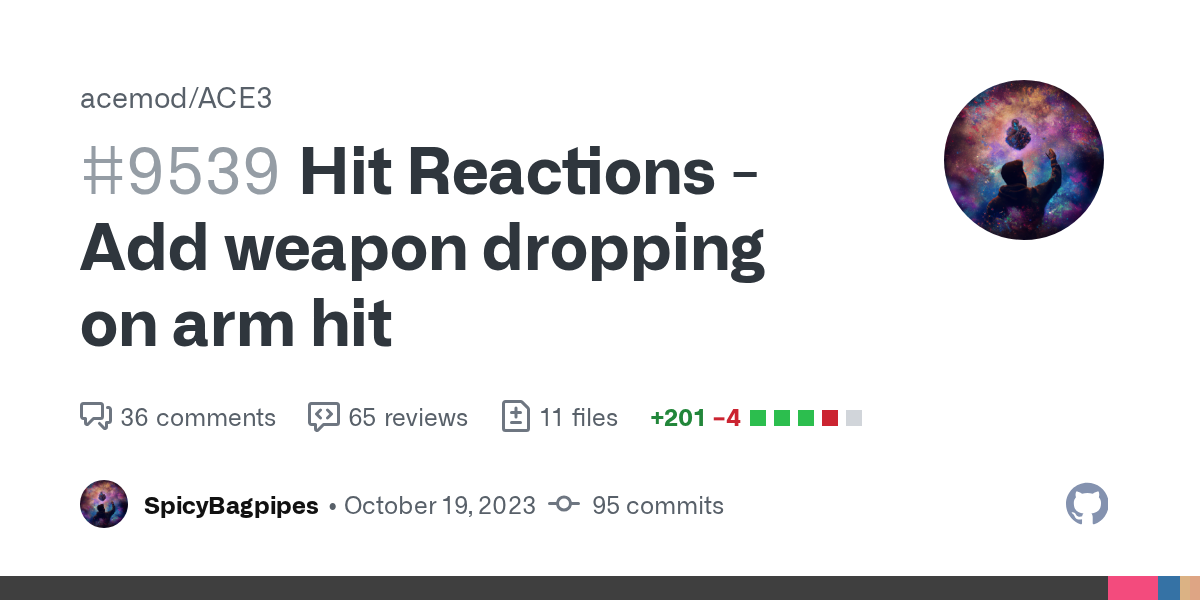
GitHub
When merged this pull request will:
Gun will be dropped when it is hit by a bullet if probability met.
Gun will be dropped when arm is hit by a bullet if separate probability met.
AI will retrieve...
Vanilla weapons do not have fire geo according to this (?)
Originally this PR was supposed to add weapon dropping on weapon hit but this was scraped as not all weapons had fire geo do it would be inconsistent.
heady plinth
they dont need fire geo. without fire geo, game will revert to normal geo
only thing that matters is that it has penetration materials
i just tested a bunch of weapons on dev-branch and the sparks fly. penetration is there. it's just that the weapon metal plate is not very thick, so doesn't block much
 solar musk
Hey @whole cloud ! I've noticed something after the recent updates: when you exit the game, Arma now stays running in the background much longer. It used to close almost instantly, but now the background process keeps running for about 5 more minutes and eats up PC resources. Any idea what might be causing this?
unborn urchin
heady plinth
they dont need fire geo. without fire geo, game will revert to normal geo
right yeah that's an important thing to note
whole cloud
solar musk
Hey <@90532520101183488> ! I've noticed something after the recent updates: when...
Usually some missing cleanup, can also be caused by mods. I didn't notice it in vanilla yet?
solar musk
whole cloud
Usually some missing cleanup, can also be caused by mods. I didn't notice it in ...
Yeah, I’m using mods, but I haven’t updated anything besides Arma itself that would cause the background time to change so drastically.
Yeah, this applies to Alt+F4 as well. Before, with a normal exit the game would hang for a few seconds and then close, and with Alt+F4 it would exit instantly. Now I don’t notice any hanging during normal exit, Alt+F4 still exits just as fast, but in both cases the process continues running in the background.
Also, this might not have happened in the latest update specifically, I haven’t been doing development for about a month, and something changed during that period. So I’m not sure which exact update caused this.
whole cloud
whole cloud
whole cloud
 ashen helm
whole cloud
ashen helm
whole cloud
now with the Immersive Melee System mod, if you try to open an object's inventory while in IMS's combat mode, it takes around 2 seconds to show the inventory screen. Will try to get any solid repro if this is a bug not a feature
carmine stump
inland dew
I remember hitting rifles and rocket launchers with bullets long time ago and en...
you can "visually see", what a blessing.
whole cloud
ashen helm
now with the Immersive Melee System mod, if you try to open an object's inventor...
should be easy to look at with captureSlowFrame?
still bloom
whole cloud
Should that be the Update i was waiting on with my issue?
- Fixed: Game freeze when running out of memory (Since v18)
Ah i guess so 😄
whole cloud
solar musk
Yeah, this applies to Alt+F4 as well. Before, with a normal exit the game would ...
I tried, starting vanilla game into eden editor, and then ALT+F4.
Game exits properly for me.
 stable shore
whole cloud
stable shore
whole cloud
WWWW update
molten berry
I think the update broke the Dynamic Simulation system. My AI is no longer being woken up by player presence but there were no changes to the scenario since the last time it worked.
I confirmed that all units that should wake up dynamic simulation can do it using canTriggerDynamicSimulation command
whole cloud
I fixed a off by one error that caused a buffer overflow in dynamic sim
heavy vortex
Code that only works because it's broken twice :P
 hard vault

 proven sable
molten berry
I think the update broke the Dynamic Simulation system. My AI is no longer being...
proven sable
molten berry
I think the update broke the Dynamic Simulation system. My AI is no longer being...
I can second this. I'm also having the same issue with Vehicles that have Dynamic Sim on.
whole cloud
I think the fix for it won't come before monday
Though pushing only fixes on a friday afternoon sounds safe right? 
Btw I'm looking for more -reportNonNetworkObject reports, also on clientside. Does need profiling binary.
The last couple reports seem to have worked and I could make fixes for all of them
whole cloud
whole cloud
I fixed a off by one error that caused a buffer overflow in dynamic sim <:meowsw...
yeah that broke it, it needs that... uhhh
 plucky lichen
 whole cloud
yeah that broke it, it needs that... uhhh
whole cloud
whole cloud
yeah that broke it, it needs that... uhhh
Ah interesting. So the terrain where I saw this happen. Has a size of 18001.9199 meters.
Whereas vanilla terrains have sizes like 8192.0, 12800.0, 30720.0
That causes a rounding error 
0.000111111112 instead of
0.00011110493
whole cloud
Sadly I can't make this available to you. But ArmaScriptProfiler also has a wrapper for it, just not available at game start phase.
Also lol I'm the top listed dev in their Discord 😄

 silk pewter
call yourself zDedmen and check again
whole cloud
whole cloud
whole cloud
And immediately the first thing I can find with it, that I can fix right away.
When you open the "load mission" menu in Eden, the game freezes for seconds or longer.
Because it parses every FULL mission.sqm, so that it can then pick out the "version" entry in the config (Which is generally the very first one within the first 16 bytes of the file)
Well luckily since a couple weeks ago, config parsing is threadsafe and I can multithread it :U
Loading missions list from 2.6s down to 1.8s
The UI lag from 3.5s to 1.9s
Why spend lots of effort optimizing to not parse the whole mission.sqm's when its not actually needed, when I can just throw more threads at the problem 🤣
(yeah yeah I'll optimize that other part too)
 honest fulcrum
Ah that's nice, I usually have to go back and empty my missions folder once in a while so I can get it opening faster. Thank you!
whole cloud
Jup got that done.
It works fine, except when you debinarized a mission.sqm with Mikeros tools, because it puts that header comment block in there, which says "version" and messes it up..
Loading missions list from 2.6s down to 1.8s to 240ms
The UI lag from 3.5s to 1.9s to 330ms
Oh actually nevermind. I turned off multithreading for testing
134ms and 230ms
I/O limited at this point
Mh I can optimize I/O though..
We have our own I/O scheduler, to optimize for CD/DVD and HDD reads.
That thing can re-order reads to reduce seeking around on disk and prioritize files close together.
But, it does all this in engine code.
The operating system can do the same, if we just give all async requests to it. But we don't do that. We do it all internally.
On a SSD the OS could run multiple requests together. Instead of us doing them one by one and waiting for them to be done
silk pewter
1999 tech called… good find though – I suspect it could be applied elsewhere too?
whole cloud
Don't know what you mean by elsewhere?
This applies to all disk reads the engine does
silk pewter
all loading times improved by 10000×? O_o
scarlet jolt
opening up the entire IO bottleneck?

 whole cloud
File reads currently look like this.
A dozen reads queued up.
But it starts and waits for every single one.
I should be able to start them all in parallel, and only after all are started, wait for them to finish

 whole cloud
Before:
My SSD usage didn't even get above 5% during game start.
The request start and "Wait" are directly next to eachother.
Its async from the main thread.
But the worker thread, while its giving the operating system a "Async" read, it immediately waits for the read which essentially. turns it into a sync read

Well the OS request now starts about 50us sooner.
The wait time is 20us less.
But the end result is the same.
If the request is only created 50us before we start waiting for it anyway, this doesn't work.
I hoped the request would be created earlier :/

But this is also PBO loading which is a bad example.
We only have one thread making requests, and it waits for each request to finish. There is no parallel queuing up multiple requests.
If I would now multithreaded load PBO headers, that would work better
That would need so much refactoring though. Not today.
empty goblet
whole cloud
But this is also PBO loading which is a bad example.
We only have one thread mak...
but shortening this bottleneck would definitely be noticeable in streaming from ssd (or ramdrive) on massive/object complex terrains (as you wrote 'all disk reads') or that would need more threads for requests ?
knotty wraith
I don't know if this is related to the pro version... but many maps stopped running for the same reason...
as an example
ErrorMessage: Cannot open object a3\structures_f\ind\factory\factory_main_part2_f.p3d```
you can make sure that after the error dialog box, the game continues to work? - there is no object, well, let it not be...do you mean that and when yes do i need to get rid of them? -> Suche "Mikero" (211 Treffer in 105 Dateien von 637 gesucht)
 whole cloud
eternal kraken
do you mean that and when yes do i need to get rid of them? -> Suche "Mikero" (2...
whole cloud
eternal kraken
do you mean that and when yes do i need to get rid of them? -> Suche "Mikero" (2...
To benefit from faster loading on these files, yes you'd need to remove the header, or just the version part
whole cloud
knotty wraith
I don't know if this is related to the pro version... but many maps stopped runn...
Explaining this again.
The game does keep running, UNLESS you run it with -debug, which is intended for mod developers and is supposed to tell them to fix their mistake
whole cloud
empty goblet
but shortening this bottleneck would definitely be noticeable in streaming from ...
Instead of doing the queuing ourselves we let the OS do it.
Which is much better at it, and can also handle it much faster on SSD's, which we can't.
If we start multiple requests (which we currently can't) before waiting for them to finish, we won't need more threads.
Just instead of
start,wait,start,wait we need to do start,start,wait,wait
Sadly this system is not made for that, so its annoying to do
eternal kraken
whole cloud
To benefit from faster loading on these files, yes you'd need to remove the head...
wow now its fast, before i had to wait 4 to 6 sek and not bam its instant because it was cached, after restart again 4 sek, so i waiting for your fix but aleady edited 106 mission.sqm files
whole cloud
You didn't even get the fix yet
eternal kraken
ok then i dont know why its now fast after removing the header of 106 mission.sqm files^^
maybe i need a reboot and need to test again
empty goblet
eternal kraken
ok then i dont know why its now fast after removing the header of 106 mission.sq...
maybe you found out another avenue for optimization 🤣 let's see what happens after the fix drops
uneven bluff
General optimization for IO reads? Would this improve map screen render time?
eternal kraken
empty goblet
maybe you found out another avenue for optimization 🤣 let's see what happens af...
sry but i was only to stupid to realize that it needs those 4 seconds on the first time when i click on open. After a system restart it still needs those 4 seconds again the first time, so nevermind what i wrote.
stable shore
Hello, I ran into some trouble. So, Arma 3 started hard-freezing in RIS (Random Infantry skirmish) mod. I am currently on Profiling Branch and the only way to solve this is to just close my pc...
ashen helm
does it freeze on stable branch?
stable shore
I am now trying to see
stable shore
ashen helm
does it freeze on stable branch?
Seems fine...for now
Thing is, this hard-freeze can happen at any time
stable shore
Yep, it's a problem with Profiling branch, the normal branch runs perfectly.
heavy vortex
In general you can save Windows with these freezes. Just make sure task manager is set to "Always on top" beforehand.
stable shore
Alright, thank y'all for your help!!
whole cloud
uneven bluff
General optimization for IO reads? Would this improve map screen render time?
uh.. no.
whole cloud
stable shore
Hello, I ran into some trouble. So, Arma 3 started hard-freezing in RIS (Random ...
did you get "freeze" dumps in your RPT folder?
stable shore
whole cloud
did you get "freeze" dumps in your RPT folder?
Let me check rq
Yea, I did get
 uncut wagon
Somebody must take a look at this 😂
Warning Message: You cannot play/edit this mission; it is dependent on downloadable content that has been deleted.\n[ADDON]
They left the \n but the \n isn't actually working
Funny error although it might cost some headaches to those who do not know what \n does
heavy vortex
If you removed the \n now then people who are used to this fake error might start thinking it's a real one again.
whole cloud
stable shore
Yea, I did get
Get them to me somehow. Zip should compress it well
whole cloud
uncut wagon
Somebody must take a look at this 😂
Warning Message: You cannot play/edit this ...
the \n works in the popup message box
whole cloud
heavy vortex
If you removed the \n now then people who are used to this fake error might star...
its not a fake error?
stable shore
whole cloud
its not a fake error?
Uhh I'll try later
uncut wagon
whole cloud
the \n works in the popup message box
Yess thats what I thought
Not in console tho
whole cloud
I consider users reading RPT's and console logs to be more advanced people who can handle such a thing
whole cloud
I have one other person with freezing on feedback tracker, but they are running -cpuCount=2 which seems unreasonable
silk pewter
FT makes them freeze w/ firefox.exe -cpuCount=2?
 stark falcon
Pumpkins are rendering behind the progress bar
 heady plinth
also, why pumpkins so pixelated
fiery crescent
stark falcon
Pumpkins are rendering behind the progress bar
Nice touch 🙂
obsidian condor
🥚
quaint flame
stark falcon
Pumpkins are rendering behind the progress bar
Unbearable..needs a hotfix😄


 heady plinth
 whole cloud
stark falcon
Pumpkins are rendering behind the progress bar
whole cloud
stark falcon
Pumpkins are rendering behind the progress bar
Indeed. So you can see the progress. Same for the progress text.
whole cloud
Several game freezes.
CuratorObjectRegistered gets 90k long array passed into it.
Script then runs several find's looking inside the array and iterating through it. Potentially not even finding what it was looking for.
Ugh.
I can multithread find, but the problem is that find needs the first index.
With multithreading I would check all (or almost all) elements and then return the first match, but that is a huge waste of compute if the first element would've been a hit and will probably in many cases (not this one though) end up much slower.
opal hound
wtf is in the 90k array
whole cloud
All unit types available in zeus
opal hound
ah yea makes sense
whole cloud
heady plinth
also, why pumpkins so pixelated
They are not so bad if you don't zoom in so much
 analog acorn
heady plinth
also, why pumpkins so pixelated
analog acorn
heady plinth
also, why pumpkins so pixelated
I think the early-2000s website gif aesthetic is perfect for this
knotty wraith
stark falcon
Pumpkins are rendering behind the progress bar
is it somehow linked to the IP address? I don't have that
whole cloud
Only the steam prof has it, not the google drive
empty goblet
q, those arma3server_x64_2025-10-27_19-44-20refNNObj.mdmp are auto reported via crashreporter or not ?
whole cloud
yes, auto sent
empty goblet
oh, ok, me blind, it's in the crashreporter.log
uncut wagon
whole cloud
They are not so bad if you don't zoom in so much
they really be hating on anything bro, pumpkins are cool af
made me happy when I saw it
a cute little detail on the game hahaha
like back in the days when developers used to have lots of free will
heavy vortex
whole cloud
Several game freezes.
`CuratorObjectRegistered` gets 90k long array passed into ...
Is that a vanilla script? Could be rewritten to convert the array into a hashmap first.
never mind, it'd need to be doing a lot of finds :P
whole cloud
I couldn't find the script. Must be sooooome mod
foggy vine
uncut wagon
they really be hating on anything bro, pumpkins are cool af
I'd be all for thematic splash screens like that. Summer/winter/spring/fall ones would be dope to see imo.
 oak nymph
I discovered last night that the cause of my game freezes was a bad plugin for Visual Studio Code - just in case that helps you all.
empty goblet
oh, so it looks like 158368 server has some crashes, ie f6cbe6029835 and 84eac9153e7c (hmm, physx64.dll crash)
fiery crescent
empty goblet
oh, so it looks like 158368 server has some crashes, ie f6cbe6029835 and 84eac91...
I had physx related 2 crashes on previous versions as well. Very sporadic.
void badger
Getting Conflicting addon error when I load up in latest perf v37 on linux:
Conflicting addon rnc_apartments_variant2 in 'rnc_apartments\variant2\', previous definition in 'rnc_misc\vanilla_overlays\'
It just hangs there- working in v35
 crystal haven
For some reason I can't get the .mp4 videos that I converted to .b64 to play due to one of the recent updates that might have impacted the CT_WEBBROWSER. I can get the images and .mp3 music that was converted to .b64 to work but not videos
/**
     * Display video in dedicated viewer window
     */
    async displayVideo(relativePath) {
        const videoWindow = new Window({
            title: 'Video Player',
            icon: 'FORGE_FX_File_Ico_Media_CA',
            width: 800,
            height: 600
        });

        const snetWindow = this.element;
        videoWindow.element.style.zIndex = parseInt(snetWindow.style.zIndex || 1000) + 1;

        const content = videoWindow.element.querySelector('.content');
        content.style.padding = '0';
        content.innerHTML = `
            <div class="video-viewer">
                <div class="loading-indicator">Loading video...</div>
                <video controls style="display:none">
                    <source type="video/mp4">
                </video>
            </div>
        `;

        const base64Content = await A3Bridge.loadFile(relativePath);
        const videoElement = content.querySelector('video');
        const loadingIndicator = content.querySelector('.loading-indicator');

        const videoDataUrl = `data:video/mp4;base64,${base64Content}`;
        videoElement.querySelector('source').src = videoDataUrl;

        videoElement.addEventListener('loadeddata', () => {
            loadingIndicator.style.display = 'none';
            videoElement.style.display = 'block';
            videoWindow.element.querySelector('.status-bar').textContent = 'Video ready';
        });

        videoElement.addEventListener('error', (e) => {
            videoWindow.element.querySelector('.status-bar').textContent = 'Error loading video';
            console.error('Video loading error:', e.target.error);
        });

        videoElement.load();
    }
I was able to use .webm instead of .mp4
whole cloud
void badger
Getting Conflicting addon error when I load up in latest perf v37 on linux:
`C...
What mod is that rnc?
whole cloud
crystal haven
```js
/**
* Display video in dedicated viewer window
*/
async disp...
Does the browser tell you why it doesn't work?
On that topic. We probably also need streaming File Reading support. Only read file in chunks instead of all at once?
If you have feature ideas for the JS API then throw them all at me. I'd probably do some next week
void badger
whole cloud
What mod is that rnc?
crystal haven
@whole cloud I did some debugging and it was able to log that the codex wasn't supported due to the version of the browser.
uneven bluff
whole cloud
If you have feature ideas for the JS API then throw them all at me. I'd probably...
Being able to get picture in picture procedural textures would be nice.
If there's a way (in the case of hud overlays) to add input listener for keyboard events...
fiery crescent
void badger
https://steamcommunity.com/sharedfiles/filedetails/?id=2954960408
Server v35, stable client Win64. I use this mod and didn't notice any errors, I did not check server logs.
void badger
fiery crescent
Server v35, stable client Win64. I use this mod and didn't notice any errors, I ...
v37 was having the error for me, v35 works good
 fair swan
fickle geyser
<:thomp:638776058795261978>
fair swan
fickle geyser
<:thomp:638776058795261978>
I just came to mention this lol
whole cloud
fair swan
I just came to mention this lol
Its halloween, thus spooooooky error message
 slender meteor
arma is taking 10GB memory ram, is it normal? i'm on the Dong Diang map (SOG prairie fire)
whole cloud
yes. Arma uses at least as much as it needs, and at most as much as it can
 indigo anvil
whole cloud
yes. Arma uses at least as much as it needs, and at most as much as it can
indigo anvil
whole cloud
yes. Arma uses at least as much as it needs, and at most as much as it can
Yea its not jvm:
- Take all that you can
- give nothing back!
Rarr matey 🏴☠️
 bright latch
ded, I know there was a crash relating to sample rates in audio. I've just noticed that switching from stable to perf gives me crackling audio. Is the boilerplate make sure the whole system is just using 44.1khz?
bright latch
hmm nevermind, still happens on 44.1khz. Any audio changes that might mess with this, I can A/B test it fine, although it's via Proton so....
uneven bluff
What are some signs that we'd see in the client logs for bandwidth throttling or that kind of problem?
heavy vortex
"network message pending" in the RPT usually.
That's only for client->server transfer issues though. I don't think it logs anything on the client side if there are incoming data issues.
uneven bluff
heavy vortex
That's only for client->server transfer issues though. I don't think it logs any...
Thanks. Looks like the issue is incoming then.
ashen helm
bright latch
hmm nevermind, still happens on 44.1khz. Any audio changes that might mess with ...
Once you get it you will never fix it, welcome to the club
uneven bluff
Does anyone know what the message types in the network log are mapped to?
For us, the highest bandwidth usage during peak times (other than position updates) seem to be Type_387, Type_476, Type_460, Type_470
heavy vortex
Apparently those are intentionally undocumented and change with each network version. You can figure some out by trial and error.
Where do you get bandwidth usage per type from?
uneven bluff
heavy vortex
Where do you get bandwidth usage per type from?
logNetwork
I thiiiiiiiink our troubles might be caused by setVariables but since it's a live server probably not a good idea to -netlog it to see which setVars are the biggest issues. Just hoping can tell from the message types, or at least eliminate setVars as a possibility if not.
heavy vortex
setVariable is an easy one to test. I have the type written somewhere for 2.20 but I lost it :/
uneven bluff
Is there a way to log setVar stats in script? Or only battleye?
No eventhandler for it as far as I can tell except the publicVariable thing and I don't think we use that command. Usually just do setVariable [name, value, public]
heavy vortex
well, I was thinking of spamming a few thousand to random variable names and using exportJIPMessages. Should work in localhost.
uneven bluff
Interesting. I have a lot of dummyweapon.p3d Supply 120s etc
Huh, this is giving a whole different set of busy messages than netlog
heavy vortex
well, JIP queue isn't same thing as network traffic.
If you're spamming the same variable then that's still only one JIP queue entry.
crystal haven
Here's the source code for my Windows 99 OS using the ctrlWebBrowser I'll publish the OS to the workshop within the next few days. https://github.com/InnovativeDevSolutions/os

GitHub
Forge OS. Contribute to InnovativeDevSolutions/os development by creating an account on GitHub.
restive turtle
crystal haven
Here's the source code for my Windows 99 OS using the `ctrlWebBrowser` I'll publ...
Congrats big J
 stable wasp
 i tried everythnig on the net but i get same fps in ultra and in low. i changed params etc. seems to be okay ish in single player but not in mp i also use prof branch, is there any tip that i may have missed out?
 kindred radish
Wrong channel #hardware_vs_arma
whole cloud
uneven bluff
I thiiiiiiiink our troubles might be caused by setVariables but since it's a liv...
networkDiagInterval is enough, and not as expensive as netLog. It will tell you which variables are posted most often
uneven bluff
whole cloud
networkDiagInterval is enough, and not as expensive as netLog. It will tell you ...
Nice. Will give that a shot.
whole cloud
void badger
https://steamcommunity.com/sharedfiles/filedetails/?id=2954960408
I load just that mod, nothing else.
Current profiling branch via Arma launcher, no extra command line parameters.
And my game launches fine.
I can see the report
12:44:22 Conflicting addon rnc_apartments_variant2 in 'rnc_misc\vanilla_overlays', previous definition in 'rnc_apartments\variant2'
12:44:22 Config 'rnc_misc\vanilla_overlays\config.bin' contains a duplicate CfgPatches entry 'rnc_apartments_variant2', which was previously defined in 'rnc_apartments\variant2\config.bin', the duplicate is SKIPPED.
But no "It just hangs there"
The report is correct. The misc/vanilla_overlays has a CfgPatches thats apartments/variant2. That's clearly a mistake.
The config is still loaded, the duplicate is just ignored for dependency resolution, which in this case doesn't matter as both original and duplicate have the same requiredAddons.
 whole cloud
crystal haven
<@90532520101183488> I did some debugging and it was able to log that the codex ...
whole cloud
crystal haven
<@90532520101183488> I did some debugging and it was able to log that the codex ...
Can you get out a list of supported codecs? That we can then put onto the wiki?
whole cloud
uneven bluff
Being able to get picture in picture procedural textures would be nice.
If there...
Being able to get picture in picture procedural textures would be nice.
The get texture api, should be able to read procedural textures, and with that also r2t. But you need to have something else also put the r2t visible on screen otherwise it won't be updated/rendered.
Don't know what you mean by input listener? You can use a Key eventhandler in SQF and forward the keys?
whole cloud
bright latch
ded, I know there was a crash relating to sample rates in audio. I've just notic...
Yes. The game outputs in 44.1khz.
There is some bug where if Microsofts code has to convert to 48khz after that, it can crash.
But its not crackling
crystal haven
@whole cloud Sounds like a plan, I'll do that after work today
whole cloud
I hope I'll someday have the time to look at the os code and find things to improve 😄
Using HashMapObjects for the API is a neat idea. It all comes together
bright latch
Weird Ded, like I said, I can A/B test it switching between perf/stable and one crackles and the other doesn't. Anything you want me to try poking at or look at?
whole cloud
Well the XAudio update? But that shouldn't have any effect 😢
I might also still undo that, it didn't fix the crash, and it didn't bring anything useful
void badger
whole cloud
I load just that mod, nothing else.
Current profiling branch via Arma launcher, ...
Bug was happening on Linux Dedicated Server with Perf v37 binary
Client loads just fine (as long as I don't dare tick -debug)
whole cloud
That might be an important detail.
What you mean -debug? It fails to load with it?
uneven bluff
whole cloud
> Being able to get picture in picture procedural textures would be nice.
The ge...
Ah, I see. I can give the idea a shot, maybe put it in a 0x0 or 1x1 pixel and then read/display it in the browser, or have it be covered.
The input event handler suggestion would just be a convenience thing since it's done so often.
void badger
whole cloud
That might be an important detail.
What you mean -debug? It fails to load with i...
-debug was a different thing, I didn't realize it'd force a crash on client if a model failed to load with that flag. But otherwise v37 on Windows client works great, just not Linux DS with these flags:
-autoinit -bandwidthAlg=2 -loadMissionToMemory -hugePages -limitFPS=100 -maxFileCacheSize=8192"
 north jolt
whole cloud
Well the XAudio update? But that shouldn't have any effect 😢
I might also sti...
north jolt
whole cloud
Well the XAudio update? But that shouldn't have any effect 😢
I might also sti...
Please don't! It's the best thing that happened to Arma sound related in my pov.
 autumn timber
north jolt
Please don't! It's the best thing that happened to Arma sound related in my pov.
autumn timber
north jolt
Please don't! It's the best thing that happened to Arma sound related in my pov.
I've been living under a rock for a while. What has that XAudio update changed, exactly? (in terms of improvements, not talking about the supposed crashes)
 light cargo
what did it fix/bring?
(its even the thing that is currently dropping windows 7 for the time being)
autumn timber
(you mean just like Steam did, on Jan 1st 2024? 🙃 )
light cargo
autumn timber
(you mean just like Steam did, on Jan 1st 2024? 🙃 )
steam did it differently lol
north jolt
light cargo
what did it fix/bring?
For example in JSRS, XAudio 2.9 sounds noticeably cleaner because it processes audio in 32-bit float instead of 16-bit like 2.7., at least that's the main thing I think ... That means loud sounds no longer clip — they’re automatically scaled down instead of digitally distorting. It also uses a better resampler and the newer WASAPI backend, which results in a clearer, more dynamic overall sound... Afaik.
In other words it ends up being way more dynamic, scaling better.
I just have such a big improvement honestly. It would be wild to got back lol
bright latch
2.9 gives me some stuff to go off. I know Proton had some issues with it, I can try a native DLL rather than letting wine do whatever it's doing out of the box
And I was messing with this but for 2.7 because I didn't realise it was upgraded
light cargo
bright latch
And I was messing with this but for 2.7 because I didn't realise it was upgraded
afaik its profiling exclusive for now, i believe 2.22 will have it
its technically 2.8 which is 8+
bright latch
Been messing with the wine stuff, still can't figure out the audio issues, someone else in the armaonunix discord has noted it too. If anyone has any ideas, might be worth jumping over there.
whole cloud
void badger
-debug was a different thing, I didn't realize it'd force a crash on client if a...
I'll do something about the model thing, I experimented with inserting a dummy placeholder model, and I think that'll work
whole cloud
whole cloud
whole cloud
opal hound
oh there was an update lol, I did think the 55MB in steam was a bit odd
whole cloud
huh, it seems linux cannot handle multithreaded file loading, so v37 already always crashes at start for me, even without mods 🤔
But why did noone notice that, and why did my unit play on that server last week
Waited 5 minutes and retried, now its fine sure
whole cloud
void badger
-debug was a different thing, I didn't realize it'd force a crash on client if a...
And now, cannot reproduce the freeze.
./arma3server_x64_profiling_220_153368_v37 -autoinit -bandwidthAlg=2 -loadMissionToMemory -hugePages -limitFPS=100 -maxFileCacheSize=8192 -mod=2954960408
Loads fine for me, up to connected to steam servers
12:45:48 Array index out of range
12:45:48 Conflicting addon rnc_apartments_variant2 in 'rnc_apartments\variant2', previous definition in 'rnc_misc\vanilla_overlays'
12:45:48 Config 'rnc_misc\vanilla_overlays\config.bin' contains a duplicate CfgPatches entry 'rnc_apartments_variant2', which was previously defined in 'rnc_apartments\variant2\config.bin', the duplicate is SKIPPED.
Wonder what that array index there is....
whole cloud
yeah some multithreading conflict with file reading
whole cloud
I can now live profile linux server 👀
Hopefully something good's gonna come outta that

 proud mist
Hi
Someone noticed any issue after last profiling update ?
For example duplicates items ?
opal hound
Can you be more specific?
proud mist
When im sitting on server and someone join it duplicates items in my inventory
opal hound
I can't reproduce, is it a profiling server or just the client?
proud mist
Profiling one
opal hound
yes but is the SERVER on the profiling branch?
proud mist
Yes
proud mist
After the last new update for profiling i see server have problem with mods loading
21:41:34 "_c31f0d7507a84879998ce9ba8daccf18/BIS_fnc_log: [preInit] LofukpNlD_fnc_yByzlFHmiatDaFtQ (0 ms)"
21:41:34 "_c31f0d7507a84879998ce9ba8daccf18/BIS_fnc_log: [preInit] LofukpNlD_fnc_rbBva (0 ms)"
21:41:34 "_c31f0d7507a84879998ce9ba8daccf18/BIS_fnc_log: [preInit] LofukpNlD_fnc_tEoChWqwGRzPnRd (0 ms)"
21:41:34 "_c31f0d7507a84879998ce9ba8daccf18/BIS_fnc_log: [preInit] LofukpNlD_fnc_FuOios (0 ms)"
21:41:34 "_c31f0d7507a84879998ce9ba8daccf18/BIS_fnc_log: [preInit] LofukpNlD_fnc_omZpvtHBDGbBGsMGb (0 ms)"
21:41:34 "_c31f0d7507a84879998ce9ba8daccf18/BIS_fnc_log: [preInit] LofukpNlD_fnc_oYaQnu (0 ms)"
21:41:34 "_c31f0d7507a84879998ce9ba8daccf18/BIS_fnc_log: [preInit] LofukpNlD_fnc_oEaibpUSeSeyk (0 ms)"
21:41:34 "_c31f0d7507a84879998ce9ba8daccf18/BIS_fnc_log: [preInit] LofukpNlD_fnc_ugwYs (0 ms)"
21:41:34 "_c31f0d7507a84879998ce9ba8daccf18/BIS_fnc_log: [preInit] LofukpNlD_fnc_MZhTAuR (0 ms)"
21:41:34 "_c31f0d7507a84879998ce9ba8daccf18/BIS_fnc_log: [preInit] LofukpNlD_fnc_rscqHp (0 ms)"
21:41:34 "_c31f0d7507a84879998ce9ba8daccf18/BIS_fnc_log: [preInit] LofukpNlD_fnc_uvLPokH (0 ms)"
21:41:34 "_c31f0d7507a84879998ce9ba8daccf18/BIS_fnc_log: [preInit] LofukpNlD_fnc_iqZrdYFHRl (0 ms)"
21:41:34 "_c31f0d7507a84879998ce9ba8daccf18/BIS_fnc_log: [preInit] LofukpNlD_fnc_oQHrzK (0 ms)"
21:41:34 "_c31f0d7507a84879998ce9ba8daccf18/BIS_fnc_log: [preInit] LofukpNlD_fnc_HDrKrzbcVzZVeEN (0 ms)"
21:41:34 "_c31f0d7507a84879998ce9ba8daccf18/BIS_fnc_log: [preInit] LofukpNlD_fnc_soNcEPCIDfESbWO (0 ms)"
21:41:34 "_c31f0d7507a84879998ce9ba8daccf18/BIS_fnc_log: [preInit] LofukpNlD_fnc_qzGaN (0 ms)"
21:41:34 "_c31f0d7507a84879998ce9ba8daccf18/BIS_fnc_log: [preInit] LofukpNlD_fnc_BFYVDNdQEiNCmqFSgH (0 ms)"
21:41:34 "_c31f0d7507a84879998ce9ba8daccf18/BIS_fnc_log: [preInit] LofukpNlD_fnc_TnPvYQawIFiaBIiqyD (0 ms)"
21:41:34 "_c31f0d7507a84879998ce9ba8daccf18/BIS_fnc_log: [preInit] LofukpNlD_fnc_BwoIbC (1.00708 ms)"
21:41:34 "_c31f0d7507a84879998ce9ba8daccf18/BIS_fnc_log: [preInit] LofukpNlD_fnc_zOtRvb (0 ms)"
21:41:34 "_c31f0d7507a84879998ce9ba8daccf18/BIS_fnc_log: [preInit] LofukpNlD_fnc_UZzHgw (0 ms)"
21:41:34 "_c31f0d7507a84879998ce9ba8daccf18/BIS_fnc_log: [preInit] LofukpNlD_fnc_PqEObdzkHFHzCRa (0 ms)"
21:41:34 "_c31f0d7507a84879998ce9ba8daccf18/BIS_fnc_log: [preInit] LofukpNlD_fnc_UUHo (0 ms)"
21:41:34 "_c31f0d7507a84879998ce9ba8daccf18/BIS_fnc_log: [preInit] LofukpNlD_fnc_hECnYvqBVYEpNOHSh (0 ms)"
21:41:34 "_c31f0d7507a84879998ce9ba8daccf18/BIS_fnc_log: [preInit] LofukpNlD_fnc_QSYARrNnnK (0 ms)"
21:41:34 "_c31f0d7507a84879998ce9ba8daccf18/BIS_fnc_log: [preInit] LofukpNlD_fnc_HkpHvVFZYWuHtFHC (0 ms)"
21:41:34 "_c31f0d7507a84879998ce9ba8daccf18/BIS_fnc_log: [preInit] LofukpNlD_fnc_bnSU (0 ms)"
21:41:34 "_c31f0d7507a84879998ce9ba8daccf18/BIS_fnc_log: [preInit] LofukpNlD_fnc_BPdvCyKkBPSm (0 ms)"
21:41:34 "_c31f0d7507a84879998ce9ba8daccf18/BIS_fnc_log: [preInit] LofukpNlD_fnc_HmEAvRaKyydzGrc (0 ms)"
21:41:34 "_c31f0d7507a84879998ce9ba8daccf18/BIS_fnc_log: [preInit] LofukpNlD_fnc_nmQhfNWNkE (0 ms)"
21:41:34 "_c31f0d7507a84879998ce9ba8daccf18/BIS_fnc_log: [preInit] LofukpNlD_fnc_ekwYtktlZKtBAuvyVIYi (0 ms)"
21:41:34 "_c31f0d7507a84879998ce9ba8daccf18/BIS_fnc_log: [preInit] LofukpNlD_fnc_sDoDdldB (0 ms)"
21:41:34 "_c31f0d7507a84879998ce9ba8daccf18/BIS_fnc_log: [preInit] LofukpNlD_fnc_mmKCe (0 ms)"
whole cloud
What kind of problems with mods loading.
Your log blob doesn't tell me anything
 fair ore
Huh. Has anyone noticed longer loading times with the latest prof?
ashen helm
No
 vital minnow
nope, rather faster loading times.
Performance feels stable, great on open maps,
rather solid 10-30 fps in obua situations with ~50 players + AI zeus coop scenario nothing unusual 👍🏻
 tawdry parrot
Did something change in the last 5 months on Profiling that changed how config-level uniformclass works for units/factions? I had made a faction that as of May 2025 used vanilla OPFOR units as the base unit but had BLUFOR uniforms and everything loaded correctly in-game. Now those units won't forceload the uniforms and they spawn with their vanilla CSAT uniforms. The .rpt confirms Arma is preventing the uniform to load.
I understand that in the editor you might have to use ForceLoadUniform, but on the config level, it worked in the past just by assigning the uniform to the UniformClass.
 worldly badge
Prof never changes config
tawdry parrot
Okay, then I guess I'm asking a bigger question...did something in Arma change in the last 5 months?
worldly badge
Well, that's a yes, hence this channel
tawdry parrot
Come on man, you know what I mean...specifically regarding uniforms in configs.
worldly badge
I barely recall there was a change about uniform, maybe check #arma3_branch_changelog
tawdry parrot
Okay, will do.
worldly badge
Also you maybe can post the config of the unit in question
tawdry parrot
I'll have to come back and do that another time. I'm at work now and don't have access to the .cpp file.
worldly badge
But anyways, AFAIK, perf will not provide any data change but engine
tawdry parrot
Fair enough. Looks like no search hits for "uniform" in the changelog channel either.
heavy vortex
The .rpt confirms Arma is preventing the uniform to load.
What does it say exactly?
 leaden relic
I heard DayZ has an 8th stage in rvmats for emissives, would updating A3 to include that be possible?
(Assuming it's even in DayZ, I don't own it)
worldly badge
We already have?
leaden relic
Is it?
I don't mean like the emissive array, I mean being able to provide a texture so I can make different parts of the same selection have different emissive levels
Not sure what the map looks like normally, but something like black = not emissive, gray = partial, white = full
uneven bluff
fair ore
Huh. Has anyone noticed longer loading times with the latest prof?
I think I'm noticing this too. Both server and client init seem to be slower. No mods, just vanilla.
Hm...
MovesType CfgMovesMaleSdr load time 47982.0 ms
This is vanilla profiling server.
worldly badge
leaden relic
Is it?
I don't mean like the emissive array, I mean being able to provide a text...
#arma3_texture message
If this is watcha mean
uneven bluff
Sometimes MovesType CfgMovesMaleSdr loads in 5s, sometimes it takes 50s to load. Hm
leaden relic
worldly badge
https://discord.com/channels/105462288051380224/105781923573456896/4494872037609...
Yeah that looks like it, interesting
I might try and mess with that tomorrow then, that's something I've wanted fora while
worldly badge
There're not much of docs but discussions in the channel
whole cloud
tawdry parrot
Did something change in the last 5 months on Profiling that changed how config-l...
What does the RPT say when preventing the uniform?
Did you confirm that the config still looks the same in config browser?
There was a change about uniforms keeping their texture when setObjectTexture'd. But that shouldn't be related to what you have.
whole cloud
uneven bluff
Sometimes `MovesType CfgMovesMaleSdr` loads in 5s, sometimes it takes 50s to loa...
It is cached. The cache is cleared when your mods change
uneven bluff
whole cloud
It is cached. The cache is cleared when your mods change
It's vanilla. No mods. Server takes 30s to a minute to start up now (before it even loads the mission).
Client also seems slower, also no mods.
Log for the part where I wait:
 0:42:25 InitSound ...
 0:42:25 InitSound - complete
 0:42:25 PhysX3 SDK Init started ...
 0:42:25 PhysX3 SDK Init ended.
 0:42:27 Warning Message: You cannot play/edit this mission; it is dependent on downloadable content that has been deleted.\na3_characters_f
 0:42:27 Loading movesType CfgGesturesMale
 0:42:27 Creating action map cache
 0:42:28 MovesType CfgGesturesMale load time 773.0 ms
 0:42:28 Loading movesType CfgMovesMaleSdr
 0:42:28 Reading cached action map data
 0:42:39 Warning: looped for animation: a3\anims_f_epa\data\anim\sdr\cts\hubcleaned\briefing\hubbriefing_loop.rtm differs (looped now 1)! MoveName: hubbriefing_loop
 0:42:39 Warning: looped for animation: a3\anims_f_epa\data\anim\sdr\cts\hubcleaned\briefing\hubbriefing_loop.rtm differs (looped now 0)! MoveName: hubbriefing_ext
 0:42:40 Warning: looped for animation: a3\anims_f_epa\data\anim\sdr\cts\hubcleaned\spectator\hubspectator_stand.rtm differs (looped now 0)! MoveName: hubspectator_stand
 0:42:59 MovesType CfgMovesMaleSdr load time 31578.0 ms
When I swap back to v37
 0:47:36 InitSound ...
 0:47:36 InitSound - complete
 0:47:36 PhysX3 SDK Init started ...
 0:47:36 PhysX3 SDK Init ended.
 0:47:38 Warning Message: You cannot play/edit this mission; it is dependent on downloadable content that has been deleted.\na3_characters_f
 0:47:38 Loading movesType CfgGesturesMale
 0:47:38 Creating action map cache
 0:47:38 MovesType CfgGesturesMale load time 20.0 ms
 0:47:38 Loading movesType CfgMovesMaleSdr
 0:47:38 Creating action map cache
 0:47:39 Warning: looped for animation: a3\anims_f_epa\data\anim\sdr\cts\hubcleaned\briefing\hubbriefing_loop.rtm differs (looped now 1)! MoveName: hubbriefing_loop
 0:47:39 Warning: looped for animation: a3\anims_f_epa\data\anim\sdr\cts\hubcleaned\briefing\hubbriefing_loop.rtm differs (looped now 0)! MoveName: hubbriefing_ext
 0:47:39 Warning: looped for animation: a3\anims_f_epa\data\anim\sdr\cts\hubcleaned\spectator\hubspectator_stand.rtm differs (looped now 0)! MoveName: hubspectator_stand
 0:47:39 MovesType CfgMovesMaleSdr load time 992.0 ms
by 2.20.153401 (not 1st run)
8:36:44 MovesType CfgMovesMaleSdr load time 3884.0 m
vs 2.20.153368 (not 1st run)
14:20:32 MovesType CfgMovesMaleSdr load time 1197.0 ms
can confirm it, WS2019
opal hound
waow
2.20.153368 - 20:31:48 MovesType CfgMovesMaleSdr load time 2651.0 ms
2.20.153401 - 17:11:45 MovesType CfgMovesMaleSdr load time 12933.0 ms
whole cloud
Its reading alot of files, I probably made file loading slower when I tried to make it faster
 tropic iris
Hello, I've tried main branch, dev branch and performance branch, all of which without mods enabled. I unfortunately receive, "C0000005 ACCESS_VIOLATION at 057261FF," errors a few minutes after startup. I recently updated to Windows 11 and I've been receiving the error since, so I suspect that's the issue. Any assistance would be much appreciated.
whole cloud
tropic iris
Hello, I've tried main branch, dev branch and performance branch, all of which w...
did you submit the report?
tropic iris
I have not yet, but I can work on it.
whole cloud
whole cloud
Its reading alot of files, I probably made file loading slower when I tried to m...
The file reading change is not enabled though 🤔
whole cloud
tropic iris
I have not yet, but I can work on it.
Well I can't analyze it when I don't have the crash report
uneven bluff
whole cloud
The file reading change is not enabled though 🤔
All loading in seem to be noticeably slower on vanilla. Is there some way to enable more verbose logging to help diagnose this?
tropic iris
Would someone mind linking me the proper place to submit a crash report? I'm having issues finding it
patent sky
tropic iris
Would someone mind linking me the proper place to submit a crash report? I'm hav...
If you are on prof/perf branch it should pop up a crash reporter, if not you can dm it to Dedmen on discord
opal hound
it being the .mdmp and .rpt found in %LocalAppData%/Arma 3, they are timestamped with the launch time of the game
patent sky
opal hound
`it` being the .mdmp and .rpt found in `%LocalAppData%/Arma 3`, they are timesta...
%LocalAppData%/Arma 3 :D
opal hound
for some reason that usually confuses people
actually that goes to roaming, lets edit that
light cargo
by default it gets sent to %LocalAppData%\Arma 3
opal hound
what?
whole cloud
v38
17:07:59 MovesType CfgMovesMaleSdr load time 36632.0 ms (first start)
17:20:34 MovesType CfgMovesMaleSdr load time 8189.0 ms
17:24:49 MovesType CfgMovesMaleSdr load time 12457.0 ms
v37
17:25:59 MovesType CfgMovesMaleSdr load time 3717.0 ms
17:27:10 MovesType CfgMovesMaleSdr load time 3452.0 ms
jo.
tropic iris
Alrighty, thank you all for the assist! I submitted T195857, let me know if you need more info.
whole cloud
That's not.. uh. Yeah ok that works
uneven bluff
whole cloud
v38
17:07:59 MovesType CfgMovesMaleSdr load time 36632.0 ms (first start)
17:20:...
Loading mission also feels slower, not just mod configs.
whole cloud
tropic iris
Alrighty, thank you all for the assist! I submitted T195857, let me know if you ...
Its in rendering code.
I don't quite see why though.
Can you send me more dumps? preferably zip compressed
Also the RPT was not provided, that could have something useful
This does not look like a windows issue, but I also don't know how this would happen.
It happens every time? 100% reproduction rate?
whole cloud
whole cloud
v38
17:07:59 MovesType CfgMovesMaleSdr load time 36632.0 ms (first start)
17:20:...
Mh I don't know why though.
I can reproduce it being 7 seconds slower. But I don't see why
The animation load starts 13 seconds later. And it also takes 2-3x as long.
But I cannot see any specific cause, its just that everything is slower 😄
I did some changes for file reading, but they were in v27.
I don't remember any change in this prof that could do that. Welp, that's why we test things.
 tropic iris
So it was happening consistently for a few hours, but I went ahead and tested it again. It seems to be working fine now. I'll upload a dump as a zipfile if it happens again.
uneven bluff
whole cloud
Mh I don't know why though.
I can reproduce it being 7 seconds slower. But I don...
Might have also made an existing network bandwidth issue worse.
(Or might have been a coincidence that it just cropped up for everyone yesterday.)
whole cloud
No networking changes
 quiet garnet
Were there any major changes to how multiple cores are utilized since 2.20? I have not played for about ~3 months and now I'm getting giga spikes in all 4 e-cores completely freezing the game, which never happened before. I am running the profiling branch, hosting a dedicated server and playing on it on the same PC. These spikes show up regardless of the scenario played and seem to be totally random. According to steam overlay CPU utilization drops to near zero on everything except the 4 e-cores. Other thing I can think about maybe some windows 10 update or possibly hardware issue.
Altho the spikes do not happen in singleplayer. I have not had issues like this hosting dedicated servers with up to 3 HCs before.
 cloud sky
quiet garnet
Were there any major changes to how multiple cores are utilized since 2.20? I ha...
cloud sky
quiet garnet
Were there any major changes to how multiple cores are utilized since 2.20? I ha...
Are you using -cpuCount parameter by any chance?
quiet garnet
Nop. All default except large-page support.
fiery crescent
@whole cloud Sent you .mdmp server crash.
tawdry parrot
whole cloud
What does the RPT say when preventing the uniform?
Did you confirm that the con...
Sorry, I'm back at work tonight so not on my home game computer, but the basic message was "not a valid uniform" when you place the unit down in the editor. Again, I think I understand the why, as the game is trying to enforce a modelSides rule for the uniform, but I just didn't have this problem 5 months ago with the faction (actually two factions I've made).
I think I solved the issue by creating a new class in cfgVehicles to update the modelSides, but I need to play with it some more. But again, I didn't have the issue before.
quiet garnet
heavy vortex
Are you running the HCs or is this just server+client?
Currently only the server and client, no HCs at the moment. It's an i5-12600k.
whole cloud
quiet garnet
Were there any major changes to how multiple cores are utilized since 2.20? I ha...
The game now uses more cores than before.
If game client tries to use all cores, and your server at the same time also tries to use all cores that might be a problem.
Reduce the cpuCount on the server
whole cloud
tawdry parrot
I *think* I solved the issue by creating a new class in cfgVehicles to update th...
I don't have a crystal ball sadly.
I'd have to see and probably run the mod to see why it might have changed
proud mist
Did someone notice after last profiling update strange things?
For example not reacting AI on sever
Or tons of warning massages in rpt ?
whole cloud
What kind of warning messages?
proud mist
You have Rpt on dm
empty goblet
whole cloud
Mh I don't know why though.
I can reproduce it being 7 seconds slower. But I don...
see DM, i hope those compare traces will help
whole cloud
empty goblet
see DM, i hope those compare traces will help
They don't. I can reproduce it so I could just make them myself
empty goblet
whole cloud
They don't. I can reproduce it so I could just make them myself
ok (hope crushed in 90s seconds)
quiet garnet
whole cloud
The game now uses more cores than before.
If game client tries to use all cores,...
Setting server cpuCount to 1 seems to fix the issue, thank you. I'll have to check what will happen with HCs included later.
whole cloud
1 isn't possible, 2 is minimum
quiet garnet
whole cloud
1 isn't possible, 2 is minimum
Oh yea, true. Seems to be a fluke then. Few days ago I managed to run a few missions with no spikes. I'll keep testing
quiet garnet
So far cpucount 2 seems to be working (and this time I wasn't a dumbo and checked the rpt file that server is in fact running cpucount 2).
whole cloud
proud mist
Or you are busy
If I don't reply then I'm busy 😄
Ah yes tons of illegal/stolen content, ripped parts of other mods who's license forbids doing what you do there, clearly missing required dependency mods for other mods you're loading, badly made mods that intentionally break configs.
Good luck with your mess, I'm not touching that.
whole cloud
I found the slow down
One line of code, was 5 lines too high up.
It used a variable before it was updated, instead of after.
I did all that work with the better async file reading stuff, and my end result was that my changes made it slightly slower.
This change made it alot slower, so maybe the async stuff is worth it after fixing that
MovesType CfgMovesMaleSdr load time 12501.0 ms
MovesType CfgMovesMaleSdr load time 12451.0 ms
to
MovesType CfgMovesMaleSdr load time 3625.0 ms
MovesType CfgMovesMaleSdr load time 3843.0 ms
With my async tweaks
MovesType CfgMovesMaleSdr load time 3518.0 ms
MovesType CfgMovesMaleSdr load time 3486.0 ms
Uh.. maybe?
 uneven bluff
Would that cause things like map texture loading in real slowly?
I've been noticing that too.
whole cloud
yeah all file reads
whole cloud
whole cloud
whole cloud
heavy vortex
quiet garnet
So far cpucount 2 seems to be working (and this time I wasn't a dumbo and checke...
As long as you have HT enabled (in BIOS, not Arma), 5 or 6 should be fine. By default it'll use 10 which is too much because 10+10 > 2*6 + 4.
 weak radish
heavy vortex
As long as you have HT enabled (in BIOS, not Arma), 5 or 6 should be fine. By de...
weak radish
heavy vortex
As long as you have HT enabled (in BIOS, not Arma), 5 or 6 should be fine. By de...
I know there were some concerns in the past about MT workloads being spread across P and E cores causing a slow down in comparison to keeping it just on the P cores. Not sure if this applies here though
heavy vortex
Yeah but it's less of a problem for Arma's job manager than having fewer cores than expected.
Absolute best config for client+server with low server requirements might be to force the server onto the E-cores and the client onto the P-cores with affinity and cpuCount 4/6, leaving the HT cores as overspill.
Maybe safer to lock the client to the P-cores and just leave the server with free choice of ~4.
uneven bluff
Latest version completely fixed file loading issues. Much, much, much faster now.
14:01:38 Loading movesType CfgGesturesMale
14:01:38 Creating action map cache
14:01:38 MovesType CfgGesturesMale load time 20.0 ms
14:01:38 Loading movesType CfgMovesMaleSdr
14:01:39 Reading cached action map data
14:01:39 Warning: looped for animation: a3\anims_f_epa\data\anim\sdr\cts\hubcleaned\briefing\hubbriefing_loop.rtm differs (looped now 0)! MoveName: hubbriefing_ext
14:01:39 Warning: looped for animation: a3\anims_f_epa\data\anim\sdr\cts\hubcleaned\spectator\hubspectator_stand.rtm differs (looped now 1)! MoveName: hubspectator_stand_contact
14:01:39 MovesType CfgMovesMaleSdr load time 588.0 ms
Just back to normal 😄 my extra improvement thing isn't enabled
whole cloud
Oh no, I have a broken model in my mod 😢
Well luckily paperCar is there to serve as a replacement and prevent my game from crashing
(I don't want to make a proper placeholder, and this is good nuff)
 honest fulcrum
whole cloud
Oh no, I have a broken model in my mod 😢
Well luckily paperCar is there to ser...
honest fulcrum
whole cloud
Oh no, I have a broken model in my mod 😢
Well luckily paperCar is there to ser...
Bring it back 🤣
 heady plinth
this is like a child painting a cow
whole cloud
Yeah I was thinking about it.
But me modelling.. maybe.
Me modelling and encoding and putting it into base game files 
heady plinth
maybe should have used a random head model. like \a3\characters_f\Heads\m_dwarden.p3d
whole cloud
Some object types need things in the model to work. Otherwise they can still crash if its missing.
I originally had just a cube but that wasn't enough, this one works for most types
fiery crescent
I called thinking outside of the cube.
slender lagoon
heady plinth
this is like a child painting a cow
ive seen worse
tawdry parrot
whole cloud
I don't have a crystal ball sadly.
I'd have to see and probably run the mod to s...
No worries. It's a faction I made, so I was able to finally figure out the modelSides entry in the CfgVehicles and it's working as it should now, regardless of what it was or wasn't doing before.
leaden relic
whole cloud
Oh no, I have a broken model in my mod 😢
Well luckily paperCar is there to ser...
The tf2 coconut, and now the arma paper car
silk pewter
a man of culture!
 uncut linden
Also seeing it in our logs... But why is it in such a weird format? Seems like it's [x,z,y] or something. Is it intentional or coordinates mess up?
whole cloud
Engine does xzy, we only swap it in scripts for your convenience
crystal haven
Any plans on improving the BIS_fnc_garage https://community.bistudio.com/wiki/BIS_fnc_garage so that it's easier to create a restricted virtual garage: https://pastebin.com/A2Ngrx7D
Pastebin
Pastebin.com is the number one paste tool since 2002. Pastebin is a website where you can store text online for a set period of time.
bright latch
Can somone on latest perf sanity check something with ACE loaded. Go and place a map marker, do you get a script error.
opal hound
fnc_getEnabledChannels.sqf line 30?
bright latch
yep
opal hound
21:15:22 Error in expression <, radioChannelInfo (_selectChannel - 5) select 1];


        for "_j" from 0 to >
21:15:22   Error position: <select 1];


        for "_j" from 0 to >
21:15:22   Error 0 elements provided, 2 expected
21:15:22 File /z/ace/addons/markers/functions/fnc_initInsertMarker.sqf..., line 241
kk
heavy vortex
Perf only?
opal hound
Will check after but these functions haven't been touched for 5 months at least
bright latch
think maybe realted to the custom channel bits ded did
heavy vortex
Ah I see, ACE is doing something a bit daft.
It's calling radioChannelInfo with negative numbers, hoping that Arma returns a complete array and then throwing away the result.
I guess the bad-index return value changed from something like [[], "", "", [], false] to []
whole cloud
Custom channel changes @feral harness
 feral harness
heavy vortex
I guess the bad-index return value changed from something like `[[], "", "", [],...
feral harness
heavy vortex
I guess the bad-index return value changed from something like `[[], "", "", [],...
I will tell you in a minute
Right, it was returning either 1st or last channel before if nonexisting channel was supplied which is a bit strange, 1. have no way of telling if your request failed, 2. last channel could be non active channel again what is the point? I will make it weird again for the next prof.
light cargo
or ask ace to fix it?
hmm wait nevermind, it might make more sense for ace to do that for 2.22
feral harness
ace can fix it, but what about others who might have also expected 1st channel returned on -1
or 0
but yeah it is bad implementation, I would setDammage to it if I could
heavy vortex
Well, it doesn't really need a failure indication because the only valid inputs are 1-10, and that never changes.
But in an ideal world it doesn't return channel 1 for input -5, the bad-input case is documented and ACE fix their code tomorrow :P
As it is you're probably stuck with the min/max.
feral harness
Revision: 153417
uneven bluff
Not sure if this is a known performance drain, but it seems like creating a display on the main map craters my fps. I just run this:
0 spawn {
    uiSleep 5;
    (findDisplay 12) createDisplay "RscDisplayEmpty";
};
And then open my map in the editor. On some spots, I have about 350 fps in just the map (if I'm zoomed in on a non-busy area) and then once that display kicks in (the mouse cursor changes), I'm down to 160-180.
whole cloud
Oh wow only 160fps? Ooof. That's terrible. So sad.
uneven bluff
Aha it's only a 20fps drain when I'm 80->60. Anyway, the workaround so far for me is to do createDialog instead. No drain as far as I can tell.
spiral pond
Its about rendering the 2d map - due to the amount of elements, among other things, its takes cpu time. especially with low cell size/very high object density.
if you do createDialog, the 2d map likely doesnt get computed
uneven bluff
spiral pond
Its about rendering the 2d map - due to the amount of elements, among other thin...
Interesting, I guess I should think of it like piling more controls into the map display vs new display?
empty goblet
1.54.134218 profiling & performance v16 server and client, windows, linux
- fixed negative autoarray crash related to anims
- fixed some of the out of memory crashes
https://www.dropbox.com/sh/582opsto4mmr8d8/3BSy9PdRGm
 knotty plinth
Since MarkerLights are now able to be on animations like rotation/translation is it also now possible that exhaust effects can be on animations? Or still not possible?
whole cloud
I don't know how that works, so 🤷
 hallow yew
Nice, just tested that David, faster server boot up and no more extreme logging 👍
knotty plinth
I can optimize your paper truck with an animation and exhaust effect ^^
whole cloud
opal hound
instant load on the server browser waow
stable shore
As always, W
fiery crescent
Sometime after crash reporter was released I noticed that it doesn't work due to missing DLLs. I didn't have time to do a screenshot of the missing DLLs. During server crush windows prompts pop-up stating:
Crashreporter.exe-system error.
The code execution cannot proceed because VCRUNTIME140_1.dll was not found. Reinstalling the program may fix this problem.
and
The code execution cannot proceed because VCRUNTIME140.dll was not found. Reinstalling the program may fix this problem.
and
The code execution cannot proceed because MSVCP140.dll was not found. Reinstalling the program may fix this problem.
I confirmed that these DLLs do not exist in server directory. How do I reinstall the crash reporter?
autumn timber
fiery crescent
Sometime after crash reporter was released I noticed that it doesn't work due to...
You should have those in C:\Windows\System32. They should not need to be in the server directory
Unless... the way crash reporter is loaded requires these to be in the server directory (not sure if that's possible with creating a process, but there was a way to do something similar with LoadLibraryEx for loading dlls).
However, if that's the case, then that's not for you to solve
If you don't have these files in C:\Windows\System32 then I think https://aka.ms/vc14/vc_redist.x64.exe should install them (however that would be strange for you to not have them, since a gazillion of things use and require these files)
Huh... that's interesting. Arma3 does not require these files so it would technically be possible for you to be able to play A3 without having them on your system 🤔
 silk pewter
autumn timber
Huh... that's interesting. Arma3 does not require these files so it would techni...
silk pewter
autumn timber
Huh... that's interesting. Arma3 does not require these files so it would techni...
doesn't the launcher need them?
autumn timber
silk pewter
doesn't the *launcher* need them?
Turns out that nope
 light cargo
autumn timber
If you don't have these files in `C:\Windows\System32` then I think <https://aka...
light cargo
autumn timber
If you don't have these files in `C:\Windows\System32` then I think <https://aka...
that's vs 2015, it's more likely that it requires a newer vs redist
you can check the PE header for the compiler version number and cross reference the needed redist
i believe it was also mentioned by dedmen when added?
autumn timber
I got it from here and it says that is't for the latest supported version: https://learn.microsoft.com/en-us/cpp/windows/latest-supported-vc-redist?view=msvc-180#latest-supported-redistributable-version
I may be wrong, though as... I usually have it installed, by running some other installers 🙂
light cargo
since vs 2017 the 14 version has been reused meaning they work for 2015-2022 by using the 2022 redist installer
autumn timber
I mean that it says "Permalink for latest supported x64 version"
I think that after MSVC 2015 they started making them backwards-compatible, so they're all named "vc14" now
heavy vortex
The Arma 3 exe never showed its VC dependencies in dependency walker. I figured it was just loading it in an odd way.
autumn timber
heavy vortex
The Arma 3 exe never showed its VC dependencies in dependency walker. I figured ...
Most probably statically linked (so not loaded at all)
heavy vortex
Nah, if you tried running the thing without the runtimes then it complained.
fiery crescent
Server is set on Win Pro. I have 4 separate machines with Win10 Pro and all running its own server and all have the same issue. Interesting. Now I think it is OS version related ??? Hmuu.
autumn timber
fiery crescent
Server is set on Win Pro. I have 4 separate machines with Win10 Pro and all runn...
Have you checked c:\windows\system32? If not, then please do
fiery crescent
1 min
autumn timber
Time's up!
fiery crescent
I do have them in c:\windows\system32,
Permission issue? I ran the crashreporter as admin and same issue
path finding issue? weird, no clue
autumn timber
fiery crescent
Deleted the crash reporter and server exec. Used steam do re download latest performance. Crashreported was created and same issue.
autumn timber
fiery crescent
Permission issue? I ran the crashreporter as admin and same issue
Wait, if you ran it by yourself, then it should be able to pick up the dlls from c:\windows\system32. I'm a bit confused
Because that directory is in the DLL resolution path 🤔
fiery crescent
autumn timber
Wait, if you ran it by yourself, then it should be able to pick up the dlls from...
I'm running it as my self, have the machine next to me. Admin, none admin same thing.
Well Dedmen will most likely have a ready answer to this.
autumn timber
What I mean by that is if you've ran this by yourself, then it's not dependent on how CrashReporter is being called, since you've run it yourself
fiery crescent
autumn timber
What I mean by that is if you've ran this by yourself, then it's not dependent o...
Yes, I see what you meant.
Crashreporter is most definitely called, as it initiates these dll system errors.
By the way, the OS is peaty much vanilla, created via windows creation tool ISO from Microsoft, fully activated and there is nothing except a3 server installed along with FASTER and its dependencies. Updated to last update from month ago patch Tuesday.
whole cloud
We took the Crashreporter from Enfusion instead of building it ourselves. And Enfusion is still behind on Visual Studio version.
 shell lion
Hmm, after the last 3 Prof updates, my log files didn't work normal. Only the log from the game start get printed in the rpt file.
But every editor mission load or preview won't be printed in the rpt file.
If you have errors you get the visual message, but it won't print it in the rpt file also all other messages via diag_log didn't work anymore.
My System Windows 11,
Startup parameters are set: -showScriptErrors -debug
With vanilla, everything is working like before the last 3 Prof updates.
ashen helm
autumn timber
https://cdn.discordapp.com/attachments/105466812870713344/1381615717337530460/de...
 autumn timber
ashen helm
https://cdn.discordapp.com/attachments/105466848958513152/1210179960015159427/co...
autumn timber
ashen helm
https://cdn.discordapp.com/attachments/105466848958513152/1210179960015159427/co...
Yeah, I was looking for that one, actually. You're a lifesaver!
carmine stump
@tawdry gazelle what about v3?
opal hound
Got hit with the paper car today, it's huge lol
 median belfry
I was away for some month, dedmen did you look into the laggy Webbrowser loading when having high fps yet?
 plain trout
Did you check if the behavior had changed? Because there is a webbrowser related change with the latest prof build
median belfry
plain trout
Did you check if the behavior had changed? Because there is a webbrowser related...
I looked into it yesterday night and it was the same issue
 jagged hemlock
Can't say that here is the best place for this but i almost exclusively use performance binary so...
I got a video memory leak. After a couple hour session all 16GB are used, that i can't even start OBS record. Haven't seen any other game doing that.
Can't say when it started even approximately, only can say that it's a case for at least couple of months.
My spec:
Operating System: Arch Linux
KDE Plasma Version: 6.5.3
KDE Frameworks Version: 6.20.0
Qt Version: 6.10.0
Kernel Version: 6.17.8-arch1-1 (64-bit)
Graphics Platform: Wayland
Processors: 16 × AMD Ryzen 7 7800X3D 8-Core Processor
Memory: 32 ГиБ of RAM (30.5 ГиБ usable)
Graphics Processor 1: NVIDIA GeForce RTX 4070 Ti SUPER/PCIe/SSE2
Manufacturer: Gigabyte Technology Co., Ltd.
Product Name: B850M AORUS ELITE WIFI6E
System Version: Default string-CF-WCP-ADO
Using lutris for simultaneous run with Teamspeak
ProtonGE10-25
Running in XWayland window
Nvidia-open-dkms 580.105.08-2
heavy vortex
IIRC A3 doesn't kick anything out of GPU memory until it runs out.
That might be a problem if other applications are refusing to run without free VRAM.
fair swan
Got weird bug lately on perf branch, maybe its the game itself. But cars are turning into giant gray rectangles
heavy vortex
There was code added on perf to do something like that when models are missing.
fair swan
Alright thanks. If it makes any difference it seemed to stop when the driver exited


but their unit emblem on the car was just a grey square
Then this is from another player about 4 days ago. The entire car turned into a block lol
 opal hound
Yeah check your RPT for missing objects, you may need to use debug mode to find the culprit
fair swan
What would be missing? A object thats part of the car?
opal hound
Couldn't say, it was a missing mag proxy for us
Warning Message: Cannot open object xyz
fair swan
Interesting. I'll give it a look thanks
Im liking the fast start up times and I dont want to switch back to main haha
opal hound
It appeared without debug mode so check the RPT from that session for that message
fair swan
Yeah I will but im just saying if I dont wanna fix the missing object im going to have to switch to main to not see giant salt blocks floating around the map lolol
Its probably from a mod I dont have access to and I dont feel like fixing (yet another) broken mod 😂
opal hound
Even if you don't have access to it, you should be able to reconfig the missing model with an empty p3d
fair swan
Yeah I will have to do that. I found the object and its part of a vest so I might just blacklist that one vest. Its a strap model that missing
And its a major PvP exploit because anyone using perf branch can see giant blobs where player is lol
heavy vortex
maybe don't play PvP with busted mods
proud cape
- Changed: Missing model files are now replaced by a default placeholder model (prevent crashes due to missing models)
fair swan
heavy vortex
maybe don't play PvP with busted mods
Predicted that response honestly 😂
Would be nice if all mods on the workshop were perfect. But we all know how that goes. Anyways I'll look into it, thanks for the tip potatoguy
heavy vortex
If switching the model to an empty p3d works then that's at least more fixable than all the maps with bugged road networks that I have to deal with :/
fair swan
heavy vortex
If switching the model to an empty p3d works then that's at least more fixable t...
 ashen ermine
hi the wheels are shrinking and growing when taxing using afm. im on the latest profiling build
heady plinth
aha, someone disabled isDiscrete in skeleton
i didnt even know wheels animate for helicopters now
silk pewter
heady plinth
aha, someone disabled isDiscrete in skeleton
they shrank and bloated before, but discreetly
heady plinth
yes, multiple animations / selections applied to the wheel. the skeleton and selections need to be fixed
discretion is over now
honest fulcrum
Alt tabbing isn't quite working as smooth as it used to. I run Arma on prof in borderless window and sometimes the second I hit alt-tab it jumps focus, not when I release alt-tab. And also it sometimes locks up cursor input, fluctuating between the system cursor and arma's cursor (I'm in zeus when this happens), noticed this first a few months ago but thought it was just something else
leaden relic
honest fulcrum
Alt tabbing isn't quite working as smooth as it used to. I run Arma on prof in b...
Are you on Windows 11?
honest fulcrum
Yes, w11 pro 25h... whatever the latest is
leaden relic
I vaguely remember it being Arma handling it an old way which doesn't work on Windows 11 but did on Windows 10
honest fulcrum
Odd that I've only noticed it in the past 6ish months (guesstimating)
leaden relic
Noticed it as soon as I updated to Win 11
 tawdry gazelle
carmine stump
<@439247699418677268> what about v3?
tawdry gazelle
carmine stump
<@439247699418677268> what about v3?
mimalloc devs stated v3 in alpha state. According to my tests though several earlier version of v3, v2 performs much better.
whole cloud
median belfry
I was away for some month, dedmen did you look into the laggy Webbrowser loading...
I expect to be unable to do anything
whole cloud
heavy vortex
IIRC A3 doesn't kick anything out of GPU memory until it runs out.
It does.
whole cloud
jagged hemlock
Can't say that here is the best place for this but i almost exclusively use perf...
Had someone else report the same.
You can SUPERFLUSH cheat to make it free some memory, that seems to work.
its some Proton issue
fiery crescent
@whole cloud Sent you v40 Server crash .mdmp
whole cloud
v39 and v40 are a bit more crashy relating to vehicles with pylons and with custom chat channels
whole cloud
Did some AI mod release an update around 05.11 ? 😄
That's some weird crashes, around a time when nothing with AI was touched
Mh no don't see AI mods in common 🤔
quartz rampart
whole cloud
Did some AI mod release an update around 05.11 ? 😄
That's some weird crashes, a...
we did on 07.11
whole cloud
First one I have is 5th
quartz rampart
whole cloud
First one I have is 5th
we often run them internally before we release them. but that would be the 04.11.
so maybe not Lambs
plain trout
I think someone released a new one around that time
whole cloud
I have the modlists of at least the workshop mods, but didn't see anything yet. But its a bit annoying to find common mods between over a hundred per crash 😄
quartz rampart
whole cloud
I have the modlists of at least the workshop mods, but didn't see anything yet. ...
write a tool for that 😛
whole cloud
I see a crash that I specifically added a log message to tell me whats happening.
The user runs -noLogs
opal hound
yeah I spent a while trying to track an ACRE issue down but every time it happened they were running noLogs 😖
whole cloud
I still keep seeing ACRE crashes in here. But I assume that's due to the one in my ticket that's still open
opal hound
naw not a crash, missing radio sounds, might be to do with allowedExtensions
heavy galleon
opal hound
naw not a crash, missing radio sounds, might be to do with allowedExtensions
I haven't touched acre, but tfar stores "radio sounds" in the ts plugin folder and are played using TS, not Arma.
Isn't acre doing it too?
TFAR sometimes doesn't unpack the sounds properly and they are missing.
opal hound
Yea the sounds are controlled externally, they're stored in .b64 files or something, apparently there's a possibility that they get blocked
leaden relic
Been running into an issue where fonts fail to load on the first use. I get an error saying Cannot load mipmap ...\<name>46-01.paa (+ more files). The text appears as just squares, however if I try to use the font again no more errors are logged and the font appears correctly.
It's not perf specific and also happens on stable
restive turtle
opal hound
Yea the sounds are controlled externally, they're stored in .b64 files or someth...
Its because u have to allow .b64
Most server configure dont have it in by default
opal hound
I am well aware
restive turtle
Thats not how you wrote it so just responding 😛
whole cloud
leaden relic
Been running into an issue where fonts fail to load on the first use. I get an e...
Yeah quite old issue. Usually happens on UI renders
whole cloud
restive turtle
Its because u have to allow .b64
It baffles me that ACRE does that.
TFAR stores the files outside, which is a problem when TeamSpeak doesn't know how to install it's own plugins.
My mods that use files out of PBO's, they just load the PBO's.
And afaik ACRE can already load wrp's for terrain info, so why not the audio files too?
unborn urchin
leaden relic
Been running into an issue where fonts fail to load on the first use. I get an e...
its annoying because I thought i found a workaround to resolving it by 'preloading' the font with like rsctitle etc and it works 99% of the time but i still have it pop up 1% of the time
fiery crescent
whole cloud
v39 and v40 are a bit more crashy relating to vehicles with pylons and with cust...
I had rare server crash across 4 servers on v35, jumped to V40 and had 2 crashes since Friday.
leaden relic
whole cloud
Yeah quite old issue. Usually happens on UI renders
Using it for UI on Tex, so makes sense
Thing that's possible to fix or not worth it?
Also oddly enough I only started getting it once I moved my display to config. When I was just creating everything via script it never happened
restive turtle
whole cloud
It baffles me that ACRE does that.
TFAR stores the files outside, which is a pro...
Its one of the main reasons people don't use acre
If you dont allow acre acts very buggy/broken
Imo I like acre more
But you have to know how to use ACRE its not straight forward to setup, you have to read the guides on the website td website not even linked in the workshop either xd
Its a lot of trial by fire
whole cloud
leaden relic
Using it for UI on Tex, so makes sense
Thing that's possible to fix or not worth...
I looked into it twice and couldn't find the cause.
Though I recently fixed that "cannot load mip" everyone had in main menu.
This might be same issue, maybe I can solve it now, but I need a repro again
feral harness
Found something that was causing crash with chat channels, it was ||aliens||
fair ore
feral harness
Found something that was causing crash with chat channels, it was ||aliens||
contact dlc causing problems smh
 tough escarp
are you guys saying that arma 3 doesn't work very well on windows 11?! like with Zeus and such? should I have just kept my machine on windows 10?
or is it just the performance profiling branch that doesn't work right with windows 11 in that way?
leaden relic
Who said that?
heady plinth
i am using win11 since a while and have no issues
honest fulcrum
Only W11 (maybe, not even confirmed) issue I've had is just the alt tabbing being funky.
Performance has never been better
whole cloud
tough escarp
are you guys saying that arma 3 doesn't work very well on windows 11?! like wit...
I haven't heard any reports about windows 11 that I remember
knotty wraith
it seems to me that there were some problems with WIN 11 after Windows updates - related to battleye.
I remember for sure that I rolled back the Windows version to the previous one so that the game could start...
 vagrant zodiac
Wasn’t there a comment about alt-tabbing on boarderless windowed mode being more problematic in win 11 than 10 the other day.
Not an Arma bug but an issue/difference with/between how alt tabbing worked between the 2
tough escarp
oh okay awesome. why do you guys use the performance profiling branch? I used to have a Ryzen 5 3600 CPU with an RTX 3060 12B OC GPU, and 16GB (8GB x 2) Dual Channel DDR4 3600Mhz CL16 RAM kit; But I have since Upgraded to a Ryzen 7 5800xt (Not X3D, it's just a +100mhz base and boost clock refresh of the original 5800x and is basically just a 5800x). Does anyone know if i will be able to play Arma 3 smoothly at 1080p with a decenyt high draw distance for flying in multiplayer modes?
knotty plinth
tough escarp
oh okay awesome. why do you guys use the performance profiling branch? I used to...
Should work i still play it on my 12years old rig with a GTX 760 with 60-80fps and all at ultra graphic settings 
autumn timber
why do you guys use the performance profiling branch?
Mostly because:
- That's the "bleeding edge" version of Arma with fixes and improvements that have not yet been released
- To test the above fixes and provide feedback to BI
tough escarp
yeah but what is your draw distance settings including object distance settings set at? i could run the game on what i had easily but not with a high enough draw distance to appease me for the purpose of flying aircraft without ever dropping below my gsync range of 48Hz. I use a 144Hz monitor. When i had the draw distance around 6000 or so on my ryzen 5 3600 cpu i would get below 30 fps in large online multiplayer modes especially like antistazi etc.
I hope my 5800xt will do way better.
tough escarp
autumn timber
> why do you guys use the performance profiling branch?
Mostly because:
1. That'...
thanks for that info. very helpful
fiery crescent
Just got 3rd server crash on V40 since Friday. Dedmen I will PM crash .mdmp later today.
Reverting to V35, it was more stable. Unfortunately I didn't try versions in between.
patent sky
fiery crescent
Just got 3rd server crash on V40 since Friday. Dedmen I will PM crash .mdmp late...
didn't get uploaded by the crash reporter?
fiery crescent
patent sky
didn't get uploaded by the crash reporter?
I never had a log confirming it. I get the dll errors when it tries to report. This time, for the last 3 crashes it did not complain about .dll files missing however no crashreporter log. I think it never worked on any of my 4 servers. I discussed it few days ago on this channel as I was trying to fix it. Poor Dedmen must have enough of me by now.
autumn timber
fiery crescent
I do have them in c:\windows\system32,
You just reminded me of this: could you download this and run DependenciesGUI.exe, and drag/open the crash reporter in that program to see what's exactly wrong with loading, since you supposedly have the required files?

GitHub
A rewrite of the old legacy software "depends.exe" in C# for Windows devs to troubleshoot dll load dependencies issues. - lucasg/Dependencies
fiery crescent
I will after work.
 woven crest
hi guys i have quick dev related question. Im using forced smooth motion over nvidia app (global force) and it works ABSOLUTELY PERFECTLY on arma 3. Well, that is until i alt-tab 2 or more times in a row, then everything just bugs and i have to force restart my pc. Is smooth motion going to be implemented in game since it is working ?
patent sky
woven crest
hi guys i have quick dev related question. Im using forced smooth motion over nv...
it works ABSOLUTELY PERFECTLY
then everything just bugs and I have to force restart my pc
Maybe try updating your drivers, sounds like a driver issue
Smooth Motion is specifically for games that don't have frame generation built in (Like Arma 3) so we can't "implement" it
as for DLSS/FSR frame gen, no it will not be added.
engine limitation
weak radish
fiery crescent
@whole cloud PM you Server crash on V40
fiery crescent
autumn timber
You just reminded me of this: could you download this and run `DependenciesGUI.e...
I used the Dependencies (64) and it complains about MSVCP140.dll, VCRUNTIME140.dll and VCRUNTIME140_1.dll, all three are present in C:\Windows\System32. MSVCP140.dll.
MSVCP140.dl is in C:\Windows\System32
VCRUNTIME140.dll is in C:\Windows\System32\DriverStore subfolders
VCRUNTIME140_1.dll is in C:\Windows\System32\DriverStore subfolders
empty goblet
i had that error on server with old WS version, you need download newest VC++ redist, install and restart https://learn.microsoft.com/en-us/cpp/windows/latest-supported-vc-redist?view=msvc-170

This article provides download links for the latest Visual C++ Redistributable packages.
autumn timber
fiery crescent
I used the Dependencies (64) and it complains about MSVCP140.dll, VCRUNTIME140.d...
Damn, hard to say if that's what is happening 😐
Wild guess but maybe you have too old of a version?
Try reinstalling with this, maybe? https://aka.ms/vc14/vc_redist.x64.exe
fiery crescent
Will try
autumn timber
Yeah, basically what Dwarden said before me 🙂
whole cloud
whole cloud
whole cloud
fiery crescent
empty goblet
i had that error on server with old WS version, you need download newest VC++ re...
You were right Dwarden. I had older VC++ version. It all appears that this fixed my crashreporter issue. Time will show if log is generated after server crash. DependenciesGUI.exe no longer complains about missing .dlls.
void badger
v41 just straight up segfaulting on Linux DS, no mods loaded
15:30:46 SteamAPI initialization failed. Steam features won't be accessible!
15:30:46 WARNING! No bikey's were found in 'keys' folder. Please check, there should always be atleast one key for the base game.
15:30:46 Initializing stats manager.
sh: 1: /sbin/ifconfig: not found
15:30:46 Stats config disabled.
15:30:46 Analytics disabled.
15:30:46 Array index out of range
15:30:47 Array index out of range
15:30:47 Array index out of range
Segmentation fault (core dumped)
v40 appears to be working normally
void badger
^ at least it did the first time, nvm back to v35 :/
whole cloud
void badger
v41 just straight up segfaulting on Linux DS, no mods loaded
```
15:30:46 SteamA...
I have that too, but not every start. Try a couple times and it suddenly works
Been in there for a few versions
void badger
v40 was at least trying to load and did make it at least once, 41 was failing after only a few seconds, and notably has the bikeys message (which isn't accurate either)
whole cloud
that bikey is indeed new 🤔
carmine stump
Ive been crashing a lot in the last couple versions when pressing f3 or f4
heavy vortex
What do you have those keys set to do? I only know high command squad selection.
analog acorn
They're also used for teammate selection in the normal commanding menu, by default
eternal kraken
within the first 5 min on the HUD Domi server I get always a crash with latest perf branch, send dedmen yesterday two dumps, with stable arma has no crash
fair swan
Anybody experiencing vehicles doing bunny hops 😂
silk summit
fair swan
Anybody experiencing vehicles doing bunny hops 😂
Any particular map? Multiplayer?
whole cloud
carmine stump
Ive been crashing a lot in the last couple versions when pressing f3 or f4
Did you submit crash reports for it?
eternal kraken
when i remember correctly, my two crashes with perf could also have happened when i pressed F2 to give orders to my AI unit
whole cloud
I have a ton of crash reports of Arma crashing at exit.
I thought I fixed it but.. Oh.. Its just tons of people running prof v37 still... I guess I did fix it then, probably.
lol calm down guys

Yeah I see the crash on the AI actions menu (F keys), but I thought I already fixed that :/
I also have quite a few server crashes with missing models. But they all also RPT spam
18:41:26 Cannot create non-ai vehicle 'gjb_itn_flash_m952_ir',''
18:41:26 ➥ Context: [] L108 (gjb_itn\addons\gjb_itn_core\functions\gjb_itn_bucketEH.sqf)
[] L83 (gjb_itn\addons\gjb_itn_core\functions\gjb_itn_bucketEH.sqf)
[] L84 (gjb_itn\addons\gjb_itn_core\functions\gjb_itn_bucketEH.sqf)
[] L279 (gjb_itn\addons\gjb_itn_core\functions\gjb_itn_emissionCombined.sqf)
[] L287 (gjb_itn\addons\gjb_itn_core\functions\gjb_itn_emissionCombined.sqf)
[] L288 (gjb_itn\addons\gjb_itn_core\functions\gjb_itn_emissionCombined.sqf)
whole cloud
👋 I need a fulldump for a specific crash.
On latest performance exe, the crash reporter will say Illegal read by 0xXXXXXXXXadb4
If your game crashes and you run with -debug, please wait for the crash reporter and see if it says adb4, if yes then create a fulldump and send it to me please.
The crash is related to custom chat channels, I suspect it might happen at JIP join onto a server that uses custom chat channels, like for example king of the hill servers
That number will change with the next prof update tomorrow
whole cloud
Ah I have an idea how I can make the game tell you if we're interested in that crash
whole cloud
Maybe the !!! doesn't stand out enough to notice that this is a different message than usual
 heady plinth
add some line breaks maybe 😄
feral harness
Add some $$$ that will sure bring attention
"FFFFUUUUUU.....U R ARMA 3 CRASHED!!!11111!! SEND NAO!!!111!!"
whole cloud
create3DENEntity ["Object", "Alsatian_Black_F", [0,0,0], false]
Doing funky things in Eden has never been this simple
light cargo
whole cloud
Maybe the !!! doesn't stand out enough to notice that this is a different messag...
"please find" seems out of place
whole cloud
get in contact, better
whole cloud
whole cloud
`create3DENEntity ["Object", "Alsatian_Black_F", [0,0,0], false]`
Doing funky th...
🐕
 leaden relic
whole cloud
`create3DENEntity ["Object", "Alsatian_Black_F", [0,0,0], false]`
Doing funky th...
leaden relic
whole cloud
`create3DENEntity ["Object", "Alsatian_Black_F", [0,0,0], false]`
Doing funky th...
What's the new thing there, could you not create animal classes as entities before?
whole cloud
That is left as an exercise to the reader
analog acorn
leaden relic
What's the new thing there, could you not create animal classes as entities befo...
🤔
 whole cloud
oooops. Turns out there already was a ticket for it

Ah I found this back then, when I tested setObjectScale, I think I did a miller riding on a rabbit thing
And I created that ticket today exactly 5 years ago
quaint flame
leaden relic
What's the new thing there, could you not create animal classes as entities befo...
not empty flag I guess
Oh I see. That was not possible before at all?
whole cloud
It adds AI Unit into Group. But animal is no AI Unit. Its AI Agent. Cast fails, null pointer, bye bye
silk pewter
 whole cloud


 heavy vortex
Any perf degradation from the AI fixes?
 ripe willow
- Added: The answer to life, the universe, and everything. Is that 42 ?
autumn timber
Check the version 😉
heavy galleon
And what about the setPlayable and showing it in slot selection screen?
 idle valve
I love me some snow on my loading screen, best feature of arma
void badger
Ironically I haven't had a crash on exit (Windows x64 client) until now 💀
Exception: Access violation. Illegal read by 0x7ff78dbbcdc4 at 0xa8
I'll give my linux box a few kicks too
Like a charm, less than two minutes to start
uneven bluff
void badger
Ironically I haven't had a crash on exit (Windows x64 client) until now 💀
`Exc...
Same.
indigo anvil
feral harness
"FFFFUUUUUU.....U R ARMA 3 CRASHED!!!11111!! SEND NAO!!!111!!"
Nah you need to add some emojis to the dialog like arma logo + heart icon or sg to get them interested. Or sg like "Demen would love to get his hands on this crashdump"..
carmine stump
crashing everytime on exit now
plain trout
yay

just 32GB mdmp
so is it faster to upload it or zip then upload... zipping also needs 50 minutes 😄
 nocturne obsidian
meh its still having some issues
fiery crescent
That's 32,000,000,000 characters. Some serious reading time.
silk pewter
« once upon a time, when mods were loading and LODs were modding, a crash happened in a memory range far, far away… »
 sterile flume
whole cloud
sterile flume
whole cloud
 fair ore
carmine stump
crashing everytime on exit now
fair ore
carmine stump
crashing everytime on exit now
same
fair swan
silk summit
Any particular map? Multiplayer?
Forgot to post details my bad.
In multiplayer sometimes nearby vehicles hop into the air when you shoot a wire guided missile. Doesn't happen often enough to be a major issue but its something I'd never seen until about a month ago
silk summit
fair swan
Forgot to post details my bad.
In multiplayer *sometimes* nearby vehicles hop i...
I asked because that is known issue in Western Sahara's map and supposedly other maps can show the same issue too but I haven't seen that issue anywhere else even thou I have like 100 GB of workshop maps installed
I guess that is just a side effect of not hiring Tempa as your main map maker
fair swan
I thought it was some new hacks to dodge missiles or something 😂
whole cloud
heavy vortex
Any perf degradation from the AI fixes?
Yes. Not sure how much tho