#perf_prof_branch
1 messages · Page 23 of 1
 whole cloud
 gritty trout
time to reinstall arma 3 and get lost in it all over again, really love all the hard work you've all poured into it
 empty goblet
and on bug fix 😁 too , so it was all worth it 😁
whole cloud
The tree fix is rolling.
But you might wanna get on quick before we fix it to grab the Arma'd achivement using it 🤣
 vivid rune
whole cloud
The tree fix is rolling.
But you might wanna get on quick before we fix it to gr...
vivid rune
whole cloud
The tree fix is rolling.
But you might wanna get on quick before we fix it to gr...
Mission accomplished...
empty goblet
make videos
 patent sky

empty goblet
🤣
 silk pewter
 empty goblet
now i'm really wondering what happens if nade or bomb hits the bush 🙂
wait ... what happens if you hit the bush from AGL below fuze trigger distance 🤣
 lethal gorge
empty goblet
now i'm really wondering what happens if nade or bomb hits the bush 🙂
lethal gorge
empty goblet
now i'm really wondering what happens if nade or bomb hits the bush 🙂
LETS GOOO TESTING EDGE CASES
 fast hornet
empty goblet
make videos
fast hornet
empty goblet
make videos
 patent sky
fast hornet
https://www.youtube.com/watch?v=vRs5TJKSdXg 😄
patent sky
fast hornet
https://www.youtube.com/watch?v=vRs5TJKSdXg 😄
Did that grenade just yeet itself into 3 more trees? 😂
fast hornet
either that or the one tree falling over caused the other 3 trees to also fall over somehow
whole cloud
The grenade also exploded way over there. Yeah I think it kicked the nade
empty goblet
whole cloud
The grenade also exploded way over there. Yeah I think it kicked the nade
TreeTris !
 kindred radish
guess grenades are way to light, maybe some increased weight would stop that weird behavior?
they always felt super random when i played and tested stuff since forever.
empty goblet
whole cloud
The tree fix is rolling.
But you might wanna get on quick before we fix it to gr...
q, any approx ETA (tens of minutes, hours ?)
 heady plinth
patent sky
<:hmmyes:1147624204909433022>
heady plinth
patent sky
<:hmmyes:1147624204909433022>
what am i supposed to look at? this looks like totally normal arma gameplay to me
whole cloud
50mins probably
Unrelated to profiling branch. Try #dev_rc_branch (move the message, don't copy)
empty goblet
whole cloud
50mins probably
ok, going to get me dinner ... 
 fast hornet
that just looks like Arma.. the grenade thing is new 😂
 split glacier
I mean the trucks running over destructible objects killing occupants even at low speeds is new
 slender lagoon
fast hornet
https://www.youtube.com/watch?v=vRs5TJKSdXg 😄
slender lagoon
fast hornet
https://www.youtube.com/watch?v=vRs5TJKSdXg 😄
Im groot
 autumn timber
split glacier
https://cdn.discordapp.com/attachments/295863586809446400/1384923224407801916/wh...
autumn timber
split glacier
https://cdn.discordapp.com/attachments/295863586809446400/1384923224407801916/wh...

So, after 12 years, we've gone full circle now!
 obsidian relic
can't upload videos here so, trees now are fighting back even more than before
https://streamable.com/4c5c7v
 quaint flame
Yeah, they just launched my quad bike into space 😄
But you can get them with nades 😠
whole cloud
This is so funny though 
autumn timber
People, quick! Make the next generation of Arma gifs while the fix is not out, yet! 🤣
empty goblet
Tree Pinball ... with vehicles
fast hornet
just waiting for more players getting autobanned for teleporting because they got arma'd 🍿
split glacier
I was messing around with the stub wing blackfoot and clocked one of the trucks on the sensors going 6,600 km/h about mach 5.3
obsidian relic
fast hornet
just waiting for more players getting autobanned for teleporting because they go...
yeah, try to explain this 😄
https://streamable.com/a9dx6q
fast hornet
yeah, had exactly the same thing in a hatchback when testing earlier 😄
 heavy vortex
Is this specific to perf/prof v1?
fast hornet
the vehicle isn't gone though, it's just under the terrain
split glacier
I think injuries are amplified from running into objects aswell rn due to this bug
slender lagoon
heavy vortex
Is this specific to perf/prof v1?
yes
split glacier
could a smoke nade out of a gl always take down a tree?
heady plinth
split glacier
https://cdn.discordapp.com/attachments/295863586809446400/1384923224407801916/wh...
only thing missing is a little star blink in the sky for it to be perfect
split glacier
 obsidian relic
split glacier
https://cdn.discordapp.com/attachments/295863586809446400/1384928331924770906/20...
obsidian relic
split glacier
https://cdn.discordapp.com/attachments/295863586809446400/1384928331924770906/20...
i achieved 10 000km/h 😄
split glacier

i forgot that for like a frame you can see the truck infront just go

heres the frame
 knotty wraith
FPS dropped sharply to critical level, few units - the reason is unknown and unclear.
19:20:43 Server: Object 9:417 not found (message Type_468)
19:20:43 Server: Object 9:503 not found (message Type_468)
19:20:43 Server: Object 9:114 not found (message Type_468)
19:20:43 Server: Object 9:115 not found (message Type_468)
19:20:44 Server: Object 7:87 not found (message Type_128)
19:20:44 Server: Object 13:340 not found (message Type_468)
19:20:44 Server: Object 13:261 not found (message Type_468)
19:20:44 Server: Object 13:262 not found (message Type_468)
19:20:44 Server: Object 13:35 not found (message Type_468)
19:20:44 Server: Object 13:36 not found (message Type_468)
19:20:44 Server: Object 13:341 not found (message Type_468)
19:20:44 Server: Object 13:262 not found (message Type_100)
19:20:44 Server: Object 13:261 not found (message Type_100)
19:20:44 Server: Object 9:757 not found (message Type_468)
19:20:44 Server: Object 9:758 not found (message Type_468)
19:20:44 Server: Object 13:471 not found (message Type_468)
19:20:44 Server: Object 13:529 not found (message Type_468)
19:20:44 Server: Object 13:530 not found (message Type_468)
19:20:44 Server: Object 13:470 not found (message Type_468)
in rpt at the end only this is written
G:224707 and 17578kb/s this figure is also very large - I have never seen anything like this before

 ancient kraken
Getting the same issues with vics barely tapping onjects and it killing the crews
knotty wraith
deleting all AI - brought the situation back to normal
for some reason everything went back to normal later
 split glacier
ancient kraken
Getting the same issues with vics barely tapping onjects and it killing the crew...
split glacier
ancient kraken
Getting the same issues with vics barely tapping onjects and it killing the crew...
i'd caution a guess that whatever's causing the vics to go flying is causing that
I had to turn off enable damage to show the stuff properly in the gifs
ancient kraken
it makes the game unplayable with vics
 restive turtle
ancient kraken
Getting the same issues with vics barely tapping onjects and it killing the crew...
restive turtle
ancient kraken
Getting the same issues with vics barely tapping onjects and it killing the crew...
arma moment
 analog acorn
ancient kraken
it makes the game unplayable with vics
analog acorn
ancient kraken
it makes the game unplayable with vics
The devs know about it and it will be fixed soon.
If it's urgent for you, you can switch back to stable branch until prof is fixed.
split glacier
restive turtle
arma moment
I ran into a bush just now, the ones that go flat when you run them over and died, the vehicle went flying
restive turtle
lol
split glacier
it's infantry time
slender lagoon
opportunity to make as much memes of it as you could
ancient kraken
must be Belkan black magic XD
split glacier
ancient kraken
must be Belkan black magic XD
this bug seems to affect literally everything including planes. I have invented the latest in aircraft launch capabilities - driving a plane with damage off on the plane and pilot, into a tree. launching it at 5,000 km/h into the sky
whole cloud
fast hornet
arboreal aggression 😂
ancient kraken
split glacier
this bug seems to affect literally everything including planes. I have invented ...
When the sky starts singing in latin lol
fast hornet
jup, seems it's fixed.. at least the grenade thing and trees instantly falling when you touch them with a vehicle
split glacier
fast hornet
jup, seems it's fixed.. at least the grenade thing and trees instantly falling w...
yeah I immediately tested the gl and regular grenade and have also done a lot of stuff with my hemtt that just a moment ago before the fix would have it giving the sr71 blackbird a run for it's money
a really good laugh whilst it lasted thank you dedmen, you're epic fr
 fiery crescent
After yesterday stable update my Dedi servers keep crashing. Where do I upload the dump file?
whole cloud
Anywhere and throw link to it in my DM's, or if it fits into a zip and directly via discord
knotty wraith
our server didn't crash, but everyone was kicked out, while it shows that everything is on the server, it is impossible to log in
but that's not all - I can't log in to the server via remote access
...
after about ten minutes I was able to log in to the server via remote access, the server didn't turn off, the console was open - but it didn't show any signs of life, I had to turn it off manually
whole cloud
set -cpuCount one less than you have
probably the animation cache being created, loading your cpu to 100%
fiery crescent
whole cloud
set -cpuCount one less than you have
I sent you PM with Zip, did you get it?
whole cloud
Yes. Discord rarely looses DMs
fiery crescent
Thanks
whole cloud
I'll look at it in 14 hours
empty goblet
knotty wraith
our server didn't crash, but everyone was kicked out, while it shows that everyt...
make sure you DO not start two or more instances of server / hc at same time ! put 3-5 seconds between each, it's EATING all the cores for the cache generation on startup 😉
oh wait ... dedmen already posted it ... damn ninjas
knotty wraith
empty goblet
make sure you DO not start two or more instances of server / hc at same time ! p...
We have long since abandoned the HC
fiery crescent
In .RPT after dedi crash last lines state:
Fault time: 2025/06/18 12:53:56
Fault address: 29A4F617 01:0113E617ll C:\Arma 3 Server\arma3server_x64.exe
file: LOSOS_Escape_CWR3_US_vs_SOV (__cur_mp)
world: hellanmaa
Prev. code bytes: 84 04 01 00 00 49 8B CF E8 2C 5E D1 FF 45 33 C0
Fault code bytes: 48 63 48 08 85 C9 7E 31 4C 8B C9 41 8B D0 48 8B
I don't recall having crashes prior to the latest stable update.
 vivid reef
is there anything known about a bug in profiling where small bushes yeet vehicles into arma space/kill the driver?
heavy vortex
Fixed: Axeorbitant arboreal aggression from v1
vivid reef
i couldnt test myself yet, but as far as i found out, going back to stable removed that behaviour


 chilly geyser
vivid reef
https://media.discordapp.net/attachments/1384945167521546341/1384945889281315008...
chilly geyser
vivid reef
https://media.discordapp.net/attachments/1384945167521546341/1384945889281315008...
The most funniest thing about this is that you didn't get an special achievement for this flight.
vivid reef

empty goblet
vivid reef
i couldnt test myself yet, but as far as i found out, going back to stable remov...
make sure you have 2.20.152960 build of client/server
vivid reef
empty goblet
make sure you have 2.20.152960 build of client/server
profiling at server? servers run stable
empty goblet
vivid reef
profiling at server? servers run stable
if AI local to server drives into bush while using 2.20.152958 ... 🤣 there is one more orbital
vivid reef
no AI at servers, only players
empty goblet
ye just make sure they on the 960
vivid reef
client is enough if no AI i guess then
 hallow lantern
I think the problem with AI stuck on linux dedi is back again, turned back to stable and everything worked again with same mission/mods. Will test again tomorrow
 azure jewel
Anyone else have the issue that game start speed goes very slowly and system interrupt takes 100% CPU, when start the game for the first time with a new and heavily mod preset?
heavy vortex
Have you tried setting cpuCount to cores-1?
The config loading in perf/prof can be pretty brutal.
azure jewel
Yes setting cpuCount to cores-1 really works! Thanks for your helping
chilly geyser
Anybody else have troubles with dynamic simulation after update?
heady plinth
i think you have to add more details to that
empty goblet
azure jewel
Anyone else have the issue that game start speed goes very slowly and `system in...
that's likely the cache generation moment (1st run on new version with data, consequent run on same data will be w/o that)
empty goblet
so, by mistake i started 9 instances at once ... 15 minutes later

17th minute it recovered
 whole cloud
fiery crescent
In .RPT after dedi crash last lines state:
Fault time: 2025/06/18 12:53:56
Faul...
whole cloud
fiery crescent
In .RPT after dedi crash last lines state:
Fault time: 2025/06/18 12:53:56
Faul...
Thats a bug in a AI fix in 2.20, fix in prof v2
whole cloud
hallow lantern
I think the problem with AI stuck on linux dedi is back again, turned back to st...
The animation stuck bug was never found or fixed
whole cloud
azure jewel
Anyone else have the issue that game start speed goes very slowly and `system in...
Yeah I will take a look at that.. soonish
whole cloud
but core utilization is great at that small moment 😄

my screenshot shows it using all 16
empty goblet
whole cloud
my screenshot shows it using all 16
nvm, already found where is there problem ...
or no, cpudetection is 16 ... hmm
whole cloud
could be the OS scheduler limiting it
Welp. I think I found a way to speed up that animation loading without multithreading 😄
The problem are config loading (if unloaded) and finding entries (loop over all entries comparing names for each)
I can disable config streaming, and create a hashmap index for that.
The downside is, the game cannot unload it afterwards to save memory, so we waste maybe a MB or so.
But this only happens when changing modpack and the cache needs to be recreated, so probably not an issue
Also the multithreading is somewhat at the wrong place.
I multithreaded creation of one action map. But there are actually hundreds being created, so we constantly spin up and back down..
Should rather do all action maps in parallel, but the data structured used to cache it doesn't support that. Could rewrite it but meh.
 cinder flint
is it just me because after the update, i've been constantly crashing while loading into the game with the performance build
whole cloud
cinder flint
is it just me because after the update, i've been constantly crashing while load...
If you're crashing, send me crash report
cinder flint
alright
analog acorn
whole cloud
Welp. I think I found a way to speed up that animation loading without multithre...
I can't remember so please forgive me if you've explained this before-
Is there a launch cache per-preset, so you can switch presets without regenerating it as long as the preset has been loaded before - or is there one launch cache, and you have to regenerate it any time the active modset is changed even if the "new" configuration has been loaded before?
whole cloud
no. Only the latest one
analog acorn
Thanks.
I think per-preset would help a lot, if it's possible. I often switch between a couple of presets that don't change themselves (e.g. development set/play set), and I suspect that's fairly common. So in the current system I don't gain a lot from the cache, even though my mods are long-term stable.
fiery crescent
whole cloud
Thats a bug in a AI fix in 2.20, fix in prof v2
Thank you Dedmen for looking into this! Just to clarify, the prof v2 is to be released and is not the current one 2.20.152960?
I switched my servers from stable to 2.20.152960 and experiencing same dedicated server crashes
Fault address: 388C6C07 01:01145C07ll C:\Arma 3 Server\arma3server_x64.exe
whole cloud
analog acorn
Thanks.
I think per-preset would help a lot, _if_ it's possible. I often switch ...
I think most players don't switch that much
whole cloud
whole cloud
the current one says its v1. so yes
lol it doesn't 😄 I thought we were at v1.
Then v3 will have the fix 😄
patent sky
I was about to say 😂
analog acorn
whole cloud
I think most players don't switch that much
Still anecdotal obviously, but I know several communities that have a couple of regular modsets that most of their players will switch between. For example, WW2 modset nights + modern modset nights, or Antistasi-like games alongside conventional co-op sessions.
I dunno what proportion of the player base is pub Zeus players who never change anything, vs players in a community that might do something like that, but at this point I'd imagine the relatively hardcore players aren't a tiny minority.
whole cloud
Cache generation
Before: 1.8s
With multithreading: 1.7s and 100% load on all cores
After tweaking config lookups and without MT: 0.5s
guess we'll just go with that
analog acorn
analog acorn
Still anecdotal obviously, but I know several communities that have a couple of ...
Even without switching between different full modsets, there'd be the benefit of making it quicker to switch to vanilla for debugging without ruining a modded cache :U
whole cloud
yeah but its too much effort
analog acorn
Fair enough
whole cloud
Mh actually. Maybe not quite but more than I want to spend now.
Its not only having multiple files which is easy, but also cleaning up files so you don't end up with hundreds
The code we have to clean up for example rpt's is garbage, so I'd have to make something new
empty goblet
whole cloud
Welp. I think I found a way to speed up that animation loading without multithre...
well you could still do limited threading (ie 1/2 or 1/4 available cores) (to prevent the overload case)
whole cloud
no, bad
analog acorn
whole cloud
Mh actually. Maybe not quite but more than I want to spend now.
Its not only hav...
If it's specifically per-preset and not per-any-configuration, then I would think the files could also be automatically deleted when the preset is deleted, so unless you're actually making hundreds of presets, you could never end up with too many files. No idea how complex that is to implement though.
empty goblet
whole cloud
Cache generation
Before: 1.8s
With multithreading: 1.7s and 100% load on all cor...
so then any MT afterward is pointless ? is that even using the I/O extra thread or the cache generation is totally separated on the reads ?
whole cloud
empty goblet
so then any MT afterward is pointless ? is that even using the I/O extra thread ...
File reads are done on I/O thread
but that is irrelevant here, the file is preloaded
whole cloud
Ah that.
I turned off config streaming, there are no files being loaded
whole cloud
analog acorn
If it's specifically per-preset and not per-any-configuration, then I would thin...
I don't know what you mean by preset. The game doesn't know anything about presets
I assume you mean lists of mods loaded together? The game has no concept of that, it just gets a modlist
analog acorn
Launcher presets
whole cloud
Yeah the game doesn't know that exists. And people use third party launchers
analog acorn
whole cloud
Yeah the game doesn't know that exists. And people use third party launchers
Hmm. The launcher does, though. Could the launcher handle swapping in cache files as part of its preset selection? Like, wait for the game to generate it, save it somewhere, and rotate it back in when the associated preset is loaded again. Or something like that. I know you don't like to touch the launcher, though.
And people use third party launchers
Well that's their problem :U
whole cloud
Waaay to overcomplicated
Just check modification date, delete all files except the newest 5 or 10
analog acorn
Modification date or last-loaded date?
whole cloud
modification
analog acorn
Mm. Well, 5-10 would be enough for any reasonable person anyway.
slender lagoon
whole cloud
Welp. I think I found a way to speed up that animation loading without multithre...
That would be a dream come true, animated recoil coefficient changer mod alone increases my loading time up to 6 times because of its long config full of animation entries.
whole cloud
Are you sure thats actually the thing I'm working on though 🤔
Remember its cached, this happens only on first start
slender lagoon
oh maybe not, for me it happens on every start
whole cloud
There is also these, but thats mostly just waiting for disk
13:24:53 MovesType CfgGesturesMale load time 406.0 ms
13:24:57 MovesType CfgMovesMaleSdr load time 3741.0 ms
Its doing some inefficient stuff that I can pull out and multithread. But in the end it doesn't matter because we're still waiting on disk
 full nova
That white unclickable box bug/error thingy is back.
#arma3_troubleshooting message
i remember having this when using profiling a while back, so i return using stable and had no issue until 2.20 update
back then in profiling it happens when i force load a mod without it's dependency
whole cloud
full nova
That white unclickable box bug/error thingy is back.
https://discord.com/channel...
Its a broken mod, that mod never fixed itself nor did we
Camofaces
whole cloud
see its workshop comments
whole cloud
 hallow lantern
whole cloud
The animation stuck bug was never found or fixed
hallow lantern
whole cloud
The animation stuck bug was never found or fixed
In fact you fixed back on 2.18 😂 I’ve started again same mission/mods and wasn’t able to replicate btw, not sure what happened, nothing in rpt. Will update if happens again
But was all due to lambs
fiery crescent
whole cloud
Thats a bug in a AI fix in 2.20, fix in prof v2
Trying to minimize the server crash since the v3 update may take a while, I disabled LAMBS AI Mod and just noticed that I have -enableHT set. I will try removing the -enableHT since it seems not needed anyway from what I have red in this channel. Any suggestions how to mitigate this issue on my own?
whole cloud
You cannot
its not related to lambs or enableHT or multithreading, its a engine bug
v3 update is on the way, the windows builds are already done
fiery crescent
Thank you Dedmen!
slender lagoon
Hey ded i cant seem to access the google drive for the perf/prof bins, is it just on my end?
it says site cant be reached, it could be on my end
analog acorn
It's working for me
slender lagoon
It could be my ISP
whole cloud
whole cloud
whole cloud
Probably someday gonna stop forwarding and pinning changelogs 🤔 seems redundant
quaint flame
We have a channel now for that, seems good enough
 spiral root
Damn i'm still hitting 30 fps in the COOP Warwords vanila servers even with the update i guess i will never have stable 100fps in this game ...
quaint flame
Get a better cpu
spiral root
Ryzen 5 3600 is not enought ?
whole cloud
30fps is good enough 😄
knotty wraith
cpucount -1 is it still required in my case?
slender lagoon
spiral root
Ryzen 5 3600 is not enought ?
Upgrade to 5600 or 5700 since you are already in am4
 inland dew
whole cloud
knotty wraith
cpucount -1 is it still required in my case?
inland dew
whole cloud
knotty wraith
cpucount -1 is it still required in my case?
not with v3
 torpid delta
will the next branch fix issues with losing control of AI?
whole cloud
I don't know of that issue
full nova
whole cloud
Ah so that's why when i start with profiling my CPU usage went skyhigh
 woven loom
spiral root
Ryzen 5 3600 is not enought ?
woven loom
spiral root
Ryzen 5 3600 is not enought ?
Sadly no, but any of the X3D CPUs will work really well. In your case, 5700X3D might be a good upgrade option. (Or 5600X3D, 5800X3D).
chilly geyser
Guys, anybody have network issues? Total desync in MP, non-removable vehicles, ai etc after update?
Also i have issue with dynamic simulation, that feature just not work after 2.20. All object, which have dynamic simulation flag still inactive near players
 deep furnace
Sorry for a lil bit of offtop. Does profiling branch have some differences beside stable one right now? Or it's just the same atm?
chilly geyser
chilly geyser
Guys, anybody have network issues? Total desync in MP, non-removable vehicles, a...
We test sync with 10 players and 10 players see different vehicles. No one sees all spawned units or vehicles. Each one only sees a part and it is random part of all units and objects
chilly geyser
deep furnace
Sorry for a lil bit of offtop. Does profiling branch have some differences besid...
Check changelog
deep furnace
Thank you
 glass lagoon
ok if in 2k i see almost 100fps on high (linux), but both gpu and cpu usage reside below 50% utilization, does it mean i'm launching everything properly?
chilly geyser
glass lagoon
ok if in 2k i see almost 100fps on high (linux), but both gpu and cpu usage resi...
CPU Bottleneck
If u have no FPS limit and ur GPU not a 100% that means what u have CPU bottleneck
glass lagoon
chilly geyser
If u have no FPS limit and ur GPU not a 100% that means what u have CPU bottlene...
that's expected ty
and if launching it with some shenanigans similar to ~ __GL_THREADED_OPTIMIZATIONS=1 could be beneficial? since too many cores, too many CCXs
 rugged hornet
does missing effects got fixed?
empty goblet
spiral root
Damn i'm still hitting 30 fps in the COOP Warwords vanila servers even with the ...
that's weird ... hows your CPU utilization ?
empty goblet
spiral root
Damn i'm still hitting 30 fps in the COOP Warwords vanila servers even with the ...
also it would be interesting to know at what core is your primary game thread, hopefully it ain't the the last SMT 🤣

 slender lagoon
How did you get that extra transparency in the background, or am i hallucinating?
wait i think its on my glasses after cleaning them

empty goblet
silk pewter
also: why is 20m shadow considered an extreme setting? 😄
because the last time Arma had shadows till horizon was ... A1 ... or CWA ?
 leaden relic
silk pewter
also: why is 20m shadow considered an extreme setting? 😄
leaden relic
silk pewter
also: why is 20m shadow considered an extreme setting? 😄
Because it's an extremely low value, it applies to both ends
woven loom
silk pewter
also: why is 20m shadow considered an extreme setting? 😄
Extremely low settings 😛
Whoops didn't scroll
 turbid vortex
Soo Dedmen set them like this until vulkan/screen-space in 2.22 so he can make headline: "From 20m to 2000m shadows: An analysis of recent shadows improvements for groundbreaking game experience"
silk pewter
Arma 3 with very low haze + new color settings + 60 FPS = ❤️
 weak panther
if disable shadows settings, then if move the shadow distance slider, you can notice some shadow next to the objects near player
Also there changes in fps if set shadow distance to 2000m with shadow disabled, why it affects if disabled?
 wheat sinew
turbid vortex
Soo Dedmen set them like this until vulkan/screen-space in 2.22 so he can make h...
wheat sinew
turbid vortex
Soo Dedmen set them like this until vulkan/screen-space in 2.22 so he can make h...
oh finally we’re getting vulkan in 2.22, great job Dedmen!
deep furnace
weak panther
if disable shadows settings, then if move the shadow distance slider, you can n...
You just answered yourself with your first sentence :)
heavy vortex
We're gonna end up with fucking screen space shadows, and still AI that lurch off bridges and can't path to upper floors :/
deep furnace
I would say that disabling shadows not really disabling light system in general, thats why i think this still matter (sorry for my language skills)
weak panther
deep furnace
You just answered yourself with your first sentence :)
so you want say if shadow disabled via setting1, positive shadow setting2 will reenable shadow setting1 forever?
deep furnace
weak panther
so you want say if shadow disabled via setting1, positive shadow setting2 will r...
No. I guess that disable setting ≠ disabling at all.
slender lagoon
wheat sinew
oh finally we’re getting vulkan in 2.22, great job Dedmen!
vulkan can be a double edged sword honestly am not having my hopes up for it
deep furnace
shadows are tightly connected to light, thats why you can outline vehicle lights in the dark even with shadows disabled
restive turtle
heavy vortex
We're gonna end up with fucking screen space shadows, and still AI that lurch of...
Yeah really sucks
weak panther
I remember dev say that shadows are 'one lod', shadows are present in scene or not at all
Did I get it wrong?
woven loom
turbid vortex
Soo Dedmen set them like this until vulkan/screen-space in 2.22 so he can make h...
Well... Increasing shadow draw distance currently reduces shadow resolution of all shadows, so you actually don't want to have shadows at 2000m 😅
woven loom
weak panther
I remember dev say that shadows are 'one lod', shadows are present in scene or n...
Maybe this is why
turbid vortex
heavy vortex
We're gonna end up with fucking screen space shadows, and still AI that lurch of...
tbf screen-space is much, much easier than AI, Dedmen's blog post addressed why AI is very hard to improve, including pathfinding. But good modding can at least mitigate those issues.
heavy vortex
Nah, I'm pretty sure those two bugs will be one-liners.
But the difficulty is in finding that line :P
Like with the upper floor pathing it calculates correctly first time and then breaks the Z value on recalc.
And the bridges work fine for vehicles with higher geometry.
slender lagoon
each building model has its own pathfinding iirc
Leopard tried to mess around with these stuff and then am not sure what happend
heavy vortex
That's the sort of thing you try, and then you freak out and delete your workshop.
(very poor taste)
deep furnace
heavy vortex
That's the sort of thing you try, and then you freak out and delete your worksho...
it's only after we've lost everything that we're free to do anything
 heavy galleon
silk pewter
Arma 3 with very low haze + new color settings + 60 FPS = ❤️
heavy galleon
silk pewter
Arma 3 with very low haze + new color settings + 60 FPS = ❤️
And new PBR shaders that will magically not break old textures too. Imagine
woven loom
At that point just wait for Arma 4 😛
empty goblet
slender lagoon
vulkan can be a double edged sword honestly am not having my hopes up for it
it needs to be vulkan so it works everywhere including linux ... also if it's vulkan renderer then you can trickle open it for w/e community tinkering
you know, fancy shaders stuff here and there with variable shading, cas and FCS3.x, compute AO, hybrid shadows, raywhatever 😁
slender lagoon
How much it will impact performance though, i played titles like BeamNG and launching that game with vulkan causes constant stutter and freezes. I think it all depends on how it will be implemented and to what extent.
I will still have my finger crossed on this one
 light cargo
sounds like it depends on the driver and the developers and upstream
turbid vortex
It would finally fully utilize GPU over CPU 
woven loom
slender lagoon
How much it will impact performance though, i played titles like BeamNG and laun...
Yeah I think that's not inherently a vulkan problem but an implementation problem
woven loom
turbid vortex
It would finally fully utilize GPU over CPU <:meowcamera:731960644353654804>
Well... Reforger already seems to do that
empty goblet
slender lagoon
How much it will impact performance though, i played titles like BeamNG and laun...
that's nothing related to Vulkan, look at X4 and new Doom (Quake, Wolfstein) games ... absolutely smooth ride with massive eye candy
empty goblet
serious q, anyone wiht 2.20.152965 server and client, who has new mission , which is supposed to be downloaded from server and get stuck on UI connected and fails to download
 opal hound
Missing OK button or mission stuck downloading at 0B?
empty goblet
opal hound
Missing `OK` button or mission stuck downloading at 0B?
yep
opal hound
wait which?
I see users unable to click the OK button in lobby, inconsistently between profiling servers (I think, might be back on stable now)
empty goblet
ye people reporting they just getting stuck
heavy vortex
Old issue? Normally you just restart the server if multiple players report it.
Happens once a week or so to us.
opal hound
Unfortunately not an option for us
empty goblet
nope, the 965 build simply fails to allow downloads, 960 people downloading fine
heavy vortex
965 clients specifically?
azure jewel
silk pewter
Arma 3 with very low haze + new color settings + 60 FPS = ❤️
new color settings? whats that? Didnt find it in video options
whole cloud
There was a change to http Downloads, only affecting http Downloads, and it is supposed to have no effect
heady plinth
wait, what is this vulkan talk. is this some fan fiction or really considered?
whole cloud
Just a bunch of bullshit offtopic chatter that has nothing to do with this channel by people that just love to clutter this chat with their garbage
heady plinth
ok, so i missed nothing
empty goblet
whole cloud
There was a change to http Downloads, only affecting http Downloads, and it is s...
well, for some reason seems some clients have issue to download, http download not set
fiery crescent
whole cloud
its not related to lambs or enableHT or multithreading, its a engine bug
Just confirming that 2.20.152965 did resolve my server crashes. No issues since yesterday. Thanks again Dedmen.
empty goblet
whole cloud
There was a change to http Downloads, only affecting http Downloads, and it is s...
so i just got this myself ... fresh W10 system with all prerequisities installed, fresh Arma 3 with all setup, multiple fails to join server, it just stuck on connected but not BE init dialog etc. ... restarted launcher and like 10m later it works
whole cloud
stuck on connected, before slot selection?
or "connecting"
What does "on connected" mean
empty goblet
it just says connecting ...
whole cloud
connecting != connected.
connecting is generally waiting for the Steam handshake
I'll add some logging
empty goblet
ye, if i may ask can you add logging for normal (similar to http logging) mission download (started downloading , finished downloading, aborted downloading (manual), timeout/disconnect ) ?
anyway now i'm unable to replicate it, in fact one of the server downloaded mission so fast i was unable to even ESC abort 🤣
either either steam or server handshake getting stuck, en random/rarely
the client gets as far that he can send chat messages to server but that's it, nothing else
whole cloud
Mission download has no started/stopped.
The server freezes, until it pushed all data into the queue.
From the servers perspective, direct mission download is instant
knotty wraith
https://youtu.be/7FNtrIkLwkY?t=79
I died several times for no reason, the only thing I saw was that the shadows were flickering - I made a special video and there I also just died for no reason

 red thorn
just to be sure the 2.18 v29 onwards changes are not in sable 2.20 right?
slender lagoon
yes
 solar musk
knotty wraith
https://youtu.be/7FNtrIkLwkY?t=79
I died several times for no reason, the only t...
solar musk
knotty wraith
https://youtu.be/7FNtrIkLwkY?t=79
I died several times for no reason, the only t...
This is a problem with the network config on the server, something changed after the update and you need to reconfigure everything
knotty wraith
solar musk
This is a problem with the network config on the server, something changed after...
It remains to be seen what exactly needs to be reconfigured
whole cloud
Network config shouldn't flicker buildings and make you die 🤔
Unless something else kills you and it just arrived with delay?
knotty wraith
whole cloud
Network config shouldn't flicker buildings and make you die 🤔
Unless something...
I filmed the video in a completely empty city
steamLanguage="";
language="English";

// SERVER NETWORK SETTINGS
MaxBandwidth              = "100Mbps";        // Servers available upload bandwidth.
MaxMsgSend                = 128;              // Maximum number of messages that can be sent in one simulation cycle.
MaxSizeGuaranteed         = 1324;             // Maximum size of guaranteed packet in bytes (without headers).
MaxSizeNonguaranteed      = 1324;             // Maximum size of non-guaranteed packet in bytes (without headers).
MinErrorToSend            = 0.003;            // Minimal error to send updates across network. Smaller values can make units move smoother at the trade off of increased network traffic.
MinErrorToSendNear        = 0.01;             // Minimal error to send updates across network for near units. Using larger value can reduce traffic sent for near units.

MaxCustomFileSize         = 0;                // Users with custom face or custom sound larger than this size are kicked when trying to connect.

// PER CLIENT SOCKET SETTINGS
class sockets
{
    initBandwidth   = "1Mbps";    // Initial negotiated player bandwidth.
    maxBandwidth    = "5Mbps";   // Maximum bandwidth per player (Total Server bandwidth divided by number of players).
};
100 mb/s on 10-15 players
 elder yew
i buyd a arma 3 server from tal host but idk how and what to set up dm me to help
silk pewter
elder yew
i buyd a arma 3 server from tal host but idk how and what to set up dm me to hel...
#server_admins may help you
whole cloud
knotty wraith
```sqf
steamLanguage="";
language="English";
// SERVER NETWORK SETTINGS
MaxBand...
The sockets settings are bad. Better leave them default
But I don't think they are your peoblem
knotty wraith
everything is default - I don't touch sockets, i5 14600kf
== "D:\SteamLibrary\steamapps\common\Arma 3\Arma3_x64.exe" -skipIntro -noSplash -malloc=mimalloc_v217_lock_pages -hugePages -world=empty -noLand -showScriptErrors  -beservice - mod...

Original output filename: Arma3RetailProfile_DX11_x64
Exe timestamp: 2025/06/19 14:48:35
Current time:  2025/06/20 15:12:39

Type: Public
Build: Profile
Version: 2.20.152965

Allocator: D:\SteamLibrary\steamapps\common\Arma 3\Dll\mimalloc_v217_lock_pages.dll [] []
PhysMem: 32 GiB, VirtMem : 131072 GiB, AvailPhys : 11 GiB, AvailVirt : 131060 GiB, AvailPage : 39 GiB, PageSize : 4.0 KiB/2.0 MiB/HasLockMemory, CPUCount : 14
The snippet you posted above touches sockets
silk pewter
 knotty wraith
whole cloud
The snippet you posted above touches sockets
knotty wraith
whole cloud
The snippet you posted above touches sockets
ok, what should i change and where?
whole cloud
Remove the sockets class
knotty wraith
thank you, I finally understood what you are talking about
solar musk
whole cloud
Remove the sockets class
Players have a problem with asynchrony after the update, we try to adjust the network config to solve the problem, before the update everything worked perfectly.
MinBandwidth = 50000000;
MaxBandwidth = 1000000000;

MaxMsgSend = 2048;
MaxSizeGuaranteed = 1400;
MaxSizeNonguaranteed = 900;

MinErrorToSend = 0.001;
MinErrorToSendNear = 0.01;

MaxCustomFileSize = 1024000;
class sockets{ maxPacketSize = 1400;};
I observe a similar problem on other servers, but I can't tell about their network configs
whole cloud
Can you describe what you mean by asynchrony?
Players/vehicles sliding back and forth and teleporting around?
solar musk
whole cloud
Players/vehicles sliding back and forth and teleporting around?
Players can't see each other or are in different locations, players can't see the vehicles that are shooting at them.
Unfortunately, I can't upload screenshots here.
whole cloud
So are they all just stuck/frozen in time?
Have an idea, start server with -netLog and -netDiagInterval=1
(I may have typoed one of these, check command line parameters wiki)
And send me logs after
solar musk
whole cloud
So are they all just stuck/frozen in time?
No, on different clients they move differently, for example, players calmly pass through walls and open the door 10 meters away from themselves, or a player stopped at the same place as the second player, and one of the players just went up in the air, some equipment is just not visible but you can hear that it moves somewhere not far away and on the trackers can track it but not destroy, while the other player calmly destroyed it as he saw it
whole cloud
But my idea would've been a problem on Prof in 2.18 already
fast hornet
solar musk
Players have a problem with asynchrony after the update, we try to adjust the ne...
that config is completely wrong ... 2048 MaxMsgSend is totally insane and MaxSizeGuaranteed at 1400 will cause packet drops or fragmentation.
solar musk
Interesting, I studied differently, perhaps you calculate differently?
knotty wraith
solar musk
Interesting, I studied differently, perhaps you calculate differently?
the developers themselves didn't know how it works until recently... so just listen to what they advise
heavy vortex
maxPacketSize is the actual transmission packet size while maxGuaranteedSize is the payload, so those really shouldn't be the same number. I don't know how A3 handles it if they are.
Docs specifically say
Desync might happen if used MaxSizeGuaranteed/MaxSizeNonguaranteed values over the maxPacketSize.
meh actually it's still ambiguous.
whole cloud
I think I got the desync
guaranteed messages get stuck (things like vehicle deletion/creation, applying damage to things)
but non-guaranteed ones work (things like position updates)
solar musk
whole cloud
I think I got the desync
I sent you in private messages the logs from networkDiagInterval + caught another desync
heavy vortex
Assuming that one is specific to perf branch, was the issue on the send or receive side?
whole cloud
both sides since v1
heavy vortex
Had a guy with a total guaranteed jam shortly into mission, perf server -> stable client, wondering if it might be related. Usually just blame VPNs for those.
empty goblet
solar musk
Players have a problem with asynchrony after the update, we try to adjust the ne...
MaxSizeNonguaranteed = 1324;``` use those for maxPacketSize == 1400
change the maxMsgSend to something lower , ie 256you have it wrong, that's engine internal size, it means that 1400 message will be split into 2 messages because it's larger than the max packet size
fast hornet
empty goblet
you have it wrong, that's engine internal size, it means that 1400 message will ...
and that's called fragmentation 😉
empty goblet
ye, but it will not cause packet drops
fast hornet
you absolutely sure about 1324 btw.? I know either you or Dedmen said that the 'engine header' is 76 bytes, so 1324 should be correct at a MTU of 1400 (plus UDP header). But later on one of you said 1304 might be better because.. reasons? 😄
empty goblet
fast hornet
you absolutely sure about 1324 btw.? I know either you or Dedmen said that the '...
it's safe value and unrelated between the external packet sizes
message has own encapsulations and those combined need to be smaller than maxPacketSize
fast hornet
well yes, but is the total count of that encapsulation header 76 bytes? Or possibly more?
empty goblet
it should be high enough as i made that after discussion with him ...
^ the only way to be sure would be if @whole cloud adds some logging of fragmented messages ie as total count or so (if message size gets larger than maxmessage value forcing it to be split)
heavy vortex
It certainly used to log those. Remember the bug where encryption would kick the packet size over the max?
empty goblet
heavy vortex
It certainly used to log those. Remember the bug where encryption would kick the...
ye but i think that was before the fix to properly split messages was added and there was some other bug with incorrect sizes (the engine was like several bytes short)
but still from performance point of view it would be useful to know if messages are getting split (especially too often) so some total counter would be handy
whole cloud
And if too many are split, what are you gonna do about it?
Raise the MTU, beyond the viable maximum, so they don't get split?
whole cloud
 limpid steeple
These changes likely going to make their way to a hotfix/bugfix patch?
 raven delta
" - Fixed: Multiplayer desync since v1"
Would this be why people cannot see some vehicles?
 empty goblet
whole cloud
And if too many are split, what are you gonna do about it?
Raise the MTU, beyond...
empty goblet
whole cloud
And if too many are split, what are you gonna do about it?
Raise the MTU, beyond...
not talking about normal packets nor MTU, this was about the game own messages splitting if message is larger than MaxSize* and gets split for w/e reason
it would be just useful to know if that is happening and how often ...
whole cloud
but even if you know that, what would you do with that information. There's nothing you could do to change it
obsidian relic
raven delta
" - Fixed: Multiplayer desync since v1"
Would this be why people cannot see som...
happened on OP I was playing yesterday too
raven delta
Just had to cancel our op due to all the issues - hopefully that latest update (that was released minutes before our start time haha) will fix things
light cargo
maybe old issue but anyone had a problem where all entities would flicker unless the process priority is set to high? ds and client on the same system
fast hornet
so far 2.20 has been really impressive performance wise btw.
The graph shows the last 14 days, the cyan vertical dotted line between 17.06. and 18.06. is when 2.20 came out

 trim ether
Had an op this evening with the server using 2.20 v4 without any issues. Performance was very good. One oddity is that the RPT is full of Ref to nonnetwork object but only for tracer ammo. There were 11k lines of this type Ref to nonnetwork object 2802961: tracer_orange.p3d rhs_ammo_762x51_M61_AP for all the different tracer types we used.
heavy vortex
-debug might give you interesting context on those.
 soft dragon
anything on why setUnitLoadout in MP is off since 2.20?
opal hound
- Fixed: setUnitLoadout being silently ignored when switching weapons (This reintroduces https://feedback.bistudio.com/T167015 )
whole cloud
soft dragon
anything on why setUnitLoadout in MP is off since 2.20?
It's not off when you're using what this channel is for
spiral root
empty goblet
that's weird ... hows your CPU utilization ?
is this enought as info
i cannot put here pichuter strange ...
i stoped 1,3,5,7,11 CPU for arma and i have usage from 30 to 70% max on them my GPU move from 4% often 17% to 40% maks
deep furnace
#arma3_feedback_tracker message
I do not have any .rpt files on me but I can ask for any details if necessarily needed. Should be profiling server v3 on video.
whole cloud
Crazy desync on v3?
Well v4 changelog says it fixes desync
deep furnace
It was yesterday, before the v4 release. We did not tested v4 yet, so this is just to clarify
I'll let you know about v4 feedback as soon as we get together tomorrow.
 magic elm
Ran an operation last night, v4 seems to be smooth as butter
empty goblet
whole cloud
but even if you know that, what would you do with that information. There's noth...
well in case someone sets the MaxSize values too low that would definitely be nice indicator
whole cloud
You would not have any comparisons for that number though.
It depends on whats happening in-game.
Higher number doesn't mean the MaxSize values are wrong
 charred pagoda
Does it make sense to keep the DS on profiling now? Will the changes be related to the server side?
heavy vortex
There's a giant pile of networking changes, so it's certainly relevant but also risky.
charred pagoda
heavy vortex
There's a giant pile of networking changes, so it's certainly relevant but also ...
These changes were merged into stable 2.20, weren't they?
heavy vortex
I asked in dev and apparently they were mostly too late for the RC.
whole cloud
v4 is still a bit unstable though.
2 crashes so far, and one freeze on me in an hour of playing
empty goblet
whole cloud
v4 is still a bit unstable though.
2 crashes so far, and one freeze on me in an ...
i must knock on the wood, so far no warlords server crashed or freeze
 runic sigil
No stability issues with v4 during a mission I just played
Another guy in my squad had the invisible teammate desync, but I was fine for the whole thing
Framerates seemed stable (sometimes low, especially with the PiP map boards)
I don't know what the other people were using, or which branch the server was on (I think it was a localhost server, not certain)
 olive silo
Just had a HC crash on v4 during testing, should I send the dump file somewhere?
heavy vortex
Straight to dedmen probably.
olive silo
What's the difference between the performance .exe (arma3server_x64.exe) vs the profiling .exe (arma3serverprofiling_x64.exe)?
patent sky
olive silo
What's the difference between the performance .exe (arma3server_x64.exe) vs the ...

Arma 3 | Official Website
Experience true combat gameplay in a massive military sandbox. Authentic, diverse, open - Arma 3 sends you to war.
olive silo
Ah, missed that. Thanks
 broken phoenix
Just a question out for anyone to answer, after the 2.20 update has anyone experienced players not being able to select slots inside of mission files,(they also can not see new players in the player list that have joined, but the new players can see them in the list). This seems to be a completely random issue that has just appeared for us and it can usually be fixed by the player reloading into the server numerous times. There is nothing in the RPT that points to anything wrong (granted we use mods so we have a higher than normal amount of bloat). It also seems to affect people at differing degrees, like some people are not affected at all and some get it frequently. I don't think its a mod issue as i would expect to see it more consistently among our players, but with nothing to track in our RPT I am kind of stumped and the biggest change has been the arma update.
patent sky
broken phoenix
Just a question out for anyone to answer, after the 2.20 update has anyone exper...
Only on profiling branch? else use #arma3_troubleshooting or #arma3_questions
turbid vortex
https://community.bistudio.com/wiki/nearEntities
Syntax 3 information is wrong.
When using format [center, a, b, angle, isRectangular, c] - Center is position ASL. And it only supports position arrays, opposed to information provided in (see inArea)
There is a usePosWorld option coming in 2.22, I hope it doesn't add even more headackes. Took some time to figure out how syntax 3 works. Wiki needs to be fixed.
light cargo
analog acorn
turbid vortex
https://community.bistudio.com/wiki/nearEntities
Syntax 3 information is wrong.
...
Syntax 3 is being corrected to match how it's described on the wiki #community_wiki message
turbid vortex
analog acorn
Syntax 3 is being corrected to match how it's described on the wiki https://disc...
So I guess I'll need to readjust all syntax 3 scripts back to corrected position format once the changes go live in 2.22?
analog acorn
I guess 🤷
It was always supposed to work this way, the current state is essentially a bug
turbid vortex
👌 will keep that in mind.
 tribal remnant
Guys, how can I switch back to the previous stable version?
glass lagoon
if there is any issue/feedback tracker or labels used for current perf branch version exclusively and why?
heavy vortex
tribal remnant
Guys, how can I switch back to the previous stable version?
Code is Arma3Legacy218
tribal remnant
@heavy vortex Maybe you also know the branch for the dedicated server? 🙂
heavy vortex
Nope. You should ask elsewhere anyway, not perf related.
azure jewel
Seems that the error
Addon 'xxxx' requires addon 'yyyy'
when starting game with mod dependencies error is missing, both in stable and perf/prof.
but some of my friends who never used perf branch dont have this issue

 whole cloud
I don't know what the images are supposed to show.
I saw the "requires addon" message two days ago, so I'd say it seems to be working
jop works. On prof

 spiral pond
@azure jewel drop rpt of such session
azure jewel
image shows that I could enter game with ACE and ZEN but without CBA
I thought you cant enter game with missing dependencies
NEW PROBLEM: only when using -noLogs, the "requires addon" message wont show
Is that supposed to happen?
whole cloud
I thought you cant enter game with missing dependencies
You always could. Unless something else causes it to crash
missing required addon is a warning, not an error
Is that supposed to happen?
No. But if you want -noLogs, then I don't care about your complaints 😄
azure jewel
That makes sense
whole cloud
MFD radar element rendering, iterates over all targets the player knows.
Generally, the player knows all vehicles and units on the map (even though the knowledge might be zero)
So every frame, it goes through all targets, which easily is hundreds.
Finds the position where it should Aim at (center of chest on soldier, engineblock or similar on vehicles). It actually calculates that position exactly, including MP interpolation.
Then it calculates if it can see the unit (Most of that is based on cached information though).
Then it checks if the object is even lockable (Most soldiers are not lockable by airplane radar..).
So based on that it'll filter out 99% of targets, before it renders the remaining ones on screen.
And it does all that in main thread 😄
for 396 targets, about 0.4ms per frame.
Throw some multithreading at it, 0.075ms per frame.
All that for that little dot radar marker
 heady plinth
sounds reasonable
heavy vortex
Shouldn't it do the lock check before the position calc? Sounds like it should be cheaper.
 scarlet jolt
I was thinking that, and the position calculation could be later too and just use the approximate position for a raycast, though you'd still have to get the specific position later so that might just create a pointless second calculation that does more harm than good
whole cloud
yeah I split it, it uses the rough non-interpolated position for the distance/visibility checks.
if that passes, then it fetches the interpolated position to render the spot at the right point
If you ever wondered "What does simUI actually do, and why does it take up so much time".
Well if you have difficulty options set to easy-enough, you know how when you aim your cursor on something, it tells you what that unit is.
To do that, it must know what you're aiming on.
That information is calculated every frame and stored, you can get the result via cursorTarget/cursorObject.
It does a long line intersect, from your camera forwards, until it hits the ground (If it goes outside of terrain, and outside terrain generation is on, it generates alot of terrain dynamically)
The maximum distance is either the view distance, or the max sensor lock-on range of your vehicle, whichever is greater.
After it knows where it hits the ground, it does another line intersect from camera to that point, to see what object is being hit if any.
So I'm in an airplane, with 2km viewdistance.
It does a 16km line intersect to find the ground, I'm flying a plane, aiming into the air. There is no ground.
The trace goes outside of terrain, generates alot of outside terrain, ultimately to find nothing.
Then it does another 16km line intersect to that "aiming position" that it found to find if something is being hit. Nope nothing.
Ok! cursorObject and cursorTarget are null then.
1.5ms per frame.
And the bonus thing
it does this calculation twice per frame.
Once for simUI, and again for hudDr, when it draws the HUD.
ajajaj

 lethal trench
Is it even worth doing the terrain cast when on foot?
heavy vortex
well, if you're looking at an object that's behind a hill then it'd need to know. But I figured it'd do the object check before the terrain check...
whole cloud
SimulateUI actually does 3 intersect with ground's
About 60% of the simUI time, is intersections 
And simUI is 4.3ms in my airplane pilot test
lethal trench
"Just" have one thread only do intersects constantly xD
 cold vale
whole cloud
If you ever wondered "What does simUI actually do, and why does it take up so mu...
cold vale
whole cloud
If you ever wondered "What does simUI actually do, and why does it take up so mu...
This (and other things) is why I wrote a config patch that just disables outside terrain generation for every terrain in my modset, the benefits of that feature do not outweigh the cost of all the systems that trigger it imo
whole cloud
Atleast until I fix it
silk pewter
why trace terrain then entities however, is there not a "trace against entities and terrain" way?
heavy vortex
Uh, that might be what it's doing, but that doesn't help if the raycast never hits anything.
Hence the safe method is objects only first, then terrain if it hit an object. But it's possible that Arma doesn't have an objects-only raycast.
lethal trench
Is there a check to see if the vehicle is above max terrain height and also aiming up, in which case skip terrain cast?
whole cloud
silk pewter
why trace terrain *then* entities however, is there not a "trace against entitie...
no. Terrain is stored differently than entities.
whole cloud
lethal trench
Is there a check to see if the vehicle is above max terrain height and also aimi...
thats what I want to add to fix this
heavy vortex
Isn't that still bad if you just look above the horizon from the ground?
whole cloud
I'll calculate the maximum possible mountain height.
Then see if the line drawn from camera, would ever be lower than that height (within the max distance limit)
Outside terrain is basically defined by maxheight/minheight/seed. So checking against the max is super simple
 real crypt
Is there a bug with markers in profiling in eden?
mousing over a marker causes it to like, double in size
 gusty viper
whole cloud
I'll calculate the maximum possible mountain height.
Then see if the line drawn ...
gusty viper
whole cloud
I'll calculate the maximum possible mountain height.
Then see if the line drawn ...
Why not limit the intersection line by say the object view distance and/or max it at 2k or something?
silk pewter
gusty viper
Why not limit the intersection line by say the object view distance and/or max i...
I believe because you can lock further than object viewdistance (radars scan far away)
heady plinth
i mean, it's kinda the point of radar, no? being able to see where you cant "see"
gusty viper
heady plinth
i mean, it's kinda the point of radar, no? being able to see where you cant "see...
Radar yes, but UI element that only names target object does not need to look beyond object view distance
 fallow mason
This is the reason of frame drop when you look at crowded part of the map?
whole cloud
No
empty goblet
i do wonder how the updates of markers and other indicators on map actually work, is it parallel (ie each group / side separately) or serial everything etc.
knotty wraith
video settings presets are not saved - you set it to ultra-high, after a restart it resets to the user's
charred pagoda
knotty wraith
video settings presets are not saved - you set it to ultra-high, after a restart...
Are permissions ok for Documents\Arma 3\Arma3.cfg? Is it read-only?
whole cloud
empty goblet
i do wonder how the updates of markers and other indicators on map actually work...
I don't understand the question.
What kind of updating?
Sending over network is every marker on its own, once it's changed
empty goblet
whole cloud
I don't understand the question.
What kind of updating?
Sending over network is...
it was more about the frequency of updates of the map as whole, both local to client (ie own AI subordinates) and received over network (so you say it's whenever the update is received)
whole cloud
I still don't understand the question. The marker on the map, is updated when the marker is updated.
Once a update comes in, the update is applied
silk pewter
the icon position & drawing perhaps?
 wild dust
whole cloud
I still don't understand the question. The marker on the map, is updated when th...
wild dust
whole cloud
I still don't understand the question. The marker on the map, is updated when th...
@empty goblet prob asking how the marker updates are scheduled I guess? I mean… the game has a queue for entities to or smth? Ig thats the Q.
whole cloud
There is no schedule for marker updates
empty goblet
whole cloud
There is no schedule for marker updates
... guess this explains why lot of dynamic markers may lag the map (tho that part with lot of static markers killing performance must be something else)
whole cloud
Not sure what you mean by "lag the map"
Any marker is just a marker, whether it changes or not makes no difference to the map rendering
quaint flame
Markers in Form of map markers?
Ah I guess it's the unit marked e.g. extended map content?
empty goblet
whole cloud
Not sure what you mean by "lag the map"
Any marker is just a marker, whether it ...
well 1000s or more markers definitely have negative effect
whole cloud
Yeah. Rendering thousands of icons has a performance impact.
Because rendering thousands of icons takes longer than not rendering thousands of icons.
empty goblet
well, you likely know what i was going for, ie. if there is more than N markers/icons to be rendered then do it on next frame
quaint flame
But icons need to be rendered every frame?
empty goblet
quaint flame
But icons need to be rendered every frame?
do they ? ...
quaint flame
Try to run draw2D on each 2nd frame
empty goblet
as long as there is no map (zoom or area move) update you could do staggered, same goes for the markers, as long as it's not changed but i guess baked render cache doesn't exist for markers either
quaint flame
Static map markers are not an issue anyway. You can have 10000+ without issues.
I guess it's more the position calculations behind it when they move.
empty goblet
or as you suggested, so many markers may cause issues with slowing down other code like allMapMarkers
quaint flame
Perhaps.
whole cloud
empty goblet
well, you likely know what i was going for, ie. if there is more than N markers/...
You cannot just render something the next frame.
If you want something to show up on screen, you need to render it. Doing it alternating frames would cause epilepsy
whole cloud
quaint flame
I guess it's more the position calculations behind it when they move.
Markers cannot move.
They only have one position
They can be deleted and replaced by a new marker at a different position.
quaint flame
Oh that's how map markers work
On thing I've been wondering is how much difference it would make it commands like drawIcon could draw multiple icons at once instead of having an additional loop that calls drawIcon for each icon.
silk pewter
maybe a silly question, but are they drawn offscreen?
whole cloud
silk pewter
maybe a silly question, but are they drawn offscreen?
I hope not 😄
silk pewter
whole cloud
I hope not 😄
then I think they may be 👀
whole cloud
I won't look 😄
fast hornet
i doubt anyone would ever use enough map markers for that to be an issue?
I'm using a little script that creates >1000 map markers for a kill heatmap and drawing those is more or less instant
heady plinth
i mean, place 100000 markers and close the 2d map, and you should know?
empty goblet
heady plinth
i mean, place 100000 markers and close the 2d map, and you should know?
don't forget case of minimap (full map, mini map, no map)
heady plinth
but i kinda agree. there were times where i needed a lot of markers, but i've never reached such numbers, even if i tried
silk pewter
I mean I think they are drawn when the map is opened even if they should not be displayed on screen
quaint flame
Don't forget the scripts that loop though allMapMarkers to find that specific marker😄
heady plinth
i mean, markers are always there for sure. else you wouldnt be able to getMarkerPos etc
it's just question of drawing them on screen i guess
whole cloud
heady plinth
i mean, place 100000 markers and close the 2d map, and you should know?
Well they are not rendered when the map isn't open
 whole cloud
heady plinth
i crashed my game 😄
whole cloud
heady plinth
i crashed my game 😄
Thou shall send crash reports
heady plinth
actually i just saw it did not crash. just didnt respond for a few seconds
ok, game is still frozen
and just now it worked again!

is fine, i dont feel a performance impact 😄
actually i can barely hold 60fps once 2d map is open
patent sky
there is no frames per second, just frame per second 😂
heady plinth
hehe, big oof


but yeah, fps is always bad, no matter where i look on the 2d map. even if i dont actually see any markers
zoom makes it worse

so yeah, better dont do 1k+ markers
quaint flame
Huh?
I need to check our frontlines in the campaign. I swear they have more markers
But our Campaign also doesn't run at 180 FPS by default so it might not be as noticeable.
@empty goblet I stand corrected I guess 
heady plinth
i forgot to check helicopter navmap etc. but i guess the tl;dr is .. try not to do too many markers 😄
quaint flame
Now try area markers
heady plinth
too late, already closed the game.
empty goblet
quaint flame
<@94784638945337344> I stand corrected I guess <:notlikemeow:700311897937018890>
ikr, tho that lot of markers is extreme example but some terrible terrible script works are outta there in the wilds and then some vandals ...
heady plinth
hehe, should have tested with those invisible markers
empty goblet
and add zero to the count
quaint flame
SetMissionOption ["maxMarkerCount", 100] when?
heady plinth
what happens if i as a player go to a random server and start spamming markers on the map 😄
but generally i feel like this is a mission designer issue? there isn't really a need to handhold everyone about everything
quaint flame
heady plinth
what happens if i as a player go to a random server and start spamming markers o...
Ask dwarden, he knows
empty goblet
heady plinth
what happens if i as a player go to a random server and start spamming markers o...
terrible things follows 🤣
patent sky
theyre not on perf brench
Looks at channel
and the reason is that (official)servers haven't been updated yet
No, this is where support for Perf/Profiling branch happens
empty goblet
servers need to be updated to hotfix / new profiling
whole cloud
Quickest solution.
patent sky
empty goblet
hmm, guess there is no new server profiling yet (975 vs 984)
Data has been updated on prof branch, exe is still the same for now (already had the fixes)
limpid steeple
Do I understand correctly that this is not in 2.20 stable server exe?
#perf_prof_branch message
But should work if server is on profiling exe?
whole cloud
The netcode changes are not in stable
 idle wren
I'm guessing the servers need to update their end too? Getting this when trying to join any.
https://imgur.com/a/fORSdlw
fast hornet
so new stable is 152984?
patent sky
prof is still on 152975 tho (for now)
fast hornet
jup
slender lagoon
prof v5 when?
 whole cloud
Prof already has everything except one rare freeze thats not even mentioned in stable changelog
whole cloud
whole cloud
whole cloud
obsidian relic
"Added: Enfusion Crash reporter integration" does it change anything for client troubleshooting? ie for users not devs
patent sky
obsidian relic
"Added: Enfusion Crash reporter integration" does it change anything for client ...
Users on prof/perf will now be able to click "send report" once their game crashes. it will give us access to the crash dumps and other relevant information directly (instead of people having to dm them to dedmen)
fast hornet
what about server crashes? Any parameter to just send them by default? 🙂
 cloud sky
patent sky
Users on prof/perf will now be able to click "send report" once their game crash...
cloud sky
patent sky
Users on prof/perf will now be able to click "send report" once their game crash...
I've been wondering why it hasn't been ported to A3 and thought something is preventing it from being implemented. Nice! 👍
patent sky
fast hornet
what about server crashes? Any parameter to just send them by default? 🙂
Server and HC report them automatically
 still umbra
Saw the update, wanna say, Dedmen, youre the GOAT
Even with limited time i played ArmA 3 for years, and still cant quit 🙂 1379hrs
knotty wraith
I was silent for a long time... I thought the problem was mine. But there's some kind of situation with the skill - who started this? I don't play vanilla - but ACE |CUP| RHS - skill at zero doesn't work, it feels like skill changes don't work at all.
We're testing a new server on 9800x3d - it's impossible to play, skill at zero - all Deadman upgrades make AI super killers. In fact, skill at zero definitely doesn't work
I've been trying to fix this for many months now - but to no avail, just a scream chokes me
maybe I'm not the only one with this problem? I can't test it on vanilla, rewriting everything takes a lot of time
heavy vortex
Check what skill the AIs are actually ending up with using skillFinal.
knotty wraith
heavy vortex
Check what skill the AIs are actually ending up with using skillFinal.

1.17549e-38??
I set all units skill to zero
 ffa_aimingAccuracy = 0;
ffa_aimingShake = 0;
ffa_aimingSpeed = 0;
ffa_general = 0;
ffa_spotDistance = 0;
ffa_spotTime = 0;
FFA_AIDIFA = [['aimingAccuracy',ffa_aimingAccuracy],['aimingShake',ffa_aimingShake],['aimingSpeed',ffa_aimingSpeed],['commanding',0],['courage',0],['endurance',0],['general',ffa_general],['reloadSpeed',0],['spotDistance',ffa_spotDistance],['spotTime',ffa_spotTime]];
(allunits - allplayers) apply { _unit = _x;FFA_AIDIFA apply {_unit setSkill _x};}
Someone just reported having the same issue, same error on the screenshot while trying to join my server. They are on a stable version and the server is on 2.20.152965.
heavy vortex
@knotty wraith You'd have to check whether it's different from stable anyway. Otherwise it's the wrong channel.
knotty wraith
but judging by the units I clearly understand that I am not in control of the situation
empty goblet
so nearly all official servers are now on 2.20.152991 , those missing will be after missionEnd
empty goblet
fiery crescent
Someone just reported having the same issue, same error on the screenshot while ...
that server is obsolete, need to update to 2.20.152984 (main) or 2.220.152991 (profiling)
knotty wraith
heavy vortex
<@938448121325813792> You'd have to check whether it's different from stable any...
I was just curious to know if I was the only one with this problem
we have a hardcore server, i'm only happy, but when you die constantly from oneshots in the head - it's too much, especially when you set AI skill to zero
heavy vortex
shrugs
On the Antistasi discord we regularly get people complaining that their AI has laser accuracy, but there's been no inrush since 2.20.
 keen fox
i cant use my nvidia filters can someone help me to get em back?
knotty wraith
heavy vortex
_shrugs_
I wrote - I was silent for a long time, this has been going on since the previous version of the game
fast hornet
Instagib AI always happened sometimes/rarely as far as i can remember.. like some static machinegunner laserbeaming you through a forest from 3km away 😂
knotty wraith
but the situation is that on the new hardware - it all became even more painful
and this is not regulated in any way
fiery crescent
empty goblet
that server is obsolete, need to update to 2.20.152984 (main) or 2.220.152991 (p...
When you say main 2.20.152984 is it the stable version? Was there new server stable version released after last week update?
whole cloud
knotty wraith
1.17549e-38??
That looks like something I'll be able to reproduce
I for one don't have AI skill issues, but I also don't set custom skill besides difficulty config
whole cloud
fiery crescent
When you say main 2.20.152984 is it the stable version? Was there new server sta...
The update was released today, #arma3_branch_changelog
heavy vortex
1e-38 is probably just a calculation from server skill 0 mission skill 0.
keen fox
10e to whoever helps me get my filters baaaaack
silk pewter
@knotty wraith please use some pastebin 😅
knotty wraith
whole cloud
I for one don't have AI skill issues, but I also don't set custom skill besides ...
forcedDifficulty = "Custom";
we use this if i understand correctly
 unborn urchin
are the AI local to you when you execute that script?
because setSkill only works on local units
knotty wraith
unborn urchin
are the AI local to you when you execute that script?
this script is running on the server, it is not local to me


you can see it from above server exec
and can set viewdistance to the server affect their skill?
We have 20,000 meters on server
light cargo
patent sky
Server and HC report them automatically
can this be opted out or something?
quaint flame
patent sky
Users on prof/perf will now be able to click "send report" once their game crash...
Really nice change.
patent sky
light cargo
can this be opted out or something?
Not using perf/prof for server/HC 😂
light cargo
patent sky
<:meowsweats:707626030613135390> Not using perf/prof for server/HC 😂
without doing that....
analog acorn
Why? Arma crash dumps shouldn't contain any sensitive information.
light cargo
how about lan parties without internet?
patent sky
Well it obviously won't work with no internet, so it would likely time out or just fail right away (no we didn't test this, but it also happens only during a crash on server)
light cargo
happens async i hope?
analog acorn
light cargo
how about lan parties without internet?
If you've got no internet then I imagine the crash dump would just fail to send. You shouldn't need to opt out.
Server's just crashed anyway so what's the worst that can happen, it crashes...more?
patent sky
light cargo
happens async i hope?
not the game process yes
might start the process as child? no idea tbh
light cargo
cant you use steamerrorreporting infra? (is it even accessible for third party developers?)
patent sky
We have our own system, also used on reforger and other games
light cargo
right
gratz for the backport ^^
(in case you didn't tell, it wasn't a complaint but a valid point of semi-concern)
mainly was for those that are paranoid and those who might not like the behavior of the server waiting for the reporter to finish its work (is it even the case?)
whole cloud
The server already crashed, its last dying breath is opening the reporter. Its not waiting for anything
fast hornet
hm, is the crash reporter using the same process id etc.? Or is it a new one with another name or something?
Why i'm asking is that i run a watchdog script every minute that checks if a process called arma3server_x64 is running, if it's responding and if it's listening on UDP 2302. And if one of those fails it kills everything and re-launches the server.
And i'd like to avoid killing off the crash reporter with that but at the same time i need to make sure that it correctly detects a server crash. 🙂
whole cloud
It does not interfere with anything
slender lagoon
I think am getting better averages with the v5 in yaab 🙂
still umbra
Anyone had problem with dedicated server? Trying antistasi, as soon as even one ai spawns, server fps drops from 160 to 1, then it just randomly jumps between 1 and 80, no loss of connection or crash though
 tacit frost
@whole cloud
Hi. I am writing about both the stable version and the latest profiling build. The problem is observed in both. I first noticed it in May, a couple of updates ago.
Arma has become much worse at handling a large number of units. I mean really large, about hundreds of bots. The problem is that the bots stop seeing each other, ignore each other and do not engage in combat. I have known about this "feature" of Arma 3 for a long time and optimized my scenarios in such a way as to either eliminate this bug or minimize its possibility (very rarely after 6-10 hours of gameplay).
But in the latest profiling builds, the bug is sharply aggravated and becomes much more widespread and manifests itself even in situations where I have never recorded it before.
As I understand it, the bug correlates with the frame rate, if it is below a certain value - the bots "go blind". It can be stated that the performance in scenarios with a very large number of bots has become lower than ever before.
Most likely, no one has written about this before, since no one has simply messed around with such a number of units.
I will separately note that the builds that you published in the fall and winter, despite the bugs, were great. This was my best experience in Arma. The performance was incredibly high for ArmA III even in the largest battles.
still umbra
still umbra
Anyone had problem with dedicated server? Trying antistasi, as soon as even one ...
uhh, also the ai does not react at all, all dynamic entities spawn very late, sometimes right in the face way
 upper yarrow
tacit frost
<@90532520101183488>
Hi. I am writing about both the stable version and the late...
upper yarrow
tacit frost
<@90532520101183488>
Hi. I am writing about both the stable version and the late...
with or without mods?
Are you using a headless client too?
heavy vortex
tacit frost
<@90532520101183488>
Hi. I am writing about both the stable version and the late...
How low a frame rate rate is the server running? Or wherever the AIs are.
It used to be that below 20fps the AI visibility checks were throttled, but I think now it's 50fps but the checks are faster. So if AIs get drastically worse below 50fps then that might need a tweak.
slender lagoon
i can barely reach 50 in RIS
tacit frost
upper yarrow
with or without mods?
No mods affecting AI.
No, I don't.
tacit frost
heavy vortex
It used to be that below 20fps the AI visibility checks were throttled, but I th...
Bots become inactive if FPS drops below 20, approximately. On older versions, I think the threshold was about the same. But the thing is that now FPS drops to critically low values with much fewer bots/less intense escalation than before.
 quartz rampart
tacit frost
No mods affecting AI.
No, I don't.
quartz rampart
tacit frost
No mods affecting AI.
No, I don't.
so you play fully Vanilla then?
tacit frost
quartz rampart
so you play fully Vanilla then?
I use CDLC content, faction mods like Aegis and a mod for CTI missions - Arma Commander. AC basically just spawns squads and assigns them waypoints.
 slim coral
Arma 3 question, any dlc needed for modded servers or no?
opal hound
Wrong channel but it entirely depends on the server
still umbra
fixed my dedicated server on seperate pc dropping to 1 fps, i use process lasso, and since the multithread update, i redid my CPU affinity, put server cpucount to 6 (3 cores, 3 threads)
process lasso changed server's cpu affinity to 0,1,2,3,4 and 5, Headlessclient to 6 and 7 and another Headlessclient to 8 and 9 .
In case anyone ended up in same situation
no -exthreads on, must disable
light cargo
whole cloud
The server already crashed, its last dying breath is opening the reporter. Its n...
still allows for debugging normally, yes?
still umbra
still umbra
fixed my dedicated server on seperate pc dropping to 1 fps, i use process lasso,...
uhh, now AI is just rubberbanding like crazy, planes fly back and forth in the sky
empty goblet
seems like you doing something wrong, what CPU exactly you got ?
also ... make sure you use the -cpuMainThreadAffinity= for the server and each HC to define physical CPU core for the main thread
empty goblet
still umbra
uhh, now AI is just rubberbanding like crazy, planes fly back and forth in the s...
next thing, what is in the RPT as CPUCount : ? because if you roll with maximum amount of cores instead of value close to the actual assigned number ...
which brings us to what is exact commandline for that server and each HC
and also snapshot of all cores load (taskmanager graph or INFO status of CPus by system tweaker / process hacker / process explorer
still umbra
empty goblet
next thing, what is in the RPT as `CPUCount :` ? because if you roll with maxi...
its just strange, before the update everything was smooth, LAN works though if i host on my main rig. Ryzen 5 1600 6-core on PC that run server, i am using FASTER, made two copies of serverx64.exes to launch separately as HC and set affinity for each. I will try to check it out later, gotta go sleep, thanks
 hallow garden
Is dlss frame generation on the agenda or are we settling for multithreading only?
restive turtle
frame gen lol
hallow garden
Yeah well I noticed I get dips in framerates when extending the view range. I'm just chasing fps. I can still play with the 30 fps I get, but more is always welcome. And I don't mind frames being fake unless there's something I don't know about it.
I mean, it dips from 60 fps to 30 fps when extending the view range with just 1000 meters. But that's on a nvidia 3080 which is somewhat old now.
Updating the drivers to the most recent that nvidia offers gave me another 20 fps to 80 fps. Rookie mistake I know, but still. Could be good to know if they did something in regards to the arma 3 update.
scarlet jolt
is it already time for "dedmen when vulkan" again?
If you want frame gen as it is go use lossless scaling LSFG, otherwise I dont imagine it would be getting official support. The time would be better spent on CPU optimizations anyways which is where most of the work seems to be happening
hallow garden
I don't know about prior discussions. I tried doing a search but found very little information. I'm just wondering since this performance update is the most exciting thing that happened to arma 3 in years. It's very much appreciated.
restive turtle
hallow garden
I mean, it dips from 60 fps to 30 fps when extending the view range with just 10...
not sure how thats possible
but idk im so out of touch with everyone
hard for me to have a good opinion anymore with a 4090 Overclocked to high hell and 7800x3d OC'd lol
whats ur CPU
CPU matters a lot more then GPU in Arma
hallow garden
12th Gen Intel(R) Core(TM) i7-12700K 3.61 GHz. It overclocks to like 4.5ghz when gaming
heavy vortex
#hardware_vs_arma , but if you get that down to 30fps regularly there's probably something very wrong.
hallow garden
It's not regularly. Just occasionally. But it's on a KOTH server with approximately 60-80 players and of course no bots.
still umbra
empty goblet
next thing, what is in the RPT as `CPUCount :` ? because if you roll with maxi...
Hey! I've put cpucount and -cpuMainThreadAffinity= to server, hc1 and hc2 separately, now all works very smooth, Ryzen 5 1600 (6 cores, 12 threads)
server -cpuMainThreadAffinity=0 -cpucount=8
hc1 -cpuMainThreadAffinity=8 -cpucount=1
hc2 -cpuMainThreadAffinity=10 -cpucount=1
performance seems very stable now in firefights between AI. both server and client PC's fps is between 70-170, high setting, 5000 Viewdistance, on Tanoa.
Thanks for help, quick question though, is -cpuMainThreadAffinity= new command? Never seen it before 🙂
thanks for the help
quaint flame
It's a new startup parameter.
charred pagoda
still umbra
Hey! I've put cpucount and -cpuMainThreadAffinity= to server, hc1 and hc2 separa...
-cpuCount
The minimum value is 2.
-cpuMainThreadAffinity
Uses CPU affinity mask, not decimal number.
You should use some CPU Affinity Mask Calculator
You can remove leading zeros, so
only CPU 0 - -cpuMainThreadAffinity=0x0000000000000001
or just -cpuMainThreadAffinity=0x1
whole cloud
still umbra
Anyone had problem with dedicated server? Trying antistasi, as soon as even one ...
Maybe manually (wrongly) set -cpuCount?
whole cloud
tacit frost
<@90532520101183488>
Hi. I am writing about both the stable version and the late...
There is a limit of how much time per frame, AI can spend at "seeing"
If fps is very low, and AI amount is high, it would drastically worsen their reaction times.
I assume that is what you're experiencing.
But the question is rather, why are your fps so low?
whole cloud
still umbra
fixed my dedicated server on seperate pc dropping to 1 fps, i use process lasso,...
I do not recommend counting threads into the cpuCount.
The game expects real cores
whole cloud
light cargo
still allows for debugging normally, yes?
I don't understand the question.
Debug what?
whole cloud
still umbra
fixed my dedicated server on seperate pc dropping to 1 fps, i use process lasso,...
Running Arma with just 2 CPU cores will do more harm than good.
You are running two seriously impeded HCs, when you could just run one HCs and give it the two extra cores and let it run better
whole cloud
still umbra
its just strange, before the update everything was smooth, LAN works though if i...
With that CPU with so few cores, you might be better off with no HC at all.
whole cloud
hallow garden
Is dlss frame generation on the agenda or are we settling for multithreading onl...
Not possible
whole cloud
still umbra
Hey! I've put cpucount and -cpuMainThreadAffinity= to server, hc1 and hc2 separa...
cpuCount=1 does not work, the minimum is 2.
You probably also want to use the general affinity parameter, and completely get rid of process lasso.
You can then also get rid of cpuCount because the game will calculate it from the affinity.
whole cloud
Over one night, the crash reporter flooded in 50 reports...
By the amount of DM's I've been getting I was expecting maybe one or two crashes per day, not 50 in half a day
quaint flame
At least you got your work cut out for you now
fast hornet
probably only a very tiny amount of the people using perf for their clients is in here.. and even less would send you stuff
whole cloud
Sadly the reporting is broken and all the reports get stuck so I cannot even look at them 😄
empty goblet
still umbra
Hey! I've put cpucount and -cpuMainThreadAffinity= to server, hc1 and hc2 separa...
- you wrote that your cpu is
Ryzen 5 1600which is 6-core, so why not use -cpucount=6 ? - -cpuCount minimum value is 2 ! (so the engine will set it to default for your 1)
- yes the main thread affinity command is new in recent profiling, i asked for cases like yours (or any where lot of servers stacked at single OS or where client want control over where the main thread will start/stay
empty goblet
whole cloud
Over one night, the crash reporter flooded in 50 reports...
By the amount of DM'...
hopefully it's case of several same crashes not 50 unique crashes 😁
also i wonder how many of those were from servers vs from HC vs from clients 😁
oh no , did i just asked for stats ... 
fast hornet
Also the syntax for cpuMainThreadAffinity and cpuAffinity is a binary bit mask read from the right, not just counting decimal or hexadecimal values.
For 6 cores/12 threads you'd have 12 bits, so 0b00000000000. To use e.g. the first 4 threads it would be 0b00000001111.
But since the command does not directly accept binary you have to convert the bit mask to a hexadecimal or decimal value, in this case 0xF or 15.
 indigo anvil
whole cloud
Over one night, the crash reporter flooded in 50 reports...
By the amount of DM'...
indigo anvil
whole cloud
Over one night, the crash reporter flooded in 50 reports...
By the amount of DM'...
Is there any way / config to opt out of those automatic crash reports? (I use bluetooth headphones: they are known to trigger a crash if they run out of battery and disconnect from the system while the game uses them).
whole cloud
They are not automatic on client, you get prompted and can just close it
analog acorn
whole cloud
Over one night, the crash reporter flooded in 50 reports...
By the amount of DM'...
Could there be a particularly ungraceful method of deliberately ending the process which is being considered as a crash? I know some server hosts don't exactly set things up in the cleanest way.
whole cloud
If there is then I'll find out 😄
I don't think so. On linux maybe
empty goblet
fast hornet
Also the syntax for `cpuMainThreadAffinity` and `cpuAffinity` is a binary bit ma...
take in mind if he is using -cpuAffinity to decrease amount of available cores for process he shall adjust the -cpucount= accordingly
note that -cpuMainThreadAffinity= can be used w/o -cpuAffinity= and w/o -cpuCount=
whole cloud
Or just not set cpuCount at all.
-cpuAffinity will also set -cpuCount, if it can and you're not manually overwriting it
fast hornet
yeah, cpucount together with cpuaffinity doesn't really make any sense.. unless you'd want to set an affinity and then further restrict the threads for an experiment or whatever 😄
glass lagoon
playing perf branch with proton, which memory allocator is considered to be "default" or we shouldn't bother? 🙂
still umbra
empty goblet
1. you wrote that your cpu is `Ryzen 5 1600` which is 6-core, so why not use -cp...
thanks for the info Smith, Dwarden and Dedmen, i am just trying to figure out how i can max out performance on my ryzen 5 1600 for server, since i use ai heavy mission with headless client, so i guess its best to use only one headless client, or after the update maybe no headless client? i'd put 4 cores on server, and 2 on one HC, not counting threads. That the best option?
patent sky
You're gonna have to do some testing yourself, its quite a low end cpu for a server with lots of AI so there is no known answer to which configuration works "best"
fast hornet
glass lagoon
playing perf branch with proton, which memory allocator is considered to be "def...
think tbb4malloc is the current default.. but on modern systems -malloc=system might be better.. depends on your system.
The best(?) is https://github.com/GoldJohnKing/mimalloc/releases - but that probably won't work with linux/proton
glass lagoon
fast hornet
think tbb4malloc is the current default.. but on modern systems `-malloc=system`...
should i just try adding system to the client launch options? to see if there is any difference (also why it needs different allocators, any wiki thing?)
if anyone tested it with kernel derived context of init_on_alloc+init_on_free? also why there is a separate kind of "branch" for linux (server side related?) and where should one ask questions on perf branch under proton
fast hornet
glass lagoon
should i just try adding system to the client launch options? to see if there is...
up to you.. you'll have to test yourself if it makes any difference
patent sky
glass lagoon
if anyone tested it with kernel derived context of init_on_alloc+init_on_free? a...
if anyone tested it with kernel derived context of init_on_alloc+init_on_free?
not that I'm aware, but it would likely impact performance
also why there is a separate kind of "branch" for linux (server side related?)
there is no separate "branch" for linux, but yes we have native linux binaries for server, not client
memory allocator differences you'll have to try out yourself to see what works best
glass lagoon
patent sky
> if anyone tested it with kernel derived context of init_on_alloc+init_on_free?...
the system one is documented, right?
patent sky
system = use system's memory allocator
glass lagoon
what would be the simplistic glance on it under proton?
patent sky
whole cloud
still umbra
thanks for the info Smith, Dwarden and Dedmen, i am just trying to figure out ho...
you have 6 real cores and 6 fake threads.
I'd say give server 4 cores and 4 thread (in affinity, but set cpuCount to 4 anyway, so it could use the fake threads but generally tries to stay on the real cores)
And HC gets 2+2?
In my tests, including threads generally gave worse performance than leaving them out. Because they just caused more competition on the real cores.
inland dew
ht/smt has always been kinda crap, because it results in kinda "conflicts" for resources = worse perf.
thus, pure cores = the best and has always been so
still umbra
whole cloud
you have 6 real cores and 6 fake threads.
I'd say give server 4 cores and 4 thr...
ah i see, that makes sense, thanks.
 eternal kraken
since i upgraded from my i7 7700k 4c/8t @4,5Ghz to my 7800x3d 8c/16t @5Ghz my arma 3 runs best with no params for cpu, ht, malloc. i get best results with default

so thank you dedmen and a3 dev team
empty goblet
still umbra
thanks for the info Smith, Dwarden and Dedmen, i am just trying to figure out ho...
just remember that your cpu has 6 physical cores and 6 logical, always set the cpuMainThreadAffinity for the physical core (so e.g. 0x004 for server, 0x040 for HC1 and 0x100 for HC2)
empty goblet
for affinity calculator just use https://bitsum.com/tools/cpu-affinity-calculator/ as it's probably the simplest one fast available
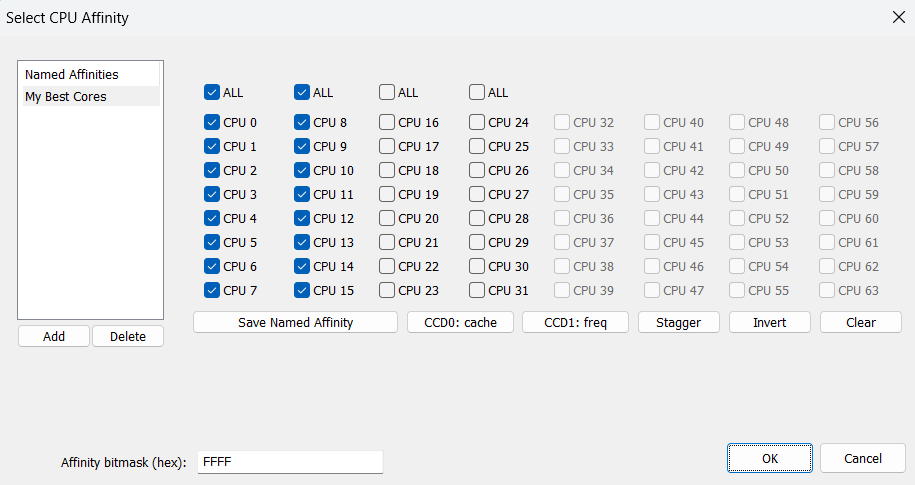
on GitHub How to Set the CPU Affinity of a Windows Process Permanently The best way to set a CPU affinity permanently on Windows is to use Process Lasso. The custom CPU affinity will be applied eac…
still umbra
ive tested a lot with different parameters, so far for me best performance was 4 physical cores affinity (0x0000000000000055), and cpucount=8, not sure why with cpucount8, almost same FPS server and clientside as with cpucount4, but hey it works 🙂 i think i will just leave it as is to not screw it up
whole cloud
I'd assume the cpuCount just ends up being ignored
empty goblet
but are you setting the main thread affinity ? because if you don't there is chance they all end on overused core or SMT logical core not physical
still umbra
empty goblet
but are you setting the main thread affinity ? because if you don't there is cha...
yup, the mainthread
I got to go, thanks for all the help goodbye
empty goblet
see ya, have fun in game
charred pagoda
what is the main thread affinity by default? for me 0x1 give me less fps than not specifying it at all (on client)
opal hound
What are you trying to do with the affinity?
empty goblet
charred pagoda
what is the main thread affinity by default? for me 0x1 give me less fps than no...
it's autoassigned by kernel scheduler ... i've had cases where WS2016 and 2019 assigned 8+ servers main thread to last core (logical)
you could control that by normal affinity setting to degree but there was the case of assing first core, vs assign last core vs assign random
the actual situation is way better, tho not optimal as i wish we could tell the engine to not place any demanding thread on the same core where main thread affinity was designed
on top there is availability to add way to set the xaudio2 thread affinity (since new version) for clients performance tweaks
but in theory it could be combined with what i wrote above, to avoid xaudio2 thread ending on same core as mainThread
(for coders) see https://learn.microsoft.com/en-us/windows/win32/xaudio2/xaudio2-redistributable#preferred-cpu-core

Developer guide for redistributable version of XAudio 2.9
eternal kraken
i tried several cpuAffinity and cpuMainThreadAffinity combinations with YAAB, but for me the performance is still the best without those parameters.
- 138 fps -> no affinity param
- 136 fps -> cpuAffinity=0x0000000000005554 cpuMainThreadAffinity=0x0000000000005554
- 135 fps -> cpuAffinity=0x0000000000005554 cpuMainThreadAffinity=0x0000000000004000

anybody else having other results / better performance with thos params?
spiral pond

Dedmen this is the trace from @visual tapir (posted here: #hardware_vs_arma message)
- either its not the actual low frame situation
- or the render thread is stalling his game from what i can tell
- however the scope tags seem bugged too in the main thread (at least for the ingame viewer)
empty goblet
eternal kraken
i tried several cpuAffinity and cpuMainThreadAffinity combinations with YAAB, bu...
because you do it sort of wrong
cpuMainThreadAffinity shall be one core, not all, you tell the engine to slap the mainThread to use that core and that's it and you need pick core which is least used but most performing
 visual tapir
My hardware details just in case:
Ryzen 5 5600X 6C 12T 4.2 Ghz Boost
RX 6600 8GB VRAM (Gddr6 on PCIE5.0)
32 GB Ram (DDR4, 2311 MT/s)
Previously used Linux, good performance, after 2.20 update and me switching to Windows 11 Pro N LTSC, things went down.
whole cloud
spiral pond
That report is just completely broken, try more frames
visual tapir
Ok
I did just launch it so i'll retesyt
Addendum @whole cloud
I have noticed the map is specially laggy both in editor and ingame (Vanilla - prof branch)
Very very slow
empty goblet
so try (all cores while main thread is 2nd physical core) -cpuAffinity=0x000000000000FFFF -cpuMainThreadAffinity=0x0000000000000004
or try (not first 2, while main thread is 2nd physical core) -cpuAffinity=0x000000000000FFFC -cpuMainThreadAffinity=0x0000000000000004
visual tapir
By map I mean map screen
@whole cloud @spiral pond
Recorded of me walking around kavala as pilot unit, firing a pistol and throwing a single orange smoke
No AI, nothing
Opened the map a few times


 empty goblet
eternal kraken
i tried several cpuAffinity and cpuMainThreadAffinity combinations with YAAB, bu...
empty goblet
eternal kraken
i tried several cpuAffinity and cpuMainThreadAffinity combinations with YAAB, bu...
also remember if you use -enableHT (w/o -cpuCount=) then engine will utilize the logical cores
whole cloud
Yeah that looks better. GPU problem or somehow it has way too much to render?
whole cloud
whole cloud
Yeah that looks better. GPU problem or somehow it has way too much to render?
Looks like the render tasks themselves are going fine though, there is none that takes extra long
eternal kraken
empty goblet
also remember if you use -enableHT (w/o -cpuCount=) then engine will utilize the...
i do not use enableHT and also not use cpuCount. i tested your suggestion
132 fps -> cpuAffinity=0x000000000000FFFF cpuMainThreadAffinity=0x0000000000000004
core 2 is my best/fastest core at least ryzen master tells that
spiral pond
@visual tapir already very low fps in main menu (with or without cutscene)?
if not, when does it start? an image may help, as well as a few #sframe just in case (if done via console, you can log directly to file, see: https://community.bistudio.com/wiki/Performance_Profiling?useskin=vector#diag_captureSlowFrame)
beyond that you could try a new game profile for a test, as well as latest or old gpu driver
visual tapir
spiral pond
<@1000810140259319929> already very low fps in main menu (with or without cutsce...
Will test
Main Menu: 180 FPS
 visual tapir
spiral pond
<@1000810140259319929> already very low fps in main menu (with or without cutsce...
visual tapir
spiral pond
<@1000810140259319929> already very low fps in main menu (with or without cutsce...
Since im on latest version of GPU driver, I will try to roll back to an older version
visual tapir
spiral pond
<@1000810140259319929> already very low fps in main menu (with or without cutsce...
It only seems to occur when a fully loaded world appears (Editor, In-game)
eternal kraken
empty goblet
also remember if you use -enableHT (w/o -cpuCount=) then engine will utilize the...
122 fps for -> cpuAffinity=0x000000000000FFFC cpuMainThreadAffinity=0x0000000000000004
spiral pond
visual tapir
It only seems to occur when a fully loaded world appears (Editor, In-game)
ok. well generate a set via console and slow frames (with some delay if its constant low fps)
visual tapir
spiral pond
ok. well generate a set via console and slow frames (with some delay if its cons...
Could you explain this a little?
eternal kraken
empty goblet
so try (all cores while main thread is 2nd physical core) `-cpuAffinity=0x000000...
to sum up my YAAB results (no enableHT and no cpuCount used):
138 fps -> no affinity param -> rpt CPUCount : 8
136 fps -> cpuAffinity=0x0000000000005554 / cpuMainThreadAffinity=0x0000000000005554 -> t: (2,4,6,8,10,12,14) / (2,4,6,8,10,12,14) -> rpt CPUCount : 7
135 fps -> cpuAffinity=0x0000000000005554 / cpuMainThreadAffinity=0x0000000000004000 -> t: (2,4,6,8,10,12,14) / (14) -> rpt CPUCount : 7
133 fps -> cpuAffinity not set / cpuMainThreadAffinity=0x0000000000000004 -> t: - / (2) -> rpt CPUCount : 8
132 fps -> cpuAffinity=0x000000000000FFFF / cpuMainThreadAffinity=0x0000000000000004 -> t: (from 0 to 15) / (2) -> rpt CPUCount : 8
122 fps -> cpuAffinity=0x000000000000FFFC / cpuMainThreadAffinity=0x0000000000000004 -> t: (from 2 to 15) / (2) -> rpt CPUCount : 14
visual tapir
Testing drivers v24 amd
36 FPS... no improvement at all
Looks like drivers arent at fault here
im starting to think my W11 installation may be somewhat borked, somehow
New profile same thing
I think im going to back up my data and roll back to windows 10 instead of Windows 11
or even switch back to linux
Although im getting a big upgrade for my rig this week, so we'll see
Going from RX 6600 to RX 9060XT + New CPU cooler
spiral pond
visual tapir
Could you explain this a little?
did you check the page here? https://community.bistudio.com/wiki/Performance_Profiling?useskin=vector#diag_captureSlowFrame
visual tapir
When do you want me to start logging?
well im gonna be a little busy for a bit, when I get back I'll do whatever
spiral pond
mid mission - probably most simple via Eden to have the console
otherwise you need to grab one of the "anywhere console" mod linked on the page
visual tapir
spiral pond
mid mission - probably most simple via Eden to have the console
otherwise you ne...
Like an SP mission or just ingsme from the editor
All my captures were taken in kavala sp no ai
empty goblet
visual tapir
im starting to think my W11 installation may be somewhat borked, somehow
check #hardware_vs_arma quite sure there are plenty specific W11 settings to disable to gain performance 🤣 because 'security' or 'microsoft'
heavy vortex
I don't remember anyone demonstrating that any of those made a difference in A3 specifically.
Doesn't mean that they don't. Just that no-one tested.
empty goblet
articles urls moved to #hardware_vs_arma message
heavy vortex
Bear in mind that the usual hit we see is ~2x lower performance than expected.
tacit frost
whole cloud
There is a limit of how much time per frame, AI can spend at "seeing"
If fps is ...
Yes, that's the point, the FPS has become lower in the same situations than it was before.
I wonder what will happen if disable this limit? How will it affect the gameplay? Did it change in any way in older versions of the profiling build? I just can't understand why everything worked so well before, and now it works so badly.
Do you still have the build relevant for 02/18/2025? This is the last time the profiling build worked well for me. Then I was away from Arma until May. It would be great to check it now.
light cargo
tacit frost
Yes, that's the point, the FPS has become lower in the same situations than it w...
you should be able to find it in the gdrive folder link
tacit frost
light cargo
you should be able to find it in the gdrive folder link
Thanks, I'll take a look.
light cargo
whole cloud
I don't understand the question.
Debug what?
using a debugger to catch crashes
 outer moat
Hey, running arma 3 on linux, various proton versions, everything was fine until a recent update to either arma or my OS, game instantly crashes upon clicking play in the launcher.
crash reporter says
Exception: SEH exception thrown. Exception code: 0xc06d007f at 0x6fffffc0d0c7
the .rpt says
Exception code: C06D007F at FFC0D0C7
Version 2.20.152991
Fault time: 2025/06/26 21:17:29
Fault address: FFC0D0C7 01:0000C0C7ll C:\windows\system32\kernelbase.dll
file:
world:
Prev. code bytes: 0A 48 83 C0 08 49 83 C1 08 EB EC E8 F9 14 00 00
Fault code bytes: 48 81 C4 C8 00 00 00 C3 90 48 55 48 89 E5 48 83
anyone have any idea/advice?
with or without mods. parameters are all default
whole cloud
outer moat
Hey, running arma 3 on linux, various proton versions, everything was fine until...
crash inside kernelbase, sounds like its a proton issue
If you switch away from profiling branch, does it work then?
outer moat
whole cloud
If you switch away from profiling branch, does it work then?
nope. and neither does dev branch
whole cloud
Well dev-branch is quite old. Older than 2.20 release even
what does "until a recent update" actually mean?
Was it actually our game update that broke it? or is it just proton
outer moat
whole cloud
what does "until a recent update" actually mean?
Was it actually our game update...
2 days ago, updated my OS, the usual apt update, apt upgrade
arma also had an update, not sure which exact version. I didn't change my proton version and even tried older ones after the crash started to happen
even on older linux kernel backups I have, arma still crashes the same
whole cloud
You could download the 2.18 profiling branch exe from the google drive download.
That would tell you if it was the game update. If the old worked before it should still work 😄
outer moat
i'll try that and report back
outer moat
whole cloud
You could download the 2.18 profiling branch exe from the google drive download....
Can confirm. 2.18 loads fine 
whole cloud
Send me the crash report (it creates a .mdmp in RPT folder?) via DM.
I'll probably also need your kernelbase.dll and some others because proton has its own special ones
outer moat
whole cloud
Send me the crash report (it creates a .mdmp in RPT folder?) via DM.
I'll probab...
sent. what other files though
whole cloud
I'll find that out tomorrow when I look at the dump.
But first look almost seems like I won't need any extra, kernelbase was the only one
outer moat

whole cloud
Big question though, does everyone on proton have that issue
outer moat
sadly i don't personally know anyone else who plays arma on linux and haven't really seen any reports from the googling I did
visual tapir
whole cloud
Big question though, does everyone on proton have that issue <:meowsweats:707626...
I have a friend who plays regularly and they dont
restive turtle
whole cloud
Big question though, does everyone on proton have that issue <:meowsweats:707626...

visual tapir
After a long day of troubleshooting I havent figured out the issue with performance
im going to run YAAB and see waht I get

@whole cloud frametimes during benchmark

I think i'll just spend 500$ on new pc parts 🥲
empty goblet
visual tapir
<@90532520101183488> frametimes during benchmark
what cpu/gpu ?
visual tapir
Ryzen 5 5600X
RX 6600 8GB
32GB Ram DDR4 @ 2314 MT/s
1080p of course
A friend of mine compared it with my setup
This is his performance with an Intel i7-4170k or something + RX 6500

This is mine with specs above

I'll place the same settings as them now and send
Even lower spec than them and I still get less frames despite having better hardware

By far, the worst performing thing in the game is the map screen
its SO LAGGY
 void badger
First: take this #hardware_vs_arma as of 2.20 get yo low performance outta #perf_prof_branch
Second: some of the specs you listed don't exist
Third: i7's for the past decade almost always beat out Ryzen chips without X3D in ARMA
Map screen lags when zoomed out, known
visual tapir
void badger
First: take this <#107058606205067264> as of 2.20 get yo low performance outta <...
I have been moved here by admins several times
but yeah idk
visual tapir
void badger
First: take this <#107058606205067264> as of 2.20 get yo low performance outta <...
i7-4790k is the correct CPU model
void badger
That CPU is goated of course it beats yours
visual tapir
Oddly enough I never had perf issues before in arma
but i guess now i do and I ought to upgrade?
empty goblet
ye something is wrong with your system , because those are numbers my old i5 quad was doing with 2 and 4 GB VRAM 10 years ago
visual tapir
Jesus christ
I'll roll back to windows 10
Thats it
im doing it right now at 12:50 AM in the morning
Im so done with windows 11
ever since ive switched everything I do sucks so fucking much
empty goblet
or just disable all the bloat in windows 11 😁
visual tapir
I have!!
I debloat all my windows installations
somehow windows 11 runs equally worse
I even use LTSC versions for the even more trimmed down experience
its insane how bad windows has gotten
dear god
The fact that my linux setup entirely improvised on Void Linux worked better than this is insane
void badger
Linux is good at making Windows look like a toy OS
That's weird though, because W11 with updates has an improved scheduler that has made almost all Ryzen chips faster
Esp in Single Core
 carmine stump
@visual tapirfirst off, you shouldnt have everything on ultra
visual tapir
visual tapir
Even lower spec than them and I still get less frames despite having better hard...
Refer to
carmine stump
second, disable PIP
visual tapir
void badger
That's weird though, because W11 ***with updates*** has an improved scheduler th...
odd
carmine stump
ha, I made 2 SS and cant post them, great
I get 80fps in kavala with 4000 view distance. w11 and ryzen 5600 at 4.6ghz
so you are doing something wrong.
slender lagoon
visual tapir
After a long day of troubleshooting I havent figured out the issue with performa...
abnormal to say the least, my onboard graphics did better than that
carmine stump
at 4k even.
visual tapir
slender lagoon
abnormal to say the least, my onboard graphics did better than that
Yup! Its insane.
I have tried everything in the troubleshooting handbook (I even ran benchmarks on my system with 3dmark to verify!)
my scores were kind of bad overall, so im certain its just the OS
slender lagoon
If nothing helped i suggest CMOS clearance
empty goblet
just note, best to move hardware performance issues to #hardware_vs_arma
but ofcourse maybe dedmen would like to 'take over your pc and take look why the game is so slow' 🙂
just joking , ... something like vtune snapshot would do enough
visual tapir
Going back to hardware vs arma
restive turtle
Poor bluefield
heavy vortex
visual tapir
By far, the worst performing thing in the game is the map screen
For what it's worth, this part is normal for Arma. Just that it's not really a problem if the map runs at 30fps.
visual tapir
Yeah I guess
my main concern is the frames on the actual game
It kinda is a problem if lower end hardware in higher settings does achieve better performance altogether than higher end hardware on lower end settings
 hoary jolt
visual tapir
32GB Ram DDR4 @ 2314 MT/s
hoary jolt
visual tapir
32GB Ram DDR4 @ 2314 MT/s
Bottlenecked by slow RAM. OC it or replace it or get a X3D CPU to compensate for it.
heavy vortex
Which would normally be true, but it's far too slow for that to be the bulk of the problem.
hoary jolt
heavy vortex
Which would normally be true, but it's far too slow for that to be the bulk of t...
He has not show a YAAB in Linux for reference so we just need to go with his testimony of 120-130 FPS average on the same system. Others claiming 70 FPS with similar CPU and RAM so...
 smoky ridge
hoary jolt
He has not show a YAAB in Linux for reference so we just need to go with his tes...
smoky ridge
hoary jolt
He has not show a YAAB in Linux for reference so we just need to go with his tes...
its not a hardware issue, almost identical specs as bluefield, yet im getting 60 fps YAAB and 120 FPS in vanilla altis with the same specs
deep furnace
visual tapir
Ryzen 5 5600X
RX 6600 8GB
FYI my benchmarking on R7 5700X + 4060, 32GB DDR4 @ 3600 mhz
profiling btw


 visual tapir
Das fuckin crazy
Im running much lower graphical settings than that and still get way less fps
Can you run with standard settings?
Press s on the benchmark
deep furnace
uno momento
obsidian relic
deep furnace
uno momento
 plain trout
all lower isn't helpful in arma
inland dew
please!!! #hardware_vs_arma
stop cluttering this thread with unrelated to perf/prof stuff!!!
memory allocators also have nothing to do in this thread, at all
it's all #hardware_vs_arma
analog acorn
inland dew
memory allocators also have nothing to do in this thread, at all
it's all <#1070...
Please note that this channel (#hardware_vs_arma) cannot be accessed if you have chosen to hide the off-topic category in #✔role-selection . If you want to use it, you need to remove your 0 reaction in that channel.
inland dew
doesn't change the fact that none of the above has nothing to do in perf/prof thread
analog acorn
I didn't say it did. But if people have hidden off-topic, they just see your channel link as #No Access and get an error message when they try to click on it.
inland dew
also multiple people pointing multiple times towards #hardware_vs_arma and still no use.
and worst is many many posts here fr9m people that have been in this discord for years, but looks like they don't care and still clutter the thread with non perf/prof related stuff, knowing very well what they're doing...
visual tapir
is profilling branch on 2.20 or not yet
patent sky
yes, it was on 2.20 the same time as default/main
 latent sigil
Hello I am getting a unique problem on profiling branch in Jets first person. There is too much micro stuttering in first person and not in third person in any fighter Jets but not in Caesar BTT. I have tried running game with all parameters disabled and also with some parameters on such as enableHT, extraThreads, the problem is still there. And no additional softwares running in background excpet Discord, Firefox and Voicemeter banana. The game runs fine when playing infantry or helis. But just in first person in fighter jets there is lots of micro stuttering.
My pc specs are Amd 7 9800x3d, Rtx 2080ti 32 GB ram 6000 MTs
raven delta
Is anyone else having major stability problems in terms of network connections on the recent update?
Several people from our group are unable to reliably play operations now...
empty goblet
latent sigil
Hello I am getting a unique problem on profiling branch in Jets first person. Th...
i would start with showing us your full commandline , if you can provide also some frametime and fps graph it would be useful too (ie from MSI afterburner or CapFrameX or PresentMon etc.
another thing we shall know is what OS is that on and if you use any affinity setup from external tools (process lasso, process explorer, process hacker, system informer or via CMD etc.)
latent sigil
empty goblet
i would start with showing us your full commandline , if you can provide also so...
Hello I play Koth and I got this issue after the update of 25/6.
I have windows 11 and dont have any affinity setup tools installed
latent sigil
empty goblet
another thing we shall know is what OS is that on and if you use any affinity se...
Nothing modified stock os, no any additional software except Discord, Firefox and Voicemeter
opal hound
Potentially MFD radar related?
You could try manually rolling back to the previous version at #perf_prof_branch message and see if that stops the issue
opal hound
current is 2.20 v5 with MFD radar changes, previous is v4
you just need to replace the client .exe with the one found in that folder
latent sigil
arma3client_x64_performance_220_152975_v04.7z
opal hound
performance, unless you want to try profiling the issue
empty goblet
latent sigil
arma3client_x64_performance_220_152975_v04.7z
ye that's the one you want (w/o the profiling code)
latent sigil
So do i deactivate the thing in steam for profiling? Under beta options
and replace the binary
opal hound
no need, I'm pretty sure you can just drop that .exe in the same directory as you find the current arma3profiling_x64.exe and run it
latent sigil
ok
oh yes significantly better in the previous version.
I placed this binary of this zip (arma3client_x64_performance_220_152975_v04.7z) into the arma folder and ran the game (steam Beta option on profiling) and its significantly better. No more micro stuttering in jets in first person.
opal hound
just the .7z?
latent sigil
binary which was in the zip
extracted it and placed it in the Arma 3 folder where the normal installation is.
opal hound
honestly best way to confirm is check the version number at the bottom of the main menu, if it stops stuttering on 2.20.152975 then there might be an issue
empty goblet
empty goblet
another thing we shall know is what OS is that on and if you use any affinity se...
@jj you doing anything special when starting your client ?
empty goblet
do you have minimap open or is the stuttering happening while in helicopter / airplane ? oh wait you wrote jets...
empty goblet
difference between 152975 and 152991 which would cause your micro stutter
- Tweaked: MFD Radar target filtering is now multithreaded
latent sigil
its fine
empty goblet
latent sigil
Hello I am getting a unique problem on profiling branch in Jets first person. Th...
^ dedmen, for your attention
latent sigil
Ok thank you for acknowledging.
empty goblet
latent sigil
Ok thank you for acknowledging.
can't ack what i don't replicate so expect more questions from our Best man when he gets time
latent sigil
ok np
empty goblet
your CPU should be so beefy on cache, threaded speeds that arma shall be butter smooth
latent sigil
yes Arma does run very good on my CPU with the GPU I have, just this issue after the latest update of profiling.
empty goblet
raven delta
Is anyone else having major stability problems in terms of network connections o...
similar, i suggest try fallback to 152975 to see if the problem is solved
whole cloud
empty goblet
^ dedmen, for your attention
I read all messages in this channel.
Don't ping me, read #rules. Thanks.
void badger
empty goblet
similar, i suggest try fallback to 152975 to see if the problem is solved
Experiencing the same issue on Linux DS, rolling back to 152975 and gonna have my guys on stable to see if that helps. Thanks Dwarden
Nope everyone is desyncing insanely bad, I can try stable all around...
 foggy vine
raven delta
Is anyone else having major stability problems in terms of network connections o...
foggy vine
raven delta
Is anyone else having major stability problems in terms of network connections o...
Played Antistasi on Thursday with enemy AI patrol desyncing in animations inconsistently
 obtuse bramble
Not sure if related at all, but I've had some serious profiling problems since 2.20 - however I recently updated my BIOS due to the latest Intel instability issues and fixed (so far) everything I've had. I am on a 13th gen tho, so milage may vary on that.
heavy vortex
You would need to specify what sort of problems you've had, and whether they still exist in the current profiling version.
obtuse bramble
heavy vortex
You would need to specify what sort of problems you've had, and whether they sti...
#perf_prof_branch message This is what I personally noticed, but it was nigh impossible to replicate - also when it happened last time, I wasn't given a dmp file either (lol?) I stayed on main till I updated my BIOS, only after that did I try profile again - 0 issues with the texture loading. It seemed to have something to do with the 3DMA Western Dusk assets as they are much higher fidelity.
I side with Dedmen's assestment in that convo though, all I can remember is that whenever I would load a loadout with a backpack/vest from that mod, I could tell it would freeze while loading said vest/backpack, and then CTD.
 charred holly
Just had a "crash" when in the lobby screen: I was in the steam overlay when suddenly the FPS in the overlay started to tank abysmally. My screens then turned black, but I could hear TS still working. I had to force restart the PC, no keyboard input way able to fix it.
Have a friend who did the exact same thing at the same time and he also experienced black screens.
I switched to the stable branch after that and haven't run into the issue again - at least yet. No crash dumps were generated unfortunately.
heavy vortex
How long did you wait? Might have just been thrashing cores for a bit.
opal hound
Yeah sounds like cores thrashed or OOM crashed the desktop
charred holly
heavy vortex
How long did you wait? Might have just been thrashing cores for a bit.
About a minute
vivid reef
#general_chat_arma message
i noticed this in profiling some time ago, now it seems to be in stable too, is it intentionally or was a "bug" from profiling taken over?
heavy galleon
 crash dump coming your way daddy deddy
heavy vortex
vivid reef
https://discord.com/channels/105462288051380224/105462288051380224/1388596606332...
I think it was a bug fixed in the original code that ignored minimum arming distance.
 uncut wigeon
Have an issue with the perf branch I had to stop using it as it apprently is the cause of having rendered objects (and I mean that literal as its totally random what does or doesnt) totally disappear and blink out of being drawn but then pop back in.
its not a constant problem and seems random but it makes gameplay pretty difficult. Once I went back to using the normal branch and turning back on the -exThreads=7 option the issue has disappeared.
Any ideas or known issue? this is on a x399/sTR4 1950x sTR4 with 32gig and a 2080 FTW3 graphics card at 1440p 21:9 resolution.
opal hound
Hmm that was an issue a while back but it was fixed, haven't seen it in this version
 neat shell
can someone help me get more fps? i have a very good PC but this game is stuck at like 40-80 in singleplayer, doesnt matter what graphics settings I use
its actually pmo because i have had this game for years but always stop playing cus the bad fps gets to me
$6000 later and this game still doesnt work...
cpu and gpu utilisation is stuck at like 20 or below, i think thats whats causing low frames
autumn timber
neat shell
$6000 later and this game still doesnt work...
What is it that you spent that money on, so that it didn't give you 120+ fps? Alcohol?
 real creek
neat shell
can someone help me get more fps? i have a very good PC but this game is stuck a...
real creek
neat shell
can someone help me get more fps? i have a very good PC but this game is stuck a...
This is the place to have these kinds of discussions
#hardware_vs_arma
6000$ should be enough to get a 9800X3D
Biggest limiter of perf will prolly be cpu, resolution, draw distance, scenario complexity
neat shell
real creek
This is the place to have these kinds of discussions
<#107058606205067264>
6000...
My specs are
rtx 5090
ryzen 9 7950x3d @ 5.7ghz
96gb ddr5 6000MTs
theres minimal difference between very low and extreme settings
the fps fluctuates from 40 to 80 to 150, its hella weird
neat shell
autumn timber
What is it that you spent that money on, so that it didn't give you 120+ fps? Al...
alcohol woulda been better i think, that way i wouldnt realise im getting low fps
heavy vortex
Unless it works fine in stable then take it to#hardware_vs_arma
neat shell
heavy vortex
Unless it works fine in stable then take it to<#107058606205067264>
its the same
uncut wigeon
opal hound
Hmm that was an issue a while back but it was fixed, haven't seen it in this ver...
no clue and to be honest I see no difference either way regardless of the branch but I also have very edge case scenario hardware so shrugs
 lime parcel
a quick question on server binaries - does stable 2.20 contain the performance improvements of perf v26 for server binaries? (im only mentioning v26 as thats the one we used until the update) Server FPS has been considerably lower since moving to stable, and that is with two very comparable missions both in player numbers (actually down from 180 to 160), complexity and relative density of players in the main AO
that said, what are the most stable server perf binaries right now?
thanks xx
glass lagoon
fiddling with video settings under proton somehow can make my 90 fps to 30-40 fps with identical settings, what is going on with the overlay UI and the rest of it?
inland dew
 brittle oak
Hey guys! Are we able to run https://steamcommunity.com/sharedfiles/filedetails/?id=1652506957&searchtext=profiling on the server (or anything similar to it to see specific frames on the server and what's taking up fps)? We have the traces from #captureFrame and capture slow frame, but we find Perfetto a bit more difficult to understand exactly what process / mod is problematic
 fickle geyser
yes you can, not really the place to discuss it tho
https://discord.com/channels/451451698947424266/594861868338642965
inland dew
 void badger
lime parcel
a quick question on server binaries - does stable 2.20 contain the performance i...
void badger
lime parcel
a quick question on server binaries - does stable 2.20 contain the performance i...
Stable is stable, perf binaries seem all over the place but I think Warlords is running v4 with basic.cfg adjustments
160 fps is still more than enough so I wouldn't worry
fickle geyser
inland dew
the mod they've linked has literally the related discord in the description.
Is it me or is allVariables on profileNamespace broken 
 charred pagoda
fickle geyser
Is it me or is allVariables on profileNamespace broken <:thomp:63877605879526197...
charred pagoda
fickle geyser
Is it me or is allVariables on profileNamespace broken <:thomp:63877605879526197...
Is it singleplayer?
fickle geyser
localhosted 3den, almost sure it was working before.
But right, forgot about that MP limitation, using it to clear some gamemode data.
lime parcel
void badger
Stable is stable, perf binaries seem all over the place but I think Warlords is ...
its 160 players, not fps. fps was as low as 20
void badger
Oh
Yeah I think 2.20.152975 should be good if you want to give that a shot, v5 was reporting a lot of issues but I was experiencing desync on v4 w/ stable clients on a Linux DS so YMMV
patent sky
void badger
Yeah I think 2.20.152975 should be good if you want to give that a shot, v5 was ...
Are these v5 issues reported?
void badger
Not in bug tracker, but I've reported it here and discussed it with Dwarden, have yet to test new changes we made however
spiral pond
brittle oak
Hey guys! Are we able to run https://steamcommunity.com/sharedfiles/filedetails/...
raven delta
void badger
Yeah I think 2.20.152975 should be good if you want to give that a shot, v5 was ...
do you think server on older performance build and clients on latest will still have problems?
is that even compatible?
void badger
raven delta
do you think server on older performance build and clients on latest will still ...
Server on v4 and Clients on v5 hypothetically shouldn't have issues, as they are technically on the same netcode
opal hound
I think all 2.20 perf builds and stable should be compatible with each other no?
void badger
Negative, there was a resync in v4 (really v5, the timing is weird) and current stable
so v1-v3 are basically scrubbed
raven delta
so what versions shall I run tonight?
void badger
Stable is your safest bet, unless you're somehow also running w/ 120 players
Currently testing with 3 players on v5, changes made:
MaxSizeGuaranteed=1324;
MaxSizeNonguaranteed=1324;
and in my commandline
-limitFPS=100
Working great so far
raven delta
void badger
Currently testing with 3 players on v5, changes made:
```
MaxSizeGuaranteed=132...
i am currently on guaranteed 512 and non 1024
ill try reverting to stable on server and a few players and see what happens
void badger
That should be fine, way more than I had
whole cloud
latent sigil
Hello I am getting a unique problem on profiling branch in Jets first person. Th...
can you run profiling binary and run the SFRAME cheat to capture some data for me?
whole cloud
vivid reef
https://discord.com/channels/105462288051380224/105462288051380224/1388596606332...
Its intentional, the fuseDistance is defined in config
vivid reef
whole cloud
Its intentional, the fuseDistance is defined in config
ty, was just wondering cause it works just since a few weeks/months
whole cloud
uncut wigeon
Have an issue with the perf branch I had to stop using it as it apprently is the...
exThreads has no relation to rendering, if you think that fixed it, it didn't.
whole cloud
lime parcel
a quick question on server binaries - does stable 2.20 contain the performance i...
Reading the changelogs would answer your question
whole cloud
lime parcel
its 160 players, not fps. fps was as low as 20
you can use profiling binary and analyze whats tanking the fps
whole cloud
vivid reef
ty, was just wondering cause it works just since a few weeks/months
yeah bugs get fixed all the time, it was in changelog
guys have a chill.
I expected a dozen crashes per week, not 400...
 heady plinth
time for automated report filtering
latent sigil
whole cloud
can you run profiling binary and run the SFRAME cheat to capture some data for m...
Yes would do later currently not on pc
patent sky
I was expecting more server crashes since its automatic, interesting howmany people actually click send
 empty plover
are those prof crashes or stable?
opal hound
only prof has automated reporting
empty plover
ok
empty goblet
whole cloud
guys have a chill.
I expected a dozen crashes per week, not 400...
actually i'm quite sure at least 100 of that is caused by one CDLC server
heady plinth
apparently latest performance branch has issues with helicopter stuff in 1st person which causes crashes
oh, i see people were already talking about it
whole cloud
I see one server there that had like 50 crashes on it.
whole cloud
heady plinth
oh, i see people were already talking about it
I don't remember seeing things about helicopters?
lime parcel
sorry it's just i read in this channel that stable 2.20 contained changes up to v28, so i assumed performance would remain high even when moving to stable, but that didn't match the actual data
I'll keep monitoring here for the best perf for our needs
heady plinth
whole cloud
I don't remember seeing things about helicopters?
it was here #arma3_feedback_tracker message
and later in our discord:

so yeah, looks like the same HMD issues that other people talked about
empty goblet
so both helicopters and planes? prolly that new radar / mfd threading code