#perf_prof_branch
1 messages · Page 19 of 1
 whole cloud
 deft oak
2025/03/08, 16:10:32 Server: Network message 2e538a is pending T_449
2025/03/08, 16:10:32 Server: Network message 2e538a is pending T_333
2025/03/08, 16:10:32 Server: Network message 2e538c is pending T_166
2025/03/08, 16:10:32 Server: Network message 2e538d is pending T_166
2025/03/08, 16:10:32 Server: Network message 2e5398 is pending T_333
2025/03/08, 16:10:32 Server: Network message 2e5398 is pending T_333
2025/03/08, 16:10:32 Server: Network message 2e5398 is pending T_333
2025/03/08, 16:10:32 Server: Network message 2e5399 is pending T_458
2025/03/08, 16:10:32 Server: Network message 2e539a is pending T_449
2025/03/08, 16:10:32 Server: Network message 2e539a is pending T_333
2025/03/08, 16:10:32 Server: Network message 2e539a is pending T_166
2025/03/08, 16:10:32 Server: Network message 2e541a is pending T_133
2025/03/08, 16:10:32 Server: Network message 2e541a is pending T_133
2025/03/08, 16:10:32 Server: Network message 2e541a is pending T_333
2025/03/08, 16:10:32 Server: Network message 2e541a is pending T_133
oki I'll look into that
deft oak
I'll DM my full RPT too if you want it
whole cloud
no
 heavy vortex
Do pending messages for one player have any effect on networking for other players?
My experience was that as soon as you get that RPT spam, the whole thing jams up.
But then it wasn't clear whether it was related to a specific player.
deft oak
I would guess yes to some extent since it seems like the server is queuing them
I agree usually once you see this in a heavy flow it's the kiss of death for the server and it needs to be restarted
sometimes I'll see a few is pending and everything will be fine under heavy load things like spawning events
but usually if you see more than 20 of them the server is gonna spiral until it kicks everyone
heavy vortex
Related question I was hoping dedmen would answer previously:
The server has to keep a copy of guaranteed sent packets until they've been acknowledged, right. Is this done with one queue per player, or one central queue? If there's a maximum size, what happens when it's reached?
deft oak
I know that any scripting related overload issues we've identified all manifest like this as well. For example there was an issue with the infistar antiglitch that could create an infinite loop in some rare cases.
when that happened this is what it would look like in the RPT and eventually the server would kick everyone and need to be restarted before accepting connections again
probably because the server was too overloaded to even send the messages
heavy vortex
Script-related data is guaranteed, so I guess that follows.
deft oak
What's interesting about that is that I'd expect once it kicked the player caught in the loop (and everyone else) it would recover, but it never did without a restart
heavy vortex
Hmm. My experience was that it usually recovers.;
deft oak
it's possible the lack of recovery is exile related
Once that main Exile task thread dies the server systems all fail (including loading in from the DB)
heavy vortex
If the cause is a script overspam then it can't recover until the script stops spamming.
deft oak
Yeah the spamming was caused by a client getting stuck in a loop. Once they got kicked the spam should stop
the reason it would choke the server from the client is that infistar writes the log of that event on the server
heavy vortex
Hmm. That'd be a different message though? "Network message is pending" is strictly outgoing traffic, I think.
deft oak
I'm guessing the is pending messages caused by that were the normal network traffic not making it out
I also didn't trace it all the way through infistar
so it's possible more was happening on the server side of it
I just fixed the clientside anti glitch issue itself
whole cloud
heavy vortex
Do pending messages for one player have any effect on networking for other playe...
all pending messages go into a single array.
That array, is used as a hashmap, but without being a hashmap. So iterating over the whole array to find an element by ID.
So if that array is full, performance drops significantly, as seen in The Hound's capture above.
Generally, the array is pretty empty though.
 hexed sleet
A while ago I heard that the profiling build was making things disappear in the extraction main base or something too.
deft oak
whole cloud
all pending messages go into a single array.
That array, is used as a hashmap, b...
Ah that makes sense. I think that also explains why the recovery rate after this happens is so low. Once that array hits a certain size it takes longer to iterate than to send out new messages so it never catches up. If I'm understanding correctly, if a client is having trouble receiving packets, they'll start to fill up this array. As the array gets larger and larger, it'll start to effect the entire server more and more (because the message queue is handled at the server level and not the player level), until eventually it can't manage connections anymore and boots everyone. Is this the actual root cause of the "one poor player connection can take down your server" line that's so popular in the community?
Also, does this array get cleared when the server chokes up and does get to the point of booting everyone? Or does it stay filled, which leads to needing a restart to allow connections again, like we've experienced? I imagine messages meant for a specific client are removed from this array when they disconnect and the server is "healthy" but does that still happen when the server chokes under this queue and eventually boots everyone?
heavy vortex
Maybe all public servers should be using MaxPacketLoss in server.cfg if the behaviour is that poor.
deft oak
heavy vortex
Maybe all public servers should be using MaxPacketLoss in server.cfg if the beha...
Ours was set to 50 when the above happened.
heavy vortex
Maybe it doesn't work. Or it's too slow.
deft oak
Yeah I've never messed around with it, 50 is just the example on the server config wiki page
 heavy vortex
I was wondering if the queue was shared so that it could save space when the same data was sent to multiple clients, but that doesn't seem likely because different clients would need different sequence numbers.
deft oak
Just took a second look through, our maxPacketLoss is indeed set to 50 but the kickClientsOnSlowNetwork is set to 0 for maxPacketLoss so it would only be logging them
 restive turtle
deft oak
Just took a second look through, our maxPacketLoss is indeed set to 50 but the k...
restive turtle
deft oak
Just took a second look through, our maxPacketLoss is indeed set to 50 but the k...
well thats not great 
heavy vortex
Did it log them?
deft oak
I can check from that pack when I get home. Any idea where that would get logged? server.log perhaps
I do have networkdiag output from that session too
But it would be nice to know if the max packet loss config picked it up
heavy vortex
Dunno, never seen it. Might test later.
deft oak
heavy vortex
Did it log them?
It seems those do go to the server.log but no max packet ones were picked up, only a few desync too high logs
heavy vortex
I'm not actually sure what desync means in Arma context.
 empty goblet
 kindred radish
maxDesync is broken and shouldn't be used if i remember right.
kindred radish
maxDesync is broken and shouldn't be used if i remember right.
that's old, i think, dedmen fixed it or it got 'less' problematic or the value 10k or 12345 is evading the 9000 or 9999 or what was the 'faulty' value ...
so try maxDesync=12345; and enable log/kick or maybe the value is too high and don't trigger ... not sure , maybe dedmen knows more why it seems to work
 fast hornet
what are the maxDesync and maxPacketLoss values exactly anyway?
For packetloss i'd expect it to be percentage of packets lost total as usual.. but for desync?
 lean light
fast hornet
what are the maxDesync and maxPacketLoss values exactly anyway?
For packetloss i...
lean light
fast hornet
what are the maxDesync and maxPacketLoss values exactly anyway?
For packetloss i...
Seconds?
fast hornet
hmm.. the example in the wiki is a value of 150, so maybe milliseconds?
but that wouldn't make a lot of sense with the example value for MaxPing being 200
heavy vortex
Does #debug on <command> currently work in any context? Tried a few and got nothing in DebugView.
 light cargo
are you running with -debug?
not sure if that's the right argument and other stuff, thinking maybe its exclusive to profiling/dev(?)
whole cloud
That is because of the AI optimization that AI groups don't calculate targeting for static objects.
I've now hotfixed it, by including static objects again, but only for the players group.
Atleast we don't have to pay the cost for all other groups then.
Though it might be a bit messy with remote control
whole cloud
deft oak
Ah that makes sense. I think that also explains why the recovery rate after this...
I don't know what the root cause is of that, and if its that. Might be possible but I've not seen any evidence of that.
You could potentially try to reproduce it by setting a very high max desync, joining multiple players on server, causing high traffic, and then just cutting internet connection of server, the messages should all go into pending?
And then see how the load of that scope changes over the frames. Probably need script profiler with engine profiling to see that properly.
I'll adjust that scope, to log how long that array is.
whole cloud
deft oak
Also, does this array get cleared when the server chokes up and does get to the ...
When a player is disconnected, it iterates the whole array and deletes every entry targetting that player
whole cloud
whole cloud
oki I'll look into that
Nope I won't.
Logging of which player is causing it already exists.
enablePlayerDiag = 1 in server.cfg, enables that
whole cloud
heavy vortex
Does `#debug on <command>` currently work in any context? Tried a few and got no...
I can't see any reason why they wouldn't work, just that they only print to debugger log.
If you do #debug off you should at least see "Debug: All off" being printed.
Works fine for me

yeah looks fine
 light cargo
ohh gotcha
whole cloud
Mh not sure if I actually understand the pending messages stuff correctly.
Not sure if its "pending to arrive at client and receive ack" or "pending to be sent out by server because the sending thread is overwhelmed"
whole cloud
Yeah no it seems like packet loss, still counts as "sent" and not pending..
So instead pending means server is sending out too many messages in short time and the sending thread cannot keep up? 🤔
Like afaik, theres no bandwidth/traffic limits checked at that point that could "delay" a send there. That stuff is already handled earlier.
uh nevermind, bandwidth limits are indeed handled there (This code is old..)
If a player has a dropout (missing ack's coming back) then it suspends sending messages to that player (they are pending) and also reduces their estimated available bandwidth (Potentially by quite alot).
Its possible, if the dropout lasts too long, that the bandwidth of that player will be reduced radically.
So hard, that it takes a long time to come back up while it works on sending out the message backlog.
And because every single message that is being sent, iterates over the whole pending messages array, one lagging player would drop server fps.
But I don't know why that problem wouldn't solve itself and get "stuck" in that state.
Lower server fps would cause fewer new messages to be sent out. Giving it more time to take care of the backlog.
And just because one player is failing, shouldn't mean that any other players start to fail too, which I think would be needed to fully kill the server. If all players suddenly increase desync and insert into pending messages, that could cause the death. But not if just one player does it
 gritty wasp
Can it be the reason why we had Waiting for server... message on briefing start when 40 players out of 150 did HTTP download?
whole cloud
gritty wasp
Can it be the reason why we had Waiting for server... message on briefing start ...
The players with fast http download, still have to wait for the server to finish the slow direct downloads to the other players
say if you raise minBandwidth to like 128kib, and increase the maxDropouts to 30%.
That should lower the pending messages by alot, it will keep pumping out messages to players at a higher rate, even if they are dropping packets
restive turtle
ooo
will try
lol
my servers min bandwidth is on 1.2m
// Default: 131072 MinBandwidth=1245000;
hmm
restive turtle
oh :o
whole cloud
yes
whole cloud
oh maybe I got that wrong and its not server.cfg yea
restive turtle
weird maxDropouts isnt mentioned on the wiki 😄
at all
searched both server.cfg and basic.cfg
whole cloud
I know, and its not intended to be documented
restive turtle
seems legit
 cloud sky
whole cloud
oh maybe I got that wrong and its not server.cfg yea
cloud sky
whole cloud
oh maybe I got that wrong and its not server.cfg yea
I think it's basic.cfg
restive turtle
cloud sky
I think it's basic.cfg
ye
my bad
class sockets{
maxPacketSize=1400;
maxDropouts=0.30
};
im assuming smth like this
whole cloud
yea
Mostly not documented because we don't know what most do, but I'm just figuring that out now
whole cloud
It would be cool if it were possible to log all these bandwidth adjustments, and make a graph per player.
You'd likely see one players bandwidth drop radically when the pending starts.
The #debug UserStats on debug, does print them to you.
#debug 0.1 sets the interval, how often debug info is sent. minimum 100 milliseconds
like here #perf_prof_branch message
ping average (actual, minimum)
Bandwidth growthMode, growthModeLatency, growthModePacketLoss
The modes are just letters, (a very bad, b bad, c ok, d good, e very good)
throughput average (acknowledged BW kbps, good bandwidth, sentbandwidth)
ack and sent should be roughly same. Its how much data we sent vs how much data we sent and the client acknowledged as having received.
lost percentage (total number)
That is the percentage, that influences the dropout detection
ignore that number
queue numMessages messageBytes (numMessagesGuaranteed bytesMsgGuaranteed G)
This is the player specific message queue of messages not sent out yet, this is the "pending" messages.
(#TODO someone can get this onto the wiki somewhere 🫂 )
On the pending messages spam, I'd expect an a growth mode for one of the players, would be interesting to know if it goes to a for multiple players.
And then you can also see the count of messages in the queue, and you should see how that players bandwidth goes down quickly.
So you can.
Join the server, login as admin.
Run #debug UserInfo on
Run #debug 0.2
Open DebugView https://learn.microsoft.com/en-us/sysinternals/downloads/debugview
And you'll receive a stream of stats, for all players on the server.
DebugView can also stream that right into a logfile.
You can parse all the lines for all players, and create graphs out of the data.

I'll build a quick tool for the log parsing and displaying as graph.
Then I'll just need someone to capture data for a game session so we can see what's going on
empty goblet
whole cloud
It would be cool if it were possible to log all these bandwidth adjustments, an...
^ @silk pewter for your endless todo
 silk pewter
whole cloud
It would be cool if it were possible to log all these bandwidth adjustments, an...
whole cloud
silk pewter
whole cloud
It would be cool if it were possible to log all these bandwidth adjustments, an...
whole cloud
arr = [];
arr resize 50000;
arr = arr apply {"aaaaaaaaaaaaaabbbbbbbbbccccccccccccc"};
publicVariable "arr";
causing server lag spikes
woooo the send queue of dedmen is spiking
 whole cloud
https://debuguserinfograph.arma3.io/
There you go.
Output log file from DebugView as described #perf_prof_branch message
Into there, and it creates the graphs for you.
Now we just need someone to collect the data, and have the server be killed by too many pending messages while recording.
And then we see what's happening :harold:
whole cloud
uh oh, dedmen is a bad player


 patent sky
whole cloud
uh oh, dedmen is a bad player
patent sky
whole cloud
uh oh, dedmen is a bad player
Bad at the game too 😄
restive turtle
whole cloud
uh oh, dedmen is a bad player
Dedmen fix!
whole cloud
huh spamming a publicVariable looks bad
 restive turtle
yeah PVs are terrible

ill give some feedback on the maxDropouts soonish
sunday
:)
whole cloud
whole cloud
uh oh, dedmen is a bad player
We can see ping rising (bad)
growState is going negative, meaning players bandwidth is dropping.
There is no packet loss, so bandwidth drop is probably because of latency being higher than desired.
The backlog (pending messages) getting larger is not very nice and will end badly.
If we add enablePlayerDiag = 1; we also get told which player has the pending messages
But after I enable player diag, my players bandwidth stays high and doesn't drop.
The repro from last test doesn't work anymore 🤣
wtf, it just worked :U
 vivid rune
Just rename arma3profiling_x64.exe in arma_x64.exe ... Problem fixed!
whole cloud
Ugh this is all so messy.
There are two networking layers, both have their own queues and bandwidth limits -.-
Pending messages happen when
Layer1 sends messages to Layer2, each message is noted as pending, and is done when layer2 sent it out.
Layer2 notices that it doesn't have enough bandwidth to send them out to the client, so they stay in Layer2's queues.
Layer 1 logs that there are pending messages.
But the crappy part is.
Layer1, checks the bandwidth limits of Layer2. And if not enough bandwidth, Layer1 doesn't even submit messages to Layer2 in the first place, and they instead stay in Layer1's send queue.
Somehow, in my very first test, it reproduced the pending messages issue flawlessly and exactly as expected.
In all my other tests, it just doesn't work, Layer1 notices the low bandwidth, and doesn't even submit the messages, the pending list never fills up.
Memory usage goes up because the messages are queued up to go out, but overall everything else runs just fine..
enablePlayerDiag works though
 heavy vortex
This probably explains one of my tests yesterday. I spammed 100 remoteExecCalls per frame with a payload to a high-PL client. "G" jumped up to 13500 for a few seconds, but then zeroed out for the remainder. There was clearly a second queue layer.
No pending message logs at all though. It just suffered silently.
Send bandwidth throttled, but at ~130kbit.
Is "G" layer 1 or layer 2?
heavy vortex
Hmm, so in my case it's happily stuffing messages that it has little hope of sending into layer 2 :P
Are both layers global rather than per-player?
whole cloud
both layers are per-player.
The only thing thats global is the "pending messages" array, that holds all messages given from Layer1 to Layer2, but which Layer2 has not submitted out yet
Mh I give up.
From what I understand, pending messages should generally not happen.
Unless a players bandwidth drops hard, just after the Layer1 sent out alot of messages to them.
But I just observed something weird, 0 pending messages, Cause lag by overwhelming client, wait for lag to subside and all messages get taken care of. 153 pending messages that just stay and never go away. ??
Its possible there is some ancient bug that in some cases, doesn't mark a pending message as done, even though it is done. If that happens alot the array will up with lots of garbage that will never be removed (until the bad player disconnects)
turning pending messages into a hashmap would fix that though, or atleast not pay performance for the garbage entries, except for it being a "memory leak"
 random isle
can we just consider them invalid and drop them after 30 sec?
restive turtle
whole cloud
Mh I give up.
From what I understand, pending messages should generally not hap...
i've definitely seen pending messages just stay around in my logs before
even when we're not lagging (after some lag/desync obviously)
whole cloud
I think they should only be logged to RPT once. But maybe that flag gets reset in some cases 🤔
vivid rune
Maybe the way into layer 2 is a one way?
whole cloud
Wat
Mh actually, I don't know why we keep the list of pending messages.
To report to RPT when it happens, but that seems rather useless 🤔
vivid rune
Are there any messages in layer 2 that are marked as sent or is there only not as "sended" marked messages? Or is there a function at all to try to sent messages from layer 2?
whole cloud
vivid rune
Are there any messages in layer 2 that are marked as sent or is there only not a...
Layer 2 is sending messages out to network. It handles guaranteed messages, ACK and resending messages if they get dropped
vivid rune
Ah ok. Does layer 2 check the messages before sending if it is a message that needs guaranteed messages or send it all messages in layer 2 as guaranteed because they are in layer 2?
whole cloud
I knows if a message is supposed to be guaranteed or not
heavy vortex
Non-guaranteed messages use the same queues except that they're discarded immediately after sending, without waiting for an ACK?
whole cloud
I think so yeah
vivid rune
Another thought: Do the client "understand" these "irregular" layer 2 messages and send the ACK so it recognized as sent?
whole cloud
I don't understand the question.
I'd say that question is nonsense
Client is not involved in whether a message was sent or not
The ack is for whether a message was received.
Not related to sending
heavy vortex
I noticed some odd behaviour with the resending logic. Does it multiply the resend delay for a packet each time it goes missing?
whole cloud
Could be yeah
vivid rune
whole cloud
Client is not involved in whether a message was sent or not
OK I ask in a different way: Layer 1 is basically UDP messages(not guaranteed transport) and Layer 2 TCP (guaranteed transport)?
vivid rune
Ah ok. So layer 1 is some kind of "cache" for layer 2 (the send layer)? I assume all messages runs through layer 1 first?
You described the mechanism that layer 1 recognize the "speed" of layer 2. It closes the "valve" so to say.
Would it make sense that layer 1 would check not the speed but the the number of pending messages in layer 2 as a criterium for sending messages to layer 2? If layer 2 is waiting/busy with sending, layer 1 wouldn't send more messages to layer 2.
whole cloud
No. Yes.. I guess.
Yes probably
vivid rune
You think layer 1 is not a cache for layer 2 but all messages runs first trough it?
Is there some kind of QoS? Are TCP messages prioritized over UDP?
Another question: As I understand the engine reduces the bandwith to the client if it detects a slower connection. Does it check after this event if the connection can handle more bandwidth after some time or stays forever on this new settings?
whole cloud
You're asking too many questions for which I don't have answers, and I don't see the point
deft oak
whole cloud
Mh I give up.
From what I understand, pending messages should generally not hap...
This lines up with what I've observed. My guess was that when the server gets too overloaded it was not clearing out the pending messages array. Although I suppose the bug could be anything related to the system that manages the pending messages array. I've noticed some instances of a limited number of pending messages in the RPT and it kicking a few players, then recovering fine, but most of the time if it gets too overloaded it needs a restart (I assume to flush the pending array) to allow players to rejoin. I'll try and set up the test mentioned above with some of our players on Monday when I'm back.
 inner elbow
is it possible to use v20 profiling for server? i got it from the google drive and moved it to exe directory
it wont start
deft oak
inner elbow
is it possible to use v20 profiling for server? i got it from the google drive a...
what version are you coming from?
inner elbow
v24
deft oak
make sure you replace the dlls from the google drive too
oh you'll need to use the _old dlls in the v24 (or was is v23) upload
whichever recent update had the dll changes
gritty wasp
empty goblet
^ <@137855151120711680> for your endless todo
Can we also with Dedmen's assistance clarify which values in b - bits which in B - Bytes and seems like in different sections different measures.
bps - wtf?
 heavy galleon
Bits per second
gritty wasp
Are you sure? Maybe author have broken Shift key.
bit per second bit/s
easy to read. zero doubts
cloud sky
gritty wasp
Are you sure? Maybe author have broken Shift key.
`bit per second bit/s`
easy...
"bps" is a common way to express "bits per second" value, just like Bps means "bytes per second" and Mbps "megabits per second"
gritty wasp
month/day/year format also common. But that is not excuse.
gritty wasp
whole cloud
The players with fast http download, still have to wait for the server to finish...
Yesterday we did yet another v25 try but without HTTP dowloads and we fail same way "Waiting for server..."
In RPT I found such lines (all 3 share one timing)
21:04:42 Deinitialized shape [Class: "C_Soldier_VR_F"; Shape: "a3\characters_f_bootcamp\common\vr_soldier_f.p3d";]
21:04:42 d:\Bis\Source\Profile\Futura\lib\Network\networkServer.cpp ClearNetServer:NOT IMPLEMENTED - briefing!
21:04:42 [ERROR] cannot save. [filename]=C:\Users\User\Documents\Arma 3\Saved\steam\meta\cacheItems.map
week ago
21:33:26 Deinitialized shape [Class: "C_Soldier_VR_F"; Shape: "a3\characters_f_bootcamp\common\vr_soldier_f.p3d";]
21:33:26 d:\Bis\Source\Profile\Futura\lib\Network\networkServer.cpp ClearNetServer:NOT IMPLEMENTED - briefing!
21:33:26 [ERROR] cannot save. [filename]=C:\Users\User\Documents\Arma 3\Saved\steam\meta\cacheItems.map
What changed in steam libs or arma that can cause that?
for now we jump back to v5. And it does not have nor vr_soldier_f.p3d nor cacheItems.map mentions
 raven sand
Survey for Arma3 Server admins http://goo.gl/forms/IIKnaH8Vm4
whole cloud
deft oak
This lines up with what I've observed. My guess was that when the server gets to...
it would delete a players messages if they disconnect. shouldn't need a full server restart
whole cloud
gritty wasp
Yesterday we did yet another v25 try but without HTTP dowloads and we fail same ...
These messaeges mean, the mission ended.
If you have problems, then I need more details.
All I got from you so far "Could that be the reason for waiting for server..." and "We fail at waiting for server...".
That's not something I can work with. Logs, explain what happened.
gritty wasp
I understand that. There is absolutely nothing suspicious in RPT. I can send them later.
For now I don't have any additional debug info. I will not hide it if I have more. I will try to run all this debug and monitor server commands to collect data.
whole cloud
I'm mainly interested if the number of logged http success/fail messages, matches the number of players on the server
The server waits until everyones download is complete.
And as we have logging everytime a http download completes or fails. The number should match up
heavy galleon
0/0 
whole cloud
I didn't have any issues with http download so far, but I'm not running mixed clients
heavy galleon
from what liquid said, http was off last week
I could theoretically dig out client rpt if it wasn't replaced by now if you want it
whole cloud
Client is useless
gritty wasp
Yes. This week http option in server config was commented out.
I think something related to user or jip queues. We can also try to go from v5 to v25 in mid steps to find when it stopped working.
whole cloud
@gritty wasp The "waiting for server" ONLY happened, when http mission downloads was OFF ?
Correct?
It was not an issue with HTTP downloads being enabled?
I think I got it.
The server waits for every player to have finished downloading mission.
But, if a player is not slotted into a slot, when you press start, they will not get the mission.
After everyone else who was slotted, is done, they all wait, because the server waits for the one un-slotted player to finish the mission download, even though they've never started it.
Yep I can reproduce that ✅
heavy galleon
That's most probably it. There always are few that don't slot and are afk.
Those also don't join the server after restart.
whole cloud
Particle effects disappearing.
I still couldn't reproduce it, but I made particles be allocated with a single threaded allocator. That's the only particle specific change in the update that caused the problems.
I would expect that to crash if its wrong... I'll just use the new one and we'll see if the problem is gone next update 
whole cloud
Next profiling (v26), I'd be interested in getting a captureframe at the end (FRAME cheat code is good nuff) of a long-ish mission, and an RPT to go along with it, I want to see the memory allocator stats that are printed when capturing a frame.
deft oak
whole cloud
it would delete a players messages if they disconnect. shouldn't need a full ser...
I agree in theory it should, but it doesn't seem to be, which I'm guessing is related to the messages that accumulated and never sent during your lag test above. I haven't had time to set up a real test though and get some metrics so I'll try and do that this week. I'm just basing this off of what we learned above and what I've experienced on the server when this does happen. If it gets overloaded to the point of kicking everyone it never recovers and allows people to rejoin without a full restart.
 plain trout
What is a long? 2 hours?
deft oak
My current theory is that during the lag leading up to the breakdown that queue is getting out of control big and then the server isn't clearing it out on disconnect while it's struggling so hard it boots everyone. It's possible some other system is breaking down of course (even one in Exile and not the engine) in this instance that is requiring the restart but it definitely doesn't recover without a full restart.
restive turtle
whole cloud
Next profiling (v26), I'd be interested in getting a captureframe at the end (FR...
is 9hrs good?
XD
 woven loom
whole cloud
Next profiling (v26), I'd be interested in getting a captureframe at the end (FR...
woven loom
whole cloud
Next profiling (v26), I'd be interested in getting a captureframe at the end (FR...
Just for servers or for clients as well?
whole cloud
2.18.152744 new PROFILING branch with PERFORMANCE binaries, v26, server and client, windows 64-bit, linux server 64-bit
- Fixed: Incorrect laser marker positioning on and around water - https://feedback.bistudio.com/T188547
- Fixed: Laser target marker would get stuck on objects - https://feedback.bistudio.com/T71322
- Fixed: Reverted part of AI optimization (cursorTarget now works on static objects again, but only for the player unit)
- Fixed: Crash when playing a sound more than 255 times at once
- Fixed: Server would get stuck at "Waiting for Server..." if one player did not select a role
- Fixed: Fired Event Handler in multiplayer would receive the wrong projectile for countermeasures - https://feedback.bistudio.com/T190141
If you don't want to use the Steam branch, the files are also available for alternative download here:
https://drive.google.com/drive/folders/15p9j7C2nHUt6NoVfChX4YFuqzFXzblJh
Note: There are separate Dll files that also need to be placed into Game folder.
whole cloud
whole cloud
2.18.152744 new PROFILING branch with PERFORMANCE binaries, v26, server and clie...
 knotty wraith
on the very first benchmark test - the game crashed, sent a PM
knotty wraith
the server also crashed over time, sent a PM
whole cloud
Reverted back to v25 🫂
knotty wraith
in the benchmark where the red car flips over I noticed that there is no explosion
there is a sound of an explosion, but there is no explosion itself
there is an explosion, but it is very small - like a firecracker under the wheels
patent sky
The orange ah its random SUV in the middle of the road?
 patent sky
explosion does look way bigger on stable 🤔
knotty wraith
patent sky
explosion does look way bigger on stable 🤔
I rolled back to 25 prof and immediately noticed it
patent sky
🤔
light cargo
yep, tiny explosion vs large explosion
whole cloud
That's probably the same thing that people report as particle effects missing
heavy vortex
That's not just visual? In the stable video all four wheels are destroyed. Only one in the other one.
 pallid pebble
did perf branch get borked today or did I do something?
no matter what/if any mods or dlcs I always crash while loading
no mods too
pallid pebble
Oki
woven loom
patent sky
The ~~orange~~ ah its random SUV in the middle of the road?
yeah the colour is random afaik
woven loom
heavy vortex
That's not just visual? In the stable video all four wheels are destroyed. Only ...
also weird that the wheel on the far side gets destroyed, not the one next to the explosion
heavy vortex
Not sure where the centre of the explosion is. The flip is scripted, right.
 odd kite
Hi, I installed a Windows update yesterday (KB5053602) and now my profiling branch won't launch. I get an Access Violation error before the game launches every time now. ANyone have any ideas?
I'm unable to roll back my Windows Update
If I switch to main branch, my game is fine
 opal hound
When abouts did you update profiling? A build got rolled back today because it was crashing
odd kite
in steam
I've tried it since then about 3 times. Switching back and forth between builds, I mean
opal hound
you could try rolling back 1 version further using the google drive link
odd kite
will try and advise -- ty
 unborn urchin
will test this now, i assume its on dev branch too?
unborn urchin
seems to work, phase rat engaged
 restive pilot
Do goats still open doors?! 😅
whole cloud
So people reported crash in YAAB and when hosting servers.
I ran two YAABs and a campaign coop mission in local hosted server, no crashes for me 
I can confirm the explosion thing though
restive pilot
Maybe related to CPU instructions or something 
whole cloud
Btw has anyone noticed you cannot watch drone cameras in your HUD, while sitting in a vehicle?
As soon as you get out it works. I wonder since when that is a thing
whole cloud
The prof build from friday still has the explosion be fine 😄
So that should be quick to narrow down.
But I don't get that crash. Because I did experience that crash too on monday, but I fixed it and since then its been gone for me 🤔
I think we will not be able to retry that update until monday. So
⚠️ Server owners, server will get stuck in "waiting for server..." if not all players have readied up and selected a slot at mission start 🫂. If you get stuck, make sure everyone gets into their slot and no-one idle's around.
The crash..
Fixed: Possible out of bound object preload

By fixing a out of bounds, I made it load terrain objects in multithreading which is illegal.
I shall reintroduce the out of bounds error to fix the crash XD
 fair ore
against the law to load those objects
whole cloud
I can still blame our bad code design that does
LoadObjects(int xMin, int xMax, int zMin, int zMax)
instead of
LoadObjects(Rectangle area)
xMin = -1 ? NO! Illegal!
But but, if negative numbers aren't allowed, why is it a signed integer then?
Wa wa.. uh. uhm.. SHUT UP!
Oh gosh darn it
You little shit.
xMin, zMin, xMax, zMax
xMin, xMax, zMin, zMax
WHAT now?

LOL. Declaration vs definition
 restive turtle
whole cloud
The crash..
`Fixed: Possible out of bound object preload`
<:meowfacepalm:7873859...
restive turtle
whole cloud
The crash..
`Fixed: Possible out of bound object preload`
<:meowfacepalm:7873859...
 whole cloud

https://de.wikipedia.org/wiki/Das_Frühstücksei
German:
Loriot, bürgerlich Vicco von Bülow (1923-2011), war ein herausragender deutscher Humorist, der die Unterhaltungsszene nachhaltig geprägt hat. Hier sind drei Schlüsselaspekte seines Schaffens:
- Fernsehen:
Loriot erlangte große Bekanntheit durch seine Fernsehsketche, insbesonder...
30 minutes fixing bug.
6 hours refactoring shitty code cause I can't live with this anymore.
Profit.
 worldly badge
 whole cloud
@analog acorn
Fixed: Missiles did not consider their fuseDistance setting
Guess what YAAB uses to do the car explosion?
A R_60mm_HE rocket!
Guess what fuse distance that has configured in vanilla?
50m!
That rocket, only explodes if it flies atleast 50 meters, but YAAB spawns it under the car and expects it to explode immediately
unborn urchin
lol
whole cloud
It seems the fix will be to ignore fuseDistance for all script spawned missiles/rockets/bombs.
Its a bit annoying that then script spawned ones cannot use fuseDistance, if they wanted to. But till today they already couldn't because it never worked.
unborn urchin
probably unrelated but I noticed triggerOnImpact was very unreliable for missiles too particularly with terrain
whole cloud
probably yeah
 analog acorn
whole cloud
<@137672072821211136>
> Fixed: Missiles did not consider their fuseDistance set...
analog acorn
whole cloud
<@137672072821211136>
> Fixed: Missiles did not consider their fuseDistance set...
That's fun.
Hypothetically, if createShot ever comes to fruition (https://feedback.bistudio.com/T180763), maybe it could have a flag to use fuseDistance or not, so there would still be a way for scripts to work with it?
whole cloud
analog acorn
That's fun.
Hypothetically, if `createShot` ever comes to fruition (<https://fee...
All we'd need is to provide a weapon class, from which the shot was fired.
Or passing an instigator is also enough.
Making it a bool would be hard to pass along
analog acorn
whole cloud
All we'd need is to provide a weapon class, from which the shot was fired.
Or pa...
I think there could be cases in which you'd want to use an instigator and not use fuseDistance, though
analog acorn
analog acorn
I think there could be cases in which you'd want to use an instigator _and_ not ...
Or use. Not use. Whichever combination would conflict with that. You know what I mean.
whole cloud
if we make createShot we can figure that out then 😄
Maybe note it on the ticket
knotty wraith
-debug parameter shows full information about the error if it is made in the mission, for example:
9:17:10 Error in expression <vehicle _x isNotEqualTo vehicle player)
{((isNull objectParent _x) || {(driver o>
 9:17:10   Error position: <{((isNull objectParent _x) || {(driver o>
 9:17:10   Error Missing ;
 9:17:10 File server\client\ffa_func_3dMark.sqf..., line 40
 9:17:10  ➥ Context:     [] L25 (mpmissions\__cur_mp.Napf_2025\initServer.sqf)
    [] L1 (server\ffa_gamelogic.sqf)
    [] L36 (server\ffa_gamelogic.sqf)
but in case of errors in mods:
13:08:59 Error in expression <HitEngine>
13:08:59   Error position: <HitEngine>
13:08:59   Error Undefined variable in expression: hitengine
13:08:59  ➥ Context:     [] L287 (server\ffa_func_manageRespawn.sqf)
there is no information where exactly the error was made, you can only see how your script calls an unknown function and an unknown mod
Is there any way to fix this?
whole cloud
knotty wraith
`-debug` parameter shows full information about the error if it is made in the m...
[] L287 (server\ffa_func_manageRespawn.sqf)
What does that line of script do?
If there is no context, then its probably some config entry where no context is available
knotty wraith
whole cloud
> [] L287 (server\ffa_func_manageRespawn.sqf)
What does that line of script do?
...
creates vehicle
whole cloud
Then its probably a bug in that vehicle's config
search that vehicles config for hitengine
analog acorn
whole cloud
Then its probably a bug in that vehicle's config
Because it's undefined variable, I think it might be a case of using hitEngine when they should use "hitEngine".
whole cloud
It could also be some config init eventhandler. They have no filenames or line numbers, that's why it can't show you any
 cloud nacelle
whole cloud
It seems the fix will be to ignore fuseDistance for all script spawned missiles/...
cloud nacelle
whole cloud
It seems the fix will be to ignore fuseDistance for all script spawned missiles/...
What if working fuseDistance was a new setting, like fuseDistanceX or something, and leave the old fuseDistance non-functional? 100% backwards compatible and mods can still use it if they want to
woven loom
realFuseDistance ? 😛
fair ore
whole cloud
<@137672072821211136>
> Fixed: Missiles did not consider their fuseDistance set...
Oh my god
So THAT'S why my scripted rocket couldn't be fuse distanced
analog acorn
whole cloud
<@137672072821211136>
> Fixed: Missiles did not consider their fuseDistance set...
Additional: if someone (yeah, I know) were to check the vanilla fuseDistances and report any that are dubious now that they actually work, is there any probability of them being changed? I have a suspicion, though not confirmed yet, that many of them are 50 metres "by default" when that isn't necessarily correct (e.g. NLAW should be 20m, RPG-7 should be 0-5m)
whole cloud
nlaw and rpg7 have custom distances, I just went through all of them.
Whether they are correct is a different matter
It is possible to change them yea
analog acorn
Cool. If those are set right then there may not be a problem, but I'll keep an eye out for anything that seems off.
whole cloud
2.18.152746 new PROFILING branch with PERFORMANCE binaries, v26, server and client, windows 64-bit, linux server 64-bit
- Fixed: Incorrect laser marker positioning on and around water - https://feedback.bistudio.com/T188547
- Fixed: Laser target marker would get stuck on objects - https://feedback.bistudio.com/T71322
- Fixed: Reverted part of AI optimization (cursorTarget now works on static objects again, but only for the player unit)
- Fixed: Crash when playing a sound more than 255 times at once
- Fixed: Server would get stuck at "Waiting for Server..." if one player did not select a role
- Fixed: Fired Event Handler in multiplayer would receive the wrong projectile for countermeasures - https://feedback.bistudio.com/T190141
If you don't want to use the Steam branch, the files are also available for alternative download here:
https://drive.google.com/drive/folders/15p9j7C2nHUt6NoVfChX4YFuqzFXzblJh
Note: There are separate Dll files that also need to be placed into Game folder.
⚠️ The game is crashing when using the Steam beta client. That is due to a change on Steam side.
whole cloud
whole cloud
2.18.152746 new PROFILING branch with PERFORMANCE binaries, v26, server and clie...

This thing not gonna bite anyone anymore 

 empty goblet
whole cloud
The crash..
`Fixed: Possible out of bound object preload`
<:meowfacepalm:7873859...
empty goblet
whole cloud
The crash..
`Fixed: Possible out of bound object preload`
<:meowfacepalm:7873859...
loading objects in multithreading is illegal because ain't safe ? or not doable at all ?
whole cloud
not safe
empty goblet
if it was doable as safe, would be there any noticeable benefit ? (depends what loading it is)
whole cloud
empty goblet
if it was doable as safe, would be there any noticeable benefit ? (depends what...
no its mostly reading from disk
empty goblet
whole cloud
no its mostly reading from disk
is that object streaming or different loading , that's what i got in mind
whole cloud
streaming yes
empty goblet
oh, that would be definitely for those who enjoy high speed flight on dense map 😁
whole cloud
whole cloud
This thing not gonna bite anyone anymore <:aviator:717748619796545677>
That also makes some optimizations easier.
For example nearestObject script command, iterates the possible area in a outwards spiral.
Because as soon as it finds an object, it doesn't make sense to check further away grid cells, it can abort early.
But when AI tries to search for nearest object to move to, it sets up the sphere, and iterates through all cells in column-major order, and through all objects in all cells to find the nearest one. Even if the nearest one is in the center cell right next to it, it might still iterate through objects in a cell that is 100m away from it, on the off chance that it finds some object that might be closer
If it would use spiral it could exit early in most cases. But using spiral order was hard to do before, now its 3 lines of code.
Refactoring stuff is fun!
empty goblet
whole cloud
That also makes some optimizations easier.
For example nearestObject script comm...
how much earlier is earlier ? significant % earlier ?
also does the evaluation start within cell at line of sight of the AI ? (after done with the cell AI is in)
whole cloud
I can't tell you a percent
whole cloud
empty goblet
also does the evaluation start within cell at line of sight of the AI ? (after d...
Line of sight is irrelevant, it tries to find nearby object, no matter if it can see it.
empty goblet
whole cloud
I can't tell you a percent <:blobdoggoshruggoogly:748124048025714758>
well as long as it's faster while safe than before then i guess it's good
whole cloud
The action menu "TakeMine" action, iterates all grid cells in 27m radius around the player too.
Even though, the mine is generally right at the center infront of your face.
Yet it starts the search at a grid cell 38 meters away. And iterates all objects in a 54x54m rectangle around the player.
There are probably lots of places that do this, simply because it was too hard and needed too much code to be written to do it properly.
whole cloud
So the mine example, tested on Stratis, iterates through all objects in 9 grid cells.
Even though the mine is in the center one.
New code is 8 lines shorter, and only iterates one cell.
The biggest radiuses that do something like this are probably script commands nearestObject and such, but I already optimized these in the same way a while ago.
whole cloud
From 24 lines of code to iterate over a 3x3 grid area to find the nearest object that is most likely in the center cell.
To 9 lines of code to efficiently iterate in a spiral and in most cases only check the center cell.
Now to manually apply this to all the other places where we do stuff like that, but seems to be just under 50 places.
And then hope nothing breaks 😄
empty goblet
whole cloud
The action menu "TakeMine" action, iterates all grid cells in 27m radius around ...
ouch, that definitely is something what could be more optimized (ie do close search or within FOV)
empty goblet
whole cloud
From 24 lines of code to iterate over a 3x3 grid area to find the nearest object...
the spiral search you start at cell where the unit is and next cell is ahead of the unit (where it is facing toward)?
whole cloud
I could, but I don't want to write that code.
And it wouldn't help us, because even if an object is found in the cell infront of the unit, we still need to iterate the cells left/right/behind the unit, because they might contain objects that are closer
empty goblet
right, unless there is way to determine fast what are the closed cells to position inside the cell (to do less than 3x3 search) or unless there is way to make grids smaller, then that's as good as it gets ...
 tribal pasture
whole cloud
From 24 lines of code to iterate over a 3x3 grid area to find the nearest object...
tribal pasture
whole cloud
From 24 lines of code to iterate over a 3x3 grid area to find the nearest object...
What if you stand right on the grid's edge and the mine in the next grid?
Wasn't 3x3 don to cover that?
Though you only really need 2x2, maybe 1x1 with a check to see how close you're to grid border 🤔
Unless I misunderstand how Arma grids work and they somehow overlap or something
whole cloud
tribal pasture
What if you stand right on the grid's edge and the mine in the next grid?
Duh you're right.
It still scans the 3x3
The center, and the first ring around it is always scanned. It can only stop after it's done with the first ring around the center cell.
Atleast for the stratis example there the cell's are sized such that you get a 3x3 with 27m radius. If its more than 3x3 it can exit early.
 hybrid gust
if the nearest object in your cell is in the opposite corner (i.e. the maximum distance for a single cell), there could be a closer one one cell over on the same axis since a cell is narrower than its diagonal, couldn't there?
tribal pasture
Makes sense for it to scan 3x3 at the smallest. Though for search radius is less than half of the cell you can do with just 2x2
whole cloud
hybrid gust
if the nearest object in your cell is in the opposite corner (i.e. the maximum d...
Yeah that's why it always does the center, and one ring around it at minimum.
Even if it finds it in center, it will want to abort, but the earliest point it is allowed to abort, is when it finishes the first ring around the center
hybrid gust
the player doesn't necessarily sit in the mid point of the center cell, does he?
whole cloud
Correct
Guess this might happen.
Player in top right of center cell. Finds an object in top left of the first ring.
But just right on the second ring, there would've been an object that's closer

 obsidian condor
I assume that the next ring of cells has to be completely checked if none of the closest ones do, up to the max distance, so positioning in the centre cell shouldn't matter
Oh...
So will it scan the next ring if the distance to the first found item is more than the distance to the far edge of any other cell in that ring?
hybrid gust
the right dot could even be closer than a dot in the opposite corner of the center cell though
whole cloud
yeah that's what I'm saying
It doesn't know about distances. That case above might happen and it would give wrong result. But its a rare edge case that for most uses wouldn't matter.
nearestObject script commands have worked like this for over a year and no-one noticed
Now that its all unified in one place, it would be simple to adjust it to fix that case, maybe I'll do that someday
obsidian condor
In ten years time someone will find a comment from Dedmen in OpenRV saying that he meant to adjust this 😉
whole cloud
Yup good catch, I made a note on how to fix it. Thanks!
obsidian condor
Hang on... is that a confirmation of OpenRV? 😛
 oak aspen
whole cloud
2.18.152746 new PROFILING branch with PERFORMANCE binaries, v26, server and clie...
oak aspen
whole cloud
2.18.152746 new PROFILING branch with PERFORMANCE binaries, v26, server and clie...
Hey, I'm getting C0000005 ACCESS_VIOLATION with this latest version. Non-profiling is running fine.
Last played on Sunday and profiling was fine then.
Any ideas?
whole cloud
oak aspen
Hey, I'm getting C0000005 ACCESS_VIOLATION with this latest version. Non-profili...
I have seen that same one from another user on previous profiling.
Its an issue with steam, are you using the steam beta client?
The other guys, and your steam client version is newer than the one I have
oak aspen
Yeah I am, will try without
whole cloud
non-profiling is probably fine because older steam SDK.
This fail seems to only happen with latest steam SDK, and the beta client.
I will fix that crash tomorrow (to be released next week), but it would still break all workshop integration
oak aspen
Just our unit causing trouble as usual
whole cloud
 blissful pilot
i was that one of those user that had the problem before
blissful pilot
i was that one of those user that had the problem before
Not this one no, atleast not the one you sent me that was different thing. And you're not the user who first reported that steam crash to me
oak aspen
whole cloud
I have seen that same one from another user on previous profiling.
Its an issue ...
Downgrading to standard steam client worked, thanks 🙂
hybrid gust
hybrid gust
the right dot could even be closer than a dot in the opposite corner of the cent...
(way too long since I last used Inkscape, took a bit)
so a hit in center could be further than second ring (red circle)
a hit in second ring further than one in third (orange circle)
if the search area fits the 3x3 anyways, it's not a problem
but for larger ones (5x5, 7x7, ...), the early exit could lead to more problems than just a few edge cases 🤔
 whole cloud
hybrid gust
(way too long since I last used Inkscape, took a bit)
so a hit in center could b...
whole cloud
hybrid gust
(way too long since I last used Inkscape, took a bit)
so a hit in center could b...
I'll probably change it from "Stop at the end of the current ring" to "Skip all cells that are further away than the distance of center and first hit"
hybrid gust
yeah, if a cell is further away than what you already found, it can't have a better hit; and if a whole ring is skipped, you don't have to try the next one anymore
whole cloud
For the current use cases, this is technically wrong, but game-wise doesn't really have an influence.
Whether the nearest mine to you is the 2 meters behind you, or 1.95m to your right, does not really make a difference in gameplay, in the cases where we select the "wrong" one
https://community.bistudio.com/wiki/getTerrainInfo
The size of one cell is 32m on Stratis.
Because we always iterate the inner ring, the real result is already atleast 32m away from the player.
We might find a mine 45m away from player, when there is also one at 33m away.
In the mine case, the mine has a max distance cutoff of 3 meters anyway, where it will never possibly reach the second ring.
This is only a problem if the max distance is larger than width of one cell. Which is for example the case for AI finding the nearest "move target" which can go up to 100m.
hybrid gust
if you have a maximum distance, you could maybe even initialize your skip value to that so it skips any cells that could only produce results father than that
whole cloud
yeah that way we can end up with only iterating 2x2 in the 3x3 mine grid. So even adding the overhead of doing that distance calculation, still wins us in the end
hybrid gust
and like you said, for the other cases, "one of the nearest hits" should be fine as well
worst case you'd be ~40% (sqrt(2)) off in distance 🙊
 knotty plinth
whole cloud
non-profiling is probably fine because older steam SDK.
This fail seems to only ...
knotty plinth
whole cloud
non-profiling is probably fine because older steam SDK.
This fail seems to only ...
since today evening this happens to my profiling branch, is this the issue you are talking about? today in the early morning 3AM it worked fine, now it doesnt. happens when i try to go into the 3DEN Editor

normal Arma 3 works fine
whole cloud
knotty plinth
since today evening this happens to my profiling branch, is this the issue you a...
No, send report
knotty plinth
whole cloud
No, send report
here you go 🙈
whole cloud
Ok thank you! Doesn't look at it and goes to bed
knotty plinth
no problem, gn8 
 uneven bluff
Not sure if some work has been done recently, but I just tested the difference between the regular build and profiling build wrt long range A2A missiles, and the difference is night and day. The fps drop is gone now, nice!
(Ghost missile bug is still in.)
uneven bluff
Not sure if this was intentional with the latest, but it seems like some projectiles you fire that used to explode even if they would hurt you no longer do so.
unborn urchin
that would be fuse distance actually working
uneven bluff
Yes, that's why I wasn't sure if this change was intentional (iirc, it didn't do that before).
(And should be documented if it is, right?)
analog acorn
It is intended, fuseDistance config was ignored for some projectile types and now it works. There's some discussion about it further up. It is mentioned in the dev branch changelog and the related ticket; not being in the prof changelog is probably just an oversight.
tribal pasture
Would be cool if these projectiles remained in the game after impact for some time
With no hit impact it might look bad though
Speaking of hit impacts, other simulations like shotShell could use it too
You can shoot GL right into the ground and there is no impact effect
whole cloud
tribal pasture
Would be cool if these projectiles remained in the game after impact for some ti...
Yeah but that's beyond scope.
Them doing hit damage on impact was already an extra. Not adding features like that currently.
The code for hit impact is actually copied from GL
whole cloud
knotty plinth
here you go 🙈
A freeze from 20 days ago is the latest in there 😄

Don't remember ever seeing heap corruption before, maybe our crashdumping stuff can't handle it
gritty wasp
So speaking about v26 is it safe to test on weekend games or you have crash reports in DM that are pending to review?
whole cloud
So far I only have steam beta client, nothing else
knotty plinth
whole cloud
Don't remember ever seeing heap corruption before, maybe our crashdumping stuff ...
I dont know it just happened yesterday evening (early morning it worked fine) with the profiling branch. First with mods and my mod, then i was thinking i did something wrong with one of my own packed addons i recently did.. then ive read in this channel about issues with the profiling branch, so ive tried to start profiling branch without any mods so kinda vanilla and i cant get into the editor.. i can start the game, i can reach the main menu but when i go to editor and select terrain and press OK i get a CTD
Tried regular Arma 3 with and without mods and that works fine, no problems
I did not restarted my PC and tested again, will give it a try in like 3 hours when im back at home from work because one of my mod devs is still able to get into the editor with profiling branch 🤷♂️..
Maybe cause he is using Win11 and im still using Win7? But doesnt make sense cause it worked since you have told me how to use profiling branch (PM).. only used profiling last several days without issues
whole cloud
Afaik Win7 doesn't work anymore because steam stopped support and it crashes at start. Ever since we updated the SDK
knotty wraith
whole cloud
A freeze from 20 days ago is the latest in there 😄
what does it mean FROZEN? I also have such a file when there was an unsuccessful prof
whole cloud
frozen means the game froze, hung up, stopped continuing, спать
knotty plinth
whole cloud
Afaik Win7 doesn't work anymore because steam stopped support and it crashes at ...
Still everything works fine on my end 🤣 just got a red message 0 days left until steam doesnt support win7.. had a 365days counter 2 years ago soon
fast hornet
gritty wasp
So speaking about v26 is it safe to test on weekend games or you have crash repo...
So far (~18h) v26 server is running great for us..
(wasn't really intentional to upgrade this fast though, just was caused by the CBA_A3 update yesterday.. i forgot to put our steamcmd script back to stable prior to that 🙈 )
whole cloud
fast hornet
So far (~18h) v26 server is running great for us..
(wasn't really intentional to...
On the new hardware? 🤣
fast hornet
yes of course.. it drives me mad when i'm thinking back how many dozens of hours i spent trying to get it more stable.. when it was just a broken intel CPU all along.
on the other hand everything that doesn't crash for 12h feels good now 
knotty plinth
whole cloud
Don't remember ever seeing heap corruption before, maybe our crashdumping stuff ...
ok ive tested again and still get the same error and CTD when i try to get into Editor... able to fix this? before it worked 
whole cloud
:loading:
whole cloud
knotty plinth
ok ive tested again and still get the same error and CTD when i try to get into ...
https://www.poppastring.com/blog/taking-a-hang-dump-or-crash-dump-with-procdump
Doing this on Arma process, the external tool might be able to catch the crash and produce a dump

Most of us are unprepared for catastrophic failure in our application, that is, ...
procdump64 -e -ma arma3_x64
something like that
knotty plinth
whole cloud
https://www.poppastring.com/blog/taking-a-hang-dump-or-crash-dump-with-procdump
...
dont know how to use that it opens and closes again
virtual arsenal works.. just only when i click to editor i get a CTD

game works normally.. no issues only editor makes issues
ill try to start my gameserver if im able to connect there and start a mission or if i also get a CTD
empty goblet
for the dumps of frozen or problematic process,
you may also use Process Hacker or it's replacement System Informer (which supports multiple types of dumps to be saved) https://systeminformer.sourceforge.io/
just right click on the process in the list and select Create dump file , then pick minimal and send to Dedmen, if that ain't enough do limited or better normal , full only if whole memory needed, it has also custom option for specific details extra
System Informer
System Informer, A free, powerful, multi-purpose tool that helps you monitor system resources, debug software and detect malware.
whole cloud
knotty plinth
dont know how to use that it opens and closes again
the post explains how to use it, its a command line tool
whole cloud
knotty plinth
game works normally.. no issues only editor makes issues <:meowsweats:7076260306...
The Steam stuff, would break as soon as UGC is accessed, which happens when you open editor and it searches for subscribed compositions
knotty plinth
whole cloud
The Steam stuff, would break as soon as UGC is accessed, which happens when you ...
since when does it do that? since yesterday? because i didnt change anything or didnt subscribed a composition
connect to server, login, choose mission, start mission, play works all fine.. so could be you're right it might has to do something with editor and probably steam.. but fun fact is it worked before 🤷♂️
whole cloud
no longer time, since we updated the SDK
I fixed that crash Juesto was running into, but there are definitely more
knotty plinth
whole cloud
no longer time, since we updated the SDK
weird... ive used it mostly every day and no problems since yesterday
whole cloud
If you manage to get me a dump I can probably fix it
atleast the crashing, Steam stuff will still not work
According what Juesto said even joining servers or playing DLC content wouldn't work
knotty plinth
whole cloud
atleast the crashing, Steam stuff will still not work
According what Juesto said...
but i can join server
and i can update my mod with publisher and actualize in the arma3 launcher, also i can subscribe other mods and install them
whole cloud
launcher and tools are using older steam api, not affected.
Maybe justo was just running an older steam client which made it not work 🤷
knotty plinth
i got this since long time but still everything works fine with subscribe, download

not sure if im using a older version or justo xD
knotty plinth
whole cloud
If you manage to get me a dump I can probably fix it
what is Windows Command Prompt cause thats in the usage of that procdump but cant find that
whole cloud
cmd
shift-rightclick in explorer, to open the folder in eingabeaufforderung, or powershell works too
fast hornet
knotty plinth
i got this since long time but still everything works fine with subscribe, downl...
you shouldn't use Win7 anymore anyway. You're putting yourself and others at risk by running that old unpatched shit.
(in a shed without internet access noone cares, but putting Win7 near anything internet related is an absolute no-go)
anti virus tools are mostly snake oil and will not help you in any way with unpatched security flaws in Windows 7. Do not connect a Win7 machine to the internet, ever.
cloud sky
When it comes to malware protection, it... it's not that simple. Up-to-date OS is way more resilient against malware than ancient OS with the best antivirus available
whole cloud
Sadly, Steam also does not care and things will stop working probably soon
fast hornet
i dont care
That much is clear.
It's not just about you. When your old system gets infected or overtaken by something you're putting everyone else on the internet at risk. So just upgrade to something that still gets security patches.
whole cloud
Though if the latest steam SDK, still works for you with your steam client, then it probably won't break any further until the next SDK update
knotty plinth
whole cloud
Sadly, Steam also does not care and things will stop working probably soon
I know it should have stopped since 2 years soon, sent pic of 0 days supported
analog acorn
fast hornet
> i dont care
That much is clear.
It's not just about you. When your old syste...
They said they're using it for games that literally do not work with W10+. I think that's a perfectly fair usecase as long as they're careful. You can't just be like "oh well never play these old games again", that's ridiculous.
fast hornet
analog acorn
They said they're using it for games that literally do not work with W10+. I thi...
He can do that offline. Not while connected to the internet.
Don't take this the wrong way.. you just clearly have no idea how OS security and/or anti-virus tools work. So please just believe me and keep that old junk off the internet. Thanks.
knotty plinth
fast hornet
He can do that offline. Not while connected to the internet.
Why offline? Its not the same offline
knotty plinth
fast hornet
Don't take this the wrong way.. you just clearly have no idea how OS security an...
Nope as long as i can ill use it
But nvm.. ill try to get that dump done Dedmen and will send you
fast hornet
As i said... this is really not meant as an insult. But from what you are writing it is very clear that you have zero clue about the technical delicacies of the topic. The ignorance of you and other people putting vastly insecure, unpatched and/or outdated systems on the internet causes a lot of problems. World wide and on a daily basis.
With which people working in the field (including me) then have to deal with.
So please do whatever you want with your old systems as long as you're offline. Build a retro gaming PC with WinXP for all i care. But don't keep these ancient shit systems on the internet.
 autumn timber
Just for the record: remember that DDoS that hit BI last month?
Well, infecting insecure computers that have unpatched OSes (and software, in general) is one way of taking control of them and adding them to your botnet.
I'm not saying that you are, but you very well could be part of a botnet used to DDoS other machines 😦
(obviously, I hope you're not, but you need to be aware of that)
gritty wasp
Do not waste time for supporting outdated stuff. People was warned for one year that support will be dropped and it was dropped 1 year ago. TWO years past and they keep doing nasty things.
 void badger
It's shrimple: don't ask for support if you're on an unsupported configuration
whole cloud
Has anyone else yet tested opening eden editor on latest profiling?
Mh nah mine is fine
must be windows 7 😄
I found a bug in code, but it seems it only leads to crash in w7. Newer windows probably has safety checks in windows api that prevent that from failing
knotty plinth
Jup works again its fixed thanks a lot Dedmen 🍻
void badger
whole cloud
Has anyone else yet tested opening eden editor on latest profiling?
Everything's been working fine for me, SP, MP (stable DS)
I'll try and nab a frame after my op this evening
woven loom
whole cloud
Has anyone else yet tested opening eden editor on latest profiling?
Tested last night, mine is also fine on win 10 yeah
Stable editor, stable YAAB
light cargo
@knotty plinth i assume you're on steamapi v021 and a later steam client?

i can only play singleplayer, content and dlcs should work, it hangs joining a server due to steam api not connecting
knotty plinth
light cargo
i can only play singleplayer, content and dlcs should work, it hangs joining a s...
I can join MP servers without any problems
light cargo
knotty plinth
I can join MP servers without any problems
again, steam client version? (main window menu -> help -> about)
 light cargo
thanks that helps, indeed
yep, api version 021 is necessary
i'll see about updating my client
but this will eventually break later this year whenever it updates to SteamClient022
knotty plinth
we will see, ill buy anyway a 3rd pc this year to use ive just waited until gpu's going down with prices 😛
light cargo
yeah i gotta buy a new pc, this with hdd is grandfathered, win10 works but has issues
restive turtle
I'm just dropping my 2 cent, idc if you listen. The first words you say here are just pure ignorance.
Running a windows 7 machine right now, you definitely dangerous to the web and a malware carrier whether you like it or not.
In the US Air Force, we aint even allowed to hook anything below Windows 10 to the internet as the expected hack time is below 30m and that's not accounting for foreign agents from actual countries that's just random malware & malicious people looking for someone just like you.
Shit even W10 is moving out of style as we're trying to get W11 as fast as possible.
Your first sentence is like saying "Well I just leave my car unlocked with the keys in the starter because if they wanna steal it, they'll find a way."
It's not about that, you are supposed to make it more difficult not easier lol
restive turtle
woven loom
US airforce wants to use windows 11???
No it's just more secure xDDDD
But off topic:>
woven loom
interesting, surprised they don't use linux
woven loom
surprised if they care so much about security (and probably about stability, privacy etc) that they don't use linux
sounds more like papa gates got himself a big defence contract three decades ago 😄
restive turtle
woven loom
sounds more like papa gates got himself a big defence contract three decades ago...
Not really it's just all our programs only work with windows
So we're stuck with windows
woven loom
ah fair enough. that was the other suspicion i had 😛
autumn timber
Switching to Linux does not make you magically more secure. Using up to date software does, on the other hand
 rigid palm
How can i download profiling on myt server. My community recently bought one and we want to install profiling or performance version of arma 3
knotty plinth
rigid palm
How can i download profiling on myt server. My community recently bought one and...
Host?
i was able to do that in the gamepanel (hosthavoc) to switch to profiling
rigid palm
Godlike
Panel
It is just our first time getting a server
It was quite hard to get it going in the first place
knotty plinth
yeah its also my first time im renting a server, but i did get a lot help with google there were some forum threads and such to get some infos about
rigid palm
Thx, then i will try to find some. just thought it would be faster to ask here
rigid palm
I spent some time trying, and it seems i did something wrong and it just crashes
PTDL_CONTAINER_ERR: There was an error while attempting to run the start command.
This is what it gives me
heavy galleon
rigid palm
Godlike
Best to ask the support. You paid for it anyway
whole cloud
We had so much headache with potentially dropping win7 support.
Turns out its just because one very vocal guy has not updated his steam for 2 years.. Wow. Another super hit by that guy. I keep telling myself it's not bad enough to block and ignore him yet. I keep telling myself that over and over, but I just don't get myself to do it.
fast hornet
think there was a second guy in here a while ago that also didn't get that running Win7 is idiotic. Those two are probably the 0.10% left for A3 😄
 light cargo
many people are not in the hardware survey
void badger
I wonder why 🤔
patent sky
Doesnt change the fact that running w7 is dumb 😄
light cargo
Anyways, its fine, drop win7 support for stable too and change the store requirements to be win 10 thanks to steam
despite arma 3 still running perfectly fine on 7 and 8.x
sure, im not here to discuss semantics about eol oses
patent sky
light cargo
despite arma 3 still running perfectly fine on 7 and 8.x
besides the fact that it costs actual man hours to check all these issues and find workarounds/discuss dropping support etc for 2 guys that refuse to update their machines
light cargo
yeah that too, i get it /gen
other win7 users might become vocal once the dropping hits stable
fast hornet
you mean the third guy that's not in this discord?
light cargo
enough, i understand if 2.20 drops win7 support due to a bump in steam api, i really need to upgrade my computer
the whole thing is silly itself
patent sky
light cargo
other win7 users might become vocal once the dropping hits stable
I mean more a topic for #offtopic_software but why even still run w7, ur living on borrowed time with literally everything dropping support. chrome, steam and way more. why not just run w10 with all telemetries and tracking disabled? then run a win7 vm for those 2 old games that dont run on w10
light cargo
im aware, thank you crumble
i have windows 10 but its performance is broken due to hdd fragmentation, windows update times out all the time, yeah #offtopic_software indeed
obsidian condor
While I agree that running Windows 7 is not optimal at all, the arguments that have previously been made here is that by doing so they are bad people who are potentially screwing the Internet for others. Well, their argument applies to Windows 10 from November and I am just gonna say that I'm not moving from Windows 10 until the issues with ARMA2/BattlEye are resolved in Windows 11! 😉
fast hornet
it's the same thing for Win10 from October 14th this year, you are correct.
obsidian condor
And most Windows 11 users cannot play ARMA 2 servers with signature verification
patent sky
Windows 10 will have extended support packages for 3 years iirc, so depends on the person if they get those. but yes same issue
obsidian condor
They have said no more security patches from end of support date
light cargo
5-10 years of extra support with ltsc/iot enterprise
fast hornet
patent sky
Windows 10 will have extended support packages for 3 years iirc, so depends on ...
afaik those are only available to business users with MS enterprise contracts.. but i might be wrong on this one.
light cargo
microsoft doesnt care about people misusing editions actually
patent sky
no, they will also offer consumer ESU this time
void badger
Extended support and it will still be technically supported by steam etc. for some time but the day will come when everything else sunsets the system
patent sky
30$ a year apparently
void badger
And then we'll have this same discussion over ARMA 3, 3 years later ||This game is literally unkillable||
patent sky
void badger
And then we'll have this same discussion over ARMA 3, 3 years later ||This game ...
8 years, w7 is already 5 years after eol
analog acorn
wouldn't be a problem if MS made an OS that was actually tolerable instead of Windows 11
void badger
patent sky
8 years, w7 is already 5 years after eol
It will still be on ARMA 3 😂
light cargo
yeah nikko, same could be said about windows 10 rocky "early access" lifecycle
fwiw, arma 3's life cycle is quite the record in gaming i believe
obsidian condor
I'll still be on ARMA 2/3 at that point
fast hornet
obsidian condor
And most Windows 11 users cannot play ARMA 2 servers with signature verification
Arma 2 is 16 years old. A2 OA is 15 years old. Literally noone cares. You just cannot keep up supporting old shit forever, it costs real money in developer and QA time.. and a lot of it.
obsidian condor
Thank you for your opinion...
light cargo
inb4 bi starts offering people who care about the games to pay for development work from their own pocket
fast hornet
it's reality, not my opinion. It's actually a miracle that BI is still actively developing A3 after 12 years. 🙂
light cargo
yup, its quite the record of active development/support
void badger
Point being: end-of-support means end. of. support.. You can continue using something on an out of date system, just don't expect support
You can do whatever you want, old systems have their benefits for sure (even though modern emulators and Linux WINE kind of trumps that tbh)
obsidian condor
BI are continuing minor development of ARMA 3 from a small team because the game makes enough money to cover those development costs. When it doesn't then Live Ops will shut down...
light cargo
imo it would be better if those persistent players would pay for the support/development they want bi to do from their own pockets instead
obsidian condor
void badger
But that small team has to pick their battles
Yep, new renderer 😉
light cargo
(i would if i could and it is really worth it)
obsidian condor
light cargo
imo it would be better if those persistent players would pay for the support/dev...
Hey, I keep asking for OpenRV 4... 😉
obsidian condor
light cargo
offer to pay the work towards that yourself perhaps :)
I'd chip in what I could 🙂
 inland dew
woven loom
light cargo
many people are not in the hardware survey
inland dew
woven loom
light cargo
many people are not in the hardware survey
Yeah but it's a sample survey, so it's representative. If many W7 people aren't there, then it'll also proportionally miss W10 and W11 users
inland dew
knotty plinth
patent sky
Doesnt change the fact that running w7 is dumb 😄
Its alright, i give up..
Like ive said, i got another PC with Win10 im able to use.
Also BI is still not able to get OB working fine on Win10 since years even its not working fine in DX mode.. but noone of BI cares.. if you wont support this, why not just delete it so we got to work in Blender. Ive learned in O2 in year 2004, and continued in OB then.. i could learn more in Blender ofc, im using it already but im currently not interested cause i like to do stuff in OB as usual and Win7 works with it. Im supporting BI more than 21 years, even bought Reforger but not interested to use it, i only wanted to support BI in financial ways.. but its okey..
also its okey now and enough, BI can stop support for Win7.
And to all other people which think to verbal attack me, calling me dumb, or idiotic, im 100% sure noone of these would tell me that in person.. consequences wouldnt be nice but its ok to hide behind the screen ✌️.. (and you guys started this not me, but looks like such gets tolerated even by BI, its todays standard to treat people like that)
obsidian condor
Just remember, when SkyNet becomes self-aware and the nukes start flying it will be all your fault for running Windows 7 😛
knotty plinth
obsidian condor
Just remember, when SkyNet becomes self-aware and the nukes start flying it will...
Thats good its about time 😝
unborn urchin
knotty plinth
Its alright, i give up..
Like ive said, i got another PC with Win10 im able to ...
? object builder works fine in dx mode for me on win10?
knotty plinth
unborn urchin
? object builder works fine in dx mode for me on win10?
Not at all and normally you dont need to use DX mode its just a "sidesolution" to handle it a bit. .someone also did a video what happens, forgot his name but a known guy here.. it works good in DX if you set the steps to 0.001 but its still bit tricky to work with it.. not like before
light cargo
???????
inland dew
maybe move somewhere else your non perf/prof discussions?
gritty wasp
restive turtle
Not really it's just all our programs only work with windows
That's what ~she~ game devs says.
 marble mason
Got 2 out of memory crashes running profiling exe, pm sent to dedmen
heavy galleon
just download more memory duh
(this is a joke, please don't)
marble mason
Needs to buy 5090 for 32GB of vram to play a 12yo game
 sharp nebula
anyone using lossless with profiling branch am having some issue when using lossless scaling with profiling branch game will always crash
whole cloud
sharp nebula
anyone using lossless with profiling branch am having some issue when using loss...
Then send me crash report
 bitter terrace
where do we report crashes?
bitter terrace
bitter terrace
where do we report crashes?
forums are down
heavy vortex
This channel's only for perf/prof branch, but either way you send the mdmp to Dedmen if you have reason to think it's an Arma bug.
bitter terrace
heavy vortex
This channel's only for perf/prof branch, but either way you send the mdmp to De...
its perf
i had to roll it back to normal
 fallen furnace
For anyone hosting servers, is there any significant performance boost on the server using the performance branch?
Over just having multiple headless clients?
 naive osprey
fallen furnace
For anyone hosting servers, is there any significant performance boost on the se...
naive osprey
fallen furnace
For anyone hosting servers, is there any significant performance boost on the se...
In my experience, profiling increases server FPS and reduces frame drops by a significant amount.
Can't really speak on headless clients, as I've never had any running on our server.
Haven't experienced any crashes with current build either, so win-win
fallen furnace
naive osprey
Haven't experienced any crashes with current build either, so win-win
Nice! Thanks for letting me know your experience. I last hosted a server for my friends about a year ago, but I'm now using CubeCoders AMP and it makes headless clients super easy so I wanted to see whether it would be worth it to try the profiling branch on server side on top of the client side.
void badger
From what I've seen, Perf basically nullifies the point of having a Headless Client (the HC system was also having issues on my Linux DS so I didn't have a choice either way)
knotty plinth
fallen furnace
For anyone hosting servers, is there any significant performance boost on the se...
AI works a lot better in mass, reactions of them are better and not that much priorisired, most all work equal to each.. also FPS.. runs pretty smooth.. love it its for me close like a new game and makes a lot fun again
whole cloud
bitter terrace
its perf
Then as you were told, crash report into my DMs is the easiest way
 turbid vortex
void badger
From what I've seen, Perf basically nullifies the point of having a Headless Cli...
turbid vortex
void badger
From what I've seen, Perf basically nullifies the point of having a Headless Cli...
I don't know where this logic comes from. If you run a lot of custom AI scripted logic for high amount of units/agents - it is better to forward that logic to HC, no?
void badger
I mean on one hand, there's no logic to my statement: I ran AI-heavy missions with and without HC and saw basically zero difference in FPS. Neither dropped below 50
On the other, if you do want to logic: by multithreading the AI workload, you're basically already doing what HCs are doing inside the server process itself
 magic elm
We use perf branch and brought a HC back in but we have 200+ AI at any given time so it made a difference for us. Any less and yeah I don’t think you’d need a HC with perf.
We dropped ours for a while once we swapped
turbid vortex
magic elm
We use perf branch and brought a HC back in but we have 200+ AI at any given tim...
Yeah I also have 200+ AI with a lot of checks, including custom pathfinding, so I can't see why HC would be no longer needed for such cases.
magic elm
I have seen that multiple HCs does not seem to go well not sure why but one is really all you need these days anyways IMO
void badger
I mean bro just asked for people's experience and I gave an answer, I recommend you test out both to see what works for you and your workload and playerbase
Odds are, you too might not dip below 50 fps and so having an HC would be pointless
fast hornet
probably not even one unless you run tons of AI with tons of players at the same time.. or have ancient hardware
void badger
Exactly ^
 celest sparrow
as its always been, its better not to use an HC if you don't have to, but when you need it you need it. never saw reason for more than 1 HC
fast hornet
we run Exile.. for shits and giggles i spawned enough missions to have over 1000 active AI on our dev server with v26. Ok, i was the only client.. but still. That box is a Proxmox VM on an absolute ancient Xeon System. Think the server fps dipped from 60 to 40 and that was it.
celest sparrow
there are some AI funkyness and scripting dangers deal with AI with HC that its best to avoid if u can
AI load is mostly dependent on pathfinding I find, especially when in groups(larger is worse), and issues increase exponentially with number of players
so if AI isn't moving, there isn't really much load from them
turbid vortex
void badger
Odds are, you too might not dip below 50 fps and so having an HC would be pointl...
it's not always about FPS. On stable branch we encountered issues when there were more than 250-300 AI(mostly zombies) running on the same client machine. I think scheduler got overloaded so AI would lag in pathfinding and other stuff.
Distributing workload to other machines helped with this issue. Want to try out HC next.
celest sparrow
performance optimizations from this likely help, but anyone running really heavy AI missions likely still want an HC
we run ~300 last I checked, but prob need to do logging again to see where we are at
if ur running like 100 its def not worth it lol
void badger
turbid vortex
it's not always about FPS. On stable branch we encountered issues when there wer...
Well yeah, you drag in zombies and other custom AI things it's going to get really hairy, and who knows how much perf build or HC will help lol
restive turtle
@whole cloud Sorry for ping, but I was wondering and this is probably something you havnt really looked at idk maybe.
If the server is under a good amount of workload, it seems like the AI Pathfinder just dies especially if you place a waypoint over 2k+ away a lot of the times it'll just get stuck in what seems like calculating the path eventually the wp just gets deleted.
So ended up having to do our custom pathfinder in our gamemode that places waypoints every 1k or so and that seemed to work better idk why but the pathfinding seems super slow
Seems like it can fail too
probably wrong channel fuck
whole cloud
Doesn't sound like a profiling branch issue
And AI pathfinding, also doesn't sound like something I'd investigate
 hasty dune
Using profilling atm and since yesterday i started having an issue with the UI, everytime i click something (Zeus, arsenal or eden tabs) the game freezes for 1 second
With and without mods i get the same issue
restive turtle
whole cloud
And AI pathfinding, also doesn't sound like something I'd investigate
😭
Dedmen abusing us ai enthusiasts!
inland dew
back to perf/prof talks and not windows and/or hc
hasty dune
hasty dune
Using profilling atm and since yesterday i started having an issue with the UI, ...
@whole cloud sorry for ping but its making me lose my mind
whole cloud
I don't know 🤷 maybe run profiling build and capture what it does
whole cloud
profiling exe? or profiling branch
hasty dune
branch
obsidian condor
inland dew
back to perf/prof talks and not windows and/or hc
The HC discussion was specifically related to Perf branch...
whole cloud
need profiling exe
hasty dune
ill try that
whole cloud
then use SFRAME cheat code to capture the lagspike
hasty dune
what is that
whole cloud
Google "Arma 3 cheat codes"
 spiral pond
 charred pagoda
endless waiting for the server after selecting a mission (only for 80-100+ players) on the profiling branch - is it some local problem or server profiling branch broken?
tried v25 and v26, both versions have same problem
whole cloud
charred pagoda
endless waiting for the server after selecting a mission (only for 80-100+ playe...
Make sure ALL players are slotted in and green-ed up. Though that should be fixed for 26
charred pagoda
whole cloud
Make sure ALL players are slotted in and green-ed up. Though that should be fixe...
Oh, thank you. Waiting for the v26
whole cloud
v26 is already out
Send me server RPT of when it happened, maybe that says something
charred pagoda
whole cloud
Send me server RPT of when it happened, maybe that says something
I'll try to find it. Should I send it to PM?
whole cloud
Mh not getting that crash with steam beta client, maybe valve already fixed it
Steam beta currently has steamclient version 9.62.45.27, the crashing one was 9.61.33.64
whole cloud
Btw I added logging of how many messages are in the pending queue.
Server seems to handle 2000 just fine.
Need to see what the numbers are when its overwhelmed by it, like does that go up to 10k?
 restive turtle
whole cloud
Btw I added logging of how many messages are in the pending queue.
Server seems ...
restive turtle
whole cloud
Btw I added logging of how many messages are in the pending queue.
Server seems ...
I noticed when my server was 1 fps it had like 60k but even when it got to 7 fps it'd be able to send a significant amount
Like around 1k
It seems pretty good
(60k is buildup from multiple frames of 1 fps)

Xd
whole cloud
#monitor does NOT log pending messages, in case you're mixing that up
restive turtle
whole cloud
#monitor does NOT log pending messages, in case you're mixing that up
ah ok
just G for concurrent being sent?
like G: 114951 
whole cloud
That is just the send queue
light cargo
i guess the steamclient matters a lot because i tried a dec 2023 steamclient021 and still the same steam api symptom in games
whole cloud
Long time ago I added a optimization that disabled that clients would calculate remote AI units.
Even though all AI might be on server, every client would still calculate targets and visibilities for all AI units anyway.
In cases where AI is extra bad, this could cause visible lag spikes on clients, even though they are calculating stuff they don't actually care about.
I had to add a fallback to this so we don't break old mods, by detecting if someone accesses AI data for remote units, and in case that happens, turning off the optimization and printing
Tried to AccessTargetList for non-local AI group while non-local targeting was disabled! Engine will now enable non-local targeting which will hurt clientside performance.
I'm changing this thing over to the new setMissionOptions feature.
So you will be able to add a script in init.sqf or even a mod, that turns this on at mission start.
It will break mods/scripts that do knowsAbout or nearTargets or such for remote AI units, but when this is set the optimization will stay on, and these mods that do the wrong stuff will just break, or not see any targets.
But in many cases people had the optimization turn off for unkown reason, even without having any scripts or mods that do bad stuff. So this makes it possible to just force it on.
Enabling this in a mission, should lead to noticeable performance improvements for clients, basically all the AI calculations will be gone.
It can now also be toggled mid-mission.
 empty plover
does this mean if server does https://community.bistudio.com/wiki/targets on players units thats remote thing and will not work anymore?
whole cloud
it will return no targets
empty plover
no remote targets? but local only?
whole cloud
If the unit you pass to that command is remote, then the game will not have any targets stored for it
where the target is doesn't matter. It matters where the unit that's doing the targeting is
empty plover
so in server only targets local to server will be returned via targets command?
whole cloud
Again, where the target is doesn't matter.
So no.
whole cloud
yes
empty plover
ok gotcha
could have used target listing for players units in the server :/ I have script that does that atm
restive turtle
I use targets in my gamemode for my AI RTO
Although all that runs serverside
Pretty sure won't affect me
whole cloud
empty plover
could have used target listing for players units in the server :/ I have script ...
Well then, don't turn that new option on if you need it to be off 🤷
empty plover
ah sorry I somehow missed that part 🙂
whole cloud
lagspike frame on client.
Run
setMissionOptions createHashMapFromArray [["AIThinkOnlyLocal", true]];
Capture again.
Blop. Better.
A bit hard to show in VR, I had to make all AI's recalculate every frame to show this. In reality they are staggered, that's why lag spike only happens every few seconds if some AI group is very bad.
But you can see the difference

 void badger
whole cloud
Long time ago I added a optimization that disabled that clients would calculate ...
void badger
whole cloud
Long time ago I added a optimization that disabled that clients would calculate ...
This will probably break LAMBS I'm guessing?
whole cloud
No I think lambs already considers that
 silk summit
Would be great if it is stated on the "setMissionOptions createHashMapFromArray [["AIThinkOnlyLocal", true]];" wiki page which script commands are affected by it, we already know about "Targets", "knowsAbout" and "nearTargets".
Also, if using knowsAbout or nearTargets for remote units was "the wrong way", which would be "good way" of achieving the same? I am asking because lots of stealth related scripts use knowsAbout to detect when the player is detected by Ai units, ai units that are most of the time remote to the player and so those scripts are bound to no longer work. If I was to fix those scripts with a "good way" that works with ["AIThinkOnlyLocal", true] what that fix would be like?
☝️ Or in other words, how does lambs does it? As they have already figured it out it seems
whole cloud
The good way is to use run it where the AI is local.
So the stealth script would need to run where the AI is, and if the AI detects you and you want to be notified. The AI should notify you
whole cloud
Some more AI revelations.
When AI looks for new targets, it iterates through every object that was spawned by the mission or after start. For every object it calculates the distance, and if further away than viewing distance then it skips it.
That means on a large terrain, it iterates over all objects, only to skip most of them 😄
When AI calculates whether a target is visible, it calculates whether it is behind terrain (it cannot see it behind terrain), or infront of terrain (A target is better visible when its in the sky, versus infront of a mountain. That is configured in config for "AirTarget" and "GroundTarget" in sensor classes)
To do that, it does a raytrace, from its current position, towards where the target is, for a distance of 20km (That is hardcoded in engine)
Even if the target is just 200m infront of the sensor, the sensor still scans the terrain in a 20km long line, going through the target and behind the target.
In most cases that isn't too bad, I mean its still bad, but scanning so far terrain isn't actually that expensive.
Unless, the scan is going out of bounds. Where then, in 6000 steps (for me, depends on terrain quality setting) it has to calculate 4 synthesized terrain height points for each step.
If that line goes upwards, and is already above the max height that the synth terrain can reach, it will never hit any terrain, but still go on for 20km calculating outside terrain heights, on the chance that maybe somewhere a mountain might appear.
That is what happens when you get a horrendous lag spike in tgTrk scope.
Scanning for mountain infront of target is obviously needed.
Scanning for mountain behind target, is done to differentiate between sensor ranges, for targets with air or ground behind them.
All this stuff, is done so the engine can decide whether to use the first, or the second of these classes:
So that it can choose the correct min/max range.
If you look at the ranges, you'll notice something..

I found this stuff with the outside terrain in feb 2022. And didn't find time to fix it
The ticket is still "in progress" since then. Maybe its time to tackle that.
knotty wraith
My server crashed - if you have a minute, check your PM
whole cloud
knotty wraith
My server crashed - if you have a minute, check your PM
wtf is that coincidence.
You crashed in target scanning, the stuff I was just talking about above XD
Sorry my mind waves must've hit your server
Yeah is game bug, weird that this wasn't found before, fixed in next build
A target was deleted and then expired
 quartz rampart
whole cloud
No I think lambs already considers that
quartz rampart
whole cloud
No I think lambs already considers that
looking at it where we use knowsAbout i think there could be some places it could break but mainly due to HC/Zeus Remote Controll stuff. but that is more or less unavoidable and we always say to not use HC or Zeus Remote Controll things when using Lambs.
 acoustic lynx
quartz rampart
looking at it where we use knowsAbout i think there could be some places it coul...
acoustic lynx
quartz rampart
looking at it where we use knowsAbout i think there could be some places it coul...
Is it the changing localities mid AI routine or something else?
quartz rampart
acoustic lynx
Is it the changing localities mid AI routine or something else?
yeah that is a big cause of broken/weird AI issues. because if you remote control a Unit it gets moved from what ever Locallity it is to your client. and while moving the locallity the AI also often looses informations about everything it had before. so they basically get a new Brain 😛
same Body new Brain 😛
acoustic lynx
Yeah, figures
quartz rampart
those are the only 2 places in lambs we could potentially access "remote" objects
though the 1st one is not as likely as the group is most often keept together
while vehicles take a while to switch back and forth when driving them
knotty plinth
whole cloud
When AI calculates whether a target is visible, it calculates whether it is behi...
In my mod for my vehicles and aircrafts i did custom components and the biggest value is 3000 and using only visualSensor (thats why i did once the visualSensor ticket you got already fixed last year i think?)
But what you got wrote explains why one of my units doesnt forget the target(s) until its far away (out of given range of Sensor) or killed or deleted (by ZEUS deleted) and doesnt change its behaviour (its for the artillery which is able to auto-deploy (when enemy is located and undeploy again when enemy is dead or out of range or deleted).. its like once seen = saved and doesnt forget until dead
turbid vortex
Is canFitUnderADoor animal config property implemented in Profiling? or is it Dev-branch only?
empty plover
IMO targets etc commands should work on server side and only on server side so the commands wouldnt be used at client at all. I mean if you want to optimize (Then you could write server side scripts and wouldnt require anything from the clients)
restive turtle
I agree with Gen
Tbh common sense tells you it should be only server side anyway lol
heavy vortex
AIs are not necessarily server-local...
empty plover
yes thats true, but still...
whole cloud
turbid vortex
Is canFitUnderADoor animal config property implemented in Profiling? or is it De...
Should be in
heavy vortex
Local-only AI spotting can make some code much more annoying to write. If you want to know whether AIs can see a player, you can't run that code on the player client. You can't even run that code on any single machine, because there might be HCs.
I still far prefer this change because it has predictable results.
But I wouldn't necessarily try to use it if the spotting performance was improved.
restive turtle
heavy vortex
Local-only AI spotting can make some code much more annoying to write. If you wa...
Just don't use HCs ez
heavy vortex
would be nice
uneven bluff
Has the behavior of getShotParents changed with the changes to the missile/munition behavior?
restive turtle
whole cloud
No I think lambs already considers that
iirc will break CF_BAI tho
whole cloud
probably, but the mission maker would know what mods they run
whole cloud
uneven bluff
Has the behavior of getShotParents changed with the changes to the missile/munit...
no
quartz rampart
restive turtle
iirc will break CF_BAI tho
isnt CF_BAI dead since years?
restive turtle
quartz rampart
isnt CF_BAI dead since years?
Honger reuploaded it.
a long time ago

28k subs so i imagine its still used pretty heavily
i know i use it
quartz rampart
well maybe then it should not use knowsAbout on clients.
restive turtle
quartz rampart
well maybe then it should not use knowsAbout on clients.
you know what
maybe you are right!!!
tbf i could go fix it and reupload it
but too lazy
fast hornet
restive turtle
28k subs so i imagine its still used pretty heavily
most people just never unsubscribe from anything in the workshop.. we have almost 150k subs on our own server mod.. but only very few players nowadays 😄
charred pagoda
whole cloud
Mostly not documented because we don't know what most do, but I'm just figuring ...
I found VBS3 manual for admins, may it help to figure out?
 charred pagoda
There is only mention to maxDropouts parameter
Do you need the link for it? I can send you the link or the file, if you want
whole cloud
Well not for that, but the file might have tons of other useful info
The stuff in that PDF, are the same comments we have in code
charred pagoda
Wait a minute, I'll check the PDF in virustotal first
It seems to be safe
https://www.virustotal.com/gui/file/a44e1ef5bd8c091ccd542b22b6f666d9fcc46b2a72a8cd15656d95d1bf613df9
VirusTotal
charred pagoda
charred pagoda
VBS3™
Administrator Manual
Version 3.4.7
(last edit: 26 Jan 2015)
2015 omg
whole cloud
I'm currently working on replacing a server I've been renting for Arma since 2014 😄
Its not that long ago!
:harold:

-netlog
You know what would be cool, if the game could write a pcap capture for all its network traffic that you can then open in wireshark 😮
Imagine me spending a week on developing that 🤣
charred pagoda
whole cloud
-netlog
You know what would be cool, if the game could write a pcap capture for...
You already did a lot of useful stuff, so you definitely can do it :D
whole cloud
Btw I'm still wanting someone to send me a RPT after they did a profiling frame capture near the end of a long mission
charred pagoda
 Make Arma same as VBS again
whole cloud
That is neat!
But, the time for calculating all that, can be greatly reduced by multithreading it 😉
 patent sky
whole cloud
That is neat!
But, the time for calculating all that, can be greatly reduced by ...
patent sky
whole cloud
That is neat!
But, the time for calculating all that, can be greatly reduced by ...
Also some anticheat/privacy concerns no? Guess thats less important for VBS tho
whole cloud
It also only works on LAN
patent sky
ah
whole cloud
Oh wow VBS has a configCache.
That was an idea I had to speed up game start, instead of spending alot of time reading configs and stringtables, if you load the same mods/pbo's, the config/stringtables will always be the same, so they could be cached.
Could probably make Arma start in like 5-10 seconds, instead of taking a minute. But time...
There's quite a few cool options in there that would be useful to port over. Maybe someday
charred pagoda
Btw, should server fps be locked?
There is small difference between 160 (limit 200) and 350 (limit 500) fps, even in CPU usage
Network usage still same
whole cloud
Diving into networking code again, because this is so badly documented it never ends.
I previously described how there are two layers. There is a queue on the first layer, which puts messages into the second layer (pending messages) which then sends them out to network.
How the first layer checks players bandwidth, to make sure to not send too much traffic into the second layer.
Bobbling through the code, there is something peculiar how it determines a players bandwidth.
It asks layer2 for how much bandwidth the player has (That is the actual bandwidth, determined by packet loss and ping (if loss too high, lower bandwidth, if loss is low, increase bandwidth)).
Then, it checks the servers minBandwidth setting from basic.cfg. Divides that by number of players. And if the players actual bandwidth is lower than that, it bumps it up to minBandwidth.
Now that's messed up.
Say we have one player with actual bandwidth of 8mbit/s, on a server configured for minBandwidth 1gbit/s.
The layer1 see's that player only has 1mbit, but it sees that according to minBandwidth, it should be able to send out 1gbit of messages.
So, it floods layer2 with 1gbit/s of messages, that are all entered into the pending queue.
layer2 then is absolutely overwhelmed, because it can only send out 8mbit/s. Then pending queue is not emptied quick enough. Layer1 notices that and after 5 seconds, logs into RPT that some messages were still not sent out after so long time.
I have a case here were a server went into pending messages RPT spam, super low fps, then kicked players for high ping.
layer1 is cpu limited because its sending many VERY large messages out.
layer2 is overwhelmed because it doesn't actually have the bandwidth to send out what layer1 gives to it, messages stay pending and backlog gets so large that acknowledgements are so delayed that ping rises quickly.
It looks like the messages are inventory updates, for containers holding some kind of loot.
Inventory updates are super large, it looks like we might need some compression to be applied on very large messages, currently we don't have whole message compression.
Spawning a lot of very full inventory containers all at once, could potentially overwhelm a server like this, maybe thats reproducible
charred pagoda
whole cloud
Diving into networking code again, because this is so badly documented it never ...
According to this, should minBandwidth be calculated and set like (average minimal player bandwidth) / excepted max count of players to prevent bumping actual bandwidth to minBandwidth?
whole cloud
It could reduce the problem.
But so would just reducing minBandwidth, the problem is server sending too much traffic, making it send stuff slower does help yes. But it will just queue up in layer1. Whether that'll have a better end result I don't know, server will probably still be overwhelmed
Mh actually no, queuing up in layer1 is much better. Because if a newer update comes in, it can replace the old message that is still queued up, with a newer version.
If it goes into layer2, and a newer update comes in, it also sends the second update to layer2. Double the traffic for same information
The proper fix is to fix the engine behavior, not to have you intentionally set wrong bandwidth information in your config to workaround it
charred pagoda
whole cloud
The proper fix is to fix the engine behavior, not to have you intentionally set ...
Nah, it looks fine to me. I think, average server bandwidth is 1 gbit, so using 80% or even 50% (500 mbit) for 100 players gives us 5mbit per client that usually EVERY client has. Just to workaround I mean
whole cloud
It would help if scripts weren't so bad at setting up inventories.
I edited a existing inventory container in zeus, and added ONE bipod to it.
This is the network traffic it causes.
There were 10 FirstAidKit in the box at the start.
Then I added one bipod.
To tell other players about that one bipod being added, it clears the whole box, and re-fills it.
And it sends a separate message for every item, 10x "Add FirstAidKit to box" instead of 1x "Add 10x FirstAidKit to box"

cursorObject addItemCargoGlobal ["FirstAidKit", 100];
How many network messages would this one line of code send?
I would like it to be one, to tell all players that 100 FirstAidKit's were added.
Uh. Nope.
 patent sky
thats cursed
tribal pasture
Is it the same with magazines? Wondering if that's because of A3's concept of "Items" vs older "Magazines"
tribal pasture
So cursorObject addItemCargoGlobal ["FirstAidKit", 1e6]; would be a server killer?
whole cloud
tribal pasture
whole cloud
you can see in first screenshot
Oh, thought maybe these are all different because there are different weapons before it
whole cloud
It sends 100 messages, to each player.
Now, it is being smart. According to MaxSizeGuaranteed config option, it combines multiple messages together.
On my server, that is 512 bytes.
Each message is about 72 bytes.
So the 100 messages, get stomped down to 15 messages at 504 bytes each.
That's still 1500 messages for 100 players.
That needs 5mbit/s to get it out in one second. Taking one second is way too long.
Lets say we want it in 100ms, that's 50mbit/s outgoing traffic right there. For one line of script.
patent sky
Also not a single line of script with a very complex result, it literally just has to +100 a value
patent sky
whole cloud
Uh. Nope.
overall optimization, Why are we sending the full type name instead of an enum value?
would save 10-20 bytes for every message the engine sends
whole cloud
tribal pasture
So `cursorObject addItemCargoGlobal ["FirstAidKit", 1e6];` would be a server kil...
I ran that, my game froze.
What is it doing during the freeze? Writing out network messages 🤣
whole cloud
patent sky
overall optimization, Why are we sending the full type name instead of an enum v...
We don't send full name, there is a stringtable of commonly used names (though it only contains vanilla classnames) that will turn that string into an index
tribal pasture
whole cloud
We don't send full name, there is a stringtable of commonly used names (though i...
Mods, DLCs and CDLCs: 🗿
patent sky
whole cloud
We don't send full name, there is a stringtable of commonly used names (though i...
Thats for the item classnames no? what about the actual message type (NMTAddItemCargo)
whole cloud
The annoying thing, this sounds like something that is very easy to fix.
Instead of sending separate messages, just send one with a count in it.
But. Every inventory item is unique, and has a unique itemID.
Even though its not used afaik anywhere in engine, and you cannot access in script, and its not at all consistent and reliable, we give every item a unique ID.
So each of these network messages, is different.
 whole cloud
patent sky
Thats for the item classnames no? what about the actual message type (NMTAddItem...
whole cloud
patent sky
Thats for the item classnames no? what about the actual message type (NMTAddItem...
That's a number
tribal pasture
Ditch unfinished and unused item IDs if they're really unused?
 weak panther
whole cloud
Uh. Nope.
weak panther
whole cloud
Uh. Nope.
Is this why it's faster to put items in vehicle cargo if you're inside it rather than outside? Less of this spam
whole cloud
weak panther
Is this why it's faster to put items in vehicle cargo if you're inside it rather...
No
There is no spam when you just put one item, because you're just putting one item
charred pagoda
Are unique IDs needed to tracking actions with items only?
whole cloud
I don't think there are actions with items
Its not killing my server though.
Even my debug build chews through 72000msg/s at 5mbit/s
Its still a lag spike, but not too bad.
oh gawd
For checking if an object needs network update though, the container iterates over all items inside it.
with 4 million items, that drops fps quite hard
That stuff is multithreaded per player. But if one player already takes super long to process it :/
Sa-Matra. Every client knows where every other clients camera is in the world. Weren't you asking for a script command to fetch that info? was there a ticket for that?
tribal pasture
whole cloud
Sa-Matra. Every client knows where every other clients camera is in the world. W...
I know that server knows, I was wondering if clients do too
whole cloud
yeah clients do too
gritty wasp
whole cloud
We don't send full name, there is a stringtable of commonly used names (though i...
Would be nice to have table compiled on server/mission start and broadcast to clients resulting "cypher" table
tribal pasture
Because I saw a video of cheater seeing admin camera following them, so I assumed they must know too
whole cloud
tribal pasture
Because I saw a video of cheater seeing admin camera following them, so I assume...
huh thats smart 😄
tribal pasture
Don't know of a ticket but you can add that to server side into https://community.bistudio.com/wiki/getUserInfo
No client-side command of such kind, not sure how you would address remote clients as client yourself since you don't officially know other client owners
gritty wasp
tribal pasture
Ditch unfinished and unused item IDs if they're really unused?
Unique mags have unique ammo count in it. I think there's where IDs used
fast hornet
tribal pasture
So `cursorObject addItemCargoGlobal ["FirstAidKit", 1e6];` would be a server kil...
we actually had an admin that thought it's funny to add 40k of one item to a players container. Didn't even bother arma that much, but because the itemname was listed 40000 times the text became to big for the database field, causing that container to not getting loaded in at restart 😄
charred pagoda
tribal pasture
So `cursorObject addItemCargoGlobal ["FirstAidKit", 1e6];` would be a server kil...
It killed my server with only me online for a few minutes, and Exceeded anti-flood limit showed up
whole cloud
Another curious thing.
Looking through looks of a server that died due to networking.
There are LOTS of animation updates in pending messages. For inventory containers, that do not have any animations at all.
Looking at code, animation update is configured such that its forced to send an update atleast every 5 seconds, of an objects animations (Like how open is the door, how rotated is the wheel, how extended is the antenna, and such).
But, we also force this every 5 second update, for objects that don't have any animations.
Generally these updates are well distributed over time, each object updates every 5 seconds and they are all randomly offset.
But lets say your server freezes for 5 seconds. Now within one frame, the time has elapsed, and ALL entities in the game, send animation updates to ALL players at once. Even if 99% of objects, don't even have any animations.
You have so so so many network messages flying around, and all they do is say "Yeah this object doesn't have any animations on it"
The stupid thing is, everyone already knows the object doesn't have animations, the number of how many they are is defined by the objects config class. It never changes.
On the server that died due to networking overload, there are 43 thousand animation updates within one minute. And scrolling through the classnames, I'd estimate 90% of these are empty
 median belfry
I wonder what the reason is why items or weapons just vanish by moving them from container to inventory
empty goblet
whole cloud
I have a case here were a server went into pending messages RPT spam, super low ...
ye, inventory wasn't as large in the early CWC/R and A1 times until A2/A3 era, guess all to boil down that nobody though about properly reoptimize it
charred pagoda
Does -bandwidthAlg=2 something at all? At profiling branch at least
whole cloud
no, its on by default on prof
empty goblet
whole cloud
It would help if scripts weren't so bad at setting up inventories.
I edited a ex...
so instead of just dealing with changed value / added entry bits it replaces the whole list and then continue to do it for every item?
whole cloud
empty goblet
so instead of just dealing with changed value / added entry bits it replaces the...
The zeus script does that. Instead of just processing changes, it just empties it all and re-adds everything.
Probably because writing script to only add changed things was too much work, and back then you couldn't remove items without clearing it all anyway
uneven bluff
Not sure if this is a known bug, but some explosive rocket munitions when shot up close will do way more damage than they're expected to. For example, within 10-20m, a single DAR or Vorona (HE or HEAT) will instant-kill the most armored part of the front of an Angara.
whole cloud
uneven bluff
Not sure if this is a known bug, but some explosive rocket munitions when shot u...
You mean when it doesn't explode?
whole cloud
When a missile hits and its fuseDistance is not up, it will hit like a UGL grenade and do damage based on its mass, but most missiles have a high mass I assume?
uneven bluff
Probably yeah. Vorona HE does it (it's not even supposed to penetrate), and DAR.
Vorona HEAT there's probably an argument to be made but it didn't previously do that much dmg
whole cloud
But that is only triggerd when it does not explode
whole cloud
Yeah there is no explosion, the missile doesn't explode
uneven bluff
Yeah within fuse distance
whole cloud
The UGL code takes into account impact speed and angle and mass.
It works fine for the usual speed and mass a ugl projectile has.
The maaws rocket weighs 3kg., but the impact velocity is like 300m/s (Which seems quite high but okey if it says that it says that)
If velocity}*velocity*mass is bigger than 10000, it does 100% damage 😄
Well 300*300*3, 270000 whoops
uneven bluff
Also you can one shot houses and stuff
Objectively a pretty funny bug
Ultimately, I think the submunition should trigger if there is one, even in arming distance.
And maybe just discard the primary
whole cloud
Just was mistake to copy the UGL code and think it did the right thing.
I'm changing it to normal bullet hit code.
Now it does 0.01 damage, instead of 1.0
uneven bluff
Ah, so missiles will do significantly less damage than if they explode?
Or just normal?
whole cloud
Still hurts though
Well yeah a "splat" onto your Armor doesn't do much damage
It'll still kill a quad bike
uneven bluff
Hm ok.
We might have to raise our active protection system distance; most of the infantry v tank kills in our mission are pretty close range I think.
whole cloud
And a normal car, if you hit it center and not just a wheel. Depends on Armor.
A 3kg object hitting something at 300m/s still does a bit of damage, I think thats now more realistic
uneven bluff
That's fair (realistically speaking). Just make sure they don't collapse buildings with a shot 😄
whole cloud
maaws only destroys the left one
 analog acorn
uneven bluff
Ultimately, I think the submunition should trigger if there is one, even in armi...
analog acorn
uneven bluff
Ultimately, I think the submunition should trigger if there is one, even in armi...
I disagree, that's not how most munitions work. A HEAT warhead shouldn't generate its penetrator submunition if it hasn't actually detonated.
unborn urchin
yeah the explosion is the 'deployment'
knotty wraith
#dev_rc_branch message
Is Prof coming today too?
empty goblet
knotty wraith
https://discord.com/channels/105462288051380224/105466812870713344/1354477585962...
waiting for the crash-fix too ? 😁
whole cloud
I think no prof this week so far
hasty dune
I been experiencing this weird fps drop for no reason using pref branch
https://www.youtube.com/watch?v=8YzGzJmN_-Q

Cant really speak much about the issue, i dont know what might be causing that to happen
hasty dune
Same if i press ESC 1/2s of stuttering
hasty dune
whole cloud
then use SFRAME cheat code to capture the lagspike
This what i got after the spike
whole cloud
huh it froze in some section that is not listed
hasty dune
whole cloud
huh it froze in some section that is not listed
I really dont know whats going on tbh
whole cloud
I don't either
hasty dune
whole cloud
I don't either
Any suggestion, also did you watch the video?
hasty dune
@whole cloud I found that when switching profiles with mine it lags like that but with another one it wont lag
Pinging in case thats relevant
 quaint flame
Does it also lag if you execute saveProfileNamespace?
hasty dune
I have no idea whats that, do i have to execute it using cheat code thingy?
whole cloud
You could send me your profile so I can investigate, but I don't think I'll have time to investigate anyway, and you already know how to fix your issue so now its not a priority anymore
hasty dune
whole cloud
You could send me your profile so I can investigate, but I don't think I'll have...
Is there a way to clear the cache or smth
fast hornet
just create a new profile .. that's always been the solution to a lot of weird problems people have. broken keybinds, random checksum fails on different pbo files and so on..
Don't ask me why or how it corrupts sometimes for some people, but it does.
charred pagoda
We need a Missions button in lobby 
whole cloud
charred pagoda
We need a Missions button in lobby <:blobcloseenjoy:700312018430722060>

 naive osprey
Has anyone been experiencing mass kicks or red chains for only some people randomly?
Server FPS fine, seemingly no network issues. Only happens with v25/v26 profiling server builds.
Cannot confirm if the clients getting kicked have profiling or not. They are also able to rejoin immediately after getting kicked without issue.
fast hornet
v26 server and zero issues
knotty wraith
naive osprey
Has anyone been experiencing mass kicks or red chains for only some people rando...
The last few days have been just awful - it keeps throwing players out
20:43:57 Player glen: Wrong signature for file C:\Program Files (x86)\Steam\steamapps\common\Arma 3\!Workshop\@CUP Weapons\addons\cup_weapons_galil.pbo
20:43:57 Player glen disconnected.
20:43:57 BattlEye Server: Player #10 glen disconnected
20:44:04 L-O-R-D uses modified data file
20:44:05 BattlEye Server: Player #10 L-O-R-D (2.204.183.220:2404) connected
20:44:05 Player L-O-R-D connecting.
20:44:06 BattlEye Server: Player #10 L-O-R-D - BE GUID: 924566dcf84c8bdc68f07af0bee94ff9
20:44:08 Player L-O-R-D connected (id=76561197977140658).
20:44:08 BattlEye Server: Verified GUID (924566dcf84c8bdc68f07af0bee94ff9) of player #10 L-O-R-D
20:47:26 Player L-O-R-D: Wrong signature for file D:\Steam\steamapps\common\Arma 3\!Workshop\@ace\addons\ace_compat_rksl_pm_ii.pbo
20:47:26 Player L-O-R-D disconnected.
20:47:26 BattlEye Server: Player #10 L-O-R-D disconnected
Is that related? Fraali didn't say anything about signature checks.
naive osprey
The issue I've been having is unrelated to signature files, unfortunately.
My issue could also just be a bad network node instead of it being directly correlated to profiling, just needed some confirmation
fast hornet
We had loads of issues for months.. turned out to be a degraded intel cpu that finally died at one point
patent sky
naive osprey
My issue could also just be a bad network node instead of it being directly corr...
are you sure its since v25?
and do you happen to use the http mission file download?
heavy vortex
fast hornet
We had loads of issues for months.. turned out to be a degraded intel cpu that f...
Did that cause signature check failures for clients?
naive osprey
patent sky
are you sure its since v25?
and do you happen to use the http mission file downl...
Yeah we have http mission file downloads enabled. I can't be 100% sure its related to profiling, however it only started happening after we updated to it. I'll downgrade to a previous profiling and recheck if it continues to happen today.
patent sky
and is there a specific kick message?
naive osprey
No, just losing connection and redchains
knotty wraith
naive osprey
No, just losing connection and redchains
❓
22:39:54 Player BOBKArus: Wrong signature for file a3\data_f\penetration\foliage_green.rvmat
22:39:54 Player BOBKArus disconnected.
22:39:54 BattlEye Server: Player #29 BOBKArus disconnected
22:59:51 Player BaTek is losing connection
22:59:56 Player BaTek disconnected.
22:59:56 BattlEye Server: Player #9 BaTek disconnected
23:04:29 Player pewpay is losing connection
23:04:34 Player pewpay disconnected.
23:04:34 BattlEye Server: Player #25 pewpay disconnected
23:27:08 Player BOBKArus is losing connection
23:27:13 Player BOBKArus disconnected.
23:27:13 BattlEye Server: Player #31 BOBKArus disconnected
mix everything up and pay attention to the time
and so it's been on my server for 3-4 days now
naive osprey
Just after nearly every single one of the disconnect waves, there's a
BattlEye Server: Ban check timed out, no response from BE Master
More than likely just a Battleye/network connection issue on our end I guess.
naive osprey
knotty wraith
❓
```sqf
22:39:54 Player BOBKArus: Wrong signature for file a3\data_f\penetrati...
More like this
https://i.imgur.com/P6wKAqI.png
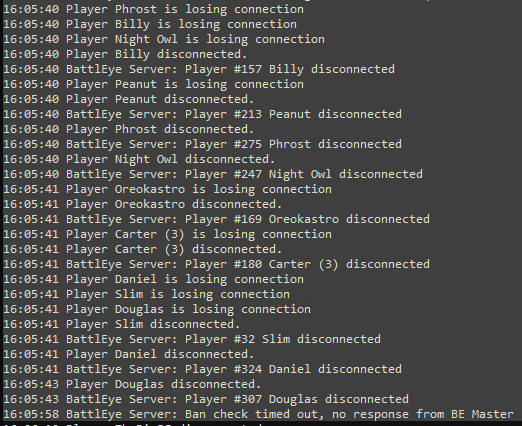 knotty wraith
naive osprey
More like this
https://i.imgur.com/P6wKAqI.png
knotty wraith
naive osprey
More like this
https://i.imgur.com/P6wKAqI.png
I'll download the v24 prof tomorrow and make a comparison, thanks for the idea
over these days, I changed only 2 parts: new prof and connected Vcom mod. vcom raised suspicions... can the mod on AI load the network flow so much that the server will start to lose connection with players?
heavy vortex
It shouldn't (generally AI mods don't need a lot of global broadcasts) but it might.
woven loom
you might also want to consider using LAMBS instead of Vcom...
fast hornet
heavy vortex
Did that cause signature check failures for clients?
nope.. just weird server crashes
tbe dedmen said that most crashdumps i sent him just had the same address in memory causing a crash.. some variable that suddenly hat a different value
since our hoster switched us to different hardware all of those problems are gone
heavy vortex
Yeah that's expected behaviour.
fast hornet
well.. more or less. Weirdly enough we had zero to few issues with perf v5, but everything beyond hat crashed, including the current stable build
v5 perf was running without problems.. more or less
but since that intel cpu was confirmed bad it's more of an interesting case, not something bad related to arma 😄
inland dew
also tried different versions, but had to go back to v5 
fast hornet
you might want to investigate hardware issues in that case
inland dew
we have several servers and different hardware and v5 works best
and not only different server hardware, but also different missions
pvp and pve
fast hornet
well, our hardware swap was pretty recent.. but since then we had no problems with v25 or v26
fast hornet
same
fast hornet
dm'ed you a mod list and stuff
inland dew
also as long as explosions and smoke problems won't be solved, i see no reason to hurry up updating
 hazy fable
what is the muzzle velocities for the 81mm shells
like the muzzle velocites for each charge
heavy vortex
Wrong channel. #arma3_config if you want to know how to find out for yourself. #arma3_questions if you want someone else to do the work.
woven loom
Is that for A3 or Reforger though?
 latent hatch
How's the performance regarding headless clients with profiling? are they still mandatory?
void badger
void badger
From what I've seen, Perf basically nullifies the point of having a Headless Cli...
No*
latent hatch
alright, thanks for the pointer, appreciate it
ah, i'll run it without first and ask for feedback from players, thanks man
void badger
Np!
whole cloud
Still didn't manage to repro that particles missing issue
woven loom
I still don't think I've seen it, although admittedly I don't play that much anymore 🤔 but even last Sunday i played MP for an hour or so, didn't see anything out of the ordinary, and in the last few weeks of running YAAB I haven't seen anything either. Wondering if there's a particular software/hardware combination that's causing it?
 bold raven
I have seen this and have had friends on my server see it (they play with the perf branch too), we play with quite a few mods so I figure it's likely related to the perf branch and one of these mods interacting. If I had to guess it could be "blast core Murr edition"
acoustic lynx
whole cloud
Still didn't manage to repro that particles missing issue
Had someone I play with join in progress in progress and have the particles not appear
 livid knot
Are any rough statistics possible for fps improvements over these performance clients? I've been using many of them without crashing but it is hard to assess what improvements have been realized
 weak radish
Assuming that the Perf Branch is used as a test release for the main branch: How far ahead is Perf compared to main? (Is there a Perf version that’s about equivalent to main?)
opal hound
Kind of, it's more of a bleeding edge experimental platform
You'd have to go all the way back to the pre-2.18 builds but I do have to ask why you would want to do that
weak radish
More of a curiosity question than an intention to roll back till that point.
void badger
It's not technically ahead of stable besides implementing some engine fixes and tweaks
#dev_rc_branch is more "ahead"
naive osprey
Profiling still seems to hang on soft restarts if people never select a slot. I cannot confirm how often this happens, however just had ~130 people stuck at the loading screen due to the server never entering the mission.
Also noticed this in the RPT at the same time, may or may not be related?
2025/03/29, 19:30:30 Packets acknowledged in an incorrect order
Can upload entire RPT if needed, but this is the portion from restart to when it basically stops
2025/03/29, 19:30:27 Successfull attempt to execute serverCommand '#restart' by server.
2025/03/29, 19:30:27 Server: SetServerState to MISSION ABORTED
2025/03/29, 19:30:27 Server: SetServerState to ASSIGNING ROLES
2025/03/29, 19:30:27 Server: SetServerState to SELECTING MISSION
2025/03/29, 19:30:27 EPE manager release (19|118|0)
2025/03/29, 19:30:27 Number of joints in scene after release: 14
2025/03/29, 19:30:27 Number of actors in scene after release: 34
2025/03/29, 19:30:27 EPE manager release (0|34|0)
2025/03/29, 19:30:27 Number of joints in scene after release: 14
2025/03/29, 19:30:27 Number of actors in scene after release: 15
2025/03/29, 19:30:28 Unsupported language English in stringtable
2025/03/29, 19:30:28 EPE manager release (14|15|0)
2025/03/29, 19:30:28 Number of actors in scene after release: 15
2025/03/29, 19:30:28 EPE manager release (0|15|0)
2025/03/29, 19:30:28 Unsupported language English in stringtable
2025/03/29, 19:30:28  ➥ Context: mpmissions\__cur_mp.Altis\stringtable.xml
2025/03/29, 19:30:29 Server: SetServerState to ASSIGNING ROLES
2025/03/29, 19:30:30 Packets acknowledged in an incorrect order
With HTTP 4 players in RPT got
Download completed successfully but mission-file failed validation, Please check if the mirror is serving the correct mission file
And whole server stuck in "Waiting for server". Probably because not all players loaded.
We need faster fallback for them or retry.
gritty wasp
whole cloud
Btw I'm still wanting someone to send me a RPT after they did a profiling frame ...
Are you interested in capture frame of 1.5 h PVP mission from server. Or this is not long enough and you need client side?
 molten berry
whole cloud
Still didn't manage to repro that particles missing issue
molten berry
whole cloud
Still didn't manage to repro that particles missing issue
I've had it happen to me but wasn't able to pintpoint the cuase. Last time that it happened it think it was when I respawned. I've also had occurrences where all particles would disappear for a second and then come back as if they werent in my view
 silent nest
On Serverside, we gained an improvement (with 50 Players Online) +10-15FPS
knotty plinth
molten berry
I've had it happen to me but wasn't able to pintpoint the cuase. Last time that ...
When i got a lot of particles in use i got the same problem but this might be a particle limit setting maybe? They work and then for a second it looks like when the max amount has been reached its like deleted and restarts all existing particles.. not sure if a limit for particles exist?
Edit: happens at standard and profiling
whole cloud
weak radish
Assuming that the Perf Branch is used as a test release for the main branch: How...
v5 is the closest to main branch.
But that also already has spme profiling specific performance tweaks active
whole cloud
gritty wasp
With HTTP 4 players in RPT got
`Download completed successfully but mission-fil...
They immediately should get fallback when it fails.
Not sure if we actually tested that though? @patent sky ?
whole cloud
gritty wasp
Are you interested in capture frame of 1.5 h PVP mission from server. Or this is...
I want only client side, I want to see what the memory allocators do on client
gritty wasp
Maybe there is another reason if Fraali doesn't use http downloads.
whole cloud
Actually this waiting can be completely bypassed if http downloads aren't used at all, I'll add some logging to next build
naive osprey
gritty wasp
Maybe there is another reason if Fraali doesn't use http downloads.
We have http downloads enabled and working. No idea what happened, I haven't seen the issue again.
whole cloud
whole cloud
~~Actually this waiting can be completely bypassed if http downloads aren't used...
Yeah it should be bypassed if its not enabled, I'll assume that's working fine then and I don't need to add logging
gritty wasp
I don't think this info have any value but whatever
Friday - v26 http turned off. All 3 missions have no issues.
Saturday - v26 http enabled. First mission - ok. Second - wait for server.
whole cloud
gritty wasp
I don't think this info have any value but whatever
Friday - v26 http turned o...
Second, log that http download failed in server rpt?
I think we didn't test that fallback properly, when we test it we'll probably find the issue
gritty wasp
Yes. Second have 4 failed downloads. Besides testing maybe would be nice to have retry/fallback entry in logs
whole cloud
gritty wasp
Yes. Second have 4 failed downloads. Besides testing maybe would be nice to have...
Failed download == retry
gritty wasp
It actually says Download completed successfully but validation failed. If this is also mean retry then ok.
whole cloud
I keep drilling down into this pending messages issue.
And hit another revelation.
When messages are pending, they are waiting for the sender thread to send them out to network.
The sender thread does this for every message being sent:
For each network channel (every client connected to server)
  Iterate linked list of "urgent" messages to count them
  Iterate linked list of "very important" messages to count them
  Iterate linked list of "normal" messages to count them

For each network channel
  Ask if channel has a message to be sent
    Check packet loss to see if we should adjust bandwidth
    Check if bandwidth limit has already been hit
    if (bandwidthAlg=2) if this channel has no messages to send, just exit
    Check if this channel has a urgent message, if yes then return that.
    Check the total number of "urgent" messages counted previously, if number is high, just exit (We know some other channel will have many messages to send out, let them take priority)
    Check if channel has "very important", if yes return
    Check total number of "very important", same as above
    Check if channel has a "normal" message, if  yes return

  If we got a message, then send it.
So, what happens now when we have ONE client with 60k very important and 50k normal messages (like a HC that lag spiked hard)
We spend alot of time, iterating linked lists, basically each step being a cache miss having to go to RAM, for 110k messages.
And then we pick... ONE message.
And then we repeat from the start, count 110k messages, and pick one message again.
This code probably expects only few messages being queued up per channel. But I got a fulldump captured right at the moment a server was suffocating. It was currently in iterating the normal messages for the HC channel, and it was at 110k, but still counting.
Simply turning
For each network channel (every client connected to server)
  Iterate linked list of "urgent" messages to count them
  Iterate linked list of "very important" messages to count them
  Iterate linked list of "normal" messages to count them
to
For each network channel (every client connected to server)
  Take number of queued "urgent" messages
  Take number of queued "very important" messages
  Take number of queued "normal" messages
Turns tens of thousands of memory fetches for just one channel. To one memory fetch per channel (because all 3 numbers will fit into one cache line)
heavy galleon
We can use ace frag again 
55mil qeued messages are not an issue anymore!
restive turtle
heavy galleon
We can use ace frag again <:kappa:984132940571230318>
55mil qeued messages are ...
whole cloud
whole cloud
I keep drilling down into this pending messages issue.
And hit another revelatio...
And layer1 will keep giving messages to layer2. It only considers bandwidth, it does not consider that layer2 might be CPU limited.
But if layer2 does stupid stuff like that to cpu limit itself, it will keep getting messages in, these 3 lists will keep growing, the cpu load per message to send out will rise, slowing it down even more, so the lists will grow faster... death spiral
Until of course it is so far behind, that it starts dropping connections
restive turtle
praise the dedmen 🙏
charred pagoda
heavy galleon
We can use ace frag again <:kappa:984132940571230318>
55mil qeued messages are ...
We've already played 100+ online with ace frags enabled, without any issues.
Profiling v26 with the latest ace passed stress-test (73 players and 5 parallel shooting Mk19) - https://pastebin.com/u2JNP3bm
vivid rune
whole cloud
I keep drilling down into this pending messages issue.
And hit another revelatio...
Edit: What is the difference between "Ask if channel has a message to be sent" and "if (bandwidthAlg=2) if this channel has no messages to send, just exit"? What does the first one if there is no message?
If the first one only to set a bool to "true" if there any message, would it be make sense to put the if thing directly after that? Why checking bandwidth limit and packet loss when there is nothing to send in this channel?
whole cloud
packet loss just sets a flag for later.
The bandwidth check, not sure if it just checks or if it also handles adjusting
vivid rune
As I understand this line:
"Check the total number of "urgent" messages counted previously, if number is high, just exit (We know some other channel will have many messages to send out, let them take priority)"
prevents also all other channels from returning messages of type "very important" and "normal" if the overall count of "urgent" hits this threshold.
The whole bandwidth goes to "urgent" messages from all clients in that case. But if the client has no "urgent" the client would be skipped from returning the other types of messages.
knotty wraith
charred pagoda
We've already played 100+ online with ace frags enabled, without any issues.
Pro...
as far as i remember, ACE themselves says that axe frag doesn't work and needs to be disabled
heavy galleon
knotty wraith
as far as i remember, ACE themselves says that axe frag doesn't work and needs t...
You remember wrong, it was fixed two updates ago
Or as far as we know at least
knotty wraith
heavy galleon
You remember wrong, it was fixed two updates ago
we are only happy
if this is really the case
charred pagoda
knotty wraith
we are only happy
if this is really the case
Yes. It works properly now
quartz rampart
whole cloud
I keep drilling down into this pending messages issue.
And hit another revelatio...
the moment i read linked list i was like "SOOO That is why Networking sucks" 😛
 carmine stump
dedmen will have arma 3 to be the most optimized game in the world by 2050
woven loom
I only hope this work contributes to Arma 4 being better out of the gate
whole cloud
Nah this has nothing to do with Enfusion, this has no influence on future Arma's


 whole cloud
I've been thinking about IPv6, but probably not. I don't think there really is any usecase for it
gritty wasp
whole cloud
Nah this has nothing to do with Enfusion, this has no influence on future Arma's
Tell them(enfusion devs) to review all loops over data structures right away. Before it becomes too late 😅
uneven bluff
On the subject of optimization, would it be low hanging fruit to optimize framerate while in the map screen? Currently even in the editor where I get 300+ fps, when I open up the map on an empty altis map (no markers or custom draw events), it can dip down to like 50-60fps. It's less drastic in an actual game, but I think it can hit my fps when I have the gps open (using it like a minimap)?
Or is that just necessary because of the map textures?
woven loom
It also varies by zoom level
heavy galleon
whole cloud
I've been thinking about IPv6, but probably not. I don't think there really is a...
I would love to see it.
Main usage - would allow people to host servers for friends from home/even game itself.
~ the guy who has 1/1gbps that just doesn't support ipv6 cuz rEaSoNs
(And bash someone on Enfusion team to implement it too)
heavy vortex
Does anything else actually use IPv6? My expectation would be that if nothing uses it then it won't work for most people.
Consumer router firmware is utter trash.
But maybe steam's been quietly using it for ages and I didn't notice.
heavy galleon
heavy vortex
But maybe steam's been quietly using it for ages and I didn't notice.
If ipv6 is available, it will most probably be used.
Browsers afaik do prefer it.
That reminds me, I need to add ipv6 DNS entries
whole cloud
uneven bluff
On the subject of optimization, would it be low hanging fruit to optimize framer...
Was asked before, no.
uneven bluff
Ah ok, cool. At least the drawicon etc calls seem pretty quick as long as their inputs are cached.
fast hornet
heavy vortex
But maybe steam's been quietly using it for ages and I didn't notice.
most consumers have functioning IPv6 at home for many many years by now.. they just don't notice it 🙂
IPv6 would be nice for people running their own dedicated virtualisation host and run the arma server in a VM on that. Since getting an IPv4 subnet is really hard to impossible in this day and age.. IPv6 is easy. And fuck NAT.
But i doubt it's worth the time investment anymore at this point in arma 3's life.
whole cloud
And the next one.
This time in layer 1 sending messages to layer2
foreach player
  Calculate how much bandwidth is available to the player
    Iterate over all the messages in layer2's send queue (3 linked lists) to accumulate count and sizes. To know how much data has already been sent.
    Combine with MaxMsgSend, minBandwidth, actual bandwidth of player, some other limits. In a way that I don't understand.
  Iterate over messages to be sent out, and send as many as we can until we hit the bandwidth or maxMsg limit.
Now what do we do when the layer2 has hundreds of messages backed up, and layer1 has zero messages to be sent out?
Well we iterate through hundreds of messages in a linked list, to estimate how much stuff we can send to layer2. And then... we realize we have nothing to send, and repeat the same thing for the other players 😄
Also it seems that maxMsgSend is per player, not globally. Didn't know that, and I'm still not sure if thats really the case or not 😄
if maxMsgSend limit is reached this behavior is also fun because due to the design its not easy to fix.
We iterate all messages to count them, and accumulate their sizes.
The count we now have as a number, but the sizes we don't. So we still need to iterate them.
But if we already hit MaxMsgSend, then just comparing that to the count would already tell us that we will not be sending anything and don't need the actual message sizes
analog acorn
whole cloud
Just was mistake to copy the UGL code and think it did the right thing.
I'm chan...
just sort of idle speculation, but do you have any intel on what this results in when using even higher-velocity and higher-mass projectiles? If guided missiles can essentially be kinetic now, I'm wondering if LOSAT (1500m/s, 79kg) could be made to be effective.
whole cloud
Well that code now doesn't exist anymore
it uses direct impact like shells do, its just a bullet at that point
whole cloud
More fun.
Layer1 has a backlog of 5k messages per player, accumulated over the last 10 seconds, which are not going out.
Players all are pegged to minBandwidth (in specific server config's case thats 16KB/s)
16KB/s is about enough to get out 250 messages/s. But we are generating 500 messages/s to be sent. Backlog keeps filling up.
Players are pegged to minBandwidth, because their ping is so high (over 1 second actual ping time, versus the players normal ping of ~12ms)
Ping time is set when an incoming message gets processed.
But when the message processing thread is overwhelmed, it might lag behind in messages that it takes quite a while until it manages to get to the ping message.
Even though player may have replied in 12ms, the server might take a second to actually process the message, and think the player has a ping of 1second.
In high ping situation, player bandwidth is lowered because server thinks there is a network problem.
So fewer messages are going out. The queues keep growing.
Because the queues are long, and they are crappy linked lists that the server keeps plowing through for every message it sends, the message processing is slow, and gets slower the longer the queues are.
High ping -> lower bandwidth -> longer queues -> longer time to process messages -> higher ping -> lower bandwidth -> longer queues -> ...
The potentially magic solution to that, raise minBandwidth per player, high enough that it is enough to manage the normal server load without building a backlog.
Bandwidth can never get so low that it builds a big backlog, queues stay small, processing time stays fast, ping stays low. But if player cannot manage the bandwidth, they'll get high packet loss and will eventually disconnect because of it.
Its obviously a shitty situation when the server needs 32KB/s per player, to send out all the messages it wants to sent out. But every player is stuck down at 16KB/s bandwidth.
That's not gonna fix anything, until players get kicked for desync.
restive pilot
brute force it to min 32 KB/s? 😅
whole cloud
I JUST realized that
the engine default is 32KB.
That servers config, was just set to a min of 12KB. They also reduced the initBandwidth to less than half the default..
you can
 cold vale
People just didn't understand what to set them to and followed various previous examples online
whole cloud
If you get a flood of pending messages, players getting highping and being highping or desync kicked.
Probably increase the sockets minBandwidth.
Players who cannot manage will get kicked for packetloss. But that's better than building a big backlog of messages, hampering all other players too and eventually get kicked anyway for desync
whole cloud
cold vale
People just didn't understand what to set them to and followed various previous ...
I don't think there were any examples for these online
cold vale
For sure, I mean the network config settings in general
whole cloud
I still don't fully understand them, so I don't want to officially document them yet
cold vale
well, it'd probably be better than some of the descriptions already on the wiki
https://community.bistudio.com/wiki/Arma_3:_Basic_Server_Config_File
but if improvements to the behavior of these settings are still being made, makes sense
whole cloud
I want to turn the bandwidth settings into strings so you can set them to "100mbit/s" instead of.. whatever that is in bits per second
cold vale
yeaaah I always found bits per second a bit odd for this use case
whole cloud
Even engine does not use bits per second. It uses bytes. I don't get why that config entry was in bits
fast hornet
Even ISPs use kbit or mbit nowadays 😉
That's an age old problem though.. even with professional networking gear. A lot of the configs are just always in bit/s which makes it really easy to miss a zero.. and configure 2gbit/s instead of 20gbit/s e.g.
just don't use byte/s or anything byte-related please.. that doesn't make any sense in networking whatsoever
 leaden relic
Code blocks are triple backticks
```
Code
```
whole cloud
yeah, in bytes/s.
It was not documented, and its easy to mess up with that
There are two dozen more undocumented settings in there. A handful might get documented but most won't
heavy vortex
So did MaxMsgSend look approximately like packets per second per player? Or packets per frame per player?
whole cloud
messages per frame, and its not packets per frame because multiple messages get merged into fewer packets according to MaxSize*
celest sparrow
mmm, in theory then minBandwidth should be configured to the realistic speed of the slowest expected players download speed?
 stoic void
whole cloud
I don't think there were any examples for these online
stoic void
whole cloud
I don't think there were any examples for these online
https://gist.github.com/veteran29/ef08068262df808780fbcd4aeda0c03a
I always trusted this one cause you corrected a few things in the comments.
whole cloud
celest sparrow
mmm, in theory then minBandwidth should be configured to the realistic speed of ...
Yes, and also keep your max playercount and server upload bandwidth in mind.
And the bandwidth you actually need on your server, depends on how many objects there are, how often they move, where the player is, where other players are, ...
whole cloud
stoic void
https://gist.github.com/veteran29/ef08068262df808780fbcd4aeda0c03a
I always tru...
Well by now the defaults are wrong and the recommended minBandwidth in that config, is lower than default, and is too low for that server I reported about above.
gritty wasp
what a shame @fickle geyser 😏
celest sparrow
it does make sense in terms of what i've seen reported behavior when minbandwidth set too high was
gritty wasp
whole cloud
Well by now the defaults are wrong and the recommended minBandwidth in that conf...
and all that because of bit/bytes mess. Network everywhere in bits/s.
celest sparrow
i am glad networking is getting parsed out, it feels like the next big pain point for my server lol
it runs fine rn with our current config, but the playerlimit i suspect is capped mostly by networking performance and besides sqf improvements its always been very blackbox to me
I just figured more players * more things in game == exponential load
besides bad sqf
more detail will be nice to try and tune closer to edge of whats possible
gritty wasp
I think if network layers will get boost we will see 300+ players on servers.
 shrewd fern
do dayz game bans carry over to arma?
celest sparrow
any bit more would be cool, we limit to 40 players because its very script heavy and with ~300 AI
and that is basically a teeter toter balance between players and AI for us lol
and looking at tuning network was like looking at gibberish, not a clear idea of how to approach tuning it
whole cloud
shrewd fern
do dayz game bans carry over to arma?
Cheater bans, yes
shrewd fern
whole cloud
Cheater bans, yes
so if i played community and an admin seen i have a dayz dev ban they'd just ban me assuming im cheating on arma as well?