#perf_prof_branch
1 messages · Page 9 of 1
 whole cloud
 restive pilot
Those stuff you mentioned (streetlamps, etc) are buildings that were added to the very slow vehicles list
Terrain buildings won't be added unless they have lights (iirc)
whole cloud
Yeah its collecting all objects from vehicles (which includes props too) and slow (lamp posts) and very slow (church towers) vehicles
There is a comment above the code saying that we can probably ignore very slow ones, because these are usually only lamps which we don't care about.
But.. Lamps are slow, not very slow.
And if this comment says we don't care about lamps, why are we grabbing them then
 woven loom
Clutter for the visual sensor?
 analog acorn
Were lamps moved from very slow to slow at some point (between A2 and A3, for example)?
whole cloud
Every AI group placed in pyrgos, on otherwise empty map, already starts tracking 100 lamp posts.
With my "3 meters" check that becomes 94. But this is a empty map.
The places where I've seen performance issues in this were koth/warlords servers, and now also my milsim mission. Where there were thousands of static objects. And most of the small props will now be filtered.
But I'll probably try filtering out all of them on profiling branch, to see if anyone notices anything broken
 silk summit
whole cloud
Every AI group placed in pyrgos, on otherwise empty map, already starts tracking...
silk summit
whole cloud
Every AI group placed in pyrgos, on otherwise empty map, already starts tracking...
Can this be used for https://community.bistudio.com/wiki/targets or https://community.bistudio.com/wiki/nearTargets ?
whole cloud
Yes, these would all be returned by script commands like these
silk summit
I remember running into a "bug" using the targets command on agents... they would return the correct enemies for a while but then they would stop registering some (specially players) even thou it says that the default "maxAge" value is 0 (cero) and therefore should never remove targets from the list... I never reported it
Maybe it is related to how huge the array eventually got or something
 inland dew
in A2, you can cycle with Tab, so R in A3, only if target has engine running
if engine off, you can't cycle through such targets, even if (full?) crew inside, although it's in targets list via 2
woven loom
i think radar and visual sensor should be able to detect it even if engine is off? (in A3)
(although radar might be sensitive to target speed)
 plain trout
In OFP you were able to designate targets to your gunner via the command thing. It would list all objects
whole cloud
Well my fix atleast improves something.
Before AI was checking 2400 targets, now its 600.
Just 🤞 that it doesn't break anything
Seems to be about 0.6ms per group, down to 0.2ms. Just for updating the targetlists (Checking if the targets are still there)
plain trout
But it was limited to like 10 pages so you had to hope it would show the right target/tank within that list
So you would select the unit via F-key and then press 3 for targets. It just showed everything and also added a clockwise direction to it. I’m not sure if it also showed the distance or some indication of distance (very far, far, close)
Once designated your gunner would start opening fire on the selected object.
Maybe targets were 2 and 3 are the firing states
inland dew
plain trout
But it was limited to like 10 pages so you had to hope it would show the right t...
well, when you have ai at your disposal and press 6 for weapons they possibly can grab from dead soldiers, it's pages and pages and pages of weapons, on the ground, very very far from actual position of your ai
plain trout
Oh yes. Iirc it would not even be limited by viewdistance and have dozens of pages.
inland dew
yeah 
@whole cloud check this
no button assigned for target emty vehicles, only as by default - target vehicles only, laser off and ai gunner locks no problem on 2 quilins on the right with no crew, same as on 2 quilins on the left with full crew
so why does target empty vehicles even exist then?
whole cloud
empty vehicles, explicitly only checks a list of static objects.
Objects that cannot even be "enemy"
Well I don't know what its purpose is either 😄
inland dew
same as empty targets
what can be empty other than vehicles?
analog acorn
inland dew
same as empty targets
what can be empty other than vehicles?
target next empty
locks on to player teammate's head
inland dew
empty light pole, empty road sign?
btw, short freezes/fps drops/frametime spikes i get is when cycling through targets with default R, so vehicles (no empty vehicles button assigned)
inland dew
look at frametime graph when pressing R to cycle through targets
that's not even that bad, because only like 3 km draw distance
at lower fps and/or higher draw distance, you can cry
cannon with radar off
silk summit
whole cloud
Well my fix atleast improves something.
Before AI was checking 2400 targets, now...
When the Ai fires it seems like the proyectile also checks most objects nearby even ones that are not on its trayectory so perhaps there are further optimizations to be made there in the same veins. I remember experiencing mini stutters each time an ai unit fired on my older hardware
Since you are checking ai performance there is also this: https://feedback.bistudio.com/T167185 (FPS drop when changing AI behaviour)
inland dew
inland dew
look at frametime graph when pressing R to cycle through targets
that's not even...
inland dew
new perf next week?
restive pilot
silk summit
When the Ai fires it seems like the proyectile also checks most objects nearby e...
Also related to PhysX
 midnight anchor
me waiting with bated breath for the funny arma man to fix my AI 
restive pilot
whole cloud
Well my fix atleast improves something.
Before AI was checking 2400 targets, now...
BTW the group event related to detecting targets (don't remember its name) was also spamming all the time with irrelevant objects too. I think I reported it back when it was introduced. So this means scripts that use those get faster too
Also this will improve the targets command performance
I don't think it'll be a bad thing 😅 (even if it breaks some unimportant stuff)
midnight anchor
Assuming all this works and gives arma AI some bandwidth back, would it be released on the Profiling branch or as a mod? (Probably a stupid question but worth asking)
restive pilot
It's in engine code so it can't be a mod
 woven loom
inland dew
woven loom
inland dew
Dear god
whole cloud
Don't know when profiling.
Its alot of big changes, I might keep it till 2.18's v1
 ashen helm
inland dew
ashen helm
inland dew
many buttons cause this when pressed. Team Switch would be one of them, if you keep pressing the button you can slow down the game significantly
only when there's no other team member to switch to though.
inland dew
ashen helm
many buttons cause this when pressed. Team Switch would be one of them, if you k...
I pressed "R" too many times and too quickly, just so one can better see what I mean, frametime/FPS wise, not because I play like that
still, when pressing R, to cycle through ground vehicles targets, when in a jet/heli, frametime increases and FPS drops
silk summit
ashen helm
many buttons cause this when pressed. Team Switch would be one of them, if you k...
Having many holdactions simultaneously can cause this too. The mod ravage which adds holdactions for many objects is notorious for this progresively worsening "slowdown" of the whole game
 heavy vortex
Hmm. Hold action is just addAction at low level, isn't it?
Only way I can see to mess that up is to add hundreds of object-specific addactions to the player.
analog acorn
Depends what conditions you're using. Action condition code is unscheduled, so if you have a lot of expensive conditions that would cause problems.
heavy vortex
Yeah, but it won't run conditions on objects unless they're the one on the cursor or they're applied to the player. At least I hope not.
whole cloud
I need a way to repro that targeting fps drop in Singleplayer. I can't debug flying over a koth server.
 tribal pasture
Looks like EVO server, that UI style made me think it was KotH at first too
whole cloud
silk summit
Having many holdactions simultaneously can cause this too. The mod ravage which ...
You can see actions in profiling captureFrame btw.
total/wSimu/rendr/simUI/proAc (Process actions)
 silk summit
whole cloud
You can see actions in profiling captureFrame btw.
total/wSimu/rendr/simUI/proAc...
silk summit
whole cloud
You can see actions in profiling captureFrame btw.
total/wSimu/rendr/simUI/proAc...
That is very helpfull, will help identify if the issue continues to exists or was resolved in previous patches. I rememeber that the UI elements were the most affected by the holdaction "slowdown" where opening the inventory or processing the holdactions would be much delayed after 60 minutes of gameplay. Eventually all scripts with a sleep on them would also be out of sinc/delayed
 empty goblet
in very old times , AI could use lanmp posts for cover and AI was able target lightbulbs and empty buildings ... but ye, targetting everything even what isn't building is weird .... the usage with Logics was also for something obscure ... but it's been over 15 years so it's somewhere in fragmented slow memory ...
it would be ironical if this was one of the problems which caused performance hitches while flying with jets over chernarus as some objects like lage bushes, clumps of reed and some trees were terrain placed objects different than blocks of forest and you could tell AI to navigate to those
empty goblet
inland dew
well, when you have ai at your disposal and press 6 for weapons they possibly ca...
because it used sum of what you can see/reach and the ai unit can see/reach (or sum of all you and all members of your group can reach) which resulted in quite 'huge lists' after lot of corpses and vehicles in area
silk summit
empty goblet
because it used sum of what you can see/reach and the ai unit can see/reach (or ...
Maybe would be better if the search area was smaller or if the items were somewhat filtered, for example only weapons with full clips or weapons that go with the unit class etc... It can be pretty unusable as it stands now
silk summit
analog acorn
Depends what conditions you're using. Action condition code is unscheduled, so i...
Maybe these require to be delayed to the next frame if they take too long like some other functions that were optimized that way. Don't know if those were unscheduled thou... 
 magic axle
Can you guys confirm that when using the perf/prof branch that users do NOT get a partial data mismatch on the server? Because that is the issue I am facing and I do not know why
Connection works just fine. It is showing 1 mod error, as a number, but no mods actually throw errors. Despite enforcing keys, users can connect without any trouble.
How the heck do I get rid of the partial data mismatch??
 full nova
magic axle
Connection works just fine. It is showing 1 mod error, as a number, but no mods ...
full nova
magic axle
Connection works just fine. It is showing 1 mod error, as a number, but no mods ...
if you could post the error message here or in #arma3_troubleshooting that would be great
 silent widget
Hello encountered a problem with rpg 18/75, mlaw and similar weapons
It just shows that it doesn't have ammo
And I haven't shot it
heavy vortex
And this is different on stable with the same mods?
silent widget
I have RHS mods
heavy vortex
You do know what this channel is for, right
heavy vortex
#arma3_questions is probably what you want.
silent widget
Thank you
heavy vortex
But for what it's worth, RHS disposables still need "fake" ammunition in them. Usually they spawn it when you press the reload key.
silent widget
Thanks again
whole cloud
The Explosion framedrop from YAAB.
Before/After.
👍
Quite a bit of new tech coming to an old gem 😄
Having HitPart events on a explosive, will disable most of this optimization and also cause alot of script hits. That should really be avoided...

 silk summit
Can someone please add "Having HitPart events on a explosive, will disable most of this optimization and also cause alot of script hits. That should really be avoided.." to the BI wiki 😉 So we don't forget... ever
 silk pewter
depends
silk summit
silk pewter
_depends_
There are the "Script Optimizations" page and the Event Handlers' page, the comment might suit any of those
whole cloud
I think adding eventhandlers that fire very often, inhibiting performance is implied already
silk summit
whole cloud
I think adding eventhandlers that fire very often, inhibiting performance is imp...
Maybe would be good to cite those EH which fire very often, I use lots of EH and don't know which ones are the worst offenders. I remeber using the "EnemyDetected" and it was firing like crazy. Maybe it got better now that it won't be firing for map objects.
 quaint flame
What's the point. Either you need the event handler or you don't.
whole cloud
We had the issue that scripts (and quite some other parts of engine) can only run in one thread, and that extracting these parts to run the rest in multiple threads would be hard.
Now we have coroutines, that we can just run on threads, and if they encounter a thing that needs main thread (like a eventhandler to be fired), they will pause themselves, and will be moved to the main thread and resume there.
Now we can easily multithread things, that have something inside them that cannot be multithreaded.
When the explosion hits an object, the task pauses itself, moves to main thread, processes the eventhandler there, pauses itself again and moves back to a worker thread for the rest of the work it needs to do.
Actually I made a mistake here, it moves itself to main thread, even if no HitPart/HitExplosion eventhandlers are present. After fixing that it should even be a bit better than shown above.
That will allow for alot more multithreading, where previously none was doable.
But the moving around around is a performance hit. In this case it is small enough to not matter, in other cases it might be so large that multithreading brings no benefit, or other cases might have so many main thread spots, that its simply not worth it. So its not a full solution for all problems, but its a great step towards a smoother game.
 heavy galleon
omg I could get 400 server FPS now 
heavy vortex
Was honestly surprised that event handlers are fired off inline rather than queued up for later.
Although I guess that should have been obvious for HandleDamage at least.
silk summit
quaint flame
What's the point. Either you need the event handler or you don't.
You either need the event handler or you cannot afford the performance impact of said event handler you need and so you look for another solution or scrap the idea altoguether. I would rather remove a feature than cause a significant performance impact
I, for example, changed the "EnemyDetected" eh for the "Target" command on a loop and had less stutters that way
whole cloud
heavy vortex
Was honestly surprised that event handlers are fired off inline rather than queu...
some are queued, most aren't
 gritty wasp
heavy galleon
omg I could get 400 server FPS now <:PauseChamp:760566672586309693>
gritty wasp
heavy galleon
omg I could get 400 server FPS now <:PauseChamp:760566672586309693>
You could. But not loading addons from Addons
heavy galleon
RIGHT?!
Liquid knows what is important
empty goblet
heavy galleon
omg I could get 400 server FPS now <:PauseChamp:760566672586309693>
looks at KOTH stress-server running Tanoa ... 70 players ... 400 fps ...
that's w/o single bit of what DD cooks for past weeks
heavy vortex
Hopefully this didn't involve cutting MaxMsgSend to 16
heavy galleon
empty goblet
_looks at KOTH stress-server running Tanoa ... 70 players ... 400 fps ..._
Ok, I've been running at 350 with ~130. I just want to see big numbers in my graphs ||once I implement them  ||
||
empty goblet
heavy vortex
Hopefully this didn't involve cutting MaxMsgSend to 16
mms is 672
heavy galleon
empty goblet
mms is 672
Can you send the entire basic.cfg?
Wanna see how ours compare to what the pros are using
empty goblet
MaxCustomFileSize=0;
MaxMsgSend=672;
MaxSizeGuaranteed=1324;
MaxSizeNonguaranteed=1324;
MinBandwidth=939524096;
MaxBandwidth=1024000000;
MinErrorToSend=0.0023;
MinErrorToSendNear=0.023;
class sockets{
    maxPacketSize    =1400;
    initBandwidth    =160000;
    MinBandwidth    =12000;
    MaxBandwidth    =6400000;
}; ```Thx :petdwarden:!
empty goblet
note that MSG and MSNG value == 1324 is maximum (don't use more or unforeseen consequences) server can use for default maxPacketSize == 1400
and i don't recommend to anyone set MPS over 1408/1410 because you will start blocking clients from mobile ISP or some wifi networks (they will hang on server join forever) ... found that while testing with 1440/1444 values (max sizes possible anyway w/o things breaking )
empty goblet
heavy galleon
Thx :petdwarden:!
you need fast 6(12T) core as minimum to run such server no resource sharing , also some of the values are experimental like METS and METSN (but those works w/o too much desync (or no reports since i moved the values closer to default))
also it's best to not define initB/maxB/minB in sockets unless you really understand what it does and server connectivity can handle it
heavy galleon
empty goblet
you need fast 6(12T) core as minimum to run such server no resource sharing , al...
We play this Sunday, it's a Ryzen 9 5900x, almost no resource sharing during our play. Hopefully will be fine.
whole cloud
I'd love some captureFrame profiling logs of servers that are heavily loaded.
Its hard for me to repro natural high-load cases to profile it. Unlike YAAB on a client.
with next profiling branch update (whenever that will be) captureSlowFrame will also work on server and write to file
heavy galleon
whole cloud
I'd love some captureFrame profiling logs of servers that are heavily loaded.
It...
If you got something you want me to run this week, I can do it. We expect around 120 players or so.
Just, don't want the server to crush
whole cloud
just runnin profiling build (the current one)
And remoteExec'ing a https://community.bistudio.com/wiki/diag_captureFrameToFile to the server when its fps go low.
And a couple dozen captures spread out over the mission, so I can see where the issues are
heavy galleon
sec, will generate a graph of last event
whole cloud
I don't know if captureFrameToFile currently works when remoteExecuted to server. Probably test that before 😄
 light cargo
oooo, glad to hear about that work dedmen, congrats :D
heavy galleon
whole cloud
I don't know if captureFrameToFile currently works when remoteExecuted to server...
from last time, which values do you think are supposed to be the "trigger"? https://ctrlv.cz/FSdx
Seems we have dips just occasionally, for just few frames. If I detect a slow frame (let's say diag_fps < 120) if I do capture in that frame, will it be still the "slow" one, or is that fed?
(can't send images here, pls fix)
whole cloud
If you detect slow frame time, it's too late
You'd need capture slow frame for that, which isn't working
heavy galleon
well fix it  you got until sunday
heavy vortex
diag_fps is smoothed anyway. Even diag_deltaTime would be one frame too late to use reactively.
If you're actually getting multiple slow frames in a row then I guess you could trigger on diag_deltaTime. Might be interesting.
heavy galleon
the graph is with diag_fps iirc (been a while since I wrote the stats addons)
so delta time should be able to detect it and capture 
heavy vortex
That's surprisingly spiky for diag_fps.
heavy galleon
heavy vortex
That's surprisingly spiky for diag_fps.
heh, the second mission is even better https://ctrlv.cz/szhD
light cargo
ooo, those stats addons are profiling branch only? @heavy galleon
heavy galleon
light cargo
ooo, those stats addons are profiling branch only? <@153480398054227978>
those stats are whoever runs any addon that exports them 
And then knows how to parse them and generate the graphs
light cargo
heavy galleon
those stats are whoever runs any addon that exports them <:dogeKek:5940723908880...
ah cool, there should be a general stat export/dump/capture addon that can be used with any mods and specific versions for perf/stable and profiling/dev
woven loom
empty goblet
```
MaxCustomFileSize=0;
MaxMsgSend=672;
MaxSizeGuaranteed=1324;
MaxSizeNonguara...
Would you do anything differently for a co-op server?
woven loom
whole cloud
I'd love some captureFrame profiling logs of servers that are heavily loaded.
It...
Similar question, does it matter if it's heavily loaded for PvP or for co-op? Or do the client gains translate well to co-op servers?
whole cloud
The only difference is basically if AI is present?
AI is currently single threaded, so it's impact on frame time is probably quite large.
For networking settings no difference
empty goblet
woven loom
Would you do anything differently for a co-op server?
as Dedmen wrote, if the fps seems too low you can try decrease MMS, also to degree increasing the METS and METSN decreases amount of positional messages sent but on cost of visual desync (note that each time the entity does any guaranteed/special event e.g. fire or stance change it shall update position anyway)
whole cloud
If the fps is low, you should find out why it is low, and not assume that it is caused by some networking settings
 bold raven
Yo thanks Dedmen, Awesome that work is still being done on Arma 3 to make it perform better, I would have never assumed that Arma 3 would be getting stuff like this 10+ years on
ashen helm
you'll be surprised how well this game will perform in next 10 years (Arma 4 still not released by then)
bold raven
bro
I hate that your probably right lmao
reforger slop<arma 3 for the next 10 years
tribal pasture
ashen helm
you'll be surprised how well this game will perform in next 10 years (Arma 4 sti...
Look how well OFP runs nowadays!
 spice dirge
ultrafast mister Troska
 rain moth
tribal pasture
Look how well OFP runs nowadays!
rain moth
tribal pasture
Look how well OFP runs nowadays!
ultra terrains details with 5000 view distance would like to have a word with you
tribal pasture
rain moth
ultra terrains details with 5000 view distance would like to have a word with yo...
Ultra terrains details with 5000 view distance in MP with 90 players and vehicles: -Ack!
 haughty dirge
there shouldnt be any reason that "monitords" doesnt work on this branch right? its not generating anything in the console window, "monitor" works fine on client side though
haughty dirge
only faster to manage the mods and launching etc
whole cloud
There was one server management tool that reads the monitor output from the log for you.
In profiling branch, a additional value was added to the output and that tool couldn't handle it
monitorDS should work the same, but it has different output
haughty dirge
thats what i figured, this is what happens in the console window when i run "monitor" client side though :
13:58:38 Server load: FPS 0, memory used: 3188 MB, out: 0 Kbps, in: 0 Kbps, NG:0, G:0, BE-NG:0, BE-G:0, RQ:0, Players: 1 (L:0, R:0, B:0, G:1, D:0)
empty goblet
tribal pasture
Look how well OFP runs nowadays!
and tree/bushes/object shadows till edge of viewdistance 😁
woven loom
empty goblet
as Dedmen wrote, if the fps seems too low you can try decrease MMS, also to degr...
Thanks!
Also thanks dedmen!
gritty wasp
whole cloud
If you detect slow frame time, it's too late
We need more profiling tools and metrics for server side. If you will make them server admins will collect data for sure.
whole cloud
you will get diag_captureSlowFrame working on server
Call it in a script loop on server, and you can catch many slowdowns. And then I can see why
 fickle geyser
What happens if you run it multiple times in a row?
As I can imagine the loop will do it, as you can't know if it fired or not
whole cloud
it just sets a flag
after it captures a frame it clears the flag again.
So spamming just makes sure it stays set and keeps capturing
 waxen raptor
what profiling should i use for r7 5800x
ashen helm
the one available in steam beta tab
waxen raptor
sorry i meant memory allocator
 real creek
waxen raptor
sorry i meant memory allocator
real creek
waxen raptor
sorry i meant memory allocator
But you can always benchmark them yourself
woven loom
waxen raptor
sorry i meant memory allocator
I use the one with lock pages, it seemed to have the best results for me with a 7800X3D
waxen raptor
whats lock pages?
woven loom
Uh check out the description of the various DLLs in the GitHub page, once you follow the linked message above
heavy galleon
We had a crash today, Arma server full dead, no memory dump, no freeze. It just turned off, rpt just ends.
(Just letting you know. Wish I could throw some memory dumps at you)
whole cloud
Another two weeks, another couple steps.
Frametimes, I got rid of basically all the spikes (green was what you saw last time, orange is today).
Now I've actually decided that I won't do another profiling update, before 2.18 is released.
2.18 v1 will then have all of this (Unless I decide to enable only some of the improvements for testing, but I don't think so)


 quaint flame
What he's not telling us is that y axis goes from 0 to 1 ms 😬
Is that PresentMon btw?
fickle geyser
CapFrameX, it's based on PresentMon
quaint flame
I see.
 wise sparrow
Great to see improvements still coming in after so long 🙏
woven loom
Wow that's really cool!
BTW, with these Ryzen dual CCD parts, there is usually some inter-CCD latency penalty which may result in higher frame times/spikes. Games tend to try and run on cores of one CCD to avoid the issue. I do not know if Arma 3 is affected by this though.
whole cloud
Arma does not do any thread pinning.
And it doesn't know anything about CCD's
But threads are flagged as being "game" so OS hopefully puts them together
woven loom
Hopefully, yeah. I don't know how other games deal with it, but maybe it's also in a similar way 🤷♀️
Googling a bit it seems like an AMD chipset driver is responsible for helping the OS

Under the hood, AMD is essentially hooking into Windows' Game Mode (and Mixed Reality Mode) to let the OS determine when a game is active, and then use that hint to change how Windows thread scheduling works. The resulting layers of BIOS features, Xbox Game Bar software (which controls Game Mode), and AMD's drivers add up to a complete control mechanism for allocating work on the 7950X3D and 7900X3D.
Diving into AMD's software stack, the first of AMD's drivers is the AMD PPM Provisioning Driver. This comes included within the 5.01.03.005 version (or newer) of AMD's chipset driver. This driver steers threads by parking what AMD determines is the least performant CCD, leaving only the more performant CCD initially active. This keeps all of the threads for a game on the same CCD, reducing (if not eliminating) the need to reach across the IOD to access the L3 cache on the other CCD, and thus improving the cache hit rate and resulting performance.
This seems more about the dual CCD X3D parts though, dunno if the driver also helps the non-X3D dual CCD parts
silk summit
Exciting times indeed if devs finally nailed the constant, sudden and significant spikes and dips we've experienced for over a decade now. New players don't know how lucky they are since they are getting into A3 when the game is being extensively polished and refined, well done
plain trout
Dedmen you use win11 24H4 for the performance benchmark already?
whole cloud
no its win 10 on a ryzen 7950X
 alpine spindle
Hey guys!
( @whole cloud: This text was postet by my on reddit yesterday. One of the users there gave me the advice to contact you here, as your were taking care of problems like this at the moment)
So... I got the persistent problem of RAM stall on my server. The "old" server we had before, a rented root server, got 16GB RAM. The server now, local workstation as server got 32GB.
Same problem on both systems.
As soon as I start a mission, the usage of RAM continues to cycle up. Around 2MB/s. Until the point where no memory is left and the game crashes.
I had one of our mods in suspicion, and that might not be fully wrong; but I can't figure out where the problem results from.
-> Newest tests show, that the problems persists even on vanilla+DLC- Mission, -map, -server, -client.
So far I can tell three things:
-
RAM usage cycles up as long as AI is on the server - Started a mission (basic BI maps as well) and deleted part by part everything that has been put there in the editor. The less AI on the field, the slower is the usage going up. Stopping when deleting the last AI unit.
-
Set a definition for "maxMem" prevents the server from crashing, most of the time; but it gets unplayable anyway with FPS drops below 10 (server FPS).
-
ServerLog shows a repeating error about missing objects but doesn't tell me what exactly.
Like: "18:49:10 Error: Object(2 : 5892) not found"
I cleaned up the server several times, did a fresh install of everything (including OS) etc, but the problem persists.
So please, dear Hivemind: I could need some advice here 🙂
Thank you in advance!
whole cloud
Could be a bad mission script, scripts can keep creating values and lead to running out of memory
Even in vanilla? But only on your server and other people don't have the issue? 😕
I can investigate memory leaks, but I need to reproduce the leak on my machine
alpine spindle
whole cloud
Even in vanilla? But only on your server and other people don't have the issue? ...
Yep, even on vanilla.
Which means, I made a custom Mission on a empty DLC-Map.
Only one Unit/Guy placed as Player/Zeus. No mods loaded on server or client. No HCs integrated.
As soon as I add AI-Units to the map, with Zeus-command or in the editor before, the RAM usage goes up. The more AI, the faster the leak.
So there shouldn't be any script, I guess, which could cause this trouble.
alpine spindle
whole cloud
I can investigate memory leaks, but I need to reproduce the leak on my machine
It would be super nice if you can have a look at this. Pls tell me what you need and how I can assist you there.
whole cloud
I need the mission file, and exact step-by-step instructions to reproduce the problem, in a feedback tracker ticket
alpine spindle
Side Info: I'm using FASTER to set up the server. Before I joined this group and took care of the server, the guy before me still used TADST.
And I may be blind now... where do I open such a ticket?😅
whole cloud
https://feedback.bistudio.com
The start top right, Arma 3 non-private bug ticket
alpine spindle
Also, if it is helpful, I could stream whats happening on our server... Maybe you see something totally obvious what I don't see and can call me a fool xD
whole cloud
don't think thats useful
alpine spindle
kk, I will use the ticket system then
alpine spindle
So... ticket is opened.
Yes, I know, I have to change the passwords, since I put the original configs there as well.
Let me thank you in advance, that you put your time and effort in there. I really appreciate that.
Please have a look into the ticket and the attached files and let me know if you need anything else.
Edit: @whole cloud Link added
https://feedback.bistudio.com/T185033
empty goblet
alpine spindle
So... ticket is opened.
Yes, I know, I have to change the passwords, since I pu...
also always best to put direct link to the ticket itself here ... so others can follow if needed
 compact dawn
btw idk if its the right place to ask but, is it knows what causes a fps drop while firing unsuppressed weapone in first person ? it some how started to appear like in this year long ago idk what causes it
if its known would this new branch might fix it ?
heavy vortex
Do you have a replication case?
whole cloud
I need to reproduce issues to know why
compact dawn
heavy vortex
Do you have a replication case?
im not sure what that means
compact dawn
whole cloud
I need to reproduce issues to know why
i don't know why it started to happen either, its been few months
i saw few small talks about it on web but there is not much about it
heavy vortex
It means, can you give enough information to other people to replicate the problem on their own setup?
heavy vortex
Usually achieved by removing things until you have the minimum mods/mission that still demonstrates the case.
compact dawn
full vanilla, no mods
heavy vortex
No mission either? Like you can replicate with one unit in the editor?
And what's the effect exactly?
compact dawn
heavy vortex
No mission either? Like you can replicate with one unit in the editor?
nope, so the effect is basically whenever i shoot the gun on first person without suppressor, fps drops drops to 1, lags basically whenever shooting
like smt about flash effect or smt i am guessing
heavy vortex
Which gun?
compact dawn
muzzle flash
compact dawn
heavy vortex
Which gun?
any gun
vanilla, i dont remember if it was happening with modded ones as i dont play with mods for a while
heavy vortex
Ok, I'm pretty sure 99.99% of people do not have this problem then.
compact dawn
yea, its like smt rare
i only saw 1 or 2 post about this when i looked up
let me send them if i could find
analog acorn
It sounds like the effect you're having is a bit more extreme than I've ever seen, though
heavy vortex
Some FPS drop when firing weapons with explosive rounds, or to a lesser extent, high fire rate, is normal.
FPS crashing to 1 when firing a single bullet from an MX? nope.
Not even sure what could theoretically cause that. If the flash effect/sound wasn't loaded into memory then it'd need to hit the disk, but that's only for the first shot.
compact dawn
heavy vortex
Some FPS drop when firing weapons with explosive rounds, or to a lesser extent, ...
irrc, i dont have this with any those, only firearms, not vehicles or jet etc, mostly unable fullauto or semi auto as its lags so bad you cant hit properly due to that
heavy vortex
Run steam verify on Arma anyway. Sounds like something is horribly broken.
compact dawn
heavy vortex
FPS crashing to 1 when firing a single bullet from an MX? nope.
yeah unless it has suppressor even 1 bullet makes it go 1fps for like milisecond
compact dawn
heavy vortex
Run steam verify on Arma anyway. Sounds like something is horribly broken.
have done it few times, actully, i havent reinstaled fully the game
maybe possible that could fix it
ill fully clean up all files and reinstall
ill tell if it fixes it
found one of the reports btw, they are like years ago

Multiplayer or Singleplayer I seem to get an awkward frame drop, this had never happened to me before until I reinstalled the game thinking it would be fun to finish what I started (Last campaign part) but its unbearable with the lag I get from firing weapons, may I say again this had never happened before until I reinstalled it recently. if any...
heavy vortex
Do you also have horrible FPS from a single smoke grenade?
compact dawn
not that i can remember but it could be, i either havent noticed or can't remember
heavy vortex
try it.
quaint flame
heavy vortex
try it.
Yeah it's pretty bad.
I think ace has fixed that by reducing the density or so.
woven loom
I've noticed that vehicle smoke doesn't impact fps as much as hand smoke grenades
ashen helm
probably that's why infantry and vehicles keep engaging other vehicles using the smokescreen rather than infantry covering themselves with a grenade
whole cloud
compact dawn
nope, so the effect is basically whenever i shoot the gun on first person withou...
Switch to profiling exe
In debug console, run diag_captureSlowFrame ["total", 0.01];
Close debug console, shoot and get the fps drop.
the captureframe thing will open. There is a copy to clipboard button, copy it, put in text file and send me
Handling of particles like smoke grenades is also one of the parts greatly improved on current and next profiling branch.
compact dawn
whole cloud
Switch to profiling exe
In debug console, run `diag_captureSlowFrame ["total", 0...
Awww i already uninstalled to see if its gonna fix, i gonna reinstall and tell and you if its gonna happen again
light cargo
compact dawn
Awww i already uninstalled to see if its gonna fix, i gonna reinstall and tell a...
lmao, usually the nuclear reinstalling option wont fix those things generally
compact dawn
i mean why not give it a try as you dont know what caused in the first place : P
whole cloud
Imagine trying to multithread AI simulation...
Some creative braintwisting use of coroutines


 fair ore
omfg he's cooking
restive pilot
"enfWork..." 
 spiral pond
is there a chance for multithreading the PX simulation? [some is already] especially tanks and planes are very expensive at times (>1 ms per entity)
whole cloud
I have not checked physx documentation in whether that's even possible
spiral pond
another element you may want to check is mines - all AI vehicles (tanks) do visibility checks for all mines each frame (or very frequently at least)
fair ore
We're gonna be eating good
whole cloud
Physx is already a bit async (the red block on top, not sure if first or second one).
So even if it takes a bit longer, its not too big of an issue.
spiral pond
like 1000+ mines with 10+ vehicles => several ms
whole cloud
Can you make me a repro mission where its bad?
spiral pond
i think @quaint flame had made one already. not sure if SPE or with vanilla
will look in the FT
woven loom
whole cloud
Imagine trying to multithread AI simulation...
Some creative braintwisting use o...
I don't understand what I'm looking at, but excited to see you chasing the holy grail of Arma performance 🤞
quaint flame
We had that issue on one of our missions. Don't remember if I made a dedicated repro
But it was pretty bad indeed
Also disabling AI mine detection didn't do anything.
whole cloud
woven loom
I don't understand what I'm looking at, but excited to see you chasing the holy ...
rows at top are threads.
More work in different rows, more betterer

 whole cloud
uff that's bad.
I have not seen aiMines (I just focus on what I see in YAAB).
The more missions with repro's for issues I get, the more I can fix
aiMines is easy to fix with the stuff I did today
quaint flame
Nice
 empty plover
script created mines too?
spiral pond
https://cdn.discordapp.com/attachments/936915269631242301/1202916530569093150/20240202105805_1.jpg?ex=67010e51&is=66ffbcd1&hm=6edaf4c9f43c70102e1fc792d613ff85abcf762504c097f04d3173f45c8f6022&
https://cdn.discordapp.com/attachments/936915269631242301/1202916787382128670/20240202110139_1.jpg?ex=67010e8f&is=66ffbd0f&hm=ba053f5aed86d51245051de825865befc7f907d2566b5bcfc47eaca2a3a829b1&

 quaint flame
That's most likely the same
spiral pond
a sample from the vehicles - i tried to narrow it down but its very hard to get an idea
whole cloud
PhysObjs is something different.
That's just simulation (physx enabled objects, are simulated more often). Thats not the actual physical simulation itself, thats the red px3 bar in second row
spiral pond
what was particular strange here that no vehicles are moving at this init stage
my best guess was some terrain/object interaction
usually cars and trucks take up 0.01 to 0.1 ms, and tanks and planes 0.05 to 0.1/0.2 - yet at times all these types can take from 0.5 to 1/a few ms
now if you have 20-30 simulated vehicles, its a big drag on simulation time/fps

sound simulation may also still have optimization potential
whole cloud
I'd like to try sound, but probably can't multithread because there is alot of script in there
spiral pond
LAxemann sound design is demanding as far as i can tell (more sounds per event), and some scripted yes. still i'd assume there is still some meaningful gains possible overall.
maybe even the sound file fetching/prefetching/caching. no clue how much this was rewritten/got attention with the sound engine replacement in A2 and A3
whole cloud
that is already async
spiral pond
going by debug.log it seemed at least LAxemann sound design in SPE ran into number of sound limits and thus was queue/ditched
if you run the debug that lists the current sounds played, one can see a lot clearer how much the engine has the process with environment sounds, weapon sounds, vehicle engine, and all the misc ones - as player you only hear those with high enough prio for you
whole cloud
as with anything, repro mission and I'll look at it
spiral pond
in SPE sound overall easily summed up to 5-7 ms. will see if i can find an old frame cap image
whole cloud
Need repro mission, some SPE campaign mission also counts as a repro mission
spiral pond
ok cool. better to wait till your current optimizations become available, or dont matter?

an older sample
on that note it would be quite handy to have the copyToClipboard also with a frame filter, so you can more easily see the relevant parts
i filtered with regex or calc, yet would be handy to make it easier to id the important parts in the tree
private _soundSetSource = _soundSetSourceClass createVehicleLocal _pos;
whole cloud
I have my optimizations, so when I repro I will see it with them
whole cloud
spiral pond
on that note it would be quite handy to have the copyToClipboard also with a fra...
I wanted to do a export for google chrome format. Thats a very nice viewer that probably everyone has anyway
spiral pond
this is also incredible heavy - like several ms. i'd guess as its still based on car, it has the initialize a complex entity still
should be easy to have a vanilla repo with that as a3 itself defines a few of those
spiral pond
its "just" 0.5ms in VR world
might be a position input in a complex terrain adds a great deal to it
another old sample of a "PhysObjs situation"


arent these some "file" fetching? at times you can see these very long/slow for rtm

last "PhysObjs" old sample for today: https://cdn.discordapp.com/attachments/936915269631242301/1070313879260893224/20230201105017_1.jpg?ex=67012b7a&is=66ffd9fa&hm=3e344f048705b1c0e8dfacc7c4b11c5b401714f50348661b65a463cd780bee08&
 spiral pond
can you give more context/info to PhysObjs`?
that way may be more feasible to build a repro
from complex missions its very hard to figure out what situation causes sth (if its not repeating very often)
fickle geyser
whole cloud
Physx is already a bit async (the red block on top, not sure if first or second ...
In SOGPF missions when we enable air support which sends F4 after F4 it kills the frames
whole cloud
spiral pond
can you give more context/info to PhysObjs`?
its just normal simulation
heavy vortex
Should have some dependence on vehicle movement, terrain shape, and proximity of nearby objects, I guess.
spiral pond
whole cloud
its just normal simulation
alright. it would need more profiling tags within that scope to narrow it down.
the reason why i suspected PX as its the major difference AFAIK between A2 and A3 - with the latter having vehicle simulation a lot more heavy/way less vehicles can be used at the same time
plus as said above are from mostly from non moving vehicles - seems no good that some still take a lot of process time, right?
heavy vortex
PhysX in A3 seems to lack equilibrium state optimisations, so the cost of a parked car isn't much different to a moving one.
quaint flame
So dedmen. What exactly can we do to support your efforts? Is there anything in particular you are interested in?
whole cloud
For the 5th or so time now. I need repro missions.
ashen helm
six times the charm
 vivid reef
cpu:  AMD Ryzen 7 7800X3D 8-Core Processor
graphics:  D3D11, Device: NVIDIA GeForce RTX 4070 Ti
resolution:  3440x1440x32
Addons (Paste in web-browser to view):
Mods: aow;enoch;tank;tacops;orange;argo;jets;expansion;mark;heli;kart;curator;A3
Version 2.16.152172
Fault time: 2024/10/05 13:53:38
Fault address:  13014A81 01:00393A81ll E:\SteamLibrary\steamapps\common\Arma 3\Arma3_x64.exe
file:     Infantry_KingOfTheHill_by_Sa-Matra_for_CODE4 (__CUR_MP)
world:    Altis
Prev. code bytes: 48 8B 01 FF 90 90 05 00 00 49 8B 0F 48 8D 55 48
Fault code bytes: 48 8B 01 FF 50 38 49 8B 0F 48 8D 95 10 01 00 00```
Anyone knows why this happens a lot more recently?Crash reports need the crashump, the .mdmp file
vivid reef
whole cloud
Crash reports need the crashump, the .mdmp file
how can i send them to you? or right here?
whole cloud
Pack in zip and send dm
wise sparrow
whole cloud
Imagine trying to multithread AI simulation...
Some creative braintwisting use o...
How much improvement these new optimisations would realistically give? I doubt it'd be like linearly 2x better perf with two threads that simulate AI instead of one for example
 knotty wraith
spiral pond
another element you may want to check is mines - all AI vehicles (tanks) do visi...
knotty wraith
spiral pond
another element you may want to check is mines - all AI vehicles (tanks) do visi...
I just deleted 109 minе online on the server, the server FPS went up from 300 to 500
I was stunned
as an option, make the mines local for the player, so that the AI doesn’t know about them at all
spiral pond
disableAI "MINEDETECTION" to affect the AI check would be more flexible - Dedmen/KK will need to see if doable and meaningful
knotty wraith
if you place a mine at an intersection, all the AI vehicles will stop and no one will go anywhere
knotty wraith
spiral pond
`disableAI "MINEDETECTION"` to affect the AI check would be more flexible - Dedm...
enableAI "MINEDETECTION" make only for sappers or special mine clearance vehicles
knotty wraith
knotty wraith
I just deleted 109 minе online on the server, the server FPS went up from 300 to...
just wow + 200 fps - it feels like I’m using patch 3.00 🫠
give me the opportunity to insert screenshots - I will prove)
I planted mines again - 120 pieces and deleted them - on my server hardware + 200 fps!
well, as an explanation that the server’s hardware is weak and 120 mines is 200 fps
I have no other explanation for this fact (
knotty wraith
yes - it becomes unclear: 250 AI and no increase at all when removing mines
I'm afraid this is due to the capabilities of the hardware
whole cloud
wise sparrow
How much improvement these new optimisations would realistically give? I doubt i...
That information is included in the screenshots
spiral pond
AI in vehicles or infantry?
wise sparrow
whole cloud
That information is included in the screenshots
Oh, seems just that I cant read those values, my bad 😄
knotty wraith
spiral pond
AI in vehicles or infantry?
AI in vehicles, goes to the point and unloads
I'll run more tests - I need to figure it out, I'll let you know when I have convincing results
spiral pond
if you run profiling build, you can create those simulation snapshots (before and after) (visually and copyToClipboard with all profiling tags)
knotty wraith
spiral pond
if you run profiling build, you can create those simulation snapshots (before an...
I took pictures - the problem is that I don’t understand what is written in them...
- how can I take snapshots of the server as a client
heavy vortex
Easiest if you can replicate in localhost.
spiral pond
Dedmen stated to add logging to the server next profiling build
the community probably could build a list of the most relevant profiling tags. some abbreviations do give a good idea what they are about
(or Lou to document them if he is allowed 😛 )
knotty wraith
I have a problem on my server, when you climb into a vehicle, the FPS drops by 2 times, this problem does not exist in the editor.
I did a test and took pictures - I see that Render shows a delay, what does this mean, I don’t understand it
spiral pond
fps on the server?
knotty wraith
on client
- Thread Render
bgD3D; 639.86182; 3.27040;""
bgD3D; 645.75073; 11.24743;""
I don't understand anything about this)
spiral pond
3.4 ms vs 11.2 ms - no subparts for it?
knotty wraith
spiral pond
3.4 ms vs 11.2 ms - no subparts for it?
There is not
spiral pond
ok. from what i recall render section doesnt have much profiling tags. only a few like UI drawing are part of it
knotty wraith
wPosE; 1.86168; 585.98273;""
entEH; 1.86248; 0.15228;"B Ðльфа 1-6:1 (Dimon UA):GetIn"
gsEva; 1.90506; 0.10930;"call cba_xeh_fnc_getIn"
entEH; 2.01496; 585.82672;"B Ðльфа 1-6:1 (Dimon UA):GetInMan"
gsEva; 4.73547; 583.06158;"#line 1 "server\client\DTVD\functions\fn"
spiral pond
dunno if its not possible/make sense - ie render might be handled by DX directly
Eva is event handler evaluation
entEH probably entity eventhandler event
knotty wraith
I can try to delete all getin events
spiral pond
its tag - timestamp - duration
duration > 0.1 may warrant attention (depending on profiling tag depth + frequency)
if you use the gui, you can use arrow keys to drill down a profiling tag - if available
knotty wraith
player removeAllEventHandlers "GetInMan";
player removeAllEventHandlers "GetIn";
I figured it out - it solved my problem, I'll look at the scripts - which reduce FPS
it's my hands problem
thank you all)
whole cloud
Luckily ArmaScriptProfiler is a thing
knotty wraith
I'm ashamed) I just forgot when landing the visibility range changes - that's why the FPS drops (
guilty
spiral pond

Dedmen i have a question here and potential request:
- the sub profiling section here is missing additional profiling tags to cover other parts of the code, right? in simple terms EpeFR isnt fully covered "within", as epeCR only has ~1% of the runtime
- if such situations are encountered, is it meaningful and feasible to request additional profiling tags to learn where the other 99% are spent on

and a question regarding MT here - is it a "coincidence" that the PhysX/EpeFR pretty matches the first PX3 thread runtime, or is the latter blocking the main thread actually?
whole cloud
Yes, but I need to reproduce the issue to see where to put them
If the px3 still is running from the previous frame, it will block on it somewhere.
Its async, but only from one frame to the next
heavy vortex
What does the PX3 thread do?
Because that certainly looks like what's happening in that screenshot.
whole cloud
The physx thread does physx
heavy vortex
It's not repeated collisions though, because those are hooked into EpeContactXXX event handlers?
fickle geyser
it constantly checks for collisions etc iirc
heavy vortex
Collision with non-PhysX objects maybe...
Yeah but we know that event handlers need to run in the main thread.
fickle geyser
I recall that in one of SOGPF campaign mission I had to move AA truck as it was eating frames simply by being stationary near big cliffs made out of rock objects.
heavy vortex
I guess that might be a queue case, like it records all the collisions and then dumps the contacts into the main thread.
silk summit
fickle geyser
I recall that in one of SOGPF campaign mission I had to move AA truck as it was ...
physx is a mayor source of frames and stutter issues... Optimizations there would make a big difference for sure
same as some object's complexity which drives physx crazy
whole cloud
whole cloud
I have not checked physx documentation in whether that's even possible
Turns out. To make physx simulation multithreaded, I only need to change one number.
We can tell physx how many worker threads to use, currently we tell it 0.
But I need a repro mission with heavy physx to test this and its side effects
quaint flame
@spiral pond maybe Panzerkampfwagen?
whole cloud
Also important what the actual problem is. px3 has a few sub parts.
At first it updates all the physx information (forces and stuff)
the px3sim is the actual physx simulation. If that is the bottleneck, then its probably easy to fix.
If the other things are the bottleneck, then I need to see why.
I can see the px3buoy is bad for me, but this is a debug build. But that would be easy to improve if it is an actual issue.
 whole cloud
Ah these small lines are so hard to read.. If only someone could do something about it...

spiral pond
Dedmen is this the type of repro good enough for performance issues? or whats missing/whats to be different?
the ones mentioned seem to be repeating pretty much. so not some one time/outliers as best as i can tell
overall you need to "play" the mission for some 30-60 seconds. is that still feasible?
for this view/in general, to determine the blank spots with profiling tags not covering code, it would be very handy if it could create dummy scopes to represent the non covered runtime within a subscope
whole cloud
It doesn't know what's not covered
As far as it can see, everything is covered.
spiral pond

ie for this eventhandler eval lasting ~3ms the biggest subitem is 0.015 ms
all the subtimes dont add up to the said 3 ms
so unless its sth else (no precise enough?, some stalling, dunno what else), it seems to me a case at least not fully visualized
whole cloud
You mean you want to see the time that is not spent in sub scopes.
So it should iterate over all children, sum them up. Then subtract the sum child time, from the scopes own time. To display you the time that's not covered?
spiral pond
as an explicit opt-in button or similar, it would allow to way more easily visually (as first step) identify processing time not currently covered from what i understand
whole cloud
Maybe I can just put it somewhere in UI tooltip. So its calculated on-demand when you hover over it
or rather, you click on it, and I show more info here:
 spiral pond
yeah i guess this could be a good start too

Another case with the epeFR - the only available subscope only has ~1% coverage
whole cloud
so like that?
 spiral pond
whole cloud
Also important what the actual problem is. px3 has a few sub parts.
At first it ...
spiral pond
whole cloud
Also important what the actual problem is. px3 has a few sub parts.
At first it ...
for SPE Panzerkampfwagen (linked ticket above) its more PX3Sim and PX3Veh

 spiral pond
whole cloud
so like that?
spiral pond
whole cloud
so like that?
fair. if you can also add a percentage (not covered of whole scope), it would show a lot easier if its a relevant case or not

whats the vehicle count behind the lines - simulated vs not, or type of simulation?
0/277 vs 1/277 vehicles
spiral pond
spiral pond
https://feedback.bistudio.com/T185191
forgot to mention i filtered out all subscopes < 0.1ms and ditched the timestamps and empty strings
whole cloud
Maybe you just need a better trace viewer. Imagine being able to just export the trace into more standardized tools
spiral pond
all for using better tools. whats the conversion path from the current a3 profiling data? only doable via armascriptprofiler or you will add a native export to a3 profiling branch itself?
whole cloud
Now I think easiest path is, shift+click the "Copy All" button, and you get chrome tracing format.
That you can throw into chrome://tracing or https://ui.perfetto.dev/
I'm adding it into prof itself
spiral pond
ok didnt know about shift+click. neat
whole cloud
Need to document that.. somewhere.
Maybe just add tooltip to the button.
I could add extra button, but I don't want to edit the ui config, and doing it from within engine is annoying
spiral pond
tooltip + info here should be enough imo: https://community.bistudio.com/wiki/Performance_Profiling
that page needs some revision, additions and guidance anyway
quaint flame
spiral pond
that page needs some revision, additions and guidance anyway
Yeah that page is pretty bad..it doesn't even explain how to read the data.
alpine spindle
@whole cloud
Sry to bother you again...😅
Did you have a chance to look into my ticket about the memory stall we talked about last week?😬
whole cloud
No
silk summit
whole cloud
Turns out. To make physx simulation multithreaded, I only need to change one num...
@fickle geyser sorry for the mention but can you replicate your issue with the AA truck with a mission for Dedmen?
woven loom
whole cloud
Also important what the actual problem is. px3 has a few sub parts.
At first it ...
I vaguely remember long ago it was said that Arma doesn't use GPU accelerated physx for network sync reasons... wondering if that is also why it's not multithreaded? (But I could be remembering wrong)
fickle geyser
silk summit
<@257209588607090688> sorry for the mention but can you replicate your issue wit...
real creek
I pity the people who have to make physics work over a network
silk summit
fickle geyser
Thanks! In order for Dedmen to reproduce he just loads the mission and moves arround or are there any extra steps?
fickle geyser
Just load the mission.
whole cloud
woven loom
I vaguely remember long ago it was said that Arma doesn't use GPU accelerated ph...
One reason could be networking divergence. Eg one player calculates different numbers than other players.
But that already isn't working, so I don't think that's a reason.
Also multithreaded calculations should have the same result as single threaded.
woven loom
Thanks, that makes sense!
whole cloud
4096 objects in the mission on VR.
allMissionObjects ""
No multithreading: 0.3037ms
Me writing my own "lockless" queue with the RV multithreading: 1.9597ms
Just using someone elses https://www.1024cores.net/home/lock-free-algorithms/queues/bounded-mpmc-queue with enfusion multithreading: 0.3646ms
Multithreading is slower, because there are only 2 objects being filtered out as there is nothing else on VR map.
The amount its slower, is the multithreading overhead.
Same thing on Tanoa (Many non-mission objects that need to be filtered out)
No MT: 30.0920ms
RV: 4.2932ms
enf: 2.8860ms
I had to convert the thing from RV to enf cuz it was freezing the game. We also had reports from it freezing on Proton, probably same cause
Also, the journey from "Huh, why is this so slow" to "Ah, much better".
Terrains with large amounts of lights (streetlamps) had an issue collecting which lights should be rendered (filtering the 64 most important lights, out of 5000 total lights, oof)
From about 1.2ms, to zero milliseconds.
 inland dew
dx12 when? 🫠
whole cloud
inland dew
dx12 when? 🫠
how is that even relevant.
DX11 is not the bottleneck.
ashen helm
whole cloud
Also, the journey from "Huh, why is this so slow" to "Ah, much better".
Terrains...
does it mean more lights at once with less performance impact now?
whole cloud
Not really no.
This has no influence on light rendering. And increasing the number of lights to be selected (selecting 64 from 5000 or selecting 128 from 5000. not much difference) only very marginally influences the cost of this
inland dew
inland dew
dx12 when? 🫠
then fix egine bottlenecks and still switch to dx12, so we don't have to play reforger with all the console kids/toxics
whole cloud
whole cloud
4096 objects in the mission on VR.
`allMissionObjects ""`
No multithreading: 0....
count nearestObjects [[worldSize/2,worldSize/2], ["House", "Truck"], 10000]; on tanoa.
Before: 30.91ms
After: 29.6ms
eh.
whole cloud
inland dew
then fix egine bottlenecks and still switch to dx12, so we don't have to play re...
Engine bottlenecks fixing: A couple weeks of work.
Switching to DX12: A couple months of work, and very low benefit.
WHY?
whole cloud
inland dew
so you won't touch/try sound, due to scripts?
My answer hasn't changed #perf_prof_branch message
inland dew
wondering how much better capframex does with ai and physics multi
whole cloud
inland dew
benefit so low?
Tanoa on 14km view distance.
That blue part is DX11 sending work to GPU.
 quaint flame
whole cloud
`count nearestObjects [[worldSize/2,worldSize/2], ["House", "Truck"], 10000];` o...
quaint flame
whole cloud
`count nearestObjects [[worldSize/2,worldSize/2], ["House", "Truck"], 10000];` o...
Does it collect the objects chunk by chunk? One would think Mt would make that faster
inland dew
inland dew
wondering how much better capframex does with ai and physics multi
and whether thread 0 isn't towards 100% load anymore, due to ai and physics multi
quaint flame
Chunk in the sense of Map grid
whole cloud
quaint flame
Does it collect the objects chunk by chunk? One would think Mt would make that f...
They are both MT results.
it was already MT before, just refactored a bit no.
yes t hey do
quaint flame
Ah I see
whole cloud
Huh I never tried this before..
This camera angle on 14km.
2.16 prof v20: 59fps (16.696ms)
2.18 prof v1: 67fps (14.847ms)
Here is a capture frame of the old one
 inland dew
and whether thread 0 isn't towards 100% load anymore, due to ai and physics mult...
inland dew
inland dew
and whether thread 0 isn't towards 100% load anymore, due to ai and physics mult...
or maybe thread 0 still is towards 100% load, due to scripts/sound, despite ai and physics multi
whole cloud
It should be at close to 100% load.
If its not at 100%, that means its waiting on some other thread to finish its work. Which still happens
inland dew
any fps/frametime boost from ai/physics multi?
whole cloud
I'll run that benchmark later. And physx isn't there yet. But physx doesn't have any influence in YAAB anyway
inland dew
fps maybe not, but frametime...
smoother/more stable gameplay
lower but stable fps feels better than constant huge changes in fps
since huge and constant changes in fps feel like stutter/choppy gameplay
spiral pond
i think what Dedmen says that the YAAB scenario(s?) doesnt have much vehicles to compute PX
one/the main threat is always "full"/100% [unless it has to wait on other threads as was mentioned] as the next frame starts once the current is done naturally
the main goal is to have the main thread as short as possible
rain moth
whole cloud
Engine bottlenecks fixing: A couple weeks of work.
Switching to DX12: A couple m...
then people would stop complaining about dx12 and only nag about vulkan 🧌
spiral pond
stable/consistent fps depends very much on the influence - aka what causes the spikes.
a moving camera scene as reference will always have non stable fps as each view may have different requirements (more models to render, more complex models to render, other calcs to be done based player/camera relation to AI (when no player is nearby simulation can be simplified)
if you want to rule that out, you need a scenario with fixed camera view - only AI, sounds, entity+vehicle simulation to change around it
TLDR: if you want less fps spikes, get Dedmen frame captures of such situations + demo missions for him to replicate the situation to analyze why there is a spike
whole cloud
whole cloud
Tanoa on 14km view distance.
That blue part is DX11 sending work to GPU.
Found two bugs in Enfusion, how exciting 😄
That black part in the frame capture, should not be there.
That gets this scene to
2.16 prof v20: 59fps (16.696ms)
2.18 prof v1: 67fps (14.847ms)
2.18 prof v1 fixed: 73fps (13.641ms)
Something still is bad though....
 inland dew
hope the black thing will be fixed in enfusion, now that you've discovered it
whole cloud
Already done
 autumn timber
I had to convert the thing from RV to enf cuz it was freezing the game
What does converting to enfusion actually mean? Same with your mention of "with enfusion multithreading". Sounds confusing
whole cloud
Different task scheduler, with different API
autumn timber
You're able to move them out of and into another engine, just like that? 🤯
whole cloud
The old scheduler, could only submit a batch of work, and then wait for it to complete, and then submit another batch.
The new one has proper task graph
whole cloud
autumn timber
You're able to move them out of and into another engine, just like that? 🤯
Enfusion is very modular, that is a module of it that was ported into Arma engine
autumn timber
Props to Enfusion devs, then 👍
whole cloud
Fine adjustment is very fiddly.
Splitting work into tasks that can run in parallel is good.
But when its 10 thousand tasks, the overhead is hurting too much.
Making sure the tasks are never smaller than a threshold.
0 = 10037 tasks = 73fps (13.641ms)
128 = 5109 tasks = 83fps (12.040ms)
256 = 3522 tasks = 88fps (11.291ms)
512 = 1974 tasks = 92fps (10.782ms). But this is too much, main thread is idle waiting for worker threads to finish, that's bad. This is already past optimal.
384 = 2522 tasks = 92fps (10.867ms)
Now that big empty space is also gone. But the green wait is bad, so probably 256 its gonna be.
So from 67 to 88 fps in the last 2 hours ✅
 restive pilot
whole cloud
Fine adjustment is very fiddly.
Splitting work into tasks that can run in parall...
restive pilot
whole cloud
Fine adjustment is very fiddly.
Splitting work into tasks that can run in parall...
It probably depends on the CPU too. For you 256 is good but you can't say for sure for other CPUs
whole cloud
It also depends on the type of object.
Tree's are less hard than others.
If the number is too high, the jobs won't spread evenly across workers, main thread will go idle and wait and waste time.
If the number is too low, the overhead of jumping between jobs wastes time.
So just, try around a bit and hope it fits for most situations 🤞
 cloud sky
whole cloud
It also depends on the type of object.
Tree's are less hard than others.
If the...
cloud sky
whole cloud
It also depends on the type of object.
Tree's are less hard than others.
If the...
Just curious, what's the method used to determine which worker thread gets a job? (IIRC, at high enough jobs per worker ratio, just randomly throwing the jobs at workers works the best)
whole cloud
When a worker is free, it grabs the first job that's available from a global queue
cloud sky
Alright
I wonder whether there could be some kind of algorithm based on e.g. the CPU core count detected by the game that would adjust the jobs per worker ratio used by the engine
Although it could get quickly complicated with the cache sizes and such
fickle geyser
Built in benchmark that checks few options and tries to get the best for the system 🏃♂️
restive pilot
This is actually the ideal way 😅
Didn't the game have a CPU benchmark already?
whole cloud
You want all the workers to be busy all the time.
So one grabbing a task once its free, is the best way to go about it.
That causes problem where one thread, might accidentally grab two very large tasks, while the others have small tasks that finish quickly. But if we don't know beforehand, how long the tasks take, we can't prevent that.
Like here. The worker decides to start with a bunch of small tasks, and then does a large task that we end up waiting for.
If we could tell it to start the large task first, the small ones would have moved to other workers, and we wouldn't wait for so long.
But we don't know what is going to be large
 silk summit
I've always wandered how does DayZ runs so well compared to A3? Is it just having less things going on or something else? While I get 100 FPS in A3 my FPS in DayZ at comparable settings is 200 and I almost never experience FPS going down as much as A3...
Also, I've seen that DayZ Frostline ports a lots of Arma 3 objects into DayZ, could some of those assets be more optimized when ported and could be retrofited to A3 for better FPS, specially for example the big rocks?
whole cloud
silk summit
I've always wandered how does DayZ runs so well compared to A3? Is it just havin...
alot less going on
restive pilot
No AI
whole cloud
For one DayZ has a network bubble, so only objects close around you, even exist.
Arma 3 has the whole map constantly visible for you.
And Arma 3 needs to be ready for when a script requests the current engine rpm of a vehicle that is 30km away from you, and it needs to give a correct result.
Same a script needs to know if the AI unit on other end of map, knows about some possible target. Even though the AI unit is simulated on a different machine. So, every player, ends up computing all targets of all AI's (Though I disabled that in profiling branch with non-local AI thingymabob)
analog acorn
silk summit
I've always wandered how does DayZ runs so well compared to A3? Is it just havin...
It's more important to run faster for DayZ. If you run slow the zombies catch you
restive pilot
whole cloud
For one DayZ has a network bubble, so only objects close around you, even exist....
That reminds me: gib commands for engine rpm
fickle geyser
perf for 2.18 when 🏃♂️
 azure jewel
what? 2.18 updated?
whole cloud
Its delayed because main changelog is delayed because too many bugs fixed 
spiral pond
But we don't know what is going to be large
based on statistics one could have weight classes - curious if any engine/program does such thread execution optimization
knotty wraith
azure jewel
what? 2.18 updated? <:meowawww:958330045213069312>
I'm shocked - but arma is being updated
 modern girder
whole cloud
Its delayed because main changelog is delayed because too many bugs fixed <:avia...
modern girder
whole cloud
Its delayed because main changelog is delayed because too many bugs fixed <:avia...
delayed? i got the update few minutes ago but yea, no changelog
whole cloud
whole cloud
https://cdn.discordapp.com/attachments/901484708964229121/1292860075475472385/Ar...
Well I wasn't done yet, lol

2.18.152246 new PROFILING branch with PERFORMANCE binaries, v0, server and client, windows 64-bit, linux server 64-bit
- Sync with 2.18 main branch update
- Previous Profiling branch improvements from 2.16 are still present
If you don't want to use the Steam branch, the files are also available for alternative download here:
https://drive.google.com/drive/folders/15p9j7C2nHUt6NoVfChX4YFuqzFXzblJh
🐦
whole cloud
whole cloud
2.18.152246 new PROFILING branch with PERFORMANCE binaries, v0, server and clien...
inland dew
whole cloud
2.18.152246 new PROFILING branch with PERFORMANCE binaries, v0, server and clien...
includes the improvements from today?
ai/physics multi?
whole cloud
none of the improvements. Its just 2.18
empty goblet
you get all the 2.16 profiling goodies now in 2.18 main
inland dew
empty goblet
you get all the 2.16 profiling goodies now in 2.18 main
i thought only if on v0 2.18
whole cloud
Some things are exclusive to profiling (I don't wanna list them), these are in here again.
This profiling branch, is compiled from the same code as 2.18
empty goblet
inland dew
i thought only if on v0 2.18
all stable goodies from 2.16 profiling >> 2.18 main, unstable goodies are in 2.18 profiling v0
but the real cake , is for 2.18 v1 onward 😁
fickle geyser
as usual, idk why some people need to ask about this stuff every update.
inland dew
no way to know what made it into stable as stable
whole cloud
We are keeping the performance stuff off, to keep it clean and make sure stuff works during the potential-hotfix phase
empty goblet
inland dew
no way to know what made it into stable as stable
that's easy , it's all the stable stuff what's main now 😁
whole cloud
inland dew
no way to know what made it into stable as stable
Everything that's in stable changelog 😄
empty goblet
and stable changelog ... is now available 🪘
inland dew
have to go through it
very long
Fixed: Unarmed characters were unable to get up after being unconscious (they would be stuck in a lying on ground animation)
should this also fix the problem when AI was setUnconscious while playing healing animation and thus stuck prone with weapon behind his back, unless you "revive" him, then injure him and order him to heal himself, so he can finish/redo healing animation interrupted previously by using setUnconscious, to be able to get up and arm the rifle?
silk pewter
. . . perhaps 🐮
inland dew
because "reviving" armed AI wasn't helping to unstuck him from prone with weapon behind back
one really had to "revive" him and slightly injure him, so one could order him to (finish) healing himself that was interrupted by setUnconscious previously
only that way it was possible to unstuck him from prone with weapon behind back
fickle geyser
it was due to missing animation transition in the graph
inland dew
yeah, still not fixed
spiral pond
whats the ticket?
inland dew
injure "revived" AI, tell him to heal himself = AI unstuck from prone with weapon behind back
so basically finishing or replaying previous healing animation that was interrupted by setUnconcsious
empty goblet
2.18 onward : if any of you observe dedicated server FPS locked (or often) to be near 15 fps ... check RPT for warning messages containing word incoming or flood
the setting to tweak #community_wiki message
analog acorn
If, hypothetically, we were to find such messages, is there anything we could do to fix it?
whole cloud
analog acorn
If, hypothetically, we were to find such messages, is there anything we could do...
settings to tweak linked above. Increase the hard limits.
If there is a "server can't keep up" then... get a better server 😄
 vivid rune
Interesting. v0 is 6% slower as last v20 (YAAB).
inland dew
have already several people that reported to me that 2.18 stable is slower
vivid rune
If I use 60 FPS cap it is 1 % faster.
The only explanation for me is that the max frames (e.g. in black screen) is capped now.
whole cloud
 vivid rune
OK. let's wait of >v0 with that in it ^^ 😄
empty goblet
vivid rune
Interesting. v0 is 6% slower as last v20 (YAAB).
fixes came on cost 😁
 void badger
What matters is the lows
empty goblet
inland dew
have already several people that reported to me that 2.18 stable is slower
2.18 main slower than 2.16? but by what margin?
empty goblet
inland dew
injure "revived" AI, tell him to heal himself = AI unstuck from prone with weapo...
does that have ticket ?
inland dew
stable vs. stable
one, told me 20 FPS less in AO, at low settings
no idea about his hardware
 whole cloud
20? oof :u
But my YAAB benchmark runs, comparing 2.16 stable to 2.18. Didn't show any noticable drop
inland dew
empty goblet
does that have ticket ?
i think there was one, yes
spiral pond
should get some YAAB+CapFrameX of 2.18 vs 2.16 (using legacy branch)
vivid rune
On my potato laptop it is -5% (1.5 fps). On the main pc -6% (3.5 fps) (measured 2x times with same result).
whole cloud
inland dew
stable vs. stable
one, told me 20 FPS less in AO, at low settings
no idea about ...
Its probably spamming into RPT, when using custom radio channels
 modest geode
Anyone else noticing issues changing the Autonomous or Allow Light on UAV's? Instantly changes back to previous state for me and multiple other people.
Made a post on feedback tracker but unsure if i made it correctly https://feedback.bistudio.com/T185228
inland dew
spiral pond
should get some YAAB+CapFrameX of 2.18 vs 2.16 (using legacy branch)
not representative of MP perf
 opal hound
whole cloud
Its probably spamming into RPT, when using custom radio channels
opal hound
whole cloud
Its probably spamming into RPT, when using custom radio channels
What changed with custom radio channels to cause them to spam RPT?
Apparently we are getting Incorrect custom radio with no indication of where
whole cloud
A bug happened, nothing you can do
I have a early hotfix profiling branch build for servers. If you want to fix it on serverside
opal hound
We had issues with running the profiling server last time iirc
whole cloud
Issues that were not reported to me? 🙃
opal hound
Oh apparently the performance just wasn't comparable to stable
How would we run the hotfix?
inland dew
ok, server fps is also worse on our koth and pve servers
2.16 perf vs 2.18/2.18 perf 0
it's noticeable
not margin of error
with 2.16 perf, fps was always close to 50, with no limitFPS used, so defaulting to 50 FPS max
 whole cloud
But no spam in rpt log otherwise?
inland dew
has to be checked
woven loom
inland dew
he has more than enough cache on his cpu, unlike most people (with intel)
Intel doesn't get influenced by cache to the same extent though, because of more efficient memory controller
inland dew
whole cloud
But no spam in rpt log otherwise?
2.18 stable
 woven loom
empty goblet
2.18 onward : if any of you observe dedicated server FPS locked (or often) to be...
woven loom
empty goblet
2.18 onward : if any of you observe dedicated server FPS locked (or often) to be...
Is this the Arma 3 — Halo crossover? 😛
inland dew
inland dew
2.18 stable
so it has something to do with this, right?
#community_wiki message
inland dew
inland dew
ok, server fps is also worse on our koth and pve servers
2.16 perf vs 2.18/2.18 ...
looks like on perf v0, fps is now much better, after 1.5 hrs, vs. 2.18 stable
inland dew
inland dew
2.18 stable
i don't think this is the problem, because, judging by time stamps, it occures only occasionally, while FPS isn't as good as it was on 2.16 all the time, constantly
 unreal sparrow
Can I assume that with the 2.18 update and the RTDynamics_64.dll no longer being in the Google Drive it is no longer required to separately download said .dll?
woven loom
At least in YAAB I see no performance regression with 2.18 vs the last 2.16 profiling i tested (over the weekend).
My 3 runs had 114 fps, 120 fps, 119.x fps. On the weekend my first run was 120 fps. I have a result from June at 126 fps but it might have been a one-off result. Otherwise there's no real change since March. (I also use mimalloc with lock pages)
whole cloud
inland dew
i don't think this is the problem, because, judging by time stamps, it occures o...
Its likely that low fps, would cause it printing that.
Or it could also be alot of network messages being sent to the server, and the processing taking so long that its low fps and printing that
inland dew
the only thing that has changed is the patch
so need to tweak that #community_wiki message?
or maybe not at all
whole cloud
No its not anti flood, Something bogs down the server, only profiling would tell what it actually is
inland dew
just let it print that occasionally, since FPS looks to be ok
whole cloud
It prints the too many messages, if so many messages come in, that fps would drop below 20
whole cloud
Even one frametime dip counts. You wouldn't see it in avg fps
whole cloud
As long as it doesn't happen repeatedly (multiple frames in sequence), its not important, we shouldn't even be logging that but oh well
empty goblet
for example , Redux WL suffers by this ... it runs into the antiflood limit and the overal fps is very low (15 to 25)
jeez , only 8 fps now ...
modest geode
Yeah, someone was shooting like 3 mlrs with cluster shells and guess that took it over the edge
Entire server basically froze
empty goblet
and after that 5 fps and everyone got lag spike ...
2024/10/08, 21:49:44 Server can't keep up, too many incoming network messages. Remaining in queue: 121771 no wonder, it went over 100k and kept rising
cycleTime = 0.3;
cycleLimit = 999;
cycleHardLimit = 9999;
enableKick = false;
};``` temp fix, restarted redux server , the antiflood default values were too low for it (as result the server was delaying messages into next frame and it kept snowballing until below 15 fps)Is there any page that contains the best way to script to allow the 2.18 changes to matter the most?
empty goblet
modest geode
Is there any page that contains the best way to script to allow the 2.18 changes...
i first need to observe what exactly is sent so often , then we be wiser
modest geode
empty goblet
i first need to observe what exactly is sent so often , then we be wiser
Gotcha
empty goblet
strange ... i still get players who exceeed the flood limit
modest geode
From what I understood the threads sometimes have to go back to the main thread. Is this causes by specific functions or what would cause it to do so?
empty goblet
and seems to happen on fresh joined players ... sigh
modest geode
Does it linger on them or just when they join?
whole cloud
empty goblet
for example , Redux WL suffers by this ... it runs into the antiflood limit and ...
Are you sure it's anti flood?
whole cloud
empty goblet
```2024/10/08, 21:49:44 Server can't keep up, too many incoming network messages...
This, is not antiflood. Antiflood is the player specific thing.
Server can't keep up is whole server being overloaded
whole cloud
modest geode
From what I understood the threads sometimes have to go back to the main thread....
That stuff is irrelevant to anything you can do
empty goblet
whole cloud
This, is not antiflood. Antiflood is the player specific thing.
Server can't kee...
ok, well the problem with players logged in RPT with the Exceeded anti-flood limit was relevant to it ... it was ongoing nonstop and overlap ...
tho need way more players on redux wl 85.190.148.62:2302 to be sure
 inland breach
I cant see a message anywhere else about it but the perf version broke the Mozzie mini helicopters that we were using, when you'd get out it would break the rotor on your head, now this issue has been built into 2.18.
Also, magazines are deleting again now
empty goblet
inland breach
I cant see a message anywhere else about it but the perf version broke the Mozzi...
any Arma 3 Feedback Tracker ticket , more details, reproduction steps . video ?
inland breach
I dont see any feedback tracker tickets, but the magazine issue is a constantly reoccurring one that seems to happen every time there is an arma update. The mozzie one I can get a video, but its fairly simple. Exit vehicle either by get out or eject, and rotor breaks on the characters head. I'm not sure if this has to do with the hit box of the rotors being changed on the default helis? Like i say it was an issue with perf version for a while now.
empty goblet
we meed bug report ticket / repro / video with the issue , if nobody properly reported that yet then it's hard to fix something one doesn't know about
at least i have hard to time to even grasp what exactly you got in mind, is it one bug, multiple bugs, related or unrelated ones
inland breach
 empty goblet
about magazines deleting @inland breach is that on server ? there are new settings to define since 2.18 https://community.bistudio.com/wiki/Description.ext#Corpse_&_Wreck_Management as discussed in #warlords_discussion message
inland breach
yes its on server, i'll send this to the admin
heavy vortex
Pretty sure he means deleted from inventory, not from weapon holders.
inland breach
yes, when people reload or when they drag the magazine into a bag it deletes
empty goblet
ok, see, devil is in detail, hence why good detailed A3FT bug report ticket is MUST 😁
inland breach
ya, apologies
heavy vortex
It's been changed recently, so logically the first thing to check is that there wasn't some merging fuckup, but it sounds like the A3 devs are pretty busy atm :P
empty goblet
inland breach
https://youtu.be/r5u9rHJ4rlo
i think something improved in the collisions / damage of the rotors / tailrotors (if i'm not mistaken before it was bugged/ignored) ... but it's been some time since i seen it, so i'm not sure
empty goblet
empty goblet
i think something improved in the collisions / damage of the rotors / tailrotors...
maybe @whole cloud or @feral harness knows more
heavy vortex
Yeah that one's probably a working-as-intended. Not sure if you could workaround with a setUnitPos on vehicle exit.
empty goblet
eventhandler on pilot leaving vehicle to force crouched posture?
 feral harness
inland breach
https://youtu.be/r5u9rHJ4rlo
feral harness
inland breach
https://youtu.be/r5u9rHJ4rlo
It should have damaged the player, maybe some misconfig on your part, I will look it up later
empty goblet
feral harness
It should have damaged the player, maybe some misconfig on your part, I will loo...
thanks KK
feral harness
Rotor of this size should not break
inland breach
feral harness
It should have damaged the player, maybe some misconfig on your part, I will loo...
ya its a mod thats on the server but it never was an issue before. If I installed the perf version on my client end then it would break, but not in the main release, but now its cooked into 2.18 so it happens for everyone now
light cargo
RIP
feral harness
inland breach
ya its a mod thats on the server but it never was an issue before. If I installe...
you can send me helicopter config in pm if you want so I can have a look. use utils 2 in debug console and copy full inheritance
inland breach
i will see if i can figure that out haha
feral harness
modest geode
Anyone else noticing issues changing the Autonomous or Allow Light on UAV's? Ins...
was it ever working before?
modest geode
feral harness
was it ever working before?
Yup, worked fine before 2.18
feral harness
I'm looking at the code that no one changed for years and it is not supposed to work
modest geode
Well, it worked fine 🤷♂️
feral harness
I'm kinda lazy to pull up the legacy, just gonna fix it
modest geode
feral harness
I'm kinda lazy to pull up the legacy, just gonna fix it
Works for me, thanks
silk pewter
make up your mind, it works or it doesn't?
modest geode
I meant that he's fixing it
 lethal gorge
make up your mind, it works or it doesn't?
it doesnt
empty goblet
empty goblet
```class AntiFlood {
cycleTime = 0.3;
cycleLimit = 999;
cycleHardLimit = 9999;
e...
so just to be clear , the issue wasn't fixed , the setting just delayed the time until server choked itself, so whatever the problem is, is investigated
silk pewter
that was a joke 😛 @modest geode @lethal gorge
empty goblet
i restricted it, to prevent the server overchoking itself, it's at ~80 autolock
the FPS is still bad even at 80 where with 2.16 profiling it was fine
tomorrow we will know more, hopefully
feral harness
inland breach
ya its a mod thats on the server but it never was an issue before. If I installe...
I looked it up and I'm pretty sure your helicopter has no or very little mass, this is why it is probably treated as a quadcopter, which will deal very little damage to the person and break rotor on impact. But I'm going to switch to the geometric size detection rather than mass, I think this is better
inland breach
👍
whole cloud
Heyho.
I got many reports that during reloading, magazines disappear.
And that vests (dragged from dead body, onto ground) cannot be interacted with while they are on ground.
I think, this bug is already fixed on profiling branch, but I'll need some help confirming.
Anyone seen the magazines disappearing bug, while running profiling branch server and client ?
whole cloud
inland breach
I cant see a message anywhere else about it but the perf version broke the Mozzi...
now this issue has been built into 2.18.
Like i say it was an issue with perf version for a while now.
Had the issue been reported when it appeared on perf (Atleast I have not heard any reports about that), then we could've fixed it before it made it into the next release.
That's what happens when we put things up for testing, and people don't report when something isn't working..
Finding bugs early, is the main point of this.
whole cloud
inland breach
https://youtu.be/r5u9rHJ4rlo
probably @feral harness ? But. tbh putting your head into a helicopter rotor, is probably intended to not work right.. But seems the wrong side is dying here
feral harness
whole cloud
probably <@643732735051169813> ? But. tbh putting your head into a helicopter ro...
addressed already
whole cloud
Oh sorry you were already pinged, am catching up
https://feedback.bistudio.com/T142540 This is the magazine bug.
This was fixed on profiling branch (and the fix is also in v0), but it was flagged in a way that it was excluded from stable build.
Question is, previously this issue was occasionally, and rare. But now it happens ALOT more often?
@fickle delta You commented there I see.
Is it still "occasional" like the ticket said, or much more common? And have you tried on #perf_prof_branch ?
vivid reef
whole cloud
Heyho.
I got many reports that during reloading, magazines disappear.
And that v...
not fixed yesterday
until 10pm the mag disappear wasnt fixed in profiling client, i think servers dont run profiling
 weak panther
whole cloud
Heyho.
I got many reports that during reloading, magazines disappear.
And that v...
weak panther
whole cloud
Heyho.
I got many reports that during reloading, magazines disappear.
And that v...
testing koth server, current profiling branch, game keep eating my mags
whole cloud
It would probably need prof on both server and client.
Just one side might not work
We just tested on prof v0 server and client, and got no repro there
weak panther
Warlords redux on Prof correct? anyway game just eat my magazine
modest geode
Is the grunting when you've healed using a FAK new or have I just never noticed it?
vivid reef
modest geode
Is the grunting when you've healed using a FAK new or have I just never noticed ...
weak panther
whole cloud
It would probably need prof on both server and client.
Just one side might not w...
Vanilla warlords eat only 1 mag from default equipment: 1 rifle magazine and 1 sidearm mag
restive pilot
vivid reef
https://media.discordapp.net/attachments/364182587402354688/1293628557032951838/...
It's new and already reported in #arma3_feedback_tracker
whole cloud
modest geode
Is the grunting when you've healed using a FAK new or have I just never noticed ...
is new, already fixed internally
 fickle delta
whole cloud
<@210607324220358657> You commented there I see.
Is it still "occasional" like t...
fickle delta
whole cloud
<@210607324220358657> You commented there I see.
Is it still "occasional" like t...
I haven't tested the prof branch. For me, the mags disappearing happens every single time. Sometimes it temporarily stops when it's only 1 or 2 mags left, but if I move a scope off my gun or put one on and reload again, the last 1 or 2 will disappear. I'm sorry I haven't tested the profiling branches.
knotty wraith
prof branch server and client- incomplete and full magazines - there is no difference, magazines disappear when reloaded
 cloud leaf
knotty wraith
prof branch server and client- incomplete and full magazines - there is no diffe...
cloud leaf
knotty wraith
prof branch server and client- incomplete and full magazines - there is no diffe...
Hmm, I just tried myself with server and client both on profiling and was not able to reproduce. Switched back to main branch and was instantly able to reproduce.
knotty wraith
knotty wraith
prof branch server and client- incomplete and full magazines - there is no diffe...
testing - first edit: the first full magazine definitely disappears when reloading.
there will be more information
the first incomplete magazine goes into the inverter - everything is ok.
but there will be further problems
further, when reloading a full magazine - it disappears, instead it becomes incomplete
further, when reloading an incomplete magazine - it disappears, and the last one becomes full instead
I don’t understand - it works differently every time ( - but the stores disappear in some kind of logic
inland dew
perf v0 server + client
spawned with 11 mags, pressed R and now only 10 mags
empty goblet
we need players with profiling at 85.190.148.62:2302 testing some serious issues / fixes and this server has enforced profling 2.18.152246 or newer
quaint flame
That magazine bug. I was immediately able to reproduce it
whole cloud
quaint flame
That magazine bug. I was immediately able to reproduce it
on prof?
Wha
inland dew
whole cloud
on prof?
Wha
quaint flame
whole cloud
on prof?
Wha
Yep on that server dwarded mentioned.
I just joined. Reloaded 4 times and all 4 spare mags were gone
heavy vortex
Can't repro here with local DS (server & client on prof). Nothing new there though. I don't think I ever saw it.
 kindred radish
quaint flame
Yep on that server dwarded mentioned.
kindred radish
quaint flame
Yep on that server dwarded mentioned.
Same
cloud leaf
I was able to reproduce on the server dwarden sent as well, not on my own server running profiling though.
heavy vortex
Looks like that warlords server just restarted so I can't check.
modest geode
quaint flame
I just joined. Reloaded 4 times and all 4 spare mags were gone
Just normal reload without shooting?
whole cloud
The fix for the magazin disappearing, was related to removing items.
And the fps issue on servers, thats being tested, are related to removing items. something is off
modest geode
heavy vortex
Looks like that warlords server just restarted so I can't check.
Yup, able to reproduce mag disappearing too. No errors in log
quaint flame
modest geode
Just normal reload without shooting?
Yes
heavy vortex
Ok server restarted, reloads work fine for me.
empty goblet
heavy vortex
Ok server restarted, reloads work fine for me.
it didn't restart ! it crashed 🤣
heavy vortex
oh wait, lost one now after switching to auto...
empty goblet
and it totally wasn't me right ... riight ? 
when #captureFrame is broke and returns 0 size file , what will happen if i run it again ... {slap into face with 11GB fulldump}
heavy vortex
ok, like 1 in 20 reloads loses a mag for me.
empty goblet
heavy vortex
ok, like 1 in 20 reloads loses a mag for me.
@whole cloud q, is that action guaranteed or non guaranteed ?
modest geode
Yeah, same behaviour for me.
Just had a squadmate lose everything in his inventory when he pulled something out of his backpack on EU#11
whole cloud
must be guaranteed
empty goblet
ok, then that's weird like hell
whole cloud
modest geode
Yeah, same behaviour for me.
Just had a squadmate lose everything in his invent...
that is very different behavior. Loosing one magazine is not loosing whole inventory
heavy vortex
(proceeds to lose three mags in a row)
empty goblet
 🐛
🐛 
heavy vortex
In the display, the mag count actually goes up for a good chunk of a second and then drops again.
empty goblet
and like now the server FPS is fine (300+) so choking or freezing shall be out of question
and unless you named proton or swampmonster, you aren't sending too many msg to server either
modest geode
empty goblet
and unless you named proton or swampmonster, you aren't sending too many msg to ...
Kinda weird, both have good ping and no desync
kindred radish
@median belfry had the same bug on his server even before the update.
We also reproed instantly with a vanilla server on the same machine back in 2.16
quaint flame
Rejoined the server. At first I couldn't reproduce the magazines disappearing
Then I just moved some items in the inventory randomly and now it happens on every reload again.
 median belfry
kindred radish
<@226360861223026688> had the same bug on his server even before the update.
We ...
median belfry
kindred radish
<@226360861223026688> had the same bug on his server even before the update.
We ...
wasnt it in 2.14 ? I thought it was fixed in 2.16
kindred radish
median belfry
wasnt it in 2.14 ? I thought it was fixed in 2.16
ah yea true, sry was 2.14
whole cloud
kindred radish
<@226360861223026688> had the same bug on his server even before the update.
We ...
We know its a bug in 2.16.
It was supposed to be fixed in 2.18, but we know the fix was disabled in stable build.
But the fix should be in 2.16 profiling, and 2.18 profiling
median belfry
whole cloud
We know its a bug in 2.16.
It was supposed to be fixed in 2.18, but we know the ...
server side is not enough right ? people need to run profiling
empty goblet
ye that's why i run the server with WL redux and profiling client enforced
kindred radish
I joined the redux server, moved the mags from uniform to vest, shot, reload, mag gone, repeated it 3 times.
4 mags gone.
Restarted the game and joined again, exact same behaviour again.
empty goblet
70+ players ... 10 more and the server is full, that's sort of feat for profiling at Thursday
inland dew
~~there is another thing that's not working as before update
on our server, one could adjust view distance, objects, terrain, only in a menu of the mission itself
after the update, it's doable via game graphics settings while it shouldn't be, so bypassing our in-mission menu~~~
 light solar
I was just in a big OP with around 80 people, I confirmed with the hosting community that their dedicated server was using profiling binaries, players would be random, me personally did not use profiling client but well, me and everyone else definitely got the disappearing mags issue. Also massive desync everytime a player wanted to JIP
median belfry
kindred radish
I joined the redux server, moved the mags from uniform to vest, shot, reload, ma...
also testet it on that server and same issue
empty goblet
considering the new GC for weaponHolders , maybe also add one for Mines ...
silk summit
kindred radish
I joined the redux server, moved the mags from uniform to vest, shot, reload, ma...
patch 2.20's single line changelog (https://community.bistudio.com/wiki/Category:Introduced_with_Arma_3_version_2.20):
- Full inventory rewrite (FT-T126046, FT-T82591, FT-T79230, FT-T76734, FT-T71810, FT-T71658, FT-T67904, FT-T66209, FT-T64513, FT-T76391, FT-T70529, FT-T67440, FT-T126046, FT-T82591, FT-T79230, FT-T76734, FT-T71810, FT-T71658, FT-T67904, FT-T66209, FT-T64513, FT-T76391, FT-T70529, FT-T67440, FT-T126046, FT-T82591, FT-T79230, FT-T76734, FT-T71810, FT-T71658, FT-T67904, FT-T66209, FT-T64513, FT-T76391, FT-T70529, FT-T67440, FT-T126046, FT-T82591, FT-T79230, FT-T76734, FT-T71810, FT-T71658, FT-T67904, FT-T66209, FT-T64513, FT-T76391, FT-T70529, FT-T67440)
😅
empty goblet
empty goblet
considering the new GC for weaponHolders , maybe also add one for Mines ...
because players will absolutely 'not' abuse those cluster launchers 🤣
empty goblet
light solar
I was just in a big OP with around 80 people, I confirmed with the hosting commu...
JIP ? ... that would hint toward the JIPqueue ... sigh
 tulip bane
empty goblet
JIP ? ... that would hint toward the JIPqueue ... sigh
tulip bane
empty goblet
JIP ? ... that would hint toward the JIPqueue ... sigh
Primarily just excessive messaging on the network with dsync, not necessarily linked to JIP. As unscientific as this is, all other error variables are not drastically different from proven set-ups of the past.
Biggest problems for us was unresponsive AI, like if you were to disableAI “all”. Also true for AI spawned on Zeus clients.
Server running profiling binaries, clients mixed between stable and profiling.
We run 2 events with 60-90 players every week. Let us know if we can help or if you want me to gather specific data.
whole cloud
We know its JIP being a problem. That's whats causing the low server fps, and its related to magazines disappearing
kindred radish
It's funny, i was always plagued by this bug, as player on different servers and gamemodes (Exile and Koth) and as admin with my own server.
Even reported it multiple times and now everyone has it 
whole cloud
Well thats one way to raise the priority on a bug 😄
feral harness
worst bug is when it happens randomly
whole cloud
Found the JIP issue. And.. its always been badly broken... But somehow its alot more worse.
Removing an item from a container, puts a message into the queue that the item should be removed. Because ofc JIP needs to have it.
But, if you do the remove again, it puts it into the queue again. Even though the item has already been removed.
This is this way because you can remove, re-add, remove. So at the end you need two "duplicate" removals in the queue to be correct (Better would be if add would remove the previous remove, we shall do that later..)
JIP queue ended up with 10k duplicates, of just one item removal, multiplied by ~350 different items.
Equals, huge desync on player JIP, because the queue is huge. Big CPU usage because updating the huge queue is slow, thus also low server fps.
Usually this is not a big problem because item removal only happens rarely. But, since last update it seems its spamming hundreds of removals for the same item to the server
2.18.152263 new PROFILING branch with PERFORMANCE binaries, v1, server and client, windows 64-bit, linux server 64-bit
- Added: -networkDiagInterval now also logs size and count of publicVariables (Profiling binary only)
- Fixed: drawRectangular and drawEllipse commands would ignore the angle parameter
- Fixed: RPT spam for valid custom radio channels - https://feedback.bistudio.com/T185238
- Fixed: Crash trying to spawn a unit with non-existent/invalid uniform defined in its config - https://feedback.bistudio.com/T185224
- Fixed: Servers with modified maxPacketSize (basic.cfg) and large mod lists would not show up in server list
- Fixed: Character was screaming after healing
- Fixed: UAV terminal checkboxes did not work - https://feedback.bistudio.com/T185228
- Fixed: Player did not die when hit by a rotor of helicopter with a small mass
- Fixed: Script number comparisons with NaN returned the wrong result
- Fixed: Vest containers would desync when swapping with other unit in multiplayer - https://feedback.bistudio.com/T185239
If you don't want to use the Steam branch, the files are also available for alternative download here:
https://drive.google.com/drive/folders/15p9j7C2nHUt6NoVfChX4YFuqzFXzblJh
whole cloud
whole cloud
2.18.152263 new PROFILING branch with PERFORMANCE binaries, v1, server and clien...
empty plover
do you Devs have time to look at this? https://forums.bohemia.net/forums/topic/289417-performance-after-the-latest-update-yesterday/ i think there's bit more lag after the update, im noticing this in the editor. maybe file operation thing
whole cloud
whole cloud
Found the JIP issue. And.. its always been badly broken... But somehow its alot ...
Combine that with warlords.
Which.. for whatever reason updates the variables bis_wl_captureprogress and bis_wl_capturingteam, 42 THOUSAND times per minute.. Each of which needs to update the jip queue...
whole cloud
empty plover
do you Devs have time to look at this? https://forums.bohemia.net/forums/topic/2...
I didn't notice such lag. I'd need repro.
People can analyze it themselves with profiling and just show us what's going on. I have other stuff to work on
empty plover
its bit difficult to repro since the lag is smallish . but poster in that forum post says he runs lot of mods and it got laggy
whole cloud
I did read it. Nothing I can do with that info
empty plover
alright, I'll see if i can make repro when i get the time but i dont have many mods installed
modest geode
whole cloud
Combine that with warlords.
Which.. for whatever reason updates the variables bi...
Was this for the Redux or normal warlords?
whole cloud
empty plover
alright, I'll see if i can make repro when i get the time but i dont have many m...
just analyze it yourself and show me the results
whole cloud
modest geode
Was this for the Redux or normal warlords?
Don't know what server is running, whatever dwarden tested yesterday
 somber plank
redux
modest geode
whole cloud
Don't know what server is running, whatever dwarden tested yesterday
Yeah, that would be the Redux one. I'll look into it if there's any issues with the code regarding those variables but from a quick glance it looks to be setting them ~10 times/second server side
opal hound
Does https://feedback.bistudio.com/T185238 apply to just the RPT spam or does it also address the invisible-but-audible channel problem?
somber plank
modest geode
Yeah, that would be the Redux one. I'll look into it if there's any issues with ...
10x per second for every selected sector, and I dont think this while loop ever ends
while { !BIS_WL_missionEnd } do {
    private _originalOwner = _sector getVariable ["BIS_WL_owner", independent];

    private _capturingTeam = _sector getVariable ["BIS_WL_capturingTeam", independent];
    private _captureProgress = _sector getVariable ["BIS_WL_captureProgress", 0];

    private _actualTimeElapsed = serverTime - _lastTime;
    _lastTime = serverTime;
    private _progressMovement = _actualTimeElapsed / _seizingTime;

    private _info = _sector call BIS_fnc_WL2_getCapValues;
    private _sortedInfo = [_info, [], { _x # 1 }, "DESCEND"] call BIS_fnc_sortBy;

    private _topEntry = _sortedInfo # 0;
    private _winner = _topEntry # 0;
    private _winningScore = _topEntry # 1;

    if (_winningScore == 0) then {
        _winner = _originalOwner;
    };

    if (_winner == _capturingTeam) then {
        if (_capturingTeam != _originalOwner) then {
            _captureProgress = _captureProgress + _progressMovement;
        };
    } else {
        if (_captureProgress > 0) then {
            _captureProgress = _captureProgress - _progressMovement;
        } else {
            if (_winner != independent) then {
                _captureProgress = 0;
                _capturingTeam = _winner;
            };
        };
    };

    if (_captureProgress >= 1) then {
        _sector setVariable ["BIS_WL_owner", _capturingTeam, true];
        _sector setVariable ["BIS_WL_capturingTeam", independent, true];
        _sector setVariable ["BIS_WL_captureProgress", 0, true];
        _sector remoteExec ["BIS_fnc_WL2_handleEnemyCapture", [0, -2] select isDedicated];
        [_sector, _capturingTeam] call BIS_fnc_WL2_changeSectorOwnership;
    } else {
        _sector setVariable ["BIS_WL_captureProgress", _captureProgress, true];
        _sector setVariable ["BIS_WL_capturingTeam", _capturingTeam, true];
    };

    // systemChat format ["Sector %1 | Owner: %2, Capturing Team: %3, Progress: %4", _sector getVariable ["BIS_WL_name", "Unknown"], _sector getVariable ["BIS_WL_owner", "Unknown"], _sector getVariable ["BIS_WL_capturingTeam", "Unknown"], _sector getVariable ["BIS_WL_captureProgress", 0]];
    sleep 0.1;
};
so if a sector has been selected at some point it will forever set that variable
whole cloud
modest geode
Yeah, that would be the Redux one. I'll look into it if there's any issues with ...
From mission start, the number steadily increases.
1000 per minute at the start, 42 thousand per minute, 5 hours later
 whole cloud
somber plank
10x per second for every selected sector, and I dont think this while loop ever ...
whole cloud
somber plank
10x per second for every selected sector, and I dont think this while loop ever ...
Yeah something like that is what I expected. Probably something keeps spawning more and more of these enless loops that keep pushing that variable.
somber plank
with the above code that sounds about right, every sector that has been selected at some point will keep updating its variables
needs to exit that loop after its captured
spiral pond
is mpMessageDetailsServer log available in profiling now? this should also help to identify excessive network traffic of variables and others
whole cloud
Dwarden had it and I didn't touch it, so seems to be yeah
spiral pond
nice
whole cloud
ugh. I forgot we had this, and implemented special logging in -networkDiagInterval 😄
Guess I can remove that again then
 modest geode
somber plank
10x per second for every selected sector, and I dont think this while loop ever ...
modest geode
somber plank
10x per second for every selected sector, and I dont think this while loop ever ...
Yeah, you're right. Was on my phone so wasn't able to look into it fully
spiral pond
a simple optimization of sqf coding is to cache a value and check if it has been changed since last time before sending it again (and reduce precision if not need more than int or few digits float)
gritty wasp
Is it mandatory to have v1 on client and server?
Remind me how to force players to use perf/prof
spiral pond
i guess could be even done as engine optimization of that. with an opt-in parameter as this may not always be desired
whole cloud
gritty wasp
Is it mandatory to have v1 on client and server?
Remind me how to force players...
no. It would only be relevant for the magazines fix, which isn't fixed yet.
Some of the fixes are clientside and some are serverside. So if clients don't want to have bugs then they would need to switch to it. But its not required
modest geode
whole cloud
ugh. I forgot we had this, and implemented special logging in -networkDiagInterv...
How did you generate that btw?
whole cloud
run server on the profiling.exe from profiling branch.
And then.. I don't know. Do you know how to print MessageDetailsServer @spiral pond ?
or is that just always on?
spiral pond
afaik always on (in internal)
whole cloud
Mh then probably also always on on prof
feral harness
opal hound
Does https://feedback.bistudio.com/T185238 apply to just the RPT spam or does it...
has this been reported?
whole cloud
First time I hear of invisible but audible
feral harness
whole cloud
First time I hear of invisible but audible
If related then probably fixed now but repro would be better to make sure it is fixed
opal hound
I'm not sure if it's caused by the same thing or not, it definitely was accompanied by the RPT spam, I'll try and find a way to repro it
empty goblet
Warlords Redux server , 85.190.148.62:2302 is updated to 2.18.152263 and enforces client to have same or newer version, for testing if the fixes work, see #warlords_discussion
empty goblet
whole cloud
run server on the profiling.exe from profiling branch.
And then.. I don't know. ...
it save log on server shutdown (missionend?), crash maybe too ?
whole cloud
So, the magazines disappearing, and JIP queue issues, are the same issue.
Before fix:
Reload throws half dozen (invalid) item remove messages, filling the JIP queue, and making magazines disappear.
After fix:
Reload doesn't do that anymore.
Fix is only required on serverside, and we were running with the fix. But still got JIP queue filled up, and magazines disappearing.
I am literally testing right now just flipping the fix while the game is running.
Off: Magazine disappears, 7 messages added to jip queue.
On: Magazine does not disappear, 1 message added to jip queue.
The stupid part is, the fix is enabled on profiling branch. And our servers are running it. But its behaving exactly as if the fix weren't there?
empty goblet
the tale of elusive fix ... chapter 1734
tribal pasture
Hotfix update 2.18 to have the fix everwhere 
opal hound
Was something changed with reloading/JIP or is this just one of these phantom bugs that seems to appear?
empty goblet
whoever has the reloading / magazines bug please try on the Redux server
whole cloud
This was a bug reported in 2019, for magazines to "occasionally" disappear.
Tried to reproduce it on 2.16, and got a 100% repro rate. And we fixed it.
Its weird, 5 years ago it happened like every 5-10 reloads. And also from playing myself I noticed a couple times that magazines would disappear, but it was very rare.
But when I started working on it half a year ago, I lost EVERY magazine.
And that is also exactly what people are reporting happening now.
And I fixed that bug. And after that we got a 0% repro rate on internal, dev-branch and profiling branch (atleast all the test we have been doing. Somehow its different for players on our official servers??)
whole cloud
empty goblet
Warlords Redux server , `85.190.148.62:2302` is updated to 2.18.152263 and enfor...
I just joined that server.
shoot two bullets, immediately reload.
Repeated 10 times. ZERO magazines lost.
And if we do a jip queue export right now. We should see that there are only 2 duplicates for my magazines (because I reloaded each one twice)
inland dew
current perf on client + server
joined, spawned, R and mag gone
whole cloud
inland dew
current perf on client + server
joined, spawned, R and mag gone
Can you try on the warlords server posted above?
inland dew
not currently
spiral pond
is reloading technically the same if done by action menu vs key action? (any other additional ways still possible?)
whole cloud
spiral pond
is reloading technically the same if done by action menu vs key action? (any oth...
Same. And everyone just reloads with R key. And thats also what people report is broken, and what i see is not broken
spiral pond
also source of magazine could matter, right? (in inventory, picked up from container, owned by other network entity before, etc)
whole cloud
Could. But thats not the case.
People say they spawn, instantly reload and it disappears. The magazines don't come from different sources
kindred radish
No lost magazines now, did exactly the same things as last time. (Warlords server)
whole cloud
Everything that I can see from my end, and our QA and other bohemians testing it. Says the issue is fixed.
But player reports, and serverlogs from these players say its not?
spiral pond
could server join method matter? (direct connect, external vs internal browser, etc)
whole cloud
no
tribal pasture
whole cloud
This was a bug reported in 2019, for magazines to "occasionally" disappear.
Trie...
Higher player counts reached so there is more network messages/mess now?
opal hound
Seems fixed for me
whole cloud
tribal pasture
Higher player counts reached so there is more network messages/mess now?
but people tested it running their own servers. I doubt they had many players
whole cloud
opal hound
Seems fixed for me
reloading, or the custom radio channels thing?
restive pilot
whole cloud
Everything that I can see from my end, and our QA and other bohemians testing it...
Maybe they still use v0
whole cloud
v0 also has the fix enabled.
Only stable hasn't. But dwarden also forced minimum game build on the server, meaning people on stable cannot connect
empty goblet
ye redux has it forced at v1
with on-spawn loadout magazines i can't replicate any loss atm.
weak panther
My mags stopped disappearing on 85.190.148.62:2302 with prof branch
opal hound
Me neither. Tried 1 bullet, half mag, near-empty mag, reloading through inventory
whole cloud
Unless.. The forcing minimum build isn't working? And players on stable can still connect? 😄
I didn't try it. But it might be possible that if one stable branch player, is on the server. Even if all other clients have fix, and server is fixed.
That one stable branch player, might be spamming bad item deletion messages to all other players.
I didn't think that was possible, it shouldn't be. But maybe.
And if then the minimum build didn't work, and somehow one player with stable version connected anyway. That would do it.
That doesn't explain the many people, running their own server and being only player on it and having magazines disappear.
modest geode
whole cloud
Unless.. The forcing minimum build isn't working? And players on stable can stil...
Was working yesterday, had multiple people in VC ask about how to update as they couldn't connect
opal hound
Cannot connect to that server with stable client
whole cloud
Well then it all doesn't make any sense to me.
But this server now, on v1. Seems consistently working.
maybe thats good enough to let this just go into the weekend
spiral pond
no mag disappearing for me with v1
whole cloud
Ah fuck
The minimum build required, of the test yesterday evening on redux
#perf_prof_branch message
Did not work.
The server set the minimum required build to 150717. Meaning stable clients were able to connect to it.
empty goblet
huh? it was set properly the value is manually defined in cfg
requiredBuild = 152263;
whole cloud
Yes. But the server clamps it at its own build number.
if requiredBuild > 150717
requiredBuild = 150717
And you had a custom build, with a low number
empty goblet
ye but the value is defined for client, not server
whole cloud
The server clamps it, after reading it from config
whole cloud
Also that build number check is a joke anyway.
There is no check on serverside. The check is done on clientside only, and its checked via steam tag, not sure if it is even checked on direct connect
empty goblet
that totally screams 'safe' not
vivid rune
next "to-do" unlocked
modest geode
whole cloud
Also that build number check is a joke anyway.
There is no check on serverside. ...
So, someone could join a server with a 5 year old build? Or is this just in regards to stable/profiling?
whole cloud
The game version still needs to match, 2.18
modest geode
ah
whole cloud
whole cloud
Also that build number check is a joke anyway.
There is no check on serverside. ...
nvm I found a server side check, but its quite buried and in a totally different place...
So, this should work to fix the magazine reloading issue.
Run server on profiling branch (v0 or v1 doesn't matter).
Do NOT allow any players on stable build to connect, by using
requiredBuild = 152246; // Profiling v0 or higher
in server.cfg
And then ofc you need all your players to update.
If even one player, on stable branch is on your server. That one player will tell other players to delete their magazines, and fill the servers JIP queue with crap. The more stable branch players there are, the worse it becomes.
I'll try to figure something out so I can fix this on serverside, so that stable players will be fine..
fair ore
😦
tribal pasture
Hotfix plz 
fair ore
... Could this bug have existed due to profiling changes before 2.18 was out? We had problems with our JIP queue growing to ridiculous amounts the weekend before the update
And some players ran profiling
whole cloud
As far as I know this bug was present on 2.14 and 2.16 and older too.
And all of them (unrelated to profiling) should have had this behavior
fair ore
horror
We had time travel
JIP players who managed to connect were witnessing events that happened minutes before, like they were stuck in the past
whole cloud
Because its not "just" and we can't rn
fair ore
Hotfix w/ inadequate testing bad idea, could break more things than you fix
opal hound
well
tribal pasture
whole cloud
Because its not "just" and we can't rn
We also need drawRectangle and drawEllipse hotfixed very much
whole cloud
I am aware of what needs hotfixing
fair ore
CENSORSHIP
whole cloud
Ok I've got a server-side only fix.
Put server on profiling v2, and it will catch bad players still on stable version.
It won't catch everything, if multiple players reload at the same time, it will fail for some of them. But it should catch the majority.
It could also break some scripts, but tbh if you do that in script then you're doing it wrong.
Player 1 reloads. If Player 2 then tells the server that it should delete Player 1's magazine, its ignored. A player doesn't delete another players magazines. Usually.
That'll get servers over the weekend.
 vernal cape
So just to confirm arma reloading is practically broken unless everyone does a download or something to a dev version ?
analog acorn
No, only the server will need to install profiling v2
whole cloud
Your server needs to be moved to profiling v2. Which is not released yet
vernal cape
I already have virtually no idea how to run a server let alone change it
Will there be a hot fix soonish ie in the next few days for stable ?
vernal cape
Nice
empty goblet
hey at least we found the culprit ... and before weekend 😁
 warped atlas
So its just an issues with different builds, all (Server and Clients) on stable is fine?
empty goblet
2.18 main stable is not fine, that's just broken differently 🤣
warped atlas
oh great 😄
spiral pond
vernal cape
I already have virtually no idea how to run a server let alone change it
Will t...
once available, download the zip from google drive, exact and overwrite the arma3server_x64.exe (and maybe dta/dll folders) - seems simple enough? [if you have ftp access or remote access in some form to the game server folder)
vernal cape
Just to confirm is that the one pinned or are we still waiting for it ?
tulip bane
vernal cape
Just to confirm is that the one pinned or are we still waiting for it ?
Still waiting for v2.
Currently you can use this with v0 or v1 #perf_prof_branch message
vernal cape
tulip bane
Currently you can use this with v0 or v1 https://discord.com/channels/1054622880...
im presuming that it doesnt fix the mag issue though until the new version comes
tulip bane
vernal cape
im presuming that it doesnt fix the mag issue though until the new version comes
According to dedmen this fixes the JIP magazine issue, but no player can be allowed to connect to the Server on stable branch, otherwise they will fill the JIP queue again.
Check his post #perf_prof_branch message
vernal cape
yepp then ill wait until the new version for server only is fixed
gritty wasp
whole cloud
Yes. But the server clamps it at its own build number.
if requiredBuild > 150717...
Not easy fixable clamp ?
whole cloud
Its supposed to be there
 night mulch
whole cloud
2.18.152263 new PROFILING branch with PERFORMANCE binaries, v1, server and clien...
night mulch
whole cloud
2.18.152263 new PROFILING branch with PERFORMANCE binaries, v1, server and clien...
Does this contain the multi thread stuff
night mulch
empty goblet
but the real cake , is for 2.18 v1 onward 😁
Damn so whats this cake supposed to be thats on v1
analog acorn
I expect that was the original plan, but now v1 and v2 are being used for emergency work on the 2.18 bugs instead
night mulch

knotty wraith
for all clients perf v - weapon magazines are not deleted
somber plank
night mulch
Damn so whats this cake supposed to be thats on v1
that was the original plan lmao
then it went 
whole cloud
prof is probably coming in 20-30 minutes. The changelog will be posted later
inland dew

 marsh echo
What a way to start the weekend. 😄
somber plank
 new profiling is out
empty goblet
marsh echo
What a way to start the weekend. 😄
it was even funnier why testing the fix ... i dragged items from / to dead AI inventory
and my client crashes because i dragged non-existant item
so ye, that item-icon, was a lie
i just downloaded v2 on server ... so guess it's out, 2.18.152266
heavy galleon
Do these perf include the goodies we've been teased with for a month now (as it was said v1 would), or was it postponed due to... Let's say... Unforseen issues.
whole cloud
It will be well announced in changelog when it's there
Up till an hour ago AI was broke so.. soon™️
heavy galleon
So unforseen complications, copy
empty goblet
just FYI those 2 servers run 2.18.152266 w/o the requiredBuild active (so both 2.18.main and 2.18.profiling clients)
85.190.148.52:2101 , KOTH
85.190.148.62:2302 , Warlords Redux
would like to hear some feedback if it's finnaly not broken or we do need enforce just profiling
heavy vortex
spiral pond
afaik always on (in internal)
I don't get it. How/where can we see that data? JIP queue export?
spiral pond
mpMessageDetailsServer-2024-07-26_17-01-25.txt
it should generate such log file in the profile folder (same location as rpt)
empty goblet
so far i'm cautiously not pessimistic ... the server works ... and nobody running around screaming about bugs ... yet
whole cloud
2.18.152266 new PROFILING branch with PERFORMANCE binaries, v2, server and client, windows 64-bit, linux server 64-bit
- Tweaked: Server now blocks invalid item deletion messages from other players (Fix for magazines disappearing for players that are not on profiling branch)
- Tweaked: UAV Terminal checkboxes interaction sharing improved (now available to UAV owners, where the UAV is local) - https://feedback.bistudio.com/T185228
If you don't want to use the Steam branch, the files are also available for alternative download here:
https://drive.google.com/drive/folders/15p9j7C2nHUt6NoVfChX4YFuqzFXzblJh
whole cloud
whole cloud
2.18.152266 new PROFILING branch with PERFORMANCE binaries, v2, server and clien...
knotty wraith
requiredBuild = 152246 delete?
whole cloud
not needed anymore now, should be
modest geode
spiral pond
it should generate such log file in the profile folder (same location as rpt)
When would it generate it? missionEnd, server shutdown?
empty goblet
sigh ... the moment i get this ```
20:33:08 Observer B Alpha 4-2:1 (playername) REMOTE in cargo of B Alpha 4-2:1 (playername) REMOTE; message was repeated in last 60 sec: 1828
80 players on Warlords Redux, server FPS oscilating between 5 and 100
somber plank
oof
spiral pond
empty goblet
80 players on Warlords Redux, server FPS oscilating between 5 and 100
do you log the fps, so it can be turned into a graph?
spiral pond
modest geode
When would it generate it? missionEnd, server shutdown?
probably the latter but i dont know
empty goblet
spiral pond
do you log the fps, so it can be turned into a graph?
ye but not each second, only each 11
i take snapshots of whole process from time to time (can't captureFrame (⚠️ don't use it, it's broken, unless dedmen fixed it )
modest geode
whole cloud
ugh. I forgot we had this, and implemented special logging in -networkDiagInterv...
Gonna be interesting to see this after the current game
kindred radish
empty goblet
sigh ... the moment i get this ```
20:33:08 Observer B Alpha 4-2:1 (playername) ...
That error is fairly normal imho, often had it with players in helicopters.
Even had it when everything ran smooth
empty goblet
kindred radish
That error is fairly normal imho, often had it with players in helicopters.
Even...
well i get it sometimes with like 300+ per second on average (based on the last 60s value in the antispam) ... so that definitely isn't 'fine'
 fast hornet
well, at least average player fps greatly improved since 2.18 for what it's worth (that's the cyan vertical dotted line)
https://i.imgur.com/ZCfNflu.png
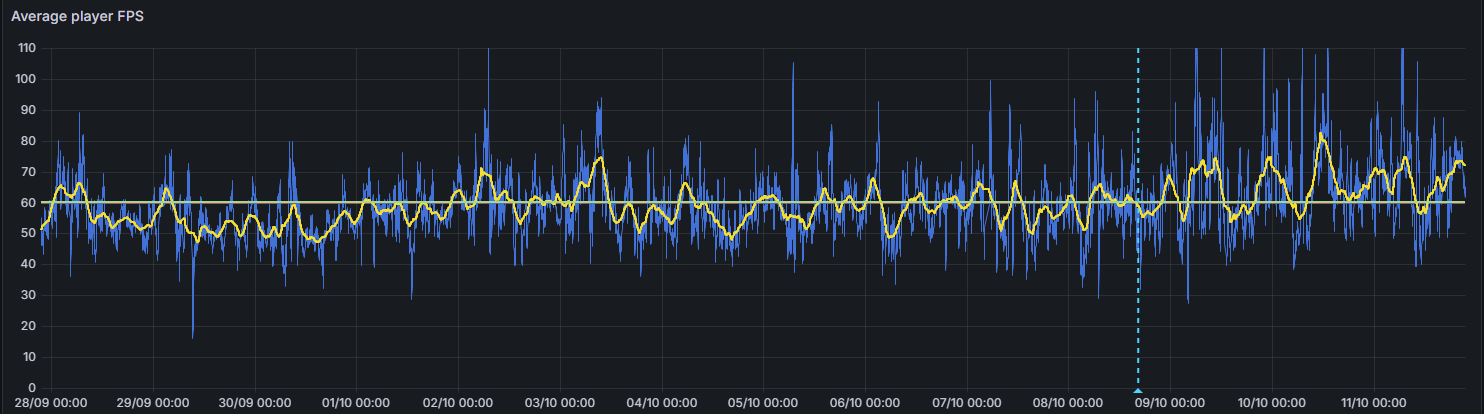 fast hornet
v2 client on v2 server is still fucked in terms of magazine deletion btw...
It's not deleting rockets anymore when you drag them into a backpack and the magazine deletion is happening way less often.. but it's still happening.
started with 20+1 mags. 1 Shot, then reload. After two cycles (so 18 bullets left in each mag) i'm down to 14+1 mags
spiral pond
how many players on and what mission/game mode?
fast hornet
only 14 players atm, Exile
modest geode
Third reload of that video shows the mag dissapearing in the top right
Server was Warlords Redux about an hour ago with 80 players
empty goblet
fast hornet
started with 20+1 mags. 1 Shot, then reload. After two cycles (so 18 bullets lef...
that's with mixed with 2.18.main players or players forced to 2.18.152266 and server also 2.18.152266 ?
empty goblet
modest geode
Third reload of that video shows the mag dissapearing in the top right
Server wa...
well, i guess next step is force everyone to 2.18.152266
modest geode
Looks like it
fast hornet
empty goblet
that's with mixed with 2.18.main players or players forced to 2.18.152266 and se...
With 2.18 stable players.. no public server can force 152266 or it would be empty
if that's the only way to fix it there needs to be a new stable release
empty goblet
fast hornet
With 2.18 stable players.. no public server can force 152266 or it would be empt...
well redux server is now locked to 152266 , so people need use profiling
vernal cape
Just to confirm (sorry I’m new to this) I just drop the arma server exe from the drive in place of the server one and that’s it ?
fast hornet
yes
vernal cape
And this should fix the magazine issue
vernal cape
fast hornet
yes
Great thanks
fast hornet
well.. partially fix it. It's better at least 🙂
fast hornet
they kinda do.. it's only fully fixed when every client is on v2 as well.
vernal cape
Oh I thought it was just on the server
whole cloud
fast hornet
v2 client on v2 server is still fucked in terms of magazine deletion btw...
It's...
Just one player running stable branch on your server, can delete other peoples magazines.
I'm pretty sure the issue is fixed, but its only fixed if you don't play with people on stable.
My hotfix catches reloads, there are probably other issues that this doesn't catch
whole cloud
vernal cape
Oh I thought it was just on the server
The server now catches most
vernal cape
ahh okays well again its better than nothing so thank you
I pray that a fix gets pushed to stable asap
 deft oak
Since updating to performance build v2 from v00 today we started seeing issues like this with the littlebird: https://www.youtube.com/watch?v=4ul7ARFjGm0
feral harness
looks like rubber banding, when character dies it is moving in opposite direction. The helicopter in the first instance is stationary so not a rotor damage. Does this mod have a reason for death?
empty goblet
deft oak
Since updating to performance build v2 from v00 today we started seeing issues l...
are all clients using the v2 too ?
gritty wasp
v2 on server. Antiflood maxed as Dwarden suggested.
117 PvP
Players were asked to use profiling in steam and requiredBuild was set to 152263
Server FPS quite stable but lower than 2.16 perf. Probably because performance tweaks not merged in 2.18 perf yet.
Bunch of:
Warning: Cleanup player - person 2:2255 not found
Client: Object 100:1007 (type Type_466) not found.
Client: Remote object 98:1 not found
Unit B Alpha 1-5:2 has no vehicle
EPE manager release (18|166|0)
NetServer: cannot find channel #1523691550, users.card=88
Client Nickname - client's ticket has become invalid. Code: 6
On second mission start
Server can't keep up, too many incoming network messages. Remaining in queue: 749
And 150 lines
Link to 9bc55b6c (Obj-171,222:876) not released
Other than that nothing outstanding
feral harness
gritty wasp
v2 on server. Antiflood maxed as Dwarden suggested.
117 PvP
Players were asked t...
no more wrong channel spam?
spiral pond
can you share the whole rpt please?
also possible to running profiling exe of v2 on the server?
empty goblet
so just fyi about the Warlords Redux at 2.18.152266
mpmessage logs , within 4 hours session
setvariable object (that's like 85/s and 127/s avg)
  wlm_saveddefaultmags |    1213993
bis_wl_captureprogress |    1835991
  bis_wl_capturingteam |    1835991
setvariable namespace (this is like 490/s avg)
squad_manager | 7086045
``` realize those updates go to all connected clients+server ... and it keeps filling JIPqueue (even after some performance and fixes changes done to skip same state/content duplicates ) harsh grotto
empty goblet
gritty wasp
v2 on server. Antiflood maxed as Dwarden suggested.
117 PvP
Players were asked t...
just note all the performance tweaks of 2.16.profiling are already in 2.18 profiling (the ones that aren't , weren't yet public) , but i noticed you had requiredbuild on 152263, i recommend to try with 152266
when we tried with like 20 players the requiredbuild 2.18.152266 , noone was able to replicate the inventory mess, so maybe other stuff fixed too
tribal pasture
empty goblet
so just fyi about the Warlords Redux at 2.18.152266
mpmessage logs , within 4 ho...
Any such stats for KotH?
empty goblet
tribal pasture
Any such stats for KotH?
that's normal output from profiling (not performance) server binary after missioneEnd/shutdown
tribal pasture
ah
empty goblet
you get file like mpMessageDetailsServer-2024-10-11_22-06-08.txt
harsh grotto
tribal pasture
Any such stats for KotH?
For some reason, no one has been playing on koth stresstest for 2 weeks and n-days now
spiral pond
empty goblet
that's normal output from profiling (not performance) server binary after missio...
it would make more sense per mission session. hopefully Dedmen or KK can expand it a bit. it should be quite useful to optimize game modes and scripted features in regards to network traffic
harsh grotto
harsh grotto
For some reason, no one has been playing on koth stresstest for 2 weeks and n-da...
online dropped from average 70 to literally 0
empty goblet
spiral pond
it would make more sense per mission session. hopefully Dedmen or KK can expand ...
it's likely per missionEnd ... i just don't want to put hand into fire 🤣 ( we auto-restart large servers on missionEnd too)
spiral pond
it would be useful if the file would log also mission name, world name, player count, number of JIP events, etc
also quite handy would be an extended version showing all these type of network events with timestamps and JIP flag, so you could graph it and determine if mission init, JIP or other mission phases have high phases
tribal pasture
empty goblet
you get file like `mpMessageDetailsServer-2024-10-11_22-06-08.txt`
Gonna ask hosts if they have these
I wonder how bad my network scripting is 😬
empty goblet
remoteexec kgxrtu | 3108984 seems like 2 hour session month ago 😁 so just shy of 400 / second average, with ~65 players
tribal pasture
both_refunc_vehicles_addProtectionTimeCMs kgxrtu
// Params: Array (Fired EH)
// Returns: Nothing
both_func_vehicles_onFiredCMs = {
    //params ["_unit", "_weapon", "_muzzle", "_mode", "_ammo", "_magazine", "_projectile", "_gunner"];
    if(_this select 4 in both_vehicles_vehicleCMAmmosHashmap) exitWith {
                ...
                [_this select 0, _time, _this select 6] remoteExecCall ["both_refunc_vehicles_addProtectionTimeCMs", 0];
        };
};
Global RE on each flare fire (salvo has like 5 fires)
So its natural
empty goblet
oh i'm not saying every variable with large numbers/rapidity is wrong, but it usually is fine, until it isn't 😁
empty goblet
empty goblet
so just fyi about the Warlords Redux at 2.18.152266
mpmessage logs , within 4 ho...
this is the file i took it from (so you can see what it all covers)
variety of publicVariable, publicVaraibleTo, RemoteExec (+JIP), SetVariable (Group, Namespace, Public, Object), VehicleInt
it gives you more than just number of times sent, like namesize, content size, sent size, overhead values etc.
kindred radish
V2 client and server, on taking magazines from containers they wont get removed from the container.
Vehicles don't have this issue.
https://youtu.be/TU6GuVfYGcc?si=_fBpqTqpE7B6xW8Q
Got this video and tested on my own modded server, same behavior.
 vale shoal
kindred radish
V2 client and server, on taking magazines from containers they wont get removed ...
vale shoal
kindred radish
V2 client and server, on taking magazines from containers they wont get removed ...
Me sent him the video. One of my players reported it.
gritty wasp
feral harness
no more wrong channel spam?
I did not report such error so I don't know. Only some NetServer: cannot find channel On 2.16 I don't remember "wrong channel" errors either.
We play on Friday Saturday so this is first play after 2.18 release
gritty wasp
empty goblet
just note all the performance tweaks of 2.16.profiling are already in 2.18 profi...
v2 was released minutes before our games start so in a rush we leave requiredBuild as it was at v1. As much as I understand any perf should be valid.
If all perf tweaks already in v2 then server FPS is lower. With 116 players we had 240+ on 2.16 (v6 or 8 can't remember), yesterday mission was 175 avg
deft oak
feral harness
looks like rubber banding, when character dies it is moving in opposite directio...
Here are my logs of those deaths:
[2024-10-11 20:10:42] [info] VICTIM: [R Sometimes Friendly:4 (Mahmet Sharmota) REMOTE] | KILLER: [R Sometimes Friendly:4 (Mahmet Sharmota) REMOTE] | VICTIM POSITION: [[2891.3,7836.34,0.392792]] | KILLER POSITION: [[2891.3,7836.34,0.392792]] | KILLER WEAPON: [MMG_01_tan_F] | DISTANCE: [0]
[2024-10-11 20:11:10] [info] VICTIM: [R Sometimes Friendly:2 (JD Vance) REMOTE] | KILLER: [R Sometimes Friendly:2 (JD Vance) REMOTE] | VICTIM POSITION: [[2880.11,7833.59,0.926117]] | KILLER POSITION: [[2880.11,7833.59,0.926117]] | KILLER WEAPON: [] | DISTANCE: [0]
They come up as suicides because of this code in the MPKilled handler that Exile uses:
_victim = _this select 0; // _this select 0 of MPKilled Event Handler
_killer = _this select 1; // _this select 1 of MPKilled Event Handler or _this select 2 if _this select 1 is null
if (_victim isEqualTo _killer) then
Server FPS average of 91 (limited to 100) at the time.
fast hornet
kindred radish
V2 client and server, on taking magazines from containers they wont get removed ...
I can reproduce this on ours as well. 100% working extremely easy dupe for all magazine type items. This is even worse than the magazine deletion. Way worse.
deft oak
fast hornet
I can reproduce this on ours as well. 100% working extremely easy dupe for all m...
I can confirm this one is happening with us as well
whole cloud
spiral pond
it would make more sense per mission session. hopefully Dedmen or KK can expand ...
networkDiagInterval shows you variable stats per interval, you can have it per second if you wanted
whole cloud
kindred radish
V2 client and server, on taking magazines from containers they wont get removed ...
yeah thats's my incomplete hotfix.
I can probably improve it and only have it trigger on vest/uniform/backpack containers, and not on boxes and vehicles.
heavy vortex
You could still dupe by taking items from someone's backpack, right
whole cloud
yeah. You could force people to run profiling branch, then they don't need the hotfix
empty goblet
so i put 2.18.152266 on normal Warlords and .... it's not good, 3 millions messages (similar trouble like Redux has)
argh ... what the hell ... proper shutdown of server and mpmessage didn't write ...
ashen helm
empty goblet
argh ... what the hell ... proper shutdown of server and mpmessage didn't write ...




 eternal kraken
ashen helm
https://tenor.com/view/follow-your-dreams-arma3-drone-flying-away-gif-9475159
eternal kraken
ashen helm
https://tenor.com/view/follow-your-dreams-arma3-drone-flying-away-gif-9475159
that was fun attaching my buddy to this Drone 😁
eternal kraken
i am started reading here a week ago thank a hint of xeno in discord and i am totally amazed that you guys still try to improve the a3 perormance/experience
thats great
tulip bane
eternal kraken
i am started reading here a week ago thank a hint of xeno in discord and i am to...
xeno is still around 👀
gritty wasp
Second gaming day report:
120 TvT no AI 200+ server fps
During "warming" deathmatch 1368 lines in RPT Server: Update of object 2:6000 arrived from nonowner two players detected by antiflood among this lines
Sound: Error: Multi-stream: Sub-stream a3\sounds_f\arsenal\explosives\shells\shelllighta_tailhouses_02.wss has invalid frequency: 44100, all streams must have same frequency 8000 !!!
thats not ours
Some Error: Object(2 : 7852) not found
Some
22:06:57 Server: Object info 2:8108 not found.
22:06:57 Can't change owner from 0 to 302644328
22:07:07 Server: Object info 2:8108 not found.
22:07:07 Can't change owner from 0 to 302644328
22:07:16 Server: Object info 2:8108 not found.
21:01:53 d:\Bis\Source\Profile\Futura\lib\Network\networkServer.cpp NetworkServer::OnClientStateChanged:NOT IMPLEMENTED - briefing!
21:01:53 NetServer: cannot find channel #1856819204, users.card=113
Next mission start have
23:33:09 Link to bce9c568 (Obj-312,487:1384) not released
23:33:09 Link to b90c4ba6 (Obj-393,456:934) not released
...
I also have reports from players that dead bodies disappear (we don't use GC on main missions) And owner was in spectator. As much as I remember you can not delete body if owner on server.
heavy galleon
I had my body disappear, my spectator started to break slowly until it got into a state when pressing esc wouldn't open the menu  literally nothing but changing view distance with our shortcuts and opening spectator help with F1 worked
(Custom spectator, no issues till now)
The body disappearing were somewhat often? Out of three I killed on the same place two were gone.
I didn't check the rpt from the games, but I can provide it, still should have it
empty goblet
server is at 1 fps ... sigh ... taking another snapshot
heavy vortex
Sanity check: If you use publicVariable twice on the same var, it only puts the last one in the JIP queue, right?
Can't find a way to test this. preInit public variable event handlers seem to get wiped.
On the other hand, inventory is stored as a list of changes since an object was spawned?
Even if those changes vastly exceed the data size of the current inventory?
feral harness
it should ovewrite previous value in jip queue and initiate broadcast
so jip always have last value
if preinit runs before the client is ready to receive broadcast then it will not get jip value
also public variable alt syntax and event handlers are known to be buggy
probably says it on wiki somewhere
heavy vortex
Yes, although it doesn't specify the nature of the issue. I've never used the setVariable version personally.