#perf_prof_branch
1 messages · Page 6 of 1
 heavy galleon
 whole cloud
Freeze or stuck in loading screen?
heavy galleon
Ah, it freezes for a second when I start singleplayer/multiplayer from editor. I can record it later.
Always freezes for a second or so 8 or so times and after that everything is good. But not always 
whole cloud
I count that as a stutter
 echo vessel
@whole cloud Just letting you know i'm having crashing in SP with the build everytime I get a "saving game" prompt and gives me 0xC0000409 STATUS_STACK_BUFFER_OVERRUN
Doesn't do it with the default build
 humble haven
Game crashes when saving in SP, no error message, simply closes Arma
This is on profiling branch
 jagged minnow
echo vessel
<@90532520101183488> Just letting you know i'm having crashing in SP with the bu...
jagged minnow
echo vessel
<@90532520101183488> Just letting you know i'm having crashing in SP with the bu...
Same here
 quaint flame
None of the changes related to upgrading VS are present in dev branch right?
 feral harness
we are not that lucky
 patent dome
quaint flame
None of the changes related to upgrading VS are present in dev branch right?
patent dome
quaint flame
None of the changes related to upgrading VS are present in dev branch right?
Not yet
whole cloud
Fix on monday 🫂 
 vale shoal
I don't know if this error is already known or fixed, but I had the error once that the server couldn't start because of "PhysX_64.dll wasn't found" even when the DLL is in the folder. I switched only the arma3server_x64 to the latest perf. On the second startup the server started without errors. I send the dump file if needed.
feral harness
PhysX or RotorLib?
vale shoal
PhysX
whole cloud
"in the folder" you mean Dll/x64 folder?
vale shoal
whole cloud
"in the folder" you mean Dll/x64 folder?
Correct
vale shoal
But also it never happened again. The server restarted 3 times by now and everything was ok.
 restive pilot
vale shoal
I don't know if this error is already known or fixed, but I had the error once t...
restive pilot
vale shoal
I don't know if this error is already known or fixed, but I had the error once t...
If it happens occasionally it could be related to your AV blocking the dll
vale shoal
restive pilot
If it happens occasionally it could be related to your AV blocking the dll
It never happened before but only after the switch to v18 once so far.
 woven loom
Personally played MP yesterday with a bunch of mods and didn't have any issues that I noticed
whole cloud
Cannot produce the saving crash in editor scenario, or in the art of war gallery 🤔
Only specific missions crashing on save?
patent dome
Bitty Code gave Jets Showcase as example: #linux_mac_branch message
whole cloud
I shall try the "STARRFLÜGLER" mission 😄
quaint flame
Crashing on save? I had that as well. Let me see if I can get the dump file later.
whole cloud
Won't need the dump anymore if I can repro, I'll find that out in a few minutes
quaint flame
Ok
whole cloud
Reproduced, its rotorlib. So it only crashes when you have helicopters in the world
I have a weird bug in jets showcase, something is constantly turning off my engine, while taxing and even in the air ? wuht
Could be that I have some weird controllers or keybinds maybe 🤔 But I got no controllers attached that i know about
 hollow canyon
whole cloud
Reproduced, its rotorlib. So it only crashes when you have helicopters in the wo...
hollow canyon
whole cloud
Reproduced, its rotorlib. So it only crashes when you have helicopters in the wo...
I'd no issues with that in the Jets showcase, might be your bindings
whole cloud
Yep that was it. I can repro now.
echo vessel
whole cloud
Cannot produce the saving crash in editor scenario, or in the art of war gallery...
Was having crashing anytime the game was attempting an automatic save during any single player mission.
Dynamic recon ops missions in vanilla was guaranteed to do it
whole cloud
I already fixed it
echo vessel
Awesome
whole cloud
https://github.com/acemod/ACE3/blob/master/addons/common/functions/fnc_changeProjectileDirection.sqf#L24
Bullet velocity -3.61852956, -58.0264931, -858.032715
normalized -0.00420759153, -0.997712255, -0.0674726516
https://github.com/acemod/ACE3/blob/master/addons/common/functions/fnc_changeProjectileDirection.sqf#L38 Here _vdir is -nan(ind), -nan(ind), -nan(ind)
If I remove the *_adjustDir and +_adjustUp then
_dir = -179.758
_up = -3.86884
_vdir = [-0.00420768,-0.997712,-0.0674727]
So if we ignore the input parameters to that function, then everything would be fine.
whole cloud
_adjustDir = 0
_adjustUp = -nan(ind)
https://github.com/acemod/ACE3/blob/master/addons/scopes/functions/fnc_firedEH.sqf#L57C25-L57C43
_adjustUp = _elevation + _zero
_zero = -nan(ind)
_elevation = 0.00000000
_zeroing = [0.00000000, 0.00000000, -nan(ind)]
_adjustment is all zeroes
so this https://github.com/acemod/ACE3/blob/master/addons/scopes/functions/fnc_firedEH.sqf#L45
_zerocorrection = -nan(ind)
_baseangle = 0.00000000
So https://github.com/acemod/ACE3/blob/master/addons/scopes/functions/fnc_calculateZeroAngleCorrection.sqf
_zeroangle = "0.0720524" at Line 36
_zeroangle = "-nan(ind)" at line 70
"ace_advanced_ballistics" callExtension format ["calcZeroAB:%1:%2:%3:%4:%5:%6:%7:%8:%9", _newZeroRange, _initSpeed, _boreHeight, GVAR(zeroReferenceTemperature), GVAR(zeroReferenceBarometricPressure), GVAR(zeroReferenceHumidity), _ballisticCoefficients select 0, _dragModel, _atmosphereModel];
_AmmoCacheEntry = [-0.00120000006, 0.00000000, 0.00000000, 0.00000000, 0.500000000, 1.00000000, [], [], "ICAO", [], [], [], 0.00300000003]
_newzerorange = 200.000000
_initspeed = 860.000000
_boreheight = 5.00000000
_dragmodel = 1.00000000
_atmospheremodel ="ICAO"
_ballisticCoefficients = [];
select 0 on an empty array?
I hope your extension handles nil.
"ace_advanced_ballistics" callExtension format ["calcZeroAB:%1:%2:%3:%4:%5:%6:%7:%8:%9", 200, 869, 5, 15, 1013.25, 0, [] select 0, 1, "ICAO"];
it does not. @stark falcon

Ah.. Could've saved me some time if you told me that you already figured it out.. https://github.com/acemod/ACE3/issues/9840

GitHub
e.g. sog SKS ace_scopes_fnc_calculateZeroAngleCorrection line 69 _zeroAngle = "ace_advanced_ballistics" callExtension format ["calcZeroAB:%1:%2:%3:%4:%5:%6:%7:%8:%9", _newZeroRa...
Didn't see that that was meant to be the solution to the problem. Thought it was just a question
 hybrid cradle
shortest conversation about advanced ballistics
whole cloud
2.14.151553 new PROFILING branch with PERFORMANCE binaries, v20, server and client, windows 32/64-bit, linux server 32/64-bit
- Fixed: Crash when saving game while a helicopter is in the world
Note: CAUTION! Starting with Arma 3 version 2.16, we will not offer a 32-bit version of profiling branch anymore. The 32-bit binaries on profiling branch will be non-profiling/performance builds.
If you don't want to use the Steam branch, the files are also available for alternative download here:
https://drive.google.com/drive/folders/15p9j7C2nHUt6NoVfChX4YFuqzFXzblJh
Note: There are separate Dll files that also need to be placed into Game folder.

whole cloud
whole cloud
2.14.151553 new PROFILING branch with PERFORMANCE binaries, v20, server and clie...
quaint flame
we will not offer a 32-bit version of profiling branch anymore
Out of curiosity. What the benefit of dropping 32 bit? Building time?
 silk pewter
Windows 95 is old
hybrid cradle
think main reason for asking is servers
 autumn timber
quaint flame
> we will not offer a 32-bit version of profiling branch anymore
Out of curiosi...
autumn timber
quaint flame
> we will not offer a 32-bit version of profiling branch anymore
Out of curiosi...
I guess so: #perf_prof_branch message
Btw I wonder how many servers rely on 32bit extensions that have no 64bit counterparts (or the users have somehow lost their source code and can't rebuild them in 64bit) as I see this as the only reason for not running 64bit Arma servers 🤔
If there's another reason for that, I'd be interested in knowing
quaint flame
I see. Missed that message from dedmen.
whole cloud
Well all the servers that rely on 32 bit, gotta use stable then and cannot have profiling branch benefits
 fast hornet
i mean.. just checked and the x64 binaries got released at the start of 2017. So 7 years ago. Should've been plenty of time to move away from 32bit 😄
 vivid rune
autumn timber
If there's another reason for that, I'd be interested in knowing
vivid rune
autumn timber
If there's another reason for that, I'd be interested in knowing
At least 64bit performance build uses AVX I guess. There are older 64bit processors out there that havn't AVX. So they have to use 32bit instead.
I would love to see a 64bit non-AVX build instead.
whole cloud
We don't use AVX
restive pilot
I was gonna say the same but I do see some avx stuff in the exe 😅
(there were some ymm registers and stuff)
 inland dew
mainly sse
whole cloud
We have some code that checks CPU support and only runs if supported
Maybe thats AVX. But I know we don't require AVX
vivid rune
OK. Whatever it is the 64bit performance crashes my Phenom II
 heavy vortex
Phenom II is missing SSE 4.1 and 4.2. Not sure if related though.
autumn timber
vivid rune
OK. Whatever it is the 64bit performance crashes my Phenom II
Out of curiosity: when did you buy that CPU?
vivid rune
- First was the choice for the main board because it has many PCIe slots for building a storage server from that. Then I nearly maxed out the processor.
whole cloud
windows or linux?
windows crashdump?
silk pewter
vivid rune
2019. First was the choice for the main board because it has many PCIe slots for...
how did you do this unselectable 2019, is that an emoji 😄
ah no, it's a list start
- yes
vivid rune
whole cloud
windows or linux?
windows crashdump?
linux docker
whole cloud
Ah the pain
 random isle
whole cloud
Ah the pain
random isle
whole cloud
Ah the pain
no windows docker is pain 😄
whole cloud
2.14.151568 new PROFILING branch with PERFORMANCE binaries, v21, server and client, windows 32/64-bit, linux server 32/64-bit
- Added: CallExtension feature flags, context stacktrace, and game functions: https://community.bistudio.com/wiki/Extensions#Feature_Flags
- Fixed: The random script command would sometimes return the maximum value; it is now exclusive again (broken since 2008)
Note: CAUTION! Starting with Arma 3 version 2.16, we will not offer a 32-bit version of profiling branch anymore. The 32-bit binaries on profiling branch will be non-profiling/performance builds.
If you don't want to use the Steam branch, the files are also available for alternative download here:
https://drive.google.com/drive/folders/15p9j7C2nHUt6NoVfChX4YFuqzFXzblJh
Note: There are separate Dll files that also need to be placed into Game folder.

whole cloud
whole cloud
2.14.151568 new PROFILING branch with PERFORMANCE binaries, v21, server and clie...
 coarse plaza
i get this error when launching SOG PF without mods, with perf branch.
Just before main menu opens up.
No errors when using stable.
18:44:16 Error in expression <Name _x + "_intialised",true];
_display displayAddEventHandler [configName _x se>
18:44:16   Error position: <displayAddEventHandler [configName _x se>
18:44:16   Error Foreign error: Unknown enum value: "EMMMenuShow"
18:44:16 File vn\emm\main_menu\fnc\initMenu.sqf..., line 46
18:44:16  ➥ Context:     [] L1 ()
    [] L1 ()
    [] L172 (vn\emm\main_menu\fnc\init.sqf)
    [] L172 (vn\emm\main_menu\fnc\init.sqf)
    [] L34 (vn\emm\main_menu\fnc\initMenu.sqf)
    [] L54 (vn\emm\main_menu\fnc\initMenu.sqf)
    [] L53 (vn\emm\main_menu\fnc\initMenu.sqf)
    [] L44 (vn\emm\main_menu\fnc\initMenu.sqf)
    [] L46 (vn\emm\main_menu\fnc\initMenu.sqf)

18:44:16 Error in expression <Name _x + "_intialised",true];
_display displayAddEventHandler [configName _x se>
18:44:16   Error position: <displayAddEventHandler [configName _x se>
18:44:16   Error Foreign error: Unknown enum value: "EMMMenuHide"
18:44:16 File vn\emm\main_menu\fnc\initMenu.sqf..., line 46
18:44:16  ➥ Context:     [] L1 ()
    [] L1 ()
    [] L172 (vn\emm\main_menu\fnc\init.sqf)
    [] L172 (vn\emm\main_menu\fnc\init.sqf)
    [] L34 (vn\emm\main_menu\fnc\initMenu.sqf)
    [] L54 (vn\emm\main_menu\fnc\initMenu.sqf)
    [] L53 (vn\emm\main_menu\fnc\initMenu.sqf)
    [] L44 (vn\emm\main_menu\fnc\initMenu.sqf)
    [] L46 (vn\emm\main_menu\fnc\initMenu.sqf)
That is old and has been broken for quite a while. Not related to perf branch
coarse plaza
ok 👍 , i have not used SOG while, so i just thought that it was weird that i get it only when using perf branch and not stable.
 fickle geyser
Does not break anything. Will be fixed in next SOGPF patch
 violet elbow
whole cloud
2.14.151568 new PROFILING branch with PERFORMANCE binaries, v21, server and clie...
violet elbow
whole cloud
2.14.151568 new PROFILING branch with PERFORMANCE binaries, v21, server and clie...
Neat.
 tribal pasture
Got LOD flickering bug after having game running for hours doing nothing, anything useful I can get out of it? Stable though, not perf.
Seems to be going for 30 minutes in the background already, lots of Fresnel k must be >0, given n=2.51,k=0 spam
restive pilot
It happens when the game consumes too much memory and it can't free it up anymore. It's easily reproducible if you simply make a giant hashmap
tribal pasture
restive pilot
It happens when the game consumes too much memory and it can't free it up anymor...
Just 1.2 gigs in task manager 🤔
restive pilot
tribal pasture
Seems to be going for 30 minutes in the background already, lots of `Fresnel k m...
Well it's due to this then, whatever that is (probably related to some mod?) 😓
tribal pasture
restive pilot
Well it's due to this then, whatever that is (probably related to some mod?) 😓
Vanilla game, my mission with nothing going on in the background
Seeing how everything cycles through all LODs, perhaps one of the LODs has a material that triggers this RPT line
What would be the best channel to post about this? I just remembered that it was talked about here.
Opened map and it finally crashed
The only thing I had out of ordinary was a single AI unit 1 km away from me doing nothing
whole cloud
Well it happens on stable. Not really anything to get out of it.
Use profiling and get higher memory limits and probably have it just not happen
tribal pasture
Type: Public
Build: Stable
Version: 2.14.150957

Allocator: C:\Program Files (x86)\Steam\steamapps\common\Arma 3\Dll\tbb4malloc_bi_x64.dll [2017.0.0.0] [2017.0.0.0]
PhysMem: 32 GiB, VirtMem : 131072 GiB, AvailPhys : 18 GiB, AvailVirt : 131068 GiB, AvailPage : 14 GiB, PageSize : 4.0 KiB/2.0 MiB/HasLockMemory, CPUCount : 16
 restive turtle
tribal pasture
Seems to be going for 30 minutes in the background already, lots of `Fresnel k m...
restive turtle
tribal pasture
Seems to be going for 30 minutes in the background already, lots of `Fresnel k m...
its usually a mod for sure
tribal pasture
restive turtle
its usually a mod for sure
Fully vanilla in my case, guess some problematic material somewhere
restive turtle
tribal pasture
Fully vanilla in my case, guess some problematic material somewhere
Map?

tribal pasture
restive turtle
Map?
Altis
 spiral pond
Fresnel k must be >0, given n=2.51,k=0
could be from a3 animals
14:13:48 Fresnel k must be >0, given n=2.51,k=0
14:13:48 ➥ Context: #(ai,64,64,1)fresnel(2.51,0) <- ShapeLoad: N:'a3\animals_f\snakes\snake_f.p3d' P:'a3\animals_f\snakes\snake_f.p3d'
restive turtle
spiral pond
> 14:13:48 Fresnel k must be >0, given n=2.51,k=0
> 14:13:48 ➥ Context: #(ai,64...
snake!!!!


 analog acorn
restive turtle
snake!!!!
analog acorn
restive turtle
snake!!!!
first it was snakes opening doors, now it's snakes crashing the game
feral harness
spiral pond
> Fresnel k must be >0, given n=2.51,k=0
try disabling ambient life
spiral pond
@tribal pasture ^ probably meant for you
 whole cloud

 whole cloud
Huh that worked better than expected...
 silk pewter
gib moar fps!!1!
whole cloud
Calculating AI visibility through particle effects takes alot of time.
But its a quite small area to optimize, without many connections to other systems

From 1.7% of main thread time spent on particle visibility checks, down to 0.3%
2% of time (total mainthread time during a YAAB run) is spent by a windows API function.
That in windows 8 received a much lighter weight alternative to use instead. But we are windows 7 :/
hybrid cradle
i assume its more tricky than if windowsversion > 7 then {} else {}
whole cloud
No, it could work like that. But that if check would be somewhat expensive
whole cloud
maybe, shall see
inland dew
few FPS is margin of error
like 3 and up and that after like 5-7 runs, that can clearly be considered as real improvement
only avg FPS is +- "reliable" in YAAB
whole cloud
I am not measuring on fps. I'm profiling the whole run in profiler.
YAAB results are easier to show though
autumn timber
whole cloud
No, it could work like that. But that if check would be somewhat expensive
Must be a really tight loop so that a bool check would influence it that much 😬
Wondering what that API function is 🙂
restive pilot
drop win7 support 😠🪧 🥺🪧  🪧
🪧
silk pewter
whole cloud
No, it could work like that. But that if check would be somewhat expensive
store it once, it's rare users change OS mid-game? 😄
whole cloud
Just saw I already implemented teh windows 8 method two years ago.
Just disabled with // Requires windows 8 :( 😄
whole cloud
silk pewter
store it once, it's rare users change OS mid-game? 😄
storing it is not the problem, checking it is
restive pilot
a fnc pointer is equally slow right (assuming they both have the same signature)?
I guess in some way it could be even slower 
autumn timber
How do you even get access to both APIs on runtime? Isn't it by getting pointers to them? (since it would fail loading on win7 if it were the loader's job)
Maybe there's some kind of error that is being thrown out when using win8 api that doesn't exist? So that you can optimistically call that new API and then fall back to the old one, if the first one fails?
(would make it slower for the 0.1% of users that are still on win7, though )
whole cloud
seems better enough 🤔

 whole cloud
autumn timber
How do you even get access to both APIs on runtime? Isn't it by getting pointers...
whole cloud
autumn timber
How do you even get access to both APIs on runtime? Isn't it by getting pointers...
GetProcAddress
restive turtle
 whole cloud
Profiling says 2.6% down to 1.5%. Of total yaab runtime.
But in yaab fps its basically not noticable. And a 1% improvement but having to require windows 8 🤔
We already have about 12% fps improvement relative to 5 hours ago. Good enough for today 🤣
silk pewter
 autumn timber
We already have about 12% fps improvement relative to 5 hours ago. Good enough for today 🤣
❤️
Btw, honestly, I don't really see a reason to care that much about the tiny minority of players who have not moved to more recent OSes, especially if this will benefit the majority (and that these people will have to move eventually, anyway). Also, ever since Steam dropped support for Win7 on the 1st of January, these players should be happy you're keeping backward compatibility, at all.
whole cloud
Maybe we can drop win7 for profiling branch, like we're dropping 32bit.
But not now
autumn timber
To be clear, I'm not suggesting dropping support completely (but I'm not against that either, though). I'm just saying that if there's an optimization that will make it faster for players with current OSes (better performance minus cost of the if check) but a bit slower for really old OSes (same performance minus cost of the if check), I'd suggest applying it anyway.
vivid rune
whole cloud
Maybe we can drop win7 for profiling branch, like we're dropping 32bit.
But not ...
Hope, there will be a 2.16 v0 as a gift for the 32bit guys to benefit a half year longer from the performance improvements till 2.18 will be released.
whole cloud
no
vivid rune
^^ Why?!? (the Hug)
 plain trout
I think he wrote earlier that it take a lot of time to compile/build the exes
vivid rune
plain trout
I think he wrote earlier that it take a lot of time to compile/build the exes
Yeah that is not the point.
 cloud nacelle
vivid rune
Hope, there will be a 2.16 v0 as a gift for the 32bit guys to benefit a half yea...
cloud nacelle
vivid rune
Hope, there will be a 2.16 v0 as a gift for the 32bit guys to benefit a half yea...
32bit support is only going to be dropped from perf/prof builds, it's not that big of a deal
vivid rune
cloud nacelle
32bit support is only going to be dropped from perf/prof builds, it's not that b...
Does the performance improvements not make the most sense on lower end machines?
cloud nacelle
vivid rune
Does the performance improvements not make the most sense on lower end machines?
The less than 1% edge in performance for somebodys 2008 athlon CPU is not worth halving the builds the devs can make per day
analog acorn
You'll still get them when they come to stable branch
vivid rune
analog acorn
You'll still get them when they come to stable branch
As I understand, not all performance improvements come to stable.
inland dew
vivid rune
As I understand, not all performance improvements come to stable.
if dedmen forgets to merge stuff, like with helis...
or if it's not 100% good enough for stable (WiP)
I might be wrong...
vivid rune
inland dew
I might be wrong...
Dedmen mentioned, there are some stuff "will never be in stable"
inland dew
anyway, I don't see why majority should suffer or miss improvements/progress because of minority...
sorry!
hybrid cradle
you see, you can resolve this by changing the time on your computer to 2024
and not using 32 bit any more
inland dew
and no win 7 and even 8
vivid rune
inland dew
anyway, I don't see why majority should suffer or miss improvements/progress bec...
Where does somebody of the "64bit kids" suffer, when there is provided an alternative? I don't see a point where the 64bit guys can play the victim.
But anyway. I want play with the 64bit kids when somebody 👀 fix this:
18:48:30 Host identity created.
/opt/scripts/start-server.sh: line 69: 1901 Segmentation fault ./arma3server_x64 ${GAME_PARAMS}
inland dew
xp - 7 - 10 - 12
cloud nacelle
The "64bit kids" don't suffer, compile times do
inland dew
cloud nacelle
The "64bit kids" don't suffer, compile times do
and that significantly
poor devs - not players
vivid rune
inland dew
and that significantly
poor devs - not players
Exactly. The dev always sits next to the machine that does this and then checks the 32bit result.
inland dew
or instead, does much more useful stuff, for the majority
vivid rune
Who is the majority? The majority are the stable branch people. And there is still the 32bit. So the more "useful things" can only be performance improvements, because when it comes to features, it has to run on the 32bit.
cloud nacelle
vivid rune
Who is the majority? The majority are the stable branch people. And there is sti...
The performance improvements on perf are so minimal most of the time that the 2008 Athlon will run bad no matter what branch it's on
woven loom
vivid rune
Who is the majority? The majority are the stable branch people. And there is sti...
Are you running 32 bit server or client?
cloud nacelle
Ofc there are exceptions and sometimes the changes are actually noticeable in FPS (like what was shown today) but even then it's like a 5%-10% increase in FPS (being optimistic here) so if the Athlon gets 20FPS in YAAB on stable, that's a whopping 22FPS on perf 👍
vivid rune
woven loom
Are you running 32 bit server or client?
Yes. On Phenom II. It is suffiicient for a server of 16 slots to play Antistasi or Dynamic Bulwarks.
woven loom
Yes what 😅 server or client?
vivid rune
As server of course.
cloud nacelle
But, perf doesn't even exist for server (correct me if I am wrong about this)
woven loom
and i assume you're running linux server?
vivid rune
cloud nacelle
But, perf doesn't even exist for server (correct me if I am wrong about this)
what?1?
vivid rune
woven loom
and i assume you're running linux server?
correct
woven loom
OK
woven loom
cloud nacelle
But, perf doesn't even exist for server (correct me if I am wrong about this)
there is, i think
hybrid cradle
cloud nacelle
But, perf doesn't even exist for server (correct me if I am wrong about this)
there is
i just looked
vivid rune
When it only depends on compile time, what if dedmen kills only the 32bit clients and lkeeps the server?
woven loom
they can get more builds per day
also i don't understand, they're only only doing this on perf branch, if you use stable then you're not really affected
vivid rune
yeah but I use perf
fickle geyser
too bad
woven loom
vivid rune
Where does somebody of the "64bit kids" suffer, when there is provided an altern...
I guess part of the answer is to see if they are able to address this seg fault issue with 32 bit linux servers (assuming it's not caused by something specific to your set up)
Alternatively, switch to 64 bit windows server
But i think we're so far past 32-bit machines being used that it's only a matter of time that devs find it unreasonable to support it
vivid rune
woven loom
I guess part of the answer is to see if they are able to address this seg fault ...
It happens on 64bit linux but yes, exactly. If this is fixed, I join you in the fight for killing 32bit discussions! 😉
 kindred radish
Just use Windows problem solved
vivid rune
kindred radish
Just use Windows problem solved <:blobdoggoshruggoogly:748124048025714758>
The server does not only arma. It is his guilty pleasure.
cloud nacelle
Or just get a "new" server that has a CPU made during the last decade. Plenty of CPU's newer than your 2008 Athlon are already e-waste for most people, you can get 4th gen intel quad cores for 10€ in the used market and probably for free if you just ask around
inland dew
cloud nacelle
Or just get a "new" server that has a CPU made during the last decade. Plenty of...
depends on where he's from...
hybrid cradle
i will buy one and ship it to him if thats so much of a problem
vivid rune
cloud nacelle
Or just get a "new" server that has a CPU made during the last decade. Plenty of...
Yeah I understand your point. And the upgrade path is already drawn. If AM5 platform comes to an end I buy it for my PC and then the old PC parts goes in the server. But this is not tomorrow.
woven loom
cloud nacelle
Or just get a "new" server that has a CPU made during the last decade. Plenty of...
I guess what's unclrear to me is, it seems like a software issue with the 64 bit linux server. If it's not system specific, then I am not sure how upgrading to a 64 bit machine solves the issue.
vivid rune
woven loom
I guess what's unclrear to me is, it seems like a software issue with the 64 bit...
I would say it is processor specific. Other guys with other 64bit processors have no proplems.
vivid rune
woven loom
yeah buddy time to upgrade then 😅
You have to talk with AMD marketing guys to set the release date for AM6 more in the near of next year. 😄
woven loom
probably just switch to stable going forward, i doubt perf branch updates will improve things significantly for the old phenom II
vivid rune
woven loom
probably just switch to stable going forward, i doubt perf branch updates will i...
Yeah don't underestimate the difference: I had for some time to switch to stable because the first major versions of the new perf branch had some issues. The difference was recognisable.
Maybe with the new versions the difference is not so big anymore.
woven loom
vivid rune
Yeah don't underestimate the difference: I had for some time to switch to stable...
Huh, surprising! Pretty cool though, i'm glad you saw improvements.
whole cloud
vivid rune
Dedmen mentioned, there are some stuff "will never be in stable"
Well tough luck, guess you gotta upgrade if you really want it.
But if you run on 32 bit cuz your hardware is so old, I assume you don't care about performance anyway so why would you want to run perf builds
You're the one person affected by this. Sorry. 🤷
This decision was made knowing that one or two people would still like to use it, but decision's been made.
woven loom
i guess technically they're using 32 bit because 64 bit leads to a seg fault 😛
whole cloud
run gdb, get me offset inside file where the bad instruction is at, I might take a look
But I cannot repro having an old cpu and linux crashdumps are very annoying to work with. And if the instruction is somehow of benefit to all other users, there is no incentive to get rid of it just because there is one user that's affected who has a viable alternative to use anyway.
woven loom
@vivid rune see ☝️
Phenom II is otherwise x86-64 so the hardware is not too old to run 64-bit as such
Wiki says instuctions supported are
MMX, extended 3DNow!, SSE, SSE2, SSE3, SSE4a, AMD64, Cool'n'Quiet, NX bit, AMD-V
vivid rune
whole cloud
run gdb, get me offset inside file where the bad instruction is at, I might take...
If someone can teach me with using gdb in a docker I would be glad to help.
woven loom
Dunno much about it, but quick google shows that there are several front ends available which might make it easier https://sourceware.org/gdb/wiki/GDB Front Ends
Some of them might have tutorials and guides, for example this one: https://www.gdbgui.com/
A browser-based frontend to gdb (gnu debugger)
fast hornet
i mean.. after reading all of the latest 200 lines or whatever... just drop 32 bit AND win7/8 support. Noone needs that ancient shit.
whole cloud
vivid rune
If someone can teach me with using gdb in a docker I would be glad to help.
I am not dockerable
whole cloud
2.14.151599 new PROFILING branch with PERFORMANCE binaries, v22, server and client, windows 32/64-bit, linux server 32/64-bit
- Tweaked: Rendering performance improvement
- Tweaked: Performance improvement for calculating visibility through particle effects
- Fixed: Some UserActionEventHandler's did not trigger when a UI was capturing the keypress (This hopefully doesn't break any existing UA-EHs) - https://feedback.bistudio.com/T178835
- Fixed: Mortar gunner anim desync fix was breaking other get in turret animations - https://feedback.bistudio.com/T124694
Note: CAUTION! Starting with Arma 3 version 2.16, we will not offer a 32-bit version of profiling branch anymore. The 32-bit binaries on profiling branch will be non-profiling/performance builds.
If you don't want to use the Steam branch, the files are also available for alternative download here:
https://drive.google.com/drive/folders/15p9j7C2nHUt6NoVfChX4YFuqzFXzblJh
Note: There are separate Dll files that also need to be placed into Game folder.

whole cloud
whole cloud
2.14.151599 new PROFILING branch with PERFORMANCE binaries, v22, server and clie...
 empty goblet
silk pewter
store it once, it's rare users change OS mid-game? 😄
empty goblet
silk pewter
store it once, it's rare users change OS mid-game? 😄
@whole cloud Lou might be on something there, we doing caches ... like AnimDataCache and DataCache files , or like in old times shader cache file(s) (tho now that done by drivers) ... why not cache what OS the game runs on and pick whatever greatness available
whole cloud
What you're saying is irrelevant to what we were talking about
we are not talking about loading a cache file from disk like at all
I can make some self-modifying code so it dispatches to the correct functions, but antivirus doesn't tend to like that and thats stupid
silk pewter
not denying anything you said, but I wonder how a "simple" if bool can be expensive - is it called 1e9× / s ?
empty goblet
especially when it's done on early runtime init, once
autumn timber
empty goblet
especially when it's done on early runtime init, once
Dedmen is not talking about the detection that is done once, but access to that "cached" information itself
The bool would likely not be in cache, so it would end up a ram fetch
What about using the [[likely]] (or likely(expr) for GCC) keywords in the if to make use of speculative execution and minimize the impact?
whole cloud
silk pewter
not denying anything you said, but I wonder how a "simple" if bool can be expens...
CPU cache. L1/L2/L3, ram memory
whole cloud
autumn timber
What about using the `[[likely]]` (or `likely(expr) ` for GCC) keywords in the `...
Mh that was only added in C++20, which we have now. That could work.
But the compiler cannot tell the CPU to assume, the CPU will decide what it wants to assume.
Compiler will arrange it so that if condition is true the execution is more efficient, but that doesn't tell the CPU to do speculative execution
autumn timber
I'm not an expert in the field, but from my understanding, "if condition is true the execution is more efficient" is precisely done because of speculative execution done by the CPU (because of instruction pipelining, to be exact)
whole cloud
The usual optimization that does is keep the hot-path code close together. So that it is in instruction cache.
In likely case just execute in a straight line without any jumps. When unlikely happens, allow to jump away and potentially fail instruction cache
vivid rune
whole cloud
2.14.151599 new PROFILING branch with PERFORMANCE binaries, v22, server and clie...
+8% in YAAB
 silk summit
vivid rune
+8% in YAAB
silk summit
vivid rune
+8% in YAAB
Letting 32bit go is paying off it seems 👏
woven loom
@silk summit profiling still has 32 bit
Also I'm assuming wetzer is running YAAB on a client and not the phenom II server 😛
whole cloud
silk summit
Letting 32bit go is paying off it seems 👏
Nothing to do with that.
Though yesterday I made some more small optimizations that'll make 32bit probably worse. But who cares 😄
silk summit
whole cloud
Nothing to do with that.
Though yesterday I made some more small optimizations t...
Exactly that, only one dude cares, and while I feel sorry for him it is also a wake up call that it is time to upgrade your server my man
vivid rune
silk summit
Exactly that, only one dude cares, and while I feel sorry for him it is also a w...
When 32bit dies in the stable branch, a day later I will take free from work, buy a lot chips and sit here and watch this chat. If we only 1000 32bit user in whole arma community but we will be all here. 
heavy vortex
32-bit is still very common with paid servers. So I hope it dies.
vivid rune
heavy vortex
32-bit is still very common with paid servers. So I hope it dies.
The association fallacy is a formal logical fallacy that asserts that properties of one thing must also be properties of another thing, if both things belong to the same group. For example, a fallacious arguer may claim that "bears are animals, and bears are dangerous; therefore your dog, which is also an animal, must be dangerous."
When it is a...
whole cloud
vivid rune
When 32bit dies in the stable branch, a day later I will take free from work, bu...
We can't remove it on stable branch so that'll never happen
autumn timber
Too bad. That would be less work for extension makers 😦
vivid rune
No chips and a free day for Wetzer
autumn timber
vivid rune
When 32bit dies in the stable branch, a day later I will take free from work, bu...
You know, having such a day would actually be a good thing! That would finally force people to report those bugs that prevent them from running 64bit Arma on their 64bit processor running a 64bit OS 🙃
And then 32bit Arma executables would stop being needed 😄
whole cloud
autumn timber
Too bad. That would be less work for extension makers 😦
just choose to not support 32bit in your mods :3
heavy vortex
cackles
whole cloud
I should just make new extension features only work on 64bit.
So that you as extension dev can say "We need that feature and bohemia doesn't support that on 32bit so we have no choice"
heavy vortex
ACE removing 32-bit support might even be enough.
autumn timber
whole cloud
just choose to not support 32bit in your mods :3
Yeah, I did that with the Linux version ||after having spent LITERALLY 4 months on making my 32bit executables work on linux, on newer Ubuntu versions 😩 ||
vivid rune
autumn timber
You know, having such a day would actually be a good thing! That would finally ...
If it helps I can create a new account with the same problem but this seems not legal here. One guy that stands for a lot other seems not enough.
heavy vortex
Server providers would probably balk at adding the "You can't run ACE" condition.
autumn timber
vivid rune
If it helps I can create a new account with the same problem but this seems not ...
It won't help if both of "you" don't report the problem
Seriously, if you report it and provide dumps and whatnot, then it's probably going to be fixed, and then you won't need 32bit anymore (and will be able to make use of 64bit address space and other 64bit goodness)
heavy vortex
Is this still the Phenom illegal instruction issue?
hybrid cradle
heavy vortex
Server providers would probably balk at adding the "You can't run ACE" condition...
requires them to be sufficiently in touch with the mods used which i wouldnt bank on tbh
vivid rune
autumn timber
It won't help if both of "you" don't report the problem <:blobdoggoshruggoogly:...
Good point. I searched for "segfault" and I found this:
https://feedback.bistudio.com/T80071
Can this be related?
vivid rune
"when you start the arma server without the complete chain of 32 bit PAM libraries present, it segfaults."
Is not related?!?
autumn timber
This doesn't sound related to any kind of "illegal instruction", at first glance, tbh
vivid rune
autumn timber
Seriously, if you report it and provide dumps and whatnot, then it's probably go...
I am working on. The server runs in a docker. I am not that linux crack to install gdb in it and analyze and dump the data by myself. I need help by a friend. When he has some spare time, the topic will be solved.
autumn timber
Maybe this will help you: https://ddanilov.me/how-to-configure-core-dump-in-docker-container
Unless you're told otherwise, you don't have to dump anything yourself. Just collect the crash dump that's created when the application crashes
vivid rune
autumn timber
Unless you're told otherwise, you don't have to dump anything yourself. Just col...
Yeah we tried this for some time ago but it doesn't worked.
autumn timber
Make sure that the host is set to create crashdumps on crash, as said in the article
vivid rune
whole cloud
segfault means crashed.
Searching for "game crash" won't lead to usable results
BTW: Is the 64bit prof compiled with SSE4.1?
woven loom
autumn timber
Unless you're told otherwise, you don't have to dump anything yourself. Just col...
Just FYI dedmen asked for specific things, see #perf_prof_branch message
whole cloud
vivid rune
BTW: Is the 64bit prof compiled with SSE4.1?
whatever is default for x64
whole cloud
autumn timber
Unless you're told otherwise, you don't have to dump anything yourself. Just col...
linux dumps are incredibly annoying to analyse
autumn timber
run gdb, get me offset inside file where the bad instruction is at, I might take a look
Yeah, but that's after you get the crashdump and to get the crashdump, which is tricky (because you're running inside docker in this case), you don't need gdb, that's what I meant.
I don't know about linux crashdumps, but if it were a windows .dmp, I'd open it in [Redacted] Pro, and it would show me the place where the exception ocurred. Not sure if that would work with linux dumps, though 🤔
 ashen helm
game interface does not resize properly anymore in recent prof branch. I'm on 21:9, playing on small interafce by default, when changing to normal then even after restart most of it is hidden outside of the screen view. Setting ratio to stretch/non-stretch does not do anything
main menu and editor looks okay but the SL's team view and scrollwheel menu are obscured, everything else is displayed way too close to the screen border
screen within the vignette is what I see in normal UI size
 whole cloud
autumn timber
> run gdb, get me offset inside file where the bad instruction is at, I might ta...
whole cloud
autumn timber
> run gdb, get me offset inside file where the bad instruction is at, I might ta...
No I meant starting the game through gdb. But analyzing dump locally would yield same result
whole cloud
ashen helm
game interface does not resize properly anymore in recent prof branch. I'm on 21...
New with latest profiling? Previous was fine?
Do you have custom FOV in your profile?
ashen helm
yes, yes, no
however on a new profile it seems to be all good so not sure what's changed
whole cloud
Started game on ultrawide very small. Set to normal. Restarted.
All seems good.
But. The group menu bottom right, and the action menu, can be repositioned in the gameplay options. Maybe its related to that
I tried messing with them too, but can't reproduce a problem
whole cloud
I switched my window resolution backto 16:9 and restarted the game a couple times.
Now I noticed this
Maybe it only happens when resolution is changed?
 ashen helm
no idea, I didn't move the window around, unless it's caused by the auto-stretch
(which does not change when you select a different screen ratio)
tribal pasture
ashen helm
screen within the vignette is what I see in normal UI size
UI size like to change when you go from windowed to full screen, maybe thats what happened?
windowed borderless to windowed too
violet elbow
heavy vortex
ACE removing 32-bit support might even be enough.
👀
heavy galleon
Already have to compile my extensions for Linux and windows, screw 32bit.
 stark falcon
Got this one time when launching profiling, next launch it worked fine. But I'm not sure if it has anything to do with recent changes.
ErrorMessage: Fatal error: F:\SteamLibrary\steamapps\common\Arma 3\arma3_x64.exeDll\x64\GFSDK_SSAO_D3D11.win64.dll could not be loaded
Application terminated intentionally - Exception code: 0000DEAD  at C741CF19
A Buddy had in YAAB 108.2 FPS with 7950X3D/4070TI 💯
Interesting: with standard exe it is 107.2 fps 👀
(Mh. Something seems go wrong with std exe. We retry.)
woven loom
I was just testing actually
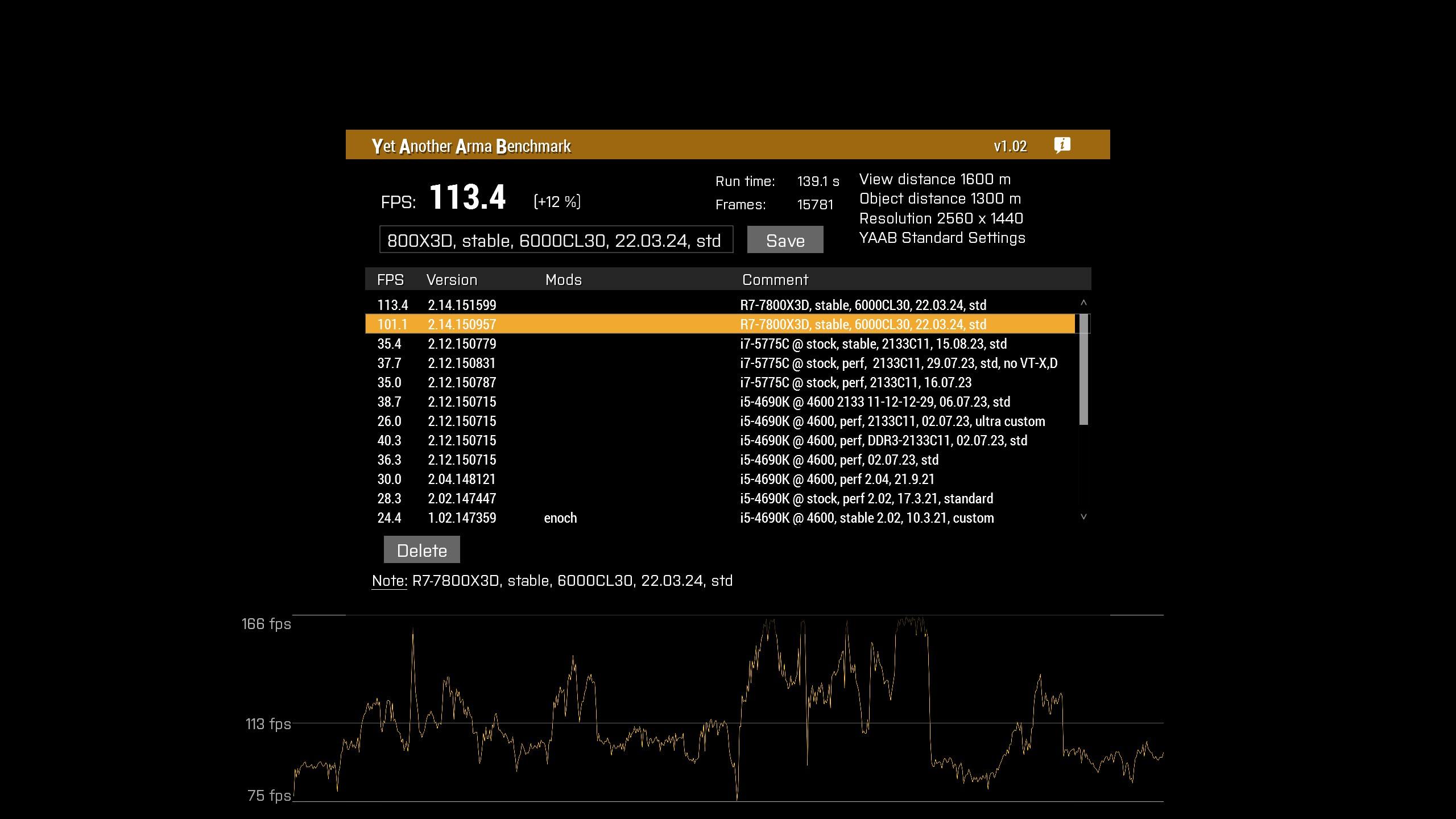
12% improvement with a 7800X3D and 4070 Ti
But it's a single run
I'll do more in depth testing later
YAAB is rather heavy in particles so it makes sense
Smokescreens would very noticeably impact frame rates on my old computer
woven loom
Some more testing... https://imgur.com/RYVTXv7
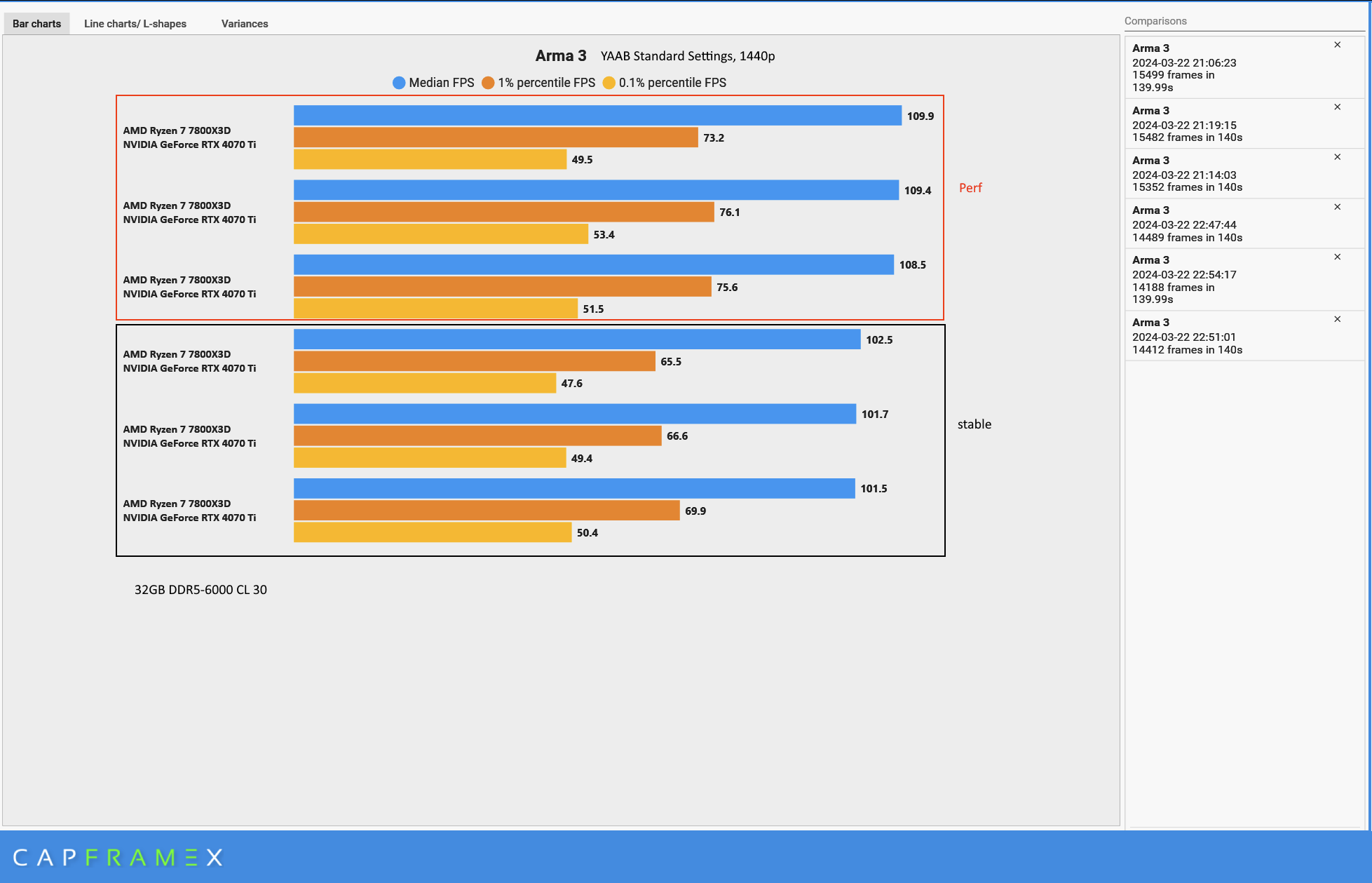 woven loom
With settings turned up to ultra, 6k object view distance, 12k overall view distance; i get ~67.5 with perf and ~62 fps with stable. so around 8% improvement
plain trout
woven loom
Smokescreens would very noticeably impact frame rates on my old computer
It’s what BI updated
woven loom
Yes
plain trout
Oh sorry I thought I was on another discord. I’ve been asking around and people see improvements after this change, more so on the non-highend machines.
vivid rune
12% on 4700HQ (24.7 FPS -> 27.7 FPS)
whole cloud
stark falcon
Got this one time when launching profiling, next launch it worked fine. But I'm ...
There is a backslash missing? 🤔
I've not seen anyone else have that issue
vale shoal
whole cloud
There is a backslash missing? 🤔
I've not seen anyone else have that issue
Thats the issue I had a week (or 2) ago with PhysX
whole cloud
Ah I see it should cut before the "arma3_x64.exe" and then append the Dll...
It's not cutting it. 🤔
I'll look at that next week but I didn't touch it 😄
Well I guess we kinda touched literally everything
empty goblet
woven loom
Some more testing... https://imgur.com/RYVTXv7
SK question , default allocator or mimalloc ? https://github.com/GoldJohnKing/mimalloc/releases ?

GitHub
mimalloc is a compact general purpose allocator with excellent performance. - GoldJohnKing/mimalloc
inland dew
empty goblet
SK question , default allocator or mimalloc ? https://github.com/GoldJohnKing/mi...
his FPS is super low for a 7800X3D that should do like 150-155 FPS
woven loom
empty goblet
SK question , default allocator or mimalloc ? https://github.com/GoldJohnKing/mi...
Default, i could try mimalloc though
woven loom
inland dew
his FPS is super low for a 7800X3D that should do like 150-155 FPS
It's median fps for YAAB
Along with 1% and 0.1% lows
I'd really love to see who gets 155 fps for 0.1% lows lol
Avg was 110-112
Max was way higher
woven loom
empty goblet
SK question , default allocator or mimalloc ? https://github.com/GoldJohnKing/mi...
mimalloc_v212.dll + large pages = no difference
mimalloc_v212_lock_pages.dll + large pages = +4% in YAAB standard, +8% when using my ultra/custom settings
Didn't look at frame times etc though
vale shoal
,
whole cloud
vale shoal
,
no
vale shoal
whole cloud
no
I hate Discord, sorry. Wasn't intended
random isle
so PREF now needs vcomp140.dll ?
heavy vortex
Whatever's in the vc 2022 redist, I imagine.
I think it's supposed to auto-install when you switch branches but I haven't tried it.
random isle
heavy vortex
Whatever's in the vc 2022 redist, I imagine.
yeah went from 120 to 140
random isle
heavy vortex
I think it's supposed to auto-install when you switch branches but I haven't tri...
not when you run docker container on windows core server 😄
whole cloud
heavy vortex
I think it's supposed to auto-install when you switch branches but I haven't tri...
It auto installs on all Arma branches, even though the stable one doesn't need it yet
whole cloud
2.16.151633 new PROFILING branch with PERFORMANCE binaries, v0, server and client, windows 64-bit, linux server 64-bit
- Sync with 2.16 main branch update
- Previous Profiling branch improvements from 2.14 are still present
- Removed: 32-bit version of Profiling branch, 32-bit binaries now match the stable branch
If you don't want to use the Steam branch, the files are also available for alternative download here:
https://drive.google.com/drive/folders/15p9j7C2nHUt6NoVfChX4YFuqzFXzblJh
Note: There are separate Dll files that also need to be placed into Game folder.

whole cloud
whole cloud
2.16.151633 new PROFILING branch with PERFORMANCE binaries, v0, server and clien...
fast hornet
did the "death by helicopter tail rotor"-desync fix make it into 2.16 stable btw.?
whole cloud
its not listed in the changelog
patent dome
Was that an issue in Stable 2.14? I thought it was introduced with a prof update.
restive pilot
iirc the desync was always an issue, which was "fixed" with a prof update that caused weird deaths without actual collision with tail rotors, so it was reverted
I don't remember if it was actually fixed in the end
fast hornet
would've been such a great fix sigh
heavy galleon
My game just crashed while testing our mod. Classic ACCESS_VIOLATION. Do you want dump? Made the full one too.
(did not happen before when testing btw)
whole cloud
always dump
fast hornet
patent dome
Was that an issue in Stable 2.14? I thought it was introduced with a prof update...
has always been an issue.. for many years at least. And it's a mandatory component of a very popular duping method in Exile.
feral harness
fast hornet
would've been such a great fix *sigh*
good things come to those who wait
anyway 2.18 will be a blast, worth waiting
restive turtle
feral harness
anyway 2.18 will be a blast, worth waiting
honestly so true
just looking at new commands and stuff
feral harness
it will basically contain fixes and updates for 2 versions, 2.16(that didnt make it into 2.16)+2.18
whole cloud
2.16.151648 new PROFILING branch with PERFORMANCE binaries, v1, server and client, windows 64-bit, linux server 64-bit
- Tweaked: Minor performance improvements for particles and helicopter simulation
- Tweaked: Upgraded Linux compiler (no behavior changes expected)
- Fixed: Custom radio markers did not sync for JIP players - https://feedback.bistudio.com/T180034
If you don't want to use the Steam branch, the files are also available for alternative download here:
https://drive.google.com/drive/folders/15p9j7C2nHUt6NoVfChX4YFuqzFXzblJh
Note: There are separate Dll files that also need to be placed into Game folder.
🐧
whole cloud
whole cloud
2.16.151648 new PROFILING branch with PERFORMANCE binaries, v1, server and clien...
 night mulch
feral harness
it will basically contain fixes and updates for 2 versions, 2.16(that didnt make...
night mulch
feral harness
it will basically contain fixes and updates for 2 versions, 2.16(that didnt make...
still waiting for the steam infinite 0 byte download loop that causes massive game stuttering fix 
and the instant disconnect with no explanation when joining listen servers
ashen helm
did you make a ticket for this
silk pewter
is it Arma-related though, and not Steam-?
whole cloud
There is a ticket for the stutter stuff. But no repro has been achieved by me
I'd like to hear from some linux server people if everything is still fine.
There should be no change in required libraries and such
night mulch
#dev_rc_branch message
This is the instant disconnect issue, if you could take a look again i would be very happy to help repro and provide data🙏
whole cloud
#dev_rc_branch message So you have a repro?
 gritty wasp
Do we need dll from v0? Should it be in game root or dll folder?
patent dome
If are using the Perf/Prof branch on Steam the DLL is already in the correct place.
The DLL has been the same for a while, so if you already got it with the later 2.14 version you don't need to get it. It goes in the DLL folder in the same way as it is in the GDrive v0 folder.
You shouldn't need it for the server EXE's
night mulch
whole cloud
https://discord.com/channels/105462288051380224/105466812870713344/1134104816763...
well it happens to me all the time when im hosting, clients always dc randomly when joining
#dev_rc_branch message
you said you can make a custom exe to diagnose it, we moved to DM and you said And I'll need to figure out where I can set traps for client disconnecting. I can maybe do that tomorrow
but i guess it kinda got forgotten
whole cloud
Yeah.
I still have over a dozen unread DM's open as reminder to do things, some reaching back months. I don't have the time
Maybe yours is somewhere on my todo list
tribal pasture
@whole cloud Big thank you for including HandleDamage's context parameter with 2.16!
So many headaches solved for me!
whole cloud
It's Easter now, please don't break stuff 🫂
And don't find broken stuff 
Eggs don't count
hybrid cradle
wait its easter?
heavy galleon
But breaking stuff is what I do the most 
feral harness
hybrid cradle
wait its easter?
it's wester here
heavy galleon
I already found something broken 
analog acorn
heavy galleon
I already found something broken <a:PU_PepeWave:587014977249083403>
[user was banned for this post]
ashen helm
whole cloud
It's Easter now, please don't break stuff 🫂
And don't find broken stuff <:Ded:8...
 feral harness
heavy galleon
I already found something broken <a:PU_PepeWave:587014977249083403>
feral harness
heavy galleon
I already found something broken <a:PU_PepeWave:587014977249083403>
the suspense...i can't take it
heavy galleon
feral harness
the suspense...i can't take it <:notlikemeowcry:724201124369793068>
Dedmen called it a random fluke and doesn't care about it
I'll find a way to break the game more with it and create a repro... After holidays that is. I left my PC in a different city an hour ago
 blazing wagon
Is there a way to run the equivalent of diag_captureSlowFrame ["total", 0.2]; on the server rather than your client?
(preferably still with the dialog)
night mulch
whole cloud
Yeah.
I still have over a dozen unread DM's open as reminder to do things, some ...
Ok hopefully you can take a look soon 🙏
Really hard to play with friends because of that bug
whole cloud
blazing wagon
(preferably still with the dialog)
Dialog no.
Server can write into a file
 hushed seal
whole cloud
Dialog no.
Server can write into a file
hushed seal
whole cloud
Dialog no.
Server can write into a file
that doesn't work either, see here: https://feedback.bistudio.com/T171346
whole cloud
fickle geyser
It does not
whole cloud
restive turtle
whole cloud
<:aviator:717748619796545677>
silk pewter
ashen helm

 full nova
but what happen after Dedmen Fixed ?
woven loom
the fixing will continue until morale improves
hybrid cradle
ashen helm
can we get KK to put this on dedmens desk in a frame
 bright latch
I know we were told not to break anything...
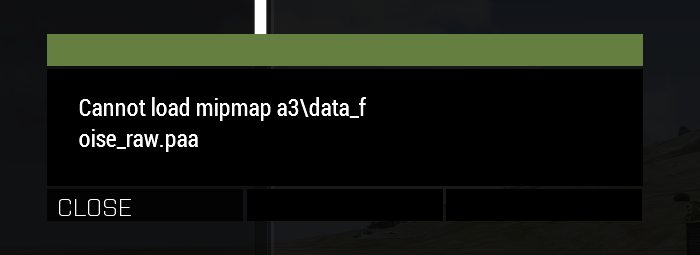
Getting this when going from lobby to in-game, anyone else noticed it
quaint flame
Been profiling a mission and every now and then I get these huge lags.
wFram; 40.34702; 403.33545;""
3dSwp; 40.35285; 403.32861;""
Possible to find out what these are?
total -> wSimu -> rendr -> wFrame -> 3dSwp
feral harness
 blazing wagon
silk pewter
blazing wagon
silk pewter
gonna use this meme until TFAR exists in Reforger, thanks ❤️
full nova
the ingame voice chat in Reforger is already TFAR inspired
restive turtle
blazing wagon
gonna use this meme until TFAR exists in Reforger, thanks ❤️
lol
blazing wagon
full nova
the ingame voice chat in Reforger is already TFAR inspired
heresy
 unreal sparrow
It seems that latest perf branch build crashes the game when saving in helicopter.
Dunno if AFM has anything to do with it, but it was also active.
Mission in which it happened was the Reaction Forces training day scenario.
whole cloud
There was a crash with AFM on game save, but we fixed it?
Are you using the steam branch?
unreal sparrow
Used latest branch from Google drive.
unreal sparrow
Ah, I seem to have missed the .dll in the V00 folder, I only looked in the V01 folder.
Thanks, I'll try in a bit.
unreal sparrow
Hmmm, tried it with latest DLL from the 2.16 V00 folder, still crashes on mission save with exit code 0xC06D007F.
Can't upload .RPT file, but last entries were multiple instances of HELI (H245 SAR): Unknown action ListLeftVehicleDisplay, target HELI and HELI (H245 SAR): Unknown action ListRightVehicleDisplay, target HELI followed by one final instance of Serialization of Display variables is not implemented.
Both latest .DLL and performance .EXE and running 64 bit.
Mods: A3;curator;kart;heli;mark;expansion;jets;argo;orange;tacops;tank;enoch;aow;RF
Version 2.16.151648
Fault time: 2024/04/02 03:43:22
Fault address:  CDF2CF19 01:0002BF19ll C:\WINDOWS\System32\KERNELBASE.dll
file:     M01_TrainingDay
world:    Malden
Prev. code bytes: 6A 95 08 00 48 8D 4C 24 20 48 FF 15 1F 81 1B 00
Fault code bytes: 0F 1F 44 00 00 48 8B 8C 24 C0 00 00 00 48 33 CC
Ran the mission using the basic flight model, same result.
spiral pond
@unreal sparrow you need to upload the mdmp to the A3 FT/DM it to Dedmen
unreal sparrow
Should I just send it under the normal Arma project or under Reaction Forces?
Or is there a perf branch project?
full nova
Only BI employee can open Mdmp files
tribal pasture
full nova
Only BI employee can open Mdmp files
Right click -> Open with -> Notepad

spiral pond
unreal sparrow
Should I just send it under the normal Arma project or under Reaction Forces?
normal A3 project
full nova
tribal pasture
Right click -> Open with -> Notepad
isnt that for rpt and not mdmp
whole cloud
you can open (almost) everything with notepad
 shell lion
Hi, i have a problem with the newest perf branch.
Error:
Fatal error ....\a3master\arma3server_x64Dll\x64\PhysX_64.dll could not be loaded
- server instance a3master
- start instance with cmd.file
On my client version everything works fine (i'm using it since 5-6 years).
Normaly i'm using it on my servers to, but since version 2.16.151633 and 2.16.151648 i can't used it on my first server instance.
I install it with steam cmd or manually with the google drive files (also the dll file), but every time the same issue is coming.
Also I have 3 server instance on my server since 5-6 years with no problems.
Only 1 (main) instance is runnig 24/7, the others are only for testing or events.
But on the others instance the perf branch is active with no problem.
Only on the main instance its not working. I'm looking into the problem since 1 week now and i don't know what to do.
If you need rpt, mdmp and bidmp file i can send it to you.
whole cloud
I had that issue once, couldn't see how/why it happened and also cannot reproduce it
Can you reproduce it?
Dumb fix would be, copy your Dll folder and name the copy arma3server_x64Dll
spiral pond
shell lion
Hi, i have a problem with the newest perf branch.
__**Error:**__
***Fatal error...
the command line could be interesting - its listed at the start of the rpt. can you please share it in here
shell lion
spiral pond
the command line could be interesting - its listed at the start of the rpt. can ...
I'm texting with Dedmen and he found the problem. But thx
unreal sparrow
I just tested it again to make sure it's not related to the RF helicopters and tested without DLC, I am uploading the logs to the feedback tracker right now.
whole cloud
unreal sparrow
I just tested it again to make sure it's not related to the RF helicopters and t...
0xC06D007F: Procedure not found (parameters: 0x0000009FF3DFC880).
E:\Program Files\Steam\steamapps\common\Arma 3\Dll\x64\RTDynamics_64.dll
06.03.2024 13:10
Your DLL is from 06.03
The saving game crash was fixed on 11.03
You have a old DLL
huh. Profiling 2.14 v22 on google drive also has the wrong dll
whole cloud
unreal sparrow
I just tested it again to make sure it's not related to the RF helicopters and t...
https://drive.google.com/drive/folders/1IgD3SMZoaKmcV5Nz8qtH-J9L21-a7Eiq Here is the correct one
unreal sparrow
Hmmmm, I downloaded that one from the V00 in the 2.16 folder.
As I said.
So I don't know why it would crash like that.
whole cloud
Because thats the wrong one, outdated
unreal sparrow
lmao
Ah, I missed the part that wasn't highlighted by the ping, my bad.
Thanks for solving it.
 marble mason
When remote controlling (from Zeus or UAV from terminal) while in helicopter pilot seat, heli slowly rolls backwards onto tail until it explodes. Perf only and AFM only.
Tested with AH-9
random isle
marble mason
When remote controlling (from Zeus or UAV from terminal) while in helicopter pil...
no issues here we use remote control all the time but only to local units
marble mason
Video of what im talking about.
https://youtu.be/G3waDEnBui8

My Specs
Win 10 64bit
MOBO: ASUS TUF X570-PLUS
CPU: AMD 5950X
RAM: 32GB 3000 MHz DDR4
GPU: MSI GeForce GTX 1080 GAMING X 8G
Storage: 2X 1TB M.2 NVME Samsung 970 EVO
Headset: Corsair H2100
Keyboard: Corsair K95 RGB
Joystick: Logitech Extreme 3D Pro
Mouse: Alienware TactX Gaming Mouse
Settings: Ultra, 10000m draw distance
Gameplay recording soft...
 celest sparrow
never tried it from that side, interesting bug
random isle
celest sparrow
never tried it from that side, interesting bug
we get bug where if you in menu the engine speed drops to 0
ashen helm
with AFM enabled?
random isle
ashen helm
with AFM enabled?
never used afm
ashen helm
on arcade model I haven't seen any such issue
marble mason
yes only AFM
whole cloud
There is also age old issue where when using joystick input, going to menu would drop throttle to zero
maybe same thing?
marble mason
whole cloud
There is also age old issue where when using joystick input, going to menu would...
Idk I also tested with ghosthawk and it took off and floated away 😂, seems like the opposite problem.
feral harness
marble mason
Video of what im talking about.
https://youtu.be/G3waDEnBui8
does this happen on 2.14? code is Arma3Legacy214 on steam
marble mason
feral harness
does this happen on 2.14? code is Arma3Legacy214 on steam
Yes it does, dont know when it started but just recently noticed it.
feral harness
probably always been like that no one touched this in years until recently
ashen helm
I firmly believe this wasn't the case before but I cannot change the audio output anymore, once game is started with specific device selected in Windows you cannot change it mid game. Same for the screen ratio settings, also get defaulted no matter what option you choose
 whole cloud
I can atleast tell that if you play the game with -noSound, then changing audio output doesn't work
Seems to be fine for me.
I can atleast confirm that it goes away, and comes back switching with a channel that I cannot hear
ashen helm
I have nopauseaudio enabled and game running with reaction forces only. I'll see if getting rid of any of those makes difference
right now I can select whatever device I want and sound will be played through the one chosen in windows anyway
if I select my speakers from the dropdown and click OK, upon reopening the audio settings the output device selected is Default. If I select the headphones (and are default in windows), on reopening the menu output is as headphones, not default
ashen helm
ashen helm
I have nopauseaudio enabled and game running with reaction forces only. I'll see...
disabled both, same outcome
heavy galleon
Oh yeah, engine power going to 0 when in pause menu has been happening for a long time.
I kinda assumed it was intended at this point
inland dew
whole cloud
There is also age old issue where when using joystick input, going to menu would...
same with keyboard, when flying a jet - power goes from 100 to 0
has always been like this
woven loom
Yup, would be great if it didn't happen
Great way to crash if you want to quickly change a keybind or video option
marble mason
Or any GUI really, god forbid you want to type something in chat, or look at ctab or change a radio channel...
woven loom
ah, i don't fly in MP so didn't realise it happened while accessing chat as well
 light cargo
full nova
Only BI employee can open Mdmp files
light cargo
full nova
Only BI employee can open Mdmp files
untrue, but anyone with source code access can use the symbols with it
autumn timber
light cargo
untrue, but anyone with source code access can use the symbols with it
Are you implying that some people that are not from BI have access to the current source code?
||May I have their phone number? 😉 ||
random isle
inland dew
same with keyboard, when flying a jet - power goes from 100 to 0
yep same here, some times also when you hovering in helo it starts to go forward lol
light cargo
autumn timber
Are you implying that some people that are not from BI have access to the curren...
no lol
patent dome
Technically anyone can open the MDMP files in VS, but it's useless without the source code or debug symbols.
whole cloud
light cargo
untrue, but anyone with source code access can use the symbols with it
source code doesn't have the symbols though, the pdb files do. Which are not part of the source code
light cargo
i cant seem to limit the ram used by the game
woven loom
i feel like you've provided far too little info to even guess at what's happening
vanilla or mods? over how much time are you seeing the behaviour? do you have graphs? what is the outcome of this supposed leak? does your game crash?
 azure jewel
a little bug:
BWMod -> MELLS launcher: missile will explode in air, it should explode after hit something
addons:
cba_a3
ace(required for manual missile control)
BWMod
silk pewter
azure jewel
a little bug:
BWMod -> MELLS launcher: missile will explode in air, it shou...
is it perf-prof related or just a mod issue?
azure jewel
silk pewter
is it perf-prof related or just a mod issue?
maybe its a prof branch bug:
this bug happens in prof branch(2.16.151648) while working normally in steam default branch(2.16.151618).
moreover, in the 2.14, theres no bug in v16(2.14.151459), the bug appeared since v17(2.14.151512).
by the way, v17 use a RTDynamics_64.dll file
random isle
Hmm just had server crash on startup said something about physics didn’t get the crash log 😦
light cargo
woven loom
vanilla or mods? over how much time are you seeing the behaviour? do you have gr...
even with light mods my usage is easily reaching 6-10gb especially over time, the issue with this is that arma might crash but its also causing freezes due to my system paging to disk, arma doesnt hang badly but other applications do because its taking over the physical ram
whole cloud
random isle
Hmm just had server crash on startup said something about physics didn’t get the...
Windows? Known already fixed internally
random isle
whole cloud
Windows? Known already fixed internally
yeah windows latest pref, cheers!
random isle
off topic a bit, is there something like YAAB that can run in headless mode say on server ? Building new server for our community and trying to fine tune settings.
light cargo
random isle
off topic a bit, is there something like YAAB that can run in headless mode say ...
woven loom
light cargo
even with light mods my usage is easily reaching 6-10gb especially over time, th...
I think the solution there is to add more RAM and/or use an SSD for arma... having total RAM usage be 6-10GB while Arma is running is pretty normal, but if you have 16GB or more of RAM then it shouldn't be a problem
I've seen page file usage with 16GB and chrome open in the background with dozens of tabs
not seen arma noticeably use page file with 32GB of RAM
light cargo
woven loom
I think the solution there is to add more RAM and/or use an SSD for arma... havi...
i have 16gb, it runs fine up to a certain point, everything else freezes up, it scales well, well, it depends if you have 25gb of chrome, im guessing that gets all paged to fit arma 3
also it doesnt help that my motherboard is cursed
it works for everyday operations but it has memory errors and when the cpu usage is too high it may become unresponsive
woven loom
well that seems like a hardware issue 😅
light cargo
motherboard issue
woven loom
memory errors = replace RAM
light cargo
only in memtest i had memory errors
there doesnt seem to be any errors in general use
but i guess i might as well be using dirty ram without knowing it
woven loom
yes that means the RAM has issues and can lead to issues like freezing and becoming unresponsive
light cargo
it been almost 10 years
woven loom
definitely would suggest replacing the faulty RAM sticks
light cargo
i suppose ddr3 cl9 isnt very compatible with this motherboard or something
anyways, i want to limit memory usage for arma 3 and i seem unable to do so in this branch or im not seeing the effect
woven loom
motherboards usually try and run the most stable configuration. if it's running JDEC specs and still throwing errors then you have bad sticks
woven loom
light cargo
anyways, i want to limit memory usage for arma 3 and i seem unable to do so in t...
but your problem is hardware, not limiting arma memory usage...
light cargo
i still would like to limit arma 3 memory usage to somewhat alliveate part of the issue
cloud nacelle
light cargo
i still would like to limit arma 3 memory usage to somewhat alliveate part of th...
The system memory limit for Arma 3 is not a strict limit, the game is allowed to go over the limit if necessary, but it will try to stay under it. You can reduce memory usage by using less assets, so try playing on "simpler" maps, using less mods etc.
light cargo
cloud nacelle
The system memory limit for Arma 3 is not a strict limit, the game is allowed to...
using less mods still yields a moderately high memory usage after a longer time
heavy vortex
That's working as intended since 2.16, I think. You can set -maxmem=4096 to approximate the previous behaviour. Or 5-6GB for a bit of margin.
light cargo
what was the issue?
woven loom
Issue was that arma wasn't using enough RAM lol
 cunning acorn
does this code for profile brenching still work? CautionSpecialProfilingAndTestingBranchArma3
 worldly badge
No. Profiling doesn't require pass anymore
whole cloud
2.16.151697 new PROFILING branch with PERFORMANCE binaries, v2, server and client, windows 64-bit, linux server 64-bit
- Tweaked: Added a cache of recent Regex patterns for regex* script commands
- Fixed: Heal actions did not appear when touching water (now they only need to have the upper body out of water) - https://feedback.bistudio.com/T178578
- Fixed: "soundFly" of shots was not simulating the speed of sound - https://feedback.bistudio.com/T178099
- Fixed: Potential error at game start complaining about a missing DLL
- Fixed: Feature objects, that are under the mouse cursor while an Eden Editor world is cleaned up, could get stuck as ghost objects - https://feedback.bistudio.com/T174009
- Fixed: Script errors in params would not print context to RPT (thanks @boreal wigeon)
- Fixed: Script errors in params would not trigger the ScriptError Event Handler
- Fixed: Game freeze and later crash when pressing Alt+F4 with an inventory display open
- Fixed: Possible crash on game exit (introduced with 2.14)
- Fixed: Editor mission could get stuck as "Multiplayer" even with only one playable unit (thanks @patent wraith)
- Fixed: setUnitLoadout did not trigger the SlotItemChanged Event Handler as expected - https://feedback.bistudio.com/T180338
- Fixed: Mission Event Handlers for markers were not triggered locally with Zeus curator changes
- Fixed: Zeus edited marker position and direction did not broadcast to remote clients
If you don't want to use the Steam branch, the files are also available for alternative download here:
https://drive.google.com/drive/folders/15p9j7C2nHUt6NoVfChX4YFuqzFXzblJh
Note: There are separate Dll files that also need to be placed into Game folder.

whole cloud
whole cloud
2.16.151697 new PROFILING branch with PERFORMANCE binaries, v2, server and clien...
heavy vortex
light cargo
what was the issue?
Well, 4GB isn't always enough. Depends on detail settings, map, mod usage. Trouble is that Arma doesn't have much understanding of how much RAM it needs. It keeps allocating memory until it hits the defined limit, and only then does it look for things to free.
whole cloud
azure jewel
a little bug:
BWMod -> MELLS launcher: missile will explode in air, it shou...
What do you mean by "in air"
I can fly for 2km without it exploding.
You mean that? I aimed the missile into the ground, but the explosion particle effect is high up in the air?
 azure jewel
whole cloud
What do you mean by "in air"
I can fly for 2km without it exploding.
azure jewel
whole cloud
What do you mean by "in air"
I can fly for 2km without it exploding.
In stable branch, the missile flys about 40 seconds(~4000 on top left corner of screen), while flys only ~8 seconds in prof branch
whole cloud
Mh weird. I just got it to fly over 15 seconds in VR.
On Stratis its indeed about 10.
But also on Stratis, if I aim the missile into the ground immediately after it launches, it "hits" about 20 meters early and explodes in the air above the ground. interesting
Huh.. On my internal build everything is fine though 😕
whole cloud
bwa3_mells\functions\handleCameraAiming.sqf
Line 32 calls setDamage to trigger the missile, even while its still in the air
private _dirCam = vectorDir bwa3_mells_camera;
private _dirMissile = vectorDir bwa3_mells_currentMissile;
private _difference = acos ((_dirCam vectorDotProduct _dirMissile) / ((vectorMagnitude _dircam) * (vectorMagnitude _dirMissile)));
if (_difference > 130) then {private _charge = "DemoCharge_Remote_Ammo_Scripted" createVehicle (getPos bwa3_mells_currentMissile); deleteVehicle bwa3_mells_currentMissile; _charge setDamage 1;};
If the difference between camera aim direction and missile fly direction is too high?
_dirMissile = [0.255782813, 0.949058771, -0.184018314]
_dirCam = [0.255783439, 0.949061632, -0.184002817]
_difference = -nan(ind);
mh.
Yeah

exact same code in my local internal build.
What the frick
 silk pewter
what did you brokeded
whole cloud
(_dirCam vectorDotProduct _dirMissile) is 1
acos (_dirCam vectorDotProduct _dirMissile) is -nan(ind)
Thus
acos 1 is... 0 ? ??? ???? ? Wat
Aha, rounding! toFixed to the rescue
acos is only valid with inputs between -1 and 1
acos 1.00000011920928955078 is greater than 1, and returns nan
That is correct behavior for acos (which is btw undocumented on wik)
https://developer.mozilla.org/en-US/docs/Web/JavaScript/Reference/Global_Objects/Math/acos
https://en.cppreference.com/w/cpp/numeric/math/acos
Maybe it didn't behave correctly in previous Arma versions?
_dirMissile = [0.255782813, 0.949058771, -0.184018314];
_dirCam = [0.255783439, 0.949061632, -0.184002817];

((_dirCam vectorDotProduct _dirMissile) / ((vectorMagnitude _dircam) * (vectorMagnitude _dirMissile))) toFixed 20
Internal build: "0.99999988079071044922"
Profiling branch: "1.00000011920928955078"
How is that possible, its the same code
silk pewter
whole cloud
That is correct behavior for acos (which is btw undocumented on wik)
<https://de...
so -1 <= input <= +1, otherwise NaN?
whole cloud
silk pewter
so `-1 <= input <= +1`, otherwise `NaN`?
yes
analog acorn
whole cloud
```sqf
_dirMissile = [0.255782813, 0.949058771, -0.184018314];
_dirCam = [0.255...
Maybe float precision got recalibrated by one of the engine updates or something?
whole cloud
silk pewter
(tell me if aTan, aSin etc too)
silk pewter
whole cloud
asin yes <https://en.cppreference.com/w/cpp/numeric/math/asin>, atan no <https:/...
done
(thanks)
whole cloud
(_dirCam vectorDotProduct _dirMissile) toFixed 20
Internal: "1.00000011920928955078"
Prof: "1.00000011920928955078"
2.12 profiling: "1.00000011920928960000"
(((vectorMagnitude _dircam) * (vectorMagnitude _dirMissile))) toFixed 20
Internal: "1.00000023841857910156"
Prof: "1.00000000000000000000"
2.12 profiling: "1.00000023841857910000"
(vectorMagnitude _dircam) toFixed 20
Internal: "1.00000011920928955078"
Prof: "1.00000000000000000000"
2.12 profiling: "1.00000011920928960000"
((_dirCam vectorDotProduct _dirMissile) / ((vectorMagnitude _dircam) * (vectorMagnitude _dirMissile))) toFixed 20
Internal: "0.99999988079071044922"
Profiling: "1.00000011920928955078"
2.12 profiling: "0.99999988079071045000"
acos ((_dirCam vectorDotProduct _dirMissile) / ((vectorMagnitude _dircam) * (vectorMagnitude _dirMissile)));
Internal: 0.0279765
Profiling: -nan(ind)
2.12 profiling: 0.0279765
🤔
vectorMagnitude supposed to be 1, vectorDir of a entity should always be normalized.
silk pewter
x32 vs x64? ^^'
 whole cloud
(vectorMagnitude [0.255783439, 0.949061632, -0.184002817]) toFixed 20
2.16 Profiling from steam: "1.00000000000000000000"
2.12 Profiling from steam: "1.00000011920928960000"
My local profiling build: "1.00000000000000000000"
My local internal debug build: "1.00000011920928955078"
My local internal release build: "1.00000000000000000000" 😠
Visual Studio you 🤡
restive pilot
whole cloud
`(_dirCam vectorDotProduct _dirMissile) toFixed 20`
Internal: `"1.00000011920928...
vectorDir of a entity should always be normalized.
no
for scaled objects it's not
whole cloud
It really reallys shouldn't
restive pilot
whole cloud
```sqf
_dirMissile = [0.255782813, 0.949058771, -0.184018314];
_dirCam = [0.255...
How is that possible, its the same code
is something changed regarding floating point accuracy? (fast vs precise)
maybe it does the math differently due to ordering
(iirc Arma uses fast)
yeah, fast
restive pilot
with floats some changes do make a difference
heavy vortex
I guess every time you use acos you just have to fence the damned thing.
I'm not sure that even precise would guarantee vectorMagnitude vectorNormalized _vec <= 1
whole cloud
Release build:
Our code: return sqSize * (1/sqrt(sqSize))
The generated assembly code: return sqrt(sqSize)
sqSize = 1.00000012
sqrt(sqSize) = 1.00000000 (thats wrong. Should be 1.00000006)
Enf result "1.00000000000000000000"
Debug build:
Our code: return sqSize * (1/sqrt(sqSize))
The generated assembly code: return sqSize * (1/sqrt(sqSize))
sqSize = 1.00000012
sqrt(sqSize) = 1.00000000 (thats wrong. Should be 1.00000006)
1/sqrt(sqSize) = 1.00000000
sqSize * (1/sqrt(sqSize)) = 1.00000012
End result "1.00000011920928955078"
Optimizer is trying to be smart
I don't understand why our code is so weird.
magnitude is supposed to be sqrt(sqSize). For some reason we do sqSize*(1/sqrt(sqSize)).
Result is generally the same, if the sqrt is calculated correctly.
If the sqrt is calculated wrong for close to 1.0, then that saves our butt. Maybe the code is there specifically for that messup
But MSVC decided to optimize out our butt saving. What journey...
heavy vortex
I guess if sqrt is consistently off when close to 1 then it makes some sense. Never seen that done before though.
gritty wasp
whole cloud
```sqf
_dirMissile = [0.255782813, 0.949058771, -0.184018314];
_dirCam = [0.255...
C++ undefined behaviour? Different compiler versions?
whole cloud
its not undefined, yeah we updated compiler
I followed that code back till july 1999 where
Coord Size() const {return sqrt(X()*X()+Y()*Y()+Z()*Z());}
was changed to
Coord Size() const
{
    //return sqrt(X()*X()+Y()*Y()+Z()*Z());}
    // optimization: |v|=|v|*|v|/|v|
    float size2=SquareSizeInline();
    Coord invSize=InvSqrt(size2);
    return size2*invSize;
}
The comment was "Improved attacks."
I guess I'm not getting any info out of this for why
But clearly this unexplained change from 1999, is now essential
heavy vortex
what exactly does InvSqrt() do there?
whole cloud
1/sqrt(x)
heavy vortex
you have a function for that? :P
whole cloud
Probably because it was once in the past fastInvSqrt
whole cloud
it optimizes
x * (1/sqrt(x))
->
sqrt(x)
and uses sqrtss
heavy vortex
Curious. sqrtss is supposed to be bit-accurate as far as I can tell.
ah wait, that's bit-accurate.
whole cloud
Ah yes
1.00000000 (thats wrong. Should be 1.00000006)
Correct.
But.
3f800001 is 1.00000012
1.00000006 is between 3f800000 and 3f800001
it cannot return the correct value, it would be half a bit
silk pewter
then fix it!
whole cloud
Should I even bother reporting this to microsoft 😓
It ends up with one bit being rounded down instead of up
heavy vortex
Pretty sure that's an acceptable result for fast
whole cloud
the sqrt yes
But we know that sqrt fails in fpfast. And thats why we use that workaround (I assume)
and that workaround worked fine till VS2017
That workaround would still work, if it wouldn't wrongly optimize it away
in fpprecise it can optimize it away, because sqrt is correct there and it doesn't matter
heavy vortex
hmm. Surely sqrt(1.00000012) is still 1 in fp:precise?
It's just not allowed to do the x/sqrt(x) optimization.
silk pewter
I believe you can use #pragma, or unsafe code, to prevent such optimisation?
heavy vortex
Might work on MSVC at least: https://learn.microsoft.com/en-us/cpp/preprocessor/float-control?view=msvc-170&viewFallbackFrom=vs-2019

Describes the usage and effects of the float_control pragma directive. The float_control directive controls the state of floating-point precise semantics and exception semantics at runtime.
Not sure how deep this goes though, or whether it covers all the cases. Feels like the fundamental flaw is that acos is single-bit reliant and you shouldn't use it.
whole cloud
heavy vortex
hmm. Surely sqrt(1.00000012) is still 1 in fp:precise?
Ah yeah I'm wrong it also rounds down in fpprecise.
But it doesn't optimize away the fix (it optimizes it somewhat, there is no mulss in there, but it gets it right in the end)
Ah yeah it turns the
x*1/sqrt into a x/sqrt
restive turtle
So smort 
whole cloud
heavy vortex
Might work on MSVC at least: https://learn.microsoft.com/en-us/cpp/preprocessor/...
#pragma float_control(precise, on)
float D(float x)
{
    return x * 1/std::sqrt(x);
}
#pragma float_control(precise, off)
That works but it turns the sqrt from sqrtss instruction, into a sqrt function call... ugh.
Its weird that it does that, with /fp:precise compiler flag it still uses sqrtss.
float D(float x)
{
    return _mm_div_ss(_mm_set_ps1(x), _mm_sqrt_ss(_mm_set_ps1(x))).m128_f32[0];
    //return x * 1/std::sqrt(x);
}
This works as desired.. I hate it 🤣
heavy vortex
Does it work in GCC? :P
(turns out five others things were compiler-broken in GCC already)
analog acorn
Is there not like a "I know. This is like this on purpose. Don't optimise it." flag to stop it touching that bit of code?
whole cloud
GCC we don't even set fast math
It goes the whole way
D(float):
        movaps  xmm2, xmm0
        rsqrtss xmm2, xmm2
        movaps  xmm1, xmm2
        mulss   xmm1, xmm0
        mulss   xmm1, xmm2
        mulss   xmm2, DWORD PTR .LC1[rip]
        addss   xmm1, DWORD PTR .LC0[rip]
        mulss   xmm1, xmm2
        mulss   xmm0, xmm1
        ret
I'm just not gonna ask how
sqrt, div, mul
turns into
rsqrt, mul, mul, mul, add, mul, mul
heavy vortex
That's the NR step
heavy vortex
lol
whole cloud
I love these bugs.
A compiler optimization caused one least significant bit of a float to be flipped. Causing missiles to explode mid-air.
All fixed ✅ Next week prof
 light cargo
'99 is what, ofp?
random isle
ofp
light cargo
yeah
random isle
same code still yep
 pallid pebble
whole cloud
I love these bugs.
A compiler optimization caused one least significant bit of a...
pallid pebble
whole cloud
I love these bugs.
A compiler optimization caused one least significant bit of a...
stuff like that makes me appreciate not working in development full time 😄
fickle geyser
but solving stuff like this is fun
vivid rune
Does AR also benefit from that finding?
restive turtle
vivid rune
Does AR also benefit from that finding?
Different engine but probably not
woven loom
whole cloud
I love these bugs.
A compiler optimization caused one least significant bit of a...
What a wild ride, fun to read through 😄
vivid rune
restive turtle
Different engine but probably not
I know but the issue is caused by the compiler not the engine.
woven loom
yeah but the workaround that broke might not be relevant
heavy vortex
You really shouldn't use acos for that in Reforger because it'll be much slower than comparing the dot product result directly.
woven loom
I'm seeing periodic dips in 99th percentile presented fps, one dip about every 3s. Is this some sort of engine calculation? Happens on completely blank maps, as well as an in VR.
https://imgur.com/a/FZEbhsG
(graphs from intel presentmon 2.0)
night mulch
Check if you have the steam infinite download loop bug
ashen helm
Alternatively, unsubscribe from all compositions and scenarios
woven loom
no steam isn't downloading anything, only had WS and RF loaded.
this isn't noticeable to the naked eye normally, i'm just curious what's happening
quaint flame
Use diag exe and captureSlowFrame
plain trout
If I look at steam when that happens I see how arma is trying to redownload every mod I have installed only to „realize“ it’s already properly installed and doesn’t need downloading. I’m subbed to 400ish mods and it’s always a joy. 4090 and 7950x3D made the situation better, but it is still recognizable.
light cargo
i got a crash on exit
light cargo
sent dump to dedmen already fyi
woven loom
quaint flame
Use diag exe and captureSlowFrame
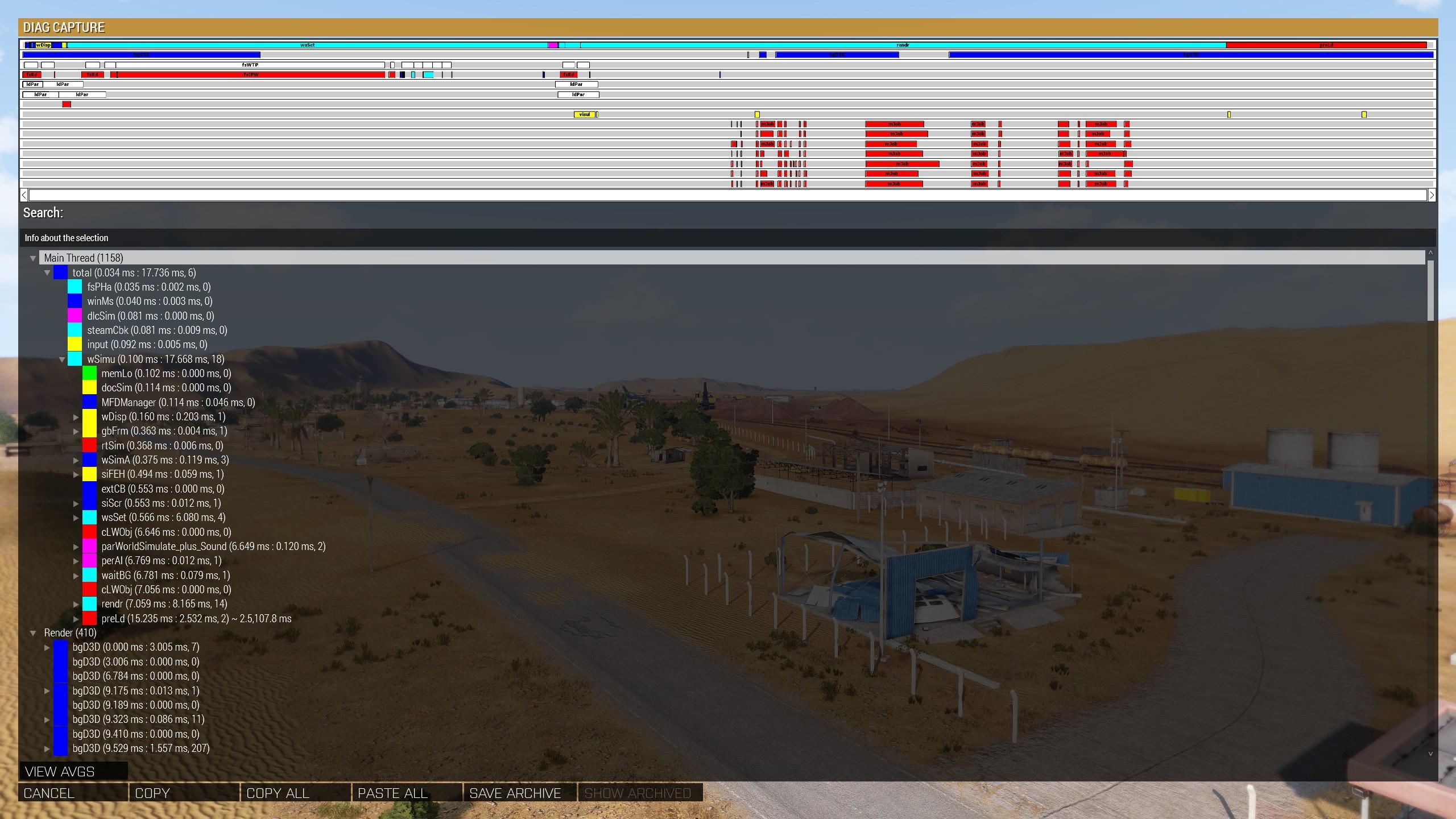
Looks like wSimu is the culprit?
(Completely empty map, capture triggered when frame time falls below 0.016s, i.e. 60fps)
heavy vortex
wSimu has pretty much everything in it.
woven loom
Well i don't have the ability to diagnose this further...
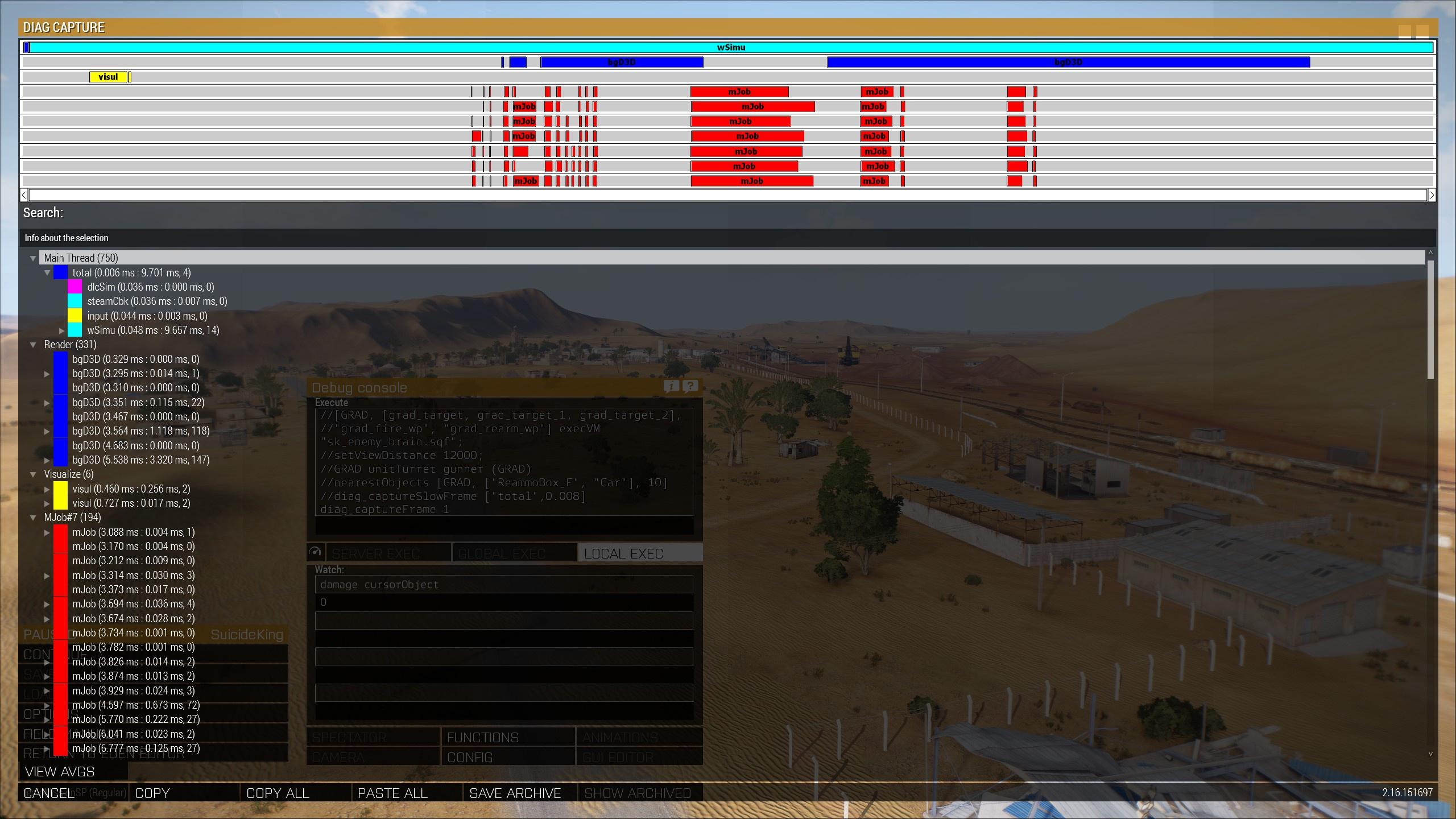 heavy vortex
Expand wSimu like in the other shot.
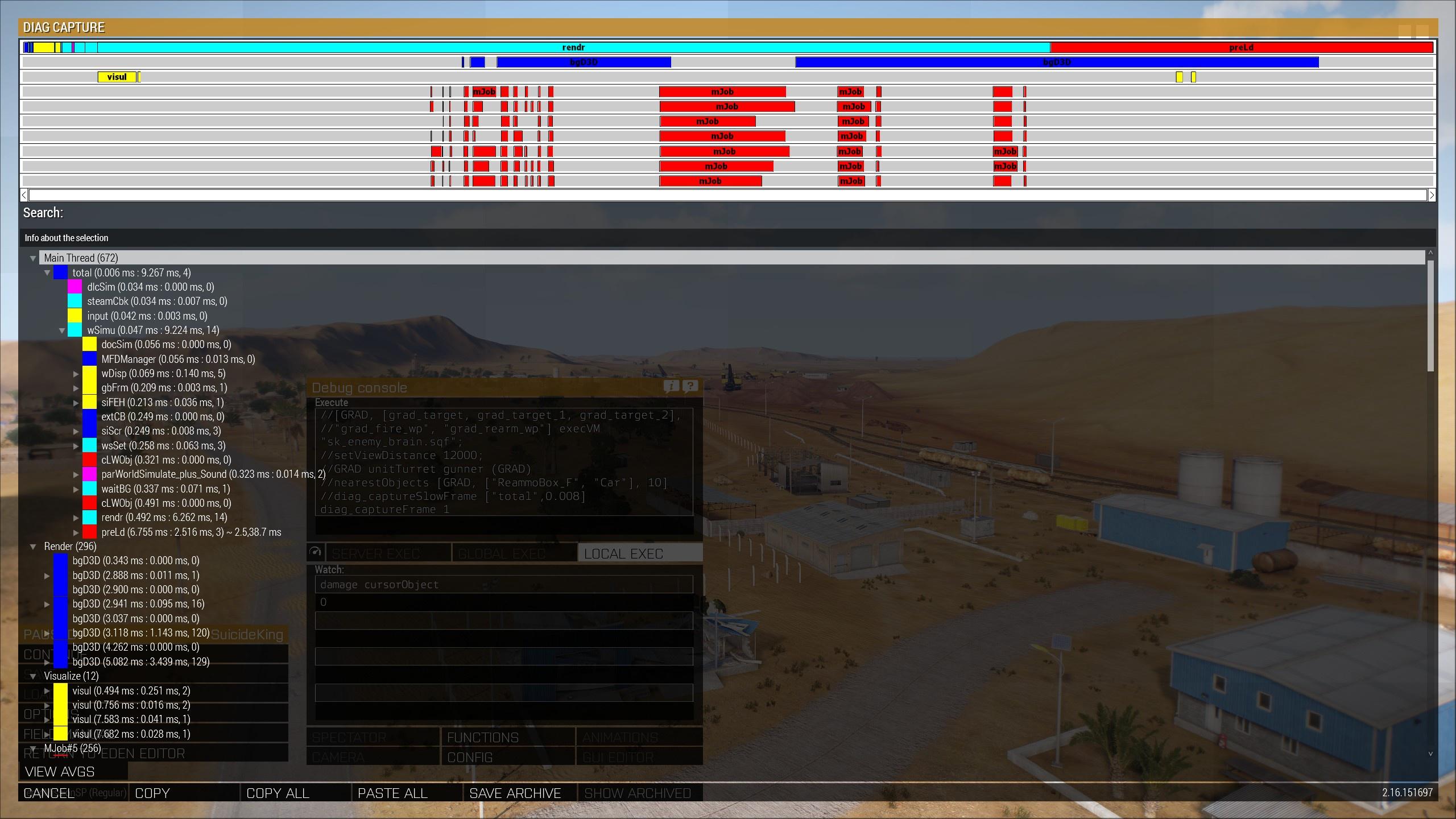 heavy vortex
Yeah, most of the difference there is wsSet, although rendr time is a bit extended too.
woven loom
Yeah...
heavy vortex
If you hit "copy all" on a slow frame then it'll give you the whole snapshot as portable text that other people can look at.
woven loom
Awesome, will just do that and post! Thanks for the help!
heavy vortex
I need to sleep but I'll have a poke at it tomorrow.
I can only guess like 1/5 of the categories, but hey :P
heavy vortex
That one might be a relatively rare spike. Or the other way around.
Gotta figure which is the more common one.
woven loom
Fast frame: https://pastebin.com/qEBL6PP4
Slow frame: https://pastebin.com/P5zijS0r
spiral pond
imo the main problem is
-
data analysis - one off events can happen; unless very extreme impact (ie to cause mini freeze or worse), you rather want to know what has frequently/continuously a relevant impact. for that you need statistics and visualization
-
lack of data export/pipe to even get that data - the diag command to log that is broken in A3
heavy vortex
So which was common? The dlcSim spike or the wsSet spike?
woven loom
Not sure how to even get that info, much less tell you the result
The wsSet spike happens even when the dlcSim and steamCbk spikes happen, so I'd assume wsSet is the regular one. But I don't even fully understand what the numbers mean or how they add or interact with each other.
But beyond that not sure what to do. I could capture 1200 frames and send it to dedmen/KK I guess, or make a feedback ticket with the captures attached (repro is easy, just sit on a blank map, I've seen it with both the WS map and Altis)
But it would be good to know if this is even something worth doing or if I'm wasting time
And that's if the capture to file works (kju suggests it's broken?)
But like I said on my system in this controlled test the effect is mostly not noticeable. However I'd assume on slower systems it will contribute to a stuttery experience, or even on fast systems it could stack with other sources of microstutters to become noticeable. Arma does a reasonable job of frame pacing so it manages these drops better than other games imo.
spiral pond
@woven loom do you execute this from console while simulation is halted?
if so, you need to use spawn with some sleep and close the console, so it catches the full simulation
otherwise do in MP (local host) where console doesnt stop simulation
it seems to me you also misread the info
the first value is a "timestamp" - the second is the "duration"
you can use right arrow key to automatically open the longest frame level by level
whole cloud
The captures are not detailed enough for precise analysis. It tells roughly where the issue is, but it's still alot of code.
You could do precise profiling with Intel v-tune. I can then analyze the files it recorded.
I'll need a game crash dump from same PC together with that though
woven loom
Hmm well there's no crash
woven loom
woven loom
I'm seeing periodic dips in 99th percentile *presented* fps, one dip about every...
Just an fps dip
woven loom
spiral pond
<@105063877850497024> do you execute this from console while simulation is halte...
Yeah... Cool I'll try again with the spawn. Thanks for the info on timestamps and tip on the arrow keys, couldn't find it on the wiki (might have missed it).
woven loom
whole cloud
The captures are not detailed enough for precise analysis. It tells roughly wher...
I'll try and see if I can figure out v-tune though 🤔
Okay no it looks beyond me lol. I'll just try and get better frame captures through Arma and report back.
spiral pond
whole cloud
The captures are not detailed enough for precise analysis. It tells roughly wher...
Right. Still for narrowing down a problem or with statistical analysis, it can give pointers. Still next step is still deeper analysis by other means.
whole cloud
Maybe I should make a tutorial on vtune
pallid pebble
whole cloud
Maybe I should make a tutorial on vtune
Do it 
woven loom
That would be super helpful!
woven loom
Ugh i did more testing but forgot that splendid camera pauses simulation
it actually doesn't if you start in splendid cam (i.e. if there is no player unit) in SP.
silk pewter
@sour ridge #reforger_troubleshooting
 sour ridge
silk pewter
<@804233558108930059> <#976190496143708191>
sour ridge
silk pewter
<@804233558108930059> <#976190496143708191>
thank you
woven loom
Well there's a feedback ticket for this now
Periodic microstuttering observed with empty maps
https://feedback.bistudio.com/T180665
Documented stuff as best as I could with relevant screenshots and frame capture output in text form as well
woven loom
I have another weird performance issue, but this is a proper slowdown. While in 3DEN, Looking at the horizon drops the frame rate to ~15 fps.
I haven't tested extensively, but so far it happens:
- only in eden
- only when there are a several dozen units and objects (i don't know exact thresholds)
- with the WS map but seems not to happen on Altis (tested with other scenarios)
- on both stable and profiling branch
- only when looking at the horizon in a particular angle
- scales non-linearly with overall view distance: with 2km vd i get ~300 fps, with 3km it's already 140-ish, at 5km it's around 60, 12km it's 15.
I have a repro mission in case it's of interest
frame capture:
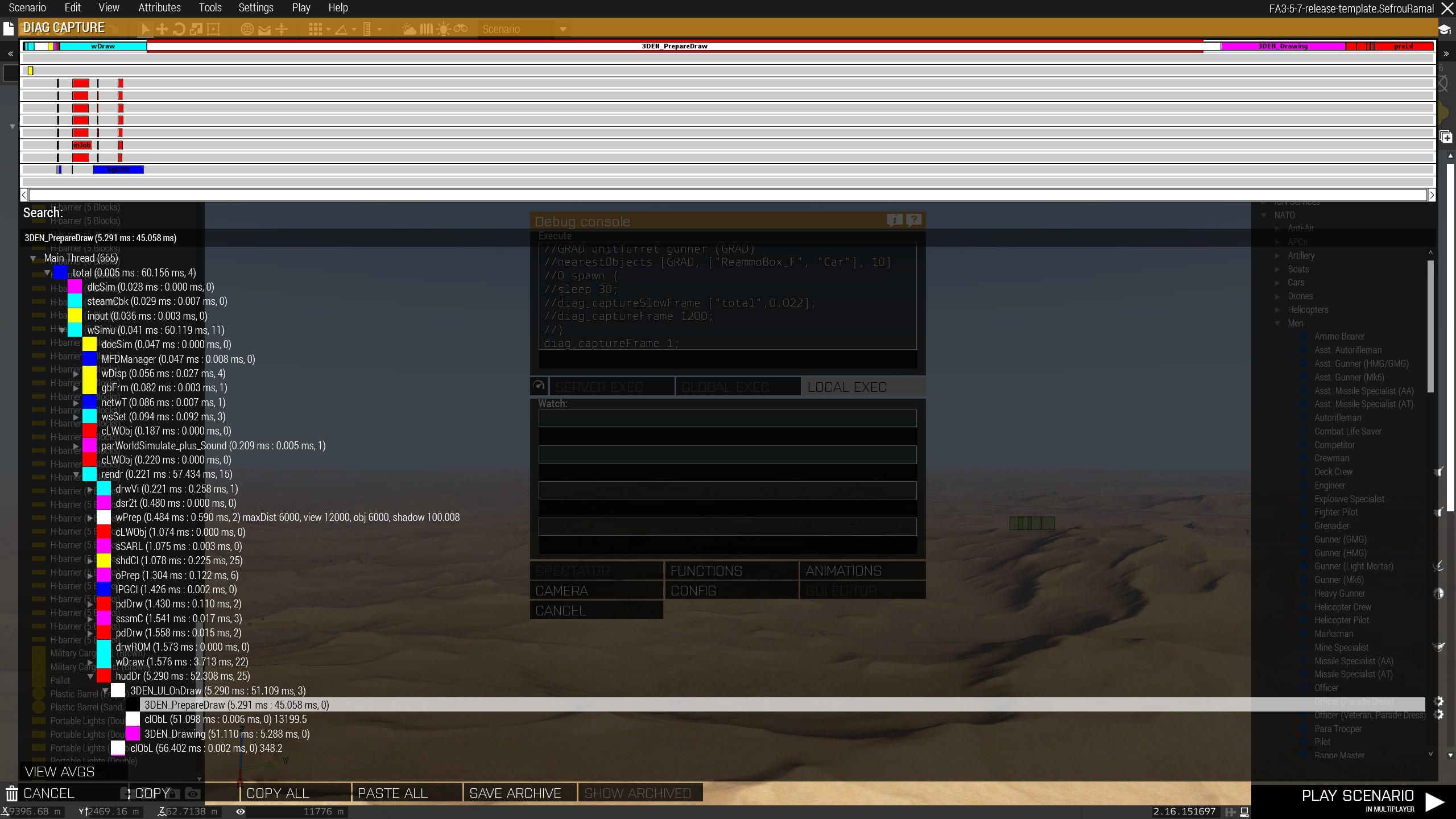
culprit seems to be wSimu -> rendr -> hudDr -> 3DEN_UI_onDraw -> 3DEN_PrepareDraw
quaint flame
3D icons maybe?
woven loom
Possibly... i see the regression even when not looking towards any of the units/groups... and then doesn't quite explain why the performance keeps dropping with increasing view distance, because i don't have things beyond maybe 5km from the camera (might be even less really but i didn't measure).
It also happens regardless of how far i am from units, like even if i'm super close to the ground and to some units. As long as i look towards the horizon it happens. If the (roughly) centre of the camera looks away from the horizon, performance goes back up.
Forgot to mention, i see this behaviour even in the loadout editor (virtual arsenal)
(i.e. click on unit on the map -> edit loadout)
whole cloud
Oki but who cares about performance in Eden as long as it's above 20fps 
worldly badge
3D icons are very expensive as far as I can see
gritty wasp
whole cloud
Oki but who cares about performance in Eden as long as it's above 20fps <:meowtr...
But 15 < 20
woven loom
☝️
whole cloud
gritty wasp
But 15 < 20
Ah I can't read :sad:
woven loom
It's also that the wild swings in FPS makes it feel very stuttery. If it was dipping down to like 40 or 50 i wouldn't even notice
whole cloud
woven loom
culprit seems to be `wSimu -> rendr -> hudDr -> 3DEN_UI_onDraw -> 3DEN_PrepareDr...
How nice that eden has so nice names.
Thank you this is fun
20fps.

20° to the left, 150fps.
I have hundreds of objects placed, but they are all behind me
 silk pewter
I suppose a failed culling?
whole cloud
It is in UI_onDraw, but not inside PrepareDraw for me.
Its drawing lines for objects, outside of terrain bounds, so it triggers terrain synth (Which vanilla terrains don't have)
Weird thing, there isn't any object outside of terrain bounds, and I also don't see any lines on screen.
Even when directly looking at hundreds of objects infront of me, I get 90fps, not barely 20
3000 signs are fine.
1000 building ruins are baaaad.
Dangit.
Pressing backspace to hide the UI makes the issue go away, and it doesn't come back. What is this 🤣
Having the 1000 buildings selected, behind you out of view. even goes down to 1.5fps.
Something is wrong with the check if something is in view indeed
No! Its again drawing lines.
The line that goes from object down onto terrain.
For some reason its drawing it in wrong place, when its behind camera.
My signs were fine because they were on the ground.
There is a minimum distance of 0.00001 meters for the lines. (lol why isn't it like.. 10cm, that should be enough)
So objects that are on ground, don't draw
omfg :/
For every line that is drawn. The camera calculates screenToWorld [0.5, 0.5]
So its does a lineIntersect from camera, in camera view direction, till it hits terrain (based on view distance).
When your camera aims far outside of terrain, boom.
In my 1.5fps case, that is a 9km lineIntersect, outside of terrain so it has to dynamically generate terrain data. For every line drawn under the 1000 buildings BEHIND my camera that I cannot even see.
After it has done this magnificent calculation.
It decides "Hey, I cannot see the beginning or end or middle of the line anyway. Lets return zero"
whole cloud
This code is weird.
Its trying to check if the line passes through the camera.
To do that it does the very expensive lineIntersect to find a point on terrain that it hits.
It uses that point behind the line (if it passes infront of camera), to project it back onto the line.
That should (if the line is infront of camera) find a point on the line, that is visible.
Then it does a clipping check on that point.
But as far as I can see, where the actual ground is, is completely irrelevant. It just needs to be far enough infront of the camera.
It could be a ultra expensive check to find at which distance terrain is, or I can just hardcode 16km infront (turn 9+km lineIntersect, into a simple multiplication), to get the same clipping result.
None of this has comments for why it works the way that it works 😠
The code also looks completely messed up.
At first it calculates distanceSqr for the line length for fast comparison.
But when it decides to use that distance and calculate it back into actual meters, it uses InvSqrt, instead of Sqrt, and then uses that as a distance in meters. That's bullsh. You don't get the square root by using InvSqrt, this doesn't even work.
You can even see how that doesn't work. You should be able to see the line passing infront of your camera
quaint flame
Now I wonder where else in the game stuff like this happens
Fix it and sell it as FPS DLC
whole cloud
This specific function is only used for 3den line drawing
quaint flame
Yeah I guessed so. Was just generally wondering.
whole cloud
🙄
Lets do a line/plane intersection to find the proper midpoint.
Oh we have two functions with the same name and same arguments, in classes where the name only differs by one letter.
Oh its a copy paste with just one letter changed, one is in Eden code, the other in Zeus code.
The copy paste even includes all the same comments.
violet elbow
so two-for-one fix? 😄
vivid rune
Maybe it was separated because Zeus was/is a separate DLC?
whole cloud
no
heavy vortex
quaint flame
Now I wonder where else in the game stuff like this happens<:meowsweats:70762603...
IIRC some radars are known to cause terrain gen.
whole cloud
Now I can see the original code tried to do a plane/line intersection.
But their plane was rotated wrongly by 90°.
And if it failed, it just tried to use the line length to calculate the endpoint (which is nonsense as the endpoint was already stored in a variable), and then also failed doing that by using InvSqrt instead of Sqrt.
The terrain intersection point isn't needed at all. Nor is the camera view direction actually.
This code is so messed up.
Lines render correctly when you don't have the unit selected, because then it is a 3D line, which doesn't run any of this code.
But if you select the line, it becomes a 2D line, which runs this code..
The difference is 3D line is projected onto screen by the renderer.
2D line is projected onto screen by our bad code above, and given to the renderer as on-screen coordinates.
End result, the same line but the 2D line is more pixelated with darker looking edges.
With our bad code that means line is gone, you un-select the unit, and line appears 🤯
you can see it swapping between 2D and 3D lines.
Especially noticable because the 2D line has a wrong position, noticable on the top right
lol in the video you can't even see the difference
This is supposed to be roughly centered on the line infront of the camera. So much fun again
I'm spending more time researching how this even works and why its so broken, than I spend fixing it..
silk pewter
classic "how is it this much broken?" moment
pallid pebble
whole cloud
This code is weird.
Its trying to check if the line passes through the camera.
...
I see you're having fun again 😄
random isle
i just hope it will uncover something bigger 😄
whole cloud
How to find the mid point on a line infont of camera.
Green old red new. That should work a bit better
random isle
whole cloud
How to find the mid point on a line infont of camera.
Green old red new. That sh...
you must have good math skils 🙂
whole cloud
Lots of reading and experimenting. There's like 7 stackoverflow tabs open
whole cloud
Old broken stuff
Vector3 screenCenterOnGround = IntersectWithTerrain(viewOrigin, viewDirection);
float onLineDistance = (screenCenterOnGround - lineBegin).DotProduct(lineDirection);
float lineLength2 = lineBegin.Distance2(lineEnd);
if (Square(onLineDistance) > lineLength2)
  onLineDistance = InvSqrt(lineLength2);
Vector3 pointOnLine = lineBegin + lineDirection * onLineDistance;
New stuff
Vector3 GetLineRayMidpoint(Vector3 lineBegin, Vector3 lineDirection, Vector3 viewOrigin, Vector3 viewDirection)
{
  // Check if the line passes through camera viewport
  // We create a plane on the line, facing the camera
  // We trace from camera, along camera direction, onto the plane. We now have a point that is perpendicular to the line, in the line plane
  // The project that point down onto the line
  // We have a midpoint on the line centered infront of camera

  // Point on line, to which camera would be perpendicular
  auto pointOnInfiniteLine = lineBegin + (viewOrigin - lineBegin).DotProduct(lineDirection) * lineDirection;
  auto directionFromLineToView = (viewOrigin - pointOnInfiniteLine).Normalized();
  // We could check if this conflicts with camera direction, thus is behind camera
  // But I'll save that step and directly do the plane projection

  // Find a point perpendicular to the line (on the plane) in our camera direction
  auto cameraOnLine = MathPlane::FindIntersectionWithPlane(directionFromLineToView, lineBegin, viewOrigin, viewDirection);

  // We now have a point on the plane of the line, project it down onto the line itself
  auto distanceToPointOnLine = (cameraOnLine - lineBegin).DotProduct(lineDirection);
  auto pointOnLine = lineBegin + distanceToPointOnLine * lineDirection;

  return pointOnLine;
}
Maybe some maths people can find a way to optimize that. Probably is some way.
random isle
just for shits and gigles here is chatgpt 4.0 optimization ask
Vector3 GetLineRayMidpoint(const Vector3& lineBegin, const Vector3& lineDirection, const Vector3& viewOrigin, const Vector3& viewDirection)
{
    // Calculate the projection of viewOrigin onto the line defined by lineBegin and lineDirection
    Vector3 lineToView = viewOrigin - lineBegin;
    float projectionScale = lineToView.DotProduct(lineDirection);

    // Calculate the point on the line corresponding to this projection
    Vector3 pointOnLine = lineBegin + projectionScale * lineDirection;

    // Normalize lineDirection for accurate projection calculations
    Vector3 lineDirectionNorm = lineDirection.Normalized();

    // Calculate intersection of view ray with the plane containing the line and orthogonal to viewDirection
    // This requires the plane normal, which we assume to be lineDirectionNorm (line must be normalized for this context)
    Vector3 planeNormal = lineDirectionNorm;  // Assuming the plane's normal is along the line direction, change if the context differs
    float denom = viewDirection.DotProduct(planeNormal);

    if (abs(denom) > 1e-6) {  // Avoid division by zero and ensure the view direction is not parallel to the plane
        float num = (lineBegin - viewOrigin).DotProduct(planeNormal);
        float t = num / denom;
        Vector3 intersectionPoint = viewOrigin + t * viewDirection;

        // Project intersectionPoint onto the line
        float distanceToPointOnLine = (intersectionPoint - lineBegin).DotProduct(lineDirectionNorm);
        pointOnLine = lineBegin + distanceToPointOnLine * lineDirectionNorm;
    }

    return pointOnLine;
}
mhmh
Boi I imagine this would trigger some peoples OCD.
But I already fixed one bug in this function, I'm not gonna fix the whatever this offset is too.
The red block is my code, and its correct, goodbye 😄
whole cloud
prof with that tomorrow, please don't break it
That code should actually be "find closest point between two rays"
Or
"Find closest point on ray A, to ray B going past it"
Or
"Find point on ray A, that's closest to ray B"
I'm sure such a thing must exist somewhere, in a better way. But that's a bit hard to Google for
I guess not too hard to Google for after all
https://palitri.com/vault/stuff/maths/Rays%2520closest%2520point.pdf

Guess I'm redoing that tomorrow
light cargo
damn, what a hell of issues you're finding lately
maybe we can finally fix arma 3 bad optimization??
inland dew
too bad Dedmen wasn't born much earlier
whole cloud
If I were I wouldn't be doing this now
silk pewter
he spotted a bool _runWithoutBugs = false; too, let's see what comes out of it
light cargo
wat
woven loom
lmao what have i unleashed
Thank you dedmen! And i'm glad you had some fun too 😄
and not just pain looking at the old code lol
i didn't quite get why it needs to do whatever it's doing though -- is it for projecting UI elements? (like what's the final goal of doing line intersect etc)
light cargo
sorry for the offtopic but this issue reminds me of a bug Control has where you can get tooltips if the object that produces the tooltip is behind the camera 180 degrees
kindred radish
Now you could please fix the low FPS problem in "high" density cities and we don't need Arma 4 
whole cloud
woven loom
i didn't quite get why it needs to do whatever it's doing though -- is it for pr...
The lines. From entity to ground, or between grouped/linked entities.
It needs to check if the line passes through the camera when begin and end are both not visible. To decide whether it needs to draw it
woven loom
I see 🤔 thanks!
plain trout
kindred radish
Now you could please fix the low FPS problem in "high" density cities and we don...
Have you tried turning off both shadows and shadow drawing distance ? Should help a lot
(Is there a chance that the shadows settings not disabling shadow calculations will be fixed?)
random isle
ya i noticed as when turning off shadows gives you like extra 10 fames
empty goblet
kindred radish
Now you could please fix the low FPS problem in "high" density cities and we don...
followed by lot of entities in small zone lowering FPS fix and then lot of players in FOV (or again zone) lowering FPS fix ... culminated by detaching renderer from simulation thread
plain trout
You also need to reduce down drawing distance as only that disables shadow calculations. It’s in the bug reports and I use this opportunity to poke that a change of the behavior gets added with the next patch
pallid pebble
Looks like you've got your work cut out for you dedmen
whole cloud
2.16.151758 new PROFILING branch with PERFORMANCE binaries, v3, server and client, windows 64-bit, linux server 64-bit
- Fixed: Advanced Flight Model helicopter simulation did not consider water buoyancy - https://feedback.bistudio.com/T180426
- Fixed: Float rounding error that could cause missile to explode mid-air (thanks @azure jewel)
- Fixed: Scripted min/max behaved incorrectly when provided with a NaN value (NaN is allowed on the left side)
- Fixed: createMarker would ignore the drawPriority of other markers and incorrectly draw on top of higher priority markers - https://feedback.bistudio.com/T180604
- Fixed: Performance issue in Eden Editor when looking outside of the terrain
- Fixed: Eden Editor lines that go through the camera (but don't start/end in the camera view) would randomly not show
- Changed: Scripted division by zero now returns infinity (previously 0, still triggers a script error)
If you don't want to use the Steam branch, the files are also available for alternative download here:
https://drive.google.com/drive/folders/15p9j7C2nHUt6NoVfChX4YFuqzFXzblJh
Note: There are separate Dll files that also need to be placed into Game folder.

whole cloud
whole cloud
2.16.151758 new PROFILING branch with PERFORMANCE binaries, v3, server and clien...
azure jewel
whole cloud
Today I found out.
diag_codePerformance was doing a thing badly.
{objNull} in diag_codePerformance, would run 10% slower than the same code would run inside real script.
So next prof update, all scripts will look faster when profiling them.
I'm also making changes to make scripts run faster though, so I guess these will be hidden/made look more extreme by this fix.
_x = []; _x resize 2000; _x apply {true}; 0.0547725 ms // 2.14 (But I think that is already with SimpleVM)
_x = []; _x resize 2000; _x apply {true}; 0.0205002 ms // 2.18
_x = []; _x resize 2000; _x apply {true}; 0.0171497 ms // 2.18 internal
We're making good progress
autumn timber
So next prof update, all scripts will look faster when profiling them.
Now that's the "Performance DLC" that I have been waiting for!
silk pewter
"just show '60 FPS' top right of the screen, they won't notice"
whole cloud
Previously when running a nular command, only about 40% of the execution time would be the command itself, the rest is overhead of other things done around it.
Next prof update will have that at 80%. So way less overhead on the side of commands.
That should make everything a tiny bit faster.
More benchmarks to see how far we've come
I'd say the efforts of improving script performance are paying off.
_x = []; _x resize 2000; _x apply {true};
2.16 stable: 0.374646 ms
2.16 perf: 0.0174524 ms
2.18 trunk: 0.0172388 ms
_x = []; _x resize 2000; _x apply {objNull};
2.16 stable: 0.413851 ms
2.16 perf: 0.0595997 ms
2.18 trunk: 0.0577047 ms
toFixed 8; diag_codePerformance [{isAutotest}, nil, 1e+6, true]; (just returns false)
2.16 stable: 0.00015126 ms
2.16 perf: 0.00012084 ms
2.18 trunk: 0.00005475 ms
toFixed 8; diag_codePerformance [{objNull}, nil, 1e+6, true];
2.16 stable: 0.00016533 ms
2.16 perf: 0.00015065 ms
2.18 trunk: 0.00006980 ms
quaint flame
Wow..
empty goblet
 fickle geyser
whole cloud
More benchmarks to see how far we've come
I'd say the efforts of improving scri...
fickle geyser
whole cloud
More benchmarks to see how far we've come
I'd say the efforts of improving scri...
Can you do something like CBA + ACE in empty VR world with single player unit with uncapped FPS comparison? 👀
heavy vortex
Do you have current results for perf vs stable there?
heavy vortex
hmm:
perf, no mods: 280fps
perf, ace: 274fps
stable, no mods: 281fps
stable, ace: 268fps
Try with rhs enabled
fickle geyser
RHS does not run much unscheduled code
CBA does with ACE due to player event handlers etc.
heavy vortex
Surprised it's that much for one unit tbh.
fickle geyser
It does not scale with amount of units that much
A lot of player "event handlers" are a loop due to engine lacking hooking points for them.
heavy vortex
fair enough. I generally put the ACE penalty at about 5% for real missions.
fickle geyser

that whole UAV bit could be replaced with focusOn
https://github.com/CBATeam/CBA_A3/blob/master/addons/events/fnc_playerEvent.sqf#L24-L38

empty goblet
well, now someone needs to find most common scripting inhibitor 😁
coarse plaza
When using setMarkerDrawPriority it puts markers with other than 0 priority to wrong positions tunres_respawn_RespawnPosLocal and tunres_respawn_MainBaseLocal, those should be same position as tunres_respawn_west.
Looks like they take the position from the original array position, so in this case from 1 and 2 array elements.
[marker name - pos - markerDrawPriority]

Stable - with setMarkerDrawPriority
[["tunres_respawn_west",[1683.92,5485.9,0],0],
["tunres_respawn_RespawnPosLocal",[1683.92,5485.9,0],100],
["tunres_respawn_MainBaseLocal",[1683.92,5485.9,0],100],
["respawn_west",[1855.93,5979.63,0],0],
["tunres_respawn_Name 1",[1672.92,5481.86,0],0],
["tunres_respawn_Name 2",[1531.44,4962.02,0],0]]


Stable - no setMarkerDrawPriority
[["tunres_respawn_west",[1683.92,5485.9,0],0],
["tunres_respawn_RespawnPosLocal",[1683.92,5485.9,0],0],
["tunres_respawn_MainBaseLocal",[1683.92,5485.9,0],0],
["respawn_west",[1855.93,5979.63,0],0],
["tunres_respawn_Name 2",[1531.44,4962.02,0],0],
["tunres_respawn_Name 1",[1672.92,5481.86,0],0]]


Perf - with setMarkerDrawPriority
[["tunres_respawn_west",[1683.92,5485.9,0],0],
["respawn_west",[1855.93,5979.63,0],0],
["tunres_respawn_Name 2",[1531.44,4962.02,0],0],
["tunres_respawn_Name 1",[1672.92,5481.86,0],0],
["tunres_respawn_MainBaseLocal",[1855.93,5979.63,0],0],
["tunres_respawn_RespawnPosLocal",[1531.44,4962.02,0],0]]


Perf - no setMarkerDrawPriority
[["tunres_respawn_west",[1683.92,5485.9,0],0],
["tunres_respawn_RespawnPosLocal",[1683.92,5485.9,0],0],
["tunres_respawn_MainBaseLocal",[1683.92,5485.9,0],0],
["respawn_west",[1855.93,5979.63,0],0],
["tunres_respawn_Name 1",[1672.92,5481.86,0],0],
["tunres_respawn_Name 2",[1531.44,4962.02,0],0]]
something seems bugged with marker reference now
i am seeing marker types shown for other markers. like the indexing/mapping seems to mix up
(we use setMarkerDrawPriority)
quaint flame
See above
whole cloud
coarse plaza
When using `setMarkerDrawPriority` it puts markers with other than 0 priority to...
Why do all the perf ones have zero priority?
Can you make a repro script?
I don't see why markers with 100 prior should be at same pos as one with 0
Your perf shows wrong draw priority. All zero.
The Local markers should have a 100 prio, going by your stable example.
That means they should be at the end. That means the perf with draw priority is correctly sorted.
Ah I see your setPos position.
Not the position (order) in the array
Ohhhhh I see
Well that's annoying
The elements after the insert get bumped, but their index is referenced in hashmap that doesn't get updated.
That is a annoying fix but rather trivial.
Though means on every insert (that is not at end) I'll need to iterate all markers. Should be fast enough
whole cloud
I can't release the fix today, I'll rever that build and we'll repush it tomorrow 🤞
whole cloud
This only affects using setMarkerDrawPriority, so official servers aren't affected
😄 @woven loom looking at your stutter issue.
Fun.
The CPU utilization is not even one core, its zero cores XD
Seems its mostly steam's fault, I'll move some stuff around then

This causes a 8ms lagspike, every 5 seconds.
And all this code does is make that "Yay you have purchased a DLC" popup that you'll get ingame. In case some player purchases a DLC while currently playing the game (In A3's lifetime there were probably dozens of people that have seen that popup)
Fun fact, yeah that actually works.
When you get a ingame "Cannot get into this vehicle seat because you don't own the DLC". You can go buy the DLC in steam, without exiting the game, and then you can get into that vehicle.
So much attention to detail
woven loom
Lol so it's the check for that popup??? Lmao
It's weird that it doesn't disable it then if all loaded DLCs are owned
(I own all the first party DLC and was only running with WS and RF for these tests, both of which I own)
I will say, I've never used that pop up interface to buy DLC, but it has annoyed me enough to buy DLCs later 😛
silk pewter
"mission accomplished"
woven loom
Oh wait, i misunderstood
It just says you bought a DLC IF you buy during gameplay
Nevermind 🤣
Definitely not worth the lag spike 😛
whole cloud
It also has an event if the "dlc is installed" state changes. Which might happen even if you own all.
But.. That event is never used
I don't want to ask questions about that. I'll just make it async and the lag will disappear and I can't break anything
Previously running 10k iterations would freeze the game for a minute.
Now I run 10k iterations and it only drops my fps from 750 to 690
✅
woven loom
Thank you!
feral harness
whole cloud
Previously running 10k iterations would freeze the game for a minute.
Now I run ...
Thats bad, now I won't even consider games that run below 700FPS, fix it!
silk pewter
unrealistic beauty standards
feral harness
1975 unrealistic
plain trout
that stuttering issue is so annoying. Tysm
woven loom
feral harness
Thats bad, now I won't even consider games that run below 700FPS, fix it!
To be fair that's still a ~7.5% drop 😛
Not sure how that'll map to our systems but better than the 50% drop for sure
whole cloud
I don't understand how anyone could even notice a 8ms stutter every 5 seconds
But I guess some people don't play Arma on 30fps
woven loom
Well I at least didn't notice it by myself lol. I was looking at presentmon, noticed the suspicious frame times and thought it was worth reporting
The 8ms spike isn't noticeable to me since I play at 70-120 fps, but if you're playing at say 30-60 fps (so >16ms) and you're getting +8ms spikes it might become noticeable
Especially when other sources of frame time spikes get added in
There was also another ~8ms spike because of bgWait, will see if that persists once this is gone
plain trout
The stutters froze the game a lot longer
whole cloud
woven loom
There was also another ~8ms spike because of bgWait, will see if that persists o...
I didn't look at that and I probably won't.
That is waiting for the GPU to be ready for next frame
whole cloud
plain trout
The stutters froze the game a lot longer
Well the one I investigated and fixed was 8 milliseconds. Maybe you had a different one
plain trout
Steam/arma checks every mod that’s installed when I start up arma
At least that’s what it looks like when I look into stream while the game is running
 cobalt forge
Not every mod, but it checks all scenarios and composition you have to make sure they are updated I assume (Though it is a bit annoying, especially when updating a scenario, as it re-checks every scenario and comp. again)
plain trout
Other people had that issue too. One needs to be subbed to a lot of mods though
It’s checking after the game is started though
 obsidian relic
plain trout
Other people had that issue too. One needs to be subbed to a lot of mods though
obsidian relic
plain trout
Other people had that issue too. One needs to be subbed to a lot of mods though
like he said, compositions you are subscribed to cause this
whole cloud
plain trout
Steam/arma checks every mod that’s installed when I start up arma
But thats very much unrelated to this issue
plain trout
That’s unfortunate then
whole cloud
whole cloud
I can't release the fix today, I'll rever that build and we'll repush it tomorro...
Monday* Tuesday*?
 harsh grotto
20:32:45 Error in expression <Max == _fMin}) exitwith {
_fMin = _fMin / (1000^_logMin);
_fMin = _fMin tofixed >
20:32:45   Error position: </ (1000^_logMin);
_fMin = _fMin tofixed >
20:32:45   Error #: делитель нуля (zero divisor in English)
20:32:45 File a3\Functions_F_Enoch\EM_Core\fn_frequencyToString.sqf..., line 50
20:32:45  ➥ Context:     [] L1 ()
    [] L17 (a3\UI_F_Enoch\UI\RscIngameUI\RscWeaponSpectrumAnalyzerGeneric.sqf)
    [] L143 (a3\UI_F_Enoch\UI\RscIngameUI\RscWeaponSpectrumAnalyzerGeneric.sqf)
    [] L100 (a3\Functions_F_Enoch\EM_Core\fn_showSpectrumAnalyzer.sqf)
    [] L105 (a3\Functions_F_Enoch\EM_Core\fn_showSpectrumAnalyzer.sqf)
    [] L104 (a3\Functions_F_Enoch\EM_Core\fn_showSpectrumAnalyzer.sqf)
    [] L49 (a3\Functions_F_Enoch\EM_Core\fn_frequencyToString.sqf)
    [] L52 (a3\Functions_F_Enoch\EM_Core\fn_frequencyToString.sqf)
😦 fix pls pls pls
every second this error with Spectrum Analyzer in my hand and i can't check for other errors while playing 😦
heavy vortex
you could make a tiny mod that overrides the function :P
harsh grotto
heavy vortex
you could make a tiny mod that overrides the function :P
in warlords? 😦
heavy vortex
You use the spectrum analyzer in warlords?
harsh grotto
yep
heavy vortex
I guess that game mode isn't what I thought it was.
harsh grotto
yes, not work, only for more faster movement, cuz spectrum analyzer weight superlow
heavy vortex

autumn timber
So kinda like running with knives in CS? 😆
harsh grotto
yep 🙂
whole cloud
harsh grotto
```
20:32:45 Error in expression <Max == _fMin}) exitwith {
_fMin = _fMin / (100...
Already fixed. But we had to take it back. Will be next week
You can also just ignore it
harsh grotto
love yu
light cargo
whole cloud
This causes a 8ms lagspike, every 5 seconds.
And all this code does is make that...
10/10 feature, so much for already having the dlcs contents shipped already and with an annoying upsell,
 tawdry gazelle
Hi, mimalloc for Arma 3 has updated to v2.1.4 following Microsoft's official branch.
https://github.com/GoldJohnKing/mimalloc/releases/tag/Arma-3-v2.1.4-20240424

GitHub
Changelog
Merge upstream changes v2.1.4, see https://github.com/microsoft/mimalloc#releases for details.
Update compiler to Intel® oneAPI DPC++/C++ Compiler 2024.1.0 Release.
tribal pasture
Not really a perf issue exactly but also happens in perf build. We get weird situation where people have their game freezing after next round in KotH. Basically they get back into lobby, join and it freezes on loading screen forever.
Apparently this started since 2.16 but I'm not sure
I was having similar issue recently with my local server but it was happening under difference circumstances. I launch local dedicated server, join it with game instance, after 1 minute I get kicked with Player Sa-Matra kicked off by BattlEye: Client not responding, join the server again, select role in lobby, start and it freezes during loading.
I tried both stable and perf, same issue. I also tried my mission build from 2 years ago, also same issue.
I also tried empty basic mission and it doesn't happen there.
So it is something that happens in my mission that triggers freeze on second join/round but wasn't doing that until recently.
Will appreciate ideas what I could do to figure it out, it is very server killing for us, people get their game freezing on second round on live servers.
Maybe an extended logging client build to get better idea at what point it freezes?
Apparently it doesn't even get to vehicle init scripts stage, as that's where all my scripts start and instantly log a line that I don't see in such freeze.
There is no crash dump in such freeze
whole cloud
I heard that before.
Something with the server and rejoining due to BE thinking you're not responding
Is it freeze? doesn't sound like it actually is a freeze. You mean they get stuck in loading screen and it never finishes? WITHOUT the game freezing?
 stray prawn
noticed this on wasteland too, players either get a battleye not responding issue or the game crashes with a access violation. (it started with 2.14 (barely) but became worse since 2.16)
 thin wyvern
I have this problem after server kick me because high ping. My game is freez and I must kill it in task manager arma3.exe not responding.
whole cloud
crash is not a freeze or stuck in loading screen
whole cloud
thin wyvern
I have this problem after server kick me because high ping. My game is freez and...
Game should create freeze dump in that case, get that to me so I can see why it freezes
 rare compass
tribal pasture
Not really a perf issue exactly but also happens in perf build. We get weird sit...
rare compass
tribal pasture
Not really a perf issue exactly but also happens in perf build. We get weird sit...
Same issue here
tribal pasture
whole cloud
I heard that before.
Something with the server and rejoining due to BE thinking ...
No, the game freezes for good, nothing responds, windows greys it out, zero changes in RPT
When you kill it it doesnt generate anything
whole cloud
then you can do a dump in task manager
tribal pasture
On it
thin wyvern
whole cloud
Game should create freeze dump in that case, get that to me so I can see why it ...
ok...when I get home I will send you
tribal pasture
whole cloud
then you can do a dump in task manager
Always creates empty DMP file, no matter what I tried. Couldn't google a solution either.
Been frozen for good 15 minutes, 0 changes in RPT, no freeze dumps
Other processes dump fine 
Same with both stable and perf
Okay, managed to do it with procdump64
random isle
whole cloud
I heard that before.
Something with the server and rejoining due to BE thinking ...
i get that all the time, happens when you get kicked then try to join back, and its hard freeze meaning cant even open task manager, have to sign out lol
whole cloud
Thanks to the memory dump I can see where and why it freezes. But don't yet know how it got into that situation.
It looks like some code is not cleaning up properly on kick. It ends up in an infinite loop trying to resolve a script variable.
Because the scope's parent is, itself. If it tries to look up variable and fails, it looks in parent scope. And if that is a self reference thats infinite loop.
That should (obviously) not be possible to happen.
There is some nonsense code in there. Like vehicle init scripts, have a parent scope. The script should be at "root" level without a parent, that is definitely wrong. But its old code and has been like that for a long time. Easy to fix that, but there must be some issue elsewhere too.
thin wyvern
I don't have any dump file only see this in .rpt
When try to re-connect
20:37:49 EPE manager release (4|34|0)
20:37:49 Number of actors in scene after release: 4
20:37:49 EPE manager release (0|4|0)
20:37:50 Starting mission:
20:37:50 Mission file: introOrange
20:37:50 Mission world: Altis
20:37:50 Mission directory: a3\missions_f_orange\scenes\introOrange.Altis
20:37:51 [CBA] (xeh) INFO: [45149,410.823,0] PreInit started. v3.17.0.240401
20:37:51 [CBA] (xeh) WARNING: One or more children of class CAManBase do not support Extended Event Handlers. Fall back to loop.
20:37:51 [CBA] (settings) INFO: Reading settings from settings file.
20:37:51 [CBA] (settings) INFO: Finished reading settings from settings file.
20:37:51 [CBA] (xeh) INFO: [45149,411.009,0] PreInit finished.
and after this nothing...
And what I see in all .rpt files after I try to re-connect to the server I get this message
19:26:48 EPE manager release (x|x|x)
19:26:48 Starting mission:
19:26:48 Mission file: introOrange
19:26:48 Mission world: Altis
19:26:48 Mission directory: *a3\missions_f_orange\scenes\introOrange.Altis*
but missions is not on Altis 🤔
whole cloud
Like vehicle init scripts, have a parent scope.
That code that does that, has been copy pasted about 130 times in tons of places.
Its likely there are moer places that get parent scope, when they really shouldn't.
That init script from cba probably too
Most scripts that run at start can probably run into that issue
silk pewter
helper method incoming
kindred radish
I can trigger that by closing down my test server exe while im still on it.
If i logout/dc before i don't get that problem.
inland dew
whole cloud
I heard that before.
Something with the server and rejoining due to BE thinking ...
have already experienced this many times through years.
you get BE kicked or have just launched the game and clicked on a server to connect and endless black screen, restarting the game many times and trying to rejoin - same black screen
after some time with Arma off and then trying to launch and rejoin and it works again
empty goblet
combined with the not released socket problem (you can't rejoin from the same IP for 10 minutes (or longer) or unless server restarts)
 indigo anvil
inland dew
have already experienced this many times through years.
you get BE kicked or ha...
indigo anvil
inland dew
have already experienced this many times through years.
you get BE kicked or ha...
Stopping the BE windows service always helped my issue. Next time arma starts service starts up normally: can connect without a problem
tribal pasture
What I also hate about leaving the server is that you can randomly have mission file locked
And if server updated the mission on next start, it redownloads it but can't overwrite the old one, ditching you back into server browser
Been an issue since Apex
light cargo
wouldnt using -loadmissiontomemory help at all?
 worn obsidian
its my birthday ! a gift? perf1 ? :o
kindred radish
I had the missionfile still under lock for the server after closing the server exe, it stopped when i moved all my .paa's to the mod instead of missonfile (been a while tho (1,5-2 years))
whole cloud
there is generally a bug where server doesn't release file locks
woven loom
fast hornet
hm nope, doesn't look like it
how did you check?
fast hornet
woven loom
how did you check?
ms process explorer can tell you about dll handles.. but the most obvious one in this case would be the BE message on launch 😄
woven loom
ah okay there's a message
i thought you were checking some sort of list somewhere
thanks
worldly badge
https://community.bistudio.com/wiki/Arma_3:_Steam_Branches
I don't know what it does mean by improved but here it is
 novel pier
And what do I download from there
Bohemia Interactive Forums
2.14.151437 Bug report: crew cursorObject returns nothing in performance binaryhttps://feedback.bistudio.com/T179265
this one
worldly badge
It literally is written there
- Use Steam Branch (search for
steam game beta branch) - Download it from GDrive and put it into Arma 3 folder
Pick one
novel pier
is there autodownloading for those files?
whole cloud
Use the steam branch.
 whole cloud
yes... The branch. indeed.
worldly badge
It literally says the option
novel pier
profiling?
novel pier
worldly badge
It literally says the option
bruh I am stupid ok?
worldly badge
You are stupid, I get it
whole cloud
You are in the profiling branch channel.
You linked the profiling branch forum thread above.
Yes. You want the branch that says profiling.
Yes that is it.
worldly badge
Play the game?
worldly badge
Yes?
novel pier
ty
indigo anvil
novel pier
no more steps?
swivel around in a chair until you are thoroughly disoriented.
fast hornet
woven loom
thanks
it's whitelisted now
woven loom
awesome! thank you
whole cloud
2.16.151782 new PROFILING branch with PERFORMANCE binaries, v4, server and client, windows 64-bit, linux server 64-bit
- Tweaked: Improved performance of getModelInfo/getEntityInfo/getShotInfo
- Tweaked: Slightly improved script performance
- Fixed: diag_codePerformance had unexpected overhead, the measurement result could be 10% off from the real execution time
- Fixed: HashMap circular reference check when saving the game had a memory leak and false positive - https://feedback.bistudio.com/T180508
- Fixed: Map markers were mixed up when setMarkerDrawPriority was used (since v3)
- Fixed: ~8 millisecond micro stutter every 5 seconds - https://feedback.bistudio.com/T180665
- Fixed: Possible game freeze when rejoining a MP server after being kicked
If you don't want to use the Steam branch, the files are also available for alternative download here:
https://drive.google.com/drive/folders/15p9j7C2nHUt6NoVfChX4YFuqzFXzblJh
Note: There are separate Dll files that also need to be placed into Game folder.
🪖
whole cloud
whole cloud
2.16.151782 new PROFILING branch with PERFORMANCE binaries, v4, server and clien...
 charred holly
- Tweaked: Improved performance of getModelInfo/getEntityInfo/getShotInfo
Those are already in the profiling branch?
shell lion
whole cloud
2.16.151782 new PROFILING branch with PERFORMANCE binaries, v4, server and clien...
New profiling causes exe crash somtimes if you want to interact with ace.
Today in 2 Hours 2-3 peoples had it 2 times or more.
 opal hound
I have some dumps if they're needed
shell lion
me to from a lot of players
 orchid mesa
king of the hill with rhs mods also crashes your game when entering a vehicle on profiling build
 midnight oyster
Most of the game seems busted in profiling branch after the latest update
light cargo
downgrading to previous build via google drive then
woven loom
Seems fine with vanilla though
Performance is better too (although note that the newer results use mimalloc which led to a performance increase). Periodic frame time spikes clearly missing, although some GPU related spikes seem to be present, possibly asset loading? Idk
https://imgur.com/a/jFJNbqS
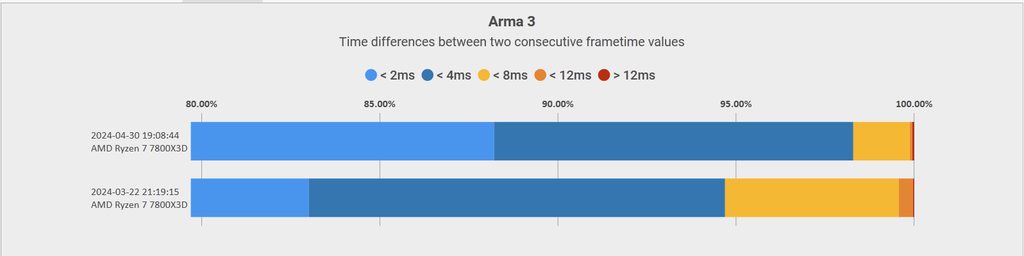 whole cloud

huh I broke getModelInfo. interesting. How did I manage that
Ah that'd do it. Why did I now see that on my tests...
Creating a 4 element array and then setting the 5th element
"Improved performance of getModelInfo/getEntityInfo/getShotInfo"
Ah that's wrong, cuz only getModelInfo is in prof.
And there is also the bug with that 5th element, that exists in dev-branch but not prof so I merged that badly
full nova
whole cloud
https://cdn.discordapp.com/emojis/826517106308284438.gif?size=128&quality=lossle...
I'm just gonna save this gif for later, don't mind me
whole cloud
Crash fix is up, we replaced v4 with it
heavy galleon
Does that include the one I encountered?
harsh grotto
whole cloud
2.16.151782 new PROFILING branch with PERFORMANCE binaries, v4, server and clien...
yуey, my error zero divisior disappeared ❤️
empty goblet
tawdry gazelle
Hi, mimalloc for Arma 3 has updated to v2.1.4 following Microsoft's official bra...
forgot about to pin the updated allocator
feral harness
harsh grotto
yуey, my error zero divisior disappeared ❤️
To infinity and beyond!
harsh grotto
ahahah
random isle
_vehicle deleteVehicleCrew _unit
Doesnt seem to work in latest pref
heavy vortex
Can we just get rid of deleteVehicleCrew and make deleteVehicle work everywhere :P



 light cargo
which custom mallocs are recommended for use with arma 3? especially on windows 7
random isle
light cargo
which custom mallocs are recommended for use with arma 3? especially on windows ...
in pinned section
light cargo
just that one?
inland dew
yes
midnight oyster
Can confirm that yesterday's hotfix cleared up my crashing problem 👌🏾
tribal pasture
heavy vortex
Can we just get rid of deleteVehicleCrew and make deleteVehicle work everywhere ...
deleteVehicleCrewReal
(deleteVehicleCrew still doesn't work in all cases btw)
heavy vortex
deleteVehicleCrew doesn't even specify what it's for. It's just some vague threat.
I haven't found anything that actually breaks by just using deleteVehicle on crew. At least since ACE fixed that bug in their last version.
tribal pasture
I had issues with deleting "expired" player body recently
if player keeps control of the dead body for a long time (minute+), it breaks and no longer properly deletes with either command
heavy vortex
makes sense
tribal pasture
Hmm, did some tests and issues happen when vehicle is upside down 🤔
So, nevermind my comments, the issue was with upside down vehicle, deleteVehicleCrew worked with server-client setup, deleteVehicle on the other hand left ghost body.
To my surprise vehicle you can't move into upside down vehicles with getInDriver
I thought deleteVehicleCrew breaks the seat
Still, deleteVehicle should just work with any dead bodies in the first place
random isle
i also noticed locally when i killed the driver of vehicle and do car deleteVehicleCrew dude it auto moves another ai from cargo into driver seat, maybe it was a hacky way of getting dead dude eject 😄
analog acorn
I'm pretty sure that's just AI wanting to have a driver. If you put an AI alone in a vehicle passenger seat to begin with, they will also switch to driver if possible
feral harness
random isle
i also noticed locally when i killed the driver of vehicle and do car deleteVehi...
there is no auto moving in code of that command, call an exorcist, your pc is haunted
fast hornet
AI really do move in vehicles on their own.. but i've mostly seen them moving to the gunner position
spiral pond
AI crew gets out to take the driver seat when the driver gets killed
but only once:
[BUG] AI cargo only replaces dead driver once [if not in the same group]
https://feedback.bistudio.com/T162686
quaint flame
I found something weird, not sure if it's related to perf yet, though.
Executing ["GetAllDisplayControls"] call (uiNamespace getVariable ["RscDisplayEGSpectator_script", {}]) will return
[00007FF613E23910,Control #42609,Control #43109,Control #43609,Control #52909,Control #48909,Control #43910,Control #73189,Control #72812,Control #83909]
The first one should be a control as well, but ctrlType returns "scalar", I have never seen that before
Ah, seems like a bad define in the script causing that
[
_display displayCtrl IDC_RSCDISPLAYEGSPECTATOR_GAMETIME,
_display displayCtrl         42609,
_display displayCtrl             43109,
_display displayCtrl             43609,
_display displayCtrl     52909,
_display displayCtrl     48909,
_display displayCtrl     43910,
_display displayCtrl             73189,
_display displayCtrl     72812,
_display displayCtrl         83909
];
But shouldn't that return controllNull then?
The related script is a3\ui_f\scripts\gui\rscdisplayegspectator.sqf btw
tribal pasture
That address is result of nil format
Some nil types aren't formatted into readable string but to some address
[format ["%1", agent nil], str agent nil, format ["%1", getPos nil], getPos nil]
=>
["00007FF6E0173650",string,"array",array]
quaint flame
Question is, why does displayCtrl return nil?
Ah well, because it's never executed.
Because of that missing define
tribal pasture
yeah, it treats it as missing global variable
quaint flame
Anyway, here's the ticket #arma3_feedback_tracker message
 trim ether
Strange issue with the perf build. Our (3CB) airburst rounds do not detonate in the air above the target. I've narrowed it down to a change in createVehicle
[] spawn {
sleep 1;
_pos = getPos player;
_shell = "UK3CB_BAF_Sh_60mm_AMOS_AB_helper"createVehicle [_pos select 0, _pos select 1, 30];
}```
This code causes the ammo to explode above the player in vanilla. In perf build it does nothing.this createvehicle syntax will place round wherever engine will decide is best, not necessary where you want it, use the other syntax with "can_collide" https://community.bistudio.com/wiki/createVehicle
trim ether
The alt syntax makes no different. Still no effect in Perf build
[] spawn {
sleep 1;
_pos = getPos player;
_shell = createVehicle ["UK3CB_BAF_Sh_60mm_AMOS_AB_helper", [_pos select 0, _pos select 1, 30],[],0,"CAN_COLLIDE"];
}```ok weird. and if you _shell setpos [_pos select 0, _pos select 1, 30]; additionally?