#perf_prof_branch
1 messages · Page 1 of 1 (latest)
 eager pond
So this "fix" {deleteVehicle _x;} forEach allMissionObjects ""; before restart does nothing good.
 tawdry gazelle
Hi, anyone got severe server latency on v22? All other game servers are okay, just all of the Arma 3 server latency becomes unplayable. My only change before the issue was updating server exe to v22.
eager pond
May be a internet problem?
tawdry gazelle
that's strange, at that period of time, only arma server has severe lag, while DCS and Zombiod servers all performs well...
 thin wyvern
Maybe that lag come from BE not A3 problem 🤔
 whole cloud
My people reported the same yesterday.
Extreme lag all of the sudden, I check the server, nothing to see everything seems normal, and after 30 seconds they tell me everything is fine again, and then it didn't happen again 
tawdry gazelle
whole cloud
My people reported the same yesterday.
Extreme lag all of the sudden, I check th...
Yes, I got the same issue, but lasted 15 minutes or so...
 vivid rune
Hi,
i startet prof branch a while ago with my docker container and server started normally but cannot connect to the internet (it seems that the correct steamclient.so is not found):
13:42:09 BattlEye Server: Initialized (v1.217)
dlopen failed trying to load:
steamclient.so
with error:
steamclient.so: cannot open shared object file: No such file or directory
[S_API FAIL] SteamAPI_Init(): Sys_LoadModule failed to load: steamclient.so
[S_API FAIL] SteamAPI_Init() failed
13:42:09 Initializing Steam server failed
Arma 3 Console version 2.08.149650 x86 : port 2302
13:42:09 Host identity created.
I've waited to post this here because i had to wait, what the creator of the docker had to say. He tried things but nothing worked.
In normal branch there is no such thing. Is this known? (I cannot test with newer version because i have no access this week to the server. )
32bit linux docker.
Edit: Docker Creator tried newer versions of the profiling branch. Same problem.
vivid rune
My docker creator asks, where the steamclient.so has to be located and from where it needs to be copied over, He copied it over from the steamcmd/linux32 directory to the main directory.
with 64bit there are no such problems
 boreal wigeon
steamclient.so needs to be next to the executable, the 64 bit one needs to be in a linux64 folder which also needs to be next to the executable.
vivid rune
which executable? the arma or steamcmd?
vivid rune
so i need a "linux32" folder in the arma directory if i want start arma 32bit linux?
boreal wigeon
no folder needed
they need to be in the same folder as the arma3server executable.
*for 32bit only, 64bit needs linux64 directory.
vivid rune
He copied from the steamcmd/linux32 directory the steamclient.so into the arma diectory. So what had he done wrong?
maybe rights problem?
boreal wigeon
uhm. I'm pretty sure when you download arma via steamcmd a steamclient.so comes with it.
but make sure rights are correct? Make sure the .so files are readable and executable.
vivid rune
Can it be that if he copied first the steamclient.so over to the directory that then arma copy steamclient.so over with it's own version?
boreal wigeon
I wouldn't know, but I just had a look. The steamclient.so next to my executable is from 2020, while the steamcmd one is from 2022.
And I don't copy them over, so best is perhaps to just use the one provided with arma?
vivid rune
do this steamclient.so from arma work with 32bit version?
vivid rune
OK. I will give this a try.
vivid rune
@boreal wigeon
nothing worked with the new arma executable. The container creator said (and i tested) that the normal branch is working (in 32 and 64 bit) bu the beta prof branch produces this failure in the 32 bit version. So i would ask you kindly: can you please start your 32bit linux prof branch and post your last lines of the logs. I ask because the server seems to start at the first look. But the server is not registered to steam.
I don't understand the thing that the normal dev branch or vanilla 32bit is running with the container, but if i switch to the prof branch per start line parameter, the 32bit is not working anymore (64bit is working (have seen some logs without error)).
Permissions for steamclient.so are set to 770. Is that sufficient?
boreal wigeon
@vivid rune did this only recently started happening? And does stable work fine?
I believe there has been a change in the compiler for 32bit so that might be the cause?
steam@sv1:~/steamcmd/arma3/server_default$ ./arma3server
./arma3server: error while loading shared libraries: libstdc++.so.6: cannot open shared object file: No such file or directory
Uhm... I've not used 32bit since 64bit came out so I can't confirm if this is an issue cause of my system or arma.
 autumn timber
boreal wigeon
```
steam@sv1:~/steamcmd/arma3/server_default$ ./arma3server
./arma3server: erro...
autumn timber
boreal wigeon
```
steam@sv1:~/steamcmd/arma3/server_default$ ./arma3server
./arma3server: erro...

Stack Overflow
I want to run Cilkscreen command with a cilk++ program but I'v got this error
/usr/local/cilk/bin/../lib32/pinbin: error while loading shared
libraries: libstdc++.so.6: cannot open shared obj...
boreal wigeon
@vivid rune ^^ seems to work. I tried moving the libstdc++.so.6 from linux32 from steamcmd but that just shows more errors. After removing the file and doing ^^ it seems to run fine.
nevermind...
steamclient.so
with error:
steamclient.so: cannot open shared object file: No such file or directory
[S_API FAIL] SteamAPI_Init(): Sys_LoadModule failed to load: steamclient.so
[S_API FAIL] SteamAPI_Init() failed
20:10:16 Initializing Steam server failed
Arma 3 Console version 2.08.149723 x86 : port 2314
20:10:16 Host identity created.
@boreal wigeon is the file present in the steamcmd directory?
What does ldd steamclient.so output?
You've done what is requested from you, here https://developer.valvesoftware.com/wiki/SteamCMD#Linux?
If you are using a 64-bit machine, you will need to add multiverse:
boreal wigeon
It is present, from default Arma installation.
        linux-gate.so.1 (0xf7f0c000)
        libdl.so.2 => /lib/i386-linux-gnu/libdl.so.2 (0xf6303000)
        libpthread.so.0 => /lib/i386-linux-gnu/libpthread.so.0 (0xf62e1000)
        librt.so.1 => /lib/i386-linux-gnu/librt.so.1 (0xf62d6000)
        /lib/ld-linux.so.2 (0xf7f0e000)
        libm.so.6 => /lib/i386-linux-gnu/libm.so.6 (0xf61d2000)
        libc.so.6 => /lib/i386-linux-gnu/libc.so.6 (0xf5fe9000)
Well yea I do use 64-bit, @vivid rune perhaps what Stack linked to can help you?
I don't want to ruin my 64-bit server 😅
autumn timber
from default Arma installation
Tbh this is a big red flag for me
Why do you keep using libraries from different installations (of completely different software)? steamcmd should have its own files, and should be self-contained. If I were to guess, this is precisely the reason for your issues 🤨
boreal wigeon
Well technically they are Wetzer's issues, I'm only testing 32-bit because he asked.
To answer your question, I was hoping steam/BI would update them? (apparently I'm wrong?)
*would update them whenever Arma gets an update for example.
autumn timber
Oh sorry, I'm not following the discussion here, for once 😅
I still fail to see the reason for using external files 😛
*would update them whenever Arma gets an update for example.
Yup... and guess what may happen if steamcmd updates before Arma gets an update itself? 😄
boreal wigeon
I wouldn't know what steamclient.so contains so idk what could go wrong there until it happens 😆
But 64-bit has worked fine for me since ever so never had any issues on my end, only just now with 32-bit to test it.
But from what I'm getting from you, I (and everyone else) should use the steamcmd steamclient.so as that's the most updated one?
autumn timber
I don't understand the problem.
What are you using steamclient.so with, for a start? 😄
boreal wigeon
Aye, arma requires it
autumn timber
Okay, I'm a bit lost. The last time I ran linux servers, both 32 and 64 bit, they "just worked" (a few months ago)
So you definitely didn't need to copy anything anywhere
boreal wigeon
ok let me back up a bit.
Wetzer is having issues with his 32bit docker:
steamclient.so
with error:
steamclient.so: cannot open shared object file: No such file or directory
[S_API FAIL] SteamAPI_Init(): Sys_LoadModule failed to load: steamclient.so
[S_API FAIL] SteamAPI_Init() failed
13:42:09 Initializing Steam server failed```
specifically.He was asking which steamdclient.so he should use, one from SteamCMD or one provided with Arma.
Since I've never actually copied anything I told him use the one from Arma.
autumn timber
Definitely the one from Arma. No reason why you'd use another file some elsewhere
boreal wigeon
Aye, that was my guess as well. So now I've tried 32bit on my machine (I normally use 64bit though). I'm getting the same errors.
autumn timber
I'm guessing BI does some QA before they release something so it should be a "works for me" from BI's side 😛
boreal wigeon
Well they changed their compiler/builder a short while ago to the same one used for 64bit.
^
autumn timber
Now the question is whether it's the same as on windows, where if a dll's dependencies are not met you're getting a failure while loading the dll (hence me asking about ldd), although it says "No such file or directory".
I'm sorry, but I can't spend my time testing this myself.
Maybe try on another base docker image to see if something is missing there
Like, check with ubuntu 22.04, ubuntu 20.04, ubuntu 18.04
I remember having issues with I think ubuntu 20.04 removing libcrypt.so a while ago (but for an unrelated software) [what i mean is that sometimes it may work on one distro but fail on another, bot that it's librypt's fault]
boreal wigeon
So I switched to stable, which should still be using the older builder/compiler and that one spins up fine.
CAppInfoCacheReadFromDiskThread took 2 milliseconds to initialize
CApplicationManagerPopulateThread took 0 milliseconds to initialize (will have waited on CAppInfoCacheReadFromDiskThread)
RecordSteamInterfaceCreation (PID 2903944): SteamGameServer012 / GameServer
RecordSteamInterfaceCreation (PID 2903944): SteamUtils009 / Utils
Setting breakpad minidump AppID = 107410
20:31:41 Game Port: 2302, Steam Query Port: 2303
20:31:41 Initializing Steam server - Game Port: 2302, Steam Query Port: 2303
RecordSteamInterfaceCreation (PID 2903944): SteamGameServer012 / GameServer
RecordSteamInterfaceCreation (PID 2903944): SteamUtils009 / Utils
RecordSteamInterfaceCreation (PID 2903944): SteamNetworking005 / Networking
RecordSteamInterfaceCreation (PID 2903944): SteamGameServerStats001 / GameServerStats
RecordSteamInterfaceCreation (PID 2903944): STEAMHTTP_INTERFACE_VERSION002 / HTTP
RecordSteamInterfaceCreation (PID 2903944): STEAMINVENTORY_INTERFACE_V002 / Inventory
RecordSteamInterfaceCreation (PID 2903944): STEAMUGC_INTERFACE_VERSION010 / UGC
RecordSteamInterfaceCreation (PID 2903944): STEAMAPPS_INTERFACE_VERSION008 / Apps
Arma 3 Console version 2.08.149102 x86 : port 2302
20:31:41 Host identity created.
20:31:42 Connected to Steam servers
Now I do know they changed their GLIBC (or whatever) version, idk if that's different for 32bit and 64bit but from what I'm seeing right now.
Perf branch 32bit (which uses newer builder stuff) doesn't work, while 64bit perf does. On same machine.
Stable branch 32bit (which uses older builder stuff) does work, and I'm guessing 64bit as well (it does just tried).
autumn timber
Hard to guess what my be wrong without diving in myself, unfortunately
boreal wigeon
Aye I understand, idk what could be the issue as I'm not that deep in linux (just know how to run it and all).
So hopefully this is something useful for someone like NeilZar to look at and figure out.
vivid rune
Oh thanks god this issue is not only a "I-Problem". Before these posts I had the impression, that i am the only guy with that specific issue.
I communicate with you guys and on the other hand with the creator of the docker container and i am not so familiar with linux on a "file and dependency-Level". It was a little bit stressful as "man in the middle" in this "silent post" situation.
vivid rune
For info: The docker is based on debian "bookworm". So i am looking forward to some hints for what is to do.
boreal wigeon
vivid rune
For info: The docker is based on debian "bookworm". So i am looking forward to s...
Uhm I'm on bullseye. Both of those should be running a high enough version of GLIBC. Question though why are you not just using 64bit? Seems like the easiest solution for now 😅.
whole cloud
So what's actual issue? Libstdc++ or steamclient.so?
Yes you can take steamclient from steamcmd folder
boreal wigeon
Well after updating libstdc++ specifically for 32bit it does go further, but then it fails by a "broken" steamclient.so. even using the SteamCMD one doesn't work.
whole cloud
Why does steam suddenly break when we make an update 
whole cloud
boreal wigeon
```dlopen failed trying to load:
steamclient.so
with error:
steamclient.so: cann...
So that's the issue? File not found?
boreal wigeon
Aye
Even when the file is next to the executable.
Idk if that has changed? But I've already tried putting it in an linux32 directory as well.
vivid rune
boreal wigeon
Uhm I'm on bullseye. Both of those should be running a high enough version of GL...
Arma doesn't run in 64bit for Phenom II. 😦
boreal wigeon
Ah good reason then. But that's old hardware 😅
vivid rune
I know. But the server runs really well on that (as long it is the only thing thats run :D)
Every little performance optimization here makes a huge impact on this machine. So every time a new version comes out, I look like this: 
whole cloud
boreal wigeon
Even when the file is next to the executable.
Thanks, I think I know what's wrong then
try launching arma server as
LD_LIBRARY_PATH=$LD_LIBRARY_PATH:. ./arma3server
That probably fixes it
There should be a flag in the binary to do it automatically, seems like that stopped working
whole cloud
Can you run
readelf -d arma3server |head -20
or
objdump -x arma3server |grep RPATH
and tell me what it says
is supposed to be something like (RPATH) Library rpath: [$ORIGIN]
I assume its just not there at all
vivid rune
boreal wigeon
<@550754723012149251> ^^ temp fix.
Thx alot. I would wait for a fixed executable because i wouldn't communicate to my docker creator a temp fix that he has to revert after a few days. But thanks everyone for this quick fix.
boreal wigeon
Dynamic section at offset 0x2ac81a4 contains 36 entries:
  Tag        Type                         Name/Value
 0x00000001 (NEEDED)                     Shared library: [libpthread.so.0]
 0x00000001 (NEEDED)                     Shared library: [librt.so.1]
 0x00000001 (NEEDED)                     Shared library: [libdl.so.2]
 0x00000001 (NEEDED)                     Shared library: [libsteam_api.so]
 0x00000001 (NEEDED)                     Shared library: [libstdc++.so.6]
 0x00000001 (NEEDED)                     Shared library: [libm.so.6]
 0x00000001 (NEEDED)                     Shared library: [libgcc_s.so.1]
 0x00000001 (NEEDED)                     Shared library: [libc.so.6]
 0x0000001d (RUNPATH)                    Library runpath: [$ORIGIN]
 0x0000000c (INIT)                       0x1c0000
 0x0000000d (FINI)                       0x217585c
 0x00000019 (INIT_ARRAY)                 0x29e7d50
 0x0000001b (INIT_ARRAYSZ)               5420 (bytes)
 0x0000001a (FINI_ARRAY)                 0x29e927c
 0x0000001c (FINI_ARRAYSZ)               4 (bytes)
 0x6ffffef5 (GNU_HASH)                   0x20c
 0x00000005 (STRTAB)                     0x2838
Ah yes, should be RPATH, not RUNPATH.
Ok I fixed that now
new prof probably early next week
boreal wigeon
Cool, also while the server works fine.
It does come up with some "Assertion Failed" messages:
src/tier1/fileio.cpp (328) : Assertion Failed: V_RemoveDotSlashes failed for "/../tenfoot/resource/images/library/controller/api/ps5_button_mute.png".
src/tier1/fileio.cpp (328) : Assertion Failed: V_RemoveDotSlashes failed for "/../tenfoot/resource/images/library/controller/api/ps5_button_mute.png".
src/tier1/fileio.cpp (328) : Assertion Failed: V_RemoveDotSlashes failed for "/../tenfoot/resource/images/library/controller/api/ps5_button_dpad_move.png".
src/tier1/fileio.cpp (328) : Assertion Failed: V_RemoveDotSlashes failed for "/../tenfoot/resource/images/library/controller/api/ps5_button_dpad_move.png".
Just a few of them.
whole cloud
yeah steam does that sometimes.
There is some debug mode that steam can enable, I have no idea how to turn it off, its really annoying
boreal wigeon
Copy, it's only on startup so isn't a major issue.
whole cloud
2.08.149743 new PROFILING branch with PERFORMANCE binaries, v23, server and client, windows 32/64-bit, linux server 32/64-bit
- Fixed: BuildingChanged EH was firing on building damage - https://feedback.bistudio.com/T166632
- Fixed: Floating dead bodies above destroyed Tents
- Fixed: setDamage '!showeffect' option didn't work on trees, walls, and tents
- Fixed: Linux 32bit binary couldn't find steamclient.so
If you don't want to use the Steam branch, the files are also available for alternative download here:
https://drive.google.com/drive/folders/15p9j7C2nHUt6NoVfChX4YFuqzFXzblJh
whole cloud
whole cloud
2.08.149743 new PROFILING branch with PERFORMANCE binaries, v23, server and clie...
tawdry gazelle
whole cloud
2.08.149743 new PROFILING branch with PERFORMANCE binaries, v23, server and clie...
Hi, was the suddenly increased latency issue fixed?
whole cloud
no I don't know what that is
 full nova
tawdry gazelle
Hi, was the suddenly increased latency issue fixed?
full nova
tawdry gazelle
Hi, was the suddenly increased latency issue fixed?
this sounds more like a Reforger issue
 vocal lichen
whole cloud
My people reported the same yesterday.
Extreme lag all of the sudden, I check th...
vocal lichen
whole cloud
My people reported the same yesterday.
Extreme lag all of the sudden, I check th...
No, see above
 silk pewter
bumping is more efficient when you bump the parent message and not the bump's bump 🙂
eager pond
The data received by a client have more detail for the things near the player camera. But now the player is looking to a Pip of a camera that is 20 km away form hin, and Ai movement is really jumpy on the Pip. There is a way to set anoter object to be a "second center of detailed data" as the player is?
silk pewter
eager pond
The data received by a client have more detail for the things near the player ca...
no
eager pond
Would be cool if we can have at least one custom "second center of detailed data" that is not the player.
silk pewter
not really. Also it is not the player, it is cameraOn
eager pond
So... no long distance Pip. Sad.
eager pond
Lou, do you never had the need for such thing?
silk pewter
have I ever had the need of distance PiP? no.
tawdry gazelle
actually we never had the need for pip scope. it's too performance demanding.
 rustic shale
Has anyone been getting Ye Olde 3 FPS bug with the most recent build that was released July 28th? My entire units performance goes from a stable frame rate to 3 with terrain popping in and out of existence
We have a lot of mods and obviously doesn’t help, but prior our performance was fine. Has anyone else experienced this?
 empty plover
is freeExtension coming to prof?
 restive pilot
no
eager pond
Another "ol weird" PIP behaviour: i had 4 PIP in front of me (need to protect my base), FPS show as 65 but real FPS was less than 15. I'm pushing too hard.
silk pewter
stahp hurtin Arma
eager pond
It's so amazing to have security cameras on your base, and a security camera room. I made all PIP have a view distance of 500 m, i force that. Seens to help.
silk pewter
think of players without PiP
eager pond
Yes, i use isPipEnable to alert hin he will not see the camera image.
silk pewter
boooooo
 feral harness
empty plover
is freeExtension coming to prof?
feral harness
empty plover
is freeExtension coming to prof?
development only
empty plover
feral harness
development only
too bad
feral harness
You dunno what ur talking about
empty plover
maybe but I really wanted that command
 violet elbow
Use dev branch?
empty plover
violet elbow
Use dev branch?
I'm downloading it now 😆
vivid rune
Hi,
has someone tried to start Dynamic Recon Ops (Altis) on profiling? On my server it hangs on task creation (stand by scenes in the mission). On vanilla it loads normally.
https://steamcommunity.com/sharedfiles/filedetails/?id=705986840
I tried another version with some fixes. This loads into mission but heli stands still (do not fly to insertion)
https://steamcommunity.com/sharedfiles/filedetails/?id=2641434008
 wispy shuttle
Hello,
Is multithreading enabled for linux server on the 2.10 "vanilla" version?
Or should we wait for a perf/prof branch?
wispy shuttle
And do you have an idea of when it should be available?
It's a massive game changer for our community 😉
whole cloud
@patent dome prof when 👀
 patent dome
Waiting for some other jobs to finish, I'd guess ~30 mins max
patent dome
Okay, maybe a bit longer. The other job that is holding up profiling is running kinda slow today.
whole cloud
2.10.149818 new PROFILING branch with PERFORMANCE binaries, v0, server and client, windows 32/64-bit, linux server 32/64-bit
- Sync with 2.10 main branch update
- Previous Profiling branch exclusive improvements are still present
whole cloud
whole cloud
2.10.149818 new PROFILING branch with PERFORMANCE binaries, v0, server and clien...
 sharp bloom
👍
wispy shuttle
For now, with the perf 2.10 v0, my linux server only use one core (and just a very little bit of the others). Should I use the prof branch instead?
 inland dew
why heli main rotor only damage when falling on side wasn't merged into stable?
whole cloud
#perf_prof_branch message
Here's a old post that shows the local only objects thing well.
I implemented huge performance improvements, but if you make your static objects local only, their impact will be zero
 woven oar
What happens to the ballistic simulation if you shoot through local objects? And somebody is on the other side of his local object.
And can't "hackers" just remove the local objects without anyone knowing?
silk pewter
if you have hackers, you have bigger problems than that.
regarding the ballistics though, me curious as well
woven oar
Thinking about it. Aren't bullets local?
whole cloud
bullets are local to shooter
wispy shuttle
wispy shuttle
For now, with the perf 2.10 v0, my linux server only use one core (and just a ve...
I tried with the prof binary and it still uses one core mainly on my linux server 😕
silk pewter
whole cloud
bullets are local to shooter
would that mean that a cola can (imagining it can ricochet the bullet) would ricochet on an invisible can for others?)
(it won't travel differently on different computers, right?)
whole cloud
yes, dunno it should update pos
whole cloud
wispy shuttle
I tried with the prof binary and it still uses one core mainly on my linux serve...
please run this command
/bin/cat /proc/cpuinfo | grep '^cpu cores'
and see what comes out
wispy shuttle
whole cloud
please run this command
`/bin/cat /proc/cpuinfo | grep '^cpu cores'`
and see wha...
cpu cores       : 8
cpu cores       : 8
cpu cores       : 8
cpu cores       : 8
cpu cores       : 8
cpu cores       : 8
cpu cores       : 8
cpu cores       : 8
cpu cores       : 8
cpu cores       : 8
cpu cores       : 8
cpu cores       : 8
cpu cores       : 8
cpu cores       : 8
cpu cores       : 8
cpu cores       : 8
Ah I see
it could be reading 0 there and fallback to 1
setting -cpuCount manually will fix it for now, I'll fix it for next prof
whole cloud
2.10.149824 new PROFILING branch with PERFORMANCE binaries, v1, server and client, windows 32/64-bit, linux server 32/64-bit
- Fixed: Potential crash in AI FSM
- Fixed: Potential failure to auto detect CPUCount on Linux @wispy shuttle
- Fixed: Thermal Imaging not working if airTemperature is negative @jagged hemlock
If you don't want to use the Steam branch, the files are also available for alternative download here:
https://drive.google.com/drive/folders/15p9j7C2nHUt6NoVfChX4YFuqzFXzblJh
whole cloud
whole cloud
2.10.149824 new PROFILING branch with PERFORMANCE binaries, v1, server and clien...
wispy shuttle
Everything run perfectly fine now.
Thank you very much Dedmen!
wispy shuttle
Well, thank to the latest perf binaries, we had a really smooth PvP mission tonight with 133 people and everything went perfectly fine, so thank you again Dedmen!
We never went under 80 FPS during all the game
 silk summit
wispy shuttle
Well, thank to the latest perf binaries, we had a really smooth PvP mission toni...
silk summit
wispy shuttle
Well, thank to the latest perf binaries, we had a really smooth PvP mission toni...
That is Enfusion level performance right there! Any Ai on the mission?
eager pond
@wispy shuttle have video of the match?
wispy shuttle
silk summit
That is Enfusion level performance right there! Any Ai on the mission?
No AI at all
wispy shuttle
eager pond
<@327737067750555648> have video of the match?
Liru did streamed the mission, so you should be able to watch the replay on one of his channel
silk summit
wispy shuttle
No AI at all
That explains it! PVP has become really fun in Arma 3 since all the optimisations to the engine and specially the server part combined with newer hardware.
 woven loom
Would be great to have some optimization for smoke... like when lots of rockets are fired from MLRS. FPS tanks to 15 fps as long as camera is pointing at that direction 🥲
inland dew
woven loom
Would be great to have some optimization for smoke... like when lots of rockets ...
GPU model? resolution? video settings preset?
woven loom
GTX 1660 Ti, 1920x1200, particles set to high
Although i'm fairly sure smoke is a CPU bottleneck not a GPU bottlneck
CPU is Core i5-4690K @ 4.6 GHz, 16GB DDR3-1600CL9 running in dual channel
inland dew
woven loom
Although i'm fairly sure smoke is a CPU bottleneck not a GPU bottlneck
have a current gen GPU and at ultra 1440p smoke is not a problem at all for FPS
restive pilot
his GPU is better than recommended requirements tho. I do agree that smoke and gun fire are heavier than they should be and need optimizations (which I also know there's no one left to do anyway)
woven loom
I would believe you (groove) if A) smoke wasn't a problem since 2013 and GTX 1660 Ti hadn't come out in 2019 and B) if my GPU utilization didn't fall when this slowdown occurred
inland dew
at ultra, even the best current gen GPU still bottlenecks A3, to some extent, in 1440p and 2160p
woven loom
yes if you increase resolution then bottleneck shifts to GPU
that is besides the point being made here
inland dew
smoke was also a problem in A2, although it's from 2009
restive pilot
woven loom
Although i'm fairly sure smoke is a CPU bottleneck not a GPU bottlneck
btw I'm curious if muzzle flashes also cause problems for you?
they sure reduce the FPS a bit for me
woven loom
Not that i'm aware, no.
i remember back in the day i noticed that gatling guns or autocannons could drop the FPS slightly (and that too when over the ocean and FPS is pretty high), but other than that i've not noticed
i had assumed that was also due to the smoke particles though
inland dew
I also remember firing from Wipeout cannon or Cheetah cannons and FPS would drop a lot
silk summit
restive pilot
btw I'm curious if muzzle flashes also cause problems for you?
Ai firing tank my FPS but not when players are firing... so I don't think my issue is related to the muzzle flashes
woven loom
@inland dew so I was very wrong 😅 . I retested with task manager and HWiNFO open, and yes, you were right, it turned out to be a GPU bottleneck. CPU usage also spikes to 100% for me, but the limiter seems to be the GPU. Closer to the smoke, when it occupies more of the screen, is when there is most impact. If particle quality is low then there is very little impact, at standard there is 20-30 fps impact, with high particles it can be as high as 45 fps hit.
Normally my GPU usage on altis is 50-60%, with heavy smoke it jumps to 100%. I misremembered this behaviour. my apologies for being stubborn instead of retesting earlier...
inland dew
woven loom
<@295665812897923072> so I was *very wrong* 😅 . I retested with task manager an...
don't forget that 1660 Ti was lower than mid-range back when it was released and by now it's like low end and despite Arma being 2013, there was a visual upgrade in 2016
I know what I'm talking about, because I also had a GTX 1070 Ti, which is +- like your 1660 Ti, but from 2016 or 2017
woven loom
yeah 1660 Ti is in the 1070 / Ti performance range
inland dew
mid-range was something like RTX 2060 Super - 2070
restive pilot
woven loom
<@295665812897923072> so I was *very wrong* 😅 . I retested with task manager an...
fun fact: a single smoke grenade generates 1000+ particles...
inland dew
restive pilot
fun fact: a single smoke grenade generates 1000+ particles...
depends on particles quality selected?
restive pilot
dunno didn't test
woven loom
inland dew
mid-range was something like RTX 2060 Super - 2070
dunno, definitely not by price -- they were > 360-450 EUR when launched. mid range is usually 250-300 EUR.. even now 1070/1660 Ti equals or outperforms a 3050 so i wouldn't call them low end.
restive pilot
you can try it in VR:
onEachFrame {hintSilent str count (63 allObjects 3)}
I use Standard quality and iirc it went up to 1200
woven loom
restive pilot
fun fact: a single smoke grenade generates 1000+ particles...
for me a single smoke is usually fine. BM-21 firing 40 rockets in 40 seconds is different though 😄
inland dew
woven loom
dunno, definitely not by price -- they were > 360-450 EUR when launched. mid ran...
off-topic: well, it was around 300 and don't forget that it's not the price that counts but what other models there are.
2060 Super/2070 mid-range 2070 Super-2080 Super high-end and 2080 Ti the top
woven loom
inland dew
don't forget that 1660 Ti was lower than mid-range back when it was released and...
I will say though, i think it's notable that there is an enormous spike in GPU usage with smoke, so it's clearly an outlier in the game's GPU utilization. Only other thing i can think of is anti-aliasing on Tanoa (and interestingly, some CUP maps).
restive pilot
inland dew
depends on particles quality selected?
looks like it doesn't
woven loom
yeah but 2000 series was a bit overpriced by comparison. that's why the 1660 Ti existed to fill the gap. I bought mine for 300 EUR.
and yes drifting off topic lol.
 cold vale
I've certainly seen issues when GPs explode on the ground and generate an absurd amount of dust/smoke particles and cause significant FPS dips, usually only reproducible in MP from what I've seen.
restive pilot
woven loom
for me a single smoke is usually fine. BM-21 firing 40 rockets in 40 seconds is ...
try that code with that BM-21 and see how many you get 😅
woven loom
haha i shall test tomorrow, it's late for me now 😄
 marble mason
restive pilot
try that code with that BM-21 and see how many you get 😅
marble mason
restive pilot
try that code with that BM-21 and see how many you get 😅
Particles option only limits the total amount of particles before forcibly deleting them with your code i get High: 18000 Standard: 12000 and Low: 9000
restive pilot
marble mason
Particles option only limits the total amount of particles before forcibly delet...
ah that makes sense. it also sets the quality of particles tho
 spiral pond
DayZ renderer for A3 🙏
full nova
early DayZ looks like A3 on steroids
silk pewter
Reforger renderer for OFP 🙏
 quaint flame
Ofp Campaign for Reforger...
 night mulch
Arma3 engine for arma4
 hexed verge
spiral pond
DayZ renderer for A3 🙏
hexed verge
spiral pond
DayZ renderer for A3 🙏
i wanted that for so long, even ask dwarden for it, flat out said no
hell not even the full thing just the part the rendere does not wait for the simulation thread
silk pewter
"just" :p
 rain moth
just multi thread the engine and add -increaseFPS=true, then its done
silk pewter
"just use UE5!"
 gritty wasp
restive pilot
fun fact: a single smoke grenade generates 1000+ particles...
gritty wasp
restive pilot
fun fact: a single smoke grenade generates 1000+ particles...
And all synced over network I guess
restive pilot
no
gritty wasp
How you hide in them? Every client spawn local clouds?
restive pilot
yes
hexed verge
silk pewter
"just" :p
i was given an estimate of 1 week. I have seen a feature added that took longer 😠
 heavy vortex
If it'd really only take a week then that's a crazy good payoff.
silk summit
heavy vortex
If it'd really only take a week then that's a crazy good payoff.
I would pay USD 50 for a DayZ rendered DLC! 😅
Lets just make a Patreon for Dedmen and give him enough "motivation"
feral harness
I think he has one already, where is your support?
silk summit
feral harness
I think he has one already, where is your support?
Didn't know that! A much better investment compared to any onlyfans! Support incoming!
PS: This "motivation" is for A3 and not A4!
 vagrant zodiac
Is DayZ still a spec/ gloss renderer or is it PBR?
(Excuse my ignorance - never played DayZ but mod in A3)
inland dew
spiral pond
DayZ renderer for A3 🙏
would have been a game changer for A3.
like a last really nice touch from devs before turn8ng the page of A3
 random isle
rain moth
just multi thread the engine and add `-increaseFPS=true`, then its done
random isle
rain moth
just multi thread the engine and add `-increaseFPS=true`, then its done
whats multithread ? the game engine was made for 800 MHz Celeron processor
silk pewter
random isle
whats multithread ? the game engine was made for 800 MHz Celeron processor
…which was the exact frequency of the CPU I used to play Operation Flashpoint 😅 (AMD Duron 800MHz)
silk summit
silk pewter
…which was the exact frequency of the CPU I used to play Operation Flashpoint 😅...
that "say you are old school without saying you are old school" moment 🤣
autumn timber
silk pewter
…which was the exact frequency of the CPU I used to play Operation Flashpoint 😅...
You had rich parents 😢
(or ones which cared about that computing thing)
rain moth
silk pewter
…which was the exact frequency of the CPU I used to play Operation Flashpoint 😅...
I bet you had double digit fps
silk pewter
…

yes, in 800×600
when I felt fancy I would play in 1024×768, but not on heavy missions
autumn timber
rain moth
I bet you had double digit fps
That hit me hard, because I may actually have had single-digit fps, back then 😬
rain moth
Pentium 3 500 MHz 💪
autumn timber
I remember practicing the guitar while waiting at the "Loading" screen, each time I died in the last missions. I learned quite a lot back then 😂
 sick arrow
I had pentium 3 until 2012. Pentium 3 strong.💪💪💪😎
 hushed seal
I've set a bunch of HESCOS in a mission to local only and my server logs are being spammed with this
20:27:50 Ref to nonnetwork object 1df9cdb6080# 2710969: hbarrierwall6_f.p3d, anything I can do to combat that?
restive pilot
you just placed them or is there a script operating on them? 
vivid rune
https://steamuserimages-a.akamaihd.net/ugc/1773876469180519858/B09C605EEA14AEA32139313C8DC4548F402AA470/?imw=5000&imh=5000&ima=fit&impolicy=Letterbox&imcolor=%23000000&letterbox=false
(Mod "Simple Craters" and Mike-26 after heavy rocket artillery)
Thanks to all who are involved to make this happen. This is a new feeling to play with this technology.
restive pilot
that's a mess 
silk summit
vivid rune
https://steamuserimages-a.akamaihd.net/ugc/1773876469180519858/B09C605EEA14AEA32...
Underground facilities finally doable in A3!?
hushed seal
restive pilot
you just placed them or is there a script operating on them? <:thonk:70031140015...
placed them in the editor, no scripts running on them.
log file is now 50MB in size...
feral harness
vivid rune
https://steamuserimages-a.akamaihd.net/ugc/1773876469180519858/B09C605EEA14AEA32...
missing craters decal
whole cloud
hexed verge
i was given an estimate of 1 week. I have seen a feature added that took longer ...
One week if all our rendering pro's (who are busy on reforger) work on it full time maybe.. And thats without QA and all issues that are found later by QA
autumn timber
QA is optional 🙃
Besides, I think that we can all agree that we'll all be satisfied even if there is a 100% delay and we have to wait two weeks, instead of one, for this to be delivered
full nova
BI: Improves Arma 3 performance after years which leads to more people able to play it smoothly
Players: Happy noises
if only it was that simple.
rain moth
autumn timber
Besides, I think that we can all agree that we'll all be satisfied even if there...
I'll be bold and say that even three weeks would be fine
hushed seal
hushed seal
I've set a bunch of HESCOS in a mission to local only and my server logs are bei...
To circle back to this, been using v1 perf branch, in a span of roughly 4 hours I've gotten 700k lines of Ref to nonnetwork object amounting to 55MB of log spam. Server FPS stayed consistently high (~300) with 50ish players connected so it doesn't seem to affect performance, just annoying.
thin wyvern
whole cloud
One week if all our rendering pro's (who are busy on reforger) work on it full t...
That will be 🍒 on top after all optimization you and Killzone did.
hushed seal
console log with FPS print out: https://drive.google.com/file/d/1GjWDLN_evp3SeqiNpg0pil7kXloFY8Z_/view?usp=sharing
RPT: https://drive.google.com/file/d/1l0gwImB-EZehk6FtUWAELotUEw9MYdwG/view?usp=sharing

Google Docs
Google Docs
different numbers, each one occuring 5k times in the log file, which fits well with the roughly 150 objects with local only attribute in mission. (700k/5k)
feral harness
19:44:58 Ref to nonnetwork object 1df9e801600# 2711199: concretepanels_01_f.p3d
what did you do with those objects what are they?
are they local objects?
why server thinks that they need to be synced? are you passing them as arguments in remoteexec or something? Tell more
restive pilot
hushed seal
placed them in the editor, no scripts running on them.
Apparently they're simply placed in 3den
Some HESCO objects marked as local only
feral harness
can you make a simple repro?
restive pilot
Me?
feral harness
you seem to know why this happens, yes
restive pilot
That was based on our conversation last night 😅
But ok
 fickle geyser
Does the server know that the object is local only?
I wonder how commands with GE behave with such objects.
Like lets say executing setObjectTextureGlobal on local object.
It should know and not try to propagate it over the network right? They have net id 0:0
feral harness
by the look of it it is a bunch of objects on repeat
hushed seal
feral harness
>19:44:58 Ref to nonnetwork object 1df9e801600# 2711199: concretepanels_01_f.p3d...
https://imgur.com/a/KC3QOqm
concrete decals are the grey things on the right, mud_... something are the tiremarks, HESCOS are the walls.
Placed in editor, first marked as disabled simulation and then ticked the "local only" checkbox. No scripts running that take these objects as arguments.
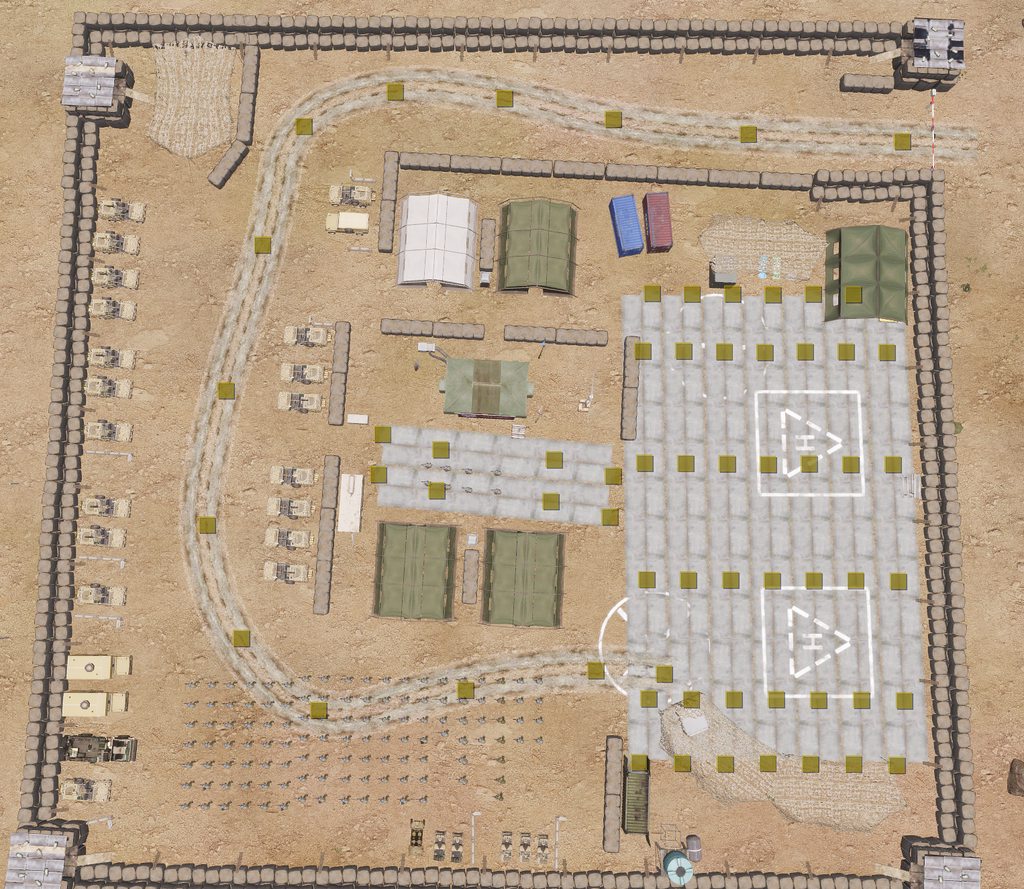 feral harness
same ids
hushed seal
feral harness
same ids
yup, roughly 150 different IDs if my math is right
hushed seal
well.... I do really rough math 😄
feral harness
dedicated?
hushed seal
yup, on windows bare metal
feral harness
ok I will try to recreate it
hushed seal
thanks!
whole cloud
fickle geyser
Does the server know that the object is local only?
same as createVehicleLocal
whole cloud
fickle geyser
It should know and not try to propagate it over the network right? They have net...
yes it does/should
Or alteast, it knows that it should not try to send network message for local objects, whether it actually checks for it I don't know.
Might be that the sender isn't checking properly
Ah. Yeah setObjectTexture has a check that checks the networkId
but probably not all commands have it
fickle geyser
So it's possible thast in case of @Mildly_Interested#4250 some mod or smth is using a command that causes this.
whole cloud
yeah
fickle geyser
Wouldn't running with -debug show some context?
whole cloud
no these don't have context on, but I can make a build with context
fickle geyser
Also I'm glad the setObjectTexture has the check as I got worried that this ACE PR of mine might cause similar spam 
https://github.com/acemod/ACE3/pull/9018

GitHub
When merged this pull request will:
title
Disables clan logo on vehicles in MP
Disabled by default
whole cloud
oh wait yes -debug should, its an error not a warning and all errors should get context.
But I'm not sure if these error messages are not async. If they are async, the script context will be gone by the time they get printed
Need to run a server in debug mode and breakpoint it probably to find what network message it is
hushed seal
fickle geyser
So it's possible thast in case of `@Mildly_Interested#4250` some mod or smth is ...
Would be interesting to know what command that is trying to execute anything on a concrete decal that is nothing but decorative.
fickle geyser
yep
hushed seal
at least its good to know that log spam isn't affecting server performance 🙃
fickle geyser
the ref to non network logs were always there for me, but we play with quite a bit of mods so I kinda accepted it.
whole cloud
setFlagOwner/setFlagCarrier are not protected
MP eventhandlers are not (hit/killed will fire globally, even if object is local only? atleast looks like it)
attachTo/detach are not
But you're probably not using any of these, don't have time now to go through them all.
Don't have time to look at it until thermals are fixed
hushed seal
fickle geyser
the ref to non network logs were always there for me, but we play with quite a b...
yeah there's a few references to group names in there as well, we always had them, just not 700k lines 😄
fickle geyser
hushed seal
at least its good to know that log spam isn't affecting server performance 🙃
It for sure does a tiny bit as the errors mean there's more network packets flying than necessary.
hushed seal
whole cloud
setFlagOwner/setFlagCarrier are not protected
MP eventhandlers are not (hit/kill...
I attached flags to 3CB land rovers in the editor/in zeus, thats about it. I didn't do that to the HESCOS tho 😄
hushed seal
fickle geyser
It for sure does a tiny bit as the errors mean there's more network packets flyi...
true, but so far its seems that gains from setting objects local only outweigh the performance loss due to spam.
fickle geyser
yeah
random isle
i see that as well but not as hard Ref to nonnetwork object 713001: ugl_slug.p3d
Ref to nonnetwork object 1391788: rocket_spg9.p3d
yours look like projectiles, that's odd.
whole cloud
2.10.149855 new PROFILING branch with PERFORMANCE binaries, v2, server and client, windows 32/64-bit, linux server 32/64-bit
- Fixed: Attempt to resolve Thermal Imaging flickering on Intel Integrated Graphics
- Fixed: Crash when navigating multiselect ListBox with arrow keys
- Fixed: missionProfileNamespace was not always available at the start of the mission - https://feedback.bistudio.com/T167316
- Fixed: Old allowCrewInImmobile syntax was not working - https://feedback.bistudio.com/T165584
- Fixed: Incoming missile sound tweak affected some community mods - https://feedback.bistudio.com/T163245
- Fixed: nearestObjects did not detect some types - https://feedback.bistudio.com/T167313
- Fixed: Possible crash on Windows 7 - https://feedback.bistudio.com/T167269
If you don't want to use the Steam branch, the files are also available for alternative download here:
https://drive.google.com/drive/folders/15p9j7C2nHUt6NoVfChX4YFuqzFXzblJh
whole cloud
whole cloud
2.10.149855 new PROFILING branch with PERFORMANCE binaries, v2, server and clien...
@analog sundial @lime lion @hollow owl this should fix your flicker issues 🤞
 lime lion
It becomes brighter and darker but it doesn't flash anymore
 hollow owl
It's still the same for me - still strobing back and forth. And @lime lion "becomes brighter and darker" is another way to say strobing, or flashing. @whole cloud am I supposed to reset anything, or reload to make these changes work? I just logged on Warlords, loaded a saved loadout that includes both the ENVG-II goggles and the Nightstalker rifle scope, and the issues was still there.....
restive pilot
hollow owl
It's still the same for me - still strobing back and forth. And <@71497316873705...
What is your Intel GPU model and driver version?
whole cloud
nothing you need to do extra no
whole cloud
lime lion
It becomes brighter and darker but it doesn't flash anymore
does it stop and stabilize?
hollow owl
restive pilot
What is your Intel GPU model and driver version?
I have the intel UHD graphics - don't know the driver version....
lime lion
I need to check because I only hopped on quickly for a test
hollow owl
I posted a .rpt file a couple days or so ago in the troubleshooting channel - should I post another one here?
restive pilot
hollow owl
I have the intel UHD graphics - don't know the driver version....
I know but what is the model? e.g. 630, etc.
hollow owl
restive pilot
I know but what is the model? e.g. 630, etc.
yes 630
 analog sundial
whole cloud
<@680910780534882327> <@714973168737058899> <@397288497079386112> this should fi...
analog sundial
whole cloud
<@680910780534882327> <@714973168737058899> <@397288497079386112> this should fi...
Thanks
lime lion
Ok it seems the getting darker and brighter was just me looking towards the sun or directly at the ground
Mb
Alright I see no issues actually
lime lion
hollow owl
It's still the same for me - still strobing back and forth. And <@71497316873705...
I didn't play enough
It's not actually strobing I was just looking at things at different temps
woven loom
Should I only be running diag_codePerformance with profiling binaries? Asking because it's not showing me runtimes < 1ms I think 🤔
_temp = [grad_target, grad_target_1];
diag_codePerformance [{selectRandom _temp}];
output:
[0,1]
Am I using this wrong?
 brave barn
try this
diag_codePerformance [{selectRandom _this},_temp];```^
woven loom
same output
whole cloud
no its not related to profiling binaries
that command works everywhere
its limited in multiplayer, thats probably that
brave barn
_temp = [grad_target, grad_target_1];
_res = diag_codePerformance [{selectRandom _this},_temp];
systemchat str _res;```For security purposes, this command will only run for 1 cycle in multiplayer, unless in-game debug console is available via description.ext option or Eden attribute setting.
indeed.
woven loom
Yeah I dum
silk pewter
well, it's not super flashy either
woven loom
Since i was just making a mission by myself I didn't really think of the multiplayer part 😅
woven loom
Forgot to follow up: yes it was because I was running it in MP.
Code syntax etc was fine
whole cloud
@hollow owl Can you send me new RPT from you after you were testing it on profiling branch?
 plain trout
would it be difficult to change the "Updating base class" in the rpt log to also log the name of the addon is making that change?
whole cloud
it already does afaik
plain trout
ok... some mod makers use horrible naming for their configs
 mossy anchor
Bump message related to the problems with both the falcon drone and both huron variants.
whole cloud
Thats not related to profiling branch though.
Can you make a feedback tracker ticket with repro?
mossy anchor
Sure where can I send a ticket?
 worldly badge
#arma3_feedback_tracker and check the channel desc
mossy anchor
Alright thanks, should be simple to reproduce both issues with screenshots
feral harness
mossy anchor
Sure where can I send a ticket?
To Amsterdam with a 6 pack of beer and ref:dedmen lemmie fetch the address for ya
mossy anchor
No need already sent ticket
whole cloud
But reyhard would fix that one 😄
But I think he likes beer too
mossy anchor
feral harness
To Amsterdam with a 6 pack of beer and ref:dedmen lemmie fetch the address for y...
Damm I grab a A-10 from a public zeus lobby though it might require some time to get one to head over there
whole cloud
I've put the ticket on the 2.12 todo list, but thats not a guarantee that we'll have time to fix it
mossy anchor
No problem as long as it fixed in the future
hushed seal
Any update on the nonnetwork object error log spam?
I didn't get it reproduced with only me on the server even with the same modpack.
hushed seal
Running a similar mission this weekend again, let's see if something changed 😄
 eager vault
Not sure if this is a profiling, HC, mod issue, or a combo.
- We use a HC on a dedicated linux server, profiling v02
- On two of our op nights in last month ALL the AI on the server, HC, & Zeus completely freeze up.
- The HC and server report ~50 fps while this is happening. Like the server soft freezes and doesn't recover (waited up to 15 mins in one case).
- Clients don't get kicked either, but when we tell them to disconnect it will recover, and then freeze up again moments after folks reconnect.
The error we get spammed is:
20:43:03 TimeLimiter, Category AITraceFireSector exceeded time limit, runtime 39241, limit 20000, denied requests 7
20:43:03 Ent 7ffa646ab000, dbg B Alpha 4-4:2/UK3CB_AAF_B_M1025_M2 [2294.320557,5770.046387,7.261137], time 39160
20:43:03 Ent 7ffa5d07c000, dbg O Alpha 3-6:2 REMOTE/UK3CB_MEI_O_Hilux_GMG [2022.055054,2696.921631,6.169459], time 15
You can see this happen in the RPT around 2031, 2043, & 2102
Server RPT: https://drive.google.com/file/d/1z1f8xsKqLGjB9fcZfy3oDuWMLoYPqrDP/view?usp=sharing
HC RPT: https://drive.google.com/file/d/1asvGOoWChtymv11ABNo1OlDZGAX0eJl4/view?usp=sharing
plain trout
Similar issue on our milsim server (using 3CB factions and RHS as you do on certain maps), but we don’t have these errors. I think something similar is happening on koth rhs too. Our milsim server is running on a Linux server and not profiling branch
eager vault
Yeah I think those AITraceFireSector errors are reporting an outcome of the underlying issue, not a symptom of it
They're only logged in profiling version which makes sense why you wouldn't see it
plain trout
https://youtu.be/ZA-P6ltFNMY something similar just got reported here. I’ve seen it happen to other tanks. They „die“ but the actual explosion is delayed.
 whole cloud
Something is going wrong in AI calculations and they are taking exceptionally long, thats what its logging, its not an error message
eager vault
Am I right to assume these AI calculations are what is soft-locking the server?
whole cloud
unlikely. I think thats.. 39 milliseconds there, thats bad but not killing the server bad
 plucky lichen
seeing similar when AI spawn, happened on 2.08 main branch, resolved in perfs, now happening on 2.10 main branch and all perfs https://pastebin.com/2sWikUd1
server will soft lock, server fps < 1, players get kicked for steam ticket timeout. It resolves itself within 5-15 minutes
Pastebin
Pastebin.com is the number one paste tool since 2002. Pastebin is a website where you can store text online for a set period of time.
 kindred radish
We had a few server lockups since 2.10, tried different stable versions.
Even locks up the whole server machine.
But since we also run a DayZ SA server on the same machine i blamed that 🤔
I watched it a few times and CPU load spikes like crazy, sometime 100%, RDP gets unreachable and i had to force restart it.
Server FPS was fine and no errors in the rpt for me.
Yesterday people complained about lag (latest perf) i was just on RDP and saw CPU load going crazy again so i killed server .exe and the RDP lag and cpu load spike was gone.
Could be a weird coincidence tho!
I switched back to 2.10 main to see if i get it there...
Edit: 2.10 main seems to have the same problem.
Server locks up the whole system, CPU load spikes, recovers, then locks again, recovers and then reached the point of being unreachable via RDP (force restart of the whole server machine needed).
eager vault
whole cloud
unlikely. I think thats.. 39 milliseconds there, thats bad but not killing the s...
Right... the concerning part is the frequency in our RPT
whole cloud
kindred radish
We had a few server lockups since 2.10, tried different stable versions.
Even _...
if you have crashes then send me crashreports
kindred radish
whole cloud
if you have crashes then send me crashreports
Sorry, crash is the wrong word. Server doesn't seem to crash
Arma server seems to lock up the system but weirdly enough some parts seem to be working without a problem. Like logging to rpt or extensions
[2022-09-03 15:36:05] [info] AEOG-ServerMetrics: Build:149799 | Runtime:35min | Players:28 | AI:113 | allMissionObjects:3115 | AllVehicles:328 | ObjSimulated:1721 | #soundonvehicle:392 | AllAliveEnt:537 | activeSQFScripts:50 | Player-SB/Vehicle-SB:3/5 | FPS:56
[2022-09-03 15:39:06] [info] AEOG-ServerMetrics: Build:149799 | Runtime:38min | Players:28 | AI:106 | allMissionObjects:2960 | AllVehicles:320 | ObjSimulated:1577 | #soundonvehicle:340 | AllAliveEnt:529 | activeSQFScripts:44 | Player-SB/Vehicle-SB:3/5 | FPS:57
[2022-09-03 15:45:22] [info] AEOG-ServerMetrics: Build:149799 | Runtime:45min | Players:28 | AI:95 | allMissionObjects:2803 | AllVehicles:315 | ObjSimulated:1415 | #soundonvehicle:164 | AllAliveEnt:519 | activeSQFScripts:26 | Player-SB/Vehicle-SB:1/2 | FPS:57
[2022-09-03 15:49:19] [info] AEOG-ServerMetrics: Build:149799 | Runtime:49min | Players:28 | AI:108 | allMissionObjects:2751 | AllVehicles:320 | ObjSimulated:1355 | #soundonvehicle:175 | AllAliveEnt:535 | activeSQFScripts:38 | Player-SB/Vehicle-SB:0/1 | FPS:58
At this time server was lagging, RDP unreachable, recovered, freeze again.
Logged like he should every ~4 mins (depening how busy the thread system is).
Nobody kicked even tho it lagged for minutes. Recovered for a short moment and repeat
whole cloud
windows server?
kindred radish
Yes
OS Name Microsoft Windows Server 2019 Standard
Version 10.0.17763 Build 17763
whole cloud
You could get me profiling data that i can look up, but the setup is a bit annoying
eager vault
kindred radish
Arma server seems to lock up the system but weirdly enough some parts seem to be...
That is step for step the same thing that happens to us
whole cloud
Intel vTune, is free to download.
It can attach to the running server and record for a couple minutes exactly what it does and where it spends its time. With that I could see what it does while its frozen.
That usually points right at the problem
eager vault
But it only happens when we have a HC running, and we use a hefty mod pack
kindred radish
whole cloud
Intel vTune, is free to download.
It can attach to the running server and record...
I can try to catch it the next days, did it once for you so shouldn't be a problem.
whole cloud
ah yeah if you still have it setup then its still the same thing yeah.
I have time to dive into it on monday/tuesday, the more recordings the better
 drifting swan
kindred radish
We had a few server lockups since 2.10, tried different stable versions.
Even _...
drifting swan
kindred radish
We had a few server lockups since 2.10, tried different stable versions.
Even _...
Yeah, same problem. Both my Windows Server 2019 are freeze. Windows 10 is fine.
plain trout
Our Linux server had one hick up today. There is no AI on the server. I was zeusing and it appeared randomly when the mission was almost over. Server fps were fine too. I can’t remember doing anything specific
 uneven kernel
Similar issues here as well
hushed seal
hushed seal
Any update on the nonnetwork object error log spam?
I didn't get it reproduced w...
I can reproduce it with just me on the server!
eager vault
Do you use ace?
hushed seal
Yes
eager vault
ACE Cookoff spams our RPT with nonnetwork object refs
hushed seal
none of the classnames relate to anything cooking off, its concretedecals and other stuff I've set to local only in the editor
eager vault
ah okay, you're already passed the stage of identifying cause
hushed seal
yeah, its definitely caused by me setting objects to local only...
ok maybe I can't reproduce it, might need two players
kindred radish
whole cloud
ah yeah if you still have it setup then its still the same thing yeah.
I have ti...
Impossible to do a Vtune profile since stopping it locks up the server when arma server is having the bug (tried it two times and same result).
Recorded while the arma server was having issues CPU load spiking for 2 minutes, pressed on stop and whole server machine went unreachable.
So the recording is corrupted and useless 🤷♂️
 winged berry
I was checking my RPT this weekend and saw the same huge nonnetwork object spam.
I have around 100(ish) static objects in the mission, changed them all to local only 2 weeks ago after 2.10 came out.
whole cloud
I need a repro that I can do
hushed seal
I'll try and get something, doesn't seem to spam with only one person on the server, maybe HCs work aswell.
gritty wasp
hushed seal
ok maybe I can't reproduce it, might need two players
If you have enough pc resources you can run multiple clients locally and connect them together.
hushed seal
gritty wasp
If you have enough pc resources you can run multiple clients locally and connect...
HCs yes, proper clients no because I don't own that many licenses 😄
gritty wasp
You don’t need licenses to run multiple arma instances
One license = one profile ID. You can run dedicated server with kick duplicate off and login with same profileID. Or you can run MP Editor and login without any issues. I always debug my MP scripts like that
hushed seal
Hm... never thought about doing that
gritty wasp
:ForeverAlone: solution when you have no friends.
hushed seal
😄
heavy vortex
hmm. I figured you had to enable loopback for that on a DS.
kindred radish
Some more info regarding the server lockups.
It happened first with 2.10, was always on latest perf and no problems before.
It might be AI related (got a tip from another admin to reduce AI numbers) (Went from ~120 to ~50 AI).
And the server is running for a while without lockup, if he survives another 2 days without the lockup happening it must be something related to AI.
Sidenote: Stable build CPU load is also doubled compared to latest perf and much more fluctuating (AMD Ryzen 7 3800X).
 empty goblet
kindred radish
Some more info regarding the server lockups.
It happened first with 2.10, was al...
empty goblet
kindred radish
Some more info regarding the server lockups.
It happened first with 2.10, was al...
q, are you spawning too many AI too fast ?
kindred radish
empty goblet
q, are you spawning too many AI too fast ?
Unchanged "speed", was working for years without any problems.
So i would say no.
plain trout
We had the issue with zero AI on the server, but on the Zeuses. It was on a map (Panthera) that keeps making issues since forever. Although we never had lock ups in the years of using it.
drifting swan
kindred radish
Some more info regarding the server lockups.
It happened first with 2.10, was al...
We don't have AI on our servers, and a server with 220 players may freeze immediately, or in a day or two.
drifting swan
On 2.08 had the same problem, but it disappeared after 2.08.149255 (https://forums.bohemia.net/forums/topic/160288-arma-3-stable-server-210-performance-binary-feedback/?do=findComment&comment=3458448), and returned in 2.10 :(
whole cloud
Well how about that
 - Removed: AvSetMmThreadCharacteristics due to potential Windows Server freezing
That was a profiling branch only change, it was never done on main branch.
And profiling branch only changes got lost as we just made a new branch based of stable.
So this thing came back
silk pewter
sooo solution in sight?
drifting swan
yes. maybe
whole cloud
I'll remove it again but its too late for v03
Thank you  I wouldn't have thought of this
oh right.. v03... oops
2.10.149901 new PROFILING branch with PERFORMANCE binaries, v3, server and client, windows 32/64-bit, linux server 32/64-bit
- Sync with 2.10 update hotfix
- Fixed: Crashes caused by 'invalid' floating point rounding behavior on Linux
- Fixed: AI would ignore waypoint completion radius - https://feedback.bistudio.com/T167056
- Fixed: Several game crashes
- Fixed: AI pathing would try to reuse an old path even if it is far away
If you don't want to use the Steam branch, the files are also available for alternative download here:
https://drive.google.com/drive/folders/15p9j7C2nHUt6NoVfChX4YFuqzFXzblJh
whole cloud
whole cloud
2.10.149901 new PROFILING branch with PERFORMANCE binaries, v3, server and clien...
This prof update is big for linux servers, it fixes a common crash with CDLC's (like the crash that is currently present with SOGPF)
empty goblet
whole cloud
> - Removed: AvSetMmThreadCharacteristics due to potential Windows Server freez...
the irony of this is that on official servers this has significant performance boost on the largest servers with most players
it seems only some specific OS version has trouble with it
whole cloud
Probably related to the specific windows serve... yes exactly
Really it MUST be a bug in the scheduler to be able to freeze the whole OS. That should not be possible.
empty goblet
but who has it, i didn't see frozen OS for years
or you mean just Arma 3 server process not OS ?
whole cloud
@kindred radish @nocturne obsidian which windows server version are you running?
whole cloud
empty goblet
or you mean just Arma 3 server process not OS ?
no, whole OS freezes it was last time when I removed it
Recorded while the arma server was having issues CPU load spiking for 2 minutes, pressed on stop and whole server machine went unreachable.
empty goblet
weird, not seen such bug on any of the 100+ official servers
whole cloud
What windows version do we run?
empty goblet
some oldest boxes are on 2012R2 , anything new and big on 2019, and some rare 2016
patent dome
My community had the issue with Windows Server 2016, and at some point it also started happening on our Windows Server 2019 box.
drifting swan
whole cloud
<@204170272872464384> <@456226577798135808> which windows server version are y...
Windows Server 2019 1809 (17763.1217) and (17763.2746)
patent dome
Although we have since purchased a new box to replace those two.
empty goblet
2019.1809 (17763.3346) all of 2019
fickle geyser
empty goblet
the irony of this is that on official servers this has significant performance b...
What about adding it behind a CLI flag?
Or auto enabled when UI is present... but it can still cause isses for some users.
kindred radish
whole cloud
<@204170272872464384> <@456226577798135808> which windows server version are y...
OS Name Microsoft Windows Server 2019 Standard
Version 10.0.17763 Build 17763
drifting swan
empty goblet
2019.1809 (17763.3346) all of 2019
updated the servers to 17763.3346, I will inform you about the results
hushed seal
Windows Server 2019 Standard 1809 (17763.3165), never experienced full OS lock ups.
plucky lichen
Windows Server 2016 Professional 1607 (14393.3326), had lockups on 2.08 prior to perfv7, no lockups on 2.10, main branch on release of 2.10 was cpu intensive
kindred radish
drifting swan
We don't have AI on our servers, and a server with 220 players may freeze immedi...
That's good to know, so its heavy load in general, we have lower players numbers but more stuff in the background running (Modded Exile (DayZ style server)).
heavy vortex
Fixed: AI pathing would try to reuse an old path even if it is far away
Any more info on how this works?
whole cloud
I don't really understand it myself.
When AI tries to calculate a path to a new target, it would try to reuse existing path, the previous path it calculated.
In one mission though, the previous path would be before the unit was teleported across the map..
So the unit asked to pathfind a 50 meters path from current position to a bit away.
That system thought it would be a great idea to reuse part of the previously calculated path... which... is 13 kilometers away. Suddenly instead of pathfinding for 50 meters, it tried to pathfind for 13 kilometers and froze the game
I think it might be when only the end of the path changes that it may be able to reuse the existing partial path it had or smth... dunno..
heavy vortex
Ah, that one. Fun.
eager pond
I had problems in the past while teleporting a unit some hundres meters like if it have super powers, and this make it stuck in one walk animation walking for a long time in one direction into walls and buildings, eventualy it unfreeze and back to normal.
I fixed this by doing many small teleports with a wait time of one frame after each small teleport.
whole cloud
that could be related to this.
Their path plannig may be busy till the path is done, which is async and might take a very long time
vivid rune
whole cloud
2.10.149901 new PROFILING branch with PERFORMANCE binaries, v3, server and clien...
Linux Server 32bit.
I want play "Arma 3 Survival" by Ansible 2.
I loads into the mission (start place sourounded by walls) and the when it should you teleport to the mission area, it puts you back to this area with walls.
Yesterday with v02 it worked flawless. So i forced my server to load the v02 again and it worked again. Something is not okay in v03
whole cloud
nothing in rpt?
vivid rune
they using some own function for AI (KISKA) and that throws that the ai cannot move
"failed velocity check"
vivid rune
OK I have broken the "working" mission: I tried to leave the area when spawning and apparently there is a function to "catch" such players again and there is a hint "Get back here you...". This hint comes with the v03 immediately at the first attempt to teleport the player regularly into the mission area. And I managed to "trick" this function on v02 when trying to break out of the fence now I am standing outside the actual mission area and porte around a mission item every second with different positions.
From this I deduce that it's probably the rounding thing for Linux possibly doing something to the triggers or trigger areas.
autumn timber
vivid rune
Linux Server 32bit.
I want play "Arma 3 Survival" by Ansible 2.
I loads into th...
Linux Server 32bit
Purely out of curiosity: what is the reason for not switching to 64bit? Are there any downsides that I don't know of?
vivid rune
The only downside for this Phenom II Maschine is, that it crashes with 64bit executable.
And yes I know, I am probably this one guy in 2022 for them the linux 32bit executable is build.
autumn timber
Last time someone gave stats here, it turned out that there quite a few people using it.
I'm considering ditching 32bit support for my extension, hence the question
vivid rune
Arma 3 Server runs quiet well on these server. So i would say, there is no reason to change to 64bit imo.
hushed seal
autumn timber
Last time someone gave stats here, it turned out that there quite a few people u...
Probably because there's some ancient GUI tool that uses 32bit by default.
vivid rune
BTW: In fact the Phenom II is an AMD64 Maschine from 2010. The host linux is running in 64bit. The arma server is starting and loading the mods and so on. But after "Host identity created" it crashes with "752 Segmentation fault". I gave up to stress this topic further. So Dedmen has to live with issue reports from this "weird 32bit guy". 😄
heavy vortex
Some hosts intentionally use 32-bit, they say because it uses less memory.
autumn timber
It's a bit like saying a Pentium 2 processor is better than an i7 because it costs less 🙄
 spice dirge
a bit like using "ram optimizers" because why use ram you have (and paid for)
autumn timber
spice dirge
a bit like using "ram optimizers" because why use ram you have (and paid for)
My dad turns Wifi off on his phone because he says it uses additional battery power (true story)
And there is no way to convince him to do otherwise 😄
spice dirge
Well, it depends. In a place without both the cellular and WiFi turning either of them off should save power 😛
night mulch
also prevents auto-connecting to wi-fi which can be dangerous
silk pewter
autumn timber
My dad turns Wifi off on his phone because he says it uses additional battery po...
 autumn timber
silk pewter
https://tenor.com/view/true-correct-dwight-schrute-rainn-wilson-right-gif-238226...
autumn timber
silk pewter
https://tenor.com/view/true-correct-dwight-schrute-rainn-wilson-right-gif-238226...
Yes, it's true, technically. But the amount of power you save that way (if your phone cost you more than $5 and has a decent battery) is negligible and completely outweighted by the inconvenience of having to remember to turn in on again (which he never does). [and because he never turns his cellular data transmission on, that means that he can be unreachable for days, even when at home, unless you send him an sms, which no one ever does since he usually uses messengers]
Buuuut let's not talk about my dad 😛
My point was that you save as much battery power as you probably save RAM when you use 32bit programs (because the pointers are 4 bytes instead of 8 bytes everywhere).
prevents auto-connecting to wi-fi which can be dangerous
Is this even a thing? 🤨 [I mean: auto-connecting to any AP, even unknown]
Even if it is, there's probably a separate option for that since all of my phones only auto-connected to APs that I have previously connected to manually
rain moth
on iPhone with quick toggle you only disable wifi for the current day, then it turns itself back on automatically 🙂
good old Windows XP Free Public WiFi 😄
Microsoft Wireless Zero Configuration 
night mulch
Not any AP, but for it will auto connect a saved AP, and this can be exploited by hackers mimicking that AP
For example if your device remembers a AP from the local mcdonalds a hacker can mimic that AP and turn it on near your phone, making your phone connect to his own AP
eager pond
The problem is allways no-password wifi, may be you can set the cell phone to not connect to no-password wifi, since if it have password, and you know it, you agree to use that wifi.
silk pewter
autumn timber
Yes, it's true, technically. But the amount of power you save that way (if your ...
just saying that phones also update apps on wifi, hence draining the battery even more 😛
autumn timber
Don't they do it only when plugged to the wall? 🤔 [AND on wifi]
may be you can set the cell phone to not connect to no-password wifi
Yeah, that would be the right solution to the problem tbh
night mulch
eager pond
The problem is allways no-password wifi, may be you can set the cell phone to no...
Well the hacker can still mimic the passworded wifi by setting up a new one with the same password
autumn timber
But if they have the same password as you [or plainly put: they have your password], then... you have more pressing problems 😅
night mulch
Its problem in public space wifi (e.g a cafe wifi where everyone can get the pass if they ask the waiter)
autumn timber
Yeah, that's actually a valid point
kindred radish
Any dates for next perf where this is getting removed again?
Well how about that
- Removed: AvSetMmThreadCharacteristics due to potential Windows Server freezing
That was a profiling branch only change, it was never done on main branch.
And profiling branch only changes got lost as we just made a new branch based of stable.
So this thing came back
cdlc data needs updating in prof branch
patent dome
We are aware and working on it, can't give you an ETA at the moment.
 civic palm
Prof branch updated now. Sorry about the delay 🙂
fickle geyser
patent dome
We are aware and working on it, can't give you an ETA at the moment.
that was a fast one ;D
thanks guys.
drifting swan
drifting swan
updated the servers to 17763.3346, I will inform you about the results
didn't help, server just freezing now
kindred radish
drifting swan
didn't help, server just freezing now
I think we have to wait for this #perf_prof_branch message
So next perf build, maybe we are lucky and get it tomorrow
drifting swan
kindred radish
I think we have to wait for this https://discord.com/channels/105462288051380224...
It would be nice. Tomorrow I have scheduled games with a total of 500 people. It will be bad to freeze again :(
eager pond
500 players in Arma 3?
drifting swan
eager pond
500 players in Arma 3?
on 2 servers
eager pond
Will be recorded? 😬
drifting swan
eager pond
Will be recorded? 😬
Tushino serious games in youtube
vivid rune
I have two identical server startet. One with v02 the other with v03. Bot with ACE. In ACE is the "zeus create menu point" activated. On v03 there is no such menu item available. If i press "Z", there is some short black and then back in game. On v02 it runs like intended. Can someone reproduce this behavior?
vivid rune
And I have a spawned VTOL is hanging in the air with running engines but without speed.
Ref to nonnetwork object 9aee4000# 166278: pilot_f.p3d
Ref to nonnetwork object 9af56000# 166281: pilot_f.p3d
Ref to nonnetwork object 9af6c000# 166284: pilot_f.p3d
Ref to nonnetwork object 9af89000# 166287: pilot_f.p3d
21:50:11 BattlEye Server: Failed to receive from BE Master (11)
21:50:11 BattlEye Server: Disconnected from BE Master
21:52:07 BattlEye Server: Failed to receive from BE Master (11)
21:52:07 BattlEye Server: Disconnected from BE Master
whole cloud
fickle geyser
What about adding it behind a CLI flag?
-setThreadCharacteristics starting with profv4 (Monday probably)
whole cloud
vivid rune
OK I have broken the "working" mission: I tried to leave the area when spawning ...
This message is confusing, so is the linux server broken now or not?
whole cloud
kindred radish
Any dates for next perf where this is getting removed again?
```
Well how about ...
monday or tuesday, I think monday
or I'll expedite it a bit due to weekend
whole cloud
@drifting swan @kindred radish
This shall do for now until v4 goes out next week
https://s.arma3.io/arma3server_x64.exe
fickle geyser
whole cloud
-setThreadCharacteristics starting with profv4 (Monday probably)
like this? No arguments for the flag?
 whole cloud
would be great if you can test it today, but not sure if I could fix it if it doesn't work
whole cloud
fickle geyser
like this? No arguments for the flag?
ye
kindred radish
I will throw it on our live server and increase AI numbers again, it's friday so server should be busy enough to see if the problem is gone ^^
 analog acorn
Is this option "turn it on to stop Windows server freezing" or "turn it on to get the performance benefit but risk freezing"? (The discussion has been a little twisty and I've lost track)
whole cloud
second
fickle geyser
Flag enables AvSetMmThreadCharacteristics call which should improve performance in some scenarios but can cause freezing on some systems.
analog acorn
Okay, so if I'm running a Linux server I should just turn it on by default, then
whole cloud
cant have it default on if it causes freezing
that doesn't exist on linux, its windows only flag
analog acorn
I see
fickle geyser
The flag does something for clients too right?
whole cloud
yes
I would love to have some kind of repro for the linux freezy issue.
I play with latest dev version on linux twice every week and we didn't notice any issues
analog acorn
I haven't noticed any unusual freezes on our Linux server lately, though we don't use dev. I was just curious if there was a potential extra bit of performance in there for us :U
vivid rune
whole cloud
This message is confusing, so is the linux server broken now or not?
No, only the mission. I would say, that i have the "fency function" i broke. After that i "jumped" arround like the mission does from begin in v03
whole cloud
Would it maybe be reproable in another mission? by taking out just that function?
i don't really have a starting point where to search
vivid rune
Me too. Mission is not mine. But i will tinker a bit around on weekend if i have time.
drifting swan
whole cloud
would be great if you can test it today, but not sure if I could fix it if it do...
Verifying PBO failed: addons\ui_f.pbo
players cannot join the server with this exe
whole cloud
its not the exe
thats the Arma update from...
Today
there was a hotfix released today
Tuesday* not today
drifting swan
yeah, we all downloaded it
drifting swan
oh sorry, these are my crooked hands :) now works
drifting swan
whole cloud
would be great if you can test it today, but not sure if I could fix it if it do...
The games went without freeze today :)
kindred radish
Same, no freezes. Gotta wait out the full weekend to be 100% sure tho
gritty wasp
Dedmen, can you remind me what is the difference between perf and stable in MP and why it is not released on main. Why I’m asking? I checked stats over last month and I can see on our TvT(no AI) missions we have x2 server fps difference. I hope this is not just return fps * 2;
kindred radish
gritty wasp
Dedmen, can you remind me what is the difference between perf and stable in MP a...
For some reason Stable shows different fps if you log it via diag_FPS
Our logs showed 56 FPS and ingame it showed 90 FPS 🤷♂️
Perf builds show both the same value
And Stable build causes much more CPU load compared to to perf builds (double the load).
eager vault
kindred radish
And Stable build causes much more CPU load compared to to perf builds (double th...
Why?
kindred radish
eager vault
Why?
I guess because of optimisations that are in perf builds but not in stable 👀
whole cloud
gritty wasp
Dedmen, can you remind me what is the difference between perf and stable in MP a...
the difference is what it says in changelogs.
Its not on main because we only update main every couple months, while we can update profiling daily if we want to.
So I can break things on profiling, because I can just fix it next day if people report problems, so we can try more experimental things
gritty wasp
whole cloud
the difference is what it says in changelogs.
Its not on main because we only up...
while we can update profiling daily if we want to.
I mean exactly "tweak" that cause x2 server fps boost.(if it is real)
2.08 perf - 200+fps
2.10 main - 80 fps
2.10 perf - 200+fps
rain moth
must be the -enableExtraFPS switch
gritty wasp
rain moth
must be the `-enableExtraFPS` switch
return fps*2;
-giveExtraRAM wen?
marble mason
Its actually giveMoreFPS
#perf_prof_branch message
restive pilot
restive pilot
`-giveExtraRAM` wen?
I'd said that before 😅
spice dirge
leo20.sqf: if (joke isEqualTo "FPS") then {jokeAbout "RAM"}; <- partially reverse-engineered 😛
kindred radish
gritty wasp
```c++
return fps*2;
```
Check server FPS (Stable build) ingame with #monitor command and compare the FPS to your logged FPS (diag_FPS).
Pretty sure you will make the same observation i did.
gritty wasp
kindred radish
Check server FPS (Stable build) ingame with #monitor command and compare the FPS...
But which value is correct. Maybe there is return fps*0.5; in diag_FPS on main
hushed seal
kindred radish
Check server FPS (Stable build) ingame with #monitor command and compare the FPS...
as long as the discrepancy is the same on main and prof you can still draw conclusions from that.
 trim ether
Is anyone else experiencing massive game issues since the mid-week update? We run 2-3 Ops a week with 20-40 players, for 5+ years and have not had these issues before. We’ve run two OPs now (Friday and today) and are experiencing flashing graphics, huge fps drops, and rubber banding. Nothing has changed with our server hardware or OS. The server is running the latest perf build and the clients are a mix of standard and perf. Players experienced the issue on both standard and perf builds. Game reboots fixed the issue temporarily but the issues re-occurred. These issues occurred for 80-90% of players
Unsure if relevant but Friday's OP used the WS CDLC map and tonight's used the GM CDLC map
hushed seal
The flashing graphics bit we experienced a few weeks/month? back before the 2.10 update.
ATM we are good tho, server FPS always >150 with some light AI load.
eager pond
Server and client on 2.10 stable. After 5-6 hours seeing players play (i have my own spectator system) my graphics started to flash, objects like trees started to dissapears and then appears fast, also some high FPS drop, for some seconds.
plain trout
Which memory allocator are you using ? I had similar issues and I was able to fix that via using the system allocator.
inland dew
eager pond
Server and client on 2.10 stable. After 5-6 hours seeing players play (i have my...
it's "normal" with default Intel malloc
eager pond
@plain trout i use Intel TBB 4 Allocator. Have you lost FPS by using system malloc?
@inland dew thanks.
I will try system malloc.
plain trout
Nothing I could recognize. Arma became more stable and the blockwise/stuttering loading vanished
whole cloud
eager pond
Server and client on 2.10 stable. After 5-6 hours seeing players play (i have my...
objects like trees started to dissapears and then appears fast, also some high FPS drop
sounds like good old "3fps bug"
I got these the last two times I played ont he map "Rosche", there is some memory leak caused by something on there
plain trout
We haven’t had the desync again in 10 more missions or so on the Linux server, normal v2.10. So what ever causes it, it somewhat related to something going on with Panthera. It also won’t allow the CUP LHD to be placed properly and glitches out so that you fall through the ground at the spots where the cubes are put together
trim ether
So no one has experienced severe desync on either the GM Weferlingen or WS Western Sahara maps when using the latest perf build server? As I said previously it effected the majority of players, irrespective of them running the vanilla or perf clients.
The RPT files did not contain any useful dumps once desync occurred. In fact there were very few messages. In the past when we have experienced the odd desync spike, the RPTs would be full of net errors. This time they were empty
The period of desync lasted over 15 mins, until we gave up and rebooted the server. However they soon reoccurred
In my experience desync is realised as rubber banding. This was certainly present, but we also had a lot of graphics flashing and tearing.
Any pointers would be welcome. We're really confused over this one, as our servers have been stable for months. Our mod library has been static during this period. The only change has been client/server updates
eager vault
trim ether
So no one has experienced severe desync on either the GM Weferlingen or WS Weste...
many have reported this, it seems irrelevant to the map
what else do you run on teh server
kindred radish
trim ether
Any pointers would be welcome. We're really confused over this one, as our serv...
If you use windows, try this build
#perf_prof_branch message
Solved the freezes/server machine lockups for us
trim ether
@eager vault you mean other applications? None. It's a clean install of Windows server with just FireDaemon and an ftp server
@kindred radish use the flag on server and clients ?
kindred radish
trim ether
<@204170272872464384> use the flag on server and clients ?
no flag needed
flag feature will come with another update i guess
The freezes/lockups are only caused by server exe, we had no visual glitches on the client side
trim ether
kindred radish
The freezes/lockups are only caused by server exe, we had no visual glitches on ...
Thanks
whole cloud
trim ether
In my experience desync is realised as rubber banding. This was certainly prese...
but we also had a lot of graphics flashing and tearing.
That sounds like 3fps bug which might be also low fps on the client? low fps on a client, will make that client rubber band, so it might not be the servers fault
whole cloud
trim ether
<@204170272872464384> use the flag on server and clients ?
use the flag nowhere, the flag is causing freezes, you don't want it.
It will be released on prof v4 today
hushed seal
for whats it worth we didn't experience any lockups/freezes that others reported. Our performance relevant startup arguments:
-hugepages -maxMem=16000 -malloc=mimalloc_v203_LockPages -enableHT -enableSteamLogs -bandwidthAlg=2 -limitFPS=500 -loadMissionToMemory
trim ether
whole cloud
> but we also had a lot of graphics flashing and tearing.
That sounds like 3fps...
So reading your previous comments, is the 3fps bug thought to be map related? It is just interesting that you mentioned Rosche, but we have experienced it on two CDLC maps. But what is really odd, is that we have been free of this bug for 2 years?
whole cloud
no idea about the 3fps bug
trim ether
@hushed seal thx. Ours is a little more modest -bandwidthAlg=2 -loadMissionToMemory -limitFPS=50 I'll check out the other flags
rain moth
I still get the 3fps bug on Weferlingen
analog acorn
I don't know about 3fps specifically, but Weferlingen has historically been worse for performance and stability for us, both client and server. Always assumed a large part of that was the very HD assets though, especially since we're usually using GM vics on it which are also notoriously performance heavy.
- not perf branch
whole cloud
2.10.149939 new PROFILING branch with PERFORMANCE binaries, v4, server and client, windows 32/64-bit, linux server 32/64-bit
- Added: -setThreadCharacteristics start parameter
- Added: Debug log context for remoteExec errors @spiral pond
- Fixed: Terrain Builder being unable to connect to x64 game binary
- Fixed: nearestObjects ignored typeless objects, such as the ATM machine which is part of a building - https://feedback.bistudio.com/T167444
If you don't want to use the Steam branch, the files are also available for alternative download here:
https://drive.google.com/drive/folders/15p9j7C2nHUt6NoVfChX4YFuqzFXzblJh
whole cloud
whole cloud
2.10.149939 new PROFILING branch with PERFORMANCE binaries, v4, server and clien...
vivid rune
Hi, what is this -setThreadCharacteristics for? Is there some documentation?
heavy vortex
I think the intention is to keep the main server thread (or all threads?) off the E-cores on hybrid CPUs. Seems to cause severe problems on some setups.
analog acorn
From the discussion about it above, it's a Windows-only flag, which can provide a small-to-moderate performance boost at the expense of risking freezes on certain hardware.
IIRC you're running Linux, so you don't need to worry about it.
kindred radish
On our Windows 2019 server (10.0.17763 Build 17763 ) with AMD Ryzen 7 3800X it causes complete system lockups, so you have to force restart the whole server machine.
vivid rune
server: 32bit linux perf v4 AMD Phenom II No Mods loaded
client: 64bit win10 perf 4
mission: dynamic bulwarks. At begin of the round, the mission spawns a VTOL.
The VTOL hangs static in the air with running engines and rotors. This is it, what the server throws:
Ref to nonnetwork object b562d000# 1780117: pilot_f.p3d
Ref to nonnetwork object b5652000# 1780120: pilot_f.p3d
Ref to nonnetwork object b5661000# 1780123: pilot_f.p3d
Ref to nonnetwork object b5694000# 1780126: pilot_f.p3d
zeus is first hanging (like it would load into it) then a short black screen then i am not in zeus but in mission first person again.
vivid rune
last running build was V2
vivid rune
after restart of the mission. the "start countdown" was "overwriten" by wave 1 start, wave 1 end, wave 2 start, wave 2 end and wave 3 start (all in seconds). But i managed to log into zeus. there are no ai spawned. In the 3 static VTOL there is no visible crew.
whole cloud
vivid rune
Hi, what is this -setThreadCharacteristics for? Is there some documentation?
Type into google, is probably first result
gritty wasp
trim ether
The period of desync lasted over 15 mins, until we gave up and rebooted the serv...
Are you sure that your server not under DDoS attack and traffic is ok?
 coarse plaza
There has been many ddos attacks in past year, targeting different communities and events. For players it looks like first desync and then everything freezes.
trim ether
gritty wasp
Are you sure that your server not under DDoS attack and traffic is ok?
The server stats were normal throughout the issues, so no DDoS
empty goblet
⚠️
against reflection/amplification DDOS vs server query still needed for OS environmental variables STEAM_GAMESERVER_A2S_INFO_REQUIRE_CHALLENGE=1 STEAM_GAMESERVER_RATE_LIMIT_200MS=25
because https://developer.valvesoftware.com/wiki/Server_queries#A2S_SERVERQUERY_GETCHALLENGE```
extra info https://steamcommunity.com/discussions/forum/14/2974028351344359625
not needed to replace any libraries, we use already those 'with support' by default
 trim ether
@empty goblet thx. We already have those set.
rain moth
empty goblet
⚠️
against reflection/amplification DDOS vs server query still needed for OS en...
wasn't that added as default in one of the later arma 3 patches? 🤔
empty goblet
rain moth
wasn't that added as default in one of the later arma 3 patches? 🤔
the libraries were ... the environmental variables are still needed afaik
 charred estuary
I’ve been having great fps on the profiling branch since the last update for some reason. I’ve been playing the SOG map with a bigger view distance than ever. It’s the weirdest thing.
vivid rune
I tried Apex mission 1 (Keystone). Tested with server v2 and v4, client was v4. In both cases i saw the CTRG menu and after start mission it stays black. If you hit ESC and choose "respawn" you see the spawn/insertion map thing. If you respawn, you again in black screen.
All without mods and only parameter for different port.
on normal 2.10 all okay
whole cloud
hah, my 32bit server just crashes at startup :harold:
Having the ultimate Arma experience again, crash while clearing a cache.
Where is the cache? At 0xd145bbf0
Where does the cleanup function think the cache is? At 0xd145bbef
off by one.. wtf, this must be a GCC bug :tableflip:
 rose moth
We have just removed the Steam branch access code for Profiling on the client / server apps. It should not affect anyone already on there, but may be easier to find 💡
night mulch
Now its no longer a secret
whole cloud
vivid rune
I tried Apex mission 1 (Keystone). Tested with server v2 and v4, client was v4. ...
Can reproduce  I'm on it
vivid rune
whole cloud
hah, my 32bit server just crashes at startup :harold:
Having the ultimate Arma ...
this happened me every day when i start the 32bit server for the first time.
random isle
whole cloud
hah, my 32bit server just crashes at startup :harold:
Having the ultimate Arma ...
make that the lowest priority possible 😄 cuz who the f used 32bit
whole cloud
Ok yes, I definitely F'ed something up big time there, I think I know where it will be

Found one bug already
But I don't think that'll be it
whole cloud
vivid rune
this happened me every day when i start the 32bit server for the first time.
today even still?
vivid rune
with v4? Yes.
mom i try
whole cloud
but second start works then? I get this crash on every startup
vivid rune
this is two things: every day first crash happens on every version (no matter which mission i would say). v2, v3, v4 has another crash issue
whole cloud
That was too easy...
There was a function that should spit out a 64bit number, but it only returned a 32bit one.
After fixing that, bam spawn screen.
But all the out of bounds errors from above, are still there. But they seem to not break stuff then 🤔

so weird, that function is only used in.... oh. time calculation :harold:
Well that'd do it
fix monday on prof v5
vivid rune
is this fix for both crash reasons?
whole cloud
only the mission not loading one, and hopefully your other mission issue too
The crash i found.. I don't know how to fix, our code doesn't seem to be wrong, the compiler is doing something stupid it seems
Like if you know C++
this->cache is at address 10
ok so we do this->cache.Clear()
inside Clear(), this is 9, absolute nonsense. We might need to do a compiler upgrade again to fix that
vivid rune
But if the compiler makes some weird stuff, this need to be investigated.
heavy vortex
godbolt? :P
whole cloud
But it also only does it on 32bit linux which has like, a few dozen users :harold:
silk pewter
how old is the compiler? (genuine question)
whole cloud
We updated a few months ago to.. eh.. something less than 2 years old
 whole cloud
I can turn down the optimization level from O3 to O2, that fixes it for me. But that means potentially slower server :harold:
Or I can just turn off optimization around the area that goes wrong, maybe thats good (if GCC can do that, I know MSVC can)
heavy vortex
It'd be more... understandable if it was off by 4 bytes.
whole cloud
yeah that off by one even breaks that class alignment
heavy vortex
O3->O2 is normally pretty marginal, and Arma seems to be 90% pointer chasing workload anyway :P
whole cloud
For the few people running 32bit linux still, thats probably acceptable 😄 (go upgrade finally grrr)
autumn timber
btw are you using completely different compiler switches (or a different compiler altogether) for compiling 32bit and 64bit arma on linux?
I tried running 32bit on Ubuntu 18.04 last night and got hit with the "GLIBC too old" error on 32bit, but 64bit worked fine 🤔
whole cloud
no
We previously were, but not anymore since the upgrade
Atleast I think so :harold:
plain trout
I know it’s not related. But would the arma engine allow stabilized tank turrets to be stabilized in relation to the vehicle instead of the terrain/world?
patent dome
whole cloud
Atleast I think so :harold:
I think so too, otherwise I have fucked something up... So yeah, it does 
autumn timber
Okay, so maybe I am the one doing something wrong (or don't know linux well enough), but the GLIBC requirements for 32bit and 64bit differ, on a server that I upgraded yesterday through lgsm:
~/gsm/serverfiles$ readelf -V arma3server | grep "Name: GLIBC_" | awk '{print $3}' | sort | uniq
GLIBC_2.0
GLIBC_2.1
GLIBC_2.1.2
GLIBC_2.1.3
GLIBC_2.12
GLIBC_2.2
GLIBC_2.27
GLIBC_2.28
GLIBC_2.3
GLIBC_2.3.2
GLIBC_2.3.3
GLIBC_2.3.4
GLIBC_2.4
GLIBC_2.7
~/gsm/serverfiles$ readelf -V arma3server_x64 | grep "Name: GLIBC_" | awk '{print $3}' | sort | uniq
GLIBC_2.11
GLIBC_2.12
GLIBC_2.14
GLIBC_2.15
GLIBC_2.2.5
GLIBC_2.27
GLIBC_2.3
GLIBC_2.3.2
GLIBC_2.3.3
GLIBC_2.3.4
GLIBC_2.4
GLIBC_2.7
Note that arma3server_x64 doesn't mention GLIBC_2.28 (Ubuntu 18.04, which is in my WSL installation supports up to GLIBC_2.27, from what I understand)
As a result, I cannot run arma3server but arma3server_x64 launches fine
whole cloud
I remember we had that problem with 2.28 but fixed it? 🤔
That was a whole mess tho
Not sure if its worth putting 2 or so days of time into that to fix it, considering noone really complained so far
vivid rune
yeah i remember something
autumn timber
I also remember a conversation about GLIBC_2.28, I even think I took part in it, but IIRC it ended up with "you have to upgrade your system", though. I may be wrong on that, however
Anyway, I'm just mentioning it, because I wanted to test something and failed. And I'm not sure if I want to upgrade my whole WSL just to test something Arma related
And either this is because of a 32bit dependency that you have (that's not present on 64bit and hence doesn't bump the GLIBC requirement up) or it may be a sign of a deeper problem, although I really have no idea which one it is, and whether it makes sense for you to investigate
vivid rune
It was (as i understand) a using of RUNPATH instead of RPATH.
vivid rune
whole cloud
fix monday on prof v5
Are there new performance improvements since V2 implemented or only bug fixes? Some guys here reported that it seems faster?
BTW: Are you using something like a "test mission" with automated tests like "start script command with parameters and compare result with expected results"?
autumn timber
vivid rune
It was (as i understand) a using of RUNPATH instead of RPATH.
That was something else, AFAIR
Not sure if that helps you in any way:
~/gsm/serverfiles$ objdump -T arma3server | grep 2.28
00000000      DF *UND*  00000000  GLIBC_2.28  fcntl

~/gsm/serverfiles$ objdump -T arma3server_x64 | grep fcntl
0000000000000000      DF *UND*  0000000000000000  GLIBC_2.2.5 fcntl
only bugfixes
autumn timber
My uneducated guess says that the compiling env just seems different as fcntl is present in both servers (which seems normal), so it doesn't seem to be an added requirement on a new function not previously present in GLIBC
whole cloud
vivid rune
BTW: Are you using something like a "test mission" with automated tests like "st...
not on linux no
vivid rune
whole cloud
not on linux no
Mh. I mean something like: Test_Mission.pbo that test ingame something like "start SQF script command and compare results against a expected result".
whole cloud
yes i know
patent dome
autumn timber
My uneducated guess says that the compiling env just seems different as fcntl is...
32 and 64 bit are compiled on the same builder machine, only difference is that they use slightly different flags because those flags are 32 bit or 64 bit specific.
vivid rune
@whole cloud OK i don't understand why this is depending of the OS.
autumn timber
patent dome
32 and 64 bit are compiled on the same builder machine, only difference is that ...
So I dunno... maybe you're forced to install additional 32bit packages not present in the base OS in order to compile the executable on the 64bit os and you're downloading them from a special PPA (on ubuntu, or equivalent on other OS-es) that was compiled them with a higher GLIBC requirement? But I really have no idea if that would usually even be possible
Out of curiosity, what is the OS that you're building on? (or docker container, for that matter)
patent dome
Debian 10, iirc.
autumn timber
Debian 10 uses 2.28 according to my googling. So that would mean (still guessing though!) that you're simply compiling with 2.28 and there may have been changes in fcntl between 2.27 and 2.28 on 32bit, so the compiled server required the oldest glibc that has made any changes to a given function, which happens to be 2.28 (which would explain why different functions usually require different GLIBC versions).
Does my rambling make sense? 😬
If so, then there's probably nothing that you can do, other than compile on another, older OS, if you want to keep compatibility - something you most probably will not want to do.
patent dome
That made sense to me, and I don't think it is worth the time to set it up using an older Debian. We even had to forgo using Debian 11 because it uses Glibc 2.31 which removed some math functions we need to compile.
And it took me a while to redo the setup using Debian 10.
empty goblet
rose moth
We have just removed the Steam branch *access code* for Profiling on the client ...
poor everyone who with steamcmd batch will receive error about wrong password 😁 and will be in panic searching the new password
patent dome
I hope steamcmd is smart enough to ignore the password if the branch doesn't need it
hexed verge
patent dome
I hope steamcmd is smart enough to ignore the password if the branch doesn't nee...
Let's find out!
nope it just goes like "nah"
 whole cloud
rose moth
We have just removed the Steam branch *access code* for Profiling on the client ...
hushed seal
whole cloud
rose moth
We have just removed the Steam branch *access code* for Profiling on the client ...
hushed seal
Ffs steam
hushed seal
trim ether
So no one has experienced severe desync on either the GM Weferlingen or WS Weste...
We're now also plaqued again by the 3fps bug, server doesn't seem to affected but about 10% of players.
whole cloud
2.10.149967 new PROFILING branch with PERFORMANCE binaries, v5, server and client, windows 32/64-bit, linux server 32/64-bit
- General: The Steam branch access code was removed; Profiling branch can now be accessed without providing a code.
- Tweaked: Limited number of autodetected CPU cores to 16
- Tweaked: Improved "Generic Error" script errors with more context
- Fixed: Invalid number handling on 32bit Linux servers that could cause missions to get stuck
- Fixed: "Unknown attribute itemsCmd" error - https://feedback.bistudio.com/T166881
- Fixed: closeDisplay on a cutRsc effect, would not remove the effect - https://feedback.bistudio.com/T78917
If you don't want to use the Steam branch, the files are also available for alternative download here:
https://drive.google.com/drive/folders/15p9j7C2nHUt6NoVfChX4YFuqzFXzblJh
whole cloud
whole cloud
2.10.149967 new PROFILING branch with PERFORMANCE binaries, v5, server and clien...
hushed seal
hushed seal
Any update on the nonnetwork object error log spam?
I didn't get it reproduced w...
not happning anymore btw with v3
empty goblet
whole cloud
2.10.149967 new PROFILING branch with PERFORMANCE binaries, v5, server and clien...
the auto-detection limit is for native or also logical cores ?
whole cloud
all, total
wispy shuttle
Do we have to update our server if we already use the latest performances binaries (V5) ?
patent dome
Because of the hotfix release today? No, not a necessity. But v6 is on it's way
whole cloud
2.10.149973 new PROFILING branch with PERFORMANCE binaries, v6, server and client, windows 32/64-bit, linux server 32/64-bit
- Tweaked: Merged shader changes from hotfix #2
- Fixed: deleteVehicleCrew did not properly delete cargo when a unit is local - https://feedback.bistudio.com/T167473
If you don't want to use the Steam branch, the files are also available for alternative download here:
https://drive.google.com/drive/folders/15p9j7C2nHUt6NoVfChX4YFuqzFXzblJh
whole cloud
whole cloud
2.10.149973 new PROFILING branch with PERFORMANCE binaries, v6, server and clien...
vivid rune
Server Linux 32bit V6
Client Win10 64bit V6
Both no mods^
only parameter for different port
(1)
never mind. I was faster on start the client arma as the update to v6. after that, bulwarks starts again.
But:
Airplane drops ammo box to early. It doesn't wait till it fly's over the player zone. It drops directly after spawn of the airplane.
BTW:
If I select a non-vanilla mission with a picture in the mission description in Mission selection screen of the server, on first try a error message pops up regarding the picture ("Picture preview.paa not found"). After that, the space is reserved for the picture in mission description screen, but image don't show. If mission is loaded once, the picture shows up (e.g. you return to mission screen by "#missions").
whole cloud
very old and known bug yes
inland dew
maybe it's then time to fix it?
whole cloud
no
vivid rune
whole cloud
very old and known bug yes
Hi,
I have done some search in the feedback tracker and now i understand the problem. As mentioned by BIS_fnc_KK in https://feedback.bistudio.com/T67181 , there is lagging a functionality for this. Because this, i would suggest a solution for this problem and one antother, the mission file identification.
(1)
Establish Hashing for file identification
For now, if for example mission file check is done only by name. So if server has file with same name and client has one but with different content, there are trouble.
Hashing the content on server and client for identification would stop this.
(2) check for preview picture also the mission cache. compare mission file on server with client file by hashing
(3) establish a server parameter for preloading mission file from server.
If mission file not present on client, preload file to mission cache on client in background. If succeed, try to load preview picture. Show error only if not successful.
whole cloud
- so you want every client who connects to mission list, to force download every single mission just on the chance that they might click on it?
How about, no
Ah only download on click. No.
vivid rune
How about to decide this by the server admin (by server variable)?
whole cloud
Yeah, but have you considered no
 analog jolt
It would add unnecessary traffic on the server, even when the client already has all the files, and more when not.
Not to mention the massive amount of files which the client needs to store locally even without ever touching a server.
hushed seal
Would disabling the error pop up be possible? It is slightly annoying.
whole cloud
The thing that displays the image and text, doesn't even know what a mission is, nor a server browser
vivid rune
Other topic (but kind of related):
What if to start download of mission file in background if you in "Role selection screen"? Then you have decided to play this mission, but server can use this time where the players maybe discussing the mission or something for downloading the mission.
Today it starts first when all player are "green up" and admin gives "go"Then the server is really buissy.
whole cloud
Background Mission Downloads. Great idea.
No.
empty goblet
q, anyone here using server.cfg options missionsToServerRestart or missionsToShutdown and observed the server process to freeze at the moment of restart ? with last line being just the note about restart/shutdown commencing
Automatic server shutdown: Mission count for server shutdown reached (1), requesting server shutdown.
rain moth
recently or with previous arma server versions as well?
empty goblet
rain moth
recently or with previous arma server versions as well?
for some time, it's rare ... doesn't happen always ...
hushed seal
been using it for half a year on our testing server, it's always restarted fine.
empty goblet
ye i see the problem only on like 1/20 of servers in 1/20 of restarts (or even less)
hushed seal
Yeah it maybe restarts once a day so... a 1 in 400 chance slips by easily 😅
rain moth
I've used the missionsToShutdown as part of my unit test setup, probably a couple of hundred executions using it. But it never has any players and the "missions" are just some SQF with tests for maybe a couple of minutes at max 😄
 lean blaze
empty goblet
q, anyone here using `server.cfg` options `missionsToServerRestart` or `mission...
lean blaze
empty goblet
q, anyone here using `server.cfg` options `missionsToServerRestart` or `mission...
Have noticed this quite frequently with #shutdown server command (executed by server). Guessing it's the same sort of issue?
Last line is this but server just freezes and never terminates
0:01:10 Successfull attempt to execute serverCommand '#shutdown' by server.
empty goblet
lean blaze
Have noticed this quite frequently with `#shutdown` server command (executed by ...
so, just to make sure your server process is 'hang' (frozen) and don't terminate exit to restart / shutdown , right ?
q, what exact OS / cpu platform ?
lean blaze
empty goblet
so, just to make sure your server process is 'hang' (frozen) and don't terminate...
yeah correct. A3 server hangs and process wont terminate till manually stopped.
Intel Xeon E-2288G CPU
Windows Server 2019 1809 - Version 10.0.17763
eager pond
Can someday the destructions of hundreds of houses (Kavala Houses for example) not considerably affect the fps of all clients? This is happening now.
I'm the only one giving player the possibility to destroy cities? 🥵
heavy vortex
hmm, we do it in Antistasi and I can't say I noticed. Didn't really test though.
kindred radish
heavy vortex
hmm, we do it in Antistasi and I can't say I noticed. Didn't really test though.
It does indeed happen, made a post a while ago about it.
#arma3_questions message
eager vault
Does it being vanilla ruins or CUP ruins make a difference?
wispy shuttle
Hello,
We are experimenting recurring crashes on our big TvT missions (more than 130+ players) between 5 and 20 min after mission start with the latest version of perf branches (since this summer). We have a crash dump available. Can I send it to someone to investigate? Nothing seems relevant in the server rpt.
We are under Linux Ubuntu 20.04.5 LTS (GNU/Linux 5.4.0-122-generic x86_64), hosted by hetzner https://www.hetzner.com/dedicated-rootserver/ax51-nvme
wispy shuttle
I created a task on the tracker https://feedback.bistudio.com/T167993
whole cloud
I eat crashes for breakfast
oh its linux crash?
uff
no I don't eat these for breakfast
 heavy galleon
Just give me non-stripped binary 
vivid rune
wispy shuttle
Hello,
We are experimenting recurring crashes on our big TvT missions (more than...
"After restarting the server (after the crash), we can usually play the mission without any issue."
Interesting. I had same issue on 32bit Linux till @whole cloud does some magic.
#perf_prof_branch message
hushed seal
any chance of figuring out what network messages NMT=Type_288 and NMT=Type_90 are? Our server FPS was quite low yesterday and I suspect it's gotta do something with the fact that the netwT thread took 126ms....
 whole cloud
setVariable with public flag
either something spamming real hard, or sending huuuge variables
in short, bad mod
hushed seal
could it be a map? the mod pack itself hasn't changed one bit compared to the OP before.
and thanks for the answer!
cold vale
Terrain shouldn't have a direct effect but if a script is iterating over terrain objects or something similar I could see that making a difference as the terrain could have significantly more objects resulting in more updates from a bad mod.
heavy vortex
Might be difficult to trace if it's expensive on the network but cheap in the script.
Although I guess those public setVariables should show up in the JIP queue?
hushed seal
Yeah I'm scratching my head here, we have changed zero mods compared to the OP before and went from a consistent 200 server FPS to barely hitting 30 FPS.
heavy vortex
Do you have any optional client mods?
(public setVariable on clients will bounce through the server)
hushed seal
Yeah but none of them have been changed either and they're checked.
gritty wasp
I don’t remember. Isn’t dedmen’s profiler show who is spamming with setVar.
heavy vortex
Well, expensive scripts will show up. But it isn't necessarily expensive in script.
_object setVariable ["varname", _someHugeArray, true] is cheap in script, for example.
hushed seal
Sadly didn't do any frame captures last week were all was running smoothly so I don't have a point of comparison. Only thing that changed is that we switched map.
heavy vortex
To which map, out of interest?
I'm going with "probably a red herring", but a data point is a data point :P
hushed seal
from G.O.S N'Djenahoud to Kujari
so basically empty desert to huge map with lots of jungle 😄 definitely an increase in objects
heavy vortex
Yeah, so if you had a script that was doing public setVariables with arrays of map objects around units...
(why...?)
hushed seal
heavy vortex
(why...?)
something I ask myself quite often with arma 😄
heavy vortex
We had a programmer who had a phase of just publishing everything rather than thinking about whether it needed it :P
hushed seal
😄 I've only added some EHs that run on land vehicles ONCE and set a variable true, but thats locally.
And that was already running the week before...
looking at some fairly old frame captures type_90 also takes up quite a bit of frame time, somehow happen know what that is?
eager pond
hushed seal
Yeah I'm scratching my head here, we have changed zero mods compared to the OP b...
Those mods get updated? May be a bad update on a mod you use.
heavy vortex
hushed seal
looking at some fairly old frame captures type_90 also takes up quite a bit of f...
No but I'm gonna create a file to make notes every time dedmen answers one of these :P
hushed seal
nope, we use a3sync so nothing changed in the modpack, heck it was even the same profiling version
hushed seal
heavy vortex
No but I'm gonna create a file to make notes every time dedmen answers one of th...
please make it a gist 😄
rain moth
hushed seal
Yeah I'm scratching my head here, we have changed zero mods compared to the OP b...
remove some/most mods, try again, rinse and repeat. and/or use the script profiler
hushed seal
rain moth
remove some/most mods, try again, rinse and repeat. and/or use the script profil...
If that would work with one player I would do it 😅
eager pond
This is why i try to avoid mods! Preferabily 0 mods! Or only a few.
🦻
When i use, i mostly use CUP stuff 😅
whole cloud
gritty wasp
I don’t remember. Isn’t dedmen’s profiler show who is spamming with setVar.
It once was, but I think thats broken
Actually 🤔 that works differently than the other stuff, that feature might still work
wispy shuttle
Are they any chance that someone at BI (like Dedmen for example :P) will have a look at my task https://feedback.bistudio.com/T167993 ?
whole cloud
It will take a while. Atleast 3 weeks
wispy shuttle
whole cloud
It will take a while. Atleast 3 weeks
Better late than never 😉
wispy shuttle
New server crash yesterday with 140+ players. Task has been updated with latest core dump.
I'd be really happy if someone could help us to point the issue, if it's on our side...
https://feedback.bistudio.com/T167993
hushed seal
wispy shuttle
New server crash yesterday with 140+ players. Task has been updated with latest ...
Hm.....
Operating System
Linux x64
(only half joking)
wispy shuttle
Well, we didn't had any issue before this summer (but our player count at that time was a bit lower, around 100 - 115)
hushed seal
but does kinda like the massive desync we're having whenever players connect/disconnect, player count only 80 so never crashed the server.
wispy shuttle
We had some desync and perf issue in the past, but nothing that crashed the server
random isle
JIP que ?
heavy vortex
Hmm. I'm getting a solid 20 seconds of network message is pending when my local DS sends a pile of init data to my local client on the perf branch. Seems fine on main branch.
Not sure if this is actually a bad thing but it seems odd.
hushed seal
Only when the first player connects, right?
I was doing some profiling with the script profiler and noticed the same, a solid 19s frame, 90% of it being Arma functions.
heavy vortex
It's not strictly on connection because the mission has a setup phase, which is fine. The network jam doesn't happen until later, probably at the point of a lot of publicVariable spam.
Haven't tried with a second player yet. JIP doesn't seem to have a problem though.
Maybe players are allowed more bandwidth for a few seconds after connection...
spiral pond
@feral harness do you mind sharing some details in regards to
Setting "Completion Radius" inside any waypoint not will work for AI-groups
https://feedback.bistudio.com/T167056
is the completion radius based on the precision value from cfgVehicles by default? https://pastebin.com/8XUkyTit
or is that only for movement/pathfinding?
in regards to https://community.bistudio.com/wiki/setWaypointCompletionRadius - is what you provide same regardless of the type (infantry/car/tank/plane or is precision/some other modifier taken into account)
thank you!
Pastebin
Pastebin.com is the number one paste tool since 2002. Pastebin is a website where you can store text online for a set period of time.
PS: Is this really true?
The completion radius is currently important for units moving in the Combat mode.
eager pond
I created a building with createVehicle and after it was destroyed the weapon holders stayed floating: https://imgur.com/F2ZOI8F
The code to move weapon holders to the ground only work on native map buildings?
eager pond
I'm on stable 2.10. Wrong place? 😳
 thorny sage
eager pond
I created a building with **createVehicle** and after it was destroyed the weapo...
thorny sage
eager pond
I created a building with **createVehicle** and after it was destroyed the weapo...
use a physx weapon holder
don't remember what it's called though, groundWeaponHolderSimulated maybe?
eager pond
thorny sage
use a physx weapon holder
Ah thanks! I will! 💪
It's WeaponHolderSimulated.
 nocturne obsidian
What is the perf prof branch
I have it enabled but I am not sure what the difference is
analog acorn
tawdry gazelle
(where's dedmen these days? perf hasn't been updated for a long time... )
worldly badge
He's ded.
 obsidian relic
worldly badge
He's ded.
obsidian relic
worldly badge
He's ded.
Please undead dedmen, we need more of his magic in a3
gritty wasp
Hope he is on vacation and not captivated by reforger team
patent dome
Not everything he works on for A3 is Perf branch compatible, so there will be periods where you won't get any updates
fickle geyser
That means he might be working on something bigger/new features 👀
patent dome
Keep an eye on #dev_rc_branch 👁️
night mulch
Ray tracing in arma3
fickle geyser
lights that do not shine through objects would be 100 times more useful 
quaint flame
patent dome
Not everything he works on for A3 is Perf branch compatible, so there will be pe...
DayZ Renderer Confirmed 😛
autumn timber
Enfusion Script for A3 Confirmed (because remember that there's also KK!)
quaint flame
sqf v2 🙂
fickle geyser
autumn timber
Enfusion Script for A3 Confirmed (because remember that there's also KK!)
pls no, sqf is better.
spice dirge
so i'm not the only one to get the impression of triple the effort for one third the result from it? XD
patent dome
fickle geyser
pls no, sqf is better.
As someone that has mainly coded in OO languages his entire career, I must respectfully disagree with you. Although SQF is good, give me enforce script anyday.
autumn timber
fickle geyser
pls no, sqf is better.
Any scripting language that, well... resembles a scripting language will be better than SQF 😛
Maybe the environment/IDE/Workflow needs fixing, but sqf is atrocious (and a cause for Stockholm Syndrome for many modders here, as well 😔 )
 autumn timber
quaint flame
He lives 😮
autumn timber
quaint flame
He lives 😮
No, no... his account is just online. Nothing more 😏
 pale mica
He is finishing TFAR
silk summit
The last arma 3 patch that contained the Thermals improvements was such an incredible patch that many of us feared it was some sort of parting gift. After reading the last sitrep thou I was relieved to find out that I was wrong. We are clearly in good hands and in whatever project these guys take part they are going to rock it there and continue to benefit the community as a whole
wispy shuttle
Again, new server crash yesterday with 145+ players on perf v6. Task has been updated with latest core dump.
https://feedback.bistudio.com/T167993
We are totally clueless on what to do 😕
Any relevant help would be deeply appreciated!
nocturne obsidian
145 players might be the reason but who am I to comment 😂
wispy shuttle
nocturne obsidian
145 players might be the reason but who am I to comment 😂
We thought about that, but server FPS were stable and way above 60
nocturne obsidian
wispy shuttle
We thought about that, but server FPS were stable and way above 60
Even more of a shocker
Do you have a quantum computer by chance 😂
wispy shuttle
No AI at all
nocturne obsidian
That’ll do it
heavy vortex
We are totally clueless on what to do
Sounds like a pretty good case for running stable? :P
hushed seal
Once you go perf branch you can never go back
autumn timber
This is the equivalent of the apple logo on the back of a phone 😉
 heavy galleon
heavy vortex
> We are totally clueless on what to do
Sounds like a pretty good case for runni...
heavy galleon
heavy vortex
> We are totally clueless on what to do
Sounds like a pretty good case for runni...
Been tried, no change 
heavy galleon
autumn timber
This is the equivalent of the apple logo on the back of a phone 😉
Why would I throw it away? 
autumn timber
heavy galleon
Why would I throw it away? <:dogeKek:594072390888062986>
Now how do I reply to that, to make fun of one but not the other? 😄
heavy galleon
autumn timber
Now how do I reply to that, to make fun of one but not the other? 😄
No idea
I just like my freedom I guess
autumn timber
I just meant that it's a sign of Prestige 😉
eager pond
wispy shuttle
We thought about that, but server FPS were stable and way above 60
Holly Arma! What is the server cpu? 😅
I will buy one.
eager vault
hushed seal
Once you go perf branch you can never go back
I switch our group back to stable quite frequently and rarely notice a performance diff tbh
That's with 40 players and incompetent mission makers
Gonna have to agree with @heavy vortex, you should be using stable branch for your context @wispy shuttle
Dont know what youre hoping to gain from profiling in pvp missions
heavy vortex
Well, the default exe on the profiling branch is actually performance, not profiling.
But that does mean new bugs as well as new fixes.
kindred radish
eager vault
I switch our group back to stable quite frequently and rarely notice a performan...
I have the exact opposite experience, stable is doubling our CPU usage compared to perf build.
FPS is also much more stable
eager vault
kindred radish
I have the exact opposite experience, stable is doubling our CPU usage compared ...
Do you run only pvp tho?
kindred radish
eager vault
Do you run only pvp tho?
No, dayz style server with AI.
eager vault
Yeah, a completely different use-case then
It's reasonable to say your context is what most of the profiling changes support, directly or indirectly
But PvP only is an entirely different context. It's a context I havent seen these profiling builds directly target thus far
So the point is, not gonna get much benefit from it
heavy galleon
eager pond
Holly Arma! What is the server cpu? 😅
R7 3700x
wispy shuttle
eager vault
Gonna have to agree with <@194200392089862145>, you should be using stable branc...
We also used the stable branch first with the same issue, but we have way more (+75%) server FPS with perf branch...
eager pond
Server on stable, client on stable. I'm exploding lots of bombs, and seens that the Particle configuration is inverted, with Low working as High and High working as Low.
I'm not sure where to post that.
Those are the bombs, i create them with createVehicle than i use triggerAmmo:sqf private _bomb = selectRandom ["SatchelCharge_Remote_Ammo","DemoCharge_Remote_Ammo","ATMine_Range_Ammo"];
I explode 150 random bombs. With particles on Low, no smoke is deleted even on the first exploding bomb. With particles on High, only the last exploding bombs have smoke.
pale mica
eager pond
I explode 150 random bombs. With particles on Low, no smoke is deleted even on t...
Yeah, I've been noticing something strange with smoke particles
Calling a smoke screen from arty is basically impossible now. I don't remember it being like that some years ago
eager pond
pale mica
Calling a smoke screen from arty is basically impossible now. I don't remember i...
Try to set Particle quality to Low.
Low is working as High.
pale mica
Yes I'll try that
spiral pond
would it be possible please to get direct sqf access to unit icon drawing in 3d and 2d map space 🙏
doing via drawIcon3d / drawIcon is very expensive if you have 50/100+ plus units
with the engine to already draw those natively, the ability to use those and just get ability to adjust to shown/color/icon/size, it should be a lot more efficient
analog acorn
A couple of people have mentioned FPS drops related to muzzle flashes here. I just wanted to chime in and say I have that too, and it's real annoying when firing on automatic. I've noticed it in particular when firing MX, AK-12, and Promet series weapons, but I don't rule out that it happens with others - those are just where I've noticed it most significantly (could be the chunkier recoil on those types making it more noticeable).
silk summit
analog acorn
A couple of people have mentioned FPS drops related to muzzle flashes here. I ju...
Do setting the Particles Video Setting to Medium/Lows help reduce the FPS Drop/Stutter? I have noticed that too, that the first few rounds cause micro stutters on my system
spiral pond
spiral pond
would it be possible please to get direct sqf access to unit icon drawing in 3d ...
expanded the ticket here
https://feedback.bistudio.com/T164042
would be nice of you guys to review it if anything is missing 🙏
kindred radish
I found a super weird problem.
For a client allMissionObjects doesn't report anything back.
I let him verify the game and the problem is still there.
While debugging he said this "I am running this game on Linux using Wine" (Latest prof build / Proton GE 7-41).
So i tested objects from other mods and allMissionObjects doesn't report anything back while allObjects does
https://cdn.discordapp.com/attachments/476133397224488960/1041144436870098975/image.png
_debug_BravoValue = count (allMissionObjects "Exile_Construction_Flag_Static");
_debug_BravoName = "Flags";

_debug_CharlieValue = count (8 allobjects 0 select {typeOf _x == "Exile_Construction_Flag_Static"});
_debug_CharlieName = "Flags 2";
He reverted to stable version and Proton 7.0-4 and the bug was gone.
Tried with Proton GE 7-41 again and the Stable build, bug was still gone.
So there is a issue with latest prof build and Proton that causes allMissionObjects to break while allObjects still works.
 whole cloud
wispy shuttle
Again, new server crash yesterday with 145+ players on perf v6. Task has been up...
whole cloud
wispy shuttle
Again, new server crash yesterday with 145+ players on perf v6. Task has been up...
Didn't have time till now, all I could find is in ticket.. but its not much.
whole cloud
eager pond
I explode 150 random bombs. With particles on Low, no smoke is deleted even on t...
Particles on high, spawns more particles per bomb.
But there is a max particle limit, that when hit deletes the oldest particles.
On high == lots of particles spawned == oldest particles deleted quickly
On low == few particles spawned == no particles deleted because limit isn't hit
tawdry gazelle
Ah! Dedmen has revived!
whole cloud
spiral pond
would it be possible please to get direct sqf access to unit icon drawing in 3d ...
not related to #perf_prof_branch
whole cloud
kindred radish
I found a super weird problem.
For a client allMissionObjects doesn't report any...
What a coincidence that exactly that code has a specific check for whether its running in proton 👀
OHHHHHH... Ok yeah i fucked that up
That has new multithreaded code, but instead of running singlethreaded when MT is not available, it does nothing 😄
How weird that it took so long to notice
How bad is this for you? can you live with maybe another week before a new prof build?
wispy shuttle
whole cloud
Didn't have time till now, all I could find is in ticket.. but its not much.
Well, thank you for watching anyway...
analog acorn
whole cloud
Particles on high, spawns more particles per bomb.
But there is a max particle l...
I see the logic of how this happens but the end result still seems a bit backwards. Perhaps High should also raise the max particle limit.
spiral pond
there is also different limits based on the setting i believe
pale mica
We need another setting for max particle count
And perhaps have it server side? As this can affect smokes, which are crucial
Or make smokes not count towards the maximum
Both arty and hand smoke nades
whole cloud
2.10.150077 new PROFILING branch with PERFORMANCE binaries, v7, server and client, windows 32/64-bit, linux server 32/64-bit
- Fixed: allMissionObjects returning empty array when running on Proton
- Fixed: DynamicSimulation didn't consider players that were passenger in a vehicle - https://feedback.bistudio.com/T168176
- Fixed: Crash when vehicle has more "magazineslot" proxies than muzzles
- Fixed: Vehicle weapon animation sources could get lost if turret gunner enters FFV - https://feedback.bistudio.com/T166242
- Fixed: Multiple possible game crashes
- Fixed: .mdmp and .bidmp files were not cleaned up from log directory
- Removed: Popup error message when steam composition was deleted - https://feedback.bistudio.com/T160334
If you don't want to use the Steam branch, the files are also available for alternative download here:
https://drive.google.com/drive/folders/15p9j7C2nHUt6NoVfChX4YFuqzFXzblJh
whole cloud
whole cloud
2.10.150077 new PROFILING branch with PERFORMANCE binaries, v7, server and clien...
night mulch
- Removed: Popup error message when steam composition was deleted - https://feedback.bistudio.com/T160334
This is the peak of arma3 bug fixing 💯💯💯💯
fickle geyser
took bit long but great it was fixed ;D
 stiff stone
night mulch
- Removed: Popup error message when steam composition was deleted - https://feed...
stiff stone
night mulch
- Removed: Popup error message when steam composition was deleted - https://feed...
I have no idea what this means but I'm excited nonetheless 🙂
obsidian relic
- Removed: Popup error message when steam composition was deleted - https://feedback.bistudio.com/T160334
THANK YOU DEDMEN, OUR SAVIOUR
plucky lichen
Vysnc 60fps 4k, getting a problem if you tab out of game, when you tab in, fps is locked at 30fps with vsync enabled on perfv7
inland dew
plucky lichen
Vysnc 60fps 4k, getting a problem if you tab out of game, when you tab in, fps i...
plucky lichen
inland dew
<#141866231362879488>
its only occurred since perfv7 though
vivid rune
@whole cloud
I hashed the v6 vs v7 linux 32bit server performance. It is the same.
patent dome
 I'll check once I get home, I thought I had waited long enough for the Linux binaries to propagate to the correct places.
patent dome
Nevermind, having trouble getting my new PC set up to be able to work. Will check in the office tomorrow.
rain moth
both 32bit and 64bit are the same between 149973 and 150077
> Get-FileHash .\arma3server_performance_210_149973_v06_linux\arma3server

Algorithm       Hash                                                                   Path
---------       ----                                                                   ----
SHA256          0C50376E6742087D9F6D61CA075E53DC5F12571A9D2066AB3BEE8DE3FDDE894A       .\arma3server_performance_210_149973_v06_linux\arma3server


> Get-FileHash .\arma3server_performance_210_150077_v07_linux\arma3server

Algorithm       Hash                                                                   Path
---------       ----                                                                   ----
SHA256          0C50376E6742087D9F6D61CA075E53DC5F12571A9D2066AB3BEE8DE3FDDE894A       .\arma3server_performance_210_150077_v07_linux\arma3server


> Get-FileHash .\arma3server_x64_performance_210_149973_v06_linux\arma3server_x64

Algorithm       Hash                                                                   Path
---------       ----                                                                   ----
SHA256          1F4AB72361EDD0577FC90357F5B20E0371F93F75F8BB8FD9CC885D03A4E5AE07       .\arma3server_x64_performance_210_149973_v06_linux\arma3server_x64


> Get-FileHash .\arma3server_x64_performance_210_150077_v07_linux\arma3server_x64

Algorithm       Hash                                                                   Path
---------       ----                                                                   ----
SHA256          1F4AB72361EDD0577FC90357F5B20E0371F93F75F8BB8FD9CC885D03A4E5AE07       .\arma3server_x64_performance_210_150077_v07_linux\arma3server_x64
Is this the downloads from Google Drive?
vivid rune
For the 32bit linux it also loads the v6 by using the -branch command (64bit i have not tested)
patent dome
I'll check it in the morning, so far seems like it is a case of me running the publishing pipeline too soon (again).
rain moth
patent dome
Is this the downloads from Google Drive?
yes
whole cloud
stop using 32bit 🫂
full nova
will 32bit still a thing for the next few decades?
analog acorn
I doubt the 32bit version of A3 is going to go away at this stage, though you should get off it if you can. However, in general 64bit is now the default, for hardware and software. If you have 64bit hardware you should run 64bit software, like, no questions; if you get new hardware it's likely to be harder to get 32bit than 64bit.
I would not count on new games releasing 32bit versions for the next several decades. The format has limitations that have already been exceeded. Small games with small requirements might still do it, but games like Arma? Nope. The performance gain is needed.
patent dome
Profiling was updated, should be the correct linux binaries this time.
vivid rune
Hi,
would love to see a fix for the faulty computation of airplane "completion radius", introduced to performance v3 by this ticket:
https://feedback.bistudio.com/T167056
whole cloud
vivid rune
Hi,
would love to see a fix for the faulty computation of airplane "completion r...
It would help if you would post on the ticket what the actual issue is
 weak panther
0xC0000005 - ACCESS_VIOLATION when i Alt+Enter and try open any terrain in editor
on Dev and Pref only (after their latest updates), can not get this crash in stable arma
 i gonna make FT ticket
weak panther
weak panther
*0xC0000005 - ACCESS_VIOLATION* when i Alt+Enter and try open any terrain in edi...
vivid rune
whole cloud
It would help if you would post on the ticket what the actual issue is
It is posted...it is....and now twice. 😘
heavy vortex
sighs
empty goblet
performance tip,
i'm using for quite some time on servers / client latest version of mimalloc from gjk
place to \dll\ directory inside arma 3 server/client https://github.com/GoldJohnKing/mimalloc/releases
specifically mimalloc-v207-lock-pages.dll but note you need the lock pages privilege,
it also allocate 8GB or more memory so if that's too much use the other variants
it turned out to be faster and stabler than Epic's RPmalloc and both Intel' TBB and One allocators
(e.g. the usual error of object shimmer/popup doesn't happen because it cleans up unused memory)
performance gains are depending on CPU architecture and generation (+3 to 15%)

GitHub
mimalloc is a compact general purpose allocator with excellent performance. - GoldJohnKing/mimalloc
pale mica
I've tested that with my Arma client but I did not see any improvements over the default one
9700k
to use the a different malloc I just need to put the .dll in the same folder as the .exe and add "-malloc=mimalloc-v207" to the params, right?
or is it "-malloc=mimalloc-v207.dll"?
I wish there was a way to confirm that you have a different malloc loaded
restive pilot
pale mica
I wish there was a way to confirm that you have a different malloc loaded
rpt
restive pilot
it mentions the malloc in one of the first few lines
pale mica
ok, so just doing a ctrl+f for "malloc" should do it
restive pilot
e.g.:
Allocator: C:\Program Files (x86)\Steam\steamapps\common\Arma 3\Dll\tbb4malloc_bi_x64.dll [2017.0.0.0] [2017.0.0.0]
pale mica
ah I see, thanks
empty goblet
pale mica
to use the a different malloc I just need to put the .dll in the same folder as ...
you need put it into \dll\ folder inside main directory of arma 3 client/server
empty goblet
restive pilot
e.g.:
`Allocator: C:\Program Files (x86)\Steam\steamapps\common\Arma 3\Dll\tbb4m...
Allocator: c:\%arma3path%\Dll\mimalloc-v207-lock-pages.dll [] []
PhysMem: 64 GiB, VirtMem : 131072 GiB, AvailPhys : 52 GiB, AvailVirt : 131060 GiB, AvailPage : 85 GiB, PageSize : 4.0 KiB/2.0 MiB/HasLockMemory, CPUCount : 14```Does it make sense to test this with the client or are visible improvements expected only for the server?
pale mica
I did one benchmark here and I apparently it gave me 1.3 FPS
but it's probably just noise
empty goblet
pale mica
I did one benchmark here and I apparently it gave me 1.3 FPS
it really depends, like the more intensive the load is and the longer you run session the more obvious it become
empty goblet
pale mica
but I'm also not using the perf branch
ofc perf from profiling branch is recommended 😁
 mellow lark
It has been tested very often at #hardware_vs_arma . Gives a noticeable boost in YAAB results. The most gains are had when using the lock pages variant. This does require a considerable amount of memory on the client.
thin wyvern
empty goblet
performance tip,
i'm using for quite some time on servers / client latest versi...
Finally v207 whitelisted 👍
whole cloud
prof v7 is crashy when dyn sim is on 😄 am fixing
spiral pond
would you aslo check the crash with the diags for it?
would be nice to see them more useful as result
whole cloud
with the diags? what diags?
whole cloud
not aware of any crash
quaint flame
@spiral pond
spiral pond
ok will post in an hour or so on FT
spiral pond
took a bit longer..
however you get a freezing leading to game close too 😛
https://feedback.bistudio.com/T169129
PS: diag_toggle "DynSimGroups"; if you have very few units. otherwise the stacking of the boxes, make you no longer see anything
random isle
empty goblet
performance tip,
i'm using for quite some time on servers / client latest versi...
I added the "mimalloc-v207-lock-pages.dll" into arma root folder dll folder, but game still defaulting to another allocator
"C:\Steam\steamapps\common\Arma 3 Server\arma3server_x64.exe" -loadMissionToMemory -world=empty -bandwidthalg=2 -limitFPS=50 -hugepages -malloc=mimalloc_v203_LockPages

Allocator: C:\Steam\steamapps\common\Arma 3 Server\Dll\tbb4malloc_bi_x64.dll [2017.0.0.0] [2017.0.0.0]
Did you select it in the launcher?
random isle
boreal wigeon
Did you select it in the launcher?
Not using launcher
boreal wigeon
The startup parameter then?
random isle
Yep as posted
boreal wigeon
The startup parameter says v203?
random isle
hmm same thing
-hugepages -malloc=mimalloc_v207_LockPages

Original output filename: Arma3Retail_Server_x64
Exe timestamp: 2022/09/15 12:03:06
Current time:  2022/11/29 14:03:58

Type: Public
Build: Stable
Version: 2.10.149954

Allocator: C:\Steam\steamapps\common\Arma 3 Server\Dll\tbb4malloc_bi_x64.dll [2017.0.0.0] [2017.0.0.0]
 knotty moth
^
eager vault
Shouldnt it be "lock-pages"?
random isle
plain trout
It is two parameters ?
no clue, documentation is not really clear lol
thin wyvern
random isle
I added the "mimalloc-v207-lock-pages.dll" into arma root folder dll folder, but...
Did you rename it like in your shortcut "mimalloc-v207-lock-pages" to "mimalloc_v207_LockPages"?
tawdry gazelle
mimalloc v207 outperforms almost every aspect of oneTBB and rpmalloc, that's why I decide to drop further support for oneTBB and rpmalloc.
I am still wondering if there's a way to load that dll through mod... 
random isle
thin wyvern
Did you rename it like in your shortcut "mimalloc-v207-lock-pages" to "mimalloc_...
i corrected the naming, just waiting for game to end to see
pale mica
tawdry gazelle
mimalloc v207 outperforms almost every aspect of oneTBB and rpmalloc, that's why...
By how much? what's your CPU and memory?
tawdry gazelle
On my 12700K + 4000MHz memory, it reduces memory bound from 60% to 30%, which brings 15% fps gain.
you may see this video as a tutorial. (If you can't read Chinese, get a translator.)


 tawdry gazelle
it's said to bring more boost on 5800x3d, but I don't own one.
whole cloud
tawdry gazelle
I am still wondering if there's a way to load that dll through mod... <:meowhuh:...
no it has to be loaded before any mod is loaded
feral harness
spiral pond
<@643732735051169813> do you mind sharing some details in regards to
> Setting ...
This is how it works: the completion radius you set is not taken literally. there are other factors like object config precision that can override that. If a tank has 10m precision then the completion radius will be minimum 10m even if you set it to 0. The biggest value is counted. Some code for non player group ai has x3.5 multiplier to precision in some part of the program, the player group AI gets x5 multiplier so the tank will complete at 50 metres and a 200m precision plane at 1000m. Non player group AI before the tweak was not able to complete at all if the given radius was >0, I gave it the same rules as for the player group AI but it looks like it is to liberal. So from next profile, it will be max (given radius, config precision), exactly as it is now for when you don’t specify the radius, no multipliers.
spiral pond
@feral harness great insights - thanks a lot 👏
PS: welcome back 🙂
PSS: can I put the info on the BIKI page about waypointCompletionRadius (after next profiling/A3 update)?
feral harness
@silk pewter ^^^ shall we allow kju edit wiki?
silk pewter
isn't he already allowed
feral harness
Dunno I haven’t been around
tawdry gazelle
whole cloud
no it has to be loaded before any mod is loaded
I wonder if hook would work...
whole cloud
That doesn't really make sense.
Easiest way would be to replace tbbmalloc dll 😄
tawdry gazelle
Yes I totally agree...
pale mica
you technically could with a extension that would download the .dll, stop the game, and modify the launch parameters of your game on steam, and start the game again.
autumn timber
tawdry gazelle
I wonder if hook would work... <:meowhuh:700311721784377405>
You can't switch allocators midway through a running process, especially if you plan on using hooks as you would then have to track which memory was already allocated prior to switching the allocator (so that old memory is deallocated using the old deallocator)
The only way (that would be paved with crashes and blue screens) would be to reallocate all the already allocated memory and to fix all the current pointers everywhere 😅🔫
whole cloud
2.10.150104 new PROFILING branch with PERFORMANCE binaries, v8, server and client, windows 32/64-bit, linux server 32/64-bit
- Fixed: Effects (sound, activation script) of CYCLE waypoints were not triggered - https://feedback.bistudio.com/T167923
- Tweaked: Waypoint completion radius rule for non-player group AI - https://feedback.bistudio.com/T167056
- Fixed: Several game crashes (helicopter waypoint, Unicode script error, UIOnTexture, dynamic simulation)
If you don't want to use the Steam branch, the files are also available for alternative download here:
https://drive.google.com/drive/folders/15p9j7C2nHUt6NoVfChX4YFuqzFXzblJh
whole cloud
whole cloud
2.10.150104 new PROFILING branch with PERFORMANCE binaries, v8, server and clien...
tawdry gazelle
autumn timber
You can't switch allocators midway through a running process, especially if you ...
Ah that make sense! Good reason to give up the attempt
autumn timber
tawdry gazelle
Ah that make sense! <:blobcloseenjoy:700312018430722060> Good reason to give up ...
This actually sounds like a fun "impossible" mod to implement, so ping me if you'd actually be trying to pull that one off 😆
"impossible" mods are the the ones that are the most interesting 😉
tawdry gazelle
It would be great if Arma 3 will search memory allocator through mod paths first, but I guess they won't do that. 🤣
With that support, we can make ReShade a mod too.
spiral pond
does it not? did you verify with procmon? for pbos it does first scan modfolders
empty goblet
allocator isn't callextension lib, it's treated as add to engine, not mod