#headless_client
1 messages · Page 7 of 1
 south kindle
 heavy tiger
he had quotes before and it didn't work either
Though.. just saw that there were spaces after each semicolon...
 cunning sage
yep, the new should be correct with quotes
south kindle
Ok so try it with quotes around the mod path and no spaces in between?
cunning sage
add quotes after the -mod= and after the last mod
south kindle
"arma3server_x64.exe" -client -connect=192.168.178.62 -port=2302 -password=andreaskieling -mod="D:\Program Files (x86)\Steam\steamapps\common\Arma 3\!Workshop\@CBA_A3;D:\Program Files (x86)\Steam\steamapps\common\Arma 3\!Workshop\@ace;D:\Program Files (x86)\Steam\steamapps\common\Arma 3\!Workshop\@ACE Interaction Menu Expansion;D:\Program Files (x86)\Steam\steamapps\common\Arma 3\!Workshop\@RHSAFRF;D:\Program Files (x86)\Steam\steamapps\common\Arma 3\!Workshop\@RHSUSAF;D:\Program Files (x86)\Steam\steamapps\common\Arma 3\!Workshop\@NIArms All in One;D:\Program Files (x86)\Steam\steamapps\common\Arma 3\!Workshop\@ACE Compat - RHS Armed Forces of the Russian Federation;D:\Program Files (x86)\Steam\steamapps\common\Arma 3\!Workshop\@ACE Compat - RHS United States Armed Forces;D:\Program Files (x86)\Steam\steamapps\common\Arma 3\!Workshop\@JSRS SOUNDMOD;D:\Program Files (x86)\Steam\steamapps\common\Arma 3\!Workshop\@JSRS SOUNDMOD - RHS AFRF Mod Pack Sound Support;D:\Program Files (x86)\Steam\steamapps\common\Arma 3\!Workshop\@JSRS SOUNDMOD - RHS USAF Mod Pack Sound Support;D:\Program Files (x86)\Steam\steamapps\common\Arma 3\!Workshop\@JSRS SOUNDMOD - NIA ARSENAL Mod Pack Sound Support"``` like that? @cunning sageAnybody? 😄
south kindle
rpt
@cunning sage Looks like it loads the mod? That would be amazing. Another problem: I am getting Steam authentication failed
cunning sage
yes, your mods are loaded according to the log
heavy tiger
looks correct
south kindle
@cunning sage @heavy tiger Thank you so much guys, I got it working!
 trim socket
new #perf_prof_branch 1.92.145888 with fixes, performance improvements and more admin features
 zenith timber
What could cause an arma 3 headless client running on linux to know it's a dedicated client, but not attempt to connect to the server?
zenith timber
I worked it out.. turns out that HC's don't like a -connect=127.0.0.1 or -connect=localhost you must use the IP of the box or a legit DNS record (dog-company.org)
heavy tiger
my HC runs with -connect=127.0.0.1 ¯_(ツ)_/¯
heavy tiger
Maybe
 unborn robin
perf branch here, no prob with 127
 ripe perch
Hi all, looking for some help. Running a dedicated server, with up to 3 HC.
We use Werthless mod to manage the HC. We use CF_BAI as the AI Mod.
Been getting lots of issues with the AI not following Zeus commands, or if you take over an AI vehicle it not responding to commands to move. Anyone come across these issues and be able to help?
Many thanks and greatly appreciated!
heavy tiger
Zeus stuff is special. You should prefer not to move zeus units
though ACEX Headless handles zeus fine, but I don't know if they just exclude Zeus AIs from HC
unborn robin
We use ACEX HC and remote units Zeus just fine.
ripe perch
Thanks @heavy tiger @unborn robin Thanks both! Do you use AI mod as well? If so which one may I ask?
unborn robin
Vcom and CF_BAI both
heavy tiger
ASR AI, I'm a old school guy
 ashen badge
ASR AI is just the best.
 zenith tartan
hiho. i have a rented server and i cannot find the start.bat. i only have a interface and it looks like this: https://imgur.com/a/TWZjwGr
so iam not sure were i made the mistake
but the server wont come up
zenith tartan
all right thx for answer
zenith tartan
so they are telling me i need a extra server for the HCs?!
maybee because its not a deticated server
heavy tiger
sounds reasonable yes. HC is a seperate process
Oh that?
Well. They can do what they want to
optimally you would run the HC on the same server though
zenith tartan
^^ okay thats like when u want to pimp up your rent a car
anyway thank you for the answer
trim socket
new #perf_prof_branch build 1.94.145986 available
trim socket
new #perf_prof_branch build 1.94.145999 available
 kindred granite
9:37:52 Admin logged in, player: Markan, playerUID: XXXX, IP: 192.168.XXXXXX.
9:37:56 File sunday_system\dialogs\dialogsMainMenu.hpp, line 356: '/sundayDialog/controls/ScenarioGroup/Controls/AISkillSwitchButton/Controls/SwitchText.idc': Missing ';' at the end of line
9:37:56 Unexpected stringtable format inside <Text ID="STR_ATM_Main"><Key>
9:37:56 Unexpected stringtable format inside <Text ID="STR_ATM_Main"><Key>
9:37:56 ErrorMessage: Include file a3\Functions_F\Params\paramRevive.hpp not found.
9:37:56 Application terminated intentionally
ErrorMessage: Include file a3\Functions_F\Params\paramRevive.hpp not found.
Guys how to fix? :/
heavy tiger
You can't include from mission description.ext
copy the file into mission and include it locally
kindred granite
how? xD new in this kind of stuf
heavy tiger
if you aren't the mission maker then ask him
you could try repacking the pbo without ingame editor. Or load the mission as a folder from server
kindred granite
Its one of my guys.. i loaded missions collected localy on the server
about 80 missions so far
why is it that comlicated to run a server for a small unit -.-
heavy tiger
It's as complicated for everyone ^^
ashen badge
It's not complicated, it's just a lot of steps, once you learn the steps and understand how they work together, you see that it's really not all that bad.
 limber basin
triggers is working on hc?
 sharp pawn
on a arma3server target my team wants to load a mission w/ a bunch of mods. however the target string is way too long w/ these mods. is there a way I can use the target to call a file? so i have a file to add/remove mods?
C:\Users\arma_server\ArmaServers\ClanServer\arma3server.exe -profiles=ArmaHosts -port=2302 -config=server\TWServer_Config.cfg -world=empty name=ArmaHosts -noSound -noSplash -noPause -loadMissionToMemory -autoInit -enableHT -mod="mods\@ace;mods\@CBA_A3;mods\@ACE Extension - Attachment Switching;mods\@ACEX;mods\@ACRE2;mods\@ADV - ACE CPR;mods\@ALiVE;mods\@CUP Terrains - Core;mods\@CUP Terrains - Maps;mods\@Enhanced Movement;mods\@KAT - Advanced Medical;mods\@RHSAFRF;mods\@RHSGREF;mods\@RHSSAF;mods\@RHSUSAF;mods\@ShackTac User Interface"
-noPause -noSound -noSplash make no sense on a server.
-enableHT doesn't make sense either
so there you already save a bunch
sharp pawn
https://forums.bohemia.net/forums/topic/144447-launch-parameters-mod-limitation/ looks like the solution. thanks @gritty otter , googling w/ bat helped
 gritty otter
Glad to hear, task scheduler and NSSM would work too.
sharp pawn
NSSM?
gritty otter
Non-Sucking Service Manager
Starts the program as a windows service that you can start/stop.
sharp pawn
nice, appreciate it
C:\Users\arma_server\ArmaServers\ClanServer\arma3server.exe -profiles=ArmaHosts -port=2302 -config=server\server.cfg -world=empty name=ArmaHosts-loadMissionToMemory -autoInit //original
C:\Users\arma_server\ArmaServers\ClanServer\arma3server.exe "-par=C:\Users\arma_server\ArmaServers\ClanServer\a3VanParam.txt"
^^ target
-profiles=ArmaHosts
-port=2302
-config=server\server.cfg
-world=empty
-name=ArmaHosts-loadMissionToMemory
-autoInit
^^^ file
i copy and pasted exacly and not working w/ file. however vanilla instance works (first )
hangs on host identity
 brave holly
i have a question, im running a hnm server with 85 player inside, sometimes we having error "yellow chain" and then "red chain" but our bootcamp server wich are running in the same machine as the hnm server having no problem
what could cause this?
 echo flower
One Player with desync can affect the whole Server
 trim pulsar
In your experience, does this effect ever clear up, or do you need to restart the entire server ?
brave holly
i need to restart the entire server
my server having no problem to host 80 ppl (no crash etc)
but once it reach 70++ yellow chain will appear
trim pulsar
That's very interesting as we had exactly the same issue on a large op at the weekend. 74 players and we had the yellow chain
brave holly
yesterday i have 85 player after 1 1/2 hour yellow chain appear
today 79 player and yellow chain appear
trim pulsar
We've been load testing the mission and AI and cannot recreate the issue, so tonight we're load testing with players
Have you experienced this issue before ? Or is it new ?
brave holly
this is new, because vefore this we never had 70-80 player in 1 mission
trim pulsar
Is anyone else experiencing similar issues with a yellow chain when host 70-80 players, or is there a specific server setting (e.g. a timeout) that is required on servers hosting a large number of players
heavy tiger
I'm running a "remove yellow chain" mod since Alpha 😄
brave holly
if anyone can share their tadts setting
trim pulsar
I'd be interested in knowing more Dedmen
heavy tiger
some mod from armaholic from 2013 or so
brave holly
that mod will help with this issue?
heavy tiger
no
brave holly
do u mind sharing it XD
trim pulsar
lol, you talking about a mod to remove the image of the yellow chain, not to fix the underlying issue
gritty otter
Timeouts would cause those players to be kicked, so that probably wouldn't help. The owner of that server needs to troubleshoot the issue. The mission may be too intensive to run that many players on that hardware (too many loops and script running at a time). If it's only some players, I'm not sure.
brave holly
i did run some test, with headless client running on seperate machine, the result is only yellow chain no red chain...but game will stuck like forever in yellow chain.. internet speed is 500mbps upload and download, and total mod used is 25.
70+ player still having the yellow chain, i saw some russian server running with 155 player with 0 mods, probably it because of mods?
 spring musk
Not necessarily the mod it's just extra scripts or poorly configured mods with errors
 urban juniper
Hello, Does anyone here have the Acex headless client module working?
urban juniper
How can i know if AI's are off-loaded to the headless client?
heavy tiger
check groupOwner
urban juniper
@heavy tiger Oke sorry but....how do i see that exactly?
heavy tiger
if that, ran on server, returns the ID of the HC, then the HC owns the AIs currently
or you could run script on HC to check whether units are local
urban juniper
Ah shit thanks, i shouldve googled better i guess
cunning sage
you could've linked Werthles' headless module and said it solved your problem 😛
I hope your not using both that and ACEX 😄
urban juniper
@cunning sage No no, I'm just using Werthles, i never could get the ace one to work
I got a new issue now
😂
brave holly
i have a question, im running a HnM mission with seperate machine for hosting HC. with 5 HC running for single mission im having problem with the AI dsync, but server cpu load is less than 30% and ram is around 24/64gb
any idea what can cause the ai dsync?
urban juniper
@brave holly Did you check the bandwith limit?
If you run out of bandwith de-sync will occur
spring musk
@brave holly what's the CPU spec? Sounds like some of the headless aren't even being used
 violet spindle
can you run a headless client on a non-dedicated server?
heavy tiger
sure
If you mean a in-game hosted server, you just need to figure out how to configure the HC IP in server.cfg
violet spindle
thats my problem, there is no config file for an ingame hosted server i think
also my headless client keeps getting kicked off my server "You were kicked off the server. Steam authentication failed"
how fix
urban juniper
@violet spindle HC Clients only work for Dedicated Servers
violet spindle
aw ok, thanks
brave holly
running 5 headless client, AI seems to be a bit laggy and dsync on my server, now i use 10 HC proble solve
with 5 HC power usage is extremely high, with 10 power usage is very low and less stress on each HC makes the AI no dsync i guess
heavy tiger
running 10 Arma processes takes less power than running 5? 🤔
brave holly
yes that is what i notice.
running the HC server with ryzen 7 3700x and 64 gb 3200 on 1 tb m.2 ssd
 austere umbra
I have some headless clients running and some headless client slots, but the headless clients don't take any of the headless client slots. Is there something I need to do?
heavy tiger
server.cfg the IP correctly entered?
austere umbra
Yes, they join no problem
heavy tiger
and the HC slots are the proper logic thing in editor?
austere umbra
Yes, marked as playable
heavy tiger
them joining doesn't necessarily mean that they are correctly entered in server.cfg
austere umbra
They are all local, so I've just added 127.0.0.1 which has worked in the past
heavy tiger
Both entries in the server.cfg?
Do they have the correct mods?
austere umbra
Yes, they are launched via script with the same mod command as the server
I have 2 setups using the same docker image, one works fine, the other they won't grab HC slots
heavy tiger
if its the same docker image then it has to be some random unexplainable occurence right?
So nothing one can really debug?
austere umbra
I was wondering if there was something in Arma that could cause this issue
heavy tiger
Probably but besides the things we already checked. I don't know what.
And if with two equivalent Arma installations in the same configuration, only one fails and the other works.. 🤷
urban juniper
@austere umbra Are the headless clients even added in the mission? if not they wont take a slot
heavy tiger
 bold dragon
Hi, I hate to most likely ask this same ol song and dance, but i've sifted through this thread and can't find anything on HC setup via a game hosting service, would anyone have a script or framework relating to internet hosting servers specifically and not home dedicated servers?
or hopefully i'm just misunderstanding setup
cunning sage
Depends on the provider, some might not offer it, others might charge extra
austere umbra
I resolved my headless client issue from earlier in the week
but now I am on a new server, and there are no headless client slots
they just are not in the list
figured it out
 zenith olive
Question regarding Headless client. We've got one on our mission, I've assigned about 60% units to it, they drive around, receive waypoints, etc. But they don't engage players; they'll just drive around them. Any suggestions?
(some discussion from the #arma3_scripting channel to save time: no modification to the units ai routines, side relations, etc). Using setGroupOwner to assign to the hc.
 ember patio
@zenith olive did you end up trying reveal after changing owner?
{_group reveal _x} forEach allUnits;
Assuming they're not set to careless?
zenith olive
I haven't had a chance to test the reveal business, and no, they are not set careless. I am reading through past threads on headless implementation, and have seen that not enabling localClient[]={127.0.0.1}; as well as headlessClients[]={127.0.0.1}; can lead to AI weirdness (we had implemented just headlessClients[]={127.0.0.1}; on our server.)
(So I'm hoping maybe that is the culprit)
 gusty nymph
Hi Everyone, Im having an issue with a headless client. I have got one working and just gone to set another one up and all I am getting is: Dedicated client created.
Does anyone have any ideas what is making this not connecting
 hard bridge
Could you share some more information? For starters, what params are you using to boot these 2 HCs up? Have you made 2 slots for them ingame?
gusty nymph
Sorry for being vague, I found the issue. Thought I deleted the message.
 fading tartan
Ah, found the HC world. I have a HC question. We have them built into our PBOs and they have been working. Has something changed in 1.96 that would make them not work anymore? Because now they seem to "not connect" and when they try to connect they are not connecting as "client" but appear to be trying to connect as a server? Until this "fail" we had not changed ANYTHING and then, just like that, they were not connecting nor working. Help is appreciated, DM, PM if you need for more details. Thanks.
 torpid current
what does means " they are built into our pbos" ?
fading tartan
It means the HC modules are placed on the map appropriately and coded to work with the mission (the HCs have slots and the mission shows them when you log in as admin). The mission itself (on the server instance) runs fine, it's the HCs that are no longer connecting with the command string to the server instance mission. They try but keep "disconnecting" and are no longer working / showing up in their slots in the mission.
torpid current
that's not connected with mission loaded or not, they connect even with no mission and stay there waiting, that's some server issue or misconfig with hc, check if both server and hc configs are consistent and check their rpts
zenith olive
Do you use mods? Hc instance maybe isn't set to run those mods? In answer to your original question, I don't think anything has changed in 1.96 w/r/t hc
fading tartan
thanks . . . . we're going to fire up an instance with NO MODs and see if we can get it sorted. We thought it might be a MOD issue, but the command lines seem to be fine - more to come soon. Feel free to advance more advice as you think it might help. Thanks again.
trim socket
so just incase someone missed it, A2OA got 1.64: see #end_of_life_arma
 flat narwhal
trim socket
flat narwhal
trim socket
so, what's the early opinion post-1.96-hotfix at community HC stability / features ?
limber basin
Hello, i'm trying to rename headlessclient in list of players. But is all time renaming to headlessclient. In start parameters i changed name and path to basic.cfg, but nothing is changed. Is creating headlessclient profile all time
@trim socket
 slim lily
@limber basin rename the headlessclient module in the mission.
 vague saddle
As HC is meant to run on the same machine, it would be very useful to let them stream data to the server for such getter-commands like knowsAbout, getSuppression, and maybe others. I understand that streaming knowsAbout is an N^2 problem (N is the amount of AIs), but then again, HC is supposed to have unlimited BW.
Of course the best way is to have HC run in the same process as arma to let it read those values, but it would be called a 'multithreaded game engine' otherwise :/
Maybe I should just find alternatives to knowsAbout function. Then i can make a scenario HC-compatible, as people seem to need HC-compatibility. Pretty absurd that scenario makers should worry about multithreading, instead of the original game engine programmers.
Sorry, end of the rant
Although, targetsQuery and targetKnowledge seem to be already streamed to all clients...
limber basin
@slim lily in mission module is named like hc_1, but connect to server as headlessclient
slim lily
when the client takes the slot he should rename it self to the module name.
limber basin
@slim lily i can access to hc_1 is working, but nickname, what i see on server console, and rcon - is headlessclient
is automaticly create profile, named headlessclient
slim lily
in lobby it should rename as well
slim lily
So for me if I name the module, it creates/uses a profile with that name. So my headlessclients join as headlessclient to headlessclient (3), when they get into the lobby they create/use the profile named to the name of the module and they change their names in the lobby, so in my first headlessclient profiles folder I have 3 folders called headlessclient_1 through headlessclient_2. The same is with the other 2 headlessclients.
It has 3 folders for me because they don't join at the same time every time.
 stoic burrow
Quick question, aside from the basic setup of HC, is there anything else needed? Any mods etc. to get it to work nicely? Eg. VCOM AI or w/e
 runic cobalt
HC doesn't modify the AI in any way, it just offloads them to another server. So if you want better/different AI behaviour, then yes, mods like VCOM can be a solution.
vague saddle
The mission and/or AI addons must support HC
stoic burrow
Alright, cheers
 cold trail
Question: is there a benefit to running the HC on the same machine as your server?
slim lily
@cold trail yes, means low bandwidth means that traffic from and to server will be near instant.
urban juniper
The HC is basically designed to be run on the same box really.
cold trail
Oh! I didn't know that actually. I thought it was meant to harness the power of a second box.
vague saddle
It's basicly BI's solution to multithreading || for many more years ||
 amber raft
@vague saddle For many more years 😂 God you should make memes about arma stuff like that 😂
 rustic wave
Hello guys whats up
Just a quick question about the aceX headless thing : do I need something for it to work (I mean beside a server, a headless connected to it, a mission with headless slots and the add-on option about the headless configured as I wish)
spring musk
You'll basically just want to turn it on how you want it in the settings and do what you've said above. Its not the best way to use headless client but its absolutely better than not using it at all. Its good for Zeus missions but sometimes you'll get units with no gear because of setOwner.
rustic wave
Ok thanks mate !
rustic wave
Just to know, whats the best way to do it ?
 dusky night
Does anyone have knowledge of behaviour my HC has that bans himself?
or can I somehow log what happend like who banned him or sm I get this in my EPM console
 solid lichen
i think your headless client has truly lost his head
 glossy lichen
limber basin
glossy lichen
limber basin
no, mate. Not variable - i need to change headlessClient like name player
 kind fog
can someone help me look into why i cant join my server if yall have time
 dusk bough
What makes a HC crash? Because whenever the HC connects to the server > loads the profile > crashes
heavy tiger
anything that makes a normal game crash too
dusk bough
Ahh is there like a log thing I should check?
heavy tiger
uh... recursive loop
you found smth juicy
nah, not juicy
you have a #include loop in a config or script file
@dusk bough
dusk bough
Any idea where I should ook Dedmen?
heavy tiger
no
dusk bough
Could it be that the wrong variables where defined in a hc_macros.hpp?
Like variables that are defined as something x in the missionfile, but x in the hc?
dusk bough
Ahh, maybe I found it not sure
Nope nvm
There was a #include to a file that didn't exist so thought it might be that
https://i.imgur.com/5inlJhr.png
They're all includes to a macros file
heavy tiger
to a file that didn't exist
no. its a loop. a #include that includes itself, or some kind of loop
dusk bough
There's no thing like that in the life_hc they all point to the hc_macros.hpp
And that's the only thing the hc loads apart from extDB3
heavy tiger
you have it somewhere, I don't know where and I can't help you find it
I'd say ask your developers
dusk bough
It's the default life_hc from the altisliferpg
How did you come to the conclusion it's an #include loop
dusk bough
https://sqfbin.com/raw/imitepoyumefonugojik
Dedmen I got it to generate a rpt
Exception code: C0000005 ACCESS_VIOLATION at D4E7CE6E
I need the crashdump
at the bottom
note: Minidump has been generated into the file ServerProfiles\arma3server_x64_2020-01-12_11-17-41.mdmp
wait.. i already got the crashdump
what am i supposed to do with the RPT?
it has no useful info in there
urban juniper
My bad I just didn't know where to post this
dusk bough
Got it fixed Dedmen, obfuscation mod wasn't loaded on the headlessclient
heavy tiger
🤦♂️
 stiff wind
Hey guys. How much work/headache is adding a HC to a dedicated server. (Using a host site) with the option to turn it on. Hoping big persistent game modes (HnM,lib, insurgency etc) will run a bit more smoothly once alot is activated.
 small fulcrum
Can someone recommend a good script to best utilize HC efficiency?
hard bridge
a custom written one, specific for the mission you're running
zenith olive
@stiff wind if your mission is configured to use a headless client, it's not a huge headache. If it's not, then it is, as you have to write code that actually tells the HC what to do.
stiff wind
@zenith olive sounds good thanks man
urban juniper
Hi, could someone help me with a headless client
urban juniper
err, since the BI forums seem to be down and i cant get accurate info can someone give me a quick runthrough of how to setup HC properly, i have them enabled on tadst and i see the logic for them in eden, do i just simply sync a bunch of logics to the playable units? (this is for a warlords server)
cunning sage
mission needs to support HC, i.e. move/spawn them on the HC client
or you could use script/addon which tries to do it for you
but depending on how they achieve it the mission could break, loss of performance etc
urban juniper
@cunning sage does it absolutely need to be supported through a script or i just need to figure out how to use the logic properly
cunning sage
units placed in editor won't use HC without extra magic
urban juniper
hm, complicated
does the effects of HC only apply to units that are supported within eden?
i was told HC can help with the amount of AI warlords runs/spawns in(not including Ai squad leaders thats disabled on my server), but I dont know nearly enough on what HC exactly does to help or if it works with units that are spawned during the mission
anyways the wiki is back up so hopefully i can glean something from their
cunning sage
HC does not support units placed in Eden by default
the simplest solution to have zero code is to use a HC manager mod

 abstract quest
@cunning sage How do you enable this within ACEX/CBA settings? (I already have the headless client; servers and slots)
cunning sage
it's enabled by default when ACEX is loaded on the server and headless are available
abstract quest
Awesome, thanks for the clarification.
amber raft
Does anybody else had the experience that once you set the group ownership to the HC and transfer the calculations of the AI, the AI that is suppose to be in the same group starts attacking each other, ignoring players that are enemy of the AI? Some weird funky stuff like that.
vague saddle
Maybe you could try to create a new group for them at HC?
I guess arma doesn't register them at proper group for some reason
amber raft
Yeeh was hoping to avoid that, I'd rather think I'll go with writing something small to offload some of the DMS missions work instead of only trying to offload AI.
Thanks for the tip tho,
 rotund urchin
Doesn't DMS have an option to unload the AI to clients?
amber raft
Yeeh it has, but that also comes with the same issue
rotund urchin
Ah 👍
amber raft
Just using the set groupowner command only seems to stick with that issue it seems
stiff wind
Trying to utilize acex to help with non headless client ready missions. Acex is throwing signiture mismatch...wtf lol it was just updated yesterday!
cunning sage
add the new key
stiff wind
so apparently theres a limit to how many mods/keys can be used before you have to use the html method of loading mods...would of been nice to know 6 months ago lol
heavy tiger
Yes thats a bug-ish in steam query/arma launcher protocol thing
stiff wind
Interesting is that something that's being looked at by chance ? Or just how life as an Arma admin is lol
heavy tiger
its been a thing since ever
so. Don't know if there is an open ticket for it, but considering how old it is.. I assume its just not feasible
stiff wind
Gotcha. Well. Glad I finally got to the bottom of this lol. Thanks guys
 rare thunder
Html method for loading mods? Can you explain that to me?
I got 21 mods working as soon load 22th my server not working... can somebody help me?
stiff wind
Just delt with that for the last few months @rare thunder
There's some sort of key/mod limit for a3 servers for using the regular method. Once it gets to be too many you have to make an HTML list that is dragged into the launcher. However that makes it hard for pubs to join.
Idk how to make the HTML lists but from what Ive seen from YouTubers etc, the HTML method is pretty common
 spiral dust
html files are how the launcher exports and imports loaded mods, to make one, load the pre set of mods you want, at the top click "... More"
and then click "Export list of mods to file.."
abstract quest
@stiff wind / @spiral dust you can also, save a preset, select in the dropdown and press the rotating icon, to share/download the .html file.
 sleek apex
Hello, I’m having an interesting issue with some ai offloading to HC and then they occasionally get a waypoint to debug corner. This only seems to occur on stationary groups that don’t have other waypoints. The waypoint(s) they seem to receive from HC don’t appear on zeus’s end. I’m using a modified version of werthless that I’ve converted into a mod and has CBA settings to control it.
Has anyone experienced this issue before and can shed some light on a solution? Please @ me
 steady jasper
Thanks guys. Also in its current state do you know how to connect a headless client to a player hosted server? A lot of what I’m seeing online is like back from 2014 when it was less supported
sleek apex
@steady jasper it is via the command line parameters specifically -connect= and -port=. Relevant documentation: https://community.bistudio.com/wiki/Arma_3_Startup_Parameters#Client_Network_Options
basically just tell it what to connect to.
typically you can use 127.0.0.1 if its local
steady jasper
@sleek apex Sweet thanks thats not too bad. do you know if i need another copy of arma to connect a seperate computer as a headless client
cunning sage
headless can be used standalone just like server
 jade nacelle
@stiff wind and others curious about Parameters Config File (while not proper place as it really doesn't pertain to Headless Client, it was asked about); I have experience with this.
It's called a parameters file. Instead of calling all your Server and Normal mods :-mod=@mod1;@mod2...etc, you instead run a switch of -par= and then source your text file, example:
-par=par\param.txt
You then list out mods and additional switches that can be ran from it. Here's a sample of how I have server side mods and regular mods:
-nopause
-filePatching
-mod=@CBA;@WFRE;@MELB;@CC;@CM;@CU;@CW;@CV;@UVO;@Vc;@IC;@AR;@AT;@AUR;@Em
-serverMod=@myservermod;@my2ndservermod
-noLogs
There's still a limitation as there's a limitation to how much of the keystore can be read from Steam. So there's still a hard limitation.
I haven't been successful to go beyond ~22 mods that are force loaded off Steam without having Signature problems. Now you can mix it up and ask that players optionally load certain mods, especially Client side mods. However be careful and read the Author's notes as mods you think are Client side need to be ran on the server. For instance Unit Voice-overs. It needs to run on the server as well.
Here's the Wiki on it:
https://community.bistudio.com/wiki/Startup_Parameters_Config_File
stiff wind
yes we've switched to a # method. Thank you for taggig me : )
jade nacelle
#?
whats that?
Reason I ask is that even after playing and being a server admin since ArmA 1, you still won't know everything about ArmA unless you're a dev at Bohemia 😁
stiff wind
You shortened the names yea?.
We made them #s then just keep a doc to keep them organized
So example ace is @ 1 .Enhanced movement is @2
jade nacelle
Yep that helps too as it shortens the cmdline, In my example of what I added to the parameters file I did, I used simplified and shortened abbreviations, i.e. @em is enhanced movement
cunning sage
You can shorten the metadata info as well for mods declaring long titles etc
And this should be in #server_admins 🙂
sleek apex
reposting so it doesn't get lost:
Hello, I’m having an interesting issue with some ai offloading to HC and then they occasionally get a waypoint to debug corner. This only seems to occur on stationary groups that don’t have other waypoints. The waypoint(s) they seem to receive from HC don’t appear on zeus’s end. I’m using a modified version of werthless that I’ve converted into a mod and has CBA settings to control it.
Has anyone experienced this issue before and can shed some light on a solution? Please @ me
 pseudo sparrow
@sleek apex I've used wertless before but without seeing your mod I'm not sure how much help I could be
@stiff wind shorting the @names doesn't really do anything in my experience you have to shorten all the meta names in the mod folders themselves. I've had 34 mods verify doing that. If you need help @round finch or PM me I'll see if I can help
sleek apex
@pseudo sparrow it’s werthless one for one. I haven’t really modified any processing. Just split up the code and updated the outdated syntax
urban juniper
Hey guys! I am having trouble to add my headless clients to my server. Everythin works fine until they connect and get kicked by what I suspect is battle eye. I did accept the BE licence tough.
Start cmd:
./arma3server -client -connect=***.***.***.***:**** -name=HC -profile=HC -nosound -nofilepatching -cpuCount=2 -password="********" -mod="addModSoupHere"
Error:
 3:14:21 Client kicked due to failed Steam checks: Invalid ticket - Ticket invalid
3:14:21 > You were kicked off the game. Steam authentication failed.```arma3/HC/HC.Arma3Profile
blood=1;
volumeCD=5;
volumeFX=5;
volumeSpeech=5;
singleVoice=0;
gamma=1;
brightness=1;
class Identity
{
    face="Default";
    glasses="None";
    speaker="Male01_F";
    pitch=1;
    unitType=2;
    squad="";
    unitId=111919;
};
fovTop=0.75;
fovLeft=1.3333334;
uiTopLeftX=0.29374999;
uiTopLeftY=0.22499999;
uiBottomRightX=0.70625001;
uiBottomRightY=0.77499998;
tripleHead=0;
IGUIScale=0.55000001;
bootCampWarning=1;
browsingSource="Official";
class Filter
{
    serverName="";
    missionType="";
    missionName="";
    maxPing=0;
    minPlayers=0;
    maxPlayers=0;
    fullServers=1;
    passwordedServers=1;
    monetizedServers=1;
    battleyeRequired=0;
    expansions=1;
};
lastMPMission="Warlords";
class MainMap
{
    class Compass
    {
        inBack=0;
        position[]={-0.037400007,-0.035062499,0.2};
        positionBack[]={0.005499999,2.2351743e-009,0.1};
    };
};
battleyeLicense=1;
Did you whitelist the headless client in server config?
heavy tiger
-nofilepatching is useless. That param shouldn't even exist anymore.
Are you sure port is part of the connect param? And not seperate? I'm not sure and can't check now.
Did you fill in the HC's ip in both entries in server.cfg?
urban juniper
part of server.cfg // HEADLESS CLIENT headlessClients[] = {"127.0.0.1"}; // list of IP addresses allowed to connect using headless clients; example: {"127.0.0.1", "192.168.1.100"}; localClient[] = {"127.0.0.1"}; // list of IP addresses to which are granted unlimited bandwidth; example: {"127.0.0.1", "192.168.1.100"}; battleyeLicense=1;
also it connects fine, but then gets kicked by BE. I still fixed what you told me for good measure
cunning sage
@urban juniper have you added battleyeLicense=1; to the HC profile?
is the battleye client library present?
cunning sage
are you sure it's using that profile?
profiles on linux are a bit quirky
the path you posted above the file seems wrong
it should be ~/.local/share/Arma 3 - Other Profiles/HC/HC.Arma3Profile or something like that
urban juniper
damn
cunning sage
if you create the ~/.local/share/Arma 3 - Other Profiles folder it should b populated with a dummy/empty profile
if I remember correctly
or maybe that was just the arma3.cfg
it's not super smooth :d
heavy tiger
part of server.cfg
Your server.cfg lists 127.0.0.1, but why then did you mask out the IP in -connect, if its-connect=127.0.0.1masking out local IP doesn't make sense, so I'm assuming you are not using local IP there
HC should be completely ignored by battleye
urban juniper
yea indeed I have -connet=publicIP
I'm trying to see how I can get my profile to load correctly. because I have noticed the custom dificulty not loading either
heavy tiger
yea indeed I have -connet=publicIP
That's wrong tho.
It might actually go through your network card, and the Arma server might see it connecting from publicIP which is NOT whitelisted in your server.cfg
urban juniper
Trying it out right now.. takes a good 20 minutes to boot so I'll keep you posted
 urban juniper
🤷♂️ not sure rly... 1TB SATA HDD is all I know
which is why I want to use headless client
so I switched to -connect=127.0.0.1 but the HC won't even try and load tough... I'll try and add my external IP to the server.cfg
 dry tangle
HCs in their dialog box don't really show anything else than "connecting" "connected"
What is the HCs start line now?
urban juniper
Does a HC need the same mods as the server it's trying to connect to?
heavy tiger
same as client-server
the HC doesn't need serverside only mods, unless it needs them. Depends on the mod.
heavy tiger
same as with server
you put the mods there, and load via -mod
the HC is usually running from the same directory as the server though
so you literally just use the same -mod parameter
urban juniper
I'm running HC off my own system using the Arma 3 server tool on steam
Trying to get it to run and connect on a dedicated server
cunning sage
HC are usually executed on same machine as the server
urban juniper
Is it not practical to run a HC through a different machine?
urban juniper
Not sure if this is a problem, but I can get the headless client to connect to the server, but I get these messages when the mission starts:
https://i.gyazo.com/5898d7e3479de7ba4ca1995496e869ff.png
I am running KP Liberation and apparently the HC is doing nothing (not sure if that's normal)
https://i.gyazo.com/5720db97b9ef9f62670d6ddd1f447e6f.png
I did use the -mod param and listed all the correct mods.
urban juniper
nvm i figured it out
cunning sage
Efficient would be of you run the server on the same machine as well
Otherwise you could end up with slow routes
 vital elk
What exactly do you mean? I currently run a dedicated from NFO, however I have thought about moving to AWS.
 knotty rampart
quick question - does it cause issues if the headless client and main server are on the same IP but still have different ports?
cause i'm practically putting the same server IP into both the headless client's connect info and the main server's headless client info, but the port is only different when im telling the hc to conect to the main one
cunning sage
HC port should be same as the server port, otherwise it wont know how to connect to the server
knotty rampart
well its connecting regardles somehow
it's xx.xx.xxx.xxx:2312 for the main server and xx.xx.xxx.xxx:2322 for the headless client
keep in mind these are rented dedicated servers so they probably have all the ports open to begin with
the IP is the same for both, however
knotty rampart
ok
main reason why i was asking is becuase if anything my FPS gets WORSE with a headless client
hard bridge
Have you read the thing linked under prerequisites on the page linked in this channel's description?
heavy tiger
HC doesn't make your fps better, it takes load of the server and makes the servers fps better, potentially
vital elk
@cunning sage Would an AWS HC be something to look into at all when I use a hosting service?
cunning sage
As long as they run on the same instance otherwise you'll have a lot more network overhead
The CPU models at Amazon aren’t the most suitable for Arma
If you want to run intense coop or high player counts
cunning sage
So if the services is not running on AWS you will get a lot of network penalty. Same if it’s on AWS but another data center etc.
steady jasper
Hey guys just wondering how you know the headless client is actually connected?
heavy tiger
I see it in the slotlist ingame
steady jasper
Actually how do I make the headless client slot playable? I’m trying to click on it in the game lobby and it’s greyed out?
heavy tiger
if its listed in the lobby, its already playable
the HC slot is for HC's, not humans
steady jasper
How would I connect a headless client to that slot? I have another computer I can use for a hc
heavy tiger
start dedicated server with -client -ip -port arguments
steady jasper
Ohh okay so it only works with dedi server?
heavy tiger
not sure what you're saying with that. Headless client mode is integrated in the dedicated server binary
heavy tiger
but does arma client require steam to start? with -client?
steady jasper
Yea I’m new to the whole headless client thing I’m not sure all my questions make sense. I usually run my games not on a dedicated server as I have trouble getting my ALiVE scenarios working on it.
steady jasper
Okay yea that’s what I need
heavy tiger
You need to configure the HC's ip address in server config. local hosted has no server config, or atleast not really accessible afaik
cunning sage
probably best to test with a proper local dedicated anyway
as they behave slightly different
steady jasper
Server config in the game launcher or tadst? Sorry totally new to this stuff
steady jasper
Okay I’ll look into that thanks. Also possibly can I sync a unit to the headless client module via connecting or making a variable name and owner? Then play a separate machine as that unit ?
And will it become the headless client? It’s a long shot but I see some people online talking about that
heavy tiger
don't understand what mean
you can move a unit to the HC yes
dunno what seperate machine, and become hc
steady jasper
How do you go about moving the unit to the hc?
I think that might be what I’m trying to say
heavy tiger
setGroupOwner command I think
but there are mods for that, for example ACEX can do it automatically for you
steady jasper
Oh sick okay I’ll look into that thanks
Wait one more thing just making sure I’m not missing something obvious here when you drop that headless client game logic entity in it doesn’t automatically make a headless client for whoever is hosting right? You have to setgroupowner for the hc to work?
I see someone saying that if the headless client appears as a virtual entity slot in the lobby it should be okay?
heavy tiger
it doesn’t automatically make a headless client for whoever is hosting right
what?
don't understand
units aren't automatically transferred to HC without scripts that do it
steady jasper
Oh!! Okay I get it now so once all those groups are synced to hc via acex setgroup Command they should be good
heavy tiger
they are not synced, they are moved over
steady jasper
Okay cool. Would I be able to right click->connect-> sync to> and then drag the line of the group to the headless client?
In the editor?
cunning sage
ACEX handles moving AIs to HCs the best it can
but it's not a bulletproof solution
you don't have to do any adjustments to missions other than adding an AI slot
steady jasper
Okay cool thanks for all the help dedmen and dahlgren I think I get it now luckily I don’t have to do any configuration for the dedi server and tadst stuff but if I’m hosting locally just drop in a HEadless client logic module and if it’s in your virtual entities in the game lobby you’re good? @cunning sage
steady jasper
Okay cool. But you do need ace x to make it work?
I guess in order to set that groupowner command?
cunning sage
ACEX includes an automated manager, you shouldn’t use groupowner with it
steady jasper
Okay. So dropping in a HC entity without the acex won’t work?
Or won’t work as well*?
cunning sage
you will always need an HC entity
then you have to decide between 2 options
- manage creating/moving AIs manually
- let ACEX handle moving AIs to HCs (or some of the other similar mods that handles AI moving to HCs)
steady jasper
Ahhhhh okay. Thanks. Last thing does making it playable or player have any effect?
cunning sage
it must be playable
steady jasper
Okay thanks making a scenario now to test fingers crossed
cunning sage
you can enable additional ACEX logs as needed as well
steady jasper
Okay nice. I’m in acex dropdown menu and I cant find the headless client module in the editor I see fortify position and another fortify thing
Yea it looks like I’m in the right place according to a video it should be modules ace x but it’s only fortify and fortify limit building area but the vid was from like 2016 or around that
cunning sage
there is no module for it, it just needs to be loaded
(the editor module was deprecated long ago)
you might have to enabled it in CBA settings
either in mission or as global server setting
steady jasper
Cool okay thanks for all the help
 lime lava
Hello,
I host a deticated server on a website and there was a extra option to add a headless client
How easy is it to setup the headless client im making missions in editor for my community so no need to spawn AI
on the website there is a option to connect it i placed a module that is playable
what else i need to do
 crystal silo
Does a HC need to be on a unique steam ID for game validity or can you purchase the client on the same acct that Im running my dedicated arma from? (both will be on the same machine also)
cunning sage
HC doesnt require an account to run, just like the server
 meager sentinel
2 Headless clients, one Cup
I have a server and 1 headless client working. How can I create another headless client on the same sever?
A second Headless client started, but never connected.
Does each headless client need separate profiles?
cunning sage
you need one slot for eachclient
meager sentinel
I have the Game logic slot, or is there a different slot?
 untold prism
Greetings! The wiki indicates that here I can get help / support.
My question is: How can I check the load difference using HC or without HC?
 low yarrow
has anyone had an issue with headless clients getting stuck starting up?
i keep having it give this and then stop loading
19:35:25 a3\characters_f\proxies\flag.p3d: No geometry and no visual shape
 coral bay
I get the same log, no issue.
 scarlet quail
is there any way to allow "any" localclient ip? something like ... ? 0.0.0.0 ? 255.255.255.255 ? or perhaps a range 192.168.0.0/22?
heavy tiger
no
scarlet quail
does it accept hostnames instead of ip?
am I missing something?
server_1    | 17:01:05 Roles assigned.
server_1    | 17:01:05 Reading mission ...
headless_1  | 17:01:30 Client connected: 172.19.0.2:2302
server_1    | 17:01:48 Mission read.
server_1    | 17:01:48 headlessclient uses modified data file
server_1    | 17:01:49 Player headlessclient connecting.
headless_1  | 17:01:52  > Player headlessclient connecting
server_1    | 17:02:11 Player headlessclient connected (id=HC927).
headless_1  | 17:02:11  > You were kicked off the game. Steam authentication failed.
server_1    | 17:02:11 Player headlessclient disconnected.
and you have 172.19.0.2 in both entries in your server config?
scarlet quail
@heavy tiger you mean in localClient and headlessClient?
heavy tiger
ye
scarlet quail
does it make any sense setting -enableHT on headless client?
heavy tiger
No
enableHT in general doesn't make any sense at all
The engine auto detects it. Don't mess with that you'll just make it worse
scarlet quail
hahah.lol. great
 quartz epoch
Hi, someone can Help me for HC on Linux please ?
this is my .sh for launch the instance http://prntscr.com/rp13et
and the result
???
cunning sage
but you're using 127.0.0.1 to connect which isn't whitelisted
quartz epoch
Ok like this ? http://prntscr.com/rp1p8q
and even if its not whiteliste I try this http://prntscr.com/rp1pvm and isn't work again
I also add the battleyelicense=1 on the file profile of HC
cunning sage
still haven't provided the logs
quartz epoch
where can I get this ?
cunning sage
its your stdout/stderr
quartz epoch
this http://prntscr.com/rp1tcq ?
cunning sage
its a lot easier if you provide the output as text instead
and as I said, both server and hc logs
quartz epoch
I don't know the location of them
scarlet quail
@quartz epoch once your server is running on a computer (virtual, physical, docker...doesnt matter). Your HC must be:
a)allowed to be connected
headlessClient parameter in server.cfg must allow client IP
b)connect
client must connect to server ip. if running on same computer 127.0.0.1, otherwise computer IP...if you are doing it through Internet, u'll have to NAT (google "open ports")
quartz epoch
Hi thank's for your help so
a)Its done I put all public IP and localhost(127.0.0.1) and that's work cause with my personal computer(on Windows) the HC works perfectly but I want to put it in my dedicated machine
https://prnt.sc/rp1pvm Can you say if this .sh is correct ?
scarlet quail
doesnt seem bad, but consider client need same mods as server.
this is my line:
./arma3server -name=hc -client -nosound -nopause -connect=ip -port=2302 -password="mypass" -mod="..."
quartz epoch
I have 0 mod so normally its ok
can you say if that's normal when it start the HC https://prnt.sc/rp1tcq ?
cunning sage
that console shows a server spawning
if you've copypasted those startup arguments make sure it uses hyphens and not dashes. Hard to say since it differs between fonts but - (hyphen) vs – (en dash) vs — (em dash)
quartz epoch
ahhh yeah I think its that
I go test every -
You save my life
this fonts was a copy paste a pdf doc
Thank you a lot 🙂
now its work FINALLY
 hearty lantern
Sorry for being vague, I found the issue. Thought I deleted the message.
@gusty nymph what was the issue?
 worthy parcel
Hi all, currently running a non-dedicated server for my friends and I. I've been running it for almost 2 years and figured it was finally time to setup headless clients.
However, unfortunately I'm getting a steam authentication issue. Would somebody be able to assist? 🙂
I've added a server.cfg file to my Arma 3 folder with my local ip address for the headless clients and local clients, also battleye licence true
headlessClients[] = {"127.0.0.1"};
localClients[] = {"127.0.0.1"};
battleyeLicense = 1;``` crystal sedge
Hey i am running the tonic Life framework on my server and i use an headless client to run most of the script so that the server does not have to deal with things like parkingout vehicle's etc.
Is there something else i can do with the headless client to release some stuff from the server?
(There is no AI, there are NPC's with simulation and playable etc off and there are the players and vehicles)
spiral dust
using ACEX, do i need to set up the ace addon settings of my headless client?
I use a CBA Settings Mod to control my servers addon settings, was wondering if I should put that on the headless as well
heavy tiger
the headless client is just a client
if you set server settings to override, they will apply to the HC
spiral dust
oh yeah true, nvm them
 dusky flame
You guys know if maybe a server exists out there for wasteland or antistasi, any kind of sandbox server that allows for ALL of the official BIS stuff and maybe some RHS stuff. Specxifically I'm thinking no restrictions on vehicles and weapons.
*specifically
 steep jetty
We've had a headless client running the mission system on our arma 3 epoch server for about 5 years. It's always run without problems. Killed by a batch file each server restart and FireDaemon service bringing it back up.
When the 1.96 performance binary was released, we tried running the HC off that but, then noticed it would sometimes hang at the scheduled restarts so, we reverted to 1.96 stable on the HC exe and everything was fine again.
Since 1.98 on the stable server exe for both the game server and the HC, the HC has started getting that problem again where it just hangs. If I restart it, it connects fine and does what it's supposed to do but, something has changed and from the changelog, I can't work out what...
Has anyone else running an HC since the arma update experienced anything similar?
cunning sage
are you restarting both the server and HC or just server on the scheduled restarts?
steep jetty
both
heavy tiger
Well noone reported hangs on 1.96 perf, nor on dev branch, nor on rc :u
steep jetty
I know it's maybe overkill but, there was a reason a long time back for doing that which now escapes me
heavy tiger
Which specific 1.96 perf?
steep jetty
erm...2 secs
cunning sage
we've had no problems when restarting servers and HC but we kill both of them
steep jetty
146304
heavy tiger
I think I'd know all the commits on 1.96 perf, and nothing that would cause that
steep jetty
it's really odd. I'm trying a startup delay to see if that helps
because it seems fine when I manually restart it when I see it's hanging...
we kill as well
echo.
echo.
echo KILL arma3server_epoch.exe
taskkill /F /IM arma3server_epoch.exe
echo.
ping 127.0.0.1 -n 5 >NUL
echo.
echo KILL /Force arma3server_epoch.exe
taskkill /F /IM arma3server_epoch.exe
echo.
ping 127.0.0.1 -n 5 >NUL
echo.
echo KILL Battleye Extended Control - Bec_A3Epoch
taskkill /F /IM Bec_A3Epoch.exe
echo.
ping 127.0.0.1 -n 5 >NUL
echo.
echo.
echo KILL HCserver.exe
taskkill /F /IM HCserver.exe
echo.
ping 127.0.0.1 -n 5 >NUL
echo.
echo KILL /Force HCserver.exe
taskkill /F /IM HCserver.exe
echo.
ping 127.0.0.1 -n 5 >NUL
echo.```the other odd thing is that when it has a bad startup, we get 2 errors which, we don't when it has a good startup....
cunning sage
you could try switching the order as well I guess
steep jetty
BIS_fnc_camera_ppColor ppEffectEnable tr>
14:00:37   Error position: <BIS_fnc_camera_ppColor ppEffectEnable tr>
14:00:37   Error Undefined variable in expression: bis_fnc_camera_ppcolor
14:00:37 File A3\functions_f\Debug\fn_camera.sqf [BIS_fnc_camera]..., line 1091
14:00:37 Weather was forced to change
14:00:37 Error in expression <rl 31444)];

with missionnamespace do {
BIS_fnc_camera_ppColor ppEffectAdjust [1>
14:00:37   Error position: <BIS_fnc_camera_ppColor ppEffectAdjust [1>
14:00:37   Error Undefined variable in expression: bis_fnc_camera_ppcolor
14:00:37 File A3\functions_f\Debug\fn_camera.sqf [BIS_fnc_camera]..., line 970
only get those when it has a bad startup not, when it starts ok
oh, kill the hc first? Yes, that's worth a go. I'm also hoping the delayed start of the HC will help..
thanks guys, I'll give these 2 things a try and see how we get on 👍
cunning sage
I guess the HC ends up sad when the server suddenly disappears perhaps
should still be killed by your script
steep jetty
He's getting killed ok, I think he's started getting sad if he can't find the server straight away. Just had a restart with the 2 min delay on start up and all ok so.... 🤞
heavy tiger
getting sad if he can't find the server straight away
correct
steep jetty
again, appreciate the help in here. Just thought I would add some further findings..
steep jetty
Eh? What did I say that warranted the delete?
My comments were simply about feedback on the HC needing a delayed start against the server since perf 1.96 and stable 1.98 where it hasn't for over 4 years of continuous running before...
trim socket
HC and RCON always needed some seconds before they can connect to dedicated server
steep jetty
Thanks Dwarden. What I'm saying though is that I had them starting at the same time continuously for over 4 years or more like 5 and never had an issue. The issue first occurred when I put the HC on 1.96 perf so, I kept 1.96 perf on the server and reverted to stable for the HC and everything was fine again. Then as we went to 1.98 stable, the same issue started again.
No other changes at all. Just the server and HC executables.
I tried a 1 min delay on the HC starting and it had the same problem. 2 mins appears to be the sweet spot.
So, I'm all good but, just wanted to feed that back here
trim socket
server always need time to init, so instant it never was
minutes is already way beyond seconds so that's suspicious and i would expect other HC users already to raise voice
steep jetty
That's what I was hoping for and why I posted the feedback. I'll keep testing different times as well. Thanks
trim socket
well need some more details , honestly your initial comment was just indicating slight delay not minutes
 tough hull
Is it possible to give individual units to HC control(civilian)?
cunning sage
out of the box you will need to assign or create AIs to/on HCs manually so yes
 leaden prairie
how does a headless client work and can i use one for free or is like a paid server thingie?
heavy tiger
its just a client
Without a UI, without graphics, without sound
Its a piece of software, its free
But you of course need some place to run that software
trim socket
@leaden prairie HC for arma 3 uses same binary as server btw. so all you need is the same binary you already use for dedicated server
 radiant sun
Anyone running a headless client and notice issues since this last update?
My headless client used to reconnect after my server restarted and now it won’t
I have to restart the HC as well
Like @steep jetty I’ve been developing my mission system for a year and it’s been working fine, I launch it first and when the server pops up, it connects. When the server restarts, it would always reconnect.
Since the last update it never connects at first. I am going to mess with the startup script but something has definitely changed in the behavior of the headless connecting. I’m going over the logs tonight
steep jetty
@radiant sun add a delay to the startup of the HC. That fixed it for us. We tried a few seconds and still had issues. One minute, still had issues. But 2 mins works perfectly for us currently.
radiant sun
Thanks @steep jetty How are you killing the HC before you restart it?
steep jetty
echo.
echo.
echo KILL arma3server_epoch.exe
taskkill /F /IM arma3server_epoch.exe
echo.
ping 127.0.0.1 -n 5 >NUL
echo.
echo KILL /Force arma3server_epoch.exe
taskkill /F /IM arma3server_epoch.exe
echo.
ping 127.0.0.1 -n 5 >NUL
echo.
echo KILL Battleye Extended Control - Bec_A3Epoch
taskkill /F /IM Bec_A3Epoch.exe
echo.
ping 127.0.0.1 -n 5 >NUL
echo.
echo.
echo KILL HCserver.exe
taskkill /F /IM HCserver.exe
echo.
ping 127.0.0.1 -n 5 >NUL
echo.
echo KILL /Force HCserver.exe
taskkill /F /IM HCserver.exe
echo.
ping 127.0.0.1 -n 5 >NUL
echo.```
@radiant sun was posted a few posts up...
radiant sun
Of course now it’s working just like before.....
Thanks, I need to update my script anyway.
radiant sun
No same behavior. Sometimes it connects at first when I launch the HC and then the server, sometimes it doesn’t. But if the server restarts, the HC has to be restarted as it won’t reconnect.
Before the update, the HC seemed to constantly be trying to connect and reconnect. Now it seems like if it doesn’t see the server, it just goes idle.
 narrow light
Yep got same issue
 weary laurel
HC connects to the server fine for me
only thing I’ve notice is the HC isn’t selecting the HC role. Which is more than likely an issue on my end.
narrow light
HC connect fine for me also, just not reconnecting on server restart
 half spruce
Just tested mine - had the HC connected and working, just hard shut down the server and restarted it - HC reconnected without incident or delay.
(perhaps this means it was fixed in the small hotfix?)
 analog bear
Is there a way to tell if I need headless clients for my server? I am thinking of implementing them in my server but I am not sure if it is worth the effort.
slim lily
@analog bear do you run missions with loads of AI? Is your server getting hit due it? Then you need an HC. There are mods/scripts that makes them easier to setup.
Or if you can script it's sometimes better writing your own code for it.
analog bear
@slim lily I do run missions with loads of AI but I do not know how it looks like when a server is "hit" due to it.
slim lily
If FPS goes down on the server that can be noticed by players is normally an give away. @analog bear
analog bear
Hmm, I don't have that symptom.
What I mostly worry is that my AI often refuse to move anywhere after I give then a few move orders. They move to the first, second, and maybe third marker but never move any further unless you spawn the unit again.
I feel like its something that could be fixed by HC
slim lily
That's just AI most of the time. What server FPS are you getting normally?
analog bear
thats the command! thank you. I'll run a few tests next week and decide if I need HC from the fps. Thank you for the advice!
 ornate dew
Same for us, HC is taking ages to connect since 1-2 updates.
slim lily
Is it the actual connecting part? Or starting up of the headlessclient? I had issues with it being slower than the server when starting up. But an OS update fixed that for me recently.
heavy tiger
Hey server owners with HC's. Can anyone give me a contra against force-whitelisting 127.0.0.1 in the headlessClients config entry?
cunning sage
are you trying to limit the amount of questions about HCs not able to join here? 😉
heavy tiger
Yes. Especially cuz I'm adding a thing that will be more strict with that
spring musk
I can't think any reason to not have 127.0.0.1 as automatically allowed
cunning sage
it would be very nice to be able to whitelist subnets
would make running it in a (distributed) container environment a lot easier
heavy tiger
Yes, would be. But please no
spring musk
inb4 dedmen gets a new email asking him to add that from BIS HQ
heavy tiger
I don't care what BIS wants, I work for BI.
 left fulcrum
@spring musk
I can't think any reason to not have 127.0.0.1 as automatically allowed
Same here. There should remain an option to add non localhost HCs, but localhost should stay the default, since most server admins are launching them from the same server as they launch the host server from.
spring musk
Yea would easily cut down people not having their headless work too
heavy tiger
Okey I've added that to the thing that lands in next profiling branch.
Internally noone could come up with a valid reason against it either
 fierce lantern
Hey, so does anybody know what the specs are for single-core processor performance on Arma 3 servers? My unit's looking at upgrading our server from 2 to 4 cores, but since Headless Client causes issues with Zeus-made AI (e.g. them losing gear), we're not sure if it will make any meaningful difference
We don't currently use HC, though we have in the past, and it caused issues with Zeus-curated missions
heavy tiger
best IPC and frequency is best
fierce lantern
So... will increasing our core count from 2 to 4 have any meaningful impact (excluding HC)? Pardon my general lack of knowledge on the subject, I'm still learning all of this
fierce lantern
Hmmm
And there's no way to change this aside from HC?
Well, do you know if HC still causes issues with Zeus-spawned AI?
And if there's any way to fix this?
In the past, when we used HC (through ACEX), any AI created by the Zeus would lose all their gear and have problems after being taken over by the HC
heavy tiger
afaik acex has a fix for the gear problem
fierce lantern
Awesome, okay
I'll go have a look
Thanks!
Ah, well, it looks like my former server officer already tried the ACEX fix, and it didn't work
I've got somebody helping me look through it, but are there any other fixes people recommend?
urban juniper
We see up to about 2.5 - 3x core usage at the most out of the Arma server so I doubt it gains much with more cores beyond that.
left fulcrum
@fierce lantern Just try it out again. First implementation was faulty, but it works now flawless.
There is also an acex only headless client version on the workshop. The load balancing script is phantastic. Running the server with 3 HCs and people are excited about performance and ai improvements. Also it utilizes all 12 cores of our Ryzen 3600 server that way.
fierce lantern
Oh, dang
That's really awesome
Okay I'll check it out
Do you know when the latest implementation was released?
We tried HC last year but had the issue, if it's newer then I'll definitely give that a look
Thanks for letting me know @left fulcrum!
left fulcrum
@fierce lantern
Latest ACE(X) update was End of April or Early May. The HC equip bug was fix around May or June 2019 for good. My old unit continue to run on ACEX until it shut down End of 2019. Without an single "naked unit" issue ever since.
fierce lantern
I'm testing it on our rig now, will let you know how it goes
left fulcrum
Hope you'll find it as convenient as we do :)
If you can go up to 8-12 cores and have at least 32 GB RAM ... then go with ACEX HC support, 3 headless clients (have a look into FASTER for Server management and HC startup) and VCOM AI as well as proper hierarchies for the enemy units. We were blown out of the water when we took a look into.what the ai is pulling off. Many players said it would more feel as PvP that PvE 
fierce lantern
Dang, that's really awesome
What AI mods do you guys use? Once/if we upgrade I may look into some more
Also, how many cores do you dedicate per HC?
left fulcrum
As said: VCOM AI, but with enough cpu power through HCs vanilla ai is also really good.
We let the servers decide. Per se the servers take 2 cores each and share up to 4 amongst them if there is some heavier duty going on.
We do that with activated HyperThreading parameter. Works great nowadays :)
fierce lantern
Yep, so we tested Headless Client on our current server rig, and it works like a dream @left fulcrum
AI performance vastly improved and better frames for clients
We're going to be looking into an upgrade again to try and get an extra 1-2 HC's working
We still need to test it when we have 30+ players on, but hopefully performance should still be good
Thanks for the info that the update came through, saved me a lot of time trying to look for HC patches XD
left fulcrum
You're welcome bud 
 maiden lynx
Anyone recommend a HC script at all?
Using SC Framework currently. Unsure if there is anything better.
fierce lantern
(Apologies for the profanity yesterday mods, wasn't aware it was against the rules, won't happen again 😅 )
You mean for launching it? I usually just use FASTER
ACEX seems to be the best framework for it IIRC
maiden lynx
@fierce lantern I also use FASTER. Ahh does ACEX have it's own?
Will check
Module I presume?
fierce lantern
Nope, just a setting you enable via addon settings under ACEX Headless
For launching the actual HC program, I use FASTER, but I also recommend enabling ACEX Headless in your mission since it won't work as well otherwise
maiden lynx
How do you know the HC's are doing anything?
Is there any display to see visually that AI are being off loaded? @fierce lantern
fierce lantern
In-game? Well, there are some mods that can show you that IIRC, but I haven't tried them
Out-of-game, the HC window usually tells you like "loaded up profile HC" when it connects
And if you login as admin on your server, then it will show the HC loaded into the HC slot on role select
You need to remember to set the HC module to playable and name it something like "hc" or "hc1", "hc2" etc.
maiden lynx
Yeah already have it all setup for SC Framework
Just didn't know if there was a better way to do it
fierce lantern
Don't think so, then again I'm no expert
Just start it up and you should be good to go!
We tested it on a Liberation mission since those are pretty intensive, and the difference was noticable
left fulcrum
@maiden lynx
- Load ACEX
- Place as many HC clients on the map, as you want to use
- Name them
HC1toHCn - Check your CBA Settings for the headless clients
- Start the server and headless clients
- ...
- Profit!
unborn robin
If you name the first one hc_1 then the rest will auto-number as you copy paste.
fierce lantern
Okay, so one of my guys tried it while setting up a mission today, and he got some of the AI showing up as naked when he spawned theem in
It worked fine for me, so I'm not 100% sure what the issue is
spring musk
The nakedness is a known issue with setGroupOwner afaik. ACEX headless or Werthles Headless Module both do a really good job at preventing that
Werthles' solution is mostly in setting a longer delay per group transfer, acex does that as well attempting to set units kits back to normal prior to the transfer
left fulcrum
IIRC does acex copy the (standard) loudout before transfering ownership and applies it to them afterwards.
spring musk
You can set config or previous loadout
previous loadout doesn't work as well
Personal preference is Werthles over acex
fierce lantern
Hmmm, okay so we tested it some more
It works like a charm on Malden 2035, but on United Sahrani, we had some issues
left fulcrum
With the same units/loadouts @fierce lantern?
fierce lantern
Yeah, pretty much
I tried it myself and it worked just fine
But one of my missionmakers had a problem with it
fierce lantern
We'll be testing it more later this week, will let you know how it goes
spring musk
The difficulty with ArmA is how different everyones situations are. There's mods, how many players, their pings, your server, the servers software, what the mission is, what scripts are in it. The list goes on. What works for some doesn't work for all and ultimately the server settings and ACEX headless settings in this case will depend on your setup
There'd be a lot less "my server is broken" posts if it were easier
 silent steeple
So how i understood setting up a headless client was just setting up a server on another machine and put in the IP of the actual server into the headless client config parameter?
And of course put down headless client modules in the mission
Correct?
Thats apparently what he did https://www.youtube.com/watch?v=UQfMhFfs5yQ
So i hope it still works like that, even though the vid is 3 1/2 years old
heavy tiger
yes
sounds co.. no
on another machine
No, HC's are designed to run on the same machine, with unlimited network bandwidth and zero latency
silent steeple
oh so on the same machine as the server is on
The tutorial guy did it on another machine apparently.
But if it works like that then.. aight
https://prnt.sc/sgx3iq And i add those 2 config parameters into the config file of... Both servers?
silent steeple
im confused
heavy tiger
the HC is not a server
its a client, it doesn't have a server config
so only the server
silent steeple
Thats apparently what he did https://www.youtube.com/watch?v=UQfMhFfs5yQ
But he apparently set up a second server and put in the IPs or did i see something wrong?
fierce lantern
What, like a second machine connected via ethernnet or something?
Can you even do that?
heavy tiger
you can run a HC anywhere, its just a client, like any other client. The special thing about HC is that its.. H.. headless, no UI or sound. And that it has unlimited bandwidth and zero latency.. which can get problematic if it actually doesn't have that, the engine assumes it has
 woeful fulcrum
There's a switch between headlessclients and local headless clients, or does that not work?
heavy tiger
headless clients were built to be local, if they aren't you might aswell distribute your AI's and stuff over the real player clients ¯_(ツ)_/¯
 little temple
Did I need a full copy of arma3 on a dedicated to setup a Headless Client?
heavy tiger
no
little temple
ty
 karmic hazel
if i setup a HC on lan with the main server, would that benefit?
 deft tangle
For the naked issue. When you spawn the AI, spawn another 'thread' with [] spawn. Now, sleep for an amount of time 10 secs is enough, but depending on the server load give it 30 secs. And after this time has passed, move the group. The AI needs 'time to rest' to be fully ready before moving to the HC. Why it's like this, I don't know. I did extensive debugging on this and with waiting, I had no naked guys with even 500 AIs spawned in a loop as quickly as possible.
I was using four HCs to spread the AIs. I could not find a proper way to wait for the AI to be ready.
spring musk
An effective way to increase or decrease the time would be based on server CPS
Because the nakedness is only really an issue as things get more and more busy on the server
deft tangle
You're correct, but in addition to server load, the issue happens randomly. Even with 10 AI you see some of them naked randomly.
The time, if it's 10secs or 60secs does not matter in a long mission. BTW, with 500 AI the server FPS was pretty close to one, but hey, no naked guys. 🙂
deft tangle
Of course. If the HC dies, the AIs automatically move to server so it's good to have a loop that checks where the AIs are and re-moves them to another HC is such cases.
spring musk
Yea for sure. That's the idea.
vital elk
Would a HC improve FPS when using something like ALiVE?
heavy tiger
maybe
 jade cedar
Is a HC for an op of 15 people needed? What exactly does it bring
 quasi minnow
The most frequent use for it is to move AI from the server to a HC to save server performance if done correctly. So if your mission has a lot of AI, it can get you serverside fps improvements.
So the playercount doesn't really matter unless you want to move script execution to the hc aswell which can get complicated
 tough wharf
Does a headless client need all the mods that a normal client would have?
cunning sage
Yes
vital elk
I currently use ArmaHosts for my server. I run a group that gets 12-15 people a night and server fps is around 20-25. Once I get AI spawned in for a normal mission, nothing crazy, probably 50-60 at a time tops, server FPS can drop to the low teens. I have a few questions I'm hoping can be answered.
- How much can I expect from a HC? I assume this question is fairly dependent on a lot of factors, so I'm just looking for a general answer. Could a HC push server fps above 20?
- How much is a HC worth? ArmaHosts offers an HC for $8/month+$5 setup fee. This seems a bit expensive to me, though I am not super knowledgeable on the subject.
echo flower
that sounds like crasy bad server performance to begin with
lol the service is stupidly expansive
 serene bane



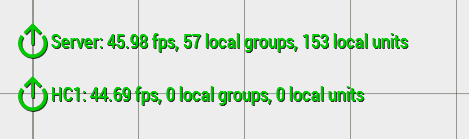 vital elk
@echo flower I agree. I gave this provider a shot as it was quite cheap though I don't believe I will be sticking with them past the month I've paid for
echo flower
I bet you are better of with renting a dedicated machine or vps
Managing Arma is quit easy
vital elk
Yeah. At this point I've no doubt that I could run a server myself, though a dedicated machine is pretty expensive
@echo flower Do you have any suggestions for a dedi machine that isn't super expensive?
cunning sage
depends on desired location of the server host
silent steeple
does someone have a good guide for setting up a headless client? I just dont find anything that really helps me.
silent steeple
All the guides I find are on seperate machines apparently, but some told me that it has to be on the very same machine. But i dont find anything about it.
cunning sage
same machine is preferred, more or less infinite bandwidth and (almost) no latency
silent steeple
I just fail at what i have to set up and how to connect it
i have playable HC modules in my mission
cunning sage
it will be a bit easier with next patch, you can use profiling branch to get the changes already
silent steeple
and that mission runs on a dedicated server hosted on my machine
cunning sage
no need to whitelist localhost anymore
silent steeple
what branch what?
cunning sage
profiling
or just add the following to your server.cfg
localClient[] = {"127.0.0.1"};```yeah
cunning sage
otherwise it can't connect
silent steeple
thats what i have in my dedicated server cfg
heavy tiger
and the hc also needs to connect with -connect=127.0.0.1
not with the remove ip
cunning sage
you can find correct docs here, https://community.bistudio.com/wiki/Arma_3_Headless_Client
silent steeple
Okay, so i basically set up a second server on the same machine
then start another server but with
-client -connect=127.0.0.1
@cunning sage but add these 2 parameters in the start.bat
correct?
cunning sage
for the second "server" yes
it will tell it to run as a headless client instead
using the same binary
silent steeple
okay.
cunning sage
it can be used with either the usual client binary (arma3(_x64).exe) or the server binary (arma3server(_x64).exe)
if you're logged in as admin on the dedicated server you should see the headless client in the players list
you can also tell from both the server and headless client log window
it should say connecting, connected etc
the mission also needs to be adopted to support headless clients
if enabled the headless client will autojoin a suiting slot
otherwise it will just sit idle in the lobby
silent steeple
the mission also needs to be adopted to support headless clients
@cunning sage yes, i have set up i think 4 hc modules which are playable
in the mission
and i named them hc to hc_3
cunning sage
should be enough for a headless client to join a slot more or less then
that should be the end of the easy path where there's only right or wrong 😛
 split drum
Is the game license required for headless clients still a thing? And if so, how do you set that up?
cunning sage
then comes the hard part of actually using it
no, you don't need a license
just like running a dedicated server
it works the same way more or less
cunning sage
I guess affinity is preferred if you want to be certain
the rest is up to the OS to schedule
not the game
split drum
Well, whatever avoids thread congestion.
cunning sage
it will use a certain number of threads
silent steeple
or just one like the normal arma client
cunning sage
all process threads will be split by the OS upon available cores
the server uses multiple threads
split drum
how many AI does a HC handle anyway?
cunning sage
but the main thread is the one taking up most usage
silent steeple
how many AI does a HC handle anyway?
@split drum https://www.youtube.com/watch?v=ZIWHLbzRpJ8
cunning sage
depends on your mods, scripts etc
just like your usual game client
just having units stand around is way different from doing a CQB firefight
silent steeple
Sadly, if i put 6 cores and hyper threading enabled, in the parameters of the arma 3 launcher, it doesn't give me any performance boost.
cunning sage
the main thread will limit you
a thread can not run on more than one core at once
but a core can run many threads
silent steeple
I have the Ryzen 5 2600, 6 Cores 12 threads
split drum
I curiuous what difference it will make having the AI offloaded to my dedicated server/HC. I barely get around 30 FPS in my laptop.
cunning sage
it could make AI more responsive
silent steeple
Thats also the reason why i want to put hcs. I get 20 Fps in ops, and my cpu is just bored
cunning sage
it could also cause your server to spend a lot more time on handling messages back and forth between clients
split drum
that I heard too. Less HC might be better than too many.
cunning sage
they will consume CPU and RAM just like any other client too
so if you run out of either then the server will starve
silent steeple
that shouldnt be a problem for me. i have 32Gb of ram and 12 threads
For the HC "server" setup part, do i need the Server config and port parameters, or do i remove them?
cunning sage
port yes, at least if you dont use 2302
split drum
Is the communication between HC and server only, or do other clients also communicate with HCs?
silent steeple
yeah i use 2302
cunning sage
well, you can remoteExec between HC <-> player for example
but that would bounce through the server
split drum
Well, I was thinking, say I host a mission to the internet. Do other clients there need some kind of portforwarding /firewall rules to the headless clients for it to work?
Or would they only talk to the server? (which is portforwarded alone)
silent steeple
"F:\Games\SteamGames\steamapps\common\Arma 3 Server\arma3server_x64.exe" "-profiles=F:\Games\SteamGames\steamapps\common\Arma 3 Server" "-mod=" -config=CONFIG_server.cfg -client -connect=127.0.0.1
that is correct, is it
cunning sage
I said you needed the port if you're not running 2302 😉
silent steeple
oh well
but you didnt say anything about the config
would i tell the start bat to use 6 cores, or something like that, or will it just take what it can get
i think the parameter just restricts it, doesnt it?
cunning sage
yes
if you want to be 100% sure they wont share cores you'll need to set affinity in your OS CPU scheduler
silent steeple
so task manager
cunning sage
or start system command with the affinity parameter
silent steeple
system command?
cunning sage

Reference topic for start, which starts a separate Command Prompt window to run a specified program or command.
split drum
Thanks Dahlgren, clears up much of my questions.
cunning sage
remember that the HC clients will need the same mods as any other clients
silent steeple
https://prnt.sc/ssffud The HC server just stays like that
Oh probably because the mission with the HC didnt start
cunning sage
it should try to join the server
silent steeple
never worked with these parameters so
cunning sage
they can be used to start the game and autoconnect to a server
worked fine with -password= ?
silent steeple
most likely
didnt start it again
was checking the mission file
https://prnt.sc/ssfkvi
So i have 6 HCs
i'll remove 2 i think
cunning sage
each started client will use one of those
so unless you start more clients it wont use the extra ones
silent steeple
oh
can i start the same one 4 times or do i have to set up 4 seperate?
4 seperate, right?
https://prnt.sc/ssftwp Ooooooo
cunning sage
yep
silent steeple
Okay.
For some reson i just got stuck in "waiting for host" after i chose my role in the server
Does that have anything to do with the HCs?
okay nevermind, was something on my end i guess
okay my CPU isn't used 100%
But my 32Gb RAM
damn
that might be the reason why i have so bad fps
Okay, so apparently, too many HCs..
heavy tiger
You probably don't need more than one
silent steeple
Okay, so we tried the Headless client in the Operation now, but sadly I don't see any improvement in performance on my side.
It was more or less fine when i ran like 200-300 AI on the server before that op
But other than a huge hit in RAM Usage, i don't see any difference
I need to see, maybe the zeus didnt delete bodies which made it worse
https://prnt.sc/ssmndr
But also for some reason the HC Modules got invisible and in the Player List the HC also doesn't show up even though its connected
cunning sage
did you move your AIs to the headless client?
there is no built in load balancing of AIs between server and HCs
only logged in admin can see headless clients
silent steeple
ohhh....
cunning sage
otherwise you'll need to change the AI owner or spawn the AIs directly on the headless client
cunning sage
SQF
maybe there are extensions to zeus as well
if you're unsure, just a manager such as ACEX one
it gets you started at least
cunning sage
so just enable headless in cba settings
well, its stated in the wiki article I linked initially
cunning sage
and I said that handling AIs on HC was the hard part 😛
silent steeple
i noticed
cunning sage
getting the client to run is the easy part 😄
silent steeple
yeahh.. Was too easy i already thought that.. lmao
of course i forget something lol
cunning sage
ACEX Headless works fine most of the time
its disabled by default thou
so you need to enable it in the server/mission cba settings
acex_headless_enabled
silent steeple
Ok i just enabled that in the mission twice, but it kept disabling.
in eden editor, since i cant change Cba settings server-side for some reason anymore
silent steeple
so i just enable ACEX Headless and boot up the headless client and thats it?
also not very hard lol @cunning sage
cunning sage
more or less yes
but ideally you should spawn desired AIs on the HC directly
its a workaround for lazy mission makers
silent steeple
oh okay. Can i read about this somewhere?
cunning sage
switching owner of AIs can lead to interesting issues
such as loadout disappearing
its a known problem with ACEX Headless
silent steeple
yeah i noticed that already.
cunning sage
there are a couple of workaround in place but still happens sometimes
silent steeple
is it the "Spawning the AI" in that wiki?
what i have to do with the mission
So, but what do i put inside the init_HC.sqf? That is not explained anywhere. Its just about the init.sqf and description.ext
or do i not have to put anything inside
I added this to the init.sqf sqf if (!hasInterface && !isServer) then { execVM "init_HC.sqf"; };
And this to the description.ext
class params
{
   class headlessClient
   {
       title = "Headless Client";
       texts[] = {"Disabled","Enabled"};
       values[] = {0, 1};
       default = 0;
       function = "myTag_fnc_myFunction";
       isGlobal = 1;
   };
};```But since it executes the file "init_HC.sqf", i have to create it and put a script in, dont i?