#arma3_scripting
1 messages · Page 781 of 1
 past wagon
well this is all 2d
_pos1 params ["_x1", "_y1"];
_pos2 params ["_x2", "_y2"];
_degrees = atan ((_y2 - _y1) / (_x2 - _x1))
``` Would this work?yeahhh
 tough abyss
though you'll probably want to use atan2
past wagon
so if I have an arrow marker, and I do _myMarker setMarkerPos _pos1; _myMarker setMarkerDir _degrees;, it would point from one position to the other?
tough abyss
theoretically, yes, if this angle measurement actually works
I'm unsure if just using the slope to grab an angle is going to be enough
past wagon
well, is there an easier way to do it?
because I basically just need a marker to point from pos1 to pos2
tough abyss
If they took vectors for their direction this'd be easy...
problem being that setMarkerDir expects a heading which is hard to get using only two positions

 worthy spade
Is there a way to get the respawn templates that are in use in the mission?
 winter rose
worthy spade
Is there a way to get the respawn templates that are in use in the mission?
winter rose
worthy spade
Is there a way to get the respawn templates that are in use in the mission?
maybe through mission config browsing yes
private _templates = getMissionConfigValue ["respawnTemplates", []];
```@worthy spade
ofc, you can also check West/East/etcgetMissionConfigValue works perfectly, thanks.
 winter panther
Is there a way to get the class name of a unit? I mean "Rifleman", "Ammo bearer", "Squad leader" etc.
nvm, I just found it. Its:
getText (configFile >> "cfgVehicles" >> typeOf UNIT >> "displayName")
winter rose
winter panther
nvm, I just found it. Its:
getText (configFile >> "cfgVehicles" >> typeOf UNIT >...
configOf _unit
``` 😉private _displayName = getText (configOf theUnit >> "displayName");
nice, thanks!
past wagon
I am trying to use the following code in initPlayerLocal to have players slowly heal back to full health when they have 75% health or higher, but it isn't working properly. Instead, it seems to be instantly healing me back to full health right away.
[] spawn {
    while { true } do {
        sleep 5 + random 7.5;
        if (damage player <= 0.25) then {
            player setDamage (damage player - 0.01);
        };
    };
};
I'm not sure what is wrong with my code, but there must be a better way to do this entirely.
 pulsar bluff
whats the best way to do nested hash maps
right now i have a nested array data structure like this
    [],
    [],
    [],
    [],
    [],
    [],
    [],
    [],
    [],
    []
];```where the internal arrays hold key value pairs
also the data gets sync'ed over network
are hash maps able to propagate?
tough abyss
Hash maps can propagate just like other data types
I would question whether nesting hash maps is the way to go though, what are you trying to do?
pulsar bluff
its basically a database, but stored in profilenamespace between restarts
a scoreboard, storing UID and value for different categories
so each internal array is a category ... tank kills, inf kills, etc
 little raptor
make it one hashmap then
tough abyss
Couldn't it just be one hashmap? I.e. with TankKills, InfantryKills, etc.
little raptor
if the keys are the same
tough abyss
Yeah
pulsar bluff
yea keys are just UID, but how do i hold the category in a key value pair?
[<key>,[<category>,<value>]] ?
little raptor
if you ask me you don't even need the "category" if they're fixed
pulsar bluff
hmm
little raptor
they can just be array indices
[
  key,
  [
    killsValue, //value#0
    deathsValue, //value#1
    etc.
  ]
]
you can make macros to make indices more readable, e.g.
#define IDX_KILLS 0
...
_kills = _values#IDX_KILLS;
frankly anything's gonna be cleaner than nesting hashmaps
tough abyss
That's entirely dependent on how you're presenting the hashmap data
pulsar bluff
leaderboard basically
little raptor
tough abyss
frankly anything's gonna be cleaner than nesting hashmaps
and more memory efficient
tough abyss
^
little raptor
hashmaps are big
tough abyss
not to mention propagating a huge nested hashmap over a network is going to be horrible
esp. if you're sending frequent updates
pulsar bluff
yea i would like to avoid that
tough abyss
As far as actually presenting the data in a GUI, you can just construct the GUI table by iterating through your hash values like any other collection
then form the data into rows/columns/whatever
forEach supports hashmaps
_x becomes the key, _y the value
pulsar bluff
ahh k
 open fractal
would forcing fog clientside on every frame ruin multiplayer performance?
i.e. ```sqf
onEachFrame { 0 setFog dynamicValue }
 copper raven
do you really need to do that?
open fractal
not on every frame, no. I would like to experiment with clientside fog changing based on location or something like that though
I'm just looking to find out if that is a very bad idea
copper raven
i mean on client it's probably fine
open fractal
I haven't noticed a negative impact in SP, but if it somehow creates network traffic I would be more conservative about it
copper raven
shouldn't
open fractal
ah but the server player would propagate it
copper raven
yes
otherwise the client just sets the value for himself for some time, and quickly after that it will reset back to whatever the server has
(the next server update that is)
open fractal
do you know of any mods that add more post-processing effects
tough abyss
@open fractal There's nothing wrong with changing fog based on location, but updating it every frame is unnecessary and none of your changes will last if not executed on the server
open fractal
the idea behind updating every frame is to keep the server from overriding it
tough abyss
Still, the server isn't going to be trying to override it instantly
if you really want to stop the server from overriding it, a loop with a sleep should be sufficient
open fractal
would the server override currently transitioning fog?
I thought it would have to be updated clientside near-constantly because there isn't a set time between fog set on the client and updates coming from the server
tough abyss
Updates coming from the server are interpolated just like changes on clients
though I'm not sure of the exact behavior that would happen if the client and server are changing differently at the same time
either way, a loop with a sleep of 0.1 or similar is still far more efficient than every frame and should be good enough™️
open fractal
probably, I think I'm going to avoid that method entirely since it would have to account for server execution if the host is a player
weather looks like a headache
tough abyss
Overall trying to do client-side weather in general is something to avoid
since it's not intended to be client-side only
open fractal
I wish there was a post-processing effect that could accomplish something similar to the fog
 drifting portal
open fractal
I wish there was a post-processing effect that could accomplish something simila...
drifting portal
open fractal
I wish there was a post-processing effect that could accomplish something simila...
Yeah you are only left with lowering view distance
Which is really not fog
pulsar bluff
@little raptor would it get sent over network as a hashmap, or as an array
missionnamespace setvariable ['data',createHashMap,true];
copper raven
wat? whatever data is there it gets serialized and deserialized to its exact state on the target machine
 granite sky
There's a question of whether it sends the hashmap's internal data structures or rebuilds them at the far end.
copper raven
well i'd assume only data that can't be deduced just by looking at it's actual thing, like for example array size i assume wouldn't be transferred, because it can be deduced from it's contents
though i have no clue how the serializer/deserializer is implemented 😄 would need to ask ded for that
granite sky
It feels to me like one of those questions where if the answer matters then you shouldn't do that :P
 meager granite
tough abyss
frankly anything's gonna be cleaner than nesting hashmaps
meager granite
tough abyss
frankly anything's gonna be cleaner than nesting hashmaps
You better not see my AO definitions then
tough abyss

 tough abyss
I mean they get you about the closest you can get to OOP with SQF
so I'll give you that
 exotic flame
How do we get the class name of the ammo contained in a magazine ?
 warm hedge
contained in CfgMagazines >> Ammo
 proven charm
I'm trying to kick player in editor-multiplayer mission but nothing happens (false is returned) serverCommand format["#kick %1", getplayeruid player]
does it require password somewhere?
tough abyss
look at the alternative syntax
also note the yellow warning at the top of the page if you're executing from a client
proven charm
tough abyss
https://community.bistudio.com/wiki/serverCommand
yea i wanted to use the syntax without password, but then pw must be defined elsewhere?
I'm such a noob when it comes to server hosting
tough abyss
It'd be defined by serverCommandPassword in the server config file
proven charm
ok ,thx
little raptor
pulsar bluff
<@360154905148653568> would it get sent over network as a hashmap, or as an arra...
Afaik it's serialized to an array of pairs (that's how you normally serialize a hashmap)
But you should ask @still forum to be sure
tough abyss
@proven charm It could also be that you're using getPlayerUID rather than getPlayerID
so probably try that to be sure
in fact, you shouldn't need a password in local MP, so that's probably the actual issue
proven charm
tough abyss
in fact, you shouldn't need a password in local MP, so that's probably the actua...
didn't have one
tough abyss
yes which is why you should try the other solution
proven charm
I now set the two passwords with FASTER but the command still fail
my test code: ```if(!isServer) exitWith {};
[] spawn
{
waituntil { sleep 1; count allplayers > 0 };
sleep 3;
_plr = allplayers # 0;
"Kicking..." remoteExec ["hint", _plr];
_ok = serverCommand format["#kick %1", getPlayerUID _plr];
diag_log format["SERVER TEST DONE %1 %2", _plr, _ok];
};```
proven charm
ok the alternate serverCommand syntax works but not the first one i wanted to use
 still forum
pulsar bluff
<@360154905148653568> would it get sent over network as a hashmap, or as an arra...
still forum
pulsar bluff
<@360154905148653568> would it get sent over network as a hashmap, or as an arra...
Hashmaps are sent as basically two arrays. keys,values
still forum
meager granite
Seriously though, hashmaps are great
Praise Hashmaps 
still forum
granite sky
There's a question of whether it sends the hashmap's internal data structures or...
rebuild
exotic flame
warm hedge
contained in CfgMagazines >> Ammo
thanks !
 rich palm
heii, im kinda new in the arma3 modding/scripting szene. someone know if there is a working mail system with mailbox on playerhouses etc? or something like that to work with?
- for Altis life
 lyric portal
Deck crew animations. I want them to activate via a trigger.
z1 switchMove "Acts_JetsMarshallingEnginesOn_in";
sleep 2.366;
z1 switchMove "";

z1 switchMove "Acts_JetsMarshallingEnginesOn_loop";
sleep 2.533;
z1 switchMove "": //Tried removing this. Removed the error on the editor but  "Acts_JetsMarshallingEnginesOn_in" is not playing
I tried putting this in on the onAct field but it's not working. What do?
The player is z1
 hallow mortar
Make sure you have "show script errors" turned on in the launcher parameters.
The reason this won't work is because trigger onAct/onDeact fields are unscheduled (https://community.bistudio.com/wiki/Scheduler), and you can't use sleep in an unscheduled context. You will need to create a scheduled context for this. An easy way to do it would be to add [] spawn { at the start and }; at the end.
lyric portal
Thank you
[] spawn {
z1 switchMove "Acts_JetsMarshallingEnginesOn_in";
sleep 2.366;
z1 switchMove "";

z1 switchMove "Acts_JetsMarshallingEnginesOn_loop";
sleep 2.533;
};
Works in multi as well yes? Other players will see the animation as well? Or do I need remote exec?
hallow mortar
See also: https://community.bistudio.com/wiki/switchMove
Depending on the trigger conditions, the trigger may activate on all machines at the same time, e.g. a BLUFOR Present trigger will have its condition satisfied for everyone. In this case, that has the same effect as a global remoteExec and the command will definitely be applied correctly.
However, depending on conditions, the trigger might not activate on all machines at the same time, e.g. a player in ThisList trigger will only activate for a player currently in the area and not anyone else. In this case you would need a remoteExec and also some kind of safety to prevent the effect from repeating when other clients get around to activating it. I would recommend making sure your trigger conditions match the first case, or making a Server Only trigger that remoteExecs to cleanly prevent any duplication.
lyric portal
Thank you very much
pulsar bluff
meager granite
cant flatten that?
meager granite
pulsar bluff
cant flatten that?
Some stuff can be flattened but I like it this way.
Feels OOP-ish
pulsar bluff
whats the best way to update/sync database/global/leaderboard info to clients? trying to minimize network traffic
was sending big array over network, now flattening to hashmap but its still being sent over network all at once to everyone ... it just works, but feels ugly, given potential of many hundreds of elements
meager granite
I send whole scoreboard and it works alright
I used to slice and send only the first page before that, but later with the need to sort and scroll the scoreboard on clients started sending the whole thing
Scoreboard resets each round though, so it doesn't get over 200 lines at most
meager granite
I don't even add a line until any kind of score is added for the first time
If I were to deal with huge scoreboards, 2000 lines or something, I'd just send a slice of a first page to everyone on updates, then if player wants to scroll, ask server for the whole thing once
Maybe then broadcast small updates to that certain player from the server\players while they scroll it
pulsar bluff
k. so send basic to everyone and then on demand
pulsar bluff
yea i just add up stuff like revives
meager granite
In my implementation I don't do any kind of sorting on the server, adding score is extremely fast, clients do all the sorting when they open the scoreboard (and can sort and scroll by any column they want)
Sending a slice would require server-side sorting
I think I used to do server-side sorting only if added score was high enough to be on the first page. When sorting is done, I saved last line's scores to use them to check against
Thus no needless sorting was done
Before I redid the whole thing
pulsar bluff
yea i dont mind the sorting/CPU, mainly looking at reducing network
pulsar bluff
isnt sending string over network the most expensive, wondering about UIDs too, perhaps converting to number, or breaking off the first 7650000 half
maybe too far
meager granite
Saving few kb of traffic a second is not worth so much CPU time
Up to you of course
pulsar bluff
think so? im of the mind network traffic is bottleneck in big MP (50+ player) not CPU
not sure tho
meager granite
I'm not exactly an expert on this, but the general rule is to have as much server FPS as possible and as less performance hiccups on server as possible.
If player is on a shitty connection, I don't think that reducing traffic will help their terrible experience much.
granite sky
From a PvE perspective, it's surprising how low you can run the server frame rate before players start to notice.
Might be different for PvP though.
But then if clients are struggling to reach 30fps due to object counts, they tend to notice that rather than the relatively minor effects of server frame rate.
pulsar bluff
im experimenting with entirely local objects, data array held on server but rendered only on each client , with idea of a LOD slider ...
so client can basically tick a "furniture in buildings" toggle and they'll see furniture
but which is completely local to their machine
meager granite
I was experimenting with local furniture in buildings as well, I think it can work fine
pulsar bluff
is a lot of work to do all the different furniture compositions though, i dont have time for that stuff 😂
is slightly a pain in PvE too ... server needs some objects for AI line of sight
meager granite
Make it procedural 😎
pulsar bluff
meager granite
Make it procedural 😎
am not that smart
need to wait for someone to tell me where in the model space to hang the paintings and where the chairs go, then ill do the add/remove stuff
and i have AI path stuff to worry about too
so the bots arent walking through sofa
basically never got too far with that side project
 dapper maple
Hello, I'm a noob at scripting and I want an AI to move around the map placing IEDs. I followed this tutorial: https://www.youtube.com/watch?v=ogCSYPXhYok and it works fine! However I want my AI to continue along his route after placing the IED. Right now the AI freezes kneeling down despite having not completed his route. This is what the animation script looks like and it is in a trigger that is activated by the AI entering the trigger zone:
call{[bob,"KNEEL_TREAT", "ASIS"] call BIS_fnc_ambientAnim;
0 = this spawn {waitUntil {behaviour _this == "combat"};
_this call BIS_fnc_ambientAnim__terminate;}}
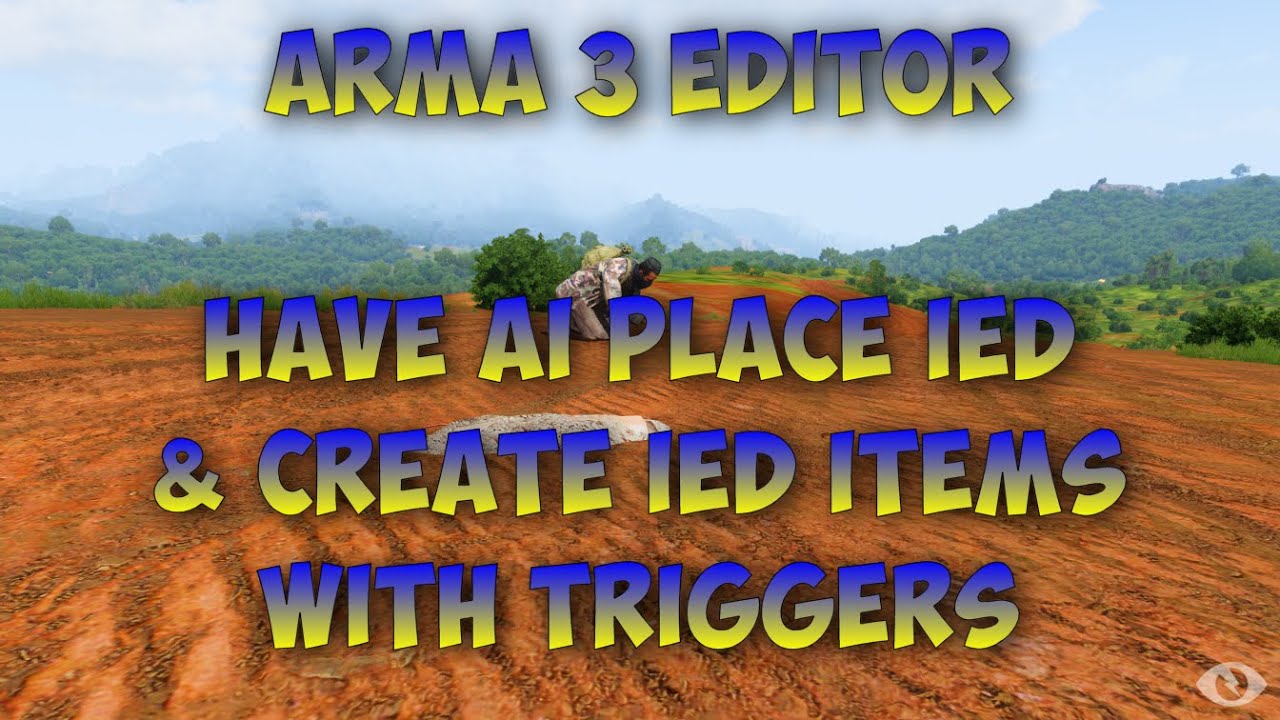
This shows you how to have AI units place an IED through the use of triggers and animations. It will also who you how to create objects on triggers and how to destroy some items on triggers as well.
Paste Bin Link for the codes used
Thanks to Michael for the question.
Questions or comments? Want to ask for he...
pulsar bluff
remove this bit and try again
waitUntil {behaviour _this == "combat"};
replace with
sleep 5;
 willow hound
pulsar bluff
was sending big array over network, now flattening to hashmap but its still bein...
willow hound
pulsar bluff
was sending big array over network, now flattening to hashmap but its still bein...
You could optimize for bandwidth on update statements by storing every scoreboard line in its own variable (i.e. missionNamespace setVariable ["QS_scoreboardLine" + getPlayerUID _unit, [...]]).
dapper maple
pulsar bluff
remove this bit and try again
Great! Thanks! It didn't work when I put it in the trigger but when placed in the waypoint it worked! Just seems the badguy buries his AK along with the IED! It disappears during the animation! 🤣
copper raven
pulsar bluff
whats the best way to update/sync database/global/leaderboard info to clients? t...
why send entire scoreboard? you should be tracking what is updated serverside and only propogate that information (which changed) to clients, you don't need to broadcast say 50 entries if only one of them changed
still forum
pulsar bluff
whats the best way to update/sync database/global/leaderboard info to clients? t...
Send first version via normal publicVariable.
Send later updates via remoteExecs with separate JIP IDs.
That way small mid game updates don't need big resending.
But the incremental updates will accumulate on the server if I runs for too long
We tried network compression, in the end it wasn't worth it, caused more issues than it solved, most servers have enough bandwidth, but not enough cpu
copper raven
the first version doesn't need to be pvared even, can be a simple bounce client > server > client (on init) to get the initial data, the incremental updates shouldn't be JIPed at all
if you use pvar for the initial data, then it means you need to JIP the incremental part, which is bad
tough abyss
^
past wagon
private _pistols = [
    ["hgun_P07_F", "16Rnd_9x21_Mag", "muzzle_snds_L", [""]],
    ["hgun_Rook40_F", "16Rnd_9x21_Mag", "muzzle_snds_L", [""]],
    ["hgun_ACPC2_F", "9Rnd_45ACP_Mag", "muzzle_snds_acp", [""]],
    ["hgun_Pistol_heavy_01_F", "11Rnd_45ACP_Mag", "muzzle_snds_acp", ["optic_MRD"]],
    ["hgun_Pistol_heavy_02_F", "6Rnd_45ACP_Cylinder", "", ["optic_Yorris"]]
];
private _SMGs = [
    ["hgun_PDW2000_F", "30Rnd_9x21_Mag", "muzzle_snds_L", ["optic_Aco", "optic_ACO_grn", "optic_Holosight_blk_F"]],
    ["SMG_02_F", "30Rnd_9x21_Mag_SMG_02", "muzzle_snds_L", ["optic_Aco", "optic_ACO_grn", "optic_Holosight_blk_F"]],
    ["SMG_05_F", "30Rnd_9x21_Mag_SMG_02", "muzzle_snds_L", ["optic_Aco", "optic_ACO_grn", "optic_Holosight_blk_F"]],
    ["SMG_01_F", "30Rnd_45ACP_Mag_SMG_01", "muzzle_snds_acp", ["optic_Aco", "optic_ACO_grn", "optic_Holosight_blk_F"]]
];
private _rifles = [
    ["SMG_03_TR_black", "50Rnd_570x28_SMG_03", "muzzle_snds_58_blk_F", _optics],
    ["arifle_TRG21_F", "30Rnd_556x45_Stanag", "muzzle_snds_M", _optics],
    ["arifle_SPAR_01_blk_F", "30Rnd_556x45_Stanag", "muzzle_snds_M", _optics],
    ["arifle_Mk20_F", "30Rnd_556x45_Stanag", "muzzle_snds_M", _optics],
    ["arifle_CTAR_blk_F", "30Rnd_580x42_Mag_F", "muzzle_snds_58_blk_F", _optics],
    ["arifle_AKS_F", "30Rnd_545x39_Mag_F", "", [""]]
];

private _weaponsArray = selectRandomWeighted [_pistols, 0.55, _SMGs, 0.4, _rifles, 0.05];
private _gunAndAccessories = selectRandom _weaponsArray;
private _gunAndAccessories params ["_gun", "_mag", "_suppressor", "_gunOptics"];
_crate addItemCargoGlobal [_gun, 1];
_crate addItemCargoGlobal [_mag, 2 + round random 2];
if (selectRandomWeighted [true, 0.2, false, 0.8]) then {
    _crate addItemCargoGlobal [selectRandom _gunOptics, 1];
};
if (selectRandomWeighted [true, 0.03, false, 0.97]) then {
    _crate addItemCargoGlobal [_suppressor, 1];
};
I am getting an error in private _gunAndAccessories params ["_gun", "_mag", "_suppressor", "_gunOptics"];. It says Undefined variable in expression: _suppressor. I'm not sure what is wrong here.
copper raven
private _gunAndAccessories params is not valid, remove the private
open fractal
the description.ext page gives this as an example for disabling chat:
disableChannels[] = {
    {
        0,        // channel ID
        false,    // disable text chat
        true    // disable voice chat
    },
    { 3, true, true }
};
What does { 3, true, true } mean? https://community.bistudio.com/wiki/Description.ext#disableChannels
little raptor
open fractal
What does `{ 3, true, true }` mean? https://community.bistudio.com/wiki/Descript...
same as 0
except for channelID 3
open fractal
I see, thanks
disableChannels[] = {
    { 0, false, true },
    { 1, false, true },
    { 2, false, true },
    { 3, false, true },
    { 4, false, true },
    { 5, false, true }
};
``` would this be the quickest way to disable voice chat in-missionI wonder if a disabled channel through config can be reenabled using commands 
copper raven
open fractal
```cpp
disableChannels[] = {
{ 0, false, true },
{ 1, false, true },
...
just disable von in server settings 😄
copper raven
little raptor
I wonder if a disabled channel through config can be reenabled using commands <:...
This command:
can override Description.ext or server.cfg's channel setting
https://community.bistudio.com/wiki/enableChannel
open fractal
I prefer to keep as much as possible packaged in the mission since my group usually hosts a listen server on the most reliable connection
winter panther
Do anyone know a good script (or mod at least) with a good AI reinforcement spawn menu? The only ones I know are:
- Reinfocement menu in Drongo's Command Enhancement
- Spyder Addons Recruitment module
- Liberation buy menu
I'm looking for different alternatives, dependency-free scripts if possible.
alternatively, do anyone know how to access the list of squad compositions of a faction in a script? I mean the ones that are available in the editor, like "Weapons Squad".
open fractal
_cam camCommitPrepared _time;
[_cam,_newVector,_time] spawn {
    params ["_cam","_newVector","_commitTime"];
    private _oldVectorDir = vectorDir _cam;
    private _oldVectorUp =  vectorUp _cam;
    _newVector params ["_newVectorDir","_newVectorUp"];
    private _oldTime = diag_tickTime;
    while {!(camCommitted _cam)} do {
        private _progress = (diag_tickTime - _oldTime) / _commitTime;
        _cam setVectorDir vectorLinearConversion [0, 1, _progress, _oldVectorDir, _newVectorDir];
        _cam setVectorUp vectorLinearConversion [0, 1, _progress, _oldVectorUp, _newVectorUp];
    };
};
``` trying to write my own camera functions. Is there a more efficient way of smoothly adjusting the pan and tilt of a camera?the idea is since there is no working camPrepare commands for pitch, roll, and dir, it would be set manually
winter rose
not that I know of - looks neat!
open fractal
seems to work as well 👀
winter rose
you can ask Dedmen to fix camSetBank/camPrepareBank 😄
 winter rose
camSetDive?
winter rose
you could mimic that by either aiming at a (relative) position, or having an invisible target
open fractal
Is there a way to target a position? I thought it would require creating a local object
winter panther
winter panther
alternatively, do anyone know how to access the list of squad compositions of a ...
nvm I found it. I can access the units of a squad composition like this:
getText (configFile >> "CfgGroups" >> "west" >> "BLU_F" >> "Infantry" >> "BUS_InfSquad" >> "name");
and also get the units and other stuff. I think I'll repurpose a GUI script to make it a squad spawning menu
copper raven
open fractal
Is there a way to target a position? I thought it would require creating a local...
https://community.bistudio.com/wiki/camSetTarget takes position too, you can use that
open fractal
interesting, thanks
strange that that one does and the others require an object
wait
so does camPrepareTarget
what was I looking at before
winter rose
drugs, most likely
copper raven
i'd also use perframe handler over sched code here (imo), i guess if it doesn't look too choppy and you don't run many scripts it's fine
open fractal
good idea I don't see why not
open fractal
copper raven
i'd also use perframe handler over sched code here (imo), i guess if it doesn't ...
this works flawlessly
tough abyss
Yeah there's some pretty cool effects you can pull off with camera positioning using relative vectors 😉
https://www.youtube.com/watch?v=v_HWd5P2Bvs
a shame that too much PiP destroys performance, though
just realized that video was set to private instead of unlisted, should actually be viewable now
pulsar bluff
copper raven
why send entire scoreboard? you should be tracking what is updated serverside an...
so, i can propagate initial copy on server start, then over time send only the changes
tough abyss
propagate initial copy from server to client for every client join
then propagate updates
server should have the up-to-date data at all times ready to send to any JIP clients
copper raven
^, propogate updates as in just remote exec to all clients(on server aswell, server needs to update their version too) but not JIP
pulsar bluff
why not jip?
copper raven
for clients that JIP you just send them current server's array
tough abyss
^ Because if the server has the up-to-date data, just sending the current server version on JIP will have all of the latest data
the server's array is the "master record" with all of the current data
making the individual updates JIP would be redundant
your information flow should be
server tracks relevant events, updates board array -> server propagates those individual updates to current clients
and
client does JIP -> server sends full board array to new client
pulsar bluff
im imagining an initial public variable on server start which clients get on jip, and then a growing list of changes made during the session, with the change list being regularly published to clients
copper raven
public variable doesn't work
pulsar bluff
client then combines the changes to the jip’ed scoreboard locally
tough abyss
that method would work but it's a lot more messy and has a ton more JIP overhead than the above method
copper raven
you need to just callback,
fn_request = { remoteExec ["fn_getScoreboardData", 2] }
fn_getScoreboardData = { global_scoreboardData remoteExec ["fn_recieveScoreboardData", remoteExecutedOwner] }
fn_recieveScoreboardData = { global_scoreboardData = _this; }
interesting
tough abyss
you'd be building a massive JIP queue of changes for no reason when you could just distribute the latest copy from the server
copper raven
its not about jip queue its about broadcasting all the entries for current players aswell, needlessly
tough abyss
and then a growing list of changes made during the session, with the change list being regularly published to clients
^ that'd be the massive JIP queue I'm referring to
pulsar bluff
doesnt this add a lot of traffic tho, as the server is sending the full list many times?
tough abyss
it'd only be sending once per JIP join
copper raven
pulsar bluff
doesnt this add a lot of traffic tho, as the server is sending the full list man...
pvar would also send the full list at JIP
pulsar bluff
yea i guess no escape
tough abyss
the route you're taking is server sends base list and update queue-> client iterates through and applies updates
when it could just be server sends current data -> all clients receive specific individual updates from server
copper raven
you don't seem to understand, if you use pvar for your "current list", you would have to pvar on every single update
for JIP clients
or you go with broadcasting every update for JIPs
if you use what i sent, both of the problems are fixed
tough abyss
^
tough abyss
that's only managing the full dataset
handling updates is going to vary depending on how you want to do it
would probably be smart to associate it based on userIDs with hashmap keys or something similar
so you can update one user's data at a time
pulsar bluff
so client has joined and has sync'ed state ... leaderboard updates, does client receive each update at the time, or is server consolidating and sending periodically
copper raven
each update at a time
the mapping is all on you, i suppose you'd want to use uids or something like that
tough abyss
for instance:
fn_sendScoreboardUpdate = {
  params["_userID"];
  [_userID, global_scoreboardData get _userID] remoteExec ["fn_receiveScoreboardUpdate", -2]
};

fn_receiveScoreboardUpdate = {
  params["_userID", "_data"];
  global_scoreboardData set [_userID, _data];
};
tricky part is probably sorting on insertion/update
tough abyss
^ possible update system, assuming scoreboard uses userIDs in a hashmap configuration
pulsar bluff
hmm cool
tough abyss
obviously could be expanded upon but that's the gist
top function would be serverside, bottom clientside
pulsar bluff
copper raven
the mapping is all on you, i suppose you'd want to use uids or something like th...
yea i use uids
tough abyss
fixed typo from recieve -> receive
copper raven
you probably don't want to use hashmaps if you want to sort
you could maybe sort serverside only, and have multi update kinda thing, to swap indexes where needed on clients (depending on sorting)
pulsar bluff
yea client doesnt need to do much except iterate and show on gui listbox
winter panther
is it possible to sort an array of config classes?
by a property like "name"
nvm I got it. It can be done this way:
_tmp = [_tmp , [], { getText (_x >> "name") }, "ASCEND"] call BIS_fnc_sortBy;
 frank mango
how would I go about executing this? Tried how I thought I should and it didnt work.
tough abyss
Needs to be executed on the server with the objects you want to hide in the array
frank mango
How do I execute it on the server I meant
tough abyss
I mean there's a lot of ways but to execute it directly it'd just be
[{
  private _objectsToHide = [];
  {
    _x hideObjectGlobal true;
  } forEach _objectsToHide;
}] remoteExec ["call", 2];
and where would I stick that?
tough abyss
Whereever/Whenever you want it to run
frank mango
So having it being execVM'd in my init.sqf is fine?
execvm "scripts\fn_HideObjects.sqf";
tough abyss
That would work yes
copper raven
frank mango
So having it being execVM'd in my init.sqf is fine?
execvm "scripts\fn_HideObje...
if you put that in init.sqf that means every client plus server will be running that code, is that your intention? just run it in initServer.sqf without the RE
frank mango
copper raven
if you put that in init.sqf that means every client plus server will be running ...
so would I need to execvm it?
tough abyss
That's a good point, initServer.sqf would be more appropriate if you only need it to run once on the server
that would also mean that you could simplify back to the original code since it'd be running on the server to begin with
you would still execVM the script file, though
meager granite
Is there a command to return image properties, like size or aspect ratio? I thought I've seen it being added recently but not sure anymore.
still forum
meager granite
Is there a command to return image properties, like size or aspect ratio? I thou...
meager granite
Thanks, was ctrl+f'ing by "image" and couldn't find it
proven charm
can you read Server Config File via script?
or overwrite values in there via script?
winter rose
proven charm
can you read Server Config File via script?
what do you have in mind?
proven charm
winter rose
what do you have in mind?
I was interested in kickTimeout variable
proven charm
ok thx
frank mango
did exactly this as you said and am getting
"Land_Misc_Rubble_EP1"];

{_x hideObjectGlobal true; } forEach _object>

17:40:39   Error position: } forEach _object>

17:40:39 Error hideobjectglobal: Type String, expected Object```you're not passing objects
you're passing strings
"Land_Misc_Rubble_EP1" is a string
frank mango
Okay, what do I need to remove?
granite sky
You said "several specific items".
Did you actually mean several item types over the whole map?
frank mango
No, I have the classnames of the items I need hiding.
I dont think types would work
"Land_ruin_rubble_PMC",
"Land_Fortress_01_bricks_v1_F",
"Land_Fortress_01_bricks_v2_F",
"Land_Misc_Rubble_EP1"```small section of the items I am wanting hidden
granite sky
You can use nearestObjects, but if there are a lot of these then it's likely to be horrifically expensive.
little raptor
frank mango
No, I have the classnames of the items I need hiding.
I dont think types would ...
classname = type. they're both the same thing
frank mango
little raptor
classname = type. they're both the same thing
I am a silly goose.
granite sky
or possibly nearObjects, apparently nearestObjects only does entities.
frank mango
Okay, so what needs to be changed in the script?
little raptor
{
  {
    _x hideObjectGlobal true;
  } forEach ([worldSize/2, worldSize/2] nearObjects [_x, worldSize/sqrt 2]);
} forEach [
  "Land_ruin_rubble",
  "Land_ruin_rubble_PMC",
  "Land_Fortress_01_bricks_v1_F",
  "Land_Fortress_01_bricks_v2_F",
  "Land_Misc_Rubble_EP1"
];
P.S: It's super slow
granite sky
Might wanna run it as a spawn so that it doesn't hang the console for several minutes :P
little raptor
it should only take a few seconds
but anyway spawning won't help much either
the slowest part is nearObjects over the whole map
granite sky
I guess those aren't particularly common objects?
little raptor
yeah they're not
they're not even vanilla (except for those bricks)
probably CUP's
frank mango
little raptor
probably CUP's
yeh sadly map has loads of cup junk everywhere
copper raven
granite sky
or possibly `nearObjects`, apparently `nearestObjects` only does entities.
huh, nearestObjects works fine for me atleast, e.g., for map buildings 🤔
if you mean the "classless" objects, they never worked with nearestObjects anyway
granite sky
I thought nearestObjects worked but the wiki disagrees :P
copper raven
little raptor
```sqf
{
{
_x hideObjectGlobal true;
} forEach ([worldSize/2, worldSize/...
i think you can just use nearestobjects here with all of the types in a single thing
but it sorts right? so might be slower in the end
little raptor
Dedmen said they work with "AI" (I guess he meant entities?):
https://feedback.bistudio.com/T166472#2338033
granite sky
Don't want sorting here anyway though.
little raptor
copper raven
i think you can just use nearestobjects here with all of the types in a single t...
yeah. I figured maybe nearestObjects doesn't work (as John Jordan said)
copper raven
diag_codePerformance [
 {
  nearestObjects [[worldSize/2, worldSize/2], ["Land_i_House_Big_01_V2_F", "Land_i_House_Big_02_V3_F"], worldSize/sqrt 2]
 },
 [],
 5
] // [87,5]
diag_codePerformance [
 {
  {
   [worldSize/2, worldSize/2] nearObjects [_x, worldSize/sqrt 2]
  } foreach ["Land_i_House_Big_01_V2_F", "Land_i_House_Big_02_V3_F"]
 },
 [],
 5
] // [132.8,5]
output is the same
granite sky
I'd test with the specified objects but I don't know what map they're on.
copper raven
little raptor
sorting doesn't make it that slow either
just wanted to check that 😄
 kindred zephyr
Hello scripting channel. Is there any extra documentation on holdAction besides the page in the wiki?
https://community.bistudio.com/wiki/BIS_fnc_holdActionAdd
I would like to know if holdActions are evaluated on each frame, an if so, if there is a way to reduce the intervals like what you would do with a trigger.
Thanks for the help, appreciated.
warm hedge
holdAction actually is just an action, so yes it is evaluated each frame and no, you can't
kindred zephyr
warm hedge
holdAction actually is just an action, so yes it is evaluated each frame and no,...
Thanks, I assumed so. At-least I have confirmation now.
warm hedge
Perhaps🐮 you can store your evaluation into a variable, and use this as a condition to make it similar?
kindred zephyr
warm hedge
*Perhaps🐮* you can store your evaluation into a variable, and use this as a con...
*condition is evaluated on each frame in unscheduled environment.
*condition is not evaluated if a dialog is open.
*If action is added to an object and not to player, the condition will only get evaluated if player is closer than ~50m to the object surface and is looking at the object.
*If action is added to player, condition is evaluated all the time.
If in the core they are actions then this mean that the same properties such as the ones listed still apply, correct?
kindred zephyr
warm hedge
*Perhaps🐮* you can store your evaluation into a variable, and use this as a con...
Yeah, Im doing something similar already tho. Just wanted to make sure if im not doing something that might have a engine based solution instead
warm hedge
Yes. holdAction is a very modded action, so almost everything you know about action is also applied
kindred zephyr
thank you very much sir!
tough abyss
Is there a series that’s recent like 2021-2022 for scripting?
winter rose
tough abyss
Is there a series that’s recent like 2021-2022 for scripting?
a series? like, video tutorials?
tough abyss
winter rose
a series? like, video tutorials?
Yea
winter rose
I do not know, but usually videos are good only to get you on the saddle, text is for the rest
tough abyss
Learning to read and understand documentation will prove far more valuable than anything watching a YouTube tutorial can give you
hallow mortar
I can't stand watching video tutorials for technical things but that's all anyone seems to produce these days
gotta get those Content Clicks™
winter rose
hallow mortar
I can't stand watching video tutorials for technical things but that's all anyon...
Hey, we work very hard on the wiki! 😋
copper raven
no offense but they are usually really bad and teach you very bad practices, atleast the ones i saw
it's best to just use the wiki, and if you don't understand something, just ask here
tough abyss
The wiki is pretty solid in a lot of areas
Though I look forward to helping improve some pages
winter rose
(don't hesitate to ping us in #community_wiki, if we can fix here and there!)
little raptor
I doubt it makes any difference
winter rose
 brazen lagoon
where is it best to run joinSilent?
brazen lagoon
where is it best to run joinSilent?
 brazen lagoon
i mean yes but I mean for the sake of responsiveness
since some things take some time to sync
winter rose
I do not know, either "local to the destination group" or "local to the unit" (I'd wager group > unit)
 ripe sapphire
yo bros so i made a cutscene that starts at the start of the mission, however when you start the mission theres always that annoying part where the mission has already started but the screen still shows the loading screen, so this makes the player not able to see the first few seconds of the cutscene
how do you detect when this loading screen ends?
in MP i want to synchronize it so that the game starts only when every player finished that loading screen thing
 drowsy umbra
Is there a way to get the location via script of an AI soldier who spotted you? E.g. an OPFOR patrol spots you somewhere, script gets OPFOR-who-found-you location, uses location in MOVE waypoint to send in reinforcements to the patrol's position. (I know getHideFrom tells you where the enemy thinks you are, which I might end up using if I can't find something to make the above work)
little raptor
drowsy umbra
Is there a way to get the location via script of an AI soldier who spotted you? ...
enemy info is shared among all group members. so you can't have just 1 AI spotting you. the whole group will spot you
as for how to do it, right now the only way is looping over all enemy groups and getting their knowsAbout value
after the 2.10 update you can use group event handlers
little raptor
ripe sapphire
yo bros so i made a cutscene that starts at the start of the mission, however wh...
not sure but you should be able to add a waitUntil in initPlayerLocal that checks when the loading screen display disappears. it's probably called RscDisplayLoad or loadingScreen or something in config. if so you should be able to find the IDD and use it with findDisplay
after the waitUntil, each client will tell the server they're done (by remoteExecing a function), and the server starts the cutscene once all clients have executed the function. e.g:
waitUntil {isNull findDisplay _idd};
remoteExec ["my_fnc_startCutscene", 2];
my_fnc_startCutscene:
counter = (missionNamespace getVariable ["counter", 0]) + 1;
if (counter < count allPlayers) exitWith {};
//start cutscene here
I appreciate it, thank you! 😄
ripe sapphire
little raptor
not sure but you should be able to add a waitUntil in initPlayerLocal that check...
ok dope thanks but theres a load of rscdisplayloads in the config lol i guess i'll have to test out each one
is there a way to freeze the game in MP?
so i can freeze everything until the cutscene starts
little raptor
little raptor
Just start your own loading screen <:meowsweats:707626030613135390>
See startLoadingScreen
ripe sapphire
ok that works lol but i was meaning to freeze the game to prevent all the AIs moving etc
little raptor
disable everything's simulation until the game starts 
tough abyss
@winter rose I have looked at the wiki..
It seems like a lot of stuff like modules and events are missing documentation
warm hedge
Not sure what you talk about. Functions and Event Handlers?
tough abyss
warm hedge
Not sure what you talk about. Functions and Event Handlers?
Well on the wiki there are missing definitions for some of the bis_fnc yeah
warm hedge
Intentional and we always wanted to expand it
tough abyss
warm hedge
Intentional and we always wanted to expand it
Ok
 worthy igloo
would replacing all trees on a map with p3d simple objects increase performance
warm hedge
Why would you in the first place?
worthy igloo
to increase performance..?
warm hedge
I would say it would make it worse. Not even tested
tough abyss
I've experimented with it for my Lushify mod, it makes performance far worse
trees as terrain objects are far more optimized than replacing them with simple objects
esp. since you also need to propagate all of those replaced objects to clients
if you really want to optimize trees the best option would probably be decreased render distance using hideObject, but even that will have some caveats
 stable dune
Hi
if i do custom composite with specific init , how i can add this in addon. Is there solution to add that via from config or what is correct way to get it done?
Doing trigger which call function.
little raptor
worthy igloo
would replacing all trees on a map with p3d simple objects increase performance
No
You can't replace terrain objects in the first place. You can only create objects on top of them, which ofc makes things slower
Also terrain objects have special optimizations that makes them faster
 young current
Terrain trees are as simple as it gets.
little raptor
I don't know why some people think that Arma devs were stupid
granite sky
Also if you walk around complex bits of map with no enemies on them, the frame rate is pretty good :P
winter rose
just don't run the game! 144FPS ez! :p
proven charm
any1 know how to use serverCommand first syntax? I tried: ```_ok = serverCommand format["#login test"];
_ok = serverCommand format["#kick %1", getPlayerUID _plr];``` but the kick doesn't work
 exotic flax
see https://community.bistudio.com/wiki/serverCommand
If serverCommand is executed on a client, it must be executed from UI context, such as "onButtonDown" or similar events (see User Interface Event Handlers).
and this is wrong:
_ok = serverCommand format["#login test"];
should be
_ok = serverCommand "#login test"; // no need to format normal string
@exotic flax yeah I know format is not needed. i run the code in server. thx
exotic flax
so it should work; got any error messages in the log file? any other useful information on how and where it's executed?
because serverCommand works as described on the biki
little raptor
there used to be some oddity with # in format for some reason
are you sure the formatted string looks correct?
try it as serverCommand format["%1kick %2", "#", getPlayerUID _plr];
also I'm not sure if it should be playerUID. iirc it's playerID
proven charm
little raptor
are you sure the formatted string looks correct?
the second syntax works, it should be ok. getPlayerUID works also
just a sec I run the server
ok this is what i have now: ```_ok = serverCommand "#login test";
diag_log format ["login ok? %1", _ok];
_ok = serverCommand format["#kick %1", getPlayerUID _plr];``` but login ok is false
little raptor
did you even try what I said?
proven charm
little raptor
did you even try what I said?
you mean without format?
little raptor
little raptor
try it as `serverCommand format["%1kick %2", "#", getPlayerUID _plr];`
I mean this
little raptor
maybe your sever has password?
proven charm
little raptor
I mean this
nope didn't work
proven charm
little raptor
maybe your sever has password?
just admin pw is set
which is test
oh and "server command password" which is also test
well atleast I can use the alternative Syntax
where am I supposed to store the password btw? maybe to file in server and then use loadfile?
little raptor
that's one way
you could also use userconfigs I guess
or a server only mod that stores the password in the config for example
proven charm
little raptor
you could also use userconfigs I guess
What does this mean?
 distant egret
I use CBA Settings for this which is only added on the servers side.
proven charm
little raptor
https://community.bistudio.com/wiki/userconfig
does userconfig always require addon?
little raptor
no. it needs filepatching
proven charm
oh ok
little raptor
little raptor
or a server only mod that stores the password in the config for example
I personally recommend this method
proven charm
you use #include to read the userconfig in?
little raptor
yes
proven charm
ok
little raptor
_pass =
#include "\userconfig\serverPass.txt"
;
_pass serverCommand "..."
in serverPass.txt:
"test"
nice
I think loadfile is simplest so I'll probably go with that, thx guys 😀
or does that also need filepatching? 🤔
do all these solutions need filepatching?
little raptor
proven charm
do all these solutions need filepatching?
the server mod solution doesn't
proven charm
little raptor
the server mod solution doesn't
the one you prefer?
little raptor
yes
proven charm
one problem I'm having is if the mod isn't active then the include file can't be found and arma shutsdown
i thought they fixed that....
proven charm
little raptor
```sqf
_pass =
#include "\userconfig\serverPass.txt"
;
_pass serverCommand "..."...
does this crash with you if the userconfig mod isn't loaded?
hallow mortar
proven charm
one problem I'm having is if the mod isn't active then the include file can't be...
proven charm
hallow mortar
<https://community.bistudio.com/wiki/PreProcessor_Commands#has_include>
great thx, was looking for that! Still I dont understand why it crashes
hallow mortar
because that's how Arma reacts when it meets an #include it can't do
little raptor
proven charm
does this crash with you if the userconfig mod isn't loaded?
what userconfig mod?
userconfig is a file
a mod is a mod
they're two separate things
proven charm
little raptor
they're two separate things
sure
little raptor
little raptor
```sqf
_pass =
#include "\userconfig\serverPass.txt"
;
_pass serverCommand "..."...
what I said here was for userconfig method
not mod
as I said, if you use a mod just add the server pass to the config
_pass = getText(configFile >> "serverPass")
ah sorry I forgot you said that 🙂 that's very good way
still the #include crash left me thinking, that has never happened to me after they fixed it
Ok i figured it out, the include doesn't crash if it finds the files in arma main dir. Even if filepatching is off
 mental prairie
are there any guides to implementing NVGs?
young current
mental prairie
are there any guides to implementing NVGs?
can you elaborate what do you mean?
mental prairie
I basically have nightvision models. How do I make config for nvgs? Do I have to mess with model.cfg like in guns, or do I just have two models, and define which one is used when NVGs are active, etc.
young current
you can find vanilla NVG configs as reference through the ingame config viewer or by creating a all in one config dump file with the scripting command for that. easiest could be to inherit vanilla nvg class and change only stuff like model path and display name
mental prairie
Ah so there’s no model.cfg involved (besides adding model names)
young current
all gear need model.cfg for character skeleton definition
mental prairie
Yeah but what about animations?
young current
nvg does not have any animations on its own if I remember right
mental prairie
kk Tysm
 frigid oracle
~~When using Ace to create a new menu interaction, how do I pull the object ID of the entity you are opening the menu on?
example would be opening a custom interaction on another player and needing the script aware of the player its being used on.~~
meager granite
The one bug that really needs fixing is mission re-download failure because apparently Arma keeps previous mission of the same name locked even after you left the server.
I wonder if there is a way to display 3DEN's trigger size volume visualisation elsewhere?
warm hedge
Outside Eden right? Nowhere right now
meager granite
Yeah, sucks
warm hedge
https://feedback.bistudio.com/T152434#2337228
Unfortunately, we can't make similar as end users
meager granite
Thanks for the ticket, subbed
Having setObjectScale take vector would've been useful
tough abyss
In the meantime it should be possible to draw the "outline" of volumes using a combination of boundingBox and a bunch of drawLine3Ds
not a pretty solution but I think it'd work
meager granite
I need ellipses though
little raptor
you can put a bunch of lines/surfaces next to each other to make ellipses
for surfaces you can use the userTexture objects I suppose
little raptor
meager granite
I need ellipses though

_drawEllpise = {
    params ["_center", "_rot", "_a", "_b"];

    _transform = [
        [cos _rot, -sin _rot, 0, _center#0],
        [sin _rot, cos _rot, 0, _center#1],
        [0, 0, 1, _center#2],
        [0,0,0,1]
    ];

    _fnc_transform = {
        params ["_vec"];
        flatten(_transform matrixMultiply (_vec apply {[_x]})) select [0,3];
    };

    pp11 = [];
    for "_x" from -_a to _a step 0.5 do {
        _y1 = _b * sqrt(1 - _x^2/_a^2);
        _y2 = -_y1;

        _p1 = [[_x, _y1, 0, 1]] call _fnc_transform;
        _p2 = [[_x, _y2, 0, 1]] call _fnc_transform;

        pp11 pushBack [_p1 vectorDiff [0,0,100], _p1 vectorAdd [0,0,100]];
        pp11 pushBack [_p2 vectorDiff [0,0,100], _p2 vectorAdd [0,0,100]];
    };

};


[getPosASL player, 10, 100, 20] call _drawEllpise
let's see if the surfaces can be transparent
yep! nice
let's make an ellipse then 
proven charm
why doesn't this work: player setAmmo [handgunWeapon player, 1000000];
running from console, editor MP
little raptor
very nice (but very slow to create thousands of objects... ):
 open fractal
proven charm
why doesn't this work: ```player setAmmo [handgunWeapon player, 1000000];```
open fractal
proven charm
why doesn't this work: ```player setAmmo [handgunWeapon player, 1000000];```
because it just doesn't
setAmmo is capped at the configured magazine size
little raptor
proven charm
why doesn't this work: ```player setAmmo [handgunWeapon player, 1000000];```
max ammo should be around ~1000
or 10000
 shut reef
Preprocessor directives only affect other preprocessor directives, is that true?
I somewhat naively assumed they work like they do in C, but they don't seem to work when I want to use them to switch code like this:
#ifdef EDEN_DEBUG scope = 2; #else scope = 1; #endif
little raptor
anything higher will not work
winter rose
proven charm
why doesn't this work: ```player setAmmo [handgunWeapon player, 1000000];```
https://community.bistudio.com/wiki/setAmmo#Example_3
If you try to set more ammo than the magazine can hold, it will be clipped at default magazine capacity
fixed in… Operation Flashpoint 👼
little raptor
winter rose
https://community.bistudio.com/wiki/setAmmo#Example_3
> If you try to set more a...
no not just that. if you set it too high it fails entirely
winter rose
little raptor
no not just that. if you set it too high it fails entirely
I don't think that was the actual case here though 😄
proven charm
following the wiki examples here. high number should give full mags....
winter rose
ah, well :x
little raptor
winter rose
I don't think that was the actual case here though 😄
I once tested it and it failed
little raptor
proven charm
following the wiki examples here. high number should give full mags....
just put 10000
or 1000
open fractal
or 100
open fractal
make it count
proven charm
doesnt matter even if I put 1 I get no ammo
winter rose
or get the magazine's capacity from config and set it 🙂
little raptor
shut reef
Preprocessor directives only affect other preprocessor directives, is that true?...
I don't know what you mean
they work like C
what you wrote seems to be for config
if a config is binarized it only uses your macro once (when it was parsed)
shut reef
yeah, but it doesn't work. It still takes scope = 1 even if EDEN_DEBUG is defined
open fractal
proven charm
doesnt matter even if I put 1 I get no ammo
have you tried with a different weapon or with the muzzle name instead
little raptor
proven charm
doesnt matter even if I put 1 I get no ammo
do you even have any magazines in your pistol?
little raptor
shut reef
yeah, but it doesn't work. It still takes scope = 1 even if EDEN_DEBUG is define...
you're making a mistake again somewhere and don't want to admit it
proven charm
I found the problem. I put this in editor: _unit set3DENAttribute ["Ammo",0]; for all playable units and that seems to break it
Rifle gets ammo.. but handgun none
shut reef
little raptor
you're making a mistake again somewhere and don't want to admit it <:blobdoggosh...
Bit rude, don't you think?
I came here with a question, I didn't even say that it definitely doesn't work, just that it does not seem to work, as I have a
#define EDEN_DEBUG
before it and it still sets scope to 1
Didn't see any code that uses it to switch values like that, so I wondered
exotic flax
It's not a script, but a #arma3_config related question.
And using macro's in configs does work, just not the way you do it as Leopard said
 pseudo ridge
After using_heli land "LAND";the heli don't take off anymore even if you use_heli land "NONE";
winter rose
pseudo ridge
After using```_heli land "LAND";```the heli don't take off anymore even if you u...
turn its engine on: ```sqf
_heli engineOn true;
That's not what he said, but right, sorry, wrong channel
little raptor
shut reef
That's not what he said, but right, sorry, wrong channel
if a config is binarized it only uses your macro once (when it was parsed)
shut reef
little raptor
> if a config is binarized it only uses your macro once (when it was parsed)
That is how I use it, tho, it's a config, the value is only set once.
little raptor
the question is is your config binarized?
shut reef
yeah. But it only needs to set the macro once, it's just a switch so I don't have to go over all the modules I only need in debug cases and manually set their scopes.
little raptor
where did you define the macro?
I recommend that you test your setup first in 3DEN before creating addons
put the addon folder in a mission folder, and add #include "modFolder\config.cpp" in description.ext
then check your config using the config viewer
shut reef
The config is fine otherwise, it's just behaving weird in this regard.
It's the default cba setup, including the script_component.hpp in which is #define EDEN_DEBUG, which then includes the script_macros.hpp where the macro is defined.
It's not even where the weirdness ends, but as you said, wrong channel.
meager granite
little raptor
Just noticed your reply, thanks for trying to help
I was thinking about using UserTexture1m_F or UserTexture10m_F with a filled texture
little raptor
little raptor
very nice (but very slow to create thousands of objects... <:meowsweats:70762603...
yeah you can use procedural textures like in that image
but since you can't extend objects in the Z direction alone, you need several rows of objects and then you end up with several thousands of objects, which is slow
tho it could work if you create similar objects with very large heights in object builder
 crude vigil
Honestly it would be great if we could have resizable trigger areas outside 3den, sadly Leo's suggestion is quite a costly solution that drives one to find other solutions (in my end at least) and such solutions are still disturbing to eye as well as not having the full visual effect the trigger areas do.
pseudo ridge
winter rose
turn its engine on: ```sqf
_heli engineOn true;
```
Thanks, but it's not working, may be because i'm using agents on helis.
Engine goes on but pilot don't take off.
little raptor
pseudo ridge
Engine goes on but pilot don't take off.
use setFlyInHeight
granite sky
What have you told them to do?
little raptor
and if that doesn't work give them a new waypoint
if they're agents use setDestination
pseudo ridge
I use moteTo to move the heli. It works ok and i can move it anywhere, until i use the first _heli land "LAND" command to make the heli land. After that the heli don't take off anymore, even with _heli land "NONE" and _heli setEngineOn true.
I will try setDestionation amd setFlyHeight.
I can't use a waypoint to land the heli since pilots are agents.
proven charm
isn't { code } remoteExec["call",2] bad because it allows client to run code on server?
open fractal
I wouldn't think anything of it unless it's a public server, in which case you can restrict remoteExec to not run call
proven charm
BE has filters for that?
proven charm
granite sky
https://community.bistudio.com/wiki/Arma_3:_CfgRemoteExec
thx for the link!
proven charm
though blacklist would be better
proven charm
isn't there command that returns all script commands or something like that? forgot its name
little raptor
proven charm
isn't there command that returns all script commands or something like that? for...
supportInfo
proven charm
little raptor
supportInfo
thx 😀
 smoky verge
whats the downside of having an simple object be local only for stuff like rocks and building?
from what I've understood making a lot of simple objects can cause network bottlenecking
but if the objects were to not pass on the server at all wouldn't it be better?
or would it cause problems like AI seeing/shooting/walking through them?
winter rose
as long as the objects are also where the AI is calculated, it should be fine afaik
smoky verge
oh so the AI will react to the objects as long as there is a player nearby to load it?
smoky verge
winter rose
as long as the objects are also where the AI is calculated, it should be fine af...
oh maybe I've misunderstood this
I noticed an option to toggle this in the RC branch
will this be a 2.10 feature?
winter rose
what are we talking about
smoky verge
creating an object only locally to the players
winter rose
ah, from Eden Editor
no idea then
smoky verge
winter rose
ah, from Eden Editor
no idea then
through scripts aswell
for example the createSimpleObject has a boolean for locality
winter rose
smoky verge
through scripts aswell
for example the createSimpleObject has a boolean for loca...
 smoky verge
yeah
so to clarify because I'm bad at explaining and understanding 
assuming its not interactable, creating an object only locally causes no problem in MP?
winter rose
assuming its not interactable
simple objects are not interactable in any way
so, no
AFAIK the server doesn't block that (but I'm not sure anymore)
smoky verge
specified no interactability because of course you shouldn't simplify nor make local stuff like cars and buildings with doors
but for stuff like rocks there is no issue, even with AI
thanks for the help
proven charm
i have this crazy idea of listing all the commands for CfgRemoteExec whitelist but there's almost 3k commands in arma. what you guys think about that?
winter rose
pointless?
winter rose
proven charm
i have this crazy idea of listing all the commands for CfgRemoteExec whitelist b...
why would you do this?
proven charm
winter rose
why would you do this?
to create whitelist
then i could pick out those I want to deny for execution
but with that long list idk if arma would freeze up
winter rose
you can already do this? without a metre-long file
winter rose
proven charm
to create whitelist
hmm, or so I thought. mb.
winter rose
proven charm
i have this crazy idea of listing all the commands for CfgRemoteExec whitelist b...
copy-paste from Scripting Commands page, apply a regex, ????, profit - 5 min work 🙂
proven charm
winter rose
copy-paste from Scripting Commands page, apply a regex, ????, profit - 5 min wor...
supportInfo already gives the list
winter rose
with noise 😃
proven charm
well g2g
tough abyss
Is there a way to force an AI to not lower their weapon
I would like AI equipped with laser diodes to not rest their weapon
little raptor
smoky verge
whats the downside of having an simple object be local only for stuff like rocks...
if you're talking about terrain objects it's horrible
tough abyss
little raptor
if you're talking about terrain objects it's horrible
Hey leopard, any state on the AI project or?
smoky verge
little raptor
if you're talking about terrain objects it's horrible
I meant in eden
 rustic marsh
QQ: Will in-editor placed markers act as local in a MP session? As in, if setMarkerAlphaLocal is used on one, will the effect only be local to the machine calling it?
winter rose
rustic marsh
QQ: Will in-editor placed markers act as local in a MP session? As in, if setMar...
Local commands will act locally
a single non-local command usage will resync everything to everyone, beware
rustic marsh
Excellent! Thank you @winter rose
shut reef
Are there any examples for best practices on how to handle the different events/modes of a module when is3DEN = 1 is set?
The wiki just has a stub and I can't find any other examples.
 hoary saddle
how do you make a recon task? like using binos or spotting scope to observe a target and get task complete
little raptor
hoary saddle
how do you make a recon task? like using binos or spotting scope to observe a ta...
https://community.bistudio.com/wiki/Arma_3:_Task_Framework
once you create and assign the task, you need to use a loop/trigger for the observation part
use currentWeapon to make sure he's using the binocular. use the getObjectFOV command to make sure he's zoomed in. and finally check vectorCos between player's look direction (getCameraViewDirection) and direction vector between player and the target (eyePos player vectorFromTo aimPos target) to verify the angle to make sure he's actually looking at the target
and once the conditions are met just set the task as complete
worthy igloo
is there something i can use to get an objects attached point relative to an object
little raptor
WorldToModel
worthy igloo
little raptor
WorldToModel
i mean returning the attachTo point of an object that is attached to a vehicle more specifically
little raptor
And what I said can be used for that
Unless you've attached it to a memory point
In which case you should already know the memory point
And manually calculate the "attachTo point" using matrices
tough abyss
@past wagon That code you just deleted is going to need a sleep to not eat up the scheduler
but yes, it should work
tough abyss
It might also be advised to just use triggers for it instead of a standalone script
past wagon
ok
past wagon
what does ppEffectCommit actually do?
tough abyss
past wagon
what does `ppEffectCommit` actually do?
Applies a post-processing effect to a camera over a given period of time
past wagon
ok
thanks
are ppEffects broken? they seem to not be working correctly
for example, there is literally no difference between the following effect settings:
_wetDistortion ppEffectAdjust [0, 0, 0, 0, 0, 0, 0, 0, 0, 0, 0, 0, 0, 0, 0];
``````sqf
_wetDistortion ppEffectAdjust [10, 10, 10, 4.1, 3.7, 2.5, 1.85, 0.0051, 0.001, 0.0051, 0.001, 0, 0.3, 10, 6.0];
```Am I doing something wrong?is it possible to add RscStructuredText to the map that stays on a certain location on the map
tough abyss
past wagon
for example, there is literally no difference between the following effect setti...
How are you actually triggering the effect?
past wagon
init.sqf
tough abyss
No I mean the code
past wagon
private _wetDistortion = ppEffectCreate ["WetDistortion", 1];
_wetDistortion ppEffectAdjust [10, 10, 10, 4.1, 3.7, 2.5, 1.85, 0.0051, 0.001, 0.0051, 0.001, 0, 0.3, 10, 6.0];
"filmGrain" ppEffectAdjust [0.1, -1, 0.1, 0.05, 2, false];
_wetDistortion ppEffectEnable true;
"filmGrain" ppEffectEnable true;
its working
it just isnt letting me adjust it at all
granite sky
you don't commit the _wetDistortion effect there?
granite sky
probably? :P
past wagon
yeah I just deleted the commit for the other one (which I didnt mean to have in the first place) and it didnt change anything
warm hedge
A commit is necessary for ppEffects, even if it takes 0 seconds to apply
tough abyss
the whole thing with committing is that you can adjust all of the relevant settings and then change them all at once
rather than each individual command instantly applying
past wagon
I'm confused
which command actually triggers the effect?
my script is no longer working....
_wetDistortion = ppEffectCreate ["WetDistortion", 1];
_wetDistortion ppEffectAdjust [0.01, 0.01, 0.01, 4.1, 3.7, 2.5, 1.85, 0.0051, 0.001, 0.0051, 0.001, 0, 0.3, 10, 6.0];
"filmGrain" ppEffectAdjust [0.1, -1, 0.1, 0.05, 2, false];

_wetDistortion ppEffectEnable true;
"filmGrain" ppEffectEnable true;

_wetDistortion ppEffectCommit 0;
"filmGrain" ppEffectCommit 0;
I'm so confused. I've been struggling with this for over an hour now......
warm hedge
ppEffectCommit takes a number not an array
tough abyss
try enabling before adjusting
past wagon
wait
the script works when I use the debug console
but not in init.sqf
but it used to work in init.sqf
wait
only the filmGrain works in the debug console
the wetDistortion still doesnt work
tough abyss
once again try enabling before adjusting, wiki also notes that you may sometimes have to put a sleep before enabling for some reason
past wagon
still nothing
yeah for some reason the wetDistortion is no longer working
_wetDistortion = ppEffectCreate ["WetDistortion", 1];

_wetDistortion ppEffectEnable true;
"filmGrain" ppEffectEnable true;

_wetDistortion ppEffectAdjust [0.01, 0.01, 0.01, 4.1, 3.7, 2.5, 1.85, 0.0051, 0.001, 0.0051, 0.001, 0, 0.3, 10, 6.0];
"filmGrain" ppEffectAdjust [0.1, -1, 0.1, 0.05, 2, false];

_wetDistortion ppEffectCommit 0;
"filmGrain" ppEffectCommit 0;
it was working fine a while ago
ok well I removed the commit and now it is working again
now my problem is that none of these settings for wetDistortion actually change anything....
_wetDistortion ppEffectAdjust [0.01, 0.01, 0.01, 4.1, 3.7, 2.5, 1.85, 0.0051, 0.001, 0.0051, 0.001, 0, 0.3, 10, 6.0];

_wetDistortion ppEffectAdjust [0, 0, 0, 0, 0, 0, 0, 0, 0, 0, 0, 0, 0, 0, 0];

//LITERALLY EXACTLY THE SAME
May be worth creating the WetDistortion effect with the 300 priority listed on the wiki
a lot of these things are super broken though, so it could be a lot of things
there's also this example on the wiki for bruteforcing the effect to be created successfully
    params ["_name", "_priority", "_effect", "_handle"];
    while {
        _handle = ppEffectCreate [_name, _priority];
        _handle < 0
    } do {
        _priority = _priority + 1;
    };
or it could just come down to something invalid with the adjustment you're trying to do
¯_(ツ)_/¯
 tough abyss
nice
 pulsar vigil
I want to try to get the vectorDir from the SQM format Z X Y (Rotation).
With sqf functions this isnt really a problem, but I want to write it in C#. Can someone help me out here?
I found a way to convert the vectorUp with no problem but im really struggeling with the vectorDir.
Here is my way for the vectorUp (Input is a double):
up1 = Math.Round((Math.Sin(x)), 3, MidpointRounding.AwayFromZero).ToString().Replace(",", "."); if (up1.Contains("E")) { up1 = "0"; }; up2 = Math.Round((-Math.Sin(y)), 3, MidpointRounding.AwayFromZero).ToString().Replace(",", "."); if (up2.Contains("E")) { up2 = "0"; }; up3 = Math.Round((Math.Cos(x) * Math.Cos(y)), 3, MidpointRounding.AwayFromZero).ToString().Replace(",", "."); if (up3.Contains("E")) { up3 = "0"; };
tough abyss
Need more specifics as far as the format you're converting from
What is the actual rotation format that SQM uses?
pulsar vigil
It's {x,z,y} in radians
I already converted them to degrees.its just about what sinus or cos to use where
I want to convert it in the same way as the sample above
tough abyss
Perhaps I'm uninformed but I'm unsure how you can reliably accurately determine the vectorUp and vectorDir from just axis-angle rotations since afaik it'll all vary depending on the model
pulsar vigil
The position depends on the model,the rotation not as far as I know. I mean the vectorUp works fine
I just can't seem to get the vectorDir working
tough abyss
vectorUp is going to be a lot less variable than vectorDir based on the model so it would make sense
pulsar vigil
Wouldn't it be the other way around? But I mean it's always the same aswell
So there has to be some constant way to get this working
tough abyss
i.e. AFAIK some models can "init" with their vectorDir being 0, 1, 0 whilst some others may init from 1, 0, 0
meaning the axis-angle for both would be 0 relative to their "initial" direction
pulsar vigil
Hmm, I never noticed that
I try it a bit more later and let you know if I can get it to work :)
tough abyss
Sure thing, I'm no 3DEN wizard so perhaps it's less complicated than I'm imagining
still forum
shut reef
Preprocessor directives only affect other preprocessor directives, is that true?...
That should work, and I know mods like ACE use it that way
pulsar bluff
@copper raven @tough abyss ended up going with a system where clients receive full weekly scoreboard data when they initially open the menu, then for subsequent times they open menu, they receive only a smaller list (session based) of changes. client machine then merges the smaller session-changes to the weekly full scoreboard, for presentation in gui. goal of reducing network traffic
shut reef
still forum
That should work, and I know mods like ACE use it that way
Yeah they did work in the end.
It's unclear what even went wrong as the same code worked later on. Honestly convinced that arma is just gaslighting me now.
meager granite
Anybody used serverCommand "#mission XXX"? I tried few tests on a listen server but can't get mission to change. Is it only for the dedicated server?
winter rose
meager granite
Anybody used `serverCommand "#mission XXX"`? I tried few tests on a listen serve...
have you tried from the UI context?
meager granite
Yes I did
winter rose
dang
meager granite
serverCommandAvailable "#mission" => false from UI as listen server host
Wondering if this command is just for the dedicated server, can't find any info about it
winter rose
https://community.bistudio.com/wiki/serverCommand
(since Arma 3 v1.39 also false if a non valid command is used ("#blah"))
(depending on the syntax ofc)
copper raven
i mean, you need the Missions class in the server.cfg for that iirc, so it is probably dedi only
copper raven
meager granite
Any page with info about it?
copper raven
hmm no, nothing, but last time i used it, it was only working with missions defined in server.cfg
proven charm
I want to add displayAddEventHandler to 3Den but where should I put that code?
I have mod
proven charm
but it's for 3den
copper raven
should be display 313 for 3den
meager granite
Hmm, I use display 46 for my stuff during 3DEN editing
Using it through multiplayer server though
copper raven
proven charm
I want to add displayAddEventHandler to 3Den but where should I put that code?
do you use CBA?
proven charm
copper raven
do you use CBA?
nope
copper raven
proven charm
nope
from what i'm seeing, you need to mod Cfg3DEN >> EventHandlers and add your own in there
class Cfg3DEN {
  class EventHandlers {
    class GC8 {
      onMissionLoad = "call GC8_fnc_onMissionLoad";
    }
  }
}
something like that
then in that function you add your stuff
proven charm
I'm actually using that already... so i just put the code in to the function
thx all 🙂 now just to figure which keys aren't in use 😄
meager granite
How do you send unicode characters into extension callback? Anybody had an experience?
Arma side gets them as question marks
little raptor
meager granite
How do you send unicode characters into extension callback? Anybody had an exper...
as array of numbers
meager granite
That's the only way?
little raptor
you can convert from/to unicode using toString and toArray
little raptor
meager granite
That's the only way?
that I know of
meager granite
Yeah, thought about that already, just wonder if there is a proper way
proven charm
just a guess, might be useful: https://community.bistudio.com/wiki/forceUnicode
meager granite
Issue is extension side, not arma side
proven charm
ok
meager granite
@little raptor Changing [MarshalAs(UnmanagedType.LPStr)] string data to [MarshalAs(UnmanagedType.LPUTF8Str)] string data solves the issue
C#
little raptor
ok
tough abyss
How would I structure mission scripts? Should I use a central script file that handles the sequential task logic? Or
little raptor
tough abyss
How would I structure mission scripts? Should I use a central script file that h...
you should use functions
instead of doing execVM on .sqf files
which recompiles the scripts every time
other than that there's nothing special about the structure
tough abyss
little raptor
instead of doing `execVM` on .sqf files
Should I have say, a task.sqf that has a bunch of functions that prepare the next task and check for completions?
And the init calls that
little raptor
well since you say you have a sequence of tasks, you can create a list (array) of tasks, and when one task is complete, handles it using a "central script" (which should be a function) as you said
tough abyss
it would be creating the task and assigning it as the player completes the previous task yea
little raptor
_tasks = [
  ["task1", ...],
  ["task2", ...],
  ...
];
params ["_task", "_state"];
[_task, _state] call BIS_fnc_taskSetState;

_taskID = _tasks findIf {_x#0 == _task};
if (_taskID >= 0 && _taskID < count _tasks - 1) then {
  _nextID = _taskID + 1;
  [_tasks#_nextID, ...] call BIS_fnc_taskCreate
}
something like that
tough abyss
what is _x#0
tough abyss
are you setting the taskid of task1 to task1?
little raptor
tough abyss
are you setting the taskid of task1 to task1?
what? I'm not setting anything
tough abyss
_taskID = ?
little raptor
I'm checking if any of the array of tasks matches the task
tough abyss
Ah
little raptor
tough abyss
_taskID = ?
index of the task in _tasks array
which obviously is used to get the next element in the list (_nextID = _taskID + 1;)
tough abyss
This is creating all the tasks at once though
tough abyss
little raptor
which obviously is used to get the next element in the list (`_nextID = _taskID ...
How would I wait until the previous task is completed to make the new task
little raptor
tough abyss
How would I wait until the previous task is completed to make the new task
you don't wait
you just handle it using that function
waiting, using triggers, etc. all of those will make the mission slower
tough abyss
little raptor
waiting, using triggers, etc. all of those will make the mission slower
I don’t want all the tasks assigned at once though?
little raptor
and you won't
that function just sets the current task state and creates the next
each task will call that function once they're done
depending on what the task needs, you should either use event handlers, or loops
loops are bad ofc, so if you can use EHs don't look the other way
tough abyss
I dont know how event handlers work
little raptor
you just add a code for a certain event
e.g. when you add a FiredMan event handler to a unit, when the unit fires, the game executes the code
tough abyss
little raptor
that function just sets the current task state and creates the next
Basically its just a function to set the tasks state (finished or unassigned etc) & to create the next tasks?
and the next tasks are unassigned
little raptor
yes
tough abyss
How would I change the events depending on the task?
little raptor
you mean forked tasks?
e.g. if task1 is successful create task2, otherwise create task 3?
tough abyss
little raptor
you mean forked tasks?
No like, if I want to change event handlers depending on the task
little raptor
well you also need to create codes that execute for each task
e.g.
_tasks = [
[
  "task1",
  [...], //parameters
  {} //code
],
["task2", ...],
...
];
but it might be confusing or difficult for you
depending on your programming background
tough abyss
I was thinking of a function per each task
that would be executed
Instead of the code in the array
little raptor
tough abyss
I was thinking of a function per each task
that code can be a function
functions are codes
tough abyss
okay so you can call it
little raptor
yes
tough abyss
got it
tough abyss
little raptor
depending on your programming background
The only confusing part is the parameter-first syntax for the language
little raptor
the language uses operators
not functions
that's why "parameters are first"
just like 1 + 2
tough abyss
wdym
little raptor
where 1 is first
tough abyss
Doesnt the language have functions
little raptor
no
tough abyss
like you do [params] call BIS_fnc?
little raptor
have you ever seen fnc(params)?
tough abyss
no but I’ve seen call
little raptor
tough abyss
like you do [params] call BIS_fnc?
that's just a call operator
like what I showed with 1 + 2
where + was the operator
tough abyss
Okay so there are functions you just use an operator to call them
instead of functions being a type
its an operator
little raptor
"functions" in sqf are data of type code assigned to variables
open fractal
BIS_fnc functions are just like user-defined functions, they're defined in the game's config
you can have the debug console return the code
tough abyss
little raptor
"functions" in sqf are data of type code assigned to variables
yeah but SQF is unique in that calling them is an operator not just a reference
like f(x) is [x] call f
little raptor
tough abyss
yeah but SQF is unique in that calling them is an operator not just a reference
you shouldn't really think of SQF like other languages
but if you want to go into details, every variable you create in SQF is a reference (shared pointer, or something like that)
all you need to know is that SQF simply has 2 parts: operators and operands
that's it
everything is written like you would write math
binary operators:
1 + 2 + 3
```is the same as:
```sqf
_array select {...} apply {...}
unary operators:
+1
```is the same as:
```sqf
alive _unit
don't worry about semantics 🙂
[arg1, arg2] call BIS_fnc_function is just "array call code", with call being the command used here
it is not object-oriented, that's where you might be lost
tough abyss
I still call them functions because they're not very different from anonymous functions in other languages and for all intents and purposes they fulfill the role of functions in SQF
tough abyss
winter rose
don't worry about semantics 🙂
`[arg1, arg2] call BIS_fnc_function` is just "ar...
Nah, its just the “argument function” vs “function argument” I got lost in 😄
winter rose
tough abyss
I still call them functions because they're not very different from anonymous fu...
they are called functions as well in-game
and they are
it's "code executed by the machine to which you can pass arguments", so more or less valid
and they are not methods, as that would imply objects
tough abyss
Yeah I think it's a weird semantics argument to say otherwise but whatever
winter rose
don't fight over that, fight over people naming their variables _c, _u1 and others 😄
tough abyss
_veryImportantVariableThatDoesImportantThings
winter rose
https://community.bistudio.com/wiki/Code_Optimisation#Multiplayer_recommendations
publicVariable and setVariable variable name length impacts network, be sure to send well-named, understandable variables
(and not playerNameBecauseThePlayerIsImportantAndWeNeedToKnowWhoTheyAreAllTheTimeEspeciallyInsideThisImpressiveFunction)
an example name I kept from an older version of the page, couldn't resist 😄
tough abyss
I recall that one haha
 open hollow
winter rose
an example name I kept from an older version of the page, couldn't resist 😄
open hollow
winter rose
an example name I kept from an older version of the page, couldn't resist 😄
how is the most efficient way to transmit variables?
winter rose
open hollow
how is the most efficient way to transmit variables?
the best is not to
now, it all depends on what you want to do / what you do 🙂
open hollow
i mean something big, like 30 different sectors with needed parameters
for me the easiest way is using setvariable on each
and when something change use a true at end to share the new value
winter rose
yep, that's the way
be sure to only transfer what the client requires, nothing more
e.g score, who holds the area etc
the rest is on the server
open hollow
something that will be really useful is doing something like what the console does, when you "execute on server" and the value is returned to the client
there is a function to do it?
i mean i did it with remoteexecs, but its kinnda a mess lol
winter rose
use case?
winter rose
that's not what I am asking 😄
what is the actual use case
e.g "I don't know how to synchronise the score between server and client"
answer with the least coding in mind 😉
tough abyss
Is it easy to model FSMs?
winter rose
tough abyss
Is it easy to model FSMs?
yes
tough abyss
winter rose
yes
What can I do with FSMs?
open hollow
i have a sector who changes its stats over time (resources like fuel, food, etc), so instead of sharing all this changes every time it happend, if a player makes a click on it, i want to know how many resources are there
tough abyss
Can I access attributes of units that are under the FSM easily?
winter rose
tough abyss
What can I do with FSMs?
if you don't need it, don't use it? it depends on what you want to do
it is used for AI and mission flow
tough abyss
@open hollow You could have a system where the server only updates the client on a click but you'd need to have a system in place that waits for the server update to come through seeing as remoteExec doesn't return when competed
winter rose
open hollow
i have a sector who changes its stats over time (resources like fuel, food, etc)...
winter rose
that's the whole "waiting thing" that is a pain; we don't exactly have promises in Arma (though I guess we could?)
tough abyss
I haven't looked much at the new reforger scripting, is smoother async support in the works?
Being able to actually cleanly wait for things while doing other stuff would be nice
 digital rover
anyone know how to get use the result of vectorFromTo to get an object to face another including pitch?
private _fromTo = _prevPointPos vectorFromTo _nextPointPos;
_obj setVectorDir _fromTo; // works for dir but does not set pitch?
_obj setVectorUp ... // what do I do here to set the pitch correctly?
I specifically don't want to affect roll.
digital rover
the problem is any combination of setVectorUp I've experimented either doesn't work or affects roll too
tough abyss
Could use vectorCrossProduct on the dir and up beforehand to get a sideways vector, then do another vectorCrossProduct with that vector and the vectorFromTo vector to get the new upVec
Then set the new dir and up simultaneously with setVectorDirAndUp
little raptor
digital rover
the problem is any combination of setVectorUp I've experimented either doesn't w...
always use setVectorDirAndUp
little raptor
digital rover
anyone know how to get use the result of `vectorFromTo` to get an object to face...
or if you want the object to always face "up", you can do this:
private _fromTo = _prevPointPos vectorFromTo _nextPointPos;
_obj setVectorUp [0,0,1];
_obj setVectorDir _fromTo;
it won't work if _fromTo points in the [0,0,1] direction ofc. it's because the game calculates the new up using cross product
tough abyss
winter rose
it is used for AI and mission flow
I’d like to get into it for AI since it seems like the modding area for that is slow
There isnt a lot fo documentation on it though
Other than what a FSM is
digital rover
little raptor
always use setVectorDirAndUp
say I use vectorDirAndUp, what do I put in the up section to get the pitch set correctly?
little raptor
Sysroot already told you
digital rover
right now it is just facing "up";
little raptor
really?
digital rover
yeah wiki is wrong
little raptor
pretty sure what I said used to work
little raptor
little raptor
or if you want the object to always face "up", you can do this:
```sqf
private _...
this
tough abyss
I would suggest trying the approach I provided
little raptor
digital rover
say I use vectorDirAndUp, what do I put in the up section to get the pitch set c...
anyway, you can do:
_right = [_dir#1, _dir#0 * -1, 0];
_up = _right vectorCrossProduct _dir;
_obj setVectorDirAndUp [_dir, _up];
ah right yeah that did work, I hadn't typed properly
I don't get it though
seeing as the vectorUp always was [0,0,1]; before I call setVectorDir
little raptor
like I said, the game has to calculate a new up
first it calculates a right
using oldUp cross newDir
then the newUp
using right cross dir
tough abyss
Lots of crossing :P
little raptor
because the new up must be perpendicular to the new dir
or maybe it uses a quaternion instead of crosses
tough abyss
How should I organize scripts that initialize the beginning of the mission
Yeah I don't even bother with matrices or the rotation functions anymore, just made a quaternion function library to use for my work
Ofc it uses matrices internally but I'm not needing to mess around with them manually because yuck
The fact that there's not natively functions that let you work with quaternions is weird
Is there a way to increase the speed of rockets fired from the MLRS systems
little raptor
tough abyss
Is there a way to increase the speed of rockets fired from the MLRS systems
use a Fired event handler
and boost the projectile's velocity
little raptor
tough abyss
How should I organize scripts that initialize the beginning of the mission
I still don't know what you mean by organize
digital rover
little raptor
anyway, you can do:
```sqf
_right = [_dir#1, _dir#0 * -1, 0];
_up = _right vecto...
so I was using a simplified example... whereas your previous example worked, here the vector rotation mucks everything up. Any thoughts?
        private _fromTo = _prevPointPos vectorFromTo _nextPointPos;
        private _fromToCorrected = [_fromTo, 90, 2] call BIS_fnc_rotateVector3D;
        _x setVectorDirAndUp [_fromToCorrected, [0,0,1]];
that's wrong
setVectorDir takes a vector
you're providing an array of vector pairs
digital rover
ok typo on discord, when I do it correctly in-game it has the issue I'm talking about
little raptor
it's still wrong
like I said, dir and up must be perpendicular
you're rotating your fromTo around Z ([0,0,1]) by 90 degrees
it doesn't make it perpendicular to [0,0,1]
it's still at the same angle
you need to calculate a new up, not a new fromTo
digital rover
I have to do that vector rotation to get the vectorDir correct I mean
little raptor
well then calculate the new up like I showed you
little raptor
little raptor
anyway, you can do:
```sqf
_right = [_dir#1, _dir#0 * -1, 0];
_up = _right vecto...
here
_dir is _fromToCorrected
little raptor
little raptor
or if you want the object to always face "up", you can do this:
```sqf
private _...
or just use this again
digital rover
that doesn't seem to work
digital rover
        private _fromToCorrected = [_fromTo, 90, 2] call BIS_fnc_rotateVector3D;
        _right = [_fromToCorrected#1, _fromToCorrected#0 * -1, 0];
        _up = _right vectorCrossProduct _fromToCorrected;
        _x setVectorDirAndUp [_fromToCorrected, _up];
This seems to put the pitch that I want on the roll of the object
tough abyss
little raptor
I still don't know what you mean by organize <:meowsweats:707626030613135390>
Iike, how should I set up the script files and triggers to set up the initial starting tasks and environment (intro scenes & player position etc) in a clean way
little raptor
digital rover
```sqf
private _fromToCorrected = [_fromTo, 90, 2] call BIS_fnc_rotateVe...
does it only happen with _fromToCorrected?
if you use _fromTo is it correct?
digital rover
if i do
        private _fromToCorrected = [_fromTo, 90, 2] call BIS_fnc_rotateVector3D;
        private _right = [_fromTo#1, _fromTo#0 * -1, 0];
        private _up = _right vectorCrossProduct _fromTo;
        _x setVectorDirAndUp [_fromTo, _up];
then the pitch is correct (relative to the 2 positions), but I now want to rotate the object 90 degrees in model space (not world space)
little raptor
what you wrote is not "90 degrees in model space"
it's world space (around [0,0,1])
try this instead:
        _fromToM = _x vectorWorldToModel _fromTo;
        private _fromToCorrected = [_fromToM, 90, 2] call BIS_fnc_rotateVector3D;
        _right = [_fromToCorrected#1, _fromToCorrected#0 * -1, 0];
        _up = _right vectorCrossProduct _fromToCorrected;
        _x setVectorDirAndUp [_x vectorModelToWorld _fromToCorrected, _x vectorModelToWorld _up];
a big init.sqf is not the end of the world, but you can also turn individuals sections into functions if you feel your init file is too big
little raptor
and btw 90 degree rotated in model space is the same as the right vector in the above code
and the new right would be _fromToM vectorMultiply -1
digital rover
I'm calling this every frame... so this is causing it to spin about 😂
little raptor
digital rover
I'm calling this every frame... so this is causing it to spin about 😂
change those vectorXXXtoXXX to visual maybe
but that's not how you rotate an object every frame anyway
digital rover
I'm gonna change it to setVelocityTransformation when I get the logic right
but for prototyping it's good enough
hmm
little raptor
tough abyss
Iike, how should I set up the script files and triggers to set up the initial st...
so you don't mean the physical files then
instead of paying attention to making things being clean, I personally prefer focusing on making things faster (that doesn't mean you can't have both tho). functions that work based on an "event handler concept" (aka callbacks) are the ways to go, as opposed to loops and triggers
well first of all you should know the initialization order:
https://community.bistudio.com/wiki/Initialization_Order
next you need to think about the flow of your mission, and what parts should be initialized when
so, e.g. if you have a trigger that should only work when a certain task is done, you should disable that trigger at the beginning (using disableSimulation), and enable it as part of the completed task's callback
tough abyss
little raptor
so you don't mean the physical files then
instead of paying attention to making ...
Right so when I have functions that initialize tasks I should also be enabling simulation of relevant stuff and starting waypoints and things
little raptor
you can't enable/disable waypoints but yeah
tough abyss
what script would i need to put in a specific unit so that when it dies the mission ends? complete script noob so just trying to get some examples. cheers
little raptor
if (!isServer) exitWith {};
this addMPEventHandler ["MPKilled", {
  if (isServer) then {
    ["end1"] remoteExec ["BIS_fnc_endMission", 0];
  };
}];
in the unit's init
tough abyss
brilliant! cheers
little raptor
tough abyss
brilliant! cheers
btw I fixed a mistake just now
tough abyss
Generally speaking if something can be done with an event handler, use an event handler instead of a loop/trigger/etc.
digital rover
little raptor
change those `vectorXXXtoXXX` to visual maybe
I decided to use tiny dummy objects that don't need to their vectors fiddling with, and attachTo my stuff at an angle
little raptor
let me guess. and you're now attachToing every frame?
tough abyss
please just use setVelocityTransformation
past wagon
how can I make UAVs and UAV terminals and tripod weapons usable and assemblable by civilians?
little raptor
I guess they should all be on the civilian's side in the first place