#arma3_scripting
1 messages · Page 780 of 1
 urban osprey
How can I implent "Sleep" in a simple flyby script? I'd like to call 2 flybys with one jet behind another via a single trigger. (I realize I can do this with 2 triggers but I'd like to use one)
 warm hedge
Use spawn to make it sleep'able (aka scheduled environment)
urban osprey
I'm not sure I follow. I am using the flyby function script from the wiki, just duplicated.
[startpos, endpos, alt, speed, class, side] call fnc
Would I need to manual spawn and despawn the unit in order to get a delay via script or is there a way I can insert sleep into the example syntax?
warm hedge
IDK which function it is, but
0 spawn {
  //put the function
  sleep 2;
  //put the function once again
};
Still giving me an error message
 tough abyss
What's the error msg
tough abyss
Can I see the exact error message please?
urban osprey
Aye one moment
0 spawn{
[[6021, 6792, 75], [2108, 3251, 75], 75,  "Full", "O_Plane_CAS_02_F", East] call BIS_fnc_ambientFlyBy;

sleep 2;

[[6125, 6724, 75], [2287, 3067, 75], 75, sleep 3,  "Full", "O_Plane_CAS_02_F", East] call BIS_fnc_ambientFlyBy;
};```


```//error_message:

'...heli_light_01_F, [""}};
_side = this |#|param [5, west, [west]];

_start set [2...'
error type string, expected side
file A3\functions_f\ambient\fn_ambientFlyby.sqf...., line 28```(I apologize, I am fairly small brained with this stuff)
warm hedge
The sleep 3 is wrong, remove it
tough abyss
^
urban osprey
It is still giving me a scripting error.. this worked fine as 2 triggers I don't understand
warm hedge
What's the current code?
urban osprey
Same as before just with sleep 3; removed
warm hedge
Full code
urban osprey
[[6021, 6792, 75], [2108, 3251, 75], 75,  "Full", "O_Plane_CAS_02_F", East] call BIS_fnc_ambientFlyBy;
[[6125, 6724, 75], [2287, 3067, 75], 75, sleep 3,  "Full", "O_Plane_CAS_02_F", East] call BIS_fnc_ambientFlyBy;
};```[[6125, 6724, 75], [2287, 3067, 75], 75, sleep 3, "Full", "O_Plane_CAS_02_F", East] call BIS_fnc_ambientFlyBy;
warm hedge
I said sleep 3 not sleep 2
tough abyss
the sleep 3 in that line lol
urban osprey
Oh shit good catch
tough abyss
generally adding invalid params to functions is a good way to break things
urban osprey
The 'middle' sleep seems to work just fine
urban osprey
I am sorry I am I am an ape, but thank you tons guys
warm hedge
No need to be sorry
tough abyss
Are you aware why the sleep 3 didn't work? Might be good to know if you don't.
urban osprey
It was the one in the first line that I forgot to remove from my earlier attempts
I assume it was messing with the classname since the error message involved helis
tough abyss
Seems like you've got it then
Further clarification is that you can't just have a sleep in the middle of another piece of code
i.e. a function call
Or, I suppose you can, but you'll break the function call
warm hedge
Or simply, you can't just put anything that invalid there, is invalid
urban osprey
I assumed, but I was not sure where to plug it in.
warm hedge
Anyways, you've nailed it this time
tough abyss
Understanding the logic of why it's invalid is the syntax part which is understandably confusing at first
urban osprey
My initial attempt was trying to do a sleep 3&& but that didn't work since I assume the && is for simultaneous actions
tough abyss
Ehhh
I guess the way I'd say it for you is
sleep is a command, and like any other command should be run on its own unless it needs to feed a value into something else
hence why you put it on its own line generally like
sleep 3;
warm hedge
&& aka and is to compare left and right side of it, and only accepts boolean
false and true == false
true and true == true
Doesn't do anything else
urban osprey
Noted
Scripting feels like some sort of intellectual vampirism. I have successfully extrapolated your fix and I have now succeeded in trimming three triggers down to one:
[[6021, 6792, 75], [2108, 3251, 75], 75,  "Full", "O_Plane_CAS_02_F", East] call BIS_fnc_ambientFlyBy;

sleep 6;

 [[6125, 6724, 75], [2287, 3067, 75], 75,  "Full", "O_Plane_CAS_02_F", East] call BIS_fnc_ambientFlyBy;
};

1 spawn {
sleep 10;

["New Khmeimim Air Base", format ["Year %1", date select 0], mapGridPosition player] spawn BIS_fnc_infoText;

playMusic "CUP_A2OA_Good_Morning_TStan";
};```This right here is the pinnacle of my scripting efforts after literally 800 hours in the editor
I am dead inside
tough abyss
I suppose important thing to understand is that it's a language just like a spoken language, takes time to learn in-depth and generally reading it and manipulating it takes less knowledge than writing it
if you take the time to learn it you'll pick it up more
urban osprey
True, and lot of improvement comes from trial and error and seeing what solutions other people have come up with in their missions. But I feel bad for disecting code like that, it feels a little dishonest sometimes
But if it works it works, thank you lads again!
tough abyss
No problem, happy to help with any further questions
 meager granite
Damn weather system sucks in Arma 3, even after half an hour of overcast change from 0.3 to 0.6 (0 setOvercast 0.6) the sky doesn't look anything like 0 setOvercast 0.6; forceWeatherChange;
Wish somebody would finally see what's going on with these TrueSky clouds and make it properly controllable and syncable over network so everyone will see the same picture
tough abyss
forceWeatherChange forces all pending weather changes to immediately execute
so if anything other than the overcast is also changing when you run it, you're going to end up with differences between only changing overcast
meager granite
I'm only talking about overcast here, overcast clouds don't change quickly enough to corresponding overcast value
I made all other changes sync up very well despite engine weather synchronisation issues
Might as well just do setSimulWeatherLayers 0 and use Arma 2 sky instead
Hated lack of overcast control back in Alpha, nothing changed in 8 years
tough abyss
Can't just remoteExec the setOvercast and server exec the forceWeatherChange after?
I would think that would sync nicely
meager granite
<1s freeze and sudden sky change is far from nice, if you ask me
tough abyss
Obviously not immediate forceWeatherChange
but if you can determine an interval after which the change isn't as noticeable, then maybe
meager granite
The issue is, clouds don't update properly over time when overcast reaches needed value
Even after waiting for half an hour or real in-game time
Anyway I'm just rambling here, there is no solution
tough abyss
Seem's like Joris' note here might be of help if you're okay with using skipTime
https://community.bistudio.com/wiki/setOvercast
but probably somewhat unavoidable
tough abyss
I wonder...
it would be inefficient as hell but I bet you could get the change to look smoother by using that method w/ shorter time and coverage intervals
and it might just do what you want
meager granite
Do you mean tiny skipTime calls?
meager granite
overcast value already changes as it pleases almost disregarding time parameter
Not sure if tiny skipTime each frame will help to adjust clouds to whatever overcast is right now, didn't try that
tough abyss
Just a suggestion that may be worth trying
meager granite
I guess I'm like 5 years late to bring this up again, no hope to see sky fixed anymore
I'll see about trying it, kinda giving up at this point
tough abyss
Fair enough, wouldn't be the first broken system in this game
meager granite
Back when simulCloudDensity was introduced in 2013, I instantly thought of having rain change depending on clouds above you, if there is a rain cloud then it rains, otherwise not
This might work with singleplayer but not acceptable in multiplayer because every client has their own clouds
Stupid
meager granite
What's funny is that setSimulWeatherLayers doesn't reset after mission end
You can go into the editor, do setSimulWeatherLayers 0 and then join some server
To get tiny boost to FPS and not display volumetric clouds, lol
tough abyss
lol yeah client side weather was an interesting choice
I get it for optimization purposes but surely it couldn't be that hard to sync it like the other 1000 things that MP syncs
same goes for setObjectScale
meager granite
Well, I think setObjectScale is kinda of a hack in the first place
tough abyss
oh it definitely is, no doubt
completely fucks up the object's vectors so better hope you're not using those on a scaled object
because for some reason they don't re-normalize them after scaling
meager granite
While lack of network synchronisation of new clouds and some other Arma 3 gimmicks is laziness of having something work for singleplayer campaign and not caring much beyond that
Thankfully this attitude changes to positive over the years but back when it was introduced it didn't get enough care and now its way too late
ramble off
tough abyss
seems to be the case for a lot of things unfortunately
meager granite
Apparently going out of video options resets results of setSimulWeatherLayers 0
Changing the mission\server doesn't
Welcome to Arma
tough abyss
Probably re-inits the rendering system for it
meager granite
Yeah, because of clouds quality option
tough abyss
Time to try to implement portal nudging
meager granite
So, skipTime 0.0001; skipTime -0.0001 on each frame is not an option, demolishes FPS
it helps clouds to smoothly update to needed value though
It seems that update just happens at some point\keyframe regardless of your setOvercast wishes or actual overcast value
warm hedge
I think it is better to submit a feedback before get sarcastic like Welcome to Arma
meager granite
Just happens after X amount of in-game time passed
meager granite
warm hedge
I think it is better to submit a feedback before get sarcastic like *Welcome to ...
Sorry, I just care about Arma too much that it makes me bitter
I'll see about tickets, but weather didn't get any fixes over 8 years and I don't believe in miracles
warm hedge
I know what you mean. But I believe in Dedmen
meager granite
Actually, introduction of forceWeatherChange is a bit of a miracle
warm hedge
...Sometimes he disappoints me, tho
meager granite
Seeing volumetric clouds go from 0 to 1 looks very cool actually
tough abyss
meager granite
So, `skipTime 0.0001; skipTime -0.0001` on each frame is not an option, demolish...
Perhaps a bigger delay would result in a balance of smoothness and not demolishing FPS
meager granite
Nah, even with 0.00001 it kills the FPS yet you never get to see cloud change
tough abyss
No I mean instead of doing it each frame
meager granite
any skipTime means a tiny freeze so its not an option during gameplay

overcast = 0, but with full clouds
meager granite
used it to speed up overcast change
meager granite
Yes it will
Actually, I'm not sure if time multiplier affects reaching of that X time point for clouds to change
Either way, my mission has it as 1, its just testing here
What I did was:
0 setOvercast 1; forceWeatherChange;
then
0 setOvercast 0; setTimeMultiplier 120;
wait for overcast to reach 0, then stopped with
setTimeMultiplier 0;
thus you have full clouds, 0 overcast and its very bright because environment lightning sets by overcast and not actual clouds in the sky
tough abyss
oh arma
I've hardly ever touched the weather system so I was under the assumption the docs were accurate and it was only semi-jank like most of the other systems
seems that it's just flat out broken though
meager granite
Yeah, its very broken
You can script-sync everything and it will be synced at acceptable levels, but not overcast, its FUBAR
If you want changing clouds over time during your mission - forget about it
Only sudden changes are allowed
tough abyss
Still waiting for the day we can get a simple way to determine if two objects are touching instead of guesstimating with distances and bounding boxes
meager granite
As for other weather values, they're synced over the network but not exactly, plus there are bugs like time setRain 0 will never make rain reach exactly 0
I think all weather values have this issue, they never reach exact values you want them, only very close
tough abyss
good ol floating point error
meager granite
Also if rain is say 0.001 and you do 0 setRain 0, nothing happens
tough abyss
combined with the alarming amount of things that for some reason use precision down to the millionths place despite float not being accurate at all at that level
meager granite
And when rain > 0, humidity rises and everyone run around and sound like they have water in their boots
meager granite

Result of skipTime -0.0001; skipTime 0.0001; doing on each frame
it progresses clouds simulation and lets you see how clouds supposed to disappear from full overcast to zero overcast
but skipTime is not usable during gameplay as it kills the performance
most changes after 1:00
tough abyss
https://community.bistudio.com/wiki/skipTime
according to Killzone Kid's note here it sounds like skipTime 24 has less of a performance impact
perhaps try that but with the same small weather increment
meager granite
Yeah, its still a freeze
tough abyss
rip
meager granite
And a sudden change of the clouds, nothing as smooth as seen in the video
 drifting portal
should I enable dynamic simulation for mines?
 tiny coyote
How do i enable freecam in spectator mode?
Also how does a onPlayerRespawn.sqf work aswell
im trying to clear the base loadout and then put my outfit on the guy when he respawns
tough abyss
drifting portal
should I enable dynamic simulation for mines?
If you're using large amounts of them it could help performance
tiny coyote
tough abyss
<@237441990805946368> https://community.bistudio.com/wiki/Event_Scripts#onPlayer...
ive seen this, but how do i select the units it works on. I want it to work on everyone
tough abyss
It runs for everyone automatically, just locally
that's the difference between using the event scripts and using an event handler
event scripts generally apply to everyone or the server whereas event handlers are more for applying to specific units/objects
Does that answer your question? @tiny coyote
tiny coyote
tough abyss
Does that answer your question? <@237441990805946368>
i barely know anything about coding in arma...Im just gotta need to find a template of it and edit it
tough abyss
here
tiny coyote
whats the difference between playerkilled and playerrespawned
is it not the same thing
tough abyss
killed runs when the player is killed, specifically
tough abyss
no
it's that respawn triggers when the player actually respawns whether they were killed or not
killed only triggers when they're actually killed by something
tough abyss
What are you trying to do?
tiny coyote
trying to have players respawn with a custom loadout everytime they respawn(or die)
tough abyss
I think you'll only need respawn then
no point giving the player a loadout if they've not yet respawned
as far as setting the custom loadout, all you should need is this:
tiny coyote
if an AI shoots them dead, they will need the same loadout
so that must count as a kill
tiny coyote
ok. I can export the loadout from the arsenal
i just dont know how to write the code for the SQF
to import that into
tough abyss
If you export the loadout data for me I can write it for you in like 10 seconds
it's very simple
tiny coyote
tough abyss
If you export the loadout data for me I can write it for you in like 10 seconds
standby for dm. Thank you
tough abyss
👍
drifting portal
tough abyss
If you're using large amounts of them it could help performance
Are mines even simulated?
 scenic shard
tough abyss
So I suspect either you do have a mod conflict of some kind or it's due to how/w...
scenic shard
tough abyss
So I suspect either you do have a mod conflict of some kind or it's due to how/w...
Hi again, I have now tried starting a new mission on the same terrain and then it works as expected, so no inherent conflict with the mods.
I exec the fog change on server only, but for testing I use the debug console in singleplayer and have the same issue.
So it seems it is something with my mission that breaks it but I dont mess with fog anywhere and only have objects places and a handful of units so far. and some unrelated triggers
tough abyss
@drifting portal I should believe so
drifting portal
They don't fall when placed in air tho
tough abyss
Not physx != not simulated
@scenic shard Hm, unfortunate but I don't think I would know how to fix it without being able to dig through the mission and debug it
scenic shard
I made a backup, deleted everything except one unit and all scripts. still happens so it has to be something in the mission.sqm that is broken?
tough abyss
Could be
I suspect some small setting somewhere is interfering
Going to bed now though, good luck and I hope you figure it out
scenic shard
good night, thank you for all the help
scenic shard
ok, i "fixed" it by making a new map and merged my broken one over. after setting the environment settings again it works as it should. so far at least.
No idea what the actual issue was though
 boreal cradle
hey im not sure if this is the right place to ask but when i obfuscate my pbo using PBOproject for some reason one of my cars goes invisible anyone have any idea?
https://imgur.com/gallery/fqohmAE the tan one dissapears(you can see it on the link)
 boreal cradle
it more than likely is
but how do i make it not break lol
https://imgur.com/gallery/UA96duc its giving me this but all of the other vehicles are completely fine and use the exact same rvmat
 meager granite
boreal cradle
but how do i make it not break lol
meager granite
boreal cradle
but how do i make it not break lol
Actually it might be compression and not obfuscation, I don't recall details now
Either way, there is a way to exclude file extensions
-Z=paa,fsm what I have in my build routine
I don't have custom rvmats though, might add it there too
 little raptor
either way this question doesn't belong here. ask in #arma3_config
 proven charm
is there a function that returns GUI coordinates for desired position, like for "BOTTOM","CENTER" ?
meager granite
Calculate it yourself, its easy
left is safeZoneX, right is safeZoneX+safeZoneW, top is safeZoneY, bottom is safeZoneY+safeZoneH, center is 0.5
proven charm
meager granite
Calculate it yourself, its easy
yeah i was thinking of making function that does that so that I have to type less code..
 winter rose
and don't forget safezoneXAbs etc
proven charm
winter rose
_and don't forget `safezoneXAbs` etc_
what's that used for though? never used it...
little raptor
for multiple monitors
proven charm
little raptor
for multiple monitors
ooh , In that case I guess I don't support them
meager granite
Have all your controls at safeZoneXAbs and safeZoneXAbs + safeZoneWAbs to break their necks 
they'll have to constantly look way left and way right
 jade acorn
is it possible to disable sprinting for player? I cannot find anything regarding blocking the sprint but I'm playing a community-made mission and somehow my character does not want to sprint (I checked and my Shift works)
 granite sky
player allowSprint false
If you can't even jog then that's usually because you're overloaded though.
jade acorn
this worked, probably the author forgot to turn it back after an "interactive cutscene", thanks
proven charm
how does one get the config class the control was created via ctrlCreate? or is it even possible?
granite sky
ctrlClassName?
proven charm
granite sky
ctrlClassName?
aah how did I miss that, ty! 🙂
 tidal ferry
Hey, is it possible to create groups during preInit?
tidal ferry
I haven't tried it yet, I'm just trying to figure it out ahead of time
 shut reef
What's the arma way of storing an object reference somewhere?
It feels incredibly unintuitive that I can put an object ref into an array and then the ref turns into "any", even though both the array and the actual object remain in existence
Or do I just have to put the ref into a global variable, then save into the array and can then nil the global variable without it affecting the ref in the array?
Cause taking up a global variable space, especially for non-unique objects feels wrong
meager granite
shut reef
What's the arma way of storing an object reference somewhere?
It feels incredibl...
It can't turn into any, you're recreating a new array with a nil value inside it (not null vehicle)
shut reef
But I'm not putting nil into an array and arrays are persistent
meager granite
You are, you have a bug somewhere, any is nil stringified
shut reef
It's a scope issue, hence my question regarding how to keep the ref valid
meager granite
There are different kinds of nils btw and any is most broad one
shut reef
I get it from a parameter as a local variable, store it into an array, and when I later want to access the array, the ref ain't no longer valid, despite the object that it's referencing still existing
meager granite
Means you're accessing a different array later, that has nil inside it, not one which has an object in it
diag_log the hell out of it to see what's up
shut reef
I am and it's not making any sense
meager granite
Or post snippets of code here
shut reef
It's not a compact part of the code.
Basically I'm registering teleport poles at init time into a hashmap that's created on preInit, but when I want to access it postInit time, it's no longer valid
the ref is valid when I put it into the array, there is no array copy anywhere
little raptor
you can't add objects to hashmaps
shut reef
it's an array in an array in a hashmap saved to a missionNamespace variable
meager granite
little raptor
you can't add objects to hashmaps
?
little raptor
key cannot be object
shut reef
It's not a key
little raptor
then I can't tell you want you're doing wrong without looking at the code
shut reef
My question was how it should be done, not what I'm doing wrong tho
little raptor
if your var is valid when you put it into the array it'll be correct
shut reef
Cause there is something funky with object references in sqf and I can't find anything about it in the docs or google
little raptor
there's nothing funky. they're like any other var
shut reef
They're definitely not like any other var. They're a reference and not a value
little raptor
everything in SQF is a ref
meager granite
Pretty sure you have a bug somewhere, assignment scope issue perhaps
little raptor
the only difference is objects don't get deleted when the var is deleted
shut reef
And yet the strings I put right next to the object are still valid
so there is sth different about object refs
shut reef
meager granite
Pretty sure you have a bug somewhere, assignment scope issue perhaps
Which is what I said.
meager granite
Better post your code
Pastebin
Pastebin.com is the number one paste tool since 2002. Pastebin is a website where you can store text online for a set period of time.
little raptor
shut reef
Which is what I said.
which has nothing to do with objects
shut reef
meager granite
Better post your code
I can't post the whole thing and I won't spend 10min putting all relevant snippets together
I was just asking what the official best practices is and what the kinks are
If you don't know, no problem
meager granite
Your description points to that you have a bug somewhere, not a ref issue
shut reef
That is indeed a possibility, hence me asking for more information on the oddities of the system
meager granite
Not like you describe it
Actually, I'm just curious myself what is the issue with your script
little raptor
shut reef
That is indeed a possibility, hence me asking for more information on the odditi...
shut reef
little raptor
https://community.bistudio.com/wiki/Variables
Read that, doesn't give me the info I was looking for
little raptor
so are you sure your scopes are correct?
shut reef
That is what I was asking about. How does scope really work for object refs?
Cause it seems when I have a local variable pointing to an object and put that into an array, then the ref inside the array goes invalid the moment the original local variable goes out of scope
shut reef
But that's behavior I've seen repeatedly
Just assume that it wasn't nil, cause it wasn't nil.
Cause I saw that it wasn't nil.
little raptor
how did you see? did you diag_log it or something?
meager granite
Just show us relevant parts of the script
little raptor
yeah. we can't tell what is wrong without seeing some example
if you're afraid someone's gonna "steal" your idea or code if you put it here, you can DM either of us
tidal ferry
Is it possible to have playable slots in a mission, without having to place down playable units in 3den...?
meager granite
tidal ferry
Is it possible to have playable slots in a mission, without having to place down...
No, lobby slots are closely tied to editor units
tidal ferry
Shame
meager granite
Yeah, the system is ancient
meager granite
The only solution would be to script custom lobby, but its a lot of trouble
tidal ferry
Oh? How so?
meager granite
@shut reef
str [nil, thisDoesntExist, _neitherDoesThis]
```=> `[any,any,any]`, this is how you end up with `"any"` stringIs this possible to do?
meager granite
tidal ferry
Oh? How so?
Lots of troubles and hacks to use
tidal ferry
Any links to where I can read up on it?
meager granite
Don't think so
meager granite
tidal ferry
Is this possible to do?
I did recently: https://steamuserimages-a.akamaihd.net/ugc/1879705540471477877/A2AC62ACF3B46AFB99B324849202E23E1241A4D5/
 tidal ferry
Wow, that's actually amazinng
meager granite
Stock lobby is just 200-unit group of Logics
meager granite
skipLobby sucks though, so everyone still has to press OK there
tidal ferry
I'm trying to engineer a system where players can skip role select and briefing and just load straight into missions
Oh, really?
Ugh
Also, unrelated thing, but is it possible to force a player-controlled unit to respawn?
meager granite
skipLobby throws you off the server randomly after mission end
meager granite
tidal ferry
Also, unrelated thing, but is it possible to force a player-controlled unit to r...
selectPlayer createUnit
tidal ferry
Ohhh, I'm already using that but didn't think to put it in the same line
But yeah, like, I just mean to respawn normally
I.e. to kick a unit back to the respawn point screen
meager granite
Switch player, then setDamage the unit (or let it remain as AI if you want)
tidal ferry
Gotcha
meager granite
shut reef
It's not a compact part of the code.
Basically I'm registering teleport poles a...
Are you sure you didn't switch the namespace somewhere with https://community.bistudio.com/wiki/with ?
Some engine-started scripts like description.ext's onPauseScript run in uiNamespace and your global variables won't be available there unless you do with missionNamespace
Add logging like
diag_log ["mission", currentNamespace == missionNamespace, "ui", currentNamespace == uiNamespace];
```to see where you areFrom with wiki:
When used in a do-construct in scripts with allowed suspension, a namespace switching might unexpectedly occur inside some scopes (for, if, try, call) started in a scheduled environment after small suspension if with was not the main scope; however, the issue does not arise if with is used in the parent scope:
```Maybe its your caseNa, it was sth entirely different.
Thx tho
Semi-related case, though, is this case.
Here it's a codeblock, and the objref _targetObject is not valid in the codeblock for being some kind of out of scope (I assume it is not understood as a the value of the local ref, but as a local ref within the scope of the codeblock.
Question is, what is best practice here to get the ref into the codeblock?
_targetObject = _targetData # 1; diag_log format ["While adding action: %1%2%3", _targetObject,endl,str _targetData]; _id = _object addAction [format ["Teleport to %1", _targetName], { [(_this # 1), _targetObject] remoteExec [QFUNC(teleportPlayer), 2]; }, nil, 20, true, true, "", 'true', 4]; };
granite sky
setVariable on _object here, probably.
but yeah, any code passed to addAction/event handlers/triggers etc runs in a completely different scope.
With addAction you can also pass args in with the third parameter.
little raptor
using the action args is the best practice
shut reef
granite sky
setVariable on _object here, probably.
I always feel dirty when I do this.
granite sky
kinda have to with EHs, but addActions do have the arg passing.
shut reef
yeah, I forgot about that, that made it a bad example 😬
 wide stream
what is the difference between playSound3D and say3D?
winter rose
wide stream
what is the difference between `playSound3D` and `say3D`?
say3D requires an object (and the source is attached to it)
say3D can move character's lips
wide stream
winter rose
`say3D` requires an object (and the source is attached to it)
`say3D` can move c...
Got it, thx
winter rose
details, details
 fleet plaza
I'm trying to attach another vehicle into a vehicle. I want to attached vehicle to be invisible but still playable. I found a way to hide all the outer side of the vehicle, but is there a way to hide the interior? Like its invisible but still working?
drifting portal
There is no way to hide the interior
You can use hideObject to hide it
Then add an action to the vehicle that its attached to that allows you to get in the invisible vehicle
wide stream
Is there is a way to get a player’s keybinding for specific action and make it work with keyDown\keyUp eventHandler inside a mission?
I need to fire EH every time player is moving backwards
Nvm, just found actionKeys: https://community.bistudio.com/wiki/actionKeys
little raptor
wide stream
Is there is a way to get a player’s keybinding for specific action and make it w...
addUserActionEventHandler
wide stream
little raptor
addUserActionEventHandler
Damn, you saved my day twice today, you legend
Cheers
 brazen lagoon
is there a way to get if a vehicle is unarmed from config? A simpler way than checking turrets and such ideally but thats acceptable too
 marsh trench
anyone knows a good SQF editor? (syntax highlighting, warning,..)
little raptor
marsh trench
anyone knows a good SQF editor? (syntax highlighting, warning,..)
VSCode: SQFLint extension
in-game: Advanced Developer Tools
little raptor
brazen lagoon
is there a way to get if a vehicle is unarmed from config? A simpler way than ch...
well I guess going through turrets is the only way
brazen lagoon
ok
follow up
how do you figure out if there's a gimballed weapon
i.e. a gunner turret
vs. just fixed arnament
marsh trench
little raptor
VSCode: SQFLint extension
in-game: Advanced Developer Tools
is Advanced Developer Tools a mod?
brazen lagoon
yes
marsh trench
ok, thankyou
brazen lagoon
 little raptor
brazen lagoon
ok
little raptor
brazen lagoon
ok
P.S: make sure you follow the weapon at least up to its mags
brazen lagoon
made by leopard at that :o)
@little raptor meaning make sure it's actually loaded?
little raptor
no, I mean a vehicle can have car horns as weapon but it's not actually a weapon
brazen lagoon
I was thinking just select turrets, look at turrets > mainturret > magazines, and then if anything there fires simtype 'shotShell' 'shotBullet' or 'shotMissile' it's armed
but still that doesn't tell me how to figure out if it has a gimballed turret
little raptor
you can look at the turret animation I guess
brazen lagoon
oh wait
little raptor
but the only reliable way is probably creating a simple model of the vehicle and animating the turret
brazen lagoon
can't I look at Turrets > MainTurret > ViewGunner and look at the angles?
brazen lagoon
wait wait. what about MainTurret >> minElev/minTurn/maxElev/maxTurn?
little raptor
brazen lagoon
wait wait. what about MainTurret >> minElev/minTurn/maxElev/maxTurn?
yes those
drifting portal
little raptor
VSCode: SQFLint extension
in-game: Advanced Developer Tools
hmm, can't find that extension on the marketplace
brazen lagoon
man i just wanna figure out how to select a scout chopper 😔
ill try this stuff later i guess
drifting portal
many thanks
marsh trench
if a playable units variable name is set to "foo", what namespace is this defined in?
i want to get the name of the player playing as "foo".
drifting portal
missionnamespace
to get the name (if the code is running in missionnamespace)
name foo;
is it possible to write colored text (structured text) using systemChat, globalChat,... ?
systemChat "<t color='#ff0000'>Red System message</t>"
no
marsh trench
little raptor
no
well, is there anyway to write colored chat message?
or is it just possible in titles and cuts
little raptor
if you make your own system yes. otherwise no
little raptor
marsh trench
or is it just possible in titles and cuts
via those
you can display structured text in hints tho
but chats don't support it
marsh trench
thankyou
scenic shard
tough abyss
<@246337812511588355> Hm, unfortunate but I don't think I would know how to fix ...
Hi, just found out what caused my issue with the setfog command.
it seems like the maximum fog that is possible to set using setFog is the inverse of "Wind Forecast" (starting/current wind don't seem to matter)
so a wind forecast of 20% makes the "x setFog 1" command stop at about 0.8, 60% wind = 0.4 max fog, and so on. values in high 90's make the fog snap to 0 which was my issue.
still not sure if this is a vanilla bug, caused by mods or intended. But though I share my findings in case someone else have similar issues.
tough abyss
Interesting, I'm sure that will be helpful to others
granite sky
Probably intended given that wind does clear away fog IRL, but good find.
marsh trench
in a trigger, how can i define a variable in onActivation, and access it in onDeactivation?
little raptor
setVariable on the trigger (which is accessible via thisTrigger)
warm hedge
thisTrigger instead
marsh trench
ow, ok. thankyou
and do i access the thing that has triggered it by the following?
thisList select 0;
yes but it could be empty
urban osprey
I come once again seeking help, still with the sleep command
I started out wanting to have a VLS launch missiles on its own and discovered the neat little script of this:
t_1 confirmSensorTarget [westt, true];
g1 fireAtTarget [t_1, "weapon_vls_01"];```pretty sure you have an extra t on the second line :P
urban osprey
Which seems to work well enough to launch a singular missile, but when I combine it with the sleep command, it stops at one.
west reportRemoteTarget [t_1, 10];
t_1 confirmSensorTarget [west, true];
g1 fireAtTarget [t_1, "weapon_vls_01"];

sleep 1;

west reportRemoteTarget [t_2, 10];
t_2 confirmSensorTarget [west, true];
g1 fireAtTarget [t_2, "weapon_vls_01"];

};```I've tried changing the time in the remote target, tried changing the weapon classname to vls_02, no changes.
also ty for spotting that, I am coping code from my pc to my phone since I don't have discord on my desktop
granite sky
Have you tried removing the weaponMuzzleName parameter?
urban osprey
Will try that
granite sky
oh wait, it's firing one missile? At which target?
granite sky
I don't know these things but sleep 1 sounds a bit short.
urban osprey
Aye, I want it to launch them in a series, so I put a a delay in
I have adjusted the timer to 5 seconds and it'll now launch 2 missiles, but then stops again.
granite sky
You only told it to launch two missiles there.
urban osprey
I have 5 targets total, I trimmed it so it would take up less space. I am sorry for not clarifying.
sleep 17;

west reportRemoteTarget [t_1, 10];
t_1 confirmSensorTarget [west, true];
g1 fireAtTarget [t_1, "weapon_vls_01"];

sleep 1;

west reportRemoteTarget [t_2, 10];
t_2 confirmSensorTarget [west, true];
g1 fireAtTarget [t_2, "weapon_vls_01"];

sleep 1;

west reportRemoteTarget [t_3, 10];
t_3 confirmSensorTarget [west, true];
g1 fireAtTarget [t_3, "weapon_vls_01"];

sleep 1;

west reportRemoteTarget [t_4, 10];
t_4 confirmSensorTarget [west, true];
g1 fireAtTarget [t_4, "weapon_vls_01"];

sleep 1;

west reportRemoteTarget [t_5, 10];
t_5 confirmSensorTarget [west, true];
g1 fireAtTarget [t_5, "weapon_vls_01"];

}; ```!code
 wicked roostBOT
How to use SQF syntax highlighting in Discord
```sqf
// your code here
hint "good!";
```
↓
// your code here
hint "good!";
Does the vehicle have enough ammo?
urban osprey
VLS has 17 missiles iirc?
tough abyss
Also, code could be simplified to this:
 0 spawn {

  sleep 17;

  private _targets = [t_1, t_2, t_3, t_4, t_5];
  {
    west reportRemoteTarget [_x, 10];
    _x confirmSensorTarget [west, true];
    g1 fireAtTarget [_x, "weapon_vls_01"];
    sleep 1;
  } forEach _targets;
};
I'm not sure how much ammo the vehicle has, probably good to double-check
urban osprey
18+1 it says
Would the sleep be interferring with the fire rate?
Still only launching once. Not sure why it would stop even with the condensed code
tough abyss
I'm not sure either
urban osprey
Removed the sleep timer and increased the reportRemoteTarget time, still nothing
tough abyss
I haven't worked with the fireAtTarget function much so it may have some caveats
urban osprey
Aye
brazen lagoon
if I want a helicopter to go to an area and then patrol around looking for targets, is it best to use the search and destroy waypoint?
or should I make them patrol around with move/cycle waypoints?
drifting portal
I would say loiter
meager granite
Can't figure out how to regexReplace zero-space unicode character out of the string. Anybody can help?
String is foobar, character is https://unicode-table.com/en/200B/
Symbol: , Name of the character: zero width space, Unicode number for the sign: U+200B, the icon is included in the block: General Punctuation.
its in between o and b
Nevermind, figured it out myself, the pattern is \x{200b}
wide stream
How should i localise titles in CfgSounds?
titles[] = {
    0, "<t color='#057aff'>$STR_GRZ_Ambient_NPC_Group_1_Name</t><br/><t size='0.75'>$STR_GRZ_Ambient_NPC_Group_1_1</t>",
    };
This code prints $STR_GRZ_Ambient_NPC_Group_1_Name and $STR_GRZ_Ambient_NPC_Group_1_1 ingame instead of respected phrases
 still forum
lot is lua
marsh trench
if a trigger is set to activate on Any player being present, is On Activation and On Deactivation called per-player?
i mean:
no one is in the trigger. a player goes into the trigger, On Activation fires.
one person is in the trigger. another player goes into the trigger, will On Activation fire?
only one person is in the trigger. the player goes out of the trigger, On Deactivation fires.
two players are in the trigger. One goes out of the trigger, will On Deactivation fire?
meager granite
wide stream
How should i localise titles in CfgSounds?
```sqf
titles[] = {
0, "<t color=...
Have the whole thing in single localized string?
Otherwise script your own system for subtitles
marsh trench
for "_i" from 0 to 2 do {
 private _loc = missionNamespace getVariable ("arsenal_loc" + str _i);
 systemChat ("LOC:" + str _loc);
 if (_loc != nil) then { // doesn't go through
  private _actionIndex = _loc addAction["<t color='#322a5e' size='1'>Open Interface</t>", "openCuratorInterface",nil, 6, true];
   systemChat ("Set for :" + str _loc);
  _ahm set [_loc, _actionIndex];
 }
};
although _loc is not null, the _loc != nil expression returns false, and if ignores everything inside of it. by what i red in the documentation, getVariable returns Anything or Nothing if variable is not found, and nothing is null (nil). so why doesn't this work?
little raptor
marsh trench
```sqf
for "_i" from 0 to 2 do {
private _loc = missionNamespace getVariable ("...
You can't compare anything with nil
Use isNil
little raptor
wide stream
How should i localise titles in CfgSounds?
```sqf
titles[] = {
0, "<t color=...
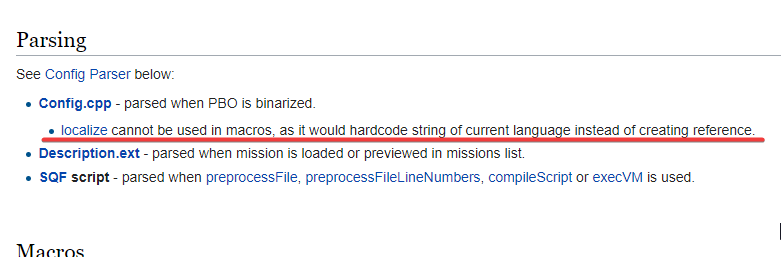
Probably only possible via macros
see __EVAL
marsh trench
little raptor
Use isNil
using isNil like so gives me this error :
if !(isNil _loc) then{...
Error isnil: type object, expected string, code.
Error Generic...
why does it error on an object?
little raptor
Read the wiki
your var doesn't exist/has incorrect type
So ofc you can't just pass the var itself
You can only pass its name
Or execute it as a code
marsh trench
oh, so name of a null object is nil. name aNullObject
wide stream
little raptor
see __EVAL
Cheers, mate
little raptor
wide stream
Cheers, mate
...
isNil "_var"
Sorry wrong ping
That was meant for @marsh trench
marsh trench
got it
wide stream
little raptor
see __EVAL
Damn xD
https://i.imgur.com/EcDjzuy.png
 marsh trench
if i add a action to an object, does it have to show its model for the action to be accessible? nvm, ill try and see
little raptor
wide stream
Damn xD
https://i.imgur.com/EcDjzuy.png
It can. Just don't binarize your config
If you're worried about the size and performance just make a separate PBO
wide stream
little raptor
It can. Just don't binarize your config
Nah i actually converted my stringtable entry in Structured text and now it's working
Titles that i have now:
titles[] = {
        0, "$STR_GRZ_Ambient_NPC_Group_1_1"
    };
Stringtable:
<Original><t color='#057aff'>SOLDIER</t> <br /> <t size='0.85'>Sure you wanna chit-chat with all that shit going on?</t></Original>
yeah that's a better idea (if you always want it structured)
marsh trench
how can i interrupt a hold action in progress?
wide stream
Oh, so if a group of a player is local for this player computer in multiplayer, what happends to UAV? Is it server-side local or no?
marsh trench
how can i set a default value for a function parameter and make it optional?
wide stream
wide stream
Oh, so if a group of a player is local for this player computer in multiplayer, ...
I have a bug in Liberation RX: when there is high server load UAV becomes useless because of lags. Enemy AI soldiers and vehicles still operating good because of Headless clients that we have.
I'm curious if there is a way to change UAV locality to it's operator's PC.
little raptor
wide stream
Oh, so if a group of a player is local for this player computer in multiplayer, ...
it's local to wherever its group is local to
little raptor
marsh trench
how can i set a default value for a function parameter and make it optional?
there are no function parameters, because SQF has no functions.
but anyway you can use param or params. both have the option to provide default values for non-existing array elements
little raptor
marsh trench
how can i interrupt a hold action in progress?
by returning false in its progress condition
marsh trench
thankyou
is it possible to compile and store a script, then call it when ever needed? (without creating a function library)
little raptor
compile preprocessFileLineNumbers "script.sqf"
marsh trench
thankyou
 copper raven
marsh trench
thankyou
copper raven
marsh trench
thankyou
if you're never going to change it, use compileFinal instead
wide stream
How can i stop execution of script which was execVMed by trigger activation on trigger deactivation?
I have a script like this:
[] spawn {
    while {triggerActivated hqAmbient1_trigger} do {
        sleep 8;

        _phraseArr = selectRandom [
            ["hqNPC_Group_1_1", 3],
            ["hqNPC_Group_1_2", 2.3],
            ["hqNPC_Group_1_3", 2.2]
        ];

        [hqAmbient1, true] remoteExec ["setRandomLip"];
        [hqAmbient1, [(_phraseArr select 0),30,1]] remoteExec ["say3D"];

        sleep (_phraseArr select 1);

        [hqAmbient1, false] remoteExec ["setRandomLip"];

        sleep 15;
    };
};
I want NPC with hqAmbient1 name to say his phrase only if one or more players are staying near him more then 8 seconds and this timer should reset every time trigger deactivates
Is the only way to get around is using for loop to count seconds and check if trigger is activated every second? Trigger is "Server only" btw to exclude desync and multiple activation by different players
granite sky
You can store the script handle returned by spawn/execVM and use that to terminate the script.
winter rose
wide stream
Is the only way to get around is using `for` loop to count seconds and check if ...
yes
while -condition is checked once- do
{
// run all the code, even if the condition turns false
// tries to restart
}
wide stream
winter rose
yes
But what about terminating the script with handle?
little raptor
wide stream
But what about terminating the script with handle?
_handle = [] execVM...;
thisTrigger setVariable ["spawnHandle", _handle];
terminate (thisTrigger getVariable ["spawnHandle", scriptNull]);
Oh, got it from https://community.bistudio.com/wiki/terminate
The given script will not terminate immediately upon terminate command execution, it will do so the next time the script is processed by the scheduler
wide stream
little raptor
```sqf
_handle = [] execVM...;
thisTrigger setVariable ["spawnHandle", _handle];...
Works same as while loop
So if i've activated trigger once, it will run all code from .sqf and terminate it after
little raptor
wide stream
Works same as while loop
no it doesn't work the same
what you wrote checks the condition once and never in the while code
granite sky
I think there's probably a fundamental misunderstanding of how scheduled SQF works here.
Arma is only ever executing one script at a time. If you call sleep x then it hands off to the scheduler which picks another scheduled script to run. If terminate is called on the first script at this point, that script will terminate the next time it's chosen to execute, once the sleep expires.
wide stream
little raptor
no it doesn't work the same
Yeah, my bad, i left [] spawn {} in sqf file
wide stream
granite sky
Arma is only ever executing one script at a time. If you call `sleep x` then it ...
Thanks!
granite sky
The point about non-immediate termination is just that if you looked at diag_activeSQFScripts it'd still be in there until the next time it's executed by the scheduler. So if it's on a long sleep, that might be a while.
wide stream
granite sky
Arma is only ever executing one script at a time. If you call `sleep x` then it ...
Thanks for explanation, btw
 restive ocean
after using this to spawn a box next to the player, how do I change its contents?
Box_1 = createVehicle ["ACE_medicalSupplyCrate", position player, [], 0, "NONE"];
originally I was gonna use this thing in the init, but I dont know how to access it through script
since setVehicleInit is gone
 opal zephyr
addItemCargo and its variants will add things to the box, to reference the box you can just put Box_1 since thats what you named it. If you want the items to be added to it at spawn then you can just put addItemCargo in its init. I think you can add stuff to its inventory just through the ui as well though
restive ocean
opal zephyr
addItemCargo and its variants will add things to the box, to reference the box y...
how would i access the init?
winter rose
restive ocean
how would i access the init?
you don't, why would you?
if you create the box and have its reference with Box_1, why not use it 🙂
replace this by Box_1 and you're all set
restive ocean
thanks a ton
as you cna tell im not great at scripting
never fails to confuse me
winter rose
no problems, not knowing is definitely not a crime here
as long as you don't insist in being wrong 😛
 stable dune
Hi.
Tried Ask from GUI , someone there anwsered without knowing there is possiblity that type: UPPERCASE, doesnt work on controls CT_EDIT.
So If im typing text on display it doest is forced to uppercase. IS there any workaround get this work? Or should i just do My own font with only uppercase letters?
little raptor
stable dune
Hi.
Tried Ask from GUI , someone there anwsered without knowing there is possib...
the font way is probably the easiest way
or you can just run a loop that constantly checks the contents, and makes it uppercase
or use the onChar event handler
onChar = "_this#0 ctrlSetText toUpper ctrlText (_this#0);";
Nice. Thx
I Will try that one.
 fleet jewel
Hi guys, who know about server addAction? When Im using simple repair script. I checked it in single player. And use simple check for activate this on all vehicles in world:
_vehicles = nearestObjects [_base, ["Car", "Tank", "Truck", "Air"], 10000];
{
            _id = _x addAction ["Repair vehicle","repair.sqf",[],97,false,true,"", "(alive _target) && (({alive _x} count crew _target)==0) && (!(canMove _target) || ((getDammage _target)>0.1)) && !repair_is_started && !(locked _target)"];

} forEach _vehicles;
in init.sqf, all fine when I playing as Server, on client side addAction does not work :/
Can you advise, what I do wrong?
tough abyss
fleet jewel
Hi guys, who know about server addAction? When Im using simple repair script. I ...
if the addaction doesnt show up then you need to remote execute it
fleet jewel
sorry I dont know how to use it
tough abyss
google arma 3 remoteexec
then read that and try the example with your code
also good luck jip and remoteexec is strange to learn
 open fractal
You don't need to remotexec from init.sqf, that's already global and JIP
my guess is that your repair variable isn't defined locally
and don't use count for that, use findIf. count doesn't give a return until it iterates through the whole array
also that's an awful long condition line, you may want to switch to an event handler based system
Don't forget that condition is run on every frame for every nearby included vehicle all at once
wide stream
What is the difference between say and say2d?
Is say will play the sound at full volume if player is in range?
wide stream
open fractal
The wiki very much answers questions like this
Damn i just missed blue box on wiki, sry
restive ocean
how can I make this repeatable? its activated by a variable which is from an add-action
clearMagazineCargoGlobal _Box1;  clearItemCargoGlobal _Box1;  clearWeaponCargoGlobal _Box1; clearItemCargoGlobal _Box1;
clearBackpackCargoGlobal _Box1; _Box1 addMagazineCargoGlobal ["rhs_mag_20Rnd_556x45_M193_Stanag", 32]; clearMagazineCargoGlobal _Box1; clearItemCargoGlobal _Box1; clearWeaponCargoGlobal _Box1; clearItemCargoGlobal _Box1; _Box1 addMagazineCargoGlobal ["rhs_mag_30Rnd_556x45_M855_Stanag_Tracer_Red", 32]; _Box1 addItemCargoGlobal ["ACE_elasticBandage", 40]; _Box1 addItemCargoGlobal ["ACE_packingBandage", 40]; _Box1 addItemCargoGlobal ["ACE_splint", 10]; _Box1 addMagazineCargoGlobal ["SmokeShell", 12]; _Box1 addItemCargoGlobal ["ACE_bloodIV_250", 6]; _Box1 addItemCargoGlobal ["CUP_HandGrenade_M67", 12]; _Box1 addItemCargoGlobal ["ACE_tourniquet", 10]; _Box1 addItemCargoGlobal ["ACE_morphine", 10]; _Box1 addItemCargoGlobal ["ACE_epinephrine", 10]; _Box1 addItemCargoGlobal ["ACE_bloodIV_500", 2]; _Box1 addItemCargoGlobal ["ACE_bloodIV", 1]; _Box1 addItemCargoGlobal ["ACE_quikclot", 25]; _Box1 addItemCargoGlobal ["ACE_fieldDressing", 10]; _Box1 addItemCargoGlobal ["ACE_rope6", 1]; _Box1 addItemCargoGlobal ["rhs_mag_maaws_HEDP", 2]; _Box1 addItemCargoGlobal ["rhs_mag_maaws_HEAT", 1]; _Box1 addItemCargoGlobal ["rhsusf_100Rnd_556x45_M855_mixed_soft_pouch_coyote", 4];```right now you can do it once but after that it doesnt work
tough abyss
holy formatting batman
restive ocean
its in a trigger lol
i think its something related to the local variable right?
no diea
tough abyss
_Box1 = createVehicle ["B_supplyCrate_F", position player, [], 0, "NONE"];
clearMagazineCargoGlobal _Box1;
clearItemCargoGlobal _Box1;
clearWeaponCargoGlobal _Box1;
clearItemCargoGlobal _Box1;
clearBackpackCargoGlobal _Box1;
_Box1 addMagazineCargoGlobal ["rhs_mag_20Rnd_556x45_M193_Stanag", 32]; clearMagazineCargoGlobal _Box1;
clearItemCargoGlobal _Box1;
clearWeaponCargoGlobal _Box1;
clearItemCargoGlobal _Box1;
_Box1 addMagazineCargoGlobal ["rhs_mag_30Rnd_556x45_M855_Stanag_Tracer_Red", 32];    _Box1 addItemCargoGlobal ["ACE_elasticBandage", 40];
_Box1 addItemCargoGlobal ["ACE_packingBandage", 40];
_Box1 addItemCargoGlobal ["ACE_splint", 10];
_Box1 addMagazineCargoGlobal ["SmokeShell", 12];
_Box1 addItemCargoGlobal ["ACE_bloodIV_250", 6];
_Box1  addItemCargoGlobal ["CUP_HandGrenade_M67", 12];
_Box1  addItemCargoGlobal ["ACE_tourniquet", 10];
_Box1  addItemCargoGlobal ["ACE_morphine", 10];
_Box1  addItemCargoGlobal ["ACE_epinephrine", 10];
_Box1  addItemCargoGlobal ["ACE_bloodIV_500", 2];
_Box1  addItemCargoGlobal ["ACE_bloodIV", 1];
_Box1  addItemCargoGlobal ["ACE_quikclot", 25];
_Box1  addItemCargoGlobal ["ACE_fieldDressing", 10];
_Box1  addItemCargoGlobal ["ACE_rope6", 1];
_Box1  addItemCargoGlobal ["rhs_mag_maaws_HEDP", 2];
_Box1  addItemCargoGlobal ["rhs_mag_maaws_HEAT", 1];
_Box1  addItemCargoGlobal ["rhsusf_100Rnd_556x45_M855_mixed_soft_pouch_coyote", 4];
What exactly do you mean by it not being repeatable
it won't spawn any more boxes after the first?
Well, I don't know why you're doing addAction -> Variable -> Trigger Code instead of just addAction -> Code, but it sounds like you've probably just got an issue with your trigger condition
open fractal
Please for the love of god and all that is holy use a forEach loop
brazen lagoon
drifting portal
I would say loiter
what's the reason to use loiter instead of SAD?
tough abyss
I'd be happy to clean it up for them if they talk further
open fractal
fair enough
brazen lagoon
Any idea how to spawn a transport helo with a squad inside it? is there a simple function that does this?
drifting portal
brazen lagoon
what's the reason to use loiter instead of SAD?
it would keep sticking to the area
brazen lagoon
well if they see an enemy escaping I want them to give chase
also I still have no clue how to check if a turret is gimballed by script.. I thought it would be in config but Turrets >> maxElev/etc don't actually seem correct?
because the AH-9 has those set but they aren't 0, like you'd expect for a turret that's locked pointing forward.
tough abyss
14th line up from the bottom is missing a ]
tough abyss
np
brazen lagoon
man i'd even just take like, figuring out if a turret is pilot or gunner controlled...
granite sky
You mean a weapon?
open fractal
you can use weaponsturret to get the classnames
pilot and gunner have different turret paths
unless you strictly mean config
winter rose
@past wagonplease use https://sqfbin.com next time 😉
brazen lagoon
open fractal
unless you strictly mean config
yes i would prefer to do it in config
I want to differentiate between a light and an attack chopper
if it has a gimballed weapon + armor it'll be considered attack, if the weapons are fixed it's light
 pulsar rose
So I'm looking for a script that can have a unarmed vehicle look in a certain direction, instead of facing forward? For example: 45° left, 28° elevator.
open fractal
pulsar rose
So I'm looking for a script that can have a unarmed vehicle look in a certain di...
there's a way to convert degrees to vector format, I think it involves trig
Might be on the wiki
 smoky verge
hi I was wondering
been trying to use createsimpleobject to place simple object weapons
it works with vehicles and buildings
doesn't with rifles
is it not possible?
pulsar rose
open fractal
there's a way to convert degrees to vector format, I think it involves trig
I think the one key point that I missed was only the turret not the vehicle itself
Like the rotation of a turret and the elevation of the gun
little raptor
smoky verge
hi I was wondering
been trying to use createsimpleobject to place simple object ...
you need to use the model path of the weapon
not its class name
smoky verge
little raptor
you need to use the model path of the weapon
tried with path aswell
no dice
little raptor
pulsar rose
So I'm looking for a script that can have a unarmed vehicle look in a certain di...
there's no way for unarmed vehicles
unless they're simple objects
 past wagon
If I want to put a bunch of units into cargo seats of a Blackfish, but I specifically don't want them to be in the back next to the door where they are in gunner positions, how can I do that? Is there a syntax for moveInCargo that would work? The descriptions of the parameters are kind of vague.
little raptor
cargo seats are never gunner positions
smoky verge
my syntax must be wrong then I guess
I placed an helipad called "pad"
and used something similar to this (can't check rn)
["modelpath/mode.p3d", getPos Pad] call BIS_fnc_createSimpleObject
little raptor
it was because of getPos
first of all you should NEVER use getPos
second of all simple objects need ASL pos
third of all why use the function when you have a command
smoky verge
it might have been the command
I'm not at my pc rn
sorry for not giving straight answers
what should I use instead of getPos?
getPosASL? or something like getWorldPos?(biki is down don't remember if those are correct)
little raptor
well long story short getPosWorld gets the model center
getPosASL gets the land contact of the model
smoky verge
oh makes sense
always assumed ASL was only meant to be used when water was underneath, and to otherwise use ATL
little raptor
ASL is the only absolute pos format in Arma
so you should always use that one
unless in very specific cases
 tribal ether
Yo whats _pfID? I can't seem to find it anywhere in any docs.
params ["_args", "_pfID"];
_args params ["_unit", "_aircraft", "_dummy", "_time", "_pos", "_timeStandSafe"];
if (vehicle _unit == _aircraft) then { //if the vehicle the player is in is _aircraft then:
[_pfID] call CBA_fnc_removePerFrameHandler;
_unit setVariable ["ffr_aircraft", nil, true];
};
open fractal
tribal ether
Yo whats _pfID? I can't seem to find it anywhere in any docs.
`params ["_args",...
well where did you find the script
tribal ether
open fractal
well where did you find the script
Its from the Walk off Ramp HALO mod. My unit is having some issues with it breaking legs, throwing players out the moment they stand up, and teleporting them while they're in the air. Essentially a whole mess of bugs
Just trying to see if its fixable
open fractal
you should consult the author about that
tribal ether
I mean sure but I'm just trying to figure out what _pfID does since I also see it in other scripts but nowhere an explanation
open fractal
I'm guessing it stands for per frame ID, as in the event handler ID
past wagon
little raptor
cargo seats are never gunner positions
when I do this:
{
    _x moveInCargo _plane;
} forEach allPlayers;
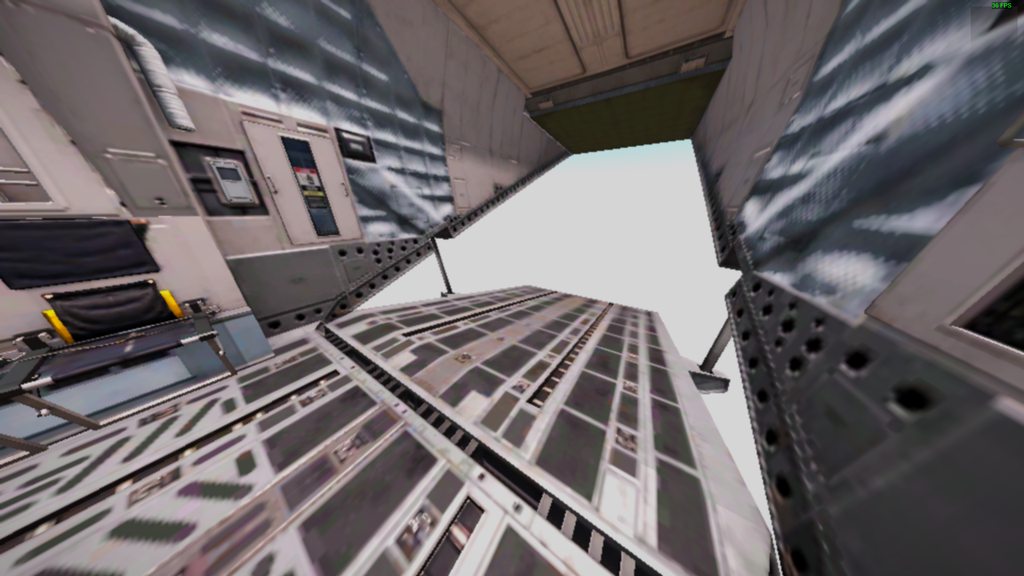
I still end up in this seat (which is a gunner seat): https://imgur.com/a/GNlFVpr
 open fractal
tribal ether
I mean sure but I'm just trying to figure out what _pfID does since I also see i...
open fractal
tribal ether
I mean sure but I'm just trying to figure out what _pfID does since I also see i...
_pfID is a user-defined variable, it doesn't have an official meaning
tribal ether
Dope thanks man
wide stream
past wagon
when I do this:
```sqf
{
_x moveInCargo _plane;
} forEach allPlayers;
```
I ...
You can find cargoIndex of this position and skip it when making your player sit in cargo
little raptor
past wagon
when I do this:
```sqf
{
_x moveInCargo _plane;
} forEach allPlayers;
```
I ...
I guess that command also considers turrets then
Use moveInCargoIndex
But anyway what I said is a fact. Cargo seats are never "gunner" positions
wide stream
little raptor
But anyway what I said is a fact. Cargo seats are never "gunner" positions
He meant cargo positions from which you can fire your foot-mobile’s weapon
little raptor
And I just said they are not cargo positions

 worthy igloo
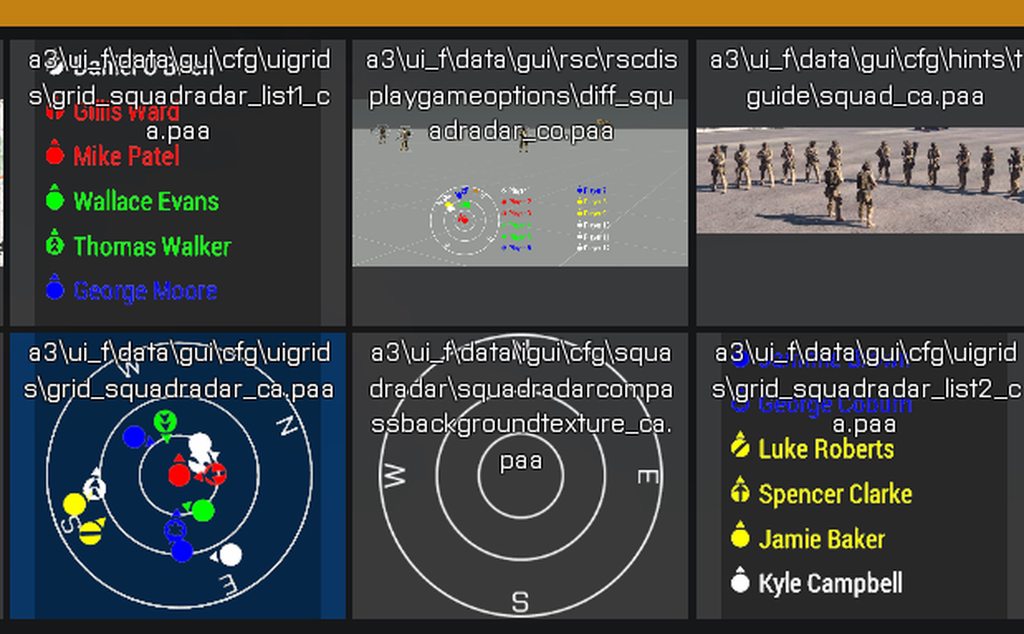
https://imgur.com/a/NF2m43l
these are in the vanilla game does anyone know how to activate this squad radar thing??
 tough abyss
iirc squad radar was something that was scrapped
so don't think you can activate it anymore
there's a mod for it, though
warm hedge
https://community.bistudio.com/wiki/BIS_fnc_groupIndicator
This was the leftover function, it should've work at some point yet
warm hedge
Why?
winter rose
(no, if that's what I think)
then no
you could make a temp system to display the UI directly in Eden, and saving Eden would reload them ez
warm hedge
You can always preview your UI in Eden using Debug Console... oh
If you know how to create a dialog, you know how
You can reload it as many times as you want
marsh trench
i'm trying to make a hostage unit, add a hold action to it that releases it, but it doesn't work and it doesn't give any errors. can anyone see any problems?
(the code goes into hostage units init)
this setVariable ["mission_isHostage", true];

this switchMove "AmovPercMstpSsurWnonDnon"; // Hand behind head anim
[
    this,
    "Release Hostage",
    "\A3\Ui_f\data\IGUI\Cfg\HoldActions\holdAction_secure_ca.paa",
    "\A3\Ui_f\data\IGUI\Cfg\HoldActions\holdAction_revive_ca.paa",
    "_taget getVariable 'mission_isHostage'",
    "true",
    {_caller sideChat 'Im releasing a hostage!'},
    {},
    {
        _target switchMove ""; // Reset the animation
        [_target, _caller] join (group _caller); // put the hostage in players group
        _target setVariable ["mission_isHostage", false];
    },
    {},
    [],
    3
] call BIS_fnc_holdActionAdd;
"_taget getVariable 'mission_isHostage'"
marsh trench
im blind, thankyou
tough abyss
np
tough abyss
👀
marsh trench
little raptor
Where's the error in that?
its a typo, _taget instead of _target
little raptor
That should fail silently tho 
tough abyss
he said it didn't give any errors
marsh trench
little raptor
That should fail silently tho <:thonk:700311400152825906>
it did
little raptor
Anyway you haven't defined caller or target in the action codes
That's another error
tough abyss
pretty sure those are magic vars
marsh trench
little raptor
Anyway you haven't defined caller or target in the action codes
its predefined by the BIS_fns_holdActionAdd
its passed to codeStart, codeProgress and codeComplete
little raptor
Never said they're magic
tough abyss
wiki says they're passed automatically
tough abyss
I mean it words it exactly the same as when it talks about other magic vars
"Special arguments passed to the code: _target, _caller, _id, _arguments"
little raptor
Well it doesn't write a param for those
marsh trench
they are automatically passed to the code that you put inside the codeX parameters.
worthy igloo
what is the player first person camera called
tough abyss
Depends what you mean but the cameraView for first person is "INTERNAL"
worthy igloo
tough abyss
Depends what you mean but the cameraView for first person is "INTERNAL"
I mean for what what would be used with this [INTERNAL,0.5] call BIS_fnc_camera_setFOV;
internal didnt work btw
if you use numpad - or + u can zoom camera in game i want to make an fov slider or something using whatever causes camera to zoom in and out like that
 hallow mortar
marsh trench
they are automatically passed to the code that you put inside the codeX paramete...
hallow mortar
marsh trench
they are automatically passed to the code that you put inside the codeX paramete...
They are automatically passed but you need to use params or this select ... to access them in the codeX code fields. They are only automatically provided with names in the conditionX string fields.
tough abyss
Yeah actually I'm not sure if there's a command to get the player's camera as an actual camera object
which is what that function expects
little raptor
tough abyss
Don't know if they're entirely automatic or not
looks like they were
I added that info to the wiki
tough abyss
for some reason (ai not in combat) systemchat doesnt get played
ai1 setVariable ["anim",true];
if(ai1 getVariable "anim" == true)then{
ai1 switchMove "Acts_JetsMarshallingEnginesOn_loop";
systemChat "H";
ai1 setVariable ["anim",true];
};
ai1 spawn{
waitUntil { behaviour ai1 == "combat" };
ai1 switchMove "";
ai1 setVariable ["anim",false];
};
systemchat was there to debug btw
little raptor
where do you put that code?
also there's no need to compare bools
they only have 2 states
tough abyss
in the init box of an ai named ai1
little raptor
well first of all init runs before the UI is created so systemChat doesn't work then
second of all I'm not 100% sure if the var is defined in init
winter rose
so you set the value, then check if the value has the wished value you just set
little raptor
third of all plz use indentation
granite sky
(and then you set it again)
little raptor
winter rose
so you set the value, then check if the value has the wished value you just set
I assumed it was for testing so I didn't say anything 😅
tough abyss
winter rose
so you set the value, then check if the value has the wished value you just set
was there for testing
winter rose
ai1 setVariable ["anim", true];

if (ai1 getVariable "anim" == true) then {
  ai1 switchMove "Acts_JetsMarshallingEnginesOn_loop";
  systemChat "H";
  ai1 setVariable ["anim",true];
};

ai1 spawn {
  waitUntil { behaviour ai1 == "combat" };
  ai1 switchMove "";
  ai1 setVariable ["anim", false];
};
haaaaaah.
tough abyss
granite sky
(and then you set it again)
so it does the animation multiple times until in combat mode
winter rose
nope
tough abyss
is that wrong?
winter rose
ai1 setVariable ["anim", true]; // set once

if (ai1 getVariable "anim" == true) then { // checked it's true
  ai1 switchMove "Acts_JetsMarshallingEnginesOn_loop";
  systemChat "H";
  ai1 setVariable ["anim", true]; // set to true again for no reason
};
what is?
granite sky
It's just a setVariable. It doesn't do anything except set the variable.
winter rose
for some reason (ai not in combat) systemchat doesnt get played
an init field might be too early. besides that, nothing much
little raptor
ai1 setVariable ["anim",true];
if (ai1 getVariable "anim") then {
    ai1 switchMove "Acts_JetsMarshallingEnginesOn_loop";
    [] spawn {
        sleep 0.1; systemChat "H";
    };
    ai1 setVariable ["anim",true];
};
ai1 spawn {
    waitUntil { behaviour ai1 == "combat" };
    ai1 switchMove "";
    ai1 setVariable ["anim",false];
};
^ that wraps the systemChat in sleep and shows it with delay so it should work
(I also corrected the ai1 getVariable "anim" == true atrocity)
tough abyss
i apologize
little raptor
I was kidding 😛
granite sky
On the subject of atrocities, waitUntil without a sleep is pretty grim :P
now slightly curious about SQF's context-switching overhead
tough abyss
wait with the combat will that set the variable every tick (for lack of a better word) once in combat?
little raptor
I don't fully get what you mean but no it won't set anything every tick
it just keeps checking until the unit is in combat
then the rest of the code runs
tough abyss
ok
winter rose
tough abyss
wait with the combat will that set the variable every tick (for lack of a better...
I believe that you should tell what you are trying to achieve instead of trying to "fix this code" here
tough abyss
i am trying to achieve a animation that loops until the ai is in combat mode
winter rose
ta-daaa
not that code 🙂
tough abyss
considering using the suppressed EH
winter rose
nope, combat mode is fine
we will get a combatModeChanged group EH iirc
tough abyss
ok
i imagine that i would do the code i tried to do can you please show me how to do your idea?
little raptor
the idea behind your code is fine for now
Lou meant after the 2.10 update I guess
tho you might want to fix some of its parts
tough abyss
what parts are broken? i cant see any obvious ones (aside from the heresy with the variable)
little raptor
this setVariable ["anim",true];

this switchMove "Acts_JetsMarshallingEnginesOn_loop";
this playMoveNow "Acts_JetsMarshallingEnginesOn_loop";

this spawn {
    waitUntil { behaviour _this == "combat" };
    _this switchAction "STOP";
    _this setVariable ["anim",false];
};
im also learning variables here
little raptor
little raptor
```sqf
this setVariable ["anim",true];
this switchMove "Acts_JetsMarshallingEng...
basically the whole thing could be summed up to that
tough abyss
ok
the problem with this is the first animation doesnt continue
so would i just use an if then
to make it loop?
little raptor
disable the AI anim
it should loop after that
this setVariable ["anim",true];

this switchMove "Acts_JetsMarshallingEnginesOn_loop";
this playMoveNow "Acts_JetsMarshallingEnginesOn_loop";
this disableAI "ANIM";
this spawn {
    waitUntil { behaviour _this == "combat" };
    _this switchAction "STOP";
    _this setVariable ["anim",false];
    _this enableAI "ANIM";
};
ok
winter rose
add an anim handler for the anim to repeat, too
little raptor
it should loop with that alone
tough abyss
it does loop with that alone
little raptor
I also recommend some sleep in there
waitUntil { sleep 0.5; behaviour _this == "combat" };
yeah thanks ill make sure my code is well rested
tough abyss
Code insomnia is a real epidemic these days
That's why I always put a sleep 1000; at the start of every loop
tough abyss
ah good so your code sleeps more than you
i think all i need to do for that is sleep 3;
its 4am i should really sleep
winter rose
I would recommend
sleep (8 * 60 * 60);
//GET RANDOM PATH POSITION AND DIRECTION
_pathPos = [[[[3750, 4350], 1500]], ["water"]] call BIS_fnc_randomPos;
_pathDir = random 360;

//SPLIT PATH POSITION ARRAY AND INITIALIZE PLANE DIRECTION
_pathPos params ["_posX", "_posY"];
_positive = selectRandom [true, false];

//CALCULATE PLANE START & END POSITIONS
_sideA = 5000 * cos _pathDir;
_sideB = 5000 * sin _pathDir;
_pos1 = if (_positive) then {
    [_posX + _sideB, _posY + _sideA, 1500]
} else {
    [_posX + _sideB, _posY - _sideA, 1500]
};
_sideA = 10000 * cos _pathDir;
_sideB = 10000 * sin _pathDir;
_pos2 = if (_positive) then {
    [_posX - _sideB, _posY - _sideA, 1500]
} else {
    [_posX - _sideB, _posY + _sideA, 1500]
};

//ASSIGN START/END POSITIONS
_planeStartPos = selectRandom [_pos1, _pos2];
_planeEndPos = [_pos1, _pos2] - [_planeStartPos];

//CALCULATE SLOPE
_planeStartPos params ["_x1", "_y1"];
_planeEndPos params ["_x2", "_y2"];
_slope = (_y2 - _y1) / (_x2 - _x1);
systemChat str _slope;
Does anyone know why I am getting this error: (second to last line)```
_slope = (_y2 - _y1) / (_x2 |#|- _x1);
Error: Generic error in expression
Your params statements at the end aren't doing what you think they are
Or at least, the one for _planeEndPos
Doing the array subtraction still results in an array
tough abyss
No problem
little raptor
by joining him into a group of the opposite side
brazen lagoon
right. and then side player will return the new side right?
or will side player != side group player
little raptor
brazen lagoon
right. and then `side player` will return the new side right?
yes
brazen lagoon
basically I'm trying to figure out a way to make my random gen mission let you pick which of the 3 sides you want to play as
little raptor
brazen lagoon
or will `side player != side group player`
you should always use the group side anyway
unit side can change
brazen lagoon
yeah, but some scripts don't
little raptor
e.g. when they're hostage they become civilian
brazen lagoon
the stuff I write is always side group player or checks config side for a vehicle for example
ok. so right now the way my mission works is:
- at start, you pick factions for blufor/opfor/indfor
- you play as indfor (so the units placed in the editor are indfor)
- there's a setup menu for those factions, once those are set the mission starts
if I wanted to change this to let you pick what side you played on, it would probably be something like
- at start, you pick factions for blufor/opfor/indfor
- you select which side you want to play as (west/east/guer)
- if you select guer, do nothing
- if you select west/east then join players into a new group on the new side
but the question I have then is... if I do bis_fnc_addrespawninventory
if I pass it resistance, will it still show up for the players if they're blufor/opfor?
and will JIP players get joined into the new group or will they spawn as indfor (my guess is they will spawn as indfor)?
brazen lagoon
brazen lagoon
but the question I have then is... if I do bis_fnc_addrespawninventory
same for respawn position actually
little raptor
brazen lagoon
if I pass it resistance, will it still show up for the players if they're blufor...
afaik no
brazen lagoon
OK. so i'd have to set it to the player side after that's been selected
little raptor
brazen lagoon
and will JIP players get joined into the new group or will they spawn as indfor ...
they spawn as whatever side you gave them in editor
little raptor
brazen lagoon
if I wanted to change this to let you pick what side you played on, it would pro...
you should delete the old group too (if empty)
brazen lagoon
ok
tough abyss
Though you could set up a script to run for JIP players that lets them pick a side
brazen lagoon
i'll write this down for when I do that I guess
@tough abyss it's supposed to be a co-op mission w/ everyone in the same group, so I'll probably just have an initPlayerServer.sqf that adds them to the group
tough abyss
👍
brazen lagoon
the only thing I'm really worried about is how the respawn menu looks
ok it seems that works perfectly (shows positions/loadouts for the joined side)
tough abyss
God it'd be great if I could actually edit the biki and fix some of the documentation and broken English on some of the pages
little raptor
tough abyss
God it'd be great if I could actually edit the biki and fix some of the document...
ask for permission by contacting Dwarden
tough abyss
Oh is that how they do it? Figured they just had the whole thing shut down for new accounts
I'll contact him, thanks
little raptor
tough abyss
Oh is that how they do it? Figured they just had the whole thing shut down for n...
they have yes. to prevent sabotage
tough abyss
Fair enough
winter rose
see you soon in #community_wiki!
tough abyss
:P
little raptor
tough abyss
Fair enough
be sure to also send him your BI Forums (or account?) email and nickname
tough abyss
Will do
drifting portal
is there a way to prevent a unit from transitioning into a free fall animation?
or do I have to wait for 2.10?
tough abyss
Don't think there's any good way to do it until v2.10 adds
https://community.bistudio.com/wiki/setUnitFreefallHeight
drifting portal
_dir = (getPosWorld _Object) vectorFromTo ???;
_up = _dir vectorCrossProduct [-(_dir#1), _dir#0, 0];
_Object setVectorDirAndUp [_dir,_up];
_Object setVelocityModelSpace [0,500,0];
_Object = objnull;
I'm trying to launch _Object towards where the player's camera is looking
but I don't know what to put in the ???
tough abyss
You'll want to do a raycast from positionCameraToWorld [0,0,0] using getCameraViewDirection player as the vector
then you can get the position that they're looking at
or, if you only need a set distance from the player, you can just use the position and vector w/o a raycast
drifting portal
so postioncameratoworld instead of getposworld _object?
tough abyss
No no
positionCameraToWorld [0,0,0] will get you the central position of the player's camera
you raycast from there along the vector given by getCameraViewDirection player
extend it to whatever the max range you want with vector multiplication
and the intersection position of that vector with a surface is the "position" the player is looking at
which is what your ??? is
so you'll want to use https://community.bistudio.com/wiki/lineIntersectsSurfaces
for the raycast
past wagon
when time is run on the server, it returns the number of seconds since the mission started, correct?
past wagon
👍
shut reef
Can someone with more experience with the action menu shed some light on what undocumented limits the priority has?
The wiki does not specify any limits and mentions that negative values are possible, too. Trying to work with priorities above ~30 has super odd results, tho, and does not work as expected.
winter rose
shut reef
Can someone with more experience with the action menu shed some light on what un...
moar details plz
shut reef
winter rose
_moar details plz_
I wrote a teleport system that adds each destination as an action to the respective pole.
My initial approach was to assign each pole a priority range (about 20 in length) per "hub" and then count down from the greatest priority.
I had it all print out via diag_log, and the priorities were assigned accordingly, and they were also still on the actions on the objects, but the action menu had them all scrambled up
That was with each action having its own priority.
If fixed the issue for me by assigning each block the same priority, relying on the order they were added. That worked.
So I guess it's either that there is an internal upper limit for priorities, or some issue with many items that all have their own priority
My testcase was two hubs with about 8 targets each, so priorities ranging from 40 - 30 and 20 - 10
The issue did not occur when I assigned one block positive priorities in the 20 to 10 range and the other in the -10 to -20 range
that just had the unwelcome sideeffect that actions like "reload ammo" were between the teleport actions
 woeful kiln
Quick question. I have the ai teleporting instantly. Except, I'd like them to wait for 15 seconds before doing so
How'd I combine the two
winter rose
woeful kiln
Quick question. I have the ai teleporting instantly. Except, I'd like them to wa...
1/ why do you have AI teleporting?
2/ use a delay, e.g sleep
woeful kiln
winter rose
1/ why do you have AI teleporting?
2/ use a delay, e.g `sleep`
I'm making a spawner with an invisible helipad. I'd like the ai to teleport to it after 15 seconds. And I know to use sleep, but I'm not sure how to combine it with the teleportation
winter rose
how do they teleport?
please talk to me as if I knew nothing about your setup, because it is the case
woeful kiln
winter rose
how do they teleport?
if ({alive _x} count units unit1 == 0) then {warthog1 setPosATL (getPosATL spawner1)};```Here's how the warthog teleports after the squad I have dies
winter rose
then use sleep before that
wide stream
Is there a way to call BIS_fnc_randomPos around player and outside of player current field of view? I'm trying to spawn thing when players aren't looking at them
winter rose
woeful kiln
```SQF
if ({alive _x} count units unit1 == 0) then {warthog1 setPosATL (getPosAT...
if (units unit1 findIf { alive _x } == -1) then
{
  sleep 15;
  warthog1 setPosATL getPosATL spawner1;
};
BIS_fnc_randomPos is entirely unrelated to player's FOV…?
well, you could add a blacklist, or create your own thing with e.g worldToScreen - this would only be singleplayer, btw
wide stream
winter rose
`BIS_fnc_randomPos` is entirely unrelated to player's FOV…?
well, you could add ...
Thanks, but is there a way to locally check if chosen position is visible for exact player in multiplayer?
winter rose
no
the server knows nothing about players' cameras, that would be too heavy on traffic
a good bet would be safety radius from players + check their direction (but they might rotate their head)
you can also make a line check from their eye pos to the spawn pos, even if their back is turned - if it hits a tree or a hill, it's good
woeful kiln
winter rose
```sqf
if (units unit1 findIf { alive _x } == -1) then
{
sleep 15;
warthog1 ...
Except these are my first wave ai
winter rose
woeful kiln
Except these are my first wave ai
I - don't - know your system
I have no idea of the context nor what you are trying to achieve, nor what you have hands on
your question is unclear to me
"how to delay a teleport?"
"use sleep before the teleport"
shut reef
winter rose
_moar details plz_
I showed you my details, plz respond :3
(j/k)
but you don't have any idea?
winter rose
shut reef
I showed you my details, plz respond :3
(j/k)
but you don't have any idea?
nope
private "_prio";
for "_i" from 0 to 30 do
{
  _prio = random 100;
  _myObject addAction ["Prio " + str _prio, {}, nil, _prio];
};
```try something like thisYeah I was gonna make a test setup later, but it's low priority, as the code is working now.
Just thought there might be some knowledge floating round.
Will post my results here later
winter rose
I heard nothing regarding action priority so far, but it might be a new finding
shut reef
I guess few people try to add that many actions 😄
winter rose
you would be surprised
little raptor
shut reef
I guess few people try to add that many actions 😄
well actions are not exactly convenient to use, so yes
who wants to scroll through dozens of actions anyway? 
shut reef
winter rose
_you would be surprised_
@little raptor
little raptor
wide stream
Is there a way to call `BIS_fnc_randomPos` around player and outside of player c...
_obj setPosATL (player getRelPos [random _dist, random [90, 180, 270]])
that's behind the player himself tho, not where he's looking
winter rose
and not considering his Field of View
little raptor
well his FOV is not 90 degrees 😛
winter rose
turning head is a thing, y'know 😛
little raptor
little raptor
that's behind the player himself tho, not where he's looking
ino
winter rose
(maybe w/ eyeDirection or something)
I did a proof of concept for a Slenderman back in Arma 2
it would shake the screen if it was visible on screen, and not when hidden behind something ^^
wide stream
little raptor
that's behind the player himself tho, not where he's looking
Nice, thanks!
little raptor
if you want to consider "where" he's looking, you can use getCameraViewDirection I guess:
_y = getCameraViewDirection player vectorMultiply -1;
_y set [2, 0];
_y = vectorNormalized _y;
_x = [_y#1 * -1, _y#0, 0];
_angle = random [0, 90, 180];
_dist = random _dist;

_spawnPos = getPosATL player vectorAdd (_y vectorMultiply _dist * sin _angle) vectorAdd (_x vectorMultiply _dist * cos _angle);
_spawnPos set [2, 0];
_obj setPosASL AGLtoASL _spawnPos;
or maybe eyeDirection like Lou said
winter rose
eyeDirection from the server
 sudden yacht
Says it can snap to... Looks right to me... Chair 1 is defined ... but error... [unit, animationSet, equipmentLevel, snapTo, interpolate, attachToLogic] call BIS_fnc_ambientAnim
0 = this spawn {waitUntil {behaviour _this == "combat"};
_this call BIS_fnc_ambientAnim__terminate;}``` Help.snapTo needs an object
you're passing a string
also something like that shouldn't be put in init
otherwise you must make sure that chair1 is created before the unit
shut reef
On player respawn, what is the relationship between the newly respawned player and their discarded hull?
The respawn event seems to return the same variable as both player and corpse
Background: I'd like to disable simulation on the body, so it's still there, but you cannot loot it
When I diag_log the cursorObject looking at the corpse, it returns the variable name of the player, despite cursorObject == player returning false.
Using the variable seems to point to the player, too.
I can disable the simulation on cursorObject, but not on the variable I get returned
it's a bit frustrating, tbh
winter rose
shut reef
On player respawn, what is the relationship between the newly respawned player a...
https://community.bistudio.com/wiki/Arma_3:_Event_Handlers#Respawn
this addEventHandler ["Respawn", {
    params ["_unit", "_corpse"];
}];```yeah, _unit and _corpse are the same thing, tho, it seems
Or rather, when I use the vanilla events I think they've both been nil, with CBA they're they same
winter rose
shut reef
yeah, _unit and _corpse are the same thing, tho, it seems
nope, not
try a deleteVehicle _corpse
I can only speak for vanilla Arma 3
shut reef
k, gonna ask that in cba then.
With vanilla, tho, the params were empty/nil
had the most vanilla setup adding an event handler to killed and respawned respectively, they fired when you would expect it, but the parameters were empty/nil
granite sky
Killed EH used to fire twice, once with bad params, but I think that was fixed.
open fractal
shut reef
On player respawn, what is the relationship between the newly respawned player a...
By inputting an object and returning a variable, you're probably looking at the vehicle var name, which is retained on the corpse
It's just a string
you can clear it with _corpse setVehicleVarName ""
shut reef
Ah, thanks, I see. That does seem to have been the case. It obscured how sth else wasn't working as expected.
on that node, there is no easy way to disable inventory access on a corpse, I guess?
Since disabling simulation on containers disabled inventory interaction (you can look but not take/put) I thought the same would be true on corpses. But it does not seem to be the case.
neither enableSimulation nor enableDynamicSimulation nor enableSimulationGlobal does the trick.
They will all make simulationEnabled return false, but I can still take things from the corpse.
granite sky
You could hook the InventoryOpened EH to block it.
granite sky
I'm not sure why they disabled inventory on simulation disabled containers.
open fractal
I can't check because my arma 3 decided it needed to entirely redownload
but is the corpse itself a container or does it create an invisible container next to it?
actually disregard that it should be a container
shut reef
It creates "Ground", I believe, but I think you don't interact with it directly
open fractal
you can use an entityKilled handler to add the corpse to an array
shut reef
at least it does not appear as cursorObject
open fractal
or actually if it's every dead unit you can use allDeadMen
shut reef
open fractal
you can use an entityKilled handler to add the corpse to an array
I'd rather try and just add a check whether the target is simulationEnabled to the inventory open EH
open fractal
sure, do you need help doing that?
shut reef
Na, thanks, just checking in here in case I'm overlooking sth obvious or getting sth else wrong (as it happens)
disabling simulation would have been soooo smooooth
granite sky
open fractal
but is the corpse itself a container or does it create an invisible container ne...
Actually both, because it drops its current weapon into a simulated weapon holder.
open fractal
yeah, disabling simulation on that one works fine though
granite sky
Hmm, even if it's next to the corpse?
shut reef
Is there an immediate way to get a handle of that weapon container?
Or does it need some nearby search?
Oh wow it's even weirder.
When I enter into the inventory by interacting with the weapon container, I cannot take things from the corpse (which is also disabled), but when I scoot over and open the inventory on the corpse directly, I can take things out
shut reef
Hmm, could swear this was different before. But it seems now that the containers on the corpse are in fact disabled.
Not the gear, tho.
 sullen sigil
Hello my drillas
How would one go about changing what is equipped on the player's head
Unsure where I'm supposed to be looking
granite sky
addHeadgear and addGoggles. linkItem for NV goggles.
sullen sigil
granite sky
`addHeadgear` and `addGoggles`. `linkItem` for NV goggles.
so player addHeadgear "<classname here>"; should change it right? because i dont think it is heh
nvm i was being fucking stupid
tried to overwrite with the same thing
past wagon
if I want to continuously set a marker's position and dir to that of a player, would a while loop or an onEachFrame event handler be better?
little raptor
it's a matter of perf vs accuracy
but either way make sure you move the marker locally
past wagon
yeah
thanks
hmmm, this isn't working:
[] spawn {
    private _playerMarker = createMarkerLocal ["_playerMarker", player];
    _playerMarker setMarkerTypeLocal "mil_triangle_noShadow";
    _playerMarker setMarkerColorLocal "ColorEAST";
    _playerMarker setMarkerSizeLocal [1, 1.5];
    onEachFrame {
        if (alive player && visibleMap) then {
            _playerMarker setMarkerPosLocal getPos player;
            _playerMarker setMarkerDirLocal getDir vehicle player;
            _playerMarker setMarkerALphaLocal 1;
        } else {
            _playerMarker setMarkerALphaLocal 0;
        }
    };
};
_playerMarker isn't defined in onEachFrame's scope.
granite sky
Should use addMissionEventHandler with EachFrame anyway, and then you could pass your marker name in as an argument.
past wagon
ok
granite sky
onEachFrame is to be avoided because you can only have one.
granite sky
I'm not sure what event handler you'd be adding to the player.
past wagon
can I do an onEachFrame on the player?
granite sky
Nope.
past wagon
ok
granite sky
Also use getPosATL instead of getPos there. It's faster and does what you want.
well, unless you're over water, but for this only the 2d matters anyway.
past wagon
ok
well this still isn't working....
private _playerMarker = createMarkerLocal ["_playerMarker", player];
_playerMarker setMarkerTypeLocal "mil_triangle_noShadow";
_playerMarker setMarkerColorLocal "ColorEAST";
_playerMarker setMarkerSizeLocal [1, 1.5];
addMissionEventHandler ["EachFrame", {
    if (alive player && visibleMap) then {
        _playerMarker setMarkerPosLocal getPosATL player;
        _playerMarker setMarkerDirLocal getDir vehicle player;
        _playerMarker setMarkerALphaLocal 1;
    } else {
        _playerMarker setMarkerALphaLocal 0;
    };
}, [_playerMarker]];
👍
 torn stream
I want to create Intel items in a multiplayer scenario where when you pick them up they don't get deleted and add a Diary Record, if possible in a separate Subject called Intel, all of this through eden editor, is it possible? how do i do it (Ace, 3den and CBA are being used in this scenario)
i've been searching for hours now and all i can find is doing it in a way where the item disappears, and i don't want that
sullen sigil
right now how do i make this sqf now its working load upon start
i know i need to use some stuff from cba most likely but what do i use
 exotic arrow
Is it a bad idea to call commands with local arguments and global effect on every client when running a mission on a dedicated server? For example, this code is running in init.sqf
{
       _dom = getPosATL (_x # 1) nearestObject _x # 0;
      {
          if (_x find "glass" != -1) then {
                _dom setHitIndex [_forEachIndex, 1, false];
            };
      } forEach ((getAllHitpointsDamage _dom) select 0);
     _dom allowDamage false;
} forEach  [["Land_HouseV_1I4",lg_5],["Land_HouseV_1T",lg_2] ,["Land_houseV_2T1",lg_1], ["Land_HouseV_1I3",lg_3], ["Land_HouseV_1I4",lg_4]];
yes
open fractal
you can use initServer.sqf as an alternative if everything is server-owned
exotic arrow
Buildings is local everywhere
I'm interested in how much this will increase the server's incoming traffic.
sullen sigil
sullen sigil
right now how do i make this sqf now its working load upon start
figured it out
torn stream
how can find out what values are in an array in arma, like copy them to a clipboard
i have the array _actionSounds
i want to know what values are in it how do i do it?
granite sky
Just type the variable name into the debug console and it'll return the contents in the output line underneath.
There is also copyToClipboard but it only works on the server.
torn stream
it is from Zeus Enhanced, the argument is called _actionSounds it is an array, which isn't specified in the sqf i'm looking at and i'm unable to find what values it has
when i type it into the debug console it doesn't return anything, but in-game it has 3 Sound options that it plays
it is from the create intel module funcition
granite sky
Well, if it has an underscore at the start then it's a local variable, which means it doesn't exist outside local scope.
torn stream
GitHub
Zeus enhancement mod for Arma 3. Contribute to zen-mod/ZEN development by creating an account on GitHub.
this is the code i'm looking at
granite sky
It's passed in as a parameter, so you'd need to find the code that calls it.
torn stream
the example shown in line 21 doesn't work because _actionSounds added in line 31 isn't there, i have no clue what tu put there
[_object, 0, false, 0, "Pick Up Intel",**nil**, 1, "Intel!", "Notes..."] call zen_modules_fnc_addIntelAction
this is the current code i'm using that works, but it gives me an error because i set the _actionSounds param as nil
granite sky
Yeah the example looks old. They usually are.
This one looks more enlightening: https://github.com/zen-mod/ZEN/blob/master/addons/modules/functions/fnc_moduleCreateIntel.sqf
 frank mango
Looking to hide several specific items from a map (that has far too much rubbish/garbage piles!)
I have tried the modded module, which hasnt worked.
Am hoping someone can point me in the direction of how to (or even better an already known) script to do this.
I have all the classnames of the items that need hiding already.
sullen sigil
Is there any way to equip a helmet with NV integrated with the NV already turned on? Using scripting to force the helmet on
tough abyss
frank mango
Looking to hide several specific items from a map (that has far too much rubbish...
You could execute this on the server.
private _objectsToHide = [];
{
  _x hideObjectGlobal true;
} forEach _objectsToHide;
how can I get the dir from one position to another position?
is there a command for that?
tough abyss
As in heading or an actual vector?
past wagon
just the heading
tough abyss
Are you using positions or objects?
past wagon
positions