#arma3_scripting
1 messages · Page 774 of 1
 little raptor
the more logical way is moving it every frame
 drifting portal
"ammo_Missile_Cruise_01"
Thats a big payload you know
little raptor
but anyway you can't prevent projectiles from exploding. you can use a mod to make a dummy rocket tho
drifting portal
little raptor
but anyway you can't prevent projectiles from exploding. you can use a mod to ma...
damn
2.10 projectile event handlers can't handle that?
little raptor
no they don't have override iirc
little raptor
idk. the problem is if you don't make a rocket explode how will it delete then? so if that's the case I guess it'll be denied
but you can still make a ticket 
 shell cipher
If I have a function that runs on init and getin event handlers will it trigger either one if a player JIP directly into a vehicle during a mission?
little raptor
at init? functions only have preInit and postInit 
shell cipher
Sorry vehicle init
little raptor
it should trigger yes
but I have never tested it myself so take it with a grain of salt
shell cipher
little raptor
it should trigger yes
Hehe what Arma should do and does can be two completely different things sometimes 😁
little raptor
shell cipher
Hehe what Arma should do and does can be two completely different things sometim...
well I'm about 99% sure in this case. because the vehicle must exist before the player for player to be able to move into it so its init must've run already
shell cipher
Thank you
drifting portal
little raptor
idk. the problem is if you don't make a rocket explode how will it delete then? ...
hmm, so the shell isn't holding an EH
that triggers an explosion once it collides?
i thought it did it that way?
 warm venture
I have a throwable EMP script that puts an EH on an IR_GRENADE and that works if u wanna disect it.
warm venture
Hastebin is a free web-based pastebin service for storing and sharing text and code snippets with anyone. Get started now.
player addEventHandler ["Fired",
 {
 if (_this select 5 == "B_IR_Grenade")
  then {
   _this spawn {
                _bullet = _this select 6;
                _newpos = getPosATL _bullet;
                while {(_newpos select 2) > .1}
                do {
                    _newpos = getPos _bullet;
                    sleep 0.1;
                    };
                      [_bullet] execVM "scripts\emp.sqf";
                };
        };
 }];
Bohemia Interactive Forums
Hi. I created a function to spawn roadblock using LARs 3den composition spawn system. It spawn a composition well but i want to give the player possibility to remove the composition by simple blew it up. Therefore i use an eventhandler on one of the composition object which is an flag. This shoul...
maybe the last comment here
 hallow mortar
Is it actually necessary that the rocket is the means of locomotion? You could make a dummy simple object of a rocket, attach a fake engine flame (particle emitter), and actually move the assembly using setVelocityTransformation, keyframe animation, or addForce
*or by attaching it to an invisible UAV
little raptor
little raptor
the more logical way is moving it every frame
I already suggested it
but looks like people are too afraid of per frame EHs 😅
drifting portal
hallow mortar
Is it actually necessary that the rocket is the means of locomotion? You could m...
well
its basically me eject the pilot and then bringing him back to base strapped on a rocket
so I'm not sure how I can use setVelocityTransformation for that
and keyframe animation is not useful
also this is in multiplayer if that matters
drifting portal
warm venture
https://www.toptal.com/developers/hastebin/qaqotocopu.pl
thanks a lot
drifting portal
warm venture
```sqf
player addEventHandler ["Fired",
{
if (_this select 5 == "B_IR_Grenad...
this is simply checking the altitude of the projectile, hmm not much else
hallow mortar
Using a UAV (invisible or otherwise) would be my call. They're (marginally) smarter than cruise missiles and less eager to explode. Or simply fade to black, teleport the player and say it was done with a rocket
drifting portal
hallow mortar
Using a UAV (invisible or otherwise) would be my call. They're (marginally) smar...
its multiplayer I can't fade sadly
hallow mortar
You totally can
hallow mortar
So cover it up with some smoke and explosion particle effects
drifting portal
hallow mortar
Using a UAV (invisible or otherwise) would be my call. They're (marginally) smar...
how will the uav help tho?
it will take a long time to reach the base
hallow mortar
flies (mostly) where you tell it, does not explode
drifting portal
so the reason why I'm afraid of exploding is
is that he might eject towards a mountain for example
hallow mortar
Doesn't have to be a Darter, you could use one of the bigger ones. Or just an actual jet even
drifting portal
in this case UAV won't help
because it will be sent into a mountain?
or even if he ejects towards a tree
this is Takistan map I'm speaking about btw
hallow mortar
A non-exploding cruise missile would also not help in those circumstances, and it won't be any better at recovering and returning to flight
hallow mortar
It seems likely that this is not possible with an actual cruise missile so I am trying to offer you workable alternatives
If you also don't want the alternatives, there is nothing I can say
drifting portal
yeah the only one which bypasses these problems is fade
sadly
can't I use intersect commands to figure it out?
see if there is a terrain object close to the player and basically not spawn a cruise missile?
 open fractal
I don't think there's a way to not spawn the cruise missile but you can have it delete after firing
can you summarize what your goal is?
what do you want the cruise missile to do exactly? Do you want it to follow its entire path and not explode?
little raptor
no. empty vehicles can't fire
drifting portal
open fractal
what do you want the cruise missile to do exactly? Do you want it to follow its ...
nope, I just want it so that when the pilot ejects and there is an object close to him than can cause the cruise missile to explode, I would just no spawn a cruise missile in that condition
for example if he rolls the plane and ejects in such a way that the ejection seat hits a house, then we won't spawn a cruise missile
or if his ejection seat is really close to a house, then we won't spawn a cruise missile
open fractal
i suppose you can do it that way
you can use something like nearestBuilding, don't know how efficient that is
and check if the vehicle is rolled
or do what Leopard said
maybe both
 modern meteor
Can someone tell me why this produces an error?
player addEventHandler ["OpticsModeChanged", {
params ["_unit", "_opticsClass", "_newMode", "_oldMode", "_isADS"];
hint "changed";
}];``` winter rose
modern meteor
Can someone tell me why this produces an error?
```sqf
player addEventHandler [...
winter rose
modern meteor
Can someone tell me why this produces an error?
```sqf
player addEventHandler [...
it is 2.10, not current stable
so dev branch only
drifting portal
open fractal
you can use something like nearestBuilding, don't know how efficient that is
Well another question
How do I know if the object is above the player?
open fractal
in what circumstances would a building be above the player?
winter rose
drifting portal
How do I know if the object is above the player?
getPosASL Z / eyePos comparison?
drifting portal
open fractal
in what circumstances would a building be above the player?
well you know, if he ejects towards a building, it will be on top of him relatively
warm venture
i have another script with a .hpp that is apparently overriding it..?
open fractal
drifting portal
well you know, if he ejects *towards* a building, it will be on top of him relat...
then check if the vehicle is rolled?
warm venture
Would anyone have an idea why this is overiding the base game bis_fnc_showNotification? https://www.toptal.com/developers/hastebin/tuxamaxoge.yaml
Hastebin is a free web-based pastebin service for storing and sharing text and code snippets with anyone. Get started now.
drifting portal
open fractal
then check if the vehicle is rolled?
but he may eject in the air too
little raptor
open fractal
you can use something like nearestBuilding, don't know how efficient that is
what are you guys even talking about?!
drifting portal
little raptor
what are you guys even talking about?!
Sorry sir
little raptor
lineIntersectsSurfaces
drifting portal
exactly
little raptor
problem solved
drifting portal
yes exactly
drifting portal
drifting portal
can't I use intersect commands to figure it out?
.
little raptor
as for the "up" you can use player modelToWorldWorld [0, 0, dist]
drifting portal
yeah thought of that too
warm venture
@little raptor same issue as last night but now i found a cause, any idea on the fix...?
little raptor
warm venture
<@360154905148653568> same issue as last night but now i found a cause, any idea...
remove all those?
little raptor
those are already defined by the game
warm venture
this is a custom script
little raptor
that thing is just overriding and breaking them
little raptor
you can't rename it
it's being used by bis_fnc_showNotification
you can compare it with vanilla to figure out what's wrong
little raptor
it has the same name as base game classes
warm venture
then it should be fine to change it so my custom script uses this format and the base game uses base format
little raptor
do whatever you want
drifting portal
little raptor
as for the "up" you can use `player modelToWorldWorld [0, 0, dist]`
so more to this
can I check if the building is in the "upper dome" of the player's vicinity ?

so everything below his lateral body median should be ignored basically
modern meteor
Is there a way to assign a target to the AI in my squad just by aiming at it as a player?
So basically assigning the target to the AI while staying in ADS.
hallow mortar
I'm sure you can use the F-key command menus while aiming down sights
warm venture
class UPM_RscStructuredText: Life_RscStructuredText
What are the 2 structured texts?
what purpose do they serve
I think the first is the name of the control and 2nd is the type..?
modern meteor
hallow mortar
I'm sure you can use the F-key command menus while aiming down sights
Sorry, what is "F-key command menus"? To access the normal command menus the player has to exit ADS.
drifting portal
warm venture
class UPM_RscStructuredText: Life_RscStructuredText
These are altis life ones I think
hallow mortar
One inherits from the other
There are 2 because they decided to make 2 I guess. They probably look different.
warm venture
The way they wrote these made the custom one overwrite the built in "RscNotification"
so now im just renaming them
is Arma Dialog Creator the best tool to help make dialogs?
WOOOO FIXED!!
thanks guys
drifting portal
warm venture
is Arma Dialog Creator the best tool to help make dialogs?
I personally don't use it
warm venture
drifting portal
I personally don't use it
what do you use
drifting portal
In game gui editor
little raptor
drifting portal
can I check if the building is in the "upper dome" of the player's vicinity ?
you can, but what's the point?
plus how are you gonna get the object's geometry bounds?
modern meteor
how do I add and and condition to a while loop pls?
while {TargetLoop} do {```Well its because the jet (when player ejects) is underneath him
And so he may also have other objects underneath him that we don't want to be the cause of the cruise missile not spawning
The cruise missile spawns on his back directly
drifting portal
modern meteor
how do I add and and condition to a while loop pls?
```sqf
while {TargetLoop} d...
while { cond1 && cond2 } do {
I have a global string variable called status
status ="red"
status="green"
while {TargetLoop && status="red"} do {```gives an error
drifting portal
So
You need ==
= means you are assigning a value to a variable
== means you are comparing a value
modern meteor
Ok
I changed it
Now it says undefined variable
Although i define the variable via an addon which i created
The variable is global
So other scripts should be able to read the variable, no?
drifting portal
TargetLoop and status need to be defined before the loop starts working
drifting portal
modern meteor
So other scripts should be able to read the variable, no?
Yes
warm venture
is "else if" not a thing in arma..?
if ((nearestObject [_pos,"Land_Dome_Big_F"]) == _building || (nearestObject [_pos,_vaultHouse]) == _building) then {
    [[1,2],"STR_ISTR_Bolt_AlertFed",true,[]] remoteExecCall ["life_fnc_broadcast",RCLIENT];
    //Kavala Bank Robbery
} else if (_building == _kavBank) then {
    [] call life_fnc_kavBank_Rob;
} else {
    [0,"STR_ISTR_Bolt_AlertHouse",true,[profileName]] remoteExecCall ["life_fnc_broadcast",RCLIENT];
};
16:55:01 Error else: Type if, expected code
 still forum
correct, it doesn't exist
warm venture
how can I have multiple conditions and a default then?
or do I need to use a switch
still forum
could use switch, or put another if inside the else and nest it
if a then
b
else if c then
d
else
e
is same as
if a then
b
else {
if c then
d
else
e
}
warm venture
if ((nearestObject [_pos,"Land_Dome_Big_F"]) == _building || (nearestObject [_pos,_vaultHouse]) == _building) then {
    [[1,2],"STR_ISTR_Bolt_AlertFed",true,[]] remoteExecCall ["life_fnc_broadcast",RCLIENT];
    //Kavala Bank Robbery
} else {
    if(_building == _kavBank) then {
        [] call life_fnc_kavBank_Rob;
    }
} else {
    [0,"STR_ISTR_Bolt_AlertHouse",true,[profileName]] remoteExecCall ["life_fnc_broadcast",RCLIENT];
};
so then this should work
warm venture
oh of course
modern meteor
What's the best command for the AI to forget its target?
little raptor
forgetTarget
drifting portal
little raptor
you can, but what's the point?
plus how are you gonna get the object's geometry ...
can you recommend the best way? I'm kinda going deeper and deeper into details without backtracking
little raptor
drifting portal
can you recommend the best way? I'm kinda going deeper and deeper into details w...
aren't you just creating an ejection seat?
drifting portal
alright First I would like to state I'm really sorry for being so vague with my explanation
- Pilot ejects
- 1.5 seconds later his ejection seat gets replaced by an ejection seat that is attached to a cruise missile
little raptor
I know I mean what's the whole intention of the script?
drifting portal
3.cruise missile pitches down gradually until 0 pitch
drifting portal
4.cruise missile goes to the air base, carrying the player along with it
basically instead of letting the player eject and get left in the wilderness
little raptor
- cruise missile explodes halfway to the base?! 🤣
drifting portal
I came up with a vary bizarre way of returning him back to base
drifting portal
little raptor
5. cruise missile explodes halfway to the base?! 🤣
lol, it doesn't have a timer
if you meant a timed fuze
little raptor
are you sure?
drifting portal
yes
little raptor
I'm pretty sure all missiles in the game have timers 
little raptor
it does:
 drifting portal
*OR ITS REALLY LOOONG*
drifting portal
drifting portal
*OR ITS REALLY LOOONG*
so its that
anyways in the code
the speed is 800m/s
thats 2 mach nearly, i think thats more than enough to make him reach the base
in zeus i transport people with cruise missiles across altis too
I have a deep admiration for cruise missiles, anyways lets go back to the main topic lol
drifting portal
drifting portal
can you recommend the best way? I'm kinda going deeper and deeper into details w...
can you recommend me a way?
I'm kinda lost
        _Roll = ((objectParent _caller) call BIS_fnc_getPitchBank)#1;
        _Height = (getPosATL (objectParent _caller) )#2;
        _cond1 = (_Height >= 40);
        _cond2 = ( (_Roll < 120) && (_Roll > -120));
        _cond3 = (objectParent player) isKindof "Plane";
        _CanEject = (_cond1 || _cond2) && _cond3;
its true I do have preventive measures already, like checking the plane roll, checking the height etc
still things can go wrong, so I'm trying to make so that even if these fails, I don't spawn a cruise when the player is too close to a building
because takistan has some weird hills
drifting portal
:(
drifting portal
nothing, but how do I use it to check the entire surrounding of the player?
like a sphere of lines
because an object can be anywhere
little raptor
you don't need the "entire surrounding"
drifting portal
_Missile setPos (_caller modelToWorldVisual [0,-2,0]);
when you eject you can predict where your player flies to
drifting portal
alright just the back
little raptor
or is it because of the missile?
little raptor
drifting portal
```sqf
_Missile setPos (_caller modelToWorldVisual [0,-2,0]);
```
don't use setPos
it's buggy
little raptor
no
drifting portal
damn x2
little raptor
modelToWorldVisualWorld
drifting portal
why?
little raptor
why what?
little raptor
yes
drifting portal
ok cool
drifting portal
drifting portal
```sqf
_Missile setPos (_caller modelToWorldVisual [0,-2,0]);
```
so the missile spawns at the callers back
how do I scan his backside?
little raptor
well there's really no reliable solution
if you use lineIntersectsSurfaces, you're just checking lines and you might miss surfaces
if you use something like nearestObjects, you have to pick a relatively large radius, because that command only considers object centers, so the search radius has to be at least ~MaxObjRadius + intendedSearchRadius
e.g. if you simply want to check 2 meters around him, you should really check +52 m
drifting portal
little raptor
well there's really no reliable solution
if you use lineIntersectsSurfaces, you'...
yeah 52m why not
little raptor
MaxObjRadius in Arma is ~70m. so it should by 72...
little raptor
not much. I think Dedmen improved it
but the slow part is that you'll have to iterate over those objects
drifting portal
Lines extending from player to the object?
little raptor
object?
little raptor
no I meant the lineIntersectsSurfaces command
drifting portal
little raptor
no I meant the lineIntersectsSurfaces command
yeah,
begPosASL, endPosASL
from player to building?
little raptor
no. the whole point of line intersection is not to search for objects
let the command take care of it
drifting portal
little raptor
I'd say use 2-3 lines
yes but how do I do the lines is what I'm asking
like after nearestObjects, how do I use lineIntersectsSurfaces
drifting portal
cool, where do these lines start and where do they end?
little raptor
in your script you're just throwing the missile "upwards" (in model space)
so you can just do:
count (lineIntersectsSurfaces [_spawnPos, _spawnPos vectorAdd (_plane vectorModelToWorld [0,0,50]), _plane, objNull, true, 1, "FIRE", "GEOM"]) == 0
is that checking if there is an object above the missile?
little raptor
yeah like this:
 drifting portal
oh dear
well
I'm trying to check if the missile will clip through an object
so that's why I'm checking the player's back
little raptor
you mean only when it spawns?
drifting portal
yes
little raptor
you don't care what happens later?
drifting portal
little raptor
well you can do the nearestObjects thingy <:meowsweats:707626030613135390>
sorry sir for the trouble
drifting portal
little raptor
yeah like this:
also I got to appreciate the cool plane here, nice drawing
modern meteor
How can I turn a local variable into a global variable?
drifting portal
by assigning it to a global variable
modern meteor
but how?
drifting portal
I think leopard got a better method than be but I use this
https://community.bistudio.com/wiki/setVariable
little raptor
#define InRange(x) (_mPos#x >= _c1#x - _size && _mPos#x <= _c2#x + _size)
_size = ...;
_isClear = true;
{
  boundingBoxReal _x params ["_c1", "_c2"];
  private _mpos = _x WorldToModel ASLtoAGL _spawnPosASL;
  if (InRange(0) && {InRange(1) && {InRange(2)}}) exitWith {_isClear = false};
} forEach (nearestObjects [....] - [_caller, _plane])
@drifting portal ^ something like that
drifting portal
little raptor
```sqf
#define InRange(x) (_mPos#x >= _c1#x - _size && _mPos#x <= _c2#x + _size)...
oh dear god
well I never bothered to learn # commands
what does define do here?
it defines what?
little raptor
modern meteor
How can I turn a local variable into a global variable?
you can't. you just have to assign it to a global var like TROALINISM said
globVar = _localVar
does this work?
_target setVariable ["GlobalTarget"];```I just wrote that to make the script shorter:
if you expand the macro this is what you get:
if (
_mPos#0 >= _c1#0 && _mPos#0 <= _c2#0 && {
_mPos#1 >= _c1#1 && _mPos#1 <= _c2#1 && {
_mPos#2 >= _c1#2 && _mPos#2 <= _c2#2
}})
ah
drifting portal
modern meteor
does this work?
```sqf
_target setVariable ["GlobalTarget"];```
no
you are missing the second param in the array
varspace setVariable [name, value];
you are missing value
drifting portal
little raptor
```sqf
#define InRange(x) (_mPos#x >= _c1#x - _size && _mPos#x <= _c2#x + _size)...
do I need to feed into this anything other than _spawnPosASL, _caller ,_plane and nearestObjects param?
little raptor
no the script should be correct
maybe also private _mpos...
oh I forgot another thing
well the script isn't 100% accurate
little raptor
because it doesn't take the missile's bounds into account
drifting portal
Its lineintersects
little raptor
added _size
it will be a bit overestimated but the script will work properly at least
_size should be the missile's bounding radius
boundingBoxReal _missile#2
drifting portal
Oh alright
This is getting more complex by the minute lol
That's why people warned me again checking clipping
Thanks a lot
 open flume
if i wanted to ban just Thermal NVG's from being used how would i goa bout it?
cause i still want thermals for launchers and such but not nvgs
open fractal
open flume
if i wanted to ban just Thermal NVG's from being used how would i goa bout it?
don't give them thermal nvg's?
anyhow here's a handy new event handler
open flume
open fractal
don't give them thermal nvg's?
personal arsenal makes that annoying XD
open fractal
i have an idea for you so you dont have to blacklist
give me a minute
player addEventHandler ["VisionModeChanged", {
    params ["_person", "_visionMode", "_TIindex", "_visionModePrev", "_TIindexPrev", "_vehicle", "_turret"];
    if (_visionMode != 2) exitWith {};
    if (!isNull _vehicle) exitWith {};
    _person action ["nvGogglesOff", _person];
}];
``` @open flume if you apply this eventHandler to a player it will disable thermal vision in the gogglesi'll have to check if launchers still work. it might disable it there too
open fractal
no it works because the nvgoggles action doesn't affect the launchers
the only bug I found is that nvgoggles are turned off when you enter thermals in a launcher
(you can call it an immersion feature)
drifting portal
open fractal
(you can call it an immersion feature)
systemchat "Attention dear player, you are now entering immersion, please hold tight";
works perfectly!! ty so much for the help
open fractal
open flume
works perfectly!! ty so much for the help
yw, let me know if there's an issue. This will only work if the night vision mode comes before thermals, I don't think I've encountered any exceptions to that
open flume
all the mods we use rn do that so itll be gooood. will let u know if so tho
open fractal
regardless they can just use different goggles anyway
open flume
yea, we have alternatives that are the exact same visually so its hard to tell since we use virtual arsenals for player customization
drifting portal
open fractal
yw, let me know if there's an issue. This will only work if the night vision mod...
The only issue is that you don't have a gaint RscText telling them they entered immersion mode
open fractal
oh dear, i forgot that part
open flume
drifting portal
The only issue is that you don't have a gaint RscText telling them they entered ...
i originally used a script that when ppl used thermals it was a black screen saying "cheater cheater"
open fractal
yeah i like mine better than that lol
open flume
but it was EVERY thermal
open fractal
tbf my method only works for version 2.08 onward
open flume
works fine for me XD
drifting portal
open flume
i originally used a script that when ppl used thermals it was a black screen say...
Honestly if I was you
I would just loop createVehicleLocal to spam submarine on their location
Nobody would ever just thermals in that case
open fractal
ruin their gaming experience
drifting portal
open fractal
ruin their gaming experience
Its not gaming if I'm doing the sqf
warm venture
How can I execute a script for all players WITH suspending?
it told me im not allowed to suspend in remoteexeccall..
open fractal
warm venture
it told me im not allowed to suspend in remoteexeccall..
delete call
done
remoteExec
warm venture
deadass? LOL
open fractal
remoteExecCall is specifically for running code unscheduled which does not allow suspending
warm venture
gotcha thanks
open fractal
remoteExec is the regular command
warm venture
open fractal
remoteExec is the regular command
Current situation
Player A needs to run a script on player B and return a value back to player A, that possible?
 granite sky
Not trivially.
warm venture
if !(["license_civ_pot"] call life_fnc_levelCheck) exitWith {"This player does not have a pot license!" remoteExec ["hint", _cop]};
Usually you're better off with player A firing off a script on the server which knows everything.
warm venture
like, player A goes up and clicks a button in an interaction menu to call a script on player b
granite sky
I know what you mean, but if you run into that sort of problem you generally want to redesign.
open fractal
if all you need is the hint you can write a function to return the value in the form of a hint
via remoteExec
//your_fnc_levelCheck_checkPlayer
params ["_caller","_levelType"];
_level = [_levelType] call life_fnc_levelCheck;
_message = format [["This player does not have %1","This player has %1"] select _level, _levelType];
_message remoteExec ["hint",_caller];
``` something like this?[_cop,"license_civ_pot"] remoteExec ["your_fnc_levelCheck_checkPlayer",_testedPlayer];
of course I don't know what life_fnc_levelCheck does but I assume it returns bool and is run locally
you can use an array or hashmap or whatever to replace "license_civ_pot" with the text you want
warm venture
open fractal
via remoteExec
Thanks for that... im doing basically that and its just not doing anything
params [
    ["_unit",objNull,[objNull]]
];

if (isNull _unit) exitWith {};

if !(["license_civ_pot"] call life_fnc_levelCheck) exitWith {"This player does not have a pot license!" remoteExec ["hint", _unit]};
_Btn9 buttonSetAction "[life_pInact_curTarget] spawn life_fnc_checkPotAction; closeDialog 0;";
That should call that on the player
open fractal
warm venture
That should call that on the player
is life_pInact_curTarget the target player or the player clicking the button?
warm venture
The target player
open fractal
you're showing the hint to the target player?
warm venture
.....oh.
heh
params [
    ["_target",objNull,[objNull]],
    ["_cop",objNull,[objNull]]
];

if (isNull _cop || isNull _target) exitWith {};

if !(["license_civ_pot"] call life_fnc_levelCheck) exitWith {"This player does not have a pot license!" remoteExec ["hint", _cop]};
_Btn9 buttonSetAction "[life_pInact_curTarget, player] spawn life_fnc_checkPotAction; closeDialog 0;";
think this will work then?
open fractal
what will work?
warm venture
the scripts i just posted above
warm venture
If I run a remoteExec on RCLIENT with a 30 minute sleep, will the code still run if players disconnect?
open fractal
oh my bad i didnt realize you posted another block
and no I don't think that code will work
you haven't really explained what life_fnc_levelCheck does though
_Btn9 buttonSetAction "[life_pInact_curTarget, player] spawn life_fnc_checkPotAction; closeDialog 0;"; I've never worked with gui, but isn't this code executed locally for whoever clicked the button?
you're passing the target to the code and not using it
as it stands, if I'm assuming correctly about what life_fnc_levelCheck is, it's checking a value on _cop and not the target
["_cop",objNull,[objNull]] _cop is not going to be defined because you're passing player as if it's an array
I'm assuming life_pInact_curTarget returns an array which is why you had that syntax originally
do you understand the difference between spawn and remoteExec?
warm venture
the life_fnc_levelcheck just checks if the local player has a license
returns true or false
warm venture
open fractal
I'm assuming `life_pInact_curTarget` returns an array which is why you had that ...
returns a player
open fractal
then what's with the objNull stuff?
warm venture
I need to run the check code on the target player and return the value to the caller
 thats how the framework had it
so im just rolling with it.
open fractal
ok so does it return a player or an array with the player in it
open fractal
warm venture
no
frankly, this is why it's not working at all. I'll be back later to help you
warm venture
ok heres one that does work:
_Btn6 buttonSetAction "[life_pInact_curTarget] call life_fnc_arrestAction; closeDialog 0;";
#include "..\..\script_macros.hpp"
/*
    File: fn_arrestAction.sqf
    Author:

    Description:
    Arrests the targeted person.
*/
private ["_unit","_id"];
_unit = param [0,objNull,[objNull]];
if (isNull _unit) exitWith {}; //Not valid
if (isNil "_unit") exitWith {}; //Not Valid
if (!(_unit isKindOf "CAManBase")) exitWith {}; //Not a unit
if (!isPlayer _unit) exitWith {}; //Not a human
if (!(_unit getVariable "restrained")) exitWith {}; //He's not restrained.
if (!((side _unit) in [civilian,independent])) exitWith {}; //Not a civ

if (life_HC_isActive) then {
    [getPlayerUID _unit,_unit,player,false] remoteExecCall ["HC_fnc_wantedBounty",HC_Life];
} else {
    [getPlayerUID _unit,_unit,player,false] remoteExecCall ["life_fnc_wantedBounty",RSERV];
};

if (isNull _unit) exitWith {}; //Not valid
detach _unit;
[_unit,false] remoteExecCall ["life_fnc_jail",_unit];
[0,"STR_NOTF_Arrested_1",true, [_unit getVariable ["realname",name _unit], profileName]] remoteExecCall ["life_fnc_broadcast",RCLIENT];

if (LIFE_SETTINGS(getNumber,"player_advancedLog") isEqualTo 1) then {
    if (LIFE_SETTINGS(getNumber,"battlEye_friendlyLogging") isEqualTo 1) then {
        advanced_log = format [localize "STR_DL_AL_Arrested_BEF",_unit getVariable ["realname",name _unit]];
    } else {
        advanced_log = format [localize "STR_DL_AL_Arrested",profileName,(getPlayerUID player),_unit getVariable ["realname",name _unit]];
    };
    publicVariableServer "advanced_log";
};
https://community.bistudio.com/wiki/Multiplayer_Scripting here's info on scripting for multiplayer
param and params are two different commands
open fractal
you're copying random code and making a weird frankenfunction
I'll be back in 30 minutes or so
open fractal
Check the link I think it explains the purpose of remoteexec
warm venture
somewhat
its just weird trying to run that script on another player and return the value.
open fractal
warm venture
its just weird trying to run that script on another player and return the value.
i don't see why you need to do this
you can just remoteExec hint back to the caller
_Btn9 buttonSetAction "[player] remoteExec [""art_fnc_life_checkPotAction"",life_pInact_curTarget]; closeDialog 0;";


//art_fnc_life_checkPotAction
//you should define functions with your own prefix if you wrote them, life is the mod's prefix, art is my prefix
params ["_caller"];
if !(["license_civ_pot"] call life_fnc_levelCheck) exitWith {"This player does not have a pot license!" remoteExec ["hint", _caller]};
so this originates on the machine of the player clicking the button. the first remoteExec sends a message to the target's machine that says "hey, run art_fnc_life_checkPotAction". The target client then decides if ["license_civ_pot"] call life_fnc_levelCheck returns false and, if so, sends a message back to the machine of the player who clicked the button that says "hey, show this text on the screen"
I don't see why this needs to be complicated. So long as you have this functioned defined on every client (like in description.ext) there shouldn't be an issue
quick caveat buttonSetAction has a quirk where it takes SQS syntax instead of SQF. I can't guarantee that what I wrote is correct SQS syntax but im about 80% sure it will work.
warm venture
_Btn9 buttonSetAction "[player] remoteExecCall [""life_fnc_checkPotAction"", life_pInact_curTarget]; closeDialog 0;";
yeah I have the first part
so ur example matches what I tried last
warm venture
yes
#include "..\..\script_macros.hpp"

/*
    File: fn_checkPotAction.sqf
    Author: ?Nitro

    Description:
    Checks for a pot license
*/

private ["_cop","_target"];
_cop = param [0,objNull,[objNull]];
if (isNull _cop) exitWith {}; //Bad entry

if !(["license_civ_pot"] call life_fnc_levelCheck) exitWith {
    "This player does not have a pot license!" remoteExec ["hint", _cop];
};
basically the same as the long one I sent earlier
open fractal
you wrote it completely wrong so, no it does not match
warm venture
?
open fractal
wait hold on, this is different
open fractal
warm venture
```
_Btn9 buttonSetAction "[player] remoteExecCall [""life_fnc_checkPotAction"",...
is this before or after you changed it to spawn?
warm venture
I never changed it to spawn
open fractal
warm venture
```sqf
params [
["_target",objNull,[objNull]],
["_cop",objNull,[objNull]...
???????????
warm venture
the one I just sent is current
open fractal
ok, so after
open fractal
warm venture
```sqf
#include "..\..\script_macros.hpp"
/*
File: fn_checkPotAction.sqf
...
where are you defining this
warm venture
Functions.hpp
open fractal
and you really should use a different prefix from the mod
warm venture
cant
open fractal
then where are you putting Functions.hpp?
open fractal
you can do that?
open fractal
warm venture
well I guess I _could_ but its the norm to use the `life_` prefix.
says who?
warm venture
ever played altis life?
every core script uses it and every addon script uses it.
I forgot to add the function to my CfgRemoteExecute..
that might do it.
open fractal
warm venture
ever played altis life?
literally no
open fractal
if you put ```sqf
isNil "life_fnc_checkPotAction"
class CfgFunctions {
    #include "Functions.hpp"
};
OH
man you had me confused, I looked at the source code
Functions.hpp is just a header file included in Description.ext
open fractal
no I see why they did it this way
it just didnt make sense out of context lol unless that's standard practice for complex mission files that i'm not aware of
warm venture
its hard to get support on this stuff cause its pretty nonstandard lmao
still not working.. omfg
open fractal
open fractal
if you put ```sqf
isNil "life_fnc_checkPotAction"
``` does it return true
@warm venture what happens if you do this
warm venture
in a debug console or something?
open fractal
yeah
warm venture
"type bool expected string"
open fractal
ok but can you do exactly what I wrote
warm venture
hint isNil "life_fnc_checkPotAction"?
warm venture
It wont give me an output if I dont put the hint
open fractal
your debug console doesn't give you a return?
wait is that a CBA thing?
hint str (isNil "life_fnc_checkPotAction") in that case
open fractal
then your function is defined
warm venture
right
open fractal
try [player] call life_fnc_checkPotAction;
warm venture
[player] remoteExecCall [""life_fnc_checkPotAction"", life_pInact_curTarget];
the target?
open fractal
open fractal
try `[player] call life_fnc_checkPotAction;`
did you do this local or server exec
warm venture
local
open fractal
it should have run locally for yourself and then remoteExec'd a hint to yourself
try adding a systemChat line at the start of the function
warm venture
ok so
private ["_cop","_target"];
_cop = param [0,objNull,[objNull]];
if (isNull _cop) exitWith {}; //Bad entry

if !(["license_civ_pot"] call life_fnc_levelCheck) exitWith {
    "This player does not have a pot license!" remoteExec ["hint", _cop];
};
that's the funcftion
I dont think _target is even needed
open fractal
it's not
params ["_cop"];
if !(["license_civ_pot"] call life_fnc_levelCheck) exitWith {
    "This player does not have a pot license!" remoteExec ["hint", _cop];
};
this is your function without all the junk
warm venture

alright, so the levelcheck works to tell me that I dont have the license, which is correct
so I know that part works
open fractal
you're making sure the functions recompile right?
warm venture
so my full function call would be...
[player] remoteExecCall [""life_fnc_checkPotAction""];
it's just simply saving the sqf file and making the mission a .pbo
open fractal
warm venture
so my full function call would be...
```sqf
[player] remoteExecCall [""life_fnc...
No.
warm venture
no manual compiling needed
open fractal
that will run the function on every client
warm venture
oh wait
open fractal
warm venture
no manual compiling needed
I mean when you're testing.
open fractal
I don't see what the issue is
try ```sqf
[player] call {params ["_cop"];
if !(["license_civ_pot"] call life_fnc_levelCheck) exitWith {
"This player does not have a pot license!" remoteExec ["hint", _cop];
};}
I can tell you I just ran this (replacing the levelCheck call with false) and it's working fine for me
warm venture
So why do some people use params and some use private?
open fractal
they're different commands
params defines variables and private declares them
params takes the arguments you passed (in this case the player object) and defines them locally for use within the function
warm venture
so you dont need to also define them in private[] if they are in params
open fractal
correct
warm venture
my brain is melting
open fractal
open fractal
`params` defines variables and `private` declares them
this is only half true though
the syntax you were referring to declares local variables
 open fractal
but nowadays (post-altis life development) you can define variables like private _myVar = value
warm venture
I can try the other thing you had above..
open fractal
warm venture
https://i.gyazo.com/ed83dd99d748a1e1e626ec4ce4fd16f6.jpg
please for the love of all that is holy tell me that's a player
and not an ai
warm venture
right
[player] call {params ["_cop"];
if !(["license_civ_pot"] call life_fnc_levelCheck) exitWith {
    "This player does not have a pot license!" remoteExec ["hint", _cop];
};};
try this you said?
open fractal
yeah see if that checks your own license
warm venture
REEEE
[player] call {params ["_cop"];
if !(["license_civ_pot"] call life_fnc_levelCheck) exitWith {
    "This player does not have a pot license!" remoteExec ["hint", player];
};};
Running this locally does absolutely nothing
warm venture
to use the same variable name for consistency
but changing it to just player doesnt work either
edited above.
warm venture
yes but were remote executing it
wait
yep
not in my CfgRemoteExecute.
it needs to be
in order to remoteexec
is hint client or server? client right?
open fractal
you have to whitelist commands?
warm venture
"alkwfjoawjfiawjfojawofaw" remoteExec ["hint", player]; this doesnt do anything even on its own so its def not liking the remoteexec on this
open fractal
client i guess
for future reference if you write systemChat or diag_log in a commands in a function it will write to the chat and the log respectively
open fractal
open fractal
try adding a `systemChat` line at the start of the function
which is why i said this
that will help you diagnose your code
warm venture
I tried it, told me there was a missing ] or something
open fractal
then you got the syntax wrong
warm venture
after adding it to my CfgRemoteExecute...
it now KINDA works, it sends the message to the wrong person tho 
i think ik why
IT WORKSSSSSS
THANKSSS
modern meteor
Can someone please remind me how I select a AI unit from my squad in sqf (eg. unit 2 of the squad)?
The unit is part of the player's squad
 brave dome
modern meteor
The unit is part of the player's squad
brave dome
modern meteor
The unit is part of the player's squad
_unitList = units player will give the list of the units in the players group
https://community.bistudio.com/wiki/units
modern meteor
Thank you. Do you also know if there is a command which returns the units which are currently selected (via F2, F3, F4.....) so that I could store them in a variable?
To be more clear, I have the code below:
{
_x doTarget _target;
GlobalTarget=_target;
}forEach units group player;```Instead of running this script for the whole group, I only wanted to run it for the 4th unit in the group (selected by F4 ingame).
brave dome
modern meteor
Thank you. Do you also know if there is a command which returns the units which ...
i'm not sure, but seems like this might be the command you are looking for https://community.bistudio.com/wiki/groupSelectedUnits
modern meteor
Yea, found this before too. Still not sure how to make it work though
open fractal
modern meteor
Yea, found this before too. Still not sure how to make it work though
I've never used that command but if it does what you're looking for you need to use select to get a unit out of the array
brave dome
modern meteor
Instead of running this script for the whole group, I only wanted to run it for ...
so, if you always want, the 4th unit in that group your command will be: (units player) select 3
If you want to select the unit yourself with the F4 and then execute some sort of script, you can add a waituntil F4 key is pressed and then do your stuff.
modern meteor
{
_target = CursorTarget;
(units player) select 3 doTarget _target;
GlobalTarget=_target;
};```trying this
somehow this does not work it seems
 warm hedge
Because is not executed?
modern meteor
yea, it does not get executed
brave dome
your code works just fine, just tested it
brave dome
modern meteor
yea, it does not get executed
seems like your trigger isn't doing its part
modern meteor
Hmm, weird. I will try again.
I added a hint to it and it does not get executed
I’ll look into it
brave dome
when executing in the debug console, i'm getting the target in the GlobalTarget variable
how are you calling the script then?
warm hedge
  // the inside of it won't be called, unless you put any commands like call, forEach, etc, etc
}```i thought he putted that just to demonstrate it as a code
warm hedge
But that's what I assumed
brave dome
_handleTarget = { _target = CursorTarget; (units player) select 3 doTarget _target; GlobalTarget=_target; };
Then call it with 0 spawn _handleTarget; just to give you an example how to make it work
here are some ressources to this: https://community.bistudio.com/wiki/Category:Arma_3:_Functions
modern meteor
brave dome
i thought he putted that just to demonstrate it as a code
no i did not
sorry
that's where i am struggling
what would i need to add to make my code work pls?
brave dome
ok,so basic question, when exactly should your script trigger then?
brave dome
modern meteor
On a keypress
how does that code looks like?
modern meteor
It’s from addiction. Init field of the unit
brave dome
modern meteor
It’s from addiction. Init field of the unit
can you post the addAction code and your sqf file then?
modern meteor
Yes, will do. Back in 20 minutes to paste the code.
 coarse dragon
Is it possible to get a bunch of helicopters to fly to a point. Hold position and fire from there?
brave dome
coarse dragon
Is it possible to get a bunch of helicopters to fly to a point. Hold position an...
have you tried the "move" and "destroy" waypoints?
brave dome
hold waypoint?
coarse dragon
Same thing
modern meteor
Managed to solve it
Thanks for your help eveyone
Is there a command to return the unit's current target?
To use it in forgetTarget
_x forgetTarget assignedTarget _x;
maybe this works
winter rose
modern meteor
Is there a command to return the unit's current target?
assignedTarget, getAttackTarget ← that one?
drifting portal
player setVariable ["Array",[objnull,nil,objnull]];
if this was placed in an object init, it should be executed locally on every joining player, right?
hallow mortar
Yes. Be careful; if the variable is supposed to change mid-mission, players joining after that might see this initial value rather than whatever it got changed to.
drifting portal
hallow mortar
Yes. Be careful; if the variable is supposed to change mid-mission, players join...
No it will not change during the session
But it seems like when I run client server (eden editor MP preview) i don't have the variable defined on me
Why is that?
so when on debug I locally execute:
player getvariable 'array'
it returns nothing
also
https://community.bistudio.com/wiki/BIS_fnc_fire
is not firing in MP? (fires normally in SP)
hallow mortar
first of all naming your variable after a data type is a bad idea, I wouldn't recommend it. Having one of your array elements be nil is also probably not super smart, I wouldn't bet on that working properly.
If you want to do something like this, it would also be best to use init.sqf or initPlayerLocal.sqf rather than an object init.
I'm not aware of BIS_fnc_fire having trouble in MP, other than the note on the wiki page that it's a global function so it shouldn't be executed from init fields.
drifting portal
hallow mortar
first of all naming your variable after a data type is a bad idea, I wouldn't re...
I changed the actual variable name to array just for the sake of giving an example
And nil works normally?
For me Bis_fnc_fire doesn't seem to work when called from MouseButtonUP Eventhandler in MP
Is there a better homologous to that function that I can try?
granite sky
Depends what exactly you're using it for.
There's fire, fireAtTarget and forceWeaponFire that do slightly different things.
 proven charm
drifting portal
```sqf
player setVariable ["Array",[objnull,nil,objnull]];
```
if this was plac...
proven charm
drifting portal
```sqf
player setVariable ["Array",[objnull,nil,objnull]];
```
if this was plac...
why not use initPlayerLocal.sqf for client init?
little raptor
drifting portal
```sqf
player setVariable ["Array",[objnull,nil,objnull]];
```
if this was plac...
player is not necessarily defined in object init
drifting portal
granite sky
There's fire, fireAtTarget and forceWeaponFire that do slightly different things...
just fire
no targeting
drifting portal
proven charm
why not use initPlayerLocal.sqf for client init?
making an eden composition
drifting portal
little raptor
player is not necessarily defined in object init
makes sense
proven charm
drifting portal
making an eden composition
you need scripting for that? 🤔
drifting portal
proven charm
you need scripting for that? 🤔
yes its a box with an action
that runs a script
drifting portal
proven charm
you could always just loop thru the spawned objects and add scripts then
that's what I intend on doing
proven charm
drifting portal
that's what I intend on doing
ok 😄
 brazen lagoon
hey anyone have any good script options for building stuff? ideally something that doesn't require ACE. I want to have there be a list of buildings you can build, and then you have to actually 'build' it by doing an action that locks you in an animation while it builds
does this exist?
drifting portal
brazen lagoon
hey anyone have any good script options for building stuff? ideally something th...
 brazen lagoon
@drifting portal true but thats not exactly what i meant
I was thinking something where you have to like, build it with an animation for a bit
hmm... ill think about it more
drifting portal
brazen lagoon
I was thinking something where you have to like, build it with an animation for ...
did you check the videos in the steam page?
it also has point system
brazen lagoon
thats good but I meant like... you know that one addon that does trenches for ACE?
where you take the tool out and dig
i was hoping something like that where you have to actually do an action to build it
🤷♂️ not sure though
drifting portal
brazen lagoon
where you take the tool out and dig
this one uses the repair action for vehicle
drifting portal
https://sqfbin.com/ficoculavijexelazudi
why is bis_fnc_fire not working in MP in this script?
granite sky
huh. I'm surprised that works in SP.
drifting portal
granite sky
huh. I'm surprised that works in SP.
well it works perfectly in SP
in MP it doesn't seem to fire
granite sky
oh I see. That's pretty funny stuff.
drifting portal
granite sky
oh I see. That's pretty funny stuff.
Ain't funny to me tho :(
 tacit tartan
Hey, does anyone know the hitpoints for vehicles when they blow up, as i want to make it so when a vehicle 'blows up' it just doesnt do the blowup animation as it causes FPS drops
drifting portal
I think you better use handledamage for such thing
granite sky
Ok, this really is quite weird. Apparently BIS_fnc_fire uses a remoteExec for the actual forceWeaponFire call, which executes after the SPG is deleted in MP.
Seems like it's a frame order timing difference between SP and MP
deleteVehicle is typically a next-frame thing, not immediate.
you can workaround it with a spawn + short sleep.
@tacit tartan There's second version of setDamage that has a toggle to skip destruction effects, although I seem to remember that this is... partial.
@drifting portal Direct use of forceWeaponFire might work too, but I only tested delaying the unit delete.
 grim cliff
testarray2 = [];
cfg = configfile >> "CfgMagazineWells" >> "HunterShotgun_01_12GA";
if (configproperties [cfgarray] isNotEqualTo []) then
{
{cfgentryarray = getarray (_x);

 if (cfgentryarray isNotEqualTo []) then
  { testarray2 pushBackUnique _x;
   }foreach cfgentryarray; ############################## ERROR HERE: type number, expected code
}foreach configproperties [cfg];
};
can anyone tell my why this is throwing an error?
drifting portal
granite sky
<@418151232654409728> Direct use of forceWeaponFire might work too, but I only t...
sleep is good enough for me, thanks
granite sky
@grim cliff The then statement is lacking code brackets.
granite sky
I am also disturbed by your lack of local variables :P
drifting portal
granite sky
I am also disturbed by your lack of local variables :P
my man is very compact with his lines you know
tacit tartan
drifting portal
I think you better use handledamage for such thing
Yeah i used that on the vehicle but still seems to not blow up with out the animation even when i set the setDammage animation to false
grim cliff
granite sky
I am also disturbed by your lack of local variables :P
me?
i was constructing this in arma 3 debug console. the script uses _ before each variable name if thats what you mean
hallow mortar
"Introduced in Arma 3 0.50" says yes, but I wouldn't count on it working well or in MP
drifting portal
hallow mortar
"Introduced in Arma 3 0.50" says yes, but I wouldn't count on it working _well_ ...
Looking at its source code
made me confused
what parameters does this function take?
hallow mortar
¯_(ツ)_/¯
warm venture
something in arma working well? 
drifting portal
drifting portal
https://community.bistudio.com/wiki/BIS_fnc_ambientBoats
its source code:
https://sqfbin.com/tonicabifovoluhohoqa
little raptor
drifting portal
I can't read FSM
you're not supposed to read FSM. you should open it with an FSM viewer
 lapis ivy
Hello. In my missions I use Respawn, the game is in multiplayer between players. I need to make 2 game slots (units) without respawning. I am using ACE spectator and tickets. I need that when dying, playing as one of the two units, this player does not respawn, but can only observe, and all the other 25 players continue to respawn as usual.
grim cliff
I have an issue that totally has me stumped
    _MagsArray = [];
    {
        _magwell = _x;
        diag_log "current magwell itteration:";
        diag_log _magwell;
        _cfg = configfile >> "CfgMagazineWells" >> _magwell;
        _cfgArray = configProperties [_cfg];

        if (_cfgArray isNotEqualTo []) then
        {
        diag_log "check passed, array has entries";
        {
        _cfgentryarray = getarray (_x);
        if (_cfgentryarray isNotEqualTo []) then
        {
            {
            diag_log "pushing this value to array:";
            diag_log _x;
            _MagsArray pushBackUnique _x;
            }    foreach _cfgentryarray;
            };
            }foreach _cfgArray;
            };
            } foreach _MagWells;
            diag_log "setting Undermuzzle array alias:";
            diag_log _MagsArray;
            _UndermuzzleMags = _MagsArray;
            diag_log _UndermuzzleMags;
            }
            else
            {
            diag_log "magwells array empty, using default magazines";
            _UndermuzzleMags = getarray(_loot >> _Undermuzzle >> "magazines");
            diag_log _UndermuzzleMags;
            };

/*error*/_UndermuzzleMags = _UndermuzzleMags - LOOT_bannedItems;
    _mags = selectrandom _UndermuzzleMags;
    _holder addMagazineCargoGlobal [_mags, _count2];
    };
at the bottom here i keep getting an error in the .RPT file saying this:
18:58:38 "setting Undermuzzle array alias:"
18:58:38 ["1Rnd_HE_Grenade_shell","UGL_FlareWhite_F","UGL_FlareGreen_F","UGL_FlareRed_F","UGL_FlareYellow_F","UGL_FlareCIR_F","1Rnd_Smoke_Grenade_shell","1Rnd_SmokeRed_Grenade_shell","1Rnd_SmokeGreen_Grenade_shell","1Rnd_SmokeYellow_Grenade_shell","1Rnd_SmokePurple_Grenade_shell","1Rnd_SmokeBlue_Grenade_shell","1Rnd_SmokeOrange_Grenade_shell"]
18:58:38 ["1Rnd_HE_Grenade_shell","UGL_FlareWhite_F","UGL_FlareGreen_F","UGL_FlareRed_F","UGL_FlareYellow_F","UGL_FlareCIR_F","1Rnd_Smoke_Grenade_shell","1Rnd_SmokeRed_Grenade_shell","1Rnd_SmokeGreen_Grenade_shell","1Rnd_SmokeYellow_Grenade_shell","1Rnd_SmokePurple_Grenade_shell","1Rnd_SmokeBlue_Grenade_shell","1Rnd_SmokeOrange_Grenade_shell"]
18:58:38 Error in expression <UndermuzzleMags;
};

_UndermuzzleMags = _UndermuzzleMags - LOOT_bannedItems;
_ma>
18:58:38   Error position: <_UndermuzzleMags - LOOT_bannedItems;
_ma>
18:58:38   Error Undefined variable in expression: _undermuzzlemags
18:58:38 File LOOT\Functions\fn_chooseLoot.sqf..., line 258
so i know that _MagsArray is receiving the pushback, and that _UndermuzzleMags is populated, so why is it telling me that the variable is undefined!?
little raptor
grim cliff
I have an issue that totally has me stumped
```sqf
_MagsArray = [];
{
...
I see these errors in your code when I throw it in a linter:

also you might want to work on your indentation skills... 
granite sky
If you're writing anything more than a few lines long in the debug console, write it in a proper editor first.
 long bloom
Anyone know any consistent ways to apply velocity to an AI that'll throw them in a direction - I've got it working about 50% of the time with this, but the other 50% they just ragdoll on the spot:
[]spawn{
_Launch = "RoadCone_L_F" createVehicle [0,0,0];
_Launch attachTo [player,[0,0,0],"leftHand",true];
_Launch enableRopeAttach true;

[player, "Katarn_Punch"] remoteExec ["playActionNow", 0];

_Targt = "RoadCone_L_F" createVehicle [0,0,0];
_Targt attachTo [u1,[0,0,0],"pelvis", true];
_Targt enableRopeAttach true;
_length = _Launch distance _Targt;

_rope = ropeCreate[_Targt, [0, 0, 0], _Launch, [0, 0, 0],_length +2];

_vel = velocity _Targt;
_dir = _Targt getDir _Launch;

_speed = 110;
u1 setVelocity [
 (_vel select 0) + (sin _dir * _speed),
 (_vel select 1) + (cos _dir * _speed) + 5,
 (_vel select 2)
];
ropeUnwind [_rope, 35, (_length * -1), true];
};
use syntax highlighting
 wicked roostBOT
How to use SQF syntax highlighting in Discord
```sqf
// your code here
hint "good!";
```
↓
// your code here
hint "good!";
Fixed.
granite sky
Maybe if you hit them a bit up as well as along. Otherwise they might just catch on nearby terrain.
Haven't tried it though.
long bloom
granite sky
Maybe if you hit them a bit up as well as along. Otherwise they might just catch...
They are thrown up a touch.
_vel select 1 is up.
Goes x, y, z.
long bloom
I'm telling you from FLAT number testing, (0,10,0), that second value, y, is throwing the target up.
I'm aware it's not meant to be doing that - but it is.
grim cliff
little raptor
also you might want to work on your indentation skills... <:meowsweats:707626030...
i had to cut it down otherwise discord wont let me send it
little raptor
grim cliff
i had to cut it down otherwise discord wont let me send it
use sqfbin then
granite sky
@long bloom I literally checked the same thing in debug console just to check I wasn't going mad, and Z is clearly up.
grim cliff
little raptor
use sqfbin then
where do i find that?
little raptor
long bloom
I'm telling you from FLAT number testing, (0,10,0), that second value, y, is thr...
well idk where you're testing but your object is probably getting thrown off something into the air
long bloom
VR Map.
No objects placed.
little raptor
grim cliff
where do i find that?
little raptor
grim cliff
https://sqfbin.com/ogemebozavoziwenayaz
well yeah it's definitely not defined:

because it's defined in the if's scope
not outside it
grim cliff
So how do I get it of the scope
little raptor
you can use private
either declare them or even better, also initialize them with default values
private ["_count2", "_blabla"];
if (_Bla) then {
  _count2 = ...;
  _blabla = ...;
};
or:
private _count2 = 0;
if ...
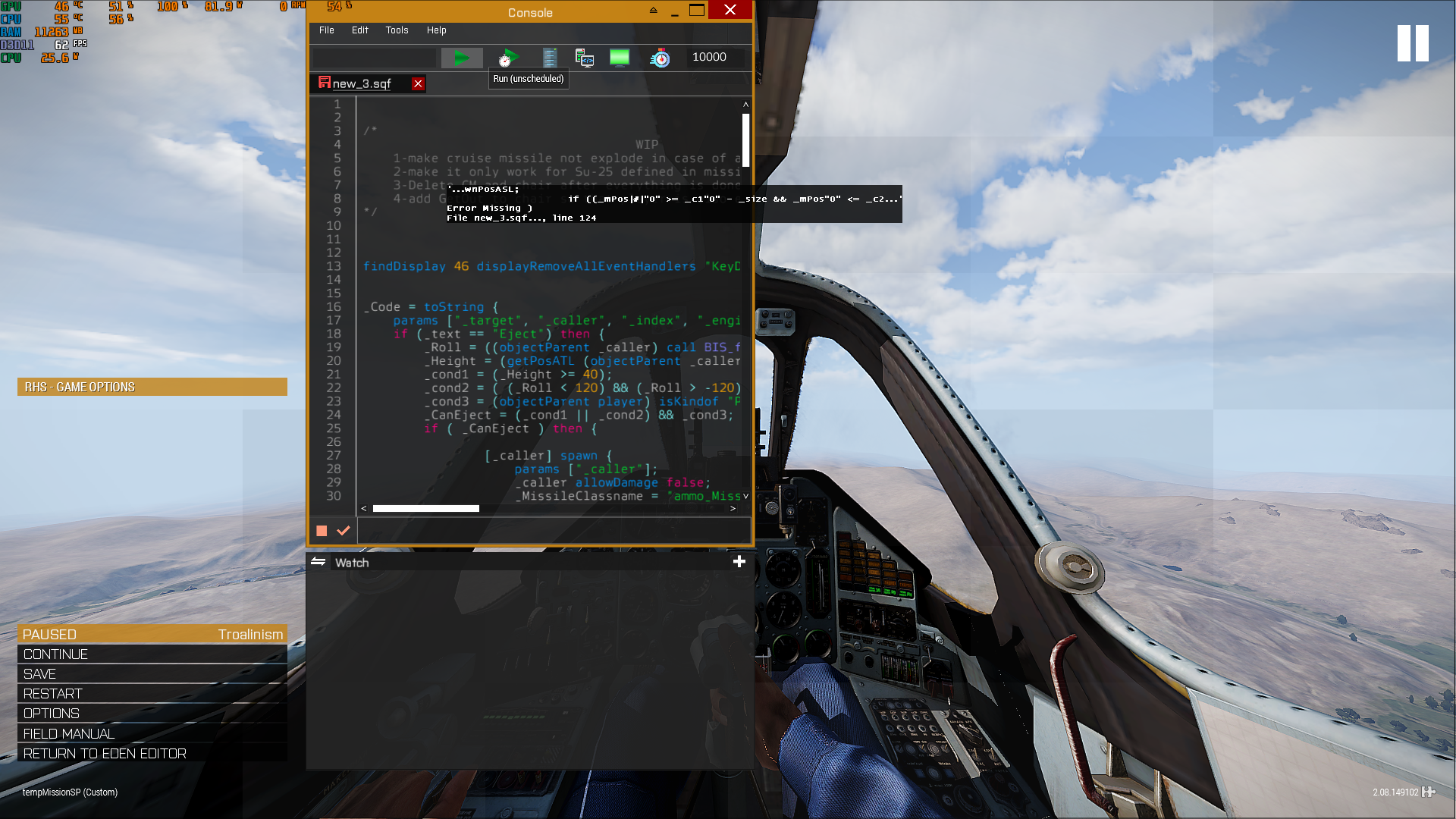
directly pasting the code in the debug gives this?
tried putting the macro at the line 1, same error
probably something I'm missing
little raptor
yeah I forgot you can't use # in macros
drifting portal
that's sad
little raptor
#define InRange(x) ((_mPos select x) >= (_c1 select x) - _size && (_mPos select x) <= (_c2 select x) + _size)
use that instead
nearestObjects [ASLtoAGL _spawnPosASL ,["TREE", "SMALL TREE", "BUSH", "BUILDING", "HOUSE",
"CHURCH", "CHAPEL", "CROSS", "BUNKER", "FORTRESS", "FOU
that's nonsense
just leave the types array empty
also those stuff you put there are terrain obj classes
not obj classes
drifting portal
little raptor
not obj classes
I want to avoid terrain but object is good too so yeah I will do that
alright its working perfectly
great job
all of this just to launch someone safely in a cruise missile
many thanks, here have a Lou certificate 
little raptor
drifting portal
I want to avoid terrain but object is good too so yeah I will do that
I don't think you understood what I meant. read this:
https://community.bistudio.com/wiki/Arma_3:_Named_Properties#class
nearestObjects doesn't use LOD classes
what you put there are only used by nearestTerrainObjects
drifting portal
little raptor
what you put there are only used by nearestTerrainObjects
true that's where i got it from
before I have done that silly array I had ran nearestobjects with []
and it brought up rocks and stuff
so I thought it can be filtered the same way
drifting portal
little raptor
there's no good filter for nearestObjects
I'm just afraid of something
there is butterflies in the map
which caused me to do this
would they affect the launch?
little raptor
the game doesn't spawn "butterflies" when you're in the air
drifting portal
but when you are in the eject seat?
little raptor
you're still in the air
drifting portal
so there is no altitude that determines if you are going to have butterflies or not
because eject seat can still be like 3 meters from the the terrain you know
3 meters in air
little raptor
I'm pretty sure the game doesn't spawn any insects when you're in a vehicle
but I'll test
little raptor
it does...
little raptor
insects are not agents
drifting portal
dammit
drifting portal
little raptor
```sqf
!isClass (configFile >> "CfgNonAIVehicles" >> typeOf _x)
```
so this here
should return true if _x is butterfly or false
little raptor
false
drifting portal
if (isClass (configFile >> "CfgNonAIVehicles" >> typeOf _x) then {continue};
I will go ahead with this then
granite sky
missing a bracket
drifting portal
those damn brackets
alright looking good hopefully
Thanks yet again
Well I'm planning on make a MP mission that involves "extensive" cutscenes
is there any advice on how to sync camera sequences for all players involved? (4 max)
I plan on using remoteExec spawn
there will be a long cutscene (like 3 minutes I know its a lot lol)
That's what is worrying me honestly not anything else "simpler"
hallow mortar
Make all the camera stuff local. Put it in a CfgFunctions function. RemoteExec the function.
drifting portal
that's really sound
I'm wondering, is it better to section the cutscene?
so like 1 function for every 30s
3 minutes = 6 functions?
hallow mortar
Not really. That just means you have to worry about timing the changeover properly. And of course, 30 seconds of mostly static camera is not equivalent to 30 seconds of action camera with rapid cuts.
drifting portal
it will be all rapid mostly
hallow mortar
You could have separate functions for the camerawork and for the things that happen for the camera to watch. That would make it easier to keep track of things. But it's not ultimately necessary.
drifting portal
well here comes the tricky question and I do hate trickery by the way
say somebody disconnects mid cutscene then rejoins, is there a possible way to actually sync him?
and not start the cut scene from the very start for him?
hallow mortar
That would be where multiple functions (or, more likely, multiple calls of different parameters in the same function) would be helpful. However, the player would still be cutsceneless for however long it takes for the next section to start (up to 30 seconds in your example).
drifting portal
hallow mortar
That would be where multiple functions (or, more likely, multiple calls of diffe...
yeah its the cutsceneless part I'm afraid of
he just joins to stare into any empty desert
lol
for like 30 seconds
hallow mortar
There aren't too many good solutions to that. Players disconnecting is always a trip-up point and there's only so much you can do to mitigate it.
drifting portal
if there is only a way to remove the abort button from pause menu
well obviously there is but I don't know the control name
wait I forgot I'm using userdisableinput 
they can't reach pause menu anyways lol
drifting portal
hallow mortar
_and you never will be_
Disconnects : resembles the dark parts of human mind
I guess I will have them staring at a rotating submarine
until the next 30s hits
 analog siren
_car = _this select 0;

private ["_songlist","_songsel"];

_songlist = ["song1", "song2", "song3"];
_songsel = _songlist select floor random count _songlist;


playSound [format["%1",_songsel],false];
_car remoteExec ["removeAllActions"];

[] spawn
{
    _sound = ASLToAGL [0,0,0] nearestObject "#soundonvehicle";
    waitUntil {vehicle player == player};
    sleep 1;
    [_car,["Speaker Radio On","Speaker.sqf",[],1,false,true,"","",3,false,"",""]] remoteExec ["addAction",2];
    [_car,["Headphone Radio On","Headphone.sqf",[],1,false,true,"","",3,false,"",""]] remoteExec ["addAction",2];
    deleteVehicle _sound;
};
How do I get the addAction to target individual vehicles automatically, so I don't have to manually copy, paste and rewrite this 6 times?
brave dome
analog siren
```if (player == vehicle player) exitwith {};
_car = _this select 0;
private ["...
A foreach loop?
open fractal
your code doesn't make much sense especially without context
analog siren
Basically its an outside speaker radio for a car
The car has ab addAction Speaker On
I have a song list of 3 it randomly plays 1
Then it removes the addAction from the car.
It defines the playSound _sound and if you get out of the vehicle the music cuts.
My problem is how do I add a new addAction for difreant cars since it will work for one if I replace the _car at the bottom with a variable name like A_car but then if I run the script on a difreant car it will not give its addaction back.
How can I make it so the script always applies the addaction back to the one that is running the script
analog siren
brave dome
A foreach loop?
How do i do that?
analog siren
Yep just realised I shouldn't be trying to put it into the [] spawn
now it works with _car
 eternal frost
Anyone know how to make it so your friends can see the vehicles you spawn in DCON Multiplayer Vehicle Spawner or Virtual Garage? If you do DM me or Ping me.
winter rose
@eternal frost do not crosspost your question - stick to one channel, thank you
winter rose
it would be here I think, as it involves scripting and functions
eternal frost
Oh ok thank you sorry for that I just didn’t know where to put it.
Won’t happen again sir.
winter rose
hey thanks, and no worry 🙂 (sorry I don't know the answer)
eternal frost
It’s alright.
 tough abyss
quick question ive heard many people call sqf other things but what does it stand for?
tough abyss
eternal frost
Anyone know how to make it so your friends can see the vehicles you spawn in DCO...
could just be a case of searching through the code (if its a script) then changing createvehiclelocal to createvehicle
eternal frost
Hold on
tough abyss
eternal frost
Do you have DCONs Vehicle spawn menu
its a mod i cant help ya sorry but check out www.zamarma.com download ezm then follow steps they have essentially that loaded into a zeus module
open fractal
analog siren
Yep just realised I shouldn't be trying to put it into the [] spawn
now it works...
why are you doing remoteExec to the server for addAction?
you can use spawn if you need to, you just have to pass local variables to it
drifting portal
tough abyss
quick question ive heard many people call sqf other things but what does it stan...
analog siren
open fractal
you can use spawn if you need to, you just have to pass local variables to it
I'll try out spawn
open fractal
why
I said you can if you need to but why do you need to
your code doesn't make much sense to me ngl I don't understand why you're adding an action and playing a sound in the same script, and you want to loop it for multiple objects??
are these multiple script files thrown into one code block?
 spark turret
how would i test if the zeus UI Overlay is hidden for the zeus?
Trying to time "hideobject" with it
an alternative would be to check which object the zeus has selected currently
guess that should work
granite sky
curatorSelected is probably local to the curator. IIRC it doesn't even persist if the curator selects something and then closes the interface.
local to the zeus player rather than the curator object.
spark turret
thats alright, the selected object is a local object to the zeus too
so it should work
spark turret
can someone give a hint on what im doing wrong?
_anchor spawns, but is not added to me as zeus.
addCurator..Obj is server execution tho according to biki, thats why im remotely calling it on server
//LOCAL CODE TO ZEUS
    //spawn anchor object
    _anchor = createVehicle ["Sign_Pointer_Blue_F",_pos];    //anchor is global object, but local to zeus
    _anchor hideObjectGlobal true;
    _anchor setPosASL _pos;
    {
        [_x,[[_anchor], true]] remoteExec ["addCuratorEditableObjects",2,false];
    } forEach allCurators;
was a bug.
Calling "JIP true" but targetting the server just makes the command fail.
20:19:30 Trying to target client #2 during JIP when calling RemoteExec(Call) 'addcuratoreditableobjects'. Target must be 0 for JIP
hallow mortar
Well yes, if the server joins the mission after it starts you've done something weird to the fabric of space-time :P
drifting portal
Remove false from JIP
hallow mortar
Why do you think that would make any difference?
drifting portal
hallow mortar
Well yes, if the server joins the mission after it starts you've done something ...
Idk about you man but I have server on my steam friendlist
drifting portal
hallow mortar
Why do you think that would make any difference?
Well the version I use doesn't have the JIP parameter
And works normally
hallow mortar
JIP false and no JIP parameter are exactly the same; the default is false.
The problem was caused by JIP true. They edited the message after discovering this to correct it.
drifting portal
Alright I came late then
 stuck palm
anyone know the path to arma tower markers (tower 1, tower 2, etc etc)
stuck palm
yeah its not there
drifting portal
stuck palm
yeah its not there
try
going to these directories manually
and searching every folder
that's if
what you are looking for is a map icon
drifting portal
warm venture
Does anyone here use arma dialog creator?
try #arma3_gui
warm hedge
- Because your question doesn't make sense
- Over an hour of no response is normal, especially it is a midnight in Europe
- If you have a question, describe it like everyone can understand
warm venture
Well im trying to import my custom control classes with arma dialog creator and its not finding them with the description.ext.
warm hedge
Its not finding them, what does it mean
warm venture
there is an "import" button and its supposed to read a description.ext file which would have #include "file.hpp" and pull the dialogs from it but its not working.
warm hedge
Its not working, at what context? You can't load Dialogs you made? Did you do Ctrl+S?
warm venture
It is supposed to find dialogs inside the file and put them into a grid type thing for you to see "look at the ones it found" its finding nothing.
stuck palm
drifting portal
try
did that. even browsed icons with a script in debug console. Maybe they are custom .paa, but I'd have sworn I'd seen them reference at bi forums.
for reference this is what i am referring to:
 drifting portal
tbh I have never seen this
open fractal
stuck palm
did that. even browsed icons with a script in debug console. Maybe they are cust...
where did you find these icons?
stuck palm
seen them on koth servers.
stuck palm
right on
drifting portal
save your time and go try to check KOTH framework
stuck palm
thanks. ill conjure something up
drifting portal
looking for these
drifting portal
stuck palm
is there a site?
probably github idk
open fractal
Is it open source?
there's a koth discord and the dev is in this server (probably EU time) if you want to ask about it directly
I'm going to hazard a guess that the icons are made specifically for the gamemode and are not otherwise distributed
drifting portal
open fractal
I'm going to hazard a guess that the icons are made specifically for the gamemod...
my precious 64x64 icons
 opal zephyr
@warm venture I tried using Arma dialog creator when I started making gui and I ran into a plethora of problems that all stemmed from the program itself. I would reccomend just using the one built into arma
drifting portal
opal zephyr
<@250426565114986509> I tried using Arma dialog creator when I started making gu...
to be honest it was more of the dev having fun making the program than actually making it
I think he left it unpatched for 2 years?
he got no time for it sadly
warm venture
opal zephyr
<@250426565114986509> I tried using Arma dialog creator when I started making gu...
the arma dialog editor is the single worse thing ive ever seen
opal zephyr
Ya it isnt super user friendly, but it works 🤷♂️
drifting portal
warm venture
the arma dialog editor is the single worse thing ive ever seen
I have yet to see a good 3rd party GUI editor lol
it so sad because there is so many classes both In game editor and Arma dialog editor doesn't include

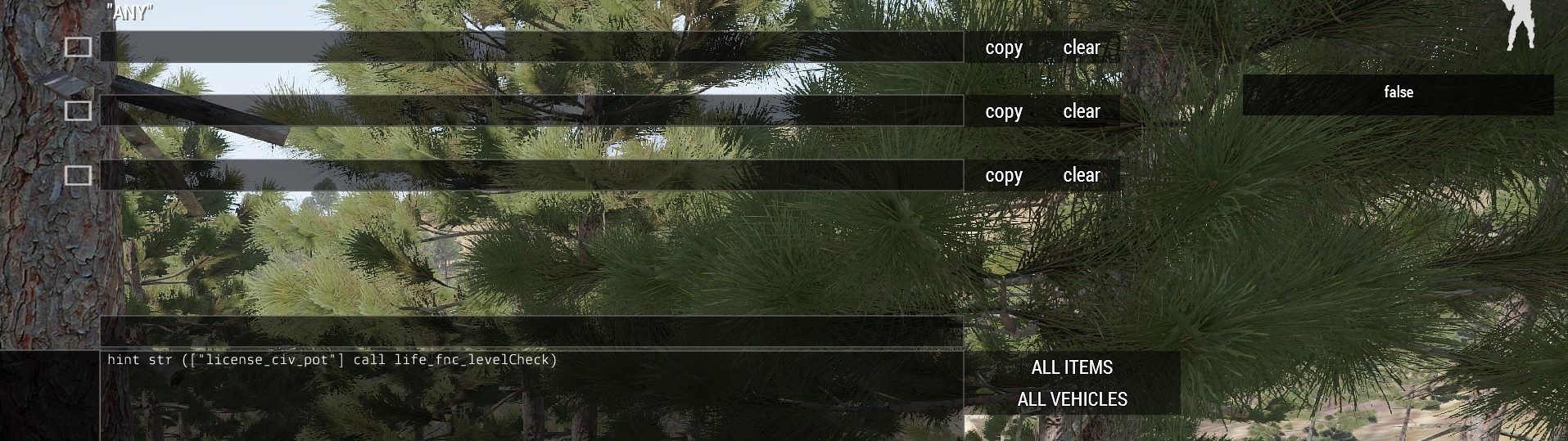
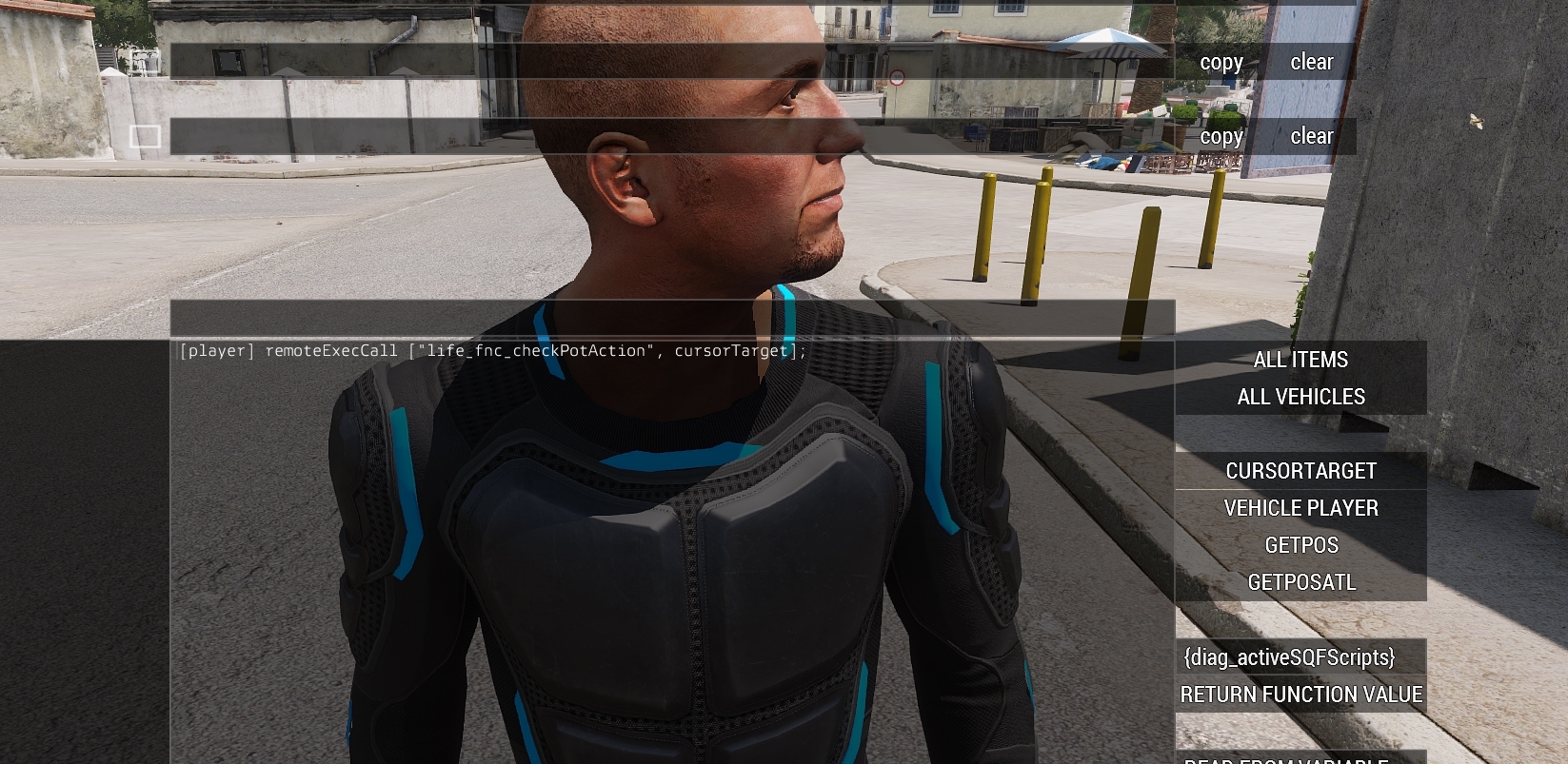

 warm venture
perhaps
drifting portal
use screenshot command
warm venture
gonna add labels to all the buttons
warm venture
hmmmm smort
drifting portal
always try to minimise with GUI
warm venture
drifting portal
always try to minimise with GUI
any idea why my phone background image wont load ingame but the rest do? If I convert it to a paa instead of a png it loads but its ghostly looking, transparent
tough abyss
warm venture
any idea why my phone background image wont load ingame but the rest do? If I co...
could use the background to make a ied detonater if you add an insurgent faction (im assuming this is altis life)
warm venture
it is yes
warm venture
but im confused about the phone background thing lmao
tough abyss
use the same template to make an ied trigger
warm venture
idk why my image is transparent though
tough abyss
wouldnt be too hard either simply setting somethings damage on button press
 versed widget
is it possible to check if the action menu is opened ?
versed widget
...nvm i figured it out :p
 rough dagger
hi all, I'm looking for some help with something that I am blocked on. In my mission, I would like to have the AI copilot drive the heli back to base if the player pilot is KIA. I've been playing around with 'assignAsDriver', 'addVehicle', and '_coPilot action ["TakeVehicleControl", vehicle player]' to no avail.
Eventually I'd like the AI to land, extract and heal the player pilot if incapacitated, but wanted to start with a simple KIA situation - this way at least the asset can be reused by another player.
I am running these experiments from within onPlayerKilled btw
Can anyone offer some advice on how I can get an AI copilot (who is not in the player's group), to wave off on player KIA, and have them land safely at a designated location?
if !(isNull objectParent player) then {
    systemChat "player died while in vehicle";
    _vic = vehicle player;
    if (currentPilot _vic == driver _vic) then {
        systemChat "The dead player was the pilot";
        private _fnc_getCoPilots = {
            private _copilotTurrets = allTurrets _this select { getNumber ([_this, _x] call BIS_fnc_turretConfig >> "isCopilot") > 0 };
            private _copilots = _copilotTurrets apply { _this turretUnit _x };
            _copilots;
        };
        // thank you KK!

        _cp = (_vic call _fnc_getCoPilots);
        _coPilot = _cp select 0;
        _coPilot assignAsDriver _vic;
        _cpGrp = group _coPilot;
        _cpGrp addVehicle _vic;
        _coPilot action ["TakeVehicleControl", vehicle player];
        _cpGrp move [10482.9,6510.67,0];
        // [_cpGrp, [10482.9,6510.67,0], _vic] spawn BIS_fnc_wpLand;
    };
};
This is as far as I could get - if the heli is on the ground and the player is killed, the AI cp will get out, get into the drivers seat and fly to that point (but not land).
If the heli is in-flight, it crashes sadly
Can an AI copilot take control, go somewhere and land without having to change into the driver seat (in this case managed within onPlayerKilled)?
 meager granite
How can I tell a reliable moment to start adding title displays with cutRsc?
drifting portal
warm venture
any idea why my phone background image wont load ingame but the rest do? If I co...
Alright I know exactly why that is
meager granite
Right I'm doing unscheduled each frame waiting for findDisplay 46 and first PreloadFinished and sometimes cutRsc doesn't appear.
drifting portal
drifting portal
Alright I know exactly why that is
https://community.bistudio.com/wiki/ImageToPAA
Important note: All input textures must have resolution 2^x / 2^y (e.g. 16 / 16, 32 / 32, 64 / 64, 256 /256). The largest texture size commonly supported by graphics cards and RV engine is 4096x4096
drifting portal
meager granite
How can I tell a reliable moment to start adding title displays with `cutRsc`?
What?
meager granite
  if(isNull findDisplay 46) exitWith {};
  if(isNil"client_preloadFinished") exitWith {};
```With cllient_preloadFinished getting defined with
```sqf
onPreloadFinished "client_preloadFinished = true; onPreloadFinished """";";
You are referring if you can't add it while they are in the zeus interface/respawn menu?
Because you can
meager granite
No, I'm talking about client initialisation.
drifting portal
Well if you do remoteExec with JIP enabled it will work normally
But yeah I think you better add it when display 46 is not null, in case you don't want to remoteExec
meager granite
You don't get my question at all.
drifting portal
Sorry