#arma3_scripting
1 messages · Page 744 of 1
 austere granite
gvars and settings are properly available, but keybind callbacks dont work either seemingly
 versed widget
how does limitspeed command works ?
i tried this vehicle player limitspeed 1; but not working
versed widget
thanks
 calm charm
any possibility to use drawLine3D trough walls? it becomes invisible for me when full line is behind a wall
calm charm
 little raptor
draw the line on the screen using a control
little raptor
draw the line on the screen using a control
which control type?
little raptor
RscLine
calm charm
ok I tried but it don't worked very well (not optimised)
[] spawn {
      _getPosFnc = {
        (test modelToWorld (test selectionPosition [_this, "Memory"]));
      };
      while {true} do {
        _ctrlList = [];
        {
          private _ctrl = findDisplay 46 ctrlCreate ["RscLine", -1];
          _pos1 = worldToScreen ((_x select 0) call _getPosFnc);
          _pos2 = worldToScreen ((_x select 1) call _getPosFnc);

          if((_pos1 select 0) < (_pos2 select 0) && (_pos1 select 1) < (_pos2 select 1)) then {
            _posTemp = _pos1;
             _pos1 = _pos2;
             _pos2 = _posTemp;
          };

          _pos_sub1 = ((_pos1 select 0) - (_pos2 select 0));
          _pos_sub2 = ((_pos1 select 1) - (_pos2 select 1));

          _pos3 = [_pos_sub1, _pos_sub2];
          _ctrl ctrlSetPosition [(_pos1 select 0),(_pos1 select 1),(_pos3 select 0),(_pos3 select 1)];
          _ctrl ctrlCommit 0;
          _ctrl ctrlSetFontHeight 0.5;
          _ctrlList pushBack _ctrl;
        } forEach [
          ["rightshoulder", "rightforearm"], ["righthandmiddle1", "rightforearm"], ["leftshoulder", "leftforearm"],
          ["lefthandmiddle1", "leftforearm"], ["rightshoulder", "head"], ["leftshoulder", "head"],
          ["head", "spine3"], ["spine3", "pelvis"], ["pelvis", "rightupleg"],
          ["pelvis", "leftupleg"], ["leftupleg", "leftleg"], ["rightupleg", "rightleg"],
          ["rightfoot", "rightleg"], ["leftfoot", "head"], ["leftleg", "head"]
        ];

        sleep 0.2;

        {
          ctrlDelete _x;
        } forEach _ctrlList;
      };
};```don't worked very well
what's the problem?
also I have a working version in my mod:
https://steamcommunity.com/sharedfiles/filedetails/?id=2369477168
little raptor
calm charm
ok I tried but it don't worked very well (not optimised)
```sqf
[] spawn {
...
_pos_sub1 = ((_pos1 select 0) - (_pos2 select 0));
_pos_sub2 = ((_pos1 select 1) - (_pos2 select 1));
that part is wrong
also next time use syntax highlighting... 
I can't read code like that
 wicked roostBOT
How to use SQF syntax highlighting in Discord
```sqf
// your code here
hint "good!";
```
↓
// your code here
hint "good!";
so anyway as far as I understood your code the subtraction should've been the other way around
also that code won't handle the case when one (or both) positions are off screen
but I guess that's not a problem for what you're doing
calm charm
little raptor
so anyway as far as I understood your code the subtraction should've been the ot...
thanks it works
 tidal ferry
Hey, if I use setVariable on a player, and they respawn, does the variable persist?
 brazen lagoon
How expensive would it be to check if there is a civilian within a few hundred meters?
 still forum
write the code and run a benchmark in debug console
brazen lagoon
my initial guess is just to do (pos nearEntities 200) select {side _x == civilian} and im not sure if this is a bad idea to do in a kill reward event handler
little raptor
stop ninjaing me 
still forum
What you are doing is, get all entities in 200m. Use slow scripted loop to filter out side civilian.
What I would think you should do is:
Grab all civilians (with a single command)
Filter by distance using a very fast engine check
brazen lagoon
makes sense
so something like (units civilian) inArea [pos, radius, radius, 0, false]?
still forum
something like that yeah
little raptor
brazen lagoon
so something like `(units civilian) inArea [pos, radius, radius, 0, false]`?
inAreaArray...
brazen lagoon
any reason to use that instead of inarea if i only care about a single area
little raptor
inArea checks 1 position
still forum
The reason being that inArea doesn't work at all for what you do
little raptor
not many
brazen lagoon
ohhh i had this backwards
gotcha gotcha, I thought inareaarray was for multiple areas
not for checking multiple inputs
still forum
I probably wouldn't have told you inAreaArray if I didn't mean that
brazen lagoon
lol fair
 torpid mica
I have a problem with some of my code which uses the Ace Rearm Framework. Can somebody help me there?
trg_1_1 setTriggerStatements["this", "[Munitionsauffueller_1, 666] call ace_rearm_fnc_setSupplyCount;",
                             "ammo_left = [Munitionsauffueller_1] call ace_rearm_fnc_getSupplyCount; hint str ammo_left;"];
the problem is that i always get -1 as "ammo_left" and i don´t know if it comes from the get or the set command or even both... Does somebody know a solution?
 open fractal
torpid mica
I have a problem with some of my code which uses the Ace Rearm Framework. Can so...
open fractal
torpid mica
I have a problem with some of my code which uses the Ace Rearm Framework. Can so...
it could be -1 to indicate an invalid input
sorry I thought I had a suggestion but i didnt
i was going to say make sure you get a return from ace_rearm_fnc_setSupplyCount but it doesnt return anything
 dapper cairn
Is there a script I could use in a trigger to "show model" for a composition (vehicle and guns, armor etc)
torpid mica
torpid mica
I have a problem with some of my code which uses the Ace Rearm Framework. Can so...
i´m now pretty sure that the get Funktion doesn´t work because i´m still able to rearm
open fractal
dapper cairn
Is there a script I could use in a trigger to "show model" for a composition (ve...
can you be more specific
dapper cairn
It's hard to describe since I won't be at my pc for a few hours. But I have a hemmt flatbed (hemmt_1) and items(50 cals, 2m shack walls, blood, skulls) attached to it using attachToRelative
@open fractal
open fractal
dapper cairn
It's hard to describe since I won't be at my pc for a few hours. But I have a he...
hideObjectGlobal
You can construct an array (through a few different methods) and add a hideobject foreach loop to the trigger
dapper cairn
So would it be
hideObjectGlobal false
Then?
open fractal
yeah
you can generally find these things by googling keywords with arma 3
oh just do hideobject in the trigger
wiki says to only use hideobjectglobal on the server
assuming this is mp
actually depends if you hit the server only checkbox but you get the idea
 craggy lagoon
I'm trying to use the Eventhandler "GetIn" to limit access to a drone, but it's not working. Anyone willing to look at this and tell what what I've done wrong please?
player addEventHandler ["GetIn", {
    params ["_vehicle", "_role", "_unit", "_turret"];
    if ((_vehicle isKindOf "DRA_UAV_01_B") && !(_unit getVariable ["CASDrone", false])) then {
        playSound "Denied";
        ["<t color='#FFBB00' size = '.5'>You're not a Drone Operator.</t>",-1,0.8,5,0.5,0,789] spawn BIS_fnc_dynamicText;
    };
}];
limit access to a drone
first of all you're attaching the EH to the player. that's a GetIn EH which should be added to the vehicle
second of all, player's don't "get into" a drone
third of all, what part of that code is "denying access" anyway?! It's just showing a text and plays a sound
craggy lagoon
little raptor
> limit access to a drone
first of all you're attaching the EH to the player. t...
That makes sense. I have permission set with "SetVariable" so if that variable is false then I don't want that player to have access.
craggy lagoon
little raptor
> limit access to a drone
first of all you're attaching the EH to the player. t...
What would be the correct way of attempting to do this?
 undone dew
is there a way to detect when a certain function is used?
open fractal
undone dew
is there a way to detect when a certain function is used?
for what purpose
little raptor
undone dew
is there a way to detect when a certain function is used?
You can simply put something like this at the top:
#ifdef __DEBUG__
diag_log text format ["Function: %1", _fnc_scriptName];
#endif
:o
undone dew
so there's a Ravage script that spawns vehicles, i want to run code on JUST those vehicles
little raptor
what did that have to do with functions? 
undone dew
["Car", "init", {

    clearWeaponCargoGlobal (_this select 0);
    clearMagazineCargoGlobal (_this select 0);
    clearItemCargoGlobal (_this select 0);
     (_this select 0) setVehicleAmmo 0;

}] call CBA_fnc_addClassEventHandler;
I'm using this to run on all vehicles that spawn, but want to modify it to only run on the vehicles that are spawned by Ravage, and since I can't edit the ravage script I was looking into how to check for the function being ran... not entirely sure how to accomplish this yet
open fractal
undone dew
```sqf
["Car", "init", {
clearWeaponCargoGlobal (_this select 0);
clear...
that returns a boolean
_added = ["Car", "init", {

    clearWeaponCargoGlobal (_this select 0);
    clearMagazineCargoGlobal (_this select 0);
    clearItemCargoGlobal (_this select 0);
     (_this select 0) setVehicleAmmo 0;

}] call CBA_fnc_addClassEventHandler;
systemchat str _added;
im not great at this stuff so lmk if im wrong here leopard
but cant you just let it tell you if the function returns success
CBA docs says it would
undone dew
i might be able to work around this a different way now that I'm thinking about it... the vehicles that I don't want to spawn are limited to a couple small areas (player camps/bases), i might try checking if (_this select 0) is within a certain distance from a marker placed at these camps/bases in order to run the code? I think that would work
craggy lagoon
open fractal
https://community.bistudio.com/wiki/disableUAVConnectability
The issue that I've found with that command is it's applied to the terminal itself. I've attempted to apply it with the Take eventhandler but I couldn't get it to fire when a terminal is take out of a Ace arsenal.
 distant oyster
craggy lagoon
The issue that I've found with that command is it's applied to the terminal itse...
distant oyster
craggy lagoon
The issue that I've found with that command is it's applied to the terminal itse...
no it's not, it is applied to a unit which can possess a UAV terminal
craggy lagoon
distant oyster
no it's not, it is applied to a unit which can possess a UAV terminal
Ok, I'll take another look at it, thanks.
dapper cairn
question... how would I make a array for
t1,t2,t3,t4,t5,t6,t7 hideObjectGlobal true
Would this be right?
private _myArray = [t1, t2, t3, t4, t5, t6, t7]; hideObjectGlobal true
okay, and if i have more I just add them in there the same way? And if i want to show them again I just change true to false but otherwise the same code, right?
 warm hedge
Yes and yes
dapper cairn
Okay thank you very much
time to write all the way up to 80 to hide a composition then reveal it later
 languid slate
Any good scripts that make AI turn sirens on?
warm hedge
What siren?
dapper cairn
on a trigger you can do Activation Type Detected by then go to the bottom of it to trigger effects and find the alarm under Sounds
{_x hideObjectGlobal true} forEach [t1, t2, t3, t4, t5, t6, t7, t8, t9, t10, t11, t12, t13, t14, t15, t16, t17, t18, t19, t20, t21, t22, t23, t24, t25, t26, t27, t28, t29, t30, t31, t32, t33, t34, t35, t36, t37, t38, t39, t40, t41, t42, t43, t44, t45, t46, t47, t48, t49, t50, t51, t52, t53, t54, t55, t56, t57, t58, t59, t60, t61, t62, t63, t64, t65, t66, t67, t68, t69, t70, t71, t72, t73, t74, t75, t76, t77, t78, t79, t80, hemtt_1];
yeahhhh.... it works at least heh
warm hedge
Unfortunately that's the most straightforward way 🙃
dapper cairn
lol, time to add this to my scripting mission for future reference. Thanks again POLPOX
 hollow thistle
dapper cairn
```sqf
{_x hideObjectGlobal true} forEach [t1, t2, t3, t4, t5, t6, t7, t8, t9, t...
hollow thistle
dapper cairn
```sqf
{_x hideObjectGlobal true} forEach [t1, t2, t3, t4, t5, t6, t7, t8, t9, t...
Whatever you're doing consider using editor layers and getMissionLayerEntities
warm hedge
Oh yeah I always forgot that
dapper cairn
hollow thistle
Whatever you're doing consider using editor layers and `getMissionLayerEntities`...
i will next time, for now this is exactly what i need even if it is a little ugly. it works for what im doing with how into this mission making im getting
dapper cairn
Mission file is uploaded on the server and works. Music script, model hiding, screen fade, model showing, vehicle deleting. All working in tandem without problems. Thanks to all that helped
 dusky pier
Hello! Is it possible to display 3d mark on simple task?
i mean - with default functions
 mortal crypt
Hey, I am trying to make a script for finding landing areas for helicopters. But I cant seem to get Bushes and Rocks. I tried 'allMissionObjects', 'allSimpleObjects', 'entities'. Is there a command I am missing?
dusky pier
little raptor
BIS_fnc_taskCreate has icons
i used it before, but had problem with removing tasks, can't remove them with
[_taskName] call BIS_fnc_deleteTask;
little raptor
dusky pier
i used it before, but had problem with removing tasks, can't remove them with
`[...
if no one has the task, task is removed from the framework
it's only removed if no one has the task anymore
mortal crypt
mortal crypt
Hey, I am trying to make a script for finding landing areas for helicopters. But...
found it sqf nearestTerrainObjects
little raptor
mortal crypt
found it ```sqf
nearestTerrainObjects```
nearestObjects works too
 velvet merlin
is cameraOn the way to go if you want to track the visibility of an unit for all special cases? (Zeus, remoteControl, switchCamera, etc)
 sharp grotto
velvet merlin
is cameraOn the way to go if you want to track the visibility of an unit for all...
sharp grotto
velvet merlin
is cameraOn the way to go if you want to track the visibility of an unit for all...
don't think so > "Returns the vehicle to which the camera is attached."
warm hedge
AFAIK no
distant oyster
dapper cairn
```sqf
{_x hideObjectGlobal true} forEach [t1, t2, t3, t4, t5, t6, t7, t8, t9, t...
or
for "_i" from 1 to 80 do {
  private _obj = missionNamespace getVariable [format ["t%1", _i], objNull];
  _obj hideObjectGlobal true;
};
but as @hollow thistle said, no need to name them if you have them in an eden layer
 modest parcel
@reef walrus, on Vidda Immersive Maps doesn't load the mapPreview, resulting in an invisible map (I've popped an idea on github for it) but do you know if there's a way we can fix it in the mean time?
I've tried over-writing the CFGWorlds mapPreview via the description.ext, which works for the load screen, but not for the mod
 quasi sedge
not sure why
init.sqf
setTimeMultiplier 120;
work in editor, but no effect on multiplayer
warm hedge
Must be executed on server
 manic grail
anyone know any good loadout randomization scripts for AI?
little raptor
quasi sedge
not sure why
```sqf
init.sqf
setTimeMultiplier 120;
```
work in editor, but no e...
the command is server exec only
 fair drum
manic grail
anyone know any good loadout randomization scripts for AI?
fair drum
manic grail
anyone know any good loadout randomization scripts for AI?
you can make one, they aren't too difficult
make a few variables labelled vests, backpacks, uniforms, etc. fill them with class names, then use the appropriate commands to select a random one. when done, make it into a function and throw the ai units through it
 brazen hazel
Does anyone know what causes systemChat messages to be sent the same amount of times as clients currently connected to the server? The same script works perfectly fine with the Altis Life framework but when I use it in my other mission it causes the messages to be sent as many times as there are clients currently connected.
fair drum
brazen hazel
Does anyone know what causes systemChat messages to be sent the same amount of t...
because you aren't limiting it. you probably are remote executing the systemchat on every machine TO every machine
lets see your script and tell us where you are putting it
brazen hazel
This is the code for the handlechatmessage event handler which is added in initPlayerLocal
https://sqfbin.com/cicenumapiqakejaxeku
And this is the code for handleCommands
https://sqfbin.com/vimabopunopuvorojose
 dusk gust
brazen hazel
This is the code for the handlechatmessage event handler which is added in initP...
dusk gust
brazen hazel
This is the code for the handlechatmessage event handler which is added in initP...
Iirc, the handleChatMessage EVH triggers when a message is received, not sent. Meaning if you send /commands as a side-chat command, it will display to every player and run the code for said message on everyone.
little raptor
brazen hazel
And this is the code for handleCommands
https://sqfbin.com/vimabopunopuvorojose
also:
https://community.bistudio.com/wiki/Arma_3:_Event_Handlers/addMissionEventHandler#HandleChatMessage
Do not put any of the chat related script command such as systemChat, sideChat, etc in this EH code as it would naturally cause recursion and the game will freeze.
I'm surprised it hasn't frozen for you
 winter rose
@brazen hazel please use https://sqfbin.com/ to post big chunks of code in the future, thanks
little raptor
remoteExec
right, that's why
brazen hazel
Alright, thanks guys
manic grail
fair drum
make a few variables labelled vests, backpacks, uniforms, etc. fill them with cl...
ive never touched scripting i dont know which appropriate commands to use
fair drum
do you have any programming knowledge
fair drum
do you want to learn, or just have someone do it for you. either is fine
manic grail
wouldnt mind to learn, im just not too bright when it comes to learning things
fair drum
is that a yes to learning then?
manic grail
yea sure
fair drum
start by reading this:
#arma3_scripting message
mainly the first link
you are going to have to read a lot. for this you will need to know, variables and their scope, functions, arguments and parameters, and multiplayer locality
the commands themselves are straight forward, its these concepts you need to know first
fair drum
this doesn't apply to SQF directly, but its general programming knowledge that will help you with arguments and parameters
https://www.youtube.com/watch?v=VXlh-qJpfw0
 boreal parcel
heyo, I was thinking of using the BIS__fnc_ambientFlyby method to spawn like 3-4 TU-95's however I need to give each of those planes a variable name such as bombing1 - 2 - 3 - 4 etc. How would I go about that?
maybe some kind of delayed foreach loop that waits until the addAction is triggered? I still am unsure how to go about that though
index = 0;
{
    _x setVehicleVarName "bomber" + index;
    index += 1;
} forEach nearestObjects [getpos player,["RHS_TU95MS_vvs_old"],15000];
the function could have returned the group or created units I admit
private _planes = getPosWorld player nearObjects ["RHS_TU95MS_vvs_old", 3000];

{
  private _varName = "bomber" + str (_forEachIndex + 1);
  missionNamespace setVariable [_varName, _x];
} forEach _planes;
the """easiest""" would be to spawn them manually so you can keep a reference to them instead of using nearObjects
little raptor
boreal parcel
maybe some kind of delayed foreach loop that waits until the addAction is trigge...
SQF has no +=,++,etc. operator
boreal parcel
little raptor
SQF has no +=,++,etc. operator
Ah, didn't realize. Thanks
boreal parcel
winter rose
the """easiest""" would be to spawn them manually so you can keep a reference to...
That would make sense as well, the main reason I was hopping to use the flyby script is because it seems to make things simple and do exactly what I want, spawn the aircraft, fly it on a straight path from a to b, and delete it. I will probably just try to write a script that creates them and adds the vars
winter rose
boreal parcel
That would make sense as well, the main reason I was hopping to use the flyby sc...
you can copy-paste the function's content and make it return the created objects/group, too 🙂
boreal parcel
Alright, and another question. Using setVehicleVarName will it error or not work if the vehicles have the same var name?
Maybe I can set a mission space variable (I think that's what it called?) As an int to increment each time the script is called
 tulip ridge
I have an object named panel_0 with the purpose of teleporting all AI/Players within 5 meters of it to a specific location. This is in the init:
this addAction ["Take Elevator Down", {{ _x setPos getPos elevator_1 } forEach nearestObjects [panel_0, ["Man"], 5] }];
// Using "this" in the nearestObjects raised an undefined error, so I just gave the object a name
However, when actually using this action, it instead teleports me up way into the air, despite the position of elevator_1 being only a couple of meters below the object.
Any ideas as to why I would be teleported way into the air?
winter rose
tulip ridge
I have an object named `panel_0` with the purpose of teleporting all AI/Players ...
!quote 5
 lyric schoonerBOT
winter rose
!quote 5
lyric schoonerBOT
winter rose
!quote 5
stop using 'setPos' for the love of god
Leopard20; Tuesday, 10 August 2021
winter rose
use e.g setPosATL getPosATL 😉
tulip ridge
Thank you!
Any idea about this as well, figured I'd ask while I'm here:
// Using "this" in the nearestObjects raised an undefined error, so I just gave the object a name
boreal parcel
do I need to check if a params variable is empty or will an error be thrown in that scenario?
should I also check if my getMarkerPos and markerDir vars are empty as well?
Is there anything immediately wrong with this script? I intend to spawn a plane, give it a variable name, and hopefully send it to fly a straight path from where it starts to the ending position marker.
if (!isServer) exitWith {
  systemChat["Not Server"];
};

// Script Vars Start
param["_dir", "_type", "_side"];
private["_startPos", "_endPos"];

// Get Markers
_startPos = getMarkerPos "bomber_start";
_endPos = getMarkerPos "bomber_end";

// Set Namespace Vehicle index
namespace setVariable["bomberIndex", 0]

// Get spawn direction
_dir = markerDir "bomber_start";
// Script Vars End

// if (condition) exitWith {  };

// Spawn vehicle and return the vic/crew/group objects
private _vehicle = [_startPos, _dir, _type, _side] call BIS_fnc_spawnVehicle;
_vehicle params ["_vehicle", "_crew", "_group"];

// Set the var name, try to force him to fly at a single height, and begin movement to endPos marker
_vehicle setVehicleVarName "bomber" + getVariable["bomberIndex"];
_vehicle flyInHeightASL[600, 600, 600];
_group doMove _endPos;
yes
systemChat["Not Server"];
systemChat doesn't take arrays
_vehicle setVehicleVarName "bomber" + getVariable["bomberIndex"];
...
namespace setVariable["bomberIndex", 0]
missing;
also I'm not sure why you're using something as a namespace...
boreal parcel
as for the systemChat, didnt realize, the vehicleVarName line im guessing I need to turn into string?
namespace I was doing so that every time the script is called the int is increased so that the variableName isnt the same for each bomber
little raptor
boreal parcel
as for the systemChat, didnt realize, the vehicleVarName line im guessing I need...
that line alone has 3 errors
little raptor
it has nothing to do with concatenating
- getVariable is not a unary command. it's binary
- that syntax needs a default value
- even if you fix the above problems, order of precedence will be broken
also I don't see what's the point of setVehicleVarName at all
boreal parcel
is there another way I can do so? I have a trigger that activates based on the variable name of the vehicle
little raptor
setVehicleVarName doesn't create a variable for you, if that's what you're thinking
boreal parcel
and as for 1 2 and 3,
- Im not sure what that means, pretty new to sqf
- I Just looked at the docs Im guessing you mean I need to put
namespacein front of getVariable since the var I want was assigned to namespace? - Is there documentation that explains how this works or what it is?
boreal parcel
little raptor
setVehicleVarName doesn't create a variable for you, if that's what you're think...
ah, thats exactly what I thought it did
little raptor
boreal parcel
and as for 1 2 and 3,
1. Im not sure what that means, pretty new to sqf
2. I Jus...
boreal parcel
little raptor
https://community.bistudio.com/wiki/Order_of_Precedence
ah thanks, that explains 1, im still reading but I dont understand yet how the order of precedence is broken
little raptor
boreal parcel
ah thanks, that explains 1, im still reading but I dont understand yet how the o...
even if you fixed it:
_vehicle setVehicleVarName "bomber" + namespace getVariable["bomberIndex", 0];
that would be:
(_vehicle setVehicleVarName ("bomber" + namespace)) getVariable["bomberIndex", 0];
which is wrong
boreal parcel
I was thinking this
_vehicle setVehicleVarName format["bomber%1", namespace getVariable["bomberIndex"]];
that still misses the default value
but apart from that it's "correct" (syntax wise)
boreal parcel
little raptor
that still misses the default value
I think im still missing what your saying, what default value? the int im expecting bomberIndex to return?
ah also, im looking around but I havent figured out the correct method to set the spawned vehicles variable
little raptor
boreal parcel
I think im still missing what your saying, what default value? the int im expect...
If you simply look again at what I wrote, or just read the wiki page for getVariable, you'll see
boreal parcel
little raptor
If you simply look again at what I wrote, or just read the wiki page for getVari...
ahhhh sorry, I see my bad. thank you again lol
boreal parcel
heyo, me again. Any idea why my params _type seems to be any ?
script.sqf
if (!isServer) exitWith {
  hint "Not Server";
};

// Script Vars Start
param["_type", "_side"];
private["_startPos", "_endPos", "_dir"];

systemChat format["type: %1", _type];
init
this addAction ["<t color='#ff1111'> Start Bombing </t>", {[["RHS_TU95MS_vvs_old", "east"],"spawnBombers.sqf"] remoteExec ["execVM",2]}];
the systemChat outputs type: any
dusk gust
boreal parcel
heyo, me again. Any idea why my params `_type` seems to be `any` ?
script.sqf
``...
I would suggest turning on script errors in the launcher when you test stuff like this, usually makes it a LOT easier to debug.
You're using "param" which usually takes an index of _this.
_type = param[0,"default",[allowedTypes]];
Where what you're probably trying to use is "params"
Other than my dislike for the use of execVM and security, I think the "param" to "params" should be good
boreal parcel
dusk gust
I would suggest turning on script errors in the launcher when you test stuff lik...
script errors will appear in the rpt log right? if so then I do have it on, however I dont get any errors.
and I had no idea there was param and params lol, ill give that a shot real quick
dusk gust
boreal parcel
script errors will appear in the rpt log right? if so then I do have it on, howe...
You may have logs disabled them? They should appear there, not sure why they didnt. I ran your code and this is what I got.
19:30:31 Error in expression <ver) exitWith {
hint "Not Server";
};


param["_type", "_side"];
systemChat str >
19:30:31   Error position: <param["_type", "_side"];
systemChat str >
19:30:31   Error Type String, expected Number
hmm, I may have missed it then inside the errors I was fixing before
or just not understood
dusk gust
¯_(ツ)_/¯
boreal parcel
also what editor do you use to get proper linting or whatever its called?
or extension for vscode if thats what your using
dusk gust
Currently I use "Atom" with a plugin(https://atom.io/packages/language-arma-atom) I've been updating with new commands
That one specifically doesn't have a lot of updated commands like hashValue, createHashMap, createHashMapFromArray, and a few others, but should still serve its purpose
tulip ridge
I have a recorded flight path set up to bring the player and the AI in their group to a spot, but when trying to force the Player and AI to exit, I've tried a few different solutions to try and make them leave, with no luck. I feel as though I might also need a waitUntil to prevent the heli from flying back up and causing the AI to fall to their death.
// Force all AI in player's group out of heli
// { _x leaveVehicle intro_heli; sleep 1; } forEach units player; // FAILED: No effect
{ doGetOut _x; sleep 1; } forEach units group player;             // FAILED: Player glitched out in getting out animation and heli began flying off
well you were correct, just gotta work on fixing other errors now.
you wouldnt happen to know what I need to provide as a side in BIS_fnc_spawnVehicle would you? I am currently providing a string but it wants an object, group, or location?
22:48:35 Error in expression < true;
}
else
{
_grp = _param4;
_side = side _grp;
_newGrp = false;
};


if ((ty>
22:48:35   Error position: <side _grp;
_newGrp = false;
};


if ((ty>
22:48:35   Error side: Type String, expected Object,Group,Location
and looking at the documentation I am still unsure of how to provide it
ah
wait
I think it just doesnt need to be a string, the word is reserved?
dusk gust
If you're talking about
[position, direction, type, sideOrGroup] call BIS_fnc_spawnVehicle
Then sideOrGroup can be (without quotes) "west", "independent", "west", "civilian", or something like "group player".
A side or group is a data-type, not a string itself
dusk gust
boreal parcel
well you were correct, just gotta work on fixing other errors now.
you wouldnt ...
And if you're just trying to create a vehicle, why not use createVehicle?
https://community.bistudio.com/wiki/createVehicle
boreal parcel
yeap just realized that lol. and because createVehicle creates the vehicle without the crew right?
dusk gust
You are correct
boreal parcel
well I want the crew, I want to have the aircraft fly from where it spawns, through a trigger that simulates carpet bombing, and then to the final marker before getting deleted
dusk gust
Ah, makes sense then
boreal parcel
ah also, you wouldnt know how to give the vehicle an initial velocity when it spawns would you? currently its just falling out of the sky, likely because its too heavy to recover at 600m
ah
took some annoying googling, but I found setVelocity
dusk gust
boreal parcel
took some annoying googling, but I found setVelocity
This page might help a bit instead of some intense googling
https://community.bistudio.com/wiki/Category:Arma_3:_Scripting_Commands
boreal parcel
back with more, this time relating to triggers, (previous script is working though yaay)
does anyone see anything wrong with this? its what ive currently got in my condition in a trigger, but when the vehicle RHS_TU95MS_vvs_old passes through, no activation.
for "_i" from 1 to (count thisList) do {
  if (typeOf (thisList select _i) == "RHS_TU95MS_vvs_old") exitWith
  {
    true;
  };
};
thisList findIf {typeOf _x == "RHS_TU95MS_vvs_old"} != -1;
I like how simple that is, however it doesnt seem to be returning true when the plane flies through the trigger
fair drum
whats your trigger setup?
boreal parcel
none and none on the activation stuff,
repeatable,
your condition,
activation:
systemChat "There is someone here, its";
maybe I should set the activation to when opfor is present?
from what the popup said, if it was set to none it would just check the condition I thought
fair drum
try setting it to "Anybody"
boreal parcel
ok
it worked lmao, the extra code I had after the systemChat crashed my game as well but thanks!
ah
thats cause an error spat out 80,000 lines at once I guess
boreal parcel
back with whats hopefully my final error, I am trying to use spawn {} because without it my code complains about the sleep methods being unsuspendable. This code is in my trigger activation but doesnt seem to work, how exactly should I use spawn {} in this case?
this spawn  {
  for "_i" from 1 to count thisList do {
  private ["_plane"];
  _plane = thisList select _i;
  _salve = 10 + ceil random 20;
  _bombing = 24;
  _vel = velocity _plane;
  _h = getPosATL _plane select 2;
  _dir = getDir _plane;
  _pos = getPos _plane;
  _bombingFall = 4;
  sleep _bombingFall;
  _timer = diag_tickTime;
  for "_y" from 1 to _salve do {
    for "_x" from 1 to _bombing do {
      _posGround = _pos vectorAdd [((sqrt _h)* sin _dir) -20 + random 40,((sqrt _h) * cos _dir) -20 + random 40,0];
      _offset = _vel vectorMultiply (diag_tickTime - _timer);
      _upDatedPos = _posGround vectorAdd _offset;
      _upDatedPos set [2,0];
      _blast = createVehicle ["HelicopterExploBIG", _upDatedPos, [], 0, "NONE"];
      sleep random 0.2;
    };
    sleep random 2;
  };
};
};
 copper raven
boreal parcel
back with whats hopefully my final error, I am trying to use ``spawn {}`` becaus...
copper raven
boreal parcel
back with whats hopefully my final error, I am trying to use ``spawn {}`` becaus...
thisList is undefined
boreal parcel
sorry I meant to say trigger activation
dusk gust
boreal parcel
sorry I meant to say trigger activation
Whet he means is 'thisList' never gets passed to the spawned script, only 'this' does
 somber radish
Anyone got a quicktip on how ti get the direction between two positions?
I did try this command
https://community.bistudio.com/wiki/getRelDir
But it seems I need one of the two to be an object
warm hedge
somber radish
Oh, Im braindead, looked at it but only saw syntax 1
somber radish
warm hedge
https://community.bistudio.com/wiki/getDir
Syntax 2
Thank you!
warm hedge
Things can happen to everyone
 real tartan
how to check if magazine is under-barrel ammo type ( grenade, .50, shotgun ammo, under-barrel of Type 115, ... ) ?
private _magazines = getArray ( configFile >> "CfgWeapons" >> _weapon >> "magazines" );
Check if has a multiple muzzles
real tartan
I have a list of ammo for weapon. I want to check if ammo is for underbarrel slot or regular magazine slot
little raptor
real tartan
I have a list of ammo for weapon. I want to check if ammo is for underbarrel slo...
Get all mags for the underbarrel slot, then see if the mag is in the list
See BIS_fnc_compatibleMagazines
If that doesn't work you have to write a function yourself. You can learn how from that function
little raptor
real tartan
how to check if magazine is under-barrel ammo type ( grenade, .50, shotgun ammo,...
Also this doesn't return all compatible mags
You have to check mag wells too
somber radish
So anyone got any tips on how to force a vehicle to drive in reverse?
I specifically want to get tanks / APCs to do that
 weary radish
Hey
setObjectTextureGlobal [0, "#(rgb,8,8,3)color(1,0,0,1)"];
What does the #(rgb,8,8,3) stand for?
 unreal heath
RGB is Red-Green-Blue
weary radish
Yes but the 8,8,3
unreal heath
Colour scheme
weary radish
The color is defined by 1,0,0,1
little raptor
weary radish
What does the `#(rgb,8,8,3)` stand for?
weary radish
little raptor
https://community.bistudio.com/wiki/Procedural_Textures
Thank you
 sacred slate
how do i do: _units = units _playergrp select 1, 2;
_units = units [_playergrp select 1,0]
little raptor
sacred slate
how do i do: _units = units _playergrp select 1, 2;
_units = units _playergrp select [1, 2]
selects range 1 to 1+2 - 1 = 2
sacred slate
i am unit 0. i like to select unit 2 3 in human terms 😄
little raptor
sacred slate
i am unit 0. i like to select unit 2 3 in human terms 😄
I know. that's what it does
sacred slate
thx!
i got that working
but now i have _moveinveh = units _playergrp select [3, 4, 5];
i don't know if the error is there, i have no message and the units 3, 4, 5 are not moved into the next vehicle
fair drum
sacred slate
i don't know if the error is there, i have no message and the units 3, 4, 5 are ...
can i see the whole script what you got so far? cause I don't think you are moving units around right
sacred slate
@fair drum thx. i think this is the relevant part of it: https://pastebin.com/gy1p9cRn
fair drum
sacred slate
<@!177167602768936960> thx. i think this is the relevant part of it: https://pas...
this looks fine. gonna have to see more
sacred slate
ok
ah i was just confused cause the code worked for the first vehicle. now it works for the second vehicle too, _moveinveh = units _playergrp select [3, 4]; moves all 3 remaining units. i first used [3, 4, 5]
i like to select unit 1 2 for the first vehicle and 3 4 5 for the second.
its wrong, but it works lol
fair drum
that will start at index 3 and select 3,4,5
sacred slate
it was explained in the example from leo, but i didn't understood 😄
 limber panther
Hello! I've just got an idea and i need a little help. Imagine driving a boat in arma. Some sort of a big ship. And suddenly the ship starts to sink (for example when the ship gets destroyed [no explosion] ) the crew has to jump out and all they can do is to swim but being stranded in the middle of the ocean is highly unpleasant. So i would like to create a script, that would be an addaction on that boat and after pressing it, a lifeboat will be spawned next to the ship. So far for spawning vehicles i use scripts like this one: sqf this addAction ["2003 Chevy Impala NYPD", { private _vehicle = createVehicle ["Fox_2003Impala_PoliceHWP", [14909,13771]]; _vehicle addAction ["Last 112 call", { [caller_position] spawn gps_fnc_main; }]; _vehicle addAction ["Last 911 call", { [caller_position2] spawn gps_fnc_main; }]; _vehicle addBackpackCargoGlobal ["B_Bergen_hex_F", 1]; _vehicle addBackpackCargoGlobal ["TFAR_rt1523g", 1]; _vehicle addBackpackCargoGlobal ["CUP_B_SearchLight_Gun_Bag", 1]; _vehicle addBackpackCargoGlobal ["CUP_B_SearchLight_Tripod_Bag", 1]; _vehicle addBackpackCargoGlobal ["ACE_TacticalLadder_Pack", 1]; _vehicle addItemCargoGlobal ["TDD_Talon_Mag", 6]; [_vehicle, true] remoteExec ["enableDynamicSimulation", 0]; }]; but this spawns vehicles on a fixed position, in this case [14909,13771] so how do i change this, so that it spawns next to the boat with this addaction? And my second question - how do i make the addaction disappear after using it? Because i of course don't want players to spawn like 20 lifeboats. Thank you
little raptor
limber panther
Hello! I've just got an idea and i need a little help. Imagine driving a boat in...
1st of all use params in the addAction:
params ["_vehicle", "_caller", "_actionID"];
so that it spawns next to the boat with this addaction
_lifeboat setPosXXX getPosXXX _vehicle
where XXX can be ASL or ATL
alternatively you can use setVehiclePosition, which needs AGL pos (ASLtoAGL getPosASL _vehicle). setVehiclePosition can also put the lifeboat in a "free" position
how do i make the addaction disappear after using it?
_vehicle removeAction _actionID
p.s: this _vehicle is not the same as the _vehicle you use in your script, so change it
limber panther
wow, that's a lot of information, thank you, can you explain it to me more in detail please? first i don't understand the params line, how does that work?
little raptor
limber panther
wow, that's a lot of information, thank you, can you explain it to me more in de...
https://community.bistudio.com/wiki/addAction
Parameters array passed to the script upon activation in _this variable is:
params ["_target", "_caller", "_actionId", "_arguments"];
target: Object - the object which the action is assigned to
caller: Object - the unit that activated the action
actionID: Number - activated action's ID (same as addAction's return value)
arguments: Anything - arguments given to the script if you are using the extended syntax
limber panther
little raptor
https://community.bistudio.com/wiki/addAction
> Parameters array passed to the s...
so i can rename them but as long as they are in correct order, they still mean the same?
little raptor
yep
limber panther
little raptor
yep
great, now i don't really understand the set pos get pos, how can these two commands be in a single line right after each other?
 south knoll
Hello, Im looking at the setVariable wiki page but not 100% getting how to use it.
I have a drone spawn in script and then want to set a object variable so I can reference to it elsewhere
little raptor
limber panther
great, now i don't really understand the set pos get pos, how can these two comm...
well 1st of all you must follow the order of precedence:
https://community.bistudio.com/wiki/Order_of_Precedence
2nd of all, when you use a command, it may return a value to you. you can either store that value into a variable, or use it directly:
_pos = getPosASL _vehicle;
_obj setPosASL _pos;
//or
_obj setPosASL getPosASL _vehicle
if you're lazy and don't want to learn the order of precedence, you can simply wrap the statements in ():
_obj setPosASL (getPosASL _vehicle)
but _obj setPosASL getPosASL _vehicle = _obj setPosASL (getPosASL _vehicle) right?
little raptor
yes, because of order of precedence rules
 copper nova
Anyone knows how I can make an NPC look at the player permanently and also turn in the player's direction, without a while loop?
I guess there are some behavior settings, right? 👀
south knoll
copper nova
Anyone knows how I can make an NPC look at the player permanently and also turn ...
little raptor
copper nova
Anyone knows how I can make an NPC look at the player permanently and also turn ...
doTarget is probably your best bet
but I don't think they still target you when they have no weapons
copper nova
But I have to run that in a loop. It should update automatically when the player moves.
I think I have seen this before, when an NPC classifies you as an Enemy
little raptor
copper nova
But I have to run that in a loop. It should update automatically when the player...
But I have to run that in a loop
you don't have to. the AI in Arma tend to "relax" their head, so they don't always look at you
limber panther
@little raptor can i ask you for a link to wiki page where's explained what's asl, agl, ... please? i can't find it
little raptor
limber panther
<@!360154905148653568> can i ask you for a link to wiki page where's explained ...
limber panther
little raptor
https://community.bistudio.com/wiki/Position
thank you
little raptor
limber panther
<@!360154905148653568> can i ask you for a link to wiki page where's explained ...
you can also simply click on PositionASL, etc. on wiki pages, e.g here:
https://community.bistudio.com/wiki/getPosASL
 south knoll
Hello, Im looking at the setVariable wiki page but not 100% getting how to use i...
south knoll
south knoll
Hello, Im looking at the setVariable wiki page but not 100% getting how to use i...
any hints on this one?
 willow hound
The description is too vague for me, what exactly are you trying to do? Which variable do you want to contain which data?
fair drum
south knoll
any hints on this one?
missionNamespace setVariable ["vehicle_1", _vehicle];
//is the same as
vehicle_1 = _vehicle;
so do i understand it correctly @little raptor , that in this setup ```sqf
_lifeboat setPosASL getPosASL _vehicle
in theory, i don't count in this collision avoidance while spawning
little raptor
limber panther
so do i understand it correctly <@!360154905148653568> , that in this setup ```s...
yes
little raptor
limber panther
in theory, i don't count in this collision avoidance while spawning
which is why I said use setVehiclePosition instead
south knoll
fair drum
```sqf
missionNamespace setVariable ["vehicle_1", _vehicle];
//is the same as
ve...
Cheers mate.
fair drum
south knoll
Cheers mate.
getVariable will be your reverse
limber panther
little raptor
which is why I said use `setVehiclePosition` instead
but if i use none:
special: String - (Optional, default "NONE") can be one of the following:
"NONE" - will look for suitable empty position near given position (subject to other placement params) before placing vehicle there.
"CAN_COLLIDE" - places vehicle at given position (subject to other placement params), without checking if others objects can cross its 3D model.
"FLY" - if vehicle is capable of flying and has crew, it will be made airborne at default height.
then it should be fine, or not?
little raptor
yes
or just pass the position directly to createVehicle
createVehicle uses setVehiclePosition automatically
limber panther
little raptor
`createVehicle` uses `setVehiclePosition` automatically
uh well now i got lost, can you explain this step more in detail please?
little raptor
limber panther
uh well now i got lost, can you explain this step more in detail please?
createVehicle ["Fox_2003Impala_PoliceHWP", [14909,13771]];
just put the position there instead of[14909,13771]
limber panther
little raptor
> `createVehicle ["Fox_2003Impala_PoliceHWP", [14909,13771]];`
just put the posi...
so i should just write this?```sqf
createVehicle ["Fox_2003Impala_PoliceHWP", [getPosASL _vehicle]]
the [ is wrong (and still wrong after edit)
little raptor
limber panther
so i should just write this?```sqf
createVehicle ["Fox_2003Impala_PoliceHWP", [g...
do you even know what []s are for?
limber panther
little raptor
do you even know what `[]`s are for?
i remember you told me that once in the past
little raptor
they're used to make arrays
open fractal
limber panther
i remember you told me that once in the past
() - Round brackets are used to override the default Order of Precedence or improve legibility.
[] - Square brackets define Arrays.
{} - Curly brackets enclose instances of the Code Data Type. They are also used in Control Structures.
i found a screenshot i took when leopard told me that but thank you 🙂
real tartan
when I add weapon to arsenal, it adds also ammo for that weapon. Is there a way to prevent that ? it is undesired effect for me. I wan't to specify which ammo people can take for that weapon.
[_object, _weapons] call BIS_fnc_addVirtualWeaponCargo;
why do we even have BIS_fnc_addVirtualMagazineCargo for that matter.
little raptor
limber panther
i found a screenshot i took when leopard told me that but thank you 🙂
so anyway, what I was trying to say here is this:
if you look at the wiki page for create vehicle it says:
position: Object, Array format Position2D or PositionAGL - desired placement position
so it simply needs an array in format PosAGL there, andASLtoAGL getPosASLis one way to do get an AGL pos:
createVehicle ["Fox_2003Impala_PoliceHWP", ASLtoAGL getPosASL _vehicle]
ofc the wiki says you can simply pass the object and its position will be used instead:
createVehicle ["Fox_2003Impala_PoliceHWP", _vehicle]
what you did with [getPosASL _vehicle] was creating an array of position, which obviously is wrong
(also it was in ASL format, not AGL)
limber panther
little raptor
so anyway, what I was trying to say here is this:
if you look at the wiki page f...
oh now it makes sense! that's smart 🙂 thank you
i've got to go now, thank you for your help @little raptor i'll try to assemble the whole script as soon a i get back and will let you know how it ended up
little raptor
real tartan
when I add weapon to arsenal, it adds also ammo for that weapon. Is there a way ...
maybe the arsenal itself adds the mags?
open the function in function viewer, see if it's actually the function that adds the mags
if so just make your own function based on that and remove the line(s) that add the mags
south knoll
I have a script that creates a UAV but its empty which means that theres no UAV AI
south knoll
south knoll
I have a script that creates a UAV but its empty which means that theres no UAV ...
createVehicleCrew myUAV; Figured it out
brazen lagoon
Anyone know if you can set up CfgRespawnInventory to assign unit traits based on roles? Or would you have to do it in a script?
 lavish stream
Doesn't look like it.
south knoll
19:10:06 "Drone Info:"
19:10:06 Betty
19:10:06 "Cursor Target Info:"
19:10:06 Betty
19:10:06 Error in expression <sorTarget == "OPTRE_UAV_01_D" && _drone == "Betty") then
{
_droneType = _drone;
>
19:10:06   Error position: <== "Betty") then
{
_droneType = _drone;
>
How do you check if a object has a certain var name?
still forum
vehicleVarName
or just
vehicle == varName
south knoll
so whats wrong with my code?
still forum
It should say in your error message. One or two lines further down than what you pasted
If your code is sensorTarget == "..." you are comparing a object with a string, that cannot work. Objects are not strings you cannot compare them with eachother
south knoll
if (typeOf cursorTarget == "OPTRE_UAV_01_D" && _drone == "Betty") then
that looks correct. unless _drone is not a string
south knoll
ah now im with you
brazen lagoon
any idea if you can wait on a variable or something to make sure that the loadout respawn template has applied the loadout to a unit?
south knoll
still forum
that looks correct. unless _drone is not a string
Guessing Betty is the object rather than the name of it
lavish stream
Like he said, you can use vehicleVarName _drone == "Betty"
south knoll
yh
lavish stream
since that returns a string.
little raptor
brazen lagoon
any idea if you can wait on a variable or something to make sure that the loadou...
why? does it not take effect immediately?
brazen lagoon
well basically I don't want to do stuff in onPlayerRespawn.sqf that depends on loadout until the loadout is correctly applied onto the unit
I'm talking about the default respawn screen btw, the one that looks like this: https://community.bistudio.com/wikidata/images/4/46/A3_RespawnScreen.jpg
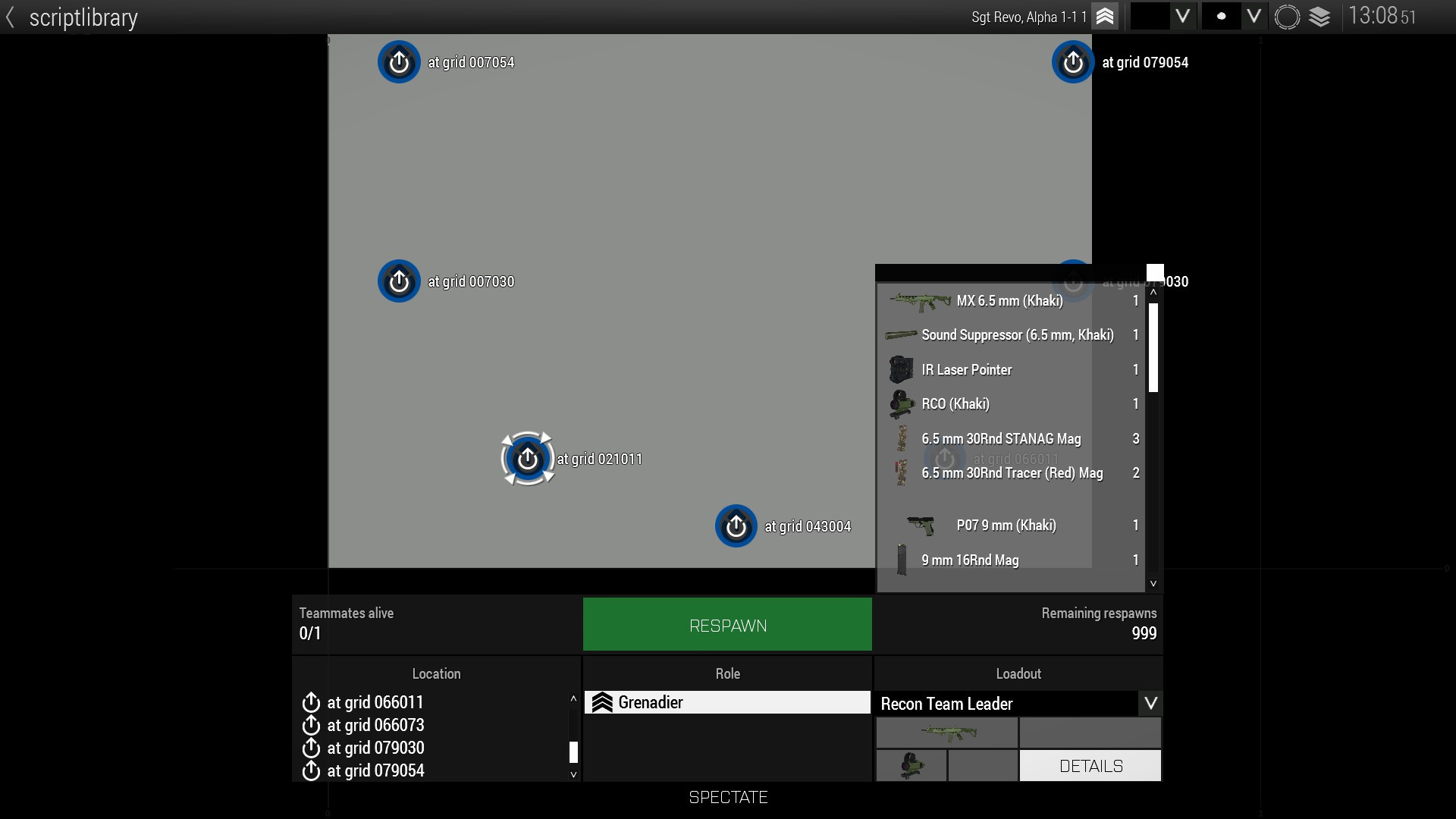
I want to wait until the loadout from this menu is actually applied onto the unit
dusk gust
There is no else if in sqf unfortunately
limber panther
i'm back, thank you @little raptor for your assistance, i've created this script: sqf this addAction ["Fishing Boat", { private _ship = createVehicle ["CUP_C_Fishing_Boat_Chernarus", [3001,2100]]; [_ship, true] remoteExec ["enableDynamicSimulation", 0]; _ship addAction ["Deploy lifeboat", { private _lifeboat = createVehicle ["C_Rubberboat", _ship]; params ["_target", "_caller", "_actionId"]; [_lifeboat, true] remoteExec ["enableDynamicSimulation", 0]; _lifeboat addBackpackCargoGlobal ["TFAR_rt1523g", 1]; _lifeboat addItemCargoGlobal ["hgun_Pistol_Signal_F", 1]; _lifeboat addItemCargoGlobal ["6Rnd_RedSignal_F", 4]; _lifeboat addItemCargoGlobal ["ACE_HandFlare_Red", 10]; _target removeAction _actionId; }]; }]; that almost works, there's just one little problem. The second addaction doesn't recognise _ship as a parametr, i think it's because _ship is a known variable in the first addaction but unknow in the second one. Does anybody know, how to fix this problem?
i've also tried "_ship" but got the same result (just a different error)
limber panther
can i kindly ask anyone for a help please? So far i wasn't able to find a solution.
 bitter jewel
yes, _ship is not defined inside the code block of the second addaction
in particular, it is not defined on the line private _lifeboat = createVehicle ["C_Rubberboat", _ship];
however, inside the addaction codeblock _target is the object that _ship refers to when you do _ship addaction ...
after your params line, that is
limber panther
allright, that sounds logic, so how do you suggest to fix it?
little raptor
limber panther
allright, that sounds logic, so how do you suggest to fix it?
using params like I showed you bfore
which you are using rn
just change _target to _ship
and ofc put it above the createVehicle line
limber panther
little raptor
and ofc put it above the createVehicle line
i tried it that way but it also didn't work + the removeAction didn't work that way
little raptor
wut
little raptor
limber panther
i tried it that way but it also didn't work + the removeAction didn't work that ...
it's probably because of the error you have with _ship rn
the game probably terminates the script
limber panther
little raptor
wut
i'll try again, so you suggest this: ```sqf
this addAction ["Fishing Boat", {
private _ship = createVehicle ["CUP_C_Fishing_Boat_Chernarus", [3001,2100]];
[_ship, true] remoteExec ["enableDynamicSimulation", 0];
_ship addAction ["Deploy lifeboat", {
params ["_target", "_caller", "_actionId"];
private _lifeboat = createVehicle ["C_Rubberboat", _target];
[_lifeboat, true] remoteExec ["enableDynamicSimulation", 0];
_lifeboat addBackpackCargoGlobal ["TFAR_rt1523g", 1];
_lifeboat addItemCargoGlobal ["hgun_Pistol_Signal_F", 1];
_lifeboat addItemCargoGlobal ["6Rnd_RedSignal_F", 4];
_lifeboat addItemCargoGlobal ["ACE_HandFlare_Red", 10];
_target removeAction _actionId;
}];
}];
yes
limber panther
little raptor
yes
thank you, hold on
limber panther
little raptor
yes
i must have made some typo when i tried it the previous time, now it works fine, although just a little bit weird, but i can handle that, thank you for your help, just one more quick question - is there a way to spawn the vehicle without default equipment? like those medkits etc. that are in the vehicle inventory by default
little raptor
limber panther
i must have made some typo when i tried it the previous time, now it works fine,...
no. remove anything you don't need
limber panther
little raptor
no. remove anything you don't need
i'm sorry i don't understand to your answer
boreal parcel
dusk gust
Whet he means is 'thisList' never gets passed to the spawned script, only 'this'...
got it, passed thisList, im guessing now instead of using thisList inside the script I need to instead use this keyword? cause now the inner script is running but thisList is undefined
or maybe _thisList
little raptor
boreal parcel
got it, passed thisList, im guessing now instead of using thisList inside the sc...
What you pass to a code is contained in the magic variable _this
boreal parcel
little raptor
What you pass to a code is contained in the magic variable _this
thank you very much, script is working nice and well now
boreal parcel
hey leopard, hate to ask more questions however is it possible to access a variable like _vehicle1 as a string? like format["_variable%1", _index];
ive been googling but cant find much
maybe this getVariable format["_variable%1", _index];
nvm, decided to instead replace the 5 variables with this in the for loop
_startPos = getMarkerPos format["bomber_start_%1", _i];
private _vehicle = missionNamespace getVariable [format ["variable%1", _index], objNull];
but you would change variable to whatever you want to throw in there
boreal parcel
ah forgot about the default again, and gotcha thanks, I wasnt sure how you would refer to script variables as a namespace, but that makes sense
fair drum
boreal parcel
ah forgot about the default again, and gotcha thanks, I wasnt sure how you would...
well this is if you already have a global variable defined of that vehicle. maybe i misunderstood what you want
boreal parcel
ah no, I had private variables in script and I was curious if it was possible to loop through them, if there was a method to do so already. I know in JS you could theoretically do something like
// Variables defined above
let varsArr = ["varName1", "varName2"];

for (i = 0; i < varsArr.length; i++) {
  console.log(this[varsArr[i]]);
}
and it would log the value of each already defined variable
 prisma wave
is there a script to like “fake” defuse a suicide vest…so it’s just like *Hold Space to defuse bomb/vest”
or is there an adtual script with a working suicide vest to defuse
dapper cairn
is there a way to script the Auto/Drone turrets to change what weapon they use? I want one to use the Lynx sniper but idk if thats possible
B_HMG_01_A_F  addWeapon "Weapon_srifle_GM6_F";
B_HMG_01_A_F addMagazine "
B_HMG_01_A_F is that an object? or are you just trying to make something up with a classname?
also Weapon_srifle_GM6_F is a weapon holder with the lynx, actual weapon is without Weapon_ prefix
dapper cairn
copper raven
`B_HMG_01_A_F` is that an object? or are you just trying to make something up wi...
its for the XM312A autonomous MG
its the classname, wasnt sure if it needed the classname or object variable name
copper raven
boreal parcel
ah no, I had private variables in script and I was curious if it was possible to...
for local variables not really, you can do call compile format ["_myLocalVar%1", 123], but it's not really efficient
boreal parcel
copper raven
for local variables not really, you can do `call compile format ["_myLocalVar%1"...
gotcha, definitely makes more sense to just change the value of a single getMarkerPos variable in the loop
dapper cairn
un1 addWeapon "srifle_GM6_F";
okay I got the weapon added but I dont know how to do the ammo for it
as I cant find it in the editor and dont know if i would just use what its actually called for the addMagazine
copper raven
https://community.bistudio.com/wiki/addWeaponTurret https://community.bistudio.com/wiki/addMagazineTurret i'm pretty sure those are the proper commands, but if that works, it's fine i guess
for magazines, look up config
dapper cairn
found it
copper raven
hint str getArray (configFile >> "cfgWeapons" >> "srifle_GM6_F" >> "magazines")
heyo, got 2 more questions here, 1 being any idea why this doesnt work when there is more than one of the aircraft?
2. Besides my issue with it not working with more than one aircraft at a time, is there any other noticeable issues or things I should change?
thisList spawn  {
  for "_i" from 1 to count _this do {
    diag_log str (typeOf (_this select _i));
    if (typeOf (_this select _i ) == "RHS_TU95MS_vvs_old") then {
      systemChat "bomber";
      private ["_plane"];
      _plane = _this select _i;
      _salve = 10 + ceil random 20;
      _bombing = 24;
      _vel = velocity _plane;
      _h = getPosATL _plane select 2;
      _dir = getDir _plane;
      _pos = getPos _plane;
      _bombingFall = 4;
      sleep _bombingFall;
      _timer = diag_tickTime;
      for "_y" from 1 to _salve do {
        for "_x" from 1 to _bombing do {
          _posGround = _pos vectorAdd [((sqrt _h)* sin _dir) -20 + random 40,((sqrt _h) * cos _dir) -20 + random 40,0];
          _offset = _vel vectorMultiply (diag_tickTime - _timer);
          _upDatedPos = _posGround vectorAdd _offset;
          _upDatedPos set [2,0];
          _blast = createVehicle ["HelicopterExploBIG", _upDatedPos, [], 0, "NONE"];
          sleep random 0.2;
        };
        sleep random 2;
      };
    };
  };
};
huh, it suddenly started working, it also turns out it doesnt drop bombs under each plane that enters, just the first one I assume
wound up working around it by just spawning the planes in 10 second intervals, this way they have enough time to leave the trigger and the trigger can reset before the next plane
however I am for some reason getting
22:08:20 Error in expression <o {
    diag_log str (typeOf (_this select _i));
    if (typeOf (_this sel>
22:08:20   Error position: <select _i));
    if (typeOf (_this sel>
22:08:20   Error Zero divisor
for "_i" from 1 to count _this do i mean this is just wrong
you will always go out of bounds
boreal parcel
wow I somehow forgot about index's starting at 0, woops, and yeah that makes sense, ill do so.
dapper cairn
vehicle named c2

c2 addAction [ "Stop Music" , {
deleteVehicle mySoundSrc
} ];
c2 addAction [ "Play: Got Your Six" , {
deleteVehicle mySoundSrc; sleep 0.5; mySoundSrc = c2 say3D [ "GYS", 25, 1];
} ];
c2 addAction [ "Play: Run Through The Jungle" , {
deleteVehicle mySoundSrc; sleep 0.5; mySoundSrc = c2 say3D [ "RTJ", 25, 1];
} ];
c2 addAction [ "Play: Gunman" , {
deleteVehicle mySoundSrc; sleep 0.5; mySoundSrc = c2 say3D [ "GM", 25, 1];
} ];
c2 addAction [ "Play: Till I Collapse" , {
deleteVehicle mySoundSrc; sleep 0.5; mySoundSrc = c2 say3D [ "TIC", 25, 1];
} ];
c2 addAction [ "Play: House of the Rising Sun" , {
deleteVehicle mySoundSrc; sleep 0.5; mySoundSrc = c2 say3D [ "HRS", 25, 1];
} ];
(Dont know of that's going to work on mobile or not)
So this is what I've been working with for music. This allows players to select music but it'll just be client-side which makes it so everyone hears their own song.
I was wondering if theres a way I can make it so everyone hears the same song at the same time
(Let's say I have 5 units names inf1, inf2, inf3, inf4, inf5.)
open fractal
prisma wave
is there a script to like “fake” defuse a suicide vest…so it’s just like *Hold S...
you can make one yourself
little raptor
dapper cairn
```sqf
vehicle named c2
c2 addAction [ "Stop Music" , {
deleteVehicle mySoundSr...
use remoteExec
 mental prairie
can I locally execute an SQF?
little raptor
mental prairie
can I locally execute an SQF?
when you execute a script it's local by default
its effect may not be
mental prairie
little raptor
when you execute a script it's local by default
its effect may not be
wait, so If I were to make a private variable, that changes based on player actions, it will be diffrent for every player?
little raptor
ofc
mental prairie
tysm
mental prairie
I'm making a covert script. Is there any reason why this script might not work?
[
 "U_C_FormalSuit_01_black_F",
 "U_C_FormalSuit_01_blue_F",
 "U_C_FormalSuit_01_gray_F",
 "U_C_FormalSuit_01_khaki_F"
];
[
    "checkEquippedUniform",
    "onEachFrame",
    {
    if (uniform (_this select 0) in _LegalU) then
        {
            player setCaptive true;
        }
    else
        {
            player setCaptive False;
        }
    },
    [player]
] call BIS_fnc_addStackedEventHandler;```var _LegalU not defined
mental prairie
little raptor
var _LegalU not defined
thanks
little raptor
mental prairie
I'm making a covert script. Is there any reason why this script might not work?
...
also:
if (uniform (_this select 0) in _LegalU)
player setCaptive
either both have to be_this#0or bothplayer
mental prairie
okay thanks
mental prairie
little raptor
also:
> `if (uniform (_this select 0) in _LegalU)`
> `player setCaptive `
either...
will it work for each player separately in MP?
little raptor
depends where you add it
mental prairie
initPlayerLocal.sqf
little raptor
yeah
mental prairie
little raptor
yeah
do you know a more efficient way to check player's uniform than to execute an event handler every frame?
 livid wraith
is there a use case for the mag. id returned by magazinesAllTurrets ?
little raptor
mental prairie
do you know a more efficient way to check player's uniform than to execute an ev...
1st of all you don't have to check it every frame. once every few seconds is fine
2nd of all, if the players take the uniform themselves (not scripted) you can use the Take event handler
mental prairie
little raptor
1st of all you don't have to check it every frame. once every few seconds is fin...
tysm
little raptor
livid wraith
is there a use case for the mag. id returned by `magazinesAllTurrets` ?
finding a specific magazine
livid wraith
but are there any commands that actually take id as a param, because I can't find any
little raptor
no
livid wraith
all the turret mag/ammo commands seems to take classname
little raptor
little raptor
finding a specific magazine
like I said the use case is finding a specific mag
e.g. if you add a mag with full ammo, then load that mag and fire, and then reload, you can track what happened to that mag
livid wraith
rgr, ty
prisma wave
open fractal
https://community.bistudio.com/wiki/BIS_fnc_holdActionAdd
ok just double checking
[
_myLaptop, // Object the action is attached to
"Hack Laptop", // Title of the action
"\a3\ui_f\data\IGUI\Cfg\holdactions\holdAction_connect_ca.paa", // Idle icon shown on screen
"\a3\ui_f\data\IGUI\Cfg\holdactions\holdAction_connect_ca.paa", // Progress icon shown on screen
"_this distance _target < 3", // Condition for the action to be shown
"_caller distance _target < 3", // Condition for the action to progress
{}, // Code executed when action starts
{}, // Code executed on every progress tick
{ _this call MY_fnc_hackingCompleted }, // Code executed on completion
{}, // Code executed on interrupted
[], // Arguments passed to the scripts as _this select 3
12, // Action duration in seconds
0, // Priority
true, // Remove on completion
false // Show in unconscious state
] remoteExec ["BIS_fnc_holdActionAdd", 0, _myLaptop
This is the correct script? but i change “Hack Laptop” to whatever I want?
wicked roostBOT
How to use SQF syntax highlighting in Discord
```sqf
// your code here
hint "good!";
```
↓
// your code here
hint "good!";
it's `, not “
on most keyboards it's next to the 1 key, ~
torpid mica
I have a problem with some of my code which uses the Ace Rearm Framework. Can somebody help me there?
trg_1_1 setTriggerStatements["this", "[Munitionsauffueller_1, 666] call ace_rearm_fnc_setSupplyCount;",
                             "ammo_left = [Munitionsauffueller_1] call ace_rearm_fnc_getSupplyCount; hint str ammo_left;"];
the problem is that i always get -1 as "ammo_left" and i ´m now pretty sure that the getSupplyCount funtion doesn´t works. Can somebody help me with that or knows a workaround?
lavish stream
Tried asking in the ACE slack?
hollow thistle
If your supply mode is set to unlimited in CBA settings it will return -1
torpid mica
hollow thistle
If your supply mode is set to unlimited in CBA settings it will return `-1`
but i´ve set it i the editor to have limited and i´m applying 666 with the first function, but i will check that
hollow thistle
setting the supply count on vehicle won't change anything if the global setting it set to unlimited.
 slender beacon
Can I track an object from runtime to Eden?
Like a few trucks that I placed in Eden, and drove one into chaos; but I want to know which truck it exactly is in Eden.
I want to make a script that'll move a certain object to a position I can choose on foot, when the scenario restarts.
little raptor
slender beacon
Can I track an object from runtime to Eden?
Like a few trucks that I placed in E...
give it a var name...?
winter rose
you can have an array of all, then randomly pick one and name it on the fly by script
otherwise I am not sure exactly what you want to do
slender beacon
Alright
then uh
is there any use for the value I get directly from an object?
like 2a507736040# 381998: truck_01_cargo_f.p3d
is it unique for every time I run the mission?
slender beacon
Thanks!
dapper cairn
little raptor
use remoteExec
Go to the trigger you had placed
Keep Condition to “this”
In the On Activation, write:
[“[Song name]”] remoteExecCall [“playMusic”, 0, true];
An example is
[“02”] remoteExecCall [“playMusic”, 0, true];
Like that right? Found a post using this for the example code but I won't be home for like 6 hours to test it
winter rose
["02"] remoteExecCall ["playMusic"];```mind your quote signs, tooOkay thanks Lou
open fractal
prisma wave
[
_myLaptop, // Object the action...
That's just the example provided. You can check the syntax and write your own.
 late flame
I want to make a specifc set of animations play on a unit when a player passes through two triggers, to guide the helicopter they're arriving in to the landing pad.
I'm using
Acts_NavigatingChopper_Loop
Acts_NavigatingChopper_Out
However, despite not touching the second trigger that has the second animation play, it plays anyways, and then the AI chooses to walk onto the landing pad.
I want him to walk off after the animation plays (haven't set that up yet) but he moves even when there's no "MOVE" marker.
I'm using "PlayMoveNow" for both anims.
open fractal
late flame
I want to make a specifc set of animations play on a unit when a player passes t...
"ANIM" Disables all animations of the unit. Completely freezes the unit, including breathing and blinking. No move command works until the unit is unfrozen.
it should still run your animations, the ai just wont have control over it
alternatively you can disable "MOVE"
late flame
Then I can just reenable it when I WANT him to move?
open fractal
also can you add a hint or systemchat to the second trigger and make sure it's not activating?
yes
late flame
I'll be honest, I'm a complete newbie scripter, so this is fun
open fractal
in the On Activation field in the trigger you can also write ```sqf
hint str thisList
that might give you a hint if your trigger is set to "Present" activation
late flame
Yeah it's not activating until I actually touch the second trigger
I'm gonna try a dumbass solution and just stack the loop animation 3-4 times in the init with PlayMove.
This is, most likely, a very dumb solution
open fractal
late flame
This is, most likely, a very dumb solution
late flame
Why does my solution work
WHY ARMA
It was either disabling movement or this dumbass shit
One of those two fixed it
open fractal
_EH = this addEventHandler ["AnimDone", {
    params ["_unit", "_anim"];
    if (triggerActivated <the trigger variable>) then
        {
          _unit removeEventHandler ["AnimDone", _EH];
          _unit playMoveNow "Acts_NavigatingChopper_Out";
         }
    else { _unit playMoveNow _anim};
}];
the non-dumbass way
might've made a mistake but event handlers are cool and epic
every time the animation completes it asks if the trigger activated. If it did, then play the out animation and delete the event handler. Otherwise, play the loop again.
late flame
No I had to stack the OTHER anim
Oh wait no I'm dumb I see now
Honestly if it works, I'm just gonna leave it as is, but I'll definitely remember Event Handlers for next time I need to do something like this
open fractal
yeah event handlers are good
late flame
Now I need to figure out how to get him to move to another area AFTER the second anim is done
oh boy
open fractal
you can use the same eventhandler
open fractal
no replace this with the units name
open fractal
depends on when you want the eventhandler to be added
it can all happen in one go I'll show you when i get my food
late flame
I can also hop into a voice channel if you need me to
 smoky verge
is there any quick way to perfectly move an object upward for several kilometers?
little raptor
smoky verge
is there any quick way to perfectly move an object upward for several kilometers...
setVelocityTransformation
or setPosWorld
smoky verge
isn't setPosWorld just to teleport?
winter rose
yes
open fractal
late flame
I can also hop into a voice channel if you need me to
_EH = _helipadMan addEventHandler ["AnimDone",{
    params ["_unit", "_anim"]; //_unit is _helipadMan and _anim is the completed animation
    if (!triggerActivated _triggerName) then {
        _unit playMoveNow _anim; //if the trigger has not been activated loop the animation
    }
    else { //if the trigger has been activated
        switch (_anim) do {
            case "Acts_NavigatingChopper_Loop": {
                _unit playMoveNow "Acts_NavigatingChopper_Out"
            };
            case "Acts_NavigatingChopper_Out": {
                _unit enableAI "MOVE";
                _unit removeEventHandler ["AnimDone", _EH];
            };
        };
    };
}];
fixing it hold on
alright i have to do hw but try this and hopefully someone smarter than I can tell me what's wrong with it
also make sure it works globally if in MP
animations can be tricky with locality
also if someone happens to know can you reply whether if or case would be more efficient
little raptor
smoky verge
isn't setPosWorld just to teleport?
You have to use them in a loop, preferably an each frame loop
sacred slate
arma got me into scripting and thats super nice. are there any other games where you can apply this in such a rewarding manner? thats hard to google for me
fair drum
sacred slate
arma got me into scripting and thats super nice. are there any other games where...
not that I know of, arma is super unique in that way
maybe minecraft
sacred slate
mindustry and stationeers have some logic stuff. but thats some how a different scope
fair drum
but arma is unique in that it has a whole scripting thing setup by the devs rather than full on programming something new/mod etc.
they make it so that the lay person can learn and get good results, vs having to learn a whole language and more
hollow thistle
Stormworks has lua scripting
GMod had lua scripting in wiremod last time I played it (15 years ago  )
)
Colobot  (old but gold!)
 unkempt bay
Hi,
Sorry digging that up but i was looking for something like that: Popping a 3D sound (from an array cfgSounds) on a specific position thanks to a Zeus module. Maybe you did something like that for ambient sounds ?
undone dew
Would anyone be interested in helping me write a "Random Encounter" script, loosely based on how random encounters from Fallout/Skyrim work? i.e. player gets close to one of a number of markers, random encounter spawns there, then despawns when the player is far enough away. I'm gonna take a crack at it myself but could definitely use some help to make it more advanced so it doesn't do stuff like spawning in the same place twice
hollow thistle
sacred slate
CeeBot4 ! :>
Colobot is mostly the same and it has free version on GitHub that's still developed by community.
dapper cairn
[c4_1] remoteExecCall [TIC, 500, true];
[c5_1] remoteExecCall [TIC];
So is there any reason neither of these are working for testing? c4_1, c5_1 both being the source and TIC being the song name
Following this guide
Getting
Error type any, unexpected strong
string*
[TIC] remoteExecCall [playMusic, 0, true];
changed it to how the guide has it and just get Error Invalid number in expression
fair drum
["TIC"] remoteExecCall ["playMusic", 0, true];
@dapper cairn
you need to make them strings
dapper cairn
and that isnt working so back to people hearing individual music unless i figure it out
dapper cairn
okay... heres a whole new one that doesnt have to do with music...
is there a way to prevent AI from bailing from a vehicle when its upside down?
 ivory lake
i think they always bail when its upside down
they treat it the same as if its going to blow up from hull damage
maybe if you disableAI on them
dapper cairn
yeah i think theyll just bail regardless. shame
alternativly I can put a vehicle upside down showing its model and another one right side up that can shoot but have its model hidden and when the shown one blows up it kills the hidden one
 tough parrot
I have a problem with SeatSwitchedMan. I need to detect when a unit changes seat. What happens when a player displaces a unit that has the EH?
tough parrot
fair drum
but arma is unique in that it has a whole scripting thing setup by the devs rath...
It's actually easier to learn the language the game is made in. But then you could have malicious code.
 sonic sleet
Is there a Script which will Hide an AI if off screen/Not visible like behind a wall. From players? Want to Populate a Town. trying to Find a way to reduce lag
warm hedge
It just will make the performance worse
sonic sleet
Crap, anyway to improve the Performance?
Or atleast Trick them into thinking there are more ai, by Spawning them Randomly and them walk from one house to another and despawn?
warm hedge
I don't think there's a good workaround than reduce the population
sonic sleet
Rip, how much do AI Waypoints affect the Performance?
warm hedge
Not sure as I didn't tested, sorry
sonic sleet
All good Cheers for the Info
tough parrot
checkVisibility then disableSimulation might work for civs. The question is which takes more time: that or the ai routine?
of course they would be frozen when you don't see them...
sonic sleet
Hmm, not bad. Ill have to do some testing on how bad the Waypoints are with like 30+ going. Curious on how that would go
Could also make a weird city where they spawn in walk to a random set of like 20 waypoints. Once Not Visible for 10 Secs they Despawn and spawn another
tough parrot
If find that it's mostly when shooting starts that frame rate tanks. Just having loads of men idling made hardly any difference on my pc.
sonic sleet
Oh really, So when ALOT of people are shooting?
Okay, Ill do some testing see how things go, Thanks man
tough parrot
Just put a crap ton of men 500m away from each with waypoints toward each other and watch your fps. that's what i did.
sonic sleet
lol Alright
fair drum
@sonic sleet when using a ton of civilians, you want to be using agents instead of units. Agents are not assigned to a group so you'll have to use things like doMove and setDestination but they are much better on performance
sonic sleet
Oh amazing thank you
tough parrot
sonic sleet
Oh amazing thank you
btw there is already a module in the editor under "Ambient" that does this: "Could also make a weird city where they spawn in walk to a random set of like 20 waypoints."
sonic sleet
Wow, I didnt know that existed. Thanks. This solves the Alive aspect. Cheers
sonic sleet
Hey, having problems adding Adding in a Custom Loadout for a Unit
The getUnitLoadout ones work. Once I added the Array for Uniform and Custom made it. I'm having Problems
(New to coding)
_this setUnitLoadout (selectRandom [(
    {
    uniformClass = "U_B_CombatUniform_mcam";
    backpack = "B_AssaultPack_mcamo";
    linkedItems[] = {"V_PlateCarrier1_rgr","H_HelmetB","ItemCompass","ItemWatch","ItemRadio","NVGoggles"};
    weapons[] = {"arifle_MX_ACO_pointer_F","hgun_P07_F"};
    items[] = {"FirstAidKit","FirstAidKit","FirstAidKit"};
    magazines[] = {"30Rnd_65x39_caseless_mag","16Rnd_9x21_Mag"};
};),
 (getUnitLoadout "CUP_C_TK_Man_01"),
 (getUnitLoadout "CUP_C_TK_Man_01_Jack"),
 (getUnitLoadout "CUP_C_TK_Man_01_Waist"),
 (getUnitLoadout "CUP_C_TK_Man_02"),
 (getUnitLoadout "CUP_C_TK_Man_02_Jack"),
 (getUnitLoadout "CUP_C_TK_Man_02_Waist"),
 (getUnitLoadout "CUP_C_TK_Man_03"),
 (getUnitLoadout "CUP_C_TK_Man_03_Jack"),
 (getUnitLoadout "CUP_C_TK_Man_03_Waist"),
 (getUnitLoadout "CUP_C_TK_Man_04"),
 (getUnitLoadout "CUP_C_TK_Man_04_Jack"),
 (getUnitLoadout "CUP_C_TK_Man_05"),
 (getUnitLoadout "CUP_C_TK_Man_05_Jack"),
 (getUnitLoadout "CUP_C_TK_Man_05_Waist"),
 (getUnitLoadout "CUP_C_TK_Man_06"),
 (getUnitLoadout "CUP_C_TK_Man_06_Jack"),
 (getUnitLoadout "CUP_C_TK_Man_06_Waist"),
 (getUnitLoadout "CUP_C_TK_Man_07"),
 (getUnitLoadout "CUP_C_TK_Man_07_Jack"),
 (getUnitLoadout "CUP_C_TK_Man_07_Waist"),
 (getUnitLoadout "CUP_C_TK_Man_08"),
 (getUnitLoadout "CUP_C_TK_Man_08_Jack"),
 (getUnitLoadout "CUP_C_TK_Man_08_Waist")]);
you can't inline config like that with sqf
sonic sleet
Inline?
open fractal
you misread the wiki page
the example you referenced is for a config entry, not for the script
sonic sleet
Ah
open fractal
so the syntax is wrong
sonic sleet
Thanks
So would I need to make a Loadout Var and put that in a Config then reference it or can I slot that format into my code?
willow hound
I recommend creating a custom class for your loadout in description.ext, then your code can be simplified significantly.
open fractal
You can either make a config entry in the format you used or use a unit loadout array in the script
so like ansin said if you define a class using the code you already have like they do on the wiki page you can just reference that loadout by name in your script
sonic sleet
class ArmedCiv1
 {
    uniformClass = "U_B_CombatUniform_mcam";
    backpack = "B_AssaultPack_mcamo";
    linkedItems[] = {"V_PlateCarrier1_rgr","H_HelmetB"};
    weapons[] = {"arifle_MX_ACO_pointer_F","hgun_P07_F"};
    items[] = {"FirstAidKit","FirstAidKit","FirstAidKit"};
    magazines[] = {"30Rnd_65x39_caseless_mag","16Rnd_9x21_Mag"};
};
So make a bunch of these in the description.ext then format into an Array, then select them by random and that should work?
open fractal
_unit setUnitLoadout (missionConfigFile >> "MyLoadout");
Yeah should work
Just make sure you’re directing it to the missionConfigFile
which is description.ext
open fractal
yeah that’s the idea
sonic sleet
Okay just making sure its not a function or something
willow hound
Ah, because the commands only search CfgVehicles for classnames it can't be simplified as much as I initially tought, but it can be cleaned up to remove duplicate code:
//Add loadouts from CfgVehicles:
private _loadouts = ["CUP_C_TK_Man_01", "CUP_C_TK_Man_01_Jack", "CUP_C_TK_Man_01_Waist", ...];

//Add loadouts from description.ext:
{
  _loadouts pushBack (missionConfigFile >> _x);
} forEach ["ArmedCiv1", ...];

//Apply a random loadout:
_this setUnitLoadout selectRandom _loadouts;
```This way, all you have to do to add or remove a loadout is modifying one of the string arrays.you can now also just do:
_this setUnitLoadout selectRandom [
  "CUP_C_TK_Man_01", // unit classname
  missionConfigFile >> "MyLoadout", // description.ext class entry
  // more stuff...
];
AH that explains when I wrote an Invalid Loadout it complained about some Vehicle
sonic sleet
willow hound
Ah, because the commands only search CfgVehicles for classnames it can't be simp...
Okay cool so Ill still be writing the
class ArmedCiv1
 {
    uniformClass = "U_B_CombatUniform_mcam";
    backpack = "B_AssaultPack_mcamo";
    linkedItems[] = {"V_PlateCarrier1_rgr","H_HelmetB"};
    weapons[] = {"arifle_MX_ACO_pointer_F","hgun_P07_F"};
    items[] = {"FirstAidKit","FirstAidKit","FirstAidKit"};
    magazines[] = {"30Rnd_65x39_caseless_mag","16Rnd_9x21_Mag"};
};
But now the Rest is all cleaner
willow hound
Yes.
sonic sleet
Awesome, thanks! Ill give it a try.
That pushBack is very handy
open fractal
willow hound
Ah, because the commands only search CfgVehicles for classnames it can't be simp...
wait
class MyLoadouts {
    class loadout1
    {
        uniformClass = "U_B_CombatUniform_mcam";
        backpack = "B_AssaultPack_mcamo";
        linkedItems[] = {"V_PlateCarrier1_rgr","H_HelmetB","ItemCompass","ItemWatch","ItemRadio","NVGoggles"};
        weapons[] = {"arifle_MX_ACO_pointer_F","hgun_P07_F"};
        items[] = {"FirstAidKit","FirstAidKit","FirstAidKit"};
        magazines[] = {"30Rnd_65x39_caseless_mag","16Rnd_9x21_Mag","SmokeShell","HandGrenade","HandGrenade","HandGrenade","HandGrenade","HandGrenade","HandGrenade","HandGrenade","HandGrenade","HandGrenade","HandGrenade","HandGrenade","HandGrenade","HandGrenade","HandGrenade","HandGrenade","HandGrenade","HandGrenade","HandGrenade","HandGrenade","HandGrenade","HandGrenade","HandGrenade","HandGrenade","HandGrenade"};
    };
    class loadout2
    {
        uniformClass = "U_B_CombatUniform_mcam";
        backpack = "";
        linkedItems[] = {"V_PlateCarrier1_rgr","H_HelmetB","ItemCompass","ItemWatch","ItemRadio","NVGoggles"};
        weapons[] = {"arifle_MX_ACO_pointer_F","hgun_P07_F"};
        items[] = {"FirstAidKit","FirstAidKit","FirstAidKit"};
        magazines[] = {"30Rnd_65x39_caseless_mag","16Rnd_9x21_Mag","SmokeShell","HandGrenade","HandGrenade","HandGrenade","HandGrenade","HandGrenade","HandGrenade","HandGrenade","HandGrenade","HandGrenade","HandGrenade","HandGrenade","HandGrenade","HandGrenade","HandGrenade","HandGrenade","HandGrenade","HandGrenade","HandGrenade","HandGrenade","HandGrenade","HandGrenade","HandGrenade","HandGrenade","HandGrenade"};
    };
};
if you define a class for all of your loadouts
can't you do
_loadouts = "true" configclasses (missionConfigFile >> "myLoadouts");
_unit setUnitloadout selectRandom _loadouts
Oooo Makes me wonder if I can put a selectRandom inside of the
weapons[] =
That way I dont need to list like 20 Loadouts
Ooo actually that might not work due to Ammo. Maybe for Clothing?
open fractal
open fractal
can't you do
```sqf
_loadouts = "true" configclasses (missionConfigFile >> "myL...
this works for me :)
willow hound
sonic sleet
Oooo Makes me wonder if I can put a selectRandom inside of the
```sqf
weapons[] ...
No, that should not be possible as far as I know. SQF can not be used (like that) in configs.
open fractal
sonic sleet
That way I dont need to list like 20 Loadouts
do you only want to change the weapons?
sonic sleet
Ah rip
Nah I want like A very Random everything, Its for like 100 Civs Im randomly spawning in for a Mission
Taliban style, They are Nato searching a town with players on Taliban, The More Random the easier for them to blend in
Obviously dont want Altis gear though XD
sonic sleet
Ah, you're thinking to Give them a Base loadout and Random Force Vest/Backpacks/Stuff on them?
open fractal
yeah
sonic sleet
So we can use an Array there but not in that Section of Config. Man learning this is weird
open fractal
so if it were up to me I would make a global array for each part of the kit
and then selectrandom
this automatically adds magazines
sonic sleet
All good still better than what I can figure out, Im juggling learning Zues,Editor, and this lol
open fractal
im trying to think how you would go about setting up those arrays but honestly just try some stuff out
sonic sleet
Yeaaaah trust me Ill be back lol
open fractal
sonic sleet
Yeaaaah trust me Ill be back lol
this might be the move
class CfgFunctions
{
    class TAG
    {
        class Category
        {
            class functionName {};
        };
    };
};
The function's name will be TAG_fnc_functionName
sonic sleet
private _uniforms
private _vests
private _backpacks
private _weapons

_uniforms = [
"CUP_O_TKI_Khet_Partug_08",
"CUP_O_TKI_Khet_Partug_07",
"CUP_O_TKI_Khet_Partug_06",
"CUP_O_TKI_Khet_Partug_05",
"CUP_O_TKI_Khet_Partug_04",
"CUP_O_TKI_Khet_Partug_03",
"CUP_O_TKI_Khet_Partug_02",
"CUP_O_TKI_Khet_Partug_01",
]
Was thinking this. But I found out selectRandomWeighted exists soooo. That might be the next challenge
open fractal
class CfgFunctions
{
    class TAG
    {
        class Category
        {
            class randomLoadout {
  params ["_unit"]
};
        };
    };
};
huh Ill be real None of that makes sense
open fractal
alright so if you define the function in description.ext it'll just be there
hold on
class CfgFunctions
{
    class GH
    {
        class Category
        {
            class randomLoadout {
                params ["_unit"]
                _unit addUniform _uniform;
            };
        };
    };
};
so according to the wiki you can define a funciton like this
so at any time you can write ```sqf
[_unit] call GH_fnc_randomLoadout;
and it'll execute the code in description.ext on your unit
open fractal
help
winter rose
cannot write functions directly in config - where do you read that 👀 👀 👀
open fractal
i made a big assumption
does it go in a .sqf
from description.ext: <ROOT>\Functions\Category\fn_functionName.sqf
@winter rose so rather it loads the function from the mission directory?
ah well i'll try this myself before I go and try to give advice on it
winter rose
it loads the sqf file itself yes 🙂
open fractal
i should learn to read one of these days
sonic sleet
XD
Okay so I got this in civLoadouts.sqf
private _uniforms
private _vests
private _backpacks
private _weapons

_uniforms = [
"CUP_O_TKI_Khet_Partug_08",
"CUP_O_TKI_Khet_Partug_07",
"CUP_O_TKI_Khet_Partug_06",
"CUP_O_TKI_Khet_Partug_05",
"CUP_O_TKI_Khet_Partug_04",
"CUP_O_TKI_Khet_Partug_03",
"CUP_O_TKI_Khet_Partug_02",
"CUP_O_TKI_Khet_Partug_01"
]

_vests = [
"CUP_V_OI_TKI_Jacket6_06",
"CUP_V_OI_TKI_Jacket6_02",
"CUP_V_OI_TKI_Jacket5_05",
"CUP_V_OI_TKI_Jacket6_04",
"CUP_V_OI_TKI_Jacket5_04",
"CUP_V_OI_TKI_Jacket5_06",
"CUP_V_OI_TKI_Jacket6_03",
"CUP_V_OI_TKI_Jacket6_01",
"CUP_V_OI_TKI_Jacket5_02",
"CUP_V_OI_TKI_Jacket5_03"
]

_backpacks = [
"CUP_B_AlicePack_OD",
"CUP_B_AlicePack_Bedroll",
"CUP_B_AlicePack_Khaki",
"CUP_B_HikingPack_Civ",
"B_TacticalPack_oli",
"B_TacticalPack_rgr",
"B_TacticalPack_blk",
"",
"",
"",
"",
"",
""
]

_weapons = [
"CUP_arifle_AK47_Early",
"CUP_srifle_LeeEnfield",
"CUP_arifle_AKS",
"",
"",
"",
"",
"",
"",
"",
"",
"",
"",
"",
""
]
Now I just gotta call them right?
open fractal
no the arrays dont go in description.ext
sonic sleet
Added "", to just give a chance of nothing. Atleast until I learn selectRandomWeighted
what goes in Description?
Changed it to a "civLoadouts.sqf"
open fractal
as Lou pointed out you define a function in description.ext and then put your code in a script file
sonic sleet
Ah
open fractal
{
    class TAG
    {
        class Category
        {
            class functionName {};
        };
    };
};
so tag would be your initials or something
and functionName would be your function name
and uh
im not going to go further than that until i make sure i have this right
sonic sleet
Do I need the function? or can I just do it ingame on the Object Im spawning them from
open fractal
the function will make things a lot cleaner
sonic sleet
Okay so I define the arrays/variables in a SQF
then I write what I want to do with it, in the Description.ext as a Function
Then I call that function ingame?
open fractal
the function goes in the sqf
the array can be thrown in there as well for now
so the idea is you call the function and give it a unit name and it does the rest
ok mine worked
sonic sleet
Yeah im lost
winter rose
hi lost, I'm dad!
A) the description.ext declares the function, and points to a file
B) the file is your SQF script itself
C) then you can, in your usual code, pass arguments to your function and use it 🙂
sonic sleet
Declare meaning, it exists and nothing else?
open fractal
so in your missions directory you make a "Functions" folder and a "Category" folder inside that (if you kept the template) and then fn_functionName.sqf
winter rose
sonic sleet
Declare meaning, it exists and nothing else?
yes
"this file shall represent GHO_fnc_functionName"
open fractal
so <MissionRoot>\Functions\Category\fn_myFunction.sqf
sonic sleet
Okay, so in a clean correct world,
you use Functions.
Is there somewhere special for Arrays aswell or just shove them in the SQF
winter rose
arrays are just a type of data, like string or number
open fractal
personally I would just shove them in the sqf with the function but there might be a more cost-efficient way to do it
winter rose
one could go the config entry way, but it might be overkill and overcomplicated yeah
put the array in the script and call it a day @sonic sleet 😉
open fractal
so the way your function works
pretend it's the unit init
that's it
replace "this" with "_unit"
and then throw ```sqf
params ["_unit"]
boom
Okay so I got this in civLoadouts.sqf
fn_civLoadouts.sqf*
once you're done all you will have to do is write ```sqf
[this] call GHO_fnc_civLoadouts
if in the unit init field
or you can loop it
open fractal
how so?
sonic sleet
"Code On Unit Created"
still forum
hollow thistle
GMod had lua scripting in wiremod last time I played it (15 years ago <a:hide:66...
Wiremod best mod
sonic sleet
Not sure if it changes alot but they arent Units they are Agents
open fractal
you can just open up the file and hit save
private _uniforms
private _vests
private _backpacks
private _weapons
big brain sqf folks cant he just cut this
isnt private implied with the _
or rather it's not within an inner scope
sonic sleet
so, im not entirely strong enough to still understand how to say this function runs this SQF
open fractal
it just looks for the sqf file with the same name
sonic sleet
Doesnt help its late either
open fractal
CfgFunctions is already part of the engine
open fractal
yes
sonic sleet
o
open fractal
you will need to put an fn_ prefix on it
the sqf file
it seems convoluted but trust me it works I just tried it myself
you just gotta define the function and trust in the process
make sure it's in the right directory
Functions>Category>fn_civLoadouts.sqf
open fractal
the functions folder goes next to description.ext in your mission directory
sonic sleet
do I need to make a category folder too?
alight my last 2 brain cells put this to together how off am I
class CfgFunctions
{
    class GH
    {
        class Category
        {
            class civLoadouts {};
        };
    };
yeah thats the ticket
open fractal
dont quote me on this but the category class is so you can name categories for your functions i believe
sonic sleet
oh crap
sonic sleet
sooo
sonic sleet
class CfgFunctions
{
    class GH
    {
        class Loadouts
        {
            class civLoadouts {};
        };
    };
i cannot confirm that it works but it hypothetically would make sense in my mind
open fractal
you're the one going buck wild in here changing the funny magic words
winter rose
sonic sleet
Lou Montana please
I need some too
sonic sleet
Doesnt answer the question what a chad
Hes lost all his brain cells watching you explain this to me
open fractal
thats what i was about to say
winter rose
see https://community.bistudio.com/wiki/Arma_3:_Functions_Library
class TAG just defines the tag, the function's prefix - does nothing else
class Category determines in which \Functions\ subdirectory the file will be looked up
class functionName defines the fn_functionName.sqf filename part
open fractal
lets fucking go
sonic sleet
Wow that link
open fractal
my brain is big 🧠
sonic sleet
Would've saved sooo many brain cells earlier
winter rose
sonic sleet
```
class CfgFunctions
{
class GH
{
class Loadouts
{
...
so this
will make a GH_fnc_civLoadouts from Functions\Loadouts\fn_civLoadouts.sqf
open fractal
is your description.ext already firmly planted next to your mission.sqm
winter rose
only if you get more categories
if not, put everything in one, it is purely for organisational purpose
open fractal
because that's where you make the folders
sonic sleet
huh, i mean its in the same folder, idk about its comfort level
Aight I made a Folder called "Functions"
Oh god now the Script time
sonic sleet
huh
winter rose
well Functions first
open fractal
if you already have that category thrown in there
winter rose
then Loadouts inside
open fractal
yes this
winter rose
sonic sleet
Would've saved sooo many brain cells earlier
btw see this paragraph for a colour-coded example 🙂
https://community.bistudio.com/wiki/Arma_3:_Functions_Library#Function_Declaration
open fractal
yeah
sonic sleet
Finally
open fractal
then your silly little script goes in there
open fractal
yeah in the loadouts folder
open fractal
brain blast
open fractal
dw the sqf is the fun part
sonic sleet
Now it actually is understandable
winter rose
it's painful, but going through it completes the learning process 😉 then it's less painful
when you start enjoying SQF, it's too late
sonic sleet
Yeah, then Its my turn one day to explain it to someone XD
open fractal
nothing slapped some sense into me quicker than awakening lou with my drivel
sonic sleet
I enjoy Google sheets this is another level
winter rose
aaah, Excel nightmares
sonic sleet
Oh I love them
Well Google sheets not Excel, sense Query actually is nicer in google sheets
(Also doesnt look like trash)
God now the script
sonic sleet
Alright ill be back in a bit
open fractal
like i said earlier just pretend you're writing in the init field for the unit
since that's where the function will be going
sonic sleet
Yeah LIKE I KNEW WHAT I WAS DOING THEN
winter rose
we're here to help and watch you suffer 😉
winter rose
private _var is a good thing to have, always yes
winter rose
see https://community.bistudio.com/wiki/private for a reason why:
_code = { _a = 5 };
_a = 0;
call _code;
hint str _a; // _a is 5
``````sqf
_code = { private _a = 5 };
_a = 0;
call _code;
hint str _a; // _a is 0
i see
winter rose
basically it is a way to tell the script environment "make this variable only to this current scope" preventing call to
accidentally override previously defined variables
winter rose
?
sonic sleet
a Base Var that never changes...?
winter rose
no, a var that is local to the scope
open fractal
sonic sleet
Lou do I need the
```sqf
private _uniforms
_unforms
```
private _uniform =
instead of
private _uniform;
_uniform =
is functionally the same right
winter rose
it would be private "_uniform"; but yeah same, but the former is faster
sonic sleet
oooo
winter rose
sonic sleet
a Base Var that never changes...?
private _a = 0;
call {
  private _a = 5;
  hint str _a; // _a is 5
}; // this _a is deleted at the end of this scope
// _a is 0
there is even a nice graph about it here 🙂
https://community.bistudio.com/wiki/Variables#Local_Variables_Scope
still forum
sacred slate
arma got me into scripting and thats super nice. are there any other games where...
Minecraft has lua computers 😄
sonic sleet
Hey those computers are fun
Okay im getting a tiny grasp on that
Im gonna take the
private _var
In heart and just not question it
open fractal
im going to keep not writing it until something bad happens and i come here and ask why
💯
sonic sleet
That huh seems sus
winter rose
sonic sleet
Im gonna take the
```sqf
private _var
```
In heart and just not question it
private _var = something
sonic sleet
yee
winter rose
open fractal
im going to keep not writing it until something bad happens and i come here and ...
I shalt mute you for years then 😂
private, private, private
use your privates, private! 😁
even if it is unneeded (rare cases e.g new scopes like Event Handlers) it does not cost anything to add it, so it really is best best best practice, and saves you a lot of hair and headaches
open fractal
ᶦ ˡᵒᵛᵉ ᵉᵛᵉⁿᵗ ʰᵃⁿᵈˡᵉʳˢ
winter rose
no (and plz don't post that much code, reduce for the example 🙂)
the code is read from left to right, from top to bottom
the variable is declared after its usage, so it will error
open fractal
oh lou would you happen to know
winter rose
yes
open fractal
as a unitPlay enthusiast I tend to paste movement data in a .txt file and just pull that into a script
is this a bad thing to do
winter rose
what do you mean by "pull that"?
open fractal
_movementData = parseSimpleArray loadFile "jetMove1.txt";
if you call it once, it's "fine"
sonic sleet
Is this at the Point I should just use a randomSelectWeighted? or am I good?
_weaponList = [
"CUP_arifle_AK47_Early",
"CUP_srifle_LeeEnfield",
"CUP_arifle_AKS",
"",
"",
"",
"",
"",
"",
"",
"",
"",
"",
"",
""
]
both work
winter rose
make things work first 😉 don't aim for code perfection on the first try
sonic sleet
Does that work
open fractal
selectRandom?
winter rose
sonic sleet
The real question is which would you do
by https://community.bistudio.com/wiki/Code_Optimisation (that I partly wrote 😄),
Make it work
Make it readable
Optimise then
sonic sleet
Thats a smart workflow I respect
I guess im used to Googlesheets that I know, I just go, "Alright lets query this" lol
Make it work then go from there
winter rose
of course, don't write trash on purpose 😄 but with experience you will take shortcuts, obviously
just take the time to make mistakes that are called experience 😉
sonic sleet
private _uniform = selectRandom [
"CUP_O_TKI_Khet_Partug_08",
"CUP_O_TKI_Khet_Partug_07",
"CUP_O_TKI_Khet_Partug_06",
"CUP_O_TKI_Khet_Partug_05",
"CUP_O_TKI_Khet_Partug_04",
"CUP_O_TKI_Khet_Partug_03",
"CUP_O_TKI_Khet_Partug_02",
"CUP_O_TKI_Khet_Partug_01"
]
K that
winter rose
"an expert in his field is someone that made all possible mistakes in it" 😁
sonic sleet
TRUE
Spent like 3 weeks learning the basics of Regex, I feel bad for those who actually use it
winter rose
…I like them
sonic sleet
oh
winter rose
see? don't be like me 😂
winter rose
regex: not even once 😄 talk to your doctor about it
sonic sleet
lol
open fractal
sonic sleet
The real question is which would you do
if ((random 1) < 0.3) then {
    _weapon = selectRandom [
        "CUP_arifle_AK47_Early",
        "CUP_srifle_LeeEnfield",
        "CUP_arifle_AKS"
    ]
}
else {_weapon = ""};
i like this one because it lets you make the life-or-death decision of how many men get to have weaponry on the fly
sonic sleet
lol
newGun = [player, "arifle_SDAR_F", 6] call BIS_fnc_addWeapon;
what does the "newGun" Var do here
winter rose
https://community.bistudio.com/wiki/BIS_fnc_addWeapon
Return Value:
String - Primary(!) muzzle name of weapon.
open fractal
no
sonic sleet
Crap
winter rose
if you do not need the return value, don't assign it
winter rose
"just" [player, "arifle_SDAR_F", 6] call BIS_fnc_addWeapon; will do fine
sonic sleet
PERFECT
open fractal
at the very basic level if you get a return then it tells you the function made it that far
winter rose
"placeholder" is a weird term but yes, it is an example of how to get the result, not a requirement
open fractal
but given that you can just see the unit getting a rifle
i dont see why you would need the return here
sonic sleet
Placeholder meaning, its a way to show a result, since the forum can really show a person getting the gun
[_unit, _weapon, 6] call BIS_fnc_addWeapon;
That work?
winter rose
most likely 😉
open fractal
it should yeah
sonic sleet
Okay will it Freak out if _weapon is ""
sonic sleet
cause its gonna try to Rearm null 6 times
open fractal
actually
addWeapon doesnt freak out
so bis_fnc_addWeapon probably doesn't freak out
sonic sleet
okay
winter rose
the command seems to deal with it
at least no scripted error should be thrown
but please test to be sure no engine error arises
sonic sleet
well no obvious errors, returns ""
Seems fine
Do I have to Remove someones Vest before giving them one?
oh nvm
I assume its the same as the Weapon which says it doesnt remove anything
open fractal
im looking at the function and it just does nothing if the weapon doesnt exist
sonic sleet
"This function does not remove magazines nor weapons prior to adding the new weapon, so that still has to be done manually."
in Desc.
open fractal
do you need it to remove weapons?
sonic sleet
Huh great question
winter rose
addGoggles and addHeadgear do replace
winter rose
SQF's consistency 😄