#arma3_scripting
1 messages · Page 188 of 1
 polar vault
 granite sky
Well, it's a choice. If you make the trigger global then the activation code will run on every machine. Alternatively you can keep the trigger server-only and remoteExec what you need to.
 hallow mortar
This isn't a bug, it's because playMusic (which is used internally for trigger music functionality) is Local Effect, which means it only makes something happen on the machine where the command is executed.
When triggers are not server only, all machines maintain their own copies of the trigger. Each copy evaluated its condition and executes its code locally to itself. This means LE commands can happen on all machines, but it can also cause duplication, and can cause machines to activate their copies at different times.
In server only mode, the trigger only exists on the server. This means timing and activation are centrally controlled by a single authority, but it also means LE commands need extra steps, like remoteExec, to take effect on all machines.
Server only works for you in SP and local MP because in those cases, the server is also your machine. In DS MP, the commands are being run on the DS only, which has no player. They're being run but you can't see the effects.
 tough adder
I got it
 thin fox
tough adder
I got it
thin fox
tough adder
I got it
good
 molten tree
Hey, does anyone know how to lock the commander seat in a vehicle?
lockTurret and lockCargo didn't work.
thin fox
molten tree
Hey, does anyone know how to lock the commander seat in a vehicle?
You could try to use GetIn Event Handler and kick out the object/player
molten tree
thin fox
You could try to use GetIn Event Handler and kick out the object/player
Ah, so there's no specific way?
thin fox
molten tree
Ah, so there's no specific way?
afaik no, this EH gives you the role, so it can be simple
 warm hedge
Which vehicle?
molten tree
warm hedge
Which vehicle?
Pandur II
warm hedge
Its commander seat is a turret so lockTurret it is
granite sky
It says local argument. Not sure if that's turret local or vehicle local.
molten tree
warm hedge
Its commander seat is a turret so lockTurret it is
Hm. Is there a way to get a list of turrets?
warm hedge
allTurrets
molten tree
warm hedge
allTurrets
THANK YOU! 
Weird. There's [0], and [0,0]. No wonder why I was so confused.

granite sky
In a tank or APC, the commander often gets a turret on top of the main turret, hence [0,0]
tough adder
Anyone know how to make attack planes shoot infantry?
warm hedge
If the weapon that the plane has infantry compatible weapons, you may try reveal command to reveal infantries to the pilot
granite sky
It's often quite difficult to make an attack plane shoot anything with stock AI though.
Pointing it in the right direction and force-firing the weapons is the only reliable method.
Otherwise you can give them the easiest imaginable run, a fully revealed stationary APC target, maxed skill, and they'll still fire like one in four runs. Almost always missing.
Exception is guided missiles when they decide to use them.
 lost leaf
Curious question, using the playVideo function is it possible to have a video loop "smoothly"? Currently if you try to loop a video the screen will turn black for a few frames at the very end rather than seamlessly transition.
 meager granite
lost leaf
Curious question, using the playVideo function is it possible to have a video lo...
meager granite
lost leaf
Curious question, using the playVideo function is it possible to have a video lo...
How do you loop it right now?
lost leaf
{
    _video = ["menu\video\loop.ogv"] spawn BIS_fnc_playVideo;
    waitUntil {scriptDone _video};
};```so currently, it looks like this
at the end of the video there's a pretty noticeable pause with a black frame before the video loops again, no idea if it's possible to have it smoothly transition the loop without cutting black for that second or two
 little raptor
lost leaf
```while {true} do
{
_video = ["menu\video\loop.ogv"] spawn BIS_fnc_playVide...
little raptor
lost leaf
```while {true} do
{
_video = ["menu\video\loop.ogv"] spawn BIS_fnc_playVide...
spawning that function doesn't do anything useful (it doesn't wait for video being finished before returning). your loop is essentially calling the function every few milliseconds
you have to use sleep
 shrewd mauve
Trying to set up a custom asset list for a warlord server , does someone could explain why this don't work and how it should look like thank !
 cyan thunder
granite sky
Otherwise you can give them the easiest imaginable run, a fully revealed station...
cyan thunder
granite sky
Otherwise you can give them the easiest imaginable run, a fully revealed station...
I've found using CBA's invisible vic targets helps (they still act whacky) but if you want the AI to do a bombing run like so https://streamable.com/moipjc its the nearest I've found (also handy when you want a switchblade to explode near the players but not directly on them) - all I do is create an invisible target and attack a laser "aim point" to that target - then AI will target it with both dumb and smart weapons

 split ruin
@cyan thunder what is the name of the map ? Looks awesome
cyan thunder
split ruin
<@692318885260558368> what is the name of the map ? Looks awesome
Virolahti and it's one of the better maps indeed 🙂
split ruin
I have played Antistasi on it, good map without big cities
 storm linden
This might be a dumb question but is there a way to make it so my players dont have the task till they walk through a specific trigger area?
warm hedge
How do you add the task?
storm linden
just using a task module
warm hedge
Then sync the module and the trigger which fires when the player enters the area
storm linden
sync the trigger directly to the task?
@warm hedge Thanks i was overcomplicating it by adding a set task state in the middle]
warm hedge
I don't know how you do sync it indirectly
thin fox
tough adder
Anyone know how to make attack planes shoot infantry?
I have this old script of mine that spawns the CAS Module. I was using to call precise air strike for the players.
Find these lines in the script to change the airplane and the type of weapon.
su25Bomb setVariable ["vehicle","RHS_SU25SM_vvsc",true]; // Change the airplane class here
su25Bomb setVariable ["type", 3,true]; // 0: gun-run; 1: rockets; 3: bombs
 reef sedge
anyone know any script like "light source" module? using streetlight is mixed results and not bright, and the actual module is having height issues
 high zodiac
does anyone have a script for a terminal to give medical and engi perms
 proven charm
 tulip ridge
high zodiac
does anyone have a script for a terminal to give medical and engi perms
tulip ridge
high zodiac
does anyone have a script for a terminal to give medical and engi perms
Ace or vanilla
If you use ace, here's one I made a while ago
if (!hasInterface) exitWith {};
this addAction ["<t color='#c40000'>Remove Medic Perms</t>", {
    params ["", "_caller"];
    _caller setVariable ["ace_medical_medicClass", 0, true];
}];
this addAction ["<t color='#c40000'>Assign Medic Perms</t>", {
    params ["", "_caller"];
    _caller setVariable ["ace_medical_medicClass", 1, true];
}];
this addAction ["<t color='#c40000'>Assign Doctor Perms</t>", {
    params ["", "_caller"];
    _caller setVariable ["ace_medical_medicClass", 2, true];
}];

this addAction ["<t color='#f0be00'>Remove Engineer Perms</t>", {
    params ["", "_caller"];
    _caller setVariable ["ace_isEngineer", 0, true];
}];
this addAction ["<t color='#f0be00'>Assign Engineer Perms</t>", {
    params ["", "_caller"];
    _caller setVariable ["ace_isEngineer", 1, true];
}];
this addAction ["<t color='#f0be00'>Assign Advanced Engineer Perms</t>", {
    params ["", "_caller"];
    _caller setVariable ["ace_isEngineer", 2, true];
}];
Can just put it in an object's init
tulip ridge
high zodiac
does anyone have a script for a terminal to give medical and engi perms
If you need vanilla, replace the setVariable lines with setUnitTrait instead
Don't use setUnitTrait if you use ace. The medical one just won't do anything and the engineer one will allow people to fully repair vehicles and bypass ace repair all together
 tender fossil
How would the SQF masterminds here implement this kind of architecture in practice? All critical variables in mission are handled solely by the server, the clients are "dumb".
Let's take money as example: player wants to see his bank account status and withdraw some money from his account. When player opens the bank GUI, the client sends a request (remote exec fnc) to get the bank account status and server replies with another remote exec fnc.
How would you implement detection of up-to-date value sent by server to client? I have some ideas how to implement this using remote exec framework only, but I think that publicVariable event handlers sound like a lot simpler solution as the detection of the updated values is built-in in that case. Which one would you choose (remote exec framework only or PVEH based solution) and why?
proven charm
this is how i do it, dont know if good or bad 🙂 ```sqf
// Server code
_plr setVariable ["money", (_plr getVariable ["money",0]) + _moneyChange, true]; // Money variable gets updated to client
[_plr] call updatePlayerMoneyInfo; // RemExec tell client to update any open GUI that shows the money
Hmm, I guess it could work too (as long as the variable assignment happens on server only)
Although wouldn't using publicVariableClient limit the broadcast to the client in question only? (If we want to optimize the network traffic)
Oh, just checked BIKI
So it supports targeting the update just like PV commands
proven charm
you know what, my code should update the variable only to one client but for some reason i put there true, hmm
but reading the wiki it seems it cannot take _plr (object) as target (only numbers, owner ?). pls correct if im wrong. TESTED yep cant use object here
Ezcoo you could just use single remExec from server to client everytime the money changes. then you can set the new value to GUI in same function
tender fossil
proven charm
but reading the wiki it seems it cannot take _plr (object) as target (only numbe...
Yes you need the network ID I think
proven charm
yes, going to use owner (NVM only bool seems to work)
tender fossil
proven charm
Ezcoo you could just use single remExec from server to client everytime the mone...
But I need to trigger the value update from client that initiates the action. So I guess a simple remote exec that includes request to update necessary values from client -> server and then from server -> client with targeted setVariable or PVEH?
Like client has no say over what the variable value is, every change happens on server and they just get "replicated" to related proxies/clients
proven charm
if you make server function that is called upon client purchase then next step would be to send the new money value back to the client
tender fossil
Yeah, I just need to be able to initiate the action from client at first (e.g. via a click of UI button). But I guess that's just regular remote exec from client to server
proven charm
yes
tender fossil
Btw @winter rose or someone, could we get a note added to saveProfileNamespace and saveMissionProfileNamespace that would recommend to use JSON whenever possible? 100x smaller filesize (and correspondingly, loading time) would be quite worthy to note I think
cyan thunder
thin fox
I have this old script of mine that spawns the CAS Module. I was using to call p...
I did basically the same but I pulled the code out of the CAS module and made it a regular function - https://streamable.com/334brt so I could override cas speeds and such
 high zodiac
tulip ridge
If you need vanilla, replace the setVariable lines with setUnitTrait instead
high zodiac
tulip ridge
If you need vanilla, replace the setVariable lines with setUnitTrait instead
Thanks
thin fox
cyan thunder
I did basically the same but I pulled the code out of the CAS module and made it...
yeah, the code there is interesting and easy to use
cyan thunder
yes - https://community.bistudio.com/wiki/say3D see "offset"
aye, programming/comp sci usage of the word offset - roughly "amount from the beginning/start" (often used with arrays but not always) 🙂
 grizzled cliff
2016-01-11 22:52:25,663-{INFO }- SQF call create_vehicle: 36.799 microseconds
2016-01-11 22:52:25,663-{INFO }- SQF call set_pos_asl: 2.044 microseconds
2016-01-11 22:52:25,663-{INFO }- SQF call set_vector_dir: 1.46 microseconds
2016-01-11 22:52:25,663-{INFO }- SQF call set_velocity: 1.168 microseconds
More accurate times.
lost leaf
little raptor
spawning that function doesn't do anything useful (it doesn't wait for video bei...
Would you be willing to show a small snippet of what you mean by this? I've been messing around with it for a little bit now but still can't get it to properly loop without the black frame cutting in for a few seconds at the end.
granite sky
The closest you can get with that function:
while {true} do {
  ["menu\video\loop.ogv"] call BIS_fnc_playVideo;
};
Might need to roll your own, or it might be impossible.
 sullen oar
how do i get started with writing a function for an addon?
granite sky
Do you know how to write SQF?
sullen oar
i know a little sqf.. fairly versed in python though
granite sky
Addons have a lot of extra complexity on top. You need to understand the stuff about PBO prefixes here:
https://community.bistudio.com/wiki/Arma_3:_Creating_an_Addon
...and CfgFunctions:
https://community.bistudio.com/wiki/Arma_3:_Functions_Library
Because CfgFunctions needs to point to the script files inside your addon, and PBO prefixes need to be understood for that.
granite sky
Yes.

 granite sky
Generally the folder with the scripts would sit at the same level as the config.cpp.
sullen oar
ok, got it
granite sky
config.cpp does load from other folders but that's kinda special-use. Normally it goes in the root.
granite sky
One config.cpp per addon.
sullen oar
gets it's own config.cpp
yep ok
it seems like i can either put the function directly in the cfgFunctions, or i can give it a path (say, to PPT/Scripts/myscript.sqf), then call the script inside the header file?
er no
don't call it from the header
the header is just to provide the locations of the scripts, or otherwise contain them?
sullen oar
class CfgFunctions
{
    class TAG
    {
        class Category1
        {
            class myFunction {};
        };

        class Category2
        {
            file = "Path\To\Category";
            class myFunction
            {
                file = "My\Function\Filepath.sqf"; // file path will be <ROOT>\My\Function\Filepath.sqf", ignoring "Path\To\Category"
            };

            class myFSMFunction
            {
                preInit        = 1;
                postInit    = 1;
                ext            = ".fsm";
                preStart    = 1;
                recompile    = 1;
            };
        };
    };
};
so using this example.. category1 contains a declaration while category2 is the actual location? or.. is it two separate functions?
granite sky
That's a bad example :P
granite sky
But yeah, that's two declarations of the same function name, so god knows which one it ends up using.
little raptor
lost leaf
Would you be willing to show a small snippet of what you mean by this? I've been...
I'm not saying it doesn't work. but you're also running the code several thousand times
to fix it, instead of spawn and waitUntil, use call and sleep (replace duration with the duration of your video in seconds)
while {true} do {
  ["menu\video\loop.ogv"] call BIS_fnc_playVideo;
  sleep duration;
};
as for the delay, it's probably because you're running too many scripts already which slow down the schedular (which is probably also why your bad code wasn't impacting the game too much)
the fix for that one is using an each frame loop with a timer instead of this while sleep setup
sullen oar
ok.. so the category class doesn't provide any form of separation?
granite sky
All the category class does is specify one level of folder if you don't override it.
granite sky
You often end up with stuff like this:
class CfgFunctions
{
    class A3A
    {
        class AI {
            file = QPATHTOFOLDER(functions\AI);
            class AIdrag {};
...
Where the actual category name has no effect at all.
But you define it the same as the folder because otherwise you're just obfuscating.
QPATHTOFOLDER is a CBA-alike macro that adds the prefix that you specified elsewhere.
sullen oar
ah interesting
that's another thing i was curious about
is there a reference for how to use CBA in an addon i create?
granite sky
You mean the functions or this framework stuff?
I'd skip the framework and any macro stuff for now.
sullen oar
Framework - but Roger
granite sky
non-macro equivalent in that snippet would be file = "prefix\functions\AI"
granite sky
Usually when you're setting up your build system it's the folder(s) prior to the addon.
But technically it doesn't have to be. You can put anything you want in a prefix.
sullen oar
i think i understand?
granite sky
Let's say you're making a mod with multiple addons. You might have a MyModName folder with core and extras folders inside it. So a sensible prefix for the core addon would be MyModName\core
granite sky
while the extras addon would have MyModName\extras prefix.
Note that you want prefixes to be unique, because they're paths in the virtual filesystem. If another addon uses the same prefix then things may break.
sullen oar
okay, that makes sense
next question would be.. using an event handler like "Killed"
this addEventHandler ["Killed", {
    params ["_unit", "_killer", "_instigator", "_useEffects"];
}];
ooh
wait
little more reading and i got it
apologies
 jade abyss
@grizzled cliff How long, until its realy usable?
grizzled cliff
It is usable now, I mean it is in a state where writing production code is going to be good but not all sqf functions are implemented, so its kind of an implement as you go thing.
like "oh i need a wrapper for this one..."
and so you go and write the wrapper, which usually only takes a minute
        object create_vehicle_local(const std::string & type_, const vector3 & pos_atl_)
        {
            return object(host::functions.invoke_raw_binary(__sqf::binary__createvehiclelocal__string__array__ret__object, type_, pos_atl_));
        }
that is a basic binary wrapper
they can get a bit more complex obviously
jade abyss
but not all sqf functions are implemented <-- Thats what i ment 😛
 broken pivot
# Happy Easter everybody ^^
we are searching for the mini issue haha
Im into creating a trigger but it comes with
default "true" return value... I gues its a simple issue:
sascha_trg_landung = createTrigger ["EmptyDetector", [16553.4,12597.3, 0], true];
sascha_trg_landung setTriggerArea [15,10, 165, true, 15];
sascha_trg_landung setTriggerActivation ["ANYPLAYER", "PRESENT", false];
hint "trigger created";

sleep 1;

if (triggerActivated sascha_trg_landung
    ) then {
    systemChat "Activated";
    } else {
    while {sleep 10; hint "scan";
    } do {
        if (triggerActivated sascha_trg_landung
            ) then {
            systemChat "Deactivated";
            };
        };
    };
Im executing it in Debug [SERVER] with -> execVM "EBER\Erweiterungen\Pyrgos\Burg\Trigger.sqf"
proven charm
what is the issue?
broken pivot
Im on it. I gues Ive checked the wront value.
triggerActivated is meaning like if its existing and doing its job
What Im looking for is:
group inArea trigger
Bool becomes true if (defined group inArea trigger)
If a helicopter with a group of players within the defined group variable lands
on the platform [PHOTO1] -> then things happen...

 ivory lake
proven charm
ivory lake
proven charm
im bad with triggers but this is how you can check that all players units are in trigger area: ```sqf
{ _x inArea trigger1 } count (units player) == (count units player)
 proven charm
you have quotes around the trigger name
broken pivot
Ou
Ou
... ok
Lets do this one:
sascha_trg_landung = createTrigger ["EmptyDetector", [16553.4,12597.3, 0], true];
sascha_trg_landung setTriggerArea [15,10, 165, true, 15];
sascha_trg_landung setTriggerActivation ["ANYPLAYER", "PRESENT", false];
hint "trigger created?";

sleep 1;

if !(player inArea sascha_trg_landung
    ) then {
    while {
        } do {
        sleep 5;
        systemChat "Scan";
        } else {
    systemChat "Activated";
    };
Lets add a one time activation
This should do it:
_sascha_mathe = 0;

sascha_trg_landung = createTrigger ["EmptyDetector", [16553.4,12597.3, 0], true];
sascha_trg_landung setTriggerArea [15,10, 165, true, 15];
sascha_trg_landung setTriggerActivation ["ANYPLAYER", "PRESENT", false];
hint "trigger created?";

sleep 1;

if !((player inArea sascha_trg_landung) && (_sascha_mathe == 0)
    ) then {
    while {
        } do {
        sleep 5;
        systemChat "Scan";
        };
        } else {
    systemChat "Activated";
    _sascha_mathe +1;
    };
not sure what your doing here but this is invalid: _sascha_mathe +1; guess you meant _sascha_mathe = _sascha_mathe + 1;
 inland iris
had to show to yall cause why not
things we see xD
 broken pivot
uff
broken pivot
proven charm
not sure what your doing here but this is invalid: ```_sascha_mathe +1;``` guess...
Ahh yeah haha
proven charm
inland iris
had to show to yall cause why not
things we see xD
that's some scary looking code there 😉
broken pivot
proven charm
that's some scary looking code there 😉
I wanna marry it
inland iris
things that I have came accross trying to figure out sqf
broken pivot
What does the DEBUG error "Stack violation" means?=
Got it
But maybe you know more
Continue haha
thin fox
broken pivot
This should do it:
```sqf
_sascha_mathe = 0;
sascha_trg_landung = createTrigger...
you know that the trigger will be evaluated 1 sec later, you should use setTriggerStatement
broken pivot
Ill read about
I thought I do this things with: https://community.bistudio.com/wiki/setTriggerActivation
thin fox
and it's schedule, so you need to spawn that script
broken pivot
So do I use spawn like this:
A
[] spawn "Path\File.sqf"

B
[all used vars] spawn "Path\File.sqf"
[vars] spawn { your code }
broken pivot
I just know that spawn creates a seprate area with isolated params and the [] infront fill the params in
But I gues I dont need to do because the vars getting created inside.
Or do I also have to add them to allow them to leave the spawn enviroment?
proven charm
broken pivot
But I gues I dont need to do because the vars getting created inside.
that's right if all your code is in the spawn you dont need to give it any params
broken pivot
And they dont need to leave the enviroment because all happen inside
proven charm
yes
thin fox
unless you need to use some default trigger vars like thisTrigger and/or thisList
broken pivot
Copy confirm
Does this work?:
sascha_mathe = 0;
if !((player inArea sascha_trg_landung) && (_sascha_mathe == 0))
Got it
thin fox
broken pivot
Got it
if you're going to use trigger statement, you don't need to use this kind of code, put what is in the if condition in the condition of the trigger statement (should be inside a string or use toString { code } ) and the other part of the code in the onActivation part of it
broken pivot
Like this:
sascha_trg_landung = createTrigger ["EmptyDetector", [16553.4,12597.3, 0], true];
sascha_trg_landung setTriggerArea [15,10, 165, true, 15];
sascha_trg_landung setTriggerStatements ["player inArea sascha_trg_landung", "hint str Activated", "hint str Deactivated];
hint "trigger created?";
this is just the trigger activation, the statements is where you put your code, just like a normal trigger
thin fox
try it out
thin fox
broken pivot
Does it replace the setTriggerActivation?
it's a different thing
thin fox
maybe you're missing a " in the last statement
thin fox
broken pivot
No hint
maybe you're missing a " in the last statement
broken pivot
Yes thats true 😄 Now Im using this code:
_sascha_mathe = 0;

sascha_trg_landung = createTrigger ["EmptyDetector", [16553.4,12597.3, 0], true];
sascha_trg_landung setTriggerArea [15,10, 165, true, 15];
sascha_trg_landung setTriggerStatements ["player inArea sascha_trg_landung", "hint str Activated", "hint str Deactivated"];
hint "trigger created?";

sleep 1;

if ((triggerActivated sascha_trg_landung) && (_sascha_mathe == 0)
    ) then {
    systemChat "Activated";
    _sascha_mathe = _sascha_mathe +1;
    };
But somewhy he dont like the if cause. Ive double checked the statements but it wont execute the systemChat
broken pivot
thin fox
and it's schedule, so you need to spawn that script
btw. am I using this correct:
[] spawn {"EBER\Erweiterungen\Pyrgos\Burg\Trigger.sqf"}
no you need execVM for files
broken pivot
execVM "EBER\Erweiterungen\Pyrgos\Burg\Trigger.sqf"
 sturdy sage
broken pivot
Yes thats true 😄 Now Im using this code:
```sqf
_sascha_mathe = 0;
sascha_trg_...
sturdy sage
broken pivot
Yes thats true 😄 Now Im using this code:
```sqf
_sascha_mathe = 0;
sascha_trg_...
Its probably the hint str Activated unless Activated is a variable.
Same for the Deactivated actually
broken pivot
So the spawn command inside the .sqf I gues
Like this:
_sascha_mathe = 0;
[_sascha_mathe] spawn {

    sascha_trg_landung = createTrigger ["EmptyDetector", [16553.4,12597.3, 0], true];
    sascha_trg_landung setTriggerArea [15,10, 165, true, 15];
    sascha_trg_landung setTriggerStatements ["player inArea sascha_trg_landung", "hint str Activated", "hint str Deactivated"];
    hint "trigger created?";

    sleep 1;

    if ((triggerActivated sascha_trg_landung) && (_sascha_mathe == 0)
        ) then {
        systemChat "Activated";
        _sascha_mathe = _sascha_mathe +1;
        };
    };
Are the params of spawn inside the [Array] a follow of "strings"?
yeah I know I could create _sascha_mathe inside of spawn
But I wanna learn
thin fox
no, you don't need to spawn the whole code, you will need to spawn it inside the trigger statements IF you're using unscheduled code
like I saw before (while loop with sleep)
broken pivot
broken pivot
So the spawn command inside the .sqf I gues
Like this:
```sqf
_sascha_mathe = 0;...
Thats the whole file
broken pivot
thin fox
no, you don't need to spawn the whole code, you will need to spawn it inside the...
Like this:
sascha_trg_landung setTriggerStatements ["player inArea sascha_trg_landung", "
    [sascha_trg_landung, _sascha_mathe] spawn {if ((triggerActivated sascha_trg_landung) && (_sascha_mathe == 0)
    ) then {
    systemChat "Activated";
    _sascha_mathe = _sascha_mathe +1;
    };
so, did you get it what is the condition field? you don't need to evaluate if the trigger is activated, again
if the conditions are met, the code in onActivation will run
broken pivot
So the second value
My first one is "player inArea sascha_trg_landung" in the very first row.
This is my second value: so onActivation?
"
    [sascha_trg_landung, _sascha_mathe] spawn {if (
    (triggerActivated sascha_trg_landung) && (_sascha_mathe == 0)
    ) then {
    systemChat "Activated";
    _sascha_mathe = _sascha_mathe +1;
    };
    "
you're going to use this in a dedicated server?
broken pivot
Yes
thin fox
Use this code instead for condition:
{_x inArea sacha_trg_landung} count allPlayers > 0
dedicated server doesn't know what "player" is, it doesn't exist
jade abyss
<-- sqf only 😄
thin fox
unless you run this trigger local, but in your case I don't recommend
broken pivot
Copy confirm
Back to the spawn thing
How to give over "_sascha_mathe = 0; inside the spawn command in this case:
_sascha_mathe = 0;
[_sascha_mathe] spawn {_sascha_mathe = _sascha_mathe +1];};
- If you're not suspending the code using sleep, etc. You don't need to spawn it.
- You don't need to check if the trigger is activated, condition field already "does that"
broken pivot
broken pivot
Back to the spawn thing
How to give over **"_sascha_mathe = 0;** inside the spaw...
How does this work?
thin fox
why do you need that var?
broken pivot
thin fox
why do you need that var?
I cant use a execVM because it needs a string wich also end the activation area
broken pivot
My current problem is that I cant launch a script with the setTriggerStatement
 hushed turtle
It sets trigger's activation condition. It just changes at what condition trigger activates
Not what it does when it activates
broken pivot
hushed turtle
It sets trigger's activation condition. It just changes at what condition trigge...
Please double check

isnt this the same as onActivation?
Thats how Ive used

But the spawn command wont overgive the var
hushed turtle
broken pivot
Back to the spawn thing
How to give over **"_sascha_mathe = 0;** inside the spaw...
You need to define parameters with params["_sascha_mathe"]; to get the value 0 from outside scope
Also spawn has it's own local variables, so changes won't be seen in variables from outside scope
It looks like variables can't be returned from spawn, so you gonna need to use global variable or pass it in array. Arrays are passed as references, but that might be difficult to understand
hushed turtle
broken pivot
Please double check
Ok, sorry. I didn't read whole thing
 faint burrow
broken pivot
Thats how Ive used
faint burrow
broken pivot
Thats how Ive used
Send this as text.
 pallid palm
@hushed turtle i do that some times too
btw i finaly got my Ai piloted chopper to land on the Destroyer Deck woohoo
some people could not land the chopper on the Deck Manualy, So i had to make Ai do it witch is cool so now both ways are available
Happy time off to everyone woohoo
thin fox
@broken pivot let's start over, do you really need to create this trigger by script or you're just learning how to do it? Need some context
pallid palm
it worked ok cool @thin fox
 dire island
What am I missing here?
params [
["_teleporters", objNull], //array of arrays: [teleporterObject, "teleporter display name"]
["_createMapMarkers", true] //create map markers for each teleporter object
];
for "_i" from 0 to (count _teleporters) do {
_object = _teleporters select _i select 0;
_text = _teleporters select _i select 1;
hint str _object;
hint _text;
};```
recursively selecting works, because ``hint _text`` executes just fine, and the _objects passed exist on the map. How is _object undefined? It seems like I am missing something really obvious. warm hedge
It is possible when _teleporters select _i select 0 is nil
proven charm
should be (count _teleporters - 1)
faint burrow
Or use forEach.
cyan thunder
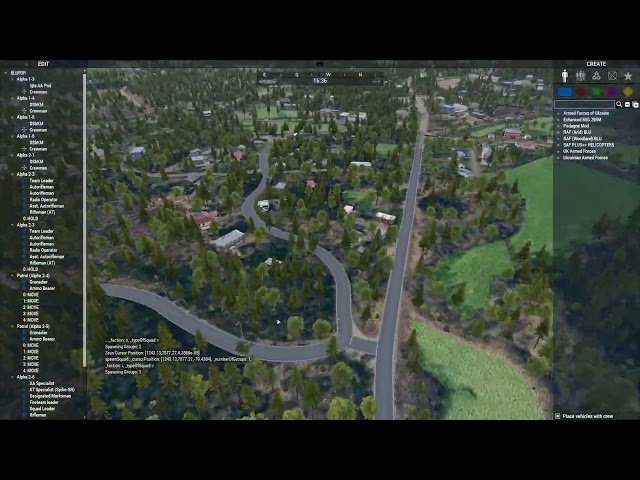
ever have one of those "huh, I wonder if I can.." ideas - and then you can and it works - https://www.youtube.com/watch?v=3Dmfpyu9A38 - I already have cli commands for zeus, I already had all the spawning logic for our current opfor and lambs integrations so all I needed was "create an object array and put it in a file" and a "loadComposition" func that loads that, clears the terrain, spawns the groups and sets them up with lambs 🙂
 stable dune
dire island
What am I missing here?
```if (!isServer) exitWith {};
params [
["_teleporte...
stable dune
dire island
What am I missing here?
```if (!isServer) exitWith {};
params [
["_teleporte...
if you have your array something like
private _tps = [["marker1", "First place"],["marker2", "Second place"],["marker3", "Third place"]];
[_tps,true] call your_fnc_marker
You should able to do
{
    _x params ["_object","_text"];
    systemChat str _object;
    systemChat _text;
} forEach _teleporters
So params get 0 = object , 1 = text from your array
dire island
stable dune
if you have your array something like
```sqf
private _tps = [["marker1", "First ...
GenCoder's reply solved it, I did indeed miss something really obvious (count array starts from 1, select from array starts from 0).
split ruin
can I control on what headless client the sqf will spawn? It spawns with this script, there are 2 headless client with names HC1 and HC2
if (!hasInterface && !isServer) then
{
 []execVM "zone\phu_quoc.sqf";
};
 south swan
maybe !isNil "HC1" && {isLocal HC1} or something 🤔
but i'd argue that having server as the main deciding instance can work better architecture-wise even with headless clients present, so just remoteExec'ing stuff from server-side can work as well
https://community.bistudio.com/wiki/Arma_3:_Headless_Client#Spawning_the_AI says
Don't forget to set NAME property, it is necessary for the Headless Client to work correctly. The name can also be used to identify Headless Clients in scripts (by checking it against
player).
soplayer isEqualTo HC1is probably the intended way
 cyan thunder
You can do it that way - you need to somewhat careful if you are explicitly doing something like [8, 'specops'] remoteExec ["SomeAwesome_fnc_spawnSquad", HC1] or whatever because HC's can crash/not be there when it's called
or can structure things such that calling it and it not been there isn't the end of the world
split ruin
thanks, works perfectly
if (!hasInterface && !isServer && (player isEqualTo HC1)) then
{
 []execVM "zone\phu_quoc.sqf";
};
now I have HC2 to spawn more things there 😆
hushed turtle
broken pivot
Thats how Ive used
Use "execVM 'PASTE_THE_PATH_HERE'", for example "execVM 'script.sqf'"
pallid palm
can some explane to me how to create a HC, and how it would help my mission
maybe cuz i only make 10 player missions theres no need i guess
thin fox
only if you need it
pallid palm
ok cool i guess i realy dont need a HC
thin fox
I've never used myself
pallid palm
ahh ok awsome that makes me feel better
thin fox
you're in the right track
pallid palm
thx m8
like some times ill have like 50 enemy at a OBJ, then after we kill all of them as we leave there thay all get deleted, then when we get to the next OBj then same thing
ofcorse in my params if you want you can set it to spawn as many as you want but they will kill you lol
if theres to many lol
i like it that you can set the mission as hard as you want or as easy as you want
imho
altho 1 time this 1 guy flew all over the map with a Attack chopper and set off all the OBJ and there was like 500 enemy running around and we did not feel any lag at all
it depends on the params as it were
but then he got shot down hard with like 7 rockets lol
should of seen that caBoom lol
and thx you for responding @thin fox
even tho im not the sharpest tool in the ToolBox
that was in my mission called A3-Coop-USMC-Nam.Altis ( default Game Nam Mission )
 compact terrace
Hey can anyone help me?
I tried for 14hours now and dont got it working.
I worked with chatGPT and got a full script but it will not work so maybe someone who wants to help me can correct the script 😅
I need an Arma 3 script with the following requirements:
- It should spawn units every 3 minutes.
- Spawned units should despawn after 10 minutes if they are not within 1000m of the nearest player.
- It should work with probability as to whether it is a foot troop or a vehicle.
- It should guard the maximum unit limit and not spawn any more while this limit is reached.
- Foot troop sizes should be between 3 and 15.
- The factions are Blufor, Opfor, and Independent.
- One group per faction should spawn randomly somewhere on the map.
- These groups should be randomly assigned a waypoint somewhere on the map.
- Vehicles should spawn with full crew.
Here are the corresponding units for each faction:
Foot troops:
East:
"UK3CB_TKM_O_SL", "UK3CB_TKM_O_TL", "UK3CB_TKM_O_MD",
"UK3CB_TKM_O_MG", "UK3CB_TKM_O_AR", "UK3CB_TKM_O_LAT",
"UK3CB_TKM_O_AT", "UK3CB_TKM_O_AA", "UK3CB_TKM_O_MK",
"UK3CB_TKM_O_SNI", "UK3CB_TKM_O_ENG", "UK3CB_TKM_O_DEM",
"UK3CB_TKM_O_RIF_1", "UK3CB_TKM_O_RIF_2", "UK3CB_TKM_O_GL"
West:
"rhsusf_usmc_marpat_d_teamleader", "rhsusf_usmc_marpat_d_marksman",
"rhsusf_usmc_marpat_d_riflemanat", "rhsusf_usmc_marpat_d_smaw",
"rhsusf_usmc_marpat_d_autorifleman_m249", "rhsusf_usmc_marpat_d_rifleman_m590",
"rhsusf_usmc_marpat_d_rifleman_m4", "rhsusf_usmc_marpat_d_engineer",
"rhsusf_usmc_marpat_d_stinger", "rhsusf_usmc_marpat_d_grenadier"
Independent:
"UK3CB_TKA_I_SL", "UK3CB_TKA_I_TL", "UK3CB_TKA_I_MD",
"UK3CB_TKA_I_MG", "UK3CB_TKA_I_AR", "UK3CB_TKA_I_LAT",
"UK3CB_TKA_I_AT", "UK3CB_TKA_I_AA", "UK3CB_TKA_I_MK",
"UK3CB_TKA_I_SNI", "UK3CB_TKA_I_ENG", "UK3CB_TKA_I_DEM",
"UK3CB_TKA_I_RIF_1", "UK3CB_TKA_I_RIF_2", "UK3CB_TKA_I_GL"
Vehicles:
East:
"UK3CB_TKM_O_T55", "UK3CB_TKM_O_BMP1", "UK3CB_TKM_O_BTR40",
"UK3CB_TKM_O_BTR60", "UK3CB_TKM_O_Hilux_Dshkm", "UK3CB_TKM_O_Hilux_Pkm",
"UK3CB_TKM_O_Hilux_Spg9", "UK3CB_TKM_O_LR_M2", "UK3CB_TKM_O_LR_MG"
West:
"rhsusf_CGRCAT1A2_M2_usmc_d", "rhsusf_m1240a1_m240",
"rhsusf_m998_d_s_2dr_halftop", "rhsusf_m1151_m240_v3_usmc_d",
"rhsusf_m1151_m2_v3", "RHS_UH60M_d", "rhsusf_m113d_usarmy",
"RHS_M2A2", "rhsusf_m1a2sep1tuskiid_usarmy",
"rhsusf_M1220_M2_usarmy_d", "rhsusf_M1232_M2_usarmy_d",
"rhsusf_m1240a1_m240_uik"
Independent:
"UK3CB_TKA_I_UAZ", "UK3CB_TKA_I_LR_M2", "UK3CB_TKA_I_Hilux_Dshkm",
"UK3CB_TKA_I_GAZ_Vodnik", "UK3CB_TKA_I_T72", "UK3CB_TKA_I_BTR60",
"UK3CB_TKA_I_M113", "UK3CB_TKA_I_BTR40", "UK3CB_TKA_I_BMP2",
"UK3CB_TKA_I_UH1H_GUNSHIP"
The Script i got but wont work:
hushed turtle
 old owl
pallid palm
maybe cuz i only make 10 player missions theres no need i guess
old owl
pallid palm
maybe cuz i only make 10 player missions theres no need i guess
I've never used an HC before so take it with a grain of salt but from my understanding it's largest benefit is that it offloads AI calculations from server. I'll link a page which has more details but also worthwhile noting that HC's will also show up in allPlayers.
compact terrace
hushed turtle
https://discord.com/channels/105462288051380224/105462984087728128/1083756801838...
Okay 🥲
stable dune
hushed turtle
https://discord.com/channels/105462288051380224/105462984087728128/1083756801838...
Yeah, this
After 14 hours, it's time to fire up gpt
pallid palm
oh thx @old owl that looks insteresting
i thinking a HC would only be needed on a DED server and not a hosted server cuz that would be the same Mach doing it all anyway
hushed turtle
stable dune
Yeah, this
After 14 hours, it's time to fire up gpt
I've took look at end of that script and last couple of lines are non sense 😂
Better to not even look at the rest 😂
old owl
Damn y'all are just killing him haha
stable dune
Yeah, I know that feeling, x point it just goes crazy and there is no sense
pallid palm
does he mean Chatgpt ?
i never used that
discord guys are my Chatgpt
love you guys in here
old owl
@compact terrace If you have stuff that even partially works, but there just aren't certain aspects working as intended; I wouldn't mind lending advice on fixing it. I don't even mind straight fixing code for people but there just has to be a foundation first; otherwise it's just all kinda asking to be re-written. Everyone starts from somewhere but I would discourage the use of AI though since it can be kind of a harmful crutch while learning 🙂
pallid palm
i started with Awsome @wild star
he helped me 1st then all the other great guys in here as well to many to name
Dart helped me make my Chopper Command Awsome
compact terrace
old owl
<@751802284123357227> If you have stuff that even partially works, but there jus...
Okay i dont understand how sqf works so i thought it would be mostly correct 😮💨
compact terrace
old owl
<@751802284123357227> If you have stuff that even partially works, but there jus...
I mean i also tried with init from objects and some scripts worked there but not as a script directly, i dont get it 😅
pallid palm
mostly correct is not good enough i want it to work perfect woohoo
 tawny moat
Hi Guys i need help with my spawned group
so i wanted to spawn a group with the spawn group function, then hunt the player. this all works but fsr arma 3 dont detect when the spawned group is dead
but the trigger works with eden editor placed units
hushed turtle
You could do count units _group < 1, which returns true when everyone in _group is dead
pallid palm
or maybe ```sqf
If (!alive _group) then { whatever you want here };
or maybe
If ({side _x == EAST} count allUnits == 0;) then { whatever you want here };
{alive _x} count (units _group) < 1
Functionally nothing.
pallid palm
yeah it dont do anything after it counts
granite sky
bracketing units _group is kinda good practice.
So that you don't forget when you put a binary command in there :P
tawny moat
but it still dont work, i use a eden editor placed trigger
pallid palm
what do you want the trigger to do
granite sky
_group won't exist in the trigger.
tawny moat
pallid palm
what do you want the trigger to do
to trigger when my spawned group is dead
my spawned group has the variable _egrp1
granite sky
That won't work because it's local. Vanishes at the end of the scope.
tawny moat
not an area trigger
granite sky
You need to give it a global variable name (no underscore).
And then the trigger code will be able to see it.
tawny moat
granite sky
You need to give it a global variable name (no underscore).
but when i do that the group dont spawn
granite sky
Then you have fucked up somehow.
old owl
Alternatively might also even be able to use thisTrigger in place of _group if the trigger is attached to a unit but honestly don't quote me on that since I don't do much in the actual Eden Editor
pallid palm
can we see what you have in text
tawny moat
i paste my spawn script
_egrp1 = [getPos spawn1, east, (configFile >> "CfgGroups" >> "East" >> "OPF_F">> "Infantry" >> "OIA_InfSquad")] call BIS_fnc_spawnGroup;
granite sky
And you're saying that if you remove the underscore the group stops spawning?
tawny moat
yes
granite sky
That's not very plausible.
tawny moat
granite sky
That's not very plausible.
yeah i might have fucked up something before they spawn now
pallid palm
that is plausible he he
old owl
Also just a word of warning but be careful of using getPos. In the case of how you have it here it is probably 100% fine but I would generally try to era away from it when possible. Commands like getPosATL or getPosASL are far more reliable imo and are faster
pallid palm
what did you do to fix it @tawny moat
tawny moat
pallid palm
what did you do to fix it <@856672181559230504>
deleted the underscore, i did that before but fucked something up i guess cause the unit didnt spawned after that
pallid palm
thats all you did
tulip ridge
Because that makes group a global variable, which isn't defined
tawny moat
pallid palm
thats all you did
yes indeed
pallid palm
from the Master himself Dart
//Private and global are different

//Global means the variable is in the global scope.
//Such as mission variables, variables on an object, etc.
//Private is only for local variables,
//i.e. variables that start with an underscore
//Variables that being with an underscore are local variables,
//meaning they are only defined in that scope
someVar = 1; // global variable
_someVar = 1; // local variable
//All local variables have to start with an underscore
//For another example:
params ["someVar"]; // Error: invalid local variable name
when Dart texts im all eyes open
granite sky
He'd probably want to revise that :P
pallid palm
really
granite sky
private is a special-case extension of how local variables work, needs to be described relative to normal local variables.
And yeah, the bit you removed is separate :P
hushed turtle
He's just human like you
pallid palm
yeah but hes my sqf hero
tulip ridge
granite sky
private is a special-case extension of how local variables work, needs to be des...
It was a response to someone else
pallid palm
yes
granite sky
yeah I know you know, it's just the trouble with repasting stuff. Discord isn't a wiki :P
pallid palm
copy that sorry
man im telling you after Dart helped me fix my chopper command it works so Awsome its so much fun
and it works on DED MP and SP servers
dont get me wrong lots of you guys in here helped me and i thank you all for all the great help
ill try not to say so many good things about you @tulip ridge, but i don't know if ill be able to
i guess im just a happy camper
pallid palm
thx to all you great people in here iv been able to relize all my dreams of how to make missions and stuff in Arma 3 woohoo
cyan thunder
compact terrace
Okay 🥲
can use CBA_fnc_players if you want players without the HC showing up in the result (assuming you have CBA and you definitely want CBA 🙂 )
 maiden juniper
is it possible to have more then 1 line of marker text? i attempted formatting the text with a "toString [13,10]" line brake, but no luck
warm hedge
No
 fleet lotus
I've made a script to spawn a box and fill it with items with clearItemCargo and then addItemCargo. It works in SP and am trying to get it to work in MP are there any main commands I should use
granite sky
There are xxxGlobal versions of both of those, which you should use.
fleet lotus
I legit just went back and saw thanks for the quick response
Quick question. do I have to call the global command in remoteExec or can it run with out it
 formal grail
Call the global command regularly, not in remoteExec.
There is a potential problem: if there is heavy server lag, calling a global clear command and then calling a global add command, I think the ordering is not guaranteed (?).
When calling the global commands, make sure it's only called on one machine.
fleet lotus
when a player is calling a global command on a server with other players that command will update for the rest?
formal grail
Yes, that's what the global effect on the wiki page means.
fleet lotus
okay thank you for the clarification
formal grail
That's why it's important that it's NOT run in remoteExec, because if you run it in remoteExec, then all the players in your target will run that global command, which will repeatedly call that clear/add for everyone else. That can lead to inconsistencies/desync.
granite sky
Or at best, an incredible amount of network spam :P
fleet lotus
Good to Know 🙂
 supple grail
Hi, I need my c ram (praetorian 1c) like the one in video, it seems mine is different in firing rate and color of fire, how to change it?

 winter rose
supple grail
Hi, I need my c ram (praetorian 1c) like the one in video, it seems mine is diff...
winter rose
supple grail
Hi, I need my c ram (praetorian 1c) like the one in video, it seems mine is diff...
(please don't crosspost, I deleted your other posts in #general_chat_arma and #videos_arma 👀)
you cannot change colour without a mod, as it is a config change
firing rate could be modified through scripting eventually
supple grail
@winter rose OK thanks but Iam zero experience in editing scripts or mods, is there an easy way to do that?
winter rose
supple grail
<@137855151120711680> OK thanks but Iam zero experience in editing scripts or mo...
nope, I'm afraid!
if I may ask, what is it for?
supple grail
winter rose
nope, I'm afraid!
if I may ask, what is it for?
I use editor to make simple missions so I had an idea to add cram in my mission
winter rose
I would then recommend to just use the vanilla ones, not worth the effort ^^
supple grail
winter rose
I would then recommend to just use the vanilla ones, not worth the effort ^^
But it looks great in red with sharp fire, can you help?
winter rose
no, I am not a mod maker
you would want to make a mod, that all people wanting to play your mission would have to subscribe to, only for a colour change? I genuinely think it is not worth the effort 😄
#arma3_config may help you create the config, then see https://community.bistudio.com/wiki/Arma_3:_Creating_an_Addon for addon creation
supple grail
winter rose
no, I am not a mod maker
you would want to make a mod, that all people wanting ...
OK thanks alot
 small gyro
is it possible to create and attach object than will be visible to man in vehicle ? Like additional monitors for passanger in vehicle
 digital hollow
small gyro
is it possible to create and attach object than will be visible to man in vehicl...
digital hollow
small gyro
is it possible to create and attach object than will be visible to man in vehicl...
No, the vehicle interiors will be drawn over other stuff.
You can mess with it by making the seat a ffv, which can use the exterior lod, or attaching the passenger, or use UI for the screen.
 keen stream
@grizzled cliff I love what you did with it. LIke you I am waiting for the first person to create some kind of AFM for planes. 😃
 raw vapor
Hey so I know TFAR has a script somewhere that allows objects to act as a repeater, such as a radio tower already included in the mod.
What is this script and can I make any objects do this with the init field?
Can it work on vehicles too? Like a mobile command vehicle or radio truck acting as a repeater.
Alternatively, someone DM me the TFAR Discord.
 untold copper
raw vapor
Hey so I know TFAR has a script somewhere that allows objects to act as a repeat...
untold copper
raw vapor
Hey so I know TFAR has a script somewhere that allows objects to act as a repeat...
I don't use TFAR but had a quick look at the GitHub. You might be looking for this;
https://github.com/michail-nikolaev/task-force-arma-3-radio/blob/master/addons/antennas/functions/fnc_initRadioTower.sqf

GitHub
TeamSpeak integration for Arma 3. Contribute to michail-nikolaev/task-force-arma-3-radio development by creating an account on GitHub.
 limpid cape
Is scripting with the ORBAT markers a hit or a miss? Sometimes for me they work all the time and sometimes they don't and it infuriates the heck outa me. I would love some tips? (I know there is mods like Metis markers but it doesn't feel the same)
limpid cape
limpid cape
Is scripting with the ORBAT markers a hit or a miss? Sometimes for me they work ...
(btw I do the exact same steps and it still isn't working, I heard sometimes it reads the { } buttons as "e" but I don't know to be exact
warm hedge
What do you expect, or its goal? I assume "scripting" means you want to have some other way around than regular config + module solution, but what do you want to achieve, why you need to do in script?
 mint flame
Does anyone know if there's anyway or anything out there to command an AI to fire ATGM missile via script and also if there's a way to make it also fire at infantry. Also if there's no proper line of sight, if there's a way to still guide the missile.
warm hedge
forceWeaponFire, setMissileTarget or setMissileTargetPos, lineIntersects or checkVisibility
mint flame
warm hedge
forceWeaponFire, setMissileTarget or setMissileTargetPos, lineIntersects or chec...
ok thank u , and do u have any tips? shoulder fired? static launcher
The idea is to randomly spawn an atgm enemy in vicinity like 1km to 3km away from a target, and make it fire at him, that's it. any suggestions?
I dont wanna control the missile manually thru script because then the missile's native physics, sounds etc aren't being used
warm hedge
Not sure what tips I can give other than telling you these commands' existence
Maybe you can tell more idea
proven charm
what does isDefault mean in getLoadedModsInfo ?
winter rose
proven charm
what does isDefault mean in getLoadedModsInfo ?
that the DLC is part of the base game
proven charm
ok thx
winter rose
I will amend the page to add a bit more details
edit: done https://community.bistudio.com/wiki/getLoadedModsInfo
mint flame
im trying to spawn static somewhere but due to slopeenss it cant aim fully at target, is there a way to make it always float and be upright somehow so that i can ignore slopeness but keep it at the same position
warm hedge
setVectorUp
winter rose
well yes 😄
winter rose
_myStaticWeapon setVectorUp [0,0,1]; to be "flat surface"
mint flame
its just that its hard to find good positions with line of sight and flat so im trying to make things less restrictive,so that i have clear line of sight and then from there on i just adjust things s o it can fire
thanks guys!
cyan thunder
@mint flame if you ever do zeus stuff and want your players to be able to place a static where they want, spawn a pallet and disable simuation, then they can place the pallet on things (H barriers and the like) with the static on top of that - massively reduces the "and now the static has joined the space program" from players trying to place statics on things)
https://www.youtube.com/watch?v=w6aAFxsipvs I'll be sad if they ever fully fix arma's physics - some of my all time best arma moments are PhysX doing PhysX things 😄
 mint flame
cyan thunder
<@892806699113648150> if you ever do zeus stuff and want your players to be able...
mint flame
cyan thunder
<@892806699113648150> if you ever do zeus stuff and want your players to be able...
Thanks, ill keep this in mind, yeah im doing mostly singleplayer non zeus stuff i wonder if this can work too
Im facing simialr issue, i neeed to check if the static launchers sights/barrel can point at the target , not whetherr gunner himself has visibility, not sure if theres a way for this
digital hollow
from the positions and orientation, calculate the relative traverse and elevation, and check if they are within the turret limits.
worldToModel for coordinates, BIS_fnc_turretConfig for turret config
cyan thunder
ah the joy of arma programming, figuring out why weird stuff stuff does weird stuff - I have a nifty convoy system, it works fine, now I put a vehicle in that has ViV for cargo containers (and populate those vics with containers) - everything breaks
turns out, if you setVehicleCargo you have to disable simulation on the cargo crates or they won't move 😄
little raptor
wut?
are you doing the locality correctly?
you don't have to disable simulation for it to work
proven charm
why is the z of the object 0.19 (cursorobject) when you can see in the picture that the object touches ground?
 cyan thunder
little raptor
wut?
are you doing the locality correctly?
cyan thunder
little raptor
wut?
are you doing the locality correctly?
How would locality of the box goin in the vehicle be an issue, setVehicleCargo is global
not to mention, the behavior I described is present when doing it in local MP launched out of eden - so locality is even less likely to be an issue there 🤷♂️
little raptor
proven charm
why is the z of the object 0.19 (cursorobject) when you can see in the picture ...
which pos?
ATL?
in any case that's not how altitude is measured. when you rotate an object its land contact shifts
little raptor
cyan thunder
How would locality of the box goin in the vehicle be an issue, setVehicleCargo i...
its effect is global
not the args
little raptor
cyan thunder
not to mention, the behavior I described is present when doing it in local MP la...
makes no sense then
 modern plank
Question about units SIDE:
I am trying to use
addMissionEventHandler["EntityKilled", {
  _remaining = count units resistance;
  hintSilent "AI killed - remaining: " + str(_remaining);
  if (_remaining < 1) then { call finex;};
}];
To stop the exercise if no more alive bots. It will never reach 0, it looks like the "empty group" still exists even if the group should be deleted when empty. If I check with Zeus, I just have bots dead bodies as CIV, nobody in INDEP.
Any idea?
proven charm
little raptor
ATL?
in any case that's not how altitude is measured. when you rotate an object ...
yeah the code used is in the screenshot. so how do you calculate the distance to ground properly?
south swan
define "distance to ground" for non-point objects, though 🙃
hushed turtle
modern plank
Question about **units SIDE**:
I am trying to use
```
addMissionEventHandler["...
Since it gets called right after a unit dies - maybe at that moment the unit is still present in array returned by units?
And why are you talking about group?
You could try to put it in spawn block and sleep for a second before checking unit count
proven charm
south swan
define "distance to ground" for non-point objects, though 🙃
from the bottom of the object
south swan
modern plank
Question about **units SIDE**:
I am trying to use
```
addMissionEventHandler["...
addMissionEventHandler["EntityKilled", {
  _remaining = count units resistance;
  hintSilent ("AI killed - remaining: " + str _remaining);
  if (_remaining < 1) then { systemChat "LAST ONE DEAD";};
}];```
~~both `hint`s 0 and `systemChat`s "LAST ONE DEAD", though~~Cause units belongs to groups. When I have all indep forces in one group, looks like the remaining is one. If units are split into two groups, remaining is 2.... So I have an intuition...
south swan
scratch that, i was using units from wrong side in previous test 
hushed turtle
We're working here with units, not groups. units SIDE returns all units of SIDE, regardless of their groups
Group doesn't matter
south swan
systemChat str [_this, units resistance] does indeed still show the killed unit still belonging to the side 
hushed turtle
Try this and let's see what it does
addMissionEventHandler["EntityKilled", {
  [] spawn {
    sleep 1;
    _remaining = count units resistance;
    hintSilent "AI killed - remaining: " + str(_remaining);
    if (_remaining < 1) then { call finex;};
  }
}];
i don't see any relation to multiple groups, though. Just that one unit isn't deleted yet
hushed turtle
That's what I thought
modern plank
yes it is the issue.
it says there is a unit in INDEP, even if it is the one who was killed.
We are not allowed to do "sleep" in mission EH
hushed turtle
By that logic it will say 5 alive when 5th just died
That's why I gave example with spawn
south swan
{alive _x} count units resistance < 1. Or side _this#0 == resistance && _remaining == 1. Or something else
P.S. fixed count usage
little raptor
proven charm
yeah the code used is in the screenshot. so how do you calculate the distance to...
there isn't really a good way because you need more information about the geometry which the game doesn't provide
if you really want to be picky about this, you can run several hundred intersections to the object to find the lowest part of the geometry, then run another intersection line from the lowest point downwards to get the ground intersection and thus altitude
but that's needlessly complicated
little raptor
proven charm
why is the z of the object 0.19 (cursorobject) when you can see in the picture ...
why does Z matter for you tho?
modern plank
south swan
`{alive _x} count units resistance < 1`. Or `side _this#0 == resistance && _rema...
will try yes. I cross my fingers unit is dead even if not removed yet from the array.
For sure spawn is better implem
Trying it.
proven charm
little raptor
why does Z matter for you tho?
my script drops the object to ground so it doesnt stay floating in the air when objects below it gets destroyed (so i need the objects current z pos)
hushed turtle
@modern plank You could count remaining like this: _remaining = {alive _x} count units resistance;
 hushed turtle
There is probably no need to sleep for whole second though. I've just wanted to test it
south swan
hushed turtle
<@376013949612589056> You could count remaining like this: `_remaining = {alive...
condition count array 😉
modern plank
ya but error with a sleep: not usable in that context
little raptor
proven charm
my script drops the object to ground so it doesnt stay floating in the air when ...
yeah that's a tough one to do properly without geometric information.
 modern plank
this one yeah.
hushed turtle
south swan
`condition count array` 😉
I've copied your code without checking it.. 😂
modern plank
_remaining = { alive _x } count units resistance; I know thx
hushed turtle
There shouldn't be need for sleep then, if you check if unit is alive, since it won't be alive despite being present in the array
south swan
from diagLog [diag_frameno, <"Killed"/"EntityKilled">, _this#0, units resistance]; both in mission's "EntityKilled" and unit's "Killed":
[9543,"EntityKilled",R Alpha 1-1:1,[R Alpha 1-1:1]]
[9543,"Killed",R Alpha 1-1:1,[]]```
This seems to narrow the timeframe a bit 🤣true, thank you all.
cyan thunder
https://giphy.com/explore/crack-knuckles time to do something awful, I want to spawn convoys, my initial plan was "calculate a vector, segment the vector, find nearest road at each segment point at distance X and put a vic on that" which works except when we have parallel roads or roads close to each other - I could forever drop the nearest distance and it's not too far off but it does still pick the "wrong" one - plan B is much much worse 😄 calculatePath 😄

GIPHY animates your world. Find Crack Knuckles GIFs that make your conversations more positive, more expressive, and more you.
 granite sky
My convoy placement has an A-star based on road connections. It is an appalling level of complexity just to put vehicles on a road, but everything else fell over in some common case.
cyan thunder
granite sky
My convoy placement has an A-star based on road connections. It is an appalling ...
If I have to get Dijkstra involved I'm going to be a sad panda 😄
granite sky
It's actually a double A-star because there's a navgrid one above that :P
cyan thunder
granite sky
It's actually a double A-star because there's a navgrid one above that :P

v1 works well enough it's usable (in that in the edge case where it breaks I can fix it in zeus by just dragging the vic and I know where not to put the start/stop points for spawning but that annoys me - so we'll see how much pain is involved in doing it the "better" way and I'll kepe v1 in case I get bored/run out of time)
well I can visualise the path (I told it to put a burning can on each point in its path - some sarcasm in there..) - so that's a start

though amusingly the cans then block it's path force it to recalculate - can 'splosion
and he blew his vic up and is currently on fire - definitely a parable for arma3 sqf dev 😄

 iron flax
Does anyone know how I would attach something to the projectile using this function?
https://community.bistudio.com/wiki/BIS_fnc_EXP_camp_guidedProjectile
 cosmic lichen
Provide an object to the function and attach your other object to the same one?
 steel spoke
yeah, the "_class" param is a string or object, just create the projectile beforehand, attach whatever you want, and call the fnc
Does anyone here know if there's a built in for radar events?
\ how i would extract radar event information using the displayAddEventHandler and RscCustomInfoSensors
If that's even the right direction
mint flame
Is there no solid command or way to check if static launcher can actually aim at given target
turret can be angled to fire at it, trajectory of missile doesnt have trees/terrains blocking it, so basically full check if it can properly aim at the target
when it spawns somewhere slopy it can soemtimes not be able to raise the thing
cyan thunder
The crude way is just use lineIntersectsWith to check there is no object between the pos of the launcher and the thing you want to aim at
 sharp grotto
Also possible https://community.bistudio.com/wiki/checkVisibility
cyan thunder
sharp grotto
Also possible <https://community.bistudio.com/wiki/checkVisibility>
even then either approach is gonna fall apart if the static is indirect fire - since no line of sight with those
you can check if a mortar can hit a pos but that would have to be handled separately
mint flame
cyan thunder
even then either approach is gonna fall apart if the static is indirect fire - s...
Its an ATGM launcher
I do line intersecrs but sometimes when it fires missile hitd a tree, sometimes when i spawn it the guy id facing terrain onn a downwards slope and isnnot able to raise the turret towards the target
cyan thunder
@granite sky my HackyMcHackface CalculatePath approach worked 😄

I can do what I wanted which is pick two points on the road network, spawn a convoy and it'll correctly place them on the path between those two points properly spaced out - without having to hack around with nearest road/vectors
 supple steppe
Hello, I want to make a shoothouse wall impenetrable. I tried this in the Init: this setObjectMaterial [0, "path to my .rvmat"] and added this rvmat file to the mission
class MyMaterial
{
    ambient[]       = {1, 1, 1, 1};
    diffuse[]       = {1, 1, 1, 1};
    forcedDiffuse[] = {0, 0, 0, 0};
    emmisive[]      = {0, 0, 0, 0};
    specular[]      = {0, 0, 0, 1};
    specularPower   = 0;

    PixelShaderID   = "Normal";
    VertexShaderID  = "Basic";

    class Stage0
    {
        texture  = "#(rgb,8,8,3)color(1,1,1,1,SMDI)";
        uvSource = "tex";
        Filter   = "Anisotropic";
    };
    surfaceInfo = "data\\MyMaterial.bisurf";
};
with this .bisurf
bulletPassthrough    = 0;
hit                  = 1;
surfaceFriction      = 2;
Does anyone know what the memory point for the actual target portion of the pop-up targets is called? What I want to accomplish is to use attachTo to attach a user texture to a pop-up target and have it follow the target down when the target is shot.
untold copper
dire island
Does anyone know what the memory point for the actual target portion of the pop-...
I'm not 100% certain if it'll work as you need...
You can return the selectionName with the HitPart EH.
https://community.bistudio.com/wiki/Arma_3:_Event_Handlers#HitPart
dire island
untold copper
I'm not 100% certain if it'll work as you need...
You can return the selectionN...
That's a good start, I'll try that. Thanks!
dire island
untold copper
I'm not 100% certain if it'll work as you need...
You can return the selectionN...
_selection returns "target" when I shoot the pop-up target, so in my mind that should be the memory point, right? Then this attachTo [test1, [0, 0, 0], "target", true]; (with the pop-up target object being "test1") should have the attached object follow the target down when it is hit.
What happens is that the object just floats even when the target goes down. I haven't ever used attachTo to attach something to a specific memory point before so I can't really tell if the problem is that "target" isn't the name of the memory point, or that I'm somehow not using attachTo correctly. Any ideas?
This is the complete return when I just have the event handler output _this:
 untold copper
dire island
_selection returns "target" when I shoot the pop-up target, so in my mind that s...
untold copper
dire island
_selection returns "target" when I shoot the pop-up target, so in my mind that s...
I assume "target" to be the selection name.
You can also check the target object for its memory points with <TARGET_OBJECT> selectionNames "FireGeometry"; to see what selection names it has.
What's the classname of the target? I'll have a look in 10 minutes or so.
dire island
TargetP_Inf_F
Yeah, selectionNames outputs ["target"]. The exact same code that I use for attaching stuff to the target works fine for attaching a bucket to a guy's "head" memory point (that is, the bucket follows the guy's head movements. My test script outputs "head" when I shoot the guy in the face, and outputs "target" when I down the pop-up target.
old owl
supple steppe
Hello, I want to make a shoothouse wall impenetrable. I tried this in the Init: ...
Is it imperative you use an rvmat? Could you not just do this allowDamage false;?
untold copper
dire island
Yeah, selectionNames outputs ["target"]. The exact same code that I use for atta...
Ah. No luck I'm afraid.
supple steppe
old owl
Is it imperative you use an rvmat? Could you not just do `this allowDamage false...
this didnt work for me because the bullets just go right through the wall
old owl
supple steppe
this didnt work for me because the bullets just go right through the wall
Hmmmm, yeah me too. Apologies. Short of using an event handler to delete the bullet conditionally (which seems extremely hacky), probably no other way to do it then by rvmat or an entirely new p3d. I haven't done a whole awful lot with rvmats but this fire geometry page seems to mention bullet collision with examples of rvmats if that helps
untold copper
dire island
Yeah, selectionNames outputs ["target"]. The exact same code that I use for atta...
Quick and dirty.
Still doesn't follow the animation of the target.
At least you can see where the target has been hit.
cursorObject addEventHandler ["HitPart", {
    (_this select 0) params ["_target", "_shooter", "_projectile", "_position", "_velocity", "_selection", "_ammo", "_vector", "_radius", "_surfaceType", "_isDirect", "_instigator"];

    _offset = _target worldToModel ASLToAGL _position;
    _db = "UserTexture1m_F" createVehicle [0,0,0];
    _db setObjectTexture [0, "\A3\ui_f\data\map\markers\handdrawn\dot_CA.paa"];

    _db attachTo [_target, _offset, "target"];
    //_db attachTo [_target, _offset, "target", true];
    //_db attachTo [_target, _offset, "target", true];
    //_db attachTo [_target, _offset, "terc", true];

}];
Yeah I should have done that and saved myself a few days work. Although it turns out I needed the road-astar thing for something else as well.
supple steppe
old owl
Hmmmm, yeah me too. Apologies. Short of using an event handler to delete the bul...
Event handler doesnt work for me.
Rvmat i tried but its not loading for some odd reason and the rest i have no clue about.
Not sure what exactly i should do tbh for quick and easy fix.
sharp grotto
Depending on your needs, there are some invisible barrier walls in the game (if i remember right).
Maybe they stop bullets (not sure).
supple steppe
sharp grotto
Depending on your needs, there are some invisible barrier walls in the game (if ...
I could replace all the walls with concrete if I did that
modern plank
Small question about respawn modes: I need to propose my 2 options for respawn during exercises:
- INSTANT respawn after 3s (configured as such into description.ext)
- Spectator til the end of the exercise, then the "end of exercise" function needs to close all spectators and make them respawn.
If I do something like:
onPlayerKilled :
setPlayerRespawnTime 99999999;
["Initialize", [player]] call BIS_fnc_EGSpectator;
};```
onPlayerRespawn:
```if (MY_RESPAWN_AS_SPECTATOR) then {
["Terminate", [player]] call BIS_fnc_EGSpectator;
};```
Is it enough to execute ```[3] remoteExec ["setPlayerRespawnTime",-2];``` at the end of the exercise to make all players close the spectator script and respawn? cloud stirrup
Hey i found that post here : https://dev.arma3.com/post/spotrep-00115
I'm having a question about the bugfix "Fixed: "InventoryOpened" event did not receive the ground weapon holder"
Does that mean that previous to this bugfix the eventhandler for InventoryOpened returned a null value to _secondObject in any case ?

Arma 3 | Official Website
Game Update 2.18 (Grenades vs Glass / Water, Character Damage Consistency, Platform Support)
pallid palm
@modern plank what r you actualy trying to make happend here
so to Sum it all up, Are you looking for Team Respawn ? @modern plank
pallid palm
if Team Respawn is what you are looking for, i just happend to have a Awsome Team Respawn script, that i made, and i can send it to you if you like, @modern plank
works in MP and DED server, works with all playableUnits, does not effect NonplayableUnits, if you wanted it to work only on Actual players, on your team, you can disable Ai, At the start of the mission
i love Team Respawn
makes you really try to stay alive
pallid palm
Sneek peek at Part Of my Description.ext
//in the Description.ext
//Params
class Params
{
    class Respawn
    {//Param 0
        title = "Respawn";
        values[] = { -1,10,11,0 };
        texts[] =
        {
            "No Respawn",
            "10 Total Respawns",
            "Team Respawn",
            "Infinite Respawns"
        };
        default= 11;
        code = "";
    };
};
No, no team respawn. I am doing a training mission. It contains a lot of CQB and open-combat drilling exercises on the map. At the start point of each exercise, I have laptops to set global parameters, like making humans immortal, taking half-damages or full, weather settings and so on. We can play the exercise against generated bots tasked with LAMBS, or Zeus or against humans with invited teams who can teleport to OPFOR spawn (with temp inventory switch). When players can die, I want what I described: INSTANT respawn or spectator til the end of the exercise. No sens to respawn them on any unknown location during the action, they are accountable for their formation and exercises are a few-minutes long only.
pallid palm
ahh i see ok
modern plank
I am not used with that "respawn coding", cause except for trainings, I am doing milsim TvT mission, si there is no respawn
pallid palm
roger copy that m8
modern plank
So, do you know if you make dead people respawn by changing the setPlayerRespawnTime?
pallid palm
well that would only delay the respawn
but yes just changing the respawn time they will still respawn
thats why i have params to have options at the start of the mission
when we start a mission i ask the players what kinda respawn they want
they mostly say Infinite Respawns
but i like Team Respawn
in my Team Respawn all dead players go into spectating mode till the last man dies then Spectating gos off and all respawn
ofcorse
well in my Team Pespawn script thats the way i have it set up
my team respawn script checks if all players in the player group are dead and if they are dead then well you know what happends
modern plank
Looks good. So I am supporting both INSTANT respawn and your TEAM one. The event is not "no more humans but another trigger, but this is it.
pallid palm
i see yes, i really don't like INSTANT respawn cuz i want them to feel bad that thay died lol
you can see all my options up there in my Description.ext
i also like 10 Total Respawns too
modern plank
Yes but I need granularity. When you drill, you start with no opponents, then immortal, then with instant respawn, then without.
pallid palm
i see nice
see i only have 10 players in my missions so its a full blown war lol
it us against the like 100 enemy and tanks and MG trucks and choppers lol
and lets say 9 objectives
and its all in the default game no mods and no DLC
sep for i use AKs from the old man DLC on the enemy
like 1 time we all died and only 1 guy was left alive and we were all looking at him fight till he finaly got KIA by a Tank caboom
then ofcorse we all respawned back at base to fight more woohoo
its almost like having renforcements kinda
i do Drills too, i say the Drill is, Don't Get killed we need you to stay alive lol
ofcorse you get some rambos that die right away but the better players embrace Team Respawn
to me it just feels more real when you play with Team Respawn On,,, it almost like when your dead your dead in away
i some times keep Ai on and i only allow Ai, to have one life, and if i die and they fight on till they die, then i respawn and theres no more Ai, so i respawn if i die again in 20 seconds, from there on out
but its mosly fun with only players on Team Respawn i feel
then ofcorse theres No Respawn i like also, mission fail if all are dead lol woohoo
modern plank
I do agree, exclusively playing milsim TvT. But bots are helpful for beginners drilling sessions.
pallid palm
yup thats what Infinite Respawns are for in my missions
modern plank
Moving to PvP drills asap by the way.
pallid palm
oh ok cool
lol i think my enemy are better then PVP missions
my enemy flank you and rush you and sneek around behind you and fire at your back them basterds lol
modern plank
Against milsim humans, for sure not.
pallid palm
thats a roger m8
modern plank
You can try to simulate as much as possible human brains, a good OPFOR working as a team is by far deadlier than whatever AI.
pallid palm
depends on how many really
modern plank
In fact PvE sounds kind of ridiculous to me: trying to simulate and approach humans. I have good tip: you can pick genuine ones and design easier missions with it 😅
I am talking about milsim, so if you are a squad of 8 against 5368283 ENI, the milsim way of doing that is: escape.
pallid palm
yes PVP missions are way easyer to make i agree
modern plank
PvP yes, TvT a complete different level. And more difficult to organize.
pallid palm
yes i did TvT for many years on the 6th Sense Server many many years
as a matter of fact the guy that started Ace mod was the the leader of it all
ill never forget him he was awsome
oh King Of The Hill
ok lol
KOTH is not really a mod is that correct
its just a nicely scripted mission
is that correct
modern plank
Sorry for the off-topic, let's continue in #gameplay_arma
meager granite
KotH mentioned
cloud stirrup
cloud stirrup
Hey i found that post here : https://dev.arma3.com/post/spotrep-00115
I'm having...
To answer to myself, yes it was null, and in a vehicle it returned null as well, now in return
GroundWeaponHolder object on the ground and the vehicle if inside a vehicle
 unborn rivet
I'm looking for a script that I could put into vehicle int field to make it unlocked only to specific player by Variable Name. I have 10 players slots and one of them is Pilot that has its Variable Name and would like only Pilot to be able to get into a helicopter
pallid palm
maybe make it so if any one else gets in the chopper they get ejected out
granite sky
Yeah, that's probably the only sensible method.
You'd want a GetInMan event handler added globally to the vehicle (because they switch locality).
and then check vehicleVarName
Other approach is that you lock the vehicle generally, and provide your own get in action that's only visible to one player.
No, and it's horrible :P
pallid palm
i dont want to do any thing thats horrible 🙂 lol
granite sky
In general you could use a polling method but your code was pretty wrong. And you shouldn't poll unless you have to.
granite sky
Yeah you messed up the brackets while wrapping it.
pallid palm
this is what i was useing i put the wrong text in there```sqf
{
unassignVehicle _x;
[_x] orderGetIn false;
doGetOut _x;
_x action ["getOut", Helo2];
} forEach ((crew Helo2) - (Units _Crew));
oh shit w8
there my mistake
i didnt mean to have that at the top
granite sky
Probably meant:
if (!isServer) exitWith {};
while {alive this} do
{
  sleep 1;
  {
    if (vehicleVarName _x == "someDude") then { continue };
    [_x] orderGetIn false;
    doGetOut _x;
    _x action ["eject", this];
  } forEach crew this;
};
Not tested the actual force-out logic. I'd usually just use moveOut.
pallid palm
no no i cant have it in a while do loop, i have all the server stuff at the top of the script
granite sky
It's still horrible, don't do that unless you're in a hurry :P
pallid palm
im not in a hurry lol
all i really want is for all to be ejected out after the chopper lands, sep for the pilot
granite sky
Yeah slightly different problem.
pallid palm
pilots name is Pilot2
it actualy works really good
see i have other condtions far up in the script also
@granite sky does this look better to you m8
{
    sleep 1;
    Pilot2 = (driver Helo2);
    [_x] orderGetIn false;
    doGetOut _x;
    _x action ["moveOut", Helo2];
} forEach ((crew Helo2) - (Pilot2));
I mean the actual moveOut command. But that's an instant move out, while the others are animated.
pallid palm
thats cool
granite sky
So you use what you like for what you're trying to achieve.
With an instant kick-out, the moveOut command makes sense.
pallid palm
well if its ugly to you, i want to fix it,,, cuz if it looks good it cooks good lol he he
granite sky
But if you just want them to get out on landing then that's different.
pallid palm
yeah moveOut is ok with me
im not so much into animations im more into it happening fast
for sure on hover over water too
 hollow niche
Is there a script for making all weapons have 1 specific recoil pattern?
 lime rapids
hollow niche
Is there a script for making all weapons have 1 specific recoil pattern?
lime rapids
hollow niche
Is there a script for making all weapons have 1 specific recoil pattern?
no but you could try animated recoil coefficent changer
pallid palm
man the recoil coefficent is Awsome why do you want to change that ?
 tall kite
im am trying to use improved shovels mod and they only have the mod for nato, i want to copy the exact same thing and apply it to the RU shovels
 young current
tall kite
im am trying to use improved shovels mod and they only have the mod for nato, i ...
young current
tall kite
im am trying to use improved shovels mod and they only have the mod for nato, i ...
you need enfusion modding channels
tall kite
i asked nobody was of help and this guy just offered
young current
tall kite
i asked nobody was of help and this guy just offered
he thought you talked about arma3
you need right channel and then just have to wait
there is no 24/7 help
tulip ridge
@lime rapids see https://cbateam.github.io/CBA_A3/docs/files/events/fnc_addPlayerEventHandler-sqf.html
"loadout" will give you [_player, _newLoadout, _oldLoadout]
granite sky
Hmm. That must be expensive.
tulip ridge
There's a single function that runs each frame on clients and checks if the different states are different from the last iteration
Loadout also specifically excludes magazines in your current weapons since you wouldn't want shooting to trigger it
Never caused any significant frametime from when I was testing stuff with my unit's mod list
granite sky
getUnitLoadout might be a lot quicker than setUnitLoadout at least.
tulip ridge
setUnitLoadout is much more expensive
Single call takes 2 ms for me (with a global variable lookup for the loadout array)
granite sky
Depends how much is in it, but yeah.
tulip ridge
It was the same loadout that getUnitLoadout gave
warm hedge
At least you can optimize it by using nils to skip some params
pallid palm
so when i use this stuff here is it a good way or bad way
[_player,[missionNamespace,"VirtualInventory"]] call BIS_fnc_saveInventory;

[_player,[missionNamespace,"VirtualInventory"]] call BIS_fnc_loadInventory;
and hello btw
warm hedge
What is good or bad you say
pallid palm
the syntax
i mean is it better then getUnitLoadout and stuff like that
it seems to work Awsome
i dont know how to test if 1 way is better then another way
warm hedge
You need to define what is "better" you say
pallid palm
like i mean is that way faster then getUnitLoadout
warm hedge
Try it by yourself
warm hedge
Debug Console, bottom-left gauge icon tests the performance of the given code
pallid palm
ahhh ok thx man
granite sky
Does anyone know if there's a way to close the commanding menu immediately rather than waiting for it to fade out?
If you open a dialog with the commanding menu open it seems to jam at the current state and eats the scroll wheel.
warm hedge
https://community.bistudio.com/wiki/showCommandingMenu
Does this work?
granite sky
With ""? Only if you wait for a good fraction of a second. Seems it needs to fade out.
Same with player hcSelectGroup [grpNull];
warm hedge
Hm, then there really is no way, unless you somehow get the display and do some trick
granite sky
Oh, hcSelectGroup doesn't work for clearing the groups at all actually :P
grizzled cliff
JSBSim is basically built to do drop in fixed wing FDM
 open marsh
class M_Titan_MIL_AP: M_Titan_AT {
indirectHit = 50;
indirectHitRange = 12;
manualControl = 0;
timeToLive = 180;
flightProfiles[] = {"TopDown"};
D37AT_speedArray[] = {77, 45, 7, 60, 1};
missileManualControlCone = 0;
model = "\A3\Weapons_F_beta\Launchers\titan\titan_missile_ap_fly";
submunitionAmmo = "";
    class EventHandlers {
        class D37_AT {
            fired = "[_this #0, _this # 6] call D37AT_fnc_initMissile;";
        };
    };
};
can someon explai nme how arma 3 speed works , how much m/s D37AT_speedArray[] = {77, 45, 7, 60, 1}; does this translate to?
sharp grotto
open marsh
class M_Titan_MIL_AP: M_Titan_AT {
indirectHit = 50;
indirectHit...
A question for #arma3_config
tulip ridge
open marsh
no just epxlain me how the speeds work
That's not a vanilla property, and from some mod
So who knows
open marsh
Is itinormal in arma 3 that if u launch something it starts with ridicilous speed @tulip ridge
50 degrees launch
tulip ridge
open marsh
Is itinormal in arma 3 that if u launch something it starts with ridicilous spee...
That's not enough info to know what you're talking about
You can always just launch vanilla arma and see if the same thing happens
I'm going to guess whatever you're talking about is from a mod though, given that the config you posted has some unique property from a mod, and then there's an event handler with the same prefix that calls some initMissile function
open marsh
yeah well im trying to launch a titan atgm and make it move like it wouldd if a player shot it and maneuvred it

@tulip ridge How would u visualize this could be done
I wish ARMA AI could use these things and target things
digital hollow
open marsh
yeah well im trying to launch a titan atgm and make it move like it wouldd if a ...
Fired event handler and setMissileTarget[Pos] ,
cyan thunder
is there a way to manually retrigger a unit calculating a path? I see vehicles stop/get stuck on roads, if I move them a meter in zeus, they recalculate and carry on - I wonder if there was a way to trigger it without giving them that nudge
digital hollow
Does a doMove help them?
granite sky
There are various stuck modes. Some of them are fixable, some aren't.
 mystic delta
Does anyone have a good method to do addactions for objects underwater?
granite sky
You can put the action on the player instead.
mystic delta
Ehhh I was afraid you say that lol
granite sky
cackles
It's pretty dumb that custom addActions get disabled underwater.
Maybe that's a candidate for those new global mission flags.
mystic delta
Everything gets disabled underwater. I have to write triggers for AI to shoot directionaly just to create a underwater firefight
Otherwise they are literaly floating targets that swim like clowns
thin fox
cyan thunder
is there a way to manually retrigger a unit calculating a path? I see vehicles s...
see if you find something useful here
https://github.com/PiG13BR/PIG-Air_Supremacy_PVP/blob/main/functions/objectives/fn_convoyObjective.sqf
cyan thunder
thin fox
see if you find something useful here
https://github.com/PiG13BR/PIG-Air_Suprema...
thanks I'll have a look
hushed turtle
cyan thunder
is there a way to manually retrigger a unit calculating a path? I see vehicles s...
Maybe setPos them 1 m above groud?
 sly zealot
Hi,
i have a problem with this disableAI "PATH";
AI is moving after a view seconds an chaces Player
What have i done:
create Troops, in every Inf-Init i wrote this disableAI "PATH";
export via ingame sqf-export and spawned via Trigger with execVM "my.sqf";
Why is disableAI not working ?
here is my Troops.sqf file
sry failed with codeposting... how to correctly ? ^
hushed turtle
AI mods can override disableAI
tulip ridge
Also disableAI only affects where the ai is local to
If it moves to another machine, then it uses that machine's list of what is enabled or not
thin fox
sly zealot
lambs issue ...maybe ?
I've never had problems with this command using lambs
sly zealot
hmm. or ist that ingame sqf-export method not working
if i want to play/spawn that on Server ?
thin fox
that's a quite long script, did you check rpt file?
sly zealot
sry no, ill took the easy.noob way ^ export and use
granite sky
That script you pasted is creating units, so obviously those won't be affected by any init-script disableAI?
sly zealot
i even heard that it can be a HC-Client prob
when the AI is connected to HC-Client they lost their diasableAI Stat
because ist a "new/fresh" spawn..... for 2. time on HC ... without his disableAI Stat
hushed turtle
sly zealot
Hi,
i have a problem with `this disableAI "PATH"; `
AI is moving after a view se...
What is Inf-Init and where is disableAI code located? Because you seem to be spawning units using script, but then there is no disableAI in the script
thin fox
hushed turtle
What is **Inf-Init** and where is `disableAI` code located? Because you seem to ...
ctrl+f
cyan thunder
@thin fox cheers for that link to your convoy stuff earlier - at least in my specific case slapping your Engine event handler onto my convoy vics kicks them into moving again 🙂
 pale wagon
Hey lads, I think this is a scripting question. But the Export Function written by R3vo for the Respawn Loadouts... How do you even use that?
https://community.bistudio.com/wiki/Arma_3:_Respawn#Loadouts_and_Roles
thin fox
cyan thunder
<@460510538045325314> cheers for that link to your convoy stuff earlier - at lea...
glad that It worked! 🤝
cyan thunder
@thin fox got them all the way from the east entry of the map to the west exit, only had to intervene once (usual thing, couple of trucks got confused on a bridge) but other than that - they kept moving 🙂
 thin fox
cyan thunder
<@460510538045325314> got them all the way from the east entry of the map to the...
thin fox
cyan thunder
<@460510538045325314> got them all the way from the east entry of the map to the...
usually putting a lot of middle waypoints works better
pale wagon
pale wagon
Hey lads, I think this is a scripting question. But the Export Function written ...
Nevermind. I figured it out 💀
(there is literally a button under tools for it 😭)
cyan thunder
thin fox
usually putting a lot of middle waypoints works better
oh I did, they have just reached the end at that point, the way I do this is horrific but I'll take horrific that works over "clean" that doesn't because I can make horrific clean if I need to - revel in the horror of "I'm just getting it to work first https://pastebin.com/grCRizxK 😄
Pastebin
Pastebin.com is the number one paste tool since 2002. Pastebin is a website where you can store text online for a set period of time.
thin fox
cyan thunder
oh I did, they have just reached the end at that point, the way I do this is *ho...
but this is how you'd setup a good working convoy at least
I've never got into the pathcalculated eh, never needed it
cyan thunder
feels like a horrific hack to use PathCalculated that way to work out where they are gonna go to work out where to put them equally spaced on that path - but its at least less horrible than my initial attempt that didn't understand roads curve 🙈
thin fox
cyan thunder
feels like a horrific hack to use PathCalculated that way to work out where they...
hey, if it works... haha
cyan thunder
thin fox
hey, if it works... haha
thin fox
saw that
cyan thunder
made me laugh when it immediately crashed, disable the vic, he hopped out and set himself on fire on one of the cans 😄 - I think markers would have been smarter or even VR arrows but it at least showed me it was calculating the path - got a giggle out of it as well
thin fox
cyan thunder
made me laugh when it immediately crashed, disable the vic, he hopped out and se...
we always end up getting some experience, no matter how
sly zealot
hushed turtle
What is **Inf-Init** and where is `disableAI` code located? Because you seem to ...
ups sry....copy&paste didnt work correctly
here the full sqf
its long , because of repeating for every Soldier
on the bottom of the script comes that disableAI thing
wrote disableAI command in the init. from each unit/soldier inside editor
then use ingame sqf.export funktion
thin fox
sly zealot
ups sry....copy&paste didnt work correctly
here the full sqf
its long , because ...
so..... did you check your rpt files?
sly zealot
no errors
granite sky
Does it actually allow you to overwrite this? No-one sane would do that so I never tried.
Also the disableAIs are all executed directly while everything other local effect command in this file is remoteExec'd.
sly zealot
ill scratch that......
i spawn them at the beginning, type my this disableAI "PATH" and use hide/show module on them...... that should works better
thx for your help
granite sky
hmm, actually the name/face stuff isn't remoteExec'd. So this is just a mess.
pallid palm
what's this talk about stuff being disabled under water, my custom addActions work under water, and my enemy patrol under water, and attack you under water,
@mystic delta what do you mean Everything gets disabled underwater
everything works perfect under water in my missions,,, you guys must be talking about some Mod i guess😆
sep for you can't access a ammo box under water, to change gear or add mags, but you can take ammo from dead bodys under water
pallid palm
mystic delta
Does anyone have a good method to do addactions for objects underwater?
functions work under water, and addactions work in objects under water also
 sand summit
i'm trying to get the position a player is looking at and this is returning empty
private _start = eyePos player;
private _dir = eyeDirection player;
private _end = _start vectorAdd (_dir vectorMultiply 100);

private _hit = lineIntersectsSurfaces [_start, _end, player, objNull, true, 1, "VIEW", "FIRE"];

if (_hit isNotEqualTo []) then {
    (_hit select 0) select 0 // just return the hit position
} else {
    [] // return empty array if nothing is hit
};
im not sure if this will work for you m8 but you can try it
If (isPlayer cursorTarget) then {do whatever};
see if you can adapt this in to your srcipt
i don't know to much i'm still learning
hallow mortar
sand summit
i'm trying to get the position a player is looking at and this is returning empt...
When is the code being executed?
Is it possible they're looking off into the distance at the moment of execution (i.e. there is no surface within 100m for the intersect check to detect)?
Also keep in mind that eyePos and eyeDirection aren't necessarily correct for players. You might want to use positionCameraToWorld and getCameraViewDirection instead.
[edit: referred to a deleted message] Unfortunately that is not useful for solving the problem they're having.
pallid palm
ok thx m8
pallid palm
granite sky
It's pretty dumb that custom addActions get disabled underwater.
@granite sky can you explane more on what you mean
granite sky
shrugs
I might just be wrong and someone made our underwater actions player-based for another perverse reason.
sand summit
hallow mortar
When is the code being executed?
Is it possible they're looking off into the dis...
the code is to be executed unscheduled, on either keypress or similar instantaneous execution
apologies for delay, busy evening
sand summit
hallow mortar
Also keep in mind that `eyePos` and `eyeDirection` aren't necessarily correct fo...
this has proven to change some outcomes. i'll report back once i've tested more thoroughly
 charred monolith
Hello ! I have a question, players make the wind sound you make when you are falling while in the air while on object really high in the air. Is there a way to get rid of it ?
 split depot
i have added enigma this morning but now the locker has gone from the trader?
 fading horizon
Hello i have a question everytime when im team leader i see menu i tried to turn off the leader menu i used difficulty preset and most of the hud is off but still when in game and i have someone under me i see vanila menu
Idk if this is the right channel i dont see server configurations
cosmic lichen
I don't think that menu can be hidden without mods.
fading horizon
Maybe this one i will try it
squadRadar = 0;
pallid palm
@sand summit if you don't mind telling me, what reason is this for, this position a player is looking at
hallow mortar
sand summit
just not the right ones
Note that positionCameraToWorld generates an AGL position. You might need to convert it with AGLtoASL to get fully consistent results.
modern plank
Hello, I am trying to have overviewPicture with the Dedmen's recommended implem, all good BUT when the server has just started, the first time I select the mission it generates an error. I go to the mission lobby, go back to missions list with #missions then the image is displayed successfully. Any reason why/workaround?
Thank you!

First time:

Then it is loaded:
 sharp grotto
Because the mission is not yet loaded i guess, move it to your mod if you have one.
Should solve the error
modern plank
It is my feeling too. Ya, won't do that, I mean I start a new server instance for a 2h long session each time I need, with a different PBO most of the time, so I won't do the effort to update a server mod just to load it in advance.
Thank you dude for your advises anyway!
sharp grotto
You could also select the mission before, so there isn't a selection screen.
That should also get rid of the error (Not sure if suituable for you).
proven charm
is it possible to do something about the member already defined warning when viewing the missions list? i have missions with same class names in their description.ext
pallid palm
@proven charm Modify the description.ext file for one of the conflicting missions to use a unique class name for its class definition. For example, if both missions have a class named MyClass, rename one to MyClass_Mission1 or MyClass_Mission2
hallow mortar
proven charm
is it possible to do something about the member already defined warning when vie...
Classes shouldn't conflict across different missions 🤔
Are you sure it's not because one of the missions has duplicate classes within its own description.ext?
proven charm
hallow mortar
Classes shouldn't conflict across different missions 🤔
Are you sure it's not be...
ah yes that seems to be the issue. now I need a way to not include same file twice if its already included once
i guess ill just do ```cpp
#define CUSTOM_MOD_INCLUDED 1
#include "customMod.h"
anyway, thx for the help 👍
little raptor
proven charm
i guess ill just do ```cpp
#define CUSTOM_MOD_INCLUDED 1
#include "customMod.h"
...
use ifndef
// in filex.hpp
#ifndef _FILEX_INC_
#define _FILEX_INC_
// content
#endif
Why not just not include the file twice?
proven charm
little raptor
use ifndef
```cpp
// in filex.hpp
#ifndef _FILEX_INC_
#define _FILEX_INC_
// con...
I am 😁
proven charm
tulip ridge
Why not just not include the file twice?
yeah solving that with define
tulip ridge
The properties would only be defined twice if you have #include "customMod.h" twice in one description.ext
proven charm
tulip ridge
The properties would only be defined twice if you have `#include "customMod.h"` ...
yes that was the problem
proven charm
its the way my mod/mission is setup is bit complicated
little raptor
tulip ridge
Just don't include a file twice, which seems obvious
if you have a modular mod it can happen a lot actually
tulip ridge
I also have use a modular setup, I don't include the same file twice in the same config.cpp
Each addon includes the main macro file once and only once
little raptor
that's not what I mean
tulip ridge
Then what do you mean
little raptor
too tired to type on mobile...
I basically wanted to type an example where you have multiple modules where you want them to also be independent
e.g think of something like a common gui defines that you put in one folder but in each gui config you you do #include "..\defines.hpp"
it's rare ofc but it can happen
little raptor
tulip ridge
Just don't include a file twice, which seems obvious
this is obviously the better advice but it's not always applicable
tulip ridge
So still keep the gui config in separate files, and then include the gui macros before each file
If you need to define the same gui stuff somewhere else, e.g. a compat to replace something after, just do the same thing and include the gui macros and then each gui config
I've done this same thing
little raptor
my point is that they're modular
e.g you can only use 1 gui in your mission or multiple of those
but you designed them all together like that
tulip ridge
I don't see how that matters
Something can still be modular and still have some other file that's needed
proven charm
I appreciate the help my solution should work now. thx guys
tulip ridge
E.g. "Here's the base file they all need, and then you can include whatever gui stuff you want"
little raptor
tulip ridge
I don't see how that matters
Something can still be modular and still have some ...
I'll probably type the whole setup some other time. I can't explain it well in words
sand summit
pallid palm
<@229306918726795267> if you don't mind telling me, what reason is this for, t...
magic spells
not kidding
I got it working though
 stiff basalt
Is there a script for auto save/load player gear when they losing connection or game crashed ?
tulip ridge
stiff basalt
Is there a script for auto save/load player gear when they losing connection or ...
Can use https://community.bistudio.com/wiki/Arma_3:_Mission_Event_Handlers#HandleDisconnect and https://community.bistudio.com/wiki/Arma_3:_Mission_Event_Handlers#PlayerConnected to save the loadout on disconnect and then re-apply it on connect
Oh nevermind, playerConnected doesn't give you the unit
So you'd want the loading part in like an initPlayerLocal
stiff basalt
Thx!
cyan thunder
@thin fox current version of convoy https://www.youtube.com/watch?v=JNWh03P8X8A - I added integrated air support via "Protect" which lets me assign a group of helo's (shooty ones or drones) to a convoy and it'll then sit at the front and look around for threats

 topaz apex
hello friends :)
I'm having an issue with some scripting and physics weirdness, and I hope y'all can help.
I have a script that spawns and respawns pre-determined bases and OPFOR, intended to be ran multiple times per session to reset all of OPFOR. (It's a sandbox mission, you're given everything, infinite respawns for yourself and everything, then told "go do these things how you want"). The mission has DynamicSim turned OFF, so that groups and vehicles can wander around whilst the player(s) is/are getting ready.
This script takes a master array of nested arrays, I.E. "_everythingToSpawn", then nested within, [_thingOne], [_thingTwo], etcetera...
Right now, I'm spawning a base on AAC Airfield, putting these VEHICLE arrays into the master array.
// VEHICLE FORMAT: ["veh", varName, spawnMarker, className, bearing, crewArray(Optional), crewVarName(Optional), crewWanderZoneArray(Optional)]

["veh", "aacFighterJet", "aacFighterJet", "O_Plane_Fighter_02_F", 123],
["veh", "aacCASJet", "aacCASJet", "O_Plane_CAS_02_dynamicLoadout_F", 214],
["veh", "aacTruckFuel","aacTruckFuel", "O_Truck_03_fuel_F", 95],
["veh", "aacTruckRepair","aacTruckRepair", "O_Truck_02_box_F", 120],
["veh", "aacCar","aacCar", "O_LSV_02_unarmed_F", 163],
["veh", "aacHeli","aacHeli", "O_Heli_Transport_04_covered_F", 62],
// and more...
And I won't send my whole script, but this is the part that I believe is causing weirdness...
// logic and stuff above...

case "veh": { // If the first index of the nested array is "veh"
  [_entry] spawn { // Enter an Async thread
    params ["_entry"];
    sleep 0.5; // Pause for a short bit to let previously spawned objects become fully deleted before spawning new ones


      // Assuming ["veh", "aacHeli","aacHeli", "O_Heli_Transport_04_covered_F", 62]...
      private _varName = _entry select 1; // "accHeli"
      private _marker = _entry select 2; // "accHeli"
      private _classData = _entry select 3; // "O_Heli_Transport_04_covered_F"
      private _dir = _entry select 4; // 62
      private _crewClasses = if (count _entry > 5) then {_entry select 5} else {[]}; // Optional variables
      private _crewVarName = if (count _entry > 6) then {_entry select 6} else {""};
      private _crewZone = if (count _entry > 7) then {_entry select 7} else {[]};

      private _veh = createVehicle [_classData, [0,0,0], [], 0, "CAN_COLLIDE"]; // Create the vehicle
      private _mPos = getMarkerPos _marker; // ==
      _mPos set [2, (_mPos select 2) + 1];  // Spawn it *exactly* 1 meter above its spawn marker
      _veh setPosATL _mPos;                 // ==
      _veh setDir _dir; // Adjust its settings
      _veh setFuel 1;
      _veh setVehicleAmmo 1;
      _veh setDamage 0;

      missionNamespace setVariable [_varName, _veh]; // Register the vehicle into a global variable.
      // crew handling and such below...
...this causes some strange and inconsistent behavior. When I run this via remoteExec, there's a chance for some of the vehicles that spawn in are just... destroyed already? No boom, no fireball, no smoke, they're just DOA.
Does anyone have any idea as to why? I've tried...
- Setting
allowDamageduring the spawning process to make the vehicle invincible. - Increasing the time for
sleepto give more time for previous vehicles to clear. - Disabling
enableSimulationGlobalduring the spawning process to avoid sim issues.
Here's a small clip of it in action.
digital hollow
maybe it goes underwater? try creating at [0,0,10000] or just at the final position.
cyan thunder
and/or try BIS_fnc_findSafePos - with a bit of tuning I've found that to be reliable at spawning something near where I want without letting me do something stupid and join the tank to the space programme
topaz apex
Alrighty :DDD
Trying Ampersand's suggestion of spawning the vehicles directly at their destination works! There's only a slight visual issue of all vehicles facing straight north for a split second, but I think that's acceptable.
topaz apex
cyan thunder
and/or try BIS_fnc_findSafePos - with a bit of tuning I've found that to be reli...
Just looked into this, wow that seems really useful. Ten times more advanced than letting ArmA find one for you, or forcing a position with posATL
thank you both :)
cyan thunder
topaz apex
Alrighty :DDD
Trying Ampersand's suggestion of spawning the vehicles directly a...
maybe hide it, til it's finished spawning, point where you want then unhide it - hideObject (be aware if it can fire it will fire, players hate when the invisible man of tanks lights them up)
topaz apex
cyan thunder
maybe hide it, til it's finished spawning, point where you want then unhide it -...
smart!
on it right now, sir 🫡
cyan thunder
if this is MP/zeus - use hideObjectGlobal btw, SP hideObject is fine
thin fox
cyan thunder
<@460510538045325314> current version of convoy https://www.youtube.com/watch?v=...
niceee ❤️
cyan thunder
thin fox
niceee ❤️
it's effective - https://www.youtube.com/watch?v=x68sfnZUu38 zero intervention from me (other than sending the indy APC's down the road towards the convoy (take the place of my players as sacrificial goats) - that was all AI I just watched them wreck house 😄

 small iron
Is there a way to view output in Arma 3?
I'm trying to use BIS_fnc_UnitPlay and BIS_fnc_UnitPlayFiring with SOG Prairie Fire helicopters, however for some reason the BIS_fnc_UnitPlayFiring doesn't work. i cant tell if its the way the helicopters are made but i tried it with vanilla helicopters and it works just fine
tulip ridge
systemChat, hint, diag_log, etc. etc.
small iron
ok thank you
tulip ridge
Though you can't really just throw them into some other function without overwriting it
small iron
ah i see
yeah im just at a loss in this instance with this problem. in the back of my mind i believe it to be a SOG Prairie Fire issue and im not quite sure how to proceed forward in terms of debugging or working around it
headbangs
 trim cairn
I wish there was just a unit capture mod instead of what I have going on here. The constant copying and pasting is crazy yo
warm hedge
If there is an alternative anything, it will require copy and paste too
proven charm
does anyone know how to check config variable in preprocessor like this: ```cpp
confTest = 123;
testConfVar = __EVAL(isclass (configfile >> "CfgWeapons")); // testConfVar becomes 1
#if __EVAL(getnumber(missionconfigFile >> "testConfVar")) == 1 // Never true, why?
confTest = 777; // Test success
#endif
Because preprocessor always runs first (that's what pre means)
even if you put a preprocessor line in the next line it runs before the actual config
 little raptor
you can write it as a code instead
proven charm
i need it in config file
little raptor
yes in config
but the problem will be that it has to run every time you need that config var
little raptor
or alternatively repeat the same thing using macros
little raptor
proven charm
for the if
that's not possible afaik, because EVAL is different
e.g test this:
#if __EVAL(1)
testVar = 1;
#endif
I'm pretty sure it shouldn't work
proven charm
your right it doesnt. hmm
maybe possible somehow using the __EXEC and parsingnamespace? havent tried that yet
little raptor
I don't remember what the difference is
proven charm
ok
 steel hollow
I have a script that displays a name tag on top of the head of a unit but I have problem with it. The nametag keeps flickering.
params ["_unit"];
while {alive _unit} do {
private _distance = player distance _unit;
if (_distance <= 10) then {
drawIcon3D ["", [1,1,1,1], _unit modelToWorld [0,0,2], 0, 0, 0, "Yakup Azad", 2, 0.04, "PuristaMedium"];
};
};```

So, I've been trying to fix this for like nearly 2 hours. I'm doing something wrong but I couldn't figure out what's wrong exactly. Or rather missing something. The code works fine except for the constant flickering of the nametag on the unit. I'm starting to feel stupid and frustrated at this point.you need to move the code to draw3D event handler so it runs every frame. https://community.bistudio.com/wiki/Arma_3:_Mission_Event_Handlers
faint burrow
- use visual positions.
 oblique nymph
hello, can someone help me ?
i'm trying to make some ennemy immune to damage except certain ammo.
The enemy would be wearing a special uniform to differ them from the rest
any advice on how to make that possible wild be appreciate
steel hollow
proven charm
you need to move the code to draw3D event handler so it runs every frame. https:...
Thanks for the advice. The script works just fine now.
addMissionEventHandler ["Draw3D", {
{
if (!isPlayer _x) then { private _distance = player distance _x;
if (_distance <= 10) then {
private _name = _x getVariable ["nameTagText", ""];
if (_name != "") then {
drawIcon3D ["", [1,1,1,1], _x modelToWorld [0,0,2], 0, 0, 0, _name, 2, 0.04, "PuristaMedium"];
};
};
};
} forEach allUnits;
}];
};

this setVariable ["nameTagText", "Yakup Azad", true];```you can use this to play with the damage values: ```sqf
this addEventHandler ["HandleDamage", {
params ["_unit", "_selection", "_damage", "_source", "_projectile", "_hitIndex", "_instigator", "_hitPoint", "_directHit", "_context"];
}];
thanks, i will try to understand this, i'm new to eventhandler
cyan thunder
@thin fox https://www.youtube.com/watch?v=Tx-2y1yQ9Gw final form of the convoy stuff, added the ability for a plane to also overwatch a convoy (or anything really) - that's about as good as I can make it (in the time I actually wanted to spend on this :D)
 oblique nymph
proven charm
you can use this to play with the damage values: ```sqf
this addEventHandler ["H...
oblique nymph
proven charm
you can use this to play with the damage values: ```sqf
this addEventHandler ["H...
so, if i understand some of it, in the param section :
"_unit" = is the guy i shoot so "_this"
"_selection" = i don't understand this one
"_damege" = is the damage the _unit will take
"_source" = is the source of the damage so the player ="_player"
"_projectile" = the cfgAmmo that shot the _unit = "_B_45ACP_Ball"
"_hitIndex" = i don't understand this one
"_instigator" = i don't understand this one
"_hitPoint" = i don't understand this one
"_directHit" = i don't understand this one
"_context" = i don't understand this one
am i understanding this correctly ?
cyan thunder
_selection is where they got hit
oblique nymph
cyan thunder
_selection is where they got hit
where do i get the name of the selection, in my case it's for a car and the other one for a rifleman
cyan thunder
_instigator is the unit that cause the damage (if arma internally can figure that out)
no, _selection is something like "head" or whatnot
you have to watch for source and instigator because they can be different - like if a player is controlling a uav, the source would be the uav but the instigator would be the player who was controlling the uav
basically you'd want to return 0 for damage where they are wearing the special uniform and the _projectile type is not one of the special ones
if you wanted to be precise about it you can also look at where they where shot - since a uniform shouldn't protect them from getting shot in the face (unless it also includes a helmet) or the hand (and gloves) etc - it's a can of worms 😄
oblique nymph
but how can i tell where to put the special uniform ?
stable dune
oblique nymph
so, if i understand some of it, in the param section :
```
"_unit" = is the guy...
oblique nymph
stable dune
<https://community.bistudio.com/wiki/Arma_3:_Event_Handlers?useskin=darkvector#H...
thanks i will look into it
cyan thunder
oblique nymph
but how can i tell where to put the special uniform ?
you can get/set the uniform on the unit either in eden or by applying the class for the uniform to the unit in the init field (or via a script) this addUniform "UNIFORM_CLASS"; in the init field (or when you create the unit) will do it
oblique nymph
cyan thunder
you can get/set the uniform on the unit either in eden or by applying the class ...
thanks
thin fox
cyan thunder
<@460510538045325314> https://www.youtube.com/watch?v=Tx-2y1yQ9Gw final form of ...
that's awesome
steel hollow
steel hollow
Thanks for the advice. The script works just fine now.
```if (local player) the...
So, now I'm wondering if this works for all players or only for the local player
proven charm
if you want all the players to have it then you must run your script on every client
 drifting badge
Hey guys, is there any way to get the position of the marker that one puts down when calling in the virtual helicopter transport? (the one that comes with the virtual transport module); am trying to have an invisible helipad spawn there to force the ai to actually land where people ask it to land (since we had the situation where the AI decided not to land - as requested - in a field where there was plenty of room, but to land on a road where there was no room at all and it crashed).
faint burrow
 hollow hare
I'm sure this question has been asked a million times... I'm going to ask it anyway....
Can someone give me a script for retrieving intel with a photo (or not)? I've looked and looked, and all of the examples i have found fail to work. I've been at this for hours and i'm failing
 jade cypress
How do you go about making an custom audio loop if I have it playing from an object?
pallid palm
well for me, i would make a script that would repete the audio and then exec it from the object
or i would make a trigger do it
 ocean folio
is there any way to overwrite a function at runtime or would I need to build it in a mod that gets loaded at mission start?
or in mission scripts and defined in cfgFunctions
tulip ridge
jade cypress
How do you go about making an custom audio loop if I have it playing from an obj...
pallid palm
yeah what he said lol
tulip ridge
ocean folio
is there any way to overwrite a function at runtime or would I need to build it ...
Depends on the function, but likely not
I don't think mission CfgFunctions overwrites mod config
ocean folio
rats, would I have to write it over in a seperate mod config? Will arma even let you overwrite a function name? I've never tried that
tulip ridge
Yeah you'd just modify the CfgFunctions and make it load after the original
Config is finalized before CfgFunctions is compiled
ocean folio
oh right- wait I know this I've done this before
lol thanks for pointing me in the right direciton
pallid palm
or run a loadout script, from the onPlayerRespawn.sqf, and in the Description.ext respawnOnStart = 0;
there's 3 options for this
-1 - Dont respawn on start. Don't run respawn script on start.
0 - Dont respawn on start. Run respawn script on start.
1 - Respawn on start. Run respawn script on start.
tulip ridge
They didn't say anything about loadouts
tulip ridge
Yeah a function that gets loaded at mission start
lime rapids
code inside of an addaction is executed in the same space an addaction is right? ie if you execute a addaction on the server upon activation said code will be run serverside
(ignoring the fact that the server cant activate an addaction)
granite sky
Well, unless it's a localhost then the addAction will never execute.
But yeah, the payload runs where it's activated.
 abstract veldt
Can a client with a custom client side mod add an eventhandler to themself?
Just curious if I could make a client side hit from direction indicator mod
warm hedge
Yes, a function will run clientside (depends on how you call it), an EH will run clientside, interface are also local
So yes
abstract veldt
Thank you!
 cedar bay
Script: systemchat "Removed " + _counter + " duplicates"; <- any clues why this doesnt work, just says "Removed" in the chat line.
 broken forge
Can one use a reference to a hashMapObject within another hashMapObject? (i.e. I have an admin hashMapObject and within that I have methods that reference the org hashMapObject which has the defined methods for getting and updating the player org's funds)
 native hemlock
I don't think you can attempt to add to the string during the system chat like that
native hemlock
You could just do systemChat format ["Removed %1 duplicates",_counter]
broken forge
I'll give it a try once I finish moving all the mutable/game logic that currently resides on the client side to the server side for the admin module
 azure portal
I'm 90% sure that I know what's going on, but if you have a function using remoteExec and you put true for JIP, does the function then run on every client?
Even if it only gets called on the one unit
granite sky
that's fairly deranged behaviour, but it shouldn't do.
The more common variant is to JIP to one or two sides.
I imagine it's implemented by storing the targets parameter in the JIP queue.
azure portal
Okay, so for context, I've got a script running to add a second weapon through WebKnight's Two Weapon mod, and I've got an issue at the moment just using call where it spawns multiples of the dummy object, and because the number of objects changes I figured it might be linked to the people joining after the unit gets initialised. So I'm switching it to remoteExec, and the JIP behaviour was a little unclear to me so I'm figuring it needs to be set to false otherwise the same behaviour will just keep happening
 icy ridge
azure portal
Okay, so for context, I've got a script running to add a second weapon through W...
icy ridge
azure portal
Okay, so for context, I've got a script running to add a second weapon through W...
What are you adding the weapon to? An AI unit or?
azure portal
icy ridge
What are you adding the weapon to? An AI unit or?
Player unit
I can share the script if it'd help
icy ridge
And from where exactly are, or were, you using call from?
icy ridge
azure portal
I can share the script if it'd help
Sure
azure portal
It's built into a faction mod so it's in the init of the eventHandlers class of the unit itself
[[(_this select 0),'SOR_Weap_INF_BR',['prpl_8Rnd_12Gauge_Slug'],'','','','']] remoteExec ['WKB_CreateWeaponSecond_Scripted', 0, false];
Hm. I'm fairly sure that shouldn't be remote executed from there, especially not for every client, that doesn't seem right to me. However, I gotta say I'm not entirely sure since I'm unfamiliar with the background of the mod etc.
azure portal
Honestly it's just the easiest place for it since the unit doesn't always get used and when it does it's not necessarily pre-placed. We've got similar code for changing unit insignia in the same place but that uses the now deprecated BIS_fnc_MP so the syntax is a bit different
icy ridge
Also, I'm not entirely sure I understood what exactly it's supposed to achieve. Are you building a mod or a mission, is every player that plays the mission supposed to get a secondary primary weapon (sounds weird lol) added on init or?
azure portal
I'm building, well editing, a mod. Just the one unit the function gets called on is meant to get the second weapon
Hence why I'm 90% sure it shouldn't have JIP set to true but wanted to check
icy ridge
hmm in that case I'd rather leave it to someone with a little more mod config experience to help you out, I'm good with scripts but have only built a couple mods mainly for admin tools/functionality so my experience with writing/editing mod configs is fairly limited and as a result the context is unclear to me ^^
sorry
azure portal
You're all good, I appreciate the attempt. I might just reach out to WebKnight and see if they've got any insight on it as well
granite sky
It would help if the object init event handler documentation described the event locality :/
meager granite
systemchat ("Removed " + str _counter + " duplicates");
assuming _counter is number
azure portal
Just tested it in a LAN multiplayer with just me, script doesn't even work, throws up an error about expecting an object but if I don't have it in the extra brackets then the whole thing throws an error on intialising mods... 🤔
And now it's not throwing that error without the brackets...time to see if that sorts it
And now it's just not working...doesn't throw an error, just straight up doesn't work
meager granite
Its not about systemChat is about order of operations, addition command (+) doesn't have higher priority over systemChat command so it first executes systemChat with right operand ("Removed"), returns nothing, then tries to add _counter to nothing, omits it, does it again for " duplicated" and omits it yet again.
azure portal
granite sky
It would help if the object init event handler documentation described the event...
To be fair, it does have the marker saying that the Init event handler is global
It also says use PostInit rather than Init
granite sky
For textures.