#arma3_scripting
1 messages · Page 182 of 1
 thin fox
 spiral narwhal
is event handler "Killed" suppose to run on every client on a server?
i thought that was only MPKilled
 winter rose
if you added it on every machine, yes
spiral narwhal
winter rose
if you added it on every machine, yes
so im using the Killed EVH to make a kill feed, but also make a kill reward. the reward function obviously only runs on 1 player. is my only solution to pretty much do this?
if !(player == _killer) exitWith {};
 granite sky
Killed doesn't run on every client. It runs where the target unit is local.
While MPKilled will run on every client regardless of where you install it. Both behaviours are shitty.
The only sensible one is the EntityKilled mission event handler, but then that triggers on everything.
spiral narwhal
granite sky
The only sensible one is the EntityKilled mission event handler, but then that t...
right now im testing it in singleplayer with all entities (player and AI) with the eventhandler added. in multiplayer, i have a script that just adds the event handler to actual players
should i expect the same behaviour as i see now?
granite sky
Which event handler? What behaviour?
 sacred turtle
Any ideas boys?
spiral narwhal
granite sky
Which event handler? What behaviour?
the Killed EVH to be activating on every playable unit. according to Lou, if every machine has it, then it activates on every unit.
not that 1 line of code to double-check bothers me
its just acting like MPKilled even though im in singleplayer
granite sky
I told you that Lou is wrong, so I don't know why you're asking me if you believe him :P
 granite sky
Consider a common case. An AI is local to the DS, and is killed by a player. You installed the Killed EH on that AI everywhere. The EH will only fire on the DS.
spiral narwhal
is there any ways to use strings or variables with titleText?
 stable dune
spiral narwhal
is there any ways to use strings or variables with `titleText`?
stable dune
spiral narwhal
is there any ways to use strings or variables with `titleText`?
With format
stable dune
spiral narwhal
is there any ways to use strings or variables with `titleText`?
    titleText [format ["<t size='2' font='RobotoCondensedLight' > Some other variable: %1 </t><br/>
    <t size='2' font='RobotoCondensedLight' > Player 2: %2 </t>", anotherVariable, playerVariable2], "PLAIN", 5, true, true];
thank you, didnt think format was applicable here
 hallow mortar
format is applicable anywhere a string is involved. All it does is create another string. It has no idea what other commands you're planning to feed the new string to.
 keen stream
 tidal ferry
Thought so, thanks!
granite sky
Well, not the same as isNil {}
Maybe some others. isNil is the known unscheduled-enforcer.
 pallid palm
@sacred turtle did you get the fix for your BIS_fnc_EGSpectator
//Description.ext
//respawn = 3;
//respawnDelay = 180;  //you said 3 minutes, so 180 seconds

// i added loadout part also
//===========================================================
//onplayerKilled.sqf

//Micro-optimization
private _player = player;

_player setVariable ["SAL_StartLoadout",getUnitLoadout _player];
sleep 5;
["Initialize", [_player, [], true]] call BIS_fnc_EGSpectator;

//===========================================================
//onPlayerRespawn.sqf

//Micro-optimization
private _player = player;

_player setUnitLoadout (_player getVariable ["SAL_StartLoadout",[]]);
sleep 1;
["Terminate"] call BIS_fnc_EGSpectator;
@sacred turtle you may have to remove that select respawn point stuff just use the "respawn_West" marker
 jade abyss
Thats correct. Was just showing the small difference between them.
stable dune
pallid palm
```sqf
//Description.ext
//respawn = 3;
//respawnDelay = 180; //you said 3 minu...
1800 seconds is a little bit more than 3minuts 😀
 dusky flume
I need some guidance finding a script where a transport plane gets shot down players survives on impact
 warm hedge
allowDamage is enough
 lime rapids
is there a command like setdamage that gives "kill credit" to a certain unit in the scoreboard you can see by pressing p? disregard discovered setdamage has more than 1 syntax
winter rose
lime rapids
~~is there a command like setdamage that gives "kill credit" to a certain unit i...
yes, setDamage ^^ indeed
sacred turtle
pallid palm
<@260750902388981770> you may have to remove that select respawn point stuff jus...
Ideal thank you man !
sacred turtle
pallid palm
```sqf
//Description.ext
//respawn = 3;
//respawnDelay = 180; //you said 3 minu...
Is the loadout part necessary?
Also, In onPlayerRespawn, I have setRespawnDelay=180
This is because I want their initial spawn time to be 5 seconds, and when they die they are greeted with a 3 min respawn timer
@pallid palm Unfortunately it doesnt work...
thin fox
@sacred turtle
sacred turtle
Like, what scotty has said, "works" but i cannot get out of the map screen in order to actually spectate
At the bottom of my screen it says spectating is disabled for this mission
Why can I not get it enabled? Any ideas
winter rose
@fast abyss you can ask for model makers in #creators_recruiting (see the pinned message)
you cannot pay anyone to create a full mod however 🙂
 fast abyss
winter rose
<@831738880738852954> you can ask for **model** makers in <#292271129303842817> ...
fast abyss
winter rose
<@831738880738852954> you can ask for **model** makers in <#292271129303842817> ...
Sure
I'm sorry.
Can someone show me the script on how to increase the speed of vehicles? For example, boosting a T-72 to 200 miles per hour?
 tender fossil
Still laughing at my terrible code I wrote years ago, when I tried to create high-climbing gear for tanks in A3. Used only current trajectory and multiplied it. Well, of course it locks the trajectory in place, so we got flying tanks when they continued to "climb" after reaching the hilltop 😅
fast abyss
tender fossil
Still laughing at my terrible code I wrote years ago, when I tried to create hig...
Lmao
 tardy osprey
Perhaps someone here has dealt with this before. But when i use a CfgRadio script, i dont get the typical radio static in the background. It's just the voice recording, and nothing else. Did the arma devs add background sounds to their voice lines?
winter rose
tardy osprey
Perhaps someone here has dealt with this before. But when i use a CfgRadio scrip...
there is audio work on radio files yes
what did you try?
tardy osprey
I went with the script on the Bohemia Wiki
 winter rose
then yep, all good
tardy osprey
It works fine, there's just the lack of the radio sounds themselves.
tender fossil
How many files you got?
winter rose
for 80's radio effect I used to convert sound to 8kHz
tardy osprey
tender fossil
How many files you got?
Like ogg files? 3 so far
https://www.youtube.com/watch?v=ygSGGCrtaWc It's just the radio background and "message inbound - message over" noises i want. like demonstrated at the end of this video. the things that already appear to be a vanilla feature
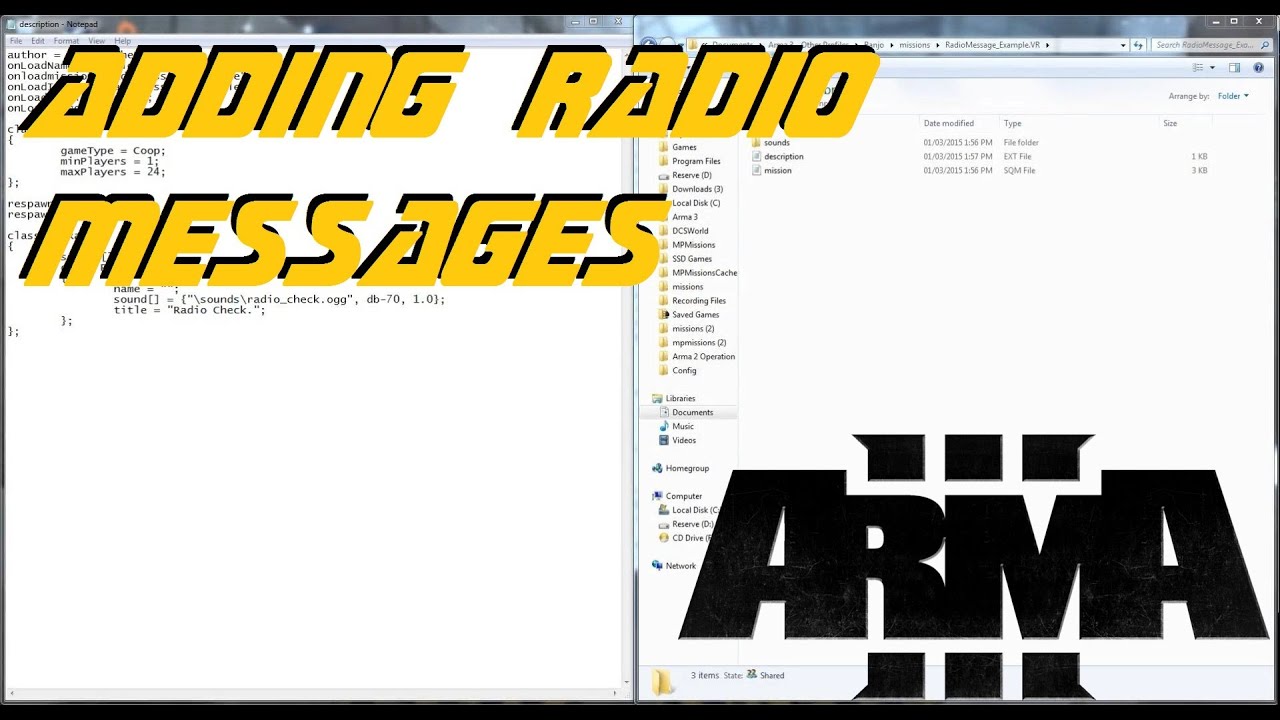
Today I demonstrate the process of adding recorded audio files as custom radio messages in ARMA 3. The recorded files must be in .ogg format and they must be declared under the cfgRadio section of your description.ext file.
Here is a link to an example mission - http://www.mediafire.com/download/uru9l4haw09ytu0/RadioMessage_Example.VR.rar
AR...
but they're just not... there?
tender fossil
You can send them to me if you wish, can convert them into radio sounds
tardy osprey
tender fossil
You can send them to me if you wish, can convert them into radio sounds
I'm not sure how convenient that would be. It's a basically a briefing over the radio while the players are being helicoptered in. It would have to be more than just 3 files.
Are the sounds in the video above not vanilla though?
tender fossil
tardy osprey
I'm not sure how convenient that would be. It's a basically a briefing over the ...
I can edit them quite quickly, so unless you have hundreds of the audio files, am happy to assist
tardy osprey
tender fossil
I can edit them quite quickly, so unless you have hundreds of the audio files, a...
that's not the issue though. I have a sample from an old mission where it seems to work including the vanilla radio background. I'm just wondering why its not working now.
tardy osprey
tender fossil
Made a quick example just in case
Cheers, but it's not what i'm looking for.
https://youtu.be/c7uemzaRW9E?si=QtMi5zWvZzIYMBAB&t=399 Timestamp 6:39 as an example. The voice is amplified as the character speaks on the Sideradio instead of direct. As well as you can hear background static, and beginning and end of radiomessage sounds. That's what i want. Nothing more.
#Arma3 #Arma3campaign #Arma3EastWind #Arma3walkhtrpugh #1440p
East Wind Mission 1 - Drawdown 2035
ARMA 3 Campaign Gameplay Walkthrough [ 2K 60fps ]
The East Wind
https://armedassault.fandom.com/wiki/The_East_Wind
Arma 3 made by Bohemia Interactive
my pc
Operating System
Windows 10 Enterprise 64-bit
CPU
Intel Core i7 7700K @ 4.20GHz (4...
tender fossil
tardy osprey
Cheers, but it's not what i'm looking for.
https://youtu.be/c7uemzaRW9E?si=QtMi...
No worries, made it mostly for fun 😅 But yeah, no idea why it doesn't work
tardy osprey
yeah i dont know what the fuck to do at this point, fucking typical. it's that meme where something wroks and you dont know how, and then something doesnt work and you still dont know why...
winter rose
tardy osprey
Cheers, but it's not what i'm looking for.
https://youtu.be/c7uemzaRW9E?si=QtMi...
oh that's using the Conversations system 🙂
https://community.bistudio.com/wiki/Conversations
tardy osprey
winter rose
oh that's using the Conversations system 🙂
https://community.bistudio.com/wiki/...
I unfortunately dont have the time to learn this, i'm hosting said mission in about 3 hours. I've just been fighting this problem for a while now. I found a way to have it propagate naturally using sleep and other things without issues. It just still doesnt actually have the radio background.... What's more infuriating, is how i'm literally using the same script for this new mission, that i used for a previous one. And it only semi works. I've changed nothing except for variables. It just sounds like i'm speaking in the in-game chat, which is not the results i'm looking for.
 still forum
fast abyss
Can someone show me the script on how to increase the speed of vehicles? For exa...
still forum
fast abyss
Can someone show me the script on how to increase the speed of vehicles? For exa...
vehicle setVelocityModelSpace [0, 200, 0]
That is 200m/s though, I don't know the translation to mph
winter rose
* 3.6
 south swan
3.6 is for kph, not mph 🙃
tardy osprey
@winter rose @tender fossil Well i know why it doesnt work now. I used a 3CB character that i wanted to say the voice lines. So while the voice lines themselves weren't an issue, i dont think the 3CB unit was compatible with the base game feature. Putting down a regular nato guy solved my problem. It works fine now....
winter rose
tardy osprey
<@137855151120711680> <@106336240990707712> Well i know why it doesnt work now. ...
very weird! I am surprised by that actually. but GG on finding the issue 👍
tardy osprey
winter rose
very weird! I am surprised by that actually. but GG on finding the issue 👍
i felt like i was aging 10 years with the amount of stress that was mounting on my shoulders. it's so dumb sometimes how these things suddenly work
 earnest ether
can someone tell me the what is executed earlier, the file defined in my config.cpp -> CfgFunctions -> class -> myFile.sqf with postInit = 1 or the init.sqf in the mission folder?
tender fossil
earnest ether
can someone tell me the what is executed earlier, the file defined in my config....
earnest ether
ah ok, so postinit first then init.sqf in missionfolder. thank you
tender fossil
@tardy osprey Thanks for the inspiration regarding the radio effect btw, I played around with the editing a bit and managed to produce a slightly better TETRA transmission simulation than before 😅 But I'm getting offtopic so yeah
fast abyss
still forum
`vehicle setVelocityModelSpace [0, 200, 0]`
That is 200m/s though, I don't know ...
XD
You guys take 200 miles per second seriously
fast abyss
still forum
`vehicle setVelocityModelSpace [0, 200, 0]`
That is 200m/s though, I don't know ...
Don't work
Says error ;
south swan
vehicle was used as a placeholder here, if you copy that literally it would be a syntax error 🙃
fast abyss
Oal
is that syntax?
vehicle setVelocityModelSpace [0, 200, 0]
Invalid number
What
south swan
vehicle player setVelocityModelSpace [0, 200, 0];. Or MUH_vehicleVarName setVelocityModelSpace [0, 200, 0]; if you name the vehicle as such 
https://community.bistudio.com/wiki/vehicle is a command, it requires right argument if you use it
fast abyss
I'm putting this on Initiate
It's correct?
MUH_vehicleVarName setVelocityModelSpace [0, 200, 0];
 fast abyss
Ah, he continued at the same speed, how strange
fast abyss
fast abyss
`MUH_vehicleVarName setVelocityModelSpace [0, 200, 0];`
It's only for planes?
Anyone know if it's possible to change this vehicle name?
 winter rose
not through scripting, only config
tardy osprey
tender fossil
<@388306258270224385> Thanks for the inspiration regarding the radio effect btw,...
Lol no problem i guess.
 north coyote
Hey, I need help
I'm in a community that has about 50-60 active players and I was asked to make a roleplay server like Arma 3 Altis , but there were difficulties due to the fact that there are no mods that give money on the steam workshop, that is, the marketing and financial system that I need, so I'm wondering if there is any script or mod that I could use for that purpose
Also I can't find a script or a mod regarding the shopping system.
Like a gun shop, shop, pharmacy and staff like that
 serene onyx
Is anyone who know how to connect rope to moving bone of vehicle without crashing arma? (few updates ago this was fixed and now it not work again, this is forbiden feature in A3? to prevent make cranes for example?)
 little raptor
serene onyx
Is anyone who know how to connect rope to moving bone of vehicle without crashin...
little raptor
serene onyx
Is anyone who know how to connect rope to moving bone of vehicle without crashin...
Connect it thru a dummy object maybe?
Anyway, this shouldn't crash the game. Make a bug report on feedback tracker
fast abyss
@south swan It's possible to only increase the speed animation of the vehicle?
little raptor
No
little raptor
fast abyss
<@139786018768420864> It's possible to only increase the speed animation of the ...
What are you trying to make?
fast abyss
@little raptor it's possible change engine power? Of a vehicle
serene onyx
🙂 specially in Helicopter in A3 (better change mass it make the same effect like add power to engine - strange don't you think?)
for luck in vehicles it work correctly
but I supose you expected different solution for ti like command in type setenginepower = 1.3
winter rose
fast abyss
<@360154905148653568> it's possible change engine power? Of a vehicle
through config, not scripting
serene onyx
other solution is use looped script with addforce or velocity vector used on this vehicle
by config sure it is
you using land vehicle (tank/car?)
enginePower = 170; in config (value in kW)
fast abyss
Ok for this, i open the configs ingame?
Or i only can change with the game closed on the folder?
little raptor
You must close the game
serene onyx
maybe with DEV you can try to reload on eden after change but you must have dev version
not all config entries are reloaded withthis method
but it help to adjust many variables in config without relopading game after every change
serene onyx
I am glad that someone is happy from GPT help - for me every time it help like piuple in shool trying to lie that he know somthing
little raptor
little raptor
Oh wait I confused you with the other guy 🤣
I was like why do you ask questions if you know the answer?!
I hate mobile discord...too small 
and I scroll too fast...
serene onyx
you know some time ago I was thinking that GPT is mart until I try to give him problems to solve what I done (the best method of test - when you know end result and you can compare)
so for very simple tasks it is ok but for non standard and complicated it unuseless
 small iron
Question in regards to the USS Freedom:
I was hoping to script the animations for the blast deflectors, however in the EDEN Editor, the USS Freedom is grouped together as one object. The script requires the individual part of the USS Freedom in order to run the animation. How do I go about referencing the individual object?
 digital hollow
small iron
Question in regards to the USS Freedom:
I was hoping to script the animations f...
small iron
digital hollow
https://discord.com/channels/105462288051380224/105463244310728704/7969723379743...
digital hollow
small iron
Question in regards to the USS Freedom:
I was hoping to script the animations f...
small iron
digital hollow
https://discord.com/channels/105462288051380224/105463244310728704/7969723379743...
🙏
Thank you!
 dire island
Is there a method of comparison that is robust to multiple datatypes? If I run if (var != "") then {... and var is an array, it throws an error despite an array obviously being != any string.
hallow mortar
isEqualTo
granite sky
isEqualType is also good if you care about the type rather than the value.
 fleet magnet
Can someone help me.. Im stuck. For altis life why dont this payout the winning amount to players bank .
Client side:
Pastebin
Pastebin.com is the number one paste tool since 2002. Pastebin is a website where you can store text online for a set period of time.
Server side:
Pastebin
Pastebin.com is the number one paste tool since 2002. Pastebin is a website where you can store text online for a set period of time.
 dusk gust
fleet magnet
Can someone help me.. Im stuck. For altis life why dont this payout the winning ...
dusk gust
fleet magnet
Can someone help me.. Im stuck. For altis life why dont this payout the winning ...
Do the diag_logs print to the rpt properly?
Do the hints display properly?
fleet magnet
yes
21:28:32 "LOTTERY: Winner drawn: ander (UID: HIDDEN), prize: $475000"
21:28:32 "LOTTERY DEBUG: Winner object found: true" esample
HIDDEN = HIDDING MY STEAM ID here
But im pretty sure i doen wrong on server. And should call this under TON_ instead of Life_
TON_ INSTEAD OF LIFE_
dusk gust
Take a look to see where you defined the script, and what the extension is. Take a look at other functions; If everything else is prefixed with TON and you're using the AsYetUntitled framework, then yes, you need it to be TON
fleet magnet
I though so. But the BANK should work seens it defined in macro ? But do you recommend trigger the payout on server or client side ?
BANK variable
dusk gust
Doing things from server-side is normally encouraged in terms of security/variable modifying, but it would be a bit more work than what you have currently.
The FETCH_CONST macro is just calling whatever variable you give it; So it'll actually return a number.
missionNamespace setVariable [FETCH_CONST(BANK), _bankAfter];
Wont work.
I'm not sure what variable you use for bank and/or cash, so I can't say if those are the ones you want to use, little hard to help in this case
fleet magnet
what if i use the TON_fnc_addBank; ?
dusk gust
I don't think that exists. I'd suggest finding some place in the code that it already adds to the bank and use it
 warped linden
Are the post processing effects only globally executed?
I'm asking because I can't seem to get it to execute for some players and not others
dusk gust
warped linden
Are the post processing effects only globally executed?
All ppEffect commands are local to the client executing it
warped linden
dusk gust
All ppEffect commands are local to the client executing it
Okay, so if I remote exec it on only one player, it shouldn't affect other players right?
dusk gust
warped linden
Okay, so if I remote exec it on only one player, it shouldn't affect other playe...
Correct
fleet magnet
I think i found the way to do it now
fleet magnet
All works @dusk gust Thanks for your help 🙂
 wind pawn
Yet another dumb question from Thatoneguy: is it possible (if so, how) to use the debug console to complete tasks? Using taskCompleted [task] in the debug console does nothing
Reason I want to do this is because some of my tasks aren't being assigned correctly & I don't want to have to run through the entire mission multiple times just to troubleshoot
hallow mortar
taskCompleted is a getter, not a setter, so no surprise it doesn't do what you need
You probably want https://community.bistudio.com/wiki/BIS_fnc_taskSetState
wind pawn
hallow mortar
`taskCompleted` is a getter, not a setter, so no surprise it doesn't do what you...
Yeah that's what I figured. Couldn't find tasksetstate
Thanks
wind pawn
Is there something wrong with this condition expression? I cannot for the life of me get this one task to activate, even though similar expressions work elsewhere in the scenario
 dusk gust
I'd assume one of the task variables are either nil or not completed
dusk gust
The variable doesn't exist is what I mean
wind pawn
Ah
They all exist. That was the first thing I checked lol
Also I'd assume if the debug console works on them then they'd also register with a trigger, right?
dusk gust
As long as the trigger is actually getting triggered, and that condition is true, then yes
wind pawn
Is it possible for the trigger to remain untriggered while the condition to be true?
With this condition, at least
Because at this point I'm certain the condition is true
warm hedge
...What. The point of trigger is it triggers when the condition is true
You sure all taskCompleted task1a1 etc are true or false properly?
wind pawn
warm hedge
...What. The point of trigger is it triggers when the condition is true
Yeah lol. Its just that unless its somehow not always the case idk why it wouldn't trigger. I know that the tasks have been completed, because I used the debug console to manually complete them
warm hedge
warm hedge
You sure all `taskCompleted task1a1` etc are `true` or `false` properly?
The point of my test I mention: don't wrap the entire code into and but evaluate each of them one by one
wind pawn
Yeah I've done that too, and also doesn't seem to work
granite sky
Type this into the debug console and see what it returns:
[task1a1, task1a2, task1b, task1c] apply { taskCompleted _x }
wind pawn
I receive [bool,bool,bool,bool]
granite sky
uh
 warm hedge
That means these tasks are undefined
wind pawn
How would I go about defining them?
warm hedge
How do you make these tasks is the question, I think
wind pawn
This is the general setup of them with a screenshot of the CreateTask settings for task1a1, which is representative of all of the tasks. Since tasks 1a1, 1a2, 1b, and 1c are assigned at the start of the mission they don't have triggers sync-ed to the CreateTask module (I was initially using a condition: this trigger to assign them at start but that wasn't working like it normally does, so I dropped them). The rest of the tasks in the mission are triggered by various other actions and activate fine up until the return to FOB task, which is only reliant on 1a1-1c (the rest are bonuses, so to speak). Once the taskobjective trigger is activated, it triggers the SetTaskState to mark the task as complete.

 wind pawn
No, I run it in single player preview
warm hedge
No, you run the Debug in Eden
wind pawn
warm hedge
How do you make these tasks is the question, I think
What do you mean by this? I thought you were asking how I arranged the modules within eden
wind pawn
warm hedge
No, you run the Debug in Eden
Huh?
warm hedge
Eden in this context is the "workspace", not Preview
Your picture shows you ran the Debug Console in Eden
warm hedge
wind pawn
What do you mean by this? I thought you were asking how I arranged the modules w...
Correct. But I realized what I believe after your picture maybe wrong so I'm asking Debug thing again
wind pawn
Only because I forgot to take a screenshot in the preview. I ran the debug in both, it doesn't change the results
wind pawn
wind pawn
This is the general setup of them with a screenshot of the CreateTask settings f...
In this picture, the trigger triggers the SetTaskState module to complete the task
warm hedge
Also, what about just check task1a1 and the variable itself is defined?
wind pawn
It still returns the same. I've also double checked that the variable name of the module is the same as the one being referenced, and it is
 warm hedge
That may mean the task module is not even running
wind pawn
If I use the full BIS_fcn it returns true
warm hedge
?
wind pawn
Like so: "task1a1" call BIS_fnc_taskCompleted;
wind pawn
So in my trigger conditions I should add BIS_fnc to the functions?
warm hedge
"task1a1" call BIS_fnc_taskCompleted
wind pawn
wind pawn
Is there something wrong with this condition expression? I cannot for the life o...
This is what the return to fob task activation trigger looks like now

All of the tasks return true/false to the command in the preview debug window (true when they've been completed, obviously)
I think I'm gonna call it a night lol. Any feedback will still be appreciated but I probably won't get back until the morning
Thanks for all your help POLPOX :)
 sonic jewel
Does anyone know the difference in who can hear for playSound and playSoundUI? I've seen online that playSound only plays locally, but I have no idea about playSoundUI.
dusk gust
sonic jewel
Does anyone know the difference in who can hear for playSound and playSoundUI? I...
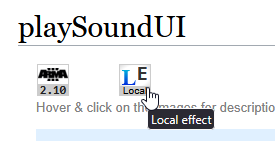
Both playSound and playSoundUI only affect the client who executed it.
https://community.bistudio.com/wiki/playSoundUI
You can see at the top of the wiki page what is local effect vs global effect.
https://i.imgur.com/qsP7bNF.png
 sonic jewel
I see. Even playMusic seems to be local, even though I thought it was global.
So to fix this problem, I would need to do remoteExec ?
dusk gust
Either remoteExec it, OR use one of the global commands.
https://community.bistudio.com/wiki/createSoundSource
https://community.bistudio.com/wiki/playSound3D
If you want it to be a constant volume that doesn't change with distance or what not, remoteExec might be your best bet
sonic jewel
ok I will give it a go, maybe get a friend to help me test it
pallid palm
@sacred turtle ( you do not want the setRespawnDelay=180; in the onPlayerRespawn, sqf ) you want the setRespawnDelay=180; in the Description.ext,,,,, and no the loadout part is not necessary, only if you want soldiers to respawn with the same gear they starterd with
@sacred turtle if you want i can make an exsample mission and i can send you
or if you want we can go on chat and i can explane more of how to make the BIS_fnc_EGSpectator work better for you
 versed belfry
Hello :D
Quick question, is there a way to receive text input from the player during the briefing screen / map screen before loading onto the game?
pallid palm
i think yeah cant you just text chat
cuz the voice works also
in game
or is this on a Dedicated server ?
Most of the time (we must give lots more info) on the (Sit-rap at hand) so we can better understand what you are asking imho
versed belfry
pallid palm
i think yeah cant you just text chat
It has a limit and what I am trying to do is input a rather large string
versed belfry
pallid palm
or is this on a Dedicated server ?
On a dedicated server, so there is this website https://maps.plan-ops.fr which is used to make plans for Arma 3 OPs
pallid palm
so cant you just put this stuff in the breifing
versed belfry
It allows players to export the plan to Arma 3, but what they would export is something like:
We take the input, and only care about the data array so the players don't need to think, copy paste and tada, you have the plan imported.
I use an input menu mod but that only works in-game after people have loaded
I want a way to take this text input during briefing screen / map screen before loading in if that is possible.
versed belfry
pallid palm
so cant you just put this stuff in the breifing
If you mean manually marking it? then no, the whole goal is to automate it for large plans to not wait too long for the plan to be drawn.
pallid palm
i see well, for me, i would just make a Animated_Briefing
versed belfry
Wouldn't that require the plan to be known a head of time as the mission is being built?
What I am trying to do is specifically to allow players to import their own plan at mission start
pallid palm
ummm yeah i guess it would
seems like a lot of work for something that could be talked about in voice,, but i guess we all dont have a mic
warm hedge
I would just take ctrlCreate and some Event Handlers. Which I can't write some snippets right now
versed belfry
pallid palm
seems like a lot of work for something that could be talked about in voice,, but...
The plan can be talked about in voice but it still needs to be marked so non-leadership follows it and also so well... things are marked.
Each community runs it differently 🤷♂️
versed belfry
warm hedge
I would just take ctrlCreate and some Event Handlers. Which I can't write some s...
Will take a look thank you, I have a feeling this is a new alleyway into SQF that I'll be beaten in xD
pallid palm
but dont the plans change as the mission gos on because of well you know like people dieing and stuff
i kinda like each team to plan on the fly cuz of so much changes in my dinamic missions
versed belfry
pallid palm
but dont the plans change as the mission gos on because of well you know like pe...
Smaller details might but the general jest often remains the same. In the case that there is such a high casualty number then at that point one would just draw over the current plan:
https://maps.plan-ops.fr/ViewMap/18904
This plan above is an example that would work even in case of casualties.
My goal of figuring this out is to try and reduce all wait times the player have, even if it is by a minuet or two, so once they are in-game, the plan is ready, they brief quickly, and then get going into the mission.
pallid palm
sounds good
lol what about people spending hours at the ammo box lol
i remember way back in OFP we used to spend so much time talking about the mission plan that we hardly ever got started,
versed belfry
We don't do that, our loadouts are ready the moment you load in, you get what the mission maker gave you, and if there is any fancy box it gets deleted within 5 minutes usually
versed belfry
In what sense? in coding it? or do you mean something else?
pallid palm
yeah in coding
versed belfry
Everything, I never touched UI or ctrlCreate xD
pallid palm
imho i think the mission should be started and then you should make a plan
cuz that would be more like real life
versed belfry
Realism is not on the top of our priority in that regards, plus in most operations you have a plan ready a head of time [which we do].
I am simply trying to find a way to transfer that plan through text input.
Will need to check with a friend to see if he knows how to use ctrlCreate or UI in general
warm hedge
I know. I just can't touch PC for more than 24 hours
pallid palm
copy that m8
versed belfry
warm hedge
I know. I just can't touch PC for more than 24 hours
Okie dokie, I'd apperciate any help once you get the time, no rush in that :D
pallid palm
in most of all my missions any OBJ can be engaged in any order so depending on what plane you decied on can effect the enemy and how they react its awsome
warm hedge
Some keywords I can throw rn:
ctrlCreate "RscEdit" ctrlText
pallid palm
nice
i better get to bed im GOLFing in like 6 hrs i must be ready to win! woohoo see u m8s
versed belfry
pallid palm
in most of all my missions any OBJ can be engaged in any order so depending on ...
Yea we build missions differently and also the system I am working on is to be used by all other mission makers in our community 😅
versed belfry
warm hedge
Some keywords I can throw rn:
`ctrlCreate` `"RscEdit"` `ctrlText`
Will look into them and see if I can grasp some of it
Ty
still forum
versed belfry
Hello :D
Quick question, is there a way to receive text input from the player d...
On the map screen, yes.
You can open a text box to paste text into.
Triggering that to open is just something to be solved. Do you have CBA? You could use a chat command.
In my unit we use TacControl to import markers, but that's a bit overkill for this 😄
versed belfry
still forum
On the map screen, yes.
You can open a text box to paste text into.
Triggering t...
I do have CBA, I was also thinking of using a diary entry like the attached picture, if the player clicks the highlighted text, a function is triggered.

Not sure if that works in briefing screen yet, need to test it.
still forum
Yeah that was my first thought, but I don't know how to do that xD
But I do know how to register a CBA chat command
versed belfry
Fair enough, if that doesn't work then CBA chat commands it is
hallow mortar
still forum
Yeah that was my first thought, but I don't know how to do that xD
But I do know...
(execute and executeClose structured text tags)
 upbeat pine
Hey, currently trying to figure out how the "rope mechanic" (Command Group: Ropes and Sling Loading) works. Is it possible to Attach a Rope to an Unit Animator? (POLPOX). Cant seem to figure it out tbh. POLPOX got his own build in "ropes" but i cant get them to work either. Any tips?
 proven charm
maybe this helps: https://community.bistudio.com/wiki/setSlingLoad
upbeat pine
thanks, ill give it a try 🙂
stable dune
hallow mortar
(execute and executeClose structured text tags)
And it seems you can set a picture clickable, and call x function with "<execute.."
 high ledge
Hello, is there a script that disables the vanilla view zoom in Arma 3?
little raptor
I think the only way is blocking the keys for all zoom actions
 tawdry swan
I'm trying to incorporate Controller support for the Gcam mod and I'm running into issues with drift without input. I know it's not advised but Ive been having Chatgpt help me since I'm new to scripting.
would this be the way y'all would do the input for controllers?
while {_l} do {

    // Read controller input for movement:
    private _fwdVal    = inputAction "User10";   // Left stick vertical (forward/back)
    private _strafeVal = inputAction "User11";   // Left stick horizontal (left/right)

    // Apply dead zone using if/then:
    private _forwardInput = 0;
    if (abs _fwdVal > _deadZone) then {
        _forwardInput = _fwdVal;
    };

    private _strafeInput = 0;
    if (abs _strafeVal > _deadZone) then {
        _strafeInput = _strafeVal;
    };
Thank you in advance
little raptor
tawdry swan
I'm trying to incorporate Controller support for the Gcam mod and I'm running in...
It's reading the input from User10/11 keybinds. It's not reading them from the "controller"
If the controller is analog it should be fine otherwise no
Also using while is bad (or better said, using the scheduled env is bad) because it can skip frames due how the scheduler works
tawdry swan
little raptor
It's reading the input from User10/11 keybinds. It's not reading them from the "...
Thank you for your help. Any suggestions on how I could make this work, or specific functions/statements I can look into on the Arma 3 wiki to point me in the right direction?
little raptor
Since you're trying to add this into gcam it depends how it works. Does it use a while loop too?
You can upload the relevant gcam script on pastebin or something
tawdry swan
Pastebin
Pastebin.com is the number one paste tool since 2002. Pastebin is a website where you can store text online for a set period of time.
little raptor
tawdry swan
https://pastebin.com/AZhveGx0
Is this the original script or the one from chatGPT?
tawdry swan
That is is the chatgpt spit out. This is the Original Gcam script https://pastebin.com/jTZDNLzt which utilizes DIK for using the keyboard and mouse,
Pastebin
Pastebin.com is the number one paste tool since 2002. Pastebin is a website where you can store text online for a set period of time.
little raptor
tawdry swan
That is is the chatgpt spit out. This is the Original Gcam script https://pasteb...
this is just so messy. there's no easy way to add controller support
it just has to be rewritten from scratch
tawdry swan
Well I appreciate you helping me, and at least being up front about it.
tawdry swan
little raptor
this is just so messy. there's no easy way to add controller support
Last question then I'll stop bugging you. Would you recommend the usage of camCreate to make a similar type mod for controller support?
(I understand that spectator and Splendid camera somewhat supports Controller function) more so I'm hoping to incorporate some of the smoothing effects that Gcam has and start from scratch, that way it can be enabled while in game and alive or as a zeus.
little raptor
tawdry swan
Last question then I'll stop bugging you. Would you recommend the usage of camCr...
camCreate just creates the camera
did you mean camCommand?
tawdry swan
Thank you, I'm drowning here but trying to learn.
 plain scaffold
I'm having a problem with scaled objects in my Arma 3 dedicated server mission. I've scaled some walls up to 2x and attached them to another object in eden. Everything looks great in the editor, but when I start the mission on the server, the walls rotate to a different direction.
Is there any way on how I could keep these scaled objects from changing their rotation in multiplayer?
 fleet sand
plain scaffold
I'm having a problem with scaled objects in my Arma 3 dedicated server mission. ...
fleet sand
plain scaffold
I'm having a problem with scaled objects in my Arma 3 dedicated server mission. ...
How are you scaling objects ?
Also how are you attaching objects what is the code?
little raptor
tawdry swan
Thank you, I'm drowning here but trying to learn.
Well what you're trying to do is a bit too difficult for a starter script
stable dune
plain scaffold
I'm having a problem with scaled objects in my Arma 3 dedicated server mission. ...
How you attach those and do you change attached object vector dir and up to correct values after attaching?
 formal grail
Is there a way to animateSource locally? I want to trigger an animation on each machine but I don't want the animation state to sync.
stable dune
formal grail
Is there a way to animateSource locally? I want to trigger an animation on each ...
With animate and animate source events, no.
Both are with global args and global effect so it will be broadcasted for every client + server.
formal grail
stable dune
With animate and animate source events, no.
Both are with global args and global...
Oh sad. Thanks.
formal grail
plain scaffold
I'm having a problem with scaled objects in my Arma 3 dedicated server mission. ...
Always change rotations first before you scale or move an object. Attachment can also cause some issues. One thing I've had to do before was: attach, change direction, attach again.
stable dune
You can simply do
    _obj attachTo [_toObj,[0,0,0]];
    _obj setVectorDirAndUp [[0.0,-1,0],[0,0,1]];
see https://community.bistudio.com/wiki/attachTo example 4 / 5
formal grail
Be careful with the code examples on that page if you are changing attachment and changing direction. In some cases, it can break.
 runic warren
I need a little bit of help, I have a playable soldier and a trigger. Playable soldier is set to trigger owner. My question is, how can I make the trigger fire every time the player respawns? I tried setting it to repeatable and setting onPlayerRespawn in Condition but that doesnt seem to work.
Type None
Activation Owner Only
Activation Type Present
Repeatable On
For a bit more context, I want to set my players with custom faces on a dedicated server and I figured out the easier way to do it without having to do it with Variable names would be to do it via triggers
 faint burrow
You should use event handler: https://community.bistudio.com/wiki/Arma_3:_Event_Handlers#Respawn
runic warren
that seems to have worked, thanks!
still need to test on the dedi but it looks good so far
plain scaffold
fleet sand
How are you scaling objects ?
Hey, thanks for the questions!
Basically, I start by scaling the walls in the editor to get the right look, then position them carefully. I use this code in each wall: [this, Magic] call BIS_fnc_attachToRelative; this setObjectScale 2.0; to attach them to an object called "Magic"which will convert the walls into simple objects so I can scale them up. Everything looks good in the editor, but on my server, the walls change direction. I assume I need to adjust something called "vectorDirAndUp," but I'm not sure how to find the right values, and the debug console isn't working for me. I am scaling after attaching, and have not tried other methods such as changing the command order, or attaching, changing direction, and attaching again. So, I'm really stuck on how to keep the walls facing the right way in multiplayer.
plain scaffold
stable dune
How you attach those and do you change attached object vector dir and up to corr...
^
stable dune
plain scaffold
^
Are you calling this in init of object?
If you are , BIS_fnc_attachToRelative args are global, so you need ->
add to
if (local this) then {
  [this, Magic] call BIS_fnc_attachToRelative; this setObjectScale 2.0;
};
so your event is only called there where your object is local
 rose vector
Is there a way to return the position of the nearest player?
 tulip ridge
rose vector
Is there a way to return the position of the nearest player?
tulip ridge
rose vector
Is there a way to return the position of the nearest player?
Nearest is relative
rose vector
I meant nearest to an object for example, I could have specified that better
It is late in my defence
tulip ridge
Easiest way is probably just a https://community.bistudio.com/wiki/nearestObjects for "CAManBase" (units), then filter that list by players
granite sky
You can use Man but that also finds dogs :P
nearEntities is faster but doesn't sort.
tulip ridge
They wanted the closest player
When I've tested in the past, nearEntities and sorting manually was slower
rose vector
Thank you again, everything works now. You have helped me create something terrible
tulip ridge
👍
Traumatizing players is what we do here
I made an active camo system just so zeuses can torture their players
 upper marten
Hi im making a campaign how can i pass the finished exact time of my first scenario to second scenario? is there a script for it?
granite sky
I guess you'd use some sort of endMission event handler to set a value in profileNamespace.
If you're using the editor I would expect there was a script box somewhere for mission-end code, but I don't remember one.
upper marten
granite sky
If you're using the editor I would expect there was a script box somewhere for m...
okay thanks for that
little raptor
upper marten
Hi im making a campaign how can i pass the finished exact time of my first scena...
Use this instead:
https://community.bistudio.com/wiki/saveMissionProfileNamespace
It's meant for missions and campaigns. Profile namespace is meant for more permanent stuff
granite sky
Doesn't work correctly on Linux servers though :/
If you're making an SP campaign then it's probably acceptable.
upper marten
granite sky
If you're making an SP campaign then it's probably acceptable.
yeah for SP campaign only
 round bison
Anyone want to help make a script for spawning missiles to target a variable name? I cant seem to get the AI to fire AA missiles at a vehicle after using unit capture to make it fly a certain path so I'd like to script in missile fire for cinematic effect.
fleet magnet
Do anyone know why i get scalar NaN on this progress bar ? ...
tender fossil
fleet magnet
Do anyone know why i get scalar NaN on this progress bar ? ...
!code
 wicked roostBOT
How to use SQF syntax highlighting in Discord
```sqf
// your code here
hint "good!";
```
↓
// your code here
hint "good!";
Also on which line exactly it fails
fleet magnet
It must be on the _pgText ctrlSetText format ["Capturing... (%1%%)", round(_progressVal * 100)]; part seens it says Capturing scalar NaN. Im pretty i just formatet the number wrong.
tender fossil
fleet magnet
It must be on the _pgText ctrlSetText format ["Capturing... (%1%%)", round(_prog...
diag_log format ["[DEBUG] Capturing Cartel %1 - Current Percent: %2", _cartelID, _currentPercent];
``` How does your RPT look like? There should be a line like thisYes i have made some RPT loggings to try to find the error
tender fossil
Also it seems you're trying to print _currentPercent on that line even though it gets initialized on the next line
private _currentPercent = missionNamespace getVariable [format["cartel_%1_percent", _cartelID], 0];
You might want to check whether _currentPercent is nil or not after this line
fleet magnet
private _currentOwner = missionNamespace getVariable [format["cartel_%1_owner", _cartelID], 0];
private _currentOwnerName = missionNamespace getVariable [format["cartel_%1_ownerName", _cartelID], "Uncontrolled"];
private _currentPercent = missionNamespace getVariable [format["cartel_%1_percent", _cartelID], 0];

// Check if _currentPercent is nil or invalid
if (isNil "_currentPercent") then {
    diag_log format ["[ERROR] Cartel %1 percent is nil! Defaulting to 0.", _cartelID];
    _currentPercent = 0;
} else {
    if !(_currentPercent isEqualType 0) then {
        diag_log format ["[ERROR] Cartel %1 percent is not a number: %2. Defaulting to 0.", _cartelID, _currentPercent];
        _currentPercent = 0;
    };
};

diag_log format ["[DEBUG] Capturing Cartel %1 - Current Percent: %2", _cartelID, _currentPercent];

if (_currentOwner == _gangID && _currentPercent >= 100) exitWith {
    hint format ["%1 already fully controls this cartel!", _gangName];
    "progressBar" cutText ["", "PLAIN"];
}; ```Well then it would be like this
tender fossil
Yeah, you can try that
round bison
I played around with AI and came up with a janky but workable solution:
SQF"
[] execVM "spawnmissiles.sqf";
_battery = battery1;
_batteryPos = getPosATL _battery;
_target = helo1;
if (isNull _target) exitWith { hint "Target 'zeus1' not found!"; };
if (isNull _battery) exitWith { hint "Battery 'battery1' not found!"; };
_missileSpeed = 300;
_missileRange = 5000;
_missileType = "M_Titan_AA";
_missileCount = 5;
_firingInterval = 10 / (_missileCount - 1);
_fireMissile = {
params ["_startPos", "_target", "_speed", "_range", "_missileType", "_battery"];
_missile = createVehicle [_missileType, [_startPos select 0, _startPos select 1, (_startPos select 2) + 2], [], 0, "CAN_COLLIDE"];
_missile setDir (getDir _battery);

_missile setVelocity [0, 0, _speed];
_startHeight = (getPosATL _missile) select 2;
waitUntil { ((getPosATL _missile) select 2) - _startHeight >= 50 || !alive _missile };

if (alive _missile && !isNull _target) then {
    [_missile, _target, _speed, _range] spawn {
        params ["_missile", "_target", "_speed", "_range"];
        _startPos = getPosATL _missile;
        _lockStrength = 1.0;

        while {alive _missile && !isNull _target} do {
            _targetPos = getPosATL _target;
            _dirToTarget = _targetPos vectorDiff (getPosATL _missile);
            _dirNormalized = vectorNormalized _dirToTarget;

            _flares = _missile nearObjects ["F_40mm_White", 100];
            if (count _flares > 0 && random 1 > 0.3) then {
                _lockStrength = _lockStrength - 0.05;
                if (_lockStrength < 0.2) then {
                    _dirNormalized = vectorNormalized (_missile getRelDir _flares#0);
                };
            };

            _missile setVelocity (_dirNormalized vectorMultiply _speed);
            _missile setVectorDirAndUp [_dirNormalized, [0, 0, 1]];

            if (_missile distance _target < 10 && _lockStrength > 0.5) then {
                deleteVehicle _missile;
            };

            if (_missile distance _startPos > _range) then {
                deleteVehicle _missile;
            };

            sleep 0.01;
        };
    };
};
};
for "_i" from 0 to (_missileCount - 1) do {
[_batteryPos, _target, _missileSpeed, _missileRange, _missileType, _battery] spawn _fireMissile;
sleep _firingInterval;
};
hint "BRACE, MISSILE LAUNCH!"; "
 vocal chasm
[this] spawn {
    params ["_jammer, _range"];
    _range = 300; // Jamming range

    _jammer setVariable ["Orders_jammerActive", True, true];

    while {(_jammer getVariable ["Orders_jammerActive", False]) && (alive _jammer)} do {
        {
            private _dist = _x distance _jammer;

            if (_dist < _range) then {
                private _strength = 1 - (_dist / _range);
                _strength = _strength max 0 min 1; // Keep within 0-1 range

                private _jamEffect = 0.05 + (_strength * 0.95); // Closer = stronger jamming

                _x setVariable ["tf_receivingDistanceMultiplicator", _jamEffect, true];
                _x setVariable ["tf_sendingDistanceMultiplicator", _jamEffect, true];

                systemChat format ["%1 is affected by jamming (Strength: %2)", name _x, _jamEffect];
            } else {
                // Reset player radio settings if out of range
                _x setVariable ["tf_receivingDistanceMultiplicator", 1, true];
                _x setVariable ["tf_sendingDistanceMultiplicator", 1, true];
            };
        } forEach allPlayers;

        sleep 5.0;
    };
};
Im getting an error at the _range section, something about an invalid expression, anybody knows what needs fixing?
hallow mortar
Incorrect params syntax
vocal chasm
hallow mortar
Incorrect `params` syntax
Putting [this] before it would fix it then?
tender fossil
[this] spawn {
    params ["_jammer"];
    _range = 300; // Jamming range

    _jammer setVariable ["Orders_jammerActive", True, true];
 // ...
``` ...I think?does not fix it, maybe if I just use Private
tender fossil
vocal chasm
does not fix it, maybe if I just use Private
What error does it print?
vocal chasm
 stable dune
You cannot use // comments in init box.
vocal chasm
ah
tender fossil
stable dune
You cannot use // comments in init box.
Ah, I was wondering that what the heck would cause that 😄
hallow mortar
vocal chasm
Putting [this] before it would fix it then?
No. Make sure you read the biki page about params, it does explain how to use it
vocal chasm
it was the '//'
hallow mortar
The params is also wrong
round bison
So, I got the missiles tracking and firing correctly, but currently they just poof out of existence instead of going boom unless they collide with terrain. instead of "Deletevehicle _missile", what should I use to make a kaboom?
hallow mortar
setDamage or triggerAmmo
 rustic bloom
i don't know if it's the right place to place this question
 native hemlock
@keen stream @jade abyss Incorrect, BIS_fnc_MP uses engine based execution now. Here is what the function now looks like http://pastebin.com/zZ2FS2PG.
warm hedge
#arma3_config it is
rustic bloom
ok
dire island
I'm trying to loop over all objects synced to a trigger and output two arrays, one with all vehicles, and one with everything else.
_vics = [];
_notVics = [];
{
    if (
        _x isKindOf "LandVehicle" or
        _x isKindOf "Helicopter" or
        _x isKindOf "Plane" or
        _x isKindOf "Ship"
    ) then {
        _vics = _vics + _x;
    } else {
        _notVics = _notVics + _x;
    };
} forEach [synchronizedObjects _trigger select 0];```
throws
"Error +: Type Object, expected Number,Array,String,NaN." which I guess makes sense, but shouldn't you be able to put objects in arrays? ``synchronizedObjects thisTrigger`` is an array of objects, so what's the deal?

When I instead do ```{
    if (
        _x select 0 isKindOf "LandVehicle" or
        _x select 0 isKindOf "Helicopter" or
        _x select 0 isKindOf "Plane" or
        _x select 0 isKindOf "Ship"
    ) then {
        _vics = _vics + _x;
    } else {
        _notVics = _notVics + _x;
    };
} forEach [synchronizedObjects _trigger];```
it runs, but it pushes everything to _notVics, even if the object is a vehicle.Also synchronizedObjects _trigger is already returns an array of objects, so synchronizedObjects _trigger select 0 returns the first object, and [synchronizedObjects _trigger select 0] is an array containing just the first synchronized object.
native hemlock
You can still use BIS_fnc_MP but might as well use remote execution for those precious fractions of a millisecond
dire island
_x isKindOf "LandVehicle" throws "Error isKindof: Type Array, expected String, Object", though?
faint burrow
With what code?
dire island
faint burrow
With what code?
    if (
        _x isKindOf "LandVehicle" or
        _x isKindOf "Helicopter" or
        _x isKindOf "Plane" or
        _x isKindOf "Ship"
    ) then {
        _vics = _vics + _x;
    } else {
        _notVics = _notVics + _x;
    };
} forEach [synchronizedObjects _trigger];```[synchronizedObjects _trigger] is [[obj1, obj2, ...]], so yes, _x is an array.
dire island
    if (
        _x isKindOf "LandVehicle" or
        _x isKindOf "Helicopter" or
        _x isKindOf "Plane" or
        _x isKindOf "Ship"
    ) then {
        _vics = _vics + _x;
    } else {
        _notVics = _notVics + _x;
    };
} forEach synchronizedObjects _trigger;``` returns "Error +: Type Object, expected Number,Array,String,NaN." while using ``pushBack`` instead of ``+`` returns ```_vics == 0
_notVics == 0``` so something is still fucky.Do you even read what I wrote? The answers are given above.
dire island
faint burrow
Do you even read what I wrote? The answers are given above.
where?
faint burrow
dire island
faint burrow
https://discord.com/channels/105462288051380224/105462984087728128/1350470652829...
yes, and none of the methods described for adding elements to an array work. + and append both throw errors, and pushback gives non-array output. The word "Object" does not appear anywhere in that article, and the issues I'm having seem to have something to do with adding objects to an array.
faint burrow
This means that you wrote your code incorrectly.
dire island
faint burrow
This means that you wrote your code incorrectly.
yes, obviously, otherwise it would work.
south swan
_vics = _vics + _x; is not _vics = _vics + [_x];. Surprised face.
_vics = _vics pushBack _x; is not _vics pushBack _x;. Extra surprised face.
faint burrow
Regarding adding objects to an array:
 dire island
south swan
`_vics = _vics + _x;` is not `_vics = _vics + [_x];`. Surprised face.
`_vics = _...
dire island
south swan
`_vics = _vics + _x;` is not `_vics = _vics + [_x];`. Surprised face.
`_vics = _...
_vics + [_x] worked, thanks 👍
tulip ridge
dire island
``_vics + [_x]`` worked, thanks 👍
Just use pushBack
 shut basin
Is there anyway to edit the falling speed of players? I have noticed, there is no difference vertical speed between holding W or just letting yourself fall in freefall. That would be a very nice thing to control.
proven charm
i suppose with https://community.bistudio.com/wiki/setVelocity you could control the maximum descend velocity
 modern osprey
private _ctrlGroup = _display ctrlCreate ["RscControlsGroup"];
_ctrlGroup ctrlSetPosition [0.1 * safezoneW + safezoneX, 0.2 * safezoneH + safezoneY, 0.8 * safezoneW, 0.6 * safezoneH];
_ctrlGroup ctrlCommit 0;
private _ctrlPlayersList = _display ctrlCreate ["RscControlsGroup", -1, _ctrlGroup];
_ctrlPlayersList ctrlSetPosition [0, 0.1, 1, 0.9];
_ctrlPlayersList ctrlCommit 0;
private _list = [1,2,3,4,5,6,7,8,9,10,11,12,13,14,15,16,17,18,19,20,21,22,23,24,25,26,27,28,29,30];

    private _offset = 0;
    {
        private _ctrlBackground2 = _display ctrlCreate ["IGUIBack", -1, _ctrlPlayersList];
        _ctrlBackground2 ctrlSetPosition [0, _offset, 1, 0.07];
        _ctrlBackground2 ctrlSetBackgroundColor [0, 0, 0, 0.7];
        _ctrlBackground2 ctrlCommit 0;

        private _ctrlNickTitle = _display ctrlCreate ["RscStructuredText", -1, _ctrlPlayersList];
        _ctrlNickTitle ctrlSetPosition [0.01, 0.01, 0.6, 0.035];
        _ctrlNickTitle ctrlSetStructuredText parseText format ["<t size='0.8'>%1</t>", _x];
        _ctrlNickTitle ctrlSetFont "PuristaMedium";
        _ctrlNickTitle ctrlSetTextColor [1, 1, 1, 1];
        _ctrlNickTitle ctrlCommit 0;

        _offset = _offset + 0.073;

    } forEach _list;
I am creating a group, within which I am creating another group.
I expect the elements inside the second group to be positioned relative to the second group, but this is not happening.
 proven charm
looks like all _ctrlNickTitle are created at same position (Y = 0.01)
modern osprey
Oh, I threw the wrong code.
private _list = [1,2,3,4,5,6,7,8,9,10,11,12,13,14,15,16,17,18,19,20,21,22,23,24,25,26,27,28,29,30];

private _offset = 0;
{
    private _ctrlPlayerBlock = _display ctrlCreate ["RscControlsGroup", -1, _ctrlPlayersList];
    _ctrlPlayerBlock ctrlSetPosition [0, _offset, 1, 0.07];
    _ctrlPlayerBlock ctrlCommit 0;

    private _ctrlBackground2 = _display ctrlCreate ["IGUIBack", -1, _ctrlPlayerBlock];
    _ctrlBackground2 ctrlSetPosition [0, 0, 1, 1];
    _ctrlBackground2 ctrlSetBackgroundColor [0, 0, 1, 1];
    _ctrlBackground2 ctrlCommit 0;

    private _ctrlNickTitle = _display ctrlCreate ["RscStructuredText", -1, _ctrlPlayerBlock];
    _ctrlNickTitle ctrlSetPosition [0.01, 0.01, 0.6, 0.035];
    _ctrlNickTitle ctrlSetStructuredText parseText format ["<t size='0.8'>%1</t>", _x];
    _ctrlNickTitle ctrlSetFont "PuristaMedium";
    _ctrlNickTitle ctrlSetTextColor [1, 1, 1, 1];
    _ctrlNickTitle ctrlCommit 0;

    _offset = _offset + 0.073;

} forEach _list;
Isn't it possible that if you specify a parent group, the position is not set relative to that parent group?
proven charm
same thing oh I see the new code now
and yes it should be relative coords (starting from 0,0)
earnest ether
is there any way with script commands to find out if an unit is inside in an vehicle or outside like in a open turret or in the back of a transporttruck?
 pallid palm
@tulip ridge hay Dart i want to thx you again for helping me with my Chopper command, it works awsome i'm loving it so much
your the best m8
 fluid cedar
hey guys, I did a UnitCapture of a plane and landed it. On the replay, the plane won't deploy the landing gear and everyone inside dies on impact. Is there any way to force the plane to deploy the landing gear and flaps?
pallid palm
how did you make the UnitCapture happend
fluid cedar
I set up a trigger to record movement and gunnery data, the latter of which I didn't use. I then copied the movement data into a sqf-file in the mission folder, titled "capture1.sqf". The capture works perfectly but it's only the landing gear which doesn't deploy.
I used this command on the official arma wiki "[BIS_Vehicle, 50, 30, true, 10] spawn BIS_fnc_unitCapture;"
pallid palm
see if this may help you m8 https://www.youtube.com/watch?app=desktop&v=bjNuMUHdZL8&t=5s

VEHICLES:
Recording (Trigger1):
rec = [heli1,180] spawn BIS_fnc_UnitCapture;
Init.sqf:
wp1 = compile preprocessfile "wp1.sqf" ;
Playback (Trigger2):
rec = [] spawn wp1;
Saving (wp1.sqf):
wp1 =;
[heli1, wp1] spawn BIS_fnc_Unitplay;
===================================
INFANTRY:
https://forums.bistudio.com/forums/topic/175154-functions-unitc...
fluid cedar
no the tutorial only explains how to do unitCapture but I don't have an issue with the capture. it's just that it naturally doesn't record and input other than movement or guns firing. I am looking for a way to force the plane to deploy the landing gear and flaps specifically. And I am starting to think that it may be impossible.
but thanks for the help I guess
fluid cedar
I tried to force the pilot and plane to do it but it seems that it doesn't work since it's a unitcapture
proven charm
there is a way but I forgot what it is 🙂
fluid cedar
lmao
I wish that one forum thread was available which asks my exact question
but the friggin forums are down
pallid palm
yes i just saw that
it was right there too
man i dont like when the forums are down
proven charm
pallid palm
oh awsome
fluid cedar
yeah that doesn't work I just tried it again even with a repeatable action trigger and it won't do anything
Since the AI isn't really in control of the aircraft I guess
Because it's a unitcapture
fluid cedar
proven charm
ah found it: https://community.bistudio.com/wiki/Arma_3:_Actions#LandGear
but thanks for the help
proven charm
it needs each-frame loop
fluid cedar
How do I do that?
fluid cedar
so right now I have "addMissionEventHandler ["EachFrame", { pilot1 action ["LandGear", big1]; }];" where pilot1 is my pilot and big1 is the respective plane.
it doesn't work like that, is something wrong with the code?
proven charm
try using only the plane in LandGear
fluid cedar
proven charm
try using only the plane in LandGear
as in big1 action ["LandGear", big1]; ?
fluid cedar
still no luck.
proven charm
:/
 proven charm
id make 100% sure the code runs by putting hintSilent "test"; there
fluid cedar
yeah the code runs but the gear doesn't deploy
proven charm
then idk
fluid cedar
same
I'll probably have to wait until the forum is up again
tysm for the help though
it was worth a shot
proven charm
np
hallow mortar
I was posing a helo for a screenshot recently and I found that even with an eachFrame EH, the AI was simply instantly retracting the gear again. I could tell the command was having some effect because occasionally it would take just a split second longer for the retraction to kick in, and the gear would visibly begin to extend for a moment.
The workaround I used in the end was issuing a land command to the AI. Since it now wanted to land (even though it couldn't because it was attached to something), it would happily extend the gear.
It sure would be nice if there was a command just for forcing the gear state, though.
fluid cedar
hallow mortar
I was posing a helo for a screenshot recently and I found that even with an each...
as in a waypoint or an action command?
hallow mortar
fluid cedar
ur a frickin king
it worked I just added another action command
I added planeOne action ["Land", planeOne];
and he now as you put it, gladly, puts the gear and flaps down
pallid palm
nice
 thick nova
does anyone have a holster script
 placid root
hey guys. does anyone have a function that returns the moon phase of a given date? or is there even a scriptcommand ?
dusk gust
thick nova
does anyone have a holster script
From the AsYetUntitled framework
    //Holster / recall weapon.
      if !(currentWeapon player isEqualTo "") then {
          life_curWep_h = currentWeapon player;
          player action ["SwitchWeapon", player, player, 100];
          player switchCamera cameraView;
      };

      if (!isNil "life_curWep_h" && {!(life_curWep_h isEqualTo "")}) then {
          if (life_curWep_h in [primaryWeapon player,secondaryWeapon player,handgunWeapon player]) then {
              player selectWeapon life_curWep_h;
          };
      };
@placid root https://community.bistudio.com/wiki/moonIntensity ?
placid root
the functions i found on the internet don't match bis calculations --.-
nope
just returns the brightness of the moon influenced by the overcast and stuff
 indigo snow
BIS uses the real moon calendar, make sure you adjust the time to the local timezone for the map
tulip ridge
thick nova
does anyone have a holster script
What are you wanting exactly?
Just to put the player's weapon away so they're holding nothing?
Or are you wanting to "hide" the weapon
thick nova
put the weapon in the back, just like koth or altis life, using shift+h
tulip ridge
Then just do player action ["SwitchWeapon", player, player, 299];
SwitchWeapon does what it says on the tin, it's the action for when you press 1, 2, 3, etc. to select a weapon.
The 299 is just an arbitrarily big number that doesn't have an associated weapon with it, so the game just puts away your current weapon
thick nova
but is there a way to put this in a bind
tulip ridge
Yeah, are you using CBA?
thick nova
no
forum is down for maintance
but i think my answer was there
im building deathmatch map
thats why i wanted this script
 sharp grotto
You can also make it a bit better and save current firemode, otherwise it will reset on holstering.
if (currentWeapon player != "") then
{
    PlayerHolsteredWeapon = weaponState player;
    player action ["SWITCHWEAPON",player,player,-1];
}
else
{
    if (PlayerHolsteredWeapon isNotEqualTo []) then
    {
        player selectWeapon [PlayerHolsteredWeapon #0, PlayerHolsteredWeapon #1, PlayerHolsteredWeapon #2];
    };
};
You can run something like this in an initPlayerLocal
// Display 46 is the main game display
waitUntil { !isNull findDisplay 46 };

#define DIK_H 0x23
(findDisplay 46) displayAddEventHandler ["KeyDown", {
    // _key will be a DIK key code, see https://community.bistudio.com/wiki/DIK_KeyCodes
    // _shift, _ctrl, and _alt will be true/false values for if that key is held
    params ["", "_key", "_shift", "_ctrl", "_alt"];

    if (_key == DIK_H && _shift) then {
        player action ["SwitchWeapon", player, player, 299];
    };
}];
This adds an event handler for whenever a player presses a key, so you just check if the key is the one you want and any other variables. If they're correct, then holster the player's weapon
indigo snow
Was the timing incorrect or was the moon phase incorrect?
Moon phase has always been correct from me when i use a moon phase calendar
thick nova
i created the initplayerlocal.sqf and put your code inside
anything else i need to do?
i tried and it didnt work
tulip ridge
Try adding a systemChat format ["Key: %1, Shift: %2", _key, _shift]; after the params statement
thick nova
i made an sqf file and insert your code and then i went to the game and [] execVM "Holster.sqf";
and it worked, but i dunno why it doesnt start by itself
i created an init.sqf and insert [] execVM "Holster.sqf";
but it doesnt start
tulip ridge
Did you name the script you put it in initPlayerLocal.sqf?
Just do that, the game will call that script automatically
thick nova
i did, but when i start the mission it doesnt work, i need to go and call it manually
and after i do it works fine
tulip ridge
Oh it probably needs a waitUntil
tulip ridge
tulip ridge
You can run something like this in an initPlayerLocal
```sqf
// Display 46 is th...
I just edited what I sent before
thick nova
let me try
i entered the game and im not moving and even cant press esc
maybe trying to change this true for false
tulip ridge
Oh remove that true at the end lol
I forgot to remove that when copying it from an old example I had
tulip ridge
No problem 👍
 edgy dune
for WeaponDeployed and well really all the EH's that have a unit as a parameter, if I am remote controlling a unit will _unit be the unit I an remote controlling or my orignal body (or watever its called lol)
 tough abyss
Why would you addAction via remoteExec?
 zealous arrow
remoteExec the addAction to every player? If its there from the start of mission I have no idea why, if its dynamically added then maybe it only needs to be added at that point
tulip ridge
If you're getting a unit, it will pretty much always be the unit that "did the thing"
I don't know of a case where you'd receive what player instead of whatever unit they're controlling
tough abyss
Don't dynamically add actions. Use the condition of them instead.
edgy dune
👍 okay very cool, I had assumed as much but just wanted to confirm
thick nova
@tulip ridge can u help me with this
 tiny stirrup
anyone got a script to make a A.I harrier hover on takeoff?
tulip ridge
thick nova
the same thing happens, if i call it manually it works
If this is the same mission, why not just have both in the same event handler?
thick nova
its the same mission
tulip ridge
Yeah so just have both in the same KeyDown event handler
In fact if you're adding a bunch of keybinds for stuff, you could simplify this a lot
thick nova
tbh i dont know what im doing just using a lot of ai
tulip ridge
Don't use AI for this
thick nova
i dont have any experience with scripting
tulip ridge
If you have a question, you can just ask in here. SQF is a very niche language so AI models won't have a lot of data on it, and will pretty much always just give you garbage
zealous arrow
I personally use a PV on our ArmA 2 DayZ server for enabling event access options, just have a if condition to enable it but thats about it
thick nova
and also english isnt my first language
tulip ridge
E.g. something like this in your initPlayerLocal.sqf should keep it pretty expandable if you add new keys
// Display 46 is the main game display
waitUntil { !isNull findDisplay 46 };

#define DIK_H 0x23
#define DIK_O 0x18

// All global variables should begin with a "TAG", which is a prefix unique to you
// E.g. "RES_earplugsActive" for Rescker. A tag can be unique to you, the mission, the mod, etc.
RES_earplugsActive = false;

(findDisplay 46) displayAddEventHandler ["KeyDown", {
    // _key will be a DIK key code, see https://community.bistudio.com/wiki/DIK_KeyCodes
    // _shift, _ctrl, and _alt will be true/false values for if that key is held
    params ["", "_key", "_shift"];

    // All these keybinds use shift, so if it isn't held, exit
    if (!_shift) exitWith { false };

    // A switch statement compares the given value to several "cases"
    // If the value matches the case, the code is executed and the rest of the cases are ignored
    // This switch checks the _key variable and compares it to specific values.
    switch (_key) do {
        case DIK_H: {
            player action ["SwitchWeapon", player, player, 299];
        };
        case DIK_O: {
            if (RES_earplugsActive) then {
                1 fadeSound 1;
                hint "Earplugs removed!";
            } else {
                1 fadeSound 0.1;
                hint "Earplugs inserted!";
            };
            RES_earplugsActive = !RES_earplugsActive; // This just inverts the value, true -> false, false -> true
        };
    };

    // Always return false to allow other key presses
    false;
}];
Last line has the wrong earplugs var name.
granite sky
Did you use the fixed version? Because it would have done that.
granite sky
Do the hint messages change or is it always "Earplugs inserted"?
granite sky
Are you actually reloading the mission each time?
tough abyss
Yeah. That's the logical and simpler way to do it.
granite sky
Because this just sounds like you're running the wrong code.
tough abyss
Same for removeAction. It's almost never needed and overused.
zealous arrow
Its rather convenient given the way DayZ is written it has a master file to deal with any adding or removing of actions
thick nova
i've tried different ways, not working
tough abyss
I think if addAction had a better syntax / order of parameters , the condition would be used more.
tulip ridge
Just to sanity check, could you send the file you have currently?
thick nova
tulip ridge
Only thing I can think of is that RES_earplugsActive = !RES_earplugsActive; runs in uiNamespace instead of the mission's namespace, but that would be weird
Let me open arma to do some testing rq
tulip ridge
thick nova
The earplugs get removed fine on my end. Try saving the mission and exiting to the main menu, and then going back and testing
thick nova
so you got the earplug in and removed?
cos i already closed my arma 3 times
and i still only remove
but never got in again
tulip ridge
That's odd
Make sure you're editing the right file, if you're editing a file in the folder with a ~ at the beginning of the name, then you're in the wrong one
thick nova
 tender fossil
thick nova
tender fossil
thick nova
Probably OneDrive messing things up. Don't save any Arma related files there, it's known to cause issues
thick nova

that's what shows
earplugs removed
i cant set them on
well its really late here in brazil 4:36am
i appreciate your help @tulip ridge
thanks a lot
tulip ridge
It could be onedrive using the file and not saving properly
It's been the pain of many a mission maker
thick nova
i guess it was
zealous arrow
Everytime I use addAction I have to head to the biwiki to remember the params but thats only for when I work on A2, with my A3 work I'm doing most of our actions via class UserActions in configs or UI interaction, double click on gear items for example to use them etc fn_selfActions was such a finicky file to make a small mistake in, frequently broke all in game scroll actions for one silly mistake
 meager granite
I wonder how faster createHashMapFromArray would've been is it was flat?
createHashMapFromArray [["k1", "v2"], ["k2", "v2"]];
//vs
createHashMapFromArrayFlat ["k1", "v2", "k2", "v2"];
 fair drum
faster than I typed this
modern osprey
Why get3DENAttributes return empty array?
private _entities = getMissionLayerEntities "Base";
private _entity = _entities # 0 # 0;
_entity get3DENAttributes ""
An empty array is returned for all objects.
tender fossil
modern osprey
Why `get3DENAttributes` return empty array?
```
private _entities = getMissionL...
What does ```sqf
diag_log _entities # 0 # 0;
1ed98104b80# 1779909: dummyweapon_single.p3d Weapon_srifle_DMR_01_F
Hmm, no idea then. BIKI isn't very helpful in this case either
modern osprey
I think I've found the reason. However, it is described in the set3DENAttributes function, not get3DENAttributes. 
tender fossil
Indeed 😄
modern osprey
Attributes are available only within the Eden Editor workspace and cannot be accessed in scenario preview or exported scenario!
It's just an ingenious solution. I can get objects only in game mode, and get their attributes only in editor mode.

And how do I get both objects and their attributes?
Oh, i can use all3DENEntities in editor
proven charm
can I ask Ace question? if I have ace mod loaded is it also enabled for my mission or does it have to be toggled on?
fleet sand
proven charm
can I ask Ace question? if I have ace mod loaded is it also enabled for my missi...
What do you mean ace loaded like only on client or only loaded for server ?
When you have ace loaded its enabled there isnt a toggle when it is loaded
proven charm
fleet sand
What do you mean ace loaded like only on client or only loaded for server ?
Whe...
ok good, i was thinking the ace would be loaded on clients but I guess its the kind of mod that needs to be loaded on server as well?
fleet sand
proven charm
ok good, i was thinking the ace would be loaded on clients but I guess its the k...
ace needs to be loaded on server and clients
proven charm
ok cool, thx
 exotic gyro
proven charm
ok good, i was thinking the ace would be loaded on clients but I guess its the k...
exotic gyro
proven charm
ok good, i was thinking the ace would be loaded on clients but I guess its the k...
You should assume most mods need to be loaded on both until told otherwise
proven charm
exotic gyro
You should assume most mods need to be loaded on both until told otherwise
ok, thx 
 cyan thunder
exotic gyro
You should assume most mods need to be loaded on both until told otherwise
cyan thunder
exotic gyro
You should assume most mods need to be loaded on both until told otherwise
Generally a safe default 🙂 - always vexing when the mod author doesn't say "client, server, both" on the mod page on steam though 😉
cyan thunder
Took me way longer than expected to get puppetmaster working properly 🙈 - went into it thinking that'll be easy enough (famous last words) https://streamable.com/ecpgak
 vocal chasm
        waitUntil {!(isNull (findDisplay 312))};

        (findDisplay 312) displayAddEventHandler [
            "keyDown",
            {
                params ["_displayorcontrol", "_key", "_shift", "_ctrl", "_alt"];

                if (_key == 81) then {
                    private _finalPos = getPosATL _ghost;
                    if (_caller distance _finalPos <= _maxBuildRange) then {
                        private _type = _caller getVariable ["buildingType"];
                        private _cost = _caller getVariable ["buildCost"];

                        deleteVehicle _ghost;
                        _caller setVariable ["buildingGhost", objNull];

                        hint "Building... Please wait.";
                        sleep 5;

                        private _finalObj = _type createVehicle _finalPos;
                        _finalObj setDir (getDir _ghost);

                        missionNamespace setVariable ["sandbagSupplies", (missionNamespace getVariable ["sandbagSupplies", 10]) - _cost];
                        hint format ["Sandbag built! Supplies left: %1", missionNamespace getVariable ["sandbagSupplies", 10]];
                    } else {
                        hint "You are too far from the build area!";
                        deleteVehicle _ghost;
                        _caller setVariable ["buildingGhost", objNull];
                    };
                } else {
                    if (_key == 8) then {
                        deleteVehicle _ghost;
                        _caller setVariable ["buildingGhost", objNull];
                        hint "Building cancelled.";
                    };
                };
            }
        ];
this is a small bit of code for a bigger sqf. The whole sqf should let you place a sandbag and create a ghostobject so you see where you would place it. then you press a button and it should stay at the place, however once the button is clicked nothing happens. this is the keybind code.
anybody knows why this is not working
this is the whole code if you wanted to know
stable dune
Your _ghost is not defined inside of key eventhandeler.
So you need to get that from missionNamespace or use public var .
Didn't look at the whole code because of the phone.
vocal chasm
hmmm gonna try that then
 open hollow
its posible to use drawTriangle in "GPS" map ?
tough abyss
I am not sure to which section of Editing it belongs, so i just ask here.
I have created some uniforms for my Life-Server EMS Faction
This uniforms are in "civilian" faction (side=3) which is okay so.
But now i want, that the players of independent faction can also put on this cloths from ground or inventorys
But they cant
How can i fix this
open hollow
the map ctrl is finddisplay 12 displayctrl 51 but no idea what the minimap is
tulip ridge
tough abyss
I am not sure to which section of Editing it belongs, so i just ask here.
I hav...
#arma3_config, but you just need to make the modelSides allow for civilian and independent units to put it on
tough abyss
tulip ridge
<#122121444703338496>, but you just need to make the modelSides allow for civili...
may i ask how/where can i do this?
tough abyss
i have a mod, but i dont cant find where i have to do this exactly, and how the paremeter is named
// CfgWeapons
class LVFR_U_EMS_GR_01: Uniform_Base
{
    scope=2;
    scopeArsenal=2;
    displayName="[LVFR] Trainee (G/R)";
    model = "\A3\Characters_F\Common\Suitpacks\suitpack_original_F.p3d";
    picture = "\LVFR_Skins\data\lvfr.paa";
    author="Dennis | CHX31 (lakeside-legacy.de)";
    class ItemInfo: ItemInfo
    {
        uniformClass="LVFR_EMS_GR_01";
        containerClass="Supply50";
        mass=40;
    };
};
// CfgVehicles
class LVFR_EMS_WR_01: B_Survivor_F
{
    scope=2;
    side = 3;
    editorCategory ="LVFR_Fire";
    editorSubcategory="LVFR_Uniforms";
    displayName="[LVFR] Trainee (W/R)";
    picture = "\LVFR_Skins\data\lvfr.paa";
    nakedUniform="U_BasicBody";
    uniformClass="LVFR_U_EMS_WR_01";
    hiddenSelections[]={ "Camo" };
    hiddenSelectionsTextures[]={"\LVFR_Skins\data\uniforms\white\ems_white_01.paa"};
}
Just add modelSides[] = {...}; in the unit
I gotta check the side values
I think it'd be 2, 3?
tulip ridge
tough abyss
i have a mod, but i dont cant find where i have to do this exactly, and how the ...
This specific section is for headgear, but the values are the same.
modelSides[] = {2, 3}; will let it be worn by independent and civilian units
https://community.bistudio.com/wiki/Arma_3:_Characters_And_Gear_Encoding_Guide#Headgear_Configuration
open hollow
open hollow
the map ctrl is `finddisplay 12 displayctrl 51` but no idea what the minimap is
in case someone want to do this too:
(uiNamespace getVariable "rsccustominfominimap" displayCtrl 101)
 real tartan
how to get planted explosives ( SatchelCharge_F ) around marker ? I was using allMines, but it does not include planted satchel charges
open hollow
real tartan
how to get planted explosives ( SatchelCharge_F ) around marker ? I was using `a...
placed with ace?
real tartan
open hollow
placed with ace?
vanilla ( by script ), createMine
fleet sand
real tartan
vanilla ( by script ), `createMine`
If you are creating them with CreateMine why not just save them and use them for later ?
real tartan
fleet sand
If you are creating them with CreateMine why not just save them and use them for...
created with different process, which does not return objects/mines
proven charm
https://community.bistudio.com/wiki/nearObjects should work (for SatchelCharge_Remote_Ammo)
 fallen locust
^^ thats what you get for using addaction
WTB script command to list all actions
- code it executes
89-91
POC source provided
someone just needs to integrate it
On another note i would be happy with 81 😛

fixed
None!
eg groopy the land fish 😛
modern osprey
Do I understand correctly that valign='middle' does not work in RscStructureText?
private _ctrlWestScore = _display ctrlCreate ["RscStructuredText", -1, _ctrlGroup];
_ctrlWestScore ctrlSetStructuredText parseText format ["<t size='1.2' align='center' valign='middle'>%1</t>", 0];
It works, it aligns within a line though, not within control
hintSilent parseText "Text <img image='#(argb,8,8,3)color(1,1,1,1)' size='4'/> <t valign='top'>top</t> <t valign='middle'>middle</t> <t valign='bottom'>bottom</t>";
 placid root
does anybody know y this [2015,1,1,1,1] remoteExecCall ['setDate'] does not work?
 celest rivet
In ArmA 3, a friend & I are trying to get 4 Huron helicopters to fly parallel along 4 flight path lanes. The problem we're experiencing is that they're they're curving (turning/swaying) outside of their lanes instead of flying straight. All the waypoints are straight, they spawn aligned with their direction facing the waypoints and their velocity set to 150. We would greatly appreciate any insight as to why they don't fly straight.
placid root
remoteExec does not work either
pallid palm
Hello Arma 3 friends: if i spawn in a Cache: named Box1, via Script,
what code would i use to make sure it spawns at least 1000m away from the player
faint burrow
_doSpawn = (allPlayers findIf { (_x distance Box1) < 1000 }) < 0
ahh thx @faint burrow looks awsome
 errant iron
Is it possible to get the direction a player is looking while unconscious? I have a revive system set up where once the unit is revived, _unit switchMove ["...", 0, 0, false] is called to quickly exit the unconscious animation (... would be a prone animation to pull out their primary/secondary), but for players, this resets their camera to where their body is facing. Preferably, I want them to wake up facing wherever they're looking (first or third-person) so they don't have to reorient themselves.
Oh actually I think I found it, eyeDirection
https://community.bistudio.com/wiki/eyeDirection
proven charm
getdir no good?
errant iron
that returns the direction of their body, i.e. the bearing you'd get from their feet to head
hmm actually getCameraViewDirection seems more correct, it returns ~1 for Z value if i look straight up, while eyePosition is around ~0.6
warm hedge
Then indeed eyeDirection
 hushed turtle
Is it faster to firstly resize array and then fill it rather than just setting it's elements and let it resize automatically?
still forum
Not in a way you'd notice
Technically yes. Practically unless its thousands of elements, it won't be measurable
errant iron
Minor question, does setOwner block until the client registers ownership of the object? This is a snippet I've written for a server-side vehicle spawner, which may include UAVs: sqf _vehicle setOwner owner _player; if (unitIsUAV _vehicle) then { [side group _player, _vehicle] remoteExec ["createVehicleCrew", _vehicle]; }; Little bit concerned about creating UAV crew on a vehicle that might not be local since the documentation advises createVehicleCrew to be local-only on UAVs, but I'm using the vehicle's locality as a fallback if the transfer didn't succeed
little raptor
errant iron
Minor question, does setOwner block until the client registers ownership of the ...
I don't think so. It just queues a message to be sent
Instead of using setOwner, just remoteExec that code on _player's machine
I still don't see why you do setOwner tho. What's wrong with the vehicle being server side?
errant iron
little raptor
I still don't see why you do setOwner tho. What's wrong with the vehicle being s...
It helps with a few other aspects that rely on the vehicle being local (halo jumping is performed client-side and filters for local UGVs in range, and the server allows an optional Pylon Manager mod that only works on local vehicles)
Instead of using setOwner, just remoteExec that code on _player's machine
Like create the vehicle locally? Originally I handled it server-side to ensure the vehicle could spawn before applying a cooldown to the player, but I guess I already validate vehicle classes in a previous step, so it could work
Turns out that setting pos/dir and then immediately changing ownership caused the vehicle's position to not register, so I did the very hacky solution of... waiting two seconds before changing ownership :)
errant iron
Using sleep 0? Does that mean the server is always halting to process its message queue (pos + ownership update) before the next frame?
I don't know much about that stuff, but I'm happy to use a two second delay anyway
sharp grotto
I used that serverside for a reload function for static guns.
    _StaticGunObject setOwner 2;
    private _localWaitStarTime = diag_ticktime;
    waitUntil {(_StaticGunObject turretLocal [0]) or (diag_tickTime - _localWaitStarTime > 10)};
    if (diag_tickTime - _localWaitStarTime > 10) exitWith
    {
        [_sessionID, "toastRequest", ["ErrorTitleAndText", ["Reload Failed", "Please try again (#arma)...."]]] call ExileServer_system_network_send_to;
    };
Not pretty but solved the problem with locality on reload.
celest rivet
@nocturne bluff not an answer
placid root
@celest rivet u can record the flight and let it play, or you could try the stuff BIS did with their showcase "night" with the boatdriver
versed belfry
Hello again :D
It seems that when I try to run scheduled code during briefing screen [client state number 8 and 9] it does not work, basically it starts working once I load in, assuming that simulation has not started and what not.
Is there a way to get around this or have some sort of wait during the briefing screen?
placid root
`//Lock the boat so player cannot leave
_boat lock true;
//Set as captive both the boat and driver so enemy AI does not notice it
//Otherwise it could break the scene completely
_boat setCaptive true;
_boatDriver setCaptive true;
//Disable it's AI abilities
//Otherwise he boat driver may detect enemy and behave wierdly
_boat disableAi "FSM";
_boat disableAi "TARGET";
_boat disableAi "AUTOTARGET";
//The destination position
//Here is where the player and his team members will be dropped
private "_destination";
_destination = getMarkerPos "BIS_markerStart";
//Make boat move to destination
_boat doMove _destination;`
tulip ridge
You'd have to use spawn to run code scheduled
versed belfry
Which wouldn't run during briefing I assume?
placid root
thats all you can do
tulip ridge
?
Just:
[] spawn {
    // ...
};
Long suspensions are paused during the briefing phase, even in scheduled code
You can get away with some short suspensions (e.g. waiting for scripts to be done) but almost any use of sleep won't start ticking until the mission actually starts
versed belfry
hallow mortar
You can get away with some short suspensions (e.g. waiting for scripts to be don...
So it's safe to assume that there is not a way around it?
I was hopping for a way to wait around 3 seconds before executing a script
hallow mortar
Actually, you know what, uiSleep should work during briefing
versed belfry
hallow mortar
Actually, you know what, `uiSleep` should work during briefing
Been trying hopping it'd work in a function called through brief, will try again maybe I did not use it correctly
celest rivet
@placid root - Thank you! Also, how do we record the flight? I'm guessing you mean I fly in the path needed, recording my actions and then apply it to the AI pilot?
placid root
jup
 winged thistle
Side question: has anyone gotten AI to follow a specific path reliably without recording paths?
placid root
see example above
celest rivet
Do you have a link to a tutorial on how to record actions then apply to AI?
winged thistle
That's 100%?
winged thistle
Touche
placid root
and no you can't let ai walk the same way every time
placid root
BIS_fnc_UnitCapture only solution
 vestal glen
Does anyone know of a script that would keep grass persistently smashed/destroyed?
proven charm
i have script that removes grass
real tartan
I created module with createUnit [ "module_class" ]. then set settings via setVariable. Is there a script(SQF) way to sync object with module ?
proven charm
 ocean folio
Is there any way to target a person's helmet or vest to get/set hidden selection textures?
Outside of writing config with a new helmet class and setting them there
 tepid trail
hello
i was wondering that anyone has a flak script
i been working on a ww2 1944 June 6th 1:40AM 101st Airborne jump
tulip ridge
ocean folio
Is there any way to target a person's helmet or vest to get/set hidden selection...
Yes*, but not in any "real" way
tulip ridge
It requires you making X many variants of every helmet, vest, etc. and then putting stuff onto the texture
Not really usable for an actual use case
ocean folio
Ah, so writing a config for a new helmet class and setting them there
yeahhhh, rats
its funky because they are right there, they exist at your fingertips, you can even touch and modify them from the config, but they just.... cant be reached via script 😆
tulip ridge
Here's a clip from someone who used it for helmet decals
https://cdn.discordapp.com/attachments/976224551610486894/1297714517211611197/dynamics_Trim.mp4?ex=67d96393&is=67d81213&hm=09def2a880fd73fa3366cb9d2b77e029b25b9296b3c9b72e422e4fe3a16028ea&
(Person who made it was Wahltzer)
ocean folio
Now that is a cool system
I imagine they are all technically the same display though, right?
tepid trail

does anyone know to make a plane fly while its on fire?
i tried with setdamage
and attaching a fire effect to it
i might be doing something wrong
can anyone help?
 quaint oyster
_recipe = getArray (configFile >> "CfgVehicles" >> (typeOf cursorObject) >> "iBuild_ReqItems");
//returns [[1,1],[4,4]]

_items = getArray (configFile >> "CfgPatches" >> "NerdMods_iBuild" >> "iBuild_Items");
//returns ["NMIB_PlotLease_Itm","SLAY_Wood","SLAY_Nails","Slay_Scrap","SLAY_concrete"]


_recipeitem1 = _recipe#0#0; //item one from the array #1
_recipeitem2 = _recipe#0#1; //item two from the array #1

_recipeitem1amount = _recipe#1#0; //item one amount from the array #2
_recipeitem2amount = _recipe#1#1; //item two amount from the array #2
Can someone assist me here? I'm having a brain fart. My goal is to get these things here to give me an items recipe value, which works, I included what they return below each thing, but my goal is to get a message to appear saying "you need 5 wood", but to get it to say the item name "wood", I'm having issues getting the name from the items array, anyone have any suggestions for me?
warm hedge
Is SLAY_wood etc are an inventory item?
quaint oyster
yep
warm hedge
getText (configFile >> "CfgMagazines" >> "SLAY_wood" >> "displayName")```etcNice, got that part stored for later. Any idea what I might do however to convert the first half of the array [[1,1],[4,4]] the 1's into a means to grab the item classname from the _items piece?
Normally I'd do _items#1 for example.
Maybe a switch?
warm hedge
What is [[1,1],[4,4]] supposed to tell?
quaint oyster
1 = the second value in this array from _items
["NMIB_PlotLease_Itm","SLAY_Wood","SLAY_Nails","Slay_Scrap","SLAY_concrete"]
warm hedge
So SLAY_wood is required 4 times?
granite sky
_items#_variable is fine.
granite sky
I assume your code was incorrect and [1,2] would mean two of item 1?
quaint oyster
first array the [1,1] = wood wood then the second [4,4] = total item 4 total item 4
i should of sent something a better explained
granite sky
Ok that's a bad structure then?
You should do [type, count] pairs. Makes it easier to handle.
quaint oyster
I agree with ya, unfortunately the thing I'm editing is coded up that way 😦 I'm more or less adding support for it third person.
granite sky
So if something needed three different items you'd have two three-entry arrays?
quaint oyster
yeah, that will get confusing.
it might look something like this:
[[1,2,4],[1,1,5]]
The end goal is to get a mouse over to display the recipe values essentially.
quaint oyster
granite sky
`_items#_variable` is fine.
this worked to grab the info by the way, but now that it was worked out I'm puzzled what to do if theres a third or fourth item.
granite sky
private _text = "";
{
  private _itemType = _items#_x;
  private _itemCount = _recipe#1#_forEachIndex;
  _text = _text + format ["%1 of %2\n", _itemCount, _itemType];
} forEach _recipe#0;
_text;
Brother.... That worked.
I'm going to be looking at how you did it going forward, I had no idea that you could add data to something using foreach that way.
granite sky
If you're joining a lot of strings then IIRC it's better to pushBack them into an array and then use joinString at the end.
Can also avoid the trailing \n easily like that:
private _strings = [];
{
  private _itemType = _items#_x;
  private _itemCount = _recipe#1#_forEachIndex;
  _strings pushBack format ["%1 of %2", _itemCount, _itemType];
} forEach _recipe#0;
_strings joinString "\n";
Thanks for the help m8, I'm gonna try to get these working pieces wired up to the mouse overs.
tepid trail
So i want engine 1 to be on fire but some reason it's not working. can someone help me? (I'm a beginner at scripting)

 fleet sand
tepid trail
fleet sand
tepid trail
something like this:
in Init:
this setHit ["engine",1];
 spiral canyon
How do I get this code to work without the interaction and it just do the teleporting?
1 cutText ["","BLACK OUT",1];

sleep 2;
private _unit = if (isRemoteControlling player) then
{
    remoteControlled player;
}
else
{
    player
};
 _unit playAction "PlayerStand";
 _unit setPosASL (getPosASL objectName);
 _unit setDir 161;

sleep 0.5;

1 cutText ["","BLACK IN",1];

}, nil, 1.5, true, true, "", "true", 5, false, "", ""]; ```

Is it this?
```private _unit = if (isRemoteControlling player) then
{
    remoteControlled player;
}
else
{
    player
};
 _unit playAction "PlayerStand";
 _unit setPosASL (getPosASL objectName);
 _unit setDir 90; ```

This works on my local game but on my server it doesnt.Because player is null on a dedicated server
spiral canyon
so it would be _null instead of _unit?
tulip ridge
player returns objNull
Why do you need to run it on the server?
Just run it on whatever player's machine
spiral canyon
I mean when I run the mission on my server it isnt working but now that you say that, I think I do have the trigger set as server
meager granite
Anyone had issues with lnbSetValue? It doesn't seem to do anything. Or lnbValue doesn't return Number value properly, always 0. Doing same text with lnbSetData\lnbData properly sets and returns string.
Couldn't find anything related while googling around
 tranquil nymph
lnbSetValue sets an int, not a string
You're question is a little confusing though, because it sounds like you know that, but also tried to use a string
stable dune
spiral canyon
I mean when I run the mission on my server it isnt working but now that you say ...
Dart says that your need be sure that Server Only is unticked,
It will create a local trigger on every client.
And add the condition of the player in thisList,
So it will be active when the player enters the area of the trigger.
So when it's a local trigger,
The player is available and you can use the player in activation and condition.
If you set the trigger on the server, the player returns objNull like Dart said.
meager granite
spiral canyon
How do I get this code to work without the interaction and it just do the telepo...
If its not an action, how do you call your second block of code, where from?
Trigger?
I mistyped it at first, but I meant that lnbSetValue doesn't sets the value or lnbValue doesn't returns it
lnbSetData\lnbData on the other hand properly sets and returns strings
So yeah lnbValue is fucked
tranquil nymph
I feel like I've used it before to sort the lnb
but maybe that was just a normal listbox
meager granite
It works with normal listbox, doesn't with listnbox
Bugged in both OA and A3, apparently always was
I wonder why there is not a single mention of it since 2009
Guess its time to finally report it then
open hollow
i just realize you can do this in arma lol
private _unit = if (isRemoteControlling player) then {remoteControlled player}else{player};
pallid palm
@stable dune what about if you script a trigger is it the same as you said ?
maybe not i guess
stable dune
pallid palm
<@790272937994879047> what about if you script a trigger is it the same as you ...
You mean using in trigger condition?
If player is remoteControlling unit and hits trigger area with controlled unit?
formal grail
Found a most annoying bug: if turret owner of the pilot/gunner are different for a pylon aircraft, setPylonLoadout will not work properly. In some cases, the turret owner of the gunner will transfer over automatically, but it will take a long time (10+ seconds on my server). Using setPylonLoadout during that time will essentially break the vehicle and give it two different copies of weapons.
meager granite
formal grail
Found a most annoying bug: if turret owner of the pilot/gunner are different for...
You have to use the command only where turret is local
formal grail
meager granite
You have to use the command only where turret is local
Unfortunately that doesn't seem to fix it.
meager granite
Post your code?
formal grail
It's... part of a larger thing. Let me find the smallest piece
meager granite
Make sure to use https://community.bistudio.com/wiki/turretLocal as turret can remains remote when empty for some time
formal grail
I used turretOwner. I tested with a Blackfoot. When I get into pilot seat, pilot and vehicle become local to me but the gunner is still server. Then, 10-30 seconds later, gunner's turretOwner becomes local to me.
meager granite
Yes, turrets switch locality slowly when empty
They move to vehicle locality after some amount of time
If you want pilot to change gunner pylons, you'll need to run global code that checks if turret is local there right now and do your needed changes
formal grail
Yeah so I've tried setPylonLoadout on both the pilot and gunner's localities, doesn't seem to work.
formal grail
meager granite
If you want pilot to change gunner pylons, you'll need to run global code that c...
I ended up constantly checking pilot and gunner localities and only allow running the command if they match.
meager granite
iirc messing with setPylonLoadout on remote turrets tends to break things
The only safe way is running the command ONLY where turret is local
formal grail
Yes. I learned that the very hard way.
Unfortunately, I think you don't have a choice when you're switching rockets from pilot to gunner or vice versa
In those cases, both must be the same locality.
Also, it just breaks uavs if someone different is in pilot vs gunner.
meager granite
[[_vehicle, _turret_path, _pylon_loadout], {
    params ["_vehicle", "_turret_path", "_pylon_loadout"];
    if(_vehicle turretLocal _turret_path) then {
        _vehicle setPylonLoadout _pylon_loadout
    };
}] remoteExecCall ["call", 0];
Anyway, tore my hair out for 4 hours straight so hopefully the next person who searches setPylonLoadout can know they are not alone
formal grail
meager granite
```sqf
[[_vehicle, _turret_path, _pylon_loadout], {
params ["_vehicle", "_tu...
Yeah I suspect this will not work if you are switching something from pilot to gunner and they don't match
meager granite
Hmm, not sure if I ever used setPylonLoadout with different localities, but I indeed had cases where it was used on remote vehicle and it messed stuff up
meager granite
formal grail
Yeah I suspect this will not work if you are switching something from pilot to g...
You mean you change the turret that pylon belongs to?
formal grail
Yes.
So by default for example, the attack choppers give all the pylons to the gunner, but if you try to swap it to pilot, you have no choice but to teach the user about locality (or just tell them to wait a bit)
meager granite
Hmm, you said you tried running the command on both localities right away already?
formal grail
Yes, that's what breaks (it was what I expected to work)
meager granite
"This command should run locally to the vehicle itself or it will cause desync issue!"
from wiki
Apparently this means turret locality shouldn't matter and only run it for vehicle locality itself
formal grail
Yea that's definitely the wrongest answer
But there isn't a right one either when you're trying to swap pylon owner
meager granite
@still forum Can we you ask to peek into the engine to see what setPylonLoadout does exactly under the hood in regards with locality? Does it simply change weapons and magazines where called and then eventual syncrhonization does the rest or does it send any special network messages?
turret path argument is the most interesting as wiki does no mention of it in regards to locality
still forum
meager granite
<@90532520101183488> Can we you ask to peek into the engine to see what `setPylo...

I think that answers your question
meager granite

winter rose
new question being: when will you do it? runs away
faint burrow
Soon (tm)?
 atomic niche
always soon™️
spiral canyon
meager granite
If its not an action, how do you call your second block of code, where from?
Its just a trigger zone you walk into. It takes you from outside a "door" to inside a tunnel system or vice versa. Its a nice effect in testing the way I got it setup. Just wasnt working on my server.
meager granite
spiral canyon
Its just a trigger zone you walk into. It takes you from outside a "door" to ins...
You'll need to uncheck server only checkbox and add player in thisList in condition
granite sky
@formal grail My suggestion for multi-crew vehicles would be to check how ACE does it. They usually figure out the correct way to do this stuff.
I would expect them to just remoteExec setPylonLoadout everywhere though.
tulip ridge
They setPylonLoadout on all machines and setAmmoOnPylon where the vehicle is local
https://github.com/acemod/ACE3/blob/v3.19.1/addons/pylons/functions/fnc_configurePylons.sqf#L62-L66
https://github.com/acemod/ACE3/blob/v3.19.1/addons/pylons/XEH_postInit.sqf#L36-53
dire island
Does anyone have any good method for exiting a script after it has been running for X time?
winter rose
dire island
Does anyone have any good method for exiting a script after it has been running ...
private _endTime = time + 30;

while { _endTime < time } do
{
  // ...
  sleep 0.5;
};
something like that? otherwise,
private _handle = 0 spawn {
  // ...
};
_handle spawn {
  sleep 30;
  terminate _this;
};
The first example will loop the code and check the condition every loop, and then just not execute if _endTime => time? I'm looking for something that will just run the script, but exit when _endTime > time. Kind of what you'd get if you'd have if (_endTime > time) exitWith {}; between every line.
winter rose
the second one is a thing then
tepid trail
fleet sand
something like this:
in Init:
```sqf
this setHit ["engine",1];
```
it didn't work, but thank you for trying to help :D
stable dune
tepid trail
it didn't work, but thank you for trying to help :D
Maybe it's motor.
if (local this) then
    this setHit ["motor", 1];
};
(From wiki example of setHit)
edited. Added local check, because vehicle must be local.
tepid trail
stable dune
Maybe it's motor.
```
if (local this) then
this setHit ["motor", 1];
};
```
...
i hope it works
motor or it could be propeller
tepid trail
stable dune
Maybe it's motor.
```
if (local this) then
this setHit ["motor", 1];
};
```
...
do i put something in (local this)?
like the name of the plane
stable dune
tepid trail
motor or it could be propeller
Yes.
Some part names are in Czech; see the translation table.
https://community.bistudio.com/wiki/ArmA:_Armed_Assault:_Selection_Translations
tepid trail
 stable dune
tepid trail
do i put something in (local this)?
stable dune
tepid trail
do i put something in (local this)?
No, it checks that the vehicle is local, so it will execute then { code } there where vehicle is local, because that event need execute there where object is local.
Just add
if (local this) then {
    this setHit ["motor",1];
}
That is if check condition.
if (local this) then {
    this setHit ["motor",1];
}
This check is condition of if is your vehicle local, and if that is, it will setHit to vehicle.
tepid trail
i might use this script to figure out what that engine is called
_vic = cursorObject //vehicle to test hitpoints
;
terminate real_vicwatch;
real_vicwatch = [_vic] spawn{
params ["_vic"];
while{alive _vic} do {
sleep 0.2;
_displayPoints = [];
_hintList = [];
_hitPointsDamage = getAllHitPointsDamage _vic;
_hitpoints = _hitPointsDamage select 0;
_damaged = _hitPointsDamage select 2;
{
_toPercent = [format ["%1%", _x*100 toFixed 1]];
_toPercent pushBack "%";
_toPercent = _toPercent joinString "";
_damaged set [_foreachindex, _toPercent];
} foreach _damaged;
_pointsNumber = (count _damaged) - 1;
{
_displaypoints set [_forEachIndex, format ["%1: %2",_x, _damaged select _forEachIndex]];
//create array of strings in "hitpoint: damage" format
} forEach _hitpoints;
    for "_i" from 0 to _pointsNumber + 2 do {
        _hintlist pushBack _i;
    };
    _hintlistString = _hintlist joinstring "\n %"; //line breaks and format notation
    _hintlistString = _hintlistString select [4]; //remove 0\n
    _hintlistStringFormat = [_hintlistString]; //creates array to add hintSilent parameters
    for "_i" from 0 to (count _displaypoints - 1) do {
        _hintlistStringFormat pushback (_displaypoints select _i); //assembles hitpoint strings with hint formatting
    };
    hintSilent format _hintlistStringFormat;//displaypoints select n+1, displaypoints select n+2
};
};

thats what it shows
when you shoot at a vehicle
 warped thicket
lnbValue is broken yes
you can use lnbData with parseNumber
that's how I got around it at least
tepid trail

how do i make this follow the player
like where the player goes this script (flak script) it will follow
or make it a way that it follows a certain type of plane
tulip ridge
tepid trail
how do i make this follow the player
It's already getting the position of _unit each iteration, so if _unit moves it already follows it
granite sky
This script could do with some fixing up.
Not sure what the weaponholder spam is for.
pallid palm
@stable dune yeah sorry , i don't know what i wanted that trigger info for, its all good
 haughty sand
anyone know how to add a Z to position of my spawn locations? I keep attempting to do it but the players keep spawning below the building rather than on them https://gyazo.com/e7098696dffe456cf258b821d56bdd97


 warm hedge
Either:
- set the marker position via a script
- set the units position via a script after they respawn
hallow mortar
For changing the marker position, you can use the 3D translation widget or hold ALT and drag it. Markers can be moved in the 3D view in the Editor since 2.18, and height is stored although it's not shown in the attributes UI.
winged thistle
Anyone know an easy way to detect day/night in a mission?
Trying to auto enable night vision if it is dark.
 gleaming onyx
moving my question to here, looking more and more thats a bad script.... =/
When I join in to my mission (Normandy map), I first load in, and then it takes 3-4 seconds and the loadingscreen show again...
This is in my description.ext
respawn = 3;
respawnDelay = 5;
respawnTemplates[] = {"MenuPosition","Counter"};
respawnOnStart = 0;
 nocturne bluff
hallow mortar
nocturne bluff
hallow mortar
I don't see anything wrong with that. If that's all that's in your description.ext then I don't think the problem is there.
Another likely suspect would be init.sqf.
gleaming onyx
ok, here wo go.. don't laugh... I have no knowledge in this
hallow mortar
That looks essentially fine, although you're not getting exactly the results you might be expecting - setTimeMultiplier is capped at 120.
Do you have any other init scripts, like initPlayerLocal.sqf etc?
One basic thing to try would be to save and export the mission again, and try again with the new file. This sort of problem could be caused by the PBO being corrupted somehow.
gleaming onyx
hallow mortar
Do you have any other init scripts, like initPlayerLocal.sqf etc?
hmm, that might be it, I've had another init and also a initplayuerlocal but I removed them. Ill test to save a export. thanks!
winged thistle
Thank you, sir. 😄
gleaming onyx
Having the same issue, and I can't see the 5 second countdown either :/
winged thistle
So, like this?
if (sunOrMoon != 1) then {
player setVariable ["NV", ["ON", 0.02]]; //turn on night vision by default
};
hallow mortar
Okay, hang on, can you describe in more detail what's happening? What's the exact sequence of events?
If there's a loading screen I would not expect to see a 5-second countdown during that, and I would not expect to see it on mission start anyway
It sounded originally like you were getting stuck in a loading screen immediately after launching the mission. Is that actually what's happening, or is it something else?
gleaming onyx
first when I start the mission in multiplayer I get to the screen where I can see the map and the option to click on "CONTINUE" in the lower right corner
I load in to the game and can walk with my character, but after 10-15 seconds the loading screen (the one I mentioned earlier) flashes and I'm teleported back to the first place I spawned in on
But when I respawn after a death I get the loadingscreen I'm used to

 grizzled grove
Hello, is there any function/command or approach that would allow to return the exact distance given by the built in rangefinder of an optic (e.g. the TWS)? I tried with a raycast approach (lineintersects, but this is really inconsistent). Thanks in advance.
still forum
But isn't the laser rangefinder itself also just doing a ray cast anyway? Why would it be inconsistent?
hallow mortar
gleaming onyx
first when I start the mission in multiplayer I get to the screen where I can se...
What's in the reinforcement.sqf that's referenced in your init.sqf?
grizzled grove
I have no idea - for instance pointing at a house in Malden, the rangefinder gives me 160, while either the lineintersect script I use either does not detect it or return 200
gleaming onyx
hallow mortar
What's in the `reinforcement.sqf` that's referenced in your `init.sqf`?
winged thistle
I did something wrong. It's not working.
hallow mortar
gleaming onyx
Well, I can tell you that's not the problem, at least.
I'm not sure what's causing this. It isn't any of the things I've seen so far. But there could be scripts and stuff hidden in a million different places, in the mission and in mods, so it's really hard to tell.
gleaming onyx
I'm grateful for the help I've got! thanks alot, will continue to test some stuff
winged thistle
My condition works, but the night vision variable isn't being set. Does this work in A3?
warm hedge
grizzled grove
I have no idea - for instance pointing at a house in Malden, the rangefinder giv...
Post your code and what exactly you attempt
grizzled grove
The idea is to make an optic that would align the zeroing with the rangefinder - it is in the init for testing purposes, but I'll do a modded version of the optic once i get all the scripts working
warm hedge
// Try cursorTarget first seems the most reliable
It's not if you're looking for the surface distance?
_distance = _unit distance _hitPos;```
Inconsistent position format, `getPosASL _unit` or just `AGLToASL positionCameraToWorld [0,0,0]`Is there a way to turn off manualControl of a missile? setMissileTarget objNull (with either syntax) and setMissileTargetPos [0,0,0] don't seem to be doing it.
warm hedge
They are the commands. You are doing something wrong then
formal grail
(vehicle player) addEventHandler ["Fired", {
    params ["_unit", "_weapon", "_muzzle", "_mode", "_ammo", "_magazine", "_projectile", "_gunner"];
    [_projectile] spawn {
        params ["_projectile"];
        while { alive _projectile } do {
            _projectile setMissileTarget objNull;
            _projectile setMissileTarget [objNull, true];
            _projectile setMissileTargetPos [0,0,0];
        };
    };
}];
With this, I'd expect the missile to go straight, but it does not. When I log the missile state, it seems to be that when it's in "MANUAL" state, it's still trying to exert control over it.
warm hedge
Because you are using multiple setMissileTarget commands?
Don't wrap into the spawn and try with just _projectile setMissileTarget [objNull, true];
formal grail
No, I've tried any combination of that.
warm hedge
Any is not the suggestion. Use one is
formal grail
Yes, I've tried all of the possible permutations of teh 3
warm hedge
Any is not the suggestion. Use one is
formal grail
Anyway, these commands don't disable manual control.
warm hedge
Wait you are looking to disable SACLOS missile
 gleaming parcel
Hello guys, there is any channel to get some help with some code of a cpp for a weapon? I cant get my weapon to change Shooting Modes
warm hedge
I see that's what you mean by manualControl, then I guess no
warm hedge
gleaming parcel
Hello guys, there is any channel to get some help with some code of a cpp for a ...
gleaming parcel
warm hedge
<#122121444703338496>
thanks man
warm hedge
SACLOS missile's path may be overwritten just by setMissileTargetPosition
formal grail
I guessed not too, but I was wondering if anyone's tried something like locking it to an attached/hidden target workaround.
warm hedge
But may be
formal grail
I've discovered two problems with that approach. I don't really want to a set a position (I did try pointing a 1000m laser beam out the head of the projectile, but the result is wobbly) and the other problem is setting it to 0,0,0 actually does make it want to go to 0,0,0
Also, I think some missiles (Titan AT static) just don't respect it.
formal grail
Titan AT static is saclos when fired without a lock.
warm hedge
Misremembered then
formal grail
When I log missile state, the control goes away when it goes from MANUAL to LOST. So maybe there is something I can do with that too.
 hazy temple
Hello everyone! I'm getting these errors in my logs, saying that the files are missing... but the aren't.. What can be the problem that is causing this? - http://pastebin.com/5ZqBxdZ3
Thanks in advance! 😄
grizzled grove
warm hedge
```// Try cursorTarget first seems the most reliable```
It's not if you're looki...
Actually, it is reliable for some objects - the script is suppose to try different approaches until getting a reading
warm hedge
What is the point of for some objects if you have much more reliable option?
Or rather I'd say, what is the thing you are trying?
the script is suppose to try different approaches until getting a reading
I know, but your way uses less reliable option before using more reliable option
south swan
well, this approach can work as an optimization if less reliable option is noticeably cheaper
pallid palm
hello Awsome Arma 3 people: Is there away to make the mini map bigger, plz don't tell me i need a mod for this
ok you can tell me if you want
proven charm
i think you can just adjust the settings for the minimap. I found this from google for you: https://www.youtube.com/watch?v=zOTxCwVdjkw
pallid palm
oh cool thx m8 awsome ill have a look
grizzled grove
warm hedge
> the script is suppose to try different approaches until getting a reading
I kn...
Depends on the situation: lintersects is of 10%-20% sometimes, while the cursorTarget when it works gives a 1%-5% of (as compared to the actual rangefinder reading) so based on my test data this is more reliable
pallid palm
wow Awsome @proven charm totaly Awsome m8 thx
hushed turtle
pallid palm
hello Awsome Arma 3 people: Is there away to make the mini map bigger, plz do...
GPS and stuff you can display on panels? Size is configurable in settings sonewhere under interface settings
grizzled grove
That is why I'd like to know if yu can get the actual Rangefinder reading from the UI maybe with displayCtrl and getvariable?
pallid palm
roger that
 bold rivet
Does someone know where i find the diffrent weapon categories?
I want to play a diffrent type of animation depending if the player has a rifle,handgun,launcher or nothing in his hand
_weapon = currentWeapon _caller;
if ((typeOf _weapon) == "rifle???") then {
    _caller playMove "AinvPercMstpSrasWrflDnon_AmovPercMstpSrasWrflDnon";
};
Compare with primaryWeapon
warm hedge
grizzled grove
That is why I'd like to know if yu can get the actual Rangefinder reading from t...
Okay, I guess you can check Arma 3 Aegis' Airburst function I made years ago
bold rivet
warm hedge
Compare with `primaryWeapon`
But isnt that just giving the name? not the type of weapon?
grizzled grove
Thanks I'll have a look at that! This will be useful as I am doing also a punisher kind of weapon using the same concept.
warm hedge
currentWeapon _player == priaryWeapon _player
bold rivet
ok I will try
proven charm
bold rivet
Does someone know where i find the diffrent weapon categories?
I want to play a ...
bold rivet
Oh i see, i will give it a try
winged thistle
How are you calling them?
bold rivet
proven charm
this https://community.bistudio.com/wiki/BIS_fnc_itemType ?
Got it working, thanks mate.
Btw, what do i use if the player has no weapon? "None" or just ""?
warm hedge
currentWeapon player == "" // true if player holds nothing
bold rivet
ah i see, thanks
 velvet knoll
I'm assuming from the jump that this is a dumb question - I assume there is no way to spawn a unit locally for one person only on a dedicated server?
winter rose
velvet knoll
I'm assuming from the jump that this is a dumb question - I assume there is no ...
no, but you can hide it on other machines iirc
well, "what do you want to do" is the boiling down question 😄
velvet knoll
winter rose
no, but you can _hide_ it on other machines iirc
Hmm.. thats an interesting approach I hadn't considered
Thinking of using it in an SCP like setting / including it as a one off goof for my unit as part of a "head injury" script
tulip ridge
velvet knoll
Hmm.. thats an interesting approach I hadn't considered
Yeah just spawn the unit normally and hide it on all other machines
That's how I did some units you could only see in night vision, in the center of your screen, etc.
velvet knoll
Interesting thoughts, thanks!