#arma3_scripting
1 messages · Page 170 of 1
 true frigate
Sorry mate, Systemchat ot hint?
 frank lynx
And less confusion because i placed a flag and expect them to move over there to start
 tulip ridge
?
 opal zephyr
true frigate
Sorry mate, Systemchat ot hint?
opal zephyr
true frigate
Sorry mate, Systemchat ot hint?
Look the names up on the wiki, they are just two different ways to display a message on screen. In this case, used as a debug method
tulip ridge
If you're using a dedicated server (i.e. like a server host), the server is the server machine itself.
In singleplayer or locally hosted multiplayer, the host player is the server
 dusty steppe
true frigate
Sorry mate, Systemchat ot hint?
dusty steppe
true frigate
Sorry mate, Systemchat ot hint?
Hint has the limitation of only one hint can be displayed at a time, so multiple hints for debugging must be combined into one using format or must have wait time in between
Systemchat might be better
true frigate
opal zephyr
Look the names up on the wiki, they are just two different ways to display a mes...
I thought you'd typed ot for a reason haha, not or. But yeah it's not returning anything.
Currently going through the entire list on https://community.bistudio.com/wiki/Arma_3:_CfgWeapons_Vehicle_Weapons to see if something is able to fire but gives no projectile or sound.
If nothing else, Bomb_Leaflets works
opal zephyr
true frigate
I thought you'd typed ot for a reason haha, not or. But yeah it's not returning ...
Where are you adding the EH to the drone? In its init or through a seperate script?
true frigate
Init
Leaflets gives me a systemChat, so it's not an error in the EH. Or rather, I don't see how it could be.
opal zephyr
Which drone is it?
true frigate
AR-2
opal zephyr
hm, im surprised you're even able to add weapons to it, I think by default it just as the laser
But that could be part of the reason the "fired" eh isnt running, since it technically only has a targeting pod I believe, that might be discluded from the the standard turret setup
true frigate
You can add weapons to a lot of vehicles, a fun one is always the Darter with
this addWeaponTurret ["Gatling_30mm_Plane_CAS_01_F",[-1]];
this addMagazineTurret ["1000Rnd_Gatling_30mm_Plane_CAS_01_F",[-1]];
this setCustomAimCoef 0;
this setUnitRecoilCoefficient 0;``` hallow mortar
opal zephyr
hm, im surprised you're even able to add weapons to it, I think by default it ju...
hallow mortar
opal zephyr
hm, im surprised you're even able to add weapons to it, I think by default it ju...
the laser is also a weapon and I'm pretty sure it's even detected by the fired EH
true frigate
opal zephyr
But that could be part of the reason the "fired" eh isnt running, since it techn...
The fired EH is running though, I'm just looking for a good fit for it here https://community.bistudio.com/wiki/Arma_3:_CfgWeapons_Vehicle_Weapons.
When I use Bomb_Leaflets, it runs the EH, but it's not ideal because it creates a load of projectiles.
Sadly the Laser isn't detected.
 sharp rune
Does arma support parallel computing or something
Like say I want a few thousand something's go be computed in parallel
Maybe not that extreme though
 winter rose
is that related to scripting, ooor
tulip ridge
sharp rune
Does arma support parallel computing or something
Do you mean in SQF?
No, SQF in synchronous
 granite moat
Did a script to climb some trees in arma and showcasing it in this little 1 min video I made https://www.youtube.com/watch?v=JfISd-rIybw
If I can have feedback/improvment on how yo maybe manage better tree height in arma that would be nice. Using bounding box but it is not always from the bottom to the top of the tree... :/ So my solution, for each tree, have an "adjustment heigth" to know at what altitude to tp the player :/
(also, code is on git and link is in the description, feel free to change/update the script if I am not doing it )
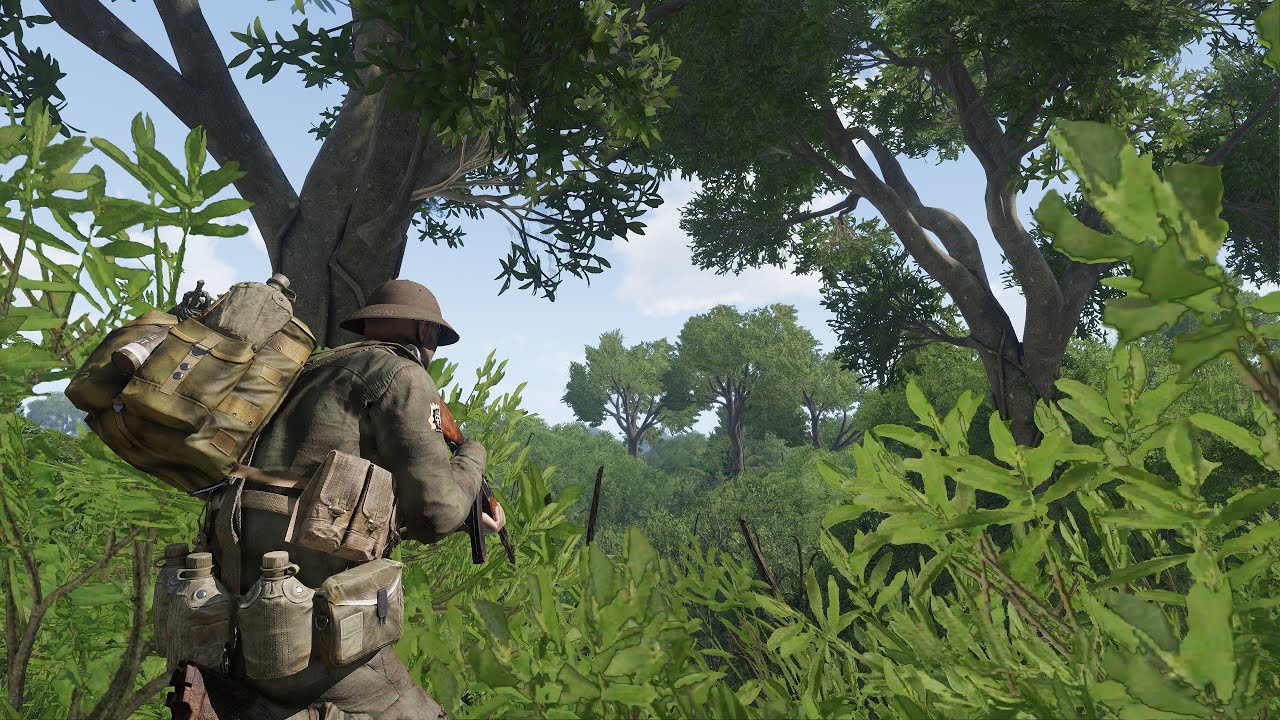
Short video showcasing how to climb trees in Arma using my new scritpt. Works on dedicated server !
For installation, how to use and what type of trees it works with, see documentation & implementation on Git: https://github.com/gerard-sog/arma3-macvsog-columbia-scripts
Arma 3 Vietnam unit: https://discord.gg/dyeUNXHFqS
 tough abyss
i need help, i am trying to spawn a prop not sure that i have to use createVehicle or i have to use something else
frank lynx
tough abyss
i need help, i am trying to spawn a prop not sure that i have to use createVehic...
Go into assets and select props and search the thing you want to spawn up
tough abyss
frank lynx
Go into assets and select props and search the thing you want to spawn up
i am trying out how to script it, I try doing this: _workBench = "Land_Workbench_01_F" createVehicle position 13712.59,11773.621;
but didnt work
frank lynx
tough abyss
i am trying out how to script it, I try doing this: _workBench = ```"Land_Workb...
Im not an experienced scripter sorry
tough abyss
frank lynx
Im not an experienced scripter sorry
this is a arma3_scripting channel?
tough abyss
ah okay that makes since
frank lynx
tough abyss
ah okay that makes since
Are you also new?
tough abyss
okay never mind i figure it out, i messed up the position transformation and put the wrong setup.
tulip ridge
tough abyss
i am trying out how to script it, I try doing this: _workBench = ```"Land_Workb...
That's not the correct format for createVehicle
It should be:
"Type" createVehicle [_x, _y, _z];
(For the first syntax)
 thorny osprey
Any HEMTT experts here? hemtt check is choking on this import I need for XEH keybinds: #include "\a3\editor_f\Data\Scripts\dikCodes.h"
tough abyss
position script was met for a object to spawn to
thorny osprey
error[PE12]: include not found
  ┌─ addons/main/XEH_preInit.sqf:1:11
  │
1 │ #include "\a3\editor_f\Data\Scripts\dikCodes.h"
  │           ^^^^^^^^^^^^^^^^^^^^^^^^^^^^^^^^^^^^ not found
If you want to include a file, you need to put it in a folder called include at the root of your project and match the file structure
thorny osprey
tulip ridge
If you want to include a file, you need to put it in a folder called `include` a...
I see, that is a bit cumbersome, but it's just one file in this case. Thanks!
tulip ridge
It's so Hemtt can validate stuff without having to launch the game or using a p-drive
In case an example helps, here's ace including that file
https://github.com/acemod/ACE3/tree/master/include/a3/ui_f/hpp

GitHub
Open-source realism mod for Arma 3. Contribute to acemod/ACE3 development by creating an account on GitHub.
thorny osprey
Cheers, DDG already found the dikCodes.inc file there 🙂
Works now, thanks again. I didn't realise ACE3 was build with HEMMT, great to have that example 🙂
thorny osprey
I wonder though, how will the game find this include (as in ACE3): a3/ui_f/hpp/defineDIKCodes.inc That is not the actual file path in the game files, right?
 worldly kite
hi
is there a method i can turn the side panels of a cargo post by script? i did some search but not found anything useful.
my plan is to add an add_action to open it and the panel opens like a door
any ideas?
 thorny osprey
Another HEMTT question (which is amazing overall btw!): does it makes it possible to edit script functions and reload them without restarting ArmA? If so, how please? 🙂
tulip ridge
thorny osprey
I wonder though, how will the game find this include (as in ACE3): `a3/ui_f/hpp/...
No that's the right path
tulip ridge
thorny osprey
Another HEMTT question (which is amazing overall btw!): does it makes it possibl...
If you're using CfgFunctions, no
If you're using CBA's compiling (i.e. PREP), yes.
Ace uses some extra macros to store functions as just global variables for recompiling. You can see that here: https://github.com/acemod/ACE3/blob/61e6d109f26cf89b4658a6ac3a8fc2c352cc9013/addons/main/script_debug.hpp#L7-L15
GitHub
Open-source realism mod for Arma 3. Contribute to acemod/ACE3 development by creating an account on GitHub.
You can just copy those macros, though that does rely on you using CBA's macros as well
 pallid palm
hell Mr Dart how are you Mate
im still enjoying the fruits of your skill love you man
meaning my chopper script that you helped me with
it works so good im still in Ahhhhh of it all
not only that it works in MP Hosted and SP as well oh Yeah and DED also
thx you so much Mr Dart
tulip ridge
Nice, glad you enjoy it
tulip ridge
thorny osprey
Another HEMTT question (which is amazing overall btw!): does it makes it possibl...
There's also a channel dedicated to HEMTT in the ace discord if you'd like to check that out
 wintry gazelle
does anyone here know how to have a Hold Action only appear for 1 player i am using 3den Enhanced if anyone can help please do i need it
 eternal spruce
Did anyone ever found a work around to close the canopy of aircrafts, there's no option in the animation source that closes it but one does hide it.

 thin fox
wintry gazelle
does anyone here know how to have a Hold Action only appear for 1 player i am us...
thin fox
wintry gazelle
does anyone here know how to have a Hold Action only appear for 1 player i am us...
just use the conditionShow parameter
wintry gazelle
i know that but like the code for it.
I have the player i want set as UAVO
And the laptop named AC130Control
I used the code - UAVO distance AC130Control < 3
and i just got an error message
thin fox
wintry gazelle
i know that but like the code for it.
I have the player i want set as UAVO
And...
what error message?
wintry gazelle
thin fox
what error message?
you know what typical arma 3, i just deleted it and pasted it back in again and now it works
i have been trying to get that to work for 30 mins
and all it took was Ctrl x - Ctrl v
like honestly
sometimes i cant with arma 3
thin fox
wintry gazelle
sometimes i cant with arma 3
but you should check the last rpt file to learn what the error was exactly
wintry gazelle
thin fox
but you should check the last rpt file to learn what the error was exactly
probably but to be honest it works and if ive learnt anything with arma and scripting within mission making "if it fucking works then dont look at anything to do with it, otherwise you will want to find a way to keep it simple and you will fuck everything up, JUST LEAVE IT BE"
thin fox
wintry gazelle
probably but to be honest it works and if ive learnt anything with arma and scri...
I know what you mean, but don't think like that, you don't need to mess around with your code anymore if that's working, just read the rpt file to see what was wrong minutes ago, so next time you will know how to actually fix it
it just adds
wintry gazelle
thin fox
I know what you mean, but don't think like that, you don't need to mess around w...
yeah you right you right tbh i didnt even understand what was inside the black box error message i am clueless when it comes to code in any form let alone arma
thin fox
wintry gazelle
yeah you right you right tbh i didnt even understand what was inside the black b...
I'm sure that most of us here actually learn more from try and error, at least that how I've learned, when I'm doing a new code or editing an existing one, my rpt file is always open, even if I know it will work, sometimes that blackbox masks the real error
wintry gazelle
thin fox
I'm sure that most of us here actually learn more from try and error, at least t...
tbf i managed to figure out myself how to "remoteControl" AI units using triggers and its much easier than i thought it would be only took me a couple tries to get it
you have no idea how small and simple the code was but also how happy i was when i got it working i was almost in tears 😂
wintry gazelle
I have made a server on discord called "Arma 3 Editor" and it has 2 channels a "Links" channel for posting links to threads/websites/videos and i have a "Codes" channel where i copy and paste all the code i learnt or know how to use so i can have easy access to them
pallid palm
i also control my Ai from radio triggers

 pallid palm
nice
wintry gazelle
i also love that subtitle script
is the same type that COD uses for its subtitles
pallid palm
i have all my stuff i need by asking Mr Dart hes awsome
wintry gazelle
nothing wrong with asking other people for little help
pallid palm
yes Sir
and others too ofcorse
if it was not for all the awsome guys in here i would be standing on the tarmack with my head down lol
hay friend @wintry gazelle did you fix the Hold Action thing
wintry gazelle
pallid palm
hay friend <@396330310477938699> did you fix the Hold Action thing
i did get it fixed
pallid palm
rgr m8 awsome
 vapid scarab
wintry gazelle
you have no idea how small and simple the code was but also how happy i was when...
vapid scarab
wintry gazelle
you have no idea how small and simple the code was but also how happy i was when...
I just wrote short of 1000 lines of code and 730 line config.cpp file for a mod over this past week. Do enough scripting and you lose enough sanity to do stuff like this

 vapid scarab
wintry gazelle
I have made a server on discord called "Arma 3 Editor" and it has 2 channels a "...
vapid scarab
wintry gazelle
I have made a server on discord called "Arma 3 Editor" and it has 2 channels a "...
could you dm me a invite? I like to see stuff like that, and Im sure I have some cool stuff to drop there myself
wintry gazelle
vapid scarab
could you dm me a invite? I like to see stuff like that, and Im sure I have some...
sure
if anyone else would like an invite to my server where i keep all my scripts, coding and links that i use on a regular basis just DM me and ill send you an invite link and we can all help each other out
vapid scarab
Dropped some goodies in there and left. Also took that wavespawner script. That is simple but awesome for performance. thanks for sharing and hope yall find some use with what I shared
vapid scarab
How do you get the area of a module?
This here. I am trying to see if a player is in this area. Alteratively, It may be easier to create a trigger using the area from the module, but I still need to get it from the module data.

Answer: _logic getVariable "objectArea"
Another answer: dont use that but instead sync a trigger to the module, and use [_logic] call bis_fnc_moduleTriggers
Returns triggers synced to it which is great for visualizing areas to.
 digital radish
How do the vanilla hand signals work exactly?
I noticed some units, when I give commands, they use hand signaling.
Other units don't do it at all.
How come? Do I need to remove radios or set up someting scriptingwise?
 fair drum
vapid scarab
Another answer: dont use that but instead sync a trigger to the module, and use ...
fair drum
vapid scarab
Another answer: dont use that but instead sync a trigger to the module, and use ...
nah you can use the stored area above the way you have it
you just need
canSetArea = 1;
canSetAreaShape = 1;
canSetAreaHeight = 1;
class AttributeValues {
  size3[] = {20, 20, -1}; // or whatever you shoose
  isRectangle = 0;
};
Thanks much!
 jade acorn
I have a trigger synced with a hide/show module. Once trigger condition is true, the module will show units and then the trigger deletes itself (through deleteVehicle thisTrigger in onActivation). Is it possible for the trigger to delete itself before the synced module starts?
I'm trying to debug an issue that I cannot repro but for another person is consistent, and I wonder if this is expected or is it a bug
 next gust
how do you guys use https://community.bistudio.com/wiki/BIS_fnc_setUnitInsignia - for me just calling it from InitPlayerLocal.sqf oder onPlayerRespawn.sqf sometimes just dont work (though most of the time it does). Is there any "best" way on calling it, so its reliable?
 sage marsh
What is a .lip file i see in a voiced scenario?
 warm hedge
A pseudo lipsync file that works with bikb
sage marsh
Don't the mouth already moves with BIKB?
warm hedge
No, I mean yes, but randomly
sage marsh
Okay, that clear things up
jade acorn
sage marsh
Don't the mouth already moves with BIKB?
iirc kbTell just applies setRandomLip true on voiceline start and setRandomLip false on its end. If you throw OGG to the WAVtoLIP converter the custom lip causes speaker to open mouth according to the sound volume(?), so if you have pauses in the recording, character will stop yapping too. And setRandomLip does not disable the mimics so often you can see someone speaking while yawning, with lip files this does not happen
sage marsh
jade acorn
iirc kbTell just applies setRandomLip true on voiceline start and setRandomLip f...
Ohh it's not exclusive to .WAV files
that's great then
jade acorn
yeah not sure why is it even mentioning WAV since those are not used for voices
 still forum
thorny osprey
I wonder though, how will the game find this include (as in ACE3): `a3/ui_f/hpp/...
still forum
thorny osprey
I wonder though, how will the game find this include (as in ACE3): `a3/ui_f/hpp/...
It is the actual file path in the game files.
still forum
thorny osprey
Another HEMTT question (which is amazing overall btw!): does it makes it possibl...
ArmA does not have filePatching.
Arma 3 does though, hemtt has a "hemtt launch" option for that that makes it especially easy
still forum
tulip ridge
If you're using CfgFunctions, no
If you're using CBA's compiling (i.e. `PREP`),...
You can configure CfgFunctions to allow reloading
diag_log writes to RPT
systemChat writes to chat.
But is there a way to write to dedicated server console? Like the small console window?
warm hedge
Console no AFIAK. diag_log might work, but...
 cosmic lichen
Don't think so. Sadly logging is quite limited.
jade acorn
jade acorn
I have a trigger synced with a hide/show module. Once trigger condition is true,...
anyone? 
cosmic lichen
Why even use the module
warm hedge
Then be a volunteer to fix it
jade acorn
cosmic lichen
Why even use the module
BI giveth, I taketh
jade acorn
warm hedge
Then be a volunteer to fix it
I'd love to if I knew where to start, I can't find any info if synchronized stuff happens before trigger's onActivation, after or at the same time
and why is this not affecting me
thorny osprey
still forum
You can configure CfgFunctions to allow reloading
Any pointer to doc or example where CfgFunctions is configured for reloading?
thorny osprey
thorny osprey
Any pointer to doc or example where CfgFunctions is configured for reloading?
Nvm found it
tulip ridge
still forum
You can configure CfgFunctions to allow reloading
Still requires relaunching the game no?
Or mission at the very least
thorny osprey
Doc says upon mission (re)start. https://community.bistudio.com/wiki/Arma_3:_Functions_Library
Does CBA allow recompile even without mission restart?
tulip ridge
If CBA's caching if disabled, then functions are just saved as global variables and not compileFinal'd, so they can be freely changed
 junior moat
hey! is there a biki page or just a document anywhere of good habits to get into when writing functions?
nevermind, just found this page: https://community.bistudio.com/wiki/Arma_3:_Writing_a_Function
jade acorn
can I force the crosshair on in a singleplayer mission? CfgDifficulties seems to allow only forcing it off rather than on
 keen drum
what script can i run in the debug console to kick a specific ai from my group
warm hedge
What is kick a specific ai
junior moat
keen drum
what script can i run in the debug console to kick a specific ai from my group
try deleteVehicle group player select [unit index]
assuming youre on singleplayer
apologies, this should work (just tested it)
deleteVehicle (units player select [Unit Index]);
where [Unit Index] is the number of the unit you want to remove (without the [] brackets)
if you know the number of the unit in your group, the index will be that number - 1
hallow mortar
That's how you delete the AI. "Kick" typically means "move outside", like being kicked from a server, not delete.
Units must always be in a group, so there's no "remove from group" command, but what you can do is make it join a new empty group:
[_unit] join grpNull;```
You can use the `units player select NUMBER` part of Spuds' answer to target the unit, or, if you can look at the AI in question, you can use `cursorObject` to target it, which might be more convenient.
```sqf
[units player select 1] join grpNull;
[cursorObject] join grpNull;``` little raptor
Also be mindful of group limit. When you "kick" someone they get moved into a new group.
You can't have more than 288 groups
keen drum
delete is fine
 pearl stag
does anyone see an issue with this for having AI Arty fire upon blufor detection in the area
[] spawn { while {alive ARTY_2} do { sleep 5; _ammo = getArtilleryAmmo [ARTY_2] select 1;
_tgt = getMarkerPos "marker_2";
ARTY_2 doArtilleryFire[_tgt,_ammo,3];}}
pallid palm
oh shit look out lol
still forum
thorny osprey
Doc says upon mission (re)start. https://community.bistudio.com/wiki/Arma_3:_Fun...
thorny osprey
still forum
https://community.bistudio.com/wiki/BIS_fnc_recompile
Thx. That seems to be for recompiling functions declared in mission. Or also for mod provided functions?
still forum
I'd expect it to do all of CfgFunctions
Example 3 also shows recompiling a BIS mod function. I'd expect if that didn't work, the example wouldn't show it
cosmic lichen
thorny osprey
Thx. That seems to be for recompiling functions declared in mission. Or also for...
It does all of them. I use it all the time.
thorny osprey
Thanks guys, I will take that approach since I already use CfgFunctions
 willow hound
pearl stag
does anyone see an issue with this for having AI Arty fire upon blufor detection...
willow hound
pearl stag
does anyone see an issue with this for having AI Arty fire upon blufor detection...
1️⃣ There is no "blufor detection in the area" in that script.
2️⃣ The target position is fixed (unless the marker moves).
3️⃣ You might run into problems once ARTY_2 runs out of ammo or if getArtilleryAmmo returns an array with no element at index 1.
junior moat
which config are a factions vehicles under?
hallow mortar
You'll be surprised to hear that vehicles are located in CfgVehicles
junior moat
is there no way of detecting what vehicles a specific faction uses though? im trying to make a function to create a counter attack to an area and i want to just give the function the factions classname and have the fucntion automatically select vehicles from that faction to use
like, if i use IND_F, it will get the AAF Zamak vehicle.
hallow mortar
Vehicles have a faction config attribute in their own config which determines which faction they're listed under in the Editor/Zeus.
You'd have to make a script that goes through CfgVehicles and picks out the ones that have the correct faction listed. However, you'd have to do some additional filtering too to avoid picking out soldier classes or hidden classes.
It might be easier to make your own list of relevant vehicle classes, associated by faction. e.g.
// ONCE, at start
spuds_vehicles = createHashmapFromArray [
  ["ind_f",
    [
      "i_truck_01_f",
      "i_mrap_01_f"
    ]
  ],
  ["blu_f",
    [
      "b_mbt_01_f",
      "b_apc_01_f"
    ]
  ]
];
// ======= in spawner
params ["_faction"];
// get is case sensitive so maybe involve toLower somewhere to avoid issues
private _vehicles = spuds_vehicles get _faction;```
The advantage of doing it this way is that you can be sure you're picking useful vehicles and not, like, unarmed bicycles, without having to make a horrifically complicated system for automatically selecting them. The disadvantage is that you have to pick vehicles for every faction, so it doesn't automatically work with any random faction - you have to make the list by hand.got it, i was really hoping i would be be able to automatically pick out certain vehicles lol. this works though
tulip ridge
frank lynx
How do i add an cooldown on use action command
You'd have to script it in your condition
What you could do is set a variable on the player that activated the action, and then check that in your condition.
_object addAction ["Action", {
    params ["", "_caller", "_actionId"];
    _caller setVariable [format ["TAG_lastUsed_%1", _actionId], CBA_missionTime];
    // rest of your action
}, nil, 1.5, true, true, "", toString {
    params ["", "_this", "", "_actionId"];
    private _cooldown = 2; // time in seconds between uses
    private _lastUsed = _this getVariable [format ["TAG_lastUsed_%1", _actionId], -_cooldown];
    !(CBA_missionTime - _lastUsed <= _cooldown);
}];
Is there anyway to simplify that code
tulip ridge
Not really
I guess you could make _cooldown a macro, but that doesn't really change anything
Could also remove the _actionId part, I just kept it generic in case you want other actions with a cooldown, so that way you can just copy/paste it
frank lynx
I created an artillery barage mechanic 🙂
frank lynx
tulip ridge
Could also remove the _actionId part, I just kept it generic in case you want ot...
The thing with these codes is that it confuses me and if there is something wrong i cant find it
tulip ridge
Well most of it is just the addAction
frank lynx
Is there any way to only make it usable 1 time
tulip ridge
The only relevant lines for the actual cooldown are:
// statement
_caller setVariable [format ["TAG_lastUsed_%1", _actionId], CBA_missionTime];

// condition
private _cooldown = 2; // time in seconds between uses
private _lastUsed = _this getVariable [format ["TAG_lastUsed_%1", _actionId], -_cooldown];
!(CBA_missionTime - _lastUsed <= _cooldown);
Yeah, just remove the action in the statement
frank lynx
tulip ridge
Yeah, just remove the action in the statement
What?
tulip ridge
If you want to make an action only usable once, just delete the action from the object when the action is used
frank lynx
tulip ridge
If you want to make an action only usable once, just delete the action from the ...
How do i do that
frank lynx
Is there any way to make like a reinforcements system with the add action so you can call an unlimited amount of reinforcements?
How do i get the action id?
tulip ridge
frank lynx
Is there any way to make like a reinforcements system with the add action so you...
What?
An action is unlimited by default, you don't need to do anything extra
tulip ridge
frank lynx
How do i get the action id?
It's passed as an argument in the statement and condition
frank lynx
tulip ridge
What?
An action is unlimited by default, you don't need to do anything extra
Yeah but the units i call in wont be there anymore to be called in
i need a way to spawn them in again
tulip ridge
Then spawn units in the statement
frank lynx
What is a statement
tulip ridge
The code that is run when the action is run, i.e. the first thing after the action's name
frank lynx
tulip ridge
The code that is run when the action is run, i.e. the first thing after the acti...
I dont know the code for that
tulip ridge
What?
There's no special code for that, it's an argument for addAction
frank lynx
tulip ridge
What?
There's no special code for that, it's an argument for addAction
What is an argument?
tulip ridge
Something that is passed to a command, function, etc.
frank lynx
tulip ridge
Something that is passed to a command, function, etc.
Wait let me try somethign
tulip ridge
_object addAction [
    "Action Name", // name displayed in the menu
    { /* statement */ } // code that is run when the action is selected
];
Do i add this code?
tulip ridge
No, that was just showing what the first two arguments are
frank lynx
tulip ridge
No, that was just showing what the first two arguments are
Ok
So what exactly do i do to spawn units
with an action
tulip ridge
The same way you would spawn units outside of an action, https://community.bistudio.com/wiki/createUnit
frank lynx
tulip ridge
The same way you would spawn units outside of an action, https://community.bistu...
I dont know how to do that
frank lynx
So i got to work but how do i see the exact names of the units i wanna spawn

Nvm
im dumb
Yes
i got it working
Now for the cooldown part
I want there to be a 10 second cooldown in between spawning units
wait let me search it up on the wiki
I cant find anything but thank you for helping me
tulip ridge
frank lynx
I want there to be a 10 second cooldown in between spawning units
You can either use the sleep command in a scheduled environment (i.e. using spawn), or using some of CBA's functions to run unscheduled, which is generally better for performance.
I could get into the details, but it might be a bit much. TL;DR, all scheduled code has to share timing, which gives inconsistent results. It's generally better to use unscheduled code where possible because mission makers tend to use a lot of the allotted time.
Using spawn
[] spawn {
    private _group = createGroup [west, true]; // or whatever side you want
    private _unitClasses = [...]; // class names of units to spawn
    {
        _group createUnit [_x, ...];
        sleep 10;
    } forEach _unitClasses;
};
Using CBA's functions to run unscheduled
private _group = createGroup [west, true]; // or whatever side you want
private _unitClasses = [...]; // class names of units to spawn
{
    // Time in seconds to spawn unit after.
    // First unit will spawn after 10 seconds, the second after 20, and so on.
    private _delay = (_forEachIndex + 1) * 10;

    // CBA_fnc_waitAndExecute will execute some code after a certain amount of time.
    [{
        params ["_group", "_unitClass"];
        _group createUnit [_unitClass, ...]; // Use whatever parameters you want
    }, [_group, _x], _delay] call CBA_fnc_waitAndExecute;
    // _x is a "magic" variable that will be the current value in a forEach loop.
    // In this case, it will be the current class name of the unit to spawn
} forEach _unitClasses;
The second looks complicated, but it's pretty much all comments
private _group = createGroup [west, true];
private _unitClasses = [...];
{
    private _delay = (_forEachIndex + 1) * 10;
    [{
        params ["_group", "_unitClass"];
        _group createUnit [_unitClass, ...];
    }, [_group, _x], _delay] call CBA_fnc_waitAndExecute;
} forEach _unitClasses;
I get this error when i try to spawn assist squad leaders in

but they still spawn in
and work perfectly fine
hallow mortar
The sleep requires its time to be given as a number. The letter O is not a number. This causes an error.
Also I'm pretty sure Arma only accepts . as a decimal separator, not ,
frank lynx
hallow mortar
Also I'm pretty sure Arma only accepts `.` as a decimal separator, not `,`
Its a 0 though
im pretty sure
oh thats why my squad instantly spawns in instead of waiting
frank lynx
hallow mortar
Also I'm pretty sure Arma only accepts `.` as a decimal separator, not `,`
oh
hallow mortar
frank lynx
im pretty sure
I think you should double-check that, because normally numbers are all the same height in this font, and that """0""" is about half the height of the 5.
frank lynx
Also how do i add a end mission in victory
frank lynx
hallow mortar
I think you should double-check that, because normally numbers are all the same ...
Yeah i misspelled it
i removed it because it would allow the player to just spam it (its supposed to be deleted
Does anyone wanna hear about my new idea for a campaign
How do i make a end mission
a success and fail type
willow hound
https://community.bistudio.com/wiki/Arma_3:_Debriefing (to define possible endings)
https://community.bistudio.com/wiki/BIS_fnc_endMission (to end the mission)
thorny osprey
So is there any downside to setting recompile=1 in CfgFunctions? Seems to me it is very useful to have always!
frank lynx
willow hound
https://community.bistudio.com/wiki/Arma_3:_Debriefing (to define possible endin...
Why does this pop up even though i have a ;
 willow hound
According to my remote analysis, you might be missing 42; on line 628 🙃
frank lynx
willow hound
According to my remote analysis, you might be missing `42;` on line 628 🙃
Huh
Theres only 5 lines
 south swan
class End1 {... whatever is not SQF
frank lynx
south swan
`class End1 {...` whatever is not SQF
Its in a trigger
its my first time using this code
south swan
trigger needs SQF. You give it not-SQF. It errors out 
frank lynx
south swan
trigger needs SQF. You give it not-SQF. It errors out <:blobdoggoshruggoogly:748...
Wait
so what exactly do i do
Let me send my code
class End1
{
title = "Mission Completed";
subtitle = "You Cleared Out The Enemies";
description = "Great Job Stand By For Next Mission";
Where do i put what
thin fox
frank lynx
its my first time using this code
read the biki further
junior moat
hey is it possible to get the name of the file? for example, if i have a file called BLU_F.sqf, is there a way for me to use a command inside of that file to get the "BLU_F" part as a string?
thin fox
it explains it, don't just copy and paste any code anywhere
junior moat
frank lynx
class End1
{
title = "Mission Completed";
subtitle = "You Cleared Out Th...
this is meant to go into your description.ext, not a trigger
frank lynx
junior moat
this is meant to go into your description.ext, not a trigger
What ist hat
junior moat
so, if you click scenario at the top left of the eden editor, then open scenario folder, inside of this folder, create a file and call it "description.ext"
south swan

https://community.bistudio.com/wiki/Description.ext for what is said "description.ext"
https://community.bistudio.com/wiki/2D_Editor:_External#Mission_Folder kinda explains where it's located
frank lynx
south swan
<https://community.bistudio.com/wiki/Description.ext> for what is said "descript...
Ohhh
frank lynx
junior moat
so, if you click scenario at the top left of the eden editor, then open scenario...
Im used to sqf
junior moat
yea i suggest you read both of those pages before going further o7
willow hound
junior moat
hey is it possible to get the name of the file? for example, if i have a file ca...
junior moat
frank lynx
Im used to sqf
youre all good. just note, if you want to do things within the game, you use SQF. if youre changing configs or adding your own configs, its usually done through description.ext
junior moat
willow hound
https://community.bistudio.com/wiki/PreProcessor_Commands#FILE
awesome, thank you
frank lynx
junior moat
youre all good. just note, if you want to do things within the game, you use SQF...
Oh okay
So am i supposed to connect the 2 codes somehow?
junior moat
it might be easier to explain to you if i actually know what youre trying to do lol
junior moat
you shouldnt need to do any work with configs for that! try looking at this function: https://community.bistudio.com/wiki/BIS_fnc_endMission
frank lynx
junior moat
you shouldnt need to do any work with configs for that! try looking at this func...
Works but now for fail mission
wait i know how
This is probably my best mission yet 🙂
junior moat
best of luck! id love to see it when its finished o7
frank lynx
junior moat
best of luck! id love to see it when its finished o7
Its almost finished
Its finished now after the fail and succeed mission
want to try?
If you do you need spearhead 1944 and global mobilization though
junior moat
literally the only two CDLCs i dont have lol 😭
frank lynx
junior moat
literally the only two CDLCs i dont have lol 😭
💀
Want to try my prairie fire mission
Or i can share my screen and show you the mission
frank lynx
junior moat
literally the only two CDLCs i dont have lol 😭
Should I move from east germany to vietcong east germany is a bit too hard
frank lynx
junior moat
up to you, its your mission.
Its way too hard ill move the faction tmr
junior moat
huh, getting a strange error, i have the following code:
{
    _x moveInCargo _transportTruck; // Move this unit into the next available cargo seat in the transport truck
} forEach (units _transportSquad); // Do for each unit in the infantry squad's group
but im getting the error that forEach "Error Type Array, expected Number"?
for clarification, _transportTruck is an object type and _transportSquad is a group type
 crimson lion
Does it do it if you remove the parentheses around units _transportSquad?
hallow mortar
crimson lion
Does it do it if you remove the parentheses around `units _transportSquad`?
those parentheses are correct
* not required, the logic will work itself out in the end, but won't break it
that error suggests that _transportTruck is not actually an object. It might actually be an array. It looks like moveInCargo is trying to use its alternate syntax, which uses an array of [vehicle, cargoIndex, canReassign]
 analog mulch
frank lynx
If you do you need spearhead 1944 and global mobilization though
analog mulch
frank lynx
If you do you need spearhead 1944 and global mobilization though
I'll give it a try, post link in #production_releases
frank lynx
analog mulch
I'll give it a try, post link in <#292271664115351563>
do you have prairire fire
also i only can when i get home
im in school right now
frank lynx
frank lynx
do you have prairire fire
Im switching from Eastern Germans to vietcong because eastern germans are too unbalanced
The eastern germans are too hard to beat since they have so much hp
hallow mortar
Not really scripting related, but GM East German units don't have any more health than any other unit, and they don't wear any body armour. The only place they're any more resilient than a naked civilian is the helmet, and that doesn't exactly offer a ton of protection.
frank lynx
hallow mortar
Not really scripting related, but GM East German units don't have any more healt...
It just feels like it
Im gonna keep them
its just the position the battle takes place
they have the advantage
Ill send the mission when i get home
still forum
Helo.
Request for feedback.
_handle = [] spawn {
  sleep 5;
  "Hello"
};

_result = waitUntil _handle;
_result // "Hello"
It's a bit edge-case since normally you use spawn precisely because you don't want to wait for the spawned thread. But I guess there would be some uses and it doesn't hurt anything to add.
hallow mortar
warm hedge
So the concept here is waiting 5 seconds to make a return?
It's that waitUntil can now wait for a script handle to finish directly (bypassing scriptDone), and if you do so, then waitUntil gives you the return from the finished script. The sleep 5 is just a basic demonstration, not the point.
warm hedge
I never really messed with scriptDone etc so gotta ignore it 😄
frank lynx
My favorite code is
set action it allows you to do alot of stuff (just combine it with other code
still forum
Previously you could not get the return value out of a spawn.
And to wait for it to finish, you would have to waitUntil in a loop checking scriptDone.
With this, you can basically implement "await"
 stark fjord
Could be useful in some cases
little raptor
still forum
Previously you could not get the return value out of a spawn.
And to wait for it...
What's the point?
It's never like await
If you're in scheduled env, you do "call"
If you're in unsch, your waitUntil doesn't do anything
stark fjord
Multiple threads spawned from one scheduled
stark fjord
"Threads"
Eg you have some timed scripts executing, and checking for result every now and again
little raptor
Again you can call
stark fjord
You wouldnt use waitUntil tho
little raptor
Well yeah. Exactly my point. It won't serve any purpose
stark fjord
Result is more interesting on my part
hallow mortar
You'd use it in the same situations as the existing waitUntil+scriptDone - scheduled script needs to wait for another scheduled thread - except now you also get a return value
stark fjord
Ah but you cant get result unless you wait until...
little raptor
Well getting result makes sense. But again you have to make sure it's done
And it brings the question: what should the result be when not done?
stark fjord
Well, if scriptDone handle then _result = waitUntil handle; 😄
As per above syntax you only get result with waitUntil
hallow mortar
little raptor
Well getting result makes sense. But again you have to make sure it's done
And i...
Well it's still waitUntil, it won't continue until the script is done
little raptor
hallow mortar
You'd use it in the same situations as the existing `waitUntil+scriptDone` - sch...
Well using waitUntil scriptDone is just stupid. You can just call whatever you're spawning
stark fjord
If you are not doing something timed in there
little raptor
Call in schd is schd
stark fjord
Yes bit youd have to wait to complete
stark fjord
stark fjord
Well, if scriptDone handle then _result = waitUntil handle; 😄
With this you dont
hallow mortar
little raptor
Well using waitUntil scriptDone is just stupid. You can just call whatever you'r...
Unless you want the initial thread to do something else while it's waiting for the other thread. Or the threads are separated for code logistics reasons (e.g. separate modules). Or you don't actually control one of the scripts - this could be used as an API tool for other people's systems, for example.
stark fjord
Eg
_hdl = [] spawn smthinh;
_r = 0;
while {true} do
{
// do something
if scriptDone _hdl then
{
  _r = waitUntil _hdl,
}

//do something else
}```With call you are stopped b4 doing something else
hallow mortar
stark fjord
Eg
```
_hdl = [] spawn smthinh;
_r = 0;
while {true} do
{
// do something
if scr...
You shouldn't need if scriptdone _hdl then waitUntil _hdl, the whole point is that waitUntil waits for the script to be done
little raptor
still forum
Previously you could not get the return value out of a spawn.
And to wait for it...
Well let me point out a great flaw in this idea. To return the result, you must keep it in memory because you don't know when the user is gonna call waitUntil. Previously a spawned script would just destroy. Now you're wasting memory for each spawn. Infinite memory leak
stark fjord
hallow mortar
You shouldn't need `if scriptdone _hdl then waitUntil _hdl`, the whole point is ...
I dont wanna wait, thats the point
WaitUntil is just a way of getting result
stark fjord
little raptor
Well let me point out a great flaw in this idea. To return the result, you must ...
That is a good point tho...
What if... you had to pass a pointer to the memory storage if u wanted to keep result... wait thats too C
willow hound
little raptor
Well let me point out a great flaw in this idea. To return the result, you must ...
That only applies if there still is an SQF reference to the handle somewhere. If nothing is holding on to the handle, you can free that memory immediately.
willow hound
still forum
Helo.
Request for feedback.
```sqf
_handle = [] spawn {
sleep 5;
"Hello"
};...
Personally, I wouldn't mind having that kind of await in SQF, but I can't really think of a use case that would require it. Using that waitUntil presumably requires you to be in a scheduled environment, and if you are in scheduled, you can already use call to achieve the same thing today (as Leo pointed out):
_result = [] call {
  sleep 5;
  "Hello"
};
```The only additional benefit I can think of is that for any given handle `_h`, you could pass `_h` to multiple scripts / functions and then use `_r = waitUntil _h` statements to comfortably await the same result in several different scripts / functions:
```sqf
_h = [] spawn ...;
_h spawn {
  /* Do something ... */
  _r = waitUntil _this;
  /* Continue doing something ... */
};
_h spawn {
  /* Do something else ... */
  _r = waitUntil _this;
  /* Continue doing something else ... */
};
Yeah fair point
Tho I'm not sure if the handle is actually a pointer. I always thought it's just a number (as in you can't store the result in it, so you'd need to create a pointer for result)
If it's a pointer already it can include the result
still forum
little raptor
What's the point?
It's never like await
If you're in scheduled env, you do "call...
You do call if you want to wait for it now.
Not if you want to wait for it some time later
still forum
little raptor
Well let me point out a great flaw in this idea. To return the result, you must ...
Well let me point out a great flaw in your idea.
All variables are reference counted. If no-one holds a handle to the script, there can be no-one to read the result, thus the spawned script would just destroy, as it had done previously.
hallow mortar
still forum
Well let me point out a great flaw in your idea.
All variables are reference cou...
vague and probably wrong thought:
_result = waitUntil [_scriptHandle, _bool];```
where `_bool` is `true` to automatically discard and destroy the script handle once this `waitUntil` completes. Save having to write `_scriptHandle = nil` after you're done for cleanupthere's really no need to do this now. as he said script handle is ref counted so it's ok
hallow mortar
little raptor
there's really no need to do this now. as he said script handle is ref counted s...
I understand what he said, but if you had saved that handle to a variable then that reference still exists, until you get rid of the variable. I suppose it would have to be a global var rather than a local var as in the example I gave, since locals are routinely auto-destroyed, so it's probably not that much of an issue in the big picture.
still forum
Even then we can still delete the "big" scheduled script, and only need to store the result variable.
Which is as large as just storing the result itself into a global variable.
The waitUntil will just see that the script is gone (same way as scriptDone currently does it), and find the stored result value
little raptor
hallow mortar
vague and probably wrong thought:
```sqf
_result = waitUntil [_scriptHandle, _bo...
I guess instead of a bool, adding a time interval for this syntax makes sense
still forum
Uh nice, a maximum wait/timeout. And it returns nil if it didn't finish?
little raptor
time out and maybe interval too (as in how frequently check it, otherwise sleep?)
still forum
But what if the script itself, normally returns nil too 
I don't think interval is needed. That will be a engine check. Checking interval is probably more expensive than just checking if its done
little raptor
still forum
But what if the script itself, normally returns nil too <:meowsweats:70762603061...
that's the scripter's fault
hallow mortar
still forum
Uh nice, a maximum wait/timeout. And it returns nil if it didn't finish?
Ooh, if there's a timeout can it work for normal Code waitUntils as well? It's something that is currently possible with some time maths, but it would be a neat convenience if there was a shortcut
little raptor
or instead of nil, return a default
tho now the problem is, is time in game time (like sleep) or ui time (like uiSleep)?
still forum
My original note on the (year old) ticket was not about await but "This will make it easy to implement futures/promises."
We already have futures, via waitUntil+scriptDone loop. But you cannot get the result out.
That's the main thing
I think my original idea back then was to just have a command to get the result. Like
waitUntil { scriptDone _scriptHandle };
_result = scriptResult _scriptHandle;
but if I re-use waitUntil, I don't need a new command for it
for captureFrame I added time as text "0.5s" we could do "0.5s" time vs "0.5uis" uiTime. But thats ugly
easiest for me would be to use diag_tickTime.
If you want something specific (which in scheduled scripts is never specific anyway) you can use the old waitUntil scriptDone loop with your time/uiTime timeout.
willow hound
Let's get SQF callback hell 
_handle = [] spawn ...;
_h1 = _handle onComplete [/* Callback */, /* Arguments */];
_h2 = _handle onTimeout [/* Timeout */, /* Callback */, /* Arguments */];
_h3 = _handle onException [/* Callback */, /* Arguments */];
@analog mulch Do you still want to try
?
I just need to finish testing to make sure its 100% possible
winter rose
willow hound
Let's get SQF callback hell <:hmmyes:1147624204909433022> <:hmmyes:1147624204909...

 sullen sigil
I can't wait for people to write even worse code with this feature
winter rose
waitUntil we reintroduce goto in SQF
winter rose
🇩 🇪 🇳 🇮 🇪 🇩
cosmic lichen
sullen sigil
I just want my angular velocity interpolation man
Is that the brother of spider man?
sullen sigil
Spider man doesn't have a brother only plot points
analog mulch
frank lynx
<@868502440536846386> Do you still want to try
Yeah
frank lynx
analog mulch
Yeah
Ok im testing it rn
its really hard so i recommend saving alot
in the mission you will be a squad leader
and any member you use you cant get back until you lose or win
frank lynx
Its almost done testing
it took me 40 minutes already
So i undone all my things
but i was pretty close to victory with not alot of casualties so its 100% possible
I clicked end instead of load
 exotic gyro
sullen sigil
I just want my angular velocity interpolation man
exotic gyro
sullen sigil
I just want my angular velocity interpolation man
I just want my PlaySoundSet3D
frank lynx
analog mulch
Yeah
Im releasing it now please provide feedback before i publishly release
junior moat
the error message keeps on saying that forEach (units _transportSquad) is an array and that it cant take an array????

 stable dune
junior moat
the error message keeps on saying that `forEach (units _transportSquad)` is an a...
stable dune
junior moat
the error message keeps on saying that `forEach (units _transportSquad)` is an a...
Did you try with moveincargo with index
junior moat
is that a command?
stable dune
junior moat
is that a command?
_soldierOne moveInCargo [_jeepOne, 1];
well, i have this currently:
{
    _x moveInCargo _transportTruck; // Move this unit into the next available cargo seat in the transport truck
} forEach (units _transportSquad); // Do for each unit in the infantry squad's group
{
     _x moveInCargo [_vehicle, _forEachIndex+1];
} forEach (units _squad)
so like, would i have to set up a counter variable?
is _forEachIndex defined by the forEach?
stable dune
Maybe +1 because it starts 1, and for each index start from 0
hallow mortar
junior moat
is `_forEachIndex` defined by the `forEach`?
Yes, automatically
stable dune
junior moat
is `_forEachIndex` defined by the `forEach`?
Yes
junior moat
thats really useful to know, didn't realise that existed lol
hallow mortar
However, the code you already have should work, or if it doesn't work it should be because of cargo being full or whatever, not because of a script error. The code as posted should not cause an error,
PROVIDED
that all the variables involved actually contain what you expect them to contain. You need to check that.
junior moat
i absolutely did, i can re-check if needed hold on
hallow mortar
It would be helpful to see a bit more of the function code as well
crimson lion
How is _transportTruck created? i.e. via bis_fnc_spawnvehicle / createvehicle?
junior moat
hallow mortar
It would be helpful to see a bit more of the function code as well
the code is too long to post here unfortunetly
junior moat
crimson lion
How is _transportTruck created? i.e. via bis_fnc_spawnvehicle / createvehicle?
via the function,
crimson lion
junior moat
via the function,
bis_fnc_spawnvehicle returns an array, you would want to select the first (0th) thing in the array which is the actual vehicle object so maybe try:
    _x moveInCargo (_transportTruck select 0);
} forEach (units _transportSquad);```Further reading you can see here https://community.bistudio.com/wiki/BIS_fnc_spawnVehicle under Return Value
 errant iron
still forum
Helo.
Request for feedback.
```sqf
_handle = [] spawn {
sleep 5;
"Hello"
};...
errant iron
still forum
Helo.
Request for feedback.
```sqf
_handle = [] spawn {
sleep 5;
"Hello"
};...
When I first read the docs, it seemed like a weird omission that we couldn't get the return value of spawned scripts. In practice, I didn't actually find any desire for this and could make do with polling multiple scripts periodically + appending to arrays, although FWIW I've worked on only a couple persistent missions in total...
It does reminds me of how I often needed to wait for the result of a remote-executed function, mostly client -> server -> client, and it felt somewhat inconvenient needing to decompose this into a bunch of callbacks, but I guess that isn't really a bad practice
tulip ridge
When I first read the docs, it seemed like a weird omission that we couldn't get the return value of spawned scripts.
It's the nature of waiting, how can you get the return of a bit of code from before it's finished executing?
errant iron
tulip ridge
> When I first read the docs, it seemed like a weird omission that we couldn't g...
oh i didn't mean i was expecting script handles to yield values mid-execution, i just found it weird that when i read this page, i was surprised that there wasn't a command to await for a script handle's result:
https://community.bistudio.com/wiki/Script_Handle
This handle's status can be checked with
scriptDone, it can be terminated withterminate.
 granite sky
little raptor
Well using waitUntil scriptDone is just stupid. You can just call whatever you'r...
granite sky
little raptor
Well using waitUntil scriptDone is just stupid. You can just call whatever you'r...
Occasionally I use waitUntil + scriptDone because it's difficult to prove that the spawned code is 100% reliable in all situations and it's important not to break the calling code if it isn't.
tulip ridge
errant iron
oh i didn't mean i was expecting script handles to yield values mid-execution, i...
When would a script return a value yet not complete
errant iron
granite sky
Occasionally I use waitUntil + scriptDone because it's difficult to prove that t...
I can also imagine a use case in my Zombie Framework mission where I might have an objective script that ends when multiple zombie spawners are exhausted, so starting all the spawner scripts and using waitUntil scriptDone would definitely be more preferable than just calling them in order, though personally I like polling them in a while loop instead
errant iron
tulip ridge
When would a script return a value yet not complete
Like, are you asking if it would be useful for SQF to have generator/coroutine functions?
tulip ridge
No, you said it's weird that there isn't a command to wait for a script handle's result (I assumed return)
errant iron
tulip ridge
No, you said it's weird that there isn't a command to wait for a script handle's...
Yeah, we already consider script handles done/completed when they return, don't we? For example: ```sqf
_code = {
sleep 1;
123
};
_ret = call _code; // _ret = 123
_handle = 0 spawn _code;
waitUntil {scriptDone _handle};``` The spawned _code reached 123 and that would have been its return value after the script was done, so I think it semantically makes sense that returning implies the completion of said script
still forum
I was thinking about coroutines too 😄
Add commands for a script to yield return a value that you can waitUntil for.
And a way to resume it
But probably not uff
tulip ridge
errant iron
Yeah, we already consider script handles done/completed when they return, don't ...
There is no explicit "return" command. A script finishes when it has no more instructions.
private _someCode = {
    0;
    systemChat "No return";
};
call _someCode; // nil
So there's no point in a command that waits for a return, because if a script returns anything it's done.
still forum
Return == function end
tulip ridge
Yeah
south swan
exitWith is kinda explicit return?
errant iron
tulip ridge
There is no explicit "return" command. A script finishes when it has no more ins...
right, there may not be an explicit return command, but call can produce the last value of a statement that a Code value executes
tulip ridge
south swan
exitWith is kinda explicit return?
You don't always return something with an exitWith
And all it does is end the script after completing whatever code is in it
tulip ridge
errant iron
right, there may not be an explicit return command, but `call` can produce the l...
Yes, which means the script is done, so just use scriptDone
errant iron
But why can't we access that value for spawned scripts?
still forum
tulip ridge
You don't always return something with an `exitWith`
You do. Even if it's a nil, it's still a value
tulip ridge
I just meant a non-nil value
still forum
Only way to return nothing, is it end the function with a variable assignment
south swan
we can't access spawn's return because we're totally not in scope or something?
still forum
The return value of a call is also out of scope after the call ends.
We just store it, after the end. So that the caller can get it.
We don't store it for a spawn
south swan
awww, script handles aren't hashable. No direct setting of value inside some hashmap from inside the spawned code
errant iron
I was theorizing when I first made my objective manager that I could produce a random/incrementing variable name to pass to an individual objective script, and then have a mapping of names to scripts to let me grab whatever value each objective sets once they're completed
south swan
well, they already have unique script handles that are accessible from within the spawned code with _thisScript. Except it can't be used as is, so you do need to homebrew something of your own indeed
errant iron
Ultimately I didn't go through with it because I didn't want my loop to handle the actual logic on which objectives should spawn in, just the responsibility of replenishing them
 errant jasper
I mean it is quite simple to work around though. But if I want to wait for spawned scripts and then do something in another scripts I have already moved to an event based system instead.
errant iron
I just made the connection that SQF's unscheduled vs. scheduled environment is analagous to sync/async functions in other languages
i want my python coroutines in arma 🥺
Well, maybe one day I'll play around with Pythia and make something cool with it, but for now, I'm going to sit on my rocking chair and do nothing for the rest of time
south swan
pycrastination 
 coarse dragon
i seem to be having a issue. i have groups hidden in a layer and have a trigger for when bob dies, they show up in 11 secs. but it does not wanna work. i have the Show/hide set up right. and the trigger is an alive bob; i cant get it to work for some reason.
crimson lion
if you want it to happen when bob dies, the condition should be !alive bob
coarse dragon
epp thanks Bromine
 weary yarrow
does arma has access to __Linux__? Or in other words, will this work? ```#ifdef linux
#else
#include "CfgPatches.hpp"
#include "CfgNetworkMessages.hpp"
#include "CfgFunctions.hpp"
#include "CfgSounds.hpp"
#include "CfgMovesBasic.hpp"
#endif```
tulip ridge
weary yarrow
does arma has access to ```__Linux__```? Or in other words, will this work? ```#...
No, you can read https://community.bistudio.com/wiki/PreProcessor_Commands to see what commands are available
pallid palm
Hello @tulip ridge
nice to see you m8
or should i say read you
you know Dart is a great name for you cuz you hit the Bullseye every time
coarse dragon
what if the dart, misses
pallid palm
he never miss
granite sky
There was a command that would tell you if the client was linux, but I can't remember what it was.
pallid palm
hes a super pro
and when i say super im mean a super super pro
as soon as he helped me my fun started
tulip ridge
granite sky
There was a *command* that would tell you if the client was linux, but I can't r...
pallid palm
sorry Dart i just cant say enough good things about you
weary yarrow
tulip ridge
It's https://community.bistudio.com/wiki/productVersion
yepif(_platform == "Linux") exitWith {}; ////Professor Sugon says on deez nuts for all Linux users
granite sky
Is this harassment yet :P
pallid palm
lol
weary yarrow
but I need to not load particular .cpp file if game/server is running on Linux, which can only be done in preprocessing
weary yarrow
weary yarrow
does arma has access to ```__Linux__```? Or in other words, will this work? ```#...
which is impossible to my understanding
tulip ridge
Correct
weary yarrow
weary yarrow
yep```if(_platform == "Linux") exitWith {}; ////Professor Sugon says on deez nut...
What about __EVAL? Is it possible to check with it?
tulip ridge
weary yarrow
What about __EVAL? Is it possible to check with it?
No
__EVALmacros must be assigned to a config property
https://community.bistudio.com/wiki/PreProcessor_Commands#EVAL
You'd have to just make a separate mod / addon to be manually loaded for Linux machines
 broken pivot
Does anyone know how to setup medical facilitys on ace?
I want to setup a tarp with fortify tool and do surgerys on it
This is my code: (init.sqf)
[west, 3, [["Tarp_01_Small_Black_F", 1], ["Land_MedicalTent_01_Nato_generic_inner_F", 2]]] call ace_fortify_fnc_registerObjects;
This is my code for medical facility:
class CfgVehicles {
    class ThingX;
    class Land_MedicalTent_01_NATO_generic_inner_F: ThingX {};
    class Tarp_01_Small_Black_F: Land_MedicalTent_01_NATO_generic_inner_F {};
};

class ace_medical_facilities {
    EBER_allOfMyFacilities[] = {"Land_MedicalTent_01_NATO_generic_inner_F", "Tarp_01_Small_Black_F"}; //der Classname von dem Objekt das eine Med. Facility sein soll
};
I dont even know what "ThingX" is... this is the code from ace wiki. I dont get what the F Im doing wrong. Im into this since a few hours again...
please someone... release me

I think somewhere the ace_medical_isMedicalFacility is missing. But where and how...?
crimson lion
I don't think you'll need to do anything with CfgVehicles since you are defining objects that already exist in the game.
That's if you're doing it via an addon though, if you just want to do it in the scripting of a mission you're making, then you could just do as it says: _object setVariable ["ace_medical_isMedicalFacility", true, true]; where _object is whatever you are making a medical facility either in 3den or zeus
tulip ridge
broken pivot
Does anyone know how to setup medical facilitys on ace?
I want to setup a tarp w...
Exactly what the wiki shows
class ACE_Medical_Facilities {
    TAG_yourAddon[] = {
        "TAG_yourObject"
    };
};
That's also config, not scripting
broken pivot
So it will look in the end like this:
class ACE_Medical_Facilities {
    EBER_yourAddon[] = {
        "EBER_Tarp_01_Small_Black_F"
    };
};
And Im entering this into config.cfg?
Or what means _yourAddon?
tulip ridge
The exact name doesn't matter, you would usually just name it after the addon that adds it
E.g. if you addon was called EBER_medical, you'd use that
broken pivot
Huh? So ace? Or whats the definition of addon in this case?
tulip ridge
The class name in CfgPatches
tulip ridge
broken pivot
Oh its the surename and name thing?
?
broken pivot
I need help with that. So many questions and nobody can anwser them or have time
In functions you need to give it a surename and name
Or its called father brother sister. Something like that
tulip ridge
Do you mean a prefix?
broken pivot
I dont really know 😢 Im getting depressive from this...
Btw. your codes not working
This is description.ext

Wrong line ... wait
Here#

This is my error
 tulip ridge
Oh it's a mission?
Didn't realize that
broken pivot
Its a sever
I want to place down a tarp with fortify tool and use it as medical facility
tulip ridge
Remove that bit and add this in your init.sqf
["EBER_Tarp_01_Small_Black_F", "InitPost", {
    params ["_object"];
    _object setVariable ["ace_medical_isMedicalFacility", true];
}, true, [], true] call CBA_fnc_addClassEventHandler;
Ive not even a idea how this works...
Ill enter
Not working. What do you mean by remove that bit?
 tulip ridge
Oh I missed a quote
Add an extra " after ace_medical_isMedicalFacility
I also fixed what I sent if you want to copy/paste
broken pivot
And "
Is called quote?
tulip ridge
Yeah
 tulip ridge
Hm, odd
Check your addon options to make sure "Locations boost training" is enabled
Should be under "ACE - Medical"
broken pivot
Its disabled I know this. Im gonna change an retry
tulip ridge
Oh well then that's a reason why
broken pivot
Its not

Even with a bigger wound

In Vanilla medical building its working so it has to be something on the script

(Operationsset, German for Surgery Kit)
tulip ridge
In that bit of code I sent, add:
systemChat format ["_object = %1", _object];
After the params ["_object"]; line
digital radish
Is there any wat to force a unit to wear two uniforms simultaneously and hide pieces of one?
Or use attachTo for that?
broken pivot
This is what I got. Ill try
 digital radish
broken pivot
This is what I got. Ill try
digital radish
broken pivot
This is what I got. Ill try
I HIGHLY recommend you install vs code (not visual studio) and get the sqf extensions
broken pivot
Nothing changed
tulip ridge
digital radish
Is there any wat to force a unit to wear two uniforms simultaneously and hide pi...
You'd have to attach it
tulip ridge
broken pivot
Nothing changed
There's no message when you build the tent?
broken pivot
Noper
tulip ridge
Odd
digital radish
tulip ridge
You'd have to attach it
do you know if it'll stick to the model bones properly?
tulip ridge
broken pivot
Noper
I don't think it'd change anything, but try changing it to just "Init"?
tulip ridge
digital radish
do you know if it'll stick to the model bones properly?
Look at the params for attachTo, you can specify a position and whether it should follow the bone's rotatation
broken pivot
@tulip ridge What are we going to do now?
tulip ridge
tulip ridge
I don't think it'd change anything, but try changing it to just `"Init"`?
Did you try this?
tulip ridge
Yeah
broken pivot
Copy im into
Nope
No message no stitching
This cant be so hard... what is the Problem again. Why everybody can do this without me...
I think we should concentrate more on the wiki https://ace3.acemod.org/wiki/framework/medical-treatment-framework
tulip ridge
Yes, that variable being set on the object is from the wiki.
You can't use the ACE_medical_facilities method because this is for a mission, not a mod
broken pivot
Ok so chin up and lets keep going
    params ["_object"];
    systemChat format ["_object = %1", _object];
    _object setVariable ["ace_medical_isMedicalFacility", true];
}, true, [], true] call CBA_fnc_addClassEventHandler;
This is my init right now
tulip ridge
Are you sure that's the same class name as your tent?
Could copy/paste from your fortify list to double check
 tulip ridge
Oh well that's why
In a previous sample you sent you had a different class name
broken pivot
no
noooo
nooooooooooooooo
So whats the issue?
Ive just typed in letter by letter. Slow. Very slow. Its the same name
tulip ridge
The code never runs because that class is never made
Remove the "EBER_" part
broken pivot
Oh ma gawd
Ill
marc is still having pain
And no message
["Tarp_01_Small_Black_F", "Init", {
    params ["_object"];
    systemChat format ["_object = %1", _object];
    _object setVariable ["ace_medical_isMedicalFacility", true];
}, true, [], true] call CBA_fnc_addClassEventHandler;
And InitPost doesent help
Btw. why do we need the Init in it? Ive read about all commands ur using. Im not figuering out what you do
fair drum
The init flag makes it so that when the object is created, the code you provide is called. Very similar to the object's init field in the editor. CBA does it a different way because with vanilla arma, "init" event handler needs to be defined in the config in a mod, not in a mission.
Where is this being placed? And are you testing on a dedi as a client or what?
broken pivot
Im placing it with Fortify Tool and run the mission in editor multiplayer
fair drum
i mean the code
fair drum
chill, gotta replicate your issue
broken pivot
Copy this
tulip ridge
fair drum
The init flag makes it so that when the object is created, the code you provide ...
You can't use init for a class EH in a mission?
broken pivot
Whats EH?
fair drum
tulip ridge
You can't use init for a class EH in a mission?
not in the traditional addEventHandler sense I thought. wiki states only config (unless they are also including description.ext, which if that is the case, probably should add that to the wiki page for clarification - class EH doesn't exist on description.ext page either, which makes me assume you can't use it there as well))
tulip ridge
broken pivot
Whats EH?
Short for "event handler", basically some code that runs whenever something happens
broken pivot
Ill read the wiki page so maybe I can help
tulip ridge
fair drum
not in the traditional addEventHandler sense I thought. wiki states only config ...
Yeah it's a cba one
I forget how they work under the hood, so that could be the issue
fair drum
yeah my comment was referencing that vanilla, you can't use "init" when it comes to addEventHandler, as opposed to "init" in addClassEventHandler from CBA
probably could have wrote it better
tulip ridge
Ah
broken pivot
Work together. Mixing brain cells. Sharing knowlegde. #MakeArmaNotWar
piece love harmony
winter rose
peace* (hopefully? 😄)
broken pivot
Im so done other here. Its 2am in germany and Im into this for now 8 hours. talked to 7 diffrent people
tulip ridge
winter rose
peace* (hopefully? 😄)
 broken pivot
But yeah thats what I wanted to say
winter rose
just poking fun 😁 but yeah don't code while tired©, it's a recipe for disaster and the preamble to "a good night of sleep and… oooh so that was the issue!"
broken pivot
I cant sleep without making it work
Im kinda obsessed
So lets keep the chin up and stay focused
I just have to add the ace_medical_facilities command to the tarp classname
fair drum
well the check that ace is doing is:
#define CHECK_OBJECTS(var) ((var) findIf {typeOf _x in GVAR(facilityClasses) || {_x getVariable [QEGVAR(medical,isMedicalFacility), false]}} != -1)
so the class of the object needs to be in ace_medicaltreatment_facilityClasses
so let me test a sec, because that seems to be the issue. you might not need to do any config stuff
tulip ridge
fair drum
well the check that ace is doing is:
```sqf
#define CHECK_OBJECTS(var) ((var) f...
Or has the variable set, which is what that script should do
Oh wait it's an array, I thought it was a hashmap
Would've been easier to just add the class name to that yeah
broken pivot
What is hash? (not weed)
tulip ridge
A hashmap, thought faster than I typed apparently
broken pivot
Ill read about hashmap
fair drum
actually, its ace_medical_treatment_facilityClasses my b
tulip ridge
medical_treatment
fair drum
yeah lol, can't type today
tulip ridge
@broken pivot try running this in your init.sqf, see if that changes anything:
ace_medical_treatment_facilityClasses pushBack "Tarp_01_Small_Black_F";
Ill do immediatly
fair drum
i think the issue is addClassEventHandler. its working on objects such as vehicles, but not this tarp, and some buildings
tulip ridge
Oh yeah it probably doesn't have XEH
Actually, an old sample he sent had it inheriting from ThingX, which does have it iirc
Could be wrong though
fair drum
yeah, the tarp is missing all the XEH handlers
fair drum
new strategy: use a scriptedEventHandler or cba event handler
acex_fortify_objectPlaced
// passed params
[player, side, objectPlaced]
Global
tulip ridge
fair drum
yeah, the tarp is missing all the XEH handlers
That'd do it 🫠
tulip ridge
fair drum
new strategy: use a scriptedEventHandler or cba event handler
`acex_fortify_obj...
Probably a bit much for someone newer
Chances are the only tarps are the ones they're placing from ace fortify anyway
fair drum
ill write it for him
@broken pivot this works for me in my tests:
[west, 5000, [
    ["Tarp_01_Small_Black_F", 5]
]] call ace_fortify_fnc_registerObjects;

ace_medical_treatment_facilityClasses pushBackUnique "Tarp_01_Small_Black_F";
["acex_fortify_objectPlaced", {
    params ["_unit", "_side", "_object"];

    diag_log format["ACE_Fortify:: Object Placed: %1", _object];

    if (_object isKindOf "Tarp_01_Small_Black_F") then {
        _object setVariable ["ace_medical_isMedicalFacility", true];
    };
}] call CBA_fnc_addEventHandler;
remove all the config crap you have tried before this. this is all you need if you are intending on just upgrading the placed ones
broken pivot
Im back guys. Thank god. Thank @winter rose
@tulip ridge youve Paypal? I want to give you something back
Just some small like 5€
I really have nothing. Really nothing. But I want to share something to you
tulip ridge
I do not, and please do not pay me
broken pivot
Ok. So please know:
Its not selfunderstanding that people are helping me the way you did.
I want to hug you and scream thank you
Im so proud that youvedid it
I cant bring my emotions in the right words cause its 3am meanwhile in germany but I hope you can feel how warm my heart is #noHomo #IveNothingAgainstGayImJustNot
broken pivot
winter rose
you're two great guys here, thanks ❤️
Im part of Arma3 since I can think. And you all are making me so proud to be part of this
little raptor
granite sky
Occasionally I use waitUntil + scriptDone because it's difficult to prove that t...
idk what you mean 😅
granite sky
It's so we don't have to do a +0.0.1 version just because some extremely complex new subroutine fails in a corner case :P
 placid spear
Anyone got a sane way of applying acceleration to an object?
granite sky
addForce is safe enough in small quantities.
vapid scarab
"safe enough" cough cough
granite sky
Well, we're talking physX here :P
 shut flower
hey, is it possible to add a fade out/in effect to a dialog?
 bold comet
you'll have to use animation on the components i guess
createDialog with a fade in, that doesn't seem to exist
also have in mind that if it's a dialog your players will want to access in the middle of a fight, any unecessary animation will annoy them greatly
exotic gyro
placid spear
Anyone got a sane way of applying acceleration to an object?
Cba pfh with setvelocity? Just use diag_deltatime inside it to compensate for frame rate
 vocal chasm
Question, i recently started mission making, together with using scripts. Naturally i stumbled upon (the death of) armaholic. Where can i find/search a lot of arma 3 scripts?
placid spear
exotic gyro
Cba pfh with setvelocity? Just use diag_deltatime inside it to compensate for fr...
Got it figured out. I spawn a shell that uses shotShell to act as the carrier, use attachTo, until guidance picks up, and it detaches
exotic gyro
placid spear
Got it figured out. I spawn a shell that uses shotShell to act as the carrier, u...
we love attaching things to bullets
placid spear
exotic gyro
we love attaching things to bullets
 exotic gyro
placid spear
https://tenor.com/view/todd-howard-it-just-works-bethesda-this-all-just-works-gi...
exotic gyro
placid spear
https://tenor.com/view/todd-howard-it-just-works-bethesda-this-all-just-works-gi...
 jade acorn
vocal chasm
Question, i recently started mission making, together with using scripts. Natura...
jade acorn
vocal chasm
Question, i recently started mission making, together with using scripts. Natura...
you can't
vocal chasm
jade acorn
you can't
Sad
jade acorn
check the scripting guides on wiki, there are videos on youtube, you might be able to access armaholic through web archive it it was cached.
better to write your own scripts and then come here to ask why it doesn't work so you don't have to rely on vanishing websites
just don't use chatgpt for it and we will be friends 
vocal chasm
jade acorn
just don't use chatgpt for it and we will be friends <:pepebigsmile:927343727566...
xD, I won't, thx for the answer
winter rose
run!!
 crisp sonnet
I want a trigger to add an Apex 'hold action' to a unit that is then removed from the unit when the action is completed. The action is supposed to trigger damaging an object on the map called 'Banana' and the unit it's supposed to add the action to is called martinez.
This is the script:
// Check if the script is running on the server
if (!isServer) exitWith {};

// Parameters
private _unit = _this select 0; // Unit that will perform the hold action
private _object = _this select 1; // Object to be damaged
private _damageAmount = _this select 2; // Amount of damage to apply to the object

// Function to add custom hold action
private _addHoldAction = {
    params ["_unit", "_object", "_damageAmount"];

    _unit addMissionEventHandler ["Draw3D", {
        params ["_unit"];
        if (_unit distance _object < 3 && (inputAction "UseAction" > 0.1)) then {
            private _startTime = time;
            while {inputAction "UseAction" > 0.1} do {
                if (time - _startTime > 5) then {
                    // Damage the object
                    _object setDamage (damage _object + _damageAmount);

                    //  Show a hint to the player (Debug)
                    hint "Hold Action completed. Object damaged.";

                    // Remove the event handler after completion
                    _unit removeAllMissionEventHandlers "Draw3D";
                    break;
                };
                sleep 0.1;
            };
        };
    }];
};

// Execute the function
[_unit, _object, _damageAmount] call _addHoldAction;
And this is how it's called:
null = [martinez, banana, 1] execVM "holdAction.sqf";
I'm getting an error at line 15 saying there's a missing ;. Where have I gone wrong?
winter rose
first, can't sleep in an EH
also, while are limited to 10k iterations in unscheduled environments
and I think that's a bad structural design overall
crisp sonnet
I'm very new to scripting
Tried to do this one without AI assistance and that was probably my first mistake
hallow mortar
The error is probably because you're trying to add a mission event handler to a specific unit, and that's not how mission EHs work
crisp sonnet
So, how do I go about doing this?
hallow mortar
Just use BIS_fnc_holdActionAdd, it is specifically for this purpose
 quasi rover
What happens if there's a script that spawns vehicles from CDLC classes on a vanilla server?
crisp sonnet
crisp sonnet
I shall return
// Check if the script is running on the server
if (!isServer) exitWith {};

// Parameters
private _unit = _this select 0; // Unit that will perform the hold action
private _object = _this select 1; // Object to be damaged
private _damageAmount = _this select 2; // Amount of damage to apply to the object

// Define the hold action parameters
private _holdActionParams = [
    _unit,                          // Unit to which the action is added
    "Begin Mission",               // Title of the action
    "",                             // Description (can be left blank)
    "",                             // Icon (can be left blank)
    "_this distance _target < 3",   // Condition for the action to be available (within 3 meters)
    "_this call myHoldActionComplete", // Code to execute when the action is completed
    {},                             // Code to execute on each frame while holding (can be left empty)
    {},                             // Code to execute on action start (can be left empty)
    [],                             // Arguments passed to the functions (can be left empty)
    3,                              // Action duration in seconds
    0,                              // Priority (can be left at 0)
    true,                           // Remove on completion
    false                           // Show HUD progress bar
];

// Function to handle action completion
myHoldActionComplete = {
    params ["_caller", "_target"];
    _object setDamage (damage _object + _damageAmount);

    // Show a hint to the player (Debug)
    hint "Hold Action completed. Object damaged.";
};

// Add the hold action
[_holdActionParams] call BIS_fnc_holdActionAdd;
How's this look?
Ah heck I'm getting an error still about an 'expected object' thing
tulip ridge
You can just use your codeCompleted part directly, you don't need to make it a global function for this:
// Check if the script is running on the server
if (!isServer) exitWith {};

params ["_unit", "_object", "_damageAmount"];

// Define the hold action parameters
private _holdActionParams = [
    _unit,                          // Unit to which the action is added
    "Begin Mission",                // Title of the action
    "",                             // Description (can be left blank)
    "",                             // Icon (can be left blank)
    toString {                      // Condition for the action to be available (within 3 meters)
        params ["_target", "_caller"];
        _caller distance _target < 3;
    },
    {                               // Code to execute when the action is completed
        params ["_target", "_caller", "", "_arguments"];
        _arguments params ["_object", "_damageAmount"];
        _object setDamage (damage _object + _damageAmount);

        // Show a hint to the player (Debug)
        hint "Hold Action completed. Object damaged.";
    },
    {},                             // Code to execute on each frame while holding (can be left empty)
    {},                             // Code to execute on action start (can be left empty)
    [_object, _damageAmount],       // Arguments passed to the functions (can be left empty)
    3,                              // Action duration in seconds
    0,                              // Priority (can be left at 0)
    true,                           // Remove on completion
    false                           // Show HUD progress bar
];

// Add the hold action
_holdActionParams call BIS_fnc_holdActionAdd;
[_unit, "Begin Mission",... and [[_unit, "Begin Mission",... are different things
tulip ridge
But yes what Artemoz said, _holdActionParams is an array, you then pass that array inside of another array when you do [_holdActionParams] call BIS_fnc_holdActionAdd
south swan
_object and _damageAmount wouldn't be accessible inside the action code
tulip ridge
Also your parameters for codeComplete is swapped around, the target is the first parameter
crisp sonnet
tulip ridge
You can just use your codeCompleted part directly, you don't need to make it a g...
🥺
I am so clueless on god
crisp sonnet
tulip ridge
You can just use your codeCompleted part directly, you don't need to make it a g...
It appears this didn;t work either
winter rose
(well, you can worry then)
crisp sonnet
Similar error, got object, expected array
tulip ridge
crisp sonnet
It appears this didn;t work either
Well yeah, there are still some other issues to
For example your codeCompleted code that damages the object runs in a new "scope", meaning it doesn't have access to any of the variables defined above it like _object and _damageToAdd
crisp sonnet
So... what do I do?
hallow mortar
quasi rover
What happens if there's a script that spawns vehicles from CDLC classes on a van...
Script errors and popups. The script may also stop if it then tries to do operations on an object it tried to spawn (because the object doesn't exist)
crisp sonnet
tulip ridge
Well yeah, there are still some other issues to
For example your codeCompleted c...
Could you uh... help fix all that?
tulip ridge
I edited what I sent previously
quasi rover
hallow mortar
Script errors and popups. The script may also stop if it then tries to do operat...
thanks, it's not complicated.
 queen cargo
It depends on how you implement everything and what rscs you are using @shut flower
crisp sonnet
tulip ridge
You can just use your codeCompleted part directly, you don't need to make it a g...
Line 37, type bool, expected number
I assume this is because the 1 that's being called is being converted into a boolean for the setDamage script? I should be able to get around this by replace those parts of the script with setDamage 1 instead of using _damageAmount, correct?
still forum
No numbers are not just converted to bool
shut flower
I already did a fade in effect with ctrlSetFade on all elements when creating the gui
still forum
Add logging into your code to see what values are actually inside your variables
little raptor
crisp sonnet
```// holdActionScript.sqf
// Check if the script is running on the server
if (...
Is this chat gpt generated?
crisp sonnet
little raptor
Is this chat gpt generated?
No... it's me generated
Which is like
1000% worse
little raptor
It has an awful number of comments typical of chat gpt
hallow mortar
tulip ridge
You can just use your codeCompleted part directly, you don't need to make it a g...
params isn't needed for holdAction code fields btw, the function already does that internally with the names listed on the wiki
* except for parsing _arguments obviously
crisp sonnet
little raptor
It has an awful number of comments typical of chat gpt <:blobdoggoshruggoogly:74...
It's based off of older GPT scripts
Specifically co-pilot
And in college we were taught to basically comment everything
crisp sonnet
still forum
Add logging into your code to see what values are actually inside your variables
Will do. I assume that's just using the watch debug in the 3den editor to check?
still forum
I don't see how you'd debug this using watch
crisp sonnet
Isn't there something I can type in there to find the variable?
still forum
You'd have to store things into global variables and then watch them?
Not local variables like in your case, no
You can use diag_log to write it to logfile
crisp sonnet
Well I know what should be put into those values
hallow mortar
systemChat is also a good way of reporting things as you don't need to tab out to find and read it
crisp sonnet
This is what it should be inputting when it executes the sqf:
null = [martinez, banana, 1] execVM "holdAction.sqf";
winter rose
crisp sonnet
And in college we were taught to basically comment *everything*
just a note here, this is pure nonsense - unlearn that ASAP 😉
code must be readable, a comment is here to say why something is like this, not to say what the code does 🙂
crisp sonnet
winter rose
just a note here, this is pure nonsense - unlearn that ASAP 😉
code must be read...
Lmfao so many things college taught me that are just useless
hallow mortar
You don't need null =. That used to be needed for Editor code fields, but that's been fixed for ages
crisp sonnet
I've been doing stuff in 3den for a reallllly long time so that makes sense
Been playing for like 7000 hours and still don't know jack about scripts. That tracks XD
hallow mortar
btw, this script has an "exit if not on server" thing, which is often a correct locality safeguard, but then it uses BIS_fnc_holdActionAdd which is Local Effect and useless if run on the server (because the server has no player to use the action).
It should either not have that exit condition, or remoteExec BIS_fnc_holdActionAdd. Which one is correct depends on the desired behaviour and where the code is being executed.
crisp sonnet
So how do I fix all this and make it work?
hallow mortar
I'm still looking for the actual type bool expected number error
The progress condition is missing from the action parameters
shut flower
but unload evh for dialog is non scheduled, so I can't do the same (would require a sleep or waituntil)
crisp sonnet
It's before Params, apparently _target is Null?
hallow mortar
https://community.bistudio.com/wiki/BIS_fnc_holdActionAdd
It should be:
0 Object
1 Title
2 IdleIcon
3 ProgressIcon
4 ConditionShow
5 ConditionProgress
6 CodeStart
...```
but as written, it jumps straight from ConditionShow to CodeStart. As a result the whole array is off by one and the function gets completely confusedOh
hallow mortar
ConditionProgress can probably be just the same as ConditionShow again, but it does need to be specified
crisp sonnet
hallow mortar
ConditionProgress can probably be just the same as ConditionShow again, but it d...
Like this? ```// Check if the script is running on the server
if (!isServer) exitWith {};
params ["_unit", "_object", "_damageAmount"];
// Define the hold action parameters
private _holdActionParams = [
_unit, // Unit to which the action is added
"Begin Mission", // Title of the action
"", // Description (can be left blank)
"", // Icon (can be left blank)
toString { // Condition for the action to be available (within 3 meters)
params ["_target", "_caller"];
_caller distance _target < 3;
},
toString { // Condition for the action to be available (within 3 meters)
params ["_target", "_caller"];
_caller distance _target < 3;
},
{ // Code to execute when the action is completed
params ["_target", "_caller", "", "_arguments"];
_arguments params ["_object", "_damageAmount"];
_object setDamage (damage _object + _damageAmount);
    // Show a hint to the player (Debug)
    hint "Hold Action completed. Object damaged.";
},
{},                             // Code to execute on each frame while holding (can be left empty)
{},                             // Code to execute on action start (can be left empty)
[_object, _damageAmount],       // Arguments passed to the functions (can be left empty)
3,                              // Action duration in seconds
0,                              // Priority (can be left at 0)
true,                           // Remove on completion
false                           // Show HUD progress bar
];
// Add the hold action
_holdActionParams call BIS_fnc_holdActionAdd;```
hallow mortar
Yes, but also all the other things I mentioned before I found that
crisp sonnet
Welp
I'm still stuck
Well I've spent about another 10 minutes staring at this code blankly so I;m just gonna alt-f4 and give up for today
bold comet
and players can always force shut your dialog with ESC
 proven charm
one thing I noticed from the above code is that it runs on server, but the BIS_fnc_holdActionAdd is meant for client
Oh NikkoJT already pointed that out
still forum
// Check if the script is running on the server
if (!isServer) exitWith {};

params ["_unit", "_object", "_damageAmount"];
diag_log [1, _this];

// Define the hold action parameters
private _holdActionParams = [
    _unit,                          // Unit to which the action is added
    "Begin Mission",                // Title of the action
    "",                             // Description (can be left blank)
    "",                             // Icon (can be left blank)
    toString {                      // Condition for the action to be available (within 3 meters)
        params ["_target", "_caller"];
        _caller distance _target < 3;
    },
    toString {                      // Condition for the action to be available (within 3 meters)
        params ["_target", "_caller"];
        _caller distance _target < 3;
    },
    {                               // Code to execute when the action is completed
        params ["_target", "_caller", "", "_arguments"];
diag_log [2, _this, _arguments];
        _arguments params ["_object", "_damageAmount"];
        _object setDamage (damage _object + _damageAmount);

        // Show a hint to the player (Debug)
        hint "Hold Action completed. Object damaged.";
    },
    {},                             // Code to execute on each frame while holding (can be left empty)
    {},                             // Code to execute on action start (can be left empty)
    [_object, _damageAmount],       // Arguments passed to the functions (can be left empty)
    3,                              // Action duration in seconds
    0,                              // Priority (can be left at 0)
    true,                           // Remove on completion
    false                           // Show HUD progress bar
];

// Add the hold action
_holdActionParams call BIS_fnc_holdActionAdd;
Run this, after that look into your RPT, and send the logged lines and the script error into here
 bold rivet
this removeWeaponTurret ["Laserdesignator_mounted", [0]];
this lockTurret [[0], true];
_drone = this;
createKamikazeDrone = {
private _rpg7 = createSimpleObject ["\A3\Weapons_F_Exp\Launchers\RPG7\rocket_rpg7_item.p3d", position _drone];
_rpg7 attachTo [_drone, [0, 0.085, -0.12]];
_rpg7 setDir 90;
_rpg7 enableSimulation false;

_drone addEventHandler ["Hit", {
    params ["_drone", "_source", "_damage"];
    private _charge = "SatchelCharge_Remote_Ammo" createVehicle (getPos _drone);
    _charge setDamage 1;
}];

[] spawn {
    params ["_drone"];
    while {true} do {
        params ["_drone"];
        if (vehicle player == _drone) then {    **<- There is the error**
            params ["_drone"];
            "filmGrain" ppEffectEnable true;
            "filmGrain" ppEffectAdjust [0.5, 1];
            "filmGrain" ppEffectCommit 0;
        } else {
            "filmGrain" ppEffectEnable false;
        };
        sleep 1;
    };
};
};
publicVariable "createKamikazeDrone";
[this] remoteExec ["createKamikazeDrone", 0];
I tried using a film grain filter to the player that uses the drone but it always says that _drone is a unidentified variable
dusty steppe
Is the issue that you aren't passing "_drone" into the spawn?
bold rivet
i tried writing [_drone] spawn { but it didnt work
if you mean that
im using a ton of gpt and barly script myself so i dont know much
If i put ["_drone"] spawn { then it says that there is a generic error in expression at the same line as before: if (vehicle player == _drone) then
 faint burrow
You didn't assign any value to _drone.
dusty steppe
GPT is bad for code, been said many times here
It looks like you have too many params statements in the spawn block
You can try removing the 2nd and 3rd params statements
Also, that while {true} loop looks like it will run forever, probably not a good way to code it
Probably should be done by an event handler that checks when view changes (uncertain what the right event handler is)
bold rivet
oh i wrote the params statements myself with the hope of it working then, that wasnt GPT.
And yes i know GPT is bad in general for scripts in arma but if you ask if often enough and change something yourself, it sometimes works.
Do you know wich event hander i should use? cuz i dont know them all
dusty steppe
I can't find the right event handler
ACE does it with CBA event handlers,
The while {true} will work, just aim to keep the code it executes to a minimum
bold rivet
Oh so i dont have to use a event handler? I screenshoted the chat and tips here you gave me and sent it GPT with hopes of it imporving its code but it just doesnt work now,i dont get a error message, the effect just doesnt work
faint burrow
bold rivet
imma try that thx
dusty steppe
Also, remoteControlled might be needed for getting the drone controlled by the player
I think drones work by remote control
https://community.bistudio.com/wiki/remoteControlled
bold rivet
So you think if i try something like if _drone = remotecontrolled by player then it should work?
not exactly like that of course but with that concept
dusty steppe
I think the condition you need is remoteControlled player == _drone
bold rivet
["_drone"] spawn {
params ["_drone"];
while {true} do {
if (remoteControlled player (here is the error)== _drone) then {
"filmGrain" ppEffectEnable true;
"filmGrain" ppEffectAdjust [0.5, 1];
"filmGrain" ppEffectCommit 0;
systemChat "filmgrain on";
} else {
"filmGrain" ppEffectEnable false;
systemChat "filmgrain off";
};
sleep 1;
};
};
};
i got the generic error in expression again
anyway, thx for all the help, i go offline now
hallow mortar
!code
 wicked roostBOT
How to use SQF syntax highlighting in Discord
```sqf
// your code here
hint "good!";
```
↓
// your code here
hint "good!";
?
hallow mortar
bold rivet
["_drone"] spawn {
params ["_drone"];
while {true} do {
...
["_drone"] spawn {```
This is incorrectYou're just passing the string (literal plain text) "_drone"
You need to pass an object reference. If _drone was a variable in the initial script, you need to pass _drone. Not "_drone".
bold rivet
as i said, im mainly using chat GPT, i can barly code myself
oh so using _drone instead of "_drone" would fix it?
hallow mortar
"_drone" is used in params because you're telling it what name to give the variable it creates, but when you reference the variable for real, you don't need to make it a string.
bold rivet
[_drone] spawn {
like this
?
[_drone] spawn {
params ["_drone"];
while {true} do {
if (remoteControlled player == _drone) then {
"filmGrain" ppEffectEnable true;
"filmGrain" ppEffectAdjust [1, 1];
"filmGrain" ppEffectCommit 0;
systemChat "filmgrain on";
} else {
"filmGrain" ppEffectEnable false;
systemChat "filmgrain off";
};
sleep 1;
};
};
};
i dont get a error message anymore but the filter doesnt work still
As i said, i go now, and thx for the help all.
junior moat
hey! anyone know why this might not be working? it adds the Transport Unload waypoint and the Move waypoint, however, the third line, which should delete the vehicle and its crew, doesnt seem to do anything, no error message.
[group _transportTruckGrpLeader, _toPosition, 0, "TR UNLOAD", "AWARE", "YELLOW", "FULL"] call CBA_fnc_addWaypoint;
[group _transportTruckGrpLeader, _transportTruckPos, 0, "MOVE", "AWARE", "YELLOW", "FULL"] call CBA_fnc_addWaypoint;
[group _transportTruckGrpLeader, 1] setWaypointScript "_this deleteVehicleCrew;_this deleteVehicle;";
You are using commands incorrectly:
https://community.bistudio.com/wiki/deleteVehicle
https://community.bistudio.com/wiki/deleteVehicleCrew
https://community.bistudio.com/wiki/setWaypointScript
Besides this, https://community.bistudio.com/wiki/setWaypointStatements should be used instead.
junior moat
appreciated
junior moat
faint burrow
You are using commands incorrectly:
https://community.bistudio.com/wiki/deleteVe...
apologies, but i have the following code, and this seems to delete the vehicle but not the vehicles crew? any thoughts?
private _returnWaypoint = [_transportTruckGroup, _transportTruckPos, 5, "MOVE", "AWARE", "YELLOW"] call CBA_fnc_addWaypoint;
_returnWaypoint setWaypointStatements ["true", "deleteVehicleCrew crew vehicle this"];
_returnWaypoint setWaypointStatements ["true", "deleteVehicle vehicle this"];
oh wait
i think i see hold on
hm, no, i removed the crew command from the second line but still just deleting the vehicle
fair drum
junior moat
apologies, but i have the following code, and this seems to delete the vehicle b...
if the group is just AI and you want to take out the whole group, just do:
toString {
    if !(local this) exitWith {};
    deleteVehicle vehicle this;
    thisList apply {deleteVehicle _x};
};
im just trying to delete a vehicle and its crew once it reaches a waypoint
fair drum
well its gonna do that, if the crew is in the group that the waypoint is for
tough abyss
add a keyhandler and block key 1
bold comet
which will annoy players even more :p
tough abyss
fading in stuff is 2010s loading bar
bold comet
forcing the player to alt F4 out of arma
tough abyss
block f4 too
bold comet
pretty sure you can't actually do that :p
junior moat
ok im having a massive issue now and i seriously just cannot understand why for the life of me

the error (at the bottom) is referencing this code:
if (_isArray == false) then {
    _spawnPos = [_toPosition, _fromPosition - 10, _fromPosition + 10, 5] call BIS_fnc_findSafePos;
} else {
    _spawnPos = _fromPosition;
};
so the second parameter in my function, gets defined to _toPosition in the function. that _toPosition variable is then used as the first parameter in the BIS_fnc_findSafePos inside of my function.
the problem is, when i call the function with an 3D position given as an array in the second paramter for my function, the error message is saying that the first parameter of BIS_fnc_findSafePos (which is _toPosition) is a scalar and not an array???
im so confused as to why
just to prove that _toPosition is actually an array, i added a line to this If statement:
if (_isArray == false) then {
    hint str (typeName _toPosition);
    _spawnPos = [_toPosition, _fromPosition - 10, _fromPosition + 10, 5] call BIS_fnc_findSafePos;
} else {
    _spawnPos = _fromPosition;
};
running the code now, shows this:

in the hint at the top right, its saying _toPosition is an array, which is exactly what i defined it as, but, at the bottom its saying that its a number??
junior moat
^ disregard everything i just said, i managed to fix my issue
 tall barn
Hi everyone,
So I have been working on a personal invade and annex server, and I found a good file online.
I tried to edit it by re-organising the base, adding new assets, welcome messages etc, and when I play it in the editor, it seems like its fine
However, when I upload it to the server hosting website and I try to play it, I get the following error (pic attached)
I tried to solve this by creating the said file, and kept a cycle of doing this with other ones, until I was finally able to load in and at the end when I did, I spawned with no mission active.
Would someone be willing to help me out? @warm hedge
 fair drum
you may have made it, but where did you put it
tall barn
Just to confirm, I did create the mission file that it said was missing, and had to do this 3 more times I believe, and I was finally able to load in with no issue into the game
However, once in the game, I spawned with no missions ever active
tall barn
fair drum
you may have made it, but where did you put it
I created a folder called Script. within that, I created another called, scripts / vehicle / then created a monitor.sqf file
This made that error go away but then other ones came up and repeated the process
fair drum
nope
you need it literally to be %rootmissionfolder - where your mission.sqm is%\scripts\vehicle\monitor.sqf
tall barn
fair drum
you need it literally to be `%rootmissionfolder - where your mission.sqm is%\scr...
one sec
warm hedge
Why I got an ping
tall barn
warm hedge
Why I got an ping
I thought you liked to help people since I see you pretty active here, and you helped last time
fair drum
yeah, don't ping people unless its something they specifically work on or have helped you in the past (same topic)
tall barn
fair drum
yeah, don't ping people unless its something they specifically work on or have h...
he did
warm hedge
Then I'll provide no support this time
tall barn
warm hedge
Then I'll provide no support this time
No worries. I wish you well. Cya next time
tall barn
fair drum
you need it literally to be `%rootmissionfolder - where your mission.sqm is%\scr...
im trying to find the file, give me a moment
tall barn
fair drum
yeah, don't ping people unless its something they specifically work on or have h...
Hey so I did what you said, which is what I tried also to do in my spare time when it comes to fixing the issue, and now the second error is popping up, and here is a screenshot

Based on past experience, I expect one more of this type to occur, and ultimately to load in with no missions active, but I hope its not the case
 hallow spear
Whsn ere does the "invisible text" from lbdata come from, or where is it set? I can get magazines to show there class name, but having trouble getting custom addons to share the data.
fair drum
tall barn
ok i'm sorry but you don't know enough to be able to modify another mission.
go back to the basics and learn how things work, then try again
sounds like your "port" is missing lots of stuff
pallid palm
hello does anyone know the Code to hide them wired_fences from the map
tall barn
fair drum
ok i'm sorry but you don't know enough to be able to modify another mission.
Can you explain a bit more why you’re saying this?
 marsh glen
guys, is it possible to disable the auto-trim of simple flight model. so the chopper wont keep level itself to balance state while flying?
warm hedge
Do you mean Auto Hover?
pallid palm
he must mean Auto Hover there's no Auto trim
its just a menu command
he must of been flying around with Atuo Hover On
that would be ruff
@marsh glen you can put Auto Hover On or Off is a simple menu command in the chopper
 sharp grotto
He probably means the fact that the helicopter needs constant control, otherwise it will "steer up".
"Trim, for those who are unfamiliar, are secondary controls that adjust the main controls and counter aerodynamic forces to keep the helicopter at a set attitude".
I think that is only available in the advanced flight model.
tall barn
Is there anyone else that can help me with the topic I mentioned above?
winter rose
find where this script is called and try to figure out why you do not have the file
this is not exactly a scripting issue… more of a missing file / wrong server setup / bad mods issue
thin fox
tall barn
Is there anyone else that can help me with the topic I mentioned above?
where did you get the mission files from?
tall barn
thin fox
where did you get the mission files from?
Github
thin fox
tall barn
Github
quicksilver github? and what are you trying to achieve?
tall barn
thin fox
quicksilver github? and what are you trying to achieve?
I wanted an invade and annex server
I found a good template
Then I wanted to re-organise the base, like I mentioned in my first message,
And then add some mods,
And run the server,
But I get these weird issues
I have an invade and annex server running fine, but then I found a new template I wanted to have instead, but the issues appear
The new template is much newer it seems, has more objectives
thin fox
tall barn
I wanted an invade and annex server
I found a good template
Then I wanted to re-...
do you have any experience of editing stuff? like scripting etc
tall barn
thin fox
do you have any experience of editing stuff? like scripting etc
A bit yeah, want to dm or stay here?
thin fox
tall barn
A bit yeah, want to dm or stay here?
dm me, send me a screenshot of the mission folder
thin fox
tall barn
The new template is much newer it seems, has more objectives
well seems like this new template is broken or you are missing how to do it
tall barn
thin fox
well seems like this new template is broken or you are missing how to do it
it was working fine in the eden editor, but when I upload to my server hosting website, it doesnt work
thin fox
tall barn
it was working fine in the eden editor, but when I upload to my server hosting w...
did you check the server rpt files?
pallid palm
when you say hosting do you mean Dedicated Server or Hosting server
you may just need some Code at the top of some Scripts like this
//Server Only Run
if (!isServer) Exitwith {};

//Client Only run
if (!hasInterface) exitWith {};
running a mission in the editer does not mean it will work in a Dedicated server cus the player in a Hosted server is the server ,-----> in or on a Dedicated server the server knows nothing about the player unless otherwize stated
i only know this because of the great guys in discord
thats 5 things i got right he he
and counting 🙂
winter rose
// Client Only run
``` more like **player** only 🙂 a player can be server as wellyisss - here's the full cheatsheet 😉
https://community.bistudio.com/wiki/Multiplayer_Scripting#Different_machines_and_how_to_target_them
pallid palm
copy that
nice one awsome m8
here another page where you must handle,,,,, it carefuly
i call this server wrap
but thats just me
for me it was hard to understand this at 1st
//Server Only Run
if (!isServer) Exitwith {};
but what this means if you think about it: means if not is the server then exit with nothing,, So it is the server then that the code gets exec on
or all the code below this would be exec on the Server
i hope im making this clear Cuz it was hard for me to understand this before
my G and M-code programing, did not help me to much in sqf lol,
but it did help with X Y Z stuff
hello again friends Does anyone know the Code to hide them wired_fences from the map
i have this in the init file but it dont seem to work
{if ((str _x) find "Wired_Fence" >-1) then {hideObject _x;};} forEach nearestObjects [GetMarkerPos "Center", [], 2000];
 tranquil nymph
tough abyss
tranquil nymph
tough abyss
I successfully blocked the ESC key in the past
At least in menus.
display46 is a different thing
tulip ridge
Something like this should work.
Just run it local to each client when they join, like in an initPlayerLocal on each machine
private _halfWorldSize = worldSize / 2;
private _worldCenter = [_halfWorldSize, _halfWorldSize];
_halfWorldSize = _halfWorldSize * sqrt 2;

{
    _x hideObject (str _x find "wired" != -1);
} forEach (nearestTerrainObjects [_worldCenter, ["FENCE"], _halfWorldSize, false]);
Tested on Altis and it hid all the fences I could find
tough abyss
lbData can be used to store information in lb items. I don't think it's used anywhere in A3
pallid palm
oh its Dart awsome m8 thx
tough abyss
Maybe in the config browser
No idea what you mean by "custom addons sharing data"
pls use the alternative syntax or I'll hate you forever
queen cargo
in regards of lbdata
what are you talking about exactly @hallow spear?
tulip ridge
pallid palm
oh its Dart awsome m8 thx
Just realized, that should be run on the server as well, since then the fences would be visible on the server's end
hallow spear
From inventory.
 glass nest
tulip ridge
Something like this should work.
Just run it ~~local to each client when they jo...
glass nest
tulip ridge
Something like this should work.
Just run it ~~local to each client when they jo...
[[worldSize / 2, worldSize / 2], ["FENCE"], worldSize * sqrt 2 / 2,false]
tulip ridge
Okay cool, you made a one liner that's harder to understand for most people.
And also have to run the same expression twice
faint burrow
3 times (worldSize / 2).
glass nest
tulip ridge
Okay cool, you made a one liner that's harder to understand for most people.
https://community.bistudio.com/wiki/hideObjectGlobal doesn't work?
glass nest
tulip ridge
And also have to run the same expression twice
_halfWorldSize = _halfWorldSize * sqrt 2; >> worldSize * sqrt 2 / 2
that was the point
tulip ridge
glass nest
https://community.bistudio.com/wiki/hideObjectGlobal doesn't work?
It does, but I opted to not sync it over the network because it wasn't necessary.
tulip ridge
glass nest
`_halfWorldSize = _halfWorldSize * sqrt 2;` >> `worldSize * sqrt 2 / 2`
Except _worldCenter doesn't use the square root
pallid palm
so i found this does work in the init file for all
//Delete them Stupid Feance's
{if ((str _x) find "wired_fence" >-1) then { hideObject _x;};} forEach nearestObjects [getMarkerPos "Homebase", [], 16000];
Just use the code I sent
glass nest
pallid palm
```sqf
//Delete them Stupid Feance's
{if ((str _x) find "wired_fence" >-1) then ...
{ hideObject _x} forEach ((nearestObjects [getMarkerPos "Homebase", [], 16000]) select {((str _x) find "wired_fence" >-1)});
pallid palm
ahhh nice
tough abyss
the listboxes in the inventory ui don't have any lbData defined.
tulip ridge
nearestObjects doesn't include terrain objects unless you pass [] as the type
pallid palm
ahh i see ok
tulip ridge
Also that would waste time sorting all of the objects by their distance, but considering that doesn't matter for this, it's a bunch of wasted performance
little raptor
tulip ridge
`nearestObjects` doesn't include terrain objects unless you pass `[]` as the typ...
iirc it does. but not terrain objects without a type
queen cargo
ye
tulip ridge
little raptor
iirc it does. but not terrain objects without a type
I couldn't test, I just based it off of:
Passing an empty array to define the types will also return objects with no class at all (such as trees, bushes, stones, ...). Example:
_objects = nearestObjects [_position, [], _radius];
queen cargo
he also was not talking about the lbData
pallid palm
hmm insteresting hmmm
fair drum
tall barn
Can you explain a bit more why you’re saying this?
Sorry went to bed and maybe I was just tired so I might not have written that the best way without sounding harsh.
So you had an issue, which I showed you how to fix. Then post a repeat issue of the same thing which would require the same fix soon after. This potentially has many of that same fix and I can't walk through all of them with you (say there was 50 file missing errors). Try the fixes we discussed and if it still doesn't work on the next issue, post what you did and we can work on it. When a new issue starts, start over like how you did with your OP.
File structure like this is one of the first things you run into as a new mission maker. So I was just saying, learn to walk before you run. Do some basic missions and learn how the structure works, then move to modifying someone else's. Otherwise you are gonna be asking a lot of questions and not necessarily learning as much as if you tried it yourself first.
tough abyss
there is no other "data" to listbox items. Except the text and the picture
tulip ridge
glass nest
`0 spawn {code}`
What makes you think it needs to be spawned
glass nest
tulip ridge
What makes you think it needs to be spawned
experience)
queen cargo
exacly
glass nest
tulip ridge
Well it doesn't need to be.
in MP clients have different technical capabilities
tulip ridge
The code I sent runs entirely on the client, it runs the exact same in singleplayer and multiplayer.
tough abyss
The rest is hard coded when it comes to the inventory ui
queen cargo
alphapan refered to the info box shown when you hover above some item
glass nest
tulip ridge
The code I sent runs entirely on the client, it runs the exact same in singlepla...
what is the difference between call and spawn?
tulip ridge
Even if a client "[has] different technical capabilities", why do you think running that code in a scheduled environment would fix that?
tulip ridge
glass nest
what is the difference between call and spawn?
call will run a given block of code in whatever environement is being used. spawn will always run the given block of code in an scheduled environment.
glass nest
tulip ridge
Even if a client "[has] different technical capabilities", why do you think run...
the client at the entrance will not hang waiting for the result
tulip ridge
It takes fractions of a second
tough abyss
Thats a tooltip
glass nest
tulip ridge
It takes fractions of a second
there are different maps and different hardware and believe me, you get surprised later
queen cargo
large tooltips ==> info box
tulip ridge
If you do, it's the exact same O complexity as ACE adding refuel points to terrain objects
It, again, takes fractions of a second to run. You will not notice a difference
tulip ridge
glass nest
the client at the entrance will not hang waiting for the result
Running this 38 times on my own machine took a second.
This code runs once when a player connects to the server.
pallid palm
awsome @tulip ridge
glass nest
tulip ridge
Running this *38 times* on my own machine took a second.
This code runs *once* w...
you know better... but this has the property of accumulation, then a couple more of these checks through the entire map, etc., and then we look for why this is so
tough abyss
Yep. There are no commands for these though. Scripted tooltips can only be one liners.
glass nest
spawn works in parallel and does not interfere with the direct initialization of the client
tulip ridge
It does not, SQF is entirely synchronous
hallow mortar
Anything that happens once on init/connect can pretty much do whatever it wants. Even a multi-second hang is basically fine, people expect to see a bit of crunch when they're first loading. In fact, it should happen under cover of the loading screen anyway, so it would be impossible to notice.
queen cargo
yup
glass nest
hallow mortar
Anything that happens _once_ on init/connect can pretty much do whatever it want...
why?
queen cargo
and for items
hallow mortar
Why what?
glass nest
if this can be avoided
tulip ridge
glass nest
you know better... but this has the property of accumulation, then a couple more...
Sure, if you're checking every single object in the entire map multiple times, you should look into a different method. But that's not a problem with the code itself and instead is a structural problem. At that point, (if possible) you should instead only lookup objects when they are needed, as well as caching the results / applicable objects.
glass nest
Why should I hide something behind the screen?)
queen cargo
you can add details to that info box
pallid palm
i'm trusting in the super pro
hallow mortar
glass nest
Why should I hide something behind the screen?)
Because that's what the loading screen is for? To say "hey, we're doing some initialisation stuff, wait a moment"? If there's any time it's safe to cause a performance problem, it's during a loading screen.
queen cargo
via config
hallow mortar
You really need to get a better translation service, btw. It's very hard to understand what you're saying sometimes.
tough abyss
Yeah. config
fair drum
tulip ridge
`call` will run a given block of code in whatever environement is being used. `s...
You mean scheduled?
tulip ridge
Yeah, fixed
queen cargo
which was why i refered to #arma3_config and added an example link
tough abyss
description and descriptionShort I think
tough abyss
Like the "Armor Level II" for the new vests
tulip ridge
Yeah, sleep requires a scheduled environment.
The bad thing about scheduled is that that all scheduled code shares the same amount of execution time. Mission makers tend to use a lot of that time so its usually better for mods to use unscheduled whenever possible so that their code runs reliably.
You can also run into "race conditions", where your code may assume something has already happened, but has not; which could result is some bugs or unintentional behavior.
TAG_someGlobalVariable = false;
[] spawn {
    TAG_someGlobalVariable = true;
};

// TAG_someGlobalVariable won't always be true here because it's changed in a scheduled environment
if (TAG_someGlobalVariable) then {
    // ...
};
The entire thing is hard coded though
tulip ridge
ACE has another example of this on their "Scheduler and Our Practices" page:
(I've bolded the relevant parts)
The scheduler will also actually halt your script mid-execution, usually at the end of a given control block, and pause you to yield to other scripts. This can lead to drastically incorrect results when performing calculations and unexpected [behaviors]. For example, try the following code. Even though it doesn’t seem logical, it will show a hint.
myVar = true;
0 spawn {
    while {true} do {
        if (myVar) then {
            if (!myVar) then {
                hint "hi";
            };
        };
    };
};
0 spawn {
    while {true} do {
        myVar = !myVar;
    };
};
Like adding mags and weapon items to weapons