#arma3_scripting
1 messages · Page 162 of 1
 thin fox
 keen grove
Oh
thin fox
the MLRS there has 12 rounds, so in the first run _rounds will return 12, if it fire 2 rounds, the next loop it will return 10
in theory
keen grove
Then maybe it will be better to just do (((magazineAmmo _this) select 0)select 1) in place instead of in a variable
thin fox
yes, but variables keeps more readable
keen grove
Well that kinda goes out the window when we are dealing with a tweet length editing window for the script
thin fox
it's because you want to put every script inside a init field instead of just creating a init.sqf for example
but I know the feeling, I was there, in the future you see what I mean
keen grove
In the future i could just reuse that zamak mlr as is instead of copy pasting or adding more files to the mission
For future missions and such
keen grove
The script will require a lot more editing
thin fox
why?
how can you say that if you never tried that
but like I said, I know the feeling haha
 grizzled cliff
tried to play rimworld, got confused, tried to start up cities, got intimidated, went back to Intercept...
thin fox
you are already doing more work to put those schedule codes in the init field of the units instead of just putting in a init.sqf file lol
 shell nymph
Nou, Can you help me real quick?
keen grove
so, that's the basic idea
[this] spawn { params ["_this"];private _targets = (getMissionLayerEntities "Anthrakia_Targets") select 1;
private _maxAmmo =  (((magazinesAmmo _this) select 0) select 1)
{
if (!(someAmmo _this)) then {waituntil {sleep 1; (((magazinesAmmo arty) select 0) select 1) == _maxAmmo}};
_this doArtilleryFire [getMarkerPos _x,((getArtilleryAmmo  [_this]) select 0), 2]; waitUntil {sleep 1, unitReady _this}; }forEach _targets;}
what is the purpose of the first waitUntil?
keen grove
thin fox
what is the purpose of the first waitUntil?
to wait until the magazine is full.
thin fox
so you are going to restore the ammo outside of this code
thin fox
then it should work
thin fox
keen grove
so, that's the basic idea
```
[this] spawn { params ["_this"];private _targets =...
(((magazinesAmmo arty) select 0) select 1) == _maxAmmo
(((magazinesAmmo _this) select 0) select 1) == _maxAmmo
keen grove
I did change it
keen grove
it skips the first and 6th targets 🤔 🤔 🤔 🤔
keen grove
it fired at it before from the same position
I'll try to put it further back tho it's worth a check
thin fox
keen grove
it fired at it before from the same position
so try to put more sleep
like 10 seconds
keen grove
Hmm... ok
thin fox
you can do like:
if ((getPos _x) inRangeOfArtillery [[_this], ((getArtilleryAmmo  [_this]) select 0)]) then {
systemChat "target is in range";
  // Code here
};
still skips.
thin fox
show your code
keen grove
I want to try 1 more thing
ok so now it only skips the first one... the delay kinda fixed it. still odd tho...
code:
[this] spawn { params ["_this"];private _targets = (getMissionLayerEntities "Anthrakia_Targets") select 1;
private _maxAmmo =  (((magazinesAmmo _this) select 0) select 1);
{
if (!(someAmmo _this)) then {waituntil {sleep 1; (((magazinesAmmo arty) select 0) select 1) == _maxAmmo}};
_this doArtilleryFire [getMarkerPos _x,((getArtilleryAmmo  [_this]) select 0), 2]; waitUntil {sleep 2, unitReady _this}; sleep 10}forEach _targets;}
it's arma
thin fox
keen grove
ok so now it only skips the first one... the delay kinda fixed it. still odd tho...
tried a delay before doArtilleryFire?
keen grove
thin fox
tried a delay before doArtilleryFire?
no. trying now
weird... now it didn't skip it, but it called for rearm before it's ammo was empty
thin fox
keen grove
weird... now it didn't skip it, but it called for rearm before it's ammo was emp...
I've never tried that "someAmmo" command
keen grove
I just removed it.
it's fine without it
but still calls for refill before it's empty
I blame arma
thin fox
how is your code now?
keen grove
code:
[this] spawn { params ["_this"];private _targets = (getMissionLayerEntities "Anthrakia_Targets") select 1;
private _maxAmmo =  (((magazinesAmmo _this) select 0) select 1);
{
sleep 5;_this doArtilleryFire [getMarkerPos _x,((getArtilleryAmmo  [_this]) select 0), 2]; waitUntil {sleep 2, unitReady _this};}forEach _targets;}
what do you mean by that?
keen grove
thin fox
what do you mean by that?
there are still 2 rockets in the truck before it reloads from the ammo truck.
Wait I think i solved it
thin fox
Well, when I tried to do this arty fire with this mlrs by getting the ammo count for a full artillery fire, it actually never fired the last round lol
thin fox
tell me
keen grove
the assult forces on the town were shooting at the crew and that messed with the AI Q_Q
keen grove
Nah it's fine
thin fox
put them in careless behaviour
keen grove
nah I like that it's dynamic
thin fox
yes, but the AI is actually stupid.. so
keen grove
😛
thin fox
keen grove
nah I like that it's dynamic
you could also add some event handlers to make the crew get out and such
keen grove
thin fox
you could also add some event handlers to make the crew get out and such
Why would they get out?
thin fox
shots fired, damaged vehicle...
thin fox
so is it working then?
keen grove
yup
thin fox
nice
keen grove
I'm doing some testings to make sure
yup
working perfectly
well, working as intended.
keen grove
thin fox
nice
here's the mission if you wanna see 😄
thin fox
keen grove
working perfectly
glad that you've managed to get this working
keen grove
yea now I can make new fire missions in every scenerio I make in the future easily 😄
 brittle minnow
Hi, Is there any way to disable date synchronization between server and client?
I want to have a underground location that upon entrance setDate to night, but it should not apply for all players because some of them might be on surface.
Any suggestions or alternative ways to solve this problem is appreciated.
 fair drum
brittle minnow
Hi, Is there any way to disable date synchronization between server and client? ...
fair drum
brittle minnow
Hi, Is there any way to disable date synchronization between server and client? ...
it will always sync
 little raptor
brittle minnow
Hi, Is there any way to disable date synchronization between server and client? ...
little raptor
brittle minnow
Hi, Is there any way to disable date synchronization between server and client? ...
You can use setAperture instead to make the environment darker
 glad oyster
Gods morning everyone,
Im totally new to this chat so I hope you can help me.
How much does a script cost?
Found a nice one: https://youtu.be/KZK4213pkeg?si=nCsPWueMpv-ERg9e
But as i understand they will only start on a specific place? Can i do so they will start where i am? And not with the trigger
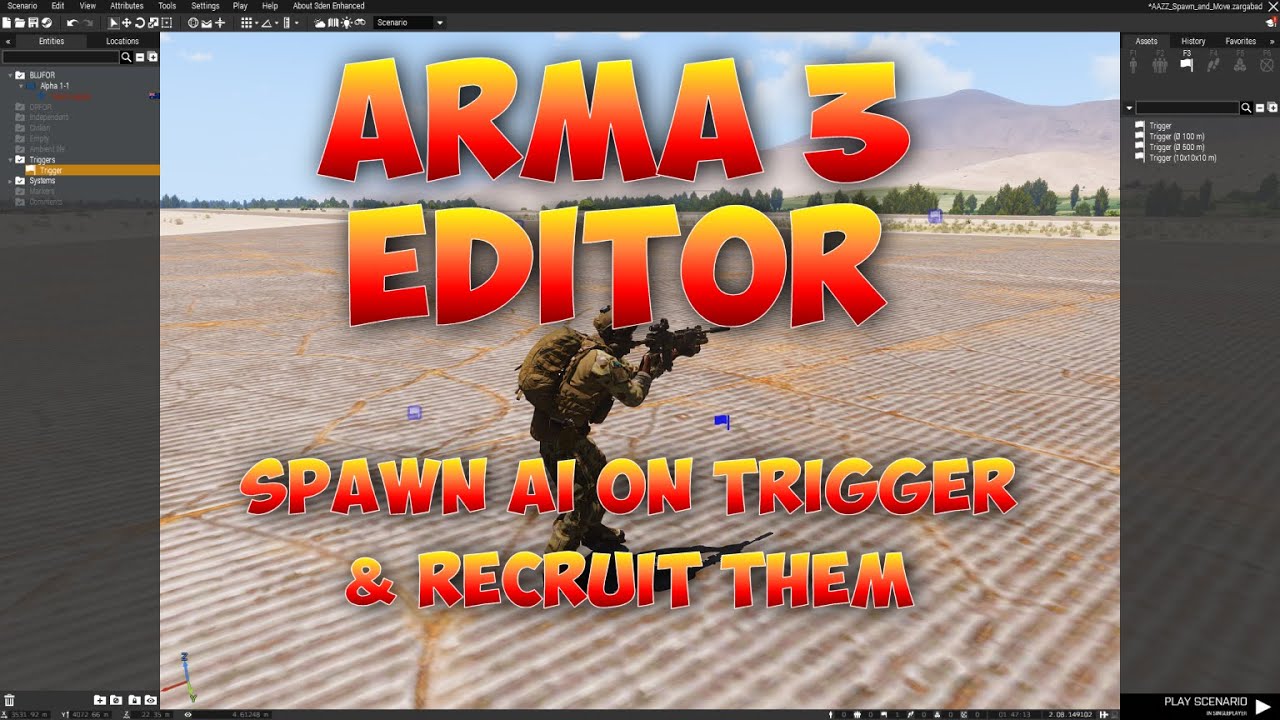
This will show you how to spawn in AI reinforcements and how to then recruit them into your group. See below for code links.
Paste Bin Link for the codes used
Questions or comments? Want to ask for help with something or just want to be involved in our community missions? Join our discord: https://invite.gg...
 warm hedge
- What is "cost"
- A script can be ran anytime anywhere anyhow
- I don't watched the vid but I guess yes
glad oyster
warm hedge
1. What is "cost"
2. A script can be ran anytime anywhere anyhow
3. I don't watc...
Yeah I've seen other forums where people pay for scripts and I thought it was the deal here too.
Anyone who can help me with a similar script like that in the video
warm hedge
You write or find one, not pay or paid. The deal is not something you do/can
 real tartan
how to detect if player used explosive to kill enemy. want to avoid using eventHandler on all units, rather something I can check from player object
warm hedge
https://community.bistudio.com/wiki/Arma_3:_Mission_Event_Handlers#EntityKilled
Try your luck. But having Killed EH for everyone is much reliable way
real tartan
I am using EntityKilled, but don't have idea how to detect if player used grenade, currently only detecting weapon with currentWeapon vehicle _instigator
problem is, that this way, I will get primary, secondary or handgun only, not grenades, not explosives
warm hedge
There really is no cons to add Killed to everyone
 faint burrow
real tartan
I am using `EntityKilled`, but don't have idea how to detect if player used gren...
faint burrow
real tartan
I am using `EntityKilled`, but don't have idea how to detect if player used gren...
Then you should use other EH, for example, https://community.bistudio.com/wiki/Arma_3:_Event_Handlers#HandleDamage.
 indigo wolf
how do I prevent a specific object from ever being deleted or destroyed (it has a variable name that I want to keep it consistent throughout so I dont accidentaly delete it)
warm hedge
You can't. deleteVehicle will do its job whenever they are ordered to do so
faint burrow
Regarding damaging, https://community.bistudio.com/wiki/allowDamage.
 winter rose
indigo wolf
how do I prevent a specific object from ever being deleted or destroyed (it has ...
winter rose
indigo wolf
how do I prevent a specific object from ever being deleted or destroyed (it has ...
or make yourself a function that checks whether or not the MOS_fnc_deleteVehicle should delete the vehicle or not
but it's terrible design / lot of overhead tbh
 pallid palm
Hi all i have a ? can you run parts of a script on the client if the script is Wrapped in if (isServer) then {some stuff};
winter rose
wait
what
pallid palm
oh nice thx Lou
winter rose
remoteExec, if the current code is run on the server
 finite bone
What function does the terrain hide module call upon? I'm trying to hide/show terrain objects like buildings and bridges via script. I assumed isObjectHidden along with nearestTerrainObjects would do the trick but seems not.
 south swan
you can always check in-game by opening Function Viewer in 3DEN's Tools menu and finding BIS_fnc_module<whatever> function 🤷♂️
pallid palm
in the module you can click on stuff to hide levels of Terrain
like houses and anything thats within the module radius
in a script i dont know
i don't like the fact, that all that stuff is still there even tho we hide it
i wish we could delete Terrain objects
i was woundering would this work
if (isServer) then
{
//do some stuff here
if (hasInterface) then
{
    //do some stuff here
};

//do some stuff here
};
finite bone
Wait my methodology actually works its just i had an error with conditions being checked. sqf { if (isObjectHidden _x) exitWith {_x hideObject false;} } forEach nearestTerrainObjects [player, [], 50];
 proven charm
pallid palm
if (isServer) then
{
//do some stuff here
if (hasInterface) then
...
proven charm
pallid palm
if (isServer) then
{
//do some stuff here
if (hasInterface) then
...
why not. but if you want run stuff only on client use if(hasInterface)
winter rose
it may look like wrong design, but from that we can't know for sure
pallid palm
hmmm ok
keen grove
Is there a way to use synced objects from a trigger?
That is, refer to a synced object inside a script without a variable name?
keen grove
I don't understand the unit parameter.
faint burrow
Return the list of objects synchronized with the given unit.
keen grove
Yea, i assumed this has something of a private array?
faint burrow
unit: Object
It's an object, not an array of objects.
Read the BIKI, it has almost everything.
pallid palm
right moues ckick on the trigger, then chose synkto what ever you want
then click on the object you want
faint burrow
The question is not how to sync, but how to get synchronized objects.
 stark fjord
Perhaps unit is bad wording on the wiki part
brittle minnow
little raptor
You can use setAperture instead to make the environment darker
Absolutely, but i have custom lighting inside the structure so it won't go on if it's not night.
keen grove
any idea what's wrong with this?
playSound3D [ "a3\data_f_curator\sound\cfgsounds\air_raid.wss" , this, false, getPosASL _soundSource , 5, 60, 0,false ];
it says it gets bool but expects a number
 stable dune
offset: Number - (Optional, default 0) offset in seconds. Same as with playMusic
last false is off set, you need add default value 0 , and after that your false
playSound3D [ "a3\data_f_curator\sound\cfgsounds\air_raid.wss" , this, false, getPosASL _soundSource , 5, 60, 0, 0, false];
Check BIKI before coming here.
https://community.bistudio.com/wiki/playSound3D
keen grove
I did. I didn't catch that...
it happends that you sometimes are missing something. you know?
faint burrow
Really? The BIKI and the game itself and RPT-files provide a lot of info to solve the issue.
keen grove
Now it says 0 elements provided 3 expected... 🤔
faint burrow
This is all? How about a detailed error message taken from RPT-file?
keen grove
I don't know what that is
faint burrow
 hallow mortar
That sounds like a position array failing to exist.
Is _soundSource actually defined, and defined in the scope we're working in?
thin fox
keen grove
Now it says 0 elements provided 3 expected... 🤔
sometimes this is a "position" error
3 elemets are the 3 missing coords [x,y,z]
keen grove
Oh,yea I thought _soundSource is assigned automatically, it says int he wiki to use that if I want a following paramater.
yea using "this" solved it
hallow mortar
It's just saying _soundSource as a placeholder for whatever your source object variable actually is
keen grove
I wounder if there is a way to make the sound stretch over a longer period of time
faint burrow
There is soundPitch param, try it.
keen grove
that affects length?
faint burrow
Don't know.
keen grove
I'll play around with it thanks!
hallow mortar
Well, it depends what you mean by "stretch". You can make a loop that plays the sound repeatedly. But you can't slow it down or extend a specific part of the sound without editing the sound file.
 hot sapphire
!code
 wicked roostBOT
How to use SQF syntax highlighting in Discord
```sqf
// your code here
hint "good!";
```
↓
// your code here
hint "good!";
@pallid palm here the syntax highlight for discord
keen grove
Oh! that's how you did it, cool!
hot sapphire
@pallid palm Example: The new Heli class I have parameterized now in CfgVehichles.hpp its like this:
class O_Heli_Attack_02_dynamicLoadout_black_F: O_Heli_Attack_02_dynamicLoadout_F {};

    // aggiunta classe My_Mi48_Kajman_Blufor

    class My_Mi48_Kajman_Blufor : O_Heli_Attack_02_dynamicLoadout_F {
    displayName = "Mi-48 Kajman BLUFOR";
    side = 1;
    faction = "BLU_F";
    crew = "B_Helipilot_F";
    typicalCargo[] = {"B_Helipilot_F"};

    class TransportPylons {
        excludeMagazines[] = {"PylonRack_20Rnd_Rocket_03_AP_F","PylonRack_20Rnd_Rocket_03_HE_F"};
        // Aggiungi qui eventuali modifiche al carico
    };
Is there a way to know if a radar system is detecting a missile in the air?
I want to setup a missile alarm system and it seems like the radars already track the missiles there are just no interceptor missiles. I want to setup the alarm system anyway.
hot sapphire
keen grove
Is there a way to know if a radar system is detecting a missile in the air?
Example of "IncomingMissile" event handler:
radarUnit addEventHandler ["IncomingMissile", {
    params ["_targetVehicle", "_missile", "_shooter", "_ammo"];

    // Trigger detection here, as a missile is incoming
    hint "Missile detected!";
}];
My Mi 48 Kajmans detect the incoming missile and sound the buzzer, so I can launch countermeasures and back-turn to the side.
keen grove
how about something like
while {detectionOn} do
  {
    Anthrakia_missileDetected = position this nearObjects ["Missile", 500];
sleep 10;
 }
It's better to use EHs rather than while loops.
keen grove
hmm... I just don't see how do I set a radius
faint burrow
You have 2 objects. Is it a problem to calculate distance between them?
keen grove
i guess not
hot sapphire
keen grove
hmm... I just don't see how do I set a radius
500 is 500 meters ...the script continuously checks for missiles (MissileBase) within 500 meters of the object running the script.
faint burrow
keen grove
i guess not
Nice, then compare the calculated distance with the desired and, if it's lower, enable alarm.
hot sapphire
keen grove
how about something like
```sqf
while {detectionOn} do
{
Anthrakia_missile...
try like this if you like..
while {detectionOn} do
{
    Anthrakia_missileDetected = position this nearObjects ["MissileBase", 500];

    if (count Anthrakia_missileDetected > 0) then {
        systemChat "Missile detected near Anthrakia!";
    };

    sleep 10;
};
Oh I intend on actually making an air raid alarm go off in a loudspeaker, got the louadspeaker already setup with variable and everything just need to trigger it approprietly.
faint burrow
hot sapphire
try like this if you like..
```sqf
while {detectionOn} do
{
Anthrakia_missil...
What about this:
radarUnit addEventHandler [
    "IncomingMissile",
    {
        params ["_radar", "_missile"];

        if (((_missile distance _radar) < 500) and { /* alarm is not enabled */ }) then {
            // enable alarm
        };
    }
];
?
hot sapphire
faint burrow
What about this:
```sqf
radarUnit addEventHandler [
"IncomingMissile",
{...
better then while of course!
hot sapphire
faint burrow
What about this:
```sqf
radarUnit addEventHandler [
"IncomingMissile",
{...
// Variable to track whether the alarm is enabled
_alarmEnabled = false;

// Add Event Handler to the radar
radarUnit addEventHandler [
    "IncomingMissile",
    {
        params ["_radar", "_missile"];

        // Check if the missile is within 500 meters and the alarm is not already enabled
        if (((_missile distance _radar) < 500) and {!_alarmEnabled}) then {
            // Enable the alarm
            _alarmEnabled = true;
            loudspeaker say3D "air_raid_alarm_sound"; // Replace with your sound

            // Set a timer to disable the alarm after a certain period (e.g., 60 seconds)
            [_alarmEnabled, loudspeaker] spawn {
                sleep 60; // Duration of the alarm in seconds
                _this select 1 say3D ""; // Stop the alarm
                _this set [0, false]; // Reset the alarm status
            };
        };
    }
];
radarUnit setVariable ["alarmEnabled", false];

radarUnit addEventHandler [
    "IncomingMissile",
    {
        params ["_radar", "_missile"];

        if (((_missile distance _radar) < 500) and { !(_radar getVariable ["alarmEnabled", false]) }) then {
            // enable alarm

            _radar setVariable ["alarmEnabled", true];
        };
    }
];
Looking good, will look at it further in a few! thanks a lot!
hot sapphire
@keen grove get ready, with your chopper and we will try to shot a missle on you! 😄
keen grove
hmm... don't I need to set a specific target for this to work? what I want is a catch alarm for missiles in a radius.
little raptor
brittle minnow
Absolutely, but i have custom lighting inside the structure so it won't go on if...
You mean scripted lights? They can. There's a command for it (iirc setDayTimeLight or something like that)
you have to increase their brightness too because the aperture makes those lights dark too
keen grove
I also can't find any missile objects type Q_Q
little raptor
They're not listed in 3den if that's where you're looking
keen grove
I'm looking at the wiki
little raptor
Missiles should be under CfgAmmo. Dunno if the wiki even has those listed
keen grove
ArtilleryTarget is almot what I need. it only gets used however if the player gives fire artiliary command
little raptor
You can just spawn a missile and throw it towards the target and make it lock
keen grove
little raptor
You can just spawn a missile and throw it towards the target and make it lock
I rather it be dynamic
little raptor
What part of that is not dynamic?
stark fjord
He means realistic
keen grove
that's a big word
winter rose
realistic
now it is
stark fjord
Woah, where is header mafia when you need them...
hot sapphire
keen grove
well I also want to have a drop in system for incoming missile detection.
Spawn an op soldier AA Soldier (Rifleman AA) and set it aggressive , and fly over him... check what's happen....
keen grove
well I want to have a radar object that can detect incoming ariliary and setoff an alarm in loudspeakers.
question is how do I detect artiliary projectiles
from the radar
pallid palm
lol @ Marko
keen grove
😉
pallid palm
lol
thin fox
keen grove
question is how do I detect artiliary projectiles
dude, welcome to the arma 2.18, use the new MEH: https://community.bistudio.com/wiki/Arma_3:_Mission_Event_Handlers#ArtilleryShellFired
it gives you a lot of info
keen grove
Oh daim it straight has a shell object.
pallid palm
nice
keen grove
this looks VERY promising
thin fox
this is the first thing I tested in the 2.18, I was waiting for this one lol
keen grove
So what I'm planning to do is make a custom object/group/whatever.
that has 4 loudspeakers, attached to a trigger that checks if a variable is true (e.x: "Anthrika_AirRaidAlarm").
then have a radar somewhere, with that variable in it, which is basicly where the game logic will base his radius check. for missiles.
that leaves the game logic itself...
it will need to add the shell objects to an array and loop over that array to check for each shell distance to each radar. and setoff that radar variable to trigger the loudpeakers.
then if I want to add more areas of intrest, I just drop in this group, and it's just a matter of syncing the objects properly.
I REALLY wish I had an ingame script editor. rather then these small boxes...
 fleet sand
keen grove
So what I'm planning to do is make a custom object/group/whatever.
that has 4 lo...
fleet sand
keen grove
So what I'm planning to do is make a custom object/group/whatever.
that has 4 lo...
There is this mod that adds that functionality btw:
https://steamcommunity.com/sharedfiles/filedetails/?id=1388192893
https://www.youtube.com/watch?v=ZM0vpqcuxU8


In this video I go through how to set up and use the Counter Battery Radar (COBRA) and Counter Rocket, Artillery and Mortar (CRAM) systems.
Note: The Radar doesn't need to be within 500m of the siren, but the siren will only ring if rounds are impacting within 500m of it
ArmA 3 is the core game:
https://store.steampowered.com/app/107410/
T...
keen grove
I seen it exists, but I much rather have something native to the game if I can
less dependencies = less stuff that can break 😄
fair drum
keen grove
I REALLY wish I had an ingame script editor. rather then these small boxes...
Just use vscode and copy it over if you HAVE to use the attribute code boxes. Use 2 space tabbing to make it look good in those boxes.
Do not use tab based tabbing, it will look like garbage moving it back and forth to vscode
keen grove
I would probably use vim if I was to use an external editor.
thin fox
keen grove
I REALLY wish I had an ingame script editor. rather then these small boxes...
Advanced developer tools mod?
keen grove
wait I also see a live feed systems, can i make screens show cameras from drones?
can i only exctract the shell object from the event or do i need to define all the params?
like can I do:
addMissionEventHandler ["ArtilleryShellFired", {
    params ["_shell"];
//do something
}];
You can but not like that
keen grove
how?
little raptor
_this # 7
thin fox
_this select 7
little raptor
The 8th parameter
keen grove
can you give an example? sorry
little raptor
_shell = _this # 7; in the EH code
keen grove
will that be:
addMissionEventHandler ["ArtilleryShellFired", {
  _shell = _this # 7;
}];
Yes
keen grove
without the params?
little raptor
Yes
keen grove
so cool. thank you!
little raptor
keen grove
without the params?
Params simply extracts array elements and defines them as variables
[1, 2, 3] params ["_var1", "_var2", "_var3"]
(If no array is provided on the left, it'll use _this)
keen grove
oh, that's good to know! thank you!
that's odd I can't find any object type shell
also a quesiton i just thought of... will the object just dissapear from the array after it impacted the ground and exploded?
little raptor
which array?
keen grove
I need to add the shells to an array to check all of them for distance from the radar
little raptor
No they just become objNull
 granite sky
You can also do params ["_var1", "", "_var_3"] which helps occasionally.
Undocumented behaviour though.
faint burrow
Why "undocumented"? See examples: https://community.bistudio.com/wiki/params
south swan
"must" is a strong word, though
 faint burrow
This is in case you use the param.
keen grove
I'm confused about this example from the wiki:
private _arrayA = [1, 2, 3, 2, 4, 5, 4];
private _arrayB = [2, 2, 4];

{
    private _index = _arrayA find _x;
    if (_index != -1) then
    {
        _arrayA deleteAt _index;
    };
} forEach _arrayB;

_arrayA; // is now [1, 3, 5, 4]
wasn't the 4 supposed to be removed too?
south swan
one 4 is deleted
little raptor
It removes the first instance
little raptor
If you did arrayA-arrayB all 4s would be gone
south swan
faint burrow
This is in case you use the param.
taken from params wiki page, though?
 keen grove
little raptor
If you did arrayA-arrayB all 4s would be gone
keen grove
little raptor
If you did arrayA-arrayB all 4s would be gone
assume arr1 is full of objects and some nullobj.
will arr1 = arr1 - [nullobj] remove all nullobj from the array?
faint burrow
south swan
taken from `params` wiki page, though?
And? If you need a param, then your var should be local, i.e. must begin with "_", if not, then pass an empty string.
little raptor
keen grove
I'm confused about this example from the wiki:
```sqf
private _arrayA = [1, 2, 3...
If you're reading this because you want to remove the objNulls then:
myArr - [objNull]
keen grove
😄
little raptor
keen grove
assume arr1 is full of objects and some nullobj.
will arr1 = arr1 - [nullobj] re...
Yes
keen grove
little raptor
If you're reading this because you want to remove the objNulls then:
`myArr - [o...
wait won't I need to assing the result ?
little raptor
Yes you do. What you wrote was correct
south swan
faint burrow
And? If you need a param, then your var should be local, i.e. must begin with "_...
argument description says "MUST begin with underscore" and doesn't mention empty. Example does show usage of empty. Does it work? Yes. Does the documentation contradict itself? Also yes.
faint burrow
Examples are part of documentation.
south swan
and they contradict prior part of same documentation. "Must" is a strong word. 
faint burrow
No, it doesn't.
keen grove
missing ;?
shells_inAir = [];
addMissionEventHandler ["ArtilleryShellFired", {
array shells append_this # 7;
}];
 keen grove
fuck
south swan
is not really a thing as well
 keen grove
I'm stupid
shells_inAir = [];
addMissionEventHandler ["ArtilleryShellFired", {
shells_inAir append _this # 7;
}];
this works
like it didn't return an error I mean
little raptor
south swan
argument description says "MUST begin with underscore" and doesn't mention empty...
Well in any case I fixed it
little raptor
keen grove
```sqf
shells_inAir = [];
addMissionEventHandler ["ArtilleryShellFired", {
shel...
You should use pushBack
Append is for appending another array, not a single element
granite sky
faint burrow
Why "undocumented"? See examples: https://community.bistudio.com/wiki/params
Ah yeah, example 3. Did not spot it on second read.
keen grove
will this do what I think it will?
if (!ArtilleryShellFiredEvent_on) then {
shells_inAir = [];
addMissionEventHandler ["ArtilleryShellFired", {
  shells_inAir pushBack _this # 7;
}];
ArtilleryShellFiredEvent_on = true;
}
If you have already defined that var yes
keen grove
is there a way to make sure it's undefined before defining it?
little raptor
If not, use missionNamespace getVariable ["varName", false]
It will default to false when not defined
little raptor
keen grove
is there a way to make sure it's undefined before defining it?
Either use the above method, or check using isNil "varName" || {!varName} (assuming the var is a boolean like above)
The {} is for lazy evaluation (if the first condition fails it won't execute what's in {}, which would otherwise cause an undefined var error)
keen grove
ok cool
little raptor
little raptor
If not, use `missionNamespace getVariable ["varName", false]`
It will default to...
This is the better way ofc
keen grove
I am trying to avoid redifining the variable. does that avoid it?
because the script is going to run for ever radar I put on a mission
little raptor
keen grove
I am trying to avoid redifining the variable. does that avoid it?
You can simply check
if (isNil "shells_inAir") if you don't need that bool for other purposes
Also you should "tag" your global variables to make it less likely that they'll conflict with other vars
E.g. MTW_shells_inAir
keen grove
yea I just can't find that particular call
 keen grove
excuse my stupidity I am new Q_Q
so will this:
missionNamespace getVariable ["ArtilleryShellFiredEvent_on", false];
if (!ArtilleryShellFiredEvent_on) then {
shells_inAir = [];
addMissionEventHandler ["ArtilleryShellFired", {
  shells_inAir pushBack _this # 7;
}];
ArtilleryShellFiredEvent_on = true;
}
do what I think it will?
if the variable isn't defined, it will define it with false boolean value.
then, if the boolean is false, it will setup the event handler with an array to add every shell object that appears.
finally it sets the variable to true, so the event won't be defined more then once at the start of a mission incase the code executes multiple times.
winter rose
no
private _varName = missionNamespace getVariable ["ArtilleryShellFiredEvent_on", false];
// or
private _varName = ArtilleryShellFiredEvent_on;
// or use ArtilleryShellFiredEvent_on directly
if (!_varName) then
{
  // ...
}
i'd say if !(missionNamespace getVariable ["ArtilleryShellFiredEvent_on", false]) then {... and then assign directly
keen grove
winter rose
```sqf
private _varName = missionNamespace getVariable ["ArtilleryShellFiredEven...
will this work?
if (!(missionNamespace getVariable ["ArtilleryShellFiredEvent_on", false])) then {
shells_inAir = [];
addMissionEventHandler ["ArtilleryShellFired", {
  shells_inAir pushBack _this # 7;
}];
ArtilleryShellFiredEvent_on = true;
}
or do I need to setVariable in missionNamespace?
little raptor
keen grove
will this work?
```sqf
if (!(missionNamespace getVariable ["ArtilleryShellFiredE...
Yes
little raptor
keen grove
or do I need to setVariable in missionNamespace?
missionNamespace is where global vars are defined
Using setVariable on missionNamespace will be no different than a simple assignment myVar = value (except you can also define vars with weird names)
keen grove
in that case I actually want a global variable
winter rose
do you know why?
keen grove
because the event is global. so setting multiple of them will trigger the same event multiple times.
"same event"
winter rose
you can, not a bad thing
you can also set an object variable to true
and you can also make it so that an event removes all others, but that's a tad trickier
keen grove
I understand it's possible, but in my case setting multiple of these will just make the same code run multiple times
in effect, in my case it will add the same shell obj to the array multiple times
which isn't desireable behavior.
i can see that useful for cases where you want one event to consider some kind of system interrupts and another doesn't.
 mellow jolt
I asked about this in mission making, but I think this may be a scripting issue.
I need to have a helicopter pilot fly a series of waypoints through anti-aircraft fire without reacting at all, but I need the gunners on the helicopter to shoot back.
Setting the pilot to careless seems to prevent the gunners from getting any fire commands and setting the pilot to anything other than careless ends with them taking evasive action and going off course
Is there a scripting solution to prevent the pilot from taking any evasive actions but still allow them to command the gunners as normal?
hallow mortar
I usually find helicopter gunners will shoot even if the crew is set to Careless 🤔 normally a Hold Fire behaviour setting is required to make them stop
stark fjord
mellow jolt
I asked about this in mission making, but I think this may be a scripting issue....
Put gunners in diffrent group 😉
mellow jolt
Tried it. They don't seem to see the enemy even with skills maxed. I think they need fire orders from pilot who is too dumb to do so since without scripting the only way to keep them on course is to set them as careless
stark fjord
they dont, unless they dont see enemy. Pilot notices them first, cause he is looking forward tho
Put pilot in diffrent group. And co-pilot, gunners into another
set pilots group to careless and other group to aware
mellow jolt
I'll give that a shot. Is there also some setting I can adjust outside of the basis Eden configs to pump their detection past normal? I want to make sure they are seeing everything they can.
faint burrow
mellow jolt
I asked about this in mission making, but I think this may be a scripting issue....
As written above, put gunners and pilots to different groups, also use this:
_pilot disableAI "AUTOCOMBAT";
You can use the reveal command (repeatedly) to give them knowledge of everything
(well, except knowledge of safe driving)
keen grove
should I use missionNamespace ["shells_inAir", [] ] too? i think that way I can even loop over the distance from the shells to the radars in the trigger itself. just a matter of figuring out how to loop of all synced radars specifically.
stark fjord
why are you using mission namespace in the first place?
keen grove
to avoid making multiple events of the same code. allowing me to create the same object with the same code without worrying about the event being misshandled.
stark fjord
you know that missionNamespace is same as a = 123?
eg ```
missionNamespace setVariable ["LOL", 123];
hint str LOL;
will print 123

vice a versa ```
ABCD = 321;
hint str missionNamespace getVariable ["ABCD", 0];
``` will again print 321, you are just making longer textThe use of getVariable is for safe handling if the variable hasn't been defined yet
keen grove
yea
stark fjord
if(!isNil "LOL")
hallow mortar
That's not necessarily better
The point of getVariable (in this case) is to let you quickly assume a default value if the variable isn't defined, skipping the whole "if then" business
keen grove
missionNamespace setVariable ["LOL", 123];
//same as
if(!isnil "LOL") then { LOL = 123 }
no
keen grove
so?
south swan
just LOL = 123
stark fjord
yep
keen grove
LOL is undefined at that point.
hallow mortar
keen grove
```sqf
missionNamespace setVariable ["LOL", 123];
//same as
if(!isnil "LOL") the...
(getVariable, not setVariable)
stark fjord
keen grove
LOL is undefined at that point.
you defined it in first line
keen grove
Oh i see the confusion...
south swan
if(!isnil "LOL") then { LOL = 123 } doesn't make sense. LOL = 123 would assign the value, it' doesn't care if the variable is already defined
keen grove
LOL =123 isn't considering multiple runs of the same code.
stark fjord
basically what you are trying to tell is missionNamespace getVariable ["LOL", 123]; is same as LOL = if (!isNil "LOL") then {LOL} else {123}
stark fjord
keen grove
LOL =123 isn't considering multiple runs of the same code.
yes it is, its the same.
Its a global variable.
and you can use getVariable on LOL too even if you do it LOL = 123
observe ˙```
LOL = "IM LOLLIN LOL";
_var _isThisLollery = missionNamespace getVariable ["LOL", "Im not lolling atm"];
hint LOL;
//process 1
lol = 123
//process 2
lol = "abc"
what is the value of lol?
stark fjord
abc
keen grove
how do you know?
south swan
sigh
stark fjord
keen grove
```sqf
//process 1
lol = 123
//process 2
lol = "abc"
```
what is the value of lo...
lemme rephrase your statement:
Process 1:
missionNamespace setVariable ["LOL", 123];
process 2:
missionNamespace getVariable ["LOL", 321];
What is value of LOL?
hallow mortar
Look there's nothing wrong with using getVariable for this, it is one of its intended purposes and it will do the job just fine - arguably faster since it uses fewer commands overall
little raptor
keen grove
how do you know?
By process are you trying to say 2 different scripts with race condition?
stark fjord
hallow mortar
Look there's nothing wrong with using `getVariable` for this, it is one of its i...
i dont mind getVariable, he doesnt need to use set variable...
He is setting a global variable regardless
keen grove
stark fjord
lemme rephrase your statement:
Process 1:
missionNamespace setVariable ["LOL", 1...
it can be both.
keen grove
little raptor
By process are you trying to say 2 different scripts with race condition?
yup.
stark fjord
same as your example, the one that executes last
keen grove
but you said "abc".
stark fjord
anyways so what changes if you use setVariable?
keen grove
set forces the variable into that value. get only assings on creation.
hallow mortar
stark fjord
i dont mind getVariable, he doesnt need to use set variable...
I didn't say setVariable was needed, but "I don't mind getVariable" is also not what you originally said :U
south swan
getVariable doesn't assign. It only returns
little raptor
keen grove
set forces the variable into that value. get only assings on creation.
get doesn't assign. It just creates a new value if the var you provided doesn't have a value (aka is nil)
south swan
setVariable only assigns and doesn't return
keen grove
read the wiki.
stark fjord
...
 south swan
anything about assignment here?
hallow mortar
I think everyone needs to read a little more closely, and be a little more clear in their phrasing, to be absolutely certain about whether they're referring to get* or set* in every instance
keen grove
So if I do:
missionNamespace getVariable ["ArtilleryShellFiredEvent_on", false];
hint ArtilleryShellFiredEvent_on
I will get an error?
stark fjord
yes
little raptor
Yes if it's not defined
get doesn't assign (i.e. it'll still be nil)
stark fjord
no, it will error cause trying to hint non text
stark fjord
_asdf = missionNamespace getVariable ["ArtilleryShellFiredEvent_on", false];

hint str _asdf;
``` will nto errorprivate _artyEvent = missionNamespace getVariable ["ArtilleryShellFiredEvent_on", false];
hint str _artyEvent;```
correct implementationwell it works.
 cedar cape
how would i go about scripting a black screen that fades in? im looking to do a helicopter crash, when the helicopter hits the ground it cuts the players screen to black and then plays a ringing sound in their ears, blackout lasts for about 30 seconds, dismounts them all from the helicopter and gives them all random ACE injuries that make sense for a heli crash, then it fades in, transition takes about 10 seconds, with blur/chromatic aberration. im looking to do this in zeus, ive got ZEN and i will have access to the debug console, also looking for it only to affect players so i can do stuff whilst they are blacked out
keen grove
Oh, I was testing in the same mission where I assigned the variable already.
you all are correct and I'm a dumbass.
back to the editor 🫡
granite sky
cedar cape
how would i go about scripting a black screen that fades in? im looking to do a ...
cutText might be sufficient.
cedar cape
granite sky
`cutText` might be sufficient.
what about the other stuff?
stark fjord
cedar cape
how would i go about scripting a black screen that fades in? im looking to do a ...
try ```sqf
cutText ["", "BLACK OUT", 2];
[] spawn {
//this will bring scren back after 5 s
sleep 5;
cutText ["", "BLACK IN", 2];
};
this should work tho
if (!(missionNamespace getVariable ["ArtilleryShellFiredEvent_on", false])) then {
missionNamespace setVariable ["shells_inAir", [] ];
addMissionEventHandler ["ArtilleryShellFired", {
  shells_inAir pushBack _this # 7;
}];
missionNamespace setVariable ["ArtilleryShellFiredEvent_on ", true];
}
The setVariables are just too verbose. Use ordinary assignment
cedar cape
stark fjord
try ```sqf
cutText ["", "BLACK OUT", 2];
[] spawn {
//this will bring scren back...
right but what about the other stuff i mentioned
stark fjord
if (!(missionNamespace getVariable ["ArtilleryShellFiredEvent_on", false])) then {
shells_inAir = [];
addMissionEventHandler ["ArtilleryShellFired", {
  shells_inAir pushBack _this # 7;
}];
ArtilleryShellFiredEvent_on = true;
}
It should work, but you don't need setVariable in this cases - you can just flat define the global variables, like shells_inAir = [];.
You might want to use setVariable if you need the variables to be network global, because it has an optional extra flag to broadcast the variable to all or some machines, but currently you're not doing that.
keen grove
little raptor
The setVariables are just too verbose. Use ordinary assignment
why are they too verbose? I thought they are more readable no?
stark fjord
how is wall of text more readable than variable = value?
but i guess many ways to skin a cat
also, if you do go with your wall of text approach, watch where you put extra whitespaces, namely in this line:missionNamespace setVariable ["ArtilleryShellFiredEvent_on ", true];
granite sky
moveOut for getting units out of a vehicle. https://community.bistudio.com/wiki/Post_Process_Effects for the chromatic aberration.
Don't know audio stuff at all.
cedar cape
granite sky
Don't know audio stuff at all.
ACE has ear ringing sounds obviously, so cant i just call for them?
thin fox
cedar cape
ACE has ear ringing sounds obviously, so cant i just call for them?
check ace3 wiki
keen grove
if (!(missionNamespace getVariable ["ArtilleryShellFiredEvent_on", false])) then {
shells_inAir = [];
addMissionEventHandler ["ArtilleryShellFired", {
  shells_inAir pushBack _this # 7;
}];
ArtilleryShellFiredEvent_on = true;
}
this?
granite sky
You'd probably need to read ACE internals.
little raptor
keen grove
this should work tho
```sqf
if (!(missionNamespace getVariable ["ArtilleryShellF...
Basically the only reason to ever use setVariable is:
You want to use a non-mission namespace
You want to define a weird var name (e.g. "#$wierd&Var+Name%")
You want to broadcast the variable on the network (setting it's public flag to true), but again most people just use publicVariable for that
granite sky
I don't think they provide adequate documentation for scripted injuries either.
keen grove
little raptor
Basically the only reason to ever use setVariable is:
You want to use a non-miss...
public flag?
south swan
it's documented on wiki
keen grove
looking
south swan
doesn't matter for singleplayer
hallow mortar
A global (scope) variable is normally available to all scripts on the current machine, but is not broadcast to other machines.
When you broadcast it (make it "public"), that defines the variable on other machines and tells them about its current value.
keen grove
hallow mortar
A global (scope) variable is normally available to all scripts on the current ma...
ohhh, thanks.
south swan
which opens another can of worms
cedar cape
granite sky
I don't think they provide adequate documentation for scripted injuries either.
they do somewhat
i know how to script issues thats not an issue
its just the other stuff i dont know how to do
keen grove
now what I need is to make a loop for checking the distance from each trigger synched radar to each shell in shells_inAir.
thin fox
isn't easier to just use the _targetPosition parameter?
keen grove
I want it the alarm to set off when the shell gets close. not on lunch 😄
south swan
you can calculate an appropriate wait on shot and set the alarm off like 5-8 seconds before the first shell hits
stark fjord
Or forEach distance and rockenroll
thin fox
also you can get the shell ETA for the delay calculation
keen grove
what if the shell got intercepted on the way?
thin fox
keen grove
what if the shell got intercepted on the way?
is this even possible?
keen grove
thin fox
is this even possible?
with mods...
I have plans
for the future
great plans, good plans.
stark fjord
thin fox
is this even possible?
normally you just spawn object infront of them. you cant "shoot it down"
keen grove
probably the best plans ever.
thin fox
stark fjord
normally you just spawn object infront of them. you cant "shoot it down"
right right
I was thinking vanilla way and without interference by another script
keen grove
is it really possible to make a foreach distance loop?
like
{ // do something
} foreach shell in rader distance shells_inAir;
Well, I don't see the problem with alarming incoming artillery shell but the shell gets destroyed before the impact
it's realistic in the same way
stark fjord
keen grove
is it really possible to make a foreach distance loop?
like
```sqf
{ // do some...
check forEach on wiki
keen grove
so the question is if distance returns a hashmap with object to array syntax
south swan
what is this random word salad?
faint burrow
apply instead of forEach can be used here.
keen grove
oohhh cool.
so it would be something like
shells_inAir apply { if ( (radar distance _x) < 500) then {
  { playSound3D [ "a3\data_f_curator\sound\cfgsounds\air_raid.wss" , _x, false, getPosASL _x , 5,  200, 0, 0, false];
  } foreach synchronizedObjects;
 sleep 2;
 shells_inAir - [objNull];
}
}
No.
keen grove
was I close?
faint burrow
Don't know, this can be solved in different ways.
thin fox
synchronizedObjects is a command right?
faint burrow
Yes.
keen grove
it returns an array
stark fjord
yours wont return anything
keen grove
the error here is that it doesn't return a boolean
keen grove
stark fjord
yours wont return anything
why not?
thin fox
keen grove
why not?
dude, check biki
keen grove
oh it has a parameter Q_Q
shells_inAir apply { if ( (radar distance _x) < 500) then {
  { playSound3D [ "a3\data_f_curator\sound\cfgsounds\air_raid.wss" , _x, false, getPosASL _x , 5,  200, 0, 0, false];
  } foreach synchronizedObjects this;
 sleep 2;
 shells_inAir - [objNull];
 }
};
false;
not complete yet I need to seprate the radar from the louadspeakers
cedar cape
stark fjord
try ```sqf
cutText ["", "BLACK OUT", 2];
[] spawn {
//this will bring scren back...
i dont want it to fade in
just straight to black
stark fjord
set time to 0, last argument
cedar cape
stark fjord
set time to 0, last argument
where
the screen fades to black, i just want it to go black instantly
faint burrow
Have you read the BIKI?
cedar cape
i still want it to fade back in
cedar cape
faint burrow
Have you read the BIKI?
yes
ive tried blackin
and fadeEffect
i cant get anything working
blackOut does what i want, it makes the screen black instantly
but i cant figure out how to fade it back in
i got it
faint burrow
speed: Number - (Optional, default 1) time in seconds to fade in resource. If 0 or less, default value is used
So if you need "to go black instantly", use small value, e.g. 0.1.
keen grove
Condition
private _alarmRadius = 500;
private _radars = (synchronizedObjects this) select { typeof _x == "B_Radar_System_01_F"};
{// _x = radar
  current_radar = _x;
  {// _x = shell
    if ( (current_radar distance _x) < _alarmRadius )  then { true };
  } foreach shells_inAir;
} foreach _radars;
false;
on Activation:
private _loudSpeakers = (synchronizedObjects this) select { typeof _x == "Land_loudspeakers_F"};
{playSound3D [ "a3\data_f_curator\sound\cfgsounds\air_raid.wss" , _x, getPosASL _x , 5,  200, 0, 0, false];
}foreach _loudSpeakers;
how about this?
(sorry for the edit I movd the alarmRadius to where it was supposed to be)
little raptor
This is too slow for a condition
You should use findIf too stop as soon as any condition is met
keen grove
I wanted to move the variables to some init but there is non on a trigger
little raptor
Also your condition always returns false
little raptor
keen grove
I wanted to move the variables to some init but there is non on a trigger
There's get/setVariable
keen grove
little raptor
Also your condition always returns false
I should have checked if there is a return statement in the wiki you are right.
keen grove
little raptor
There's get/setVariable
won't work for my case.
little raptor
Why not? You can set/get vars on a trigger
keen grove
yes but I don't want to deal with new variables everytime I want to use the system
little raptor
Anyway I just meant use findIf. I didn't say anything about vars
cedar cape
how do i fade out a post process effect?
little raptor
keen grove
Condition
```sqf
private _alarmRadius = 500;
private _radars = (synchronizedObje...
Also current_radar is a global var
If you have multiple triggers they will conflict with each other
cedar cape
im using chromatic aberration, ive copied the example from the wiki and it just ends abruptly, ive tried copying the exaple for effect fade out and replacing the part of the post process where it disables the effect but it doesent work
    params ["_name", "_priority", "_effect", "_handle"];
    while {
        _handle = ppEffectCreate [_name, _priority];
        _handle < 0
    } do {
        _priority = _priority + 1;
    };
    _handle ppEffectEnable true;
    _handle ppEffectAdjust _effect;
    _handle ppEffectCommit 5;
    waitUntil { ppEffectCommitted _handle };
    systemChat "admire effect for a sec";
    uiSleep 3;
    ppEffectAdjust [1,1,0,[0,0,0,0],[1,1,1,1],[0.299, 0.587, 0.114, 0],[-1,-1,0,0,0,0,0]];
    ppEffectCommit 10;
    ppEffectEnable false;
};```good catch!
keen grove
little raptor
Anyway I just meant use findIf. I didn't say anything about vars
ok.. but you also said this is too slow for a condition
little raptor
In any case you can write it like this too:
_radars findIf {
   private _radar = _x;
  _shells findIf {_x distance _radar < _alarmRadius} >= 0
} >= 0
It's not any better in the worst case ofc
cedar cape
anyone know how to fade out chromatic aberation?
i cant for the life of me figure it out
little raptor
cedar cape
anyone know how to fade out chromatic aberation?
ppEffectCommit
keen grove
little raptor
In any case you can write it like this too:
```sqf
_radars findIf {
private _...
I love getting corrected with neat code.
😛
ok I REALLY need a sqf editor..
cedar cape
little raptor
ppEffectCommit
how do i add this to the code to make it fade out?
    params ["_name", "_priority", "_effect", "_handle"];
    while {
        _handle = ppEffectCreate [_name, _priority];
        _handle < 0
    } do {
        _priority = _priority + 1;
    };
    _handle ppEffectEnable true;
    _handle ppEffectAdjust _effect;
    _handle ppEffectCommit 5;
    waitUntil { ppEffectCommitted _handle };
    systemChat "admire effect for a sec";
    uiSleep 3;
    _handle ppEffectEnable false;
    ppEffectDestroy _handle;
};``` ive got this currentlyFirst set the effect to default (using ppEffectAdjust)
Then ppEffectCommit
little raptor
cedar cape
```["ChromAberration", 200, [0.05, 0.05, true]] spawn {
params ["_name", "_p...
I'm on mobile rn so I can't write long code
keen grove
private _alarmRadius = 500;
private _radars = (synchronizedObjects this) select { typeof _x == "B_Radar_System_01_F"};
_radars findIf {
   private _radar = _x;
  _shells findIf {_x distance _radar < _alarmRadius} >= 0
} >= 0
On activation:
private _loudSpeakers = (synchronizedObjects this) select { typeof _x == "Land_loudspeakers_F"};
{playSound3D [ "a3\data_f_curator\sound\cfgsounds\air_raid.wss" , _x, getPosASL _x , 5,  200, 0, 0, false];
}foreach _loudSpeakers;
    params ["_name", "_priority", "_effect", "_handle"];
    while {
        _handle = ppEffectCreate [_name, _priority];
        _handle < 0
    } do {
        _priority = _priority + 1;
    };
    _handle ppEffectEnable true;
    _handle ppEffectAdjust _effect;
    _handle ppEffectCommit 5;
    waitUntil { ppEffectCommitted _handle };
    systemChat "admire effect for a sec";
    uiSleep 3;
    _handle ppEffectAdjust [0.005, 0.005, false];
    _handle ppEffectCommit 3;
    _handle ppEffectEnable false;
    ppEffectDestroy _handle;
};``` i did this and it didnt workreset it to default using the default chrom value from the wiki
and then did commit
and it still just abruptly ends
little raptor
cedar cape
```["ChromAberration", 200, [0.05, 0.05, true]] spawn {
params ["_name", "_p...
Put some sleep before the pp enable and destroy bits at the end
After the commit
cedar cape
this works, thanks
little raptor
np
cedar cape
is there an SQF plugin for notepad++
little raptor
There were some on the forums but idk how old they are
cedar cape
[] spawn {
//this will bring scren back after 5 s
  sleep 5;
  cutText ["", "BLACK IN", 2];
};

["ChromAberration", 200, [0.05, 0.05, true]] spawn {
    params ["_name", "_priority", "_effect", "_handle"];
    while {
        _handle = ppEffectCreate [_name, _priority];
        _handle < 0
    } do {
        _priority = _priority + 1;
    };
    _handle ppEffectEnable true;
    _handle ppEffectAdjust _effect;
    _handle ppEffectCommit 5;
    waitUntil { ppEffectCommitted _handle };
    uiSleep 3;
    _handle ppEffectAdjust [0.005, 0.005, false];
    _handle ppEffectCommit 3;
    sleep 5;
    _handle ppEffectEnable false;
    ppEffectDestroy _handle;
};``` how would i make it so the effect only enables whilst the screen is fading back inHere u go #community_wiki message
The "recentest"
finite bone
Anyone has any idea why I cannot load texture?
_this setObjectTextureGlobal [0, "#(rgb, 8, 8, 3)color(0, 0.5, 0, 0.5)"];```Like I said yesterday
fleet sand
finite bone
Anyone has any idea why I cannot load texture?
```sqf
_this setObjectTextureGlob...
where are you running this code ?
little raptor
cedar cape
is there an SQF plugin for notepad++
https://github.com/Leopard20/NPP-SQF-UDL
You need to use a dark theme tho
GitHub
Notepad++ UDL for SQF syntax highlighting. Contribute to Leopard20/NPP-SQF-UDL development by creating an account on GitHub.
 spiral canyon
Would it be possible to script it so if you put on an enemy helmet, it would switch which side you were on?
granite sky
Two kinda tricksy things there.
finite bone
I am calling it via script from the server.
granite sky
Ah wait, there is SlotItemChanged now for the helmet change detection.
cedar cape
spiral canyon
Would it be possible to script it so if you put on an enemy helmet, it would swi...
theres a mod that lets you disguise yourself as enemies by wearing their clothes
fleet sand
finite bone
I am calling it via script from the server.
well what is _this refrencing that is the question.
south swan
finite bone
Anyone has any idea why I cannot load texture?
```sqf
_this setObjectTextureGlob...
make sure _this is an object that supports retexturing and remove spaces from the procedural texture definition. It doesn't seem to like it 🤷♂️
finite bone
I tried without spaces in the texture definition and the _this refers to the object I'm trying to apply it to (I know it works because I can use the same command to apply a .paa file and it works flawlessly few seconds before this execution in the same block)
south swan
finite bone
Anyone has any idea why I cannot load texture?
```sqf
_this setObjectTextureGlob...
literally copy-pasting your code from here and removing whitespaces does work on my machine 🤷♂️
 cedar cape
cutText ["", "BLACK OUT", 2];
[] spawn {
  sleep 5;
  cutText ["", "BLACK IN", 2];
};
playSound "ACE_heartbeat_norm_1";
cutText ["", "BLACK OUT", 2];
[] spawn {
  sleep 5;
  cutText ["", "BLACK IN", 2];
};``` trying to get this to work and it just wonti want it to play the heartbeat sound and then "blink" the screen
it works first time but wont do it again
little raptor
cedar cape
```playSound "ACE_heartbeat_norm_1";
cutText ["", "BLACK OUT", 2];
[] spawn {
...
You should use 1 spawn
cedar cape
little raptor
You should use 1 spawn
wdym
little raptor
As in remove those 2 spawns and place a spawn around the whole thing
 flint topaz
^
cedar cape
aalr
fleet sand
cedar cape
aalr
Like this:
0 spawn {
    playSound "ACE_heartbeat_norm_1";
    cutText ["", "BLACK OUT", 2];
    sleep 5;
    cutText ["", "BLACK IN", 2];
    playSound "ACE_heartbeat_norm_1";
    cutText ["", "BLACK OUT", 2];
    sleep 5;
    cutText ["", "BLACK IN", 2];
};
this works, thanks
 true frigate
Am I being stupid or is there no difference between _weapon and _muzzle in the Fired EH
I have this
player addEventHandler ["Fired", {
    // params ["_unit", "_weapon", "_muzzle", "_mode", "_ammo", "_magazine", "_projectile", "_gunner"];
    systemChat format ["Unit = %1", _this select 0];
    systemChat format ["Weapon = %1", _this select 1];
    systemChat format ["Muzzle = %1", _this select 2];
    systemChat format ["Fire Mode = %1", _this select 3];
}];``` But Weapon and Muzzle are returning the same value.If a weapon has only one muzzle, then they're the same.
true frigate
Ahh I thought it meant the classname of the muzzle attachment.
I assume that's weaponAccessories?
cedar cape
how do i play a sound more than once?
{ playsound "rhsusf_dws_critical_incomingmissile" } forEach units player; using this script and i want it to play like 4 times
faint burrow
true frigate
Ahh I thought it meant the classname of the muzzle attachment.
No. For example, underbarrell GL is usually the 2nd muzzle.
faint burrow
true frigate
I assume that's weaponAccessories?
Yes, this command returns attached accessories: https://community.bistudio.com/wiki/weaponAccessories
faint burrow
cedar cape
how do i play a sound more than once?
Loop this.
cedar cape
faint burrow
Loop this.
how?
faint burrow
Using https://community.bistudio.com/wiki/for loop.
true frigate
cedar cape
how?
Why not just use a for loop?
for "_i" from 0 to 10 do {
    systemChat format ["Iteration: %1", _i];
};
Bear in mind 0 still counts, so you'd probably want to do from 0 to 3 in your script.
cedar cape
how do i add this to the script though?
faint burrow
true frigate
Bear in mind 0 still counts, so you'd probably want to do from 0 to 3 in your sc...
for "_n" from 1 to 4 do {
    systemChat (format ["Iteration: %1", _n]);
};
This will play x times you have units in the player group there where playSound is called.
You want to play x sound for every client?
cedar cape
stable dune
This will play x times you have units in the player group there where playSound ...
it plays for all clients
i just want it to play 4 times
true frigate
You should probably try to have 4 players then 
faint burrow
true frigate
Well aside from _n, can you enlighten me?
What do you want to know?
true frigate
Why you chose to use _n and not _i, or is it just a personal preference thing?
cedar cape
for "_i" from 1 to 4 do {{ playsound "rhsusf_dws_critical_incomingmissile" } forEach units player;} ive done this but it isnt looping
faint burrow
true frigate
Why you chose to use _n and not _i, or is it just a personal preference thing?
Because if I want an index, which usually starts from 0, I use _i as short for "index", if I want a number showing the iteration number, I use _n as short for "number". This is just for ease of reading.
true frigate
Nice, thanks for the explanation! 🙂
faint burrow
cedar cape
```for "_i" from 1 to 4 do {{ playsound "rhsusf_dws_critical_incomingmissile" } ...
Any error? Where do you launch this code from?
cedar cape
faint burrow
Any error? Where do you launch this code from?
debug console
no errors, it just only plays the sound once
cedar cape
so how do i make it loop?
faint burrow
You should add delay between iterations.
cedar cape
how?
true frigate
sleep
cedar cape
and i put it where?
faint burrow
cedar cape
```for "_i" from 1 to 4 do {{ playsound "rhsusf_dws_critical_incomingmissile" } ...
Are other units in player's group players?
faint burrow
for "_n" from 1 to 4 do {
    "rhsusf_dws_critical_incomingmissile" remoteExec ["playSound", units player];

    sleep 5;
};
"error suspending not allowed in this context"
faint burrow
cedar cape
"error suspending not allowed in this context"
Yes, debug console doesn't support this.
cedar cape
faint burrow
Yes, debug console doesn't support this.
i dont think thats how that works lol
true frigate
Here you go
0 spawn {
    for "_n" from 1 to 4 do {
        "rhsusf_dws_critical_incomingmissile" remoteExec ["playSound", units player];

        sleep 5;
    };
};```still doesent loop
 sullen sigil
faint burrow
Yes, debug console doesn't support this.
sullen sigil
faint burrow
Yes, debug console doesn't support this.
Please do not give advice if you are clearly incapable of giving correct advice
true frigate
It's looping for me right now mate.
Literally just launched it in debug editor for you
cedar cape
wait yes it does im just a bellend
true frigate
Lmao no worries, all been there
faint burrow
cedar cape
i dont think thats how that works lol
You should launch my code from scheduled environment, which supports suspensions.
true frigate
Play around with the sleep setting, it seems a little high
true frigate
sullen sigil
Please do not give advice if you are clearly incapable of giving correct advice
To be fair they've been somewhat helpful so far. I forget about scheduling sometimes myself.
cedar cape
small problem
faint burrow
sullen sigil
Please do not give advice if you are clearly incapable of giving correct advice
Which of my advice is incorrect?
cedar cape
when global exec'ing it it plays double
true frigate
cedar cape
when global exec'ing it it plays double
Yeah we warned you about that
cedar cape
where
sullen sigil
faint burrow
Which of my advice is incorrect?
The fact you don't know just proves the point
true frigate
stable dune
This will play x times you have units in the player group there where playSound ...
^
faint burrow
sullen sigil
The fact you don't know just proves the point
Give an example.
cedar cape
true frigate
^
right, so how do i make it play for all clients
 lavish stream
faint burrow
Give an example.
lavish stream
faint burrow
Give an example.
Yes, debug console doesn't support this.
cedar cape
without going double
lavish stream
That. Right there.
sullen sigil
faint burrow
Give an example.
You have already been told you are incorrect. Don't waste our time any further
faint burrow
sullen sigil
You have already been told you are incorrect. Don't waste our time any further
Again, give an example.
true frigate
Bro you said you can't use sleep in debug menu lol
sullen sigil
Are you incapable of reading mike's messages or something
true frigate
I was defending you at first but this is braindead.
lavish stream
I'm just invisible apparently.
true frigate
cedar cape
right, so how do i make it play for all clients
This is how I'd do it, but someone here probably knows a better way.
0 spawn {
    if (isServer) then {
        for "_n" from 1 to 4 do {
            ["rhsusf_dws_critical_incomingmissile", units player] remoteExec ["playSound", 0, true];
            sleep 5;
        };
    };
};```im not hearing anything anymore
true frigate
remoteExec uses 0 so it should execute on all clients, but the isServer check means it should only execute from server side
true frigate
cedar cape
im not hearing anything anymore
Remember to use global exec
cedar cape
used it, cant hear anything
faint burrow
@sullen sigil, @lavish stream, @true frigate, what about this: #arma3_scripting message ?
Or you don't trust the game's errors?
true frigate
cedar cape
used it, cant hear anything
Yeah it's very possible that I've fucked something up
cedar cape
faint burrow
<@451847101798678550>, <@201295133495263232>, <@391945456156016641>, what about ...
because your code was wrong...?
faint burrow
cedar cape
because your code was wrong...?
In what place?
lavish stream
It ran in unscheduled, you are trying to use sleep which only works in Scheduled.
what the shit did you think it would say?
true frigate
faint burrow
<@451847101798678550>, <@201295133495263232>, <@391945456156016641>, what about ...
https://community.bistudio.com/wiki/Scheduler Take a read.
cedar cape
idfk but it didnt work and someone else sent me code that used sleep and it worked, proving you wrong
true frigate
cedar cape
idfk but it didnt work and someone else sent me code that used sleep and it work...
I'd also recommend reading this if you're actually trying to learn, very helpful
https://community.bistudio.com/wiki/Scheduler
true frigate
cedar cape
used it, cant hear anything
MY BAD
0 spawn {
    if (isServer) then {
        for "_n" from 1 to 4 do {
            ["rhsusf_dws_critical_incomingmissile"] remoteExec ["playSound", 0, true];
            sleep 5;
        };
    };
};
@sullen sigil, @lavish stream, @true frigate, show me that @cedar cape asked that the code be run from the debug console not for testing purposes?
lavish stream
It doesn't matter if it does.
you can't use sleep outside of a scheduled environment.
sullen sigil
Code execution in the debug console is the exact same as code execution anywhere else in the game
faint burrow
No.
cedar cape
true frigate
MY BAD
```sqf
0 spawn {
if (isServer) then {
for "_n" from 1 to 4 do...
cheers, this works
sullen sigil
Ok bro
If you can't take advice, you shouldn't give it
Here's some to get you started: quite being an idiot and listen to people
faint burrow
It's for you.
true frigate
(Side note, yeah that's wrong and no I don't give a fuck what it's from)
faint burrow
Like it? You can get it from Steam.
true frigate
cedar cape
cheers, this works
Yw bro, the reason was units player which only affects the local player, but since it's moved to remoteExec 0 there's no need for it.
Personally, not sure why it was causing the issue, but if it works, it works.
 tender fossil
https://xkcd.com/386 relevant comic 😅
 stable dune
true frigate
MY BAD
```sqf
0 spawn {
if (isServer) then {
for "_n" from 1 to 4 do...
stable dune
true frigate
MY BAD
```sqf
0 spawn {
if (isServer) then {
for "_n" from 1 to 4 do...
And you can use -2 , because if the player is the host, it will do it twice on the host PC.
With -2 it will exclude the server.
Or even on dedicated , there is no reason to play sound on the server if only clients will hear that
true frigate
Nah it's just correcting bad advice - people have done it to me before, usually you just apologise and say "Yeah nvm you got it"
Like what someone just did there, wasn't even aware you could use negative numbers with remoteExec
 tulip ridge
Negative just makes it the opposite of whatever you put
I.e. -3 is everyone except for the client with id 3
true frigate
stable dune
And you can use -2 , because if the player is the host, it will do it twice on t...
So in theory
0 spawn {
        for "_n" from 1 to 4 do {
            ["rhsusf_dws_critical_incomingmissile"] remoteExec ["playSound", -2];
            sleep 5;
        };
};```?You probably don't want to JIP a sound
true frigate
tulip ridge
Negative just makes it the opposite of whatever you put
I.e. -3 is everyone exce...
 client 3
true frigate
tulip ridge
You probably don't want to JIP a sound
Good point, just never changed it from the original script.
 willow hound
The server machine could be home to a player, and they won't hear the sound if you do -2.
stable dune
So is correct
[0,-2] select isDedicated, like in wiki examples?
faint burrow
Just remove the param.
["rhsusf_dws_critical_incomingmissile"] remoteExec ["playSound"];
Yes, you can do that. You can also simply use 0, because a dedicated server just goes 🤷 if it sees playSound (i.e. dedicated servers probably ignore playSound).
 upper cliff
so I think this is the right channel for this, but if i wanted to have an image fade in on the screen during a mission, stay there for a few seconds, and then fade out again, how should i go about doing that?
basically what im looking for is some image equivalent of titleText
faint burrow
You can dynamically create a control (ctrlPicture, for example) then use https://community.bistudio.com/wiki/ctrlSetFade and https://community.bistudio.com/wiki/ctrlCommit commands.
https://community.bistudio.com/wiki/BIS_fnc_dynamicText function should also work.
lavish stream
upper cliff
basically what im looking for is some image equivalent of titleText
you can do this with titleText using structured text param.
https://community.bistudio.com/wiki/Structured_Text
 queen cargo
no
 ionic widget
could anyone who is well versed with scripting help me with an issue? im having some problems
warm hedge
Don't ask to ask just ask
ionic widget
im having some issues regarding a helicopter crash script, everytime i go through the trigger that is supposed to cause the script to start it just gives an error saying it couldnt find the script execute. its hard for me to explain over text, i would appreciate if someone could hop in a vc and assist
im very new to scripting in itself, i just saw some youtube videos and figured id use it for my next op
upper cliff
lavish stream
you can do this with `titleText` using structured text param.
<https://community...
how does this work? Like if I were to implement
<img image='\a3\Data_f\Flags\flag_Altis_co.paa'/> into titleText how would I do that? Define it seperate and reference it in the script or put it straight in the titleText
because anything I've tried to do has thrown an invalid number in expression error
tulip ridge
upper cliff
how does this work? Like if I were to implement
```<img image='\a3\Data_f\Flags...
Basically yeah
Check out example 4 on https://community.bistudio.com/wiki/titleText
Just pass the structured text, and then pass true for isStructuredText
fair drum
ionic widget
im having some issues regarding a helicopter crash script, everytime i go throug...
post what you have in the trigger here
upper cliff
tulip ridge
Just pass the structured text, and then pass true for isStructuredText
where should the file path for the image start from? Because i have it start at the scenario folder root and its not finding it
tulip ridge
Could you show your script?
ionic widget
fair drum
post what you have in the trigger here
execVM "crash.sqf";
this is in my activation
blufor present is the activation for both my triggers
my second trigger is
execVM "crash2.sqf";
both triggers says it is unable to find either of them
upper cliff
tulip ridge
Could you show your script?
titleText ["<img image='\m01-Copy\images\ProteusLogo.paa'/>", "PLAIN", 3, true, true];
tulip ridge
You probably need https://community.bistudio.com/wiki/getMissionPath
So you'll want to save the path to a variable and then use format
fair drum
ionic widget
execVM "crash.sqf";
what does your file structure look like in the mission folder?
ionic widget
 fair drum
that looks fine. can you post the whole error?
warm hedge
Are you sure you're playing/testing on Eden
fair drum
oh you know what? I thought i saw someone have a similar issue, and it was because of onedrive syncing
ionic widget

this is all i see
also yes i am testing it through the eden editor
and i tested it on a LAN server
warm hedge
Besides OD, you don't seem to have them in the coreect folder
ionic widget
fair drum
oh you know what? I thought i saw someone have a similar issue, and it was becau...
what would i do in regards to onedrive?
ionic widget
warm hedge
Besides OD, you don't seem to have them in the coreect folder
also what folder would i put them in instead?
warm hedge
Eden Editor - top left - open folder (or whatever its called)
ionic widget
whenever i open it, it brings me to the folder in the screenshot i sent
ionic widget
ionic widget
^
warm hedge
...Then are you sure it is not crash.sqf.sqf
ionic widget
do i change my trigger line or the file name?
warm hedge
Show the extension in Explorer
ionic widget
oh my god
it is crash.sqf.sqf
LMAO
okay so now im having a similar issue
in the script i have it set to play a certain sound on trigger, and now its having issue finding the sound
but the script is playing out now so thats good news

this is my first line of script
it cant find sound1

this is my sounds folder
ionic widget
i have no idea how to set this up if im being honest
fair drum
time to read that page starting at the top then
ionic widget
sounds good lmao
upper cliff
well i got it to work
kinda
i just put the image right in the root of the scenario folder and it loads but its tiny
and when i say tiny i mean like this
 upper cliff
oh even weirder, the bigger i make the image, the lower down on the screen it is, regardless of what i put in for valign
 placid spear
Anyone have any ideas on how to make something attached to a parachute drift to a certain spot? This is what I have now
    if (typeOf(attachedTo _this) isKindOf "ParachuteBase") then {
        _parachute = attachedTo _this;
        _parachutePos = getPosASL _parachute;
        _dir = _parachutePos getDir [01708, 05473];
        _velocity = velocity _this;
        _horizontalSpeed = sqrt ((_velocity select 0) ^ 2 + (_velocity select 1) ^ 2);

        if (_horizontalSpeed < 10 || _horizontalSpeed > 10) then {
            _vel = velocity _parachute;
            _speedAdjustment = 10 - _horizontalSpeed;
            _parachute setVelocity [
                (_vel select 0) + (sin _dir * _speedAdjustment),
                (_vel select 1) + (cos _dir * _speedAdjustment),
                (_vel select 2)
            ];
        };
    };
};```But it tends to "teleport" the object way past the coordinates
warm hedge
What do you mean by "teleport" when you don't have setPos etc
placid spear
I say teleport, but it looks like it keeps stacking the velocity, and it zooms past. I see blips of it in between the initial start position and where it stops
warm hedge
How do you run it?
placid spear
Right now while testing it, I'm throwing a box vertical in zues, then once the parachute deploys, dropping it into the objects execute box
warm hedge
So execVM etc
placid spear
no execVM or call, or anything
warm hedge
Well
Let's assume it is
If it is it is because the while is executing the code 60 times per second
placid spear
Yeah, thought of that. But adding a sleep or uiSleep yells at me for running in an unschedule environment
warm hedge
You could say that error first though. It does mean Unscheduled Environment runs that code
Which means the while runs the code 100000 times in the frame
tldr. Use spawn to wrap the code
placid spear
warm hedge
tldr. Use spawn to wrap the code
That worked, thank you. Still figuring out the scheduler as a whole
warm hedge
tldr
Unscheduled: it needs to be run in a frame where it is executed. Trigger condition, Event Handlers, or object's init etc fall under this category. Faster to execute
Scheduled: you can suspend the code as long as you need (sleep, waitUntil etc). Slightly slower. You can stack Scheduled codes as many as you want
 tough abyss
Is there a way to draw a laser beam and detect it hitting an object?
warm hedge
drawLaser
tough abyss
Does it detect impact?
warm hedge
lineIntersectsSurfaces for that
cedar cape
im trying to setup unitCapture, ive sort of got it working but when i play it back the helicopter rotors dont spin and theres no audio
fixed it
cedar cape
next question, how would i go about removing certain things from players inventories?
ive got a crash script setup where their screen blacks out and it teleports them somewhere random around the crash site, im looking to remove their backpacks, helmets, launchers, primary weapon, GPS, facewear, and nightvision
hallow mortar
https://community.bistudio.com/wiki/Category:Command_Group:_Unit_Inventory see commands under remove* as well as unlinkItem, getSlotItemName, and forEach
winter rose
ionic widget
it is crash.sqf.sqf

 tight cloak
so: trying to find an easy way, on frame to look at the next location on the spline without it being a harsh snap. like a smooth curve
currently im just using setDir on new index
otherwise tho. train
 fiery gull
tight cloak
so: trying to find an easy way, on frame to look at the next location on the spl...
fiery gull
tight cloak
so: trying to find an easy way, on frame to look at the next location on the spl...
lerp/slerp/clerp and increase progress over the course of a couple frames?
basically just a loop that sets the direction bit by bit over the course of a few frames
tight cloak
could do, tick it up every frame within the handler up to 1 then reset the number when the index is changed
https://community.bistudio.com/wiki/BIS_fnc_clerp
seems to be the winner
 meager granite
mellow jolt
meager granite
mellow jolt
In the multiplayer mission I'm making I intend to have some AI with their visibility toggled off walking near the players playing creepy audio but I'm playing on a jungle map where everyone makes very loud squelch noises whenever they walk.
Is there an easy way to silence an entities footsteps or to make the AI hover above the terrain a short distance when walking?
finite bone
Isn't it better to use playSound3D with an invisible ojbect attached to a player?
little raptor
say3D is better
 last rain
how getdamage but for ace?
mellow jolt
finite bone
Isn't it better to use ``playSound3D`` with an invisible ojbect attached to a pl...
I was going to have the sounds slowly moving in the jungle near the players so movement was needed.
tulip ridge
last rain
how getdamage but for ace?
There isn't really a good way
You can get all of the wounds they have and try and base it off that. Depends on what you're trying to do though
little raptor
mellow jolt
I was going to have the sounds slowly moving in the jungle near the players so m...
say3D does support movement
 open hollow
why is better say3d? is faster for any reason? some time ago it was labeled as "broken command" iirc
 lean dove
im trying to make a script for the ai to always shoot automatic but this doesnt work and gives an error
// Set AI skills for long-range engagement
this setSkill ["aimingAccuracy", 0.5]; // Sets aiming accuracy (0 to 1 scale)
this setSkill ["aimingShake", 0.2]; // Less shaking while aiming
this setSkill ["aimingSpeed", 0.7]; // Faster aiming speed
this setSkill ["spotDistance", 1]; // Maximize spotting distance
this setSkill ["spotTime", 0.5]; // Time taken to spot enemies
// Force AI into aggressive combat mode
this setCombatMode "RED"; // AI will be more aggressive
this setBehaviour "COMBAT"; // Always in combat mode (engage enemies)
// Ensure AI engages at long range
this setSkill ["courage", 1]; // Courage to engage at long range
faint burrow
What's the error?
lean dove
Init, invalid number in expression
faint burrow
Provide full error message from RPT-file please.
lean dove
pretty new to arma3 editor scripting, how do i get this RPT file?
lean dove
this was indeed the problem, thank u
faint burrow
Regarding "shoot automatic", AFAIK, these are config settings that cannot be changed via scripts.
little raptor
open hollow
why is better say3d? is faster for any reason? some time ago it was labeled as "...
Because it can move
playSound3d just opens the file and plays it
say3D creates a sound object that you can move and stuff (tho it's local which might be a problem)
lean dove
faint burrow
Regarding "shoot automatic", AFAIK, these are config settings that cannot be cha...
aah ok ok
cedar cape
how would i remove stuff from players inventories in MP?
ive got the wiki up but i dont know how to network it
i think thats what its called when you make it work in mp for all players
im looking for it to only happen for certin players in a group
faint burrow
Use https://community.bistudio.com/wiki/remoteExec and specify target for a specific player(s).
cedar cape
could you give an example code for removing all players helmets
faint burrow
{
    removeHeadgear _x;
} forEach allPlayers;
P. S.
For removeHeadgear you don't need to use remoteExec.
cedar cape
right
ok thanks
how do i remove facewear?
im looking to remove backpack, primary, facewear, nvg, gps and helmet
faint burrow
lean dove
my code works now but my ai is still shooting single shots, anyone has a script that tells the ai to always shoot fully automatic?
cedar cape
    removeHeadgear _x;
    removeBackpackGlobal _x;
    removeItem "NVGoggles" _x;
    removeItem "GPS" _x;
    removeWeaponGlobal _x;
    removeGoggles _x;
} forEach allPlayers;```would this work?
faint burrow
No.
cedar cape
why not?
faint burrow
Due to syntax errors.
I would recommend creating a function and lauching it using remoteExec.
cedar cape
for removeWeapon it says that i need to specify the classname for the weapon, all players will be using different weapons so im not sure how this would work, would i need to get the game to return the classname for the players primary and then delete it?
faint burrow
Exactly.
cedar cape
so it would be like
faint burrow
Usefull command: https://community.bistudio.com/wiki/setUnitLoadout
cedar cape
create variable, return players weapon classname, variable uses this classname, delete weapon uses this variable and then execute it all locally
cedar cape
surely there has to be a simpler way to just remove specific items from a players inventory
faint burrow
Sure, #arma3_scripting message.
cedar cape
yes but this changes their entire loadout, no?
faint burrow
You can change what you want, the rest will remain unchanged.
Read the whole article, not just the title.
cedar cape
right, but im looking to remove stuff, this just adds items
faint burrow
cedar cape
i stil dont get it
faint burrow
That's sad.
_loadout = getUnitLoadout _unit;

_loadout set [0, []]; // remove primary weapon
... // remove anything you want

_unit setUnitLoadout _loadout;
could you please explain this?
the middle part
faint burrow
BIKI explains.
cedar cape
im not seeing a _loadout set in here
faint burrow
Ask specific question, not general.
cedar cape
faint burrow
That's sad.
```sqf
_loadout = getUnitLoadout _unit;
_loadout set [0, []]; // re...
how does it remove the primary weapon
i get that it removes it but how?
faint burrow
cedar cape
how does it remove the primary weapon
By setting loadout array 0 element to empty array.
cedar cape
faint burrow
By setting loadout array 0 element to empty array.
i gathered that part, but how do i define what it removes
faint burrow
Learn loadout structure: https://community.bistudio.com/wiki/getUnitLoadout
You can change it as you want.
cedar cape
oh i think i get it
faint burrow
Then apply to a player.
cedar cape
first line is weapon

like this
first line is weapon
and then so on and so forth
faint burrow
Exactly.
fleet sand
Get unit lodaout gives you array of strings like this:
private _loadout = ["GUN","SideGUN","Uniform"...];
ect..
now with set you are refrecing array in this case _loadout and on the first case you are setting it to nil and now the array looks like this:
private _loadout = ["","SideGUN","Uniform"...];
i sort of get it but im still confused
faint burrow
Yes, instead of sending a lot of request to remove headgear, uniform, etc., you can change loadout as you want and use single request to update player's loadout.
fleet sand
_loadout - array you are reffrecing.
set - command-
0 - index of the array lodaout you want to change
[] - value you are changeing to.
_loadout set [0, []];
Yes, as I said, BIKI explains everything (or almost everything): https://community.bistudio.com/wiki/set
cedar cape
ok so this part here
 faint burrow
And?
 spring kestrel
Who is owner server?
spring kestrel
ohhh sorry can ihave talk with someone?
faint burrow
Find appropriate channel.
spring kestrel
i go general if you can move me pls
cedar cape
faint burrow
And?
Not at my pc anymore, I’ll figure it out tmr
mellow jolt
little raptor
say3D does support movement
Sorry I was replying to El Pepe
tight cloak
trying to pass parameters into an onframe handler, i want something to fire once to setup the rest of the loop and never fire again (due to execution scope i cant do this outside the handler) any assists?
tulip ridge
tight cloak
trying to pass parameters into an onframe handler, i want something to fire once...
tight cloak
okay, but i want the framehandler to keep firing
tulip ridge
Otherwise just make a global variable
tight cloak
not gonna work for this setup
otherwise i would
i played with cba frame handler that allows params to be passed in
however it doesnt really solve the issue
example:
_handler = [{
    if (somevariable) then {
        _variable1 = _param1;
        _variable2 = _param2;
    };
    somevariable = false;
    _variable1 = _variable1 + 0.2;
},
 0,
[_param1,_param2]]
call CBA_fnc_addPerFrameHandler;
You don't have the exit the whole scope because of a condition
// CBA pfh
(_this select 0) params ["_someCondition"];
if !(_someCondition) then {
    (_this select 0) set [0, true];
    // one time setup
};

// rest of pfh
the values will be changed, edited etc within the loop. i just need it to do a onetime setup. tried using getvariable and setvariable, making them public etc and it just doesnt work
tight cloak
tulip ridge
You don't have the exit the whole scope because of a condition
```sqf
// CBA pf...
hmmm
ill give it a quick go
tulip ridge
tight cloak
```sqf
_handler = [{
if (somevariable) then {
_variable1 = _param1;
...
I'm that you're only defining _variable1 and 2 on the first iteration. They're undefined in every subsequent frame
tight cloak
so i guess i just have to tag all of it to an object
tulip ridge
The _param1 and 2 are undefined as well
tight cloak
then fetch it from that
fair drum
if (somevariable) then {
        _variable1 = _param1;
        _variable2 = _param2;
    };
this isn't going to give you what you want.
params ["_args", "_handle"];
_args params ["_variable1", "_variable2"];
*(_this select 0) params [...]
fair drum
yeah sorry if its the perframe handler yes
tight cloak
so i just gotta getvariable then and use something as my namespace to make sure its still in scope?
as if the variables are constantly changing and being adjusted during the handler
tulip ridge
What I sent should work fine
Arrays are saved by reference
-# Not the right phrasing, couldn't think of better wording
tight cloak
resetting them every loop wont work
tulip ridge
Just update the arguments array directly with set
tight cloak
ahhhhhhhhhhhh
tulip ridge
If you go with what I sent, make sure false is the first param passed to the PFH
Not sure how familiar with programming you are, but arrays are stored by "reference"
Meaning there's only one version of the array, and everything using that array gets a "pointer" to it.
private _params = ["a", "b"];
_params call {
    _this set [0, 0];
};

_params call {
    _this set [0, 1];
};

_params; // [0, 1] instead of ["a", "b"]
Wrote that on mobile, may have some syntax issues
tight cloak
_handler = [{
    params ["_args", "_handle"];
    _args params ["_variable1", "_variable2"];
    systemchat format ["%1", _args select 0]; // outputs _variable1
},
 0,
[_param1,_param2]]
call CBA_fnc_addPerFrameHandler;
``` something like this to call it then?if you do it this way, you don't have to do _args select 0... its already defined as _variable1
tight cloak
so _args becomes _variable1? how would i fetch the second then
its 1:30am for me and im having the big fatigue
tight cloak
tulip ridge
Not sure how familiar with programming you are, but arrays are stored by "refere...
so in reference to this:
i can then adjust the parameters inside the scope by using
_args set [0,1];
for example
adjusting the parameters to be updated
tight cloak
tulip ridge
Not sure how familiar with programming you are, but arrays are stored by "refere...
im familiar, arma 3 just kind of gives me a stroke still somehow
fair drum
just reading the background question now. since dart is on the phone, i'll write an example out. you want the frame handler to have a segment that only fires once?
tight cloak
well i dont mind if it fires once or just updates the parameters as the loop goes
just that the information remains accurate every cycle
fair drum
do you want some examples of framehandlers that I use elsewhere? maybe inspire you?
tight cloak
sure
fair drum
tight cloak
sure
you also really shouldn't have a frame delay of 0 unless you really know what you are doing
another example that does dynamic vehicle spawning
https://pastebin.com/Ybyjtme8
tight cloak
whats the unforseen consequences? filling up the scheduler?
fair drum
framehandlers don't work in the scheduler, they are unscheduled
tight cloak
so then whats the big bad from 0 frame delay
fair drum
if your code isn't super optimized, you'll slow your game down to a crawl
use arma script profiler to figure that all out
tight cloak
well my code litterally just moves an object around and sets its dir
its really not that extensive
fair drum
well if I knew that i would just discourage you from that idea. when you move an object around, it also has to do a network update. arma limits the network update speed for scripting. your clients aren't going to see the smoothness you see that single player sees, plus, you'll slow down everyones connection
it will be choppy for everyone else
tight cloak
hmm
fair drum
great idea for SP, not so great for MP
tight cloak
ive done worse in the past with no issues
 opal zephyr
You could replicate the object on each client and move it locally
tight cloak
opal zephyr
You could replicate the object on each client and move it locally
that sounds infinitely more complicated
fair drum
it is harder than what you currently signed up for, yes
tight cloak
how would i go about doing it then
fair drum
you would need to create each object using createVehicleLocal on each client and each client has to have their own framehandler to move them. depending on speed of each client, the object could appear to move differently than other clients
so you'd make a local function, then remoteExec that function as a whole for the clients to handle themselves
opal zephyr
What is the object you're trying to move and how is it supposed to be moving?
tight cloak
hmm
im moving a gamelogic
never had the issue described to me when ive done other horrors with this same method
im just attempting to smooth out a simple part of the mechanics of it
opal zephyr
Is part of the gamelogic visible to players or is it a completely invisible object?
tight cloak
https://www.youtube.com/watch?v=Mr2SR1SKtVQ
same tech, just different application

that functioned just fine in a 40 player environment
and this one is for 28
tight cloak
opal zephyr
Is part of the gamelogic visible to players or is it a completely invisible obje...
its just a gamelogic, havent touched its visiblity or otherwise
the framehandler iterates through an array to generate a spline simulating a train
i was just trying to fix its setDir to be smoother with the curve of the track and wanted to pass in an _alpha value for a clerp
which leads to the beginning of this conversation
opal zephyr
I guess it depends how smooth/seamless you need it to be. If you need it perfect then do it clientside, if you're ok with some stutters and a lower fps while its happening then execute it on the server like you say you've done before
tight cloak
thats fair
i just think going clientside overscopes the requirement of this project for the scope of the requirement
sure it creates tech debt if im upscaling but i have no intention of pushing it further
 sharp parcel
hey there a small isse for me where my waypoint deletes once he AI unit has reached it, when I'm trying to cycle the unit continuosly through the waypoints. I can't work it out from the wiki how to stop them dissappearing, thanks
tight cloak
sharp parcel
hey there a small isse for me where my waypoint deletes once he AI unit has reac...
cycle needs to be last waypoint
 sharp parcel
ah let me check I've got the right order.
tight cloak
btw got it working hypoxic and dart, ty vm for the help
sharp parcel
yeah the cylce is last in the order of move waypoints
tight cloak
have you let him run his course?
the waypoints are deleted until he hits cycle
at which point they come back and he re runs them all
sharp parcel
ok, could I be that much of an idiot.. I'll no in two more waypoint 🙂
tight cloak
works?
sharp parcel
OMG I am an idiot
sharp parcel
tight cloak
works?
thanks Cpt 🙂
tight cloak
sharp parcel
OMG I am an idiot
happens to all of us
i just had a stroke over parameters a second ago
tulip ridge
tight cloak
btw got it working hypoxic and dart, ty vm for the help
Nice, glad you got it
tight cloak
tulip ridge
Nice, glad you got it
what the code looks like now:
trainThrust = 0.2;
_nextIndex = 10;
_trainObj = trainphys;
_alpha = 0;
_trainFuncCall = [{
    params ["_args", "_handle"];
    _args params ["_trainObj", "_alpha","_nextIndex"];
    if (!isMultiplayer && isGamePaused) exitWith {};
    _args set [1, linearConversion [0, 1, (_args select 1) + 0.01, 0, 1, true]];
    _trainObj setposASL (getPosASL _trainObj vectorAdd (((getPosASL _trainObj) vectorFromTo (spline select (_args select 2))) vectorMultiply trainThrust));
    _trainObj setdir ([getDir _trainObj, (_trainObj getDir (spline select (_args select 2))), (_args select 1)] call BIS_fnc_clerp);
    if (_trainObj distance (ASLtoAGL (spline select (_args select 2))) <= 2) then {
        _args set [2, (_args select 2) + 1];
        _args set [1, 0];
    };
},
 0,
[_trainObj,_alpha,_nextIndex]]
call CBA_fnc_addPerFrameHandler;
works a charm
cut down as much as possible to align with what hypoxic said
fleet sand
tight cloak
what the code looks like now:
```sqf
trainThrust = 0.2;
_nextIndex = 10;
_trainO...
why do you do this:
_args params ["_trainObj", "_alpha","_nextIndex"];
and still use this later
(_args select 0)
Instaed of that why not just use _trainObj ?
tight cloak
fleet sand
why do you do this:
_args params ["_trainObj", "_alpha","_nextIndex"];
and stil...
good point! fixed
fair drum
tight cloak
what the code looks like now:
```sqf
trainThrust = 0.2;
_nextIndex = 10;
_trainO...
you still need a way to remove the framehandler
you don't want it running for the end of time
tight cloak
gonna give it an exit once i setup the end of the "track"
fair drum
exitWith { _handle call CBA_fnc_removePerFrameHandler }
tight cloak
something like this?
if (triggerActivated trainendtrigger) exitWith { _this select 1 call CBA_fnc_removePerFrameHandler };
so its just waiting for the trigger on the other end to fire then exits
fair drum
tight cloak
something like this?
if (triggerActivated trainendtrigger) exitWith { _this ...
personally, I would prefer when the trigger is activated, it sets a variable instead and you check that variable
 still forum
Is it actually the same? Afaik TFAR uses TAB characters, you might have normal spaces there.
There is also https://github.com/dedmen/PboExplorer 😉 #advertising 😄
Yes. I once made some o2script for it. To basically turn a composition from 3den, into a p3d model made up of proxies.
I used that to make these https://github.com/WolfCorps/ArsenalPoint/tree/master/addons/arsenalpoint
Here is my tool https://github.com/reyhard/o2scripts/pull/3
waitUntil suspends.
Its as if you'd put a sleep 0.00001 at the end of your while loop.
It would only do at most one iteration per frame
check doesn't complete. Just like as if the waitUntil wasn't there at all.
waitUntil only does something special at the end of its execution. Nothing inbetween
 weak isle
Can somebody explain me why it doesn't take the if stement and just skips it?
fn_taskProgress = {
    params ["_player"];

    with uiNamespace do {
        my_awesome_progressBar = findDisplay 46 ctrlCreate ["RscProgress", -1];
        my_awesome_progressBar ctrlSetPosition [0.345, 0.3];
        my_awesome_progressBar progressSetPosition 0; // Start at 0
        my_awesome_progressBar ctrlCommit 0;

        my_awesome_text = findDisplay 46 ctrlCreate ["RscStructuredText", -1];
        my_awesome_text ctrlSetPosition [0.345, 0.35]; // Adjust position for text
        my_awesome_text ctrlCommit 0;
    };

    TAG_timer = [time, time + 10, "Hacking done!"];
    hint "Hacking";

    _initialPos = getPos _player;

    addMissionEventHandler ["EachFrame", {
        // Get the parameters from TAG_timer
        TAG_timer params ["_start", "_end", "_text"];

        // Check distance to initial position
        if ((_initialPos distance (getPos _player)) < 3) then {
            hint "1";
            _progress = linearConversion [_start, _end, time, 0, 1];

            (uiNamespace getVariable "my_awesome_progressBar") progressSetPosition _progress;
            (uiNamespace getVariable "my_awesome_text") ctrlSetStructuredText parseText format ["%1%2", round(100 * _progress), "%"];

            if (_progress >= 1) then {
                removeMissionEventHandler ["EachFrame", _thisEventHandler];
                ctrlDelete (uiNamespace getVariable "my_awesome_progressBar");
                ctrlDelete (uiNamespace getVariable "my_awesome_text");
                hint _text;
                execVM "copy.sqf"; // Execute next action
            };
        } else {
            removeMissionEventHandler ["EachFrame", _thisEventHandler];
            ctrlDelete (uiNamespace getVariable "my_awesome_progressBar");
            ctrlDelete (uiNamespace getVariable "my_awesome_text");
            hint "Hacking failed!";
        };
    }];
};

[player] remoteExec ["fn_taskProgress", player];
 cosmic lichen
Because the conditions return false😎
meager granite
weak isle
```sqf
fn_taskProgress = {
params ["_player"];
with uiNamespace do ...
_initialPos is defined outside of EachFrame scope
event handlers are executed in a brand new scope, no local variables from other scopes there
Store it as global variable instead
Or _player's variable