#arma3_scripting
1 messages · Page 141 of 1
 bleak gulch
 drowsy geyser
(attachedObjects player) select {(typeOf _x) == "Land_PaperBox_01_small_closed_brown_F"};
return:
[15f216e0b80# 703: paperbox_01_small_closed_f.p3d]
what im trying is to check if Land_PaperBox_01_small_closed_brown_F is attached to the player
bleak gulch
alright can you just attach Land_PaperBox_01_small_closed_brown_F to the player and execute the code?
it must return same array
oh
you already did that?
I suppose you did
so it's working. Now you can transform it into boolean expresion. It's easy
our approach is to detect the size of the array. If the size is 0 (empty array) then it's false, otherwise it's true
(count ((attachedObjects player) select {(typeOf _x) == "Land_PaperBox_01_small_closed_brown_F"})) > 0

(((attachedObjects player) select {(typeOf _x) == "Land_PaperBox_01_small_closed_brown_F"})) isNotEqualTo []
or you can use isNotEqualTo [], same functionality
Check this, Syntax 6
https://community.bistudio.com/wiki/select
drowsy geyser
bleak gulch
our approach is to detect the size of the array. If the size is 0 (empty array) ...
thank you this is exactly what i was looking for but i think there is one parenthese too much at the end?
bleak gulch
drowsy geyser
thank you this is exactly what i was looking for but i think there is one parent...
Probably, it depends where you're planing to use this code. But yeah, you can remove it
drowsy geyser
Uh? It's just a box!
 bleak gulch
you can set the global var on your bomb with exact time when it should explode
then the clients can extract the variable and calculate remaining time locally
in this case you don't need to propagate the update information for your timer over the network.
 dire star
if (isServer) then {
_unit removeMagazines "SmokeShell";
};
does this need to be remoteExecuted?
bleak gulch
serverTime, date, dateToNumber, numberToDate
 winter rose
drowsy geyser
*Uh? It's just a box!*
winter rose
drowsy geyser
*Uh? It's just a box!*
what's this box doin'here
bleak gulch
the remaining time is calculated as difference
private _timeToExplode = bomb getVariable ["BEAR_timer", 0];
private _remaining = _timeToExplode - serverTime;
 proven charm
dire star
if (isServer) then {
_unit removeMagazines "SmokeShell";
};
does this need to be...
proven charm
dire star
if (isServer) then {
_unit removeMagazines "SmokeShell";
};
does this need to be...
it needs to be executed where the _unit is local
dire star
if i run it on server does it need?
proven charm
dire star
if i run it on server does it need?
if unit is created in server and its not player squad member then it should be local to the server, so no rem exec is needed
dire star
ty
bleak gulch
alternatively removeMagazineGlobal
https://community.bistudio.com/wiki/removeMagazineGlobal
proven charm
i think he wants to remove all the mags
 finite bone
winter rose
_what's this box doin'here_
finite bone
winter rose
_what's this box doin'here_
Probably a shipment of Samsung Galaxy Note 7 
Also - Is there a way to check if a player has LOS to an object thats not affected by particles? I tried using checkVisibility it works for a while until the area is covered with smoke particles and the visibility goes back to 0. I ideadlly want to check if the player is behind a hard cover.
 little raptor
lineIntersectsSurfaces
finite bone
But it returns an array of intersetions though - Not useful in comparing a if/else operation. (Also since it can only ignore 2 objects, another player in frame could potentially make it print false positives no?)
and could someone explain what these different level of details mean?
LOD: String - level of details to use. Possible values are: "FIRE", "VIEW", "GEOM", "IFIRE", and "PHYSX"
 indigo wolf
is it possible to send a function to all players to be remoteexecuted later via debug console?
finite bone
I might be very wrong but can't you remoteExecute that function first and then call it later when you need it?
Like remoteExec this to all clients,
PEPE_testfun = compileFinal { params ["_text"]; hint _text; };
publicVariable "PEPE_testfun";``` and then later you can do ```sqf
["Hello"] remoteExec ["PEPE_testfun", [0, -2] select isDedicated];```why tho
why not have the function loaded client-side
finite bone
¯_(ツ)_/¯
Probably does not have the persmissios to make or modify mission files?
while you are at it Lou, do you know what the different lods actually mean/affect?
winter rose
(you would need to compileFinal this method and publicVariable it)
finite bone
oh yea
 meager mist
I take that where day_hour_minute_second is, I replace with the amount of seconds there?
So if I want it to be 5 minutes it's set to
// 200 seconds before explose, propagate over net? YES
bomb setVariable ["BEAR_timer", 300, true];
 hallow mortar
winter rose
why tho
why not have the function loaded client-side
hallow mortar
winter rose
why tho
why not have the function loaded client-side
usually public Zeus / other Zeus on an existing template mission, or a server mod
bleak gulch
meager mist
I take that where day_hour_minute_second is, I replace with the amount of second...
the whole idea is to propagate the absolute time from the mission start over the network and then client will calculate the remaining time before the detonation locally.
If you set the timer on the bomb as remaining time you have to update the timer on regular basis flooding the network with constant updates of public variable.
The timer control is still on the server side. On the client side you only foresee the future based on the initial data.
meager mist
bleak gulch
the whole idea is to propagate the absolute time from the mission start over the...
But that would mean that I have to calculate exactly when this bomb goes off at mission start? Which, could be a cool idea.. but the original idea is to start the timer as soon as the players step into a trigger
bleak gulch
When Player stepped into the trigger, you immidiately can calculate the timer
meager mist
Regardless, my idea would always flood the network with constant updates?
bleak gulch
timer = current time + 300 seconds
meager mist
right
bleak gulch
you can just set raw value, like you proposed before
but in this case JIP client's will get D'sync
meager mist
Yea, that's what I understood earlier today. JIP would then set 20 seconds instead of 5 seconds for example. right?
bleak gulch
exactly
but if your timer is timer = (serverTime + 20), clients and JIP can calculate remaining time easily:
remaining = serverTime - timer
for example
player entered into the trigger at 5 seconds, timer has been set to 5 seconds and 5 + 5 was pubVar'ed. Everyone know the bomb should detonate at 10 seconds.
client joined at 8 seconds, received timer, then received current time and calculated the remaining time: 10 - 8 = 2 seconds
meager mist
I guess I get the logic, I think it's the way and how to jot it down is where I'm stuggling.
Within the init.sqf and waitUntil {sleep 1; triggerActivated bombTimer}; ?
bomb setVariable ["BEAR_timer", day_hour_minute_second, true]; //is the 2nd condition the time the bomb should run for? Because it's setting the params of the variable BEAR_timer?
BEAR_timer is a function, that should be defined with a hint right? in the fn_bombTimer.sqf I currently have:
    while {
            (_time > 0)
        && !(caseBomb getVariable ["DEFUSED", false])
    } do {
        _time = _time - 1;
        hintSilent format["Bomb Detonation: \n %1", [((_time)/60)+.01,"HH:MM"] call BIS_fnc_timetostring];
Or should it be the other way around.. Player steps into the trigger and it used the getVariable?
bleak gulch
meager mist
I guess I get the logic, I think it's the way and how to jot it down is where I...
your trigger has the field for the code when it activates. It's available rightn in the 3DEN. You can add the code there
// Only server controls the logic of the trigger
if (isServer) then
{
    // set the timer and propagate it
    this setVariable ["BEAR_timer", serverTime + 300, true];
};
Yes you can use waitUntil, it works the same way
init.sqf:
// wait before trigger activated
waitUntil {sleep 1; triggerActivated bombTimer};

if (isServer) then
{
    bomb setVariable ["BEAR_timer", serverTime + 300, true];
};

// make sure the variable is successfully broadcasted over the network
waitUntil {sleep 0.5; (bomb getVariable ["BEAR_timer", -1]) != -1};

if (hasInterface) then
{
    private _remaining = (bomb getVariable ["BEAR_timer", 0]) - serverTimer;
};
BEAR_timer is just a variable (number), it's not fucntion.
 austere nymph
Why is the command fireAtTarget not working with tanks from Iron Front or even Spe44 ? I went and picked up the types of ammo and weapons from the relevant cfg classes but zit. Works with vanilla tanks like a charm. Any clue ?
meager mist
bleak gulch
your trigger has the field for the code when it activates. It's available rightn...
Is the hasInterface just to check if an entity is a player?
 fair drum
Am I a real client now papa?
bleak gulch
hasInterface is true if it's singleplayer mode, multiplayer mode with hosted server or normal client.
hasInterface is false on dedi and for headless client
meager mist
Should it not be different then .. because I'm running it on a dedi server?
Ah.. no wait. I want it to run on all clients.. not the server itself.
if I would run it on the server itself, the clients would never see it.. right?
bleak gulch
ehm
you have to notify your clients
you already have waitUntil which monitors the state of the trigger
that code executes on all machines, right? So you only need one thing - the exact time when the bomb will actually blow up.
you can use same field on the trigger to activate the hint message in the loop if you want
to make sure your variable is 100% broadcasted before the actual use on the client, you would make a fucntion which uses the timer as an argument.
I guess I'm explaining a little bit convoluting
meager mist
Well, I think i get the logic behind it.
meager mist
bleak gulch
your trigger has the field for the code when it activates. It's available rightn...
Where you have bomb .. .. should that be the variable of the bomb itself? in my case it's caseBomb
bleak gulch
meager mist
Where you have `bomb ..` .. should that be the variable of the bomb itself? in m...
yes
meager mist
That's what I thought. I had some errors, and changed it to caseBomb and it worked. But wasn't sure if it's a happy accident or other thing behind it
Well.. I'm getting somewhere. but not massivly. Managed to get the hint in there, but it's not ticking down. I'm guessing I'm missing the countdown part of it in the hint. Which would be
// wait before trigger activated
waitUntil {sleep 1; triggerActivated bombTimer};
if (isServer) then {
caseBomb setVariable ["BEAR_timer", serverTime + 300, true];
};
// make sure the variable is successfully broadcasted over the network
waitUntil {sleep 0.5; (caseBomb getVariable ["BEAR_timer", -1] != -1)};
if (hasInterface) then {
private _remaining = (caseBomb getVariable ["BEAR_timer", 0]) - serverTime;
hint str _remaining - 1; // add - 1 to the hint?
}; ``` bleak gulch
yeah, you don't have the countdown part
on the client side just make separate thread for that
hint countdown:
0 spawn
{
    private _remaining = 1;
    while {(_remaining > 0) && {(alive caseBomb) && {!(caseBomb getVariable ["BEAR_defused", false])}}} do
    {
        sleep 1;
        _remaining = caseBomb getVariable ["BEAR_timer", 0]) - serverTime;
        if (_remaining < 0) then {_remaining = 0;};
        hint (str _remaining);
    };
};
just replace
hint str _remaining - 1; // add - 1 to the hint?
with the code snippet posted above
 raw vapor
I need a good nuclear (or orange) flash. Any ideas for how I can pull that off? Must be visible for all players on the map.

Alternative nuclear blast effects are also welcome. This used Pook's nuke spawner.
I know GM has the Luna but I do not know how to use that.
fair drum
Zeus enhanced has a nuke module. You can call the internal function directly if you want.
finite bone
You can also use particle effects
bleak gulch
Good luck and make it epic. Players should not see anything but bright light which burns their eyes 🙂

 stable dune
bleak gulch
on the client side just make separate thread for that
hint countdown:
```sqf
0 ...
stable dune
bleak gulch
on the client side just make separate thread for that
hint countdown:
```sqf
0 ...
He needs to change the Baer timer to 0 , and check the bomb is alive.
Or just once get end time.
Hint format ["%1", _endTime - time].
and check in the loop that the bomb is not defused and the bomb is alive.
raw vapor
fair drum
Zeus enhanced has a nuke module. You can call the internal function directly if ...
I do use Zeus enhanced. How can I do that? Although the damage zone does get a bit laggy.
hallow mortar
The function header has basic information on how to invoke it. It looks like it needs to be run on all machines.
That's if your mission already requires Zeus Enhanced. I wouldn't necessarily make ZEN a requirement just for this if it wasn't already.
It should be possible to use the GM Luna nuke function as well, if you have that as a dependency but not ZEN, but I remember looking at that and finding it a bit more complicated.
 thin heron
Has anyone ever used the vvs script? The virtual vehicle spawner?
Or an easy way to set up a noticeboard to spawn vehicles?
meager mist
bleak gulch
on the client side just make separate thread for that
hint countdown:
```sqf
0 ...
Nice thanks, after much trial and error.. I managed to make it work with seconds using timetoString function.
// wait before trigger activated
waitUntil {sleep 1; triggerActivated bombTimer};

if (isServer) then {
    caseBomb setVariable ["BEAR_timer", serverTime + 300, true];
};

// make sure the variable is successfully broadcasted over the network
waitUntil {sleep 0.5; (caseBomb getVariable ["BEAR_timer", 0] != -1)};

if (hasInterface) then {
    private _remaining = (caseBomb getVariable ["BEAR_timer", 0]) - serverTime;
    0 spawn
    {
    private _remaining = 1;
    while {(_remaining > 0) && {(alive caseBomb) && {!(caseBomb getVariable ["BEAR_defused", false])}}} do
        {
            sleep 1;
            _remaining = (caseBomb getVariable ["BEAR_timer", 0]) - serverTime;
            if (_remaining < 0) then {_remaining = 0;};
            hintSilent format["Bomb Detonation: \n %1", [((_remaining)/60)+.01,"HH:MM"] call BIS_fnc_timetostring];
        };
    };
}; ```Next up, making sure I connect this to the original bombTimer.sqf and make sure it drops to 5 once the bomb is armed and make it explode on 0
 gentle obsidian
I read somewhere that you can preprocess movement data for unit capture and it should cut down on lag, is that something i should do?
couldnt really find any examples
Would I just _content = preprocessFile "myFunction.sqf"; and then use '_content' instead of the myFunction.sqf when I issue the unitplay command?
little raptor
gentle obsidian
Would I just _content = preprocessFile "myFunction.sqf"; and then use '_content'...
No
That's not what it means by preprocess
It probably meant adding extra points in between by interpolation, but you can just record at higher framerates
gentle obsidian
little raptor
No
it was something like 'preprocess and compile' and my understanding was you could make it load into ram at launch instead of from the drive when you execute the command
but i really have no idea i dont even remember where i saw that
i just noticed my mission was dropping fps every time i added a new unitplay thing
so was lookin into ways to make it run a bit quicker
 bronze temple
player addEventHandler ["Fired", {
    params ["_unit", "_weapon", "_muzzle", "_mode", "_ammo", "_magazine", "_projectile", "_gunner"];
    player globalChat _ammo;
}];
I read on a forum that mine placement can be detected using the fired event handler but for some reason I'm not getting anything.
Anyone have insight on this and or an alternative to detecting mine activation, I just need to detect if a player has activated a mine.
Nvm it just started working?
 noble flint
I'm assuming its not normal for a server to spit out 8000 lines of object not found?
Could this be causing my server lag?
 granite sky
Nah, it's normal.
bleak gulch
meager mist
Next up, making sure I connect this to the original bombTimer.sqf and make sure ...
Thanks to @stable dune
keep in mind, in this line
while {(_remaining > 0) && {(alive caseBomb) && {!(caseBomb getVariable ["BEAR_defused", false])}}} do
the countdown script checks is caseBomb alive and is it defused.
We're checkng BEAR_defused to determine is the bomb defused or not but I don't know the actual name of the variable. It's probably named differently, so you have to check is BEAR_defused a correct name.
meager mist
bleak gulch
Thanks to <@790272937994879047>
keep in mind, in this line
```sqf
while {(_rem...
I actually managed to get it fully to work last night. I’m quite proud of myself for figuring it out. 
Only issue I have, which couldn’t fix because of time, was that regardless of the input the bomb always armed. But that’s probably as simple as a wrong variable.
The var is either DEFUSED or ARMED, if I understand that part correctly.
Well, when I say, figuring out by myself.. is obviously with the help of everyone here 😅 couldn’t have done it without..
bleak gulch
Just global the variable DEFUSED and / or ARMED? If so, you need to find what exactly used to determine the state "I AM DEFUSED" and/or "I AM ARMED". Then we can edit the line above. Not a big deal indeed.
the line could be (UPDATED!):
while {(_remaining > 0) && {(alive caseBomb) && {(caseBomb getVariable ["ARMED", false]) && {!(caseBomb getVariable ["DEFUSED", false])}}}} do
This is the code that compares the code and makes it armed or defused.
bleak gulch
ah ok
meager mist
At least the original code. Which could very well be outdated and messy
bleak gulch
should work. It checks if the bomb ARMED and NOT DEFUSED yet. With Lazy Evaluation in mind.
 agile pumice
Can I get a hand with this when someone has a moment? http://pastebin.com/raw.php?i=yqjeka9i This is a fired eventhandler attached to a mortar. When I fire the round, the !alive condition fires immedietly, and the alive condition is never fired, because TB_mortarShellPos is never defined
meager mist
I’ll have a look at work if I got the variables right to fix
Is it best practice to use vars that have a prefix_name? Or doesn’t really matter?
bleak gulch
Yes it's better for the global vars which can interfer with the vars from the other scripters. This applies for the namespaces and objects:
EXAMPLES:
// Default namespace is missionNamespace
BEAR_x = 1;
BEAR_myString = "Cmon!";

localNamespace setVariable ["BEAR_hideIt", true];

with uiNamespace do
{
    BEAR_display_46 = findDisplay 46;
    missionNamespace setVariable ["BEAR_x", 2];
};

uiNamespace setVariable ["BEAR_display_46", nil];

bomb setVariable ["BEAR_bombDescription", "C-4 or Composition C-4 is a common variety of the plastic explosive family known as Composition C, which uses RDX as its explosive agent. C-4 is composed of explosives, plastic binder, plasticizer to make it malleable, and usually a marker or odorizing taggant chemical."];

BEAR_fnc_myFunction =
{
    hint _this;
};

"Hello, World!" call BEAR_fnc_myFunction;
Using TAG_ is preffered way in naming global vars 🙂
meager mist
ah that makes sense actually. Thanks
gentle obsidian
bigMissionEnder = 0;
while {bigMissionEnder != 1} do
{
    {
        if (alive _x and !captive _x) then
        {
            missionEnder = 0
        }
        else
        {
            missionEnder = 1
        };
    } forEach [bg1,bg2,bg3,bg4,bg5,bg6,bg7,bg8];

    if ( missionEnder == 1 ) then
    {
        publicVariable "missionEnder";
        bigMissionEnder = 1;
        deleteVehicle endLogic;
    };
};
am i dumb or what
this code is inside a trigger called 'endLogic'
doesnt seem to be setting the missionEnder variable when the dudes are dead or deleted
bleak gulch
!code
 wicked roostBOT
How to use SQF syntax highlighting in Discord
```sqf
// your code here
hint "good!";
```
↓
// your code here
hint "good!";
lol
do triggers time out after a period of time or something
cause the code seems good to me
gentle obsidian
basically i have a rng and one of those dudes will run to the ao, the rest are deleted with deletevehicle
and i just have that to end it instead of having a trigger for each possible guy ya kow
bleak gulch
the code is not working as intended because it has some flaws
gentle obsidian
well ya im trying to make it work inside a trigger lol
bleak gulch
so, is it placed right into the On Activation field of the Trigger?
bleak gulch
first off, you need to know, all Trigger fields are executed in unscheduled environment. It means your code cannot have sleep and it freezes the rendering / excutiong of the next frame until the code ends.
as you can see there is while-do loop inside the trigger. The loop won't stop until it meets condition. In unscheduled environment only 10000 of iterations of the loop allowed to prevent the game to freeze totally.
Another problem related to {} forEach. Without exiting the loop it will proceed the whole array of the objects and only bg8 status makes sense.
gentle obsidian
okay yea so it times out
it shouldnt matter if the rest of the array is null though?
the conditions should fail as expected
bleak gulch
the idea is NOT to overwrite the variable missionEnder
gentle obsidian
i just cant do what im trying to do in a trigger
bleak gulch
it should be recoded from teh scrath IMO. The checking part must be inside the Condition field, the Action field should have the actual action.
Condition:
this && ([bg1,bg2,bg3,bg4,bg5,bg6,bg7,bg8] select {(alive _x) && !(captive _x)}) isNotEqualTo []
check this code in the Debug Console before adding it into the Trigger
gentle obsidian
thats some wild code lol
do i need this &&?
([bg1,bg2,bg3,bg4,bg5,bg6,bg7,bg8] select {(alive _x) && !(captive _x)}) isNotEqualTo []
would that work
bleak gulch
&& is logical AND
bleak gulch
you can use and but it's the same
bleak gulch
[] select {}
it selects the elements from the left array forming new array from the elements which meet condition in the {}
[0, 1, 2, 3] select {_x > 1};
will return [2, 3] array
bleak gulch
[bg1,bg2,bg3,bg4,bg5,bg6,bg7,bg8] select {(alive _x) && !(captive _x)}
we're checking if _x is alive and not captive and getting array as return value
 bleak gulch
if someone dead or captive the triggers activates
or... should it trigger if everyone dead?
gentle obsidian
i think its good as is
i think at least lol
or yea i should just change it to equslto
equalsto
useful stuff i would never think to frame it like this
that wouldnt work btw
can't be dead and captive lol
gotta do alive and !captive equals []
bleak gulch
my bad, part of the string coied
this && (([bg1,bg2,bg3,bg4,bg5,bg6,bg7,bg8] select {(alive _x) && !(captive _x)}) isEqualTo [])
put this line into Condition field of your trigger
in the Activation field put this debug code
hint "Triggered!";
and test
meager mist
I have a feeling I did an oopsie here, and I cannot do this.. and it's that part that I'm messing up with.
if (caseBomb getVariable ["BEAR_ARMED", false]) then {
  caseBomb setVariable ["BEAR_timer", serverTime + 5, true];
  caseBomb setVariable ["BEAR_ARMED", false, true];
};```this is the full code as I finished it last night.
waitUntil {sleep 1; triggerActivated bombTimer};

if (isServer) then {
    caseBomb setVariable ["BEAR_timer", serverTime + 300, true];
    [ west, ["Task_Defuse"], ["Find the code and defuse the bomb before it explodes.", "Defuse the bomb", "DEFUSE"], objNull, FALSE ] call BIS_fnc_taskCreate;
      [ west, ["Task_Secure"], ["Secure the SCUD launcher and bring it back to FOB Sentinel Ridge for proper disposal", "Secure CBRN SCUD Vehicle", "SECURE"], objNull, FALSE ] call BIS_fnc_taskCreate;
};

// make sure the variable is successfully broadcasted over the network
waitUntil {sleep 0.5; (caseBomb getVariable ["BEAR_timer", 0] != -1)};

if (hasInterface) then {
    private _remaining = (caseBomb getVariable ["BEAR_timer", 0]) - serverTime;
    0 spawn
    {
    private _remaining = 1;
    while {(_remaining > 0) && !(caseBomb getVariable ["BEAR_DEFUSED", false])} do
        {
            sleep 1;
            _remaining = (caseBomb getVariable ["BEAR_timer", 0]) - serverTime;
            hintSilent format["Bomb Detonation: \n %1", [((_remaining)/60)+.01,"HH:MM"] call BIS_fnc_timetostring];
            if (_remaining < 0) then {
                _blast = createVehicle ["Bomb_03_F", position caseBomb, [], 0, "NONE"];
                {if (_x distance caseBomb <= 15) then {_x setDamage 1};} forEach allUnits;
                deleteVehicle caseBomb;
            };
            if (caseBomb getVariable ["BEAR_ARMED", false]) then {
                caseBomb setVariable ["BEAR_timer", serverTime + 5, true];
                caseBomb setVariable ["BEAR_ARMED", false, true];
            };
        };
    };
}; ```serverTime + 5
serverTime + 300
you need to set those vars only on the server side and only once.
heh
interesting 🙂
that will be massive blow because each client will spawn Bomb_03_F on his side, and it's not local vehicle. For 10 players party you will get 10x bombs 😄
You need to blow the bomb on the server side, not on client
The task for the client side is to just show the countdown timer on the screen. Nothing more.
the job for the testing remaining time before the ACTUAL detonation MUST be strictly on the server
meager mist
So add an (isServer) to the createVehicle part?
if (isServer && (_remaining < 0)) then {
  _blast = createVehicle ["Bomb_03_F", position caseBomb, [], 0, "NONE"];
  {if (_x distance caseBomb <= 15) then {_x setDamage 1};} forEach allUnits;
  deleteVehicle caseBomb;
};```oh yea, because that still checks for every real player
meager mist
meager mist
I have a feeling I did an oopsie here, and I cannot do this.. and it's that part...
I'm guessing this one also doesn't go inside the (hasInterface) ?
bleak gulch
yes
everything related to real bomb management MUST be on the server
clients recieve only notifications and calculate estimated time before detonation.
meager mist
can this be within the earlier (isServer) ? Or does it need to be a seperate thing after the (hasInterface)?
if (isServer) then {
    caseBomb setVariable ["BEAR_timer", serverTime + 300, true];
    [ west, ["Task_Defuse"], ["Find the code and defuse the bomb before it explodes.", "Defuse the bomb", "DEFUSE"], objNull, FALSE ] call BIS_fnc_taskCreate;
      [ west, ["Task_Secure"], ["Secure the SCUD launcher and bring it back to FOB Sentinel Ridge for proper disposal", "Secure CBRN SCUD Vehicle", "SECURE"], objNull, FALSE ] call BIS_fnc_taskCreate;
};```yes it can
meager mist
So something like this?
if (isServer) then {
    caseBomb setVariable ["BEAR_timer", serverTime + 300, true];
    [ west, ["Task_Defuse"], ["Find the code and defuse the bomb before it explodes.", "Defuse the bomb", "DEFUSE"], objNull, FALSE ] call BIS_fnc_taskCreate;
      [ west, ["Task_Secure"], ["Secure the SCUD launcher and bring it back to FOB Sentinel Ridge for proper disposal", "Secure CBRN SCUD Vehicle", "SECURE"], objNull, FALSE ] call BIS_fnc_taskCreate;

    if (_remaining < 0) then {
        _blast = createVehicle ["Bomb_03_F", position caseBomb, [], 0, "NONE"];
        {if (_x distance caseBomb <= 15) then {_x setDamage 1};} forEach allUnits;
        deleteVehicle caseBomb;
    };

    if (caseBomb getVariable ["BEAR_ARMED", false]) then {
        caseBomb setVariable ["BEAR_timer", serverTime + 5, true];
    };
};```if (isServer) then {
caseBomb setVariable ["BEAR_timer", serverTime + 300, true];
// Create separate thread, store it's handle
BEAR_serverCountDownThread = 0 spawn
{
sleep 300; // just sleep
if (still alive, armed and !defused) then
{
caseBomb getVariable ["BEAR_ARMED", false, true];
//create explosion stuff here
};
};
};
ehm
bleak gulch
meager mist
So something like this?
```sqf
if (isServer) then {
caseBomb setVariable ["...
that's invalid IMO
meager mist
Yea.. because _remaining isn't defined.. that's one thing at least.
bleak gulch
you don't need it in the my exmaple
I've created separate thread on the server side which just waits for 300 seconds doing nothing and and then it should check if the bomb is still alive, armed and not defused. If yes - detonate it.
meager mist
Ok, but if the player enters the wrong code, it should give you a 5 second countdown instead of when the timer runs out. But with the 300 second sleep, it'll just wait regardless of that mechanic no ?
bleak gulch
oh..
meager mist
that's why I used the caseBomb setVariable ["BEAR_timer", serverTime + 5, true]; to reset the timer to 5 seconds.
bleak gulch
yeah I see, we need to change the timer in case the player enetered the wrong code. Okay! Not a problem. How the server knows if the code is correct or incorrect?
meager mist
via another script function called fn_codeCompare
//Parameters
private ["_code", "_inputCode"];
_code      = [_this, 0, [], [[]]] call BIS_fnc_param;
_inputCode = [_this, 1, [], [[]]] call BIS_fnc_param;

//compare codes
private "_compare";
_compare = [_code, _inputCode] call BIS_fnc_areEqual;

if (isServer && (_compare)) then {
    cutText ["BOMB DEFUSED", "PLAIN DOWN"];
    caseBomb setVariable ["BEAR_DEFUSED", true, true];
    ["Task_Defuse", "Succeeded"] call BIS_fnc_taskSetState;
    casebomb removeAction caseBombActionID;
} else {
    cutText ["BOMB ARMED", "PLAIN DOWN"];
    caseBomb setVariable ["BEAR_ARMED", true, true];
    playSound "button_wrong";
    casebomb removeAction caseBombActionID;
};

CODEINPUT = [];

//Return Value
_code``` sullen marsh
Why not just wait for the projectile to be alive before you add the pfeh?
bleak gulch
if (isServer) then
{
    caseBomb setVariable ["BEAR_timer", serverTime + 300, true];

    // Create separate thread, store it's handle
    BEAR_serverCountDownThread = 0 spawn
    {
        private _alive = true;
        private _defused = false;
        private _remaining = 1;

        while {_alive && !_defused} do
        {
            sleep 0.5;

            _alive = alive caseBomb;
            _defused = caseBomb getVariable ["BEAR_defused", false];
            _remaining = (caseBomb getVariable ["BEAR_timer", 0]) - serverTime;

            if (_remaining < 0) exitWith
            {
                // Detonate and kill everyone in range
                createVehicle ["Bomb_03_F", getPos caseBomb, [], 0, "NONE"];
                {if (_x distance caseBomb <= 15) then {_x setDamage 1};} forEach allUnits;
                deleteVehicle caseBomb; // caseBomb is not alive anymore
            };
        };
    };
};
Oooh.. I wasn't actually so far off I guess. trying to do it myself.
bleak gulch
so when player enters the wrong code we need to change the bomb's timer to 5 and propagate the new value over the network, that's all we need.
if (isServer && (_compare)) then {
    cutText ["BOMB DEFUSED", "PLAIN DOWN"];
    caseBomb setVariable ["BEAR_DEFUSED", true, true];
    ["Task_Defuse", "Succeeded"] call BIS_fnc_taskSetState;
    casebomb removeAction caseBombActionID;
} else {
    cutText ["BOMB ARMED", "PLAIN DOWN"];
    //caseBomb setVariable ["BEAR_ARMED", true, true]; // not sure we need this var
    caseBomb setVariable ["BEAR_timer", serverTime + 5, true];
    playSound "button_wrong";
    casebomb removeAction caseBombActionID;
};
everything else at the top of the codeCompare.sqf stays there right? Since it needs to define _compare etc.
bleak gulch
yeah
meager mist
Is there any use for ```sqf
CODEINPUT = [];
//Return Value
_code
I think it can be removed if this function is not supposed to return anything useful
meager mist
actually, after searching.. CODEINPUT is used in explosivePad.hpp .. so probably useful ?
bleak gulch
I only added the single line and commented "BEAR_ARMED" part
caseBomb setVariable ["BEAR_timer", serverTime + 5, true];
didn't touch the rest
meager mist
it works. At least local MP. Testing it on dedicated now
bleak gulch
try to change the timer right in the debug console
caseBomb setVariable ["BEAR_timer", serverTime + 40, true];
caseBomb setVariable ["BEAR_timer", serverTime + 10, true];
caseBomb setVariable ["BEAR_timer", serverTime + 200, true];
etc
I kinda had the same logic in mind, but not placed in the right way. I realized if I want to check the remaining time, the variable _remaining should be called outside the (hasInterface). But I placed it after waitUntil {sleep 1; triggerActivated bombTimer}; .. but that meant that it wouldn't get picked up anywhere right? I wasn't sure if making 2 variables, with the same name, in a different thread would be hacky/messy. But I guess it's not ?
agile pumice
i never considered that
meager mist
bleak gulch
try to change the timer right in the debug console
```sqf
caseBomb setVariable [...
works fine when I do server Exec
bleak gulch
These variables are private and in the different scopes. One is used on the server, one on the client.
EXAMPLE:
BEAR_globalVar = 0;

if (...) then
{
    private _x = 1;
};

hint (format ["_x = %1", _x]); // RESULT: _x = any
it must work even if executed locally, because setVariable is used with public flag
meager mist
also works
bleak gulch
try to blow the shit up setting the timer to 0
meager mist
Yep! I set it earlier to 10 seconds and let it run, it blows
bleak gulch
restart the mission and try to simulate the defusing setting the associated variable to true
caseBomb setVariable ["BEAR_DEFUSED", true, true];
up! blows up!
meager mist
bleak gulch
```sqf
caseBomb setVariable ["BEAR_DEFUSED", true, true];
```
That doesn't seem to do anything.
meager mist
ah I was expecting it work :p
bleak gulch
the bomb should not blow up
meager mist
oh wait.. I never stepped into the trigger to activate the timer 
let's try that again
bleak gulch
what?
so the countdown loop started even if you didn't activate the trigger? It needs to be fixed
meager mist
No, the countdown never started to test it.
So I had to just step into the trigger to start
bleak gulch
ok
meager mist
bleak gulch
```sqf
caseBomb setVariable ["BEAR_DEFUSED", true, true];
```
so using this stopped the timer, freezing it.
bleak gulch
yes
meager mist
setting the timer to 0 did not blow it up
bleak gulch
it works
agile pumice
ill give it a spin
bleak gulch
well. Now you need to test how it works with the Actions and the GUI.
as you understand to operate with the bomb you only need to change those two variables
meager mist
bleak gulch
well. Now you need to test how it works with the Actions and the GUI.
That's basically just running the mission and testing it from players perspective right?
bleak gulch
yeah
meager mist
They both work fine. Stepped into trigger, code is in a random location on 4 points, grabbed code, entered code + win.
Entered trigger, run to defuser, input random code + boom
bleak gulch
you need to test what happens if timer expires and rejoin the server after activating the bomb, the hint must show proper remaining time
meager mist
I got some meetings in a couple minutes, so I will test this probably later tonight once I'm home from work :p
bleak gulch
np 😉
meager mist
But thanks a bunch for the help! (once again)
agile pumice
okay, so it doesnt appear to be working: http://pastebin.com/raw.php?i=iRrJwSYq hint on like 22 below the waituntil isnt triggering
 charred monolith
Hi !
I'm currently working on a script that changes the camera view of a player from 3rd to 1st person view when a player is fired near whever that be himself, another player, or a IA unit.
The problem is that when the player dies and respawn in the delay that he is affected by the script, when he respawn, and press his key to be in 3rd person, the camera is locking on his previous dead body in 1st person (because the script says : if you in 3rd and you have been fired near then go in first person).
I thought of multiple way of doing that, at first the script was in initPlayerLocal.sqf.
Then I switched it to onPlayerRespawn.sqf and put a condition that checked if the player was alive, if so then the script would reset and unlock the 3rd person, sadly i have another script that need to be executed only when you respawn and not when the game start (the option respawnOnStart in description.ext needs to be at -1)
So now i'm at a dead end i don't really know what do to. The script always put the camera on the old dead body, I could delete the dead body but I don't think it's a good solution.
There is the script :
player addEventHandler ["FiredNear", {
  params ["_unit", "_firer", "_distance", "_weapon", "_muzzle", "_mode", "_ammo", "_gunner"];
  countdownTime = time + 60;
  _unit spawn {
    if((vehicle _this == _this))then{
      while{round(countdownTime - time) > 0}do{
        if(cameraView == "EXTERNAL")then{
          hintSilent parseText " <t color='#FF0000'<t size='2.0'><img     image='\a3\ui_f\data\igui\cfg\simpletasks\types\destroy_ca.paa'/></t></t>";
          _this switchCamera "INTERNAL";
          sleep 0.25;
        };
      };
    };
  hintSilent parseText " <t color='#00FF00'<t size='2.0'><img   image='\a3\ui_f\data\igui\cfg\simpletasks\types\destroy_ca.paa'/></t></t>";
  sleep 1;
  hintSilent "";
  };
}];
Thanks for you help !
meager mist
bleak gulch
you need to test what happens if timer expires and rejoin the server after activ...
Almost. But it's actually the other way around :p The timer dialog popsup, but isn't the proper string. When i rejoin the server, the timer updates properly.

Doesn't update either, just fades after default time
agile pumice
does "alive" work for projectiles?
 indigo snow
it does for missile artillery projectiles
so yea
for real tho just start diag_log-ing stuff
see exactly where it breaks
meager mist
fixed it! I believe the +1 messed up the hints for the other clients. Not sure what it does though.
it is now ```sqf
hintSilent format["Bomb Detonation: \n %1", [(_remaining/60), "HH:MM"] call BIS_fnc_timetostring];
Cant you use BIS_fnc_countdown? Ex:
[30] call BIS_fnc_countdown;
while {[true] call BIS_fnc_countdown} do {
    hintSilent format ["Bomb Detonation in %1 seconds.", [0] call BIS_fnc_countdown];
    uiSleep 0.5;
};
i did, I replaced my hint with diag_log, nothing was written
meager mist
Euhm.. I guess? I didn't know that function existed :p
finite bone
The countdown is useful if you want it to run without any additional inputs. I used the function above (albeit with more modifications and checks) in one of my missions.
meager mist
It would still be somewhat seperated out because I would want the hint to be only calculated per client ?
finite bone
charred monolith
Hi !
I'm currently working on a script that changes the camera view of a player...
Add variable check inside the eventhandler and then reset it with "Killed" or "Respawn" event handler. I.e., in the FiredNear EH add a variable check like if !(PLAYER_KILLED) then { switch to 1PP } and control the variable via the "Killed" eventhandler with PLAYER_KILLED = true
finite bone
meager mist
It would still be somewhat seperated out because I would want the hint to be onl...
depends on how you execute with localities
If you want that hint shown only to specific players either have those players in a variable / trigger and execute it that way or remoteExec with conditions - there are many possibilities.
{
honeypot_screen addAction[
"Turn on console",
{
params ["_target", "_caller", "_id", "_args"];
if (honeypot_seen == false) then
{
honeypot_seen = true;
publicVariable "honeypot_seen";
[30] call BIS_fnc_countdown;
while {[true] call BIS_fnc_countdown} do {
honeypot_screen say3D "Alarm";
hintSilent format ["Ship Detonation in %1 seconds.", [0] call BIS_fnc_countdown];
sleep 1;
};
hintSilent "";
honeypot_screen say3D "$NONE$";
honey_demo1 = "Bo_GBU12_LGB" createVehicle [12437.472, 6106.103, 7];
honey_demo1 setDamage 1;
{
if (_x distance honeypot_cargoship < 120) then {
_x setDamage 1;
}
} forEach allUnits;
sleep 1;
honey_demo8 = "Bo_GBU12_LGB" createVehicle [12437.652, 6155.034, 14];
honey_demo8 setDamage 1;
};
},
nil,
1.5,
true,
true,
"",
"true",
5,
false,
"",
""
];
}``` the sqf i had - i did make more changes but cant seem to find it in my stash the projectile is null in the spawn block
charred monolith
finite bone
Add variable check inside the eventhandler and then reset it with "Killed" or "R...
If i do !(alive player) wouldn't have this the same result ?
finite bone
how would you check if the player has respawned and reset the 1PP/3PP cam
meager mist
finite bone
```sqf
{
honeypot_screen addAction[
"Turn on console",
{
...
Thanks. I'll have a look. Bigger issue is right now that regardless if I put the right code or not it's still set to "armed" 😦
charred monolith
finite bone
how would you check if the player has respawned and reset the 1PP/3PP cam
But if I put the respawn EH inside the initLocalPlayer.sqf wouldn't I have the same issue ? Has the dead unit's body has init the code, so that when the code wil reexecute it will execute on the dead unit's body no ?
finite bone
stable dune
<https://community.bistudio.com/wiki/Arma_3:_Event_Handlers#Respawn>
i know i was responding to that guy 😅
stable dune
charred monolith
But if I put the respawn EH inside the initLocalPlayer.sqf wouldn't I have the s...
You can call same code in respawn.
What code you are using and where , and what is that code that you are calling?
charred monolith
stable dune
You can call same code in respawn.
What code you are using and where , and what...
At first I executed the player addEventHandler ["FiredNear",{...}]; inside the initLocalPlayer.sqf, then i've put it inside the onPlayerRespawn, it would have worked if I just had this script and put the value of respawnOnStart at 0. But i have another script that runs when people respawn, and i don't want it to execute when the game start.
Only when they respawn, so as of right now my script is still in initLocalPlayer.sqf
And i call this code :
#arma3_scripting message
When i Use the onPlayerRespawn.sqf code i can use the _newUnit parameters of the Events Script, but I cannot do that inside the initLocalPlayer.sqf
maybe I can execute the code two times ? One time in initPlayerLocal.sqf when the players connects, and then when he dies it's the script inside the onPlayerRespawn.sqf that is used ?
 open hollow
if the eventhandler is lost when you respawn, just add it to the 2 files, since initplayerlocal is executed only one time
if you want to be sure its executed one time only, can run some check if the eh is already on the player
charred monolith
open hollow
if you want to be sure its executed one time only, can run some check if the eh ...
I can remove the previous eventHandlers via removeEventHandler with _oldUnit the second parameters of onPlayerRespawn.sqf, so I think this can work ! I'm gonna try that !
Thanks everyone for your help !
open hollow
charred monolith
I can remove the previous eventHandlers via removeEventHandler with _oldUnit the...
yea... i dont see the need either, the old unit will be deleted, and the "player" param wont do anything there, since afaik the oldunit locality is the server
charred monolith
I just want to be sure but if deleting the EH doesn't work or doesn't do anything at least i've tried, and you are right, it's local to the player, so it's will not be that bad in terms of performance
open hollow
charred monolith
I just want to be sure but if deleting the EH doesn't work or doesn't do anythin...
the only problem i see is that spawn will stack up every time
cooldown_firednear = 0;
player addEventHandler ["FiredNear", {
  params ["_unit", "_firer", "_distance", "_weapon", "_muzzle", "_mode", "_ammo", "_gunner"];

  if!((vehicle _this == _this))exitwith {}; //dont do anythin if you are in a vehicle
  if ( cooldown_firednear > 0) exitwith { cooldown_firednear = 60}; //dont spawn the code if the cooldown wasnt in 0, and resets the timer

  _unit spawn {
    while{cooldown_firednear > 0}do{
      if!(cameraView == "EXTERNAL")then{
        _this switchCamera "INTERNAL";
      };
      hintSilent parseText " <t color='#FF0000'<t size='2.0'><img     image='\a3\ui_f\data\igui\cfg\simpletasks\types\destroy_ca.paa'/></t></t>";
      cooldown_firednear = cooldown_firednear - 1;
      sleep 1;
    };
}];
that should fix it i think
charred monolith
Ok i see, calling spawn only when necessary Yeah it seems better like that, but i have a question why this line ?
if!(cameraView == "EXTERNAL")then{continue};
brainfart
open hollow
charred monolith
Ok i see, calling spawn only when necessary Yeah it seems better like that, but ...
fixed
charred monolith
thanks ! I'm gonna test that when i get home !
 junior moat
hey is it possible to play a video on all players screens using BIS_fnc_playVideo?
open hollow
junior moat
hey is it possible to play a video on all players screens using `BIS_fnc_playVid...
yea, you need to execute it globally, like in a trigger, or a remote exec
junior moat
open hollow
yea, you need to execute it globally, like in a trigger, or a remote exec
got it, is there a way to execute it after every player has fully loaded into the world?
open hollow
hmm you should need to check if everyone is in the game, but one person in the roleselection will ruin it lol
junior moat
open hollow
hmm you should need to check if everyone is in the game, but one person in the r...
im not expecting JIP players, everyone who is playing in the mission will be starting at the exact same time (hopefully)
open hollow
junior moat
im not expecting JIP players, everyone who is playing in the mission will be sta...
just remoteexecute it from server with JIP in false, and ill work
junior moat
got it so initServer.sqf?
open hollow
junior moat
got it so initServer.sqf?
yea, or if you want to use an trigger, select the only server parameter
junior moat
got it, thanks alot!
dire star
is it possible to put in this script somehow when unit dies his body to be deleted?
agile pumice
http://pastebin.com/raw.php?i=T3myyy9y added some exitwiths and diag_logs near the top, rpt is showing: exiting mortar.sqf, reason: no ammo
dire star
or how do i delete only dead units in trigger area?
 late drum
_unit profileNamespace setVariable ["unifMuerto", (uniform _unit)];
saveProfileNamespace;
Would this work or would it be without the first _unit?
_unit is a player on a MP server
 cosmic lichen
_unit has nothing to do there
profileNamespace is local to the client were it's executed
stable dune
dire star
or how do i delete only dead units in trigger area?
Select !alive units in the area of trigger.
https://community.bistudio.com/wiki/Magic_Variables#thisList
https://community.bistudio.com/wiki/forEach
https://community.bistudio.com/wiki/deleteVehicle
dire star
isn't that gonna delete everyone in area
agile pumice
Nevermind, was passing an empty parameter to the script, haha
dire star
nvm found way
_deadarea = allDead inAreaArray delete_militia;
{{deleteVehicle _x} forEach allDeadMen} forEach _deadarea;
indigo snow
diag_log is a saviour
start from top and log absolutely EVERYTHING
bam most problems solved
granite sky
Last line is probably supposed to be {deleteVehicle _x} forEach _deadarea;
What it's doing otherwise is deleting all dead units on the map repeatedly, as long as there's at least one dead object within the area.
agile pumice
yeah, its a good habbit to do for sure
granite sky
Depends what delete_militia is.
dire star
trigger area name
granite sky
Should only delete what's in the area then.
Not just units though. allDead includes vehicle wrecks.
dire star
well it's working only when i run the script but it's set on repeat and idk why it's not constantly deleting after 15 seconds
_delmilrooftops = allDead inAreaArray delete_militia_rooftops;

delete_militia_rooftops_units = true;

sleep 0.5;

while { sleep 5; delete_militia_rooftops_units } do { {deleteVehicle _x} forEach _delmilrooftops; sleep 10; };this is my script
wicked roostBOT
How to use SQF syntax highlighting in Discord
```sqf
// your code here
hint "good!";
```
↓
// your code here
hint "good!";
pretty new to the language but i wouldnt think you can have 'sleep 5' as a condition for a while loop
hallow mortar
You can do that. The while accepts the last return from the code inside the {}, which in this case is the contents of the variable delete_militia_rooftops_units.
The sleep before the return just forces the loop to only run that often, rather than as often as possible
gentle obsidian
any difference than having the sleep in the while execution code?
granite sky
It's a bit silly here because there's two adjacent sleeps in one loop.
but it'd work. The issue is probably that the list of dead units in the area isn't being updated.
gentle obsidian
makes sense
granite sky
The inAreaArray line needs moving into the body of the while loop.
gentle obsidian
and could probably refactor to get rid of that bool
not sure what the end goal is though
granite sky
I would guess that's there so that you can shut down the loop externally, but that is just a guess.
dire star
gentle obsidian
pretty new to the language but i wouldnt think you can have 'sleep 5' as a condi...
I have 5 same scripts in mission having same code just different script after it
dire star
granite sky
I would guess that's there so that you can shut down the loop externally, but th...
Yea im having players shoot enemies that spawn on rooftops for a certain time and there's 5 scripts constantly spawning enemies that's why i wanted to put it on loop so it deletes constantly dead bodies to save frames
agile pumice
was my fault for not checking if the parameters were correct in the first place
meager mist
Ok.. so I'm lost, once again :p After changing a bunch of code today.. I cannot seem to get the code to successfully disarm. It seems to always to arm the bomb, regardless if the code is succesfully input or not. With the old code, it works fine. I can only imagine it's in fn_codeCompare.sqf .. since it's compared there. Help? plz?
Old code:
//Parameters
private ["_code", "_inputCode"];
_code      = [_this, 0, [], [[]]] call BIS_fnc_param;
_inputCode = [_this, 1, [], [[]]] call BIS_fnc_param;

//compare codes
private "_compare";
_compare = [_code, _inputCode] call BIS_fnc_areEqual;

if (_compare) then {
    cutText ["BOMB DEFUSED", "PLAIN DOWN"];
    caseBomb setVariable ["DEFUSED", true, true];
} else {
    cutText ["BOMB ARMED", "PLAIN DOWN"];
    caseBomb setVariable ["ARMED", true, true];
    playSound "button_wrong";
};

CODEINPUT = [];

//Return Value
_code
new code:
//Parameters
private ["_code", "_inputCode"];
_code      = [_this, 0, [], [[]]] call BIS_fnc_param;
_inputCode = [_this, 1, [], [[]]] call BIS_fnc_param;

//compare codes
private "_compare";
_compare = [_code, _inputCode] call BIS_fnc_areEqual;

if (isServer && (_compare)) then {
    cutText ["BOMB DEFUSED", "PLAIN DOWN"];
    caseBomb setVariable ["BEAR_DEFUSED", true, true];
    ["Task_Defuse", "Succeeded"] call BIS_fnc_taskSetState;
    casebomb removeAction caseBombActionID;
} else {
    cutText ["BOMB ARMED", "PLAIN DOWN"];
    // caseBomb setVariable ["BEAR_ARMED", true, true]; // not sure we need this var
    caseBomb setVariable ["BEAR_timer", serverTime + 5, true]; // This is only added line to this code..
    playSound "button_wrong";
    casebomb removeAction caseBombActionID;
};

CODEINPUT = [];

//Return Value
_code
I tried it with this not commented out, but no change. // caseBomb setVariable ["BEAR_ARMED", true, true]; // not sure we need this var
stable dune
meager mist
Ok.. so I'm lost, once again :p After changing a bunch of code today.. I cannot ...
Where do you call the current code and how?
Via some GUI or via addiction where you have defined value that calls you event
meager mist
stable dune
Via some GUI or via addiction where you have defined value that calls you event
yea, the GUI is a defusal pad that is called with an addAction. THen as soon as the user hit's "Enter" it'll run the code.
addAction for GUI:
caseBombActionID = caseBomb addAction [("Defuse the bomb"),{createDialog "KeypadDefuse";},"",1,true,true,"","(_target distance _this) < 5"];
code on the GUI hpp
onMouseButtonDown = "[CODE, CODEINPUT] spawn COB_fnc_codeCompare; closeDialog 0";
The code is generated in the init.sqf via:
if(isServer) then {
    CODE = [(round(random 9)), (round(random 9)), (round(random 9)), (round(random 9)), (round(random 9)), (round(random 9))]; //6 digit code can be more or less
    publicVariable "CODE";

    codeHolder = selectRandom [LAPTOP1, LAPTOP2, LAPTOP3, LAPTOP4];
    publicVariable "codeHolder";
};```You're kinda getting to the point where it's getting hard to read through all of the different stuff going on (past few days). Have you posted it on GitHub? It allows us to make full changes and fix things. Or make a thread in this channel
stable dune
Testing on dedicated or local?
You may have the issue that you are a spawning client, and you have an event for check isServer.
You need remoteExec your function so it will be executed on the server too.
But if you are testing just a local host it is True.
You could add diag_log or just systemChat in you code to be sure what your _code and _inputCode return.
diag_log format ["input %1, code %2", _code, _inputCode];
This 👍
granite sky
Also can we not have global variables called CODE :P
meager mist
granite sky
Also can we not have global variables called `CODE` :P
yes. I want to change that. I've already done that with some of them. Thanks.
granite sky
I don't think you pasted anything that sets the value of CODEINPUT to anything other than an empty array.
btw not really important but round random 9 does not give you an unbiased 0-9.
meager mist
Bomb Script Optimisations
 half moth
Is it possible to display a hint to only players under a specific role such as a pilot?
granite sky
If you know what classname your pilots are, sure.
Or if you give that slot unit a variable name, I guess. Not sure there's any other way to identify which slot a player is using.
half moth
// Create a trigger for the ground sensor private _trg = createTrigger ["EmptyDetector", _posASL]; _trg setTriggerArea [5, 5, 0, false]; // Set trigger area size _trg setTriggerActivation ["EAST", "PRESENT", true]; // Set trigger activation conditions to detect units of side EAST _trg setTriggerStatements [ "this", "{if (typeOf _x == 'vn_b_men_aircrew_06') then {_x hint 'Ground Sensor triggered'}} forEach allPlayers;", "" ]; // Set trigger statements
Getting a missing ; but not sure where I'm missing this or if I'm using hint wrong here
granite sky
The parser is easily confused. Sure you're looking at the right code?
Ah never mind, your hint usage is wrong.
hint is strictly a local-effect command. It doesn't have a unit target.
half moth
I figured, just not sure how. I had it working with sidechat but prefer hint for this
granite sky
For stuff like this you need to remoteExec it.
half moth
okay
granite sky
Example:
private _pilots = allPlayers select { typeof _x == "vn_b_men_aircrew_06" };
"Ground Sensor Triggered" remoteExec ["hint", _pilots];
okay thanks, I'll give that a try, appreciate the help
 ornate whale
Is there any way how to get the exact position of a door? I use buildingExit command, but usually the positions are few meters from the door itself. Thx
 copper cipher
Is there any way to set unit spacing? Im playing antistasi solo and every time without fail my entire squad gets wiped out by a single grenade or mortar because they are all standing ontop of eachother
 opal zephyr
ornate whale
Is there any way how to get the exact position of a door? I use buildingExit com...
opal zephyr
ornate whale
Is there any way how to get the exact position of a door? I use buildingExit com...
Use 'selectionNames' command to get all the named selections, and then search them for all the doors and use 'selectionPosition' to get the model pos.
opal zephyr
copper cipher
Is there any way to set unit spacing? Im playing antistasi solo and every time w...
Thats a gameplay question, if you're using the vanilla squad system them google squad command controls and that should help
copper cipher
opal zephyr
Thats a gameplay question, if you're using the vanilla squad system them google ...
Im very familiar with the vanilla squad system, theres no mentions of individual spacing
opal zephyr
copper cipher
Im very familiar with the vanilla squad system, theres no mentions of individual...
Ah, I dont believe individual spacing is an option, just formations. But a formation like the wedge or line should be large enough to survive a grenade
copper cipher
Grenade is questionable, but mortars are pretty much game over
half moth
copper cipher
Is there any way to set unit spacing? Im playing antistasi solo and every time w...
Not exactly scripting but checkout SOG AI mod. It works with Antistasi. So it doesnt have anything directly related to spacing but you can bound your element in a direction that would be good for breaking contact while taking IDF.
copper cipher
half moth
Not exactly scripting but checkout SOG AI mod. It works with Antistasi. So it do...
I would like to use SOG more but its not compatible with ace medical.
Actually speaking of sog AI, is there any other mod like it that makes it possible to issue commands via a menu wheel?
 meager granite
What's the condition for rope to detach attached cargo? I did some tests and quickly moving transport sometimes makes cargo detach.
Rope locality is so weird, you get smooth movement for transport and cargo if cargo is remote but rope jerks around, but from cargo perspective both cargo and transport jerks around yet rope moves absolutely smoothly
What the hell, Arma
Transport owner
- Transport: Smooth
- Rope: Laggy
- Cargo: Smooth
Cargo owner
- Transport: Laggy
- Rope: Smooth
- Cargo: Laggy

bleak gulch
@fair drum spamming with remoteExec on EachFrame is bad idea
fair drum
bleak gulch
<@177167602768936960> spamming with `remoteExec` on EachFrame is bad idea
its not on each frame, its every 1 second
that function lets you put a tickrate in it
bleak gulch
even with that, there's no reason to propagare the variable over the net each second
you send to the clients the exact time (based on synced serverTime) when the bomb should detonate and they calculate the remaining time locally
fair drum
maybe in his instance but it was an example for how one would use the per frame system. hes not at the level for scripted event handlers or cba events yet. I disagree that it shouldn't ever be used, especially when you get into large public pvp missions for security.
bleak gulch
You can use PFH on client side without propagating the variable from the server.
At this moment he has two loops: server-side which does the job when the bomb should actually be blown up and client-side with the hint.
He can replace client-side loop with PFH. Moreover I'd remove server-side loop with the simple sleep and terminate thread when the user enetered the wrong code 🙂
The big problem with the whole project it's not well organized and hard to read. And the author is missing some basic things like not using init.sqf for it's exact purpose. So it's like making the working bomb script (using legacy script as a skeleton) + learning at the same time.
copper cipher
opal zephyr
Ah, I dont believe individual spacing is an option, just formations. But a forma...
lmao someone suggested this feature back in 2013, 11 years later still nothing  https://feedback.bistudio.com/T63640
 crude flame
how do we create a global variable so i can have a trigger do its stuff once 2 other triggers have been triggered
proven charm
crude flame
how do we create a global variable so i can have a trigger do its stuff once 2 ...
thisIsGlobalVariable = true;
crude flame
proven charm
```thisIsGlobalVariable = true;```
so if i do ```a = 1;
aIsGlobalVariable = true
 warm hedge
a is global variable already
crude flame
warm hedge
`a` is global variable already
ok
warm hedge
Basically variables that doesn't start with _ is global
crude flame
oh and also do we use = for chnaging and == for if
warm hedge
= is define, == is compare
crude flame
warm hedge
`=` is define, `==` is compare
yea thats what i was asking
winter rose
global on the current machine of course
to synchronise it once with other machines, use publicVariable
stable dune
crude flame
how do we create a global variable so i can have a trigger do its stuff once 2 ...
There is triggerActivated command too.
https://community.bistudio.com/wiki/triggerActivated
crude flame
a==1;
b==1; in a trigger condition only cares about 1 of them i need it so that they both need to be 1
stable dune
crude flame
a==1;
b==1; in a trigger condition only cares about 1 of them i need it so that ...
VPR_a == 1 && VPR_b == 1
You should use TAG like VPR in your vars so other mods don't override, if some other mod has a or b too , it will override your values.
bleak gulch
&& is logical AND operator
oh...
why so much unneccessary code to read? You could just remove everything not related to the setName command and then test
stable dune
SP right?
Because
setName
Sets the name of a location or a person (person only in single player).
dire star
stable dune
SP right?
Because
setName
`Sets the name of a location or a person (person only...
it did work in MP too but when i started editing again and tested some stuff nobody got name from units i spawned
winter rose
plz remove unnecessary code thanks
 silent comet
I was trying to make a script where upon entering a trigger, the AI would open fire through a doorway, but they do not react when the trigger activates, code is as follows:
[guard0, guard1] doSuppressiveFire [4530.13,6059.88,8.35001];
Do you run it via execVM?
little raptor
gentle obsidian
it was something like 'preprocess and compile' and my understanding was you coul...
So you mean "compiling it"
Yeah compiling a script and saving it means you don't have to compile it every time, which makes launching the script faster. execVM is a notorious example of scripts being recompiled every time you run them
 digital rover
Is there a way to store arbitrary information in an eden mission SQM for retrieval during mission runtime? Like setVariable in 3den then getVariable during runtime, something like that.
bleak gulch
What does VM mean? A virtual machine?
little raptor
bleak gulch
What does VM mean? A `virtual machine`?
afaik it refers to the script VM
(internally the script processor is called ScriptVM)
And yeah VM stands for Virtual Machine
proven charm
silent comet
I was trying to make a script where upon entering a trigger, the AI would open f...
make sure the code is run by putting there hint or something. also I tried and this works [gun] doSuppressiveFire (getposasl tar);
silent comet
proven charm
make sure the code is run by putting there hint or something. also I tried and t...
The code is definitely running, since I put a hint to make sure, so my guess is that it's a problem in the command
proven charm
silent comet
The code is definitely running, since I put a hint to make sure, so my guess is ...
maybe it doesnt like the position. sure its in ASL format?
silent comet
Yep, although it is set on the 3rd floor of a building, so it could be a problem
I also tested the supressive fire module in Zeus, and that worked
silent comet
Ok, might have screwed up with the coordinates. placing an invisible object an passing it as the target worked
indigo wolf
im trying to periodically damage all ai units and vehicles in an area (mixed with players) using a while loop.... whats the best way to implement this???
proven charm
indigo wolf
im trying to periodically damage all ai units and vehicles in an area (mixed wit...
something like this ```sqf
_center = getpos player;
_ents = entities [[], [], true, true];
{
private _ent = _x;
if(_ent distance2D _center < 1000 ) then
{
// If vehicle
if((_ent isKindOf "AllVehicles") && !(_ent isKindOf "CAManBase")) then
{
_ent setdamage 1;
}
else // Not vehicle
{
_ent setdamage (damage _ent + 0.1);
};
};
} foreach _ents;
how do i distinguish between regular objects and vehicles empty or occupied otherwise? because i want vehicles to get destroyed immediately while infantry units get regular damage
proven charm
that should do it. updated the code 🙂
probably includes things like animals too , not sure
indigo wolf
great thanks mate
finite bone
Wouldn't nearObjects be better for performance?
proven charm
finite bone
Wouldn't ``nearObjects`` be better for performance?
that command returns buildings/structures also so i doubt its faster
finite bone
proven charm
something like this ```sqf
_center = getpos player;
_ents = entities [[], [], ...
@indigo wolf also to add in you will need to check _ent with allPlayers since you dont want players to be affected and only AI and vehicles
gentle obsidian
little raptor
So you mean "compiling it"
cant remember which exec cmd i used but each script is only run once at mission start
so i guess that means it is what it is?
proven charm
stable dune
<https://community.bistudio.com/wiki/nearEntities>
that command doesnt return entities in vehicles
indigo wolf
is it possible to get each type into a variable like objects in _objects, ai in _ai, vehicles in _vehicles? the area will be filled by 15 - 20 ai some players and some ai controlled vehicles and player controlled vehicles and the _vehicles will setDamage 1 both player controlled and ai vehicles
stable dune
proven charm
that command doesnt return entities in vehicles
includeCrew: Boolean - (Optional, default false) true to include crew of vehicles in search
finite bone
Its only 2.18 though
proven charm
yea
stable dune
finite bone
Its only 2.18 though
Daaaamn, you are right.
Though it was there already
proven charm
i just read the description 😄 they need to update that sometime
proven charm
indigo wolf
is it possible to get each type into a variable like objects in ``_objects``, ai...
if vehicles are being destroyed with the script i posted what you need the _vehicles for? (and _ai and _objects?) but of course everything is possible just needs to be scripted 😉
 clear island
How do I create a purchase menu in a mission to buy weapons, vehicles, troops, etc.?
I have seen in the old menu mission that money is used and in some missions on servers, how can I implement that?
finite bone
clear island
How do I create a purchase menu in a mission to buy weapons, vehicles, troops, e...
You'll need to create either a custom gui or use dialog framework (such as ZEN - https://zen-mod.github.io/ZEN/#/frameworks/dynamic_dialog) and then compare it with a money variable thats stored in missionNamespace
 frigid spade
what's the best way to add a "cooldown" per se to a player eventhandler
like I want it to trigger on firing, but once it does i don't want it to happen again for 60 seconds for example
do i just throw a sleep at the end of the event code?
 pale sail
Hey there boys, can someone tell me how I would code and implement a mike force (sog pf mode - basically kill all the vc on map and cap zones which are towns etc) like gamemode but for other maps thanks boys :D
finite bone
pale sail
Hey there boys, can someone tell me how I would code and implement a mike force ...
Triggers. A lot. It depends if you want linear progression or some random town.
finite bone
frigid spade
what's the best way to add a "cooldown" per se to a player eventhandler
like I w...
More or less.
 high marsh
triggers
granite sky
@frigid spade You can't sleep in event code. The two choice are either to remove the event handler and then re-add it after 60 seconds, or to write a time variable somewhere that you check at the top of the EH.
frigid spade
finite bone
More or less.
i feel like that will just add a sleep at the end that does nothing wont it?
since the event handler fires each time no matter what?
granite sky
correct, other than it bitching in the RPT because you tried to put a sleep in unscheduled code :P
finite bone
frigid spade
i feel like that will just add a sleep at the end that does nothing wont it?
sin...
not inside the EH
pale sail
finite bone
Triggers. A lot. It depends if you want linear progression or some random town.
So how MF works is on a map, its split into different circle zones that you enter, build a base then defend 2-3 waves, then it turns green
Its sorta like opposite antistasi
frigid spade
granite sky
<@177294432414990336> You can't sleep in event code. The two choice are either t...
i like option one here I think
thank you!
finite bone
pale sail
So how MF works is on a map, its split into different circle zones that you ente...
Basically you create triggers on each town and compare it with the number of OPFOR in the town left and mark it as 'liberated' when all OPFOR are dead / killed / not present - rinse and repeat for each other town.
You also might want to look into reinforements, BLUFOR present and other conditions / features / checks / progress you want to have.
little raptor
gentle obsidian
so i guess that means it is what it is?
Yeah if they run once at start compiling won't help you
You can take a deeper look into your scripts or mission design to figure out the issue
frigid spade
granite sky
<@177294432414990336> You can't sleep in event code. The two choice are either t...
how would you go about re-adding the handler?
i feel like once its removed you can't add it back unless there's a loop somewhere or you re-run the script, but that's not really an option for me
and i'm wary of loops because while its not on cooldown it'll be just adding event handlers over and over
granite sky
If your event handler (or function that installs the event handler) isn't a separate script then it's not a good option.
frigid spade
the event handler and the code it calls are two seperate scripts
granite sky
As long as it's globally referenceable then I'm not sure what the problem is.
Within the event handler you'd do something like this:
_unit removeEventHandler ["EHtype", _thisEventHandler];
_unit spawn {
  sleep 60;
  _this addEventHandler ["EHtype", myEHfunction];
};
doesn't _thisEventHandler have to be within the code of the event handler to work?
since its a "this"
this is how i have mine set up
    player addEventHandler ["Fired", {
        if ((_this select 4) isEqualTo "OPTRE_G_ELB47_Strobe") then
            {
                [_this select 6] spawn send_ODST;
            };
        }
    ];
this runs on mission init right now essentially
wouldnt it need to be called again and again (if i had a removeEH) to start the whole process over again
granite sky
Yes. you can either rearrange things to make that possible, or use the second option.
ornate whale
I have tested the possibility of tracking projectiles with puerly server side event handlers, and so far it seems that both FiredMan and Explode events are invoked on server properly without noticeable delay. Although, if I try to find the instigator of the explosive projectile with getShotParents command it returns objNull. It probably also depends on the distance from the remote unit. When I place the remote unit on the other side of the island I can only track its explosive projectiles but not bullets. Tested on local loopback (one client + server with interface).
ornate whale
How can I enable console on client machines?
fair drum
There is a description.ext parameter for it.
 patent goblet
 tough abyss
You should probably replace
[TB_MortarFrameHandler] call CBA_fnc_removePerFrameHandler;
with
[_this select 1] call CBA_fnc_removePerFrameHandler;
So you can actually fire more than one mortar at once without breaking all kinds of things.
 storm flare
What's the command to spawn items?
stable dune
storm flare
What's the command to spawn items?
On the ground?
storm flare
Even backpack @stable dune
I have an custom armor mod on antistasi and i cant get it
Ill just spawn it with commands
stable dune
storm flare
Even backpack <@790272937994879047>
stable dune
And on ground see examples
https://community.bistudio.com/wiki/createVehicle
storm flare
@stable dune
I have one more question because i see you're knowledgeable
I run this command
Player setcustomaimcoef 0.5
stable dune
storm flare
<@790272937994879047>
I have one more question because i see you're knowledgeab...
Sure, there are a lot of people who are knowledgeable, just ask.
storm flare
Is there an way to make it not run it every time i open an mision ?
stable dune
Where do you currently use your event and how do you want it to be executed and where?
storm flare
I use it on antistasi solo local hosting because the vanilla saway is to much
And is getting annoying to run it every time i open the game
half moth
        // Assign a random number between 1 and 50 to the ground sensor
        private _sensorNumber = floor(random 50) + 1;

        // Display the ground sensor number as a hint
        hintSilent format ["Ground Sensor number: %1", _sensorNumber];

        // Create a trigger for the ground sensor
        _message = format ["Ground Sensor %1 Triggered", _sensorNumber];
        private _trg = createTrigger ["EmptyDetector", _posASL];
        _trg setTriggerArea [5, 5, 0, false]; // Set trigger area size
        _trg setTriggerActivation ["EAST", "PRESENT", true]; // Set trigger activation conditions to detect units of side EAST
        _trg setTriggerStatements [
            "this",
            "{if (typeOf _x == 'vn_b_men_aircrew_06') then {_x sideChat _message}} forEach allPlayers;",
            ""
        ]; // Set trigger statements
Trying to get this sidechat to display the _sensorNumber but it just displays %1 in the actual text.
 misty epoch
Does the action menu still have no idd/idc?
Ref:#arma3_ai message
uiNamespace getVariable ["IGUI_displays", []];
Doesn't update when it shows/hides so I assume it doesn't but just want to double check
granite sky
storm flare
And is getting annoying to run it every time i open the game
Get a mod that does it. iFatigue is pretty good IME.
meager granite
half moth
```
// Assign a random number between 1 and 50 to the ground sensor
...
Gotta keep asking ChatGPT, sure it'll work 
half moth
meager granite
Gotta keep asking ChatGPT, sure it'll work <:hmmyes:1147624204909433022>
haha when I can't figure something out it at least gets me looking in the right direction
little raptor
misty epoch
Does the action menu still have no idd/idc?
Ref:https://discord.com/channels/105...
What are you trying to do?
misty epoch
little raptor
What are you trying to do?
Get the actions in the action menu (name, statement) which are attached to buildings, vehicles, weapon holders, etc.
Buildings I can grab since they're within the UserAction class (same with some other actions) but vehicles specifically don't have those (or I haven't found them)
I've been using the following to get the actions and statements from buildings but vehicles return an empty array (expected).
private _actions = "true" configClasses (configFile >> "CfgVehicles" >> typeOf cursorObject >> "UserActions");
systemChat str(_actions);
Not a huge issue but I was curious
ornate whale
Is there any way how to make Arma 3 server treat a remote player object as a local object (or replicated object), like attaching some server side entity to the object (camera, AI unit, etc.)?
granite sky
half moth
```
// Assign a random number between 1 and 50 to the ground sensor
...
_message doesn't exist in the context of the trigger statements.
granite sky
ornate whale
Is there any way how to make Arma 3 server treat a remote player object as a loc...
For what purpose? You can certainly attach a server-local object to a remote object if that's useful.
ornate whale
granite sky
For what purpose? You can certainly attach a server-local object to a remote obj...
I want to be able to catch FiredMan event, wich is only possible, if it is replicated (but does not have to be local). So I would like to be able to make the server think it is the time to do that.
granite sky
Doesn't Firedman fire on remote objects anyway?
ornate whale
granite sky
Doesn't Firedman fire on remote objects anyway?
Nope, as my test go. Only when the object is close to an object with interface running on server.
granite sky
That's odd. Fired works everywhere on the server.
ornate whale
Fired doesn´t work too.
Could it be that dedicated server and server with interface handle it defferently?
granite sky
Yes.
meager granite
FiredMan and Fired are fired on remote objects depending on client state
Your best bet would be boradcasting something from firing client to everyone
bleak gulch
do we have engine-based inAreaArray but for the sphere?
meager granite
Nope, only cuboids and cylinders
You'll need to do additional apply distance check after doing cylinder inArea select
bleak gulch
meager granite
You'll need to do additional `apply distance` check after doing cylinder `inArea...
yeah, that's a problem because it's slow.
not script related
 grim furnace
Mb
meager granite
bleak gulch
yeah, that's a problem because it's slow.
Wonder if it will be optimized by SimpleVM
bleak gulch
meager granite
You'll need to do additional `apply distance` check after doing cylinder `inArea...
I even think about using callExtension to accelerate the calculations (I use fast inverse square root) but the problem - I need to obtain objects coordinates which is slow
meager granite
str OBJECT gives object memory address, you can figure position offset with cheat engine
Very hacky in case offset changes of course
str doesn't always gives memory address though, in this case you'll need createVehicleLocal'd entity for which will get you an address for certain. You then attach that object to your wanted object and you can get address for wanted object at certain offset too
I did that in extension to emulate getHit back in OA days before it was finally added in final patch
it all worked out though
bleak gulch
It would be enough if getPosX commands could return the array of coordinates if array of objects provided
in this case I could pass the returned coordinates to the callExtension and calculate the distances
meager granite
With SimpleVM ARRAY apply {getPosWorld _x} could be close to be as efficient as native getPosWorld ARRAY
Its only on dev though or something
 pulsar bluff
Whats good way to know when player changes current weapon
bleak gulch
@pulsar bluff is CBA used?
 lime coral
apologies if wrong channel,
I am making some modules and would like to include tooltips/text that appears when you hover your mouse over in the editor but I can't seem to find out how you do it. Does anyone have any instructions?
stable dune
lime coral
apologies if wrong channel,
I am making some modules and would like to include ...
On placed module?
lime coral
Ideally on the list on the right hand side in the editor if that makes sense
meager granite
pulsar bluff
Whats good way to know when player changes current weapon
There is a new event handler in 2.18 for it
stable dune
lime coral
Ideally on the list on the right hand side in the editor if that makes sense
It makes.
But I haven't seen any module where you have a "tooltip"/"description" when hovering item/module from editor list.
lime coral
Ahh okay sorry I was talking crap. I meant the module info when you click on it
Like that
 stable dune
lime coral
Like that
stable dune
lime coral
Like that
https://community.bistudio.com/wiki/Modules#Creating_the_Module_Config
There is moduleDescription parts.
...

            class ModuleDescription : ModuleDescription {}; // Module description should be shown last
        };

        // Module description (must inherit from base class, otherwise pre-defined entities won't be available)
        class ModuleDescription : ModuleDescription
        {
            description = "Short module description";    // Short description, will be formatted as structured text
...
thanks mate, will give it a go 🙂
pulsar bluff
meager granite
There is a new event handler in 2.18 for it
and which event is that?
fair drum
lime coral
Like that
The description system for modules is not fully functional when they implemented the 3d editor. If you open the 2d editor, you'll see that it does a ton more, like shows examples of sync connections, etc
In Eden, it's basically only useful for the description, but it will give wrong sync information. Keep that in mind.
little raptor
You can use Intercept
little raptor
pulsar bluff
and which event is that?
WeaponChanged
Looks like it's not on the wiki yet. See this:
#community_wiki message
bleak gulch
little raptor
You can use Intercept
Intercept?
bleak gulch
pulsar bluff
and which event is that?
You didn't provide me the info about CBA and didn't notice me you're waiting for the reply. CBA's addPlayerEvenHandler with "weapon" parameter. Available in the curren version. #arma3_scripting message
little raptor
bleak gulch
Intercept?
GitHub
A C/C++ Binding Library for SQF and RV Engine Access Abstraction Layer - intercept/intercept
bleak gulch
little raptor
https://github.com/intercept/intercept
This loader.cpp... A lot of work and time invested. But, is it legal?
 zealous solstice
bleak gulch
This `loader.cpp`... A lot of work and time invested. But, is it legal?
zealous solstice
bleak gulch
This `loader.cpp`... A lot of work and time invested. But, is it legal?
i see atleast one BI Developer working and commiting to this repo, Activly. so i would say it is probably legal.
dire star
Anybody knows a script to activate ace speed limit via script?
dire star
stable dune
<https://github.com/acemod/ACE3/blob/f97f11d224388c0b433ce3524ee0cb25f2d5f167/ad...
ty
 haughty sand
can someone help me find out why my scripts just stopped loading https://gyazo.com/0593c62a0c67614c0f3289da337300c3
 ornate whale
I have done another round of testing, this time on a local dedicated server. Tracking players' bullets or grenades throug FiredMan works, tracking Explode events works as well, a command getShotParents works too. All done on the server side.
stable dune
haughty sand
can someone help me find out why my scripts just stopped loading https://gyazo.c...
/* */
Comment your code , so it's not spawned
haughty sand
i hashed it out on purpose cus i though thats what was breaking it unless i hashed it out incorectly
@stable dune
stable dune
haughty sand
i hashed it out on purpose cus i though thats what was breaking it unless i hash...
You / should start before spawn.
/* [] spawn { ..

*/
The problem specifically is that you've left in the opening of the spawn but commented out the part that closes it. There is a { but no matching }, so the game just gets left hanging and gives up on it.
You need to either close the spawn with a };, or comment out the opening as well. (Commenting out the opening makes the most sense, otherwise you'd just be doing an empty spawn)
stable dune
And your waitUntil will This command will loop and call the code inside {} mostly every frame, depends on complexity of the condition and the overall engine load, until the code returns true
hallow mortar
That use of waitUntil is valid and won't break the script. It just delays things until the mission begins.
haughty sand
https://gyazo.com/42745a310848f8c066edcb0dbffe7931 I GOT RID OF THAT LINE Completely BECAUSE IM PRETTY SURE THAT WHAT WAS BREAKING THE SCRIPT FOR MY PLAYERS SINCE IT theres a remove terain script in a different folder deeper in. will this wor? caps lock
 stable dune
hallow mortar
That use of `waitUntil` is valid and won't break the script. It just delays thin...
stable dune
hallow mortar
That use of `waitUntil` is valid and won't break the script. It just delays thin...
I just thought in spawn wait until terrain grid check.
haughty sand
how would i put this in waitUntil
like this?
 hallow mortar
stable dune
I just thought in spawn wait until terrain grid check.
hallow mortar
stable dune
I just thought in spawn wait until terrain grid check.
That one is also basically valid, it's not the most efficient but it's a small check and it is subject to the scheduler limit. I'd add a sleep to slow it down but it's not a full breakage.
* you should reverse the order of the waitUntil and exitWith lines at the top - use the exitWith to eliminate Headless Client before it gets to the waitUntil, because findDisplay 46 will never return true on Headless Client. This isn't breaking anything but you should do it anyway.
hallow mortar
haughty sand
how would i put this in waitUntil
like this?
https://gyazo.com/513d411201286c42...
Your original construction didn't appear to be wrong, other than the issue with how you were commenting it out. However, "just adding the word waitUntil on its own in a random place" is definitely wrong.
haughty sand
waitUntil {!isNull(findDisplay 46)}; //waits until the player is physically in the game and they have a HUD, might stop scripts not starting.
If !(hasinterface) exitwith {};//stops the server or a headless client from having this stuff launch on them
player setAnimSpeedCoef 1.05;
Vortex_spawnSkinChanger =
{
_vehClass = "O_MRAP_02_F";
_spawnPos = [15454.168,15729.612,11.032];
_vehDir = 244;
_veh = createVehicleLocal[_vehClass, _spawnPos, [], 0, "CAN_COLLIDE"];
_veh setDir _vehDir;
_veh enableSimulation false;
_veh allowDamage false;
clearWeaponCargoGlobal _veh;
clearMagazineCargoGlobal _veh;
clearItemCargoGlobal _veh;
clearBackpackCargoGlobal _veh;
removeAllActions _veh;
_veh lock true;
_veh addAction["<t color='#8800ff'>[Donator]</t> Skin Picker", {
params["_target"];
[_target] spawn Vortex_fnc_skinchanger
}, [], 0, false, true, "", ""];
_chosenSkin = profileNamespace getVariable["ActiveSkin", "Default"];
{
_veh setObjectTexture[_forEachIndex, _x];
}
forEach getArray(missionConfigFile >> "Vortex_mrap2_skins" >> _chosenSkin >> "textures");
{
_veh setObjectMaterial[_forEachIndex, _x];
}
forEach getArray(missionConfigFile >> "Vortex_mrap2_skins" >> _chosenSkin >> "materials");
_veh setVariable["persistent", true, true];
_veh setVehicleVarName "VehicleSkinChanger";
};
hallow mortar
!code
wicked roostBOT
How to use SQF syntax highlighting in Discord
```sqf
// your code here
hint "good!";
```
↓
// your code here
hint "good!";
can you put it in for me i dont understand what your trying to get me to do sorry
waitUntil {!isNull(findDisplay 46)}; //waits until the player is physically in the game and they have a HUD, might stop scripts not starting.
If !(hasinterface) exitwith {};//stops the server or a headless client from having this stuff launch on them
[] spawn {
while {true} do {
waitUntil { !(getTerrainGrid isEqualTo 50) };
setTerrainGrid 50;
systemChat "Turned off grass!";
sleep 0.3;
};
};
setViewDistance 800;
setObjectViewDistance 800;
player setAnimSpeedCoef 1.05;
Vortex_spawnSkinChanger =
{
_vehClass = "O_MRAP_02_F";
_spawnPos = [15454.168,15729.612,11.032];
_vehDir = 244;
_veh = createVehicleLocal[_vehClass, _spawnPos, [], 0, "CAN_COLLIDE"];
_veh setDir _vehDir;
_veh enableSimulation false;
_veh allowDamage false;
clearWeaponCargoGlobal _veh;
clearMagazineCargoGlobal _veh;
clearItemCargoGlobal _veh;
clearBackpackCargoGlobal _veh;
removeAllActions _veh;
_veh lock true;
_veh addAction["<t color='#8800ff'>[Donator]</t> Skin Picker", {
params["_target"];
[_target] spawn Vortex_fnc_skinchanger
}, [], 0, false, true, "", ""];
_chosenSkin = profileNamespace getVariable["ActiveSkin", "Default"];
{
_veh setObjectTexture[_forEachIndex, _x];
}
forEach getArray(missionConfigFile >> "Vortex_mrap2_skins" >> _chosenSkin >> "textures");
{
_veh setObjectMaterial[_forEachIndex, _x];
}
forEach getArray(missionConfigFile >> "Vortex_mrap2_skins" >> _chosenSkin >> "materials");
_veh setVariable["persistent", true, true];
_veh setVehicleVarName "VehicleSkinChanger";
};
hallow mortar
There were two main changes we suggested you make:
- fix where you start the comment block
/*. This is no longer relevant since you're not commenting anything out any more. - swap lines 1 and 2, to catch Headless Client before it reaches the first
waitUntil. This won't be what was breaking your script, it's just an optimisation.
 hallow mortar
Yes
haughty sand
also what it says on line 2 im pretty sure thats exactly whatshappening, somthingis cause the scripts not to start up
hallow mortar
It would be helpful to know more precisely what you expect to happen, and what is actually happening.
haughty sand
only thing that i did differntly that broke it was adding that terrain thing thats why i hashed it out
hallow mortar
Comments in SQF don't use hash signs 🙃
The terrain grid thing in itself doesn't look like it should break anything. It has a small inefficiency in its waitUntil, which you can fix like this:
0 spawn {
    while {true} do {
        waitUntil {sleep 5; !(getTerrainGrid isEqualTo 50)};
        setTerrainGrid 50;
        systemChat "Turned off grass!";
        sleep 0.3;
    };
};```
Adding this small `sleep` will make the check run less often, saving some performance. But that shouldn't break anything.what lines would i add this between
hallow mortar
You don't add it. You change the existing code, which is already similar to that, to look like that. It's a fix to your existing code.
 hallow mortar
You have an extra }; right below where the cursor is.
 hallow mortar
[] and 0, in this case, are both methods of passing a "blank" argument to spawn, since spawn requires an argument to be passed, but we don't actually need to pass anything. [] is an empty array, 0 is....0. Using 0 is slightly more efficient than creating a new empty array. Using [0] would be passing an array containing 0, which is pointless.
haughty sand
https://gyazo.com/bb05f916fda267fb370b6a844ba586e5 so leave it like this and it should work?
hallow mortar
haughty sand
https://gyazo.com/bb05f916fda267fb370b6a844ba586e5 so leave it like this and it ...
That code will work. But like I said, that code wasn't what was blocking other scripts. There's something else going on.
The only thing I can think of in this code that would block other scripts, is if there's some other script, outside of what you've shown me, that runs before display 46 is initialised, but expects the Vortex_spawnSkinChanger variable to be defined. That would be a bad way to structure a script, but that doesn't mean someone didn't do it.
haughty sand
player setAnimSpeedCoef 1.05;
Vortex_spawnSkinChanger =
{
_vehClass = "O_MRAP_02_F";
_spawnPos = [15454.168,15729.612,11.032];
_vehDir = 244;
_veh = createVehicleLocal[_vehClass, _spawnPos, [], 0, "CAN_COLLIDE"];
_veh setDir _vehDir;
_veh enableSimulation false;
_veh allowDamage false;
clearWeaponCargoGlobal _veh;
clearMagazineCargoGlobal _veh;
clearItemCargoGlobal _veh;
clearBackpackCargoGlobal _veh;
removeAllActions _veh;
_veh lock true;
_veh addAction["<t color='#8800ff'>[Donator]</t> Skin Picker", {
params["_target"];
[_target] spawn Vortex_fnc_skinchanger
}, [], 0, false, true, "", ""];
_chosenSkin = profileNamespace getVariable["ActiveSkin", "Default"];
{
_veh setObjectTexture[_forEachIndex, _x];
}
forEach getArray(missionConfigFile >> "Vortex_mrap2_skins" >> _chosenSkin >> "textures");
{
_veh setObjectMaterial[_forEachIndex, _x];
}
forEach getArray(missionConfigFile >> "Vortex_mrap2_skins" >> _chosenSkin >> "materials");
_veh setVariable["persistent", true, true];
_veh setVehicleVarName "VehicleSkinChanger";
};
enableSentences false;
enableRadio false;
enableSaving[false, false];
0 setFog 0;
disableSerialization;
enableEnvironment false;
disableUserInput false;
player disableConversation true;
player setCustomAimCoef 0;
player enableAimPrecision false;
player setUnitTrait["Medic", true];
player switchCamera "EXTERNAL";
player enableSimulation true;
LoadingScreenActive = false;
call Vortex_fnc_LoadPlayerVar;
call Vortex_fnc_safezone;
call Vortex_fnc_cooldown;
call Vortex_fnc_initEventHandlers;
call Vortex_fnc_applySkin;
call Vortex_fnc_jumpHandler;
call Vortex_fnc_OnKeyDown;
call Vortex_spawnSkinChanger;
[] spawn Vortex_fnc_Screen;
uiSleep 1;
waitUntil {
uiSleep 1;
!LoadingScreenActive
};
hallow mortar
!code
wicked roostBOT
How to use SQF syntax highlighting in Discord
```sqf
// your code here
hint "good!";
```
↓
// your code here
hint "good!";
its not letting me code in discord
hallow mortar
It looks like vortex_spawnskinchanger isn't used until after it's defined, so that's not the problem.
haughty sand
how do i paste entire thing in here wihtout getting discord word limimted
hallow mortar
Don't. That would be awful to read. Use Pastebin.
When you added the terrain grid thing, did you also add the first waitUntil, or was that already there?
hallow mortar
No
haughty sand
ok
hallow mortar
I mean, yes line 2, but no VC
haughty sand
that waituntil was alr there
hallow mortar
Then the rest of the code probably expects that and that isn't the problem.
haughty sand
that line says exactly whats happening for my server
scripts arent running
waitUntil {!isNull(findDisplay 46)}; //waits until the player is physically in the game and they have a HUD, might stop scripts not starting.
hallow mortar
That says that line is a solution for scripts not starting
haughty sand
hallow mortar
Then the rest of the code probably expects that and that isn't the problem.
i mean i did find on my older file version line 1 and 2 were not there
i think i might have added it myself then, would removing them potetnially fix it?
hallow mortar
If it's currently not working then I guess it can't hurt to try
 hallow mortar
...Do you really need to ask if you've correctly deleted 2 lines from a text file?
hallow mortar
The comment did seem to imply that the problem with scripts not starting existed before those lines were added, because it describes the waitUntil as an attempt at a solution to that problem. So don't be completely surprised if removing them doesn't fix it.
But the terraingrid stuff you added isn't the issue. It creates a separate thread that doesn't get in anyone's way.
haughty sand
is it possible for me to send u the entire initplayerlocal.sqf
granite sky
General advice:
- Figure out where RPTs are created. Read them.
- Add diag_log commands so you can tell how far your scripts are getting.
- Enable -showScriptErrors for early warning.
haughty sand
heres the other half of it
i couldnt figure out how to copy paste it
call compile preprocessFile "scripts\VehicleSpawn.sqf";
call compile preprocessFile "scripts\Teleport.sqf";
call compile preprocessFile "scripts\Loadout.sqf";
call compile preprocessFile "scripts\WeaponShop.sqf";
call compile preprocessFile "scripts\HealthHud.sqf";
player enableFatigue false;
player addMPEventhandler["MPRespawn", {
player enableFatigue false
}]; {
((_x select 0) enableChannel(_x select 1));
} forEach[[0, [false, false]], [1, [true, false]], [2, [false, false]], [3, [false, false]], [4, [false, false]], [5, [true, true]]];
[] spawn Vortex_HUD;
("Killstreak" call BIS_fnc_rscLayer) cutRsc["Killstreak", "PLAIN"];
((uiNamespace getVariable "Killstreak") displayCtrl 1000) ctrlSetText format["Killstreak: %1", Killstreak];
uiSleep 1.5;
if (systemTime select 3 < 13) then {
WelcomeTime = format["Good evening %1, Welcome to AP CQC!", name player]
};
if (systemTime select 3 >= 13) then {
WelcomeTime = format["Good afternoon %1, Welcome to AP CQC!", name player]
};
["AP CQC", format["Welcome %1", name player]] spawn BIS_fnc_infoText;
["<t color='#fff' size='1'>Keybindings</t><br/><t size='0.8'>Shift + O: Ear Plugs<br/>P: Player Stats<br/>SHIFT + T: Teleporter<br/>SHIFT + 2: Vehicle Menu<br/></t>", "success", 15, WelcomeTime] call Vortex_fnc_notification_system;
if (markerText "EventMarker" isEqualTo " Event: Running") then {
["Joining Event!", "success", 5] call Vortex_fnc_notification_system;
isEvent = true;
call Vortex_fnc_respawner;
player setVariable["EventPoints", 0];
["The first player who gets 1000 Points wins!", "info", 10, "Event Message"] call Vortex_fnc_notification_system;
};
waitUntil {sleep 0.5; !(isNull player)};
_donators = missionNameSpace getVariable "donators";
_playerUID = getPlayerUID player;
if (_playerUID in _donators) then {
player setVariable ["DonatorRank", true];
["Donator Rank successfully applied!", "success", 5, "Information"] call Vortex_fnc_notification_system;
meager granite
!code
wicked roostBOT
How to use SQF syntax highlighting in Discord
```sqf
// your code here
hint "good!";
```
↓
// your code here
hint "good!";
!code
wicked roostBOT
How to use SQF syntax highlighting in Discord
```sqf
// your code here
hint "good!";
```
↓
// your code here
hint "good!";
If you must, use Pastebin
haughty sand
// your code here
hint "good!";
// your code here
hint "good!";
// LoadingScreenActive = false;

call Vortex_fnc_LoadPlayerVar;

call Vortex_fnc_safezone;
call Vortex_fnc_cooldown;
call Vortex_fnc_initEventHandlers;
call Vortex_fnc_applySkin;
call Vortex_fnc_jumpHandler;
call Vortex_fnc_OnKeyDown;

call Vortex_spawnSkinChanger;

[] spawn Vortex_fnc_Screen;

uiSleep 1;
waitUntil {
    uiSleep 1;
    !LoadingScreenActive
};

call compile preprocessFile "scripts\VehicleSpawn.sqf";
call compile preprocessFile "scripts\Teleport.sqf";
call compile preprocessFile "scripts\Loadout.sqf";
call compile preprocessFile "scripts\WeaponShop.sqf";
call compile preprocessFile "scripts\HealthHud.sqf";

player enableFatigue false;
player addMPEventhandler["MPRespawn", {
    player enableFatigue false
}]; {
    ((_x select 0) enableChannel(_x select 1));
} forEach[[0, [false, false]], [1, [true, false]], [2, [false, false]], [3, [false, false]], [4, [false, false]], [5, [true, true]]];

[] spawn Vortex_HUD;
("Killstreak" call BIS_fnc_rscLayer) cutRsc["Killstreak", "PLAIN"];
((uiNamespace getVariable "Killstreak") displayCtrl 1000) ctrlSetText format["Killstreak: %1", Killstreak];

uiSleep 1.5;

if (systemTime select 3 < 13) then {
    WelcomeTime = format["Good evening %1, Welcome to AP CQC!", name player]
};
if (systemTime select 3 >= 13) then {
    WelcomeTime = format["Good afternoon %1, Welcome to AP CQC!", name player]
};

["AP CQC", format["Welcome %1", name player]] spawn BIS_fnc_infoText;
["<t color='#fff' size='1'>Keybindings</t><br/><t size='0.8'>Shift + O: Ear Plugs<br/>P: Player Stats<br/>SHIFT + T: Teleporter<br/>SHIFT + 2: Vehicle Menu<br/></t>", "success", 15, WelcomeTime] call Vortex_fnc_notification_system;

if (markerText "EventMarker" isEqualTo " Event: Running") then {
    ["Joining Event!", "success", 5] call Vortex_fnc_notification_system;
    isEvent = true;
    call Vortex_fnc_respawner;
    ["The first player who gets 1000 Points wins!", "info", 10, "Event Message"] call Vortex_fnc_notification_system;
};
waitUntil {sleep 0.5; !(isNull player)};
_donators = missionNameSpace getVariable "donators";
_playerUID = getPlayerUID player;
if (_playerUID in _donators) then {
    player setVariable ["DonatorRank", true];
    ["Donator Rank successfully applied!", "success", 5, "Information"] call Vortex_fnc_notification_system;
};
player addEventHandler ["Reloaded",
{
params ["", "_weapon", "_muzzle", "_newmag", ["_oldmag", ["","","",""]]];
for "_i" from 1 to (count (magazines player)) do {
player removeMagazines _oldmag#0;
//systemChat str _i;
};
player addMagazine _oldmag#0;
}];
player addEventHandler ["Respawn",{
params ["_unit", "_corpse"];
deleteVehicle _corpse;

}];
player addMPEventHandler ["MPRespawn", {
params ["_unit", "_corpse"];
deletevehicle _corpse;
}];
execvm "scripts\csgo_bomb.sqf";

["InitializePlayer", [player]] call BIS_fnc_dynamicGroups; // initialises the player/client side Dynamic Groups framework```Please use Pastebin
hallow mortar
- paste your stuff
- choose SQF syntax highlighting
- post link
haughty sand
Pastebin
Pastebin.com is the number one paste tool since 2002. Pastebin is a website where you can store text online for a set period of time.
hallow mortar
Scroll down.
 hallow mortar
When you clicked "create new paste" at the bottom, it should have moved you to the completed, posted paste. It looks like it still shows "Please wait..." on the create paste button, so either you didn't wait long enough before taking the picture, or it broke and you might need to try again.
haughty sand
hallow mortar
When you clicked "create new paste" at the bottom, it should have moved you to t...
I’ll be back in a few days I was in a rush before I left for out of town thankyou for your help. I’ll try to reach back to you when I get back in town I’ll be gone for 3 days
 elder fox
is there anyone else here that has found the following: if displayCtrl is used inside of a function called by onLoad of a particular control, it refuses to return a control. allControls work fine in that exact situation. if other people have also found that issue, please reply. i will post it to the wiki.
in other words: displayCtrl seems to only work inside the onLoad of the parent display.
(or any function that is called AFTER the parent display has been loaded)
granite sky
Not really following. The usual problem is that onLoad fires before the controls are created, which people workaround by spawning.
ornate whale
Will the MPEventHandler change its locality, if the unit it is attached to changes its locality? Like switching units or passing on AI teammates when a human the leader disconnects to a next human playere in the same squad?
ornate whale
Yes, I am thinkning about using it to reinitialize certain EHs or vars upon respawn, but I am not sure, what will this MPrespawn do, if control of that unit is moved to another machine.
granite sky
I would assume that's the point of the MP version.
If you didn't need that, you could just use the normal EH.
ornate whale
OK, thanks, your probably right. 🙂
little raptor
bleak gulch
This `loader.cpp`... A lot of work and time invested. But, is it legal?
idk 😐
Ask @still forum
I assume it is
 mighty rover
Hello gamers I have an issue:
I am using the following code to add an interaction to an AI to start the mission by displaying some text, adding tasks, etc. through a trigger. It works locally when testing, but it does not work when on a server. The trigger fires on ai_interacted. Any ideas?
this addAction [
    "I hear you've got a mission for us?",
    {
        ai_interacted = true;
    },
    [],
    0,
    true,
    true,
    "",
    "",
    2
];```Set your trigger to server only
And add publicVariable "ai_interacted" after setting it to true
(tho I recommend using functions instead of triggers for this)
Also you should consider adding tags to your global variables to avoid conflicts with mods or other scripts.
e.g. KR_aiInteracted
mighty rover
I had the first part, not the second. Thanks! Honestly not sure what you mean by use functions instead, but I'll do a google 😛
little raptor
I mean a trigger is just a loop, and it's constantly checking its condition (although in this case it's not that important because it's just checking a variable)
But you can use a function and do remoteExec ["KR_fnc_ai_interacted", 2]
KR_fnc_ai_interacted is a function that is defined on the server and does whatever that trigger was supposed to be doing
That was more of a general pointer if you want to make large missions
If not what you have rn is good enough
mighty rover
little raptor
Set your trigger to server only
And add `publicVariable "ai_interacted"` after s...
Okay, I got it working on the server. The publicVariable was the key. When I left it on server only, the text (with titleText) from the trigger wouldn't display. When I untoggled server only everything worked.
 small iron
I must be missing something in the documentation, but is there something up with RemoteExec'ing PlaySoundUI?
I'm trying to play a sound across all clients using PlaySoundUI but it's just tossing me with got strong, array expected and when I do make it an array, the sound doesn't play.
winter rose
small iron
I must be missing something in the documentation, but is there something up with...
code pls
wicked roostBOT
How to use SQF syntax highlighting in Discord
```sqf
// your code here
hint "good!";
```
↓
// your code here
hint "good!";
["A3\dubbing_f_epc\c_m02\10_ambush\c_m02_10_ambush_ABA_0.ogg"] remoteExec ["playSoundUI"];```

Then after I made it an array:
```SQF
["A3\dubbing_f_epc\c_m02\10_ambush\c_m02_10_ambush_ABA_0.ogg",1,1,false,0] remoteExec ["playSoundUI"];
 storm arch
Can anyone give a good explanation for the use of _forEachIndex
Not much documentation on its usage
silent comet
I've started messing with the task framework, and I've been using the call command for it, but given it's for a multiplayer mission, would it be better to use RemoteExec instead, or is it fine?
hallow mortar
storm arch
Can anyone give a good explanation for the use of ```_forEachIndex```
A forEach iterates over an array, in order. Inside the forEach code, _forEachIndex is available and returns the index in the array of the element currently being iterated on.
Whether this is useful to you depends on what you're doing
As a quick example, say you have an array of units and want to give them generic names according to how many there are:
{
  _x setName ["Generic unit", str _forEachIndex, "Generic unit " + str _forEachIndex];
} forEach [unit1, unit2, unit3];```Makes sense ty
indigo wolf
yo im once again asking for your help in sqf 🙏 🙏
i have a vehicle that can only be damaged when shot by the T140K tank and nothing else should be able to damage it like grenades, rpg, gbu etc how do i do this?
fair drum
Handle damage event handler
bronze temple
So I'm trying to decrease melee damage within the IMS mod, but for some reason in the script doing a modulo doesn't work?
player setVariable ["IMS_EventHandler_Hit",{
    _victim = _this select 0;
    _attacker = _this select 1;
    _weapon = _this select 2;
    _victim globalChat str damage _victim; // 0.08 or //0.12
    if (_weapon != "Fists") then {
        _victim setDamage ((damage _victim) - 0.1);
    }else
    {
        _victim setDamage ((damage _victim) - 0.03);
    };
    _victim globalChat str damage _victim; // 0.05 or 0.09
    if ((damage _victim) % 0.05 != 0) then
    {
        _victim setDamage ((damage _victim) - 0.04);
    };
This script works just fine if I do it in the debug console, but in a script it does not work is there an issue with Modulo in scripts?
 formal stirrup
bronze temple
formal stirrup
bronze temple
In init player local, the issue isn't the execution the event handler fires just fine
The weird thing is even tho the players damage is 0.05 the if statement with the modulo still fires
The damage for fist can either be 0.08 or 0.12 which is why I need this extra check to make sure it's 0.05 across the board
Heres how it happens in game, with the first number in chat being the initial fist damage, second number being the first modification and the last number being the if modulo
I'm stumped here cause this works perfectly fine in the debug console
For some reason in the script the modulo is returning a remainder of 0.05 for 0.05 / 0.05
This shit makes no fucking sense
But it only doesn't work on the first hit what the fuck
I commented out the code for subtracting 0.04
So for example
Initial hit: 0.08
Recognizes it's fist damage: 0.05
Modulo triggers and says 0.05/0.05 has a remainder of 0.05
Initial hit: 0.17
Recognizes it's fist damage: 0.14
Modulo triggers and says 0.14/0.05 has a remainder of 0.04
fair drum
ask webnight himself in his discord?
 edgy dune
I feel like I have asked this before many moons ago but I have a computation question. Is it better to have one per frame handler that has a for loop that loops X times each doing 1 thing, or have X number of per frame handlers that do 1 thing
or is there no difference
fair drum
using CBA or vanilla each frame?
edgy dune
fair drum
using CBA or vanilla each frame?
CBA, mainly cause I am used to it (also ace has stuff with it so easy to look for examples), is vanilla better?
fair drum
well vanilla you would have to create your own handler engine, which cba does. just was asking. keep using cba.
So every time you add one with CBA, it takes your code and stores it in the handler's array, along with any conditions or time checks. It then iterates over that array every frame to execute the code (every handler, so that means ACE stuff too, etc). So if you add more data to that array, the overhead will increase. is it enough to care about? probably not in the amount you are going to use it
i'd rather keep the organization of having specialzed per frame handles, one for each task you want to do. that way you can remove them as needed as well
fair drum
edgy dune
ill try to then just have 1 entry
i was getting at that its probably preferred to have multiple entries, one for each thing you want to do, for organization purposes
edgy dune
fair drum
i was getting at that its probably preferred to have multiple entries, one for e...
ah okay I misunderstood. Ill see if it really is beneficial to have it seperaete or just as 1 since the difference should be negligible
gentle obsidian
unitArray = (units ngg1) select {_x != (leader ngg1)};
rando1 = [1, (count unitArray)] call BIS_fnc_randomInt;
rando2 = [1, (count unitArray)] call BIS_fnc_randomInt;

    while {rando2 == rando1} do{
        rando2 = [1, (count unitArray)] call BIS_fnc_randomInt;
    };

nbg = unitArray select (rando1 - 1);
nbg2 = unitArray select (rando2 - 1);
getting a zero divisor error on 'nbg = unitArray select (rando1 - 1);' which means the element doesn't exist. what am i missing here?
ngg1 is a group of like 10 civilians and this code is in a trigger that waits a few seconds and runs at start
yea it looks like unitarray isnt being populated with units
oooh im an idiot
HAHAHA i forgot i move the civilians to an indfor group in their init
 sonic onyx
Hello, I would like to know if there is a function in ACE, for a unit that only receives high caliber damage?
 acoustic abyss
I am trying to draw a map marker that is shaped as a "ring", donut, or ellipse with a hole in it. Has anyone been able to do that?
meager granite
acoustic abyss
I am trying to draw a map marker that is shaped as a "ring", donut, or ellipse w...
- Draw a texture of needed shape
- Make a shape out of triangles with https://community.bistudio.com/wiki/drawTriangle and https://community.bistudio.com/wiki/drawPolygon for outlines
There is an example of pretty much what you wanted in notes for drawTriangle
agile pumice
not sure what you mean commy, but I'll take your word for it.
acoustic abyss
Thank you! Errr but I am confused about Step 1. If I read the example of drawTriangle correctly, I just specify a series of coordinates. Where do I draw/import the texture?
meager granite
Its not a step but a possible solution
You either draw a texture of needed shape and form or draw the shape using triangles and outlines through script
acoustic abyss
Do you know the command for placing a user texture on the map as an icon/marker shape?
meager granite
To draw a texture you'll need https://community.bistudio.com/wiki/drawIcon
It is a bit complicated as it uses world position but UI sizes for dimensions, you'll need to convert world size to UI size
acoustic abyss
custom images can also be used: getMissionPath "\myFolder\myIcon.paa" awesome! Thank you
Convert world size to UI size? Hm.
bleak gulch
you even can generate texture on the fly
acoustic abyss
bleak gulch
you even can generate texture on the fly
Could you explain (how and what exactly that does)?
Or paste the BIKI command. Don't mind doing some figuring.
meager granite
acoustic abyss
Convert world size to UI size? Hm.
Yeah, I think it uses 640x480 multiplied by UI size as basis
acoustic abyss
And may I assume, that the icon size changes with zoom? Like it does with Eden placed icon markers?
meager granite
That 24 in example is 24 out of 480, which is later multiplied by UI size
Hard to explain as I always mess up UI terms
No, icon size is static as it is in UI size
You'll need to turn world size into UI size for it to fit some world area
Map scale can be returned with https://community.bistudio.com/wiki/ctrlMapScale
bleak gulch
u need to use extensions to do that and call the appropriate function via callExtension. then you can load the file into the game
you literally can generate AI movie drawn on the map
acoustic abyss
bleak gulch
u need to use extensions to do that and call the appropriate function via `callE...
Very cool but out of scope for my mission. Is that what was used in the Rick Roll video a few weeks ago, do you know?
bleak gulch
Not familiar with that project, can't say anything
acoustic abyss
bleak gulch
Not familiar with that project, can't say anything
 bleak gulch
yeah kind of
meager granite
I remember some Life mission drawing youtube video onto a texture for a cinema, so admin make players watch any video on a screen in MP
bleak gulch
meager granite
I remember some Life mission drawing youtube video onto a texture for a cinema, ...
!!!!
Old Life......
meager granite
10 years ago
bleak gulch
"HACKER IS ON THE SERVER! RESTAAAAAAART!!!"
meager granite
Never played it myself though, just seen some tech they did
bleak gulch
Life mission is a good example how the scripts should never be used. Worst techniques from the whole world applied together in the single mission.
meager granite
Doing SQL queries right from SQF is 👌
agile pumice
I need some help with a math formula to fix this shitty code: http://pastebin.com/raw.php?i=TqCYw1Fx is the max amount for the strength
bleak gulch
unless they don't halt the rendering pipeline causing micro stutters.
acoustic abyss
A more math related question. If I want to 'sample', or a set, of coordinates of the outer edge of a circle, how would I do that?
(because I can obviously guess 30 points to draw by hand, but they will not look very circular)
bleak gulch
It's better to start with primitive. each coordinate is a sin and cos of the angle between corresponding axes and the normalized vector
for arbitrary circle you just need to mutliply radius-vector and then convert the local coordinates to global
ehm... I can't attach the image for some reason
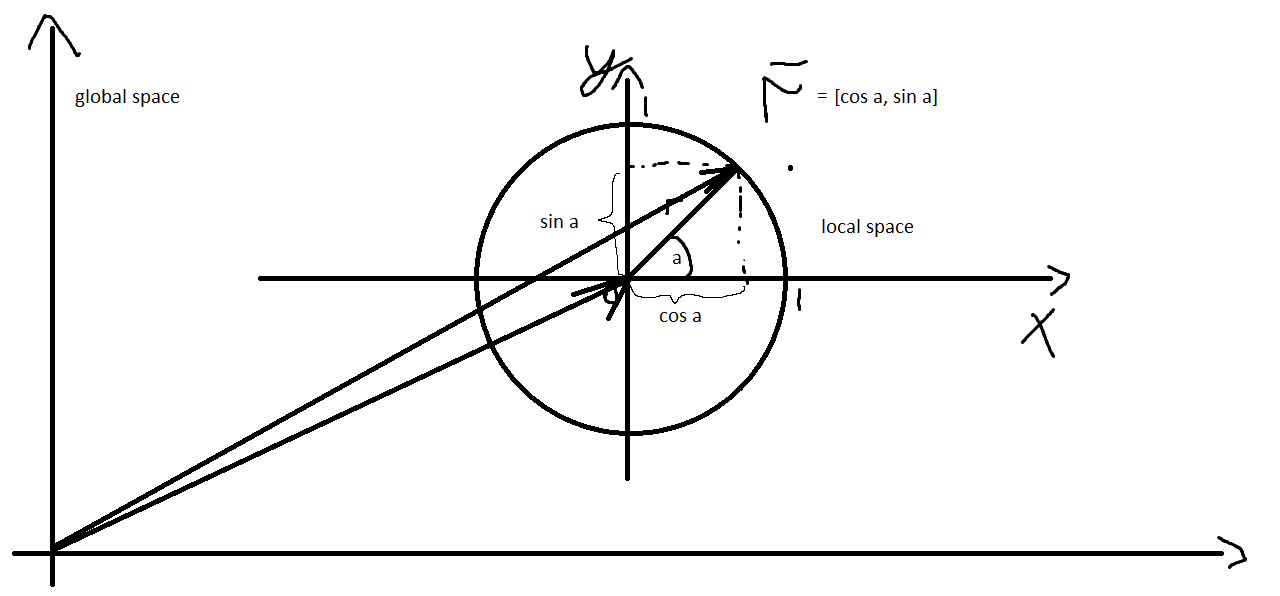


r̅ is radius-vector. a - is an angle between r̅ and corresponding axe. As you can see you can get the coordinates of any point on the circle via cos and sin, they will be in normalized form (from 0 to 1). You only need to convert these coordinates to the global space (optionally) and multiply by the actual radius (optionally) if needed.
crude flame
playSound3D [getMissionPath "aclose.ogg", a4,true,getPosASL a4,5,1,13]; i still cant hear it and me and the ai (a4) is inside a helicopter
crude flame
crude flame
```playSound3D [getMissionPath "aclose.ogg", a4,true,getPosASL a4,5,1,13];``` i ...
wait i can barly hear it
meager granite
Try false for isInside
crude flame
meager granite
Try `false` for `isInside`
still nope
meager granite
Try using helicopter as source?
vehicle a4
I remember ther was some mess in regards to sounds in vehicles, but I can't recall details anymore
crude flame
meager granite
`vehicle a4`
a4 is the var name for the guy but ill try
meager granite
vehicle a4 will cover him being on foot and inside
Also you might want to use better position instead of just getPosASL
a4 modelToWorldVisualWorld (a4 selectionPosition "head")
so sound comes from their head
and not under their feet
crude flame
meager granite
`vehicle a4` will cover him being on foot and inside
still donst work
crude flame
meager granite
`vehicle a4` will cover him being on foot and inside
oh and how would we get every passenger and kick them out?
meager granite
{if(_x != currentPilot heli) then {moveOut _x}} forEach crew heli
indigo wolf
fair drum
Handle damage event handler
do i just compare _source with typeOf _source == "T140K" ?
meager granite
Its a bit more complicated, do you still want collision or fall damage?
Or complete invincibility unless shot by specific vehicle type?
indigo wolf
i have a vehicle that can only be damaged when shot by the T140K tank and nothing else should be able to damage it like grenades, rpg, gbu etc
meager granite
What about other types of damage? What about self damage?
indigo wolf
there is self damage in vehicle?
meager granite
If you shoot HE into a wall point blank for example
Anyway, you want something like this:
params ["_unit", "_selection", "_damage", "_source", "_projectile", "_hitIndex", "_instigator", "_hitPoint", "_directHit", "_context"];
if(_source isKindOf "MBT_04_base_F") then {
    _damage; // Engine-calculated damage
} else {
    if(_hitIndex < 0) then {damage _unit} else {_unit getHitIndex _hitIndex}; // Revert to old damage
};
*this is code inside HandleDamage
bleak gulch
mirda1247 do not ever use printf() this way! It's very abusive
int main(int argc, char** argv)
{
    const char str[] = "Hello, World!";
    printf(str);       // BAD!!!
    printf("%s", str); // CORRECT
    puts(str);         // CORRECT
};
printf() with the string literal instead of formatted string is a hole for malicious code and / or UB in case you lose control over the str
indigo wolf
can you explain a bit more about _unit getHitIndex _hitIndex or that entire if statement? why is that required?
bleak gulch
if the damage doesn't target the specific body part (index is below zero), just damage the whole unit using "global" damage. If body part was specified, apply the damage to that exactly body part.
As there is no damage mod, the old damage preserves.
meager granite
👆
Event handler must return some damage number
_damage is what damage engine wanted to set, so if source is needed tank type, we let it
Otherwise return previous damage, overall or per part depending on event
 queen junco
Hey, I am trying to get all magazines from a vehicle inventory to check if the fit in the vehicles weapons. For some reason the log returns an empty array. Here is my whole addAction. Any ideas?
_entity addEventHandler ["GetIn", {
    params ["_vehicle", "_role", "_unit", "_turretPath"];
    private _playerMagazines = magazines _unit;
    private _vehicleMagazines = getMagazineCargo _vehicle;
    if (count _turretPath == 0) exitWith {};
    {
        private _vehicleWeapon = _x;
        private _reloadableMagazines = (_playerMagazines arrayIntersect compatibleMagazines _vehicleWeapon) append (_vehicleMagazines arrayIntersect compatibleMagazines _vehicleWeapon);
         diag_log str (_vehicleMagazines arrayIntersect compatibleMagazines _vehicleWeapon); // This returns empty
        {
            private _vehicleMagazine = _x;
            private _magazineDisplayName = [configFile >> "CfgMagazines" >> _vehicleMagazine] call BIS_fnc_displayName;
            reloadActionId pushBack [(
                _unit addAction ["Reload " + _magazineDisplayName, {
                    _this execVM "PhysicalAmmo\reloadActionHandler.sqf";
                }, [_vehicle, _vehicleWeapon, _vehicleMagazine, _turretPath]]
            ), _vehicleMagazine];
        } forEach _reloadableMagazines;
    } forEach (_vehicle weaponsTurret _turretPath);
}];
append doesn't return anything
You want + here
queen junco
diag_log str (_vehicleMagazines arrayIntersect compatibleMagazines _vehicleWeapon); // This returns empty
This still happens
meager granite
diag_log each individual array to figure what goes wrong
queen junco
_vehicleMagazines returns fine and
compatibleMagazines _vehicleWeapon returns fine.
It seems to be the problem with arrayIntersect however it works fine if I do it like this:
private _reloadableMagazines = _playerMagazines arrayIntersect compatibleMagazines _vehicleWeapon;
meager granite
getMagazineCargo retrurns two arrays inside an array
You probably want _vehicleMagazines select 0
for an array of class names
queen junco
jep, I tried all the possibilities, I am stupid enough to have forgotten about this >.< TY
 sage marsh
Help with jukebox
["RandomMusic",["jukebox_a1_lxWS", "jukebox_a2_lxWS", "jukebox_b1_lxWS", "jukebox_b2_lxWS", "jukebox_b3_lxWS", "jukebox_c1_lxWS", "jukebox_c2_lxWS", "jukebox_d1_lxWS"]] call BIS_fnc_jukebox;
Says that function "RandomMusic is Invalid"
meager granite
sage marsh
Says that function "RandomMusic is Invalid"
Its case sensitive
Use "randomMusic"
dire star
how do i use setTimeMultiper to stop at like certain game time example i want to stop it at 17:50
dire star
not sure if i know how to use it 😦
stable dune
dire star
not sure if i know how to use it 😦
dayTime; // returns 16.5 given it is 16:30 (4.30pm) in game

0 spawn {
    waitUntil {sleep 1; dayTime*60 > 1070};
//Do your stuff
};
Or
waitUntil {sleep 1; dayTime > 17.83333}
You just wanna change back multiplier to another value?
dire star
yea i wanna put max acceleration until it comes to certain ammount then to default
dire star
i got it i just needed to change dayTime < 17 into dayTime > 17 now it's working ty
stable dune
dire star
i got it i just needed to change dayTime < 17 into dayTime > 17 now it's working...
Yeh, sorry mb.
 tribal crane
{
if (_distance > _x select 0) then { _strength = _x select 1; };
}
forEach [[0, 70], [5, 35], [10, 8.75], [20, 0]];
 sullen trellis
can i run sleep without stopping while loop?
winter rose
sullen trellis
can i run sleep without stopping while loop?
if you want to sleep, you want to pause execution
so, what exactly do you want to do?
sullen trellis
i want an object to be deleted after some time when the while loop starts
    _spawn = while {!isNull _obj} do { // whatever code
sleep 60;
deleteVehicle _obj;
};
if i use any code outside and after the "while" they wouldnt start, so i had to put it inside to be able to run the deletevehicle
winter rose
that's because you are not spawning it
so the code waits for the while to be done to continue further
spawning code makes a "parallel" thread
private _obj = "whatever" createVehicle getPosATL whatever;
_obj spawn { sleep 60; deleteVehicle _this; }; // "_obj" becomes "_this" in this scope
hint "works immediately";
cheers that makes it much easier :3
 ripe sapphire
whats up gamers im back
is there a command to inverse a vector
e.g [1,2,3] becomes [-1,-2,-3]
winter rose
vectorMultiply -1 perhaps
ripe sapphire
winter rose
vectorMultiply -1 perhaps
thats crazy! 
 trail shale
Does anyone know if i can make a static turret turn in certain degrees ? I don't want it to turn 360°, because the AI is dumb enough to shoot at the wall behind it when the enemy plane goes that way and they result killing themselves. Can i make it turn only 180° ?
gentle obsidian
acoustic abyss
This: https://www.youtube.com/watch?v=kLnVtYz5kPA
how tf is that running at 30fps
hallow mortar
trail shale
Does anyone know if i can make a static turret turn in certain degrees ? I don't...
trail shale
hallow mortar
Try this: <https://community.bistudio.com/wiki/setTurretLimits>
Thanks i will check it
trail shale
So should i set this in the mission's config file ?
Or in the config of the mission in the menu
hallow mortar
Neither. It's a script command, not config.
trail shale
Needs SQF file or in the INIT of the vehicle?
Can't i do something like this in the INIT of the vehicle? :
object setTurretLimits [turretPath, [minYaw, maxYaw, minPitch, maxPitch]];
stable dune
Yes.
And it's local args and global effect.
You can add before event
if (local this) then {
     this setTurretLimits [[0], -45, 45, -10, 10];
};
You can use this, if you are using command via init field.
trail shale
@stable dune @hallow mortar Nice, thanks guys. I will test it later
ripe sapphire
is there a way to spawn object without collisions?
using createsimpleobject command still collission
hallow mortar
Not really
There's disableCollisionWith, but that has some pretty severe limitations
ripe sapphire
yeah that comnmand doesnt work either with what im doing
i spawn a building but i want it to not collide with a ammobox
hallow mortar
attachTo will prevent the attached objects from colliding with each other
ripe sapphire
yeah but the animation becomes slow :(
hallow mortar
Well, those are the options
granite sky
There's also enableSimulation, but it has limitations and consequences.
An object with simulation enabled can still collide with an object with simulation disabled.
hallow mortar
I've heard that you can get around the simulation rate thing by attaching a high-sim-rate object to the building, then attaching your actual object to the high-sim-rate object, but I'm not sure if it's actually true
granite sky
Hide the building, attach a replacement building to a high sim rate object :P
ripe sapphire
hallow mortar
I've heard that you can get around the simulation rate thing by attaching a high...
cool i might try it out
 sullen sigil
setmass to a low amount also works
zealous solstice
acoustic abyss
This: https://www.youtube.com/watch?v=kLnVtYz5kPA
this does not use Extensions though. this is pure sqf.
 molten yacht
Is there any way to script-mess with the mine detector so it's less reliable?
sullen sigil
spawn some fake mines locally maybe
fair drum
whats the best way to search through a multidimensional hashmap? say I have a bunch of classnames of weapons in dimension 2 and I want to find the weapon through the whole hashmap?
input: "weaponclassname"
search through the whole hashmap, find the weapon classname in any of the parent hashmaps
its so if someone grabs a weapon off of someone's body that is not normally a part of their class ("special forces", "sniper", etc) I can get the max ammo count for a resupply function.
 frigid spade
is the difference between
variable
and
_variable
just global vs local?
fair drum
frigid spade
is the difference between
```sqf
variable
```
and
```sqf
_variable
```
just glo...
global
_local
private _private
global_public
publicVariable "global_public"
its been a gorillion years since i took CS classes, whats the diff on local vs private
fair drum
frigid spade
its been a gorillion years since i took CS classes, whats the diff on local vs p...

basically, private initiates the variable within its specific scope, not the local scope of the function you are in
frigid spade
ok that makes sense, thank you!
ornate whale
fair drum
```sqf
global
```
```sqf
_local
```
```sqf
private _private
```
```sqf
global_pu...
Wait, there is a difference between _var and private _var?
fair drum
fair drum
whats the best way to search through a multidimensional hashmap? say I have a bu...
kind of figured out a solution:
private _testClass = "arifle_CTAR_ghex_F";
private _classes = GVAR(ClassEquipment) apply {_x};

private _classesThatHave = [];
{
    private _weaponClasses = GVAR(ClassEquipment) get _x get "weapons" apply {_x};
    if (_testClass in _weaponClasses) then {
        _classesThatHave pushBack _x;
    };
} forEach _classes;

private _magCounts = [];
{
    private _count = GVAR(ClassEquipment) get _x get "weapons" get _testClass get "magazine_count";
    _magCounts pushBack _count;
} forEach _classesThatHave;

private _largest = 0;
for "_i" from 0 to (count _magCounts - 1) do {
    if (_magCounts # _largest < _magCounts # (_largest + 1)) then {
        _largest = _largest + 1;
    };
};

//return
_magCounts # _largest;
Execution Time: 0.0587 ms | Cycles: 10000/10000 | Total Time: 587 ms
I hope there is a better way
fair drum
ornate whale
Wait, there is a difference between _var and private _var?
yes, it tells you where its being created at:
private _number = 5;
call {
    private _number = 10;
};
_number; // returns 5

private _number = 5;
call {
    _number = 10;
};
_number; // returns 10
its important to know so you don't accidentally overwrite stuff
ornate whale
Yeah, but what if I declare a var without the keyword private?
fair drum
ornate whale
Yeah, but what if I declare a var without the keyword private?
_number = 5;
call {
    private _number = 10;
};
_number; // returns 5
its always good to just do it when making a new variable in that scope
ornate whale
To me, there is no difference on the top level (above call). Only in the sub scopes.
 thin fox
Hello. I'm using "_variable setMarkerColor "colorEAST" and this appears on screen. Any way to fix it? I've already tried "colorOPFOR"
 fair drum
ornate whale
To me, there is no difference on the top level (above call). Only in the sub sco...
fair drum
ornate whale
To me, there is no difference on the top level (above call). Only in the sub sco...
yeah, you can be fine with that, but its just convention at that point. but your question was is there a difference between them, and the answer is yes. you'll run into it at some point
ornate whale
fair drum
yeah, you can be fine with that, but its just convention at that point. but your...
Yeah, thanks, I always use private. I did not even know there is a possibility of declaring a var without that keyword. 😄 I though that it is just an assignment.
fair drum
thin fox
Hello. I'm using "_variable setMarkerColor "colorEAST" and this appears on scree...
what is in _variable? works fine for me. post all the code surrounding it as well. there has to be an error
use
 thin fox
fair drum
what is in `_variable`? works fine for me. post all the code surrounding it as w...
thin fox
fair drum
what is in `_variable`? works fine for me. post all the code surrounding it as w...
right, ty, I will send it tomorrow
cuz the colorWEST works just fine
thin fox
forget it, wrong command lol
ripe sapphire
sullen sigil
setmass to a low amount also works
what is considered low? does it work on buildings too?
ripe sapphire
ok will try thanks
gentle obsidian
(((units ngl1) select {fleeing _x}) !isEqualTo []);
as a trigger condition, "missing ')' "
bgArray select {(independent knowsAbout _x) != 0} isNotEqualTo[];
this works better^
i guess im just majorly r-worded cause i dont see it
been throwing parentheses at it for like 15 minutes
:/
you cant !isequalto i guess
would be cool if error message was anything even close to that though
bleak gulch
private _center = [123, 456];
private _angle = 45;
private _radius = 3;

private _point_on_circle = _center vectorAdd ([cos _angle, sin _angle] vectorMultiply _radius);
and for the sphere:
x = xc + R * sin(φ) * cos(θ)
y = yc + R * sin(φ) * sin(θ)
z = zc + R * cos(φ)
x_Grp = createGroup west;
for "_i" from 1 to random 4 do {
 _type = ["vn_b_men_nz_army_70_14",
"vn_b_men_nz_army_70_12"]
 call BIS_fnc_selectRandom;
  _unit = x_Grp createUnit [_type, getpos thistrigger, [], 1, "FORM"];
};
sleep 1;
{[x_Grp] joinSilent createGroup resistance} forEach units x_Grp;
[] spawn { sleep 10;
{deleteVehicle _x} foreach (units x_Grp);
};
why I cant delete the units after they changed side?
 exotic flame
sullen trellis
```sqf
x_Grp = createGroup west;
for "_i" from 1 to random 4 do {
_type = ["v...
exotic flame
sullen trellis
```sqf
x_Grp = createGroup west;
for "_i" from 1 to random 4 do {
_type = ["v...
[] spawn { sleep 10;
{deleteVehicle _x} foreach (units x_Grp);
};
x_Grp is not defined in the spawn
you must write SQF x_Grp spawn { sleep 10; {deleteVehicle _x} foreach (units _this); };
sullen trellis
i know about this and i also just tried that, it doesnt work, for some reason only when group changes side nothing works anymore
exotic flame
sullen trellis
i know about this and i also just tried that, it doesnt work, for some reason on...
Units can be deleted whenever you want
There is an error here SQF {[x_Grp] joinSilent createGroup resistance} forEach units x_Grp;
That's the reason it's not working
You try to make a group join another group
It's unitArray joinSilent group
sullen trellis
well, maybe i have to find another way to change their side?
exotic flame
[unit1, unit2] joinSilent x_Grp
{[_x] joinSilent createGroup resistance} forEach units x_Grp;```I don't understand
Why do you try to delete the units inside _xGrp AFTER you transferred them into a resistance group ? Once you done that x_Grp is empty....
sullen trellis
its a long story, so i try to just get to the point rather than explaining why i want to delete them after changing side. its mostly for performance issues
exotic flame
private _units = units x_Grp;
{[_x] joinSilent createGroup resistance} forEach units x_Grp;
_units spawn { sleep 10;
{deleteVehicle _x} foreach _this;
};```thanks it does the trick, saved my day
 coral pelican
Does anyone know the code to have AI lower landing gear? I have done a unit capture and the landing gear doesnt deploy so I guess I need to put it into a trigger
fair drum
coral pelican
Does anyone know the code to have AI lower landing gear? I have done a unit capt...
coral pelican
fair drum
https://community.bistudio.com/wiki/Arma_3:_Actions#LandGear
Thank you.
Plane action ["LandGear", Plane];
The Variable name is Plane, does that go in both or just in the Brackets?
fair drum
both
keep in mind the note on it:
In the case of AI-controlled aircraft, it has to be used in an each-frame loop to to override the AI behavior (otherwise they'll raise the landing gear when they take off).
winter rose
fair drum
keep in mind the note on it:
`In the case of AI-controlled aircraft, it has to b...
to to fixed 😄
coral pelican
?
fair drum
he was just fixing the grammar on that page
coral pelican
Oh
fair drum
coral pelican
How do I do that?
you use a eachFrame event handler or CBA_fnc_addPerFrameHandler. You can really mess things up if you do it wrong btw and crash/slow your game to a crawl
make sure you have some detection to exit and delete the frame handler
coral pelican
Okay
finite bone
winter rose
`to to` fixed 😄
You might also want to edit the setViewDistance - A simple >=0 to be changed to <=0
winter rose
finite bone
You might also want to edit the ``setViewDistance`` - A simple ``>=0`` to be cha...
on it! #community_wiki welcomes everyone 😏
finite bone
Forgot it exists sorry 
winter rose
fixeded, thonks! 🍻
little raptor
fair drum
keep in mind the note on it:
`In the case of AI-controlled aircraft, it has to b...
If you disable the AI (which should be done here since it's a unit play and AI is practically disabled anyway) there's no need for an each-frame loop
@coral pelican
dire star
does anybody know why my AI won't move when i spawn then either with BIS_fnc_spawnGroup or createunit they just stand there like they are bugged ? it only happens on dedicated server
proven charm
dire star
does anybody know why my AI won't move when i spawn then either with BIS_fnc_spa...
what move command do you use? is it run in server or client?
drowsy geyser
is it possible to disable/prevent the player from aiming up/down with mouseMoving EH? trying the below but it still allows to aim up/down:
0 spawn
{
    waitUntil {!isNull findDisplay 46};
    (findDisplay 46) displayAddEventHandler ["MouseMoving",
    {
        if (inputAction "AimUp" > 0 || inputAction "AimDown" > 0 || inputAction "AimHeadUp" > 0 || inputAction "AimHeadDown" > 0) then
        {
            true
        };
    }];
};
is it possible at all?
dire star
proven charm
what move command do you use? is it run in server or client?
I use stalk function but AI is Like just standing still even when i tried just spawning Squad and adding wp via zeus and it's ran on Server
proven charm
dire star
I use stalk function but AI is Like just standing still even when i tried just s...
do you create them at server?
dire star
Yes
proven charm
hmm
dire star
Ik script is right Ive used it in many missions and havent changed anything but for some reason they Wont move they are just standing Like they have no simulation enabled
proven charm
well try something else instead of the stalk function, like doMove command
dire star
Nah nothing works Ive tried just spawning units and ordering wp with Zeus but still nothing
little raptor
drowsy geyser
is it possible at all?
You can attach the player to another object
And move him manually yourself