#arma3_scripting
1 messages · Page 139 of 1
 winter rose
 pastel pier
K
 undone flower
ask the user 🥴
pastel pier
Could do
 deft zealot
_currentVehicle addMagazineTurret ["SmokeLauncherMag", [0, 0]];```
this makes the smoke launcher unusable even calling `loadMagazine` does not help :( abstract bay
is it possible to destroy sandbags, bunkers, fortifications by a script?
 little raptor
They might not have proper destruction afaik but anyway, you can do obj setDamage 1 to destroy them
 granite sky
yeah the destruction... varies.
little raptor
If that doesn't work you have to remove them (using deleteVehicle)
granite sky
worst case you might need to hide the things afterwards.
abstract bay
ok
granite sky
(map objects need to be hidden rather than deleted)
abstract bay
what to write in condition in trigger, if sandbag is hit then sandbag is hidden?
granite sky
I don't think that's something you can do with triggers.
 bleak gulch
winter rose
can't by script
bleak gulch
winter rose
can't by script
I hope it will never be added, neither in A3 nor A4.
 modern osprey
Tell me, is it possible to subscribe to the scripted eventhandler on the client and call it on the server?
 fair drum
modern osprey
Tell me, is it possible to subscribe to the scripted eventhandler on the client ...
fair drum
modern osprey
Tell me, is it possible to subscribe to the scripted eventhandler on the client ...
Yes, this is how CBA events work to bypass remote exec.
modern osprey
fair drum
Yes, this is how CBA events work to bypass remote exec.
CBA_fnc_addEventHandler and CBA_fnc_targetEvent?
Will they work if I try to pin CBA_fnc_addEventHandler on the player if he logs into the server without a CBA?
fair drum
modern osprey
Will they work if I try to pin CBA_fnc_addEventHandler on the player if he logs ...
No, you need to all have cba
modern osprey
It's very sad.
undone flower
this scripts attempts to extract a weapon's "classification" which can be a rifle, lmg, launcher, pistol, etc
this is the approach I found. I could use simpleish string operations or regex, but mod authors/expansions don't necessary have the gun class name before the first underscore
_muzzle = toLower _muzzle;

private _classList = ["arifle", "smg", "hgun", "sgun", "srifle", "lmg", "launch", "gl"];

{
    if (_x in _muzzle) exitWith {
        _classification = _x;
        _classification;
    };
} forEach _classList;

_classification;
so I'm wondering if there's a better way to do this
 solid ocean
so a friend of mine is working on a script right using the fortify function of ACE hes set it up so that you can spawn a turret but by default it spawns with no AI inside the turret, for context the turret is meant to be AI UAV terminal controlled.
How could we/Is it possible to do that?
Code hes using
[west, 10000,
    [
    ["Land_BagFence_Round_F", 10, "Trooper"],
    ["Land_BagFence_Long_F", 10, "Trooper"],
    ["Land_BagFence_Short_F", 5, "Trooper"],
    ["Land_SandbagBarricade_01_hole_F", 15, "Trooper"],
    ["land_Sandbag_static", 25, "Trooper"],
    ["land_Sandbag_straight", 25, "Trooper"],
    ["Land_BagBunker_Small_F", 25, "Trooper"],
    ["Land_BagBunker_Tower_F", 50, "Trooper"],
    ["Land_BagBunker_Large_F", 100, "Trooper"],
["land_TIOW_adl_double", 100, "Fulcrum"],
    ["RF_Wall", 150, "Fulcrum"],
    ["Gate_Static", 150, "Fulcrum"],
    ["RF_WallCorner", 150, "Fulcrum"],
    ["RF_WallTower", 150, "Fulcrum"],
    ["RF_WallT", 150, "Fulcrum"],
    ["RF_Crows", 250, "Fulcrum"],
    ["RF_Bunker", 250, "Fulcrum"],
    ["RF_WallCross", 150, "Fulcrum"],
    ["land_tiow_weapons_rack_breifing_windows102_medical", 500, "Fulcrum"]
    ]
] call ace_fortify_fnc_registerObjects;
["acex_fortify_objectPlaced", {
    params ["_unit", "_side", "_object"];
    private _classes = ["land_tiow_weapons_rack_breifing_windows102_medical"]; //is the line where respawn object is stated

    if ((typeOf _object) in _classes) then {
        //make object a respawn here or spawn a respawn location at objects location
        [west, _object, "Forfity Respawn"] call BIS_fnc_addRespawnPosition;
    };

}] call CBA_fnc_addEventHandler;
Look into how they do it internally and you can replicate it with vanilla scripted event handlers.
undone flower
undone flower
this scripts attempts to extract a weapon's "classification" which can be a rifl...
nevermind, this won't work with RHS
 bleak mural
little raptor
They might not have proper destruction afaik but anyway, you can do `obj setDama...
bleak mural
little raptor
They might not have proper destruction afaik but anyway, you can do `obj setDama...
beleive bunkers and sandbags and such when damage set to 1 makes them a simple object, model doesnt change. when destructable buildings destroyed,it creates them as a simulated object and not a map object. can actually affect performance if too many instances
bleak mural
abstract bay
what to write in condition in trigger, if sandbag is hit then sandbag is hidden?
just use a "hide" module (i believe its under "object modifiers/show/hide)
condition should be i believe: !Alive object
sync the trigger to "Hide" module and sync hide module to sandbag
granite sky
@undone flower https://community.bistudio.com/wiki/BIS_fnc_itemType
Bear in mind that AssaultRifle is a bit of a default category...
undone flower
that's my worry 
granite sky
not really an issue with the function so much as the mods.
undone flower
I'm glad I can blame someone else
undone flower
granite sky
<@324351220779319300> https://community.bistudio.com/wiki/BIS_fnc_itemType
thank you, I'll take a look at this tomorrow
 acoustic abyss
I am having trouble setting a water horizon on the SOG:PF Khe Sanh terrain using setTerrainHeight on coordinates outside the bounds. Nothing appears to happen. I read that for the related function diag_setTerrainHeight using positions outside of the map gave errors. Is there a way around this?
 warm hedge
diag_setTerrainHeight no longer exists. Use setTerrainHeight. Don't know if it does even work on out of bounds
bleak mural
does "_group1 enableAttack FALSE;" overide the Combat mode RED/OPEN FIRE?
Is it supposed to or does enable attack pertain to leader only and open fire make individual units move on their own initiative?
bleak mural
Iv tested alot with this and both "enable attack" true, and Combat mode red", AI squads make bad desicions,are less effective and cause more cpu usage/lower frames.
 sullen trellis
where can i find a guide to create custom inventory item?
 proven charm
bleak mural
Iv tested alot with this and both "enable attack" true, and Combat mode red", AI...
proven charm
bleak mural
Iv tested alot with this and both "enable attack" true, and Combat mode red", AI...
enableAttack allows the leader to issue targets so without that the AI squad members probably dont know about the enemy unless target is given or at least does not run after targets
proven charm
sullen trellis
where can i find a guide to create custom inventory item?
probably config question
bleak mural
proven charm
enableAttack allows the leader to issue targets so without that the AI squad mem...
no,squad lead still issues order regarding individual targets and gives engage orders to subordinates,the difference is that they do not leave the formation to attack. So yeah the 2nd part of what you said is accurate. The issue is,being able to leave formation to engage is good,however its totally broken, AI will leave and move to what they think is a good location but that can include 200 meters behind the group they aare part of without LOS
The other,and bigger issue,is that they will never rejoin the squad no matter how far the leader moves UNTIL the target they were ordered to engage is dead
combat mode red gives similar issues.
spent an afternoon testing.
proven charm
bleak mural
The other,and bigger issue,is that they will never rejoin the squad no matter ho...
have you tried YELLOW CombatMode? they should then keep formation
bleak mural
proven charm
have you tried YELLOW CombatMode? they should then keep formation
Oh yeah iv no problem with them keeping formation,i just wish i didnt have to: one side effect of keeping formation - a group member who becomes stuck on terrain/in building,is still considered part of the formation,so rest of the group move on but do so in a slow speed,guns up pose indefinetly as they await the return of their buddy who isnt ever coming
 still forum
acoustic abyss
I am having trouble setting a water horizon on the SOG:PF Khe Sanh terrain using...
still forum
acoustic abyss
I am having trouble setting a water horizon on the SOG:PF Khe Sanh terrain using...
There are no coordinates outside the bounds
bleak mural
is it possible through vanilla means to use the GPS in a way you can also use the map? such as selecting high command units,holding L CTRL to draw on etc?
or does that require scripting?
saw a video clip of a guy doing it but never noticed the function before
undone flower
granite sky
Bear in mind that AssaultRifle is a bit of a default category...
I have this problem with RHS once again
i'm holding the most sniper rifle looking sniper rifle and it returns AssaultRifle
fair drum
bleak mural
is it possible through vanilla means to use the GPS in a way you can also use th...
The GPS? Or the side panels when not in map?
undone flower
but oh well sounds like a RHS issue and it should work on most if not all vanilla weapons which is kinda the point
bleak mural
fair drum
The GPS? Or the side panels when not in map?
side panels refering to radar/sling load screens correct? i mainly was talking about the actual GPS,in that in bringing it up,is it possible to then mouse around on it,such as giving move orders(mainly for use with high command)
i just realised after this long its possible to resize it
so i had the idea to make it more usable in context above
 analog mulch
hi,
hi, need some help with the BIS_fnc_holdActionAdd
i've created a task with taskid "T1"
put a FlashDisk on an hvt named "hvt" using additem
task gets completed if i use hold action on him to "Search for Intel" transferring that drive to my inventory
used this but gave me an error:
// Get the AI unit
private _hvt = call compile "hvt";

// Define the action parameters
private _actionParams = [
    _hvt, // Target
    "Transfer FlashDisk", // Action text
    "\a3\ui_f\data\IGUI\Cfg\HoldActions\holdAction_connect_ca.paa", // Icon path
    "\a3\ui_f\data\IGUI\Cfg\HoldActions\holdAction_connect_ca.paa", // Icon path
    "_this distance _target < 3", // Condition for the action to be shown
    "_caller distance _target < 3", // Condition for the action to be continued
    {}, // On action start
    {}, // On action completion
    { // On action completion
        // Transfer the item
        _caller addItem "FlashDisk";
        _hvt removeItem "FlashDisk";

        // Set the task as succeeded
        ["T1", "SUCCEEDED"] call BIS_fnc_taskSetState;
    },
    {}, // On action interrupt
    [], // Arguments passed to the script statements
    5, // Action duration
    0, // Priority
    false, // Remove on completion
    false // Show in unconscious state
];

// Add the action
[_actionParams] spawn BIS_fnc_holdActionAdd;
 meager granite
!code
 wicked roostBOT
How to use SQF syntax highlighting in Discord
```sqf
// your code here
hint "good!";
```
↓
// your code here
hint "good!";
tried putting // before the code didnt work
 hallow mortar
// is how you make a comment in code. That's not what causes the Discord code formatting. That's done by the `
 analog mulch
oh ok
hallow mortar
So there are a couple of problems with your code.
The immediate one is this:
[_actionParams] spawn BIS_fnc_holdActionAdd;```
`_actionParams` is a variable containing an `[array, of, parameters]`, in the format accepted by `BIS_fnc_holdActionAdd`. That, _on its own_, is the correct input.
When you do this: `[_actionParams]`, you're essentially doing this: `[[array, of, parameters]]` - an array inside an array. That's _not_ the format accepted by `BIS_fnc_holdActionAdd`.
The right way of doing that would be like this:
```sqf
_actionParams call BIS_fnc_holdActionAdd;```ok
hallow mortar
The other big issue is a design issue.
You are giving the HVT a real inventory item, that actually exists in their inventory. When the HVT is dead, people can access their inventory and loot it.
You then also have an action to "take" the item from the HVT.
So what happens if someone manually loots the item before doing the action? They wouldn't trigger the other stuff the action does. They'd have to go back and do the action (and then end up with a duplicate item).
You need to pick a method: either an action to "take" the item, where the item doesn't actually exist until the action creates it in the caller's inventory; or an item that's really in the HVT's inventory and the player has to grab it themselves without an action.
Oh, also this:
private _hvt = call compile "hvt";```
It's not....._strictly_ wrong, but it's kind of pointless, I don't really understand why it's there.
There are valid reasons for taking a global variable (like `hvt`) and saving it to a local variable (`_hvt`) to use in the script - it makes it easier to reuse the same script for different global variables. But that's just a bizarre way of doing it. `private _hvt = hvt;` would be fine. Or you could use `params` to make the script fully generic and able to work on any unit.Let's go with the item doesn't exist
hallow mortar
// Transfer the item
_caller addItem "FlashDisk";
_hvt removeItem "FlashDisk";```
`_hvt` is not defined here, because the "on completion" code (and all the code parameters for `BIS_fnc_holdActionAdd`) is a separate scope (context) that doesn't share anything from the scope where the action is being added. Fortunately, `BIS_fnc_holdActionAdd` provides us with a handy reference to the unit the action is added to - `_target`. So in this specific instance, replace `_hvt` with `_target`. Or, well, remove that line entirely because it's connected to the design problem.Then remove the line adding the item to the HVT, and remove the line in the holdAction that removes it from the HVT.
undone flower
undone flower
this scripts attempts to extract a weapon's "classification" which can be a rifl...
@granite sky I've looked into the source code of itemType and it's pretty much this 
granite sky
Well, it's using cursor or cursorAim rather than the classname.
analog mulch
hallow mortar
```sqf
// Transfer the item
_caller addItem "FlashDisk";
_hvt removeItem "FlashD...
// Define the action parameters
private _actionParams = [

    "Transfer FlashDisk", // Action text
    "\a3\ui_f\data\IGUI\Cfg\HoldActions\holdAction_connect_ca.paa", // Icon path
    "\a3\ui_f\data\IGUI\Cfg\HoldActions\holdAction_connect_ca.paa", // Icon path
    "_this distance _target < 3", // Condition for the action to be shown
    "_caller distance _target < 3", // Condition for the action to be continued
    {}, // On action start
    {}, // On action completion
    { // On action completion
        // Set the task as succeeded
        ["T1", "SUCCEEDED"] call BIS_fnc_taskSetState;
    },
    {}, // On action interrupt
    [], // Arguments passed to the script statements
    5, // Action duration
    0, // Priority
    false, // Remove on completion
    false // Show in unconscious state
];

// Add the action
_actionParams call BIS_fnc_holdActionAdd;
If you want the player who does the action to end up with a flash disk after doing it (so they can deliver it somewhere, for example) then you still need this line in the completion code:
_caller addItem "FlashDisk";```
Otherwise yes fine.
It might wise to add some more conditions though, so it can't be done more than once.Yes, but only for the player who did it. In multiplayer, it won't remove the action for everyone else.
If this is an SP-only mission that's fine, otherwise more is needed.
analog mulch
its for SP
hallow mortar
👍
Oh, interesting fact, in the progress condition code, _this also refers to the calling unit (same as _caller). This is useful because it means your show/progress conditions can be exactly the same, as long as you don't specifically need them to be different. Not a functional difference, just easier for writing because you can copy-paste.
analog mulch
question: tried putting it in the init of the target, no bueno
can we alter it to use the 3den option intead?
 hallow mortar
Yes, easily, since the 3den Enhanced hold action thing is just a UI-based way of accessing BIS_fnc_holdActionAdd. All the code fields and properties there are the same as the parameters we're using right now.
But it shouldn't be necessary; this will work in an init field. It may need two modifications:
- the parameter specifying which unit to add it to (the first one in the array) seems to have disappeared between versions. You do need that. If it's in a unit init field, you can use
this. - comments (
// comment) may not work in an Editor init field, because those don't go through the preprocessor that normally removes comments before the game executes the code.
analog mulch
still errors
private _actionParams = [
    this
    "Transfer FlashDisk",
    "\a3\ui_f\data\IGUI\Cfg\HoldActions\holdAction_connect_ca.paa",
    "\a3\ui_f\data\IGUI\Cfg\HoldActions\holdAction_connect_ca.paa",
    "_this distance _target < 3",
    "_caller distance _target < 3",
    {},
    {},
    {
    {params ["_caller"];
        _caller addItem "FlashDisk";
        ["T1", "SUCCEEDED"] call BIS_fnc_taskSetState;
    },
    {},
    [],
    5,
    0,
    true,
    false
];

_actionParams call BIS_fnc_holdActionAdd;
What is the error it gives?
Well, I see one for sure: there's an extra { before the completion code
analog mulch
spits out : missing ]
hallow mortar
You don't need params ["_caller"]; btw, those variables are automatically defined inside the function, the game's already done that for you
hallow mortar
analog mulch
spits out : missing ]
Yeah that's probably caused by the extra {
 minor rampart
Hey guys, sorry for a noob question i'm just a little bit frustrated with sand bags fortifications cause i cant destroy them with rockets and etc., can someone help me, where can i edit scripts for them so the can be destroyable please, ai helped me to create script but i dont know where to paste it lol (i'm playing antistasi ultimate mod in arma 3)
hallow mortar
- don't use AI for scripting, it doesn't know anything
- whether objects are destructible is part of their basic configuration. You can use scripting to make a destructible object unkillable, but if it's indestructible by config, you can't make it destructible with scripting.
You could make a mod to change the objects' config, but that's.......complicated. It would have side effects, too.
You could fake destructibility by recording hits on the object with a Hit event handler, and then delete the object once it's been hit enough. This is also a bit complicated and might not look very good in action.
* assuming such objects actually trigger Hit EHs
analog mulch
hallow mortar
Yeah that's probably caused by the extra `{`
i tried removing the bracket, same error
 raw vapor
Hey, I got a question for you all.
I want to accomplish this effect, but attached to a moving object. So a bright yellow or better yet orange glare that can be seen from miles off.
I had initially thought, "What if I use ACE flares to achieve this?" But there's two problems. One, I don't know how to make the flare appear in an active state. Two, the flares have a limited duration and I want the glare effect to last as long as the vehicle is alive.
Any thoughts?


 hallow mortar
🤦
No comma after this
hallow mortar
raw vapor
Hey, I got a question for you all.
I want to accomplish this effect, but attache...
raw vapor
hallow mortar
<https://community.bistudio.com/wiki/Light_Source_Tutorial>
Ooo, that looks promising. Thank you! I'll read into this and see if I can use it for my purposes.
hallow mortar
Oh, it says "flare is not visible by day even using setDayLight"
That's a big hmmmmm
Try it anyway. If not there should be a way to create the ACE flares, it's just going to be...annoying
raw vapor
For the mission I am using this in I can probably cheese it and make the time just barely night.
If I must.
analog mulch
hallow mortar
🤦
No comma after `this`
sorry but its still showing error,
[
private _actionParams = [
    this,
    "Transfer FlashDisk",
    "\a3\ui_f\data\IGUI\Cfg\HoldActions\holdAction_connect_ca.paa",
    "\a3\ui_f\data\IGUI\Cfg\HoldActions\holdAction_connect_ca.paa",
    "_this distance _target < 3",
    "_caller distance _target < 3",
    {},
    {},
        _caller addItem "FlashDisk";
        ["T1", "SUCCEEDED"] call BIS_fnc_taskSetState;
    },
    {},
    [],
    5,
    0,
    true,
    false,
] _actionParams call BIS_fnc_holdActionAdd;
You have added another [ right at the start, which is not necessary
Actually you've changed it more than I thought
hallow mortar
Yes, but you've like half-bodged the existing stuff into it, it can't be both ways at the same time.
private _actionParams = [```
this part is saving the array of parameters to a variable called `_actionParams`. This is basically a way of making the code neater and more readable - we can use the variable in place of the huge array in the function call, which can be more readable and is better if we want to reuse it multiple times.
However, if we decide to not do that, and just have the parameters array written out in-line with the function call, then we have to _fully_ not do that, and get rid of `_actionParams`.I'll use these two, those look promising. I also don't need to full functionality of BIS_fnc_itemType
however if someone comes to me about some random mod not working properly I'll tell them to cope
hallow mortar
hallow mortar
Yes, but you've like half-bodged the existing stuff into it, it can't be both wa...
Corrected:
[
    this,
    "Transfer FlashDisk",
    "\a3\ui_f\data\IGUI\Cfg\HoldActions\holdAction_connect_ca.paa",
    "\a3\ui_f\data\IGUI\Cfg\HoldActions\holdAction_connect_ca.paa",
    "_this distance _target < 3",
    "_caller distance _target < 3",
    {},
    {},
    {
        _caller addItem "FlashDisk";
        ["T1", "SUCCEEDED"] call BIS_fnc_taskSetState;
    },
    {},
    [],
    5,
    0,
    true,
    false
] call BIS_fnc_holdActionAdd;```
(note: there was a comma after the last element of the array, which doesn't work. Commas go between array elements; if there's no next element, no comma.)i dunno what's missing
 undone flower
yeah I just saw it too
hallow mortar
Too many { were removed from the completion code. See updated
undone flower
just above _caller
analog mulch
hallow mortar
Corrected:
```sqf
[
this,
"Transfer FlashDisk",
"\a3\ui_f\data\IGUI\...
ty Nikko this worked, appreciate it
hallow mortar
raw vapor
For the mission I am using this in I can probably cheese it and make the time ju...
Okay, so, spawning the flares and turning them on is real easy, but making them infinite is not possible.
The way around this is to just...keep making new flares.
if isServer then {
this spawn {
while {alive _this} do {
_flare = createVehicle ["ACE_40mm_Flare_red",[0,0,0],[],0,"NONE"];
_flare attachTo [_this,[0,0,1.8]];
triggerAmmo _flare;
sleep 44.5;
};
};
};```
I'd recommend playing around with the lights tutorial anyway though, it's super useful for other stuff. untold copper
raw vapor
Hey, I got a question for you all.
I want to accomplish this effect, but attache...
untold copper
raw vapor
Hey, I got a question for you all.
I want to accomplish this effect, but attache...
Vanilla Arma has infinite flares (and smokes) AND is visible in daytime!
_flare = "F_40mm_Yellow_Infinite" createVehicle [0,0,0];
_flare attachTo [player, [0,0,10]];
Vanilla flares are quite bad though in terms of illumination power, so if that's important you'll need the ACE ones
raw vapor
I mostly just need that glare effect. I have a use case bringing someone's attention to an object.
untold copper
raw vapor
I mostly just need that glare effect. I have a use case bringing someone's atten...
Nice! Like a lens flare indicator?
raw vapor
Basically, yeah. My intention was to use it as a makeshift marker for a road runway I built on Beketov. Then I had an idea of using it to mark a location for air strike which is where the idea of having a light but then deleting it when the target is killed. But first I am focused on getting the light working before I get all fancy with it.
I am away on a doctor appointment this moment so I cannot test anything until I get home.
The key is being easily noticed at a good long distance. Preferably also in daylight but if that isn't possible I will just change the mission time of day to early evening.
 bronze temple
Does anyone know of a way to execute a script when a play equips a weapon, is there any event handler that would do that or would I just have to have a script with a while loop constantly checking?
I would just rather hope there's some obscure event handler param that tracks that then having to run a while loop an all players checking this
granite sky
I don't think so. We got SlotItemChanged recently but there's nothing for weapons.
fair drum
If you are going to make your own listen event handler like that, probably should use a eachframe handler instead of a scheduled loop
bronze temple
Hmm okay, I'm wondering if I could use one of the animation even handlers for it to detect the weapon changing animations
And then piggy back off of that
undone flower
👨🍳
undone flower
apparently defining a weapon's type is more reliable if done from the class name itself instead of cursors.
if defining a weapon's type fails from the class name, fall back to cursor.
if that also fails, fire recursive while true loops on scheduled environment
 next nexus
freaky extension 🤑

 half sapphire
hey guys. having this issue with my revive ai script. apparently due to explosions the unit "wakes" up from setUnconscious. its hard to repro. looking at bis' handledammage eh for their revive system, i see this line:
//to fix issue where vehicle destruction can happen after player receives damage and get incapacitated
        if (bis_revive_unconsciousStateMode != 0 && {!alive vehicle _unit}) exitWith
        {
            //bis_revive_deathReason = DEATH_REASON_NONE;
            _damage = 100;
        };
im guessing this is for the same case scenario, and they just kill you if those conditions are met. anyone here has experienced anything similar to what i describe?
it is as if some instruction takes priority when damage comes from certain explosions and the setUnconscious command gets somehow ignored. the thing is it also ignores playaction "unconscious" and even disableAI move and anim.
half sapphire
granite sky
What exactly does "wakes" mean?
just injured (set to 0.7 from handle damage EH).
it just gets up and walks.
granite sky
I'm not aware of any way that an unconscious unit wakes up from the engine, so you'd need some sort of conflict.
That code you pasted isn't related. It's just making sure that units die when their vehicle explodes.
half sapphire
well as i said, the conflict seems to be getting damage from explosions. particularly vehicle explosions. it feels like whats stated in the bis handle damage function for their revive system "to fix issue where vehicle destruction can happen after player receives damage and get incapacitated"
half sapphire
granite sky
That code you pasted isn't related. It's just making sure that units die when th...
haha was typing it as you sent that.
granite sky
I assume it's working around timing issues where the player receives vehicle death damage at around the same time that the player is downed from other damage sources.
half sapphire
yeah, and im getting the feeling that its the same with AI. i tried using _directHit as a filter. dude got killed AND incapacitated (my revive hold action was available)
granite sky
setUnconscious is entirely down to you.
Unless you're running other mods that touch it (or BIS revive), which you shouldn't.
half sapphire
nah im only running with cba 3den enh. and zeus enh.
and i only looked at the bis files for clues
why oh why dont we have a life state event handler :/
acoustic abyss
How can I get the position and rotation of each object in a nearestTerrainObjects array?
ie I have this sample code:
_objectList = nearestTerrainObjects [getMarkerPos "pos",[],10];
_objectList#1;
A sample output would be :
2170: watertank_f.p3d
I remember reading that the number 2170 refers to a unique object ID. How can I reference that to get the position and rotation?
warm hedge
What you got is the object already. Just use getPos and such
bleak mural
hallow mortar
Okay, so, spawning the flares and turning them on is real easy, but making them ...
i had an idea i wondered if possible. is it doable through an EH on a GL unit,that he can fire a GL flare only at night time at an enemy he knows about? would need to be scripted its too complicated for an EH right?
acoustic abyss
warm hedge
What you got is the object already. Just use getPos and such
Thank you. I haven't touched Arma in a few years.
I only got it to work via a forEach:
{getPos _x} forEach _objectList;
I've forgotten some basic syntax. Using-
getPos on _objectList#0;
Gave me an error ("array" instead of "object"). How do you select only 1 element as object from an array?
meager granite
getPos(_objectList # 1)
unary commands have always higher level of precedence so you need parenthesis
 gentle obsidian
I put this code on a car and its erroring out, got bool expected string.
this addAction["End Mission",
{
if ((!alive bg1) or (captive bg1)) and ((!alive bg2) or (captive bg2)) and ((!alive bg1) or (captive bg1)) then
{endMission "END1"} else {endMission "END2";}
},
nil,1.5,false,false,"",true,5,false,"",""];
anyone able to help me out Im pretty clueless with whatever the heck language this is
i just want to be able to manually end the mission and if those 3 dudes are dead or captured it does end1 and if not end2
fair drum
gentle obsidian
I put this code on a car and its erroring out, got bool expected string.
```
th...
the condition argument needs to be a string:
"true" vs true
gentle obsidian
o
fair drum
pay close attention to the wiki page on the datatype that each arguments take
gentle obsidian
shiiiet ty
can i just leave them empty for defaults?
or does that pass nil
i only really want to change the radius
gentle obsidian
so just like ,,,,,,,5,,,]
gentle obsidian
man this is so frustrating lol ive been spoiled with lua
fair drum
no, you can't do that with engine command. you just have to fill in the defaults until you get to the one you want. everything after you don't have to do it at all
gentle obsidian
oookay
fair drum
and when I say leave the trailing ones blank, I mean, end the action array right then
gentle obsidian
man i spent like an hour earlier trying to get gates to open automagically
i dont think the door open/close module works
i found some code that worked though
i terrain edited a var name onto the gate and then animated it
fair drum
possibly not, that one looks like it was from the days when we didn't have a 3d editor. some of them broke on the conversion
gentle obsidian
i found a thread saying it was broke and then i found a steam discussion reccomending it that was newer
so im not sure i mightve been using it wrong
this mixing of code and like object stuff is too much for my brain
sync this trigger, add triggeractivated here
fair drum
i just used it just now. it works on all the vanilla doors
it might not on modded maps
fair drum
oh let me check
gentle obsidian
i was using repeatable triggers
with present/not present
i was probably doing something wrong
the animate thing ended up working and seems more versatile anyways
fair drum
are you using two sets of trigger + module?
gentle obsidian
yea i had two triggers and two modules
fair drum
or one trigger sync'd to two modules
gentle obsidian
i even dropped in some code that made a little noise when the closing trigger activated
and it seemed to be activating/deactivating
just the door wasnt closing
oooooh
so it is borked
or unfinished i guess lol
man whats crazy is theres some random steam thread
where someone offered this as a solution
fair drum
well you might just have your two triggers wrong, but i dont think 1 trigger will work
fair drum
i just used two triggers and it worked
gentle obsidian
this addAction["End Mission",
{
if ((!alive bg1) or (captive bg1)) and ((!alive bg2) or (captive bg2)) and ((!alive bg1) or (captive bg1)) then
{endMission "END1"} else {endMission "END2";}
},
nil,1.5,false,false,"","true",5,false,"",""];
ah
or no
idk
error and: type if expected bool
can i not do the mega if
fair drum
yeah so the module does not support repeatable, confirmed just now
gentle obsidian
this addAction["End Mission",
{
if ((!alive bg1) or (captive bg1)) and ((!alive bg2) or (captive bg2)) and ((!alive bg3) or (captive bg3)) then
{endMission "END1"} else {endMission "END2";};
},
nil,1.5,false,false,"","true",5,false,"",""];
dang bro use some indenting. I'm having to fix it in my ide to help you
gentle obsidian
i dont know how this language is suppose to look lol
everything ive seen so far is just a mashed together run on
fair drum
any of the standard 2-3 indenting rules for any language
gentle obsidian
this addAction["End Mission",
{
  if ((!alive bg1) or (captive bg1)) and ((!alive bg2) or (captive bg2)) and ((!alive bg3) or (captive bg3)) then
    {endMission "END1"}
  else
    {endMission "END2";}
},
nil,1.5,false,false,"","true",5,false,"",""];
lol is that what you want
fair drum
this addAction [
    "End Mission",
    {
        private _valid = [bg1,bg2,bg3] findIf {!(!alive _x || captive _x)} == -1;
        if (_valid) then {
            endMission "END1";
        } else {
            endMission "END2";
        };
    },
    nil,1.5,false,false,"","true",5,false,"",""
];
why doesnt mine work though
fair drum
so you need one more all encompassing parenthesis
gentle obsidian
AY
fair drum
// Your current
if (true) and (false) and (true)
// Need
if ((true) and (false) and (true))
i figured it out before you said it
lol
sick
ty for your big brain code too ill save that somewhere
fair drum
start using findIf to save on poo poo clusters of conditions
gentle obsidian
ya im reading the wiki page now lol
are there any good guides for this or is it wiki or nothing
fair drum
gentle obsidian
so its the wiki or nothing lol
gentle obsidian
is there a way to edit the description.ext in editor?
fair drum
no, you'll need to use your IDE
fair drum
are you opposed to doing things in files? cause if you stick with editor only, you are severely gimping yourself
gentle obsidian
well as of now the only thing ive had to do in it was making the 2 endings lol
so it just seemed silly to have to alt tab out and make a txt file
not really making anything complicated
fair drum
you got 2 monitors?
fair drum
yikes
fair drum
thats more than enough
gentle obsidian
yea idk man
my buddy chucked a grenade in one of our missions and i dropped to like 5 fps
im sure its some mod failing out
but he was good on his god pc
4060 or some shit
fair drum
check your view distances. even a nasa super computer can't run arma past 30fps with view distances turned up
gentle obsidian
ya i lowered everything
i think some mod i got is doing some particle effect shit
and my pc just cant handle it
idk i grabbed like 100 mods off the workshop and crossed my fingers lol
 gentle obsidian

Steam Workshop: Arma 3. is the cops
we doing COP stuff
theres a severe lack of it too
thats why i decided to start making my own scenarios
fair drum
start grabbing these up then if you want to start editing. make a preset for them
https://steamcommunity.com/sharedfiles/filedetails/?id=1774491737
obviously, pick ones that aren't abandoned and have been updated recently
gentle obsidian
oh wow
a lot of that looks good
yea man the storage ui is GARBO
OH YEA
while i got you
i wasnt able to put acre radios into boxes
is that not possible lol?
like they just werent in any category in the storage section of the attributes
bleak mural
can i get some ideas on a way to make an AI fire a flare in combat? as a basic start i tried an EH of combat mode changed
_this addEventHandler ["CombatModeChanged", {
    params ["_group", "_newMode"];

   _this fire "3Rnd_UGL_FlareYellow_F";
}];
obviously this is wrong as it isnt working, i assume i somehow need to define the weapon type or something similar right?
oh i see what i missed
ok im getting no errors but not having the unit fire a flare either
_this addEventHandler ["CombatModeChanged", {
 params ["_group", "_newMode"];

 if (_newMode == "COMBAT") then

   _this fire "3Rnd_UGL_FlareYellow_F";
}];
pretty sure i need to modify this to force unit to use the underbarrel correct?
"selectWeapon "M203Muzzle";
i tried this, i assume im close to making it work:
_this addEventHandler ["CombatModeChanged", {
 params ["_group", "_newMode"];

 if (_newMode == "COMBAT") then   _this selectWeapon "M203Muzzle";

   _this fire "3Rnd_UGL_FlareYellow_F";
}];
If this doesn't even throw an error, it does mean the addEventHandler is not even executed
hallow mortar
You have several issues:
- if this is in a unit init field, then
_this addEventHandler ...is wrong, because it should bethisnot_this - if this is in a unit init field, then it's completely in the wrong place -
CombatModeChangedis a Group EH and doesn't work on units - Your
if thenis wrong;{ }are required around thethencode - In your
thencode, you use_this, which in this context is the array of parameters available in the EH; you should be using something likeleader _group
bleak mural
thanks guys, yes Nikko i was hoping you would confirm that i had an idea . let me revise
so brackets around {_this selectWeapon "M203Muzzle";
_this fire "3Rnd_UGL_FlareYellow_F";}
like so?
hallow mortar
Also, fire requires a muzzle name, not a magazine
I'm almost completely certain I've seen you use if properly before :U
bleak mural
hallow mortar
Also, `fire` requires a muzzle name, not a magazine
ok bare with me so i can finally understand this. so i followed your instructions as best i could,had a couple of errors,refined the syntax, adhered to referencing the group etc
_bb addEventHandler ["CombatModeChanged", {
 params ["_group", "_newMode"];

 if (_newMode == "COMBAT") then { (leader _bb) forceWeaponFire ["3Rnd_UGL_FlareYellow_F"];} }];
the second "}" doesnt look right but without it i get syntax error and i thought this is needed around the "code"
called from group init
. group =bb
hallow mortar
Your { } are correct now. You have one { after "CombatModeChanged", which opens the EH code, and one after then which opens the then code. Then you close both those blocks of code with a } each at the end.
In a group init, you can just use this to refer to the group. _bb isn't needed.
However, the init field's scope, where you add the EH, is not the same as the code scope inside the EH (the code that runs when the EH fires). That's a separate scope, and neither this nor _bb are available. Instead, inside the EH, you need to use the _group parameter which the EH automatically generates.
Also, forceWeaponFire uses a muzzle name, not a magazine.
bleak mural
ok im following.. so my next guess is to tweak it as such(still wrong i know)
this addEventHandler ["CombatModeChanged", {
 params ["_group", "_newMode"];

 if (_newMode == "COMBAT") then { (leader this) Fire ["3Rnd_UGL_FlareYellow_F"];} }];
"fire" isnt used here as i want it im guessing
"leader this" is wrong too?
_group?
hallow mortar
this addEventHandler ["CombatModeChanged", {
  params ["_group", "_newMode"];
  if (_newMode == "COMBAT") then {
    leader _group selectWeapon "GL_3GL_F";
    leader _group fire ["GL_3GL_F", "Single", "3Rnd_UGL_FlareYellow_F"];
  };
}];```
You'll need to look some stuff up in the config to find information I don't have on hand, specifically the names of the GL muzzle and its fire mode.
Open Config Viewer (Advanced Developer Tools recommended) > CfgWeapons > weapon classname > look for the GL name as a subclass of the weapon > that's the muzzle name > now look for the `modes` property in the GL subclass > if it says `this` then the mode name is the same as the muzzle name, otherwise use the mode name it saysOkay. We still need to find out its firemode name.
And by "we" I mean you, I don't have the game open
bleak mural
"GL_3GL_F","Single","1Rnd_HE_Grenade_shell",1,0,0]
this is grenade shell. same for flare just tweaked?
hallow mortar
"Single" is the firemode name
hallow mortar
This code is making some assumptions btw, such as "the group leader has an MX 3GL" and "the group leader has a magazine of the correct type". Accounting for those assumptions not being true is more complex.
hallow mortar
Yeah he does now, but that could change, for example if the original group leader is killed in action
bleak mural
hallow mortar
Yeah he does _now_, but that could change, for example if the original group lea...
if that happens isnt the EH just bypassed/ignored?
hallow mortar
No, why would it be?
hallow mortar
Well, I don't actually know what happens if you fire a weapon the unit doesn't have. Maybe nothing, but it's better to be safe.
bleak mural
_group removeEventHandler [_thisEvent, _thisEventHandler]; ?
bleak mural
hallow mortar
```sqf
this addEventHandler ["CombatModeChanged", {
params ["_group", "_new...
Works well however not as instantanious as him shooting bullets
not an issue at all just wanted to mention
FSM faster?
hallow mortar
If the unit doesn't already have the magazine loaded, they'll need to switch mags before firing.
hallow mortar
bleak mural
_group removeEventHandler [_thisEvent, _thisEventHandler]; ?
You could do that; that would ensure the EH only fires once, which hopefully will happen before the original leader is killed.
Alternatively, you could add another if layer that checks whether the leader has a GL before firing. That would allow the EH to work multiple times as long as the leader isn't killed (and would also allow replacement GL-equipped leaders to be provided)
bleak mural
hallow mortar
```sqf
this addEventHandler ["CombatModeChanged", {
params ["_group", "_new...
out of curiousity if you want to define a specific unit for this such as an actual grenadier,can you just use the gren's classname and remove "leader"?
hallow mortar
It's not "just" but it is possible to do something like that
hallow mortar
Here, try this
this addEventHandler ["CombatModeChanged", {
  params ["_group", "_newMode"];
  if (_newMode == "COMBAT") then {
    private _GLunits = (units _group) select { primaryWeapon _x isKindOf "arifle_MX_GL_F" };
    if (count _GLunits > 0) then {
        private _shooter = selectRandom _GLunits;
        _shooter selectWeapon "GL_3GL_F";
        _shooter addPrimaryWeaponItem "UGL_FlareYellow_F"; // changed to 1rd so it's expended and removed and we don't stack up partial mags
        _shooter fire ["GL_3GL_F", "Single", "UGL_FlareYellow_F"];
    };
  };
}];```trying it but the units dont appear to use the flare. iv grouped 3 GL guys together,each has 3 yellow flares,just like original test guy,and they have EH for ammo
this addEventHandler ["Reloaded",
{
_unit = _this select 0;
_mag = _this select 3 select 0;
_unit addMagazine _mag ;
}];
not conflicting right?
unit init for 2nd syntax
interestingly aswell,the EH for leader is ignored if he saw a vehicle like Marid,he uses HE and wont use a flare. conflict of FSM and ammo type?
 stable dune
Hello,
Seems you cannot add Killed EH on the Server for the object that is created on Zeus.
I got workaround call CBA target event with _unit, so it will be added on Zeus (client), but
what happen if zeus disconnect, where the locality of object change?
Or can i change that some how to server? to get "killed" EH to the unit on the server side?
 exotic flame
stable dune
Hello,
Seems you cannot add Killed EH on the Server for the object that is crea...
exotic flame
stable dune
Hello,
Seems you cannot add Killed EH on the Server for the object that is crea...
You cannot change the locality of an object. But i think you can intercept when Zeus tries to create a unit using CuratorObjectPlaced event, create the unit with createVehicle instead and then add it killed EH
 kindred zephyr
is there a way to do progress bars in dialogs/titles that move smoothly without binding them to framerate?
For example, scheduling the process on busy mission makes the progress insanely slow, and binding them to framerate has the same effect to a lesser state.
Any input is appreciated.
proven charm
kindred zephyr
is there a way to do progress bars in dialogs/titles that move smoothly without ...
isnt that whats https://community.bistudio.com/wiki/ctrlCommit is for?
kindred zephyr
proven charm
isnt that whats https://community.bistudio.com/wiki/ctrlCommit is for?
yup, see:
The resulting speed might not to be exactly what ctrlCommit commands it to be. It seems to be dependent on your current framerate.
Example:
_ctrl ctrlSetFade 0.5;
_ctrl ctrlCommit 1;Will actually result in:
FPS Duration
60+ ~1.0s
~30 ~1.2s
10- ~5-10sThis phenomenon probably occurs because of engine time simulation disruption caused by performance damage.
its very problematic in busy missions, I have some guis that requiere a more or less consistent time for operation, otherwise they prolong for insanely long times in lower end machines.
proven charm
well you could use eachFrame EH and ctrlCommit 0 in there
kindred zephyr
for example, the same operation on my machine might take 5 seconds in one, while in other it might take up to 15
proven charm
with EH the change is instant
kindred zephyr
the solution I was thinking was to actually bind their timings to server, but that would be a long stream of remote execs + the performance might even be worse due latency lol
ill try calculating steps on each frame according to framerate instead, I guess
pastel pier
Does anyone have any wiki articles or other articles about variables in addons. How they work when is it global when does it get reset?
I'm struggling with a variable telling me it's undefined while i have defined it in a parent class. I am doing a postInit on the function calling the variable, so that might be part of the issue. But i don't know enough to be sure that's the issue.
kindred zephyr
pastel pier
Does anyone have any wiki articles or other articles about variables in addons. ...
define them in a namespace if required to be used in multiple scripts instead.
Oh, nvm I miss read.
Variables are lost to parent class, you cannot pass data in any other format but as in a config value.
Even so, instead of declaring them in the class, do it in either object or missionnamespace from within an init EH.
You would probably have to target the specific classes you want to use, as vanilla inheritance is kinda broken anyway 😭
See:
#arma3_feedback_tracker message
#arma3_config message
#arma3_feedback_tracker message
bleak mural
random question , is there anyway to specify that the Aircraft that spawns in the "effects modules" ,"CAS", be able to be "setcaptive"?
im having issues with massive lag because all ground units see them and go into combat states and as theres many many units,each one spotting the 3 in this case aircraft are killing frames for the duration
the effects module has an init, i already tried setcaptive true it doesnt work
temp solution is setting IND to allied to OPF but id prefer to use BLU assets for the CAS
 snow badge
Does someone have a guide anywhere for using Sector / Spawn AI / Sector Tactic stuff? Wanna make use of it, but I'm struggling.
 bleak mural
snow badge
Does someone have a guide anywhere for using Sector / Spawn AI / Sector Tactic s...
bleak mural
snow badge
Does someone have a guide anywhere for using Sector / Spawn AI / Sector Tactic s...
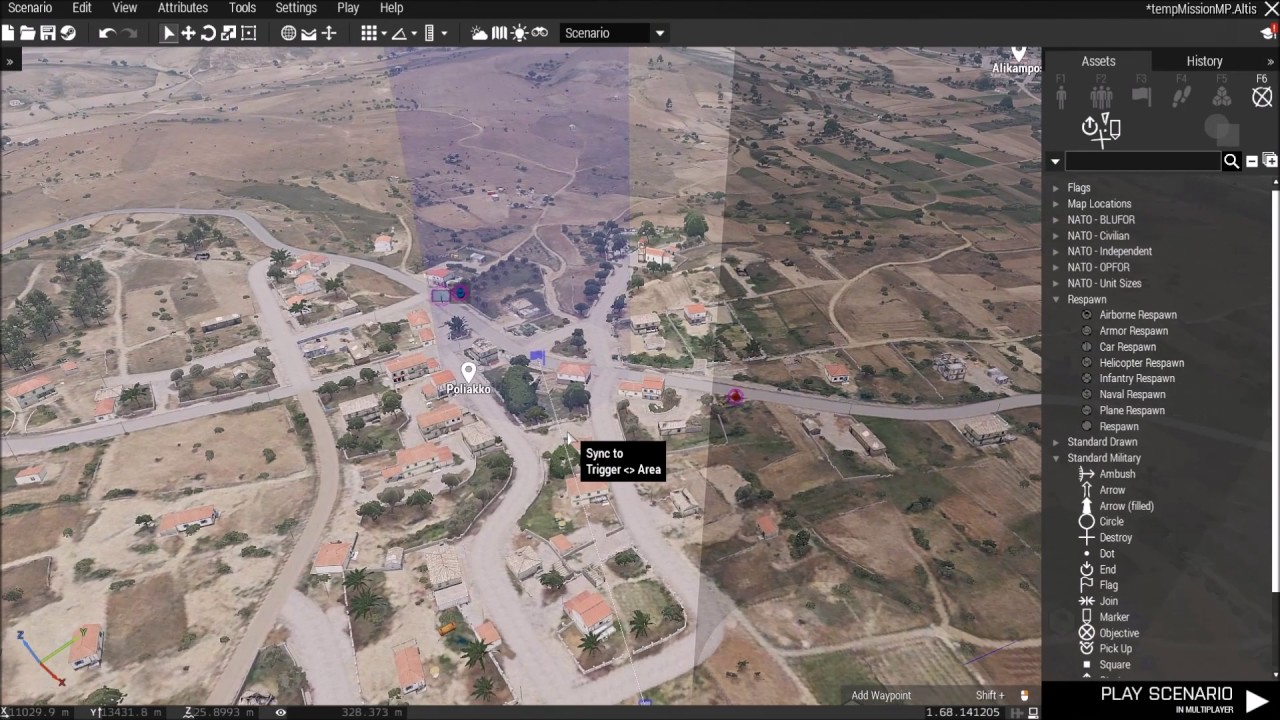
A basic tutorial on how to set up a basic mission with sector control.
granite sky
Is it any better if you start them in combat mode?
bleak mural
granite sky
Is it any better if you start them in combat mode?
good point, in mission they will already be in combat lieky, its worth testing.
the biggest lag in Arma regarding AI comes from air to ground and ground to air spotting
seems to overload the AI brains
for refernce i run YAAB at 90 fps. this tests with 3 jets flying over an area with 60 opfor = 20 fps
 warped magnet
@bleak mural You would be better off avoiding the Cas Module for creating attack runs that need captive. It is hard to consistently pull a reference from a module spawned object unless the module has setup a way to specifically dump the references to the objects somewhere. That is unless you can find the name of variable that it stores the craft under in the module
if you can find that variable, you can run code on the craft spawned by the module. you will have to crack open the function view and look at how the cas module works to see if its even possible
hallow mortar
You could use an entityCreated mission EH to automatically set aircraft of that type as captive. It would be important to time the EH addition and removal to only catch aircraft related to the module, though.
bleak mural
warped magnet
<@368621495695704064> You would be better off avoiding the Cas Module for creati...
thanks man i was thinking its something like that
bleak mural
hallow mortar
You could use an entityCreated mission EH to automatically set aircraft of that ...
theres no other fixed wing in the scenario so it could be fine to keep it without removing
warped magnet
I like the EH idea. I think if you do it in the scheduled environment it should work more consistently
hallow mortar
I don't see why scheduled or not would have any particular influence on this
bleak mural
hallow mortar
I don't see why scheduled or not would have any particular influence on this
oddly enough i wont use it
found a major bug
placement radius on these modules do not save after reloading a scenario
radius gets reset to default 0
never saw this issue with units or objects before
the random placement was more or less critical as it was designed to be a random position type of strike. il use a real object plane and use "this setCaptive true; this disableAI "CHECKVISIBLE"" to fix the frames issue anyway
fair drum
Which modules. It's been known that 3den attributes have to be saved differently than what you would think.
snow badge
bleak mural
https://www.youtube.com/watch?v=OknMOgiDh-0
OK, having a hard time still with Sector Tactic, Spawn AI etc...
I'm trying to load my mission via SQF, but when I do, all AI act clueless. Sectors spawn, but nothing else happens... any ideas from anyone?
exotic flame
Is there a way to affect a vehicle turn capabilities by script ?
 half moth
I've been working on this for awhile and can't seem to find a solution.
I want to lock client's setTerrainGrid=3.125 (jungle mission and dont want them seeing through the jungle). I also want it to loop in case the client lowers the setting.
Any ideas?
 opal zephyr
half moth
I've been working on this for awhile and can't seem to find a solution.
I want...
opal zephyr
half moth
I've been working on this for awhile and can't seem to find a solution.
I want...
What part are you having trouble with?
 tribal creek
any idea how to make an airplane turn on its engine, while unit capture is being executed ?
the plane is stranded on the ground fyi
opal zephyr
tribal creek
any idea how to make an airplane turn on its engine, while unit capture is being...
The vehicles engine can be turned on with engineOn. What does "while unit capture is being executed" mean?
tribal creek
opal zephyr
The vehicles engine can be turned on with `engineOn`. What does "while unit capt...
yes but it doesn't work on planes with unit capture
 cosmic lichen
Can anyone point me to the code that fills this control? I thought it was in diary.sqf but doesn't seem so.
 tribal creek
opal zephyr
The vehicles engine can be turned on with `engineOn`. What does "while unit capt...
tribal creek
opal zephyr
The vehicles engine can be turned on with `engineOn`. What does "while unit capt...
executing a pre recorded flight path in unit capture for does not start up the engine
normally engine On fixes that
but on planes with safe mode enabled it does not work
opal zephyr
tribal creek
but on planes with safe mode enabled it does not work
Can you just set them to something other then safe? If their flight path is recorded then they shouldnt change based on threats
half moth
opal zephyr
What part are you having trouble with?
Really what would be the best way to go about doing it? I've tried calling a script via the init.sqf that sets the setterraingrid on loop but it doesnt seem to change it back to 3.125 if I change it in mission client side.
tribal creek
opal zephyr
Can you just set them to something other then safe? If their flight path is reco...
i would if the ai immddeatly does not try to take off form the run way
opal zephyr
tribal creek
i would if the ai immddeatly does not try to take off form the run way
What about disabling their pathing ability using disableAI and then re-enable it when you begin playing the captured path?
tribal creek
opal zephyr
What about disabling their pathing ability using `disableAI` and then re-enable ...
hmm never thought of that will give it a go
opal zephyr
half moth
Really what would be the best way to go about doing it? I've tried calling a scr...
The command is local, so it has to be executed on every client. I suggest using a remoteExec inside your init that calls the looping script on the clients
half moth
opal zephyr
The command is local, so it has to be executed on every client. I suggest using ...
Nice, that seems to work, thanks. Will this affect performance much being looped like this?
opal zephyr
depends on how often you loop it, are you doing a while loop with a sleep?
half moth
opal zephyr
depends on how often you loop it, are you doing a while loop with a sleep?
yes, a while
For testing 10 seconds but was planning to have it loop every 60.
I think you replied to the wrong person?
tribal creek
whoops ayes
tribal creek
opal zephyr
What about disabling their pathing ability using `disableAI` and then re-enable ...
so its gonna be
hallow mortar
half moth
yes, a while
For testing 10 seconds but was planning to have it loop every 60.
That will have no impact on performance during the sleep time. There might be a small hitch when it sets the grid size (possibly not if it knows the grid is the same size as already set and ignores it, more likely if the grid needs to actually change)
opal zephyr
hallow mortar
That will have no impact on performance during the sleep time. There might be a ...
^What Nikko said, its such a small command to run, it would only be an issue if it was like sub 1 second checks
opal zephyr
tribal creek
```sqf
_cargoaplane disableAI "PATH";
```
yup that looks correct
and then use enableAI when you begin the movement
tribal creek
Uah the planes still move ?
opal zephyr
How are you executing that code?
hallow mortar
AI behaviour with planes is weird, they really want to take off and don't like to sit still
tribal creek
opal zephyr
How are you executing that code?
i have it in the init of the plane
hallow mortar
I think I ended up having to remove the fuel when I wanted to do stuff like this
opal zephyr
tribal creek
i have it in the init of the plane
and its named _cargoaplane?
tribal creek
hallow mortar
AI behaviour with planes is weird, they _really_ want to take off and don't like...
turning it on safe stops them but then i haven't found a way to turn the engines on
opal zephyr
The fuel idea is a good one too. Will definitely keep the plane on the ground
tribal creek
opal zephyr
and its named _cargoaplane?
yup thats the variable
opal zephyr
with the "a" in the middle too?
tribal creek
opal zephyr
The fuel idea is a good one too. Will *definitely* keep the plane on the ground
won't the engine not start then ?
OH
opal zephyr
Just add fuel when you want it to fly
opal zephyr
if you're putting it in the init you can use "this" or "_this" (I can never remember) to refer to it as well. If that doesnt work then try the fuel option
tribal creek
opal zephyr
if you're putting it in the init you can use "this" or "_this" (I can never reme...
tried this disable too
hallow mortar
opal zephyr
if you're putting it in the init you can use "this" or "_this" (I can never reme...
It's this for init fields
opal zephyr
tribal creek
tried this disable too
Do the fuel thing Nikko suggested
gentle obsidian
hallow mortar
It's `this` for init fields
would you ever use _this?
what would that look like
hallow mortar
gentle obsidian
would you ever use _this?
_this is used in other code scopes to access arguments passed into the scope.
e.g.
_myVehicle spawn {
  systemChat typeOf _this;
};```
<https://community.bistudio.com/wiki/Magic_Variables>It won't
gentle obsidian
ah well thats slightly better lol
analog mulch
hi,
running a Mechanized Infantry where the player is the IFV commander with infantry dismounts, would like the infantry to have their health back at 100% everytime they get in
should i give each unit a variable name or the group?
analog mulch
this addEventHandler ["Heal All", {
params ["player squad", , "0", ];
}];
didnt work
hallow mortar
There is no "Heal All" event handler.
You need to use a GetIn event handler (https://community.bistudio.com/wiki/Arma_3:_Event_Handlers) and then setDamage to heal the unit in question.
analog mulch
this addEventHandler ["GetIn", {
params ["NAMEOFIFV", "cargo", "NAMEOFPLAYERGROUP", "_turret"];
}];
i didnt get _turret (turret path)
hallow mortar
No.
The params indicated on the EH page are correct, you don't need to change them. The params is used to retrieve the information the EH provides when it fires - the vehicle the EH is attached to, the seat type the unit got into, the unit that got in, and the turret path it got into. They're not "you specifying things", they're "you getting information you can use".
hallow mortar
this addEventHandler ["GetIn",{
  params ["_vehicle","_role","_unit","_turret"];
  _unit setDamage 0;
}];``` hallow mortar
this is a special variable used to refer to the object an init field belongs to. If you put it in init.sqf, that will be undefined and not refer to anything. So in this configuration, the vehicle init.
You could put it in init.sqf if you changed this to a reference to the vehicle, either its specific variable name or by some other means of getting it.
exotic flame
So nobody knows if there is a way to affect vehicle turn capacities by script ?
hallow mortar
There might be some truly awful convoluted way of doing it using velocity manipulation, but that likely wouldn't work particularly well. Otherwise, no.
exotic flame
hallow mortar
There might be some truly awful convoluted way of doing it using velocity manipu...
I could use a while loop and check for vehicle direction but i hoped there was a less resources consuming solution
Thank you 🙂
proven charm
exotic flame
I could use a while loop and check for vehicle direction but i hoped there was a...
dont know what you trying to do but this came to my mind: https://community.bistudio.com/wiki/sendSimpleCommand
exotic flame
proven charm
dont know what you trying to do but this came to my mind: https://community.bist...
I hoped for something which can precisely control the vehicle turn coef, but well it can be enough
undone flower
is it possible to get the ammo of the _magazine parameter from the "Fired" event handler?
hallow mortar
Not directly. We don't really have the commands to target specific magazines for anything.
You can use currentMagazineDetail since you know the shooter must have fired the current magazine, but that information comes in the most annoying format imaginable.
For a more helpful format you can use magazinesAmmoFull, but then you have to do analysis on the array to figure out which mag is loaded into the muzzle that fired.
undone flower
then it's simply not viable because I'd need to do these checks every single time a unit fires
hallow mortar
It shouldn't be too performance-intensive. It's just super annoying to write.
undone flower
eh guess I'll cope with that
this would fix the bug I'm facing

the bug happens because (_unit ammo _muzzle) == 0 never returns true if _muzzle is a throw muzzle and there's still throwables of a kind. it's like it immediately reloads the next grenade before the check, so it returns 1
undone flower
I bandaid'd it. code if anyone ever faces the same issue:
(((_unit ammo _muzzle) == 0) or {(_muzzle isKindOf ["ThrowMuzzle", configFile >> "CfgWeapons" >> _weapon])})```private _valid = [bg1,bg2,bg3,bg4,bg5,bg6,bg7] findIf {!(!alive _x || captive _x)} == -1;
(_valid and (alive mayor));
does this look like itll work as a trigger condition?
being a bit lazy lol dont wanna debug it
 spring stone
I wrote a script that adds an action to an object. If a player uses tat action another action will be added to another object. My problem is, that this added action is not available to JIP player. The script basically starts over from the start for them. Can somebody tell me how to sync this to a JIP player? (If you need script files, just contact me directly!)
snow badge
snow badge
OK, having a hard time still with Sector Tactic, Spawn AI etc...
I'm trying to ...
FIXED!
So, here's how I troubleshooted it and my final solution.
I found a few mission params (bis_fnc_moduleSpawnAISectorTactic_areas, bis_fnc_moduleSpawnAISectorTactic_sectors etc) and for some reason, whenever I exported the whole mission to SQF, they broke and didn't show up. HOWEVER, if I first loaded them and THEN the entire Spawn AI function via Debug Console, it works as expected. Looks like the issue is just the loading not in correct order, I guess. my take is that the module probably doesn't refresh to look for "new" sectors.
thought i'd post here since I'm very happy this works :)
for those interesting why I export to SQF, I just like loading my missions in that way for optimization lol
but yeah, I think I'll just have to create multiple sqf, or just spawn them in blocks and have a brief pause before loading the next one.
 tulip ridge
Where are vanilla loadouts saved to?
Doesn't seem to be profileNamespace like I would've imagined
fair drum
tulip ridge
Where are vanilla loadouts saved to?
Doesn't seem to be profileNamespace like I ...
for the arsenal?
tulip ridge
Yeah
fair drum
tulip ridge
Yeah
check all your namespaces for "bis_fnc_saveInventory_data"
 haughty sand
does anyone know where player saved data such as money or kd stats or loadout or position on the map would be saved in my server files?
im trying to wipe it since there was a big explouit that ruined my mission, by doing this I wanted to reset everyones saved stats and progress whatsoever, back to a clean slate restart as restarting my server simply does not fix the issue as everyones stats pertain through restarts.
tulip ridge
haughty sand
does anyone know where player saved data such as money or kd stats or loadout or...
Unless you're using something like INIDB2, that data is likely being saved to the server's profileNamespace. Also none of us are going to know whatever mod, mission, etc. you're using to store and load that data.
 lone glade
remoteExec is your friend
 sonic onyx
Hello, do you know of any script to modify the stamina?
I would like it to recover twice as fast when the stamina bar drops to 3 stripes.
haughty sand
tulip ridge
Unless you're using something like INIDB2, that data is likely being saved to th...
im using something called exdb https://armadatabase.wixsite.com/armadb/f9
does this save to server profilnamespace or to players pcs
fair drum
haughty sand
im using something called exdb https://armadatabase.wixsite.com/armadb/f9
won't know unless we see the source code
haughty sand
/*
Author - Torndeco
Description - Initializes extDB3
Website - https://bitbucket.org/torndeco/extdb3/wiki/Home
*/
params["_database","_protocol","_custom",["_return",true,[true]]];
if(isNil {uiNamespace getVariable "extDB_SQL_CUSTOM_ID"}) then
{
// extDB3 Version Check
private _result = "extDB3" callExtension "9:VERSION";
diag_log format ["extDB3: Version: %1", _result];
if(_result isEqualTo "") exitWith {diag_log "extDB3: Failed to Load Extension"; _return = false};
if((parseNumber _result) < 1.026) exitWith {diag_log "Error: extDB3 version 1.026 or Higher Required"; _return = false};
// extDB3 Connect to Database
_result = parseSimpleArray ("extDB3" callExtension format["9:ADD_DATABASE:%1",_database]);
if((_result select 0) isEqualTo 0) exitWith {diag_log format ["extDB3: Error Failed to Connect to Database: %1",_result]; _return = false};
diag_log "extDB3: Connected to Database";

// extDB3 Generate ID
private _extDB_ID = str(round(random(9999)));
extDB_SQL_CUSTOM_ID = _extDB_ID;
diag_log format ["extDB3: ID Genereated: %1",_extDB_ID];

// extDB3 Load Protocol
_result = parseSimpleArray ("extDB3" callExtension format["9:ADD_DATABASE_PROTOCOL:%1:%2:%3:%4",_database,_protocol,_extDB_ID,_custom]);
if((_result select 0) isEqualTo 0) exitWith {diag_log format ["extDB3: Error Database Setup: %1",_result]; _return = false};

diag_log "extDB3: Initalized SQL_CUSTOM Protocol";

// extDB3 Lock
"extDB3" callExtension "9:LOCK";
diag_log "extDB3: Locked";

// extDB3 Save ID
uiNamespace setVariable ["extDB_SQL_CUSTOM_ID",_extDB_ID];
}
else
{
diag_log "extDB3: Already Setup";
extDB_SQL_CUSTOM_ID = uiNamespace getVariable "extDB_SQL_CUSTOM_ID";
};
_return;
@fair drum @tulip ridge
meager granite
!code
wicked roostBOT
How to use SQF syntax highlighting in Discord
```sqf
// your code here
hint "good!";
```
↓
// your code here
hint "good!";
technically it's possible even on ArmA 3 with callExtension and ExtensionCallback EH
sure with performance loss and additional layer of glitches 😄
also multithreading (concurency) in LUA is awful
in SQF you can make threads easily as in RUST:
threadHandle = 0 spawn
{
    // code of your thread
};
how do i delete players uid from database in arma 3 server
or just delete my data base entirely
exotic flame
Is there a command to center the map on a position ?
exotic flame
haughty sand
how do i delete players uid from database in arma 3 server
Depends on the database you're using and if you can modify the data
exotic flame
meager granite
https://community.bistudio.com/wiki/ctrlMapAnimAdd
thank you very much 🙂
bleak mural
"unexpected global variable name"
whats this mean?
im using rhe name "exit' on an object the editor wont let me use it
bleak mural
meager granite
`exit` is a scripting command, thus you can't use it as variable
to this day i never knew that
so i assume there are alot of variables that cant be used
fair drum
@bleak mural To add, this is why when building big mods with multiple addons, people use the CBA system. You can name a PREFIX and COMPONENT and you can use macros such as GVAR.
// Global mod prefix
#define PREFIX      Big
// Addon prefix
#define COMPONENT   Bananas
// Another addon prefix
#define COMPONENT   Coconuts
// Inside of the Bananas addon
FUNC(GetLength) // Expands to Big_Bananas_fnc_GetLength

GVAR(Length) // Expands to Big_Bananas_Length
QGVAR(Length) // Expands to "Big_Bananas_Length"
EGVAR(Coconuts,Diameter) // Expands to Big_Coconuts_Diameter
EQGVAR(Coconuts,Diameter) // Expands to "Big_Coconuts_Diameter"
 junior moat
hey is anyone able to help me with this? i want to check if a group of units is dead and if they are, set the task state to succeeded. heres my code that doesnt seem to work:
    _spawn = 0 spawn {
        if ({alive _x} count units campGroup < 1) then {
            [format["assault%1",taskNum], "SUCCEEDED", True] call BIS_fnc_taskSetState;
            hint "task complete";
        };
    };
it doesnt work because the condition is run only once
junior moat
proven charm
it doesnt work because the condition is run only once
ah so would adding like a while loop above it thats like "while group is alive" work?\
proven charm
while loop in the spawn
junior moat
something like this?
_completeTask = 0 spawn {
        while {campGroup alive} do {
            if ({alive _x} count units campGroup < 1) then {
                [format["assault%1",taskNum], "SUCCEEDED", True] call BIS_fnc_taskSetState;
                hint "task complete";
            };
        };
    };
You could use wait until https://community.bistudio.com/wiki/waitUntil
And https://community.bistudio.com/wiki/findIf
proven charm
put true in the while condition and then put break after the hint to stop the loop
junior moat
_completeTask = 0 spawn {
        while {True} do {
            if ({alive _x} count units campGroup < 1) then {
                [format["assault%1",taskNum], "SUCCEEDED", True] call BIS_fnc_taskSetState;
                hint "task complete";
                break
            };
        };
    };
ill see if this works
proven charm
missing ; after break
junior moat
one of these times i will write code correctly the first time
junior moat
proven charm
missing ; after break
perfect, works, much appreciated!
 amber basalt
What is the function to access the 6 command menu actions?
Would it be possible to do a button to the UI that when you press it, it loops through all of your units, and places them to the driver or gunner slot of the vehicle?
tribal creek
opal zephyr
Do the fuel thing Nikko suggested
do you know after all that how to make them disappear >
ik the script but idk hwos to implement it
stable dune
junior moat
```sqf
_completeTask = 0 spawn {
while {True} do {
if ({aliv...
A little sleep would be good here.
While is running multiple times per frame without sleep which is not good for overall performance.
 flint topaz
junior moat
something like this?
```sqf
_completeTask = 0 spawn {
while {campGroup ...
flint topaz
junior moat
something like this?
```sqf
_completeTask = 0 spawn {
while {campGroup ...
Use the killedEH to prevent excessive loops
You could use the MP one or use a group EH you’d have to check which ones are available to decide the best one for the usage, but typically EHs are far better option for performance reasons
proven charm
amber basalt
What is the function to access the 6 command menu actions?
Would it be possible...
{ if(!isplayer _x) then { _x moveinany car; }; } foreach units player;
hey so i got a question,
after a unit completes a unit capture sequence, can u maked it got a wayapoint and delete itself ?
i can't seem to figure out a way for it to follow the waypoint only after the unit capture is complete
also the ai unit is in aplane
 stuck palm
Is it possible to pass params to a holdaction? I'm apparently too dense to figure it out.
undone flower
junior moat
hey is anyone able to help me with this? i want to check if a group of units is ...
I would add "Killed" event handlers to each of these units, on the event handlers, increment a "UNITSKILLED" variable on the mission namespace. Still on the event handler, check if the variable reached a certain number. if true, mark task as complete
you do not need an outrageous while true or each frame loop
avoid these like the plague
bleak mural
i thought i understood trigger conditions well enough but i cant understand why this wont work; RADIO TRIGGER ALPHA( For moment for testing) Condition: This On activation:
_wp1 = Alpha1 addWaypoint [(getPos FOBA1), 0];
_wp setwaypointtype "GETIN";
_wp setWaypointSpeed "NORMAL";
Alpha1 setBehaviour "Aware";     {
 _x assignAsCargo ex1;
 [_x] orderGetIn true;
 [_x] allowGetIn true;
}forEach units Alpha1;


_wp1 = Bravo1 addWaypoint [(getPos FOBB1), 0];
_wp setwaypointtype "GETIN";
_wp setWaypointSpeed "NORMAL";
Alpha1 setBehaviour "Aware";     {
 _x assignAsCargo ex2;
 [_x] orderGetIn true;
 [_x] allowGetIn true;
}forEach units Bravo1;


_wp1 = Charlie1 addWaypoint [(getPos FOBC1), 0];
_wp setwaypointtype "GETIN";
_wp setWaypointSpeed "NORMAL";
Alpha1 setBehaviour "Aware";     {
 _x assignAsCargo ex3;
 [_x] orderGetIn true;
 [_x] allowGetIn true;
}forEach units Charlie1;


_wp1 = Alpha2 addWaypoint [(getPos FOBA2), 0];
_wp setwaypointtype "GETIN";
_wp setWaypointSpeed "NORMAL";
Alpha1 setBehaviour "Aware";     {
 _x assignAsCargo ex4;
 [_x] orderGetIn true;
 [_x] allowGetIn true;
}forEach units Alpha2;


_wp1 = Bravo2 addWaypoint [(getPos FOBB2), 0];
_wp setwaypointtype "GETIN";
_wp setWaypointSpeed "NORMAL";
Alpha1 setBehaviour "Aware";     {
 _x assignAsCargo ex5;
 [_x] orderGetIn true;
 [_x] allowGetIn true;
}forEach units Bravo2;


_wp1 = Charlie2 addWaypoint [(getPos FOBC2), 0];
_wp setwaypointtype "GETIN";
_wp setWaypointSpeed "NORMAL";
Alpha1 setBehaviour "Aware";     {
 _x assignAsCargo ex6;
 [_x] orderGetIn true;
 [_x] allowGetIn true;
}forEach units Charlie2;
COUNTDOWN: 60
"COUNTDOWN" is being ignored in this test
Timeout doesnt work with any delay either
doesnt countdown assure that the triggers "on activation" doesnt fire until timer is satisfied?
SO apparently its just related to radio triggers. Not sure how i missed that.
what is the correct wp to make a heli land btw?
proven charm
stuck palm
Is it possible to pass params to a holdaction? I'm apparently too dense to figur...
yes ```sqf
[
player,
"test",
"", "",
"true", "true",
{ hint "Started!" },
{ },
{ params ["_target", "_caller", "_actionId", "_arguments"]; hint format ["act '%1'", _arguments # 0 ]; },
{ },
["Argument text"], 1, nil, true, false
] call BIS_fnc_holdActionAdd;
how do i go about setting a wp statement with this in it? A3\functions_f\waypoints\fn_wpLand.sqf
just like any other wp statement?
proven charm
bleak mural
what is the correct wp to make a heli land btw?
im not using wps too much so I have this for helo landing: ```sqf
_helo land "GET OUT";
and when you want to lift off you can usesqf
_helo land "NONE";
helo land get out is for pilots landing,engines off and disembark?
not sure how your combine=ing it with 2nd example or what 2nd example does
proven charm
bleak mural
helo land get out is for pilots landing,engines off and disembark?
i think it means cargo get out
bleak mural
my 6 helo's are landing in a hot lz,and groups rush to board
bleak mural
proven charm
"GET IN" then
no i cant,its scripted wp im using it in this way
_wp = ex1group addWaypoint [position EXL1, 0]; _wp setwaypointtype "UNLOAD"; _wp = ex2group addWaypoint [position EXL2, 0]; _wp setwaypointtype "UNLOAD"; _wp = ex3group addWaypoint [position EXL3, 0]; _wp setwaypointtype "UNLOAD"; _wp = ex4group addWaypoint [position EXL4, 0]; _wp setwaypointtype "UNLOAD"; _wp = ex5group addWaypoint [position EXL5, 0]; _wp setwaypointtype "UNLOAD"; _wp = ex6group addWaypoint [position EXL6, 0]; _wp setwaypointtype "UNLOAD";
_wp1 = Alpha1 addWaypoint [(getPos FOBA1), 0];
_wp setwaypointtype "GETIN";
_wp setWaypointSpeed "NORMAL";
Alpha1 setBehaviour "Aware";     {
 _x assignAsCargo ex1;
 [_x] orderGetIn true;
 [_x] allowGetIn true;
}forEach units Alpha1;


_wp1 = Bravo1 addWaypoint [(getPos FOBB1), 0];
_wp setwaypointtype "GETIN";
_wp setWaypointSpeed "NORMAL";
Alpha1 setBehaviour "Aware";     {
 _x assignAsCargo ex2;
 [_x] orderGetIn true;
 [_x] allowGetIn true;
}forEach units Bravo1;


_wp1 = Charlie1 addWaypoint [(getPos FOBC1), 0];
_wp setwaypointtype "GETIN";
_wp setWaypointSpeed "NORMAL";
Alpha1 setBehaviour "Aware";     {
 _x assignAsCargo ex3;
 [_x] orderGetIn true;
 [_x] allowGetIn true;
}forEach units Charlie1;


_wp1 = Alpha2 addWaypoint [(getPos FOBA2), 0];
_wp setwaypointtype "GETIN";
_wp setWaypointSpeed "NORMAL";
Alpha1 setBehaviour "Aware";     {
 _x assignAsCargo ex4;
 [_x] orderGetIn true;
 [_x] allowGetIn true;
}forEach units Alpha2;


_wp1 = Bravo2 addWaypoint [(getPos FOBB2), 0];
_wp setwaypointtype "GETIN";
_wp setWaypointSpeed "NORMAL";
Alpha1 setBehaviour "Aware";     {
 _x assignAsCargo ex5;
 [_x] orderGetIn true;
 [_x] allowGetIn true;
}forEach units Bravo2;


_wp1 = Charlie2 addWaypoint [(getPos FOBC2), 0];
_wp setwaypointtype "GETIN";
_wp setWaypointSpeed "NORMAL";
Alpha1 setBehaviour "Aware";     {
 _x assignAsCargo ex6;
 [_x] orderGetIn true;
 [_x] allowGetIn true;
}forEach units Charlie2;
"unload" above should be land
just trying to find alternative to make helo land. TR unload works but isnt perfect
how to use land "LAND" in this code?
wp = ex1group addWaypoint [position EXL1, 0]; _wp setwaypointtype "GET IN";
replacing "GET IN"
Anytime i try helo doesnt even start wp
_wp = ex1group addWaypoint [position EXL1, 0]; _wp setwaypointtype land "LAND";
Syntax error
proven charm
_wp setWaypointStatements ["true", " (vehicle this) land 'LAND'; "];
though there should be pure waypoint solution to this.
bleak mural
proven charm
```sqf
_wp setWaypointStatements ["true", " (vehicle this) land 'LAND'; "];
```
Yeah you would think at least after Helis DLC right?
thanks man
proven charm
updated vehicle/heli in the code ^^^^
bleak mural
vehicle this / ok to use vehicle "heliname"? its run from a trigger
oh its statement
proven charm
i dont see why not stick with (vehicle this)
bleak mural
i see i see
bleak mural
proven charm
i dont see why not stick with (vehicle this)
Yeah tested and working well thank you. i was using TR UNLOAD to get him to land befor,trouble was,with the specific code,he might stop short,pickup troops,then unload them again before the RTB unload. thanks man
opal zephyr
tribal creek
do you know after all that how to make them disappear >
Make the vehicle dissappear?
tribal creek
opal zephyr
Make the vehicle dissappear?
ye um delete the vehicle
after the vehicle was completed the unit capture route i want to make it go to a waypoint and delete the vehicle
i only want a way to make the vehicle go to the waypoint only after the unit capture is complete
opal zephyr
I think you'll have to do it on a timer. I did a quick google but I cant find an event handler for it. Your recording is a set length, ao just wait that amount of time and then send them to the way point and delete them
bleak mural
proven charm
i dont see why not stick with (vehicle this)
One more question,as i put this aside for too long,my wp statement is to "retire" the helicopters after they do their jobs(far away out of sight) this code is deleting the group as its their wp. but why doesnt it also delete the vehicle if "thislist" is used?
_wp setWaypointStatements ["true", "{ deleteVehicle _x} forEach thisList;" ];
the helos in this example have damage disabled,deleting the crew allows helo normally to fall and become wrecked and i cleaned it up with GC. But in this case,no damage so iv 6 helo's rotating propellers out in the ocean...doesnt sit right with me
proven charm
bleak mural
One more question,as i put this aside for too long,my wp statement is to "retire...
dont know but you can check for infantry/vehicle ```sqf
if(_x iskindof "CAManBase") then { deleteVehicle _x; };
would prefer it automated but yeah true
fair drum
proven charm
dont know but you can check for infantry/vehicle ```sqf
if(_x iskindof "CAManBas...
@bleak mural
You delete the vehicle first, then the units in the group. In the waypoint completion, there should be a special variable that points to the group leader to get you your vehicle. Then you use thisList to get your units.
Yes, this refers to the leader himself
opal zephyr
tribal creek
would prefer it automated but yeah true
You could try using the waypointReached EH if you want and see if it triggers when you finish it
bleak mural
fair drum
<@368621495695704064>
You delete the vehicle first, then the units in the grou...
so like so: ```sqf
_wp setWaypointStatements ["true", deleteVehicle "
helo1", "{ deleteVehicle _x} forEach thisList;" ];
or
_wp setWaypointStatements ["true", { helo deleteVehicleCrew _x } forEach crew helo;
deleteVehicle helo;
it looked like simple placing the waypoint does it
and putting the vehicle delete script in the ianit of the waypoint
fair drum
bleak mural
so like so: ```sqf
_wp setWaypointStatements ["true", deleteVehicle "
helo1", "{...
_wp setWaypointStatements [
    "true",
    toString {
        if (local this) then {
            deleteVehicle vehicle this;
            thisList apply { deleteVehicle _x };
        };
    }
]
 cobalt path
For some reason add action scripts dont work on "helper" objects, like arrows. Any way to make it work?
granite sky
I guess the helper objects are missing the LODs that are used to detect what object is in front of the camera.
I can't think of a workaround that wouldn't be horrible.
little raptor
cobalt path
For some reason add action scripts dont work on "helper" objects, like arrows. A...
They don't have a geometry LOD
little raptor
granite sky
I can't think of a workaround that wouldn't be horrible.
imo adding action to self is probably not that horrible
little raptor
cobalt path
For some reason add action scripts dont work on "helper" objects, like arrows. A...
Just add the action to the player himself, and in its condition, check that the cursorObject has some variable
cobalt path
I would like to avoid that, because I will have like 40 addaction scripts
I will just pick a different object I think
little raptor
e.g.
player addAction ["Do stuff",
{},
...,
toString {
    _this distance cursorObject< 5 && {!isNil {cursorObject getVariable "my_customAction"}}
}]
You can have as many scripts as you want
you just store the action code (and maybe parameters too if you need them) as variables
 tidal aurora
good 'ol cluttercutter to rescue?
granite sky
Wait, cursorObject works even though addAction doesn't?
I vaguely recall that they do have different properties but I'm surprised they're using different LODs.
gentle obsidian
bleak gulch
technically it's possible even on ArmA 3 with callExtension and ExtensionCallbac...
tbh i dont think ive even used real lua, just luau which has some improvements
but yea i saw someone went to work on it years ago for 3 but never finished it
 light hornet
Hi, anybody has used Arma Dialog Creator?
I have a custom sound in my description.ext in CfgSounds, but every time I include my custom dialog, the sound can no longer be detected
proven charm
light hornet
I have a custom sound in my **description.ext** in **CfgSounds**, but every time...
sounds like the dialog code has syntax error or something
can you post the code?
light hornet
proven charm
sounds like the dialog code has syntax error or something
Yep, it's a bit messed up, give me 5 minutes and i'll post it
little raptor
granite sky
Wait, cursorObject works even though addAction doesn't?
Dunno tbh 😅
I assumed it would work
it doesn't work 😔
little raptor
light hornet
I have a custom sound in my **description.ext** in **CfgSounds**, but every time...
idk what that is but it's probably overwriting your description.ext?
little raptor
proven charm
sounds like the dialog code has syntax error or something
Or this yeah
 rich falcon
Looking for a way to make a helo's tail rotor break once a trigger is active, I've tried
lmao setHit ["vrtule", 1];
lmao setHit ["velka vrtule", 1];
lmao setHit ["hitvrotor", 1];
And plenty more combinations, but to no avail. Any ideas?
light hornet
Well, i exported the dialog again, just in case i broke it in some way. Probably i was using a wrong path too 😅
Now it works, thanks @proven charm @little raptor 
 grizzled cliff
meager granite
rich falcon
Looking for a way to make a helo's tail rotor break once a trigger is active, I'...
grizzled cliff
meager granite
rich falcon
Looking for a way to make a helo's tail rotor break once a trigger is active, I'...
Wrong command
you need lmao setHitPointDamage ["hitvrotor", 1]
setHitPointDamage - hitpoint class name (standard for all engine-driven hit points)
setHitIndex - hitpoint by index defined by vehicle config
setHit - selection name (can be anything in the model including czech words or even empty selection names)
hallow mortar
And when 2.18 arrives, you'll be able to use the additional parameters for setHitPointDamage (or any of the other setHit* commands) to fully break the rotor and remove the blades
rich falcon
meager granite
you need `lmao setHitPointDamage ["hitvrotor", 1]`
Ah, I see. I'll try that, thanks!
sullen trellis
bleak mural
```sqf
_wp setWaypointStatements ["true", { helo deleteVehicleCrew _x } forEach ...
if u still didnt get it to work, i usually use this for my crew despawn
{ deleteVehicle _x; } forEach units x_group;
i have a whole reinforcements heli script that drops ai's join player then heli leaves and despawn with crew, so we're kind of in the same page
fair drum
light hornet
Hi, anybody has used Arma Dialog Creator?
its been broken and abandoned for some time
particularly with how it does its measurements
light hornet
That's what I thought too, even if i have a very basic dialog
bleak gulch
junior moat
something like this?
```sqf
_completeTask = 0 spawn {
while {campGroup ...
while {} do loop without delay. Your users will be glad.
 coarse dragon
hey is it possible to reduce the reload of a weapon from webknights half life mod. aka the Strider's main gun
 ornate whale
I have a function that returns a single group or an array of groups depending on the option selected. What is a better way of returning an empty result, if the function fails?
//different types
if (_option) {
  _result = grpNull; //single group option
} else {
  _result = []; //multiple groups option
}

//or this for both options
_result = grpNull;
a very fast way of doing this, but difficult to read, would be
// called code runs in the same scope
// returns result automatically
call {
    if (_option) exitWith {grpNull};
    [];
};
im trying to run a script from a wp statement,seems simple enough but it isnt working,can you point out why?
randomPoint= selectRandom ["AO", "AO"];

_wp = H1 addWaypoint [AGLToASL (randomPoint call BIS_fnc_randomPosTrigger), -1]; _wp setWaypointStatements ["true", "0 = [vehicle, altitude] execVM "eject.sqf"];
_wp setwaypointtype "MOVE";
_wp setWaypointSpeed "FULL";
heliGroup setBehaviour "CARELESS";
_wp =  H1 addWaypoint [position del, 0];
_wp setWaypointStatements ["true", "{ deleteVehicle _x} forEach thisList;" ];
the "eject.sqf"
is there a certain way to call a script on the statement?
fair drum
bleak mural
```sqf
randomPoint= selectRandom ["AO", "AO"];
_wp = H1 addWayp...
notice how some of your stuff is a weird bluish color? on discord for sqf that indicates string. see how many of your things that shouldn't be blue are blue? you are missing a closure to a string. see if you can find it.
bleak mural
fair drum
notice how some of your stuff is a weird bluish color? on discord for sqf that i...
a closure to a string can be... " ] and } correct? ; symbolises end of argument
i know around where the error is and iv tried alot of closures with various brackets where i assume what you say to do i should do
randomPoint= selectRandom ["AO", "AO"];

_wp = H1 addWaypoint [AGLToASL (randomPoint call BIS_fnc_randomPosTrigger), -1]; _wp setWaypointStatements ["true", "{0 = [vehicle, altitude]} execVM "eject.sqf"];
_wp setwaypointtype "MOVE";
_wp setWaypointSpeed "FULL";
heliGroup setBehaviour "CARELESS";
_wp =  H1 addWaypoint [position del, 0];
_wp setWaypointStatements ["true", "{ deleteVehicle _x} forEach thisList;" ];
randomPoint= selectRandom ["AO", "AO"];

_wp = H1 addWaypoint [AGLToASL (randomPoint call BIS_fnc_randomPosTrigger), -1]; _wp setWaypointStatements ["true","0 = [vehicle, altitude] execVM "eject.sqf;];
_wp setwaypointtype "MOVE";
_wp setWaypointSpeed "FULL";
heliGroup setBehaviour "CARELESS";
_wp =  H1 addWaypoint [position del, 0];
_wp setWaypointStatements ["true", "{ deleteVehicle _x} forEach thisList;" ];
randomPoint= selectRandom ["AO", "AO"];

_wp = H1 addWaypoint [AGLToASL (randomPoint call BIS_fnc_randomPosTrigger), -1]; _wp setWaypointStatements ["true","0 = [vehicle, altitude] execVM "eject.sqf";];
_wp setwaypointtype "MOVE";
_wp setWaypointSpeed "FULL";
heliGroup setBehaviour "CARELESS";
_wp =  H1 addWaypoint [position del, 0];
_wp setWaypointStatements ["true", "{ deleteVehicle _x} forEach thisList;" ];
this works but i am unable to understand why my sqf call wont ```sqf
randomPoint= selectRandom ["AO", "AO"];
_wp = H1 addWaypoint [AGLToASL (randomPoint call BIS_fnc_randomPosTrigger), -1]; _wp setWaypointStatements ["true", "hint 'hello'; hint 'goodbye'"];
_wp setwaypointtype "MOVE";
_wp setWaypointSpeed "FULL";
heliGroup setBehaviour "CARELESS";
_wp = H1 addWaypoint [position del, 0];
_wp setWaypointStatements ["true", "{ deleteVehicle _x} forEach thisList;" ];
A string is delimited by ". [] are used for arrays. {} are for code.
Your problem is this line:
_wp setWaypointStatements ["true", "0 = [vehicle, altitude] execVM "eject.sqf";];```
The waypoint statements are passed as strings, because BI. You open the second statement string with ". Then, you use another ", closing the string. But you may notice that the next " is not really in a place where it makes sense to close the string, because you're trying to use it _within_ the string. The game doesn't know you're trying to put a string within the string, it just sees the second " and goes "ok, end of string".
In order to do strings within a string, you need to either use single quotes (or double quotes if you used single quotes for the outer string) or double up the double quotes.
```sqf
"systemChat 'my string!'; sleep 1;";
"systemChat ""my string!""; sleep 1;";```
Also, the `0 =` at the start of your `execVM` is not needed, and you have placeholder `vehicle` and `altitude` values in it that should be replaced with actual values.@bleak mural this is why I use toString for anything that requires a string of code
 tough abyss
 bleak mural
fair drum
<@368621495695704064> this is why I use `toString` for anything that requires a ...
bleak mural
fair drum
<@368621495695704064> this is why I use `toString` for anything that requires a ...
like here:
_wp setWaypointStatements [
    "true",
    toString {
        if (local this) then {
            deleteVehicle vehicle this;
            thisList apply { deleteVehicle _x };
        };
    }
]
thanks il find the issue after i get back from work,cheers guys
bleak mural
hallow mortar
Your problem is this line:
```sqf
_wp setWaypointStatements ["true", "0 = [vehic...
nice one, il resume checking this out asap
ah ok 2nd read,think i understand now
 errant jay
theres a command to get list of all arma 3 sound files/sound effect file names via console, but i cant seem to remember it, so does anyone else remember it?
fair drum
errant jay
theres a command to get list of all arma 3 sound files/sound effect file names v...
probably not a command but a script. what do you want it to return? the paths? the class names?
errant jay
fair drum
probably not a command but a script. what do you want it to return? the paths? t...
ah true it prob was a script, but i need the classnames
fair drum
"true" configClasses (configFile >> "CfgSounds") apply {configName _x};
all CfgSound class names, unformatted for copy pasta
errant jay
fair drum
```sqf
"true" configClasses (configFile >> "CfgSounds") apply {configName _x};
`...
Yes, absolutely perfect! Thank you so much
fair drum
errant jay
Yes, absolutely perfect! Thank you so much
formatted for copy pasta array in IDE:
private _indent = "    ";
private _classes = "true" configClasses (configFile >> "CfgSounds") apply {configName _x};
private _export = "[" + endl;
{
    private _className = _x;
    if (_forEachIndex < count _classes - 1) then {
        _export = _export + format[_indent + """%1""" + "," + endl, _className];
    } else {
        _export = _export + format[_indent + """%1""" + endl, _className];
    };
} forEach _classes;

_export = _export + "]";

copyToClipboard _export;
 worthy raft
Hi all, my mission is plagued by server v client issues that I don't quite understand. Its a pvpve mission with players playing blufor and opfor. If a blufor player kills opfor, blufor gains 50000 "points" and a notification pops up. When i tried online with a friend, if he killed me it worked, but if I killed him it didnt, regardless of what side we were on
    params ["_unit", "_killer", "_instigator", "_useEffects"];
    if (side _killer == east) then {
        redPoints = redPoints + 50000;
        ["redkillblu", ["", ""]] remoteExec ["BIS_fnc_showNotification"];
    } else {};
};

redkilled = {
    params ["_unit", "_killer", "_instigator", "_useEffects"];
    if (side _killer == west) then {
        bluPoints = bluPoints + 50000;
        ["blukillred", ["", ""]] remoteExec ["BIS_fnc_showNotification"];
    } else {};
};```Here are the event handlers, any help would be appreciated
meager granite
how do you add the event handlers?
worthy raft
    if (side _x isEqualTo west) then {

        _x addEventHandler ["killed", {call blukilled}];

    }; if (side _x isEqualTo east) then {

        _x addEventHandler ["killed", {call redkilled}];

    }; if (side _x isEqualTo independent) then {

        _x addEventHandler ["killed", {call greenkilled}];
    };
} forEach allUnits;```Where do you call this from?
worthy raft
initServer.sqf
meager granite
Killed is called only where unit is local
Since you added EH on the server and your friend is not server, the event wont fire there
You could use addMPEventHandler here if you want to add stuff from server side
    if (side _x isEqualTo west) then {
        _x addMPEventHandler ["MPKilled", {if(isServer) then {call blukilled}}];
    };
This will make sure blukilled is called only on server, but unit ownership won't matter unlike normal Killed
worthy raft
Interesting okay, I don't quite have my head round it yet but I think I can understand
meager granite
Killed - called only where unit is local IF event is added where it is local
MPKilled - called everywhere, you should add it only once preferably from server
worthy raft
I originally thought about moving it to onPlayerKilled.sqf, would that have worked?
meager granite
No idea about locality of that event script to be honest
What I gave you will work for you
meager granite
Make sure to add MP events only from one side, preferably server
Otherwise you'll multiply your events by number of clients
So keep that addMPEventHandler in server-only scripts
worthy raft
Got it
fair drum
you can also use the entitykilled eh from missioneventhandlers
have to filter for CAManBase though
worthy raft
Good to know!
fair drum
@meager granite when I start implimenting the hive server, should I load my server functions on a server addon instead of including them in the mission for protection?
meager granite
fair drum
<@107672558320496640> when I start implimenting the hive server, should I load m...
If you want to make them invisible from client side then yes
There is serverMod which makes addons list not visible for clients in server browser, include your server-side addon there
worthy raft
Not to jump straight back in with another question... but... I've currently got revives enabled, so when you get shot you go down. If you're executed, the point system works fine and the other team is rewarded. If you forcerespawn however they are not compensated, presumably because they are not the killer anymore. Is there a quick dirty workaround for this?
meager granite
No idea how BIS revives work to advise
I'd do something like store last source/instigator that led to revive state from HandleDamage
But there might be a scripted event handler for it or something, idk
fair drum
meager granite
There is `serverMod` which makes addons list not visible for clients in server b...
what other things should I keep in mind when implementing something like this, protection wise.
meager granite
fair drum
what other things should I keep in mind when implementing something like this, p...
Not sure what to say really, personally I also obfuscation mission code itself by turning all variables random
worthy raft
meager granite
```sqf
if (side _x isEqualTo west) then {
_x addMPEventHandler ["MPK...
@meager granite I'm testing this with a friend now, its swapped from my previous test, now it works if I kill them, but not if they kill me
meager granite
worthy raft
<@107672558320496640> I'm testing this with a friend now, its swapped from my pr...
Are you sure your unit is not created later in the mission?
worthy raft
Actually, further testing, its an opfor killing blufor issue not a server issue
My bad my bad, easy fix
hallow mortar
meager granite
Make sure to add MP events only from one side, preferably server
The documentation for the MP EHs says they have built-in safeties and will only fire once even if added on all machines 🤔
meager granite
hallow mortar
The documentation for the MP EHs says they have built-in safeties and will only ...
Does it check if code is the same or something? 🤔
bleak mural
fair drum
<@368621495695704064> this is why I use `toString` for anything that requires a ...
think im following ,and iv altered the syntax,no longer have errors, however things still are not going as i thought
randomPoint= selectRandom ["AO", "AO"];

_wp = H1 addWaypoint [AGLToASL (randomPoint call BIS_fnc_randomPosTrigger), -1]; _wp setwaypointtype "MOVE"; _wp setWaypointStatements ["true",{ "[H2, 100]"; execVM "eject.sqf";}];
         _wp setWaypointSpeed "FULL";
heliGroup setBehaviour "CARELESS";
_wp =  H1 addWaypoint [position del, 0];
_wp setWaypointStatements ["true", "{ deleteVehicle _x} forEach thisList;" ];
can you confirm at least the syntax is written ok?
H1 is group name, H2 is vehicle name
whats happening from what i can see is upon the 1st MOVE WP,theres no execution of the script. there seems to be however upon the 2nd wp position "del"
code is looking better at least
stable dune
..
{ "[H2,100]";
 ..
If you are calling with arguments you need take ;
[H2,100] execVM "eject.sqf"
What should this do?
What you have in eject.sqf
hallow mortar
meager granite
Does it check if code is the same or something? 🤔
I don't know
hallow mortar
bleak mural
think im following ,and iv altered the syntax,no longer have errors, however thi...
setWaypointStatements requires the statements to be passed as strings. You are not doing that; you're passing code, and in that code you're passing a string argument to your execVM.
Here, I'll just write it for you.
_wp setWaypointStatements ["true", "[h2,100] execVM 'eject.sqf';"];```jesus. you know im kind of pissed off because i had been trying this for the past hour, 100% certain i used this exactly as you wrote it but the script never fired in testing, now it works
iv got 10 notepads open and ye i have tried this earlier
it sounded way more complex than it was
in multiple attemps i had been replacing aircraft and variable names apparently didnt save after changing. i overcomplicated it to boot. thanks for the help
sorry to clarify, the group name changed when i changed it,but the trigger didnt recognize the group name.
 proper sigil
Hey, a question about MPKilled EH. I want an action to be added to destroyed vehicles in MP mission on dedicated server. It does work well for players already in session but does not seem to apply for JIP. Does MPKilled only applies globally for players currently ingame but not for JIP? Can't seem to find anything on that in docs
            params ["_unit", "_killer", "_instigator", "_useEffects"];

            _unit addAction ["Some action, {}];
}];```yeah you must have JIP support if you want new clients to have the addAction
proper sigil
proven charm
yeah you must have JIP support if you want new clients to have the addAction
Thx for answer. Should remoteExec with true parameter for JIP do the trick?
proven charm
proper sigil
Thx for answer. Should remoteExec with true parameter for JIP do the trick?
yes
proper sigil
cheers
 sullen badge
I run this from a trigger when a player escorts a captured enemy unit there, to have the enemy unit removed. Is it possible for me to run a piece of code only IF a unit is deleted?
{{deleteVehicle _x} forEach units _x; deleteGroup _x} forEach (allGroups select {side _x == east and {leader _x distance getMarkerPos "INTERRIGATION" < 10}});
stable dune
sullen badge
I run this from a trigger when a player escorts a captured enemy unit there, to ...
{
    {
          deleteVehicle _x;
          //Here your piece of code
    } forEach units _x;
} forEach...
Then it runs your code when you delete unit
What you want to run when the unit is deleted?
sullen badge
stable dune
```sqf
{
{
deleteVehicle _x;
//Here your piece of code
...
Thank you!
I'm running this: [] call BIS_fnc_randomPos,1000] call ALIVE_fnc_OPCOMToggleInstallations
 tidal ferry
Hey- question
Does anybody know TFAR/TFAR Beta well enough to help me with something?
Our unit is trying to make a script for a spacewalk-type event, but we're having trouble with TFAR
We're using a variable in TFAR, listed below:
ACE_player setVariable ["tf_globalVolume", 0];```...To prevent players from talking while on the spacewalk
However, we want them to be able to talk over radios, but not over normal voice
Does anyone know if there's a dedicated variable within TFAR to change this, similar to "tf_globalVolume" above?
We're digging through code for it now, but figured we'd ask here to save time
little raptor
tidal ferry
We're using a variable in TFAR, listed below:
```sqf
ACE_player setVaria...
There's a function called "TFAR_fnc_setVoiceVolume" but idk if it affects local voice
It probably only affects AI hearing
tidal ferry
little raptor
There's a function called "TFAR_fnc_setVoiceVolume" but idk if it affects local ...
Hmmm, okay
I'll try that, thanks
fair drum
will we ever get objects as a supported key type for hashmaps?
proven charm
would ```sqf
_hashm set [str _object, 123];
that would be using a string. already doing that. was wondering if they will ever impliment actual object reference
proven charm
yeah would probably be faster than string
still forum
fair drum
that would be using a string. already doing that. was wondering if they will eve...
no
hashValue instead of str is safer
abstract bay
bleak mural
sync the trigger to "Hide" module and sync hide module to sandbag
does not work. in condition in trigger: !Alive object, synced the trigger to module show/hide and then synced module show/hide to sandbag
fair drum
math question
how can I take this:
_child setDir (getDir _parent + _dir);
and make it work with vectorDir instead?
hallow mortar
Did you try just doing the same thing but with vectorAdd instead of +?
fair drum
my composition data only inputs the dir of the child when I built it. but i have decided to make some of it simulated, some simple. and simple objects need to work with vectorDir instead of dir. so i guess the question would be, how do I convert the resulting dir into a vectorDir
would it be vectorFormat = [cos _dir, sin _dir, something _dir]?
hallow mortar
There is https://community.bistudio.com/wiki/BIS_fnc_rotateVector2D, which would let you take a north vector and rotate it by the dir value (keeping in mind note at the bottom)
I imagine that does the correct maths for the problem internally, so you could look inside and see how it works
Alternatively just wait for someone who actually knows the maths to show up :U
bleak gulch
fair drum
a very fast way of doing this, but difficult to read, would be
```sqf
// called ...
better not to mix the types
bleak gulch
ornate whale
I have a function that returns a single group or an array of groups depending on...
if the function supposed to return an ARRAY it should always return the same type even if it fails
// Badly designed function
fnc_foo =
{
    private _return = -1; // NUMBER

    if (something) exitWith {[]}; // ARRAY

    if (whatever) then
    {
        _return = player;  // OBJECT
    }
    else
    {
       _return = "NOTNING"; // STRING
    }:

    _return;
};
it returns 3 different types which is very inconsistent. Yes it will work but this way provokes mistakes and possible errors in your code. Always try to return the same type for success and fail. If it is an ARRAY - return empty array, if it's object - return objNull, if it's NUMBER - return 0 or -1, if it's STRING - "" etc
spring stone
okayyy...now I'm stuck with a problem. I have an action added via remoteExec. I set the id to "ID1" now I want to remove that action via remoteExec how do I do that? (before it was OBJECTNAME removeaction ID1;)
proven charm
is it possible to detect if position is on runway or taxiway?
meager granite
You'll need to figure it out from
ilsPosition
ilsDirection
ilsTaxiOff
ilsTaxiIn
```these world config valuesProbably find roads from these positions or something
proven charm
ive tried those already and ilsPosition gives start of the runway but there is no way to get the end of it. maybe i just use that with ilsDirection to get a line where the runway should be
runway is not considered a road
actually its considered road hmm
meager granite
Yes, you'll need to get roads from that position
not sure how road network looks there, but if its connected to unrelated roads and taxi runaways, just include roads that are within vector direction
proven charm
thx i will figure something out
ornate whale
Is there any way how to create a unit or an object without placing it into the world, or keeping it in a state so that it does not interact with the world in any way. I need to create some units first, and then move them to the appropriate location, but I don´t want them to get stuck, be spawned visibly somewhere, get damaged, know about each other, etc.
meager granite
Spawn outside of the map, _unit enableSimulation false, _unit hideObject true
Then re-enable and move into the world
if you want to keep them there for prolonged time you'll also need to sync this with other players
ornate whale
meager granite
Spawn outside of the map, `_unit enableSimulation false`, `_unit hideObject true...
Is spawning outside of the map a used practice? Which coordinates, like [0,0,0]?
hallow mortar
Spawning at 0,0,0 is very common
ornate whale
I would like it to be used in different maps. So it needs to apply generally.
hallow mortar
Especially if you're moving them to their true position in the same frame, 0,0,0 is fine unless you're certain there will be live game activity at that location
ornate whale
It will be executed in the scheduled environment, so it probably won´t happen in a single frame though.
I am currently developing a simple mission framework, and I need it as much modular as possible. I realized that the most modular way is to handle spawning, positioning, loadout randomizing, etc, separately from each other, and that forces me to spawn it first, then equip it second, then move it to a location. I am not aware of a better solution. Are you guys?
meager granite
Make sure to isNil wrap spawning and hiding
so they don't get a single frame of simulation going
isNil {
    private _unit = ... createUnit ...;
    _unit enableSimulation false;
    _unit hideObjectGlobal true;
};
// rest of scheduled stuff
interesting that if you give ASL pos to isOnRoad it seems to always return false
or ATL pos with height >= 0.6
hallow mortar
proven charm
interesting that if you give ASL pos to isOnRoad it seems to always return false
That's probably because it assumes you're giving it an AGL pos, so if you give it an ASL pos that's say 6 metres above sea level, the command will look at a position 6 metres above the ground surface and obviously find no road there.
There's no mechanical distinction between ASL and ATL/AGL positions - they are all 3D vectors. The game cannot distinguish between them, so if you give it an ASL when it's expecting an AGL, it doesn't go "oh that's the wrong position format", it just treats it like an AGL with those coordinates.
proven charm
yeah the thing that made me wonder is why does it even care about the z pos? arma map is 2D, its not like it has tunnels or something
hallow mortar
Objects can have roadways built into them, like bridges for example
proven charm
oh yeah good point I forgot bridges
 indigo snow
 real tartan
are there some commands to get player's squad xml information ?
hallow mortar
spring stone
[ID1] remoteExec [removeAction", 0, true];
like that?
ups
[ID1] remoteExec ["removeAction", 0, true];
junior moat
hey how do i get the location of an eden object? i have the variable name set as "zoneMarker" in the editor but i cant seem to reference that at all in scripting
stable dune
junior moat
hey how do i get the location of an eden object? i have the variable name set as...
getMarkerPos "zoneMarker"
just says undefined variable
never mind im stupid
forgot the quotation marks
another issue (yippe!), im trying to make it so that if players leave an area, they will instantly die. i have this but it doesnt seem to work and im not 100% sure why:
while {True} do {
    kill = 0 spawn {
        {
            selectedPlayer = _x
            if (selectedPlayer distance2D getMarkerPos "zoneMarker" > 250) then {
                selectedPlayer setDamage 1;
            };
        } forEach playableUnits;
    };
};
any help is much appreciated o7
stable dune
Maybe just trigger and if your unit starts in area of trigger,
Make non-present and
Not Present - Activated when objects are not in the area.
And activation
player setDamage 1
See trigger
https://community.bistudio.com/wiki/Eden_Editor:_Trigger
But any way your code should be
0 spawn {
   while {someCondition} do {
     //Code
     sleep 0.5; // or some delay
   };
};
Because While is running multiple times per frame without sleep which is not good for overall performance.
junior moat
stable dune
Maybe just trigger and if your unit starts in area of trigger,
Make non-present ...
i never even thought to use triggers! ill try both options and see which works best :) youve been a god send lmao thanks
junior moat
this works in singleplayer but doesnt seem to work in multiplayer, i honestly cant understand multiplayer scripting for the life of me lol
gameStarted = false;
execVM "Scripts\Zone.sqf";

if (hasInterface == true) then {
    ["<t color='#ff0000' size='.8'>GAME STARTS IN:<br />5 MINUTES</t>",-1,-1,4,1,0,789] spawn BIS_fnc_dynamicText;
    sleep 1;
    ["<t color='#ff0000' size='.8'>GAME STARTS IN:<br />1 MINUTE</t>",-1,-1,4,1,0,789] spawn BIS_fnc_dynamicText;
    sleep 1;
    ["<t color='#ff0000' size='.8'>GAME STARTS IN:<br />30 SECONDS</t>",-1,-1,4,1,0,789] spawn BIS_fnc_dynamicText;
    sleep 1;
    ["<t color='#ff0000' size='.8'>GAME STARTS IN:<br />10 SECONDS</t>",-1,-1,4,1,0,789] spawn BIS_fnc_dynamicText;
    sleep 1;
    ["<t color='#ff0000' size='.8'>GAME STARTS IN:<br />9 SECONDS</t>",-1,-1,4,1,0,789] spawn BIS_fnc_dynamicText;
    sleep 1;
    ["<t color='#ff0000' size='.8'>GAME STARTS IN:<br />8 SECONDS</t>",-1,-1,4,1,0,789] spawn BIS_fnc_dynamicText;
    sleep 1;
    ["<t color='#ff0000' size='.8'>GAME STARTS IN:<br />7 SECONDS</t>",-1,-1,4,1,0,789] spawn BIS_fnc_dynamicText;
    sleep 1;
    ["<t color='#ff0000' size='.8'>GAME STARTS IN:<br />6 SECONDS</t>",-1,-1,4,1,0,789] spawn BIS_fnc_dynamicText;
    sleep 1;
    ["<t color='#ff0000' size='.8'>GAME STARTS IN:<br />5 SECONDS</t>",-1,-1,4,1,0,789] spawn BIS_fnc_dynamicText;
    sleep 1;
    ["<t color='#ff0000' size='.8'>GAME STARTS IN:<br />4 SECONDS</t>",-1,-1,4,1,0,789] spawn BIS_fnc_dynamicText;
    sleep 1;
    ["<t color='#ff0000' size='.8'>GAME STARTS IN:<br />3 SECONDS</t>",-1,-1,4,1,0,789] spawn BIS_fnc_dynamicText;
    sleep 1;
    ["<t color='#ff0000' size='.8'>GAME STARTS IN:<br />2 SECONDS</t>",-1,-1,4,1,0,789] spawn BIS_fnc_dynamicText;
    sleep 1;
    ["<t color='#ff0000' size='.8'>GAME STARTS IN:<br />1 SECONDS</t>",-1,-1,4,1,0,789] spawn BIS_fnc_dynamicText;
    sleep 1;
    execVM "Scripts\GameStart.sqf"
};
Where did you put this code?
junior moat
hallow mortar
Where did you put this code?
initServer.sqf
hallow mortar
Okay, so that's only running on the server machine
junior moat
right, so, how would i fix this?
hallow mortar
My recommendation would be to put it in a function and remoteExec it from the server to the clients
You could move it to init.sqf and it would then "work" since it runs on all clients, but init.sqf runs at the time the client joins, so JIP clients would see it when they join, even though the mission actually already started
fair drum
You make it into a function and you remote execute the whole function
junior moat
hallow mortar
My recommendation would be to put it in a function and remoteExec it from the se...
im not quite that adept at scripting quite yet, is there a wiki page that could help me to create a function?
hallow mortar
This page covers both mods and missions, but you only need to worry about missions, so it's not as complex as the size of the text makes it look
fair drum
Also this:
hasInterface == true
Should be just
hasInterface
im completely lost, i have no clue how to do anything beyond just this
 hallow mortar
Now you need to make an fn_startingCountdown.sqf file, in a folder called functions\Category in your mission folder
(or use the file = "folderpath"; attribute in the category config if you don't want to use the automatic pathfinding)
junior moat
hallow mortar
Now you need to make an `fn_startingCountdown.sqf` file, in a folder called `fun...
and in startingcountdown.sqf do i put my above code?
hallow mortar
si
junior moat
got it, then do i call like, TAG_fnc_startingcountdown in initServer.sqf?
hallow mortar
Not call but remoteExec
probably with a small sleep first to make sure it happens after the briefing screen
 hallow mortar
The function name has to be a "string"
stable dune
and the tag could be, for example, SPS, the tag is meant to distinguish your functions from the functions of others, even if they have the same name. the call would be SPS_fnc_...
tag = "SPS"
how hard would it be to reduce the reload speed of a Half life 2 strider from webknight
fair drum
coarse dragon
how hard would it be to reduce the reload speed of a Half life 2 strider from we...
ask him on his discord
coarse dragon
i have tried for the past few dys
hallow mortar
The chances of anyone else knowing how the hell it works are very slim
coarse dragon
"how hard" <---
hallow mortar
People can't answer that without knowing how it works
coarse dragon
how could i know that?
fair drum
coarse dragon
how hard would it be to reduce the reload speed of a Half life 2 strider from we...
the most direct answer. someone would have to go through his mods, learn how it works, impliment a solution, share it with you, teach it to you so you can replicate it... probably not gonna find someone here with that info rather than asking him directly
coarse dragon
i understand. but, no harm in asking.
undone flower
fair drum
the most direct answer. someone would have to go through his mods, learn how it ...
I mean if it's a simple cfg edit it should be easy. if it uses some crazy code in the background, maybe not so easy
hallow mortar
Yeah but no one knows which it is
coarse dragon
to be fair. no one you know off
fair drum
can you circumnavigate the warning on addBackpackGlobal with using just setUnitLoadout for the backpack instead?
granite sky
This is an interesting question so I'm gonna try it.
Answer: No. Same behaviour as addBackpackGlobal.
 fair drum
what's the easy way to open up the profiling branch using the launcher and the launcher mods again? (without using the mod launch parameters manually)
rename the exe?
yup, back up exe, and rename the profiling exe to the standard one
 delicate steeple
addTorque doesn't seem to work on Advanced Flight Model helicopters, is there an alternative for RTD physics that does the same thing as addTorque?
opal zephyr
Im trying to use Render to Texture, but its just black? Im using the vanilla white board as a test and my code is just this
wb1 setObjectTexture [0, "#(argb,512,512,1)r2t(rtt,1.0)"];
I'm finding almost nothing about it online. (my PIP is set to high)
fair drum
what do you have in your camera script?
opal zephyr
I don't have a camera, all the info I have for this is off the procedural textures page, and it mentions a camera script but not what should be in it
opal zephyr
Ah, I have it working now
fair drum
yeah you have to use cameraEffect with the rtt
exotic flame
Is it possible to create a sound a control the volume during playback ?
I'd like to reproduce the job of acoustic warfare analyst but i need to be at least able to control the volume of the sound
I would also like to know if it is possible to detect marine animals ? i don't think i ever seen any using nearestObjects
fair drum
exotic flame
Is it possible to create a sound a control the volume during playback ?
not conventionally with a command. can only change the volume of all game sounds at once
I have a hackable theory brewing, but its not easy
meager granite
Wanted to suggest a hack idea too, move source closer-further from camera
meager granite
exotic flame
I would also like to know if it is possible to detect marine animals ? i don't t...
player nearObjects ["Animal_Base_F", 100] apply {typeOf _x} => ["Salema_F","Ornate_random_F","Salema_F","Mullet_F","Salema_F","Salema_F",...,"Ornate_random_F"]
Is it technically possible for vehicle to have (alive) crew but no effectiveCommander?
Looking for a quickest way to turn list of units into units and their unique vehicles 🤔
bleak gulch
meager granite
Is it technically possible for vehicle to have (alive) crew but no `effectiveCom...
what happens if you use
_vehicle setEffectiveCommander objNull;
?
meager granite
bleak gulch
what happens if you use
```sqf
_vehicle setEffectiveCommander objNull;
```
?
doesn't seem to do anything
exotic flame
fair drum
not conventionally with a command. can only change the volume of all game sounds...
i don't need to hack, i developped my own audio engine to replace TFAR and Teamspeak, i'll just use it instead of the game systems
 sweet vine
I was attempting to create an invisible resupply point using hidden huron fuel/repair/ammo containers on a helipad
simple init field for each container:
hideObject this;
this allowDamage false;
Noticed something peculiar, it works as intended when hosted locally, but not on dedicated server, i.e you can not rearm/refuel/repair, which I suspect means simulation is disabled on hidden objects on dedicated server, is this intended behavior, anyone know a workaround if it is?
exotic flame
meager granite
`player nearObjects ["Animal_Base_F", 100] apply {typeOf _x}` => `["Salema_F","O...
thank you very much 🙂
exotic flame
sweet vine
I was attempting to create an invisible resupply point using hidden huron fuel/r...
use HideObjectGlobal insteadd
meager granite
sweet vine
I was attempting to create an invisible resupply point using hidden huron fuel/r...
What is the resupply point? Some object that rearms, repairs and refuels?
sweet vine
yes, these 3, also tried with rearm/repair/refuel vehicles, same result
"B_Slingload_01_Ammo_F",
"B_Slingload_01_Fuel_F",
"B_Slingload_01_Repair_F"
It's in the init field of a static object which is why i used hideObject, hideObjectGlobal had the same result when i tried though
test mission if it helps, works in local hosted, not on dedi
little raptor
meager granite
Looking for a quickest way to turn list of units into units and their unique veh...
I don't think there's a faster way than arrayIntersect (unless you're talking about thousands of units)
sweet vine
I had it wrong, problem is that proximity resupply doesn't work on dedicated server,
Yet another bug is that scripted "refuel" action also resets fuelConsumptionCoef to 1
Here's how I ended up resolving it...
// initPlayerLocal.sqf
[] spawn {
    _autoResupplyRadius = 15;
    scriptName "Auto Rearm/Repair/Refuel Helper";
    while{sleep 1.00; true} do {

        waitUntil {sleep 1; alive player && {!isNull objectParent player} && {speed player < 1} && {count (player nearSupplies _autoResupplyRadius) > 0}};

        _veh = vehicle player;
        {
            _supply = _x;
            _action = switch true do {
                case (getFuelCargo _x > 0) : {"refuel"};
                case (getAmmoCargo _x > 0) : {"rearm"};
                case (getRepairCargo _x > 0) : {"repair"};
                default {nil}
            };

            // ignore cargo containers returned by nearSupplies
            if (isNil "_action") then {continue};

            // BUG: refuel action seems to reset fuelConsumptionCoef to 1
            _fcc = if (_action == "refuel") then [{getFuelConsumptionCoef _veh}, {1}];

            _veh action [_action, _supply];

            // delay to wait for coef to reset to 1 then restore prior coef
            if (_action == "refuel") then { sleep 1; _veh setFuelConsumptionCoef _fcc};
        } forEach (player nearSupplies _autoResupplyRadius);

    };
};
if you run that code in dedi it doesnt work because player command doesnt exist in dedi
winter rose
well technically it does, it's just that player is objNull on a dedi (unless selectPlayer is (wrongfully) used ofc)
cobalt path
Question, is there a way to write a script that a specific weapon class never runs out of ammo? I have this bolt action weapon (sci-fi) and I want players to never need to reload that specific gun if they kick it up
sweet vine
proven charm
if you run that code in dedi it doesnt work because player command doesnt exist ...
yes (if you just mean running mission on dedi and not script itself), because it's supposed to run in initPlayerLocal.sqf as indicated, i.e only runs on clients
cobalt path
winter rose
(joke aside, you can look in the direction of the Fired EH)
In EH where it says params, and lets say _weapon, does it automatically return weapon fired?
winter rose
yes, that's the point
cobalt path
oh so its literally as simple as for example this?
"everyone" addEventHandler ["Fired",
{
    params ["_unit", "_weapon", "_muzzle", "_mode", "_ammo", "_magazine", "_projectile", "_gunner"];
    if
    (
        _weapon = "weaponclass";
    )
    then
    {
        "everyone" setVehicleAmmo 1;
    }
    else
    {
    };
}];
How does one apply it to everyone? AI and players
proven charm
cobalt path
How does one apply it to everyone? AI and players
depends how are you creating the AIs and players?
cobalt path
proven charm
depends how are you creating the AIs and players?
Zeus
 dire star
Anyway possible to stop playSound ?
 orchid flume
can anyone help my kat advanced medical mod is working but no items are showing in the antistasi arsenal
proven charm
cobalt path
Zeus
then you could use ```sqf
this addEventHandler ["CuratorObjectPlaced", {
params ["_curator", "_entity"];
}];
delete the returned object
dire star
what if my script is runned via sqf?
winter rose
no idea what you mean by that
dire star
execVM "Scripts\sound\cargoship.sqf";
winter rose
you will need to change that script
dire star
[["cargoship_interior", true]] remoteExec ["playSound",0]; is my script in that so how do change it?
winter rose
if you use remoteExec, you can't end it
if your script is looped, you could eventually terminate it but the sound would still finish what it's playing
flint topaz
You can alter the code to do what you want
But you’d need more than just one line
You’d have to make the sound accessible likely via a global variable, then you could use this to turn it off if needed
dire star
can you help me how to do it?
flint topaz
You need to alter your code to be client side ran, so you will make your function rather than remoteExec within itself you want a client function
Aka this script would run on each client
That’s more just a design choice but something major to note
Then just playSound without remoteExec within that script and assign the return to a global variable something unique
DINBOO_ActiveSound = playSound [“cargoship_interior”,true];
Then you can have another script check if that variable is set and delete the sound if it is
dire star
yea i had that script before i just didn't know where did i found it
flint topaz
Huh
dire star
can't find english words for it :/, but i needed that before like a year ago and i remember using script that had smthn like that i just couldn't remember how it was activated and typed
proven charm
i have this weird issue that when i call this code (in dedi) a MARTA icon is created when it shouldn't be ```sqf
_off attachTo [_chair, [0, 0, 0]]; // This needs time to work properly
_off setdir 180;
sleep 2; // Must wait
[_off,"SIT"] remoteExec ["BIS_fnc_ambientAnim", 0]; // <-- this creates MARTA icon
BIS_fnc_ambientAnim creates a Logic unit to handle...logic...for the animating unit. This logic is a) created on an actual side instead of the logic side, and b) never cleaned up.
There's a fix for some of this in the pipeline IIRC.
https://feedback.bistudio.com/T177680 (and https://feedback.bistudio.com/T84113)
Well, the fix may not be soon since it's only got an internal ticket and no other updates, but it is something that might be fixed.
 austere nymph
Can unitcapture wheeled vehicles? I found that at replay the wheels where not moving and it looked like the vehicle was floating around.
undone flower
cobalt path
Question, is there a way to write a script that a specific weapon class never ru...
reload as in fire without cycling the bolt or reload with infinite magazines?
proven charm
@hallow mortar thx a lot for the info! guess im not going to use that function then
cobalt path
undone flower
reload as in fire without cycling the bolt or reload with infinite magazines?
Infinite magazine
undone flower
cobalt path
Infinite magazine
then what you want to do in the event handler is use the setAmmo scripting command
cobalt path
undone flower
then what you want to do in the event handler is use the setAmmo scripting comma...
Ye I fugured that much out, but how do I apply it to everyone? Not only players
undone flower
something like this:
event handler [
if _weapon == _weaponinfinite then {
  _unit setAmmo [_muzzle, 9999]
}
]
you have to make a script that automatically adds the event handler to the units you want
cobalt path
Thx I will check it out
 drowsy geyser
austere nymph
Can unitcapture wheeled vehicles? I found that at replay the wheels where not mo...
drowsy geyser
austere nymph
Can unitcapture wheeled vehicles? I found that at replay the wheels where not mo...
Use this command and it will work:
https://community.bistudio.com/wiki/disableBrakes
The wheels not spinning is because ai constantly pushing the breaks
 meager mist
I have a bomb defusal script, and it works good.. except whenever someone defuses the bomb, everyone else still has the timer counting down. And when it reaches 0, everything still explodes. I assume I need to terminate the countdown script, but I couldn't the terminate part to work..
init script:
CODEINPUT = [];
CODE = [(round(random 9)), (round(random 9)), (round(random 9)), (round(random 9)), (round(random 9)), (round(random 9))]; //6 digit code can be more or less

DEFUSED = false;
ARMED = false;

codeHolder = [LAPTOP1, LAPTOP2, LAPTOP3, LAPTOP4] call BIS_fnc_selectRandom;
codeHolder addAction [("Search for a code"),"DEFUSE\searchAction.sqf","",1,true,true,"","(_target distance _this) < 3"];
caseBomb addAction [("Defuse the bomb"),"DEFUSE\defuseAction.sqf","",1,true,true,"","(_target distance _this) < 5"];

[] spawn {
    waitUntil {DEFUSED};
    ["Task_Defuse", "Succeeded"] call BIS_fnc_taskSetState;
    sleep 2;
    casebomb removeAction 0;
    hint "";
};

[] spawn {
    waitUntil {ARMED};
    ["Task_Defuse", "Failed"] call BIS_fnc_taskSetState;
    sleep 10;
    casebomb removeAction 0;
    hint "";
};
fn_bombTimer.sqf
private ["_bomb", "_time"];
_bomb = [_this, 0, objNull, [objNull]] call BIS_fnc_param;
_time = [_this, 1, 0, [0]] call BIS_fnc_param;

//Validate parameters
if (isNull _bomb) exitWith {"Object parameter must not be objNull. Accepted: OBJECT" call BIS_fnc_error};

while {_time > 0 && !DEFUSED} do {
    _time = _time - 1;
    hintSilent format["Bomb Detonation: \n %1", [((_time)/60)+.01,"HH:MM"] call BIS_fnc_timetostring];

    if (_time < 1) then {
        _blast = createVehicle ["Bomb_03_F", position _bomb, [], 0, "NONE"];
        {
            if (_x distance _bomb <= 15) then {_x setDamage 1};
        } forEach allUnits;
        deleteVehicle _bomb;
    };
    if (ARMED) then {
        _time = 5;
        ARMED = false
    };

    sleep 1;
};

//Return Value
_bomb
CBA XEH for the "Man" class or Fired (local) added from EntityCreated
flint topaz
meager mist
I have a bomb defusal script, and it works good.. except whenever someone defuse...
Just use the command below to broadcast the change of defused state to everyone when you change it to true
publicVariable “DEFUSED”;
Just saying that code is not very efficient as those waitUntils run multiple times a second on every client
bleak gulch
meager mist
I have a bomb defusal script, and it works good.. except whenever someone defuse...
- Global vars without the prefix
- BIS_fnc_selectRandom replace with selectRandom
- If you're planning to use a lot of bombs, it's better to add actions dynamically via scheduled env and nearObjects in slow loop or the trigger.
- multiple waitUntils without sleep, is it really neccessary to check every single frame?
- spawn fails in concurency, there is no lock mechanics which prevents spawning the code several times
- To terminate the thread , get the handle. Check spawn command on BIS wiki
https://community.bistudio.com/wiki/spawn
bleak gulch
flint topaz
Just saying that code is not very efficient as those waitUntils run multiple tim...
I'd rewrite it from the scratch.) But I suppose he's no the original author of the code and it feels a bit outdated (from the past)?
meager mist
bleak gulch
I'd rewrite it from the scratch.) But I suppose he's no the original author of t...
That's correct. It's original script is from 2014  It was the most interesting one I could find for my purpose. I'm still learning alot about scripting and so rewriting it isn't really in it for me at this point unfortunately.
I've added/changed a decent amount to make use for my mission, but majority is still the old script
I'll have a look at these suggestions, thanks.
 agile pumice
could I get a hand with a fired event handler? http://pastebin.com/raw.php?i=4CnP0qfU I am unable to hint TB_mortarShellPos
 sullen sigil
in actual answer to your question
publicVariable
@meager mist
oh nvm jerry already got it mb
thought he was replying to marki
 crude flame
how do we kick a person out of a vehcile?
meager granite
moveOut
crude flame
meager granite
`moveOut`
so playervarname moveout;
meager mist
I keep forgetting about publicVariables... and I'm still learning. Is it as simple as changing it to this on the 3rd and 4th line of the init script?
DEFUSED = false;
ARMED = false;
to ```sqf
DEFUSED = false;
ARMED = false;
publicVariable "DEFUSED";
publicVariable "ARMED";
That's at least how I interpret the wiki after just waking up :p
crude flame
meager granite
Pretty much
oh and also how do i wrap something like player in helicopter so i can do !player in helicopter
drowsy geyser
meager mist
I have a bomb defusal script, and it works good.. except whenever someone defuse...
Just set the defused variable on the bomb itself:
caseBomb setVariable ["defused", false, true]; -> not defused.
caseBomb setVariable ["defused", true, true]; -> defused.
drowsy geyser
drowsy geyser
Just set the defused variable on the bomb itself:
`caseBomb setVariable ["defuse...
The last true will make it global
https://community.bistudio.com/wiki/setVariable
meager granite
crude flame
oh and also how do i wrap something like player in helicopter so i can do !playe...
player is local to client where you execute it, so it depends on where you're calling the code from
crude flame
meager granite
`player` is local to client where you execute it, so it depends on where you're ...
like its a var name
meager granite
var name set in editor should be global in ideal world
Are you trying to kick var name unit out of the vehicle?
Where do you call the code from? Trigger? Script? Something else?
crude flame
meager granite
var name set in editor should be global in ideal world
im trying to be able to trigger something if a player/npc inst inside a vehcile
and ! gets the object instead of the evaluated condition
meager mist
drowsy geyser
Just set the defused variable on the bomb itself:
`caseBomb setVariable ["defuse...
Would this go in the last part of the init code? Where the task also is being failed or succeeded? for example on defuse:
[] spawn {
    waitUntil {DEFUSED};
    caseBomb setVariable ["defused", true, true];
    ["Task_Defuse", "Succeeded"] call BIS_fnc_taskSetState;
    sleep 2;
    casebomb removeAction 0;
    hint "";
};```replace waitUntil {defused}; with waitUntil {caseBomb getVariable ["defused", true]};
meager mist
ah! that maybe makes more sense.
meager mist
drowsy geyser
replace `waitUntil {defused};` with `waitUntil {caseBomb getVariable ["defused",...
but then also add the second true to make it global? Or is that not neccesary anymore in this case?
drowsy geyser
Not with getVariable only with setVariable
meager granite
crude flame
im trying to be able to trigger something if a player/npc inst inside a vehcile
Triggers are global so conditions and actions are evaluated on each machine
drowsy geyser
You set it to global with setvariable and retrieve it with getvariable
crude flame
meager granite
Triggers are global so conditions and actions are evaluated on each machine
its the code
meager granite
So if you want to check player, use player command to return actual unit, for global var names for units, maybe check if unit is local before taking action so its only done on machine that owns the unit
crude flame
meager granite
Triggers are global so conditions and actions are evaluated on each machine
!ply in vehcile dosnt work because its doing !object
meager granite
!(ply in vehicle)
crude flame
meager granite
`!(ply in vehicle)`
thanks
meager mist
drowsy geyser
replace `waitUntil {defused};` with `waitUntil {caseBomb getVariable ["defused",...
So I guess it's something like this then? Because I have to set the variable first, and then the waitUntil will get the variable based on that?
CODEINPUT = [];
CODE = [(round(random 9)), (round(random 9)), (round(random 9)), (round(random 9)), (round(random 9)), (round(random 9))]; //6 digit code can be more or less

caseBomb setVariable ["ARMED", false, true];
caseBomb setVariable ["DEFUSED", true, true];

codeHolder = [LAPTOP1, LAPTOP2, LAPTOP3, LAPTOP4] call BIS_fnc_selectRandom;
codeHolder addAction [("Search for a code"),"DEFUSE\searchAction.sqf","",1,true,true,"","(_target distance _this) < 3"];
caseBomb addAction [("Defuse the bomb"),"DEFUSE\defuseAction.sqf","",1,true,true,"","(_target distance _this) < 5"];

[] spawn {
    waitUntil {caseBomb getVariable ["DEFUSED", true]};
    ["Task_Defuse", "Succeeded"] call BIS_fnc_taskSetState;
    sleep 2;
    casebomb removeAction 0;
};

[] spawn {
    waitUntil {caseBomb getVariable ["ARMED", true]};
    ["Task_Defuse", "Failed"] call BIS_fnc_taskSetState;
    sleep 10;
    casebomb removeAction 0;
};```Your defused is initialized to true which will instantly pass the condition