#arma3_scripting
1 messages · Page 55 of 1
 little raptor
 sullen sigil
yeah thats how kk did it and then i added the arrow rotation because i wanted to see what was happening 
 little raptor
because your cam is in the middle of nowhere
little raptor
you should set its pos
sullen sigil
i can see the seagull

 sullen sigil
oh of course
duh
is there a simple way of doing the fov or am i just going to have to cope with it not being 1:1
little raptor
rtt has aspect ratio parameter
sullen sigil
how do I find that
little raptor
sullen sigil
I thought procedural textures was all that 2.12 stuff
little raptor
wat?
sullen sigil
aspect ratio is 1
i presume that just means
a square
like
1920/1920 = 1 😄
is there a way to get the aspect ratio of a texture in that case
little raptor
sullen sigil
like
1920/1920 = 1 😄
no I think it just scales the aspect ratio
 little raptor
looks 16/9
 little raptor
no I think it just scales the aspect ratio
little raptor
little raptor
no I think it just scales the aspect ratio
then I guess I was right(-ish)
it scales the 4:3 ratio
sullen sigil
que
got there in the end
now time to make this work for 3 screens at once where the arrow gets mapped onto a different models position and that model is travelling at 600kph 😄
 winter rose
disappointment incoming
sullen sigil
600kph is an exaggeration but the point stands
its moreso a qol feature so commanders of the capital ships are able to see enemy capital ships with their eyes
rather than just a circle on a radar
 ivory locust
Anybody know why one of my VS files shows up as "Miscellaneous files" and won't get included in the build?
sullen sigil
Not quite as bad as I thought it'd look

 granite sky
Have you tried removing all the magazines from the turret and adding them back again?
little raptor
ivory locust
Anybody know why one of my VS files shows up as "Miscellaneous files" and won't ...
idk why but you can just include it yourself 
ivory locust
Every other file is included properly just this one file stopped working
I've rescanned, cleaned and rebuilt, I don't know what the issue is
little raptor
is it a cmake project?
ivory locust
I know it's the correct file and it's in the correct directory with the other files
Ok for some reason I just had to open the cmakelists.txt file and close it
I hate Visual Studio with a passion
little raptor
ivory locust
Ok for some reason I just had to open the cmakelists.txt file and close it
you should always use Generate Cache after creating a new file
ivory locust
I think what happened was I hit some random hotkey that removed the file from the cache without my knowledge
sullen sigil
next question, is there an easy way to convert vectorDirAndUp to one in use for attached objects 
sullen sigil
ah 😅
little raptor
I meant vwomo
sullen sigil
Yup figured
So I need to place the camera in the same place as the arrows on a different object with the same model then just use vwomo
shouldn't be too hard
cam setPosASL AGLToASL (temp1 modelToWorld (temp2 worldToModel getPos mcbanana)); think I'm missing a beat here as they're not in the correct position, temp2 is the static the arrows are positioned on, temp1 is the one the cameras should be on
 meager granite
@still forum Any plans to look at ui2texture bugs any time soon? Trying to use it but having to do wrappers just to fix aspect ratio is a huge pain because it triggers these mipmap not found errors.
Pretty much just doing voodoo magic, waiting 1 frame, 2 frames, trying to preload stuff before its used on ui2texture, still can't figure out a setup that works 100%
Just when I thought I was clever to render the map into texture so it can be scrolled in RscControlsGroup, got hit by another problem, map is not preloaded and there is no way to tell if it finished loading 

Ooh, the pain
The Arma pain
little raptor
sullen sigil
`cam setPosASL AGLToASL (temp1 modelToWorld (temp2 worldToModel getPos mcbanana)...
idk what you mean but anyway, getPos returns AGLS format
and you don't need AGLtoASL
just use modelToWorldWorld
mww 😛
sullen sigil
oh agls
and rgr
...i think its working
@little raptor mind if I pm you the clip of it working as i cant post it here
really fucking happy with this tysm for the help
little raptor
ok
 queen cargo
@kindred lichen ...
use the damned code markdown!
three times ` at the front and back
 jade abyss
 pulsar bluff
meager granite
The Arma pain
pulsar bluff
meager granite
The Arma pain
does “preloadcamera” work in a non preloaded area
meager granite
I don't think camera preloads sat textures for the map
pulsar bluff
think of a for loop to preload grid by grid
just not sure if preloadcamera has some ancillary effect
meager granite
🤔
Huh, it indeed does work
Made it waitUntil {preloadCamera ...} before drawing my ui2texture map

I guess you indeed have to preloadCamera for each cell or something
Fresh game start btw, didn't look at the map before this
little raptor
meager granite
I guess you indeed have to `preloadCamera` for each cell or something
I don't think so. preloading is for loading objects not loading map. that would essentially tell the game to load all map objects
meager granite
little raptor
I don't think so. preloading is for loading objects not loading map. that would ...
Yeah, its a crutch that doesn't really solve the issue
We need something like ctrlMapPreloadAnimNow [position, zoom] or something
sullen sigil
Daft question, how would I reverse left and right here? Atm camera turns left when player is on the left, shouldn't be doing that
sullen sigil
like, i move left and the camera moves to the right
meager granite
Another attempt, another failure. Not a solution then.
 little raptor
sullen sigil
like, i move left and the camera moves to the right
little raptor
sullen sigil
like, i move left and the camera moves to the right
hmm I still don't get it
when you move left the camera should point to right
if that's what you mean?
sullen sigil
wait it was doing before wtf have i changed
cam setVectorDirAndUp [
temp1 vectorWorldToModel _dir1,
temp1 vectorWorldToModel (_dir1 vectorCrossProduct [-(_dir1 select 1), _dir1 select 0, 0])
];``` that's the only difference which should also be fine
little raptor
I don't understand the problem so...
sullen sigil
I'm not entirely sure I do as the object is 700m long and it's nearly 3am
little raptor
show me a vid or sth
pulsar bluff
meager granite
Huh, it indeed does work
10 years we all got our tricks and discoveries 😂
sullen sigil
I think it may be fine and I'm just forgetting how windows work
meager granite
pulsar bluff
10 years we all got our tricks and discoveries 😂
Not quite though, preloading take a really long time even on SSD (preloadCamera returns true) and screenshots above show that it doesn't really solve it completely
sullen sigil
It gets weird as you get closer but that's to be expected really
meager granite
At this point I'm gonna say fuck it and abandon it until ui2texture bugs are fixed
pulsar bluff
yea looks like SOL
unless moving a local game logic thru the unloaded grids would do something
i dunno, never tried that one
meager granite
Looks like preloadCamera is preloading for camera facing northwards (dir=0)
 pulsar bluff
strange
ivory locust

Does anybody know what the name:value pair keys are supposed to be in the Intercept create_task function
I know they're supposed to be the title, description, and marker name, but I don't know what to set the keys to specifically (is it "TITLE" or "Title", etc.)
I think dedmen is tired of answering my API questions 

Doesn't seem to be working in this state
meager granite
Why do you want to create tasks outside of SQF?
Its not like you want 100 tasks each frame 🤔
sullen sigil
sullen sigil
I think it may be fine and I'm just forgetting how windows work
yeah i did just forget how windows work
i also changed a tiny bit and instantly forgot because i have short term memory loss
meager granite
Made a ticket to force map preload: https://feedback.bistudio.com/T170918
ivory locust
meager granite
Its not like you want 100 tasks each frame 🤔
I'm making everything in c++ just because it's easier to structure the code, but you're right I should just use inline SQF for this
 lone glade
the most awesome command, EVER https://community.bistudio.com/wiki/setRainbow
ivory locust
Well it turns out I can't use inline sqf either because it crashes the game
meager granite
Do an extension callback into SQF?
ivory locust
What do you mean
I've tried using generate_custom_callback in intercept, the __SQF macro, and sqf::call(sqf::compile(code)) and they all crashed or didn't work regardless if I had the invoker lock or not
 viral birch
granite sky
Have you tried removing all the magazines from the turret and adding them back a...
viral birch
granite sky
Have you tried removing all the magazines from the turret and adding them back a...
I have not tried that yet, but that was going to be my last resort. I just assumed it was possible to do it this way somehow but I guess it isn't. 😦
 simple trout
ivory locust
I've tried using ```generate_custom_callback``` in intercept, the __SQF macro, a...
simple trout
ivory locust
I've tried using ```generate_custom_callback``` in intercept, the __SQF macro, a...
i wouldn't be surprised if inline sqf broke from the last update
ivory locust
You would be or wouldn't be surprised
What are my options for calling sqf from Intercept in the case that it did break
ivory locust
Interesting idea
At some point I will still have to call some sqf code even if it's the name of a command that I registered right
I can't even get it to inline a simple systemChat call
_call << "[true, '" << this->name << "',['" << this->desc << "', '" << this->title << "', '" << this->marker_name << "'], [0,0,0] ,true,0,true,'AUTOASSIGNED',true] call BIS_fnc_taskCreate;";
whay are you evening trying to inline?
ivory locust
For context I have a task class that I'm trying to turn into an SQF call
simple trout
just use the built in BIS functions
ivory locust
You mean like sqf::create_task
ivory locust
ivory locust
```cpp
_call << "[true, '" << this->name << "',['" << this->desc << "', '" << th...
That's what I'm trying to do here, but I need a context in which to call the SQF from C++
simple trout
save yourself the headache of trying to do this in intercept
YOU AREN'T UNDERSTANDING. DON'T CALL FROM INTERCEPT
ivory locust
I mean it claims to have wrappers for every SQF function, I don't see why it wouldn't be possible
The only issue is that 90% of them aren't documented and the ones that are don't work
simple trout
Intercept was not and has never been designed as a replacement for sqf. Function wrappers break and vtables move. Your code should be in sqf, not in intercept (where it can be). What you are doing isn't a novel idea, why reinvent the wheel when you can use existing, perfectly fine solutions.
Just use the task framework.
https://community.bistudio.com/wiki/Arma_3:_Task_Framework
ivory locust
Yeah I see what you're saying
I was just assuming that a pretty substantial feature of this project (being able to call SQF code from c++) would be in a functional state but if it isn't it would be easier to just do it in SQF
simple trout
Most of it is in a functional state, but it was designed so that others could implement things that they wanted in sqf.
Like json support:
https://github.com/killerswin2/csc/blob/master/src/Json/json.cpp
or my nightmare of a coding project, embedding AngelScripting
https://github.com/killerswin2/csc/blob/master/src/AngelScripting/script.cpp
ivory locust
simple trout
register your function, return the params
Using this method
Trying balance keeping complex data structures in Intercept while putting the actual logic and BIS calls in SQF
 oblique anchor
Yo, I'm trying to make a script that will add action to a specific player that he can hop on two remote designators using addaction
this addAction ["Camera 1", {
    if(player in cam2) then {
        player leaveVehicle cam2;
    };
    player moveInGunner cam1;
}];

this addAction ["Camera 2", {
    if(player in cam1) then {
        player leaveVehicle cam1;
    };
    player moveInGunner cam2;
}];
this is the script and i placed it in the init of this unit, it doesn't work when im from example in cam1, i cant go to cam2. when i first get out from cam1, only then i can go to cam2
 hallow mortar
Lock the vehicle
oblique anchor
oh right xd
 crystal lagoon
Alright, I'm back with more radio fun
params ["_jammer"];

  while {alive _jammer} do {

    _unitInJammerArea = nearestObjects [_jammer, ["Man"], 200\\\this is the radius of your jammer];
    _allUnits = allPlayers - entities "HeadlessClient_F";

    _notInJammerArea = _allUnits - _unitInJammerArea;

    if !(count _notInJammerArea isEqualTo 0) then {
      {
        _x setVariable ["tf_receivingDistanceMultiplicator", 1];
        _x setVariable ["tf_sendingDistanceMultiplicator", 1];
      } foreach _notInJammerArea;
    };

    if !(count _unitInJammerArea isEqualTo 0) then {
      {
        _x setVariable ["tf_receivingDistanceMultiplicator", 0];
        _x setVariable ["tf_sendingDistanceMultiplicator", 0];
      } foreach _unitInJammerArea;
    };

  sleep 5;
  };

{
  _x setVariable ["tf_receivingDistanceMultiplicator", 1];
  _x setVariable ["tf_sendingDistanceMultiplicator", 1];
} foreach _unitInJammerArea;

};```

So, with this script, I'm able to block players from using their radios within the range of an object that I designate, and if they leave the area, their radios work again.

However, if the object is destroyed, then the script breaks and anyone who was inside the area now no longer has a working radio.Do I solve this with an eventhandler?
little raptor
crystal lagoon
Do I solve this with an eventhandler?
Because your local vars are not defined outside the while loop
And even if they were, you're not keeping a list of all players whose radio was jammed
Actually nvm you create a new list in every iteration
Also there's no need to check count before using forEach
And use nearEntities instead of nearestObjects
Also you're using "Man". "Man" will include animals too
Use "CAManBase" instead
crystal lagoon
That's fine, we disable animals
Our unit uses a few different custom skeletons, so that wouldn't work out for us, I don't think.
What will nearEntities do vs nearObjects?
little raptor
Instead of nearEntities you can also use inAreaArray
little raptor
crystal lagoon
What will nearEntities do vs nearObjects?
Much faster and won't scan useless objects
It will only scan entities as the name says
crystal lagoon
Does that include vehicles?
little raptor
Yes
crystal lagoon
Ok, now how would inAreaArray change this up?
Though, I suppose I could work through this in a roundabout way by just using an invincible object and having it teleport when the "jammer" is destroyed
That sounds very annoying though
little raptor
I already said what's wrong
little raptor
little raptor
Because your local vars are not defined outside the while loop
Here
You need to define _unitsInJammerArea outside the while loop
crystal lagoon
Is that not what this is?
  _x setVariable ["tf_receivingDistanceMultiplicator", 1];
  _x setVariable ["tf_sendingDistanceMultiplicator", 1];
} foreach _unitInJammerArea;```Apologies if it seems obvious, I'm an uber noob and spend most of my arma time either modelling or mission making.
hallow mortar
No, that's using the variable but it's not defined there
The variable is initially defined inside the while loop, so the variable is destroyed when the loop exits
You just need a line with like _unitInJammerArea = []; before the while loop
crystal lagoon
I presume that is between the params line and the while line?
hallow mortar
It would work if you put it before the params, but typically params is first just to keep things tidy and avoid confusion
crystal lagoon
Ok, so now I've got
YourFunctionName = {

_unitInJammerArea = [];

params ["_jammer"];

  while {alive _jammer} do {

    _unitInJammerArea = nearEntities [_jammer, ["Man"], 200];
    _allUnits = allPlayers - entities "HeadlessClient_F";

    _notInJammerArea = _allUnits - _unitInJammerArea;

    if !(count _notInJammerArea isEqualTo 0) then {
      {
        _x setVariable ["tf_receivingDistanceMultiplicator", 1];
        _x setVariable ["tf_sendingDistanceMultiplicator", 1];
      } foreach _notInJammerArea;
    };

    if !(count _unitInJammerArea isEqualTo 0) then {
      {
        _x setVariable ["tf_receivingDistanceMultiplicator", 0];
        _x setVariable ["tf_sendingDistanceMultiplicator", 0];
      } foreach _unitInJammerArea;
    };

  sleep 5;
  };

{
  _x setVariable ["tf_receivingDistanceMultiplicator", 1];
  _x setVariable ["tf_sendingDistanceMultiplicator", 1];
} foreach _unitInJammerArea;

};```Do I need to define man inside that empty bracket?
hallow mortar
No
The _unitInJammerArea = []; line is just to initialise the variable, so that it exists outside of the while loop. We're using an empty array because it will be an array type when it's actually used, but we don't have anything to put in it yet.
crystal lagoon
Alright
hallow mortar
The while loop is a sub-scope of the main script. It can modify local variables that the higher scope has already created, but new local variables that are created inside the while scope are exclusive to that inner scope, and don't exist outside the while loop. We're setting up a variable in the outer scope, so that the inner scope is modifying it rather than creating it.
crystal lagoon
So that anything that is not inside the radius of a jammer is now having its radio range multiplier set to 1 correctly
I hate scripting lmao
Learning to use triggers was fun but the more complicated it gets, the more I feel like banging my head on the wall
hallow mortar
It looks like the last bit of code is setting the multiplier to 1 for anything that was inside the radius on the last iteration of the loop. That's....sort of similar to setting the multiplier for anything not in a radius, but slightly different. It means that anything that was jammed by this jammer, but has now moved to the radius of a different jammer in the 5 seconds since the last loop, will be briefly unjammed until the other jammer catches them again on its next cycle.
In practice this is probably not a problem, unless you plan to have a lot of overlapping jammers.
crystal lagoon
I'd probably limit it to 2 or 3 per mission, if I choose to use any
 tulip karma
@lone glade What value do I enter for a Double Rainbow?! :)
crystal lagoon
Would it be a good idea to increase the sleep timer?
winter rose
crystal lagoon
Ok, so now I've got
```sqf
YourFunctionName = {
_unitInJammerArea = [];
param...
also please use SQF formatting below
 wicked roostBOT
How to use SQF syntax highlighting in Discord
```sqf
// your code here
hint "good!";
```
↓
// your code here
hint "good!";
 still forum
attadchTo follow bone rotation
still forum
meager granite
<@90532520101183488> Any plans to look at ui2texture bugs any time soon? Trying ...
well even if I do, you won't get it before next arma update anyway
still forum
ivory locust
Does anybody know what the name:value pair keys are supposed to be in the Interc...
Read wiki
https://community.bistudio.com/wiki/createTask
name1, value1, ... nameN, valueN
sullen sigil
still forum
attadchTo follow bone rotation
wouldnt have worked for my use as cameras were going elsewhere
still forum
simple trout
Intercept was not and has never been designed as a replacement for sqf. Function...
Intercept was not and has never been designed as a replacement for sqf. Function wrappers break and vtables move.
Actually it was, that's why all the wrappers are there, to let people write scripts in C++, and they don't
still forum
ivory locust
```cpp
_call << "[true, '" << this->name << "',['" << this->desc << "', '" << th...
Use intercept::sqf::call to call BIS_fnc_taskCreate
getVariable to get the function, build the arguments array and pass it as args
still forum
sullen sigil
wouldnt have worked for my use as cameras were going elsewhere
you can add extra rotation to the thing
bone + custom rotation
sullen sigil
the cameras are attached to an entirely different object elsewhere in the world
either way its working good now (:
surprisingly good actually, not noticing any stuttering at like 700kph
meager granite
still forum
well even if I do, you won't get it before next arma update anyway
You asked for the tickets but didn't reply so it got me worried a bit you're not planning on fixing it. And I'm curious to know how it will change so I can prepare when it hits stable.
 hallow spear
hello, how do you all remove one object from a container? for a unit I can use "removeitem", but I can't seem to find the equivalent for a container. At the moment I take a log of the inventory then clear it out completely adding in what was there before minus the one object I want gone.
 coarse dragon
can anyone see why this wont work? the text works fine, but it wont cut to black streen
titleCut ["", "BLACK FADED", 999];
[] Spawn {


["<t color='WHITE' size='.8'>U.S.S.F.<br />Responce team</t>",-1,-1,4,1,0,789] spawn BIS_fnc_dynamicText;

sleep 3;
"dynamicBlur" ppEffectEnable true;
"dynamicBlur" ppEffectAdjust [6];
"dynamicBlur" ppEffectCommit 0;
"dynamicBlur" ppEffectAdjust [0.0];
"dynamicBlur" ppEffectCommit 5;

titleCut ["", "BLACK IN", 5];};
Is it in init.sqf?
coarse dragon
oh bugger
meager granite
or where?
meager granite
Does it happen at the start of the mission?
 south swan
The following information is obsolete. Reason: cutText should be used instead.
titleCut [text, type, speed]
speed: Number - (Optional, default 1)
speed: Number - (Optional, default 1) time in seconds to fade in resource. If 0 or less, default value is used
(from cutText page)
if commands are close enough - titleCut ["", "BLACK FADED", 999]; should fade away in over 17-ish minutes
coarse dragon
meager granite
Does it happen at the start of the mission?
yea
ive used it before with no issues. but havenet needed to use it again untill now
meager granite
Try:
0 spawn {
    waitUntil {!isNull findDisplay 46};

    "MyLayer" cutText ["", "BLACK", 1e-6];

    ["<t color='WHITE' size='.8'>U.S.S.F.<br />Responce team</t>",-1,-1,4,1,0,789] spawn BIS_fnc_dynamicText;

    sleep 3;
    "dynamicBlur" ppEffectEnable true;
    "dynamicBlur" ppEffectAdjust [6];
    "dynamicBlur" ppEffectCommit 0;
    "dynamicBlur" ppEffectAdjust [0.0];
    "dynamicBlur" ppEffectCommit 5;

    "MyLayer" cutText ["", "BLACK IN", 5];
};
waitUntil {!isNull findDisplay 46}; might be end to make sure cut* commands work
They don't work right away after mission start
 south viper
_locations = [];
{
 if (str _x find "deer" != -1) then
 {
    _location = getPos _x;
    _locations pushBack _location;
};
} forEach nearestObjects [player, [], 200];


{
    _pos = position _x;
    _m = createMarker [format ["mrk%1",random 100000],_pos];
    _m setMarkerShape "ICON";
    _m setMarkerColor "ColorRed";
    _m setMarkerSize [1, 1];
    _m setMarkerType "mil_dot";
} forEach _locations;
I want to create a marker for all my coordinates stored in my _locations array but its doesnt work
_pos return a wrong value for "createmarker"
im stupid its working 😄
sullen sigil
reindeer
 stray flame
Would this work as a script for creating and spawning tasks?
// Define the list of tasks
_tasks = [
    ["Task1", [0,0,0], ""],
    ["Task2", [0,0,0], ""],
    ["Task3", [0,0,0], ""],
    ["Task4", [0,0,0], ""]
];

// Define a function that completes the current task and spawns a new one
_completeTask = {
    // Get the current task from the list
    _currentTask = _tasks select 0;

    // Complete the task
    hint format ["Task %1 complete!", _currentTask select 0];

    // Remove the current task from the list
    _tasks = _tasks - [_currentTask];

    // If there are no more tasks left, exit the script
    if (count _tasks == 0) exitWith {};

    // Spawn the new task at the specified location
    hint format ["New task: %1", _newTaskName];
    _taskMarker = createMarker [_newTaskName, _newTaskPos];
    _taskMarker setMarkerText _newTaskHint;
    _taskMarker setMarkerColor "ColorRed";
};

// Call the function to start the first task
_completeTask();

// Add an action to the player that completes the current task and spawns a new one
player addAction ["Complete Task", {_completeTask()}, [], 1, true, true, "", ""];
I want the ability to call for it to complete a task and create a new one in short order so there is less module clutter in the editor to worry about
winter rose
stray flame
Would this work as a script for creating and spawning tasks?
```
// Define the ...
you don't call with (), you call with call (well, I would recommend spawn here)
also, the code in addAction does not know _completeTask at all
eventually pass it as argument to use it
meager granite
100% this is ChatGPT
stray flame
I think I could delete that part entirely as I dont see any use for it anyway
it was, wanted to see if it could make something usable
winter rose
if ChatGPT, don't bring this kind of stuff here
we help people understand stuff here, we don't fix random code without knowing what is happening
stray flame
it beats me at least, I am okay at modifying things but not making them form the ground up
aright noted
winter rose
(warn us, at least)
stray flame
haha will do
I mean I intend to make this functional but I will come back when its more than just bot being bot ig
 warm hedge
winter rose
if ChatGPT, **don't bring this kind of stuff here**
we help people understand st...
stray flame
warm hedge
winter rose
if ChatGPT, **don't bring this kind of stuff here**
we help people understand st...
stray flame
Good 😅
At least now more people may know
 manic sigil
First pinned message in 2 years. Nice.
stray flame
Only the finest or records around here
 torpid mica
how would i remoteExec an addaction?
{
        if (isPlayer _x && _toChange == "empty") then  // if (leader group _x isPlayer && _toChange == "empty") then -> noch zu testen der Rest geht
        {
            _actionID = _x addAction ["PCA: Change GroupType", tostring {
                                                                            _player = _this select 0;
                                                                            group _player setVariable ["groupTypeChange","change"];
                                                                        },[_x],98, false, true];
        };
    } forEach Units _grp;
question, why remoteExec and not locally script it?
PS: you do not have to toString the code
torpid mica
winter rose
question, _why_ remoteExec and not locally script it?
need to remote Execute since its a script runing on a server which should add an action to differnt players action menu.
but the tostring works fine...
 cyan dust
Remind me please, with what commands can I get all the objects around the player within a radius of R meters, both those that are on the map initially (including buildings and such) and those that appeared during the mission?
torpid mica
torpid mica
need to remote Execute since its a script runing on a server which should add an...
doing this works fine for the host but not for connected players... with _x beeing the unit:
fnc_addChangeAction = {
    params ["_actionPlayer"];
     _actionPlayer addAction ["PCA: Change GroupType", tostring {
                                    _player = _this select 0;
                                    group _player setVariable ["groupTypeChange","change"];
                                    },[_actionPlayer],98, false, true];
};

[_x] remoteExec ["fnc_addChangeAction", _x];
but the tostring works fine...
sure, but it adds calculation and is not needed at all
cyan dust
torpid mica
doing this works fine for the host but not for connected players... with _x beei...
https://community.bistudio.com/wiki/addAction
Example 3 seems like what you're trying to do, just add the object itself as JIP target for 'remoteExec'
torpid mica
winter rose
> but the tostring works fine...
sure, but it adds calculation and is not needed...
then i will delete that later... thank you for the hint.
south swan
"fnc_addChangeAction" is only defined where the entirety of the pasted code is run. If you only execute it on host - you need to publicVariable "fnc_addChangeAction "; or use any other way to send the newly defined code variable over the net 🤷♂️
torpid mica
cyan dust
https://community.bistudio.com/wiki/addAction
Example 3 seems like what you're t...
completly overread that. thank you.
torpid mica
south swan
"fnc_addChangeAction" is only defined where the entirety of the pasted code is r...
oh that might be the problem thank you 🙂
winter rose
{
  [_x, ["PCA: Change GroupType", { params ["_target"]; group _target setVariable ["TAG_GroupTypeChange", "change"]; }, nil, 98, false]] remoteExec ["addAction"];
} forEach call BIS_fnc_listPlayers;
```something like that 😉
@torpid micawhat is it about the TAG_GroupTypeChange?
winter rose
torpid mica
what is it about the TAG_GroupTypeChange?
it is considered good practice to prefix variables with your own tag to prevent collisions with other mods
(I tend to accept no prefix for mission makers though)
torpid mica
so it´s just the naming and the TAG is not really important
winter rose
important for a mod
otherwise yeah, the system will "just work", as I said a prefix is heavily recommended under some circumstances
(see https://community.bistudio.com/wiki/OFPEC_tags for more info about tags)
torpid mica
get it. but would be something more personal be better? e.g. the Project i´m working on is called Project CombinedArms so PCA_groupType would be fine as well right?
sullen sigil
yes
winter rose
ah yes, TAG was just a placeholder for example's sake 🙂
torpid mica
is it possible to change the color of text the systemChat outputs? i´ve tried parseText but then there is an Error format text expected string
torpid mica
😦 thats sad. but that is to much just for another color that isn´t evem important
winter rose
well systemChat is what it is for, system chat
but there is no "radio formatting" available
you could indeed script UI, but that might be overkill too
sullen sigil
systemChat "(pretend this is blue) hello world"
 tepid vigil
If I want to iterate all variables on an object, what is the best way to filter out nil variables as those will exist on objects since variables can not be deleted from an object. Like this?
{
private _var = object getVariable _x;
if !(isNil _var) then {
// do stuff
};
} forEach (allVariables object};
Edit: allVariables returns strings
little raptor
tepid vigil
If I want to iterate all variables on an object, what is the best way to filter ...
no. allVariables returns an array of strings
tepid vigil
little raptor
no. allVariables returns an array of strings
Forgot about that. Edited my example
little raptor
yes like that
sullen sigil
Isn't there a BI function to open the map and return the position a player clicked on or am I going nuts
granite sky
openMap true + onMapSingleClick
sullen sigil
couldve sworn there was a bi one/cba one but cant seem to find one in function viewer so guess its just easy
...i probably shouldnt have run it forced to remain open without closing it
ivory locust
ivory locust
How do you correctly construct the pairs
ivory locust
still forum
Use `intercept::sqf::call` to call BIS_fnc_taskCreate
getVariable to get the fun...
Can I get an example of this?
hallow spear
I'll also ask how to create a custom class to retrieve stored info. I have put #include "BlueprintInfo.hpp" in the description.ext and in the .hpp ```class BluePrintInfo
{
class aph_bp_hummingbird
{
	name="Civilian Helicopter";
	cost=[0,0,0,0,0,0,0,0,0,0];
	type="VehicleAir";

};
};``` , but I cannot find the class in the config viewer
little raptor
ivory locust
Can I get an example of this?
call(get_variable(mission_namespace(), "BIS_fnc_taskCreate"), {...})
{...} is the array of args
ivory locust
Ah, I didn't know you could get the BIS functions in this manner
Got it, I'll take a look
little raptor
ivory locust
Ah, I didn't know you could get the BIS functions in this manner
you can get any global variable like that
sullen sigil
Has anyone used setVelocityTransformation for quadratic splines and has examples they wouldn't mind sharing? I'm at a bit of a loss here in every aspect
 steady minnow
Good day to everyone.Please tell me, there is such a problem, the "Domove" command sends a unit to a certain position, but the unit does not fit this position in a tight one if there is another object next to the position.As I understand it, Bohemia has a restriction so that objects do not collide in the game.How can I get around this?I need the unit to come close to the object and I can give him a command to manipulate this object.
And then, Attach the object, somehow not that.
The whole concept of my idea breaks down
ivory locust
still forum
> Intercept was not and has never been designed as a replacement for sqf. Functi...
Thanks for clarifying this 
little raptor
steady minnow
Good day to everyone.Please tell me, there is such a problem, the "Domove" comma...
you can't use AI command for that
instead, you should disable AI's "MOVE" and use playMoveNow in a loop
you should write a loop that checks AI's position and direction as he moves to a position
ivory locust
little raptor
```cpp
call(get_variable(mission_namespace(), "BIS_fnc_taskCreate"), {...})
```
...

I'm having trouble translating my SQF call into Intercept using this method
 steady minnow
little raptor
you can't use AI command for that
instead, you should disable AI's "MOVE" and us...
steady minnow
little raptor
you can't use AI command for that
instead, you should disable AI's "MOVE" and us...
You mean I have to use the unit's walking animation cycles, and make sure that the unit approaches the object at a certain distance, and after that, I have to turn off the walking animation cycle.?
little raptor
yes
little raptor
ivory locust
it looks correct 
ivory locust
Should I expect this to work when I call it through the debug console? It is crashing the game the same way it crashes when I tried using SQF inlining
little raptor
do you also make that static?
ivory locust
Make what static, the lambda function?
steady minnow
little raptor
yes
Oh, oh, that's very Sad.
little raptor
the return of client::host::register_sqf_command
ivory locust
I have other commands registered using this method that work fine, the issue is the just the formatting sqf::call
It's not static, it's just a member of the RK_Command class

All my other commands work fine
little raptor
ivory locust
I have other commands registered using this method that work fine, the issue is ...
all I know is that call works fine
ivory locust
I'm so sad
little raptor
and your call looks correct
ivory locust
Do you need to acquire a lock?
Can you share an example of your correct use of sqf::call
little raptor
you need a lock for everything
ivory locust
I tried acquiring the invoker_lock and it would still crash
little raptor
ivory locust
have you defined your own getVariable function?
 sullen sigil
Has anyone used `setVelocityTransformation` for quadratic splines and has exampl...
sullen sigil
sullen sigil
Has anyone used `setVelocityTransformation` for quadratic splines and has exampl...
this works but i dont actually understand how
ivory locust
@little raptor Can you share an example of where you acquire a lock before making an SQF call?
sullen sigil
it seems to spend an inordinate amount of time at the "completed" spot before actually finishing the transformation though
little raptor
ivory locust
<@360154905148653568> Can you share an example of where you acquire a lock befor...
I personally just use a scheduler in the on_frame() event
ivory locust
So you just put your sqf calls in a queue and call them on each frame or something
little raptor
intercept's invoker lock is broken (I mean it's slow)
little raptor
ivory locust
So you just put your sqf calls in a queue and call them on each frame or somethi...
not each frame. I schedule them. they're only executed once
but yes it's a queue
there's an example of invoker lock on intercept's wiki
but iirc the invoker lock is kinda slow
ivory locust
When is the correct rendering stage to make calls to SQF
ivory locust
little raptor
there's an example of invoker lock on intercept's wiki
https://github.com/intercept/intercept/wiki This wiki?
little raptor
yes
little raptor
ivory locust
When is the correct rendering stage to make calls to SQF
SQF should only be called by the main thread of the game. so you should only call SQF thru SQF itself (i.e. the call should be started on the game side)
which is why using on_frame is the most reliable way imo
sullen sigil
intervalinterval = 0;
addMissionEventHandler["EachFrame", {
    /*

    You need an arrow to go from the box's initial position to the first helper.
    At the same time, you need an arrow to go from the first helper to the second helper.
    While this is happening, you need the box to be transformed from the first arrow to the second arrow.

    */
    imanarrowtoo setVelocityTransformation [
        getPosASL imanarrowtoo,
        getPosASL imanendpoint,
        [0,0,0],
        [0,0,0],
        vectorDir imanarrowtoo,
        vectorDir imanarrowtoo,
        vectorUp imanarrowtoo,
        vectorUp imanarrowtoo,
        intervalinterval
    ];
    imabox setVelocityTransformation [
        getPosASL imabox,
        getPosASL imanarrowtoo,
        [0,0,0],
        [0,0,0],
        vectorDir imabox,
        vectorDir imabox,
        vectorUp imabox,
        vectorUp imabox,
        intervalinterval
    ];
    intervalinterval = intervalinterval + diag_deltaTime / 10;
    _thisArgs set [5, intervalinterval];
    if (intervalinterval > 1) then {
        removeMissionEventHandler["EachFrame", _thisEventHandler];
        systemChat "Finished transformation";
    };
},[]];``` -- anyone got any clue why the objects spend so long at their "completed" point prematurely?
My module name is always prefixed with this weird character string, could this be causing issues?
little raptor
no
that's how DLL names are received
it's a windows thing
I don't remember what it's called
ivory locust
Got it, thanks
Still scratching my head over this crash every time I try to run sqf::call
It crashes with scripts as simple as "systemChat "hello";"
little raptor
sullen sigil
```sqf
intervalinterval = 0;
addMissionEventHandler["EachFrame", {
/*
...
well it's supposed to take 10 seconds and it does take 10 seconds
the problem is elsewhere
in your video it moves between 2 points not 1
sullen sigil
wdym
the box is moving towards the arrow while the arrow is moving towards the helper square
same thing happens though if i note out one of the transformations
little raptor
sullen sigil
wdym
as in the box moves from point A to B then B to C
I only see 1 setVelocityTransformation in your code

 little raptor
well yes. but 1 for the box
sullen sigil
yes
shouldnt there be?
little raptor
sullen sigil

Green line is the box moving towards the arrow, point where green line intersects black line on the right is where the arrow is
granite sky
It's using the current box position as input to the box's velocity transform, which is probably not the intended behaviour.
You know how a basic bezier interpolation works, right?
sullen sigil
Not entirely to be honest but my maths is awful
little raptor
granite sky
It's using the current box position as input to the box's velocity transform, wh...
ah yeah
little raptor
sullen sigil
Not entirely to be honest but my maths is awful
the game already has a command for bezier interpolation
little raptor
sullen sigil
It'll need to be using the original positions won't it <:meowsweats:707626030613...
yes
sullen sigil
little raptor
the game already has a command for bezier interpolation
...does it? I was under the impression that wasn't added
sullen sigil
Well whaddya know
granite sky
It's a pretty simple calc for one control point but you may as well use that.
sullen sigil
Same principle as svt isn't it
granite sky
wouldn't know. Bezier is bezier.
sullen sigil
intervalinterval = 0;
thisisthearrowsfirstpos = getPosASL imanarrowtoo;
thisistheboxsfirstpos = getPosASL imabox;
addMissionEventHandler["EachFrame", {
    /*

    You need an arrow to go from the box's initial position to the first helper.
    At the same time, you need an arrow to go from the first helper to the second helper.
    While this is happening, you need the box to be transformed from the first arrow to the second arrow.

    */
    imanarrowtoo setVelocityTransformation [
        thisisthearrowsfirstpos,
        getPosASL imanendpoint,
        [0,0,0],
        [0,0,0],
        vectorDir imanarrowtoo,
        vectorDir imanarrowtoo,
        vectorUp imanarrowtoo,
        vectorUp imanarrowtoo,
        intervalinterval
    ];
    imabox setVelocityTransformation [
        thisistheboxsfirstpos,
        getPosASL imanarrowtoo,
        [0,0,0],
        [0,0,0],
        vectorDir imabox,
        vectorDir imabox,
        vectorUp imabox,
        vectorUp imabox,
        intervalinterval
    ];
    intervalinterval = intervalinterval + diag_deltaTime / 10;
    _thisArgs set [5, intervalinterval];
    if (intervalinterval > 1) then {
        removeMissionEventHandler["EachFrame", _thisEventHandler];
        systemChat "Finished transformation";
    };
},[]];``` works finedo you call that RSQF command thru the debug console?
I mean assignRandomQuest
granite sky
It's not correct though :P
sullen sigil
"fine" i used global variables because im too lazy to faff about with params but it does the same thing
but the command is probably better for speed so
sullen sigil
granite sky
It's not correct though :P
how
ivory locust
little raptor
do you call that RSQF command thru the debug console?
I mean `assignRandomQuest`
Yes
little raptor
in that case it shouldn't crash
little raptor
ivory locust
Yes
so it crashes with anything you call?
ivory locust
Yes, everything, even __SQF(systemChat "hello";) will crash it
little raptor
e.g. try: :call(compile("systemChat 'hello'"))
ivory locust
I'll give it a shot
little raptor
what if you try call2?
ivory locust
Giving sqf::call2(sqf::compile("systemChat 'hello'")); a go right now
Call2 worked!
I'll try using call2 in the taskCreate call
granite sky
@sullen sigil A basic bezier is like a two-level interpolation, symmetric.
sullen sigil
oh right
granite sky
You move both the start and end points as you increase the interval.
sullen sigil
not in the last version
granite sky
I mean that's what you should do
sullen sigil
oh
ivory locust
@little raptor Working perfectly. Thank you!!
granite sky
This is better written on plenty of web pages than I'm going to manage.
sullen sigil
I don't strictly need a bezier curve specifically either -- just a smooth curve that doesn't look shit
It's getting used for steering a capital ship once I figure out just how on earth a capital ship steers
little raptor
ivory locust
<@360154905148653568> Working perfectly. Thank you!!
btw is your intercept fully up to date?
I'm pretty sure I tried call a few days ago and it worked fine
so idk why it crashes
can you build your extension in debug mode and DM me the call stack when it crashes? (I think dump wouldn't be useful because command calls are generated by the client, and that would need your extension + its pdb)
little raptor
ivory locust
Done
it's crashing in namespace tho
have you rebuilt the intercept host dll too?
ivory locust
I think I have, I'll double check
little raptor
you should rebuild the host too
ivory locust
I was having issues with versions when I was initially installing it
First time using VS toolchain
torpid mica
when i add an addAction to me and my buddy in multiplayer is there a way to make him not see my action when he looks at me and the other way arround? Because for now if i look at him my menu shows the action that was added to him as well
sullen sigil
what are you using to add the action
torpid mica
sullen sigil
what are you using to add the action
[_x, ["PCA: Change GroupType", { params ["_target"]; group _target setVariable ["PCA_GroupTypeChange", "change"]; }, nil, 98, false]] remoteExec ["addAction"];
yes. don't remote exec it
nor put it in unit's init field
nor init.sqf
torpid mica
little raptor
yes. don't remote exec it <:meowsweats:707626030613135390>
 but i need to remoteExec it to add it to the player
torpid mica
but why can i see it when it gets Executed on his machine?
south swan
remoteExec ["addAction"] executes everywhere
sullen sigil
torpid mica
but why can i see it when it gets Executed on his machine?
because youre executing it on all machines
torpid mica
the parameter is missing 😦
south swan
as in: executes each instance on each client (and server)
assuming _x is the player you want to add the action to, [_x, [params]] remoteExec ["addAction", _x]; would only add their action for them alone
little raptor
group _target setVariable ["PCA_GroupTypeChange", "change"];
idk how you intend to use that, but you might want to add a public flag to it
(i.e add a , true to the end of the array)
torpid mica
south swan
assuming `_x` is the player you want to add the action to, `[_x, [params]] remot...
yeah i had that before but just forgot to add it. thank you very much
torpid mica
how would i convert a setVariable to remoteExec?
group _target setVariable ["PCA_GroupTypeChange", "change"];
[group _target,"PCA_GroupTypeChange", "change"] remoteExec ["setVariable", 0] //-> should be executed on every machine and server
setVariable has network publication built in. You can just do:
group _target setVariable ["PCA_GroupTypeChange", "change", true];
ok
and can i convert a call to remoteExec? e.g.:
_grouptype = _grp call fnc_getGroupType;
[_grp] remoteExec ["fnc_getGroupType", 0]; //-> but how do i get the return value back?
what is fnc_getGroupType
torpid mica
its my own function that returns a value. can post it if needed
sullen sigil
yes because i am probably 75% sure you dont need to remoteexec it
winter rose
torpid mica
and can i convert a call to remoteExec? e.g.:
```sqf
_grouptype = _grp call fnc_...
how do i get the return value back?
 torpid mica
its my own function that returns a value. can post it if needed
torpid mica
torpid mica
its my own function that returns a value. can post it if needed
here is the full script https://sqfbin.com/azoleqapunoraxivicaw
it should asigng every squat a squadType and the Squadleader (if player) should be able to change it with an addaction
sullen sigil
ok explain in 10 words why you need to remoteexec fnc_getGroupType
torpid mica
sullen sigil
ok explain in 10 words why you need to remoteexec `fnc_getGroupType`
works on my machine but not on clients XD
winter rose
doing fnc_groupTypeChange = {} is NOT declaring that function on all machines - it just creates it locally, and is not broadcast. this is why it doesn't work.
your function uses setVariable. just set the "public" flag to true, all you have to do then is getVariable
south swan
 winter rose
that's awful and should not be done
 gloomy spear
hey once you guys are done with this issue can i get some help?
sullen sigil
especially with no tag
winter rose
winter rose
that's awful and should not be done
like, never - declare a CfgFunctions eventually
sullen sigil
gloomy spear
hey once you guys are done with this issue can i get some help?
ask your question anyway
gloomy spear
bet
south swan
all functions are pubVar'ed except the one you actually try to remoteExec?
sullen sigil
winter rose
just *~~listen~~* read:
dont just go well its mp so i need to remoteexec it
this isnt roblox you cant just define functions inside of scripts (for anything other than testing use) and be done with it
south swan
good enough in many usecases
winter rose
M E H .
torpid mica
so what should i do now? i really din´t got the issue 😬
gloomy spear
so im trying to make a custom ramp that i can attach to a HEMT, i want it to have the same orientation as the HEMT but also need to turn it so that it makes contact, so far ive got this:
private _vectorDir = [RespawnHEMT, this] call BIS_fnc_vectorDirRelative;
private _vectorUp = [RespawnHEMT, this] call BIS_fnc_vectorUpRelative;
this attachTo [getPos this nearestObject "B_Truck_01_flatbed_F", [0.74, -8.7, -1.7]];
detach this;
_y = 0; _p = -165; _r =180;
this setVectorDirAndUp [
_vectorDir vectorAdd [sin _y * cos _p, cos _y * cos _p, sin _p],
_vectorUp vectorAdd [[sin _r, -sin _p, cos _r * cos _p], -_y] call BIS_fnc_rotateVector2D
];
it rotates correctly but i cant get it to pitch up and down, i get the error as seen in the screenshot, how can i fix this?
 sullen sigil
torpid mica
so what should i do now? i really din´t got the issue 😬
sullen sigil
torpid mica
so what should i do now? i really din´t got the issue 😬
read them
sullen sigil
gloomy spear
so im trying to make a custom ramp that i can attach to a HEMT, i want it to hav...
```sqf
//your code here
plzdo i just type //?
sullen sigil
dont use _y as a variable its a magic variable
wicked roostBOT
How to use SQF syntax highlighting in Discord
```sqf
// your code here
hint "good!";
```
↓
// your code here
hint "good!";
that
i forgot the command 
sullen sigil
no
` not '
gloomy spear
damn
sullen sigil
and get rid of the //
gloomy spear
private _vectorDir = [RespawnHEMT, this] call BIS_fnc_vectorDirRelative;
private _vectorUp = [RespawnHEMT, this] call BIS_fnc_vectorUpRelative;
this attachTo [getPos this nearestObject "B_Truck_01_flatbed_F", [0.74, -8.7, -1.7]];
detach this;
_y = 0; _p = -165; _r =180;
this setVectorDirAndUp [
_vectorDir vectorAdd [sin _y * cos _p, cos _y * cos _p, sin _p],
_vectorUp vectorAdd [[sin _r, -sin _p, cos _r * cos _p], -_y] call BIS_fnc_rotateVector2D
];
there you go
sullen sigil
anyway
dont use _y as its a magic variable
gloomy spear
alright
 tough abyss
Does anyone know how to implement ACE3 damage to a player via scripting? I'm trying to script that a player's legs are broken. Currently poking around in their github here : https://github.com/acemod/ACE3/tree/master/addons/medical/functions
 gloomy spear
i know that, and im amazed that it worked because it doesnt exist
but like i just said... somehow it works
sullen sigil
BIS_fnc_vectorDirAndUpRelative
south swan
except it doesn't work. And the error on your screenshot seems to point exactly at that
gloomy spear
ive tried that but i cant find a way to get the arrays i get from that to split so i can add it to the other 2
gloomy spear
south swan
except it doesn't work. And the error on your screenshot seems to point exactly ...
wait, so how does the plank know to turn then? cause nothing else i have seems to do that
south swan
this attachTo [getPos this nearestObject "B_Truck_01_flatbed_F", [0.74, -8.7, -1.7]]; does affect rotation
gloomy spear
huh
south swan
private _vectorDirAndUp = [tank, car] call BIS_fnc_vectorDirAndUpRelative;
private _vectorDir = _vectorDirAndUp select 0;
private _vectorUp = _vectorDirAndUp select 1;
``` ok now im confused, when i just have that it only faces north
oh ill try that
you might have just fixed it
lone glade
are you using basic or advanced ?
tough abyss
Advanced
sullen sigil
show your current version of your code
gloomy spear
actually theres a now error as well now

 quiet gazelle
does inPolygon do anything with the z values of the passed positions?
gloomy spear
private _vectorDirAndUp = [RespawnHEMT, this] call BIS_fnc_vectorDirAndUpRelative;
private _vectorDir = _vectorDirAndUp select 0;
private _vectorUp = _vectorDirAndUp select 1;
this attachTo [getPos this nearestObject "B_Truck_01_flatbed_F", [0.74, -8.7, -1.7]];
detach this;
_t = 0; _p = -165; _r =180;
this setVectorDirAndUp [
_vectorDir vectorAdd [sin _t * cos _p, cos _t * cos _p, sin _p],
_vectorUp vectorAdd [[sin _r, -sin _p, cos _r * cos _p], -_t] call BIS_fnc_rotateVector2D
];
what is this code meant to be doing btw
gloomy spear
i want to make a ramp that i can spawn next to the truck so that it will automtically look like this no matter what way the truck is facing, ive got it to work but only as long as the truck faces north
 sullen sigil
BIS_fnc_attachToRelative?
gloomy spear
ive tried that
south swan
wouldn't work if the object isn't placed beforehand
quiet gazelle
use modeltoworld and vectormodeltoworld to figure out the position and rotation?
sullen sigil
does the truck have simulation enabled btw
gloomy spear
sullen sigil
does the truck have simulation enabled btw
yes
gloomy spear
quiet gazelle
use modeltoworld and vectormodeltoworld to figure out the position and rotation?
could you give an example?
im still kinda new to scripting
quiet gazelle
_truck = [getPos this nearestObject "B_Truck_01_flatbed_F", [0.74, -8.7, -1.7]];
this setposasl (_truck modeltoworldworld [0.74, -8.7, -1.7]);
this setVectorDirAndUp [
_truck vectorModelToworld [0, 1, 0],
_truck vectorModelToworld [0, 0, 1]
];
but this would just make the plank be horizontal no?
gloomy spear
so how do i make the vectorup combine the slanted plank with the orientation of the truck?
quiet gazelle
you can find out the one you set up with
_truck vectorWorldToModel (vectorup _plank);
alright
give me a minute to try this
thank you all btw
private _vectorDirAndUp = [RespawnHEMT, this] call BIS_fnc_vectorDirAndUpRelative;
private _vectorDir = _vectorDirAndUp select 0;
private _vectorUp = _vectorDirAndUp select 1;
_t = 0; _p = -165; _r =180;
this setVectorDirAndUp [
[sin _t * cos _p, cos _t * cos _p, sin _p],
[[sin _r, -sin _p, cos _r * cos _p], -_t] call BIS_fnc_rotateVector2D
];
_truck = [getPos this nearestObject "B_Truck_01_flatbed_F", [0.74, -8.7, -1.7]];
this setposasl (_truck modeltoworldworld [0.74, -8.7, -1.7]);
this setVectorDirAndUp [
_truck vectorModelToworld [0, 1, 0],
_truck vectorModelToworld [0, 0, 1]
];
_truck vectorWorldToModel (vectorup _plank);
detach this;
is this it?
quiet gazelle
i don't think so
south swan
just pre-positioning, saving position and relative vectors dir/up, and then hardcoding them to attachTo and setVectorDirAndUp works as well.
// get:
truck worldToModel getPosATL plank; // [-0.0263672,-8.31386,-0.99711]
[plank, truck] call BIS_fnc_vectorDirAndUpRelative;// [[-0.000488673,0.971984,0.235046],[-0.00203006,-0.235046,0.971982]]
// reproduce:
plank2 attachTo [truck2, [-0.0263672,-8.31386,-0.99711]];
plank2 setVectorDirAndUp [[-0.000488673,0.971984,0.235046],[-0.00203006,-0.235046,0.971982]];
``` yup, it aint
 quiet gazelle
south swan
just pre-positioning, saving position and relative vectors dir/up, and then hard...
quiet gazelle
south swan
just pre-positioning, saving position and relative vectors dir/up, and then hard...
this
name the truck truck and the plank plank and call the upper things through the debug console and note down the values
south swan
or actually save a truck into _truck variable _truck = nearestObject "B_Truck_01_flatbed_F"; // instead of _truck = [getPos this nearestObject "B_Truck_01_flatbed_F", [0.74, -8.7, -1.7]]; to get rid of the error on the last screenshot
quiet gazelle
oops, didn't see the getpos when i copied that line for the example
lone glade
the ACE3 team is currently waiting for 1.54 since they'll change them again
gloomy spear
ok theres a bit much atm, i only started trying out scripting yesterday and this is getting hard
now it just completely stopped doing anything?
its just a regular plank now
quiet gazelle
what code did you execute?
gloomy spear
south swan
just pre-positioning, saving position and relative vectors dir/up, and then hard...
this one
quiet gazelle
how many planks that are named how do you have?
quiet gazelle
does it have a variable name
gloomy spear
just "plank"
quiet gazelle
good
now position it the way you want it to be next to the truck (which should be named truck) and play the mission
then open the debug console and put ```sqf
truck worldToModel getPosATL plank;
then note down the values that it says at the bottom
after that put ```sqf
[plank, truck] call BIS_fnc_vectorDirAndUpRelative;
You can't change back
gloomy spear
[0.0405273,-8.69976,-1.69098]
[[0.000292999,-0.964758,-0.263138],[-0.0010755,-0.263138,0.964758]]
quiet gazelle
do you want your script to attach the plank to the truck or should it just stand behind the truck?
gloomy spear
stand behind, i always just do "detach this;" at the end to make it stay behind
quiet gazelle
_truck = (getPos this) nearestObject "B_Truck_01_flatbed_F";
this setposasl (_truck modeltoworldworld [0.0405273,-8.69976,-1.69098]);
this setVectorDirAndUp [
_truck vectorModelToworld [0.000292999,-0.964758,-0.263138],
_truck vectorModelToworld [-0.0010755,-0.263138,0.964758]
];
check if this in the init of the plank achieves what you want
gloomy spear
is that all the code? or do i need to keep some of the things i already have?
quiet gazelle
that's all
gloomy spear
alright, ill brb
 drowsy geyser
i have also a setVectorDirAndUp question, i want this reflector to shine where the player is looking at, meaning screencenter
lightCone = "Reflector_Cone_01_narrow_white_F" createVehicle [0,0,0];
LightCone attachTo [player, [0,0,0],"head", false];//i dont want it to follow bone rotation as it is not accurate if player is in prone or crouch

waitUntil {!isNull (findDisplay 46)};
(findDisplay 46) displayAddEventHandler ["MouseMoving",
{
lightcone setVectorDirAndUp [[0,0,0], [0,0,0]];//what to type here?
}];
 real gorge
hallo, I'm trying to get a swarm of drones to teleport to their squad leader but none of the unit types seem to work. I end up with all the drones, all the invisible drone pilots, on the map or all the units on the map dog piling the SL. I'm using this code if anyone has an idea please halp!
_resetPosition = getPosatl (chunk) vectorAdd [-2 + random 4,-2 + random 4];
{ _x setPosatl _resetPosition;
sleep 0.2;
playsound selectRandom ["ball", "vivcall"];
}forEach units group chunk;
lone glade
it's even worse when you used modded content such as CUP and RHS since they have 1.50 selections and hitpoints
lone glade
for example if you hit the left leg on them you actually damage the right arm
quiet gazelle
gloomy spear
<@611617648039428157> where do you live? i want to come hug you
germany
gloomy spear
bet, im from the netherlands
quiet gazelle
drowsy geyser
i have also a `setVectorDirAndUp` question, i want this reflector to shine where...
what do you want it to do in 3rd person?
drowsy geyser
3rd person is disabled
gloomy spear
seriously though bro, you are a fucking legend, like i said i only started scripting yesterday for the first time ever and i was honestly about to give up, guess i still gotta learn a lot
drowsy geyser
i guess i need this positionCameraToWorld command, but i dont have any idea how to implement it
quiet gazelle
try ```sqf
setvectordirandup [((positionCameraToWorld [0,0,0]) vectordiff (positionCameraToWorld [0,1,0])), ((positionCameraToWorld [0,0,0]) vectordiff (positionCameraToWorld [0,0,1]))];
@drowsy geyser does it work?
drowsy geyser
hmm actually no, the light shines down when i look up and vice versa
tough abyss
Wow, wasnt aware of that
little raptor
quiet gazelle
try ```sqf
setvectordirandup [((positionCameraToWorld [0,0,0]) vectordiff (posit...
- your vec diff is reversed
- dir for cameras is Z not Y
quiet gazelle
just noticed 1.
with the light being attached to the player, it's alo tied to player rotation
that way it rotates twice as much as necessary unless you're freelooking
i guess the best solution would be to teleport it each frame
little raptor
//i dont want it to follow bone rotation as it is not accurate if player is in prone or crouch
ah then yeah, you should move it every frame
little raptor
quiet gazelle
that way it rotates twice as much as necessary unless you're freelooking
it won't rotate "twice as much" it just rotates wrong
little raptor
vec dir and up for attached objects will be local
quiet gazelle
oh right
lightCone = "Reflector_Cone_01_narrow_white_F" createVehicle [0,0,0];
LightCone attachTo [player, [0,0,0],"head", false];//i dont want it to follow bone rotation as it is not accurate if player is in prone or crouch

waitUntil {!isNull (findDisplay 46)};
(findDisplay 46) displayAddEventHandler ["MouseMoving",
{
lightcone setvectordirandup [player vectorworldtomodel ((positionCameraToWorld [0,0,1]) vectordiff (positionCameraToWorld [0,0,0])), player vectorworldtomodel ((positionCameraToWorld [0,1,0]) vectordiff (positionCameraToWorld [0,0,0]))];
}];
this does it
@drowsy geyser
little raptor
well this has a problem. if cam is not on player it will rotate with the other cam
and I don't see the point of attaching it anymore
you might as well set its pos every frame too
quiet gazelle
well since he has 3rd person disabled it doesn't matter
quiet gazelle
little raptor
you might as well set its pos every frame too
true
drowsy geyser
okay i can confirm that this does work, just as i wanted 👍
drowsy geyser
little raptor
vec dir and up for attached objects will be local
that means I have to remoteExec setvectordirandup, right?
drowsy geyser
oh okay 👍
lone glade
oh god, you got the bugged version :D
someone forgot a ( and broke half of the mod
@glossy raft ( ͡° ͜ʖ ͡°)
 glossy raft
go away :P
lone glade
We both know what you did (¬‿¬)
 gleaming rivet
We all know what you did.
ivory locust
Does anybody know how I can make sure that the Intercept fade effects don't overlap with each other?
Calling sqf::sleep doesn't seem to work
ivory locust
I want to get threads working in c++, but for a simple and easy solution I would just do that
quiet gazelle
in that case i can only wish you luck
ivory locust
It really has not been going great
All the german Intercept gurus are asleep at this hour
ivory locust
sqf::spawn({ obj },getVariable("tpTo")); is the best I could do for now, where tpTo is an SQF function defined in init.sqf
crystal lagoon
If I wanted the mission to change a value upon a vehicle or building being destroyed, would it be addMissionEventHandler ?
quiet gazelle
nope
place a trigger, give the vehicle a variable name (for example thing), set the trigger condition to !alive thing and put the change of your value in the trigger effects
crystal lagoon
Well, the thing is, that I have all of this happening inside an init file
hallow mortar
"nope" is a strong word. You can also used EHs to do it quite easily, although an object-specific Killed EH may be more appropriate if you only want to detect one object in particular.
quiet gazelle
hallow mortar
"nope" is a strong word. You can also used EHs to do it quite easily, although a...
it wouldn't be a missioneventhandler tho
thats why i went straight to nope
hallow mortar
quiet gazelle
it wouldn't be a missioneventhandler tho
An entityKilled mission EH would work fine, especially if you wanted to detect multiple objects (for example all objects of a type). I did quite clearly say that an object EH would be the better pick for one thing.
quiet gazelle
fair
hallow mortar
crystal lagoon
I ran into the same problems as before
I'm on my phone right now so I don't really want to deal with code tbh. If you changed the code as we discussed, I wouldn't expect to see the exact same problem. Are you sure you saved the changes?
crystal lagoon
Yeah
I figured adding an eventhandler might fix it
Would adding it in the file itself work?
hallow mortar
An EH is one way to do it, but you shouldn't need to. Waiting for the while to exit is perfectly valid in principle, since it only exits once the jammer dies.
Is it simply "not working" or are you getting a specific error?
Also, can you post the current code, please? I don't want to scroll back looking for it
crystal lagoon
Sure
radiojammer = {

_unitInJammerArea = [];

params ["_jammer"];

  while {alive _jammer} do {

    _unitInJammerArea = nearEntities [_jammer, ["Man"], 300];
    _allUnits = allPlayers - entities "HeadlessClient_F";

    _notInJammerArea = _allUnits - _unitInJammerArea;

    if !(count _notInJammerArea isEqualTo 0) then {
      {
        _x setVariable ["tf_receivingDistanceMultiplicator", 1];
        _x setVariable ["tf_sendingDistanceMultiplicator", 1];
      } foreach _notInJammerArea;
    };

    if !(count _unitInJammerArea isEqualTo 0) then {
      {
        _x setVariable ["tf_receivingDistanceMultiplicator", 0];
        _x setVariable ["tf_sendingDistanceMultiplicator", 0];
      } foreach _unitInJammerArea;
    };

  sleep 5;
  };

{
  _x setVariable ["tf_receivingDistanceMultiplicator", 1];
  _x setVariable ["tf_sendingDistanceMultiplicator", 1];
} foreach _unitInJammerArea;

};``` hallow mortar
Okay so that's an actual error somewhere and not a foundational problem with the principle of the code
But it is an error that shouldn't be possible with the script as posted, because the variable is clearly defined and never destroyed. I could see it somehow remaining an empty array, but that's not the same as undefined
The immediate suspicion is that the code in the mission as played was not updated. Wrong script file saved, new PBO version never distributed, etc.
lone glade
the best part was when we realized wheels and tracks were floating above vehicles
oh god
glossy raft
lol so good
crystal lagoon
Well, I used the same file name so it should've been overwritten, but we'll see
 kindred lichen
In Virtual garage, when you spawn a vehicle, a mountain of tires falls out of the sky onto it.
kindred lichen
I fixed my problem with the setPos, I'm not just deleting and creating new Objects, and it seems to work "instantly". Was really wierd, I guess SetPos has an exceptionally low network priority for static objects like cover etc.
i'm NOW*just deleting ..
lone glade
that shouldn't matter
 wind hedge
Does anyone remember how to enable teamSwitch while the player is alive? I already added respawn = "SIDE"; enableTeamSwitch = 1; to description.ext but it only allows me to use the UI menu when my player unit is dead. While alive the UI shows for 1 sec and then closes (pressing the U key)
PS: In the Western Sahara CDLC's extraction mode the team switch UI works all the time...
And that is what I want to replicate
crystal lagoon
hallow mortar
The immediate suspicion is that the code in the mission as played was not update...
It seems that I uploaded the correct file with the newer code.
kindred lichen
Anyone have any experience working with the popup targets?
Specifically, I'm trying to run a function everytime a pop-up target gets shot down.
It seems like Killed / hit usually only fire the first time it gets downed.
The only one I've gotten to work re-curringly is hitPart, but that only works for the shooter, and it's really not good for MP.
yeah, It would get hairy quickly.
lone glade
what type of function is it ?
kindred lichen
https://www.youtube.com/watch?v=0Z-gN-2PWxo Go to 16 seconds
So I have these posts that players can hit behind, but if you shoot the target, the post lowers a bit.
crystal lagoon
I guess if someone could help me properly format an eventhandler, I'd be grateful. I have a feeling that I'm going to need to use it quite a bit for my niche purposes.
kindred lichen
urg, Players can hide behind.
It's supposed to be a snap shooting / suppression drill. 2 people, are hiding behind these posts trying to kill each other, but if the other player hides, you can shoot his target to reduce his cover.
lone glade
so you want to reduce the cover when the target is hit right ?
kindred lichen
yeah,
lone glade
why don't you simply remoteExec to the server the function to "lower" the thing ?
kindred lichen
I need an event handler.
lone glade
XEH
kindred lichen
Like, I can't get an EH to fire everytime the target is hit.
ivory locust
@little raptor I rebuilt Intercept and sqf::call is working properly, but I can't seem to get the threading model working correctly. What are my options for spawning scheduled sqf code from Intercept? Currently I'm just using sqf::spawn to spawn sqf functions defined in init.sqf.
I want to be able to run sqf functions from c++ asynchronously with support for sqf::sleep()
kindred lichen
not familiar with XEH.
 quiet geyser
This is a question for anyone who has some experience working with ALiVE and the Combat Support modules:
Trying to set an addAction to show up on a support vehicle. If I set the vehicle up manually (syncing to the CS module and giving it the right init lines), it just doesn't show in the Combat Support menu, but if I use the module, something breaks with the addAction code. Can someone take a look at this for me and let me know if there's something I need to modify to have it work in the Code window of a Player Combat Support (Transport) module?
this addAction ["Full ACE heal", {[ player ] call ACE_medical_treatment_fnc_fullHealLocal;}]
No, I have no idea what variables (if any) are passed to the script from the code window. Here's the documentation:
lone glade
in your description.ext ```
class Extended_Hit_Eventhandlers
{
class theTargetClass
{
class YOURTAG_targetClass_hit
{
scope=0;
hit = "_this call yourFunc";
};
};
};
O.k. I think I can work around that.
meager granite
Anybody knows what process is done to the satellite images to change them from their original texture colors to whatever colors you see on the map?
kindred lichen
class Extended_Hit_Eventhandlers
{
    class Land_Target_Oval_F
    {
        class Mitt_Land_Target_Oval_F_HitPart
        {
            scope = 0;
            HitPart = "[] execVM 'targethit.sqf'";
        };
    };
};
So I have that, and it doesn't seem to be calling my targethit.sqf right now, it's just a hint.
lone glade
it's normal, you use HitPart instead of Hit
if you want to use HitPaet replace class Extended_Hit_Eventhandlers by class Extended_HitPart_Eventhandlers
meager granite
meager granite
Anybody knows what process is done to the satellite images to change them from t...

Left are raw sat textures, right is how you see them on the map
Wondering if I can replicate it outside of the game to some extent, in photoshop at least.
hallow mortar
I think the blue for the water is probably derived from the heightmap, and the roads are obviously GIS plotted. The rest just looks like basic brightness/contrast slider stuff.
crystal lagoon
Ok, I have an idea, but I'm not sure how to execute it. I think perhaps one thing that could solve my dilemma is to have it so that when one of the jammers dies, it resets everyone's radio distance multiplier after 6-10 scones, that way there's no potential for overlap, and anyone who's still within the radius of another one will have their radio reset to being jammed.
hallow mortar
You don't need to find a different method to solve this. This method should work. We just need to figure out why the variable is becoming undefined after being clearly defined.
steady minnow
Guys, tell me how to create a waypoint, in the position of a unit located at a certain height.I know how to create a waypoint by coordinates, but I can't link a unit's position to a point above it.Here is an example of creation by coordinates.
_wp = (group BP1) addWaypoint [[1428.35,1477.82,100], 0];
 jade acorn
use getPosATL _unit instead of your position array
in https://community.bistudio.com/wiki/addWaypoint you have a similar example, except position should not be used if you want proper 3D coordintaes
steady minnow
jade acorn
use `getPosATL _unit` instead of your position array
I tried , but the helicopter does not want to take off without specifying its altitude .But the "flyInHeight" command doesn't work here either.
jade acorn
getPos returns the Z/altitude parameter so it should work anyway
can you post your whole code you're using for heli, perhaps there is some other thing wrong there
you could try using setCurrentWaypoint _wp to make sure it switches to that one WP
steady minnow
jade acorn
can you post your whole code you're using for heli, perhaps there is some other ...
_wp = (group BP1) addWaypoint [[1428.35,1477.82,100], 0];
_wp setWaypointType "MOVE";
_wp setWaypointSpeed "Full";
_wp setWaypointBehaviour "SAFE";```

after that, the helicopter takes off and moves along the coordinates.and then he can be given exactly the command
```sqf
addWaypoint [position player, 0];```
then he moves to the player's positionBut I need the helicopter to take off immediately and go to the player 's position , it will be a drone
stray flame
Hey, I have made a script that spawns enemies in a sequence, and I wonder if this is a functional way of applying "delete when empty" on those groups?
["{_x deleteGroupWhenEmpty true;} forEach [_grp1, _grp2, _grp3, _grp4, _grp3_2, _grp4_2];", 2] remoteExec ["call", 2];
this should work in multiplayer
I read that I should set deletewhenempty when spawning units from a script to save on long-term performance
hallow mortar
Well, let's unpack your remoteExec into what the command would look like if it wasn't a remoteExec (i.e. how the receiving machine will interpret it):
"{_x deleteGroupWhenEmpty true;} forEach [_grp1, _grp2, _grp3, _grp4, _grp3_2, _grp4_2];" call 2;```
This isn't valid syntax for `call`. chrome hinge
Can ejection seat functionality be added to vehicles other than ones that already have it?
stray flame
hallow mortar
Well, let's unpack your remoteExec into what the command would look like if it w...
alright, then how would I make this work?
hallow mortar
A good start would be looking at the correct syntax for call. If you compare it to the previous message, you can see where the various parts go when turned into a remoteExec.
stray flame
is there a pinned message for that specifically or should I google it?
hallow mortar
Every command in Arma 3 is documented on the wiki.
https://community.bistudio.com/wiki/call
stray flame
based on what im seeing in his page, it seems like the way I wrote it was backwards then
but would that make sense as forEach is a reference to the targets it should aim at
or is remotexec completely unnecessary
hmm
What is the purpose of call supposed to be in this arrangement?
stray flame
as I understood it, to make sure it executes the command as instructed
tho even I was unsure as the place I got the suggested command from, which was the only one that wouldnt give me a visible error, didnt specify
hallow mortar
stray flame
or is remotexec completely unnecessary
deleteGroupWhenEmpty is Local Argument, meaning it must be executed on the machine where the group is local. If you're executing this code immediately after creating the group, on the same machine where you created the group, then you don't need to remoteExec because the group will still be local.
stray flame
so if the server executes it, or I guess the host, its irrelevant for it to be a remoteexec
since its application is on ai
hallow mortar
stray flame
as I understood it, to make sure it executes the command as instructed
The reason to use call with remoteExec is as a workaround for passing complex code, since remoteExec has to send a command. You remoteExec call with the code as an argument. If you're not remoteExec'ing, and just want to execute the code right here and right now, call is unnecessary. You can just....do the code.
stray flame
so no call, no remoteexec
something like
[deleteGroupWhenEmpty true]
 forEach [_grp1, _grp2, _grp3, _grp4, _grp3_2, _grp4_2];
You still have to do the forEach properly with correct syntax and use of _x
stray flame
what is _x ?
hallow mortar
You had a perfectly fine version of forEach literally 5 minutes ago, including the correct use of _x
https://community.bistudio.com/wiki/forEach
_x is a special variable available inside forEach which refers to the current element being iterated on.
little raptor
ivory locust
<@360154905148653568> I rebuilt Intercept and `sqf::call` is working properly, b...
spawn has nothing to do with threading tho. It doesn't create a new program "thread"
Depending on what you want to do you have 4 options:
- Use
spawn. Calls to your extension work normally and you don't need anything special to deal with it - Use C++ threads. You should make a call to your extension from SQF, and your extension executes what you want asynchronously (keep in mind that you shouldn't use SQF at all in the async code) . The async code syncs the result with the game through the main thread by calling a SQF or RSQF command
- Use your own processing queue in the on_frame event. Use the C++ chrono high res timer and execute one queue item at a time while checking the timer to make sure you don't execute too much in one frame. You might need to transfer results to the next quaue item.
- You can try C++20 coroutines too, similar to above with a timer, to yield when timer limit has reached
ofc you can use a combination of those too (e.g. when you use the 2nd method, to sync results back to the game, use method 3)
little raptor
chrome hinge
Can ejection seat functionality be added to vehicles other than ones that alrea...
They just use a BIS function, so yes
 shadow obsidian
hi
I would like to find a command that allow a unit to open arsenal, but only the unit with the command.
" player addAction ["Aresenal", {["Open",true] spawn BIS_fnc_arsenal;}]; " Seem to allow other player to open arsenal when target the unit
meager granite
Where do you call this from?
shadow obsidian
In zeus inside the execut of the player
hallow spear
is it possible to stop the fans spinning on the "Land_Device_assembled_F"?
 drifting portal
is it possible to have a render to texture (r2t camera) UI on a UI On Texture?
(Trying to simulate a drone pov UI On Texture on a laptop)
I tried RscPicture but it only shows a dark texture instead of the camera pov
meager granite
Its possible (at least I think so, didn't try myself 🤔 )
manic sigil
shadow obsidian
" player addAction ["Aresenal", {["Open",true] spawn BIS_fnc_arsenal;}]; " Seem ...
player addAction
  ["Aresenal",
    {["Open",true] spawn BIS_fnc_arsenal;},
  nil,
  6,
  false,
  true,
  "",
  "MiniMapToggle",
  "_target == _this"
  ];
Should 1) "_target == _this", or check if the unit that is trying to call the action (_target) is the same as the caller (_this), and 2) "MiniMapToggle" allow you to open it with Right Ctrl + M, because why not.
 gaunt tendon
anyone knows how to avoid the screen darkening whenever I do
("RscLayer_KillFeed" call BIS_fnc_rscLayer) cutRsc ["RscTitleDisplayEmpty", "PLAIN"]
sometimes it just gets pretty bad
 meager granite
gaunt tendon
anyone knows how to avoid the screen darkening whenever I do
```sqf
("RscLayer_...
meager granite
gaunt tendon
anyone knows how to avoid the screen darkening whenever I do
```sqf
("RscLayer_...
- Make your own display without Vignette
- This Vignette has
idc = 1202;and you can hide it
_display displayCtrl 1202 ctrlShow false; once you get a hold of the display
kindred lichen
I tried the XEH, but I just gave up and did the add a local hitPart Event Handler to all clients. Seems to work on dedicated server hosting mission. Thanks for you help alganthe.
 fair pilot
crystal lagoon
```sqf
radiojammer = {
_unitInJammerArea = [];
params ["_jammer"];
while {a...
fair pilot
crystal lagoon
```sqf
radiojammer = {
_unitInJammerArea = [];
params ["_jammer"];
while {a...
Syntax of nearEntities is wrong
You should use _jammer nearEntities [["Man"], 300]; instead
drifting portal
meager granite
Its possible (at least I think so, didn't try myself 🤔 )
TestCam = "camera" camCreate [1494.88,5775.99,1.594];
TestCam cameraEffect ['Internal', 'Back', 'ui2t_r2t_test'];

laptop setObjectTextureGlobal [0,'#(rgb,1024,1024,1)ui("RscDisplayEmpty","ui2t_display_test")'];


with uiNamespace do {

    _display = (findDisplay "ui2t_display_test");

    _picture = _display ctrlCreate ["RscPicture", 1201];
    _picture ctrlSetText "#(argb,512,512,1)r2t(ui2t_r2t_test,1)";
    _picture ctrlSetPosition [0.27852 * safezoneW + safezoneX, 0.357 * safezoneH + safezoneY, 0.309042 * safezoneW, 0.341 * safezoneH];
    _picture ctrlEnable false;
    _picture ctrlCommit 0;

    displayUpdate _display;

};
this is what I'm doing, should note that (findDisplay "ui2t_display_test"); returns "No Display"
gloomy spear
so im trying to create an item that when deployed, remotely opens both doors on a cargo container, however when i try and input this code it tells me
"forEach (children |#|_closestContainer);"
"missing )"
how do i fix this?
here's what i have currently:
_containerName = "AmbushContainer";
_containerObjs = allMissionObjects "Land_Cargo20_military_green_F";
_closestContainer = player nearestObject _containerObjs;
if (!isNull _closestContainer && _closestContainer getVariable ["ObjectID", ""] == _containerName) then {
    _doorObjs = [];
    {
        if ((typeOf _x) == "Land_Door_1_F") then {
            _doorObjs pushBack _x;
        };
    } forEach (children _closestContainer);
    if (count _doorObjs == 2) then {
        _doorObjs select 0 animate ["Door_1_rot", 1];
        _doorObjs select 1 animate ["Door_2_rot", 1];
    };
};

deleteVehicle (this);
 manic kettle
is it possible to tell if a specific object has physics? Like how sandbags dont, but items like ACE_wheels do
jade acorn
manic kettle
is it possible to tell if a specific object has physics? Like how sandbags dont,...
you could check for simulation = in object config
 modern meteor
How can I pause a script until a unit has entered a vehicle?
 stable dune
fair pilot
You should use `_jammer nearEntities [["Man"], 300];` instead
stable dune
fair pilot
You should use `_jammer nearEntities [["Man"], 300];` instead
"CAManBase" better
gloomy spear
modern meteor
How can I pause a script until a unit has entered a vehicle?
waituntil
modern meteor
Thanks. But how can I check if the unit has entered the vehicle as a condition?
gloomy spear
i dont know, ive only started scripting two days ago, still new to this
itll prolly take me a bit to figure that out
stable dune
modern meteor
Thanks. But how can I check if the unit has entered the vehicle as a condition?
modern meteor
Thanks, I have a closer look
drowsy geyser
what is faster if i want to get all editor placed object?
allMissionObjects or allObjects
 sacred dove
How do I get a helicopter to land from a waypoint? This seems it should be more simple using the land function but I don't know what to pass in when using BIS_fnc_spawnGroup to spawn the heli. This is what I have so far but obviously it just hovers and never lands. https://sqfbin.com/uzetadeyazijojojimeg
modern meteor
I try to return the vehicle for a unit in my AI squad but getting an error:
vehicle (units player - [player]) select 2;
Does anybody know how to check the vehicle for a certain unit?
drifting portal
modern meteor
I try to return the vehicle for a unit in my AI squad but getting an error:
```...
vehicle ((units player - [player]) select 2);
must note that if the unit is not in a vehicle then it will just return the unit itself
also if you got less than 3 units in your squad (some of your squad got killed) then it will raise an error
modern meteor
Thanks a lot!
gloomy spear
gloomy spear
so im trying to create an item that when deployed, remotely opens both doors on ...
anyone got an answer for this?
hallow mortar
gloomy spear
anyone got an answer for this?
children is not a real command
hallow mortar
Also this code doesn't make a lot of sense overall
gloomy spear
what would you recommend i change it to?
gloomy spear
hallow mortar
Also this code doesn't make a lot of sense overall
damn
jade acorn
out of curiosity, did you generate that in chatgpt
gloomy spear
yeah lol, i couldnt figure out how to do it myself
and chatgpt seemed to know what it was talking about
jade acorn
chatgpt doesn't know shit
hallow mortar
ChatGPT is great at seeming like it knows what it's talking about, and that's it
gloomy spear
welp, seems like ive been tricked
jade acorn
it does not understand code, it throws whatever seems to be similar to your request. It's better to just go through the wiki or look for a script someone already made and refit it to desired purpose
gloomy spear
alright
drifting portal
drifting portal
```sqf
TestCam = "camera" camCreate [1494.88,5775.99,1.594];
TestCam cameraEffec...
well anyone got an idea on this one?
jade acorn
gloomy spear
alright
how do you want to "deploy" that container? Does it already exist in mission or are you spawning it? any more detail to that?
wind hedge
any idea why this works: sqf _unit doSuppressiveFire (getPosASLVisual _target);
hallow mortar
Because...that's how the command works?
wind hedge
While this doesnt: sqf _newX = selectRandom [-3,-2,-1,1,2,3]; _newY = selectRandom [-3,-2,-1,1,2,3]; _newZ = selectRandom [-3,-2,-1,1,2,3]; _unit doSuppressiveFire (_target modelToWorld [_newX,_newY,_newZ]);
wind hedge
hallow mortar
Because...that's how the command works?
You got ahead of my full question 🙂
drifting portal
wind hedge
While this doesnt: ```sqf
_newX = selectRandom [-3,-...
pos is not ASL?
hallow mortar
modelToWorld returns positionAGL
drifting portal
use modelToWorldWorld
wind hedge
Any idea how can I do a random offset on the getPosASLVisual command like I am trying to do with modeltoworld
wind hedge
drifting portal
use `modelToWorldWorld`
Ok thanks, will try that!
gloomy spear
jade acorn
how do you want to "deploy" that container? Does it already exist in mission or ...
ima just write the whole idea out, what i want to do is create a mission where players will be sent to investigate an attack on a convoy, when they get there however i want some of the crates on the back of the HEMTs to open revealing enemies inside, im trying to make it so that i can spawn an invisible helipad to cause the doors to open at the same time
hallow mortar
wind hedge
Any idea how can I do a random offset on the getPosASLVisual command like I am t...
You can streamline your offset addition quite easily:
_position vectorAdd [random [-3,0,3],random [-3,0,3],random [-3,0,3]];```ive already attached a cargo container to a flatbed HEMT so i know for sure the doors can open
modern meteor
I don't have much experience with Event Handlers. Can I use the CargoLoaded EH to trigger the departure of a helicopter as soon as a unit as entered the vehicle?
gloomy spear
modern meteor
I don't have much experience with Event Handlers. Can I use the CargoLoaded EH t...
are you trying to make a heli pick up some players and then fly them to a certain area?
hallow mortar
CargoLoaded EH is for vehicle-in-vehicle transport. If you want to know when a unit gets in the helo, you need the GetIn EH.
jade acorn
gloomy spear
ima just write the whole idea out, what i want to do is create a mission where p...
ok so first thing, your enemies will not stick to the HEMMT so you can't really place them on a vehicle, the container would have to be on ground
gloomy spear
jade acorn
ok so first thing, your enemies will not stick to the HEMMT so you can't really ...
im pretty sure i can just do attachto? im just using turrets, or ezm wil have an attach function
jade acorn
with attachto they can't really move but yeah that could be a way to do that
gloomy spear
i dont need them to so that wont be a problem
hallow mortar
If you allow them to move they'll probably just phase through the walls anyway :U
Not sure if they'll be able to turn and aim while attached though
*turrets will be able to but mans may not
jade acorn
2nd, if container is "in" hemmt as ViV then it has disabled simulation, so you can't animate anything on it
gloomy spear
hallow mortar
If you allow them to move they'll probably just phase through the walls anyway :...
they can aim, ive already created vans with turrets in the back and they can aim and shoot
jade acorn
if simulation is enabled it will just fly away
gloomy spear
jade acorn
if simulation is enabled it will just fly away
this attachTo [getPos this nearestObject "B_Truck_01_flatbed_F", [0.04, -1.93, 0.495]]; this setDir 270
THank you. One more question, does an EH get deleted if I delete the object it is assigned to? Or do I have to do this separately?
gloomy spear
this is how the container is attached to the HEMT, it can be animated and i can drive the HEMT no problem
hallow mortar
modern meteor
THank you. One more question, does an EH get deleted if I delete the object it i...
EH goes away when the object is deleted (not that it would be able to trigger after deletion anyway)
gloomy spear
jade acorn
if simulation is enabled it will just fly away
i gotta go for a bit, if you answer i will be able to see it in about 30 minutes
jade acorn
I'll ping you if I figure it out
drifting portal
drifting portal
```sqf
TestCam = "camera" camCreate [1494.88,5775.99,1.594];
TestCam cameraEffec...
Sorry I keep bringing this up but if someone got an idea please throw it my way.
modern meteor
hallow mortar
EH goes away when the object is deleted (not that it would be able to trigger af...
Thanks
 ocean folio
I'm looking for a way to put a countdown on a laptop screen. I feel like its something a million people have done but my google fu keeps bringing me to just an on screen timer for the players
kindred lichen
http://steamcommunity.com/sharedfiles/filedetails/?id=542722876
O.k. here's the training mission I built. It's vanilla assets, and shouldn't require any mods.
Thanks for all the help guys.
modern meteor
Can I use an EH in combination with waituntil?
ivory locust
little raptor
`spawn` has nothing to do with threading tho. It doesn't create a new program "t...
Thank you.
For 2, what do you mean call my extension from sqf? By using callExtension? So I shouldn't use any intercept::sqf:: calls asynchronously?
For 3, are you using a queue of game_value, {args} pairs?
Also, I must be misunderstanding something because I don't see why there is a sqf::sleep() function if you can't create scheduled code through intercept. Maybe @still forum knows more about this
hallow mortar
ocean folio
I'm looking for a way to put a countdown on a laptop screen. I feel like its som...
- You can make a video of the timer and use bis_fnc_playvideo
- You can make the timer as a UI and then render that UI as a procedural texture
- You can make a series of frames of the timer as textures and cycle through them
- You can do the previous one but do each frame as a procedural text texture rather than a custom texture

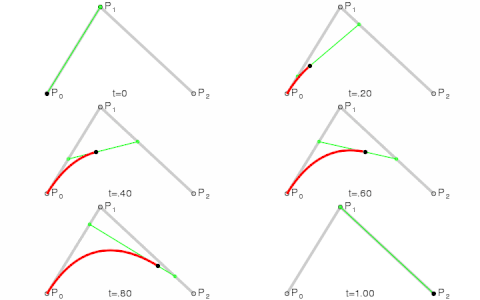 drowsy geyser
hallow mortar
- You can make a video of the timer and use bis_fnc_playvideo
- You can make the...
drowsy geyser
hallow mortar
- You can make a video of the timer and use bis_fnc_playvideo
- You can make the...
I made the first version with a video, it works perfectly but the only downside for me is that the video increases the file size drastically, from 7mb to 21mb because of a 5 min countdown video
gloomy spear
jade acorn
I'll ping you if I figure it out
alright
sullen sigil
gloomy spear
im pretty sure i can just do attachto? im just using turrets, or ezm wil have an...
if youre using turrets you can use attachto
turrets move the same with attachto
 tender fossil
We need a dedicated channel for extension development imo 😛
Just finished an autonomous team balancing system. Took me "only" 4 years to finish it 😄
Had to rewrite it multiple times, first because of skill issues and then because I had chosen a buggy minimalistic database dependency. But it's so shiny now! Async execution, "callbacks" and a proper database for heavy use 
ivory locust
I second the extension channel idea
sullen sigil
Could just use a thread 🙃
gloomy spear
tender fossil
We need a dedicated channel for extension development imo 😛
Just finished an a...
jesus
tender fossil
I could release it as open source once it's battle hardened a bit but don't know whether anyone would use it
simple trout
ivory locust
Thank you.
For 2, what do you mean call my extension from sqf? By using callExte...
You can't really use async calls. If your writing to a file you could use an async command, but really because of the single thread environment it's not advised to use async calls. An example would be here. https://github.com/killerswin2/csc/blob/master/src/Json/json.cpp#L403-L408
tender fossil
simple trout
You can't really use async calls. If your writing to a file you could use an asy...
I made an abstraction layer and implemented it in the extension itself 😛
simple trout
yeah, I guess I should ask about what he means by async.
Everyone has a different definition
tender fossil
simple trout
yeah, I guess I should ask about what he means by async.
And I'm a turd again (after sleepless night coding especially), I thought that you replied to my message. The context was too tempting to let my brain to ignore it and connect the two dots 
simple trout
tender fossil
And I'm a turd again (after sleepless night coding especially), I thought that y...
nah it's cool man.
little raptor
ivory locust
Thank you.
For 2, what do you mean call my extension from sqf? By using callExte...
For 2, what do you mean call my extension from sqf? By using callExtension?
no. I mean RSQF
So I shouldn't use any intercept::sqf:: calls asynchronously?
not from another thread no. (e.g. when you usestd::threadorstd::asyncwithasynclaunch policy)
For 3, are you using a queue of game_value, {args} pairs?
it can be anything depending on your use case. I personally usedstd::functionwith bound args iirc (or maybe it wasstd::task? well it can be anything really, e.g. your own class with a function pointer and args, etc.)
I don't see why there is a sqf::sleep() function if you can't create scheduled code through intercept.
intercept doesn't use the scheduled environment. everything is done unscheduled.sleepcan only be used in schd env. so you can only do it viaspawn
I don't thinksqf::sleep()can be used anywhere
 grim pasture
I just had some trouble with TR UNLOAD and maybe I can help you even if it's a tad bit late. But having this on the record for other people with the same issue might be useful. TR UNLOAD only works if the vehicle is assigned to the group of the crew. Try using addVehicle to make sure this is the case before using TR UNLOAD.
ivory locust
little raptor
> For 2, what do you mean call my extension from sqf? By using callExtension?
...
Sorry but what is RSQF
little raptor
registered SQF commands
simple trout
Registered Status Quo Function
little raptor
by your extension
ivory locust
Oh ok ok I got it, yeah I have a few of those
So it really would be as easy as calling one of my own registered commands from a std::thread?
I seem to be crashing very often when detaching, but keeping the thread managed and joinable is more stable
little raptor
it really would be as easy as calling one of my own registered commands from a std::thread?
So I shouldn't use any intercept::sqf:: calls asynchronously?
not from another thread no
RSQF is the same (they're still SQF)
ivory locust
Ok I get it now
I think ultimately I will have to just sqf::spawn functions that are defined in .sqf files if that's the only context where sleep will work

I can see that in some examples we are calling sqf functions in a thread which is why I was hoping that would work, even if it isn't able to run them in a scheduled environment (where sleep would work)
little raptor
ivory locust
I can see that in some examples we are calling sqf functions in a thread which i...
it uses an invoker lock
so it locks the main thread
ivory locust
I'm guessing you don't want to do that very often
little raptor
well like I said before it's kinda broken last I tried it. the lock is a hit or miss. sometimes it just fails to lock for several seconds
ivory locust
I haven't had much success experimenting with the invoker_lock either, I'll try it without detaching which seems to work better
ocean folio
I'm having trouble making a procedural texture into a string to use in setObjectTexture
how would I go about surrounding this with quotes? Since its got the quotes inside already it breaks #(rgb,512,512,3)text(1,1,"PuristaLight",0.1,"#171717","#ff0000","test")
sullen sigil
use ' instead of " and then surround the rest w/ quotes
"this 'is a string in a string' how amazing"
sullen sigil
dont thank me until it works
ocean folio
"#(rgb,512,512,3)text(1,1,'PuristaLight',0.1,'#171717','#ff0000','test')" lol you right, this didnt work
jade acorn
alternatively double the quotes, so "this ""is some quoted text"" here" should work too
sullen sigil
Have you tried with just double quotes around that and none within it?
ocean folio
the double quotes worked
 slow isle
How can I locally remove the get in action from the action menu of a vehicle?
I'm hoping for something along the lines of removeAction "GetIn"
hallow mortar
You can't remove engine actions like that
slow isle
thanks
hallow mortar
You could use a GetIn EH (on the vehicle) or GetInMan EH (on the unit) to immediately kick out unauthorised drivers
sullen sigil
You can lock it to certain people though iirc but I don't know if that removes the action
hallow mortar
sullen sigil
You can lock it to certain people though iirc but I don't know if that removes t...
I would be interested to learn how you do that, since all lock commands are global effect
little raptor
hallow mortar
I would be interested to learn how you do that, since all lock commands are glob...
you can lock the vehicles for everyone, then add your own actions instead
sullen sigil
me setting the radius of the getin action to 500m
gaunt tendon
meager granite
1. Make your own display without Vignette
2. This Vignette has `idc = 1202;` and...
Ty🙂
wind hedge
             (group _unit) addEventHandler ["KnowsAboutChanged", {
                params ["_group", "_targetUnit", "_newKnowsAbout", "_oldKnowsAbout"];
                if !(alive _targetUnit) exitWith {};
                if (side _group isEqualTo side _targetUnit) exitWith {};
                if ([side (group _targetUnit), side _group] call BIS_fnc_sideIsFriendly) exitWith {};
                if (_newKnowsAbout < 2) exitWith {};
                private _grpLeader = (leader _group);
                private _unitsTarget = getAttackTarget _grpLeader;
                if (_targetUnit != _unitsTarget) then {
                    _grpLeader doWatch objNull;
                    _grpLeader doTarget _targetUnit;
                    private _targetPos = getPosASLVisual _targetUnit;
                    _grpLeader doSuppressiveFire _targetPos;
                } else {
                    private _targetPos = getPosASLVisual _unitsTarget;
                    _grpLeader forgetTarget _unitsTarget;
                    _grpLeader doSuppressiveFire _targetPos;
                };
}]; ```☝️ Any idea why that crashes arma 3 without any errors?
I was able to narrow the crashing part to this: sqf if (_targetUnit != _unitsTarget) then { _grpLeader doWatch objNull; _grpLeader doTarget _targetUnit; _targetPos = getPosASLVisual _targetUnit; _grpLeader forgetTarget _targetUnit; _grpLeader doSuppressiveFire _targetPos; } else { _targetPos = getPosASLVisual _unitsTarget; _grpLeader forgetTarget _unitsTarget; _grpLeader doSuppressiveFire _targetPos; };
Maybe because sqf _unitsTarget = getAttackTarget _grpLeader; Is null but shouldn't it just trow an error rather than crashing the whole game?
little raptor
wind hedge
☝️ Any idea why that crashes arma 3 without any errors?
stack overflow I think
you seem to be modifying knowsAbout in the KnowsAboutChanged code
just spawn the code and it won't crash anymore
wind hedge
little raptor
just spawn the code and it won't crash anymore
Will do! Thanks!
little raptor
wind hedge
```sqf
(group _unit) addEventHandler ["KnowsAboutChanged", {
...
             (group _unit) addEventHandler ["KnowsAboutChanged", {
                params ["_group", "_targetUnit", "_newKnowsAbout"];
                if !(alive _targetUnit) exitWith {};
                if (side _group isEqualTo side _targetUnit) exitWith {};
                if ([side (group _targetUnit), side _group] call BIS_fnc_sideIsFriendly) exitWith {};
                if (_newKnowsAbout < 2) exitWith {};
                _this spawn {
                    params ["_group", "_targetUnit", "_newKnowsAbout"];
                    private _grpLeader = (leader _group);
                    private _unitsTarget = getAttackTarget _grpLeader;
                    if (_targetUnit != _unitsTarget) then {
                        _grpLeader doWatch objNull;
                        _grpLeader doTarget _targetUnit;
                        private _targetPos = getPosASLVisual _targetUnit;
                        _grpLeader doSuppressiveFire _targetPos;
                    } else {
                        private _targetPos = getPosASLVisual _unitsTarget;
                        _grpLeader forgetTarget _unitsTarget;
                        _grpLeader doSuppressiveFire _targetPos;
                    };
                };
            }];
Maybe I should exit the spawn if the _unitsTarget is objNull?
little raptor
it has nothing to do with null (it wouldn't crash the game)
like I said it's due to stack overflow
wind hedge
Ohhh I see, and do you have any idea why doSuppressiveFire makes the unit in the machinegun only fire once...
Sometimes it works, sometimes the unit would fire only in single shot burst...
Thanks!
OK, the spawn caused terrible -30 fps stutters ever 2 seconds... Just going to trow all that code away, not worth it
little raptor
wind hedge
OK, the spawn caused terrible -30 fps stutters ever 2 seconds... Just going to t...
well my guess is too many knowsAbout changed triggers
add a diag_log or something
wind hedge
little raptor
well my guess is too many knowsAbout changed triggers
There isn't a AttackTargetChanged EH yet right? 😅
little raptor
no
_grpLeader forgetTarget _unitsTarget;
didn't notice that... oof
you're definitely spawning way too many codes
wind hedge
little raptor
> _grpLeader forgetTarget _unitsTarget;
didn't notice that... oof
I wanted the Ai unit to fire at the location rather than the unit...
 weary smelt
@still forum Can I talk to you about the setTerrainHeight command?
wind hedge
little raptor
what does that have to do with forgetTarget?
Yeah, I figured that if the unit did not forget about the unit it would just continue to track it rather than just focusing on the position but you are right doWatch objNull is much better
little raptor
why not ask your question anyway?
warm hedge
"Don't ask to ask just ask" - Sun Tzu, maybe
weary smelt
Yeah, I will give a quick rundown of my situation.
I have a script that "floods" regions of the map by lowering all the terrain. While I follow the recommendations in the documentation by doing it in sections, rather than all at once, I still run into an issue:
The script works as intended, however prevents new players from loading into the server (probably because of the thousands of executions of setTerrainHeight now in the JIP queue).
During execution the server may lag (as expected).
Once it finishes flooding, performance returns to normal.
Here are the tested run times on pub zeus:
Stratis = 25 s
Altis = 2:12
VR = 28 s
Malden = 18 s
Tanoa = 2:20
Livonia = 2:08
The numbers above are how long it took to flood the map (i.e. for Altis that would be 66,049 executions of setTerrainHeight).
Everything goes back to normal once every chunk is adjusted, aside from there now being 66,049 new items in the JIP queue.
Again, the issue I am having now is that since each execution of setTerrainHeight adds to the JIP queue, new players have trouble loading into the mission (maybe it will load eventually?).
So, I was wondering if there might be a fix for this or I'm just shit outa luck...
little raptor
weary smelt
Yeah, I will give a quick rundown of my situation.
I have a script that "floods...
66,049 new items in the JIP queue.
doing it in sections
why in sections?
weary smelt
No other way (game crashes) + documentation
 little raptor
is the water depth supposed to change? if not just do it once
well it has nothing to do with MP "optimization" if you're not changing the height multiple times
and I see no reason why it should crash. maybe it's a bug
or you do it wrong
weary smelt
little raptor
and I see no reason why it should crash. maybe it's a bug
it crashes because the engine cannot handle it all at once
even an array of all the positions combined exceeds the array size limit
little raptor
weary smelt
it crashes because the engine cannot handle it all at once
it's not doing anything special. all it does is change a bunch of numbers on RAM and update the heightmap on the GPU. so no it shouldn't crash
little raptor
weary smelt
even an array of all the positions combined exceeds the array size limit
maybe for the entire terrain
but still 66,049 executions of setTerrainHeight is too many and not justifiable
the heightmap is at most 4096x4096 (I have yet to see a terrain with 8192x8192, so pretty sure it doesn't exists/not stable enough for release)
array limit is 1M iirc
so at most you should be doing 16 or maybe 64 setTerrainHeight execs, not 66,049
manic sigil
Random question, looking at the previous code block; is it better to stack 'If (x) exitwith{}; if (y) exitwith{}' or could you just use 'if (x OR y) exitwith{};'?
little raptor
manic sigil
Random question, looking at the previous code block; is it better to stack 'If (...
depends what x and y are
simple expressions? use OR
complex ones? either stack exitWiths or use lazy OR
gloomy spear
jade acorn
I'll ping you if I figure it out
you got an idea just yet?
weary smelt
little raptor
but still `66,049 executions of setTerrainHeight` is too many and not justifiabl...
But isn't it going to calculate the same thing when connecting/loading into the server - assuming it's possible to do bigger chunks? Meaning the load time would be unchanged?
little raptor
the JIP queue will be smaller, so load times will change
but yes it will execute the same thing
little raptor
weary smelt
Yeah, I will give a quick rundown of my situation.
I have a script that "floods...
looks like the command is just slow in general, so the long loading time is not really due to JIP queue. but it definitely won't crash
_hmSize = getTerrainInfo#3;
_cellsize = getTerrainInfo#2;
_chunkCnt = (_hmSize / 512) max 1;

for "_chunkX" from 1 to _chunkCnt do {
    for "_chunkY" from 1 to _chunkCnt do {
        _positions = [];
        _posOffset = [(_chunkX - 1) * 512, (_chunkY - 1) * 512];
        for "_i" from 0 to (_hmSize min 512)-1 do {
            for "_j" from 0 to (_hmSize min 512)-1 do {
                _pos = (_posOffset vectorAdd [_i, _j]) vectorMultiply _cellsize;
                _pos set [2, getTerrainHeight _pos - 10];
                _positions pushBack _pos;
            };
        };

        setTerrainHeight [_positions, true];
    };
};
anyone know how to make this attach instead of just spawn relative to a truck?
_truck = (getPos this) nearestObject "B_Truck_01_flatbed_F";
this setposasl (_truck modeltoworldworld [0.73999,-8.69968,-1.68841]);
this setVectorDirAndUp [
_truck vectorModelToworld [0.000257851,-0.964805,-0.262965],
_truck vectorModelToworld [-0.000936002,-0.262965,0.964805]
];
why attach? does it not support ViV?
sullen sigil
theyre attaching a ramp to the back of a truck
gloomy spear
sullen sigil
https://community.bistudio.com/wiki/BIS_fnc_attachToRelative
yeah but that doesnt allow me to also turn it?
at least not for as far as ive tried
gloomy spear
a plank
sullen sigil
so the object
gloomy spear
yes
sullen sigil
a) yes it does
b) you dont need to unless youre trying to animate or something
gloomy spear
so if i need to roll it by 90 degrees and then use attachtorelative how is that done?
the BIS stuff is still very confusing to me
sullen sigil
by rolling it by 90 degrees then using attachtorelative
its just a function
same as anything else it just uses sqf scripting instead
gloomy spear
so for the offset id just do the same as attachto?
gloomy spear
but how does it know where i want to plank to attach to the truck?
gloomy spear
alright ill try it
sullen sigil
Is there any way to grab all code from an init field of an object?
gloomy spear
doesnt work