#arma3_scripting
1 messages · Page 52 of 1
 tender fossil
 quiet gazelle
i don't think there's much of a point in putting it in a seperate file either
tender fossil
quiet gazelle
i don't think there's much of a point in putting it in a seperate file either
Mostly for clarity
quiet gazelle
valid point
tender fossil
Also I'd highly recommend using Visual Studio Code with blackfisch's SQF extension (at least), it makes your life a lot easier and VS Code is a magnificent code editor in general 😛
Or actually these two extensions

 crystal lagoon
I'm not sure how to do this
tender fossil
crystal lagoon
I'm not sure how to do this
You can just also copy the path from the file explorer (assuming you use Windows). Just remove the preceding part of the path so that it doesn't include the yourMissionName.mapName\ and path preceding it
tender fossil
crystal lagoon
I'm not sure how to do this
So e.g. copy-paste from my file explorer
C:\Users\Ezcoo\Documents\a2waspwarfare\[55-2hc]warfarev2_073v48co.chernarus\Common\Functions
->
["Common\Functions\yourFunctionName.sqf"]
So you need to do these things:
- Copy file path from explorer
- Remove part preceding the mission folder (including the mission folder itself)
- Add quotes that wrap the path
- Add square brackets to wrap the path with quotes
- Paste the whole thing after
call compileScript - Add the semicolon
So my example would look like this:
call compileScript ["Common\Functions\yourFunctionName.sqf"];
I'm not sure what PBO you're talking about
crystal lagoon
When you export to multiplayer
tender fossil
crystal lagoon
When you export to multiplayer
I haven't indeed touched Arma 3 for a good while so I'm not 100 % sure about this but I can't figure out any reason why the custom scripts wouldn't get included in the PBO (given that they're in the correct folder that contains the scenario file being edited)
But I might be wrong indeed here
 hallow mortar
If they're in the mission folder they get put in the PBO. Everything in the folder does, straight up.
crystal lagoon
I am aware, yes
hallow mortar
Also use cfgFunctions you barbarians
tender fossil
hallow mortar
Also use cfgFunctions you barbarians
Hey, one step at a time 😛
crystal lagoon
Everything has to be in the file, because I don't have access to the server
Which is what I was kinda getting at. Apologies, I'm not all here atm
 distant egret
Everything you put in your mission folder will be packed into the mission PBO.
crystal lagoon
Am I going to have to call the function a different way?
distant egret
No, the way Ezcoo told you is that you put your function.sqf into your mission folder and compile it in another script where it will be used. That's is an ok way of doing it.
 slow isle
How can I set the damage of AA rockets to 0 (or other value)?
_x addEventHandler ["HandleDamage",
{
    params ["_unit", "_selection", "_damage", "_source", "_projectile", "_hitIndex", "_instigator", "_hitPoint"];

    _aaMissiles = [
        "ammo_Missile_BIM9X",
        "ammo_Missile_AMRAAM_C",
        "ammo_Missile_AMRAAM_D",
        "ammo_Missile_AA_R73",
        "ammo_Missile_AA_R77",
        "ammo_Missile_rim116",
        "ammo_Missile_rim162",
        "M_Air_AA",
        "M_Air_AA_MI02",
        "M_Air_AA_MI06",
        "M_Zephyr"
    ];

    if (_projectile in _aaMissiles) then {
        systemChat (str _unit + " NOT damaged by ammo " + _projectile + " w/ damage " + str 0);
        0
    } else {
        systemChat (str _unit + " DAMAGED by ammo" + _projectile + " w/ damage " + str _damage);
        _damage
    };
}];
This is my code ^
And this is what I get when I shoot a mohawk with 1 BIM9X:
https://cdn.discordapp.com/attachments/714773557628108831/1081125148704378880/image.png
 slow isle
How can I set the damage of AA rockets to 0 (or other value)?
```sqf
_x addEven...
slow isle
slow isle
How can I set the damage of AA rockets to 0 (or other value)?
```sqf
_x addEven...
It currently blows up the helicopter regardless of returning 0;
distant egret
When do you want to set the damage? Because when they hit something they get destroyed I assume.
And for what purpose?
slow isle
I want to make them less powerful, so you need about 4 to blow up a plane for example
distant egret
Oh you want to change the damage done to the vehicle
slow isle
yes
But I want every other weapon to remain the same
I can't give the planes more hitpoints
distant egret
The return value of handleDamage is the damage done to the object.
(if I'm reading it correctly)
So you could return like _damage/2
slow isle
in this case it would do this for every ammo type. I need it to work only for the following classes:
    _aaMissiles = [
        "ammo_Missile_BIM9X",
        "ammo_Missile_AMRAAM_C",
        "ammo_Missile_AMRAAM_D",
        "ammo_Missile_AA_R73",
        "ammo_Missile_AA_R77",
        "ammo_Missile_rim116",
        "ammo_Missile_rim162",
        "M_Air_AA",
        "M_Air_AA_MI02",
        "M_Air_AA_MI06",
        "M_Zephyr"
    ];
So if my PBO file is "mission.Altis" would it just be
call compileScript ["yourFunctionName.sqf"];
distant egret
slow isle
in this case it would do this for every ammo type. I need it to work only for th...
Well then add an if statement like you already have and return a altered damage if the missile type is in the array.
slow isle
I've already done that but it's not working
distant egret
Yea just seen 😅
slow isle
I set the damage to 0 to not blow up the vehicle for tesitng
distant egret
Yea the vehicle can also be blown up by other explosions.
Because you've got direct and indirect damage.
slow isle
so you're saying the missile spawns an explosion when it hits something?
distant egret
Can you try just returning 0 for all damage?
distant egret
slow isle
so you're saying the missile spawns an explosion when it hits something?
Maybe, but would be weird.
But looking at your output I think it might be because it's saying ammoHelicopterExploSmall
And ammo
slow isle
yes and Im not sure if it's caused by the missile destroying the helicopter or it's because the missile spawns it
distant egret
Well you've overwritten the missile damage so... Idk 😂
slow isle
I set all damage to 0 and it still gets destroyed
this is very interesting
1 sec ill turn on logging again\
distant egret
Did you put it at the end of the eventHandler? Might be that if statement breaking it. It shouldn't though...
slow isle
yes
tender fossil
crystal lagoon
So if my PBO file is "mission.Altis" would it just be
```call compileScript ["y...
Yes, if yourFunctionName.sqf is in the mission root folder (i.e. in the mission.Altis folder before packing it as PBO)
slow isle

all is 0, vehicle still blows up
maybe this is the unit inside
and the vehicle is not considered a unit
distant egret
Oh...
slow isle
Ill try with hitpart
distant egret
Yea where did you attach the eventhandler to?
slow isle
distant egret
Yea where did you attach the eventhandler to?
omg that might be the cause of the issue
1 sec
distant egret
Because that looks like an group ID + unit # as object.
Maybe name the helicopter something as variable in the editor so it gets that name in the log as well.
Easier to figure out who gets damaged.
slow isle
yep, it was who I was applying the script to
I'm going to make it work correctly now
works great!
thanks
 meager granite
@still forum Figured a hack to display non-squished text on non-1:1 textures, you just make your display in 1 by 0.5 ui size, then have another display which draws RscPicture with that display in it but stretched vertically.

Found another issue though, looks like during initial texture setting, target texture was drawing in lower quality mipmap and I got this error and entire texture failed to load (blank white)

So having mipmaps is useful not just for using them on the vehicles
I guess this probably can be fixed by first displaying the texture on UI in an invisible control and only then applying it to a world object?
Gonna play around with it more

 still forum
text doesn't support mip mapping. Has to be mip amount 1
https://github.com/intercept/intercept-plugin-template/blob/master/src/main.cpp#L12 in there
    static auto _testCommand = host::register_sqf_command("testCommand"sv, ""sv, [](game_state&) -> game_value {
        return "Hello World";
    }, game_data_type::STRING);
    static auto _otherCommand = host::register_sqf_command("otherCommand"sv, ""sv, [](game_state&, game_value_parameter right) -> game_value {
        return "Hello " + static_cast<sqf_string>(right);
    }, game_data_type::STRING, game_data_type::STRING);
hint testCommand; // "Hello World"
hint (otherCommand "Peter"); // "Hello Peter"
didn't know you could have displays in RscPi... ooooh.. :u schmart
meager granite
Issues when displaying these ui2texture textures on low textures, they appear solid (display mean color)
Oh, it just refuses to display textures if they don't have mipmaps below certain texture size
quiet gazelle
still forum
https://github.com/intercept/intercept-plugin-template/blob/master/src/main.cpp#...
so i put that in there and it says host is an undeclared identifier
it suggests changing it to client::host
with that changed it let me build a dll
now where do i put that dll?
still forum
You have a mod for your thing?
you have
@mod/addons/stuff.pbo
then
@mod/intercept/yourdll_x64.dll
quiet gazelle
not yet
i see there's a config.cpp in the template, should i use that to make a pbo?
still forum
You'll want mod with this
https://github.com/intercept/intercept-plugin-template/blob/master/addons/main/config.cpp#L16-L22
The pluginName matches the dll name, so my example above would be "yourdll"
quiet gazelle
where do i get the intercept_core it depends on?
meager granite
So, in total, this mipmap issue happens if you do display inside display trick, inner ui2texture fails to load if you're too far away from the object (I guess it tries to draw its textures in lower quality?)
To counter it, you need to draw inner ui2texture textures on actual UI first, so textures load, then you draw wrapped displays
All in all, proper mipmap generation wouldn't hurt (maybe optional)
 still forum
quiet gazelle
is it this? https://steamcommunity.com/sharedfiles/filedetails/?id=1645973522
still forum
quiet gazelle
is it this? https://steamcommunity.com/sharedfiles/filedetails/?id=1645973522
yes
still forum
meager granite
So, in total, this mipmap issue happens if you do display inside display trick, ...
also FT ticket
it shouldn't try to load any lower mipmap, if only one exists
meager granite
No idea why it tries to, but the issue is there
meager granite
meager granite
All in all, proper mipmap generation wouldn't hurt (maybe optional)
I guess you could do manual mipmap generation for vehicles, by preloading ui2textures of lower resolutions and changing the textures depending on distance from vehicle to camera 🤔
and video settings, put that new getVideoOptions command to a good use

still forum
Would be cool if you could share same display (with state, uniquename) across multiple different resolution variants
quiet gazelle
so the test command is not working
i did change the line to
static auto _testCommand = client::host::register_sqf_command("testCommand"sv, ""sv, [](game_state&) -> game_value {
        return "Hello World";
    }, game_data_type::STRING);
cause it didn't want to compile otherwise
meager granite
still forum
Would be cool if you could share same display (with state, uniquename) across mu...
Does creating new texture of same display and displayUniqueName but different resolution destroys old display and creates a new one?
still forum
quiet gazelle
so the test command is not working
i did change the line to
```c++
static auto ...
looks right to me
attach debugger, set breakpoint, make sure _testCommand variable is filled with thing
still forum
meager granite
Does creating new texture of same display and displayUniqueName but different re...
doesn't destroy old, but creates new I think
dunno, try it 😄
I don't remember what i did
meager granite
meager granite
I guess you could do manual mipmap generation for vehicles, by preloading ui2tex...
I already sort of do the same thing with UI textures. Since UI always displays mipmap 0 from the texture and UI resampler produces very crispy textures, I had to do:
    private _logo_width_pixels = _logo_width / pixelW;
    _ctrl_logo ctrlSetText (switch(true) do {
        case (_logo_width_pixels > 256):    {"i\logo512.paa"};
        case (_logo_width_pixels > 128):    {"i\logo256.paa"};
        default                    {"i\logo128.paa"};
    });
```to make sure my logo always looks smooth on all UI sizes and resolutions (until we get 16K displays or something)how do i do that?
still forum
quiet gazelle
how do i do that?
visual studio, click left of the line onto the line number to set breakpoint.
Then on top Debug->AttachToProcess
start arma, attach to Arma while you're still in the splash screen (be quik)
meager granite
meager granite
I already sort of do the same thing with UI textures. Since UI always displays m...
This made me wish for a procedural texture like #(rgb,128,32,1)mipmap('logo512.paa',2)
So it force uses mipmap 2 from the provided file
Or have proper but slow resampler algorithm so it produces smooth texture
Optional of course, having it on all UI textures will probably slow down UI rendering quite a bit
Or maybe its not THAT slow and its time to update the game and put GPU to use for at least the UI
Would've helped make these small icons not as crispy among other things
 quiet gazelle
so the debugger says that there's an exception in intercept,
the details it gives are these:
Exception thrown at 0x00007FFB24F360B1 (kernel32.dll) in arma3_x64.exe: 0xC0000005: Access violation reading location 0x0000000000000002.
still forum
quiet gazelle
so the debugger says that there's an exception in intercept,
the details it give...
Debug - windows - callstack or calltrace or smth
To see where it's crashing
still forum
meager granite
Or maybe its not THAT slow and its time to update the game and put GPU to use fo...
GPU is already rendering the UI.
That's why UI/text have no mip support.
Unlike normal textures and procedurals, it's rendered directly on gpu
quiet gazelle
still forum
Debug - windows - callstack or calltrace or smth
intercept_x64.dll!RVExtension(char * output, int outputSize, const char * function) Line 78 C++
 still forum
I'm not aware of something being broke in intercept :x
Oh wait
Just press continue/F5
Or tell visual studio to ignore that, that's not a crash
quiet gazelle
if i ignore that it goes on
tells me that the breakpoint i set can't be reached cause no symbols have been loaded for that document
slow isle
Any idea why this code is causing the zoom in-out bug? I also am locked to freelook and have the weapon of my unit instead of the vehicles'.
I would guess it's something to do with the ejection seat.
player addEventHandler ["GetOutMan", {
    params ["_unit", "_role", "_jet", "_turret"];

    if (true) then {
        moveOut _man;
        _jet setDamage 1;
        _unit setDamage 1;
    };
}];
 still forum
quiet gazelle
tells me that the breakpoint i set can't be reached cause no symbols have been l...
still forum
quiet gazelle
tells me that the breakpoint i set can't be reached cause no symbols have been l...
Then your plugin hasn't been loaded.
Did you load intercept mod in Arma? Is your config correct? Correct plugin name there, matching the dll name
still forum
quiet gazelle
if i ignore that it goes on
You can tell visual studio not to break on this exception. In the little popup dialog you get
quiet gazelle
still forum
Then your plugin hasn't been loaded.
Did you load intercept mod in Arma? Is your...
i think so, i'm gonna doublecheck
still forum
I'll let you fiddle with it, I'll be back in half an hour 😄 good luck
slow isle
slow isle
Any idea why this code is causing the zoom in-out bug? I also am locked to freel...
I'll provide more context. Once the player respawns, he gets teleported in the jet and then the issue happens. Without this GetOutMan eventhandler there are no issues
 agile cargo
still forum
text doesn't support mip mapping. Has to be mip amount 1
agile cargo
still forum
text doesn't support mip mapping. Has to be mip amount 1
yep, but now i'm facing what I think is an engine limitation on how many text draw calls it can make. Some times a text procedural texture just won't render until I change the text. It were all mipmap level 1
like. Let's say that the engine decided to not render the text "x1". If call the same function again but change it to "x2" it will render.
I then call it again, but changing back to "x1". it won't render
still forum
There shouldn't be an engine limitation
It probably thinks it already has rendered x1
So it won't rerender when you switch back.
If you use displayUpdate on the display, it will rerender
There must be some bug where first render sometimes fails.
Repro plus ft ticket for that
agile cargo
I'll try to get a repro mission
I don't think I can just write a step-by-step. A sqm works for you?
slow isle
slow isle
I'll provide more context. Once the player respawns, he gets teleported in the j...
Oh I have an undefined variable _man causing the issue. Im not exiting the vehicle
All good now
meager granite
agile cargo
like. Let's say that the engine decided to not render the text "x1". If call the...
You can only update procedural texture with displayUpdate, setting the texture with same name again will just display previous render result
agile cargo
makes sense
 modern agate
Ive been trying to make a intro for a mission, with a black screen background
so far the text will appear just fine but the background will not go black
this is what ive got in the sqf
cutText ["", "BLACK FADED"];

playMusic "intro";

sleep 8;
["<t size='1.0' font='PuristaMedium' color='#ede9e4'>It has been two years since the loss of Harvest:</t>",-1,-1,4,5] call BIS_fnc_dynamicText;
sleep 1;
["<t size='1.0' font='PuristaMedium' color='#ede9e4'>Humanity's Civil War still rages, insurrectionists fight the UNSC.</t>",-1,-1,4,5] call BIS_fnc_dynamicText;
sleep 1;
["<t size='1.0' font='PuristaMedium' color='#ede9e4'>Madrigal is embroiled in a insurrectionist offensive for the capital city.</t>",-1,-1,4,5] call BIS_fnc_dynamicText;
sleep 1;
["<t size='1.0' font='PuristaMedium' color='#ede9e4'>UNSC reinforcements have arrived, victory is close.</t>",-1,-1,4,5] call BIS_fnc_dynamicText;
sleep 2;
["<t size='2.0' font='PuristaMedium' color='#ede9e4'>OPERATION BADAJOZ      Battle For Madrigal</t>",-1,-1,10,5] call BIS_fnc_dynamicText;
sleep 1;
titleCut ["", "BLACK IN", 5];
Looked at your code and maybe it is indeed same issue of trying to display high resolution texture onto a low resolution\LOD object? Try using my hack? Preload all distance textures on normal UI first, before displaying them on world objects?
meager granite
modern agate
Ive been trying to make a intro for a mission, with a black screen background
so...
Try adding waitUntil{!isNull findDisplay 46}; before all your lines?
slow isle
is there a way to discard a parameter like in C# with _? (_d1) params ["_respawnTemplateJet", "_d1", "_playerUnit"];
 mint goblet
@pliant stream how do I poll a extension that has already returned a value finished? Doesn't every callextension call create a new instance of the extension?
tender fossil
I guess there isn't a direct way to pass the "result" of spawned code (not status, but the result itself) to the scope where it gets spawned?
_CCinProximity = [_friendlyCommandCenterInProximity, _associatedSupplyTruck] spawn WFBE_SE_FNC_CheckCCProximity;
waitUntil {scriptDone _CCinProximity};
``` So I'd like to get the value of `_friendlyCommandCenterInProximity` neatly as local scope variable// WFBE_SE_FNC_CheckCCProximity
private ["_associatedSupplyTruck"];
_friendlyCommandCenterInProximity = _this select 0;
_associatedSupplyTruck = _this select 1;
{
if (_x isKindOf "Base_WarfareBUAVterminal") then {
_friendlyCommandCenterInProximity = true;
};
} forEach (nearestObjects [(getPos _associatedSupplyTruck), [], 100]);
_friendlyCommandCenterInProximity
 drowsy geyser
modern agate
Ive been trying to make a intro for a mission, with a black screen background
so...
drowsy geyser
modern agate
Ive been trying to make a intro for a mission, with a black screen background
so...
maybe this:
cutText ["", "BLACK FADED", 999];
tender fossil
tender fossil
I guess there isn't a direct way to pass the "result" of `spawn`ed code (not sta...
Actually I wouldn't even need to pass the result as long as the value of _friendlyCommandCenterInProximity gets updated in the outer scope (the scope spawning the function call) as well
quiet gazelle
tender fossil
I guess there isn't a direct way to pass the "result" of `spawn`ed code (not sta...
why are you spawning the function in the first place instead of calling it?
tender fossil
quiet gazelle
why are you spawning the function in the first place instead of calling it?
It seems to be a bit heavy operation so I'm trying to optimize it
 cold rampart
quiet gazelle
cold rampart
quiet gazelle
if you can use a waituntil right after your code is already scheduled
cold rampart
praise the lord
quiet gazelle
there's no need for the spawn and waituntil in that case
meager granite
slow isle
is there a way to discard a parameter like in C# with `_`? (_d1) `params ["_resp...
params ["", "_d1", "_playerUnit"];
```?I'd just like to avoid server getting stuck processing that function because it gets called quite often (multiple instances running at the same time) and it seems to decrease FPS
Oh, I'm a turd
That's true haha
slow isle
meager granite
```sqf
params ["", "_d1", "_playerUnit"];
```?
Yep, thanks
cold rampart
No more perma ear deafness with ace when debugging missions :)
quiet gazelle
@still forum it works now
installing more components into visual studio fixed it
thanks for all the help
meager granite
tender fossil
```sqf
// WFBE_SE_FNC_CheckCCProximity
private ["_associatedSupplyTruck"];
_fri...
nearEntities is much faster than nearestObjects, you can just do count(getPos _associatedSupplyTruck nearEntities ["Base_WarfareBUAVterminal", 100]) > 0
But in general for your question, no way to easily return from script thread, you need to setup your code around it
Like already be inside scheduled thread so you can call it instead of spawn
meager granite
still forum
also FT ticket
Ticket done: https://feedback.bistudio.com/T170766
tender fossil
meager granite
`nearEntities` is much faster than `nearestObjects`, you can just do `count(getP...
I think we tried this before with my friend and it didn't work for some reason, and it doesn't work now either. A bug maybe? (Arma 2: OA v1.64 again btw)
modern agate
drowsy geyser
maybe this:
`cutText ["", "BLACK FADED", 999];`
yeah i tried a few more things including that, tried it in vanilla and i think one of the copious ammounts of mods might be wrecking it cuz it works fine in vanilla
meager granite
modern agate
yeah i tried a few more things including that, tried it in vanilla and i think o...
Make your own black background
modern agate
meager granite
Make your own black background
since its in Operation Trebuchet i just made them do a very high altitude ODST drop, might change it to a key frame camera intro thing later if i can be bothered
meager granite
modern agate
since its in Operation Trebuchet i just made them do a very high altitude ODST d...
"someLayer" cutRsc ["RscTitleDisplayEmpty", "PLAIN"];
private _display = uiNamespace getVariable "RscTitleDisplayEmpty";
private _black = _display ctrlCreate ["RscText", -1];
_black ctrlSetPosition [SafeZoneXAbs - 1, safeZoneY - 1, SafeZoneWAbs + 2, SafeZoneH + 2];
_black ctrlSetBackgroundColor [0,0,0,1];
_black ctrlCommit 0;
NICE, ill try this out tomorrow, getting real late for me
meager granite
tender fossil
I think we tried this before with my friend and it didn't work for some reason, ...
True, the stupid command doesn't return it 
tender fossil
Yeah
meager granite
count(getPos player nearObjects ["Base_WarfareBUAVterminal", 100]) > 0
```worksNice! Thanks 😄
tender fossil
meager granite
```sqf
count(getPos player nearObjects ["Base_WarfareBUAVterminal", 100]) > 0
``...
Actually this one doesn't either. Arma...
meager granite
I just did, it works
Also speed is the same as nearestObjects
Probably because there is nothing to sort
tender fossil
Hmm, weird. It does nothing in my test
meager granite
 tender fossil
Yeah, nothing here. Is it because it's spawned during the mission and not in init?
The UAV terminal I mean
meager granite
I spawned it during the mission
Are you sure your terminal has Base_WarfareBUAVterminal as base?
I used RU_WarfareBUAVterminal one
 wary sandal
is it possible to change the texture of ATMs via setObjectTextureGlobal ?
the getObjectTextureGlobal command returns []
 warm hedge
If it is [], you can't
hallow mortar
There is no getObjectTextureGlobal command 🤔
Be aware that getObjectTextures always returns [] when executed on a simple object, which many map objects are. To be sure, use an Editor-placed ATM to test.
 modern meteor
How can I immobilize a unit at mission start in the editor?
 winter rose
kill it
 granite sky
this disableAI "PATH" in the script box should work.
modern meteor
granite sky
`this disableAI "PATH"` in the script box should work.
Perfect, thank you
winter rose
mine would have worked too
granite sky
Lou's method works for players too :P
agile cargo
granite sky
Lou's method works for players too :P
cursorObject disabledUserInput true
granite sky
I wonder if enableSimulation works on player units.
quiet gazelle
i don't think it does
this setAnimSpeedCoef 0 would probably work tho
how do you do inline code in discord?
hallow mortar
Three ` is for a code block. One is for inline.
quiet gazelle
thanks
hallow mortar
You can completely immobilise players by attaching them to things
quiet gazelle
depending on what you attach them to it may mess up animations tho
hallow mortar
If you're trying to immobilise them immediately on mission start, that's probably fine
modern meteor
Is there a way to detect if a friendly AI unit is ready to fire? (after assigning a target to them)
 proven charm
how do you deny group from leaving heli? the infantry group in the heli always seems to want to get out
slow isle
proven charm
how do you deny group from leaving heli? the infantry group in the heli always s...
https://community.bistudio.com/wiki/lock
or
this setUnloadInCombat [false, false];
proven charm
thx will try!
slow isle
Another thing you can do is set them to careless and i think it would also work
proven charm
hmm, didnt get any of that working
wary sandal
hallow mortar
There is no `getObjectTextureGlobal` command 🤔
Be aware that `getObjectTextures...
mb about that getObjectTextureGlobal
i tried with editor placed atms and it still returns []
slow isle
proven charm
hmm, didnt get any of that working
this setUnloadInCombat [false, false];
this refers to the vehicle, not the units
wary sandal
so can i import a custom mesh with a different texture in my mission?
proven charm
slow isle
`this setUnloadInCombat [false, false];`
this refers to the vehicle, not the uni...
i know
wary sandal
and how do i get the original mesh, i managed to export the p3d but creating objects requires a .paa right?
slow isle
in the vehicle's init?
proven charm
slow isle
in the vehicle's init?
nah i have lots of code...
slow isle
proven charm
nah i have lots of code...
It's a local argument so you might have to use remote execution
I'm currently reading about locality and I can't fix my issue for several hours now lol
proven charm
well that wont be problem atm since im in the editor
slow isle
hm?
slow isle
try placing the code in the vehicle's init to see if it changes anything
proven charm
script created vehicles :/
slow isle
ah
[_jet, _playerUnit] spawn {
    params ["_jet", "_playerUnit"];

    [player, _jet] remoteExec ["moveInDriver", _playerUnit]; // line 58
};

I'm so confused
It's right there, how is it not defined
 little raptor
slow isle
It's right there, how is it not defined
little raptor
slow isle
It's right there, how is it not defined
not defined in outer scope
proven charm
must be not defined in the scope before spawn
slow isle
little raptor
not defined in outer scope
my hero
lol
thanks
i think it's time for a break
little raptor
wary sandal
and how do i get the original mesh, i managed to export the p3d but creating obj...
what?
hallow mortar
wary sandal
so can i import a custom mesh with a different texture in my mission?
I don't recommend doing this, custom objects can't be fully defined in mission config, and no one likes downloading huge mission files which custom models will cause
little raptor
wary sandal
so can i import a custom mesh with a different texture in my mission?
if by mesh you mean p3d, you're not allowed to modify other people (or vanilla game)'s p3d without their permission
hallow mortar
proven charm
how do you deny group from leaving heli? the infantry group in the heli always s...
Try addVehicle and/or assignAsCargo
proven charm
hallow mortar
Try `addVehicle` and/or `assignAsCargo`
tried both
slow isle
I have a problem with locality again. I don't understand why the former works and the latter doesn't:
if (isServer) then {
  player moveInDriver _jet; // this works
  [player, _jet] remoteExec ["moveInDriver", _playerUnit]; // this does not
}
I need it to work for all clients, not just me.
the former also doesn't work in multiplayer for other clients
Do I need to provide more info or is it clear?
slow isle
slow isle
I have a problem with locality again. I don't understand why the former works an...
edited* the code
winter rose
player targets the local unit
slow isle
This code is inside a function fn_spawnjet.sqf which is called from a jet's init
winter rose
[_playerUnit, _jet] remoteExec ["moveInDriver", _playerUnit];
↑ makes more sense, no?
slow isle
winter rose
↑ makes more sense, no?
Doesn't moveInDriver require the player (local)?
and if we're using _playerUnit doesn't remoteExec become obsolete?
winter rose
no, that's precisely what you got upside-down 🙂
on a dedicated server, player is null
so you say "hey you, this unit over there! wherever you are, use this command on you there (aka local to yourself)!"
slow isle
Aha, I see. Is there a case ever when [player, ...] remoteExec ["...", ...]; should be used?
winter rose
slow isle
Aha, I see. Is there a case ever when `[player, ...] remoteExec ["...", ...];` s...
no.
slow isle
winter rose
on a dedicated server, `player` is null
so you say "hey you, this unit over the...
Oooh I see
Thanks a lot
and lastly, can I use [..., { ... }] remoteExec ["spawn", _playerUnit]; to not write many remoteExecs?
or does using spawn somehow defeat the purpose of it
or can I use remoteExec w/ call, wrapped in spawn for a scheduled environment
winter rose
it is considered bad practice - create a function instead
hallow mortar
slow isle
and lastly, can I use `[..., { ... }] remoteExec ["spawn", _playerUnit];` to not...
You can do that, but typically if you're remoteExec'ing enough code to need to do that, you should be making a function and remoteExec'ing that instead
When you remoteExec a spawnfull of code, all that code gets sent in plain text over the network, which is a pretty large message
winter rose
you are literally sending code and that's not nice
a remote-executed function is simply "run this function, here's the name"
slow isle
winter rose
it is considered bad practice - create a function instead
by this you mean remoteExec w/ function, all wrapped in spawn?
or is the spawn inside of the function
hallow mortar
https://community.bistudio.com/wiki/remoteExec
Functions are executed in the scheduled environment; suspension is allowed.
winter rose
remoteExecCALL, on the other hand, is all unscheduled
slow isle
How does this look:
LDR_fnc_movePlayerInJet = {
    params ["_jet", "_playerUnit"];

    sleep 2;
    _playerUnit moveInDriver _jet;
    systemChat format["%1 %2 %3", player, _jet, _playerUnit];
};

[_jet, _playerUnit] remoteExec ["LDR_fnc_movePlayerInJet", _playerUnit];
it doesn't actually display the systemChat message
and it doesn't teleport me
is it because it's an inline function?
quiet gazelle
are jet and playerunit defined?
slow isle
I believe so but I'll tripple check 1 sec
Yes
LDR_fnc_movePlayerInJet = {
    params ["_jet", "_playerUnit"];

    systemChat "Code reached TP"; // can't reach
    sleep 2;
    _playerUnit moveInDriver _jet;
    systemChat format["%1 %2 %3", player, _jet, _playerUnit];
};


systemChat format["BEFORE REMOTE EXEC: %1 %2 %3", player, _jet, _playerUnit]; // can reach
[_jet, _playerUnit] remoteExec ["LDR_fnc_movePlayerInJet", _playerUnit];
I can't reach systemChat "Code reached TP";
winter rose
LDR_fnc_movePlayerInJet =
this is not how you define a function
here you create a code piece on the server and that's it
slow isle
winter rose
`LDR_fnc_movePlayerInJet = `
this is not how you define a function
here you cre...
ah sorry, I though those were inline functions and that they worked the same. I'll add it to the function library now
proven charm
slow isle
ah sorry, I though those were inline functions and that they worked the same. I'...
that's not the reason why your code doesn't work though
as long as LDR_fnc_movePlayerInJet is defined in the same PC where you want to execute it, it should work (_playerUnit PC)
quiet gazelle
are you sure about that?
because with that definition it's just a code-type variable
i'm gonna try it
slow isle
LDR_fnc_spawnJet inside of a jet's INIT
if(!(isnil "LDR_fnc_movePlayerInJet")) then
{
    systemChat "LDR_fnc_movePlayerInJet is available"; // it is
};

[_jet, _playerUnit] remoteExec ["LDR_fnc_movePlayerInJet", _playerUnit];
LDR_fnc_movePlayerInJet
params ["_jet", "_playerUnit"];

sleep 1;
_playerUnit moveInDriver _jet;
systemChat format["%1 %2 %3", player, _jet, _playerUnit];
Still doesn't work
proven charm
quiet gazelle
because with that definition it's just a code-type variable
same with functions defined in func lib
quiet gazelle
yep i just checked you are indeed right
quiet gazelle
proven charm
same with functions defined in func lib
really? i always thought they had some sort of different status
the more you know
winter rose
they are "unerasable global code variable"
and they are available on all machines, hopefully
proven charm
slow isle
LDR_fnc_spawnJet inside of a jet's INIT
```sqf
if(!(isnil "LDR_fnc_movePlayerInJ...
where are you running the code, editor?
slow isle
proven charm
where are you running the code, editor?
LAN Multiplayer
proven charm
slow isle
LAN Multiplayer
oh in that case LDR_fnc_movePlayerInJet needs to be defined in client so that server can call it (remoteExec)
slow isle
How can I do that
quiet gazelle
yeah just put the declaration in the global init
proven charm
slow isle
How can I do that
init.sqf one place 😄
proven charm
define the LDR_fnc_movePlayerInJet in there
slow isle
What do you mean by define?
myFnc = "LDR_fnc_movePlayerInJet"; this?
quiet gazelle
just put ```sqf
LDR_fnc_movePlayerInJet = {
params ["_jet", "_playerUnit"];
systemChat "Code reached TP"; // can't reach
sleep 2;
_playerUnit moveInDriver _jet;
systemChat format["%1 %2 %3", player, _jet, _playerUnit];
};
alright 1 sec
quiet gazelle
keep the remoteexec wherever you have it now
slow isle
no luck :c
quiet gazelle
thats quite odd
slow isle
I should mention that even before I added LDR_fnc_movePlayerInJet to init.sqf I had it available to me
if(!(isnil "LDR_fnc_movePlayerInJet")) then
{
    systemChat "LDR_fnc_movePlayerInJet is available"; // it is
};
it wrote it out
proven charm
that code in client?
winter rose
is it defined in CfgFunctions?
slow isle
slow isle
```sqf
if(!(isnil "LDR_fnc_movePlayerInJet")) then
{
systemChat "LDR_fnc_mov...
it is in spawnjet
slow isle
winter rose
_is it defined in CfgFunctions?_
yes
class LDR
{
    tag = "LDR"
    class functions
    {
        file = "functions";

        class deleteRespawnMarkers {};
        class destroyOnGetOut {};
        class movePlayerInJet {};
        class spawnJet {};
        class destroyParentAndResupply {};
        class initialObjectiveDisplay {};
        class zoneRestriction {};
        class serviceVehicle {};
    }
};
if it is in CfgFunctions and in a fn_file.sqf then you don't need that init.sqf declaration
also systemChat format["%1 %2 %3", player, _jet, _playerUnit]; ← "player" has no room here
slow isle
forgot it from before
 frigid oracle
How does addaction memory points work extactly? Im trying an action to a user texture but it seems to just not work.
winter rose
is your function present and filled in Functions Viewer @slow isle ?
winter rose
frigid oracle
How does addaction memory points work extactly? Im trying an action to a user te...
user texture object itself is most likely not interactable
frigid oracle
so having a geo lod is mandatory for interactions like addaction?
 slow isle
winter rose
is your function present and filled in Functions Viewer <@241951678855643146> ?
slow isle
winter rose
is your function present and filled in Functions Viewer <@241951678855643146> ?
yes
winter rose
frigid oracle
so having a geo lod is mandatory for interactions like addaction?
most likely yeah
frigid oracle
darn. Good to know.
slow isle
[] remoteExec ["LDR_fnc_movePlayerInJet", 0]; works
frigid oracle
Hmm I wonder what the memory points on the user texture prop are even for then. (I know it's most likely a modeling question but still.)
slow isle
I'll debug further
[] remoteExec ["LDR_fnc_movePlayerInJet", _playerUnit]; DOES NOT! Interesting
_playerUnit is defined
 wet geode
How do you go about selecting a player form a list like in a trigger?
wary sandal
little raptor
if by mesh you mean p3d, you're not allowed to modify other people (or vanilla g...
even the vanilla assets?
wary sandal
hallow mortar
I don't recommend doing this, custom objects can't be fully defined in mission c...
it's 40 kilobytes 
wary sandal
little raptor
what?
would you mind checking the older pings
frigid oracle
wet geode
How do you go about selecting a player form a list like in a trigger?
Is your question about comparing a player to a list of players or finding a player inside a trigger?
wet geode
frigid oracle
Is your question about comparing a player to a list of players or finding a play...
Finding a play in a trigger
frigid oracle
wet geode
Finding a play in a trigger
https://community.bistudio.com/wiki/inArea
should be what you're looking for
slow isle
slow isle
_playerUnit is defined
Okay this was the issue. _PlayerUnit indeed was defined but it wasn't actually the player, but a role... I had some params[] that were left out from old code and they seem to have overwritten what _playerUnit is...
Thanks all!
 tepid vigil
Why does this function return nothing? Aren't all cases handled so that something should always be returned?
https://pastebin.com/FYn7j5Xc
EDIT: DUMP() macro wasn't defined, solved
Pastebin
Pastebin.com is the number one paste tool since 2002. Pastebin is a website where you can store text online for a set period of time.
little raptor
wary sandal
even the vanilla assets?
yes
wary sandal
little raptor
yes
why so?
little raptor
because EULA says so
wary sandal
so you have to find a different ATM model to put in your arma missions
you seem to be the only person here who isn't clueless on this issue
little raptor
wary sandal
so you have to find a different ATM model to put in your **arma** missions
using the models themselves as included in the game files is ok
you're not allowed to redistribute (i.e. repackage in your own mod or mission) and modify them
if you have any questions regarding that you can ask in #other_ip_topics I guess
little raptor
wary sandal
you seem to be the only person here who isn't clueless on this issue
idk what I'm looking at
wary sandal
little raptor
idk what I'm looking at
walls being replaced with super simple objects when they are in a 20m radius
you can clearly notice the rotation of the walls changing
it becomes even more apparent on steep terrain
how can I make it more clear?
the rotation of the walls created by the script doesn't coincide with the original walls' rotation
little raptor
wary sandal
how can I make it more clear?
oh that
wary sandal
my guess is that it ignores one axis (for some reasons) or that there is a property that makes the object snap with the terrain normal
little raptor
well like I said it is related to super simple object being reversed compared to the normal object
wary sandal
little raptor
well like I said it is related to super simple object being reversed compared to...
but it isn't
little raptor
wary sandal
my guess is that it ignores one axis (for some reasons) or that there is a prope...
yes there is such property but it should be defined in the model
wary sandal
when i reverse the walls they just show another side
reminder of the code:
private _reversed = typeOf _x == "" || {getNumber(configOf _x >> "reversed") == 1};
private _dir = [1, -1] select _reversed;
private _copy = createSimpleObject [_modelPath, [0, 0, 0]];

_copy setVectorDirAndUp [vectorDir _x vectorMultiply _dir, vectorUp _x];
_copy setObjectScale (getObjectScale _x);
_copy setPosWorld (getPosWorld _x);
typeOf cursorObject returns "" for those objects right?
wary sandal
little raptor
typeOf cursorObject returns "" for those objects right?
yeah
little raptor
can you check what vectorDir _obj vectorDotProduct vectorUp _obj returns?
the original objects
not after replacement
little raptor
little raptor
can you check what `vectorDir _obj vectorDotProduct vectorUp _obj` returns?
it should be zero for all of those objects

 simple trout
That's zero
little raptor
private _reversed = typeOf _x == "" || {getNumber(configOf _x >> "reversed") == 1};
private _dir = [1, -1] select _reversed;
private _copy = createSimpleObject [_modelPath, [0, 0, 0]];
_dot = vectorDir _x vectorDotProduct vectorUp _x ;
if (_dot != 0) then {systemChat str _dot};
_copy setVectorDirAndUp [vectorDir _x vectorMultiply _dir, vectorUp _x];
_copy setObjectScale (getObjectScale _x);
_copy setPosWorld (getPosWorld _x);
use this one instead
little raptor
wary sandal
if it returns very small values like this change it to abs _dot > 1e-5
simple trout
 little raptor
simple trout
~~~Are you checking if they are in the same direction or perpendicular?~~~ I see...
little raptor
simple trout
~~~Are you checking if they are in the same direction or perpendicular?~~~ I see...
I'm checking if the object is skewed
little raptor
wary sandal
so yes
well unfortunately Arma doesn't allow you to skew an object by scripts
maybe try creating the object exactly at the final coordinates instead of [0,0,0]
wary sandal
simple trout
Well you can, but it's not a pleasant equation. You can use euler angles to convert it to a up vector. Commy has a github gist about it.
wary sandal
this is what the vectormultiply does
wary sandal
little raptor
maybe try creating the object exactly at the final coordinates instead of [0,0,0...
mhm?
little raptor
simple trout
Well you can, but it's not a pleasant equation. You can use euler angles to conv...
there's no setter for it
so no you can't
setVectorDirAndUp always forces the vectors to be perpendicular, even if they're not
wary sandal
dir is the lookvector?
little raptor
wat?
simple trout
little raptor
there's no setter for it
fnc_convert3DENRotationToVectorDirAndUp = {
  params["_rotation"];
  _rotation params ["_rotX", "_rotY", "_rotZ"];

  _vectorDirAndUp = [
    [
      (cos _rotY) * (sin _rotZ),
      (cos _rotX)*(cos _rotZ)+(sin _rotX)*(sin _rotY)*(sin _rotZ),
      -(sin _rotX)*(cos _rotZ)+(cos _rotX)*(sin _rotY)*(sin _rotZ)
    ],
    [
      -sin _rotY,
      (sin _rotX)*(cos _rotY),
      (cos _rotX)*(cos _rotY)
    ]
  ];
  _vectorDirAndUp
};
that's not what I'm even talking about
simple trout
Oh
simple trout
Grownups write an intercept plugin that uses quaternions /s
little raptor
why are you even replacing objects with super simple objects?
wary sandal
little raptor
why are you even replacing objects with super simple objects?
to make walls/fences indestructible
simple trout
I mean it is childish on purpose. Inputting three angles in degrees is easier than having someone learn vectors, but I digress.
wary sandal
it's one of the solutions samatra proposed
little raptor
wary sandal
to make walls/fences indestructible
a simple enableSimulation doesn't work on them?
wary sandal
no
nor does allowDamage
this is what i get on steep terrains

absolutely horrible
simple trout
increase the mass
little raptor
simple trout
I mean it is childish on purpose. Inputting three angles in degrees is easier th...
it looks too wrong to be due to skewness tho
little raptor
simple trout
increase the mass
they're not PhysX
simple trout
little raptor
it looks too wrong to be due to skewness tho
It probably is
it is CBA
little raptor
wary sandal
this is what i get on steep terrains
give me the coords
simple trout
wary sandal
this is what i get on steep terrains
are you using setPos, or setModelPosition?
sorry, setPosWorld
simpleObjects don't have land contact points
little raptor
don't worry I've fixed those parts before
little raptor
little raptor
```sqf
private _reversed = typeOf _x == "" || {getNumber(configOf _x >> "reverse...
this is the code
little raptor
little raptor
give me the coords
@wary sandal so?
simple trout
Wait, does setPosWorld set to the terrain normal?
little raptor
simple trout
Wait, does setPosWorld set to the terrain normal?
no
little raptor
wary sandal
x 18012
y 15306
altis?
simple trout
what's the center point of the model then....
wary sandal
simple trout
Wait, does setPosWorld set to the terrain normal?
answer:


i can send the full code in dms if you need
simple trout
try this
private _reversed = typeOf _x == "" || {getNumber(configOf _x >> "reversed") == 1};
private _dir = [1, -1] select _reversed;
private _copy = createSimpleObject [_modelPath, [0, 0, 0]];
_dot = vectorDir _x vectorDotProduct vectorUp _x ;
if (_dot != 0) then {systemChat str _dot};
_copy setVectorDirAndUp [vectorDir _x vectorMultiply _dir, vectorUp _x];
_copy setObjectScale (getObjectScale _x);
_bb =  0 boundingBoxReal _copy;
_copy setPosWorld ((getPosWorld _x)vectorAdd [0,0, (((_bb#1)#2) - ((_bb#0)#2))/2]);
but what matters is the code snippet leopard sent
wary sandal
simple trout
try this
```sqf
private _reversed = typeOf _x == "" || {getNumber(configOf _x >>...
holy shit contact dlc
 hallow mortar
Try using one of the clipping types (i.e. 0 boundingBoxReal _copy), it can help a lot with wacky boxes
hallow mortar
Try
simple trout
ah wait, 0 should exist
simple trout
hallow mortar
Try using one of the clipping types (i.e. `0 boundingBoxReal _copy`), it can hel...
@wary sandal
little raptor
wary sandal
this is what i get on steep terrains
the "vectorRight" of that object is not perpendicular
so it's skewed in the other direction 
which you can't even get in SQF
little raptor
skrewed 😂
wary sandal

why does it have to be so difficult
i just want to make fences indestructible lmao
simple trout
wary sandal
<:camoman:717748630488088668>
I'm idiot, the boundingBox was wrong
try this
private _reversed = typeOf _x == "" || {getNumber(configOf _x >> "reversed") == 1};
private _dir = [1, -1] select _reversed;
private _copy = createSimpleObject [_modelPath, [0, 0, 0]];
_dot = vectorDir _x vectorDotProduct vectorUp _x ;
if (_dot != 0) then {systemChat str _dot};
_copy setVectorDirAndUp [vectorDir _x vectorMultiply _dir, vectorUp _x];
_copy setObjectScale (getObjectScale _x);
_bb =  0 boundingBoxReal _copy;
_copy setPosWorld ((getPosWorld _x)vectorAdd [0,0, (((_bb#1)#2) - ((_bb#0)#2))/2]);
but he said it wasn't possible
simple trout
ah, the model is askewed
wary sandal
little raptor
<@465256944974823435> https://feedback.bistudio.com/T170775
thank you so much for your efforts
i hope it will get addressed
with the amount of tasks being submitted every day i doubt that anyone from bohemia will care, but it's worth a try ig...
little raptor
wary sandal
thank you so much for your efforts
well it won't exactly fix your issue. but if you know that vector you can rotate the object a bit to align the top
wary sandal
little raptor
well it won't exactly fix your issue. but if you know that vector you can rotate...
would that allow us to match the true orientation of the terrain objects?
little raptor
no
that feature I mentioned is just a getter
tho I just updated the ticket to request a setter too
wary sandal
little raptor
tho I just updated the ticket to request a setter too
this why we'll be able to match the exact rotation right
wary sandal
little raptor
that feature I mentioned is just a getter
mb i didn't have the "getter" and "setter" terminology
english is not my first language
 kindred zephyr
if this feature is implemented i can see a lot of map using objects from A2 assets being greatly benefited by automated object replacement using scripts. It would be my wildest dream being able to replace a lot of buildings using enoch assets in a lot of maps without remaking them from scratch haha
wary sandal
kindred zephyr
if this feature is implemented i can see a lot of map using objects from A2 asse...
^
kindred zephyr
of course you can to a certain degree, but rotation and skewing of buildings make it look anti-natural as opposed to hand placed stuff
wary sandal
it will open many possibilities
little raptor
wary sandal
this why we'll be able to match the exact rotation right
getter and setter are more like programming terms
getter gets the value of something. setter sets it
and yeah currently sqf doesn't support setting the "skewness" of objects
little raptor
little raptor
setVectorDirAndUp always forces the vectors to be perpendicular, even if they're...
like I explained here
wary sandal
little raptor
getter and setter are more like programming terms
getter gets the value of somet...
i never ever heard "setter" and "getter" surprisingly
it's why I didn't immediately make the link
wary sandal
little raptor
getter and setter are more like programming terms
getter gets the value of somet...
is there any particular reason explaining that they added setVectorDirAndUp instead of just a more general function like the one you proposed
it doesn't make much sense
little raptor
I guess if you could make any object skewed you could screw many things up
plus not everyone knows how to make a full rotation matrix I guess 
 coarse dragon
class CfgSounds
{

    class Skullsradiobeep
    {
      name = "Skullsradiobeep";
      sound[] = {"skullblitsSounds\sound\Skullsradiobeep.ogg", 1,1};
      titles[] = {0,""};
    };
    class SkullsBattlesounds
    {
      name = "SkullsBattlesounds";
      sound[] = {"skullblitsSounds\sound\SkullsBattlesounds.ogg", 1,1};
      titles[] = {0,""};
    };
};
can anyone spot a mistake?
little raptor
and also usually most objects are not skewed so 99% of the time the right vector is redundant
little raptor
coarse dragon
```sqf
class CfgSounds
{
class Skullsradiobeep
{
name = "Skullsra...
looks fine as far as I see
coarse dragon
🤷♂️ it just does not work at all now
little raptor
 stable dune
```cpp
class CfgSounds
{
sounds[] = {};
class wolf1
{
....
}
}...
stable dune
```cpp
class CfgSounds
{
sounds[] = {};
class wolf1
{
....
}
}...
yes but he means for a mod
there's no need for sounds[] in mods
(in fact if you add it you break stuff)
stable dune
Good to know, just is examples of cfgSounds is that so I thought its needed there, I mean in description, so I thought it goes same way in config.cpp
coarse dragon
i forgot about one little s. lol
stable dune
little raptor
(in fact if you add it you break stuff)
How that break stuff? Never heard this before
little raptor
the game already defines sounds[] which is not empty
if you do sounds[]={} you make it empty
I'm not sure where it's used tho
you might not break anything at all
the game defines these:
 slow isle
Why does this work for server-host but not for clients?
LDR_fnc_JetEH = {
    params ["_jet"];
    _jet addEventHandler ["Handledamage", {
        params ["_unit", "_selection", "_damage", "_source", "_projectile", "_hitindex", "_instigator", "_hitPoint"];
        0
    }];
};

[_jet] remoteExec ["LDR_fnc_JetEH", 0];
I tried without remoteExec (sever only) but the same thing happens
little raptor
slow isle
Why does this work for server-host but not for clients?
```sqf
LDR_fnc_JetEH = {...
because LDR_fnc_JetEH is not defined on their computers
 faint oasis
Hi, i made a custom move script that can handle basic movement and use the animations to move the unit but i have a problem. Almost everytimes i re-enable the AI after the animation the AI got teleported back to his position before the animation. Is it normal ? I need to change what to avoid this problem ?
little raptor
not possible
if you draw the exact same thing, use a function
_mainMap addEH ["draw", {call some_fnc}];
_uavMap addEH ["draw", {call some_fnc}];
no
it has nothing to do with call
you were doing something wrong
I can't tell you what
you can put it on pastebin and I might look at it
where's the call?
faint oasis
I have a question ? When we play an animation for a unit that was in combat the unit is teleported back just after we re-enable the AI "ANIM"
but this doesn't happen when we move the unit with the zeus so is there a solution to bypass that ?
i tried to setpos the unit directly just after the AI is re-enabled but it's not working
little raptor
faint oasis
I have a question ? When we play an animation for a unit that was in combat the ...
yeah it's a game bug
little raptor
faint oasis
but this doesn't happen when we move the unit with the zeus so is there a soluti...
afaik there's no solution
little raptor
faint oasis
i tried to setpos the unit directly just after the AI is re-enabled but it's not...
you can set the position 1 frame after
faint oasis
little raptor
afaik there's no solution
ah yeah it's sad
faint oasis
little raptor
you can set the position 1 frame after
Awesome but how i know it's only 1 frame after ?
little raptor
I don't think so. your function is slower than it needs to be tho
actually it does have a problem
you're not returning a default value
faint oasis
I thought it was a sleep but i'm not sure about how much is one frame because it's relative
little raptor
little raptor
you're not returning a default value
that can cause the game to silently spam the rpt and cause the game to slow down
little raptor
faint oasis
I thought it was a sleep but i'm not sure about how much is one frame because it...
if you have CBA use waitUntilAndExecute
faint oasis
little raptor
if you have CBA use waitUntilAndExecute
ok i will try and is it possible without CBA ?
little raptor
that or just use exitWith instead of then and put a final value at the end
it's gonna be faster than switch
little raptor
faint oasis
ok i will try and is it possible without CBA ?
sleep 0.001
that might wait more than 1 frame
faint oasis
little raptor
sleep 0.001
ah ok thank you i will try
little raptor
MRTM_fnc_iconSize = {
    params ["_e"];
    if (_e isKindOf 'Man') exitWith {20};
    if (_e isKindOf 'StaticWeapon') exitWith {15};
    if (_e isKindOf 'LandVehicle') exitWith {30};
    if (_e isKindOf 'Ship') exitWith {25};
    if (_e isKindOf 'Air') exitWith {30};
    10;
};
if you're running in unschd you can create your own scheduler using an EachFrame EH and an array as the scheduled code stuff
faint oasis
little raptor
if you're running in unschd you can create your own scheduler using an EachFrame...
ah interesting
but sadly it's not running in unscheduled
but wait i have a question ? I need to put in the array the "EnableAI" too right ?
because if i put an "Oneachframe" event handler then i need to make a system for each frames because otherwise (Maybe i'm wrong) but the whole code in the Oneachframe will run for only one frame so i need to run each code but separately in the Oneachframe then Edit : Maybe not if we delete the index at 0
little raptor
faint oasis
but wait i have a question ? I need to put in the array the "EnableAI" too right...
I mean like this:
scheduledCodes = [];
onEachFrame { // use EachFrame mission EH instead, and only add it once of course
  _removed = false;
  {
    _x params ["_args", "_code", "_frameDelay"];
    _frameDelay = _frameDelay - 1;
    if (_frameDelay <= 0) then { // run the code if it's time
      scheduledCodes set [_forEachIndex, -1];
      _removed = true;
      _args call _code;
    } else {
      _x set [2, _frameDelay];
    }
  } forEach scheduledCodes;
  if (_removed) then {
    scheduledCodes = scheduledCodes - [-1]; // remove executed stuff
  };
};
scheduledCodes pushBack [[AI, getPosWorld AI], {_this#0 setPosWorld _this#1}, 2];
ah interesting but
why did you put "use EachFrame mission EH instead" ?
what is the "EachFrame Mission" ?
i will try with the "sleep 0.001" and otherwise i will make my handler then
little raptor
faint oasis
why did you put "use EachFrame mission EH instead" ?
addMissionEventHandler ["EachFrame"
little raptor
faint oasis
what is the "EachFrame Mission" ?
I said EachFrame Mission Event Handler
faint oasis
ah ok thank you then i will try
faint oasis
i made my own handler and even with "60" frames after it's still teleporting back some units.
so thank you a lot for your help but i think it's almost impossible to change. My handler work because 60 frames is almost 1 second and it teleport almost 1 second after so the problem come from the game and not from my handler. The handler is in the same EachFrame event of the Enable AI. I will try to put the squad in careless to see if something change.
faint oasis
The last hope seems to work. I don't know exactly why but i set unitgroup setBehaviourStrong "CARELESS"; before the DisableAI and i enable the AI before re-enabling the Aware mode and it's working. I'm not sure if it will work everytime but it seems to work
 manic kettle
faint oasis
The last hope seems to work. I don't know exactly why but i set `unitgroup setBe...
manic kettle
faint oasis
The last hope seems to work. I don't know exactly why but i set `unitgroup setBe...
If you need something run with time and not per frame, try the CBA per frame handler
 sterile arch
I have this intro script for a mission I'm making, and I'd like the text to stay on the screen for at least 10 or 15 seconds, how can I do that? I'm assuming "sleep" has to go somewhere in here
any=[
[
["Ground Zero","<t align = 'center' size = '0.7'>%1</t><br/>"],
["Bir Dakhla, Sefrou-Ramal","<t align = 'center' size = '0.7'>%1</t><br/>"],
["0530 Hours, 19 April, 2524","<t align = 'center' size = '0.7'>%1</t>"]
]
] spawn BIS_fnc_typeText;
meager granite
Had a look into the BIS_fnc_typeText function, it doesn't take any arguments for timeouts but there is number of blinks argument that you can use as timeout
Add another line array ["", "", 100]
This should work as 10 seconds delay
@sterile arch ^
sterile arch
Mind if I DM you?
meager granite
Better ask here so others can help or find the answers through search later
sterile arch
Ok Well it threw up an error
any=[
[
["Ground Zero","<t align = 'center' size = '0.7'>%1</t><br/>"],
["Bir Dakhla, Sefrou-Ramal","<t align = 'center' size = '0.7'>%1</t><br/>"],
["0530 Hours, 19 April, 2524","<t align = 'center' size = '0.7'>%1</t>"]
["", "", 100]
]
] spawn BIS_fnc_typeText;
 peak pond
after ["0530 Hours, 19 April, 2524","<t align = 'center' size = '0.7'>%1</t>"]
 crystal ingot
Was freeExtension released in the update 2.12? It says on the wiki page it was supposed to be but I may be mistaken. I am trying to use it in the "normal" release but it is not returning anything as if it has not been added.
https://community.bistudio.com/wiki/freeExtension
warm hedge
https://dev.arma3.com/post/spotrep-00109
No mention here, maybe postponed

Arma 3 | Official Website
Game Update 2.12 (Text to Texture, UI to Texture, Platform Support)
crystal ingot
yeah thats what I was wondering cause I checked there as well
warm hedge
Can confirm? @pastel python
 brazen lagoon
anyone ever managed to make AI planes attack something like, at all
peak pond
Nope, I mostly just let them buzz around like bumblebees
granite sky
@brazen lagoon With their built-in AI? They can fire medium-range missiles at other planes at least.
Anything else? Nah not really.
brazen lagoon
yeah I've never seen more than that or chasing other planes with guns
granite sky
They will occasionally fire rockets and guns at ground vehicles, but extremely ineffectively.
The one exception I've seen is that the CUP Reaper is insanely dangerous.
peak pond
Sorry if dumb question, but would it help to attach a laser target to enemies?
granite sky
we have an extremely complex CAS routine to make ground attack aircraft attack.
peak pond
@granite sky Could you share any details?
granite sky
For the actual attack runs there's an eachFrame setVelocityTransformation to fly towards the target, some fireAtTarget & forceWeaponFire stuff to fire the initial bursts and a Fired EH to adjust the bullets and rockets in the right direction.
Fun fact, if you force-fly the things on the path, they'll often fire the missiles on their own unless you block them. Even though they'll never use them when flying with AI.
peak pond
Lol, so they have to be lined up perfectly.
peak pond
Interesting, so adjusting the projectiles is to improve their accuracy?
That's pretty cool
hallow mortar
I think it's mostly that fixed-wing are bad at spotting targets, and also lack the precision to position themselves to engage
granite sky
They didn't seem any more effective with continuous forced-reveal.
so I suspect it's mostly the positioning.
hallow mortar
If you force target detection they will try to attack a bit more, and if they have detection they'll sometimes autonomously use weapons that don't require precise aim, like ATGMs and AAMs
A few times, I've used the vanilla CAS Gun Run Zeus module and the A-164 decided on its own to blow away a nearby helo with a Sidewinder as it went through
granite sky
hah
proven charm
anyone know how to prevent infantry group from leaving heli? they want to get out because they have attack waypoint
 pulsar bluff
something like https://community.bistudio.com/wiki/setUnloadInCombat
proven charm
tried that one already
peak pond
Maybe try different waypoint type. Not sure, maybe attack WP makes them dismount because the heli can't directly be used for attacking.
proven charm
maybe but i would like to keep the waypoint
peak pond
Maybe something in here will help: https://community.bistudio.com/wiki/AI_Group_Vehicle_Management
proven charm
read but still no luck :/
tender fossil
meager granite
Are you sure your terminal has `Base_WarfareBUAVterminal` as base?
This code works. I suspect it has something to do with the isKindOf check ```sqf
{
if (_x isKindOf "Base_WarfareBUAVterminal") then {
_friendlyCommandCenterInProximity = true;
};
} forEach (nearestObjects [(getPos _associatedSupplyTruck), [], 80]);
Spawn RU_WarfareBUAVterminal, and run:
count(getPos player nearObjects ["Base_WarfareBUAVterminal", 100]) > 0
```near it.I'll do that soon, need to boot my brain with a cup of coffee (just woke up). Thanks again for help! 🙂
 dusk gust
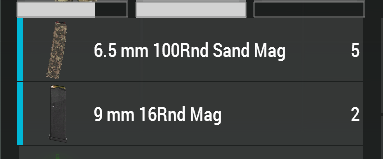
Does anyone happen to know a way to return the "progress" or number of an item inside of an inventory? https://i.imgur.com/9KlDu9x.png
I'm trying to return the count from the UI specifically, because the physical item commands don't work accurately when say a uniform gets bugged on the ground (that has no storage and cannot be equipped/moved into an inventory, but allows item duping). The physical commands (everyContainer etc, etc) will always return that the item is proper, except inside the UI, where it shows no load bar, and there is an item count instead of the normal > of containers inside inventories.
EDIT: Any of the listbox commands do NOT return either of the values I need, however they seem to be a part of it, from some extensive testing.
 still forum
crystal ingot
Was freeExtension released in the update 2.12? It says on the wiki page it was s...
still forum
crystal ingot
Was freeExtension released in the update 2.12? It says on the wiki page it was s...
It was supposed to be dev branch only and stay that way
It even says so on the wiki
tender fossil
When it comes to freeExtension documentation on BIKI: Only available in Development branch(es) until its release with Arma 3 patch v2.12. I think this can misinterpreted easily. I understood it initially wrong as well before reading further
We need a Lou version of the "Morickyyyy...!" meme once again 
winter rose
tender fossil
When it comes to `freeExtension` documentation on BIKI: `Only available in Devel...
the first one is a thing that was not removed on 2.12 release
the warning is the second one
 stuck palm
I've got a supply crate that restores an arsenal loadout, that I only want accessible under specific conditions. The area has a flag, that after captured changes the color of a marker to match that of the side of the calling player.
i want to apply something similar in principal, but am getting stuck. If the markercolor is colorblufor and the player is side west, then they should be able to get the addaction (same with opfor and indy). if they dont match, then there is no addaction displayed, and the supply crate is a paperweight.
Below is what I have in the supply box init:
_mrkr = "TowerPost1";
_mrkrcolor = getMarkerColor _mrkr;
_color = switch (side player) do
{
 case west: { "ColorBlufor" };
 case east: { "ColorOpfor" };
 case independent: { "colorIndependent" };
};

_canRearm = switch (_color) do {
    case _color == "ColorBlufor" && _mrkrcolor == "ColorBlufor": {true};
    case _color == "ColorOpfor" && _mrkrcolor == "ColorOpfor": {true};
    case _color == "ColorIndependent" && _mrkrcolor == "ColorIndependent": {true};
    default {false};
};

if (_canRearm) then {
    player addAction ["Rearm", {
        private _customLoadout = player getVariable "enh_savedloadout";
        if (isNil "_customLoadout") exitWith {
            player setUnitLoadout (configFile >> "CfgVehicles" >> typeOf player);
            systemChat "Could not find custom loadout";
            systemChat "Restored default unit loadout";
        };
        player setUnitLoadout _customLoadout;
        systemChat "Rearmed and Reloaded";
    }];
};
3:58:51 Error ==: Type switch, expected Number,Bool,String,Namespace,Not a Number,Object,Side,Group,Text,Config entry,Display (dialog),Control,Network Object,Team member,Task,Diary record,Location
3:58:51 ➥ Context: [] L10 ()
[] L11 ()
meager granite
stuck palm
I've got a supply crate that restores an arsenal loadout, that I only want acces...
Wrap your case conditions in ()
tender fossil
stuck palm
I've got a supply crate that restores an arsenal loadout, that I only want acces...
Just a slightly educated guess; what if you wrap the switch cases? So e.g. like this:
_canRearm = switch (_color) do {
    case (_color == "ColorBlufor" && _mrkrcolor == "ColorBlufor"): {true};
    case (_color == "ColorOpfor" && _mrkrcolor == "ColorOpfor"): {true};
// etc.
Damn, I'm slow 😄
meager granite
Your whole check can just be _canRearm = _color == _mrkrcolor though
 south swan
Uhm. switch (true) do {...
meager granite
Oh yeah, also that
stuck palm
tender fossil
Just a slightly educated guess; what if you wrap the switch cases? So e.g. like ...
tried this. no error, but nothing happens:
_mrkr = "TowerPost1";
_mrkrcolor = getMarkerColor _mrkr;
_color = switch (side player) do
{
 case west: { "ColorBlufor" };
 case east: { "ColorOpfor" };
 case independent: { "ColorIndependent" };
 default { "ColorGrey" };
};

_canRearm = switch (_mrkrcolor) do
{
    case "ColorBlufor": { _color == "ColorBlufor" };
    case "ColorOpfor": { _color == "ColorOpfor" };
    case "ColorIndependent": { _color == "ColorIndependent" };
    default { _color == "ColorGrey" };
};

if (_canRearm) then {
    player addAction ["Rearm", {
        private _customLoadout = player getVariable "enh_savedloadout";
        if (isNil "_customLoadout") exitWith {
            player setUnitLoadout (configFile >> "CfgVehicles" >> typeOf player);
            systemChat "Could not find custom loadout";
            systemChat "Restored default unit loadout";
        };
        player setUnitLoadout _customLoadout;
        systemChat "Rearmed and Reloaded";
    }];
};
It's because Nvm, I misread the code_canRearm doesn't get a boolean value now, it assigns _color variable instead (without setting the boolean value)
Just a tip I've learned the hard way and I hope others don't have to. One of the best computer science lecturers in my uni has this saying: "The difference between great and bad programmers is that great programmers use debugging/logging 100x more" 😄
Also see what Sa-Matra wrote above, you can replace all the checks with single line of code in the switch statement
stuck palm
basically, i tried to operate without a default, and it throws more of those errors in the rpt. cant use true, cant use false (im new as shit at this, if you can't tell), so trying to figure out how to tell it : if the player side and marker color dont match, dont do shit
tender fossil
stuck palm
basically, i tried to operate without a default, and it throws more of those err...
No worries, you learn by trial and error! 🙂 And the earlier you learn the habit to test your assumptions constantly by excessive dumping of e.g. variable values to system chat or log files (or wherever you want to), the less painful the process will be 😛
tender fossil
stuck palm
basically, i tried to operate without a default, and it throws more of those err...
So this: sqf _canRearm = switch (_mrkrcolor) do { case "ColorBlufor": { _color == "ColorBlufor" }; case "ColorOpfor": { _color == "ColorOpfor" }; case "ColorIndependent": { _color == "ColorIndependent" }; default { _color == "ColorGrey" }; }; can be just: ```sqf
_canRearm = (_color == _mrkrcolor);
It's kind of the beauty of programming in general, you can replace things that used to require lots of (manual) work with "smart" ways of doing stuff – and like we see here, it applies also to programming itself 😄 Getting your brain in the new mode just takes a while; for some shorter, and for some longer but it will happen eventually. So don't worry if you feel like you're struggling, it's part of the process
south swan
or you replace things that require lots of manual work with even more even dumber work that's done by machine instead 🤣
tender fossil
south swan
or you replace things that require lots of manual work with even more even dumbe...
Hey, let's not add reality into the mix here 😄
stuck palm
diag_log confirms it passes the default value, so the hangup is in getting it to update after the flag is captured and the marker color is changed.
thats a direction. thanks!
tender fossil
stuck palm
diag_log confirms it passes the default value, so the hangup is in getting it to...
Speaking of which, this is a super old but still relevant program to follow your log files in real time. You can even highlight keywords https://www.baremetalsoft.com/baretail/index.php
 restive hinge
Is there a way to selectRandom the _randomHouse only with _isHouseEnterable being true?
_locationsArray = nearestLocations [[worldSize / 2, worldsize / 2, 0], ["CityCenter"], 25000];
_randomLocation = selectRandom _locationsArray;
_randomLocationPosition = locationPosition _randomLocation;
_housesArray = nearestObjects [_randomLocationPosition, ["building", "house"], 400];

_randomHouse = selectRandom _housesArray;
_isHouseEnterable  = [_randomHouse] call BIS_fnc_isBuildingEnterable;
_positionsArray = [_randomHouse] call BIS_fnc_buildingPositions;
if (_isHouseEnterable and count _positionsArray > 1) then {
    _randomHousePosition = selectRandom _positionsArray;
    systemChat str _randomHousePosition;
    player setPos _randomHousePosition;
} else
{
    systemChat "Got a building without positions...";
};
Specifically this line:
_randomHouse = selectRandom _housesArray;
This gets all the buildings in radius...
south swan
you first filter the array and then select random house from filtered array 🤷♂️
tender fossil
restive hinge
Is there a way to `selectRandom` the `_randomHouse` only with `_isHouseEnterable...
There might be a smarter way as well but you can always just make a new array that goes through the _housesArray and adds only... Ffs, I'm slow again really! @south swan 
south swan
i've scrapped my long commentary with code when i've noticed you typing
 fossil cradle
Heyo, does anyone here know about the behavior of the steamID argument passed into the newly added RVExtensionContext when using callExtension?
It states on the wiki it functions like getPlayerUID or "0" however unlike getPlayerUID even in singleplayer steamID is a valid ID. Also throughout my testing I was unable to find a scenario in which it returns "0" so was wondering if someone here knows more about when "0" could occur?
 tough abyss
i wanna get into scripting but only small things. could someone help me?
warm hedge
You should to tell us what you want to do
tough abyss
idk what type it is but my brain hurts
tough abyss
warm hedge
You should to tell us what you want to do
weapons ammo switching. i can do vics just fine its the guns for players n what not
warm hedge
Weapons ammo switching as in?
tough abyss
like from 7x62 to sout daft like a 20mm. i use UAS and it lets me do it but very limited without actually changing anything. ive never done arma scripting before
warm hedge
If you want to do in a script, you can't. A config/Mod does
tough abyss
there are some script things (i think. i saw a yt vid on them awhile back) i wanna do like hiding parts of a vic to make custom comps
warm hedge
Huh, I thought you're talking about weapons ammo switching thing?
tough abyss
yeah but i mays well start wi sout that dosnt need a mod so i can get used to certain things
 round scroll
a question on multiplayer/dedi server scripting: setVelocity uses a local argument and has global effects. On the Nimitz the run_dll towing script uses setVelocity for towing, and the elevators use it as well to keep the planes on the platform. Both, towing and elevator use, do not reliably work on dedi server it seems. Is there a way that I could make a plane local to a players machine, without having the player enter it? Or would it be better to fire the setVelocity command to all involved systems via bis_fnc_MP or remoteExec so it will eventually be executed on the system where the plane is local?
cold rampart
Most scripts/mods I see fire it on each pc
proven charm
something is nil in drawIcon, it seems
btw there is no reason to have global variable "map" just make it local "_map"
tepid vigil
What does this mean in my RPT? My game crashed right after
17:48:28 No alive in 10000 ms, exceeded timeout of 10000 ms
17:48:39 No alive in 20812 ms, exceeded timeout of 10000 ms
17:48:49 No alive in 31422 ms, exceeded timeout of 10000 ms
17:48:59 No alive in 41422 ms, exceeded timeout of 10000 ms
Still getting an error
 pliant stream
@mint goblet no the first time you call your extension all the assemblies are loaded and stay that way until the process shuts down. global state (i.e. statics in c#) remain between extension calls.
so you can start a new thread say in the static constructor of the entry point class and queue tasks for execution using a blocking collection
 frank cedar
@round scroll from my experience it is better to run setvelocity on all systems using remoteExec (bis_fnc_MP is deprecated now, sinc remoteExec available)
 tough parrot
I need to a script way to point artillery gun as if map position clicked on artillery computer. The script is ultimately supposed to check the path near the gun to make sure there is no tree/building in the way of firing.
The tricky bit here is getting the position that the gun will be in when firing.
 digital hollow
Direction is easy, and do you really need to worry about a few degrees of elevation? If not, you could just check for anything above 30 or 35 degrees.
tough parrot
so far i'm trying to scan 89 to 60 degrees using checkvisibility in "fire" lod. i suppose i try doWatch on the xy plane and then use "memoryPointGun" as the source position.
no, it would need to be dowatch on on a higher angle
digital hollow
use the rotation axis, turretAxis, not memorypointgun, then use vectors to check toward target and up
tough parrot
livonia has so many trees. on altis you wouldn't need to bother with this.
tough parrot
digital hollow
use the rotation axis, `turretAxis`, not memorypointgun, then use vectors to che...
memorypointgun is for [_vehicle, "FIRE", objNull] checkVisibility [_vehPos, _testVec];
except _vehPos needs to be the gun
digital hollow
right, but like you say, the end of the gun, moves, so you should use the part that doesn't move, the axis of the rotation.
tough parrot
digital hollow
right, but like you say, the end of the gun, moves, so you should use the part t...
How do you access turretAxis? configFile >> "CfgVehicles" >> "B_MBT_01_arty_F" >> "Turrets" >> "MainTurret" >> "turretAxis" returns nothing.
digital hollow
hmm. OsaVeze will work for most hopefully. Not sure if there is actually a way to get it.
tough parrot
I can't find either of those terms in the config for the scorcher.
digital hollow
How do you access turretAxis configFile
 jovial aspen
player addEventHandler ["HitPart", {
  (_this select 0) params ["_target", "_shooter", "_projectile", "_position", "_velocity", "_selection", "_ammo", "_vector", "_radius", "_surfaceType", "_isDirect"];
  _unitName = name _target;
  _instiName = name _shooter;
  _item = typeOf _causedBy;
  //private _logMessage = format ["Hello World"];
  //_logMessage remoteExec ["diag_log",2];
  if(isPlayer _shooter AND isNull (getAssignedCuratorLogic _shooter)) then {
  //if(isPlayer _shooter) then {
    private _message = format ["%1 has friendly fired %2 with %3", _instiName, _unitName, _ammo];
    timesFriendlyFired = timesFriendlyFired + 1;
    publicVariable "timesFriendlyFired";
    private _message2 = format ["Friendly fire incident: %1", timesFriendlyFired];
    _message remoteExec ["diag_log", 2];
    _message2 remoteExec ["diag_log",2];
  }
}];```also where do i place this? initplayerlocal or init server?
 wind sparrow
is there anyway to change the Hud font with scripts for a single player mission?
slow isle
wind sparrow
is there anyway to change the Hud font with scripts for a single player mission?
Yes, one sec
slow isle
wind sparrow
is there anyway to change the Hud font with scripts for a single player mission?
titleText ["<t color='#00000000' shadow='0' size='10'>MARGin</t><br/><t font='PuristaSemiBold' color='#FFFFFF' size='2'>KILL ASSIST</t><br/>", "PLAin", 1, true, true];
font=...
Oh or are we talking about the font of elements already on the screen
wind sparrow
yeah the hud on the screen like the ammo count and stuff
sterile arch
Why would a script not open on mission start when it's called to open in the mission init? It says its not found but it's in the damn scripts folder
tough parrot
wind sparrow
yeah the hud on the screen like the ammo count and stuff
probably something like: allControls findDisplay 46;
tough parrot
wind sparrow
yeah the hud on the screen like the ammo count and stuff
try asking in gui modding about the id for different elements and whether it is display or control or whatever
wind sparrow
i was just wondering if there was a easy way of doing it
south swan
change the gui scale in game options, boom, done 🤣
hallow mortar
That's probably part of the material, not the texture; it's reflecting the sky
 halcyon hornet
Quick question - Is there any equivalent of currentMagazine player to return the current item in the players NVG slot?
south swan
https://community.bistudio.com/wiki/assignedItems + look belowselect 5?
hallow mortar
south swan
even better
halcyon hornet
hallow mortar
<https://community.bistudio.com/wiki/hmd>
Thanks dude
Tried every sensible version of nvg etc on the wiki
Wasn't thinking hmd lol
tough parrot
searching by category works better than search bar bc search bar only finds exact term
@halcyon hornetusing google domain specific search also works well: e.g., site:https://community.bistudio.com/wiki goggles
 sullen sigil
private _triggerInfo = [boardingzone] call CBA_fnc_getArea;
private _entryCenter = Temp1 worldToModel _triggerInfo#0;

addMissionEventHandler ["EachFrame", {
    _thisArgs params ["_triggerInfo","_entryCenter"];
    private _distA = _triggerInfo#1;
    private _distB = _triggerInfo#2;
    private _distC = _triggerInfo#5;
    private _isRectangle = _triggerInfo#4;
    systemChat str _triggerInfo;
    systemChat str _entryCenter;
    systemChat str _distA;
    systemChat str _distB;
    systemChat str _distC;
    systemChat str _isRectangle;
    if ((getPos player) inArea [Temp1 modelToWorld _entryCenter, _distA, _distB, getDir Temp1, _isRectangle, _distC]) then {
        systemChat "hi";
    };
}, [_triggerInfo, _entryCenter]];```
above code complains about `Type Any, expected Number` at the `inArea`. At my wits end but like 90% sure I'm just blind, anyone able to point it out for me?doesn't bis_fnc_MP make use of remoteExec now?
tough parrot
sullen sigil
```sqf
private _triggerInfo = [boardingzone] call CBA_fnc_getArea;
private _entr...
you need a more detailed error showing which param is any
sullen sigil
tough parrot
you need a more detailed error showing which param is any
player) |#| inArea [Temp1 mod
tough parrot
"any" typically show up when you have some unexpected result of a script that then gets put into another. but you should be able to see what the wonky value is from the systemchats
sullen sigil
i know, thats why theyre there. said systemchats are fine as far as i can see
 jade abyss
with next Patch afaik
tough parrot
if i whittle the code down to (and run in my console):
(getPos player) inArea [_entryCenter,_distA,_distB,getDir Temp1,_isRectangle,_distC
]
I get the same error all the way until I change _distA to objNull. If I then run your entire code and only change _distA to objNull same thing... So I would say something is wrong with _distA. Considering that nearly all of that isn't even defined on my machine, that one thing being the only first change that changes the error.
 nocturne bluff
it does
 torn hemlock
From v1.50 bis_fnc_mp is using engine based remoteexec
tough parrot
sullen sigil
i know, thats why theyre there. said systemchats are fine as far as i can see
on second thought, i tried creating an obj and trigger with the same name and there is no such index as 5 from [boardingzone] call CBA_fnc_getArea;
systemchat does nothing if the value is nothing
hallow mortar
I bet you're using CBA_fnc_getArea when you should be using BIS_fnc_getArea
sullen sigil
bis_fnc_getarea returns 0 for the a b and c
hallow mortar
Try it as boardingzone call BIS_fnc_getArea, without the []. It can also accept an array, so passing it an array containing only an object may be confusing it.
sullen sigil
gotchu, makes sense, one mo
nope, same issue
...thats probably because i didnt change it from the cba func one moment
script error has gone but does the code work
time to find out
tough parrot
https://cbateam.github.io/CBA_A3/docs/files/common/fnc_getArea-sqf.html it says that is deprecated
hallow mortar
Because it's been replaced by BIS_fnc_getArea, which is the function that actually has the 6th output (height)
sullen sigil
the code does not work as intended but thats probably my issue -- error is gone now
trying to make it check if the player is in an area of the model that is represented by a trigger area at the start of the script being called if it wasnt clear
hallow mortar
Isn't that what inArea is for?
sullen sigil
the trigger doesnt stay with the model the entire time
engine limitation at the moment with what im doing -- the model its checking against is attached to an object. trigger breaks when attached to the object for some reason, don't know why but think it's just one of those arma things 🤷
tough parrot
the strange thing with that bug is the CBA one returns an array with 5 elements but the 6th one is selectable without zero divisor error.
hallow mortar
That's a behaviour of select:
When the index equals the size of the array, there is no error for out of range selection and nil is returned.
slow isle
Why does this not work for clients but works for server host?
// in init.sqf:
{
    [_x] call LDR_fnc_destroyOnGetOut;
} forEach allplayers;


// in fn_destroyOnGetOut.sqf
params ["_player"];

_player addEventHandler ["GetoutMan", {
    params ["_unit", "_role", "_vehicle"];

    [_unit, _vehicle] spawn {
        params ["_unit", "_vehicle"];

        waitUntil {
            _vehicle != vehicle _unit &&
            !isnil { _vehicle getVariable "isJet"}
        };

        moveOut _unit;

        waitUntil {_unit == vehicle _unit};

        _vehicle setDamage 1;
        _unit setDamage 1;
    }
}];
it returning a zero divisor error is likely an error
private _arr = [1,2];
systemChat str (_arr#3);``` will give 0 divisor errorExecuted when mission is started (before briefing screen)
other players likely havent joined yet
slow isle
sullen sigil
> Executed when mission is started (before briefing screen)
other players likely...
Thanks! I'll fix tihs now
sullen sigil
slow isle
slow isle
Why does this not work for clients but works for server host?
```sqf
// in init....
@sullen sigil init.sqf now looks like this:
[] spawn {
    while {true} do {
        {
            [_x] call LDR_fnc_destroyOnGetout;
            _x setVariable ["onGetoutEventHandled", true];
        } forEach (allplayers select {
            isnil {
                _x getVariable "onGetoutEventHandled"
            }
        });

        sleep 5;
    };
}
But sadly it still doesn't work for clients
sullen sigil
//in initPlayerLocal.sqf
params ["_player", "_didJIP"];
[_player] call LDR_fnc_destroyOnGetout;```no need to run for all clients
that will also be JIP compatible most likely
sullen sigil
how on earth did you test that quickly
winter rose
in Eden mode I hope
slow isle
Eden>Multiplayer
sullen sigil
yeah having closed to eden, edited, then reopened to mp?
you did change it to initPlayerLocal.sqf too, right?
winter rose
slow isle
Eden>Multiplayer
gud
don't want to lose debug time on a non-refreshed MP mission 😄
slow isle
sullen sigil
you *did* change it to `initPlayerLocal.sqf` too, right?
Yep
I have VSCode on my second monitor and 2 armas on the first one
sullen sigil
erm.
that should be running on all clients when theyre joining, only working for host machine is... odd.
slow isle
Im going to use some systemchat messages to see
sullen sigil
your initPlayerLocal just says the following, right?
params ["_player", "_didJIP"];
[_player] call LDR_fnc_destroyOnGetout;```nothing else?
only working for host machine in that context is very odd given youre only using global commands insofar as their relevant effects etc unless im being totally blind
tough parrot
hallow mortar
That's a behaviour of `select`:
> When the index equals the size of the array, t...
since that issue with nil not being printed by system chat, i tried format. it prints any and nil in array prints [any]. so format is needed to catch a plain nil.
str nil does not work
slow isle
sullen sigil
your `initPlayerLocal` *just* says the following, right?
```sqf
params ["_player...
After testing, all the code seems to run. It's something to do with locality inside
    [_unit, _vehicle] spawn {
        params ["_unit", "_vehicle"];

        systemChat "Spawn successful";


        waitUntil {
            _vehicle != vehicle _unit &&
            !isnil { _vehicle getVariable "isJet"}
        };

        moveOut _unit;

        waitUntil {_unit == vehicle _unit};

        _vehicle setDamage 1;
        _unit setDamage 1;

        systemChat "Spawn end";
    }
systemchat sends spawn successful and spawn end
tough parrot
not sure what you are doing, but have you read about the locality being on driver?
sullen sigil
that doesnt matter here
sullen sigil
slow isle
After testing, all the code seems to run. It's something to do with locality ins...
Where are you setting the isJet variable? Vehicle init?
slow isle
sullen sigil
Where are you setting the `isJet` variable? Vehicle init?
something like that, yes
spawnJetScript.sqf
slow isle
it is set properly though, otherwise I wouldn't reach spawn end
slow isle
sullen sigil
where is `spawnJetScript.sqf` ran?
server
sullen sigil
send the setvariable line
slow isle
_jet setVariable["isJet", true];
sullen sigil
just dont set that variable on every frame or something and youre fine
slow isle
its only on jet spawn
sullen sigil
ok ur sound for network optimisation then
slow isle
Does an event handler attached to a player get deleted on his death?
meager granite
slow isle
Does an event handler attached to a player get deleted on his death?
Engine-respawned units retain their event handlers and variables
slow isle
I thought so as well but every time my player dies I think he loses it and it's confusing me a lot
It's most likely a mistake in something else but that behavior is very interesting
meager granite
You can test it yourself, add an event handler, some variables, respawn and see if they're still there
granite sky
wiki only says that some EHs are respawn-persistent.
It doesn't say that the others aren't though :P
meager granite
Either way, if unsure, make a test setup, add event handler that writes a log, trigger it, respawn, try triggering it again and see if it still writes a log
granite sky
It's not complete either. HandleRating is respawn-persistent, IIRC.
slow isle
Will do but tomorrow as a last resort because it's going to take a lot of time
I'll do some chat debugging
granite sky
Note that the persistence probably only applies to locally-attached event handlers.
slow isle
I've been working on locality this whole week and I still can't get it right 😭
https://prnt.sc/ToxLxb3pXQJU
 meager granite
That's Arma development for ya
Takes hours and hours of R&D to get something done right
slow isle
I have 2 persistent bugs which I cannot fix for days now
winter rose
// just comment them out
slow isle
lol
15 hrs 21 mins …s/fn_handleEntityKilled.sqf
On one of these bugs I spent 15 hours so far I think
sullen sigil
if you run ace then iirc ehs are persistent throughout respawn for ACE_Player
slow isle
this is excl. research (wakatime)
sullen sigil
however im not 100% on that and its only a suspicion when using ace_player has probably fixed other things
slow isle
sullen sigil
if you run ace then iirc ehs are persistent throughout respawn for `ACE_Player`
God has abandoned me in my development and at 4 AM now I think there's no coming back and nothing can help me lol
sullen sigil
i started working on my code at 10pm its now 2am and all i needed to do was change a function name and rotate a trigger by 90 degrees
 sullen sigil
you are insane
meager granite
HandleDamage is not that complicated 🤔
slow isle
I'm doing kills, assists, indirect kills and team kills
meager granite
Oh, that's complicated then
slow isle
I made a pretty nice assists logger but I'm having trouble with the locality of stuff
It's so foreign to me
I understand the whole idea behind it and I read the wiki 3 times so far, yet I still fuck shit up
meager granite
There are also bugs with HandleDamage firing on remote entities and doing nothing
HandleDamage false firing on local units
I wanted to rewrite my kill-assists system recently but amount of issues with HandleDamage made me put it on hold again and switch to something else
slow isle
If I haven't figured it out by tomorrow evening, I'll just post my whole handledamage in here with detailed comments to hopefully find a solution
meager granite
So, to display ui2texture inside ui2texture on an object you need to:
Frame 1: Set outer texture to object
Frame 2: Set inner texture to outer display's RscPicture, do displayUpdate on outer display
Frame 3: Do displayUpdate on outer display again
2 hours of R&D to figure the most efficient error-free method
Probably gonna take 2 more hours to figure how to update such setup per frame, if possible at all
 meager granite
Now if only we had mipmaps so texture doesn't look so terrible at the distance 🤔
manic kettle
slow isle
RAM is only a number
How do you run multiple clients like this for testing?
meager granite
manic kettle
How do you run multiple clients like this for testing?
Run another exe with -noLauncher
You can join your own LAN servers from same steam account
manic kettle
Interesting, thanks!
That's super helpful to know
meager granite
Here is my .bat file to launch additional clients.
arma3_x64.exe -nopause -nosplash -world=none -skipIntro -noLauncher -useBE -ShowScriptErrors
You can also make them auto connect to your server at 127.0.0.1 with -connect and other options:
https://community.bistudio.com/wiki/Arma_3:_Startup_Parameters#Client_Network_Options
@still forum Another ui2texture ticket for ya, now requesting mipmaps: https://feedback.bistudio.com/T170799
UI2Texture tickets so far:
Lack of mipmaps: https://feedback.bistudio.com/T170799
Mipmap error: https://feedback.bistudio.com/T170766
Aspect ratios: https://feedback.bistudio.com/T170754
All this "next frame" hacking makes me wish for something like:
_this callNextFrame {
    //Unscheduled on next frame
};
I wonder if doing:
// Frame 1
_this spawn {isNil {
    // Frame 2
}};
```is reliable method to execute something in exactly next frame, in case of scheduler being overloaded?have you tried using a addAction? If you add the action to the player the code in the conditional check is executed each frame in a unscheduled environment
pliant stream
meager granite
I wonder if doing:
```sqf
// Frame 1
_this spawn {isNil {
// Frame 2
}};
```...
It is absolutely not reliable.
meager granite
simple trout
have you tried using a addAction? If you add the action to the player the code i...
I meant easy way to queue code to be executed once on next frame
meager granite
pliant stream
It is absolutely not reliable.
Yeah, guessed as much. Having to add and remove on each frame event handlers for a reliable next frame execution
pliant stream
meager granite
Yeah, guessed as much. Having to add and remove on each frame event handlers for...
I do it too, but in my case i'm in full control of onEachFrame, so it's fine. I just have a dispatch function that sets everything up. The onEachFrame handler changes itself back afterwards.
I guess you'd want CBA or whatever you use in A3 to include a function like this.
jade abyss
erm, nope? I think it was in the last or the patchlog before.
 midnight niche
I'm hiding the actionMenu with showCommandingMenu, problem is, when I want to show it again, I'm finding I have to right click (presumably to close the hidden menu) before it allows the actionMenu to display again...
Is there a way around this? Showing a new menu then hiding that one doesn't fix it either ..
tia
 quiet geyser
Hey, had a quick question regarding createVehicle spawning an object in a spot I don't want it to. Essentially, I'm trying to set up an easy system for a multiplayer mission where a player can use an addAction on an object to generate a crate of mortar rounds. For whatever reason, it always spawns the crate offset and not on the position exactly (which is what I want). I've tried the script two ways so far, both of which bumping into issues:
this addAction ["Spawn 82mm Ammo Crate", {"ACE_Box_82mm_Mo_Combo" createVehicle getMarkerPos "cratespawn"}];
^ this is my ideal implementation; I just want it to spawn exactly on the marker position but it doesn't want to.
this addAction ["Spawn 82mm Ammo Crate", {"ACE_Box_82mm_Mo_Combo" createVehicle position player}];
^ this was my backup to just try and get it spawning at the activating player's feet, to no avail.
Any thoughts on this? Also, will the way this script/addAction is generally laid out be alright running on a dedicated server?
meager granite
Use newer syntax of the command
createVehicle ["ACE_Box_82mm_Mo_Combo", getMarkerPos "cratespawn", [], 0, "CAN_COLLIDE"]
Also, will the way this script/addAction is generally laid out be alright running on a dedicated server?
Init fields are executed on each client, including dedicated server and players that join later
quiet geyser
Worked like a charm, thanks a bunch!
drowsy geyser
Is there a way to return a players voice volume when he is speaking in game?
I want to create a progress bar that display his voice in a range of 0-1.
quiet geyser
Another quick question:
[vehicle, 20] call ace_cargo_fnc_setSpace
The above line is used to set the ACE cargo capacity of a given vehicle/object where vehicle is <object>. If I don't want to define a variable name for it and just have this line in init (and then executed from the expression field of a respawn module later), what should I be using to reference the vehicle at the start of the array?
Ignore me, you can just use this.
 fair drum
Be sure to add a server or local filter
quiet geyser
Pretty green with scripting; could you elaborate on that please?
fair drum
Read sa-matras final line above
means you can have repeating code on accident if you don't filter where you want it executing
quiet geyser
Yep, how do I add that filter? I've not had that issue previously but I obviously want to avoid it
Currently, the vehicle init reads as:
this addWeaponCargoGlobal ["CUP_m252_carry", 2];
this addItemCargoGlobal ["ToolKit", 1];
[this, 6] call ace_cargo_fnc_setSpace;```yeah if you had 50 clients, you added 100 baseplates for example
if (local this) then {
    this addWeaponCargoGlobal ["ace_csw_carryMortarBaseplate", 2];
    this addWeaponCargoGlobal ["CUP_m252_carry", 2];
    this addItemCargoGlobal ["ToolKit", 1];
    [this, 6] call ace_cargo_fnc_setSpace;
};
or you can use if (isServer) then {};
quiet geyser
So which one do I want to use here if it's only executing it once? The isServer one?
fair drum
server is fine. checking for local matters for when you start adding headless clients
fair drum
if run a single time, either or is fine. when ownership starts changing later due to the headless, anything additional you have to be mindful if scripting globally
quiet geyser
This particular vehicle won't be getting offloaded to the HC; just placed in editor to show up at start and then synced to a Vehicle Respawn module which will execute the above script with _this substituted in. So which one would you say is preferable?
fair drum
Had to look up the ace function to determine its locality. All of your commands are global effect and global arguments so it doesn't matter. I would keep it all on the server then.
if you had a command with a local argument, I would say do local check. You can see what is global and local on the top of the wiki page for a particular command
meager granite

More cool ui2texture stuff 
Hack on top of hack to display this properly, hope it gets easier once bugs are fixed
meager granite
And then I realised it was pointless to make it all this dynamic because you can't see other team's laptops anyway
jade abyss
I believe it wasn't implemented until next version. hmm... can't check the Blogs right now.
 split nebula
couldn't find any mention of it in the spotreps for 1.50 or 1.52 so i guess its not live yet
slow isle
Is there a "on unit spawned" event handler or do I have to have an infinite loop with sleep?
meager granite
slow isle
Is there a "on unit spawned" event handler or do I have to have an infinite loop...
slow isle
Thanks!
slow isle
meager granite
https://community.bistudio.com/wiki/Arma_3:_Mission_Event_Handlers#EntityCreated
Does it work for eden placed units?
or only post mission start
meager granite
Not sure, try it?
slow isle
Thank you
 golden patio
Hello! I am trying to make a stopwatch to count upwards but I cannot get it to work. Could someone take a quick glance and see if they find why Arma 3 has a missing ; somewhere
// Start timer loop
private ["_startTime", "_currentTime", "_timeElapsed", "_timeString"];
_startTime = time;

while {true} do {
    _currentTime = time;
    _timeElapsed = _currentTime - _startTime;

    _minutes = (_timeElapsed / 60) floor2 "";
    _seconds = (_timeElapsed % 60) floor2 "";
    _milliseconds = (_timeElapsed mod 1 * 1000) floor2 "";
    _timeString = format ["%1:%2:%3", _minutes, _seconds, _milliseconds];

    hint _timeString;

    sleep 0.01;
};```Post the error from RPT
There isn't a floor2 command
I guess you want toFixed 0?
or floor(expression)
golden patio
meager granite
Post the error from RPT
_seconds = (_timeElapsed % 60>
13:11:13   Error position: <floor2 "";
_seconds = (_timeElapsed % 60>
13:11:13 Error Missing ;```I want it always rounded downwards
golden patio
I see
I get this error now
13:15:20 Error in expression <onds = floor(_timeElapsed mod 1 * 1000)
_timeString = format ["%1:%2:%3", _minut>
13:15:20   Error position: <_timeString = format ["%1:%2:%3", _minut>
13:15:20 Error Missing ;```It says exactly what's wrong
little raptor
golden patio
Hello! I am trying to make a stopwatch to count upwards but I cannot get it to w...
Keep in mind that your sleep won't necessarily delay your code by 0.01s
 drowsy geyser
Is there a way to return a players voice volume when he is speaking in game?
I w...
drowsy geyser
drowsy geyser
Is there a way to return a players voice volume when he is speaking in game?
I w...
is there any way to get the players voice volume when he speaks?
 chrome hinge
Is there a way to search mission file for all pieces of code written in different triggers?
i know what to look for but cant find where i have placed it in the editor
tender fossil
chrome hinge
Is there a way to search mission file for all pieces of code written in differen...
Use Visual Studio Code, open the mission folder with it and use the global search function on the left side panel (or press LEFT CTRL + LEFT SHIFT + F)
There are also very handy SQF extensions for VS Code
chrome hinge
tender fossil
There are also very handy SQF extensions for VS Code
Do i need this for finding it?
tender fossil
chrome hinge
thanks!
Also if you use that method, make sure you're not binarizing your SQM/mission file when you save it (it's a setting in the save dialog in editor). The SQF extensions are not obligatory but they make your life significantly better 😛
chrome hinge
well to be fair i have been slamming crap around in wordpad so far
I might as well use my knuckles as walking assistance at this point lol
pliant stream
with publicVariableServer whats the best way to determine the ID of the sender?
slow isle
is it normal for an event handler ("handleDamage") to trigger 4-6 times
iirc SaMatra said it's buggy
is it that buggy?
tender fossil
slow isle
is it that buggy?
It used to be that buggy, not sure if it still is (but seems like so lol)
slow isle
// LDR_fnc_attachAssisters

params ["_newEntity"];

_newEntity setVariable ["assisters", []];

_newEntity removeAllEventHandlers "Handledamage";

_newEntity addEventHandler ["Handledamage", // doesn't work for clients
    {
        params ["_unit", "_selection", "_damage", "_source", "_projectile", "_hitindex", "_instigator", "_hitPoint"];

        if (!isNull _instigator) then {
            _unit setVariable ["lastShooter", _instigator];
            (_unit getVariable "assisters") pushBackUnique _instigator;
        };

        _assisters = _unit getVariable "assisters";
        _lastShooter = _unit getVariable "lastShooter";
        ["$ON HIT #Assists: " + str (_assisters apply {
            name _x
        }) + "#Killer is " + name _lastShooter] remoteExec ["systemChat", 0];

        _damage
    }];

    _newEntity setVariable ["passedThatHandledamage", true];
This is how my HandledDamage looks
1 round from client 3 registers 6 times:
https://cdn.discordapp.com/attachments/714773557628108831/1081919279139663953/image.png
 tender fossil
Are there any routing scripts that are open source? Like GPS scripts where it shows the route from starting location to destination using roads
slow isle
1 round from client 2 registers 3 times and 1 round from host registers 4 times
and numbers stay consistent per player for following rounds
I think it's just how arma is. EH get attached only once (tested it)
I discovered something. Host player does not lose his "handledamage" EH when killed,
where as all clients do lose their "handledamage" EH when killed
Is this normal behavior? How can I fix this?
meager granite
HandleDamage is called for each affected hit point and for overall damage
golden patio
How can I call a function from a script? I wanna run it so it stops my stopwatch but I cannot figure out how.
Context: Object with "addAction" is supposed to run a function from my script
I've looked at remoteExec but I cant seem to get it to work with a function.
this addAction ["Start Race", {[] execVM "RaceScript.sqf"; _stopwatchRunning = true;}];
this addAction ["Stop Race", remoteExec ["stopwatchStop"]];
Do I need to specify my script when remoteExecing?
golden patio
I dont want to terminate the script
golden patio
This is the function I wanna run ```sqf
// Function to stop the stopwatch
stopwatchStop = {
_stopwatchRunning = false; // set stopwatch state to stopped
// Get final time in minutes, seconds, and milliseconds
_finalMinutes = floor(_timeElapsed / 60);
_finalSeconds = floor(_timeElapsed % 60);
_finalMilliseconds = floor(_timeElapsed mod 1 * 1000);

// Format final time as a string
_finalTimeString = format ["%1:%2:%3", _finalMinutes, _finalSeconds, _finalMilliseconds];

// Show white text for 5 seconds
titleText ["Final Time: " + {_finalTimeString}, "PLAIN", 5];
};```
meager granite
call stopwatchStop
Actions are local btw, if one player starts stopwatch it will happen only on their client
golden patio
Yeah Ill fix that later
I need it to work first
@meager granite I need to reference the script running, no?
Because call stopwatchStop doesnt do anything
and I dont want to exec the script again because that would mess things up
meager granite
golden patio
Because ``call stopwatchStop`` doesnt do anything
Your approach is wrong then
golden patio
I just wanna call a function of a script from an object :/
meager granite
Change while {true} do { in your script to while {stopWatchIsActive} do {
Then have your end code after the while block
golden patio
okay
meager granite
_stopwatchRunning = true; to stopWatchIsActive = true;
your variable assignment is local, its not reachable for elsewhere
while{flag} do {
     //active stopwatch;
};
//stopwatch ended
How would I change the flag on the object?
I assume just setting it to false, but would I use call?
I got it to work.
Thanks again
winter rose
resilience, one of the most important skills!
 warped oak


