#arma3_scripting
1 messages · Page 34 of 1
 hollow yoke
 hallow mortar
A lot of people use Visual Studio Code; I think it's free. Notepad++ is the other one - there are syntax highlighters available but I don't think it does error checking
 tough abyss
I personally use notepad++ but it's only syntax highlighting
 sullen sigil
Visual studio is indeed free, though you'll need to download an SQF package
As for syntax errors, advanced developer tools by leopard on the steam workshop can help you with that
hallow mortar
IIRC it's a lot easier to find an up-to-date SQF package for VSCode than it is for N++

 copper raven
hallow mortar
A lot of people use Visual Studio Code; I think it's free. Notepad++ is the othe...
copper raven
hallow mortar
A lot of people use Visual Studio Code; I think it's free. Notepad++ is the othe...
regular notepad best editor


 wary sandal
copper raven
regular notepad best editor
wary sandal
copper raven
regular notepad best editor
i use an hex editor, i am not schizophrenic
wary sandal
what is this unit logo supposed to mean? i tried placing an unit with the exact same settings and it doesn't show up like that

 willow hound
@wary sandal In vanilla A3, the icon in the bottom right is related to the options in the Special States section of the object attributes (e.g. if you tick the Simple Object checkbox, the icon will be grey).
 lapis ivy
Hello.
I have 2 game slots for blue and red on a mission. These two slots are side commanders. I want to show the text to all players when they start the mission, for example:
"nameplayer" blue side commander... sleep 10
"nameplayer" red side commander...
But. The nameplayer should contain the nickname of the player who took the commander slot. I don't quite understand how I can pass this to BIS_fnc_typeText2
hallow mortar
willow hound
<@465256944974823435> In vanilla A3, the icon in the bottom right is related to ...
Specifically, the light blue icon is related to Dynamic Simulation
hallow mortar
lapis ivy
Hello.
I have 2 game slots for blue and red on a mission. These two slots are si...
_redTextToShow = format ["The Red commander is: %1",name your_red_unit];
_blueTextToShow = format ["The Blue commander is: %1",name your_blue_unit];
[[_redTextToShow,_blueTextToShow], ... ] spawn BIS_fnc_typeText2;``` fickle sigil
1:21:11 NetServer: cannot find channel #737700707, users.card=19
1:21:11 Message not sent - error 0, message ID = ffffffff, to 737700707
anyone know this issue
and what it means
hollow yoke
copper raven
regular notepad best editor
that's what I was using up until now
 sudden yacht
anyway to turn a live camera feed image upside down?
_camera = "camera" camCreate [0,0,0];
_camera cameraEffect ["Internal", "Back", "pipgaterendertg"]; _camera camSetFov 1; _camera camSetTarget thegatepiptarget;
_camera camPreparePos (thegatepiptarget modelToWorld [0,-1,0]); _camera camCommitPrepared 0;``` open fractal
have you considered turning the camera upside down
it might conflict with following the target idk
sudden yacht
anyway to display GPS data live to say a screen?
sudden yacht
No luck 😛
 pulsar bluff
no
pulsar bluff
sudden yacht
anyway to turn a live camera feed image upside down?
try turning the TV upside down
_monitor setvectorup [0,0,-1];
hallow mortar
pulsar bluff
no
not yet
When UI to Texture lands in [future update] you'll be able to do it
wary sandal
is there a BIS function to mimic the "press any key to continue" screen you can see on some compaigns?
 cosmic lichen
@wary sandal https://community.bistudio.com/wiki/BIS_fnc_holdKey This one?
wary sandal
cosmic lichen
<@465256944974823435> https://community.bistudio.com/wiki/BIS_fnc_holdKey This o...
seems to be it
i'll try this function
thanks
 dreamy kestrel
Q: if I have a terrain object, "road", "main road", whatever, how might I verify what it actually is? for instance, I can tell player isKindOf "Man", but can I tell _road isKindOf "Road"? furthermore typeOf _road does not return anything, or more specifically, returns "".
 halcyon temple
hey guys
as per https://community.bistudio.com/wiki/Arma_3:_Event_Handlers#FiredMan
this addEventHandler ["FiredMan", {
    params ["_unit", "_weapon", "_muzzle", "_mode", "_ammo", "_magazine", "_projectile", "_vehicle"];
}];
vehicle: Object - vehicle, if weapon is vehicle weapon, otherwise objNull
so in this context _vehicle is the same as objectParent _unit ?
copper raven
halcyon temple
hey guys
as per https://community.bistudio.com/wiki/Arma_3:_Event_Handlers#Fired...
no
if _weapon is a vehicle weapon, i.e., shot from a vehicle, then that vehicle is _vehicle, otherwise null (a unit fired the weapon)
halcyon temple
right, so as in the context you mentioned, i.e, man fired but from a vehicle weapon _vehicle == objectParent _unit?
copper raven
halcyon temple
right, so as in the context you mentioned, i.e, man fired but from a vehicle wea...
nvm what i said, i totally missread the EH, i read it as "Fired" for some reason 😅 need some ☕. totally correct what you wrote.
copper raven
dreamy kestrel
Q: if I have a _terrain object_, `"road"`, `"main road"`, whatever, how might I ...
https://community.bistudio.com/wiki/getRoadInfo probably and checking one of the values
 sharp skiff
im searching for a Cleanup script to delete droped objects, dead bodies etc. the only stuff i find is no longer downloadable since it is hosted on Armaholic! and im not good at scripting myself! Thanks
halcyon temple
no I think you're right, if if the event is fired and unit is on foot, _weapon is not of _vehicle, so it will return objNull for _vehicle .
copper raven
halcyon temple
no I think you're right, if if the event is fired and unit is on foot, `_weapon`...
i meant the "no" 😄 the latter is correct yeah
dreamy kestrel
Q: maybe a road follow up question, isOnRoad supports different roads, main roads, trails, etc?
halcyon temple
@copper raven thx m8
copper raven
dreamy kestrel
Q: maybe a road follow up question, `isOnRoad` supports different roads, main ro...
isOnRoad can return false for some roads while it is actually a road, i.e., returned by nearRoads etc
 warm iris
Hi, I'm current creating a mission however I'm running into the arma limitation of uniforms, as the flow of the mission does include a playstyle for a player or set of players to take clothes currently out of their faction is there any scripting way around the faction clothing limitation or would I have to resort to mods for this?
copper raven
warm iris
Hi, I'm current creating a mission however I'm running into the arma limitation ...
 open hollow
hello, i want to use this syntax of compatibleItems
_items = compatibleItems [weapon, slot]
but im not sure how to take check if the slot is aviable for that weapon
since getarray (configFile >> "CfgWeapons" >> "arifle_Katiba_GL_F" >> "WeaponSlotsInfo) wont work
warm iris
copper raven
https://community.bistudio.com/wiki/forceAddUniform
So essentially I'd have to apply all the possible uniforms to the specific unit?
copper raven
open hollow
hello, i want to use this syntax of `compatibleItems`
```sqf
_items = compatibl...
WeaponSlotsInfo is not an array, it's a class
"true" configClasses (configFile >> "CfgWeapons" >> "arifle_Katiba_GL_F" >> "WeaponSlotsInfo") apply { configName _x } will give you the classnames of the slots (for use with that command)
copper raven
warm iris
So essentially I'd have to apply all the possible uniforms to the specific unit?
it'd be the uniform you want to apply
hallow mortar
open hollow
hello, i want to use this syntax of `compatibleItems`
```sqf
_items = compatibl...
Have you tested what actually happens if you give it a slot the weapon doesn't have? It might be that it behaves as if there just weren't any compatible items, in which case you're safe and don't need to check
open hollow
copper raven
`"true" configClasses (configFile >> "CfgWeapons" >> "arifle_Katiba_GL_F" >> "We...
nice, thankyou
warm iris
Alright, would this work in the case of them being able to pick up said uniform from ground and wear it? As that's the thing I'm trying to get working
copper raven
warm iris
Alright, would this work in the case of them being able to pick up said uniform ...
easiest way is to probably createUnit a civilian into the side you want, then they will be able to pick up any uniform. otherwise you need to mod the unit class, and add modelSides[] = {0,1,2,3};
warm iris
So would I be able to achieve this through just adding an invisy civ into the group or would I need to script around this?
copper raven
invis would be the side you want, while having the actual units be civilians
(and group them ofc)
warm iris
Ah right I think I'm following correctly, so the playable unit as civilian, the group leader an insivible indfor?
copper raven
yes
alternatively you can just use createGroup resistance and join the units into it
warm iris
Alrighty, I'll give both a go and see what works best!
 short coral
I don't think I'm doing something right hoping if you can spot it.
Im very new to scripting trying to allow 3rd person for only a certain class but it not doing what I want it to. Here is what I have.
TAG_allowTPV = B_Pilot_F;
if (B_Soldier_F) then {
    [] spawn {
        for "_i" from 0 to 9 do {
            waitUntil { (cameraView == "EXTERNAL") || (cameraView == "GROUP") };
            (vehicle player) switchCamera "INTERNAL";
            systemChat "This is a first person only server";
            _i = 0;
        };
    };
};
B_Pilot_F, B_Soldier_F those are classnames and should be put in quotes.
if (B_Soldier_F) then {
i assume you want to check if player is not of typeB_Pilot_F, correct way istypeOf player isNotEqualTo "B_Pilot_F", or fix the global variable and use that instead,
TAG_allowTPV = "B_Pilot_F";, then
if (typeOf player isNotEqualTo TAG_allowTPV) then ...
for "_i" from 0 to 9 do {
looks like you want an infinite loop here, change this tofor "_i" from 0 to 1 step 0 do {, then you won't need to_i = 0;
(cameraView == "EXTERNAL") || (cameraView == "GROUP")
could be better, change this tocameraView in _disallowedCameraViews, and defineprivate _disallowedCameraViews = ["EXTERNAL", "GROUP"];above yourforloop. rest looks fine
better solution would be to use https://community.bistudio.com/wiki/addUserActionEventHandler with personView action
 toxic tundra
@_everybody who tried to use the unitCaputre for Helimissions but failed at the point where when the recording ends the heli takes of again due to pilot ai.
The so far only Solution is to use one of the captured recording lines and make a while loop to set the helicopter to its position. in my case i use the last captured line of the landing recording and give it the time frame 0 like there in the first line "[[0,["
Would look like this:
wpLZIdle = [[0,[1,7582.61,118.219],[-0.0875363,0.995607,-0.0332165],[0.115344,0.0432502,0.992384],[0,0,0]]];
[blackhawk1, wpLZIdle] spawn BIS_fnc_Unitplay;
Note here to edit the velocity values to 0 vector => "[0,0,0]" at the end of one line. So the aircraft won't move.
Then so make the caputred flight work you will need to add a seccond line (in my expiriance) with a time difference. So i copied the first line of my wpLZidle and only edited the time frame to 0.5 like here:
wpLZIdle = [[0,[1,7582.61,118.219],[-0.0875363,0.995607,-0.0332165],[0.115344,0.0432502,0.992384],[0,0,0]],[0.05,[5996.35,7582.61,118.219],[-0.0875363,0.995607,-0.0332165],[0.115344,0.0432502,0.992384],[0,0,0]]];
[blackhawk1, wpLZIdle] spawn BIS_fnc_Unitplay;
Then you have your finished flight recorded sqf file for the idle.
To execute it i use an trigger that plays 3 secconds after the helicopter landed in that trigger zone. condition "blackhawk1 in thisList".
this is the executed code for idleing the heli in that position:
0 spawn {
while {!triggerActivated evacNow} do {
rec = [] spawn pickUpTroopsWaiting;
hint "The Blackhawk will wait until everyone alive in the Evaczone has entered";
sleep 0.01;
};};
evacNow is my trigger for when taking off when everybody of the squad alive and inside lz zone has entered the heli.
if you are also interested in how to achieve that... here you go.
condition for the evacNow Trigger:
anybodyFromSquadInCircle = false;
everybodyInVehicle = true;
{if (alive _x && (group _x) == primarySquad && !(_x in blackhawk1)) then {everybodyInVehicle = false}; } forEach evacZone;
publicVariable "everybodyInVehicle";
{if (_x in evacZone || _x in blackhawk1 && blackhawk1 in evacZone) then {anybodyFromSquadInCircle = true;}} forEach units primarySquad; publicVariable "anybodyFromSquadInCircle";

triggerActivated bh1landed && everybodyInVehicle && anybodyFromSquadInCircle || triggerActivated evacRadio
Have fun with realistic helicopter flights by ai. 😄
short coral
copper raven
`B_Pilot_F`, `B_Soldier_F` those are classnames and should be put in quotes.
> ...
~~this is what I got still same issue
TAG_allowTPV = "B_Pilot_F";
private _disallowedCameraViews = ["EXTERNAL", "GROUP"];
if (typeOf player isNotEqualTo "B_Pilot_F") then {
    [] spawn {
        for "_i" from 0 to 1 step 0 do {
            waitUntil {cameraView in _disallowedCameraViews};
            (vehicle player) switchCamera "INTERNAL";
            systemChat "This is a first person only server";
        };
    };
};
Also I do have a question for the add action would everyone have to activate it or does it depend on the ation?~~
Nvm Thank you for your help sharp I re-read it and got it
 junior schooner
how do I make a m4 scorcher shoot at a marker position
my current code is:
{

    m2 doArtilleryFire [getMarkerPos "marker_1", "32Rnd_155mm_Mo_shells", 2];


},[], 6, false, true, "", "_target distance _this < 5"];```
m2 being the scorcherthe code does not work
the m4 does not shoot
willow hound
@junior schooner Can you manually fire at the position if you get into the gunner seat of m2? It could be that the target is not within the minimum and maximum ranges of the Scorcher.
Does the Scorcher have AI crew? As far as I know, it needs to have a gunner in order for *ArtilleryFire to work.
wary sandal
Does anyone know why my marshal won't do anything when i use createGroup and createUnit?
// Add the marshal
private _marshalGroup = createGroup [west, false];
private _marshal = _marshalGroup createUnit ["B_Deck_Crew_F", [-0.060, -147.688, 9.456], [], 0, "NONE"];

_marshal setDir -145; // This won't work
_marshal disableAI "RADIOPROTOCOL";
_marshal allowDamage false;
_marshal switchMove "Acts_JetsMarshallingStraight_loop"; // This won't work

_light = "Chemlight_red" createVehicle [0, 0, 0];
_light attachTo [_marshal, [0, 0, 0], "lefthand"];

_light1 = "Chemlight_red" createVehicle [0, 0, 0];
_light1 attachTo [_marshal, [0, 0, 0], "righthand"];

_marshal spawn {
    sleep 1;
    _this playMove "Acts_JetsMarshallingStraight_in"; // this and
    _this playMove "Acts_JetsMarshallingStraight_loop"; // this won't work
};
when i place down an unit in the eden and play the anim it works
short coral
@copper raven
TAG_allowTPV="B_Pilot_F","B_Fighter_Pilot_F";
if (typeOf player isNotEqualTo TAG_allowTPV) then {
    [] spawn {
        private _disallowedCameraViews = ["EXTERNAL", "GROUP"];
        for "_i" from 0 to 1 step 0 do {
            waitUntil {cameraView in _disallowedCameraViews};
            (vehicle player) switchCamera "INTERNAL";
            systemChat "This is a first person only server";
        };
    };
};
How would I be able to add more classes or would I not be able to in this case?
 little raptor
wary sandal
Does anyone know why my marshal won't do anything when i use ``createGroup`` and...
little raptor
wary sandal
Does anyone know why my marshal won't do anything when i use ``createGroup`` and...
try this
// Add the marshal
private _marshalGroup = createGroup [west, false];
private _marshal = _marshalGroup createUnit ["B_Deck_Crew_F", [-0.060, -147.688, 9.456], [], 0, "NONE"];

_marshal setDir -145; // This won't work
_marshal disableAI "RADIOPROTOCOL";
_marshal allowDamage false;

isNil {
    _marshal switchMove "Acts_JetsMarshallingStraight_loop";
    _marshal playMoveNow "Acts_JetsMarshallingStraight_in";
    _marshal playMove "Acts_JetsMarshallingStraight_loop";
};

_light = "Chemlight_red" createVehicle [0, 0, 0];
_light attachTo [_marshal, [0, 0, 0], "lefthand"];

_light1 = "Chemlight_red" createVehicle [0, 0, 0];
_light1 attachTo [_marshal, [0, 0, 0], "righthand"];
_marshal setDir -145; // This won't work
wait wat?
are you sure it's even defined? 
copper raven
short coral
<@207463802999013377>
```sqf
TAG_allowTPV="B_Pilot_F","B_Fighter_Pilot_F";
if (...
the same method as with checking the camera views i told you, use in, you're missing [ ] around the classnames
halcyon temple
hey guys
Attempt to override final function in log, is this success or fail?
and in the function viewer, "Recompile All", is this ALL functions, or filtered ones? 🙂
little raptor
halcyon temple
hey guys
`Attempt to override final function` in log, is this success or fail?
failed ofc
short coral
copper raven
the same method as with checking the camera views i told you, use `in`, you're m...
private TAG_allowTPV = ["B_Pilot_F","B_Fighter_Pilot_F"];
if (typeOf player isNotEqualTo in TAG_allowTPV) then {
remove isNotEqualTo
and either invert the condition with ! or put exitWith instead of then and move the code into parent scope
halcyon temple
little raptor
https://community.bistudio.com/wiki/compileFinal
thx
short coral
copper raven
remove `isNotEqualTo`
private TAG_allowTPV = ["B_Pilot_F","B_Fighter_Pilot_F"];
if (typeOf player in TAG_allowTPV) exitWith {
should I call Tag_allowTVP something else getting error for undefined variable
copper raven
because you are trying to private declare a global variable
wary sandal
little raptor
> _marshal setDir -145; // This won't work
wait wat?
well it's supposed to flip the unit
it doesn't
short coral
so do I just remove private
wary sandal
well now for some reasons it works haha @little raptor
can you explain me what you did
 stable dune
wary sandal
can you explain me what you did
stable dune
wary sandal
can you explain me what you did
He gave some magic to your code
halcyon temple
As per https://community.bistudio.com/wiki/Arma_3:_Functions_Library#Attributes_3:
if I understood correctly, if a function is "declared"? in config.cpp, with attribute recompile = 1, should I edit the file, reload the mission, the changes are applied, with the whole $PBOPRIFIX$ OMG situation? xD
stable dune
wary sandal
can you explain me what you did
this is such a familiar feeling
little raptor
wary sandal
can you explain me what you did
I just corrected the animation part
the direction part not working didn't make any sense
short coral
copper raven
because you are trying to `private` declare a global variable
I dont get it
little raptor
halcyon temple
As per https://community.bistudio.com/wiki/Arma_3:_Functions_Library#Attributes_...
should I edit the file, reload the mission, the changes are applied
no. you can overwrite it tho
with the whole $PBOPRIFIX$ OMG situation? xD
what?
halcyon temple
little raptor
> should I edit the file, reload the mission, the changes are applied
no. you ca...
lolz
little raptor
and if you put the function file on your P drive in the same path as the in game path (minus the P:\ ofc) you can recompile it
wary sandal
little raptor
I just corrected the animation part
the direction part not working didn't make a...
i can assure you it wasn't working
anyways thank you
can this text that highlights units be removed? not sure how this is called in english
 sullen sigil
Yes that's in game settings
wary sandal
what about from the mission?
sullen sigil
I don't think so, it's only in game settings
little raptor
wary sandal
what about from the mission?
try showHUD
little raptor
yeah I guess
sullen sigil
 sullen sigil
Try showHud [false, true]
halcyon temple
I'm trying a dev environment. I mean if I got it right, and understood it correctly, I can use the PBO file as kju put it, a dummy pbo, and use the prefix to use unpacked data.
It's on the P:. I mean I think it is. This is what I did, from what I understood:
P: driver, yeh
My mod is in P:\x\tag\addons\mymod
packed it with mikero's pboProject with source folder being : P:\x
junction'ed "P:\x" to arma directory.

copper raven
short coral
I dont get it
you can't declare a private global variable, it doesn't make sense.
private globalVariable = 5; // error
private _localVariable = 5; // ok
move the code into parent scope What do you mean by that?
little raptor
wary sandal
first one?
I would say cursors
_hud = shownHUD;
_hud set [7, false];
showHUD _hud
If I edit a file the changes are reflected in the function viewer at least...
sullen sigil
you can however
private globalvariable = 5;
private _localVariable = globalVariable;```doesn't work
i guess i will leave that to the user to disable
sullen sigil
You can set the game settings on the server
wary sandal
also while we're at it, is _hud = shownHUD; the same thing as private _hud = shownHUD; ?
copper raven
short coral
`move the code into parent scope` What do you mean by that?
if you aren't executing any other code after that if, instead of:
if !(blabla) then {
  hint "blabla";
};
// you can do
if (blabla) exitWith {};
hint "blabla";
wut?
sullen sigil
No he didn't ignore me
dreamy kestrel
Q: re: BIS_fnc_moduleEffectsShells in terms of BIS_fnc_moduleEffectsEmitterCreator...
the module I drop in using 3den editor allows specifying color, permanence...
but it is also suggesting this is a smoke grenade, but I think it is really shells, not grenades, for starters.
is this accurate?
copper raven
wary sandal
also while we're at it, is ``_hud = shownHUD;`` the same thing as ``private _hud...
no it's not the same thing (in terms of scoping)
short coral
copper raven
you can't declare a `private` global variable, it doesn't make sense.
```sqf
pri...
TAG_allowTPV = ["B_Pilot_F","B_Fighter_Pilot_F"]; //Here
if (typeOf player in TAG_allowTPV) exitWith { // and here

    [] spawn {
        private _disallowedCameraViews = ["EXTERNAL", "GROUP"];
        for "_i" from 0 to 1 step 0 do {
            waitUntil {cameraView in _disallowedCameraViews};
            (vehicle player) switchCamera "INTERNAL";
            systemChat "This is a first person only server";
        };
    };
};
That is the full script sharp but as for other classes they can still use 3rd so im doing something wrong in one of two spots
dreamy kestrel
short coral
```sqf
TAG_allowTPV = ["B_Pilot_F","B_Fighter_Pilot_F"]; //Here
if (typeOf pla...
why would you step 0? why not just say something like while {true} do {...} or whatever... or just waitUntil you are already doing that.
copper raven
short coral
```sqf
TAG_allowTPV = ["B_Pilot_F","B_Fighter_Pilot_F"]; //Here
if (typeOf pla...
TAG_allowTPV = ["B_Pilot_F","B_Fighter_Pilot_F"]; //Here
if (typeOf player in TAG_allowTPV) exitWith {}; // exit this scope if they are the allowed unit
[] spawn { // otherwise continue executing
  private _disallowedCameraViews = ["EXTERNAL", "GROUP"];
  for "_i" from 0 to 1 step 0 do {
    waitUntil {cameraView in _disallowedCameraViews};
    (vehicle player) switchCamera "INTERNAL";
    systemChat "This is a first person only server";
  };
};
step 0 for is abit more efficient, as opposed to while {true}
one less callstack per iteration
dreamy kestrel
huh, interesting, thanks...
little raptor
copper raven
step 0 for is abit more efficient, as opposed to `while {true}`
it's more commonly used to work around the while's 10000 iter limit tho (in unschd env, which doesn't apply to the above case)
dreamy kestrel
oh that... was vaguely aware of that, but that too. 🙂
dreamy kestrel
dreamy kestrel
Q: re: `BIS_fnc_moduleEffectsShells` in terms of `BIS_fnc_moduleEffectsEmitterCr...
so the question trying to address here ultimately, how do I engage with this one via code...
copper raven
dreamy kestrel
so the question trying to address here ultimately, how do I engage with this one...
all 3den does is probably set some variables on the logic, which then that function uses to create different effects, look up the function in the functions viewer
halcyon temple
@little raptor
sorry bump it. If
My mod is in P:\x\tag\addons\mymod
packed it with mikero's pboProject with source folder being : P:\x
junction'ed "P:\x" to arma directory.
This should work right? File edits are reflected in the function viewer.
little raptor
junction'ed "P:\x" to arma directory.
not sure why you did that but yeah it should work.
 boreal parcel
can anyone tell me what these values might be and how I would get them?
The names are assigned to Empty markers and my assumption was it was literally just positions however I dont think thats the case. if it helps this is in Invade and Annex from ahoy world
missionBlacklistPositions[] = {
        {{14800, 16500}, 1200}, // Terminal
        {{23500, 18400}, 1500}, // Salt Flats
        {{11500, 11675}, 1200}, // AAC Airfield
        {{26960, 24690}, 1200}  // Molos Airfield
    };
Probably blacklisted positions for some spawning criteria or something
dreamy kestrel
copper raven
all 3den does is probably set some variables on the logic, which then that funct...
okay so after some hackery, apparently:
_y = module_smokegrenade;
['type', 'repeat'] apply {_y getvariable _x}
// ["SmokeShellPurple",1]
From the looks of it those are just coordinates
little raptor
boreal parcel
can anyone tell me what these values might be and how I would get them?
The name...
look like 2D map pos
halcyon temple
I understood that the prefix would point from arma dir, i.e, if pbo prefix is "x\tag\addons\mymod", the engine would look for unpacked data at "gamedir\x\tag\addons\mymod". It is all kind of overwhelming, I had a hard time understanding all documentation and posts I went over on this.
copper raven
with a radius probably
copper raven
dreamy kestrel
okay so after some hackery, apparently:
```sqf
_y = module_smokegrenade;
['type'...
run allVariables, to see if there are more
sullen sigil
Yeah just checked on altis they're 2d map positions
 arctic haven
can someone help me set up triggers? im not the best at scripting...
boreal parcel
ok, then it should be fine to just remove the altitude cords from the logged positions in the editor right?
dreamy kestrel
copper raven
run `allVariables`, to see if there are more
yes that is how I arrived at the 'hackery' and the set that was important in this instance. 👍
little raptor
halcyon temple
I understood that the prefix would point from arma dir, i.e, if pbo prefix is "x...
the engine would look for unpacked data at "gamedir\x\tag\addons\mymod"
no just use the P drive path:P:\x\tag\addons\mymod
I think you also need filepatching
halcyon temple
little raptor
I think you also need filepatching
done
is the engine "aware" of P:, does it look for it on startup?
sullen sigil
boreal parcel
ok, then it should be fine to just remove the altitude cords from the logged pos...
I would recommend setting all numbers to 0 just in case to avoid errors
boreal parcel
sullen sigil
I would recommend setting all numbers to 0 just in case to avoid errors
I would but the bases are still used, and the cords are used as some kind of Safe Space in the mission code I wouldnt want to break any mission or anything.
can you get 2D cords in the 3D editor?
 copper raven
optionally you can right click, log > log position to clipboard
sullen sigil
That too, just chop off the last coordinate
boreal parcel
yep I see that now, I guess ill round the numbers as well to try and match what they did just incase they arent handling floating points
[5437.23,7633.93]
apparently in the map if you log position to clipboard it already chops off the last coord
sullen sigil
Oh, works
If you just want to get rid of the blacklists then set the radius of the values you posted to 0
boreal parcel
gotcha
sullen sigil
I have a question of my own
If I want code to be a variable, how do I do that? Not the result of it, but the code itself. ACE has an array of code that I want to pushBack my own into
dreamy kestrel
sullen sigil
I have a question of my own
If I want code to be a variable, how do I do that? N...
_code = {...};
or global, or whatever...
_object setvariable ['_callback', {...}]
another effective approach I have adopted...
sullen sigil
Ah, thank you -- didn't see it was enclosed in {} 
dreamy kestrel
sullen sigil
Ah, thank you -- didn't see it was enclosed in {} <:meowsweats:70762603061313539...
or you can compile if you happen to have it in a STRING, or loaded from a CONFIG getText or whatever...
sullen sigil
Yeah should remain fixed anyways as will be using player variables and mathsing them
dreamy kestrel
sullen sigil
Ah, thank you -- didn't see it was enclosed in {} <:meowsweats:70762603061313539...
the usual scoping rules apply
sullen sigil
i do not believe in scoping
dreamy kestrel
sullen sigil
i do not believe in scoping
if you do not mind _myvar being isNil "_myvar" 😉
sullen sigil
isNil is just another way of saying last born child that nobody really cares about
arctic haven
So I am trying to have player only be shot at by AI if they have their guns out so far I have "this setCaptive 1;" in the Players Init and a trigger with "currentWeapon player != "" " Condition and "if (currentWeapon player != "") then
{
player setCaptive false;
}; " on activation my problem is i cant find the right deactivation when a player puts his gun away. as of now if you spawn iin weaponless you wont be shot at. but if you pick up a gun and put it down you will be... Any ideas? TYIA
 slender beacon
I'm trying to get thrown grenades and check if they reach a specific area, but I don't know what the exact classname of the modded grenade projectiles are. Is there a way I can check for inheritance or general type of grenades? I want to be able to use this script with modded grenades too.
I'm using nearObjects to get my nade projectiles.
sullen sigil
arctic haven
So I am trying to have player only be shot at by AI if they have their guns out ...
//condition
currentWeapon player != ""

if (currentWeapon player != "") then

{

player setCaptive false;

}

else {

player setCaptive true;

};``` should workcondition: currentWeapon player != ""
activation: player setCaptive false
deactivation: player setCaptive true
simple as that
sullen sigil
^
arctic haven
Thanks guys I will try that out!
sullen sigil
Use sharps as mine will only work if your condition is always activating
(Not good for performance to be running code that often)
arctic haven
I play arma, What are FPS?
sullen sigil
however many you decide to let your code give you 😉
arctic haven

dreamy kestrel
copper raven
run `allVariables`, to see if there are more
okay so to clarify, those are variables I set on the effect 'unit' instance correct? the module logic I pass in to BIS_fnc_moduleEffectsEmitterCreator?
copper raven
yes
wary sandal
What have I done wrong again lol?
[findDisplay 46, 1, 1, {
    player sideChat "Space key pressed for 1 second";
}] call BIS_fnc_holdKey;
i followed the wiki example and put this in init.sqf, it should trigger when i hold the space key for 1 second but it doesn't trigger
sullen sigil
Where've you got 46 for space from?
wary sandal
sullen sigil
Where've you got 46 for space from?
 wary sandal
46 is the mission display
hallow mortar
That's findDisplay 46 - the mission display - not a keycode
 tepid vigil
There exists createGuardedPoint, but is there any way to remove these points once created with this command?
 wary sandal
sullen sigil
I believe space is 57
wary sandal
sullen sigil
I believe space is 57
swapped it to 57 and it still does nothing
sullen sigil
Holding space on map?
wary sandal
sullen sigil
Holding space on map?
46 should make it accessible outside the map?
wary sandal
this is pretty much the wikiexample except that i changed the key
sullen sigil
Does the wiki example work if you don't change the key and hold J for 5 seconds
sullen sigil
There you go then
dreamy kestrel
sullen sigil
I had no idea allVariables was a thing
go nuts 🌰
sullen sigil
dreamy kestrel
go nuts 🌰
i have a nut allergy
dreamy kestrel
sullen sigil
i have a nut allergy
🥜
sullen sigil
youre scaring me
wary sandal
sullen sigil
There you go then
wdym
sullen sigil
wary sandal
wdym
that wont work if its the wiki example because the wiki example doesnt work
sullen sigil
Just tested wiki example myself and it works fine -- you sure you're testing it properly?
wary sandal
sullen sigil
Just tested wiki example myself and it works fine -- you sure you're testing it ...
it's in init.sqf
player spawns in water
sullen sigil
try playerInit.sqf
sullen sigil
I literally just run it in debug console
tough abyss
The display likely doesn't exist yet when you're doing the init
Wrap it in a spawn with a waitUntil display 46 exists
I.e.
[] spawn {
waitUntil { findDisplay 46 != displayNull };
// rest of the code here
};
@wary sandal
halcyon temple
hey guys,
can't seem to get this to work
https://community.bistudio.com/wiki/Arma_3:_Actions#Eject
soldierOne action ["Eject", vehicle soldierOne];
I'm in a jet...
 jade acorn
to be clear, soldierOne is your unit's variable name?
if so, and it doesn't work, try https://community.bistudio.com/wiki/moveOut
halcyon temple
jade acorn
if so, and it doesn't work, try https://community.bistudio.com/wiki/moveOut
right
the jet is moving thought...
but i'll give it a try
jade acorn
moveOut should execute even if your vehicle is moving. Might not play the animation of walking out
hallow mortar
I don't think it does the parachute/ejection seat though so you might...die
jade acorn
we can consider this being ejected anyway 
halcyon temple
hallow mortar
I don't think it does the parachute/ejection seat though so you might...die
this works xD
i'll spawnequip a parachute
sullen sigil
How cheap are lineIntersectsSurfaces? Initial thought is fairly?
 true frigate
Alright, who taught the AI how to script in Arma? Own up
(I mean, its not really what I asked, and it doesn't work, but I'm pretty impressed it got so far)
 sullen sigil
which ai is this
true frigate
GPT-3
it's just the chat on OpenAI, maybe if I specifically trained a model it would be better

I'll give it half merit, it forgot to check if the player actually crouched or just changed animation state
 granite sky
sullen sigil
How cheap are `lineIntersectsSurfaces`? Initial thought is fairly?
granite sky
sullen sigil
How cheap are `lineIntersectsSurfaces`? Initial thought is fairly?
Depends heavily on how much stuff there is near the line, but IIRC the order of magnitude is about 0.1ms.
lol @ AI
wary sandal
tough abyss
I.e.
```sqf
[] spawn {
waitUntil { findDisplay 46 != displayNull };
// rest of t...
sweet
i have no idea about the load/initialisation order of stuff hence why i couldn't figure out
80% of the time it works now
no idea why sometimes it doesn't
granite sky
Code is wrong because displayNull != displayNull returns false in SQF.
should be !isNull findDisplay 46
wary sandal
granite sky
Code is wrong because `displayNull != displayNull` returns false in SQF.
happens that i read that null == null returned false yesterday
didn't think about that
halcyon temple
hey guys, back again...
diag_log format [
    "%1 | %2",
    _position,
    typeName (_position)
];// "[3123.09, 7982.63, 100] | ARRAY"
diag_log format [
    "%1 | %2",
    (_position select 0),
    typeName (_position select 0)
];// "3123.09 | SCALAR"
diag_log format [
    "%1 | %2",
    (_position select 1),
    typeName (_position select 1)
];// "7982.63 | SCALAR"
diag_log format [
    "%1 | %2",
    ((_position select 2) + _altitude),
    typeName ((_position select 2) + _altitude)
];// "200 | SCALAR"
diag_log format [
    "%1 | %2",
    _altitude,
    typeName (_altitude)
];// "100 | SCALAR"
this line...
(objectParent player) setPos [(_position select 0), (_position select 1), (_altitude - 10)];
Error in expression <objectParent player) setPos [(_position select 0), (_position select 1), (_altit>
Error position: <select 0), (_position select 1), (_altit>
Error select: type Number, expected Array, String, Config entry
 winter rose
stop breaking the game!
winter rose
!quote 5
 lyric schoonerBOT
winter rose
!quote 5
lyric schoonerBOT
winter rose
!quote 5
stop using 'setPos' for the love of god
Leopard20; Tuesday, 10 August 2021
 winter rose
hue hue hue
halcyon temple
oh... suggestions?
winter rose
setPosASL, setPosATL, etc
halcyon temple
ok
winter rose
also: it is possible that somewhere in your code you are replacing _position's value
halcyon temple
nope
winter rose
k
halcyon temple
_this spawn {
    params ["_type", "_altitude"];
    private ["_position", "_altitude", "_veh"];

    _position = [
        (getPos player) select 0,
        (getPos player) select 1,
        _altitude
    ];
    diag_log format ["%1 ! %2", _position, typeName (_position)];
    diag_log format ["%1 ! %2", (_position select 0), typeName (_position select 0)];
    diag_log format ["%1 ! %2", (_position select 1), typeName (_position select 1)];
    diag_log format ["%1 ! %2", ((_position select 2) + _altitude), typeName ((_position select 2) + _altitude)];
    diag_log format ["%1 ! %2", _altitude, typeName (_altitude)];

    params ["_veh", "_position"];

    if (!isNull (objectParent player)) exitWith {

        (objectParent player) setPos [(_position select 0), (_position select 1), (_altitude - 10)];
uh
halcyon temple
or...
halcyon temple
winter rose
also: it is possible that somewhere in your code you are replacing _position's v...
you right
winter rose
halcyon temple
nope
HAH!
granite sky
Did you write that entire diagnostic without noticing the bogus params line? :P
halcyon temple
yap
winter rose
don't drink and drive code 😝
halcyon temple
winter rose
setPosASL, setPosATL, etc
but this still
winter rose
(also don't code tired, I am guilty of it too and came back to horrible code after sleep)
winter rose
halcyon temple
but this still
yes?
setPosASL = Above Sea Level
setPosATL = Above Terrain Level
halcyon temple
got it
halcyon temple
winter rose
(also don't code tired, I am guilty of it too and came back to horrible code aft...
ah, the good old... know when stop...
winter rose
I swear, I have lost countless hours to it
or the best: working for 4 hours straight on an issue, taking it by every end twice etc
going home
sleeping
next morning: "oh, it's just one-lineable - here - done"
gniiiiii!
halcyon temple
mooooaaaaaarrrrrr logs
 winter rose
delete them
no logs
no trace
no problem
halcyon temple
been at it the whole day thou... moooooaaaarrrrr code
I've heard programmers are transformers, they transform caffeine to code...
lapis ivy
Hello. How do I make playsound private for the player? The mission is multiplayer. The sound will play if the player has entered the trigger. After the trigger exits, the sound should stop.
copper raven
lapis ivy
Hello. How do I make playsound private for the player? The mission is multiplaye...
lapis ivy
copper raven
https://community.bistudio.com/wiki/playSound or https://community.bistudio.com/...
I know how to reproduce them. I don't know how to make it private for 1 player only. I need playsound specifically.
On the server, the sound is played for everyone, no matter where the player is.
copper raven
localize the condition around each machine
e.g., player inArea thisTrigger or something
lapis ivy
copper raven
e.g., `player inArea thisTrigger` or something
thx
tough abyss
Is it possible to edge detect objects in arma 3?
As in their contour edges of objects?
Or would I have to run my own Bresenham's Line Algorithm to detect the edges using AA?
 fair drum
there are a few intersection commands that might get what you want
hallow mortar
With Reshade yes. In scripting, no unless you want to run some kind of insane raytracing sweep
tough abyss
You've seen the next generation night vision yes?
With edge detection and AR?
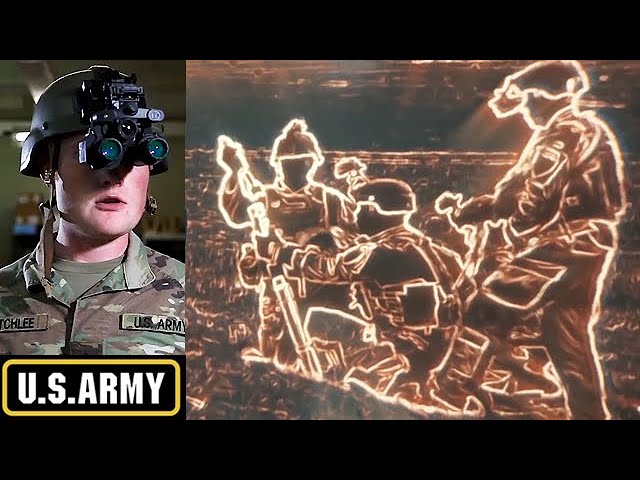
The L3Harris ENVG-B Night Vision Goggles, arms soldiers with superior abilities to target, engage and neutralize threats, enhancing mission success and operator safety. The ENVG-B is a helmet-mounted, dual-waveband goggle with industry-leading, fused white phosphor and thermal technologies.
The night vision devices were developed by L3Harris to...
hallow mortar
I understand what you want to do, but it's not practically possible with script commands
tough abyss
What about using C++ ? Extension wise?
hallow mortar
If Reshade can do it then presumably another DLL extension can. However, it will be complicated since you're doing graphics injection, and it will have similar limitations to Reshade (being BattlEye blocked, limited interaction through in-game methods, can't be a Workshop mod)
tough abyss
Damn... disappointing.
I only want to the rendering to be active when the GPNVGS are running
Cannot seem to satisfy my high tech realistic warfare game craving
sullen sigil
_uniform = uniform player;
{(_uniform in _x)} forEach parseSimpleArray KJW_Radiate_Setting_UniformProtection``` seems to be complaining of `_uniform |#| in _x` being type number KJW_Radiate_Setting... is an array of arrays containing classnames and numbers -- i.e [["class1",0,1,2],["class2",0,2,1]]
sullen sigil
ah, bracketing was wrong in addon settings 🤦
dreamy kestrel
Q: trying to arrange the smoke shells... not working so well, and the emitter function is returning false, nothing apparently in the log to indicate whether there was an issue.
_target = player;
_deleteWhenEmpty = true;
_grp = createGroup [sideLogic, _deleteWhenEmpty];
_effect = _grp createUnit ['ModuleSmoke_F', getPosATL _target, [], 0, 'CAN_COLLIDE'];
{_effect setVariable _x} forEach [['type', 'SmokeShellOrange'], ['repeat', true]];
[_effect, 'BIS_fnc_moduleGrenade'] call BIS_fnc_moduleEffectsEmitterCreator;
Variables from the _effect are:
allvariables _effect apply {[_x, _effect getvariable _x]}
// [["bis_fnc_moduleinit_function","BIS_fnc_moduleGrenade"],["bis_fnc_moduleinit_status",false],["bis_fnc_initmodules_activate",false],["bis_fnc_initmodules_priroty",0],["cba_xeh_isprocessed",true],["repeat",true],["type","SmokeShellOrange"],["cba_xeh_isinitialized",true]]
I lifted "BIS_fnc_moduleGrenade" from the 3den module config function attribute, but maybe that is not the right one to be using in this instance.
// ...
function = "BIS_fnc_moduleGrenade";
// ...
Check the functions notes in function viewer to see if they help
dreamy kestrel
I'm wondering if I need "BIS_fnc_moduleEffectsShells" and not "BIS_fnc_moduleGrenade"
dreamy kestrel
Hrm, if I am reading the BIS_fnc_moduleGrenade logic correctly, it only likes being placed via curator, at best, i.e. 3den editor... apparently does not respond to programmatic instances?
dreamy kestrel
Am I reading this correctly? this appears to never look to _this for the function name... how did this ever work? or didn't it? literally the first few lines of BIS_fnc_moduleEffectsEmitterCreator...
_logic = _this param [0,objnull,[objnull]];
_params = getArray (configFile >> "CfgVehicles" >> (typeOf _logic) >> "effectFunction");

_fnc = "";
_nr = 1;
if ((count _params) > 1) then {
_fnc = _params param [0,"",[""]];
_nr = _params param [1,1,[1]];
} else {
_fnc = _params param [0,"",[""]];
};
if (_nr < 1) then {_nr = 1};
First thing it tries to do is lift effectFunction from the _logic config; fine. but there are none, verified in debugger: []
then via count _params cond branches...
// yellow flag!
... else {
_fnc = _params param [0,"",[""]];
};
_params? huh? but we just established it was EMPTY! so why would that have anything...
unless I am missing something here, the correct line(s) should be:
_fnc = _this param [1,"",[""]];
_nr = _this param [2,1,[1]];
At least according to the little bit of docs there are:
https://community.bistudio.com/wiki/BIS_fnc_moduleEffectsEmitterCreator
Am I missing something there or is this a bug? Goal here is to avoid the 3den editor and/or curator. Really needing this to be procedural, programmatic.
🙇♂️ @copper raven for the bit of viewer advice. very instructional, and a bit revealing, if disconcerting to my chagrin. certainly explains why I am apparently not seeing anything emitted.
So it appears as though perhaps a 'simple' rewrite of at least the emitter function is in order...
Hopefully not too much further than that, i.e. into the actual emission functions themselves.
tough abyss
dreamy kestrel
Am I reading this correctly? this appears to never look to `_this` for the funct...
You are reading it correctly. The function is intended for the module, not for usage via external programmatic means. A rewrite would be most appropriate for your use case.
 dense stump
hello, i have a question, i'm trying to make gui for arty support, and most part of it is ok, but i can't understand how to work with map control.
What i have:
- RscMapControl which is displaying in my dialog, it has CT_MAP_MAIN Type and ST_Picture style.
- list of units and some other variables, for arty options.
What i can't understand:
-
what i need to write, to attach mapClick event to my map control?
I try to attach event handler like that: ```sqf
_mapCtrl = (findDisplay 1234) displayCtrl 1801;
_mapCtrl ctrlAddEventHandler ["MapSingleClick", {
params ["_units","_pos","_alt","_shift"];[_units, _pos] call di_gui_onMapClicked;}];
di_gui_onMapClicked =
{
params ["_units","_pos"];
_mapCtrl = (findDisplay 1234) displayCtrl 1801;

player setVariable ["testMap1", _units, true];
player setVariable ["testMap2", _pos, true];
};
But it's not working, i also try to use onMapSingleClick.
What i do wrong?

I mean when i try to check this variables they are empty, so it means that event not shooting, why?

- second question - i want to center map on unit, when it's selected, i know which one was selected, but i can't understand how to center map on it.

- third question - i have this code, which must drawEllipse on my map control, but i can't see it, i have no idea where he draw it. Center of ellipse must be on unit position, but it's not working and i dk why.

```sqf
switch (typeOf _unit) do
        {
            case "O_VRF_D30": {
                _mapCtrl drawEllipse[_unit, 10, 10,0,[1,0,0,1],"#(rgb,8,8,3)color(1,0.6,0,1)"];
            };
        };
For your first question -- the function you're having the event handler use, di_gui_onMapClicked, isn't defined yet when you set up the event handler. Move it before the EH (or just move the function code inside the EH).
dense stump
tough abyss
For your first question -- the function you're having the event handler use, `di...
strange cause i got no errors when it's executing, i'll try it now, thx
tough abyss
There's lots of things that don't give errors that should, unfortunately
Hold on, does MapSingleClick even exist as a valid uiEventHandler? I don't see it listed on the biki.
I know it can be used as a missionEventHandler for the main map, but not sure about UI.
dense stump
tough abyss
Hold on, does `MapSingleClick` even exist as a valid uiEventHandler? I don't see...
yeah, it can be used as missionEventHandler, but i don't know how to connect click on inGuiMap with map coordinates, maybe i need to use simple on click EH
tough abyss
Mm. Yeah. That's the issue then. You'll have to use a click EH and map the coordinates from the UI map to the real map.
dense stump
tough abyss
Mm. Yeah. That's the issue then. You'll have to use a click EH and map the coord...
map the coordinates - but how? )
tough abyss
Some math will be required, and I'm not able to write the code for you at the moment, but something like this:
- Figure out the real map coordinates of some spot on the UI map (ideally, the top-left corner)
- In the click EH, use the coordinates of the click and find the horizontal (dx) and vertical (dy) distance from the top-left corner of the UI map
- Take the real map coordinates from step 1, and add dx/scale horizontal and dy/scale vertical distance, where
scaleis the scale ratio of the UI map to the main map
dense stump
tough abyss
Some math will be required, and I'm not able to write the code for you at the mo...
hmmmm maybe use posScreenToWorld, but i'm not sure
tough abyss
No, that's for other things
There may be a shortcut way to do the above; I am not an expert in developing UI for this game. However, the method above is a way you could accomplish what you want.
An example of how it works would be:
Step 1: Let's say the top-left corner of the UI map corresponds to the coordinates (1000, 1000) on the main map.
Step 2: Let's say the click is at coordinates (23, 50) from the top-left corner of the UI map.
Step 3: Let's say the UI map is half the scale of the main map, aka scale is 0.5. We take the coordinates from step 1 (1000, 1000), and then add (23, 50)/scale, which results in a true map position of (1046, 1100).
 still forum
hallow mortar
A lot of people use Visual Studio Code; I think it's free. Notepad++ is the othe...
still forum
hallow mortar
A lot of people use Visual Studio Code; I think it's free. Notepad++ is the othe...
VS Code is also the only out-of-game editor that has a SQF debugger :3
dense stump
tough abyss
- Figure out the real map coordinates of some spot on the UI map (ideally, the t...
hmmm.
Well first of all i must place marker on uiMap )
corresponds to the coordinates - can i get that value from ui map?
Cause user also can scroll this map, and change scaling and it's position to main map ._.
tough abyss
I'm not sure. I presume you can, as I'm not sure how else it'd work.
Actually -- posScreenToWorld can work, though ctrlMapScreenToWorld is more appropriate.
dense stump
tough abyss
I'm not sure. I presume you can, as I'm not sure how else it'd work.
there is already a lot of mods with maps like that, but if everyone write his own math for that purpose, that's strange, i think bis have something built-in like on main map, cause you also can setup marker there, so it must be already done, well thx
try to find how to do that, maybe posScreenToWorld works fine, cause if rely on the description, that's what i need
tough abyss
I mistook posScreenToWorld for a different command earlier, my apologies. It will work, but I would suggest using ctrlMapScreenToWorld instead.
dense stump
tough abyss
I mistook `posScreenToWorld` for a different command earlier, my apologies. It w...
yeah of course, they are the same in most part, but in my purpose i need to use ctrl map
tough abyss
Yeah it will work for ctrl map
These are all of the commands that can be used with the map ctrl, for your reference:
https://community.bistudio.com/wiki/Category:Command_Group:_GUI_Control_-_Map
should have everything you need
dense stump
yeah i already dig all that XD

but i not worked with eh before that, and with gui, so it's a little bit stucky.
Cause as i can see i have a problem with LB control too, cause his Event handler don't push me _lbSelection param, but it have correct definition, maybe it's cause i override it in dialog init function, will fix it later.
But the map is most difficult part, cause it all works throw event handlers
tough abyss
Your second question is more complicated, but the answer to your third question is simple: You need to draw inside of a Draw EH.
copper raven
dreamy kestrel
Am I reading this correctly? this appears to never look to `_this` for the funct...
yeah seems like function parameters in the description are totally not what they are, this should be a pretty straight forward fix though. i'd personally avoid using all these modules and their respective functions and just implement stuff in my own way
tough abyss
As for your second question, it seems like this is what you need:
https://community.bistudio.com/wiki/ctrlMapAnimAdd
dense stump
tough abyss
Your second question is more complicated, but the answer to your third question ...
huh, well i think it can be changed on marker.
The idea is:
-
user can see selected units min and max range on map(as i understand, i can only calculate them throw physic parameters, but for test i can do them static) it's close to how vanilla artillery computer works. Draw throw event handler, - need to try that, as in bis example, yeah hope that will work.
-
when user click on map we create marker, and he can see a dispersion zone, which can be edited throw slider, i think it's easier to do that throw marker.
I already write ammo selection, dispersion, slider delay and other thing.
looks like that for now
 dense stump
tough abyss
As for your second question, it seems like this is what you need:
https://commun...
dense stump
tough abyss
As for your second question, it seems like this is what you need:
https://commun...
i tried to use setMapPosition- but that's not correct, cause it's gui position, i mean, it changes position of ui control element, not in map position, use anim instead positioning strange, but it can work
tough abyss
Yes, something like this:
_map ctrlMapSetPosition [];
_map ctrlMapAnimAdd [1, ctrlMapScale _map, _unit];
ctrlMapAnimCommit _map;
where _map is your map ctrl and _unit is the selected unit
should do the trick
tough abyss
trying to make a script that spawns a aerial target and attaches it to a artillery shell (code goes in objects init box) can't seem to get the target to change to east ```sqf
this addEventHandler ["Fired", {
params ["_unit", "_weapon", "_muzzle", "_mode", "_ammo", "_magazine", "_projectile", "_gunner"];
_ciwstarget = "CBA_B_InvisibleTargetAir" createVehicle [0,0,0];
_group = createGroup east;
[_ciwstarget] joinSilent _group;
_ciwstarget attachto [_projectile, [0,0,0]];
}];
use https://community.bistudio.com/wiki/createUnit not createVehicle
tough abyss
thanks
so ive got
this addEventHandler ["Fired", {
    params ["_unit", "_weapon", "_muzzle", "_mode", "_ammo", "_magazine", "_projectile", "_gunner"];
    _group = createGroup east;
    _ciwstarget = "CBA_B_InvisibleTargetAir" createUnit [[0,0,0],_group];
    _ciwstarget attachto [_projectile, [0,0,0]];
}];
``` but it doesnt seem to be spawning the target at all nowbecause you're using the wrong syntax of createUnit
tough abyss
oh ok
copper raven
there are two, one returns the unit the other doesn't
tough abyss
i've got this and it still is not working syntax looks correct```sqf
this addEventHandler ["Fired", {
params ["_unit", "_weapon", "_muzzle", "_mode", "_ammo", "_magazine", "_projectile", "_gunner"];
_group = createGroup east;
_ciwstarget = _group createUnit ["CBA_B_InvisibleTargetAir",[0,0,0], [], 0, "FORM"];
_ciwstarget attachto [_projectile, [0,0,0]];
}];
the target isnt getting attached
 chrome hinge
Greetings, im trying to use a command for making a independent side forget a target from blufor. If i dont use the command side knowsabout is locked at 4 for long time, and if i use the forget command knowsabout of green side doesnt go to 0 but starts to slowly decrease. Any ideas how i can yank it all the way to 0? The command im using is: { _x forgetTarget SO1 } foreach (allGroups select { side _x == independent });
winter rose
tough abyss
the target isnt getting attached
try the same attachTo but with something entirely different?
it might be impossible to attach to a CfgAmmo, IDK
wary sandal
why in the living hell did my dynamic blur break
winter rose
because!
wary sandal
_blurEffect = ppEffectCreate ["DynamicBlur", 400];

blurEffectEnable = false;
_blurEffect spawn {
    waitUntil {
        blurEffectEnable
    };
    _this ppEffectEnable true;
    _this ppEffectAdjust [5];
    _this ppEffectCommit 0.9;
    waitUntil {
        !blurEffectEnable
    };
    _this ppEffectAdjust [0];
    _this ppEffectCommit 0.9;
    waitUntil {
        ppEffectCommitted _this
    };
    ppEffectDestroy _this;
};
it worked like a few hours ago
lol
chrome hinge
They break because arma is very realistic and dreams you try to build in arma break like dreams in real life
wary sandal
winter rose
here it will only happen once
it's meant to happen once only
ppEffectCommit should make the screen blurry
winter rose
private _priority = 400;
while {
    _blurEffect = ppEffectCreate ["DynamicBlur", _priority];
    _blurEffect < 0
} do {
    _priority = _priority + 1;
};
magic?
winter rose
welp, check its code to find out
wary sandal
winter rose
welp, check its code to find out
wdym?
winter rose
read the function's code?
 winter rose
in the functions viewer or whatever is accessible yes
winter rose
wary sandal
had to remove the bis_fnc
or this was the issue?
 wary sandal
it didn't show up because i typed bis_fnc before holdKey
winter rose
what about holdKeyS?
wary sandal
missinput
winter rose
anyway, that's Eden Enhanced - no official support 😛
wary sandal
well i'm looking at the code but i have no idea where to look at
i'm not in that kind of stuff
there's no mention of blur
dreamy kestrel
copper raven
yeah seems like function parameters in the description are totally not what they...
Yeah I mean I can think of half a dozen ways OTHER than what is there, if config is desired, to override caller intent, whatever.
Thanks for the consult. Cheers. 🍻
dreamy kestrel
tough abyss
You are reading it correctly. The function is intended for the module, not for u...
Appreciate the feedback. Yeah, I was considering that does appear to be the case.
wary sandal
playing an .ogv video on the USS liberty screens doesn't seem to work, only audio plays in
ship setObjectTexture [0, "a3\missions_f_exp\video\exp_m07_vout.ogv"];
for "_i" from 0 to 1 step 0 do {
    ["a3\missions_f_exp\video\exp_m07_vout.ogv", [10, 10]] spawn BIS_fnc_playVideo;
    sleep 10;
};
I assume ship is one of the screen objects and not the ship itself
wary sandal
hallow mortar
I assume `ship` is one of the screen objects and not the ship itself
it's a block of the ship
more precisely, the rear storage bay
when i change the object texture screens turn into this

 south swan
does it have any hiddenselections to retexture? Does getObjectTextures ship return any?
wary sandal
south swan
does it have any hiddenselections to retexture? Does `getObjectTextures ship` re...
hint str (count getObjectTextures ship) returns 0
south swan
then it doesn't look retexturable 🤷♂️
wary sandal
south swan
then it doesn't look retexturable 🤷♂️
rip
is it possible to add an invisible screen canvas on top of the screen?
hallow mortar
try using a Briefing Room Screen or Briefing Room Desk object instead. They're specifically designed for this.
you can also put a User Texture object in front of the screen and use that, if you like
wary sandal
hallow mortar
you can also put a User Texture object in front of the screen and use that, if y...
i have to use ObjectBuilder.exe?
hallow mortar
No?
hallow mortar
Open the Editor, press F1, go to the Props tab, and type "user texture" into the search box
wary sandal
hallow mortar
Open the Editor, press F1, go to the Props tab, and type "user texture" into the...
thanks
any way of resizing them?
it's not gonna fit otherwise
winter rose
just setObjectScale
hallow mortar
The Briefing Room Screen object is the same screen so it's the same size. You can carefully position one exactly in front of the existing screen so it appears mostly seamless
wary sandal
hallow mortar
The Briefing Room Screen object is the same screen so it's the same size. You ca...
this one?

issue is that the legs are floating
hallow mortar
I think you mean the wall-mount brackets leave a clear space above the deck to allow easy cleaning
If it really bothers you just put a chair or a couple of plastic cases or something in front of it. No one will notice
 sullen sigil
please tell me theyre simple objects
wary sandal
sullen sigil
please tell me theyre simple objects
no they're dynamically simulated objects
(jk)
dreamy kestrel
dreamy kestrel
Q: trying to arrange the smoke shells... not working so well, and the emitter fu...
Let me ask this follow on question. Is there any value building on the Effects Module classes whatsoever? Apart from perhaps leveraging meta details defined by the classes, i.e. ammo types defined by ModuleSmoke_F and such.

 torpid mica
I just have a quick off Topic question about scripting in general. Does anybody know how to program with lua? If someone wants to help me pls dm me.
wary sandal
torpid mica
I just have a quick off Topic question about scripting in general. Does anybody ...
it used to be my main language a few years ago haha
you met the right person
wary sandal
tv setObjectTextureGlobal [0, "video.ogv"];
for "_i" from 0 to 1 step 0 do
{
    0 = ["video.ogv", [10, 10]] spawn BIS_fnc_playVideo;
    sleep 3 + 1; // length of the video + 1
};
(the video now appears semi normal after a restart)

i tried setting the aspect parameter to false to stretch the video to bounds but it does nothing
little raptor
wary sandal
```sqf
tv setObjectTextureGlobal [0, "video.ogv"];
for "_i" from 0 to 1 step 0 d...
sleep 3 + 1; // length of the video + 1
this is wrong anyway
winter rose
( ) plz
jade acorn
that screen displays only half of whatever texture you put there
another half is usually displayed on a briefing table object
south swan
so, User Texture time?
jade acorn
so your video would have to be in 2:1 ratio AND only playing in the upper half
wary sandal
winter rose
`( )` plz
no. foreach getMissionLayerEntities "A" select 0 flatten or nil
wary sandal
jade acorn
so your video would have to be in 2:1 ratio AND only playing in the upper half
alright
so i have to edit the original video?
wary sandal
little raptor
> sleep 3 + 1; // length of the video + 1
this is wrong anyway
youtube tutorials at their finest
jade acorn
this is how the original texture for briefing desk and screen looks like

screen displays upper half, desk the lower half afaik
so make the video same resolution but the sequence has to be played only in the upper half of that file
i hope you get what I'm trying to say here
wary sandal
jade acorn
so make the video same resolution but the sequence has to be played only in the ...
mhmm
what about i double the vertical resolution and fill the lower half with black?
jade acorn
project resolution is 2048x2048 but visible part is 2048x1024
wary sandal
yeah right
i was confused
thanks for editing
let's pray that my video editor supports the .ogv format i guess
winter rose
wary sandal
no. ``foreach getMissionLayerEntities "A" select 0 flatten or nil``
spank spank
jade acorn
you can always convert it to something less retarded and then re-export it back to ogv
not sure what can edit ogv but windows media player can play them
wary sandal
jade acorn
you can always convert it to something less retarded and then re-export it back ...
lmao
everyone's talking about ogvs like it's a format we use everyday
never ever heard about it personally
south swan
oof, User Texture objects look cursed https://media.discordapp.net/attachments/737175675818999898/1049399336041185390/image.png
 jade acorn
I assume you expected the source to just be partially displayed instead of being adjusted to texture object size
south swan
nah, i've expected having at least one of: a) non-uniform scaling; or b) something that's at least close in aspect ratio
tough abyss
Unfortunately making objects with custom uvmaps is usually necessary to get the aspect ratio to look good
Which was a fun thing to figure out for oval shaped portals
wary sandal
jade acorn
project resolution is 2048x2048 but visible part is 2048x1024
one game crash and a dinner later, cringe natowave screen achieved!

one thing that i'm still missing is the proper way for sleep (3 + 1)
jade acorn
sleep 4?
 jade acorn
number there is not a constant
wary sandal
every time the video ends there's a short blackout
granite sky
sleep 3 + 1 won't do what's intended due to the sleep taking precedence over the +
jade acorn
you just put number of seconds you want to make the script be on hold
granite sky
It's just (sleep 3) + 1
jade acorn
wary sandal
every time the video ends there's a short blackout
why not make it repeat earlier than it should end?
I mean if video is 4s long then make it repeat after 3.5
south swan
inb4 itermediate r2t to fix the aspect ration 
tough abyss
Just use scriptDone to see if the video's done
wary sandal
jade acorn
I mean if video is 4s long then make it repeat after 3.5
some video "teached" me to always add one second to the wait when working with videos
💀
jade acorn
tough abyss
Just use scriptDone to see if the video's done
scriptDone will still cause the black screen millisecond to happen
south swan
If called in scheduled environment, the next line of code will not process until the video is stopped or finished.
tough abyss
I mean... yeah probably
south swan
for "_i" from 0 to 1 step 0 do
{
    0 = ["video.ogv", [10, 10]] call BIS_fnc_playVideo;
    sleep 1; // length of the video + 1
};```?I'd think a millisecond of black screen is preferable to cutting the video off early
I sincerely doubt a waitUntil scriptDone will cause a noticeable black screen delay
Seeing as it'll be checking nearly every frame in typical circumstances
tv setObjectTextureGlobal [0, "video.ogv"];
for "_i" from 0 to 1 step 0 do
{
 private _handle = ["video.ogv", [10, 10]] spawn BIS_fnc_playVideo;
    waitUntil { scriptDone _handle };
};
since init.sqf is scheduled, a sleep wouldn't be necessary- right?
jade acorn
tough abyss
I'd think a millisecond of black screen is preferable to cutting the video off e...
if it's a looped distorted symbol of NATO then the opposite
tough abyss
If there's actually a noticeable black screen, sure
Which I still don't think is a given unless the scheduler is running slow
jade acorn
you're right
south swan
while {true} do {["a3\missions_f_exp\video\exp_m07_vout.ogv", [10, 10]] call BIS_fnc_playVideo; }```seemes to properly loop at my machinethis made my game crash
you did it in init.sqf right?
south swan
no, i did it in separate spawned thread, because it never stops looping
[] spawn {while {true} do {["a3\missions_f_exp\video\exp_m07_vout.ogv", [10, 10]] call BIS_fnc_playVideo; }}``` being the full codejust like the for loop in your message here 🤷♂️
tough abyss
I am curious as to why a for loop with step 0 is being used instead of just a while {true}
is this some sort of extreme unnecessary micro-optimization?
wary sandal
tough abyss
is this some sort of extreme unnecessary micro-optimization?
yes
it's to flatter your ego that you code differently and efficiently
(also it immediately makes me an arma 3 coding expert)
tough abyss
well stahp it
unless you're writing microcontroller code or similar, readability >>> micro-optimization
south swan
or unless you've actually profiled it to be the slowest spot
tough abyss
^
which, if a while {true} is your slowest spot, you're in pretty good shape
So you want to put values into an array, then?
Depends how you're wanting to access them
if they just need to be variables, use global vars
if you need to access them via an index, use an array
if you want to access them via a key, use a hashmap
granite sky
Is this classname -> number or object -> number?
tough abyss
What's an example of how you'd like to access the values?
wary sandal
tough abyss
```sqf
tv setObjectTextureGlobal [0, "video.ogv"];
for "_i" from 0 to 1 step 0 d...
hmm, there's a pretty long delay each time the video ends with this solution
tough abyss
interesting, perhaps the unscheduled approach suggested earlier is better, then
What's the "value" you're looking for?
granite sky
Different objects with the same classname can have different values?
tough abyss
And what's the number for?
As I currently understand, you have an array of vehicles in an area, and you want to assign them to number values for some unspecified reason
if you detail what your goal is, there's probably an efficient way to go about it
Ah, I see
in that case, I would use setVariable to set the number on the vehicles themselves
and then read it with getVariable when totaling them up
There's other ways to do it, yes, but less efficient
south swan
array/hashmap/whatever
granite sky
If two vehicles of the same type/classname always have the same value then you'd just make a static hashmap from classname -> value.
south swan
hashmap over classnames and TAG_vehicleWeights getOrDefault [typeOf _x, 0] should be plenty efficient
tough abyss
I mean I suppose in a sense a hashmap could be more efficient...
but on the caveat the same vehicle types always have the same value
granite sky
If every vehicle has a different arbitrary value then setVariable in init is sensible.
wary sandal
tough abyss
interesting, perhaps the unscheduled approach suggested earlier is better, then
well it's really weird, the black screen still occurs even when i use @south swan 's solution [] spawn {while {true} do {["a3\video.ogv", [10, 10]] call BIS_fnc_playVideo; }}
tough abyss
interesting, seems there's a guaranteed black screen if the video actually finishes playing then
so I guess cutting it off slightly early is indeed the best solution
probably some sort of delay caused by the internal resource freeing/allocation if I had to guess
wary sandal
for "_i" from 0 to 1 step 0 do
{
    _handle = ["natowavefunni.ogv", [10, 10]] spawn BIS_fnc_playVideo;
    sleep 2;
};
tried cutting it one second early, still happens
the delay is about half a second, dunno what is causing it
what i could do is increase the video length but it would create a large file
wary sandal
skipVar?
tough abyss
one of the params for that function lets you specify a missionNamespace var to set to true to skip the video
wary sandal
what does it do?
tough abyss
although apparently using this works fine:
missionNamespace setVariable ["BIS_fnc_playVideo_skipVideo", true];
wary sandal
it restarts the video ?
tough abyss
it instantly ends it from what I understand, so you'd still have to restart manually
but the internals may be different
so it (could) fix the problem
depends how big the array is and what searching algorithm you're using
linear search isn't too slow unless working with very large arrays seeing as it's O(N)
wary sandal
like this?
for "_i" from 0 to 1 step 0 do
{
    missionNamespace setVariable ["BIS_fnc_playVideo_skipVideo", false];
    _handle = ["natowavefunni.ogv", [10, 10]] spawn BIS_fnc_playVideo;
    sleep 2;
    missionNamespace setVariable ["BIS_fnc_playVideo_skipVideo", true];
};
yeah
wary sandal
still the same
tough abyss
if you're using get with a key it's a hashmap, so lookup is O(1) time which is fast
seems like a hashmap is what you want
 dull warren
helo, is there a default volume value for fadesound??
tough abyss
according to:
https://community.bistudio.com/wiki/fadeSound,
no
lapis ivy
Is it possible to turn off the player's flashlight using a script?
I need to crash the flashlight of a player that enters a trigger. The mission is multiplayer.
Here is what I have:
if (player inArea light_weapon && player isFlashlightOn (currentWeapon player) && dayTime > 20.00 || dayTime < 5.00) then
{
    player enableGunLights "ForceOff";
    sleep 0.1;
    player enableGunLights "ForceOn";
    sleep 0.2;
    player enableGunLights "ForceOff";
    sleep 0.7;
    player enableGunLights "ForceOn";
} else { hint "No Flashlight"; };```
This only works for AIs that are in the player's group.took a good 3 minute search on the page. I consider that properly hidden from sight
wary sandal
lapis ivy
Is it possible to turn off the player's flashlight using a script?
I need to cra...
i believe it'd be better to put dayTime > 20.00 || dayTime < 5.00 in parenthesis
(unrelated but just saying)
lapis ivy
wary sandal
i believe it'd be better to put ``dayTime > 20.00 || dayTime < 5.00`` in parenth...
ok, thx
wary sandal
lapis ivy
ok, thx
you want the gun lights to be lit up during the night?
lapis ivy
wary sandal
you want the gun lights to be lit up during the night?
No, I create a horror moment for the players, I want to make a glitch with a flashlight at night
wary sandal
lapis ivy
No, I create a horror moment for the players, I want to make a glitch with a fla...
makes sense, but what matters is that you need the lights to be lit up at night
so you would actually do something like (dayTime > 20.00 && dayTime < 5.00) since you want the time to be not less than 8pm and not more than 5am if that makes sense
lapis ivy
Yes, it makes sense. Thanks for the help.
halcyon temple
hey guys
trying to figure out how to go about enabling camera rotation or free cam, when cam is created, set on a target and committed.
south swan
as in "enable back"? https://community.bistudio.com/wiki/camSetTarget says "To reset the target use objNull."
halcyon temple
rather to able to follow a target, but being able to "look around"
winter rose
there is a "camCommand" something perhaps
check the wiki for Camera commands, it's in there 🙂
Here it is! https://community.bistudio.com/wiki/camCommand
@halcyon temple ^
halcyon temple
thx @winter rose , question thou, is it CamCurator, and if so, the pitch mentioned, is to related to all axis or just x axis?
lapis ivy
How to stop the cycle? I can not understand.
While the player is in the trigger, they need to play this sound. If it exits, I need to stop the audio loop.
if (player inArea thisTrigger) then
{
   while {true} do
   {
    playSound "scrip_house";
   };
};
while {player inArea thisTrigger} do {//whatever}?
halcyon temple
if (condition) exitWith {

};
halcyon temple
lapis ivy
How to stop the cycle? I can not understand.
While the player is in the trigger,...
south swan
bit of overkill for one-liner with while already having a condition, but works
lapis ivy
My arma has hung 3 times already...
winter rose
halcyon temple
thx <@137855151120711680> , question thou, is it CamCurator, and if so, the pitc...
there is pitch, yaw and roll
pitch is looking up/down (reading the pitch of a movie),
yaw is left/right ("yo!"),
and roll is, well, the barrel roll!
halcyon temple
winter rose
there is pitch, yaw and roll
pitch is looking up/down (reading the pitch of a mo...
lolz... I get it...
https://community.bistudio.com/wikidata/images/thumb/f/f0/transformVectorUpAndDir.jpg/300px-transformVectorUpAndDir.jpg
still no successes thou
 lapis ivy
while (player inArea thisTrigger) do
{
  if (player inArea thisTrigger) then {
    playSound "scrip_house";
    sleep 24;
   };
};
oh
I do not understand
halcyon temple
lapis ivy
I do not understand
you remind myself.... of myself...
🤣
lapis ivy
😄
winter rose
halcyon temple
lolz... I get it...
https://community.bistudio.com/wikidata/images/thumb/f/f0/tr...
whatcha tryin'?
lapis ivy
All I have achieved with the while loop is that my arma is crashing now 😄
winter rose
lapis ivy
All I have achieved with the while loop is that my arma is crashing now 😄
loop where, trigger?
(given thislist, I'd wager so)
halcyon temple
lapis ivy
```sqf
while (player inArea thisTrigger) do
{
if (player inArea thisTrigger) t...
while (true) do
{
if (!(player inArea thisTrigger)) exitWith {};
playSound "scrip_house";
sleep 24;
};
winter rose
don't, a trigger activation code is unscheduled - aka you just asked the game to play the sound, 10000×, in the same frame 😄
lapis ivy
I need the sound to play only for one person who is in the trigger, and if he leaves the trigger, then there was no sound. Mission multiplayer
lapis ivy
winter rose
don't, a trigger activation code is unscheduled - aka you just asked the game to...
I already understood it 😄
lapis ivy
halcyon temple
while (true) do
{
if (!(player inArea thisTrigger)) exitWith {};
playSou...
How does he work? If I leave the trigger, the sound will stop playing again, right?
winter rose
neither of the codes will work
halcyon temple
sounds about right 🤣
lapis ivy
halcyon temple
while (true) do
{
if (!(player inArea thisTrigger)) exitWith {};
playSou...
error while
halcyon temple
@winter rose something like this
_entity addEventHandler ["Fired", {
    _eventIDs pushBack [_entity, _thisEvent, _thisEventHandler, _projectileCameraModule];

    _this spawn {
        params ["_unit", "_weapon", "_muzzle", "_mode", "_ammo", "_magazine", "_projectile", "_gunner"];
        private ["_cam", "_entity", "_camView", "_camVisionMode", "_camVisionModeType", "_camVisionModeIndex"];

        _camStatus = true;

        setAccTime 0.0666666666666667;

        // _cam = "camera" camCreate (position _projectile);
        _camView = cameraView;
        _projectile switchCamera "External";

        _cam = "CamCurator" camCreate (position _projectile);

        // _cam cameraEffect ["External", "Back"];

        if (_unit isEqualTo _gunner) then {
            _entity = _unit;
        } else {
            _entity = _gunner;
        };
        _cam camCommand "CamCurator";
        _cam camCommand "maxPitch 89";
        _cam camCommand "minPitch -89";
        _cam camCommand "speedDefault 0.1";
        _cam camCommand "speedMax 2";
        _cam camCommand "ceilingHeight 5000";
        _cam camCommand "atl off";
        _cam camCommand "surfaceSpeed off";

        _camVisionMode = currentVisionMode [_entity];
        _camVisionModeType = _camVisionMode select 0;
        _camVisionModeIndex = _camVisionMode select 1;

        switch (_camVisionModeType) do {
            case 0: {
                camUseNVG false;
                false setCamUseTI _camVisionModeIndex;
            };

            case 1: {
                camUseNVG true;
            };

            case 2: {
                true setCamUseTI _camVisionModeIndex;
            };
        };

        waitUntil {
            if ((isNull _projectile) || !_camStatus) exitWith {
                true;
            };

            // _cam camSetTarget _projectile;
            // _cam camSetRelPos [0, -0.5, 0];
            // _cam camCommit 0;

            false;
        };

        uiSleep 0.5333333333333333;

        // _cam cameraEffect ["Terminate", "Back"];
        camDestroy _cam;
        _entity switchCamera _camView;

        setAccTime 1;
    };
}];
but I would like to be able to "freely" move the camera
better yet "rotate" the cam... more specificity
winter rose
lapis ivy
error while
let's try on mobile
thisTrigger spawn {
  params ["_triggerList"];
  while stuff, if not in _triggerList leave
};
@lapis ivy waitUntil might work for you
winter rose
halcyon temple
<@541948726143614987> waitUntil might work for you
nah, also a waiting operation
no waitUntil, and while loops are hardcoded to 10000 iterations (and tried all in one frame iirc)
it is called "unscheduled"
halcyon temple
winter rose
nah, also a waiting operation
no waitUntil, and while loops are hardcoded to 100...
right
requires something like spawn... got it
winter rose
halcyon temple
<@137855151120711680> something like this
```sqf
_entity addEventHandler ["Fired...
I don't see any pitch operation
and things like camSetBank etc won't work
try setVectorDirAndUp
lapis ivy
thisTrigger spawn {
params ["_triggerList"];
while {true} do
{
    if (!(player inArea thisTrigger)) exitWith {};
    playSound "scrip_house";
    sleep 24;
};
};
Will it work? He ignores my sleep and loads the sound 100,000 million times
oh
maby
thisTrigger spawn {
params ["_triggerList"];
while {true} do
{
    if (!(player inArea thisTrigger)) exitWith {};
    playSound "scrip_house";
  };
 sleep 24;
};
damn...
 halcyon temple
lapis ivy
```sqf
thisTrigger spawn {
params ["_triggerList"];
while {true} do
{
if (...
halcyon temple
lapis ivy
```sqf
thisTrigger spawn {
params ["_triggerList"];
while {true} do
{
if (...
check curly brackets
@lapis ivy sqf thisTrigger spawn { params ["_triggerList"]; while { true } do { if (!(player inArea thisTrigger)) exitWith {}; playSound "scrip_house"; sleep 24; }; };
but lou said #arma3_scripting message
south swan
lapis ivy
```sqf
thisTrigger spawn {
params ["_triggerList"];
while {true} do
{
if (...
try params ["_thisTrigger"]; and player inArea _thisTrigger instead
thisTrigger spawn {
if (missionNamespace getVariable ["TAG_spookySound", false]) exitWith {};
TAG_spookySound = true;
params ["_thisTrigger"];
while { player inArea _thisTrigger } do {
playSound "scrip_house";
sleep 24;
};
TAG_spookySound = false;
};``` thisTrigger spawn {
params ["_triggerList"];
while { true } do {
if (!(player inArea _triggerList/* like artemoz mentioned */ )) then {false;};
playSound "scrip_house";
sleep 24;
};
};```
might work Thanks guys!
winter rose
while player in triggerlist 😉
halcyon temple
winter rose
while player in triggerlist 😉
xD, like artemoz said
south swan
doesn't get updated in a separate spawned thread, though
winter rose
yep, sacrifices have to be made
winter rose
south swan
doesn't get updated in a separate spawned thread, though
oh wait, yes it's the array itself x| so pass the trigger, then get its list, which will be updated mb indeed!
winter rose
the result is an array, but that array is a copy afaik
aka you get a different array every time, not the original detection one (otherwise you could modify it from the outside!)
halcyon temple
enough for today, tomorrow I'll try and fix the camera...
😴
winter rose
rest well, see ya soon\™
 astral bone
the joy of programming. Forgetting sqf doesn't like the last thing in an array to have a ','
tough abyss
winter rose
try the same attachTo but with something entirely different?
it might be impossi...
works with any other object
south swan
not the only language to do that
hollow yoke
I didn't find anything on the wiki for this, is it possible to make respawns only show up to one squad, not the rest of the faction?
i figure it may be complicated, may require a custom respawning script?
copper raven
hollow yoke
I didn't find anything on the wiki for this, is it possible to make respawns onl...
if you're using apex templates, https://community.bistudio.com/wiki/BIS_fnc_addRespawnPosition
you can pass a specific group to it
hollow yoke
oh hey no way
that's awesome, ill be back in a bit after messing with it
I couldn't find that for the life of me, much appreciated
 pallid flare
so i have a vehicle and i have 2 .paa's, one for the exterior and one for the interior , is it possible to use setObjectTexture and replace the interior and exterior of the vehicle ?
copper raven
pallid flare
so i have a vehicle and i have 2 .paa's, one for the exterior and one for the in...
exterior yeah, interior i don't think so, requires modding
 warm hedge
Maybe possible, maybe not. Which vehicle it is?
 cursive elk
is it possible to add other vehicle turrets to an object via scripting?
warm hedge
Maybe in a ugly way
dreamy kestrel
winter rose
nah, also a waiting operation
no waitUntil, and while loops are hardcoded to 100...
kinda curious about this one at the moment as well... in a spawn context?
how about the 'forever' for i..e for "_fe" from 0 to 1 step 1 do {...}
same for, for [{...},{...},{...}] do {...}?
 gaunt tendon
cursive elk
is it possible to add other vehicle turrets to an object via scripting?
gaunt tendon
cursive elk
is it possible to add other vehicle turrets to an object via scripting?
u can kinda make a fake turret e.g. using the firedman evh to change the projectile, maybe use some RscTitles for ui stuff like ammo count display, some UI event handlers for user inputs
 outer bay
I haven't been able to test this in multiplayer, but does calling an AAN Article from the add action menu display it for the user who performed the action, or all players?
pulsar bluff
anyone know where the code is for the zeus flare module
stable dune
pulsar bluff
anyone know where the code is for the zeus flare module
A3\functions_f\Effects\fn_effectFiredFlares.sqf
stable dune
pulsar bluff
anyone know where the code is for the zeus flare module
Sorry wrong, module function is
a3\modules_f_curator\effects\functions\fn_moduleProjectile.sqf
pulsar bluff
roger thank you
winter rose
dreamy kestrel
kinda curious about this one at the moment as well... in a `spawn` context?
how ...
in a spawn context everything is scheduled
dreamy kestrel
Q: if I want to derive a class from the baked in class CfgVehicles { class Logic {}; };, then I need to define at least that as a stub in my description.ext correct?
warm hedge
Context aka your goal?
dreamy kestrel
warm hedge
Context aka your goal?
who are you asking?
warm hedge
You
dreamy kestrel
warm hedge
You
stated in my question. just that.
warm hedge
I asked what I've said because I don't know why you want that
dreamy kestrel
okay, well to rephrase, I have a class that needs to derive from Logic. so I need to stub that in, correct?
warm hedge
Hmm guess I barely understand what you want. Firstly, even if you define CfgVehicles in Description.ext, will never take effect to actual game. Second, if you want to add something that inherits from logic, indeed you need to declare it
dreamy kestrel
Why wouldn't it take effect in the actual game? I am not expecting A3 have support for the things I am declaring. I have a framework around that.
hallow mortar
CfgVehicles just doesn't work fully in mission description.ext
It only works for limited definition of certain special classes (sound effect emitters IIRC). The rest of CfgVehicles can only be patched by mods.
dreamy kestrel
hallow mortar
It only works for limited definition of certain special classes (sound effect em...
correct, and I have a mod framework I am putting around the config that I am adding in. I just needed to know the particulars of deriving from baked in base classes. A3 handles all the attribute merges and stuff automagically, I am assuming...
hallow mortar
#arma3_config but I don't think this is going to work, because you can't patch CfgVehicles in mission description.ext, the config will not be loaded, you can only patch it in a mod
dreamy kestrel
again, I KNOW. I am working on a mod!!!
hallow mortar
dreamy kestrel
again, I KNOW. I am working on a mod!!!
It doesn't matter if you're also making a mod. You said you're trying to use description.ext to change CfgVehicles. You can't. You need to use a mod file like config.cpp or whatever. Changes you make in description.ext won't work.
 drowsy geyser
is there any way to enable radial blur via command?
warm hedge
drowsy geyser
yes, i mean enable it if player has disabled it in video options
warm hedge
Don't think there's any way
drowsy geyser
what a shame
hallow mortar
Does ppEffectEnable do it or is that a separate level of control?
dreamy kestrel
hallow mortar
It doesn't matter if you're also making a mod. You said you're trying to use des...
define "changing". I am not trying to modify any classes. just derive from one in particular, Logic, for now.
I'll look into the config.cpp just the same, thanks.
anyway the config I wanted to load from mission config appears to load correctly, so. that much is what I needed for the framework, thank you.
hallow mortar
You can't modify existing classes or create new ones. The only part of CfgVehicles that works in description.ext is a limited set of special effects emitters.
dreamy kestrel
hallow mortar
You can't modify existing classes or create new ones. The only part of CfgVehicl...
seems to work just fine for what I need.
_cfg = missionConfigFile >> "CfgVehicles" >> "MY_SmokeGrenade_F";
[isNull, _cfg, getText (_cfg >> "ammo")]; // [false, "SmokeShellWhite"]
if I can do that much with it, that is all I need for now.
warm hedge
Yes it will work if you define CfgVehicles in description.ext. But none of entries in it doesn't reflect what actual config from vanilla game/Mods (unless you declare CfgVehicles in some special ways)
dreamy kestrel
thanks, I have what I needed to know. 🍻
tough abyss
i am attempting to make ciws shoot at an artillery round but the invisible target either isnt attaching or is not changing side i had
this addEventHandler ["Fired", {
    params ["_unit", "_weapon", "_muzzle", "_mode", "_ammo", "_magazine", "_projectile", "_gunner"];
    _ciwstarget = "CBA_B_InvisibleTargetAir" createVehicle [0,0,0];
    _group = createGroup east;
    [_ciwstarget] joinSilent _group;
    _ciwstarget attachto [_projectile, [0,0,0]];
}];
but someone helped me to get this but it won't attach
this addEventHandler ["Fired", {
    params ["_unit", "_weapon", "_muzzle", "_mode", "_ammo", "_magazine", "_projectile", "_gunner"];
    _group = createGroup east;
    _ciwstarget = _group createUnit ["CBA_B_InvisibleTargetAir",[0,0,0], [], 0, "FORM"];
    _ciwstarget attachto [_projectile, [0,0,0]];
}];
you can use "import" keyword to import mod config classes, into description.ext
drowsy geyser
hallow mortar
Does ppEffectEnable do it or is that a separate level of control?
would that work? never tried it.
dreamy kestrel
still forum
you can use "import" keyword to import mod config classes, into description.ext
hmm, tried that... 8:58:54 Warning Message: Cannot find base class 'Logic'
still forum
what exactly did you try? maybe you did it wrong
dreamy kestrel
still forum
what exactly did you try? maybe you did it wrong
simply:
class CfgVehicles {
    import Logic;
    class MY_Effect_F : Logic {};
};
although maybe this is one of those 'special ways' things are loaded (or not).
i.e. when I do, typeOf player iskindof 'man' // true
the only way I have been able to get it to sort of work is with class Logic; but I do not think that is quite kosher.
when I try, 'MY_Effect_F' iskindof 'logic' // false
even though I can load a config from missionConfigFile, seems misaligned with configFile.
seems like maybe a bit deeper dive into mod addons may be in order.
 proven charm
dreamy kestrel
simply:
```hpp
class CfgVehicles {
import Logic;
class MY_Effect_F : Log...
proven charm
dreamy kestrel
simply:
```hpp
class CfgVehicles {
import Logic;
class MY_Effect_F : Log...
try leaving import out of the class
dreamy kestrel
proven charm
try leaving import out of the class
I don't quite follow. snippet?
proven charm
dreamy kestrel
I don't quite follow. snippet?
import Logic;    // <-------------------- here
class CfgVehicles {
    class MY_Effect_F : Logic {};
};
https://community.bistudio.com/wiki/import
import Logic from CfgVehicles I think?
dreamy kestrel
warm hedge
https://community.bistudio.com/wiki/import
`import Logic from CfgVehicles` I thi...
that works.
but again sort of, isKindOf does not see my derived class as a kind of Logic.
I can probably work around this...
idk I appreciate some of the special ways it kind of 'works' and sometimes does not.
on a 50% scale, kind of 60% leaning towards maybe a mod addon with a proper config.cpp and such would be worth the effort.
thanks for the responses.
dreamy kestrel
hmm okay so this may be the thing that decides it for me... trying to createUnit from one of those Logic derived classes. failing to do so, yields objNull.
_y = getPosASL player;
_grp = createGroup [sideLogic, true];
_logic = _grp createUnit ['MY_SmokeGrenade_F', _y, [], 0, 'none'];
[_grp, _logic] // i.e. [L Bravo 3-1,<NULL-object>]
As you were told before, you cannot create/modify vehicle classes in description.ext
winter rose
hallow mortar
You can't modify existing classes or create new ones. The only part of CfgVehicl...
this message @dreamy kestrel
if you want to create a new class, create a config mod
wary sandal
ghostping 🤨
winter rose
wary sandal
ghostping 🤨
can't find any (deleted) message a 17h ago message deleted 2 minutes later yes ^^
tough abyss
Perhaps an addon vs. mission editing biki page is in order 😛
as iirc there's currently no centralized location to see all of the important distinctions between the two
outer bay
Question: Many functions on the wiki don't have a target/player parameter (i.e. the AAN banner https://community.bistudio.com/wiki/BIS_fnc_AAN). If I were to use this in multiplayer where an addAction calls the AAN script, how do I know if it will call for all clients or just the one who performed the action?
tough abyss
iirc (almost?) all GUI-related functions are local only
outer bay
Perfect, thanks!
 west flicker
Sorry if this is the wrong channel, but I'm trying to have a bar gate open and close remotely (from a terminal nearby). I have addAction created to open the gate but can't seem to get the action to open the gate. This is the script I found in the forums but can't seem to get it working. I've named the gate bargate1
this addAction ["Open Gate", {bargate1 animate ["Door_1_Rot", 1]; } ];
copper raven
west flicker
Sorry if this is the wrong channel, but I'm trying to have a bar gate open and c...
does the action not appear or what?
btw with that code you will only open the bargate, never close
west flicker
The action appears, but it doesn't open the gate
west flicker
I plan on making another action that will close the gate with door_1_rot, 0
How do I find that? I am very new to scripting and editing
copper raven
hover over it in editor
west flicker
Bar Gate(bargate1)
Land_Zavora
copper raven
it probably uses a different animation name, as that's not a vanilla bargate (or dlc bargate maybe)
select it in the editor, open debug console, and put animationNames (get3DENSelected "object" select 0)
west flicker
it says "door_1"
copper raven
use that over "Door_1_Rot"
stable dune
Is there EH to objects (like plastic canister) which detect if that get hit by from bullet?
Explosion eh works on objects but i do not get any other to works on them
copper raven
stable dune
Is there EH to objects (like plastic canister) which detect if that get hit by f...
 tough abyss
@stable dune Fair warning about the HitPart EH for future reference: the EH code only runs on the shooter's client, so make sure you take that into account
The biki mentions it but a lot of people seem to miss it :P
stable dune
tough abyss
<@790272937994879047> Fair warning about the HitPart EH for future reference: th...
Good to know, i'm one of them who miss it XD
boreal parcel
heyo, I see in the cba example for the addClassEventHandler there is car, will that also work on tanks, apcs etc?
hallow mortar
It's checking isKindOf. So putting car will affect things that are isKindOf "car" and putting tank will affect things that are isKindOf "tank". You can inspect a vehicle in the Config Viewer to see what sorts of things isKindOf will match it with. Note that base classes like car and tank are not very specific - most wheeled vehicles have the base class car and most tracked vehicles have the base class tank; there is no vanilla APC base class as they usually belong to one of those two. You can use more specific classnames as well, up to and including the exact classname of a type of vehicle.
tough abyss
^ also note that the above only applies if calling the function with the _allowInheritance parameter set to true
otherwise the class has to match exactly
hallow mortar
Well, it's true by default
tough abyss
indeed but worth mentioning in case they're using a version with the value set to false
boreal parcel
alright thank you for the information
also apparently RHS USAF's m6a2 is a car, not a tank lol
wary sandal
why doesn't unitcapture record slingloading?
south swan
probably because it was written way before slingloading became an official mechanic 🤷♂️
wary sandal
south swan
probably because it was written way before slingloading became an official mecha...
understandable
so i have to setSlingLoad manually
private _result = [[0, -400, 50], 0, "B_Heli_Transport_03_F", west] call BIS_fnc_spawnVehicle;
_result params ["_heron", "_heronCrew", "_heronGroup"];

[_heron, _helidata] spawn BIS_fnc_unitPlay;

private _container = "Land_Cargo10_red_F" createVehicle (getPosASL _heron vectorDiff [0, 0, 10]);
_heron setSlingLoad _container;
the container doesn't appear at all
wary sandal
tough abyss
https://community.bistudio.com/wiki/enableRopeAttach
well it slingloads when i attach it to an existing object
but it does some funky physics stuff and detaches
tough abyss
slingloading after already starting the unitplay probably doesn't help
but I wouldn't expect slingloading to work perfectly with unitcapture to begin with, tbh
given unitPlay is quite literally just a sequence of setVelocityTransformation calls
wary sandal
tough abyss
but I wouldn't expect slingloading to work perfectly with unitcapture to begin w...
well that really sucks if i can't attach a crate to it
i wished i could do something cool looking
could maybe use AI but it's too stupid for what i want to do
 torn solstice
Does anyone know how to whitelist the independent side for specific players?
hallow mortar
In what context? Whitelist for what?
torn solstice
I want specific players to have access to the independent side.
hallow mortar
I'm not sure if that's possible as such. Missions don't have a lot of control over the slotting screen.
You could have an init.sqf thing that checks their UID and gives them a fullscreen warning if it doesn't match [once they load in], something like that, but it wouldn't prevent them from taking the slot entirely.
wary sandal
so i tell the ai to tell somewhere and it lands 20 meters off
that's why i wanted to use unit play
wary sandal
why aren't my huron's lights turning up?
private _result = [[0, -380, 10], 0, "B_Heli_Transport_03_F", west] call BIS_fnc_spawnVehicle;
_result params ["_heron", "_heronCrew", "_heronGroup"];

(_heronCrew select 0) action ["LightOn", _heron];
_heron setPilotLight true;
i tried both the action LightOn and setPilotLight method as you can see
south swan
LightsOn: Turns on the headlights of an empty vehicle. If vehicle is AI-controlled, see notes under the LightOff action.
LightsOff: ... If the vehicle is AI-controlled (either as the lone driver, or as the commander/gunner) then the light status depends on the AI's behaviour mode ("combat" or "stealth" = lights off, any other mode = lights on).
🤔
copper raven
wary sandal
why aren't my huron's lights turning up?
```sqf
private _result = [[0, -380, 10]...
https://community.bistudio.com/wiki/disableAI see "LIGHTS"
south swan
!code
 wicked roostBOT
How to use SQF syntax highlighting in Discord
```sqf
// your code here
hint "good!";
```
↓
// your code here
hint "good!";
thanks
torn solstice
hallow mortar
I'm not sure if that's possible as such. Missions don't have a lot of control ov...
Im trying to do this in an initPlayerLocal.sqf. No dice. Original script found here: https://forums.bohemia.net/forums/topic/170769-request-whitelist/
if (!isServer) then
{
"BIS_fnc_MP_packet" addPublicVariableEventHandler compileFinal preprocessFileLineNumbers "server\antihack\filterExecAttempt.sqf";
};

while {true} do
{
    private ["_reserved_units", "_reserved_uids", "_uid"];


    waitUntil {!isNull player};
    waitUntil {(vehicle player) == player};
    waitUntil {(getPlayerUID player) != ""};


    // Variable Name of the Player Character to be restricted. //
    _reserved_units = ["indy1", "indy2", "indy3", "indy4"];


    // The player UID is a 17 digit number found in the profile tab. //
    _reserved_uids =
    [


    ];


    // Stores the connecting player's UID //
    _uid = getPlayerUID player;

    if ((player in _reserved_units)&& (_uid in _reserved_uids)) then
        {
        cutText ["","Black Faded"];
        disableUserInput true;
        sleep 2;
        titleText ["SCANNING BIOMETRICS...", "PLAIN"];
        sleep 5;
        cutText ["","Black Faded"];
        titleText ["ACCESS GRANTED... Welcome Tombstone.", "PLAIN"];
        sleep 5;
        cutText ["","Black in", 0];
        disableUserInput false;
        };

    if ((player in _reserved_units)&& !(_uid in _reserved_uids)) then
        {
        cutText ["","Black Faded"];
        disableUserInput true;
        sleep 2;
        titleText ["SCANNING BIOMETRICS...", "PLAIN"];
        sleep 5;
        cutText ["","Black Faded"];
        titleText ["ACCESS DENIED. You will be kicked to the lobby in 5 seconds!", "PLAIN"];
        sleep 5;
        cutText ["","Black in", 0];
        disableUserInput false;
        failMission "Returning to lobby.";
        };
};
Bohemia Interactive Forums
can anyone give me some code for a PlayerID based whitelist? Thanks!
south swan
(player in _reserved_units) wouldn't work if _reserved_units is an array of strings 🤷♂️
torn solstice
I tried it as an array of variables and same thing
south swan
what "same thing"
torn solstice
not running what is in the if statements.
hallow mortar
No offense but I'm not reading all that
player in _reserved_units <- use getPlayerUID or whatever the command is
torn solstice
gotcha
south swan
player in [array, of, units] works on my machine 🤷♂️
this setVarible ["ReservedSlot", true]; in unit's Init and then player getVariable ["ReservedSlot", false]; in mission works on my machine
vehicleVarName player in ["array", "of", "stings"] works on my machine
hallow mortar
Oh if that's for checking the unit not the player then yeah don't use getPlayerUID
I don't see anything obviously wrong here. Try inserting some systemChat outputs to see which bits are running and which aren't.
Keep in mind that this uses suspension so many parts of it won't take effect while the mission is still in the briefing phase; suspension is paused until the mission actually starts
torn solstice
I will test all of that now... thank you.
torn solstice
its almost as if the initPlayerLocal.sqf file isnt running once I join our dedicated server
 royal bramble
I'm having some issues with this
private _myArray = missionNamespace getVariable "TFI_Arsenals";
_name = str (player);
_test = _myArray findIf { _x == _name};
hint format["%1", _test]
This should just look through the array to see if player is in it. But I get an error that says i'm using an array.
 royal bramble
It's a global variable that contains multiple object names. I know that's fine because I used it in other scripts. But I am trying to check if a object is already in the array.
@warm hedge
tough abyss
isEqualTo
copper raven
royal bramble
It's a global variable that contains multiple object names. I know that's fine b...
that can't be the case because the error message states that you have an array as one (or more) values
warm hedge
isEqualTo would fix the error but only a temporary fix
tough abyss
Under the assumption it's truly meant to be an array of objects, and happens to have arrays in it for some reason, isEqualTo is the way to go
warm hedge
At least I want to understand what exactly is the goal
tough abyss
i am attempting to make ciws shoot at an artillery round but the invisible target either isnt attaching or is not changing side i had
this addEventHandler ["Fired", {
    params ["_unit", "_weapon", "_muzzle", "_mode", "_ammo", "_magazine", "_projectile", "_gunner"];
    _ciwstarget = "CBA_B_InvisibleTargetAir" createVehicle [0,0,0];
    _group = createGroup east;
    [_ciwstarget] joinSilent _group;
    _ciwstarget attachto [_projectile, [0,0,0]];
}];
but someone helped me to get this but it won't attach
this addEventHandler ["Fired", {
    params ["_unit", "_weapon", "_muzzle", "_mode", "_ammo", "_magazine", "_projectile", "_gunner"];
    _group = createGroup east;
    _ciwstarget = _group createUnit ["CBA_B_InvisibleTargetAir",[0,0,0], [], 0, "FORM"];
    _ciwstarget attachto [_projectile, [0,0,0]];
}];
There is a command to force a turret to look somewhere, lockTurret whatever
Which I forgot rn, will post the exact comand asap
royal bramble
warm hedge
Can you copyToClipboard it and post it here?
[[1dd1566d2d0# 8: supplydrop.p3d,1dd15667a20# 157: portablecabinet_01_medical_f.p3d]]
tough abyss
warm hedge
There is a command to force a turret to look somewhere, lockTurret whatever
im assuming a combination of that and forceweaponfire would work
actually to lead it i would need to do some vector logic
but even then it would change on launch angle
hmmm
warm hedge
royal bramble
[[1dd1566d2d0# 8: supplydrop.p3d,1dd15667a20# 157: portablecabinet_01_medical_f....
It indeed is an array. findIf tries to look [1dd1566d2d0# 8: supplydrop.p3d,1dd15667a20# 157: portablecabinet_01_medical_f.p3d]
royal bramble
Is it an array in an array?
royal bramble
warm hedge
Also what are you tring to achieve Mastar?
I'm basically making a zeus module that will add a preset arsenal onto a object. It works but I just need a way to remove it as well.
warm hedge
So the array should contain objects that has Arsenal?
royal bramble
warm hedge
So the array should contain objects that has Arsenal?
Yes
warm hedge
Then do not str the object, it converts the object into a string not something you can compare with an object
Also if you just want to detect if it is in the array you can use in command
royal bramble
warm hedge
Then do not str the object, it converts the object into a string not something y...
What are other ways of storing objects in an array?
warm hedge
Huh?
sudden yacht
Apparently AI do not use thermals in vehicles???
warm hedge
If you want to store objects into an array, store it
warm hedge
sudden yacht
Apparently AI do not use thermals in vehicles???
In what sense?
sudden yacht
I used the command.
currentVisionMode gunner car2;
Car2 being a APC, the nato LAV there.
Returned 0
Indicating standard sighting.
sudden yacht
Well thank you for the reply 🙂
 real tartan
is there a server version of getLoadedModsInfo ? i.e.: get mods loaded on server via SQF
still forum
Why can't you just use getLoadedModsInfo?
real tartan
trying to compare it with client, so I run it from initPlayerLocal.sqf, I try [] remoteExec ["getLoadedModsInfo ", 2], but don't know how to get result from there
so maybe if I wrap getLoadedModsInfo into function and call it remote, it will give me result
south swan
yeah, getting a local return from remotely executed things is a nice puzzle to solve 😛
still forum
real tartan
trying to compare it with client, so I run it from initPlayerLocal.sqf, I try `[...
you need to execute a script on the server, that sends the result back
you can remoteExec back to remoteExecutedOwner, which will pass the data to the client and run a function on it
remoteExec itself will never return you a result. But you can use remoteExec to send the result over, later
south swan
unless you're running on headless client, because remoteExecing from that apparently always results in remoteExecutedOwner returning 0 🤣
still forum
#ticket :U 😄
still forum
Welp if it says that it'll be right, sad tho
south swan
back to the topic of mods info: if server info is expected to be needed, then "just setting it in a public variable form server side once and then just working with that variable on clients" would be direct and easy way 🤷♂️
O_o
stable dune
Hi,
How do I create particles which are local effect to shown everybody?
Can I just remoteExec function where i create particles to object?
copper raven
south swan
unless you're running on headless client, because remoteExecing from that appare...
what about clientOwner? you can just pass that instead
copper raven
stable dune
Hi,
How do I create particles which are local effect to shown everybody?
Can I j...
yes
south swan
south swan
O_o
just so the deleted message doesn't go unanwered: sqf missionNamespace setVariable ["TAG_TotallyAutomatedModsInfo", getLoadedModsInfo, true]; // execute on server once 😛
still forum
missing TAG_ 😢
 cyan dust
still forum
Welp if it says that it'll be right, sad tho
cyan dust
still forum
Welp if it says that it'll be right, sad tho
So... will you guys mention it in
https://community.bistudio.com/wiki/remoteExecutedOwner
?
 icy seal
Any way to make it so that a CT_BUTTON has to be enabled on all player GUI's for the GUI to close?
is it a case of making the CT_BUTTON send some info when enabled (and disabled) to the server and executing a script when all values in said script indicate enabled?
winter rose
cyan dust
So... will you guys mention it in
https://community.bistudio.com/wiki/remoteExe...
if I understand it well, that remoteExecutedOwner is 0 for HC?
still forum
Thats also how I understand it
0 when the remoteExec came from a HC?
not when receiving one on a HC


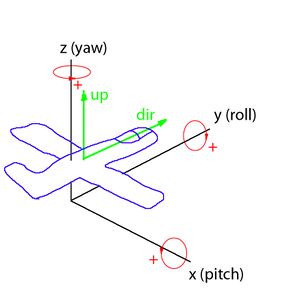 south swan
"running this for the code that was initiated by a HC"
winter rose
ah yeah true
Running this command in code received from a Headless Client always returns 0 by design. ship it?
done, thx 👍
halcyon temple
hey guys
question xD
is this possible, does it make sense?
_cfgFactionClasses = [
    "getNumber (_x >> 'priority') == 1 && -1 < getNumber (_x >> 'side') && getNumber (_x >> 'side') < 4" configClasses (configfile >> "CfgFactionClasses"),
    [],
    {
        getNumber (_x >> "side");
    },
    "ASCEND"
] call BIS_fnc_sortBy;

{
    _factionSideColorHEX = ([(getNumber (_x >> "side")) call BIS_fnc_sideType, false] call BIS_fnc_sideColor) call BIS_fnc_colorRGBAtoHTML;
    _varName = "_color" + (configName _x);
    TGF_color setVariable [_varName, _factionSideColorHEX];

} forEach _cfgFactionClasses;
Well, would require to tell what exactly you want to do
still forum
south swan
unless you're running on headless client, because remoteExecing from that appare...
Are you sure its 0 and not 1?
I just found code that on headless client always sets the ID to 1, not zero.
halcyon temple
get hex color with getVariable
south swan
@cyan dust they're ready for the second round
cyan dust
still forum
Are you sure its 0 and not 1?
I just found code that on headless client always s...
Yes, pretty sure, ran into this issue some time back
Also, ticket says the same
halcyon temple
so...
TGF_color = getVariable "_colorBLU_F"
doesn't make sense in both syntax and meaning standpoints
still forum
halcyon temple
question xD
is this possible, does it make sense?
```sqf
_cfgFactionClasses = ...
looks correct to me yea. As long as TGF_color is an object
Are you asking because you're having a problem with that? if so just say what the problem is
halcyon temple
string
 radiant siren
Is there a way to add an addAction onto a memory point say for a tank turret?
halcyon temple
BIS_fnc_colorRGBAtoHTML give a string
little raptor
-1 < getNumber (_x >> 'side')
when is the side ever negative?
 warped abyss
When ScriptAI to randomly make Arma scripts after putting a couple of words in?
halcyon temple
little raptor
> `-1 < getNumber (_x >> 'side')`
when is the side ever negative?
"Default", "None"
still forum
halcyon temple
BIS_fnc_colorRGBAtoHTML give a string
And that is a problem? or not? why?
Please explain what you want and what the problem is
halcyon temple
TGF_color is an object, not but
halcyon temple
still forum
looks correct to me yea. As long as TGF_color is an object
Are you asking becaus...
this
still forum
You're not making sense
please explain in proper sentences and not just snippets of sentences and small words
halcyon temple
ok, xD, all I need to know
I'm making menus, or diary entries, and use faction colors a bit in each... So I was thinking of a way to just get factions colors in hex for html syntax, and get strings of color
little raptor
radiant siren
Is there a way to add an addAction onto a memory point say for a tank turret?
object addAction [title, script, arguments, priority, showWindow, hideOnUse, shortcut, condition, radius, unconscious, selection, memoryPoint]
THANK YOU ❤️
little raptor
radiant siren
THANK YOU ❤️
I just copied it from the wiki
radiant siren
little raptor
I just copied it from the wiki <:meowsweats:707626030613135390>
i just looked it up and saw it too, i feel dumb but I appreciate it though XD
warm hedge
halcyon temple
I'm making menus, or diary entries, and use faction colors a bit in each... So I...
A faction doesn't have a color. Only side does
halcyon temple
warm hedge
A faction doesn't have a color. Only side does
you right,
([(getNumber (_x >> "side")) call BIS_fnc_sideType, false] call BIS_fnc_sideColor) call BIS_fnc_colorRGBAtoHTML
you could compute the hex colors, store them, and then simply use select with a sideid, rather than computing everything everytime
little raptor
halcyon temple
so...
```sqf
TGF_color = getVariable "_colorBLU_F"
```
p.s. if TGF_color is a dummy object you don't need it
it seems to me you're trying to use it as a hashmap:
TGF_color setVariable [_varName, _factionSideColorHEX];
but SQF already does have hashmaps
little raptor
copper raven
you could compute the hex colors, store them, and then simply use `select` with ...
and storing the color for every faction is just a waste of space
south swan
souns like a perfect use for https://community.bistudio.com/wiki/getOrDefaultCall 🤣
halcyon temple
south swan
souns like a perfect use for <https://community.bistudio.com/wiki/getOrDefaultCa...
I'm not sure I know how to use this
halcyon temple
copper raven
you could compute the hex colors, store them, and then simply use `select` with ...
this works, thx
TGF_color = [];
{
    TGF_color pushBack [
        getNumber (_x >> "side"),
        configName _x,
        (getNumber (_x >> "side")) call BIS_fnc_sideType,
        ([
            (getNumber (_x >> "side")) call BIS_fnc_sideType,
            false
        ] call BIS_fnc_sideColor) call BIS_fnc_colorRGBAtoHTML
    ];
} forEach ([
    "getNumber (_x >> 'priority') == 1 && -1 < getNumber (_x >> 'side') && getNumber (_x >> 'side') < 4" configClasses (configfile >> "CfgFactionClasses"),
    [],
    {getNumber (_x >> "side");},
    "ASCEND"
] call BIS_fnc_sortBy);

{
    diag_log format ["%1: %2: %3: %4", _x select 0, _x select 1, _x select 2, _x select 3];
} forEach TGF_color;

// "0: OPF_F: EAST: #FF800000"
// "1: BLU_F: WEST: #FF004C99"
// "2: IND_F: GUER: #FF008000"
// "3: CIV_F: CIV: #FF660080"
it could be a lot better
halcyon temple
copper raven
it could be a lot better <:blobdoggoshruggoogly:748124048025714758>
help
xD
TGF_color["#FF800000", "#FF004C99", "#FF008000", "#FF660080"];
 kindred zephyr
This is more of a technical question:
I know presence checking can be expensive, so is there an advantage of running a controlled loop that checks presence every x seconds using inAreaArray againts using triggers that check in the same intervals?
I recently changed from a lot of different triggers into a single controlled loop that only executes on server but I don't really feel the difference, they behave almost the same if not a little bit slower since everything is done in series in the controlled loop instead of doing it in parallel.
Does trigger for precense checking have an inherent advantage due it being a engine-side solution or they basically behave as the inArea/inAreaArray commands?
astral bone
Err- I want to run code everytime a unit is created, no matter how it's created, and the default loadout for said unit is loaded. I am thinking maybe using EntityCreated and then put a _obj spawn { Do stuff to loadout };
Would this work? Would it work in single player, or just MP? For all objects spawned or just units? How might I check if object is a unit?
little raptor
kindred zephyr
This is more of a technical question:
I know presence checking can be expensive...
afaik they do use inAreaArray but they're also engine side. also Dedmen made some optimizations so they much better now
kindred zephyr
little raptor
afaik they do use inAreaArray but they're also engine side. also Dedmen made som...
thanks, just as I though. Maybe all that work poured into changing them into a loop was not really worth it haha xD
little raptor
astral bone
Err- I want to run code everytime a unit is created, no matter how it's created,...
Would it work in single player, or just MP
it obviously does work in SP. typically you should ask if something works in MP...
For all objects spawned or just units?
nearly all
How might I check if object is a unit?
you can use_obj isKindOf "CAManBase"
then put a _obj spawn
I don't recommend using spawn here
astral bone
little raptor
> Would it work in single player, or just MP
it obviously does work in SP. typi...
I just realized, it says "Mission" not multiplayer :I
radiant siren
Anything for the EH "reloaded" for it to work at the beginning of the reload and not at the end of it?
an example:
(spawn object at the beginning of the reload and not at the end of the reload)
hallow mortar
You can't change the basic behaviour of event handlers like that. Try using a userAction EH to look for the reload action instead - that should happen at the start. Only works on players though.
little raptor
radiant siren
Anything for the EH "reloaded" for it to work at the beginning of the reload and...
you can use gesture and animation event handlers
 valid abyss
I'm being paid to make a script for a community and i need to secure the pbo while it is tested on the server owner's dedicated server. Is there any way to encrypt the pbo file?
jade acorn
you can obfuscate a pbo
Mikero's Eliteness can do it afaik, there's also a paid obfuSQF app
valid abyss
hmm
i guess that could work
only problem would be id have to find out how to hide the scripts in a way the server owner would never find them and rip them without paying me
and im not looking to buy software to do it either
jade acorn
- Why not test your script on your own server? Just configure it in the same way the other guy is
- No type of encryption cannot be decrypted so if you want to keep everything fair and simple, add a license and write a binding agreement
valid abyss
jade acorn
1. Why not test your script on your own server? Just configure it in the same wa...
they can still be found and unpacked in the arma cache
valid abyss
jade acorn
stream it to him through Discord 😛
itll need to be tested with multiple people
besides the person im working with wouldnt have it any way but their way which makes it quite difficult to navigate
radiant siren
little raptor
you can use gesture and animation event handlers
player addEventHandler ["GestureChanged",
{
params ["player", "GestureReloadM4SSAS"];
[player, 0.2] remoteExecCall ["setAnimSpeedCoef", 0, player];
player forceWalk true;
player removeEventHandler ["GestureChanged", _thisEventHandler];
}];
no luck :C
hallow mortar
valid abyss
besides the person im working with wouldnt have it any way but their way which m...
Well if it needs to be run on their client, they...have to download it. And the engine needs to be able to read it, so it can't be too encrypted. If obfuscation/binarisation isn't good enough, well...that's kind of all there is. Arma isn't really designed to facilitate users charging each other for exclusive stuff.
If you're being paid for this you should have a written agreement on what you're being paid for and how much you'll be paid. If they agree to that then that's [I am not a lawyer] something you can enforce outside the game.
valid abyss
hallow mortar
Well if it needs to be run on their client, they...have to download it. And the ...
never really tinkered around with contracts and that kind of stuff since this is more of a one-off sort of deal for myself
i think i know how to obfuscate it though
jade acorn
radiant siren
player addEventHandler ["GestureChanged",
{
params ["player", "GestureReload...
because it's wrong
radiant siren
jade acorn
because it's wrong
i figured lol
jade acorn
radiant siren
i figured lol
player addEventHandler ["GestureChanged",
{
    params ["_unit", "_gesture"];
    if (_gesture == "GestureReloadM4SSAS") then {
    [player, 0.2] remoteExecCall ["setAnimSpeedCoef", 0, player];
    player forceWalk true;
    player removeEventHandler ["GestureChanged", _thisEventHandler];};
}];```something like thisthank you. i did try it. doesn't fire.
used init.sqf too
jade acorn
I tried it with gesturereloadmx while having MX and it worked, so your gesture is wrong probably
valid abyss
radiant siren
thank you. i did try it. doesn't fire.
used init.sqf too
put a hint in the code to check if the EH is fired
radiant siren
jade acorn
I tried it with `gesturereloadmx` while having MX and it worked, so your gesture...
ill double check 🙂
radiant siren
jade acorn
I tried it with `gesturereloadmx` while having MX and it worked, so your gesture...
i had to put it in initPLocal 🙂 thank you again. it works now. 🙂
real tartan
is there an event handler on create or delete marker on map ?
jade acorn
definitely for Zeus, not sure if there's one for players