#arma3_model
1 messages · Page 182 of 1
 stuck oyster
Either the weapon model is complex as a tank with open interior and has lot of transparency. Or in worst case might have ten or hundred different model on screen for single weapon.
Performance wise it's kinda bad either way
But also with the all in one mesh, you can't control the shadow
So it's not really an option even
 warm trench
stuck oyster
Either the weapon model is complex as a tank with open interior and has lot of t...
warm trench
stuck oyster
Either the weapon model is complex as a tank with open interior and has lot of t...
Also a good point. So number of players who want different things have a bigger performance impact than normal!!!
stuck oyster
There may be less impact if the variants are all fitted on same textures
As texture bloat eats memory fast
warm trench
Yeah - currently all a common texture set although that's not exactly small...
stuck oyster
I'm afraid to ask how many textures you got 😅
warm trench
stuck oyster
As texture bloat eats memory fast
Yup - with a big, pretty mod pack and max texture settings, peak VRAM usage I've seen is 17GB and I don't check that often
warm trench
stuck oyster
I'm afraid to ask how many textures you got 😅
https://cdn.discordapp.com/attachments/752836925903077418/971357567420874762/unknown.png
Got a bit carried away...
Plus this was originally intended to be spread over 2 mods but having put over 300 hours into both the A5 and D variants (they are surprisingly different) I didn't want anything to go to waste....
stuck oyster

I mean I like customisation as much as the next guy. It's cool. But also I like fps and not having to play with AC on if I vmcan avoid it.
It's tricky thing unfortunately
Especially in arma
warm trench
These models are much more efficient that my current 416s both in terms of verts and selections so I'm hoping that despite a lot more goodies, it will be at least as good as what I've currently done.
(I knew very little when I released the first set... Hopefully I know slightly better now...)
stuck oyster
You might want to try to optimize the uv mapping etc for less textures. And possibly lower resolutions
Weapons generally use maybe 2 textures/materials tops + accessories
warm trench
Yep - when it was 2 separate projects, that was about the ratio I had.
The snag is when you put everything together, you either add duplication which means that if people stick to one kind of model, they have a chance of loading less textures. But the mod gets bigger and if people want to use the choice, more textures are loaded!
Or use the minimum number of sheets which is more likely to mean a single weapon needing more than just 2 texture sheets.
I've done the latter as I guessed that with this much customisation, people are unlikely to stick to a single model set.
So it's 5 sheets in total 🥵
But this does cover:
A5, D and HK337 models, 6 barrel lengths, 4 flash hiders, 3 stocks, 10 rails, 2 different BUIS, 2 different fore grips plus the GLM/UGL
And probably a few other things that I can't remember right now...
stuck oyster
Customisation comes with a price. 😅
warm trench
I'm intrigued by what's possible with the ACE3 extended arsenal as I think it could be possible to start customising lots of the above and more by colour too...
But suspect I'm getting a bit (more) stupid there.
stuck oyster
With weapons. Each variant needs its own predefined class
warm trench
But how I ready it so far was that you can manage colours with HiddenSelections slightly differently
I need to do more research and start playing too.
(But that comes after Shadow lod and Memory LOD are complete)
I got the impression that everything that needs 'proper' config entries - e.g. to change an animation, and eye position, weapon mass/accuracy/barrel length etc. all must have full configs. As does anything that requires different model.cfgs as that, by default, is a different model!
But then things like colour could be done more efficiently - config wise. (But might be wrong.)
Hopefully I'll get to this some time around the weekend but it will depend on how well these Shadow & memory LODs go!
Thanks for you advice and knowledge (as always). Need to shoot to a meeting now
stuck oyster
Colors need to be predefined too
There is no access to weapon model via script commands to change colors on the fly
I believe the ace system is designed to work through all the hidden (scope 1) classes to swap the variant configuration
Which comes with a price too 😝
Especially if you want to make mixed color parts, desert stock, woodland receiver, black barrel, increases the amount of textures loaded together.
 fierce snow
stuck oyster
I believe the ace system is designed to work through all the hidden (scope 1) cl...
fierce snow
stuck oyster
I believe the ace system is designed to work through all the hidden (scope 1) cl...
would you be so kind and explain the difference of scope=0, 1 and 2? like in terms of usage. i use scope=2 atm on all these custom objects. but i dont really know the meaning behind it
google just give me info about arma scopes as in attachments and sights
"scope=0 means that class is technical and should be used in game (base classes for example), scope=1 means that class can be used in the game but should not be show to player in menus, scope=2 means that class is useable and should be shown where needed. Basically, class is considered valid game content if >0" from a forum post, makes sense.
stuck oyster
indeed that is the answer
fierce snow
ye i was to quick to ask here 😛
i am eliminating the typical "try and error" by learning line by line now hehe.. didnt even know the difference of parent, child and sibling classes earlier, i cant go around the tree anymore hehe
save myself some headache
gotta know what my model needs
fierce snow
ye sadly
fierce snow
whats the easiest way to check if my hitpoints are working?
can i add some line to the config that removes model if killed or hit r whatever
 white jay
anyone familiar with the SelectionID 31 and 32 is the wrong shape error and should i be worried about it much?
fierce snow
when working within my models config im not allowed to have local variables in global space right? i must keep "_whatever" and not "whatever" inside brackets?
fierce snow
white jay
anyone familiar with the SelectionID 31 and 32 is the wrong shape error and shou...
what are you trying to do?
idk, maybe something with memory lods and their selections
white jay
fierce snow
what are you trying to do?
its pertaining to a uniform model. this turned up in a server rpt log.
fierce snow
missing hitpoints?
stuck oyster
white jay
anyone familiar with the SelectionID 31 and 32 is the wrong shape error and shou...
whats the full error?
and are there others?
and preferably an addon does not add more errors to rpt yes 😅
fierce snow
ACe probably
white jay
stuck oyster
whats the full error?
SelectionID "31" is wrong for shape "2021_a3ph\uniforms\bdu\bdu_v3_utility_base.p3d"
SelectionID "32" is wrong for shape "2021_a3ph\uniforms\bdu\bdu_v3_utility_base.p3d"
it appears to just be for that one model
which really confuses me because i use the same process i did for this model on every model i made but only this one is turning up.
stuck oyster
dont think I've encountered that myself before so cant say for sure
selectionID could refer to somehow broken named selection
or perhaps overlapping selection
if the model has hiddenselections in use, true disabling those
then you can try removing different lods or emptying them to see if any of them could be ruled to be the cause
may require some empirical elimination of different parts to see if it goes away with anything
fierce snow
google ppl with the same kind of error said something about taking hitpoints from A3_character_template.p3d if that is possible? i have no idea really, but since every post i find is about hitpoints i think its around that.
stuck oyster
hmm so it could be ACE related error
@broken abyss you got any recollection about that?
 white jay
stuck oyster
white jay
stuck oyster
this is the exact post i found just recently lol
stuck oyster
if its ace related, that would explain why it does not come up with modding without ace
 broken abyss
Did you do what I wrote in that comment?
stuck oyster
😅
white jay
broken abyss
Did you do what I wrote in that comment?
took note of it, but not yet. planning to do it tomorrow morning.
broken abyss
Allright then
white jay
hopefully it's just this one model but it's not that significant of an issue, right?
broken abyss
No idea if it affects the server in any significant way but its better not to have it
if you know the fix for it, might aswell))
white jay
yep. thanks 🙂
stuck oyster
if its caused by ACE then it might mean some Ace feature (damage related) might not work right
so preferably it should be figured out
fierce snow
@stuck oyster would you know a fast and easy way to test my hitpoints? something that shows me that its working ingame
stuck oyster
mm diagnostic exe might have tool for that maybe. Otherwise you would need some sort of script running that shows all hitpoint damage value for the object you look at for example
fierce snow
idk i cant get any form of effect ingame, im sure im doing it wrong
i mean, at this point i should just give up and make 100s of objects instead and be happy with the normal mass x thingX roll and fall over effect 😅 but a part of me still want this destruction ability. think i gotta redo the texture so it atleast feels new after a million packs and restarts of the game haha
stuck oyster
are you still using vanilla effects etc?
fierce snow
rvmat
fierce snow
ye ofc
stuck oyster
cant be too sure these days
fierce snow
else i would still see dirt and rocks from the bottle 😄
stuck oyster
I assume too much too often 😛
fierce snow
true
i dont blame you
you would shake your head if you where a fly on the wall over here
stuck oyster
 fierce snow
😄
stuck oyster
so hits get you glass hit sound?
stuck oyster
k so firegeometry works
fierce snow
ye you told me how to do all that a couple days a go i think
stuck oyster
small thing like that would really need just single hitpoint
fierce snow
ye i just duped the geo, and made it a hitpoint lod
stuck oyster
as in single verticle that is just set up to be big enough to cover the whole thing
that lod should then have a single named selection and single verticle that is in that selection
named easy_hit
because reasons
fierce snow
it gets hit, and if hit with a heavy cal it shows the difference than if shot with a pistol, so mass and all that is just great, and if this was a can, or a plastic bottle id just set a lower mass and id be happy but
a named selection, you mean like a face?
stuck oyster
no
named selections are vertex groups
p3d format just calls them named selections
if you open up any sample model it will have a bunch of them
fierce snow
id know where in blender, but in OB i kinda feel like that must be the components?
fierce snow
ah like that
stuck oyster
component is just naming convention that the geometry lod requires
fierce snow
ye i did that, i called it something for test, but changed it back to Component05
stuck oyster
other lods should not have those selections
best to not use component names elsewhere
just for all the geometry lods
and if you animate things you add those components to second group for animated part
it gets messy if you spread lod specific stuff to other lods
fierce snow
atm wich works for just the normal effects i allready have, i got 5 x components in Fire Geo and in normal Geo
in hitpoints i only got 1
stuck oyster
a bottle could have like 1 component xD
or 2 if you want the neck there too
geometries should be simplified as much as you can
fierce snow
yes, but i experimented with mass, like i didnt know i could set mass to one component part of bottle, and one in another, to even out mass, instead of lets say mid, or top, bottom etc
stuck oyster
alr. just future reference when you clean it up more
fierce snow
ye i understand
stuck oyster
so you have the single verticle in the hitpoint lod and have named it something_hitpoint
fierce snow
you mean i click insert or chose "point" from create menu?
i know how to select vertices if that is what you mean, but how can i name them?
found out
😄
fierce snow
just mark a verticle and then list and made a new component by rightclicked+new, named it easy_hitpoint
and its the only one needed in there?
would it be wrong if i marked all, and named it the same instead of just one verticle?
i mean in terms of covering the whole bottle instead of like now, one verticle at middle
stuck oyster
your hirpoint lod should not need any more than the one verticle
fierce snow
just trying to understand how it works
so config is gonna look for that named selection and pull the whole bottle from it?
like a hitbox
stuck oyster
each verticle in a hitpoint named selection group will then count as a hitpoint sphere
fierce snow
nice
stuck oyster
sphere size is defined by the hitpoint config
fierce snow
aah
stuck oyster
so a group of points can form a cloud
stuck oyster
but in your case in such small object simple approach is enough
hirpoint will also need a geometry to hit after hitpoint hit
fierce snow
ye but i understand, like in a big vehicle like a tank, where its engine, fuel and stuff + personell rooms, its more advanced
stuck oyster
yes
also vehicles now benefit more from firegeometry components being used for hitpoint detection
its more accurate and easy to make method
for lots of components and complex shapes
and when you want something to be armored
fierce snow
thats good, i guess the more advanced the model, the more parts, wheels, belts etc gets into the picture, but for basic small shapes 1 verticle is enough to get that invisible sphere heart in there 👏🏻
ye hopefully ill be in that area some day aswell 😛
but im not gonna go beyond this bottle before the very basics are in my head
stuck oyster
 fierce snow
ye and i config the size in the cpp
stuck oyster
yes
fierce snow
and try to get something ish inside
i guess id need 2 or 3 since its a little tall and has the bottle neck as you said, but for a ball, round item i guess 1 is enough
or a soda can
etc
stuck oyster
you can experiment
fierce snow
so they actually made those ingame items short on purpose, i thought it was laziness
stuck oyster
even 1 would be ok if its big enough
as hit just through the hitpoint does no damage
it also has to hit firegeometry behind it
stuck oyster
bottle that is all glass does not need much accuracy
stuck oyster
more complex things are another story
fierce snow
ye if i where to say beeing able to snipe the bottlecap of, id need 2 points
stuck oyster
you can check you house sample for window hitpoint reference
that could lead you to solution
fierce snow
and probably higher than the top of the neck to not knock both
stuck oyster
yes
fierce snow
i did, i found 2 hide codes wich i think i need
stuck oyster
and you could then also use the geometry hitpoints instead
fierce snow
hmm
so this is what you ment?
class HitPoints { class HitBottle { armor = 0.1; material = 1; name = "easy_hitpoint"; convexComponent = "easy_hitpoint"; visual = ""; passThrough = 1; };
stuck oyster
possibly yes.
or was it armorComponent instead of convexComponent
its one of them and other is obsolete
fierce snow
and to control the size of the sphere?
well atm i dont actually see if it works or not as its the same effects as before
stuck oyster
 fierce snow
sweet! thanks
ok now i just need to make something happen when i hit it
cursortarget setdamage 1; via console does nothing to the bottle
stuck oyster
what destruction type you got?
fierce snow
class DestructionEffects { class TestEffect { simulation = "particles"; type = "HouseDestructionSmoke"; position = "destructionEffect1"; intensity = 0.15; interval = 1; lifeTime = 0.05; }; };
just for testing
fierce snow
really?
stuck oyster
you already pasted it in here sometime earlier
fierce snow
you mean from when i tried and failed the balloon thing?
`private ["_bottle", "_position", "_velocity"];
_bottle = (_this select 0) select 0;
_bottle setDamage 1;
_position = getPosASL _bottle;
_velocity = velocity _bottle;
[_position, _velocity, _bottle getVariable ["BIS_type", "vodka"]] spawn BIS_fnc_moduleNOIDEAWHATTHISISORHOWTOMAKEITWORKBottleDestruction;
deleteVehicle _bottle;
true`
?
atm i dont use those anymore, i couldnt get any of the sqfs into my config so i just started fresh again at where i was
fierce snow
class CfgVehicles { class ThingX; class vodkabottle_altisnoff: ThingX { _generalMacro = "ThingX"; mapSize=0.54000002; scope=2; model="vodkabottle_altisnoff\VodkaBottle_Altisnoff.p3d"; displayName="Altisnoff_VodkaBottle"; icon="iconObject_2x1"; faction="Empty"; editorCategory="EdCat_Things"; editorSubcategory="EdSubcat_Default"; vehicleClass="Objects"; simulation="thingX"; armor=20; fireResistance= 0.001 destrType="DestructBuilding"; damageResistance=0.0040000002; };
?
haha im so confused, sorry man
fierce snow
hmm
stuck oyster
give it armor = 1; so it has low health
fierce snow
done
 floral axle
I've created a model that I can give to myself in game using player addItem item_class, but is there a way to add the item to the Things tab in EDEN (or even make the mod it's own tab)?
fierce snow
floral axle
I've created a model that I can give to myself in game using `player addItem ite...
editorCategory="EdCat_Things";
editorSubcategory="EdSubcat_Default";
stuck oyster
items need groundholder object that holds them for editor placement
fierce snow
ok it works somehow, i made a trigger in eden, !alive vodka and on act bob setdamage 1; named myself bob and shot the bottle, and im now in paradise
but.. the effects didnt show
atleast i know it can die
stuck oyster
progress

stuck oyster
building should make efffects on death
ah but try you have thingX sim
could be could be
fierce snow
ill try with the effects type to "default" and since i got a lifetime parameter ill try with start 1 and enabled 1 aswell
who knows
no luck there
 hot hornet
fierce snow
Land_ is that still a thing or?
hot hornet
fierce snow
Land_ is that still a thing or?
yes
fierce snow
i keep getting this DestructionEffects.side error on loading game
hot hornet
@tender radish any idea?
fierce snow
if i remove class DestructionEffects i get Hitpoints.side error
-.-
ye, sloppy me, it was an }; missing between the HitPoints and my DestructionEffects
packing didnt give me any errors, so i guess i will blame it on the beer
stuck oyster
drunken modding is a bit hit and miss workflow
sometimes next morning you look at what you did last night and be like
 fierce snow
haha 😄 yeah, im not even gonna try this as drunk drunk
how can i make my function go when bottle is killed?
fierce snow
but isnt that the same as calling to exec a sqf?
fierce snow
class CfgFunctions { class test_bottleEH { tag = "Vodka"; class test_bottleEH { file = "vodkabottle_altisnoff\test_bottleEH\functions"; class function {}; }; };
idk if i did it right
and in the test_bottleEH folder inside my bottle's folder, i got a fn_functions.sqf
wich holds
`// Test Effects for Bottle -----
params["_this, _particles"];
_this = _this select 0;
if !(local _this) exitwith {};
if (alive _this) then {
_particles = "#particlesource" createVehicleLocal [0,0,0];
_particles attachTo [_this,[0,0,0]];
_particles setParticleCircle [0, [0, 0, 0]];
_particles setParticleRandom [1, [2, 2, 1], [0.25, 0.25, 0], 0, 0.1, [0, 0, 0, 0], 0, 0];
_particles setParticleParams [["vodkabottle_altisnoff\VodkaBottle_Altisnoff.p3d",1,0,1,0], "", "SpaceObject", 1, 10, [0, 0, 0], [0, 0, -2], 1, 10, 0.1, 0.1, [2, 2], [[1, 1, 1 ,1], [1, 1, 1, 1], [1, 1, 1, 1]], [0, 1], 1, 0, "", "", _this];
_particles setDropInterval 0.1;
sleep 1;
deleteVehicle _particles;

 //   [_particles] spawn {sleep 1; deleteVehicle (_this # 0);}
};
sleep 0.5;`
now, i cant blame this on beer, im sure there is something wrong, but it packs without issues
i cant know for sure tho until i find out how to run the function on some kind of class Event Handlers { killed = something
dont mind the particles script, its just for testing, i need some kind of effect hehe
class EventHandlers { killed = call Vodka_fnc_Function; };
?
stuck oyster
you can also run functions with call command through console
fierce snow
hmm
stuck oyster
buut if alive _this will be false in your case as the thing has just died
so nothing will happen
fierce snow
!alive then
stuck oyster
since this is already killed event the alive check is not necessary
fierce snow
ok
stuck oyster
you already want this function to run
stuck oyster
first thing is to take out all the if checks, just to see if things happen at all
no no remove
fierce snow
ok
stuck oyster
the killed eventhandler is already the check
the function only runs when killed event happens
fierce snow
ah yes ofc, else it wouldnt call it in the first place
i just thought it needed it for the particles to spawn at all
stuck oyster
nope
fierce snow
and for the event handler,
class EventHandlers { killed = call Vodka_fnc_Function; };
would be enough?
Vodka beeing the tag i set in config under Cfgfunctions
stuck oyster
try it out and check wiki refernces. too late a clock to proofread script
😛
I think you are not feeding it a target though
fierce snow
the source you mean
you are prob right, idk if i can make a mem point named easy_target and just put it where it says particle source.. i got no idea, im kinda walking into the dark here lol
i thought _this would make it the current bottle target
stuck oyster
no
in your function _this is the target that is coming from the calling of the script
as in from outside source
fierce snow
it wont find my function, but refers to it by name as if it did..
makes no sense, since its exactly where it is
 lusty ginkgo
Is anyone else having buldozer crashes from object builder since the recent update?
I can't open any model in the viewer
Crashes in tb too
fierce snow
ok packed without error, loaded into game without error but nothing happens when shooting bottle, i put a hint "Function was executed!"; inside the function sqf, so something is wrong
fierce snow
lusty ginkgo
Is anyone else having buldozer crashes from object builder since the recent upda...
no crashes here
fierce snow
nah it wont even post my hint when bottle is killed
fierce snow
i dont think its the function thats the issue, as i get no errors or anything
i dont think the bottle is actually killed
i tried with hit on handler instead of killed, same thing
i think i got to do the hide unhide window trick or something
oh well, gotta take a break, gn!
lusty ginkgo
Verified game cache, updated config, reinstalled buldozer, still crashes. Doesn't work on arma3.exe, arma3_x64.exe, or arma3diag_x64.exe. Not really sure what else to do at this point
stuck oyster
Is your P drive set up with mikeros Arma3p?
lusty ginkgo
Yeah
lusty ginkgo
Might have at some point since the Arma3p buldozer didn't allow for custom configs
lusty ginkgo
It didn't at some point but that was several years ago. I remember jumping through a bunch of hoops to get the bin config working for updated lighting classes
stuck oyster
Just did it few days ago myself again. Basically just some copy pasting involved.
And correct launch parameters
I'll try to remember to share a template at some point
lusty ginkgo
does arma3p still erase everything? I only just updated from the version I have from like 2019 just last week. Haven't used it but I don't want to have to back up my entire drive like I used to
stuck oyster
It removes A3 data related folders and unpacks it again . I don't think it has ever erased everything.
I'd recommend getting the latest version
Free or sub
Either works
lusty ginkgo
I remember it resetting some other stuff too but I haven't done it in quite some time
I have the sub version updated to the latest atm
stuck oyster
Only thing I can think to "erase everything" is that P gets mounted from different folder and is then empty
stuck oyster
lusty ginkgo
I remember it resetting some other stuff too but I haven't done it in quite some...
Bin and scripts folder
So it does require setting up the bin/config again. That is good to back up after it's done
lusty ginkgo
Are you absolutely sure those are the only folders/items affected? I usually back those up anyway
stuck oyster
You can read the documentation
Or mount P drive to new folder and run Arma 3p there
lusty ginkgo
good idea
stuck oyster
And then copy around your stuff
lusty ginkgo
my project drive is a separate partition on my main drive, it's not mounted
stuck oyster
Ah man of culture
lusty ginkgo
It's probably saved me minutes of time re-mounting every restart over the years
I'll give it a shot. If that doesn't work I won't have a clue what to try next, though
stuck oyster
Did buldozer open in empty OB project?
And have you checked if buldozer rpt says anything
lusty ginkgo
Exception code: C0000005 ACCESS_VIOLATION at 01FC8DF1 It's different launching from TB and OB
Don't remember which this one is, but I couldn't find anything on it. Crashes on startup on any model, I didn't try on an empty project
Exception code: C0000005 ACCESS_VIOLATION at 412593F1 Object builder
lusty ginkgo
Opening c:\program files (x86)\steam\steamapps\common\arma 3\Dta\lighting_bin.pbo

output to P:\bin

you cannot extract to an existing folder
failed
Steam tools and Mikero tools WILL NOT WORK until you fix this error [K]?
Keep getting this error. There aren't any folders with the same name
fierce snow
If it happened after update i guess its something that got overwritten and probably a setting or more that were put back from yours to a blank one. Did you remove all and reinstall? (launched as admin) ? Try unload p:/ and reload it, search for that bin folder.
lusty ginkgo
The folder isn't there. Can't unload P: because it's a separate partition. There isn't a folder named Dta or bin anywhere on my PC other than the dta folder in the arma 3 root directory, and no directory call lighting_bin exists. There is only one lighting_bin.pbo file.
It would be helpful if the error message was a bit more specific
stuck oyster
It says p:/bin
fierce snow
Ye, if the folder is on c drive, it might be a space issue as p drive is just virtual, and it eats the space on c pretty quick. Double check it. Hehe ye but the error is giving you clues, one of them beeing bin folder.
Nvm just saw
@stuck oyster you mentioned a target i didnt have earlier, what did you mean by that?
 fierce snow
ah
fierce snow
so maybe make a destruction like on buildings, and add a ruin simulation and put the broken bottle bottom as a ruin model upon destruction and make the "_this" the ruin.. making it the target for particles
stuck oyster
killed event itself should already contain the information
Id guess moving the scripting side of the questions to #arma3_scripting might be more useful
im not sure if thinx object can have ruin
I would not go that way
just deletion of the bottle model and spawning of the bits
fierce snow
ye i would have to make it another object, as it wouldnt need the thingX physics if its gonna smash on hit anyways
stuck oyster
but first you need to get the event running
fierce snow
yep
stuck oyster
with something simpler as the command
like simple hint "bottle broke";
or something
fierce snow
exactly what i tried last night
but it wouldnt show even if i changed from killed to hit, or EntityKilled, or anything i put in there
stuck oyster
 fierce snow
but you are right, ill keep it to config / script channel, as this is spam for ppl needing help with models. thanks alot tho, again. sorry for beeing such a newbie.
stuck oyster
get yourself a all in one config dump and you have a lot of reference to look through
fierce snow
yeah i saw you tipping someone else about that, i found one a couple days ago i think i usually search for code snippets or errors or such to see if anyone else is or have been on the same part of a problem or trying to make something similar. then i save codes and snippets as references in another folder and name it, most of this is bits and parts ive sewn together, and edit/pack until it just works, then read up and learn some, and the second you feel you know that part, another issue pops up 😛
doesnt take long until all searches gives allready visited links from forums, posts 10s of years back etc haha
lusty ginkgo
stuck oyster
It says p:/bin
Also isn't there. I checked every possible folder it could mean and can't find anything. Doubt it's a disk space issue but I can try a few other things
 frank pollen
Are there any tutorials for how to make .p3ds? The only thing I know is that they are models. But I'm just wanting to do clutter so all I'm really gonna do just put 2d textures together lmao
lusty ginkgo
Clutter models are super simple. Making p3ds isn't super complicated in general. If you use blender you can use the arma toolbox addon for it which allows you to export p3ds directly. I would suggest looking at the A2 sample models as an example of what to do for a clutter model (minus the textures and materials, those you should look at the A3 clutter data for)
Basically it just comes down to making a base model of planes that are set up in a pleasing to look at way, that aren't too obvious (otherwise you'll get the minecraft grass look, which Livonia did, only works with very high clutter density) and then make the lower res LODs. In my experience, most of your effort will go into the LODs since pop-in on clutter models is much more noticeable and distracting.
You don't need to make geometry or anything like that unless you plan on making the clutter model manually placeable, in which case there are some extra steps you'd need to take to make the model look half decent
Making things like 3d rocks or branches is a bit harder to make subtle
 civic stratus
I moved a selection to proxy and it isn't visible in the game at all. Would would be some reasons for this?
Do proxies have a poly lmit?
lusty ginkgo
Is it visible in buldozer?
stuck oyster
is there actual p3d for the proxy?
there are limits how many proxies are visible at the same time
and proxies draw distance is substantially lower than normal objects
I dont recommend using proxies to patch up big things together
stuck oyster
there is no exact data
civic stratus
I chose the "move selection to proxy" option and it made the p3d
stuck oyster
did you also pack the p3d?
civic stratus
I'm not sure how you mean. I packed the pbo like I have been. The main model is visible, so that p3d was packed
lusty ginkgo
The proxy is in the pbo?
stuck oyster
in case its accidentally saved out of the pbo folders
civic stratus
yes
stuck oyster
what type of thing are you making?
civic stratus
the proxy's p3d and the main p3d are in the same directory
I'm trying to do what you suggested I didn't, to reduce file size of the p3d's
civic stratus
its a vest with a belt
I have different variations of the vest between several p3d's but the belt remains the same
stuck oyster
vest is already a proxy thing
civic stratus
so I just moved the belt to a proxy
civic stratus
how does it hold the pistol proxy?
stuck oyster
engine feature proxy
civic stratus
I hate this engine more and more by the day
stuck oyster
pistol proxy is just a marker where to glue pistol model if its present
its just you doing stuff youre not suppsoed to do

civic stratus
Logically, the removal of superflous geometry to reduce file size is not, on its own, a bad idea
stuck oyster
there is a reason why game models are relatively simple and why there isnt hundreds of different vest variants in the game
civic stratus
Lets hope the engine is improved in the next iteration to support such things
civic stratus
The intended use is limited in its scope, imo. It would be nice to have proxies in our vests for things such as magazines and medical items
 karmic blade
Question, so arma does not support geometry larger than 50m right?
If I have an invisible block 50x25x5, it would be fully walkable, collisionable etc??
stuck oyster
its not hard 50 limit and there some technicalities to that and what settings terrain is made with.
but 50 is generally safe
so yes it should work
lusty ginkgo
If you're worried you could always just make it 49.99 meters
karmic blade
haha
Also, how does one make invisible/transparent stuff
Like invisible wall in editor
Because I know if I wont apply a texture to a 3d object (cube) it shows it with black/white checkers texture
karmic blade
Oh, so what like a plane?
wont it still show missing texture "texture"?
Invisible wall seems to be a cube or rectangle or whatever
stuck oyster

karmic blade
is there a way to make so the wall would be visible in eden but not in zeus/game?
stuck oyster
that would need some scripting and hide animations
karmic blade
okay gotcha
lusty ginkgo
output to W:\bin

you cannot extract to an existing folder
failed
Steam tools and Mikero tools WILL NOT WORK until you fix this error [K]?
do you have existing bin folder there?
lusty ginkgo
Extracting to a separate drive that's completely empty. If the "existing folder" isn't on my PC anywhere, and it isn't within the drive everything is being extracted to, where exactly is it?
I don't have an existing arma bin folder anywhere. Not on the p drive, the old a3 projects folder, anywhere else that is related to arma
stuck oyster

stuck oyster
is there any chance you got 2 bin pbos you unpacl
as in it unpacks 1
and then tries to unpack another
but cant because there already is one
lusty ginkgo
I checked the relevant folder in the A3 game directory and didn't see anything out of the ordinary. Only one of each .pbo in the Dta folder and no others with the same names anywhere else
lighting_bin.pbo this is the last one that is extracted before the error. bin.pbo itself extracts normally
stuck oyster
@sturdy parcel any advice how to debug this?
lusty ginkgo
only thing I can think of is that lighting_bin.pbo isn't an original file but it has a current date modified date from when I did a verify cache yesterday
I guess I'll remove it and try
full extraction including layers, dubbing and missions (base addons only)? [Y,N]? btw this question is very confusing
I would think y would mean yes, extract everything, but the parenthesis imply the opposite
 sturdy parcel
lighting_bin.pbo is not an arma3 addon.. it doesn't belong in the official addons folder(s)
and, without checking, i'd say xxx_BIN is a dead giveaway
lusty ginkgo
I have no idea where it came from. I considered earlier but the recent date is what's throwing me off
sturdy parcel
i will reword the confusing bit. I agree with you.
lusty ginkgo
Looks like it worked. Still no idea where the rogue pbo came from or why it hasn't caused any issues before
@stuck oyster Did you say the arma3p buldozer setup will use the bin config? My lighting changes aren't visible
lusty ginkgo
"P:\bin\config.cpp"
Seems to ignore that config entirely. This is the behaviour I remember. I also remember the solution being to install buldozer from arma 3 tools
stuck oyster
which class did you inject the lighting class into
lusty ginkgo
Just changed to arma3_x64.exe and it seems to work now
I just copied the default world class from my old config to test it.
stuck oyster
👍
karmic blade
Question, how would I go about importing a static object that would have an animation (spinning disk) being part of it?
I am not interested in it stopping, I want when ever you spawn it it would have a curtain part of it spinning
I assume I need to do animation in blender?
stuck oyster
no you would need to do the animation in model.cfg config
 marsh jewel
yo bros how do you make shadow lods
 polar fiber
Same way you make any model. You just model it very low poly, following the silhouette of your visual LOD and make sure there's no holes/gaps in the shadow mesh
marsh jewel
i dont understand how you "close" the model
stuck oyster
If you have a cube that's closed
If you remove one side of it and it has a hole, that's not closed
 woeful viper
do you understand how to close a bottle? thats how you close a model... watertight.
 drowsy falcon
Hello, i got a small problem with a magazine i added and i cant find any post regarding my issue. https://i.imgur.com/FpIfCck.jpg (it only happens with this magazine, all other mags work fine) as you see on the screenshot the magazine is way to high positioned. I moved the magazine around in object builder but i wasnt able to change the position of the mag. Did i forget something or made anything wrong? i hope someone can help me (this is the first time i added a new magazine to the game)
stuck oyster
make sure the autocenter 0 parameter is in the geometry lod
drowsy falcon
it works now thank you, such a simple thing^^
karmic blade
hey so any idea what is wrong with collision here? The model of the ship itself is just a model no collision, but there is a 50x25x5m invisible pad that has collision on there, doesnt seem to work? It did before I think when it had texture
nvm figured it out I think
It was attached via script to a concrete wall, deleted that and it works now
stuck oyster
attaching (with attachTo) things makes them lose collision
civic stratus
Is there a workflow that creates arma rvmats from blender's BSDF shader?
stuck oyster
no
civic stratus
Another question: Does blender's shading > sharpen edges need to be applied somehow? It seems I have to triangulate and sharpen with u after doing that work in blender for the p3d to binarize successfully
stuck oyster
should not
assuming you export to p3d with the toolbox
but if you dont have o2script.exe path setup in toolbox settings the export wont work right
lusty ginkgo
Can you not see "visualex" shadows in buldozer?
civic stratus
stuck oyster
but if you dont have o2script.exe path setup in toolbox settings the export wont...
I never configured that, and I'm not sure where to find that setting
hot hornet
lusty ginkgo
Can you not see "visualex" shadows in buldozer?
Not sure about that.
stuck oyster
Don't remember either. Don't really check shadows in dozer. Especially if it's visualex since not much van be done about it as it draws from reslod
fierce snow
Ok so ive built the model, created the lods needed for hit reg and physics, got textures working ingame. I can now kill the object and my event handler is working as intended. My particle system is working and ready to be tweaked. Now, ive build a wreck model, and ive added a Wreck lod to my original object with proxy placeholder to the wreck p3d, and ive assigned the right textures and rvmat, packed with mikero's tools.. all fine.. Then i made the model.cfg with animation class named HitBottle_hide, added the right type, minvalue, maxvalue, minphase, maxphase, hidevalue etc..
as far as i understand, selection would be the name of my hitpoint right? and source the name of the child class under Hit Points in the config.cpp ?
what i am trying is to make it hide the original model, and replace it with my wreck model (broken bottle bottom) and my particle system is going to take care of the rest for the effect.
so the named selection on hit point is the trigger that will switch the models at the same time my eventhandler's killed function shoots
woudlnt it be easier to make the same function just delete _this then spawn wreck.p3d at same pos?
if its possible
i understand with a car or a plane, where its explosions, window damage, texture changes etc.. but
stuck oyster
Ruin destruction effect should create the wreck model. But there is another destruction effect needed to delete the existing one. Don't remember what it was but its normally inherited from pretty far in the beginning. It was maybe class strategic
stuck oyster
Like I said, don't remember what it was exactly but one of them was needed to enable the destrtype
fierce snow
think i found out
fierce snow
nevermind
lusty ginkgo
hot hornet
Not sure about that.
I am almost positive it was possible before but I don't see them. Buldozer settings don't seem to make a difference
stuck oyster
lusty ginkgo
I am almost positive it was possible before but I don't see them. Buldozer sett...

then again, this is cast with or without visualex
geometry lod properties are not baked into the p3d at this point I suppose
this should basically be same technique to cast it
since I dont have shadowlod
lusty ginkgo
I don't have that either
karmic blade
Question, I do have a model I want to use as ambience in the background of the battlefield. However the model dissapears pretty early if you walk away from it. I assume I got no long range lod. Where do I set it in object builder. I didnt see any properties that would define range?
 scenic mirage
So I'm starting my hand at a little bit of object creation. My question is, how hard is it to create a working parachute from scratch?
scenic mirage
How so? It's difficult to learn it seems, I can't find tutorials or anything on parachutes specifically. It seems like they are classified like helicopters but like, how?
stuck oyster
that is the hard part yes
there is no documentation for parachutes
I dont recommend that as first project
its more like when you know your way around configs and know how arma models in general work you can start to gleam how it works
scenic mirage
My main concern is I'm looking for a parachute that doesn't seem to exist yet. The model itself, in blender at least, doesn't seem bad I just haven't gotten to if it'll work in game. Not only that but I know there is scripting involved with making parachutes work that, while I might be able to read someone else's work or even BIs work to make comparisons, I wanted to do it roughly by scratch. The parachute being relatively important for a project I'm working on.
stuck oyster
not scripting per say
but the parachute opening is done via rtm animation and for that to work it needs specific weighted selections or completely custom animation if the shape does not fit
Id still start from something that is easier to implement for practice
starting from complex undocumented features can result in quicker burnout
 blissful spire
howdy folks, question for the Paths lod. is there a way to tell the AI to exit out of a structure? i can get them to walk and entire just fine but i cant get them to leave the structure
stuck oyster
inX points define entry and exit positions
but they can sometimes obstrcuted or not connect to ground and thus I dont know properly its exit
blissful spire
let me go look at the house again
tbh, im just glad they can path around them. tunnel combat will be interesting
stuck oyster
ground exit in points are usually fan like and there are many in different heights
blissful spire
yeah, ive fanned mine out as well
stuck oyster
so when the object is on ground at least one point is on correct level
blissful spire
looks like ill just need to add another pair of in points then at effectively ground level
stuck oyster
preferably theres at least one going through ground too
blissful spire
its a tunnel, so the changes of it actually ending up underground is pretty low. its not like a house on a foundation, but ill keep that in mind
stuck oyster
yes but the terrain it comes out might slope
always better to make sure paths connect than leave it float
 fluid copper
karmic blade
Question, I do have a model I want to use as ambience in the background of the b...
fluid copper
karmic blade
Question, I do have a model I want to use as ambience in the background of the b...
Idk if someone else has answered this yet, but here's a link that describes it and what you need https://community.bistudio.com/wiki/LOD
stuck oyster
if object has only 1 lod, that lod will be always drawn when the object is visible
amount of lods has nothing to do with visibility
proxies also dont draw as far as mesh
fluid copper
Maybe theyve got multiple lods but they're empty or something then?
Edited message to reflect what you said
karmic blade
What defines how far away model dissapears? I placed uss freedom next to it. Uss freedom disapeared once out if selected render distance. My model just after couple km was no longer visible.
 bold flare
karmic blade
What defines how far away model dissapears? I placed uss freedom next to it. Uss...
bold flare
karmic blade
What defines how far away model dissapears? I placed uss freedom next to it. Uss...
lod coefficient maybe, probably it just being too small on screen makes it disappear?
But if you only have one lod, the lod coef won't switch to a second one and make it invisible, you can try setting its feature type to mark it as "important"
https://community.bistudio.com/wiki/setFeatureType
you can also do that in model I think but dunno how
stuck oyster
I suspect its something very big and off screen
 plush trail
Does anyone have a tutorial for model making
stuck oyster
Youtube has a lot
plush trail
for arma?
stuck oyster
Generic ones
plush trail
oh
stuck oyster
Must learn basics first
plush trail
I know some blender
made some bulletproof plates
for a friend that needed the items for a game
he wanted to make items for unturned
as a repair item for the vests he was making
karmic blade
stuck oyster
is your model made out of proxies?
I do not think so
karmic blade
bold flare
lod coefficient maybe, probably it just being too small on screen makes it disap...
I will look into that
karmic blade
stuck oyster
I suspect its something very big and off screen
Yes, it is as big as USS Freedom, it has no collision, just the model with texture. I wanted it to be in the background, however it dissapears rather quickly at range compared to other objects
 leaden sun
if it's that big then it will need to be a landmark, not sure how that is done but heard of it in passing
fierce snow
could anyone explain how to define a hit sound in the Fire Geometry LOD? as ive understood it cant be defined within the config?
stuck oyster
fierce snow
could anyone explain how to define a hit sound in the Fire Geometry LOD? as ive ...
it is in config. -> #arma3_config
fierce snow
Question.. to clarify, to make a billboard particle effect, i need to make a plane with ny transparent texture on it right? And it can be in _CA.paa? Also i just need a Geo lod?
Then save it normally as a p3d
stuck oyster
no
you need just a texture
in a way of a particle sheet
the billboard plane is already coded in the engine
it just reads a position on your texture sheet according to the config you give it
fierce snow
Aah
Thank you, this explains another experiment that failed
Basicly just frames like with oldschool sprites
And the coded plane makes sure its always facing the players view?
stuck oyster
something like that yes
 molten fractal
How does one replace the lighting used in bulldozer?
 fierce rain
Hello, i have a problem with a model.cfg. Can i ask it here? Or is it better to ask in #arma3_config ?
stuck oyster
this is fine
fierce rain
thank you 😄
i got the problem taht one model.cfg gives out this error while packing: cannot have an extern (class Default;} without a parent config that defines it
what dose that mean and how can i fix it?
stuck oyster
it means your model.cfg structure does not contain class default anywhere but your classes try to inherit from it
fierce rain
im trying to pack the mm_bank and the beginning of the model.cfg looks like this
class CfgSkeletons
{
class Default;
class Centrelink: Default
fierce rain
the p3d needs to be binerized to pack my map with mikeros
mikeros tells me that error
when packing the map
stuck oyster
you saying its not binarized in the pbo?
stuck oyster
all of those life building mods alwayas causing trouble 😅
stuck oyster
Id suppose you could just delete the reference to class default from there
stuck oyster
Im not super inclined to try to fix those mods. they are pretty horrible at times
check that you edited correct file
 blazing geyser
stuck oyster
this one is weird
blazing geyser
stuck oyster
this one is weird
bruh its a discord link
see
no bueno
even the regular embed no work
stuck oyster
Indeed. Embed is disabled for regular users. The latter link is good. It opens in browser
The other one wanted download
blazing geyser
stuck oyster
The other one wanted download
dunno why, maybe because I did copy image instead of copy link
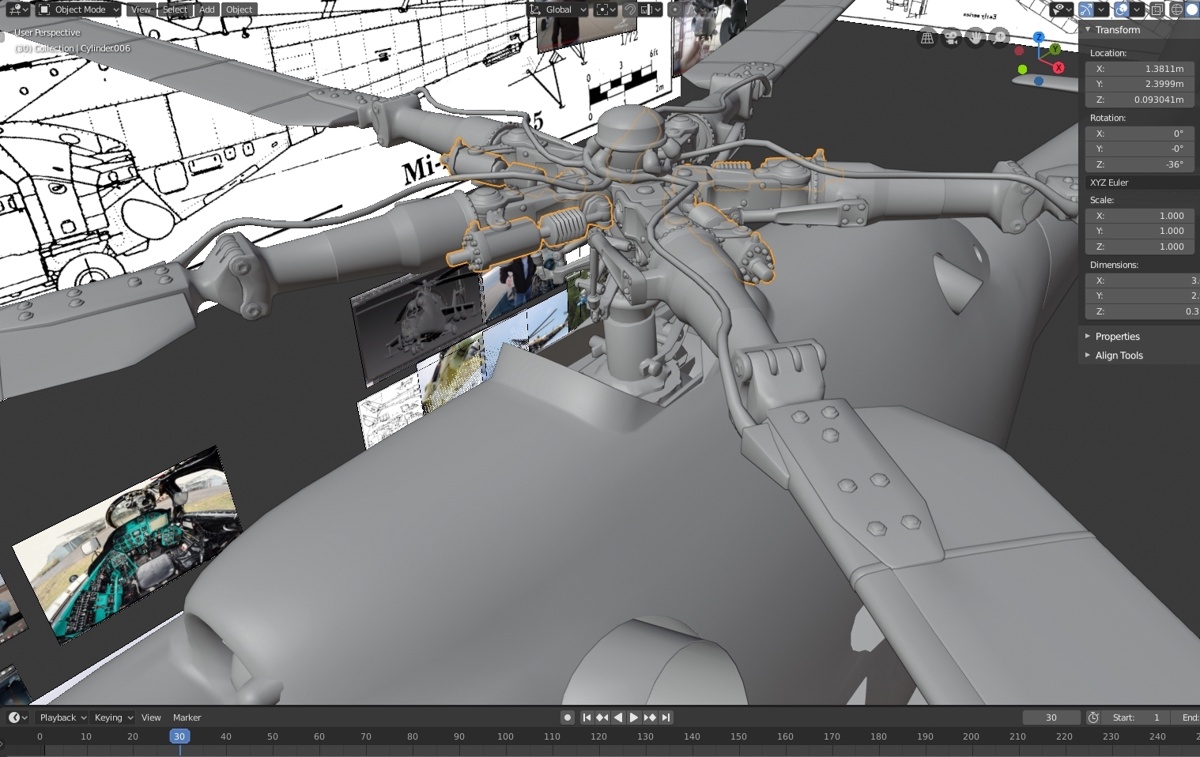
either way, can't show mil-mi24 progress 😔
molten fractal
My Bulldozer installation seems to use the configuration loaded from Arma 3\dta\bin.pbo instead of the one in P:\bin\config.cpp. I looked around in here and saw something about it being caused by installing Bulldozer with Arma3P. Was there a solution to that?
molten fractal
Yeah, my Bulldozer rpt shows it loading from the Arma 3 installation.
stuck oyster
what launch parameters do you use?
and have you done any buldozer setup with the arma tools launcher?
and which rpt?
Heres a buldozer lighting files for P:\bin
A3 configs injected with includes
so its easier to see where stuff goes
molten fractal
Not at my PC at the moment so I can't check the launch parameters but they're mostly the default ones.
I have configured bulldozer using the Arma tools launcher to change the graphics settings.
The rpt in the arma appdata folder is how I found out where it was loading from.
stuck oyster
d:\games\steam\steamapps\common\arma 3\arma3_x64.exe -buldozer -name=Buldozer -window -noLand -exThreads=0 -noAsserts -world=stratis -worldcfg=stratis -cfg=buldozer.cfg
this is how I run mine
and using the launcher can break stuff 
who else wanted to see how this works
@marsh jewel was it u
molten fractal
stuck oyster
Heres a buldozer lighting files for P:\bin
Appreciate it.
Hmm, my launch parameters path to the bulldozer.exe from my p drive. Could that be the issue?
stuck oyster
 stuck oyster
molten fractal
Hmm, my launch parameters path to the bulldozer.exe from my p drive. Could that ...
stuck oyster
molten fractal
Hmm, my launch parameters path to the bulldozer.exe from my p drive. Could that ...
thats the arma tools launcher P drive setup stuff
Arma3p would have removed dozer exe and point to the real arma exe
I dont really know how to make that work
 timber night
I've created a model
What is the next step?
To getting it into the game
It's a hat.
polar fiber
View>>Viewers>>Buldozer>>Environment Editor
stuck oyster
thats broken
polar fiber
it's a bit fucky to use though


 polar fiber
With the environment editor, you have to click and hold a point on the timeline rather than drag the slider
But once you change the time, the zero point of the timeline changes
stuck oyster
 polar fiber
so it's kinda a case of clicking randomly and checking what the lighting is like
stuck oyster

changes time
I dunno why the lappihuans buldozer scripts for terrain builder dont work in OB but it is possible to run scripts in there
could probably inject some sort of shortcut using UI or something in there
but cant be bothered to write one xD

 ebon abyss
PMC Editing Wiki: ArmA 3 Buldozer Lighting by HorribleGoat https://pmc.editing.wiki/doku.php?id=arma3:modeling:buldozer-lighting
stuck oyster
marsh jewel
stuck oyster
one can run script in dozer through here
thanks it works
ight so after several frustrating days i finally figured out the problem
when i first tried to do custom lighting, no matter how i setup the config cfg in P:\bin, it wouldnt work on the buldozer
marsh jewel
stuck oyster
Heres a buldozer lighting files for P:\bin
and then i tried to replace the config in P:\bin\ with goat's files here, still doesnt work
stuck oyster
marsh jewel
https://forums.bohemia.net/forums/topic/202774-clutter-buldozer-and-you/
after reading this article again carefully, i found out that "Buldozer was reading "Arma 3 Steam Installation\dta\bin.pbo", or "P:\bin\config.cpp", if "Arma 3 Steam Installation\dta\bin.pbo" wasn't present."
just like aiglos above tested, my buldozer rpt was also loading from steam installation's bin pbo
so i removed, the bin pbo, put goat's files into P:\bin\ and boom custom lighting 
stuck oyster
Right. Well you will need the steam file to run Arma 😅 I think this may be due to something ArmaTools buldozer install does. Maybe.
marsh jewel
polar fiber
With the environment editor, you have to click and hold a point on the timeline ...
next, about the time of day setting and environment editor, if you drag the slider, you will face a potentially epileptic seizure inducing strobe light by buldozer 
but if you click the slider just like dar12thmonkey said, you can spam click 3-4 times a point in the slider, and it should switch between day/evening/night.
marsh jewel
stuck oyster
however if you need a specific date and time of day, horriblegoat's script is perfect for it
marsh jewel
stuck oyster
Right. Well you will need the steam file to run Arma 😅 I think this may be due...
yeah its so weird, theres gotta be a file somewhere that tells buldozer where the steam install directory is
if we can overwrite that so that buldozer will switch to using P drive's config...
stuck oyster
Maybe @sturdy parcel might have a clue why buldozer would prefer the bin.pbo instead of p:\bin for config
 honest herald
Hi ! I import my backpack, but this one is stretched down, i have been trying to fix it for 2 hours to no avail
Do you have any solutions ? thank you
https://imgur.com/2vO8SCJ
stuck oyster
your weighting is not right
woeful viper
stuck oyster
your weighting is not right
no weight judging please
sturdy parcel
stuck oyster
Maybe <@179204846019149824> might have a clue why buldozer would prefer the bin....
simple fact. the game's exe is being loaded, so it's gonna load it's own bin.pbo.
built into that engine is a fallback position of using a config.cpp if the pbo doesn't exist.
using filepatching parameters might fix the issue.
it's not clear to me what -worldcfg=stratis actually means.
if you hack at the bin config.cpp it's gonna get replaced, any time you run arma3p (or the bis equivalent)
i don't see the purpose of needing to use your own lighting when viewing a model.
woeful viper
i don't see the purpose of needing to use your own lighting when viewing a model.
Thats because you are not a modeller 😉 Tweaking rvmat without having to load up engine is a big benefit, and default lighting sucks/ is not representative of other maps
sturdy parcel
^thanx
stuck oyster
My buldozer runs from game exe but loads P:\bin\config
P drive setup just with arma3p, tools launcher touched only once to get the registry stuff
and yes p:\bin gets replaced with arma3p indeed
which is why I set up the simple include files so its easy to hack back in
sturdy parcel
well it's not clear to me why @marsh jewel needs to delete the bin.pbo..
stuck oyster
me neither xD
I would kinda think the launcher buldozer setup would also use purely P:\ files since it copies the arma exe as buldozer exe
@marsh jewel is your OB settings "path to textures" set as P: ?
stuck oyster
could that affect it
like by default I think its blank
for some reason
Im not even sure if its blank for everyone to be honest xD
sturdy parcel
the most sensible thing i can do, is 😷
 tawny atlas
anyone got a sample rvmat of the basic AAF officer? Are all uniform RVMATS basically the same?
stuck oyster
unpacked Arma data does contain them all
and no there is some variance in A3 rvmats
and different textures are used
marsh jewel
marsh jewel
https://forums.bohemia.net/forums/topic/202774-clutter-buldozer-and-you/
after r...
i was just presenting my case of the problem and a solution to make the custom lighting work
the preface of that bi forums thread confirms my findings
but hey i hope everyone else's buldozer always works perfectly and correctly run the config from P:\ instead of from the a3 steam installation like mine and that absolutely no one else will run into this problem ever 👍
marsh jewel
stuck oyster
<@441633826826092544> is your OB settings "path to textures" set as P: ?
no its set to blank by default
stuck oyster
should be P:
that way your p3d texture paths will work
as \path\to\texture instead of P:\path\to\texture
latter being wrong for the engine
try that. could be it also affects buldozer in this case
marsh jewel
stuck oyster
as \path\to\texture instead of P:\path\to\texture
it already works like this even without the path to textures set to P
doesnt fix the buldozer tho
stuck oyster
could be related to the arma tools buldozer setup then
that is what we have different
marsh jewel
seems like it i just have the default arma3 tools install
stuck oyster
yes well I have not run any of the tools in there. they might do stuff
fluid copper
Is there any way to use the same model for multiple lods? What I mean is I want to have the model switch to a lod when you get far away but stay the same up until that point, ie having the first 3 lods be the same and the 4th be different. I dont want to copy past that first lod to the 2 following it though since it increases file size. Im curious if theres a way to fake it
stuck oyster
no
amount of lods does not affect the distance they switch
only the complexity
there is however a named property that affects the weighting of lod change
woeful viper
fluid copper
Is there any way to use the same model for multiple lods? What I mean is I want ...
Faking it is stupid, because all you are doing is increasing file size (and size in RAM), while achieving absolutely nothing
fluid copper
stuck oyster
there is however a named property that affects the weighting of lod change
Do you know the name of it or something else about it so I can research it some more?
stuck oyster
fluid copper
Do you know the name of it or something else about it so I can research it some ...
check out arma 3 named properties wiki page
fluid copper
alright, thanks!
fluid copper
I found "loddensitycoef" and set it to 70, no results unfortunately
Its not a big deal though, was just a minor thing I was hoping to solve
 rough idol
fluid copper
I found "loddensitycoef" and set it to 70, no results unfortunately
rough idol
fluid copper
I found "loddensitycoef" and set it to 70, no results unfortunately
are you sure you have applied that named property in geometry LOD?
karmic blade
Question, so I am trying to make kind of "cortana" kind of character. I was looking for ideas and found that Legion Studios has transparent armor for holograms looking like this: https://ibb.co/wBTc0ft
My question is. How does one make semi transparent armor. Obviously texture and rvmat. But does anything need to be done on model side of things etc?
stuck oyster
Just the texture and material need to be applied on the model.
rough idol
good luck with alpha sorting
karmic blade
is there a way to apply material using config instead of setting it in p3d?
rough idol
I would recommend to make selections for inner & outer selections so you can sort it easily afterwards
karmic blade
I should probably ask that in config_makers
rough idol
karmic blade
is there a way to apply material using config instead of setting it in p3d?
it is possible but transparency might not work if model was initial without transparent textures
karmic blade
I will try, I thought maybe I could just apply it on some base game stuff
stuck oyster
model will need _CA texture on it in the p3d for transparency to work right in hiddenselections
fluid copper
rough idol
are you sure you have applied that named property in geometry LOD?
I applied it in the View lods as well as the Shadow lods
stuck oyster
@karmic blade best to keep this line of questions on 1 channel
stuck oyster
fluid copper
I applied it in the View lods as well as the Shadow lods
its geometry lod property
it affects the whole model
fluid copper
Oh ok, ill try that
stuck oyster
most named properties are in geometry lod as it acts sort of root for the model
rough idol
on the named properties page you have Usage LODs: section

 lime basin
Hey, speaking of LODs, anyone know here how arma reforger does LODs? Seems there's no pilot / gunner view LOD, looks like now you can just hop in and out of vehicles, gigantic improvement btw
 flat ermine
lime basin
Hey, speaking of LODs, anyone know here how arma reforger does LODs? Seems there...
flat ermine
lime basin
Hey, speaking of LODs, anyone know here how arma reforger does LODs? Seems there...
As far as I know just LOD0 of the vehicle is used for driver/passenger, same what you see if you are outside of the vehicle
lime basin
Cool, thanks 🙂
woeful viper
flat ermine
As far as I know just LOD0 of the vehicle is used for driver/passenger, same wha...
for now. It certainly makes sense for some vehicles to not display everything/ not to display their interior to the outside, so i imagine there should be some tech that enables it (if not now, then in future)
flat ermine
woeful viper
for now. It certainly makes sense for some vehicles to not display everything/ ...
May I ask what situations you have in mind 🙂 ?
woeful viper
- An APC with 12 passengers in full gear, when ramp is closed -> you can save a lot of performance if you hide the interior + passenger models
- Making Vision Ports for Tanks (or other), that dont rely on Render to texture -> requires the interior model to look differnt than the actual outside world model. Although, if the RTT is performant and good enough, maybe its not necessary anymore?
- Fully interior modelled tank or airplane -> makes no sense to render that for other people that cant see inside of it
for cars and trucks it doesnt make sense of course, because they are open and you cant hide anything at any time sensibly.
flat ermine
I will inquire with the team tomorrow cause I'd love to know too 👀 personally I haven't touched vehicles yet (except in arma 3 :D)
rough idol
woeful viper
3) Fully interior modelled tank or airplane -> makes no sense to render that for...
lod1 can simple be without interior in such case
if you are close enough to see interior, then you see lod0
 valid gorge
I’m working on own AFM file for my helicopter and when I switch to afm it floats off the ground, what actually controls where the ground contact point is in afm
 grave juniper
Is there anyone who could make me a very simple model of a coin? Please dm me if you can
 quick terrace
@grave juniper#creators_recruiting
white jay
Is there a way too check if there's an error in my model, my object builder crashes after i click the start in bulldozer
I made my model in blender and export via arma toolbox an when i check the model in object builder works fine but it crashes when i open bulldozer
stuck oyster
check the texture paths
likely broken path
if you have happened to set a relative filepath in blender (something like ......\file) then that will cause crash
 bitter kite
white jay
I made my model in blender and export via arma toolbox an when i check the model...
bitter kite
white jay
I made my model in blender and export via arma toolbox an when i check the model...
I had this issue when my model was 2 complicated(too many vertices) worked fine ingame just not in bulldozer
white jay
stuck oyster
likely broken path
yahh i removed the texture paths since its im still testing it, maybe heavy model?
white jay
bitter kite
I had this issue when my model was 2 complicated(too many vertices) worked fine ...
yeahh i thinks this is it, too many vertices
i have 82,2589 verts
stuck oyster
how many verticles you got?
its on the heavy side but should still work
perhaps some untriangulated face
white jay
but when i pack it it gets errors, addon builder saids resut build code=1
stuck oyster
oof
white jay
stuck oyster
perhaps some untriangulated face
checked the n=gons and its n=gones haha
should i just rework the model?
stuck oyster
possbily
bitter kite
Mine started working again below i think it was 70k
white jay
bitter kite
Mine started working again below i think it was 70k
Iooks ill keep the model lower hehe
stuck oyster
yeeh that is preetty high
white jay
Yepp specially the details i have to decimate alot of details haha
white jay
Is there a faster way how to model fire geometry 🥴 hahaha i know it might be impossible but i was hoping a quicker way 😅
stuck oyster
Faster than what?
flat ermine
Faster way is using one of the low resolution lods but depending on how it's made, that could work well or not at all 😄 (that's the difference between auto generated/reduced models and properly modeled LODs)
 wheat ledge
https://cdn.discordapp.com/attachments/289868433229742091/976838110073724928/unknown.png

Anyone know why the mag and handguard would still be showing like this when I replaced the model with my C8A2?
stuck oyster
wheat ledge
https://cdn.discordapp.com/attachments/289868433229742091/976838110073724928/unk...
wrong channel.
it cant be this hard to pick one with reforger/enfusion in the name 😅
wheat ledge
oh shit hahaha
 small olive
"Error creating Direct3D 11 graphical engine" anyone had this issue before when launching arma 3 diag.exe?
small olive
okay I just checked out arma 3 troubleshooting channel and it already has an answer
bold flare
small olive
"Error creating Direct3D 11 graphical engine" anyone had this issue before when ...
I broke it :harold:
And you just reminded me i wanted to check today why that happened 
Sets a reminder for tomorrow
lusty ginkgo
My buldozer is suddenly crashing, again. Seems every A3 update breaks it now for some reason. Crashes on every unbinned .p3d I have tried as well as a blank file in OB
Is there a way to re-install just buldozer without everything else in Arma3p?
fierce snow
lusty ginkgo
My buldozer is suddenly crashing, again. Seems every A3 update breaks it now fo...
Left row in the Arma Tools window, near bottom called «Project Drive Management» under Others.
lusty ginkgo
I mean the proper way
 subtle bison
wow that might be why i am having buldozer issues lately as well
had to run arma3p 2 times already to fix it and it's so annoying
lusty ginkgo
I ended up fixing it by manually re-extracting the bin.pbo folder and the other dta stuff and moving it into place that way
I don't have time to run arma3p in it's entirety, not to mention the fact that it's unnecessary for small updates anyway
Never had any problems with this before, though. Only the last couple updates seem to have caused problems
subtle bison
yeah, running arma3p always takes forever
hope i will remember the bin.pbo thing for the next time
 worthy elbow
Im hopping into VC now. If anyone needs help going through anything now is the time
stuck oyster
fierce snow
Left row in the Arma Tools window, near bottom called «Project Drive Management»...
this is why tour P drive keeps vanishing I think
😅
stuck oyster
lusty ginkgo
My buldozer is suddenly crashing, again. Seems every A3 update breaks it now fo...
was there new arma update?
stuck oyster
subtle bison
yeah, running arma3p always takes forever
I hope you dont extract the dubbing too XD
that is forever yeh
subtle bison
i had this before, because for some stuff it is useful. now i'm not doing it anymore
lusty ginkgo
I always do extract the dubbing and extra stuff about half the time with the weirdly worded question. Mikero updated it I think but I would always realize I did like half way through
lusty ginkgo
stuck oyster
was there new arma update?
I had a new patch yesterday evening that downloaded, couple hundred megs.
I only assume it's that that caused the crashing because of the timing. Could be a coincidence I guess.
stuck oyster
at lest mine starts normally 🤔
fierce snow
stuck oyster
this is why tour P drive keeps vanishing I think
Just gave him a way of beeing able to view his p3d, it will throw an error but it would work :p
Had the same issue yesterday but it was after everything got removed.
stuck oyster
fierce snow
All fine now tho, i always save to another hd. Learned the hard way. Nothing is safe in this world.
fierce snow
https://media.discordapp.net/attachments/722895149176324226/977277286413922365/Heimalden.gif

I wanted to test something different for this one, like is there a way of having more than one wreck for a model that is destroyed. And make it kinda random when hide/unhide. So that if i have 3 hitpoints like hit_top, hit_mid, hit_bot it will spawn a different or the set wreck for that selected hitpoint. A different version of the bottle if you know what i mean. Then after the wreck is then broken the same way as it normally would with thingx particles etc (same as before). That way it would be possible for a more (but still far away) realistic impact. And i could add to that again, like making paper bits of label fall down ++. Even spawn a wreck that is a pool of liquid that despawns under it. Whatever i do it just spawns my break parts, and one wreck. I cant kill that wreck again only hide it. Using hideDuration and timeBeforeHiding helped somewhat earlier for my destruction for delaying/instant hides etc. starting to get brainleaks again 🙈
stuck oyster
Im gonna suggest you move on to next thing. While this detail is cool, there will start to be performance issues
 junior saddle
Can anyone point me in the right direction? I have a turret gunner pose that is attached to the mainturret. It rotates with the turret, and the hands move with the controls. Part of the hatch animation involves moving the turret seat upwards towards the exit. The character does not move vertically. I am baffled, because I have other non-turret poses that move into place when turning in/out of tanks and canopy opening on aircraft. As a temporary test, I made the mainturret move vertically with the maingun controls, and the character was also moving with it. It seems to be attached/linked properly, but I think it only responds to mainturret and maingun animation sources.
stuck oyster
is the gunner part of the last animations or turret animation?
junior saddle
Um. If I understand correctly, his proxy is part of the named selection that is childed to mainturret. For the temporary test, it was included in the mainturret named selection. In both scenarios it rotates correctly with mainturret source.
this is just indicator that it's "attached," I guess.
stuck oyster
it needs to be part of the last moving bone you have in the chain you want it to move with
junior saddle
it is now, yes
the part that moves vertically is called gunner_pod, and the proxy is now part of that.
but no joy
stuck oyster
but the pod itself moves yes?
make sure the proxy is not part of any other selection that animates
junior saddle
incidentally, there is also gunyoke_yaw and gunyoke_pitch for the hands, which are child/grandchild of gunner_pod.
stuck oyster
and those also work?
junior saddle
Yes they work.
stuck oyster
does the proxy animate in buldozer?
junior saddle
when the pod moves upward his hands move, too, but his body remains in place.
stuck oyster
up and down with the seat
junior saddle
stretch armstrong
I haven't tested the proxy in Buldozer
do I extract proxy and test like that?
stuck oyster
no just look in buldozer if it moves with the intended animation
junior saddle
hmm... proxies don't show in buldozer, tho
stuck oyster
and seeing the triangle is enough
junior saddle
is there a setting?
stuck oyster
they do
?
unless its not pathed to any model I suppose
though I think it still should load as triangle
path it to some valid model and test
junior saddle
ok so with the path I see the character rig in the appropriate pose, but it does not move with the gunner_pod
it does move with the mainturret animation
stuck oyster
the selections might be wrong then
junior saddle
something was wrong. I deleted the old proxy and created a new one. Moves right along as it should
It was my last ditch effort, too
I've only ever made static poses. Any pointers on making the poses delay swapping in lieu / standing in for a proper animation? Once the pod is raised the gunner will be able to stand half-out of the turret hatch hole. I have the seating and standing poses, but no transition animations.
stuck oyster
what do you use to make the animations?
junior saddle
ahem...
OB
lol
I use the thumbtack to find the pivot and then rotate on that
I haven't taken the time to set up a CAT in 3DSMax yet
I did biped animations eons ago, but I have been shy with characters since.
I would assume that the keyframes in OB would at least instantly change poses set at different keyframes, if not morph. However, I'm not seeing any change. for the turnOut pose, it should start with the turned in (seated) pose and end with the standing one. It seems the hatches are hard coded to 1.0 second animation, so I put the last sit frame at 0.80000 and the stand at 1.00000. T pose is at -0.50000, and first sit frame is 0.00000.
what I get in actuality is not this. Instead, it just remains at the first sit pose. So maybe there should be a trigger or setting in movesmalesdr? IDK.
stuck oyster
Oof. Is all I can say. Years ago I've done animations in OB. Can't really recommend
Hatches animation goes from 0 to 1 yes but you should be able to alter the speed via your own animationSource
valid gorge
does anybody know of a way to get the exact coordinates of a memory point in object builder? I've tried the "measuring tool" and "current position" but they're not accurate
junior saddle
I have found the measuring tool to be accurate.
junior saddle
But once you import the rig into OB, it goes into keyframe, right?
I don't know if I need properties step/xstep... is there a ystep for vertical movement?
valid gorge
junior saddle
But once you import the rig into OB, it goes into keyframe, right?
yes it goes to keyframe and i'm trying to get the coordinates of where the wheels sound contact the ground for AFM
also by any chance do you know how helicopter water effects and dust effects are handled because mine creates no dust and when the water effect works i basically have to be inside the water and i can sometime see the water effect above the helicopter
i inherit off Heli_Transport_01_base_F
junior saddle
It's always just automagically worked for me
either that or I didn't notice it being too close
I haven't messed with my choppers for quite some time.
polar fiber
If your helicopter has a roadway for walking inside it, it stops those effects working properly
valid gorge
polar fiber
If your helicopter has a roadway for walking inside it, it stops those effects w...
It does have a roadway but there has to be a way to fix that cause the RHS chinook you can walk inside and it’s dust/water effects work fine
polar fiber
IIRC the roadway gets hidden at certain altitudes or above a minimum speed or if the ramp is closed. I forget which. Certainly the effects didn’t used to work on the ch53. We may have been lucky with the ch47
valid gorge
polar fiber
IIRC the roadway gets hidden at certain altitudes or above a minimum speed or if...
So what would you suggest I do?
white jay
Helpp my my wheel is shrinking when rotating in the bulldozer animation 😭
stuck oyster
your selections are not right
white jay
Wheel_1_1 is the whole wheel 1 right?
stuck oyster
commonly yes, depends how you have named them in your setup
 quartz prism
Hi, I have a problem with my boat. It is going up when I start driving. Does anyone know how to avoid it?

 tidal peak
Can I have a pistol proxy on a uniform, or does it have to be in a vest?
stuck oyster
quartz prism
Hi, I have a problem with my boat. It is going up when I start driving. Does any...
possibly too much boyancy
when you start it up the physics activate properly
stuck oyster
tidal peak
Can I have a pistol proxy on a uniform, or does it have to be in a vest?
I think its vests only
 pine acorn
Has anyone had issues with exporting models from blender (3.1) into p3d? The resulting file is 0 bytes
I'm using the blender tools for arma 3
 gray zealot
stuck oyster
I think its vests only
gray zealot
stuck oyster
I think its vests only
yeah proxys aren't a thing i think
it's a possibility tho but it would be a vest attachment
white jay
stuck oyster
commonly yes, depends how you have named them in your setup
I've done some reading on bohemia wiki, i dont get it, why is it in the arma 3 samples (test car 01) they dont have any selections for wheels in any lod naming "wheel_1_1" only dampers, steerings, hide, unhide, and wheel bound. How will it rotate if the wheels aren't selected?
subtle bison
i'm pretty sure pistol proxy is vest only, because if it would also work on the uniform, the engine wouldn't know in which to show the pistol (uniform or vest) if the player wears both
stuck oyster
white jay
I've done some reading on bohemia wiki, i dont get it, why is it in the arma 3 s...
The wheels are selected, the wheels hides are the last selections in the bone chain
stuck oyster
pine acorn
Has anyone had issues with exporting models from blender (3.1) into p3d? The res...
You have not set your object in blender with enabled Arma properties. Only objects with that get exported
white jay
@stuck oyster Do I need a model.cfg file for particle.p3d?
white jay
stuck oyster
and pls no need to ping me specifically
Ok
Model for the effect (for example, smoke or flare)
white jay
white jay
Ok
(Sorry, forgot to turn off ping)
white jay
Thanks
white jay
stuck oyster
you dont need new p3d for it
Flares can also not be changed?
 kind nacelle
Dumb question, what would you consider a good polycount for an MBT and what would you consider to be the upper limited (lod0)
I know it's as low as possible of course but I want to have a ballpark so I know what and how much to simplify.
Please ping me if someone answers
small olive
@kind nacelle not sure about the upper limit but I can say 25-30k is okay for the average
kind nacelle
Oof, that's very low I guess
I think some people are pushing 100k on modern models
I guess I'll have to either aggressively simplify then, or just do agressive lods
stuck oyster
kind nacelle
I think some people are pushing 100k on modern models
depends if you have visible interior or not
most modern tanks are have a lot of flat angular shapes, those usually take less polies as small surface details can be baked to normalmap
100k is pushing very high range of polies and will start to cost frames if many tanks are on screen
most of the time that is a bit excessive
stuck oyster
well likely your 100k lod would be seen quite rarely
and it takes a bit more memory
ultra model quality and close range with not much other stuff on screen
which can be totally fine
kind nacelle
😫 guess I'll have to bite the bullet and reduce the geo at least a bit
I hate baking down details
polar fiber
Depends on the tank. 60k-80k verts probably isn't unusual for a tank with lots of ERA, slat armour, and external mounted weapons and things. 100k is quite a lot though
 desert notch
is nonlinear model animation possible? For example I noticed that the precession animation of wind turbine propellers (in other words, rotating around the column) is periodic.
how is that possible? 
you can see that the turbine rotates CW around the column at first, then reverses direction and becomes CCW
also according to the animationNames command this is done by only one animation
oh wait there's a sourceAddress="mirror"
that must be it
pine acorn
stuck oyster
You have not set your object in blender with enabled Arma properties. Only objec...
Yes that got it to work, thanks!
valid gorge
does anybody know what tells AFM where the groundcontact is in the xml file? i thought it was " <MountStation x="1.754" y="5.665" z="-3.4"/>" under GroundContacts but even with my correct coordinates of where my wheels are my helicopter still floats like 3 meters off the ground and yes it has a memory point for RTD_Center
does it matter where the RTD_Center memory point is on the model?
nevermind i figured it out seems that the RTD_Center point is what controls where it touches
 lofty shadow
nice rotor ^^
rough idol
valid gorge
nevermind i figured it out seems that the RTD_Center point is what controls wher...
mount station in xml is relative to rtd_center
drowsy falcon
i got a problem with a building someone in my team created some time ago and it had no problems since. I repositioned and rotated the building and suddenly the collisions/roadways in some areas dont work anymore. After rotating or moving the building again everything is fine. Does someone know what can lead to such a problem?
stuck oyster
drowsy falcon
i got a problem with a building someone in my team created some time ago and it ...
How big building is it? What exactly does rotating and moving exactly mean?
drowsy falcon
The building is 72x61m with rotating and moving i mean changing the position and direction of it.
stuck oyster
thats going beyond safe dimension limits
you may need to split it into smaller parts
drowsy falcon
stuck oyster
you may need to split it into smaller parts
okay, thanks i will try it
 compact zenith
Is there a good tutorial on how to make own vest models (so port an existing model into Arma). We're struggling fitting the vest to different positions (e.g. when leaning to the left, the vest clipps into the body, etc.)
stuck oyster
wheres the model from @compact zenith
compact zenith
stuck oyster
wheres the model from <@186543837144023041>
cgtrader
btw. is there any differences between creating a vest and creating an uniform?
Maybe we will try this tutorial https://www.youtube.com/watch?v=yqU3K9m2kMc if uniform and vest modding is the same
stuck oyster
it is practically same yes. weighting shape and position needs to be correct and fit the ArmaMan