#arma3_model
1 messages · Page 175 of 1
 stuck oyster
there is quite a lot that could be cleaned up in there
but such things could mess up the textures depending on how well its made
lot of unknowns
by description its more meant for rendering purposes
 gloomy hemlock
ok so best thing i would ask the guy that made those models if he can make them way easier?
gloomy hemlock
sure but i guess this would be cheaper than getting someone to make that thing from scratch
stuck oyster

gloomy hemlock
what would be a poly count thats ok for infantry weapons?
gloomy hemlock
stuck oyster
they range from 3000-10000k maybe
he does low-poly which are all between 10k and 20k
stuck oyster
for a pistol that is quite a lot in Arma
gloomy hemlock
hm ok. would that be ok for assault rifles and stuff that size?
stuck oyster
its at the high end if I recall right
stuck oyster
model looks ok by quick glance but its not really possible to evalueate if it would work in Arma as well
the texture types are also wrong since its PBR and Arma uses different shading method
gloomy hemlock
stuck oyster
the texture types are also wrong since its PBR and Arma uses different shading m...
would it be a big problem to change that?
stuck oyster
yes
but also you are unlikely to find straight arma compatible texturing online either
and by yes, I mean because you need to ask, it will be difficult
gloomy hemlock
ok. so i would only be able to use the 3d model without a texture then?
stuck oyster
well model needs textures
the textures it has might be possible to convert to work right but there are some fundamental differences between PBR shading and specular/gloss shading Arma does (in its own peculiar way)
gloomy hemlock
hzm ok thanks for that information
 strong plaza
can anyone explain to me how BI assets like for example tanoa buildings can use visualex and have so little shadow banding? my buildings have awful shadow banding and I can't get rid of it, I've tried making flat surfaces uneven which doesn't do anything and I've tried shadowoffset which makes the model just look worse with the various values suggested on the biki
 white jay
heyo i have a question how do i open the arma 3 sample p3d into blender
 leaden sun
strong plaza
can anyone explain to me how BI assets like for example tanoa buildings can use ...
leaden sun
strong plaza
can anyone explain to me how BI assets like for example tanoa buildings can use ...
These are all at the same time of day and shadow distance settings?
 median bough
white jay
heyo i have a question how do i open the arma 3 sample p3d into blender
median bough
white jay
heyo i have a question how do i open the arma 3 sample p3d into blender
You need the arma toolbox for blender by Alwarren and then use "import"
white jay
median bough
You need the arma toolbox for blender by Alwarren and then use "import"
were can i find the tool box
median bough
See pinned messages in this channel
white jay
ty
white jay
median bough
You need the arma toolbox for blender by Alwarren and then use "import"
is it supposed to take me to a place were i can view the code but not the download file
im new to this ngl lol
just trying to learn
youtube been kinda a bitch ngl
median bough
If you scroll down a little you'll find this
https://github.com/AlwarrenSidh/ArmAToolbox/releases/tag/v3.0.4-alpha

GitHub
This update improves import and export speed significantly:
Export: Test scene in the old version took 1 minute 30 second to export, now it takes 11 second.
Import: Test scene import in the old ver...
white jay
holy shit ty
white jay
median bough
If you scroll down a little you'll find this
https://github.com/AlwarrenSidh/Arm...
mind if i send you a screen shot of the addons section to make sure i did it right
median bough
Tbqh, I have no idea. I just know where to find stuff and where to read up 😉
white jay
i gotcha
strong plaza
leaden sun
These are all at the same time of day and shadow distance settings?
oh that's interesting, I just placed my buildings on tanoa and noticed almost no shadow banding, but on my custom map I use default stratis lighting and the shadow banding is terrible
leaden sun
Is there anything in map settings relating to shadow cascades or a way in which the shadows might spread?
strong plaza
not that I've seen, I haven't looked much into custom lighting
leaden sun
If they look closer at the same time of day, weather, and shadow user settings (distance and quality) then that is the only thing I can think of.
strong plaza
I just placed my buildings on stratis to check, and there's more shadow banding than tanoa, but not as bad as my custom map, looks like it at least, I think something might be busted with my map config
hmm, this might be entirely a map lighting thing
 small olive
!code
 whole dawnBOT
How to use SQF syntax highlighting in Discord
```sqf
// your code here
hint "good!";
```
↓
// your code here
hint "good!";
when I increased the sprungMass, animation phase for the damper started to getting closer to 0, in this short video I keep the nose down at the high speed to put a mass on the front wheel, looks like animations work but why the sprungMass is not (it's actually working with the opposite direction)?
the video: https://drive.google.com/file/d/1vpsYBckZtjPvBYJvTxQXtrRba5f3uNf2/view?usp=sharing
model.cfg (just the part of the animations for the dampers): https://prnt.sc/1xqaq7a
front

maxCompression          = 0.05;
maxDroop                = 0.05;
sprungMass              = 240;
springStrength          = 18000;
springDamperRate        = 2500;

mains

maxCompression          = 0.05;
maxDroop                = 0.05;
sprungMass              = 480;
springStrength          = 36000;
springDamperRate        = 4500;
 drowsy sail
So, I've got a tracked vehicle in the works, currently trying to get all of the config sorted out and I'm coming across two issues.
-
The driver appears to be looking 180 degrees in the wrong direction, but the actual unit is facing the correct direction in the drivers seat
-
The vehicle won't actually move. I press 'W' and the engine starts but there is no motion. I've got my Geo, Physx & LandContact LODs configured
Any ideas?
stuck oyster
is the model modeled to face correct front direction?
is the dirver proxy properly set up to face to the correct direction?
not moving cold indicate no existing/faulty physX wheel setup where wheels do not touch ground = cant move forward
small olive
 magic aurora
I made a vest and everything is fine except the position of the vest
magic aurora
I made a vest and everything is fine except the position of the vest
assign weights, put a model.cfg in the same folder with the .p3d and define .p3d in it
magic aurora
small olive
assign weights, put a model.cfg in the same folder with the .p3d and define .p3d...
i think i did it already https://docs.google.com/document/d/102Y-ZMCJ91bHVo_yD5oj89yfAUsF4GQH-fKw0R5xlEA/edit
small olive
I can't open it
permission needed
also you need to set a named property "autocenter=0"
to the geometry LOD
 gray siren
Does anybody know how rvmat are working? My cars looking like plastic and wan´t them to look a little bit better
gray siren
I already looked onto it and didn´t help me
 charred bolt
Perhaps show us your main rvmat you are using for your car so we can comment on it. (put it on pastebin.com and link here)
gray siren
i looked onto some custom rvmat and saw some paa´s with nohq and all the stuff. Is that for the shadows and depth? https://pastebin.com/4pLf577s
charred bolt
For really good looking vehicles you will need to make a set of textures, not just the _co.
_co is your diffuse colour.
You should also make an _nohq (normals), _ao texture (ambient occlusion), and _smdi (specular).
These textures are then linked via the rvmat (stages 1, 4 and 5) - replace the procedurals with paths to your custom texture maps.
Then also try adjusting the rvmat header to something closer to these values:
diffuse[] = {1,1,1,1};
forcedDiffuse[] = {0,0,0,1};
emmisive[] = {0,0,0,1};
specular[] = {0.7,0.7,0.7,1};
specularPower = 60;
PixelShaderID = "Super";
VertexShaderID = "Super";```Shadows are produced by mesh in another LOD in the p3d, "ShadowVolume 0.000".
https://community.bistudio.com/wiki/LOD
 stable schooner
Hey i am new to all this and i am down to learn allot how do i start this?
stuck oyster
stable schooner
Hey i am new to all this and i am down to learn allot how do i start this?
depends what is your goal
stable schooner
stuck oyster
depends what is your goal
To be honest like clothes and guns
Like from people to clothes to guns
stuck oyster
do you have any experience on the subject?
as in what kind of baseline are we talking here
stable schooner
stuck oyster
do you have any experience on the subject?
I do not know anything
like i am here really to learn learn
stuck oyster
well you will need to first pick a program you wan to learn to use. Blender for example. Then start working through tutorials etc for it to get the hang of it
then progress to tutorials about texturing and uvmapping etc
gray siren
@charred bolt i just changed the specular and all the stuff...
Does anybody know how i can add a smoke effect to a damaged engine?
 runic plover
drowsy sail
So, I've got a tracked vehicle in the works, currently trying to get all of the ...
runic plover
drowsy sail
So, I've got a tracked vehicle in the works, currently trying to get all of the ...
to number 2 if not fixed yet
did you add Mass to your Geometry LOD?
and also did you a Geometry Phys LOD?
If you did a Geometry Phys LOD, take care it should not touch the ground.. means if you did a Geometry for the tracks in the Geometry LOD, do not use this Geometry of tracks for the Geometry Phys LOD or your tank will not move
stuck oyster
probably around 10k
for any game.
also question is pretty moot since arma modding tools are non commercial
but in case they were not the expertise required is worth more than 10k
and you said animate it etc
not just making the character
and high quality character art costs too
for me not too hard. but I have years of experience under my belt.
assuming you speak of my stuff for Lost Dragons
well like I said the putting into Arma part can not be paid for as the tools are non commercial
you can commission 3D models though
throwing money around is not really a solution in mod making
it mainly attracts scammers
you can link pictures here
Id guess there are no other mods with stuff like that.Theres few other orginal scifi mods that have started out but they dont have droids like this as far as I can remember.
and why random models on model shops like that cost little is because the business model is to get many people to buy the model for cheap to cover cover the costs of spend time.
moreover just making the model is not all of what is involved which ramps up the cost of commision models
and when you said animated I assumed you meant complelely new animations which is its own thing altogether
well that probably would mean you would want a game ready character
maybe somewhere around 2k then
nowhere
well you might find "game ready" characters
but nothing guarantees they are ready for Armas specifications
like I said, money is not a shortcut in modding
Those you posted would not work in Arma very well. they would look pretty horrible
and well they would require a lot of work to get them into the game even
but reality is that if you could pay for the game integration too, you would be looking for a specialist who could A] make, texture and rig a new character with all the technical lods that also are required + B] would be able to write the configs to get the character up and running in game (likely with such alterations that it does not speak english with british accent and bleed blood)
no
also those are for unreal
I dont think their license allows use outside of it
indeed it is quite a lot more than people usually think when they get the idea of new character
Also reality check I wrote to someone else recently was something along the lines of you are in school studying something you might work at or already working and you are getting paid X amount of money
well you would be commissioning someone to spend their time and expertise too
and I doubt if you were asked to work for peanuts you would be very happy for that
3D model making = time consuming work just like anything else
Most successful projects are done by hobbyists who dont get paid at all
like CUP and RHS and ACE and the many terrains etc
the makers do those on their own time and learn the stuff because they enjoy it
and well like what Im doing with Lost Dragons, Its a hobby and I dont get paid for it
but it has taken time to learn to do all the stuff
yah no offence taken, just wanted to put it out there how I see it.
And I get that you have good intentions. It just does not quite work out like that
stuck oyster
probably might get some insight to it from there
but it also needs to be certain shape etc to work
and joints need to be made in certain way to look ok
lot of things really
there is no simple way to explain it
 cyan palm
https://cdnb.artstation.com/p/assets/images/images/025/944/947/large/warden_1-render6.jpg?1587413141 guys, I'm wanting to make the 3D model of this Wilcox Flip mount, but I don't find any reference of this part that have at least the measurements in the metric system, so if anyone has already made this part there for the weapon mods, any reference or even who have this real piece and can send me the exact measurements, even with the imperial system, I would appreciate it 😄
stuck oyster
in case you dont find any info elsewhere you could try contacting the manufacturer and explain what you are doing and ask for assistance
cyan palm
stuck oyster
in case you dont find any info elsewhere you could try contacting the manufactur...
it's true, i will try this, thank you very much
 woeful viper
cyan palm
https://cdnb.artstation.com/p/assets/images/images/025/944/947/large/warden_1-re...
woeful viper
cyan palm
https://cdnb.artstation.com/p/assets/images/images/025/944/947/large/warden_1-re...
Standard Rail is 22mm wide, so you can ballpark estimate all the other measurements
view seems to be orthographic too (or Perspective FOV is really low), so its even easier to measure from the image
cyan palm
woeful viper
view seems to be orthographic too (or Perspective FOV is really low), so its eve...
is there any program, where I give an exact measure of a point and show the lines that I want the measure based on estimates in the first one?, I've seen programs that give perspective and camera angles based on vectors, because I couldn't there is something with measurements haha even if it is something approximately.
woeful viper
any image editing program with a ruler function will do the trick
stuck oyster
or 3d modeling program if you can match the camera angle
there is something to note though
if you cant find the exact measurements, then nobody else can either
and nobody will be able to actually measure them in game
woeful viper
and for a thing that small, nobody will care if the edge chamfer is 1mm or 3mm
stuck oyster
indeed
cyan palm
got it, thanks guys
 gilded lagoon
also @stuck oyster hi guys. I just read your exchange. I've been looking into addon/mod making for ArmA and it's pretty daunting. It's a little patchy as well since threads like this https://forums.bohemia.net/forums/topic/229179-arma3-modding-guides-tutorials-compilation/ have some dead links. Other videos are old such as https://youtu.be/GxGIgurkzW4 + https://youtu.be/BfS9fBOE7Gw. But perhaps a good starting point. A good programme to use is Blender. There's a beginner tutorial on model making etc here: https://youtube.com/playlist?list=PLjEaoINr3zgEq0u2MzVgAaHEBt--xLB6U. Hope that helps. I'll be giving it a go!
stuck oyster
Yeah there is a lot to learn to get started and the information is spread around. However it is a lot more easier to start now that it was 8 years ago as there is so much more stuff online
gilded lagoon
Does anyone ever use O2? I remember trying it years ago and found it horrible lol
stuck oyster
there are few people who work in it
it takes a lot to learn too and has some limits with the tools
marvelous things can be done with it if one knows how to.
buut learning more modern programs is usually more easier and more beneficial
 mossy panther
Anyone looking to make a unit some custom uniforms for some money? DM me
 desert notch
mossy panther
Anyone looking to make a unit some custom uniforms for some money? DM me
mossy panther
desert notch
mossy panther
Anyone looking to make a unit some custom uniforms for some money? DM me
mossy panther
Thanks
 brittle comet
Hey anyone know how to make a equipment/headgear into arma 3
Need some help with blender
Anyone?
stuck oyster
state the problem and if someone knows they might answer when they are online
@brittle comet
brittle comet
Well do you know eh?
i'm currectly trying to get the armatoolbox? to work because the the arma 3 samples being bust is an p3d file and for blender you need a addon to import that
I'm not sure if the addon is outdated tho because blender did had some updates
stuck oyster
latest version of ArmaToolbox can be found on the ArmaToolbox github page
brittle comet
I have already downloaded them
And extract the files to the blender script addon folder
stuck oyster
then you will need to fix the zip folders as github adds extra folder to the stucture
brittle comet
That's kinda gay
brittle comet
I wasn't trying to give attitude, so i'm not looking for an argument
Tho i do still want the help to figure out the issue
Like you want me to install the latest version right?
stuck oyster
like I said, you need to fix the zip folders so it installs correctly
it has armatoolbox\armatoolbox\stuff
when it needs to have armatoolbox\stuff
brittle comet
Yea, but you want me to get the latest version right?
Because i might setting it up the incorrect way
stuck oyster
you said you already got the latest version
code - download zip
thats the latest one
its just that when you use that download it adds the extra folder
brittle comet
I will eventually figure it out
brittle comet
Does anyone know how i could get the arma 3's helmets?
stuck oyster
you cant.
runic plover
Arma 3 Samples\Addons\Test_Character_01\A3_headgear_example.p3d
you can start with this
stuck oyster
👆
brittle comet
stuck oyster
you cant.
Yea it's to prevent copyright?
stuck oyster
it is forbidden yes
 silver zenith
hey so most people know that there is a geometry lod limit of around 100 meters or so
but I also recall that the geometry lod is what the engine use to make the object "grabbable" in the editor
will the object stop being grabbable once the limit is breached?
stuck oyster
Grabbable?
 still prairie
hi i've a problem with nvg. I make my own model like always but they not on my head in game. I have the model.cfg and the weight in o2 but still not working correctly
some pictures of o2 and in game:
https://ibb.co/qJs1hJ2
https://ibb.co/ZHT2zQ4
https://ibb.co/r6S4jjp
model.cfg :
https://pastebin.com/jjAR3KA5
stuck oyster
Model.cfg class name must match the nvg item P3d name
stuck oyster
What's the P3d name?
still prairie
gpjvn_proxy_off.p3d
gpjvn_proxy.p3d
stuck oyster
Why do you proxy in the name?
still prairie
cause the main p3d of nvg in game are named with _proxy
without "_proxy" i've the same problem
 hoary sinew
I might be wrong because I’m fairly inexperienced and on my phone at work! But don’t you need to add “head” under Sections in your class?
still prairie
I think no cause sections are needed for hiddenselections but i try
nop not working
still prairie
for nvg ?
small olive
yes
still prairie
cause if i use the nvgslot in the arma 3 sample it's working and he dont have any geometry but when i import my model into it it's doesnt work anymore
so property name and
name:
autocenter
value:
0
small olive
give it a try
small olive
can I see the model.cfg? (I can't open the pastebin links)
still prairie
in screenshot ?
small olive
ok
still prairie
it's too big 😄
small olive
you can just send me the model.cfg in dm's
still prairie
oh
yes
done
for me it's the weights cause it's the only things changed
the selection are good, the model too the only things is weights
solved thanks all
silver zenith
stuck oyster
Grabbable?
you know how when you select an object in the editor you don't have to necessarily click on their icon
that doesn't happen on objects with no geometry
but does it work on objects with out of bounds geometry?
stuck oyster
geometry cant be out of bounds?
I dont know what mechanic is being used to to trace what is under the cursor though so no idea
silver zenith
by bounds I mean bigger than the 100-ish meter size limit
stuck oyster
I would say the selection detecion does stop at some point
no idea what the limit is
 hoary adder
Hey, I wanted to get into Arma modding and make some vests which we wanted in our mil-sim unit, downloaded the arma toolbox for blender and official character example from BI to get started. When I tried to import the character into blender I got this stuff happening. I'm pretty new to modelling in blender...
stuck oyster
this is normal @hoary adder, what you see is all the different lods that make up the model (visual and technical)
hoary adder
Ah well is there any way to make it look better so i can use the model as a reference ?
still prairie
hoary adder
Ah well is there any way to make it look better so i can use the model as a refe...
just unselect the different collection in your blender. At the top right corner you see collection and object. collection are the little white box and object are the little orange triangle
just select the collection/lod 0
stuck oyster
I would suggest studying how blender works via its manual and tutorials before jumping into Arma related making.
 fierce rain
Hello guys, i have a quick question. I want to import my model into the game and add hidden selection but i dont know how to generate the model.cfg. Do i need to link it somehow to the p3d?
 main jasper
When I pack one of my Models, I am having what appears to be a shader issue with some of them, it could also be a shadow issue.
https://imgur.com/a/3Tzv1n8
The biggest issue here is that prior to me repacking this mod, I had the same models in game with perfectly fine textures and shadows as seen in this picture:
https://imgur.com/a/KH5DAZY
I have a feeling it has something to do with the packing of the mod. I am using PBOProject and as a result of these shader issues, I am not seeing these building on my map anymore
stuck oyster
first try packing them with rvmat removed to see if that does anything
also do they use hidden selections?
(terrain objects dont use those)
also what shader are they using?
main jasper
Tried packing them without RVMAT's already, same issue.
Checked my Shadow LOD again and made sure everything is closed and given selections.
There are no hidden selections being used.
I must mention that I never touched any of the models in the pack except for making 3 new models and adding them to the pack. The only difference in before and after is the PBOProject version and even after i downgraded it still had the same issues
 main jasper
LOL when I say pack I mean the PBO. It's a PBO with buildings for the Map.
 modest beacon
Hello everyone, have anyone tried to use proxy in tree models? I am experimenting with 2d tree lod not-a-bug feature, but cant setup proxy working
i want to test if proxy usage can bypass arma 3 engine switching to last lod to early
modest beacon
no, but i want to see if proxy will bypas >12 polygon trigger that switches lod to last in plane sight of binoculars or the scope
here is the idea
still prairie
no cause he select the best lod for his performance so if u have another lod with less faces or polygon he will choose him
and you're calling the p3d by proxy right ? but it is the same p3d ?
modest beacon
i basicaly wanted to see if one can trick the engine and have 4,5,8,10 lod with different proxies which will lower the polygon count more smoothly
no, i am trying to use another p3d
still prairie
ok
modest beacon
this 2d lod bumping is really annoying and i decided to experiment a bit
but i can't set proxy up, it just disappears
still prairie
i check something
so
for lod's 4,5... you just need square with a texture
for example in weapons we have proxy
and the game choose different lod in proxy too
if the weapon are render in the lod3 the model called by proxy will render at lod3 or 4
modest beacon
if you have a square with a texture, you will have nice 2 or 3 detail lod transfere to sprite when you use binoculars
you can even find an angle to trigger it with slight movement of sight
so the whole point is to trick engine so it think it use worse lod which have only proxy triangle
still prairie
yes but the proxy call another model right
so the engine choose another lod in the other model
modest beacon
and that one model has only 1 lod
i.e. lod 3 stage of a tree, which is ignored by the engine
still prairie
make the proxy in the lod 1 shift from the other tree and check if its appear
modest beacon
problem is i cant get proxy working, so i have asked if anyone tried to use it in the tree
still prairie
how do you call your proxy
modest beacon
the copy of the model with only 3.0 lod renamed to 1.0 lod
still prairie
you have 3 lods with the name 1.0 ??
modest beacon
no, currently i try to use only one lod
still prairie
ok so how do you call your proxy
modest beacon
tree_proxy
still prairie
yes but how do you create the proxy ?
modest beacon
copy the model
stuck oyster
modest beacon
i basicaly wanted to see if one can trick the engine and have 4,5,8,10 lod with ...
no this does not work
absolutely wrong approach
modest beacon
well, propper approach will be to tweak engine
stuck oyster
there is a named property that can alter the lod change
modest beacon
hmm
stuck oyster
and if your tree swaps too fast, it means the the scene is too complex
modest beacon
very interesting, is it listed there? https://community.bistudio.com/wiki/Arma_3:_Named_Properties
stuck oyster
its the engines method of trying to keep your hardware running
still prairie
just make 5 lods and do square for the last
modest beacon
yes, but this is made way to crude
stuck oyster
it depends on the scene complexity
stuck oyster
modest beacon
very interesting, is it listed there? https://community.bistudio.com/wiki/Arma_3...
yes it is there
modest beacon
its like you see 2nd lod of the tree, turn sight 1 cm to right and you see 2d lod
can you point which one?
modest beacon
anyone hardware cant and i have like 90 fps
stuck oyster
still prairie
modest beacon
anyone hardware cant and i have like 90 fps
arma can't use 100% of your hardware
stuck oyster
anyway
ther is loddensitycoef that can be used
but it is likely to lower your fps
try it out though
also how complex and big trees you have?
modest beacon
hm, i was trying the .25 and 1 values in adition to .75
stuck oyster
did you read the description?
modest beacon
i am experimenting with vanilla trees for private usage and quick implementation to game
stuck oyster
ah
A3 trees?
private use or not
its bannable thing
I'll have no more to do with that
modest beacon
Yea i see your point. I will switch to sample tree so we can proceed later
i think every arma 3 player is really upset with that 2d tree bumping
modest beacon
actually i have found out that sample tree is the one which is right in the center of screenshot
still prairie
modest beacon
i think every arma 3 player is really upset with that 2d tree bumping
yes but we all know it's arma and all new modders want beautiful assets all times and I think the performance is going to get worse and worse if everyone starts finding tricks to bypass the engine
modest beacon
how do you think, can i experiment by changing that tree to sample one or this is not legit aswell?
still prairie
but we will see
still prairie
modest beacon
how do you think, can i experiment by changing that tree to sample one or this i...
if the sample are public you can if not u can't
all stuff in arma 3 sample can be used
all binarized p3d no
modest beacon
look, the model from arma 3 samples is the on i shot before, so, would be discussion of tweaking its lods propper or not
stuck oyster
Last thing I'll point out that the draw and stuff works differently in zooming
modest beacon
Yea, and problem is only in zooming modes
still prairie
modest beacon
look, the model from arma 3 samples is the on i shot before, so, would be discus...
if it's the same it's ok i think
modest beacon
ok i have transfered to sample tree model anyone can experiment on
so picture one we see 2.000 lod of the tree (which i modified to easily spot the lod resolution number) https://imgur.com/wxzIkRU.png
Picture two: i turned the sight to the right a bit, where 2d lod bump usualy. But this time i made a proxy lod there. But for some reason proxy wont work https://imgur.com/kmrkAt6.png
and here is the proxy model : https://imgur.com/MYGak6F.png
stuck oyster
Like I said, proxy does not work for this kind of thing
and it would not be in anyway different
proxy in this situation would be heavier than mesh
stuck oyster
there isnt really anything you can do about this
modest beacon
i was really curious if someone was using proxy in vegetation, or may be encountered same problem when proxy just do not appear - may be i do somethig wrong
stuck oyster
proxies have lower draw distance
like I said
proxies dont work for this kind of thing
proxies have very specifc uses
this aint one of them
modest beacon
https://feedback.bistudio.com/T126021
there is a ticket link
i dont know may be we should just keep activity in the feedback tracker
brittle comet
What ya guys think of making more respirators or gas masks eh?
Like the GSR, CF01, or the 93M, what are like newer military type gas masks
Into arma 3
I think that would be pretty nice
brittle comet
I'm not sure
I was just saying it as an suggestion idea for other people (If they did technically wanted to i guess)
But i found an whole wiki of like gas masks and respirators, that would be useful
But i mainly wanted to have more gas masks that you can actually use then just only balaclava or tactical masks in general. Like in a firefight i'm pretty sure that shit ain't gonna protect you from getting shot right in the face
Not just that but flamethrowers as well
woeful viper
this is no "make this" suggestion channel. This channel is for people to learn and share experience.
This channel is not ment for you, UNLESS you want to learn how to make gasmasks (or whatever you desire) yourself and are prepared to invest the time to do that...
 river kite
So, im having a real headache situation rn, currently importing a Helicopter, with the Advanced Flight Model the Rotors work fine and i can fly, with the Standard Model my Rotors get destroyed 2-3 Seconds after i turn on the engine. Anyone got an Idea why this happends ?
river kite
river kite
So, im having a real headache situation rn, currently importing a Helicopter, wi...
fixed it, the rotor_center points were missing in the memory Lod
 marsh canyon
How to make pboProject recognize my p3d's proxy and work properly ingame?
proxy:a3\brah\brah.001 <- this works but not shown ingame
proxy:p:\a3\brah\brah.001 <- pboProject doesn't like this but shown in buldozer
 cerulean token
Does anyone have good guides for Object builder and Bulldozer ?
stuck oyster
there are no good guides for object builder @cerulean token
if you value your sanity you pick up a more modern 3d modeling tool and work in it and do as little as you can in OB
cerulean token
stuck oyster
if you value your sanity you pick up a more modern 3d modeling tool and work in ...
That's how I've been doing so far, the UI is so unintuitive
 ocean patio
Anyone know where I can find the animation sources that seagulls use? Trying to make a custom bird but the seagull anims flap way too fast
stuck oyster
they dont have animationSource, they run RTM animations as far as I know
so you would have to do your own RTMs
stuck oyster
well it would also mean you would have to make all of the animations for it
as you would have to make your own skeleton shape
as there is no sample animation skeletons available
- Learn how to do skeletal animations in your choice of 3D modeling program
- get familiar with animal moveset configs
- put stuff together
ocean patio
Well, I know how to do the first one at least
stuck oyster
you could perhaps createa a derivate config of the seagul moveset too
and alter the animation playback speeds
ocean patio
That's possible?
stuck oyster
would not suggest it otherwise
ocean patio
Right
 marble lava
Does it make sense to create models in engineering CAD software instead of blender? Asking because I know my way around fusion, but me and blender have always been in a kind of abusive relationship and that's just not good for my psyche
stuck oyster
Cad models turn into mesh models a bit poorly
So you can make out a highpoly model in cad, but the lowpoly game model usually works out better when done in blender/equivalent editor made for that purpose
Uv mapping/texturing is not a CAD thing either as far as I know. And there are few other things that likely mean you would have to use program other than fusion
woeful viper
You can use CAD as base. Parametric adaptability is really usefull at times ... If your model only has sharp corners it will translate OK. Not great, because CAD model will produce a watertight mesh (everything is fused), which is not always perfect for polycount.
But any free form shapes, or lots of fillets will cause the polycount to baloon.
 median hull
Hi ! I've seen the script tab in Object Builder. Can we use it to for example delete all useless UV set of a p3d ? Thanks !
stuck oyster
possibly but how do you define useless uvset?
preferably you should make sure uv setup is done right in the source model
median hull
We just need one single uv set per lod per model. In fact, when we import from Blender, there is automatically 7 UV sets (in blender, just one). And we have a looooot of p3d to edit and something that can speed up the process would be cool lol
stuck oyster
if you get more uvsets, you dont have just 1 uv per object
or you have multiple objects of same lod that have different uvset names and they dont merge right
the exporters exports what you have
and if you have multiple uvsets then it is likely your uv mapping is spread around on those uvsets and removing them would also remove the mapping
median hull
Almost all UVsets are empty. The only one who contain something is the UVset 0. We use Arma Toolbox for blender
stuck oyster
yes and the toolbox does not add extra uvsets unless your source model has them
median hull
But these UV set are empty so, that confuse me lol
https://imgur.com/a/lRwpUUD screenshot of my Object Builder
And, in game, there is no difference between having them and not having them
median hull
Alright, so is there a way to delete the rest faster with script ? I don't know exactly how it work
stuck oyster
it is. just how to write such a script I got no clue
well there is o2script comref in the the OB folder
median hull
ALright, I will have a look at it thanks !
RemoveRedundantUV.bio2s
It's like god
Thanks you so much, that save me like 10 hours ?
marsh canyon
Had to ask, is it possible to make a p3d which is not possible to be included into an another p3d as a proxy?
stuck oyster
dont think so.
marsh canyon
Hmm, so I start to wonder why a certain p3d won't show as a proxy...
In my case, a3\boat_f_destroyer\Destroyer_01\Destroyer_01_hull_01_F.p3d and others
stuck oyster
how are you trying to set it up?
all into 1
and proxies inside proxies does not work so could be related to that
marsh canyon
Object Builder, Create > Proxy > a3\boat_f_destroyer\Destroyer_01\Destroyer_01_hull_01_F, that's it so far
 marsh canyon
🤔 The proxy path doesn't need P:\ right?
 marsh canyon
...Or am I crazy or something's wrong on my end? In my buldozer P:\ is required to show a proxy
 marsh canyon
Neither of P:\ and nothing works in game, though
stuck oyster
you may need this in the settings
stuck oyster
yeh just tested it myself too. does not seem to load as proxy
marsh canyon
Yeah, I can see the proxy if I change the path into like a Black Wasp II, just not for Liberty parts
 still prairie
the differents part of the boat are called by a script with memory point
stuck oyster
yes for the normal use
marsh canyon
I'm aware. Just wondered
still prairie
stuck oyster
yes for the normal use
yes
stuck oyster
could be something how they are configured
 polar fiber
Might need a cfgnonaivehicles class to proxy in some cases
stuck oyster
yeh
runic plover
polar fiber
Might need a cfgnonaivehicles class to proxy in some cases
Not sure..
My Nod TickTank deploy animation is using a vanilla crater as proxy and i did not configured it anywhere.. maybe it is by BI already like that configurated, i dont know 😅
Also some BI vanilla structures are using proxies for placed objects / furniture

Nod Tick Tank animation preview
stuck oyster
the ship parts possibly have some special config stuff so that they work with the multipart system
runic plover
stuck oyster
the ship parts possibly have some special config stuff so that they work with th...
Yes these ship parts have other config classes for the compartement system
leaden sun
aim to head, good choice.
Awesome animation too, replicates the tiberian sun animation to a T.
runic plover
leaden sun
aim to head, good choice.
Awesome animation too, replicates the tiberian sun ani...
Thank you sir ✌
Im still looking for a texture artist if you have free time 🤪
leaden sun
I might have some when 2022 rolls around
That's just textures (and maybe UV mapping) right? not LOD's or anything?
runic plover
UV mapping and texture work, like you did years ago with the GDI Wolverine in Arma 1 (which was great work)
gloomy hemlock
is there any tutorial on texturing some basic blender model anywhere? only talking about the texture not the config stuff
stuck oyster
theres plenty of tutorials on how to do stuff in Blender
just dont look for anything Arma specific
gloomy hemlock
stuck oyster
theres plenty of tutorials on how to do stuff in Blender
Yeah sure but iirc ArmA needs a different kind of texture than basically any other game or stuff made via blender
stuck oyster
you'll need to understand texturing first before you can understand the arma specifics
stuck oyster
start from uvmapping and how to apply a texture to a model.
possibly check out how texture baking works.
PBR as it is does not transfer to Arma but you can learn how to texture with that just fine and then figure out the changes Arma needs later.
stuck oyster
Imo Its good to first forget any Arma limitations and just learn about the basics etc
its easier then to figure out more specific stuff
gloomy hemlock
Ok. Maybe i will also benefit from that later when arma 4 drops
gloomy hemlock
stuck oyster
start from uvmapping and how to apply a texture to a model.
possibly check out ...
Ok getting a bit into it. So I basically need to know how to texture a weapon via uv unwrapping instead of procedural texturing?
charred bolt
Yes Harlekin. The UV is a map of how a flat 2d texture wraps onto the complex shapes of your weapon.
 acoustic fractal
hi! apologies if this isn't the right channel for this but I wanted some input on an outfit I've been working on and off on for a while now namely the shoes that I just did
I'm not really sure something as unseen as shoes really need any more detail
stuck oyster
well for low poly modle that could work. they do often have a bit more roundness these days on the best resolution lod
depends a lot on how you texture them
highpoly - lowpoly bake could probably fill in a lot
acoustic fractal
yeah I was hoping for whatever I do when I cross the bridge of texturing and normals and such that it'll make it come together
I model almost too low poly sometimes and go nuclear over individual vertices
gloomy hemlock
charred bolt
Yes Harlekin. The UV is a map of how a flat 2d texture wraps onto the complex sh...
Ok thx for that Info
 final torrent
Is there any 10-20 minute tutorials how to import vehicle in arma. On youtube i found 4 hours but it is to much to watch. I already have model and textures.
stuck oyster
no
its a multi part process that can not be properly explained in 10-20 minutes
there is no skipping the learning
stuck oyster

 warm spindle
hello how to i set multiple UVs for a single model ?
i have my model show up in game but only white shows up for part with second UV. i had an initiall model but wanted to add a face shield without altering the texture ,hence the second UV
stuck oyster
You use same uv0 but another material/texture.
 ashen egret
I'm new to Arma 3 modding so I was wondering, how do I make custom helmets?
stuck oyster
as in how to model them or what comes after that?
stuck oyster
you cant extract models from the game
that is forbidden
all models need to be made from scratch
ashen egret
got it, thanks
stuck oyster
there are sample models in the steam Arma 3 Samples
they contain examples of the necessary technical parts and configs
 deft flame
Anyone have a link to anything that could teach me how to import just a basic crate in game
still prairie
i don't have any links but u can check how their made in "a3\weapons_f\ammoboxes\config.cpp" if you have the Arma 3 Tools install correctly. if not you can check it : https://forums.bohemia.net/forums/topic/190353-howto-work-drive-setup-bulldozer/
 marble ravine
When configuring a vehicle with Physx how do you stop it from skiing?
When taking any turns at speed my vic just starts gliding. I assume it has to do with the friction decreasing but how do you configure this>
charred bolt
There are a whole bunch of related things that can give you issues, but assuming most of the basics like Geo mass, wheel moi, sprungMass, springStrength and damperRates are roughly correct, you'll want to experiment with 3 values in class Wheels{}
latStiffX, latStiffY and longitudinalStiffnessPerUnitGravity.
There's also frictionVsSlipGraph, but I'd start with the 3 above.
marble ravine
Physx is 
marble ravine
The calculation for peakTorque isn't on the linked wikipedia page anymore, any tricks?
charred bolt
I tend to use real life data for engine and transmission system, including researching peak torque and torque v rpm curves for the vehicle being modelled.
Mostly resulting performance from the physx engine is quite accurate. However, for some vehicles, such as tanks, the peak torque is often one of the values that needs to be artificially increased beyond real life, in order to cope with players expectations about being able to climb 60 deg mountains with a degree of speed.
So...start by finding out the real peak torque (in Nm), couple it with a torque curve suitable to the engine type, be very careful about the gearbox design, and if you still can't go up hills, increase the peak torque until you reach an acceptable rate.
woeful viper
realism... (yes, vanilla tanks can do it too). Something is just seriously wrong with friction / gravity force calculation in the game.
 marble ravine
charred bolt
I tend to use real life data for engine and transmission system, including resea...
marble ravine
charred bolt
I tend to use real life data for engine and transmission system, including resea...
Thanks for the advice. I'll apply it on the next vehicle I try this on. Right now I have a "working" solution, just need to tweak the uphill performance can't go beyond 10 kph.
charred bolt
If you've got the correct speed on the flat, but too slow up hills, it'll be a combo of gearbox ratio's, torque curve and peakTorque/min maxOmega values
marble ravine
Why it is omega anyway
charred bolt
because it's measured in radians per second
idleRPM and redRPM are used only for audio, whereas minOmega and maxOmega are the important ones for rpm range...why they chose 2 different measurement systems I've no idea - probably physx engine came from external source
marble ravine
the more you know
On a different note, I tested some penetration (Drive past some MG emplacements) and this happend https://ibb.co/NrmW1N0, there is a specifick point on the armour plate where an impacting vanilla 12.7mm round just "teleports around". Any idea what is happening
a 12.7mm round doesn't penetrate the armour in usall conditions, the plate is set to 100mm thickness
woeful viper
i highly doubt that, because i ran extensive tests
charred bolt
Do you have overlapping fire geometry components? Or are they very thin?
marble ravine
Not intersecting but yes, the red metal armour is spaced away from the hull of the vehicle
and modeld about 8cm thick. Should be sufficiant.
woeful viper
you probably have multiple plates next to each other? At joints, there is a risk of bullets glitching through, because they have no volume
intentionally overlapping edges on joints is a way around it, but also has quirks to watch out for
charred bolt
The FG/HP model is so 'wooly' it's probably best not to worry about unusual, hard to repeat, edge cases like that, it'll do your sanity no good at all.
marble ravine
The pattern looks a lot like internal fragmentation, like that of the result of a HESH shell. The vehicle is supposed to be a scrapyard type vessel having its armour be weak on the edges (where it has been weakend by improper welding) is a pretty good realism aspect. XD Thanks for the help. I'll give that explanation if anyone start asking questions
stuck oyster
sanity and arma modding dont go hand in hand
marble ravine
When I did SQF focused modding my mind was whole, but Physx and Hitpoints have melted my brain.
 round bloom
Do Multimats not support _CA textures? 
woeful viper
no, alpha maps are not possible. Only as _mc or _dt texture (as overlay over diffuse textures)
stuck oyster
you really dont want a lot of alpha transparent surface either
that can be bad for fps
woeful viper
you mean overdraw?
stuck oyster
yeh
woeful viper
its only noticebale if you can view many objects through the transparent surface. Not if its just covering the floor
stuck oyster
yeah it varies. but I though better to give the heads up of potential drawbacks
woeful viper
y, it can backfire quite badly if you think you can just alpha the crap out of something
round bloom
Yeah, just trying to save sections and include a couple CAs within a multimat but RIP that idea
round bloom
Whats the correct way to kinda force the NOHQ details to show when the light conditions don't do it by default?
In-game a texture looks like this
But the NOHQ has detail like this: https://i.gyazo.com/70e8df1a2e80281ca5f16aa651bdfa77.jpg
I want to get that detail out so it actually looks like office ceiling tiles like it is supposed to
stuck oyster
render blotches and shadowing to the CO texture
Id recommend taking a look how Armas vanilla textures for similar materials look like
round bloom
I get it in principle, but I'm using Substance so trying to minimise manual extra steps, was hoping I could make the NOHQ more prevalent somehow
stuck oyster
nope
shading needs light
you probalby shouldb e able to do it in substance just as well
round bloom
Found a workaround (all be it very dodgy)
Exported as 2D view in Substance so it exports the material view instead of per layer, then used that as the CO
marble ravine
when giving a model headlights, how do you make the modeled lamp have an emissive colour aswell? I have the reflector class working fine, besides this point
stuck oyster
there is usualle separare emissive and possibly partially transparent plane over lamps that is hidden/unhidden by lights toggle
marble ravine
Figured it out, just scaled the model up a bit, it has being blocked by the unlit feature
marble ravine
The texture for the vanilla vehicle license plates seems to be separate from the main texture files. Anyone know where it would be located? Not talking about the actual lettering, I know that is done with platesInfos in config.
 outer bough
Would a 32k Triangle Model show up in arma?
stuck oyster
outer bough
Would a 32k Triangle Model show up in arma?
Yes
woeful viper
but only if you bring flowers
still prairie
round bloom
I want to get that detail out so it actually looks like office ceiling tiles lik...
u can bake the normal map to the base color map it can help sometimes
round bloom
There isn't any good list out there of vegetation/trees/plants is there? I need to proxy in some to a building for a garden type area but struggling to find good ones
still prairie
you can check plants with the mod eden extended objects they all come from arma
you can place it in the editor
marble ravine
I am having trouble adding break lights that function to my model now. The emissive parts work, but the arma isn't hiding them. I have selectionBrakeLights = "brzdove svetlo"; in my config and a proper brzdove svetlo selecion in the model. Yet no dice.
 rough idol
check if brake lights selection is not part of other selection like camo
marble ravine
Yup, there was a selection lurking. Thanks
 halcyon bluff
Are there more recent Tutorials for getting assets from Blender to Arma? Everything i can find is very old and borderline unusable for Blender 2.8 and above.
Ive installed the ArmaToolbox, but its barely documented at all.
 livid canyon
You can also import a3 sample models into blender and see how they look in the toolbox settings.
stuck oyster
halcyon bluff
Are there more recent Tutorials for getting assets from Blender to Arma? Everyth...
Nope
halcyon bluff
@stuck oyster do you recommend a way to learn those things ?
stuck oyster
well basically the methods are the same
only thing that has changed is the UI
and where some of the buttons are
but the "what needs to be done" is the same
halcyon bluff
livid canyon
You can also import a3 sample models into blender and see how they look in the t...
Thats a good idea.
stuck oyster
indeeed the samples can help
halcyon bluff
stuck oyster
and where some of the buttons are
Yeah thats one of the main issues i face though. Finding all the options.😂
 solid sonnet
Hi guys, I'm importing a model into OB and I'm using Blender's ARMA Tools to export P3D, but OB seems to recalculate some of the model's settings
How do I export the model correctly?
stuck oyster
perhaps you dont have O2 Script exe path set up right
or you have not marked those edges as sharp
though you can save polygons by not cutting the screws into the side
just have it solid under the screw heads
solid sonnet
stuck oyster
perhaps you dont have O2 Script exe path set up right
How do I set up O2 Script exe?
solid sonnet
OKEY
let me see
To add, this is the model I imported into OB and then re-exported, the edge of the marker was originally relying on the normal for sharp edges, but after entering the OB normal sharp edges of this function disappeared
stuck oyster
blender export does not export custom vertex normals
so you might not be able to get that work
solid sonnet
I want to try to import FBX, but I don't know why my OB can't import FBX, before my OB could, but after I reinstalled it, it didn't work
stuck oyster
this is in OB?
looks like smoothing groups have not come in properly
whats the model from?
solid sonnet
stuck oyster
this is in OB?
yeah in ob
solid sonnet
stuck oyster
whats the model from?
I bought it on the CGtrader
stuck oyster
Id suppose those things can be a bit of hit and miss if they are easy or hard to convert to Arma use
I dont really do FBX importing to Arma so I dont have any advice on that
solid sonnet
allright thanks.
 half dagger
Hello, I am looking to learn how to make models and assist for arma. Any sources that have an explanation of the process?
stuck oyster
first you pick a 3d modeling program
then start watching and doing tutorials for it
after you have learned how to make models, textures and the works
you can start looking what Arma models require
 frozen geyser
@solid sonnet try breaking the model down into multiple p3ds then joining them in object builder.
 red charm
Why are vanilla models of containers rotated 90 degrees? 😩
https://ctrlv.cz/WgMK
desert notch
red charm
Why are vanilla models of containers rotated 90 degrees? 😩
https://ctrlv.cz/Wg...
Are you attaching them?
red charm
No, I have opened the model to check it, because I was not able to get the container on my vehicle using ViV, until I have stretched the ViV area in memory LOD of the vehicle. So I have found out that, the p3d model of the container is 90 degrees rotated. You are not able to load it on HEMTT too. If you load the small container, you will see, that it is also rotated 90 degrees.
desert notch
red charm
No, I have opened the model to check it, because I was not able to get the conta...
ViV cargos will have a rotation property
If you're on dev branch it should be working rn
red charm
Good. I will check it.
stuck oyster
red charm
Good. I will check it.
Opening binarized models is strictly forbidden don't do it again.
white jay
Anyone know what might be causing this? On the helmet I've been working on specifically the lens of the goggles makes everything behind it greyed out, but it's transparent and shows literally every other piece of headwear. It's worth noting that the Goggles are in the NVG slot for headwear.
https://cdn.discordapp.com/attachments/785583913611165767/910166859922440243/unknown.png
stuck oyster
wrong rvmat type, not _Ca texture on the lens, no alpha sorting on the lens (OB thing Alpha - mote to top)
possibilities
white jay
RVmat and _ca texture prefix are in place, I assume selecting the lens then Faces>Move to Top could work?
white jay
No, just the lens.
My mistake might have been selecting the entire goggle set and moving it to top
I'm tempted to say it's not an issue with the Goggles themselves at all, because they work fine with vanilla headgear.
stuck oyster
thats possible
white jay
^ Same goggles on a vanilla helmet, so it's definitely the Virtus helmet itself, though I have no clue what the issue could be
stuck oyster
whats virtus helmet?
probalby from some mod?
if so, then it likely has some bug in it
white jay
It's my own mod, I'm tempted to say there's a property that the resolution LOD should have but is missing.
stuck oyster
could be problem with the helmets texture or rvmat too
frozen geyser
@white jay do you have the render flag nozwrite in the rvmat
renderFlags[] = {NoZWrite};
stuck oyster
frozen geyser
<@456226577798135808> do you have the render flag nozwrite in the rvmat
renderF...
Which rvmat you mean?
white jay
I input that into the goggles RVMat, but the lens just disappears, yet again on the helmet exclusively.
white jay
Issue persists, I can't imagine what could be causing the issue but it's definitely specific to the helmet.
stuck oyster
the helmet had _CO texture?
does that _CO texture have any alpha transparency in it
say outside of the UV mapping
and what kind of rvmat do you have on it?
white jay
I just copied the RVMAT for the ECH (equip1.rvmat)
The odd thing is that at some point previously it worked fine. I'll see if changing the texture prefix to _CO works
white jay
Nope, issue persists. Can't think what's not working, weirdly there's old screenshots where the helmet isn't bugged and I can't think why it's not working anymore
stuck oyster
@white jay you cant just change the suffix to _CO you have to convert it to .paa with the _CO suffix in the source files name
the suffix tells the .paa conversion what rules to use for the conversion
white jay
I did.
stuck oyster
can you pastebin your rvmats
stuck oyster
alright this looks to be pretty normal
white jay
I'm tempted to say it's something within the model itself, maybe it's missing a property in OB or something like that
runic plover
white jay
I'm tempted to say it's something within the model itself, maybe it's missing a ...
Try this:
In the model (OB), select your goggle's lens (the transparent stuff, all faces of it)
Ctrl + C
Delete them (if transparent stuff is merged together with the goggle's hull, press D and delete all single points)
Ctrl + V
Pack it, go test ingame
Report if it worked or not
white jay
runic plover
Try this:
In the model (OB), select your goggle's lens (the transparent stuff, ...
I tried that, but as I said whatever the issue is, it resides on the helmet model. I did make some progress though. It seems to only happen when the helmet has the meshes of certain attachments joined to it, right now the only thing I can join to its mesh in Blender is a Bowman headset. Outside of that, everything else breaks.
 marsh jewel
yo bros im trying to import a M4 from Arma2 to Arma3, so used objectbuilder, add proxies, repositioned and rescaled etc, and its now working correctly.
Problem is there's another variant of that M4 (different rails) that i also want to import, how would i make this new one the same size & proportions as the first one i imported? any tips?
thanks!
woeful viper
repeat the same things... also, why would you need to rescale? o0 Scale has never changed in arma
marsh jewel
yea but problem is i absolutely forgot the steps lol was just messing around til i got it right 
hmm well the arma2 M4 was a bit small apparently, and some mags were clipping thru the magwell
it works fine with its own mags but i wanted to use the proxies of a3 so had to rescale it a bit bigger
stuck oyster
OB is not really the best for that kind of thing
marsh jewel
i see, so whats the best workflow
really new to this side of modding, figured out about the config and selections stuff, but still in the blind when its about editing the models
woeful viper
just select a few faces and pull them out (you can also use coordinate input) if you want a quick job
if you want to go deeper into modelling, forget O2, learn blender
marsh jewel
woeful viper
just select a few faces and pull them out (you can also use coordinate input) if...
i dont really understand how to do that 
and yes i am going to start learning blender
so would the ideal workflow be to edit models in blender and use OB specifically to add selections and make p3ds only?
stuck oyster
by using blender one can basically skip almost all things OB
marsh jewel
i see, one question, the a2 model doesnt have a bolt selection modeled, in theory this can be added with blender right?
stuck oyster
yes
marsh jewel
awesome thanks
 unreal jolt
Is there anyone that knows anything about modeling custom heads? I have put somthing together but no matter what I keep getting somthing called "bad file format" im losing my mind trying to figure this out and dont know what ive done wrong
side note this is my first time dabbling in models but i follow another example to a T
stuck oyster
there is nothing special about format etc wise with heads
there must be something wrong you do with creation of the p3d
unreal jolt
ok so I got it fixed but now the head that i was working on appears between the legs of the character
how do i go about fixing that?
runic plover
unreal jolt
how do i go about fixing that?
You did a model.cfg for it and in cfgModels the name is the same called like your xyz_head.p3d?
unreal jolt
nope no idea what that is
@runic plover lemme rephrase that I dont know how to make one anyway
unreal jolt
scratch that I figured it out. now the only problem is my model looks like this https://media.discordapp.net/attachments/697967001511133256/910949173745049640/unknown.png?width=1249&height=701
round bloom
Are there any good examples out there of how to set up animations properly for something like a garage door? I don't want to do the generic hide it in something routine ,got a door split into multiple sections that I want to move together but along a curved kinda axis
All my tests so far don't work very well
woeful viper
this is the most asked door question in history of arma...
round bloom
woeful viper
this is the most asked door question in history of arma...
One with any reasonable and well documented answer? I've done digging online and can't find much in the way of ideas or solutions that work
stuck oyster
hide in it routine is the simplest thing
making it roll is a looot more advanced animation sequencing
 mental wave
Hey folks, so i have a model as part of Exile extension im making for base building but im trying to do cursorObject setObjectTextureGlobal [0, "\a3\data_f_kart\Flags\flag_redburger_co.paa"]; ontop of my texture but it will not work and i cant figure out why is there something im missing on my model ?
small olive
Hi, I'm still working on an UAV model, my question is what does a wheel supposed to do when increasing the sprungMass of it?
 frail pumice
does the AI consider firegeometry at all when shooting at targets? or is there just a specific memory vertex or model center-of-mass or whatever that it shoots at
stuck oyster
There is a aim point memorypoint if I recall right. But geometry in general is not considered
Usually the point is in the middle of the thing.
And also if the point is obstructed but rest of a thing is visible si won't fire
small olive
it's zamerny afaik
marble ravine
mental wave
Hey folks, so i have a model as part of Exile extension im making for base build...
make sure you have a HiddenSelection https://community.bistudio.com/wiki/CfgVehicles_Config_Reference#hiddenSelections
mental wave
marble ravine
make sure you have a HiddenSelection https://community.bistudio.com/wiki/CfgVehi...
Thank you
stuck oyster
small olive
it's zamerny afaik
Sounds familiar! Could very well be that. 👍 👍
runic plover
not sure if its the right channel to ask
doing a MLRS turret and added rocket proxies to it
everything works fine, rocket proxies are going away while firing rockets etc until magazine is empty
ive added more magazines to the turret, when its reloading to the second magazine, the rocket proxies are still gone
is there a trick, or did I miss something that the rocket proxies are again visible when second magazine is loaded? or will the rocket proxies only work for 1 magazine and you have to reammo at supplypoint?
runic plover
unreal jolt
why it look like dis
can you do a test, turn off shadows in your graphic settings and if its still like this (to know if its a shadow issue in your model)
unreal jolt
didnt change anything
though only editing I did was throw in the bust from samples move the eye a bit and then this happens
I have no experience in modeling this is my first go
runic plover
ok, go into OB
select whole Head and press F5 and try again ingame
unreal jolt
blender
runic plover
unreal jolt
recalulate normals? then export the model again?
so yes, do that, i do not work with blender, i do all my stuff in OB
in OB is F5 recalculate normals, dont know where it is in Blender
unreal jolt
I can use both
runic plover
ok so do it in OB
unreal jolt
so
this what i got now sooo it did a thing
just kinda looks like I took a lube bath after being underground for 20 years
runic plover
 but the weird darkening stuff has gone
looks like you miss something of rvmat file
go into OB, select head and press E
and send picture here
unreal jolt
 unreal jolt
somthing tells me I need to change all these paths to my custom RVMAT/textures
should I put my custom RVMAT there?
runic plover
or that yeah
maybe try first with my variant if it works
and then change to yours, just to get the errors out first and get it to the basic with what you can work with
unreal jolt
alrigth will do
runic plover
👍
and i see one more error
your top line has something weird at the end
[]
something like this
change it to this:
a3\characters_f\heads\data\m_white_01_co.paa
yours is this:
a3\characters_f\heads\data\m_whi[]
thats not correct
unreal jolt
alright i changed them twice but it keeps reverting back and not saving or somthing
is there anything else I need to press other than "Apply"?
runic plover
Apply and then OK and then check again if its done
runic plover
ok
go into OB
copy this:
a3\characters_f\heads\data\m_white_01_co.paa
in OB you go to:
Tools / Mass Texture & Material Renaming
select this weird:
a3\characters_f\heads\data\m_whi[]
and bottom line (new name: you replace it with:
a3\characters_f\heads\data\m_white_01_co.paa
then click rename, save and test
unreal jolt
alright also pressed E again its showing the new one now in that list of stuff do I need to go ahead and add the RVMAT line as well again?
runic plover
if rvmat line is correct as like above of my pic its alright then
runic plover
runic plover
like this
unreal jolt
alright no errors this time but still looks the same lube drentched head and pale face
unreal jolt
eh I have no idea what that means so imma go with no
runic plover

not sure if it works with installation normally but when you open OB (so your head model), click to the red icon with a golden hammer and sickle
unreal jolt
alright
dont really see that icon anywhere
I see an icon that looks badly rendered and could be that and it opens up a drop down menu
runic plover
its the only red squared icon
unreal jolt
clicked it and it opened up a drop down menu
think I have to set it up I see a lost on what I need to do on google ill do that real quick
 shrewd jay
unreal jolt
blender
shrewd jay
unreal jolt
blender
You probably have not set the path to O2script.exe in the Arma Toolbox settings
unreal jolt
probably not because I dont know what that is
shrewd jay
Are you using my Toolbox? If so, o2script.exe is in a fsubolder inside the same folder ObjectBuilder is in.
unreal jolt
Dont know what im using I just have whats called ArmaToolbox downloaded as an addon in blender
again I know nothing about the modeling process I tried watching some tutorials on youtube but most were older videos so the stuff they were going to was in different places and named differently since blender has been updated so I didnt get too far
shrewd jay
Go into the Addons list in Blender and find the Arma Toolbox entry. There is a triangle to the left were you can open up a panel. There should be an empty field with a file chooser button. Click that, find ObjectBuilder, then look for a folder named O2Script, go into that folder an find o2script.exe, select it and click ok. That should be it.
unreal jolt
what will this do exactly?
shrewd jay
It will make sure that you don't have to load anything into ObjectBuilder and press F5 anymore.
unreal jolt
hell i never figured out what that did either
 storm estuary
Hello, I'm new to Arma modding.
I felt like since I'm getting my bearings down I might as well start simple, so I'm thinking of adding this one special sci-fi vehicle to the game by making a mod for it.
The model itself doesn't have any wheels, since it's supposed to hover across the ground. It also does not have any guns attached to it to make things simple. However I've modelled it as an obj file, and I have the .mtl file as well for the textures.
Wondering if anyone experienced with importing and modding vehicles would be able to help me out with this, since it's my first time doing something like this.
I have the model with me if anyone needs to see it in order to be able to help.
stuck oyster
Ok so you will want to start with something simpler.
Not a vehicle that is not natively supported by the engine (Hover vehicle)
And what modeling program have you used?
storm estuary
stuck oyster
And what modeling program have you used?
Blender, sir
stuck oyster
For Blender you want to get the toolbox addon mentioned in the above conversation. It exports directly to Armas P3d format
storm estuary
stuck oyster
For Blender you want to get the toolbox addon mentioned in the above conversatio...
Ah I see
storm estuary
stuck oyster
For Blender you want to get the toolbox addon mentioned in the above conversatio...
Alright I've got the mod downloaded and enabled in Blender
stuck oyster
Also remember to set up the O2script path mentioned above
shrewd jay
This one
 storm estuary
stuck oyster
Also remember to set up the O2script path mentioned above
storm estuary
stuck oyster
Also remember to set up the O2script path mentioned above
I set it now
storm estuary
stuck oyster
Also remember to set up the O2script path mentioned above
I set it, so what do I do know sir?
drowsy sail
So, as far as I can tell there are two approaches to have a weapon magazine.... One approach is to include the magazine as a named selection within the model
The other is where the model of the magazine is used and presumably configured via a proxy on model - is my understanding correct?
Ah nevermind, just answered my own question by stumbling upon the wiki page for it. https://community.bistudio.com/wiki/Arma_3:_Magazine_Proxies
drowsy sail
Okay so, I've got a weapon in the game, that works as intended for the most part - with the exception of any optics.
The ironsights work absolutely fine, and the optics are mounted on the weapon in the correct direction, but when I look down the scope, it seems my view is directly to the right, seemingly exactly 90 degrees?
Is this a missing memory point or a config issue? Or both?
Currently has LOD 1, Geo and Memory - I did see a post about needing 'Pilot' LOD but apparently if it's not present, it'll just use LOD 1 instead - so I've discounted that as an issue?
stuck oyster
Missing memorypoint possible
drowsy sail
Which memory point? I've got the 'eye' point
stuck oyster
Dunno. Check the optic example for clues perhaps
Not bad idea to add the pilot view either
drowsy sail
stuck oyster
Not bad idea to add the pilot view either
Yeah was planning to do this after I was 100% with the model, save having to duplicate change cross-lod or even just repeatedly recreating LODs
Not sure if that's a bad strategy
stuck oyster
Yes it is
In case you don't do separate, more detailed pilot view lod it's few clicks to copy paste it
drowsy sail
stuck oyster
Dunno. Check the optic example for clues perhaps
Yeah see this is where I think I'm missing something. If the optic is attached to the weapon via a proxy, surely the optic model itself has memory points to determine what direction it's facing in?
I'll try adding the Pilot LOD and see where I get to
stuck oyster
I don't remember exactly what optics model needs but the sample optics should provide the essentials if I remember right
drowsy sail
Okay, but just for clarity, not trying to create my own optics, just get attached existing ones to face the correct direction
Thanks for your help so far, I'll see if the Pilot LOD makes a difference
storm estuary
stuck oyster
I don't remember exactly what optics model needs but the sample optics should pr...
Also, Goat, I was able to set the 02Script Path for the Blender plugin, is there something I have to do now?
stuck oyster
make models, export them etc I suppose
storm estuary
stuck oyster
make models, export them etc I suppose
Ah, and then find out how to make configs for them I assume
stuck oyster
in case the goal is to make models and put them in game, yes 😄
storm estuary
stuck oyster
in case the goal is to make models and put them in game, yes 😄
Ah yes, 😄
 eager mauve
I would like to import a FBX model into arma 3 (make a unit) ? somone can help me out ?
https://www.renderhub.com/ with this website
 quick terrace
#arma3_model channel has an emphasis on maker bit
stuck oyster
those models would require quite a lot of rework to fit Arma
storm estuary
stuck oyster
in case the goal is to make models and put them in game, yes 😄
Oh yeah, this is not the configs channel this is the model maker's channel
Sorry
:>>>>>>>>>>>>>>>>>
I'll hop in the configs channel now I guess
 flat breach
what does TrackBLL do
stuck oyster
@flat breach where?
stuck oyster
they are tire track memorypoints
BackLeftLeft if I recall right
so left rear wheel, left side point
flat breach
Ah. Not vital then
shrewd jay
Isn't that where the tyre tracks come out?
flat breach
Just more of a quality of life thing
stuck oyster
why bother to even make a car if it does not have all the features
those points take like 5 minutes to set up 😛
shrewd jay
        /// memory points where do tracks of the wheel appear
        // front left track, left offset
        memoryPointTrackFLL = "TrackFLL";
        // front left track, right offset
        memoryPointTrackFLR = "TrackFLR";
        // back left track, left offset
        memoryPointTrackBLL = "TrackBLL";
        // back left track, right offset
        memoryPointTrackBLR = "TrackBLR";
        // front right track, left offset
        memoryPointTrackFRL = "TrackFRL";
        // front right track, right offset
        memoryPointTrackFRR = "TrackFRR";
        // back right track, left offset
        memoryPointTrackBRL = "TrackBRL";
        // back right track, right offset
memoryPointTrackBRR = "TrackBRR";```Im making sure I can get the thing functioning right now. If I fuck it up somehow, its nothing vital being lost
Im aware that it takes little to no time to set it up. However if it isnt vital, i dont want to be sat around trying to get it point perfect when theres bigger things to worry about before hand
stuck oyster
👌
flat breach
Could just not be an ass about it
ocean patio
What exactly does changing skeleton pivots do to a model's animations? Like, by using a custom one, but using the dog CfgMoves, could one feasibly make a Chihuahua or, on the opposite end of the spectrum, Clifford?
ocean patio
I ask because I have a unit whose model is about thrice the size of a soldier, and I want to use the soldier locomotion animations on it. Simple issue, really, just with a not-so-simple solution, I assume
ocean patio
Hmm
stuck oyster
so you will need to make new set of animations for the new skeleton
and no there is no way around this
custom sized characters == pain in the arse amount of work
ocean patio
What a shame
 shell jolt
flat breach
Could just not be an ass about it
shell jolt
flat breach
Could just not be an ass about it


gloomy hemlock
stuck oyster
custom characters can be very cool
still waiting for you custom women. will be a gamechanger imo
stuck oyster
Like everyone plays with it due to the smaller frame and that sweet hit geometry edge it gives? XD
gloomy hemlock
tiddies

nah basically thats a thing im especially missing for the civilians. will be great to get some women
flat breach
But women dont exist
 limber meteor
Hey, model gurus, could you help me with ladder question please? How do you ensure you are facing ladder when on it. I found 2002 note by Suma on the forum that says you need to offset end point slightly so it is "more in". Is this still the case? This means on very long ladders you would be hovering over ladder at the start and goin into the ladder at the end, is this the situation?
desert notch
limber meteor
Hey, model gurus, could you help me with ladder question please? How do you ensu...
based on a few objects I have tested before it is true (at least I didn't find any other way...)
limber meteor
I saw some mention of vertices but not sure what they meant
desert notch
actually iirc there was one object that didn't work properly like this. let me test it again
limber meteor
please
rough idol
yes, ladders need to be slightly inclined - even some minimal difference is enough

 ebon orchid
i see we got a man of great wisdom
rough idol
difference can be even as small as 0.001 which means practially (ladders below 50m height) its rather unlikely to reach misalignment as you mentioned
desert notch
limber meteor
please
yeah no. the ladder I was talking about is inclined too 
gloomy hemlock
flat breach
But women dont exist
in real life yes. but in arma they will exist when hogo finishes his work
limber meteor
So you have 2 choices, either build perfectly vertical ladder and move memory points or have them relative to the ladder and then tilt ladder when you add it to the building?
rough idol
basically yes
in any case, tilting memory points is not that big issue - more often people are trying to do 1:1 ladders from real life which doesn't fit Arma animations at all
limber meteor

more often people are trying to do 1:1 ladders from real life which doesn't fit Arma animations at all
could you explain it?
rough idol
usually it boils down to either wrong spacing between rungs or wrong width of ladder
stuck oyster
@limber meteor does your inquiry mean adaptive ladder movement soon™️
limber meteor
stuck oyster
<@643732735051169813> does your inquiry mean adaptive ladder movement soon™️

 arctic carbon
I am trying to make a helmet retexture and it shows up at waist level instead of on the character's head, is this something to do with model.cfg? I can't find clear instructions on how to write that and it has been a long time since I tried working on this
median bough
you don't alter any model related files for a retexture
post your config on pastebin.com and share the link here
arctic carbon
maybe retexture isn't the best word, but adding a new helmet with the same model as heli pilot helmet but with a logo stamped on
median bough
so you add another skin to an existing helmet?
arctic carbon
yes, as a separate item in the arsenal
median bough
share your config plz
arctic carbon
stuck oyster
@arctic carbon have you altered the P3d?
arctic carbon
I'm not sure, it's been a while, I don't even know where I would find that in my file structure
I don't see any p3d files in my mod folder
median bough
you don't edit vanilla models
{
    class H_HelmetB;
    class YOUR_NEW_CLASS: H_HelmetB
    {
        author = "Missile Magnet";
        scope = 2;
        displayName = "292nd Heli Pilot Helmet";
        picture = "mm_headgear\data\logo.paa";
        model = "\A3\Characters_F\Common\Helmet_Heli";
        hiddenSelections[] = { "Camo" };
        hiddenSelectionsTextures[] = { "mm_headgear\data\custom_heli_helmet_co.paa" };
        class ItemInfo : HeadgearItem
        {
            mass = 30;
            uniformModel = "\A3\characters_f\common\helmet_heli";
            modelSides[] = { TWest };
            hiddenSelections[] = { "camo" };
            class HitpointsProtectionInfo
            {
                class Head
                {
                    hitPointName = "HitHead";
                    armor = 6;
                    passThrough = 0.5;
                };
            };
        };
    };
};```ok thanks, I have to go now but I will try this
arctic carbon
I got an error File mm_headgear\config.cpp, line 12:/CfgWeapons/helmet_292.ItemInfo: Undefined base class 'HeadgearItem' tried googling the base class names, got here https://arma.fandom.com/zh/wiki/Arma_3_Characters_And_Gear_Encoding_Guide#Headgear_configuration not sure if I need to do class:ItemCore or something
median bough
ah, sorry... forgot to add parent class.
add class HeadgearItem; before class H_HelmetB;
arctic carbon
I just tried that and it launched but the helmet is gone
ok I think it was because I capitalized Gear
median bough
also, add weapons[] = {"YOUR_NEW_CLASS"}; (or whatever you class is called) to class CfgPatches
arctic carbon
should I just put cfgpatches back at the top?
median bough
{
    class custom_heli_helmet
    {
        units[] = {};
        weapons[] = {"YOUR_NEW_CLASS"};
        requiredVersion = 0.1;
        requiredAddons[] = {a3_characters_f};
        author = "Missile Magnet";
    };
};

class CfgWeapons
{
    class HeadgearItem;
    class H_HelmetB;
    class YOUR_NEW_CLASS: H_HelmetB
    {
...
...
...```so the difference between what I had and the one you edited is the new one inherits from H_HelmetB instead of ItemCore?
Here is what I have right now, https://pastebin.com/LKb8iFPD the helmet is still at waist level and the custom logo on the helmet is missing
median bough
no.
the old you had was replacing (and possibly screwing up) the original helmet. the one i gave you leaves the original helmet as is, it just creates a new asset using the original asset as a base
try to remove this part completely since it is already defined in the original helmet / parent class
        {
            mass = 30;
            uniformModel = "\A3\characters_f\common\helmet_heli";
            modelSides[] = { TWest };
            hiddenSelections[] = { "camo" };
            class HitpointsProtectionInfo
            {
                class Head
                {
                    hitPointName = "HitHead";
                    armor = 6;
                    passThrough = 0.5;
                };
            };
};```now it's in the right place, but it appears to be some tan combat helmet merged with a black one
median bough
looks like you have a texture issue now.
did you copy the original texture to your files and added the logo to it?
arctic carbon
median bough
did you copy the original texture to your files and added the logo to it?
I have a .paa file with the logo on it called custom_heli_helmet_co.paa in my data folder
median bough
is it just the logo, or is it the logo applied to the original texture and then renamed?
arctic carbon
it is the logo applied to the texture
I also have a paa called logo in that folder that is just the logo
not entirely sure why I did that
so hiddenSelections[] = { "Camo" }; is selecting something? and then hiddenSelectionsTextures[] = { "mm_headgear\data\custom_heli_helmet_co.paa" }; should be setting the skin of the helmet to that texture?
median bough
hiddenSelections[] = { "Camo" }; defines where to put the texture in/on the model
hiddenSelectionsTextures[] = {"mm_headgear\data\custom_heli_helmet_co.paa" }; defines what texture to apply
arctic carbon
and "Camo" is just the external texture?
median bough
no. camo is the selection named in the model
arctic carbon
any idea why it isn't working?
median bough
here'S an example of a CUP helmet to give you an idea how this works (does not mean this is the same for all models / names):
the model has two selections, one is called camo and defines only the chin strap, the other is called camo1 and defines the actual helmet. this means, the helmet actually uses two textures


now you know what the name(s) in hiddenSelections[] refer to
arctic carbon
and where would I find what hiddenselections go where
median bough
the original helmet you are using has only one selection, meaning one texture.
this is the original texture: \A3\Characters_F\BLUFOR\Data\equip1_co.paa
did you use this to apply your logo on?
arctic carbon
equip1_co looks like some sort of nato uniform
median bough
this didn't answer my question 😉
arctic carbon
I did not, I think I used helmet_heli_blk_co
median bough
if the texture you are trying to apply does not look like this (with your logo on), it will not work

the helmet must have this texture setup
arctic carbon
and that will result in a logo on a heli pilot helmet?
median bough
no, not "magically"
please share a picture of the exact helmet you are trying to add the logo on
arctic carbon
the paa or just the in game helmet?
median bough
i'm getting the feeling that we are working with the wrong model here
marsh jewel
yo bros is it possible to combine a vanilla model with another model? (ex. vanilla hat combined with a headset)
median bough
in game
median bough
marsh jewel
yo bros is it possible to combine a vanilla model with another model? (ex. vanil...
no
marsh jewel
i see, im curious so how is something like this achieved then
he modified vanilla comanche
median bough
he did not modify the model
arctic carbon
https://imgur.com/aGJfWEh I want to add a logo to the side of this helmet
median bough
arctic carbon
https://imgur.com/aGJfWEh I want to add a logo to the side of this helmet
jep... you got the absolute wrong model in your config then. you where trying to apply the pilot helmet texture to the infantry combat helmet 😄
no worries tho
gimme a sec
what's the name of that helmet again?
arctic carbon
Heli Pilot Helmet [NATO]
median bough
you had the wrong model and wrong parent class. try this
{
    class custom_heli_helmet
    {
        units[] = {};
        weapons[] = {"helmet_292"};
        requiredVersion = 0.1;
        requiredAddons[] = {a3_characters_f};
        author = "Missile Magnet";
    };
};

class CfgWeapons
{
    class H_PilotHelmetHeli_B;
    class helmet_292: H_PilotHelmetHeli_B
    {
        author = "Missile Magnet";
        scope = 2;
        displayName = "292nd Heli Pilot Helmet";
        picture = "mm_headgear\data\logo.paa";
        model = "A3\Characters_F\Common\headgear_helmet_heli";
        hiddenSelectionsTextures[] = { "mm_headgear\data\custom_heli_helmet_co.paa" };
    };
};```it's open source. you can just see his files on GitHub
arctic carbon
median bough
you had the wrong model and wrong parent class. try this
```class CfgPatches
{
...
do I need class HeadgearItem; here?
median bough
nope. copy as i posted it
marsh jewel
desert notch
it's open source. you can just see his files on GitHub
yea im looking through right now, he seem to only used new models for the pylons
is there like a feature for helicopters that let you switch pylon models?
arctic carbon
it worked
median bough
🤘
median bough
you're welcome
arctic carbon
any recommendations on tutorials where I can actually learn to understand this and make it from scratch, and maybe make some guns?
and where can I find those class names?
median bough
well, jumping right into making models seems to be a bit out of your league at this moment. you should do some retexture mods first to get a feeling for it.
there are quite a few beginner tutorials on the interwebz already.
use the in game config browser to find class names and model paths.
i've made a small sample/tutorial config for CUP retextures. have a look
https://gitlab.com/CUP_Public/cup-public-repo/-/tree/master/retexture config template/ABC_CUP_Retextures

GitLab
Public data repository of the Arma 3 CUP (Community Upgrade Project) mod.
 sleek estuary
Anyone know why my friend can't load my vehicle in game when it works perfectly fine for me?
 ashen mason

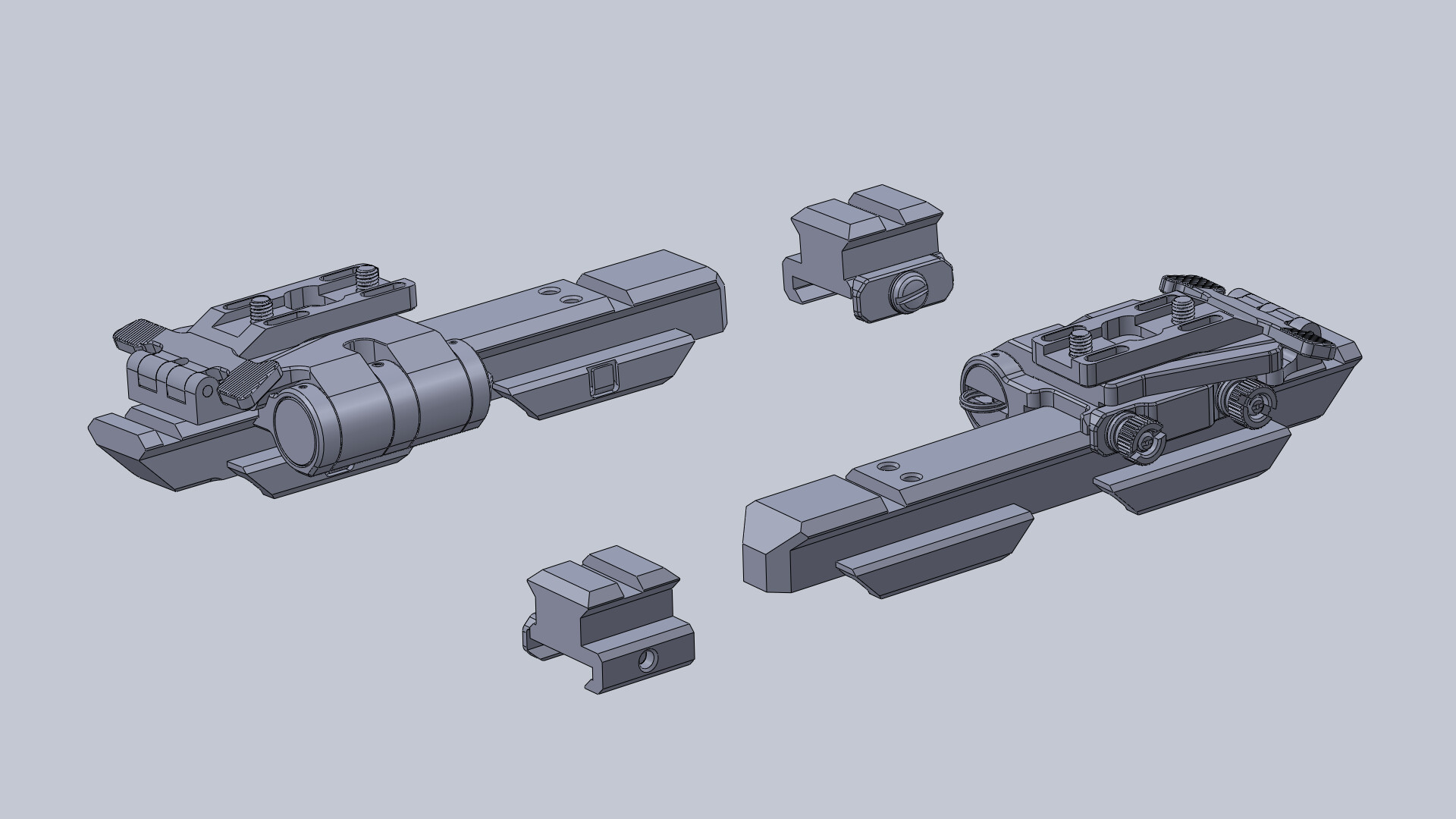



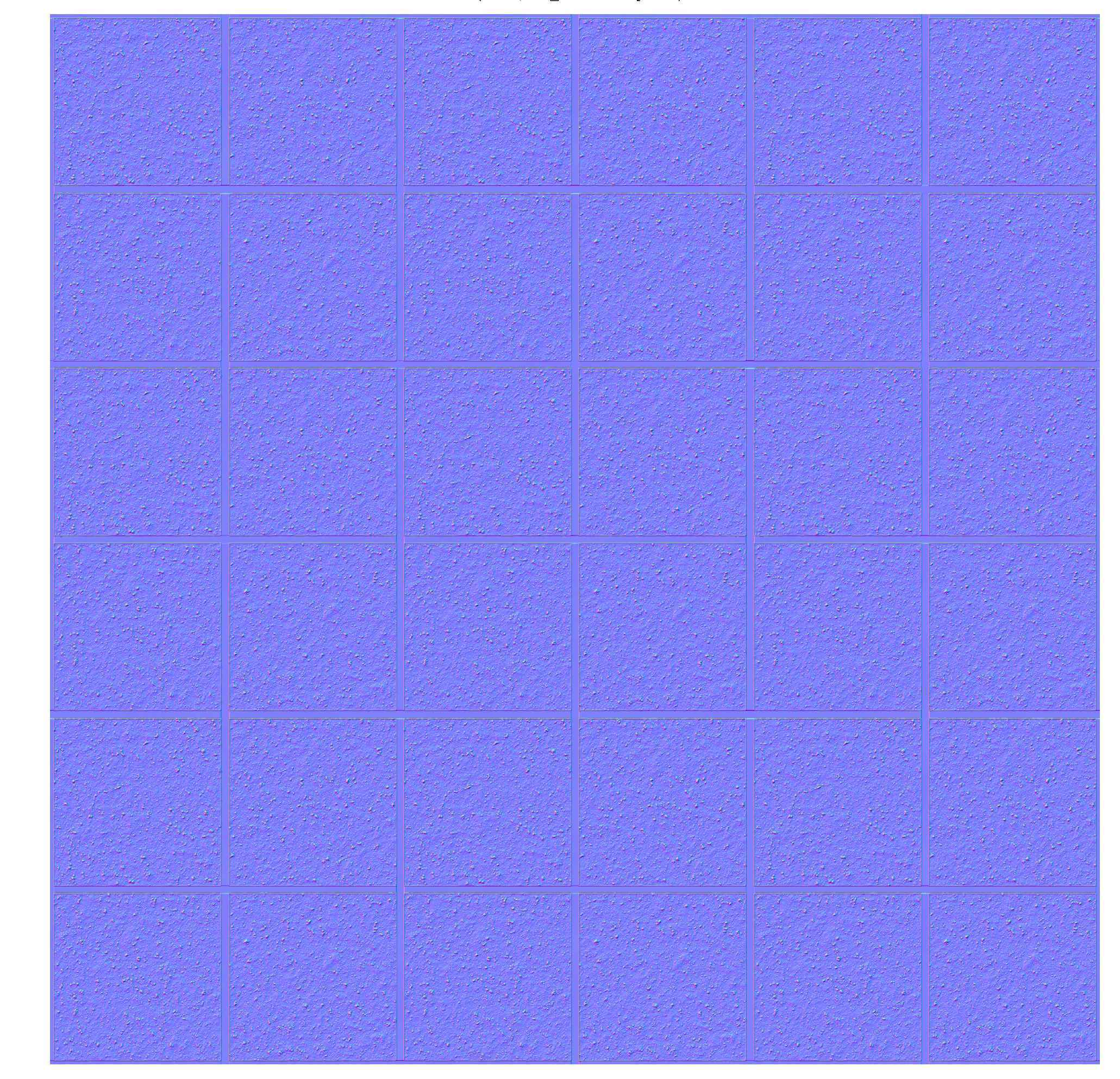
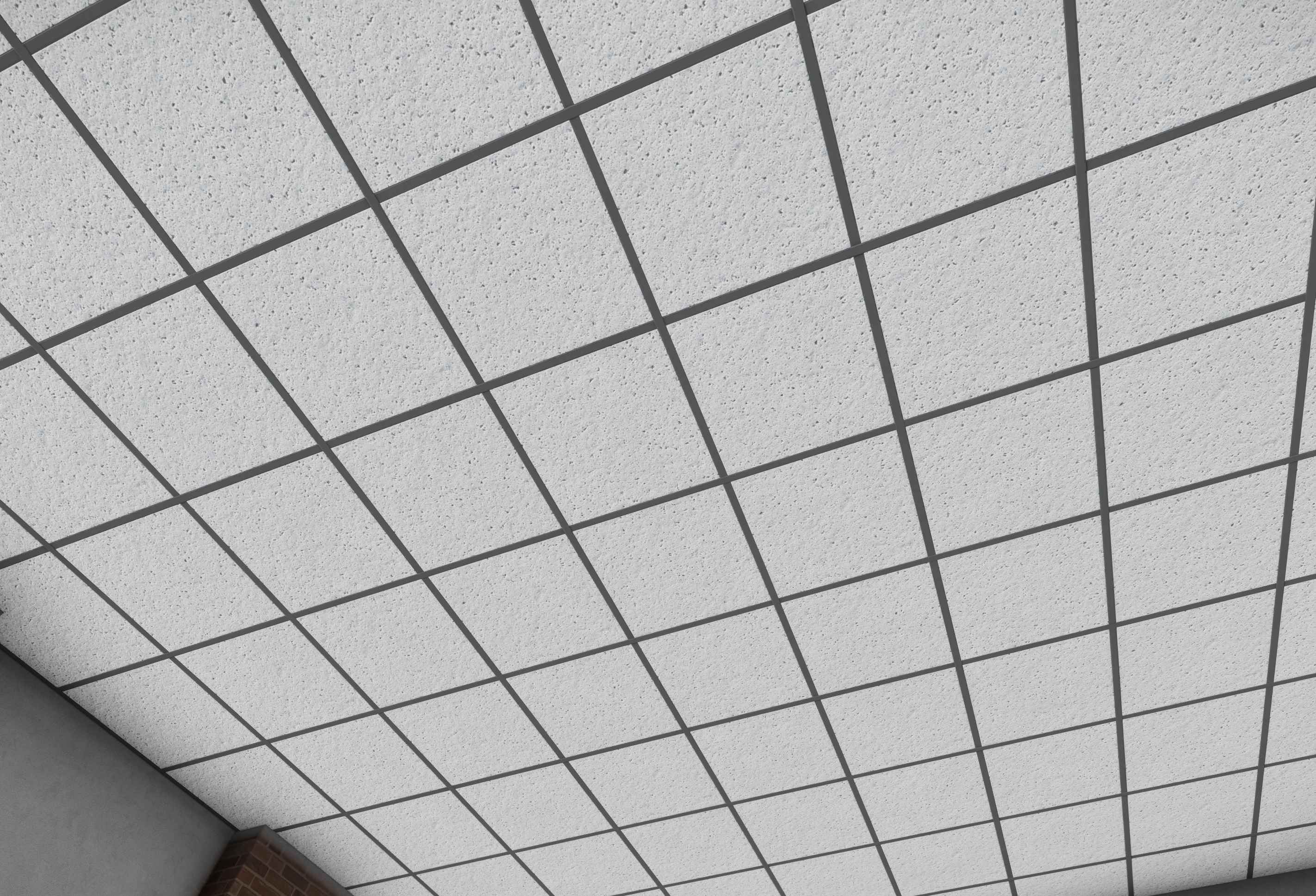


 terse scroll
Does the "collective" animation source work for anyone? It is mentioned in https://community.bistudio.com/wiki/Model_Config but I can't get it to work
charred bolt
terse scroll
Does the `"collective"` animation source work for anyone? It is mentioned in htt...
Yes, but it only works on Standard Flight Model. There's collectiveRTD for AFM.
terse scroll
Thanks, I'll continue looking into my issue then. I was in SFM but when reading the value with animationSourcePhase but it didn't work. That script worked with "altBaro" though
Just wanted to make sure that animation source actually exists
 errant forge
Wierd question, if I'm making a request for some1 to make a m1128 mgs Stryker , updates texture , like what would it cost or such ?
flat breach
a lot
 bright echo
I'm trying to track down an issue that i've been noticing with alpha textures, i thought it was originally caused by face sorting or something but i've been having it happen when it's a lone alpha texture
it's sort of subtle to see in this instance but is very obvious ingame in motion (the flickering around the compasses lines on the outer edges)
(cant find a good place to upload) https://cdn.discordapp.com/attachments/657478480333635595/913978138906730526/aliasingError.mp4
will need to fullscreen to notice it
I have it happening on the dials in a planes cockpit too and it plus emissive textures makes it go full tv static looking
bright echo
https://cdn.discordapp.com/attachments/423013172769849348/913996246358835210/planedials.mp4 heres another example on the plane dials