#arma3_model
1 messages · Page 172 of 1
 upbeat wraith
Wait ignore me i had a small brain moment
the one im trying to add gravity to (there are two models, one for an armed state and one for unarmed) is a vehicle
 stuck oyster
You lost me
what config class are you inheriting from
or what simulation type are you using?
 thorny summit
Yello fellas, is there a model for the arma 3 man that i can put into blender to use as scale?
 median bough
arma 3 samples on steam provide you with almost all you need
thorny summit
ah right thanks
 woeful viper
there is this guide that some guy made
Bohemia Interactive Forums
For making structures and also maps, that work well ingame its important to know what metrics the infantry has, what it can navigate and so on. Today i made some tests with following results: Wall heigth: 50cm - look over:high prone, shootover: high prone, totally covered: regular prone 80cm - lo...
 silver zenith
ohh fancy
thanks
what a cool guy whoever made it
:P
those are a bit too systematic
I guess a 190X90
but its a bit too precise
maybe a 200X100?
woeful viper
those are the miminum limits of function. For less frustrating and less twitchy experience, go higher than those limits
if your wall is thick or corridors are tight, i would go with larger door width, so people can angle through doors better.
at .9m you must walk through, the corridor, and then you can point your gun to the left
 buoyant matrix
Is there a mod developer willing to either teach me or help med out a bit with the Panther CLV (Iveo LMV)?
 lime basin
buoyant matrix
Is there a mod developer willing to either teach me or help med out a bit with t...
lime basin
buoyant matrix
Is there a mod developer willing to either teach me or help med out a bit with t...
let me know further, i am doing my mod as we speak but i can maybe help you in the future, add me 😄
 crisp turtle
So at the moment I am modeling a jet pack to be used in Arma 3 and I've never modeled anything for arma before, where is a character I can find to put into blender for a size comparison, and what all do I need to know for modeling things for arma 3? Ignoring the texturing, scripting, and rigging parts as they will be covered, what should I know and where can I find a blank character?
stuck oyster
Arma 3 Samples on steam
thorny summit
Could someone point me towards a guide for importing a mortar into arma and configging it etc?
Trying to understand some stuff while i finish modelling
woeful viper
there is no guide for that specifically. Mortars are similar to regular vehicles, except... they cant move, ergo you dont need to worry about all the wheel and vehicle physics stuff.
silver zenith
main concern is the tube rotation
stuck oyster
Id advice putting something simpler into game first so you learn how to read and write configs first
woeful viper
"Something simpler" - like what?. You can put a cube as model for the mortar into the config and it will display. It wont work to fire etc. But it will display...
stuck oyster
a box first
then possibly something that has a available sample
then something you need to derive a lot of knowledge from previous work to get it working
woeful viper
static weapon is among the simplest things you can put ingame actually...
silver zenith
I'm making him do a box first
but we were curious about the mortar
woeful viper
if you follow vanilla naming schemes...
stuck oyster
not without a sample
unless you are already familiar with how configs work and can do the thought process to derive what is needed
woeful viper
silver zenith
main concern is the tube rotation
what concern?
stuck oyster
mortar is just a turret
silver zenith
yeah just bit difficulty in making it rotate from the bottom
I guess it'll need a memory axis on the rotation center or something
woeful viper
just like any other turret, the tube in the p3d needs to point horizontally forward.
silver zenith
a full 90°?
woeful viper
look at a tank
ignore hull and the turret blob. Just the gun. Thats your mortar tube.
silver zenith
I see
stuck oyster
actually with mortars it does not need to point forward
woeful viper
it doesnt do with most other turrets (i dont think). But why do it different here than elsewhere?
stuck oyster
artillery computer stuff I suppose
woeful viper
? no.
silver zenith
mortars can't aim that low so why would it default there?
woeful viper
because you set the minimum elevation in config
stuck oyster
mortars are not modeled that way

all other weapons are
well at least almost all
some grendae launcher types might have elevated barrel angle
woeful viper
you can do whatever you like, as there is no way for game to differentiate between "this is a mortar, therefore i must use..." and "this is a cannon, i must use ...".
stuck oyster
just telling how I've seen them be done.
woeful viper
i suppose, if its an infantry mortar, it is easier to do the animation of the bipod legs, when you model it raised
stuck oyster
-\\ -
\
// \
=== ===
How I see it the idea is that then it fires on an arch towards where you are looking at
 plain gulch
Can i have some help?
i keep getting external viewer: unable to create viewer
im very unsure on how to fix this issue i've tried everything from reinstalling buldozer and arma 3 tools
still no luck.
very confused and hope to find a solution to fix it thanks
it was working yesterday, all of a sudden this issue pops up
This is my path to buldozer and somehow its still not working https://i.imgur.com/RVIljmK.png
https://i.imgur.com/MIEoOfh.png this is one of the errors when i try to open up bulldozer
Never mind i figured it out, i forgot i moved my texture file to another drive other than what i have it set it too
 shadow sorrel
Is it possible to take a model from a mod and put it in blender?
I’ve tried it but I’ve only gotten as far as seeing the workshop PBO and BISIGN files. Don’t know if that works for anything
stuck oyster
no
@shadow sorrel you are not allowed to take models from mods
this is after all model maker channel, not model taker channel.
 small olive
model taker channel 😄
stuck oyster

 limpid obsidian
Poly count on an object is what determines if it will make a server lag correct? if so what is the recommend poly count for a tree?
stuck oyster
polycount has not much to do with server since server draws nothing. polycount affects how well your GPU on your computer handles the scene draw. For server performance only thing that matters is if the object is made properly regarding collision and such technical things
and for polycount, depends on tree size
 fallow vessel
so ive been looking into making a hell cannon in arma as my first foray into modding other than some crappy retextures, now thing is i have no experience with 3d modeling. so far ive been able to make the tube in blender, but for the actual carriage and stuff will i make it out of a series of smaller objects or how will i keep it to one?
woeful viper
what hell cannon? that chaos dwarfes thing?
You can have multiple objects - yes. But you can also edit the objects individually. Cut holes, add new points and extrude stuff etc. Best search for blender tutorials on youtube.
fallow vessel
syrian hell cannon, essentially a homemade mortar
but yeah i will just get the hang of blender before i actually get into it tbh
lime basin
Hey, I have came to the conclusion that my aircraft is stationary because it has no PhysX. It floats in the air if I spawn it up there and will not move but will play the sounds of the jet and even rev up the engine D: HALP
 outer condor
What would cause a tank's geometry to only mostly work?
Sometimes units you run over just go through the tank, you can't walk through it most of the time but you can "step over" into it and that lets you clip trough the rest of the vehicles geometry.
Components are convex, all have mass, none are huge cause it's just a tank, there's only around 15 of them, tried triangulated and non triangulated.
Doesn't even seem to be one component in particular as you can do it from pretty much any part of the vehicle.
 shell hedge
outer condor
What would cause a tank's geometry to only mostly work?
Sometimes units you ru...
shell hedge
outer condor
What would cause a tank's geometry to only mostly work?
Sometimes units you ru...
There's not any duplicate names for the components? I had that issue before, O2 has an option in the toolbar that auto names all components detected in the geo Lod
outer condor
will check ty
was already tested and the geo LOD rebuilt 3 times to make sure no mishap was present
 charred bolt
@outer condor Is your geometry hollow? Try making the hull a single solid piece.
outer condor
it was originally one piece and it's now multiple after attempting to fix the the issue
all components are hollow
stuck oyster
Just to make sure, check for non convex and non closed in OB don't highlight anything?
woeful viper
15 components for a tank sounds a bit much... do you have one component for each hull side?
stuck oyster
Hollow Hull box is already 6 add couple of angles and 15 adds up fast
woeful viper
but why do you need hollow hull box? If a component is not thick enough you can step through it. Thats what i assume is happening.
outer condor
it was <10 components when the problems began
non convex and non closed highlight nothing
also vanilla tanks are >20 components
stuck oyster
woeful viper
but why do you need hollow hull box? If a component is not thick enough you can ...
Armor thickness simulation
woeful viper
thats not done in GeoLOD, thats done in FireGeoLod
 woeful viper
Geo lod in vehicles has the primary purpose of handling collisions with infantry, and to get mass and its distribution. Because everything else is handled by GeoPhysx or FireGeo or visibleGeo -> which should be defined and tuned to their respective purpose. Using "one fits all" Geo LOD is a bad idea unless its a super super simple vehicle shape
charred bolt
That's my thinking too, totally agree with X3KJ. Geo & Geo Phys LOD should be solid, FG should be hollow.
stuck oyster
Indeed. I confused what the problem was.
woeful viper
the side parts where track is can be one piece. Hull can be one piece too
unless you want infantry to be able to walk on top of the tank, the turret doesnt matter. Make it simpler

red shape is new hull shape, as one piece
stowage box adds nothing of value to collision

i can already guess that you have barrels in your PhysX geo LOD too? If you want flying tanks, thats how you get flying tanks. Wont be so bad because on this, as barrel is short and barely sticks out from hull... might as well delete it, when it cant collide with anything anyhow
outer condor
thanks everyone 👍 forwarded
 knotty trout
Question Whenever I am trying to do component convexity hull for my bunker. It changed the inside of it. 😓
https://gyazo.com/ffb45fbe8a6e5e80142587f862a9a237
stuck oyster
your bunker is not split into parts
so only the outer shell is convex
you have to do the splitting yourself
knotty trout
Ahhh okay thanks. ❤️
knotty trout
stuck oyster
you have to do the splitting yourself
Okay I thought I had to not had em join together. But I was wrong.  What do you mean splitting. xD
stuck oyster
👍
 frosty kraken
Any idea or someone has had the same issue in the past that Object builder's UV editor won't open? Like a few minutes earlier the UV editor was opening just fine and now nothing no matter how I smash the the corresponding button in OB. Tried restarting my PC to no avail
edit: solved by clicking with mouse right button on the UV editor app in the taskbar and then selecting Maximize for the UV editor window
knotty trout
stuck oyster
👍
I dunno think that answers my question on What do you mean by splitting.
stuck oyster
each wall need to be separate part, roof needs to be separate part
like those side parts you have are separate parts
knotty trout
Ahhh okay now I understand
lime basin
I have redone a lot of my LODS and my plane still wont move 3; gosh, what other ideas do yall have? because I'm lost at this point haha, I would love to send a pastebin of my config, and maybe screenshots of my LODS, my brain is spaghetti-o's
stuck oyster
when you get into the plane does the engine start?
lime basin
yes, it actually revs up to 100, and without my lods, it wont even start so, i feel like im onto something
stuck oyster
could be faulty physX config, could be faulty geometry/physx lod
those are basically the parts that make it interact with the world
were you using mikeros pboProject to pack the pbo?
lime basin
yes, and my lods are triangulated and closed so
idk what it could be, because i was actually getting it to fly before without a physX lod, just a geometry and inhereting the base class for planes and down to the wipeout classname
when i spawn the wipeout model, aka put // infront of model = "'filepath'"
it works
so it's definitely a lod error, just dont know which D:
stuck oyster
do you have physx wheel memorypoints and such defined?
and are your geometry and physX geometry lods build liike in the sample?
do you also have landcontact lod like in the sample
and there is also possibility that the sample planes selection naming does not match whats in the game planes config
so you would have to check what you are inheriting and compare if those things match with the corresponding selections
lime basin
there is something i should also mention, it can be placed in mid air and float, so is it something with LODS or maybe config? It feels like a static object
stuck oyster
you probalby dont have geometry lod mass set up then
lime basin
is this not set up properly? https://gyazo.com/d5c2013c109486d19e036113f7b2dab5
stuck oyster
no
it does not have mass
usually what a thingy would weight irl works alright
in kg
lime basin
so it's scale is kilograms? hahaha, i have it set to 1.0
stuck oyster
at least as starting point to be adjusted
ye that wont work
also is that build from separate components?
have you ran convex component hull tool on it?
to check all your geometry components are actually convex?
its under top menu structure
lime basin
No, i still have to map the components, but I didn't know convex component hull was a thing, do i just run it on all the LODS with components?
i only have that one for just testing purposes
the 33 one 😄
stuck oyster
theres also a tool to check if parts are convex
and in other menu if all parts are closed
both need to show no error points for the lod to be valid
also the component names is a must
 dusk frost
quick question to jog my memory, I'm making textures for an old project I haven't worked on in a year. what kind of texture maps does arma use? is it like diffuse, roughness, normal etc.? or does it use PBR?
dusk frost
thanks
stuck oyster
what textures are used depends what type of shader (rvmat) you put on your model
 reef granite
Hello Guy, I hope every one is fine here !
I have a custom object with a custom RTM animation I made in blender. I am looking for a way to launch this animation in loop when dropping this object in mission editor.
Have I to do it via CfgMovesMaleSdr ? Or is there any other ways ?
Thank you
 polar fiber
Objects don't typically use rtm
reef granite
I know but in this case it's more like an organic animation.
I just saw there is an "animation_makers" channel, I will move there to keep things ordered
median bough
what is the object, and what is it supposed to do?
stuck oyster
answered in animation makers.
 steep plinth
how can we add a "selection texture" to a model ? because i really don't understand. I have tried to add "model.cfg" with the "section" name and i have added this to my config but it doesn't work
hiddenSelections[]=
{
    "Crate_Tex_1"
};
hiddenSelectionsTextures[]=
{
    "\VehicleCrate\PaintCrate.paa"
};
 white jay
Hello. I need guides. Drop pls.
stuck oyster
@steep plinth perhaps your model.cfg is faulty and does not connect with your p3d
@white jay what guides?
steep plinth
stuck oyster
<@212665565309829120> perhaps your model.cfg is faulty and does not connect wit...
yeah exactly i don't know how to connect my "cfg" to my model so do you have an idea please ?
stuck oyster
Wiki page for model. Cfg explains it
steep plinth
i have already look the "wiki" page and i don't understand sorry.
steep plinth
stuck oyster
Wiki page for model. Cfg explains it
because if i rename my "model.cfg" the .p3d doesn't recognize the .cfg file so i can't. The wiki doesn't explain how to connect the .cfg or i'm on the wrong wiki. I have used this wiki : https://community.bistudio.com/wiki/Model_Config
steep plinth
oh ok so can i get the good wiki please ?
stuck oyster
Wiki is correct. You did not read it right yet
Actually I might get someone to edit out that renaming the cfg
steep plinth
ok but what i need to do then ?
stuck oyster
Well perhaps the link to the how to animate a model page at the bottom explains it in more detail
white jay
stuck oyster
<@456226577798135808> what guides?
The whole process is from 3ds to the final result. (Characters, weapons)
steep plinth
stuck oyster
Well perhaps the link to the how to animate a model page at the bottom explains ...
so i need to put the "model.cfg" in my addon ? and i need to binarize my addon ? but what binarize mean ? "PboManager" or i need to binarize my .p3d ?
white jay
I know how to use 3ds. I am only interested in what to do with a ready-made model that has a texture.
 bitter kite
have you tried checking google?
there is enough vids there that will help you get it done
stuck oyster
I guess question is, is it a model made for Arma. As Arma does not use pbr materials for example
steep plinth
stuck oyster
I guess question is, is it a model made for Arma. As Arma does not use pbr mater...
so what i need to do exactly ? because i have check a little bit and i need to create my model in the .pbo path
white jay
Русскоговорящие имеются?
median bough
English only on this server please
steep plinth
stuck oyster
https://community.bistudio.com/wiki/ArmA:_Armed_Assault:_How_to_animate_a_model
thx but i have tried and i don't understand how work "Models" and a friend help me so thanks you a lot for your help. We need only to put the "Model.cfg" in the pbo root and it's done
oh ok so i have understand alone how model work so i will post that for other devs who want to solve this problem
If you want to add a model.cfg it's very simple. In your model.cfg the you need to have this :
class CfgSkeletons
{
    class Skeleton
    {
        isDiscrete=0;
        skeletonInherit="";
        skeletonBones[]={};
    };
};
class CfgModels
{
    class Crate_Test
    {
        htMin=0;
        htMax=0;
        afMax=0;
        mfMax=0;
        mFact=0;
        tBody=0;
        skeletonName="Skeleton";
        sectionsInherit="";
        sections[]={"camo_1"};
        class Animations
        {
        };
    };
};
So now your "cfg" is called "model.cfg". So your "cfg" work but need to be loaded so you have 2 choices.
-
You want to try the cfg if it work in game. Ok it's very simple. Put the .cfg at the root of your .pbo "before compressed" and "compress" the pbo. Now you can start the game and the game will read the ".cfg".
-
You have tried your "cfg" and it work. Now you want to know how to "merge it" into the .p3d. It's very simple too. Change the name of "Model.cfg" by the name of your ".p3d" so "mymodel.cfg". Now you need to compress your pbo but not with a basic tool. You need to use the "Addon Builder" from the "Arma 3 Tools" and select "Binarize" and "BinarizeTextures". When the process is completed it will merge automatically your ".cfg" into the ".p3d". Now it's done and you can start the game.
stuck oyster
close
but not quite
like it says in the wiki I linked above

the cfg models classname needs to be same as the p3d name you want it to connect with
on binarization model.cfg is written into that p3d with the information the cfgmodels contains
and the model.cfg file is simplest to have next to the p3d
since you can have multiple p3ds in a pbo
and use mikeros pboProject too so you have error checking available
your way works but you really dont need to pack the cfg on its on to test it
small olive
Hi all, there is something is wrong with my aircraft's physx, I already shared needed information about the issue on my last message in forums: https://forums.bohemia.net/forums/topic/232246-aircraft-wheels-and-suspension/ I've searched a lot about this issue and tried many things but still no chance... anyone help please
(I'm not sure if it's count as a crossposting or not, please let me know if it's)
lime basin
I figured it out HorribleGoat!!!!!!!!!!!! it was down to the Geometry PhysX being broken.... Ill fix later... for now i am just happy it moves 😄 AND CORRECTLY
stuck oyster
👌
 summer elm
Question for the model veterans, is the pos1 in a building's vertex group the garrison-able spots for that building?
woeful viper
it can but but it doesnt have to be. Depends on how the creator numbered them.
https://community.bistudio.com/wiki/LOD#Paths
dusk frost
I'm trying to rig a model to the biped skeleton and I see it has bones in its limbs that are labeled "roll" in addition to the regular bones (for example there's "LeftArm" and "LeftArmRoll") which I assume twist the limb. If I'm making a model of something that should have rigid limbs though, like a robot, should I not weight anything to the roll bones?
 fluid hound
I get Warnings in p:\a3\sleeper\items\chock.p3d:shadow(1000) when binarizing the p3d, but there is no 1000 shadow LOD.
Is this warning me about the fact that 1000 shadow LOD is missing?
If yes, should i add it, or is it totally unimportant?
dusk frost
I just exported a model for a hat and opened it in object builder, and the textures refuse to load even though I've specified the right paths to them
stuck oyster
Refuses to load where?
@fluid hound no stop!
Do not make your mods in a3 folder
A3 folder is for A3 game data, not your files
You put your mod stuff to p:/sleepersmod/
dusk frost
stuck oyster
Refuses to load where?
What do you mean where? you want to see the file path to the textures?
dusk frost
It showed the pink/white checker texture instead of the intended texture
stuck oyster
Yep OB does not read paa
dusk frost
I'll set it back to tga
stuck oyster
It shows up in buldozer
dusk frost
alright, thank you
stuck oyster
Should not really matter much
dusk frost
oh, ok
 bright echo
does anyone have experience with the pylonReadyPos.X animation source on planes? I can force it to animate (although it seems to break?) with animatePylon but it doesn't seem to work natively like when I drop the bomb on the pylon
for clarification the actual source im using is source = "pylonReadyPos.4"; and the proxy is 004
although it seems to break?
by this I mean if I use animatePylon it gets stuck at 1 state and wont change
fluid hound
stuck oyster
You put your mod stuff to p:/sleepersmod/
I am used to treat A3 as a platform, so to me its logical that my stuff made for Arma 3 goes under A3, and vanilla stuff has the "_F" suffix (which came from the WIP project name "Futura").
On the other hand, if there is some "standard" or widely accepted consensus, then fine, i guess.
But i am not going to change all paths now just because of that as it has no other practical impact.
stuck oyster
It is widely considered bad practice to put your data under A3 folder.
fluid hound
stuck oyster
It is widely considered bad practice to put your data under A3 folder.
ok, for a next project, i put it elsewhere 🙂
...but have you any info regarding that p3d warning?
stuck oyster
Also if A3 happens to still get an update or you need to for some reason refreshing P drive, your data in A3 folder will go poof
Because its not A3 data
So. It kinda would be better to fix that.
fluid hound
stuck oyster
Also if A3 happens to still get an update or you need to for some reason refresh...
How? i control what is or is not on my P drive, nobody else.
stuck oyster
Well at least I warned you. Its definitely up to you to act or not on it
As to the warning, is that the full line of it or is there more?
fluid hound
stuck oyster
As to the warning, is that the full line of it or is there more?
that is the full line. The line appears 3 times. The whole output related to that model is:
 3:26:26: Warnings in p:\a3\sleeper\items\chock.p3d:shadow(1000)
 3:26:26: Warnings in p:\a3\sleeper\items\chock.p3d:shadow(1000)
 3:26:26: Warnings in p:\a3\sleeper\items\chock.p3d:shadow(1000)
3:26:26: </model>```Duplicate lods perhaps
fluid hound
The only lods in the model are:
1.000
ShadowVolume 0.000
ShadowVolume 10.000
ShadowVolume 100.000
Geometry
i would post the file but... for some reason this most helpful functionality of Discord is not allowed in here 😦
stuck oyster
Well I don't have time to do that deep debug anyway 😅
 obtuse rain
I've got a multistory building that for the most part works as intended. However, AI placed on certain surfaces are stuck in a floating animation. The roadway LOD is 0.05m above the geometry LOD and paths LOD is 0.1m above geometry. As a player, I am able to walk on the surface, but not placed AI even remoted controlled. I thought it was a max height problem because it happens at the top floor z = 49.25m, however it's fine on the floor below that at z = 37.45m but it pops up again below that as well. Here are pictures of the effect: https://imgur.com/a/mEufRjB
stuck oyster
Usually tha means the character is on geometry not on roadway
obtuse rain
Ah, there it is. Got my normals facing downward on several of the floors. 🤦♂️
Thanks!
stuck oyster
That will do it ye
 molten scroll
Remember from ages ago, but forgot what causes this issue with textures. Any ideas?
https://i.imgur.com/0FxzMcu.jpg
molten scroll
Brilliant, fixed the alpha in the tga before paa and worked!
Danke!
 rose kettle
hey, question regarding magazine proxies... how do i get them animated? 😄 do i need magazine_axis in the p3d of the magazine and a "magazine" selection or do i still need it in the weapon p3d? in model.cfg, does it need all the subclasses like "magazine_hide","magazine_reload_move_1", etc. to be inside the magazine class, or does that still reside within the weapon class?
stuck oyster
magazine proxy would need to be part of the animated selection in the weapon
polar fiber
Strictly speaking I think you can do both - animate it in the weapon or in the magazine (they both support reloadMagazine animation source). But animating the movement of the whole mag relative to the weapon is generally done in the weapon model. You don't need any selection/bones or a model.cfg for a basic magazine model
But if you're doing things like hiding bullets as ammo is depleted or moving belts when firing the weapon: Those sort of anims are done in the magazine model. In which case you can then go about adding selections/bones writing a model.cfg for animating all those sub-parts
stuck oyster
oh did not know the mag proxy also is animated 😄 but that does make sense for the bullets and such
rose kettle
cool, thanks. only trying to get a basic reloading animation working for now. adding the proxy to the "magazine" selection (which is referenced in the animations inside model.cfg) doesn't seem to do the trick... i will try some more tomorrow
^ that was in the weapon p3d, of course
stuck oyster
are you sure you have right selection name
if you make just a cube mesh does that move with your animation?
rose kettle
gonna try tomorrow. i am pretty sure i have set it up right tho... or do i have to do something special in object builder to add a proxy to a selection? selection is called "magazine" and when i select it, the three proxy vertices are highlighted
and i have an axis called "magazine_axis" inside the memory lod
stuck oyster
that should do it
polar fiber
If you select that proxy, right-click the selections window and choose "weights" does it show only proxy:A3\Data_f\proxies... and magazine or is there some other bone it's weighed to in that list?
 buoyant nebula
Does anyone know if there is a way to make 'ambient noises' such as a fan for a model using Memory points similar to the noise of the air conditioners found on some of the buildings in base arma?
 frosty rain
buoyant nebula
Does anyone know if there is a way to make 'ambient noises' such as a fan for a ...
frosty rain
buoyant nebula
Does anyone know if there is a way to make 'ambient noises' such as a fan for a ...
english only my friend
white jay
I've already tried it in English
frosty rain
Google translate suggests to me that you want to change models thru 3ds and return them to the game
white jay
I want to learn how to convert a model from 3ds / blender into a game
frosty rain
did you make the model?
white jay
One of the examples that I plan to add to the game using the WBK mod. I am also planning a republican commando.
frosty rain
Cool seems that you are actually making the model, to put it in game you'll need Arma Toolbox for blender
this lets you export as p3d
white jay
I have it
frosty rain
So what is it exactly that you need help with?
white jay
Collision, rigging. In the case of a character - I don't know what to do at all.
At the moment I only have experience with GTA SA and GTA III models
frosty rain
No idea as far as rigging goes but collision is pretty simple, open arma samples and take a look
I suggest using only primitives
This explains it quite well
white jay
Can you recommend any videos or articles?
frosty rain
Dont think theres good videos about it, but the biki or forums is pretty good
obtuse rain
I have a staircase as part of a larger model. When AI is placed within the building, it is able to path correctly, however it is unable to exit the building and AI outside the building can't find a way to path into it. I started with a few in# points and gradually added more and more but the problem persists. Within the building there are stairs as part of the roadway that AI can navigate fine, it is just the in# points that it seems to have trouble with. Here are some screenshots: https://imgur.com/a/T1pPamC
white jay
Thanks for the help. I will go to study this forum and other official resources.
 shadow bramble
how detailed should my optic be?
how many faces is too many?
and what's the best way to model dials for A3, just paint the texture?
stuck oyster
few hundred to thousand maybe
depends how much curves and tubes you got
weapons themselves are at 5000 range usually
or lower
Id suggest turning on smooth shading and autosharp
so youll see a bit better how it shades
and what kind of dials?
shadow bramble
so once its imported into arma it will look similar to blender's shade smooth?
shadow bramble
stuck oyster
and what kind of dials?
windage, elevation dials on optics for example
stuck oyster
the detail surface is usually textured yeh.
and Id say these days the texture is baked form highpoly model to lowpoly game model
obtuse rain
obtuse rain
I have a staircase as part of a larger model. When AI is placed within the build...
I've made some progress on this model. The building has a foundation that goes down to z = -5m in order to account for uneven terrain. This includes the stairs and related LODs including roadway. However, the AI refuses to step onto the roadway and go up the stairs unless the building model is fully above ground including foundation. I thought it was best practice to have some foundation below z = 0m as shown in the sample house.
rose kettle
regarding my problem with magazine proxies/reloading animations from yesterday - weighting seems to be good for the "magazine" selection and proxy: https://i.imgur.com/75uTj0K.jpg
however, i also added a muzzleflash proxy and selection now and it is always visible in-game... which might be related and makes me think something's off with my model.cfg in general.
... or does that selection have to be called "zasleh" still? damn, i thought i had this figured out some years back 😄
polar fiber
You can have an additional selection name for it to make it a bone for animation (rotation translation etc) but for the flashing on/off when firing I'd stick with zasleh, and have that in the sections[] array
rose kettle
hmm, calling it "zasleh" doesnt seem to help. stays there all statically, just like the mags. 😄 https://i.imgur.com/5WB7ypv.jpg
it must be related to model.cfg somehow i think, but it doesnt throw errors when binarizing except something about shadow lods, which i don't have yet
my model.cfg is pretty much the sample one, with stuff taken out (like moving bolt etc.) that i don't have in the model yet. see https://drive.google.com/file/d/1Wf90K9OdEnwdB_Xgpn7NSh-fmNXzo9dU/view
stuck oyster
@obtuse rain you will need ai pathing reach outside of the object so AI can access it. Having a path entry inside the object won't work. Refer to sample house for example.
rose kettle
oooookay, got it. psa: don't ever use hyphens in classnames, especially not in model.cfg, shit will break 😄
also probably don't use addon builder as it doesn't seem to tell you when it can't parse model.cfg properly
muzzleflash is still always visible, but at least it rotates. reload animations work as well.
polar fiber
was your weapon called ppsh-41.p3d? the classname has to match the .p3d name
rose kettle
yeah, it was. renamed it to ppsh_41.p3d and changed the classnames accordingly
rose kettle
muzzleflash works as well now, did have to call the selection "muzzleFlash" after all 🤔
polar fiber
did you have selectionFireAnim redefined somewhere?
rose kettle
ah yeah, that was it. had selectionFireAnim = "muzzleFlash" in config.cpp (from the sample config)
thanks a lot 🙏
 molten fractal
If I wanted to port a player model into Arma, can I do it with the head and all?
And if it's already rigged for another game, do I have to rerig it for Arma?
stuck oyster
99% rerig needed.
face/head models fitting the arma face rig is 50/50
textures wont fit
molten fractal
https://i.imgur.com/xRO3JVA.png
he got no fingers, so this may not be feasible
 quick terrace
molten fractal
If I wanted to port a player model into Arma, can I do it with the head and all?
quick terrace
molten fractal
If I wanted to port a player model into Arma, can I do it with the head and all?
port it from where?
molten fractal
Ravenfield, which is based on unity.
molten fractal
Yeah, the original author sent me the blender files.
dusk frost
trying to work on my hats again, I think I messed something up with exporting - when I select the mesh and press E to check the texture paths, I open the folder to select the texture for the model but when I do it throws an error and says "Cannot convert [texture name].tga to [texture name].paa"
I have no idea what I might have done wrong (this is what I get for doing work at 3AM)
actually scratch that, for some reason the wrong path name kept persisting in the E menu, I had to manually clear it.
stuck oyster
the tga has been save with wrong options and the converter cant handle it
 round bloom
Does anyone have any idea why a model would be pulling out like this in OB/game? It looks fine in blender. I've double checked and there are no extra verts in my selections
As soon as I run the hide anim source on it it goes away
stuck oyster
your other end of the edges are either not part of the hide selection
so only the other end hides
hide == scale to 0,0,0
or the other end is part of hide and some other animated bone and thus breaks
only 1 animated selection per verticle
round bloom
The other side of the wall (it's an anim to hide a section and show a hole in a wall) looks fine https://i.gyazo.com/3358853af7d0b92b4f8e1a316d8c1c5e.jpg
When the hide anim is at 1 the front side does look fine https://i.gyazo.com/58b7ad44b021527cda562b08f674d68e.png
It's only at 0 it doesnt
I've not got any other selections for those walls or anims
Just the hide one
round bloom
They are 100% separated
 round bloom
Thats the entirty of my selection, i'm not sure if I'm just not understanding what you mean but they aint joined
frosty rain
Try selecting linked to see if you have stuff connecting
stuck oyster
show it in verticle mode
and show the actual vertex group selected
not somethin you select by hand
frosty rain
If the wall has sharing vertices with the part that hides that could prob also fuck it up
stuck oyster
like in my picture
in edit mode -> vertex mode -> select none -> find the "hide" vertex group in the vertex group list -> hit select -> screenshot
round bloom
stuck oyster
in edit mode -> vertex mode -> select none -> find the "hide" vertex group in th...
frosty rain
round bloom
https://i.gyazo.com/7a2deab1e23799e7f913484e5e133f17.png
Is that merged with the wall or is it separated?
Like if you press alt+h and sc
Hide anim like goat said scales 0,0,0 so if it’s connected it’ll likely fuck up
round bloom
frosty rain
Try selecting linked to see if you have stuff connecting
Wait how do you stop merge on join, i'd tested on seperated but I think it's auto-connecting when I ctrl J
frosty rain
Its on top right afaik
But google it, and press Y when you have the hide vertex group selected
So it separates that entire section from the wall, but within the same object/layer
That will obvs split vertex normals tho so it’ll likely look weird
frosty rain
I’d use a separate model for the destroyed wall altogether
stuck oyster
@round bloom not with everything else hidden 🙈

like this
and with the selection made through the vertex group list
round bloom
Yeah I've checked and it is the issue that it's connected verts, but now I can't figure out stopping blender from merging on join
 stuck oyster
there you go then
round bloom
frosty rain
https://www.google.com/search?q=how+to+disable+auto+merge+blender&ie=UTF-8&oe=UT...
That is for auto merge which I don't have on
stuck oyster
😛
frosty rain
It shouldn’t merge on join if it’s disabled
Are you 100% sure its merging?
Like try moving it around
round bloom
Automerge is a completely seperate (and I think defunct) feature, join is just merging them itself.
frosty rain
If all hope is lost ctrl + c into a new blend and try again lol
stuck oyster
it could be just that you got the rim also in the selection
round bloom
And yeah 100% can't move it on its own once joined in
frosty rain
Join doesn’t automatically merge, atleast not on 2.90 which is what i use
Try on a new blend ig
stuck oyster
yeh never heard of such happening
round bloom
This is the selection in Blender in the main lod https://i.gyazo.com/122e101783207f920f6e28beea40b5dd.png
stuck oyster
if you select 1 face in the middle and hit ctrl+L what does it select
round bloom
Clearly connected
frosty rain
Just press Y
stuck oyster
no
frosty rain
and it’ll separate
round bloom
Seperated is this https://i.gyazo.com/f6693537e832eb01f5bf83b681afcecd.png
But once I join it goes back to the old
frosty rain
Keep it on the same object
stuck oyster
pls
round bloom
frosty rain
Keep it on the same object
Y looks like it works but on export to P3d it doesn't
stuck oyster
when you separete it to different object or to different mesh part with Y
the rim still keeps the selection
you need to remake the selection without the rim
round bloom
stuck oyster
you need to remake the selection without the rim
Looks like that might be onto a winner, about to check it in Bulldozer now
stuck oyster
I know my shizles
round bloom

stuck oyster
just need to make more of my own stuff and less of everyone elses 
round bloom
it all look fine
frosty rain
kk
stuck oyster
sharp edges around it should keep the visuals the same
stuck oyster
👌
obtuse rain
If AI ignores geometry LOD when it's on a paths LOD, does that mean I can't create wall partition objects to place in empty rooms for more varied indoor combat?
 runic plover
@obtuse rain AI will ignore geometry which is placed on their path, AI will walk trough.
You have to fit path in the path LOD around these wall partitions
 fleet nacelle
Hey guys ive got an issue with a uniform im making in that when pulling out a secondary weapon in first person you are aiming on the floor ... Never seen this before! 😮
stuck oyster
nothing in the uniform should affect that
could be other mods you are using
hmm
or perhaps it could be a missing proxy in the model
fleet nacelle
Is there a proxy that determines where a pistol aim comes from? I have a proxy already for where it should sit when holstered
fleet nacelle
Will take a look at that then, thanks 🙂
limpid obsidian
any recommendations on how to keep poly counts low?
stuck oyster
not add polygons?
limpid obsidian
lmao
stuck oyster
depends a lot on the model and how you want it to look
dont have too many segments on curvy bits and so on
limpid obsidian
yeah it doesn't help that when I export it to fbx it triangulates everything
does the Geometry count towards and object's poly coun?
woeful viper
you always give poly count as triangle count, not as quad or ngon count
no geometry doesnt count, but geo too needs to be super simple
any triangle that does not contribute to a models shape needs to be eliminated. simple as that. A flat face has no business consisting of multiple faces, unless it has some cuthroughs, weird connecting shapes and other stuff
quick terrace
@limpid obsidianfor A3, important parts are
- section count
- number of alpha textures
- triangle / vertex count
in that order
limpid obsidian
quick terrace
<@!124318315676958720>for A3, important parts are
1. section count
2. number of ...
So you want to have a less sections as possible?
quick terrace
in object builder, there is a count for number of sections
quick terrace
it represents the sum of individual textures, materials and proxies applied /present in the particular LOD of the p3d file
faces in the context is irrelevant, points = vertices, very relevant as the list written above
limpid obsidian
So don't focus on the faces portion, but the points correct?
quick terrace
the short answer would be yes, not gonna go into too much details regarding vertex indices vs vertices vs vertex normals, but yeah
limpid obsidian
in your opinion what is the recommended vertex count to stay under?
quick terrace
it depends on the object
quick terrace
there are different ideal polycouts for different types of objects
it also important to know the number of the same objects displayed at the same time on screen etc
how big is the tree, how small is the rock etc is relevant
in general the lower the count the better, i dunnot know by heart some average polycounts for vanilla objects, but would be ideal to keep around the same range
limpid obsidian
is there a way to find out those counts, because I am unable to open them in p3d for whatever reason
quick terrace
it isn't for whatever reason, all p3ds for A3 are locked (binerized) for a reason
limpid obsidian
to prevent from them being stolen or something I am assuming.
quick terrace
exactly
not sure if there is a way to check these counts ingame, there might be some way via the ingame scripting commands and/or the dev branch dx diag
is there such a way @bold flare ?
 ebon abyss
Legacy: no its not because stolen, binarization is optimizing the model, has nothing to do with any copy protection nonsense. use Mikero's eliteness tool to scan P3D models, dont use it much myself but it should list section counts along with other useful stats.
 bold flare
polycounts? no
ebon abyss
(just checked with eliteness, it does show just tons of info about p3d, including sections).
quick terrace
cheers @ebon abyss
bold flare
there are script commands to get named selections (in every lod), and properties on a lod
limpid obsidian
anyone have an idea of what could be the issue here? it looks like the texture is off just a little bit when it gets dark, but it is fine during the day time.
I checked the UV map and everything looked fine. Could it possibly be an RVMAT issue?
 obsidian flame
not entirely sure where to put it, so I'll just guess here since modeling/anim work is probably the hardest part (or at least the part I can't do) - anyone have any ideas on 1. who I can commission to help me make a crossbow addon and 2. how much it would cost?
I don't know modeling or animation in arma but I can suffer through the config and scripting parts
a crossbow or really any kind of bow would be a very fun add-on for a stealth mission I think
stuck oyster
well crossbow would be far easier as its more rifle looking weapon
you can try #creators_recruiting
obsidian flame
thanks!
round bloom
Are there any real known common issues with using rvmats in hidden selections? It's been suggested to me that it would be but I can't see how
 vital geyser
no
 brisk onyx
Any reason why when I export from Blender my model gets f**ked in ObjV ??
this is what happens
https://imgur.com/a/86BBesD
frosty rain
round bloom
Are there any real known common issues with using rvmats in hidden selections? ...
If you mean hiddenselectionmaterial then the rvmat has to be in the p3d somewhere
Otherwise it won’t work
You can put it on any res lod (maybe any lod not sure), it just needs to be somewhere
But hiddenselectionmaterial is pretty buggy i believe, i wouldn’t suggest using it
polar fiber
hiddenSelectionsMaterials works on cfgWeapons quite reliably (without the need to include in the p3d) but seems to be unreliable on units and vehicles and seems to require the above measure. Problems when it does work is that it will disable visible wounding on units, and visible damage on vehicles
Can use the vehicle customisation system to apply .rvmat on vehicles reliably - since that uses post-init setObjectMaterial command. But hiddenSelectionsMaterials often needs to be in the .p3d somewhere
 obsidian light
Hello guys, I have a problem that when I am selecting an attachment in the slot (for example a sight), in the virtual arsenal, it places it to the bottom-left side of my character and nowhere near the weapon. But if I am reloading the game the attachments are placed where they should be, exactly where I've set the muzzle, top and side proxies
Anyone an idea, did I miss something ?
polar fiber
autoCenter 0 in geometry LOD might help if you don't already have that
obsidian light
@polar fiber Also what I've notied, after selecting a different weapon in the arsenal it's placing the attachment correct as well
but I'm gonna try the autoCenter ß
*0
@polar fiber thanks again for your help mister, worked out like a charm
 stable totem
Hello, I recently got in to modding in arma and decided to start off by making simple structures. I managed to import a small bunker to the game but I noticed that my character was able to walk through the model. Any ideas why or how to fix this?
ebon abyss
geometry missing. convex hull and all that good stuff.
stable totem
Thanks, ill do some more research on it.
stable totem
I'm having some trouble setting the Geometry mass in object builder. Even after selecting everything it still doesn't let me change the value. Any solutions?
 orchid spruce
are you doing it in the right lod? make sure you're doing it in the "geometry" lod and not any other one
 tender hemlock
Hi, i am building a helicopter and i faced such problem. After getting the speed, it gets the blur effect but doesn't hide the propeller, what is the reason for this? https://prnt.sc/1p5m4x8
polar fiber
Could be the model is lacking the named selection that is defined/inheriting as selectionVRotorStill = in the config.cpp
That named selection also needs to be in the sections[] array in the helicopter's model.cfg
default Czech name from the Arma 2 sample is usually mala vrtule staticka
But if it has selectionVRotorStill used to hide the rotor, the rotor cannot have a camo retexture selection applied to it, because that interferes with how the rotor is hidden
tender hemlock
Thanks for your information and help.
round bloom
Is it possible in arma to have the user action for an animation to run effect another nearby models selection? I've got a bridge that needs to be modular but I need to also trigger an animation source in another part if someone activates a user action
stuck oyster
yes you just need a way to also target the other part too
 full skiff
Did you know? Using ground detail texture's .rvmat on a model seems to crash the game when object is placed in editor. What a fun day figuring that one out.
stuck oyster
yes the shader does not work on objects
 smoky socket
So how do I start modeling?
frosty rain
smoky socket
So how do I start modeling?
google blender donut tutorial and follow all of it
smoky socket
And can i import models from unreal?
frosty rain
if you either have permission or made the models yourself then yes, but i wouldn't recommend it
smoky socket
frosty rain
if you either have permission or made the models yourself then yes, but i wouldn...
K
stuck oyster
Importing models does not really teach you anything. If you really want to do modding then you need to invest the time to learn how.
quick terrace
So how do I start modeling?
And can i import models from unreal?
these 2 don't really go together
 hybrid frigate
I am having a bit of an unusual issues I am trying to troubleshoot. This started around the time I added a door to my building.
When I import my object with the LODS 1.000, Memory, Roadway, and Path the object makes it into the game no issues. I can place the object. Obviously no collisions.
When I add Geometry, Geometry Phys, or Fire Geometry the game crashes out with a [CRASH FIX] 0xC0000005 - STATUS_ACCESS_VIOLATION error. I have gone as far as deleting my the mentioned Geometry LODs meshes and merely using a cube, issue still persist.
If I have the Geometry LODs empty with no mesh the object places in the editor just fine.
What would you suspect I am doing wrong?
obsidian light
Hello guys, I am almost done with my project but I still have an issue: I have an 3D model with the base color texture, a normal map and a metalness and roughness png. I've converted them to paa and gave the base color texture the ending _co and the normal map the ending _nohq. If I try to implement the roughness or metalness png as a paa with the ending being _smdi, my texture looks like this: https://ibb.co/1bnktf6 but it's supposed to look something like that: https://ibb.co/bJwSxhb
@hybrid frigate maybe I can help you untill I get an answer for my issue. Question: how did you create you Geometry LOD, in Blender ?
hybrid frigate
For the original mesh a series of cubes
For the last ditch test just a cube. Typical A3 properties checkboxed and location zeroed
I am going to start the file from scratch and see what happens
obsidian light
ok, it would be important to transform all your axis too
hybrid frigate
Update: I am not sure how or why but I suspect it was due to a named component
I got the model working by deleting and completely renaming components
stuck oyster
@obsidian light your metal Ness and roughness won't work as is since Arma does not use metal rough pbr shading but older specular gloss shading
polar fiber
Sometimes feels like Arma's idea of gloss map is inverted though - darker gloss often seems more shiny. And since roughness maps are basically inverted gloss maps, it might not be so bad
Metalness is no substitute for specular though
stuck oyster
could be because its easy to blow out the glossiness in supershader
 leaden sun
Metalness isnt trying to substitute specular though.
Spec becomes it's own separate and usually not touched attribute after the realization that lessening or strengthening how much light an obect reflects is physically inaccurate.
obsidian light
Ok guys, thank you for your answers. I actually managed to fix the problem somehow, I exported the metallness and roughness from texview as _CA (I hope i'ts correct) and managed to make it look how I want it, when running in Bulldozer.
Now the problem is that ingame it doesn't at all look like in Bulldozer
am I doing something wrong, did I forget something or is the difference normal ?
stuck oyster
no thats not right
_CA is for alpha transparent textures
sounds like you have a lot of wrongs in your current workflow
obsidian light
ok but the metallness and roughness apart, I have converted my texture png to tga (32 bit) and then exported it via TexView as _CA
I mean _CO
leaden sun
you only need a 32bit texture if you plan on using transparency of some sort, otherwise you would use a 24bit
also be warned that combining a 32bit ca texture with transparency on the same sheet as opaque pixels will cause 'ghosting' artifacts with ingame screen space ambient occlusion as well as lighting irregularities
stuck oyster
metalness and roughness play no part in the Arma shaders
no matter how you convert them, they wont work as they dont have the correct information in them
obsidian light
Ok, I understood that and deleted the roughness and metallness. Now what I am trying to do is just converting my texture and my normal map in _CO and _NOHQ respectively. Do I need to set a filter in texview for that ? or can I just save as... ojectName _ textureName and then _CO
stuck oyster
the source texture needs to have the suffix on it
and you can use ImageToPaa for batch conversion
texture_co.tga -> drag to imageToPaa -> press process -> profit
obsidian light
ok thank you sir
hybrid frigate
Okay another odd issue. My memory action vertices for doors seem offset by 10 feet from the doors.
I verified Blender is exporting the P3D with transform done.
Any particular reason you would think this would still happen?
 short grove
Can I have a master model config for a bunch of buildings that are the same, in this master it would contain the rotations for the doors while in the model.cfg for the p3d it lists the doors and calls back to master? And how would that look like?
leaden sun
when you did the transform did you apply all or just the scale and rotation?
 dusty basalt
Hey guys, quick question - can a face be assigned to two different named selections at the same time? I've got a bunch of buttons which are supposed to be animated when interacted with, and then there are transparent label faces on top of them which I want to be able to target with setObjectMaterial when I want to make them glow, but then I also want them to move individually with the buttons when they're animated.
polar fiber
Yes you can assign as many named selections as you want so long as it's not two different named sections[] or two skeleton bones that have overlapping animation influence
dusty basalt
sweet
polar fiber
having separate sections for retexture and bones for animation is the norm
dusty basalt
yeah I basically would like to have all of these button "labels" as one selection to easily change the material, but then also each one of these labels assigned to the same selection as the button itself so that it moves along with the button
stuck oyster
short grove
Can I have a master model config for a bunch of buildings that are the same, in ...
Yes. Read about class inheritance.
hybrid frigate
leaden sun
when you did the transform did you apply all or just the scale and rotation?
All Transforms is what I selected. I thought that captured rotation. I will try that now
hybrid frigate
10:57:34: Warning: memory usage limited by a page file. Current limit 21161 MB, wanted 21411 MB.
10:57:34: Increasing your page file size might improve game performance.
10:57:34: No speaker configuration found.
10:57:34: PhysX3 SDK Init started ...
10:57:34: PhysX3 SDK Init ended.
10:57:34: Convert model WBG\wbg_objects\wbg_standalone_business_1\wbg_standalone_business_1.p3d -> p:\temp\WBG\wbg_objects\wbg_standalone_business_1\wbg_standalone_business_1.p3d

10:57:34: <model = "WBG\wbg_objects\wbg_standalone_business_1\wbg_standalone_business_1.p3d">

10:57:34: </model>

10:57:34: Extensions:
I am receiving this binlog warning about my object in question. Most of the time when I pack this object it will crash the game as soon as it is placed. I do not understand what it means to increase page file size.
hybrid frigate
Specifically when I add any form of Geometry lod with named components the game crashes
frosty rain
hybrid frigate
Specifically when I add any form of Geometry lod with named components the game...
How are you naming the components?
Find Components?
stuck oyster
How many components are there?
 boreal sundial
I have a working backpack (loads into Arma and it moves with the Character) however I cannot find out how to get it to be textured with Hidden Selections
The backpack has a vertex group in View Pilot called BackpackCamo which has the entire model assinged and i have a CfgModels with the OFP2_ManSkeleton defined above (from Samples_F)
class CfgModels
{
    class Default
    {
        sectionsInherit="";
        sections[] = {};
        skeletonName = "";
    };

    class ArmaMan: Default
    {
        htMin = 60;          // Minimum half-cooling time (in seconds)
        htMax = 1800;        // Maximum half-cooling time (in seconds)
        afMax = 30;          // Maximum temperature in case the model is alive (in celsius)
        mfMax = 0;           // Maximum temperature when the model is moving (in celsius)
        mFact = 1;           // Metabolism factor - number from interval <0, 1> (0 - metabolism has no influence, 1 - metabolism has full influence (no other temperature source will be considered)).
        tBody = 37;  // Metabolism temperature of the model (in celsius)

        sections[] =
        {
            "osobnost","Head_Injury","Body_Injury","l_leg_injury","l_arm_injury","r_arm_injury","r_leg_injury", "injury_body", "injury_legs", "injury_hands",
            "clan","clan_sign","Camo","CamoB","Camo1","Camo2","personality","hl", "injury_head", "insignia", "ghillie_hide"
        };
        skeletonName = "OFP2_ManSkeleton";
    };

    class BackpackSecond: ArmaMan{
        sectionsInherit = "ArmaMan";
        sections[] = {"BackpackCamo"};
    };
};
View pilot is visible only in first person. You need that selection in the resolution lods
boreal sundial
👍 ill give it a go thank you
Thank you very much ive been struggling for about a month :)
hybrid frigate
frosty rain
How are you naming the components?
Find Components, select component, rename to variable
hybrid frigate
stuck oyster
How many components are there?
46 components
frosty rain
hybrid frigate
Find Components, select component, rename to variable
wdym rename to variable?
hybrid frigate
Component 46 is the first door so I rename it to Door_1
Meant to say rename component..
frosty rain
dont rename it
create another selection and name it Door_1
But that shouldn't crash it regardless
hybrid frigate
Okay I tried that too with no notable effect
hybrid frigate
Correct, add any geometry AND have a component named Door_1 or Door_2 including using your mentioned method
frosty rain
hybrid frigate
Correct, add any geometry AND have a component named Door_1 or Door_2 including ...
so if you only find components is it fine?
hybrid frigate
Correct
frosty rain
oh boy this is gonna be a fun one to debug
hmmm
idk do you have uvs or materials on your geo? lol
never had a problem like that
hybrid frigate
I am going to go step by step and try to reproduce it.
Will report back in a few mins
hybrid frigate
Correct
Problem arises as soon as geometry is added. I am starting to wonder if something is bad in the mesh
stuck oyster
Could be something in config too. Nothing related to the P3d in rpt?
 fervent steppe
So this is a weird one. Building geo lod is all convex,closed, components found and has weight applied. Still I can walk through the walls. Am I missing something LOL.
There’s 300 components. Which shouldn’t be an issue I have buildings with more than that
I did move it to an edit lod and just used a cube and that worked. So I’m confused as to why the regular geometry won’t work if all the above is as normal
charred bolt
Remove half the components to check quantity really isn't an issue?
fervent steppe
Thanks. will do that tomorrow. And report back.
polar fiber
Is it still convex when triangulated or are you only checking while it's still quads? Some quad faces can turn concave depending on the triangulation direction and OB convex check doesn't seem to notice those cases
stuck oyster
Also sometimes convex parts can have holes in them so try also the other check for holes.
And that find components to be sure all parts have component name
Hard limit on geometry components is 1024
That's how many selections a lod can hold
 hushed linden
o7 comrades, I have a blender .blend file containing some textured asset(s) that i'd like to convert into the right forms for Arma 3 usage as simple objects, nothing complicated/animated etc. Unfortunately despite being willing to learn (give a man a fish vs teach a man to fish etc) i've developed a frustration with the blender -> A3 process as i'm struggling with it (although there are many tutorials out there, they all seem to be for previous editions of blender etc) and I'm at the point where i'd actually like to just pay out to someone to convert the textured models in the .blend to A3 for me... anyone interested in making a few quid for beer money to help me out?
Not looking for a mod release of the end results on the workshop etc, or for use in any modding project, just for use with the community i run.
Anyway, if you're interested, please drop me a DM.
 kindred maple
is arma to blender ok
hushed linden
kindred maple
is arma to blender ok
Sorry Reg, not following you there. I have a textured 3D model in blender which I'm trying to turn into an in-game object. Arma to Blender isn't what i'm looking for.
woeful viper
hushed linden
Not looking for a mod release of the end results on the workshop etc, or for use...
private use isnt "me and my community". private use is you and you only. Any type of sharing with anyone -> no private use
hushed linden
Apologies for incorrect terminology, edited.
stuck oyster
whats the models from an what does it mean that the textures are in the blend?
hushed linden
The model in the .blend is already textured within blender and the .blend file itself contains all the texture assets bundled.
i.e. not just a bare model.
stuck oyster
pics would perhaps help to point you in correct direction on what to do with it
sounds like its not a game ready model
so you would be looking at quite a bit more investment than just some beer money
hushed linden
I'm pretty confident the assets are in a state to be readily imported, i guess it just needs someone smarter with blender than I am.
For example, here is a screengrab of one of the assets. I can export the .p3d of the model alright and get that into Object Editor just fine, it's extracting the texture into an arma-friendly format that's proving to be above me.
stuck oyster
can you take a screenshot of the textures applied to that model
in blenders uveditor
also whats it from?
as that can tell me a lot if its usable
hushed linden
Hold on a second I'll drop you a DM. Appreciate the help so far too.
stuck oyster
you can always link pics here
fervent steppe
Thanks gents. I will check all that tonight and let you guys know what I find out. Appreciate the help as always
stuck oyster
also make sure you have actually edited the model you are packing @fervent steppe 😉
and also running that pbo 😅
fervent steppe
Haha. That would suck
median bough
trust me, it does suck 😄
fervent steppe
so i must admit i made a grave mistake...i never checked pboproject for the errors...after removing multiple uv sets in the lods and changing the only component that wasnt made by me it works now..so it was one of those changes haha
hybrid frigate
So I here are my findings with my issues stated about 20 messages ago regarding all door actions being at the center of the building and the game crashing anytime I added geometry to my objects.
- In config.cpp I had misidentified the name of the named component of my door action. When I corrected the name the action point for the door showed up where desired.
- I deleted my geometry mesh in Blender and started over. Crashing problem went away so I could only assume it had something to do with the mesh.
hybrid frigate
For a building PATH LOD can I just rename components to "in1, pos1, actionBegin1" and so on? Or do I need to select the individual vertices and create a new name selection?
white jay
Hi guys how can i add new object to arma3 any one has video or somthing to learn
i allready know how to textuer and put textuer but i dont know how to pack file in to arma
i have all setup arma tools blender objcet builder
i just need to learn how i pack things and put them in the game.
 smoky flame
Morning lads!
I got 0 experience with any modelling/mods in ARMA and id like to create a bunker complex for me and my unit to do some CQB in.
I'd like to know which software's does the job and how I should proceed. THX!
 ebon orchid
blender is your best bet, and if you never have done anything modeling, i'd advise looking into youtube tutorials first, how to make donut is the most common one
quick terrace
also one of the worst
ebon orchid
yep i could definitely vouch for that
 potent bridge
If there's any 3d modeller/texturer that is willing to do a uniform, contact me (paid, obviously)
ebon orchid
i would but i have discovered the hell of uniforms there the nightmare fuel of modelling in my opinion
frosty rain
white jay
Hi guys how can i add new object to arma3 any one has video or somthing to learn...
Pbo project
smoky flame
ebon orchid
blender is your best bet, and if you never have done anything modeling, i'd advi...
I'm aware of Blender but im already a costume to other legit CAD programs. But that only matters in terms of what file I can convert it to right?
For example I already use Solidworks, Aoutocad and Rhinoceros
ebon orchid
if im right and i might be, the model in any program can always be converted to a obj file which is mostly used for modding so you should be fine
stuck oyster
hybrid frigate
For a building PATH LOD can I just rename components to "in1, pos1, actionBegin1...
Individual verticles
Cad models do not translate well to verticles models
@smoky flame
They usually need more cleanup than making new model
Timewise
stuck oyster

woeful viper
Though for certain HP parts (e.g. barrel with holes) cad looks much better and without artifacts, from which you can create LP more easily (via retopology)
hybrid frigate
stuck oyster
Individual verticles
Ok thanks I will try that
smoky flame
stuck oyster
Cad models do not translate well to verticles models
So my best bet whould still be with blender?
smoky flame
ebon orchid
if im right and i might be, the model in any program can always be converted to ...
"Obj" filé then, thx you
ebon orchid
np glad to help
 safe zephyr
Qq people, I have an issue where certain structures flip ehen a hrenade is thrown at them, these have the same wxact config as other ones that do not have this issue
Is it p3d related? Im lost here
quick terrace
i cannot read your message properly
flip what grenade what?
it is geo lod related most likely
safe zephyr
Yeah basically the explosion of a grenade in the object, makes it flip
quick terrace
@smoky flamedon't use CAD software for anything but high poly meshes (even there, there is a need of some oversight) and use that to bake stuff down into some low poly
flip what precisely?
fervent steppe
ahhh..its nooice when all 27 ai controllable doors open on the first try
 median bough
So, i got this autonomous / remote M134 turret, but the AI is always aiming to low. is this a model or rather a config issue, and how can i edit that?
short grove
wondering if there are any ways to help make object builder more hotkey friendly? i noticed short cuts are only limited to file, edit, create view etc. but cant find anything to help with switching to memory on a wim and renaming named selections
and marcos dont seem that friendly too
quick terrace
object builder is not friendly software, hotkey or otherwise....



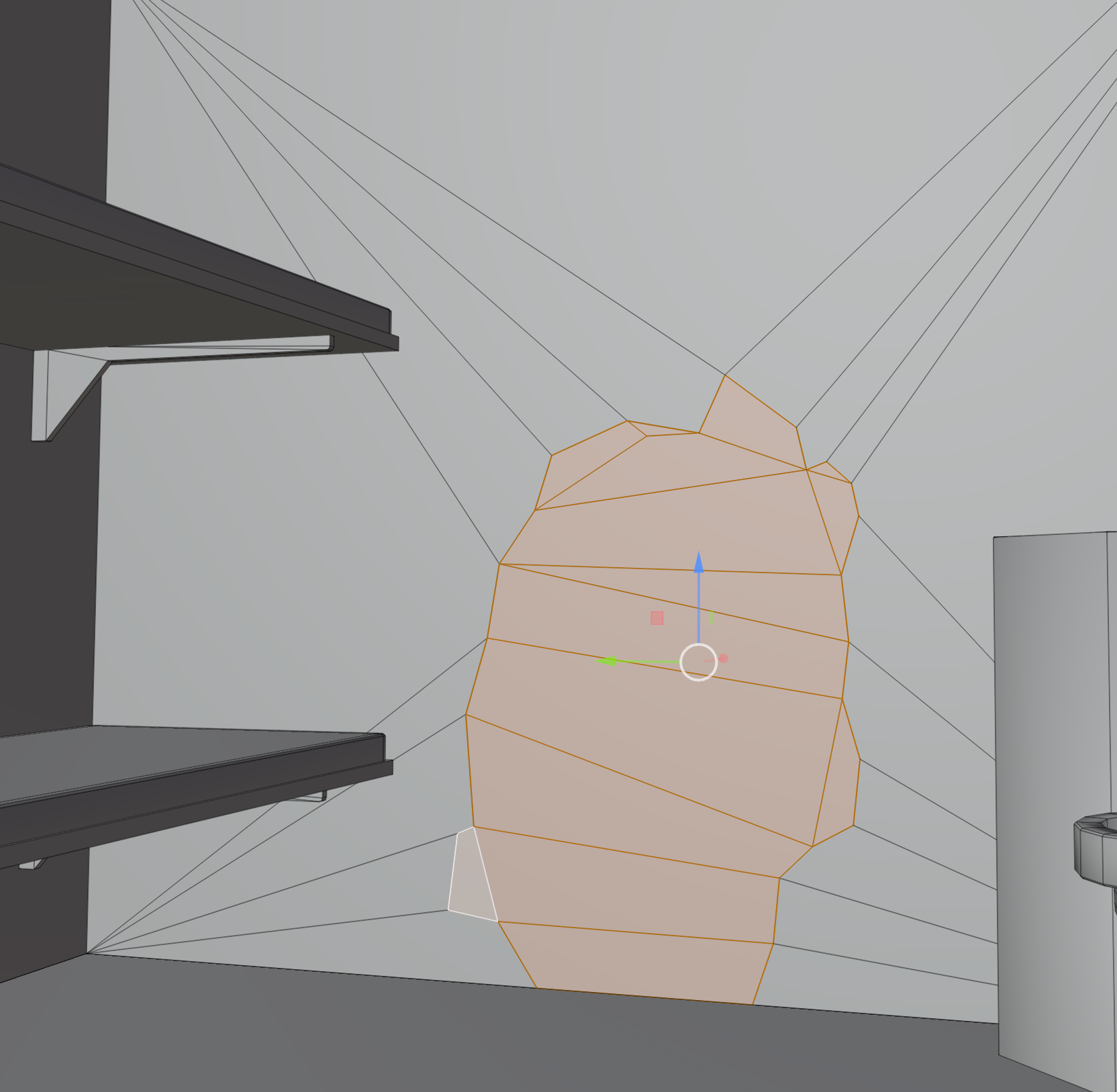
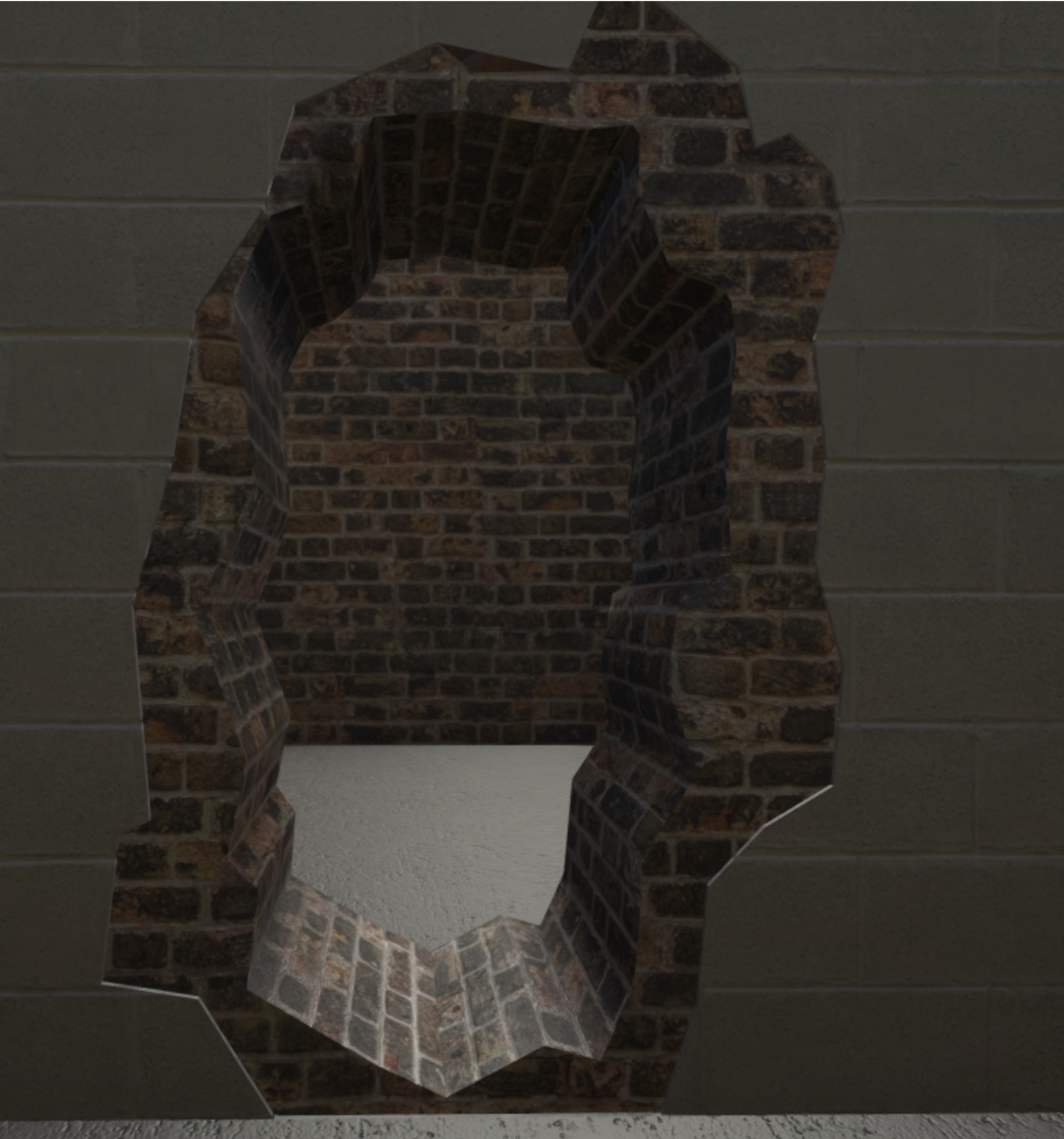

 ebon abyss
here is blast from the past, operation flashpoint (OFP) oxygen 2 (o2) page with long list of shortcuts, now remember this was three game engines back these might not work anymore, but just in case maybe some of these help you out https://pmc.editing.wiki/doku.php?id=ofp:tools:oxygen2
fervent steppe
What is this anti-clockwise they speak of 😂
 tawny pasture
Is there any ticonderoga-class cruiser mods available now or have they been scrapped?
 warm peak
Is there a list somewhere of recommended max triangle counts for guns, vics, buildings etc?
frosty rain
warm peak
Is there a list somewhere of recommended max triangle counts for guns, vics, bui...
All depends on what you’re making
polar fiber
Most guns would be aiming under 15k. Ideally below 10k. Vehicles is varied a lot depending on the sort of vehicle and the kind of equipment it carries
warm peak
Thank you for the answers 🙂
fluid hound
Any recommended docs/guide/tutorial about creating a plane for Arma 3?
How to prepare the model, what LODs and selections will be needed, and what should be in them, etc.
I looked at everything i could find on the wiki, which wasn't much.
And while i do have significant experience from my dev days with how things are put together, i forgot a lot and things probably also changed a lot over the years.
So, i am pretty sure i could use some good reading on the subject.
 marsh canyon
Look Arma 3 Samples. Should have a plane example
fluid hound
marsh canyon
Look Arma 3 Samples. Should have a plane example
yep, that is what i am doing.
How do you measure dimensions in O2, or how do you fix object scale to make sure the scale is correct in game?
When i import the model into O2, it is absolutely huge, so i need to scale it down, but i do not know the correct value.
So, i need to know what distance between two points in O2 corresponds to say 1m in game.
polar fiber
Grid size in O2 is 1 m
fluid hound
ok, nice, so 1 unit in O2 is 1m in game, perfect.
stuck oyster
@fluid hound where did you make the model and how did you export it to OB
It is quite crucial to get a straight matching export from your modeling program to game files as otherwise you will have hard time with the process when you need to fix something in the source files and export it to OB again.
Blender for example has same unit size as OB. 1 blender unit = 1 meter = 1 OB unit
fluid hound
stuck oyster
<@395320115035373570> where did you make the model and how did you export it to ...
That is the problem, i didn't make it, it is a free model of Maule from... sketchfab.com.
I am trying to identify which version of the aircraft it is, so i can use the wingspan to calculate the scale to use 😄
I think i will have to use the cabin width instead, because that remains the same across all variants.
fluid hound
Yeah, a bit. Also because it was made 5 years ago, so i am not holding my breath for the guy who made it to answer my question.
IF he even knew what he made 😄
Right now i am googling for any YT videos showing any of these aircrafts, hoping maybe some will point me to some really distinct feature i can use to identify what it is.
fluid hound
How many verts/faces/normals is considered too many for a small aircraft?
(for the highest res visual LOD)
I have 33885 verts, 60643 faces, 25700 normals, and i don't think i can shrink that down without creating ugly lowpoly abomination.
The interior+cockpit alone has 16251 verts, 28875 faces, 9733 normals, so MAYBE i could simplify it a bit, but it won't give me much.
Are those numbers reasonable?
stuck oyster
usually only the viewpilot lod has full cockpit details
best to also count triangles instead of faces
as face can be a polygon that Arma does not support anyway
fluid hound
stuck oyster
usually only the viewpilot lod has full cockpit details
yeah, i'd like to keep it though for the first LOD, as it can be easily seen from the outside.
Sorry, when i say faces, i mean triangles, in Max everything is triangles.
stuck oyster
that is probably in the higher end of reasonable first LOD but it should be alright as long as you do good work on the rest of the lods
fluid hound
hmm, that isn't exactly what i was hoping to hear, but thank you 🙂
And i wanted to ADD polys to make the wheels look round, instead of looking like injured icosahedron.
Guss i can forget about that.
stuck oyster
there are vehicles with more tricount on them
couple of thousand here or there in first lod does not really matter if the distance lods are good
fluid hound
ok, that sounds a bit reassuring
polar fiber
Plane or helicopter? Planes don't tend to be overly expensive polygon-wise compared to helicopters and tanks
fluid hound
plane
 sinful island
Anyone have a copy of @white jay 's gauge pack? Since armaholic went defunct i forgot to save a copy.
lime basin
hello, so my plane will fly now, but when it is standing still, it tends to move like 6km/hr forwards
it's something to do with my geometry physx lod, just dont know what
sinful island
adjust your center of gravity
 vital drum
where can i find tools to unbinarize p3d models?
i need it to import it into blender, so it's easier for me to create a custom texture without running a local server and restarting it every time i make a change.
frosty rain
vital drum
where can i find tools to unbinarize p3d models?
i need it to import it into ble...
you can't de-binarize
well you can, but it is very frowned upon and I wouldn't do it if it were you
vital drum
what's so wrong about it?
i'm not trying to steal anyone's models
i just wanna save time, cause repackaging custom mod and reloading server with it takes quite a bit of time
 hardy oar
Having an issue with section count, I apply a single texture sheet to a single model, and it splits it into several sections. How can I consolidate the sections into a single piece?

There is a merge textures option in surfaces, but it requires a PTM file and I don't have a clue what that is
ebon abyss
PMC Editing Wiki: How to Fix / Merge Sections https://pmc.editing.wiki/doku.php?id=arma:modeling:section_fixing
hardy oar
Thank gawd, my google-fu had failed me but I forgot about the PMC wiki... Bookmarked now!
frosty rain
vital drum
i'm not trying to steal anyone's models
we don't know that though
 narrow iris
Is there a way to make like a custom mich helmet from RHS? And if so just give me like a really basic step list of finding it and opening it up and I’ll figure out the rest
stuck oyster
frosty rain
well you can, but it is very frowned upon and I wouldn't do it if it were you
Best to not put this stuff out there. Bad karma.
stuck oyster
vital drum
i just wanna save time, cause repackaging custom mod and reloading server with i...
Run mission, put texture with new file name in mission folder, setObject texture it onto the model.
Or run diag Exe and filepatching to reload a texture on the fly.
There is no need for anything else.
And your inconvenience is not a valid reason to do forbidden things.
vital drum
stuck oyster
Run mission, put texture with new file name in mission folder, setObject texture...
how do you do the same in dayz?
stuck oyster
I dunno. This is not dayz modding server.
vital drum
just asked in case you know
stuck oyster
Same rules apply though.
vital drum
i'll try running offline mission instead of a server, it's still inconvenient tho'
stuck oyster
vital drum
@stuck oyster are you familiar with dayz modding in any capacity?
stuck oyster
Nope
vital drum
@stuck oyster how exactly would you use setObjectTexture to change the texture inside a script?
stuck oyster
you can check the scripting commands wiki page for how it works
quick terrace
narrow iris
Is there a way to make like a custom mich helmet from RHS? And if so just give m...
sorry what?
vital drum
stuck oyster
you can check the scripting commands wiki page for how it works
can you add me on friends temporarily and walk me through a bit?
stuck oyster
no sorry I got other stuff to do
vital drum
fair enough
quick terrace
vital drum
<@!150949769953411072> how exactly would you use setObjectTexture to change the ...
also nothing to do with model makers channel
silver zenith
I recently had to reinstall blender and now I'm not able to install the arma toolbox correctly for some reason
I install by clicking on the zip file but then nothing happens
stuck oyster
gitlab adds a folder to the zip
when you download the project
and not a release package
stuck oyster
👍
 covert onyx
Not sure if this is the right place to request this, but am looking for a custom workshop addon. ££
stuck oyster
not correct. #creators_recruiting also do note that Arma tools are non commercial. So you can only pay for source material (3d models/textures etc) but not the rest
@covert onyx
covert onyx
stuck oyster
not correct. <#292271129303842817> also do note that Arma tools are non commerci...
I literally need a couple of uniforms/headgears made, also cheers for pointing me in the right direction
 ocean stump
Hey, I'm having a problem with a building I'm creating. When I open the door to the building, the animation plays correctly, but I can't walk trough the doorway. I feel like the problem is that the resLOD door is moving, but the geometryLOD door is not. How would I go about fixing this?
stuck oyster
The geometry part also need to have the animated selection name to be animated
In addition to the component name
Also could be you have made the wall geometry wrong and don't have a hole in the wall
ocean stump
So if my resLOD door name is "Door01" and my geometryLOD door is "Component55" should the animation look like this:
class Door01 { type = "rotation"; source = "Door01_Source"; selection = "Door01","Component55"; axis = "Door01_Axis"; minValue = 0; maxValue = 1; angle0 = "rad 0"; angle1 = "rad 110";
missing brackets but it's there lol
charred bolt
@ocean stump just give your door an extra named selection in the Geometry LOD of Door01 and leave selection = "Door01";
ocean stump
I fixed it by doing this: `class House12: Default
{
skeletonName = "House12_skeleton";
sections[] =
{
"Door01","Component55",
"Component55",""
    };
    sectionsInherit = "";
    class Animations
    {
        class Door01
        {
            type            = "rotation";
            source          = "Door01_Source";
            selection       = "Component55";
            axis            = "Door01_Axis";
            minValue        = 0;
            maxValue        = 1;
            angle0          = "rad 0";
            angle1          = "rad 110";
        };`
@charred bolt I thought you could only have "ComponentXX" in the GeometryLOD
charred bolt
I'd recommend against using ComponentXX selection names in animations as when you add or change the geometry, you'll likely use the auto find component names and then it might change.
stuck oyster
ocean stump
<@!273596087229480970> I thought you could only have "ComponentXX" in the Geomet...
False
You must have componentxx names for geometry to work
charred bolt
So in your res LOD, you call it Door01.
In your Geometry LOD, call it Component55 AND Door01.
That's all there is to it.
stuck oyster
Yeh. You can also check the sample house for reference
ocean stump
Ah ok, now I'm beginning to understand. Thanks guys!
charred bolt
By the way, you might have been mixing up sections[] and the skeleton.
stuck oyster
For that too, good idea to go through the sample model
rose kettle
hey, quick question. i'm currently trying to get a basic bolt-action reload animation working on a port of the arma 2 hunting rifle (no moving hands or anything, just gun parts - like vanilla). however currently it looks as if the rotating part of the bolt is also kind of... squishing/contracting itself while rotating, kinda hard to describe. that part of model.cfg looks like this:
            {
                type="rotationX";
                source="reload";
                selection="Bolt_Rotating";
                axis="bolt_axis";
                minvalue=0;
                maxvalue=0.25;
                angle0="rad 0";
                angle1="rad 120";
            };```

any ideas? 🤔select "Bolt_Rotating" in Object builder and right-click the selections window, click "weights"
It should not be part of another bone it's parented to, like "bolt" (I am assuming you have this for the sliding part of the action)
Setting that to 0% in the weights window should be able to clear it, but if not just delselect it from the other bone selection and redefine
 shut rapids
Yo does anyone know why my .bisurf isn't applying to my object? The base class is House_F and the file is referenced in my rvmat. Any ideas?
molten fractal
Is it possible to retexture weight selections (eg head) via hiddenselections if they appear in the model.cfg?
frosty rain
shut rapids
Yo does anyone know why my .bisurf isn't applying to my object? The base class i...
wdym apply a bisurf?
do you mean a penetration material? if so thats done with rvmats AND bisurf, but you assign the rvmat
frosty rain
molten fractal
Is it possible to retexture weight selections (eg `head`) via hiddenselections i...
if its defined on config, modelcfg etc i dont see why not. But don't quote me on it
molten fractal
frosty rain
if its defined on config, modelcfg etc i dont see why not. But don't quote me on...
Strange. I tried applying a texture to a helmet with head in the cfg and it just slaps it on the next selection on the list.
polar fiber
@molten fractal there are two kinds of selections defined in model.cfg. skeletonBones[] and sections[]. hiddenSelections only works on the ones defined as a section
molten fractal
polar fiber
<@!416675171810934786> there are two kinds of selections defined in model.cfg. s...
Yes, I've double checked to make sure the head selection is in the sections[] and it is, at least according to Eliteness. This happens to be in the RHS HGU-56, which does not seem to include the 2 square patches at the back of the helmet in the camo selection. I assume this is because some of the other textures for the helmet do not contain everything in the base texture.
I just realized this is model makers btw.
shut rapids
frosty rain
do you mean a penetration material? if so thats done with rvmats AND bisurf, but...
Yeah I know but the bisurf is defined in the file, assigned to surfaceInfo in the rvmat, and then the rvmat is applied to the object.
I think I got it though, the Mat needs to be applied to the fireGeom too lol
frosty rain
shut rapids
Yeah I know but the bisurf is defined in the file, assigned to surfaceInfo in th...
yes indeed
But you don’t apply the bisurf, you reference it on the rvmat if i remember correctly
stuck oyster
@molten fractal also can't have overlapping hiddenselections
round bloom
Any idea on the usual cause of this in Bulldozer? I've verified that there is nothing incorrect in the model config
 stuck oyster
Something wrong in the model. Cfg 😅
 cedar garden
Hey, wondering if anyone has seen this issue before (Context; new to blender & exporting to Arma). I have an object I built out in Blender, when I put it into OB, the scale is completely jacked
leaden sun
Ctrl+a, apply- all transforms.
If you edit an object in edit mode then it retains the original scale, axis rotations, and origin point.
Using apply all in object mode refreshes all of that.
quick terrace
molten fractal
Yes, I've double checked to make sure the `head` selection is in the `sections[]...
might wanna check our license before re-texturing rhs content
round bloom
stuck oyster
Something wrong in the model. Cfg 😅
I've tried replacing it with one I know works from another model and just updated names, same issue still. This is my model cfg:
class CfgSkeletons
{
    class house_bones
    {
        isDiscrete=1;
        skeletonInherit="";
        skeletonBones[]=
        {
        };
    };
};
class CfgModels
{
    class house
    {
        skeletonName="house_bones";
        sectionsInherit="";
        sections[]={};
        class Animations
        {
        };
    };
};
Can you start dozer with other models? @round bloom
stuck oyster
Are you sure you have correct P3d/cfg open
round bloom
100%
stuck oyster
Can you open dozer with that P3d and no model. Cfg in the folder?
Do you really call your P3d just house?
round bloom
For now I called it that yes, this is a quick test case model 
With no cfg it still says it, I'll try re-export
stuck oyster
U sure u got right P3d open?
stuck oyster
How many lods you got?
round bloom
1 res lod for now
stuck oyster
Try delete whole mesh and save P3d and try launching the dozer
If that works then you got something funky in the model. I'd it does not. I seriously doubt your 100% right file theory
round bloom
yeah, no n-gons etc
stuck oyster
Is it massive?
round bloom
I've just tested taking out my data folder and it loads fine so it must be finding something in a rvmat or texture
I'll go look over them
stuck oyster
That could be yes
round bloom
Had an extra } in a multimat 
stuck oyster
molten fractal
quick terrace
might wanna check our license before re-texturing rhs content
It was my understanding that retextures were tolerated (aside from select items), unless I am missing something.
polar fiber
Probably misunderstanding regarding why you were doing this in #arma3_model and attempting to extract things like model.cfg
At any rate, yeah the whole "head" selection wont work because it overlaps other defined selections
molten fractal
Ah, my apologies. I used Eliteness to check the config for the selections.
molten fractal
polar fiber
At any rate, yeah the whole "head" selection wont work because it overlaps other...
Bummer. Guess I'll stick to retexturing the front patches.
polar fiber
Yeah sorry it's kind of a weird setup on the HGUs. Not sure it's something we'll be able to change because of the availability of the author to work on regenerating the textures with the parts that would go missing if the selection applied to the whole helmet
 ember ingot
Anybody familiar with setting up proper ranging for underbarrel grenade launchers? I copied it from a sample, but it is slightly off on certain ranges. Any way to have this fixed?
stuck oyster
Manual tweaking of the zeroing animation until it works
ember ingot
alright, thanks!
 crimson sinew
Hello all! Hope you're well. I've been googling all day but so much information is old from 2017 or something, plus there's not a lot of official documentation, so I wanted to ask if you guys recommend any tutorials or something for setting up and using the Blender toolbox and ARMA tools, to getting an add-on for, say, a custom helmet with attachments into the game?
I've learned several things from my Google searches but I don't have enough to really put everything together and package it up with a nice bow
stuck oyster
the old tutorial methods/principles are pretty much still valid
some program UI cosmetics have changed though
there are no newer tutorials
the information is unfortunately quite spread around
crimson sinew
A lot of the tutorials rely on dead image links and the like. If you could please point me to tuts that are nice and relevant I would seriously just epic-ly appreciate it!
stuck oyster
you will want to start with something simpler to put in game though
like just a box that does nothing
so you can learn config work more easily
crimson sinew
Sure. Even importing a Suzanne with working textures would be a massive milestone
stuck oyster
El Tyranos tutorial series are good
also Sokolonko had some if I recall right
other than that, I've been out of tutorial using for so long Im not really very well up to date either
BI wiki and The Arma 3 sample models/configs on Steam are also very helpful
and also unfortunately there are a lot of bad practice tutorials out there too 
crimson sinew
Well a lot of things point towards the p: drive not being needed anymore? And then there's stuff like using the blender arma toolbox, which older tuts don't mention for obvious reasons
Yep. Bad practice I saw too
stuck oyster
For Arma Tools and Modding Environment (P DRIVE) setup Id recommend PMCwiki tutorials on those subjects
stuck oyster
crimson sinew
Well a lot of things point towards the p: drive not being needed anymore? And th...
completely wrong
anyone who starts with that you can just ignore
crimson sinew
People said they don't use p but just use a hard disk folder. And then there were those who said O2 needed it but OB doesn't?
stuck oyster
all the tools are designed around P drive
ok so technically you can work without P drive and setupping tools "correctly"
but its pain in the ass
those people usually dont care as much about quality or even make stuff themselves
crimson sinew
I'd just rather the least convoluted pipeline honestly while keeping quality
crimson sinew
Followed by El Tyranos?
stuck oyster
sure
crimson sinew
And what of the blender toolbox?
stuck oyster
he may touch up on that too
possibly in the older Blender version
but the principles are same
buttons just may be in different locations
crimson sinew
Alright. Thanks absolutely tons
Finally, before I dive deep into all this you've pointed me towards,
stuck oyster
It will be a bit confusing and a lot to learn at first
crimson sinew
Anything with regards to hiddenSelections in particular would be nice. Since that's the only part of the model.cfg file that's really throwing me for a loop
stuck oyster
you dont really have to worry about that just yet
first get familiar with configs and getting a thing into the live game
start with simpler pieces
then add on that
will save you hair pulling
(we have a lot of semi/fully bald people here)
crimson sinew
True. Getting a box into the game would be absolutely massive
Thank you again! I'll try the wiki's drive tut and see what el tyr has to say
He doesn't have a toolbox tut but oh well. There's a 1 hour tut that looks promising
stuck oyster
well toolbox install is basically download release from Git, got to Blender addons -> install from zip -> find zip and install
and set up O2script path tto Arma Tools\object Builder\o2script exxe
or if you download yhe latest build git may add a extra folder to the zip so you need to move the files one folder down in the zip and then install
crimson sinew
The problem I had with it was figuring out how it works. Like for example exporting to p3d didn't work.
stuck oyster
that does need a bit of setting up, I think El tyranos tutorials do touch on that too
and how to set up the arma properties for a blender object
round bloom
crimson sinew
The problem I had with it was figuring out how it works. Like for example export...
It will usually give you an error, whats it saying in your case?
Can someone sanity check me? I've got the below hide animation in my model.cfg:
class blinds_1_hide
            {
                type="hide";
                hideValue=0;
                UnHidevalue = 1;
                minValue=0;
                maxValue=1;
                minPhase=0;
                maxPhase=1;
                source="blinds_1_source";
                sourceAddress=0;
                selection="blinds_1";
            };
Currently it's starting them hidden
How do I swap it? I've tried changing the hideValue & UnHideValue around, in which case they will show but on anim source they wont hide
Where as when they start hidden the animsource works
stuck oyster
you can define the initial phase in the source config
crimson sinew
round bloom
It will usually give you an error, whats it saying in your case?
Doesn't say anything that I can see. Just works fine but then the p3d doesn't open in OB. Gives a file invalid or something error
I've gotten my P: set up correctly (I think) and now to figure out what El Tyranos has to say
stuck oyster
@crimson sinew you are likely exporting empty P3d. Check its size. It's likely 0kb
crimson sinew
stuck oyster
<@128174757177851904> you are likely exporting empty P3d. Check its size. It's ...
Ah you are correct
stuck oyster
You can make a chat history search for Arma toolbox on this channel and you will likely find the answers
round bloom
stuck oyster
you can define the initial phase in the source config
I’ve been trying that but it seems to make no difference in game
 tropic jewel
Trying to export a model from Blender (using the Blender Toolbox) and getting the following error, tried triangulating the model, deleting and redoing textures but cant figure it out https://i.imgur.com/ku2YyAl.png
 ember ingot
I have created a 3D scope, but when testing in-game it refuses to go into scope view by right-clicking. I already had a 2D scope, and that one worked fine. I followed the example, and I'm not too sure what's wrong
polar fiber
Do you have a view Pilot LOD for the scope?
ember ingot
yes, I do
got all the things in it that the example had
I can send the files if that would help
crimson sinew
ember ingot
I have created a 3D scope, but when testing in-game it refuses to go into scope ...
Which example?
crimson sinew
stuck oyster
You can make a chat history search for Arma toolbox on this channel and you will...
I'll give it a go, though I've managed to make progress and the thing shows up in Buldozer even!
And I can use Mikero's pboproject to make the thing, but then where do I put said thing?
stuck oyster
crimson sinew
And I can use Mikero's pboproject to make the thing, but then where do I put sai...
what yhing exactly?
there are a lot of things
white jay
I've got a building that destruction is working strangely on, it destructs properly in the editor ie; falls through ground and replaces with ruin, smoke and sound.
But when placed in terrain builder and destroyed it tips over, I thought it would be an issue with named properties but it looks right.
In geometry LOD I have; class = building, damage = building, map = house, armor = 300 (same value as config yet it takes longer to kill when placed in tb)
stuck oyster
are you sure you have packed the changes?
and is your terrain build with the p3d having these named properties?
white jay
yeah, I cleared the temp folder and packed it a ton of times
yeah my brother is building the terrain, I'm making the objects
so the p3d works perfectly fine in the editor
but breaks when placed on a terrain
stuck oyster
do you have land_ prefix config class for it?
white jay
yup
stuck oyster
class land_p3dname
white jay
yes
stuck oyster
you may need to set it to class house in the p3d
white jay
I think I tried that before but I can try it again
here's a snip of the config
https://pastebin.com/SgnNJh69
editor placed
https://cdn.discordapp.com/attachments/566060230824165383/881616981126684752/20210829151050_1.jpg
https://cdn.discordapp.com/attachments/566060230824165383/881616974797488138/20210829150957_1.jpg
https://cdn.discordapp.com/attachments/566060230824165383/881616976135479396/20210829151021_1.jpg


 ebon orchid
Having a lot of trouble with modelling armor/helmet, i was wondering if anyone has some pointers or maybe models to use as a base to build of off?
this was the model before and it has more reference pictures
https://cdn.discordapp.com/attachments/776567714898116631/881617825989541928/Capture.PNG

this is the model now
https://cdn.discordapp.com/attachments/776567714898116631/881617789880762428/Capture2.PNG
 stuck oyster
Id suppose Id approach that by blocking out the general shape before trying to tackle with the details
also there is no shame in not getting it right the first time
ebon orchid
the thing is the details are easy for me the general shape isn't i have not made much organic or spherical things
stuck oyster
yes thats why you must first block out and study the shape
the details are now a distraction
as they are not made on the right main shape
and thus they guide the shape into wrong direction
ebon orchid
ah ye, sounds about right, any suggestions for how to begin?
stuck oyster
you should also take the Arma mans head as reference
so the helmet actually fits on a head
ebon orchid
that i could not figure out i un hide almost everything it seems not to be there
stuck oyster
the sample character does not have a head as it is added to characters via a proxy
so that the engine can swap it out
however there is a bysta.p3d and another collection of man shapes in the templateRtm folder
ebon orchid
ok
ebon orchid
ebon orchid
ah ye, sounds about right, any suggestions for how to begin?
and a beginning what do you think is a good beginning ?
stuck oyster
I usually start with a box I suppose
ebon orchid
for a spherical helmet ?
ebon orchid
ok, i got lots to learn then i guess, thx for the help
stuck oyster
there is no 1 right way to do it
ebon orchid
ye i understand that, i just dont know any way 😁
stuck oyster
dont worry about the time it takes, just experiment with it
you can learn this stuff and your own way only by doing and occasionally failing
ebon orchid
very true
crimson sinew
stuck oyster
what yhing exactly?
The final pbo archive
buoyant nebula
Anyone know of any guides on how to make Paths in a model? I've had a peep at the samples and the forums but can't find any info, if you guys know of any forum posts / guides that are useful it'd be greatly appreciated.