#arma3_model
1 messages · Page 132 of 1
 pastel oyster
 bold flare
I mean for the toolbox
pastel oyster
couldn't find one, thats why I am asking
 quick terrace
I only use 3ds max
and there is no need for any tool to get your meshes into OB
FBX exports just fine (including lods if properly configured)
same for the .bitxt script exporter available in tools (or samples)
pastel oyster
I have a tank model, and I am trying to import the arma 3 sample Test_Tank_01 to make all the correct LOD's, but 3Ds doesnt allow me to import p3d files
bold flare
object builder can import p3d, and export fbx which you can then import in 3ds
pastel oyster
Ok gotcha, will try that. Thanks alot!
Thougth it had to be a .p3d file for it to work
pastel oyster
ok, gotcha
 white jay
I tried adding class treehard and treesoft to my model and it didn't seem to do anything
white jay
I'm also trying to track down a page on the wiki I saw last night that had info on geometry LODs (I think), it had things like "always orients along the Z axis" etc
 median bough
Some models already use proxy models for the Cockpit pilotview lod
So yes, you can do that
I'm not sure if Instruments can be animated tho
 rough idol
@white jay nope, elements inside proxy cannot be animated so it wouldn't help you at all
 river kite
Isnt it possible that bi can raise it to more then ~250 bones?
 slate epoch
Probably not
 icy terrace
@river kite the human body has 214 bones, what do you need more than 250 for lol
sorry take tgat back
didnt read properly
 stuck oyster
Complex instrument panels, mechanical things etc
 atomic smelt
Not sure if this is the right channel - but I'd like to know if there is a way to change the texture overlay of the NVG without a model or - alternatively if there is a simple way to achieve this without knowledge of object builder / blender.
quick terrace
@prisma fulcrum - #creators_recruiting
 torn pilot
Just wondering, has anybody ever tried creating more complex models for the flat 2D scope/nightvision reticles? Something with some internal faces that might receive lighting?
rough idol
2d scopes are without any lighting
torn pilot
Roger. Don't bother, thanks.
 torn pilot
the scope shadowing is a BIG improvement over usual 2D scopes (well worth doing)
when you say 3D model you mean 3D OpticsModel?
rough idol
no, 3d model like ARCO or MRCO
torn pilot
oh
then i feel it's still very worthwhile but i'd go closer or further away with the 'eye'
 polar fiber
It's a PSO, you stick your eye on the rubber eye-cup
torn pilot
indeed, closer then, but get a dominant sense of 'circle' (the lens) rather than seeing so much of the cup, wouldn't need to be much (closer).
rough idol
you can't get closer without getting clipping with rubber piece
torn pilot
i'd probably fudge the magnification to make it happen
rough idol
well, I don't want to end with unicorn magnification among 50 other scopes because of that
imo it's good compromise in state as it is
rough idol
yeah, wanted to take a look at them at some point
but adjusting those uvs is giving weird outputs
torn pilot
i have been looking quite hard at them, my exe is presently patched to max r2t of 2048
rough idol
- maybe one day I will be able to convince programmers to increase pip resolution to 2k
yeah, I also tried it
torn pilot
it's better but still suffers from lack of anti-aliasing, hoping i might be able to do a shader hack
rough idol
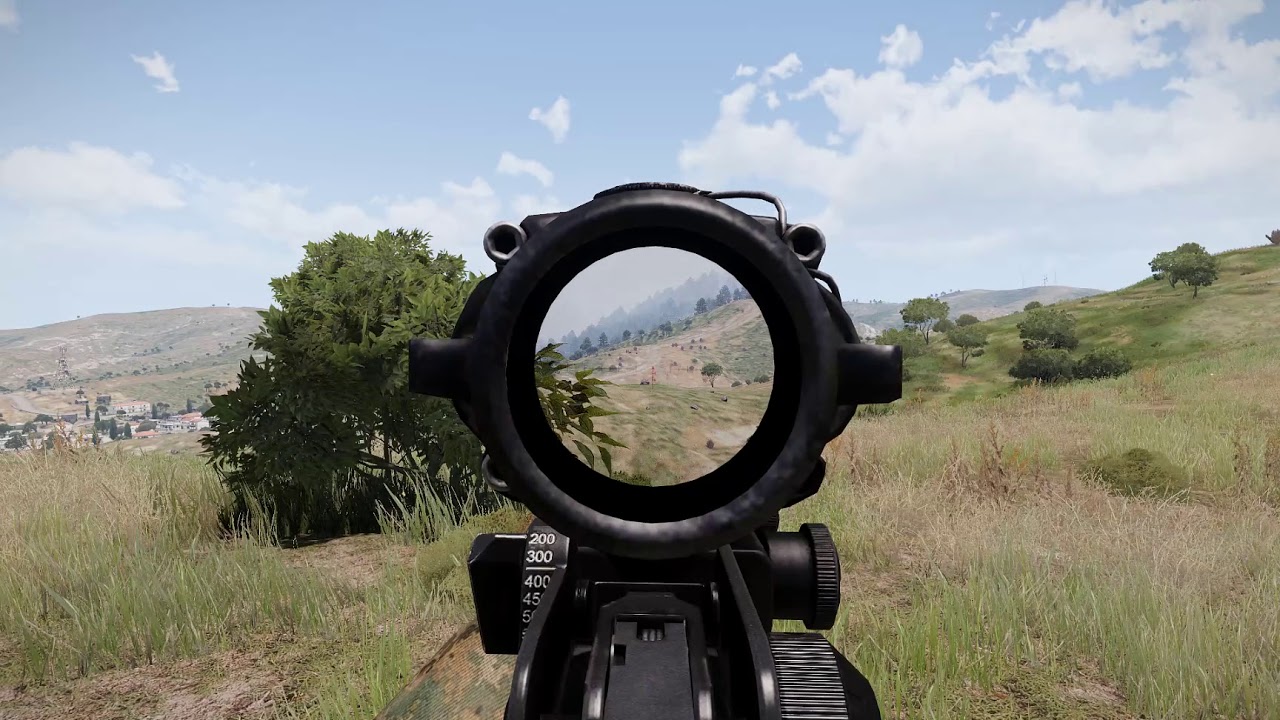 slate epoch
Well, but even though, you don't really want PiP inside of scope, but maybe outside. PiP is still always visually worse even with 2k res
Might be also missing some visuals
torn pilot
biggest issue seems to be hard coded max vd, that looks awesome reyhard
rough idol
there is no hardcoded vd?
torn pilot
have you played with lean correction, i have some code
well i get shorter fog with pip
like i can see a hill unscoped and it's shrouded in fog in pip
rough idol
{
    class PiP
    {
        class 6000_meters
        {
            text="6000m";
            value=6000;
        };
        class 8000_meters
        {
            text="8000m";
            value=8000;
        };
        class 12000_meters
        {
            text="12000m";
            value=12000;
        };
    };
};```have you tried it?
it's included in RHS
torn pilot
hmmmm, not played with it but i always run RHS
rough idol
you can increase VD of PiP in PiP settings then
as for lean correction - nope, didn't touched it
if you have something interesting then I could take a look at it
torn pilot
i will clean it up and share, still dogged by a small 1-frame delay
almost fixed it via interpolation but i feel better should be possible based on that video that was doing the rounds
 dire hawk
Hi there, anyone ever encountered an error where the game crashes after you pick up a weapon from the ground? im working on a couple of weapons and they have this issue, it's getting quite frustrating, any pointers would be appreciated
rough idol
btw: what perf impact do you have from 2k textures? @torn pilot
on my home & office PC it was less than 2 frames
but I haven't tested it too much
torn pilot
christ about 10 fps for me and i suspect that i'm only using 2048x1024
but i turn it off when the weapon is lowered
rough idol
huh, how did you managed to get 2x1?
torn pilot
hang on let me check
rough idol
in code it's always square
torn pilot
oh it's 1024x1024, though 2k*1k is a possible compromise given the right UV
pretty sure i tried 1k*0.5k at one point
so 1k*1k costs me about 10fps (50 > 40) vs ~5fps for 512
rough idol
Well, game will still render 1x1 even if you use 1024x512
torn pilot
good to know
hadn't touched this in a month or more but am enthused again, honestly thought you'd written it off as a dead-end
torn pilot
@rough idol Fixed my PIP VD via CfgVideoOptions (thanks) but appears effective limit is now within class PiP members; Disabled-VeryHigh.
rough idol
Pip vd is limited by regular vd
polar fiber
Mem point marker lights can’t be animated
Black Wasp’s lights are parts of the model with a glowing .rvmat and animated
 teal remnant
anyone got a clue what could cause this bug where when looking down and your legs are under a table you can see your legs still above it. Ive tried converting to a vehicle with cargo lods and still no dice. I've created 300+ addons and never found a solution and i really dont wanna have to stand while i play poker
slate epoch
FPV Character is getting rendered as last
teal remnant
i tried moving the proxy to top and still no dice
this also happens with just the attachto command
slate epoch
You can't really fix it, it's renderer
teal remnant
so its an arma 3 bug damn
slate epoch
It's not really bug, that's how character in FPV is rendered
rough idol
that table is a vehicle?
teal remnant
i have it as both and same result be it attachto or in a cargo seat with a cargo lod
rough idol
and that anim is not FFV?
teal remnant
one sec ill take a video from the FFV version
rough idol
it shouldn't be FFV
teal remnant
i used the taru pod for the ffv version but also tried it in normal cargo with out ffv
rough idol
can you post picture from object builder?
teal remnant
as in the proxy locations?
teal remnant
for the config just look at the taru pod as it uses that for this test
https://gyazo.com/b14b5bbedbdd6b315c030d9a86c92a8a
 rough idol
can you post that config please?
I don't have taru pod cfg
I guess you should regular cargo configuration instead of turrets
 rough idol
yeah, it's FFV causing it
teal remnant
i tried normal cargo also and same issue
rough idol
I guess your regular non ffv config was not working then
you can also disable personTurret by setting to 0
cargo seat with mesh on top
and variant with FFV
teal remnant
try putting something over his legs
stuck oyster
its not?
teal remnant
humm maybe i messed soemthing with the cargo version will go retest now thanks
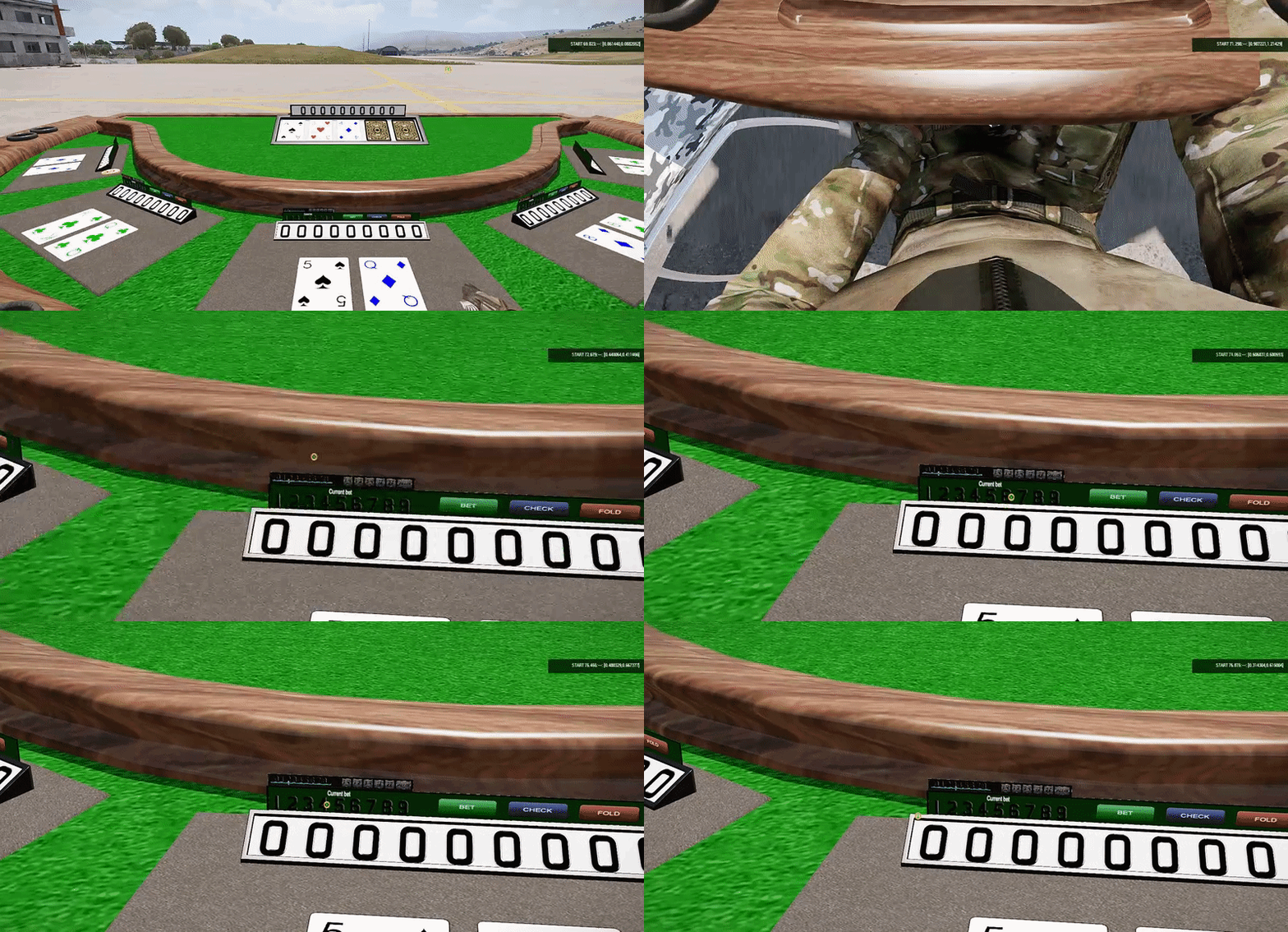 slate epoch
Ohh that's true, FFV is different pass
stuck oyster
no shooting at the cards table 😉
teal remnant
now just to finish up the custom animation and remove the idle wobble
thanks for the pointers
slate epoch
reyhard always comes up with magical solution 
stuck oyster
✨ ✨ ✨
 hushed apex
Hmm is there any mod with pretty girls for Arma? Because @teal remnant has blackjack already...
stuck oyster
there are things in motion to remedy the situation
currently there are some issues though

things happen
teal remnant
weighting
quick terrace
well done on that interaction
but i got to say that table is fucking ugly 😃 @teal remnant
teal remnant
look much better if you have a better gfx im still on a 960
stuck oyster
@teal remnant weighting and animations are all done and working.
Its the ragdoll setup that causes issues
teal remnant
arr kk
 teal remnant
very nice

 woeful viper
are AI capable of entering buildings that stand on top of other building? Say a house has a roof that AI can reach, if i place a pillbox on top of that roof, can AI navigate into the pillbox?
Or do both need to be one p3d with joined pathLOD for that to happen?
stuck oyster
AI should be able to traverse from one pathlod to another
stuck oyster
soooo
made some "progress" with the above ragdoll issue while waiting for stuff to generate.
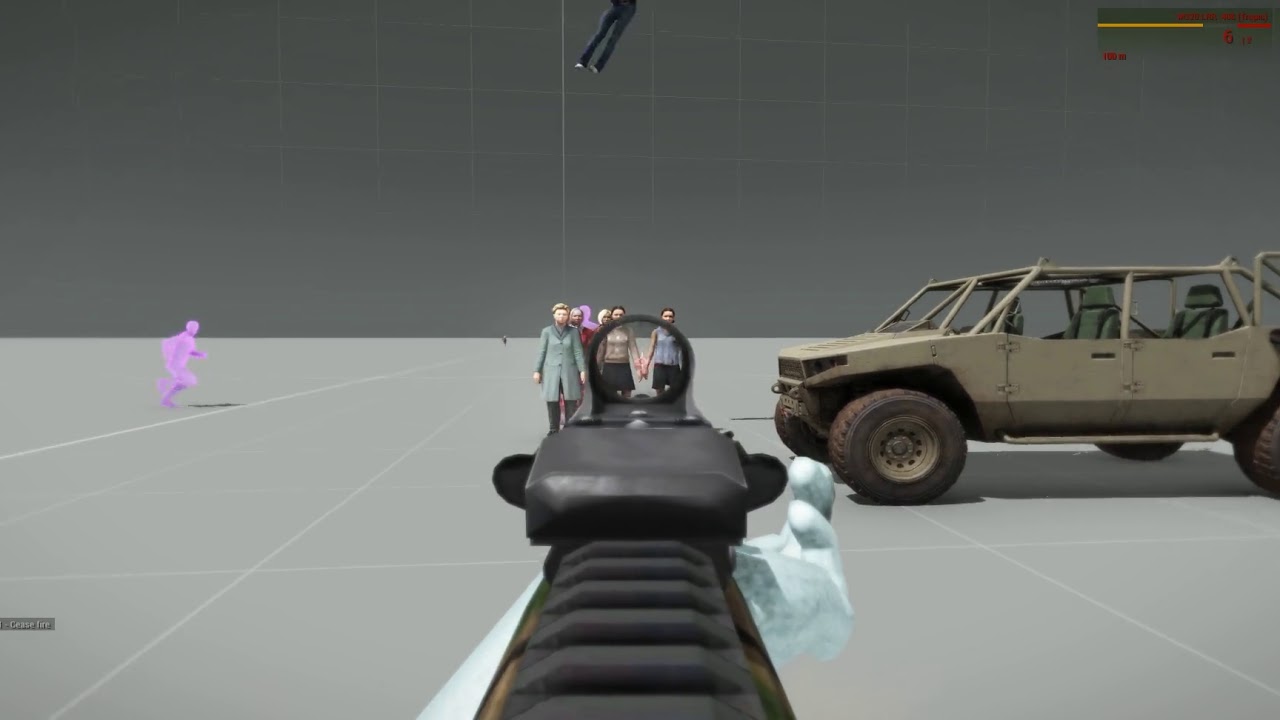
So "Progress" with the ragdoll issues.. Or at least something different.
@halcyon wren youll be proud of this one im sure xD
at least I know that my custom ragdoll config is used
since changes to it have effect.
stuck oyster
I bet this happened early in the A3 development and its why we dont have women in Arma 3. They all flew away.
woeful viper
nah, its just that women are all witches and possessed by demons... what you are seeing there is 100% realistic
 wraith socket
turning arma into goat simulator one step at a time
white jay
So I'm making an AW119Kx Koala helicopter model for the Milsim clan I'm in. I've mostly made the model itself, and I've done the whole hitbox model and all... only issue I have right now is that I have no clue on how to do the config or what I should do regarding setting up doors/sits, rotors, etc. I'll also do the texture later. If anyone could help it'd be great 😃
stuck oyster
you can take a look at El Tyranos tutorials series. It covers the basics of how to put stuff into the game quite well
then there are the Arma3 Sample models that can be used as examples of how to name different parts and how to create configs to do animations for those parts and how to get it in game
white jay
El Tyranos? Ok, I'll look into it, thanks
stuck oyster
El_Tyranos yes
his youtube nick is different
but the videos should come up with ET
white jay
Just checked it
He has one for tanks
Another one for weapons
Can't find helis though
stuck oyster
well the basic gist is the same
just some parts of the object are named different and some config values are different
so you should still see how things are done
and then with the help of the sample helicopter model you should be able to figure out the rest
white jay
Ok, thanks
If I then don't manage to understand a part of it I'll try to ask here in #arma3_config
stuck oyster
👍 good luck
also setting up the tools properly is important
first 2 links there are gold
white jay
I have the tools don't worry
I've done a Church model before for the 40k mod
Thing is
I had no idea what to do with the config either
So it stayed a textured model
XD
Also if I manage to do it I'll show it here
 edgy cobalt
Someone have idea, how to use "soft" bones on vehicles, like in default quadbike?
There is a _static bones with "blue" weights, like in charaters:
"wheel_x_x_static","",
"drivewheel_static","",
what bones on quadbike are soft?
edgy cobalt
Quadbike damper sprung:
https://cdn.discordapp.com/attachments/408783814777896982/549520287767461888/buldozer_2019-02-25_11-17-04-410.png
https://cdn.discordapp.com/attachments/408783814777896982/549520290624045056/buldozer_2019-02-25_11-17-10-539.png
Weights example:
https://cdn.discordapp.com/attachments/408783814777896982/549504623354970125/unknown.png
https://cdn.discordapp.com/attachments/408783814777896982/549504343007559689/unknown.png
Damper and a small wire on top are soft
stuck oyster
soumm how do you open the vanilla quadbike?
edgy cobalt
open binarized QB with buldozer
stuck oyster
qb?
edgy cobalt
quadbike
stuck oyster
but the binarized files dont open anywhere
edgy cobalt
ok, if this is fake, you can open A3, and test quadbike ingame. Question is about how to make working soft bones in vehicles, not how to load binarized model in buldozer)
stuck oyster
well just gauging if you are aware that unbinarizing Arma 3 assets is not allowed.
to answer the question, the difference between characters and normal vehicles is the isdiscreet value in model.cfg
some vehicles take use of the soft approach though
edgy cobalt
Thank you for answer
woeful viper
ripper detected. Nuclear launch imminent
bold flare
A3 tools OB dies when you try to open odol, DayZ object builder doesn't
Can launch arma buldozer through DayZ object builder and probably look at binarized models inside buldozer that way
woeful viper
weight screen is not from buldozer
bold flare
filename says buldozer, and it looks like buldozer to me
woeful viper
unknown.png?
bold flare
That's not a image of any vanilla vehicle though, that's a motorbike
woeful viper
^as i was saying
 agile zenith
Hey, coming back to modelling from a 5 month break and i'd like to look into creating a helicopter. Can anyone suggest some good resources i could learn from?
stuck oyster
@agile zenith do you mean reasources for how to model a helicopter or for what Arma requries out of a helicopter model?
agile zenith
@stuck oyster What arma requires out of one
stuck oyster
Arma 3 Sample package on Steam has a fully setup helicopter example
that would be the best starting point
agile zenith
I tried that one ~6 months ago i think, but from what i remember that one is outdated?
stuck oyster
should not be
agile zenith
Hmm, i might be wrong of course it was a long time ago. I'll take a look when i'm home.
stuck oyster
I dont think anything helicopter related has changed for some time now
and even if it lacks some new feature, it should be more than enough to get one in game and flyable
agile zenith
Fair enough, thanks for your help.
stuck oyster
No problem. Also I should mention that other than the helo example there really isnt much else written down about the process
All assets do follow the same principles though. Vehicle/simulation type related specifc parameters are very small part of the work
agile zenith
I've noticed haha, seem's that while sqf is extremely well documented; vehicle making really isn't
stuck oyster
The examples are very well commented and the wikipages for animations are very good and comprehensive
I dont quite know what else you would require
for the basic stuff at least
agile zenith
Luckily my helicopter model is quite simple, i'm working on a "fun" pack currently. Just includes a lot of non realistic fun vehicles.
 remote jewel
Can someone who is a gentleman and a scholar tell me how to put tattoos on my characters arms.
stuck oyster
only way would be editing the character texture and creating a new identity type for it
remote jewel
Yeah dude can you show me how? Or can you point me in the right direction
I've been trying to do this for years
Can I pay someone to do it for me?
slate epoch
Clearly you weren't trying hard enough 
remote jewel
Lol
stuck oyster
@remote jewel first you would have to set up the modding environment. PMC wiki Arma3 Tools section (and those links have been pasted on the _makers channels a lot too) has good and easy guides for that.
Then you would have to locate the character skin textures from the unpacked Arma 3 data (covered in the PMC guide).
Then you would have to convert the .paa texture you want to edit to .png or .tga and open that up in your coices of image editing software (paint, gimp, photoshop etc) and draw over it the things you would like to add.
Then convert the texture back to .paa and then set up a patch/addon config that creates a new identity type that uses your new texture/material
remote jewel
😥
stuck oyster
its not rocket science
but its not as simple as you might think it is
also you would not be able to use your new tattoos in any other servers than those that use your addon
you can try #creators_recruiting to find someone to do it for you, but dont be supprised if no-one gets interested
remote jewel
Ok thanks man
hushed apex
Hi all!
Can anyone tell where can i find binarising error description and fixing solutions?
e.g. .p3d:1 Stage 1 has no texture to retrieve format from (while generating ST coordinates)
rough idol
Missing second uvset
If you are not using it just make sure you don't have tex1 in rvmat
hushed apex
hmm. can't find anything except "tex" in model's rvmats. And removing UVSet 1 from uv editor didn't help too. At least it just a warning, hope noone dies :3
rough idol
it's bitching about missing 2nd uvset
so removing it definitely won't solve it
or wait a moment, I see it's a different error message - nevermind then
polar fiber
post Stage 1 of your .rvmat
hushed apex
I have bunch of rvmats, so stage1 from is:
class Stage1
{
    texture = "data\new_hk417_mag_nohq.paa";
    uvSource = "tex";
    class uvTransform
    {
        aside[] = {1,0,0};
        up[] = {0,1,0};
        dir[] = {0,0,0};
        pos[] = {0,0,0};
    };
};
...
class Stage1
{
    texture = "data\tacticool_nohq.paa";
    uvSource = "tex";
    class uvTransform
    {
        aside[] = {1,0,0};
        up[] = {0,1,0};
        dir[] = {0,0,1};
        pos[] = {0,0,0};
    };
};
...
class Stage1
{
    texture = "data\tigg_rails_nohq.paa";
    uvSource = "tex";
    class uvTransform
    {
        aside[] = {1,0,0};
        up[] = {0,1,0};
        dir[] = {0,0,1};
        pos[] = {0,0,0};
    };
};
...
class Stage1
{
    texture = "data\troy_sights_nohq.paa";
    uvSource = "tex";
    class uvTransform
    {
        aside[] = {1,0,0};
        up[] = {0,1,0};
        dir[] = {0,0,1};
        pos[] = {0,0,0};
    };
};
...
class Stage1
{
    texture="data\AG36_nohq.paa";
    uvSource="tex";
    class uvTransform
    {
        aside[]={1,0,0};
        up[]={0,1,0};
        dir[]={0,0,0};
        pos[]={0,0,0};
    };
};
...
class Stage1
{
    texture="data\m203_nohq.paa";
    uvSource="tex";
    class uvTransform
    {
        aside[]={1,0,0};
        up[]={0,1,0};
        dir[]={0,0,0};
        pos[]={0,0,0};
    };
};
...
class Stage1
{
    texture = "data\gl_acc_nohq.paa";
    uvSource = "tex";
    class uvTransform
    {
        aside[] = {1,0,0};
        up[] = {0,1,0};
        dir[] = {0,0,1};
        pos[] = {0,0,0};
    };
};
        aside[] = {1,0,0};
        up[] = {0,1,0};
        dir[] = {0,0,0};
Should be a diagonal, your dir should be 0,0,1
I don't know where everyone copy pastes that wrong stuff from 🤔
hushed apex
will try, thanks
bold flare
won't fix your issue. Arma fixes that itself I think. Still wrong tho ^^
hushed apex
Yeah, didn't fix :3
Maybe someone knows what is this:
14:22:57: Face 530, point 237, face points 237,236,234 - invalid uv -1.#QNAN,1.0818e-042
14:22:57: Face 531, point 232, face points 232,237,234 - invalid uv -1.#QNAN,-1.#QNAN
14:22:57: Face 532, point 234, face points 234,227,230 - invalid uv -1.#QNAN,-1.#QNAN
14:22:57: Face 533, point 234, face points 234,230,233 - invalid uv -1.#QNAN,-1.#QNAN```Tried to use o2 script to select face by id and they are mapped to UV
bold flare
Stage 1 has no texture to retrieve format from (while generating ST coordinates) Also happens when the texture file cannot be found
and they are mapped to UV to what UV though? RPT says it's invalid. So check the uv values
hushed apex
what UV
i don't quite understand what it means. Faces are mapped to UV Set 0 (texture and rvmat assigned,)and can be selected via uv editor by 'select by selected in object' buttons. What uv values should i check?
bold flare
when you select the face and press "e" you should be able to see the uv coordinates
stuck oyster
@hushed apex where did you do the unwrap?
It's possible you have bad islands in the uv
hushed apex
where did you do the unwrap?
I'm editing thinrd party model, so dunno. I can try re-unwrap with O2, but not sure it worth it 😄
stuck oyster
In o2 no
And thats one of the drawbacks of model you don't make yourself. They can be buggy.
 cobalt panther
Wait a gosh darn second, you can have multiple stages of the same type in one material?
Or did he post i like that for ease on the eyes, I just woke up, go easy on me
Seems like there's some verts/faces that aren't actually unwrapped correctly.
Is the model fully triangulated? @hushed apex
hushed apex
have multiple stages of the same type in one material?
No, i just copypasted from several rvmats to single post.
Is the model fully triangulated
Part where problem faces placed - yes.
 junior saddle
Hey everyone. Anyone have an idea what causes one texture set and one RVMAT to create 101 sections in OB?
For example, in my sections list, I have this:
"vamp_ext_co.paa [] vamp_ext.rvmat (10)"
"vamp_ext_co.paa [] vamp_ext.rvmat (10)"
"vamp_ext_co.paa [] vamp_ext.rvmat (1094)"
"vamp_ext_co.paa [] vamp_ext.rvmat (12)"
(...and 96 more entries with different poly counts)```
Clearly, they're the same, but why are they being divided up like that? Looking at each entry highlighted, there doesn't seem to be rhyme or reason as to why they're doing that.happens often when you cut and paste parts of the model around
you can merge them with move top/bottom
if they still don't merge, there might be other things like User Value or Z Bias don't match in Face Properties (E)
junior saddle
Thanks. I'll check this
I merged with move top/bottom, but the merge didn't take until I did this AND hit okay in the Face Properties dialog, even without changing anything.
polar fiber
it doesn't update the section count until you refresh the LOD somehow
junior saddle
ah ok
polar fiber
either switch to another LOD and back, press F5 to recalculate normals, that sort of thing
junior saddle
well.. for the record, F5 wasn't doing it either
I've noticed in the past F5 needs the same switch awaw and back to see results sometimes
also, I noticed I can just dbl-click on the current LOD instead of switching
it's like a refresh button
About how many sections is pushing the limits too far? In this case, it's a 33k poly jeep with textures for exterior, undercarriage, interior, glass, headlights, brake lights, weapon, gauges, 3 PIPs, and universal addons like comms, gerrycans, ammo chutes, ammo belts, and tires. The glass and lights have multiple RVMATs per how they emit or how much they reflect, respectively. In total, I have 21 sections. Before this fix it was showing up as 240. I'm hoping 21 is more normal for so much function.
I'm currently updating the model to combine some of the basic textures into one, big 4096, such as the exterior, weapon, undercarriage, and tires. I can combine the ammo chute and ammo belt into one. The comms are already combined, and I don't think it would be great to put the gerrycan with them (these items might become removable). I suppose I could combine the glass, lights and gauges into one, but there'll still be a lot of RVMATs. Over all, I reckon I can maybe drop the number of sections to 16 or 17. Is that still a lot?
stuck oyster
according to Eliteness MRAP has 32 sections
I recall OB not showing the number quite right but its not far off
 formal vapor
Don't know if you fixed the section count but what I do when I have errors with the selection count is select all, cut and paste. It usually fixes the sections
pastel oyster
Not sure if this is the correct place to ask - but here we go:
I want to make some additions to the RHS russian MG statics, adding scopes to the DShK, NSV and KORD without changing the actual p3d model (since I am pretty sure thats against some rules somewhere) but adding them via code, like virtual garage modifications. My question is - is that possible and if so, which files am I allowed to edit, if any at all?
stuck oyster
if the models do not have scope attachment capability then you can not do it
pastel oyster
Is there any way to make the have that withou asking reyhard to add it himself?
pastel oyster
in that case I'll need to wait for somebody in RHS to tell me if they have scope attatchments capability - otherwise RIP : (
stuck oyster
if its not set up, the scope would not show up
you can for example see if they have any place to attach a scope
pastel oyster
would I find that in the p3d or the config?
pastel oyster
Those are statics, so I am not sure if I can find any way to look that up ingame
stuck oyster
no
look at the model
does it have railings or anything you could physically attach a scope
if not
it definitely wont ever get scopes
if yes, it might someday be possible
pastel oyster
I mean, I think the models have the side-mounting rails on them, but I doubt they are actual programmed in-game
pastel oyster
Tried in game? They have no scopes avaible. Tried to mod it yet? Not before asking if I am even allowed too
pastel oyster
Ofcouse kek, was wondering if it's possible to have a "Add sight" like they f.ex. they have "remove commander's shield" on the T-tanks
either in "object specific parameters" or virtual garage
since seems it isn't, I'll just have to either wait or try making some models of DShK's myself
stuck oyster
indeed those would be the 2 available options
quick terrace
@pastel oyster can you be more precise on what would you need? - indeed static weapons don't have attachments available
white jay
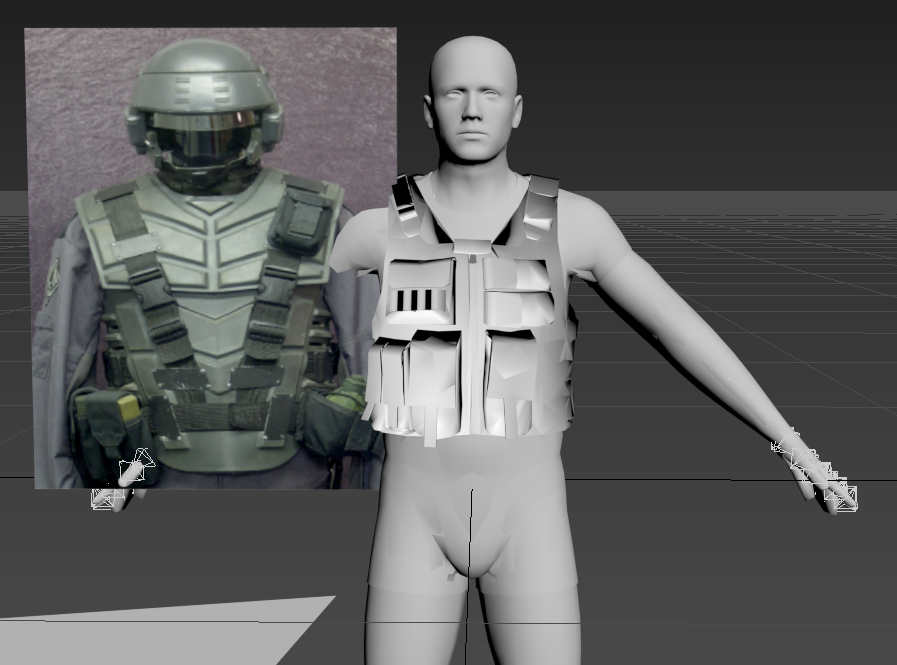
Hey all, probably dumb question. But how do I open the uniform.hpp file? I need to bring fatigues into 3ds max so I make sure my vests don't clip
pastel oyster
I wanted to model this https://cdn.shopify.com/s/files/1/1524/1342/products/on8124__4.jpg?v=1505465342 , and some other optics and have them be accessible for the statics in rhs either via the virtual garage, or the "Object specific parameters"
@quick terrace something like a hiddenSelection, but for statics, and with scopes
stuck oyster
@white jay uniform.hpp file is not a 3d model
and you cant open other than the Arma 3 sample models
there are some older uniform models there I recall but im not certain they are the same shape as the A3 basic uniform
quick terrace
@white jay hpp file - you open with notepad.
that said, there is a max and a fbx file in samples that is rigged and skin weighted
@pastel oyster - how about that - you model that first, and i make sure we either get into into RHS directly, or see if there is a way to enable optic attachments (i don't know about it now, but at some point it wasn't possible)
because the statics are not treated as weapons but more as vehicles
stuck oyster
yeah static weapons cant have attachements like that
white jay
Thanks guys, if I have more questions I'll let you know (for right now I'll just increase the scale if it clips through BDUs)
quick terrace
for VA to work, these parts would be hidden by model.cfg but need to be directly part of the model
pastel oyster
Understood and understood. I am no proffesional but I'll give it a try!
quick terrace
@white jay you should always model on top of the base mesh,, and transfer/copy over weight using the same mesh
the clipping might be in relation to different weighting rather than tight mesh
@pastel oyster no one was born a professional
white jay
This is what I have right now @quick terrace , I'm using the base body mesh and I have the vest over top as a guide for scale.
quick terrace
how did you weighted it/
white jay
I'm not certain about that. These are just freshly imported and the vest is scaled up to match the body
Since this is my first go, I understand mistakes can be made ^^
stuck oyster
weighting is required for the character model to follow the character animations
 formal wind
I need quick help with some 3ds max related question, my background color changes as my animation goes on, I dont know how, why and what I must do to get a constant background
white jay
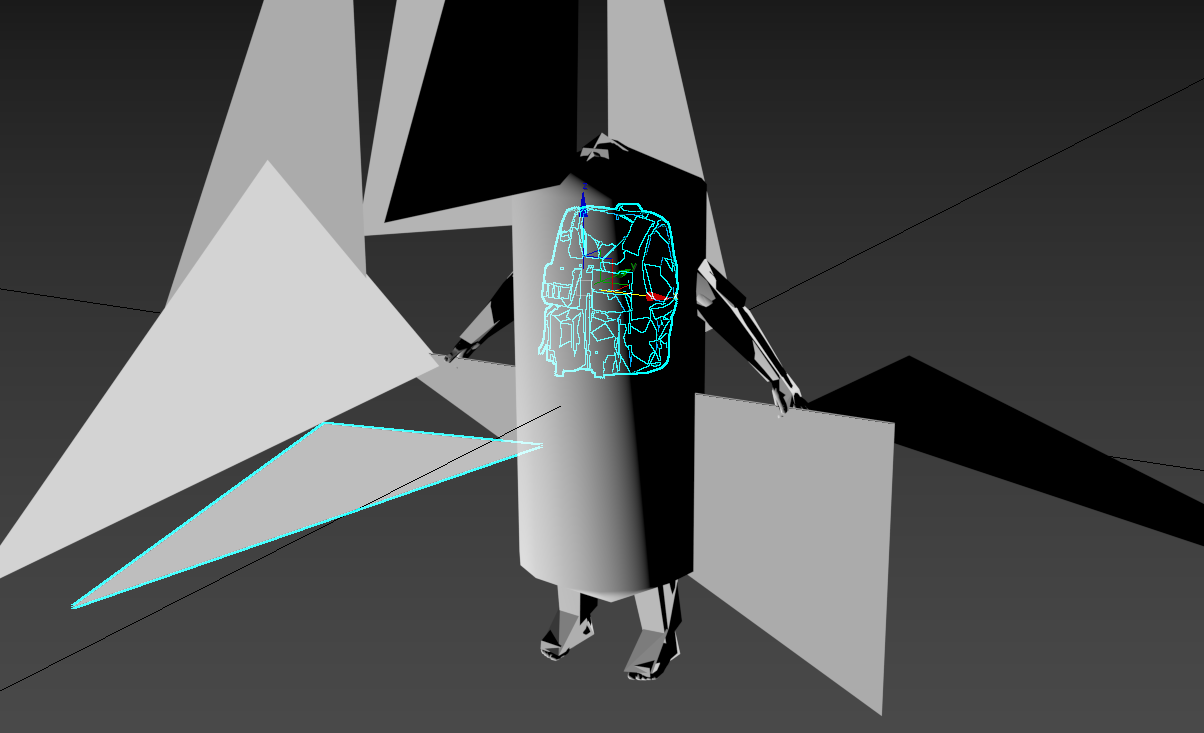
This might be related to weighting, but the vest example is super small when I import it, while the person example is 'normal' size.
Alright, so I managed to export the weighting when converting the P3D to FBX, although I believe I messed up. Anyone have guidance on this? https://i.gyazo.com/0cffee4234f77e74813d4c8237b9ce8e.png
 woven osprey
Hey guys, a question can someone help me to "animate" antennas? So I mean that they move. If I drive to the left you should move in the direction you want to go (Google translator) bad english sorry 😄
 jade tiger
hello everyone, once again i got a problem and hours of trial and error later i ask you. My newest project ( a car for a Life Mod Server) is tilted to one side. Since its not the first car i am working on, i checked my other projects, but i could not identify a reason as to why this one is tilted. I did not fiddle around with damper settings. i even tried copy pasting the basic_damper_destruct_axis hoping that it would work out, to no avail. Any suggestions?
stuck oyster
geometry mass distribution might be off
some damper could be named wrong in model vs config
jade tiger
i already tried adjusting the weights of the wheels to get the Center of Mass correctly, still nothing, i'll check the damper names
stuck oyster
the overall model bounds might not be even
also the weight center of the whole model can affect it
not just the wheels
jade tiger
the center is, afaik, the blue X in Geo LOD when direct X is off, i aligned that now to the center of the car, and test it
stuck oyster
the blue X is the mass center
jade tiger
so the blue x is perfectly aligned now, but yet the car is tilted o.O
i'll try something different with the Geo LOD now
jade tiger
i sure do have edit lods
stuck oyster
edit lods can cause issues
I suggest you make a backup
and delete all extra lods from the main p3d
jade tiger
hm, that's weird, the last car i worked on had at least 5 Edit LODs and nothing was wrong
stuck oyster
they dont always cause issues
jade tiger
well i played around a bit with the mass distribution and the center of mass, and i almost got it, still titled but way better than when i started
jade tiger
that was one of the first things i ckecked
i just figured, its not a certain wheel that is tilted, its the whole car
 open coral
on autocannons, how are the ejected brass configured? in particular, the pos and dir mem points
 sharp halo
How to make it look smooth? Tried smoth edges, didnt work:
https://imgur.com/JuGnSoM
(the fuel tank ofc)
stuck oyster
smooth shade and make sure the verticles are merged
and that you dont have any custom normals on it that mess up the shade
sharp halo
It appears only if it is in the shadow
stuck oyster
bad normalmap or bad AS map
sharp halo
Sorry to ask, does the OB has 3d orthographic view?
stuck oyster
not that I know
slate epoch
Sure it has
If you switch to left, right or any other view (other than projected) and then uncheck lock camera rotation, you'll get ortho
Just note that grid can get bit funky, so I turn if off for that moment
slate epoch
polar fiber
The grid goes real weird in DX mode
seems to rotate at a different rate to the camera
slate epoch
Yeah... 😦
 tacit badger
may someone help me with UserActions?(on a building), So idk what is going on i have made other models with opening doors all fine. but the one atm just doesn't seem to want to work and i'm not sure what is wrong.
i have the memory lod, and the user action positioned at the 'trigger' but when i load it in game no option comes up.
stuck oyster
is it terrain or scenario placed building?
tacit badger
atm just in the editor
stuck oyster
possibly a typo in bone or animation or selection class name
assuming the issue is that some part does not move
oh wait you talked about the action not showing up
got confused as usually people talk about models here
but then you might have a condition that is not met
in the useraction
or a typo
tacit badger
yer sorry wasn't sure if it was config or model, as it it the config for a model 👀
and for conditions i haven't put any in yet, also i copied all the class names and vertex group names so i dont think its typos
stuck oyster
if you have no condition it will not work
you will at least have "true" as a condition so that its always on
tacit badger
ahh ok i will try that now
stuck oyster
@rough idol Might you know if "zeroing" animation source works on vehicles?
rough idol
there was attempt to add it to vehicles
it's there but imo it's semi broken
@stuck oyster
rough idol
sometimes it works
but not with everything
I wanted to add little detail for tank zeroing so you could actually see their barrels elevating in visual LOD
and it wasn't working at all
I had some luck with static weapon on the other hand
stuck oyster
shame. I was looking for a way to animate my walkers arm weapon convergence with engine methods
instead of a rangefinding and arm part animating script I use now
If I were to try it, what values does it use?
does it take zeroing values from turret or are they predefined
stuck oyster
yes but the discreet distances are configured in the turret config
stuck oyster
if it were to work, would it work with automatic zeroing too?
or only with the manual pageup/pagedown
 snow osprey
Hey, Model makers.
https://www.youtube.com/watch?v=cRDOJIU25IE How long could it take to do a skin of this ?
go to the youtube video and skip to 0:51
if there's a mod for this already (That I do not know of) Contact me by DM's.
stuck oyster
The movie is calle Jin-Roh or Wolfbrigade. And time to make a model like that would depend on how skilled one is.
stuck oyster
that would be a totally different matter
median bough
It's not just a skin, it's a complete model
stuck oyster
possible, yes, difficult, very.
stuck oyster
it could take a couple of weeks at least
maybe a month
of very active work
depends on the skill and target quality
 gusty garnet
Thought I saw someone in the Japanese Arma community make the jinroh themed stuff before
stuck oyster
@rough idol I cant seem to get anything move with the zeroing/zeroing1 sources in vehicles so I'll drop that idea.
rough idol
and how did you configured it?
stuck oyster
made a animationSource: cpp class zeroing_cannon { source = "zeroing1"; weapon = "cannon_120mm"; };
rough idol
zeroing is only valid source
rough idol
try adding discreet distance to a weapon
rough idol
weapon config
stuck oyster
@rough idol one more ping for the night 😜
Could not get it to work. I have animation source pointing to the new weapon class I derived from the 120mm cannon with zeroing as the source, but nothing seems to affect the source phase. I have same discreet distances on the turret and the weapon class set up too and the animation does work in buldozer.
 mossy oxide
is it possible to hide/animate a named vertex group via config (not the model.cfg) using a custom animation defined in the config?
I want to hide a piece of the geometryphysx lod
polar fiber
No, you need a model.cfg to encode the animation source in the .p3d
Assuming you mean is it possible only with the config.cpp
mossy oxide
I really wish we were able to edit the model.cfg of binarized models. I'm perfectly fine with not being able to edit the model, but having at tool that would let you extract the model.cfg and recode the model with an edited version would be awesome.
kinda like the odol converter, you put in the binarized model and the edited model.cfg and you get a binarized p3d using your model.cfg
bold flare
model.cfg can influence ALOT in the model though. Not just some specific small things that you are probably thinking about
mossy oxide
but a model.cfg is useless on its own, while a model on its own can be ripped, ported to some other game or edited. I don't really see an issue with editing model.cfg, it shouldn't be binarized at all IMHO
polar fiber
The model.cfg is part of the .p3d once you binarise
so it's not a matter of having it there to edit in the .pbo
if you can reverse engineer the .p3d to modify that data you can reverse engineer it in any number of ways
stuck oyster
what would be the use of model.cfg editing if you cant add new selections to the p3d
polar fiber
and also you'd need to extract the .p3d and redistribute it in another .pbo
which BI don't allow for things like hex editing textures
mossy oxide
ok, so any ideas what changes can I make in the config.cpp that would make a VTOL not suck completely at flying
Asking because switching it to helicopter simulation causes the wheel breaks to not function at all (well its not like there is any helicopter with existence that has wheels). I looked up how RHS was doing their breaks and what they do is hiding the wheels in physx geometry and that makes the wheels essentially stop working.
That is why I was asking if it was possible to change animations on a selection without the access to the model.cfg
rough idol
Actually it's unhiding wheels for breaking
mossy oxide
Well the fact remains its done via scripts and doing funky with the model.
Is there a way to "break" wheels in the config to make them stop working?
mossy oxide
or edit them so they have massive friction, maybe that will help
rough idol
you can try increasing MOI but it's not going to fix it completely
physX wheels for helicopters is sort of function which was never finished and it has some bugs
like missing action for breaking the wheels
I'm wondering now if brakeIdleSpeed is working for helicopters too
mossy oxide
well the "helicopter" is rolling around with means the dark arts of physx are at work, so I will mess around with those
teal remnant
Progress of my poker table and bot scripts
https://www.youtube.com/watch?v=TGFmMnWoOIY&feature=youtu.be

http://www.cityliferpg.com City Life RPG Copyright © 2018 has created another video This video was created using content of Bohemia Interactive a.s. Copyrigh...
stuck oyster
While I can appreciate the effort gone into this, I am slightly worried that this will be very much wrongly used
teal remnant
Its just for my communitys enjoyment no real life charges and so on
stuck oyster
hopefully it stays inside your community then. I've noticed these kinds of things get around
It does seem to work very nicely though
teal remnant
still a WIP but getting there
 eternal bloom
stuck oyster
eternal bloom
stuck oyster
Whazzat? @eternal bloom
median bough
A link without description...
woeful viper
is blender garment tool https://gumroad.com/l/GarmentTool (like marvelous designer)
 viral cradle
Certainly looks an attempt at replicating MD. I'm sure it has some inherent limitations as an addon. But it seems well made at a glance.
woeful viper
hah you can bet its not a replacement
viral cradle
An attempt at replicating it, rather than replacing it. And seemingly a good one. 😉
 tired rivet
how do you set a serpa holster point on a chestrig ?
stuck oyster
@tired rivet now to keep the converstation on the right channel. What you need is to look into the A3_Vest_example.p3d in the Arma3 samples
there is a holstered proxy position for pistols
tired rivet
thank you i look into this now
eternal bloom
@stuck oyster @median bough sorry, i was trying to post a tweet from the author but i was on my phone and previews are disabled on this discord
basically, the author said yesterday that the addon was out
stuck oyster
👌
median bough
thx for clearing it up
 void barn
Ok so im probably about to ask the dumbest thing you'll read today but....
Do models off sites like turbosquid work/are allowed in ArmA? I've found a few assets id LOVE to have in ArmA but dont want to purchase them without knowing.
For example a Russian Carrier or a C-17
stuck oyster
Usually models like that are not made for game engines and need a lot of remaking to make them work in Arma. Also it is a possibility that cheap "game ready" models are ripped/stolen from some other games. Which is why using such models always needs a strong consideration
void barn
Ahhh okay that makes alot of sense
well guess ill just have to pray one day we get a Russian carrier or something that I can blow up :p
Thanks @stuck oyster
❤
stuck oyster
well you can always ask consultation on models you find interesting
there are a lot of legit models out there
most of them will need work to fit into Arma though
void barn
Oh i fully expected I'd need to do some stuff to them to make them work inside ArmA however i'd be willing to learn. Im more confident in config files and coding them modeling hahaha
quick terrace
you will never be able to buy a 3d model and put it direcly in A3 without knowing shit about what a game mesh is
void barn
Ive got a few mates who work did the ADFU uncut mod so im sure they'd be able to help me (If I bribed them enough money) Ill probably just start super small and then build my knowledge
 kind lion
you might want to learn how to encode stuff before dumping money on 3d models imho
 past canopy
@void barn if you want to know how well that worked out look at the Task Force Leviathan vehicle mod.... basically a guy with money trying to bring HP models from turbosquid and others into Arma with no real experience doing it.... it’s not easy. I spent a good month on my MRZR getting it all sorted out and setup for Arma from a HP form and even then I had someone else import it because of the sheer amount of work involved.
tired rivet
is there a way to rotate verticies in the object builder more precisely or is ctrl+right mouse the only option ?
quick terrace
you have a 3D rotate button on the top toolbar
tired rivet
@quick terrace can you send me a screenshot of the button i dont see it
quick terrace
stuck oyster
hit ctrl+e
also the window menu in the top toolbar shows all the available dialogs and if you have them enabled
tired rivet
ah i see
is it possible to preview a proxy in bulldozer ?
or more like the pistol holster proxy
stuck oyster
the pistol holster proxy does not seem to have visual parts at all
so you would have to replace it with another model and use that for positioning
and then replace it back to the holster proxy
tired rivet
ah understandable and how do i reposition a new loaded model onto that proxy ?
stuck oyster
when you click the proxy selection name it opens up a dialog for the path
tired rivet
right thanks
stuck oyster
just save the old path just in case you lose it
tired rivet
how do i set a new xyz position where the new proxy gets placed at
tired rivet
hmm
i positioned the pistol into the holster
and i want to select a vertices which will be replaced with the holster proxy
the actual holster rests on the chest sideways and at a slight angle it would be a nightmare to position the proxy like that
stuck oyster
now Im not following. I believe the holster should be part the actual model
and the pistol holster proxy is just for the pistol to be in the right place
tired rivet
ye the holster is part of the model its just hidden for better visibility
stuck oyster
ok so if you now just repath the pistol proxy as the holster proxy it should retain the position
tired rivet
i really didnt get it how you explained it earlier sorry
actually
making some progress
stuck oyster
holstered proxy == invisible
repathed as "pistol" proxy that is visible
moved to new position
renamed back as holstered proxy
tired rivet
thanks for all the help but im gona take a break for a day been modding for the past 4 days
tired rivet
ye going to
literally only stopped to eat sleep and go to school and gym
hopefully im gona be able to do it in a few days 💪
stuck oyster
good luck!
tired rivet
❤
formal vapor
is it possible to assign a texture to a mesh in a p3d that has no selection name and the model is binarized?
stuck oyster
no
all texture switching rely on on hiddenselections that have to be set up both on the model and in the model.cfg
formal vapor
hmmm...good
 polar gyro
can somebody save the a3_character_example as .obj or .fbx file? I'm trying to open the one it gives at the arma 3 tools with Blender but it's fucked up
bold flare
but it's fucked up
looks correct to me
median bough
Haven't looked into it much, but iirc those triangles are proxy positions
bold flare
either proxy or memory points
 sacred grail
^
 tacit shard
Yeah thats how its meant to look @polar gyro you can just delete the triangles
polar gyro
Ok now i'm confused
polar gyro
I have made a uniform using blender, and I wanted to figure out how they made it in the vanilla.
But the guy is naked so I don't really know where to go from here
tacit shard
Ah okay sorry I can't help with clothes modelling never done it but Im sure someone here can
formal vapor
The naked body is the clothes
stuck oyster
@polar gyro I assume you imported the P3D with the Blender Arma toolbox?
quick terrace
can't blender handle the existing FBX directly?
stuck oyster
it should
ah no
too old version
the fbx that is
the sample fbx is just the same shirt and boxers model as the p3d
@polar gyro did you solve your problem?
polar gyro
Yeah I handled it. I just didn't understand how I am suppose to make uniform for arma... I made the uniforms on top of a character. What do I need to do now?
stuck oyster
weight it
in Blender you can use the transfer weight tool to project weighting from the sample character to your new character
and then tweak it to your liking
alll uniforms in Arma are basically just characters
the head proxy ensures that the same uniform/character can have different identities and look different
polar gyro
Alright.. is there any video the captures the entire process? I think I know what you mean, but I don't know how to do it
stuck oyster
I've listed the step by steps a couple of times with pictures on this channel (or the #arma3_animation )
Weight painting tutorials there are probably a lot for Blender
a tools/technique related tutorial does not necessarily need to be for Arma
to test the weighting you can get the Macser Armarig
and connect your new character to it with Armature Modifier
and then see how it behaves when you pose it
sharp halo
I am looking at sample models and noticed that some selections are proportional, meaning I move them up and they move proportionally. How to achieve that?
Talking about Object builder ofc
stuck oyster
@sharp halo all my selections for the heli are full red
sharp halo
In sample models, uh60m for example has this with rotordive
stuck oyster
A2 samples perhaps?
sharp halo
Yes indeed
sharp halo
😮
stuck oyster
and then creating selection or redefining old one with the painted selection
but I've found doing vertex weighting like that is easier in external programs
like Blender that I use
stuck oyster
it will need isDiscreet value set as 1 (I recall) in model.cfg
and the skeleton bone inheritance structre is a bit different
you will need to define first bone and then have all the other bones be children of that bone
instead of starting bone chains from the empty ""
cant locate the sample youre looking at right now
have it somewhere
but I would think it has model.cfg with it
sharp halo
Yes it has one, tinkering with it right now
If you want to locate it it is under Air_e/UH60M
stuck oyster
I would have to remember where I stashed the A2 samples 😄
sharp halo
The issue there is many things in model.cfg are inherited from Helicopter class and I dont know where to look
😄
stuck oyster
is there any specifc reason you want that particular chopper?
CUP has it already ported I believe
sharp halo
Yeah I know that just checking how things are done in choppers so I could try to do a chopper now
Since ARMA has now better support for it
with AFM and stuff
sharp halo
Ok then will try that instead ;d
 silver zenith
I can already see people climbing the ladder to get "elevation" and get blasted from everywhere
bold flare
I do that quite often. But I have full heal bound to F4.
polar gyro
https://imgur.com/13LAW9I
Anyone have idea why that is happening? I the object loads fine in buldozer, but when I drop it into a basic mod and launch the game, it can't load it up
class CfgMagazines
{
class CA_Magazine;
class ISOC_waterbarrel: CA_Magazine
{
displayName="ISOC_waterbarrel";
scope=2;
mass=5;
author="Epic";
icon="barrel_icon.paa";
picture="barrel_icon.paa";
model="barrel.p3d";
descriptionShort="If your seeing these, you're probably on the right track!";
};
};
That's the config for the item ^^
all the files are in the same folder.
slate epoch
Hm, that path doesn't seem right. That'd mean you have model in root of P: drive 😄
polar gyro
I think you got on to something.. I havn't been using P drive, is that the reason why it doesn't work?
stuck oyster
Fuuuu
Epicest of fails. 🙈
Yes that's a big problem
The development environment is there for a reason.
polar gyro
I see.. and if the directories are those:
icon="P:\Modding\Projects\waterbarrel\barrel_icon.paa";
picture="P:\Modding\Projects\waterbarrel\barrel_icon.paa";
model="P:\Modding\Projects\waterbarrel\barrel.p3d";
that should work now? or should I cut the directory and write only from the waterbarrel and further?
stuck oyster
This is happening more and more often so out of curiosity. Why don't you have it set up??
polar gyro
I had it set up, just didn't figured out this is that critical
slate epoch
You don't put "P:" in paths
stuck oyster
You got all the basics wrong there.
So yes you put everything you want to pack on P and as Kllrt said, never put P: in paths. Compare to examples in the sample files.
Also you should extend that ISOC_ prefix to your folders too.
And filenames
polar gyro
to prevent it from conflicting other mods?
stuck oyster
Yes
polar gyro
so I should change the folder ISOC_waterbarrel, and than pack it into a pbo?
polar gyro
I did as you've told me, but it still doesn't seem to work:
https://imgur.com/rg5feQa
the directories are:
icon="Modding\Projects\ISOC_waterbarrel\textures\barrel_icon.paa";
picture="Modding\Projects\ISOC_waterbarrel\textures\barrel_icon.paa";
model="Modding\Projects\ISOC_waterbarrel\barrel.p3d";
I'm pretty sure the object itself is fine, cause the buldozer seems to handle it quite well
polar gyro
ohhh
lets see
it still says the same
class CfgMagazines
{
class CA_Magazine;
class ISOC_waterbarrel: CA_Magazine
{
displayName="Waterbarrel";
scope=2;
mass=5;
author="Epic";
icon="\Modding\Projects\ISOC_waterbarrel\textures\barrel_icon.paa";
picture="\Modding\Projects\ISOC_waterbarrel\textures\barrel_icon.paa";
model="\Modding\Projects\ISOC_waterbarrel\barrel.p3d";
descriptionShort="If your seeing these, you're probably on the right track!";
};
};
anything else we are missing?
slate epoch
What are you using for packing btw?
slate epoch
Just use mikero's tools
polar gyro
He has quite a number of programs regarding pbo packing/unpacking.. you mean MakePbo?
it's his
stuck oyster
PboProject
slate epoch
pboProject
stuck oyster
And install all of them
polar gyro
Missing File Summary
barrel.p3d : \p:\modding\projects\isoc_waterbarrel\textures\barrel.paa
"isoc_waterbarrel.pbo not produced due to error(s)"
it's says this when I try to pack the mod
quick terrace
@polar gyro use proper suffix - https://community.bistudio.com/wiki/ArmA:_Texture_Naming_Rules
polar gyro
Missing File Summary
barrel.p3d : \p:\modding\projects\isoc_waterbarrel\textures\barrel_co.paa
when I just want to put on a simple texture, I should use the _co suffix, right?
bold flare
yes
polar gyro
it seems that it can't load the texture for some reason
bold flare
does it find the model?
polar gyro
config.bin :scanning
objects\barrel.p3d :validating...barrel.p3d: missing \p:\modding\projects\isoc_waterbarrel\textures\barrel_co.paa
objects\barrel.p3d.dep :excluded
texHeaders.bin :scanning
textures\barrel.paa :scanning
textures\barrel_CO.paa :scanning
textures\barrel_icon.paa :scanning
</end entries>
Missing File Summary
barrel.p3d : \p:\modding\projects\isoc_waterbarrel\textures\barrel_co.paa
"isoc_waterbarrel.pbo not produced due to error(s)"
it scans the model, but can't load it's texture... at least that what it seems to me
bold flare
p:\modding\projects\isoc_waterbarrel\textures\barrel_co.paa does that file exist? on your pdrive?
polar gyro
yeah, and the texture loads fine when I use buldozer
quick terrace
ahhh, what is the path of that texture?
should be something like isoc_waterbarrel\textures\barrel_co.paa
i feel you P drive setup is wrong, yes Object Builder can grab textures from all over the place, but the paths should always be without a mention of a drive, be it P or C or D or whatever
also having folders like you have in your P drive is pretty wrong, it's gonna fuck up with the pboprefix
polar gyro
i've changed the directory on object builder to what you said it should be, I restarted the computer and mounted the p drive again, got rid of all the spaces and the extra lines in the config, it still says the same.
this is the config file:
class CfgMagazines
{
class CA_Magazine;
class ISOC_waterbarrel: CA_Magazine
{
displayName="Waterbarrel";
scope=2;
mass=5;
author="Epic";
icon="\modding\projects\isoc_waterbarrel\textures\barrel_icon.paa";
picture="\modding\projects\isoc_waterbarrel\textures\barrel_icon.paa";
model="\modding\projects\isoc_waterbarrel\objects\barrel.p3d";
descriptionShort="If your seeing these, you're probably on the right track!";
};
};
and that is the error it says I have:
<adding entries:...>
config.bin :scanning
objects\barrel.p3d :validating...barrel.p3d: missing \isoc_waterbarrel\textures\barrel_co.paa
objects\barrel.p3d.dep :excluded
texHeaders.bin :scanning
textures\barrel.paa :scanning
textures\barrel_CO.paa :scanning
textures\barrel_icon.paa :scanning
</end entries>
Missing File Summary
barrel.p3d : \isoc_waterbarrel\textures\barrel_co.paa
"isoc_waterbarrel.pbo not produced due to error(s)"
this is the mod directory:
P:\modding\projects\isoc_waterbarrel
quick terrace
let me rephrase - due to the way your setup is, the path in OB for that texture should be \modding\projects\isoc_waterbarrel\objects\barrel_co.paa
i am saying the setup is pretty wrong though
polar gyro
so how should the setup be?
quick terrace
read here about PBO prefix - https://community.bistudio.com/wiki/PBOPREFIX
there is no need for \modding\projects\ folders to begin with
or well,, this is how i do it - each individual project resides directly in my P drive
so besides my rhs folders, for other projects, i have have them directly under P drive
polar gyro
i've done as you said, got rid of all the extra folders, and it still has the same error
quick terrace
example - P:\pfu_us_structures\addons\pfu_house_large_01\pfu_house_large_01.p3d
P:\pfu_us_structures\addons\pfu_house_large_01\data\hl01_mti_01.rvmat
polar gyro
this is my directory now: P:\isoc_waterbarrel\objects
quick terrace
that rvmat path in my OB builder is
pfu_us_structures\addons\pfu_house_large_01\data\hl01_mti_01.rvmat
ok, what is the path of that texture, in OB
polar gyro
isoc_waterbarrel\textures\barrel_co.paa
quick terrace
{
    class CA_Magazine;
    class ISOC_waterbarrel: CA_Magazine
    {
        displayName="Waterbarrel";
        scope=2;
        mass=5;
        author="Epic";
        icon="\isoc_waterbarrel\textures\barrel_icon.paa";
        picture="\isoc_waterbarrel\textures\barrel_icon.paa";
        model="isoc_waterbarrel\objects\barrel.p3d";
        descriptionShort="If your seeing these, you're probably on the right track!";
    };
};```
you also change the above yeah?what is the error provided on build now/
polar gyro
that is my current config:
class CfgMagazines
{
class CA_Magazine;
class ISOC_waterbarrel: CA_Magazine
{
displayName="Waterbarrel";
scope=2;
mass=5;
author="Epic";
icon="\isoc_waterbarrel\textures\barrel_icon.paa";
picture="\isoc_waterbarrel\textures\barrel_icon.paa";
model="\isoc_waterbarrel\objects\barrel.p3d";
descriptionShort="If your seeing these, you're probably on the right track!";
};
};
and that is my error:
P:\temp\isoc_waterbarrel\config.bin
1 File(s) copied
isoc_waterbarrel\texHeaders.bin
1 File(s) copied
"<Bis Binarise...>"
""C:\Program Files (x86)\Steam\steamapps\common\Arma 3 Tools\Binarize\Binarize.exe" -targetBonesInterval=56 -textures=p:\temp -binPath=P:\ "isoc_waterbarrel" "p:\temp\isoc_waterbarrel""
"</Bis binarise>"
"<updating temp with prebinarised files>"
"</prebinarised>"
"MakePbo.exe "-PgFW" "-X=thumbs.db,.txt,.h,.dep,.cpp,.bak,.png,.log,.pew, .hpp,source,.tga" "-@=isoc_waterbarrel" "p:\temp\isoc_waterbarrel" "E:\Arma3 Mods\Mymods@waterbarrel\addons\Addons""
<adding entries:...>
config.bin :scanning
objects\barrel.p3d :validating...ERROR: \isoc_waterbarrel\config.cpp has no cfgPatches classr
The addon name for \isoc_waterbarrel\textures\barrel_co.paa cannot be determined
"isoc_waterbarrel.pbo not produced due to error(s)"
omg
quick terrace
please copy paste here, directly from OB
your texture
path
should be
isoc_waterbarrel\textures\barrel_co.paa
polar gyro
yeah that's the one
quick terrace
and not
\isoc_waterbarrel\textures\barrel_co.paa
polar gyro
but I think I got different error now
yeah I got it without the \
\isoc_waterbarrel\config.cpp has no cfgPatches classr
The addon name for \isoc_waterbarrel\textures\barrel_co.paa cannot be determined
what is that mean?
median bough

Discord
Want to inject some flavor into your everyday text chat? You're in luck! Discord uses Markdown, a simple plain text formatting system that'll help you make your sentences stand out. Here's how to d...
if you post code
quick terrace
it means you are missing CfgPatches.h
quick terrace
all addons require CfgPatches
sharp halo
Could I ask again for help with weighted selections? I cant figure out a proper way of setting up the bones
It should work in buldozer, correct?
tired rivet
@stuck oyster i fixed the proxies thanks for all the help 👌
sharp halo
Hmm but I havent changed anything in the mesh so weights should be good @polar fiber
Unless you mean in model.cfg
stuck oyster
weights are only p3d thing
polar fiber
I think cumulative animation through model.cfg is a bit different in A3 to how it was in A2. I think we had to include the axis as part of the parent bones in A2 to have them move properly, where A3 seems to do it automatically
but maybe I am wrong
sharp halo
In Ah9 model.cfg the axis is indeed a parent bone
sharp halo
I see it is done correctly on CUP, on RHS but I cant get it working , I am starting to sound annoying
sharp halo
Yeah, multiple times
Same result in OB and ingame
Nevermind, on test numer 18 it worked
Ingame:
So it differs turns out
Thank you for your help guys 😃
 winged maple
Anybody know of a radar station that I can walk in on AMRA? mod or not?
 noble shoal
Enhanced Movement mod may help with that depending on the radar station and how high it is to get to the next level of it...
winged maple
thnks
 fervent steppe
Cup uses the enhanced version of the a2 radar station...the airport radar station....or do you mean round ball thing?
 undone nexus
Okay guys quick Question. Like i made a Rolex and now is my question is it Possible to make an Item that fits in the Item Slot "Watch" and that adds a 3 Model? Like
Item Rolex in Slot Watch and if u equip it u wear a Rolex ^^
silver zenith
I dont know much but I doubt
polar fiber
There is no proxy to attach such things to the character model from the watch slot
You can make a watch model that appears in the player's UI when they press the key for it, which is all the watch slot is for
bold flare
Possible to make an Item that fits in the Item Slot "Watch" yes.
a 3 Model? "A 3 model" wat?
No you can't make it show on your arm as da12thMonkey already said :u
eternal bloom
You could actually replace the 3d model of the watch with one that includes an arm
While having two other arms holding the weapon
👌
stuck oyster
Would need a gesture to move the other hand away. Otherwise you would likely see the left hand holding the weapon.
But for things like rolex I would think someone would like others to see it..
It could be made into any of the other clothes slots
BI can we haz SWAG slot?
bold flare
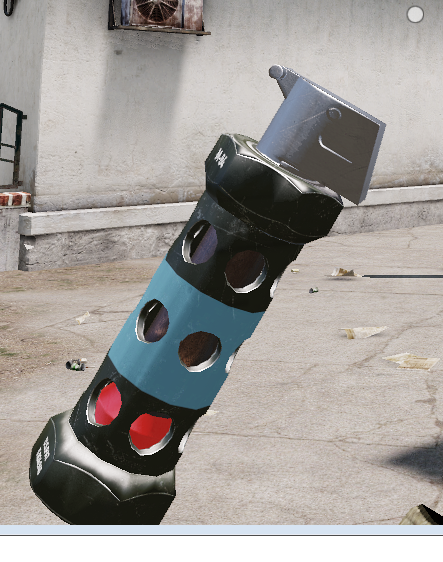
Hand grenade always renders in lowest lod
https://i.imgur.com/UAS8L79.png
That is reslod 7.
Any fix for that besides just removing all reslods besides lod1?
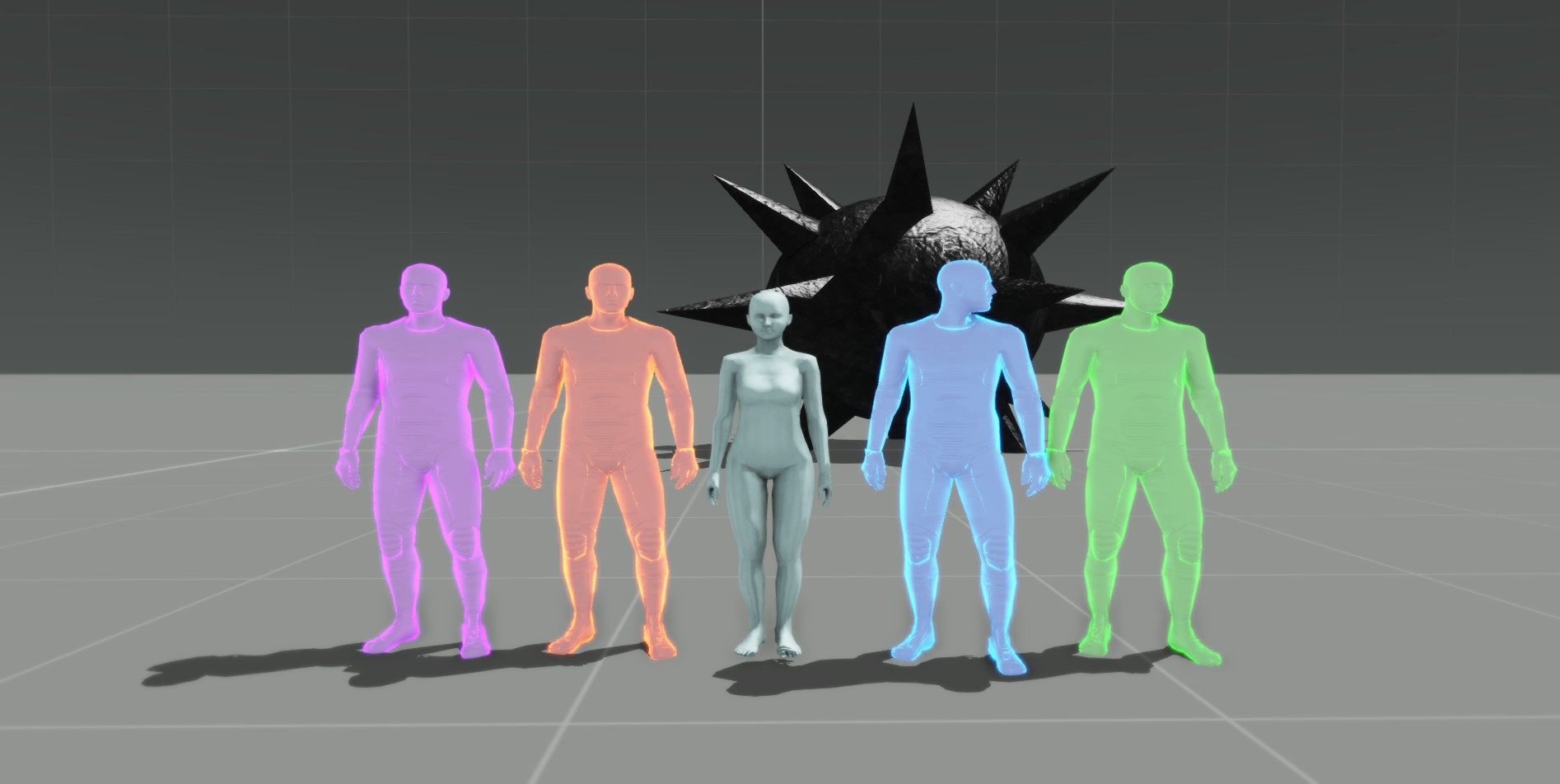
The RHS variant of the same grenade renders fine
https://i.imgur.com/UnJIhtD.png
That is the ACE M84
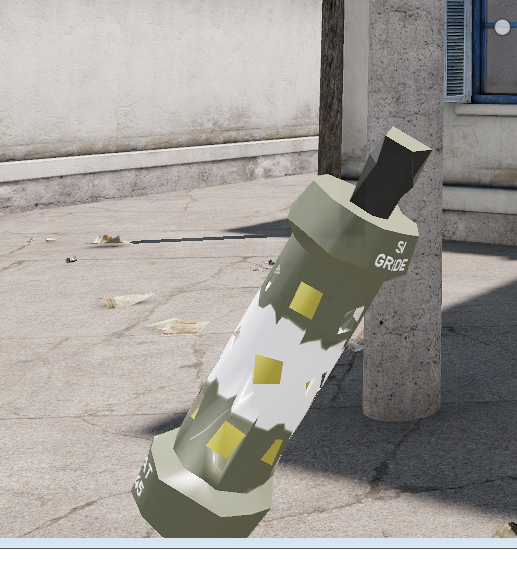





 rough idol
s @bold flare nope, you need to remove all res lods
I've already asked about it programmers and decided to remove reslods from vanilla greandes too
reslods should be still useful though, because you would probably like to have 2 models - one, with safety on, when lying on ground as a item, and 2nd throw variant
bold flare
I wanted to do the normal and throw variant with animations. But doesn't seem possible
Building a new flashbang for ACE currently https://dedmen.artstation.com/projects/xzZeqm

The weight for flashbangs is geometry/geometryphys lod defined right?
Is there any connection to a real world unit? like could I just use the weight from the grenades spec sheet?
slate epoch
geo lod
bold flare
ACE M84 just uses mass 3 so I assume no real world weight. I'll just also use 3 and hope it looks good 😄
quick terrace
isn’t the minimum value possible “1” anyways
 vernal lynx
I have a blank in my brain
I don't remember how to merge two fire geometries LODs and fixing the "2 blocks per namedSelection"
stuck oyster
Component naming?
vernal lynx
Automation > O2Scripts > renameFireGeom
doesnt make it
yeah, just erase and rename automatically without regenerating convex component and loosing material
stuck oyster
Find components in one of the other menus
polar fiber
Structure\Topology\Find Components
vernal lynx
AH
🙏 I love you guys
I could not find it back 😄 (recording the last part of the tank import tutorial)
stuck oyster
👍 👍 👍
bold flare
https://s.sqf.ovh/arma3_x64_2019-03-09_17-53-16.png
Very bad bum bum

 slate epoch
PIZZA TIME 
 tulip berry
anyone know which memory points Arma uses for the buildingPos command?
can't really find any useful information googling 😦
tulip berry
😮
found it thanks to the sticky in here and the pathlod hint
Vertices where the AI can stop must be defined by named selection with ascending number ("posXX" where XX is the number). Those points can be used by scriptcommand <link>buildingpos and in the Mission editor for placing Units. Name selections called "inXX" (where XX is a number) serve as AI access points (doorways, ramps, etc) to the building. These "inXX" points must be above the terrain surface for the AI to be able to see them. The A3 sample house shows how it can be set up, using multiple "entry-fan's" with one raised point to allow access to the building, independant of terrain slope.
posXX apparently
 tiny raft
Does the latest version of the arma 3 plugin work for blender 2.79? I installed it and while the sample models will open in object builder, I'm not able to import that same model into blender, or rather when I do nothing is loaded into the 3d viewport
stuck oyster
where did you download it? @tiny raft
stuck oyster
thats not the latest...
thats like ancient I think
armaholic is not very reliable anymore
the FHQ BIforums thread has the latest experimental build I think
sacred grail
As a general rule of thumb avoid Armaholic unless it is an absolute last resort
stuck oyster
and FHQ homepage the latest stable
tiny raft
thanks, I'll try that one out
stuck oyster
as unfortunate as it is, it has become more like a archive/library of old stuff
sacred grail
And stolen stuff *
slate epoch
Also be sure to have correct path to O2 script set
sacred grail
Still remember the days I used to check Armaholic nearly every day for new mods though 😄
a long long time ago
tiny raft
http://friedenhq.org/arma-ii/fhq-arma-toolbox-for-blender/ so this would be the correct version?
stuck oyster
hmm I think it might be the last stable release,
but there are at least a couple more in the FHQ toolbox BI forums page
tiny raft
this might be a stupid question but is O2 buldozer?
sacred grail
O2 is the predecessor the Object Builder
Bulldozer is the viewer that Arma tools uses to preview models , environments etc.
slate epoch
Well...predecessor. It's same thing, now with few improvements 😄
tiny raft
I see, sorry I know how to use blender but I've never tried to make anything for arma so that's where I'm stuck 😄
sacred grail
Yeah pretty much, Just a name change and some tweaks 😄
tiny raft
@slate epoch I can't find anything online related to having a correct path to the O2 script.
I tried installing the blender tools off the website and am having the same issues as before
stuck oyster
@tiny raft
hmm the armaholic link might actually have been up to date
but they always break version numbers
 wind fern
Any fix for the annoying Object Builder movement on Windows 10? (Annoying bug when rotation objects)
quick terrace
no
slate epoch
Use DirectX viewport?
quick terrace
still sux ass
less, but still
directx active or not, this used to work correctly on my win7, win10 creators broke it i guess
river kite
Time for new Tools from Bohemia, jk we will never get one 😂
bold flare
Has DayZ OB fixed that?
river kite
Arma 5 and we will still have object builder etc. 😫
stuck oyster
OB is not quite meant for making stuff anymore
its just to get stuff imported into game
almost everything can already be done outside it
 near osprey
any modelers i can speak in private?
median bough
@near osprey
Ask your question here in public and you'll get a faster response
 wispy orchid
in object builder, can I get somehow the inverse of a selection? E.g. I have 'main' defined as selection and now I want all parts of the object that are not part of 'main'
wispy orchid
thanks
 dark crow
I have a problem with the texturing of my glass...for my boat
stuck oyster
what kind of problem would that be?
dark crow
a moment Upload 2 screen for explain the problem
ok....first screen
this is the glass seen from the cabin (inside to outside)
stuck oyster
have you assigned a transparent texture and glass material to it?
and is there a surface on the inside at all?
Arma engine draws only 1 side of faces
dark crow
I have assigned a texture and the material glass_veh.rvmat
dark crow
where can I find a transparent texture ?
stuck oyster
you can make one
stuck oyster
mm load it where?
stuck oyster
did you read the texture naming rules?
transparent textures need to be named "texturename_CA" before converting to .paa
stuck oyster
👌
 frozen umbra
Is it possible to somehow set multiple memory points for a ladder, to make it easier for players to find that "hotspot" instead of moving mouse in all directions to hit the "l-spot" ?
slate epoch
Are you using the way that mesh in Geometry LOD will affect when you see the action?
Or just old way that if you are in range of mem point, you get action
frozen umbra
hm I guess the old way , with mem point and action at the moment. how is the new way works, any more info?
slate epoch
Man, I don't know if there is any info on wiki
But every vanilla house with ladder should have this setup
Just look into config browser how ladder is defined
it's just one more parameter in ladder array for ladder
stuck oyster
Nomen est omen. That nick kinda tells everything I think.
stuck oyster
He may be a bit on the younger side of lifes cycle. Be gentle
quick terrace
so are his english cycles
stuck oyster
probably not native english speaker.
quick terrace
yeah he said he is russian.
fervent steppe
Ok fine. I'll play nice
bold flare
He already got a warning for his spamming. And he seems to first create a thread on the forum asking a simple question. And only then starting to try to figure it out himself.
Kinda get's on my nerves
If you can steer him to stay in one thread for his troubleshooting instead of constantly creating new ones please do so :/
quick terrace
isn't that what you're suppose to do? 😄
bold flare
I already told him to google before he creates a thread.
But creating a thread to ask a question doesn't violate the rules ._.
stuck oyster
I replied to his last post
bold flare
See you worded that much better than I ever could 😄
stuck oyster
some of the new guys are unfortunately in so big hurry that they dont stop to think.
fervent steppe
There was a time were you would get massacred by the forum god for creating such posts.
bold flare
I would love to do that.. Sadly I can't :/
Mh I guess I can just tell him to stop and poke onto the "do what moderators say" rule 🤔
fervent steppe
Hopefully goats well worded post sticks 😃
stuck oyster
50/50 chance
 atomic path
I've got an issue with my rifle: the model.cfg animations wouldn't play on relaod and magreload, basically any model.cfg animations won't work. The fun part is that the animations work perfectly in Object Builder/Bulldozer. Any ideas what might cause it?
stuck oyster
does it have multiple muzzles?
atomic path
nope
stuck oyster
any possiblity older pbo would overwrite it?
 late root
Have you tried clearing temp folder?
bold flare
Okey so the russian guy, that apparently knows nothing about modelling and configs, is trying to import a car with physx and having problems.
Don't think I'm the only one doubting that the model has a legit source..
stuck oyster
could be legit free model, but with that much holes in basic stuff its very unlikely its his own made
 lusty axle
Why r u guys simply refering to him as “russian guy” what is it exactly that u have against russians ? Why not refer to him by his name/nickname?
bold flare
because he is russian
And look at SWOP, that mass effect thing. and all the other stolen stuff that's hosted in russia because they ignore DMCA's
nothing against russians. Just against russias handling of copyright
lusty axle
They can ignor whatever they want but just because hes russian shouldnt give u the right to judge that its what hes doing ... sry dude dnt mean to sound like a dick , just that im also russian nd refering to sineone by the ethniciity is the same if u call some “black guy” “chiness guy” “canadian” ... just really demeaning tbh but yeh sry bro ur a cool dude but that statement i just couldnt ignor 😐
With that being said , imma go back to oretending to work so my employees dnt riot and quit on me lmao . Gday !
bold flare
I said "the russian guy" because that way everyone knows who I'm talking about ^^
lusty axle
Thats fine i just needed to say my peace so you can understand how it looks from a ruski point a view thats all .. not calling u a racist or anything 😃
bold flare
ja panimaju 😉
 dim quarry
"7:03:45 Warning: Convex component representing Track_L not found"
shouldn't this be in "geometry" lod ?
or is it the physx lod?
rough idol
Physx lod
dim quarry
copy
 drowsy slate
What's the process for getting permission to use a default model? I want to make a drivable version of the static dump truck from Apex
quick terrace
@drowsy slate there isn't one, not possile