#arma3_model
1 messages · Page 122 of 1
 sharp halo
 stuck oyster
dont have the proxy there
or possibly configure the pilot proxy into hide animation
could work
sharp halo
Will try with hiding animation, thanks 🙂
 slate epoch
Bohemia Interactive Forums
On 29.6.2018 at 6:24 AM, nodunit said:
			On 28.6.2018 at 4:50 PM, Lbbde said:


				Could it be that the hangar ...
thanks for the heads up @slate epoch
slate epoch

 charred bolt
With my driver in a vehicle (inherits car_f), why does he have shadows from LOD1, rather than from ShadowVolume - View Pilot LOD?
Probably found my own answer: https://community.bistudio.com/wiki/Creating_Shadow_LODs Pilot Shadow LOD doesn't work.
 clear glen
Anyone had issues with ObjectBuilder and scaling?. When i drag around the windows, where they drop into place and the dashed square that previews where they would land are completely different. And the rotating around in view ports has a super low sensitivity, takes like 60 seconds to rotate around a model
charred bolt
Try activating the 'Use Direct 3D' button
clear glen
That did it , Thanks 😃
charred bolt
You're welcome.
stuck oyster
Win 10 and OB do not work well together
 tulip beacon
 echo rain
@stuck oyster i'm scared to ask but how so? since i use it on win10.
 minor jasper
@bb all kinds of files needed in visualstudio libraries that are missing in 64 bit windows 10, so need manual updating sometimes
afaik
 vapid nexus
question what could be causing this sort of wierd shadow clitch /bug shadowlod model is closed
vapid nexus
look at the body of the m16a1
and you can see a line of missing shadow
like a straight line going from the straight across it
 bold flare
 vapid nexus
yes
stuck oyster
non closed part
vapid nexus
hmm ok i will go back and check my shadow model again
stuck oyster
first check again
vapid nexus
there was a hidden vert that was making a hole thanks for the help
stuck oyster
👌
 wispy orchid
physx wheels question: On the OV-10 Bronco the wheels don't turn. The rpt says Error: Wheel reference not initialized , but I fail to see a fault in AnimationSources wheel/damper, model.cfg and model. The wheels do turn in buldozer with wheel_1/2/3_source . Any ideas for debugging this further?
diag exe reports: c:\bis\source\dev\futura\lib\transport.cpp(3974)(func: TransportType::CreateAnimationSourceDamperEPE) [AssertUSR] MainThread=5624 Group: Config Vehicle: uns_ov10usn Error when looking for Wheel wheel_1 for damper animations.
in model.cfg there is a damper with damper_1/2/3_source and wheels with wheel_1/2/3_source
 polar fiber
what about the physX config for the wheels?
wispy orchid
copy.paste job with adjustements from the Cesar: https://pastebin.ubuntu.com/p/fQJRKMyXCP/
polar fiber
Might be case sensitive. The error refers to wheel_1 (lower case) as being the physX classname that the animation source is using for the wheel = ###; param
your physX classnames start with upper case
 jaunty leaf
 sacred grail
nice, High poly mesh for the bake?
 atomic path
I have an issue with my static weapon:
the model moves as it's supposed to move (turret rotation on both axes is good, follows the mouse movement, no issues here), but the memorypoints don't follow the movement: it allways fires straight forward, no matter the model's barrel position
I've found same issue being talked about on BIforums, but there was no solution for it
Just to make it clear, the memorypoints have proper selections assigned
so the start/end of the barrel memorypoints have the same named selection as the barrel in the resLODs
 outer condor
@atomic path did you check debug.log (via diag.exe)?
atomic path
I'll have to download DEVbranch, need some time
polar fiber
@atomic path do the memory points names match the gunBeg/gunEnd parameter in the config?
polar fiber
depends if the weapons has shotFromTurret = 1; or not
if it does, allegedly it uses gunbeg/end from turret
atomic path
I do believe it's inherited from class HMG_127
atomic path
I've found those errors: 22:07:38 Error: bin\config.bin/CfgVehicles/NORTH_Maxim_Base/Turrets/MainTurret/: Turret body OtocHlaven_shake not found while initializing the model north\nf_static\maxim\maxim.p3d 22:07:38 Error: bin\config.bin/CfgVehicles/NORTH_Maxim_Base/Turrets/MainTurret/: Turret gun OtocVez not found while initializing the model north\nf_static\maxim\maxim.p3d
stuck oyster
those too could be case sensitive
you got them exactly the same in configcpp modelcfg and p3d?
atomic path
yeah, just checked it
stuck oyster
// Animation class
                body = "Walker_Gunner_Optics_Y";
                gun = "Walker_Gunner_Optics_X";

                // Animation source
                animationSourceBody = "Walker_ARM_Turret";
                animationSourceGun = "Walker_ARM_Gun";

                muzzlePos ="Walker_C_Gun_Muzzle";
                muzzleEnd ="Walker_C_Gun_Chamber";

                selectionFireAnim = "zasleh";

                gunBeg = "Walker_C_Gun_Muzzle";
                gunEnd = "Walker_C_Gun_Chamber";

memorypointgun = "Walker_C_Gun_Muzzle";```what do you have on these?
atomic path
                gun = "OtocVez";

                animationSourceBody = "turretrotation";
                animationSourceGun = "gunelevation";

        gunBeg = "usti hlavne";
                gunEnd = "konec hlavne";

        selectionFireAnim = "zasleh";

        memoryPointGun = "machinegun";
I don't have the muzzlePos and muzzleEnd though
The most puzzling part is that the weapon moves properly, just the memorypoints don't
stuck oyster
was this a machine gun?
did you have the machine gun point in the gun selection?
oh and are the memorypoints only in the gun selection
atomic path
yeah, machinegun is in the p3d
the memopoint
and the memorypoints are in the gun selection
the axes move quite well on the model
so some of the memorypoints move well
stuck oyster
and the gun related memorypoints are not part of any other conflicting animated selection?
do the bullets come from the 0,0,0 or the position of the non moving memorypoint
atomic path
gonna check
well basically there is this one point that is in selections: "machinegun", "usti hlavne" and "OtocVez" which is the gun selection
but I don't really know if it is proper way of doing it and the "machinegun" and "usti hlavne" should be two different points
stuck oyster
that could be worth trying
I think I've always made them separate
you could also check that the memorypoints move in buldozer by adding small cube to the "machinegun" selection
 sturdy parcel
those too could be case sensitive
as general information: ALL named selections in a binarised p3d (odol), which means bones, proxies, and 'components' are baked into the p3d as lower case irrespective of what the model.cfg or filename actUalLY iS
none of them are known to be case sensitve in the config.
stuck oyster
if you scroll a bit up @sturdy parcel Tetet just had trouble with physx classnames being case sensitive
sturdy parcel
ah ok, something learned new every day, will do
stuck oyster
thought that might be a different case
atomic path
Update: the bullets start in usti_hlavne / magazine memorypoint
polar fiber
@stuck oyster could be that they were working with unpacked data though
stuck oyster
oh true
atomic path
I got one axis to work 😄
the gun and body properties were named not after the animation classname, but after the selections
that got me rid of that error in rpt
and it's possible to fire up and down
the weapon still won't fire to the sides, although the model moves to the sides properly
 woeful viper
have a screenshot for whatever you want to do ? (as it doesnt appear to be 0815 situation)
woeful viper
oh ok, i confused what you wrote, thought your turrets has a rotation offset (which it doesnt seem to, from the pic)
config wise, i assume it is child of staticweapons class?
For some reason staticweapons seem to not work when using custom names in animations and selections for their config (as opposed to 'regular' vehicles like cars and tanks). So make sure you use the default Arma 2 Czenglish names for everything for starters.
pastebin of the model.cfg and also all the selectionnames the muzzle memorypoints belong to would help identifying the issue
atomic path
here's the model.cfg
the muzzle points only belong to OtocVez
Very important thing though: it's causing so much issues scince the movement of the model is different from vanilla "turret". You can imagine it's a sideways turret. The turret moves up and down, and the gun moves right and left (and inherits it's position from the turret)
atomic path
I think the model.cfg is good scince the resolutionLODs movement looks good
atomic path
Also, the particles created on firing are created on the end of the barrel
so the memorypoints move properly
woeful viper
@atomic path you use custom names for animation source of rotation and elevation, and also the animation names themself. Thats what i meant. Use default source names for static turrets: source="mainGun"; for elevation, source="mainTurret"; for rotation. Also, the animation name for turret animation must be mainTurret and for gun elevation must be mainGun
i had issues with my mortar for the same reason and i was already pulling my hair out... until i used the default names
also, the animation name for turret animation must be mainTurret and for gun elevation must be mainGun
selection names can be custom (at least with my mortar i had no issues with that)
atomic path
Right, I've changed the animation sources to default, repacking
It didn't fix the issue, but I think the left-right aiming is now inverted
I've also changed the animation source names in cfgVehicles
woeful viper
Hm ok, its been a while since i did the mortar. Cecked again, my annotations only mention name of the animation that must be vanilla, source has no annotation, i guess i just used it just to be safe.
Can you pastebin again?
So you want to use the turret to elevate and gun to traverse. But in your animations you still use maingun with source gunelevation and turret with turretrotation. Idk how your custom sources where defined, but if the names are any indication that seems to be wrong.
If you want turret to elevate, it needs to use the source of the gun, and gun needs to use source of turret
atomic path
I don't think that's the case
It elevates properly and doesn't traverse
the memory points and the LODs move
it looks good
but doesn't fire good
as I aim higher, the bullets are fired higher
so the elevation is working correctly
as I aim to the right or to the left, the bullets still fly to the front
woeful viper
and i assume this to be because of static turrets being weird and different to regular vehicle turrets. They have some hardcoded bits (is the only thing i can conclude, because i had very similar issue with my mortar)
atomic path
I've added the staticMG classes to inherit from, doesn't change
woeful viper
i have a turret that moves like yours on my apc, works no problem.
woeful viper
class maingun
selection="OtocHlaven";
^ seleciton not defined in skeleton
woeful viper
oh right, sry
atomic path
yeah
It's soo much clutter in this model.cfg now scince I wanted to add inheritance classes I used for my other static weapon
(that works)
hoping for some hardcoded shenanigans
woeful viper
to me it still seems like something is not right
Your animation may work fine, but if the order is broken hardcode doesnt understand it.
You can't break the order of turret (being the parent) and gun (being the child), but that's what you do.
atomic path
I can't make it?
woeful viper
here is my example for my turret on my apc that moves like yours
//Turret config
animationSourceBody="tur2_trav_AnimSrc";
animationSourceGun="tur2_elev_AnimSrc";
body="SecondaryTurret";                            //horizontally moving selection
gun="SecondaryGun";                                //vertically moving selection

//Skeleton:
"tur2_elev","",
"ax_tur2_trav","tur2_elev",
"tur2_trav","tur2_elev",
//Anim:
class SecondaryTurret {  //Frontgun
    source="tur2_elev_AnimSrc";
    selection="tur2_elev";
    axis="ax_tur2_elev";
};
class SecondaryGun: SecondaryTurret {
    source="tur2_trav_AnimSrc";
    selection="tur2_trav";
    axis="ax_tur2_trav";
};
ok now it should make sense
as you see, the parent in the animation is still the "turret", but the animation for it uses the elevation animation source.
In your case you use reverse it: You make turret the child, but keep the animations the same
this is what breaks it i think
atomic path
right
I'm changing it to check what will happen
@woeful viper you are great man, it works now
woeful viper
👍
atomic path
Well now the weapon works but when you aim you look forward
😄
previosuly it was the other way around, you were aiming where the weapon was aiming
woeful viper
oh so the controls are reversed (move mouse to left lowers gun) ? That shouldnt be. Maybe something else is missing
can you post synopsis of your config + skeleton + animation (like i did in the example?) after the change again?
atomic path
            {
                type="rotation";
                source="mainGun";
                selection="OtocVez";
                axis="OsaVeze";
                animPeriod=0;
                minValue="rad -360";
                maxValue="rad +360";
                angle0="rad -360";
                angle1="rad +360";
            };

            class MainGun
            {
                type="rotation";
                source="mainTurret";
                selection="OtocHlaven_shake";
                axis="OsaHlavne";
                animPeriod=0;
                minValue="rad -360";
                maxValue="rad +360";
                angle0="rad -360";
                angle1="rad +360";
            };
gun = "MainGun";
animationSourceBody = "mainTurret";
animationSourceGun = "mainGun";```OsaVeze is horizontal, OsaHlavne is vertical
I think I got this
give me a sec
woeful viper
yeah you propably need to swap your axis of rotation
atomic path
It must be something simple
Think I've got the selections wrong in memorylod now
repacking
woeful viper
it can get really confusing with this stuff...
body that is not body and vertical that is not vertical ^^
woeful viper
great
sacred grail
Anyone around to help me with some issues im having baking a high poly to low poly?
using 3ds max to make HP LP and Cage
baking in substance painter
 quick terrace
would be nice to develop on these issues
sacred grail
check dm's if thats okay
 sick skiff
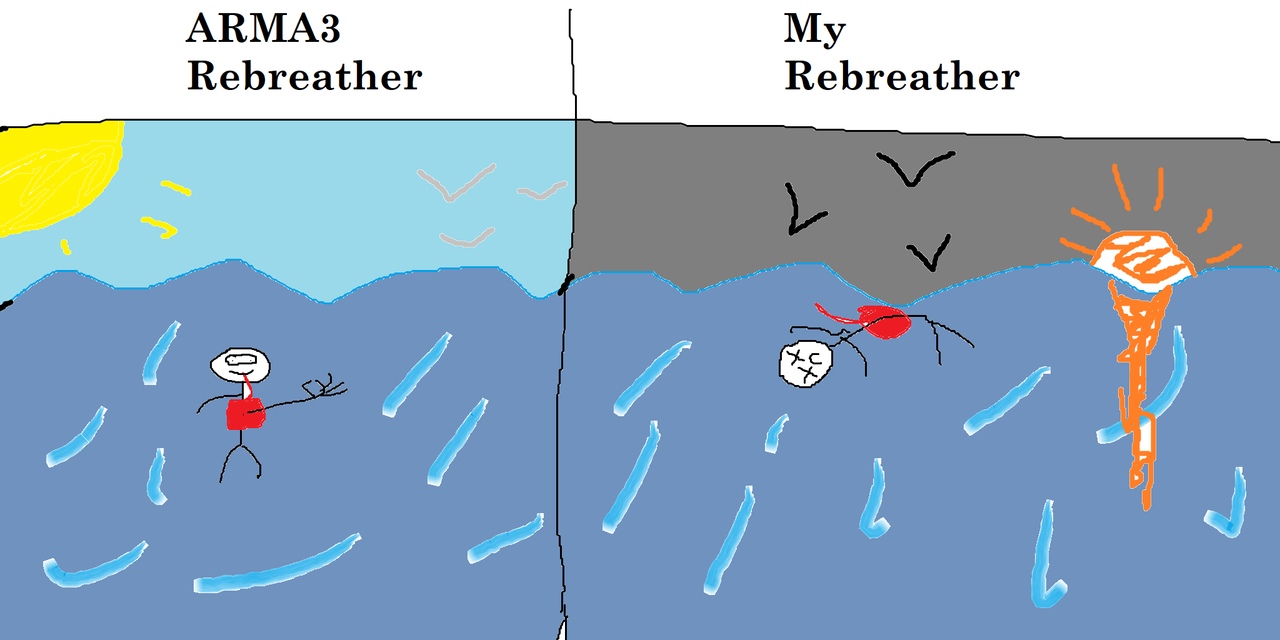
Hello! Tell me how to make a rebreather, that man would not sink?
sacred grail
I think he means how can he make the rebreather allow you to breath underwater and not drown
stuck oyster
well simples way would be inheriting or copying the config of the existing rebreathers
sick skiff
Please tell me where to get it?
stuck oyster
arma3 configs
sick skiff
Prompt the way
stuck oyster
come on man you do the looking. 😛
sick skiff
👏
stuck oyster
im not your search engine 😛
sacred grail
Hey @stuck oyster What date was Abraham Lincoln born
stuck oyster
:C
sacred grail
Guess your not a search engine story checks out.
sick skiff
If I knew where, I would look, thanks for the help.
When you asked something from the teacher, he also laughed and mocked?
stuck oyster
have you looked into the Arma configs?
I dont know where they are exactly in there
I just know they are there
and I got stuff to do so I cant go in digging
if you dont know how to look into the configs then say so
sick skiff
I do not know how to look at Arma 3 configs
stuck oyster
so do you have any experience in Arma modding?
because in order to help you I got to know where to start
sick skiff
In the models, small. I need to add the ability to breathe under the water one of the armor plates. In the configuration of the model, I can fill, but in the configuration of the model it is vanilla arma 3 - no, i do not know where he is
stuck oyster
have you done any modding before?
sick skiff
The question is more about configs, not modding
stuck oyster
im trying to figure out what you know.
sick skiff
I know how to create a curve machine and crookedly cram it into arma 3. I know how to create simple objects, type of a plant. But I do not know how to do it, so that man would not sink under the water in my armor.
stuck oyster
so your man cant swim?
sacred grail
sink or drown?
stuck oyster
👆
sacred grail
sink = can't swim, drown = can't breath.
sick skiff
He sinks, as if nothing is on him (rebreather).
stuck oyster
rebreather does not mean he would not sink
it would mean he can breathe under water
sick skiff
drown = can't breath.
stuck oyster
yes
since your name is slaanesh and your talking about armor
is this spacemarine type of thing?
which uses custom animations?
stuck oyster
baking?
stuck oyster
well I work in blender so in there I might be able to point you in right direction
sacred grail
You used substance painter before?
stuck oyster
no
sacred grail
kk should still be similarish
stuck oyster
yea I suppose the principles should be the same
@sick skiff
which one of these happen on your dude
also take pictures of the problem
sacred grail
bob ross returns
stuck oyster
😛 Im much better with real brush. Here on Discord at 4am and freehand mouse this is what you get
sacred grail
😄 also check dm's
sick skiff
A man can not breathe and die
stuck oyster
yes that is drowning
so since you have already made a rebreather and got it in game you do know how to configs
so dont lie to me again.
 dapper girder
So, i used mikero tools finally...after getting that all settled every p3d file i have that includes textures wont open in steam arma tools object builder
i donkt now how to fix this
stuck oyster
your OB settings are likely wrong
dapper girder
its whatever came stock of the steam download
dapper girder
stuff without textures opens tho
stuck oyster
what do you mean it does not open?
dapper girder
it just crashes
dapper girder
nope they are mine
does mikeros binarize p3d?
hmm no dont think thats the issue, cause have a p3d without textures that opens and it ran through mikeros
stuck oyster
so they are the originals you have saved
and not for example in the p:\temp\somefolder
dapper girder
nope its all pathed correctly
or mikeros would have a shitfit
the textured files run ingame fine
stuck oyster
mikeros does not do anything to your files or OB
dapper girder
ive seen i reorder my configs and stuff though, so not 100% on that
maybe mikeros did binarize my p3d
if thats the case, how do i turn that off
stuck oyster
ok so what did you run from mikeros tools?
dapper girder
pboproject
stuck oyster
and that ran ok?
dapper girder
after afew config errors yeh
stuck oyster
ok and does it run again?
dapper girder
it left time stamps, my steam name, and re-organized all my configs...so definately changes stuff
stuck oyster
in the original files?
dapper girder
yup
stuck oyster
what kind of timestamps?
dapper girder
unnecessary info, about this is the mikero tool blah blah blah heres time stamp of when this was run
stuck oyster
@sick skiff look up P:\A3\Characters_F folder for the config for the rebreather
paste it fully
because I have never seen such
dapper girder
////////////////////////////////////////////////////////////////////
//DeRap: OrkShoota\config.bin
//Produced from mikero's Dos Tools Dll version 6.44
//'now' is Fri Aug 24 16:17:33 2018 : 'file' last modified on Fri Aug 24 15:23:14 2018
//http://dev-heaven.net/projects/list_files/mikero-pbodll
////////////////////////////////////////////////////////////////////
#define ARMA
stuck oyster
derap means you have unpacked it
so it is possible you have unpacked your files over your originals
do you have a config.cpp or config.bin in your folder?
because youre supposed to have cpp
only
dapper girder
sorta
dapper girder
yeh that looks right
dapper girder
so i work off a folder in my desktop
dapper girder
and then just link it to be the p drive
stuck oyster
why??
dapper girder
cause it works and why would i want another drive?
stuck oyster
because P is a virtual drive that virtualises the Arma game engine folder structure
so you work exactly in it
you work in it beacause the tools work in it
its not a real drive
how do you link it?
dapper girder
just told arma tools to call it the p drive
and then it generates a bullshit p drive
hasnt been a problem yet, and i think the issue is mikero binarized my files
at least the p3ds
stuck oyster
yeah sorry I got no idea since you dont work in the right setup. Too late in the night for me to try to solve that.
dapper girder
i guess, stuff i didnt run with mikero opens fine
so not sure what else to think of it
maybe catch up with ya different time
stuck oyster
well I cant really start even debugging if you dont have the development environment set up correctly.
@sturdy parcel can likely tell you if such binarization is possible
sturdy parcel
there may be a misunderstanding here. It sounds like fiesty has done the right things but hasn't explained it well or misunderstands.
P:\ is the \linux file root for everything bis. the bis >engine< has no concept of C:\ or any other drive, nor anything in 'my documents' .
steam tools will create what you call a bulshit phantom P: drive, not very well, but that's ok.
you must point that P:\ to a virgin, empty folder.
your specific project then becomes a sub folder of that drive, NOT, 'c:\my documents'.
you then populate that drive by using arma3p to fill it with all the game engine data.
to be successfull in addon making (not mission making) you must, repeat, must, think in terms of \ and forget all about my docs, C;\great_big_wggly thing, or D:\my_fantastic_rrtm files. They don't; exist in the bis universe.
as far as pboProject is concerned, yes. it uses bis binarise to binarise your p3ds or wrps, and without bis help binarises everything else because it won't let bis tools get anywhere near them.
slate epoch
I made small update to my post about character heads, added variant for mods only with own uniforms. https://forums.bohemia.net/forums/topic/143930-general-discussion-dev-branch/?do=findComment&comment=3313477
Bohemia Interactive Forums
On 29.6.2018 at 6:24 AM, nodunit said:
			On 28.6.2018 at 4:50 PM, Lbbde said:


				Could it be that the hangar ...
 delicate sable
I am having a small issue with players and vehicles passing through my structure even with Geometry LODS. I don't want to fill the chat, so if you could just PM me, any ideas will be much appreciated.
stuck oyster
just fill the chat mate. Standard procedure
usually your problem is because geometery parts are not convex, they are not named componentXXX, or they dont have mass
or they are too large
stuck oyster
how large?
delicate sable
hangar for c-17
stuck oyster
😛
delicate sable
my bad
about 222 long by 75 deep and 40ish high
that link is what i used. read it all and got frustrated when my object still made no progress
 sudden schooner
That's a tad large.
stuck oyster
yea you need to split it into 50m parts
delicate sable
thats what I was thinking. I just thought that BI has some large structures lately, thought there might be a trick
sudden schooner
Dunno any hangars that long except for the buildings that the C17 is being made in. Do you need it that large?
delicate sable
its base off of a triple kc-135 hangar of scale dimensions. Just adapting it for c-17.
sudden schooner
k.
delicate sable
I can break it up, no problem. Thanks for the help.
sacred grail
Keep all objects under 50m in any dimension
Geometry LOD gets borked beyond that.
That being said I think it works in the Y axis beyond 50 and the 50 limit is based of the origin so you can sometimes get larger objects if they are symmetrical of the origin. But standard practise is to keep objects under 50m
delicate sable
So.....are you saying have smaller parts with their own Geometry, then assemble them in OB? Or......pack each part individually and assemble in-game? Those are the only two options I can think of. (I know that's blender, I'm just curious)
stuck oyster
these are all ~50m objects
I got this thing in Blender that I can export them directly into TB
so I assemble my map object composition in Blender
but the concept of building larger structure compositions stands
wispy orchid
if you assemble them in OB the restrictions still apply, so you either compose the building in TB as HorribleGoat said, or use an init script if you want to set it up during mission init
sacred grail
If you are somewhat new to modding I would suggest do what you are doing now. Just keep objects under 50m size 😃
If they get biggers just split them into seperate p3d's
stuck oyster
👆 good point
charred bolt
Does anyone use OBS to record/stream modding with Object Builder? I need some settings advice, as it is recording upside down, but using OBS to flip vertically doesn't work fully (only flips parts of OB's display!).
Not to worry - changed from flv output to mp4 and all is good.
dapper girder
@sturdy parcel thanks for the explination, so how do i get the tool to stop binarizing my p3d's inside my work folder?
I only wanted to the tool to spit out a binarized pbo and not touch any of the other stuff
sturdy parcel
pboProject does NOT binarise p3ds in your source folder. they are all in p:\temp\some\where
if a binary p3d exists in your source folder, you, or some other process put it there.
dapper girder
hmmm, alrighty thanks!
 spiral solstice
how would you retarget the vanilla arma 3 animations for other player models?
spiral solstice
I have a decimated .p3d mesh from zbrush. From what I've noticed, apparently player models are separated by head and uniform
stuck oyster
ok so
to save me from typing a lot would you post a pic of your character so I know what you are after
and yes typically head is separated so that the head swapping works
maybe not then. Alright so you say retarget animations which for me means you would like to use them on different skeleton but I recon you are really after just moving your character with the normal animations which means you are after "how to weight my new character so that animations move it"
spiral solstice
yup
spiral solstice
I first sculpt in zbrush, next I decimate, then I retopologize with r3ds, then I try to use blender to rig and export textures
stuck oyster
alright so Blender has pretty great weighting tools and you can even transfer/project weights from existing model, like the Arma3 sample character
and then tweak those to your liking
Macsers Armarig can be used to test your weights if you just plug your model to use it
and FHQ toolbox can then export it as ready p3d
if you use discord search for "weight transfer" you should find my instructions for it somewhere in the history
spiral solstice
thanks man! I'll try to inform you on my progress
 royal prism
heyho guys.
i want to animate a ceiling fan that it will rotate 24/7 and if its possible, to stop it
stuck oyster
you can use animation source "time" and make 2 fan parts, one animating and one still
and hide the other when needed
royal prism
thats a nice idea 😄
royal prism
like that? @stuck oyster
class Fan_1
            {
                type="rotationY";
                source="time";
                selection="Fan_01";
                axis="Fan_01_axis";
                sourceAddress="loop";
                angle0="rad 0";
                angle1="rad 360";
            };
 ruby cave
Is it possible to place proxies inside of the blender arma 3 toolbox and export to p3d?
stuck oyster
yes but Id recon you cant view them in Blender. so they would be just the proxy triangles
latest FHQ toolbox had some new dialogs for that I think
 tough sinew
Hello! I have the default arma 3 crane model and I made some modifications to make it spin like as its working. The thing is in bulldozer I can see it spinning but once ingame, It does nothing :S
stuck oyster
how did you do modifications to Arma 3 model?
 strong plaza
you have an arma 3 mlod of a crane?
stuck oyster
because thats not allowed
stuck oyster
report the site to the email on the description of the #ip_rights_violations channel
strong plaza
is it like a tower crane? I think there's one from arma 2 samples that you can use
tough sinew
I dont know I searched for a moving arma crane model
stuck oyster
is it in the samples or the released data packages?
you pretty much cant find legit p3d on interwebs 😄
tough sinew
I downloaded a few days ago from a website dont even know wich one i just started modifying it todat
today*
Maybe it was a samples page
tough sinew
Cant download the packs
ERR Timed aout
Maybe this one? http://www.armaholic.com/datas/users/4-land_a_cranecon.png
strong plaza
download the torrents
tough sinew
Anyone can check it for me? I really cant download it even from utorrent xd
nah
forget about it, it generates more problems than solutions XD
 cyan heart
Hola, anyone any idea why my character models go black in shade for some reason, I have no shadow LOD for now, still same issue
the faces turned to the sun looks perfect, but away from the sun its pitch black
stuck oyster
bad AS texture or bad ambient config in rvmat perhaps
cyan heart
uhm, gonna try the AS, thanks
 valid gorge
i'm working on a model.cfg for my helicopter and i was wondering if somebody could better explain to me what "source" exactly means. I've been using this https://community.bistudio.com/wiki/Model_Config but all it says for "source" is "controller used for input" and also is "selection" what i want it to animate inside the model?
valid gorge
well i guess this some how helps
stuck oyster
source is the thing that gives animation info when to move
there are the listed engine sourcers above
or you can define your owns
valid gorge
alright thanks
valid gorge
@stuck oyster would you happen to have anything on how to make an axis for something in object builder. For example i have my alt1 and alt2 selection and i want to make an axis for them and be called osa_alt1 and osa_alt2.
stuck oyster
you need 2 points that form the axis
and you need to create a named selection with the right name with those 2 points selected
valid gorge
Alright thanks
 wary cipher
Ive been trying to get a door to animate but I immediately got stuck on the wiki
In the MemoryLOD define the rotational axis via two vertexes
if i have a regular door that rotates when openen, the rotational axis are the hinges of the door right, so why do I need 2 vertexes?
 halcyon wren
The must rotate around a vector. You use two vertices to define the vector.
if it is a door that rotates around the up axis, you only require one vertex
but the animation type must then be rotationY
wary cipher
thats my door
if i understand right I should add a vertex at the crusor, name it and define it in the config to RotateZ or X and ill be fine?
charred bolt
It's often simpler to put down two points (one on the bottom hinge, one on the top) to form an axis, then use type = "rotation".
charred bolt
if you put two vertices for an axis you don't have to worry about whether it is rotationX Y or Z = simpler 😉
his door might not also be vertical...
halcyon wren
regular rotation is more versatile.
But if you deal with large amounts of data, i.e many doors, you're better off with simpler setups involving baseclasses and fewer memory points. 😉
charred bolt
So by simpler with two axis points, I'm referring to the new modder who is making his first door and probably is struggling to understand whether it's X Y or Z rotation (as in the original poster). That's my experience in helping people anyway. Single point axis with restricted rotation type are less complex but harder to explain/understand initially.
halcyon wren
If you want to teach model.cfg anim concepts correctly, you should start with type=direct.
All of the other types are shorthands for this.
Using "direct" as the basis to form understanding of model.cfg type animations will immediately prevent you from falling into a thinking pattern of axises and translations as separate items. As cheesy as it sounds, you quite literally enter the matrix with direct. 😄 You also will understand how chained animations compound into a final result and that rotation orders arent that hard to maintain.
For just a door its overkill, as rotationY will get you there the fastest. But it always helps knowing the basics when tackling complex linear animation setups.
wary cipher
Is there any reason object builder isnt accepting a .p3d with just 2 vertexes? 😃
stuck oyster
what do you mean not accepting?
wary cipher
well it gives me an error that its unable to load
wary cipher
"Unable to load file. Load error"
blender
ive exported it using just the selection
stuck oyster
was the selection ticked as arma object
stuck oyster
user error is the usual problem 😛
wary cipher
its like forgetting a ; in your code >.<
Hmm
in the example file the axis component has 2 vertexes, with me it detects both as seperate components
stuck oyster
what do you mean?
where
and yes they would be separate components in OB sense as they are not connected in any way
wary cipher
Oh because the example house has that
stuck oyster
you dont usually have "componentXXX" names in memory lod though
any number of points can be saved into a single named selection though
when you create a new one or redefine old one
stuck oyster
no you need to have both selected and then create the selection
same applies in Blender
wary cipher
aaaah gotcha
stuck oyster
you can create the same selections there with the vertex groups
wary cipher
thanks again 😄
wary cipher
are you building a space shuttle heatshield by heatshield? 😛
stuck oyster

Mod DB
Lost Dragons is a multiplayer total modification aiming to bring out a new thrilling gamemode for Arma3 . Our concept is futuristic objective based team warfare with randomly generated map elements to ensure every game is a unique experience with completely...
in case youre wondering how far the engine can be pushed
but what seems to be the current problem with your door?
wary cipher
well i named the door component that needs to animate
copied the names memory lods in
and thats where i get lost a bit, i did edit the files but they start about Door1_source for example
long story short when i try the example in bulldozer with the door selected i can open and close it with my mouse wheel
my door doesnt 😃
i opened the example in blender too, didnt see an actual animation there either i think
stuck oyster
no its not saved there
the model.cfg classes are what define them
they are not visible anywhre
theyre all code
wary cipher
ooh i dont even have that so thatll be it
wary cipher
i had a feeling i was missing a step
to be honest thats pretty dry material for me 😂
stuck oyster
cant be helped
most of Arma material is dry
you just have to learn to study them
it will also help you in life if you can read through and uderstand stuff like that
wary cipher
at least in bulldozer lol
stuck oyster
👍 thats the first step
wary cipher
allright its working but now i somehow broke my geometry -_-"
wary cipher
yeah
 torn pumice
i
wary cipher
ill figure it out
torn pumice
would like to play arma with someone
im a new player sooooooo
although i love games like this
stuck oyster
@torn pumice wrong channel go to #looking_for_game and also read the #rules
@wary cipher geometry does not move outside the origianl bounds of the model so if it opens beyond those it wont work
wary cipher
the door opens to the inside
wary cipher
yeah
stuck oyster
are all geometry pieces named componentXXX and doe they have masss
stuck oyster
u nub 😝
stuck oyster
you'll get better in a few months/years
wary cipher
ah and the fire geo for just the door doesnt work because i dont have a texture applied i think
i hope so, i to do this
i like*
stuck oyster
fire goem uses penetration rvmats from a3\data\penetration
for effects and penetration resistance
wary cipher
not there yet
stuck oyster
¯_(ツ)_/¯
wary cipher
thats strange then
wary cipher
they are
stuck oyster
so what makes you think they dont work?
wary cipher
well when i fire at the building it registers the shots
but when i fire at the door they just go through
I also somehow managed to mess up my steps
lol
wary cipher
6.5cm
wary cipher
ill try
 velvet adder
👀 hey guys I never participated in the ArmA community like this
wary cipher
can still walk and shoot through the door
velvet adder
I want to show you guys something I made
stuck oyster
sure
wary cipher
the door is called Door1 in the geometries too
velvet adder
I just wonder if any of y'all think it's cool.
stuck oyster
oh sure its a nice looking tank
@wary cipher but does it have a componentXXX name
and mass
velvet adder
it's more or less ripping-off the OPFOR apc and Rhino Tank destroyer
tweaks everywhere
wary cipher
it has mass assigned now yes :P
I just dont get the name part, if i call it a componentxxx, it wont animate?
wary cipher
aah i see now
stuck oyster
😛
stuck oyster
👌
 thorny rapids
 pale quartz
@stuck oyster which version of blender and A3 tools are you using? I have blender 2.79 installed and tools 1.6 but the options seem either broken or not to match any guides I’ve seen on how to configure for export.
pale quartz
Never mind. I think I found my error. Make Arma object step changed.
Sorry to ping you.
stuck oyster
No problem and I do got latest everything. Got to keep tools up to date.
 silver zenith
can't wait to see whatever space thing you're doing
stuck oyster
thingies thingies
but damnit Blender stats to glog up with 50k+ objects in it 😝
makes hard to turn it into terrain builder
stuck oyster
its not about vert count
its bout the object count
Blender handles 20k objects pretty well but above that it slows down a lot
understandable but make my terrain composition slow
wary cipher
Yeah i get it 😃
was just curious ^^
rvmats are wrekcing my brain now
should i be able to see the textures in buldozer if set correctly?
stuck oyster
yes
wary cipher
hmmx
stuck oyster
theres mass texture rename tool in one of the top bar menus
if the path is red there its wrong
stuck oyster
whats your path to textures in the file - settings?
wary cipher
texture="GG_Shack\tex\GG_Shack_dt.paa";
stuck oyster
in the settings?
stuck oyster
no
stop
file menu
settings
what do you have there
well ok file - options
should be about like this
stuck oyster
dont mind the ticked ones
those are just what I like
the path to textures is what matters
is
yours
P:\
wary cipher
Ah I dont have a path for textures
stuck oyster
so its empty?
wary cipher
it was, ive pointed it to P now
stuck oyster
is your files in it?
wary cipher
negative
stuck oyster
🙈 🙈 🙈 🙈 🙈 🙈
wary cipher
glad youre having a laugh xD
stuck oyster
no
im crying
youre really crawling ass front into the tree here xD
start here
wary cipher
im sorry man 😂
stuck oyster
its alright. newbs make mistakes
just that this trend has been growing lately
its not your fault
wary cipher
for me honestly its just the documentation is so technical
wary cipher
im more of a tutorial kind of guy, see someone do it and learn from that
stuck oyster
things have to be made in very specific way
for some reason everyone keeps saying that
wary cipher
that way i also learn what that specific way of setting up is because i can follow steps and see what happens
now i have get 10 tabs open to get my information piece by piece
stuck oyster
cant be helped I guess
unfortunately most video material for Arma is bogus
or outdated
wary cipher
indeed
stuck oyster
very few new videos are produced
woeful viper
be the first to create the all encompassing high quality tutorial then
stuck oyster
and the old ones are not updated and cause a lot of trouble
I dont have time for that xD
and I dont like video tutorials
wary cipher
Well surely you dont think im that far @woeful viper 😛
But, I get where thats coming from and Ill consider that once i get the hang of things
woeful viper
yeah, but you will - and thats where people decide that it was alright and dont bother to create something better.
wary cipher
Well i cant seem to get the textures to actually show up so 😂
ah maybe i shoudve been editing the right .rvmat file >.<
wary cipher
still nothing
wary cipher
class Stage2 // Res texture
{
texture="GG_Buildings\GG_Shack\tex\GG_Shack_dt.paa";
in the renamer tool: GG_Buildings\GG_Shack\data\GG_Shack.rvmat
(is black)
stuck oyster
mm I think you need to pastebin your whole rvmat
wary cipher
stuck oyster
do you have the _CO texture assigned to the mesh too?
and what does it look like in Buldozer
wary cipher
yeah thats where i applied the rvmat to all
stuck oyster
and are your files in the P:\yourfile\path\structure\to\your\textures_rightsuffix.paa
stuck oyster
wary cipher
i was looking for that thnQ 😂
stuck oyster
main thing is that the right suffix has to be there for the texture to convert right
however the diffuse texture (_CO / _CA) should show up in buldozer
your tool setup might be off too if buldozer does not recognize P: drive
if you have set up the P: and the tools with the Arma Tools and run OB from Arma Tools there is a chance that theyve got messed up
the PMC link to the tools setup is so far the only relieable way to set things up in working order
wary cipher
i just go to steam - tools - arma 3 tools -> play game
and im guessing thats what they mean with the Arma3Tools.exe launcher?
but I do think buldozer recognizes the P drive because before I had this brown silhouette of my model, now its actually the model like when viewing it in blender
stuck oyster
yeah that the usual way people start and I guess how BI meant it to work but it rarely does work right
and if you saw a silhouette I would wager your export had something wrong with it and the face normals were bugged
but if it looks right now then no need to think about that right now
PMC tools setup does things a little different
and you with that you use ArmaTools only once
when you first install it
then you never run it again
and you use the programs from their installation folders and the real exes
or make shortcuts for them
it has something to do with how the user account/admin access privlidges get mixed up and the programs dont see each other right
or something like that
stuck oyster
if you do the PMC instructions to the T you should be alright
wary cipher
if i uninstall it in steam itll dismount the p drive and all right
stuck oyster
I guess so
wary cipher
here goes a gamble then
stuck oyster
the P is just a virtual drive though, the actual folder it points to stays
wary cipher
well its not buldozer 😂
i just loaded it ingame and got no errors but also no texture
it loads it but does not show it it seems
stuck oyster
look up El Tyranos blender to Arma tutorials
they could perhaps point you in the right direction
wary cipher
Alright no idea whats different now but its working 😄
 woeful viper
yes, lets use alot of boolean operations 😄
wary cipher
yeah took some fiidling
and tomorrow im going to try and figure out why the shadows are upside down
stuck oyster
shadowlod must be closed.
wary cipher
excuse me yeah that one
stuck oyster
MM your normalmap probably needs inverted green color channel
 white jay
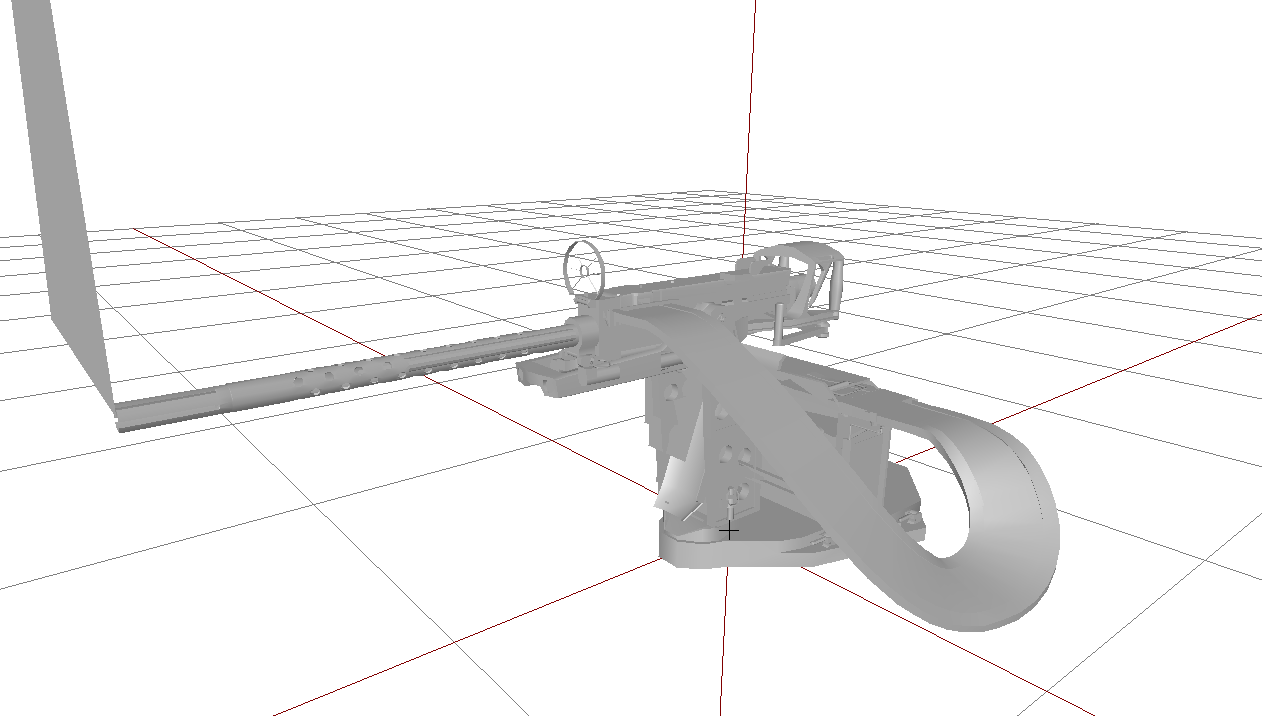
Wondering if anyone could help me, I'm converting a GAU-21 model to A3, how would I make the gun belt flexible as I turn the turret, if that is possible?
Here's the weapon to give a better idea https://i.gyazo.com/344c5a1df052d53b688cf80d13a65236.png
 fathom dagger
nah i don't think that's possible. I'm not a modelling person and even I think that's not a thing.
white jay
Awww man 😩
spiral solstice
@white jay Maybe adding an IK bone could work
there's tutorials for it in blender and max
I could be wrong though, so probably wait for other suggestions: https://www.youtube.com/watch?v=O3pxknjexEI
 rough idol
@white jay isDiscrete= 0 in skeleton and then apply some weights
You can observe how it's working on nyx m2 belt
 lusty ginkgo
when using diag_drawmode does it simply display the different LOD's or does it only display them if they are functional?
I am checking the view geometry and want an easy way to test it
 lime nebula
the easy way to test it, it's just go with your camera inside the view geometry and see if all far objects disappear
That's how I test it
lusty ginkgo
that is only on objects that occlude things
I am mostly worried about trees and foliage
halcyon wren
The param is spelled isDiscrete
(Just to prevent possible confusion and/or something getting copypasted for eternity)
lime nebula
Anyone already experienced the viewDensityCoef named properties ?
stuck oyster
@white jay where are you converting it from? Just so you know using models from other games is not allowed.
 rugged venture
anyone know, why it happened? https://i.imgur.com/OZmPOi9.png
strong plaza
don't use addon builder
rugged venture
why?
strong plaza
its crap
rugged venture
What do I do then?
stuck oyster
addon builder lets just about any errors through it
strong plaza
get mikeros tools https://armaservices.maverick-applications.com/Products/MikerosDosTools/FileBrowserFree
Maverick Applications - ArmA Services
stuck oyster
if you have managed to get it into that state you got something big wrong
Mikeros toolset comes with PBOProject
which packs your stuff AND more importantly infrorms you of most errors you can possibly make
stuck oyster
@rugged venture did you get Mikeros tools and work out the problem?
rugged venture
Not really, writes that it can not find any files with another pbo
stuck oyster
its possibly you have not set up your development environment right
rugged venture
P drive?
stuck oyster
etc
I would urge you to follow the installation instructions here so we have a proper baseline for debug
rugged venture
I make this))) Thanks buddy)
valid gorge
what actually makes something like a helicopter be able to fly in arma 3? Is it the model.cfg because i thought that just does the animations.
stuck oyster
config.cpp defined vehicle type
stuck oyster
it does need a bit more than that
look up the example helo in the Arma 3 samples
that has all the info you need to make it fly
valid gorge
@stuck oyster are you talking about this?
class Test_Heli_01_base_F: Helicopter_Base_H
{
armor = 30; /// just some protection against missiles, collisions and explosions
altFullForce = 4000; /// in what height do the engines still have full thrust
altNoForce = 6000; /// thrust of the engines interpolates to zero between altFullForce and altNoForce
maxSpeed = 300; /// what is the maximum speed of the vehicle
maxFordingDepth = 0.55; /// how deep could the vehicle be in water without getting some damage
mainBladeRadius = 7.0; /// describes the radius of main rotor - used for collision detection
//multiplier of lift force
liftForceCoef = 1.1;
//multiplier of body friction
bodyFrictionCoef = 0.7;
//multiplier of bank force
cyclicAsideForceCoef = 1.0;
//multiplier of dive force
cyclicForwardForceCoef = 1.0;
//multiplier of back rotor force
backRotorForceCoef = 1.0;
because i have that and it still doesn't fly
stuck oyster
could be many things I guess
what have you set as your helicopters mass for example
you must compare everything to the sample helo
valid gorge
where can i check that?
stuck oyster
dont have time to write down more clearer instuctions right now. check out El Tyranos tutorials or BI forums for more help
you may be missing quite a bit of basic workflow if you dont yet know where mass is
so you will need to fill in the gaps
valid gorge
if i right click the points in the geometry lod i have an option for weight and it just says 100%
stuck oyster
not weight
mass
it has different dialog for it
look up the el tyranos tutorials
they are most recent I know of
white jay
@stuck oyster u may check out advanced groups in blender. massive performance boost for when u need alot of objects from a certain amount of assets. like lets say u generate a forrest and u got like 100 advanced high detailed models to randomlz generate the forrest. no performance loss at all
called group instances in english
stuck oyster
@white jay thanks I'll check it out.
silver zenith
is there a way to export from OB to blender?
bold flare
you can export fbx and obj afaik
halcyon wren
FBX works fine. That's how I do it.
silver zenith
I was trying to use arma samples for measures, and they are only p3d is there a way?
sorry still new on this stuff
silver zenith
you can guess my level of noobness now
thanks
https://imgur.com/a/Kws2Ac3 have I done something wrong?
silver zenith
what are those
stuck oyster
those are proxies
so yeah memory points for things like weapons, head model, items to show on the character
the 90degree corner point is the center of it
silver zenith
oh cool
stuck oyster
vehicles also use proxies as points to load the passenger model and weapons
 primal mortar
hello I need help with the creation of windows or these can break.
stuck oyster
Arma 3 sample house has window hitponits set up
you can use that as an example
it also has everything else glass related set up
atomic path
I'm having issues with porting trees from A1 to A3. Got a model from the other devteam, but the branches are all invisible in Bulldozer: https://media.discordapp.net/attachments/367770688087523328/491306985799811072/unknown.png?width=507&height=633
I've tried moving them on top, inverting and re-calculating normals
If you move camera closer to the tree you can see some graphical glitches and branch textures bugging through: https://media.discordapp.net/attachments/367770688087523328/491307146580066305/unknown.png?width=857&height=634
I've also had similar issue, where a static object (or a part of it) would render for a second and disappear in bulldozer, also A1 models
I've commented all model.cfg lines to avoid it interfeering
 near scaffold
Not sure if I'm in the wrong spot for this (tools related): Buldozer won't show like, textures or proxys outside of the P drive. So if I have the Kamaz model from A2 and I just applied the A3 Zamak textures to it, the custom textures for the parts I modeled are there but the A3 ones are like white/don't load
Example pic:
bold flare
textures or proxys outside of the P drive So what you are saying is, is that buldozer doesn't show textures or proxies that don't exist?
stuck oyster
buldozer works inside p: drive
near scaffold
Isn't there a way to path it so textures from a3 work? Or is this normal?
Wow, having trouble with the pic
stuck oyster
you should have the arma data unpacked into P drive
near scaffold
Even if it's not loading the proxies in Buldozer so I can do things like position the characters inside of he cab without spinning up the game?
stuck oyster
aand no ok im not quite sure what you are doing
rewind and start from the beginning?
near scaffold
So for the problem: the launcher is p:\csat\whatever\launcher.paa
The cab is the a3\whatever\kab.paa
bold flare
copy it to your p-drive
your p-drive is supposed to have everything
or maybe symlink it if you have it in your A3 folder
or use DokanPbo if you don't wanna unpack everything
 quasi prism
Hello, guys. How do I enable the display of points in the work area when the memory lod (or another one) is enabled? https://i.imgur.com/pgWHwDF.png
halcyon wren
Turn off DX mode
woeful viper
Does anyone have any technical suggestions for creation of rocks/boulders and textures for them? Best practices? Stuff to avoid?
stuck oyster
Ive used multimaterial. BI rocks almost all use it too.
I've done highpoly version first that I've used to create nice mask and normalmap for them (my big ass rocks look better when blended with baked full model normalmap but that sacrifices one mask color. Smaller rocks can do without that though)
woeful viper
i was hoping to get by with some high quality and high contrast normal maps (tiled) but only mid/low poly rock modelling
stuck oyster
sure that can work alright too
mostly why I generated my mask is that it was the easiest wayto spread moss over the top surfaces and cracks and whatnot
I made a very special smart material for it in Blenders Cycles
sacred grail
Rocks need multi material
too much surface area
even 4k textures would struggle
and if you need 4k textures then you really should be using multimat
woeful viper
that was the plan anyway
quasi prism
Thanks
 queen rapids
Does anyone know if there are any specific LODs or memory points needed when making the p3d for a new Magazine object?
polar fiber
they just need res, shadow and geometry
can apply penetration materials to the geo lod rather than having a specific fire geo
queen rapids
res?
polar fiber
yeah, those
queen rapids
Also how exactly would I tell the config to load the p3d for it? I currently have a cfgMagazine.hpp file that has a path to the p3d file.
model = "pathway to file location"
polar fiber
yep
the Y=0 plane of the model acts as the ground plane for where the mag model will appear when dropped
queen rapids
The Y=0 plane?
I was reading that attachments and such appear at the 90 degree angle of the triangle in the proxy.
polar fiber
yeah, in Object Builder or any 3D modelling program, you have X, Y, Z grid coordinates
Y=0 plane is where any point would have a height of 0
queen rapids
Ok.
So what exactly does that mean for me? "Where the mag model will appear when dropped"
polar fiber
well magazine objects are typically only seen when dropped on the ground. So if you're looking at the left/right or front/back viewport in Object Builder or Blender, Maya or what ever, the horizontal line of the grid, acts as the ground would do ingame
anything above that line, will be above ground, anything below will clip underground
queen rapids
Ooooooooh.
polar fiber
if you're on about a magazine proxy, it's a different matter
but you said object, so i assume it's like one you pick up off the ground
queen rapids
Well I'm not entirely sure what I'm supposed to do exactly for what I have.
So here's what I have.
A newly made magazine I modeled in Blender.
Along with a new rifle.
I've already managed to get the rifle ingame, textured and working.
Now I want to get it's magazine into the game, textured, and working as it should ingame.
However I want to make the magazine a separate object from the rifle.
So the rifle can take other magazines beside the one made for it.
polar fiber
okay then you're looking at magazine proxies
which is new, and not many other people are using yet
goes over how the proxy in the weapon is positioned and where the separate mag model is positioned relative to the grid
for proxy mags you are using modelSpecial to path to the magazine model, where model remains only the mag as it appears when dropped on the ground
so each mag is actually using two .p3ds
queen rapids
Man this looks like a lot.
It even has bullet hiding. Nice.
Alright, I'm going to give this a shot. Thanks for the help!
vapid nexus
holy hell is the mass in arma 3 like a magic number that they have invented or what
at 100 a gun in ace weights 0.36 kg at 116 it weights 3.6 kgs
stuck oyster
I have an itch that the model mass has nothing to do with weight in game
quick terrace
ace is the only mod that tries to convert a config entry that is not weight into KGs
bold flare
Granted it works rather well in most cases. But it's still not real.
quick terrace
i don't use ACE so i wouldn't know. I know about their weight system because people have been posting on RHS feedback as a RHS bug because some stuff is either too light or too heavy
strong plaza
anyone know how to fix this?
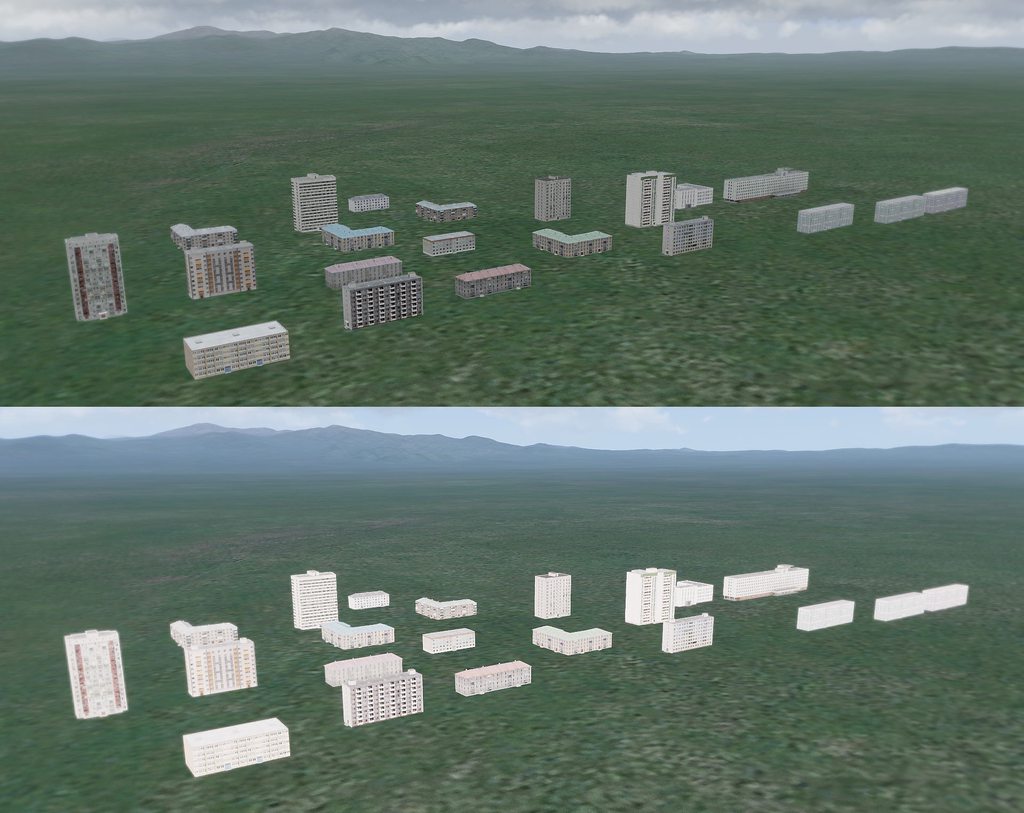






textures look fine when it's overcast, but totally washed out and overly bright with sun
halcyon wren
Are you using _AS, or _ADS ?