#arma3_model
1 messages · Page 115 of 1
 half heath
 strong plaza
^^^this
 tacit badger
this may be a very simple fix, but i have been playing around with a vest model, but i cant seem to get it to connect with the player model. I have the model.cfg in with it and have the vertex groups selected but it just sits at the players feet.
 quick terrace
autocenter = 0 in geo lod? is the name of the p3d correctly inserted in that model.cfg
tacit badger
ahh i will check the model.cfg
 velvet fractal
Hello everyone.
{
skeletonInherit = "Default";
skeletonBones[] =
"glass_1_hide", "Door_1",
"glass_1_unhide", ""
};
How to do this - Add to two selection in double quotes? For example, what i want do
{
"glass_1_hide", "Door_1", "Door_2",
"glass_1_unhide", ""
};
 rough idol
you can't do it like that
half heath
Class Wheel and PhysX makes me want to claw my eyeballs out
 stuck oyster
whys that
 merry gorge
is there a trick to assinging textures to faces in object builder?
i have 2 textures for a house, 1 for shutters and windows and one for the rest. I need to select all the shutters and windows in one go if possible
stuck oyster
yes, assing textures in proper 3D editor.
if you dont have anything assigned you got to manually select everything and imo other programs do that way easier than OB
 foggy finch
create a named selection that contains all your windows/shutters, then just use that to select them.
merry gorge
then merge them inside O2 instead?
stuck oyster
@merry gorge what do you model with?
merry gorge
blender
merry gorge
stuck oyster
yes though there migth be a newer release at FHQ website
in any case set your textures/materials in Blender and you dont have to worry about OB
merry gorge
ahhh I totally forgot that existed
merry gorge
either way though, wont I still need 2 seperate selections/layers? Do I still merge them in blender before going in to o2
stuck oyster
I dont understand what you mean
 hollow fulcrum
are the models unwrapped?
merry gorge
yep all unwrapped and ready for ingame basically
stuck oyster
then you should just need to plug in the materials/textuers for each material type you have
I dont understand this layers thing you mention
merry gorge
so I have fire geo and geo with lods, currently the windows and shutters and all merged in one "layer"
merry gorge
so to assign different textures and arma properties they need to be seperate but also need to be merged in o2
stuck oyster
you can have multiple materials in singel object
and thus multiple arma materials for different parts of the object
merry gorge
ah that should do it then, cheers!
 jaunty leaf
first time baking HP map from zbrush onto max lowpoly
it actually looks ok apart from some obvious errors
stuck oyster
👍
 lusty ginkgo
so does texGen = "#" actually do anything on multi materials or not?
because changing it or removing it doesn't seem to actually do anything
stuck oyster
it refers to what texGen class that particular stage uses
for instance if you want to use differen uvSources
lusty ginkgo
well for a particular object I have a non-object specific mc texture that I want to use a different UV source for
since the MC stage by default uses the same texGen and UV source as the ambient shadow and mask texture I can't modify the actual texGen info
so I though maybe I could just change it to use the same texGen as one of the tiling textures I have
but it doesn't seem to change anything
lusty ginkgo
I thought that might be the case but I can't see any difference changine any stages texgen
yeah stage 9
stuck oyster
possibly
 sturdy parcel
rvmats used by a p3d are baked into that p3d.
stuck oyster
when buldozer starts?
sturdy parcel
assuming the p3d is binarised, yes, otherwise no.
stuck oyster
no these are unbinarized
sturdy parcel
well my comnent above is irrelevant in the sense that buldozer (the engine) binarises them on-the-fly
however (there's always a but)
... moment, i need to look up the right words...
stuck oyster
in the meantime @lusty ginkgo changing uvsource in the particular texGen it originally uses works so could be the texGen classes are predefined for multimaterial
sturdy parcel
pixelshaderID = determines the number of stages 'allowed'
lusty ginkgo
that's what I was thinking
 vernal lynx
@stuck oyster do you have a tutorial to this ? It's something I dont master yet and I'm to do more buildings in coming weeks so I have to learn :p^
(ref multimaterial rock)
stuck oyster
not really. Ive read the one Mondkalb wrote about multimaterial on BIWiki
and then looked up how BI MMs were set up
sturdy parcel
the biki on p3ds contains the counts for (most) shaderID"s and was done by Synide some time ago.
vernal lynx
Ok I'll go the same way then, thanks
stuck oyster
yes MM has set amount of stages
foggy finch
iirc @bold flare was working on updating those
stuck oyster
but it also has a number of TexGen classes
class TexGen7
{
uvSource = "tex1";
class uvTransform
{
aside[] = {1,0,0};
up[] = {0,1,0};
dir[] = {0,0,1};
pos[] = {0,0,0};
};
};
class Stage0 //black
{
texture = "#(argb,8,8,3)color(0,0,0,0,co)";
texGen = "0";
};``` bold flare
pixelshaderID = determines the number of stages 'allowed' Yeah. And BI binarize thinks SuperExt doesn't allow the emissive last stage -.-
Gist
sturdy parcel
texgen's don't exist in the baked in version of p3ds, they are transformed, (or fill in) each respective stage that uses them.
texgens are simply a cheap way of indicating inheritence
lusty ginkgo
I don't quite understand
stuck oyster
hmm so lets test if those parameters can be set into the stage itself
nope
could multimaterial have predefined stage - texgen class relations?
sturdy parcel
it might be useful to you Mr Goat if you binarise the p3d and then use eliteness to compare what's actually there.
stuck oyster
true
sturdy parcel
it might give some insights into how you can resolve this.
....all of which is beyond my paygrade 😊
lusty ginkgo
it's more my issue and honestly I don't need it solved that badly lol
stuck oyster
indeed
@sturdy parcel thanks for the tip
class stage8
{
    texture="a3\rocks_f\blunt\data\bluntrock_floor_dtsmdi.paa";
    uvSource=Tex;
    class uvTransform//(TransformIndex 3)
    {
        aside[] =    {   7.0000,   0.0000,   0.0000};
        up[] =    {   0.0000,   7.0000,   0.0000};
        dir[] =    {   0.0000,   0.0000,   1.0000};
        pos[] =    {   0.0000,   0.0000,   0.0000};
    };
};
class stage9
{
    texture="#(argb,8,8,3)color(0,0,0,0,mc)";
    uvSource=Tex5;
};
class stage10
{
    texture="lodr_rocks\lodr_cliffs\data\lodr_cliff_01_mm\lodr_cliffside_01_ads.paa";
    uvSource=Tex5;
};
so certain stage classes get baked in like this
so from this I gather they are predefined
sturdy parcel
hmmm....
yes, i seem to recall a document somewhere from synide in years gone by about 'predefined' texgens but I am now way out of my depth.
stuck oyster
now that I look at it
it seems that stages that use uvsource = "tex1"
become like stage9 and stage10 above
using mysterious tex5 😄
ok so I'll do a quick test and pack up this p3d with stage9 using pointing to a texgen usin "tex" as source
sturdy parcel
It's a pity @white jay isn't part of this conversation.
 white jay
😶
stuck oyster
😄
white jay
I am not even sure I understand what you want to know ^^
stuck oyster
are the texgen classes predifend for different stage classes in multimaterial
white jay
I can have a look
stuck oyster
and is the texGen = "#"; just a reference
ok so they are not
I set stage9 to use texgen1 and those values are now baked on the class
class stage8
{
    texture="a3\rocks_f\blunt\data\bluntrock_floor_dtsmdi.paa";
    uvSource=Tex;
    class uvTransform//(TransformIndex 3)
    {
        aside[] =    {   7.0000,   0.0000,   0.0000};
        up[] =    {   0.0000,   7.0000,   0.0000};
        dir[] =    {   0.0000,   0.0000,   1.0000};
        pos[] =    {   0.0000,   0.0000,   0.0000};
    };
};
class stage9
{
    texture="#(argb,8,8,3)color(0,2,0,0,mc)";
    uvSource=Tex;
    class uvTransform//(TransformIndex 1)
    {
        aside[] =    {   3.0000,   0.0000,   0.0000};
        up[] =    {   0.0000,   3.0000,   0.0000};
        dir[] =    {   0.0000,   0.0000,   1.0000};
        pos[] =    {   0.3700,   0.0000,   0.0000};
    };
};
class stage10
{
    texture="lodr_rocks\lodr_cliffs\data\lodr_cliff_01_mm\lodr_cliffside_01_ads.paa";
    uvSource=Tex5;
};```what did you do?
stuck oyster
packed it
lusty ginkgo
so it does work when it's binarized?
stuck oyster
possibly.
checking what it looks like in game
though with that procedural color probably cant see any changes 😄
lusty ginkgo
yeah that might be an issue lol
stuck oyster
ok so once more
stuck oyster
no cant see any changes
which is probably because I may have packed it with the origina texgen 😄
duh
so another once more
yea no does not seem to change anything
sturdy parcel
if you alter the contents of an rvmat it has to reflect thru to the baked in p3d. unless of course, the stage itself simply doesn't exist (in the p3d) due to the PixelShaderID
and i'm not sure if it's a clamp limit, or simply the nStages expected.
stuck oyster
the p3d shows it using the "tex" source instead of the "tex5" it showed before
but in game there are no visible changes
sturdy parcel
short of making the shade all red or all blue, visible changes aren't too good a test.
stuck oyster
I have this
but with the uvsource changes this should be tiling way more
but it is the same as with tex1
so from this I would say some stages have predefined UVsource no matter what the rvmat says
or something like that anyway
sturdy parcel
just to make your day, i noticed this behaviour some time ago, and it passed me by, i was hoping that lazy @white jay would provide the answer so that I could get all the credit.
stuck oyster
xD
white jay
what kind of object is that rock? clutter object, editor object, map object?
stuck oyster
editor object atm
just testing out something for @lusty ginkgo
If the Stage9 could be made to use different uvSet
without changing the texGen4 uvSource
so that other stages using it would not be affected
white jay
the only specific adjustment for multi shader I found is this: https://pastebin.com/wcSCc04F
 stuck oyster
what does TexClamp do?
clamps the uv into single uv tile space?
would explain the behaviour above
stage4 being the mask, stage9 the MC and stage10 the ambientshadow
lusty ginkgo
that would make sense
 sacred grail
What would be the best / easiest approach to making a cornered piece of corrugated metal? In the shape of the pale green object in the following picture.
I would imagine just copying the first model and doing a boolean operation on the two?
lusty ginkgo
Hex patterns are legit
stuck oyster
hexLife™
tacit badger
Hello, im getting an error when exporting from blender to p3d, the error is "UnboundLocalError: local variable 'v' refrenced before assignment" then alot of file execute before that.
stuck oyster
are you exporting only objects with Arma Properties on?
usually its best to export only with the selected check box ticked in export dialog
so you know exactly what objects you are exporting
 pure whale
quick question
is there something in the memory lod which will be the area to access a models storage if i give it any
or config
so u have to be in a specific spot to get the storage option
merry gorge
for a firegeo lod would it work to just duplicate the geometry lod?
lusty ginkgo
it would but it would be kind of pointless unless you intend on modifying it
if not you could just give the geometry LOD the penetration .rvmat
merry gorge
didnt know it was possible to apply it to the geo lod
that would save a huge amount of time
so basic objects dont need firegeo?
lusty ginkgo
the fire geometry should be more accurate to the model though
as far as I know you don't need the fire geo
 stuck oyster
well its a highpoly rock
that I test procedural rock materials with
above is just the sculpting shader I used 😄
lusty ginkgo
What is your method for creating such detailed rocks? That looks real and I imagine even the low poly version looks good
stuck oyster
well I've looked at rock pictures a lot xD kinda have a sense of what generic rock looks like and have found workflow to produce pretty good raw shapes that i then refine further with the various brushes.
I got a set of rock brushes too that help a lot
combined with good base shape and lots of brushing
lusty ginkgo
cool
well your workflow definitely gives good results
I might try making some custom sculpting brushes and make my own models
stuck oyster
takes some practise but if you want nice rocks its worth it
 tacit shard
https://gyazo.com/84e9896890798a5b42f0f45a437f3fbc
https://gyazo.com/85ffcc41f5e577cd9d77cd7c62d58082
https://i.imgur.com/or0m4rx.png Dont suppose anyone has any idea whats causing this? The Mask mc and ao are all lining up fine I cant think whats causing it
stuck oyster
always explain the problem in words
pictures can support them but just looking at the pictures it can be really hard to get what is "this"
@tacit shard
problem explained just in words : get us some pictures
problem explained just with a picture : what do you meeean??
== always use pictures and words to describe your problem.
tacit shard
So basically as you can see the textures arent ligning up correctly. Ive checked the uvs and they are all lining up with the mask file however as you can see in the images the textures arent showing up correctly like theres the wood part showing on the top off the overhang thats the wrong texture and its doing that all over.
stuck oyster
perhaps you have wrong textures in wrong stages
tacit shard
Sorry for the long reply. Nah Im using the same multi mat as I always do and ive got the stages commented so I know what ones are what colours. Have already checked that.
stuck oyster
have you saved right textures?
 dark flint
no his name 😂
are those forza cars?
Yesterday E3 stream new Forza looks quiet good and will be in xbox gamepass might give it a shot ^^
stuck oyster
if not explicitly proven otherwise I believe solidly all lifer cars are from forza
compare modeling between cars and the houses etc
you see theyre not self made
dark flint
but on ~23:00 minutes there is a clock on a model and i saw that on churches in arma already is it hard to make such clock ?
stuck oyster
not particularly I suppose
dark flint
what u mean by that ?
dark flint
do the pointers have to show 12:00 on start for example?
bold flare
Adding stuff to stolen models is also not hard.
dark flint
Life Server community is AIDS anyway
tacit shard
@dark flint Yeah thats me lol. @stuck oyster what do you mean have I saved the right textures?
dark flint
i like watching it but the shit they have to handle with DDOSing each other and shit like that
stuck oyster
yeh yeh we all have hears teh life scene troubles. Moving on to model making
and @tacit shard I mean is the texture you have the right one?
or have you overwritten it with some other one
tacit shard
@stuck oyster as in the mask? Yeah it is ive checked the textures and the references in the multimat they're all correct
tacit shard
Well the shingles textures are meant to cover the entire roof and inside the wood plank floor boards are meant to cover the entire floor but also get replaced by a wood texture about half way across two secs ill show you what I mean
stuck oyster
so the black is the problem?
is it possible ADS/AS or SMDI or MCO has black on those parts?
tacit shard
no the black isnt the problem that was just because there was no texture assigned to the black and blue rvmat sections if you look in the last link the imgur one where I have assigned a shingle texture you can see on the roof half way across it cuts into a different texture. https://i.imgur.com/Z2ay1iw.jpg its a bit harder to see in this image but it does the same thing on the floor inside
https://i.imgur.com/or0m4rx.png the front part here
stuck oyster
this is why clearly explaining your problem is very important
the one with the blacksmith text?
tacit shard
yes
stuck oyster
so thats correct?
tacit shard
https://i.imgur.com/or0m4rx.png
https://i.imgur.com/uIt5MOY.png
Best way I can think of explaining it is through these two. So if you see on the front shelter piece where there is the wood shingle texture which all of a sudden transforms into a wood panel texture, that shouldnt be happening because if you look at the mask from the second image that top part is all black so it should all be the shingle texture
tacit shard
https://i.imgur.com/iS7Rxme.png yeah was just doingg that now thought it might help had forgot to my bad
stuck oyster
so that parts uv island is over the black part in your mask?
and not like crossing over to the next color
show the uv layout with that part selected over the mask texture
tacit shard
yeah the uvs are are all lining up with the correct colour https://i.imgur.com/yL5HCFy.png
two secs ill do it with just that part selected
oh
wtf
sturdy parcel
do the pointers have to show 12:00 on start for example?
no the animations used are source= hour, source=minute. and they reflect the time of day, not, elapsed time.
tacit shard
yes
stuck oyster
yah that does not align
tacit shard
i was confused because it looks like it has an edge correctly there but ive just selected it and it doesnt
stuck oyster
you got to check only the offending faces selected or visible
tacit shard
https://i.imgur.com/0ziXJDv.png that edge threw me off
stuck oyster
I'll send you the bill for #350
tacit shard
okay lol. Cheers for the help dude I cant believe that I had used a uv packer so I guess something changed after
stuck oyster
those dont always work 100%
you could also have checked what the model looks like just the mask applied
as texture
would have seen it right away then
protip for next time
tacit shard
thats a good idea... I had done that with the mc map for the multi mat 01 I dunno why I didnt think about it for the second one lol. Cheers
dark flint
Arma does not support 4K textures right?
 median bough
Afaik the standard arma rendering is 2k and only a few racks handle 4k textures
 polar fiber
Indeed, 4k is supported but doesn't show the 4k at all unless the user has textures set to V High or Ultra, and if the game needs to optimise VRAM usage it will usually go for the 4k textures first, even if they are close to the camera
but at least now the game mips down from 4k to 2k properly instead of diving down to like 1k or 512 or what ever it was doing before
dark flint
hmh interesting
because on buildings and co with bigger signs or something
its better to have a higher resolution
stuck oyster
its kinda poor choice though
because how much more gpu strain 4k texture makes
for something like a sign
dark flint
🤔
are emissiv maps like a layer ontop?
or do i have to leave the space free in other texture maps ?
bold flare
If you use SuperExt or other shaders that support Emissive then they are just a seperate stage
strong plaza
anyone played around with this for arma ? https://www.youtube.com/watch?v=tvwHQ03Cros
strong plaza
seems very limited
pure whale
treeit is ok for a random free program off the internet
sturdy parcel
i stood back from my monitor while you were opening those garage doors.
sturdy parcel
not worried, certain.
rough idol
@fervent steppe - did tried already adding sound memory points to buildings? Those AC units are pretty silent 😉
 fervent steppe
Haha. I heard they are trying to conserve energy.
No your right. I didn't not add them. But I will
 lime nebula
How you made the door working, the one with translation ?
fervent steppe
Why you're here @rough idol why would ai on a path seem to ignore some door opening/closing actions but some other door opening/closing actions work just fine. All the mem points are there. The config is correct. I just can't understand it. Like I said. Some work and some they seems to ignore.
@lime nebula yes they use translation.
And I just made the bottom vertices of the door the actual moving part. It's a cheap fix. If there's enough space for the whole door to slide upward then I do that but if that this way works too.
pure whale
coefInside = 2; // cost for movement inside buildings
coefInsideHeur = 4.3; // estimation of cost based on in/out points
coefSpeedInside = 2; // we must go slowly inside houses
Used by the static class for non moving objects such as buildings
coefInside = 1; // forest
coefInsideHeur = 0.25;
apparently this will control ai movement inside buildings along te path
however I can't get it to have any affect
after changing values a few times
I put it in house, house_f, and the building I'm trying to make it work ons config
any insight
I want to force ai to walk when in a building path
 terse sparrow
Does the "fuelConsumptionRate" parameter work? https://community.bistudio.com/wiki/CfgVehicles_Config_Reference#fuelConsumptionRate
pure whale
should those config entries be placed in the units config and not the structure?
pretty sure units are cfg vehicles
not at pc atm
terse sparrow
I'm setting values like 0.00000000001 or 999999999999 and it seems not to change
Oh it seems to work only for helicopters now...
rough idol
@terse sparrow it's working only for helicopters
 outer condor
@pure whale check what dayz mod set (vs vanilla OA/CO)
pure whale
didn't all arma 2 ai walk indoors?
stuck oyster
pretty much as far as I can remember
cant recall seeing A3 AI run indoors either though
pure whale
then did when I set a waypoint to move to in editor
stuck oyster
@rough idol you got any scale for that parameter around? as in from what to what values can it use?
stuck oyster
ah yeah right xD
that could make interesting modular buildings
like in some parts AI would be forced to move slowly and on some it could run
pure whale
wait so why is it 2 in the default config lol
I'm guessing that disables it? xd
I Ctrl f searched coefspeedinside but got nothing inside structures_f
outer condor
@pure whale https://pastebin.ubuntu.com/p/9sr7cH3Z36/
pure whale
bet u I had case sensitive on
dark flint
so they dissapear after 1000?
sturdy parcel
probably
dark flint
should be fine for a fence
sturdy parcel
most viewable lods are between 1, and 20
sturdy parcel
then you should look at the a2 fences of a similar appearance. rust_branka eg
a classic, single lod is a road. look at them too.
dark flint
yeah but normal arma fences tip when i sneeze at them lol
polar fiber
fence is going to be repeated a lot in a scene, so it would be wise to make LODs
sturdy parcel
tipping etc is irrelevant to a p3d file and the lods it contains.
polar fiber
300 points isn't a lot, but 20x300 is
dark flint
i need tons of them its for the airfield
sturdy parcel
and?
dark flint
the reason i dont want to make lods i hate to do textures lol 😂
maybe i do a simple plane/box sepereated in 2 one is fence material again and the bottom concrete again ?
sturdy parcel
well, with respect, it's one hell of a dumb question. the lod is the visual component of a p3d
dark flint
LOD = Level of Detail (Model u see based on distance) for normal the more u go away = less details
strong plaza
a fence is about the simplest thing you could make, I don't see why you wouldn't bother making a couple of res LODs
dark flint
if i meant the "main" lod i would say Mesh or object
sturdy parcel
+1
dark flint
so u think its fine without other lods ?
sturdy parcel
look at any road p3d is your answer
sturdy parcel
fair enough, I am neither, so just make a single reslod p3d
it automatically becomes the geolod, in addition to being displayed.
dark flint
yeah my question was maybe a bit simple sayed on the start what i wanted to know is "how about performance if i place ~200 of them without a lod for a more far distance but i dont think its "horrobil" if they disapear on ~500-1000m distance
sturdy parcel
exactly
dark flint
so multiple lods are only for "bigger" objects like buildings that i should see beyond that distance quiet clearly
sturdy parcel
but dissapearing is a consequence of viewdistance. the lod actually used at any time is the 'best' avaiable. irrespective.
strong plaza
too detailed IMO
sturdy parcel
you actually, do, raise a good point konners, in ofp days, sandbags were notorious for causing lag.
stacked as a wall, you dare not go near them if you want game-play
but branka (chainmesh) fences surrounded all airports in ofp, and consequently all converstions of those islands to arma2. (the very same models). Lag was never reported as an issue. Cup has all the various varieties avalaible.
you are probably diverting your creative talents as a map maker into a place you don't need to go.
dark flint
its cool that the objects are destructable but everytime i see a driven over bargate at HQ im abit salty lol
i can understand that people want to go back to AO as fast as possible but still...
sturdy parcel
that can be alitered in a config.cpp
dark flint
yeah but then i would have to rewrite nearly every config
sturdy parcel
armor=1000;
sturdy parcel
sure, but you're not talking ALL objects, just Land_branka
dark flint
because i can understand that a tank rolls over a wall but i dont reaaaaly see a hunter rolling down these walls even tho its possible in reallife
sturdy parcel
the cement foundations should stop that.
sturdy parcel
haaaaaaaaaaa. brilliant
strong plaza
I don't buy that the windows can shrug off and RPG
dark flint
watch the end with the c4 😂
if i ever become rich that would be the car i would drive 😂
sturdy parcel
it's what mythbusters use to stand behind. glass (of that thickness) behaves like rubber on impact. Glass is, after all, a semi liquid to begin with.
strong plaza
and RPG is a shape charge that can penetrate over 60mm of steel
dark flint
😂
adam savages one day builds are quiet interesting some time but man did he get old so do i lol
@strong plaza World is crazy have u ever heared of bullet proof glass that is save from one side but u can shoot from the otherside out?
strong plaza
okay, so why aren't armoured vehicles made of that magic glass then?
dark flint
why arent airplanes made out of the same material the blackbox is? 😂
dark flint
and for the glass i would say its the frame that it might sit in that catches some of the impact + the size of the windows
pretty interesting stuff ^^
strong plaza
do you realize the enormous energy output level difference of a small kinetic projectile and a shapecharge?
think about it, 90mm of glass vs 600mm of steel
again, if it really were that efficient all armored vehicles would be built of it
 spiral solstice
What's an ideal polycount for custom player models?
strong plaza
oh and we're way off topic here
strong plaza
empty warhead
https://www.youtube.com/watch?v=_J-uKNb6TaI
here is one with an actual shapecharge
anyway lets take this discussion to #offtopic_arma
 twin hawk
Alright, question for you guys
I'm currently poking around the files of a mod right now trying to figure out how it works (the walkers from the Warhammer mod, to be specific). However, I wanted to take a look at how the .p3d for the walker was set up, and whenever I attempt to open it it's crashing o2 after a second or two. I've tried looking at the logs for info but it doesn't seem to have recorded anything about the crash, it just notes that I've started another instance.
Anybody have any ideas?
lusty ginkgo
you can look at the A2 samples but I see how that might not answer all your questions about such a specific type of model
best bet is to get in contact with the author of the mod like dedmen said
twin hawk
@bold flare @lusty ginkgo Gotcha, will do. Thanks for the help!
half heath
So would zamerny mem point work on any vehicle? AI seems to be shooting above my aircraft not directly at it, especially at closer ranges..
rough idol
it should be working on all vehicles
sacred grail
what steps are involved in removing backface culling? if i want a single face as a cloth for example and want it visible from both sides?
is this done in obj builder?
sacred grail
I am sure i have seen single face's visible from both sides like on camo nets for example though?
or they are two faces just very close?
with flipped normals
half heath
@rough idol Thanks so without Zamerny, AI just aims at object center?
rough idol
Yes
stuck oyster
@spiral solstice sometihn like 10-16k for the main clothing exluding the head with good lodding should be ok. pretty much the less you need the better it will perform
foggy finch
@sacred grail copy the faces, paste them and flip them. iirc RV doesn't support double sided faces
 stark plume
I have been summoned
foggy finch
apologies, discords tagging pinged you 😃
stark plume
Hahaha you scared me :D
outer condor
@foggy finch tagging doesnt notify when using edit message
spiral solstice
@stuck oyster Thanks! I'm looking forward to creating a new mesh/body for it, but the resources about it are minimal
stuck oyster
just be adviced it needs to match the man characters shape if you intend to use its animations
as the animations do not scale
you can have a couple of cm of variation if you weight the character well enough
dark flint
i got a question because i get kinda confused i made a texture on a plane in substance painter
thats the texture
and the fence is is "invisible" in between
all good
in substance painter it looks fine
in Blender one side is not textured
but in painter i see the texture on both sides....
how will it be in Arma?
also the fence isnt invisible in blender somehow....
stuck oyster
in blende you would have to set up the material for alpha transparency
and by default blender shows the backside of faces but if you have backface culling on it does not
and arma does not show backside of faces
so you need to duplicate and flip your faces
jaunty leaf
yeh
stuck oyster
👌
 woeful viper
for blender users:
just saw a decal machine tool use case ... looks pretty dope https://www.youtube.com/watch?v=45_mvLG-0x8
spiral solstice
@stuck oyster It's going to have a different shape from the default model, what are some guidelines to keep in mind?
 high stag
Anyone have any knowledge on how flags work in Arma?
I'm trying to add flags in front of my car like the presidental limos but the flag proxy in arma is too big. Am I able to resize it somehow via script?
sturdy parcel
create a smaller flag
merry gorge
where can the terrain slope option be found in o2?
strong plaza
uh, you sure you don't mean Terrain Builder?
merry gorge
nah for walls so when imported into TB they auto slope to terrain
merry gorge
only in geo lod?
strong plaza
yes
strong plaza
yeah it's best to ask then look while you wait for reply, often you get an answer before you figure it out yourself
stuck oyster
@spiral solstice you got to give out details what you want to achieve. It pretty much have to be exactly same sized if you want the animations to work.
otherwise it will need all new animations
pure whale
any way to view what a shadowlod may look like ingame instead of packing over and over?
woeful viper
why? shadowlod behaves pretty predictably
stuck oyster
buldozer?
stuck oyster
also you will need to place some sort of an surface under the model
polar fiber
yeah, if you want to see how it projects further from the object.
I assumed he meant how it projects on itself
I just generate a cube and hit W to reverse the faces for the shadow to reflect on
 rigid crane
How to fix the problem with buldozer:https://imgur.com/tFr0UNg
im starting buldozer and its just crush
stuck oyster
setup your tools according to the PMC wiki tools and P:drive setup guides
rigid crane
i did that
stuck oyster
so your buldozer runs from arma3 exe?
and you have set up p:drive with arma3p?
do you run OB from arma tools? if so dont do that but run it form its installation folder
directly from the exe
@rigid crane
 tulip beacon
@pure whale you can place unpacked model as a simpleobject in diag exe
pure whale
ooh
tulip beacon
and then use "reset_shapes" after modifying and saving the model
hang on
that's my setup, it spawns simpleobject under (center of the screen) cursor, and if p3d was modified it spawns modified version
but old one stays as it was at that point
tulip beacon
do you know how to use diag exe? all that symlink stuff?
pure whale
yea ive used it before for terrain lighting
tulip beacon
k
pure whale
o7
have to redo most of the shadowlod that my friend gave me
itll be a headache in obj builder
tulip beacon
nice
woeful viper
then use something better?
also, more importantly - how did they manage to park that truck? xD
white jay
https://imgur.com/a/7YJEpvN The tris count on this building is reaching 80k and it's not really finished as the backside mirrored details aren't applied. Any tips for lowering the tris count in Blender while not having to redo this whole building?
woeful viper
difficult to say without seeing the wireframe
strong plaza
at least make those corner stones into a decal, I had to do that on one of my buildings and it lowered the polycount quite a lot
btw, very nice architecture
white jay
https://imgur.com/a/Ry2PxQN I'm going to have to do my best to merge as many verticies/faces as possible, especially on the brackets. Once I'm ready to start doing UV's I'll get to that I'm guesing.
And thanks, that building was heavily inspired by my favorite Seige map, haha.
woeful viper
the little detail eats almost all the polycount. Bake it into a texture
quick terrace
+1 ^
bold flare
by my favorite Seige map literally immediately recognized it from the screenshot 😄
quick terrace
i really think you could do interior instead of having these small details all across
could so easily bake em
white jay
Guys I fucked up and decided to blender while stoned, hit a hotkey and now all my faces and any new cube i make looks like this. I know not what to do.
And I do plan on doing some interior buildings soon. I'm just going to have so many across the map, if they all have interiors it will most likely make Arma run at -600 fps and break someones computer.
 agile flint


 white jay
❤ Thank you very much. I had no idea wha I did so I did not even know what to google on a fix.
 drowsy osprey
One message removed from a suspended account.
One message removed from a suspended account.
One message removed from a suspended account.
stuck oyster
@drowsy osprey cool monstah! Im pretty sure its 3 kids standing on eachothers shoulders tho!
or 2 kids and stilts
nice fluid movement there too
drowsy osprey
One message removed from a suspended account.
stuck oyster
yeah youre gonna have fun
its not too complicated once you get familiar with how the configs work
gonna need buttload more animations though xD
woeful viper
thats me in the morning after eating junk food
 brazen prairie
I have a few models that turn black i was wondering if anyone knew why i have a screenshot https://imgur.com/a/KS88SaF
brazen prairie
at some angles it looks fine tho
well never mind i removed the rvmat and now it look great
polar fiber
probably because your materials are using the wrong filenames
polar fiber
I mean you have to use these names for the texture types https://community.bistudio.com/wiki/Texture_Naming_Conventions
else they don't get formatted properly when converting to .paa
can create weird ass shading
half heath
Does anyone know what this does? memoryPointGunBone[] found it in the VTOL_01 configs..
memoryPointGunBone[] = {"Gatling_rot"};
sturdy parcel
not very hard to figure out, is it.
white jay
is there no interest in kiowa helicopter to be made..? all projects are in alpha for years.
white jay
other countires do have kiowas 😃
i have the model in 3dsmax but its also alpha would be cool if someone would like to finish it up
jaunty leaf
Kiowa seems like a cursed project since at least 3 have been started but they never get finished
jaunty leaf
I thought that was the trabant
sturdy parcel
only if they have blaupunkt radios in them and no windscreen wipers (the rubber gives them indigestion)
we made serverl trabant models for cwr2 and locked the goats up for the week.
white jay
hello, I have a problem with the car that I'm creating, the mirrors are reversed, somebody knows how to fix this?
polar fiber
flip the UVs
white jay
no, the mirror is upside down
polar fiber
well that should just be a matter of flipping the V axis in the UV
or rotating it 180, depending
quick terrace
@jaunty leaf neah it isn't cursed, i for one just didn't have the time, mood or patience to finish my model, mainly because each time i open that file i remember i don't really know where precisely i left it, and what needs finished and what needs changed 😃
jaunty leaf
fair
rigid crane
i guess no
polar fiber
how do you mean?
snap them to the same level?
go in to an orthogonal viewport (e.g. front, right etc.) and lock movement to the Y axis ([Y] key should switch between XY and Y mode in the toolbar, or you can press the button there)
select the object you want to move
switch to pin tool
mouse over the bottom vert of the object that you want to line up with the bottom vert of the other object. Should highlight with a blue square
hold RMB and drag the cursor from the blue highlighted vert, to the target vert that you want to line up with on the next object
should snap the blue vert in line with the target vert only in the Y axis (the axis lock setting is local to each viewport)
merry gorge
im on the right track here right? just want to make sure before doing an import to tb to check
https://imgur.com/ATMwrML
 coarse vale
Is there a standard orientation for models within model space? addForce command applies a force (in world space) at a particular position in model space. The question is how to know do we know where a position in model space corresponds to on the model for a built in BI model (example: C_RubberBoat)? https://community.bistudio.com/wiki/addForce
polar fiber
Attach a VR sphere object to the BI model _object attachto [_vehicle,[0,0,0]]
then you can put values in the array to find the offset you want
rough idol
There is scripting command to get center of mass
 stark dagger
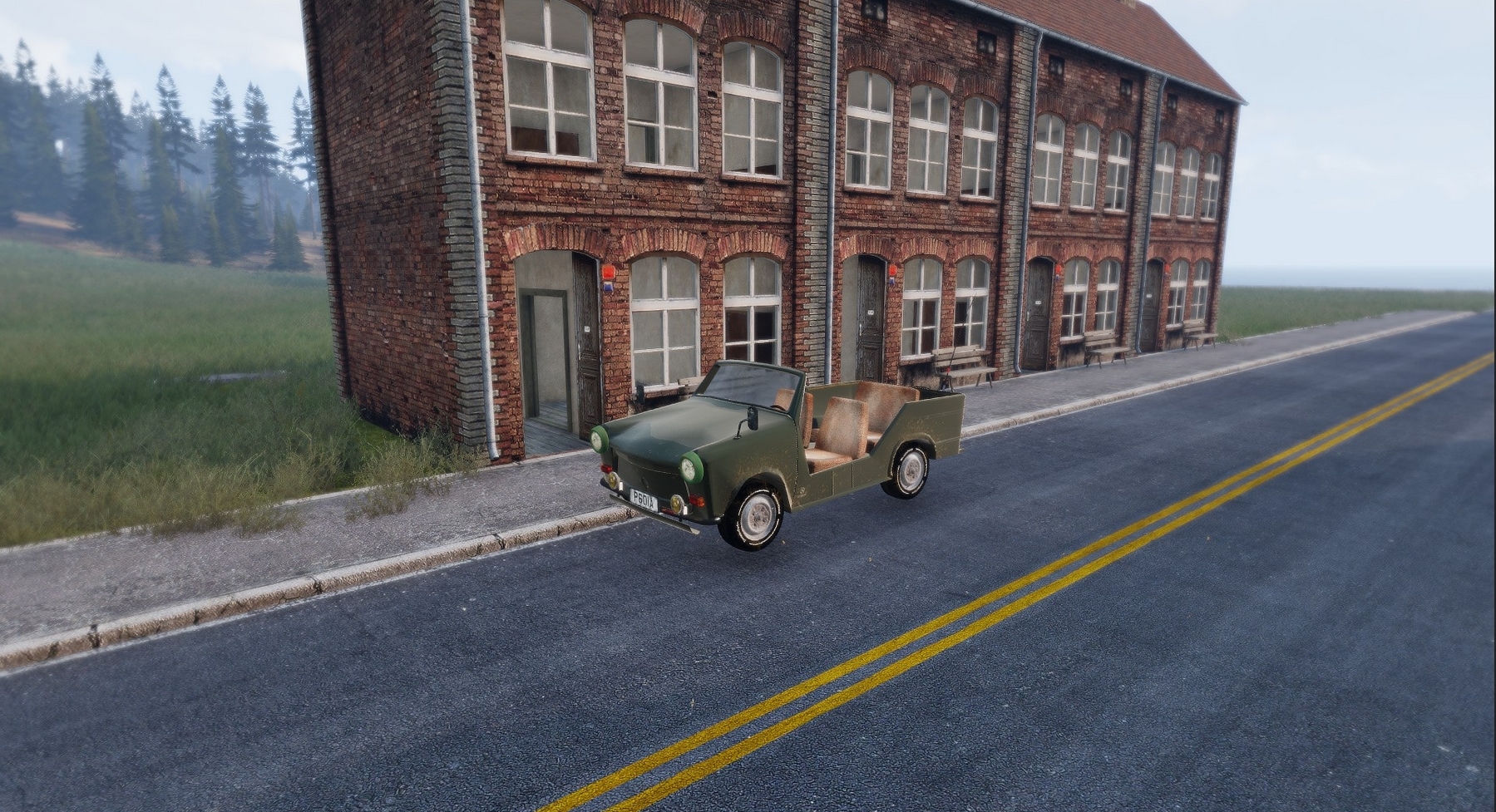
Someone say Trabant?
https://i.gyazo.com/b278c0e83940eef1235819e53c470b5d.jpg
 coarse vale
@polar fiber Sorry to be daft, but VR sphere?
polar fiber
in the eden there are some little translucent golden spheres objects
I think they've in the VR objects category, but just searching "sphere" will show them I guess
there are also arrows and things
coarse vale
Ok, may have found them under Objects > Signs > Helpers.
No, I think those are actual spheres that you can't see if they are inside the model. I think I know the ones you are talking about - they are the ones that you see in Zeus sometimes or playing that are translucent and you can see inside objects?
coarse vale
@polar fiber Thanks, got it working with the sphere - cannot find class for the translucent vision aids shown on friendly and enemy units with vision aid, but trial and error with moving sphere works well enough.
white jay
https://i.imgur.com/OoOlMqm.jpg redesigned the brackets and removed a shitton of backfaces of the quoining and got the vert count down from 79k to around 25k with them on the front/back. Fucking brackets.
 woeful viper
make into a texture and you can cut 2 zero's more
coarse vale
@woeful viper If he did, can he apply normal or bump maps to simulate some of the lost geometric resolution?
white jay
I'll have to look into trying that. To be completely honest Iv'e not even gotten to the point where I have baked anything in cycles because I'm still learning as I go. So I'm guessing that normal maps would give it the look im going for, just need to complete a building and then try baking it and see where it goes from there.
woeful viper
bake lighting into the texture. Just normal isnt enough for arma...
coarse vale
@woeful viper How do you bake lighting on Arma models that are out doors and could be lit differently based on time of day?
woeful viper
highlight edges darken shadows
like in any other last gen game... just study textures of non-next-gen games
polar fiber
curvature/cavity maps basically
sturdy parcel
Someone say Trabant?
😍
 sonic valve
What would be the best method of linking a model to a vanilla texture?
Like using the dirt tile textures in-game over your own custom texture
dark flint
whats the avrage polycount for a Tall building in arma 3 ?
dark flint
how many do you use in general on buildings?
stuck oyster
My shit is pretty exceptional because I got so huge structures
And dont count my polies so much atm.
so cant really compare
rigid crane
How to i fix that buldozer in objetbuilder i have did it all manual from here:https://community.bistudio.com/wiki/Buldozer_Manual
stuck oyster
your tools are not set up correctly and you are running OB from Armatools
PMCwiki has pages both for proven to work steps to set up working P: drive
and Buldozer
merry gorge
having some trouble getting firegeo to work for a wall, should I be using _plate? I have assigned the damage .rvmat to the geometry lod as someone suggested. Or it is assigned but i cant see pops of dusts when rounds hit
 high kestrel
@merry gorge I would suggest to make a Fire Geo lod then apply one the BIS .rvmats. Not all impact effects are dust you can have Sparks from Steel or splinters from wood all depends on what .rvmat you apply. The difference between _plate and without is the thickness of the material eg. concrete_plate is thicker than concrete and will need a higher calibre or faster round to penetrate it.
pure whale
@merry gorge is your issue with the fire geo that it is just not working?
bullets flying thru
or have u not tried making a fire geo at all
k reread
stuck oyster
how thick is the geometry?
pure whale
do what the guy above posted
stuck oyster
and actually the _plate.rvmats in most cases have set "simulated" thickness
for penetration calculation
where as the plain .rvmats calculate the penetration thickness of the whole geometry shape
so you can have a simple geometry cube that acts as plate steel box or a full solid steel block for example
sturdy parcel
Mikero hopes all this accumulated wisdom is not gone forever with the enfusion engine.
stuck oyster
😄 its likely as good as a fart in the wind
sturdy parcel
well said
merry gorge
If enfusion ditches everything the pain will be overwhelming
also @stuck oyster this is the geo, I've not duplicated it for a firegeo since apparently it's ok to assign the rvmat to the geo instead. I've used wood.rvmat (not plate). https://imgur.com/a/KlF7pe6
I'm assuming the ability to assign the rvmat to the geo doesnt work tbh
stuck oyster
it works
is that geometry single piece? or multiple components?
because if its single component its not convex and thus not valid geometry component
also each geometry piece needs the componenXXX name (find components tool in OB)
and mass of 10+
merry gorge
it's 2 parts
the geometry is working from what I can remember, just didnt see dust when shooting at it, will test in VR to see
quick terrace
@stuck oyster wasn't it the minimum mass 1
stuck oyster
could be, I remember 10 for some reason
quick terrace
pretty sure it is 1, we use them for headgear and the like
any lower value will not make geo work
woeful viper
doubt Enfusion will ditch everything we know and do it different. People who are used to old system will often do something similar when starting from scratch ("established best practice") except where it was not working well enough.
one thing i strongly believe though: no objectbuilder equivalent for enfusion
pure whale
my mass for all my models range from 2000-20000
whenever I stop clicking 0
usually buildings tho
median bough
@woeful viper
I don't think we will see any kind of toolset for modding in enfusion within the first 6-12 month after game release. Best we can hope for will be some kind of documentation
*offical toolset
stuck oyster
well stuff in DayZ is fairly well commented so there is hope for that
median bough
i guess we will know more once modding for dayz is avaliable.
who knows, maybe alwarren will extend his arma blender toolbox
stuck oyster
yep
will depend a lot what the final format will be
if its p3d or something totally different
median bough
i think i read something about native FBX support, i could be wrong tho
median bough
is it that bad? never worked with it
stuck oyster
neither have I much but there has been some compatibility issues with it
the few times I have had to
median bough
we will see, it's still a long road until we get there.
do you happen to know the native model format in dayz?
stuck oyster
I think the current one still runs p3d
@pure whale you got more accurate info on this 👆
median bough
that's a few years back...
https://www.youtube.com/watch?feature=player_detailpage&v=0DjdtfQhmmw#t=400
currently P3D but FBX support
pure whale
maybe a byproduct of the upcoming fbx support
maybe cus they don't want idiots porting dayz content
dunno
foggy finch
most likely because the added new features to p3d's, they dont tend to change types often unless integrating new tech
foggy finch
navmesh
foggy finch
i always thought the roadway was a waste of a lod tbh,. when you could just use the z+ faces from the collision lods
foggy finch
its fine for attaching sound shaders to tho i guess
median bough
couldn't this also be done with a simple surface material check?
pure whale
yea but there could be other ways to do that
like add more functionality to geometry
add texture to define the surface
or however they do now
in dayz
median bough
add texture to define the surface
☝
foggy finch
thats how the sound shaders work on structures chris, via assigning surf_something_co textures to them, they are bound to soundshaders
median bough
cool, didn't know that
foggy finch
P:\a3\data_f\surfaces
pure whale
it's like from roadway assign texture then make a cfgsurface entry for that texture
then from there make a soundshader
foggy finch
surf / surfint (internal sounds)
foggy finch
this is also how the rain sounds differentiate from being insde a building to outside
pure whale
yea soundshader / soundest r good
foggy finch
weapon echos etc
pure whale
I use it over the older method for my map
foggy finch
i just wish the building sound tech got upgraded to allow more,. its still using a2 tech
foggy finch
hopefully they upgraded it in enfusion
median bough
laxe posted something really interesting about sound in #arma3_audio
foggy finch
they have way more door sounds in dayz
median bough
this sound tech applied to a game / engine like arma would make some jaws drop like panties. calculating sound with physics and surface material in realtime. no need to set soundshaders anymore, just devine the model material (walls inside a house) and the engine does the rest.
in theory....
foggy finch
hm looks like they still using surface noise via texture applied to roadways
pure whale
yea I mean the roadway shit is satisfactory for now but some innovation between now and when they get the next game under heavy development would be awesome
 eternal bloom
bold flare
eternal bloom
bold flare
Maybe better in #arma3_texture? I wish I could make such materials in substance :/ Guess I just gotta learn
eternal bloom
it kinda belongs to terrain, model and texture i think
thoses are scans, photogrammetry i guess
lusty ginkgo
it's definitely relevant to those channels
white jay
resident evil 1 door opening and closing sounds pls
lusty ginkgo
so does anyone know of a way to deform an object using the shape of another mesh in blender?
white jay
boolean tool?
lusty ginkgo
like take a sphere for example and have a large cube around it and deform the sphere to match the shape of the cube more closely
similar to the strength slider in the lattice deform modifier
I am trying to make my object partially match the general shape of another object I have but not entirely
not sure if that makes any sense
 viral cradle
Have you tried shrinkwrap? Although it might be a bit harsh depending on what you're aiming for.
lusty ginkgo
there aren't any parameters
it just shrinks to the shape fully
I am essentially trying to make it somewhere in between it's original shape and the shape of the other object
viral cradle
So what kind of shape are we talking about? Something complex?
lusty ginkgo
pretty complex, yeah
viral cradle
Ok. I can see you're cagey about revealing too much. 😃 The shrinkwrap modifier doesn't have a strength/influence parameter, but you can use the offset to get a shape somewhere between the original and the copy. Obviously you'd need to scale it down afterwards. Other than that, I can't think of anything right now.
lusty ginkgo
Ok. I can see you're cagey about revealing too much. :smiley:
wat
it's just a general method that could add to my workflow I haven't started using it for any specific thing just yet. The focus is on high poly natural objects like rocks and terrace models and things like that
viral cradle
Fair enough. Occasionally people don't like showing things they're working on. I thought that might be the case with you. 😃
lusty ginkgo
I really wish it was possible to preview multi materials with their configured stage texgen's within buldozer
quick terrace
it should be possible ^, just need to create a proper shader / material for it yourself
 olive quiver
what is the better method from your guys POV? merging all objects or having them seperate as they are in the image
https://i.gyazo.com/thumb/1200/09f94a07058939f3468184f5b569e8fe-png.jpg
 stuck oyster
for what purpose?
olive quiver
im not too sure how to answer that
i guess my best answer would be so it can then be put into O2 and sorted out for use in game
stuck oyster
well for FHQtoolbox p3d export to work you need to combine it all as single object/lod
so view geom stuff as one lod
geometry as one lod
etc
but you might want ot set them to different vertex groups first
as those transfer over to P3D as named selections
also the term you are after is exporting it for Arma
I assume you use FHQtoolbox addon for Blender?
olive quiver
i do indeed, ive merged it all and created all the lods. it was more of an afterthought regarding the different objects as in the image weather or not i should have done things differently
olive quiver
im not too savy with all the lingo 😄 mesh's? perhaps
olive quiver
yeah, well the original creator did yes
olive quiver
yeah the jeep is from mr.proper and is an unsung asset
stuck oyster
I assume you have permission to work on it?
olive quiver
afirm, joined the team as an apprentice
olive quiver
haha thats the one
stuck oyster
as for your original question for exporting as p3d you need to join them as single object yes
but for editing Id keep the parts separate as long as possible
usually makes things easier to manage
and different LOD types all need separate objects too
olive quiver
has anyone here found a fix, even a temporary one for the mouse bug in O2
hollow fulcrum
@olive quiver set all viewports to DX mode. is rumored to be helpful. mileage may vary.
 crimson geyser
Hello. Can anyone help @queen geyser and me ?
https://forums.bohemia.net/forums/topic/217433-flag-on-carrier-p3d-model/
lusty ginkgo
anyone know of a good way to ensure the geometry and roadway lod's have no overlap?
bold flare
I just give them different colors when modelling. Something very bright for geo so that I can see if it's clipping through
lusty ginkgo
that's pretty much what I'm doing but it is a pain in the dick to balance it out so the roadway isn't floating a meter above the res LOD and the geometry stays convex
in blender I tried applying a shrinkwrap modifier as a shape key and setting it to %50 and scaling it so it fits the geometry a bit better without serious upscaling but that isn't ideal either
 cinder pivot
I mean why not make the geometry, copy and paste to the roadway lod then delete all non walkable vertices or just leave it as is
Odd enough roadway doesn’t have to be just flat planes, you could have a box in roadway lod and it would work fine
lusty ginkgo
that would probably cause a number of issues
bold flare
Just yesterday I tried exactly that for the first time. Was just a quick low effort model. So I just copied geom to roadway LOD and done. Worked fine
lusty ginkgo
Tested with AI?
bold flare
no ^^
lusty ginkgo
might screw with AI drivers too
woeful viper
with vertex snap you can build roadway in 5min, then just push it up.
dont understand the fuss
cinder pivot
How would it screw with ai drivers? Vehicles don’t use roadway, only units use it to walk on. Vehicles use geometry to drive on I am pretty sure
Like make a basic ramp as a triangle in geom and you can drive up it with no issue, where you cant walk on it (iirc)
lusty ginkgo
They use the roadway sometimes tanks try to drive up the side of hangers because they detect it as terrain but they don't on the older models that don't have roadway lods
stuck oyster
Not sure but has someone mentioned there was some property to make the roadway non vehicle one
or did that apply to roads
 timber cobalt
what is more demanding(or recommended course of action). hiding stuff with hide animation, or setObjectTexture ""
?
polar fiber
well hiddenselections is adding sections to the model, so I'd probably guess that is more intensive
also wont hide things like shadows and collision for those parts
 ruby dragon
So in 3ds max, i can export my model into object builder, but its wireframe and says it cant find the texture, whats the proper way to export texture please?
bold flare
^ Would like to know too if that's possible, already asked that a month ago and got no answer. Afaik it's not possible though.
you need to select your faces. Press E and set your texture and materials
 opaque olive
Hi, can anyone help me? when i launch Buldozer and update the model with textures the buldozer doesnt update i need to restart it every time it used to update live before
anyone?
stuck oyster
Patience. This is no 24/7 helpdesk
opaque olive
xdd
stuck oyster
have you set up P: drive with mikeros tools and are you running buldozer from Arma3 exe?
or are you running stuff from Steam Arma Tools
opaque olive
i dont have mikeros tools
no nothing
it was working before but idk what i did
i reintalled everything
reinstalled*
stuck oyster
you do this, then we should have debuggable baseline to work with if it does not work after these steps
stuck oyster
so you got mikerso tools and set up buldozer to use arma3.exe?
and ran arma3p to set up p:drive?
stuck oyster
what I meant above is that if you do it like the PMC guide says then I can help you because then I know what you have installed and how
opaque olive
with what do i replace it
stuck oyster
you either create one. or edit the one in the folder
and replace everything in it with the 2 lines
 cyan heart
Anyone knows what LOD is needed for CursorTarget to work?
stuck oyster
geometry or viewgeometry I would guess
what kind of object are you trying to track with it?
outer condor
try also cursorObject
merry gorge
is it possible to darken the textures on an object via rvmat?
stuck oyster
the diffuse /forceddiffuce parameters I believe do that
polar fiber
reducing specular[] makes things appear a bit darker
pure whale
it is not possible to have multiple supply points right?
polar fiber
the parameter isn't an array, so no
and if you have several points with the same name, it will use the average position AFAIK
ruby dragon
Hmm so if i have a standard material on an object in 3ds, and i export that to tga, when i get to object builder, do i put it as texture or material?
stuck oyster
if its image format then Id suppose its texture
material in Arma engine is the .rvmat file
ruby dragon
idk what a .rvmat file is
ruby dragon
i can get the object into object builder. but cannot for the life of me get the texture/material on the object
stuck oyster
also the BIforums editing section has lots of info
basic game modeling: you have your mesh (the object) it has to be UVmapped, so a texture can be applied to it
ruby dragon
Do you use 3ds max?
stuck oyster
no
ruby dragon
Ah
stuck oyster
and even if I used it I could not tutor you in the basics like this and take your hand and lead you through it
theres a lot of this written already down in the forums
ruby dragon
Well it shouldnt be high math to get a basic textured cube into a game. thats basic functionality
stuck oyster
and in general there are modeling tutorials that explain modeling, uv-unwrapping, texturing etc
ruby dragon
And my friend, I have googled and youtubed till my fingers hurt for just 1 tut on getting a simple object from 3ds max to object builder, havent found 1
stuck oyster
you need to understand the concepts of 3d modeling first and what exports from 3dsmax and what imports into Object Builder
have you looked through here?
ruby dragon
isnt o2 different than object builder?
ruby dragon
Wel lthanks, I'l dig through this forum, see if i can find anything. I apologize for asking. I didnt want hand holding, I just cannot seem to make any forward progress
stuck oyster
can you use 3dsmax already?
stuck oyster
but you know how to unwrap mesh and apply textures to it and so on?
ruby dragon
unwrap mesh, no. textures yes
stuck oyster
then you look up tutorials how to do that
if you dont unwrap it you dont apply textures to it
ruby dragon
from what ive read, that the export of the texture into a tga. is it that ?
stuck oyster
no

Quick and straight to the point on how to unwrap UV in 3Ds Max. There are many ways to unwrap UVs in Max. This is how I do it.
ruby dragon
thats legit the one i found and loaded up lol
stuck oyster
well that was the first one on google search
ruby dragon
whats the difference in a 3d mesh vs a 3d object?
stuck oyster
3D Mesh: The 3D object representation can be a polygon mesh, which consists of a collection of vertices and polygons that define the shape of an object in 3D (Figure 1). To benefit from current 3D graphic cards hardware acceleration polygon meshe...
ruby dragon
Hmmm I may be better off just hiring someone to do this part. This is some very deep stuff
stuck oyster
well you dont have to understand it that deep perhaps
ruby dragon
Ive made objects for unity, unreal engine, elder scrolls mods, etc. never went this deep
stuck oyster
dunno what to tell you
same basic principles apply to Arma models
you should be able to do it just fine if youve done it for other engines
ruby dragon
that true, the problem is i dont know what i dont know if that makes sense. I have it loaded in the Object Builder, but when i run buldozer, the textures just... all messed up if its even applying it
i cant tell which
stuck oyster
since you dont seem to know what unwrapping is then I would suspect its that you have not done it
that should however be same with any other game engine
ruby dragon
nope, always used render texture and used the tga file
 vapid nexus
unwrapped is used on all models
stuck oyster
that does not sound right at all
vapid nexus
in all engines
stuck oyster
Wolf my man just in time to take over. Im off to bed. 😄
stuck oyster
night and good luck
ruby dragon
@vapid nexus are you familiar with 3ds max?
cinder pivot
Night sweet dreams love you @stuck oyster
vapid nexus
night @stuck oyster
ruby dragon
Well at the moment, i created a simple cylinder, and added a material to it.
Can get the object into OB but not the material
vapid nexus
thats material tiling with a simple uwvmap if you would create a more complex object where you have extruded things and edit stuffs it would look wierd with the tiling
and when you create that more complex object it will require uvwrapping
vapid nexus
thats more or less that