#arma3_model
1 messages · Page 88 of 1
 foggy finch
mikeros tools provides your with arma3p
not really a joke, you need the games files to create mods for it
 oblique vapor
hey guys, does anyone had this issue where you import a .fbx on object builder, and it turns your model's quads into triangles ?
foggy finch
just like with any other engine
 white jay
I just need to go to arma 3 tools and extract the files to p drive
I will do it and see what happens
foggy finch
anyone who creates models for a game engine knows this already
white jay
it's not what I'm doing
I have the cars withou binarization to change only the license plate of the car
oblique vapor
yeah, yet it shouldn't be triangulating
white jay
it is a new world for me
foggy finch
where are these models from?
white jay
shounka (you see in the paste bin)
foggy finch
excuse me @oblique vapor ?
white jay
@foggy finch thanks for your help
foggy finch
sigh, I just looked up that content, yet another adodn full of ripped/stolen vehicles.
already reported on workshop.
white jay
@foggy finch it's for me?
foggy finch
well the content you have downloaded and are trying to do stuff to, is and im 99% sure on this, is not that persons original work, which breaches multiple EULA's, not just Bohemias but Steams too.
white jay
you are wrong
foggy finch
I dunno whats worse, people stealing content or people modding stolen content further
white jay
because it's original shounka job
and i can tell you that this isn't not ripped because I have all the .p3d and .paa with max quality
the ford gt .p3d have a size of 16 mb
foggy finch
that doesnt mean anything
white jay
he give me the .p3d not the original one
this is what i have
the cars not binarized
where i can change, replace, add what ever I want
foggy finch
p3d is a file format unique to the arma franchise,. to get any model into the game you have to use it,. that doesn't mean anything regarding the legitimacy of the original source models.
white jay
@foggy finch I will not continue that discussion
think what you want
report as many times you want
 lavish mountain
And another one on my block list
white jay
there is no point here
oblique vapor
@white jay Are you french ?
white jay
why?
oblique vapor
Just asking
Because Shounka is french, and is known within the french arma community
And I'm french, too
oblique vapor
I don't care
white jay
and again it's all shounka job lol
oblique vapor
Because he ripped everything from Forza
From a weird russian site
- stole models from Garry's Mod workshop and other games workshop
I've seen that
foggy finch
models like these? http://imageshack.com/a/img923/8564/6fqEej.png
white jay
lol
oblique vapor
and you expect me to believe he modelised all those cars, will all their LODs
white jay
no mate
oblique vapor
download // > import in object builder // > follow tutorial // > make crappy work at textures and apply SMOOTH everywhere // > is good worker and is legit
lavish mountain
Holy mother of stolen IP... That picture...
oblique vapor
I have shounka sources, too
But I keep them safe
And play with them to understand vehicles
foggy finch
@lavish mountain pick a colour, any colour..
white jay
this is like what happen with city life
they stole the shift cars
and put them in their server
oblique vapor
this is like what happen with life servers *
white jay
so, there is a work of hours here
oblique vapor
and bitches rip that and put that into a game
the worst point of the Shounka story ?
white jay
isn*t
oblique vapor
He sold them
on a daily basis
each vehicle separated
he even made packs
So yeah, this is basically ripping others work and reselling them, and that my friend -
- i don't even have a word to describe it
oblique vapor
I don't know honestly
I have these too, but I just use some of them for physx testing, cuz vehicles in this game is crazy
you better ask veterans about this
white jay
i can tell you guys that i see a lot of shounka cars in servers
oblique vapor
I know
every server has some shounka shit
atleast for the french servers I heard about
they rip from everywhere
even RHS
white jay
and this is the shit that i have to put in my server
white jay
@lavish mountain I don't think
lavish mountain
There is a reason there is deep hate for the life community here...
white jay
there are a lot of servers running this
If I will, the others go too
I only have that cars to put on my server
nothing more
lavish mountain
So if others steal it is okay with you to do it aswell?
white jay
and I spent money in buying that shit
lavish mountain
See that is exactly what is wrong
lavish mountain
You bought stolen goods which make you what exactly?
white jay
I buy this for the reason about the reports on steam Workshop
and now I know that shit?
lavish mountain
Now you can ask your money back and report it
white jay
yes
white jay
I have proof of transaction
lavish mountain
Soo
white jay
also where they sell it
oblique vapor
I don't have any law knowledge whatsoever
You better ask PuFu about this
But if he sold these to you as he didn't have the IP rights
That doesn't seem legit to me
lavish mountain
white jay
@quick terrace can you come here please
lavish mountain
Theres guys in there that know
 quick terrace
@white jay what?
white jay
it's about a purchase that I made from shounka
what i can do for recovery my money?
if you can help of course
oblique vapor
you better go thru pm
quick terrace
why would i?
oblique vapor
well, just mentionned your name as you have some knowledge about IP and law
quick terrace
besides i am not a lawyer sorry, which is what you need
oblique vapor
who is that lawyer on twitter that helped h3h3 again ?
quick terrace
i do, but that is intelectual property rights, which is completly different
white jay
For now I don't need a lawyer because I don't start the server yet
so, no problem for me
I just have that shit that I pay
quick terrace
pretty sure whatever was sold has a different ip right owner than the seller
oblique vapor
Thing is he sold you some models that are not his, he gained profit out of some stuff for which he doesn't have IP rights, and I'm 100% sure of it
white jay
yes I already understand that Sam
but I'm noit violate anything because I didn't know anything about it
quick terrace
report that to paypal if you made the purchase that way
white jay
*don't
oblique vapor
The smart move would be to get your money back and put that bitch in court or something, I don't know
quick terrace
since this has nothing to do with this channel please move down to ip rights or whatever
 sharp folio
Yup go to ip rights channel I'll help you there
quick terrace
and please don't ping me again for stuff that has nothing to do with me
oblique vapor
no problem, I hate this guy
white jay
sorry about that PuFu
oblique vapor
¯_(ツ)_/¯
white jay
thank you guys
quick terrace
 dusky dragon
 strong plaza
hey guys, I've got a question
have proxies become obsolete with the poly limit gone?
quick terrace
for everything that was limited by that(vert indices number) yes, for other stuff, not really
 umbral plume
any idea as to why this plastic cover with alpha hides only certain parts of the model?https://gyazo.com/897231c6c4a127b3b99952624e10863d https://gyazo.com/aed090d3fa251447a59a03d4f02ac3fd
quick terrace
alpha sorting i think
 polar fiber
Since proxies weren't really there for the purpose increasing the polycount of models in the first place (it was just a hacky byproduct of being able to include proxy models for their numerous other purposes), then no; they most definitely are not obsolete
strong plaza
so if I have a 20k poly building splitting it up into proxies isn't really necessary anymore?
polar fiber
no
strong plaza
alrighty
polar fiber
unless you're using some of the proxies to for instances of objects that are repeated numerous times in other models. In which case it might be worth keeping those ones
strong plaza
but using proxies won't improve performance?
thing is, Terrainbuilder's buldozer doesn't render proxies, so I would prefer to use as little proxies as possible
polar fiber
no, in fact they proxies might make it worse depending on how your sections are set up in the model
strong plaza
oh
umbral plume
@quick terrace Thanks, never knew about that before. I just did Face > Move to Bottom
 thorny rapids
Anyone skilled at porting and setting up vehicles? I have these models I made years ago. Arma needs more cars. These just need porting, lods and configs. http://imgur.com/a/2VKM8
I won't be doing it
but if someone skilled wants to i'll send them
quick terrace
lol
umbral plume
I can do it, is there a low poly version?
quick terrace
if anything arma needs less life and less half assed "ported" content
umbral plume
yeah I wouldn't be able to do good sounds on second thought so nvm.
thorny rapids
I only supply the geometry as is but can freeze them etc. I already used them for projects years ago
quick terrace
do the bakes, do the textures properly and i am sure someone will volunteer to inject these ingame
thorny rapids
yeah no i've got enough work on nimitz mod and my map projects
quick terrace
¯_(ツ)_/¯
thorny rapids
things i care about 😃
 formal glade
@quick terrace those AK's are pretty damn dope
stop raising the bar, us normal people will never get there if you keep doing that 👹
😉
btw - do you do textures in PS or some other program - and in what is that render done.. i'd like to be able to showcase my models better
for example: http://imgur.com/CHSJmGd
looks rather flat and dull
polar fiber
SP2 and Marmoset, unless I'm mistaken
 cinder pivot
@thorny rapids I can give it a whirl for ya
quick terrace
@formal glade sp2 on this one. (for texturing)
for renders marmoset, sp2, quixel etc
 ebon abyss
better to list what software you don't have 😉
quick terrace
SP2 was the most recent buy in order to replace quixel (which you can grab really cheap)
both were more or less the same at some point, but SP2 is getting better and better while quixel sort of lags further behind
in any case quixel 1 is free for grabs
and quixel 2 has been 40% reduced for as far as i can remember now...
 stuck oyster
If I recall there is no engine solution for that. All vehicle/turret weapons ignore the vehicle geometry.
 round cove
Anyone know how to scale down a huge UV selection in the UV editor?
quick terrace
of what software?
round cove
blender 2.77
cinder pivot
select all you need, then press s and move mouse to scale
round cove
How would I go about rescaling the UV in the object builder UV editor?
polar fiber
Click the transforms button (yellow square/diamond) and set it to scaling mode
then you choose which boundary of the current UV selection you want to scale relative to (centre, left, top-right etc. or enter a UV coordinate) then enter your desired scale factor in the U and V fields
round cove
Ok, got the jist of it. How would I go about finding a specific UV coordinate?
polar fiber
Maths
use photoshop or something to find the coordinate of the pixel, then divide it by the total heigh or width (depening on if it's the U or V axis) and it will calculate the UV coordinate value since UV space goes from 0 to 1
if it's a couple of tiles over from the main UV space then you need to add or subtract 1s for every tile it is moved over
round cove
Ok, thank you, will give it a go now
 woeful viper
holy crap https://www.youtube.com/watch?v=y8jYuW-RfPc gib model pls 😄
 hollow fulcrum
geezus.
lavish mountain
WOAAAAAAA
foggy finch
I think don just spat out whatever he was drinking
quick terrace
@lavish mountain lol...bluedrake video = instant alt-f4
woeful viper
@quick terrace but whatabout my other tabs? 😦 they are innocent
quick terrace
ctrl-f4 then 😄
hollow fulcrum
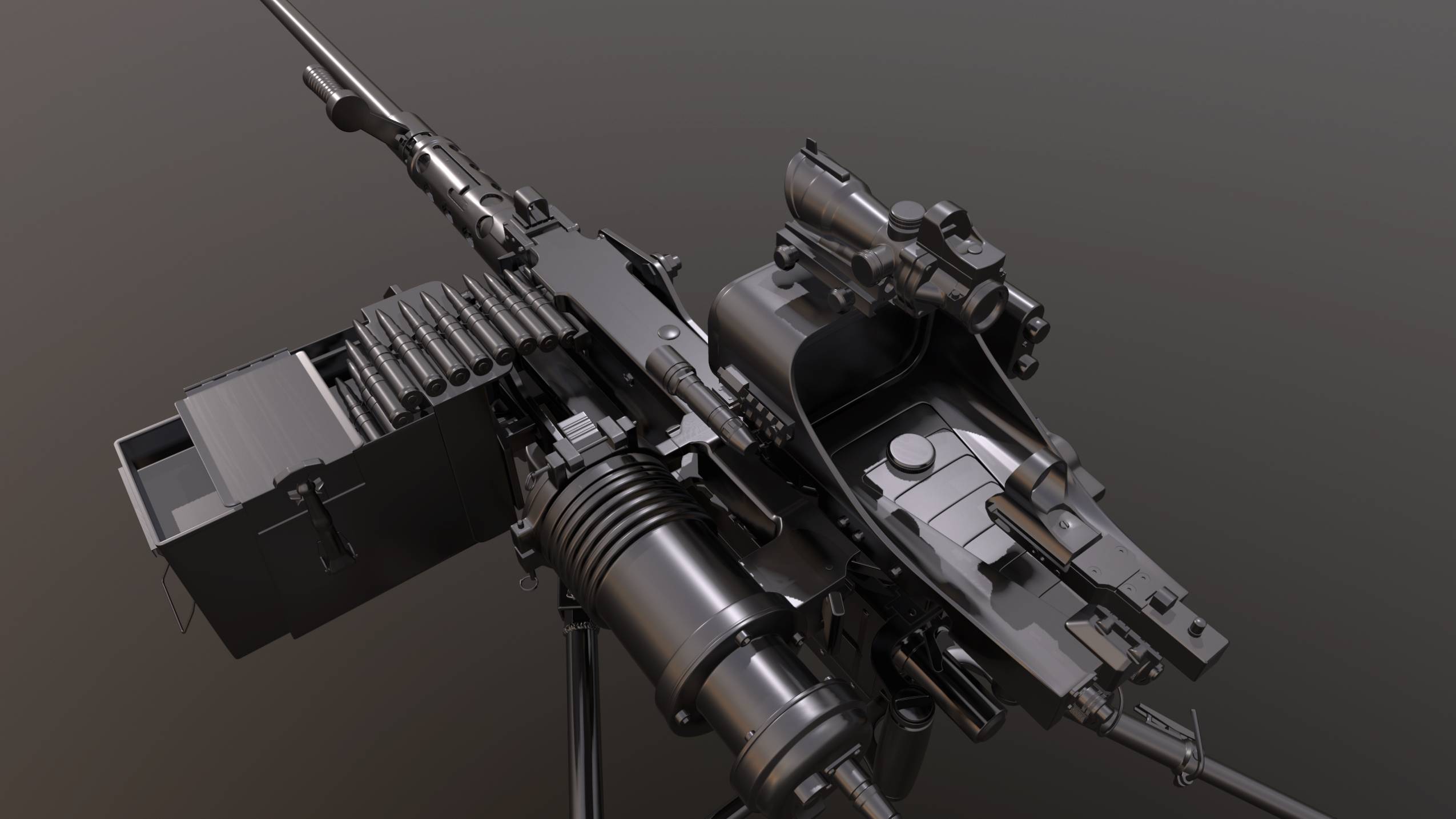
when your machine gunner is the one whos seen the most shit, and doesn't plan on missing anything in the future:
https://i.gyazo.com/89fc56b7e6a4c95b1a2dc1c81e92ee4d.png
hollow fulcrum
hahaha
 fluid ocean
Tis a shame its not a Twin .50
foggy finch
since your showing some wip pr0ns, I raise you an entire stadium http://imageshack.com/a/img923/1862/7XoYMD.jpg
fluid ocean
Empty like most Scottish stadiums....
foggy finch
arma couldnt handle the fanbase 😛
fluid ocean
lol
fluid ocean
I'm still wondering why we dont have a GAU 19/B yet
foggy finch
yeah well the altis stadium having regulation goalposts and irregular pitch size irked me the other day, what can I say heh.
hollow fulcrum
that has always annoyed the hell out of me. i mean who does that, seriously? mmmhmm... those guys.
fluid ocean
Yeah, playing a sport almost entirely with their feet and having the audacity to call it "football"
foggy finch
yeah I was consider those, but dat model.cfg for the get-in points dude 😒
quick terrace
¯_(ツ)_/¯
foggy finch
I dunno if you could even bake that many memory points into the model
although this is modular, so many instance used for whole stadium
polar fiber
All seats need FFV too remember
foggy finch
rofl
fluid ocean
I see that as an O(n) issue, lol
foggy finch
that brings me to another thing, the Stadium_F lamp or whatever, has the memory points but BI never configged them
probably gonna make my own anyway, get the light points pointing the right way
woeful viper
imagine the action menu... "get in Passenger 1-50000"
stuck oyster
1 seat object and memorypoints for seat locations and directions and a script that runs their placement
lavish mountain
Hmm
time for a world record, max players in one arma server watching Dwarden do the announcement on the next DLC...
 pseudo elbow
I'm trying to make Arma 2 Dirt Hump go underground when destroyed, but simply adding destrType = "destructBuilding" is not enough, it does DestructionEffects but building doesn't change at all
I cannot see any other related config values, so I guess there is some model requirement for object to be able to be destructed like this?
white jay
isn't it "destructHouse" ? can't remember exactly tho
pseudo elbow
No, it is destrType = "DestructBuilding";
pseudo elbow
I figured it out, DestructionEffects must have simulation="destroy" with type pointing to CfgDestructPos subclass
 wraith tendon
What was the command again to unpack a hole addons Folder to your Workdrive? (Mikeros Tools)
(incl. correct SubFolders)
white jay
extractPbo C:\path\to\pbos P:\
wraith tendon
Thx alot
ebon abyss
Dscha: Lappihuan already helped you out but here is it anyways, maybe for future reference: http://pmc.editing.wiki/doku.php?id=arma3:tools:mikero-tools-user-guide
 terse elm
@hollow fulcrum that mg man is beautiful
anyone off the top of their heads know to make a launcher pre loaded with its missle? at the minute i have to manually load it everytime
wraith tendon
@ebon abyss I am in Lazy-Mode today 😄
 echo rain
@wraith tendon is called Arma3P i think
wraith tendon
nope, needed other Addons unpacked and was too lazy to Google the command 😄
echo rain
ah command not tool. sorry. lazy eyes. long day
 desert sequoia
Hi all, simple question:
I was adding a camera to a mission, rendering to TV display's surface, and noticed a weird difference: some objects are seen from camera, some not, I can see objects like tanks or cars, but billboards sphere signs are not. Does camera requires some LOD to be present in the model to render it?
 frank helm
Hi all! question on named selections within the reslod. I describe what I do then if there is anything wrong can you point me right please.
I select a door, then go to structure/topology/find components. This then puts all the components of the building in the named selection window.
I only want the door so I can rename it as door_xx. What I have had to do is make a copy of the door and rename it and delete all the components that we added when I selected find components.
stuck oyster
mm you can just select the door object and on the named selections list click right mouse and select new from the menu and then rename that as door_xx.
frank helm
brilliant mate, thanks Iwas going such the long way round to get that. saved me heeps of time.
woeful viper
i mean OB is arkward, but not THAT arkward 😄
frank helm
KMA!
 tacit shard
https://gyazo.com/ab8f304de36fe3c40bc9ca8ac3d053b7 has anyone got any idea why my its unwrapping like that?
 worthy inlet
Depends on how youve unwrapped. For faces like such i use "project from view".Clicking "unwrap" can give you all sorts of funky stuff.
 eager folio
Did you applie "Rotation and Scale" on this? Sometimes this can also cause some wireed stuff
 gray jay
What polycount should I aim for when creating a tank? (who many do BWA3 / RHS have?)
polar fiber
Should still be aiming for <32k vertex normals for the base vehicle
Some of the RHS stuff has a lot of polys because of the ERA, RWS, MGs, ECM and things added on top for different configurations of the vehicles though
gray jay
thx
 halcyon wren
Pure polycount is a secondary factor in rendering perfromance. The heavy hitter is the section count. But for sake of consistency with BI content, anything around 30-40k fits.
wraith tendon
also keep in mind:
How often will you see that Object?
I mean... check Trees and Bushes, for example ? How many Polys do they have? How often do you see them? Lets say, a tree has 2k Polys, you see clearly more then 20-30, when walking along Altis. Means -> 40-60k. Then comes in some bushes, that would add another 40k. Comes ine: 100-120k, just seeing trees and bushes.
Is it alot? Nah, its nothing :D
imho, i wouldn't care much about the PolyCount and watch more on the SectionCount (as Mondkalb said before), as long as the object is not 100x in a scene =}
+iirc wasn't the Ghosthawk a ~120k Model (incl. proxys)
polar fiber
maybe in tris. IIRC it was closer to 80k nominally. The 2x miniguns added a shitload but I'm not sure that adding the counts from the proxies directly to the heli's main LOD was accurate to how it displays ingame
As I said, the base vehicles aren't that much - maybe 20-30k, but then when you start on the ancillary details like weapon stations and slat armour etc. it starts ticking up to the 40-60k regions
You could tell what was proxied on things like the Mora, Gorgon, Kuma etc. because you couldn't retexture it
 twin urchin
is there a way to have a smooth shadows but calcuated from shadow lod so it doesnt calcuate it from main lod which got a lot of polys?
polar fiber
sbsource
twin urchin
yes , never used it so i will try it
hopefully it will look better than those super sharp stencils
polar fiber
set sbsource = shadowvolume, and prefershadowvolume = 0 in geometry LOD and lodNoShadow = 1 in the res LODs
It looks shitty on some objects IMO
especially character models, helmets etc.
twin urchin
thanks , i will test it out
halcyon wren
Yeh... its best used for big bulky objects, IMO.
polar fiber
I think the Apex 4*4 and helicopter rotor blur proxies are the few places BIS uses sb, apart from terrain objects
not sure that the Apex 4*4 having it is intentional though
twin urchin
well maybe the author of that 4x4 didnt liked the stencils heh
 warm trench
@halcyon wren when you say 'sectioncount', is that the number of different uv maps you have/ the number of hidden selections you have available in the model ?
wraith tendon
@da12thMonkey#2096 Yeah, could be Tris. can't remember it, tbh. Info is more than a year old.
halcyon wren
Section count rough basics:
each .rvmat adds one section
each texture without .rvmat adds one section
everything else without a texture or rvmat adds one section
Then anything defined in your sections[] array in model.cfg adds extra sections
proxies are at least one extra section per proxy
Therefore 4x 2048 are considerably worse for performance than one single 4096 texture
warm trench
Thanks. My models are a bit inefficient in this regard...!
halcyon wren
Do a test: Place 50 or 100 of your models in your scene. See what the avg fps is for a minute
Then optimize (ugh, this word... :D) your models and redo the test. See the improvement in FPS
Therefore LODs should be about reducing section count as well if not entirely 😄
Though don't have high detail lods for something that is only ever going to be seen at 600m or further. While polycount is not as significant for rendering performance as the section count, it can still add up to be a drain. So Lods should be about reducing polycount, too.
wraith tendon
(e.g. don't add a fully detailed Engine in LOD > 1)
(Yeah, i've seen that^^)
+this also explains some stuff:
https://community.bistudio.com/wiki/LOD
halcyon wren
A good test of your lodding is to add (not replace) a big colored box to each lod with differing colors. I.e a gradient from Green to Red. Then place it ingame and see how early your lods switch.
Don't just retex the model to a single color, as that may actually reduce the section count and influence lodding. 😃
wraith tendon
(and no, there isn't an actual way of calculating wich LOD will be loaded when)
halcyon wren
Yep. Lodding depends entirely on scene complexity and your processing power available
wraith tendon
means: The crappier your PC -> The higher the chance the lower LODs kick in earlier.
(your turn Kalb 😄 )
warm trench
My first mod was a vest averaging more than one uvmat per pouch so probably25+ in total. When I first read this was very bad I'd pretty much finishes it so did not want to remake it. (Although I will at some point). When I learnt this was not clever, I put 60ai down with varying different colour options (so even more textures loaded) and compared it to a Vanilla vest. In this test, I saw no difference in fps between my (very badly designed!) vest and the Vanilla one. However, I am concerned this might be specific to my hardware so will try to find the time to remake it at some stage. Also, I thought there was an issue with 4K textures so it was best not to use them?
halcyon wren
Video options control this as well. (i.e object view distance, and model detail)
When you say UV map, you mean UV set?
warm trench
Yep uv set/ texture set.
halcyon wren
4k textures are OK to use, but they tend to mip-map (texture lodding) sooner to drop to 2048. But thats really a personal preference, because it is still 4096 up-close. And again, sections might be saved by merging textures into a 4096.
8192 textures are supported in A3's DX11 afaik, but some older hardware may actually not deal with this and just CTD. But I have never used or released anything with 8k textures to put this to a test.
wraith tendon
Are you sure about the CTD?
halcyon wren
Default assumption for undefined behaviour ^^
wraith tendon
😄
halcyon wren
Might just black-screen you or something. it's really just speculation here.
wraith tendon
boah... wich Mod was it... erm... i had that topic some month ago with ... erm.. .someone. One Mod was using, most of the time, only 8k Textures.
halcyon wren
We're considering 8k for ships... but yeh... research is needed first.
wraith tendon
Yeah
polar fiber
@halcyon wren 4096 in Arma 3 seems to show at like 1024 or less when it mipmaps. And they don't show at 4096 at all unless the user is running Very High or Ultra texture setting in video options
halcyon wren
Very likely. It directly jumps to 1024?
polar fiber
yeah, it's blurry as fuck whatever it is
looks really bad in view pilot since it stays down at whatever it's mipped to
lavish mountain
One of the shipmodels I have of which the hull is ready for ingame has 8k textures
I said hull, interior I still need to start on for that one
wraith tendon
Du you know anyone with a crappy PC?
(regarding the thing Mondkalb mentioned before about CTD)
halcyon wren
Poo... I'll have to do some testing with my characters then. But then again do I care that much about the people with slower machines... I'm doing them a favour by keeping section count low ^^
quick terrace
@lavish mountain 8k textures = big no no
lavish mountain
Not working on that one for the time but will change that to lower rez than....
twin urchin
You were right , that shadow is more like shadow blob lol
shame there isnt something in between
thorny rapids
Question about stairs.. yes we all hate them. I'd like to know the best angle to make a staircase and ideal step height.. any ideas?
anyone done any experiments with this?
halcyon wren
I always fared well with 30 deep and 20 rise
But lets wait for the resident architect 😄
lavish mountain
^^ that is common habbit
though there is no standard
Usa has a standard I believe
wraith tendon
I bet Germany too. We have a Standard for everything.
Also you might check "DIN"-Norm
lavish mountain
NL has a standard for companys limiting it in between a range of X and Y
wraith tendon
foggy finch
every country has their own building standards
thorny rapids
i just want my stairs to break as few legs as possible
terse elm
Me latest little WIP, had a lot of fun making this http://i.imgur.com/3VvndG7.png
wraith tendon
The Face in the first pic looks like a: "But they promised me icecream 😢 "
terse elm
rectangles with about 5 sections,
all hand moved into place
then copied the faces and reversed them
terse elm
thats really nice dude
wraith tendon
gj blud, they look nice.
lavish mountain
Looks nice
terse elm
nice to see new buildings for a change
terse elm
@twin urchin http://i.imgur.com/aB1uC21.jpg
nothing flash, only took me an hour to place and texture
twin urchin
so the scrim are just those 2D planes?
terse elm
yup
twin urchin
not baked or anything right?
terse elm
i manually made a normal map for them and baked an ambient oclusion
twin urchin
oh ok , looks good mate
terse elm
thx
 bleak tangle
I think I've somewhat successfully updated Buldozer lighting to look similar to the actual lighting in game
Buldozer before: https://i.gyazo.com/0374671aa11c4cf9c95cc9147072daf6.png
Buldozer after: https://i.gyazo.com/887447caea51a82d4c269aaa897d96a1.png
In-game: https://i.gyazo.com/a10806055c12c7d2cb27a65b123252f8.jpg
thorny rapids
the only thing i'd like to see on that hat is some alpha channel to make them look less like strands of paper
thorny rapids
sweet
foggy finch
@bleak tangle neat, is there a quick way to switch out the lighting per world or is that using defaultlighting?
bleak tangle
That's a good question, and I haven't figured out a way to easily do that yet. For the images I just did a dump of Altis with inherited properties and copied that into DefaultWorld
foggy finch
the expanded defaultworld is in map_data I believe, unfortunately this would mean composing a new version to plugin with every update of the game
bleak tangle
I tried adding another world and then changing the initWorld, but whenever I use a value other than "" it gave an error
foggy finch
I havent poked around in there too much recently, I kinda gave up on terrain lighting stuff because of well documented reasons.
hmm I did manage to do something with that actually.
ah yes I #include my extracted cfgworlds(includes default/ca-worlds + stratis config into the bin/config.cpp), I also changed the bin/config.cpp CfgWorldList class to use an include where in I just defined the world class e.g. class Stratis{}; (easy to quickly add/del classes from included files than edit the main config every time) and in the commandline to launch modelviewer/buldozer I used the -world=Stratis parameter and did notice some changes in buldozer.
anyways, more food for thought for you 😃
twin urchin
oh nice @bleak tangle - it would be nice to get a unofficial patch to get the colors right in buldozer
foggy finch
np man
twin urchin
wonderful , i can test that btw on my dev version 😄
wait you can change islands inside of the buldozer?
foggy finch
yes, remember TB uses the same executable as OB
it just uses a stripped down base version of the game
but by applying config level changes and using launch parameters it should be possible to load up an individual terrain inside model viewer
echo rain
guys educate me on that procedural ddo stuff and similar. if one has the normal map of the nice HK m4/m16 type weapon in apex, which we do with today's update, would that allow using those kind of tools to make more worn versions of it and spray painted ones with scratched off paint?
i realise you can do reskins either way but from videos i saw these tools detect edges based on normals and allow you to procedurally apply scratches and stuff there
twin urchin
well yes from normal map DDO gets curvature map so you can do whatever
but without ID map it can be difficult
echo rain
ID map?
twin urchin
ID map is a mask map that has color parts of each part
like polymer , metal and so on
echo rain
ah. ok
foggy finch
similar in look to an id mask for a multimat
echo rain
i was just wondering if it would be worth it to get a tool like that "temporarily" to do some fast reskins for that HK/SPAR weapon
and maybe the AK12. some good models in apex
foggy finch
the psd's have ID mask in one of the layers
you could just copy that out and use that for the ID mask
echo rain
lol. good point
foggy finch
ah disregart that, its for the editor preview stuff
nope, actually there is ID layer
ID as opposed to ID_preview
echo rain
i'd just love a clean and simple reskin weapon mod that adds a bunch of nice pain jobs for different climates to all vanilla weapons. but i think they still haven't even added hidden selections to the katiba. too bad since i like the look of that gun a lot.
twin urchin
they should added hidden selections on everything
echo rain
yea that would be great. one could do a lot of things with vehicles and objects just mission side
tacit shard
Does anyone know if the way translations work with there model.cfg properties is different to rotations?
Basically I have an animation that is meant to go back 0.1m then across 1m. My animation type is translationZ which makes it move on the correct axis, but no matter if offset1 = -0.025; or offset1 = 0.025; it will still go forward.
woeful viper
you can ddo vanilla textures, but you dont have the model so its a stab in the dark how it looks and you cant do 3d-painting
polar fiber
Quite a few of the older BIS weapons don't lend themselves much to that kind of Quixel/SP workflow because they don't really have proper baked normal maps. So lack all the best edge/curvature data and rely on you painting the masks yourself to a greater extent
which isn't much fun without the models to look at as reference
woeful viper
true, many are just made with crazybump or similar diffuse->normal filters
 fervent steppe
Hmmm Chrome AK...sounds hip
 sinful root
Why stop at Chrome?
woeful viper
because we stay decend around here
sinful root
Gold, Nickel, Silver, Platinum, etc...
Gotta have one for every day of the week.
And for when you inevitably take the safety off the Gold one and gouge the receiver.
polar fiber
if only hiddenSelectionsMaterials worked properly
woeful viper
they do, at least for vehicles
fervent steppe
Does anyone know if proxies inside proxies work
I can't test it right now
So I figured I just ask lol
For furniture 😀
polar fiber
IIRC only in certain cases like weapons, and now pylons for aircraft
hollow fulcrum
depends on what you need it to do.
fervent steppe
Hmm. Shit. I just I could export all the furniture and add it to one proxy. Then it would literally be just one proxy.
hollow fulcrum
generally speaking does not work.
fervent steppe
I guess there's a few different ways to go out this
hollow fulcrum
ah the mighty populate the buildings scenario..
woeful viper
you could just assemble a proxy array and copy it over to p3ds... not quite as efficient but still a more quick method
fervent steppe
Yea. True
tacit shard
Does anyone know if the way translations work with there model.cfg properties is different to rotations?
Basically I have an animation that is meant to go back 0.1m then across 1m. My animation type is translationZ which makes it move on the correct axis, but no matter if offset1 = -0.025; or offset1 = 0.025; it will still go forward.
tacit shard
https://www.dropbox.com/s/ehk259ohqs6xvwv/2017-03-16_23-00-59.mp4?dl=0 no matter what i set the value to it goes forward instead of backwards
thats my animations, HM_Door05 does the bit that goes wrong (forwards instead of backwards) and HM_Door05B does the sideays part
polar fiber
Are you shutting down and restarting buldozer after changing the values before previewing? Sometimes it doesn't seem to update on the fly
tacit shard
Yes
Ive also completely reopened o2
Ive always restarted buldozer as Ive never had a model.cfg update change without restarting it
polar fiber
Otherwise, select Door05_AxisB press C and then Shift+C to centre the pin between the two points, then use the scale tool with -1,-1,-1 in the X,Y,Z fields
it'll invert the axis
stuck oyster
try using "Translation" and make memorypoint pair for axis selection
polar fiber
as goat says though, I use translation instead of translationX/Y/Z for anything
tacit shard
I have tried all of the animation types, and it is using a pair for axis selection.
yer I was originally using translation but tried Z because it was stil giving this issue
stuck oyster
you got the selection names right?
stuck oyster
and you have tried flipping the memorypoints?
wraith tendon
Check if the Anim works in Bulldozer.
tacit shard
yer thats what Im doing it in Dscha https://www.dropbox.com/s/ehk259ohqs6xvwv/2017-03-16_23-00-59.mp4?dl=0
tacit shard
yer I just generated an rtp file after turning of no logs will take a look at that if dar12th's idea doesnt work
tacit shard
as you can see in the video it opens outwards. even if I set it as -1 in the model.cfg its meant to go inwards and then left not outwards then left
wraith tendon
flip the MemoryPoints
tacit shard
yer trying that now I flipped the wrong axis first time lol
tacit shard
yup, first one just made it go to the right so I undid that and flipped the other axis. Still went outwards instead of inwards.
I feel like im being an idiot here lol
but flipping the memory points seems to have made no difference. Oh and when I change the transformation value say from like 1 to 25 it doesnt change the animation at all either
it kinda feels like maybe its not using the updated config? but every other animation is
polar fiber
seems like your axis isn't valid for some reason
wraith tendon
class Door_3_rot
{
    selection = "Door_3";
    source = Door_3_source;
    axis = "Door_3-6_axis";
    offset1 = 1;
    offset0 = 0;
    type = "translation";
    memory = true;
    minValue = 0;
    maxValue = 1;
};
so it's just using global space
wraith tendon
example from one of my files.
tacit shard
other than the order ours seem the same, over than I define memory with 1; instead of true;
changing that hasnt had an impact either
polar fiber
as you should do
tacit shard
what I should have it as 1 or true?
polar fiber
1
wraith tendon
Yep, Numbers only
polar fiber
true/false usually requires you to define them as such beforehand
wraith tendon
Btw
tacit shard
ok yer so I had it right
tacit shard
Mikeros pboProject, but this issue is in bulldozer not in game
tacit shard
lol yer I learnt a long time ago not to use addon builder lol
wraith tendon
😄 goood
tacit shard
well like I havent put it in game fully yet, Ive been trying to fix the animation in bulldozer
ok I am almost 100% certain that it is not using the right part of my model.cfg
as I just changed that part to max at 0.5 instead 0f 0.1 now from 0 -> 0.5 it does its usual thing. then it goes sidewards and diagonal
excuse my spelling lol
wraith tendon
As i mentioned before: Are you sure, that you edit the right selection?
tacit shard
yes, its Door05 as the name is of that part, and the axis is Door05_AxisA
my only thought is that do I need to define it as a parent of itself? because its a two stage animation?
https://gyazo.com/f9dc29a1d4aff1d5a1d4f57ad3396b97 like for these were I define that door06_B animates with door06, do I need to tell it Door05 animates with Door05 as it has two seperate animation sources?
wraith tendon
mom
model.cfg:
class CfgSkeletons
{
    class Default
    {
        isDiscrete=1;
        skeletonInherit="";
        skeletonBones[]={};
    };
    class 2017_barr_Skel: Default
    {
        skeletonInherit="Default";
        skeletonBones[]=
        {
            "Door_1","",
            "lock_bar","Door_1"
        };
    };
};


class CfgModels
{
    class 2017_barr_door
    {
        skeletonName="2017_barr_Skel";
        sectionsInherit="";
        sections[]=
        {
            "Door_1",
            "lock_bar"
        };
        class Animations
        {
            class Door_1_rot    { source = "Door_1_source";        selection = "Door_1";    axis = "Door_1_axis";    angle0 = 0;        angle1 = (rad 90);    minValue = 0.2;    maxValue = 1;    type = "rotation";        memory = true;    sourceAddress = "clamp";};
            class lock_bar_Rot    { source = "Door_1_source";        selection = "lock_bar";    axis = "lock_bar_axis";    offset1 = 1;    offset0 = 0;        minValue = 0;    maxValue = 0.2;    type = "translation";    memory = true;    sourceAddress = "clamp";};
        };
    };
};```

-----------------
config.cpp:
```cpp
class CfgVehicles
{
    class 2017_BarricadeItems;
    class 2017_barr_door: 2017_BarricadeItems
    {
        scope = 2;
        scopeCurator = 2;
        displayName = "Barricade: Door Single";
        model = "\2017\buildingassets_2017\barricading\2017_barr_door.p3d";

        armor = 50;
        armorStructural = 1;
        damageResistance = 0.004;

        class AnimationSources
        {
            class Door_1_source        {animPeriod = 2; initPhase = 0; source = "user"; sound = "GlassBigDoorsSound"; soundPosition = "Door_1_axis";};
            class lock_bar_source    {animPeriod = 2; initPhase = 0; source = "user"; sound = "GlassBigDoorsSound"; soundPosition = "lock_bar_axis";};
        };
        numberOfDoors = 1;
    };
};
@tacit shard
tacit shard
Right i get that but its the same selection just two animations ?
wraith tendon
Need to gather some stuff from my old files together, picked the wrong files above 😄
tacit shard
Ok ima be heading to bed put if you tag me here or pm me i will take a look in the morning
wraith tendon
*edited - too lazy to change the names from 2017 to neutral =}
@tacit shard There you go
tacit shard
Cheers and thanks for all the help so far :)
wraith tendon
If that above don't work -> You fkd smth up in your model.
fervent steppe
fkd smth?
foggy finch
something*
wraith tendon
fu
fervent steppe
haaaaaaaaaaaaaaaa
foggy finch
lol
 lethal wadi
is there a way to apply a texture so that it can be viewed in OB
polar fiber
make sure the textures pathed on the model are the original .tga and not .paa (maybe .png works too, but I only ever use tga). turn on direct3d mode in the viewport (button looks like a blue/black circle with a yellow X if I remember correctly) and the texture button to the right of it, and then the solid faces mode on instead of wireframe
These ones should be active http://i.imgur.com/RSMynoD.png
tacit shard
Ok so I have tried all previous suggestions to my issue so if anyone has any other ideas it would be much appreciated;
Basically my issue is that no matter what do the door opens forwards (as in comes towards the camera) instead of backwards which is what I want it to do so it will hide behind the cabinet to the left
Config.cpp --> http://pastebin.com/aNUbAHgY
Model.cfg --> http://pastebin.com/QSPRAQa0
Resolution Named Selection --> http://i.imgur.com/KZSNoBI.png
Door05_AxisA: http://i.imgur.com/Dl5Kn4N.png
Door05_AxisB: http://i.imgur.com/ae33hsQ.png
Door05_Trigger: http://i.imgur.com/wXWBRJL.png
Video: https://www.dropbox.com/s/ehk259ohqs6xvwv/2017-03-16_23-00-59.mp4?dl=0
Bulldozer RPT File: http://pastebin.com/1P8wKyfR
If any other information is needed please let me know
cinder pivot
anyone know how to flip around where the character is for a ladder w/o flipping the entire model
anyone know how to flip around where the character is for a ladder w/o flipping the entire model
@tacit shard you basically want it to go back instead of forwards?
tacit shard
It also seems to only respond to certain edits of the model.cfg, as in changing the offset value has no effect. (weather its 1 or 1000 it travels the same distance) changing the rotation type seems to have an affect however changing it from its current translationZ to translation causes it not to move at all until part 2 of the animation starts.
@cinder pivot yes but no matter what I try it goes forwards
It also seems to only respond to certain edits of the model.cfg, as in changing the offset value has no effect. (weather its 1 or 1000 it travels the same distance) changing the rotation type seems to have an affect however changing it from its current translationZ to translation causes it not to move at all until part 2 of the animation starts.
It also seems to only respond to certain edits of the model.cfg, as in changing the offset value has no effect. (weather its 1 or 1000 it travels the same distance) changing the rotation type seems to have an affect however changing it from its current translationZ to translation causes it not to move at all until part 2 of the animation starts.
@cinder pivot yes but no matter what I try it goes forwards
wraith tendon
@cinder pivot
Player . TopPoint of ladder . Player
Player . BottomPoint of ladder . Player
cinder pivot
@wraith tendon wat
wraith tendon
player / \ player
player | player
tacit shard
I cant seem to send msgs on my pc now. Yed @cinder pivot but it wont do it no matter what i do (eg. - value or invert axis)
It also seems to only respond to certain edits of the model.cfg, as in changing the offset value has no effect. (weather its 1 or 1000 it travels the same distance) changing the rotation type seems to have an affect however changing it from its current translationZ to translation causes it not to move at all until part 2 of the animation starts.
@cinder pivot yes but no matter what I try it goes forwards
oh ok now they went through...
wraith tendon
https://awwapp.com/b/unvvzw9sc/ @cinder pivot
Better then paint 😄 \o/
(have i mentioned, that i suck at describing? 😄 )
cinder pivot
wraith tendon
TopView?
wraith tendon
Move the bottom of the Ladder Upwards
(in this pic)
So, the starting point.
If you have a 90° angle, its kinda like random
cinder pivot
I drew my problem on that link @wraith tendon
wraith tendon
😄
cinder pivot
@tacit shard forget the door sliding left and right, can you make an animation to make it move back at all?
wraith tendon
Check it again @cinder pivot
wraith tendon
😄
cinder pivot
restarting arm
wraith tendon
How do you fkn describe that? 😄
tacit shard
Even if I get rid of the seccond part of the animation I cant get it to go backwards?
wraith tendon
@tacit shard Do something else, then return to it a few days later.
tacit shard
however if I do that It does then get affected by me changing the offset value
@wraith tendon I want to lol, but this is my last blender project before I move onto learning 3ds max and I need it finished
I even took a week break from it but still couldnt figure it out
cinder pivot
forget the second part of the animation
wraith tendon
Just pause that one for a bit.
cinder pivot
just make it go backwards
wraith tendon
You are getting blind for the error right now, if you constantly look at the same thing for days.
tacit shard
yer you got a point Dscha
stuck oyster
the ladder points cant be straight up they need a slight angle between them.
wraith tendon
even if you see it, you just don't recognize it.
Erm... yeah.... thats how you can describe it goat 😄
stuck oyster
😄
cinder pivot
haha I guess so
making a ladder trapdoor thing like rust
but arma is dumb so gotta hack it
tacit shard
omg im so salty rn soz caps lol
cinder pivot
?
wraith tendon
rn?
tacit shard
so I dont know how exactly this worked
cinder pivot
right now
tacit shard
but I went back in blender
and flipped the normals of one of the vertices
and it went backwards
its working!
cinder pivot
lol
tacit shard
thank you everyone who gave suggestions I cant believe it was something so stupid lol, I didnt even know that could effect it tbh
cinder pivot
@wraith tendon works now thx 😄
wraith tendon
Paypal Link and invoice comes later =}
tacit shard
cinder pivot
ill just come to you and have you draw me pictures
wraith tendon
rgr
foggy finch
you flipped the face to make it face the other way and your animation goes the opposite way from when it was facing you, that exactly what you would expect to happen. only issue is now your faces are reversed.
you could have changed maxValue = 0.2; to be maxValue -0.2 and that should have moved the door in the opposite direction
cinder pivot
wtf arma, ladder works but now useractions near it don't appear
foggy finch
is your start point on the floor?
cinder pivot
nope, I can try moving that up
foggy finch
on1 needs to be raised to approx player waist height iirc
apply the same adjustment to the off1 selection also, since it will have the same problem at the top
@cinder pivot something like this http://imageshack.com/a/img923/3774/jpO5L5.png
wraith tendon
☝ 👌
foggy finch
note: the top point is slightly further to the right than the bottom point, this dictates the way the player is facing while on the ladder
I did have a helper image for that, but ibf if I can find it
cinder pivot
so confusing
foggy finch
it is initially, once you've done a few you'll be like wtf np
cinder pivot
no no, I got the ladder part working but
if I look at the ladder and get the climb up/down option
it wont allow me to open nearby useractions
foggy finch
you have to be looking at them though
foggy finch
are these for doors or something?
cinder pivot
yea
foggy finch
my ladder with hatch above it, for example I had to increase the radius = 3; because of derpyness on the roof trying to access it
foggy finch
np
foggy finch
hehe glad you got it sorted 😃
at least the parameter exists so you can tweak it, else a lot of things would not be possible 😃
cinder pivot
yea
wraith tendon
But hey, don't even think about that the Hatch will stop you from climbing through it, when you are on the ladder.
cinder pivot
@foggy finch how did you solve that one ^ ? haha 😄
wraith tendon
We didn't. Its just not possible.
I remember that someone from BI wanted to take a look at it... about 1 Year ago or so?
woeful viper
eachFrame handler with intersect check wether character geometry was hit 😄
on every hatch. problem solved.
cinder pivot
lol
wraith tendon
omfg
foggy finch
I created an issue and supplied infos + working model for them as repro, no light been shed on it as yet
wraith tendon
Do you remember who wanted to take a look at it?
foggy finch
razazael iirc, sec ill get the fb link
cinder pivot
could you possibly not show the ladder actions if an animation isn't 1; or something
foggy finch
cinder pivot
hide
woeful viper
thats how you get access to the secret dimension in arma
wraith tendon
To Platform 9 3/4?
wraith tendon
sucks to be you.
woeful viper
andrew just didnt press the secret key combination in the correct timing... otherwise he would have got to the secret dimension
foggy finch
^ 😉
cinder pivot
I have failed 😢
foggy finch
you havent failed, your just not there yet 😄
woeful viper
"there is no try. there is "do" and there is fucking up royally. And you are fucking up royally" << palpatine 2015
cinder pivot
haha
woeful viper
frank helm
Question about ai pathing. I've been referencing the a3 house sample and I cannot see anywhere in the config.cpp or model.cfg anything relating to the path lod. Is this correct? Do the ai just follow the path you place in the model with no config needed?
foggy finch
yep its done with that lod and its named selections
frank helm
Ok cool. Thanks dude. That's one building completed then. Ready for ai and doors working.
 wispy orchid
question on object builder: I messed up my views in object builder and the side and 3d views (four views) are gone off screen. Can I somehow re-instate the original screen layout
polar fiber
@wispy orchid restarting OB doesn't reset it to four views?
F9 resets to four views normally
wispy orchid
unfortunately neither works, the view was formerly already a bit strange, not centered but off to the top
woeful viper
make the application windowed and resize it (very small for example) that usually breaks all the formatting
unless you mean the viewport center in 3d space
polar fiber
Is "start in four views" ticked in options?
wispy orchid
yes, start in four views is marked, resizing the application window shuffles the menu and existing toolboxes around, but the 3d views are gone. Thanks for the suggestions!
round cove
I'm having an issue that I can't really seem to find much onfo onwhen I have googled it, my custom proxies appear in the correct place when I view them in buldozer, however when I get in game they are not in the correct position at all.
Anyone have any ideas?
tacit shard
Does anyone know why the obfuscate option is greyed out on Mikeros pboProject? Its been like it since I downloaded (I have reinstalled and updated)
wraith tendon
payedOnly
tacit shard
Does anyone have a link to a tutorial on how to set up a CfgAnimationSources for custom door sounds?
 late root
quick question making a custom character model. Is there any info on doing eyes?
cinder pivot
@tacit shard class AnimationSources { class TrapDoor_Source { source = user; initPhase = 0; animPeriod = 2; sound="GenericDoorsSound"; }; };
tacit shard
sorry i meant CfgAnimationSourceSounds
but think igot it
does anyone know if its possible to make custom imapcts? like in the materials you apply to your fire geometry to make it give a wood impact and the correct thickness. Is it possible to create a custom impact visual/sound
impact="hitWood";
soundHit="Wood"; <-- these things from the bisurf files
frank helm
ok, Slight little issue with ai pathing again. My units seem to now want to open the doors, they just walk straight through them. All the weights are there, the named properties are there, the named selections are there, I can't seem to work it out. If I go up to the door I can't get through it unless I open it.
 late raft





 frank helm
yeah I thought that too, but I put down the vanilla bungalow and ai opened the door on it and walked through to the position I gave it.
The named positions for actionbegin_1 and actionEnd_1 are there on the path lod, but the ai don't use it.
foggy finch
tried removing the underscores from the selections?
samples house has them as this http://imageshack.com/a/img924/1935/zlyso1.png
 frank helm
sorry that was my typo, I have it like that already.
actionbegin1
they seem to recognise the positions on the path no problem. Although if on a roof they don't seem to recognise the positions I give them on the ground floor. Also, the positions don't show up through walls?? I don't work with AI much and give postions etc, so it's not something I recognise as a common occurance.
Anyway, its ........Fuck me, its 4am. lol I'm off to bed.
round cove
I'm having an issue that I can't really seem to find much onfo onwhen I have googled it, my custom proxies appear in the correct place when I view them in buldozer, however when I get in game they are not in the correct position at all.
Anyone have any ideas?
stuck oyster
custom proxies on what?
round cove
A vehicle
stuck oyster
pictures could help. Are you trying to animate them?
round cove
I position the character model in blender using pose mode, I then export it as 3ds to make the proxy file. I export the RTM and apply it to the proxy file. I get them positioned perfectly in buldozer but when I go in game they are not in the same place
Not sure if thats the right way to do this as I'm new to custom animations/proxies
stuck oyster
ah well you see its already a different matter than I thought it was.
always good to start with exactly what you are doing.
how do you position them?
polar fiber
Load the character model in ObjectBuilder and import the .rtm on that. Select the keyframe you want and then delete the others. Save the .p3d as it is in OB. The the 0,0,0 position of the grid is the centre of the proxy and the centre of the .rtm animation that the character will use ingame
The model you path the proxy to in the vehicle is pretty irrelevant since ingame they just use the driverAction/gunnerAction etc. and only refer to the proxy's vertex for positioning
round cove
Will give it a go, thanks for the help!
tacit shard
statement = "this animate [""HM_Door05"", 1]; && this animate [""HM_Door05B"", 1];"; does anyone know how to set this up correctly so that it plays both animations? I currently get 'this animate ["HM_Door05", 1]; && this animate ["HM_Door05B", 1];' Error invalid number in expression
wraith tendon
this animateSource *stuff
e.g.
this animateSource ["Door_1_Source",0];
tacit shard
what so I need to use that instead of this animate if I want more than one animation to play from 1 user action?
cinder pivot
Same source in model cfg and same min max
When you animate the source it will run both
@tacit shard
tacit shard
thanks
 flat flare
Anyone know why my buldozer flashes like its trying to give me a seizure when i change the time?
polar fiber
It does that for everyone
instead of dragging the slide bar, you have to click on the bar in the position you think you want
hold the mouse button down on it for slightly longer than a simple click
but once you move time, positions on the bar don't seem to be consistant
flat flare
That helps! Thanks alot
round cove
Anyone know how I can hide the weapon of a certain turret slot on a vehicle?
woeful viper
be more specific. what needs hiding and when
round cove
Its fine, got it sorted. Just used 'hideWeaponsGunner = true;' on the turret slots I needed the weapons to be hidden
tacit shard
Does anyone know how to make a sound effect louder? I have a sound effect for a wall that lowers but its really quiet. Its quite loud of game (the wav file) but barely has any sound in game. I have a lift set up on the same object using same config thats perfectly fine
frank helm
Still have my ai not opening the doors. This is really annoying! It's the only thing they are not doing. They follow the paths fine they just don't wanna open doors. : (
wraith tendon
hmm... anyone?
Arma 3 failed to start (Error Code 86)
+
"External Viewer: Attach failed. No viewer found"
tacit shard
Your bulldozer location set correctly in o2 options?
@wraith tendon P:\buldozer.exe -buldozer -name=Buldozer -window -noLand -exThreads=0 -noAsserts -cfg=buldozer.cfg I think it should look like that in your o2 options
wraith tendon
Yep
tacit shard
hmm I recall having that issue a while ago and cant remember what I did to fix it.
wraith tendon
Same here -.- That was about a year ago, i had that prob.
tacit shard
wait is that when you click: other > attach or just start/restart
polar fiber
Try restarting Steam
wraith tendon
already did Monkey + Of course Bulmer
Start -> InstCrash... -.-
+after that -> "External Viewer: Attach failed. No viewer found" (of course, he just crash... silly OB)
tacit shard
hmmm
you have bulldozer in your P: drive right? Or maybe try setting it up to use your actual ARMA install
wraith tendon
Already did. I gave up for today and went back to the scripts.
tacit shard
Ah fair enough, I will let you know if I remember how I fixed it sorry I cant help much
wraith tendon
np
tacit shard
out of curriosity does anyone know what the green circle is for in o2 https://gyazo.com/4bd0eef0fc5b92bbee78a358681716cd
pseudo elbow
shows if buldozer is ready
red when it is loading updated geometry from OB after you changed something
tacit shard
Pretty cool, cheers
round cove
Does anyone know how to make a custom vehicle smoke launcher, so instead of the normal smoke screen, it fires out yellow smoke instead
stuck oyster
you'll need to make new ammo class for new smokelauncher ammo.
round cove
Alright, just want to get this issue sorted first. I'm having an issue where when I fire the smoke launcher from the vehicle, the sounds plays and the mag count drops but no smokes appear. YOu have any idea why?
My model has a custom model cfg and custom animation sources, not sure whethere that'd affect it or not
stuck oyster
some other mods running? something must have broken the smokelaunchers fired eventhandler
or youre not inheriting it properly
round cove
How would I got about inheriting it properly? I think that might be the issue
woeful viper
27 animations for a simple jet thrust vector nozzle... and that doesnt even include afterburner unhiding and unscaling or spinning turbine decals. fml. really hope i'm not going to run into any limit on 3 engine plane
fervent steppe
@tacit shard take a look how they do it in a3 with a function. It's much easier.
Pull up the sample config for the house
tacit shard
@M1lkm8n#8907 are you talking about for two animations at once?
fervent steppe
yea
its pretty easy to do
statement = "([this, 'Door_8','Door_8_Handle','Door_8_Handle_2','Door_9','Door_9_Handle','Door_9_Handle_2'] call Jbad_fnc_Doors_open)";
but you need the function as well
which for that since there are multiple animations is this one
(_this select 0) animate [(_this select 1), 1];
(_this select 0) animate [(_this select 2), 1];
(_this select 0) animate [(_this select 3), 1];
(_this select 0) animate [(_this select 4), 1];
(_this select 0) animate [(_this select 5), 1];
(_this select 0) animate [(_this select 6), 1];
all that animates the two doors and the door knobs moving up and down
tacit shard
Right i think i tried that when i first got into modding and couldnt get it to work. Will have to give it another shot now, thanks for the info
wraith tendon
@M1lkm8n#8907 Thats outdated
wraith tendon
Can be done with one animateSource command directly in the Statement part
white jay
@fervent steppe ^ dscha is right, you should use animateSource indeed, it is better syncronised in MP and performance friendlier or something like that:
https://community.bistudio.com/wiki/animateSource
there should be a example of what is needed in the model.cfg, if you need some help just hit me up
tacit shard
Is it possible to have a different sound play on closing the door than when you open it
cinder pivot
I dont think so, unless you did some arma hackery
tacit shard
ahh that sucks Im not satisfied with there not being an impact sound when you close it but it would sound wierd if there was one when it opens
cinder pivot
Well
stuck oyster
sure you can
stuck oyster
^^ this
cinder pivot
But one based on the animation source, I dont think so
Thats what I was thinking of hacky methods, but you would have to just manually play a sound @tacit shard
tacit shard
right so for the condition where i have animateSource I could also put in a play sound argument there?
cinder pivot
Yea
tacit shard
wait the condition or the statement?
cos isnt condition the check weather the door is openm
and the statement is what it does
condition = "this animationPhase ""HM_Door01"">=0.5";
statement = "this animateSource [""HM_Door01_Rot"", 0];";
cinder pivot
Statemenr
Statement: so "this animateSource ['HM_Door01_Rot',0]; playSound3D DoorClose01;"
Also you can use ' instead of "" - I just find it easier and cleaner for my configs
tacit shard
Ok so I have a sound called Wood_DoorOpen_01 so my statement for the open door would be:
statement = "this animateSource ['HM_Door01_Rot', 1]; playSound3D Wood_DoorOpen_01;";
and so then I get Wood_DoorClose_01 and my statement for closing would be:
statement = "this animateSource ['HM_Door01_Rot', 0]; playSound3D Wood_DoorClose_01;";
Would the sounds need to be defined under CfgAnimationSourceSounds or CfgSounds @cinder pivot
cinder pivot
CfgSounds I think
Dont use that command though
Wrong one @tacit shard use -> this say3D sound01;
The one I gave you on accident would play the sound on all clients
Haha
tacit shard
so statement = "this animateSource ['HM_Door01_Rot', 0]; this say3D Wood_DoorClose_01;";
cinder pivot
Yea should work
tacit shard
Ah lol yer that would of been bad
but good to know that may come in useful later, thanks for the info gunna try it out now
cinder pivot
@tacit shard I think say3D might be local only as well, I dont remember and its early morning + im at work so I cant check for you.. - but if it is local then playSound works but all volume controls etc would have to be done via the config
tacit shard
Ok so if I do say3D it will only play on the client who presses it (possibly), and playSound will play it from the origin point but controls are done in the config for the sound or for the statement?
cinder pivot
Pretty sure
Say3d you can pass params to and deal with sound, length you can hear it etc but I think its local only
tacit shard
right I think I get what your saying so its controllable to how far, how loud and all that but it will only be heard by the person who activates the sound
cinder pivot
Yea
tacit shard
hmm so I think Ive set it up right but I dont hear anything in game two secs ill get the cfgs
class HM_Door03_Open
{
displayName = "Open Door";
position = "Door03_Trigger";
radius = 3;
onlyForPlayer = 1;
condition = "this animationPhase ""HM_Door03""<=0.5";
statement = "this animate [""HM_Door03"", 1]; this say3D Wood_DoorOpen_01;";
};
class HM_Door03_Close: HM_Door03_Open
{
displayName = "Close Door";
condition = "this animationPhase ""HM_Door03"">=0.5";
statement = "this animate [""HM_Door03"", 0]; this say3D Wood_DoorClose_01;";
};
CfgSounds:
class Wood_DoorOpen_01
{
name = Wood_DoorOpen_01;
sound[] = {"cgrr\rr_data\data\Wood_DoorOpen_01.wav", .7, 1};
titles[] = {};
};
class Wood_DoorClose_01
{
name = Wood_DoorClose_01;
sound[] = {"cgrr\rr_data\data\Wood_DoorClose_01.wav", .7, 1};
titles[] = {};
};
cinder pivot
PlaySound will just play it with w/e settings there are
Did you try playSound with that?
cinder pivot
Instead of say3d and let me know if that works
tacit shard
ok just packing it now will let you know
cinder pivot
I do notice that your sound cfg has a .7.1 in it
Typo?
Sorry .7,1
Should be 0.7 instead of .7
Need a 0 infront of a decimal because arma
tacit shard
let me try that as well cos I looked at I believe the aussie sounds .pbo for refference
but I just got an error that I need to check two secs
foggy finch
you know you can do door sounds entirely by config without having to use playsound/say etc ?
tacit shard
yer I want two different sounds @foggy finch one when it opens one when it closes
tacit shard
ok cheers
'this animate ["HM_Door03", 1]; this playSound Wood_DoorOpen_01;' Error missing ;
foggy finch
tacit shard
before play sound it has a straight line, # then another straight line
foggy finch
there you go, purely config, no scripting needed
tacit shard
oh nice, that should be much easier. thanks for that @foggy finch
and thanks @cinder pivot for your suggestions as well
foggy finch
save a lot of needless rigging within individual models
tacit shard
yer gunna try that now thx again
for your soundPosition have you made a vertex point to define that
foggy finch
the classes within your cfganimationsourcesounds need to stay as doormovement/openthedoor/slamthedoor, since those are used globally by open door code
tacit shard
ok so I cant change the names of what I put inside the class it calls
foggy finch
my_house_sounds is your unique sound class, the stuff inside it needs to keep those classes yes
you can change your unique class to be anything you want
just remember to add your own tag to it, because could cause issues if you dont
tacit shard
ok thats perfect then, thanks for telling me that though cos I had renmaed some things like DoorMovement to WallMovement
foggy finch
you can use it for milti-stage animations aswell by using soundposition, for example quad sliding doors so the sounds play as each door opens and the animation progresses
which overall results in much less config/code/script
tacit shard
ok that should be pretty useful thanks for all the info
foggy finch
np
iirc the test_house in samples uses the same system, its just not explained in depth there
cinder pivot
Thats really cool, didnt know they had config like that
Thx for the info @foggy finch
foggy finch
no problem 😃
tacit shard
Works great, thanks for that just gotta try and find some good movement sounds now
cinder pivot
So it strings 2 sounds together when you open/close?
foggy finch
1st array is the sound, volume/etc
2nd array is an array telling it which sounds and what order to use them
this is from the genericdoorsound class the game uses for doormovement class
        {
            loop = 0;
            terminate = 1;
            trigger = "(phase factor[0.05,0.10]) * (phase factor[0.95,0.9])";
            sound0[] = {"A3\Sounds_F\environment\structures\doors\GenericDoors\squeak1",1,1,20};
            sound1[] = {"A3\Sounds_F\environment\structures\doors\GenericDoors\squeak2",1,1,20};
            sound2[] = {"A3\Sounds_F\environment\structures\doors\GenericDoors\squeak3",1,1,20};
            sound3[] = {"A3\Sounds_F\environment\structures\doors\GenericDoors\squeak4",1,1,20};
            sound[] = {"sound0",0.25,"sound1",0.25,"sound2",0.25,"sound3",0.25};
};```the open/close doors are generally only 1 sound sample
that how you get the different squeaking sounds when the door opens
a3\sounds_f\config.cpp line 1421 and onwards is where I pulled that from ^
woeful viper
i dont get it... i have a skin weighted piece and the sum of weights for each vertex is 100 (max). When in Arma, i get dozends of errors in rpt
Warning: k40_v_air\vehicles\thunderbolt\thunderbolt_test.p3d:0, vertices of bone enozzler_03clock are shared with parent bone enozzler_base
Warning: k40_v_air\vehicles\thunderbolt\thunderbolt_test.p3d:0, vertex: 14288, sum of weights is 30, should be 100
etc
round cove
I have the default smoke launcher weapon enabled on my vehicle, however when I fire it, the mag count goes down but no smokes appear. Anyone know why?
stuck oyster
@round cove are there any other mods running or does your mod change default vehicles? Do vanilla Arma vehicle smokelaunchers still work or is it just yours?
round cove
Yes vanilla arma works and I don't have any other mods, I think it may be a problem with me inheriting the weapon
stuck oyster
That must be it then since there is no other factors affecting it.
round cove
You know how I'd go about inheriting it properly?
stuck oyster
probably depends how you are doing it now.
maybe pastebin your config and link it here
round cove
I'll pm you @stuck oyster
stuck oyster
just paste it here. others can take a look too
tacit shard
Does anyone know why my obfuscate button is greyed out on Mikeros tools?
Let me know if you need any information but its been like it for my last I think two or three installs of it
stuck oyster
you got the free version or the subscriber version?
 spiral void
Does anybody know if a good fir tree already has been created by someone in the community? I'm thinking of something like this:
http://www.asergeev.com/pictures/archives/2012/1083/jpeg/25.jpg
Important characteristics: bottom third of the tree hardly has any fir needles, not very dense anywhere, plenty of branches (but see through) for coverage.
Good game fir tree asset can also be spotted in The Hunter: call of the wild
https://c1.staticflickr.com/1/581/32820588561_ddb710f2b4_o.jpg
If you know a good one created for Arma, let me know 😃 otherwise I'll have to make one myself but I rather not.

 woeful viper
unlikely. there was very little new custom vegetation made for A2. none for A3 to my knowledge
 rich trail
Is there any way to generate the inventory picture for an item, or must I create it myself?
woeful viper
self
rich trail
Nice.
fervent steppe
Someone bought silvador win32shel. I think. Don't know if he's actually made a community tree pack tho
cinder pivot
@M1lkm8n#8907 this? http://marketplace.bisimulations.com/silvador-pro/
https://www.thegrove3d.com another tree site
Would be interesting to see them
lavish mountain
One of my mates has it on his dongle
cinder pivot
Which?
foggy finch
im glad you defined just what he had on his dongle 😂
lavish mountain
He was really surpised about it when he found ot
Well when he found out it was lacking what he actualy bought
bleak tangle
Do none of the trees from A1 or A2 meet that description? What about TOH trees?
cinder pivot
@lavish mountain what does it lack?
lavish mountain
It did lack VBS 3 PE but that is has been fixed
cinder pivot
Might have been some decent a2 trees from chernarus summer pack
Oh I thought you meant the tree service
fervent steppe
@tacit shard i just converted one of the houses to the new animatesource...it took a statement that would use 4 calls to animate two doors and a handle down to only one call
and its all done directly in the main config..no need tp use the call command
now i have to config the rest of the damn assests 😃
wraith tendon
@fervent steppe It's a nice command, aye? 😄 You can do pretty nice (and easy) complex anims-Cycles now
fervent steppe
yep
i like the lessen of the drawn calls
thats pretty cool
i'll fool around with it more as i change over all the animations
tacit shard
Yer its definetly better than how I remember doing it
 outer condor
LODU makes custom vegetation for A3 (and has done for A2/OA) - ref Faces of War/HiP and shared unreleased WIP screenshots
halcyon wren
Someone said Silvador? I pity the fool.
I did make custom vegetation for A3, but never released it. It's a PITA, but possible. Most time will be spent adjusting the shading and rvmat, tho. Thats what killed my interest in it.
http://i.imgur.com/T5Hbvru.png

Thats how far I got, including custom clutter and lighting. You can see my fugly lods in the distance, too.
frank helm
completed this on saturday.
pseudo elbow
Shouldn't you have different doors indoors?
frank helm
haha, yeah but it is just a test for now, thats the only building in the pack that has that much work applied.
I have noted that I need to change the inner doors textures.
echo rain
seeing you dance around those door actiosn makes me want to strangle a kitten. i hope they'll work with one button door mods
foggy finch
might need to play with the ranges on them and fine tune them
please stop @echo rain from strangling those kittens
echo rain
i'll strangle one every hour until them doors are fixed
foggy finch
lol
frank helm
lol! I hate cats
anyway, gimme a break its the first time I worked out something like this. Uro, which ranges are you talking about, the axis or the trigger? The trigger is default
foggy finch
the range defined in the opendoor_X useraction in the objects config.cpp
radius = 2; // Range around the above defined point in which you need to be to access the action.
is in meters
the roof door in your video for example, appears to have a very short range.
frank helm
ah ok, well, the only thing I changed from the sample configs was the degrees in which the doors rotate. So these are no different to the ones in the vanilla game.
they are set at 1.5
I'll make it 2
wraith tendon
And thats why i hate the ActionMenu Option -.-
echo rain
@frank helm it's more arma's fault than yours. doors are always finicky. in Enhanced Movement i have a small interaction feature that uses the actual door geometry to detect the action. so when you close it you need to look at the actual door and not the hole in the wall.
hard to play without it now
 shell moat
quick question -- after the update I set my modding tools back up, everything works fine except in O2 bulldozer no textures nor materials are shown -- is there a hotkey or something I'm missing (bulldozer is running from arma3.exe and works fine, including textures in Terrain Builder).
frank helm
@badbenson#0154 cheers for the insight.
wispy orchid
When setting up arma 3 tools and you end up with an empty P drive and object builder complains about missing PhysX3_x86.dll and others, what might have gone wrong?
polar fiber
Trying to install P:\ to the tools folder?
fervent steppe
@echo rain but I like the hole in my wall. It's my favorite
wraith tendon
1 is enough (bunker4life), everything more is luxus.
fervent steppe
@wraith tendon damn you. I was perfect happy in my ignorance not knowing about animatesource. Now I have to change all my configs 😂
I'll tell you tho. I've change a few models so far and it greatly cuts down on the animation calls. It's pretty f'n sweet 😃
wraith tendon
And i don't realy care, that you suffer now 😗