#arma3_model
1 messages · Page 56 of 1
 stuck oyster
all your uniform model needs is that its shape matches the Arma man shape (joints are in same place and similar topology) and the mesh is weighted to the skeleton of the animations (refer to arma 3 sample models and the example character there)
 white jay
stuck oyster
all your uniform model needs is that its shape matches the Arma man shape (joint...
white jay
stuck oyster
all your uniform model needs is that its shape matches the Arma man shape (joint...
You recommended the Arma Rig unit example for blender to me for something else. Is this an exact 1:1 ratio for Arma's unit sizes? I would like to use that model as a reference, as I am sure I could make clothing using that as a "doll."
stuck oyster
yes the macser armarig contains the sample arma man
it works as reference and testing
white jay
stuck oyster
it works as reference and testing
Great, thanks for the suggestion on that one, it has also been very useful sizing passenger seats in vehicles so far.
stuck oyster
it can also be used to make the passenger pose animation
white jay
stuck oyster
it can also be used to make the passenger pose animation
I have extensive experience with 2D animation, and looked at his examples. Is it the same principles with another axis, to make an Arma animation? (I understand there is also config work).
 grizzled halo
focus on getting the animation done first, configging animation is not hard when done using the a3 skeleton and piggybacking from already existing animations.
what are the rules for prop proxies to actually work?
I've tried instancing props to create a pagoda like structure in the past (a simple building stacked upon each other) but only the very first building blocked showed. I dont even know if I have the og model on my files anymore but it would be a good thing to know for the future
stuck oyster
grizzled halo
what are the rules for prop proxies to actually work?
I've tried instancing pro...
its not really meant for large segments like that
A theres is some maximum number there can be proxies on screen
and B they have relatively short draw distance
smaller repeating things like furniture they can work with
but that also means mission maker cant alter the furniture
sometimes good, sometimes bad
white jay
I have a mod recommendation for @deep basalt
 deep basalt
 white jay
Would you be able to accept the DM? The Clyde bot stopped me from hitting send
It’s basically some JCA kneepads or guards I can go into more depth
deep basalt
I no longer accept any DMs in any way from people I do not know personally
white jay
Okay then no problem
deep basalt
any and all suggestions for JCA mods can be done in public or in the desolation discord
 woeful viper
arghhh i hate round things with holes in it... it never smoothes round properly
 bitter atlas
Hello everyone. I have a problem. The muzzle flash is straight and not movable. Something is wrong with the OB, because the СFG model is working properly, as the bolt is functioning.
Please help me and thank you.


 marsh canyon
What is the KFG model
bitter atlas
marsh canyon
What is *the KFG model*
sorry google translate
marsh canyon
model.cfg you mean, then, yes?
bitter atlas
yes
marsh canyon
Which animation hides the zasleh?
bitter atlas
class muzzleFlashROT
{
type="rotationX";
source="ammorandom";
selection="zasleh";
axis="";//probably
sourceAddress = loop;
minValue = 0.0;//rad 0.0
maxValue = 15.0;//rad 229.18312
angle0 = 0.0;//rad 0.0;
angle1 = 0.0001;//rad 359.99997;
animPeriod = 0.0;
initPhase = 0.0;
// memory = true;//(default assumed)
};
marsh canyon
No it is not hide
 weak helm
bitter atlas
Hello everyone. I have a problem. The muzzle flash is straight and not movable. ...
weak helm
bitter atlas
Hello everyone. I have a problem. The muzzle flash is straight and not movable. ...
Your muzzle flash isn't rotating because the animation source or axis is likely wrong.
Quick checklist
In Object Builder, make sure usti hlavne exists as a selection. In config.cpp match selectionFireAnim and muzzleFlashROT.selection to that name
In model.cfg define a valid rotation axis like muzzle axis
Set angle0 = 0 angle1 = 360 and animPeriod = 0.001 in muzzleFlashROT
Fix those and it should work.
bitter atlas
?
 bitter atlas
weak helm
Your muzzle flash isn't rotating because the animation source or axis is likely ...
bitter atlas
weak helm
Your muzzle flash isn't rotating because the animation source or axis is likely ...
okey 1 second
marsh canyon
What does the picture supposed to tell?
bitter atlas
marsh canyon
No it is not hide
My translator doesn't translate well, and I can't understand what you want to know.
marsh canyon
You need to define your hide animation in model.cfg. Your animation you've posted is not a hide animation, but rotate
bitter atlas
Specialized words like Hidden, class, and scope are difficult to translate, and I cannot understand their meaning.
marsh canyon
Quite understandable point
weak helm
weak helm
Your muzzle flash isn't rotating because the animation source or axis is likely ...
Have you tried this ?
bitter atlas
It's starting
It didn't work out

I'll drop the file now so you can see it more easily
marsh canyon
Just changing type="rotationX" to type="hide" will not work
marsh canyon
What are you trying to express? I mean you need to adjust other parameters as well
Such like angle0 and other parameters are not valid for hide
bitter atlas
marsh canyon
What are you trying to express? I mean you need to adjust other parameters as we...
I need the gun to fire flames out of the barrel. I don't care about the volume, frequency, etc.
marsh canyon
No
What are you trying to express?
Does mean I can't understand why you use
😢
emoji
class magazine_hide
{
    type="hide";
    source="reloadmagazine";
    selection="magazine";
    minValue = 0.0;//rad 0.0
    maxValue = 1.0;//rad 57.29578
    hideValue = 0.15;
    unHideValue = 0.59;
    animPeriod = 0.0;
    initPhase = 0.0;
};```This is the working example in your configclass muzzleFlashROT
{
type="hide";
source="ammorandom";
selection="zasleh";
axis="";//*probably*
sourceAddress = loop;
minValue = 0.0;//rad 0.0
maxValue = 15.0;//rad 229.18312
angle0 = 0.0;//rad 0.0;
angle1 = 360;//rad 359.99997;
animPeriod = 0.001;
initPhase = 0.0;
};```And this is notAs you can see the parameters within are different
class muzzleFlashROT
{
    type="hide";
    source="ammorandom";
    selection="zasleh";
    axis="";//*probably*
    sourceAddress = loop;
    minValue = 0.0;
    maxValue = 15.0; // i think it should be just 1.0
    angle0 = 0.0; // invalid
    angle1 = 360; // invalid
    animPeriod = 0.001;
    initPhase = 0.0;
    // you lack hideValue
    // you lack unhideValue
};``` marsh canyon
Without telling what exactly you do/write, we also can't tell what to do
bitter atlas
marsh canyon
```cpp
class muzzleFlashROT
{
type="hide";
source="ammorandom";
sele...
I replaced the old parameters with these. And nothing changed.
marsh canyon
No, you still need to tell what you've wrote and paste it here
stuck oyster
muzzlefalsh is hidden with different mechanic
marsh canyon
Is it? I always do it
bitter atlas
marsh canyon
No, you still need to tell what you've wrote and paste it here
class muzzleFlashROT
{
type="hide";
source="ammorandom";
selection="zasleh";
axis="";//probably
sourceAddress = loop;
minValue = 0.0;
maxValue = 15.0; // i think it should be just 1.0
angle0 = 0.0; // invalid
angle1 = 360; // invalid
animPeriod = 0.001;
initPhase = 0.0;
// you lack hideValue
// you lack unhideValue
};
marsh canyon
...No
bitter atlas
I have inserted your entire message.
bitter atlas
marsh canyon
...No
...
marsh canyon
No, it is not a copy-paste example, it is an instruction
stuck oyster
selectionFireAnim in weapon config

like this
ant the proxy in a named selection group called "muzzleflash" and "muzzleflash" listed in the sections[] array of the p3ds model.cfg class
bitter atlas
okey
stuck oyster
 marsh canyon
HorribleGoat should tell more clear/better instructions
stuck oyster
 bitter atlas
stuck oyster
bitter atlas
stuck oyster
 stuck oyster
 bitter atlas
 stuck oyster
is your p3d named danuvia_39.p3d?
bitter atlas
stuck oyster
is your p3d named danuvia_39.p3d?
yes
Okay, now there's just no flash.
I put a dot and named it like the photo.
 stuck oyster
yes its supposed to show only when you fire
bitter atlas
stuck oyster
yes its supposed to show only when you fire
v
The problem is that when I shoot, there's no flash.
stuck oyster
dont do this tohugh
 bitter atlas
stuck oyster
dont do this tohugh
bitter atlas
stuck oyster
dont do this tohugh
okey...
bitter atlas
bitter atlas
The problem is that when I shoot, there's no flash.
...
stuck oyster
remove all the bad animations you made trying to hide it
bitter atlas
okey
bitter atlas
stuck oyster
remove all the bad animations you made trying to hide it
It doesn't work, and now the flashes don't appear at all
stuck oyster
what I listed is all that is needed. 
you must still have some other addition in your setup affecting it
bitter atlas
config?
bitter atlas
 stuck oyster
might be good idea to start from 0 again with those to clear it up.
probably mistake in model.cfg
bitter atlas
 white jay
I want to make idle passenger actions for some vehicles. I want to have some characters scrolling through a phone, reading a book, looking at a laptop, etc. I would need to have the items spawn in the character's hands. Would it be possible to hide a feature from the internal and external views, until a passenger took the seat? So, the proxy would trigger an object to be visible in the Cargo and Resolution only when a player is present in that spot.
Not sure if this is possible, but I am open to other solutions, so feel free to suggest any kind of work around.
stuck oyster
yes scripting can achieve such things
however if you want the poses to have more movement it gets tricky
starting out testing it with static poses would likely be enough work to begin with
after that you can evaluate if you want to invest even more time to it
also those poses will always be same, no matter who sits on there
white jay
I have made some static poses, so I will just make a simple plane and the like for the items. I was thinking have the players hold a mostly static pose for the device, laptop in lap, phone in one hand. Use one hand for the touchpad on the computer, and a thumb only for the phone scrolling. Then maybe add some small second animations with the free hands.
stuck oyster
👍
white jay
What programs are best for painting onto a model before exporting UV maps? I want to do most of the art side in photoshop, but it would make things easier to use a few colors to block out different areas of detail before that step.
stuck oyster
Blender works for that just fine
 loud wadi
Does anyone know if there is a ported version (For A3) of mikbarts vegetation?
 foggy finch
nope think hes lost the original mlods too, someones pmd him about those a whileback
unless someone has a copy of his last mlods anywhere (v1.9??) its a lost cause
they were on some filehost but gone now
loud wadi
thanks
woeful viper
@last spindle the areas around the hole are never truly follow the original shape and therefore create visible "bumps" in the smoothing
 finite stump
Does anyone know why some decals will never overlap with other decals? Im making a decal mod and I find some decals will overlap almost everything then I find a decal that overlaps the one that was overlapping everything. I was kinda hoping maybe it was because order of placement but doesnt seem to be that.
 stuck oyster
finite stump
Does anyone know why some decals will never overlap with other decals? Im making...
stuck oyster
finite stump
Does anyone know why some decals will never overlap with other decals? Im making...
there does not seem to be way to control that
 shrewd jay
Anyone know whether hiddenSelectionsMaterials is supposed to work for weapons? It's driving me crazy, it randomly seems to fail even when I do not change anything.
woeful viper
did it work at least once?
shrewd jay
Yes. It randomly seems to switch though
shrewd jay
No, it seems to switch after I re-pack. In the game, the result seems to be consistent, although I haven't had it running for long enough to be sure.
woeful viper
maybe there are some rogue files at work in your case when that overwrite stuff?
shrewd jay
No, I tried deleting the temp folder and the result is the same.
woeful viper
because a packing tool uses algorithms... and those work always the same for the same input
shrewd jay
Yeah, one would think so.
woeful viper
so it seems unlikely that this is caused by the packing
shrewd jay
Yeah, I just don't know what is causing it. There seems to be no pattern
And even if I don't change anything it still fails. Drives me up the wall
woeful viper
close all tools files and folders, remove the old packed and unpacked modfiles from your Arma folder... then reopen input files and check you have everything set up like you expected.
shrewd jay
Already did that, including reboot.
woeful viper
ok...
shrewd jay
Hm, interseting... it seems to work in stable
white jay
I have figured out config, point clouds, and sound effects using Samples, but getting stuck on learning scratch modeling. I am attempting to connect that small vehicle to the roof by a few simple rectangular planes. I have extruded, subdivided, and used every group of triangles I could imagine. However the LOD won't export when I try to connect the two. What are the most common newb mistakes that could lead to such a problem? It is something very simple I am sure as I am completely new to this step. Note: it does export as shown in photo.
 stuck oyster
white jay
I have figured out config, point clouds, and sound effects using Samples, but ge...
stuck oyster
white jay
I have figured out config, point clouds, and sound effects using Samples, but ge...
are they separate objects?
white jay
stuck oyster
are they separate objects?
Yes, I have tried extruding from the body layer to make a simple frame for a mostly glass cabin, as well. Not sure what I am doing incorrectly.
stuck oyster
youll have to either apply their object mode transformation before exporting, set their object origins to same place, or apply the transformation on export
white jay
I am still getting errors. I made these two simple frame pieces for a glass roof. This simple addition will prevent export, as well. It must be some fundemental issue I am overlooking.

The body and interior without the roof plane, or any framing, exports and loads in game.
stuck oyster
white jay
I am still getting errors. I made these two simple frame pieces for a glass roof...
what does the error say?
white jay
The console just says failed validation, does blender store a proper rpt?
 cunning temple
white jay
The console just says failed validation, does blender store a proper rpt?
cunning temple
white jay
The console just says failed validation, does blender store a proper rpt?
Did you click the error in Blender? Normally the last line says has n-gons or something
stuck oyster
white jay
The console just says failed validation, does blender store a proper rpt?
The toolbox addon you use has an object validator tool
 echo dawn
Is there a way for object builder to import sharp edges from blender when importing via fbx, or would it require getting the blender plugin to allow exporting to .p3d directly
I have just spotted an option in the object builder importer, but it is greyed out
white jay
cunning temple
Did you click the error in Blender? Normally the last line says has n-gons or so...
n-gons is the error for the offending layer.
white jay
stuck oyster
The toolbox addon you use has an object validator tool
Thanks, I had no idea that was there!
stuck oyster
white jay
n-gons is the error for the offending layer.
You'll need to triangulate the model.
white jay
stuck oyster
You'll need to triangulate the model.
I am making progress, there were a bunch of problems with my construction. I have a ton of new perspective seeing a mod from this end. The people who want to rip another's work, or pay for it are missing the point. A lot of work, but it is worth it.
stuck oyster
white jay
I am making progress, there were a bunch of problems with my construction. I hav...
 echo dawn
So I am having a new issue
The object I am trying to important has concave geometry, but collision meshes can only be convex. The obvious solution to this is to use multiple convex collision meshes, however when they export it says it exports both of them, but then in object builder both lods have the same shape, and it doesn't work properly inside arma 3
Currently this is the best result I have gotten. The topmost collision mesh (for the vertical bit) is working but the bottom most is not
However, when this p3d is loaded into a3 object builder, both geometry lods are assigned to the shape of the base


If I parent them together, it shows up properly in object builder (as 1 lod) but then the collisions do not work at all in arma 3
stuck oyster
echo dawn
you make single geometry object in blender
and make multiple separated boxes in it that then each is a separate collision component
echo dawn
That is what I have attempted to do
Here they are in blender (separated for convenience)

Both of these are assigned separately as geometries, and both have different vertex groups (if that matters)
stuck oyster
echo dawn
Here they are in blender (separated for convenience)
this is single blender object yes?
echo dawn
No that is 2 blender objects
stuck oyster
join them together
echo dawn
Because if it was 1 blender object it complains that it isn't convex
I will try that
Right
That, I hate
Why does that work
stuck oyster
previously you might have extruded the longer part from the base
forming a non convex shape
or they might have merged together by accident
echo dawn
Well the way I made it was to just copy the original model and massively simplify it
Then I split it into 2 pieces because it must be convex
 stuck oyster
which one is this?
stuck oyster
teh new one?
echo dawn
Ye
Before it was only displaying the base in obj builder, but only the top part had collisions in arma
stuck oyster
youll want to use the collision component namer tool to get each component named
echo dawn
I am probably going to make it a bit more complicated as well because the model has little cutouts that you currently can't shoot through
cunning temple
That's what fire geometry is for
echo dawn
It would appear that it is not working in arma
cunning temple
echo dawn
cunning temple
That's what fire geometry is for
That's an excellent point
I couldn't walk through the object, but I could walk into the object and get stuck
stuck oyster
theres a pin about geometry lod requirements
cunning temple
Did you add mass?
echo dawn
Yes
It has been working in the past
I have now properly setup the component names
That in fact was the issue. It is now working correctly
Thank you both for the help
stuck oyster

echo dawn
Fortunately this means I can stop using the build in object builder and use blender addon object builder instead
I should also test if it works with this addon for blender 4.4 rather than just for 2.90. Having to export the v4.5 models to fbx to be able to load them in 2.90 is not ideal
It does appear to work
white jay
I am working on my first Fire Geometry layer. The model I am making is extremely simple and angular, just to learn the fundamentals fully, before moving on to any complex project. I am having an issue with making it correctly triangulated and convex. Can anyone think of any beginner mistakes that I should troubleshoot?
stuck oyster
make simpler shapes maybe
 charred bolt
white jay
I am working on my first Fire Geometry layer. The model I am making is extremely...
charred bolt
white jay
I am working on my first Fire Geometry layer. The model I am making is extremely...
Triangulation is just a matter of a button press in either blender or Object Builder to turn quads to triangles.
Convexity can be more difficult to understand or fix for newcomers to the term. Generally split objects into more pieces so that you don't have any concave curves present.
 rich meadow
white jay
I am working on my first Fire Geometry layer. The model I am making is extremely...
rich meadow
white jay
I am working on my first Fire Geometry layer. The model I am making is extremely...
https://github.com/gerard-sog/arma3-macvsog-columbia-items you can follow my tutorial/procedure here
GitHub
Arma3 MACV-SOG Columbia - Object and Procedure for object creation - gerard-sog/arma3-macvsog-columbia-items
I provided example and procédure is up to date 👍
Should work for basic equipment you want to create
white jay
charred bolt
Triangulation is just a matter of a button press in either blender or Object Bui...
Thanks for the quick reply. I understand what a convex shape is, just having a long learning curve with the technical construction. I am new to blender and the game engine rules of modeling. I will take a fresh look soon.
rich meadow
white jay
Thanks for the quick reply. I understand what a convex shape is, just having a l...
iirc, there is an option to toggle in order to triangulate your shape or simply fix your issue. Might be written in the procedure but if you check the specific part of the procedure in blender or arma, it should help you 🙂
I also provide example so you can compare
white jay
rich meadow
iirc, there is an option to toggle in order to triangulate your shape or simply ...
Thanks that is most likely the problem. I didn't use blender to triangulate. I was building sloppy layers.
white jay
rich meadow
iirc, there is an option to toggle in order to triangulate your shape or simply ...
Just now had the time to check out the example. That is a great outline, thanks for the resource!
 tribal rain
@stuck oyster apologies for pinging you direct but i thought youd be the man to know is it possible to have an animation play when a player looks down sights? like what would the "source" be? ive scoured the biki ive tried:
"AimingCoef"
"User" (with a user defined animation source inside the config and corresponding for the modelcfg)
"isSelected" (Wrong sort of effect it would flip up when equipped)
In particular what im trying to do is ive got a flip sight for Grenade Launcher and id like for it to flip up when in use and flip down when not.

 undone knoll
Running into an issue with importing a uniform. The hands aren't changing textures to match the selected character head, also the uniform takes a long time to load in the Arsenal, even though the textures and poly count are lower res than other uniforms, what could be the issue for both?
stuck oyster
tribal rain
<@150949769953411072> apologies for pinging you direct but i thought youd be the...
you can tie it to zeroing
tribal rain
stuck oyster
you can tie it to zeroing


 covert basin
Hi, I'm working on a 3D model for a motorcycle. Everything seems to be going well. However, when I test it, the characters that are supposed to be on top become invisible. I think the memory LODS are set correctly. Could anyone help me? Thanks.
charred bolt
covert basin
Hi, I'm working on a 3D model for a motorcycle. Everything seems to be going wel...
Have you added a Driver proxy to your resolution LOD's?
Have you got a View Pilot LOD, also including the Driver proxy?
Does your motorbike class inherit from a vanilla car class?
Have you set the get-in and get-out points for the driver?
Have you set the driverAction parameter defining the driver's animation?
 thorn geyser
Hey guys, how do I setup a hiddenSelectionTexture on my model? I tried naming a selection but ended up with the first person bug with no applied texture. Any ideas? Thanks 😃
This is what the first person bug looks like (I had this before, due to an RGBA format): http://i.imgur.com/BTb9Vu6.jpg
 fervent steppe
in the model config. sections[] = {"Camo"};
the section would be the named property of the model the texture is applied to
hiddenSelectionsTextures[] =
{
"\Ca\buildings2\Misc_Cargo\data\misc_cargo1b_co.paa"
};
thorn geyser
Ok. My HiddenSelection is called 'body', so do I define that selection in the model config?
fervent steppe
then you would use the above in the main config
thorn geyser
ok
fervent steppe
so this in the model config...sections[] = {"body"};
thorn geyser
ok
fervent steppe
sections...in the model config are parts of the model that textures can change.
thorn geyser
Ah, I get it! Darn, I didn't realize that it needed to be setup in the CfgModels. Cheers, M1lkm8n 😄
fervent steppe
no problem
covert basin
charred bolt
Have you added a Driver proxy to your resolution LOD's?
Have you got a View Pilo...


Idk whats wrong
charred bolt
covert basin
Idk whats wrong
I don't see a driver proxy in your screenshot of the motorbike.
covert basin
charred bolt
I don't see a driver proxy in your screenshot of the motorbike.
What is it?
Can you help me with that pls?
 charred bolt
Steam
covert basin
charred bolt
Steam
Steam?
charred bolt
Where did you download Arma 3 from?
covert basin
charred bolt
Where did you download Arma 3 from?
Steam, but how steam?
I didnt view that when i download the game
charred bolt
I wonder what would happen if you typed "Arma 3 Samples" into the Steam search box.
covert basin
charred bolt
I wonder what would happen if you typed "Arma 3 Samples" into the Steam search b...
Mmm okey
JAJAJAJAJAJA
ty
fervent steppe
thorn geyser
@fervent steppe, nice work!!! 😃
fervent steppe
thanks. now to figure out a way to get that oil pump sound since bis borked simulation=fountain
thorn geyser
You could attach a script and make it loop?
fervent steppe
yea as an eventhandler but im not sure if that would kill performance or not
thorn geyser
probably. You could have a read here (I think function loops are the best for performance): http://killzonekid.com/arma-scripting-tutorials-loops/
foggy finch
@fervent steppe did you try lighthouse?
fervent steppe
dont think so..is that an option?
foggy finch
yeah think so
lighthouses use em iirc
sec and ill just check
oh no BIS use housesimulated for those
fervent steppe
and they make sounds?
foggy finch
thats the big question, not sure if they do, not in a position to load a3 atm either
fervent steppe
hmm let me see
foggy finch
just got the doors left to do on my barracks now
fervent steppe
cool
thorn geyser
What do you guys think? 😃 : http://i.imgur.com/vCPc7UD.png
foggy finch
nice, you tried them in game yet? I sometimes find the arma shaders make items like those too bright
thorn geyser
Yep, they work just like in-game. Although, I still gotta fix up this first person bug that appeared again. (I redefined all parts of the model into one selection called body, which is then used for HiddenSelectionTextures)
undone knoll
have a friend running into an issue when importing a finished uniform. The hands aren't changing textures based on the character head, what might be the issue? I made sure to use the character template when merging meshes so I don't think it's anything there. Is there anything that can be done on the p3d to fix it?

 runic plover
undone knoll
have a friend running into an issue when importing a finished uniform. The hands...
runic plover
undone knoll
have a friend running into an issue when importing a finished uniform. The hands...
Its a Selection, if im right its something with injuryLeftHand and the other, you got to check the Arma3 Charcter sample
foggy finch
yeah I know how hidden selections work 😃
grizzled halo
what could be the reason a uniform is invisible?
I'm trying to config a unit from scratch (base config inherited only) since it doesn't use the vanilla animations at all but setting my uniform/naked state makes my unit invisible.
If I piggyback to visualize the uniform from a base unit, the game CTDs without the unit t-posing the default stance for the model.
The model works as I've been previewing it using fake items to see it in game for quick access to it.
The uniform doesn't have the exact same selections as a standard uniform and its missing the Hitpoints LOD but I assume that would not make it invisible, but only CTD the base unit right?
white jay
I am working on a flying car mod and I am stuck on my Geo layer. I have only one res for visuals and shadows (just getting basics down right now). All other layers are original and working, reverse engineered from Samples. I have the rotor cfg radius set nearly invisible, and my geometry layers have invisible props, with hit points removed. I have the motor housing set as a panel on the roof on my PhysX layer, and it flies. However, when I remove the Arma samples Geo layer and put any original, the helicopter is not functioning correctly. I had the -geo and -gravities set, as well as other components. Any help troubleshooting is greatly appreciated.
stuck oyster
white jay
I am working on a flying car mod and I am stuck on my Geo layer. I have only one...
can you elaborate on "does not function correctly" what does that mean in this case?
stuck oyster
grizzled halo
what could be the reason a uniform is invisible?
I'm trying to config a unit fr...
any camo/hiddenselections? Could try removing such for test
grizzled halo
stuck oyster
any camo/hiddenselections? Could try removing such for test
will do and report back later today
white jay
stuck oyster
can you elaborate on "does not function correctly" what does that mean in this c...
My apologies, need more coffee. It flies like a gem with all original layers, and the Samples Geo. When I attempt to make one from scratch, every time I attempt to fly, the rotor reaches full speed, and the vehicles wobbles in one place. It can bank forward, back, and to the sides, but no movement in those directions. It will not really gain any altitude, just a few feet, but lands immediately again.
stuck oyster
white jay
My apologies, need more coffee. It flies like a gem with all original layers, an...
if you make a new geomtery lod with just a simple cube in it and give that same mass as the sample helicotpers geometry lod mass how does that behave?
geometry shape and mass center affects flight chracteristics so you probably will need to tweak things
geometry lod basic requirements can be found in the pinned messages
grizzled halo
white jay
My apologies, need more coffee. It flies like a gem with all original layers, an...
its probably an issue with Center of Mass
with the way you describe it
white jay
stuck oyster
geometry lod basic requirements can be found in the pinned messages
Thanks, I will check those out.
white jay
grizzled halo
its probably an issue with Center of Mass
I was able to make the PhysX layer think the back glass of the car was the tail rotor and it worked. Do I need to do more than video game magic on the main Geo layer? I moved the gravities around and saw no noticeable changes. There are a few components I couldn't identify clearly to recreate on my own model. I will go back and study the sample in greater detail. Otherwise every other layer of the vehicle is working great, so it will be worth the fight on this one, haha.
grizzled halo
white jay
I was able to make the PhysX layer think the back glass of the car was the tail ...
I havent had this issue myself, but anecdotally, low heavy aircraft can have issues generating lift so you might be needing a bit more of videogame magix sprinkled
white jay
grizzled halo
I havent had this issue myself, but anecdotally, low heavy aircraft can have iss...
Thanks, that makes sense. Everything I have so far is very fictional as far as true physics. I am probably going to have to exaggerate some variables to get that layer in sync.
grizzled halo
best of luck mate
white jay
Working 100%! Thanks to the several people who helped with troubleshooting, and to the goat, I offer a digital beer as a thanks for all of the help this past couple of weeks 🐐 🍻
thorn geyser
Damn, I can't seem to change DXT1 to DXT5 on my _co texture. 😕
As soon as I change to DXT5, it reverts back to DXT1
thorn geyser
Got it fixed! Cheers anyway 😉
grizzled halo
stuck oyster
any camo/hiddenselections? Could try removing such for test
there doesnt seem to be any changes even without hidden selections. Im testing a couple more things to see if they show but any additional tip is welcomed
 last spindle
I may be wrong, but using DXT5 with _co textures is just increasing texture size with useless information, as the difference between DXT1 and DXT5 is a 1-Bit vs 8-Bit alpha channel
thorn geyser
@last spindle, thanks for the info 😃 . Yeah I think TexView didn't allow DXT5 and DXT3 because it can only be used for _ca textures. But I got it fixed now, so no worries! 😄
thorn geyser
Thanks, but I'll have a read of it just to be sure. 😉
 astral cairn
Is anyone aware of what could be wrong with a view LOD if it's defaulting to another one?
For context, my commander view defaults to the pilot LOD
stuck oyster
astral cairn
Is anyone aware of what could be wrong with a view LOD if it's defaulting to ano...
is your commander a turret or crew member?
astral cairn
Turret, I believe
stuck oyster
astral cairn
Turret, I believe
did you configure it to use the correct viewlod?
astral cairn
I wouldn't be shocked if I did something wrong
charred bolt
astral cairn
I wouldn't be shocked if I did something wrong
In each turret:
lodTurnedOut = 0;
lodOpticsIn = 0;
lodOpticsOut = 0;```That'll be why, cheers
 hushed breach
Hello everyone! I'm trying to make my first 3d model for arma 3 . This is supposed to be a border post

I am following this nice little tutorial: https://steamcommunity.com/sharedfiles/filedetails/?id=3525561396
The problem is that while the border post does block bullets, it does not prevent the player from passing through it.
I'm not sure why this would happen, but the Geometry lod validation gives me this error.
I tried finding info on this but frankly it's been a little confusing.
 astral cairn
hushed breach
The problem is that while the border post does block bullets, it does not preven...
astral cairn
hushed breach
The problem is that while the border post does block bullets, it does not preven...
I believe this is to do with giving vertex groups names, which can be used by the arma engine
cunning temple
hushed breach
The problem is that while the border post does block bullets, it does not preven...
The plugin maker did a video on the errors you get https://www.youtube.com/watch?v=Ut-gWbAlGiw
Is there any reason to not use that object builder plugin compared to the normal one? Quite like the look of the validation tool
stuck oyster
cunning temple
Is there any reason to not use that object builder plugin compared to the normal...
no reason
few minor differences here and there but results work
hushed breach
cunning temple
The plugin maker did a video on the errors you get <https://www.youtube.com/watc...
that helped, thanks!
hushed breach
is there a way to disable the automatic object tilting when putting it onto terrain in eden?
Most flagpoles/buildings spawn vertically regardless of terrain slope, but my pole starts tilted following the terrain for some reason.
 hushed breach
Found a solution.. Needed in config:
keepHorizontalPlacement = 1;
This might be one of the most obscure bits of info about arma I've found so far, like literally "keepHorizontalPlacement arma" gives zero google hits 😄
grizzled halo
grizzled halo
there doesnt seem to be any changes even without hidden selections. Im testing a...
No luck until now
pic related VV
 bitter atlas
Hello everyone. If anyone can help, I would appreciate it. The problem is that when I port to OB, the vertices are not added. Does anyone know if I exported the model correctly?


 glacial nebula
Hello there. I am encountering an error with my sight model.
'Too detailed shadow lod in spi_sts\stinger_thermal_sight\stinger.p3d (0:1.000000 : 17302) - shadows disabled'
I have a separate Shadow LOD with few polygons, but it does not appear to be functioning.
bitter atlas
@tacit iglooHello
glacial nebula
stuck oyster
<@678180676373315596> <@497321552019456022> english only in the chat as per <#36...
np
stuck oyster
glacial nebula
Hello there. I am encountering an error with my sight model.
'Too detailed shad...
as it says your shadowlod is too detailed
and for something small like thermal sight
glacial nebula
stuck oyster
as it says your shadowlod is too detailed
I already solved this one, thx
stuck oyster
you should have maybe 500 tris
stuck oyster
bitter atlas
Hello everyone. If anyone can help, I would appreciate it. The problem is that w...
where is the model from you got there?
is it from some game?
stuck oyster
glacial nebula
I already solved this one, thx
I would like to add that if your sight is indeed 17k tris thats 2x more than most guns in vanilla Arma. 
glacial nebula
stuck oyster
I would like to add that if your sight is indeed 17k tris thats 2x more than mos...
Otherwise the model turns out too angular ))
stuck oyster
glacial nebula
Otherwise the model turns out too angular ))
I hope you use smooth shading and its not all sharp edges
glacial nebula
stuck oyster
I hope you use smooth shading and its not all sharp edges
Ofc
 obtuse rain
Yeah, the only difference going from DXT1 to DXT5 is adding the alpha channel, the RGB values are encoded in exactly the same way.
Some formats might use it with 3 or fewer channels (by swizzling something into the alpha channel which is less harshly compressed) but _co isn't one of them.
Also the only difference between _co and _ca is DXT1 versus DXT5; they're probably interchangeable in whatever shader you happen to be using.
woeful viper
the tag _co only matters BEFORE conversion. If you have a DXT5 with alpha it will always be a "_ca" texture, no matter how you name it
_co named maps before conversion will turn into dxt1+alpha
they are interchangable, but that doesnt mean they work equally well (see https://forums.bistudio.com/topic/187174-issue-with-proxy-ao-shines-through-main-body/)
in this case the tracks textures with dxt5 cause the proxy (without alpha texture) AO to behave wrong. Plus the tracks won't receive shadows (http://feedback.arma3.com/view.php?id=27319)
obtuse rain
That's because the alpha values are actually different. DirectX assumes any missing channels are "1", if you have a _ca with alpha=1 for every pixel and still see a difference I'd be very surprised.
woeful viper
what does that have to do with the issues i listed?
obtuse rain
I'm pointing out that they should work equally well if the information in them is identical; as in, if you converted your _co to a _ca without using any extra alpha levels (besides 0 and 1) the results should be identical.
(The shaders themselves can't tell the difference)
If there is a difference then there's some hack somewhere that looks at flags that are extrinsic to .paa's/texconvert.cfg.
To use a specific example you can convert a _co environment map to _ca and it will render identically. If the alpha levels aren't "1" though, it will act differently (it will render a HDR environment map).
white jay
I have my first model functioning in game as far as geometries and config. Each attempt I make at the external resolution causes a transparency issue in game (seen in photos, a simple test piece, as the same happened to a more complex one). Any help troubleshooting would be appreciated. If I can get it correct with a simple model, I will move on to a better design for the final product. I have the camo selection assigned to my build, and it is intentionally blank white, so far.


 stuck oyster
white jay
I have my first model functioning in game as far as geometries and config. Each ...
stuck oyster
white jay
I have my first model functioning in game as far as geometries and config. Each ...
is this image of the external lod?
it looks like the surfaces are flipped
so youll want to turn on backface culling in blender so it wont draw the back side of faces either
theres also viewmode to mark front and back sides in the solid draw mode
white jay
Thanks a ton! Learning Blender's interface and many tools has been the most intensive part of this.
white jay
stuck oyster
it just takes time
That is no problem, I am patient. The problem comes when I have everything down... which of the dozen projects in mind do I follow? I will have to pace myself. Too many ideas, and not enough hours, haha.
 dense timber
can someone explain how i cant get the custom facewear to sit on the face


it moves and such with head but not sitting on it
marsh canyon
Weight is not set right and/or model.cfg is missing/broken
dense timber
strange as weight is only got head
so either missing something within the model.cfg then
if i had to guess the model.cfg is not right thanks for the help
marsh canyon
You are not making a guessing game, but we are, because we heard of no specifications of your issue or your model.cfg
AKA, tell us
marsh canyon
And OniMask.p3d it is? How is the folder structure and your software to pack PBO?
runic plover
dense timber
here you go
Model name so p3d file needs to be same like in cfgModels
dense timber
the structure is simple as when i get the model working more p3d models will be added so they go under "modname"\OniMask to get the model and "modname"\OniMask\data to get the textures and as for pbo software i use pbo manager and pboProject mainly secondone
runic plover
So if your model is called OniMask.p3d it needs to be same in cfgModels
dense timber
the name of p3d is OniMask.p3d
runic plover
And your cfgModels name?
dense timber
i assume the class name for it right
runic plover
Indeed
dense timber
then it same name OniMask
like for example the model loads the model connects and moves with the head but just doesnt center to the face where it should be sitting is the issue im experiencing
runic plover
Geometry LOD
Property
autocenter = 0
your model.cfg looks alright, so i think its the autocenter thing
 runic plover
you got autocenter = 1
runic plover
and delete the other one this lockautocenter
and it needs to be in Geometry LOD
not in the resolution LOD
runic plover
yes
dense timber
thanks you for the help this might allow me to continue working on more facewear now
runic plover
try it out if it works
dense timber
i will when i get a free moment and will let you know when i test it
and for headgear like helmets they need that property in geomatry LOD as well right?
marsh canyon
In almost all cases, you need autocenter=0
dense timber
ok thanks
stuck oyster
Anything used through proxy needs autocenter 0
woeful viper
ok thats what you mean, i thought you meant a alpha filled with white completely, which would be silly
yes it is the non-binary values that cause the problem, i just tested it with 1bit alpha in a _ca. But the discussion is kinda academic - only dxt5 can have nonbinary alpha values
obtuse rain
Yeah, but @thorn geyser is doing something weird, hence the academics. 😉
thorn geyser
Lol
I experiment with stuff on ArmA, and it accidentally becomes attractive. :P
What can I say :P
After all, in discord the devs are considered as 'BIMinions'. ;)
Besides, in my IT classes I finish in like under 30 minutes because I already know the stuff. XD
woeful viper
cough
actually, i goofed... i forgot to rename the path in my model from co to ca when testing.
With _ca (DXT5 with alpha) but using only 1 bit alpha it behaves the exact same as with a full 8bit alpha, as in: wrong on many levels
obtuse rain
The AO is wrong?
woeful viper
yes, AO of the proxy is fucked up (https://www.youtube.com/watch?v=3sFtMbyLLpg&feature=youtu.be) and it receives no shadows, no matter if using 1 bit values or 8 bit values in the DXT5 compressed texture
obtuse rain
What if you binarize it with a _co but then put a copy of the _ca into the .pbo, overwriting the _co? 😃
thorn geyser
I think the model doesn't like a mix of _co and _ca textures, which it can do weird things (my soda can F'ed up In first person view, so I reverted back to _co).
woeful viper
you soda can shouldnt even have alpha to begin with...
thorn geyser
I was bored, so I experimented. ;)
woeful viper
to achieve what exactly?
thorn geyser
Liquid in the can
woeful viper
...
obtuse rain
Unless your eyes are pretty special, how does one see the liquid?
woeful viper
8K monitor propably
thorn geyser
Well I had the top of the can open with a hole, which the light passed through. So I thought maybe I should add a texture with alpha in it.
obtuse rain
Use the refraction shader. 😉
woeful viper
i would simply say that you are overdoing it... its a tiny can
obtuse rain
X3KJ: There's a flags in .p3d's to do with alpha, swapping out the textures in the .p3d would see if your issue was to do with those flags (and that the flags were set by binarize looking at the _co vs _ca file extension).
thorn geyser
I know ... idk why my brain gets fixated on perfection. ;)
woeful viper
you re better off trying to improve the main texture quality / your texture creating abilities
woeful viper
no i mean better than this
thorn geyser
But textures are 2024x2024
woeful viper
you can also rename the dxt5 to _co, i tried that, doesnt do anything. So i doubt binarizing with real _co and putting fake _co later will do anything
resolution does not mean quality texture
also , 2024 or 2048?
obtuse rain
Mmm, weird.
foggy finch
2048 is a bit of a waste for such a small item
thorn geyser
Well its DXT1
obtuse rain
Well, on the up side, you might not need proxies on that object much longer.
thorn geyser
There's none on it though...
woeful viper
do you mean my tank ian?
obtuse rain
Yeah, BIS looks to be removing the vertex/face limits.
woeful viper
really? that would be awesome
thorn geyser
Sweet
woeful viper
obtuse rain
Yeah, the .p3d's in the current dev build have no particular limit.
DirectX will still have limits but just having things in different sections (e.g. by having a different material) will fix that.
woeful viper
wat
thorn geyser
Wow
foggy finch
runs smooth as butter
obtuse rain
Cool, 1.1 million faces sounds nice.
foggy finch
hehe typo 😄
thorn geyser
Ive got 5,000 on my water bottle
obtuse rain
😃
woeful viper
geez
foggy finch
christ
woeful viper
allah
obtuse rain
Some BIS buildings have 30-60k.
thorn geyser
Sounds like a price range. -_-
foggy finch
yep and you can still see through the walls 😐
woeful viper
11k on a building is ok, 11m is not ok xD
foggy finch
yeah I tend to use em up on the smaller more detailed items
obtuse rain
Is it a fully enterable, full sized Burj Khalifa?
foggy finch
my structure?
thorn geyser
Actually, imagine how many there is on one of those Tanoa trees. :P
obtuse rain
Yeah. (You put "k" on the end of your face count by the way).
thorn geyser
Lol
foggy finch
reasonable poly count for arma building object without sacrificing too much detail -> http://imageshack.com/a/img921/7771/wzrr08.jpg
I redacted the k 😉
thorn geyser
Lol
obtuse rain
@woeful viper What parts of the tank are using alpha? Just the faces of the tracks themselves?
fervent steppe
I dunno. I would still proxy in al those toilets and furniture tho
woeful viper
yes indeed, just the tracks
and everything that i put into the proxy instead of the main p3d has it's AO shining through the rest. But only if i use DXT5 for the track alpha
foggy finch
@fervent steppe hehe we'll see, still have the option 😃
woeful viper
all furniture into a single proxy would be a good solution
every single toilet in a single proxy not...
fervent steppe
Why's that kj
foggy finch
I can always proxy them later depending on performance in the area once its completed
woeful viper
@fervent steppe because https://community.bistudio.com/wiki/Section_Count = performance
fervent steppe
Section count smection count. It's always section count with you 😀
thorn geyser
Lol
fervent steppe
Aren't the same proxies rendered only once anyway.
woeful viper
no, they still create individual drawcalls
because lighting situation differs from proxy to proxy
fervent steppe
Are you sure..I seem to remember a conversation with mikero saying otherwise
thorn geyser
Microsoft Support right here, lol...
fervent steppe
Either way. I kinda like the one proxie has all the furntiure idea
Lol
Tho you'd have a bunch of models for all the buildings tho
obtuse rain
The lighting is always different for instances, why would proxies be special in that regard?
fervent steppe
<<<Microsoft Support right here, lol...
Should you stick to skype then 😀
woeful viper
yes but the extra models only occupy ram. Section count on the other hand keeps the CPU busy and prevents the GPU from doing its job
obtuse rain
There shouldn't be any difference in section count when comparing the two situations.
The only thing that should differ is the size of the vertex buffers.
woeful viper
no difference for 1 proxy per furniture item vs. all furniture in 1 proxy ? huh?
obtuse rain
Assuming A3 is instancing them, yes.
woeful viper
that is assuming quite much
if you have a proxy that is at vertnormal limit, and instancing is used, you wouldnt be able to instance a second proxy of the same, right?
 bleak tangle
I'm very confused by the section count information, because I used SweetFX with the draw call debug on and the results didn't line up with things from the wiki. I'm not sure if the drawcall information is correct on SweetFX though
grizzled halo
grizzled halo
there doesnt seem to be any changes even without hidden selections. Im testing a...
Still having issues on this, however im pretty sure I´ve narrowed the issue to the unit custom animations. Any suggestion in what to begin to look for? The unit uses a custom Skeleton
obtuse rain
A3 uses instancing, the shaders have references to SV_InstanceID. Never looked into the VS's in any depth though. Also I seem to recall seeing it in PiX dumps from A2.
And A3 for instances will only be building a single (face) vertex list, so there's no reason it'd hit that limit.
The actual section counts can be different from what O2 tells you, open the binarized .p3d in Eliteness if you want the real one.
(@bleak tangle)
bleak tangle
Empty virtual reality > 177 draw calls https://i.gyazo.com/11c9b723cfdeb2af87fe7df2f61571e0.png
1000 cash desks > 226 draw calls https://i.gyazo.com/f47503e8d1c0b558f750e4379cc9649e.png
obtuse rain
Also there's multiple render passes to take into account.
How many sections in the cash draw?
bleak tangle
2
obtuse rain
Also you probably have multiple LOD's of the cash draw in that image.
bleak tangle
Eliteness says 1 resolution lod, 2 sections, 2 textures
obtuse rain
Oh, scratch that then. 😉
bleak tangle
Could it be reducing texture size and counting different texture size a different section? I really don't know that much about this area and if SweetFX is even correct
Moving closer bumps up the draw calls and vertices https://i.gyazo.com/835a1a75468ed02074c6822d91df4c7d.jpg
obtuse rain
What if you disable physics and stack them all exactly the same radius from the player?
bleak tangle
I'll try that, but I just put all 1000 of them in the same location and the draw call count is 253 with 13 million vertices compared with the last picture which had 10 million https://i.gyazo.com/cc1d2fc816a1c8b0db491c9693e33880.png
obtuse rain
Ah, right, probably no need to test that then.
Might be interesting to look at 10/50/100/500 in the same spot, it's possible that they have to split the 1000 instances into smaller batches due to the combined per-instance data being too big.
bleak tangle
I did that but in smaller increments https://i.gyazo.com/961f624eb1312275228bcdf25420119c.png
That was with spawning them all in the same exact location with no simulation
 ancient bobcat
Hi, is there any limit for bones/selections in model?
marsh canyon
IIRC 255
charred bolt
ancient bobcat
Hi, is there any limit for bones/selections in model?
255 or 256, but in reality, often a bit lower than that before the animations start randomly breaking.
More info here: #arma3_tools message
 rapid tree
does anyone know what this is ? i wanted to import my p3d to make res lods... this never happened before
it makes the mesh lose all its data

nevermind fixed it
bleak tangle
I'll have to try and find another program to show draw calls to verify that information. I'm curious why spawning a single object would increase the draw call count by 10 when it only has 2 sections and textures
 north sundial
Just incase someone comes across the same issue in the future, what did you do to fix your issue @rapid tree
rapid tree
north sundial
Just incase someone comes across the same issue in the future, what did you do t...
Apparently Arma Toolbox for Blender doesnt support custom property names such as "author"
I deleted it so that only lodnoshadow was there and it worked
 errant pumice
We are converting some stuff from Dayz to A3... any tips on how to make vanilla proxies such as furniture work?
 stuck mason
Hey, so I did a re setup of my whole pc like 2-3 months ago. I wanted to start working on models again but when I export as p3d from blender with armatools ( on a model I in the past was able to work on no problem ) it is around a 2MB larger file even though I changed NOTHING and it fails do binarize when using both pboProject from Mikeros or the Arma tools addon builder. Anyone have any idea what might be causing this?
Is it that im using the wrong blender and or armatools version? Cause I dont know which exact version I used to use
Also my P drive now seems to be getting files from my C drive even though arma and all my modding files is installed on my D drive
stuck oyster
stuck mason
Also my P drive now seems to be getting files from my C drive even though arma a...
probably should go over the basic setup again
look up PMCwiki and Armatools and P drive setup guide there
stuck mason
stuck oyster
probably should go over the basic setup again
thanks
thorn geyser
@woeful viper. Actually, I just realised with my soda can that DayZ Devs also had 2048x2048 on their soda can texture as well. 😛
 celest arch
I am experimenting with very tall structures, but I have a problem: at a certain altitude, the character stops walking and starts doing the halo jump animation 😐
any ideas how to prevent this?
thorn geyser
Have you setup the geometry properly?
celest arch
yeah if you look this image, each red and white chunk is an object. I just repeat it
thorn geyser
ok
celest arch
works until dunno 40 floors
thorn geyser
Well if it's not a geometry issue, then it must be a dev issue.
celest arch
then the geometry still works, but the character goes in halo jump mode 😄
I'm still able to climb ladders to the top
I think it's something hardcoded?
 shut jungle
Hello there, I am taking a look at the car sample in blender (I am using Arma 3 Object Builder plugin by MrClock).
I guess proxy models cannot be displayed on blender and appear as a triangle (as well as in OB with the exception of OB actually displaying them on bulldozer)
I want to see the proxies in blender to mess up with the proportions a bit though, but they are binarized (P:\a3\data_f\proxies\driver_offroad)
Is there any way to do this? Maybe an open source mod with some proxies that are unbinarized and nearly identical?
Also, the only way of actually fitting the hands to the steering wheel is making an animation, right?
Ugh, I guess this might be it?
stuck oyster
shut jungle
Ugh, I guess this might be it?
the proxies themselves are just placeholder models with character model frozen in the corresponding animation pose
you can use the animation rig (macser armarig) and set up poses in it and position it at same position (transformation and rotation) as the proxy is
you likely will want custom poses anyway that fit your vehicle
shut jungle
stuck oyster
you can use the animation rig (macser armarig) and set up poses in it and positi...
gotcha, will do it
My question here is, if the proxy is misplaced, can the animation fix the placement? (Can the animation make up for the misplacement?)
Or will there be any type of issue with hitbox and all that
By the way, I am trying to squeeze as much performance as possible out of my creations, now, should I make multiple LODs for my vehicles? Will this improve performance? Sample car doesn't have multiple LODs (understandable due to the low amount of polygons it already has) but I thought it would be worth asking
This would answer my question, as a T-100 Varsuk is a tank and it has multiple LODs
 north sundial
shut jungle
By the way, I am trying to squeeze as much performance as possible out of my cre...
north sundial
shut jungle
By the way, I am trying to squeeze as much performance as possible out of my cre...
Yes you should
You want to aim for roughly half the poly count from the previous lod as a general rule if you can
shut jungle
Thanks
I'd wanna make a guide when I learn to do everything, but I am afraid of it becoming harmful to A3 Modding
Because if a guide tells you everything you have to do on the A3 side, all you have to do is get a stolen model and you are basically done
 sour bough
Is there a way to make the "skids" on a helicopter like a little bird work to reduce impact damage?
(Other than just epedamagecoef)
stuck oyster
sour bough
Is there a way to make the "skids" on a helicopter like a little bird work to re...
advanced flight model or normal or both?
sour bough
stuck oyster
advanced flight model or normal or both?
Normal
 tranquil spire
@stuck oyster I was looking at the pins for the lighting tutorial for bulldozer and I couldn't download the torrent linked anymore due to lack of seeding 😅, do you still have the files?
for reference #arma3_model message
stuck oyster
tranquil spire
<@150949769953411072> I was looking at the pins for the lighting tutorial for bu...
Ive posted them somewhere here pretty recently I think
grizzled halo
grizzled halo
Still having issues on this, however im pretty sure I´ve narrowed the issue to t...
Finally fixed the issue. Turns out that if you inherit from any default unit in arma, they will require the exact same memory points and hitpoints even if you are not using them AT ALL.
Adding them to their respective lods made the unit visible
thorn geyser
@fervent steppe, you should get them to walk. 😂 😂 😂 😂 😂
stuck oyster
grizzled halo
Finally fixed the issue. Turns out that if you inherit from any default unit in ...
👍 Excellent!
 steep crest
Is it possible to limit what type of item can go into a container? From the container config
tranquil spire
grizzled halo
Finally fixed the issue. Turns out that if you inherit from any default unit in ...
my team ran into this issue with a custom unit we were implementing, if you have some of the points but not all of them, it leads to crashes
things also crash if you don't do the head correctly
Hey, I've been following this tutorial recently and did get my flag working in game, so thanks for the detailed post. Did you ever find out if you could create a new CfgCloth class and tell your Proxy to use it?
stuck oyster
tranquil spire
Hey, I've been following this tutorial recently and did get my flag working in g...
should work I think
north sundial
tranquil spire
Hey, I've been following this tutorial recently and did get my flag working in g...
We do have a custom flag that ves made, it has more points as it’s a bigger flag if that’s what you mean
tranquil spire
north sundial
We do have a custom flag that ves made, it has more points as it’s a bigger flag...
You can get there if you overwrite the vanilla class Flag in CfgCloth, I did that, but ideally I wanted to have my own class instead of overwriting. They mentioned further down from that message that they tried and it didn't work?
I did run into an issue with my flag not working correctly, the model seemed fine in blender, but would have an error in game, the corners of the texture would get distorted
would appreciate a working proxy p3d I could examine, if that is possible though :))
woeful viper
@thorn geyser so what? If the texture looks like it's 512 but really is 2048 then the extra resolution is just wasted
bleak tangle
@celest arch Could it be over the size limit? The wiki claims geometry at more than 50-60 meters can get glitchy
woeful viper
schultz, roadway LOD?
 wraith tendon
@bleak tangle quoting Schultz: "Schultz - Today at 1:59 AM
http://i.imgur.com/pQ5LVol.jpg
yeah if you look this image, each red and white chunk is an object. I just repeat it"

 rich bluff
tranquil spire
You can get there if you overwrite the vanilla `class Flag` in `CfgCloth`, I did...
rich bluff
tranquil spire
You can get there if you overwrite the vanilla `class Flag` in `CfgCloth`, I did...
👋 Hello there! Excited to hear that the documentation is being put to use.
I was not able to get a custom CfgCloth class to function, iirc. I don't remember exactly why I abandoned it, but as shown above changing the Flag properties in CfgCloth sorted the texture issues I ran into.
rich bluff
tranquil spire
Hey, I've been following this tutorial recently and did get my flag working in g...
I still use the Flag overwrite due to wanting the setFlag commands. While I'm sure there is more that can be investigated, that was deemed good enough for what I wanted.
Here is the P3D for the flag I made in the videos below the message you replied to.
 azure pier
I have a question about watch ui models.
Currently I have a resolution and memory LOD, and it seems to load fine when I put it on the ground.
However, when I bring it up as a watch by pressing O, it crashes the game with an access violation. Are there any other LODs I may have missed for this?
rich bluff
azure pier
I have a question about watch ui models.
Currently I have a resolution and memo...
You do need a geometry LOD as well
I remember running into this same problem of CTD, a simple box should resolve it
azure pier
rich bluff
You do need a geometry LOD as well
Weird, I tried that and even then it crashed
I'll give it another go with a box, then
Perhaps I made my previous geo lod too complicated
rich bluff
Make sure you also give it mass
tranquil spire
rich bluff
👋 Hello there! Excited to hear that the documentation is being put to use.
I wa...
Hi, thanks for the response, I wanted a bigger flag so what I did was get vanilla's and subdivided it like you did to get two planes with a 17x9 grid, then followed the rest of the guide for CfgNonAI... and such
I still ran into an issue with the corners being messed up that I couldn't fix, so hopefully I can take a look at your model and see if I missed something
rich bluff
azure pier
Weird, I tried that and even then it crashed
I'll give it another go with a box...
Here is the P3D that I have that is working (for the most part... not sure how the dates and times really work yet... but that's a problem for later me)
tranquil spire
rich bluff
I still use the Flag overwrite due to wanting the setFlag commands. While I'm su...
Yeah I was worried it would break other flags but it doesn't seem* like it does, so crisis avoided on that end at least
rich bluff
tranquil spire
Hi, thanks for the response, I wanted a bigger flag so what I did was get vanill...
Okay so I remember this problem
azure pier
Trying the box geometry lod, stand by
rich bluff
I seem to remember that at one point I found that even if I kept the resolution the same as the original, making the proxy larger caused texture issues
azure pier
azure pier
Trying the box geometry lod, stand by
Crashed after about a second
tranquil spire
ooh ok, I was expecting something related to size yea
how did you end up making yours larger? setting scale via script?
rich bluff
tranquil spire
how did you end up making yours larger? setting scale via script?
No it is literally a larger model in the p3d
rich bluff
azure pier
Crashed after about a second
Steal the geo lod from my p3d and try it?
stuck oyster
azure pier
Crashed after about a second
check what rpt log says
azure pier
rich bluff
Steal the geo lod from my p3d and try it?
I took a look, and I think I might have found why
These names must be exact, right?
 rich bluff
yes
tranquil spire
rich bluff
No it is literally a larger model in the p3d
so the issue just doesnt happen for that size you have?
im looking at it now
rich bluff
tranquil spire
so the issue just doesnt happen for that size you have?
Can you share an image of the visual issue you're getting?
tranquil spire
oh lemme boot up arma
azure pier
azure pier
Alrighty, then that is why :P
Yep, that was why

 rich bluff
tranquil spire
rich bluff
tranquil spire
Do the checkers line up correctly on the UV and model in blender?
on the outsides as well
azure pier
azure pier
Yep, that was why
Modeling it off of an A-11 Specification Watch
 azure pier
tranquil spire
azure pier
tranquil spire
Yep, that'll do it
rich bluff
😅
tranquil spire
too focused on everything else to look at the uv, nice
rich bluff
Very cool to see a vertical banner like that in A3
not sure that I've seen any before with physics
tranquil spire
yeah they will be used as melee weapons for space marines
invisible weapon, attach flag pole to the pistol proxy of the unit + melee mod
rich bluff
Very neat
tranquil spire
appreciate all the help
stuck oyster
tranquil spire

tranquil spire

 shrewd dew
Sorry if wrong channel couldnt find mods channel but...
it may seem weird but I was wondering if you guys could recommended any medievals mods for use with zeus to make big sieges and stuff =)
stuck oyster
shrewd dew
it may seem weird but I was wondering if you guys could recommended any medieval...
azure pier
Okay, after a rebuild it crashes in the same manner again
And the RPT is saying it is an access violation... again
Nothing in the model has changed
shrewd dew
stuck oyster
<#105784487148802048>
ok sorry
azure pier
azure pier
Okay, after a rebuild it crashes in the same manner again
And the RPT is saying...
Only hint that I can think of is this:
13:40:04 Trying to add inventory item with empty name to object [VR Entity]
Hmm I must have missed that. He said he is still able to climb ladders to the top which I assumed meant it was all one ladder
thorn geyser
@X3KJ, the texture covers the whole resolution.
thorn geyser
Model looks a bit bland. But hey, just as well _smdi and _nohq textures can make the bottle look realistic (not done yet, doing that today) 😉
rich bluff
azure pier
Only hint that I can think of is this:
```
13:40:04 Trying to add inventory ite...
The thing that resolved the watch causing CTD upon pressing the hotkey was adding a geometry LOD with mass

 azure pier
Sure, here's the thing though
It works currently, but I'm honestly scared to rebuild it at all
class CfgPatches
{
    class vnj_watch
    {
        author="nonJoker";
        name="A-11 Spec. Watch";
        url="";
        requiredAddons[]=
        {"A3_Weapons_F"};
        requiredVersion=0.1;
        units[]={};
        weapons[] = {
            "vnj_Watch"
        };
    };
};


class CfgWeapons
{
    class ItemWatch;

    class vnj_Watch : ItemWatch
    {

        displayName = "Custom Watch";
        model = "A11_Watch\Models\A11_Watch.p3d";
        uiModel = "A11_Watch\Models\A11_Watch.p3d";
    };
};
Geometry also shouldn't be triangulated
closed and convex, but not sharp and triangulated
sharp and triangulated is only necessary for shadow lod
azure pier
class CfgSkeletons
{
    class Default
    {
        isDiscrete = 1;
        skeletonInherit = "";
        skeletonBones[] = {};
    };
    class A11_Watch_Skel : Default {
        isDiscrete = 0;
        skeletonInherit = "";
        skeletonBones[] = {
            "vterinova",
            "",
            "minutova",
            "",
            "hodinova",
            ""
        };
        pivotsModel = "";
    };
};

class CfgModels
{

    class A11_Watch
    {
        sections[] =
        {
            "hodinova","minutova","vterinova",
        };
        sectionsInherit = "";
        skeletonName = "A11_Watch_Skel";
        class Animations
        {
            class Hours
            {
                type = "rotationZ";
                source = "clockHour";
                selection = "hodinova";
                axis = "osa";
                minValue        = 0;
                maxValue        = 1;
                angle0            = 0;
                angle1            = "rad 360";
            };
            class Minutes
            {
                type = "rotationZ";
                source = "clockMinute";
                selection = "minutova";
                axis = "osa";
                minValue        = 0;
                maxValue        = 1;
                angle0            = 0;
                angle1            = "rad 360";
            };
            class Seconds
            {
                type = "rotationZ";
                source = "clockSecond";
                selection = "vterinova";
                axis = "osa";
                minValue        = 0;
                maxValue        = 1;
                angle0            = 0;
                angle1            = "rad 360";
            };
        };
    };

};
Rebuilt it, just to check if it'll still crash
rich bluff
What are you using to build?
azure pier
azure pier
Rebuilt it, just to check if it'll still crash
Yep, it crashed again
rich bluff
I will say that my crashing issue was intermittent and inconsistent
azure pier
Any idea on why?
rich bluff
Unfortunately not
last spindle
I think what he meant was texel density, no need to have a 2048 texture on an object that is so small all those extra pixels are lost
A typical weapon uses a 2k texture, a can is roughly 1/4 the bounding area if a weapon, therefore 512 texture is suitable
wraith tendon
2x 10 Points for the Lower Shape, another 20 for the Bottleneck, another 20 for the Top -> enough (even that can be reduced by 50% :)).
@thorn geyser Just keep one thing in mind, when you do modeling: How often and how long do you see the object? Does it rly need that much Polys, when you see it only for 5second every... hmm... 10-20min? Performance > Look.
last spindle
Rough guide, but it holds true generally that you should try to maintain a consistent texel density otherwise the look of a scene can be messed up, of course hero objects can break thhose guides
obtuse rain
Over 100 meters (from memory) A3 just forces you into halo. It's hardcoded.
 hazy shell
Anyone know what cause a subskelton index to be out of range
Subskeleton index out of range. There seems to be a SubSkeleton index that is greater than the number of sub skeletons, this should not be happening. Please report it with reproduction steps/files.
cunning temple
Need to use a bit more fabric! 😄
stuck oyster
hazy shell
Anyone know what cause a subskelton index to be out of range
``` Subskeleton in...
too complex thing
though what exactly causes that is not quite known
it may cause animation issues
hazy shell
stuck oyster
too complex thing
ah
hazy shell
I shall see what i can do, now that i at least have a direction to head in
wraith tendon
Doesn't make it better :/
charred bolt
hazy shell
Anyone know what cause a subskelton index to be out of range
``` Subskeleton in...
#arma3_model message
BI messed up, error message is spurious. Ignore.
hazy shell
Ahhh
thorn geyser
@wraith tendon, well only when it is held by the player's hands. But I do agree that the tex quality can be lower, as I realized that _nohq and _smdi can improve the quality anyway 😃 . @obtuse rain, um, okay?!? 😕
wraith tendon
I didn't ment the Texture, i meant the Model itself. How many Points does it have? I would guess about >500? (looks like it)
thorn geyser
The bottle has 1826 points and 1806 faces
Most of which resulted at the bottom and top of bottle
wraith tendon
I just quote myself: " Does it rly need that much Polys, when you see it only for 5second every... hmm... 10-20min? " 😛
thorn geyser
lol
Well I could try and simplify it, but it may look a bit ugly when I hold it on the player's hand
wraith tendon
I am not so sure about the Offroad, but i think it was about 15k.
Soo, you bottle is about 1/8 of an offroad^^
wraith tendon
Missed the 8 at Numpad 😛
thorn geyser
lol
Well the bottle from DayZ is over 500 (by the looks of it as well), so I guess probably most of the FPS issues are caused by the complexity of models.
But for my model, it was rendered on 3DS Max as well, so usually the render makes it a lot more smoother.
Wow, now my bottle goes nuts with the 'Unwrap Structure' function, lol 😂 https://youtu.be/oYhnzGVWcys
 gusty leaf
Long shot, does anyone know the guys that made this? or where they got the models from
https://steamcommunity.com/sharedfiles/filedetails/?id=2999223052
 stuck oyster
@hollow talon might know more
 hollow talon
The model work was outsourced and the textures were done by VolumeInfinite. Unfortunately I don't remember who VolumeInfinite paid to do the model work.
celest arch
@x3kj the model is fine, looks like it's something hardcoded
If player is at a certain altitude, it goes on halo jump mode no matter what he's standing on
@penny the model is 5x5x15 meters
 subtle bison
i have a flat 3d model that acts like a decal ingame and adapts to the terrain surface. does anyone know how i can disable that? 😄
i dont want the model to be handled like a decal
north sundial
It’s surface snapping in object builder properties
I think select the object, shift e or Ctrl e
Something like that and it will open a menu where you can disable it
north sundial
No problem
fervent steppe
<<< @thorn geyser >, you should get them to walk. 😂 😂 😂 😂 😂
Lol
At least it's working. Now I can move on to other things
foggy finch
@fervent steppe which geo class did you end up using?
fervent steppe
Its classes as a house. But uses simulation = fountain which does still work!
foggy finch
ahh nice, Ill note that down 😃
hazy shell
Anyone able to help me out with a warning error i kep getting Warning: Convex component representing wheel_1_1_damper not found I tried to google it but it wasnt much help
stuck oyster
hazy shell
Anyone able to help me out with a warning error i kep getting ```Warning: Convex...
what is it you try to make? convex component would mean someting is looking a geometry part of that name
where does the warning pop up?
hazy shell
it shows up in my RPT logs are driving a boxer that has 8 wheels it only seems to apper for the fron 4 set of wheels
stuck oyster
hazy shell
it shows up in my RPT logs are driving a boxer that has 8 wheels it only seems t...
is it your mod?
hazy shell
Yeah
stuck oyster
well could be your wheel config is not correct
or you are missing the wheel geomtery components in the geometry lod
(not physx geometry)
hazy shell
Geometry lod has Wheel 1-1 to Wheel 1-4 and same for the other side, so im gonna guesses ive muched up the wheel config
 stuck oyster
hazy shell
Geometry lod has Wheel 1-1 to Wheel 1-4 and same for the other side, so im gonna...
stuck oyster
hazy shell
Geometry lod has Wheel 1-1 to Wheel 1-4 and same for the other side, so im gonna...
there are selections, are there also corresponding components
hazy shell
https://i.gyazo.com/cb18e7b47099f25c9927a0ad002e0ebc.png looks like it has the wheel so i wanna say yes
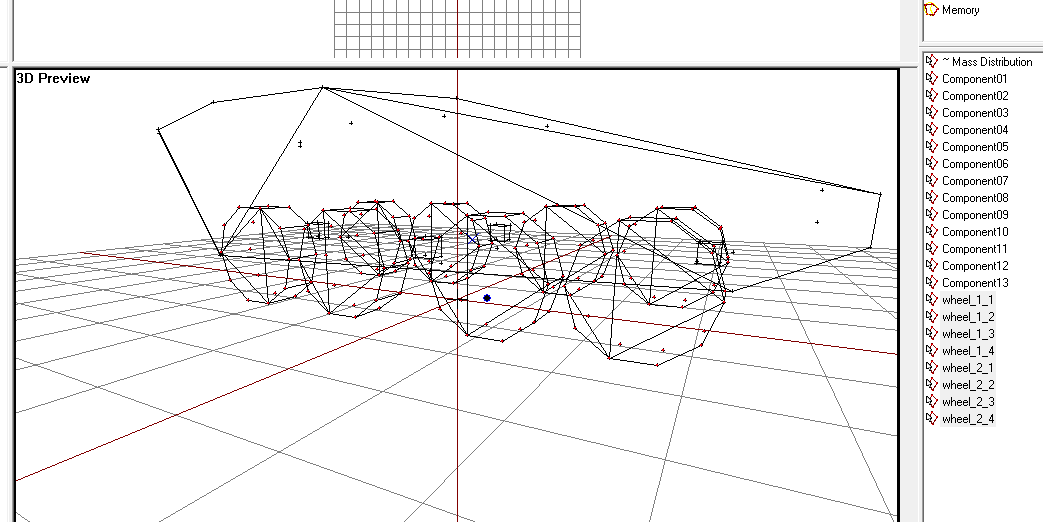 stuck oyster
does each blob also have a component selection
im counting 9 components but you got 13 selections
so they might not be right
hazy shell
Component 6 to 13 are also the wheel
Component 1 is the hull and 2-5 are grey boxes representing the weight
stuck oyster
the weight boxes dont necessarliy need component selection
that way they wont have collision but can alter the weight distribution
for example on planes they are often spread wider than the hull
next to consider is how do you pack the pbo?
hazy shell
atm im using hemtt whilst testing
stuck oyster
hemtt should be pretty solid for that
then it could be related to config or animations/ skeleton bone hierarchy
hazy shell
stuck oyster
then it could be related to config or animations/ skeleton bone hierarchy
Id made a typo added an extra e
hazy shell
yeah
 silk shard
So this is a bit of a broad and unspecific question but uh
Any idea what may be causing vehicle models to randomly lose their whole undercarriage like that.
I've noticed it happening with a few modded vehicles and I'm trying to work out atm what may be the issue causing it.

They just seem to spawn this way, strangely enough. Still appear to function as normal.
charred bolt
silk shard
So this is a bit of a broad and unspecific question but uh
Any idea what may be ...
It might be a badly defined hiddenSelection on the texture assigned to the undercarriage parts.
 twilit dagger
Look what I came across:
Could it be possible to pin this? 🤔 It might be of use to someone.
stuck oyster
twilit dagger
https://community.bistudio.com/wiki/ArmA:_Armed_Assault:_Selection_Translations
these can pretty much all defined in config/modle.cfg to be anything
fortunately
 civic stratus
Can someone help me out with a map binarization issue? Placing the object in terrain builder is causing the animations to break
foggy finch
does it hand a land_ class in the config?
civic stratus
no?
foggy finch
then the animations wont work
foggy finch
majority of animations need class=house in geometry LOD and class land_nameofp3dfile: House_F {} in config
there are some special circumstances where then can have other classes, lights for example can use class=housesimulated in geometry lod
civic stratus
thanks
civic stratus
I did those 2 things, and its still not working
civic stratus
I wasn't nheriting house_f
ill try that
just hide animations
that run a script from the init line
still a no go XD
forgot the named property in my 0 lod
fervent steppe
This is the fluorescent sign?
fervent steppe
Do the hide animations work in bulldozer?
fervent steppe
In the editor when placed?
Then it's definitely what uro said. Add the class = house named property. And give it a land_xxx config. Keep the event handler in the config. Bet you all of uros money it works 😄
civic stratus
did all that
fervent steppe
Repost all your configs
civic stratus
fervent steppe
Well your config isn't really right in the beginning
Can you open an a3 structure and copy the class structure tree in the beginning
You should be inheriting from house_f
Oh actually I think I have a config handy. One sec
Look at this.
It has some handy info I wrote too if it helps
foggy finch
your land_ classes are wrong
land_nameofp3d
class Land_ausextas_perthhotelsign_Yellow_A3: House
model = "\ausextras\signs\building signs\perthhotel.p3d"; ///
should be land_perthhotel.p3d
foggy finch
plus what @fervent steppe said ^
civic stratus
thanks
I was gonna use house_f, but noticed the other configs inheirted House that had animations working
fervent steppe
Also. Note here guys...there can ever only be one Land_nameofp3d.
foggy finch
yep
civic stratus
just found that out
just finished reworking the p3ds and classes
im working with the australia map author btw
thats why your seeing his classes XD
well my classes with his ausextras name
still not working though, haha
he's given up on me XD
fervent steppe
Can you repost the edited configs now
foggy finch
try that for your inheritance
dont know about the eventhandlers bit this M1lkm8n's area of expertise 😄
civic stratus
aussi has a radar dish that rotates, and it inheirts House
I dont need to have the non animated version in the model cfg right?
civic stratus
does the skeleton class name need to be the same name as the p3d?
we're doing that right now, Uro
foggy finch
nope, but its a good idea to keep a naming convention like p3dname_skeleton - further down the road you might create something similar and forget that you've already used the "signSkeleton" class
fervent steppe
In your model config why are you inheriting from vehicle?
civic stratus
we're not anymore
inheriting Default now
still isnt working
ill send the new modelcfg
its just stupid that it works in the editor in the game
fervent steppe
Can u zip it up and send it private to me?
fervent steppe
Ok. Gimme on sec. Just putting the kids to bed
civic stratus
no worries
foggy finch
is that a euphamism
foggy finch
😄
civic stratus
im certain its not the fact that we're inheriting House
fervent steppe
Maybe but either way it's wrong 😁
 umbral shuttle
for wheels on a car, if I remember right they have to be in line correct and same width?
wiki is unreachable for me 🙁
umbral shuttle
at https://community.bistudio.com/wiki/Arma_3:_Tanks_Config_Guidelines#Wheel_parameters, the part that say They should also be the exact same size is that referring to the radius of the wheels or does it also apply to the width of the wheels? like can you have the rear wheels be wider then front?
 terse elm
its time to get some WIPS out! get ur WIPS out for the lads!! here goes.....http://i.imgur.com/zAOwbNF.png
we dont do enough show and tell in here lol
stuck oyster
umbral shuttle
at https://community.bistudio.com/wiki/Arma_3:_Tanks_Config_Guidelines#Wheel_par...
Different sized wheels can cause unforseen issues. If I remember right there is no way to change the wheel turning speed to accommodate different circumference
You can have same size physx wheels and different looking/sized visual wheels though.
 flat moss
Alright then... working on the normal map details for this armor inspired by a District 9 thingy: http://i.imgur.com/uPu3lVa.jpg
umbral shuttle
stuck oyster
Different sized wheels can cause unforseen issues. If I remember right there is ...
what about wider wheels? since the circumference is same if a wheel is just wider then another it would be fine then?
charred bolt
umbral shuttle
what about wider wheels? since the circumference is same if a wheel is just wide...
Each wheel has a width parameter in it's class Wheels {}
However, the centre line of all the wheels on a side must be the same.
umbral shuttle
charred bolt
Each wheel has a width parameter in it's `class Wheels {}`
However, the centre l...
ah okay I see, ty
 candid mason
Has anyone used the blender toolbox to add model memory points
cunning temple
yes, if you use looptools addon (think it that) it lets you add a single vert via add mesh menu
stuck oyster
You can also add any mesh and delete faces and edges only
cunning temple
Or merge all verts to one
candid mason
Right, but like, how do I specify the name of the thing in the interface....
is it the vertexgroup or is it a named property somehow
stuck oyster
candid mason
is it the vertexgroup or is it a named property somehow
vertex group equals named selection in p3d yes
 keen bane
anyone know why this is happening with the front lens for a 3d scope?
 stuck oyster
keen bane
anyone know why this is happening with the front lens for a 3d scope?
stuck oyster
keen bane
anyone know why this is happening with the front lens for a 3d scope?
Bad uv mapping maybe
keen bane
stuck oyster
Bad uv mapping maybe
thanks, was a few things, uv maps being one of them.
last spindle
Very cool, is that LP + Baked Normal?
 silk narwhal
Heyo, quick question
Is there a way to edit the RVMATs of the vanilla Arma 3 uniforms?
 indigo mountain
silk narwhal
Heyo, quick question
Is there a way to edit the RVMATs of the vanilla Arma 3 un...
indigo mountain
silk narwhal
Heyo, quick question
Is there a way to edit the RVMATs of the vanilla Arma 3 un...
You have to make a new rvmat and then set the hiddenSelectionsMaterials in the uniform's unit class
silk narwhal
indigo mountain
You have to make a new rvmat and then set the `hiddenSelectionsMaterials` in the...
Is there no way to edit the existing one or access it?
I am just curious because I got an idea about what I'd want to change but little to no idea how to make one from scratch
indigo mountain
On its own, it's just text that references various texture files
But you'd have to edit the textures manually in 2D, since there aren't SPPs for the uniforms available
silk narwhal
indigo mountain
On its own, it's just text that references various texture files
But you'd have ...
I just tried and couldn't open it 😅
1 sec
indigo mountain
They're rapfied, you'd need to rename it to .bin and use the bin to cpp from the Arma 3 Tools
silk narwhal
indigo mountain
They're rapfied, you'd need to rename it to .bin and use the bin to cpp from th...
Ah alright, thanks a lot I'll give that a try
rapid tree
silk narwhal
Is there no way to edit the existing one or access it?
I am just curious becaus...
What do you want to edit ? The textures or the rvmat ?
silk narwhal
rapid tree
What do you want to edit ? The textures or the rvmat ?
Well I edited the texture but I'm wondering what I can change in the RVMAT to make it closer to what I want
rapid tree
What is it what you want ?
subtle bison
when shooting a car tire, the vehicle sinks into the ground. does anyone know if this is some engine mechanic or is this in model config? i've tried to disable my damage animations, but it doesn't seem to be doing anything
charred bolt
subtle bison
when shooting a car tire, the vehicle sinks into the ground. does anyone know if...
As it's physx, it's config code based to simulate punctured or missing tyres:
wheelDestroyRadiusCoef = 0.65; // fractional drop of wheel on destruction - match to destroyed wheel proxy model size and damper movement``` bright echo
flat moss
bright echo
flat moss
Yep. Manually drawing those extruded plates on every part is a pain
white jay
I am attempting to pack the Arma Samples heli, using PBO Project. I have the stock p3ds in the correct folder, so I am not sure what this error means. Any help in the correct direction appreciated. Just started using Mikero today, so new to the process.
 stuck oyster
white jay
I am attempting to pack the Arma Samples heli, using PBO Project. I have the sto...
stuck oyster
white jay
I am attempting to pack the Arma Samples heli, using PBO Project. I have the sto...
remove the rotor proxy in the test p3d
white jay
stuck oyster
remove the rotor proxy in the test p3d
I deleted the rotor proxies, and something changed, so I will count that as progress. Photo provided of the new error.
 stuck oyster
white jay
I deleted the rotor proxies, and something changed, so I will count that as prog...
stuck oyster
white jay
I deleted the rotor proxies, and something changed, so I will count that as prog...
looks like you still have proxies for those models in the p3d
terse elm
looks good
white jay
I am nearly ready to give a go on a final build for a flying car mod. The last thing I had to learn was custom animations for the crew. I believe I have this solved. In the video provided, I made a sphere to replace the Arma Samples pilot stick to make sure I understood how to make a part move in game. Am I correct to assume I can make something like a small joystick on an armrest in the given example? I want to be sure I have the basics of model function correct, before the detailed final renders.
stuck oyster
yes you can make as small parts as you like
white jay
stuck oyster
yes you can make as small parts as you like
That is great to know. Also you were correct earlier, I did not remove the proxy from every p3d, found the one I missed, and everything is working perfectly now.
stuck oyster
👍
north sundial
Any chance the modeller working on the heli cargo net objects is in the discord? was just wondering how this cargo net style was achieved? was it just manual modelling or something else

Or if anyone else has a clue lmk haha
 bold flare
north sundial
Any chance the modeller working on the heli cargo net objects is in the discord?...
bold flare
north sundial
Any chance the modeller working on the heli cargo net objects is in the discord?...
Send me model filename (getModelInfo) and I look tomorrow
north sundial
CargoNet_01_box_F.p3d
"a3\supplies_f_heli\CargoNets\CargoNet_01_box_F.p3d"
I can see that the "net" is a bunch of individual planes that are unwrapped to this texture, rather than a plane with a ca texture for instance

Im essentially trying to make some cargo nets for items that get sling loaded, so the cargo net appears when sling loaded. I made this prototype but its look isn't realistic. But im aiming to try and find a way thats "semi-automated" so im not manually modelling a net for each object
https://gyazo.com/a9fe8142dacf42d40afb1b67346cac7c
 bold flare
Could be physical simulation. Just make a net as a cube-ish, then let it droop
north sundial
Yeah i got semi close with some tests using cloth sim, then using tissue tools to tessellate a "cross" mesh

but it gets a lil messed up

In terms of stretching
stuck oyster
north sundial
could try just quad mesh then bevel the edges to form the net
keen bane
does anyone know why the hand during reload animation separates from the mag?
marsh canyon
Likely because the model animation is misaligned if you aim below not straught
Most of weapons don't show the magazine whole time anyways
keen bane
marsh canyon
Likely because the model animation is misaligned if you aim below not straught
what do you mean by this, this is my project to learn animating in arma so any tips would be very helpful.
marsh canyon
Your anim did the task properly. I guess the "workaround" or "fix" is just don't show the magazine too far from the weapon
Usually alinging model.cfg and RTM can be messy I guess you used some addon for Blender to export model.cfg and it seems it does it very well. Further than that, it is likely not how the soldier in-game does not stand like they do in Blender
I can't really tell it is right to tell. Because we (I) usually hide mag and call it a day
keen bane
marsh canyon
Usually alinging model.cfg and RTM can be messy I guess you used some addon for ...
thanks, ill do that for now, and will keep messing around with it. I appreciate your help.
bold flare
north sundial
CargoNet_01_box_F.p3d
"a3\supplies_f_heli\CargoNets\CargoNet_01_box_F.p3d"
They are not around anymore to be asked
north sundial
Unfortunate, but understandable
Thank you for checking
I think its best to do it manually to avoid stretching issues, I would say thats probs how it was done on the ingame example
stuck oyster
north sundial
maybe something like this?

then finalize whit manual cuts and tweaks to fit the form of the thing you want to carry
north sundial
Pretty much what i did in that picture, apart from the insets. I found that I prefered the look of using them as straps rather than a "net". General vibe is that its a kind of sling with some more straps to help secure it. May add some ratchets at some point but im happy with the look
And yeah they unhide when the object is sling loaded so adds a cool little feature to them


Benefits of doing something based in the future is I can make stuff up haha


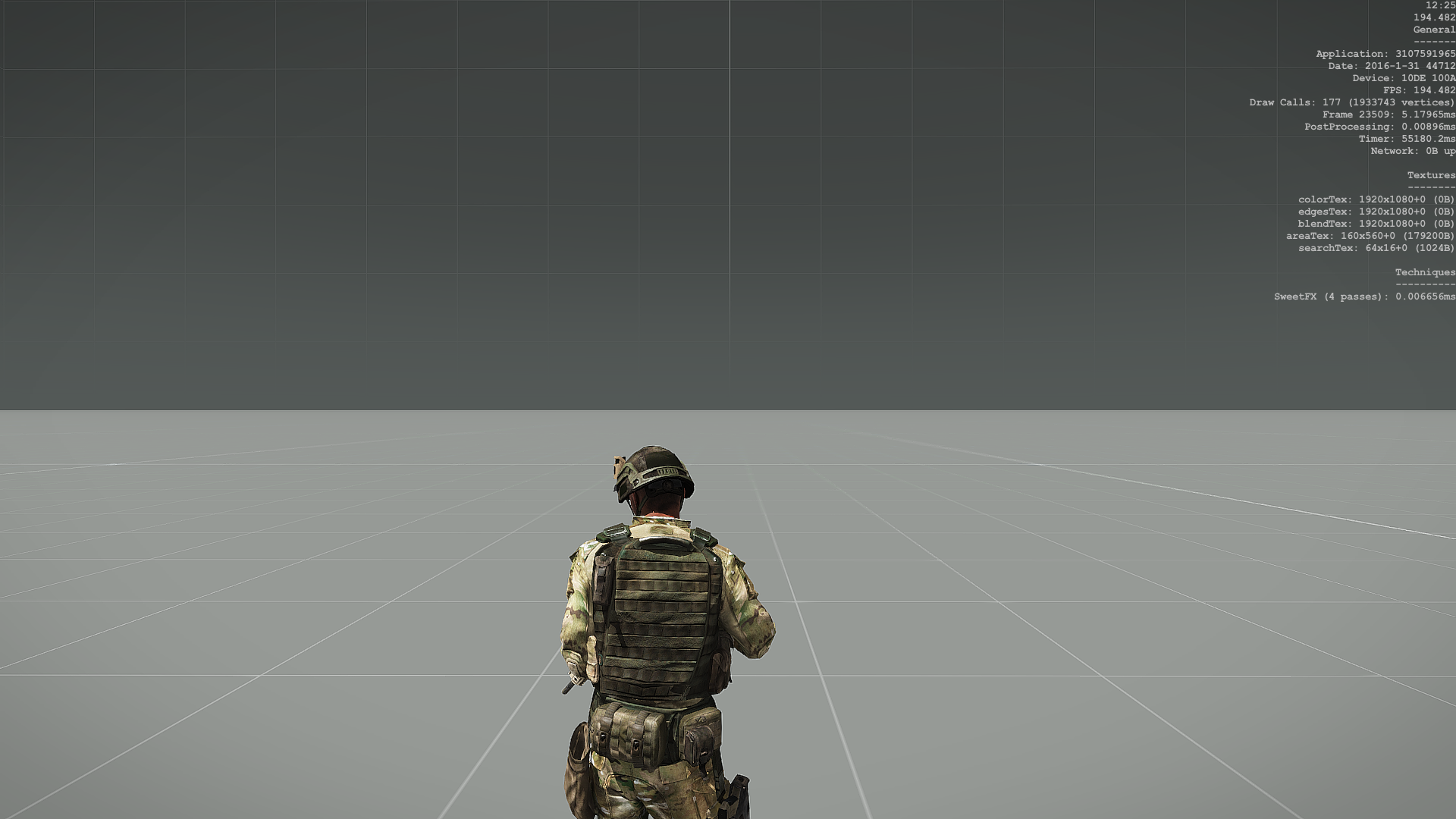
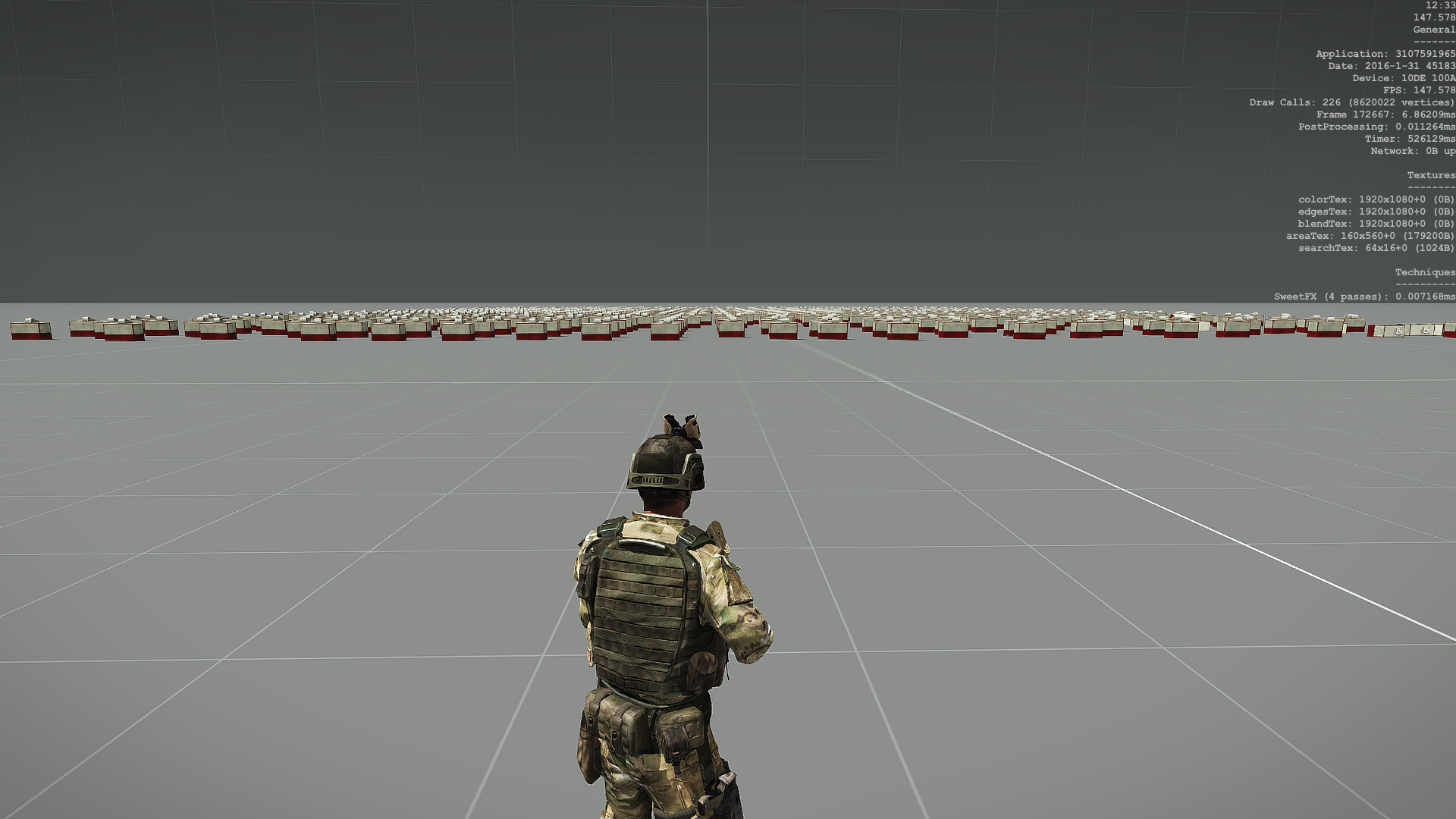
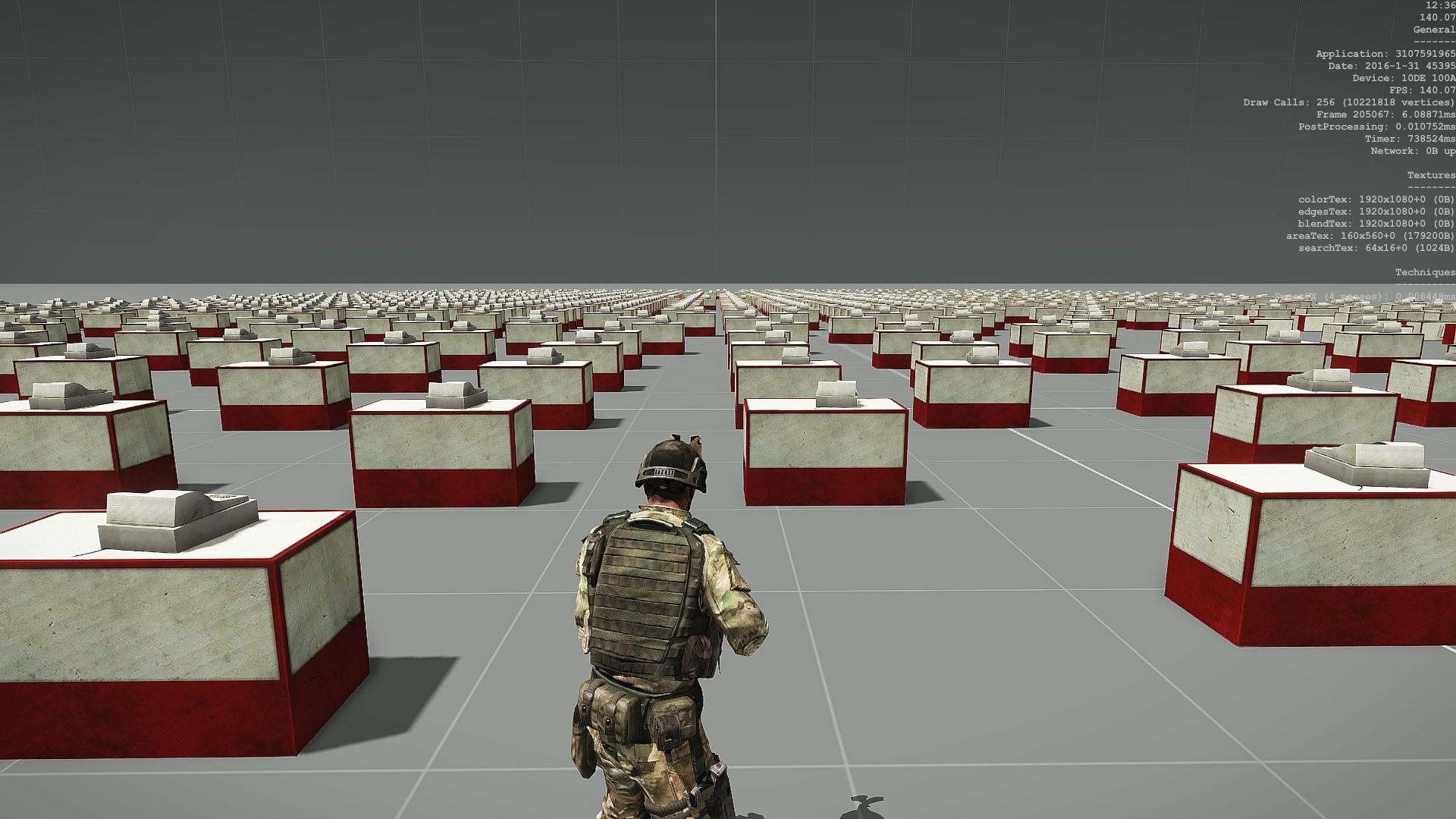
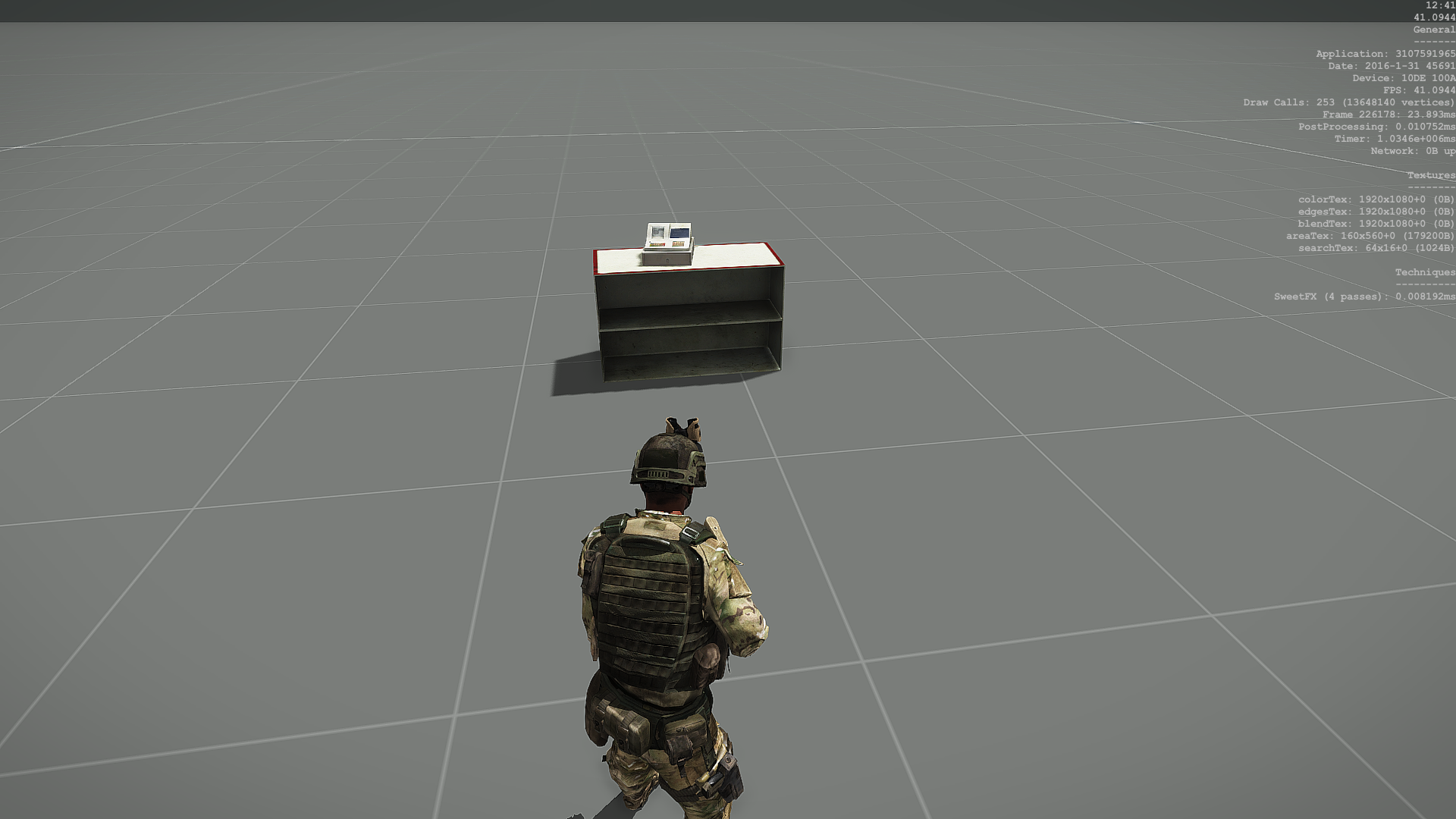
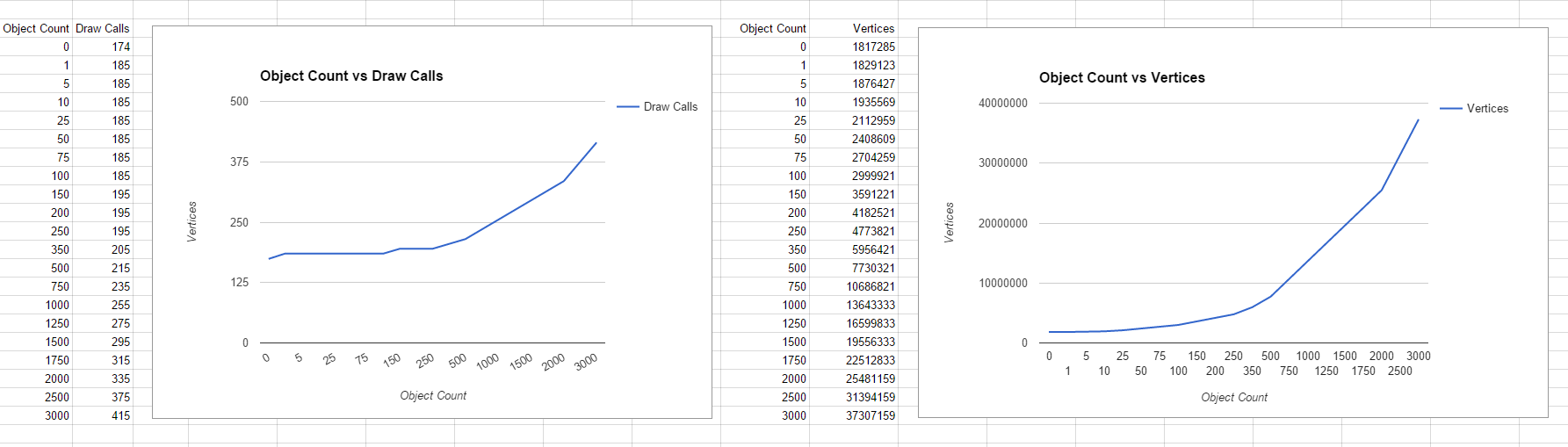


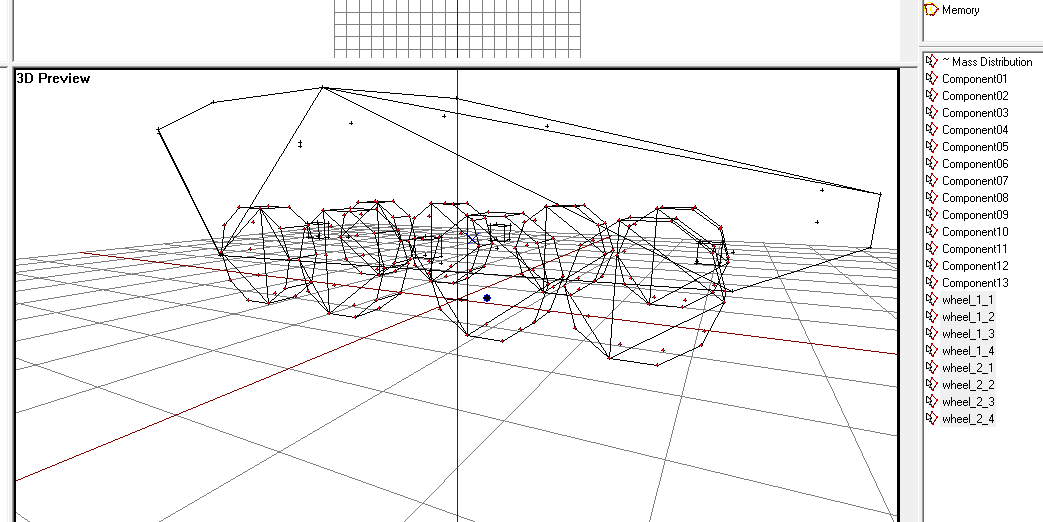

 stuck oyster
north sundial
Pretty much what i did in that picture, apart from the insets. I found that I pr...
stuck oyster
north sundial
Pretty much what i did in that picture, apart from the insets. I found that I pr...
sweet! 
tribal rain
so i got a question to ask in regards to uniforms right:
So im doing the step by step following of sokolonkos uniform implementation video but clearly im screwing up somewhere.
For whatever reason the Uniform explodes into a pixelated nightmare.
as far as i can tell it looks like a weighting issue? i.e. theres verts which are not getting weighted correctly?
so heres what ive tried thus far:
Step 1: Take the character_example.p3d delete the proxies from it
Step 2: remove the following vertex groups as they are superfluous and or not applicable in this context and would cause issue:
Injury_legs,
Injury_arms,
Injury_torso,
hl,
personality,
Identity,
Identity2.
Step 3: take my mesh, select the example uniform then my mesh so its the active object go into weight painting, Weights, Transfer weights, choose active source to byName this should add the relevant vertex groups back and more importantly assign them as needed.
Step4: Double check these are in fact good and theres no stray weights applied in weird areas (upperleftleg - upperrightleg for example)
Step 5: Export it to ObjBuilder save it
Pack it test it.
which gives me this however if i bring in my old uniform that i did like over a year ago and then do the weight transfer from that it seems to work? but whats not making sense to me is like why is that needed to be so intensely painted for it to work? like in theory the example model would be working right like yes minor tweaks here and there thats a given but not this?
Anyone got any idea as to whats going wrong and some tips on proper weight painting would be helpful too cheers all! ❤️

 stuck oyster
tribal rain
so i got a question to ask in regards to uniforms right:
So im doing the step b...
stuck oyster
tribal rain
so i got a question to ask in regards to uniforms right:
So im doing the step b...
I've seen this before but dont know what corrupts the model that way
going through meticulous reimport into Blender and exporting out again solved it last time I think
tribal rain
stuck oyster
I've seen this before but dont know what corrupts the model that way
Fixed the issue a reimport of the 3d model did the trick

just gotta go back and fix those egregious shading errors now and add the relevant shadow lod
stuck oyster
tribal rain
Fixed the issue a reimport of the 3d model did the trick
excellent. I have not come across an explanation on how that thing happens. But I suspect its some sort of file corruption
this is maybe 3rd time I see it
tribal rain
yeah its really odd like it looked like weight painting gone all the way wrong idk
 hollow fulcrum
@terse elm looks great buddy! im back around if you need to catch up still. and yes, there has been a severe lack of porn for some time now.
@flat moss also looking great
terse elm
yeah mate, u busy now?
subtle bison
not sure if it fits in here, but i'll try anyways - does someone know if there is a debug command to show actual wheel size of vehicles? wireframe?
think i saw it on debug screenshots in the past
hollow fulcrum
lol, yes/no you can catch me on the alphasquad ts
terse elm
omw
charred bolt
subtle bison
not sure if it fits in here, but i'll try anyways - does someone know if there i...
You can wire frame the res LOD's, the Geometry, the Fire Geo etc.
But none of them show the "actual" physx wheel which is in code only.
Perhaps one of these might give some info with diagnostic exe EPEVehicle EPEForce Suspension
charred bolt
Not sure what the issue is though - just make your res LOD wheel the same diameter as you put in the config code and make sure your dampers are set correctly, then the visual representation moves with the virtual physx
If they appear not to be moving in-step with each other, the most common cause is forgetting that the damper axis length affects the distance the suspension travels.
subtle bison
yeh, but it's a complicated animation issue
and it would be easier to just enable some wireframe than building my own
 stark lichen
in game my hat turns into altis helmet for some reason, buldozer doesn't have any problem with showing the model tho. First time seeing a issue like that, i would guess its config but the hat textures are being applied to the helmet. Issues first started when i copied the model and did a variant out of it by deleting some mesh

 stuck oyster
stark lichen
in game my hat turns into altis helmet for some reason, buldozer doesn't have an...
stuck oyster
stark lichen
in game my hat turns into altis helmet for some reason, buldozer doesn't have an...
your config is broken somehow
indigo mountain
stark lichen
in game my hat turns into altis helmet for some reason, buldozer doesn't have an...
Probably not changing the uniformModel in ItemInfo
That's what is actually used when the item is worn. model in the class itself is for when the item is dropped on the ground (probably other stuff too)
stark lichen
blessed. thanks for help
 indigo mountain
You'll also want to define hiddenSelections there as well (and in the class itself)
woeful viper
scammer
last spindle
Kill work please, then more time for modding....
hollow fulcrum
lol
fervent steppe
Hey guys. I'm giving away a chance for you guys to make me models...for free. That's right. A chance to work with m1lkm8n! For free. 😂
woeful viper
bargain... and you even get to use your own model too!
hollow fulcrum
zomg! im so in! just as soon as i finish making models for everyone else on the list. 😆
fervent steppe
Lol
 distant heron
Hey guys, just starting my modding journey. Have done retextures before bu first time importing models and rigging etc.
Is there any start to finish tutorial on rigging etc online? as I am a bit lost