#arma3_model
1 messages · Page 46 of 1
 cloud zealot
 stuck oyster
do you test it with vanilla arma?
stuck oyster
do you test it with vanilla arma?
with vanilla arma
I think i'll open a thread on the feedback tracker, could be useful for bohemia
 south badge
Ah sorry, but is this "InterpolateTo" the correct place where I need to link the "dead" version of a player´s pose (for vehicle crew)?

 charred bolt
south badge
Ah sorry, but is this "InterpolateTo" the correct place where I need to link the...
charred bolt
south badge
Ah sorry, but is this "InterpolateTo" the correct place where I need to link the...
Yes
south badge
Cheers. I am looking at this for the first time, is there anything else I need to keep in mind? Looking at other assets it does not seem like I need anything in particular except for a "dead" rtm.
stuck oyster
south badge
Cheers. I am looking at this for the first time, is there anything else I need t...
for basic functionality, connection to dead state is enough
for expanded features you could have turn in/out states
and the FFV animation set for using weapons on that seat
south badge
Hmmm, I tried it with using a random vanilla one, but he does not seem to like it. True, I used a "living" vanilla .rtm, but, does it matter? Do I need to only use dead rtms in this interpolation?


I guess so, because it works with a dead vanilla rtm
stuck oyster
south badge
I guess so, because it works with a dead vanilla rtm
yes those connect also to the dead state
south badge
Okay I see, thanks a lot 🙂
 green vortex
its not texture issue
 unkempt token
Did you sort the glass textured faces by alpha in object builder?
green vortex
unkempt token
Did you sort the glass textured faces by alpha in object builder?
as in?
unkempt token
green vortex
as in?
Select all faces with textures that are transparent and then sort alpha

does it still happen after?
stuck oyster
your solid part texture is saved with alpha channel and contains transparency so the engine things its see through even when its not
transparent things need to be separated to their own texture
and solids to another
and the textures need to follow the correct suffix naming rules before converting to paa
green vortex
aight tysm, they ended up fixing it
stuck oyster
green vortex
aight tysm, they ended up fixing it
well would be cooler if it wasnt ripped model. feels like I've wasted my time on that
green vortex
stuck oyster
well would be cooler if it wasnt ripped model. feels like I've wasted my time on...
yeah it let me down as well, I've already let them know, we just applied the custom texture to it. We will try to find an alternative
no wonder why those vehicles look good but the driving is sooo shitty
stuck oyster
green vortex
no wonder why those vehicles look good but the driving is sooo shitty
shitty driving is the fault of the one who put them in game... not the model 😛
green vortex
stuck oyster
shitty driving is the fault of the one who put them in game... not the model 😛
yeee I know I know
friend had to tweak the damn vehicles because they flip over and all that
so the guys who ripped it into the game must be only good at ripping lmao
stuck oyster
often that is the case
green vortex
I thought piracy and content stealing in Arma had reached a limit but it keeps getting worse
They now have a "premium" thing on their website where you subscribe and get more vehicles, prolly ripped as well
And they have what seems to be a BE whitelisted extension that checks on a blacklist so they can willingly ban people from using the vehicles on their servers, I think that un-whitelisting the extension can shut down the whole thing
south badge
green vortex
I thought piracy and content stealing in Arma had reached a limit but it keeps g...
I mean, certain people have the audacity to rip models out of WT and then put a disclaimer in their mod forbidding people repacking their mod, effectively trying to ban others from stealing content they themselves stole 
green vortex
😂
I hope it stops
Because thats some heavy shit, it gets people off the game, everything feels like it hasnt been given enough love not to steal assets
south badge
I disagree. Take one look at the comment sections of these crappy, low-effort ripped mods, and 90 percent of people are praising it and asking for more.
And you are actually the bad guy for calling it out
 cobalt pawn
@bold flare or any other dev.
Is there a hard height limit for character fire geometry hit detection?
I am trying to fix an issue i have with the the scaled up optre spartan model. For the top part of the head, there is no hit detection.
I made an example with the arma samples character and head models using the OFP2_ManSkeleton, I just made the head longer in the visual and fire geometry lods, I also increased the boundingsphere to 2 in the animation config. I tried that to see if was a problem with the scaled up skeleton. But i am still having the same issue.
You can see the problem i am having in the video below.
https://www.youtube.com/watch?v=wkNndK_d0SU
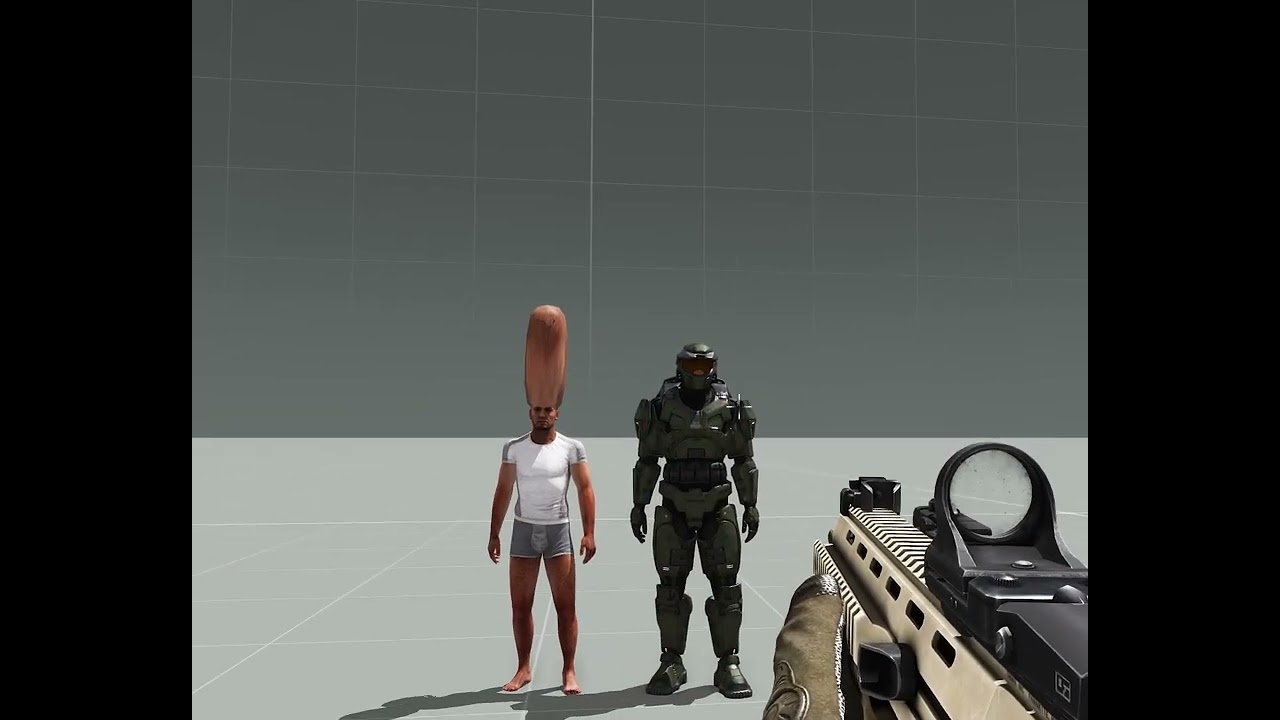
 bold flare
cobalt pawn
<@90532520101183488> or any other dev.
Is there a hard height limit for charact...
bold flare
cobalt pawn
<@90532520101183488> or any other dev.
Is there a hard height limit for charact...
The normal collision is like 60m
cobalt pawn
hmm, must be something else stopping the fire geometry from working above a certain height then, or something else.
stuck oyster
bold flare
The normal collision is like 60m
Like I've mentioned before, characters don't seem to have more than 2m radius sphere, no matter what the configs are set to
Boundingsphere config does not seem to affect it anymore.
I'm fairly sure it did work at some point before but can't say when it stopped
Attaching invisible hitpoint objects to transfer damage is a bandaid solution buut not quite the best one.
 marble wind
im attempting to retexture a asset in blender but everytime i put in a image texture on the model it either wraps weirdly (repeats many times and doesnt actually wrap around the model correctly) or simply doesnt show up
ive heard its a RVMAT or UV mapping issue but i dont know how i could fix that
 sour bough
... Retexture? Is it your model?
marble wind
sour bough
... Retexture? Is it your model?
no its a model imported to roblox that i want to retexture
but its from arma 3 and has arma 3 textures
stuck oyster
marble wind
no its a model imported to roblox that i want to retexture
Big no no
sour bough
That one minute response time tho
stuck oyster
We have 0 tolerance on model theft
 copper scarab

marble wind
well i didnt steal it i found it on the roblox toolbox
stuck oyster
sour bough
That one minute response time tho
Radar went off. 
marble wind
i wont retexture it then i'll just delete it
sour bough
marble wind
well i didnt steal it i found it on the roblox toolbox
I mean, someone stole it.
stuck oyster
marble wind
i wont retexture it then i'll just delete it
👍
sour bough
Do I have any model things to talk about
Ummmmmm uhhhhhhhh models and uv's, am I right?
stuck oyster
Retexturing is done by painting new texture over existing texture file or template in image editing software like paint, gimp, photoshop
sour bough
Or in substance if you have (legitimate and with permission from the creator) access to the model
stuck oyster
Too rare to mention xD
sour bough
hey it's not rare for me I just ask and they usually say yeah sure gopher it
It's the asking first that people forget
copper scarab
people ask?
south badge
People texture models in other stuff than substance? 
south badge
marble wind
but its from arma 3 and has arma 3 textures
What model is it even, I am curious 
sour bough
Actually yeah, link it to someone BI. They can report it and get it taken down
Or Uhh send to infringements
cloud zealot
Problem solved, actually it was a config error, i was using the paa as hiddenSelectionMaterial instead of the rvmat
stuck oyster
cloud zealot
Problem solved, actually it was a config error, i was using the paa as hiddenSel...
Ah
stuck oyster
Something for @sturdy parcel to validate perhaps.
That hiddenselection textures have valid .paa or procedural texture line and hiddenselectionMaterials has path to Rvmat file.
cloud zealot
stuck oyster
Something for <@179204846019149824> to validate perhaps.
That hiddenselection t...
Yep, pboproject checks if the file exists but not if it is a valid file
 sturdy parcel
it does check the validity of rvmats (binarised or plain) but not paa.
cloud zealot
sturdy parcel
it does check the validity of rvmats (binarised or plain) but not paa.
then how could it validate a paa as a rvmat ?
stuck oyster
sturdy parcel
it does check the validity of rvmats (binarised or plain) but not paa.
What I meant is that if it could also check that someone don't put pathTo paa file where it needs to be rvmat file
It's probably pretty rare case though 😅
sturdy parcel
aaaaaaaaaah
 umbral shuttle
Should I remove weapon attachment proxies on the last few res lods for a weapon?
umbral shuttle
understandable, ill try it out see if any problems lol
 marsh canyon
Visual LOD does really nothing to do with gameplay
charred bolt
Except flag proxies on vehicles which have to be in the last res LOD to work.
 blazing fox
anyone know a mod of a public bus ?
charred bolt
blazing fox
anyone know a mod of a public bus ?
Not the right place to ask, but 3CB Factions have the "Ikarus" bus, ported in from Arma 2 iirc.
blazing fox
ok thanks ill check it and i will ask in a differnt place next time
stuck oyster
blazing fox
ok thanks ill check it and i will ask in a differnt place next time
#arma3_questions is best place to start asking from. For next time
 leaden quartz
is there anywhere i can get free to use blender model templates for a building i want to create
similar to this building

 dawn vessel
So I'm trying to setup a hitbox that you can be in the gunner seat off, this part works great, but the third person focuses on the feet of the character rather than their torso, so the third person camera just gets stuck right on the floor and all you can see is your feet, any idea of how to remedy this? I'm brand new to modelling, but I have scripting experience, I've tried to use camCreate and attachTo, but I don't like that method as the player "gitters" from that camera view
https://pastebin.com/uLjz910D
Pastebin
Pastebin.com is the number one paste tool since 2002. Pastebin is a website where you can store text online for a set period of time.
attached is my current p3d and my CfgVehicles for the hitbox
I think all I need to do is setup the memoryPoint in the model, but I'm unsure how you really do this?
stuck oyster
leaden quartz
is there anywhere i can get free to use blender model templates for a building i...
Bit unlikely. Buildings are complex to make properly for game use.

 pallid island
make sure you download it from releases page, not the dump of the entire repo
 mortal pelican
i love you
pallid island
been there, stubled on that 
mortal pelican
can you not do things like this becayse it makes it not convex?

like a simple doorway...

also does anyone know how to check what u had previously set master scale to?
pallid island
Yes, punching a hole through the box makes it non-convex
mortal pelican
pallid island
Yes, punching a hole through the box makes it non-convex
ah, better make geometry before windows...
mortal pelican
pallid island
Yes, punching a hole through the box makes it non-convex
do you happen to know how to check master scale too?
mortal pelican
The fact that you can have convec shapes with roadways but not geometry is dissapointing
stuck oyster
mortal pelican
do you happen to know how to check master scale too?
Master scale?
mortal pelican
When u import fbx into object builder it lest you set a master scale
stuck oyster
It's not P3d related. So no it's not anywhere after that
Preferably you make your model straight into right metric scale units
stuck oyster
So you don't need to mess with any import scaling
mortal pelican
Still learning so was trying to make up for my mistakes
stuck oyster
mortal pelican
Still learning so was trying to make up for my mistakes
If you make a mistake like that it warrants starting over
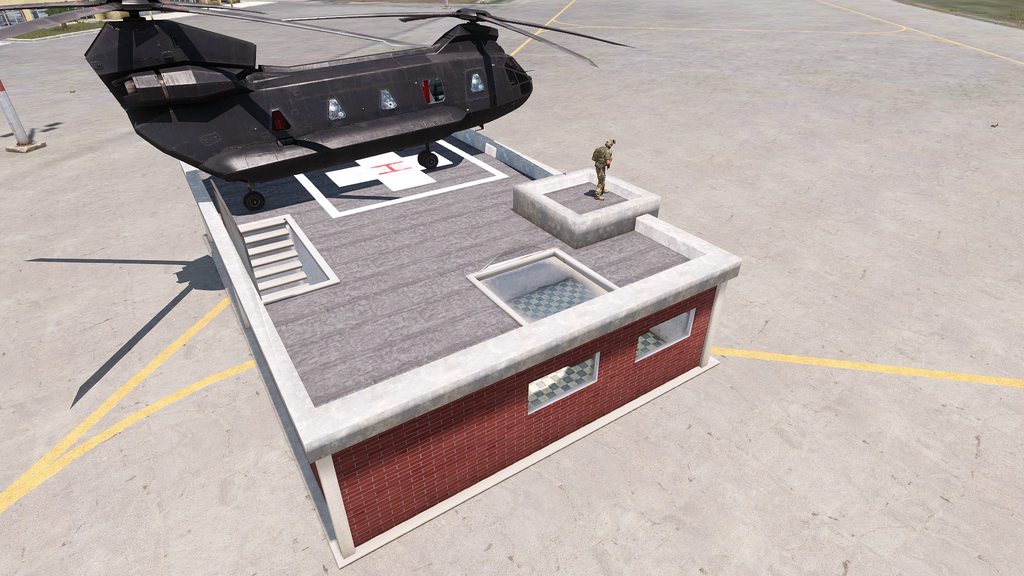 mortal pelican
stuck oyster
If you make a mistake like that it warrants starting over
mortal pelican
stuck oyster
If you make a mistake like that it warrants starting over
This was before I was setting textures in blender
stuck oyster
Your source should always be the one you fix.
mortal pelican
It would have been a nightmare at the time to go and redo all the texture paths on object builder
stuck oyster
Also if you use blende you should use arma toolbox to export P3d
mortal pelican
I got it after
stuck oyster
mortal pelican
It would have been a nightmare at the time to go and redo all the texture paths ...
Ypu don't really need to do much anything in object builder when using the toolbox addon and exporting to p3d
stuck oyster
It's a shader type preferred with buildings
stuck oyster
I'd recommend looking it up.
mortal pelican
Can do
stuck oyster
mortal pelican
Still lots to learn
Indeed it can be a lot.
It's decent looking start though.
mortal pelican
It’s a big process to learn of of this with all the different programs learning blender alone was a headache
stuck oyster
People go to school s for this. You are basically doing game art
It can take a minute to learn 😅
mortal pelican
It’s a hobby for me and I like helping the server group I work with so will keep learning and improving
Will also be much more valuable in arma 4 and reforger
south badge
mortal pelican
Anyway here is the end result for now
Just scale it up in blender, no?
marsh canyon
Older ArmaToolBox does not care about object transform
Latest ones, on the other hand, does
mortal pelican
The issue was I wasn’t using arma toolbox so I have to apply the file path to all the parts in object builder and I had made a change in blender to the model so I needed to re import to object builder and wanted to scale the same
It was an issue I made for myself
And an avoidable one
 north sundial
Is it the armour in the config file or the geometry mass in the model that defines how easy something using destrType = "DestructWall"; is to knock over?
Looks like its mass
bold flare
Where might a model have large proxies, large enough that they are relevant for AI checking if an object behind it is visible or not.
Player vest/backpack/gun are too small to matter.
Aircraft pylon weapons are small too.
What object has proxies that are large enough to matter?
stuck oyster
bold flare
Where might a model have large proxies, large enough that they are relevant for ...
some buildings might have parts proxied on them
less in Arma3 perhaps
pallid island
inb4 huge rockets proxied onto small-ish ground launcher
weapons/backpacks can matter if they're proxied onto a weaponHolder
umbral shuttle
what impact does the mass in geo lod do for a weapon?
 desert notch
bold flare
Where might a model have large proxies, large enough that they are relevant for ...
desert notch
bold flare
Where might a model have large proxies, large enough that they are relevant for ...
Technically the wreck lod is a proxy so that's one way 😅
Anyway, one of the Livonia buildings (I don't remember the class) has several lathes as proxies
They're very big and important
iirc the name was like "workshop" or something
Anyway, you can't assume that proxies are small. They can be of any size and used in any place. You can have a house and use furniture and other reusable models as proxies.
Imo if you're trying to optimize proxies the only way is baking them in when you load the model
desert notch
umbral shuttle
what impact does the mass in geo lod do for a weapon?
I'm pretty sure it has no effect on weapons.
The mass does affect projectiles tho
umbral shuttle
desert notch
I'm pretty sure it has no effect on weapons.
The mass does affect projectiles th...
cool I will put funny numbers then
420 kg firearm
 rapid tree
Hello can someone tell me what needs to be done for Vehicle in Vehicle to work ?
- I made the memory points in Memory Lod
- I put in the config section for it
but i cant put in vehicles yet, is there something im missing ?
charred bolt
rapid tree
Hello can someone tell me what needs to be done for Vehicle in Vehicle to work ?...
rapid tree
charred bolt
https://community.bistudio.com/wiki/Arma_3:_Vehicle_in_Vehicle_Transport
i did it exactly like that
charred bolt
rapid tree
i did it exactly like that
If you did it exactly like that, and the vehicle you're trying to load is not too big, then it will work.
If it's not working, you didn't do it exactly like that.
rapid tree
charred bolt
If you did it exactly like that, and the vehicle you're trying to load is not to...
i defined the limits, exits and added the config and thats exactly what the wiki entry said.
south badge
I have a small pickle:
- I sit in the driver seat, no problem.
- I switch to the gunner seat, no problem, I see the options to reload different magazines into the weapon.
- I switch back to the driver seat, but I still see the options to reload different magazines.

It doesn´t do anything if I click them, and they also don´t appear when switching to a passenger seat from the gunner seat, it is only the driver seat that is odd.
I can´t figure out why.
Also when I am in the driver seat it still displays the weapon in the top right corner

 bright echo
its a vanilla bug
when you move to the gunner seat you become effective commander of the vehicle - when you move back to driver you retain the ability to 'order' the gunner to switch ammo type, even if said gunner doesn't exist
charred bolt
Yeah, I spent ages on that one at some point too. Also when you can't change seats it's because another AI in your group is Commander and won't let you move.
 twilit seal
bold flare
Where might a model have large proxies, large enough that they are relevant for ...
twilit seal
bold flare
Where might a model have large proxies, large enough that they are relevant for ...
GM uses proxies for a lot of their vehicle wheels
south badge
Ah, is it possible (or even allowed) to modify vanilla turretInfoTypes? I´d like to change the location of some of the elements / delete some other ones.
(I am too stupid to make my own)
 stuck oyster
south badge
Ah, is it possible (or even allowed) to modify vanilla turretInfoTypes? I´d like...
stuck oyster
south badge
Ah, is it possible (or even allowed) to modify vanilla turretInfoTypes? I´d like...
through config yes. model, no
south badge
Is there perhaps some resource I could look at with instructions on how to work with these? 
I don´t even know what to google for
stuck oyster
😅
south badge

stuck oyster
I dont think there is much about them
south badge
I should have known 
stuck oyster
the config side of things is not overly complex
but it is a bit daunting to begin with it Id suppose
south badge
It is what it is, I´ll play around with it 
stuck oyster
I recall I started exploring it by making a copy of existing infotype class and just simply removing parts from it to see which one did what
 rich bluff
I attempted to make my own custom flag proxy this week, and while it was quite the effort, I will say that the conversations in these above messages helped immensely. I wanted to point out a few things in case anyone else in the future should go searching through the Discord like I did for reference on how to accomplish this task.
First, I think the major things that weren't well documented on this task are the P3D, CfgModels, and CfgNonAiVehicles requirements.
P3D
In order to make a custom flag carrier model with a custom flag model, the flag model should be it's own p3d. The model, if you don't modify CfgCloth (as I will mention later), must be no more than 9 column vertices and 5 row vertices (otherwise you get a very strange visual artifacting that I will again explain below). The p3d then has to have a vertex selection defining the flag. While I haven't tested that all names work, it appears vanilla A3 uses "cloth" or "latka". Once that is set up, export your model and name it what you like (NOT Flag.p3d or Flag_F.p3d). The name will be important for the CfgNonAiVehicles class.
CfgModels
I personally used the following for my model.cfg, basing it on what I found in the Arma 2 sample files #arma3_model message linked by da12thMonkey. You must have the selection defined in both sections and vertexSelections. If you define sections alone, your flag will likely take a texture using setFlagTexture, but will not animate. You must have vertexSelections defined in your CfgModels model.cfg class in order for the animations to apply.
class CfgModels
{
    class Flag;
    class TCP_Flag: Flag
    {
        sections[] =
        {
            "latka"
        };
        vertexSelections[] =
        {
            "latka"
        };
    };
};
CfgNonAiVehicles
Your CfgNonAiVehicles classname must be the P3D name prefixed by "Proxy". For example, my P3D is TCP_Flag, as seen in the model.cfg excerpt above. My CfgNonAiVehicles classname is then ProxyTCP_Flag. You can inherit directly from a pre-existing ProxyFlag class, and in my case I used ProxyFlag_F. It is not recommended that you reuse Flag or Flag_F as your P3D name, as you will then be forced to overwrite the vanilla class in CfgNonAiVehicles, and will likely have issues getting your new flag to function correctly, if at all.
class CfgNonAiVehicles
{
    class ProxyFlag_F;
    class ProxyTCP_Flag: ProxyFlag_F
    {
        model = QPATHTOF(TCP_Flag.p3d);

        selectionFabric = "latka"; // Only neccessary if you don't use latka, as the ProxyFlag_F class already has this defined.
    };
};
CfgCloth
While I'm sure it is likely not recommended to do so because of the increased affect on performance, in order to have a flag model with a higher vertex density, you must change the CfgCloth colPoints and rowPoints properties. Please be aware that this seems to change the way simulation works for ALL flag classes. My custom model is 9 column vertices by 17 row vertices (because of it's considerable size difference), so I changed the Flag CfgCloth config to read as follows:
class CfgCloth
{
    class Flag
    {
        colPoints = 17;
        rowPoints = 9;
    };
};
Here is an image of what the flag looks like when you do not set CfgCloth properties but you do have a higher vertice count on the flags.

Here is an image of the custom flag carrier next to the base game flag carrier
 stuck oyster
rich bluff
I attempted to make my own custom flag proxy this week, and while it was *quite*...
stuck oyster
rich bluff
I attempted to make my own custom flag proxy this week, and while it was *quite*...
stuck oyster
rich bluff
I attempted to make my own custom flag proxy this week, and while it was *quite*...
stuck oyster
rich bluff
I attempted to make my own custom flag proxy this week, and while it was *quite*...
thanks for writing it out!
rich bluff
stuck oyster
thanks for writing it out!
Was thrilled when I figured it out, and I'm sure there have been plenty of others who have wanted to do the same thing. Happy to contribute to the documentation 🙂
stuck oyster
there is some cool possibilities with the flag and cloth sim as it dont have to be regular flag shaped.
it is definitely a bit unexplored area in mods
rich bluff
Perhaps now it will be less daunting 😁
I did not determine if it was possible to do anything further in CfgCloth like creating custom cloth options, but I imagine it's more for modifying the existing ones easily. I figure, given the windsock (seemingly identical to flag) simulation, you can do quite a bit.
stuck oyster
rich bluff
I did not determine if it was possible to do anything further in CfgCloth like c...
It could be that since there are already 2 classes in there, there could be any number of them
rich bluff
stuck oyster
It could be that since there are already 2 classes in there, there could be any ...
(I am testing it as we speak 😅 )
stuck oyster
windsock has couple of different values in it
stuck oyster
rich bluff
(I am testing it as we speak 😅 )
Splendid 😄
rich bluff
I created a CfgCloth class (TCP_Flag), and pointed my CfgNonAiVehcles class to it using simulation.
Unfortunately, after spawning one or two of the now changed flag classes, I was met with a CTD 😅
Though it seems I botched the inheritance. Let me try that again...
Well, no CTD this time. I assume it would actually very likely work for non-flag applications, but due to flags seemingly missing something for setFlagTexture to work, it likely wouldn't be useful in my specific use-case.

I must also say that the increased flag resolution points make the flow feel much smoother 😄
stuck oyster
sweeeet
charred bolt
rich bluff
I must also say that the increased flag resolution points make the flow feel *mu...
Superb investigation and write-up. Thanks for taking the time to share.
 digital moss
I've been importing A2AO source file, runways (etc), and have encountered an odd issue, I believe I have done everything correctly, but am not overly versed with object builder.
When placing more than 1 runway asset, I get a flicker effect as if the LODs are fighting, often they cancel each others visibility out.
https://gyazo.com/fa341435a7a849f457d0ebea655bed61
Any ideas?
My inheritance was "House_f", instead of "Static".
Changing to "Static" works.
 stuck oyster
digital moss
I've been importing A2AO source file, runways (etc), and have encountered an odd...
stuck oyster
digital moss
I've been importing A2AO source file, runways (etc), and have encountered an odd...
What shader type does their rvmat have?
did you set them up to be land_decal type or are they still the done via the old surface snapping vertex property
digital moss
stuck oyster
did you set them up to be land_decal type or are they still the done via the old...
with my limited knowledge, imma say the 2nd one. (I havent used the decal flag)
digital moss
stuck oyster
What shader type does their rvmat have?
Pastebin
Pastebin.com is the number one paste tool since 2002. Pastebin is a website where you can store text online for a set period of time.
stuck oyster
digital moss
https://pastebin.com/vtBmCUUX
the A3 runway decals have different type of rvmat on them, try that one
pallid island
inb4 model being 80 meters long with origin on the side (not center) adds some bounding box shenanigans on top 
digital moss
stuck oyster
the A3 runway decals have different type of rvmat on them, try that one
Nope. same issue persists :/
digital moss
pallid island
inb4 model being 80 meters long with origin on the side (not center) adds some b...
wdym?
stuck oyster
digital moss
wdym?
looks like its not even set up as decal
and its class road
so if you want it to work as decal youll need to set it as class land_decal inte named properties
and use same rvmat type as the vanilla decals

it is also not centered
which can cause issues with large models
it the might be occluding each other there
you can try canBeOccluded = 0 named property
digital moss
stuck oyster
it is also not centered
How it came from the source material 
stuck oyster
the original models contain various never fixed mistakes
digital moss
stuck oyster
and use same rvmat type as the vanilla decals
Type being the PixelShaderID="NormalMapDetailSpecularMap"; ?
digital moss
stuck oyster
it is also not centered
the taxiway_long p3d (which was the file I meant to send, as that was in the video  )
)
Is (still) and was (during the video) centered in objectbuilder
- Still using a3 runway RVMAT
- Geometry namedProperties is set to: class land & canBeOccluded 0
- The taxiway (the asset being used as seen in video), is centered.
= Issue still persists
 cursive bone
Hey! I'm working on helping someone with getting a model ingame but I'm getting a weird issue about a Geo layer being convex when it absolutely is not
 lone robin
cursive bone
Hey! I'm working on helping someone with getting a model ingame but I'm getting ...
lone robin
cursive bone
Hey! I'm working on helping someone with getting a model ingame but I'm getting ...
Geometry lod is supposed to be convex
cursive bone
lone robin
Geometry lod is supposed to be convex
Ah sorry, I misspoke
It "absolutely was convex"
lone robin
cursive bone
Ah sorry, I misspoke
OB is rarely ever wrong when it comes to identifying non-convex. You could try to do Structure>Topology>component convex hull and then CTRL A, then Triangulate Convex.
That might not be word for word correct but it’s along the lines of that
south badge
Maybe some of the faces aren´t perfectly planar
cursive bone
lone robin
OB is rarely ever wrong when it comes to identifying non-convex. You could try t...
This is in the Blender addon called Arma 3 Object Builder, not in Object Builder itself
stuck oyster
cursive bone
This is in the Blender addon called Arma 3 Object Builder, not in Object Builder...
since the name is a bit confusing it is always best to also mention that you are in blender and using the addond
what was the problem?
cursive bone
stuck oyster
since the name is a bit confusing it is always best to also mention that you are...
I know, my bad
cursive bone
stuck oyster
what was the problem?
We got it fixed now! Idk what exactly the solution was but it's all sorted now
stuck oyster
👍
mortal pelican
hey do you guys know if there is any way to search for a single file path on your entire objects and only show things with that path on it?
example i have used clean concrete as a texture and i want to replace it on every face in my project

so i want to replace every instance of say the churche plaster and there are a bunch of different places that it isu used in my object
or a way to replace the path in this menu?

 ruby lion
pboProject.exe
ModelInfo.MemSphere is not a float
any ideas how to fix that ? I updated pbo project via all in one tools
P:\temp\A3s_Zomb\Z_Body.hpp :excluded
Z_Bodys\Z-Body_Gas_02\A3s_Body_Z_Gas_Fatboy_02.p3d:validating...
ModelInfo.MemSphere is not a float

P:\temp\A3s_Zomb\Z_Bodys\Z-Body_Gas_02\A3s_Body_Z_Gas_Fatboy_02.p3d DeP3d:Error
p3d error Error

P:\temp\A3s_Zomb: DePbo:Pbo: p3d error
pbo_Make failed```Maybe because I need to be subscriber for depbo ?
stuck oyster
ruby lion
Maybe because I need to be subscriber for depbo ?
free tools should work but make sure you got the latest one
mortal pelican
things having to be convex shapes for geometry is going to be the end of me, such a silly requirement. BI trolling not fixing that 12 after years .....
stuck oyster
mortal pelican
things having to be convex shapes for geometry is going to be the end of me, suc...
It's quite common for collision calculations
To keep them simpler.
charred bolt
mortal pelican
things having to be convex shapes for geometry is going to be the end of me, suc...
A little further reading about why convex shapes are best for collision detection, rather than just an arbitrary "trolling"
https://www.toptal.com/game/video-game-physics-part-ii-collision-detection-for-solid-objects
 prisma mulch
What sort of limitations are there for very large landscape objects.
I'm aware of 2 at the moment
- Collisions don't work well after 50m from origin (not super worried as its supposed to be a background thing so people won't to getting close to it)
- Visual vanishes unless it is viewed from close enough to the centre of the object (bit more of an issue)
Its a tower ~2km tall and 250m wide for more context.
Do I just need to break it into much smaller chunks and if so any idea what size?
stuck oyster
prisma mulch
What sort of limitations are there for very large landscape objects.
I'm aware o...
those are the limits yes
the size youll have to experiment with
theres not enough data to make any rules or recommendations on such things
prisma mulch
Fair enough, I'll have a test with some different sizes of boxes and see where stuff starts to break down
stuck oyster
well the 50x50 footprint is a must
if you go over that, you are likely to get people clipping into the walls
height can be larger
but the larger the object, the larger its simulation footprint is
prisma mulch
In this case the idea was it would be unreachable so no geometry lod or collision
stuck oyster
also you probably wont get AI pathing to work at high heights
rapid tree
mortal pelican
or a way to replace the path in this menu?
If i get it right you want to select all the parts that uses that texture in the model ?
Turn ressources on and on the left part you see the texture then right click and select in Object
stuck oyster
mass texture and material replace tool in the top menus
mortal pelican
rapid tree
If i get it right you want to select all the parts that uses that texture in the...
I figured this part out you can filter by just texture file path
mortal pelican
charred bolt
A little further reading about why convex shapes are best for collision detectio...
It’s an outdated requirement and there are many engines that allow non convex shapes now. Unreal, unity, godot,source, and a bunch others allow non convex physical geometry… arma is just not up to date on this imo
stuck oyster
mortal pelican
It’s an outdated requirement and there are many engines that allow non convex sh...
allowing it and it being good idea are two different things 😄
also Arma3 is over 10 years old game
stuff like geometry calculations are not changed after they are designed
mortal pelican
Yeah, just interesting that roadway allows it but geometry doesn’t
Can’t think of a reason why same idea of roadway couldn’t be used on geometry
stuck oyster
roadway does not exist as it is in model
on terrain objects at least
it gets merged with the geometry if I remember right
best to not waste time on such matters anyway, they wont change. got to work with what we have
mortal pelican
True but I might complain about it a bit
stuck oyster
no it has few different options for different purposes
rapid tree
mortal pelican
It’s an outdated requirement and there are many engines that allow non convex sh...
I actually wondered about how modern engines calculate this i thought they would cast collisions but thats off
mortal pelican
Not sure how it’s calculated but I have used unity’s static mesh editor.
stuck oyster
different methods work for different things.
in an large scope multiplayer environment simpler shapes may be better
mortal pelican
It also works better for full on game development companies as they can add their assets to their initial download. I’m making objects for a server that doesn’t use mods. So I really have to worry about total file size. Having 4 boxes for a wall vs 1 means increased size
Idk if I explained that correctly
 nimble stag
Are there any guides on actuality implementing custom head models modeled off the head/bust sample?
marsh canyon
So config wise?
digital moss
digital moss
- Still using a3 runway RVMAT
- Geometry namedProperties is set to: class land &...
#arma3_model message
Anymore ideas to try?
ruby lion
stuck oyster
free tools should work but make sure you got the latest one
yea it worked, thanks !
lone robin
Any tree/foliage makers in here have a best approach to creating the billboard texture for trees in blender. I’m a little lost in the sauce trying to get this to look correct
 analog garden
lone robin
Any tree/foliage makers in here have a best approach to creating the billboard t...
analog garden
lone robin
Any tree/foliage makers in here have a best approach to creating the billboard t...
orthographic camera render with neutral lighting
not necessarily for arma but that’s a start for billboard textures for most games
south badge
Question:
I am making a static AA gun that uses one set of rotary wheels controlled by one gunner´s hands to move the weapon horizontally, while the other gunner on the other side uses his hands to control the wheels that change the weapon´s elevation.
Now I obviously know that I can´t have two gunners somehow share control of the same turret, but can I, in any way, at least bind the other gunner´s (just a passenger really) hands to the wheels?
I basically need another set of gunnerLeftHandAnimName and gunnerRightHandAnimName, except for a cargo slot.
Is that possible somehow?
charred bolt
south badge
Question:
I am making a static AA gun that uses one set of rotary wheels contro...
Each turret has the option to set that gunners hand IK's to animation source(s), so yes it should be possible.
south badge
Hmmm, but I only have one turret 🤔
This kind thing, single-barrel. Would I need to make some sort of a dummy turret for the 2nd gunner or something?
 charred bolt
south badge
This kind thing, single-barrel. Would I need to make some sort of a dummy turret...
charred bolt
south badge
This kind thing, single-barrel. Would I need to make some sort of a dummy turret...
If you only have 1 turret, you only have 1 gunner. Yes, make a 2nd turret with a passive gunner who just has his hands IK'd to controls.

 charred bolt
It'll be a lot of fun for the player, not being able to move... apart from their hands, which someone else will be moving. 😉
 woeful viper
accuracy vs gameplay... i always find it hard to justify having an extra person (bot or not) eating compute ressources just to be there. On the other hand it's how it works IRL... just wish we had better performance
south badge
Ah it will not be mandatory to be there
Just so that in case someone sits there it looks okay
 astral cairn
What're the requirements for a player getting into a drivers seat? So far, I have a proxy, and memory points to be able to get in but I still can't
Also AI can drive and sit there, but not me
charred bolt
astral cairn
What're the requirements for a player getting into a drivers seat? So far, I hav...
That's it more or less. Hard to mess up a driver position!
Proxy must be Driver or Pilot type, index 1. Simulation type set correctly.
Check with driver not in an AI group and no AI present.
astral cairn
Okie doki, I'll have to take a look. I've been using the proxies provided in an example, would this be ill adviced? Should I be adding my own?
charred bolt
Should be fine to use them
stuck oyster
astral cairn
Okie doki, I'll have to take a look. I've been using the proxies provided in an ...
with the crew proxies the name of the proxy is what matters
astral cairn
Ok, I should've gathered that lol, that's me being a dum dum
charred bolt
Show us a screen shot with the named selections in view from Object Builder
astral cairn
Okie doki, 1 sec

 charred bolt
astral cairn
I feel like I've been a very dum dum and used the name as the file path
charred bolt
astral cairn
I feel like I've been a very dum dum and used the name as the file path
That looks fine.
Maybe also post your config - you can put a link to the code in pastebin
astral cairn
Will do, what's the simulation you mentioned about?
That's not something I've come across in docs before
Pastebin
Pastebin.com is the number one paste tool since 2002. Pastebin is a website where you can store text online for a set period of time.
charred bolt
astral cairn
https://pastebin.com/xE5WGZK7
What are the two memory points called in the Memory LOD for the driver to get in with?
 charred bolt
yep, that's correct... dir nearest the door?
Can you describe the problem in-game in a little more detail? What exactly isn't working?
astral cairn
Yup, dir closest to the door
So, when I spawn in with / without ai in the vehicle, once I get out I cannot find the option to get in as a driver anywhere around the vehicle
Not can I change seat from within the vehicled
I can provide a short video if need be
charred bolt
The two should be unrelated...
astral cairn
I'm not sure haha, it's confusing, though
charred bolt
Are you setting a getInRadius = xxx; in your config?
charred bolt
astral cairn
I'm doubtful, I'll have to check
As a test, try inheriting in your config from a more complete BI tank, rather than the base Tank_F, such as B_MBT_01_cannon_F.
astral cairn
How would I go about doing that, I cannot find it within the samples, is it something I'll have to dig for in the game files?
charred bolt
Where you have written class Test_Tank_01_base: Tank_F { change to
class Test_Tank_01_base: B_MBT_01_cannon_F {, but you'll also need to add the inheritance chain
astral cairn
Ah, that makes sense
 livid canyon
It'd be interesting to have a sim version with train and elevation split between 2 players xD
astral cairn
charred bolt
Where you have written `class Test_Tank_01_base: Tank_F {` change to
`class Test...
Much appreciated, it took me a while to do but it works 🙂
charred bolt
astral cairn
Much appreciated, it took me a while to do but it works 🙂
Well done! The early base classes nearer the top of the inheritance are often missing key config parameters which don't get set until later child classes, so it's sometimes easiest to inherit from a class nearer the final form.
astral cairn
Yeah, that makes sense. It's a good step for progress
Also, thank you for the help, you've made my life 10x easier
mortal pelican
anyone know if it is possible to spawn in doors from houses and such with code?
rapid tree
astral cairn
I'm doubtful, I'll have to check
You have to define the MemorypointGetinDriver in the config, check if its missing but its 100% this
astral cairn
rapid tree
You have to define the MemorypointGetinDriver in the config, check if its missin...
Yes, that is the likely solution. I ended up inheriting from an existing tank then changing some parameters
Although, as per I've managed to break something else lmao
rapid tree
astral cairn
Although, as per I've managed to break something else lmao
Believe me if you dont break something Arma will from time to time especially with Animations
charred bolt
rapid tree
You have to define the MemorypointGetinDriver in the config, check if its missin...
That was checked early on
#arma3_model message
They are defined in config in the parent class he inherits and he confirmed the correctly named memory points were in the memory LOD.
astral cairn

Watch Arma 3 and millions of other Arma 3 videos captured using Medal.
Questions numero dos, what's happened here for the suspension to become a space program?
I've only skim read through the docs, but will dig deeper tomorrow if it's a complex question
charred bolt
astral cairn
Questions numero dos, what's happened here for the suspension to become a space ...
Do a search on tank physx - there are about 1000 things you need to get right for that not to happen
both in p3d and config
astral cairn
Roger that, sounds like a tomorrow me problem
Thank you though, I'll have a read through the equations and fun stuff needed
charred bolt
I'll give you some pointers:
p3d memory points - wheel axis, wheel bounds
config - class Wheels {}
astral cairn
Roger Roger, I'll play about with them soon
cloud zealot
Do you guys think a dress like this one can work ingame ?

i have some doubt for the part in between the body and the arms
marsh canyon
Work? Of course it will
Does it look fine? That's the question
cloud zealot
marsh canyon
Work? Of course it will
Does it look fine? That's the question
just tested it on armarig and it doesn't animates very well
i wanted to make a catholic priest dress but its no suitable for A3 body animations
marsh canyon
Of course not
desert notch
Well if you create your own skeleton and animations for it it should work but that's too much effort I guess
stuck oyster
Yeah cloth thing like that needs extra bones to deform properly.
cloud zealot
stuck oyster
Yeah cloth thing like that needs extra bones to deform properly.
hmm but i would need to make new animations as well for walk and everything otherwise these additional bones wouldn't be animated
stuck oyster
cloud zealot
hmm but i would need to make new animations as well for walk and everything othe...
yes a full set of animations that work only with robe like this
possible but maybe not worth it
cloud zealot
stuck oyster
possible but maybe not worth it
exactly
prisma mulch
prisma mulch
Fair enough, I'll have a test with some different sizes of boxes and see where s...
Going back to this, for appearance and shadows the main issues were object render distance and shadow render distance which I had set very low for some reason. Though it was strange that the center of the model seemed to be the point the distance was measured from rather than the origin.
Geometry lods started to become very inconsistent at around 80x80m ~40m from the origin no big surprises there really.
stuck oyster
prisma mulch
Going back to this, for appearance and shadows the main issues were object rende...
max 50x50 meter footprint is safest
also the engine recenters models by default
unless you disable the "autocenter"
which is done by a named property by that name
theres wiki pages where you can check out info on the named properties
prisma mulch
Not familiar with those but I'll have a look
prisma mulch
stuck oyster
max 50x50 meter footprint is safest
Yeah I was able to walk right through 80x80, vehicles would be pinged around and explode. Gunshots and missiles varied in terms of exploding or clipping.
stuck oyster
ye thats expected
prisma mulch
Disabling autocenter sorted out the issue with render distance at ground level so thanks for that.
 gilded bane
Takbir!
astral cairn
Hello again, what'd be the reasons for a model to sink up to the middle of the tyres?
charred bolt
astral cairn
Hello again, what'd be the reasons for a model to sink up to the middle of the t...
Presumably you mean on land, and not "sink", as when in water?
Some general info: #arma3_model message
More: #arma3_model message
 icy dirge
What do you guys think? http://imgur.com/U5uqIBi 😄
rapid tree
astral cairn
Hello again, what'd be the reasons for a model to sink up to the middle of the t...
Dampers
astral cairn
charred bolt
Presumably you mean on land, and not "sink", as when in water?
That makes sense, I've just realized I edited thd names of the dampers I use
Or the podkolo on my tracks I use as dampers
 storm elk
Bit of a weird one, but does anyone know if it's possible to get repeatable RNG going in a .p3d's model.cfg?
E.g. Every time I fire a gun a new value is randomly picked from an array.
It would allow for randomized recoil anims
charred bolt
storm elk
Bit of a weird one, but does anyone know if it's possible to get repeatable RNG ...
'ammoRandom' animation source
stuck oyster
👆 You'll need to use it with another animation(s) as additive to your recoil animation
storm elk
charred bolt
'ammoRandom' animation source
Ok... I'll have to take a look on the weekend
I was overthinking it and trying to figure out if I needed an event handler or something lol
Thanks!
rapid tree
astral cairn
That makes sense, I've just realized I edited thd names of the dampers I use
Did it work ?
astral cairn
rapid tree
Did it work ?
Sort of, yes. Moving onto the next problem
rapid tree
astral cairn
Sort of, yes. Moving onto the next problem
What is it ?
astral cairn
Suspension values need tweaking and I need to figure out why is spawn, but then glitches above the ground
rapid tree
astral cairn
Suspension values need tweaking and I need to figure out why is spawn, but then ...
Check land contact
astral cairn
It's there, has 6 points
stuck oyster
Might be physx wheel defining memorypoints have naming error/typo
So they become larger than intended
 placid aspen
Hi everyone, I'm new to arma modding and model creation as a whole. I hope through this community to learn everything I need to start putting out some great vehicles and assest that I think Arma is still missing.
I think i'll be using blender, which I'll start learning with, but does anyone have a good web series to point me to that will help understand the process of making a vehicle mod for arma 3 ?
charred bolt
placid aspen
I think i'll be using blender, which I'll start learning with, but does anyone h...
Blender tutorials are easily found on youtube.
As for Arma modding, start with something extremely simple, like a box or giant donut. Once you have that in game you will have learnt a little about 3d modelling, uv mapping, texturing and some Arma coding, plus how to set up the Arma tools.
Arma vehicles are difficult and time consuming - expect your first one to take 6-12 months to make to any level of quality, so don't start with this.
stuck oyster
and when you look for tutorials, forget arma for a while and just concentrate on the basics
the arma specific things will open up more easily once you know more about modeling, texturing etc in general
placid aspen
these are great starting points to not get ahead of myself
thanks lads
i'll deffo keep you posted
 quaint horizon
That is some sadist shit right there! 😃
 fervent depot
Hello, I am really struggling and I desperately need some help
I cannot open my .p3d ingame at all. It always says that it cannot open the object.
When I use buldozer this is what shows up. A bunch of messed up shadows. I think my rvmat file is messed up but I have no idea what to check first. I've been spending the last 2 hours messing with the settings trying to see what works and I don't think I am any closer to figuring it out.

I've messed around with the path so much that I think I am going crazy, it must be some issue with the rvmat file because I have changed around the .pbo file a million times over it feels like and I still can't get it to load in the game.
Any ideas?
charred bolt
fervent depot
I've messed around with the path so much that I think I am going crazy, it must ...
Are you using a p:\ drive?
When you open the p3d in Object Builder, and look at the Resource Library window, do you see green and blue marks against the textures and materials, indicating they are found on those paths?
 fervent depot
Oh. I should be loading the entire file into the P drive? Okay I will be doing that thank you.
charred bolt
fervent depot
Oh. I should be loading the entire file into the P drive? Okay I will be doing t...
Do your mod development on a p: drive, yes.
p:\your_tag\asset_name\asset.p3d
p:\your_tag\asset_name\config.cpp
p:\your_tag\asset_name\model.cfg
p:\your_tag\asset_name\data\texture_co.paa
p:\your_tag\asset_name\data\material.rvmat
fervent depot
What is "your_tag" as in my mod name?
A thing pops up next to it saying Not mapped but the rvmat being used as well as the _co are both showing up just fine
I have all of those yet it still doesn't work
fervent depot
Tried changing the .rvmat file and it is still doing this.
When I load it in as well it now just says that the texture files are missing and it seems to omit the first letter of the file path.
 charred bolt
fervent depot
What is "your_tag" as in my mod name?
charred bolt
fervent depot
What is "your_tag" as in my mod name?
Usually a 2, 3 or 4 letter tag which uniquely identifies your mod from anyone elses and prevents file and class conflicts.
So you might use "sind" and all your mods will be in p:\sind\asset1 asset2 etc
and your classes that you create will be called sind_gun1, sind_vehicle1 etc
fervent depot
Thank you for your answer.
charred bolt
Using notepad or better yet, Notepad ++
charred bolt
fervent depot
A thing pops up next to it saying *Not mapped* but the rvmat being used as well ...
This is how the paths should look in Object Builder - they are relative to p:, in the example shown "vn" is the tag and primary folder in p:, so in your case will be
sind\asset_name\data\texture_co.paa
where of course you change asset_name and texture to match whatever it is you're making
 fervent depot
Thank you so much, I got it to work like that for a bit then broke it and managed to fix it.
I think there are still some issues with it, but I am not sure what the root is. Helmet seems to be loading into the game now, the shadows are still there. Think it might just be an .paa file issue there. But now it is inside the crotch, even though I am pretty sure my model.cfg is correct.
Sorry I don't know how to compress this.
{
   class Default
   {
       sectionsInherit="";
       sections[] = {};
       skeletonName = "";
   };
   class ArmaMan : Default
   {
       htMin = 60;          // Minimum half-cooling time (in seconds)
       htMax = 1800;        // Maximum half-cooling time (in seconds)
       afMax = 30;          // Maximum temperature in case the model is alive (in celsius)
       mfMax = 0;           // Maximum temperature when the model is moving (in celsius)
       mFact = 1;           // Metabolism factor - number from interval <0, 1> (0 - metabolism has no influence, 1 - metabolism has full influence (no other temperature source will be considered)).
       tBody = 37;  // Metabolism temperature of the model (in celsius)

       sections[] =
       {
           "osobnost","Head_Injury","Body_Injury","l_leg_injury","l_arm_injury","r_arm_injury","r_leg_injury","injury_body", "injury_legs", "injury_hands",
           "clan","clan_sign","Camo","CamoB","Camo1","Camo2","personality","hl", "injury_head"
       };
       skeletonName = "OFP2_ManSkeleton";
   };
   class sind_basichelmettest10 : ArmaMan {};
};
Including a much larger body of text above defining the skeleton.
charred bolt
fervent depot
I think there are still some issues with it, but I am not sure what the root is....
Do you have a property in the Geometry LOD of autocenter 0?
fervent depot
Yes, I am pretty sure I am not misspelling it.
 charred bolt
Also the class name in the model.cfg must exactly match the p3d name
fervent depot
Match it but without .p3d, yes?
charred bolt
So your model file should be in the same folder as the model.cfg file and be called sind_basichelmettest10.p3d
fervent depot
Yeah it does match exactly and is in that folder.
The head thing, I forgot the name of it apologies, should that be in the Geometry section too? I don't have it currently set up like that.
 charred bolt
Your model looks something like this? position, named selection
 fervent depot
No, huh. How do I do that? I didn't see that in the tutorial I followed.
charred bolt
You don't need anything in the Geometry LOD for headgear.
fervent depot
I figure this is a fix that I need to go back to blender to fix.
charred bolt
Check out the Arma 3 Samples, Test_Character_01, A3_headgear_example.p3d
fervent depot
Yeah, that is significantly further above the ground.
Thank you so much @charred bolt, I would've probably been stuck on an endless loop doing this if it weren't for you. Thank you so so so much.
 frank flame
.
frank flame
stuck oyster
so simple answer is, you dont
even if just need to open it to paint in substance painter, rather than having torchure with UVs?(just clarifying)
stuck oyster
even so
frank flame
Well, thx for answer
 zenith bronze
having a bit of a weird issue with my driver proxy for a tank. The proxies in the right position but everytime i go in first person in game im to the left and up from the proxy. It is parented as I have tested moving it and seeing if it updates which it does but im at a loss at the moment

 stuck oyster
zenith bronze
stuck oyster
zenith bronze
you are possibly using action (actions use animations) that is not centered to the proxy
zenith bronze
ah I see. Ima try and figure out how to change its animation.
charred bolt
Check what driverAction and driverInAction config parameters you have set. They set the animation used and can be offset from the proxy in unusual situations.
zenith bronze
yep just noticed it
driverAction = "GetInMedium";
the seats on this one are center so must be using the same ones from the t-72
charred bolt
That's a getInAction animation, not a driverAction, so is definitely wrong
zenith bronze
just left it blank gonna check it now
charred bolt
zenith bronze
just left it blank gonna check it now
Try these two
driverInAction = "Driver_MBT_01_cannon_F_in";```testing now, it defo fixed the positioning when blank
yep fixed it Thank you very much ❤️ . Now I just gotta get the custom animations working and should be mostly done
charred bolt
congrats 🙂
stuck oyster
zenith bronze
testing now, it defo fixed the positioning when blank
blank would mean the character is glued on the proxy in T pose
 zenith quartz
Hi everyone! I'd need some help configurating a turret with double cannons. Anyone can help me?
zenith bronze
stuck oyster
blank would mean the character is glued on the proxy in T pose
indeed its very silly to look at. For now I will use the MBT anims
 lyric field
Is there any way to visualise topology inside of arma 3? I'd understand draw3d just not to get the points to reference
marsh canyon
diag_drawMode
pallid island
diag_drawMode "Wire"; specifically. And only works in diag exe
lyric field
Thanks
 light bobcat
marsh canyon
light bobcat
marsh canyon
You don't
 karmic blade
Question, it has been a long while since I put any models into the game. I remember in the beggining, I would attach texture to a model in object builder, but later I remember started doing it in blender and it worked, especially if multi textures are needed for one model.
Now its been a while and I dont really remember what I was doing before.
I uploaded a model, and put location of textures under material, am I doing it right ish?
Here is a picture: https://i.ibb.co/yBGZR6vz/Capture.png
 lone robin
karmic blade
Question, it has been a long while since I put any models into the game. I remem...
lone robin
karmic blade
Question, it has been a long while since I put any models into the game. I remem...
What addon are you using for blender ?
karmic blade
lone robin
What addon are you using for blender ?
Addon? I have the one that adds Arma 3 tools tab. I did successfully put model into the game, it just had no texture
lone robin
karmic blade
Addon? I have the one that adds Arma 3 tools tab. I did successfully put model i...
If you have the object in blender marked as an arma 3 object, near the bottom of the material tab it will have slots that you copy and paste the texture and rvmat paths to
karmic blade
lone robin
If you have the object in blender marked as an arma 3 object, near the bottom of...
Arma 3 Toolbox Material Settings? YES I remember now
And I put in
\Mypboname\data\cooltexture.paa ?
I mean in that format? or is it / instead of \
lone robin
The first format you put
karmic blade
lone robin
The first format you put
Awesome
astral cairn

Watch Untitled - Copy and millions of other Requested videos captured using Medal.
I've made an attempt to stop the wheel from sinking below the floor, but they seems to now only sink at the bottom
I'd assume it was the weight but that'd evenly distributed accross the 4 corners of the vehicle
The name selections are good, it throws no warnings in the diagnostic mode of arma
What else should I be looking for?
Also another question, is the sprungmass accross the wheels in contact with the floor or all of them regardless?
stuck oyster
astral cairn
Also another question, is the sprungmass accross the wheels in contact with the ...
springmass should be about the mass of vehicle divided by amount of supporting wheels
and then tweaked from there to achive the feel you like
astral cairn
Roger that, is it within reason to make the sprungmass larger than needed, to prevent glitchyness or does it need to be exact?
stuck oyster
astral cairn
Roger that, is it within reason to make the sprungmass larger than needed, to pr...
larger would make them more stiff
astral cairn
I've realised in retrospect that'd sort of a dumb question
But, thank you for the answers it no longer sinks into the ground 🙂
Much appreciated
stuck oyster
👍
the basic division should make out quite stable base setup
from there it can be adjusted to be whatever you like it to be
or whatever might be realistic for your vehicle
astral cairn
Yes, that makes sense to me. It'll be quite nice to dial that in now it works xD
stuck oyster
small adjustments can already make a lot of difference there 👍
cobalt pawn
I believe i found a fix for anyone that wants to fix the subskeleton index out of range error when packing there addons. It works for me.
If you have a bone under skeletonBones in model.cfg that is not on your res lod, you will the get the following error.
21:41:10: Warnings in p:\optre_fc_vehicles\banshee\banshee.p3d:1
For example, if you have zasleh2 in your skeletonBones, but not in your res lod. you will get the above error. The same for your other resolution lods as well. So either remove it if its not doing anything or add to your res lod.
        {
            "zasleh","",
            "zasleh2","",
            "tail_left","",
            "tail_right","",
            "tail_top","",
            "tail_bottom",""
};```Interesting find.
However, it's very common to use "dummy" bones, which don't have a physical representation in a res LOD, as a parent to a group of other bones that do have res LOD selections. For example wheel_1_1 in the A3 Samples, Test_Car_01.
So I don't believe that the "should not be happening" message is actually correct and it can be safely ignored, remaining as an annoying spurious report in the binlog.
south badge
I have a question that I can´t really answer myself. I have a static wheeled emplacement (picture for reference) that I´d like to be able to be moved / pushed around by players once deployed, and for now I do not meant to achieve it via "ACE dragging", which is basically the "if all else fails" option.
How am I actually supposed to configure this? Is this supposed to be some sort of a CarX simulated vehicle with a driver slot? Though I can´t really imagine how I´d even go about making a driver proxy for pushing that would actually look good in-game.
I´d wager the "driver" slot could be unlocked once the weapon is "deployed", and locked when the weapon is switched into the "towing" mode in order to allow for it to be towed by vehicles.
Is this somehow possible, or is it too much to bother with? I haven´t really seen it executed anywhere, especially not in the base game
 stuck oyster
south badge
I have a question that I can´t really answer myself. I have a static wheeled emp...
stuck oyster
south badge
I have a question that I can´t really answer myself. I have a static wheeled emp...
there isnt such feature in game so no, there isnt any simple way to achieve it
stuck oyster
its not static if you can move it 😅
theres no "pushableX" sim type
that would be quite useful
car could maybe work
south badge
Hmmm, I will try with carX once I get it in game, but the "driver" proxy will problably look awful
stuck oyster
the movement can theoretically be disabled when deployed by lifting the wheels off ground
no wheel contact, no movement
Driver can also be made look like he walks by bit of clever left/Right leg IK stuff that normally work the pedals
but it needs some extra work
from what you might call a "regular" static weapon
south badge
Thanks for the ideas, I will see what I can do
good ol´ reliable ACE drag is always there )))
bright echo
we have towing/pushing in spearhead but its completely scripted essentially
one trick RHS has for their towing is they use helicopterX sim
because helicopterx wheels don't ever 'brake'
probably not needed now as theres a script command to disable wheels brakes iirc
stuck oyster
yeah for towing things the wheel brake disable is great addition
just if we could get the physX joints too xD
 tulip portal
is there an available sample or tutioral on how to make my own gunneropticsmodel p3d
stuck oyster
tulip portal
is there an available sample or tutioral on how to make my own gunneropticsmodel...
not in vanilla samples.
tulip portal
well any idea how i turn this texture i have into one
stuck oyster
tulip portal
well any idea how i turn this texture i have into one
it was discussed somewhere in here not long ago so you might find some tips from the chat history
zenith quartz
nvm, done
karmic blade
Question, which properties make an object solid? Like to be able to walk over it?
I thought it was Geometry, but I literally havent done model stuff in a long ass time. I am trying to import just some invisible objects
stuck oyster
karmic blade
I thought it was Geometry, but I literally havent done model stuff in a long ass...
geometry for collision, roadway for walking on surface
karmic blade
stuck oyster
geometry for collision, roadway for walking on surface
Ohhh I see, so when I added only geometry, that means cars can hit it, but soldiers cant walk on it right?
dawn vessel
How do I change where the third person camera looks on my custom vehicle? Currently it just looks at [0,0,0] of the model
stuck oyster
dawn vessel
How do I change where the third person camera looks on my custom vehicle? Curren...
config parameter extCameraPosition
dawn vessel
That just changes where the camera offset not what it’s orbiting around right?
At least my testing suggested this
My issue is it’s currently staring at the wheels, not the Center of the vehicle
stuck oyster
is it a normal vehicle?
dawn vessel
Define a normal vehicle? It’s a custom model if that’s the question
dawn vessel
It’s a static weapon, but its size is under the limits
stuck oyster
so its big?
dawn vessel
2m tall under 1m wide
stuck oyster
so probably not what can be called normal
does it have a turret?
or what crew position you 3rd person from?
stuck oyster
then you might have weird passenger gunner animation for it
dawn vessel
Does that affect the camera? Cause it seems it’s just staring at the floor
Surely it’s just a memory point for where to look
stuck oyster
no
I dont think there is anything that controls it like that
but also cant say I can think of what would cause that either
the 3rd person view should look where the proxy/turret looks at
maybe something wrong in how you set up the turret
dawn vessel
I’ll be real that’s likely
I was just putting stuff together to get the desired outcome
But I have no idea how to import/configure custom vehicles
dawn vessel
I just need it for a tech I’m working on
Initially I avoided vehicles all together for that reason, but to solve some problems I needed to use a vehicle
stuck oyster
I would perhaps start from first setting up everything and only using normal cargo positions
and once all that works tackling the person turret
dawn vessel
The turret works, it’s literally just the third person camera issue
charred bolt
dawn vessel
The turret works, it’s literally just the third person camera issue
extCameraPosition[] = {0.5, 2.0, -10};
dawn vessel
charred bolt
`extCameraPosition[] = {0.5, 2.0, -10};`
again doesn’t that just control where the camera offset not what it’s looking at
charred bolt
dawn vessel
again doesn’t that just control where the camera offset not what it’s looking at
You surely tried it?
dawn vessel
I’ve tried extCamPos before ye that’s what I found, but when I’m on next I’ll try it
south badge
I´d like to add a few firing effects / zaslehs etc to a weapon. Is there any way in which I can "browse / preview" the ones present in the base game?
 thick light
Hey guys, I'm trying to create a mod where I turn the PBS-1 suppressor in the Aegis mod into its own stand alone mod.
I've never modded before, could someone guide me through how to do that? I'm in the Creative Lounge voicechat
stuck oyster
thick light
Hey guys, I'm trying to create a mod where I turn the PBS-1 suppressor in the Ae...
are aegis models open source licensed in way you can use them separately?
otherwise you will need to use aegis as dependency
thick light
Some of the Aegis some is open source, some of it is not. Lemme find out
Yes, it is open source. It's included in their repository 🙂


I've downloaded the .p3d but idk what to do next, or if there are other steps to complete first as well
 pallid nexus
You also need all of the textures (paa files), the rvmat, and a working config for it
Might need to set the texture paths as well, not certain about that
You can mostly use the config from Aegis, but will need to update the classnames to avoid conflicts (use your own tag for prefixing)
 tacit karma
has anyone ever experienced this "bug" before?
https://gfycat.com/PoliticalUnacceptableGannet
 foggy finch
only after too many beers
woeful viper
wobly head syndrome? maybe it's the hit animation or the weightpainting of the face that has more then it should have?
 reef gate
What’s the best way to make ‘destroyed’ buildings

There’s gotta be a better way than using the contraption
stuck oyster
reef gate
What’s the best way to make ‘destroyed’ buildings
there is no easy way really
such thing can be taken into consideration when building the model
like cutting damage parts ready as you make the thing etc
but no automation or tool will make you realistic destruction without effort
 stuck oyster
yep like I said, no easy way
reef gate
 stuck oyster
think about how the building is structurally
and how different materials would break
 stuck oyster
yep
a building does not break up that way
especially not with materials like what yours is made of
prisma mulch
For a building like that I'd expect to see mostly just the foundations remaining.
 muted lintel
foundation + rubble, maybe some semi-intact solar panels sticking out inbetween some wall pieces
reef gate
i'm guessing i've just gotta hand model it
muted lintel
I'd suggest looking up some destroyed warehouse references and hand model it, yeah its really the only way to get a good looking destroyed model
stuck oyster
things dont really break tha tway
 wind belfry
does anybody have a idea is there somekind of spec ops mod in arma 3 or is there one being in development?
reef gate
lone robin
358,539 Tris is A LOT
it is
south badge
reef gate
it is
Are you trying to blow up a building or someone´s PC?
stuck oyster
it can be both
foggy finch
@wind belfry try here --> https://discordapp.com/channels/105462288051380224/105784487148802048
 wispy orchid
does anyone know what might be wrong in model or config when the proxy bombs show on a plane all the time?
karmic blade
I am curious. I made a ramp 3d model, set it to 1.0, Geometry and Roadway. For some reason soldiers can walk on it, but vehicles just drive though it. And if I fly into it, it goes though, but than aircraft gets damaged
stuck oyster
karmic blade
I am curious. I made a ramp 3d model, set it to 1.0, Geometry and Roadway. For s...
roadway mesh needs to be little bit above geometry mesh
and geoemtry lod requirements can be found in the pinnes messages
 short marsh
I'm having an issue with an A2 port. The gear animation works fine, A3 recognizes the animations in Buldozer. However in game, I try to retract the gear, and no worky. I don't know if it's a config question or a model issue though, becuase if it's a config issue, then I will move it there.
The gear is for a helicopter, not a plane too
stuck oyster
short marsh
I'm having an issue with an A2 port. The gear animation works fine, A3 recognize...
helos by default have the retracting gear disabled
 short marsh
Yeah I put that in the config, and it still doesn't do anything
stuck oyster
as = 1?
short marsh
Yeah
It shows it on the status window, but the gear does nothing
I mean it says
It' retracting but nothing moves
stuck oyster
maybe typo in the model.cfg animation source?
short marsh
Maybe, but it works in Buldozer so I don't know
stuck oyster
buldozer just reads the source name and uses that
it does not know what eventually powers that source
short marsh
Okay
short marsh
Haha
Gotcha
So how do I power the gear so it retracts?
I checked RHS real quick and it didn't need it.
For animationsources
So it's not a config thing I suppose
stuck oyster
what source do you use for it in modelcfg?
short marsh
Huh?
stuck oyster
it has a engine defiend source name that it needs to use
short marsh
Hold on let me open it
stuck oyster
in the modelcfg animation class
you have source= XXX
this needs to be the engines animation source for the gear
it might be just "gear"
short marsh
right, hold on let me look
stuck oyster
but im just guessing off the top of my head
short marsh
Source is gear for all of them
stuck oyster
that should do the trick then
 short marsh
Yeah I have that and UpTime
stuck oyster
as far as I can remember these should do it
short marsh
Yeah I copied from the Ghost Hawk on how to put that in for the config. I have it set to three seconds, does that matter?
short marsh
Okay, yeah it's a bit more convoluted than the Ghost Hawk. If that's supposed to make it work, then it's not working
I may have to look at the Test_Plane_01 though, maybe it's something else than gear
It's Gear, but I don't think that makes a difference, though some are rotation though.
Yeah I mean I think it's good, but I would think with all of that it wouldn't be too hard. So I don't know what to look for either
stuck oyster
try "gear"
short marsh
Okay I will
stuck oyster
how do you pack the pbo?
stuck oyster
that wont check stuff so things can sneak in
stuck oyster
well I've used mikeros pboProject for years. its far more demanding with errors
short marsh
Okay, I was thinking you'd plug that. It's in the Tools channel or is it on his website?
Yeh I found it, WIndoze won't allow me to run the exe
short marsh
Never mind, I got it installed
short marsh
Yeah didn't realize I had to download two other programs to get it to work. Is there a way for it to not require a config to be in there? Seems kinda stupid it won't pack if there's no config in there
Anyway I'll muck with it and see if I can't get it to work for me.
Thanks
 ruby rune
I have a multi-faceted question here. So I have a model that I am trying to import into Arma 3. I was able to import it just fine into the game however, I dont know how to add a function to allow it to be retextured. Confusion
stuck oyster
no config is essentiala part of pbo
at least you need a config with cfgPatches in it
stuck oyster
ruby rune
I have a multi-faceted question here. So I have a model that I am trying to impo...
hidden selections pin in pinned messages
charred bolt
ruby rune
I have a multi-faceted question here. So I have a model that I am trying to impo...
Usually it will have hiddenSelections set up that you can apply retextures to using hiddenSelectionTextures in config
ruby rune
hidden selections is enabled in the config but I believe it requires "camo" in the model so that it is not just the diffuse texture. I dont know my way around blender or object builder so I believe that is the step i am on
charred bolt
ruby rune
hidden selections is enabled in the config but I believe it requires "camo" in t...
Are you making the model in Blender?
ruby rune
charred bolt
Are you making the model in Blender?
it was made in blender first yes.
stuck oyster
 charred bolt
ruby rune
it was made in blender first yes.
charred bolt
ruby rune
it was made in blender first yes.
As you mention "import", can you confirm that you have permission from the IP holder (usually creator) to edit and publish this model please before we continue helping?
stuck oyster
 good point
ruby rune
charred bolt
As you mention "import", can you confirm that you have permission from the IP ho...
yeah, i made the model in blender. I am the IP holder. Im talking import from blender to Arma 3 lol
or port, would that be a better word to use? LMAO
stuck oyster
import is fine
charred bolt
So you'll want to add some named selections to the parts of your model that should be retextured. Usually called camo, camo1 etc per texture set.
stuck oyster
porting is what rippers call their stuff when they try to put in shaddy stuff 😅
ruby rune
stuck oyster
porting is what rippers call their stuff when they try to put in shaddy stuff 😅
LMAO understood. I'm new to making models so i dont know the street lingo around here
ruby rune
charred bolt
So you'll want to add some named selections to the parts of your model that shou...
is this done in blender or in object builder?
charred bolt
ruby rune
is this done in blender or in object builder?
Either
stuck oyster
ruby rune
is this done in blender or in object builder?
Id recommend working in the source model
so blender
charred bolt
If you were to do it only in OB, then everytime you reexported a model improvement from blender, you'd need to redo that. So it makes sense to put everything you can in the source model in blender
ruby rune
so its as simple as naming the selections? Thats far easier than I thought. I also thought i could only do it in Object Builder so that may have been my source of confusion
charred bolt
Having added those named selections, you also need to put them in the sections[] array in model.cfg and write some code in config.cpp to enable the hiddenSelection function
What kind of object is it? Car, uniform, house, donut?
stuck oyster
in blender the equivalent is vertex groups
ruby rune
charred bolt
Having added those named selections, you also need to put them in the `sections[...
thats already done. The config itself is complete. I was just having trouble putting textures onto the model and because i want to make multiple variants without having to make a new model for every single one. Its just a static model so i believe the whole thing can just be named camo and call it a day.
charred bolt
If you only have 1 texture, a single camo will be fine
ruby rune
charred bolt
What kind of object is it? Car, uniform, house, donut?
It's just a single static ammo crate
ruby rune
stuck oyster
in blender the equivalent is vertex groups
THIS^ I think this is what I needed to know. I am relatively new to blender and I dont know what directly correlates to Object Builder. Which I also am just dipping my toes into as well
ruby rune
charred bolt
If you only have 1 texture, a single `camo` will be fine
if I have multiple textures that i want use but just want to use the same model, do I need to have more than one "camo" group to accomodate for each texture or can I just use the one "camo" and then make several edits/retextures?
stuck oyster
whole single camo selection/vertex group gets replaced with new one
so if you dont need to change different parts to various diffenent textures yhen you need only one selection
like in uniform you might have pants on one texture, shirt on other
you would then have camo1 for shirt and camo2 for pants
ruby rune
oh i understand now
thank you for the clarification
hopefully enfusion is better/easier to deal with than A3 😭
stuck oyster
in some things maybe yes
but modeling work is still quite complex subject
there are a lot of similarities
in all games really
 restive pond
does blender's auto smooth feature not work well with arma's engine? Seems like i get normal/shading artifacts in bulldozer that don't appear in blender or substance painter
unkempt token
restive pond
does blender's auto smooth feature not work well with arma's engine? Seems like ...
hit F5 in object builder and then preview in buldozer
To automate and not have to recalculate normals manually, just point your Blender Toolbox to your arma 3 tool installations' O2script.exe

C:\Program Files (x86)\Steam\steamapps\common\Arma 3 Tools\ObjectBuilder\O2Script.exe
restive pond
I've already have the o2Script path.
Hit F5 in object builder and unfortunately the problem still persists


 south badge
Which version of Blender are you on?
I am on 3.6.10 and have never had any issues with this. I always auto-smooth 180 degrees, clear custom split normals and use sharp edges to handle shading.
restive pond
I'm on 4.0
south badge
I think there were some shading changes in the new Blender version that made me go back to the older one
But I guess you´d need to wait for someone who is also on 4.0 then, since I can´t really provide any help
restive pond
i decided to manually mark sharp the ones with weird shading
stuck oyster
It has always been 1:1 for me.
restive pond
I should probably stop overusing bevel modifiers
charred bolt
restive pond
I should probably stop overusing bevel modifiers
You're exporting as triangles only? With quads OB will do it's own thing.
fervent depot
Any idea why the texture isnt loading at certain distances?
 marsh canyon
Texture is not set in some LOD
fervent depot
Ah, I thought I had already checked that. Thanks.
 terse kettle
Hey all, i have just started on making a building for arma 3 and I was wondering if having the walls, floor, ceiling, etc be different objects in blender matters or not. I already know about LODs and how they need to be different objects.
marsh canyon
No. If you export them into one LOD, it's one LOD
terse kettle
Ok thanks mate
 jaunty rune
what is the reccomned poly count for a vehicle?
 obtuse rain
What kind of vehicle?
 rotund snow
a large "heli"
umbral shuttle
hello I am playing around with making bullet tracers, when far away they become black (using spledid viewer cause its easier to take photos) and when u get close they have the full color ( have like 3 cylinders each with 50% opacity)
is there something I am perhaps missing?


 pallid island
"far away" as in "after 1 second of travel" or something? There is tracerEndTime=1; property in CfgAmmo entries, maybe that's somehow related
umbral shuttle
pallid island
"far away" as in "after 1 second of travel" or something? There is `tracerEndTim...
yeah about after a second, the velocity is 1600m/s, I havetracerEndTime = 10;
stuck oyster
umbral shuttle
hello I am playing around with making bullet tracers, when far away they become ...
Could be texture mipmapping messing it up
That's also pretty complex model for it compared to the vanilla trancer.
umbral shuttle
stuck oyster
Could be texture mipmapping messing it up
wat is this mipmapping 😄
stuck oyster
umbral shuttle
wat is this mipmapping 😄
Texture drawing at lower resolution at distance
umbral shuttle
stuck oyster
Texture drawing at lower resolution at distance
Anything I can do to change something about it to see if it is the problem?
charred bolt
umbral shuttle
Anything I can do to change something about it to see if it is the problem?
The usual experiments
- replace your weapon and ammo with a vanilla version to check it's not a game engine limitation
- replace the ammo in your custom weapon with vanilla tracer ammo, to identify if a problem with your ammo config
- if it looks like your ammo is at fault, experiment with tracerEndTime, muzzle velocities, single resolution LOD, remove hidden selections, view distance
umbral shuttle
charred bolt
The usual experiments
- replace your weapon and ammo with a vanilla version to ...
will try after good nites sleep 🫡
obtuse rain
20-25k is typical for large BIS heli's
(Not including proxies)
And you definitely want a full set of LOD's (~6) to get that into ~1000 poly's because there isn't a lot of occluding something that's in the air even if it's 5Km away. 😉
 fallen compass
On the bulldozer can you see the animation of when a gun fires or how could I see that?
 fluid grove
Try initphase = 180
stuck oyster
The phase don't go that far.
Since this is not exactly a legit mod though it's not something we can support here.
 sturdy finch
I'm working on implementing a silencer, it's all working fine as the model shows in game and functions but I can't seem to get the texture to work, the model is just white in game
It has the "camo" vertex group in both lods and the texture is defined in the config cpp so I think it may be a model cfg problem but I'm not entirely sure
stuck oyster
sturdy finch
I'm working on implementing a silencer, it's all working fine as the model shows...
Have you assigned the texture on the model itself?
Camo/hiddenselections are meant for config based variant creation.
sturdy finch
stuck oyster
Have you assigned the texture on the model itself?
I didn't know this was a thing, how would I go about it?
gilded bane
So does anyone know what the Binarize textures check box means on AB ?
south badge
Uhm, how can I use the reloadMagazine source to force a selection starting in the "0" position to move to position "1" at the half-point, and then reset back to "0"?
I need a lever to rotate a certain amount of degrees and then rotate back the same amount within the span of the "reloadMagazine" time interval.
stuck oyster
First movement from 0 to 0.5 value, second movement from 0.5 to 1.0 b
Value
@south badge
south badge
hmmmmmmmmm
cheers, I will take a look into it
ah so I need two distinct classes of animation defined
fallen compass
In which section are the animations of a weapon added? For example, the slide is pulled back.
stuck oyster
fallen compass
In which section are the animations of a weapon added? For example, the slide is...
Model. Cfg
You can look at the sample weapon for reference
fallen compass
yes
stuck oyster
It has model. Cfg that works in object builder buldozer preview
fallen compass
Should I do this too?
 fallen compass
How can I assign these example bones to the weapon's magazine?
Or does it already apply when naming them?
stuck oyster
Those selections correspond with bones defined in the model. Cfg
fallen compass
ok but in the blender to pass it to the object builder and see it in the bulldozer
At least I grab the example weapon, but when I export it again and try it on the bulldozer it doesn't want to load the animations

The model cfg is the same example but it doesn't work when I export it myself and analyze it on the bulldozer.

any ideas?
@stuck oyster
 livid portal
@fallen compass Are you animating entirely through model.cfg or are you also using a custom rtm? If so you gotta call it somewhere not through model.cfg
fallen compass
I'm using weapon 3 example.
livid portal
Solely arma 3 example doesn't work, you'd need a config.cpp to inherit the weapon moves etc also
fallen compass
@livid portal So what I'm doing is using the example model and importing the skeleton model cfg
livid portal
Wrong person 😅
fallen compass
xd
fallen compass
livid portal
Solely arma 3 example doesn't work, you'd need a config.cpp to inherit the weapo...
the example also has config cpp
ç
The thing is that on the bulldozer with the model imported into the object builder it directly lets me see the animations of the loader, etc.
livid portal
But are you using it for yours? Same directory for your model, also in model.cfg you gotta name it exactly how you p3d is
fallen compass
but when I export it from blender it stops working
fallen compass
livid portal
But are you using it for yours? Same directory for your model, also in model.cfg...
I am using everything from the example
Because I'm testing where the animations of the weapon's own slide, magazine, etc. come from.
livid portal
Yeah, sorry my brain isn't braining currently lol You gotta name your weapons parts in blender (vertex group and assign parts) how they are in the model.cfg or if you are using an example weapon for references. Your model.cfg most be named after your p3d (will give an example shortly) and also make sure you have the config.cpp with your p3d directory
fallen compass
Shouldn't that be ready? I say because since it is an example, imagine that it is good
livid portal
You still need to insert your own edits
Another note, you gotta have it in your P: drive (at least never works for me if not)
fallen compass
okok
livid portal
livid portal
Yeah, sorry my brain isn't braining currently lol You gotta name your weapons pa...
Here for reference on p3d and model.cfg

class YourP3DWeaponName: in that one (it inherits from some Test_WeaponBase though, but don't need to worry about that)
fallen compass
ahh ok
So do I need to create the cfg model along with the config so that it can be seen well on the bulldozer?
Does it apply in real time? ha ha
livid portal
Yes and no, you gotta relaunch the bulldozer for it to take effect
Sometimes even switch LOD (memory and then back to LOD1)
fallen compass
ok
livid portal
fallen compass
ok
I just fell over this, useful if you get stuck again https://forums.bohemia.net/forums/topic/229179-arma3-modding-guides-tutorials-compilation/
Bohemia Interactive Forums
Modding Guides & Tutorials Compilation Last Update: August 24th, 2023 This is a massive collection of Guides & Tutorials for modding in general for Arma3, the following guides and tutorials are listed in alphabetical order but not sorted by any subject, also there is no numerical order to...
woeful viper
amphibious tanks now possible on DEV #fuckyes
fallen compass
Is there a template for a config.cpp for a gun? or do I have to make it from scratch?
stuck oyster
fallen compass
Is there a template for a config.cpp for a gun? or do I have to make it from scr...
the arma3 samples has an example.
but youll need to understand what each part does
fallen compass
but a rifle
fallen compass
stuck oyster
but youll need to understand what each part does
Of course that and how could I structure it all together?
stuck oyster
same way but changing parts you want to change
I recommend trying to make as simple config as possible first
then add more features
if you just copy paste you wont understand how the parts work together
fallen compass
How would a simple one be, with proxy and recharge?
 real crow
Does anyone know if it is possible to animate the zeroing on statics? Would the animation source for it being the same as in rifles?
stuck oyster
real crow
Does anyone know if it is possible to animate the zeroing on statics? Would the ...
not possible though the engine zeroing feature
it does not animate vehicle parts
real crow
stuck oyster
not possible though the engine zeroing feature
ok, so engine limitation, nuffin we can do then
i will just have them rotated in the model itself
stuck oyster
yeah
 smoky lava
Gentlemen, what could be the cause of this lighting bug? In one case the player is illuminated (1) in the other case is not (2). From funny - in the first case used close topo from ob(3), in the second case (4) geometry accurately I closed myself in the 3d program. How did this happen?))


I did the same thing for the other house. The situation was the same
suspect there's something wrong with the geometry that's been moved to the left side. Maybe the arma can't handle that?
stuck oyster
smoky lava
Gentlemen, what could be the cause of this lighting bug? In one case the player ...
do you use shadow lod or visualEx generated shadow?
smoky lava
stuck oyster
do you use shadow lod or visualEx generated shadow?
shadow lod
stuck oyster
have you assigned hiddenselections on the shadow lod mesh?
do you use hiddenselection in the building?
what named properties you use in geometry lod?
smoky lava
- no
- no, there's only code for breaking glass and ruins
- (1) auto close, (2) hand close

 stuck oyster
smoky lava
1) no
2) no, there's only code for breaking glass and ruins
3) (1) auto close, (...
stuck oyster
smoky lava
1) no
2) no, there's only code for breaking glass and ruins
3) (1) auto close, (...
autoclose is pretty bad
it adds stuff you dont really want in there
sometimes it can work on simple shapes
but for if you have things like open edges that will become messed up
geometry lod handles collision though
not shadows
smoky lava
preferedShadowVolume & sbsource - remove?
stuck oyster
yes remove those
smoky lava
stuck oyster
yes remove those
removed these properties and now there are no shadows on the player)
stuck oyster
smoky lava
removed these properties and now there are no shadows on the player)
What does your shadowlod look like?
smoky lava
Right now I was only testing on one model. Enabling these properties fixed the shadows on the player...


or should I use visualEx in future?
 fallen parrot
Guys. Skeletons for Arma 3 are saved as p3d or it has an another type of files?
stuck oyster
fallen parrot
Guys. Skeletons for Arma 3 are saved as p3d or it has an another type of files?
its not saved anywhere exactly
stuck oyster
smoky lava
Right now I was only testing on one model. Enabling these properties fixed the s...
visualEx can be used instead of shadowlod sure
but most likely your shadowlod was just not correcly made
stuck oyster
fallen parrot
Guys. Skeletons for Arma 3 are saved as p3d or it has an another type of files?
if you explain what you try to do that will likely get more useful answer
fallen parrot
stuck oyster
if you explain what you try to do that will likely get more useful answer
If we take a TIOW mode, there are space marines or dreadnoughts who are actually an infantry but they have its own skeleton. By example if we give an armor to guardian it will be broken (no animations, wrong position, etc), but if we give to space marine, all will be alright
So in my opinion they have a special skeleton, which has compatibility with some armor (and weapon by the way)
smoky lava
stuck oyster
but most likely your shadowlod was just not correcly made
the only thing that could be wrong is this object
The exterior walls, interior walls and floor are a whole object
visualEx works fine if res lods have non-closed geometry?
 fallen parrot
If we take a TIOW mode, there are space marines or dreadnoughts who are actually...
fallen parrot
fallen parrot
If we take a TIOW mode, there are space marines or dreadnoughts who are actually...
Found it. Yes, there are used also p3d
stuck oyster
fallen parrot
So in my opinion they have a special skeleton, which has compatibility with some...
skeleton shape is part of it yes
skeletons are not stored in p3d though
the main thing is that due to the different shape such characters have a new animation set made to fit that shape via a new skeleton
unfortunately this has been simplified in common chat to just "new skeleton"
which is not entirely accurate but then again people who dont know about this stuff cant tell the difference
the animation trasnformations are stored in the RTM animation files
fallen parrot
stuck oyster
unfortunately this has been simplified in common chat to just "new skeleton"
Achso. Ok, I got it.
stuck oyster
which then make the unit move according to the animations
fallen parrot
stuck oyster
the animation trasnformations are stored in the RTM animation files
What is it then?
 stuck oyster
its for physx ragdoll mainly
its not really skeleton
just points where joints are
but also you cant access that
since ripping is forbidden
and you would get banned for that
fallen parrot
Actually I just want to make combatibility among TIOW, Black Carapace and Terminators Mode
Because now it is literally broken, if u try to mix it
stuck oyster
fallen parrot
Actually I just want to make combatibility among TIOW, Black Carapace and Termin...
you probably cant
fallen parrot
stuck oyster
you probably cant
As far as I know there are lots of mods which refer to something other
By example those refer to TIOW
stuck oyster
sure but you cant mix the models/animation sets
fallen parrot
stuck oyster
sure but you cant mix the models/animation sets
I don't need to mix it. I need to understand how it works in general
stuck oyster
each different shaped character has its own animationmoveset that it uses
such character shape uniform can not be used on another shaped character
is the basic gist of it
so if you spawn a normal armaman
it can not use terminator armor or space marine armor
and so on
fallen parrot
Yeah, but in general I don't need it in my project because I want to refer to those 3 mods and make:
A) Compatibility with Black Carapace. So that mod add a HUD for space marine armor, but not for terminator
B) A little bit more weapon for terminator armor
I dont want to tell lots of plans, because I dont want promise something, but there are actually a lot of plans to make more compatibilities
stuck oyster
fallen parrot
Yeah, but in general I don't need it in my project because I want to refer to th...
Then you should not really need to touch the animations side at all.
as long as you dont mess up the existing class structure
which may be delicate
fallen parrot
stuck oyster
Then you should not really need to touch the animations side at all.
I came actually from Space Station 14 and C#, where lots of things are inheritated. So I thought, that space marine model is inheritated by a normal man and there are used speed- and health-modifiers, animations, models, etc
stuck oyster
its quite different from that
they are in essence separate things that are both playable characters
smoky lava
stuck oyster
visualEx can be used instead of shadowlod sure
I checked visualex works for non-closed geometry. Then I have the following question
res lods: 6.5k, 3k, 1.5k, 800, 250.
where to set lodnoshadow=1?
I read the discord and it seems that visualex is better in performance... What should I do if I want the best optimization?
stuck oyster
smoky lava
I checked visualex works for non-closed geometry. Then I have the following ques...
I dont think lodnoshadow matters with visualEx shadow type
smoky lava
stuck oyster
I dont think lodnoshadow matters with visualEx shadow type
I'm looking now at a model from bis there visualex
25k with lodnoshadow=1
7k no properties
3k no properties
60 no properties
lone robin
smoky lava
I'm looking now at a model from bis there visualex
25k with lodnoshadow=1
7k no ...
As per BIs website they state to put lodnoshadow in all resolution LODs.
Whether or not it really matters I do put it in all res LODs just to be safe
smoky lava
but they didn't do it themselves... Which begs the question)
stuck oyster
smoky lava
but they didn't do it themselves... Which begs the question)
There are many different configurations in BI models
dont overthink it
smoky lava
stuck oyster
There are many different configurations in BI models
Okay. Thank you 🫡 
 tawdry vale
Anybody free for a vc? I need help importing a model I made into the game but idk anything about object builder
stuck oyster
there are few tutorials from elTyranos, Sokolonko and Battlestad that can be useful.
tawdry vale
stuck oyster
there are few tutorials from elTyranos, Sokolonko and Battlestad that can be use...
I appreciate it
 alpine matrix
anyone have a ref for hiding railcovers/anything when you put a laser/light on?
i have the stuff in my model.cfg for it
but i suspect the selection being used elsewear may prevent the railcovers from hiding
 cursive sleet
it was possible before too, on the regular build
 orchid fern
@cursive sleet Seriously? Since when? Ocean-floor-exploring AAV's were still a thing last time I checked (1-2 months ago?)
cursive sleet
dont remember but i tested driving the AAV in the water and BMP a few months ago
orchid fern
I think there's a few mods that hacked together something along the lines of the "paddel" mod, but I'm not sure anybody got actual PhsyX tankx-behaving-like-ship behaviour
leaden quartz
hi i want to try creating a beret in blender 4.8 but have no clue how to use it and no responses to my creators recruiting post, if anyone has a tutorial video that explains the keys there using to do stuff as well, as most just tell you what there doing but without saying what key binds they used to do it
pallid nexus
leaden quartz
hi i want to try creating a beret in blender 4.8 but have no clue how to use it ...
I'd like to see what new Blender 4.8 has, but it'll be a while
For starting with blender, I think this might be a decent course/tutorial for what you want https://cgcookie.com/courses/blender-basics-an-introduction-to-blender-4-x
I think I did most of an earlier version of this one
The manual is very useful, just choose the version for the blender version you are using https://docs.blender.org/manual/en/latest/
Mostly, practice and learn to model and texture (and learn how to do UV maps, it will make your life much easier)
Arma 3 has some more stuff you need to learn, mostly Arma materials (rvmat) and how to export models to p3d format
As to the videos where they don't show the keybinds, that's probably because most of them have used blender for long enough that the keybinds are second nature, and many are not really for a complete beginner
Most important keybinds, if you haven't already found them, are the mouse binds. Middle mouse to rotate view, left mouse to select or use tool, and right mouse for context menu

CG Cookie
Need to learn Blender? Stream the Blender Basics for free on CG Cookie to learn everything you need to know to get started with this 3D Modeling and Animation Software.
leaden quartz
pallid nexus
I'd like to see what new Blender 4.8 has, but it'll be a while
For starting wi...
thankyou much appreciated
marsh canyon
Your bone hierarchy is not correct
 visual thicket
Saw some concept art for RUST had an Idea and made this xD http://imgur.com/a/QtlRt
real crow
hey folks, is it possible to have two hammers on my double barrel shotgun being animated for each shot, one at the time, instead of having them rotating both together at the same time?
i thought about revolving as anim source, and then maybe using something like the one used for hiding ammo at each shot, like "(2/2)-0.00001" and "(1/2)-0.00001"
real crow
real crow
i thought about revolving as anim source, and then maybe using something like th...
but then i am not sure where i should put these
because this is a rotation animation and not a hide/unhide one
stuck oyster
real crow
because this is a rotation animation and not a hide/unhide one
you can use ammo as source
any source works with any animation type just fine
real crow
alright, nothing else to add? just ammo as source?
or should i just change min and max value? Like, using respectively 0 and 1 for one hammer and then 1 and 2 for the other?
stuck oyster
real crow
or should i just change min and max value? Like, using respectively 0 and 1 for ...
1 is for max ammo
0.5 would be half the ammo
and so on
real crow
ok
 stone hatch
Hey all! I'm getting an error when I try and pack a mod using pboProject. It's showing "missing file A3\characters_f\Heads\bysta.p3d" I checked, and that's the model that is referenced in the head proxy. I've tried redownloading the ARMA samlples and Mikero tools with no luck. I'm going to keep at it, but any help would be appreciated!
marsh canyon
Which file is claiming that file is missing?
charred bolt
stone hatch
Hey all! I'm getting an error when I try and pack a mod using pboProject. It's s...
You're not alone, it's a common problem. From memory, those files are in the Contact DLC, and so not everyone has them when extracting the game files.
marsh canyon
(Is it really?)
Arma 3 Samples has one, so you can place it into the correct folder manually, tho
stuck oyster
the bysta.p3d proxy was moved to template_rtm folder in the arma3 files
@stone hatch if you open the a3 folder and do file search for bysta.p3d you can find it and repath it in your character p3d
stone hatch
Awesome! Thanks all for the help, I'm trying it right now!
It worked! You guys are some kind of wizards
stuck oyster


 jovial osprey
Does anyone know why my game freezes when importing the tank, follownig this video https://www.youtube.com/watch?v=vgymTnhZqWs&t=487s
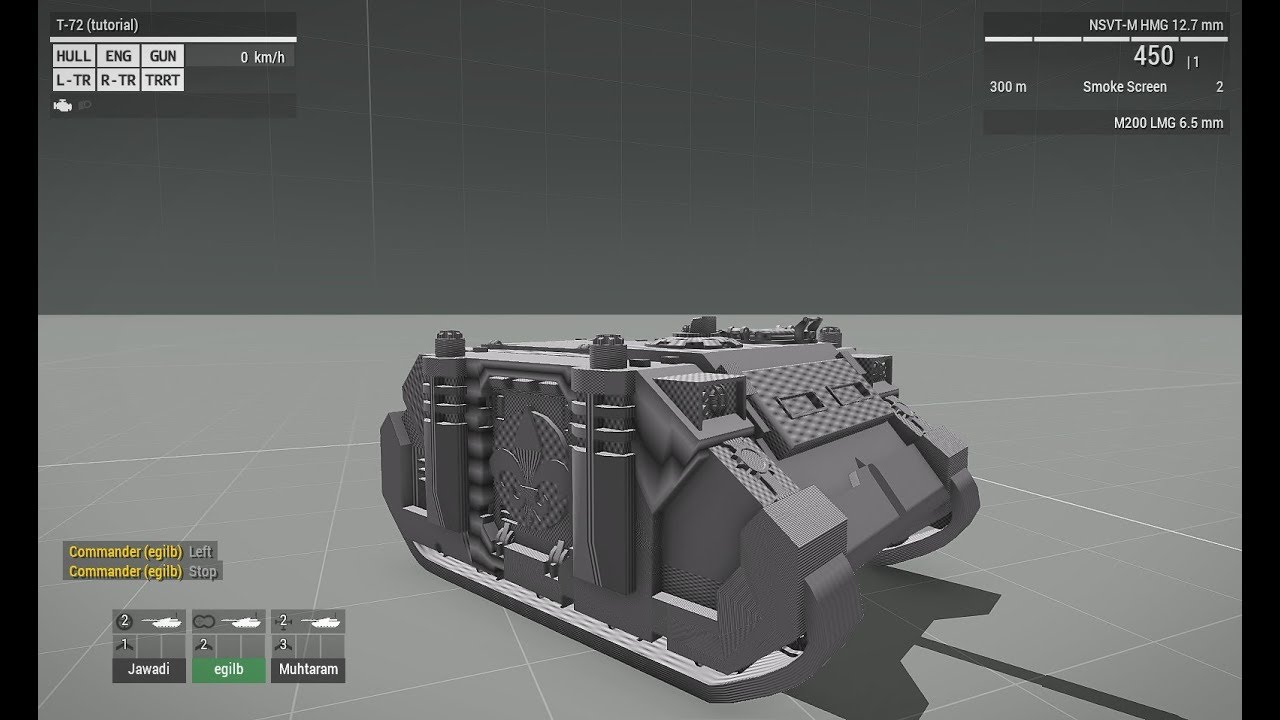
This is the first part of a tutorial series I plan to make importing a tank into arma (or APC or whatever). This is very quick and basic, I dont really explain too much in this video. The goal with this was to show you how to get your tank model ingame very quickly.
It's hard to make tutorials when I have a 3 year old hanging around my nech all...
south badge
Unbinarized?
charred bolt
jovial osprey
Does anyone know why my game freezes when importing the tank, follownig this vid...
Game crashes can be tricky to troubleshoot, but they can occur, particularly with tank development.
Some things that I know of to cause crashes are trying to use more than 9 physx wheels per side, and the use of reflectors in certain configurations on turrets.
To help further you might need to make your files available for us to inspect, or a minimum of screenshots of the p3d (LOD0, Geo LOD, Geo Phys, Mem LOD) and config.cpp, model.cfg.
Also are you using a p drive development environment and what tools to pack the pbo?
jovial osprey
south badge
Unbinarized?
YES
jovial osprey
charred bolt
Game crashes can be tricky to troubleshoot, but they can occur, particularly wit...
I think i sat up the p drive, since thisi s my first drive i dont know much about it. i just dragged in the model i had and did what he said to do in the video
jovial osprey
whats a pbo
stuck oyster
:L
jovial osprey
its my first time im telling you
stuck oyster
youre trying to do something too complex then. start simpler
jovial osprey
im just trying to set up a cool western anti air for me and my friends nothing special
stuck oyster
you cant
basically you dont yet know enough and thats very complex process
its infact very special
so youll have to tune back a lot
to the very basics
of setting up P drive
how to do config
jovial osprey
i did set up p drive
stuck oyster
how to pack a pbo
jovial osprey
correctly
stuck oyster
also the model can not be from some other game
jovial osprey
Its just some 3d model4 i found online
stuck oyster
its probably from some other game