#arma3_model
1 messages · Page 43 of 1
 subtle bison
might work fine with BI internal pipeline, but not really for modders unless you love pain and suffering
 stuck oyster
(there are still unfixed errors in the basegame files that mikero tools would have complained about)
 finite stump
To be honest, BI code is broken everywhere. Start a server and watch the errors just flow. Im guessing the thought was "It "runs" so screw it".
Does Mikero Tools auto update or something? I rebuilt a mod that is on the workshop as a test and the tool just dumps errors and fails to build anything now.
 sour bough
Just use hemtt
finite stump
oh great, another build program where I have to code more shit just to get it to build a PBO?! How about PBOProject just stops bitching about phantom faces without textures that doesnt exist in my fucking model!
and now Im getting
O:\Arma3CommunityTools\CfgConvertFileChng\CfgConvertFileChange.exe returned error 22: Invalid argument all over the place
finite stump
I uninstalled everything and reinstalled. Builds now. I dont understand why I couldnt rebuild a mod that I built with the same version of PBOproject before and now get errors but what ever.
sour bough
finite stump
oh great, another build program where I have to code more shit just to get it to...
Or addonbuilder
It does the same build without the bitching
 unkempt token
The 'bitching' serves a purpose. When I first switched from addonbuilder to Mikero's I realized how much stuff was pretty messed up in my configs and models, and otherwise lol
unkempt token
finite stump
I uninstalled everything and reinstalled. Builds now. I dont understand why I co...
.p3d format had a change from ODOLI to ODOLK which meant the tools needed to be updated if you were curious why it stopped working
finite stump
unkempt token
.p3d format had a change from ODOLI to ODOLK which meant the tools needed to be ...
That makes sense then. Was there a true reason for it?
unkempt token
For the p3d format change? Probably to account for the encryption they added in the last update
stuck oyster
there were also some feature changes I believe
finite stump
did they fix the 50m from center bs?
stuck oyster
finite stump
did they fix the 50m from center bs?
thats not fixable
its related to terrain cell and simulation distance
simulation is limited to cell object is in and the surrounding cells
typically 50 meters is safe
and for really most things 50 meters works just fine
anything larger should be split into chunks to reduce rendering strain
sour bough
unkempt token
The 'bitching' serves a purpose. When I first switched from addonbuilder to Mike...
the changing your code does not serve a purpose tho
finite stump
Whats the correct way to do AI path actionBegin and actionEnd in the config.cpp? I used what the sample house uses but I get errors about not being a class.
stuck oyster
what not being a class?
and where did you put them
compared to the sample config
the sample does have them in right place
finite stump
I copied the sample config and I get this error when placing my building
 stuck oyster
finite stump
I copied the sample config and I get this error when placing my building
stuck oyster
finite stump
I copied the sample config and I get this error when placing my building
Something must have gone wrong then 
never seen that error though
but id guess it means actionbegin 1 is not infact inside the buildings class
unkempt token
finite stump
Whats the correct way to do AI path actionBegin and actionEnd in the config.cpp?...
Under your building's class entry in CfgVehicles

The "Door01_open" is the door opening action as defined in class UserActions
finite stump
put in right after the class closedoor_#
 unkempt token
Add quotes around the actions too just in case
finite stump
still get the same error
unkempt token
finite stump
still get the same error
Oh wait, did you put it inside of class UserActions? It should be outside of that
finite stump
its out side of it, inside the building
unkempt token
Could you paste the config entry for the building on pastebin or somethin?
and in your paths LOD in the p3d you have named selections for the actions right?
finite stump
yep, all named
unkempt token
One more thing, try matching the capitalization. May not make a difference but you never know with this game, lol
finite stump
Ok, its working now
 limber abyss
One message removed from a suspended account.
stuck oyster
limber abyss
One message removed from a suspended account.
you can find sample bust p3d in the arma3 samples
limber abyss
One message removed from a suspended account.
 slate flare
yea i've got 3d modelling skills already
stuck oyster
best to make the model then first
texturing etc
after that you can do the arma required parts
slate flare
is there atleast some reference model or good doc on it ?
orr do I just do instead of ask
edit: disregard all I just rememberd that there exists a scope 3d sample
 quick terrace
😄
 last spindle
I have seriously done that though, and then found the source .max files like 3 years later and was like OMFG why did i not find that before, so obvious it was in a folder called 'New Folder' in the heiracy of 'T:/Model_WorkSpace/2012/Random/New Folder/New Folder/New Folder/Backup/Autosave_10.max" now i always remember to use proper names :p
 wraith tendon
+1
 fresh skiff

Does anyone know why this would be happening?
I know it's something to do with muzzle flash
 marsh canyon
Missing texture
 gloomy hemlock
Hey guys, anyone here knows 3d modelers that might work on uniforms for commissions?
Already sent a recruiting request but getting someone via references kind of seems more trustworthy
 hallow steeple
ModelInfo.MemSphere is not a float```
Err- where would this be? I haven't ever even seen that, I don't think-Update to the latest mikero's tools
I think that's a result of the p3d format update
 lone robin
gloomy hemlock
Hey guys, anyone here knows 3d modelers that might work on uniforms for commissi...
lone robin
gloomy hemlock
Hey guys, anyone here knows 3d modelers that might work on uniforms for commissi...
Hit up modelers that have posts on the #creators_offers the recruiting page will result in a lot of spam dms trying to steal your money.
gloomy hemlock
lone robin
Hit up modelers that have posts on the <#1169626031389421698> the recruiting pag...
there is sadly not really any of those active anymore or does the plain 3d modeling
lone robin
gloomy hemlock
there is sadly not really any of those active anymore or does the plain 3d model...
Your best bet is to learn to do it yourself, it’s way cheaper than commissioning and you’ll be able to make it exactly how you want it. It’s certainly an investment of time but it’s better than spending $300+ dollars on something that might end up not being made to what you had in mind
gloomy hemlock
lone robin
Your best bet is to learn to do it yourself, it’s way cheaper than commissioning...
yeah i guess, however i just dont really have the concentration on staying on a thing for long enough
hallow steeple
unkempt token
I think that's a result of the p3d format update
how do I update it again? 😅
unkempt token
hallow steeple
how do I update it again? 😅

Once open, hit Custom Install and check off anything thats out of date under the 'Include' checkbox, then save and hit Check again for updates
 chrome root
Hello, have some problems with weapon animations in model cfg, transition animations works ok, but rotation animation looks ok only in p3d buldozer, then its ported to arma3 its looks like its lose axis, and rotates around something in center of character model, what can cause that? animation looks like that:
class boltroat2_bolt1
{
type="rotation";
source="reload";
selection="bolt_1";
axis="bolt_axis_rot";
memory=1;
minValue=0.8;
maxValue=1;
angle0=(rad 0);
angle1=(rad 58);
};
 charred bolt
chrome root
Hello, have some problems with weapon animations in model cfg, transition animat...
charred bolt
chrome root
Hello, have some problems with weapon animations in model cfg, transition animat...
Check you have 2 memory points in the p3d, both correctly named "bolt_axis_rot".
chrome root
charred bolt
Check you have 2 memory points in the p3d, both correctly named "bolt_axis_rot".
cheked, it's ok, i also try to use different points and with 2 pontis with begin, end, always works correctly in O2, but broken then ported in arma
hallow steeple
ah great- ok- All in 1 installer isn't working right
chrome root
addon build with mikero pboProject
hallow steeple

well actually
AiO installer gives this.
So tried to do just the pboProject by it's self, and it seemed to work, but now does the error for no entry point

oh wait
ok, so manually doing the updates for project, depbo and deogg seems to have fixed the entry point thing-
was able to pack the model's addon. Now trying the map's addon, which the models are used in.
 steep crest
Why don't cfgweapons register when using lbdata on ui?
 bitter ermine
i know i'm missing something on export; how does one go about fixing this? i remember fixing it before on another semitransparent object
 marsh canyon
Fix what?
bitter ermine
the triangle tomfoolery
marsh canyon
Do you mean Z-fighting?
marsh canyon
Only one way to fix: don't put multiple faces into one surface
bitter ermine
there's a capsule underneath what's supposed to be a transparent blister packaging
is it because the object is so small?
i had the same issue with a significantly larger model a few years ago and forgot how i fixed it
marsh canyon
Okay... clarify. Is that artifact static or?
bitter ermine
it doesn't flicker. it stays in the same places regardless of angle
if that's what you mean
bitter ermine
 marsh canyon
Check backface culling
bitter ermine
i'm unable to get the thing in the screenshot but backface culling is checked
bitter ermine
fixed a slight unrelated issue with the uvs, but after multiple recalcs of normals, no dice

is it just deadass too small?
bitter ermine
this is not z fighting according to my game dev buddy
marsh canyon
Maybe, maybe not, probably not but am not 100% sure if it is not Z-fighting or backface
charred bolt
bitter ermine
this is not z fighting according to my game dev buddy
Select the blister packaging (should be a transparent texture with a _ca suffix added BEFORE conversion to .paa) and bring those faces to the top of the stack in Object Builder using Faces>Move Top
bitter ermine
charred bolt
Select the blister packaging (should be a transparent texture with a _ca suffix ...
i see, thank you very much!
 inland pawn
What would be causing damage to go to a vehicles tracks, regardless of where it is hit
charred bolt
inland pawn
What would be causing damage to go to a vehicles tracks, regardless of where it ...
How are you measuring where the damage is "going"? Visually through a damage texture, or using a hitpoint diagnostic readout?
 lament marlin
hey guys, making a prisoner robe model here, but one thing keep troubling me, sometimes rvmats for hands and skin parts do not load correctly, the texture loads fine according to the selected face, but the rvmat is missing, if i load some other "uniform" before loading my unit the rvmat will work properly, what am i missing?
i have a feeling it's somewhat related to some config entry not to the model itself
sour bough
inland pawn
What would be causing damage to go to a vehicles tracks, regardless of where it ...
Hitpoints lod or config
 torpid jungle
Hello people I have an question
I'm a map makker in arma 3 and I'm at the position that I need my own retexturing on models for my own map
but I never done any
is there anyway of retexturing a building from a3 files and using it in TB
without doing anything that I'm not suppost to do
idk if I even have the right to do that
so thats why I'm asking you people about that
I would be more than happy if I could get any help on that 🙂
and I would like to ask the same question about CUP too
I would like to have an guid on that
stuck oyster
torpid jungle
is there anyway of retexturing a building from a3 files and using it in TB
No that is not possible. Arma 3 objects are not available for editing.
Arma 2 objects have been released in the public datapacks (samples zip) and they can be altered
torpid jungle
stuck oyster
No that is not possible. Arma 3 objects are not available for editing.
my bro told me that if I don't sell them it's open to everyone
sorry than I didn't knew
stuck oyster
torpid jungle
my bro told me that if I don't sell them it's open to everyone
He is wrong.
torpid jungle
stuck oyster
Arma 2 objects have been released in the public datapacks (samples zip) and the...
where could I find them my good sir, and how can I retexture them?
stuck oyster
torpid jungle
where could I find them my good sir, and how can I retexture them?
There is a wiki page for the downloads. I don't have link at hand
 stuck oyster
These are the datapacks yeah I recall there is one with samples in its name.
torpid jungle
okay
 umbral shuttle
is there sample files for wat a driver optic model needs to be?
torpid jungle

I got the files from arma 2
but I didn't found the paa for the structures
so I can retexture them
I removed the other files
because I only need structures
 smoky elbow
Hey arma modders, I really wanna know how I can add my own binoculars as a mod, but I don’t really know anything about modding. I just want to make some binoculars lookin like a smart phone. Could someone point me in the right direction:)
 hallow steeple
why is it commented out?
torpid jungle
hallow steeple
why is it commented out?
I'm sorry whats that
hallow steeple
the green text
Means it's a comment. Normally used to describe code, but can be used to turn off code.
torpid jungle
is it okay if I just take it from ca (cup)

that one has the textures
since cup uses arma 2 models
hallow steeple
Uh-
Now that, I think ya'd need to ask CUP about- not 100% sure, and I know I'd rather not tell someone it's fine, then turns out it's not yk xD
torpid jungle
🤔
charred bolt
No you can't take them from CUP without their permission, but if they're Arma 2 textures, then take them from the officially licensed and released Arma 2 data pack.
torpid jungle
charred bolt
No you can't take them from CUP without their permission, but if they're Arma 2 ...
okay, just to ask why CUP don't allow it? because from what I know it's just arma 2 models, isn't it?
charred bolt
torpid jungle
okay, just to ask why CUP don't allow it? because from what I know it's just arm...
I didn't say they don't allow it. I said you need permission, whether that be because their license allows it, or because they have granted you specific permission. So go read their license, or ask them.
torpid jungle
charred bolt
I didn't say they don't allow it. I said you need permission, whether that be be...
I'm sorry I wasn't trying to argue with you, it was just a question of curiosity.
charred bolt
torpid jungle
I'm sorry I wasn't trying to argue with you, it was just a question of curiosity...
That's ok, I didn't think you were, probably just didn't understand my meaning fully. CUP did start out as porting A2 assets to A3, but as they gradually and progressively improved the models and textures, they may have taken some "ownership" of their own work, so you can't just help yourself without checking permissions first.
torpid jungle
charred bolt
That's ok, I didn't think you were, probably just didn't understand my meaning f...
Ohhhhhh okay
now I understand it thx brother
stuck oyster
@torpid jungle for original A2 textures youll need to own Arma2 and get the files from there
 ebon orchid
not sure if this is a config thing or the LODs but does anyone know how you can have a model be moved from the physical object instead of the center icon in eden and zeus?
stuck oyster
ebon orchid
not sure if this is a config thing or the LODs but does anyone know how you can ...
either geometry, viewgeometry or firegeometry is needed
just geometry might be enough
since it should default the rest of the geometries to it if no specifc ones are defined
ebon orchid
i have all three and it is only moveable with the icon 😅
stuck oyster
Are they valid?
ebon orchid
think so, how do i check?
i am 100% sure all LODs are closed, and convex objects
ebon orchid
oh well nvm, i dubbled check everything and gave every lod components because i wasn't sure if they all had to have that or not
JIPPY I MADE A MOD! 🥳

now to the icons >.>
stuck oyster
WEE
 slow pine
would someone know what could be causing those artifacts and purple tint on this 3d model?


 analog garden
slow pine
would someone know what could be causing those artifacts and purple tint on this...
analog garden
slow pine
would someone know what could be causing those artifacts and purple tint on this...
is it absolutely huge because it could just be mesh lighting errors due to the size
 mossy mulch
ngl that kinda goes hard
slate flare
easy fix, call it a feature
slow pine
analog garden
is it absolutely huge because it could just be mesh lighting errors due to the s...
not really big, but it's scaled up by the game engine, since it's the horizont object.
 stuck oyster
slow pine
not really big, but it's scaled up by the game engine, since it's the horizont o...
stuck oyster
slow pine
not really big, but it's scaled up by the game engine, since it's the horizont o...
Try remove all faces on the side that's not visible.
I think others who have tried this have had similar issues.
My guess is that it's not really the purposed use of the sky dome. It may not be designed to draw mesh same way as "normal" objects.
ebon orchid
oof i just did a dumb dumb, pboproject said some error about a uvset that can be deleted because its useless and so i deleted them all thinking thats what it meant but now the textures dont work.
so on what LODs are the uvset needed? so i maybe dont have to redo all LODs
analog garden
slow pine
not really big, but it's scaled up by the game engine, since it's the horizont o...
oh damn i didnt even think of that
good idea
analog garden
ebon orchid
oof i just did a dumb dumb, pboproject said some error about a uvset that can be...
u need UVs on LODs that are textured
so like, a shadow doesnt have a texture so it doesnt need a UV
just visual ones you can see
ebon orchid
ight so just the resolution ones? like does view geo count as visual or no?
analog garden
just res lods
ebon orchid
ok thx
 north sundial
Anyone use quixel and use the gloss and specular to make an SMDI?
 woeful viper
why would anyone not use gloss and specular for smdi?
north sundial
Well i haven't done it in a while and i have run into a snag, i put them both together and i have the desired effect by hiding the green channel but when i save it doesn't keep the effect, i think i needed to do something else but i cant remember
woeful viper
spec goes into the green channel. gloss goes into blue. the red channel should be white
north sundial
Thanks Kj, it seems i forgot more than i thought XD
 flat moss
Also, P1NGA made a profile that lets Quixel export straight to smdi (and co, nohq and as) https://github.com/p1nga/RV4-Calibration
 copper thunder
anyone aware if the females from early arma 3 are still in the game files somewhere?
May 2012: New Gameplay and Developer Interview from Czech gaming channel "Gamepage.cz" featuring stunning views of Arma 3.
Check out http://www.arma3.com/#homepage to learn more about the game and subscribe to my channel if you want.
want to add these for a civ faction
stuck oyster
copper thunder
anyone aware if the females from early arma 3 are still in the game files somewh...
nope
if they were such things around you would have seen someone add them years ago already 😅
 pallid nexus
copper thunder
anyone aware if the females from early arma 3 are still in the game files somewh...
pallid nexus
copper thunder
anyone aware if the females from early arma 3 are still in the game files somewh...
There are some mods around that add female models
A workshop search should find them
copper thunder
worth an ask 😢
copper thunder
pallid nexus
There are some mods around that add female models
A workshop search should find ...
yeah I have seen but i want to avoid creating such dependencies (and they are more focused on military females rather than civs)
and i'd rather focus my efforts on other things instead, as having female civs is very low priority, but watching this video did make me wonder
analog garden
copper thunder
anyone aware if the females from early arma 3 are still in the game files somewh...
maybe one day women will be canon in arma
 mint hazel
So I got a project that I'm working on and I'm finished with the first model and I'm at the point to start adding the skeleton, should I just add joints to only the parts that are going to move/rotate?
stuck oyster
mint hazel
So I got a project that I'm working on and I'm finished with the first model and...
is it a vehicle kind of a thing?
mint hazel
yeah
stuck oyster
for Arma3 you typically make most vehicle animations procedurally in model.cfg
so you might not benefit from making a animated skeleton on the source model
however it can be good way to test that all parts move and are weighted correctly
so it does not hurt either
as to how to make the skeleton, yes typically yoy need only bones at the axis points of parts so they can animate the way you intent
mint hazel
okay I can do that then
stuck oyster
there are few pages about model.cfg/how to animate a model in the BI wiki
those and the arma3 samples from steam can be helpful in getting started
finite stump
copper thunder
anyone aware if the females from early arma 3 are still in the game files somewh...
There is a mod that adds female variants of the civilians
limber abyss
One message removed from a suspended account.
One message removed from a suspended account.
One message removed from a suspended account.
analog garden
limber abyss
One message removed from a suspended account.
does it work when you don’t use mikeros
limber abyss
One message removed from a suspended account.
One message removed from a suspended account.
One message removed from a suspended account.
stuck oyster
how many people are now packing these lirus guardsmen now 
@cloud arrow you had this same problem right?
limber abyss
One message removed from a suspended account.
stuck oyster
ah
limber abyss
One message removed from a suspended account.
pallid nexus
limber abyss
One message removed from a suspended account.
Are your proxy paths set properly in blender?
Had a similar issue with texture paths a couple of days ago, turns out it was texture paths not getting set properly
limber abyss
One message removed from a suspended account.
One message removed from a suspended account.
 grizzled halo
stuck oyster
how many people are now packing these lirus guardsmen now <:blobcatsweats:728343...
grizzled halo
stuck oyster
how many people are now packing these lirus guardsmen now <:blobcatsweats:728343...
you might not believe it, but at some point I packed lirus guardmen too xD
limber abyss
One message removed from a suspended account.
grizzled halo
there is a difference in workflow somewhere in how hancock and toast work on their uniforms, on my end i had no issues with their models so I wonder why now their proxies fail
pallid nexus
limber abyss
One message removed from a suspended account.
Other thing you can check is open the exported p3d in Object Builder (the arma 3 one) and check if the paths are suitable
Object builder isn't much use for fixing p3d files until all of it's paths are set properly though
grizzled halo
^
limber abyss
pallid nexus
Other thing you can check is open the exported p3d in Object Builder (the arma 3...
One message removed from a suspended account.
limber abyss
One message removed from a suspended account.
One message removed from a suspended account.
 austere rose
So, I've upgraded with a new SSD, transferred my arma 3 and arma 3 tools over to it but now attempting to launch the external viewer for object builder seems to fail with the message "Attach failed. No Viewer found". I don't suppose anyone's ran into a similar issue and knows how to rectify it?
bulldozer has it's own issue as well with a "P:\Dll\x86\RTDynamics_64.dll could not be loaded"
austere rose
On a different note I'm also having some issues with this model project. I feel I've missed something simple but I'm not sure what's causing the clipping when zoomed in, and being able to see the hands through the gun itself. Shadows are suffering from an extreme case of stretchy which- makes it seem like the shadow model was placed far outside the box, when it's placed in the same location as the other layers. not to mention being able to see the shadows through the unit model. Perhaps a config I've missed? A lack of proper texturing? I mean I've only placed the UV onto the faces I havn't messed with materials or rvmat if that would fix it?


 short marsh
I've had this issue with my Kiowa ever since I started it. I didn't think much of it, and somehow I solved it, but as you can tell when I place it on the map, the model is not centered in the wireframe surrounding the model. I've tried Autocenter 1 and 0, and no luck, and I don't know how to fix this to solve some issues with the AI landing on fuel trucks and dying (reported from a user). I fixed it one time, but it reverted back to this, and I don't know how to fix it. And I don't know what fixed it before, but whatever I did it reverted back to this, as you can tell if you enlarge the picture.
 stuck oyster
vehicles should not have autocenter parameter at all
short marsh
stuck oyster
vehicles should not have autocenter parameter at all
Yeah I thought that would fix it but it didn't
stuck oyster
and proxies extend the bounds
for example
so you have some mesh a the far side that makes the box larger.
short marsh
Okay, I'll try and find it then
But I just checked, nothing is there, is it something in all of the lods or just the 0.00 one?
stuck oyster
could be any lod I recall
short marsh
Okay, I'll go through them, thanks
charred bolt
short marsh
Okay, I'll go through them, thanks
Maybe something is getting animated out to the side? Try disabling all animations in model.cfg (comment out) and see if the box reduces.
short marsh
It was some geometry outside of the model. I went through the loads and found the stuff and now it's good
 vital hare
Hi, do you know how to make good ui/previews of outfits because BIS_fnc_exportEditorPreviews outputs me a screen with the character but I would like without the character as vanilla please
stuck oyster
youll need invisible character
I recall the see through VR men can be turned invisible by setting them with fully transparent texture
stuck oyster
or that works too
vital hare
Perfect thx 😉
woeful viper
by the by - Substance painter 35% off until 4.Jan
 sturdy parcel
@limber abyssthose proxies exist only if you extracted the game properly. it seems that not one of you bothered to check the contents of a3\characters_f
limber abyss
sturdy parcel
<@403342624599048202>those proxies exist only if you extracted the game proper...
One message removed from a suspended account.
One message removed from a suspended account.
 plain star
Anyone know why this happens?

 round bloom
What do you actually need to do in OB to add a full scope like a sniper scope to a custom weapon?
woeful viper
just a proxy for the scope and appropriate config
copy proxy/ ... TOP from the weapon sample model to your weapon and place it where you like. Done. You may have to fiddle with the position to match it properly but that's about it
 rapid tree
Hi There can someone explain to me why Arma just decides to mess with my vehicles. I havent done anything to them nor the poses
 charred bolt
rapid tree
Hi There can someone explain to me why Arma just decides to mess with my vehicle...
charred bolt
rapid tree
Hi There can someone explain to me why Arma just decides to mess with my vehicle...
Clear the animation cache after each update to the rtm's.
rapid tree
charred bolt
Clear the animation cache after each update to the rtm's.
i inherit from vanilla poses
charred bolt
In that case, your config is wrong
rapid tree
charred bolt
In that case, your config is wrong
No i checked it. The Animations that are used in the pic are nowhere defined
rapid tree
charred bolt
Clear the animation cache after each update to the rtm's.
how can i clear the anim cache ?
stuck oyster
its a folder in your userfiles\arma3 folder
rapid tree
stuck oyster
its a folder in your userfiles\arma3 folder
you mean documents/user/arma 3 ?
stuck oyster
ye theres animcache folder in there
rapid tree
i dont have one, but i think i know why that happened at all, i added rtm to copy directly options in Objectbuilder but idk why that affected all of my rtms even vanilla
marsh canyon
It can affect ANY anim
rapid tree
marsh canyon
It can affect ANY anim
even tho i havent binarized these vehicles after the change of the options ?
marsh canyon
ANY means ANY. That cache issue can happen anytime if you make a change in CfgMoves
rapid tree
marsh canyon
ANY means ANY. That cache issue can happen anytime if you make a change in CfgMo...
so how can i sort this when i dont even have an animcache folder ? i dont use mikero tools btw
marsh canyon
AnimDataCache is located in the folder where you got an RPT. You must have one
...In the first place, did you do any config change in CfgMoves
marsh canyon
...Next question, do you make any Mods on your end?
rapid tree
marsh canyon
...Next question, do you make any Mods on your end?
yes the vehicle i showed is for a mod of mine and i did vehicles with custom rtms too
the vehicle in question is something i havent touched in months
marsh canyon
Which still does mean you did some changes in CfgMoves
Again search for AnimDataCache and delete it
rapid tree
marsh canyon
Which still does mean you did some changes in CfgMoves
yes but not for this vehicle and the vehicles i used it in worked before
marsh canyon
Once again, ANY anim can suffer from it. ANY means literally ANY
No buts can apply here
marsh canyon
As I said, where RPT is located
rapid tree
found it
so do i have to binarize all those affected vehicles again or does it sort itself when deleting the animcache folder ?
nevermind it works again thank you so much Polpox 🤝
charred bolt
All that arguing when you could have just done my suggestion in the first place lol.
and yes, a simple search would have found it
 sturdy parcel
fyi addon breaker is not able to binarize non human rtms. bridges, buildings, cranes etc. only pboPro can do that 4 you.
rapid tree
sturdy parcel
fyi addon breaker is not able to binarize non human rtms. bridges, buildings, c...
yeah i guess i switch to your tools
 hybrid finch
hi, i need support, i got a problem with p3d's when i tried to import binarize pbo into terrainBuilder app got crashed, but i dont know who is the problem. I tried with a old binarized pbo then the app doesn't crash. Any changes on p3d's config that makes to crash TerrainBuilder?
stuck oyster
hybrid finch
hi, i need support, i got a problem with p3d's when i tried to import binarize p...
Update tools.
hybrid finch
i tried with addon builder and pboProject of Mikero's
What i need to do, to resolve that problem?
 stuck oyster
hybrid finch
i tried with addon builder and pboProject of Mikero's
stuck oyster
hybrid finch
i tried with addon builder and pboProject of Mikero's
No update arma tools
woeful viper
even as non-modo-user i can see that 😛 nice work
hybrid finch
"ModelInfo.MemSphere is not a float" how can i solve?
unkempt token
Update mikero's tools
When you open mikero's all in one make sure you actually check off all the tools you want to update by hitting Custom Install, then hit save and then update it
steep crest
Rebel, got that robe done i see. Very cool
 desert summit
any idea on why mag is glued in to gun on reload and how to fix? first time so maybe I missed something
https://gyazo.com/26dd73ad3887cf418f1f57ff81b47b35
(yes i know textures are all black will fix those after i figure out magazine)
 stuck oyster
desert summit
any idea on why mag is glued in to gun on reload and how to fix? first time so m...
stuck oyster
desert summit
any idea on why mag is glued in to gun on reload and how to fix? first time so m...
have you animated it to move?
or hide
the magazine is always part of the weapon model. and needs to be animated with the weapons model.cfg
desert summit
Ahhh wait I see, that makes sense, I think I know the issue
 gleaming tusk
Hey, someone in another discord keeps mentioning there being geometry LOD's on vests
That's not real is it?
I thought they just went off the hit point protection info in the config
Wouldn't putting geo on that cause an overlap with the characters hotbox?
Wouldn't that also like negate penetration unless it was set up with the proper rvmat?

Afik that layer is only for autocenter =0 when it comes to equipment
Except guns can have it
stuck oyster
I dooont think vest geometry lod would be used 🤔
unkempt token
What makes my models go dark at a distance? All the textures on it are vanilla but custom RVMATs for a few.

 gleaming tusk
stuck oyster
I dooont think vest geometry lod would be used 🤔
gleaming tusk
stuck oyster
I dooont think vest geometry lod would be used 🤔
I didn't think so, ty
stuck oyster
unkempt token
What makes my models go dark at a distance? All the textures on it are vanilla b...
do all lods share same material?
unkempt token
Yes, with further testing it's actually the one material I used a vanilla RVMAT for- I think it's fading in a multimat at distance. Testing right now by making a custom RVMAT instead
Yup nvm that was it
 stuck oyster
the vanilla has default ambient occlusion on it which gets dark at distance
unkempt token
That explains why I had that issue on some old buildings too lol, good to know
 thanks
 stuck oyster
👍 looks great
lament marlin
@steep crest well, it's done but that rvmat for skin bug can still appear, no idea what causes it
 fallen compass
Hello, by any chance does anyone know about the topic of modeling from blender to arma 3? If you can write to me privately
last spindle
I think it might have something to do with CfgIdentitys or some Identity config setting, just a thought i had from a long time ago when it was happening all the time with unfirom re-textures
 dark glade
Hello, I am new to the whole arma modding thing and was wondering if there is a way to take a .glb and import it into arma with all the animation data. i am trying to make some tanks and have glb and obj files for them.
stuck oyster
dark glade
Hello, I am new to the whole arma modding thing and was wondering if there is a ...
I guess theres couple of baseline questions. wheres the models from and how much you know of modeling?
lament marlin
thanks for the idea, i'll take a look
dark glade
i am fairly confident with modeling and the models are pretty decent
i have put them into blender and they are fairly good models with all the components and cockpit modeled.
they should be based off of the war thunder models.
also they are for personal use or for free use for others not anything paid though i did pay for the models.
dark glade
stuck oyster
I guess theres couple of baseline questions. wheres the models from and how much...
is that enough info?
stuck oyster
dark glade
is that enough info?
yea
unfortunately those models are stolen from other games so they cant be used
dark glade
okay all good thats all i was wondering
am i able to use the OBJ models still for modding?
even if its just for personal use?
stuck oyster
dark glade
even if its just for personal use?
even so
dark glade
dam okay
stuck oyster
we have strict zero tolerance for ip theft
dark glade
okay all good ill just model them from scratch then
out of curriosity can i use glb foramts still?
like if i do all the animation in maya or blender beforehand? @stuck oyster
stuck oyster
no vehicle animations dont work like that
dark glade
okay thank you
 young dust
rule 6 
stuck oyster
we dont advertise here
and typically this kind of messages are from scammers
sooo
young dust
stuck oyster
and typically this kind of messages are from scammers
#enfusion_generic message
sounds about right
young dust
but I needed low poly models 
plain star
Does anyone know how to fix these weird shadows in blender?


i moved the vertices as much as i can to smooth the surface
stuck oyster
tru smooth brush in sculpt mode
pallid nexus
plain star
Does anyone know how to fix these weird shadows in blender?
Are your normals wonky there?
Easiest way to check would be to display normals in edit mode
plain star
pallid nexus
Are your normals wonky there?
Easiest way to check would be to display normals i...

Faces are oriented correctly, and normals seems okay
 pallid island
non-flat quads? 
pallid nexus
Other than non-flat quads, could be shade smooth misbehaving or simply not enough vertices to get the curve you want
 frozen lava
unkempt token
<a:dance:684184857404112908> thanks
frozen lava
unkempt token
<a:dance:684184857404112908> thanks
now its time to do a an warerooms, with infinite warehouse procedural generation
round bloom
@woeful viper What about actually making a custom scope for a weapon, what would I need to do for that?
 keen bane
running into an issue where part of my model dissapears after walking like 10meters away
more like 10 feet
any ideas
woeful viper
test scope 3D sample...
charred bolt
keen bane
any ideas
If you have more than 1 resolution LOD (eg LOD 0, LOD 1, LOD 2...) make sure the part is not missing from any of those LOD's).
Also check that textures and materials are assigned throughout, and any hiddenSelections (eg camo) are correctly defined.
dark glade
does anyone know of a good tutorial on how to take 3d models and what all needs to be defined for lods for tanks?
take as in i have one just need to put it into arma
dark glade
also im using blender and have the arma toolbox addon already
charred bolt
dark glade
does anyone know of a good tutorial on how to take 3d models and what all needs ...
Have a look at the sample tank in the Steam workshop Arma 3 Samples, that will give you most of the basics.
dark glade
okay thank you
is there any resources for modeling lods in object builder or in blender using the addon?
keen bane
Wjat should weight look like if attaching to "pelvis"? Still new to weighting

 drifting nova
I need a bit of help, I've gotten my custom rifle in game; everything works and the sights line up, however the underbarrel GL is hitting about 50 meters too far than it should
How would one go about zeroing the GL sights?
stuck oyster
drifting nova
How would one go about zeroing the GL sights?
theoretically you can math the angle by calculating the ballistic curve
buut personally I have just eyeballed it
goes too far -> dudge the sight turn angle little bit down
repeat
drifting nova
I tried adding initspeed to slow down the round but it seems to not work for weapons
drifting nova
stuck oyster
no dont mess with the round
I'm not, I'm using vanilla ammo
but on the GL cfgweapon
I tried messing with initspeed, but it only appears to work with magazines
stuck oyster
like I said fixing the sight zeroing angles will fix it
drifting nova
its one of those AG-36 leaf sights so the sights themselves are fixed
its not like the vanilla sights that rotate to zero
 stuck oyster
you still have either rotating viewpoint or multiple view points
drifting nova
yes, I've gotten the multiple eye_points to match the sight
stuck oyster
then you adjust those until its zeroed
drifting nova
that would involve redoing the sight mesh and having to readjust thou
drifting nova
the memory points are already lined up with the marks
 marsh canyon
I recall I used a stupid bruteforce by launching hundreds of GLs and fetch how it goes
drifting nova
the front bit aligns with the slit on the back so yes, they are. Maybe the model I got wasnt up to the right scale?
 stuck oyster
you also need to test at flat land
drifting nova
did in vr as well, same result
stuck oyster
well adjust the point so it drops at 350
I dont understand how that is so difficult to grasp there
drifting nova
its difficult because its lined up. If the front post was not lining up with the apperture I'd understand
so if lowering the mempoint makes it not line up correctly, then what?
drifting nova
alright, will try out tomorrow, thanks for the help
 bright echo
if the memorypoints are lined up withj the model the model is wrong unfortunately
its always a pain with these so its usually helpful to do this side of the import very early
at least with grenade launchers and launchers in general theres only a few positions, compare that to early smokeless rifles that go from 100 to 4000m
 sturdy finch
How do i go about adding a tank to the game? Ive got a model i just cant figure out how to actually get it into the game
I found a video on youtube and i followed all the steps but the game would just stop responding when i placed the tank down
stuck oyster
sturdy finch
How do i go about adding a tank to the game? Ive got a model i just cant figure ...
whheres the model from? whats you experience with 3d modeling?
sturdy finch
I just got it off sketchfab i cant model for shit lol
stuck oyster
then you need to shelve that for a bit and learn modeling
because its not going to be game ready model at all
and youll need to know how to make it work
sturdy finch
I see
drifting nova
bright echo
if the memorypoints are lined up withj the model the model is wrong unfortunatel...
yeah that was my fear. Since it was consistently hitting 50 meters too far, I simply edited the zero values and its now accurate lol. Got lucky, I suppose
lone robin
For some reason I can’t get namedSel in my user actions to work for my doors even though I have them named “Door_x_action” in my geometry
stuck oyster
lone robin
For some reason I can’t get namedSel in my user actions to work for my doors eve...
How does no work manifest?
lone robin
stuck oyster
How does no work manifest?
When in game I’m not getting the option at all to open the doors
stuck oyster
lone robin
When in game I’m not getting the option at all to open the doors
No action appearing usually means condition is not met so action does not come up.
Try set some always on condition for testing
Also it may be best to tie the action to a geometry component
lone robin
stuck oyster
Also it may be best to tie the action to a geometry component
I have them tied to the actual doors in my geometry lod
stuck oyster
Try make those parts in hit geometry lod and view geometry lod too. I don't remembered which lod it tries to find them from
Might be viewgeometry
lone robin
Thank you, I’ll test it out
lone robin
stuck oyster
Try make those parts in hit geometry lod and view geometry lod too. I don't reme...
Still no luck with getting it to work, I guess I’ll back to the old school method
unkempt token
lone robin
For some reason I can’t get namedSel in my user actions to work for my doors eve...
Make sure your p3d name and the class you define in model.cfg are the same. And also the classname in the config.cpp for your sanity
For reference, in my p3d for my shoothouse walls, I have the door defined in the geometry and visual LOD as Door_1. In memory, door_1_axis and door_1_trigger. That's it. Here's the cfgvehicles' animationsources and useractions classes for it. See lines 215-252: https://github.com/Brominum/Bro_ModularShoothouse/blob/main/config.cpp
And for the model.cfg, you just have to define the animations for it rotating and locked. See lines 8-16, and lines 38-68: https://github.com/Brominum/Bro_ModularShoothouse/blob/main/model.cfg
lone robin
unkempt token
For reference, in my p3d for my shoothouse walls, I have the door defined in the...
I’ll check it out, for my other buildings I’ve been using the traditional method of using triggers to open doors but for some reason I perceived using the “actionNamedSel” as not needing to use triggers
 lone robin
By traditional I just mean the method before actionNamedSel was a thing
https://pastebin.com/UMKh11Au This is a snippet for one of my buildings that works and I'm not using actionNamedSel
https://pastebin.com/wnnq6tMg Here is the config from my current building that isnt working where I'm trying to use actionNamedSel
Pastebin
Pastebin.com is the number one paste tool since 2002. Pastebin is a website where you can store text online for a set period of time.
Pastebin
Pastebin.com is the number one paste tool since 2002. Pastebin is a website where you can store text online for a set period of time.
unkempt token
I dunno how correct it is but I just use Door_1 as my actionNamedSel instead of making another named selection in the p3d
Works fine and doors lock/open just fine even with breaching mods
lone robin
I'll give that a try then, thank you
unkempt token
Try copying over the animationsources & animations from my config and model.cfg respectively
stuck oyster
There is also BI naming convention if you want the doors to be recognized by some of the vanilla features if I recall right.
north sundial
Spacing has kinda goofed up but can ayone see anything wrong with my user actions as to why my AI don't open the door on my object?
The actionBegin1 and 2 and the actionEnd1 and 2 are defined in the path lod and the useractions for the player work fine and ive set onlyForPlayer = false;
Pastebin
Pastebin.com is the number one paste tool since 2002. Pastebin is a website where you can store text online for a set period of time.
im sure its something simple im missing
north sundial
Fixed it i had to put the actions in quotes
 lyric field
for an object that just has phsyx simulation and nothing else would one need a model config or would it just be one of those but blank? (pretty new to modelling side of making arma things)
if model.cfgs are even for objects and not just for vehicles/ complex objects
im operating under the assumption less is better so i would only want a cfg models class + whatever i would need to apply texture if not automatic
or if someone has a tutorial for setup model.cfg ive been looking for about 30 min and cant find anything more helpful than biki page
stuck oyster
lyric field
or if someone has a tutorial for setup model.cfg ive been looking for about 30 m...
dont need model.cfg if you dont animate it at all or have hiddenselections
lyric field
stuck oyster
dont need model.cfg if you dont animate it at all or have hiddenselections
i could kiss you rn thank you so much
 hybrid frigate
I am having the same issue with Blender 4.3.2.
I cannot get ArmA Toolbox V 4.2 to show up even after trying the troubleshooting methods listed.
 zealous anvil
I am trying to look at a model from a mod
I have extracted the PBO
I now have P3D, how do I look at it
marsh canyon
You don't
zealous anvil
marsh canyon
You don't
May I ask for you to elaborate?
marsh canyon
- You have no way to do it
- EULA forbids it
zealous anvil
marsh canyon
- You have no way to do it
- EULA forbids it
To just look at a model?
marsh canyon
No
zealous anvil
The EULA forbids it?
marsh canyon
You just can't
zealous anvil
Apologies but just so I am understanding this correctly
Once you put a model in game, it can never be looked at again except through the game engine itself?
marsh canyon
Correct
zealous anvil
Neat
marsh canyon
To be exact: unbinarizing P3D is out of EULA
zealous anvil
marsh canyon
To be exact: unbinarizing P3D is out of EULA
So in the EULA it stats somewhere that once a model is in game, it cannot be extracted and opened in another program?
zealous anvil
Ah alright
Well thank you kindly for the explanation
 bold flare
You can ask the mod author to send you the source model for you to look at
zealous anvil
bold flare
You can ask the mod author to send you the source model for you to look at
Y'know, ill be honest, the thought didn't occur to me at 4 am
But you are right, I should just ask them
bold flare
Depending what it's for. Maybe they don't want to share the original, but are fine sharing a lower LOD version, that you could use for texturing for eyample
 reef gate
What’s are the limits for interiors in buildings/ static ships
I’ve noticed in all the buildings/ ships (the USS liberty and the new exped forces) have a lot of areas cut off I’m assuming for performance. Is there a limit on how many rooms/ how much interior I can have before the game starts to lag
 south badge
I´d wager it is more about polycount rather than the total count of rooms or whatevers
I don´t do much building interior modelling, but a room with a few objects in it is a pretty low polycount affair, especially since further resolution LODs can probably have no interior objects at all.
stuck oyster
reef gate
I’ve noticed in all the buildings/ ships (the USS liberty and the new exped forc...
There's no limits for rooms but like said above it's all about polycount.
A sometimes budget for how much time can be spent on a model.
reef gate
Oh, I thought it was to do with ai pathfinding
Like why the altis hospital was going to have a full interior but got scaled back
So is the reason the expeditionary forces boat has so many fake doors/ unenterable bridge is due to poly count
south badge
Could a Blender guru help me please? Is there any way I can unfuck this? Due to a skill issue my Blender material count ended up at 5k, albeit only a handful of these materials are actually being applied to the model itself. I know how to prevent it now for the future, but I can´t figure out how to fix the existing issue.
Is there any way I can select all the unused materials and delete them?


 south badge
Let me check, I have never dabbled in this 🤔
stuck oyster
reef gate
So is the reason the expeditionary forces boat has so many fake doors/ unenterab...
Possibly and the mentioned budget is probable factor.
bold flare
My first idea would be, don't use stuff ripped from call of duty that will get you banned from this Discord.
 storm wave
 raw vault
Where for a tank is the part that dictates where the turret section of the tank is centered? I'm having an issue where everything is working but the tank turret and the other secondary gun are rotating at what seems like the midpoint of the barrel
stuck oyster
raw vault
Where for a tank is the part that dictates where the turret section of the tank ...
model.cfg defined axis points for animation and corresponding memorypoint pairs (dont use translationX translationY animation types)
raw vault
Okay, perhaps I messed up something on the model.cfg then
sturdy finch
Hello, i am making a weapon mod and the muzzle flash is constantly visible
But only when i have added the texture to the model in config.cpp
If i remove the hidden selections line from the config the muzzle flash works properly, how can i fix this?
bright echo
muzzle proxy is probably in the hiddenselection selection
sturdy finch
Im super new to this how would i go about solving that?
 cloud arrow
Anyone know what might be wrong with this particular model? It is not the textures as I have checked the model with and without textures, and for wahtever reason, the model has decided to glitch out or something with lighting or idk. If anyone could help, that'd mean a lot, thanks.
 stuck oyster
cloud arrow
Anyone know what might be wrong with this particular model? It is not the textur...
stuck oyster
cloud arrow
Anyone know what might be wrong with this particular model? It is not the textur...
Vertex normals breaking on export (not set to write out right in export settings)
Model might have custom vertex normals that don't export correctly
stuck oyster
sturdy finch
Im super new to this how would i go about solving that?
Muzzleflash selection is not supposed to be in hiddenselections.
It needs to be in model.cfg sections array and it connects to specific config parameter in config. Cpp
sturdy finch
Thankyou, i solved it that wasnt actually the issue my configs and stuff were fine i was using an old blender p3d tool and downloaded a newer one and remade it and it worked fine
cloud arrow
stuck oyster
Vertex normals breaking on export (not set to write out right in export settings...
Thanks, I'll forward this
sturdy finch
Another question, how do i change the rate of fire of my weapon? Im guessing its in the config cpp but i cant find any info about it online
stuck oyster
sturdy finch
Another question, how do i change the rate of fire of my weapon? Im guessing its...
There is cfgweapons config reference page and you can also look at the comments in the sample weapons config
(Arma3 samples on steam)
sturdy finch
stuck oyster
There is cfgweapons config reference page and you can also look at the comments ...
I can only find a line called aiRateOfFire
Im assuming that doesnt actually change the the rate of fire of the weapon?
stuck oyster
sturdy finch
Im assuming that doesnt actually change the the rate of fire of the weapon?
If I remember right it's reloadtime
Which is the cycle rate.
Magazine reload time is the for changing magazine
sturdy finch
Ahh brilliant thankyou that is mildly confusing lol
cloud arrow
stuck oyster
Vertex normals breaking on export (not set to write out right in export settings...
Hey update on the istuation, I got it to work but now it just doesn't wanna apply the rvmat

would it be anything other than code or can it be an issue with the mdoel as wel
stuck oyster
cloud arrow
would it be anything other than code or can it be an issue with the mdoel as wel
Well the path to rvmat can be wrong
but if that is right then paths in rvmat can be wrong
or you might have something missing in the structure of the rvmat
use default_super as template dont remove anything from it but replace stuff you have
cloud arrow
yeah that's what I did
ima try it again, messed around with the strcuture of the files
hmm, sitll didn't work
I'll look at the model
stuck oyster
id recommend testing in buldozer first
 wintry reef
south badge
Could a Blender guru help me please? Is there any way I can unfuck this? Due to ...
wintry reef
south badge
Could a Blender guru help me please? Is there any way I can unfuck this? Due to ...
Another option is to go into the materials panel, select it, hold shift and click the - button, it will basically flag it for deletion next time you close blender if you don't have any objects using the material
Any idea why I can't drag and drop files into texview like I used to be able to do?
I have to manually go and hit open and navigate folders now
 hard oasis
I copied the selection that is supposed to rotate to the memory point lod just for reference, it's not actually in the memory lod, the selected memory point is the one supposed to be it's axis


why does it rotate to the ground?
 stuck oyster
probably missing autocenter named property in geometry lod
hard oasis
stuck oyster
probably missing autocenter named property in geometry lod
it worked thank you
sturdy finch
What do i need to put into my config cpp to allow the weapon to attach bipods and optics?
I have the proxies on the model but the list of attachments doesnt show up in the arsenal so i assume im missing something in the config
pallid nexus
sturdy finch
What do i need to put into my config cpp to allow the weapon to attach bipods an...
Do you have WeaponSlotsInfo set up in your config?
I recommend using CBA jointrails for all of the rails if CBA dependency isn't an issue, otherwise use the vanilla rails
Add stuff like in CfgWeapons from CBA and it should work
https://github.com/CBATeam/CBA_A3/tree/master/addons/jr
cloud arrow
I have a model that just isn't wanting to apply the rvmat and I am so unsure as to why.
- The .rvmat code is copy and pasted from samples (super) and is sourcing it correct
- The NOHQ, AS, and SMDI are correct and in the correct area
- The model is sourcing the .rvmat from the correct area
- The config.cpp also specifies the HiddenSelectionMaterials
Is there anything that could be causing problems?
stuck oyster
does it work in buldozer?
cloud arrow
whats buldozer
stuck oyster
object builders in engine model previewer
cloud arrow
what if it didn't work in that program
stuck oyster
learn it
cloud arrow
Im unsure as what ur asking me
stuck oyster
I assume you work with the blender toolbox to export directly into p3d etc to skip using object builder
cloud arrow
like, its in the object builder but idk what bulldozer is
 stuck oyster
which is fine if everything works
cloud arrow
stuck oyster
I assume you work with the blender toolbox to export directly into p3d etc to sk...
yes
stuck oyster
but if stuff break one does kinda need to know the whole basic process for easy debugging
(also use project tag_ prefixes in your file names)
stuck oyster
armor.p3d is not prefixed
cloud arrow
I thought it was only the config?
stuck oyster
names matter
a lot
they need to be unique
armor
is not 😅
its not likely related to your issue
buut its very bad practice
will cause issues later
cloud arrow
what's a good youtube video to learn debugging
stuck oyster
none
cloud arrow
oh great
stuck oyster
but we can start by testing if your buldozer works
cloud arrow
what icon is that
cloud arrow
 stuck oyster
Im afraid to ask but do you have P drive set up?
cloud arrow
yes
stuck oyster
with ArmaTools launcher?
cloud arrow
yes
stuck oyster
that may be related to the problem then. The launcher mounting works for some people
but in my experience that is rare
I personally use straight P labeled physical drive
but for virtual driving there is simple P drive mounting bat file you can do and use
which typically has worked better
cloud arrow
I have the P drive and its mounted so I don't understand why everything has to break with every fucking step of the way
I closed it and then re-opened and it started working
stuck oyster
the issue with the launcher mounting is related to admin/user file permission access stuff which I dont remember all details of
cloud arrow
this is the dumbest game to mod i swear
 stuck oyster
the link above shows the contents of simple mapdisk bat you can make
you may need to disable the automounting from the launcher if you got that
and restart to get it clean first
cloud arrow
this is probably the most obnoxious thing ever
cloud arrow
you need a fucking college degree to mod this goddamn game
i'll see if I can get it working, thanks anyways
stuck oyster
well technically yes that is kinda correct
arma allows you to go very deep in what you can do
and that does require skills
you are basically making real game content
people do go to school for learning that
 white oak
Was it vectif iirc that has a degree on this stuff
stuck oyster
there are many here Im sure who have education background on this stuff too
stuck oyster
cloud arrow
i'll see if I can get it working, thanks anyways
another thing you want to do with object builder once you get the mounting through the simple bat to work right is to run object builder from its exe
not from the laucher or steam shortcut
that also can cause file access issues
then setting up P drive contents with arma3p from mikeros tools has been my go to answer for a decade now
these days it will also patch object builder to use arma3 exe directly as buldozer source instead of a local copy made on p drive
then object builder settings will also need the texture path to be set as P:\
so it can feed the file paths properly into buldozer for viewing
people who have made guides for this stuff have unfortunately mostly made them wrong
most mean well
but unfortunately there are looooot of wrong ways getting spread out there
white oak
HG wouldn't it be better to direct people to toolbox instead of OB?
Since you can do everything there and then carry some knowledge of blender/toolbox to enfusion?
stuck oyster
white oak
HG wouldn't it be better to direct people to toolbox instead of OB?
no
it sounds great
but one needs to understand the fundamentals
like I said its great while things work
but debug is not fully part of the system
 cedar jacinth
@stuck oyster is there any wiki entry for how to create proper shadowLODs? I have finally figured out how to make them and figured some people need help with that?
stuck oyster
well theres not much I guess
its "just modeling" really
theres basically couple of ways for it
either make the silhouette of the thing you got from simple solid shapes
like cubes and cylinders
or if its more organic model, a simplified version of the mesh that stays under the visual mesh surface
there should not be much any small details
they dont really show anyway
like barrel of a gun, yes
but smaller stuff like knob on a bolt handle might not even be needed
cedar jacinth
Yeah, i have gotten it to work with a simplified version with merging points, closing topology and triangulating, but i thought maybe there should be a tutorial for that somewhere? I have seen no tutorials for ShadowLODs yet... 😄
south badge
Tutorials for A3 modding? Good luck 
stuck oyster
cedar jacinth
Yeah, i have gotten it to work with a simplified version with merging points, cl...
theres no special trick to it
south badge
cedar jacinth
Yeah, i have gotten it to work with a simplified version with merging points, cl...
I am not sure about how would one go about creating a tutorial for the integration of a weapon / vehicle starting from the default blender cube and ending in a working asset without making that a 10 hour video
 dark shore
Warning: memory usage limited by a page file. Current limit 7266 MB, wanted 10513 MB.
Try to build Car in Addon builder
cedar jacinth
south badge
I am not sure about how would one go about creating a tutorial for the integrati...
Making a ShadowLOD is not a 10hr tutorial 😄
woeful viper
happy new year... need some firework? http://abload.de/img/grenadesbmst2.png (just something quick - havent fixed rendererrors or anything)
 blazing fox
hey guys do you know where can i find a non bianerized mod of a drone (dji lookalike) or how can i make ar darter smaller by 70%
or how can i change a 3d model of a drone
pallid nexus
blazing fox
hey guys do you know where can i find a non bianerized mod of a drone (dji look...
If it's just scaling you need, try a setObjectScale script
https://community.bistudio.com/wiki/setObjectScale
Editing models is usually not possible
You can always ask people who have models if you can use their model, or model and port your own drone into arma
blazing fox
pallid nexus
If it's just scaling you need, try a setObjectScale script
<https://community.bi...
ive tried setObjectScale and you cant use the drone after you change it
sticks into the ground
blazing fox
pallid nexus
If it's just scaling you need, try a setObjectScale script
<https://community.bi...
but how do i build the mechanics
stuck oyster
you may need to start from simpler things like first set up tools, figure out how to make a simple mod with just a config that works adding new class
stuff like that
blazing fox
stuck oyster
you may need to start from simpler things like first set up tools, figure out ho...
i know how to make mods but not 3d models
stuck oyster
blazing fox
i know how to make mods but not 3d models
then if you want to learn that start from something simple you put in the game
like a box
then add a lid to it that you can animate and so on
progress in steps
 obtuse rain
@woeful viper Do you tune the A3 fresnel to match that PBR one? 😃
cedar jacinth
Is there a secret on how to make proper "eye_100", "eye_200" memory entries?
Or are you just supposed to eyeball it? 😄 I have not really gotten experience with that 😦
stuck oyster
well technically you could calculate the ballsicit curve of a shot to figure out the angle the zeroing needs to be at
but personally I just set something reasonalbe feeling up and test and adjust
pallid island
And then you load different ammo and it doesn't match anyways
pallid nexus
cedar jacinth
Is there a secret on how to make proper "eye_100", "eye_200" memory entries?
Or ...
Optimally you'd calculate each range and have all ammunition have similar ballistics
Realistically, if it's close then it's good enough unless you are trying to have artillery tables for it as well
There are probably some simple calculators that could be used to get close, or you can use JBM ballistics calculator if you want to be more exact
cedar jacinth
JBM ballistic calculator? Whats that? I want to add zeroing to my new weapon but its using Spearhead assets, so im not sure if i have or get access to the ballistics of the ammunition
pallid nexus
https://www.jbmballistics.com/ballistics/calculators/calculators.shtml
The most complete and accurate ballistics calculator suite I've found and is entirely web based
I last used it to get fictional calibers close to realistic values, so that the rechamberings sort of make sense
cedar jacinth
damn - a new thing to master XD
but how will that help me set up the memory points in OB?
pallid nexus
Feed in the values for your ammo into the trajectory calcultor, use the resulting MOA values to get the sight angles
You will have to estimate the ammo or find values online for the ballistic coefficient (or use the ballistic coeffiecient calculator, but that might be more work than you want)
cedar jacinth
damn.. i guess ill stick to eyeballing then xd
pallid nexus
cedar jacinth
JBM ballistic calculator? Whats that? I want to add zeroing to my new weapon but...
Check the ace github repostitory, they put in effort in finding or estimating all of the ammo values, but beware that the realistic/ace values may not be the same as the vanilla/non-ace values (5.7 for the P90 is really bad for that)
cedar jacinth
Yeah i already saw that - ACE is "breaking" SPE ammo values - without ACE my ballistics are great - with ACE the trijectory is like half a meter below the gun XD
and yes my usti and konec are properly setup since they work perfectly without ACE 😄
pallid nexus
ACE can be just weird sometimes,
Making certain your gun and your ammo have all of the ace attributes could help (they don't do anything if ace isn't loaded, but make it work properly when ace is loaded)
cedar jacinth
Spearhead has a comp - i just use Spearhead ammo - so im pretty sure the stuff has all ACE attributes 😄
pallid nexus
Depending on the inheritance, Spearhead might just inherit from vanilla values
Only way to be entirely certain is the ingame config browser
mint hazel
So right now I'm trying to work out how to do skeletons, so my question being; I have the arma man FBX file, would I able to just use that to try to figure out how to do animations with?
stuck oyster
mint hazel
So right now I'm trying to work out how to do skeletons, so my question being; I...
what program you use?
and do skeletons as in make a new character? or make animations with the existing skeleton
mint hazel
So I am new to the whole skeleton part
mint hazel
basically I'm just trying to scale up the base arma 3 character similar to the spartans and optre
mint hazel
I am not entirely sure what to use, I got blender but I don't know if that's the program to use to do the skeleton
stuck oyster
term "skeleton" is a bit wrong and unfortunately people have simplified the matter a lot in the common converstations
skeleton is part of the process sure
mint hazel
okay so the better question is what do I have to do to get this to work then?
is it creating the joints and whatnot in blender?
stuck oyster
I would perhaps recommend forgetting the arma part for starters and looking up basic "how to make armature/skeleton" and "how to animate characters" tutorials for blender
so you can learn the basic parts and tools
that way youll build up the basic knowledge you need to then understand the Arma specific needs
mint hazel
I understand how to do the armature set up I just don't know what to do specifically for Arma
stuck oyster
well you can use whatever techniques you want to create the animations
and then you would export them out preferably directly into Arma RPT format with the arma toolbox addon
it can exclude any extra bones your rig might have for different tasks
whatever skeleton hierarchy gets exported into the RTM then needs to be matched by a cfgSkeletons defined skeleton in a model.cfg file
then you would need configs for the new animations etc
mint hazel
Oh okay
stuck oyster
and if its a new custom character youll need basically all the movement animations done
for full functionality
mint hazel
and there would be no way to import the ones from base vanilla and just rework the skeleton?
mint hazel
whatdo you mean?
stuck oyster
its too much to explain
mint hazel
what about the animations themselves?
stuck oyster
they dont match size changed skeleton
mint hazel
ah okay
stuck oyster
there are methods of retargeting and such
mint hazel
I've done skeletons before, but as far as doing the animations, not entirely sure
stuck oyster
but for me that takes too much time to explain
stuck oyster
Id suppose the question is, do you need a different sized soldier or could you just use OPTRE as a dependency and use the animations from the Spartan
and how much effort you want to put into it
animating and the related stuff can be good skills to have
but this kind of a project does take a lot of effort and learning
mint hazel
I'm willing to put as much effort into it as I can, I've been learning how to do everything for a while
stuck oyster
👍
also something to note from the basegame animations is that they move like modern soldier.
and that might not fit your theme at all
 mortal pelican
Is it possible to make working doors on a custom object that is being added to server files instead of a mod?
stuck oyster
mortal pelican
Is it possible to make working doors on a custom object that is being added to s...
No
 real crow
hey folks, i got this weird issue going on, it's weird to explain too: i followed the same exact workflow that led me to implement all the working turrets i have.
Memory lod wise, the gun muzzle it is tied to usti hlavne, which sits correctly on the gun muzzle and it is tied to otochlaven in the memory lod ofc. Gunnerview is where the optic is, but the bullets go obviously higher, almost if they got a huge discrete distance at start. Indeed i have discrete distance on the vehicle, starting from 100, then 200, 400, ecc up to 2000. Konec hlavne and usti hlavne are indeed aligned on the same axis, so i can't understand what's the deal here.

geometry lod has buoyancy 1 and autocenter 0, just like all my other working turrets
so this blows up my mind
🤷♂️
and these are the memory lod and the res lod, just to show the gun orientation and related mem points

 charred bolt
Helped Ture in DM
cedar jacinth
Well, what was the solution? 😄
south badge
Question:
I have a single turret with 2 distinct weapons in it. The turret is operated by a gunner´s joystick with 2 vertical sticks. The left stick operates the 30 mm, the right stick operates the coaxial.
Is there any way I can set up the model in a way so that the gunner´s hands animations only trigger on the left hand if the 30mm is selected, and only for the right hand if the coaxial is selected?
I can´t come up with any way how to pull this off.
 charred bolt
south badge
Question:
I have a single turret with 2 distinct weapons in it. The turret is o...
charred bolt
south badge
Question:
I have a single turret with 2 distinct weapons in it. The turret is o...
You can of course IK the gunners left hand to the left stick and the right hand to the right stick, and have them move independently, that's no problem.
Question is, what animationSource will you use to move each stick? Normally they are locked to turret movements (rotation, elevation). As you only have one turret, presumably both weapons point in the same direction, irrespective of which one is currently selected active?
south badge
Yep, that´s the thing, but I reckon I am perhaps just too dumb to come up with a solution.
And maybe it is just too complicated and not worth spending too much time on
I can´t really use two turrets in this case since there is only a single gunner
charred bolt
If they don't move independantly then the sticks just control the turret movement
pallid nexus
Wouldn't the two sticks act identically on the turret for a coaxial and main gun?
Depending on the arrangement, the sticks may be mechanically linked in a real turret
south badge
Hmm, well at the very least the trigger fingers would be separate, but that might be a pointless detail
charred bolt
trigger fingers you can't animate in the vehicle (iirc)
south badge
Well that solved it I guess 
real crow
cedar jacinth
Well, what was the solution? 😄
typo
charred bolt
cedar jacinth
Well, what was the solution? 😄
Mis-spelled memory point for the gun in the p3d.
cedar jacinth
Ah damn i know that feeling 😂
 karmic silo
https://gyazo.com/f293d855d5964ed031decbbfd30351c2 https://gyazo.com/481eb4c7e7eea9404181b08fe9653991 Hey folks, so I am running into this problem. I have the eye memory point lined up with the iron sights on my handgun. Same postioning I have done all the other handguns/rifles I have done. However the problem I am encoutering in-game is the sights aren't alinged and the rounds are coming out at the incorrect angle. This is this first time I have had this problem and I have it configured the same as the rest. Any ideas what might cause this?

 charred bolt
karmic silo
https://gyazo.com/f293d855d5964ed031decbbfd30351c2 https://gyazo.com/481eb4c7e7e...
charred bolt
karmic silo
https://gyazo.com/f293d855d5964ed031decbbfd30351c2 https://gyazo.com/481eb4c7e7e...
The eye memory point only defines where the players view is, not how the bullets exit the gun. memoryPointCamera = "eye";
Check your config and memory points match up for the bullet movement:
muzzlePos = "usti hlavne";
muzzleEnd = "konec hlavne";
karmic silo
charred bolt
The eye memory point only defines where the players view is, not how the bullets...
I have the muzzle defined, would the muzzle position affect where it's actually viewing the sights on the gun?
https://gyazo.com/1eecdc3881018b1bcbf7ea6b5cbf5c7e those are all my current memory points
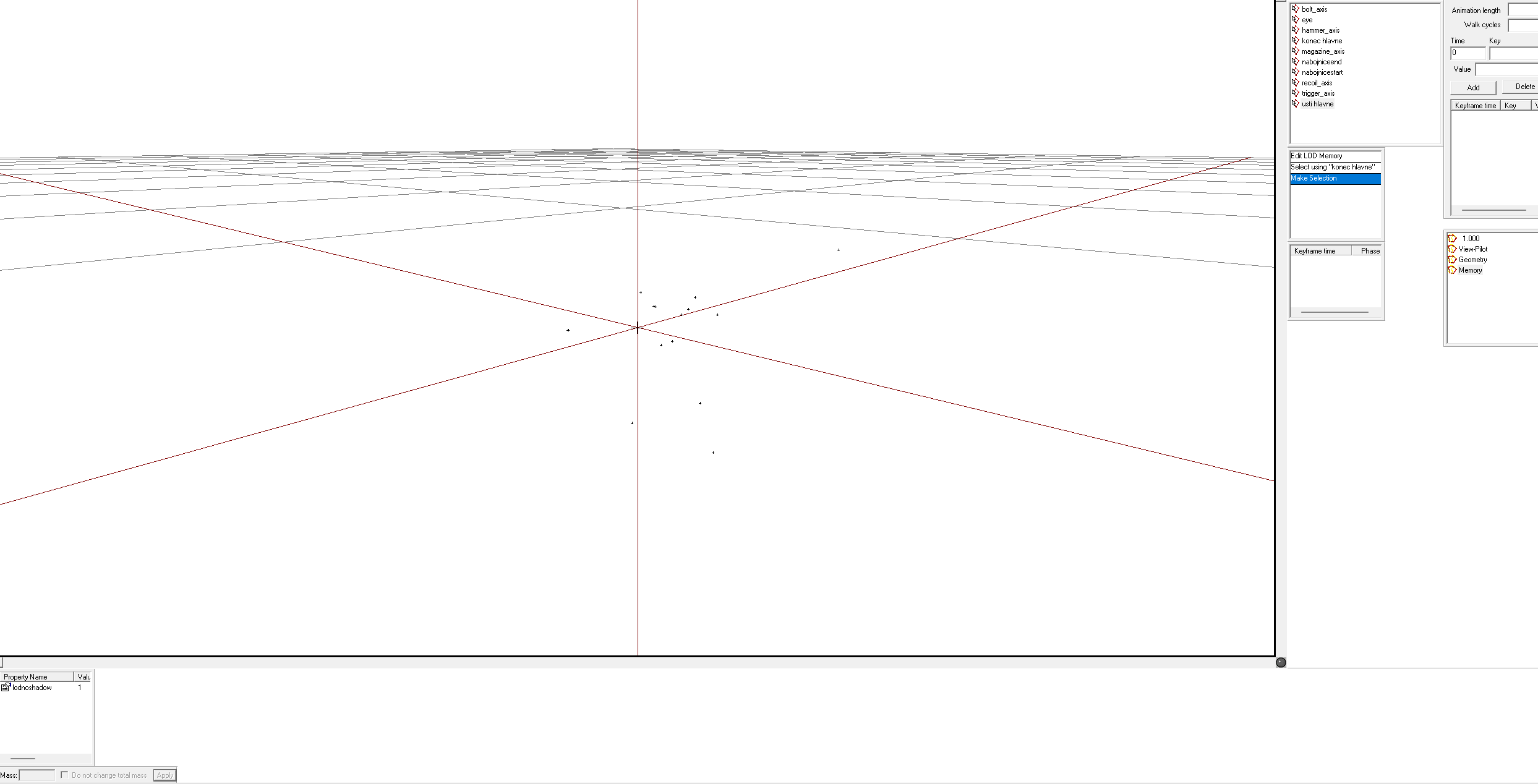 charred bolt
karmic silo
I have the muzzle defined, would the muzzle position affect where it's actually ...
charred bolt
karmic silo
I have the muzzle defined, would the muzzle position affect where it's actually ...
Didn't I already answer that in my reply?
karmic silo
Unless I'm missing it, which I may be. Eye is what defines what the player physically sees, and the other two define the muzzle positions for the bullet.
Do they need to by on the same level? Because again I just copied what I have done previously and this is the first time I am having problems with the actual lineup of the sights with the eye memory point? Let me grab a screen shot of the memory points overlayed
https://gyazo.com/887bc8f8cb3bcad8d8c136c9865fbc1d Both muzzle memory points are lined up and the Eye memory point is adjusted to the sight of the handgun
 charred bolt
Can you explain a bit more clearly what the actual problem is?
The eye is in the wrong place? Or the bullets do not come out of the end of the gun? Or they go off at an angle?
karmic silo
Both. The eye postion is the incorrect place causing the sights to not line up. As well the rounds to don't come out of the end of the gun at the correct angle.
charred bolt
Let's start with the eye position. Can you show a clear screenshot of why it is wrong?
karmic silo
Scratch that, I'm an absoulte idiot. My p3d was saving to the wrong place and I kept packing the broken one over and over...
It works fine now.. I appreciate the help 😂
Lining up the correct muzzle points on the same plane fixed everything since they were slighty off.
 runic terrace
External viewer: Unable to create viewer
I have this problem when I try to open buldozer in OB, the issue is that i made mapdisk.bat file to set up the p drive without arma 3 tools as well as used https://pmc.editing.wiki/doku.php?id=arma3:tools:buldozer in external viewer options (C:\Program Files (x86)\Steam\steamapps\common\Arma 3\arma3_x64.exe -buldozer -window -noLand -exThreads=0 -mod= -noAsserts -nologs -profiles=P:\Buldozer -cfg=P:\Buldozer\Buldozer.cfg -name=Buldozer)
I looked through this discord to help with fixing it, but none of the advices resolved the problem
cedar jacinth
p:\mp41\model\mp41.p3d:2, vertex: 5380, sum of weights is 200, should be 100
How can i fix this? All my weights are 100 - if i change them to 99 pboProbject cries that the values are 99....
All my Resolution LODs vertex groups have weights of 100.
stuck oyster
cedar jacinth
p:\mp41\model\mp41.p3d:2, vertex: 5380, sum of weights is 200, should be 100
Ho...
you have 2 weights at 100 strength affecting same piece of mesh
animated weights that is
cedar jacinth
ohhhhhhh my camo_metal incorporates stuff like trigger ect... so i have to make those 50?
cedar jacinth
its not though
stuck oyster
so if you have a bone in cfgSkeleton named camo_metal then remove that
cedar jacinth
But its weight is 100 - so the weight should be 0?
stuck oyster
no
cedar jacinth
skeletonBones[] = {
"magazine", "",
"bullet_push", "magazine",
"bullet3", "magazine",
"bullet2", "magazine",
"bullet1", "magazine",
"bolt", "",
"trigger", "",
"zasleh", "",
"range_sight", ""
};
stuck oyster
if its not animated selection it does not matter
those are the animated selections
and some of them overlap
and they cant overlap
cedar jacinth
Yes, my range_sight with my camo_metal - so i have to remove it from my camo_metal?
stuck oyster
NO
I said that already
check the animated selections === bones defined in the skeleton you just pasted
some of that list overlap
cedar jacinth
Yes. range_sight IS part of my camo_metal. so they overlap
cedar jacinth
I removed the range_sight from my camo_metal and it fixed the issue. 👍
cedar jacinth
And you are right - when adding and making Resolution LODs it breaks again.
stuck oyster
its in lod 2
if your read the error message there is :2 after the p3d name
so whatever you do to reduce it, combines group
cedar jacinth
I follow this - merge near:
LOD 0 it's unchanged
LOD 1 - 0.0001
LOD 2 - 0.001
LOD 3 - 0.003
LOD 4 - 0.007
LOD 5 - 0.012 for parts & 0.01 for gun body
stuck oyster
yeah merge near will combine your animated parts
youll have to clean up the selections in lods the error reports
cedar jacinth
Wait, im probably doing that part wrong. I always select all my selections and merge near. I guess i have to do that individually for each selection?
stuck oyster
If you want to do the reduction in that way then yes sure that can help
or you can just fix the selections that get overlapped
cedar jacinth
well if i do it all one by one the errors are all fixed 😄
So that was my issue
Sorry to ask that, but how do i remove a UVSet from my Geometry LOD?
I cannot see ANY UVSet in the UVEditor, and even when pressing "E" and hitting "Apply" it still does not seem to work...

 stuck oyster
cedar jacinth
Sorry to ask that, but how do i remove a UVSet from my Geometry LOD?
I cannot se...
stuck oyster
cedar jacinth
Sorry to ask that, but how do i remove a UVSet from my Geometry LOD?
I cannot se...
it dont seem to have uv
also weapond dont need geometry boyancy lod
cedar jacinth
19:55:13: Geometry LOD has UVSet, it is useless, consider removing it.
This says otherwise 😦
stuck oyster
probably one of the other geometry lods
cedar jacinth
stuck oyster
also weapond dont need geometry boyancy lod
Well sample has it - that was where i started 😄
cedar jacinth
stuck oyster
probably one of the other geometry lods
None of them have any UVSet and i have also done the "E" and "Apply" to all my other geometry LODs - is that mby a "bug" again?
Also, about this: LODs not ordered by face count 0 (0): 12542 faces < 1 (1) 12542 faces
Should i always start from LOD1 instead of LOD0?
stuck oyster
you dont need to do any e and apply for geoemtry lods
stuck oyster
cedar jacinth
Also, about this: LODs not ordered by face count 0 (0): 12542 faces < 1 (1) 1254...
no the numbers dont matter but your 0 and 1 lod are same
it can be 3 34 56 67 as long as each have less vertex
cedar jacinth
stuck oyster
no the numbers dont matter but your 0 and 1 lod are same
Ah, yeah - could be that at some point i have done the merge near and imported the P3D into blender afterwards.. 😦
charred bolt
cedar jacinth
19:55:13: Geometry LOD has UVSet, it is useless, consider removing it.
This says...
Discussed before - you can't fix that false error, so ignore.
#arma3_model message


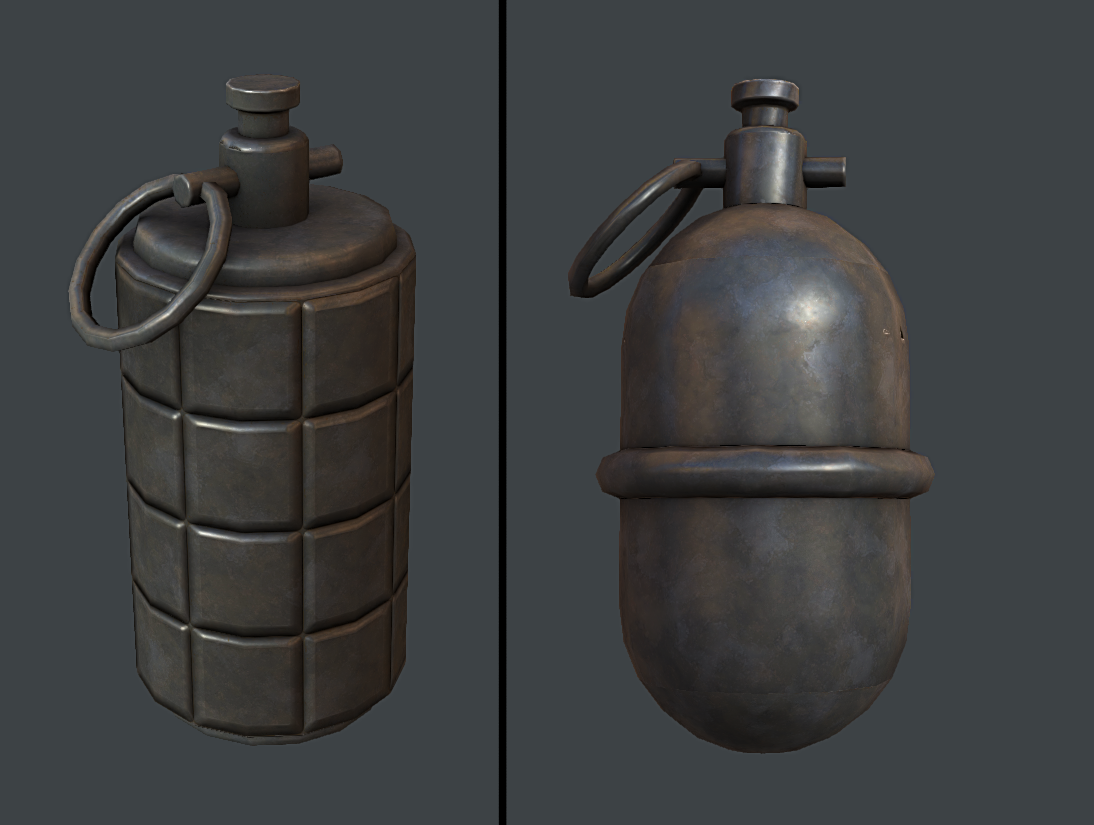 charred bolt
cedar jacinth
Also, about this: LODs not ordered by face count 0 (0): 12542 faces < 1 (1) 1254...
charred bolt
cedar jacinth
Also, about this: LODs not ordered by face count 0 (0): 12542 faces < 1 (1) 1254...
Each following resolution LOD should have half the number of triangles of the previous.
Example:
LOD 0: 16k
LOD 1: 8k
LOD 2: 4k
LOD 3: 2k
LOD 4: 1k
south badge
cedar jacinth
I follow this - merge near:
LOD 0 it's unchanged
LOD 1 - 0.0001
LOD 2 - 0.001
LO...
Is this not going to completely mess up your UVs? I have never heard of anyone making resolution LODs via merging close vertices
pallid island
witcher3_pidgeon.jpg
cloud arrow
Any ideas on what this might mean
 stuck oyster
cloud arrow
Any ideas on what this might mean
stuck oyster
cloud arrow
Any ideas on what this might mean
are you mixing arma3 launcher P drive setup and mikeros tools
you should not need to run buldozer configurator at all
cloud arrow
we got told to run buldozer to fix the rvmats
pbo project from mikero's isn't opened
but it was set up with mikero
stuck oyster
you should not need to run dozer configurator if your tools are set up with mikero tools and P drive is unpacked with arma3p
cloud arrow
How do we go about fixing the rvmats
is it only through object builder without using dozer at all?
stuck oyster
you first check if your rvmats work in buldozer
if not you fix rvmat pathing or structure
whichever is broken
as in you open p3d in object builder
and run the buldozer viewer from there
cloud arrow
stuck oyster
you first check if your rvmats work in buldozer
but we can't open buldozer
pallid nexus
You might need to set the buldozer path
Using the main executable (arma3_x64.exe most likely) works for the buldozer opened from Object Builder
cloud arrow
wdym
stuck oyster
cloud arrow
but we can't open buldozer
what does your object builder settings look like?
file-options
 cloud arrow
 stuck oyster
path to textures should be P:\
and external viewer is not defined at all
so you have not set up P drive with mikeros Arma3p
D:\Games\Steam\steamapps\common\Arma 3\arma3_x64.exe -buldozer -name=Buldozer -window -noLand -exThreads=0 -noAsserts -cfg=buldozer.cfg
limber abyss
One message removed from a suspended account.
 fossil vine
What am I doing wrong???
Left one is radio I put on ground by spawning it with arsnel. (SAKY_PRC96K: ItemCore)
Right one is one I put with zeus. (Item_PRC96K: Item_Base_F)
Problem 1. I cannot pick right one. (While I can pick the other one)
- Below is the
config.cfgI used.
{
    class Item_Base_F;
    class Item_PRC96K: Item_Base_F
    {
        scope=2;
        scopeCurator=2;
        displayName="PRC-96K(Radio)";
        author="Sakyamoney";
        editorCategory="EdCat_Equipment";
        editorSubcategory="EdSubcat_InventoryItems";
        vehicleClass="Items";
        model="P:\@PRC96K_Custom_Radio\Addons\PRC96K\PRC96K.p3d";
        class TransportItems
        {
            class SAKY_PRC96K
            {
                name="SAKY_PRC96K";
                count=1;
            };
        };
    };
};
class CfgWeapons
{
    class ItemCore;
    class SAKY_PRC96K: ItemCore
    {
        author="Sakyamoney";
        _generalMacro="ItemRadio";
        scope=2;
        displayName="PRC-96K(Radio)";
        simulation="ItemRadio";
        picture="\A3\Weapons_F\Data\UI\gear_item_radio_ca.paa";
        model="P:\@PRC96K_Custom_Radio\Addons\PRC96K\PRC96K.p3d";
        descriptionShort="PRC-96K Hand held radio for Republic of Korea Armed Forces.";
        class ItemInfo
        {
            mass=8;
        };
    };
};
Problem 2. Model stands up when I put it on ground.
- I tried to rotate it in object builder, which was a fail. And then I rotated the model in blender and it also failed..
Thanks in advance and would be nice if you can ping me.
 stuck oyster
fossil vine
What am I doing wrong???
Left one is radio I put on ground by spawning it with a...
stuck oyster
fossil vine
What am I doing wrong???
Left one is radio I put on ground by spawning it with a...
the cfgVehicles entity is a ground holder object which is basically invisbile object that has proxies to show items that are in its container
the cfgweapons entity is the item that can be put into the ground holder
fossil vine
    {
        scope=2;
        scopeCurator=2;
        displayName="$STR_A3_cfgWeapons_ItemRadio0";
        author="$STR_A3_Bohemia_Interactive";
        editorCategory="EdCat_Equipment";
        editorSubcategory="EdSubcat_InventoryItems";
        vehicleClass="Items";
        model="\A3\Weapons_F\DummyItemHorizontal.p3d";
        class TransportItems
        {
            class ItemRadio
            {
                name="ItemRadio";
                count=1;
            };
        };
};```This is the one I referenced.
Should I set model="\A3\Weapons_F\DummyItemHorizontal.p3d"?
@stuck oyster
I changed the model to dummy and now Problem 1 is gone. Thank you!
However problem 2 seem to be lasting. I think I've seen many objects in other mods also has this kind of problem. Would this be something that cannot be fixed like vanilla radio?

Chemlights stands up.
 fossil vine
I wonder how they managed to lay flat that vanilla radio
fossil vine
My theory was if the engine select longest bounding box axes to point sky, but mag pouches also lay flat on surface...
stuck oyster
its just the proxy in the ground holder pointing that way
fossil vine
Would this help?...
 cloud arrow
stuck oyster
<@287958354628968449> any progress?
cloud arrow
stuck oyster
<@287958354628968449> any progress?
Bulldozer got set up, its all fine. We put all the textures and it has the correct pathing but the textures aren't popping up
its just grey mats
stuck oyster
the files are in P drive?
cloud arrow
stuck oyster
the files are in P drive?
yes
stuck oyster
and paths to textures match the folder structure - P:\ in the paths
cloud arrow
stuck oyster
and paths to textures match the folder structure - P:\ in the paths
they do
stuck oyster
and the texturepath parameter in OB settings is set as P:\
cloud arrow
@stuck oyster


 stuck oyster
emm
you dont have a project folder to put them in?
like P:\HancocksMightyMods\Uniform\ (config and p3d stuff here) and \data\ where rvmats and textures would go
cloud arrow
when we gave it a project folder nothing but the armor appeared
when we took it away, the stuff started to appear like the guns and flag
limber abyss
stuck oyster
like P:\HancocksMightyMods\Uniform\ (config and p3d stuff here) and \data\ wher...
One message removed from a suspended account.
One message removed from a suspended account.
One message removed from a suspended account.
stuck oyster
well you really need proper foldering to pack it all into pbo
otherwise if you try to pack from P: root youll be packing in everything in P drive
stuck oyster
limber abyss
One message removed from a suspended account.
the whole idea of P drive is to represent the games inengine folder structure
cloud arrow
stuck oyster
the whole idea of P drive is to represent the games inengine folder structure
we aren't trying to pack it
we are trying to test the rvmat
stuck oyster
cloud arrow
we aren't trying to pack it
yes well but kind would make sense to get it all working in the right folders so when all works you can easily pack it up for in game test
limber abyss
One message removed from a suspended account.
drifting nova
I got a weird question; got my gun in game. However the shadow's doing something weird, it shows up when I take the gun out but if I walk a couple meters in any direction the shadow just... disappears?
shadow re-appears if I walk back
any ideas of what's going on?
Shadow isnt visible in first person either, I just realized that
charred bolt
Are you using a Shadow Volume LOD?
drifting nova
Yep
charred bolt
SV0 and SV10?
drifting nova
only res 0
charred bolt
res 0? Do you mean resolution LOD 0 or Shadow Volume 0?
drifting nova
Sorry, shadow volume 0
charred bolt
Have you checked it is closed, triangulated, sharp and how many faces is it?
drifting nova
Object builder plugin for blender validated it, yeah
hard edges, closed topology and triangulated
charred bolt
try validating it in Object Builder
charred bolt

 charred bolt
And the other question?
charred bolt
charred bolt
lol really
drifting nova
which might be too high now that I think about it
yeah I threw in the Lod1 rq to test that everything worked before doing the rest of the lods
charred bolt
Get it down to 1.5k and test again 😉
stuck oyster
You can build it from very simple shapes. All it needs is the main silhouette to fit the form of the gun
 cursive bone
Hey... so potentially controversial question here
I'm on a dev team working to polish a particular mod, including changing filepaths in the mod to a more PBOProject-friendly format, but there's one particular .p3d file which is in the mod as a binarized model, but which the author himself has lost the original unbinarized model.
He's looking for the source file on his computer now, but in case he can't find it, I wanted to ask:
-
Is it permitted to de-binarize a p3d*upon specific request by the p3d's author* to help them try to recover that lost file?
-
If so, are there any reputable tools out there to help achieve this?
Apologies for the odd question but I figured here would be the best place to ask 😅
marsh canyon
- No
- 1
 edgy pulsar
What's a good method to model tracks on an AFV?
south badge
Is there any sample I can consult regarding creating firing effects for two separated weapons inside a single turret?
charred bolt
south badge
Is there any sample I can consult regarding creating firing effects for two sepa...
You'll have to set selectionFireAnim = ""; in the turret config
Set up AnimationSources for the weapons:
{
   class weapon1_reload
   {
      weapon = "weapon1";
      source = "reload";
   };
   class weapon1_ammoRandom: weapon1_reload
   {
      source = "ammoRandom";
   };
   class weapon2_reload
   {
      weapon = "weapon2";
      source = "reload";
   };
   class weapon2_ammoRandom: weapon2_reload
   {
      source = "ammoRandom";
   };
};```

Animate the muzzle flashes to hide and rotate in model.cfg:
```class weapon1_muzzleflash_hide
{
    source = "weapon1_reload";
    type = "hide";
    selection = "weapon1_zasleh";
    minValue = 0;
    maxValue = 1;
    hideValue = 0;
    unhideValue = 0.99;
};
class weapon2_muzzleflash_hide: weapon1_muzzleflash_hide
{
    source = "weapon2_reload";
    selection = "weapon2_zasleh";
};
class weapon1_muzzleflash_rot
{
    source = "weapon1_ammoRandom";
    sourceAddress = "loop";
    type = "rotation";
    selection = "weapon1_zasleh";
    axis = "weapon1_barrel_axis";
    centerFirstVertex = 1;
    minValue = 0;
    maxValue = 4;
    angle0 = "rad 0";
    angle1 = "rad 360";
};
class weapon2_muzzleflash_rot: weapon1_muzzleflash_rot
{
    source = "weapon2_ammoRandom";
    selection = "weapon2_zasleh";
    axis = "weapon2_barrel_axis";
};```You'll also need to set the muzzle flash selections as children bones of the gun barrel in the skeleton so they move with it, and put them in the sections[] array so they can be hidden.
south badge
Hmm, I see. Thanks a lot, I will play around with it
woeful viper
@edgy pulsar Well the "professional way" would be: You model a single tracklink with high detail. Then you copy it multiple times to have a section of a couple of maybe 1-2 meter of straight track. Then you create a low poly version of this strip and bake the high detail model to have a tiling texture of the track. Then you apply this tiling texture to your simplified track on the model. The art really is to create a low poly model with Alpha texture usage in mind to achieve maximum detail.
WarThunder did an excellent job, you can take some inspiration from it - if you look very closely you will see that they use multiple layered alpha planes to achieve a very 3dimensional looking track
I'm not sure if arma can do the same - stacking lots of alpha maps is problematic in arma. I have to do it myself soon so i'll see what works and what not
edgy pulsar
Heh. Well, let me give that a go once I get to the tracks. Just a few more roadwheels left...
But I'll try to keep a minimal usage of alpha then.
woeful viper
the tracks on the bradley in A2OA look pretty good iirc (just not as good as warthunder does it) if you need to see something that can definitely be done in Arma
south badge
For some reason in case both turret and gun go red on my vehicle, I can´t turn the turret anymore, but I can still fire the gun. Am I missing some config entry?
I do have both isGun and isTurret in the respective hit classes
bright echo
the turret and gun hitpoint dont stop firing only rotation and elevation
respectively
(oddly enough though if you assign a hitpoint to a pylon it disables the weapon when destroyed)
south badge
Wait, has it always worked like that? How come I never noticed it
bright echo
yes
south badge
Well, sounds good to me!
charred bolt
As the gun can't move though, firing it can be, um, risky...depending on where it's pointing. iirc it drops to it's lowest elevation when gun = red
stuck oyster
was it possible to add a extra hitpoint animations inbetween there too. like turret - gunhitpointbone - gun
south badge
charred bolt
You'll have to set `selectionFireAnim = "";` in the turret config
Set up Animat...
I assume the muzzleflash selections need to be done via a proxy, right?
edgy pulsar
Yea, I'm gonna go through the sample stuff before I start the tracks.
Maybe see what I can learn.
stuck oyster
that is the typical way as they are shared between different weapons
now that I think about it, i dont remember if it worked on direct mesh part too if the sections etc are set right
south badge
I don´t assume these are defined in any way in any part of the config, meaning I probably have to stumble around the P drive until I find the folder with vanilla muzzle flashes?
nvm found it
south badge
Hm, I can only get it to work right in OB
charred bolt
south badge
Hm, I can only get it to work right in OB
That implies an error with your config, probably the weapon AnimationSources, although you've given no detail to work with.
south badge
I am not sure what I could have screwed up here


I know it is supposed to be "barrel" and not "barrell", I made a typo, but it is not the cause of the problem
selectionFireAnims in the cfgWeapons
 charred bolt
As I previously mentioned, selectionFireAnim = "";
stuck oyster
👆 right yeah you dont use selectionFireAnim at all because you use model.cfg hiding animations
south badge
at all you mean I need to leave it empty also in the weapon config, not only in the turret config?