#arma3_model
1 messages · Page 38 of 1

 stuck oyster
👍
this is far easier and performance friendly way to get ruins
the rtm you thought using earlier might look much fancier
but it is more complex to set up
 glad niche
Yes you are right, I have given up on animation for now
 grizzled halo
is there a way to visualize 2 lods at once in O.B?
Its a bit annoying having to go back and forth between memory and whatever other lod needed for ref haha
stuck oyster
grizzled halo
is there a way to visualize 2 lods at once in O.B?
Its a bit annoying having to ...
beyond the yellow bacground draw, no
Id recommend blender for that
grizzled halo
stuck oyster
beyond the yellow bacground draw, no
what would be the option to show that if you dont mind haha
stuck oyster
right click on lod
grizzled halo
show background then? That options does nothing for me sadly, doesnt show additional stuff
stuck oyster
grizzled halo
show background then? That options does nothing for me sadly, doesnt show additi...
should look like this

its not really any good for precise aligning of things
 charred bolt
Use 3d modelling software
 ripe flax
charred bolt
Use 3d modelling software
ripe flax
charred bolt
Use 3d modelling software
What would they be? Obj?
charred bolt
Try blender
ripe flax
I'm using Blender and I have the extensions loaded but the lod creation doesn't lods
 umbral shuttle
model cfg related question, is it possible to have the area where ViV happens be moved with animation? Like say I have the area on a forklift be ViV so crates can go in, and when forklift goes up the ViV goes up with it?
 bright echo
vehicleTransporting
0 when the vehicle is not transporting any vehicle, 1 when it is.
oh you mean the like, attachment
uhhhhhHH id say probably not
 umbral shuttle
bright echo
uhhhhhHH id say probably not
umbral shuttle
bright echo
uhhhhhHH id say probably not

how can I be forklift certified
I guess attachto would work?
bright echo
Yeah you'd just attachto it to the bone thats moving
thats all viv is anyway just in engine
umbral shuttle
with a bit better performance I guess
I love seeing composition vehicles move super fast and seeing all the parts lag 🙂
 formal halo
umbral shuttle
model cfg related question, is it possible to have the area where ViV happens be...
formal halo
umbral shuttle
model cfg related question, is it possible to have the area where ViV happens be...
could you just add the viv memory points to the same vertex group thats moving upward? I'm not sure if that will work but its worth a shot
umbral shuttle
formal halo
could you just add the viv memory points to the same vertex group thats moving u...
Yes did that, attached viv bones to the fork 😦
But I guess like flare memory points, they don't move
ripe flax
How can I do it so that they don't trespass on it?
 formal halo
gun
ripe flax
formal halo
gun
??
 marsh canyon
I don't even know what this question supposed to be
ripe flax
marsh canyon
I don't even know what this question supposed to be
I want to know how I can make it so that they do not trespass or how can I add physical ?
marsh canyon
Geometry LOD
ripe flax
And another question is there a tutorial on how to integrate a vehicle from scratch to Arma3?
ripe flax
marsh canyon
Geometry LOD
Oh, I see
I ask about the tutorial because I tried with trial and error to integrate a vehicle but it did not appear and I could only see the interior with first person
stuck oyster
ripe flax
I ask about the tutorial because I tried with trial and error to integrate a veh...
Try El tyranos tutorial series.
And study the wiki and samples on steam
grizzled halo
ripe flax
I ask about the tutorial because I tried with trial and error to integrate a veh...
ElTyranos tutorials pretty much hand holds you into adding a vehicle (tank), there is nothing simpler than that.
If you need specific help you can always ask here too, but usually broadly asking gets you nowhere.
 woeful viper
got sick of the dark grey... amazing what a bit of color can do
http://abload.de/img/2015-12-22_000038oqb6.jpg
http://abload.de/img/2015-12-22_00002ejo87.jpg
http://abload.de/img/2015-12-22_00004xarv1.jpg
http://abload.de/img/2015-12-22_00006jzr4x.jpg
 last spindle
its not pink though
woeful viper
i said a bit of color, not an overdose 😄
also... 5 sections for the whole tank
wait... that doesnt make sense... i have 3 textures -.-
last spindle
make sense to me.......i would assume there are maybe 5 different materials, or proxy objects, or some z-bias settings in there aswell
woeful viper
well 1 is for untextured stuff, including proxies
ff... this again .... apparently the black textured part has 2 sections even though it's 1 material + 1 texture
 storm wave
why when i add metirial to the model when i place the model the game crashes
storm wave
and how do i fix thes lines

 thin salmon
storm wave
and how do i fix thes lines
thin salmon
storm wave
and how do i fix thes lines
if you're talking about the diagonal lines across it, it looks to be the material tiling
 lone robin
storm wave
if you move it changes
lone robin
storm wave
if you move it changes
If I recall correctly it has something to do with your mesh normals. Go back into blender and apply an auto smooth modifier to it and ensure what should be sharp edges on the model are actually marked sharp.
stuck oyster
change time of day
 shy hamlet
I can't get the plane to not fall through. I have set the points in LandContact, there are also feet in the geometry. But the plane falls down when I check it.


 short marsh
For the effect of helicopters when you get down to the ground, the dust effect... Is it possible to duplicate it? I was thinking that I can have my ducted fans have two effects to mimic what it would do in real life, or is it stuck to just one effect?
 lusty ginkgo
can you add the pedestrians only parameter to a road p3d?
ripe flax
Only exported 6/8 LODs (check the logs in the system console)
I don't know where the error is


 ripe flax
 grizzled halo
did you apply transformations before exporting the p3d?
weapon body has to be parallel to barrel definition (usti/konec memory points) most of the times, and have to have an specific direction too in the 3d space
import sample into blender and properly orient
 grizzled halo
the orientation of your proxies are not correct
ripe flax
 ripe flax
stuck oyster
compare yours to the sample weapon
ripe flax
stuck oyster
compare yours to the sample weapon
Yes, I could do it and I already fixed that
grizzled halo
Is it better to declare memory points that need to follow movement as bones or should the memory points be included in named selections corresponding to bones in resLods?
ripe flax
 charred bolt
grizzled halo
Is it better to declare memory points that need to follow movement as bones or s...
charred bolt
grizzled halo
Is it better to declare memory points that need to follow movement as bones or s...
Usually the latter as it simplifies the skeleton and saves bone count.
grizzled halo
charred bolt
Usually the latter as it simplifies the skeleton and saves bone count.
understood, already shaved a lot of the skeleton we spoke about. Thanks
 dark flume
been working with a friend on the pre production of a Gundam Mod

 storm wave
why when i add metirial to the model when i place the model the game crashes
 faint sage
i am trying to make a pistol but slider became unvisible any solutions?


 lone robin
The geometry lod doesn’t look convex. It should just be a couple simple boxes. Also in OB you can press CTRL+A, select topology and find triangulate convex. After you fix your geometry
storm wave
these lines if you can see them how do i fix them

and make the objects texture visible from far away
 lone robin
storm wave
these lines if you can see them how do i fix them
lone robin
storm wave
these lines if you can see them how do i fix them
Once again, check your object in blender and apply an auto smooth modifier to it and that may alleviate those lines. Do you have your material assigned to all of your resolution lods ?
storm wave
lone robin
Once again, check your object in blender and apply an auto smooth modifier to it...
yes
and the shade smoth thing make the shdows not good
lone robin
storm wave
yes
I would still check material paths to all of your resolution LODs, somehow you have a blank mesh
storm wave
i used the arma 3 a3 concret rvmat
lone robin
storm wave
i used the arma 3 a3 concret rvmat
Do you have a _CO assigned to the face of the object ?
storm wave
what is thet
storm wave
how do i increas the texture render distence for an object
lone robin
storm wave
what is thet
The actual texture you’re assigning to the model aka the picture you want on the mesh
storm wave
yes
lone robin
How many resolution LODs do you have ?
storm wave
1
 analog garden
storm wave
these lines if you can see them how do i fix them
analog garden
storm wave
these lines if you can see them how do i fix them
Turn off shadows, if it’s still there it’s ambient occlusion engine bug
ripe flax
I was finally able to do it, thank you very much for the tips
Sorry for the quality but I had to upload it like this
 obtuse rain
Substance has a really nice one for height map painting: https://share.allegorithmic.com/libraries/579
But since you often want to stick them on angle joins I was wondering if a mesh based one might look better.
Might grab that polycount one and see how it looks with the substance alpha...
last spindle
if you are trying to create a weld between two surfaces that are not coplanar you will usually have/want to create a ring that intersects both and gives you a flat smaller angle to paint onto
http://jokermartini.com/welder/ is a quick way to do it for highpoly work
 honest atlas
I have a 3d model of a uniform but how can I get it into the game? Do I have to put bones or something on it? I've watched several tutorials but they don't explain that process or the game detects it by itself, please help
stuck oyster
honest atlas
I have a 3d model of a uniform but how can I get it into the game? Do I have to ...
it needs to be weighted to fit Armaman skeleton
you can use the sample character as reference
skeleton itself is not transferred into the game
the animation system already has it
ripe flax
How can I add proxies for the driver?
 stuck oyster
ripe flax
How can I add proxies for the driver?
stuck oyster
ripe flax
How can I add proxies for the driver?
wheres the model from?
ripe flax
stuck oyster
wheres the model from?
is from BlenderKi I have a subscription there
Is there a problem if the model is from that place?
stuck oyster
looks like alright source.
stuck oyster
ripe flax
is from BlenderKi I have a subscription there
but also leads to question, do you know how to do 3d modeling? 😅
ripe flax
Not much alone, but I've already taken a course to learn well
If the proxy goes like this?
 stuck oyster
you can find arma3 samples on steam where there are examples
those will show you reference on where and what direction to put proxies at
ripe flax
ah ok
stuck oyster
in your picture the proxy is facing back of the vehicle
ripe flax
Right?
 faint sage
hey, i am making a smg mod but even though i have magazine and gun script done well gun does not fire when click left mouse button
any help ?
stuck oyster
faint sage
hey, i am making a smg mod but even though i have magazine and gun script done w...
may be more a #arma3_config thing. post your config there along with the problem description
stuck oyster
ripe flax
Right?
this is the sample yes 👍
 rich meadow
I added a custom object and now I want to add some action in it when making it spawn using the following code:
private _pos = getPosATL player;
private _sensor = "vn_prop_sandbag_01" createVehicle _pos;

 [_sensor, ["Greetings!", { hint "Hello!"; }]] remoteExec ["addAction"];
This works on the sandbag item. But when excuting this on my custom object "colsog_static_handsid_sensor" (CfgVehicle) I don't see the action...
Here is my object config.cpp
class CfgPatches
{
    class handsidsensor
    {
        units[]={};
        weapons[]={};
        requiredVersion=0.1;
        requiredAddons[]={"A3_Characters_F"};
    }
}

class CfgMagazines
{
    class CA_Magazine;
    class colsog_inv_handsid_sensor: CA_Magazine
    {
        author = "Gerard";
        mass = 100;
        scope = 2;
        value = 1;
        displayName = "Handsid sensor";
        picture = "\handsidsensor\icons\icon.paa";
        model = "\handsidsensor\objects\handsidsensor.p3d";
        type = 256;
        count = 1;
        initSpeed = 18;
        nameSound = "handgrenade";
        maxLeadSpeed = 6.94444;
        descriptionShort = "Handsid sensor";
        displayNameShort = "Handsid sensor";
    };
};

class CfgVehicles
{
    class Static;
    class colsog_static_handsid_sensor : Static
    {
        scope = 2;
        model = "\handsidsensor\objects\handsidsensor.p3d";
        displayName = "Handsid sensor";
        faction = "Empty";
        vehicleClass = "Small_items";
    };
};
Anyone knows why ? :/
stuck oyster
rich meadow
I added a custom object and now I want to add some action in it when making it s...
does the p3d have view and fire geometry?
and normal geometry lods
rich meadow
stuck oyster
does the p3d have view and fire geometry?
not sure :/ How can I see this ?

I tried with another inheritance and object spawn but despawn 1 sec later (so it is not working neither, probably missing something in the config.cpp but what ? How can I check ?)
class CfgVehicles
{
    class Item_Base_F;
    class colsog_static_handsid_sensor : Item_Base_F
    {
        scope = 2;
        model = "\handsidsensor\objects\handsidsensor.p3d";
        displayName = "Handsid sensor";
        faction = "Empty";
        vehicleClass = "Small_items";
    };
};
it does not
 rich meadow
stuck oyster
it does not
rich meadow
stuck oyster
it does not
How can I add it , do you have some useful links by any chance ? 🙂
 white oak
samples and LOD page on tge wiki
rich meadow
stuck oyster
it does not
Will try now with
class CfgVehicles
{
    class Static;
    class colsog_static_handsid_sensor : Static
    {
        scope = 2;
        model = "\handsidsensor\objects\handsidsensor.p3d";
        displayName = "Handsid sensor";
        faction = "Empty";
        vehicleClass = "Small_items";
    };
};
 stuck oyster
rich meadow
Will try now with
```
class CfgVehicles
{
class Static;
class colsog_...
stuck oyster
rich meadow
Will try now with
```
class CfgVehicles
{
class Static;
class colsog_...
youll also need a valid component in there
and probably fire and view geometries too
white oak
What kind of object is this?
rich meadow
stuck oyster
youll also need a valid component in there
I did the step to validate the component Will check to add fire and view geometry. Btw, are we sure my issue are linked to this and not the parent class I inherit ? 🤔
stuck oyster
rich meadow
I did the step to validate the component Will check to add fire and view geometr...
yes
rich meadow
white oak
What kind of object is this?
I want to create an object ( a sensor) and using script addAction on it. I can do it on sandbags, etc. but when trying on minde no
stuck oyster
I dont rember which geometry it was thats needed for eye to see it for showing actions
white oak
Interact just needs memory point afaik
And for that simple of an object geo should suffice
rich meadow
white oak
Interact just needs memory point afaik
what is the memory point ? 🤔
stuck oyster
you may have some studying to do in the wiki 😅
memory lod is where memotypoints are defined
rich meadow
stuck oyster
you may have some studying to do in the wiki 😅
yeah indeed, but not really clear xD
stuck oyster
and they are vertices with named selections that tie into various engine functions/config parameters
rich meadow
stuck oyster
I dont rember which geometry it was thats needed for eye to see it for showing a...
i will try until I have somethjing that works 🙂
rich meadow
white oak
Interact just needs memory point afaik
I guess this needs to be defined in the config.cpp ?
stuck oyster
you can also check out the samples for reference
stuck oyster
rich meadow
I guess this needs to be defined in the config.cpp ?
the user action config or script command has a parameter for tying the action to a memorypoint
white oak
rich meadow
I guess this needs to be defined in the config.cpp ?
You name the vertex in OB/Blender then reference it in config under class useraction
rich meadow
I don't know what I did but my item became a member of the KKK apparently :/
 stuck oyster
😱
grizzled halo
We got magus hats before A4
rich meadow
Still not working but not hat this time 👒
- I have Geometry LOD
- Fire Geometry
- View Geometry seems not visible for Object Builder :/
Also, to create those 3 LOD i duplicated the 1.000 LOD and changed the type, maybe not a good way to do this


 stuck oyster
youll need a box component there
 sour bough
Well, that Geometry looks...like a res lod
rich meadow
Anyone available for a quick chat to help me figure this out xD Learned how to model object last week so really I am not an expert BUT if there are simple steps I am missing that would help a lot
rich meadow
sour bough
Well, that Geometry looks...like a res lod
yeah but from what I understood it should still work
sour bough
Well, as a geo lod it won't
stuck oyster
rich meadow
yeah but from what I understood it should still work
Make it a simple box
rich meadow
stuck oyster
Make it a simple box
I did all modelling on Blender, I assume I can do that in Object Builder and simply select box as Geomtry and the rest as the compoenent right ?
stuck oyster
rich meadow
I did all modelling on Blender, I assume I can do that in Object Builder and sim...
will be good practice to do it all in blender
the rest of your question I do not quite understand
rich meadow
stuck oyster
the rest of your question I do not quite understand
baiscally I was asking how to do it . But I think i have enought info to try various ways and hopefully one will work 🙂
stuck oyster
Make a box thats the size of your case, make that geometry lod type, give it component name according to the naming rule (there is a tool in the toolbox for that) duplicate that and make each fire and view geometry same
and last in geometry lod give the component mass so it gets simulated
rich meadow
Will check on how to do that on Blender 👍 . Is the minimum weight 10 and is this mandatory ? :/ Some items might be less heavy
sour bough
mass is ultimately arbitrary and relative and 10 is the minimum at which a player will collide with it
rich meadow
Okok so only for player collision , nice
honest atlas
stuck oyster
you can use the sample character as reference
What is the sample character or where can I get it? I'm very new to this.
honest atlas
This is my model but how can I put it in the game? At the moment I have it in Blender. I am interested in knowing how the bones are animated or how that programming process is done.
 stuck oyster
I would recommend starting from something simpler than character to learn the basics of configs and Arma lods first
honest atlas
I've already watched a lot of tutorials on how to put the uniforms in, but I still don't know how to do that with the bones for the uniform. How do you do that?
 fluid copper
honest atlas
I've already watched a lot of tutorials on how to put the uniforms in, but I sti...
fluid copper
honest atlas
I've already watched a lot of tutorials on how to put the uniforms in, but I sti...
take the sample character, and look up how to transfer weights in blender, then use the provided model.cfg with the sample uniform
honest atlas
Where is the sample character?
fluid copper
honest atlas
Where is the sample character?
You can download the samples from steams tools section in your library
honest atlas
Ty
Once I've done that, I have to program the bones of the uniform or how that works, which I haven't seen in any tutorial how they do.
stuck oyster
what program do you use?
youll have to look up how vertex group weights are set in that
and whats your model from?
you have some gaps in your basic modeling knowledge so you might need to go back a few steps and learn basics of things like animting and rigging model before continuing with arma specifcs
fluid copper
honest atlas
Once I've done that, I have to program the bones of the uniform or how that work...
There are no bones, it uses weighting. You can transfer them directly from the sample uniform in Blender. As far as programming them, the default sample model.cfg has almost everything out of the box, you just need to assign your model name in it, should be as simple as swapping the provided name at the bottom. After that its just a basic cpp config file
stuck oyster
(im not sure if blender is in use this time so might not be the solution)
fluid copper
The screenshot looks like it to me, but you're right
rich meadow
stuck oyster
and last in geometry lod give the component mass so it gets simulated
I did that but instead of using a box i used the object (should work from what I saw online). Now I have but still not possible to add an action on it (or at least see the action) :/
I also updated slightly the config.cpp to match a bit more the one of the sandbag. Here it is currently:
class CfgPatches
{
    class handsidsensor
    {
        units[]={};
        weapons[]={};
        requiredVersion=0.1;
        requiredAddons[]={"A3_Characters_F"};
    }
}

class CfgMagazines
{
    class CA_Magazine;
    class colsog_inv_handsid_sensor: CA_Magazine
    {
        author = "Gerard";
        mass = 100;
        scope = 2;
        value = 1;
        displayName = "Handsid sensor";
        picture = "\handsidsensor\icons\icon.paa";
        model = "\handsidsensor\objects\handsidsensor.p3d";
        type = 256;
        count = 1;
        initSpeed = 18;
        nameSound = "handgrenade";
        maxLeadSpeed = 6.94444;
        descriptionShort = "Handsid sensor";
        displayNameShort = "Handsid sensor";
    };
};

class CfgVehicles
{
    class Static;
    class colsog_static_handsid_sensor : Static // <- This object here
    {
        scope = 2;
        model = "\handsidsensor\objects\handsidsensor.p3d";
        displayName = "Handsid sensor";
        faction = "Default";
        vehicleClass = "Objects";
    };
};
I guess now something is wrong in the config since I have the different LODs 🤔


Here is the .p3d in case it can help
and the cmd that I want to work
private _pos = getPosATL player;
private _sensor = "colsog_static_handsid_sensor" createVehicle _pos;

[_sensor, ["Greetings!", { hint "Hello!"; }]] remoteExec ["addAction"];
 quick terrace
that script of joker works abou 70% of the time
rich meadow
Another diff, in game I can see the sandbagh object but not the sensor (my item) but I can make it spawn, etc.
 stuck oyster
rich meadow
I did that but instead of using a box i used the object (should work from what I...
stuck oyster
rich meadow
I did that but instead of using a box i used the object (should work from what I...
well I suppose you can make a convex blob out of the object too
quick terrace
i tend to do my welds mesh manually
rich meadow
stuck oyster
well I suppose you can make a convex blob out of the object too
I just tested with a Box as well and not working neither 😦
stuck oyster
did you give it the componentXXX naming?
quick terrace
directly in max
rich meadow
Noiw Trying to add
[this, ["Greetings!", { hint "Hello!"; }]] remoteExec ["addAction"];
Directly in the object:
- in game and when placed in the editor: working for sandbag but not my item,

I can walk straight though my object as well, maybe implying the LOD geometry is not done properly ?
quick terrace
there is nothing a noise modifier can't help you with 😉
rich meadow
well, I give up for tonight... 🥲 4 hours on this to no avail
Thx for the help HorribleGoat 👍 Will try to see if I messed up something somehow (but tomorrow)
sour bough
Are there any animation sources for weapons that can alternate between shots? All I can think of is to do something clever with revolving and whatnot
...Ammo, then you loop it?
sour bough
class BarrelSwap
{
    type = "translation";
    source = "ammo";
    sourceAddress = loop;
    selection = "barrelswap";
    axis = "barrelswap_axis";
    minValue = 0;
    maxValue = 1.0000000000000000001;
    offset0 = 0;
    offset1 = 1;
};
It ended up being something like this, for anyone else who's trying to do the same thing.
ripe flax
I was looking at the models of a person who sold them to me and I checked them on the OBJ and it said that it was signed by another person someone knows why ?

and this person was selling them to me for 15 dollars I just asked for a test one and he gave me this
charred bolt
ripe flax
and this person was selling them to me for 15 dollars I just asked for a test on...
The LOD properties indicate that the model contains objects created by RKSL Studios and John Spartan amongst others, so likely to be ripped and illegal.
Bin it/report it.
ripe flax
charred bolt
The LOD properties indicate that the model contains objects created by RKSL Stud...
What if this model is in the workshop?
rich meadow
Aynone here as a .p3d object with geometry LOD, etc that I could use to test ? 🙂
Some how I did it but not sure i will be able to reproduce what I did 💀

Depending on angle, object seems to blink, disapear 
 rich meadow
From testing, this view glitch happens when I have 2 of those items in view 🦐
 bold flare
rich meadow
Aynone here as a .p3d object with geometry LOD, etc that I could use to test ? �...
rich meadow
bold flare
https://discord.com/channels/105462288051380224/105462541215358976/9680872655008...
bold flare
rich meadow
Aynone here as a .p3d object with geometry LOD, etc that I could use to test ? �...
rich meadow
bold flare
https://discord.com/channels/105462288051380224/105462541215358976/9680872655008...
thx ! Will write the steps I followed to have something that is working (with visual glitch but hey, at least it is an improvment) and then will take a look at the example and compare 🙂 Thx !
bold flare
#arma3_texture message Here are some more I think
rich meadow
By any chance, do you have an idea for the blinking item glitch I have ? It only occurs when 2 items of the same type are in my FOV 🤔
migth have found the cause :

- Geometry objects should have a thickness of at least 0.5 meters in order to work properly. (did not add thichness, maybe the issue )
rich meadow
I found a way to make it work consistently I think 🙏 Last issue I have is the weird glitch visual bug when 2 items are visible and this error popping 🤔 Any idea how to resolve this one ?
 obtuse rain
How do arms and hands work as far as having the correct texture? Does it just apply the faces-driven texture to anything with the magic "hl" selection in your uniform model?
bold flare
That error should already trigger when you put down just one of these objects.
An entry in your config is missing. Though I never heard of a "submerged" entry
stuck oyster
ripe flax
What if this model is in the workshop?
Guarantees nothing. You have been scammed.
grizzled halo
sour bough
Are there any animation sources for weapons that can alternate between shots? Al...
no, do a fired eventhandler and alternate animationSources for your muzzleflash and bullet creation
sour bough
grizzled halo
no, do a fired eventhandler and alternate animationSources for your muzzleflash ...
I solved it without scripting, check below
Also you can't affect sources on a weapon with scripting
Also for some reason I've never actually gotten two different zasleh's proxied in to work, might be an engine restriction? Iirc the grenade launcher zasleh's are just included in the res lod wholesale
stuck oyster
sour bough
Also for some reason I've never actually gotten two different zasleh's proxied i...
yeh that seems to be a thing
so they got to be done via hide animations
sour bough
yeah
Not a huge deal to me
Though I guess if you use the same zasleh you could just translate with the muzzle source
stuck oyster
sour bough
Not a huge deal to me
Though I guess if you use the same zasleh you could just ...
possibly yeah
sour bough
stuck oyster
possibly yeah
I've done it before :)!
Iirc you can also translate your usti and konecs
charred bolt
sour bough
Iirc you can also translate your usti and konecs
Sounds like you've got it sorted, but you can have a closer look at MLRS (such as in 3CB Factions pack) for most of these complex animations with multi-barreled weapons where firing points, case ejection, fx and muzzle flashes all move around between shots.
sour bough
charred bolt
Sounds like you've got it sorted, but you can have a closer look at MLRS (such a...
Yeah I asked and then Immediately solved it lol
 low falcon
hello, hope you are all well. i have a question about the vehicles in arma. is there a mod or even just a webpage that allows you to locate all vehciles engine/fueltank locations internally? in the VR you have 3 models of which you can see where the fueltank and engine are located inside. i looked online and found a page that also covered the ifrit but nothing more. any help of this would be great
stuck oyster
low falcon
hello, hope you are all well. i have a question about the vehicles in arma. is t...
no dont think there is
the VR see through models are separately made for that purpose
low falcon
i know i understand, i was just curious if there was even just pictures depicting the location of the fuel tanks and engines of each vehicle as they are modeled to have them initially
stuck oyster
my guess is no. Field manual would probably cover it if there were


 stuck oyster
I believe they are just community made
low falcon
ahhh okay makes sense. i guess i was hoping there was a way to figure it out besides just going into an editor and shooting away until i hit it XD
stuck oyster
also I guess this question is more a #arma3_questions stuff not related to model making. so lets keep it short
low falcon
sorry i came here as i thought this would be my best chance as it was model related. apologies
stuck oyster
no worries. it could have been.
You can look into scripting commands for ways to draw different hitboxes on your view
or possibly the diagnostic Exes drawmodes might be able to help
low falcon
okay thank you ill give it a go 🙂
rich meadow
bold flare
That error should already trigger when you put down just one of these objects.
A...
- I fixed all my errors ✅
- I update the procedure I am writing (tutorial for beginners basically): https://github.com/gerard-sog/arma3-macvsog-columbia-items posting it here in case it helps someone (the readme contains the procedure steps by steps to create an object from scratch) 👍

GitHub
Arma3 MACV-SOG Columbia - Object and Procedure for object creation - gerard-sog/arma3-macvsog-columbia-items
charred bolt
low falcon
okay thank you ill give it a go 🙂
This will do exactly what you want:
dev branch, diagnostic exe
diag_drawMode "FireGeometry";
https://community.bistudio.com/wiki/diag_drawMode
 pastel heath
rich meadow
- I fixed all my errors ✅
- I update the procedure I am writing (tutorial for b...
pastel heath
rich meadow
- I fixed all my errors ✅
- I update the procedure I am writing (tutorial for b...
In here you are missing model.cfg basicly if you want to add animation on a object or selections for example like a laptop that you can put a picture on it. You can read more here about it if you want to add that to tutorial as well.
https://community.bistudio.com/wiki/Model_Config
https://community.bistudio.com/wiki/ArmA:_Armed_Assault:_Howto_Model_Config
And here is a nice tutorial for door animation:
https://www.youtube.com/watch?v=X6Xa4y_4PsM
Also i beleve you didnt add the material to fire geometry so when you shoot at the object it plays like you are shooting at metal/dirt what ever material is. As well as adding the sounds when you are walking on top of the object if object is larger and it needs sounds to play you can watch this video on how to add sounds to object.
https://www.youtube.com/watch?v=GxGIgurkzW4&list=PLD7vclnmlFUulaJtVoL1DFoODHhHfJF2S&index=11
If you go from 30 min onwoards on second video you can see how he basicly added "Sounds to object" when walking and fireing at object.

In this tutorial I'm making a simple sliding door animation.
Files used in this tutorial:
https://www.dropbox.com/s/d51ybz9c8m5i97y/WHobjects.rar?dl=0
3d model by E_50_Panzer, textures by Super Trooper
How to set up your P drive and arma tools for Blender:
https://www.youtube.com/watch?v=Lgbp-gYK8ls
https://www.youtube.com/watch?v=SNTPSstX2qU

0:00 model presentation
1:30 substance painter
3:32 Linking source folder to P drive
4:15 ArmA export properties in Blender
6:10 Resolution LODs
9:50 Shadow LOD
11:56 Exported to Object Builder - first basic operations
15:00 Geometry LOD - essential concepts
17:10 How to create Geometry LODs in Blender
24:18 FireGeometry LOD : vehicle sample
27:...
charred bolt
In Steam, switch version of Arma to development branch, wait for download.
In Arma folder, run arma3diag_x64.exe to start the game
When in game, press ESCAPE for the debug console
Enter diag_drawMode "FireGeometry";
Press Escape to exit console, and back in game everything will render with Fire Geometry boxes rather than the usual resolution LOD.
@low falcon ^
low falcon
thank you apollo i really appreciate this
rich meadow
pastel heath
In here you are missing model.cfg basicly if you want to add animation on a obje...
will take a look for sure 🙂 thx
charred bolt
low falcon
thank you apollo i really appreciate this

 low falcon
im just downloading the development branch now
charred bolt
If you use diag_drawMode "Shots"; at the same time you can see the ballistic trajectory for each bullet, where it hits, how it penetrates and ricochets / exits on the Fire Geo.
low falcon
thats amazing! thank you
low falcon
@charred boltam imissing something as it doesnt seem to work for the helis

 pallid island
charred bolt
If you use `diag_drawMode "Shots";` at the same time you can see the ballistic t...
pallid island
charred bolt
If you use `diag_drawMode "Shots";` at the same time you can see the ballistic t...
whaaaat
low falcon
@charred boltyeah it doesnt seem to show the internal components with this as the fuel tank for the strider is located just above the rear wheel
 stuck oyster
zoom into the model
 charred bolt
low falcon
internals are just empty
charred bolt
low falcon
internals are just empty
That's because BI didn't create a specific fuel tank fire geo for the Strider.
pallid island
i mean, this is achievable by some scripting shenanigans in dev build, but it isn't likely to be very accurate for big sparse hitpoint clouds, for example

||crappy|| code at https://pastebin.com/2BgEd2xL + diag exe + diag_drawmode "wire" once + splendid camera
and doesn't care for hitpoint radius as well
charred bolt
pallid island
whaaaat
Fire Geo + Shots
 pallid island
i guess diag_toggle "Shots", not diag_drawMode?
charred bolt
Ah yes, typo in command, if that's what you meant with your comment
charred bolt
low falcon
<@273596087229480970>am imissing something as it doesnt seem to work for the hel...
Yes, it works for heli's, as for any other object.
If the fire geo is sufficiently detailed, you might need to zoom inside to see interior details.

 low falcon
ahhh i understand now thank you
pallid island
with some vector chicanery, but i don't get why the drawLine3D/drawIcon3D produce different colors on the screen 
 low falcon
oh thats cool how do i get the boxes like that?
pallid island
more pastebin spam for spam god: https://pastebin.com/CXgAiDni (it expects the target vehicle to be named "tank" in the editor)
stuck oyster
cool
 waxen sky
Does anyone know how to fix this texture error?
 rich meadow
waxen sky
Does anyone know how to fix this texture error?
rich meadow
waxen sky
Does anyone know how to fix this texture error?
Yes , path to texture should be from main directory of the mod
In your case probably : testakcv\data\texture.paa
waxen sky
I didn't know that weapons used data
stuck oyster
waxen sky
I didn't know that weapons used data
where did you get the model from
rich meadow
From what I know you should have a structure for your mod with a data folder right under the main folder :/ (I might be wrong)
stuck oyster
are there textures with it?
waxen sky
stuck oyster
where did you get the model from
sketchfab I'm trying to learn how to convert
stuck oyster
since it seems to be in PBR metallic/rough texture format those wont really work well in Arma
Arma uses different kind of shaders
first thing you need to do is set up your P drive and tools right
so you can actually produce a working pbo
dont use pbomanager
waxen sky
stuck oyster
first thing you need to do is set up your P drive and tools right
i can make a p drive using disco d not disco c
stuck oyster
P drive is typically a virtual drive
that is loaded from a folder from your real drives
it represents the games internal file system for the tools
waxen sky
The problem is that my disk that it picks up is very full
stuck oyster
you doing it wrong then.
use the method in the link so you can easily define what folder you use
 waxen sky
same error
 stuck oyster
waxen sky
same error
stuck oyster
waxen sky
same error
your path does not look right
you mod contents should not be in the P;\A3 folder at all
thats for arma3 data
your mod stuff would go into P:\yourmodproject\yourTAG_yourmod\the files
and you would pack yourTAG_folder into a pbo
P drive should not have any folders with @ or any addons\ folders
@modname\addons is folder where pbo would go
as a local mod folder
not P drive project folder
waxen sky
like this
 waxen sky
stuck oyster
is this the virtual drive?
waxen sky
stuck oyster
is this the virtual drive?
yes
stuck oyster
why is there a folder pdrive in it?
waxen sky
stuck oyster
why is there a folder pdrive in it?
is the game data
waxen sky
stuck oyster
the game data should be at P:\a3\
ok
waxen sky
what i use
 stuck oyster
arma3p
and you dont seem to have all the tools installed
go to mikeros bytex store page and get the all in one installer
waxen sky
stuck oyster
go to mikeros bytex store page and get the all in one installer
what is the name
waxen sky
what i do
 stuck oyster
then run arma3p
waxen sky
 waxen sky
ok
stuck oyster
yes
select yourself a mod tag. often 3 letters like CUP or RHS or ACE
but can be more
that will be what you add to your folders, files and classnames to make them unique to your mod
OFPEC Tags
then you make a P:\yourTag folder where all your stuff goes
if you make a gun mod you could have P:\yourtag\yourtag_myFancyGuns\
waxen sky
like this
 stuck oyster
none of that stuff

no @folders
no addons folders
those dont belong to P drive
 waxen sky

 waxen sky
stuck oyster
texture and rvmat files typically are put in a data\ folder
waxen sky
stuck oyster
texture and rvmat files typically are put in a data\ folder
It is necessary to have RVMAT
waxen sky
stuck oyster
but your model looks like poop without it
it just to test
waxen sky
i gonna test if works
 toxic cobalt
Hello guys, I was seeing if anyone was good at making models for Arma 3 cause I am making a cold war scenario and need an F-111 Aardvark if that's possible for someone to make that would be great I cab post some photos with it to.


If someone can make something like this please let me know that would be a great help thank you
 scarlet mirage
toxic cobalt
If someone can make something like this please let me know that would be a great...
scarlet mirage
toxic cobalt
If someone can make something like this please let me know that would be a great...
I don't know if it's against the rules, but if it isn't, maybe offer a little bit of $$ for their time
toxic cobalt
yeah I probs will to be fair
stuck oyster
toxic cobalt
yeah I probs will to be fair
you can post #creators_recruiting to offer commission or find someone to make stuff. Here we discuss how things are made
stuck oyster
scarlet mirage
I don't know if it's against the rules, but if it isn't, maybe offer a little bi...
source models can be paid for yes
toxic cobalt
ah ok I didn't know that thanks
stuck oyster
you can also browse places like cgTrader and artStation to find artists who make commision
the "putting it into Arma" part can not be paid for though
toxic cobalt
ok thank you
stuck oyster
you honestly have easier time if you just use something similar enough from existing mods
Also you will get a lot of scammers try to fool you so be very careful who you trust
scarlet mirage
basically, if they cannot PROVE their work, walk away - many decent modders can prove their stuff
scarlet mirage
stuck oyster
source models can be paid for yes
I knew the source models could be paid for, I didn't know you couldn't offer a little to someone to help put it into a modpack for arma for you, good to know 🙂
stuck oyster
scarlet mirage
I knew the source models could be paid for, I didn't know you couldn't offer a l...
that gets people paying, making and the mods banned
scarlet mirage
stuck oyster
that gets people paying, making and the mods banned
this is very good to know, thank you for clarifying, hopefully people start to see and understand this message/rule from Bohemia, and maybe take heed to it, there are so many amazing creators out there, yet it seems that there are almost as many aiming to make a profit in ways that they aren't allowed ( I assume this, because that rule wouldn't be there if that wasn't the case.... same with warning labels, wouldn't be there if something hadn't happened to force them to be 😉 - mostly joking about warning labels lol
stuck oyster
 foggy finch
anyone know if this is possible.. we already have hiddenselectiontextures[] = {"selectionname"};, is it possible to do the same with rvmats ? the script command setObjectMaterial exists for this, but I do not see anything config-wise to enable this,. could be a feature request
i.e. be able to define different mats in the config that you can switch to
(that arent damage mats or hitpoint related)
n/m will try with standard hiddenselections[], damned config megalist hidden in wiki 😄
last spindle
hiddenSelectionsMaterials[] = ........
not sure it works all the time or always as expected
 sturdy orchid
Hey uh, can anyone here teach me how to model in arma 3?
marsh canyon
Do you mean you need an assistance with modelling process itself or importing into Arma 3
 sleek trout
What kind of LAV?
 south badge
sturdy orchid
Hey uh, can anyone here teach me how to model in arma 3?
south badge
sturdy orchid
Hey uh, can anyone here teach me how to model in arma 3?
You don´t model in Arma 3, you model in modelling softwares 
sturdy orchid
marsh canyon
Do you mean you need an assistance with modelling process itself or importing in...
Yea
sturdy orchid
Oh
sturdy orchid
Assistance
sturdy orchid
I need help trying to recreate the federation soldiers from cod ghosts
stuck oyster
well first you need to learn how to 3d model
sturdy orchid
Apparently I'm trying to use these models for a large mod
sturdy orchid
Yea
stuck oyster
and we have 0 tolerance for that
sturdy orchid
But I can try recreating them
stuck oyster
then youll first have to forget any particular goals
and pick up basic tutorials on whatever program you want to learn
like Blender is good and free
sturdy orchid
Alright
stuck oyster
and has lot of tutorials
sturdy orchid
I'll stick with blender
stuck oyster
and expect learning all thats necessary to take few weeks to few months at least
theres multiple larger topics like 3d modeling, uvmappingm texturing etc that a then break down to smaller sub topics accross various techniques youll have to figure out
and how to make a game character is combination of all of them
stuck oyster
Id guess people generally dont have months of time for personal teaching like that
small specific questions are easy to answer
but "teach me to 3d model" is what people got to schools for
sturdy orchid
That is very true
stuck oyster
so no sorry I dont know anyone who does that kind of teaching
sturdy orchid
Oh, it's alright
stuck oyster
its all possible to learn on your own
you just got to be patient and practice a lot and watch and read tutorials
sturdy orchid
Alright
rich meadow
sturdy orchid
Hey uh, can anyone here teach me how to model in arma 3?
I have a basic procedure you can follow if you want it is here : https://github.com/gerard-sog/arma3-macvsog-columbia-items Should work for "basic" items

GitHub
Arma3 MACV-SOG Columbia - Object and Procedure for object creation - gerard-sog/arma3-macvsog-columbia-items
I explain everything from Blender to actually deploying a mod for the said item 👍
(modelling on Blender will have to be learned online though, so vast that impossible to teach that in any procedure xD )
 lyric harbor
What is the first thing to do after completing a 3d model of a vehicle
stuck oyster
lyric harbor
What is the first thing to do after completing a 3d model of a vehicle
texture it
lyric harbor
I mean after that
stuck oyster
lyric harbor
I mean after that
well what do you intend to do with it?
lyric harbor
I want to make a vehicle mod
charred bolt
lyric harbor
I want to make a vehicle mod
Make Geometry, Geometry Phys, Buoyancy, View Geometry, Fire Geometry, Shadow Volume 0, Shadow Volume 10, View Pilot/Gunner/Cargo, Memory, LandContact, Hitpoints and multiple resolution LOD's.
Write config.cpp, including CfgPatches, CfgVehicles, maybe also CfgWeapons
Make new character animation rtm's.
Make model.cfg with skeleton bones, sections and animations.
Allow 6-12 months hard work.
glad niche
hi all
stuck oyster
ripping the game models is not allowed
we have 0 tolerance for that
this is your one and only warning
@glad niche is that clear
 errant pumice
What all determines how many damage does the body/armor take in a p3d model? Trying to fix some of units, they are currently sponges for bullets... of all types.
woeful viper
again?
errant pumice
it happens I work on islands, units... not so much 😃 but in this community a lot of stuff has to be done by yourself or it never gets done 😉
woeful viper
vanilla damage model or something else?
errant pumice
yeah vanilla
i'm going through this now https://community.bistudio.com/wiki/Arma_3_Soldier_Protection
woeful viper
and what effect does it have?
if youre dealing with 3rd party addons, how do you know the hitpoints in the model are even setup correctly for the uniform?
foggy finch
@last spindle thanks, I'll pass it on to the guy asking, nothing in biki about that 😉
woeful viper
nvm
foggy finch
hehe 😄
errant pumice
X3KJ well model is made by a friend, all proper as I can tell. Units take tremendous amount of fire and dont get killed easy... like dealing with robocops lol
woeful viper
with or without armor equipment?
if without armor then check https://community.bistudio.com/wiki/Arma_3_Damage_Description#Standard_Hit_Damage and compare those values to vanilla units
errant pumice
any clue why an ammobox is not visible in Zeus? It has a scopeCurator = 2; value
woeful viper
cfgpatch?
storm wave
how do some object i see in object builder are not triangulated
and if i use rvmat for metirial does it put texture or i need to add texture and metirial in the same face
 sly plover
Hello everyone, someone can help me to find this uniform in the files, i can't find it and i want to retexture it ( change the camo )

im new at it so pls forgive me for this dumb question
pallid island
sly plover
Hello everyone, someone can help me to find this uniform in the files, i can't f...
prolly this (from https://community.bistudio.com/wiki/Arma_3:_CfgWeapons_Equipment#U_IG_leader)
 sly plover
thank you
storm wave
how do i convex thet in a way it will not be a diffrent object
 pallid island
sly plover
thank you
pallid island
sly plover
thank you
hidden selections don't seem to be properly configured in its linked CfgVehicles > I_G_Soldier_TL_F class. Class config says hiddenSelections[] = {"Camo", "insignia"}; when the model has "Camo1" and "Camo2" selections only
stuck oyster
simple fix, write camo1 and camo2 in your configg
pallid island
ye, works

 stuck oyster
sly plover
im trying to do something like that ?
stuck oyster
sly plover
im trying to do something like that ?
well retexturiing means you just pain overe the existing textures
so you grab those and start painting
sly plover
i literaly can't find the character in arma3 file, im searching in a3 document
stuck oyster
sly plover
i literaly can't find the character in arma3 file, im searching in a3 document
you dont use the model
just the textures
sly plover
how ?
stuck oyster
you get the texture file (.paa)
convert it to png
open it in paint/gimp/photoshop
paint
storm wave
@sly ploveri can help you with thet if you want
charred bolt
storm wave
.
 storm wave
yeah mate how do i do thet
charred bolt
How do you make boxes in a 3d modelling program?
storm wave
in object builder
charred bolt
Are you using blender?
storm wave
did made boxes they are not showing
charred bolt
Are you using blender?
storm wave
sometimes
charred bolt
Do you know how to make boxes in blender?
storm wave
storm wave
did made boxes they are not showing
.
charred bolt
make them show then... honestly, how do you think that information can help us help you?
storm wave
ok never maind
charred bolt
I did a thing. It doesn't work. Please fix for me.
We're happy to help, but you'll only get back what you can be bothered to put in.
marsh canyon
Looks he left the server. Finally, a good riddance
 mossy mulch
they'll be back
sour bough
For a dual-turreted vehicle, is there a particular trick to making the two turrets have a convergence distance adjusted by zeroing?
stuck oyster
scripting
lot of it
well maybe turrets ould be AI manned and follow main gunners view
or something like that
there are no vanilla examples of such solutions
sour bough
hmmm.
I could've sworn I've seen it before.
I should specify, they're not two turrets in a config sense. It's two guns on the same turret
Or rather
One Weapon on one Turret that is two guns on the model with alternating shooting
charred bolt
sour bough
Or rather
One Weapon on one Turret that is two guns on the model with alternati...
We have that on some vehicles in SOG:PF.
Perhaps PBR boat with twin front cannon.
sour bough
charred bolt
We have that on some vehicles in SOG:PF.
Perhaps PBR boat with twin front canno...
Yeah I've got it on a plane with guns on the wings but they don't have a convergence distance or anything. This is for a tank
stuck oyster
sour bough
Or rather
One Weapon on one Turret that is two guns on the model with alternati...
Oh then I misunderstood you
sour bough
stuck oyster
Oh then I misunderstood you
It's okay lol
Colloquial vs config terms
sour bough
Yeah nah, one Turret one Weapon two hlavne
stuck oyster
vehicle weapon zeroing should just work 🤔
charred bolt
Like this?
 sour bough
stuck oyster
vehicle weapon zeroing should just work 🤔
sour bough
stuck oyster
vehicle weapon zeroing should just work 🤔
No anim source needed to make them tilt inward?
sour bough
charred bolt
Like this?
Yeah like that
stuck oyster
sour bough
No anim source needed to make them tilt inward?
oh thats not a thing
dual mounted guns dont typically converge in real life solutions
 subtle bison
my newly installed buldozer (started from o2) won't show textures even though texture path is set to p:\ anyone got any clues for why?
stuck oyster
subtle bison
my newly installed buldozer (started from o2) won't show textures even though te...
arma3 exe buldozer or buldozer.exe dozer?
subtle bison
ob from shortcut
stuck oyster
P drive set via launchers setup or other ways (subst bat)
stuck oyster
that is the issue if I guess right
stuck oyster
simple bat file will work
theres some problem with read permissions happening with how the launcher does it
subtle bison
you mean mapdisk.bat?
stuck oyster
yeah
subtle bison
hm. will check.
stuck oyster
make sure automounting from launcher is disabled so it wont keep messing with it
sour bough
stuck oyster
oh thats not a thing
oh. Neat.
subtle bison
hm nope, no change. still gray model in buldozer
stuck oyster
subtle bison
hm nope, no change. still gray model in buldozer
is the path right? 😅
subtle bison
 stuck oyster
subtle bison
stuck oyster
subtle bison
no i mean on the texture
subtle bison
yeah, worked on my old pc
tried multiple models to make sure, but all the same
somehow the screen resolution is weird as well
hmm maybe i'm missing buldozer script stuff. because i also dont have that "buldozer help" tips something something window which was always there before
stuck oyster
subtle bison
hmm maybe i'm missing buldozer script stuff. because i also dont have that "buld...
did you unpack arma3 data with arma3p from mikerotools?
subtle bison
nah, a3 tools like always 😄
but i'm thinking of rerunning it with arma3p
probably makes sense
stuck oyster
yeah that might be it then
subtle bison
ok, for some reason arma3p doesnt allow me to extract to my d drive
subtle bison
i have p
stuck oyster
youll want to do it on P when P is mounted
subtle bison
ah. so mount p drive, then arma3p
stuck oyster
yas
subtle bison
i'm not doing this stuff often enough 😄
subtle bison
it's really weird, because before i had to reinstall everything on this machine, it was working fine
so who knows what happened this time
charred bolt
stuck oyster
dual mounted guns dont typically converge in real life solutions
These don't converge either, it's called "parallax" and is an optical effect.
But the zeroing works on both guns simultaneously to fire longer/shorter.
stuck oyster
yep
misunderstood the convergence/zeroing question there. zeroing does work basically automatically. Convergence is not a engine thing
can be done with scripting though
lyric harbor
Is there a link to a sample model from SWT_Janowich that can be used to learn modding
Or any other model that i can open in blender and use to see how it looks
marsh canyon
Arma 3 Samples?
stuck oyster
👆 those can be subscribed to on steam
 amber swift
Hello everyone, i need some help with my custom ifv, i have the following issues:
the LOD doesn't switch when the driver turns out;
all the passagers sit on the same spot, instead of the seats i put the proxies on;
the gunner is invisible and is not placed in the same place as the proxy;
the weapons muzzle and gunner camera are offset;
the rear hatch gunners dont rotate or rise when turned out.

Video made to show the team missing features and bugs.
if you know the solution to any of these issues please share.
charred bolt
amber swift
Hello everyone, i need some help with my custom ifv, i have the following issues...
the LOD doesn't switch when the driver turns out;
Do you have a res LOD (0 or 1) AND a Cargo (or Pilot) LOD?
Is your driver proxy in both LOD 0 and Cargo LOD's?
Have you set these config parameters?
lodDriverTurnedOut = 0; // Res LOD 0```I had these parameters, but had lodDriverTurnedOut = 1;
i think that might be the issue.
charred bolt
amber swift
Hello everyone, i need some help with my custom ifv, i have the following issues...
all the passagers sit on the same spot, instead of the seats i put the proxies on;
Does each of the Cargo Proxies have a unique index number, starting at 1?
Are they in both res LOD 0 and Cargo LOD?
Do you have these config parameters set-up correctly?
cargoProxyIndexes[] = {1,2,3,4,6,7,8,9,11};
cargoAction[] = {"passenger_generic01_foldhands", "passenger_apc_narrow_generic01"};```i have 6 cargo proxies with indexes from 1 to 6 yeah, but the the values on the config are diferent:
transportSoldier=6;
cargoProxyIndexes[] = {1,2,3,4,5,6};
getInProxyOrder[] = {1,2,3,4,5,6,7,8,9};
i thought that the cargoProxyIndexes only indicated the cargo indexes without the crew
charred bolt
The crew are normally given commander or gunner proxies and will be defined inside turrets.
amber swift
i described the problem poorly, its only the rear hatch gunners that sit in the same spot as the rear passengers, for some reason it seams the proxy is being used as two slots
charred bolt
So are the two rear hatch gunners defined inside turret classes?
amber swift
yes
charred bolt
inside the turret class you will have something like this
proxyType = "CPGunner";
make sure your rear hatch gunners are gunner type proxies and have indices that match with the proxyIndex in the turret classes
I guess it goes without saying, but if you've placed the gunner proxies on top of some cargo proxies in the back, of course they will sit on each other.
amber swift
what proxy should i use, im browsing the folder in data_f but im not sure what vehicles have this kind of ffv feature
charred bolt
The proxy itself is largely irrelevant (aside from buldozer visualisation perhaps), because the character pose (animation) is set in config. Only the proxy type and index are really relevant.
There is a set of proxies (driver, gunner, commander) here: \a3\data_f\proxies\T100k\
and a cargo one here: \a3\data_f\proxies\passenger_apc_generic01\Cargo
amber swift
ah ok understood
charred bolt
When you've got the gunners appearing in the correct places, and if you still need help with the other questions, let us know.
amber swift
thanks, i still have other really annoying issues, like the weapons not firing to where the camera points at, but ill check the previous fixes first.
amber swift
charred bolt
inside the turret class you will have something like this
```proxyIndex = 1;
pro...
should i give the rear gunners another index? theres already a ...Gunner.001 , the one in the turret
charred bolt
amber swift
should i give the rear gunners another index? theres already a ...Gunner.001 , t...
Yes, each gunner type proxy must have a unique index. So if you have 1 in the front and 2 in the back, they'll be 1,2,3.
amber swift
charred bolt
`all the passagers sit on the same spot, instead of the seats i put the proxies ...
Roger. But now theres 2 less cargo proxies, i should change the values in here right?
charred bolt
Can you screenshot your vehicle LOD 0 with just all the proxies showing and label them (C0, C1, C2 etc, Driver, G0, G1 etc)
amber swift
ok one sec
its a bit confusing, if u theres smt u cant understand i can explain or re take the screenshot

the cargo interior is theres as well because i made the ramp open when the soldiers enter the vehicle
charred bolt
C4 to C6 labels, but I count 4 proxies?
and who's the guy next to the driver, unlabelled?
best to select character proxies and hide everything else for screenshot
 charred bolt
that all looks good
amber swift
the hidden proxies were for the muzzle of the mg and flag
charred bolt
so
cargoProxyIndexes[] = {1,2,3,4};```
and 4 turrets; 3 with gunners, 1 with commanderNo 4 turret classes
amber swift
ah, yeah the commander counts
charred bolt
Yes, because even if he has no special powers, you probably still want the player to be able to choose the position for entry
amber swift
true, i got a bit confused for a sec
the driver lod change works, but the rear hatch gunners spawn outside
ill double check everything
charred bolt
amber swift
the driver lod change works, but the rear hatch gunners spawn outside
Well done!
amber swift
thanks to you its fixed hehe. i was stuck for a while
i have another problem that cant quite figure out whats causing it, the weapons of the turret hit too low from the gunner crosshair. I have checked the memory points but they seem correct
stuck oyster
amber swift
i have another problem that cant quite figure out whats causing it, the weapons ...
you can scale them down to 0 on axis appropriate axis to make sure they are straight
charred bolt
amber swift
i have another problem that cant quite figure out whats causing it, the weapons ...
Also debug by using a BI vanilla vehicle weapon rather than one of your making, to eliminate any possible errors in the weapon config.
 late mauve
Hey all, apologies if this is the wrong channel but was wondering if someone could help me an Arma modelling / Object Builder issue. I am currently working on taking an existing 3D model that I have in Blender and exporting it as a P3D for Arma. I am using the Arma Toolbox to export it and have configured it properly so that the item shows up in Object Builder when I export it.
The issue I have encountered now though is that I seemingly cannot get the textures to show when loading it in Bulldozer. I've defined them in the Arma Toolbox (in Blender) and when I open the Face Properties menu in OB it shows the Texture locations as being correct. But the moment I launch it in Bulldozer they do not show. I was wondering if someone could have a look and tell me what I'm doing wrong.
I've included a zip folder of the project which includes the Textures, the Blender file and the P3D. Any help would be greatly appreciated. Thanks!!!
stuck oyster
late mauve
Hey all, apologies if this is the wrong channel but was wondering if someone cou...
if you have set up P drive with the arma3 tools launcher and run object builder from the launcher, Buldozer rarely works
things broke back in the day with win10
so you will likely need to do some startup setup again to get it all runnign
late mauve
As in I need to store my project file on the P Drive?
stuck oyster
if you dont have P drive then thats is first missing step yes 
all the Arma tools are design to work with P drive
the drive represents the games internal file system
late mauve
Oh no I do sorry
I am shit at explaining sutff
So I have the P Drive mounted and setup
but should I be storing everything in the PDrive for the projects?
stuck oyster
the stuff the tools like Object builder reads
also Object Builder does not seem to always have the texture path variable set in its options
that needs to be P:\
late mauve
Yeah I just did that and it fixed it
Thanks @stuck oyster !!!!
You are a saviour
That's been bugging me for like 3 days
 lusty ginkgo
Anybody know of a way to get a macro texture to appear correctly in blender?
overlay node just uses blending modes
I'm not sure how the shader works in arma
lusty ginkgo
I know that
I have a working multi material that incorporates normal maps and ambient shadow and I'm working on the macro
the color/shading is wrong
the overlay node uses blend modes and none of those modes match whatever the engine does
lusty ginkgo
overlaying the multi textures on top of the macro helps but still not close
stuck oyster
its probably never going to be 100% exact. how close/far yours is?
lusty ginkgo
about 25%
stuck oyster
that is pretty different then yeah
I recall I've used overlay as color mix mode
and overlay happening very last
lusty ginkgo
unfortunately that doesn't work
stuck oyster
colors do tend to get more saturated in game/buldozer


but also I have far colder environment map in blender there
lusty ginkgo
and brightness as well. the overlay blend mode does some other weird stuff too
I have a couple ideas, I'll try those
well this setup is the closest I could get it

the details still aren't correct though
late mauve
late mauve
Hey all, apologies if this is the wrong channel but was wondering if someone cou...
Hey all, does anyone have any good tutorials for setting up the memory points for backpacks in OB? Trying to get backpack I mentioned in this message to allign properly in game and I haven't set any memory points yet.
stuck oyster
late mauve
Hey all, does anyone have any good tutorials for setting up the memory points fo...
there is a sample backapack in the arma3 samples you can use. most likely you are missing autocenter named property with value 0 from the geometry lod
late mauve
stuck oyster
there is a sample backapack in the arma3 samples you can use. most likely you ar...
Yeah see I read there was one but I can't find it for the life of me, used search functions and everything 😂
lusty ginkgo
Does anyone have knowledge on how any of the arma 3 shaders work?
marsh canyon
Near to nothing. You better to ask the actual question
lusty ginkgo
I just need to know how the macro texture in super or multi are applied so I can recreate it accurately in blender
specifically with _mc textures that have transparency
MixRGB method is ineffective
ripe flax
How can I fix this?
 marsh canyon
Fix what?
 marsh canyon
Explain without "everything" or "it" etc. No vague words
ripe flax
marsh canyon
Explain without "everything" or "it" etc. No vague words
I want the magazine and the trigger finger to be in the position it should go
 sacred perch
So I've got a uniform model that right now is in a T pose state, Arma man and all that, other uniforms vests are in the A pose, Im wondering does it matter what pose it's in once its been weight painted?
marsh canyon
It does matter
marsh canyon
Sounds like your model is not even made for Arma 3. Every uniforms have to follow the template
stuck oyster
sacred perch
So I've got a uniform model that right now is in a T pose state, Arma man and al...
Where's the uniform from...
sacred perch
marsh canyon
Sounds like your model is not even made for Arma 3. Every uniforms have to follo...
well it wasnt
sacred perch
stuck oyster
Where's the uniform from... <:blobcatsweats:728343057354850325>
Where its from exactly, I don't know, Somewhere online
marsh canyon
That means you better to knock your idea off
sacred perch
heh?
marsh canyon
Better word: stop your project and learn the way how to make it yourself
stuck oyster
sacred perch
Where its from exactly, I don't know, Somewhere online
Then we can't help you.
It sounds like it's stolen from some other game
sacred perch
Well it's not
marsh canyon
Well, as long as you can't be sure what the model is, you can't also be sure it's not stolen
stuck oyster
sacred perch
Well it's not
Where is it from then
sacred perch
Not from a game.
stuck oyster
sacred perch
Not from a game.
what iss the source then
sacred perch
I have no idea as i'm not the one who found it.
stuck oyster
sacred perch
I have no idea as i'm not the one who found it.
come back when you know
sacred perch
Meh, I got my answer no need to.
sacred perch
I guess yea.
Ye reading back you're right, does look scetchy I guess, But like at the same time all i came to do was get an answer not to be told im ripping.
stuck oyster
sacred perch
Ye reading back you're right, does look scetchy I guess, But like at the same ti...
cant recall an interaction like this where it wasnt. we all go by our past interactions.
sacred perch
stuck oyster
cant recall an interaction like this where it wasnt. we all go by our past inter...
Ye fair enough, My bad tbh probably shouldnt idk thought about it or watevr
stuck oyster
could have just got the source link
sacred perch
I mean
The dude who got it is asleep
Can't do much about that
And i was only handed their modified file
stuck oyster

analog garden
stuck oyster
<:facepalm:230350763308744705>
if he was ripping assets I don’t think he’d be a dev on a few different projects 💀
look at mutual servers for him lmao
short marsh
Is it possible to make a rocket pod without modeling the tubes? I have an old A2 rocket pod that I just don't feel like doing every tube for, and just use that model for a proxy and able to fire the rockets out of and be done with it.
For the pylon system
 cinder summit
I mean I don’t see why not
short marsh
I don't either, but was making sure I don't get blown up beforehand, never did a rocket pod yet for the pylon system, so I'm just playing it safe.
 still trail
That value needs to be set on base class I believe
lusty ginkgo
Does anyone know what the verdict is when it comes to performance of visualex shadows vs models that have shadow volumes?
charred bolt
lusty ginkgo
Does anyone know what the verdict is when it comes to performance of visualex sh...
Visualex is often said to be better performing, though limited (eg not for vehicles with interiors), although I haven't personally seen measurement data to confirm it.
lusty ginkgo
charred bolt
Visualex is often said to be better performing, though limited (eg not for vehic...
Ok. Thanks. I'll just go with that, shadow volumes are such a pain to make
 bitter ermine
i'm encountering a crash status 2 in mikero's tools and i can't find any useful information online regarding finding what is causing the problem.
lusty ginkgo
Anybody know why my ambient shadow might be baking this specific pipe to be brighter than the ones next to it?
 bitter ermine
lusty ginkgo
Anybody know why my ambient shadow might be baking this specific pipe to be brig...
bitter ermine
lusty ginkgo
Anybody know why my ambient shadow might be baking this specific pipe to be brig...
where's the light source?
lusty ginkgo
no light source, just ambient lighting. using bake wrangler in blender
the pipes all along the fence alternate at seemingly random between darker and lighter
 runic plover
lusty ginkgo
Anybody know why my ambient shadow might be baking this specific pipe to be brig...
runic plover
lusty ginkgo
Anybody know why my ambient shadow might be baking this specific pipe to be brig...
Have you checked smooth / sharp edges on the endlings?
 peak surge
sacred perch
So I've got a uniform model that right now is in a T pose state, Arma man and al...
peak surge
sacred perch
So I've got a uniform model that right now is in a T pose state, Arma man and al...
Thanks
peak surge
stuck oyster
Where's the uniform from... <:blobcatsweats:728343057354850325>
It’s from me
He doesn’t stole it
peak surge
stuck oyster
what iss the source then
You re very rude with venom I don’t like the way your are talking to him.
I don’t want drama we just want help
marsh canyon
We also don't want a drama. So we just wanted to make it sure
peak surge
Sorry for being late here @sacred perch it’s my fault if they where like that with you
Yes but don’t be rude like that it’s very unfriendly and unpolite
runic plover
peak surge
You re very rude with venom I don’t like the way your are talking to him.
I do...
Problem is a lot "devs" got stolen any other content and this is the normal way that goes on to be sure to get infos where's the content from.. you can say thanks to the other ppl which have stolen stuff or ripped stuff.. HorribleGoat is just doing his job
Everything is okey looks like so dont worry about it
peak surge
Okay
So If I understand well the T pose is not the good pose for the uniform
runic plover
Indeed
peak surge
I will have to redo it in A pose…mmh
runic plover
In the A3 Samples you can see a example
marsh canyon
Not good is too optimistic to say. It's inappropriate
runic plover
You can add the selections and weightpaint for it of the A3 Sample
Also you can correct the pose with it then
peak surge
runic plover
You can add the selections and weightpaint for it of the A3 Sample
oh okay, as it’s not me that implement the uniform I can tell my dev he can do this like that ? (because I m not very competent with arma itself as you can see)
Thank you for your help.
peak surge
runic plover
Also you can correct the pose with it then
Oh and little question about the neck and collar part of a uniform is it better I modifiy directly the 3d model of the uniform to fit the arma face neck ?
(I can’t send a picture here can I send it one to you in private ?)
sacred perch
peak surge
Sorry for being late here <@550360336201547796> it’s my fault if they where like...
All G man
 viral hinge
Hi,
Is there a way to hide predefined markers on certain objects that I import onto a map? For example, in my image, there are cabinets that display with a marker. There are also gas stations, antennas, and so on. Can I prevent these from being displayed?
 stuck oyster
viral hinge
Hi,
Is there a way to hide predefined markers on certain objects that I import ...
stuck oyster
viral hinge
Hi,
Is there a way to hide predefined markers on certain objects that I import ...
If they are not your custom models then no.
If they are custom models you can edit then yes and the link above is relevant
viral hinge
Thanks for the feedback
lusty ginkgo
runic plover
Have you checked smooth / sharp edges on the endlings?
yep
south badge
Are dovetail scopes supposed to be impossible to position properly across different weapons? Even when testing different weapons from the same mod, if I model the scope to properly "fit" one weapon, on the other weapons it might be glitching into the weapon or floating in mid-aid


 sour bough
Depends on the mod, tbh. Usually there's a sort of standardized offset/position for each type of optics mount, but when it comes to mods it's ymmv
 round bloom
Im currently making a festive christmas hat for A3 and when I assign a texture to it in OB I load in bulldozer and the texture is not showing at all, any ideas?
lusty ginkgo
So I have a wall model, and AI walks right through it sometimes. Can't seem to figure out why
marsh canyon
Not a part of model issue but AI issue and you really have nothing to do
lusty ginkgo
doesn't happen with my other models
no conflicting paths either, it's just a wall placed in empty space
stuck oyster
lusty ginkgo
So I have a wall model, and AI walks right through it sometimes. Can't seem to ...
How thick wall?
lusty ginkgo
stuck oyster
How thick wall?
it's a recreation of the vanilla "concrete pipe wall" from altis. Nearly the exact same scale
stuck oyster
what kind of collision geometry you got on it?
lusty ginkgo
For geometry, I just did what it looks like the vanilla model did. A single rectangle for the whole model. View geometry is more precise, and fire geometry is essentially the same as view. No physx, no path, no roadways
although the original model has aicovers = 0 as a property and mine doesn't. not sure how that could affect pathing but it could be connected
I would think it would be the other way around though, honestly, with aicovers = 1 preventing AI from walking through since they account for the object as cover
Yeah based on how the AI hide I think cover was disabled on the original because the concrete barrier is too low
stuck oyster
yeah Im not sure if cover behavior is related to ai walking through it.
do you test it in editor or as terrain object?
single rectangle component should be pretty safe bet
AI can occasionally phase through things for sure. but it should be pretty rare
lusty ginkgo
both in editor and built into the wrp
usually it happens when they are on near a path like a path lod from a nearby model or a road
stuck oyster
then it could be they are on the other objects path
that does make AI ignore anything else
lusty ginkgo
but the soldier I tested with was moving at combat pace, not walking like they do on paths. So it would seem like he was following a road, but there was no road
stuck oyster
like if you put stuff inside a house AI will walk through it
lusty ginkgo
yeah I know
thats why AI sometimes phase through walls near gates, or phase through closed gates
if you place objects on a road they can walk through occasionally as well
I had trouble with my placeable paths causing AI to walk through stuff a good 2 meters away or more
stuck oyster
on a custom map?
what mapframe parameters you got for it?
as in is it something very different from "normal"
very big, very small etc
lusty ginkgo
4k heightfield, 2.5 cell size, 10km x 10km. Texture layer says 40m x 40m
Though I should mention the issue doesn't seem to happen with the vanilla wall objects mine is meant to replace
stuck oyster
then unlikely to be map related. 🤔 and your parameters are pretty normal
do the walls use slope landcontacting?
and do they have autocenter named property set?
stuck oyster
does the geometry extend well under the ground?
lusty ginkgo
quite a bit yeah
stuck oyster
what Im thinking here is that if theres tiny gaps left between it and ground creating an opening
lusty ginkgo
relatively
stuck oyster
then that likely is not what happens
disabling autocenter with autocenter = 0 named property could be worth a shot
lusty ginkgo
I'll try that
stuck oyster
that does require new wrp export and new map pbo. and might require repositioning of the walls
so make backups
lusty ginkgo
Yeah I know lol
lusty ginkgo
damage wall, map fence, that's it
 stable marsh
Hello. What needs to be changed for vests to update the armor values after the update?
short marsh
Okay I'm having an issue with a rocket pod. I followed an example and got that squared away. Now the rockets don't follow the memory points, because I set everything up, and it SHOULD work fine. Instead, the rockets are flying in the wrong direction, and I haven't figured out what the issue is. The config entries match, and things should fire as they should. I don't know what I'm missing in this rocket pod so I can fire forward and have it work as it should.
I noticed that the memory points are correct too from an example I have, but I don't know what to fix so it fires correctly
stuck oyster
is this for a pylon weapon?
short marsh
Yes
stuck oyster
do the rockets have proxies for them?
short marsh
Yes
It's a closed model, and don't think (but maybe) it's colliding with the rocket pod model? I don't know but I did see the rockets fly upward so it's hitting the heli
Not flying forward
Do the tubes have to be modeled?
stuck oyster
no it does not collide with itself
but the proxies do give the rockets direction
flying upwards means theres gimbal lock in missing points
and they all default to 0
stuck oyster
alternatively do you have muzzle direction defining points?
stuck oyster
then it could be the muzzle points have typo?
short marsh
Maybe, I'll go over them again
stuck oyster
are they defined in the config too?
short marsh
Yes
Should I remove the proxies and work with the muzzle pos and end?
I'll need to check for a typo then.
stuck oyster
I believe the proxies are needed.
short marsh
Okay
stuck oyster
you have these defined in the magazine yes?
 short marsh
Yes they are
I just redid the names, copying and pasting on the memory points to make sure.
stuck oyster
hmm
short marsh
Just tried it no change still blowing me up
 wispy orchid
I have the model of the C-1 Trader from NightIntruder for arma2 and converted it for arma3. The arma3 binarize refuses to binarize it, due to many polys or so. I went ahead and created a proxy for the seats in the Trader and removed those seats from the base model. That basically works for the C-1 Trader with passenger seats. However, there is a cargo variant where the seats are hidden in arma2 through a hide animation for the seats (_plane animate ["int73c1a_seats",1];) This is broken now through the proxy process. Can anyone point to a way to hide the seats through the proxy? Or is my only chance to have two base models, one with seats as proxies, one with cargo as proxies?
stuck oyster
can you try move the pods position in the vehicle
like way out of the way just to test its not hitting it
short marsh
I thought of that earlier. Sure
stuck oyster
as far as I know your own shots should not hit you
short marsh
Yeah agreed, but I'll move the model a bit and see what happens
stuck oyster
is the pylon on vehicle hull or a turret?
short marsh
On a wing more or less
stuck oyster
does it animate?
short marsh
No, it's just a A2 model of a rocket pod
BIS seriously needs to make Sample models of stuff like this
I mean others have figured out it yes, but I'm just now getting to it
Question, do I have to use a proxy for a rocket pod for it to show? Or I just need it as a pylon rack with the stuff with it?
I'm using a proxy to show the model, which may be the issue
bright echo
I think there's something funky with rockets and their 'direction'
short marsh
Okay me too, but not sure what exactly to do with it to fix the issue
bright echo
like when I was messing with rotating the entire vehicle, other proxies take the rotation fine but rockets would always shoot 'forward'
and I'm wondering if something like that is happening here
like the game uses some aiming memorypoint for the direction and because it can't find it it'd just using 0,0,0
short marsh
Maybe, but I think it should use the memory points of course, why it's not I don't know. I'm trying something else, to see if I don't need a proxy to show the model for the rocket pods, which I was doing for the PylonRack. I think that was the issue, it was looking for the memory points in the rack, and not finding them, so it's not using them.
Yep that was the issue, I wasn't using the rocket pod as a rack with the model and memory points. Just tested it and it worky. Thanks for the help!
stuck oyster
👍
woeful viper
you cant animate anything inside a proxy. You can only animate the entire proxy or nothing
wispy orchid
thanks, that's probably why the seats cannot be hidden like that. Is there a way to hide the whole proxy?
woeful viper
yes, just create a selection for the proxy triangle inside the main model and make an animation for this like you would for any regular model part
sour bough
What might cause the driver seat of a tank not to work?
- I don't have the action to get in
- forcing it via moveindriver does not work
- zeus-teleporting inside will work and it drives properly
I haven't yet finished all the LOD's but I'm trying to finish this part first. Lack of view-pilot lod? Driver proxy needs to be in some other LOD?
stuck oyster
no driver actions in config?
charred bolt
memoryPointsGetInDriverDir =
getInAction =
getOutAction =
driverAction =
driverInAction = ```
Driver type proxy in first res LOD and View Pilot or View Cargo LOD.My config is like ten lines difference from the sample guy, lemme confirm
I got it - I hadn't made a view pilot or view cargo lod made yet. Temp one copy of res 1 fixed it.
stuck oyster
can also be just empty
sour bough
Tank has an interior, just haven't gotten it all set up yet. Doesn't really matter what's in it rn lol
stuck oyster
yeh there are some requirements for vehicle to work right
 olive ice
is it possible to generate an _as perhaps by tweaking the channels? I no longer have the high poly to bake from?
round bloom
This is my festive contribution for this Christmas, I will add a christmas tree and then release it all 😃 http://i.imgur.com/zwpUPGT.jpg
 reef gate
does anyone have any tips/ things i should take into consideration when modding an aircraft
i'm currently in the blockout stage
 stuck oyster
good reference pictures can be helpful.
reef gate

is there anything i can do in this stage that will make my life easier when i'm doing config stuff, i've never made an aircraft before


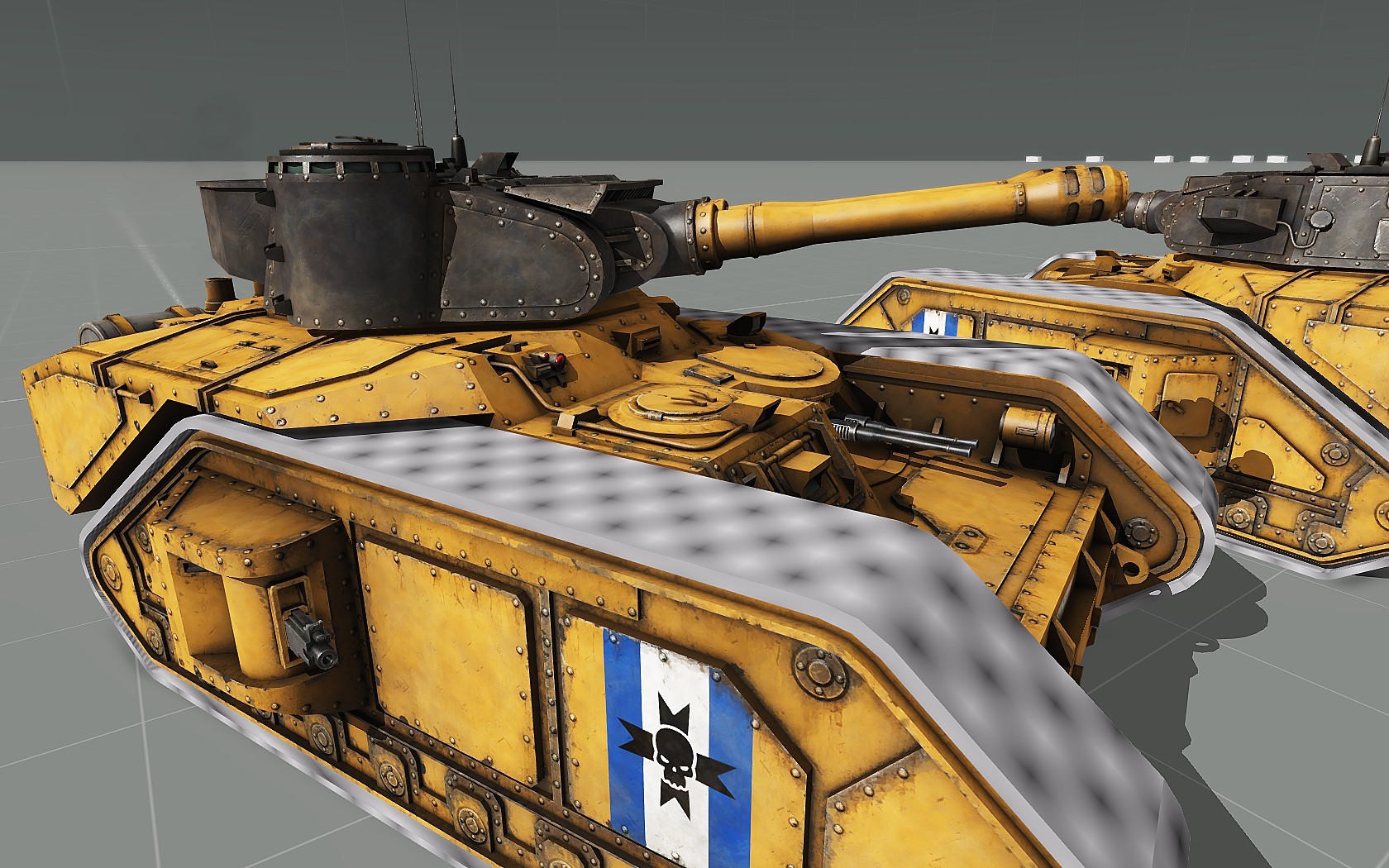
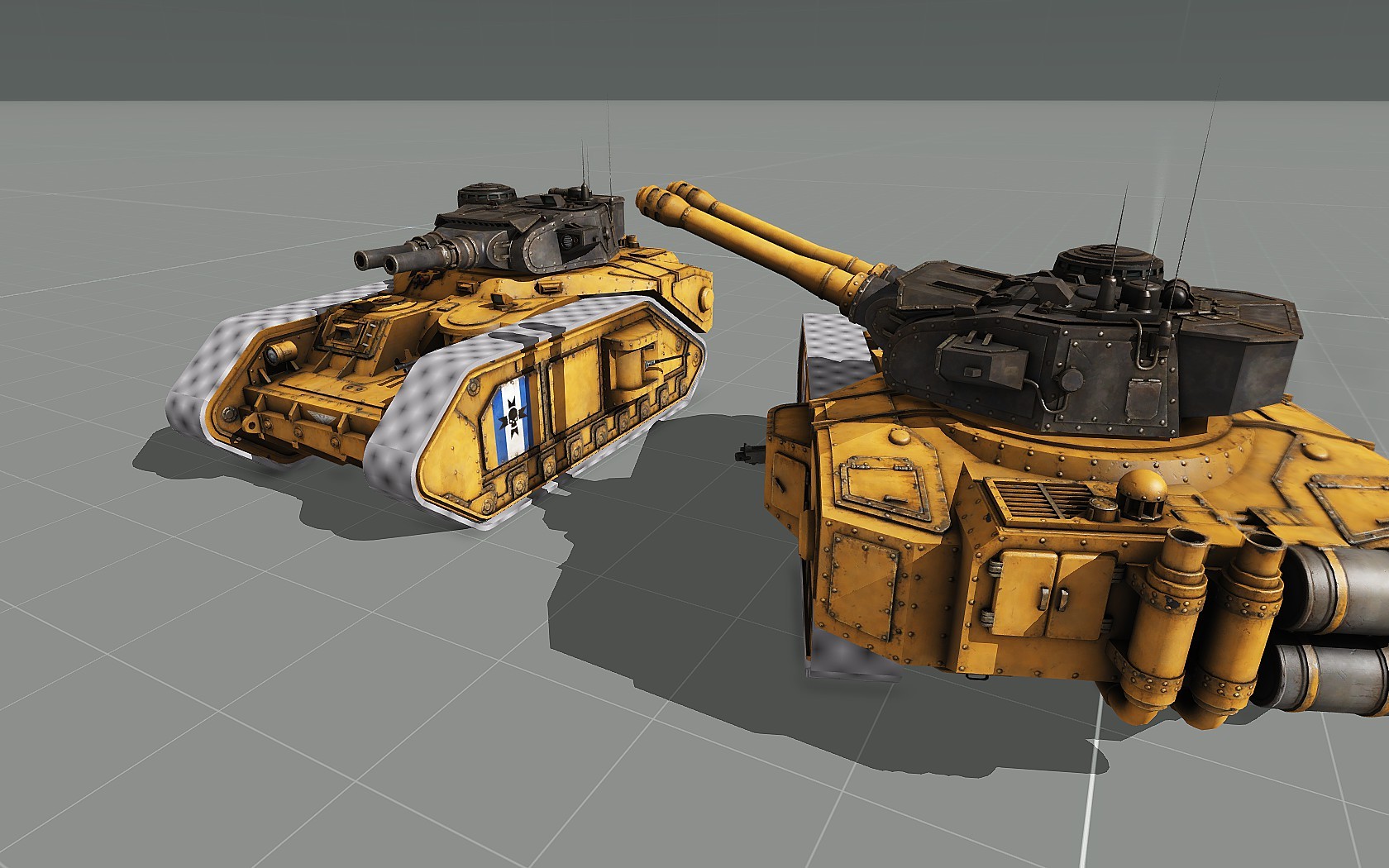


 charred bolt
reef gate
charred bolt
reef gate
- aircraft pointing to the left
- fuselage parallel to the ground
- gear extended and at normal compression for sitting on ground
- wheels touching ground (y=0)
reef gate
charred bolt
- aircraft pointing to the left
- fuselage parallel to the ground
- gear extende...
I just used that reference to get the rudder
toxic cobalt
hello I am quitting modding Arma 3 but still want to play it is there any way I can delete the P drive and everything else without touching the game itself
stuck oyster
toxic cobalt
hello I am quitting modding Arma 3 but still want to play it is there any way I ...
P drive has no connection to the playable game, so yes
charred bolt
toxic cobalt
hello I am quitting modding Arma 3 but still want to play it is there any way I ...
In the Arma 3 Tools, under Misc menu, you can Unmount the P drive.
Under Preferences menu, don't load the P drive on startup.
wispy orchid
X3KJ, worked nicely! I initially forgot to put the selection as bone as well, so it wouldn't work, but then all went well
sour bough
charred bolt
Like this?
Related to this: Is this done by moving the usti and konec hlavne with an animation source? Or is there an engine method of alternating between the two points? I found that if I move the hlavne's, the smoke shifts from side to side when I shoot but the actual bullets come from the original position.
(Context: this is a tank with a pair of main guns that alternates between the two. Turret path is [0] I think)
stuck oyster
typically only bullet type weapons have been made alternating
sour bough
hmm, cannon_120mm is bullet isn't it? shotShell?
stuck oyster
sour bough
hmm, cannon_120mm is bullet isn't it? shotShell?
Shotshell
so animating the gunbeg gunend points should work for it
 calm ginkgo
Ellooooo I am very new to blender and plan on using it to make some stuff for arma just wondering if anyone can point me in the right direction I have watched a couple vids ect just having trouble with some stuff
So far this is what I have done and plan on getting a wood texture too it and then getting it into arma but struggeling with the whole get it into arma thing. I have tried to watch videos on it but I am just not getting it

as well as the texture
for example the sides of this seem to be stretched
 stuck oyster
calm ginkgo
for example the sides of this seem to be stretched
stuck oyster
calm ginkgo
for example the sides of this seem to be stretched
youll want to keep on tutorials still and look up uvmapping and textre baking
calm ginkgo
stuck oyster
youll want to keep on tutorials still and look up uvmapping and textre baking
What tutorials would you recommend
stuck oyster
calm ginkgo
What tutorials would you recommend
im not really up to date on whats good. but watch all you can until you understand what the things are and how they are done
and for now forget what Arma needs
focus on understanding 3d modeling and texturing first
sour bough
stuck oyster
so animating the gunbeg gunend points should work for it
That's the odd part - I'm doing exactly that, but it's moving the engine-driven smoke stuff but not the bullet (seemingly). I'll check again when I'm back at my pc in bulldozer to verify the anim source is actually anim sourcing
marsh canyon
Maybe you want to make it 100% sure by using BIS_fnc_traceBullets etc to where it came from or went
sour bough
Confirmed, only coming out of the original hlavne's but the smoke is properly alternating
sour bough
...Could it be that only the gunEnd point is getting animated?
bright echo
i think theres some memorypoints that are like engine driven in a very weird way
and that might be whats happening here
this is for like a shotBullet machinegun right?
sour bough
Lemme know if you remember your solution - I'm gonna try fiddling with bones to try to isolate whether the gunBeg is actually animating
bright echo
last time I did it I ended up either using pylons or instead of animating the memorypoint I just moved the projectile after it spawned
sour bough
Update: syncing only gunBeg to the group does nothing, confirming that I can't seem to move it.
bright echo
sour bough
Huh, so just a fired EH?
sour bough
eh i've heard of dumber solutions lol
My other one was just to separate them into left and right cannon weapons
which...i might still do
On a tank main turret, muzzleend and muzzlepos are ignored in favor of gunbeg and gunend, right?
bright echo
I dont think those are used (muzzlepos) on vehicles
sour bough
...well, it's definitely sub-optimal since it seems to happen a frame late lol

...oh it's also very inaccurate lol
bright echo
there might be a better way to do it, I used it for rocket artillery a long time ago and it was good enough for that as it wasnt two shots at the same time etc
sour bough
(meaning the adjusted one ends up off because it seems to be a frame late)
I may just try to make one of them technically a coax, since the gunner here doesn't have access to a coax
stuck oyster
I have handled this through similar eventhanlder too in my multi barrel weapons in lost dragons.
last spindle
You can generate a AO from the Normal Map to some degree, you will need something like xNormal/Knald/Substance Designer and some competency to figure it out, it aint that hard
 honest terrace
Gday all, is there any way to proxy a specific LOD from a vanilla vehicle into my own? Im making a family of Merkava vehicles and im looking at my interiors thinking it may be easier just to use them,
Obviously i dont want to debin a vanilla model, is it possible to do?
Some photos for inspo

 charred bolt
honest terrace
Gday all, is there any way to proxy a specific LOD from a vanilla vehicle into m...
charred bolt
honest terrace
Gday all, is there any way to proxy a specific LOD from a vanilla vehicle into m...
No, not possible.
honest terrace
charred bolt
No, not possible.
Cheers
stuck oyster
honest terrace
Gday all, is there any way to proxy a specific LOD from a vanilla vehicle into m...
This model is not by any chance from warthunder? 
Because it bears all the telltale signs of warthunder model
honest terrace
stuck oyster
This model is not by any chance from warthunder? <:meowsweats:707626030613135390...
Haha edgewears not that bad!, Nah purchased on CG Trader along with most of my other vehicles,
 stuck oyster
honest terrace
Haha edgewears not that bad!, Nah purchased on CG Trader along with most of my o...
stuck oyster
honest terrace
Haha edgewears not that bad!, Nah purchased on CG Trader along with most of my o...
its a bit in that direction we usually see. PBR does not translate into Arma SpecGloss directly.
but good that its not from wt 🙏
honest terrace
stuck oyster
its a bit in that direction we usually see. PBR does not translate into Arma Spe...
Yep, most i purchase generally have .spp files, so i bring them in there then re-export into Armas format 👌
charred bolt
honest terrace
Yep, most i purchase generally have .spp files, so i bring them in there then re...
Just out of a professional interest, how many polys (tri's) in that screenshot LOD?
honest terrace
charred bolt
Just out of a professional interest, how many polys (tri's) in that screenshot L...
Just in that screenshot, around 185k with res1, shadow, geo, physx & all clouds.
Not released yet, got more optimization to do, id like it to be closer to 120ish, maybe less