
#arma3_model
1 messages · Page 35 of 1
 grizzled halo
 analog garden
poor results but it works
grizzled halo
analog garden
poor results but it works
wdym?
 mossy mulch
they were respinding ti sturm
analog garden
meant to respond to this lmao
 rapid tree
analog garden
meant to respond to this lmao
rapid tree
analog garden
meant to respond to this lmao
I mean its geometry it doesnt need to be high quality lol
analog garden
rapid tree
I mean its geometry it doesnt need to be high quality lol
Nah it’s just iffy on results
 slim granite
I have my model selected.. However the mass box is greyed out? How do i add mass?
grizzled halo
slim granite
I have my model selected.. However the mass box is greyed out? How do i add mass...
needs to be a geometry LOD top be able to assign mass to selections
slim granite
Ah thank you!
slim granite
Attempting to view/show model in background while i add collision. But its not showing
nm
 halcyon rampart
If memory serves simplify the model as best you can and close all faces
 stuck oyster
Don't skip on making good geometry lod
Automated tools don't make good results on collision meshes
We would shout it off the rooftops if there was some good solution for that.
Manual is the only way to make them right.
Automation results we can see in many games where you can't shoot through clearly visible holes or you walk on air on invisible geometry piece
rapid tree
stuck oyster
Don't skip on making good geometry lod
I dont skip i just looking for ways to make it faster
stuck oyster
rapid tree
I dont skip i just looking for ways to make it faster
Unfortunately there isn't, except just learning to do the modeling in efficient motions
rapid tree
I see
rapid tree
@stuck oyster i had a problem with a scope not showing up but everything was correct, but when i added another scope to the array of compatibleItems it worked, how is this possible ? was something corrupt when i packed the pbo ?
stuck oyster
Can't say I recall something like that happening so don't know. Maybe file didn't actually save or update right.
rapid tree
a mate of mine thought the data got not updated correctly due to it maybe got moved to the temp folder while packing
 inner venture
what´s that
 charred bolt
inner venture
what´s that
charred bolt
inner venture
what´s that
Eh?

 main jasper
Anyone have any idea why a custom Suppressor isn't showing up on my rifle, it's as if its invisible, even though the sounds change etc
stuck oyster
main jasper
Anyone have any idea why a custom Suppressor isn't showing up on my rifle, it's ...
No proxy in rifle?
stuck oyster
Proxy not named right? Proxy being hidden by animation? Proxy not present in all lods?
No viewPilot lod in weapon?
Attachment model has autocenter property properly set?
grizzled halo
the head selection for uniform models is in the "character example" file or should the bust from TemplateRTM should be used?
Asking since my character example file doesnt have head selections in the 1st visual for whatever reason
Yeah Turns out my samples were missing a lot of proxies for whatever reason  , maybe at some point i tooks them out haha
 woeful viper
arghh... making proper firegeometry for this weird geometry on the back is a pita http://abload.de/img/2015-12-05_00002wuu91.jpg
rapid tree
main jasper
I wish it were that simple lol
I had this problem with a scope, try to add another suppressor to the compatible items List and pack it again
main jasper
All fixed
had the asdg setup screwed slightly
class NSWG2_MuzzleSlot_300: asdg_MuzzleSlot
{
    class compatibleItems
    {
        NAVSPECWARGRU2_SCI_SIX_Can_FDE = 1;
        NAVSPECWARGRU2_SCI_SIX_Can_BLK = 1;
    };
};
CORRECT ^^
class NSWG2_MuzzleSlot_300
{
    class compatibleItems
    {
        NAVSPECWARGRU2_SCI_SIX_Can_FDE = 1;
        NAVSPECWARGRU2_SCI_SIX_Can_BLK = 1;
    };
};
INCORRECT
Didn't have it derived correctly
stuck oyster
👍
 trail junco
why do i get this error when trying to export as p3d from blender

all of my lods are set up with the right properties
rapid tree
trail junco
all of my lods are set up with the right properties
No rvmat or texture linked maybe ?
trail junco
rapid tree
No rvmat or texture linked maybe ?
yea my geometry layer and roadway layer needed a material apparently
analog garden
trail junco
yea my geometry layer and roadway layer needed a material apparently
firegeo needs one of the like metal plate 5mm rvmats
roadway i didnt realize needed a material either
stuck oyster
you should be able to export objects with no materials just fine
but it does throw that error if you have empty material slot
 trail junco
stuck oyster
but it does throw that error if you have empty material slot
trail junco
stuck oyster
but it does throw that error if you have empty material slot
ohh i thought since i got the error that it didnt export correctly
 hard oasis
In the Object Builder i wanted to use the View-commander to give him a pip for him only, it says obsolete does that mean it no longer works?
stuck oyster
correct
you can use view pilot and view gunner
and use one for commander and other for rest of the crew
there is a config parameter to define what lod each turret/pilot etc uses
hard oasis
can i use this command to limit the Periscope pip for the commander only?
stuck oyster
well
hard oasis
i had the Pip screens on the proxy but i noticed that everyone will have it and it lags like hell
stuck oyster
it is what I just said
hard oasis
i'll see what i can do thanks
stuck oyster
proxy?
hard oasis
yeah the screens where on my interior proxy
stuck oyster
why is your interior a proxy?
hard oasis
and when the game pulls it everyone can view it, so i'll throw the screens only to the View-pilot and View-Gunner
hard oasis
My unit bought this vehicle to use it but it came incomplete as the person who did it is no longer modding
so i took it to fix it
it came with several proxies
hard oasis
what should i use proxies for then? i'm aware one of them is for seats
i mean player position on seats
stuck oyster
yeah you use proxies for that
and muzzleflash maybe
but thats pretty much it
normally anyway
hard oasis
i see thank you, i'll put everything into one P3D then
hard oasis
SUSI? i don't think so
hard oasis
it was a Guarani APC like the one over at BRAF mod, we bought it a little bit before BRAF add theirs, we then switched to theirs, but their vehicle has a LOD problem by loading many lods in a small distance so the unit owner threw me the files of that old vehicle to see if i can fix it
stuck oyster
sounds like a nightmare xD
hard oasis
stuck oyster
you can also fake the periscope view
i could try, but the thing is unlike BRAF's Guarani this one is modelled different the Periscope is kind of hanging in the middle of the air i would have to remodel the area behind it to make a 3D periscope thing
in BRAF's the periscope is attached to the front of the vehicle this one is a hanging periscope
stuck oyster
doesnt matter, you just make the gunner view lod you use for that persicopes user offset enough so it fits where the periscope is
hard oasis
Oh you're talking about that one you view by right-clicking?
stuck oyster
no the interior view
for the commander
view lods dont all have to be in same space
you can use that to fake periscope views
grizzled halo
whats the memory point or proxy that controls the aim in custom units?
For whatever reason my custom uniform unit is not able to aim guns x)
stuck oyster
eye maybe
hard oasis
stuck oyster
doesnt matter, you just make the gunner view lod you use for that persicopes use...
I'm confused which LOD does the commander use?
stuck oyster
hard oasis
I'm confused which LOD does the commander use?
its a turret
so by default gunner lod
but like I said you can set that turret to use any lod you want
stuck oyster
well depends what you have in the model I suppose
stuck oyster
grizzled halo
whats the memory point or proxy that controls the aim in custom units?
For whate...
easiest time you have by copying vanilla man memory lod and fitting its pieces to your shape
grizzled halo
stuck oyster
easiest time you have by copying vanilla man memory lod and fitting its pieces t...
that what i did, im highly confused at this point hahaha
stuck oyster
or tracing each point to equivalent config parameter
do you have appropriate actions for aiming
grizzled halo
yeah, im inheriting everything from an actual vanilla class from csat
stuck oyster
got viewpilot lod?
grizzled halo
ye
i know the action is actually doing something since the dof changes

but no actual aim
stuck oyster
grizzled halo
i know the action is actually doing something since the dof changes
vanilla weapons too?
grizzled halo
stuck oyster
vanilla weapons too?
ye
the custom weapons work with vanilla units too so its not the weapon itself
stuck oyster
 no further ideas.
basic setup should not be very difficult or complex or need any alterations that I can think would cause something like this
rapid tree
Is the gun the problem or the uniform ?
grizzled halo
its the uniform, only happens when i wear it
rapid tree
I would make a new one
And copy paste it in the samples template
Sometimes Arma modding problems are solved by making it from scratch again
grizzled halo
im inclined to thinkg the issue could be the skeleton for that specifically
im checking the selections and there is a lot less selections compared to vanilla uniforms
and i even have extra custom ones
stuck oyster
:L
grizzled halo
however samples uyse OFP2_ManSkeleton
stuck oyster
its a normal arma man uniform yes/no?
grizzled halo
yes
stuck oyster
then you must use exact same setup as the sample character
rapid tree
Everything uses OFP skeleton
stuck oyster
no additions,
no changes
only thing you can touch is the sections of your class nameOfP3d inside class cfgmodels
skeleton stays the same
grizzled halo
class CfgModels
{
class Default
{
sectionsInherit="";
sections[] = {};
skeletonName = "";
};class ArmaMan: Default { htMin = 60; // Minimum half-cooling time (in seconds) htMax = 1800; // Maximum half-cooling time (in seconds) afMax = 30; // Maximum temperature in case the model is alive (in celsius) mfMax = 0; // Maximum temperature when the model is moving (in celsius) mFact = 1; // Metabolism factor - number from interval <0, 1> (0 - metabolism has no influence, 1 - metabolism has full influence (no other temperature source will be considered)). tBody = 37; // Metabolism temperature of the model (in celsius) sections[] = { "osobnost","Head_Injury","Body_Injury","l_leg_injury","l_arm_injury","r_arm_injury","r_leg_injury", "injury_body", "injury_legs", "injury_hands", "clan","clan_sign","Camo","CamoB","Camo1","Camo2","personality","hl", "injury_head", "insignia", "ghillie_hide" }; skeletonName = "OFP2_ManSkeleton"; }; class Zonenjager_CBRN_Coat : ArmaMan { sectionsInherit="ArmaMan"; sections[] = {"boots", "coat", "collar", "gloves", "pants"}; };};
yeah, skeleton hasnt changed
stuck oyster
👍
stuck oyster
grizzled halo
> class CfgModels
> {
> class Default
> {
> sectionsInherit="";
...
Some steps you can make to debug.
Make you uniform class use vanilla model to see if it's issue in that end.
If the makes no chance then your config is somehow breaking it. So simplify that to bare minimum that applies your new uniform model and see if that works
grizzled halo
stuck oyster
Some steps you can make to debug.
Make you uniform class use vanilla model to s...
yeah, I shall try tomorrow with that. Im a bit brain fried right now
trail junco
or how can i paste the points from one uv set to the other without replacing the existing ones??
NVM i got it
charred bolt
grizzled halo
> class CfgModels
> {
> class Default
> {
> sectionsInherit="";
...
None of that temperature stuff belongs in model.cfg, the samples are wrong.
grizzled halo
charred bolt
None of that temperature stuff belongs in model.cfg, the samples are wrong.
yeah, but nothing really apparent to what the ADS issue Im having could be there.
There is also no mention of uniform hiddenselections definition having to be in the cfgVehicles entry instead of cfgWeapons (that only changes the ground model), had to find a really really old post in the forum to make the uniform recolors work.
stuck oyster
grizzled halo
yeah, but nothing really apparent to what the ADS issue Im having could be there...
there is logic to it though. the cfgvehicles thing is the visual character and the cfgweapons thing is the item
there is also this
grizzled halo
I guess you are right on the logic part, its just a bit confusing having the first search result be the other guide in wiki that varely mentions uniforms themselves, the one with the weapon and slots explanations and having multiple "startup" guide labeled in the wiki
 lone robin
I have a potentially dumb question. Say I have a building model that I’d like to apply different materials to in order to add a couple variations of that structure into the game. Would I have to create a model.cfg for each variant or would one suffice since the skeleton is technically not changing?
 candid rock
lone robin
I have a potentially dumb question. Say I have a building model that I’d like to...
candid rock
lone robin
I have a potentially dumb question. Say I have a building model that I’d like to...
You would need a single Model.cfg for the P3D, you would then utilize hiddenselections to change the textures to create the other variations
grizzled halo
^ for each different p3d, you need a different entry in model.cfg
as long as its variations that uses the same p3d, the same model.cfg is valid
stuck oyster
if the building is intended to be used on a map, then each variant needs its own P3D
and each P3D needs a cfgModels class in model.cfg in the same folder as the p3d
you can have multiple p3ds defined by single model.cfg
and they can share skeleton
and even inherit cfgmodels animations and other properties from a single parent/base class
 candid mason
I'm trying to figure out if there's a sane way to grab the hesco textures from base a2/a3 to build custom structures...
Anyway, sorry, real question: What exactly determines what counts as "inside" to the engine?
stuck oyster
candid mason
Anyway, sorry, real question: What exactly determines what counts as "inside" to...
In what context?
stuck oyster
candid mason
I'm trying to figure out if there's a sane way to grab the hesco textures from b...
you can path to vanilla textures inside vanilla pbos without ever touching the textures
candid mason
Like, muffled weather, what counts as being Inside vs Outside
stuck oyster
roadway material
candid mason
So a roadway roof is what does it? Thanks.
stuck oyster
yes theres different types of roadway surfaces
not material sorry, texture
the texture defines what soundset that surface uses
and the soundset defines how sounds are played when a thing is on the surface
stuck oyster
sure that probably works
grizzled halo
stuck oyster
Some steps you can make to debug.
Make you uniform class use vanilla model to s...
so yeah, no config issue. Its something on the model.
Using vanilla uniform in the example let me ADS.
stuck oyster
id suppose try using the sample uniform and see if that works
grizzled halo
I cant find any reference of what could be missing, im using the same mem points as example
grizzled halo
yeah sure, let me do that and see what happens
grizzled halo
stuck oyster
make a copy of the sample char and try it
alr, fixed. Thanks a lot for your time.
Noticed my mem points were different AGAIN for whatever reason, redid the memlod with a clean template file and all good now
stuck oyster
👍
 civic edge
Is there any modeler I can DM or maybe someone can explain here how to connect a large building? I am trying to make a building as big as about 200 meters and I made pieces of it, the question comes in how to connect and texture it properly. Cannot find any resources on those topics. Thank you
stuck oyster
civic edge
Is there any modeler I can DM or maybe someone can explain here how to connect a...
For texturing, you will need to learn how to set up multimaterial
It was discussed here not long ago so you can finfd that in the chat history pretty easily
civic edge
Thank you, I'll look into it after work. All that's left is how to put building together (and in a way how to make textures work where it doesn't cut off)
stuck oyster
civic edge
Thank you, I'll look into it after work. All that's left is how to put building ...
Texturing relies on uvmapping which you can set up so that one island follows the previous one, thus making the tiling of the used repeating surface texture seamless
It's all just basic modeling, does not need anything fancy
civic edge
Pretty new myself but good to know, dunno why I didn't think of that
stuck oyster
Its alright to ask when you don't know. 👍
rapid tree
@civic edge
 pallid island
Pinhead?
rapid tree
stuck oyster
some weirdo making pins
i pinned him because i wanted to help him finding the multimaterial reference
stuck oyster
yeh thats fine. I just meant I know that guy who makes those weird pins
pallid island
I smell "pin"/"ping" mixup
civic edge
rapid tree
<@631027905111261186>
Huge help, thanks!
grizzled halo
analog garden
documentation for making a pip scope?
if you find something that is not dependant on cba lmk pls :p, im interested
analog garden
grizzled halo
if you find something that is not dependant on cba lmk pls :p, im interested
...i think the only implementation of it is cba
but
im not sure
unless scopes are under cfgvehicles then i dont think u could do it with traditional pip
grizzled halo
well, if such is the case we can always prepare the stuff in ob/blender/etc and do the implementation scriptwise using EH.
analog garden
yeah but idk how to do that 💀
grizzled halo
I would assume its possible to use the reference to the plane inside the scope in whatever lod is created, but equipment and attachments operate differently from vehicles and weapons so im not sure, assuming you can its just a matter of telling the pip function to get the camera (again from the reference of a memory point in the scope) and project to the plane.
but if anything, cba is always viable but has its tradeoffs, like the external render resolution being SMASHED while the pip scope it active to compensate performance. Idk if you can disable that in cba, since you can more precisely control PIP in vanilla A3 now
mossy mulch
prs welcome
grizzled halo
does the mats used in hiddenSelectionMaterials cannot have macros?
It seems to dislike macro'd files as using the same material directly in a model has no issues.
Doesnt seem to be the problem, still getting error "Cannot use file". I wonder what could be, since the file works normally on model selections.
charred bolt
grizzled halo
does the mats used in hiddenSelectionMaterials cannot have macros?
~~It seems to...
Where is the error message coming from? Hopefully you're using pboProject - can you screenshot the message and also check the packing or bin logs for more detail?
grizzled halo
charred bolt
Where is the error message coming from? Hopefully you're using pboProject - can ...
im not using pboproject no. The error pops in game, after actually selecting the retextured item. Im trying to change the material of an nvg once its turned on/off.
I can check in game log and see if something pops up.
-Only Error I have regarding that:
Cannot load material file kmp_essentials\models\equipment\face\zonenjager_ausf_91b\textures\alt_glasses\glasses-glass.rvmat
and this is the definition of the material:
hiddenSelectionsMaterials[] =
{
"\KMP_Essentials\Models\Equipment\Face\Zonenjager_Ausf_91B\Textures\Alt_Glasses\Glasses-Glass.rvmat"
};
charred bolt
grizzled halo
im not using pboproject no. The error pops in game, after actually selecting the...
I'd suggest you try pboProject then, as it will likely fail on build and tell you exactly why - probably something wrong with the path to the material file.
grizzled halo
charred bolt
I'd suggest you try pboProject then, as it will likely fail on build and tell yo...
yes, I will try but its not the path, I actually set up a secondary model that uses that exact same path and works correctly when used from the selection inside the model itself
charred bolt
Once you start using more appropriate tools, you'll find Arma modding an awful lot easier, as without the error checking it's largely a guessing game.
p drive, game files extracted to p:\a3 and mod in p, build with pboProject.
analog garden
grizzled halo
does the mats used in hiddenSelectionMaterials cannot have macros?
~~It seems to...
hm strange maybe change the position of the #include ?
unless I misunderstood what u meant
grizzled halo
analog garden
unless I misunderstood what u meant
no, the problem is not the include, im just pulling a template for each file and just replacing classes on it for my rvmats.
A3 refuses to use the file if called with hiddenSelectionMaterials, for whatever reason that might be, since using a fully made rvmat yield the same result for that selection
Problem solved: rvmats are not packed by default and get dissolved during binarization
and while I would like to test with pboproject as suggested above, that would mean having to adjust all the models slections relative paths to the previous project and I dont really have time to go thorugh 100s of selections right now sadly
 last spindle
You could try vhacd, and then clean it up, works all right for complex things, not so good for simpler things
 dusty dove
I am wanting to build flag poles and custom signs into my terrain. Does anyone have the base files for doing this? All of the .p3d models I have found appear to be locked.
 empty aurora
dusty dove
I am wanting to build flag poles and custom signs into my terrain. Does anyone h...
empty aurora
dusty dove
I am wanting to build flag poles and custom signs into my terrain. Does anyone h...
With own flag textrure?
https://community.bistudio.com/wiki/setFlagTexture
yo dont need modifty .p3d, just texture of it
dusty dove
I want to build it into my map, can't use a retexture script.
empty aurora
dusty dove
I want to build it into my map, can't use a retexture script.
Aa, sorry, i misunderstood your question
 obtuse rain
Can you paint multiple channels/maps in Quixel 2 simultaneously? Bit hard to tell from the videos.
 white oak
dusty dove
I am wanting to build flag poles and custom signs into my terrain. Does anyone h...
white oak
dusty dove
I am wanting to build flag poles and custom signs into my terrain. Does anyone h...
Flags can't be baked into maps due to how proxies work
stuck oyster
you can build pedestals and such positions for flag pole to be placed
analog garden
couldn’t u add an init script so that it spawns flagpoles onto one of those invisible spheres or is that overthinking it
 loud veldt
Hello.. I'm looking to learn how to import a rocket launcher into Arma, I have the model already, but I don't know how to import the rocket launcher itself, I've imported a few other weapons unless its just the same way
 marsh canyon
Same thing, unless you mean "import" more than just a P3D
loud veldt
so, all of the proxies are the same as any other weapon?
marsh canyon
Pretty much
last spindle
Yes, if you are painting you are usually painting in all channels, i think there is a drop down where you can select specific ones if that is what you are after
 grim crag
I made shadows and for some reason this is happening, idk why. Anyone?
 charred bolt
grim crag
I made shadows and for some reason this is happening, idk why. Anyone?
charred bolt
grim crag
I made shadows and for some reason this is happening, idk why. Anyone?
Shadows need to be closed.
grim crag
charred bolt
Shadows need to be closed.
It is closed, i went topology - close
charred bolt
grim crag
It is closed, i went topology - close
Do this in Object Builder with your shadow LOD and check if 0 points are selected afterwards.
 grim crag
 grim crag
charred bolt
Do this in Object Builder with your shadow LOD and check if 0 points are selecte...
grim crag
charred bolt
Do this in Object Builder with your shadow LOD and check if 0 points are selecte...
Exactly how i did
Seems like its the cuffs that are the issue of the uniform, idk what
charred bolt
Ok - shadows also need to be triangulated and sharp.
grim crag
charred bolt
Ok - shadows also need to be triangulated and sharp.
also done
charred bolt
Any reason why you didn't bother saying any of that at the start in the original post?
Only other thing I can think of is that you have a rogue selection name on the cuff that is being stretched/animated/hidden.
grizzled halo
probably a bad weigthed selection, perhaps the roll of whatever arm that one is?
 upper valley
Trying to import vest, weights are done, model.cfg is fine, but in game my vest still floating over the floor, any ideas what i forgot to add? Maybe missing proxies?
 stuck oyster
upper valley
Trying to import vest, weights are done, model.cfg is fine, but in game my vest ...
stuck oyster
upper valley
Trying to import vest, weights are done, model.cfg is fine, but in game my vest ...
refer to headgear requirements in pinned messages
principles are all same
just more selections
inner venture
charred bolt
Eh?
Ah I just Ctrl C Ctrl V the solution but used it only once but never remembered
 blissful spire
Any reason why this woudnt work for AI pathing to enter my custom building?

If i have the building next to my other corridors, they can enter fine but its when im trying to get them to enter from outside the building it has problems.
blissful spire
Semi related to above, I was able to get the AI to open my doors properly in another model, but not in this one. I have the all the actionBegin and actionEnd entries in the config, and in the path lod. Animationsources are setup, and the doors do work in OB.
stuck oyster
blissful spire
If i have the building next to my other corridors, they can enter fine but its w...
is this multiple floating buildings
blissful spire
stuck oyster
is this multiple floating buildings
Negative, both buildings will be flat on ground
Kinda hard to see in this image since its busy with the walls, but its set flat to 0 in blender
 stuck oyster
blissful spire
Semi related to above, I was able to get the AI to open my doors properly in ano...
stuck oyster
blissful spire
Semi related to above, I was able to get the AI to open my doors properly in ano...
do you have useractions for the doors?
blissful spire
stuck oyster
do you have useractions for the doors?
Yeah, all 8 doors have their own pair of useractions (one for open and one for close), each has their own animationsource in the p3d and the model.cfg. the useractions are not locked to players only, so AI should be able to use them
stuck oyster
Izf you remove the doors do the paths work?
It could be that because tho doors don't open the ai can't see way in
blissful spire
I can give that try, but ive seen them opened up before, which is why im so confused
blissful spire
stuck oyster
Izf you remove the doors do the paths work?
It could be that because tho doors ...
Negative, paths work with or without the doors. Although "entering" the building via the paths work with/out doors works fine if i put them pretty much right on the path that the model has.
stuck oyster
Just a debug measure to see if the paths work
blissful spire
i get it
 tribal rain
so im exporting my file as a p3d in blender keep getting this error though anyone know what causes it?

NVM figured it out
had to export it to a different save and then re-export weird
grizzled halo
tribal rain
had to export it to a different save and then re-export weird
yeah, i had this same issue when having the file selected or even object builder open on the side even if i dont have a file loaded
tribal rain
grizzled halo
yeah, i had this same issue when having the file selected or even object builder...
i figured it out turns out i had an Umlaut U in my code because i was trying to be cute with naming conventions and ofc its not recognized XD
 ancient bobcat
Can I export sharp edges from blender to Object builder?
grizzled halo
yes, you can
ancient bobcat
how?
grizzled halo
using Mark Sharp tool, or addons like hardops (which for A3 assets works excellently good)
ancient bobcat
When i marked sharp after exporting model had shadow bugs etc. and then and applied shade smooth in object builder it's all lost obviously
grizzled halo
shadows have to be closed + triangulated and can only be sharp anyway. Check the first 2 requisites first
ancient bobcat
I mean lod 0 this is what it looks like
 grizzled halo
lodN (resLods) are not the ones that cast shadows
do you mean as in your resLod having extra geometry?
Because that is what is looks like
check you are not double exporting and that your normals are not flipped by pressing F5 in object builder
grizzled halo
👍
blissful spire
for the Path lod, how tightly do the AI follow it? It seems like my path lod works inconsistantly trying to direct a unit around my building.
stuck oyster
blissful spire
for the Path lod, how tightly do the AI follow it? It seems like my path lod wor...
it shoudl walk very tight on the edges of the path mesh
ie from vertex to vertex
stuck oyster
ancient bobcat
yep, F5 worked
make sure your o2script.exe path is set in the Toolbox Addon settings
(tutorial in pinned messages)
blissful spire
stuck oyster
it shoudl walk very tight on the edges of the path mesh
Yeah, mine doesn't. Even when I remade the whole mesh, the unit just paths through the middle of the building that has no path mesh in, to get to the move to location. My assumption is this is why my doors don't open consistently by the ai since it's skipping the mesh
stuck oyster

blissful spire
Yeah, I'm at a loss. Only thing I could think of is to shrink the edges of the path and make them smaller. I'll grab a video tomarrow or something like that
stuck oyster
blissful spire
Yeah, I'm at a loss. Only thing I could think of is to shrink the edges of the p...
There is geometry lod and roadway lod on there right? Both under the path lod
And roadway mesh slightly above geometry
blissful spire
stuck oyster
There is geometry lod and roadway lod on there right? Both under the path lod
Mhm. Path lod is 0.1 above in blender
Which I think is 10cm? Or roughly at least
stuck oyster
Yeah that should be fine
blissful spire
What I'm super confused about is that when I go and remove parts of the roadway and only leave where the path is, the unit still moves through the middle of the model
stuck oyster
And you have the "in" points and "pos"
stuck oyster
Is your roadway mesh faces facing up
stuck oyster
That's one lesser know requirement
blissful spire
Yes to the roadway mesh
stuck oyster
Typically example shows it but since by default blender does not have blackface culling enabled not everyone know about face direction and Arma drawing only front and can't even see wrong facing mesh.
It can be a bother sometimes
blissful spire
same for the actual path mesh
stuck oyster
Yeah path mesh needs to face up as well
blissful spire
ive confirmed that my geo lod is both closed and convex, so thats not the problem either
mem points and animations for the doors work as intended to
i might strip the top floor of the building off, redo the path lod and see what happens tomarrow with units skipping pos points, and not triggering the door animations. or just scrap this model and do a fresh new one
 quick terrace
@obtuse rain yes, that is how it works. you can paint individual ones as well if you please to do so
 vital hare
Hello, is it possible to make a Hide animation that is only displayed at night? I can't find anything on the internet
And by day it unhides
stuck oyster
vital hare
Hello, is it possible to make a Hide animation that is only displayed at night? ...
hmm
you can maybe tie it to clock hour source
stuck oyster
vital hare
Hello, is it possible to make a Hide animation that is only displayed at night? ...
what kind of thing are you thinking of making exactly?
may be easier to advice if we know what you try to achieve
vital hare
To keep things simple, I'd like to make an entrance sign in an area where during the day it says open and at night closed
stuck oyster
clock hour could work for that then. but its not really configurable and does not follow day night cycle where daytime length can vary a bit
vital hare
Oh well, I'll try to do it differently then, thanks anyway
stuck oyster
vital hare
Oh well, I'll try to do it differently then, thanks anyway
it migth be better as a simple mission script
vital hare
yes i think too
 candid marlin
So, I made a model in blender and sort of figured out how to import it into arma.
I have a question though, when I look at the object in game, the part of the object i am looking at is invisible almost, but i can see the otherside of it, almost like an xray I guess.
Is this something I need to fix in Blender, Object Builder or?
Edit Note: I suspect its a View Pilot issue, but not sure which one to use for a prop.

Now that I look at it, its also facing 90 degrees from the way its supposed to, but im assuming thats an autocenter issue
blissful spire
candid marlin
So, I made a model in blender and *sort of* figured out how to import it into ar...
check your faces
might need to flip them. If your in blender, Blue face is "facing" you, Red is "away" from you
candid marlin
blissful spire
check your faces
ooo good point, i'll take a look at that
blissful spire
candid marlin
ooo good point, i'll take a look at that
np i have my own issues to fight with about AI pathing so i get it lmfao
blissful spire
I think im just gonna scrap the AI pathing for this object and strip the doors out, i dont understand why the AI seems to not follow the path at all
candid marlin
blissful spire
might need to flip them. If your in blender, Blue face is "facing" you, Red is "...
it was this, i flipped them and it worked LOL
 charred bolt
 ocean mantle
what does the "unconventional" meaning?
ocean mantle
what does the "unconventional" meaning?
Probably the number of the Shadow LOD is 1. It should be either 0 or 10 for most assets.
ocean mantle
charred bolt
Probably the number of the Shadow LOD is 1. It should be either 0 or 10 for most...
validation passed after deleted some mesh
for example, delete the black mesh in this picture make the lod passing the validation

I haven't seen any issue on this mesh , very weird
so I just skip the validation
stuck oyster
Probably shadow mesh tri count is higher than recommended
Those shapes look like they could be heavily simplified
blissful spire
blissful spire
Kinda hard to see in this image since its busy with the walls, but its set flat ...
Been mucking about with this, deleted the doors across all LODs, and im still having issues with AI not pathing correcting on the Path LOD.
stuck oyster
try adding ramp geometry and roadway under the entry path
blissful spire
stuck oyster
try adding ramp geometry and roadway under the entry path
both are under according to blender
AI just goes straight through the middle to the doorway on the other side
Ive double checked the path face too, and its all facing the right way, its been trianglized and the edges are sharp
woeful viper
is there by chance a max script to simply check if a body is convex? atm i'm modifying, export to OB, check convexity go back to max, tweak, rinse repeat
not particulary efficient...


 rapid latch
rapid latch
rapid latch

 fluid copper
It looks like your uv's arent correct
rapid latch
fluid copper
It looks like your uv's arent correct

 fluid copper
Remove your rvmat and try again
rapid latch

 rapid latch
fluid copper
Remove your rvmat and try again
rapid latch
fluid copper
Remove your rvmat and try again
No rvmat
 fluid copper
interesting
stuck oyster
perhaps you have multiple uvsets


 analog garden
rapid latch
analog garden
rapid latch
oh hit f5 I think, flips normals, might’ve happened
 rapid latch
The problems start with the lighting
white oak
What scout is trying to say is that the way that faces point may be off
In blender do
Mesh -> Normals -> calculate outside
rapid latch
white oak
What scout is trying to say is that the way that faces point may be off
In blend...
 white oak
rapid latch
white oak
rapid latch
Could you show us the UV mapping of just the blade?
rapid latch
white oak
Could you show us the UV mapping of just the blade?
The whole knife has this problem
pallid island
inb4 it's broken self-shadows
rapid latch
How fix this?
white oak
I'm guessing a bad bake from a bad UV or bad mesh
From the UV that looks a bit crowded for something that size
rapid latch
white oak
I'm guessing a bad bake from a bad UV or bad mesh
From the UV that looks a bit c...
I've had closer UV's as well.
 rapid latch
rapid latch
rapid latch
 white oak
A knife and a zeppelin may require slightly different approaches
Looking at the UV that tip of the knife looks horribly mapped
 south badge
That´s a lot of vertices for a single knife 
rapid latch
south badge
That´s a lot of vertices for a single knife <:harold:656103977125019650>
Only retopology?
stuck oyster
rapid latch
Only retopology?
you will need multiple distance lods for it
(and any other model you make)

 sour bough
Jesus that grip
rapid latch
sour bough
Jesus that grip
🙂
sour bough
😦
south badge
You could legit reduce the grip polycount by 75 percent and it would make no difference, since the player´s hand is going to make it impossible to see the majority of it anyway
rapid latch
south badge
You could legit reduce the grip polycount by 75 percent and it would make no dif...
New

 south badge
Have you tried pushing F5 in object builder to recalculate normals and saving the model that way to fix the issue?
To me it looks like this is your issue
rapid latch
south badge
Have you tried pushing F5 in object builder to recalculate normals and saving th...
When I continue working, I'll try
south badge
Well, your UVs look normal, you have no shadow LOD, so this is not a shadow issue, and it is also not a face orientation issue because the knife is not see-through
grizzled halo
rapid latch
this looks like an issue in how you are exporting your maps more than a material issue or a UV issue. Your blade displays correctly when shaded and the "glossiness" issue is only happening when being shone.
What kind of workflow are you using for your textures?
It very well could be that your SMDI was weirdly made.
south badge
Hmm. In that case I assume the path in your .rvmat was incorrect, because it almost certainly should make a difference.
I suggest you apply an rvmat, run arma with the knife equipped on a character, and then look into the .rpt
It will tell you if there are any issues with incorrect paths.
last spindle
I don't think any script exists, but you could maybe use the maxscript console too do a quick check. <boolean>nvpx.IsConvex <node>inode is from the massfx library, you can also use functions in there to generate convex bounding meshes if you are keen to write the code....
 gusty parrot
anyone got any good sample vehicles other than the one in arma 3 samples that may or may not use invisible wheels? Something like a motorcycle for example that i can check to learn.
white oak
depends on what exactly you want to learn
if its the support LODs you want to learn samples and the documentation is more than enough
but it its modelling itself then learning blender from other sources would be better
gusty parrot
its more of just me tryna add stability to the vehicle im making but ill figure it out, pretty sure i cna make due with the samples as you say. thx!
white oak
stability means a lot of things in a vehicle
primarily yaw and tilt for example which have to be examined both separately and together
weight distribution matters
gusty parrot
true, should probably try to keep weight as low to the ground as possible to make it less likely to tip over
if arma works like i think it does
quick terrace
@woeful viper - there surely is such a script, i remember seeing one on scriptspot some time ago
stuck oyster
for motorbike like things low mass is yeah very important
other than that it is basically just car with just wheels close to each other
youll have to experiment with wheel size and the physX settings to get behavior that fits your needs
gusty parrot
well its not light weight, its just really tall and bipedal. I know the animations are gonna be tough but for now i just want it to move without any
ive animated flaps and ailerons for jets before so im sure i can figure it out
just not a lot of examples for that stuff
so gotta get creative with the samples lol
stuck oyster
gusty parrot
well its not light weight, its just really tall and bipedal. I know the animatio...
oh you should say its a mech
it helps to be specific
then even more so low weight center to keep it upright (it will be somewhat janky always )
gusty parrot
jank is to be expected lol
but aight, if you got any resources that could help me i would appreciate it
otherwise thx!
stuck oyster
gusty parrot
but aight, if you got any resources that could help me i would appreciate it
for mechs there arent really any besides what may have been discussed here
the basic options have been talked about before
the warhound in TIOW and the Titan in Tiberian Genesis and the Macross mechs from Battlestad are some of the best examples on how it can work if animation cycle is done right
but there isnt really any special magic to it
just a lot of well timed animations
gusty parrot
aight thx alot!
do these animations have anything to do with rtm file format? would i need to rig my model cuz i can probably do it with mixamo or accurig
nvm i think that mostly applies to characters lol
stuck oyster
gusty parrot
nvm i think that mostly applies to characters lol
correct
for man simulation mechs the ones I've showcased for Lost Dragons in my preview videos and what Webknight has made as the Knights are examples of man mechs
gusty parrot
ill check those out
wait what mod is the knight from? i see your mech for lost dragons but im not sure which mod webknights stuff is in
stuck oyster
gusty parrot
wait what mod is the knight from? i see your mech for lost dragons but im not su...
they are warhammer knights
dont remember the name off top of my head
gusty parrot
nvm found them im dumb
stuck oyster
but youll probably see it through his workshop
gusty parrot
thx!
stuck oyster
the implementation and good/bad features are very different in both approaches
gusty parrot
ill investigate both and see which one i can actually manage lol
thx alot for the help
holy shit the knights are sick as hell
analog garden
where in the model.cfg is the muzzle flash object defined
for weapons
i see zasleh hiddenselection
candid marlin
So, I made another model, and I am getting ready to import it as a placeable prop. I know how to do the config, (ill figure out rvmats in a few), but to define the object as having a "hitbox", I'm assuming I have to set "Geometry" in object builder?
Or is it something else that I have to set?
charred bolt
analog garden
where in the model.cfg is the muzzle flash object defined
If you are using selectionFireAnim, then sections[].
If you are instead hiding the muzzle flash manually based on a weapon animationSource (as is often the case with coaxial mg's), then you'd define it as a bone in the skeleton.
analog garden
charred bolt
If you are using `selectionFireAnim`, then `sections[]`.
If you are instead hidi...
nah figured it out
it was defined in the p3d
charred bolt
Of course it's in the p3d too, but you specifically asked where in the model.cfg it should be written.
analog garden
what im working on rn
analog garden
charred bolt
Of course it's in the p3d too, but you specifically asked where in the model.cfg...
ye i didnt realize that lol it's written nowhere in model.cfg
just p3d
charred bolt
Eh? I just told you where it goes in model.cfg. If you don't put the selection name in sections[] it won't work.
analog garden
oh no the zasleh is there
im saying the actual model
like proxy
i forgor
i figured it out tho
bad wording on my part
 amber swift
hey guys, im having some problems with my tracked IFV.
1 - I cant make it go above 25 km/h
2 - the gunner camera is not aligned with the cannon
I have no clue what it is i already checked the memory points, but they seem to be in the right position. Any ideas?
analog garden
amber swift
hey guys, im having some problems with my tracked IFV.
1 - I cant make it go ab...
increase torque maybe?
peakTorque iirc
grizzled halo
whats the mass of the vehicle?
analog garden
oh yeah that could also be it
good way to look is if when you go off a hill you drop like weirdly quickly, iirc that can be due to too large of a mass
grizzled halo
torque will only ensure movement if the vehicle is too heavy, iirc someone mentione atleast another 2 config parameters that interlaced in order to define speed and all that jazz
analog garden
RPM and torque iirc
or MaxOmega
in arma
bc RPM is for sound
engine power is KW
idk how that feeds into speed tho
amber swift
analog garden
increase torque maybe?
Oh maybe, at first i thought the MOI and dampen rate would be the problem, it was what people were saying in the forums.Ill try increasing the torque then
amber swift
grizzled halo
whats the mass of the vehicle?
Im not sure sure, i think i set like 29000kg. Once im home ill say for certain
analog garden
amber swift
Oh maybe, at first i thought the MOI and dampen rate would be the problem, it wa...
Use irl vehicles for reference
Bradley has 450 kW of power
1929 Newtons of force
And weighs like 27 tons
or ~24000kg or so
40 MPH top speed
charred bolt
Some config params: #arma3_config message
amber swift
Thanks man, the vehicle im trying to create is the danish future upgrade of the cv9035. Im not sure whats power of the vehicle as theres limited information on the upgrade package. So i used the values from wikipedia, but forgot those were for the mk0 variant which is much lighter.
amber swift
charred bolt
Some config params: https://discord.com/channels/105462288051380224/122121444703...
I see thanks, i will try to tweek these values, hopefully ill at least get some different results
charred bolt
Car/tank performance is always a combination of p3d memory points, geometry lod, geo physx lod, buoyancy lod and a whole bunch of config values.
grizzled halo
Ah, thats the one I was thinking about, gearboxRatios Is what should help you with speed if your Torque is optimally set
charred bolt
It really does work like any real vehicle - you need enough engine power for the weight, enough rpm and torque being applied via the gear box to get good climbing rate but also top end speed, relevant differential settings and slip values for wheel traction, suspension and roll bar stiffness for cornering... and all that assumes that your track rods aren't bent or wheels are out of tracking (p3d) as that can ruin the best engine/transmission set-up.
gusty parrot
hey im having trouble with making a uniform, ive done similar stuff before but idk whats blocking me. Right now i have everything set up as it should as far as i know but when i load up the game and check my uniform, its invisible. It shows up in the arsenal and on the unit i put it on in config but the model is completly invisible. Ive seen the headgear basic requirements in the pinned messages, is there something like that for uniforms cuz im kinda stuck rn.
gusty parrot
yeah thats what i got, it exists in game but the model is not showing so im assuming its a model problem more than a config problem. Its probably hard to get any help when i dont give more info but im not sure what to send over...
grizzled halo
does it show in object builder properly?
If so then the model itself its alright but you might want to double check proxies/mempoints etc.
Is your model.cfg properly defined?
Is your config properly referencing the p3d?
gusty parrot
it shows up properly in object builder yea. Dont really care about the textures right now


its not quite a uniform but i know the model should still show up
model.cfg : ```
class CfgSkeletons
{
class Default
{
isDiscrete = 1;
skeletonInherit = "";
skeletonBones[] = {};
};
class Mantis_Skeleton
{
isDiscrete=0;
skeletonInherit="";
skeletonBones[]={
"body", "",
"hip", "body",
"l_lower_hip", "hip",
"l_upper_leg", "l_lower_hip",
"l_lower_leg", "l_upper_leg",
"l_foot", "l_lower_leg",
"r_lower_hip", "hip",
"r_upper_leg", "r_lower_hip",
"r_lower_leg", "r_upper_leg",
"r_foot", "r_lower_leg",
"l_shoulder", "body",
"l_arm", "l_shoulder",
"r_shoulder", "body",
"r_arm", "r_shoulder"
};
pivotsModel="A3\anims_f\data\skeleton\SkeletonPivots.p3d";
};
};
class CfgModels
{
class Default
{
sectionsInherit="";
sections[] = {};
skeletonName = "";
};
class mantis_model : Default
{
htMin=60;
htMax=1800;
afMax=30;
mfMax=0;
mFact=0;
tBody=70;
skeletonName="Mantis_Skeleton";
sectionsInherit="";
sections[]={"camo1", "camo2"};
};
class mantis : mantis_model{};
};
you need to make a custom unit
you cant wear the suit as a uniform
because it changes the skeleton expected from the arma3 man
you might have more luck asking WBK about that in his discord since he does much more stuff related to that
gusty parrot
thats what i did i think but its kinda getting into config stuff so idk if i should put it here
ill just put it in #arma3_config
grizzled halo
you might want to specify that its NOT using the same skeleton as the a3 man over there, you might get help in definig a new creature as you might require to
gusty parrot
ill try that
grizzled halo
cheers
rapid latch
south badge
Have you tried pushing F5 in object builder to recalculate normals and saving th...
Thanks

 mossy mulch
anyone have the arm angles for armarig to hand?
stuck oyster
mossy mulch
anyone have the arm angles for armarig to hand?
for the default pose?
and angle from where? 😅
straight side, straight down
stuck oyster
 mossy mulch
oh right
uhhhhhhhhh either
i just need to fit my stuff to it
(i dont know how to measure it with blender myself else i would)
stuck oyster
 mossy mulch
thanks goat ppreciate you
stuck oyster
how I did it was to pull a new bone from the shoulder to side and rotate it by the cursor that was set at the elbow with snap to point enabled and targeted the root of the hand bone (wrist)
mossy mulch
i have 0 clue how to use all the bone bits rn
stuck oyster
 mossy mulch
doing my first uniform so im touching all that later when it comes to weightpainting
mossy mulch
im massively out of my depth im meant to be a scripter
stuck oyster
👍
its cool to take on such challenge
im froming new pants for this guy

they veery rough cut right now xD
mossy mulch
all of my stuff has been hard surface, got a minor amount of fabric to do which im dreading though
thankfully its like a vacuum suit thing so shouldnt be horrendous though
stuck oyster
I like to get even the early shape weighted and work from there
mossy mulch
i cant seem to find the right search terms either - is there any way to move the selected verts towards the 3d cursor without scaling them?
mossy mulch
yeah... made the mistake of not working at the world origin and now having to go back and fit everything accordingly 
stuck oyster
ah 😅
classic
cant say I can think any way to do that
you can center stuff on cursor
mossy mulch
manual positioning on armarig it is then? 😓
stuck oyster
aand you can create a point at cursor and move rest of mesh to that point via point snap and a active mode on
so active point acts as target to align the whole selection with
have some armor internals done aswell here. Dunno if I've ever shown these before
 mossy mulch
very nice
stuck oyster

the shoulder turret will be extra gear piece
but the armor is designed to be able to mount special equipment


also its miller 😄

 rapid latch
south badge
You could legit reduce the grip polycount by 75 percent and it would make no dif...
rapid latch
south badge
You could legit reduce the grip polycount by 75 percent and it would make no dif...
 south badge
you added a scope? 
grizzled halo
tactical ballistic knife, of course

 umbral shuttle
what is the process to making blur rotors for helicopters? I have the two blur proxies but looking at model cfg for the chinook I dont really see any hide animations for it
 polar fiber
It’s done by hiddenselections normally. Engine feature with the selections defined in config and model.cfg
But means the rotors can’t be retextured if the heli uses that method because it conflicts
So using hide animation is an option if you want to make your rotors retexturable. You’re just unlikely to find much in the way of examples for it and will need to use your own initiative
umbral shuttle
I think I prefer the engine feature, not really a huge loss if the blades cant be retextured.
I am though a bit stuck on an issue , the static blades show when the rotors are fullying moving. The first image is taken while landed and the 2nd image is when in air.
in p3d I have the selections as main rotor blur and main rotor static for the right blade, they are present in the model.cfg and in config its
selectionHRotorMove = "main rotor blur";
selectionHRotorStill = "main rotor static";
so I am not too sure what could be wrong

 stuck oyster
umbral shuttle
what is the process to making blur rotors for helicopters? I have the two blur p...
stuck oyster
umbral shuttle
what is the process to making blur rotors for helicopters? I have the two blur p...
check for typos
charred bolt
Check they're not part of other selections too, such as camo.
umbral shuttle
charred bolt
Check they're not part of other selections too, such as camo.
that was it, I had figured it out a few min ago after a quick break LOL
 ruby lion
does the geometry property frequent which allows geometry instancing only work for terrain baked objects ?
 past mesa
can you override an objects texture via script. I want to make an object that i can change the images on at will?
 abstract mirage
@past mesa You mean like this? https://community.bistudio.com/wiki/setObjectTexture
abstract mirage
No problem.
ruby lion
if (!isNil "SimpleObjects") then {{deletevehicle _x;}forEach SimpleObjects};
SimpleObjects = [];
{
_position = getPosWorld _x;
_vectorDirUp = [vectorDir _x, vectorUp _x];
_model = (getModelInfo _x) select 1;
_SimpleObject = createSimpleObject [_model, _position,true];
_SimpleObject setPosWorld _position;
_SimpleObject setVectorDirAndUp _vectorDirUp;
SimpleObjects pushBack _SimpleObject;
} forEach (nearestTerrainObjects [player, [], viewDistance]);```

I guess it does, because if I replace all trees in a forest the fps drop from 90 to 60Do you, do you delete all trees after you get those and do simple objects over them.
Because your code looks like you just collect all trees and create multiple simple objects.
grizzled halo
that is correct, map objects have no ID and cant be deleted although I dont think ID would be the correct term, more like defined identifier since they change on each machine and on each session
ruby lion
stuck oyster
dont you need to hide them?
{
_x hideObject true;
} count (nearestTerrainObjects [player, [], viewDistance]);
yea I hided them before 🙂
ruby lion
empty aurora
Do you, do you delete all trees after you get those and do simple objects over t...
I hided them before and then replaced them with simpleobjects
I just think that geometry instancing doesn't gonna take place with editor placed objects, but Idk how exactly the renderer works
stuck oyster
that could be yeah
I dont think it is meant to have millions of objects on mission level 
stuck oyster
Space Miller


 grizzled halo
the shape of your visor reminds me of the Ludens from KojiPro
gusty parrot
anyone ever get this error when trying to do a stencil shadow lod? : Error: mantis\mantis_main.p3d: Opposite edge to P(2691, 2692) was not found - shadow geometry is not closed.
im not sure what im doing wrong...
also shadows dont show up for my object
so idk
blissful spire
gusty parrot
anyone ever get this error when trying to do a stencil shadow lod? : ```
Error: ...
If your in blender, check for open faces. Same in object builder.
 lusty ginkgo
What is the protocol for handling the "ignore list in setup" error in pboProject if "Restore Defaults" for the exclusion list in settings doesn't fix it?
stuck oyster
lusty ginkgo
What is the protocol for handling the "ignore list in setup" error in pboProject...
Latest tools?
lusty ginkgo
yep
stuck oyster
do you have anything in the ignore list?
lusty ginkgo
It is default
stuck oyster
lusty ginkgo
It is default
can you screenshot the settings?
you may need to complete verifcation at #✔role-selection to post pictures
lusty ginkgo
 stuck oyster
May need to ask Mikero if there is a bug.
lusty ginkgo
Could it be related to having my arma 3 tools installed on a different drive?
lusty ginkgo
By reinstalling?
lusty ginkgo
oh well I already did that a few times
stuck oyster
lusty ginkgo
oh well I already did that a few times
then got to ask Mikero Id suppose. Maybe you found some rare bug
lusty ginkgo
I guess I'll try
I just noticed the exclusion list changes I make don't stick
If I remove or add anything it resets the next time I open the settings, so that might be part of it
stuck oyster
oh
maybe some sort of user access issue
do you run admin account?
maybe something blocks the tools writing their settings
lusty ginkgo
I am the admin account and I have tried running all the tools as admin
do you know where those settings are stored?
stuck oyster
registry maybe?
those details are the kind Mikero is the best one to answer 😅
I just use the tools 😄
 real crow
Hey peeps, i got a weird issue with my custom uniform: it has the necessary lods and it is weighted, but as soon as i start the scenario after having placed the unit, the unit with the custom uniform on will fall through the ground 💀
Might this be model cfg related?
mossy mulch
what lods do you have
real crow
mossy mulch
what lods do you have
Land contact (empty), res lods, geo lod, hp, memory and view pilot
And shadow lods
And firegeo
stuck oyster
real crow
Hey peeps, i got a weird issue with my custom uniform: it has the necessary lods...
this that mechy thing?
not normal man uniform
(always important to be precise in the description of out of commonly done things)
real crow
stuck oyster
(always important to be precise in the description of out of commonly done thing...
Mechy? It is my first time implementing a uniform, so I don’t know. I’m using an aplsa one donated by OokamiJamie, and the p3d was already prepared
Its a man uniform, soviet obr 43
 bright echo
use the sample a3 character as a basis
99% of the techlods from it can be used unchanged
lusty ginkgo
Where does object builder store its settings?
lusty ginkgo
lusty ginkgo
Where does object builder store its settings?
Computer\HKEY_CURRENT_USER\SOFTWARE\Bohemia Interactive\Object Builder\CConfig
for future reference
stuck oyster
lusty ginkgo
`Computer\HKEY_CURRENT_USER\SOFTWARE\Bohemia Interactive\Object Builder\CConfig`
did you manage to figure out why it dont save the settings?
lusty ginkgo
for pboProject? kinda. I got it working by fully uninstalling, reinstalling from old installers (so old tool versions), modifying the setup for pboProject on the old version, and then updating the tools via the all in one installer
it kept the settings from the older version, but also I can change them again now
lusty ginkgo
What are the controls to orbit the camera in OB?
stuck oyster
lusty ginkgo
What are the controls to orbit the camera in OB?
alt+right mouse down
stuck oyster
xDDD
stuck oyster
https://cdn.discordapp.com/attachments/446446342131417088/1269421277131833345/image.png?ex=66b00031&is=66aeaeb1&hm=c6e17346421d594cb17ad8550274d6514280c1b71fc07f1adabeb21292c1cf39&
https://cdn.discordapp.com/attachments/446446342131417088/1269420627870093332/image.png?ex=66afff96&is=66aeae16&hm=1a67b831182740c5cdbebb700e6c3a20c222dac4441edb2680ad5ca0c4ec4775&
https://cdn.discordapp.com/attachments/446446342131417088/1269420628188991499/image.png?ex=66afff96&is=66aeae16&hm=e5fcc8af8a4b61c62a5fb112a6439fdb2189005d7b286d86935082cf04947573&


suit parts are in place 
stuck oyster
https://cdn.discordapp.com/attachments/446446342131417088/1269442884499804190/image.png?ex=66b01450&is=66aec2d0&hm=532dfe1610843244533b9ce01d27fa62d632f99bbe4bd8bd7629262b6e014c9f&
https://cdn.discordapp.com/attachments/446446342131417088/1269443197222785085/image.png?ex=66b0149b&is=66aec31b&hm=19b40f9fbd979bee3e2d2b1ed5d71e3ac7f0a9d30c69b0c28d810fef4b2c5333&
https://cdn.discordapp.com/attachments/446446342131417088/1269443197537615902/image.png?ex=66b0149b&is=66aec31b&hm=31567354bb42dd2e98292add69a658009b7ed75bc52bab684e0114ae97c85510&


The lootbox backpack variant 😄
fluid copper
Is this for your Lost Dragons project Goat?
stuck oyster
fluid copper
Is this for your Lost Dragons project Goat?
yes
fluid copper
Nice, looks great!
stuck oyster
the box backpack is a bit of half joke 😄
but it might actually end up being a real backpack for the mod 😅
analog garden
stuck oyster
https://cdn.discordapp.com/attachments/446446342131417088/1269442884499804190/im...
death stranding vibes
make a variant that's a delivery service lol
i didnt even realize y'all were still working on that but i look forward to seeing it in the future tbh
stuck oyster
analog garden
i didnt even realize y'all were still working on that but i look forward to seei...
just slow cooking it 😄
 analog garden
stuck oyster
just slow cooking it 😄
analog garden
stuck oyster
just slow cooking it 😄
how long has it been now lol
stuck oyster
analog garden
how long has it been now lol
😅 just 10 years or so
time flies fast when your Dragons are lost
analog garden
fair enough
still wild it's just two of u and it's been ten years of making stuff
analog garden
all my brother wants to do is fly planes and be a lawyer u got the cool one wtf
stuck oyster
analog garden
all my brother wants to do is fly planes and be a lawyer u got the cool one wtf
I took all the cool
sorry, not sorry
analog garden
stuck oyster
I took all the cool
😔
stuck oyster
https://cdn.discordapp.com/attachments/446446342131417088/1269723605487325204/image.png?ex=66b119c1&is=66afc841&hm=63a1c18bcbbc8a0e8ac1a1d07b0cd0a53abec860c58beeaaf948079de5c512f9&
https://cdn.discordapp.com/attachments/446446342131417088/1269723605802025072/image.png?ex=66b119c1&is=66afc841&hm=65b68c911910682137e496e8682dc87206a40dbfe60ccb46c1698c231efaf59f&
https://cdn.discordapp.com/attachments/446446342131417088/1269723606125117450/image.png?ex=66b119c2&is=66afc842&hm=5364690a04476a94b2def8eb9ed443940dc539048e159bb87e4a18b0cbdf15a1&


life support module enclosed in the back section
analog garden
stuck oyster
(technically these are details that may not even be seen in game)
nahhh cmon just add a glass shield over it as a variant
stuck oyster
analog garden
nahhh cmon just add a glass shield over it as a variant
xD
thats not very good for protection 😅
analog garden
stuck oyster
thats not very good for protection 😅
blehhh style comes over protection
Look at halo
Top of the line protection and drip
stuck oyster


couple of status lights to the machine and it has enough bits and bobs I think
https://cdn.discordapp.com/attachments/446446342131417088/1269791388736815155/image.png?ex=66b158e2&is=66b00762&hm=47f3046094301328ee5935895bc648299797e317f05a64e256b94d07e4e64e11&
https://cdn.discordapp.com/attachments/446446342131417088/1269791388996997232/image.png?ex=66b158e2&is=66b00762&hm=b5f1c39ed7b0c7a7549002d78ccd7adaa693525df37e346ed81d06f5128efdca&
https://cdn.discordapp.com/attachments/446446342131417088/1269791582765318236/image.png?ex=66b15910&is=66b00790&hm=5d1155a86627b146757ce7ee3c644c9b9bdc2c98ae80a6ba6611d6b1cb3c9d3a&


 fluid copper
That looks very cool but looks frustrating to weight paint
stuck oyster
fluid copper
That looks very cool but looks frustrating to weight paint
It's pretty simple to paint/weight to be honest. And it's all done already.
umbral shuttle
Hello section count question.
lets say I have a vest thats just 1 UV. lets say teh selection in modelcfg are as follows
sections[]=
{
  "camo",
  "leftPouch",
  "centerPouch",
  "rightPouch",
};
to do retextures I would change camo, and the existance of leftPuch,centerPouch,rightPouch is to allow customization on the vest,such as say someone just wants to hide just the left pouch
hiddenSelections[] = { "camo", "leftPouch"};
hiddenSelectionsTextures[]= {"\path\to\texture"};
my question is, would this be 1 section (because only camo selection actually changes texture, or would it be 4 sections cause of the length of sections[] in model cfg?
grizzled halo
Its multiple selections with how you want to do it. I believe you actually need to set the hiddenSelectionsTextures paths array to the same texture in order to show all the selections like this.
charred bolt
umbral shuttle
Hello section count question.
lets say I have a vest thats just 1 UV. lets sa...
sections in terms of performance discussion is actually from the p3d "section count", which is each unique combination of texture and rvmat.
Each section requires a draw call on the GPU iirc, so should be minimised.
stuck oyster
No must not have 2 sections cover same mesh
charred bolt
stuck oyster
No must not have 2 sections cover same mesh
camo and zbytek...
stuck oyster
Hiddenselections sections*
Also NO HIDING MESH via textures
@umbral shuttle naughty naughty
umbral shuttle
stuck oyster
Also NO HIDING MESH via textures
its an old p3d 🙂
stuck oyster
Time to retire it.
umbral shuttle
Trying to, so then if no hiding mesh via textures, then how would u hide?
 somber stag
I'm confused I see mods and retextures hide mesh via HS all the time, I thought that's what they were for really. How would you recommend hiding mesh components if not HS?
stuck oyster
umbral shuttle
Trying to, so then if no hiding mesh via textures, then how would u hide?
U make variant p3ds
stuck oyster
somber stag
I'm confused I see mods and retextures hide mesh via HS all the time, I thought ...
Ye people make bad decisions all the time
somber stag
wouldn't that bloat your file size?
stuck oyster
somber stag
I'm confused I see mods and retextures hide mesh via HS all the time, I thought ...
I don't recommend hiding mesh component on this gs that are not designed for it
People are way way way too obsessed with variants
somber stag
for many Arma is just a glorified dressup simulator
stuck oyster
Sure
somber stag
we are essentially playing with barbie dolls lol
stuck oyster
And then they ask why their game runs so poorlu
grizzled halo
GI Joes pls
somber stag
grizzled halo
GI Joes pls
whatever lets you sleep at night
grizzled halo
but yes, it bloats the size. Its still prefered over draw calls for invisible selections
stuck oyster
Also adding alpha to things that are solid introduces rendering artifacts
grizzled halo
like the see through concrete fences vanilla has, for example
or some poles from cup
somber stag
interesting, this has been a revealing conversation
umbral shuttle
charred bolt
`sections` in terms of performance discussion is actually from the p3d "section ...
so back to this part, for the example with the cube here
https://community.bistudio.com/wiki/Section_Count
Cube with 1 uv, lets say I have a selection for each face(face1,face2,...etc). in p3d its 1 section. So then how many sections would these be?
//1 section?
hiddenSelections[] = { 'camo'};
hiddenSelectionsTextures[]= {"texA"};

//1 section?
hiddenSelections[] = { 'camo',"face1", "face2","face3","face4","face5","face6"};
hiddenSelectionsTextures[]= {"texA"};

//2 sections?
hiddenSelections[] = { 'camo',"face1", "face2","face3","face4","face5","face6"};
hiddenSelectionsTextures[]= {"texA","texB","textB"};
If your base vehicle is common, you can hide variant differences using hide animations.
HiddenSelections are reserved for changing textures by and large.
charred bolt
umbral shuttle
so back to this part, for the example with the cube here
https://community.bistu...
Count the number of unique combinations of texture and rvmat I guess.
umbral shuttle
charred bolt
Count the number of unique combinations of texture and rvmat I guess.
Okay so it could be a different number of section counts depending on what someone does in config, if they assign textures to those selections or not
charred bolt
Do you mean section count, or draw calls.
If you have 10 textures for camo, but only 1 is loaded at a time, it's presumably only 1 draw call, not 10.
umbral shuttle
charred bolt
Do you mean section count, or draw calls.
I dont know anything about draw calls, so idk wat the difference would be tbh
last spindle
Time for some artstation linkage https://www.artstation.com/artwork/8mR6R not sure why the 3D Viewer is half way down the page
analog garden
charred bolt
If you have 10 textures for camo, but only 1 is loaded at a time, it's presumabl...
I thought every new texture/property in RVMat was a draw call
 dark shore
Hi any help with this
11:21:59: Warning: memory usage limited by a page file. Current limit 6107 MB, wanted 10513 MB.
2024-08-06 11:23:36,898 [WARN] 6: AddonBuilder.Tasks.ProcessBuildTask.process_ErrorDataReceived - 11:21:59: Increasing your page file size might improve game performance.
You probably try to pack something you're not supposed to. Is it model related, no idea.
 keen sigil
I'm looking to make a couple models for lighting for a Starsim community I'm with, but I just want to check if there's anything I should know about making lighting actually work in A3.
rapid latch
Hello. How make flag (static object and standard for unit) with physic simulation?
rapid latch
rapid latch
Hello. How make flag (static object and standard for unit) with physic simulatio...
 rapid latch
Hello. How make flag (static object and standard for unit) with physic simulatio...
rapid latch
rapid latch
Hello. How make flag (static object and standard for unit) with physic simulatio...

 stuck oyster
rapid latch
stuck oyster
rapid latch
you can find a sample of a flag in the Arma2 public released datapacks if I remember right
there is no exact guide for any of that though
also there is no straight support for hand held flag
so that will need scripting
rapid latch
stuck oyster
you can find a sample of a flag in the Arma2 public released datapacks if I reme...
Where can I find them?
stuck oyster
google should get you there
dusty dove
I am remapping a p3d file but still have some old paths...
config.bin:re-compiling prebinarised for external obfuscation checks...
jblm_hq_building.p3d:validating...jblm_hq_building.p3d: missing \rxo_office\textures\5_mauerzement_ca.paa
jblm_hq_building.p3d: missing \rxo_office\textures\1_wandstein_ca.paa
jblm_hq_building.p3d: missing \rxo_office\textures\9_dach_ca.paa
jblm_hq_building.p3d: missing \rxo_office\textures\3_zement_ca.paa
jblm_hq_building.p3d: missing \rxo_office\textures\4_hellerstein_ca.paa
jblm_hq_building.p3d: missing \rxo_office\textures\2_schwarzerstein_ca.paa
jblm_hq_building.p3d: missing \rxo_office\textures\10_details_ca.paa
jblm_hq_building.p3d: missing \rxo_office\textures\15_achtung_ca.paa
I did the ctr-A, then E to repath all the textures.
but there is still a few calling the old path.
stuck oyster
Repath how? 
lone robin
I’ve ran into an issue that I can’t diagnose, when I go to place my most recent building in the editor the game just crashes and the rpt says nothing in terms of what caused. It’ll just say Fault. Is there a possibility that my p3d is somehow corrupted? I’m using Mikeros to pack and there were no errors
dusty dove
stuck oyster
Repath how? <a:ThonkSpin:495316036069883915>
Changing the folder naming so I had to go in and change all the texture paths in the p3d file.
dusty dove
lone robin
I’ve ran into an issue that I can’t diagnose, when I go to place my most recent ...
Have you tried running it as the only mod loaded?
stuck oyster
lone robin
I’ve ran into an issue that I can’t diagnose, when I go to place my most recent ...
it is possible yes
did you make the building yourself?
lone robin
stuck oyster
did you make the building yourself?
Yes
lone robin
stuck oyster
is is somehow weird building?
I wouldn’t think so, it’s a 10m long, 7m wide and 4m tall. It’s just a small house. I haven’t had this issue with my bigger buildings
lone robin
dusty dove
Have you tried running it as the only mod loaded?
Same result when loaded by its self
stuck oyster
lone robin
I wouldn’t think so, it’s a 10m long, 7m wide and 4m tall. It’s just a small hou...
does it pack into pbo?
lone robin
stuck oyster
does it pack into pbo?
Yes, no errors from mikero when packing
stuck oyster
then all I can think of is removing all but one lod from it and trying to start dozer again
then if it starts add in other lod and try again
repeat
also when you pack do you have some of the mikeros checks disabled?
or set as warnings
instead of errors that would halt the pack
can you also place it in game
lone robin
stuck oyster
can you also place it in game
Everything’s fine in bulldozer, it’s when I place it in game is where the issue is. I’ll click on it in the editor then all it shows is the bounding box then the game crashes. I have everything set to warnings in pboProject and I get no warnings
dusty dove
dusty dove
Have you tried running it as the only mod loaded?
But the old path is still in it somewhere, just don't know where.
stuck oyster
lone robin
Everything’s fine in bulldozer, it’s when I place it in game is where the issue ...
right ok, I misunderstood
then same debug, but pack and load in game
if nothing loads visually, maybe you have broken materials or textures on it
so could also try removing all of assigned materials and see if it loads like that
and check if rpt log has anything
lone robin
This is all I get
stuck oyster
lone robin
This is all I get
did you do any debug removing yet?
basically
simplify until it works
then add stuff back until it breaks
theres isnt really anything we can debug from this
Dedmen could maybe see what breaks from the minidump crash file
but that would be maybe and tomorrow or later
lone robin
stuck oyster
did you do any debug removing yet?
I removed all textures and I'm still getting the same result, thank you for the help. I'll keep messing around with it
stuck oyster
lone robin
I removed all textures and I'm still getting the same result, thank you for the ...
ok first validate config by using some exisitng p3d that you know works on it
then start stripping the new p3d
also remove model.cfg from it
strip to bare bones and build up part by part
lone robin
stuck oyster
strip to bare bones and build up part by part
Will do, thank you. I thought I had my flow down pretty good at this point lol
stuck oyster
its probably something silly
 wraith tendon
The Beercan is back \o/
 celest arch
The only Beercan I know is the one I stick into a chicken ass before grilling it
wraith tendon
ewwww
 finite stump
Anyone have problems with pboProject where it packed your project fine then when you add something new and repack it it finds all kinds of errors on stuff that previously packed without errors?
Im getting errors on the models where it never gave errors before
charred bolt
finite stump
Im getting errors on the models where it never gave errors before
If you built the project with a previous version of pboProject that had less error checking than the current version and not doing a "full build", it might have been using the cached file, until you added something new which forced it to discard the cache and rebuild from scratch. Regardless, best to address the new errors, rather than wish they were still hidden or unknown.
lone robin
stuck oyster
its probably something silly
Quick follow up from my conundrum, I re-exported everything from blender and somehow that fixed my issue. Sometimes arma just doesn’t like to comply lol.
stuck oyster
lone robin
Quick follow up from my conundrum, I re-exported everything from blender and som...
👍
 storm wave
Any tutorial simple a to b
lone robin
storm wave
Any tutorial simple a to b
Did you make your blender donut ?
storm wave
bruh
just a cube for now
get to modeling later
you need to first eat a cubumber bifor you make a pizza
lone robin
storm wave
you need to first eat a cubumber bifor you make a pizza
Are you just trying to get a cube in game ?
white oak
storm wave
you need to first eat a cubumber bifor you make a pizza
The fuck does that even mean
Specific things you need to do to get an object in arma does not take long but guess what
Those specifics need you to have common 3d modeling knowledge
So kindly, go off and learn modeling/blender first
storm wave
lol
i need to know how to connect it to arma 3
i have the model and the texture
now i need the arma 3 side of things

it would be very nice to just get a simple structure and let me fill it in
lone robin
storm wave
now i need the arma 3 side of things
Did you buy it or make it ?
storm wave
i made it
in sketch up i make a room exported as dae imported exported as obj to blander imported to object builder exported as p3d dont know how to cuntinou from there
lone robin
storm wave
in sketch up i make a room exported as dae imported exported as obj to blander i...
Without getting into other things, which are very important if you want a working model, what you have currently is just a resolution LOD. Your textures must be set up for arma, you have to creat an .rvmat for your materials. The p3d needs a config.cpp to be read and then properly packed into a pbo.
lone robin
storm wave
where do i learn thet
Arma 3 samples, BI Wiki pages
 wise coral
my 3rd person view distance inside this object is too far. How do I change that distance? do I go to ViewCargo instead of ViewPilot? or is there a way to change that distance in viewpilot?
rapid latch
Is it possible to add a model of weapons on a pylon if the pylon is not added to the vehicle model?
Let's say by setting the model to the position I need relative to the 0 coordinate
rapid latch
rapid latch
Let's say by setting the model to the position I need relative to the 0 coordina...

Or will the model not be displayed at all?
stuck oyster
vehicle will need pylon proxies for the pylons to work
a pylon position can be expanded by another pylon that then has more slots to add more weapons to though
rapid latch
And if I only need it to add customization?)
stuck oyster
rapid latch
And if I only need it to add customization?)
I dont understand what kind of system you try to make
so you may need to explain in more detail what you try to do
rapid latch
stuck oyster
so you may need to explain in more detail what you try to do
        class Components
        {
            class TransportPylonsComponent
            {
                UIPicture="123\PYLON_PLACEHOLDER_EDEN_CA.paa";
                class pylons
                {
                    class Dozer_Pylon
                    {
                        hardpoints[]=
                        {
                            "Dozer_Hardpoint"
                        };
                        priority=1;
                        attachment=;
                        maxweight=1000;
                        UIposition[]={0.625,0.27500001};
                    };
                };
                class Presets
                {
                };
            };
        };

 stuck oyster
what for?
you cant really do anything with it
It may be easier to do it from 0
Theres couple of rules you need to follow
storm wave
lone robin
Without getting into other things, which are very important if you want a workin...
how do i assing an rvmat to the object
stuck oyster
- in the rig the weapon bone name needs to be correct and correspond to its name in model.cfg with character skeleton definition (sample character has one) as in it needs to be "weapon"
- only thing that is read from weapon holding rtm is the left and right hand and fingers (from wrist forward) in relation to the weapon bone. all other hand and body movement is disregarded and the characters pose is used instead and blended with the hand positions
- use mikeros pboproject to pack rtms and place the model.cfg with the chacter skeleton next to the rtms
@rapid ibex
keen sigil
keen sigil
I'm looking to make a couple models for lighting for a Starsim community I'm wit...
?
stuck oyster
Theres probably everything you need to know
but like, without specific issue its too vague question
also starwars mods are prohibited on the plaform.
 bleak tangle
If I'm understanding what you are asking it's the extCameraPosition https://community.bistudio.com/wiki/CfgVehicles_Config_Reference#extCameraPosition.5B.5D
lone robin
storm wave
how do i assing an rvmat to the object
Assuming you have blender tools installed and a material assigned to your object, assign the arma 3 properties to your object
-Go to the material tab in blender and look for the rvmat properties
-paste the path of your rvmat into that.
storm wave
how do i assigned materials to me object
wise coral
ill take a look. thank you
stuck oyster
storm wave
how do i assigned materials to me object
you got to do more basic blender tutorials
storm wave
stuck oyster
you got to do more basic blender tutorials
what does it have to do with blander
stuck oyster
did you not want to assign material to it?
storm wave
stuck oyster
did you not want to assign material to it?
i need to do it in blender and then export as obj?
stuck oyster
Simplest is to get the arma toolbox addon and set up stuff in blender in the source and export directly as p3d
storm wave
 storm wave
stuck oyster
Simplest is to get the arma toolbox addon and set up stuff in blender in the sou...
storm wave
stuck oyster
Simplest is to get the arma toolbox addon and set up stuff in blender in the sou...
nice thanks
where can i learn how to use thet
stuck oyster
storm wave
where can i learn how to use thet
do you know how to use blender already?
storm wave
not really but i think if i did i would need to learn the plugin too
stuck oyster
it helps to learn blender too so you understand how things work
plugin will just confuse you
Im pretty sure weve been over the "learn basics first" quite many times already
I would have hoped you had learned that already
rapid latch
Do I need to modify the model.cfg from arma 2 when used in arma 3?
If so, what needs to be changed?
 charred bolt
rapid latch
Do I need to modify the model.cfg from arma 2 when used in arma 3?
charred bolt
rapid latch
Do I need to modify the model.cfg from arma 2 when used in arma 3?
Here is a link with information about what the model.cfg needs to contain
https://community.bistudio.com/wiki/Model_Config
stuck oyster
depends if something is broken
that inheritance likely does not exist in arma3
so it looks rather incomplete
storm wave
 stuck oyster
storm wave
stuck oyster
storm wave
missing that category config you try to use
stuck oyster
look into the vanilla configs
storm wave
where?
stuck oyster
if you use proper inheritance from existing assets you dont have to redefine any of that
and you can use ingame config viewer for example
storm wave
the existing assets are 1000 lines long
stuck oyster
so?
 stuck oyster
dont put on any filters on the search
empty aurora
Without content it's hard to say where your issue is.
I know it's long, but even share 1 object config.
And make sure you have cfgPatches defined your units.
stuck oyster
and static objects would be in the yellow list
 stuck oyster
well something wrong with you config most likely tehn
stuck oyster
more likely config
storm wave
thanks
if its not to much can you tell me what could me the object not show like thet if its the objects problam
stuck oyster
dont know
storm wave
 stuck oyster
land is probably not right class to inherit from
storm wave
any idea
stuck oyster
look at the house sample and use same inheritance its config has
stuck oyster
in the arma3 samples on steam
storm wave
got the object in game but there is no culisson accept of granads and the hole in the stracture dosent act as a hole too
stuck oyster
you have not made geometry lod correctly then
storm wave
i did like the video
stuck oyster
well you did something wrong
or the video is wrong
if not work
mistake has been made
 stuck oyster
wrong
storm wave
@stuck oysteri think my objectbuilder is massed up
load test house p3d in game works nice
opend in object builder rexported and then is dosent work
storm wave

why it has this lines
there is a problem in game
i can walk trow the stracture
but i did add geometry
- fire phys + shdow + view
stuck oyster
thats just feature of the shadow casting


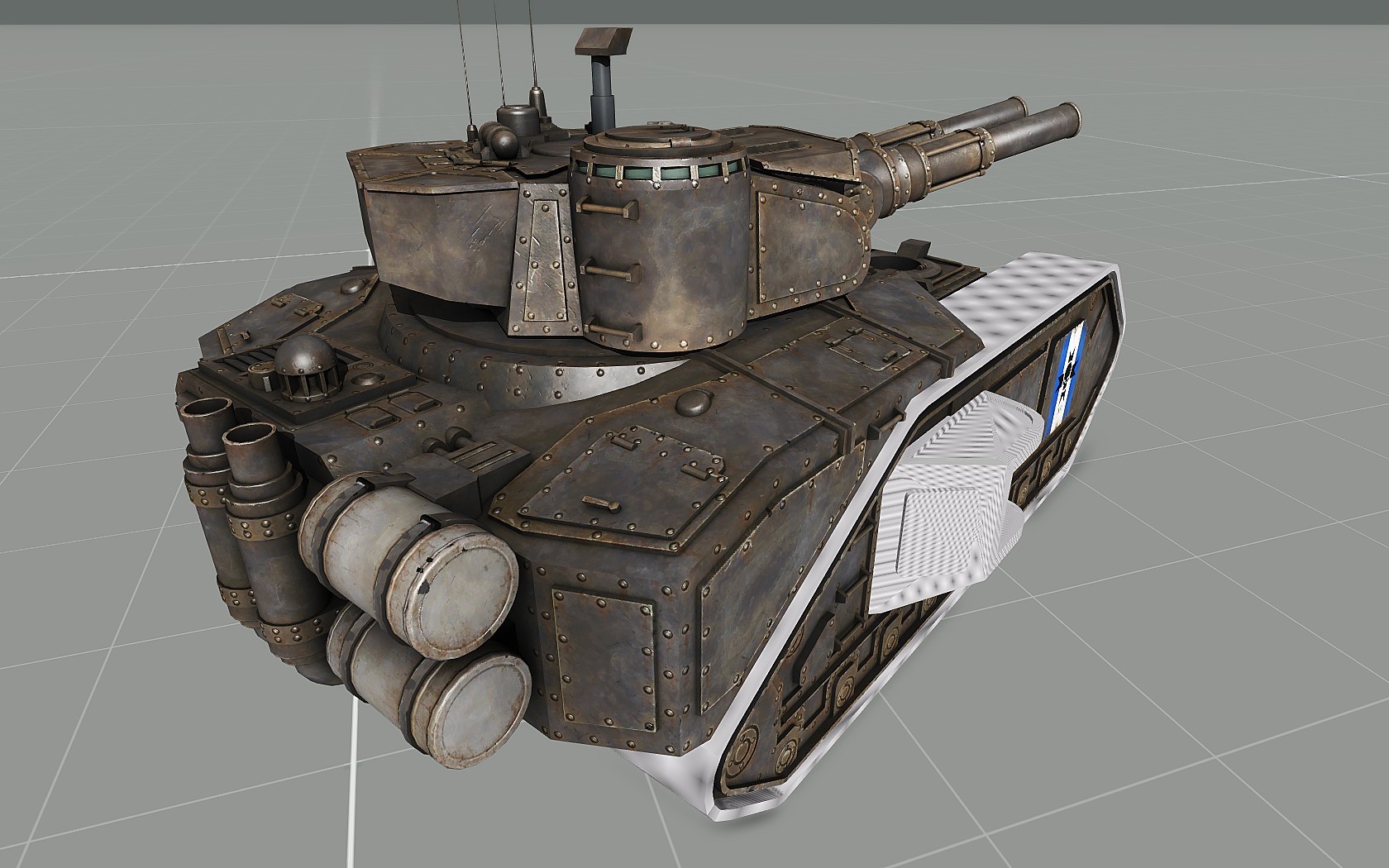


 stuck oyster
for buildings you dont need shadow lod. you can use sbsource=visualEx named property
storm wave
i dont know what sbsource=visualEx means
stuck oyster
google it
you also need to learn multimaterial so you get right kind of shader on the walls
storm wave
what about the walkable starcture
stuck oyster
wiki has some explanations on what each lod do
check that out
and study the sample house
storm wave
stuck oyster
and study the sample house
i had a starcture thet wasent walktrow able
but this one is
stuck oyster
then you made a mistake with the geometry
storm wave
@stuck oysteri can get the cube in game with everything but not any other model
dusty dove
Anyone here good with doors?
charred bolt
dusty dove
Anyone here good with doors?
If you have a question, just ask, and anyone that knows the answer will reply.
dusty dove
I have a p3d building model, but the door animation appears to be broken. Was wondering it someone could help me out.
charred bolt
dusty dove
I have a p3d building model, but the door animation appears to be broken. Was wo...
Give details of what is broken and what you have tried
marsh canyon
You can't pay for an Arma ready content, but yes: #creators_recruiting
 drifting nova
@unborn widget apologies for ping, but I'm looking through your github and I can't find the STANAG 20rnd mag, are they not available there?
 bright zodiac
does anybody know how to take vest/helmets/nvg models from the game and edit them to your own liking on blender?
like this for instance.
 marsh canyon
So you mean you want to export P3D to Blender? No that's not possible
finite stump
So is the wiki right in that its 50m from center for Geometry limit or 50m total across?
white oak
finite stump
So is the wiki right in that its 50m from center for Geometry limit or 50m total...
50 from center is the hard limit, but I'd suggest sticking to less than 40 as going above that risks the object not working on some maps
This is for the xy axis, feel free for Z
Or just cut up the object, its rare that you'd need a single object specifically when you can just cut it up and keep all function
stuck oyster
50 accross.
Is what I'd recommend
You can pretty easily try it out and see the issues with walking on/into it
analog garden
proxies can load objects right
so why not proxy stuff to the edges to get it even bigger (or is this dumb)
stuck oyster
analog garden
proxies can load objects right
Because they don't extend the dimensions
white oak
Never tried, could work (nvm, got goated)
But why go all that trouble when you can easily split the object
analog garden
yeah I know figured I’d ask 😔
white oak
Still want to explore creating randomness using proxies more at some point
stuck oyster
Just be aware of the possibility of performance costs 😅
analog garden
stuck oyster
Just be aware of the possibility of performance costs 😅
Me killing ppls GPUs and CPUs with everything I put in optre

white oak
6 min load time for a 4x4 terrain is completely normal
stuck oyster
Absolute
white oak
HG do you know if the init/Postinit EH activate on terrain baked objects?
stuck oyster
white oak
HG do you know if the init/Postinit EH activate on terrain baked objects?
Init does not If I recall right. Postinit I don't remember
 cedar garden
Is there anyway to pinpoint locations from Model Viewer into OB? Trying to setup memory points for animations, but my entire model moves
stuck oyster
cedar garden
Is there anyway to pinpoint locations from Model Viewer into OB? Trying to setup...
I would recommend doing that in source model instead
easier to do with tools you have made the model in
though not quite sure what you mean but the whole model moving
cedar garden
stuck oyster
I would recommend doing that in source model instead
It's for an atak
It flips out
white oak
stuck oyster
Init does not If I recall right. Postinit I don't remember
do any eventHandlers work when baked to terrain?
stuck oyster
white oak
do any eventHandlers work when baked to terrain?
damage and killed stuff does
at least