#arma3_model
1 messages · Page 30 of 1
 stuck oyster
 errant pumice
yeah... figures. I had some old files but in A3 they dont work. Looked at lighthouses and vez_ropa object (oil drill), but different beasts
 mossy mulch
Couldn't find anything in samples; anyone got any examples of how to do decals? Need some footstep ones, the ones in the base game aren't retexturable
 rapid tree
Its really interesting how CDLC Studios improved things like this and Tank interiors
 runic plover
UV Animations work for Objects via TB placed
stuck oyster
runic plover
UV Animations work for Objects via TB placed
👍Thanks
 cloud zealot
What determines the waterline of a ship ?
stuck oyster
cloud zealot
What determines the waterline of a ship ?
position in model space and boyancy volume VS geometry mass if I recall right
it is a bit tricky business
cloud zealot
stuck oyster
it is a bit tricky business
the problem is when i spawn the boat, it shows up glitched in the ground and not above the ground. In order to spawn the boat correctly above the ground i would need to change the position of the boat in the LODs
stuck oyster
cloud zealot
the problem is when i spawn the boat, it shows up glitched in the ground and not...
how is it positioned in the model space at the moment?
cloud zealot
stuck oyster
how is it positioned in the model space at the moment?
It is not above the ground in the model space, it is positioned exactly the same with the geometry buyancy
But the problem is if i change the position in model space for resolution and geometry LOD, i also have to do it for buyancy
stuck oyster
cloud zealot
But the problem is if i change the position in model space for resolution and ge...
boats for sogpf have been aligned so that their bottom is at 0 height

the land contact points follow the outline of the hull
 cloud zealot
But, if i understand correctly the wiki, the geometry buyancy needs to be placed differently: https://community.bistudio.com/wiki/Arma_3:_Ships_Config_Guidelines#/media/File:mkv_bouy_lod.PNG
But i can't have the resolution and the geometry buyancy not at the same position
stuck oyster
cloud zealot
But, if i understand correctly the wiki, the geometry buyancy needs to be placed...

this setup at least has worked for us
cloud zealot
Hmm ok so the waterline will depend on the shape of the geometry buyancy and the mass of geometry, not on the position of the buyancy in relation with the O height.
Thank you 🙂
 limpid flint
Does anyone know why this dry suit is like this
 stuck oyster
limpid flint
Does anyone know why this dry suit is like this
stuck oyster
limpid flint
Does anyone know why this dry suit is like this
messed up HL selection that causes identitty material be assigned to the hands
limpid flint
Right how would i fix that im guessing with the vertex groups?
and why isnt his face showing
limpid flint
stuck oyster
messed up HL selection that causes identitty material be assigned to the hands
I fixed that now i just need to know why his face isnt showing
im guessing its something to do with model.cfg
stuck oyster
limpid flint
im guessing its something to do with model.cfg
no bysta head proxy


 charred bolt
Giving away all my buoyancy secrets HG 😉
limpid flint
🤣
stuck oyster
charred bolt
Giving away all my buoyancy secrets HG 😉
sorry 😅
 grizzled halo
stuck oyster
skin suit
grizzled halo
stuck oyster
skin suit

that doesnt even fit, this creature obviously stole this skin
grizzled halo
limpid flint
ok maybe i didnt fix it lol
this mistake is legitly a valid way to make some horror themed stuff jfc
cloud zealot
Is there a maximum number of proxies we can fit in a single model ? I'm planning to make a 100+ seats ship and i would like to be sure it won't cause any troubles
 polar fiber
The proxies themselves aren't an issue. It'll have a big impact on frame rate having that many units occupying a vehicle though
cloud zealot
polar fiber
The proxies themselves aren't an issue. It'll have a big impact on frame rate ha...
Actually i won't spawn 100+ units in the ship, i'm looking for a trick to bypass Arma 3's bugs when you try to walk on a moving ship. I'm making multiples seats in the View Pilot LOD so the players can switch seat to move inside the ship.
stuck oyster
cloud zealot
Is there a maximum number of proxies we can fit in a single model ? I'm planning...
A P3d lod can hold 2048 named selections, proxies also eat that count. So that is at least one technical hard limit.
I've considered this approach too in the past and it's nice to see someone else take a shot at it too.
cloud zealot
stuck oyster
A P3d lod can hold 2048 named selections, proxies also eat that count. So that i...
Well, great minds think alike xD. I've also been thinking about using attachTo to make players move on the ship (and i think that should be the start point of Bohemia) but the engine doesn't allow an attached object to move
 white jay
Hey I'm a clothing designer looking to get into arma 3 BDU making, anyone mind pointing the way to find the models for the arma 3 player
stuck oyster
cloud zealot
Well, great minds think alike xD. I've also been thinking about using attachTo t...
Me too. And I have some ideas on refining that but have not had a chance to work on it
 white oak
cloud zealot
Is there a maximum number of proxies we can fit in a single model ? I'm planning...
white oak
cloud zealot
Is there a maximum number of proxies we can fit in a single model ? I'm planning...
There was someone who made passenger planes called skyrix a while back that had plenty of seats
Might be worth reaching out to them
stuck oyster
white jay
Hey I'm a clothing designer looking to get into arma 3 BDU making, anyone mind p...
Arma3 samples has a body reference model
white jay
stuck oyster
Arma3 samples has a body reference model
thanks
 marsh jewel
hey how's it going
long time since i've been here
i have come across one of the most annoying issue in arma history
countless hours have been spent to perfect a model animation that looks great on bulldozer
but when in-game it messes itself up for no reason, wthhhhh
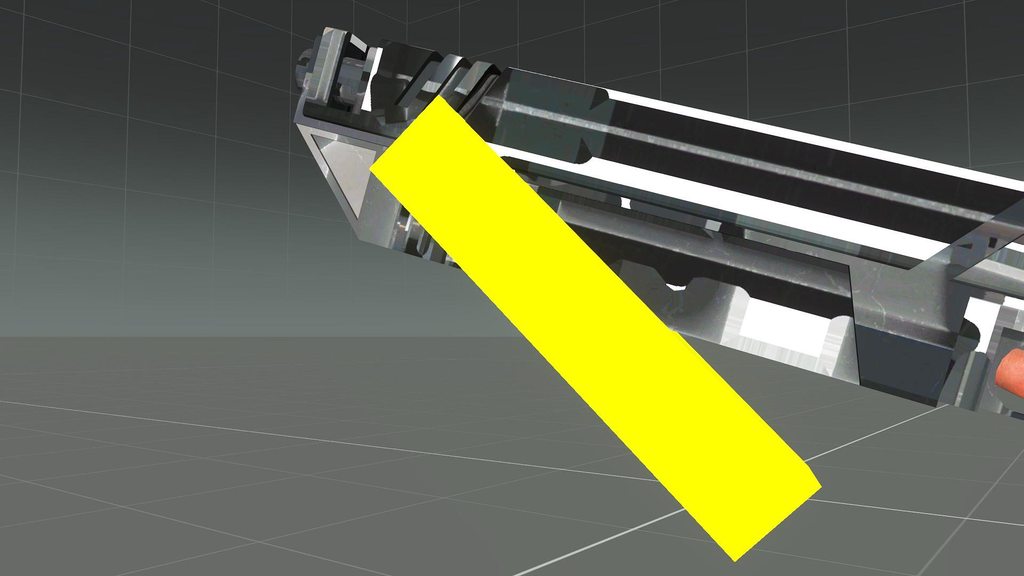
is this supposed to be a bug or am i doing something wrong
 bright echo
whats the model cfg look like
just the class for the one thats messing up
rotationX and stuff can act weird ingame and look fine in buldozer
autocenter can also - but you should have that off for weapons
marsh jewel
            class magwell_reload_rot_1
            {
                type = "rotation";
                source = "reloadMagazine";
                selection = "MagWell";
                axis = "MagWell_Axis";
                memory=1;
                minValue = 0.18;
                maxValue = 0.235;
                angle0 = 0;
                angle1 = (rad 30);
            };
the imgur link shows both how it look in-game and bulldozer btw
bright echo
weird
marsh jewel
bright echo
rotationX and stuff can act weird ingame and look fine in buldozer
its just a simple rotation
bright echo
that definitely seems like autocenter messing with it
mossy mulch
i had a similar problem for my fire selectors
marsh jewel
its really weird how bulldozer and ingame can differ wtf???
mossy mulch
(i never solved it)
marsh jewel
this engine is one of the biggest mysteries of humankind
bright echo
well when you binarise stuff certain things get done to the model that buldozer doesnt show
marsh jewel
bright echo
well when you binarise stuff certain things get done to the model that buldozer ...
great thinking thats what i thought too, until i pack it unbinarised
and the damn thing is still broken
bright echo
Yeah then the game binarises it on the fly
marsh jewel

bright echo
you do have autocenter = 0 in the geometry lod right?
marsh jewel
bright echo
you do have autocenter = 0 in the geometry lod right?
no....
the model stil dont have geo lod
bright echo
that'd be it
marsh jewel
damn fr?
bright echo
pretty sure
marsh jewel
can i put an empty geo lod just with autocenter named property
bright echo
yeah
marsh jewel
bet lets try
marsh jewel
bright echo
you do have autocenter = 0 in the geometry lod right?
IT WORKS 🥹🥹🥹🥹🥹🥹

thanks a lot kerc
bright echo
np
marsh jewel
i was wondering why i never encountered this issue before, as all my previous models already have the geo lod and the autocenter property
stuck oyster
this is model making channel. your question probably fits most into #arma3_config since it seems more related to config things
 soft vine
ok, thanks. i'll move it there
stuck oyster
👍
 signal pond
hey everyone,
i have a plan to modeling a missile silo with opening door animation , my model is ready , just need to animating & texture
help me about basic arma 3 modeling information.
then i need info about moving model into game
3d app i use is 3dsmax 2024
signal pond
@errant pumice
stuck oyster
You can find pages for "how to a animate a model" and model.cfg on the wiki. And you can use the arma3 samples on steam as reference study material
errant pumice
signal pond
<@106515675312324608>
Sadly Im just a guy who can make terrains, do a weapon or import a simple object into game. No knowledge of animation which is needed for silo doors. For example my missile silos have sepearate doors that get removed upon missile launch because of this problem 😉
signal pond
errant pumice
Sadly Im just a guy who can make terrains, do a weapon or import a simple object...
hey,thank can i see your silo pics there or in DM ?
and i will make the model,i build the main silo and will rig it then i can share it on net
signal pond
stuck oyster
You can find pages for "how to a animate a model" and model.cfg on the wiki. And...
hey,thank you for answer,i watch it and there is a question and its what setting i need to apply to my model ?
cause its a gun i think and not a building or vehicle
stuck oyster
signal pond
hey,thank you for answer,i watch it and there is a question and its what setting...
Model. Cfg works the same way on all models.
There is also a house sample that you can look at in the Arma3 samples
I can't specifically tell what exact things you need.
signal pond
stuck oyster
I can't specifically tell what exact things you need.
i know my model must rigged and set bones on it,then do config files
which part of that house can help me?
which format i need to export for arma 3
stuck oyster
signal pond
i know my model must rigged and set bones on it,then do config files
which par...
All of the house can help you since your object will essentially be a house.
Fbx works for export from MAX.
You won't export a skeleton as you will define that in model.cfg code and the axis points will be defined in the memory lod of the object. (look at the house and wiki pages)
Start practicing from simple 1 moving part
signal pond
stuck oyster
Start practicing from simple 1 moving part
from the simple files i can see the bone names on the main model and check the configs of it,i need more?
stuck oyster
That will get you started at least.
signal pond
stuck oyster
That will get you started at least.
ok,thank you
errant pumice
signal pond
hey,thank can i see your silo pics there or in DM ?
and i will make the model,i ...
u have pics in DM, otherwise we need a smaller silo for R-400 missiles we use :/

 stuck oyster
That's a big hole xD
grizzled halo
errant pumice
those tubes are 4 and a half arma man tall, roughly 7.2mts 🤓
why not have the doors be animated by rotation in model.cfg?
 candid mason
For making something like a cruise missile, is there a guide anywhere for what the model itself needs? memory points? what types of geometry?
 inland pawn
candid mason
For making something like a cruise missile, is there a guide anywhere for what t...
inland pawn
candid mason
For making something like a cruise missile, is there a guide anywhere for what t...
Not really
stuck oyster
there is pretty much 0 in way of specifc how to do X tutorials
candid mason
Anything for ammo in general? Even just knowing which direction the model should point in blender.
inland pawn
candid mason
Anything for ammo in general? Even just knowing which direction the model should...
Dump your game data and take a look at the configs
candid mason
inland pawn
Dump your game data and take a look at the configs
Obviously the configs have some info, but some other information is only available from the model itself.
 gleaming tusk
im having trouble with understanding this
https://community.bistudio.com/wiki/Surface_Sounds
from what it sounds like, if i apply a surface texture to the roadway LOD it will automatically pull the proper information to produce the right audio for footsteps and so on?
but im not getting any footstep sounds ; w;
 gleaming tusk
nvm it is workin' just gotta adjust the roadway position bc i think its right on the geo LOD < ->
yerp that was it 
 pseudo elbow
I wonder if you can find position where cargo unit(s) supposed to sit with sqf? selectionPosition something?
white oak
gleaming tusk
nvm it is workin' just gotta adjust the roadway position bc i think its right on...
As a future reference
Roadway should be 1cm above geo
And path should be at least 10cm above roadway
stuck oyster
I've done my roadways 1-2mm above geometry and it's been just fine
gleaming tusk
ye i just raised it by like 0.05
white oak
Goat takes precedence
Although they were also the one who told me the 1cm
gleaming tusk
amnesia from all the ramming!
stuck oyster
white oak
Goat takes precedence
Although they were also the one who told me the 1cm
1cm is safer 😄
1mm 1cm dont really make difference visually
unless object is scaled up
for example rock with 1cm difference scaled 10x will make the difference 10cm
maybe a rare occasion though since it is not really recommeneded to scale objects that much
white oak
On that note goat is there a document that describes how to make the surface sound itself?
stuck oyster
white oak
On that note goat is there a document that describes how to make the surface sou...
no dont think there is.
it is pretty straightforward to trace the used classnames with bit of config search though
all in one config comes in handy
white oak
AiO config is a hassle to read imho
I usually go with a word search of the a3 folder in pdrive


 white oak
stuck oyster
starting from cfg surfaces
white oak
stuck oyster
starting from cfg surfaces
Funny thing about this
Tried to add a emissive light to sea foam to create a glowing algea effect
Crashes immediately 😦
stuck oyster
yeh the shaders dont likely support all things
re the gravel example above. it does get a bit more tricky to find the sound definitions and in this understanding config inner workings comes into play. and being able to use other classes to cross reference things
white oak
Once I find the the connection between the sound file and paa it should be fine
Can just inherit the rest of the config I'd reckon
stuck oyster
the grave was bit poor example I suppose since its pretty common term in config. gravel_Exp was more easy to trace

and you get this
applying same logic to grave -> gravel[] you get this
 stuck oyster
and tracing that up a bit you find that they are contained in this class

 brave pewter
anyone that could help? I'm working on a mod that binarized everything and I cant seem to be able to build it.
I debined the config and the p3d files but the build still fails.
pboProject's log:
skinless_unit.p3d Error(s) detected
.preprocessing files produced an error
failed
why do you have binarized p3ds
brave pewter
I mean I think they are
stuck oyster
did you make them?
brave pewter
I couldn't open them with the tools
white oak
Wasn't the question
brave pewter
no
 marsh canyon
More like what is your purpose to do that
brave pewter
what do you mean
I have the permission of the author lol
I'm working on my own mod and using their models
stuck oyster
well either you lie or the author needs to give you the original files 
brave pewter
isn't there a way to make them work in arma?
marsh canyon
...More like if it was a part of an existed Mod already, why you pack again
brave pewter
I mean I could use the original pbo but I wanted to change the config
stuck oyster
which cant be done
if you want to use someone elses mod as a dependency
that is possible
then your mod needs only a config file
and the other mod is loaded first, then your mod on top of it
and your config can use the same models from within the other mod
that is the correct way to do mods
brave pewter
ok thanks
white oak
Whenever goat asks someone if they made the models themselves that image from phineas and ferb comes to mind where goat is saying not yet to pufu lifting the banhammer
brave pewter
marsh canyon
...More like if it was a part of an existed Mod already, why you pack again
to not load unecessary stuff, if I'm using just 2 or 3 models out of an items pack it makes on sense to load the whole thing
stuck oyster
brave pewter
to not load unecessary stuff, if I'm using just 2 or 3 models out of an items pa...
then no thats not a thing
if you think about it logically you are just adding bloat to workshop with double objects
so the unnecessary stuff is what you would pack in since the stuff already exists in the workshop
 flat moss
I guess the cargo proxies would show up in one of the LODs, FireGeometry for example, with selectionPosition.
brave pewter
I think of it as a trip to the store, it would be silly to pack everyting in your basket to only take the milk in the end
but nevermind, I'll try to use what I have I guess
flat moss
You'd have to know the names though, and I'm not sure whether those follow any logical pattern across different vehicle classes.
stuck oyster
brave pewter
I think of it as a trip to the store, it would be silly to pack everyting in you...
no you are wrong in how you think.
if a mod is the store then you are bringing in your own milk
when the store already has the same milk
brave pewter
well if I download both mods, it means I dont have milk at home..
imagine craving for milk but getting a store
charred bolt
You wouldn't go into a store, rip open Company X's milk cartoon, pour it into your own container and then put it back on the shelf under your own name. You just don't have permission to deconstruct someone else's work unless they explicitly grant it, and in which case they'll usually give you the raw ingredients anyway. If Company X doesn't want to give away their milk separately from other included products, that's entirely up to them.
pseudo elbow
Can't seem to get any of proxies with selectionPosition, I guess there is no way then
flat moss
While sitting in the back of a Hummingbird (labeled helo):
-> [0.301263,0.257696,-0.22779]

helo worldtomodel (getpos player)
-> [0.30127,0.257813,-0.22779]```Would still be a pain to find the proper proxy names, but it's not necessarily impossible.
gleaming tusk
i now want milk and cookies, thanks
white oak
Any idea why grenade immediately goes to the lower lods?
models at 160 faces at lod 0
bright echo
all greandes do it for some reason
its an engine issue
the only 'solution' is just have a lod 0
stuck oyster
you know when someone thorws a grenade when the game lags 😄
high poly 1 lod grenades ftw
errant pumice
grizzled halo
why not have the doors be animated by rotation in model.cfg?
Sadly I have no knowledge to do that.... I've spent 5 hours to add a flame to the monument, simple rotation of two alpha objects.... and i failed miserably.
errant pumice
Why does sometimes "Component Convex Hull" make Components as points on the edge of the perfectly closed cube?
stuck oyster
errant pumice
Why does sometimes "Component Convex Hull" make Components as points on the edge...
floating faces maybe. if parts are separate it makes separate componensts
so they may need merging first
 tribal rain
question for peoples is there a video online that explains about proxies
im aware that the BIWiki Exists but im not getting anywhere with it
tribal rain
How they work and how to set em up like i know from the example files theres a pathing involved to get the anims? where do you get that anim list? im worried im going to try and get my guy to sit down at a chair and hes going to stand up like hes behind a turret that sorta thing
also
this is another thing but it is relevant "Cargo holds" im making a vehicle with a cargo bay but im unsure how to set it up i know i have to declare a kind of "box" area but other than that im completely lost
 stuck oyster
proxies only mark the position and translation of a thing engine then hooks on
so you have pilot, gunner, cargo proxies with number indexes that the config then uses
tribal rain
 stuck oyster
and the config is where the animation is defined
tribal rain
this is what i meant by the path side
stuck oyster
by the pilot/gunner/crew/Action parameter
stuck oyster
tribal rain
various proxy p3ds are used for visualizing the pose that will later be used so it can be positioned correctly on the main model
but any proxy standing or sitting or whatever works the same as long as the proxy p3d is named same
ie Gunner.p3d
tribal rain
ok so that kinda brings me on to my next question
these are the proxies from the example car

how do i know which index to put it on
or is that something i can define
stuck oyster
for gunners in turret class there is a config parameter to define what proxyIndex each turret uses to look for gunner proxy
for cargo, its just running numbering
and there is only 1 pilot
typically the index is always just running from 1 onwards
and turrets is only place where you need to define it specifically in config
tribal rain
so i can keep this simple for me so 1 is most important and will always be your pilot after that it can be whatever i define? am i right in that?
stuck oyster
for crew actions you would list the used animations/actions in an array
and they would be assigned on the running number proxies in same order
stuck oyster
tribal rain
so i can keep this simple for me so 1 is most important and will always be your ...
theres 3 types of proxies with each their own running numbering
pilot, gunner, cargo
stuck oyster
yes
tribal rain
and cargo is anything in side of a crew hold
stuck oyster
yes
tribal rain
alright cool i get that now
stuck oyster
also FFV cargo seats are gunners
tribal rain
good to know
stuck oyster
as they are technically turrets
tribal rain
Makes sense
Ok now Vehicle in vehicle
because this vehicle is basically going to be an armoured recovery vehicle
how would i set that up
stuck oyster
that is a whole different beast 😄
but I recall it has a wiki page too
or Apollo has explained it somewhere here too not too long ago I think
tribal rain
the code side of it is fine i think i can wrap my head around that
its how it would be setup on the 3d model im getting confused with
stuck oyster
from a quick recall there are memorypoints that define the cargo space
tribal rain
like do i just drop a boundary box and say there we go this is now the cargo space available?
stuck oyster
and caluclation if another vehicle can fit in there is done between the bounds of the cargo memory points and the bounds of the vehicle
tribal rain
OHHHHHHHHHH So the memory points would be in like a rectangle or square and the space in between said points is now your VIV cargo space?
stuck oyster
yes that is how I remember at least
tribal rain
ok thats actually not as complicated as i thought i was trawling the sample files looking for an examples of VIV but i think the samples were made pre VIV functionality being a thing
stuck oyster
yeah few features are missing from there unfortunately
marsh jewel
yeah u jus define the bounding box and exit points for viv its very simple
grizzled halo
Hi fellas,
I've been wondering, tilted proxies will properly tilt the model of the attached accesory/magazine when attached to a weapon or is there any consideration that has to be taken for the models to properly tilt when used?
marsh jewel
it will properly tilt the model of the proxy
grizzled halo
ty for the confirmation exo
candid mason
 9:04:27 Warning: x\swst\addons\snackpacks\data\snack_generic.p3d:1.08456e-018 Face 7, point 2, face points 2,0,8 - very small normal 0,0,0
 9:04:27 Warning: x\swst\addons\snackpacks\data\snack_generic.p3d:1.08456e-018 Face 8, point 35, face points 35,4,10 - very small normal 0,0,0
9:04:27 Warning: x\swst\addons\snackpacks\data\snack_generic.p3d:1.08456e-018 Face 9, point 25, face points 25,2,9 - very small normal 0,0,0```Any idea how to fix this
stuck oyster
You probably have non manifold faces
candid mason
I... do not know what this means
stuck oyster
is what best describes them 😅
inland pawn
 grizzled halo
stuck oyster
is what best describes them 😅
grizzled halo
stuck oyster
is what best describes them 😅
Is that what they are actually called?
I mostly work on parametric software, so I've always known that kind of geo as zero-point or zero-thickness (varies through software a lot)
stuck oyster
grizzled halo
Is that what they are actually called?
I mostly work on parametric software, so ...
probably have many names like you have noticed
 slender sentinel
Yo, does anyone have any experience with "fucking a little" with vanilla assets? I would love to take an asset (for example the pandur) and add some seats on top of the vic, so it can (in a very scuffed way) carry more people. I have 0 knowledge about this and honestly I don't even know where I would start :DD
inland pawn
slender sentinel
Yo, does anyone have any experience with "fucking a little" with vanilla assets?...
Touching ARMA 3 p3ds is a violation of the EULA. You can only make config versions of them
slender sentinel
inland pawn
Touching ARMA 3 p3ds is a violation of the EULA. You can only make config versio...
Ah, well that's truly epic. Thank you very much for the heads up!
What about changing models from an already existing mod? With explicit permission of course
stuck oyster
slender sentinel
What about changing models from an already existing mod? With explicit permissio...
if you get permission you typically get the models too
you dont fuck with binarized p3ds
this is the makers channel, not the takers channel
slender sentinel
I have honestly no clue where I would start; my search on the internet was very fruitless xd
stuck oyster
slender sentinel
I have honestly no clue where I would start; my search on the internet was very ...
basic starting point is get blender, open youtube, find tutorials.
invest time on learning = profit
grizzled halo
you need a rather big investment, if you start fiddling around, its easier to answer more specific stuff if you get stuck
rather than guiding you step by step, a great begginer place assuming you know how to model in x or y software are ElTyranos and Sokolonko videos
 carmine gull
Mike Tebbs: Saw https://i.imgur.com/TrXBVtO.png and was quite impressed :)
 stark lichen
animation is braking when holding a gun. I fixed the issue of gun being in ground, but the arms still dont want to hold properly the gun
 stuck oyster
animation has been done wrong (weapon bone not at the shoulder) or the weapon bone name is wrong and does not mathc what game uses
Weapon vs weapon
stark lichen
im gonna check it out tommorov if so
stuck oyster
looking at the guns at the ground sounds like the first one being the issue
 finite stump
Is it possible to do automatic doors like at a store? No interaction, it just open when close enough?
marsh canyon
It still require some scripts, but dorable
finite stump
Has anyone seen something similar so I can get an idea of how to possibly do this?
marsh canyon
I would say use triggers
runic plover
finite stump
Has anyone seen something similar so I can get an idea of how to possibly do thi...
Someone did a Youtube example i can remind
runic plover
finite stump
Is it possible to do automatic doors like at a store? No interaction, it just op...
Possible it is, i did for some gates such without 3DEN triggers
stark lichen
If camera get closer to the model, the animation broke. still theres no issue when holding a pistol


 stuck oyster
stark lichen
If camera get closer to the model, the animation broke. still theres no issue wh...
stuck oyster
stark lichen
If camera get closer to the model, the animation broke. still theres no issue wh...
try unload your extra mods
could be something else breaks it
you seem to have ton of stuff loaded
stark lichen
i have only my mod loaded, ACE and CBA_A3
nothing more
i can try without ace, but then whats the sense of making not ace compatible mod
marsh canyon
Do it first. Complain later, and bugfix finally
stuck oyster
stark lichen
i can try without ace, but then whats the sense of making not ace compatible mod
firts you make a mod work, then you make it compatible
stark lichen
still theres animation issues
 stuck oyster
you still got something else loaded since you have that uniform
marsh canyon
I thought the uniform is the WIP Mod?
stuck oyster
what are you trying to do exactly? add new weapons or change weapon hold animations?
it is a bit hard to say since unform is what ww1? and weapons are modern
which is why Im asking what he tries to do exactly
stark lichen
uniform, kit, helmet, tornisters are my own assets that im trying to put into the game. now model completly dies while holding any 2 handed weapon, modern or not
stuck oyster
ok so you are not doing animations at all
that means your weighting of the uniform is not right
I thought this was related to animations
could be you have some lod that has broken weights
or all lods have
at least the symptoms fit this
there is maybe a small chance that your uniform config somehow is faulty
but I would think that is pretty hard to achieve
stark lichen
i followed sokolonko tutorial on that, even asked him some questions about this exactly issue. i worked only on LOD1, after doing after normalising and limiting bone count to 3, weapon animation works properly only meter away from model and LOD2 isn't being loaded
stuck oyster
remove the other resolution lods and see it that works
so you got only lod1 and the tehcnical ones, memory, geometry etc


 stuck oyster
well, this is weird one then
maybe your animation cache is corrupted. could try deleting it so the game remakes it.
its in your userfiles
 stark lichen
still didn't helped
 stuck oyster
did you get your model.cfg from the arma 3 samples?
stark lichen
i think i finded the reason myself. if you see close weapon shift the position, so weapon vortex is just moved a little bit to left?


 stark lichen
stuck oyster
did you get your model.cfg from the arma 3 samples?
stark lichen
stuck oyster
did you get your model.cfg from the arma 3 samples?
yes, i didn't changed it, only added new classes
stuck oyster
do you have all the proxies copied from the sample character?
stark lichen
weapon now its in the same place, still bugs out


funfact, double clicking in this launcher fixes its positioning, but either way animations are broken


 rotund bronze
Hello,
I'm looking to install a turret on one of my vehicles. However, I'm encountering an issue: once in the game, the turret doesn't fire or rotate. I've searched everywhere and haven't found much. If anyone has any knowledge on this subject, that would be great! Thanks in advance!
stuck oyster
rotund bronze
Hello,
I'm looking to install a turret on one of my vehicles. However, I'm enco...
well basically it means you did something wrong. the symptoms dont really point to anything specifc as you can make a fault in many places
the Arma3 samples have vehicle examples with turrets you can use as reference
theres 3 places things need to connect together, the p3d model, model.cfg file and config.cpp
 hollow fulcrum
yesterdays little project:
https://gyazo.com/e19b1772af14e0c7bf6f9c09a6414ac9
carmine gull
I don't recognize the grenade model...?
carmine gull
Yep, still not recognizing it
hollow fulcrum
https://gyazo.com/94aa6312b59aeb3cde10119f4b93feaf ? ( :fishing_pole_and_fish: )
 wheat shoal
https://gyazo.com/73d39336d3f9df48f58f90f9cf1375e0
why is everything coloured like that? I was thinking albedo but isn't that only for PBR, only other thing is like a mask thing for painting textures later?
 last spindle
yes, you render a diffuse mask and then you can set Quixel to generate textures based on the colors
or Substance Painter, what ever you use, just a quick way to mask material types
hollow fulcrum
and do labeling and/or normal work. i tend to try to do my colorMap all at once. whether i end up using it all in ddo or elsewhere is a matter of need. but also, in max, i like to keep things colorized. just makes it easier to see whats where.
 quartz prism
Does anyone can know how to get rid of this effect, that the screen gets very dark? I need this to make lights for a building interior light.
https://imgur.com/IyDH6ED
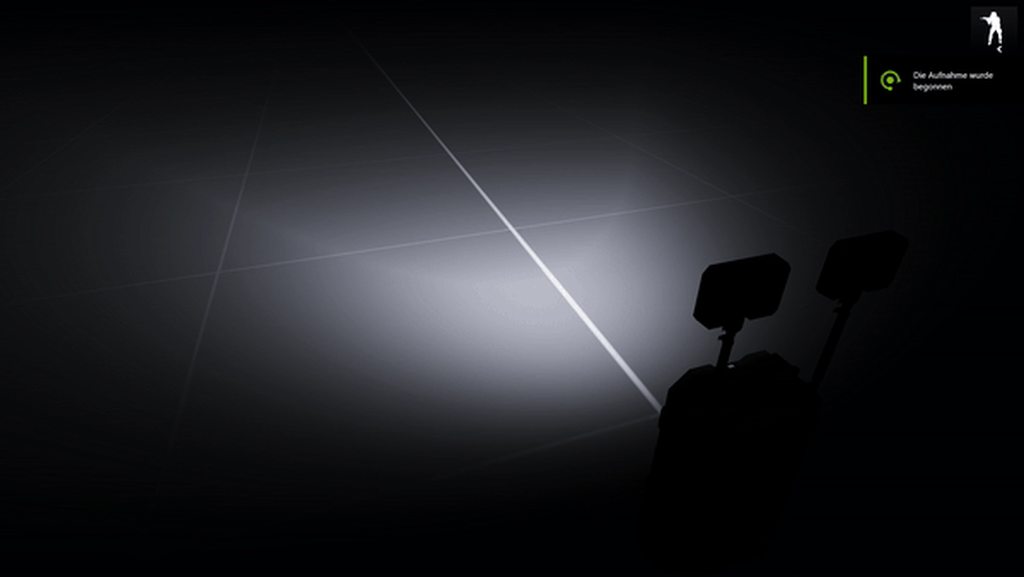 cloud zealot
I madde a submarine, the config is very basic for now, i'm just testing the engine. My problem is when i drive in straight line everything is fine but when i drive in circles, the ship slowly sinks. Is it normal ?
As i sai, my config is very basic for now but I would also like to know what to i need to add allow the submarine to dive ?
Here is my config:
    class B_SDV_01_F;
    class IARTS_Titanium : B_SDV_01_F {
        scope = 2;
        scopeCurator = 2;
        faction = BLU_F;
        side = TWest;
        displayName = "Titanium";
        model = "\IARTS_Military_Submarines\Titanium.p3d";
        editorSubcategory = "EdSubcat_Subs2";
        crew = "B_diver_F";
        typicalCargo[] = {"B_diver_F", "B_diver_F"};
        transportSoldier = 4;
        extCameraPosition[] = {0, 10, -30};
        radarTargetSize = 0.1;
        radarTarget = 0;
        receiveRemoteTargets = "false";
        reportRemoteTargets = "false";
        reportOwnPosition = "false";

        radarType = 8;
        verticalTurnCoef = 20;
        turnCoef = 2;
        steerAheadSimul = 0.5;
        steerAheadPlan = 0.35;
        predictTurnPlan = 0.8;
        predictTurnSimul = 0.6;
        brakeDistance = 100;
        acceleration = 0.1;
        waterSpeedFactor = 1;
        periscopeDepth = 15;
        idleRpm = 1000;
        redRpm = 8000;
        thrustDelay = 10;
        formationX = 15;
        formationZ = 15;
        maxSpeed=56;
        simulation = "submarinex";
        overSpeedBrakeCoef = 0.2;
        enginePower = 50000;
        engineShiftY = 0;
        waterPPInVehicle = 0;
        waterLeakiness = 5000;
        waterResistanceCoef = 0.015;
        waterLinearDampingCoefX = 2;
        waterLinearDampingCoefY = 0.8;
        waterAngularDampingCoef = 1;
        rudderForceCoef = 35;
        rudderForceCoefAtMaxSpeed = 20;

        airCapacity = 1209600;

    };
};```Where have you seen that ?
quartz prism
The video is from the editor
stuck oyster
quartz prism
The video is from the editor
need more context
is that looking at somthing specific
or is it night time
or what?
we have no idea what you do to make that happen
stuck oyster
cloud zealot
As i sai, my config is very basic for now but I would also like to know what to ...
have you studied the vanilla sdv config?
cloud zealot
stuck oyster
have you studied the vanilla sdv config?
I did except for the CfgModel. The main difference is my submarine is 110m long and vanilla sdv is 10m long, i need to adapt the values
For the sinking part, maybe that's just how submarine physx works but i'd like to know why i can't dive
stuck oyster
yeah it may not be meant for that big subs
and it being pretty undocumented this is likely going to be hit and miss situation
model.cfg wont affect physx Id say
cloud zealot
stuck oyster
yeah it may not be meant for that big subs
Well i think i found a way around. I can manually dive the submarine increasing its mass. So if i properly inits the object, i will be able to use Z and X to dive/surface
I wanted to save the init event in the config so the community can add init scripts but i don't have the choice
stuck oyster
have you tried playing around with the mass and bouyancy?
and maybe center of gravity?
 timber maple
How do i get an arma 3 player model so that i can size it up with buildings in blender im very new to all this and trying to make my own map
stuck oyster
timber maple
How do i get an arma 3 player model so that i can size it up with buildings in b...
arma 3 samples on steam
also there is wiki page about recommended dimensions if I remeber right
cloud zealot
stuck oyster
have you tried playing around with the mass and bouyancy?
I played with the mass ingame, i figured out the submarine starts diving over 1374000 kT, but i don't know how can i have it diving with a3 submarine engine. No choice but to do it myself.
cloud zealot
stuck oyster
and maybe center of gravity?
Can i change the center of gravity on object builder ?
cloud zealot
timber maple
How do i get an arma 3 player model so that i can size it up with buildings in b...
You can find Arma 3 character model in Arma 3 Samples folder. Download Arma 3 Sample if you haven't done it yet
cloud zealot
stuck oyster
yes by changing how mass is distributed
oh yeah i played a lot on OB just to have the submarine floating horizontally
The mass is properly set
timber maple
thank you
finite stump
Can you do Picture in Picture on large panes but on a structure? Im seeing if its possible to make a 2 way mirror like in a police lineup room.
 hollow fulcrum
looking good 👍
lol, fark.. i still have geo for that thing that fixed the few holes in it. i assume you guys delt with it though. you guys open it up any?
 still trail
has working elevators, well deck and crane/hooks
you can move aircraft and vehicles between decks etc
deploy boats (although the script is a little broken atm)
AI manned CIWS, AA etc
this has been donated by ATLAS Mod (LHD Plus)
so they did most of the work
not drivable, for Air platforms like this, probably keep it that way for now
grizzled halo
quartz prism
Does anyone can know how to get rid of this effect, that the screen gets very da...
this is due to reshade or ENB, its not in base game (or atleast not that strong) I recently removed the re-light shader because of that
timber maple
Is their a youtube tutorial on how to make assets I can make them in blender but idk what to do with them next
grizzled halo
check Sokolonko or ElTyranos videos, otherwise there is a lot of research work required
which is not somethin bad, its just not everyone cups of tea
rapid tree
stark lichen
funfact, double clicking in this launcher fixes its positioning, but either way ...
wrong arm weights
stark lichen
rapid tree
wrong arm weights
completly wrong, turns out blender completely destroys verts so i had to apply them in oxygen
rapid tree
stark lichen
completly wrong, turns out blender completely destroys verts so i had to apply t...
blender usually dont do that when you export as p3d
stark lichen
on newer versions it does
rapid tree
stark lichen
completly wrong, turns out blender completely destroys verts so i had to apply t...
but not completely wrong since the selections (weights) are destroyed 😉
stark lichen
rapid tree
but not completely wrong since the selections (weights) are destroyed 😉
weights work as intended, model goes into animations
but it has hard time applying weapon verts into those animations
rapid tree
but the hands going down is a symptom of conflicting weighting on the hands or fingers, i had this when i changed glove model
stark lichen
or just simply model dosen't know where to put those hands
rapid tree
stark lichen
or just simply model dosen't know where to put those hands
Yeah could be that the proxies are not linked
last spindle
this is a real grenade.... http://www.militaryfactory.com/smallarms/imgs/f1-hand-grenade-australia.jpg
and just for the LOL, a practice vesrion :p http://www.platatac.com/media/catalog/product/cache/1/image/600x/9df78eab33525d08d6e5fb8d27136e95/b/l/blueguns-f1-web-1.jpg
 next ferry
has anyone here worked with custom grenade models
stuck oyster
yes there are people who have made such.
next ferry
yea i im new to the modeling and implementation aspect of the dev work flow im mainly a materials and code guy, and im just trying to see what all is required to get the model in game i assume it shouldnt be too hard but i have no clue where to start now, what i have has already been modeld UVed and Textured if that helps
stuck oyster
well easiest way is to use Blender and ArmaToolbox addon to export directly to p3d after all the Lods are set up in blender
you can check you any of the existing Arma to Blender tutorials for the basic workflow
pretty much all types of Arma objects are built from same elements
a grenade specifically composes of few parts like the visual mesh lod, geometry lod for collision (and setting up the mass for the object for physics), shadow lod and possible memory lod if you have any features that need it
 median sparrow
any to how to make uniforms quickly or it's just a pain in the ass?
stuck oyster
median sparrow
any to how to make uniforms quickly or it's just a pain in the ass?
git gut.
hollow fulcrum
haha
median sparrow
:(
stuck oyster
once you know what you do its not very difficult
but if you dont know, then yes there is a ton to learn
median sparrow
i hate weight paint!
stuck oyster
nothing can skip learning
median sparrow
i know how to make like basic uniforms and all (not retexturing) but i'm making some robots uniforms and the weight paint is tearing the model apart when i move around
stuck oyster
A you need good shaped uniform with joint topology similar to arma character
B you can transfer weights and it will be pretty good starting point as long as your model is made right
C you tweak the rest manually
well it sounds like you make the weights somehow wrong
or the shape of the robot dont match the arma man
median sparrow
it matches but not all all joints
stuck oyster
well that at least is a big problem
the animations only work on arma man shaped characters
cant make different shapes
joints have to be exactly in place
last spindle
i even did the practice one in A3, we used to use it for new recruits and training ops, you throw it and it just emitted a cloud of smoke
hollow fulcrum
lol wut? you mil sim guys.. :D
i'd just call it a live fire and go through the natural selection process..
last spindle
if you accidentaly dropped a grenade during a op while trying to access invetory with G, you were put onto practice grenades only for a month......when A3 was new that was rather frustrating when someone new would join in and drop a grenade and wipe out your squad
hollow fulcrum
lol
the folleys of the mighty gear key switch . good times.
i've admittedly killed a few squad mates.
but only a couple times. the rest were, semi-accidental.
last spindle
Safety On when in base......
i remember one day though, i was a section LMG, forgot to take the safety off after left the base, walked into a enemy patrol and was like click click click click ohhh shit, dead
cloud zealot
Why is ShaowVolume - ViewPilot adding more sun instead of hiding it ?
cloud zealot
cloud zealot
Why is ShaowVolume - ViewPilot adding more sun instead of hiding it ?
Hmm ok, apparently, you can't have shadowVolume and ShaddowVolume - ViewPilot in the same model or you have to select a preferred LOD
 woeful viper
playing arma... that's a thing? i only spawn stuff to check how many things i still have to fix on my broken stuff xD
last spindle
one day = about 18months ago when i last did a coop mission .....
woeful viper
ah... thats sounds more like it :D
almost seemed as if you had too much fun, that would be a no go
charred bolt
cloud zealot
Hmm ok, apparently, you can't have shadowVolume and ShaddowVolume - ViewPilot in...
ShadowVolume - View Cargo
ShadowVolume - View Pilot
ShadowVolume - View Gunner
For these to work they have to be enabled in the config:
viewCargoShadow = true;
viewDriverShadow = true;
viewGunnerShadow = true;
 umbral shuttle
does it matter if I leave model as quads or triangulate? does binerization process triangulate?
white oak
you can keep as quads binning doesnt triangulate
this if for visual lods though
some lods require triangulation
stuck oyster
No triangulated mesh can have uv map issues. It is all triangulated in the gpu
grizzled halo
charred bolt
ShadowVolume - View Cargo
ShadowVolume - View Pilot
ShadowVolume - View Gunner
...
if you dont mund me asking, whats the difference between shadowVolume and stencil shadow?
isnt their function basically the same?
charred bolt
grizzled halo
if you dont mund me asking, whats the difference between shadowVolume and stenci...
Stencil buffer is an implementation of shadow volumes.
More reading here: https://en.wikipedia.org/wiki/Shadow_volume
In Arma 3, you have SV0 and SV10 (additionally SV1000 for trees).
You can also set it to use the resolution LOD to create soft shadows rather than the Shadow LOD (visualex), but there are limitations.
quartz prism
grizzled halo
this is due to reshade or ENB, its not in base game (or atleast not that strong)...
I just loaded CBA and ACE
quartz prism
stuck oyster
we have no idea what you do to make that happen
I do nothing, it's a Arma object. My problem is that if the player look in to the light the whole screen is going dark. This is a problem for me because I want to use lights inside my building interior and the same problem appear.
stuck oyster
what kind of arma object?
and probably easier to solve if you talk about your object and what you want to make
the effect you cant turn off anyway
its some issue with the model or what you try to do
quartz prism
I want to brighten this building, as the current lighting is too dim. However, achieving a brighter effect might result in the same issue I encountered in my video. If it's not possible to eliminate this effect, I may have to accept it or consider switching to Reforger.
https://imgur.com/a/diE96P5
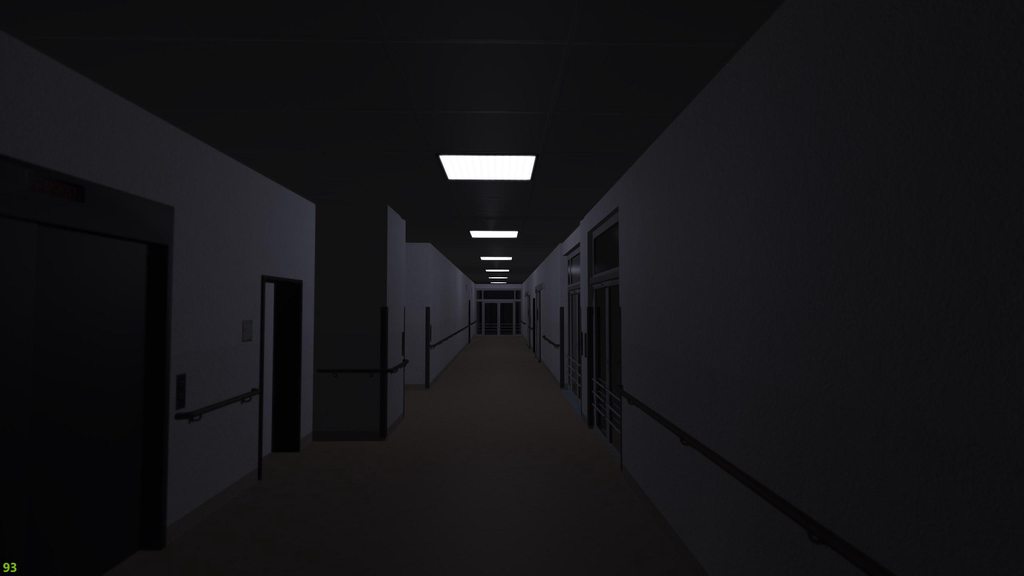 stuck oyster
quartz prism
I want to brighten this building, as the current lighting is too dim. However, a...
stuck oyster
quartz prism
I want to brighten this building, as the current lighting is too dim. However, a...
do you have ambient occlusion map baked for the interior?
and what does your rvmat look like
do you use multimaterial rvmats on it?
Im fairly sure you just have not made it right
quartz prism
No Baked occlusion, No Multimaterial
stuck oyster
then you got tons to fix
also what emission value do your lamp panels have?
if its too high it messes with the eye
quartz prism
emmisive[]={300,265,260,0};
stuck oyster
well start with setting your building with multimaterials and ambient occlusion (_AS in arma) and see where that takes you
the emission is pretty strong perhaps. but main thing here is the lack of ambient occlusion mapping
and for better optimization multimaterials should be used.
rapid tree
Hello there, is it possible to make an animation time longer to reach max value with little controller input ?
I want to mimic VTOL Tilt movement with the cyclicforward source but my engine tilts to fast
umbral shuttle
stuck oyster
No triangulated mesh can have uv map issues. It is all triangulated in the gpu
so quad cube and a triangulated cube will have same performance since gpu will triangluate the quad cube?
rapid tree
umbral shuttle
so quad cube and a triangulated cube will have same performance since gpu will t...
arma triangulates meshes itself when its booted up so i heard, but its better to triangulate the mesh before importing it because it can make your model looks not correct
umbral shuttle
rapid tree
arma triangulates meshes itself when its booted up so i heard, but its better to...
yeah the problem I am having is well firstly havent really seen a confident answer on if arma triangulates, like you said you had heard,but is it actually true? and well the main problem is most of the stuff I have is in quads, if I triangulate the poly count basically doubles which is big yikes 😦
so far things havent looked bad as quads
rapid tree
yeah triangulating doubles vert count
charred bolt
umbral shuttle
yeah the problem I am having is well firstly havent really seen a confident answ...
Poly count for LOD purposes is always triangles.
You're best off triangulating your source on export to p3d in order to maintain normals, as otherwise OB will generate them.
But you can keep your source (eg blender) as quads for ease of modification.
polar fiber
Polycount isn’t really what’s determining a model’s performance, it’s the number of vertex normals
Triangulation doesn’t have any negative consequences on a finished model. It just makes it harder to see edge flow and topology compared to quads and certain assets like character models are quite dependent on having good edge flow for weighting and animation
In some cases you will very much want to triangulate a model before exporting, and importing to different software so that edges and normals are consistent across different apps. Some import algorithms will triangulate some quads in the opposite direction to the 3D software you modelled in. Indeed sometimes when you make a geometry mesh for Arma using quads, a non-planar face can create non-convex hull depending on how those faces are split from a quad to tris
 covert quarry
I'm trying to make big sci-fi mushrooms for a map I'm making, having some issues with the textures - narrowed it down, I think my Rvmat settings are wrong. Up until now I've been basing it off a tree, but that has resulted in the material being transparent at edges. I should be treating it like a rock or something like that I reckon. Anyone have an example RVMAT i could use for this? he're my current attempt - https://pastebin.com/U3ZhQjTj
Pastebin
Pastebin.com is the number one paste tool since 2002. Pastebin is a website where you can store text online for a set period of time.
inland pawn
Sci fi mushrooms?
covert quarry
Like so

This is kinda the idea, but placeholder models as I figure out how to make em and so forth
 stuck oyster
covert quarry
Like so
stuck oyster
covert quarry
Like so
at least in the picture it looks alright
you cant use nopx on objects though
so that will need to bo nohq type normalmap without the bump stuff in alpha
treeadv is the one meant for tree crowns (leaves) and it has properties to fade mesh parts that are not facing the eye. (can be turned off but the shader is wrong for this kind of thing)
you want the trunk type shader
 covert quarry
Makes plenty of sense, will give it a go shortly. Cheers as always HorribleGoat
 obtuse rain
Speaking of crew/cargo proxies, what links them to being crew/cargo points?
 wraith tendon
The config
 cursive sleet
Dscha, how is it going on with your projects?
obtuse rain
Dscha: Can't see any references to them in the configs.
 lofty gale
how do i put models from other games into arma 3?


 marsh canyon
No
lofty gale

cloud zealot
Why i can't have View Pilot and View Cargo in the same model ? When i use both, the game tries to find a proxy which is inside View Pilot in View Cargo....
When i remove the View Cargo, no more problems
inland pawn
lofty gale
how do i put models from other games into arma 3?
Doing so is called ripping and is frowned upon
Especially here
charred bolt
cloud zealot
Why i can't have View Pilot and View Cargo in the same model ? When i use both, ...
You can but you need to put some config entries to tell it that your pilot is in the ViewPilot LOD and cargo in ViewCargo.
mossy mulch
inland pawn
Doing so is called ripping and is frowned upon
(and is illegal)
grizzled halo
How can I find this rogue polygon in my shadowlod?
Blender says everything is closed

 sour bough
grizzled halo
How can I find this rogue polygon in my shadowlod?
Blender says everything is c...
sour bough
grizzled halo
How can I find this rogue polygon in my shadowlod?
Blender says everything is c...
Topology (or structure I forget)- > find non-closed
 terse elm
@carmine gull thx :-)
cloud zealot
charred bolt
You can but you need to put some config entries to tell it that your pilot is in...
I guess it's LODTurnedIn but i don't understand what is LODTurnedOut for
What does the wiki means by "turned in" an "turned out" ?
charred bolt
lodDriverTurnedIn = 1100; // Pilot LOD
lodDriverTurnedOut = 1; // LOD 1
lodDriverOpticsIn = 1202; // Cargo 2 LOD
or in a Turret class for a gunner:
lodTurnedIn = 1000; // -1 Default, 1000 Gunner, 1100 Pilot, 1200 Cargo
lodTurnedOut = 1;
lodOpticsIn = 1;
lodOpticsOut = 1;
stuck oyster
cloud zealot
What does the wiki means by "turned in" an "turned out" ?
gunners/drivers state being inside or poking out of the hatch
charred bolt
Turned in and out are for hatches
cloud zealot
Ok, thank you guys 🙂
lofty gale
inland pawn
Doing so is called ripping and is frowned upon
i dont intend to rip models from other games i just want to put some of my simpleplanes builds into arma 3
hollow fulcrum
@obtuse rain they are generally inherited from the base classes. uno sec i'll link some relative foo from something here.
''class CfgMovesMaleSdr: CfgMovesBasic'' defines class states, which are linked via commanderAction, cargoAction etc..
obtuse rain
Yeah, I'm talking about the proxies in a3\data_f\proxies...\gunner.p3d for instance.
And how the engine decides that "a3\data_f\proxies\somevehicle\pilot.p3d" is the pilot proxy.
hollow fulcrum
you have the mkv?
obtuse rain
Nup.
hollow fulcrum
it's all towards the top, bar the cfgVehicles bits. excuse the cluster, thats an old one. :P
obtuse rain
So if you had "a3\data_f\proxies\mkv\gunner.p3d" and "a3\data_f\proxies\mkv\pilot.p3d" as proxies in a LOD, how does the engine know which one is the pilot and which is the gunner?
hollow fulcrum
driverAction = "MKVSOC_Driver"; cargoAction[] = {"MKVSOC_Cargo01","MKVSOC_Cargo02"....};
obtuse rain
Yeap, that tells it which RTM to apply to the driver, but what defines which of those proxies is the driver proxy?
There's nothing special about the .p3d's themselves.
rapid tree
grizzled halo
How can I find this rogue polygon in my shadowlod?
Blender says everything is c...
its somewheree in the receiver
obtuse rain
(That I can see)
obtuse rain
Yeah, some kind of pattern extraction on the file part of the path was what I suspected, but there's also things like "cargo01".
(e.g. "cargo01.001")
Also that mainly talks about short forms: proxy:pilot.001
Rather than .p3d references.
But I'm guessing it just does string searches.
hollow fulcrum
ProxyType = CPGunner; // matches proxy name type "gunner"
ProxyIndex = 1; // matches proxy index number ".001"
obtuse rain
Which begs the question if "tag\proxies\nissan_escargot\driver.001" might accidentally be recognised as a cargo position.
carmine gull
@hollow fulcrum Yeah I didn't recognize the grenade at all, sorry :P
@terse elm Did you have any landing issues though with Normand Baltic (unless you renamed it in-game) and helicopters due to AFM or PhysX interactions (helicopterX vs. shipX) not playing nicely?
hollow fulcrum
of course there are issuses..
woeful viper
i only vaguely remember that there was some "driver is cargo" token - or something along the lines
terse elm
that perticular ship hasnt made it in game its kind of my little side project, i do little bit every now n again, how ever i made a yacht and in SP was fine MP was not so sucessfull
woeful viper
MP is usually where things fall apart first
obtuse rain
Because "nissan_escargot" contains the word "cargo".
hollow fulcrum
to the best of knowledge unless, they fixed things in 1.54 all previous ShipX issues still exist. Too include, AFM issues.
terse elm
AFM?
woeful viper
i doubt the proxy path is read at all. I would assume it reads only the name (driver.p3d) and that's it
hollow fulcrum
(advanced flight model)
cloud zealot
I made many models andd i often have one animation in the model which is instant instead of taking the specified time. Why is that happening ?
rapid tree
@stuck oyster can you help him out ?
stuck oyster
cloud zealot
I made many models andd i often have one animation in the model which is instant...
What source does it use, how is the animation played?
cloud zealot
stuck oyster
What source does it use, how is the animation played?
It's always a custom animation source for doors. This time, it's happening on an animation to deploy aa missile launcher on my submarine
 inner venture
Hi guys, is there any compiled list of best practices for Arma3 3d modelling and shading?
 quick terrace
inner venture
Hi guys, is there any compiled list of best practices for Arma3 3d modelling and...
quick terrace
inner venture
Hi guys, is there any compiled list of best practices for Arma3 3d modelling and...
nope, not very different for the visual lods than any other game assets, minus some tech lods and the fact that textures are not PBR
obtuse rain
Ahh.
It just grabs the base name and looks it up in CfgNonAIVehicles after prefixing it with "Proxy".
Hence you can make \cargo05.p3d and then make a "class ProxyCargo05 : ProxyCargo" in CfgNonAIVehicles, and it will look up the crewPosition from that.
inner venture
I have nice shading in substance painter but it looks messed up in Object Builder, could you help me track where the issue could be? Thanks a ton!
inland pawn
inner venture
I have nice shading in substance painter but it looks messed up in Object Builde...
Are your normals fine? Rvmat paths correct? Textures using _Co,_as, etc?
obtuse rain
Presumably if that fails it goes looking for the real .p3d.
inner venture
I always use _co, _as and so on, (are they case sensitive?) but what are the consequences if I dont? I read that it automatically grabs necesarry setup, depending on the texture ending.
My problem is with smooth shading, it looks fine in Substance Painter and blender, but 1 corner just looks messed up in Object Builder. Without any textures. Those are normals problems right? I have triangles there
inland pawn
inner venture
I always use _co, _as and so on, (are they case sensitive?) but what are the con...
Pic?
If it’s darker than normal, press F5
That’ll fix your normals
woeful viper
what real p3d ? human proxies are not a p3d. They get replaced by the actual soldier model, which is never consistent
obtuse rain
The only difference between a human/weapon proxy and a "dumb" proxy is if the model name matches "CfgNonAIVehicles >> Proxy<name>" though.
grizzled halo
it might be obvious, but smooth shading is being applied with the proper hard edges definitions in your case?
cloud zealot
stuck oyster
What source does it use, how is the animation played?
And by the way, the animation is always played using _object animateSource ["source", 6] but instead of taking 6 seconds the animation is instant. There always is one animation glitching this way in my models
stuck oyster
cloud zealot
And by the way, the animation is always played using ```_object animateSource ["...
does the source have animationSources class definition?
obtuse rain
e.g. a rotor or wreck proxy is different from a driver one by virtue of it not appearing in CfgNonAIVehicles.
rapid tree
cloud zealot
And by the way, the animation is always played using ```_object animateSource ["...
Seems like an init thing in model.cfg, look at your values for angle0 and angle1
cloud zealot
stuck oyster
does the source have animationSources class definition?
What do you mean ?
Here is an example of a glitched animation: ```class missiles0
{
type = "hide";
source = "aa_missiles";
selection = "missiles_cover";
minValue = 0;
maxValue = 0.1;
hideValue = 0.05;
};
        class missiles1
        {
            type = "translation";
            source = "aa_missiles";
            selection = "aa_missile_base";
            axis = "periscope1_axis";
            memory = 1;
            minValue = 0.1;
            maxValue = 6;
            offset0 = 0;
            offset1 = -    1.5;
        };```
The animation should take 6 seconds, but it's instant
cloud zealot
rapid tree
Seems like an init thing in model.cfg, look at your values for angle0 and angle1
Angles are not the issue
stuck oyster
cloud zealot
What do you mean ?
in your config.cpp you have class animationSources and do you have class aa_missiles inside that
cloud zealot
stuck oyster
in your config.cpp you have ``class animationSources`` and do you have ``class a...
Not for this submarine, but for other buildings which also have this bug, yes
I will try to make sure
stuck oyster
well that is the place to look for the issue
you need correctly set up source class
charred bolt
cloud zealot
Not for this submarine, but for other buildings which also have this bug, yes
{
    class aa_missiles
    {
        source = "user";
        animPeriod = 6;
        initPhase = 0;
    };
};```
then use `maxValue = 1` in your model.cfg `class missiles1`Indeed,it's working properly now, thank you 🙂
inner venture
inland pawn
Pic?
Hi, sorry for the delay. Why it is like this? I add pics in substance painter with and without textures. I export from blender to .fbx, then to substance painter, then I export to .fbx from substance painter again, since I had errors before so this gave me better results, and import fbx in Object builder.


 stuck oyster
inner venture
Hi, sorry for the delay. Why it is like this? I add pics in substance painter wi...
stuck oyster
inner venture
Hi, sorry for the delay. Why it is like this? I add pics in substance painter wi...
best to export as p3d from blender to keep the edge sharpness information intact
you should not have any need to export model from substance painter
inner venture
stuck oyster
best to export as p3d from blender to keep the edge sharpness information intact
I only found like a super old tutorial with very old plugin for like blender 2.7
It does not seem to be working properly on the new blender 3.6
stuck oyster
info in the pinned messages
umbral shuttle
by any chance theres no muzzle flash p3d sample is there?
marsh canyon
No but not so complicated p3d anyways
umbral shuttle
marsh canyon
No but not so complicated p3d anyways
what would I need to do?
marsh canyon
I'm not sure what is unclear to you
mossy mulch
its just 2 planes with images
stuck oyster
mossy mulch
its just 2 planes with images
It is more planes than that (for volume) but yeah it's not a complex model
inner venture
How can I make a face bidirectional? So it shows the texture on both sides?
stuck oyster
inner venture
How can I make a face bidirectional? So it shows the texture on both sides?
Make copy of face, flip its direction
stuck oyster
inner venture
Thats the only way?
yes
game engines typically have drawn only the front side of face
 pale valley
I'm having a slight struggle matching up the scope of my tanks cannon with where it fires. basically, in-scope it fires a lot lower than where the crosshairs are looking, just wondering what would be the cause of that?
stuck oyster
how did you set up the scope?
pale valley
😅
Physically it's higher, further back and off-centre to the barrel, config wise, it's vanilla
stuck oyster
well that is kinda the problem
pale valley
is it the phyical location as apposed to the config?
stuck oyster
physical offset is what causes the view not to align (easily at least)
it is possible to kinda zero Id suppose
via config but it may be difficult
pale valley
hmm, that's a shame, what is a typical set up for gunner view on a tank? in the barrel, on top, to the side but level?
polar fiber
Parallax like that is a thing IRL with aiming tank guns/coax. If you look at some old graticle sights, you'll see the range marks are canted to account for parallax between the sight and the guns. https://www.theshermantank.com/wp-content/uploads/recticles-for-m10f-periscopes.png The effect should be less the further away the target you are shooting at
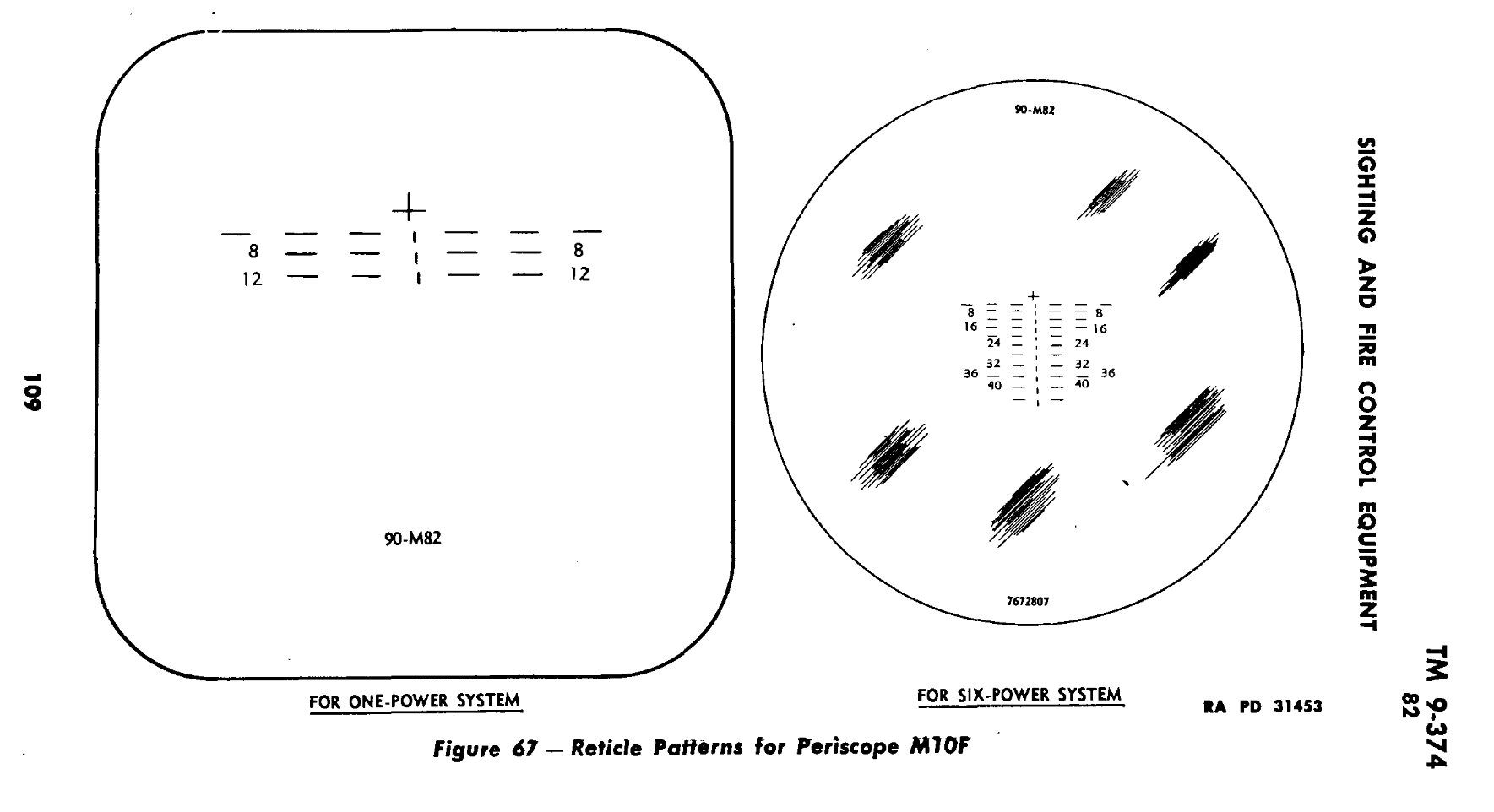 pale valley
polar fiber
Parallax like that is a thing IRL with aiming tank guns/coax. If you look at som...
pale valley
polar fiber
Parallax like that is a thing IRL with aiming tank guns/coax. If you look at som...
this is a nice effect that I would like to add but currently its the Arma system of, if you look at a thing and range for it, it hits the thing you're aiming at... I have already negated it a bit. thanks for the help guys
 wise coral
so ive got to the point where im trying to make glass breakable on a building and the glass breaks but doesnt disappear. what am i missing?
 elder condor
Hey, fully new to arma 3 modding here, I have a model for a Panther F which was free to use on sketchfab, I plan to give it some touchups in blender, but once I've done that, can anyone point me in the correct direction for adding it to the game?
stuck oyster
elder condor
Hey, fully new to arma 3 modding here, I have a model for a Panther F which was ...
tank is not the easiest thing to add 😅
stuck oyster
there are few good tutorials on youtube that can point you to right direction
elder condor
I can imagine, optics, suspensions, weapons positioning, engines, allll the values
stuck oyster
but you will have to rub the grey matter 😄
stuck oyster
there is also set of sample models on steam
elder condor
If I figured out baro modding, hopefully I can do this
stuck oyster
arma 3 samples
elder condor
stuck oyster
there is also set of sample models on steam
models of?
stuck oyster
various examples of models with animated parts set up and commented config files
elder condor
ah okay
stuck oyster
they are pretty good though some of the newest features may not be represented
elder condor
I'm probably way in over my head here but it's worth a shot lol
elder condor
stuck oyster
they are pretty good though some of the newest features may not be represented
Do you mind sending me one?
elder condor
Oh it's an app
elder condor
I can't say I'm familiar with this
stuck oyster
tutorilas from el tyranos, sokolonko and battlestad can put you on right path
might take few weeks or months to figure all of it out
arma is highly moddable
so there is a lot you can do
elder condor
I see
Is a .blend file usable for the model?
I know arma uses a different format
But I don't know which and if I can convert it
Alright so looking at a video tutorial
A good place to start, similar to arma, is just copying and then modifying the sample tank
stuck oyster
there is a toolbox addon that can export directly to the arma p3d format
elder condor
stuck oyster
there is a toolbox addon that can export directly to the arma p3d format
Toolbox is?
stuck oyster
pinned messages is good read
elder condor
Can do
stuck oyster
👍
elder condor
stuck oyster
👍
Where do I drop in the toolbox's files?
 elder condor
Alrighty
 bleak tangle
Have you done an animation for hiding the glass? Ex. Glass_1_hide
elder condor
Should be set up now
I'm not sure if it's outdated or not, but this video suggests the setup of a P drive
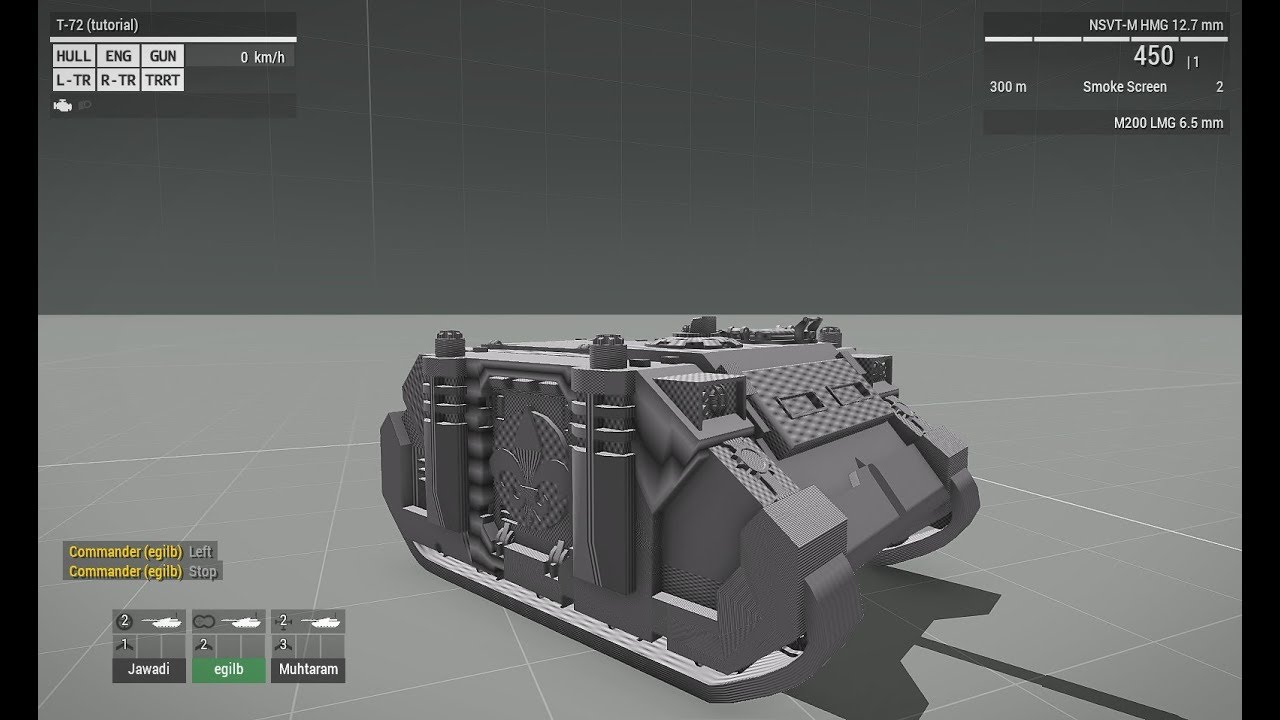
This is the first part of a tutorial series I plan to make importing a tank into arma (or APC or whatever). This is very quick and basic, I dont really explain too much in this video. The goal with this was to show you how to get your tank model ingame very quickly.
It's hard to make tutorials when I have a 3 year old hanging around my nech all...
Is that something I should do, or do you think I should follow a different process?
 holy shit I'm so in over my head
This is fun
stuck oyster
elder condor
I'm not sure if it's outdated or not, but this video suggests the setup of a P d...
P drive is typical setup of the tools environmnet
technically you can do without if you know what you are doing
basic workflows of the tools are built around it
elder condor
First day here, so I'll stick to the side of caution and set it up
stuck oyster
it represents the in game file system
so paths withing it match what goes into the engine
and the tools are set up to read it
elder condor
So question
When setting up P drive and running "Extract game data"
It warns about purging the data in the arma 3 folder
What data will this dispose of?
stuck oyster
elder condor
What data will this dispose of?
Existing A3 data on P drive
also you dont want the dubbing on the next question
takes ages to unpack
elder condor
Iirc, like 30 or 40 minutes?
stuck oyster
without dubbing should be less
elder condor
Truth be told this all seems surprisingly straightforward so far
elder condor
elder condor
Truth be told this all seems surprisingly straightforward so far
baro modding was certainly simpler, but getting into it felt like smashing your head against a brick wall
elder condor
stuck oyster
youre still swimming towards the deep end
Figured lmao
Hard stuff comes later?
btw, what kinds of values do we work with for vehicles?
Armor thickness, gun pen, engine power, how is that sort of stuff handled?
stuck oyster
arma has relatively realistic armor simulation
a model is composed of multiple "layers" called LODs
and there is a firegeometry lod that takes care of the hit detection and armor shape
and there armor is typically modeled in realistic thick parts and given penetration material that is fitting to the part
and engine takes care of the rest
elder condor
If we are to take a single flat armor plate on a tank, would it just be one LOD
stuck oyster
no
you can look at the sample models
geometry lods typically have multiple components
that are not are not merged together
even if they are in single "object"
elder condor
stuck oyster
Existing A3 data on P drive
uhh, looks like it wants to clear the Arma 3 folder in my D directory, not whatever is in the P directory
D:\SteamLibrary\steamapps\common\Arma 3
My worry is losing save files for antistasi
 muted tapir
those are in your profile folder usually located in your documents folder
elder condor
So it's not a concern?
muted tapir
dont think so
muted tapir
just copy the profile folder
elder condor
Lemme see if I can find that
muted tapir
should be documents/arma 3 or documents/arma 3 - other profiles
elder condor
I'm at documents/arma 3, seeing some stuff about antisasi in .vars files aswell as folders for missions
The "missions" and "mpmissions" folders only seem to contain stuff I made in editor
Unless I'm reading this wrong
that's quite possible
muted tapir
yep
elder condor
What am I looking for?
muted tapir
for the saves probably the saved and usersaved folders
elder condor
hm....
Lemme peek through that for a sec
Do you know what the file/folder name for antistasi saves looks like?
muted tapir
nope
elder condor
I'll go ask in the AU discord
stuck oyster
properly set up P drive should not be nowhwere near that folder
as in you can decide what folder the virtual drive P is created from
stuck oyster
Best way to start is to just figure out how to first get your model in game as satic object
then add stuff like geometry for collision
then hit geometry for armor etc
then start fiddling with animations
then you might be ready to make it a driveable vehicle
inner venture
Wjat are the best practices for texture resolution/triangle count for:
Building, like a tent, or a small house
Weapon (dayZ I believe has around 5k?)
Small object, like a computer, a canteen or documents case
Furniture
Vehicle
Character clothing items:
Clothes, backpack, helmet
I know Im asking for a lot, but here be many developers, they maybe could enlighten me what are the current generic industry standarts for polycount
It would be most excellent if you could point how detailed is reforger compared to arma, so I can make arma models with reforger port in account
stuck oyster
Varies a lot
as less as you can make it look good is good rule
current standards dont apply. arma3 is 10 years old
pick one you want to make first
inner venture
I make all of them I just want to know what other modmakers adher to so mine does not stick out in mod collection as too detailed or too lowpoñy
Lowpoly
I dont like combining really quality models and mods with unfinished or old mods that break the immersion and look and feel totally different in style and finish
stuck oyster
inner venture
I dont like combining really quality models and mods with unfinished or old mods...
well honestly there isnt really much consisntency with that between mods
weapons vary from 2000-8000 maybe give or take some
furniture is very low poly
probably few hundred
same with anything small
unless you want to make something super detailed
buildings from big and small can be anything
there the rule of "least" you can use plays big part
but its not possible to put that into any good example numbers since it varies so much
a hero building with lots of details and single use can be 100k
vehicles too vary between 10-80k easily depending on what you do and does it have visible interiors and how much details you do
cloud zealot
I have a question: Everytime the MK48 Spartan is shooting, a tube cover dissappears. I don't see any init event handler in the spartan config. Does anybody knows how do they do that ?
Nevermind, i think i found how
stuck oyster
cloud zealot
Nevermind, i think i found how
some firing related animation source?
cloud zealot
stuck oyster
some firing related animation source?
Exactly, using the "ammo" animation source
or "ammorandom"
stuck oyster
👍
elder condor
stuck oyster
Best way to start is to just figure out how to first get your model in game as s...
Sounds good
Just realized my model doesn’t have a coax, hm
 south badge
inner venture
Wjat are the best practices for texture resolution/triangle count for:
Building...
south badge
inner venture
Wjat are the best practices for texture resolution/triangle count for:
Building...
Reforger-standard models are imo too heavy for Arma 3, while Arma 3-standard models are a bit underwhelming for Reforger.
And regarding sticking out: Based on what I saw most Arma 3 mods dont put in too much effort. Missing normal maps, missing AO, very basic texture details, complete lack of resolution lods, etc...
Comparatively little new content, just constant retextures of other people's content.
cloud zealot
How do i make a digital speedometer ? I've been told to use cylinders but unless i'm doing something wrong, it's not working when the value has decimals. For example, if speed is 22.6, the cylinders will not show the appropriate angle
stuck oyster
cloud zealot
How do i make a digital speedometer ? I've been told to use cylinders but unless...
how accurate you want it to be?
and yes cylinders is the main way of doing such
another would be hidden hidden planes
but that would eat up a looot of bones
depending on what you are doing it could also be a HUD/MFD screen element
bright echo
could do uvtexture
bright echo
ah yeah
cloud zealot
stuck oyster
how accurate you want it to be?
Here is the result i want
 cloud zealot
stuck oyster
I think thats MFD screen
cloud zealot
stuck oyster
I think thats MFD screen
Hmm, i see. Thank you 🙂
inner venture
Hi guys, what should I do in my model so it can cast shadow?
Building with windows and interior model
cloud zealot
inner venture
Hi guys, what should I do in my model so it can cast shadow?
You must add a ShadowVolume LOD to your model https://community.bistudio.com/wiki/LOD#ShadowVolume
inner venture
cloud zealot
You must add a ShadowVolume LOD to your model https://community.bistudio.com/wik...
sharp edges should be all edges or only like sides and borders?
What is the best way to add windows?
how many triangles are too much?
cloud zealot
inner venture
sharp edges should be all edges or only like sides and borders?
What do you mean ? You just need convex shapes
cloud zealot
inner venture
how many triangles are too much?
I on't know if there is a limit but is should be as simple as possible
 cloud zealot
inner venture
What is the best way to add windows?
cloud zealot
inner venture
What is the best way to add windows?
You add windows on the same way you add doors. Add the shape to the model, make proper selection and then animate it
cloud zealot
inner venture
Are 196 verts too much?
No its perfect
If you tell me 100 000 vertex, yeah it would be a lot
inner venture
cloud zealot
You add windows on the same way you add doors. Add the shape to the model, make ...
No I mean to shadowlod, can I poke holes or I have to make it so it has like "depth?
cloud zealot
inner venture
No I mean to shadowlod, can I poke holes or I have to make it so it has like "d...
then you need to use multiple convex shapes instead of a single one
inner venture
So I make like walls out of cubes, and make so they have openings where windows would be right?
cloud zealot
inner venture
So I make like walls out of cubes, and make so they have openings where windows ...
Exactly
stuck oyster
cloud zealot
What do you mean ? You just need convex shapes
convex shapes for collision, not shadow
stuck oyster
inner venture
So I make like walls out of cubes, and make so they have openings where windows ...
shadowlod needs to be built from closed shapes
a cylinder with one end open is non closed
for example
cloud zealot
stuck oyster
shadowlod needs to be built from closed shapes
Yes that's right
inner venture
Could we look at a practical example? I have a model of a tent which is composed from several non-closed 3d objects, components? are they called correctly:
The outside facing outside, the inside facing inside, small details, and floor. What would be the best way to make it cast a realistic shadow, especially when the character is being inside?

I guess it is counterproductive to make small details cast shadow
like poles and ropes
cloud zealot
inner venture
Could we look at a practical example? I have a model of a tent which is composed...
You need to use closed shapes like cubes, spheres, rectangles, cylinders for example to make the ShadowVolume
It doesn't matter if your resolution LOD is made of non closed shapes
inner venture
resolution LOD - it means "main object" right? The one with textures?
stuck oyster
you can also use sbsource = visualEx named property in geometry lod to enable soft shadow casting from resolution lods
yes
what you see
inner venture
stuck oyster
you can also use sbsource = visualEx named property in geometry lod to enable s...
How do I do it step by step?
stuck oyster
there is a wiki page about lods that explains how they are called
stuck oyster
inner venture
How do I do it step by step?
can search google or chat history here 😅
most things are answered somewhere in the history here
inner venture
Here?
 cloud zealot
inner venture
How do I do it step by step?
cloud zealot
inner venture
How do I do it step by step?
Add a new named property to your geometry LOD with Object Builder
 inner venture
stuck oyster
most things are answered somewhere in the history here
inner venture
stuck oyster
most things are answered somewhere in the history here
They kinda are, but all the dialogs are between people who are proficient in Object Builder and obviate many things
inner venture
So I add property to the GEOMETRY (collision) LOD of the object, right?
cloud zealot
inner venture
resolution LOD - it means "main object" right? The one with textures?
The resolution LO is where the textures are. The resolution LOD of your model is what will be display when you will use the object
cloud zealot
inner venture
So I add property to the GEOMETRY (collision) LOD of the object, right?
yes
To display the named property windows, go to the Window menu
 inner venture
cloud zealot
To display the named property windows, go to the Window menu
inner venture
cloud zealot
To display the named property windows, go to the Window menu
was going to ask that
cloud zealot
inner venture
was going to ask that
That's what i supposed ^^
inner venture
Rightclick - add new ?
 cloud zealot
looks perfect to me
inner venture
I guess it goes like this
 cloud zealot
yes
inner venture
whatabout the lodnoshadow = 1 at the normal resolution LOD? What does it do?
cloud zealot
inner venture
whatabout the lodnoshadow = 1 at the normal resolution LOD? What does it do?
inner venture
Oh now I absolutely understood it (I didnt, looks like alien language to me)
So if I want to cast shadow by the main "resolution" LOD, why should I make it a lodnoshadow?
cloud zealot
If you put lodnoshadow=1 property in a LOD, this LOD will not be used to calculate shadows
inner venture
So I have to select one LOD and NOT put it there so THAT one is used for calculation?
cloud zealot
inner venture
So I have to select one LOD and NOT put it there so THAT one is used for calcula...
For example, if you had a ShadowVolume LOD, you could add lodnoshadow property to shadowvolume to tell the engine you don't want to use shaowvolume to calculate shadows
inner venture
inner venture
Here?
So I did what was here and added lodnoshadow = 1 to my main resolution LOD, but since I only have one, it calculates the shadows from it? It does look highly detailed,

 cloud zealot
inner venture
So I did what was here and added lodnoshadow = 1 to my main resolution LOD, but ...
cloud zealot
inner venture
So I did what was here and added lodnoshadow = 1 to my main resolution LOD, but ...
Why do you add lodnoshadow to resolution lod if you already added sbsource=visualex ?
inner venture
inner venture
Here?
It said so here so I blindly followed.
I dont understand what is most of that tech words
cloud zealot
inner venture
I dont understand what is most of that tech words
sbsource=visualex will tell the engine to use the resolution LOD to calculate shadows, so you can't add lodnoshadow to resolution LOD
inner venture
but I did, and it ignored it?
Okay
So "How to add shadows to object in a messy and non optimised way"?
You have to have a .p3d object and it has to have a Geometry LOD (it is used for collision calculation) https://community.bistudio.com/wiki/LOD#Geometry Geometry LOD should follow those rules. Must be closed and convex.
Then you have to add 2 properties to the Geometry LOD. To display the named property windows, go to the Window menu and select "Named Properties".
Go to the Named properties window with your Geometry LOD selected, right click it and select "New". Then add there "sbsource" with value "visualex" and "prefershadowvolume" with value 0.
If you have more than 1 Main "Resolution" LOD, add a property "lodnoshadow" with value "1" to all but farthest resolution LOD. Otherwise, do nothing.
Save and exit.
inner venture
Nice I learnt how to use LODs
stuck oyster
👍
inner venture
How can I make so that yellow bounding box in editor sticks to the 3d objec?

Thanks!
cloud zealot
inner venture
How can I make so that yellow bounding box in editor sticks to the 3d objec?
The bounding box cannot be bigger than your object. Something like a remaining vertex or an animation must be enlarging the box
inner venture
totally cannot, can it be like object scale that hasnt reset or smth?
it applies to multiple objects I have
cloud zealot
inner venture
totally cannot, can it be like object scale that hasnt reset or smth?
You cannot control the size of the bounding box


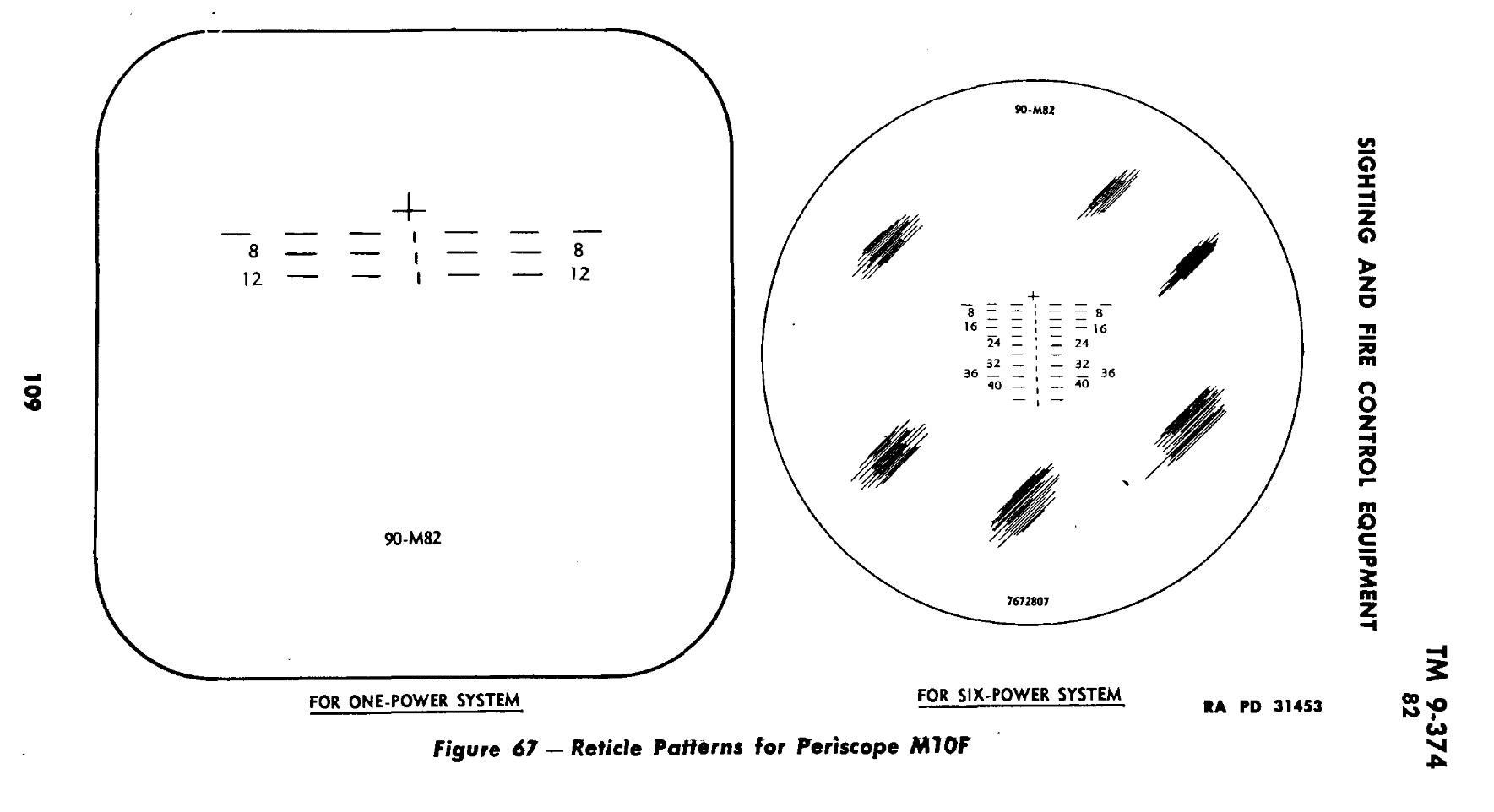 cloud zealot
inner venture
They all have size like of 1x1m
cloud zealot
inner venture
They all have size like of 1x1m
If the bounding box have this size, that's because something in your model or animations is making it bigger
inner venture
Can there be animations accidentally If I never added them?
cloud zealot
inner venture
Can there be animations accidentally If I never added them?
Usually not, unless you extended your model class from another existing class
cloud zealot
That's very unlikely, but rare cases may happen
But i think it's more likely something in your moel making the bounding box bigger
inner venture
In all of them?
Can it be because I moved it somewhat from 0.0?
will it reload also RVMAts as well?
marsh canyon
cloud zealot
inner venture
Can it be because I moved it somewhat from 0.0?
The bounding box depends on the size of the model but sometimes it can be bigger. Look at my submarine

Nothing in the model is making it so large but has this size
Same for the Hunter
The size of the bounding box depend on the size of all your LODS
rapid tree
Hello, im working on a ShadowLod for a Heli with side doors open, however if i close the mesh the part where it should be able to see through is closed, how can i avoid this ?
charred bolt
rapid tree
Hello, im working on a ShadowLod for a Heli with side doors open, however if i ...
Model door shadows separately.
 rapid tree
charred bolt
rapid tree
charred bolt
i do, but the main fuselage closes the gap when im closing the mesh
charred bolt
Does the image above have a closed fuselage?
rapid tree
no its like the huey, its actually a AH6/MH6
charred bolt
So why not do it like the image?
rapid tree
charred bolt
So why not do it like the image?
the way im doing shadowLods is i seperate parts of the model and let them be closed by ObjectBuilder with structure-topology-close and it fills the gaps
stuck oyster
youll have to do the mesh manually
OB can close simple holes ok, but yours is likely too complex
rapid tree
stuck oyster
OB can close simple holes ok, but yours is likely too complex
its a simple hole actually but yeah i do it manually
stuck oyster
rapid tree
its a simple hole actually but yeah i do it manually
yes well not for the closer tool it isnt..
open sided cube is simple
but anyway
tribal rain
howdy yall so im trying to make an armoured recovery vehicle ive just setup the vehicle in vehicle memory points but now its giving me errors when i pack in PboProject
stripping ""P:\temp\addons.bin.log""
19:58:07: Cannot load font core\data\fonts\lucidaconsoleb8
19:58:07: Fonts file \core\data\fonts\lucidaConsoleB8 not found
19:58:07: Cannot load font core\data\fonts\lucidaconsoleb11
19:58:07: Fonts file \core\data\fonts\lucidaConsoleB11 not found

19:58:07: <model = "Heimdallr\addons\HeimdallrACT.p3d">

19:58:10: Face 192, point 129, face points 129,124,128 - invalid uv 4.56823e-043,-1.#QNAN
19:58:10: Face 193, point 128, face points 128,133,129 - invalid uv 4.44212e-043,-1.#QNAN
19:58:10: Warning: special LOD contains 2nd UV set.
19:58:10: Warning: special LOD contains 2nd UV set.
19:58:10: Warning: special LOD contains 2nd UV set.
19:58:10: Too detailed shadow lod in heimdallr\addons\heimdallract.p3d (0:1.000000 : 37768) - shadows disabled
19:58:10: </model>


19:58:10: <model = "Heimdallr\addons\Test_Tank_01.p3d">

19:58:14: Warning: heimdallr\addons\test_tank_01.p3d:VIEW_GUNNER, vertices of bone zasleh3 are shared with parent bone commander_gun
19:58:14: Error: heimdallr\addons\test_tank_01.p3d:VIEW_GUNNER, vertices of bone zasleh2 are shared with bone recoilhlaven
19:58:14: Warning: heimdallr\addons\test_tank_01.p3d:VIEW_GUNNER, vertices of bone recoilhlaven are shared with parent bone otochlaven
19:58:14: Warning: heimdallr\addons\test_tank_01.p3d:VIEW_GUNNER, vertices of bone zasleh2 are shared with parent bone otochlaven
19:58:14: Warning: heimdallr\addons\test_tank_01.p3d:VIEW_GUNNER, vertices of bone damagevez are shared with parent bone otocvez
19:58:14: Warning: heimdallr\addons\test_tank_01.p3d:VIEW_GUNNER, vertices of bone commander_turret are shared with parent bone otocvez
19:58:14: Warning: heimdallr\addons\test_tank_01.p3d:geometry, vertices of bone recoilhlaven are shared with parent bone otochlaven
19:58:14: Warning: heimdallr\addons\test_tank_01.p3d:geometry, vertices of bone damagevez are shared with parent bone otocvez
19:58:14: Warning: heimdallr\addons\test_tank_01.p3d:geometryPhys, vertices of bone recoilhlaven are shared with parent bone otochlaven
19:58:14: Warning: heimdallr\addons\test_tank_01.p3d:memory, vertices of bone gunnerview are shared with parent bone otochlaven
19:58:14: Warning: heimdallr\addons\test_tank_01.p3d:memory, vertices of bone otochlaven are shared with parent bone otocvez
19:58:14: Warning: heimdallr\addons\test_tank_01.p3d:geometryView, vertices of bone damagevez are shared with parent bone otocvez
19:58:14: Warning: heimdallr\addons\test_tank_01.p3d:geometryFire, vertices of bone damagevez are shared with parent bone otocvez
19:58:14: Warning: heimdallr\addons\test_tank_01.p3d:geometryFire, vertices of bone poklop_commander are shared with parent bone otocvez
19:58:14: Warning: heimdallr\addons\test_tank_01.p3d:geometryFire, vertices of bone poklop_gunner are shared with parent bone otocvez
19:58:14: Warning: heimdallr\addons\test_tank_01.p3d:geometryFire, vertices of bone damagevez are shared with parent bone otocvez
19:58:14: Warning: heimdallr\addons\test_tank_01.p3d:geometryFire, vertices of bone commander_turret are shared with parent bone otocvez
19:58:14: Warning: heimdallr\addons\test_tank_01.p3d:geometryFire, vertices of bone damagevez are shared with parent bone otocvez
19:58:14: Warning: heimdallr\addons\test_tank_01.p3d:geometryFire, vertices of bone commander_turret are shared with parent bone otocvez
19:58:14: Too detailed shadow lod in heimdallr\addons\test_tank_01.p3d (0:1.000000 : 37768) - shadows disabled
19:58:15: </model>


19:58:15: <model = "Heimdallr\addons\Test_Tank_01_Wreck.p3d">

19:58:15: Warning: special LOD contains 2nd UV set.
19:58:15: Warning: special LOD contains 2nd UV set.
19:58:15: Warning: special LOD contains 2nd UV set.
19:58:15: </model>
so this is how it looks in the blender screen

im using the Cfg from the example tank for now as i want to just get this moving and rolling about before i get to making my own config etc
confused as to why this error is coming up it mentions a 2nd UV set sure enough there was one so ive removed it
it mentions shadows removed all shadow lods thought that might help, nope nada
made sure the memory lod had the lodnoshadow named selection in it as well
just confused as hell as to whats up with it
stuck oyster
tribal rain
if you have objects of same lod type in blender and they have different uvset names when they are merged into 1 lod on export those uvsets are not combined
and become 1+ sets
tribal rain
stuck oyster
if you have objects of same lod type in blender and they have different uvset na...
so ive fixed that issue
now my issue is the VIV isnt behaving as it should?
so ive set up the memory LOD as so

the CFG is like this
            class VehicleTransport
            {
                class Carrier
                {
                    cargoBayDimensions[] = {"VTV_limit1", "VTV_limit2"}; // Memory points in model defining cargo space
                    disableHeightLimit = 1;                              // If set to 1 disable height limit of transported vehicles
                    maxLoadMass = 20000000;                               // Maximum cargo weight (in Kg) which the vehicle can transport
                    cargoAlignment[] = {"front", "left"};                // Array of 2 elements defining alignment of vehicles in cargo space. Possible values are left, right, center, front, back. Order is important.
                    cargoSpacing[] = {1, 0.15, 0};                       // Offset from X,Y,Z axes (in metres)
                    exits[] = {"VTV_exit"};                            // Memory points in model defining loading ramps, could have multiple
                    unloadingInterval = 2;                               // Time between unloading vehicles (in seconds)
                    loadingDistance = 10;                                // Maximal distance for loading in exit point (in meters).
                    loadingAngle = 60;                                   // Maximal sector where cargo vehicle must be to for loading (in degrees).
                    parachuteClassDefault = B_Parachute_02_F;            // Type of parachute used when dropped in air. Can be overridden by parachuteClass in Cargo.
                    parachuteHeightLimitDefault = 50;                    // Minimal height above terrain when parachute is used. Can be overriden by parachuteHeightLimit in Cargo.
                };
            };
        /* RETEXTURABILITY    */
        /*
            hiddenSelections[] ={"Camo1","Camo2"};
            hiddenSelectionsTextures[] = {"A3\armor_f_gamma\MBT_01\Data\MBT_01_body_CO.paa","A3\armor_f_gamma\MBT_01\Data\MBT_01_tow_CO.paa"};
        */


        class AnimationSources : AnimationSources
        {
            class muzzle_rot_cannon {source = "ammorandom"; weapon = "cannon_120mm";};
            class muzzle_rot_coax {source = "ammorandom"; weapon = "LMG_M200";};
            class muzzle_rot_HMG {source = "ammorandom"; weapon = "HMG_NSVT";};
            class recoil_source {source = "reload"; weapon = "cannon_120mm";};
        };
but when i go to "load" vehicles into it in game
it does nothing
NVM ive figured it out
turns out the Bounding box isnt big enough for what im trying to load
umbral shuttle
I keep forgetting this but wat is the units in object builder for position? meters right?
found it
I didnt check first F
umbral shuttle
Okay next question of the day, given two points is it possible to make an edge between them in object builder?
stuck oyster
umbral shuttle
Okay next question of the day, given two points is it possible to make an edge b...
whats the purpose?
😅
umbral shuttle
stuck oyster
whats the purpose?
path lod, for posXX making an edge between each vertex
I just started placing points tbh and so I guess I need them connected back to one of the inXX selections
stuck oyster
pathlod is mesh strips

or triangles

or combination of both
refer to sample house
also remember face must point up
umbral shuttle
oh so I guess best to do in blender
 ripe flax
Does anyone know what measurements it should have? I'm new to this.
 marsh canyon
1m in Blender equals to 1m in Arma
ripe flax
marsh canyon
1m in Blender equals to 1m in Arma
Oh, I see, thanks. I have a question because the car isn't moving; it seems like it doesn't have physics, but I added them
 marsh canyon
It is about how your config is done
woeful viper
do you have the appropriate selection in the p3d. and do you have the selection in the "sections" part of the model.cfg animation part?
do you have a bone for the selection?
 lone robin
What’s been a good method used by you guys for creating cuts in mesh angles like these arches without creating a bunch of ngons ? This picture is of me using Boolean modifiers to accomplish it but was just curious if there might be a better way. This is going to be my res01 so I’m not sure how much ngons affect resolution lods honestly.
 lone robin
stuck oyster
either in edit mode or with bevel modifier
lone robin
stuck oyster
either in edit mode or with bevel modifier
Are you just setting cubes to arrange an opening and then beveling those edges ?
stuck oyster
lone robin
Are you just setting cubes to arrange an opening and then beveling those edges ?
no I do shape like this:
 lone robin
stuck oyster
lone robin
stuck oyster
Would an ngon that is technically not visible cause major issues in game ?
marsh canyon
Ngons should be avoided in literally anywhere, including outside of Arma anyways
stuck oyster
that too
lone robin
Fortunately the ngons that were present werent too difficult to deal with but I’ve learned my lesson with using booleans lol
 fluid copper
Booleans are great if you clean it up after. Its good to plan ahead in terms of topology before you use a boolean, that way its easier to solve afterwards
 raw beacon
What would be the leading cause of not being able to control an amphibious vehicle on the water (no thrust, no turn etc.)? Ive been able to succsfully get other amphib vehicles working and troubleshooting has left me scratching my head
charred bolt
raw beacon
What would be the leading cause of not being able to control an amphibious vehic...
Physx engines might be out of the water. Experiment with engineShiftY =
Water resistance might be too high for the buoyancy. Experiment with lower waterResistanceCoef =
raw beacon
charred bolt
Physx engines might be out of the water. Experiment with `engineShiftY =`
Water ...
physx engines? is that just a memory point?
tribal rain
im trying to make a prop and when i go to pack am getting this error?
Processing \ChaosShipProp...
verifying model.cfgs(if any)...
testing chain for \ChaosShipProp\model.cfg
    verifying \ChaosShipProp\model.cfg
<scanning files to pack (and verifying mlods if any)>

\ChaosShipProp\data\Despoiler\DespoilerChaosShip.p3d DeP3d:residual bytes in file

DespoilerChaosShip.p3d residual bytes in file
preprocessing files produced an error
failed
 tranquil spire
tribal rain
im trying to make a prop and when i go to pack am getting this error?
```
Proces...
tranquil spire
tribal rain
im trying to make a prop and when i go to pack am getting this error?
```
Proces...
reexport the p3d
Is there a known issue with an (attachment) proxy's memory point not getting the position offset from the proxy position?
scope position in blender, where we ended up putting the eye and opticView for it (2 small dots above)

where the scope lies on the weapon
 tranquil spire
scope position in blender, where we ended up putting the `eye` and `opticView` f...
tranquil spire
tranquil spire
scope position in blender, where we ended up putting the `eye` and `opticView` f...
if we put it on the correct spot,next to the scope (height), in game, these memory points will be inside the weapon
tribal rain
tranquil spire
reexport the p3d
Yah that works thanks
inland pawn
tranquil spire
where the scope lies on the weapon
As long as you line up the top proxy for scopes correctly, you can put the scope memory points directly on the scope itself
tranquil spire
inland pawn
As long as you line up the top proxy for scopes correctly, you can put the scope...
Yeah that's what we did, but when the scope was equipped, it was like the memory point positions from it were not being offset
polar fiber
tranquil spire
Is there a known issue with an (attachment) proxy's memory point not getting the...
do you have a geometry LOD with autocenter 0? Any model that's attaching to another by a proxy should have that property, so that includes both your weapon model and your scope model
tranquil spire
polar fiber
do you have a geometry LOD with autocenter 0? Any model that's attaching to anot...
lemme check
bright echo
also does your weapon have a view pilot lod
as not having one can cause all sorts of weird issues
tranquil spire
polar fiber
do you have a geometry LOD with autocenter 0? Any model that's attaching to anot...
yeah, both the weapon and scope models have autocenter = 0
tranquil spire
bright echo
also does your weapon have a view pilot lod
oh nope, it doesn't
bright echo
that'll be it
tranquil spire
interesting, will try that
bright echo
another example of it was a weapon with a bipod attachment without it, its 'bipod' memorypoint was busted in a similar way
tranquil spire
bright echo
that'll be it
thanks, that was actually it
bright echo
np it caught me offguard a few years back
tranquil spire
the more you know 
 safe walrus
Hello, I've been thinking of making a mod where I add different things to some tanks from RHS, specifically additional armor like cage armor. Does anyone know how I would be able to do this? What software I need / how to obtain RHS tank models then how to put that in-game
polar fiber
You can't
safe walrus
How have other people done it then?
polar fiber
Attachto
safe walrus
Thats fine, I dont need to modify the RHS vehicles, just add stuff on top
But some mods come pre-made like that, where you can spawn them with stuff pre-attached
Example would be this T-90M with extra stuff, which you can spawn from the RHS units tab
 polar fiber
Yeah, it's done by init scripts
safe walrus
So what exactly do I need to do the same thing?
polar fiber
wrong channel to ask scripting questions
safe walrus
Not scripting, but modeling the armor and putting it into arma
marsh canyon
We can't help you regarded to a task that is not possible/illegal
umbral shuttle
for attachments like pointer,optic and muzzle devices, what model cfg animations can they support since they are weapons?