#arma3_model
1 messages · Page 29 of 1
 stuck oyster
 rapid tree
I see thanks
 grizzled halo
finally some decent results after a lot of tweaking to my workflow, thanks to the fellas that have been helping up to this point 🫡

 bold flare
Your grenades look so much better than mine
 last spindle
@white jay Proxies = Draw Calls = Bad
Unless really needed, don't proxy small things multiple times
 thorn spire
@quick terrace ty awesome
 blazing falcon
This may be a really dumb question but im quite new to arma modding and scripting and just trying to learn. If im looking to create a custom vehicle, as an example we'll say its from like halo or star wars. Is it a bad idea to purchase a 3D model from someone and attempt to use that within arma? if so what are the reasons as to why that wouldn't work? This is all hypothetical as I said im quite new to modding in general and just trying to understand the basics.
 inland pawn
blazing falcon
This may be a really dumb question but im quite new to arma modding and scriptin...
inland pawn
blazing falcon
This may be a really dumb question but im quite new to arma modding and scriptin...
- Model could be ripped
- Models bought off third parties usually aren’t specifically setup for ARMA. Meaning you’ll need to setup everything a p3d would need to function
blazing falcon
Okay, the legality of it was something I kinda figured would already be sketchy, but point 2 makes sense, if I buy a model of something made on art station for example I would essentially be buying a replica of whatever I wanted not something that I could actually use in most capacity's
stuck oyster
different franchises have different rules for how the IP can be used. For example Disney prohibits all unlincensed use
and Halo enjoys even fanwork encouraging rules
stuck oyster
blazing falcon
Okay, the legality of it was something I kinda figured would already be sketchy,...
the biggest thing is liek Barais said that the model would likely not be Arma ready and thus you cant skip learning alll the stuff you need which includes modeling and texturing
 stone ether
I have a question.....good morning first of all , i want to learn how to take a pbo file from a mod and after how to open to arma 3 tools ,and after how to save it as one piece without the rest mod ,for example an M16A2
if you have any video is very helpful for me
stuck oyster
stone ether
I have a question.....good morning first of all , i want to learn how to take a ...
This is not possible or allowed practice
Only way to do something like that is to get the original P3d and textures from the maker of the mod and with their permission create a new mod.
But unless a thing is self modeled as in if it is bought model, the license of such model usually prohibits sharing of the file in that way. So often it is just plain not possible at all.
stone ether
stuck oyster
But unless a thing is self modeled as in if it is bought model, the license of s...
Okay last question, is possible to edit all factions from a mod ,for example edit the factions from rhs mod for example to delete russian special forces 90s and make my own way to be ready on factions editor right list , i know now is possible to make new with alive but i want to delete the presets and make my own way , sorry for my English....
stuck oyster
stone ether
Okay last question, is possible to edit all factions from a mod ,for example edi...
Well yes it is possible but does it really matter if those units are in the list. You just don't need to use them
stone ether
i know but how can do that?
stuck oyster
stone ether
i know but how can do that?
you will need to learn how configs work
and then write your own addon that makes the things you want to see happen.
you dont edit anyone elses mod, but you can create your own mod that applies changes on top of another mod
 woeful tartan
so, 1st iteration of protection documentation https://community.bistudio.com/wiki/Arma_3_Soldier_Protection
 quick terrace
click the link, the fucking preview is wrong...http://imgur.com/a/5fPF3

Imgur
Imgur: The most awesome images on the Internet.
 woeful viper
looks good in pbr^^ although the grip/handguard seems a bit weird, it doesnt look like plastic or wood to me. More like completely surface-corroded blank iron
 ebon yew
i've got a hardon for that welded bit on the rear sight
quick terrace
@woeful viper it's not the normal AK74M polymer: http://content.foto.mail.ru/mail/photoshooter/469/s-486.jpg

 woeful viper
it looks like the magazine's polymer but roughened up alot, if you look at the edge of the frontgrip that is not roughened up you see the same color
though its kinda pointless to discuss such fine detail things i feel, since ingame it might just look completely different...
and wow, that machined surface finish is rough :D not that it needs to be any more smoothed, but that's not something you would really see in the west
@woeful tartan personal protection - what are the selections in the model needed for ? What do they do? Because those names are identical with the Bones of the skeleton required for weightpainting. That's not good if this affects 2 different things at once
rapid tree
hello i have a really weird problem my wound textures wont work for one specific uniform but for the others it does, i looked at everything again, p3d, config, model.cfg and i cant find whats wrong
 polar fiber
Are you using hiddenSelectionMaterials on it? Stops wounds working
rapid tree
polar fiber
Are you using hiddenSelectionMaterials on it? Stops wounds working
i do but it works now
oh sorry i just use hiddenselections
 past mesa
so after a reinstall my system im getting the following error for all my .p3d files I have confirmed the path is correct"rapWarning: missing file(s)"
woeful viper
proper p drive setup and unpacked files?
past mesa
yes as far as i can tell. I didnt get any errors while doing it
this is what im getting in the packing log. Warning: objects\config.cpp Line 100: sg\objects\wall_segments.p3d
This is what i have in my config from line 100 onwards http://pastebin.com/XrNu6RRp
quick terrace
hmm, how can i correct the buldeozer fisheye view...? don't remember being so bad
 hollow fulcrum
haha, i have no clue. (fov in config maybe?)
stone ether
I have a question, i ll try to make a liberation and i want to save the progress of the game how can i do that for example i put a laptop and we go on laptop with action move and we save the game progress and mod for that or tool or module???
quick terrace
not working, i've tried
woeful viper
doesnt zooming (mousewheel) cause fov to change as well? i rarely use it because of the awefull camera/controlls
 celest arch
war bucket attached, ready to go into carmageddon mode! http://i.imgur.com/8IC7KxF.png
 chilly glade
does anyone know how to fix this? or any tutorials that could help?

 marsh canyon
Fix what
chilly glade
the shoulders arent meant to be warped like that

 chilly glade
okay thank you
 jaunty rune
does anyone have a template for a charater for 3dsmax to use as a size refrance?
chilly glade
stuck oyster
Bad weighting
I messed with the weight painting in blender but it didn’t change anything. is there something else I need to edit for it to show?
 pine acorn
How did you apply the weight?
 plucky patrol
Hi all any idea why the viewport of the commander / gunner is not moved with the gun ? The viewport is in the same position but the gun and the character moves are synced
 stuck oyster
plucky patrol
Hi all any idea why the viewport of the commander / gunner is not moved with the...
stuck oyster
plucky patrol
Hi all any idea why the viewport of the commander / gunner is not moved with the...
view memorypoint not part of the gun selection
plucky patrol
hmm
plucky patrol
stuck oyster
view memorypoint not part of the gun selection
all the memory points are included in the commander gun selection i do not think that is the problem
blazing falcon
I'm watching a few tutorials right now on how to create custom vehicles in Arma 3 and they seem to be mentioning that the first thing to do is setup a P Drive in my Arma 3 tools folder however the bohemia tools wiki says that this is a step no longer required? Just wanted to ask here and double check if this is a step that I have to do or if it can be ignored?
plucky patrol
stuck oyster
view memorypoint not part of the gun selection
with optics it works ok only without does not work
stuck oyster
plucky patrol
all the memory points are included in the commander gun selection i do not think...
does the mempoint name match your config
plucky patrol
yes
stuck oyster
blazing falcon
I'm watching a few tutorials right now on how to create custom vehicles in Arma ...
it is required
 mossy mulch
blazing falcon
I'm watching a few tutorials right now on how to create custom vehicles in Arma ...
mossy mulch
blazing falcon
I'm watching a few tutorials right now on how to create custom vehicles in Arma ...
only required for including stuff from the base game like rvmats and _ca textures (red dots etc)
and bulldozer preview
stuck oyster
also Object Builder etc are designed to work around P drive
for simplicitys sake cant we agree to say its required?
blazing falcon
@stuck oyster @mossy mulch thanks for the reply! I dunno if I'll need it but I'll just do it, better to have and not need.
stuck oyster
not to confuse the people who dont have the technical experice to use more special systems
mossy mulch
because its not required
mossy mulch
its a very short list of things its actually required for
(ive never done any of them in any imports)
stuck oyster
ok youll be the dedicated person to help everyone who dont want to use P drive from now on
mossy mulch
roger that 🫡
rapid tree
blazing falcon
I'm watching a few tutorials right now on how to create custom vehicles in Arma ...
Its very much required, otherwise you cant test for functions properly
mossy mulch
you can test model.cfg stuff ingame easily
blazing falcon
Uh just going through the steps for mounting it and when I select to Extract my Game data it brings up a warning saying it will purge the dierectory folder, is this going to remove everything I have saved in my arma 3 folder?
mossy mulch
extract game data is purpose of p drive
gets extracted to p directory
you cant do base game includes properly without it
plucky patrol
stuck oyster
does the mempoint name match your config
Problem was from this param value usePip = 1 must be 0
chilly glade
pine acorn
How did you apply the weight?
Just exported it from blender to p3d
blazing falcon
So when I import P3D files into blender they show up super tiny, is this common?
okay nvm so its not the objects its blender is stuck super far zoomed out and I cant seem to zoom in closer without the camera slowing to a crawl before stopping completely while the objects are still tiny
stuck oyster
blazing falcon
okay nvm so its not the objects its blender is stuck super far zoomed out and I ...
reset the camere focus point
 wheat shoal
lots of different ways to get a reference, look at the sample character
blazing falcon
Sorry to keep posting with all these questions lol but I am having trouble finding how to make the Arma 3 object builder tool display the Mass Dsitribution of an object, I'm sure its burried in these menus I just cant find where
 charred bolt
blazing falcon
Sorry to keep posting with all these questions lol but I am having trouble findi...
charred bolt
blazing falcon
Sorry to keep posting with all these questions lol but I am having trouble findi...
 blazing falcon
you guys are gods!
charred bolt
Turn off Direct3D to show the Centre of Gravity
 blazing falcon
So I'm trying to import a file into blender but just getting this error, anyone know what the cause would be?
 stuck oyster
blazing falcon
So I'm trying to import a file into blender but just getting this error, anyone ...
stuck oyster
blazing falcon
So I'm trying to import a file into blender but just getting this error, anyone ...
What file you try to import?
blazing falcon
I was trying to use a Vanilla game vehicle, specifically one of the APC's as my reference vehicle instead of the sample tank
inland pawn
blazing falcon
I was trying to use a Vanilla game vehicle, specifically one of the APC's as my ...
All p3ds are binarized
Won’t work
Plus, that’s not allowed
blazing falcon
wasnt for uploading purposes, just for teaching myself how it actually works.
blazing falcon
okay, didn't realize it was that serious of an issue.
 steep lantern
@stuck oyster @charred bolt Its a bit grainy since I downed the vid quality to fit the 25mb server limit, but I hope its good enough for you still to tell the 3rd person vic shadow lod is blurry and pilot is sharp. If not I can go through getting HD later.
steep lantern
https://youtu.be/tcR2wFPKB8M
here is HD of shadow. blurry in 3rd/exterior. sharp in view pilot.
 last spindle
there are even .max files for the character in samples,
stuck oyster
steep lantern
<@150949769953411072> <@273596087229480970> Its a bit grainy since I downed the ...
That is cool. But does it use visualEx?
It kinda little bit defeats the point of not needing shadowlod if you need a shadowlod for interior
steep lantern
Yes.
Yeah. I know it is a bit pointless right now since you still need a shadow lod.
Its for looks I guess then?
stuck oyster
steep lantern
Yeah. I know it is a bit pointless right now since you still need a shadow lod. ...
thats a valid reason too 😄
charred bolt
steep lantern
https://youtu.be/tcR2wFPKB8M
here is HD of shadow. blurry in 3rd/exterior. sharp...
Yes, but can you see an external shadow (vehicle shadow on ground outside) when in pilot seat 1st person?
steep lantern
charred bolt
Yes, but can you see an external shadow (vehicle shadow on ground outside) when ...
Its a yes, but no thing. Yes, if I do some dumb thing like have the vehicle nearly vertical, so you see the shadow over the hood. No, because the doors need to be fixed as the windows are too high still.
Would you like me to redo it to better show 1st person shadow?
blazing falcon
Dose anyone have any recomendations on objects that someone should try modeling when just starting to learn? I tried following along with some tutorials and while it was great to learn how to manipulate basic shapes with stuff like anchor points its exceedingly dull lol
 white oak
blazing falcon
Dose anyone have any recomendations on objects that someone should try modeling ...
white oak
blazing falcon
Dose anyone have any recomendations on objects that someone should try modeling ...
Try looking up technical drawings of something that interests you and modeling that to correct measurements/proportions
Or pick any object near you and start measuring
blazing falcon
Thats a good idea to use physical objects thanks! I tried already using some things that interest me and I seem to just keep picking things that while I think may be easy just are not at all which I think is more coming from me not having the technical skills to know how to make it properly within the program
white oak
You can get your reference images into blender and scale them to size to go from there


 obtuse rain
O:\Arma3CommunityTools\CfgConvertFileChng\CfgConvertFileChange.exe returned erro
r 22: Invalid argument
Anyone get that one before? A pboProject run gives that to me. Otherwise successful though.
 raw beacon
Is there a way to change the ace interaction point of a vehicle or does it always default to the origin of the model space?
inland pawn
raw beacon
Is there a way to change the ace interaction point of a vehicle or does it alway...
I think there is? But, I’ve never done it as I just leave it to be the middle. I’ve seen ace interaction points be at the rear of some vehicles before
raw beacon
This is something I would like to do. Id prefer not to have to move everything in the p3d
 sour bough
raw beacon
Is there a way to change the ace interaction point of a vehicle or does it alway...
sour bough
raw beacon
Is there a way to change the ace interaction point of a vehicle or does it alway...
Yes, in config
https://github.com/acemod/ACE3/blob/master/addons/compat_sog/CfgVehicles/turrets.hpp#L92
Por examplio

GitHub
Open-source realism mod for Arma 3. Contribute to acemod/ACE3 development by creating an account on GitHub.
@raw beacon
raw beacon
@sour bough thanks! Exactly what i needed
sour bough
I'm very silly

 inland pawn
 hexed kestrel
keep geting this, pls help
hexed kestrel
keep geting this, pls help
Pathing is incorrect. In config or model
Or faulty texture
hexed kestrel
Texture should be fine, Ill check pathing for the third time
stuck oyster
hexed kestrel
keep geting this, pls help
some path you export from blender is saved as relative
and looks like that
you need absolute paths
hexed kestrel
You mean like with the P:\ before?
 pallid cape
hexed kestrel
You mean like with the P:\ before?
pallid cape
hexed kestrel
You mean like with the P:\ before?
is this set (Path to textures)
 hexed kestrel
yep


 stuck oyster
hexed kestrel
still
stuck oyster
hexed kestrel
still
is the texture in p:\last_quico\data ?
 stuck oyster
is your P drive mounted with the Arma3 Launcher
hexed kestrel
Mounted it with the Arma tools
 stuck oyster
that seems to be a bit hit and miss to work, especially in win10+
you do have a P drive but OB/buldozer cant access it correctly
you can mount P drive in more simple way by using a bat file
PMCwiki has nice simple example for that
charred bolt
hexed kestrel
prob tomorrow tho
I'm guessing your p drive and file location are ok, given it shows ok in Object Builder, and that there might be something wrong with the texture itself. Perhaps the pixel size.

What happens if you doubleclick the .paa file in Explorer to load it up with TexView2? Does that display ok?
celest arch
Yeah I think it's related to Binmakerules
stuck oyster
buldozer often has issues with the Arma Tools P drive. was something about user access priviledge stuff P drive existing as Admin access space Buldozer in user space or something like that
charred bolt
I've only ever used the p: drive mounted from A3 Tools, must have been lucky.
celest arch
You have to overwrite them with the ones provided by Mikero
stuck oyster
it is very inconsistent
hexed kestrel
charred bolt
What happens if you doubleclick the .paa file in Explorer to load it up with Tex...
It does, yea
charred bolt
What size is it?
hexed kestrel
2048x2048
charred bolt
Was it called lastquico_co.tga when you first converted it to paa? ie. it definitely had the _co suffix while being converted
charred bolt
Delete the paa. Make sure the tga has the _co suffix. Convert to paa again.
hexed kestrel
ok, Ill try that tomorrow, its late af
 kind lion
for some reason i can't get dust and water effects to work on a helicopter. i don't remember there being anything exceptional in the ones i've done so far and all of them had these effects working from the start. is there something special i need to add in the config or 3d model (like a memory point or something)? i tried comparing with the sample helo but no luck
if i look in config viewer the dusteffect and watereffect are inherited properly
hexed kestrel
Ok it worked, so What I did was set the .tga file as texture file and when loading, bull dozer converted it to .paa by himself, and it worked out
Ty for all of the attention guys, really appreciate it
kind lion
solved, apparently the roadway lod in helos makes the dust and water effects stop working
or the game thinks you're higher above ground than what you really are so effects are not shown
wheat shoal
just had to share this with you guys
http://ofp.gamepark.cz/_hosted/brsseb/tutorials/lesson3/lesson3_c.htm
3d modeling in O2... I wasn't exactly doing any dev work in those days but was this ever an accepted practice?
last spindle
maybe in OFP it was maybe
 still folio
when guns were actually rectangles in a specific shape
last spindle
i just did a quick search trying to find some info on Discreete 3DSMax 4, which was the max version around '99, 2000, not much luck, apart from a guy on youtube peddling a torrent download link for it.......a 15 year old 3d program lol
woeful viper
@celest arch that bucket would weight 0.5 - 1 t ...
last spindle
i was looking for 4, when it should of being 4.5 :p
 ember heart
or maybe 3.2 actually
ah the good old days
<3 i think i first tried max 3.2 in 1998
minds were blown that day
last spindle
i was still in highschool back then.....not thinking about that sort of thing
woeful viper
gmax... my first modelling tries in that
last spindle
it did just blow my mind to think that the CG for The Matrix was created in that software, and how incredible it was in 1999 when i first watched it
stuck oyster
no
last spindle
some of it aged well, some of it....not so well
stuck oyster
the import part requires use of arma tools
and cant be paid for
and this is not the channel for that either
 white jay
stuck oyster
white jay
stuck oyster
#creators_recruiting and remember you cant pay for that
going against the EULA risks you, your mod and the people you pay being banned
ember heart
"i was still in highschool back then.....not thinking about that sort of thing" I wasnt even in highschool yet :)
was 12
last spindle
well you put me to shame
ember heart
not my intention :)
last spindle
i did build a Quake level at one point, that im pretty sure i still have on a disk somewhere.....
ember heart
not like i did anything useful with it back then
was good times, i remember also mucking about with UT level designer, Lighwave
oh oh Rhino3d
last spindle
i remember we used to stay around after school and challange our teacher to beat us at our own levels, and we would have secret stuff built in all around the place, hidden doors and stuff
last spindle
yeah, i remember something similar, but it was sort of more or less decided that it would be a bad idea, similar reasons to i think recently a guy built a level for CS:Go that was a mirror of his University and he got in a fair bit of trouble, with the whole school shooting situations
wasnt. as recent as i thought, http://www.theregister.co.uk/2007/05/03/student_counterstrike_map_texasschool/
quick terrace

I couldn't find video footage of any of the DOS-era versions of 3D Studio on YouTube anywhere, so I figure I'd upload a few "time capsule" type clips. Nothin...
i first got into max in '99 = mind blown
the first i used extensively was version 6 or 7
for tuts that is :P
that was before highschool btw
last spindle
I'm sure you would of seen the Pixar Documentary, where they have archive footage of them tracing polygons drawn on actual sculptures to create 3D renders
obtuse rain
There's people that still use O2 entirely.
ember heart
I'm sure you would of seen the Pixar Documentary, where they have archive footage of them tracing polygons drawn on actual sculptures to create 3D renders
i remember that insane stuff
 tired bramble
we have kenji in RHS who uses nothing but o2
You guys at RHS must have some amazing mental health coverage. :D
last spindle
quick terrace
@tired bramble - neah, he's japanesse, he's covered without the health coverage. he's one of a kind though
tired bramble
@quick terrace Yeah, aware, I remember his stuff from OFP. More than a decade with pure O2, man.
obtuse rain
If you've been doing it since OFP you have a valid excuse.
 regal estuary
hello im new here andhaving trouble is anyone willing to help me out?
marsh canyon
"Don't ask to ask just ask"
regal estuary
marsh canyon
"Don't ask to ask just ask"
rgr
so i completed my helmet in blender but now i have no idea what to do from here
quick terrace
hardly....:)
 terse elm
made a couple buildings in o2 a year ago but im max all the way now
quick terrace
even blender despite its weird UI and viewport navigation and controls is a better choice if you ask me...
terse elm
never touched blender
quick terrace
you lost nothing ;) it's a really great and complete package that is free, especially recommended if you just stepped into the 3d world...
 remote willow
on the subject of school levels, a bunch of us in school started making one with our school
then a school shooting happened in germany and we figured it might be better to pack it in before people get the wrong idea
tired bramble
It's funny how many kids getting into modding and stuff choose to model their schools. We made a CS map with Hammer of ours when I was in elementary ~15 years ago. It was all the rage in the internet cafes here for a while.
I guess most common familiar terrain between a bunch of kids is a school.
 muted tapir
regal estuary
so i completed my helmet in blender but now i have no idea what to do from here
muted tapir
regal estuary
so i completed my helmet in blender but now i have no idea what to do from here
Assuming that you haven't done any exporting to arma before, install the arma 3 toolbox plugin into blender (remember to set o2script path in its settings)
open the headgear sample and take the "1", geometry and Viewpilot objects into your helmets blend file, remove the cap from the "1" object and add your helmet to it. Assign the entire helmet to the "head" and "camo" vertex groups. Then export it to p3d.
Take the model.cfg from the headgear sample and add a class matching your p3ds filename with the same inheritance as the other classes in the last lines of the file. Keep the model.cfg file in the same folder as your p3d.
(I can't guarantee for all of this working exactly that way since I'm on mobile and can't check but it should be a good start in the right direction)
Do you know how to do the config part or do you need help with that too?
hexed kestrel
regal estuary
so i completed my helmet in blender but now i have no idea what to do from here
https://youtube.com/playlist?list=PLWL6YGBg0MItYV7m6s-Qj5_qvm4loLTT8&si=lTD9CP7-BO-S__bo I followed this tutorial and got my helmet working. He seems stoned, so youll have to pay attention to some of his mistakes. He usually ends up correcting them, but keep your eyes open


 obtuse rain
Wasn't there a US kid that was done for that?
remote willow
shame too, because our school would have made for a damn good cs map
stuck oyster
muted tapir
Assuming that you haven't done any exporting to arma before, install the arma 3 ...
In case its needed we have a pin for install instructions
 stuck oyster
yes. the versions used on the tutorial have been marked but it should be pretty much the same
obtuse rain
(Oh, didn't see the scrollback, this doesn't seem to mark things as new quite like Skype)
 north sundial
well thats some BS
woeful viper
@remote willow that was my school incidentally...
regal estuary
Thanks a lot guys, so I already got toolbox working in blender already modeled my helmet, I’m now stuck on what to do after words, I am trying to figure out how to get the RVmap and the co, CA, Smui and the other one forgot what’s it’s called
white oak
regal estuary
Thanks a lot guys, so I already got toolbox working in blender already modeled m...
Have a read of the super shader documentation
And grab the samples from steam if you haven't already
That'll show how the textures and skeleton is done
stuck oyster
there is also Blender to Arma tutorial series from El Tyranos and tutrorials from Sokolonko and Battlestad that likely can point you to right direction
woeful viper
making a model of the building of my university faculty is on my (long) todo list, it looks... imposing. https://upload.wikimedia.org/wikipedia/commons/7/7d/TU-Dresden-Georg-Schumann-Bau.jpg was a court with neighbouring prison during WW2
regal estuary
im getting this when trying to export
 regal estuary
white oak
Have a read of the super shader documentation
And grab the samples from steam if...
regal estuary
white oak
Have a read of the super shader documentation
And grab the samples from steam if...
ahh thank you
stuck oyster
regal estuary
im getting this when trying to export
the previous failed export left a temporary collection you need to delete before you do new export
the couple of last lines of that kind of errors are typically the most relevant
white oak
What goat said
Also restart blender so it lets go of the p3d file
regal estuary
okay i deleted that
regal estuary
white oak
What goat said
Also restart blender so it lets go of the p3d file
rgr ima try this
white oak
Chances are your previous export failed, possibly due to ngons in one or more of your LoDs
regal estuary
white oak
Chances are your previous export failed, possibly due to ngons in one or more of...
im confused lol
i dont understand
white oak
Ngons are faces that have more than 4 corners
regal estuary
do i delete those??
white oak
Almost all software hate it and is the most common problem a3 toolbox runs into
It should tell you which lods have ngons in its export error
Or you can go the easy way and just triangulate everything
Select all faces and hit ctrl+t
regal estuary
i bought my helmet off blender and the assets i took off other hemlets and putit on
regal estuary
white oak
Almost all software hate it and is the most common problem a3 toolbox runs into
...
so i select the hemlet and press CTL T
white oak
stuck oyster
wheres the model from?
Whenever you say this that not yet meme of phineas and ferb comes to mind but its admins to valkyrie
white oak
regal estuary
so i select the hemlet and press CTL T
Yup, select all faces in edit mode and do that
On all of your LoDs
white oak
Should be
If not toolbox will say whats wrong
 white oak
tempstuff is still there
regal estuary
i deleted it but when i export it comes back
stuck oyster
delete the collection and the object that is in it
 stuck oyster
yes
regal estuary
thats what ive done but when i export it comes back.....
white oak
Means something else is failing
We would need to see the info log for that
regal estuary
where would i grab that??
white oak
Top left of the scene you should see the scene selector
Hit that and select info on the list
It looks like a grid with a ball on it
regal estuary
 regal estuary
white oak
It looks like a grid with a ball on it
regal estuary
white oak
It looks like a grid with a ball on it
btw thank you lots for your help
white oak
7th line from bottom
You still have ngons
regal estuary
i have no idea how to fix that then lol i did the ctl t thing
ahhh i think i fixed it
white oak
Well to prevent future repetition of this I'll listen to goats previous advice and leave you with this
You know that you need to triangulate your mesh yet you seem to not know how to do so
What does one do in such an occasion?
regal estuary
so what i did was i selected the whole thing went into edit mode went to file and made everything into triangles
that did the trick

now i got this problem smh im sorry new to this... first time
white oak
Looks like either bulldozer or OB isn't set up correctly
Touched neither in a long while so that's as far as I can help on that one
regal estuary
i see, last question im looking around do i need to set up a P drive?? and if so why?? just curious
stuck oyster
regal estuary
i see, last question im looking around do i need to set up a P drive?? and if so...
the tools are designed around them
its not mandatory if you know what you do
but it does make things a lot simpler for a beginner
regal estuary
rgr cause i dont have enough space rn
stuck oyster
P drive acts as the root of the games internal file system
regal estuary
i see thank you
stuck oyster
or represents it
so when you build your folder structure on it, it will be same in game
and so on
regal estuary
i just made a P drive on a external harddrive should make life easier, do i put my projects in this P Drive or its just thier for help??
stuck oyster
preferably you put only the arma files in there, not the sources
regal estuary
rgr thank you so i got it working but my textures are not on the helmet its just the model am i doing something wrong or is that normal??
when i press run in object builder
stuck oyster
you need to assign the arma .paa texture and rvmat material file on it. It can be done in Blender through the materials tab
they have their own path dialogs in there
regal estuary
I see, I have multiple different objects in one helmet how would I go about doing it for all of them?
stuck oyster
regal estuary
I see, I have multiple different objects in one helmet how would I go about doin...
one by one I suppose
kitbashing like that is not really proper way to do models
but if thats all you got then thats all you got
it is performance nightmare though
north sundial
Looks like something that would be in Resident Evil
regal estuary
whats the best way to go about this?? im new to all of this
stuck oyster
well honestly making new models from scratch
that would teach you the things you need to know
buying models is not really a shortcut over needing to know the basics at least
like modeling, UVmapping, texturing etc
regal estuary
i see ill start doing that.. just new lol
woeful viper
wolfenstein is more like it though :P
regal estuary
on my helmet one of the objects are not in my scene collector and its supposed to be in one of the other ones how do i fix this problem??
stuck oyster
Blender manual is likely the place to look for basic Blender use answers
regal estuary
got it, man learning all this is dope, its like when i get something to work its a achivement lmaoo
stuck oyster
👍
celest arch
@woeful viper yeah I know it's heavy, I'm figuring out a way of balancing it
woeful viper
by attaching it to a bigger vehicle :)
celest arch
it's meant to be a part of the upgrades system, all done via animationsources. It's originally done for a bus, but I was experimenting on more vehicles
north sundial
Oh so you get the base landrover and can upgrade it with the bucket thing
regal estuary
i got it working but the hemet is on the ground, i checked the model.cfg and weights but im not sure whats going on anyone able to help??
celest arch
yes or the back plates, or cargo rack or supercharger. Experimenting with different mass values depending on chosen addons
north sundial
Awesome
stuck oyster
regal estuary
i got it working but the hemet is on the ground, i checked the model.cfg and wei...
pinned messages have the requirements listed
also the sample headgear p3d is good reference
regal estuary
Rgr thank you
regal estuary
yeah still no...
 wise coral
I'm trying to add an area to a hospital bed we made so we can lie on it. I havent dealt with vehicles really and im looking for suggestions.
mossy mulch
autocenter = 0 in your geo lod
muted tapir
For helmets you use empty geo lods and protection is handled through config, right?
white oak
Still need firegeo afaik
rapid tree
i did a car in a long while and for some reason my drivewheel dont move, model.cfg is correct, selection is named drivewheel in p3d, axis is correct in memory lod
inland pawn
rapid tree
i did a car in a long while and for some reason my drivewheel dont move, model.c...
Did you do it in the viewpilot
hollow fulcrum
I have original 3DSM (3/4) ☕
rapid tree
Yes
charred bolt
model.cfg is correct let's see the skeleton and animation
rapid tree
I used the same model.cfg as my working one
rapid tree
charred bolt
`model.cfg is correct` let's see the skeleton and animation
Its the A3 Samples one
charred bolt
Did you want help?
rapid tree
charred bolt
Did you want help?
Yes but its not the model.cfg since its working on my other car
charred bolt
rapid tree
Yes but its not the model.cfg since its working on my other car
So if it's not a fault with the skeleton or animation, there's only one other place you need to look.
rapid tree
The p3d i know but its correct there too
charred bolt
In that case, it's all working and you don't have to ask any more questions.
Do you see what I'm trying to explain
rapid tree
Well fsr the drivewheel on the interior dont rotate wheb the front wheels turn
charred bolt
So show us the skeleton and animation
rapid tree
charred bolt
Feels like trolling, someone else can help if they can be bothered.
rapid tree
charred bolt
Feels like trolling, someone else can help if they can be bothered.
yeah arma is really trolling me
wise coral
Hatchet do you have any expertise in putting a layable area on a model?
hollow fulcrum
define 'layable' for me
oh, nvm
ermm, you'd probably be best off having the tables as indepenent models, and hooking userActions to them. not sure how you'd handle the getIn/out bit. might have to make them 'vehciles' of sorts. maybe like a static gun.
and then just have a custom 'get in/out' animation and pose.
probably dont even need the animations..
north sundial
Hmm anyone with quixel, do you know where the custom 3do loader has gone?
hollow fulcrum
on the import tab?
regal estuary
my model and textures look great in blender but when i look at in OB or even in game its look like shit the textures does anyone know why this might ne happening? the textures are there it just looks weird

 marsh canyon
It usually does mean you forgot to specifg o2script, so it fails to set the normal vector on each vertex
regal estuary
02script?? where do i do that? blender??
this is my secound time so getting used to it
marsh canyon
^
hollow fulcrum
(the custom loader does not exist as it did before, but you can still do all the same, bar direct loading maps out of PS, will return.)
north sundial
Wheres the import tab XD
regal estuary
i have arma tools installed
north sundial
Oh right
marsh canyon
It says more than that
north sundial
Yeah i used to use it to do live ID maps
regal estuary
im kinda slow dont see anything regarding o2SScript...
wair nvm i was supposed to download sorry
nope, i have already done that...
 hollow fulcrum
if you just save a file you are working on, say you're working in .psd/.psb, then save out a .png, and click on the 3DO screen (while in standalone mode (not kicked from NDO/DDO), it'll usually pause and refresh.
it not, do it once more. it'll refresh it.
or click the check box..
north sundial
ah ok
hollow fulcrum
wise coral
Ya I figured I needed to make it a vehicle and I can actually sit on it but im invisible
hollow fulcrum
how is it configured? (class) and what LODs do you have?
wise coral
as for config I have it setup like a vehicle and i can enter it and have the animation for it.
geometry seems to be correct and i cant run through and i can fire upon it
I feel like im in the right position when i enter the bed but im just invisible on it.
im not a model designer so im trying to figure this out for him. we havent done a vehicle before.
hollow fulcrum
i was being rather specific there, what type of vehicle class, (car, carX, ship, shipX, static)? and what LODs do you have? How many resoluiton LODs, viewPilot, viewCargo?
(idea: paste you config on pastebin, and screen shot the model in OB ;) )
i'll be afk a bit, it should work though. although there are known issues with vehicles inside other 'vehicles'. Kind of depends on how things are setup.
rapid tree
regal estuary
my model and textures look great in blender but when i look at in OB or even in ...
rvmat issue to be specific one of your texture paths is not correct
stuck oyster
Normalmap green channel needs inverting perhaps
hollow fulcrum
maybe as simple as missing a character proxy in a particular LOD, due to how it's configured, that could be one of few. hard telling, not knowing.
north sundial
.
 granite berry
arma toolbox for blender gives "AttributeError: 'Mesh' object has no attribute 'calc_normals_split'" error on .p3d export. Any ideas how to fix? toolbox version 4.0.0 blender version 4.1
heres the whole error output https://pastebin.com/arXc1mSu
Pastebin
Pastebin.com is the number one paste tool since 2002. Pastebin is a website where you can store text online for a set period of time.
I guess ill have to try older versions
seems to work on older blender version
hollow fulcrum
missing viewCargo LOD is your primary issue.. i also do not see character proxies.
and i probably wouldn't configure it as a car.. maybe try 'static weapon' type vehicle.
wise coral
do you have any examples?
hollow fulcrum
not at the moment, about to walk into a meeting. check the sample models regarding model stuff, check the configs for a static weapon for reference there.
wise coral
ok great thank you
dont see any static weapon references if you mean something like a m60 or something
 shrewd jay
@granite berry Did you install the latest toolbox version?
 round bloom
I've had issues with newer 4.0 as well. I just use my old 3.6 for arma stuff @granite berry
Question for someone here, is there any simple/quicker way to weight bones for a model than manually doing it? Got a custom head model and need to replicate the weighting etc on the normal heads
marsh canyon
Transfer Weights?
round bloom
Is that something you can actually do in blender without a skeleton
marsh canyon
Yes
round bloom
Wasn't too far off surprisingly, just had to fix the eye weights. I'll pack it and try later, thanks
shrewd jay
round bloom
I've had issues with newer 4.0 as well. I just use my old 3.6 for arma stuff <@1...
If in doubt, update to the latest toolbox version. I usually use the latest Blender, so I make sure it works for me
 limber haven
Hello. Is there anyguide on how to repack mods? I have a map mod and an asset mod that I want to repack them
marsh canyon
 limber haven
because I don't want people to download 3 mods to use a map.
marsh canyon
Not sure why “3 Mods” is anyhow causing an issue. More like repack is more of problematic way to handle it
limber haven
So, in other words, it is hard?
marsh canyon
in other words, you shouldn't
limber haven
But why?
marsh canyon
Because:
- Unauthorized repack/redistribute is always out of the rules
- You need to repack it and re-upload it again everytime the Mods get updated, otherwise will cause a version mismatch issue and not a required effort anways
- You likely to get more issues like duplicated Mods if you love to pack everything into one Mod
limber haven
I am not using anything with out authorization, I know steam rules.
marsh canyon
And still there is nearly zero pro and massive amount of cons
round bloom
shrewd jay
If in doubt, update to the latest toolbox version. I usually use the latest Blen...
Just updated to a new version of blender (4.1) and it wont even install the plugin for me now. Go to install, selected the ZIP and it just wont show up
stuck oyster
limber haven
because I don't want people to download 3 mods to use a map.
this is silly. best to not spread that kind of mentality. You would just add unnecessary duplicates like that
use mods like they are meant to be used
from the original ones
limber haven
Wait, what? A friend of mine has a mod with a rock I need to my map.. and I want to add that rock to the map with out forcing evryone to have an extra mod in to their servers and that is silly?
limber haven
That its another issue and that is why I am asking, but is not silly.
As a moderator you should not treat people like that
marsh canyon
I also told you my knowledge and expected isssues on such act anyways
limber haven
marsh canyon
I also told you my knowledge and expected isssues on such act anyways
And that is perfect, I thank you for that
But the "silly" part was unnecessary, especially from a moderator.
stuck oyster
no it definitely is silly.
marsh canyon
We're just tired of "repack" drama anyways
"Hey the Mod X is causing error Y - any help?" and caused by duplicated Mod and having both original and repacked Mod in the same time - nobody wants that
limber haven
Anyway, thanks Polpox for your advice, I will desist from the endeavor.
shrewd jay
round bloom
Just updated to a new version of blender (4.1) and it wont even install the plug...
Check the system console for error messages
 bleak tangle
Reyhard made some static weapons and released samples of them https://forums.bistudio.com/topic/164331-east-static-weapons-pack/#entry2571461
 olive stag
Hello.
I've been trying to get the default blender cube into the game. I've been watching tutorials but it's not working.
I've got the catagories named and working and the cube is visible but non collidable.
I've tried using object builders export to p3d and a3 tools for blender, tried doing custom LOD, tried adding rigid body, collision box, geometry, roadway. Still isn't working.
Can anyone help me understand why collisions aren't working please? (The box itself is about the height of a character)
marsh canyon
https://community.bistudio.com/wiki/LOD#Geometry
Check if are valid
olive stag
Thank you
round bloom
shrewd jay
Check the system console for error messages
None.
 shrewd jay
That is weird... 😐
Ah wait... no that doesn't work.
You have donloaded the git repository as a zip. You should get the release archive under "Releases"
 limpid flint
Im trying to do a Uniform and When i load in Game And select it the model doesn't show And ive checked Model.cfg, Config and it looks fine
And im guessing its a Model Problem itself and not config but im not sure
rapid tree
Textures applied ?, model path correct, p3d name is correct in model.cfg ?
 steady topaz
hello all, new to this modeling stuff and was trying to get the model to apear in the empty section in zeus. But unfortunatly have had little success, heres the code
class CfgPatches
{
    class TestObject1
    {
        units[] = {};
        weapons[] = {};
        requiredVersion = 1;
    };
};
class CfgEditorCategories
{
    class testCategory
    {
        displayName = "My Category";
    };
};
class CfgVehicles
{
    class TestObject_1
    {
        side = 1;
        editorCategory = "testCategory";
        author = "rpg";
        scope = 2;
        displayName = "TestObject";
        model = "Objects\TestCube.p3d";
        icon = "";


    };
};
More of #arma3_config but
- scopeCurator
- CfgPatches > units[] should have your object in it
steady topaz
i see
my bad
and by object your mean the object class in CfgVehicles
TestObject_1?
and wdym by scopeCurator?
marsh canyon
- Yes
- scopeCurator = 2 just like scope
wise coral
none of those really are simple enough for what im doing.
inland pawn
scopeCurator = 2; is telling zeus that your asset is able to be seen
woeful viper
well what do you expect? a final solution ready to be used?
making things simpler is generally not the problem...
steady topaz
Ah thx
 fallen solar
Making headgear and I'm wondering how to setup the normals when you have multiple components. So, for example a helmet that can have a variant with a headset. Do I need to have all these objects be grouped together, then a high poly and then bake the normals? That seems wrong and lengthy, since it would mean I'd need to re-bake (and remake) a high poly version for the headset variant. I think hiddenselections may be the solution but I'm not sure how.
stuck oyster
fallen solar
Making headgear and I'm wondering how to setup the normals when you have multipl...
you make diffferent p3ds
so different models for different variants
hiddenselections are meant for texture changing, not hiding parts
(and too many variants is a thing)
fallen solar
Pain. Thank you though.
limpid flint
rapid tree
Textures applied ?, model path correct, p3d name is correct in model.cfg ?
Yeah Config is fine
rapid tree
limpid flint
Yeah Config is fine
The other things too ?
stuck oyster
Never say config is fine if there is some sort of error/bug. 😅
limpid flint
To me it looks perfectly fine it looks like every other Config that I've done lol
the hidden selections isn't a problem i added it to a different uniform before to and it still worked and that isn't the problem because I've triad it already with out it
rapid tree
why do you have so much hiddenSelections ? hidden selections are only meant for textures and not for weights
limpid flint
It Was when i was testing Something
limpid flint
So does anyone have any idea what the problem is?
or just gonna keep on saying things that i already know
charred bolt
limpid flint
or just gonna keep on saying things that i already know
This is the name of your model?
model="\BakedDrySuit\DrySuit.p3d";
But in model.cfg, you call it something else

Looks like you are missing a colon. But you probably already know that.
limpid flint
Yeah i tried doing it like you would with a vest and ive tried it with Colon to but that doesn't work aswell
limpid flint
charred bolt
This is the name of your model?
`model="\BakedDrySuit\DrySuit.p3d";`
Yeah
stuck oyster
limpid flint
or just gonna keep on saying things that i already know
this attitude will turn people away from helping you. dont be a dick
assumption is that if something dont work your mistake could be anywhere
rapid tree
limpid flint
Yeah i tried doing it like you would with a vest and ive tried it with Colon to ...
Is this your first uniform ?
limpid flint
2nd Uniform
limpid flint
charred bolt
But in model.cfg, you call it something else
What do You mean?


i Don't see any Difference?
charred bolt
class DrySuit ArmaMan{};
class DrySuit: ArmaMan{};
inland pawn
limpid flint
Yeah
Model.cfg cfgModels classnames must correlate to your p3d name
Otherwise, it wont apply properly
 twilit seal
Is there a specific memory point/selection/hit point the IR-guided missiles (i.e., Titan AT) aim for? I thought it might be the center of the vehicle but it looks like something related to turret geometry/selections.
Never mind, it's just going for the aimPos which is either the "zamerny" memory point if it's present or the center of geo LOD bounding box if not.
inland pawn
What could cause tracks/wheels on a tank to work for like 2 seconds then stop working, then the tank accelerates to light speed instantly
Bad geo phys?
Bad physX?
Think I found it. PhysX needs some non weight bearing wheels
 mortal field
having an issue with vests and headgear positions and streching of models. on the ground as an item they seem to be fine but when adding to a soldier they go all wack. any ideas? https://i.imgur.com/NmTVoia.jpg, https://i.imgur.com/V60UAuH.jpg. the p3d conforms to the example models so I just dont get it. thanks in advance.
last spindle
the weighting is all messed up
mortal field
when I test the weighting in blender it seems to be all good
last spindle
or the skeleton / model.cfg but essentially it is to do with the weight/skeleton/model.cfg
mortal field
Its just strange that I haven't had the issues with clothing just attachment bits like headgear/vests etc. I'll have another look through it all.
 fading harness
Guys where can I find LDF uniform models?
 boreal jolt
characters_f_enoch.pbo
Directory for individual p3ds are located within ** \a3\characters_f_enoch\uniforms\ **
fading harness
boreal jolt
**characters_f_enoch.pbo**
Directory for individual p3ds are located within ** \...
They have some uniforms it's like independent AAF models
I want those
white oak
What exactly are you trying to do?
fading harness
white oak
What exactly are you trying to do?
I found it its a LDF sweater
grizzled halo
If I only intend to have 2 resolution lods in models, what should I consider the ideal % of tris are against the original 100%?
30% / 25%?
Also, at what distance does each lod changes, is that specified somewhere?
white oak
grizzled halo
If I only intend to have 2 resolution lods in models, what should I consider the...
Game decides when to switch lods depending on how much its rendering
Preferably you want less than 1000 tris on your last lod
charred bolt
grizzled halo
If I only intend to have 2 resolution lods in models, what should I consider the...
As Ken says, the game engine EXPECTS you to make your LOD's reduce by roughly 50% tri's from one to another, and depending on what you are making, your last LOD should be from 200 to 1500 tri's. If you skip making decent, or enough, res LOD's, your mod will cause poor performance.
grizzled halo
white oak
Game decides when to switch lods depending on how much its rendering
Preferably ...
so its basically formulaic then?
Something in the light of:
"Distance from AI" > ("Max Render distance for objects" * .25) = Lod x
charred bolt
Nothing so simple unfortunately.
It depends on the power of each client PC.
You simply cannot determine where each LOD will be seen - it varies on scene complexity and processing power.
grizzled halo
thats interesting, always assumed lods changed per distance according to the ammount of lods
and that really does explain why people sometimes do +10lods LOL
charred bolt
I would estimate that 8 LOD's should be the max needed for a very complex vehicle
128k, 64k, 32k, 16k, 8k, 4k, 2k, 1k
Maybe the same for a weapon if you want to take it really low but probably 6 would suffice.
32k, 16k, 8k, 4k, 2k, 1k, 0.5k, 0.2k
Can't see why you'd ever need 10 LOD's presently.
 gusty flume
just a question how I could make the object Geometry like they can't walk in it I just did > new lod with Geometry then I did > Convexity Component Convex Hull but it doesn't work


if anyone could help
charred bolt
gusty flume
if anyone could help
What does your object look like in game? (ie first res LOD)

 grizzled halo
charred bolt
I would estimate that 8 LOD's should be the max needed for a very complex vehicl...
grizzled halo
charred bolt
I would estimate that 8 LOD's should be the max needed for a very complex vehicl...
im on the 20k~ish side for some of the weapons im doing, so according to that 50% reduction 4 lods should suffice right?
white oak
gusty flume
I'm just trying to make a bank but trying to make the desk inside geometry first
Did add weights to the geo?
gusty flume
charred bolt
What does your object look like in game? (ie first res LOD)
Sry mate I didn't get this one (ie first res LOD) could you explain please
gusty flume
white oak
Did add weights to the geo?
how I could do that
charred bolt
grizzled halo
im on the 20k~ish side for some of the weapons im doing, so according to that 50...
Maybe 5 LOD's total
20, 10, 5, 2, 1
white oak
grizzled halo
im on the 20k~ish side for some of the weapons im doing, so according to that 50...
What apollo said, also if you're lazy like me
Decimate does indeed go brrr
grizzled halo
that mainly why im asking, im just going to decimate
charred bolt
Be very careful with decimate, especially keep named selections separate.
white oak
Apollo do you remember how to do the weights in OB?
Haven't touched it in ages
charred bolt
gusty flume
how I could do that
 gusty flume
charred bolt
gusty flume
charred bolt
small question I should add the mass on every lod?
grizzled halo
only geo components
stuck oyster
gusty flume
small question I should add the mass on every lod?
we have some good tips on the pinned messages you should check out
 ancient bobcat
Hi, I'm making MSBS Grot rifle and I added TOP proxy and I still don't have attachments on my weapon. Do i have to do something else to makie it work?
stuck oyster
ancient bobcat
Hi, I'm making MSBS Grot rifle and I added TOP proxy and I still don't have atta...
you also need configure it
and the proxy needs to be in all relevant lods
ancient bobcat
where can I find example how to configurate it?
stuck oyster
ancient bobcat
where can I find example how to configurate it?
the sample weapon should have slots
gusty flume
small question why does this doesn't come like a wall why is there 2 part


trying to do the geo thing i know how but I don't know why it's come 2 parts not 1
marsh canyon
Are just triangles that shape one quad
gusty flume
marsh canyon
Are just triangles that shape one quad
sorry mate I didn't get it can you explain it please?
marsh canyon
AKA there is nothing you concern
stuck oyster
it could be floating geometry
even if something looks solid all of its faces could be separate
 spiral ember
i really don't know if this fills under this category but i'm trying to export a model from arma 3 for a personal project of mine
marsh canyon
From Arma 3? You can't
spiral ember
oh, i though i saw or heard of people exporting models from arma, i guess i was just imagining it mb lol
marsh canyon
It is a breach of EULA anyways
grizzled halo
spiral ember
oh, i though i saw or heard of people exporting models from arma, i guess i was ...
you are not fully incorrect, its Arma 3 models the ones you cant export/import.
You can port stuff from A2 into A3 for example, it abides by the rules as its a publicly release datapack.
The same will -eventually- be able to be done with A3
round bloom
shrewd jay
You have donloaded the git repository as a zip. You should get the release archi...
Tried that first, didn't work either. Same result
shrewd jay
round bloom
Tried that first, didn't work either. Same result
In that case, I only know two possibilities then I am out of ideas.
- Uninstall the old toolbox, restart Blender, and install again (NOT the checkout, the released version)
- Copy the files directly into Roaming.
If htat doesn't work, no iddea... As you might expect, it works for me.
white oak
shrewd jay
In that case, I only know two possibilities then I am out of ideas.
- Uninstall...
I ran into a similar problem
Running the deploy script fixed it
shrewd jay
Again, you cannot install the toolbox straight from the repository, you need to download a release!
regal estuary
do i need to follow the exact path of the skeleton for pants and shoes??
or can it be a little off??
inland pawn
Huh?
stuck oyster
regal estuary
do i need to follow the exact path of the skeleton for pants and shoes??
Yes need to be quite exact with the character shape
 twin estuary
is there a way to export mod models? I’m trying to edit a helmet I have in one of these mods but I’m not sure how to download the file, if there is a way to.
polar fiber
no. It's called ripping and it's not allowed
If you want to edit someone else's model you have to ask them for the source files
twin estuary
gotcha
there’s these ww2 helmets and im tryna edit the helmet covers
like add writing
stuck oyster
twin estuary
like add writing
retexturing might be possible if the models are made to support that.
The process does not involve the models at all as you edit the texture file itself.
stuck oyster
possibly unless the mod maker has released template files for retexturing
obtuse rain
Does your attachment have a model.cfg entry that binds it to the same skeleton?
last spindle
So, i this is my experiance today, create an object, with 8 LODS, 14k faces - > 250 faces, automatic LOD switching moves though to LOD 5 by the time you are 10m away from the object...............10m, 800 faces from 14k wtf automatic LOD swiching fail?
while, the T-100 example for instance on the WIKI, it has a similar LOD count and reduction, but it you wont see its 5.0 LOD at anything near 10m..................WTF!!!!! i even tried making my object a fkn car to see if it prioritized vehicles over static objects
 timber night
Hey there imported FBX w/ baked mats from my blender file my mats arent showing
any help?
stuck oyster
timber night
Hey there imported FBX w/ baked mats from my blender file my mats arent showing
it is recommended to use the blender arma toolbox to export directly as p3d
saves you a lot of hassle
 timber night
enfusion
obtuse rain
P1NGA: Any proxies in it?
last spindle
no, 1 section count total
obtuse rain
Is the bounding box correct?
(Face counts won't matter if it thinks your object is tiny)
Eliteness on your binarized object will tell you if anything silly happened there.
 drowsy sail
How do I control where the right hand sits on a particular weapon system? Unit seems to hold this rifle too close to their shoulder. Tried adjusting the HandAnim which works for moving the left hand but the right stays where it is
The hand and the rifle are perfectly aligned, just the right hand is too close to the chest
 lofty comet
I manage to finish helmet, but this strange error pop up, but nohq.paa is there and it work.
 white oak
lofty comet
I manage to finish helmet, but this strange error pop up, but nohq.paa is there ...
white oak
lofty comet
I manage to finish helmet, but this strange error pop up, but nohq.paa is there ...
As the game says it can't find your nohq file
Either its not there or your path is bad in the rvmat
lofty comet
white oak
As the game says it can't find your nohq file
Either its not there or your path ...
but weird thing is that this is in my rvmat M89_slem_plavi3\data\helmet_nohq.paa
white oak
Is the image actually there then?
Perhaps you're packing a png instead of paa
sour bough
Can check for sure with
fileExists "M89_slem_plavi3\data\helmet_nohq.paa"```Returns true if your file is real
lofty comet
white oak
Is the image actually there then?
Perhaps you're packing a png instead of paa
look its in there

 last spindle
there is nothing strange going on it is just ARMA, i guess the size is right on the border of what is considered for the lower end, go from the size of an ammobox to a shipping crate, it works changes at more reasonable distances, but is 3 x the size......
lofty comet
sour bough
Can check for sure with
```sqf
fileExists "M89_slem_plavi3\data\helmet_nohq.paa...
okay, how I do it and where?
sour bough
lofty comet
okay, how I do it and where?
Debug console, local execute
white oak
lofty comet
look its in there
Game isn't looking at the correct path
Games looking for plavi2 while rvmat is plavi3
Check if your face assignment is correct in OB/Blender
If it is clear your temp and output folder
sour bough
white oak
Game isn't looking at the correct path
Games looking for plavi2 while rvmat is p...
Oh good catch, lol I didn't even read the path
last spindle
so instead of having some lower detail LODS, the lowest lod is going to be about 1200, which is ok i guess, with 1 section even at super far distances i just looks terrible when to close otherwise
lofty comet
white oak
Game isn't looking at the correct path
Games looking for plavi2 while rvmat is p...
I done it in object builder and it still say that is missing but it there. When there is no nohq.paa it look like this

but if its there it looks like this
 white oak
Have you checked your other rvmats
perhaps you forgot something if you copy pasted stuff over
lofty comet
white oak
Have you checked your other rvmats
perhaps you forgot something if you copy past...
have a look
I donk know what is really happening
white oak
You're not using p drive in the p3d paths
That's the only incorrect thing I can find in these
But that should break everything not just normal
last spindle
so maybe this will be a thing, or not, but i sort of worked around it by creating a bounding box of 8 isolated verts many multiple times the size of the actual visible geo, it feels dirty to do so though
sour bough
lofty comet
have a look
Guess who immediately fell asleep, lol
Booting up the compy now to take a look-see
So, this wouldn't cause the error you described with plavi3, but it would cause a problem. Anyway, did a mass rename for you and packed to verify it's fixed. Should be good now.

I packed with M89_slem_plavi6 as the pboprefix in addon builder, by the by
oh i forgot to ping you about the fix @lofty comet
lofty comet
sour bough
oh i forgot to ping you about the fix <@801852981564669992>
thank you 💯
 near tundra
could someone help me with this error when exporting a p3d using arma3toolbox for blender

just updated to 4.1 and this started popping up I have tried updating toolbox but no luck
 hallow steeple
What does Z Bias do in Object Builder
grizzled halo
probably rendering priority for a face/polygon
shrewd jay
** IMPORTANT **
Regarding problems installing the Arma Toolbox for Blender, the reason is because I am a dumbass and forgot to attach the binary. I've updated the release, please go to https://github.com/AlwarrenSidh/ArmAToolbox/releases/tag/v4.0.5 and redownload ArmaToolbox.zip
Sorry about that.

GitHub
This release fixes a number of issues that break the toolbox on Blender 4.1. This version should still work with 4.0 and earlier post 2.80 versions, though.
This version should work on the latest B...
marsh canyon
shrewd jay
** IMPORTANT **
Regarding problems installing the Arma Toolbox for Blender, the ...
 forest beacon
(Forgive the slight off topic).....Is anyone aware of a wooden oil derrick model (circa 1920's) for Arma 3?
stuck oyster
thats a very specific niche 😅
cant say I recall ever seeing such
or well not much oil drilling related at all
thorn spire
Why cant we just get along, the model bashing on the forums is just too..
woeful viper
the what?
 tired basin
Thank you!
stuck oyster
👍
 lone robin
I’ve been reading through just about everything I can find and I’m still a little lost in the sauce about the “physical” application of certain things, especially the res LODs. Say I’m looking at my models base wall, how am I “layering” res lods on that wall ?
 night summit
lone robin
I’ve been reading through just about everything I can find and I’m still a littl...
night summit
lone robin
I’ve been reading through just about everything I can find and I’m still a littl...
resolution lods do not affect an objects physics, they are the visible model that the players will see. Having multiple resolution LODs allows for the game to optimize by showing lower detail versions of the model to players at a distance. You wont need to layer res lods, at any time, only one will be visible.
lone robin
night summit
resolution lods do not affect an objects physics, they are the visible model tha...
That’s where I’m getting a little mixed up. So is having multiple resolution lods pertaining to each surface having its own single lod or does each surface have multiple resolution lods ?
night summit
lone robin
That’s where I’m getting a little mixed up. So is having multiple resolution lod...
I think I'll be able to help more by knowing what you are making
stuck oyster
lone robin
That’s where I’m getting a little mixed up. So is having multiple resolution lod...
the whole object is in each lod
this can be useful to read

commonly lods share same uvs and same textures although in some cases the last lod might be setup to use far simpler texture as it might be build from very simple box shapes
white oak
Afaik last lods for most a2/enoch buildings are simple blocks with a screenshot of the building plastered to it
Although thats if you want to have a lod thats 20 faces or so
Personally I just decimate/cut faces to half until I hit sub 1k faces for my last lod
stuck oyster
300-500 is ok for last lod in most cases
white oak
Does that mean I can be lazy if my lod1 is 400 faces 
lone robin
night summit
I think I'll be able to help more by knowing what you are making
I’m making a “basic” building. Basic as in just 4 walls and cuts for windows/door but that’s it. I’m just trying to get reps in on the basics
lone robin
stuck oyster
commonly lods share same uvs and same textures although in some cases the last l...
So it’s literally just the whole object, created at different resolution levels for each lod. I read through that and it just wasn’t clicking
night summit
I'd guess at a distance you would want to remove some interior stuff
stuck oyster
couple of last lods might have painted solid windows yes
lone robin
stuck oyster
though if its super simple then there might not be much room to reduce it
From what I’ve gathered and experienced it’s easier to add detail than to reduce. I was thinking a super darkened render of the interior texture for last lod would probably look good so it would exaggerate the shadow
stuck oyster
just simple dark square is often enough
last lod might be seen from say 500+ meters where it doesnt really matter
(though there are no exact distances where lods switch)
lone robin
This more of a blender question that I cant find the answer to. I'm trying to edit this building to have more simple geometry in order to actually conform to the geo lod rules. Im just curious if there is a tool that would allow me to trace the objects and the result being a basic shape, if not what tool could acomplish this or do I just need to recreate the building using simple geometry ?
 stuck oyster
lone robin
This more of a blender question that I cant find the answer to. I'm trying to ed...
stuck oyster
lone robin
This more of a blender question that I cant find the answer to. I'm trying to ed...
must recreate it
automation solutions for convex collision is very poor
inland pawn
lone robin
This more of a blender question that I cant find the answer to. I'm trying to ed...
This is just a literal box. Geometry is for collision. Just do a box and edit the vertices as needed
 paper latch
Whats up i could use some help! Im currently working on a Helicopter Mod and said helo is a ViV, now the ViV function works just as intended but i want to put in a size minimum, so it can only load vehicles like cars and bigger, no atvs or bikes or anything smaller than a mrap really, does anyone have any idea on how to do that? i have a section to whitelist vehicles but i have no clue what class names i have to put in there to exclude small vics.
        {
            class Carrier
                {
                    cargoBayDimensions[]        = { "VTV_limit_1", "VTV_limit_2" };    // Memory points in model defining cargo space
                    // or
                    // cargoBayDimensions[]        = { {0,0,0}, {10,10,10} };            // alternatively, positions in model space (since 2.08)

                    disableHeightLimit            = 1;
                    maxLoadMass                    = 600000;
                    cargoAlignment[]            = { "front", "center" };

                    cargoSpacing[]                = { 0, 0.3, 0 };                    // Offset from X,Y,Z axes (in metres)

                    exits[]                        = { "VTV_exit_1"};
                    // or

                    // exits[]                    = { {5,0,0}, {5,10,0} };

                    unloadingInterval            = 2;
                    loadingDistance                = 15;
                    loadingAngle                = 100;
                    parachuteClassDefault        = "B_Parachute_02_F";
                    parachuteHeightLimitDefault    = 70;

                    class CargoTypeWhitelist
                        {
                            //Truck_F = 1;
                        };
                };
};```There is no size minimum functionality
You would need to find all class names of all smart vehicles, including any added by mods. Which will be hundreds and will require you to manually scan a ton of mods including mods you don't even know exist
bold flare
There is no mass (minimum) check feature either
white oak
Wouldn't it be possible to do something with getMass?
bold flare
If you only do the loading via script you could do it in there. But he's asking about vanilla ViV functionality
which is not via a custom script.
white oak
Ah
paper latch
bold flare
You would need to find all class names of all smart vehicles, including any adde...
god dammit
paper latch
just gotta accept this tomfoolery i guess
 white oak
paper latch
just gotta accept this tomfoolery i guess
white oak
paper latch
just gotta accept this tomfoolery i guess
Wasting a metric ton of avfuel for just two atvs sounds on par for UN tbh
woeful viper
lone robin
This more of a blender question that I cant find the answer to. I'm trying to ed...
Using vertex snap options (not a blender man, but surely there is something like that) is extremely useful for making geolod
Other option: Make geo LOD first out of blocks, then make the visual lod based on geo LOD by optimizing
inland pawn
paper latch
just gotta accept this tomfoolery i guess
Could do slingload instead
stuck oyster
paper latch
just gotta accept this tomfoolery i guess
It is fine since technically it's possible with the real thing too isn't it. Don't worry about it.
limpid flint
How Would You Do Netting On a helmet Without it showing rest of the Texture? I triad it with the Opacity Map but i cant get it work? and it doesn't help that i dont know what to name the Opacity Map.
Would it Be, _DT
paper latch
inland pawn
Could do slingload instead
it can sling load but i wanted to do the ViV aaswell to be able to attach things directly as the real one could so i can make some custom fuel tanks and stuff like that
which i still can it just looks stupid if somebody decides to load in smaller vics like the quads
inland pawn
limpid flint
How Would You Do Netting On a helmet Without it showing rest of the Texture? I t...
Bring the netting faces to top
limpid flint
What you Mean?
mossy mulch
is there a better way to test pistol proxy positioning or is it just trial and error
stuck oyster
mossy mulch
is there a better way to test pistol proxy positioning or is it just trial and e...
Wdym?
stuck oyster
limpid flint
What you Mean?
Typically netting is separate layer of mesh with its own texture or it is separate _CO texture with the netting makes on
mossy mulch
dw i wasnt doing smth right in blender im dumb
limpid flint
stuck oyster
Typically netting is separate layer of mesh with its own texture or it is separa...
Yeah I know I’ve fitted it to the helmet in blender and I was using it’s opacity map to see what it looked like and it was perfectly fine but as I tried it in arma it doesn’t work
But I don’t know what to format the opacity for arma
I’ve tried _DT And TI_ca
And still doesn’t work
stuck oyster
limpid flint
I’ve tried _DT And TI_ca
Transparent textures typically use suffix _CA. But the for the transparency to work your texture will been alpha channel
hollow fulcrum
@last spindle it varies by class also just to make it more fun. I've never been able to sort it. built a few rigs for testing that still work. but it still makes very littl sense to me. (ie... some things really do need fixing i think, or direct means of manipulation)
last spindle
yeah, i just created a false bounding box, so the engine thinks the object is 4 x 4 m instead of 1.8 x 1.2 works ok now
 neat iris
my google-fu isnt working relating to this, is there a guide somewhere for how to make 2d optics/reticles and their .p3d files?
paper latch
does anyone have any clue where i could find the files for the Huron Containers? (looking for the binarized p3d) i tried searching trough the a3 folder but there is just sooo much stuff in it
charred bolt
paper latch
does anyone have any clue where i could find the files for the Huron Containers?...
Place item in Eden. RMB, Find in Config Viewer
 paper latch
charred bolt
Place item in Eden. RMB, Find in Config Viewer
paper latch
charred bolt
Place item in Eden. RMB, Find in Config Viewer
Much appreciated
 carmine gull
@woeful viper "currently making a logistics vehicle and constantly thinking about how awesome it be if we had inventory for vehicle ammo... and proper distinction between item mass and volume..."
The former was achieved in VBS3... for all of one (base) vehicle :( insofar as you could use a version of the inventory menu to create custom Editor-visible variants for the "ACATS ARH"
 analog garden
location of the male_01 hand texture?
stuck oyster
analog garden
location of the male_01 hand texture?
character pbo
analog garden
thx
woeful viper
whats a acats arh and does it taste good?
also, props for digging up a message from 40 days ago xD
last spindle
VBS3 has so many cool things, but most of all, a 3DSMax macro script that does everything we need O2 for......RVMATS, Geo Mass, Named Selections, Named Properties, Memory LOD points
paper latch
ive got another issue, as you guys can see my Cargo-View lod is showing up infront of anything that gets loaded into the helo, removing the tail section from the lod just causes it to be invisible the whole time, any idea on how to fix this? is there some sort of hirachy i gotta adhere to
 paper latch
the taru has a similar set up and i think it doesnt do it for that one tho, but oh well ill guess this is gonna be it then lol
marsh canyon
Because all Taru are different P3Ds
And made for very specific cargo... the containers are not attached. It's a part of Taru itself
woeful viper
tbh i dont really care what vbs has... as long as arma doesnt have it i dont need to know - we wont get it anyway
paper latch
i see
carmine gull
@woeful viper Thanks a lot jerk now you have me imagining a cereal advert jingle about "acats arh" are you happy now :D
lone robin
Here we have a super simple 4 walls model that im trying to use as my geoLOD, when importing to OB I do the standardized checks. No open faces but however when checking for non-convexities just about every vertex is highlighted so now im tryly lost as to what this design needs to be. Its just blocks
 white oak
lone robin
Here we have a super simple 4 walls model that im trying to use as my geoLOD, wh...
white oak
lone robin
Here we have a super simple 4 walls model that im trying to use as my geoLOD, wh...
Check normals of the faces they have to be facing outside
stuck oyster
lone robin
Here we have a super simple 4 walls model that im trying to use as my geoLOD, wh...
is each cube separate part?
lone robin
stuck oyster
is each cube separate part?
I didnt even think of that but I just started to do that. Once I separate them should they each be their own object/component ?
stuck oyster
lone robin
I didnt even think of that but I just started to do that. Once I separate them s...
each component needs to be separate mesh piece, but they can all be inside same blender object

for example divided like this
each componen needs to be convex shape
cube is one of the simples ones
but sphere is also convex and cylinder is convex shape
its best to try to keep the component shapes as simple as you can
OB/Arma calculates convexity bit different from Blender, so what blender thinks is convex is not always so in OB/Game
simple shapes typically work out though
Multiple convex box components inside same blender object

their corners snap but they are not merged together
merging them would break convexity
hallow steeple
Uh- I asked in #arma3_terrain but I feel like I should ask here, and it's been like a day since I asked- Sorry if I shouldn't 😅
But, what makes a model keep it's building positions when put into a map?
stuck oyster
hallow steeple
Uh- I asked in <#105463116002816000> but I feel like I should ask here, and it's...
autocente 0 named property
otherwise the game recenters the object by its combined bounds
oh wait no, building positions
so it needs to be simulation house type
hallow steeple
class or simulation?
stuck oyster
for paths an other fancy stuff to work
hallow steeple
wait, in model props right?
stuck oyster
class house or housesimulated as named property
if it has land_class config it also needs to be simulation = house
hallow steeple
oh?
stuck oyster
also path lod of course
hallow steeple
it's just a single point basically, so should I be fine with just having a pos1?
stuck oyster
possibly
 stuck oyster
😄 someones been standing around for loooong time 😄
hallow steeple
left is object, right is baked. So i'm thinking maybe it's the simulation
stuck oyster
it may require a land_class with correct simulation type too
hallow steeple
stuck oyster
😄 someones been standing around for loooong time 😄
I wanted to make them lighter, but idk if I'm allowed since it's an arma 3 assets. xP
the texture
stuck oyster
Well typically retexturing and such for arma purposes has been allowed as far as I know though technically BI retains veto power due to the licensing
hallow steeple
oh ok. So I should be fine to just resave it as a png, change transparency to make it less noticable, and use that as a paa in my map?
Not for use with other things, just this map.
Also, this is geometry LOD. So this looks good?

oh, do I need to have the config file be in the same directory as the model
actually wait, I want it to be in the esame directory b/c of my organization x3
stuck oyster
hallow steeple
oh ok. So I should be fine to just resave it as a png, change transparency to ma...
mayhaps. 😅 I mean Im not in position to say yay or nay
the configs location dont matter
hallow steeple
Well- I mean, I'd probably get told to just not do that right? Not like, get in huge legal trouble. Just "Hey, you're using a texture. Don't do that please" instead of "We're sueing you for 100000000000000 dollars" ;P
oh, does it need to have the _F at the end, or is that just for readability/consistency for model naming or?
ima gonna make it have _F but curious if that was the issue or not
packing it-
alright, booting game. Lets see
no
ok-
stuck oyster
may require repack of the map too so it writes in proper properties for the p3ds
hallow steeple
well, I saved the objects, removed the template, edited the exported objects to include the _F, and readded the template- and it's in a new position
stuck oyster
also it might require roadway lod and geometry lod with a block under the steps
hallow steeple
Should I move to terrain makers or is this channel still fine or?
 hallow steeple
ok. Well, I run my script that replaces objects with their object, or a VR selector if the object is simple object, and it's showing it as a VR selector
So- maybe it needs housesimulated?
stuck oyster
did you rebuild the map pbo too?
hallow steeple
ye
stuck oyster
and you have land_nameofp3d class for it in config?
hallow steeple
wait- does it need the exact name or
hallow steeple
....
I THINK I MIGHT KNOW THE ISSUE
Land_AI_Building_Position_F and RCHT_AI_Position_F xD
stuck oyster
indeed this is strong candidate
hallow steeple
I should have known
so now what do I do on TB? Restart? Redo template?
Just export wrp?
HAHA!
 hallow steeple
stuck oyster
indeed this is strong candidate
hallow steeple
stuck oyster
indeed this is strong candidate
thank you so much ^^
stuck oyster
hallow steeple
thank you so much ^^


 brittle helm
Hey, I was wondering how I can apply a paa skin to a custom object.
In my case I am trying to apply a paa to a custom head moddel. Problem hereby is that when I only define the rvmat in the model without any texture and try to add it via "texture" or "hiddenSelectionsTextures[]" it won't apply it. When I define a texture in the p3d tho then I am able to change a part of the models skin with "texture" but the bun stays the same. Yea I could have just 2 models with different paths defined in the p3d but due to that it uses the exact same moddel I want to use hidden selection but it is not working. I thought maybe it's not defined anywhere so I tried that myself in the object builder but it does not seem to work. Here are some files alongside the p3d:
FacedCfg:
class Man;
class Custom;
class Default;
class CfgFaces
{
    class Default;
    class Man_A3: Default
    {
        class Default;
        class B_female_bun_01: Default
        {
            author = "Iceman";
            displayname = "Carter";
            head = "bun_female_bun_01";
            texture = QPATHTOF(assets\models\female_head_bun\main\female_head_bun_1_co.paa);
            material = QPATHTOF(assets\models\female_head_bun\main\female_head_bun_1.rvmat);
            materialWounded1 = QPATHTOF(assets\models\female_head_bun\main\female_head_bun_1.rvmat);
            materialWounded2 = QPATHTOF(assets\models\female_head_bun\main\female_head_bun_1.rvmat);
            textureHL = QPATHTOF(assets\models\female_head_bun\main\female_head_bun_1_hl_co.paa);
            materialHL = QPATHTOF(assets\models\female_head_bun\main\female_head_bun_1_hl.rvmat);
            textureHL2 = QPATHTOF(assets\models\female_head_bun\main\female_head_bun_1_hl_co.paa);
            materialHL2 = QPATHTOF(assets\models\female_head_bun\main\female_head_bun_1_hl.rvmat);

            //hiddenSelections[] = {"camo"};
            //hiddenSelectionsTextures[] = {QPATHTOF(assets\models\female_head_bun\other\female_head_bun_1_co.paa)};
        };
        class B_female_bun_02: B_female_bun_01
        {
            displayname = "Carter (Tactical)";
            texture = QPATHTOF(assets\models\female_head_bun\other\female_head_bun_2_co.paa);
        };
        class B_female_bun_03: B_female_bun_01
        {
            displayname = "Medrano";
            head = "bun_female_bun_02";
            texture = QPATHTOF(assets\models\female_head_bun\other\female_head_bun_3_co.paa);
        };
        class B_female_bun_04: B_female_bun_01
        {
            displayname = "Medrano (Tactical)";
            head = "bun_female_bun_03";
            texture = QPATHTOF(assets\models\female_head_bun\other\female_head_bun_4_co.paa);
        };
    };
};

class CfgHeads
{
    class Default_A3{};
    class DefaultHead_A3: Default_A3{};
    class Hladas: DefaultHead_A3{};
    class bun_female_bun_01: Hladas
    {
        model = QPATHTOF(assets\models\female_head_bun\main\female_head_bun_11.p3d);

        // hiddenSelections[] = {"camo"};
        // hiddenSelectionsTextures[] = {QPATHTOF(assets\models\female_head_bun\other\female_head_bun_1_co.paa)};

        selectionHeadWound = "injury_head";
        selectionPersonality = "personality";
    };
    class bun_female_bun_02: bun_female_bun_01
    {
        //model = QPATHTOF(assets\models\female_head_bun\other\female_head_bun_2.p3d);
        //hiddenSelectionsTextures[] = {QPATHTOF(assets\models\female_head_bun\other\female_head_bun_3_co.paa)};
        //texture = QPATHTOF(assets\models\female_head_bun\other\female_head_bun_3_co.paa);
    };
    class bun_female_bun_03: bun_female_bun_01
    {
        //model = QPATHTOF(assets\models\female_head_bun\other\female_head_bun_3.p3d);
        //hiddenSelectionsTextures[] = {QPATHTOF(assets\models\female_head_bun\other\female_head_bun_4_co.paa)};
        //texture = QPATHTOF(assets\models\female_head_bun\other\female_head_bun_4_co.paa);
    };
};
*all file paths are correctly set, only problem is the texture that does not want to load if it's not directly defined in p3d.
stuck oyster
brittle helm
Hey, I was wondering how I can apply a paa skin to a custom object.
In my case ...
first of all model should always have a default texture and material applied
brittle helm
yea I still want to do that but for testing I removed the texture to apply it via config.
stuck oyster
second, the "personality" selection/section is what is used to swap identity on heads
and this is what your "personality" selection contains
 brittle helm
I created the "CompleteHead" secton and tried setting that as a selection for hidden selections.
brittle helm
stuck oyster
and this is what your "personality" selection contains
So if I want the bun to change as well I would need to redefine that part, got it.
But why dosn't hidden selection work here and "texture" does?
stuck oyster
the bun also must be in the same texture as teh face and eyes
polar fiber
brittle helm
So if I want the bun to change as well I would need to redefine that part, got i...
Because heads have an entirely different system for being retextured
 brittle helm
ahh well that makes sense
stuck oyster
if you refer to vanilla head configs those parameters dont exist
brittle helm
stuck oyster
the bun also must be in the same texture as teh face and eyes
I added the bun to personality and now texture also changes it as well so everything works thanks. <3
One last question tho, is the "personality" parameter a default one that is required or was that set by the model author. (It's not my model)
 iron tundra
I would like to convert a regular military uniform model to an Arma 3 uniform model. Is there a Discord channel where I can ask about this?
stuck oyster
brittle helm
I added the bun to personality and now texture also changes it as well so everyt...
it is the default one. it can be changed in config but there should be no need for that
stuck oyster
iron tundra
I would like to convert a regular military uniform model to an Arma 3 uniform mo...
here
first you might need to tell where the model you have is from and how much experience you have with modeling
 cursive sleet
Is it actualy possible to make normal maps looks good and have good resolution in Arma 3 without the texture or normal map to look like its melted?
hollow fulcrum
sure
one of the larger issues that you don't really have direct control over is the lighting in the maps though. that all by itself dumbs down most things. but, if you're aware of that and after a particular look, you can increase/decrease things to acheive desirable results.
last spindle
first fire mission .... http://images.akamai.steamusercontent.com/ugc/398930103904976823/A7E7B58EA21836CF56B3B2F2834E95A5F5FF09EF/ still lots too go, but it is atleast now possible to shoot it, and even at 7t the recoil is throwing it about abit
hollow fulcrum
schweet! i might actually paint some things this evening btw. work mostly destroying my dreams right now. will report back on the RV exporter foo though. :P
last spindle
yeah, had some success storys and some failures, mostly, i think it has an issue if you are working in 16bit, it tends to mostly work if you start in 8bit or convert all the photoshop files to 8bit...............8bit png export is my recommendation
hollow fulcrum
ah roger, thats fine.
rapid tree
brittle helm
I added the bun to personality and now texture also changes it as well so everyt...
from who is the model then ?
brittle helm

 ivory oracle
hello small question how I can make the p3d file size smaller because it's too much 40000kb for a building and I was looking for other buildings in arma 3 addons they are 1000kb to 5000kb so what the issue why I'm getting 40000kb
stuck oyster
ivory oracle
hello small question how I can make the p3d file size smaller because it's too m...
dont make your object so complex
the more tris a model has the bigger size it will be
ivory oracle
stuck oyster
dont make your object so complex
hmmmm
let's try that tbh there's a lot of complex tho
stuck oyster
well then there is nothing you can do
if you want to make complex models then they will be large files
ivory oracle
I make it less now and the file 20000kb
I will try to do more
because it's like in game freezing and a lot of lag so maybe the issue from the complex
I will try my best
ty for your help
stuck oyster
ivory oracle
I make it less now and the file 20000kb
no thats not a problem
20000kb is small
and well one usually might talk about files sizes in mbs instead
20mb file is not much
likely problem is something else
 frozen stump
ive been wanting to add a gun to the game but i dont know where to start. Anyone have suggestions?
sour bough
frozen stump
ive been wanting to add a gun to the game but i dont know where to start. Anyone...
Arma 3 samples is a good resource as well as this channel if you have specific questions
analog garden
if i only have the config for a vehicle, and a binarized model is there any way to decrease it’s mass/increase it’s speed? there’s nothing labeled like so in the cfg, it’s a helicopter that inherits from the attack helicopter 02 _f
frozen stump
sour bough
Arma 3 samples is a good resource as well as this channel if you have specific q...
How does one access Arma 3 samples?
stuck oyster
analog garden
if i only have the config for a vehicle, and a binarized model is there any way ...
speed yes, mass no
mass is set in the model itself
stuck oyster
frozen stump
How does one access Arma 3 samples?
subscribe to them on Steam
analog garden
yeah that’s what I thought, because maxSpeed doesn’t actually increase its power/ability to make it to that speed, and seems to do nothing
so I’m trying to figure out what might
stuck oyster
speed is combination of multiple parameters
dont remember exactly what all is involed though
the mentioned samples do have a commented helicopter config that might be useful to look at
analog garden
true, good idea
because right now based on testing I can’t tell if it’s incredibly heavy or light
bc putting an auto cannon on it makes it recoil back at like -55kmph
but it barely gets up to speed
stuck oyster
what kind of autocannon?
stuck oyster
you probably want to create version of the weapon that has less recoil then
if recoil is the issue
limpid flint
stuck oyster
Transparent textures typically use suffix _CA. But the for the transparency to w...
It changes my Opacity texture to Pink
Well red
/pink
stuck oyster
limpid flint
It changes my Opacity texture to Pink
I dont know what opacity texture is
but if something dont work right, you do something wrong
lone robin
I have another noob question, ive got my geometry lods in OB and possibly overthinking it but I have components 1-35 in my geoLod and I just copied that and used that as my Fire Geometry and so on. My question is do I need to renumber my components or is the components 1-35 still valid ?
inland pawn
lone robin
I have another noob question, ive got my geometry lods in OB and possibly overth...
As long as no components overlap and the geo requirements are met, it should be fine
pine acorn
Any clues?
 stuck oyster
pine acorn
Any clues?
stuck oyster
pine acorn
Any clues?
you may need to describe what is wrong
otherwise. The Butler, With the Candlestick, At the Diningroom
pine acorn
lol
right, yeah no everything is fine but the strange shadow spots - the shading is completely off
stuck oyster
maybe your shadowlod is not accurate enough
its surface needs to be under the visual mesh
also the uvmapping might be broken
pine acorn
It's strange though, this model, the textures and rvmat are also used in another mod that I have were these issues aren't present. The only difference is the relative paths
which may make it sound obvious as to what the issue is. But I couldn't find any problems with the new paths
uh, actually nvm I'll just have look at it again
this is just actually amazingly dumb
rapid tree
pine acorn
It's strange though, this model, the textures and rvmat are also used in another...
check your rvmat paths, shading like this usually is rvmat texture paths are not correct
muted tapir
if you have bought arma 3 they should be in your steam library
lone robin
I’ve got another question now that I’m actually doing res lods, what has been some of your guys techniques to making high poly buildings ? I’m racking my brain on how I can do this
white oak
lone robin
I’ve got another question now that I’m actually doing res lods, what has been so...
Prefabs
Make the building in parts with all the lods and then assemble them
Don't think this approach would work in OB though
 real fox
hello! quick question, are we able to use the armaman model's head as a baseline for customized heads in auxiliary mods, or do we need to procure/make our own head model from scratch? not just retexturing to be clear, adjustments to the model as well like different jawlines, deformities, cybernetics, etc
stuck oyster
real fox
hello! quick question, are we able to use the armaman model's head as a baseline...
the arma3 samples contain a head p3d that can be used for that kind of use yes
for arma purposes only naturally
real fox
awesome, just wanted to be sure, thank ya kindly
 raw fossil
Anyone have an arma 3 base model?
marsh canyon
...For what purpose
stuck oyster
raw fossil
Anyone have an arma 3 base model?
the above mentioned Arma3 samples have a Armaman reference model
raw fossil
Oo, danke
raw fossil
marsh canyon
...For what purpose
For Uniform, ACH and IOTV vest im modelling
 umbral shuttle
Is there an easy way to make sure points in memory lod are animated properly if they need. Like for example making sure the ejection direction and position for a turret rotates with the turret. What I have been doing is creating a box with the same selections and using bulldozer to check
stuck oyster
visualizing the selection with faces is pretty much only way to make sure selections are right visually
other than that it just needs making sure the named selection assignments are correct
umbral shuttle
Oooof, welp it is wat it is I guess. It's not too bad just annoying to do sometimes
bold flare
Can someone throw me some use cases for models that do not have a geometry LOD?
The special named properties used by engine are usually on geometry lod, but they can also be on lod0 if geometry doesn't exist (autocenter, prefershadowvolume, sbsource and such)
Wondering when someone would make a model without a geometry
white oak
Decals, ponds and clutter are my common use case for geoless
bold flare
So basically "low effort" models?
white oak
Pretty much yeah
 bright echo
 limpid obsidian
Do all geo lods contribute to performace impact? Or is it just the res lods where the main impact on performance comes from?
white oak
limpid obsidian
Do all geo lods contribute to performace impact? Or is it just the res lods wher...
Depends on what impact you're trying to gauge
Res lods loads player gpu
PhysGeo loads player and server cpu
ViewGeo loads the server cpu
limpid obsidian
white oak
Depends on what impact you're trying to gauge
Res lods loads player gpu
PhysGeo...
Intresting. I am making vegetation right now so I wanna ensure I am getting this right. The View Geo and Fire Geo can be much simpler than the stand geo correct?
white oak
With something like vegetation all your geos will be too simple/have too few components to make a noticable difference, functionality takes precedence there (remember the days where AI lit you up through 200m of forest)
IE a tree only needs 3/4 components for view while just a single one for fire
umbral shuttle
bold flare
Can someone throw me some use cases for models that do not have a geometry LOD?
...
backpack?
have in past made geo lods for backpacks and when entering helicopters, the helicopter would blow up, and it stopped once removing the geo lod 
lone robin
Currently sitting at about 60k poly count for a 35m long building with a few rooms . Is this way too high of a poly count ? If so what should be the target count for balancing performance? I’m more than likely just going to retopo it
stuck oyster
limpid obsidian
Intresting. I am making vegetation right now so I wanna ensure I am getting this...
Out of geometry lods, hitgeometry is the most accurate
Then geometry (collisions) then last view geometry
Which can be quite approximated
Vegetation can be pretty simple unless you have large root structures. Those may require accurate complex geometries
stuck oyster
lone robin
Currently sitting at about 60k poly count for a 35m long building with a few roo...
There isn't really any good metrics for that
If building needs the details, then it needs them.
 errant pumice
did anyone do a "fake fire" object, so without particles that looks like a flame?
alpha, rotating two small objects or similiar?
stuck oyster
errant pumice
did anyone do a "fake fire" object, so without particles that looks like a flame...
like with model.cfg animations
mossy mulch
errant pumice
did anyone do a "fake fire" object, so without particles that looks like a flame...
if you find one please let me know, been trying to find something like that for a while
errant pumice
hehe
crazy.... anything placed on map and we cant make a simple fire from it 😉
i remember gates of jurassic park ofp had flames in OFP 😄 i guess I'll backtrack all the way there lol
mossy mulch
i actually need it for jetpacks because trying to get particles to look good for those is impossible
stuck oyster
fire like mesh object should be possible
stuck oyster
mossy mulch
i actually need it for jetpacks because trying to get particles to look good for...
for sog we did UV animate cones for afterburners
mossy mulch
ive never played sog so i dont know how the afterburners look 
errant pumice
totally out of my league 😄
we have a monument which needs a torch with flame
on top
stuck oyster
mossy mulch
ive never played sog so i dont know how the afterburners look <:notlikemeow:7003...
stuck oyster
the cone itself is always there
errant pumice
Time to fit afterburner to the sunflower moment? <grin>
 stuck oyster
the uv animation transitoins from fully transparent to visible flame
the little jitters come from refracting particles
but in similar fashion a flame mesh could be done and given smooth weighted model.cfg animation
errant pumice
it is probably working for vehicles but not for objects (p3ds) placed on map?
for example if I place a fireplace p3d on the map it cannot be ignited ...
stuck oyster
errant pumice
it is probably working for vehicles but not for objects (p3ds) placed on map?
the uv animation might not be needed for your flame
but it should be nice effect if it works
errant pumice
i remember a "fake torch" from Greece
stuck oyster
I cant say for sure if they work on terrain objects
errant pumice
where wind make two fabrics (red and yellow) wave ..... that is how I would make it but know shit about that kind of object editing
stuck oyster
but even with model.cfg animations a flame could be made and it could be set up to spin so its not always facing same direction
errant pumice
animations work.... like oil drills.
stuck oyster
😅 yeah its not the most simple animation to device
errant pumice
need to take a look at some rotating light or something like that
trying to rotate the alpha flame object 😉
haha..... crazy, i guess I need model.cfg for rotation 😄
 errant pumice


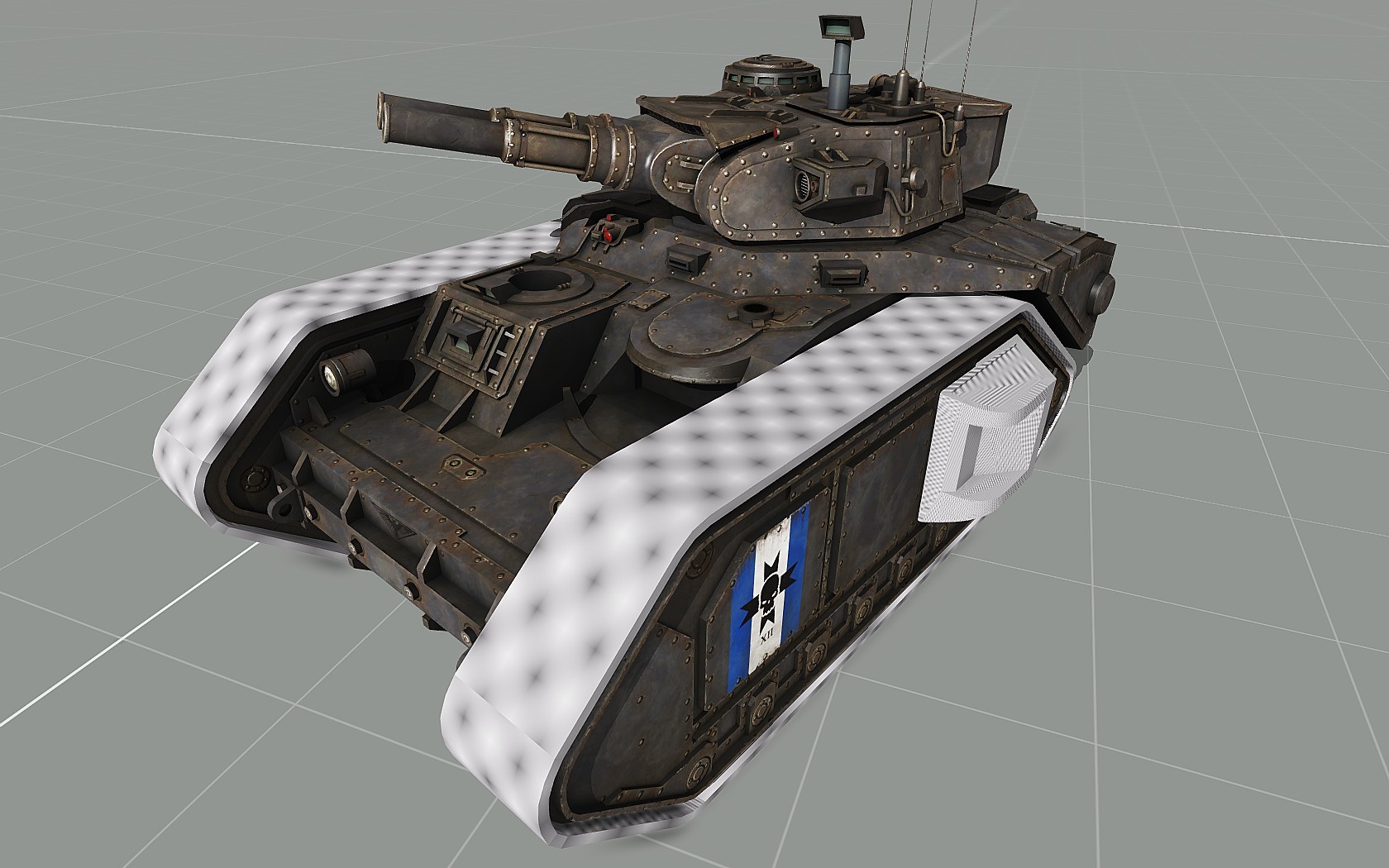
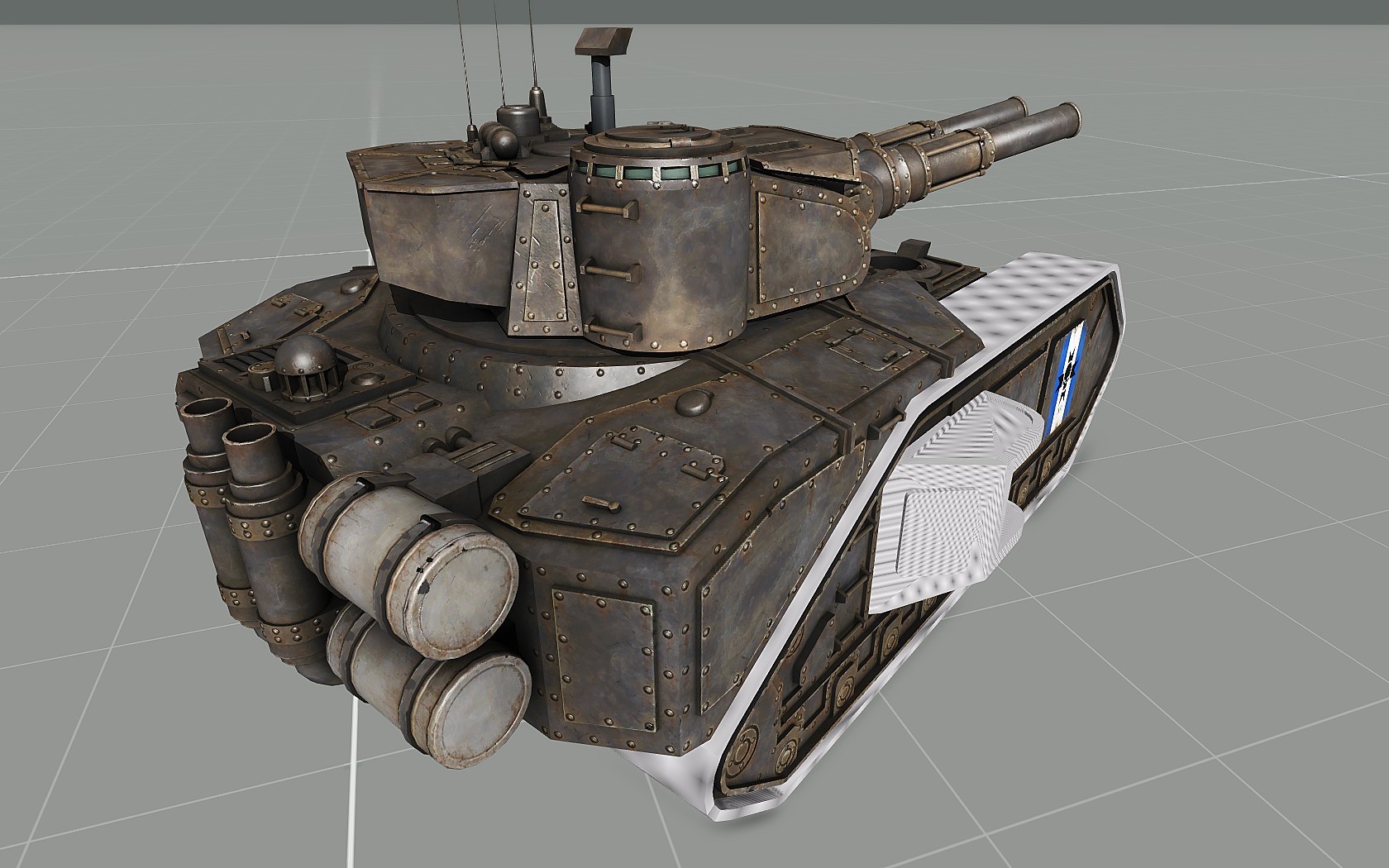 errant pumice
Are there any tutorials for rotating part of the object?