#arma3_model
1 messages · Page 28 of 1
 stuck oyster
for walking, roadway surface (slightly above geometry surface)
thats it
@tribal rain there arent any other requirements
it does look to be fairly big though
maximum number of selection in a lod is 2048
total
so thats maximum number of components
less if there are named selections for animations etc
 past mesa
Is there a way I can specify the LOD that is used at a specific distance?
 woeful viper
well not even that actually...
past mesa
you can set how many lods there are but not when they will be used?
woeful viper
yes
 tribal rain
Ill look at the component number
stuck oyster
tribal rain
Ill look at the component number
What it sounds like you have not made parts truly separate or you have not renewed component naming to multiple parts share same component number forming and larger blob
tribal rain
stuck oyster
What it sounds like you have not made parts truly separate or you have not renew...
302 Components
stuck oyster
tribal rain
302 Components
this is fine as long as they are all valid in other ways
tribal rain
stuck oyster
this is fine as long as they are all valid in other ways
im looking over the Geo now to see if theres any areas which would cause issue like you said parts which arent truly seperate etc
i did notice something odd though when i was doing convex component hull in OBJ builder it would "Warp" some of the selections? I.e. A Flat Floor piece would suddenly have a slope curve trying to join the ceiling etc
These Parts are seperate and are made of two seperate objects
ive just finished tweaking it now and have made the components in blender instead and then applied mass to them in OBJ build
Going to see if that does anything different
stuck oyster
tribal rain
im looking over the Geo now to see if theres any areas which would cause issue l...
it means they are not actually separate 😅
 wary radish
Good morning ,
I have had this problem since this morning
It's been 6 years since my mods have been unchanged
An idea ?

I just repackaged my mods this morning
Sorry for my English I'm French
stuck oyster
wary radish
Good morning ,
I have had this problem since this morning
It's been 6 years sinc...
it tells the issue right there
both mods require each other
which cant work
so 1 must require the other
and the other must require something else

 stuck oyster
wary radish
and vice versa for the second
stuck oyster
wary radish
and vice versa for the second
yes this is wrong
the requiredAddons define the load order of the config
cant load one
then two
then one
then two
then one
you see the problem?
and for some reason you have some same things in both configs it seems
this seems pretty messy
wary radish
There is no solution therefore
stuck oyster
solution is to remove one of the problem required addons
wary radish
I'm testing this right now
stuck oyster
I dont know why you have split them like this, but maybe it is time to clean up duplicated stuff from them
 hollow fulcrum
the engine will determine (by vertex count) in which order the resLODs should be. the distance between LOD switching is dependant upon how many LODs there are, and a number of various graphical settings.
so while having the ability to specify which LOD is shown at a particular distance isn't really there, you do have some control via the number of LODs you provide the engine.
 sour bough
Having an odd thing where I can't seem to move where exhaust and wing vortices come from with animations - are those not able to be animated?
(ie, I have wings that move and I want the vortices to move with them)
stuck oyster
sour bough
Having an odd thing where I can't seem to move where exhaust and wing vortices c...
yeh I think those dont move 😿
stuck oyster
at least thats my recollection off the top of my head
sour bough
They should animate if they can, since I've so far tried just outright assigning them to the wings vert group and (separately) childing them to the wings in the skeleton
But it may just be my memory lod being strange, since I can't seem to get the usti and konecs to animate either
 tribal finch
check out firewills F-14 with variable wing geo, IIRC the vortices moved on that
sour bough
this gives me hope!
tribal finch
can load them up and check in a sec, guess I don't have it downloaded lol might be a min
it could also be possible to script them in, depending on if we can detect the right parameters for them to show
stuck oyster
sour bough
But it may just be my memory lod being strange, since I can't seem to get the us...
could be there is some other issue going on there
sour bough
tribal finch
it could also be possible to script them in, depending on if we can detect the r...
I could definitely script it with a pfh but it's probably not worth it
sour bough
stuck oyster
could be there is some other issue going on there
Definitely, just haven't gotten around to fixing that particular thing yet
tribal finch
well, there goes the hope lol

then again it is a mod soo. . . could be an oversight
sour bough
nooooooooo
tribal finch
not too many other aircraft with variable geo, can't help but be interested.
as far as scripting goes, not sure how you'd even detect this. combo of airspeed + AOA?
 marsh canyon
You can't move vanilla wingtip vapor for whatever reason
stuck oyster
I think engine smokes are same
but effects can be added scripted too via eventhandlers
tribal finch
theres EHs for those things?
stuck oyster
no
but with some creative eventhandler use scripts can be added on a vehicle
and removed when no longer in use
Id recommend checking out the startup of AC119 in SOGPF NickelSteel
its pretty cool
tribal finch
yeah fair play, gotta get back into SOG again. some good looking assets over there
sour bough
tribal finch
as far as scripting goes, not sure how you'd even detect this. combo of airspeed...
Pfh to detect it, since no events exist
Detect aoa via vector difference between velocity model space and model facing
Then set particle params on particle sources attached with bone rotation to the wing tips
It's not that hard, just not a performance hit I think is worth the detail
tribal finch
yeah, guess anythings possible with checks every frame lol
might not be too bad if its run on the client, send updates to all clients to turn the FX on/off
sour bough
Particles are local so you'd have to do it locally
I'd honestly just do it on init and exit if the thing is dead
Not like you're gonna have two hundred of the things
 plucky depot
I know, but if you want to show it for every client you need to tell them to enable disable it over the network or have pfh on every client which adds up the more vehicles of the type are present.
tribal finch
sending over an object + bool wouldn't be too bad, could even just be the obj with an extra check clientside.
its not like they're toggling on/off every frame
sour bough
Could probably spam the network if you got on the border of it showing and wiggled for long enough
Or you could just cope with it not showing on the network
I can't remember the last time I actually noticed someone else's vortices
tribal finch
the script complicates. . . extra check to see if you've sent a message in under a second, if so. wait 1
tribal finch
sour bough
I can't remember the last time I actually noticed someone else's vortices
was just thinking that lol
the only time you'd really actually notice would be in tight formation, which is not advisable in arma.
sour bough
The only time I've ever seen someone fly in formation in Arma was when a ground vehicle was sent airborne and flew tight form with a fixed wing for all of a few seconds
tribal finch
yeah lol, the controls are too touchy to risk that sortof stuff. not to mention if someone rubber bands
windows update & now P3Ds are harmful 💀
 sour bough
They're harmful to your mental health, yes
tribal finch
windows sanity update trying its best to save me
its gonna take more than a warning popup to do that
 warm jackal
Hello guys, I have a question regarding displaying weapon in holster for backpack. I'm working on some battle belt model and it's added as backpack in config. I use \a3\characters_f\proxies\pistol_holstered proxy to display the gun, but it's not working. When I'm changing this belt to a vest configuration it works fine. Is this something that arma does not support?
 mossy mulch
correct
 fluid copper
I have some questions about geometric occluders. The wiki is barebones so I've been searching past conversations here, it seems some say it only works when its baked into the map in a .wrp file, but others say its present in vehicles which are obviously not part of the map. I'm happy to do some investigating on my own, but I'd rather not waste time if someone here already knows the answer.
Ref:

 stuck oyster
fluid copper
I have some questions about geometric occluders. The wiki is barebones so I've b...
stuck oyster
fluid copper
I have some questions about geometric occluders. The wiki is barebones so I've b...
what are you looking to do with them?
fluid copper
stuck oyster
what are you looking to do with them?
I want to use them on a uniform vehicle to hide parts of the mesh
I'm testing it now so I guess ill find out
stuck oyster
i dont think that will work
I believe it works on object level
not pieces of mesh
its not meant to hide parts of the model they are in
they hide other object stuff behind them
fluid copper
Do they hide the entirety of the model behind them, or just the portion of the model thats behind it
stuck oyster
entire model
there is no magic way to hide pieces of uniform
variants should be made separate models
fluid copper
stuck oyster
there is no magic way to hide pieces of uniform
I've been searching for an answer to this for years haha, always getting snuffed
stuck oyster
too many variants syndrome is also a thing
fluid copper
I don't want to make variants, I want to be able to impact existing uniforms, not have to create a ton froms scratch with different variants. Thats why I search for these methods
stuck oyster
there is no way
fluid copper
no way yet ;)
fluid copper
I assumed that, I enjoy finding the technical limitations in this game and ways around them, I enjoy the search, even if it doesn't work in the end
stuck oyster
I can understand that for sure.
unfortunately characters are bit of a dead end with that
 charred bolt
HorribleGoat has already been to the edge of the map and confronted the monsters of the deep so you don't have too.
fluid copper
That is a phenomenal analogy
charred bolt
That is tremendous use of vocabulary.
stuck oyster

 candid mason
When making new structures (more like walls than houses) should the model centerpoint be the center of the wall vertically? I don't have landContact defined yet, but in general is it good practice to offset?
woeful viper
only case where it matters is when its used as proxies, and when some scripting guy tries to do something with it based on model information. And your own sanity in 3D app... I would always choose "ground height" as zero coordinate
candid mason
Okay, good to know.
 fervent hornet
The prevailing rules regarding shadow LODs dictate that all edges must be sharp. I just loaded in a complex shadow LOD with no sharp edges (by accident) and it seems to function fine. Is there a performance issue? Do we know why they need to be sharp?
 pallid cape
I believe that is the case for stencil shadow not shadow volume but could be wrong
stuck oyster
stencil shadow needs to be sharp yes, afaik you get artifacts otherwise
fervent hornet
stuck oyster
stencil shadow needs to be sharp yes, afaik you get artifacts otherwise
I've only used shadow volume and was told that stencil shadows are an Arma 2 holdover. Is there a good reason to use stencil shadows?
stuck oyster
its the sharp edged shadow
candid mason
Does anyone have a model.cfg for a working structure of any kind? I don't need the model, I just want to look at the contents to have another example to let my brain try to wrap itself around.
It's for bunkers, which don't even have doors, but like - I don't know, you feel me? It's hard to learn from just one example and the wiki.
Aside from that - is there a way to set the texture on an object to tile
is that a blender-side thing or an o2-side thing
stuck oyster
candid mason
It's for bunkers, which don't even have doors, but like - I don't know, you feel...
Arma 3 samples have a house
nothing special about any model.cfg
they are all made out of same components
texturing things to match is done via uvmapping
candid mason
Yeah, but - how would you say "just tile this, I don't care"?
stuck oyster
no
candid mason
or rather, you'd have to have subdivisions and UV map those out?
stuck oyster
for uv map to tile it has to match at the edges
and have tiling texture
buildings should be made to use multimaterials and tiling textures
for performance efficiency mostly
but also that way you can make them tile
candid mason
Ok, so the part where you tell the model how to tile is done in blender, not in the model.cfg or something bizzare, right?
if so that'll be fine
stuck oyster
what do you mean by "tell model to tile"
@candid mason ?
Im not sure I understood what you meant earlier
candid mason
Don't worry about it
stuck oyster
:C
 woven sluice
Fixed my leaning issue; I didn't have my weight PERFECTLY ALIGNED. Took me an hour of moving weights around. I found out the less verticles there is; the easier it is to distribute weight
Came down to one verticle was too far on one side so I had to remake the top of the lod into a cube so I it would be all one shape
 slow dagger
what anyone happen to know if I wanted to add custom tattoos to a uniform , how would i go about it
 real crow
Hey peeps, i got a strange shadow issue with my first tent ported: Shadow gets hidden a distance, while it create artefacts when the viewer/player is close. I tried to scale the shadows down, but no changes happen. Also, it looks like that the first shadow lod is getting ignored, not showing at all, instead it seems that the projected shadow is the one from the 10.000 lod. I even thought about AS issues, but after changing as maps, nothing changed too. Shadows are closed, triangulated and sharpened


 charred bolt
Shadow LOD 0, not 1
pallid cape
Make sure there are no back faces? Verify that the shadow lods are a small percentage smaller than the res ones and there is no overlap between the meshes?
charred bolt
Also check your Geometry LOD for properties
prefershadowvolume (1)
sbsource (shadowvolume)
real crow
Alright, thanks guys
real crow
pallid cape
Make sure there are no back faces? Verify that the shadow lods are a small perce...
By scaling them down in blender, no overlap was registered, thats why that behavior is weird
No success, still same issue 😂
Checking in blender again, looks like it is definitely the geometry lod
lodnoshadow 1 in geo lod right?
pallid cape
yes
 modern nacelle
Is there an accurate way to gauge where the holstered pistol proxy is indexed on? It seems kind of random to me? In object builder
Is there an easier way then just moving the proxy around in object builder and launching arma to see where it ends up?

Also should I make the holster itself it's own vertex selection and make the pistol holster proxy that instead of "pelvis", seems that the gun is glued to the hip instead of where the proxy is and i placed it in the holster physically in object builder
sour bough
modern nacelle
Is there an easier way then just moving the proxy around in object builder and l...
I usually proxy in the model I intend it to fit, then preview it in bulldozer
sour bough
modern nacelle
Also should I make the holster itself it's own vertex selection and make the pis...
Weight paint the proxy the same weights as the holster
tribal finch
solved the multiple munitions issue with turrets, BIS use a fired EH to move the missile to the correct spot after launch 💀 (here as a conclusion incase others have this in the future)
modern nacelle
sour bough
Weight paint the proxy the same weights as the holster
Ill try that
thanks
 gleaming wagon
Hello, i need help. I am new in creating models. Do somebody have experiences with this error in Blender.
 tribal finch
add a triangulate modifier to your mesh
 muted tapir
you have faces with more than 4 sides
gleaming wagon
Ok, I will try solve this, thanks.
modern nacelle
sour bough
Weight paint the proxy the same weights as the holster
Do I do this in Blender or Object builder? I tried in Blender and I dont know if i did something wrong but now the proxy appears in game as a black triangle when it should be invisible and the pistol doesnt appear now.
sour bough
modern nacelle
Do I do this in Blender or Object builder? I tried in Blender and I dont know if...
However you do your weights
modern nacelle
sour bough
However you do your weights
Now do I need the proxy as part of the same vertex group that my vest/belt is part of? The belt is in the "Pelvis" vertex group otherwise it just spawns on the ground.
stuck oyster
modern nacelle
Now do I need the proxy as part of the same vertex group that my vest/belt is pa...
yes the proxy needs to be part of the same vertex group
modern nacelle
ok cool

 modern nacelle
hmm, must have been by accident, ill check it out
stuck oyster
modern nacelle
hmm, must have been by accident, ill check it out
blender assigns material to mesh automatically
for mesh that you dont want to export Arma material you need to assign a blender material that does not have arma material set
modern nacelle
So a material that has no .rvmat, etc? or do I need to uncheck Arma object properties?
candid mason
For some reason enemy AI can see through my viewGeometry LOD....
What sort of mass should an immovable building object have
in geometry lod
also, can someone explain how to correctly implement shadow LODs? The wiki has a big "todo, todo, todo" list about them all
stuck oyster
modern nacelle
So a material that has no .rvmat, etc? or do I need to uncheck Arma object prope...
no dont uncheck that. then things wont export out
material that has empty arma matetrial properties
modern nacelle
gotcha
candid mason
Also ghhh the blender toolbox is giving me a "no FHQweights" error even though I have this named property in the LOD
 stuck oyster
candid mason
Also ghhh the blender toolbox is giving me a "no FHQweights" error even though I...
stuck oyster
candid mason
Also ghhh the blender toolbox is giving me a "no FHQweights" error even though I...
thats not how mass is set
candid mason
I beg of you, tell me how
stuck oyster
I believe I showed picture of where the correct menu is not long ago
candid mason
I don't see it scrolling up: was it in blender or in o2
tribal finch
each component of the sample house seems to have a mass of around 215.00
mass is set per vertex afaik. so a component of 8 verts, setting the mass of that selection to 5 would result in a mass of 40.00
mass*verts = final component mass.
theres over 70 components so 70x215 = 15,000. 🤷
I could be wrong, quite new to geo LODs. best just to look around the samples & see whats going on there. total weights for vertex groups can be viewed just below
candid mason
hm ok
candid mason
Okay, that's working now, but for some reason this CSAT dickhead can still see me right through this wall.
I must be doing something wrong with viewGeometry.
modern nacelle

I have the arma toolbox materials left blank, including hidden selections

And in Object buiilder still shows as unmapped
stuck oyster
you want default mateirals and textures on the parts you want to be textured
just proxies need that non material
unmapped should be fine
modern nacelle
Yes that material that is selected is the proxy

however still shows up as gray material
Im just perplexed
modern nacelle
using pbo manager
stuck oyster
well thats not proper packer
modern nacelle
what is correct one?
modern nacelle
cool
im sorry this is the last screenshot
from when i packed it
they all look the same lol

it looks like the same gray in blender
though I might take a break and have a crack at it tommorow
stuck oyster
could be you have second non proxy triangle there too 
modern nacelle
ill take a look
yeah, selecting the one face and pressing hide shows theres no others behind it
stuck oyster
then perhaps it does not save as proxy properly
modern nacelle
could that be a problem with the pbo packer that im using
stuck oyster
modern nacelle
word
slow dagger
what anyone happen to know if I wanted to add custom tattoos to a uniform , how would i go about it
stuck oyster
slow dagger
what anyone happen to know if I wanted to add custom tattoos to a uniform , how ...
uniforms themselves dont have space for tattoos
those are part of character identity textures
slow dagger
that meaning what exactly?
i know i can add custom tattoos via a custom face, do you recommend i just do that
candid mason
So I have this exceedingly simple model. It is truly very simple, it is the correct size, it is fully textured.... but despite having a presumably good geometry LOD, enemy AI can see right through it.

 stuck oyster
slow dagger
i know i can add custom tattoos via a custom face, do you recommend i just do th...
stuck oyster
slow dagger
i know i can add custom tattoos via a custom face, do you recommend i just do th...
you can create a mod that adds new identities with new textures too
slow dagger
hm sounds quite confusing
stuck oyster
candid mason
So I have this exceedingly simple model. It is truly very simple, it is the corr...
well it has a massive hole
candid mason
Yeah, they can see through the edges.
obviously I'm not complaining about the hole.
In fact, I can put a dozen of them in the way and they'll still see through it
if one were to take a normal blender cube and just say "yeah that's my object"
what would you do to make the fireGeometry
you have to set weights on normal geometry
but for viewgeometry / firegeometry
you would just duplicate the object and then... then what
stuck oyster
 candid mason
Okay, yes, I have done all that
my only thought is maybe triangularizing it is making it no longer be closed/convex etc
stuck oyster
candid mason
my only thought is maybe triangularizing it is making it no longer be closed/con...
convexity can break with that sometimes
OB can be very picky about them
candid mason
If an object has no viewgeometry, does the game try to just use the main LOD for it?
stuck oyster
yes
candid mason
....when I click "find non-convex" and it selects every single vert but doesn't do any other mark except select them
stuck oyster
its very broken then
candid mason
I'm so confused as to how
candid mason
stuck oyster
its very broken then
this indicates very broken?
candid mason
......convex is per component rather than per face or w/e
ok
ok
that explains so much
so I need to break this up into.... uh, some amount of components
 candid mason
I'll just keep telling myself I'm not doing so bad for someone who started learning just this week
candid mason
so I suspect that the arch shape is hurting me a lot here
I have no idea how to divide this up to make it not be concave
maybe I'll just simplify the geometry to be shorter than it actually is?
stuck oyster
candid mason
I have no idea how to divide this up to make it not be concave

for example
candid mason
Is it ok to have that many sections? I thought they cost resources
stuck oyster
these are not sections
and yes
if you look at sample house model it has plenty of components
candid mason
That little key thing - convexity per vertex group instead of convexity per polygon - has been fucking me all day
I used to make maps for old games (marathon infinity) so per-polygon was just what I naturally thought
modern nacelle
is it possible to weight paint in object builder so a material doesnt automatically get assigned to the proxy?
and i tried packing in addon builder and sadly it did not fix the problem
dont suppose this could be the problem
 stuck oyster
modern nacelle
dont suppose this could be the problem
stuck oyster
modern nacelle
dont suppose this could be the problem
no
the weighting has nothing to do with the material
modern nacelle
hmm
candid mason
I feel like I'm losing my mind because even once I've made the components01-06 like you suggested the "find non-convex" in 02 still does the same thing. however. they now can't see me through the object so my ability to really care is pretty low
modern nacelle
stuck oyster
likely the proxy selection name is broken
I'll try that, thank you
stuck oyster
candid mason
I feel like I'm losing my mind because even once I've made the components01-06 l...
you should fix it. if its not convex, maybe you left them open or something like that
dont build bad habits
candid mason
So, I check for "are these open" and it selects none of them
stuck oyster
you can run the component convex tool on the lod in OB
candid mason
that replaces the entire thing with a solid brick wall
stuck oyster
then they are not separated mesh parts
candid mason
you said components can share verts, right?
stuck oyster
no
stuck oyster
study the samples
candid mason
I have no idea how I'd duplicate verts for this without ruining my UV unwrap and everything
stuck oyster
candid mason
I have no idea how I'd duplicate verts for this without ruining my UV unwrap and...
geometry lod should have no uv
it does nothing with it
it can in fact break things too
uvmapping is related to visible texturing
candid mason
Yeah, okay, I'm just. Fuck. Yeah, I'll get on it.
stuck oyster
and splitting mesh does not do anything to uvmapping either
candid mason
It's so much to take in
stuck oyster
the vertices will retain the uv information
stuck oyster
candid mason
It's _so much_ to take in
it is yes
modern nacelle
somehow the proxy name goy butchered to "proxy::...\pistol_holstered" along the way. I'll delete the proxy, copy and paste it from the arma 3 samples vest example, re do the weight painting in blender, reimport it into object builder and see if that fixes it
candid mason
stuck oyster
and splitting mesh does not do anything to uvmapping either
So, the meshes are split up in blender. Do I just assign all of them to Geometry and export as normal?
stuck oyster
candid mason
So, the meshes are split up in blender. Do I just assign all of them to Geometry...
You can have split mesh as single object too
Like if you import the sample house or sample weapon (smaller, easier to navigate around) you can see examples of that
candid mason
the real problem I have is that there's ~0 documentation for the blender->p3d toolbox
that's my blind spot
stuck oyster
There are some questions answered in the BI forum thread for the toolbox, and tutorials like El tyranos series use it too if I recall right
Sure the old tutorials have older blender ui but they show the principles that are still valid
tribal finch
also reminder, you can "create geometry components" automatically if you aren't already, saves quite alot of time
candid mason
tribal finch
also reminder, you can "create geometry components" automatically if you aren't ...
unless I'm missing something, this just creates one big Component01 vertex group
tribal finch
it should split all your geo up into component vertex groups
 wheat shoal
hi guys I'm trying to simply change the default head model to my new bust.p3d, across all character models (this will work since I've just culled some faces around the neck)
this is what I've done http://pastebin.com/WM8sj3Ju to no avail
just realised there's multiple head models, probably going to just create a few new faces + heads
stuck oyster
candid mason
unless I'm missing something, this just creates one big Component01 vertex group
yes if your mesh is not split into separate parts inside the object
stuck oyster
candid mason
unless I'm missing something, this just creates one big Component01 vertex group
separate parts create 4x components

they can be side by side too

and be separated blocks
 eager hamlet
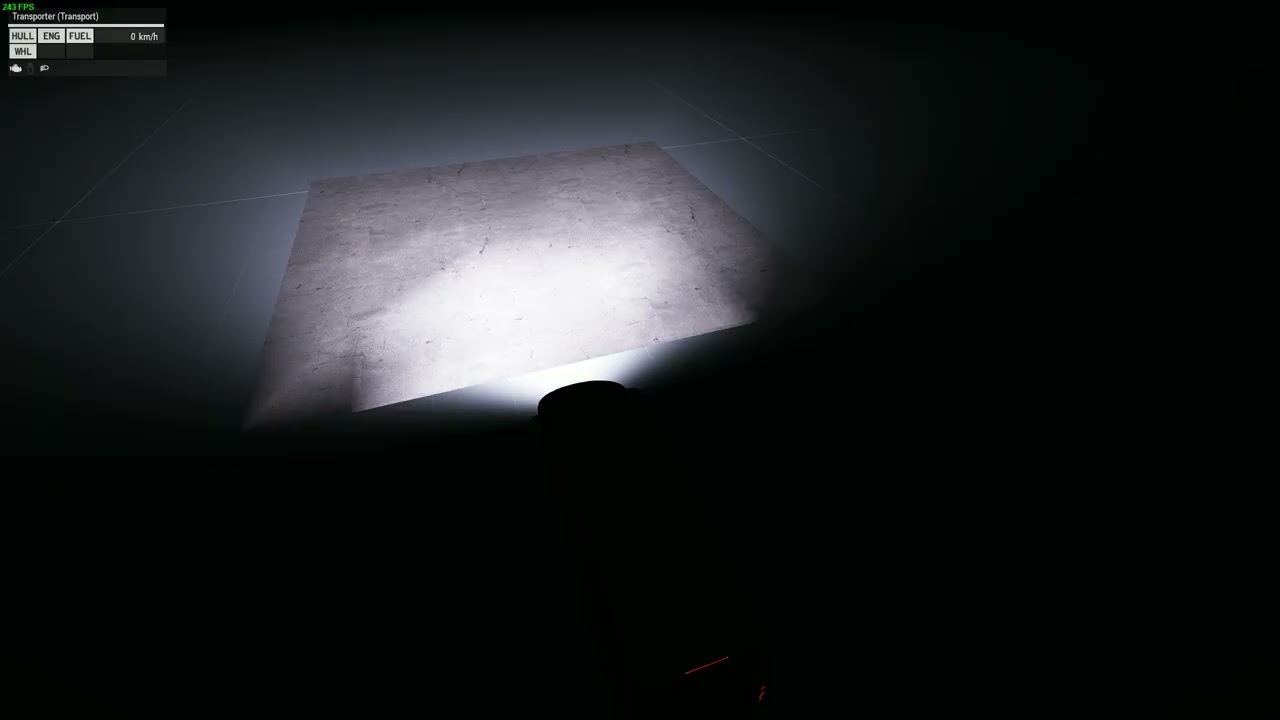
Hi there! I am trying to create an object whichs operates as kind of a "ground texture" sticking on the ground.
So far everything is working fine, but I got big problems with the material/shaders as seen in the video...
I already tried to experiment with the rvmat but i can't get it done...
https://www.youtube.com/watch?v=KipPsKuIXUI
Maybe someone got an idea what to change? 🙂 Thanks in advance!
 stuck oyster
eager hamlet
Hi there! I am trying to create an object whichs operates as kind of a "ground t...
stuck oyster
eager hamlet
Hi there! I am trying to create an object whichs operates as kind of a "ground t...
seems to be limitation of the shader you have used
eager hamlet
stuck oyster
seems to be limitation of the shader you have used
Thanks for your quick respond! 🙂
Momentarily I am just using
PixelShaderID="Super"; VertexShaderID="Super";
If this is what you mean. I also tried using "road" instead (which was not working as well xD)
modern nacelle
So i was doing some experimenting and it seems that the holster proxy gets corrupted or whatever when I weight paint it. If I don't weight paint any of the mesh that i want to weight paint it to or paint the proxy to have "0" weight itself then the pistol spawns but there is still the problem of the gun being almost magnetized to the pelvis and almost ignoring the holster even though I have the proxy point centered in the middle of the holster.

Really wish I can get this holster to work properly, I was really proud of myself for modelling and texturing the belt and importing it in game and this holster is whats preventing me from being 100% complete with the project.
fervent hornet
What, specifically, determines where a player can interact or get in to a vehicle? Pilot proxy, a memory point, geometry, named selection, etc. I have a model that I can only interact with if it's approached from behind/right, and only if getInRadius is set to 2.5 or greater. Even then, a step closer to the vehicle and the interaction options disappear.
tribal finch
memory points for pos gunner & pos gunner dir. same for driver, commander etc afaik
 inland pawn
fervent hornet
What, specifically, determines where a player can interact or get in to a vehicl...
inland pawn
fervent hornet
What, specifically, determines where a player can interact or get in to a vehicl...
Get in memory points
stuck oyster
eager hamlet
Thanks for your quick respond! 🙂
Momentarily I am just using
`PixelShaderID="S...
hmm. odd, last time I tried super on that kind of surface it worked fine. but it had overlap artifacts at long distance so I had to use other shader that had this issue
stuck oyster
modern nacelle
So i was doing some experimenting and it seems that the holster proxy gets corru...
pistols are actually little bit offset from center
due to silly reasons how its all setup
so just move your proxy a bit to align it better
fervent hornet
Thanks, I added the memory points and now get the options if I use the scroll wheel, but the locations are still wonky. The enter icon only appears if I approach from 5:00. What else do I need to know?
Also, what determines how many crew members the vehicle has? Is it based on which proxy is used? I'm using \a3\Data_f\proxies\Heli_Light_01\Pilot . This is obviously a single-seat craft but id loads in with a pilot and copilot occupying the same location.
stuck oyster
fervent hornet
Also, what determines how many crew members the vehicle has? Is it based on whi...
Config defines how many crew there are, proxies define where they physically sit.
Config also defines the name pairs of entry points/direction for different crew
Copilot would be a turret position
 grizzled halo
fervent hornet
Thanks, I added the memory points and now get the options if I use the scroll wh...
grizzled halo
fervent hornet
Thanks, I added the memory points and now get the options if I use the scroll wh...
Nice gyro
 limpid obsidian
which memory point do the bullets come from when you shoot a gun?
grizzled halo
the starting point of a barrel, usti hlavne iirc?
limpid obsidian
Hmm I have that, but I am curretly having an issue where the bullets are coming down at an angle, like 20 degrees
 sweet turret
Hey everybody, I've been trying to binarize a single weapon model but I keep running into this with pboProject:
doesn't have axis trigger properly defined
doesn't have axis bipodl properly defined
doesn't have axis bipodr properly defined
doesn't have axis bipodr properly defined
doesn't have axis bipodl properly defined
doesn't have axis bipodl properly defined
doesn't have axis bipodr properly defined
doesn't have axis bipodr properly defined
doesn't have axis bipodl properly defined
doesn't have axis bullet004 properly defined
doesn't have axis bullet005 properly defined
doesn't have axis bullet006 properly defined
doesn't have axis bullet007 properly defined
doesn't have axis bullet008 properly defined
doesn't have axis bullet001 properly defined
doesn't have axis bullet003 properly defined
doesn't have axis bullet002 properly defined
doesn't have axis feedtray_cover properly defined
doesn't have axis feedtray_cover properly defined
In my memory LOD I do have vertex groups / named selections of the above with _axis suffixes on them, so I'm not really sure what else I'm supposed to do. I'm referencing a config file from one of the RHS weapons to try and get the animations working in a similar way for mine, and from what I can gather from their non-binarized P3D file all of my vertex groups / named selections match what they have in their LODs. I would not be surprised if I'm missing a key step here that just looking at an unbinarized P3D won't show me
 charred bolt
sweet turret
Hey everybody, I've been trying to binarize a single weapon model but I keep run...
charred bolt
sweet turret
Hey everybody, I've been trying to binarize a single weapon model but I keep run...
The error message is telling you that the axis is named trigger, and that you don't have that present in your memory LOD, which is true, because you say it is named trigger_axis. So check your model.cfg animations, and look carefully at the axis = entries.
inland pawn
fervent hornet
Thanks, I added the memory points and now get the options if I use the scroll wh...
Memory point needs to be on the side of the driver/pilot
 calm cedar
Hello there !
Does anyone have documents or a template to add all accessoiries for a weapon ?
I saw somewhere that it was about CBA Joint Rails but i can't find any documents about it :/
sweet turret
charred bolt
The error message is telling you that the axis is named `trigger`, and that you ...
Okay, I got the compilation errors sorted out, and everything looks good in Buldozer, including the animations. But in game, the animations look completely off. In addition, the "eye" / "eye_look" memory points don't seem to be used properly, when I ADS it almost looks like it's using the "konec hlavne" point instead?
 stuck oyster
sweet turret
Okay, I got the compilation errors sorted out, and everything looks good in Buld...
stuck oyster
sweet turret
Okay, I got the compilation errors sorted out, and everything looks good in Buld...
missing memorypoint or typo and it defaults to model center
or missing view pilot lod
sweet turret
stuck oyster
or missing view pilot lod
Ah, that might be it. I thought I read or heard somewhere that you didn't need it, but I guess you do
stuck oyster
animation stuff Id recommend testing in OB buldozer
but again missing, axis points in memory lod so it defaults to model center
or missing axis definitions in model.cfg
trying too much at once is not good
got to split the process into chunks
sweet turret
Yeah, the ViewPilot LOD fixed the ADS issues, but animations are still weird. They look fine in OB Buldozer, though
stuck oyster
is skeleton defined with isdiscrete 0 or isdiscrete 1?
does the geometry lod have autocenter 0 named property?
sweet turret
I have isDiscrete set to 1, not sure about named properties; Where can I check those in OB or Blender?
sweet turret
Found it, from what I can see there's no named properties on the geometry LOD 🤔
sweet turret
That did the trick! Thanks
Next thing I have to figure out is how to get attached optics to move with the rail on top of the feedtray cover. I'm hoping that's not too difficult, but I'll consult some RHS weapons where I know this is possible to see if I can figure it out (unless someone knows, I'll take any help I can get)
stuck oyster
sweet turret
Next thing I have to figure out is how to get attached optics to move with the r...
the attachment proxy just needs to be part of the animated selection
sweet turret
stuck oyster
the attachment proxy just needs to be part of the animated selection
I was thinking it might be as easy as that, I'll give it a try later
 paper latch
hey there, im trying to implement a custom Uniform with a custom model, it seems to work somewhat fine but i cant get rid of some weird glitches (see screenshots) im guessing it got something to do with the weight texturing maybe? but i redid everything multiple times. im using the weights of the template character aswell as the whole template lods

 inland pawn
paper latch
hey there, im trying to implement a custom Uniform with a custom model, it seems...
inland pawn
paper latch
hey there, im trying to implement a custom Uniform with a custom model, it seems...
Selections not weighted properly or no selections on certain parts
paper latch
well i double checked all the vertex groups and they are all weighted accordingly at least as far as i can tell
stuck oyster
paper latch
well i double checked all the vertex groups and they are all weighted accordingl...
they are not.
you got few verts that get messed up
grizzled halo
limpid obsidian
Hmm I have that, but I am curretly having an issue where the bullets are coming ...
your barrel end memory point is probably not properly aligned to barrel start memory point
limpid obsidian
grizzled halo
your barrel end memory point is probably not properly aligned to barrel start me...
That was actually it. The gun wasn't 'level'. Thanks for replying though!
 pale valley
small thing; I know hands are positioned according to the bone "drivewheel", but is there any way to tune the length of this bone (Heh) so the hands match the wheel? Pic related.
Also is there a way to adjust where the fire effect appears once a vehicle is destroyed? I would have thought it was a memory point, but I cant seem to find anything related to this?
 stuck oyster
pale valley
small thing; I know hands are positioned according to the bone "drivewheel", but...
stuck oyster
pale valley
small thing; I know hands are positioned according to the bone "drivewheel", but...
You would have to create new driving pose animation and make that into new action that you can use through the config
pale valley
stuck oyster
You would have to create new driving pose animation and make that into new actio...
I see, thank you
grizzled halo
Hello fellas, I was wondering since I couldn't really find an answer online, what defines the beam direction of a flashlight accesory?
Is it memory points?
I see they have pos and dir in config but idk if the stuff assigned to that are supposed to be memory points.
stuck oyster
grizzled halo
Hello fellas, I was wondering since I couldn't really find an answer online, wha...
memorypoints yes
grizzled halo
stuck oyster
memorypoints yes
Ah, perfect.
In another question, are memory points in attachments/weapons/apparel being worn by a unit reach-able through selectionPositions?
stuck oyster
if I recall right, no
slow dagger
if i wanted to add fabric wrap to a gun what are the steps i would go through to get that
stuck oyster
slow dagger
if i wanted to add fabric wrap to a gun what are the steps i would go through to...
Can't edit models from the game or mods so only way would be make it an attachment
slow dagger
stuck oyster
Can't edit models from the game or mods so only way would be make it an attachme...
that makes sense, are there tutorials on things like this or just something you try until you get it lol?
 ancient bobcat
Hi, i made F1 grenade mod and everything is working but when i apply shadow lod and i want to add grenade to my inventory game is loading it more than 30 minutes even without shadow lod it takes around 10 seconds after clicking plus to add. What can i do to fix this?
stuck oyster
slow dagger
that makes sense, are there tutorials on things like this or just something you ...
Specifically for this no. There are not a lot of tutorials around especially for anything out of ordinary but some exist that can be helpful to get started. Stuff from sokolonko, battlestad and El tyranos have been useful for many.
stuck oyster
ancient bobcat
Hi, i made F1 grenade mod and everything is working but when i apply shadow lod ...
Test if the problem is in your model/stuff you add by making the grenade class use existing vanilla model
Then check if rpt has any clues.
And possibly try it out with the diagnostic exe from dev branch as that has some more error output
Symptoms you have are not really common
ancient bobcat
With vanilla everything works fine but i think it's model fault becasue all of my models even if they are not complexed for example this grenade has 8k faces and model with 40k is loading faster than this
Even when i was learining and imporing just cube it took a few seconds to load but it was just cube
slow dagger
stuck oyster
Specifically for this no. There are not a lot of tutorials around especially for...
I will have a look, i appreciate it. Just trying to make some mods for me and my friends to have a good time
 median basin
getting in the christmas spirit :) http://i.imgur.com/vSCIjUt.png
stuck oyster
ancient bobcat
Even when i was learining and imporing just cube it took a few seconds to load b...
how do you pack the pbo?
ancient bobcat
addon builder
stuck oyster
ancient bobcat
addon builder
do you binarize it?
ancient bobcat
no
 quick terrace
first bake, no touch ups...http://i.imgur.com/2p3AVVK.pngn ;)

 ember heart
<3
 north sundial
Love the welding effect <3
sour bough
Confirming:
It's not possible for a Source in a model.cfg to be a simple expression, is it? It's just a string and the grabbing of the anim source value happens elsewhere?
stuck oyster
sour bough
Confirming:
It's not possible for a Source in a model.cfg to be a simple expres...
not possible
stuck oyster
but like you can make custom animation sources and controil them as you wish
stuck oyster
sour bough
I want to multiply a pair of sources
engine sources?
sour bough
I find they tend to desync in MP if you use User for stuff
Or rather, use it too much
sour bough
yes
sour bough
stuck oyster
engine sources?
Yeah
gear * source
Since I want the source to only play when gear is up
Since gear is 0 when it's down
stuck oyster
ah yeah no thats not possible
pale valley
Having a weird problem with my (I presume) my hit-points LOD, when I shoot my side windows, they don't break/break in odd ways.
for example, when I shoot my right front side window, the rear right side window is the one that "breaks" but by doing this?
Left hand side is also similar, except the rear window actually dissapears (when I shoot the front)
all over windows break perfectly fine, just the side ones giving me issues.
as far as I can tell everything is set up correctly, so I'm assuming I've missed something obvious?
 charred bolt
pale valley
Having a weird problem with my (I presume) my hit-points LOD, when I shoot my si...
charred bolt
pale valley
Having a weird problem with my (I presume) my hit-points LOD, when I shoot my si...
One or two hitpoints needed per window. Hitpoints placed on the outer-edge of the fire geometry.
Fire Geometry mesh named so it can be hidden.
glass names in the model.cfg sections[] to allow for damage material swapping.
class AnimationSources {} set up for each window that you want to disappear on destruction
class Damage {} glass material triplet entry
class Hitpoints {} for each window
model.cfg animations to hide glass on destruction
Ensure each window only has the one named selection in the model and they're not included in any hiddenSelections like camo.
pale valley
followed all these steps and somewhere along the line, one more panel of glass started disappearing, as intended.
however, the body and the glass itself does not change to a "damaged" RVMAT once damaged, perhaps there is an issue with my class Damage?
pale valley
So as a follow-up, all windows now disappear, for some reason the one pictured above still does that weird distort thing.. if you have any further ideas?
also any idea on the absence of damaged RVMAT's would be appreciated!
charred bolt
pale valley
So as a follow-up, all windows now disappear, for some reason the one pictured a...
Hiding windows is handled by the model.cfg bones and animations.
Damaging windows is handled by the class Damage {} config which swaps rvmats on the affected part for damage and destruction.
Let's see your class Damage {} code please. Also check that you have the same glass rvmat on all windows in the p3d.
pale valley
it was that, sorry I didn't clear that up, I've only just tested it..
to clarify, the issue was the RVMATS in my class Damage did not match the model.
thank you for the help!
charred bolt
pale valley
it was that, sorry I didn't clear that up, I've only just tested it..
to clarify...
Well done for fixing it, glad to have helped.
real crow
Hey peeps, i got two slight issues with my truck: windows glasses are black and weird, and the tyres doesn't seems to leave traces on the soil when moving. I might get that one issue is rvmat related (glass), but the other one what's the source of the problem?


I also noticed that the start and shut engine user actions produce always the same results: engine starts running, with annexed sounds too
 outer salmon
Heyo, how do I go about setting the Object Builder to show more than just the LOD I have selected? (need the model visible while i do memory points)
real crow
outer salmon
Heyo, how do I go about setting the Object Builder to show more than just the LO...
File, options, view background lod
outer salmon
Awesome thank you:)
charred bolt
real crow
Hey peeps, i got two slight issues with my truck: windows glasses are black and ...
memoryPointTrackFLL = "stopa PLL";
memoryPointTrackFLR = "stopa PLP";
memoryPointTrackBLL = "stopa ZLL";
memoryPointTrackBLR = "stopa ZLP";
memoryPointTrackFRL = "stopa PPL";
memoryPointTrackFRR = "stopa PPP";
memoryPointTrackBRL = "stopa ZPL";
memoryPointTrackBRR = "stopa ZPP";

// Dust
dustFrontLeftPos = "dustFrontLeft";
dustFrontRightPos = "dustFrontRight";
dustBackLeftPos = "dustBackLeft";
dustBackRightPos = "dustBackRight";```🤦🏻♂️🤦🏻♂️ I thought they were only for tracked vehicles, thank you very much! Now i get what’s the purpose of the stopa mem points lol
That’s what kerc meant when he was talking about the track mem points when i raised the question on the size of their traces on the ground
+100 neurons unlocked
real crow
real crow
I also noticed that the start and shut engine user actions produce always the sa...
Fixed by adjusting the core class of inheritance, while for the glass instead: after changing the relevant texture suffix from co to ca in the hiddenselections (forgot to do that before) now the small black triangles became white. Rvmat assigned is the same i use for other vehicle glass (namely helicopters) so i do not understand what's the matter with this glass. Alpha channel is present in the ca image
 severe sinew
is it possible to define where the center point of an object is? as in game my objects position isnt the same as 0,0 in object builder
marsh canyon
autocenter 0 in named property
hollow fulcrum
@quick terrace haha, very nice.
 left crane
i have a face wear item that i created that includes gloves, a watch, and sunglasses. would it be possible to hide the sunglasses in pilot view, but not the watch and gloves? as of right now, the gloves and watch are not visible.
marsh canyon
Dupe LOD and select pilot, remove them in the LOD
left crane
marsh canyon
Dupe LOD and select pilot, remove them in the LOD
thank you very much! should have been obvious lol. that’s so simple.
 tropic kite
Anybody here has an idea where new Binerize pust the log file?
Its not is STD output its not in a directory its not in Binerize directory
 modest quarry
Whats better for arma models? Weight painting rigging or rigid rigging?
stuck oyster
modest quarry
Whats better for arma models? Weight painting rigging or rigid rigging?
What's riggid rigging
stuck oyster
modest quarry
Rigid rigging
What's the difference
modest quarry
One uses weight painting to see what bones are attached to what objects, one is just attaching the object itself to the bone, making it staticly move with the bone, No pulling or deformation
stuck oyster
You need a vertex group with a weight always in arma
The method you produce it doesn't matter
modest quarry
I see, the rigid method does not result in a form of weight
stuck oyster
Then that does not sound compatible
modest quarry
Atleast then not to my knowledge
stuck oyster
Groups can be assigned just in edit mode too
Weight painting is more for the kind of smooth transition weights character s might have
modest quarry
I see
 wide tapir
Whats the best way of making a shadow lod for a model?
Specifically a helmet. It's quite low poly, so I wanted to use it as a base
stuck oyster
there isnt really any best way. it depends on each model. Main thing is that the shadow surface needs to be under the visual mesh
wide tapir
Yeah
 celest arch
Question: is it possible to config a weapon so it goes into the launcher slot but character behaves as it's unarmed when equipped?
woeful viper
doubt it...
 kind lion
do you know of any mod that adds this sort of emissive glow when an NVG is turned on? https://taskandpurpose.com/uploads/2022/03/10/best-night-vision-devices.jpeg?auto=webp
 grizzled halo
kind lion
do you know of any mod that adds this sort of emissive glow when an NVG is turne...
grizzled halo
kind lion
do you know of any mod that adds this sort of emissive glow when an NVG is turne...
usp
kind lion
thanks ill take a look
grizzled halo
i know ive seen that kind of effect on other mods too, maybe try 3dma/age as its a kind of thing that they would actually do
kind lion
USP does that but it's caused by bloom settings
kind lion
after some investigating it seems there's no good solution that doesn't involve scripted hacks, bummer
mossy mulch
kind lion
USP does that but it's caused by bloom settings
its a part of the model with a _ca texture
 kind lion
yes that's for the emissive surface
marsh canyon
Woah that's... impressive hack
mossy mulch
works surprisingly well
kind lion
but that only works through the bloom effect from the engine, i tinkered a bit with it but wasn't very happy
was looking to achieve something like this https://www.reddit.com/r/arma/comments/17f8lrd/what_mod_is_making_the_operators_eyes_glow_while/
Reddit
Explore this post and more from the arma community
but i dont think it can be done without scripting
mossy mulch
thats... how it looks
quick terrace
NORMALS, SPACE AND AO bakes done
http://i.imgur.com/i17djfN.png
http://i.imgur.com/Ius8Ddr.png
http://i.imgur.com/47AUGb4.jpg


 kind lion
no, i told you it doesn't look like that


its just a flat surface that appears bright but doesnt cast any light
unless you know something i dont, just CBA+USP+base game looks like that
if you can show me how to get the effect like in the screenshot from reddit im all ears
grizzled halo
something is weird then, usp does cast a ligth cone, or atleast it used to last time I tried it
kind lion
 grizzled halo
yeah, the aio
kind lion
last updated 21st january
kind lion
🤨
sus
that was on a3 dev branch
unless its some addon option that has to be toggled manually
mossy mulch
uhhhhhhhh
31s should defo have them
check the gpnvgs
oh bruh

kk going to sort that
gpnvgs does have it tho
 bold flare
I don't understand how it would be able to cast light cone. Models/items don't support that, so you'd have to have a script that spawns a light in the players face?
grizzled halo
different transparency for each part of the lightcone mesh probably, and control it procedurally I assume.
kind lion
yea ok that spawns the light cone but the character's skin would not be illuminated like, say, a flashlight
grizzled halo
correct, light created by non-dynamic light sources go through objects anyway right?

 kind lion
i tried with the decals used to create the light cones in cars, it looks workable but still no light being cast
huh i did try the gpnvgs earlier but they werent working either :\
mossy mulch
one mo ill double check workshop build but we've not touched the gpnvgs aside from texture tweaks
 mossy mulch
wtf
they are indeed missing from workshop build
thats super weird given i remember them having them in workshop build
grizzled halo
yeah they were, I remember having green goo being casted into my unit eyes
mossy mulch
very strange
theres not much left to do for nvg update anyway so expect that soon
but the model hack is how we do it on that either way
bold flare
grizzled halo
correct, light created by non-dynamic light sources go through objects anyway ri...
You can configure maximum distance though. So you could set it to like 5cm and be fine
There must be engine support for items on character to have light sources.
Which is only there for the weapon flashlight/laser
kind lion
could be used for strobe lights on helmets too 🤔
grizzled halo
yeah
bold flare
We'd have to configure it per item.
And the simulation/position updating code isn't very nice.
Not a problem if a unit can only have one, but if we add more :/
kind lion
nvg+strobe is already 2 so there's that 🫠
mossy mulch
making people glow in the dark as part of radiate
bold flare
Just script it, create a scripted light reflector and attachTo player head.
And don't do it with AI because performance :3
grizzled halo
bold flare
Just script it, create a scripted light reflector and attachTo player head.
And ...
is a light reflector the same as a light point?
grizzled halo
 pastel heath
No Check this:
https://community.bistudio.com/wiki/Light_Source_Tutorial#Heli_Sp...
pastel heath
No Check this:
https://community.bistudio.com/wiki/Light_Source_Tutorial#Heli_Sp...
OH, this would have been nice a couple of days ago LOL. TY
bold flare
grizzled halo
is a light reflector the same as a light point?
its directional
plucky depot
bold flare
Just script it, create a scripted light reflector and attachTo player head.
And ...
These lag in MP
You will see the head moving smoothly but attached light will lag behind/be choppy
 twilit seal
Do they lag? I thought there simulation rate was just slow enough to notice shifts between updates.
grizzled halo
isnt it because of the frequency in were they update across the network?
Something something using game logics something something
twilit seal
grizzled halo
isnt it because of the frequency in were they update across the network?
Somethi...
And lights are local
stuck oyster
reflectors work on characters too
but the required memorypoints need to be added into p3d on very early baseman level
as in replace the naked man
they can be turned on and off via the SwitchLight script command if I recall right
woeful viper
prettey
limpid obsidian
Does anyone know what this means? I am trying to export a res and geo lod from blender to p3d, but I am getting this error
 inland pawn
limpid obsidian
Does anyone know what this means? I am trying to export a res and geo lod from b...
inland pawn
limpid obsidian
Does anyone know what this means? I am trying to export a res and geo lod from b...
Geo have weight?
Both have arma 3 properties selected?
mossy mulch
i recall having something similar when i tried to export in edit mode
limpid obsidian
inland pawn
Geo have weight?
Both have arma 3 properties selected?
Yeah, all proporties are selcted and the geo has weight. Typically if it is a weight issue then it would just say it, but this error message doesn't tell me anything.
something to do with the vertex groups. Once I deleted them all off of the res lod then it exported fine.
stuck oyster
limpid obsidian
something to do with the vertex groups. Once I deleted them all off of the res l...
I believe you had empty groups
the export does not like those
limpid obsidian
All the selections are assigned to something. I wonder if it has to do with the index range at teh end of the error. When I delete things it reduces both numbers, but I don't know where to change the index range.
stuck oyster
dont remember exactly what that error is about
limpid obsidian
I have 10 selections on this model, but it saying it has 20 i guess.
stuck oyster
cant say for sure
limpid obsidian
Time to just take a bat to the computer then
stuck oyster
ah the final solution
limpid obsidian
Just duplicated the model, deleted all vertex groups on new model, transferred sections from old model to new model and now it works.
Guess I don't have to break out the bat haha.
 umbral shuttle
does anyone know wat the reversed property name does, wiki says TODO lol
inland pawn
umbral shuttle
does anyone know wat the `reversed` property name does, wiki says TODO lol
Reverses the model for stuff like shadow volume
umbral shuttle
inland pawn
Reverses the model for stuff like shadow volume
oh keke wont need that then
 ebon yew
that looks delicious, what weapon is it?
 magic oxide
the muzzle accessories doesnt show up on my custom made weapon when i select it from menu, but i can see them with other weapons. what am i missing?
stuck oyster
magic oxide
the muzzle accessories doesnt show up on my custom made weapon when i select it ...
missing accessory proxy?
 kindred dagger
I want to import a very simple object with textures into arma 3 as a mod that I could potentially upload to the workshop. I have it all in blender, I have the blender arma 3 tools installed, I have arma 3 tools and mikero's tools, I have a p drive extracted and set up.
This is just a test so I can grasp the whole process before I start doing some somewhat decent custom shit.
I however do not know where to go. When I look for tutorials on the internet they are all 1-2 hours long and they do not really make it clear if they are trying to do what I want to do, if this makes sense at all.
I am simply overwhelmed, hence why I'm asking for help.
Do you have some wiki page/youtube tutorial/google doc that can help me through this process? I do not care if it is 5 hours long I just want to know that I am on the right track.
To summarize what I want to do again: Get object and texture out of blender, put it in some config and .pbo, and be able to launch it as a local mod so that I can place it as a building in the editor.
Any help at all is appreciated 🙂
(the simple file I made, was just fucking about in blender)
 stuck oyster
kindred dagger
I want to import a very simple object with textures into arma 3 as a mod that I ...
stuck oyster
kindred dagger
I want to import a very simple object with textures into arma 3 as a mod that I ...
the Blender to Arma series from El tyranos is probably useful to go through despite it being made with the old UI
there are Arma3 Samples on steam for config examples too
kindred dagger
already got the samples, will have a more detailed look in there then
the blender to arma series looks great, thanks for that!
stuck oyster
kindred dagger
already got the samples, will have a more detailed look in there then
the blende...
the principles are all same, buttons and dialogs may look a bit different
kindred dagger
yeah I think I'll be able to figure it out
if the keybinds changed you can always google the action nowadays
 karmic blade
I have a question. I want to upload a simple object into arma. No collisions or anything. I want AI to not even register it exists. All I want for it to have a texture (be displayed).
Do I need geometry for that?
I am trying to put a 3d model of a spaceship on a basegame aircraft. Aircraft will make it look like the model is you know, actual vehicle. However when I attach a model to AI controlled aircraft, it just starts flying up like its trying to avoid collision. Someone suggested me that because I have geometry it might be the case, but I dont think so?
https://i.ibb.co/3CSgy6c/arma-3-bs.png

 jaunty rune
as-val, I believe
 cedar coral
@quick terrace - great work as always!
stuck oyster
karmic blade
I have a question. I want to upload a simple object into arma. No collisions or ...
youll need empty geometry lod
so that there is no collision etc at all
it tries to generate stuff if no lod exist
inland pawn
I think you don’t even need a geo lod tbh
karmic blade
stuck oyster
youll need empty geometry lod
So I keep "1" but delete everything inside geo?
karmic blade
inland pawn
I think you don’t even need a geo lod tbh
Just keep the "1" and just delete geo on right hand side?
 finite stump
If there is the 50m bug when making models, how does the USS Freedom work?
marsh canyon
Freedom and other big structures are made of multiple objects
finite stump
but it places as one object. How do you make it with multiple objects?
marsh canyon
Scripts
finite stump
anyone got a HowTo somewhere for that?
I got a building I had to split into 12 pieces and would rather it be one.
marsh canyon
One way is reuse/mimic how Freedom does
finite stump
do you know what folder that might be in?
marsh canyon
Probably better to use Destroyer instead. Freedom script actually does more than just a structurecpp class CfgVehicles { class StaticShip; class Land_Destroyer_01_base_F: StaticShip { featureType = 2; multiStructureParts[] = {{"Land_Destroyer_01_hull_01_F","pos_hull_1"},{"Land_Destroyer_01_hull_02_F","pos_hull_2"},{"Land_Destroyer_01_hull_03_F","pos_hull_3"},{"Land_Destroyer_01_hull_04_F","pos_hull_4"},{"Land_Destroyer_01_hull_05_F","pos_hull_5"},{"Land_Destroyer_01_interior_02_F","pos_hull_2"},{"Land_Destroyer_01_interior_03_F","pos_hull_3"},{"Land_Destroyer_01_interior_04_F","pos_hull_4"},{"Land_HelipadEmpty_F","pos_heliPad"},{"ShipFlag_US_F","pos_Flag"}}; class Eventhandlers { init = "_this call BIS_fnc_Destroyer01Init;"; attributesChanged3DEN = "_this call BIS_fnc_Destroyer01PosUpdate;"; dragged3DEN = "_this call BIS_fnc_Destroyer01PosUpdate;"; registeredToWorld3DEN = "_this call BIS_fnc_Destroyer01EdenInit;"; unregisteredFromWorld3DEN = "_this call BIS_fnc_Destroyer01EdenDelete;"; }; }; };
finite stump
Thanks. I'll dig into this crazy code.
finite stump
marsh canyon
Probably better to use Destroyer instead. Freedom script actually does more than...
I can't find where the distance the parts are in relation to each other to determine how that part works.
marsh canyon
multiStructureParts are {{"partClass","memoryPos"}}
finite stump
Nevermind, I think I just found the sqf file
 runic plover
Done with memory points
hollow fulcrum
@quick terrace ooo, thats f'n sexy. 👍
 edgy jewel
Hello, my truck doesn't stop jumping, I tried to remove the physx to see if it was the config and it's still the same, what could it be?
fluid copper
I've seen the wheels be bouncy before when adding certain geo to the wheels
inland pawn
Improper suspension settings
edgy jewel
inland pawn
Improper suspension settings
ty
karmic blade
stuck oyster
it tries to generate stuff if no lod exist
I completely deleted Geometry, only have LOD Resolution 1 in the 0bject builder now. And when I try it, it still doesn't work. AI still keeps flying up
karmic blade
nvm, fixed it. Any object with
simulation = "house";
will make ai increase in altitude while attached (or placed under). Even if I had no such like game auto asigned it to the object for some reason. If you have access to object config, place a line like:
simulation = "thing";
under it and it will work
real crow
Hey peeps, i got the model of a goliath ugv and i was wondering if would be possible to make it work in arma: of course i can check the livonian ugv to do that, but how can i make it explode remotely? Is it something that can be done?
https://en.m.wikipedia.org/wiki/Goliath_tracked_mine this is the vehicle

The Goliath tracked mine (German: Leichter Ladungsträger Goliath, "Goliath Light Charge Carrier") was a series of two unmanned ground vehicles used by the German Army as disposable demolition vehicles during World War II. These were the electrically powered Sd.Kfz. 302 and the petrol-engine powered Sd.Kfz. 303a and 303b. They were known as "beet...
 white oak
real crow
Hey peeps, i got the model of a goliath ugv and i was wondering if would be poss...
white oak
real crow
Hey peeps, i got the model of a goliath ugv and i was wondering if would be poss...
could easily do this with an addAction
the contact ugv has one to unflip the ugv that you can work with
real crow
white oak
could easily do this with an addAction
the contact ugv has one to unflip the ugv...
Oh nice, thanks
 frigid roost
kind lion
do you know of any mod that adds this sort of emissive glow when an NVG is turne...
frigid roost
kind lion
do you know of any mod that adds this sort of emissive glow when an NVG is turne...
TFL have them as well I think
stuck oyster
frigid roost
TFL have them as well I think
Tfl is banned for stealing everything from everyone
frigid roost
stuck oyster
Tfl is banned for stealing everything from everyone
DAMN OKAY
kind lion
frigid roost
TFL have them as well I think
thanks, after KJW showed me their model i think i figured out how they did it
mossy mulch
yeah its pretty easy
paper latch
whats up everyone, ive been working on a custom boat (bass boat), im using the boat sample included in the arma 3 samples and i got it to work mostly just how i want it, but everytime i place it in eden i get this error message....idk why or what it is, also it doesnt show up in zeus only in eden evne though that should be set up right in the config

 ripe flax
¿Can someone provide me with the code to add cars to Arma 3? I'm just starting with modeling, I already have the models but I still don't know how to add them to Arma 3 and convert them to P3D format?
stuck oyster
ripe flax
¿Can someone provide me with the code to add cars to Arma 3? I'm just starting w...
no it will be someting you have to learn.
there are Arma 3 samples on steam that can be useful study material
there are pages about how config works on the wiki
and you might find useful tips on the "blender to Arma" tutorial series
 obtuse rain
Does anyone get error-free normal imports into OB from FBX?
(I'm trying to get hand-tweaked ones importing instead of doing #SharpEdges#/recalculate)
hollow fulcrum
meh, it's usually fine for me. so long as everythings xform is reset and whatnot.
 cloud zealot
How do we determine the driver and the passenger positions in a vehicle ?
marsh canyon
Proxy
cloud zealot
marsh canyon
Proxy
That's what i saw in the samples but how do i know which proxy to use ? The proxies used by the samples contains a character with a predefined pose. Do i have to make my own proxy too ?
marsh canyon
No. Use the same P3D as proxy
cloud zealot
marsh canyon
No. Use the same P3D as proxy
Ok so i just use the same proxies as the samples and i override the poses in the config ?
marsh canyon
Excuse me, override in the config? What do you mean?
cloud zealot
marsh canyon
Excuse me, override in the config? What do you mean?
I mean why is there a pose predefined in the proxies ?
marsh canyon
So the poses you mean is pose-s not pos-es?
If yes it is how it is. No need to overthink
cloud zealot
marsh canyon
So *the poses* you mean is *pose-s* not *pos-es*?
When i open the sample p3d in object builder and bulldozer, i can see the sample contains a character with a pose. Does this pose matter or not ?
marsh canyon
No
cloud zealot
marsh canyon
No
Ok and what determines wich proxy is the driver proxy ? The index 1 ?
cloud zealot
marsh canyon
There is only one driver in a vehicle
What about the copilot for example ?
marsh canyon
Copilot is a turret seat
Pretty much Test_Heli_01 in Samples can tell you how they are
cloud zealot
So if i understand correctly, the game will automatically detect the driver proxy and set this one as the driver seat ?
I mean if i use a driver proxy, the game will know by its own, this is the driver proxy ?
marsh canyon
Basically
stuck oyster
cloud zealot
I mean if i use a driver proxy, the game will know by its own, this is the drive...
yes it will know by the name of the proxy
DRIVER, GUNNER, CARGO
the shape of the proxy is only a reference for positioning and only useful if that shape corresponding action is used in the config
for driverAction/ GunnerAction/ CargoAction
cloud zealot
Ok i see, thank you very much for your help guys 🙂
obtuse rain
Yeah, no item level transforms on mine and I still silly normals (90 degrees off in some cases).
magic oxide
stuck oyster
missing accessory proxy?
what does it looks like?
i couldnt find any differences between my model and arma's example rifle
 empty vigil
Hi, i'm trying to make Rifle grenades for a weapon model i made
for the config side, everything work as expected, the gun can switch to grenade launcher and fire a grenade
problem is on the model.cfg side, the grenade won't show on the muzzle no matter what, in Bulldozer i tried different stuff and it work as expected but not ingame.
is there a tutorial available somewhere to show how it work ? here's basically what i'm trying to achieve :
- Grenade do not show up until the weapon switch to "rifle grenade"
- Grenade disappear when fired
- Grenade disappear when there's not rifle grenade loaded
- Grenade appear when reloaded
Thanks again to anyone willing to help.
 wise stone
im trying to make a custom hiddenSelectionsTextures for my cube model, i have a selection thats called Camo1
and i've created a model.cfg for the cube (no interactions needed for the cube)
but when i load into the game the cube is just without textures, did i miss some of the steps?
    class DCA_StaticBase : Static
    {
        editorCategory = "DCA";   // Category in editor
        vehicleClass = "Objects"; // Class of the vehicle
        destrType = "DestructNo"; // Type of destruction
        cost = 100;               // Cost in the game
        weight = 600;             // Weight of the object
        simulation = "house";     // Simulation type for static objects
        // Do not define model, displayName, icon, or editorSubcategory here
    };

    class dca_concrete_cube : DCA_StaticBase
    {
        scope = 2;        // Scope 2 means it's available in the editor
        scopeCurator = 2; // Also available in Zeus
        displayName = "Concrete Block";
        model = "\DCA\structures\data\barriers\concrete_cube.p3d";
        icon = "iconObject_1x1";
        editorSubcategory = "DCA_Barriers";                                                           // Specific subcategory for this object
        hiddenSelections[] = {"Camo1"};                                                               // Array of your named selections
        hiddenSelectionsTextures[] = {"\DCA\structures\data\barriers\textures\concrete_cube_co.paa"}; // Default textures
    };

class CfgModels
{
    class skeleton_cube
    {
        skeletonInherit = "";
        isDiscrete = 0;
        SkeletonBones[]=
        {
            ""
        };
    };
};
class CfgSkeletons
{
    class Default
    {
        sections[] = {};
        sectionsInherit="";
        skeletonName = "";
    };
    class concrete_cube
    {
        skeletonName="skeleton_cube";
        sections[]=
        {
            "Camo1",
        };
    };
};
I havent applied the texture to the face propreties, can that affect the hiddenSelections?
stuck oyster
wise stone
I havent applied the texture to the face propreties, can that affect the hiddenS...
it can
model should always have a default texture and material applied
wise stone
got it 🙂
stuck oyster
there are properties written in to p3d on binarization according to texture type it uses
also your skeleton bones list is faulty
so it might break at that stage already
leave the bones array empty if you dont want any
wise stone
is there a way to put the texture\material for all of the lods instead of going each lod manualy?
stuck oyster
wise stone
thanks for the help with the hidden selections
👍 when it works we like to see pictures of stuff in game here 😉 😉 😉
wise stone
well hiddenSelections didnt work, but atleast the concrete block works 🙂
 wise stone
pboProject
stuck oyster
wise stone
pboProject
that at least should yell at you if you had glaring syntax error 😅
try different simulation type maybe
HBarriers etc seem to inherit from class nonStrategic
instead of class Static
wise stone
i disabled some of the warnings atleast i got
2nd UV set needed, but not defined
stuck oyster
😅
wise stone
why do i need a second UV set if it just overrides the UV texture
wise stone
stuck oyster
instead of class Static
well, it could work 🤔
stuck oyster
worth a shot at least. in case class static stuff is not meant to have hiddenselections
wise stone
got it 🙏🏻
stuck oyster
oo wait
look at your model.cfg
look at your class cfgModels and classCfgSkeletons
can you spot whats wrong
 wise stone
skeleton bones dosent have Camo1, thats the problem
right? 😄
stuck oyster
you have mixed them the wrong way around
cfgSkeleton is the one that defines the skeleton
you have named it cfgModels
so play the reverse card on them
wise stone
so wait, in the skeleton_cube i need to place the Camo1
instead of the concrete_cube
 wise stone
ah jeez
stuck oyster

stuck oyster
wise stone
and the camo1 is still irrelavent
yes
grizzled halo
for an model used in the throw muzzle, is there anything special needed for it to not just float around?
the model has geo and mass set
stuck oyster
grizzled halo
for an model used in the throw muzzle, is there anything special needed for it t...
geo mass and autocenter 0
grizzled halo
stuck oyster
geo mass and autocenter 0
ty, fixed
 steep lantern
I'm fairly new to modelling, and I found a way to make "soft" shadows by using the sbsource = visualex property in the model. Since this generates the shadow based off the res lod, it is less than ideal for what I want. Is there a way to achieve this soft shadow edge effect, but base it off the shadow lod?
 charred bolt
steep lantern
I'm fairly new to modelling, and I found a way to make "soft" shadows by using t...
charred bolt
steep lantern
I'm fairly new to modelling, and I found a way to make "soft" shadows by using t...
visualex also doesn't work for interior LOD's like View Pilot
stuck oyster
steep lantern
I'm fairly new to modelling, and I found a way to make "soft" shadows by using t...
visualEx as far as I know is performance friendly
but also not compatible with vehicles for the reason Apollo mention
it would be quite ideal if it worked for interior lods too
hollow fulcrum
hrmm.. that does seem sub optimal. not sure if it helps but i can check the .fbx in max and see if anything is off. one thing to be sure not to do is let it optimize anything. same with .obj exporters in most cases.
 chilly steeple
@obtuse rain maybe your vertices aren't welded?
obtuse rain
Yeah, they are; but many of them are on UV splits.
 last spindle
are you trying to set the normal direction to something that is between 'soft' and 'hard' ??
obtuse rain
Not yet, but that's the dream. I'm mainly just trying to sync things so that differences in normal calculations don't mess with bakes.
OB doesn't deal with long-thin tri's as well as the Modo tool for game objects.
hollow fulcrum
might actually get around to painting things tomorrow..
https://gyazo.com/6d76bbea4b2cf532dc8d8bc188912e12
steep lantern
I appreciate the tip on interiors, but what about what I asked about soft shadow edges?
inland pawn
steep lantern
I appreciate the tip on interiors, but what about what I asked about soft shadow...
It's best to create a dedicated shadow lod
steep lantern
That still does not answer my question.
charred bolt
steep lantern
That still does not answer my question.
The simple answer is no.
You either use soft-edge visualex or hard-edge shadow LOD, the latter being the only viable option for vehicles.
 bright echo
steep lantern
I appreciate the tip on interiors, but what about what I asked about soft shadow...
bright echo
steep lantern
I appreciate the tip on interiors, but what about what I asked about soft shadow...
although as said its not a good idea to use them for vehicles you can select what lod is used for the soft shadows( shadow buffer) with the sbsource named property
I personally have nenever tried it but in theory if you set
prefershadowvolume to 0
and sbsource to shadowvolume it should generated it from the shadowvolume lods rather than the resolution lods
sour bough
Huh, today I learned about shadow buffer. Is it a significant performance different between that and a shadow lod? Are weapons a good use case to save work and get more accurate shadows?
stuck oyster
weapons and vehicles (also characters and gear) typically use the stencil shadow since it is sharper
charred bolt
They don't work with Pilot View, so you won't see any in first person.
stuck oyster
and that
sour bough
charred bolt
They don't work with Pilot View, so you won't see any in first person.
ah, so it's not a good use case for weapons.
What are the standard places for it to be used?
charred bolt
Sadly true. It's good for objects which you can't "get in"
sour bough
Like buildings and props
charred bolt
yep
stuck oyster
especially buildings with interiors since those have large shadows with lot of openings
sour bough
yes
steep lantern
Which makes this such a tragedy. It was this close to having better shadows.
stuck oyster
steep lantern
Which makes this such a tragedy. It was *this* close to having better shadows.
better in what way?
steep lantern
better looking/ more realistic shadow imo
stuck oyster
shadows are pretty sharp irl, the soft edged one is ok and is good for some things but I dont think its more realistic
steep lantern
Yes, only if you're in direct intense sunlight at noon on a cloudless mid summer day do you get the super sharp shadow like arma does, otherwise not so much.
sweet turret
Wasn't sure if there was a support channel, but I couldn't find one: Trying to spawn an instance of A3 with the Buldozer flag from OB seems to have stopped working randomly. I had been opening files in it just fine and then it just stopped. The last instance that OB did open did not crash or anything weird that I can recall, so I have no idea why it's just stopped working. I've got RPT files and dump files if someone could help me take a look since the exception in the RPT files is generic and I can't find anything meaningful online
stuck oyster
sweet turret
Wasn't sure if there was a support channel, but I couldn't find one: Trying to s...
this channel is ok for it. Does it give any error message at all?
sweet turret
stuck oyster
this channel is ok for it. Does it give any error message at all?
OB does, I can see the viewer window open but it never gets past a black screen, OB then spawns additional windows about searching for an instance to attach to and then it will close with "External Viewer: Attach failed. No viewer found"
Just to make sure my A3 install wasn't messed up somehow, I launched A3 normally through Steam and everything appears okay there. I also tried deleting my buldozer.cfg and letting it regenerate a new one, but no luck there either
EDIT: Just to also make sure it wasn't something with the .p3d file I was trying to open, I tried to open an earlier project that I definitely know worked and got the exact same thing
stuck oyster
have you set up P drive with Mikeros Arma3P?
sweet turret
stuck oyster
have you set up P drive with Mikeros Arma3P?
I have, I already have a drive with the letter P:\ that I use for other things, so I got an external SSD and used Mikeros tools to set that one up as my P drive and it was working just fine for awhile
quick terrace
@obtuse rain - make sure you have the mesh triangulated, and using a single UV set
stuck oyster
you could try running arma3p again to refresh the A3 data on P
incase there is version mismatch
quick terrace
the FBX importer in O2 is a bit fucked up, @rich blade is already aware
charred bolt
steep lantern
Yes, only if you're in direct intense sunlight at noon on a cloudless mid summer...
I far prefer the soft shadows too, but then I'm in the UK so any kind of shadow is a surprise and a sharp one just a mystery to behold.
steep lantern
stuck oyster
it would be quite ideal if it worked for interior lods too
Best solution I got at the moment is use normal shadow/shadowvolume for viewpilot, but keep visualex for 3rd person/others.
stuck oyster
steep lantern
Best solution I got at the moment is use normal shadow/shadowvolume for viewpilo...
if you can get that to work sure
charred bolt
steep lantern
Best solution I got at the moment is use normal shadow/shadowvolume for viewpilo...
Are you saying you've actually tried this and it works? Or just hoping?
steep lantern
I'm a bit of the middle man here since I'm talking to the guy doing shadows, but yes. He said he got it to work this way.
stuck oyster
steep lantern
I'm a bit of the middle man here since I'm talking to the guy doing shadows, but...
bring the man here. we have questions 😄
charred bolt
We do.
steep lantern
trade secrets 😆
charred bolt
"No one expects the Inquisition"
stuck oyster
steep lantern
trade secrets 😆
we have no secrets here
sweet turret
stuck oyster
you could try running arma3p again to refresh the A3 data on P
Yeah, seems like that did the trick. I guess Arma updated while I was working or something, thanks!
sweet turret
For some reason, bullets seem to be coming out of my weapon's model origin and not following my "usti hlavne" / "konec hlavne" memory points. I've got "lodnoshadow 1" and "autocenter 0" named properties set on my memory LOD, and I verified that the transforms were applied before I exported from Blender. Everything else in the memory LOD seems to work like axises and eye / eye_look etc
runic plover
sweet turret
For some reason, bullets seem to be coming out of my weapon's model origin and n...
autocenter 0 should be in your Geometry LOD only
sweet turret
runic plover
autocenter 0 should be in your Geometry LOD only
Even with autocenter 0 removed from the memory LOD, bullets still are coming out of the origin
stuck oyster
sweet turret
Even with autocenter 0 removed from the memory LOD, bullets still are coming out...
Was it added to geometry lod
Have you configured the tose memorypoints to be used in the weapons config
Make sure the names in p3d and in config actually match
limpid obsidian
When it comes to fire geo and adding armor platting, does the size of the component impact the armor value? or is it just the RVMAT that is applied that changes the value of armor on a component?
stuck oyster
limpid obsidian
When it comes to fire geo and adding armor platting, does the size of the compon...
There are 2 types of penetration materials, one has predefined "plate thickness", the other takes the geometry blob and uses its thickness in hit angle
sweet turret
stuck oyster
Was it added to geometry lod
It is on the geometry LOD. I'm looking through the sample weapon's config.cpp and model.cfg but I don't see any spots where "usti hlavne" / "konec hlavne" are mentioned other than for things like heat effects. I just assumed the engine is going to always look for those memory points and you don't have to define them anywhere in a config or anything
limpid obsidian
So for type 1 it just applies the the predefined "thickness" to the component, no matter the size or thickness of the actual component.
Type 2 actually calculates the penetration value based on the size/thickness of the actual component, which can make it more realistic with slanted geometry being thicker.
This correct?
stuck oyster
sweet turret
It is on the geometry LOD. I'm looking through the sample weapon's config.cpp an...
Those are old defaults likely not used in whatever inheritance you have going on in your config
So you'll need to check what names you config actually is using in game config viewer or define them beforehand
stuck oyster
limpid obsidian
So for type 1 it just applies the the predefined "thickness" to the component, n...
Yes
limpid obsidian
Bless up for the knowledge.
bright echo
do note the 1st one takes whatevers smallest
the bisurf defined thickness or the component
so if you have a component thats only 5mm thick and add 100mm plate rvmat/bisurf on it - it will still be 5mm
stuck oyster
Good point
bright echo
and I think angle is still taken into account for increasing thickness
at least in spearhead we mostly use the actual plate thickness rvmats and angled armour definitely works
stuck oyster
bright echo
and I think angle is still taken into account for increasing thickness
Yeah this is likely the case
bright echo
most likely the calculation for 'angle' is done separately from the component thickness detection so it just takes the bisurf value when increasing based on angle
sweet turret
stuck oyster
So you'll need to check what names you config actually is using in game config v...
From what I can gather from config viewer, they still seem to be the default names with nothing over-riding them. I wonder if I should just try specifying them myself in the config instead of just assuming a default is going to apply
stuck oyster
sweet turret
From what I can gather from config viewer, they still seem to be the default nam...
Does the default match with your memorypoints?
You might have a typo
 soft kernel
Hy. I packed my house mod of my map many times but today it gets recogniced as vehicle and pop up errors for missing vehicle config entries. I can't figure out why my house mod isn't in house class anymore. My mod config and rpt: https://cloud.walk3r.info/index.php/s/KzYqjdKV2ntTRuc
 stuck oyster
soft kernel
Hy. I packed my house mod of my map many times but today it gets recogniced as v...
stuck oyster
soft kernel
Hy. I packed my house mod of my map many times but today it gets recogniced as v...
Houses are always in cfgVehicles. Everything is a vehicle.
stuck oyster
soft kernel
Hy. I packed my house mod of my map many times but today it gets recogniced as v...
Do write or screenshot the error though
That's how we tell you what to look for
sweet turret
stuck oyster
Does the default match with your memorypoints?
Yeah, I double double-checked just to be 100% sure. No typos or anything. Does it somehow matter that I made the memory LOD in Blender rather than OB? I figured they're just vertices, it shouldn't matter, especially cause the other memory points are all working
stuck oyster
sweet turret
Yeah, I double double-checked just to be 100% sure. No typos or anything. Does i...
No it does not mattet
Something like that not working usually means a typo
soft kernel
@stuck oyster Ok but my rpt is full of this for every single building: 19:51:36 Warning Message: No entry 'bin\config.bin/CfgVehicles/land_airport_building_1.scope'.
19:51:36 Warning Message: '/' is not a value
19:51:36 Warning Message: No entry 'bin\config.bin/CfgVehicles/land_airport_building_1.model'.
19:51:36 Warning Message: '/' is not a value
19:51:36 Warning Message: No entry 'bin\config.bin/CfgVehicles/land_airport_building_1.simulation'.
19:51:36 Warning Message: '/' is not a value
19:51:36 Warning Message: No entry 'bin\config.bin/CfgVehicles/land_airport_building_1.accuracy'.
19:51:36 Warning Message: '/' is not a value
19:51:36 Warning Message: No entry 'bin\config.bin/CfgVehicles/land_airport_building_1.camouflage'.
19:51:36 Warning Message: '/' is not a value
19:51:36 Warning Message: No entry 'bin\config.bin/CfgVehicles/land_airport_building_1.audible'.
stuck oyster
soft kernel
<@150949769953411072> Ok but my rpt is full of this for every single building: ...
Well you have created a land_airport class that is missing all the necessary parameters
That's what it tells you. So something you have done recently broke it
If it worked before
sweet turret
stuck oyster
Something like that not working usually means a typo
Shit hang on, the sample A3 gun has the first letters capitalized, mine are lowercase. I have a feeling this might be the issue but I'm about to find out
soft kernel
but my class in config.cpp is called Land_wlk_airport_1
stuck oyster
sweet turret
Shit hang on, the sample A3 gun has the first letters capitalized, mine are lowe...
how do you pack the pbo?
stuck oyster
soft kernel
but my class in config.cpp is called Land_wlk_airport_1
how do you pack the pbo?
soft kernel
pbo Project. updated P workdrive and mikero tools today
sweet turret
stuck oyster
how do you pack the pbo?
Same for me, pboProject
stuck oyster
good
at least its not issue related to say not binarizing the pbo with pboManager or something like that
sweet turret
Okay, luckily (I guess), the capitalization did not matter
Yeah pboProject doesn't show any warnings or anything that I noticed
soft kernel
ok the issue was caused by my map and i fixed the issue by changing house class names to the name in *land.log. how can the names in the *land.log when crunching a map, be changed? i tried to resolve missing in the terrain Builder templates and readded directory
stuck oyster
soft kernel
ok the issue was caused by my map and i fixed the issue by changing house class ...
pboproject creates land_ class list to inject for binarize from used P3ds
you must have had some naming mistake if your templates did not correspond to p3d name or the config classes did not actually connect right
if fix was to change names on things, then the mistake is wrong naming in some stage of the process
also dont pack map and objects into samep pbo
magic oxide
hey yall, i am trying to edit a peq-15 laser box but when i open model in blender it comes flipped horizontally and idk how to align it with my weapond model any solutions?
grizzled halo
magic oxide
hey yall, i am trying to edit a peq-15 laser box but when i open model in blende...
is the model yours?
 flat moss
Quick question regarding ladders as proxies: Do I need to add the ladder start- and endpoints in the encompassing building's memory LOD? The actions do not seem to show up with them only in the proxy's memory LOD.
stuck oyster
magic oxide
hey yall, i am trying to edit a peq-15 laser box but when i open model in blende...
Where's the model from? Do you have any 3d modeling experience?
 humble crow
hi guys, so here the thing, i am currently trying to make a turret from the magino line in 1940

i have been using the tank config from arma sample
the chassis works fine 🤣
and one of the gun shoot but i can' t seem to turn the turret or move the canon verticaly
don't laugh too much i'm learning as i go 😅
charred bolt
humble crow
and one of the gun shoot but i can' t seem to turn the turret or move the canon ...
What have you done so far with naming of parts and creation of a skeleton in model.cfg?
humble crow
i just took the ones that were already in model cfg and redefined the corresponding one in LOD 0, geometry, geometry phys, memory
charred bolt
If this is a vehicle you'll also need a View Cargo or View Pilot LOD for the first person view.
What have you named the turret? What have you named the guns? What does the skeleton code look like?
 charred bolt
Ok, that's first part of question answered...
humble crow
wait i'm looking 😄
so for lod 0 turret is defined as vez and otocvez
for the gun the junction between gun and breach is define as otochlaven
the part affected by recoil is recoilhlaven
the rest of the gun is not defined
should i define it as part of vez ?
here the cfg it's the basic one really
charred bolt
Do you have a class Turret {} for the gun in your config.cpp, specifically defining animationSources of mainTurret and mainGun?
gun = "mainGun";
animationSourceBody = "mainTurret";
animationSourceGun = "mainGun";```
i don't see animationsources i gues it inherit them because i could move the turret when i tried with the test tank model
charred bolt
Check in-game using the config viewer (better yet, download Leopards Advanced Dev Tools on Steam to improve the config viewer)
humble crow
ok
humble crow
i'm on it
what i'm suppose to be looking for
here is the cfg if needed

must be that
stuck oyster
humble crow
no thats not it. what source turret and turrest gun use are defined in the turret class
the ones Apollo listed above
humble crow
ok
i can't seem to find any
for the commander gun its obs gun and obs turret

maybe i should attach it together
 charred bolt
As you mentioned yourself, it isn't in your config, so you'll need to check what you are inheriting using the in-game config viewer.
It will likely be under Turrets > MainTurret





 stuck oyster
humble crow
must be in here then
stuck oyster
humble crow
must be in here then
 humble crow
its the same as commander
stuck oyster
may be best to define it yourself in your config so it matches your model
humble crow
ok
 round bloom
Anyone ever had an issue with ladders being the wrong way around in a model no matter how many times you try rotate or flip/mirror the mem points?
woeful viper
you cant rotate or flip vertices - they are just points
instead, move the upper vertex a tiny tiny bit to wherever you want your ladder to face
stuck oyster
round bloom
LIke you climb in back to front
ladders need small sloping to work
cant be 100 % straight up
empty vigil
Hello everyone, i come to bear great news, i've managed to make the rifle grenades work as intended, see my linked post to know what i wanted to do.
also here's a picture of my model.cfg so everyone know how do it.
 empty vigil
Hi, i'm trying to make Rifle grenades for a weapon model i made
for the config s...
empty vigil
empty vigil
Hi, i'm trying to make Rifle grenades for a weapon model i made
for the config s...
forgot to link my original post
stuck oyster
👍 excellent
empty vigil
and now, i have to create my own proxy for the grenades themselves, an other brainstorm on the horizon i guess
unless i can already use the existing arma magazine proxy for it ?
round bloom
stuck oyster
ladders need small sloping to work
Ahhh ok, working now. Thanks
empty vigil
empty vigil
unless i can already use the existing arma magazine proxy for it ?
ok turn out it is possible to use the base Arma magazine proxy for it, no need to create a custom one
stuck oyster
empty vigil
ok turn out it is possible to use the base Arma magazine proxy for it, no need t...
yes proxies like that are just to define the connection position
the visual part is just to ease aligning things
empty vigil
stuck oyster
the visual part is just to ease aligning things
good to know, now i just need to finish the textures for the grenade itself and make AP/smoke/flare rounds
humble crow
stuck oyster
may be best to define it yourself in your config so it matches your model
i tried defining them but still not turning

i can see that with the config viewer in game too
stuck oyster
humble crow
This looks weird
too much bashing stuff to try to see what sticks
start over I think
start by making your own model.cfg
so you have no fluff in it
you got too much copy pasted stuff without reason it to be ther
first thing is to make the animations work in ObjectBuilders Buldozer viewer
after that you worry about game
humble crow
ok
hollow fulcrum
ermm... honestly, just trying it is usually the best learning experience. if i were sitting at my rig i could tell you. im honestly not 100% sure without looking. i want to say they have to be in the 'main model'. obvioulsy that works.. but would also beg the question, why proxy the ladder in the first place.
flat moss
Not having to bother placing the same ladder model+shadowlod+geolod multiple times in multiple buildings is why I'm trying it now. Using the same ladder to get up to 10 different platforms.
But well, copying over the proxy triangle together with the memory points isn't that much extra effort, and works.
marsh canyon
On-the-fly model update
Dev-Branch's Diagnosis Exe introduced a command: diag_resetShapes which removes almost every cached P3Ds in-game. With this command you can tweak and preview P3Ds without restarting the game.
To launch Diagnosis Exe, please refer to this post: #arma3_config message
1.Prepare a model
Prepare a model in a config. eg CfgVehicles, use a local file in absolute path as a model so game can recognize P3Ds outside any PBOs.
Pseudo config:```cpp
class CfgVehicles
{
class yourObject
{
model = "P:\yourObject\yourObject.p3d";
};
};````diag_mergeConfigFile` is also a good debug command to apply config change without restart.
Please note, you can use unbinned (raw) P3Ds but it could take a bit to load. In order to reduce loading time, it is a good practice to remove LODs you're not interested to tweak at the moment.
You can also update model.cfg pf the P3D and preview.
Note: CfgSkeletons cannot be reloaded
2.Execute diag_resetShapes
This command resets almost every cached P3Ds that are stored in the current game session.
https://community.bistudio.com/wiki/diag_resetShapes
diag_resetShapes```You can execute this command in a Debug Console and it's reloaded.
In order to apply/check the update, you need to respawn the model or restart the mission.

This can be a very useful method to tweak/preview P3D model and/or its animations in-game.

*Note: Sometimes the game fails to read the P3D file if the file is used by some software. eg Blender fails to write P3D file (via ArmaToolBox) sometimes it locks the read/write permission*Can edit p3ds IN GAME?! Fucking POG
marsh canyon
You're misunderstanding the concept I guess. You cannot edit P3Ds in some in-game way but you're still required to make your P3Ds in a regular way
 thorn spire
@quick terrace looks awesome. Whats the tri count if you dont mind me askin?
marsh canyon
marsh canyon
## On-the-fly model update
Dev-Branch's Diagnosis Exe introduced a command: `dia...
bold flare
Bulldozer is supposed to fill the role of previewing models and animations. But it's so hard to use
marsh canyon
And hard or impossible to combine with every other things you want to sync, like reload anim
bright echo
yeah and sometimes you need to see the result of binarisation
theres stuff like the translationX (and i think rotationX) animations that sometimes will end up backwards after you binarise it
marsh canyon
Yeah I know nobody should have unbinned things and call it a product but anyways, this should be sufficient to at least see something is working... wait what?
bright echo
some animation types will be reversed in buldozer compared to ingame when the model has been binarised
https://community.bistudio.com/wiki/Model_Config#Animation_types
its usually translationX/Y/Z that do it, and I'm not sure its always. I ended up just switching to only using translation cuz of that
real crow
Hey folks, in order to lift by ropes my custom assets with the sling load system, do i need to add relevant mem points to the vehicles that need to be lifted? Like slingLoad0/1/2/etc are needed for the lifter?
marsh canyon
Where the rope goes are needed to be memory, and you can name as you want, it's config part
real crow
marsh canyon
Where the rope goes are needed to be memory, and you can name as you want, it's ...
Ok got it 👍🏻
quick terrace
@white jay 15.302 tris / 7997 verts for weapon & 4018 tris / 2207 verts for the mag + bullets
 bleak tangle
Great work, can't wait to see it in game
mossy mulch
bold flare
Bulldozer is supposed to fill the role of previewing models and animations. But ...
and it requires a p drive 🫡
bold flare
Well DokanPbo solves that problem quite quickly
mossy mulch
wait what
grizzled halo
excuse me?
https://github.com/arma3/DokanPbo
Disk free realstate jesus

GitHub
Mount PBO files as drives or folders in the file system - arma3/DokanPbo
pale valley
trying to make my own scope, for some reason there is no animation to look through the scope/collamiter.
I feel this may be because of one of two things;
- the example scope comes with no model.cfg (I wasn't sure if this was typical or not)
- though my config has
class OpticsModesdefined, there is nothing that asks for these OpticsModes subclasses, that I can find, anyway.
any help would be appreciated 😄
stuck oyster
pale valley
trying to make my own scope, for some reason there is no animation to look throu...
you sure there should be some animation?
pale valley
Wrong word, I just mean the camera snapping to the memory points
stuck oyster
do you have memorypoints that match with the config?
pale valley
I do
pale valley
certainly do, that's why I'm thinking it's a config issue
I've more or less copied the sample scope entirely, as reference
stuck oyster
is your pbo binarized?
pale valley
not as of yet, would that make a difference?
also weirdly, even though I have put the scope in the
class LinkedItems { class LinkedItemsOptic {
section, it does not appear as default (even though it does work, as it's in the game
 quasi cloak
Made this to stop tanks 🙂
I am willing to trade it if you help me put it in my mission 🙂
 real crow
marsh canyon
Where the rope goes are needed to be memory, and you can name as you want, it's ...
real crow
marsh canyon
Where the rope goes are needed to be memory, and you can name as you want, it's ...
small update: I added this in the config and the relevant memorypoints in the memory lod. This does work for some assets but not for others, despite being no differences in how i configurated them and by being sure that the mass of the lifter is bigger than the mass of the assets that will be lifted
slingLoadCargoMemoryPoints[]=
{
"SlingLoadCargo_1_1",
"SlingLoadCargo_1_2",
"SlingLoadCargo_2_1",
"SlingLoadCargo_2_2"
};
magic oxide
stuck oyster
Where's the model from? Do you have any 3d modeling experience?
i am not working on a peq box model right now i just want to fix this problem before i make my own peq-15 model , i am wondering about how i will orient my own peq model into my gun after making it
stuck oyster
magic oxide
i am not working on a peq box model right now i just want to fix this problem be...
ok so where is the model from if its not yours? 😅
grizzled halo
orientation is dependent on the orientation of the model origin + proxy orientation.
That said, dont unpack pbos :p
magic oxide
grizzled halo
orientation is dependent on the orientation of the model origin + proxy orientat...
i dont know about this friend of my sent me a picture while he is doing rail attachment mod and thats all
if i make my own peq model which i will do i need sometyhing like that?
like proxy thing
grizzled halo
I dont think i can explain this easily haha.
For attachments itself, you dont need the proxies, they are placed on the weapon, not on the accesories
The proxy is the thing in the guns that will let you place the attachment, lets assume the proxy is placed on the rail properly and not just sinked into the weapon center in one of its axis, the origin of the proxy becomes the point in space where the origin of your pec model in the p3d is, not the model itself, but in the p3d.
If the proxy on x weapon is placed on the lateral rail, while its orientation is perpedicular to the barrel AND facing front in the weapon, the orientation of your attachment can be placed looking front, parallel to the rail and using your origin as a plane reference for the rail position.
Maybe wiki has a model space example or some good samaritan has a drawing of a triad haha
 rapid tree
can Arma handle one model with 400K Verts if made with a lot of lods and shadow lods ?
mossy mulch
find out
grizzled halo
rapid tree
can Arma handle one model with 400K Verts if made with a lot of lods and shadow ...
each lod can go that high easily, how performant it would be it another thing
stuck oyster
rapid tree
can Arma handle one model with 400K Verts if made with a lot of lods and shadow ...
poorly most likely